@wispy skiff "Can be many reasons. Your skybox may be dark, and that affects the scene. If you have Physical Sky, then that low sun will give you a dark sky also. May also just be the exposure on your camera. This is all adjusted in the post processing profile or sky & fog profile."
so im not using a physically based sky
and my cubemap is almost white
can you give me more things that might be causing my dark scene?
#archived-lighting
1 messages · Page 50 of 1
 wicked dagger
 zealous saffron
no problem :)
 timber lichen
nobody answered me???
 south kite
is using baked lighting allowed for big rooms like this?
its just it takes an incredibly long time to render and even then it looks horrible
 wispy skiff
@timber lichen Hey! I think very few people are still using precomputed realtime GI, so few people are familiar with it. Is that what you're using?
@south kite It's absolutely allowed. You can raise and lower the bake resolution for individual model instances, so you can have it high on these around the lava and then low in some other areas where you don't need it as high. Bakes can go wrong in a hundred different ways though. Can I see a baked screenshot?
south kite
ill dm u a pic later if thats ok
wispy skiff
Alright!
south kite
i cant do it atm
timber lichen
@wispy skiff i have realtime global illumination disabled because it's deprecated
wispy skiff
@timber lichen Ah okay, I assumed you used it because you linked to a Unity forum thread about it. That room with the light leak, is it baked? What are you using?
wispy skiff
Can I see the Mixed Lighting tab?
Your lightmap size is very small btw. Up that to something like 1024 or more
@timber lichen
timber lichen
if i do that it takes like 20 minutes to bake
i just had it this low cause i was testing all different settings and baking after each one to see if it fixed it
wispy skiff
The size shouldn't make the bake time very different. It doesn't raise resolution of the bake. As it is now, it creates loads of 64x64 maps instead of one big map. Down there, it says "12x64x64" so you have 12 light maps instead of one or two
Alright, this looks fine. And your meshes are set to static?
wispy skiff
I don't know if probuilder meshes have lightmap UV's. Do you know if they do?
timber lichen
i increased the lightmap size to 1024 and hit bake and the eta is just constantly increasing
it's saying over 10 hours now
so i cancelled it
wispy skiff
Ah okay, lower the other things instead. The other settings are pretty high. Keep this one at 1024
timber lichen
which ones?
wispy skiff
You can keep lightmap resolution at 10, and cut all samples by half
wispy skiff
I googled, and apparently there's a "Generate UV2" button somewhere in probuilder?
timber lichen
wispy skiff
Okay, that looks right
timber lichen
this was already on
wispy skiff
In Mixed Lighting, set that dropdown to "Baked Indirect". It's a bit less error-prone for troubleshooting
Shadowmasks easily get confusing and buggy
timber lichen
alright
so i halved direct samples, indirect sample, environment samples, and light probe sample multiplier, and set the lightmap resolution to 10 and the lightmap size to 256, it's said preparing bake for a few minutes
wispy skiff
That might be a bug, then. What's your CPU and GPU?
timber lichen
i have an intel i5 6500 and an nvidia geforce gtx 970
wispy skiff
Alright, that's fine. Your scene is just this room? Or is there stuff outside?
timber lichen
i have a whole space
wispy skiff
Can I see the outside?
wispy skiff
Up in the left corner where it says "Shaded", can you set that to "Baked Lightmap" after baking?
timber lichen
should i clear baked data?
wispy skiff
Should restart Unity
timber lichen
ok
wispy skiff
Which Unity are you using?
timber lichen
the newest
wispy skiff
2020 alpha?
timber lichen
2019.4.1f1 personal
timber lichen
uhh
whatever the defualt one when you press create 3d game
not sure if thats the old one or urp
i was thinking about maybe switching to hdrp so i could get volumetric fog and light shafts and that without having to get around that with particles and stuff
wispy skiff
Alright. I used to see it getting stuck like this in the standard pipe, but it hasn't gotten stuck in the new pipes so far.
timber lichen
not sure how different hdrp is though? i havent looked into it much
is it possible to just switch a project over?
wispy skiff
If you're unused to lighting, it takes another few days to get used to, I think
There are some conversion tools that will convert from the standard pipe, yeah
Sometimes you gotta fix things manually though, like certain shaders that didn't convert correctly
timber lichen
ah, the material shaders don't cross over properly?
wispy skiff
They should, but if you're using some custom or third party ones, they might not
timber lichen
might not be the best idea then, i'm planning to use playstation 1 material shaders that i got from a github repo
alright, it baked fine after restarting
wispy skiff
Alright. Let's the the baked lightmap view
timber lichen
wispy skiff
Ah alright, parts of the house are not actually being baked
timber lichen
and inside
yeah theres a hole where the door is, because if i make it static then it can't move
is that the reason the interior side walls are lit?
that makes sense actually
wispy skiff
The walls being transparent in this view means that they are contributing to the light in the baking process, but they're not recieving light from the bake. So they're using the light probes in the scene, meant for dynamic objects like the door
Can I see the inspector window for the wall meshes?
timber lichen
i think i was trying this to see if i could get the sun coming through when the door opens
wispy skiff
Receive Global Illumination is set to "Light Probes". Set it to "Lightmaps"
wispy skiff
And for the ceiling too
timber lichen
yep
baking...
looks to be working
i thought i tried lightmaps before light probes
on these
hmm
wispy skiff
I think it didn't work because of the 64x64 setting. The bake samples were high, but then they split it up into tiny maps that can't hold any reasonable information
wispy skiff
Yeah, you might want to have the door contribute to light, but use Light Probes. Just like the walls were set to before
timber lichen
it's noisy because i have filtering for the lightmaps turned off and the resolution only at 256, i presume?
timber lichen
set the size to 512 and turned on auto filtering, waiting for bake now
south kite
how come everything is set to static but the baked lighting still isnt kicking in?
o i forgot its not set to auto
wispy skiff
@south kite Got it going?
south kite
ok so i need a complete run through of baked lighting. my first problem is everything is rlly smooth for some reason
wispy skiff
@south kite Alright, that looks like it's not actually smooth baked light, but a skybox or reflection probe coming through
Do you have a reflection probe in that corridor?
wispy skiff
The default skybox works as a massive reflection probe. You wanna put a reflection probe in the room to counteract the skybox
south kite
just anywhere in the room?
wispy skiff
But we can just ignore this for now and solve the baked lighting, if you want
wispy skiff
Alright. Since you're trying to bake, let's see which meshes are actually included in the bake. If you've generated a bake already, go to the upper left corner of the editor window and set it to "Baked Lightmap"
And screenshot me that
wispy skiff
A lot of what?
wispy skiff
Oh, that's fine. Not the lighting tab, but the editor window. The 3D view.
south kite
oh
wispy skiff
There's a dropdown that says "Shaded". Set it to Baked Lightmap
south kite
it looks kinda cool but its not rlly what im tryna do
wispy skiff
No, this is just a debug view. Not what the game looks like
south kite
oh
wispy skiff
This is the baked lightmap view?
south kite
oh it did something so it changed back
here
the baked lightmap view its just checkerboard patterns
wispy skiff
Okay, everything is included in the bake, but it looks like the lava might not be casting light
Can I see the inspector menu for the lava mesh?
south kite
ill check if the material is actually emisiive
wispy skiff
For testing, you can set lightmap res to 10
wispy skiff
You sure you didn't set it to 100 haha?
south kite
lol nah its on 10
wispy skiff
You can halve direct and indirect samples as well
wispy skiff
Good. You should already be seeing if it's working, I think
timber lichen
hey, it's looking better now
is it possible to make the light through the door behave more realistically?
wispy skiff
Alright, can I see the material tab for the lava? @south kite
timber lichen
i mean this effect looks cool but i want to see if it looks better when the light can bounce around the room
wispy skiff
@timber lichen That would be realtime bounced light, and you'll have to cheat that, I think. Maybe fade in a pointlight or something like that with the angle of the door. There's no realtime GI solution in Unity yet unless you go raytracing. Kinda weird!
timber lichen
ah
wispy skiff
There might be something on the asset store though, especially if you're still in the standard pipe.
@south kite Alright, set the GI under Emissive to "Baked". It's set to "Realtime" currently, which is trying to use the deprecated realtime GI system
south kite
nooo i have to rebake then?
wispy skiff
haha yeah
south kite
this is the output
wispy skiff
Rebake it, baby
wispy skiff
@south kite Alright, just comes down to emission level tweaking and stuff now then
south kite
is it meant to take this long to bake?
and is it ok to play the game while its baking
wispy skiff
@south kite Yeah, baking is is pretty heavy. You can optimise resolutions and do some things to keep it fairly speedy, but this is essentially rendering, like when you'd render a frame of a 3D movie. No, if you press Play, it'll scrap the baking process and revert to the last successful bake
wispy skiff
It might be receiving its own lighting somehow. If you go in the inspector of this mesh, you should be able to adjust the lightmap size of just the lava there. Set that to 0.
Then it will cast light, but it won't be included in the lightmaps
And yes, you gotta bake again.
south kite
i can see it but i cant adjust the size
oh inspector
not light
lol
what do i change
i cant find it
wispy skiff
"Scale in lightmap"
I don't know if that will solve this specific issue, but it might
south kite
alright found it
how come the textures are all orange like this?
sorry if im asking way too many questions
wispy skiff
Because they're getting orange light from the lava.
south kite
um
this was just a test level but what
can anyone help
someone @ me if they find a solution, thx
nvm fixed it
 amber anvil
Hello, can i bake lightmap into prefab? I am making endless run game where i am instantiating map prefabs
 frail hill
not sure if this is the correct place to ask, since it might not be a lighting issue but ehh anyone know what this is?
im thinking its either light itsself or normals
but if it is normals, why are they different just because of the objects coords in world space
wispy skiff
@frail hill Doesn't look like the normals are changing as it moves, but it's just picking up the highlight of that light from a sharper angle when it's over there. Pretty sure that's normals and gotta be fixed in modeling
 fringe stone
does anyone know how to turn off a light when the player walks into a trigger?
timber lichen
How would anyone do Lightning in games? I don't want to physically see the thunder, I just want a good way to do lightning inside a house.
I had Point lights around the house that looked really good but you can see the source of light when lightning goes off which I don't really like
south kite
baked lighting is the besttt 🤤
 torn barn
Guys I am procedurally generating some hexagonal prisms, the problem is in lightning. I am trying to achieve more "flat colors".
I have shadows disabled but the hexagonal faces have darker areas, I don't know why
This is what I would like to achieve
I am using URP, my hexagons have weird reflection
wispy skiff
@torn barn Hey! Those shadows likely come from the softened normals. I know nothing about generating geometry in realtime, but if you have an actual hexagon mesh as source, you need to harden the normals on it
@south kite Houselights are like 600 lumen, I think, but it all comes down to the exposure on your camera and how you view it. Everything is super relative. I like keeping my camera exposure at 0, and eyeballing everything from that
torn barn
@wispy skiff ok ty!
torn barn
@wispy skiff ok I am using an actual mesh, how can I hard the normals? (I've changed some quality settings but it doesn't look right)
I've set the light to hard shadows, but the shadows are "jagged"
Maybe I can't do better than this
wispy skiff
If you don't have a modeling program like Maya or Blender, you can tell Unity to calculate new normals in the import settings
torn barn
Yeah I am using Blender
If I increase Shadow Resolution (Project Settings/Quality) the shadows are less jagged, maybe I can't get better results than this
wispy skiff
Let's solve one thing at a time - the normals and shadows are different issues
torn barn
Ok
torn barn
This is the current situation with a blender model, it looks pretty good, the shadows are a bit jagged but yeah, I don't think the players will notice the problem
wispy skiff
@south kite The first picture just looks low res, so up the res on those meshes or on the whole bake. The second doesn't seem to use filtering, and the UV's of that wall are stretched
wispy skiff
@torn barn Alright, if they look like that in Blender, then the issue is with Unity import. Check your mesh import settings for this model and make sure Unity is not giving it new normals on import
wispy skiff
@south kite For testing, you generally wanna let it stay shitty so you can keep working fast. Otherwise, these are like blocking and Unity meshes, right? When you're making your final model, that's when you make sure your models are ready for lightbaking with proper lightmap UV's and such
south kite
whats a proper resolution
wispy skiff
Utilize the Baked Lightmap view in the upper left as well. The grid pattern shows what resolution you have on each mesh compared to others
Depends, but my final bakes are usually 40-60
wispy skiff
You gotta up the samples as well. Without good samples, even the highest res won't do
 drifting torrent
ship it
drifting torrent
oh, just kidding. Ship it means "ship the product" or "it's finished", just being sarcastic
not to interrupt, but I'm having trouble baking some lighting onto this car model I've bought. I think it looks good enough, but we'd really like to see darker shadows in the wheel wells and other areas, as this car is meant to be placed in daylight.
I've been doing fairly hi-res bakes, with AO, not compressing, and I have a single directional light set to baked, every mesh is contributing to global illumination, some have a higher lightmap scale. Lately I've been fiddling with indirect contribution like that might help but I'm really shooting in the dark here.
Thoughts? How can i make the crevices darker?
south kite
help, the only semi normal room is this after a finished render
but this is the other rooms T-T
these arwe the settings
i set the indirect resolution and lightap resolution up
lightmap*
wispy skiff
@south kite Hey! Show me the Baked Lightmap view of that gray yellow room
south kite
Lol currently it’s 3 am but I’m pretty sure I got a good one that’s rendering rn
wispy skiff
Woah, are you in asia?
south kite
How much experience do u have with lighting? Cuz ur helping literally everyone
wispy skiff
@south kite Few years. Just Unity though, no other engine.
@drifting torrent I'm pretty sure a lot of those lit up parts are reflections, not baked light. Some of it is probably baked, but a custom reflection probe for the wheel well and maybe one for the outside of the rim (rim? I don't know car terms) well help get rid of a lot of that.
That should get rid of the fresnel reflections on top of the tire as well
 sand briar
So i have a little lighting bug. Any ideas? (Using URP template) This is a "model" i made in blender. Two cubes, the bottom has boolean (aplied in blender) modifier applied so it won't intersect. The other one has emissive material
Any ideas?
drifting torrent
will try that Spoon, thank you
wispy skiff
@sand briar Can you zoom out and show the whole situation there? I can't tell what's what, but I think you're using a directional light and should adjust the cascades, possibly
Although I'm unsure of what I'm looking at exactly
timber lichen
Can anyone remember what setting it is to soften volumetric lights? it's quite spotty at the mo and I can't remember how to smooth it out..
 cinder parcel
anybody knows if there is a way to use a sprite non alpha channel for shadow caster 2d?
timber lichen
got it, had to click the cog on the volumetric fog post process and activate filter
 delicate lichen
@timber lichen Are you using 2018 hdrp?
timber lichen
nah, 2020 beta
delicate lichen
Are the noise textures better (higher res)?
south kite
anyone know why this is happening
south kite
please someone tell me
south kite
pleaseeee
wispy skiff
@south kite Your bake needs better filtering, probably. Can I see a Baked Lightmap view shot of this?
south kite
Again with the 1 am
Is it alright if I open up a dm with you so I can send a pic tmrw
south kite
Damn, do u get breaks? Like weekends
wispy skiff
It's just 5pm over here. I take plenty of breaks
south kite
lol I’ll have to send it tmrw tho
wispy skiff
Sleep tight, haha
zealous saffron
any way to easily undo changing all materials to hdrp? i tried hdrp but it doesnt work with my game style and im going to have to redo hours of work if i cant easily fix the materials
i cant manually do it because i imported lots of extra assets that all have now broken materials that would take forever to find
(ping me)
 tiny trellis
Just change back to the original pipeline you had
wicked dagger
when i enable raytraced materials raytraced effect dont appear on the material for example raytraced shadows
timber lichen
if light is static and set into mixed does that mean it will bake only indirect? 🤔
 dense acorn
Is there a way to add shadow to the character in this? I know I can add it to the sprite at a lower transparency, but I want it to be dynamically located depending on the player's relation to light, so in this scenario, behind him, but if he kept walking, it'd move under, then in front of him. Is that possible with 2d in unity?
 wanton hinge
anyone knows, or can me link a tutorial on how i can get shadows from dynamic objects with baked GI only, no light objects?
 quick saddle
anyone know how to make normal maps without photoshop?
wanton hinge
you can use a plugin for paint.net for example to generate normals
or use materializer
no wait the name is different
almost
 gusty heron
HOW DO I MAKE THIS NOT HAPPEN
zealous saffron
Just change back to the original pipeline you had
F R I B B I T
all the materials turn pink and to get them back to normal i have to manually change them back to default shader
 austere canopy
@tulip chasm what exactly?
 tulip chasm
that brightness changes when I look at ligher or darker objects
austere canopy
exposure compensation probabyle a post-effect
tulip chasm
where do I change it?
edit
project settings
graphics and then exposure?
wait
HDRP default settings
austere canopy
there should be a vulume object in your scene
that has a reference to a settings object
and on that there is a area called Exposure
austere canopy
a defauld new scene has it
type "t:volume" in the searchbox of the Hierachy to find it
austere canopy
the wite is just while you are searching to higlight objects that fit the filter.
you can create a new volume object
Gamobject -> Volume -> Global Volume
Then Select on of the existing Profiles or create a new one
zealous saffron
ima ask again
is there any way to easily undo changing all my materials to HDRP shader?
like without manually doing it
wispy skiff
@dense acorn Are you working in URP? I believe there's recently added functionality for 2D shadows with the 2D renderer there
@gusty heron What's happening there? The blue stuff? The dots? Need some more context
@zealous saffron Don't think there is a way. I believe there is a warning about it before converting to HDRP, and a notice to back up your project. Are you going back to URP or Standard?
gusty heron
The sky is creating lighting
wispy skiff
You want the sky to be visible as just a skybox, but not cast light?
gusty heron
Yes
wispy skiff
If this is URP, I think you just turn that off in the Lighting Tab, right under where you plug your skybox in
If it's baked, you gotta rebake after turning it off
Looks kind of a like a reflection of the sky rather than cast light though. I'll poke around with it in a sec
wispy skiff
Was it this thing?
wispy skiff
Nice
gusty heron
It looks nice now
zealous saffron
@wispy skiff Standard, but that project wasnt really going anywhere, i needed a big clean up and to redo a bunch of stuff so i just made a new one without hdrp. thx anyway :)
 vapid moat
Does anyone know why this would be happening when I bake my lighting? I have a directional light set up along with some other point lights, but it doesn't explaain the random shadows and the light scribbles within those shadows (see rock). I thought it was due to using the Universal Render Pipeline, so i switched to the HDRP, but the problem still persists.
delicate lichen
oh Lux you typically start out at 10,000
@wicked dagger on your directional light
wicked dagger
everytime i set it to 10000 it crashes @delicate lichen
vapid moat
mine crashes if i set baking to cpu
delicate lichen
@wicked dagger Just turn up the exposure or gamma/gain in in color grading in your PP volume.
wicked dagger
@delicate lichen i changed it to 10000 its still dark
delicate lichen
GPU lightmapping is quicker, try the postprocess settings
 untold cipher
In this basic HDRP scene, no post. Why does the horizon change colour? Is there a way to stop the Visual Environment/HDRP being view dependent?
vapid moat
i think changing the exposure mode to fixed changed it for me
untold cipher
I'm using the gradient sky, there is no exposure control that I can see.
untold cipher
I'm not using post.
vapid moat
If you're using HDRP there should be an option to edit the exposure stuff in your Camera settings
wicked dagger
@delicate lichen how do i fix the shadows
delicate lichen
What do you mean?
wicked dagger
i want it to be like the real time shadows
instead its like this
@delicate lichen
delicate lichen
untold cipher
The answer was to add an exposure volume override and set it to fixed. It seems there is some default auto-exposure.
delicate lichen
You can do mixed lighting like that in the screenshot.
which is like half baked & half realtime, which is really nice.
wicked dagger
but i want to bake the shadows and have them look like the real time shadows
delicate lichen
yea then mixed lighting - shadowmask
wicked dagger
but then the shadows are rendered in real time
delicate lichen
yes but also baked
delicate lichen
 wicked dagger
my performance mixed vs realtime is the same
delicate lichen
performance while playing, or baking the lighting?
if baking just set it to GPU progressive @wicked dagger
for ingame performance you can turn down your lightmap size @wicked dagger
and samples & resolution. is this for mobile?
 thorn badge
the color on the frog isn't quite the same shade as the texture itself, does this have something to do with lighting, or something else entirely?
i want it to look more like this (maybe not quite as saturated but still brighter)
delicate lichen
Could be lighting, postprocessing, is the diffuse color white?
thorn badge
@delicate lichen that worked, thanks
i didn't realize the diffuse color could be changed when a texture was being used
 prime crane
how to use Baked Lightmaps from other Unity project in my project? I mean HDR files
 thorny yoke
My spot and point lights are switching off when my character looks at them, I know it's got something to do with it interacting with the character's raycast, what can I do?
 sweet owl
 tacit basin
Most of my experience with lighting comes from me working in blender, so my help is limited and I can only give general tips, but I'll give it a shot
 remote stump
it looks different
and it goes all black when a wall is not facing right way
like pitch black idk what to do
tacit basin
Could you clarify the problem?
remote stump
the shadows
tacit basin
When a wall is not facing right way?
tacit basin
Hmm, I get your problem
I'll try to give general advice, so here
If something is black, that means no light is reflecting off of it. Try adding more light sources or increasing opportunities for light to reflect.
For example, indirect lighting and soft shadows
remote stump
kk ill try ty
 sharp inlet
its because your scene lacks atmospheric diffusion
when light travels through the atmosphere it is refracted and scattered creating a sort of ambient lighting that seems to come from the sky in all directions
right now your lighting setup is more similar to hard vaccum then atmosphere
 weak dune
ye i have a question @summer aspen, where do i find that cascade lighting? 🤔
 summer aspen
*Cascade shadows that is. It depends on renderer. https://docs.unity3d.com/Manual/shadow-cascades.html
 rare parrot
Hey, anyone here know how'd you go about making 2d lighting/shadows like this in unity?
I'm guessing it's a shader?
(screenshot from https://www.youtube.com/c/delix)

YouTube
Working on The Melodist, a game about a world intertwined with music. It is being written in C with no dependencies other than the operating system and the C...
 mortal cosmos
What happens when I get close to anything with the flashlight
The intensity on the light is 50 but anything below and the light has no reach whatsoever
 hollow stag
how to make game look better because mine is just terrible
im developing mobile game
 weary wedge
Hi, Im using 2D renderer with camera stacking, and lights are getting rendered on each camera regardless of culling layers. Why is this and how could I make only 1 camera render lights?
 true swallow
my light projector isnt working guys is it because I am using hdrp also?
 indigo orchid
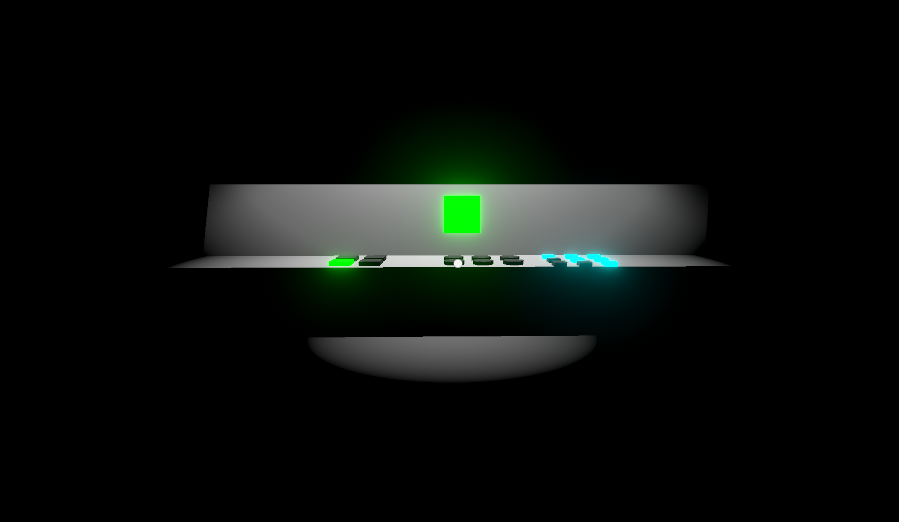
 rugged dome
Anybody know how to make a Light gradually increase its light intensity while inside a Trigger Event?
mortal cosmos
@rugged dome use the OnTriggerStay function and increase the light intensity with +=
you should probably use a clamp too so it doesnt get out of control
 grizzled veldt
Hey everyone, I'm trying to work on natural scene lighhting with a real sun and moon etc, but for some reason shadows aren't showing up. I've tired changing all the cull distances etc, but nothing I can think of works. Any ideas?
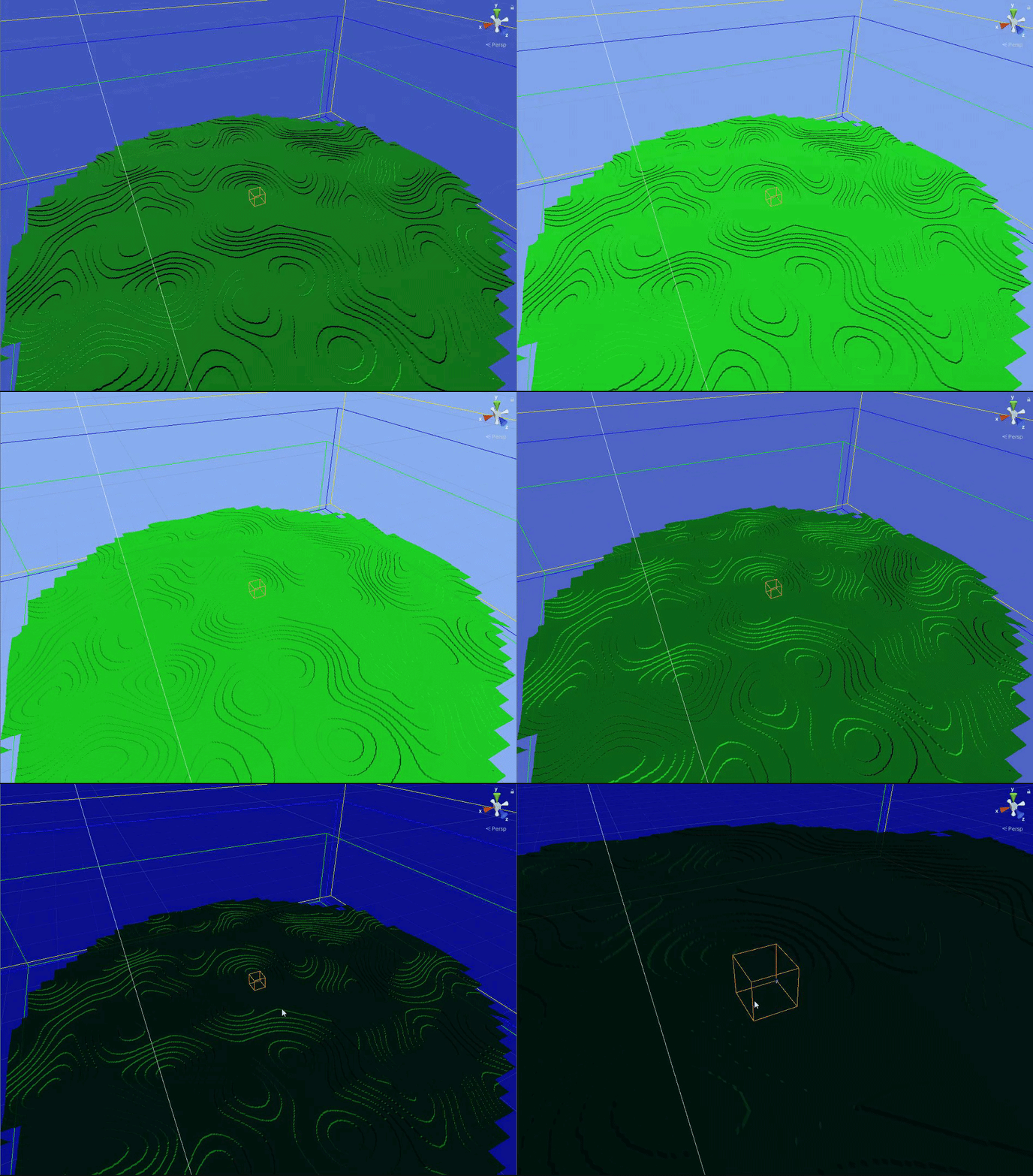
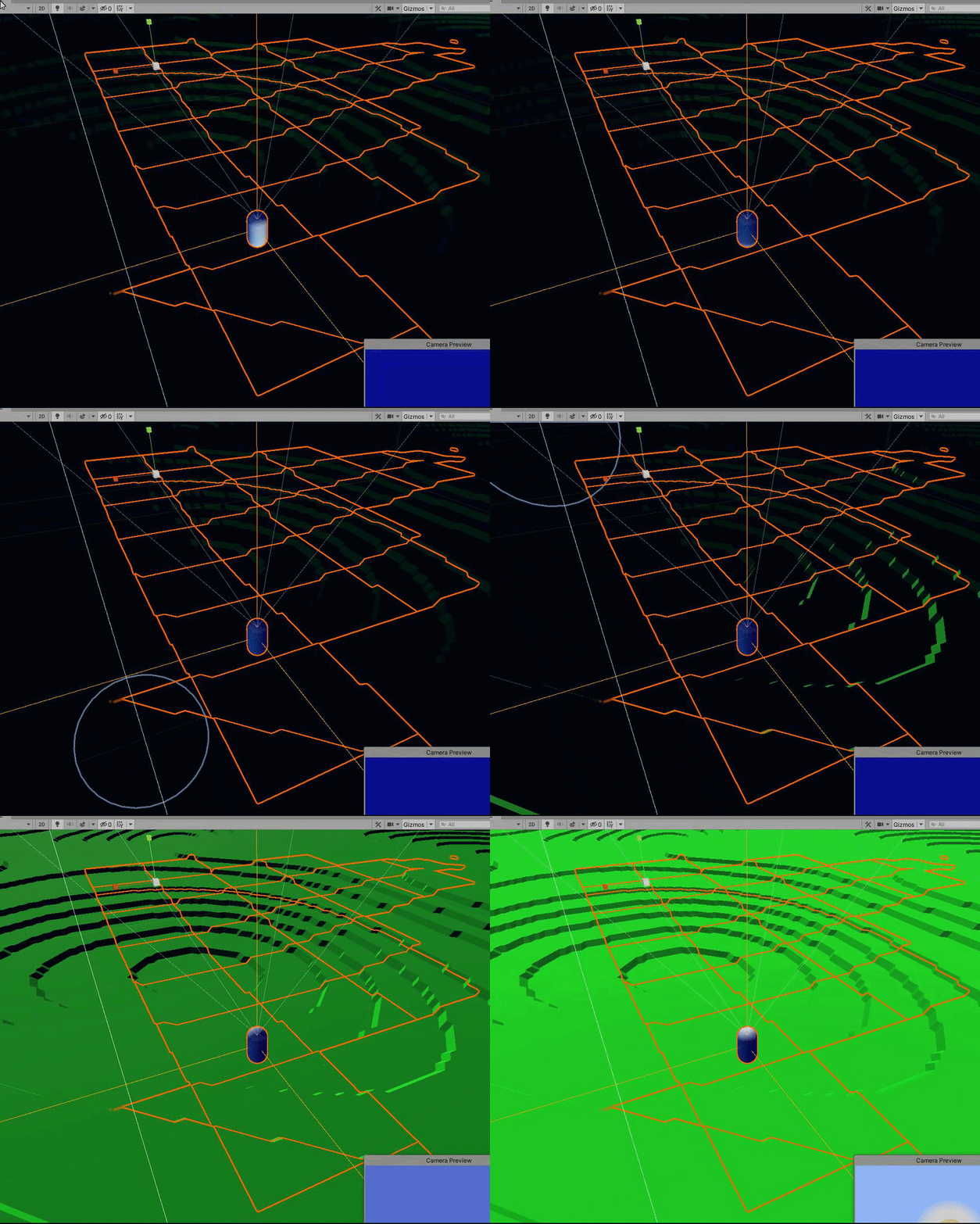
It looks like things illuminate but don't cast shadows
delicate lichen
@grizzled veldt Is it a directional light thats at an angle? URP/LWRP/HDRP/Built in? Custom shaders?
@hollow stag Post processing
@rare parrot https://www.youtube.com/watch?v=F5l8vP90EvU

We have a new 2D Renderer for 2D games, which includes the features 2D Lights and 2D Shadows! In this video, we're going to take a look at how we can use Unity 2019 and the Universal Render Pipeline (URP) to add 2D Lights and Shadows to our 2D games!
Download the Lost Crypt p...
 candid pecan
Hey Guys, Can anyone tell me what I'm doing wrong here? The reflections of a lot of objects don't seem to be appearing. Right now I have one reflection probe along the road and a big one that encompasses the entire scene. Thanks for you help. Cheers.
 hasty bison
Can someone link me good lighting tutorials (Unity3D)?
@timber lichen Here is one video from Backeys https://www.youtube.com/watch?v=VnG2gOKV9dw
In this video we’ll learn a bunch about lighting and use it to light a simple scene using the Progressive Lightmapper.
● Get a discount on The Complete Unity 3D Game Development Course: https://www.udemy.com/unity-developer-course/?couponCode=YTBRACKEYS999
● Download Room + M...
mortal cosmos
pMiddle is when I am holding down a button
for some reason first keeps coming true and false when I debug log it and push the button ?
zealous saffron
Hey Guys, Can anyone tell me what I'm doing wrong here? The reflections of a lot of objects don't seem to be appearing. Right now I have one reflection probe along the road and a big one that encompasses the entire scene. Thanks for you help. Cheers.
@candid pecan
with reflection probes, only static objects cast a reflection. make sure all non-moving objects in your scene are static.
timber lichen
anyone well versed in lighting that can help me understand a few things?
candid pecan
@candid pecan
with reflection probes, only static objects cast a reflection. make sure all non-moving objects in your scene are static.
@zealous saffron yup, that's been checked. Nothing's in realtime.
zealous saffron
huh weird
 west tartan
hey guys I want to add shadows to my 2D game, but the shadow caster script component or the shadow component both aren't working.
btw ignore the really bad background its definitely temporary 😅
the light source is coming from the top left and I want the asteroids to cast a shadow to the bottom right
west tartan
ohhh I used hardlight
it looks pretty cool
the hard lighting would make sense irl because there is no scatter in a vaccum
 waxen marlin
Hi. Is there some weay to use 2D light and masking sprites ? I mean it like if i have a plane and i want only one part of that plane is affected by light, i need a mask for that light ? And how to apply that. Thanks for help
 radiant shell
can someone help me with baked lighting?
im trying to bake lights but whatever i do i get huge black spots on my geometry and i have no idea what to do to fix it
these are my light mapper settings
quite sure i dont have UV overlap too as seen here
the level mesh is made with pro builder if it means anything significant
im using the 3D preset, and unity 2019.4.1f1
one of the lightmaps:
as you can see there are multiple black spots where there shouldnt be any
 frosty geyser
Hey everyone. Having weird shadow issues with Realtime spotlights in URP. My light needs to be at around 80 intensity to even be seen. No shadows are visible from the light at all. Even with indirect set to zero
timber lichen
Hi there, can I use multiple light probes in my scene for separate rooms, or just 1 lightprobe volume and make a box around the entire house I have? Thanks.
 unique yoke
why do i have such a strange lightning
delicate lichen
@timber lichen Im pretty sure you can have multiple light probes: https://assetstore.unity.com/packages/tools/utilities/magic-light-probes-157812

Use the Magic Light Probes from Eugene B on your next project. Find this utility tool & more on the Unity Asset Store.
@frosty geyser There's a message in your Light that says "Realtime indirect bounce shadowing not supported for Spot & Point Lights." Try changing the Mode from Realtime (at the top) to Baked or Mixed.
 plucky gale
hey guys noob question for baked lighting is it possible to have the light show on a player that walks beside it in an fps game?
if not is there an alternative way work around this without using realtime lighting?
 cold fox
Okay, so not sure if this is the right place to ask about this. But I'm having a strange issue with ShadowCaster2D components casting shadows on their own gameobject when Self Shadows isn't set. This seems to mostly (always, maybe?) happen after they've been returned to the object pool at least once, and re-used.
I'm working on setting up a simple test-case project to demonstrate it, but wondered if anyone else has seen anything similar?
Running Unity 2019.4.4f1, and URP 7.4.1
 rare iron
Hi is there some light guru or anyone who can explain me how should i configure my lights for my gane I feel like I am doing everything wrong I have a survival forrest game with day and night cycle
 gusty ruin
Anyone know how to fix this? I'm getting a weird moving shadow that appears to be a shadow of my cell doors, this shadow appears both in scene and play mode but as you can see here, "standing still" and simply looking about causes the movement. HDRP 2019.4.3f1. Any ideas?
Ok I think I fixed it. The strangest thing. Make sure ALL of your objects no matter how small have an HD material. Otherwise this can happen apparently. The non-HD mat was messing with the volume settings causing this strange shadow puppet behaviour
 manic harbor
@gusty ruin its not related to volumes, but to the fact that HDRP uses camera relative rendering by default, and most other shaders dont. thats why you'd see this shadow swimming, because of incorrect matrix transformations inside the non-HDRP shader
delicate lichen
Mixed lighting includes baked data right? And would light probes affect mixed lighting?
 hexed sundial
how do I add basic ceiling lights to a hallway
I currently have hallway segments saved as a tile, and then being infinitely loaded to create an infinite hallway. If I add lights, will the engine be able to continuously add lighting if i add the source to the tile?
hexed sundial
So I tried doing the lighting
Looked okay as I was editing the tile
however as soon as I go back to the main scene it looks like this
I've toggled so many settings trying to fix it and it all looks like this
what do I need to do to fix this?
I get this error but i have no idea where to find this
austere canopy
if the mesh is imported and does not have propper UV layout in uv2 for lightmapping you should let untiy generate the lightmap uvs in the imput settings of the model
hexed sundial
how do I do that?
austere canopy
select the model in the Project window
Check the general lightmap uv checkbox in the inspector and press aply
 shadow horizon
Make sure cast shadows is turned on, on the mesh renderer
hexed sundial
where is the mesh renderer?
hexed sundial
this is on the light itself, the thing giving the error
just checked everything else, it's also on for them
@austere canopy what do you mean complain about?
the error?
austere canopy
unity says that the ligtmap uvs for the object overlap with they should not do
its wirded the build in meshes do have propper lightmap uvs
cold fox
Based on the other topics being discussed and the complete lack of response to my questions, I'm guessing this isn't the right channel to talk about the 2D lighting package for the Universal Render Pipeline?
Is there a better place?
 quiet hornet
Hello, could anyone help me with an issue on Light2D trying to change the color via script using RGB?
 rich basin
Does anyone have any info on how to bake shader information into textures with shader graph or hlsl?
 plucky viper
hi, how do i stop this from happening when baking lightmaps? The only time I can get the lighting to look normal is if I set the lights to realtime
 mild silo
When i bake my lighting i get white and yellow patches on some parts of the scene. I cant seem to figure out where it comes from or how to fix it. Any ideas of what might cause it? The problem only occurs on surfaces with a material that is transparent in some parts
 quasi wren
@quiet hornet pretty sure your color is set correctly, but you need to adjust light.intensity
timber lichen
how do i fix this i literally changed nothing with the map except for textures but i do not know which one is causing the issue
quiet hornet
@quiet hornet pretty sure your color is set correctly, but you need to adjust
light.intensity
@quasi wren The intensity was fine, the rgb values are changed with floats betwen 0,1
Its weird but that was the problem
timber lichen
Hi guys in unity I want a light source from all directions to gerneally illuminate my scene is this possible thanks ByE
 iron hatch
@timber lichen Use the Area light component
You could also just have one giant directional light at the top of the scene which would act like as the Sun
 ornate mica
 unreal fossil
is it possible to have a pixelated light, im using the urp 2d lights and i was wondering if you can "pixelate" the lights
 oblique hamlet
Anyone know how to disable all lighting? Surprisingly little information about this....
I've turned off everything I can find but the profiler still shows Global Illumination (Input lighting) taking a lot of cpu time.
oblique hamlet
for anyone interested my GI was actually off but i was tricked by the GI the editor applies :S
no GI in build.
 tropic sable
@timber lichen directional light
@hexed sundial to fix that, you need to go to the model itself an set the Generate light maps UV's to true.
 tame delta
So I'm using the physically based sky for HDRP and I'm trying to create the moon as the celestial body on my directional light, but I can't figure out how to remove the base sun disk and just keep the moon texture. Is there a way to do that?
 gleaming bone
For 2d, should I use linear or gamma colorepace?
 hazy plume
 cyan garden
I’m trying to improve my lighting setup. Especially, I’d like to get the monsters more readable when they are closer to the player, right now they are only lighted by the area light the player has on him, so the side of the monster that face the camera is too dark. But I also want the monsters to disappear once they are in the shadow. Any idea how to improve on that ?
I’m also looking for a better option to handle the player / monster shadows than a Spot light that increase the light on the floor but also bleed into other rooms when the player is close to a wall. Any idea there ?
The 4 lights are real time.
Thanks !
 solid bridge
Hey! Does anyone anything obvious that would cause this kind of artifact when lightmapping?
@cyan garden you could manipulate an ambient/brightness value on the material based on the distance from the player? so when the monster gets close enough their ambient colouring increases, kind of like a faked bounce light
The simple option for bleeding light into rooms would be to drop the shadow intensity on the light. Anything less than 1 means walls for example won't fully block out the light
cyan garden
@solid bridge 1) can that be done with a standard shader ? I dont see any option relative to ambient/brightness on the material ?
This is what I mean by light bleeding into the other room, because it's above the player to display shadows on the ground
 karmic mortar
Regarding the mesh that is used in the mesh filter, does the mesh store the normals?
south kite
@cyan garden I think you can turn hard shadows on and it doesn’t go through walls
It did that with a flashlight function of mine once
cyan garden
it's a spotlight from the top, so it's normal that it bleeds. But I'm not sure how I can generate the shadows of the characters with an other kind of light
cyan garden
is there an option to have a light make shadow on the ground without lighting up the ground ? (it is already light up by other lights)
 unique jacinth
I was modelling a custom island and when I tried it out I got this weird flicker in the shadows. Does anyone know what the could problem be?
 bronze mirage
Hey! Does anyone know how to make a point light color adjust to a video's average color?
 swift notch
quick question, if I made the world light black or dark blue, would that light effect from point lights?
solid bridge
@cyan garden sorry for the late response! I see what you mean now, I thought you meant you wanted the light to bleed. If you're using a top down light like that it's trick to stop it casting in areas where there's nothing to actually cast a shadow. A few ways I can think of but they're a bit of work. Someone else might have a better option. First would be actually have a ceiling object for each room. It casts shadows down, but whichever face is facing up is culled. Another way would be to manipulate the culling layer on the light at runtime. So when the player walks into a room you change which layers are culled on the light. Only problem with this is it would probably be quite a bit of work to set up all the different layers you want for the rooms/lights
either that or just lower your light so it's low enough for this not to be an issue, and change other settings like it's range/angle etc to compensate
Good point on the other thing though, I don't think there is anything for brightness on the standard shader. You would have to do it on a custom surface shader. An alternative option could be to put another spot light on/near your camera that always points at the player, set it's culling mask to a layer the enemies are on so it only lights them
cyan garden
@solid bridge the light attached to the camera improved the whole thing, and also made the walls more visibles which looks better. I've also reduced the range of the light that make the shadows and I'll block the space close to the walls so that the player can't go there, so that should not bleed on the other room. That already look a lot better thanks 🙂
I'll record a video once it's done to showcase 😄
timber lichen
Hello guys! I have an issue with spot light in UNITY HDRP. I'm new in unity and i'm trying to make a racing game. The problem:
When I turn the ~ 180* light is not visible.
Sorry for my english
Please help! I'm trying to fix it 1 week(
timber lichen
hey there, i am currently trying baking light, ive always used realtime lighting but i am currently working on bigger project, and the problem is: i can see the baked lightmaps in, they are working in the scene windor, but if im going into playmode there is no light :/ (i am using urp with unity 2020.1)
timber lichen

 wicked orchid
How do I increase the resolution of my shadow cascades in HDRP?
Is there a shadow map resolution setting I can turn up?
 frozen crypt
Could someone help me change/fix these shadows? They look like some sort of Minecraft Simulator gone wrong.
https://youtu.be/b8VLxppOBRo
 timber lichen
question how to I fix my lighting it looks ugly
let me set up a quick game to show you
it looks ugly its more dark them red
 unborn pumice
Well you can try with intensity/indirect multiplier of the light
Or baked lighting
It depends of what do you want
 hollow lantern
I've just switched to HDRP, and what I noticed is that things get really dark if I look downwards, and bright if I look upwards
Why is that, and how to stop it?
 mystic dew
@hollow lantern read documentation about auto exposure . you can make fixed exposure
hollow lantern
Ohh thanks
hollow lantern
It doesn't seem to work
Also, if I zoom in to objects, they get really bright
And if I zoom out, they get dark
I mean if I'm zoomed in, they look normal
But otherwise they are really dark
 obtuse coral
Does anyone have any tips on how to get a decent soft falloff on spotlight shadows in URP? Increasing the cone angle makes the falloff softer, but it becomes really low resolution and 'bubbly' almost...
 balmy kraken
I'm making a 2d puzzle game with shapes, and when I change the color of my line renderers they just appear black. I think this is a lighting problem. Is there a way to just disable lighting because this 2d puzzle game is not the kind of game that needs lighting
This is the line that should be red but is very dark and in game looks black
this is the material for that line
 covert stirrup
Yes you would just use an unlit shader instead of the default one @balmy kraken
balmy kraken
IF i do that i cant change alpha to make it transparent
covert stirrup
It's very easy to set up a shader like that, but I think the Crosshair shader should do what you need
wicked orchid
In HDRP, it appears shadow map resolution for the cascades is not updating when I increase it in the volume. Am I doing something wrong? Is anyone else experiencing this? I've tried upping every shadow map resolution and nothing affects the quality of the directional light cascades
timber lichen
I am getting these dots after baking the lights
frozen crypt
Subsurface scattering possible with URP?
 grave shard
cinder parcel
grave shard
cinder parcel
seems pretty sketchy to present the feature like that when you gotta define the shape individually lol
cinder parcel
I am even more confused now lol
is it really just ignoring the shape I set to it lol
(this is a script btw, runtime)
😄
 gilded zephyr
I appear to be getting some aliasing or quality issues with some of the shadows in my scene
I'm using HDRP, and my directional light (currently the only light in the scene) has got the Ultra shadowmap setting
any ideas why this might be the case?
another example
 terse ocean
Ive only recently upgraded to HRDP and still learning. My issue is that with a highly emissive material, it glows at a distance but dims down when camera moves closer. Heres a video if it helps. I was told it was Eye Adaptation in an different channel although i dont know how to use it in HRDP. Thanks
I messed arounhd with some values with the Exposure effect and that seemed to fiux it
frozen crypt
Could someone help me change/fix these shadows? They look like some sort of Minecraft Simulator gone wrong.
https://youtu.be/b8VLxppOBRo
 safe pewter
Got a problem with lighting in my game. For interiors in my game, I need a lot of point lights. The game is set in a boarding school. The first floor of the main school building needs around 27 point lights to be properly lit, which is quite undesirable in terms of performance. There's a notable drop in FPS with the lights on when entering interiors, especially in edit mode since interiors are made using my custom tilemap tool and in the editor the tiles are all their own individual objects (these are merged together at the start of runtime which increases performance).
Further exacerbating this problem is the fact I can't use the main 'fix' to a problem like this, light baking. There's a lot of interactivity in my game, and one of the things the players can do is turn on/off lights, which makes light baking impossible. I also have a day+night cycle and not a traditional one (a day is split up into 4 sections and only advances between these sections when you complete something like a mission) which makes light baking even more impossible than it already was.
I can turn off shadows but that causes stuff like light leaking out of walls which isn't very nice looking (and is VERY noticeable).
here's the first floor of the school interior, btw
timber lichen
Anyone here have an idea why Shadow in unity shakes/shivers when the camera movies?
solid bridge
@safe pewter a few things to try, first, if you’re not on deferred rendering. Switch to that. You definitely can’t use that many realtime lights in forward rendering if more than a few are going to be visible at the same time.
Second, check the light settings. I’ve often been able to reduce range but increase intensity for very similar results. The problem is often when multiple lights ranges overlap. If you can reduce range as much as possible it’ll help.
Thirdly, if your geometry is complex enough for vertex lights to not look terrible, use those as much as possible. They’re a lot more performant than pixel lights
And finally, if there are any objects that can have shadow casting turned off, try that. Often performance issues don’t come from light casting themselves but lights casting shadows. Not so much walls like you mention but things like if you have objects in rooms that are right up against walls, often they might not cast visible shadows anyway
 manic ether
wondering why the inner planet doesn't cast a shadow on the outer one.
there's a point light in the sun, and both planets have cast and receive shadows checked 
safe pewter
@solid bridge the tiles aren't that detailed (mostly just a squished cube etc), though I might do vertex-based lights since I don't need the lights to be detailed, just light up the room and not spill out
solid bridge
@safe pewter sounds like that could work then! What about deferred, are you already using that?
@manic ether does the point light have shadows turned on? They don’t by default
manic ether
@solid bridge yes it has
solid bridge
Can you send some screenshots of the different object inspectors to look at?
And do shadows appear on other objects? Or are they gone completely?
manic ether
my light
the planets
oh i figured it out, it was disabled in the project settings, in quality
obtuse coral
Hi all, I'm trying to get decent soft shadows for either directional or spot lights in URP. With anything other than a completely hard edge to the shadows (through either shadow cascades or tightly focusing the cone angle of the spot light) I get a rippling, pixelated effect along the shadow edge whenever a shadowcaster moves. Is there a way of fixing this? My shadow resolution is already at 4K
safe pewter
@solid bridge yeah I'm already using deferred
vertex light didn't help much (assuming to be able to use it I need to use vertexlit shaders on my materials) since it makes me objects look way too bright. Is there a way to create a fake light via a projected texture or something? (not sure if a projector will work)
another problem even if I make it so shadows only effect the walls, is that the merged mesh is 47k triangles with about 6 materials total. This means with the amount of point lights I would need, would mean that the poly count will go up by 47k * the amount of point lights (not sure if batching count is affected by that?) which is a lot
I've been trying to find algorithms to simplify the mesh without any loss of quality but so far no one seems to be able to help me on that
 valid lodge
Why does ot take so long to bake lights dang its been 7hours now
And its still on ~70
frozen crypt
You did something wrong. Check that your texel size isn't too high. @valid lodge
 dry laurel
With the standard shader, why how do I get my secondary maps properly use UV1 instead of Unity's generated lightmap UV (which should be UV2)?
It seems like I can't use detail UVs and lightmap UVs at the same time. The lightmapper appears to use UV1, forcing either secondary maps to use the generated lightmap UVs or the lightmap to use the secondary map's manual UVs.
 merry sun
How can I make the shadows less dark? I would like to be able to see something on the ground rather than just point black shadow that makes the ground impossible to see
 fringe wraith
did you have global illumination turned on? if you do, it's not supposed to be that dark I think
 fallow dust
Hello everyone. I'm having a weird problem in HDRP where (only sometimes) the shadows get pixelated when my spell effects happen. This happens in some areas more than others and I can't figure out what changes made this happen. Does anyone have any ideas?
fallow dust
It's too many lights on a single tile
In case anyone else runs into this heh
Does this limit apply to baked lighting?
 signal rover
Hey guys needed help with Lighting
I was using realtime lighting uptill now but because of the framedrops in the target device I want to change to baked lighting. The problem is I don't know how to, when I go to lights and change the mode to BAKED, they disappear and aren't coming back.
How do I bake lights? where's the button?
fringe wraith
Hey guys needed help with Lighting
I was using realtime lighting uptill now but because of the framedrops in the target device I want to change to baked lighting. The problem is I don't know how to, when I go to lights and change the mode to BAKED, they disappear and aren't coming back.
How do I bake lights? where's the button?
@signal rover which Unity version? which render pipeline? Generally speaking, you would need to change the lighting setting from realtime to either mixed (which is mixed between baked and realtime) or completely baked. To baked lighting, first you need to mark object as lightmap static (select object, on top right there a tickbox for static and dropdown menu) then go to lighting setting window (if you cant find then, click window > rendering? general? I can't remember > lighting setting) then on the lighting setting on bottom right you can click generate lighting
signal rover
@signal rover which Unity version? which render pipeline? Generally speaking, you would need to change the lighting setting from realtime to either mixed (which is mixed between baked and realtime) or completely baked. To baked lighting, first you need to mark object as lightmap static (select object, on top right there a tickbox for static and dropdown menu) then go to lighting setting window (if you cant find then, click window > rendering? general? I can't remember > lighting setting) then on the lighting setting on bottom right you can click generate lighting
@fringe wraith Unity 2019.2 and I'm using LWRP pipeline
@signal rover which Unity version? which render pipeline? Generally speaking, you would need to change the lighting setting from realtime to either mixed (which is mixed between baked and realtime) or completely baked. To baked lighting, first you need to mark object as lightmap static (select object, on top right there a tickbox for static and dropdown menu) then go to lighting setting window (if you cant find then, click window > rendering? general? I can't remember > lighting setting) then on the lighting setting on bottom right you can click generate lighting
@fringe wraith all the light properties i did change to baked, it just turned them off
Not even running after that change would turn them on
fringe wraith
changing it to baked means that it would only take baked data, then its no longer doing anything at runtime
signal rover
Yes I want all the lights to be already generated before run
fringe wraith
perhaps you forgot to tick the static, or at least check the lightmap static
would be much faster to google it honestly
signal rover
What all objects do I need to turn static? Also i'm unable to find that dropdown
Sure, I'll try googling for the static part, thanks
fringe wraith
I would turn lightmap static on for objects that will always stay in its place, that will not have any interactions whatsoever
for example, an indestructible building that won't do anything
signal rover
google says it is in mesh renderer but can't find it 😦
fringe wraith
fringe wraith
keep in mind baked lighting means that any other objects that are not static will not receive any lighting
signal rover
Yes
fringe wraith
which is why I generally use mixed lighting, at least for most lighting
this baked lighting is also called global illumination btw, in case if you dont know
signal rover
Yeah i guess that's why the dropdown now says contribute GI instead of lightmap static?
fringe wraith
Yeah i guess that's why the dropdown now says contribute GI instead of lightmap static?
@signal rover correct!
 edgy jetty
I want this to be a bright outdoor scene, somehow it's not ... any ideas what's wrong? 2 Directional lights, one with shadows one without.
Better / Worse ? i have no idea anymore .. tryed to long to get it right
 runic prawn
Is there any way to have indirect lighting in a specific area? like a box?
 crisp rain
Hi. I have some glitches with my baked lighting. There are spots on shaded models that are heavily lighted, like you see in the screenshot I post. The questionable game objects are marked as static and don't have overlapping UVs. The backed lightmap also seems to not explain the heavy lighting. However in directionality draw mode in the scene, these appear as full black.
shaded drawing with the glitches
directionality drawing mode with the "black" spots
The baked lightmap, where those spots are not heavily lit
with enabled blooming for the dramatics 😉
I found posts that mark the compression of the lightmaps to probably cause issues, but the screenshots are with compression of in the lighting settings
crisp rain
any hints what can cause these?
wanton hinge
oh yes i had this as well one time but only on a small spot
did you use the GPU baker?
i fixed it by changing the baking settings just slightly back then
crisp rain
@wanton hinge yes, I used the GPU Progressive mapper. What do you mean by slightly setting back?
wanton hinge
o.0
i said, i just changed the baking settings to fix it when it happened to me
padding for example
crisp rain
Mmmhh, I changed some settings according to a optimize graphics tutorial. not sure which though.
Padding I didn't change actually 😉
maybe I need to fall back to an older VCS state then
thx
 rancid coral
Hey could anyone help me figure out why my baked lighting isn't working? It doesn't bake shadows, everything is very flat
this is "baked" lighting
frozen crypt
Are they flagged as Static objects?
rancid coral
How do I check?
frozen crypt
In the Inspector.
rancid coral
lightmap static is checked yea
oh wait hold on
for the main building it was but not everything else
ok its baking rn hold on
 polar lagoon
is there any way that i might take the use texture of a my reflection probe to generate ambient lighting for my scene? (AR Foundation is generating the probe for me)
just learned about DynamicGI.UpdateEnvironment();
... saved my ass.
rancid coral
Ok so this is looking a little better
Now is there a way to get this exact lighting baked? Whenever I try to bake it gives me splotchy black spots on the walls
look at this garbage
ugh
rancid coral
@ me if you can help me i really need it
 silent flicker
Hey guys, I have a doubt on URP for 2D. I rendered few lights on my main game and I have a minimap camera that takes render texture for just minimap-"layer" objects. But somehow the lights are shown on the minimap too? Can I not disable lights for separate cameras?
frozen crypt
silent flicker
@frozen crypt thank you so much!
 dawn cape
Hello i have a odd problem that i cannot solve,somehow my directional light is going through walls lighting up stuff behind it(This is where the light comes in)
Room right next to it but the light still comes in,and yes it is fully enclosed
dawn cape
Nevermind i fixed it
 buoyant mica
I'm using Supertiled2unity to import my Tiled tilemaps, and I'm having some trouble configuring the lighting to work, I think by default every map ignores the scene lighting, what can I do to fix this?
 dreamy hinge
@edgy jetty I second photo looks far better
dreamy hinge
I can clearly see that its a body of water so thats good
And that its foggy
I like how it looks
wanton hinge
i would do a fade in of the fog by distance to the camera, but a really super smooth fade in
- some particle clouds over the lake resulting in some movement of the fog and some thicker areas
 runic spoke
Why is it that when in the editor, point light intensity on the police car shows up like this 1st pic, then when running the game, it disappears and only shows the light reflection?
i can crank intensity way up in editor and it will be glowing very strongly but when running again it looks the same as before
i have also tried with spot lights and they just go completely invisible. emitting no light when in play, but look fine in editor
 novel meadow
Lit Forward Decal shader I just made 😄 I added parallax too
runic spoke
i fixed my issue btw and made it a lot better
 teal stratus
@ me if you can help me i really need it
@rancid coral im 3 days late to your question but
- check if baked global illumination is on
- check if meshes in scene are static (or at least lightmap static)
- check if lights are set to mixed or baked
- enable generate lightmap uvs in your models
signal rover
Hi guys, I'm trying to convert realtime lighting into baked light into my project. But that turns everything black ie without light. How can I fix it? What am I missing?
I've tried marking the 3D objects as static with Contribute GI checked, also generated lighting from the lighting tab 😦
wanton hinge
did you change all your lights to "baked" ?
show us a picture of your scene
@novel meadow sick btw, maybe a bit too heavy on the depth effect. but that would depend on the usage 🙂
and also i am curious if you told unity to generate lightmaps for the objects in the import settings @signal rover
 balmy cloak
Can I adjust shadow lengths in 2D lights?
 glacial tinsel
Heyo, I am having some issues with a few of my leaves. I get some completely black leaves due to their normal being one sided (just a simple plane). I do not know of an elegant solution to this, any help would be greatly appreciated.
frozen crypt
Use a material that renders both sides
 full saffron
Not sure if this is correct place for this but running into what I think is a banding issue or perhaps a anti-aliasing problem. Wonder if anyone else has come across something like this and has some ideas. See the weird shimmer on the board walk?
and this is what it looks like up close. The slats are empty space.
The only thing so far that seemed to mitigate it was using TAA but that did not completely eliminate it just reduced it.
covert stirrup
Try playing with the MipMap settings on the texture @full saffron
full saffron
Thanks will go through it again @covert stirrup but so far those do not seem to have any effect on the issue.
 glossy hemlock
So, is there something special I have to do to use point lights in URP? My directional lighting works, so all my shaders are lit, but lights of all other kinds seem to do absolutely nothing at all
frozen crypt
Need to bake the point lights. @glossy hemlock
glossy hemlock
That's not really possible, I'm loading in geometry at runtime
Is dynamic lighting really missing from URP?
That seems like a kinda huge glaring oversight
frozen crypt
Switch to hdrp
covert stirrup
Haha what no
You can have dynamic point lights but they will not cast shadow, that's a limitation
Most likely the issue is that your light count is still at the default value of 1 in the pipeline settings @glossy hemlock
glossy hemlock
Is it this here, the "Per Object Limit"?
covert stirrup
yes
covert stirrup
per object, yes
glossy hemlock
Oh, per object
My point lights are different objects than my directional light though
covert stirrup
Not, not like that. A gameobject with a meshRenderer on it can be influenced my maximum 8 lights at any time
If you have 10 lights around a cube then 2 of them will not influence it
frozen crypt
Oh yes, for some reason I was thinking shadows.
 brittle lynx
on the intersection of these 2 planes the lighting acts weird
but if i get clsoe it fixes?
how do i change the distqance for ligting to work
 obsidian harness
Is there anyway to disable the packing and atlassing process during the lightmapping process?
I am able to atlas the UVs the way I want them to be in the final bake but Unity keeps shifting them around because of the atlassing
What I've tried:
-Created custom lightmap parameter and disabled stiching
-Disabled Optimize Realtime UVs under the renderers
-Set Min Chart Size to both 2 or 4
 sick plinth
HDRP - Would anyone know the reason for this object not being picked up properly by light shadows? As you can see I have tried blending the material into the terrain with the color swatch but it seems where the terrain changes slightly due to shadows, it does not seems to follow the same behaviour.
 thick bronze
Weird lighting issue while baking emission shader
cyan garden
How can I prevent that kind of effect on the ground due to the directional light ?
 modest dune
my post processing isnt working. Does it have anything to do with URP being installed.
summer aspen
@modest dune Don't cross-post
modest dune
ik sorry i didnt realize there was a Post processing channel
can i get some help tho
@summer aspen
 astral granite
having some severe problems with lightmapping
i tried simplifying the mesh that is lit by a spot light for this example
tried playing around with backface tolerance but its not working
the mesh should be fine...?
does anyone have an idea?
i do have invalid texels
btw this is what its looking like in blender. am trying to slowly get the same look in unity.
 whole coral
When I build my project does that also generate lighting?
or do I need to first generate lighting and then build project?
astral granite
it does not i think
if you use baked lighting you first need to create lightmaps i guess
and make the objects that are supposed to get a lightmap static
you could use realtime lighting as well if its necessary. or a mixture of both
 pulsar aspen
Can only post once due to data restrictions but I think its also a lighting thing, anyone able to help out would be appreciated!
#⛰️┃terrain-3d
 jade dock
Hi im having issues when baking modular pieces on unity 2019.4.3f1 where all my modular pieces have a thin black seam around them
Ive tried everything from disabling AO and turning up resolution to no avail. Ive also disabled compression and tweaked the UV's with custom islands and the issue still persists
any help/advice is greatly appreciated as i think ive basically exhausted all my options
 tired kindle
i have no experience with night lighting help me plz xD
 bitter ice
if I knew little more about night lighting I would
I know the basics
so what do you need?
tired kindle
wait i think i overdid mine but who cares i think looks good lol
but there is a problem
i dunno if its from lights or some scene setup
but theres flickering
astral granite
did you turn on fast mode with bloom in post processing? try turning that off maby idk
 mighty oxide
Hey bois, I need help
Well... this is a tree
And it glows 'till a certain radious of the spotlight I put in the flashlight
I know it's something from the Tree Creator shader, and I'm not the first to have this issue
The problem is that if I put another material, the wind doesn't work
jade dock
@mighty oxide make your own tree shader? are you on URP/HDRP?
pretty sure u can use the scale/position nodes over time to give the effect of wind
*on shadergraph
brackeys has a nice video on simulating the effect on grass on shadergraph i believe its worth giving it a look
mighty oxide
I think I am in URP
But thanks for the wind effect
Lemme search for the video
Thanks for the help!
jade dock
@mighty oxide default HDRP skybox looks like that im sure. With the post processing filters on it can make it seem weird
you might want to tweak lighting a little bit
maybe use and HDRI?
mighty oxide
I'm not sure if I'll keep using this render pipeline
It screwed a lot of my things, and the Post Processing setting I put before doesn't work
I mean, yep, it looks great
But I should've done this in the beggining of the project
Now it's just a lot of weird textures and weird lighting
I can fix that
But I don't have enough time to basically fix the other things it made me eugh
But thanks anyways
I'm gonna find another solution for that grass problem
obsidian harness
Is there absolutely no way to access the lightmap UV islands after baking?
I understand that theyre stored in the Lightmap Data Asset but there doesn't seem to be any way to read from it?
 tawny sable
why do my lightmaps get blurred out after baking? preview looks allot better than end result
 pliant solstice
Can anyone help me with the shadows on the trees and the ground? They are only in a higher "resolution" when the camera is near the shadows
nvm it's the shadow distance
Nope that's not it, even with a distance of 200 and four cascades this is still happening
tired kindle
With my HDRP experience i can say when u upgrade a standard scene to HDRP skybox post processing lighting n terrains break
Thats why i always make respective pipeline templates
pliant solstice
The thing is that I started this project on URP, so no upgrading was done. It's really weird too, I change the shadow distance to 100 and the tree look great. I keep increasing it so that other trees look great too but the shadows go back to being ugly
This is what's happening
tired kindle
Cascades?
And whats the res u using
Cuz less the resolution the more quality u would loose n fast
Also i dont use more then 3 splits
And one more thing
Go look into shadow filtering quality
pliant solstice
@tired kindle the problem appears on any resolution I set. And also I can't seem to change the shadow filtering quality in urp
I've set it to four cascades now and a distance of 150
And it's still happening
tired kindle
Shadow filtering works only with forward render type
What i do in my scenes is i set distance from 250~500 with 3 cascades
pliant solstice
Forward rendering should be enabled, right?
Also how do you select only three cascades?
tired kindle
Just untick 4th lol
Be ware forward rendering doesnt offer that much of awesome light scattering
But it makes shadows amazing
pliant solstice
how do I untick the fourth one?
tired kindle
Use 2
pliant solstice
No combination of distance / cascade amount seems to fix the issue :/
pliant solstice
Could you perhaps explain what the percentages of the shadow cascades mean?
pliant solstice
I looked it up in the documentation and made it look a lot better, it's still noticeable but way better imo
brittle lynx
can I add ambient light without baking light?
when I bake light it messes up the rest of my lights
pulsar aspen
I'm getting weird flashing in my scene guys, anyone experience this?
Ive tried setting to forward, rebaking etc nothing
tawny sable
reeeee i hate the progressive lightmapper so much
summer aspen
@tawny sable Don't post memes
tawny sable
forcibly smudges / blurs results as a post bake effect so 40 rez looks like 24
artificially imposed 4 light limit for > 4 lights shadowmask for lights that are blocked off from one another, and force full bakes additional mixed lights
constantly gets stuck on finalising bake after baking for hours and converging lightmap
tawny sable
ok im not angry anymore, you can fix the blur, mipmaps and filtering in texture settings. i hope they fix the shadow mask though, i have to separate objects into different scenes and load them additively to go over the 4 light limit
 gritty ore
How can I set up my lighting so that everything is black unless a spotlight is pointing at it?
 zinc nexus
Maybe this is the right place to ask ... using URP can I get 2d AND 3d lighting working at the same time? Using the 2d renderer 3d lighting appears to get turned off, using the 3d renderer 2d lighting gets disabled.
 queen mulch
teal stratus
queen mulch
teal stratus
@queen mulch make the light direction face the sprite
 strange kite
How would i make a light source flash on and off
brittle lynx
on start you can use a while loop that waits a certain amunt of time and then changes the light on or off
 cedar mortar
@queen mulch Sprites and SpriteRenderers are part of the Unity 2D... package? idk what you call it. If you look in all the sprites shaders, they don't have support for shadows or lighting. I see you're using a custom material with some shader on it.
I actually am working on a project rn that switches from 2D to 3D and I'm using a modified version of Sprites/Diffuse. I plan on implementing better lighting and implementing shadows, but I haven't gotten to that yet. if you're trying to clone paper mario, I assume the game is 3D 99% or all of the time, so you should probably be using a Quad or custom mesh that have built in lighting support instead of a Sprite. I'm trying to hack them around to be used in a pseudo-3D project, but they weren't made with 3D projects in mind
@brittle lynx don't have tons of experience with lighting but probably something with the shader you're using. I assume you've turned on recieve shadows on the renderer. I'd check the shader and make sure it supports shadows. (switch to other shaders and see if shadows turn on. if you don't have access to the shader code [it's a unity shader], you can view the source code here: https://unity3d.com/get-unity/download/archive)
brittle lynx
i think im jsut using default untiy shaders
cedar mortar
some of them don't support shadows
 pallid quarry

 cedar mortar
yw
 idle bramble
I'm working in URP and trying to light the scene, the sand texture is PBR shadergraph so I'm a bit confused why there is no shadow where the red line is?
The island does receive shadow because if I place a cube on top it appears, though it's acting really oddly where is sort of distorts
my URP settings
and directional light
 placid karma
That is a pretty goddamn long baking time for a reflection probe with lowest settings
at this point I'm sure that I'm doing something wrong
 silk venture
Not sure where to ask this one, but : In HDRP, how to get several planar reflection probes to work together ? I have 3 different mirrors, each with their own probe, but somehow only one of them has its planar active at a time and I can't figure out why. The others only display the basic reflection probe, so it's not even like they were getting their own planar overriden by the first or something.
 neat yacht
How does someone go about messing with render order? my goal here is to render the scene with no lights, then, for each light, write something to the stencil buffer, render the scene with that light enabled, and clear the buffer. I'm using the default render pipeline.
I'm working to implement shadow volumes and have at least a good head start on creating the actual shadows, but need to figure out the rendering side
 gusty wraith
Can i get colors for my spot lighting volumetric from gameobject?
 burnt wharf
Does HDRP offer any support for precomputed real-time lighting / global illumination?
bitter ice
lol
 orchid arrow
Hello guys, can anyone help me with this? I'm having this reflection issues with my model. It looks off.
https://cdn.discordapp.com/attachments/329288850000314370/742831976242872371/unknown.png


I worked it on Substance Painter and it works great.
https://cdn.discordapp.com/attachments/329288850000314370/742832199593754754/unknown.png


Btw it's on HDRP and has a reflection probe.
 bronze tulip
can we able and disable light in different scenes?
bronze tulip
nevermind i just stuck a big f-ing light on it😂
 gilded fern
i get this weird line in between a 3d plane and cube, any ideas?
 tardy girder
So I’m using Unity Collaborate and in my scene (published and synced) all prefabs/materials are fine. For my collaborators, everything is pink. Any idea why?
Even after they have reimported the asset package.
gusty wraith
some one know how i can do more light volumetric in cookies spotplight ? bsc on center looks nice but like that not ? some one please. help me
gusty wraith
?
candid pecan
Hey Guys, I'm facing an issue with the lighting. The baked light appears to be pixelated. This has never happened before. The first image is how it looks during baking.
this is what it looks like after baking is complete
the gradients don't appear smooth anymore.
Please let me know what I can do to solve this. Thank you.
 plucky torrent
I don't see any problem @candid pecan
candid pecan
I don't see any problem @candid pecan
@plucky torrent I meant this. If you look closer there's some find of pixelation happening/ Also right under the shelter, the colour of the ground is different.
plucky torrent
- I really don't see any pixilation. If I, a game developer trying to find a problem you described in great detail can't find it, your audience won't either.
- The color of the ground is different because of the lighting. That's normal.
- Unrelated, but that ground texture seems very easy to see seams in. You're gonna want to replace that, cover it up with something, or add variation.
@candid pecan
 lime lagoon
Anyone here familiar with Aura 2? The buttons in the scene editor don't seem to work and the volume lights are kind of... grainy?
lime lagoon
Figured it out, it's in the quality settings