1 messages · Page 37 of 1
 floral swallow
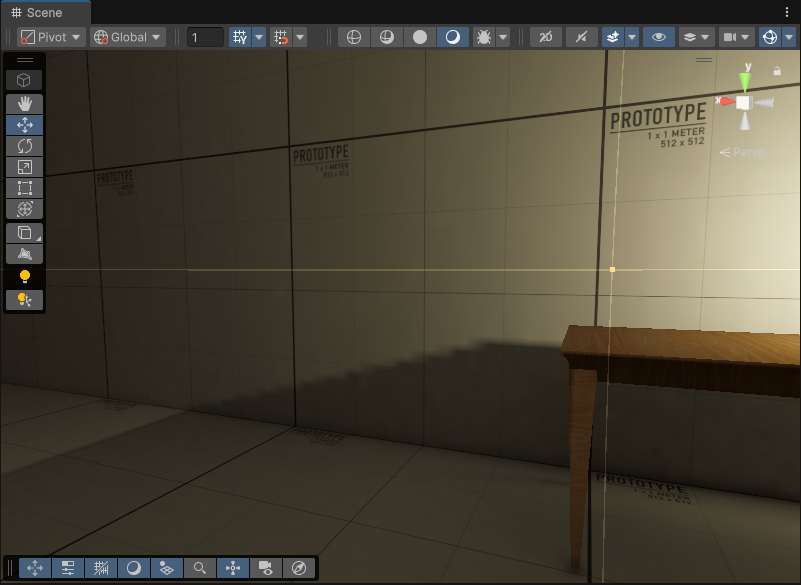
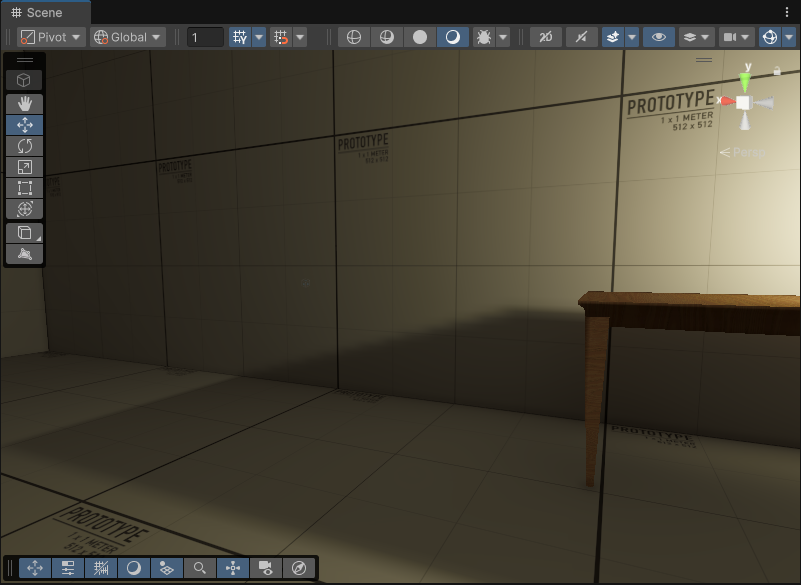
Hello, I'm trying to set up a basic VR scene for testing but my shadows look absolutely horrible, I've tried adjusting the shadow resolution and pretty much everything under the Lighting tab of my RP asset.
If I set my shadows to hard, they become horribly pixelated as well as grainy. Does anyone have any ideas what might be going on? Thanks! 😁
Fixed this, SSAO was yet again creating issues
 unique yarrow
how would i make my lighting spread better? apart from the areas directly lit, the light doesn't seem to bleed or even slightly lighten up surrounding areas, other than the areas directly affected the rest is pitch black.

 chilly kettle
unique yarrow
how would i make my lighting spread better? apart from the areas directly lit, t...
chilly kettle
unique yarrow
how would i make my lighting spread better? apart from the areas directly lit, t...
Did you bake light?
If not, Light (realtime) does not bounce by default.
unique yarrow
chilly kettle
Did you bake light?
If not, Light (realtime) does not bounce by default.
its baked on mixed
chilly kettle
unique yarrow
its baked on mixed
Gameobjects set to static?
 languid blaze
That's memory corruption for sure
I'm not sure I've seen that exact pattern before, but I've seen very similar blobs of garbage on my own macbook
languid blaze
unique yarrow
how would i make my lighting spread better? apart from the areas directly lit, t...
You can check how much baked light is present by switching to the baked lightmap view mode
It's the dropdown on the left here -- the sphere

You can then adjust the exposure up and down. Higher values make the baked lightmap brighter.
e.g. I have the exposure way down here,

You just want to check if there's any baked light at all, really
chilly kettle
languid blaze
e.g. I have the exposure way down here,
you should fix your UVs 😄
languid blaze
This room has been streeeeetched out on the XZ plane
I'm using PoseisonCSG to mash together different room tiles. I've learned that I still need to make a few different sizes of rooms so that the lightmap UVs can make more sense (instead of just stretching a cube out super far)
because...yeah 😓
oh god the noise

 hidden horizon
Hello everyone. Quick question (and i wasn't sure where to ask 😅 ). Is it possible to modify the distance of the skybox (cubemap)?
I want to make the house from this skybox to not be too close to the center.
Is that even possible? Or do i have to modify the image itself? Or create a custom shader?
Skybox from PolyHaven, btw
 languid blaze
The skybox is like a sphere that's infinitely large
you can't move around to change how it looks (all you have is a cubemap, not a whole 3D scene!)
I know that reflection probes can do something called "box projection" to deform their cubemap as you move around
A custom shader could probably stretch the skybox so that the house seems further away
Never tried that, though
hidden horizon
languid blaze
A custom shader could probably stretch the skybox so that the house seems furthe...
Ok, thanks 👍
languid blaze
https://discussions.unity.com/t/reflection-probe-box-projection-in-graph/872464/2
I'd imagine it's very similar to sampling a reflection probe, but I haven't written an elaborate skybox shader before
 nocturne mountain
I use realtime lighting, with a skybox and daylight cycle for my game
the only problem being that this specific material doesnt seem to wanna respond to ambient light, but does respond to direct light, anyone know why?


 native bane
anyone know why the lights around my stars are so inconsistent


 hushed vale
Hey there mates, this is a normal shadow behaviour (from directional light) on Unity 6?
 scarlet geyser
hushed vale
Hey there mates, this is a normal shadow behaviour (from directional light) on U...
scarlet geyser
hushed vale
Hey there mates, this is a normal shadow behaviour (from directional light) on U...
It's just low shadows resolution I think
hushed vale
scarlet geyser
It's just low shadows resolution I think
Do you have any source of learning about how it is the best setup for lighting/shadows on unity 6?
scarlet geyser
hushed vale
Do you have any source of learning about how it is the best setup for lighting/s...
Look in pinned messages
 wet hare
languid blaze
That's memory corruption for sure
wet hare
languid blaze
That's memory corruption for sure
Ah i see, thanks so much ! Shall look into those ^-^
languid blaze
nocturne mountain
the only problem being that this specific material doesnt seem to wanna respond ...
That suggests it has a bad ambient occlusion map
AO will prevent ambient light from illuminating the surface
wet hare
languid blaze
That's memory corruption for sure
I found the issue, I forgot to change the range of the lights, all of my lights have range 50 so all of them intersect with each other, causing the pixel noises. 🤣 Thanks for the help ^-^ Oh and I think I do have some garbage data due to memory corruption as well, shall fix those as well, glad to know about it, thanks so much 🙂
languid blaze
Hm, interesting. I wouldn't expect too many lights to cause that kind of bad behavior
 upper fable
languid blaze
Hm, interesting. I wouldn't expect too many lights to cause that kind of bad beh...
upper fable
languid blaze
Hm, interesting. I wouldn't expect too many lights to cause that kind of bad beh...
@wet hare HDRP uses some sort of tile based lighting system so the light count per tile might be exceeded. Apparently there is some sort of debug mode too that you can use to see how many lights affect each tile https://discussions.unity.com/t/hdrp-tile-cluster-lights-rendering-bug/740820
languid blaze
Hm, that's a good thought. So that wouldn't be memory corruption -- just per-tile jank
I thought of it because I've seen what is obviously corruption (crazy patterns or random noise) in that sort of grid shape
I suppose that pattern was still because of the tile rendering, though
upper fable
I assume so, that clear grid of noise sure looks weird but I don't really know anything about the way the lighting system works in HDRP so there might be some technical reason for that
languid blaze
It makes sense if each tile is getting a different set of lights
It's like how individual renderers will get lit weirdly if too many realtime lights hit them in the built-in RP
upper fable
In general having unnecessarily large light sources isn't advicable due to performance considerations as well. At least on all the rendering systems I know apart from maybe some ray tracing implementations, the range of the light sources do have an significant impact on performance so keeping the ranges at minimal required would be beneficial anyways
 thorny goblet
How do i fix this? in bigger scenes with more lights i don't have this issue much, but this room with one spotlight at 50 range and 2.8 intensity, has a lot of these artifacts.
 scarlet geyser
thorny goblet
How do i fix this? in bigger scenes with more lights i don't have this issue muc...
scarlet geyser
thorny goblet
How do i fix this? in bigger scenes with more lights i don't have this issue muc...
Increase indirect samples, enable denoiser
thorny goblet
scarlet geyser
Increase indirect samples, enable denoiser
Denoise significantly increases my baking time, but i'll try it.
thorny goblet
scarlet geyser
Increase indirect samples, enable denoiser
Increasing indirect samples fixed it, but what about this?https://i.imgur.com/AIoFEHs.png Why do my shadows look like this?
scarlet geyser
thorny goblet
Increasing indirect samples fixed it, but what about this?https://i.imgur.com/AI...
this is either a low lightmap resolution or disabled denoiser (I can see it's disabled)
thorny goblet
scarlet geyser
this is either a low lightmap resolution or disabled denoiser (I can see it's di...
I'll try both, but i mean the edge of the shadow.
scarlet geyser
thorny goblet
I'll try both, but i mean the edge of the shadow.
low resolution
increase it
thorny goblet
scarlet geyser
low resolution
Okay
Okay Denoise fixes it, and i had to Increase shadow quality in my renderer asset.https://i.imgur.com/WmMPN2A.png
 dusk ginkgo

im having an issue with baked shadows the resolution is low but I have it baked at high quality. I have tried changing lightmap scale, if anyone has any tips let me know. there is nothing online for this.


these are some of the settings
this is the light casting the shadow

 dense void

How do I apply this kind of lighting
I added a cookie to my lightsource that looks like this

But this doesn't look right

 prisma ferry
I just did this real quick with the Cookie you provided and a Spot Light. What specific issue are you having? @dense void


 vital wren
I really should have explored light cookies earlier. Didn't realize you could use a cubemap with the Point light. Anyone know if cookies change performance of an existing real-time light?
 dusk ginkgo
dusk ginkgo
dusk ginkgo
I had the same problem a long time ago and resolution helped but now its at 4k and stil nothing
 jovial root
how should i go about doing this?
I've got like over 1k lights in just this one building that need to be.. lights but also need to be adjustable mid-game so can't be baked lighting

theres also like this render distance for lights so the whole building lit up can't be viewed at once. where do i change this setting?

 night shell
jovial root
theres also like this render distance for lights so the whole building lit up ca...
night shell
jovial root
theres also like this render distance for lights so the whole building lit up ca...
is that spacex star factory?
night shell
jovial root
how should i go about doing this?
I've got like over 1k lights in just this one ...
couple of questions, what render pipeline are you on, but also why 1k lights? that many lights can get expensive fast. Perhaps what might be better is approximating many lights, with one larger light
the large ceiling there in the factory with the lights, you can approximate by eliminating many of the small sources, and replacing with one large area light (if you are in HDRP this can be done, in URP or BIRP a different solution will be needed)
you would reduce the amount of lights in the scene and get better performance and also potentially eliminate that render distance culling your seeing there because of the amount of lights in the scene
night shell


this is another solution that you can try which is using enlighten
so instead of approximating multiple lights with one large light, instead you can just simply remove all of the lights entirely and stick with the enlighten GI system (it does require a scene bake, but you can change light positions/colors/etc in realtime)
much cheaper, granted it can look rough especially in this case because I'm using default enlighten bake settings
but you get the added bonus of natural shadows, without the cost of over 1k lights
still realtime

replaced with actual emissive quads in enlighten here
jovial root
night shell
ohh wow i never seen this before,
also yes its the spacex starfactory lol
and i'm using URP
night shell
my recomendation would be to use enlighten if you want to avoid having tons of light sources
you can emulate alot of light sources with emissives and it would be much cheaper
now granted if its a large scene, baking times and GI update times can be slow but those can always be tweaked to get the best results for your scenes
jovial root
and your saying i can still change the brightness on them whenever i want in-game and i can have lights that are made that way move around too?
night shell
well its a bit of an edge case, if you replace a light source with an emissive you cant move it around without rebaking the scene
but you can change an emissive color/intensity at runtime
jovial root
ohhh i see
night shell
and with other unity lights
for example if you have a directiomn light for your sun, you can move it around, change the orientation/intensity/color and the lighting will update accordingly
same with other dedicated unity lights
but again the idea is to reduce the amount of actual light sources in your scenes because 1k dedicated lights can get expensive
jovial root
yeah
night shell
when you are in the game/realtime space, you need to cheat around a bit
but anyhow thats my recomendation, use enlighten to handle the factory lighting and other large interior spaces if you require a lot of light sources
either that or the former, approximate many lights with one larger light
jovial root
awesome, sounds super interesting i shall look into that some more
thanks for the tips!
jovial root
hmm i keep seeing these warnings for like every single object it seems. not sure why it says maximum system size is 512x512 i can't seem to find anywhere in quality or graphics settings for some global value for lightmap res

 night shell
jovial root
hmm i keep seeing these warnings for like every single object it seems. not sure...
night shell
jovial root
hmm i keep seeing these warnings for like every single object it seems. not sure...
disable baked global illumination
by default unity likes to combo the baked lightmapper with enlighten, which are 2 different systems
jovial root
oh, so enlighten is this?
 night shell
that is enlighten yes, for best performance and faster bakes I recomend keeping indirect resolution low, like 2
for final bake before delivery you can ramp it up
jovial root
ohhh so you still have to bake realtime lighting but its different because its more dynamic
also still getting these warnings about requeseted realtime/indirect res on mesh X is too high
also so i know i'm not just melting my pc these numbers look normal enough right? tis a big scene fyi
 night shell
jovial root
also so i know i'm not just melting my pc these numbers look normal enough right...
night shell
jovial root
also so i know i'm not just melting my pc these numbers look normal enough right...
for a big scene yeah-ish but I recomend removing/unmarking objects as static
jovial root
if i have non-static objects are they still gonna be effected by realtime GI? or do they have to be static for it to work
night shell
jovial root
if i have non-static objects are they still gonna be effected by realtime GI? or...
non-static objects can be lit with light probes
light probes is basically a bunch of points in space that sample lighting from the underlying scene when baking is used
night shell
yes
to keep things light overall, less is always better
especially for static objects
heres an example

I have a scene here with alot of objects
but the underlying enlighten bake

boiled down to only the important scene geo
night shell
 jovial root
ok so it finally finished baking 💀
anywho this is uh what my scene looks like now
 jovial root
oh, i unmakred the factory as static i assume thats why its not showing up here
also for more info, the ground in the factory is the terrain object here
 jovial root
im not seeing any green here like you had in your scene
 night shell
jovial root
night shell
jovial root
is your terrain baked?
night shell
jovial root
not sure whats going on here also
night shell
night shell
the large ceiling there in the factory with the lights, you can approximate by e...
I will say if its too much trouble you can always revert and go back to doing this
I'll give some last tips just in case though
jovial root
Yeah mayhaps but my entire environment lighting setup is terrible anyway lol
I got off for the day coz lost motivation
But thanks for helping and I’ll probably come back to reread a lot of this at some point
night shell
jovial root
most likely also the reason why the lighting is not showing up is because the emissive "lights" you have are not included in the bake, if its not included in the bake it won't affect the lighting
secondly also, to save some memory/performance I would switch to non-directional lightmaps

unity by default likes directional, and to put it simply it allows you to have extra shading, but it requires an extra "texture" and additional processing in order to make that happen, and the result is that depending on your scene the final effect is fairly minimal
but change it to non-directional and that should help
jovial root
Interesting, I’ll revisit like tmr at some point
night shell
gotcha, just writing some tips so that you can come back to them
but the other tip also is create a custom "lightmap parameters" asset so you can get additional settings to control the enlighten GI


you have additional controls now over enlighten
and each of them have a tooltip

so they tell you exactly what each does and the benifit/disadvantages

the other tip also is that during your enlighten bake, if certain objects look fairly rough like this

in the mesh renderer settings for enlighten unity likes to "optimize realtime UVs" for enlighten which on some models can lead to these wonky results

and while generally its a good thing because it helps keep the final realtime lightmap size small, if it looks bad enough you can disable it and it will revert to the lightmap UVs that were originally on the model (I also recomend enabling "Lightmap UV generation" on all of your models in unity)
night shell
night shell

disabling the optimize realtime UVs result here
and lastly with light probes
which I said early they help with lighting the non-lightmapped objects


one on the left is with no probes, on the right is with probes, notice how it matches the underlying scene
and then my final tip lol
which is an extension of the probe
some objects non-static objects can look off
actually wait I'll backtrack on that since URP dropped support on it unfortunately
but there those are my tips
jovial root
Interesting
 vocal parrot
I've got a super basic lighting setup, with realtime lighting. And this happens on the corners of my walls (light is like.. passing through the edges)
Is there a way to fix this? When I walk closer to the edge this stops happening.

 gleaming quail
Hello I've also got a question. I'm using HDRP (first time), and I want realtime indirect lighting, inside a randomly generated dungeon where the only light source is a realtime spot light carried by the player. A light shone on the ceiling should illuminate the room, hence the desire for realtime indirect lighting.
So my question is if there are any options I've missed. So far reflection probes are the best I've tried...
night shell
gleaming quail
Hello I've also got a question. I'm using HDRP (first time), and I want _realtim...
seems like your mixing up some terms that might confuse others here. You say indirect lighting but say reflection probes are the "best" you've tried. Reflection probes are for specular lighting, they have nothing to do with indirect lighting. What your asking though is a bit challenging right off the bat and the solutions HDRP has is fairly intensive/complicated
 umbral juniper
gleaming quail
Hello I've also got a question. I'm using HDRP (first time), and I want _realtim...
umbral juniper
gleaming quail
Hello I've also got a question. I'm using HDRP (first time), and I want _realtim...
First off,
-Anything that does that will run 'slowly', it's a very expensive thing to calculate
-Ray tracing is your current best option that is in HDRP and does what you need it to (real-time, non screen-space GI)
-SSGI is your next best current option
-If you dislike both of those, you will need to roll your own solution based on your games specific needs
 livid marsh
Anyone good at bakery light maps and could show me little more about it
vital wren
livid marsh
Anyone good at bakery light maps and could show me little more about it
Probably want to check out the Bakery discord server
gleaming quail
night shell
seems like your mixing up some terms that might confuse others here. You say ind...
oh yeah um it's different innit um I'll edit my message thx m8
gleaming quail
umbral juniper
First off,
-Anything that does that will run 'slowly', it's a very expensive thi...
Oh, ray tracing, yes, I forgot about that. I didn't get a dropdown box to choose ray tracing, likely because my GPU doesn't support it. It's an old Quadro. Thanks for telling me about ray tracing though 👍
I went with slapping an area light on the wall in the middle of where the light source is shining, which looks a bit janky (and fast), but I'm not doing this professionally so maaybe it's okay. Another option is coding some voxel minecraft-like illumination but I think I'll revisit lighting later.
umbral juniper
gleaming quail
Oh, ray tracing, yes, I forgot about that. I didn't get a dropdown box to choose...
Sounds like a smart solution! If it works it works
livid marsh
vital wren
Probably want to check out the Bakery discord server
got link
vital wren
livid marsh
got link
Can't link to Discord servers on here. You can find the link on this page. https://geom.io/bakery/wiki/index.php?title=Bakery_-_GPU_Lightmapper
livid marsh
vital wren
Can't link to Discord servers on here. You can find the link on this page. https...
thanks
 ionic pagoda
why do my rock meshes light up whenever my camera is pointed near them
 nova geyser
how do you disable reflections on surfaces? i turned smoothness all the way up and turned off reflections in lighting and this still shows up
 scarlet geyser
nova geyser
how do you disable reflections on surfaces? i turned smoothness all the way up a...
scarlet geyser
nova geyser
how do you disable reflections on surfaces? i turned smoothness all the way up a...
Smoothness needs to be 0
 dawn pawn
ionic pagoda
why do my rock meshes light up whenever my camera is pointed near them
dawn pawn
ionic pagoda
why do my rock meshes light up whenever my camera is pointed near them
Specular?
Be more specific please
nova geyser
scarlet geyser
Smoothness needs to be 0
seems like there's still some gloss on it with smoothness 0

is there some other setting i'm missing?
nova geyser
this is my current lighting tab
 scarlet geyser
disable fog and the grid
languid blaze
nova geyser
seems like there's still some gloss on it with smoothness 0
Even completely rough surfaces will shine a bit when viewed at sharp angles. That's the Fresnel effect.
nova geyser
scarlet geyser
disable fog and the grid
still seems to show up

 nova geyser
languid blaze
Even completely rough surfaces will shine a bit when viewed at sharp angles. Tha...
nova geyser
languid blaze
Even completely rough surfaces will shine a bit when viewed at sharp angles. Tha...
is there really no way to get around that? i don't even have a skybox or a sun source
languid blaze
Do you want a completely unlit surface?
if so, use an unlit shader
note that this means it will not respond to light whatsoever
languid blaze
you'd need something that isn't doing standard physically-based rendering, yeah
wet hare
languid blaze
Hm, interesting. I wouldn't expect too many lights to cause that kind of bad beh...
ah, true ^-^
wet hare
upper fable
<@1273925218272022563> HDRP uses some sort of tile based lighting system so the ...
oh i see! Thanks so much for the help ! ^-^
nova geyser
languid blaze
you'd need something that isn't doing standard physically-based rendering, yeah
cool, thank you
 tame stump
I am trying to use baked lighting to illuminate my scene but it keeps coming out weird and ugly, Any ideas how I can fix this ?


 sour cloud
Maybe someone here can help me.
I have a serious issue with lighting. The game works well usually except on iPad.
The screen is almost black, only some parts are brightly lit. Every frame the light seems to light a random area. It's like flickering.
This only happens with a WebGL build on iPad.

It's supposed to look like this.
 night shell
tame stump
I am trying to use baked lighting to illuminate my scene but it keeps coming out...
night shell
tame stump
I am trying to use baked lighting to illuminate my scene but it keeps coming out...
First step to lightmapping is to make sure that the models you are using in the scene have lightmap UV generation enabled
Select the model asset in your project window, and in the model import settings there is a field at the bottom for enabling Lightmap UV generation.
Rebake your scene and there should be improved results
If there are any additional issues refer to this guide https://discussions.unity.com/t/lightmapping-troubleshooting-guide/895352
languid blaze
sour cloud
Kind of feels like broken tonemapping..?
HDR rendering produces color values that have to get squished back into a range you can show on a screen
It looks like it's mapping everything but the brightest colors to black
What's your unity version and render pipeline?
sour cloud
languid blaze
What's your unity version and render pipeline?
2022.3 and very recent (50+ I think)
Built in pipeline. Gamma.
I found some warnings on High definition post processing that I switched to low definition.
 wild goblet
how do i make lights in 3d environment affect a sprite?
 zinc flame
anyone know how to change the mesh to use 2nd uv index for lightmaps? Im used to unreal
I don't want it to auto generate the lightmap I made it by hand on 2nd uv set in maya
 deft fiber
zinc flame
anyone know how to change the mesh to use 2nd uv index for lightmaps? Im used to...
deft fiber
zinc flame
anyone know how to change the mesh to use 2nd uv index for lightmaps? Im used to...
It is used whether automatic lightmap generation is enabled or not
zinc flame
how do I change the uv index though? currently it is using my 1st uv set as the lightmap
languid blaze
That's actually the second UV set
I love numbering
I prefer to call the maps UV0 through UV7
But other parts of Unity call them UV1 through UV8
 zinc flame
sorry i meant it was using index 0 haha damn numbering 😆
see says index 0 and i want to to say index 1
 sour cloud
What is going wrong here? The scene is very dark and the light looks like it's flashing.
I've already tried all of these:
Turn off all Bloom
Rendering: Forward
HDR -> Off
MSAA -> Off
NAN propagation -> On
Directly to Camera -> Off
It's a WebGL build, playing on an iPad.

Can it be that Color Filter?
It's set to FFFFFF.
deft fiber
zinc flame
see says index 0 and i want to to say index 1
Lightmap index is when there's multiple lightmap textures per scene
They all use the second UV
 distant yew
is there any way currently to do light projector decals?
the old kind that used to light dynamic objects that enter it's range.. not just statisc
 south dragon
does marking something like a tree as not static affect performance?
deft fiber
distant yew
is there any way currently to do light projector decals?
Decals and light cookies
Both affect dynamic objects
deft fiber
south dragon
does marking something like a tree as not static affect performance?
That depends what kind of static do you mean, since it's a whole list of static types under the drop down
And it also depends on the choice of render pipeline
south dragon
deft fiber
That depends what kind of static do you mean, since it's a whole list of static ...
when you click on the tree in the top right there is a box that says static, thats the one im talking about
 deft fiber
south dragon
when you click on the tree in the top right there is a box that says static, tha...
deft fiber
south dragon
when you click on the tree in the top right there is a box that says static, tha...
And it has a drop down menu on the right side of it, which is what I'm talking about
south dragon
deft fiber
And it has a drop down menu on the right side of it, which is what I'm talking a...
oh mb i didnt even notice that
deft fiber
They all do different things
Usually when talking about runtime performance you'd be concerned about "batching static" but what effect that will have depends on how your render pipeline handles batching, and what batching methods you are using precisely
south dragon
deft fiber
Usually when talking about runtime performance you'd be concerned about "batchin...

thats what its set as
deft fiber
south dragon
If you want to understand the choice, you should study what they mean, what static batching is, what all other batching methods are and if your project's render pipeline has special batching methods like SRP batching
Or if you just want to know if it makes performance better or worse you can simply

south dragon
gotcha thanks for the help
dusk ginkgo


my lights arent baking and I have no clue why. theres a lot of uv overlap errors and ive already regenerated lightmap uvs, ive rebaked, ive cleared cache, ive changed lightmap resolutions, everything is marked static that needs to be and everything is marked baked. ive tried auto generating the lights and ive tried just clicking generate and nothing seems to work
does anyone have any tips on what I could do
I keep on getting this thing and I do have to change some settings to make it go away but my gpu should have no problems

and I get this but none of the objects listed are the objects im trying to bake with the local lights anyways

with progressive updates ticked the lights do bake but then they quickly go away
this is what it should look like
 dusk ginkgo
its saying I got 3 directional lights but Ive got more then 3 lights and most are point and spot lights
 scarlet geyser
dusk ginkgo
its saying I got 3 directional lights but Ive got more then 3 lights and most ar...
scarlet geyser
dusk ginkgo
its saying I got 3 directional lights but Ive got more then 3 lights and most ar...
these are lightmaps, not the lights themselves
dusk ginkgo
scarlet geyser
these are lightmaps, not the lights themselves
well still doesnt fix the main problem
I figured it might be the model because its generally complicated but not too sure.
scarlet geyser
dusk ginkgo
its saying I got 3 directional lights but Ive got more then 3 lights and most ar...
I only answered this question
scarlet geyser
dusk ginkgo
and I get this but none of the objects listed are the objects im trying to bake ...
did you generate the lightmap UVs for the models?
dusk ginkgo
 scarlet geyser
mb
dusk ginkgo
all good, I explained everything up there because ive tried everything thats suggested online and chat gpt gave me like 50 things to do and they sounded like good suggestions but nothing helped
the one solution could be replacing the model
 rancid goblet
Hey all. I have a weird problem that only just happened. My indirect light looked good, but then suddenly it seems my baked lightmap is way too dark. See the baked here vs how it is applied on top of textures. Before the self-shadowing was much less prominent although the lightmap texture looked the same, but then suddenly it looks completely black. Anyone has any ideas? Been adding and moving light probes, but to no avail. This is Unity 2022.3 and URP
It also affects my dynamic meshes like my player. Also having much darker self-shadowing suddenly.


 mossy pivot
The forward+ lighting info is not overly clear. to me It seems per camera lighting limits are still low on webgl (16) and mobile(32). So having unlimited lights per gameObject is not everything unless on desktop
 crude wind
@languid blaze (from #↕️┃editor-extensions message)
Are the probes completely procedural or do you pre-configure them somehow in the editor? I'm looking for lighting solutions for procedural maps
languid blaze
I have a component that fills hallways with light probes
I have a template group that's a single "slice" of probes, and I copy that many times into the actual group
It doesn't do anything beyond that, like rejecting probes that are inside of a wall
crude wind
This happens at runtime or edit time?
languid blaze
This is all editor-only
it's to help set up parts of a VRC world
so I can plunk down 5 hallway segments, then click a button to have them fill with lights, props, and light probes
crude wind
Alright. I need something for runtime
Just found this: https://docs.unity3d.com/6000.0/Documentation/ScriptReference/LightProbes-bakedProbes.html
Maybe I can manually modify probe values there
languid blaze
Are you trying to glue together multiple pre-baked prefabs?
south dragon
whats going on with the lighting? i just unwrapped my uvs and texture in blender but then baked the lighting in unity and it looks trash

then theres also random lighting in the middle of nowhere

 vestal agate
APV Build no light
 last haven
Hi. I'm using Unity 6, baked adaptive probe volumes, baked spot lights, everything you see here is static & contribute GI enabled yet when I finally bake my lighting, it looks super cursed with random "light windows" and mostly dark gi. any idea what's causing this?

 south dragon
how do i make a new light probe group not connect to different light probes far away?
 lethal pawn
hey guys! unity beginner here, for some reason my spot light becomes extremely bright when next to something, not sure why this happens!

reason: bloom!
vital wren
Not allowed on this Discord. https://discord.com/channels/489222168727519232/497867528488484864
 winged forge
!collab to add to what ALLCAPS said.
 tawdry schoonerBOT
We do not accept job or collab posts on Discord.
Please, use Discussions to promote yourself as job-seeking, advertise commercial job offers, or look for non-commercial projects to participate in:
• Collaboration & Jobs
 tropic tulip
Hey, guys! Do you know why this is happening with shadows when I have quality settings medium, low and very low??
winged forge
tropic tulip
Hey, guys! Do you know why this is happening with shadows when I have quality se...
Hard to say for me for sure, but my guess is that your Low and Lowest preset have some things going on in their pipeline asset.
So I guess the Additional Lights either don't use Per Object Limit for additional lights, maybe even no shadows at all, shitty cookies, something like that.
I would start looking there.
 tropic tulip
winged forge
Hard to say for me for sure, but my guess is that your Low and Lowest preset hav...
tropic tulip
winged forge
Hard to say for me for sure, but my guess is that your Low and Lowest preset hav...
I am using built-in render pipeline
tropic tulip
tropic tulip
It isn't about post processing btw because I have turned off post processing and it still has the same issue. Probably it has to do with rendering settings in project settings. You know, I have made only quality settings for the game so very low, low , medium etc etc it changes the rendering settings and shadows settings and all of that automatically when I am changing quality level. The real problem is with low and very low quality levels they have some rendering issues I think
last haven
last haven
Hi. I'm using Unity 6, baked adaptive probe volumes, baked spot lights, everythi...
Anyone have any idea on this?
winged forge
last haven
Anyone have any idea on this?
Only thing I can think of is you don't have lightmap UV's. But this is just a far fetched guess.

 celest star
Anyone know how to implement colored fog like what's shown in this video at 0:35 and a better gradient skybox so it doesn't cut turn to white below the horizon? https://www.youtube.com/watch?v=-HFs-ZwfDos
atm i just have a custom skybox that kinda looks like a gradient but is just a skybox material


Devlog about making a weak point focused game. There’s no damage, only one shots. The game is also a wave based rogue like. This devlog shows the full process of making the game, from the first prototype to the final product.
➤The game: https://emiss23.itch.io/steelsplitter (FREE DOWNLOAD)
Come hangout and chat in my discord server:
➤ My disco...
 fiery crow
Hi! Does anyone know how i can make that directional light lights up this room through a window? Im using mixed lights with baked GI and light probes for dynamic objects. I turned off enviroment reflections cause they look weird on the walls. The only way to fix that was to turn up indirect multiplier to 15 for directional light but it makes walls outside wierdly shiny. All my static objects are marked static.
 fiery crow
celest star
Anyone know how to implement colored fog like what's shown in this video at 0:35...
fiery crow
celest star
Anyone know how to implement colored fog like what's shown in this video at 0:35...
i bet this fog is just unity fog. U can find it in Window -> Rendering -> Lighting and Enviroment tab
fiery crow
south dragon
how do i make a new light probe group not connect to different light probes far ...

Adaptive Probe Volumes (APV) provide a new way for you to build global illumination lighting. Watch this video to learn how to achieve high-quality results using the APV features in Unity 6. We’ll share best practices for setting up and previewing your lighting choices and how to identify and fix common problems like light leaking. Finally, we’l...
 nocturne wigeon
does anyone know a tool that can snap light probe positons height based on terrain height?
prisma ferry
nocturne wigeon
does anyone know a tool that can snap light probe positons height based on terra...
i am looking at this right now, for myself. I am not sure if it suits your needs, but there it is.
https://assetstore.unity.com/packages/tools/utilities/magic-light-probes-157812

Use the Magic Light Probes from Eugene B on your next project. Find this utility tool & more on the Unity Asset Store.
Does anyone know if Bakery GPU light mapping is as accurate as CPU light baking?
winged forge
prisma ferry
Does anyone know if Bakery GPU light mapping is as accurate as CPU light baking?
I have Bakery, but I'm not quite sure what you mean with 'as accurate' as CPU lightbaking.
Its probably the same 'accuracy' difference between Unity's CPU lightmapper and GPU lightmapper.
prisma ferry
winged forge
I have Bakery, but I'm not quite sure what you mean with 'as accurate' as CPU li...
Ok, thank you. yeah, i think i am still caught up in old tech information from decades ago. it is doubtful those old issues, that i barely recall, still apply at all
winged forge
At least I didn't notice any problems.
Bakery gives nicer lighting and does it way faster then the unity lightmapper, the nicer lighting is subjective and its probably a skill issue for me not being able to make the unity version as nice, but the speed is so nice.
deft fiber
CPU baking tends to produce deterministic results, while GPU baking does not, but the variance is rarely anything bigger than a re-randomized noise pattern in places where noise is visible
 smoky wagon
last haven
Hi. I'm using Unity 6, baked adaptive probe volumes, baked spot lights, everythi...
smoky wagon
last haven
Hi. I'm using Unity 6, baked adaptive probe volumes, baked spot lights, everythi...
Hi, you could try create a custom lightmap parameter and adjust blackface culling.
I've also been facing this issue, and that helped me solve this problem.
I hope it helps.
smoky wagon
south dragon
how do i make a new light probe group not connect to different light probes far ...
I dont think that's possible, because lightprobes is connected
To each other.
south dragon
so there's no way to separate them?
smoky wagon
south dragon
so there's no way to separate them?
I can't tell you 100%, but I dont think so. But, maybe by using a tool can make it possible.
Is there any reason why you want to separate the lightprobes ?
I don't know any tools about that anyway
south dragon
I have light probes in a town, and in trying to put more in a cave, but when I do they end up lighting up my prefabs in really weird ways,
smoky wagon
south dragon
I have light probes in a town, and in trying to put more in a cave, but when I d...
It depends where you put the light probes and where you place them.
south dragon
smoky wagon
It depends where you put the light probes and where you place them.
that's true, I just thought it'd be easier to separate them to avoid that lighting conflict
smoky wagon
Yeah
last haven
smoky wagon
Hi, you could try create a custom lightmap parameter and adjust blackface cullin...
Thank you for responding! I actually fixed it by assuring Lightprobes was set for GI instead of Lightmaps for the mesh. Silly mistake.
 graceful lagoon
every time i bake my Lighting it crash
 mellow sierra
Nobody can begin to help with something so vague.
crude wind
languid blaze
Are you trying to glue together multiple pre-baked prefabs?
Oops, missed this.
Nah, all of the geometry is generated at runtime. The rooms aren't necessarily box shaped either
languid blaze
are you planning to bake the lighting at runtime?!
crude wind
In a sense, part of it yeah
It doesn't have to be super accurate
I'll probably take a look at modifying light probes at some ponit
It doesn't need to be like super fast either, it will be calculated when the world is loaded, not some "infinite" procedural generation
 tame mural
any idea on why evrything becomes so dark after baking lights? first image is before baking (and what i was expecting), second image is after baking


everything looks so much darker
winged forge
tame mural
everything looks so much darker
It doesn't even look like it has lighting.
That looks that it's just a bit of light from the skybox.
So are the lights set on baked and the shed on static?
deft fiber
tame mural
any ideas on why i cant choose baked?
Baked GI is disabled from your lighting settings
deft fiber
tame mural
any idea on why evrything becomes so dark after baking lights? first image is be...
Common causes are that the meshes could be missing lightmap UVs, or that the light is getting absorbed by the inside of the lantern
prisma ferry
That is the strangest thing i have ever seen. Baked Light behaving like Realtime lights, kind of. Adaptive Probe Volumes
I had never heard it mentioned before that light probes did that. i had only heard about them in the sense of improving bake quality by checking how the light is hitting a certain area. this changes things for me. i was always bound by real-time lighting until now (well, thought i was)
But, this is kind of my first look at lighting. i had just presumed i would have to use real-time, based on my limited information about baked lighting
deft fiber
prisma ferry
I had never heard it mentioned before that light probes did that. i had only hea...
Light probes "did" what exactly?
APVs don't necessarily improve bake quality
Lightmaps still win at resolution
But APVs beat Light Probe Groups in almost every metric
south dragon
how do i turn off the shadows that appear on angles? walls get darker when i dont want them to

this is the effect im trying to get
 tame mural
winged forge
It doesn't even look like it has lighting.
That looks that it's just a bit of l...
tame mural
winged forge
It doesn't even look like it has lighting.
That looks that it's just a bit of l...
yeah all lights are baked and all objects are static
tame mural
deft fiber
Baked GI is disabled from your lighting settings
where can i find that setting?
oh wait its on already
 tame mural
deft fiber
Common causes are that the meshes could be missing lightmap UVs, or that the lig...
tame mural
deft fiber
Common causes are that the meshes could be missing lightmap UVs, or that the lig...
im not sure how to trouble shoot the first part of this, but how could the second part be true if everything looked fine before baking?
winged forge
tame mural
yeah all lights are baked and all objects are static
Can you show your SpotLight component then and the shed?
winged forge
tame mural
oh wait its on already
Shadowmask
combines real-time direct lighting with baked indirect lighting.
I'm not a lighting guru, but doesn't shadowmask need real time lighting?
It only helps with shadows for dynamic objects and static objects.

So the Light should be put on Mixed instead of Baked for Shadowmask, afaik.
tame mural
winged forge
So the Light should be put on Mixed instead of Baked for Shadowmask, afaik.
ive tried having them set as mixed as well but i still get the same result
only when theyre set to realtime does it look normal
winged forge
tame mural
ive tried having them set as mixed as well but i still get the same result
Okay, then just put a default cube next to the light and put it on static.
See if that gets lit up. To me it seems your doing something wrong somewhere, so lets start with something that works...
tame mural
winged forge
Okay, then just put a default cube next to the light and put it on static.
See i...
ok so all of a sudden, some of my lights are working and some arent...


all i did was restart and now 40% light up as normal after baking...
oh ignore the cube lol i forgot to make it static, one sec
after only taking a few mins for a prior bake, it says its gonna take an hour when ive made 0 changes???

what is going on...
winged forge
That seems what I was expecting to be honest.
Multiple lights baking takes a tonne of time with the Unity lightbaker.
Was already wondering what kind of super computer you had to be able to test in seconds.
tame mural
winged forge
Was already wondering what kind of super computer you had to be able to test in ...
it took 20 mins yesterday when i was using cpu but on gpu it only takes a few mins...
now its taking an hr on gpu...?
 carmine wigeon
winged forge
That seems what I was expecting to be honest.
Multiple lights baking takes a to...
carmine wigeon
winged forge
That seems what I was expecting to be honest.
Multiple lights baking takes a to...
That's true it takes a lot of time but didn't think this much. I thought it was just my garbage laptop taking this much time
tame mural
tame mural
after only taking a few mins for a prior bake, it says its gonna take an hour wh...
everytime i try to kill a bake, im met with this infinite loop 🥳
 deft fiber
tame mural
im not sure how to trouble shoot the first part of this, but how could the secon...
deft fiber
tame mural
im not sure how to trouble shoot the first part of this, but how could the secon...
Before baking even "baked" type lights are rendered as realtime, just as visual reference
When baking lightmaps the meshes need lightmap UVs (which unity can generate from import settings) and lighting has some different properties, like how backfaces absorb light instead of letting it through
deft fiber
tame mural
after only taking a few mins for a prior bake, it says its gonna take an hour wh...
Some versions of Unity (e.g. 6000.0.19f1 through 24f1) have a hang-up issue when baking lightmaps, which one are you using?
deft fiber
winged forge
So the Light should be put on Mixed instead of Baked for Shadowmask, afaik.
This is correct but only if mixed lights / shadowmasking is desired
If only doing pure baked lighting (which is good thing to get working first) shadowmasking can be disregarded
tame mural
deft fiber
Some versions of Unity (e.g. 6000.0.19f1 through 24f1) have a hang-up issue when...
6000.0.23f1
deft fiber
tame mural
6000.0.23f1
Yours is one of the afflicted ones
tame mural
deft fiber
Before baking even "baked" type lights are rendered as realtime, just as visual ...
"like how backfaces absorb light instead of letting it through"
ive tried setting all of my lanterns to their own layer and excluding it from each light but it doesnt make a difference
tame mural
deft fiber
Yours is one of the afflicted ones
any fix or do i just have to deal with it?
tame mural
tame mural
all i did was restart and now 40% light up as normal after baking...
deft fiber
tame mural
"like how backfaces absorb light instead of letting it through"
ive tried setti...
As far as I know light layers are only for realtime lighting and baking process ignores them, though I haven't checked that for sure
deft fiber
tame mural
+ i still have no idea why this is ^
Because baking in that version is messed up
The fix is to update to newer Unity 6 version
I don't recall if there was any practical way to place lights inside a lamp mesh and have the light not be blocked by it when baking, unless you make the mesh dynamic and light it with probes instead
tame mural
deft fiber
I don't recall if there was any practical way to place lights inside a lamp mesh...
Can't I just disable each lantern before baking then reenable them after?
deft fiber
tame mural
Can't I just disable each lantern before baking then reenable them after?
Better to just disable their Contribute GI Static flag
Same thing but less cumbersome
tame mural
ok i guess i'll have to work upgrading to a newer version... thanks for all of the help! @deft fiber @winged forge
prisma ferry
deft fiber
Light probes "did" what exactly?
With Light Probes, when you move an object close to a Baked Light, the Light affects it, in nearly the same way as if the Light were Realtime. That is what they 'did' err, do 😁
so, if i have a baked red light in my scene, and i walk my character near it, my character is affected by red light.
deft fiber
prisma ferry
With Light Probes, when you move an object close to a Baked Light, the Light aff...
Both APVs and the old Light Probe Groups do that
APVs just do it more efficiently, and have a bunch of extra features
prisma ferry
deft fiber
Both APVs and the old Light Probe Groups do that
APVs just do it more efficientl...
Yep. I did not know Light Probes did that at all. that is the coolest thing to me! I have even had theoretical conversations with people about how to do that with baked lighting, and it was all, already there :/ ARGH! i would feel bad, if this was not my first 'real' look at lighting
 deft fiber
prisma ferry
Yep. I did not know Light Probes did that at all. that is the coolest thing to m...
deft fiber
prisma ferry
Yep. I did not know Light Probes did that at all. that is the coolest thing to m...
Indeed
Getting good at lighting is mostly just knowing what tools are available to you and what they're for 
 crisp pond
whenever I try to bake my lightmap it comes out as this, does anyone know how to fix that?
 deft fiber
crisp pond
whenever I try to bake my lightmap it comes out as this, does anyone know how to...
deft fiber
crisp pond
whenever I try to bake my lightmap it comes out as this, does anyone know how to...
Meshes have no lightmap UVs from the looks of it
crisp pond
what does that mean?
 keen maple
Everytime I try to bake my lighting it only does it to 128 x 128. It was working perfectly fine jusy a few hours ago
 deft fiber
keen maple
Everytime I try to bake my lighting it only does it to 128 x 128. It was working...
deft fiber
keen maple
Everytime I try to bake my lighting it only does it to 128 x 128. It was working...
Which Unity version?
crisp pond
deft fiber
<https://docs.unity3d.com/Manual/LightingGiUvs-GeneratingLightmappingUVs.html>
fixed it, thank you!
keen maple
deft fiber
Which Unity version?
2022.3.22f1
deft fiber
keen maple
2022.3.22f1
Updating to newer 2022.3. (55f1) may help though this is likely not one of the versions where light baking is broken
If you it stopped producing as many lightmaps as there should be, even just restarting may help
But it's possible either your bake resolution or max lightmap size are too low
keen maple
Updating's not possible for me as I use unity to make content for vrchat so I'm required to use this specific build. My bake settings haven't changed so I don't know if its resolution based. I've tried both bakery lightmapper and the built in unity one and nothing seems to be working. i've restarted unity and my pc too many times to count already. It was working perfectly just a few hours ago
tame mural
deft fiber
Because baking in that version is messed up
The fix is to update to newer Unity ...
i updated to the newest version and only abt half of them work properly after baking...

the wierdest part is that it seems to be the same lights that werent working before arent working now either
everything else is fine, including new ones that i placed...
baking speed seems to be fine though
deft fiber
tame mural
i updated to the newest version and only abt half of them work properly after ba...
These images don't really indicate to us whether it's baked light we're seeing there or not, and don't indicate to me if those lanterns are GI static or otherwise blocking baked light
You should have test lights outside of the lanterns and use lightmap debug views to confirm that the light shows up on it
https://docs.unity3d.com/Manual/GIVis.html
tame mural
deft fiber
These images don't really indicate to us whether it's baked light we're seeing t...
i tried disabling the gi static option on the ones that werent working and rebaked, and some of them work as intended now. there are still a few that down work properly
btw the image was meant to show that the closest lantern doesnt work properly but the farther one does, even though theyre the same
deft fiber
You will need to debug it precisely so you know what's happening and what's not
tame mural
deft fiber
You will need to debug it precisely so you know what's happening and what's not
i mean, how much more specific can i be? ive tried tons of different setting with 5 or so different bakes and nothing seems to follow any pattern
what else can i do to debug atp?
deft fiber
tame mural
i mean, how much more specific can i be? ive tried tons of different setting wit...
View the baked lightmaps using the debug view modes I linked
And preferably also the lightmaps alone via Lighting > Baked Lightmaps
So you know if the light is being saved onto the lightmaps and where, or if it isn't at all
tame mural


the three lantern posts that are orange were the ones that werent working, even before and after toggling gi static
all other ones work fine, other than those 3
deft fiber
tame mural
That green view is not the debug mode for Baked Lightmap, but something else
tame mural
oh
tame mural
deft fiber
That green view is not the debug mode for Baked Lightmap, but something else
this?
 deft fiber
Yes
That proves the lightmapping is working
deft fiber
tame mural
i already knew it was working though, didnt i?
Not for sure, since just seeing light doesn't clearly indicate whether it's baked or realtime in reality
Now, if some light doesn't show up, the simplest test you can do is move it somewhere else where it definitely should appear and bake again
After double checking the properties of the light and the lantern meshes, of course
tame mural
deft fiber
Not for sure, since just seeing light doesn't clearly indicate whether it's bake...
oh i thought that if a light was set to baked, it wouldnt show anything after the baking process (if it wasnt working properly)
deft fiber
tame mural
oh i thought that if a light was set to baked, it wouldnt show anything after th...
That's the idea
But we also had to have proof that there was lightmapping happening, and that you hadn't for example swapped some lights to realtime or Mixed and forgot about it
tame mural
deft fiber
Now, if some light doesn't show up, the simplest test you can do is move it some...
ok so i tried moving one that wasnt working to a different area and its still not working

the arrows are where the light source is
dusk ginkgo
anyone have any tips to bake this light? it wont bake at all


should look like this but darker

for some reason ive had problems baking lights. not sure if its the texture or the model but ive generated UVs already and the light baked onto a default cube so not sure
it is the texture. the texture when added to the cube didnt let it bake

any tips would be nice
 stuck pewter
Hi! Is there a way for 2 2D lights to not have that brighter spot when overlapping?
 dawn pawn
Is the roof static? @dusk ginkgo
What are the light settings?
dusk ginkgo
dawn pawn
Is the roof static? <@1261595378445451275>
What are the light settings?
it showed in the picture

the lights are baked hdrp indirect set at 1
dawn pawn
I always double check it in the static dropdown (top right)
Can you share a screenshot of the light's settinfs
dawn pawn
The light itself
dawn pawn
Not sure if the radius is too small or if the near plane needs to be a non 0 value. But it looks good.
If no one here can help maybe try discussions
Oh confused radius and range, nevermind
I'm not too sure what's happening
deft fiber
stuck pewter
Hi! Is there a way for 2 2D lights to not have that brighter spot when overlappi...
Your best bet is the "multiply" blend style, but I'm not sure if it's actually capable of letting lights overlap without getting brighter
https://docs.unity3d.com/6000.0/Documentation/Manual/urp/LightBlendStyles.html
Multiplying two brightnesses of 1 in theory should do that, but the calculation might not be so simple
Technically you might be able to make a custom blend style that works differently, but there's probably not instructions around for that
prisma ferry
stuck pewter
Ah I see.
Just wanted to make sure you are aware of this
https://unity.com/resources/2d-game-art-animation-lighting-for-artists-ebook

This e-book is our biggest, most comprehensive 2D development guide, created for Unity developers and artists who want to make a commercial 2D game.
it has a whole section on 2D lighting
stuck pewter
I will take a read thank you
prisma ferry
Seemingly regardless of settings, when i Bake Lighting, this shadow disappears. Clear bake, it comes bake. the light is set to Baked

i am attempting to go the Light Probe route, instead of Lightmaps
Ok, finally got a message about it. 'too many overlapping lights' working now, after resolving that. although that is strange to me, since i only had the one light in the initial test scene :/ perhaps i was too tired at the time, and missed something
deft fiber
prisma ferry
Seemingly regardless of settings, when i Bake Lighting, this shadow disappears. ...
That's expected, especially with light probes since their resolution is way too low to capture shadow silhouettes
Lightmaps can capture them, but the resolution is practically awful
prisma ferry
deft fiber
That's expected, especially with light probes since their resolution is way too ...
well, that's no fun :/ I guess baked to Mixed lighting for me then
deft fiber
That's your only option if you want crisp direct shadows
prisma ferry
Thanks for clearing that up! that will save me a Lot of time
 fallen bloom
fallen bloom
fallen bloom
Someone help me with this?
prisma ferry
IDK if it matters, but just from that screen shot, the Sorting Layers are different
fallen bloom
prisma ferry
IDK if it matters, but just from that screen shot, the Sorting Layers are differ...
dang i didnt see that
 devout tapir
is it possible to make a good looking scene in built-in render pipeline?
it doesn't have to look insanely realistic, but like, it shouldn't look cartoonish
vital wren
devout tapir
is it possible to make a good looking scene in built-in render pipeline?
Absolutely.
languid blaze
It's all about having good materials and lighting.
 mossy grove
heya! im using SkyboxBlended shader to fade between skyboxes in game, but the skybox lighting in scene stays the same. is there any way how i can fix that?
mossy grove
maybe it is possible to blend between lightmaps in realtime?
deft fiber
mossy grove
maybe it is possible to blend between lightmaps in realtime?
Possible but not without a custom feature to do it
The default out of the box way to do realtime baked light blending it is to use Realtime GI instead of Baked GI, which is an entirely different system
mossy grove
deft fiber
Possible but not without a custom feature to do it
well, i implemented it, but its kind of slow
is there any way to convert RenderTexture to Texture2D without "ReadPixels"?
deft fiber
mossy grove
is there any way to convert RenderTexture to Texture2D without "ReadPixels"?
Probably not, and you're probably not going the right way about it if you're trying to transfer a texture from the GPU to the CPU
Preferably you'd have the shader sample the two lightmaps that already exist and lerp between them, or generate the texture in a compute shader and keep it there
mossy grove
deft fiber
Preferably you'd have the shader sample the two lightmaps that already exist and...
generate the texture in a compute shader?
i used unlit shader lol
deft fiber
And I assume tried to blend the lightmaps in a C# script?
mossy grove
yep
deft fiber
You aren't going to get performance that way pretty much ever
So like I said your practical options likely are only either do the whole thing in a shader or in a compute shader
Even though compute shaders are very efficient for all kinds of texture generation, I don't see much of a benefit to use them here if all you need is to blend two pre-existing ones
mossy grove
i made this simple shader for blending
deft fiber
That's the gist of it
But then I expect you'll want it to sample the generated lightmaps and apply them in the lighting calculations
mossy grove
deft fiber
That's the gist of it
But then I expect you'll want it to sample the generated l...
how?
the only info in internet is make a RenderTexture, Graphics.Blit and etc.
just what i did
and got working but slow result
deft fiber
mossy grove
how?
All your shader fundamentally needs to do is to have a reference to both relevant lightmap textures before lerping between them
For sampling the generated lightmaps Unity's lit shaders and mesh renderers are kind of clever, since they fill a texture property based on which lightmap was assigned to a specific mesh during baking
With custom lightmaps you won't have that, but you should be able to achieve the same results just by dragging in the texture references for each material and sampling them by lightmap UV
How to make it part of the lighting depends on what render pipeline you're using, since their lit shaders are different
But once you have it you only need to replace with the lerped result where the shader utilizes the lightmap
Or use one of the existing lightmap blending assets
There probably are not instructions out there how to make this very specific system
crisp pond
is the "Bakery - GPU Lightmapper" from the asset store worth getting?
deft fiber
crisp pond
is the "Bakery - GPU Lightmapper" from the asset store worth getting?
That's quite relative isn't it
If you're doing a whole lot of baking then it might be
It's supposedly a bit faster and has some extra options
But in occasional use you probably won't feel much tangible benefit, since Unity's own GPU lightmapper is perfectly fine
If you don't have to care about saving money then you could get it even if you're not sure you need it, naturally
crisp pond
yeah I kinda figured that was it, Unity just shoves it in my face the moment I start browsing the asset store and it's always on sale. so I just thought I'd ask here.
 misty sandal
hi this is currently my scene. The camera follow the players (the blue ish character) and its always in this position. As you can see the scene is a bit dark since ive put the directional light to face toward the camera (and a fake sun behind).. i dont like it too much, what would you suggest to improve?
 deft fiber
misty sandal
hi this is currently my scene. The camera follow the players (the blue ish chara...
deft fiber
misty sandal
hi this is currently my scene. The camera follow the players (the blue ish chara...
You have no ambient light
It can be configured from Lighting window's Environment tab
To make it persistent your scene needs a lighting settings asset and for you to have generated lighting (with Realtime GI and Baked GI disabled since you're not using those in this case)
misty sandal
much much better!!! it was a combination of what you said and i had to increase my material ambient value too! ty
 mossy grove
deft fiber
Probably not, and you're probably not going the right way about it if you're try...
mossy grove
deft fiber
Probably not, and you're probably not going the right way about it if you're try...
i did it almost the same way, and actually there is :)
just we have to create RenderTexture and Texture2D with the same texture format and then just do Graphics.CopyTexture(renderTex, tex)

and the performance is nice too
deft fiber
misty sandal
much much better!!! it was a combination of what you said and i had to increase ...
If by "ambient value" you mean ambient occlusion that value should generally be 1 for all materials
It's intended to be used with a texture to occlude parts of a material where ambient light is not meant to be able to reach, like creases and crevices
 glossy pike
the noticable square here has some ambient light, and the shadows are brighter. everything outside the square is darker and shadows are a lot darker. maybe this could have something to do with the probe volume being only at the outpost, idk though

i wanna fix this cus it just looks so awkward and weird
deft fiber
glossy pike
the noticable square here has some ambient light, and the shadows are brighter. ...
That likely has everything to do with it
Note that you can have probe volumes inside each other, which blend by priority
Useful in situations like these where you might want a big landscape with very sparse probes, but a detailed area with dense probes inside it
 abstract zealot
Why does scene view create a shadow under your POV and is there a way to get rid of it?
deft fiber
abstract zealot
Why does scene view create a shadow under your POV and is there a way to get rid...
What kind of shadow is that?
It's not supposed to create any shadows usually
abstract zealot
It’s more like a sphere of shadow now that I’ve played with it a bit more.
Anytime I get close to anything, shadow envelops it
deft fiber
abstract zealot
It’s more like a sphere of shadow now that I’ve played with it a bit more.
Sounds like the maximum shadow distance as defined by quality settings
abstract zealot
Sorry, can you tell me where the quality settings are that you’re talking about?
deft fiber
abstract zealot
Sorry, can you tell me where the quality settings are that you’re talking about?
Project Settings > Quality
If using URP or HDRP the quality levels reference a URP/HDRP asset which has the quality settings for that quality level
abstract zealot
I looked right over it
Max distance is 100, but I don’t understand why this would affect the POV
Why is my POV creating a shadow at all?
deft fiber
abstract zealot
Why is my POV creating a shadow at all?
Shadow distance is always distance from the camera, or viewport in Scene window's case
Showing a screenshot or a video of how "the shadows affect the POV" may help me recognize it more accurately
Also note that the highlighted / last clicked in quality level in Quality tab is the one your editor uses, so make sure that's the one you modify
abstract zealot

the shadow casts on any object I get close to and gets bigger the closer I get
I think you were right about the max shadows. I remembered that all my objects are abnormally large, so what I'm seeing isn't so much a shadow as it is all the shadows rendered
deft fiber
abstract zealot
I think you were right about the max shadows. I remembered that all my objects ...
That could be the cause
If the texture on the floor is tiling at 1 unit squares, then the shadows seem to be cutting off at about 100 unit radius from the view
Unity expects a scale of 1 unit = 1 metre, so straying too big or too small from that can cause weirdness
Usually affecting lighting or physics first
abstract zealot
I’ll keep that in mind. Thanks.
vocal parrot
Made a probuilder scene, added an emissive material. Baked my lighting. For some reason im getting a weird effect and it's not properly lighting, ideas?


The normal light in my other room is working just fine
 vocal parrot
Do I just have to keep increasing the lightmap resolution? That seems to be the only thing to solve my issue
Um at like 80 texels per unit and it still has that issue lol
Switched to just using an emmisive material with no global illumination, and a normal light.
deft fiber
vocal parrot
Do I just have to keep increasing the lightmap resolution? That seems to be the ...
Probably something you could improve my increasing samples rather than resolution
But emissive materials produce always a noisier result than point or spot lights
deft fiber
vocal parrot
Switched to just using an emmisive material with no global illumination, and a n...
Emissive materials don't emit any light with no GI
My first option would be to remove the light bulb's GI contribution and place a baked type point light inside it instead
vocal parrot
deft fiber
Emissive materials don't emit any light with no GI
My first option would be to r...
that's what I did "Switched to just using an emissions material with no global illumination, and a normal light"
deft fiber
vocal parrot
that's what I did "Switched to just using an emissions material with no global i...
Yea that'll work though you don't necessarily have to abandon GI
If you have the time to troubleshoot this kind of stuff
vocal parrot
deft fiber
Yea that'll work though you don't necessarily have to abandon GI
 no like i disabled global illumination on the bulb
hence "emissions material with no global illumination"
deft fiber
vocal parrot
<:facepalm:725775771049656322> no like i disabled global illumination on the bul...
Right, wasn't clear to me what a "normal" light in this context was
 jagged jungle
Good day, does anyone have an idea as to why the Light keeps seeping through my mesh?

im using default enviroment light
my mesh has depth in it and all the normals are good
deft fiber
jagged jungle
Good day, does anyone have an idea as to why the Light keeps seeping through my ...
There's properties called shadow bias and shadow normal bias that offset the shadow away from the object that's casting it and away from the surface it's drawn on respectively, which must be there to prevent the shadow from z-fighting on the surface it's on
Polygons with sharp edges on a mesh are by their nature disconnected from each other as they have split normals, so when the normal bias offsets the shadow a gap appears
The most effective solution is to import the mesh again with fully smooth normals and no unmerged overlapping vertices, and overlap your original mesh with that but set it to shadows only, while disabling the shadows from your original mesh
jagged jungle
deft fiber
The most effective solution is to import the mesh again with fully smooth normal...
its in the inspector right?
i cant seem to find the shadows option
oh found it
deft fiber
jagged jungle
i cant seem to find the shadows option
Mesh renderer component
The cumbersome part of this technique is that most objects might end up needing to be exported twice and to set up two mesh renderers
jagged jungle
deft fiber
Mesh renderer component
The cumbersome part of this technique is that most objec...
yeah its such a hassling problem
btw is it okay if i import the model's walls as single planes that are connected
where the normals are facing inside towards the player
instead of a mesh that has an actual thickness in it
deft fiber
jagged jungle
btw is it okay if i import the model's walls as single planes that are connected
It wouldn't matter as long as the polygons are actually continuous geometry with smooth shaded edges (by then they would not be "planes")
jagged jungle
deft fiber
It wouldn't matter as long as the polygons are actually continuous geometry with...
i see, as for the duplicate mesh as shadows only solution. will it affect the lighting after i put so;e direct light in the enviroment
deft fiber
jagged jungle
i see, as for the duplicate mesh as shadows only solution. will it affect the li...
The only difference should be that the light doesn't pass through the edges
 icy tundra
deft fiber
The most effective solution is to import the mesh again with fully smooth normal...
icy tundra
deft fiber
The most effective solution is to import the mesh again with fully smooth normal...
Or just use literally any geometry that can block light. A box around the kevrl with a couple holes where you do want light works fine, as does a big floating plane. Just make sure that geometry isn't getting lightmapped, cause that's a waste of lightmap texels.
deft fiber
icy tundra
Or just use literally any geometry that can block light. A box around the kevrl ...
@jagged jungle Yeah another option is to use any arbitrary light blocker mesh rather than one that precisely conforms, if it makes sense to do so
Quads or smooth shaded cubes can be used in many situations
Using those might become rather manual process however if the mesh is a complex concave shape
There's a third option which is to export all meshes as smooth and instead use a shader that renders the edge normals as sharp, and optionally uses a vertex color or some other data for controlling how much sharpness there is
jagged jungle
deft fiber
There's a third option which is to export all meshes as smooth and instead use a...
Do you use blender?
because i dont know the option that makes the normals sharp
the method ive gathered is by applying auto smooth then applying mark sharp to the edges is that the correct method?
deft fiber
jagged jungle
the method ive gathered is by applying auto smooth then applying mark sharp to t...
There's these options
Shade Smooth and Auto Smooth can be overridden by marking edges as sharp but that's optional

The shader to render a smooth-shaded mesh with sharp normals is something you need in Unity rather than in Blender
jagged jungle
deft fiber
The shader to render a smooth-shaded mesh with sharp normals is something you ne...
i see
How would one achieve sharp normals in unity?
btw i really appreciate youre help 👍
misty sandal
hi guys this is my little object. supposed to be a "walking flame" i need a way for it to emit light like from the inside. if i turn up the emission the texture color will mess up by the emission color. if i put a light inside of it well its inside and it doesnt show... how can i make it be a light without messing the texture?


basically i want it to shine in the dark and emit some light around
i figured out this by myself! if anyone is wondering i multiplied the color of the texture by the emission color, set the emission color to white and feed it in the emission channel of shadergraph
deft fiber
jagged jungle
How would one achieve sharp normals in unity?
Requires a shader like this
This example is for URP (version 12)
It uses the red vertex color channel to determine smooth/sharp
jagged jungle
deft fiber
Requires a shader like this
This example is for URP (version 12)
It uses the red...
Do other games do this too?
deft fiber
jagged jungle
Do other games do this too?
That varies
I suppose officially you're not really expected to use sharp normals at all, since all industry standard workflows are built around baking normal maps which requires smooth normals
Indies from what I've seen often try to get by with band aid solutions like two sided shadow casting and butchering bias values and just living with whatever light leaking slips by
But there's also plenty of games that have solved it somehow, but it's not really possible to determine the methods they used just by looking
jagged jungle
deft fiber
Indies from what I've seen often try to get by with band aid solutions like two ...
can i jsut use a box with shadow only checked covering the whole mesh 😅
deft fiber
jagged jungle
can i jsut use a box with shadow only checked covering the whole mesh 😅
Yes, or even just a quad if that's applicable in the situation
The conditions determine what solutions are practical to apply
jagged jungle
deft fiber
Yes, or even just a quad if that's applicable in the situation
alright thanks for the help
abstract zealot
I'm having an issue here and not sure how to fix it. Any help would be appreciated. The directional light goes through the window but the sign light does not.
 deft fiber
abstract zealot
I'm having an issue here and not sure how to fix it. Any help would be appreciat...
deft fiber
abstract zealot
I'm having an issue here and not sure how to fix it. Any help would be appreciat...
Did you disable shadows on the window
abstract zealot
Yeah. If you look closely at the desk, you can see the light from the "moon" shining through the window
deft fiber
abstract zealot
Yeah. If you look closely at the desk, you can see the light from the "moon" sh...
I don't quite see it
The blue tint could just as well be dynamic light from the sky, like it seems to be on the character
You should precisely show what type of lighting you're using
abstract zealot
is that better? The left corner of the desk is lit up. I'm not sure what you mean by precisely showing what type of light I'm showing.

There are a couple things I can do to increase the amount of the pink light in the room, but it seeps in through the ceiling & walls instead of just the window
abstract zealot
ok, I think I got it. I had to switch shadows cast by the room itself from 2-sided to on and adjust the bias a little
deft fiber
abstract zealot
ok, I think I got it. I had to switch shadows cast by the room itself from 2-si...
That seems to imply the only thing blocking the light was an exposed geometry backface, which isn't really what I would have expected
Since you're generating baked global illumination, the blue ambient light should be occluded by the walls of the room but it's not so I assume something's wrong
If you're curious about troubleshooting that I'd first make all lights Baked rather than Mixed and then use the scene window debug overlays for baked lighting to confirm that the ambient, direct and punctual lights are actually getting lightmapped onto the surfaces
https://docs.unity3d.com/Manual/GIVis.html
My hunch is that you're only seeing the realtime part of the Mixed lights, as they combine realtime and baked
dusk ginkgo
is there a way to make the shadow from my flashlight stronger so the light coming from the camera light (red) doesnt drown out the flashlight shadow (green full shadow capability) (current shadow highlighted in pink). if there is a way to change it I cant increase intensity or change the whole seen. not sure if anyone knows a way but let me know what yall think
 night shell
dusk ginkgo
is there a way to make the shadow from my flashlight stronger so the light comin...
night shell
dusk ginkgo
is there a way to make the shadow from my flashlight stronger so the light comin...
Shadows come from the absence of light. To make shadows stronger you need less light
And yes I know you mentioned you can’t really drop the intensity of the scene but there isn’t much other option
What you could try however is cheat the camera and flash light a bit
dusk ginkgo
Duh. But it makes every shadow stronger and it's a night scene I was wondering if there was another way other then baking
night shell
night shell
What you could try however is cheat the camera and flash light a bit
By this I mean you can move the two lights to be right on top of each other. But they are positioned in such a way to where if the flashlight is occluded then so is the light also in the camera, therefore making your shadow darker
For example you have the camera light directly on camera of course, but you have the flashlight a bit further to the right of the camera
So if the flashlight you have is casting shadows, those shadows are being filled in by the camera light
One thing you can do to cheat things a bit is to move the “camera” light to the flashlight
That way the camera light doesn’t fill in on the shadows cast by the flashlight
@dusk ginkgo
dusk ginkgo
Yes but then it doesn't work as intended
I can't actually move or lower anything on the lights
night shell
Well unfortunately not too many other options if you want strong shadows on the flashlight, but you don’t want to darken the camera light (or remove it) or darken the ambient lighting for the scene….
dusk ginkgo
It would have to be something on that specific shadow. Maybe I could just decal the shadow in when the players in proximity
night shell
Why have two lights on the player first of all?
You have both a flashlight and a camera light… seems very redundant to have both
The problem is you have two lights on the player competing with each other polluting the actual result you want
If you want to break out of physical plausibility sure you can do some fancy stuff by rendering your own shadow and compositing it into the scene, but that can get fairly complicated quickly and would also incur a performance cost depending on what you are looking for
Versus… just keep the flashlight but drop the camera light so it doesn’t fill in on the shadows cast by the flashlight
Or if you really want both, darken the camera light
@dusk ginkgo
dusk ginkgo
night shell
Or if you really want both, darken the camera light
I need them both as they are. I only need the one shadow on the picture to be rendered
There is no possibility of changing the lights in any way
night shell
night shell
If you want to break out of physical plausibility sure you can do some fancy stu...
Then this is your only option really if you don’t want to touch the scene lighting you have, or adjust what’s already there
Along with what I proposed earlier if you cheat a bit and combine both your flashlight and camera light (or position them closely so the camera doesn’t fill in a lot of light in the flashlight shadows)
But the problem you are having is exactly that, the camera light is adding light in the shadowed regions of the flashlight which is the exact problem. To increase the “appearance” or “intensity” of the shadow from the flashlight, light has to be removed from that shadowed region which is coming from the camera light + scene ambient lighting… but according to the guidelines/restrictions from you, you can’t touch the intensity of either light or mess with the scene lighting so what you are asking is basically impossible (outside of the custom shadow solution you would need to do)
Shadow intensity on lights are also set to 1 by default which is the most you can do
 mighty gorge
I have some issues with the lighting in an interior scene, that only happens in the build of my game, in certain rooms, not all, and some camera angles, the shadows are not being processed anymore and everything is suddenly very lit.
for the most part everything works well (and in the editor everything works), but some parts of my map suddenly flicker like this.
None of the lights are baked, everything is realtime, I am using URP, this room has no light that would make it go over the maximum additional lights limit, and I am using Forward renderer.


 night shell
mighty gorge
I have some issues with the lighting in an interior scene, that only happens in ...
night shell
mighty gorge
I have some issues with the lighting in an interior scene, that only happens in ...
Are you using a directional light in the scene?
Looks like to me you have an interior space and suddenly the shadow cascade disappears therefore making everything bright
Although your main character seems unaffected (probably because they are on a different rendering layer?)
mighty gorge
I do have a directional light in the scene, I just disabled rendering layers before sending the screenshots, I just tried and the character still remains unaffected, altho that might be because the environment uses a custom lit shader built from an unlit shader

could the shadow cascade cause this to only happen in the build tho ?
yup ! you were correct, it seems to have been an issue with the shadow cascade, I added a second split and now the issue is gone in the build ! Thanks 🙂
south dragon
how come whenever i click something my lighting restarts baking?
deft fiber
south dragon
how come whenever i click something my lighting restarts baking?
Make sure "auto generate" is disabled in lighting window, and also restart the editor
south dragon
restarting the editor worked
 scenic cedar
How can I make my lighting actually dark?
 languid blaze
you're still getting light from the skybox
Try opening the Lighting menu and generating lighting for the scene
You can untick both "Realtime" and "Baked" global illumination in your lighting settings
This will generate a proper ambient light probe and environmental reflection probe
scenic cedar
its now really dark 😭
 night shell
isnt that what you asked for?
 twin mango

How do I get rid of the pink stuff
What does the light map error at the bottom mean
 high cave
the last 2 lights dont work if i even made render mode on important

 crude lintel
high cave
the last 2 lights dont work if i even made render mode on important
crude lintel
high cave
the last 2 lights dont work if i even made render mode on important
In forward rendering you have limited amount of active lights. You can change that in the graphics(or was it quality) settings or maybe the renderer settings. Or you could switch to deferred rendering to have as many lights as you'd like.
 rain grail
Hello I have a question I'm a beginner trying to understand how to achieve GL, I used a Reflection Probe following the tutorial but it is reflecting the hdri instead of the interior. How do I fix that? Are the material possibly the issue?
-# ps: I'm using HDRP

starting to feel it's because of the materials on the assets
 polar peak
can someone help me with this? my lightmap is broken


these are my settings

my lights are set correctly to mixed and every object is static
jagged jungle
Good day guys, anyone know why my scene still has light from the skybox. i already put the enviroment lighting intensity to 0
 deft fiber
jagged jungle
Good day guys, anyone know why my scene still has light from the skybox. i alrea...
deft fiber
jagged jungle
Good day guys, anyone know why my scene still has light from the skybox. i alrea...
Environment reflections also
deft fiber
polar peak
these are my settings
It looks like you're baking Realtime GI and Baked GI with mixed lights even when the setup is not complete even just for Baked GI with baked type lights
I recommend you start from there and introdce mixed lights and Realtime GI later if you want some clarity into your process
That way it's much easier to understand if you've got things like lightmap UVs and probes working right
jagged jungle
deft fiber
Environment reflections also
tysm
deft fiber
rain grail
Hello I have a question I'm a beginner trying to understand how to achieve GL, I...
Seems more likely you missed some steps
The environment needs to be reflection probe static and the reflection probe must be baked
 astral jackal
I currently have fog enabled for my scene. How do I have the background sprite be affected by the fog too?

 hot beacon
astral jackal
I currently have fog enabled for my scene. How do I have the background sprite b...
hot beacon
astral jackal
I currently have fog enabled for my scene. How do I have the background sprite b...
if i am not wrong transparent obj cant be affected by unity fog, since unity way of doing fog is actually per obj effect instead of screen effect, correct me if i am wrong tho, been long since i read about it
 crystal pendant
Hello, for no reason my fbx object instead of showing a blender vertex color it's showing just a black color but I don't know why, and it's appeared for no reason because before that this fbx object appeared with a normal blender vertex color.

 deft fiber
astral jackal
I currently have fog enabled for my scene. How do I have the background sprite b...
deft fiber
astral jackal
I currently have fog enabled for my scene. How do I have the background sprite b...
Could give it an opaque Lit material meant for 3D instead of a Sprite material
Sprite Renderers aren't designed for it but usually it doesn't cause an issue
deft fiber
crystal pendant
Hello, for no reason my fbx object instead of showing a blender vertex color it'...
The material needs to use a shader that uses vertex color in some way, most Unity's default shaders do not
Particle shaders do use it, but only to multiply the base color
Shader graph lets you use the vertex color node to use it whichever way you wish
 frozen holly
Hi everyone! I'm using Synty assets for my multiplayer horror game. The basics are nearly done, but the visuals still feel "dull" despite volumetric fog and a dark ambiance. I think lighting might be the issue, but I haven’t focused much on it yet.
Does improving lighting mean strategic placement* or tweaking materials* too? Have you seen any games using Synty assets that look great? Any advice would be much appreciated! Thanks!
deft fiber
frozen holly
Hi everyone! I'm using Synty assets for my multiplayer horror game. The basics a...
An example of how it looks like and some direction of what you want it to look like might help
frozen holly
An example of how it looks like and some
abstract zealot
I've been working on the guided project for lighting in Unity Learn for a bit and I think I got most of the lighting recreated from the example, but I am having a helluva time trying to match the warmth from the example. Every time I adjust something it seems to either mess something else up or nothing at all...lol If anybody has any ideas I'd love some help on this one.

 deft fiber
abstract zealot
I've been working on the guided project for lighting in Unity Learn for a bit an...
deft fiber
abstract zealot
I've been working on the guided project for lighting in Unity Learn for a bit an...
The example seems to be using baked lighting, since the light is bouncing softly from the orange carpet and painting into the room, and the cold ambient light is occluded from reaching in
It also has post processing likely including color adjustments which your scene does not
abstract zealot
Oh! Ok. Thank you!
 astral violet
I have a problem with the lighting in my game. In my game, everything is destructible, and so I tried Ray Trace GI in HDRP, but it can't even hit 20 FPS at 1080p on the lowest settings. I'm totally fine with writing my own shaders and render graph but I don't really know of a solution that would fit my situation.
astral violet
Here's a video to show my problem. right now it's a minecraft clone but I plan on moving away from that after the base stuff is finished. This is running on a RTX 3060 12 GB. Turning off RTGI allows the game to run over 90 FPS but makes areas in shadows pure black.
 rain path
I'm currently doing some studies on lighting and getting some results which I dont think are weird but wondering if im missing something. the main "issue" is the green point lights. the left one is real time , the right one is baked the shadows off the right one look horrible. i imagine if I ramp up the numbers i can achieve a better result but at that point wouldn't the size of the lightmap textures on devices be a con?
at this point it seems im baking to reach the level of quality the realtime lighting provides, while baking would use less resources on devices its taking up more space which on mobile would be a issue. for the record i used the default settings for the lightmapper
 umbral juniper
astral violet
Here's a video to show my problem. right now it's a minecraft clone but I plan o...
umbral juniper
astral violet
Here's a video to show my problem. right now it's a minecraft clone but I plan o...
Does the performance change in a release build? Always best to profile in a release build in case the editor is slowing things down
astral violet
umbral juniper
Does the performance change in a release build? Always best to profile in a rele...
No, 10 FPS

wait that was a dev build, release build does run better, but it's clearly still under 30 FPS
 umbral juniper
astral violet
No, 10 FPS
umbral juniper
astral violet
No, 10 FPS
Only thing I can suggest then is just going into the profiler, including GPU profiler, and trying to see what the RTGI is actually doing. I'm not super surprised that you get those results on a 3060 though
In terms of what you could do to fix it, "Write your own GI" is probably the only serious way to do it, you can write something that's optimized just for GI'ing squares.
astral violet
Right, I heard about DDGI and Radiance Cascades, but not sure if either of them is right for me tho
umbral juniper
People overcomplicate things in graphics tbh. I would just start with something very basic and see if that works.
astral violet
alright, I'll just do some ray marching, that just steps one voxel in a loop with a max length
 crimson hatch
Im un sure if this fits here, but lets see
I have a nice lens flare, right?

If I stare DIRECTLY at the sun, this happens

The flare will vanish
I have SSAO on. It oocults properly with objects, but for some reason something occults the flare if you stare at the sun's dish.
 fiery flower
how could i make it to where my light covers an area in a circle
deft fiber
crimson hatch
I have SSAO on. It oocults properly with objects, but for some reason something ...
URP lens flares are based on the depth buffer
So your sun or crosshair or anything that could get in the way should not be opaque / write to depth buffer
deft fiber
rain path
I'm currently doing some studies on lighting and getting some results which I do...
You would get diminishing returns very quickly trying to get precise shadows via baked lightmaps by upping the resolution
Mixed lights are designed give you the best quality of both worlds
tame mural
how is it possible that my triangles count triples when i enable lights...


i only have one active gameobject with a mesh renderer in my scene, and its very small
 dawn mantle
why when i generate lightning it looks that different?


When baking lights in my android game I earn kinda 40 fps, but it looks much more dark for some reason... instead, in the editor it looks quite more saturated... could someone help me with that?
deft fiber
tame mural
i only have one active gameobject with a mesh renderer in my scene, and its very...
In forward rendering each mesh affected by a light will be rendered again for that light, and again for the shadows
upper fable
I thought you wouldn't need to render the mesh again for the lights in forward? The mesh has to be rendered again for shadowmaps though. Potentially for multiple cascades too
deft fiber
upper fable
I thought you wouldn't need to render the mesh again for the lights in forward? ...
Ah that's right
I thought that's what happens at least internally but I guess the light loop is just a loop, not separate passes
upper fable
deft fiber
Ah that's right
I thought that's what happens at least internally but I guess th...
That's how I think it is
without any lights and with lights without shadows the vert count seems to be same
deft fiber
upper fable
without any lights and with lights without shadows the vert count seems to be sa...
Did you have insight if the additional lights calculation in forward is at least comparable to rendering the mesh multiple times?
I know they're at least expensive and assumed it's because of that but I guess technically that might've been not fully accurate
 lilac nebula
I have a urp project and I really want to try volumetric lightning. Should I buy a package like aura 2? Or is it another better way?
upper fable
lilac nebula
I have a urp project and I really want to try volumetric lightning. Should I buy...
URP doesn't support volumetric lighting by default so you have to use some third party extension (like aura) or do it yourself (which doesn't sound fun). You may also consider switching to HDRP if you want to get access to volumetric lighting and some other advanced graphics features.
lilac nebula
upper fable
URP doesn't support volumetric lighting by default so you have to use some third...
Ah ok. Do you recommend me buying it? Or something else? I just want a simple effect like that
upper fable
deft fiber
Did you have insight if the additional lights calculation in forward is at least...
No insight but but my gut says it's just a loop. In URP I have seen shaders accessing the additional lights by index with some macro in a loop. The light attenuation etc. has to be calculated for each light so the performance should be O(n) and therefore similar to rendering it multiple times. Now that I tried it in BiRP too, it seems to be totally different. In BiRP every new light does actually increase the vertex count indicating it being rendered once for each light. I have wondered before why there's no hard coded light count limit in BiRP and on URP it's only 8. This might be related to that (for example in HLSL arrays must be of fixed length iirc). Could be also totally separate reason, I don't know. Performance-wise it makes sense to do the lights in a loop to eliminate the need for running the vertex shader and rasterization step multiple times
upper fable
lilac nebula
Ah ok. Do you recommend me buying it? Or something else? I just want a simple ef...
I haven't used it myself so can't really recommend it or suggest against it. All I'm saying is that the only three ways to get volumetric lighting in unity are 1. use some third party asset 2. use HDRP 3. do it yourself (again, doesn't sound too easy). You can look for other assets too like this one https://assetstore.unity.com/packages/vfx/shaders/fullscreen-camera-effects/volumetric-fog-urp-277702 (seems to be limited to only one directional light)
deft fiber
upper fable
No insight but but my gut says it's just a loop. In URP I have seen shaders acce...
Makes sense to me 
Ah so in BiRP the polycount did increase, I thought I was fully misremembering
tame mural
deft fiber
In forward rendering each mesh affected by a light will be rendered again for th...
How horrifying... thanks
upper fable
deft fiber
Makes sense to me <a:catnod:1035896086583316492>
Ah so in BiRP the polycount di...
Yep, not been using BiRP for song long I didn't even consider it at first
upper fable
tame mural
How horrifying... thanks
It's not too terrible though, not all draw calls are equal. For shadow rendering for example the pass is very simple one only rendering the shadowmap depth (or whatever it's calleda) to the shadowmap
tame mural
The horrifying part is that I don't understand any of this 
Optimization has been such a nightmare on its own already and now I've been made aware of this
upper fable
The fragment count on shadowmap passes may also be much smaller per object than it will be on the other passes
tame mural
upper fable
The fragment count on shadowmap passes may also be much smaller per object than ...
I have no idea what this means 
upper fable
tame mural
I have no idea what this means <:UnityChanThumbsUp:885169594808029275>
The only thing you need to know is that you shouldn't only stare at the vertex and triangle count on the stats window. Depending on many reasons, some of which discussed here, some triangles may be drawn a lot faster than some other ones
tame mural
As a result of what exactly?
upper fable
tame mural
As a result of what exactly?
As you are using URP, the increased vertex and triangle count it showes compared to a modelling software is mostly due to shadow rendering. In the shadow rendering part very simple calculations are required per triangle to get the object drawn on the shadowmap. On the main pass in constrast there's a lot more things that needs to be done to get shadows (based on the shadowmap), reflections, textures, lights and everything else showing on the surface of the triangle.
deft fiber
tame mural
I have no idea what this means <:UnityChanThumbsUp:885169594808029275>
Point is don't obsess over any single metric for gauging the performance impact of things, until you're ready to study about optimization in your render pipeline's context more
The most reliable number you have is framerate of the built application, but that's only accurate to tell you how dire the need for optimization is
Which in development is a thing best done later rather than sooner
upper fable
I would argue that the vertex shaders are very rarely the slowest part of games which makes the vertex/triangle count very bad metric for performance. It may be good idea to stick to some industry standard ranges for vertex counts but it is only one of many metrics and should be treated as such
lilac nebula
How can I fix this? This is the result when I’m baking the lights. (Urp)

 boreal vault
anybody know a way to reset the baking light process ? because before i was baking a scene in like 10min, and now without changing anything it take me +1day 
i'm using Unity 2022.3.34f1
upper fable
boreal vault
anybody know a way to reset the baking light process ? because before i was baki...
Don't post on multiple channels
 indigo token
upper fable
Don't post on multiple channels
indigo token
upper fable
Don't post on multiple channels
bro, he's litterally been told to ask here in the other channel
 small scarab
is there anybody who struggled before with stuck baking Global Illumination? when I bake it with GPU it randomly stucks on Baking stage and remaining time is increasing, but % is the same. I know that before was something similar, but it was fixed. Also when I try to cancel it, editor freezes. Disabling Use Job Threads and Allow Graphics Jobs in Editor doesn't fix it.
upper fable
indigo token
bro, he's litterally been told to ask here in the other channel
here and #archived-urp ?
indigo token
ok, didn't see that one, my bad
boreal vault
oops
crimson hatch
deft fiber
So your sun or crosshair or anything that could get in the way should not be opa...
how can I make the sun thingy invisible then
the white sun disk
or do the write to depth buffer (dont know what that is). There is no crosshair in the center
deft fiber
crimson hatch
how can I make the sun thingy invisible then
Do you know where the "sun thingy" comes from in your scene
crimson hatch
deft fiber
Do you know where the "sun thingy" comes from in your scene
Its from a directional light
lemme try and disable it, ill come back to you in a moment
Ok even when the sun isnt selected, it still gets occluded
(from lighting window)
where else can I find the Sun disk settings?
Turns out, it had to do with the skybox I think
I turned off the skybox, and the skybox vanished, and no longer occluded it
crimson hatch
crimson hatch
I turned off the skybox, and the skybox vanished, and no longer occluded it
that was a lie
its still occluded
without a sun disk 😭
deft fiber
crimson hatch
Turns out, it had to do with the skybox I think
Since you don't have a custom system for it, there is no "sun" as an independent thing in Unity
The skybox shader can render one based on the directional light's rotation, as the default procedural sky does, and on top of that you might have the SRP flare component
crimson hatch
deft fiber
Since you don't have a custom system for it, there is no "sun" as an independent...
Yea im using the SRP flare component
deft fiber
That doesn't indicate any obvious issue though
deft fiber
I'd try disabling screen space occlusion to see if it has any effect, and tweaking other occlusion settings
crimson hatch
If I disable SSO im pretty sure it will show through walls tho
deft fiber
In theory only opaque materials should be able to occlude the flare
I'd make a new blank scene and remake the sun flare there to rule out something in your scene occluding it
If it's not something in your scene, it could also be some renderer feature doing it
Though I'm not sure what that could be
crimson hatch
same thing
but that was in my test scene
lemme make a BLANK blank scene
even in a fully blank scene, same thing
heres some more details ig

this is the curcle one


the image spikes
and the rainbow ring
 fiery flower
how can i make it to where that black circle (table) below it is also illuminated. for some reason its only adding light to the skull and candles, not the black circle (table). im using a spotlight
 deft fiber
fiery flower
how can i make it to where that black circle (table) below it is also illuminate...
deft fiber
fiery flower
how can i make it to where that black circle (table) below it is also illuminate...
Looks like the range is cutting off right at the table
Range is the absolute maximum cutoff where the light can reach and it's faded out before that, not where it's guaranteed or expected to reach
deft fiber
crimson hatch
even in a fully blank scene, same thing
At that point I'd make a new project as a sanity check and import URP's flare examples that are among the importable samples in the package manager, make sure those work as expected and then recreate your setup in that project and compare
deft fiber
 narrow rapids
its just a circle bro 😭
narrow rapids
its just a circle bro 😭
A lot of them are, but what you probably want is a light cookie that approximates the effect you get in real life with flashlight's typical lenses and mirrors to focus the light
narrow rapids
deft fiber
A lot of them are, but what you probably want is a light cookie that approximate...
probably but why does mine look so different from say this dudes flashlight
 deft fiber
narrow rapids
probably but why does mine look so different from say this dudes flashlight
deft fiber
narrow rapids
probably but why does mine look so different from say this dudes flashlight
The only difference from this is that your inner/outer spot angles are the same value, while in the second example they're different to make it softer
narrow rapids
why is only one side of the room lit up

 kindred trail
what kind of lighting setup should i use for a urp inside horror game? New to lighting stuff
jagged jungle
guys how do i clear a baked lightmap
i tried to look for clear setting but theres none
chilly kettle
jagged jungle
i tried to look for clear setting but theres none
at the button where you bake it is a small arrow
chilly kettle
narrow rapids
why is only one side of the room lit up
possibly problem with the normal of your ground
chilly kettle
kindred trail
what kind of lighting setup should i use for a urp inside horror game? New to li...
a dense environment light for to light up everything just a little and then some baked lights for lights that always turned on. And some realtime lights for lights you turn of or flicker
jagged jungle
chilly kettle
possibly problem with the normal of your ground
ah i see
chilly kettle
Generate Lighting Button has a small arrow
kindred trail
chilly kettle
a dense environment light for to light up everything just a little and then some...
Thanks 👍 , i was using all realtime lights with dynamic probes which was not very performant at all.
abstract zealot
I am struggling to get rid of these lights coming through the edges of this building. Adjusting the biases doesn't help. A couple settings get rid of them if I set any of them to zero but it makes the whole scene too dark when I do. Anybody have any ideas?
 abstract zealot
Nevermind. I found a work around, I think
narrow rapids
chilly kettle
possibly problem with the normal of your ground
how do i fix that
i've ben trying all day
crimson hatch
deft fiber
At that point I'd make a new project as a sanity check and import URP's flare ex...
im so stupid
guess what
that was only an issue
in scene view
😭
deft fiber
crimson hatch
in scene view
Many issues only appear like that
Likewise many problems might not appear in the build application
crimson hatch
deft fiber
Many issues only appear like that
Likewise many problems might not appear in the...
thanks for showing me how stupid I am
but this brings up another issue
For some reason the plane model does NOT block the lens flare in game view.
deft fiber
crimson hatch
For some reason the plane model does NOT block the lens flare in game view.
I'm not familair with this particular plane model, is its material opaque?
crimson hatch
pretty sure it is
lemme get more info
(keep in mind its a stolen model im using SOLELY as a placeholder)
surface type is opauge
deft fiber
crimson hatch
surface type is opauge
Strange
I'd put other models side by side with it to see which ones do and do not occlude it and see if there's any clues comparing their component and material properties
 lethal jolt
would someone be kind enough to explain what this function contributes to the shadow calculations? https://hastebin.com/share/umacavahuj.csharp
Hastebin is a free web-based pastebin service for storing and sharing text and code snippets with anyone. Get started now.
inputData contains the shadowCoord used to sample the shadowmap I think
boreal vault
How can I remove those weird shadows in corners ? (last image is the wall)


 deft fiber
boreal vault
How can I remove those weird shadows in corners ? (last image is the wall)
deft fiber
boreal vault
How can I remove those weird shadows in corners ? (last image is the wall)
I'd first look to confirm there's no light leaking due to insufficient UV padding
If not, consider looking into denoising or filtering related issues
https://forum.unity.com/threads/lightmapping-troubleshooting-guide.1340936/
boreal vault
this is with 16 of padding

even worse x)
ok I will check thx
(and before it was baked with 4 of padding)
deft fiber
boreal vault
(and before it was baked with 4 of padding)
1-2 padding is fine unless you can prove it's actually the cause of the issue
boreal vault
still not good :/

 pure tundra
Morning all. I am having an issue where I want to have objects cast baked shadows but not cast realtime shadows. However, I seem to only be able to create both shadow types or none. Hoping i'm being a bit daft and just missing some options. Any ideas?
deft fiber
boreal vault
still not good :/
Because it indicates they aren't the cause or relevant to the problem
deft fiber
pure tundra
Morning all. I am having an issue where I want to have objects cast baked shadow...
On the face of it you could disable shadows on realtime lights but keep them on on baked type lights
But can't say if that actually is applicable in your case before knowing what the setup is meant to look like
pure tundra
deft fiber
On the face of it you could disable shadows on realtime lights but keep them on ...
That would work except I require the dynamic shadows. I realized, and have tested to success, that I could use the shadowmask mode to achive what I needed. Now I can keep baked shadows for static objects and dynamic ones can cast shadows from dynamic lights. Hits both the mechanic and performance requirements I need. Thanks for the input 🙂
deft fiber
pure tundra
That would work except I require the dynamic shadows. I realized, and have teste...
Good that you found one but there's like a dozen ways to combine shadows / shadowless lights of different types and shadow casting / shadowless meshes so always remember to describe accurately what you need and what your scene is like
Without that all we can do is guess
deft fiber
unique yarrow
Confirmed it's not facing the wrong way?
If it is and the material is two-sided it may look right before you have lights
unique yarrow
deft fiber
If it is and the material is two-sided it may look right before you have lights
yeah its double sided
i rotated them and it works so ill leave it like that
 subtle hawk
idk how do make shadows indoorhttps://cdn.discordapp.com/attachments/497873833043296277/1325869372992131083/image.png?ex=677d5b93&is=677c0a13&hm=be8a4b95b44c5347ad217fb88bc367a109598e2569988e29e37b32b52d91b05d&
 boreal vault
What define a Environment sample ? like is it usefull ?
chilly kettle
subtle hawk
idk how do make shadows indoorhttps://cdn.discordapp.com/attachments/49787383304...
use doublesided mesh.
chilly kettle
boreal vault
What define a Environment sample ? like is it usefull ?
No idea what you mean ^^
subtle hawk
chilly kettle
use doublesided mesh.
but when i see other people make indoor maps its always one sided
plus its easier on me visually to have it one sided
chilly kettle
subtle hawk
but when i see other people make indoor maps its always one sided
Lights will always cast through backsides of geometry
subtle hawk
chilly kettle
Lights will always cast through backsides of geometry
then how do people light their maps?
boreal vault
chilly kettle
No idea what you mean ^^
here
 deft fiber
unique yarrow
yeah its double sided
deft fiber
unique yarrow
yeah its double sided
the backside of a "two sided " material the way unity's default shaders do it don't actually receive light on their own at all, they inherit the lighting of the front face
south dragon
how come my normal maps dont really do anything with baked lighting? (normal vs no normal)

 deft fiber
south dragon
how come my normal maps dont really do anything with baked lighting? (normal vs ...
deft fiber
south dragon
how come my normal maps dont really do anything with baked lighting? (normal vs ...
"Directional" baking accounts for normals by baking an extra directionality map but lightmap resolution is almost always so much lower resolution than normal map that it makes no difference
or rather not because of resolution but because of limited lighting information per texel
south dragon
ah alright thanks
 gilded cloak
im trying to use some short range lights to act as waypoints of a path in a urp project, i ran into an issue where after placing too many otehrs disappear. i thought maybe there was some light limit but when i disable or delete some, others dont reappear. and it seems to have something to do with the clipping plane of the camera. they were visible at the start then disappear, and if i adjust the clipping plane size i can see them. why does that happen, just wondering? the x's in red are lights that disappeared

 solid wind
is lightmapping manually adding lighting textures to an object?
crude lintel
solid wind
is lightmapping manually adding lighting textures to an object?
It depends on what you refer to by lightmapping. It could be an engine internal function that generates the lightmaps and binds them to the draw calls. It could also refer to lightmap baking for static lighting.
It would help if you explain what context you refer to that word in.
Or what context you heard/seen it in.
As well as what exactly you don't understand about it.
solid wind
crude lintel
It depends on what you refer to by lightmapping. It could be an engine internal ...
apologies
im referring to static lighting
and i dont understand how they texture the lightmapping
crude lintel
Well, it basically bakes all the required data into shadow/light maps that are referenced by the renderers. Then at runtime the shaders sample these maps instead of calculating the data again.
crude lintel
solid wind
and i dont understand how they texture the lightmapping
Probably same way as they do at runtime. It's just that you can generate them at way higher quality, since you're not constrained by frame time.
Or, I guess, not the same as runtime.
solid wind
crude lintel
Well, it basically bakes all the required data into shadow/light maps that are r...
and by "bakes", you mean the lightmap textures correct?
crude lintel
Yes.
solid wind
alright
crude lintel
I think it is laid out based on the mesh uvs, so the runtime shader can just sample the color with it's uvs and add it to the normal color.
solid wind
crude lintel
I think it is laid out based on the mesh uvs, so the runtime shader can just sam...
would there need to be multiple lightmap textures?
like on a wall for example
crude lintel
solid wind
would there need to be multiple lightmap textures?
If all the objects in the scene don't fit in one texture, then yes
It depends on the baking settings. You can specify the resolution for each object. The higher the resolution, the higher the quality, but you might need more lightmap textures to fit all the objects.
solid wind
crude lintel
It depends on the baking settings. You can specify the resolution for each objec...
thank you
still trying to process all of this
crude lintel
solid wind
still trying to process all of this
All you really need to know is that it bakes the lights/shadow data at editing time so that it doesn't need to be calculated at runtime.
solid wind
crude lintel
All you really need to know is that it bakes the lights/shadow data at editing t...
so to get an understanding, the engine pre calculates the lighting before running so that it performs better
crude lintel
solid wind
so to get an understanding, the engine pre calculates the lighting before runnin...
It precalculates it when you bake the lights. You need to press the button in the lighting settings(unless automated baking is enabled).
But yes, it precalculates the lighting at editing time to improve performance at runtime. Obviously it's not free performance:
solid wind
crude lintel
It precalculates it when you bake the lights. You need to press the button in th...
now my only question left is how the engine utilizes the lightmap textures in baked lighting
i apologize if it seems like its going in a circle
crude lintel
solid wind
now my only question left is how the engine utilizes the lightmap textures in ba...
Samples them in the shader and applies to the final color in some way. For more details, you'll need to have a look at the built in shaders or the manual.
solid wind
crude lintel
Samples them in the shader and applies to the final color in some way. For more ...
and the manual is the unity docs correct?
crude lintel
solid wind
and the manual is the unity docs correct?
!docs:
tawdry schoonerBOT
 crude lintel
People usually call the API docs "docs" and the manual is just "manual".
unique yarrow
i just loaded up a HDRP project brand new, and i have this weird lighting visual bug that only appears on around me west of where the sun is
 tawdry schoonerBOT
@shrewd horizon You're posting links too fast.
deft fiber
unique yarrow
i just loaded up a HDRP project brand new, and i have this weird lighting visual...
I don't recall exactly what it was but I'd try tweaking shadow cascade settings
Maybe also the near plane of the directional light
south dragon
how do i get my mixed lights to stop flickering/turning off? (i think there might be a max active realtime light count on)
this only happens ingame
not in the editor
deft fiber
south dragon
how do i get my mixed lights to stop flickering/turning off? (i think there migh...
Correct
You define it in quality settings per quality level
The editor may be using a different quality level than any/all of your build targets
In addition to changing the pixel light limit, you can also consider the different rendering paths also selectable from quality settings
south dragon
deft fiber
Correct
You define it in quality settings per quality level
The editor may be us...
i switched to the matching quality setting, how do i change the max count? i dont see an option anywhere
deft fiber
south dragon
i switched to the matching quality setting, how do i change the max count? i don...
What do you see
 versed quarry
Hi,
I'm currently setting up Subsurface Scattering (SSS) for a creature in my game, but I'm encountering an issue. When using a spotlight with shadow maps enabled, and directing the light through the mesh, I notice artifacts appearing as the light source gets closer to the mesh.
I’ve found two solutions that resolve the artifacts:
Is this a limitation of SSS in Unity HDRP, or is there a more optimal solution to this problem?
south dragon
deft fiber
What do you see

 sacred viper
hey guys, quick question. I cant seem to figure out what is going on here with my lighting. The only thing that helps is setting max lightmap size to 4096 but even then there is still artifacts from the point light. what am i missing?
 languid blaze
Can you show your lighting settings? They'll be in the Lighting window
I'd also like to see the "Baked Lightmap" draw mode. The way you access that depends on your version of unity -- here's a 2022 project

it should be pretty similar in 6
sacred viper


setting it to 4096 res helps lol but that isnt ideal and there is still artefacts
4096 lightmap size
 languid blaze
An excessive resolution could actually cause noise
each texel will be a bit random, so it'll be more obvious with more texels
sacred viper
40 texels/unit
 languid blaze
I haven't seen that kind of artifacting before
It almost looks like it's being crunch-compressed...
for a sanity check: show me the inspector for the generated lightmap texture
(you can't crunch-compress the texture format it uses by default, but I suppose you could have an importer preset that's interfering here)
I recently saw someone whose cubemaps were getting messed up by a badly configured preset
it gave them a bogus texture format and completely broke the reflection probes
sacred viper
languid blaze
for a sanity check: show me the inspector for the generated lightmap texture
 languid blaze
no, the inspector for the asset
find the generated texture (it will be in a folder next to your scene asset)
e.g. you'd want "Lightmap-0_comp_light" in this screenshot

I'd like to see all of this information
 sacred viper
 deft fiber
south dragon
deft fiber
south dragon
Setting are in that referenced render pipeline asset
languid blaze
sacred viper
hm, you have a different encoding than I do
my texture is using BC6H UFloat, which is an HDR format
deft fiber
I'd try no compression to see if it disappears then
languid blaze
Yours is using BC7 -- a standard dynamic range format. The "RGBM encoded" part means that it's storing the intensity in the alpha channel
I think this means that your quality settings don't allow for HDR lightmapping
I'm more suspicious of the texture encoding than the actual lightmapping here. Those artifacts don't match the usual blotches you see from bad lightmapping
sacred viper
ok so i opened a new project and tried the lighting and everything is fine. it must be the asset i am using that overrode the pipeline
languid blaze
https://docs.unity3d.com/Manual/Lightmaps-TechnicalInformation.html
Check the settings
You can use HDR lightmaps on Windows, Mac, Linux, iOS, tvOS, and Android. To control the encoding/compression of the lightmaps for these platforms, go to Edit > Project Settings > Player > Other Settings > Lightmap Encoding.
note that this is not part of the HDRP asset
sacred viper
languid blaze
<https://docs.unity3d.com/Manual/Lightmaps-TechnicalInformation.html>
Check the...
FIXED
omg
it was set to normal instead of high
languid blaze
I'm surprised it wound up looking that weird
BC7 + RGBM encoding would have trouble encoding a color where one channel is much brighter than the others
sacred viper
clean now. thank you so much for helping
 languid blaze
but I didn't expect the huge blocky artifacts
neat!
now I need to unscramble my texture settings lmao
languid blaze
When you see very regular square patterns like that, it's probably the encoding
(There are 1000 other ways for lightmapping to blow up)
sacred viper
ill keep that in mind
my main problem is how i get so hungup on meaningless things like this instead of just continuing on and worrying about it later xD
languid blaze
My next suggestion was going to be to look at the lightmap UVs. You can get rectangular artifacts when you stretch an object a whole bunch on one axis
since your lightmap UVs are now distorted
 south dragon
deft fiber
Setting are in that referenced render pipeline asset
south dragon
deft fiber
Setting are in that referenced render pipeline asset
am i not able to change it higher than 8?
 upper fable
south dragon
am i not able to change it higher than 8?
upper fable
south dragon
am i not able to change it higher than 8?
That is the hard coded upper limit. You can either look into ways to work with only 8 (which in most cases is a bunch) or switch to deferred or forward+ rendering path which have a lot higher limits if not virtually unlimited
south dragon
upper fable
That is the hard coded upper limit. You can either look into ways to work with o...
ah gotcha, i just have a building that has a dense amount of lights and they flicker often, ill try and work with 8
upper fable
south dragon
ah gotcha, i just have a building that has a dense amount of lights and they fli...
The two thing that affect this most apart from the actual light count are the ranges of the light sources and the sizes of the gameObjects affected by the lights (huge objects get hit by more lights). This is because the limit is, as the name suggest, per object so these two factors define how many lights will hit any one of the gameObjects
south dragon
yeah i noticed if i move it farther away other lights light was from another itd turn back on if it was having issues
upper fable
south dragon
yeah i noticed if i move it farther away other lights light was from another itd...
That would be because now this light source is not hitting the problem object anymore (the one that is hit by more than 8 lights)
south dragon
sick alright that makes things easier to work with
upper fable
south dragon
sick alright that makes things easier to work with
So basically the two main things that can be done are to split the objects into smaller pieces or decrease the range of the light sources. You can always consider switching to deferred or forward+ which both render individual light sources much cheaper than the defaul (forward) but they also have their downsides. Both are likely bit slower than the default when the light counts are low and especially deferred renderer has a lot of small restrictions and things that won't work due to the way it is implemented (transparent objects fall back to forward, iirc orthogrpahic camera not supported etc.)
south dragon
upper fable
So basically the two main things that can be done are to split the objects into ...
does this also work with terrain? i have a few lights which dont show as realtime and baked
 upper fable
south dragon
does this also work with terrain? i have a few lights which dont show as realtim...
upper fable
south dragon
does this also work with terrain? i have a few lights which dont show as realtim...
what is "this"?
south dragon
splitting objects mb
upper fable
south dragon
splitting objects mb
I haven't worked with the terrain system for ages but I think you can split the terrain into smaller gameobjects which would be beneficial
south dragon
gotcha ill try that thank you
 median junco
What is this weird seam I got in this scene? How can I get rid of it?

The model in blender, I can't see what would cause this
 versed quarry
Hi,
I'm currently setting up Subsurface Scattering (SSS) for a creature in my g...
versed quarry
versed quarry
Hi,
I'm currently setting up Subsurface Scattering (SSS) for a creature in my g...
Anyone got any advice on this?
 unique jacinth
Does anyone know why my Graphics.RenderMeshInstanced instances do not cast shadows? The option for cast shadows in shader graph is turned on

 upper fable
unique jacinth
Does anyone know why my Graphics.RenderMeshInstanced instances do not cast shado...
upper fable
unique jacinth
Does anyone know why my Graphics.RenderMeshInstanced instances do not cast shado...
Have you made sure the RenderParams in the method argument is set to have shadow casting on?
I don't know but it might be turned off by default
unique jacinth
that was it!
thanks
didnt even know that was an option in renderparams
still used to the old Graphics.DrawMeshInstanced
upper fable
It is actually bit odd if it is disabled by default
unique jacinth
yeah I agree
upper fable
Maybe they wanted to make it an conscious decision by the user to enable because of the potential cost on performance for those who don't need shadow casting
These methods are often used for rendering things like particles which don't often need shadows and might as well cut off the cost of rendering on the shadowmap
I don't particularly like this way the RenderParams struct encapsulates so much information behind it, most of which will not be used but I guess it was the best they could come up with
upper fable
unique jacinth
yeah I agree
Oh, and best of all, I had even forgotten that it only has only one constructor with a single material as parameter which to me seems very silly. Maybe there's some reason for that but why not add handful of different constructors to at least show what this struct has to offer
 wide sail
My skybox is supposed to be blue, but I made it way too dark. How do I change the brightness of the skybox without changing the environment lighting?
 south dragon
how come emissions arent working for me? everythings static
 dawn pawn
south dragon
how come emissions arent working for me? everythings static
dawn pawn
south dragon
how come emissions arent working for me? everythings static
What do you mean it doesnt work? It seems brighter than normally lit objects?
If you want a 'glow', that's bloom