#archived-lighting
1 messages · Page 31 of 1
 fickle token
Nope that didnt do anything, Weird.
fickle token
Fixed it 👍
 chilly kettle
fickle token
chilly kettle
fickle token
has nothing to do with light.
Your models are just to detailled to be shown correctly in the distance.
That are pixels "fighting" to be shown and the GPU doestnt know which pixel to show, because several share the same space
fickle token
Gotcha
chilly kettle
fickle token
Gotcha
You could try some AntiAliasing or LODs
 deft fiber
fickle token
Fixed it 👍
deft fiber
fickle token
Fixed it 👍
What seemed to be the correct solution
fickle token
https://gyazo.com/1d388c3727a022b60c337669a8e82045
Editing this and also using the near plane you suggested too
 fickle token
chilly kettle
You could try some AntiAliasing or LODs
fickle token
chilly kettle
You could try some AntiAliasing or LODs
Yeah thats what im trying rn
deft fiber
fickle token
https://gyazo.com/1d388c3727a022b60c337669a8e82045
Editing this and also using t...
So all three solutions I suppose
fickle token
Oh yes, I didnt even see you said Cascades lmao
deft fiber
Note that there's "post processing antialiasing" and "hardware antialiasing"
The first type is on the camera and tries to approximate what's between the pixels, but cannot precisely know
The second type is usually in the renderer or graphics settings and usually is expensive as it actually renders what's between the pixels and smudges them accordingly
fickle token
Thank you actual ive been messing with the one on the camera wondering why nothing is changing lmao
 magic osprey
I've started playing with Adaptive Light Probes and so far I love it. But I'm running into a situation where I may have to just go back to normal light probes. Essentially one of the main mechanics in the game will be power distribution systems, E.G. - power station. Anyways I want power to go out. Well the adaptive probes don't appear to do anything if lights go out, everything just stays baked with Enlighten Realtime GI. I know adaptive probes dont work with Enlighten. Which is fiine and cool, but it is there a way to make it just adjust to the current lighting changes? I mean normal light probes can do it (because of enlighten).
I mean I guess what i'm trying to ask is. Since ALP are meant to replace Light Probes, there should be some form of alternative i'd think? Like can I do it in code? Every time i've tried to do it in Code. AdaptiveLightProbes is apparently an editor class, so I can't do a a build with that to do AdaptiveLightProbes.BuildAsync(); or even have a reference to it...
Feel i should state - i'm using emissive materials for lights. Dont need the shadows, etc from lights.
 calm wedge
Hey folks, can someone help me identify what may be causing this weird lighting bug? I've captured a video for reference, whenever I look at a certain angle, the ground around the player (seemingly) illuminates, but after observing the scene on the editor window, the ground doesn't even seem to be illuminating?
 split crystal
Hello everyone,
I've been having trouble with seams showing up in my baked lightmaps in a modular environment (URP). The seams do not seem to disappear. For those of you struggling with the same issue, here is an important step to take to remove most seams:
- In Lighting settings, turn off all forms of Filtering. Simply select "None". Filtering will denoise textures, which will make it impossible for modular pieces not to show their seams, as the textures won't stitch well together.
I'm now facing the following problem:
When I zoom out at an angle in a scene, the seams will still appear (see screenshot). The floor in this screenshot is built out of 5x5 planes snapped together with ProGrids. The texture on top is a world position texture, but just to illustrate the problem I'm also showing it with the default Unity texture.
Does anyone know how to solve this? And do you know of a way to remove the seams without loosing noise reduction/filtering? Textures have to be baked pretty high res when there is no form of filtering...
Thanks!
 deft fiber
split crystal
Hello everyone,
I've been having trouble with seams showing up in my baked ligh...
deft fiber
split crystal
Hello everyone,
I've been having trouble with seams showing up in my baked ligh...
The best solution is to not use modular geometry
It'll never play nice with lightmaps
The seams are from mip maps which are required to make textures appear correctly over distances
Or I assume they are anyway, you can try to confirm it by disabling mip mappin in the lightmap texture itself
You'd need very large Padding to prevent the seams, which you already have in excess of when each modular tile needs to have its own padding space, which quickly eats up into the available lightmap pixels
split crystal
deft fiber
The best solution is to not use modular geometry
It'll never play nice with ligh...
But isn't building modular environments the way to go in game development? How do other devs solve the seam problem, not use lightmaps at all?
deft fiber
split crystal
But isn't building modular environments the way to go in game development? How d...
Modular environments are one particular workflow
Mostly they are used when you need everything as dynamic as possible, like for runtime level generation
Lightmaps are on the opposite spectrum of that since they are generated offline and extremely static in many ways
A lot of games use neither in favor of something else
Modular geometry might also be used in the modeling process exclusively, and then merged into continuous geometry before exporting
Tools for specific jobs
split crystal
deft fiber
Modular geometry might also be used in the modeling process exclusively, and the...
Hmm makes sense. Let's say I don't have the option to do it on a modeling level because I do generate levels at runtime, what are your thoughts on Mesh.CombineMeshes (https://docs.unity3d.com/ScriptReference/Mesh.CombineMeshes.html)
 deft fiber
split crystal
Hmm makes sense. Let's say I don't have the option to do it on a modeling level ...
deft fiber
split crystal
Hmm makes sense. Let's say I don't have the option to do it on a modeling level ...
If you generate levels at runtime you can forget about baked lighting anyhow
split crystal
Ah I meant in editor mode I've created generative tools that use my built models to populate walls floors and ceilings. The pass after that I bake the lightmaps
This of course to save countless hours placing all prefabs manually
deft fiber
Combining meshes alone wouldn't be enough, overlapping or nearly overlapping vertices will have to be merged (or "welded") and then lightmap UVs have to be generated for the new merged mesh
The mesh importer has functionality for both those tasks, maybe you can call its methods
split crystal
deft fiber
Combining meshes alone wouldn't be enough, overlapping or nearly overlapping ver...
That's what I was affraid off.. Thank you very much for your input. Not the answer I was hoping for but thats reality 🙂
split crystal
deft fiber
The mesh importer has functionality for both those tasks, maybe you can call its...
Ah it has welding functionality, hmm I'll dive deeper into that.
 dusky nacelle
I need a recommendation, I've a large scene to bake, like a pubg map, using Progressive CPU lightmapper,
I have 8gb ram in my pc
Should I buy
16gb ram + M.2
or 16 + 16 gb ram
(my project is in hdd and unity is also installed over there)
will 24 gb ram be enough to bake it... or I need 40 gb?
and M.2 or SSD can Improve the bake times by 60% i've heard, thats why im concerned about it within my Budget
deft fiber
dusky nacelle
I need a recommendation, I've a large scene to bake, like a pubg map, using Pro...
You probably want something with a GPU and then bake with GPU
dusky nacelle
well, a 4gb vram crosses my budget, that's why I wanted to keep using my cpu
 zinc flume
dusky nacelle
well, a 4gb vram crosses my budget, that's why I wanted to keep using my cpu
zinc flume
dusky nacelle
well, a 4gb vram crosses my budget, that's why I wanted to keep using my cpu
Cpu light mapper shouldn't have hard limit. But it will be sllloooowwwwwww to bake. The time - money ratio you waste by using cpu lightmapper will massively out scale just buying dedicate gpu.
 magic pivot
Hey, did you ever find why it was like this and maybe a fix ?
 spice tinsel
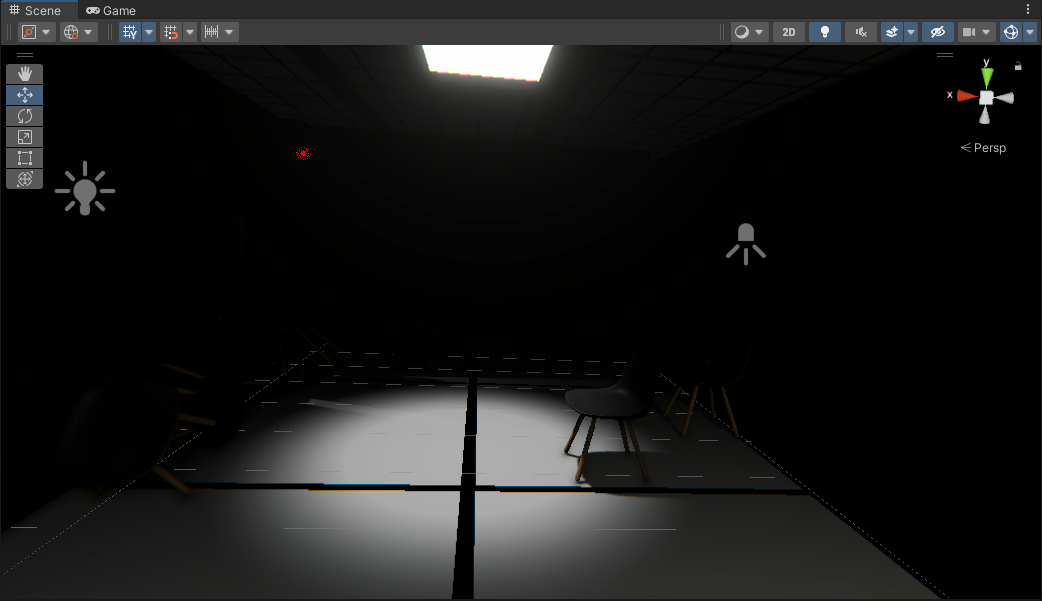
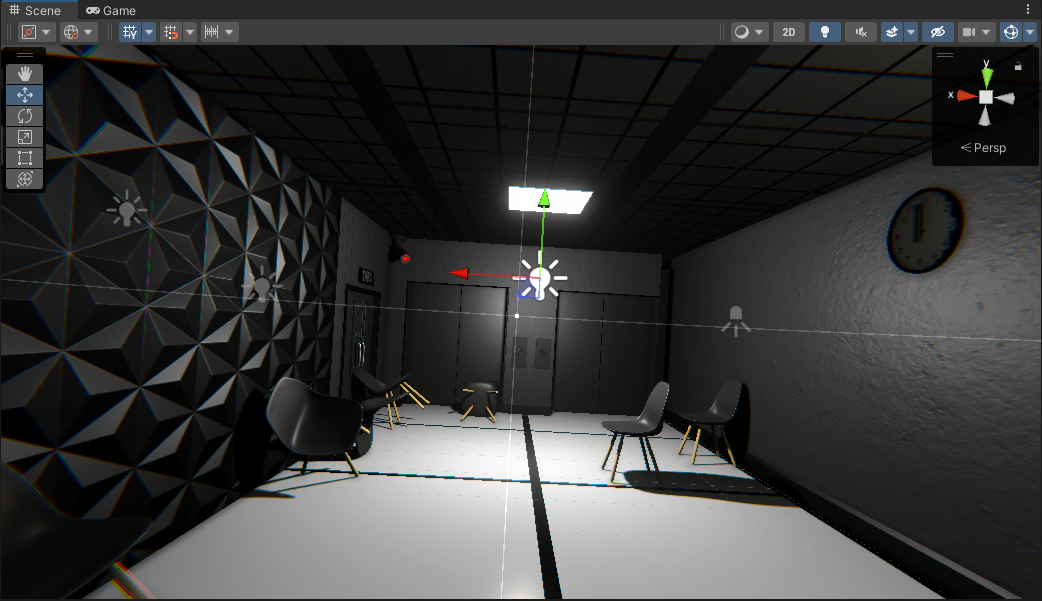
Hi guys, I have this weird bug that makes my main menu light go off after my player dies and goes back to menu. In first picture you can see main menu as it was supposed to be, bright and you can see everything and second picture is my main menu after I go back to main menu after dying in my game scene. Pls help!


 lunar pollen
magic pivot
Hey, did you ever find why it was like this and maybe a fix ?
lunar pollen
magic pivot
Hey, did you ever find why it was like this and maybe a fix ?
u could try using something like mesh baker to stitch the meshes together (that gave mixed results)
the true "fix" we found was to do exactly that, use mesh baker to stitch the meshes together, and if there are still seams, then open it in blender and actually weld/merge verts together
we did hundreds of baked while tweaking all the settings - there unfortunately isnt a setting that just fixes those seams 😦
deft fiber
spice tinsel
Hi guys, I have this weird bug that makes my main menu light go off after my pla...
I already gave you instructions, something the issue with them?
 thorny goblet
Why does directional light shadows, look far better than spotlight?

 deft fiber
thorny goblet
Why does directional light shadows, look far better than spotlight?
deft fiber
thorny goblet
Why does directional light shadows, look far better than spotlight?
They are calculated using entirely different techniques
And in this case it appears the directional light shadow resolution is blazingly high, while the spot light resolution is relatively low
Additionally spot light shadows become significantly more distorted when the angle increases over 90°
thorny goblet
Just tried adjusting the spot light angle, and it seems to make it more sharp, but now this look unrealistic. https://i.imgur.com/L1T0BuH.png
 thorny goblet
deft fiber
They are calculated using entirely different techniques
And in this case it appe...
thorny goblet
deft fiber
They are calculated using entirely different techniques
And in this case it appe...
What should i do for hallway lights then?
deft fiber
One option is to use a point light with a cube cookie
thorny goblet
deft fiber
One option is to use a point light with a cube cookie
Dont point lights tank performance though?
deft fiber
thorny goblet
Dont point lights tank performance though?
Yes, but that'd be the price to pay for sharp shadows
Point lights that cast shadows are 6 different 90° spot lights pointing in different directions, that's why their shadows are better
Maybe your performance budget allows for it, who knows
 deft fiber
No, that's why I suggest using a cookie
thorny goblet
Where could i find this square cookie, or is it just a white square?
deft fiber
thorny goblet
Where could i find this square cookie, or is it just a white square?
Not just white, the point would be to use it to mask the light from going the full 360° but instead get softer and then fade to black towards the top
thorny goblet
So how could i make this cookie?
deft fiber
Point light cookies are cubemaps
https://docs.unity3d.com/Manual/class-Cubemap.html
Making entire cubemaps requires a bit of special tooling
But luckily you can use the Mirrored Ball mapping of the texture importer to convert a 2D light cookie into a 3D cube one

This mapping projects the edges of the 2D texture to one pole of the ball, and the middle to another
So any radial gradient will work
thorny goblet
deft fiber
Point light cookies are cubemaps
<https://docs.unity3d.com/Manual/class-Cubemap....
Still looks bad. https://i.imgur.com/Pn427HO.png
 deft fiber
thorny goblet
Still looks bad. https://i.imgur.com/Pn427HO.png
deft fiber
thorny goblet
Still looks bad. https://i.imgur.com/Pn427HO.png
Well what did you do? I see no difference from the last image
 deft fiber
thorny goblet
IS this right? or no?
deft fiber
thorny goblet
IS this right? or no?
The preview of the inspector shows you the sphere that's generated, and how the light will be filtered
I expect this kind of texture makes only a tiny dark hole directly above the light, or on one of the axes
thorny goblet
deft fiber
The preview of the inspector shows you the sphere that's generated, and how the ...
Could you provide an example of how to do this, to acheive what i'm looking for?
deft fiber
thorny goblet
Could you provide an example of how to do this, to acheive what i'm looking for?
these type of gradients might work


 tight moss
What is the deal with mixed lighting and the light overlap stuff?
like in a situation where you have evenly spaced ceiling lights in a drop ceiling or something... do you just carefully make sure every other one is baked and not mixed or something? and how do you solve for the specular contribution from the non-mixed lights?
deft fiber
tight moss
What is the deal with mixed lighting and the light overlap stuff?
The deal is that we're limited by the color channels of the texture for storing the lights to mask geometry from
deft fiber
tight moss
like in a situation where you have evenly spaced ceiling lights in a drop ceilin...
Baked lights can contribute approximate specular response via cubemaps
With box projection that can be near perfectly accurate in ideal circumstances
"Emissive proxies" are used to help this process, see Chapter 5:
https://forum.unity.com/threads/lightmapping-troubleshooting-guide.1340936/
tight moss
deft fiber
Baked lights can contribute approximate specular response via cubemaps
With box ...
I've tried that before, particularly messing with the "specular probes" package from zulubo: https://github.com/zulubo/SpecularProbes but never quite got where I wanted
deft fiber
tight moss
I've tried that before, particularly messing with the "specular probes" package ...
Why not, I wonder
You can see from the various examples that they do work to a great effect
Given the limitations of cubemaps anyhow
tight moss
yeah i think i'm just picky. in all the examples they're in ridiculously shiny metal rooms; if you're making something like, a spooky house with plaster walls and wood floors the fresnel is too powerful. needs some specular occlusion or something
i'm spoiled by bakery's baked specularity options
deft fiber
tight moss
i'm spoiled by bakery's baked specularity options
Why not use Bakery this time?
tight moss
diff project and I want to use betterlit shaders for some blending stuff, and the bakery support in BLS is kinda broken
deft fiber
tight moss
diff project and I want to use betterlit shaders for some blending stuff, and th...
BLS?
tight moss
better lit shader
deft fiber
tight moss
yeah i think i'm just picky. in all the examples they're in ridiculously shiny m...
Regarding this you'd be using reflection probes anyway for accurately representing the materials, with emissive proxies or not
The support for specular occlusion is close to none at least with the official tools so you might want to consider baking a reflection probe that only has the emissive proxies, with the surroundings artificially blackened or darkened for the duration of the probe bake
Even with mixed or realtime lights you'd still generally want probe reflections anyhow
But you can absolutely fake them to be dimmer
I think some version of HDRP's adaptive probe volumes support specular occlusion but that might be a bit too specific case

 tight moss
yeah thats box projection dere
deft fiber
tight moss
yeah thats box projection dere
It is? I'd expect the reflection of the left light to line up with it better
Note to shape the box to match the room
 deft fiber
Should be right
I usually test by using a flat, metallic, very smooth material on the floor/walls temporarily
And then move the camera around to verify that the parallax of the reflection lines up
And when swapping the material back watching it so that the reflections do not significantly change position with the material
Just in case there's something odd with the normal map
tight moss
yeah i see what you mean... if i clear baked data to see where the "real" specular reflections are from the four lights, they don't line up too great
if i reduce blend distance on the reflection probe to zero, it lines up better
deft fiber
Surprising that blend distance has that kind of effect
I'd keep baked data and probes, but also add a realtime light or two into the mix, with a distinctive color perhaps
Then do the material swap test
If blend distance affects it, that may point there to being another reflection probe that also influences your walls since it's blending with something
tight moss
its the only probe in my test scene though 🤔
 granite coyote
Hello guys : I'm making a Sci-fi environment in URP, and want to see how the light will be.
The environment will be Static and i want to bake the light, but doing so i lose the Highlights that are adding a lot to the visuals
By just baking the light i get a bland lock it feels like it is just a texture without volume.
Am i missing something? i feel like im close to the solution but still far.

 split crystal
granite coyote
Hello guys : I'm making a Sci-fi environment in URP, and want to see how the lig...
split crystal
granite coyote
Hello guys : I'm making a Sci-fi environment in URP, and want to see how the lig...
So the first image is without bake and the second with?
granite coyote
split crystal
So the first image is without bake and the second with?
yeah
it feels like if you don't have a Realtime light you don't get highlight
It kind of make sense, baked light is "Baked" the only purpose is to be used on the baking processes after that can be discarded.
You can get Highlight in a baked environment just by having a reflection probe, but the problem is that the reflection probe has the highlight in completely different part of the geometry and it locks Off
deft fiber
granite coyote
it feels like if you don't have a Realtime light you don't get highlight
It kin...
We were just discussing this above you
Box projection can help it a bit, but ultimately the reflections will not be exact if your room is not box shaped also
Other option is to use Mixed lights instead
 craggy cairn
Heya
So we have baked lights, all set to static, as well as baked into lightprobes.
When placing dynamic objects in scene view they work great with the light probes
However, on runtime, they turn full black
Anyone who might have a clue what might be causing this?
granite coyote
deft fiber
We were just discussing this above you
Box projection can help it a bit, but ult...
Thanks i will lock into what you guys mentioned
deft fiber
craggy cairn
However, on runtime, they turn full black
Does this also happen in a fresh test scene with nothing but some baked lighting and the probes?
It could be important to determine if it's a scene-wide problem or a project-wide problem
spice tinsel
deft fiber
I already gave you instructions, something the issue with them?
You didnt explain why it happened and I didnt even use baked light
deft fiber
spice tinsel
You didnt explain why it happened and I didnt even use baked light
Scenes use an ambient probe and a reflection probe for environmental lighting, even when not using any baked lighting workflow
That's why I pointed out to disable baked lighting before generating
Generating is necessary because the editor generates it for you for your current scene, every other scene and the build require pre-generated lighting
Brief answer because it's easily googleable and gets asked about twice a week, you could've asked for more details rather than reposting
tight moss
@deft fiber i'm still on built-in RP and i downloaded filament's standard replacement shader (https://booth.pm/ja/items/3250389)
its got this feature called "Exposure Occlusion" that basically solves for the glancing angle fresnel issues i hate about unity standard

see this incredibly sharp, distracting line of reflection that should technically be occluded by the shadows/AO
and with filamented:

 lofty stone
I'm having trouble with lighting in this scene. My Directional Light is disabled and the only light enabled is the spot light attached to the light. I'm trying to get the scene darker and have the spot light cut through the darkness

 dull bobcat
Hey I encounter some issues lately .I change my verion to unity 2022.3.21f1 (URP) and I got 2 issues :
-I am trying to create a light effect on a canvas such as a light that intensifies then decreases like a slow glowing blink and I struggle on unity 2022.
On Unity 2020 I didn't have any of these problems and I imagine that I'm missing something obvious but I really don't understand it.
The purpose of it it to have some blinking element(with color) on my title screen(basically ,just a canvas with a image component)
 timber lichen
how do you stop lights going through walls
timber lichen
(@ me)
 idle egret
can someone just explain to me basic lighting in unity? Seems overly complex. I'm just trying to make this thing visible in the dark and everything lighting escapes my mental grasp. I have a inspect gun camera where you can spin the gun around 360 but it looks unprofessional imo that the gun is completely darkened half the ways you spin it. Maybe you lighting experts disagree idk.
But anyway this is the best I've gotten with adding a directional light to the scene with these inspector values.


 upper fable
idle egret
can someone just explain to me basic lighting in unity? Seems overly complex. I'...
upper fable
idle egret
can someone just explain to me basic lighting in unity? Seems overly complex. I'...
Why does the lighting change when you rotate the gun? Is the light attatched to the gun or something? Stationary lights from the direction of the camera that lights up the face towards the camera sounds like the way to go no?
 somber dragon
Hello, I'm having a scene with Light as Mixed mode, Static trees. When I bake the scene it bakes well the shadows into terrain but it is not possible to combine baked shadow for static objects and also shadows into dynamic objects ?

 tulip tendon
somber dragon
tulip tendon
somber dragon
- If the directional light is mixed it should also cast realtime shadows so maybe you have a setting disabled on one of the mesh renderers?
- that shadow looks awful you should increase the lightmap resolution
- Activate windows
- You can try using adaptive probe volumes, they sample baked light and put it on dynamic objects with per pixel quality
 burnt brook
How would I make a fake flashlight? It should just act as an overlay to give the illusion of a real light.
Kinda like this, but good

 onyx glen
I gave each of the yellow dots a pointLight but why are only some not visible properly

These are the settings
 burnt brook
onyx glen
I gave each of the yellow dots a pointLight but why are only some not visible pr...
burnt brook
onyx glen
I gave each of the yellow dots a pointLight but why are only some not visible pr...
Set rendering mode to important for the lights
burnt brook
burnt brook
How would I make a fake flashlight? It should just act as an overlay to give the...
I figured something out, light projectors from the 2018 standard assets. However I'm using URP, so that's a massive problem. Does anyone know an alternative?
fickle token
Im running into performance issues due to having alot of point lights in my scene, Any ideas on how to improve this?
 prime ruin
Hello, the good looking one is from 3dsMax my friend rendered , and the other(ugly) one is from Unity , so basically he provided m with maps like albedo and normal and roughness and AO , but the quality is very not realistic like what he got in 3DS Max.
What I need help with is some tips and tricks for me to do so I can obtain similar render quality.
PS : I am using UPR and tried to make some Post Poc effects but no use
PS2 : If you are an expert and looking for freelance DM me


 gilded fractal
Hello 🙂
I begin my learning on Unity after years using Unreal.
I want to bake the on some 3D mesh with the existing UV. I prepare the UV (chan 0 and 1) with a plan in mind for some FX but Everytime I bake the light, unity use some strange UV that I don't want.
How can I bake lightmap with specific UV (like the chan 0 but the chan 1 has the same UV) ?
I try a lot of different things, invert UV channel in importer, put the same UV on several channel...
I didn't check the "generate lightmap UV in the importer but unity still uses some stranges UV whitch I don't where they come from 🙂
chilly kettle
gilded fractal
Hello 🙂
I begin my learning on Unity after years using Unreal.
I want to bake t...
Unity always uses UV1 for the lightmap, if it is existing.
If not it just uses UV0.
gilded fractal
I will over check that but I'm pretty sure my models are made with the same UV in chan 0 AND 1... I reimport the models a lot of times... maybe I should restart from 0.
 chilly kettle
gilded fractal
chilly kettle
gilded fractal
how did you make sure, that unity does not use UV1 for the lightmap?
 chilly kettle
Alright
chilly kettle
prime ruin
Hello, the good looking one is from 3dsMax my friend rendered , and the other(ug...
Hi.
Its not possible without a bunch of work to get a similar result.
To get a nearly similar result you need a skybox or the whole scene you use in max in unity.
You also need screen space reflections to get realistic reflections like in max.
gilded fractal
This is directly the model from Unity. I have my 2 channels and they contain the very same UV. I am now absolutly certain that UV0 and UV1 have the UV I want to use. But unity still make what's it want with it ^^

I will make a new project from scratch with these models... It is possible that some information were kept from precedent imortation with wrong parameters.
 shell juniper
burnt brook
I figured something out, light projectors from the 2018 standard assets. However...
shell juniper
burnt brook
I figured something out, light projectors from the 2018 standard assets. However...
Projectors are replaced in URP by URP decals (which are way better anyways)
chilly kettle
gilded fractal
This is directly the model from Unity. I have my 2 channels and they contain the...
i tested it with a cube i made in blender.
In UV0 i kept the standard UV and in UV1 i deformed it.
It works for me.
 chilly kettle
gilded fractal
This is directly the model from Unity. I have my 2 channels and they contain the...
chilly kettle
gilded fractal
This is directly the model from Unity. I have my 2 channels and they contain the...
 gilded fractal
chilly kettle
i tested it with a cube i made in blender.
In UV0 i kept the standard UV and in ...
gilded fractal
chilly kettle
i tested it with a cube i made in blender.
In UV0 i kept the standard UV and in ...
Thanks a lot.
I am restarting from scratch 🙂
chilly kettle
check it out if it works for you. so you know if your model is wrong or something in unity
gilded fractal
chilly kettle
check it out if it works for you. so you know if your model is wrong or somethin...
I put your model in my new scene, and the lightmap use the form of your UV but resize it. I should have 2 lightmap, one with Your model in it and a second with my models...
But unity make one lightmap with all the model in it :

I see that the UV used are the good one but I don't want unity to resize them. I want the lightmap exactly as it is a texture ^^
(I wish to use it as a texture later, in fact ^^)
chilly kettle
gilded fractal
I see that the UV used are the good one but I don't want unity to resize them. I...
thats not really usefull.
Unity packs as much different meshes into one lightmap to waste no space.
By default unity uses one 1k Lightmap and packs everythind into it, depending on the Lightmap resolution you tell him to bake
gilded fractal
My goal is to export the lightmap and use it as a texture in a material. I need the UV to be the same.
The planet will turn around the sun 🙂
chilly kettle
hmm.. i think we had a guy a while ago with the same idea.
@deft fiber - do you know how he solved that maybe? Im not sure if its possible to tell unity to bake the UV to fill the lightmap perfectly.
gilded fractal
If it isn't possible, I will paint my fake lightmap myself ^^
It's not a complex case but it is a good occasion for me to learn unity 🙂
chilly kettle
gilded fractal
If it isn't possible, I will paint my fake lightmap myself ^^
It's not a complex...
sure, but normally unity is not the right tool for that ^^
Because it places your UV into the Lightmap based on the resolution.
gilded fractal
I see that ^^
deft fiber
I don't recall
There might be a hacky way to decrease "max lightmap size" and increase "size in lightmap" to force it make a lightmap per object
If that's the goal here
chilly kettle
gilded fractal
I see that ^^
yeah, you could try increase "size in lightmap" until it nearly fits into a lightmap perfectly.
But thats a bunch of try and error ^^
 deft fiber
If no lightmap UV packing is necessary I might bake the lighting in blender or externally otherwise
But I don't quite see the point of baking lights for that kind of space scene
There's not going to be noticeable indirect bounce lighting
gilded fractal
I've been thinking that i can bake the light for each planet separatly, one by one and assemble the several lightmpa in photoshop... Not really a time saver but when i look at the test made by Kjarudi , if it bakes on only one model, unity don't rescale the UVs ^^
deft fiber
prime ruin
Hello, the good looking one is from 3dsMax my friend rendered , and the other(ug...
The appearance of reflective objects is determined by what there is to reflect, so a HDRi in this case that's missing
Also appears that the smoothness of the blue object might not be right
Post processing might not make a huge difference but you may at least want to use HDR tonemapping
gilded fractal
deft fiber
But I don't quite see the point of baking lights for that kind of space scene
It's a very smal solar system, in a room with lights. I want to bake only the light from the sun on them because when the planets turns, if they have light from other source than the the sun, light become incoherent.
It's not the real solar system 🙂
deft fiber
Light layers?
deft fiber
Lets you decide which lights affect which objects on a per layer basis
 midnight tapir
Hello, im having some issues, i have shadows casted from my flaslight source in the editor but not when i actually play in editor is there somthing im missing ?
 winged forge
onyx glen
I gave each of the yellow dots a pointLight but why are only some not visible pr...
winged forge
onyx glen
I gave each of the yellow dots a pointLight but why are only some not visible pr...
Don't know if you figured it out already, but in Forward lighting mode, only 8 lights sources can be on 1 mesh at the same time.
Not sure if that important will fix that.
winged forge
I'm not a lighting guru by any means, so perhaps other people have other ideas.
But you could cut the floor in more mesh pieces, or you could put the rendering mode on Deferred. Deferred afaik can do 256 lights on each mesh, or unlimited. Not 100% sure.
If you cut the floor in more mesh pieces, only the lights that are close are lighting up that piece. So that's why it will fix that problem.
onyx glen
Ahhh okayy will try that then
winged forge
When using Deferred Lighting, there is no limit on the number of lights that can affect an object. All lights are evaluated per-pixel, which means that they all interact correctly with normal maps, etc. Additionally, all lights can have cookies and shadows.
onyx glen
Does changing Rendering mode affect visuals?
winged forge
Yeah it does sometimes afaik. Like I said, not a lighting guru xD
onyx glen
xD understandable
winged forge
onyx glen
xD understandable
https://docs.unity3d.com/Packages/com.unity.render-pipelines.universal@17.0/manual/urp-universal-renderer.html
Here's a comparison, not sure if you found that already.
Seems you are losing some functionality by going deferred, but not sure if you need that functionality.
craggy cairn
deft fiber
Does this also happen in a fresh test scene with nothing but some baked lighting...
Sorry for the late response. Just recalled I have notifications for this server turned off, including mentions 😵💫 .
Our programmer lead managed to fix it yesterday with a single line of code haha
 burnt brook
Hey, does anyone know an efficient way of rendering light, or something similar as light? Maybe a github repo or a known method I could look up. I tried using projectors, but they don't adjust when changing between darker and lighter area, as well as being pretty inefficient too. I need to render multiple flashlights on quest 2. I use URP.
deft fiber
craggy cairn
Sorry for the late response. Just recalled I have notifications for this server ...
If this method is required, that implies you are loading different groups of light probes from separate additive scenes
deft fiber
burnt brook
Hey, does anyone know an efficient way of rendering light, or something similar ...
Lights already are about as optimized as they can be for what they do
If you start reimplementing lighting you are likely end up in the same situation
 muted pasture
burnt brook
How would I make a fake flashlight? It should just act as an overlay to give the...
muted pasture
burnt brook
How would I make a fake flashlight? It should just act as an overlay to give the...
cookie?
deft fiber
@onyx glen more info about light limits here https://youtu.be/y_vw-jzuNs0
In addition to deferred rendering, you may have the option to use forward+ rendering which theoretically has no downsides, or plain old limiting light ranges and slicing meshes
burnt brook
deft fiber
Lights already are about as optimized as they can be for what they do
If you sta...
If I add one light with no shadows on quest my gpu usage goes up by 40% and the game is unplayable. I need to render at least four lights
muted pasture
I'm not sure if you can use forward+ on quest
burnt brook
muted pasture
I'm not sure if you can use forward+ on quest
Exactly, pretty sure you can't
deft fiber
burnt brook
If I add one light with no shadows on quest my gpu usage goes up by 40% and the ...
How big is the mesh that the light is hitting? In forward rendering the mesh will have to be rendered again for each light that hits it
Are decals much cheaper in your case?
 ornate inlet
baked lighting and this happened, why ?
 burnt brook
deft fiber
How big is the mesh that the light is hitting? In forward rendering the mesh wil...
burnt brook
deft fiber
How big is the mesh that the light is hitting? In forward rendering the mesh wil...
It's a very simple scene. Maybe 5-6 objects at max, but it will almost certainly be much higher later in development
burnt brook
deft fiber
Are decals much cheaper in your case?
I assume, but how would I implement them? They look really bad, nothing like real lights.
ornate inlet
is there a way to bake lighting on individual/a group of objects?
burnt brook
I used a stencil buffer lightning shader I found online to achive this. The light on the left is real and the one on the right is fake. Distance based intensity I could do using a script, but it's lacking a cookie or falloff, so it looks pretty bad.
 burnt brook
deft fiber
Are decals much cheaper in your case?
burnt brook
deft fiber
Are decals much cheaper in your case?
See what I mean?

Is there a screen space solution that looks more like a light and less like a decal?
deft fiber
burnt brook
I assume, but how would I implement them? They look really bad, nothing like rea...
Compare their performance, rather than assume
Then you know if it's worth the effort to implement them
deft fiber
burnt brook
It's a very simple scene. Maybe 5-6 objects at max, but it will almost certainly...
The number of objects is not important, but their polycount
Since forward lights are rendered in multiple passes per object, the cost can balloon with complex objects
ornate inlet
deft fiber
No
Fuck
burnt brook
I mean just look at the text, theres no way I'd be able to implement them the way they are right now.
 deft fiber
ornate inlet
baked lighting and this happened, why ?
deft fiber
ornate inlet
baked lighting and this happened, why ?
Not a Number error from the shader or a corrupted bake, and or texel invalidity probably
Can only guess what the error is since we don't know what it's meant to look like
burnt brook
deft fiber
The number of objects is not important, but their polycount
Since forward lights...
The objects have like 20-60 polys they're just cubes right now
deft fiber
burnt brook
I mean just look at the text, theres no way I'd be able to implement them the wa...
Performance is the only bit that matters at this point
If they beat lights in performance you'll know if they're viable even to consider
burnt brook
deft fiber
Performance is the only bit that matters at this point
If they beat lights in pe...
I mean let's assume it does, because it almost certainly will, what could I even do to make it look like a real light. Here for example, I'm using the stencil buffer technique on the left, there must be way to copy what that stencil thing does and slap it on a decal or implement a cookie to give it that flashlight effect, right now it only has hard egdes, which looks pretty bad. Here's the shader I'm using (https://www.patreon.com/posts/wind-waker-style-78831006).
 deft fiber
burnt brook
I mean let's assume it does, because it almost certainly will, what could I even...
deft fiber
burnt brook
I mean let's assume it does, because it almost certainly will, what could I even...
Stencils are true of false, they can't have semi-transparent masks
Stencils are not necessary for emulating a light cone though, it can all be done in the shader itself
Let's not work on any assumption
You can compare the performance even without solving these issues, which will tell you if it's even worth to try to solve the issues
burnt brook
deft fiber
Stencils are true of false, they can't have semi-transparent masks
Stencils are ...
Alright I'll do some testing, but what do you mean by "Stencils are not necessary for emulating a light cone though, it can all be done in the shader itself", what techniques are there to emulate a light cone?
deft fiber
burnt brook
Alright I'll do some testing, but what do you mean by "Stencils are not necessar...
Could take a distance to a point in the shader to get the light distance attenuation, multiply by surface normal to get directional attenuation, and multiply by dot product to effect's forward rotation with a threshold to specify an angle (or a gradient for a lense type effect)
But then you realise this is precisely what unity's lights do
upper fable
deft fiber
But then you realise this is precisely what unity's lights do
One solution that we discussed earlier was to create cone shaped mesh and apply decal type shader to it similarly how some deferred shading solutions use light meshes to apply the lights afterwards. That I believe would be more performant than doing the lighting calculation on the shaders of every affected object
In deferred shading that appears to be called "light volume" by some sources (the light mesh)
deft fiber
There's a lot of good potential options here
First step should be to test them just enough to know which one's worth doing
upper fable
sounds reasonable. none of the potential solutions sounds particularly easy to implement (besides real light sources which is ruled out afaik) so ruling some out would be good first step
deft fiber
An important benchmark
Implementing an optimization all the way because it "has to" be better is a poor gamble, in any case
burnt brook
@deft fiber @upper fable Check this out. One draw call (even when displayed on multiple objects), screen space decal, srp batcher compatible, less then 0.1ms rendering time on my pc.

and supports cookies
upper fable
burnt brook
<@166982635950702592> <@689758471003963472> Check this out. One draw call (even ...
I don't really care about the draw calls and the render time on your PC isn't all that relevant either. You should preferably test it on the target device to see whether it performs well enough (you said you are going to have atleast 4 of them so you could make like lets say 10 decals and see whether the performance is at acceptable range, if not, you likely need something else)
burnt brook
upper fable
I don't really care about the draw calls and the render time on your PC isn't al...
I can't test it on quest right now, but so far im seeing pretty good results.
upper fable
compared to using light sources right?
upper fable
burnt brook
I can't test it on quest right now, but so far im seeing pretty good results.
One very obvious problem with decals is that the light shape is cylindrical and not conical. If you move the decal closer or further away from the wall, the size won't change and neither would the intensity. That you'd have to fix with a decal shader
burnt brook
upper fable
One very obvious problem with decals is that the light shape is cylindrical and ...
I'm gonna write some code to change the intensity and scale based on distance, that should do the trick
upper fable
burnt brook
I'm gonna write some code to change the intensity and scale based on distance, t...
If you are going to do simple raycast from the light and change based on that, I think there might be way too many edge cases where it doesn't look good that it becomes too much. Essentially the problem is that this way you only have one intensity and size value for each light likely resulting in flickering lights and unrealistic light sizes
burnt brook
upper fable
If you are going to do simple raycast from the light and change based on that, I...
Possibly, I'm gonna have to see and iterate from there
 misty bone
Hey there, I need you guys' help again... I tried to bake the lights in Unity for a project, but when I press "generate lighting" , they just... disappear... (im in hdrp)
 deft fiber
misty bone
Hey there, I need you guys' help again... I tried to bake the lights in Unity f...
deft fiber
misty bone
Hey there, I need you guys' help again... I tried to bake the lights in Unity f...
The scene window debug views can give you information about baked lightmaps:
https://docs.unity3d.com/Manual/GIVis.html
The most common problem is that your objects do not have proper lightmap UVs, which you will get a warning about in the console and which will appear in the debug view for UV overlap
misty bone
My console is empty
I'll check the link, thx
But where do I find the lightmaps do you know ?
chilly kettle
misty bone
But where do I find the lightmaps do you know ?
in the lighting tab or directly at your baked gameobjects
chilly kettle
sure 😄
 rancid axle
Hi all. I'm looking for day/night
What's the difference between UniStorm and Magic Light Switcher + Bakery?
Afaik it seems UniStorm doesn't use lightmap? What's the implication then?
winged forge
rancid axle
Hi all. I'm looking for day/night
What's the difference between UniStorm and Mag...
Lightmaps are nearly free and real time lighting is not.
So they solve the same problem in a completely different way.
rancid axle
Would they be used together? Real time shadows on light mapped objects? Together with MLS's blended LM?
winged forge
Not sure how that would make sense, but sure you could do it.
All objects in the world still need to get real time lighting, why use a lightmap then?
It completely removes the whole point of saving performance and having nice baked lighting.
deft fiber
Lightmaps are nearly free but interpolating between different sets of them isn't necessarily
Depends what kind of optimizations those assets implement
dusky nacelle
misty bone
Hey there, I need you guys' help again... I tried to bake the lights in Unity f...
aye from where you've got such scene , any link please? it looks amazing
misty bone
Hello Aurora, I have made it for a school project in Blender and textured it in Substance Painter ^^
So I have no links to give or anything ^^'
dusky nacelle
misty bone
Hello Aurora, I have made it for a school project in Blender and textured it in ...
the art is amazing , great work
misty bone
Thank you so much, it means the world !
dusky nacelle
the skybox takes me to the royal medieval age
rancid axle
winged forge
Not sure how that would make sense, but sure you could do it.
All objects in the...
I did decide to use MLS+Bakery in the past. I need far distant shadows that doesn't need to be real time, but blended for day/night too. Realtime shadows then can focus on the closer objects (far dynamic objects gets culled anyways)
I haven't tried unistorm. Only tried the demo with far distant mountains and it seems to work
But i doubt shadows will look good when there are more nearby objects taking up the shadow cascades
Unless, well idk what unistorm does, really? How can it have far shadows like that?
craggy cairn
deft fiber
If this method is required, that implies you are loading different groups of lig...
We are, yes, our whole project is based on loading scenes additively. I'm not a programmer though, just a puny artist, so no clue if that's good or not.
Seems to work fine for now (besides this small hiccup) 🤷♂️
 vestal blaze
are probe volumes completely unusable in the unity 6 preview? for me they work fine in the editor, but the probe lighting is missing completely in the build as if you didn't even bake at all.
midnight tapir
Is there a documentaion on probs any one has a link for i can read?
nvm i found one!
rancid axle
Hi all
I'm on URP, 2021.3.35
I have this flickering shadow problem, even on a very basic scene
Anyone know why?
Cheers
rancid axle
Only with directional light
Point light is fine
dusky nacelle
is shadow projection set to "stable fit" in the quality setting?
dusky nacelle
rancid axle
Hi all
I'm on URP, 2021.3.35
I have this flickering shadow problem, even on a ve...
probably you wanna tweak with the near and far camera clipping values
increase the near clipping a bit
is it true guys?
 deft fiber
rancid axle
Hi all
I'm on URP, 2021.3.35
I have this flickering shadow problem, even on a ve...
deft fiber
rancid axle
Hi all
I'm on URP, 2021.3.35
I have this flickering shadow problem, even on a ve...
I would look into updating graphics drivers first, then trying with different render APIs
deft fiber
dusky nacelle
is it true guys?
Can't speak for it since I don't have 32 GB of ram
But conventionally if all the memory required for the task fits in your ram, you won't benefit from having more on top of that
rancid axle
dusky nacelle
is shadow projection set to "stable fit" in the quality setting?
The setting is not there. Maybe that's only for BIRP
rancid axle
deft fiber
I would look into updating graphics drivers first, then trying with different re...
Updated. Still flickering
What do u mean by different render API? Like try BIRP and HDRP?
deft fiber
rancid axle
What do u mean by different render API? Like try BIRP and HDRP?
https://docs.unity3d.com/Manual/GraphicsAPIs.html
Just in case your machine is not playing well with the current one
I can think of no other graphical settings that may affect it
Especially if your project is a fresh one, there shouldn't be any lighting artefacts
rancid axle
Fresh URP project doesn't flicker
This new project with adding asset is the flickering one. Deleted all assets and still flickers
Sry my artist did all the asset adding
He said might be Unistorm related
 brave bloom
Hi, I tried to import a unity scene I worked on inside an other project, when I launch the scene directly I get normal lighting, but when I switch to the scene from the main host project through SceneManager.LoadScene and SceneManager.SetActiveScene, I get a completely black scene
 strong igloo
how would I make a light flicker effect, is it at all possible on a baked surface or would it have to be a dynamic light?
dusky nacelle
rancid axle
Fresh URP project doesn't flicker
This new project with adding asset is the flic...
hey just slect your camera and find the "near clipping" , then increase it , if doesnt work, then decrease the far clipping
dusky nacelle
strong igloo
how would I make a light flicker effect, is it at all possible on a baked surfac...

Add depth to your next project with GI Light System from Kyub Interactive Assets. Find this & more VFX Shaders on the Unity Asset Store.
this might be useful
tulip tendon
dusky nacelle
https://assetstore.unity.com/packages/vfx/shaders/gi-light-system-151941
wait, how does light have anything to do with the tris, vert and batches? thats mesh stuff
strong igloo
dusky nacelle
https://assetstore.unity.com/packages/vfx/shaders/gi-light-system-151941
Issue is that it’s an idea for a custom map for a game so I can’t confirm I can use certain packages (even bakery has a couple issues with some stuff)
deft fiber
strong igloo
how would I make a light flicker effect, is it at all possible on a baked surfac...
Realtime lighting is the simplest, can also be done with enlighten realtime global illumination, which the linked asset also utilizes
Or you can swap between baked lightmaps, but that's not officially supported directly
deft fiber
tulip tendon
wait, how does light have anything to do with the tris, vert and batches? thats ...
In forward rendering path, meshes are rendered again in every lighting pass for each light that affects them
This means more mesh geometry that ends up being rendered in a way that can't be batched
brave bloom
anyone had similar problem before
split crystal
brave bloom
Hi, I tried to import a unity scene I worked on inside an other project, when I ...
Can you check what happens to the skybox and the actual lights in the editor when you enter the scene through the loadscene function.
rancid axle
Ok my flickering is fixed. Screen space shadow....

But changing to Deferred fixes this for me
However, there's this thread that flickers in Deferred, so maybe not related
https://forum.unity.com/threads/urp-12-unity-2021-2-0b5-screenspace-shadows-flicker-in-deferred.1150265/
Unity Forum
screenspace shadows flicker in deferred (not in forward).
hard to capture in a gif but if you look closely you will see it.
also present in 2021.2.0b4....
 lean shoal
how do I stop the light from going through an object?
 deft fiber
lean shoal
how do I stop the light from going through an object?
deft fiber
lean shoal
how do I stop the light from going through an object?
Shadows
They are enabled but we can see no shadows are being cast
So they could be disabled in the URP asset, or elsewhere

 magic ether

why am I getting this strange lighting bug?
tried different lighting settings but nothing seems to be fixing this
deft fiber
magic ether
If you're trying to bake lightmaps, it's not gonna work on a mesh like that
Too many seams and edges
Adaptive Probe Volumes instead of lightmaps could work though
dusky nacelle
is APV supported in built in renderer pipeline?
rancid axle
Hi all, is unistorm a stable asset?
 slow night
magic ether
slow night
magic ether
maicraft
deft fiber
dusky nacelle
is APV supported in built in renderer pipeline?
No
Can you show how it looks like and share some details like what kind of objects they are and what kind of lights they are
deft fiber
rancid axle
Hi all, is unistorm a stable asset?
Best to ask in their communication channels
dusky nacelle
deft fiber
No
i wonder why unity has kind of divorce with the built in renderer , all they contribute now is only for URP and HDRP
deft fiber
dusky nacelle
i wonder why unity has kind of divorce with the built in renderer , all they con...
Because they deemed BiRP too difficult to maintain after about 15 years of adding to it
 keen valley
does anyone know what the darker areas in the Indirekt view in the Debug Draw Mode mean? they seem connected to darker artifacts in the lighting.
I've been googling for 2 days straight, i need some help :<

 errant plank
can anyone help me? For some reason, there is this one object that just is way brighter than the others after I bake my lighting. Any fix?
brave bloom
does it have same normals as the others
errant plank
yea
deft fiber
keen valley
does anyone know what the darker areas in the Indirekt view in the Debug Draw Mo...
What type of lighting are you baking, realtime or baked, and what do the actual lighting artifacts look like
deft fiber
errant plank
can anyone help me? For some reason, there is this one object that just is way b...
You should show debug views for lighting overlap and texel validity after baking
https://docs.unity3d.com/Manual/GIVis.html
And demonstrate the lighting issue itself also, of course
 severe condor
Good afternoon, everyone. I've run into an issue and am hoping that this is both the correct place to put this and someone is able to help me figure this out. I've recently started working on loading scenes additively but have ran into an issue; the lighting makes the gameplay scene I'm loading additively look like it took a bath in raw sewage. I've read multiple forum posts about generating lighting or copying the light from one scene into both scenes but neither resolves my issue.
In the image below:
- 'Gameplay' Scene is loaded.
- 'GameManager' scene is loaded, with 'Gameplay' Scene loaded additively.
Both images in the screenshot above are with lighting generated. That said, only the 'Gameplay' scene has a directional light; the GameManager has none.
Also, if I switch the active scene via code, the lighting is fixed. Is there a way to have one scene be the active scene but use the lighting of another? I'm currently using Unity v 2022.2.7f1. Any help is appreciated.

 misty monolith
Hello ppl, I'm doing a separate light source for the player and the minimap.
I've set the separate culling mask and assigned them to their corresponding light source and set the cameras with the layers they will each display but the camera still shows all the lights.
I've tested with objects, it seems that the cameras will correctly exclude the object on the layers which is not in the culling mask of the cameras but not the lights, they still displays no matter what
 crude wind
misty monolith
Hello ppl, I'm doing a separate light source for the player and the minimap.
I'v...
crude wind
misty monolith
Hello ppl, I'm doing a separate light source for the player and the minimap.
I'v...
I dont think that lights are affected by culling masks. Pretty sure you have to manually manage (disable/enable) the lights when rendering a different camera
What render pipeline are you on?
misty monolith
crude wind
What render pipeline are you on?
I didn't specifically set any, in my project settings there's none

I'm working on this kind of map, which the map will be relatively dark and I want the minimap to be much more visible
 deft fiber
Might need a script like this
https://forum.unity.com/threads/mutltiple-cameras-with-different-lights.779375/
crude wind
Okay. You need to adjust the lighting before rendering the minimap camera and reset it after
crude wind
deft fiber
Might need a script like this
<https://forum.unity.com/threads/mutltiple-cameras...
I think for builtin RP it would be OnPreRender+OnPostRender instead of begin/endCameraRendering events
Though the minimap camera could just be rendered manually with Camera.Render, change the lights before and after that
deft fiber
Oh yea this one is for hdrp apparently
But the idea is the same
Wonder why lights don't respect culling layers
misty monolith
so that is render the minimap camera before the scene and stuffs all happens using the script provided
crude wind
misty monolith
so that is render the minimap camera before the scene and stuffs all happens usi...
I personally would just
- Adjust lights to minimap mode
- Camera.Render()
- Reset lights to normal
When you do that is up to you. Start of scene could be a good choice, yeah.
And make sure to disable the minimap camera when not used so it doesn't eat your performance
misty monolith
hmm so adjusting to light to minimap mode then adjust it back and the minimap will keep the settings it was assigned. Then the game plays in real time when the minimap starts moving with the player it'll still applies?
crude wind
misty monolith
hmm so adjusting to light to minimap mode then adjust it back and the minimap wi...
I mean presumably the minimap can be rendered just once, not every frame, right?
What I do is render it once when the scene starts and the I have some UI script that centers the image to the player in the minimap view every frame
Or maybe idk what you are asking
misty monolith
oh yeah that is a way to do, the approach I was going for is have a camera on top of the player facing down
crude wind
Yeah its way more efficient to just render it once and reuse the image
Just needs some extra scripting for the UI
misty monolith
but how to do the scale for the player moving and other things moving on the map was the problem I faced
crude wind
Maths
 sterile jetty
okay
can someone briefly explain what all these blue boxes are?

this is a baked light map
wait I'm dumb
I just couldn't find my object on there because it's really fricking tiny for some reason
dusky nacelle
lightmapping used to take 2 mins, now suddensly its taking forever ad , cpu isnt being used at all , nothing is changed in the scene , previously I had the problem but solved it deleting the library folder and restarting unity , but this time , it isnt working at all , what should I do?
it is stuck at "preparing bake"
winged forge
dusky nacelle
lightmapping used to take 2 mins, now suddensly its taking forever ad , cpu isnt...
Without seeing your settings I wouldn't know. So perhaps post those in a screenshot?
deft fiber
dusky nacelle
lightmapping used to take 2 mins, now suddensly its taking forever ad , cpu isnt...
If GPU baking is an option you could try that instead
dusky nacelle
i dont have a good gpu, its gt 1030
well, after a lots of tweaking (installing bunches of new editors , reinstalling the windows etc) I have finally figured out that the problem was actually not with the editor , not even the library folder , the only problem is the position of the object , it was like 30000, 893, 45000 in the x,y,z , it's actually a position where the x86 floats are limited
taking them around the origin simply solves the problem
now I get even faster bakes than before somehow, probably because I've got my pc cleaned up and reset
deft fiber
dusky nacelle
i dont have a good gpu, its gt 1030
Still probably faster than CPU baking, as long as the editor supports that card
dusky nacelle
if I reduce the direct and indirect sample 4 times less in the CPU baking I will get what exactly the GPU baking gives out , and in the same timing the GPU takes
dusky nacelle
deft fiber
Still probably faster than CPU baking, as long as the editor supports that card
My scene is too large , and VRAM is 2gb only
though the new editor supports 2 gb as a minimum requirements now, but Im afraid it throws "out of memory" stuffs during the bake
I have 40 gb ram, and 6 core cpu, I guess it will be stable for desired bake results
deft fiber
dusky nacelle
though the new editor supports 2 gb as a minimum requirements now, but Im afraid...
When the editors were made to support low vram gpu's that means they were made to support low vram gpus, with improved partitioning and caching of the task
I'd test it out rather than work on assumptions
You don't need to convert your project for it, just move that scene alone into a new project for a test bake
Light baking is an extremely well parallelizable task, which GPUs excel at with up to thousands of cores
 brittle flax
Hi everyone, I'm pretty new to unity so sorry if it's a stupid question but does anyone know why this specific window model from blender is lighter of color then the cube wall from unity? they use the same material. it happens when I bake global illumination

 heavy merlin
I've got a skybox for lighting and I've enabled realtime global illumination, I also tried baking light but it didn't work properly. I can't see any shadows in the scene other than on the two textured objects, please can someone help?

nvm found out you have to go in and manually tick "contribute to global illumination" PER object ????
deft fiber
heavy merlin
nvm found out you have to go in and manually tick "contribute to global illumina...
You can select and edit multiple objects at once
And in most cases you don't want absolutely everything to contribute to GI
 languid blaze
@young flume so, you need to either create lightmaps in Blender (stored in UV1), or ask Unity to generate them for you
turn on "Generate Lightmap UVs" on the model importer for the latter

 strong plank


Has anyone encountered this bug in 2022, 2023 and 6000 in HDRP where alpha clipped materials do not cast cutout shadows properly?
it was fixed in 2023, was not backported to 2022.3 LTS and remains in 6000 but im not sure if anyone has figured out a temporary solution to get them working
And i worry that even though 6 is still early, Unity is still unaware that their fix doesnt work in 6000 or 2022 still
shell juniper
Make a bug report, it's weird that that it apparently got fixed in 2023 but isn't in 6
 golden mantle
Question. I am using Bakery (latest update). I had my MonoSH lighting work in Unity 2019 since 3 years. I had to switch to Unity 2022 and it doesn't work anymore. I am using Filamented Shader (latest update) on all my static materials. How do I get my MonoSH lighting back to work? Not sure how to continue right now.
Specular map should look like this:

Baked it looks like this:

Material looks like this:

Light source looks like this:

Bakery settings look like this:

 strong plank
golden mantle
**Question.** I am using Bakery (latest update). I had my MonoSH lighting work i...
strong plank
golden mantle
**Question.** I am using Bakery (latest update). I had my MonoSH lighting work i...
In the bakery discord someone was having issues with that same shader, I was using BetterLitShader with regular SH and it broke after the recent bakery update. Luckily it was updated after Patching bakery it works 90% now.
All i know is recent versions of bakery have been breaking compatibility. Usually the one who makes the shader is the one that needs to update it to support bakery's new architechture.
Mr.F (the dev) added a way to occlude specularity so this means you might not have to bake Reflection probes (really cool feature)
IT seems to have broken shaders (BLS was doing the same exact thing in your screenshot).
You might try the regular Bakery Standard shader just for testing to see if this is the reason maybe? It should just work out of the box for that one and the URP one
golden mantle
strong plank
Mr.F (the dev) added a way to occlude specularity so this means you might not ha...
Thank you so much for your help. I will try this. Also I saw that there is a Udon Adapter Component for making VRC be able to use SH lighting apparently. I never tried it since I always heard VRC only supports monoSH. Do you have any experience with that?
strong plank
golden mantle
Thank you so much for your help. I will try this. Also I saw that there is a Udo...
I dont use MonoSH or make VRC maps but for static geom i've been using regular SH.
Okay so for HDRP regular SH works great but breaks on non static geom. The whole point of using Volumes is to prevent having to use Light Probes so i was stumped..
At the moment I use regular SH for static and actually Vertex SH for characters. Its a little bit scuffed sometimes with the light leaking but works good enough for me.
I'd maybe take a look in the Bakery discord cause it seems like half the people there are VRC devs and they know their stuff
golden mantle
strong plank
I dont use MonoSH or make VRC maps but for static geom i've been using regular ...
Oh god, I lost overview in which channel i was asking about VRC related stuff and which one only Unity related stuff. Sorry. 
I appreciate your help a lot. Thank you!
These are a lot of things I haven't even heard of yet. Pretty interesting

 sonic mason

why does my trees have white edges ,
it doesnt do this when i remove the emission , but my emission atlas is all black so it shouldnt emit anything
chilly kettle
 zenith carbon
I'm using Bakery an it keeps getting stuck at this 2021.3.16.f1
zenith carbon
I'm using Bakery an it keeps getting stuck at this 2021.3.16.f1
There is a bakery discord
deft fiber
sonic mason
why does my trees have white edges ,
it doesnt do this when i remove the emissi...
Is it truly? These types of artifacts often appear when a color from outside of the UV area starts leaking in due to mip mapping or another texture sampling side effect
sonic mason
deft fiber
Is it truly? These types of artifacts often appear when a color from outside of ...
the thing is , the tree is the only thing it does it to , its a whole atlas that the whole world uses
sonic mason
deft fiber
Is it truly? These types of artifacts often appear when a color from outside of ...
let me double check
@deft fiber
so this is the uv with the albedo ,

and the emission

 deft fiber
sonic mason
deft fiber
sonic mason
So there are non-black colors around it
Mip maps will effectively blur the texture so at certain distances the beige below your UV region could reach the tree
If disabling mip map generation on the texture temporarily seems to fix the issue, that suggests it's what's happening
sonic mason
deft fiber
So there are non-black colors around it
Mip maps will effectively blur the textu...

just disabled it , nothing happened
or actually it helped a tiny bit
but only a tiny bit xD

so horrible XD !!
deft fiber
sonic mason
To the best of my knowledge this should solve it fully, or have no effect
I don't have a guess why it seems to work partially
Except unless your LOD models have different UVs
Or if it's actually an MSAA related problem
I would try to rule those out and then experiment with different UV layouts, or different emission maps in an effort to pinpoint where exactly the color bleed seems to happen
sonic mason
deft fiber
To the best of my knowledge this should solve it fully, or have no effect
I don'...
its weird cause it disapears once i go close , like shown here
deft fiber
sonic mason
its weird cause it disapears once i go close , like shown here
Texture sampling gets less accurate over distances, usually due to mip maps
MSAA edge artifacts depend on how many visible edges pixels there are
 vagrant hearth
I really need help. I'm working on my game for a game jam but I'm having this issue where when the scene gets reset, the lighting goes all dark. Can anybody help me fix this?
deft fiber
vagrant hearth
I really need help. I'm working on my game for a game jam but I'm having this is...
Generate lighting from the Lighting window for each scene with Realtime GI and Baked GI disabled
vagrant hearth
deft fiber
Generate lighting from the Lighting window for each scene with Realtime GI and B...
It worked. Thanks!
sonic mason
deft fiber
Texture sampling gets less accurate over distances, usually due to mip maps
MSAA...
ye i re did the UV's and it works perfect now 😄
thanks for the help @deft fiber
 karmic elbow
I need help with baking in my levels, whenever I bake the lightmaps are always black how do i fix this?
before and after baking


 chilly kettle
karmic elbow
before and after baking
chilly kettle
karmic elbow
before and after baking
no baked lightsources?
Shader not supporting baked light`?
karmic elbow
the lights are set to mix, we did switch from unity 2022 to 2023 and before the switch the shader was working fine
 dry abyss
anyone ever have these artifacts in internal lighting using APV in HDRP?

Unity 6 latest build
winged forge
dry abyss
anyone ever have these artifacts in internal lighting using APV in HDRP?
Until someone who knows better comes around, did you enable Generate Lightmap UV's on your model?
AFAIK it uses that to store the APV data too, and lightmaps without it also create such artefacts.
dry abyss
That didn't seem to fix it but doing some basic debugging it shows that probes inside my mesh are considered invalid, i shouldve checked this from the start XD
 dusky nacelle
does using multiple light probe group has any disadvantage than using only one and generating multiple light probes out of it?
chilly kettle
dusky nacelle
does using multiple light probe group has any disadvantage than using only one a...
Nope. No difference.
shell juniper
dry abyss
That didn't seem to fix it but doing some basic debugging it shows that probes i...
Looks like you might have a ton of exposed backfaces invalidating probes inside
if your meshes are modeled with double sided faces make sure your materials are double sided
errant plank
Can anyone help me? I’m trying to bake my lighting but the waiting time sometimes gets longer and longer or it just chooses not to even bake. And sometimes it does bake but the system can’t allocated memory. Can anyone please help me?
dusky nacelle
shell juniper
if your meshes are modeled with double sided faces make sure your materials are ...
try reducing the lightmap resolution
shell juniper
dusky nacelle
try reducing the lightmap resolution
I think you pinged the wrong person
 raven jewel
Hello. I am having issues trying to bake lighting for this door. The door is simply a solid rectangle with windows cut out (using booloen modifier). The square in the windows have a long rectangle plane going through it for the glass. It appears that the baking does not light this plane going through the inside of the door. Does Unity not like objects inside an object? does it mess the lighting up?
 dusky nacelle
shell juniper
I think you pinged the wrong person
dusky nacelle
shell juniper
I think you pinged the wrong person
sorry man, it was supposed to be the person next to you
shell juniper
no worries, I just mentioned it in case you wanted to ping them instead
 ocean bobcat
Why does my skinned mesh have inverted lighting on it? Normals in blender are all blue and looks fine but when I import it into unity, the lighting is acting as if it is being hit from the other side of the mesh
 whole flare
Hey, I am trying to bake lighting for my backrooms game, but almost no matter what I do I can't get these weird shadows & artifacts to go away.
heres my lighting settings and some screenshots.
I am using probuilder cubes and flipping their normals in order to create the rooms. is this causing the issue? is there a workaround?
i've used all lighting modes and there are zero overlapping uv's in the scene


 whole flare
Hey, I am trying to bake lighting for my backrooms game, but almost no matter wh...
whole flare
whole flare
Hey, I am trying to bake lighting for my backrooms game, but almost no matter wh...
using unity 6 but this occurs in every version I've tried. HDRP As well.
errant plank
Yo I am using baked lighting and I am trying to bake this one area of the game but for some reason, the lightmap just looks horrible on it. Like there are shadows in places that are not supposed to be there. I have no clue what to do.
 dusky nacelle
are you using any transparent shader?
if yes, then check on the double sided gi box under the material
if if's not the case, go the mesh importing setting on the mesh of that object and check generate lightmap UVs
if that's not the case as well, then create a custom lightmap parameter on the lighting setting and set the push off value to 0.001 or something
the problem will go away with any of these 3s
 arctic isle
whole flare
using unity 6 but this occurs in every version I've tried. HDRP As well.
arctic isle
whole flare
using unity 6 but this occurs in every version I've tried. HDRP As well.
I think these look like denoising artifacts- if you turn off filtering you'll be able to see the individual samples. Increase the indirect samples, increase the bounces (will take longer to bake) or add more lights in areas with low samples.
The other possibility, although it doesn't really look like it, is that it's an issue with backfaces in the scene, so just make sure you don't have any backfaces exposed to the rest of the geometry where light could bounce.
 vagrant ridge
Helloo, im having some issues with terrain and lighting. I have added a light source, global volume and reflection probe to my scene. However, after adding stuff to the global volume and baking the reflection probe my trees on my terrain have a weird flickering edge. like its some kind of reflection or something that flciekrs when you walk through the scene. Anyone that knows what could cause it or fix it. Im using HDRP.
 charred merlin
how would i fix this? was working perfectly until today
this is mine and i had bought a new pc and forgot my login making me have to extract it

 deft fiber
charred merlin
how would i fix this? was working perfectly until today
this is mine and i had b...
deft fiber
charred merlin
how would i fix this? was working perfectly until today
this is mine and i had b...
It's important to know:
Fix what
How was it "working"
What does login have to do with lighting
What did you "extract"
deft fiber
vagrant ridge
Helloo, im having some issues with terrain and lighting. I have added a light so...
You could show what the flickering edge looks like
I would look at the reflection probe preview to confirm it doesn't look weird in any way, and also make some Lit materials for testing, one of which fully nonmetallic and rough, another fully metallic and smooth and apply them to objects
A rough nonmetallic object will not use reflection probes for lighting, while the metallic one will
The tree issue might appear on those too
 bold zinc
Hi everyone,
I'm working on switching lightmaps in runtime and everything works perfectly fine on single scene, however when I want to use multiple scenes there's a problem.
I use container that stores all lightmap data, cuz we cannot use Lightning Data Asset outside Editor.
So, I bake both scenes on the same lightmap, when I load both of them at the beginning everything is fine, changing lightmaps work on both of them. But when I unload one of them and then Load it again it is not affected by lightmap at all.
When I bake them od seperate lightmaps and each scene has it's own lightmap manager and I load them 'LoadSceneMode.Single' then everything works fine, but when I use 'LoadSceneMode.Additive' then second scene is again not affected by lightmap at all, and on top of that first scene is affected by lightmap from second scene.
Someone know how can I fix that?
vagrant ridge
deft fiber
You could show what the flickering edge looks like
I would look at the reflectio...
this is the best i can do, you can see the white dots on the trees. its mosty visible when walking in the scene
 vagrant ridge
deft fiber
You could show what the flickering edge looks like
I would look at the reflectio...
vagrant ridge
deft fiber
You could show what the flickering edge looks like
I would look at the reflectio...
what do you mean by Lit Materials?
deft fiber
vagrant ridge
what do you mean by Lit Materials?
HDRP Lit is the most default shader that HDRP has
Placing them next to the trees as I described would help us pinpoint if the issue is purely in the reflection probe by testing if reflective Lit materials exhibit the artifacts as well
But it could be a shader related issue as well
vagrant ridge
deft fiber
HDRP Lit is the most default shader that HDRP has
Placing them next to the trees...
so then id create 2 objects, with those 2 material types, apply the shader to them, then preview the reflection probe to see ifthey have any issues?
deft fiber
vagrant ridge
so then id create 2 objects, with those 2 material types, apply the shader to th...
I would do that in hopes of getting some clues
If they reveal no issues, that points out the problem being likely not in the reflection probe itself, but something with trees specifically
 gleaming horizon
vagrant ridge
this is the best i can do, you can see the white dots on the trees. its mosty vi...
gleaming horizon
vagrant ridge
this is the best i can do, you can see the white dots on the trees. its mosty vi...
this is my issue too Are you using the latest version Unity 6? this is because of Volumetric clouds.
I sent a bug report to unity fourm
vagrant ridge
gleaming horizon
this is my issue too Are you using the latest version Unity 6? this is because o...
yeah i am using volumentric clouds too, did removing them fix it?
gleaming horizon
yeah
vagrant ridge
gleaming horizon
I sent a bug report to unity fourm
thats good :)
gleaming horizon
I think even unchecking the shadows in volumetric clouds will solve the problem
gleaming horizon
but they will fix it in next update no worries
vagrant ridge
perfect
 rustic skiff
hey i have an issue with my lighting on these walls. You can see a weird shiny effect on it and i dont really know why this is the case. I imported these assets from blender. Does anyone know where the problem could be?
 chilly kettle
rustic skiff
hey i have an issue with my lighting on these walls. You can see a weird shiny e...
chilly kettle
rustic skiff
hey i have an issue with my lighting on these walls. You can see a weird shiny e...
Did you mark the edges as "mark sharp"?
I guess you have smooth edges there.
rustic skiff
chilly kettle
Did you mark the edges as "mark sharp"?
I guess you have smooth edges there.
i didnt :) ill give it a try ty <3
rustic skiff
chilly kettle
Did you mark the edges as "mark sharp"?
I guess you have smooth edges there.
still the same issue :(
chilly kettle
rustic skiff
still the same issue :(
Can you show your model in blender?
rustic skiff

 chilly kettle
You can see everywhere, that you have problems with your normals, because you didnt provide smoothing groups.
Thats a problem in Unity.
 chilly kettle
rustic skiff
chilly kettle
rustic skiff
This weird shading is caused by bad normals caused by no hard edges.
deft fiber
rustic skiff
The parts that have bevels also need weighted normals
The parts that don't will need auto-smoothing by angle
timber lichen
anyone know how to fix this?
 deft fiber
timber lichen
anyone know how to fix this?
deft fiber
timber lichen
anyone know how to fix this?
What do you need fixed about it
dusky nacelle
deft fiber
What do you need fixed about it
suppose I have a scene that needs 13 hours to be baked , now if power outage happens during the bake time after 9 hours , and if I rebake again the scene , will it take that 9 hours again?
deft fiber
dusky nacelle
suppose I have a scene that needs 13 hours to be baked , now if power outage hap...
Unity cannot interrupt and later continue a bake as far as I know
dusky nacelle
well, that's a bad thing..
tulip tendon
dusky nacelle
suppose I have a scene that needs 13 hours to be baked , now if power outage hap...
if your scene takes that long to bake your doing something wrong
rustic skiff
deft fiber
The parts that have bevels also need weighted normals
The parts that don't will ...
im not that familiar with this stuff... whats the easiest way to fix it? like what do i have to do?
timber lichen
deft fiber
What do you need fixed about it
The lights are on the inside, and I need them to not go out
 pastel gulch
Hello everyone, how i can fix this flicking light?
 hybrid estuary
how can I make it so the weird transparency error goes away?
 errant plank
dusky nacelle
the problem will go away with any of these 3s
errant plank
dusky nacelle
the problem will go away with any of these 3s
I know its been like days but the problem didn't go away
chilly kettle
pastel gulch
Hello everyone, how i can fix this flicking light?
Try this: https://www.youtube.com/watch?v=y_vw-jzuNs0
If it helps, leave a like 🥳

This video deals with the common problem of flickering or invisible lights in Unity.
If you also have the problem that your Unity lights flicker or become invisible depending on the viewing angle, this is the video for you.
Fixing the problem of flickering or invisible lights in a few seconds with a few mouse clicks
If you are interested in g...
 quartz tapir
Hey I'm really new to these lightning stuffs. I'm not too sure why the camera just shows dark, but be something with the lightning/renderer that I messed with a couple months ago. If anyone can provide some sort of guidance/assistance would be greatly appreciated!

 dusky nacelle
tulip tendon
if your scene takes that long to bake your doing something wrong
dusky nacelle
tulip tendon
if your scene takes that long to bake your doing something wrong
no, it's normal,, the map is so much bigger and most of the objects are set for lightmap.
it's usual to take 13 hours, I thought it would take at least 2 days to complete the whole scene. anyway, Unity should make a support for pausing and resuming the bake
winged forge
pastel gulch
Hello everyone, how i can fix this flicking light?
Why are you not using the 2D lights in a 2D game?
 loud gazelle
I have this model as a light source for a warehouse but I have a problem with it. For gameplay purposes it NEEDS to be able to turn on and off, so using an emissive material which is baked is not feasable. From the accesible realtime lights none of them look like such a light tho as for example that type of light has an elongated light source instead of a point light if you understand what I mean

Any idea on how I might get that to look somewhat decent?
tulip tendon
dusky nacelle
no, it's normal,, the map is so much bigger and most of the objects are set for ...
you should not bake a scene that big in the first place
for scenes this big either use realtime GI or APV's
 dire matrix
Question, does indirect resolution matter?
loud gazelle
tulip tendon
you should not bake a scene that big in the first place
could you explain this more? I have that issue aswell. In what cases should I bake?
I just assumed that baking is the only viable solution to most things
 young flume
Just started with adaptive probe volumes

- All of the light leaks
- Why don't the windows provide light?
tulip tendon
loud gazelle
could you explain this more? I have that issue aswell. In what cases should I ba...
it really depends on the scene
you dont really want to huge open world scenes because that would take forever
for those you should use APV's since they bake way faster or realtime lighting
loud gazelle
hmm do you have an compatible idea for my issue above? What should I use for that? I mean baking is not really an option anyways as I need to be able to turn it off
tulip tendon
which render pipeline are you using?
loud gazelle
built in
tulip tendon
yeah..honestly you really dont have any good options
to use Adaprive Probe Volumes you need to use URP or HDRP
to have realtime GI like SSGI or RTX you need to use HDRP
loud gazelle
hmm I don't really wanna switch tho as the game is my first actual full game and the rest is pretty simple
tulip tendon
in that case you would need to fake it
use ambient light that changes based on the time of day
and add volumes that change the ambient light in interiors
loud gazelle
II dont' really understand you, for context: The light is in a ware house and is controlled by a light switch. The player is the one deciding to turn on / off the light
tulip tendon
can you show me a pic?
loud gazelle
yeah gimme one sec to load it up

I turned off the lighting rendering so you can see it better
tulip tendon
ok you dont need to bake every item there
even with the items that should not take so long to bake
what are your settings?
loud gazelle
pretty high, but you have to know that this is only a single room of a much bigger game
my main issue was to get somewhat realistic lighting from the lighting tubes
 tulip tendon
that can be an area light
loud gazelle
but that isn't realtime no?
tulip tendon
oh yeah in birp is not
actually
use the area lighting and try the precomputed realtime GI
loud gazelle
I don't know what that is, but I assume I will be able to find a yt tutorial or something
tulip tendon
in the lighting tab there should be a realtime dropdown
just check that box there and uncheck the baked GI
 tulip tendon
yeah
it basically bakes realtime lightmaps that can be changed well, in realtime
it is a deprecated feature but it should still work fine
loud gazelle
Wouldn't that be extremely resource intensive?
 full umbra
tried following a tutorial for baked lighting not exactly sure what happen here, the map is made out of non merged blocks, everything is static
 winged forge
young flume
Just started with adaptive probe volumes
winged forge
young flume
Just started with adaptive probe volumes
https://docs.unity3d.com/Packages/com.unity.render-pipelines.universal@17.0/manual/probevolumes-fixissues.html#fix-light-leaks
Not sure if you fixed it already, but this is from the manual on how to fix light leaking in APV's.
chilly kettle
full umbra
tried following a tutorial for baked lighting not exactly sure what happen here,...
Like Minecraft blocks? If yes, that’s nothing you should bake. Because to many faces will be in the dark but will still need space in the lightmap.
full umbra
chilly kettle
Like Minecraft blocks? If yes, that’s nothing you should bake. Because to many f...
that was baked i dont know why it looks like that
this is how it looks with real time lighting
 chilly kettle
full umbra
that was baked i dont know why it looks like that
chilly kettle
full umbra
that was baked i dont know why it looks like that
Not sure how you made the map, but if its made from thousands of 1x1 blocks, baking is not the way to light your scene.
deft fiber
full umbra
that was baked i dont know why it looks like that
Because you have too many separate parts with seams between them, which baked lightmapping can't deal with
You would have to combine the meshes and merge their overlapping vertices before generating lightmap UVs, or try a different way to bake lighting like APV which does not rely on lightmaps
full umbra
i thought maybe i setup the bake settings wrong, i currently dont have any way to merge the objects, i plan to use modular 1x1 blocks to build my levels
deft fiber
full umbra
i thought maybe i setup the bake settings wrong, i currently dont have any way t...
It's not a problem with the settings
Lightmapping simply will not work with that kind of mesh
muted pasture
hey i was changing my lighting settings to get some ambient light when all the sudden my whole level got weirdly colored

what did i do wrong?
deft fiber
muted pasture
hey i was changing my lighting settings to get some ambient light when all the s...
It looks like you got some ambient light
Since your scene's ambient lighting is from the sky, and we can't see they sky, we can't visually confirm if those glossy reflections match the kind of lighting your scene's sky currently has
 silent beacon
Any suggestions to get the shadows/lighting of the asteroids on the right to be more like the left?
 deft fiber
silent beacon
Any suggestions to get the shadows/lighting of the asteroids on the right to be ...
deft fiber
silent beacon
Any suggestions to get the shadows/lighting of the asteroids on the right to be ...
The ones one the left are being affected by multiple light sources, a white one and an orange one, and there's also ambient light illuminating their shadowy parts
silent beacon
deft fiber
The ones one the left are being affected by multiple light sources, a white one ...
Thanks... wouldn't the ambient light reduce their shadowy parts?
deft fiber
silent beacon
Thanks... wouldn't the ambient light reduce their shadowy parts?
"Reduce" how?
silent beacon
Reduce... like make that shadows less (more bright)?
deft fiber
silent beacon
Reduce... like make that shadows less (more bright)?
Ambient light illuminates the parts in shadow, which are not illuminated by other light sources
On the image on the left the shadowy sides are much less bright
silent beacon
I'll give it a try... Thanks
silent beacon
Better?
 deft fiber
silent beacon
Better?
deft fiber
silent beacon
Better?
It doesn't really look like there's ambient lighting, if that's what you want anyway
silent beacon
deft fiber
It doesn't really look like there's ambient lighting, if that's what you want an...
I'm not sure how to get ambient light in URP?

I did add a volume with bloom.
deft fiber
silent beacon
I'm not sure how to get ambient light in URP?
With those settings you're showing here
Your ambient light source is a black color, so you get no ambient light
Your skybox is undefined, so you get no environmental reflections
silent beacon
 deft fiber
silent beacon
deft fiber
silent beacon
I cannot precisely tell what you changed
silent beacon
Tons of tweaks, added the ambient light, any more and its probably to white on the left. Its really suddle... which tells me its good for now... 🙂
deft fiber
silent beacon
Tons of tweaks, added the ambient light, any more and its probably to white on t...
Ambient light's intensity should reflect (quite literally) the surroundings of the objects
In space you may get nothing besides the faint glow of stars, unless near large illuminated surfaces or galactic bodies
The reference you have looks even a bit overexposed to me, considering the dark background
silent beacon
I have a global volume set:

When I turn it off, I get this:

Maybe, I need to redo the strengths without the volume?
 pseudo umbra
I made this level in blender with textured planes. When I put it in unity the directional light goes through the walls.
 upper fable
pseudo umbra
I made this level in blender with textured planes. When I put it in unity the di...
upper fable
pseudo umbra
I made this level in blender with textured planes. When I put it in unity the di...
The lights will if there's no shadows enabled. If your walls are one sided, you may need to enable double sided shadows from the mesh renderer in order to make the backfaces cast shadows as well
deft fiber
silent beacon
When I turn it off, I get this:
Since your bloom becomes more intense without your volume, that implies you have another volume with a more intense bloom
 pure vine
why this black areas happen in baked light? and why the ceil gets that weird lighting? there is only directional light in the scene

 deft fiber
pure vine
why this black areas happen in baked light? and why the ceil gets that weird lig...
deft fiber
pure vine
why this black areas happen in baked light? and why the ceil gets that weird lig...
First order of business check UV overlap and texel validity debug views
https://docs.unity3d.com/Manual/GIVis.html

 deft fiber
 clear meadow
My lighting setup
clear meadow
My lighting setup
Your seems functionally identical
Ambient light may be a bit different, but with different colored surfaces also it's hard to tell precisely
upper fable
Also judging based on the shadows it looks like the light above is little bit more angled which may give bit more uneven lighting between different faces of the objects
clear meadow
What color space do you think they used for this game?
deft fiber
clear meadow
What color space do you think they used for this game?
Probably gamma since it's mobile
But with this kind of low contrast scene it could be either
You only really run into limitations of gamma space if you have extremely bright lights, emissives or some type of adaptive exposure
clear meadow
deft fiber
Probably gamma since it's mobile
But with this kind of low contrast scene it cou...
Somehow I found something that seemed useful. But I don't know how the ambient light from the 1st picture can become like the 2nd picture

 deft fiber
clear meadow
Somehow I found something that seemed useful. But I don't know how the ambient l...
deft fiber
clear meadow
Somehow I found something that seemed useful. But I don't know how the ambient l...
More ambient light, less direct light
You are familiar how to control environmental lighting?
Not totally sure what you mean by "can become" though
clear meadow
deft fiber
Not totally sure what you mean by "can become" though
As you can see in the first pic there are parts that are blown out and the colors are not as good as what we see in the second pic.
deft fiber
clear meadow
As you can see in the first pic there are parts that are blown out and the color...
I don't know if you mean that happens in your project or if you want to know what to tweak for a similar change
clear meadow
deft fiber
I don't know if you mean that happens in your project or if you want to know wha...
I want to know what to tweak for similar change!
deft fiber
clear meadow
I want to know what to tweak for similar change!
More ambient light, less direct light, as mentioned
clear meadow
deft fiber
More ambient light, less direct light, as mentioned
I'm trying now and how can i have a purple overlay layer like in this picture?
 deft fiber
clear meadow
I'm trying now and how can i have a purple overlay layer like in this picture?
deft fiber
clear meadow
I'm trying now and how can i have a purple overlay layer like in this picture?
Color of the ambient light, I bet
clear meadow
I tried doing that but as you can see in the two images below, my edges were still too bright and there was no clear color distinction.

 deft fiber
clear meadow
I tried doing that but as you can see in the two images below, my edges were sti...
deft fiber
clear meadow
I tried doing that but as you can see in the two images below, my edges were sti...
Ambient light is still clearly different between the two

 static bluff
hi, please help me I m running out of ideas. My terrain gets all black when I bake the lightmap. It's set as static and all

 glacial imp
static bluff
hi, please help me I m running out of ideas. My terrain gets all black when I ba...
glacial imp
static bluff
hi, please help me I m running out of ideas. My terrain gets all black when I ba...
i sometimes get that issue but idk how to fix it it just fixes itself for me eventualy
glacial imp
scary or nah?

 spring gale
i set up realtime lighting and yet my point light is not lighting up in the scene or when I press play

 glad fox
I have this scene with a bunch of lights, This is an UnBaked version but If I bake it many walls become black...
I'm also using Light Probe Group but still...


Could it be because some ugly UVW Maps on the meshes?
 chilly kettle
glad fox
I have this scene with a bunch of lights, This is an UnBaked version but If I ba...
chilly kettle
glad fox
I have this scene with a bunch of lights, This is an UnBaked version but If I ba...
what is turning black?
glad fox
chilly kettle
what is turning black?
Some walls and floors, but I notice that is because the "sun" the directional light that I've placed outside.
I need it because it have to lit some stuff from outside but it will influence the interior 🤔
Maybe I could work with Layer Culling
chilly kettle
glad fox
Some walls and floors, but I notice that is because the "sun" the directional li...
Sure, the dircetional light isnt visible inside.
To light big indoor areas use area lights.
glad fox
chilly kettle
Sure, the dircetional light isnt visible inside.
To light big indoor areas use a...
See 😕

This how in game looks like 🤦♂️

Ok I'll change the prefab and I'll palce Area Light 😉
chilly kettle
glad fox
See 😕
this doensnt really makes sense 
Did you check "generate lightmap uv" in the import settings?
I guess this is the Polygon asset? you have to generate the lightmap uvs for the models.
glad fox
It's because the "Sun"
https://streamable.com/w5ze4x
 glad fox
chilly kettle
this doensnt really makes sense <:phunkEnton:814618570012753940>
Did you check ...
glad fox
chilly kettle
this doensnt really makes sense <:phunkEnton:814618570012753940>
Did you check ...
The room is totally closed but the light outside still illuminating and shadowing it inside
chilly kettle
glad fox
The room is totally closed but the light outside still illuminating and shadowin...
do you active cast shadows on the directional light?
glad fox
chilly kettle
do you active cast shadows on the directional light?
Yep 🙂

Oh... I set the Shadow Strength to 1 looks better!
chilly kettle
Its set to realtime, didnt you want to bake it?
 muted frigate
hello! im currently facing issues regarding spotlights and surfaces. as seen in the video, i have a flashlight that's a spotlight, and the lighting from the ceiling are also spotlights. the issue now is that sometimes the flashlight does not cast the correct lighting on the surface, and so does the ceiling light. has anyone encountered the same issue? and if so, what can I do to fix it?
I also have a FlickeringLight script that flickers the light every few seconds or so, could that be a problem?|
using System.Collections;
using System.Collections.Generic;
using UnityEngine;
public class FlickeringLight : MonoBehaviour
{public Light _Light; public float MinTime; public float MaxTime; public float Timer; public AudioSource AS; public AudioClip LightAudio; // Start is called before the first frame update void Start() { Timer = Random.Range(MinTime, MaxTime); } // Update is called once per frame void Update() { FlickerLight(); } void FlickerLight() { if(Timer > 0) { Timer -= Time.deltaTime; } else { _Light.enabled = !_Light.enabled; AS.PlayOneShot(LightAudio); Timer = Random.Range(MinTime, MaxTime); } }}
 fallen jacinth
chilly kettle
Try this: https://www.youtube.com/watch?v=y_vw-jzuNs0
If it helps, leave a like...
fallen jacinth
chilly kettle
Try this: https://www.youtube.com/watch?v=y_vw-jzuNs0
If it helps, leave a like...
anti flicker with deferred Rendering Path in Light/ing , but if something moves that way - it would not Light it, like in default: Realtime ?
(no else there is no realtime bake light, if moved cube is released for pbr ambient)
 proper viper
Hi, does someone know why ligthing doesn't go through transparent materials? Nor does volumetrics. It's weird because sometimes it works, sometimes it doesn't, I have projects made on URP and sometimes transparent materials in that project let light go through, and sometimes not, the same for HDRP.
 vestal canopy
hey guys!
any idea why my light map baking keeps getting stuck on 50%?
here are my settings and the memory leak errors i got in the console

 spring gale
how can I make it so my lights dont get darker as I get closer to them? (hdrp)
tulip tendon
spring gale
how can I make it so my lights dont get darker as I get closer to them? (hdrp)
color curves, exposure and other post processing stuff
 queen shell
theres a slight issue on my wall from the emission (baked lighting)

 quasi kindle
Why does the baking process take so much time? What I'm sure of is that I won't make a mistake somewhere. Do any of you know my mistake? I'm sure 7 hours is a very long time. At one point, even the sun, which revolved around the terrain like a solar system, was giving the light I wanted. But I don't know where the mistake is in this baking process. If anyone knows and can help I would be very happy.
 chilly kettle
quasi kindle
Why does the baking process take so much time? What I'm sure of is that I won't ...
chilly kettle
quasi kindle
Why does the baking process take so much time? What I'm sure of is that I won't ...
Depends on your scene, if it’s really huge or has a bunch of small objects, it will take long.
chilly kettle
queen shell
theres a slight issue on my wall from the emission (baked lighting)
That’s right
chilly kettle
quasi kindle
Why does the baking process take so much time? What I'm sure of is that I won't ...
Or use GPU which is way faster that CPU
quasi kindle
chilly kettle
Or use GPU which is way faster that CPU
Thank you very much, I will do what you say
quasi kindle
chilly kettle
Or use GPU which is way faster that CPU
Now it shows 20 minutes instead of 7 hours. Thank you very much for your help.
glacial imp
help me my lighting works fine when its in non play mode, but when i join, my lighting just stops working.
mp4:
 sudden cipher
I have a layer called "front bg". When I set a light2D component's Target Layer to "front bg" through the inspector, I can see the light in my scene. However, if the Target layer is set to anything else, my light doesn't show.
 sudden holly
Accidentally started baking lighting, cancelled it and all light just broke. The right image is before baking, the left is after. How do I restore lighting?


 obsidian rover
Why does this happen and how can i fix it?

 candid jungle
how can i make a normal like fade into darkness?
 chilly kettle
obsidian rover
Why does this happen and how can i fix it?
chilly kettle
obsidian rover
Why does this happen and how can i fix it?
What is „this“
chilly kettle
candid jungle
how can i make a normal like fade into darkness?
Convert it into one mesh.
If its baked
glacial imp
help me my lighting works fine when its in non play mode, but when i join, my lighting just stops working.
 leaden dirge
glacial imp
leaden dirge
glacial imp
alr ill check
pure vine
deft fiber
First order of business check UV overlap and texel validity debug views
<https:/...
So... it means something wrong with the assets?

 pure vine
sudden holly
Accidentally started baking lighting, cancelled it and all light just broke. The...
pure vine
sudden holly
Accidentally started baking lighting, cancelled it and all light just broke. The...
have you tried clearing it? you can clear the lighting
pure vine
pure vine
why this black areas happen in baked light? and why the ceil gets that weird lig...
enabling this for the mesh fixed the problem. but is this the correct way to do it?
 sudden holly
pure vine
have you tried clearing it? you can clear the lighting
sudden holly
pure vine
have you tried clearing it? you can clear the lighting
enabling this fixed the problem


 timid veldt
Hey im making my first game with HDRP and im noticing that my lights are bleeding through walls, but this only happens when I am far enough away from the light source, if I get closer the light leak stops and everything looks as intended. the change is extremely sudden like the moment I step X distance away from the light source the light leaking starts. Does anyway know whats causing this and how to fix it?
obsidian rover
chilly kettle
What is „this“
the blue fading at the edge of the floor
 cold jungle
how do I give an ambient light in hdrp?
cold jungle
cold jungle
how do I give an ambient light in hdrp?
anyone?
chilly kettle
obsidian rover
the blue fading at the edge of the floor
https://www.youtube.com/watch?v=zO2l0Fy7yDw
This should help
This video deals with the common problem of to bright indoor scenes people often face.
If you also have the problem that you cant get pitch black interior scenes for your horror game in Unity, this is the way to go!
Fixing the problem of too Bright Indoor Scenes for Horror Games in Unity.
Create dark indoor scenes in Unity.
If you are interest...
 unkempt zealot
how do i get this ugly shine off? this is supposed to be a rocky dirt but it looks like an oily ice cream

my other two textures don't have that silvery shine on them

what can i do to remove the shiny wet look to my dirt texture
chilly kettle
unkempt zealot
what can i do to remove the shiny wet look to my dirt texture
Lower the smoothness would help.
 copper moon
Hi all,
I'm a bit lost here --
I dragged my player prefab into one scene where the reflection is working (the bluish-green one), and this other scene where it is not (the purple one). It looks like that extra spot light around the player isn't rendering either when I dragged it in.
I checked my global lighting settings and they seem to be the same, but the player reflection texture renders black in the purple scene.
Is there anything I should check to see why it's not working?
Thanks!

 raven jewel
Hi everyone. I am really struggling to find out why I am not getting shadows cast from my 3D unity cube. The point light source has shadows enabled, and the 3D cubes objects has cast shadows enabled
 obsidian rover
chilly kettle
https://www.youtube.com/watch?v=zO2l0Fy7yDw
This should help
obsidian rover
chilly kettle
https://www.youtube.com/watch?v=zO2l0Fy7yDw
This should help
thanks
raven jewel
Yes i'm using URP. Thsee are my URP render settings. It seems like shadows are enabled in my URP settings.
 hybrid estuary
cold jungle
hybrid estuary
cold jungle
Adding visual environment to the post processing usually works
 tiny bramble
I’m making a 2d top down shooter and I have shadow casting. Sometimes I have thin lines that aren’t the colour of the shadow around the wall. Does anyone have a solution?

 sonic vine
does anyone know why light goes through inclosed places even thought theres no reason it should be? (in 3d)
winged forge
sonic vine
does anyone know why light goes through inclosed places even thought theres no r...
The wall probably isn't thick enough.
pure vine
when I bake the lights, I see where 2 walls intersect together. even with relatively high sample values. is there a fix for it except for using a single wall? because I don't wanna scale it.


 pure vine
when I bake the lights, I see where 2 walls intersect together. even with relati...
pure vine
pure vine
when I bake the lights, I see where 2 walls intersect together. even with relati...
So I guess I should accept it how it is
chilly kettle
pure vine
when I bake the lights, I see where 2 walls intersect together. even with relati...
The best way to avoid this is to merge the mesh or hide the seam with some additional geometry
chilly kettle
pure vine
So I guess I should accept it how it is
or Stitch Seams option is available in the Mesh Renderer component, under the Lightmapping header. By enabling it, Unity will attempt to fix seams by blending color values between UV shells that share a stitchable common edge in the model.
Note that this option only works with single GameObjects
pure vine
chilly kettle
Note that this option only works with single GameObjects
So there is not an actual solution, weird. Thanks
chilly kettle
pure vine
So there is not an actual solution, weird. Thanks
Its just not really possible for the lightbaker to fix this.
If you dont need your mesh to be seperated, you could join them and its fixed.
pure vine
chilly kettle
Its just not really possible for the lightbaker to fix this.
If you dont need yo...
so I should remake all the levels in blender and join them
chilly kettle
pure vine
so I should remake all the levels in blender and join them
Mesh.CombineMeshes method combines meshes into one, achieving the same result as merging them in a DCC package like blender.
pure vine
chilly kettle
Mesh.CombineMeshes method combines meshes into one, achieving the same result as...
So can I write a tool for it to combines the meshes. and then bake again
chilly kettle
possibly.
But automated merge is not always 100% accurate.
You could also export your walls as a fbx, merge the meshes and reimport it to unity
timber lichen
anyone here that could help me out?
 night shell
pure vine
so I should remake all the levels in blender and join them
night shell
pure vine
so I should remake all the levels in blender and join them
you shouldn't have to remake everything in blender btw, you just adjust the problematic areas
night shell
timber lichen
anyone here that could help me out?
better to post what your having trouble with rather than asking if there is someone that can help you out
pure vine
night shell
you shouldn't have to remake everything in blender btw, you just adjust the prob...
I used modular asset. So grounds, walls and ceils are all tiled and has the same problem. so basically "almost" everything
night shell
right, modularity is good for convivence but when it comes to lighting especially in the context of lightmaps this is a common issue one might run into
because from the perspective of the lightmapper, each single piece that you are "lightmapping" it treats them like seperate objects, sure they might appear continous to you but to the lightmapper its two different things. It will do it's best of course and will try to stitch such things (there are tools/solutions that exist also to mitigate such things like increasing padding in the lightmap UVs or enabling lightmap stitching (which is on by default)) but generally in such cases the best and simplest solution is to just actually join the meshes so that surface is indeed one continous mesh/object
just like kjarudi mentioned, just wanted to pop in to elaborate a bit more on it
if you want to get the best results with lightmapping/baking, it helps to learn more about how it works and that will allow you to leverage its strengths and work around it's weaknesses
pure vine
thanks
night shell
pure vine
thanks
Unity Forum
Introduction
I developed this guide in order to help developers get the most out of Baked Global Illumination (GI) in the Unity Editor. Here, I unpack...
this is a good way to learn about it, but also using it as a guide to fix any more things you run into with baking
 mellow pilot
i have a building that can be upgraded to a much bigger, nicer looking building. so i'm trying to bake the lighting with the upgraded building enabled and the original building disabled. then i make duplicates of the lightmap textures and isolate them in a unique folder and bake again with the opposite, upgraded building off and original building on.
when the player upgrades the building it's supposed to switch from the original building lightmaps to the upgraded building lightmaps. but for some reason the upgraded building lightmaps don't look like how it does when i bake the scene with it enabled.
i've been using chatgpt to help me figure out how to do it in the first place but regardless of cgpt's help i can't figure out what's happening. everything seems to work and be linked correctly when the building is upgraded but it just doesn't look like how it should.
how can i troubleshoot this or is there a better way to accomplish what i'm doing? also I'll link the code i'm using
Hastebin is a free web-based pastebin service for storing and sharing text and code snippets with anyone. Get started now.
oh and all my lights are set to Mixed mode and I'm baking with Subtractive mode
 novel plaza
For light probe volumes, in reading the docs, it says meshes should be changed to receive GI from Lightmaps to Light probes. You have to do set this on each mesh?

deft fiber
novel plaza
For light probe volumes, in reading the docs, it says meshes should be changed t...
I guess that's what it means
You can filter the hierarchy by type MeshRenderer and then select them and change them in one go
novel plaza
deft fiber
I guess that's what it means
You can filter the hierarchy by type MeshRenderer a...
That worked thanks... went down a rabbit hole of trying to set it via an editor script

timber lichen
why does my baked lighting make these strange dark squares

please i am so confused
chilly kettle
timber lichen
why does my baked lighting make these strange dark squares
https://forum.unity.com/threads/lightmapping-troubleshooting-guide.1340936/#post-8467202
Chapter 15 i guess
Unity Forum
Introduction
I developed this guide in order to help developers get the most out of Baked Global Illumination (GI) in the Unity Editor. Here, I unpack...
deft fiber
Could also be chapter 9
raven jewel
I created a new scene for my project. However, i just cant generate simple shadows. I am using URP. My options have receive shadows ticked on. And, my realtime point light has hard shadows set. I have no idea why I just can't cast shadows. Any help is much appreciated.


 chilly kettle
 chilly kettle
raven jewel
I created a new scene for my project. However, i just cant generate simple shad...
chilly kettle
raven jewel
I created a new scene for my project. However, i just cant generate simple shad...

raven jewel
chilly kettle
<:this:1068243279549833257>
I will try this tomorrow. I'm sure i did try clicking this. I will let you know tomorrow if it works. Thank you
 hard yarrow
guys
i need to light up every single thing in this red part of the sword so it gives out good red effect on the sword
 hard yarrow
pls tell
deft fiber
hard yarrow
guys
i need to light up every single thing in this red part of the sword so it g...
You'll want an emission texture that's black outside of the red parts
Additionally bloom post processing if you want the glow to "glow"
hard yarrow
hmmm ill try that
 green kindle
Hi guys I need help for lightning in unity Is anyone come help me in voice chat
I have a light but it is not working even if I change the value of the light
 deft fiber
green kindle
I have a light but it is not working even if I change the value of the light
deft fiber
green kindle
I have a light but it is not working even if I change the value of the light
I don't see any active HDRP volume in your hierarchy
You always need a volume override for tonemapping and exposure, and light intensities are then relative to that exposure
deft fiber
green kindle
But I dont know how to add that
deft fiber
And to make the process easier you can use the HDRP sample project as a starting point and to get volume override and light properties from there
raven jewel
chilly kettle
<:this:1068243279549833257>
Thank you. this was the problem
 dire bramble
Hello everyone, I have a problem here with the URP light, I can't understand why the light is passing through some parts of my scene, does anyone know what I can do to solve this problem?
 chilly kettle
dire bramble
Hello everyone, I have a problem here with the URP light, I can't understand why...
chilly kettle
dire bramble
Hello everyone, I have a problem here with the URP light, I can't understand why...
Is there a bright area behind the wall?
If yes, its possibly because the resolution is to low.
dire bramble
chilly kettle
Is there a bright area behind the wall?
If yes, its possibly because the resolut...
There is nothing behind the wall in this case, even the other part of the wall is also leaking light, and there is only one directional light in the scene
 chilly kettle
dire bramble
There is nothing behind the wall in this case, even the other part of the wall i...
chilly kettle
dire bramble
There is nothing behind the wall in this case, even the other part of the wall i...
Ok.
Can you show the bake settings?
Did you generate lightmap UVs for that models in their import settings?
dire bramble
chilly kettle
Ok.
Can you show the bake settings?
Did you generate lightmap UVs for that mode...
Yes, I genereate lightmap UVs for that models
and bake settings here
 chilly kettle
dire bramble
Yes, I genereate lightmap UVs for that models
and bake settings here
chilly kettle
dire bramble
Yes, I genereate lightmap UVs for that models
and bake settings here
Hmm, you are working with realtime GI and Baked GI at a time.
Thats possible but requests some experience in lighting.
You may start with baked only.
dire bramble
chilly kettle
Hmm, you are working with realtime GI and Baked GI at a time.
Thats possible but...
I understand, I'll try just with bake then and thank you very much for your help!
chilly kettle
dire bramble
I understand, I'll try just with bake then and thank you very much for your help...
Can you also show the baked lightmap view in the scene debug view?
deft fiber
dire bramble
Hello everyone, I have a problem here with the URP light, I can't understand why...
This looks like realtime light with an extremely low resolution, not baked or precomputed
Can you confirm which one it is
Scene view has a debug view mode for baked lightmaps to rule those out
 dire bramble
deft fiber
Scene view has a debug view mode for baked lightmaps to rule those out
dire bramble
deft fiber
Scene view has a debug view mode for baked lightmaps to rule those out
here the baked lightmpas
Another strange thing is that the shadow here in one part is correct and in the other it is weird

 meager depot
how were the shadows created in thronefall? These look cartoony and in my game the shadows just look like standard realistic shadows

my game
 deft fiber
dire bramble
Another strange thing is that the shadow here in one part is correct and in the ...
deft fiber
dire bramble
Another strange thing is that the shadow here in one part is correct and in the ...
Since the problem doesn't appear on the lightmap view that confirms that it's a realtime shadow resolution issue, since your directional light must be Realtime or Mixed
deft fiber
meager depot
my game
The example appears to use a shader that applies shadowmaps as blue color
meager depot
thank you!
dire bramble
deft fiber
Since the problem doesn't appear on the lightmap view that confirms that it's a ...
Hmm ok, where can I increase the resolution?
deft fiber
dire bramble
Hmm ok, where can I increase the resolution?
Quality settings of your render pipeline
Note that having no or few shadow cascades and a high shadow distance result in a relative decrease of shadow resolution
 jolly thicket
how can i improve this shadows quality
 deft fiber
jolly thicket
how can i improve this shadows quality
deft fiber
jolly thicket
how can i improve this shadows quality
Don't look at it through scene view, for starters
Your players won't either
 deft fiber
jolly thicket
in gameplay mode
deft fiber
jolly thicket
in gameplay mode
TAA must be enabled to denoise high quality shadows
 deft fiber
jolly thicket
but its still little blury
deft fiber
jolly thicket
but its still little blury
Blurriness is relative to light source size/angle/diameter
Note also that your game window has non-integer zoom level (not 1x, 2x, 3x, etc) so quality suffers in general, as you can see with the jagged edges
jolly thicket
man big thanks
dire bramble
deft fiber
Quality settings of your render pipeline
Note that having no or few shadow casca...
I solved the problem by increasing the normal Bias value in quality settings, thanks for the help!
 dense bramble
Hi everyone :)) I'm struggling with HDRP shadow settings, for my game, I'm wanting shadows to appear rougher or more pixelated, my shadows are currently much too soft, here are the shadows and my settings. (originally posted in hdrp, moved to lighting)

 upper fable
meager depot
how were the shadows created in thronefall? These look cartoony and in my game t...
upper fable
meager depot
how were the shadows created in thronefall? These look cartoony and in my game t...
It looks like they use custom shader for most of the objects anyway so they might implement their custom shadow logic there anyway (only possible with handwritten shader, not with shader graph). What is it about your games shadows that you don't like about?
 plucky bane
guys, I have used baked lights and they are working really good but I got a simple question, If the map going to be all baked lights then the character isn't static how am I going to light him up exactly? do I use mixed light (I tried it before and was terrible tbh) or what should I do in this case?
shell juniper
plucky bane
guys, I have used baked lights and they are working really good but I got a simp...
Assuming your entire lighting setup is static use APV (If on the latest unity preview release) or legacy light probes
Mixed light usually works nicely with baked data though, so for anything dynamic (think a flashlight) try it out
 wind aspen
does anyone have any idea what could be causing these strange white patches that appear in this room where it should be dark?

ive already tried messing with just about every setting in the light baking menu
the only thing that affected it was lightmap resolution but it didnt fix it just changed the pattern
im using HDRP if that helps
chilly kettle
wind aspen
does anyone have any idea what could be causing these strange white patches that...
Quite sure this is not a lightmapping thing.
Can you have a look in the Lightmap Debug View?
wind aspen
im not sure how it could possibly be anything other than a lightmapping error, it showed up from baking the lightmap and the patterns in which it showed up changed when changing the lightmap resolution
how do i access the lightmap debug view? i have to be honest, i didn't know that was a thing
wind aspen
wind aspen
does anyone have any idea what could be causing these strange white patches that...
(also heres a closer up screenshot of the artifact)

heres the lightmap with the artifact if thats what you meant
 chilly kettle
wind aspen
(also heres a closer up screenshot of the artifact)
chilly kettle
wind aspen
(also heres a closer up screenshot of the artifact)
At this button is a lightmap debug view


 chilly kettle
@deft fiber - Any idea how to improve the lightmap? I already pumped the Samples to 2000 and use Open Image Denoiser, but i cant get rid of this artifacts on the ceiling.

 pallid bear
What kind of lighting setup should I use for an HDRP game where the only light sources are minimal ambient light and a flashlight? I'm a bit confused by hdrp
chilly kettle
pallid bear
What kind of lighting setup should I use for an HDRP game where the only light s...
Why do you want to use hdrp?
Do you make something high realistic?
pallid bear
yes
chilly kettle
Baked is the most performant lighting + a realtime Flashlight i would say
pallid bear
so baking for the ambient light?
chilly kettle
pallid bear
so baking for the ambient light?
if its static and doesnt change, yes.
In Indoor areas you might need additional Area lights
pallid bear
chilly kettle
In Indoor areas you might need additional Area lights
It's just going to be a large underwater cave
Everything is indoors kinda
But I can only have 1 ambient light source and my flashlight...nothing else makes sense
chilly kettle
ambient light doesnt reach indoor scenes if you bake.
chilly kettle
pallid bear
But I can only have 1 ambient light source and my flashlight...nothing else make...
why not?
pallid bear
chilly kettle
why not?
Well what else am I going to have in underwater cave tunnels?
Can't have random light in there
What about realtime GI or screen soace GI? I just need a little bit of light so it's not pitch black
It's the flashlight's job to illuminate
chilly kettle
Yeah, most realistic would be to have a baked environment light, which bounces realisticly (maybe) into the cave.
And for the Flashlight you can use Realtime GI that bounces in the cave.
Thats a good way to go.
chilly kettle
pallid bear
Well what else am I going to have in underwater cave tunnels?
depending on the setting maybe some light illuminating mushrooms ^^
pallid bear
chilly kettle
Yeah, most realistic would be to have a baked environment light, which bounces r...
yeah raltime gi for the flashlight is good
I don't think baked environment light would work, it would just work at the entrance
pallid bear
chilly kettle
depending on the setting maybe some light illuminating mushrooms ^^
I'm going realistic
but are you talking about screenspace GI?
chilly kettle
pallid bear
I don't think baked environment light would work, it would just work at the entr...
yeah.. and its realistic, that it works only at the entrance ^^
im only using URP, i dont know the correct name for Realtime GI in HDRP. But it seems to be Screen Space Global Illumination (SSGI) or ray-traced global illumination (RTGI)
I would test it with completly realtime GI and have a look how it works
pallid bear
yeah ok I will experiment
I don't know if it works with the underwater of the hdrp water volume tho
the water system underwater behaves a little weirdly
I will need to experiment
chilly kettle
happy if you spread some screenshots here if it works 🙂
pallid bear
after a bit of googling around, it seems like ssgi looks bad and is lame.
see the pic in the post a bit below
https://forum.unity.com/threads/hdrp-and-global-illumination.1012255/
Unity Forum
Hello, I try to have some Global Illumination in a HDRP project.
I would like to know if you need the Screen Space Global Illumination in your Volume...
seems like either I'll need to do some baking or use raytraced GI
I will investigate further
chilly kettle
pallid bear
after a bit of googling around, it seems like ssgi looks bad and is lame.
thats 4 years old ^^
chilly kettle
sure ^^ Thats the essence of gamedesign. Try and error 😄
deft fiber
chilly kettle
<@166982635950702592> - Any idea how to improve the lightmap? I already pumped ...
All samples to 2000? I'm not familiar with nitty-gritty of denoising and filtering, but check chapters 16 and especially 17 just in case
Note that if you will apply any textures to your geometry, they'll likely cover up that level of variance easily
chilly kettle
deft fiber
All samples to 2000? I'm not familiar with nitty-gritty of denoising and filteri...
yeah already did, thats why i increased the samples so high
deft fiber
chilly kettle
yeah already did, thats why i increased the samples so high
Any luck with different denoisers or swapping to different filtering methods?
chilly kettle
tried everything and this is the best result (or even with 2k samples) - not much difference
 chilly kettle
deft fiber
Any luck with different denoisers or swapping to different filtering methods?
chilly kettle
deft fiber
Any luck with different denoisers or swapping to different filtering methods?
its okayish, but you can still see the artifacts on the ceiling.
 deft fiber
chilly kettle
its okayish, but you can still see the artifacts on the ceiling.
deft fiber
chilly kettle
its okayish, but you can still see the artifacts on the ceiling.
Could also try APVs
 pliant bobcat
i put everything to static and started baking the lights 2 days ago, for some reason its still 1 percent and isnt baking at all

it sais 58 days left but ive never had this ploblem before
deft fiber
pliant bobcat
i put everything to static and started baking the lights 2 days ago, for some re...
I could hazard a guess that it's stuck
This can happen for many vague reasons
timber lichen
How do i add URP to one item and not the entire map
languid blaze
that question does not make any sense
"URP" is a rendering pipeline
your original question in #archived-code-general made it sound like you want to make a light that only affects one object
timber lichen
what
languid blaze
If not, then I have no idea what you're asking about
and you need to show what you're doing
languid blaze
you don't have to be a professional to explain what you're trying to accomplish
what are you trying to make your game do?
 languid blaze
You're asking about bloom, then.
Bloom is a full-screen effect, so you can't really just apply it to a single object.
timber lichen
languid blaze
You're asking about bloom, then.
yeah but i have bloom but it does the entire map
timber lichen
languid blaze
Bloom is a full-screen effect, so you can't really just apply it to a single obj...
but i've done it before
languid blaze
But you can adjust the bloom threshold so that only very bright objects get bloomed
timber lichen
ooh
I DID IT

So what i did was
i added a new material
then clicked emission
then selected a colour
@languid blaze Do you know where i can find textures like this?
 pliant bobcat
deft fiber
I could hazard a guess that it's stuck
This can happen for many vague reasons
pliant bobcat
deft fiber
I could hazard a guess that it's stuck
This can happen for many vague reasons
what are some of the reasons
wind aspen
yeah ambientcg is where i get most of the materials i use from its great
unkempt zealot
where is smoothing? apparently it can reduce the wet shiny look of my models
unkempt zealot
i need these last 2 to be less wet/shiny
 chilly kettle
unkempt zealot
i need these last 2 to be less wet/shiny
chilly kettle
unkempt zealot
i need these last 2 to be less wet/shiny
In the Material
 limber veldt
chilly kettle
unkempt zealot
in the material what? where?
limber veldt
chilly kettle
unkempt zealot
in the material what? where?
.. did you watch any unity fundamental tutorial?
chilly kettle
unkempt zealot
Not on lighting
a Material has nothing to do with lighting. (maybe a little ^^)
A Material holds all the information about the view of your 3d model.
So the Color, Smoothness etc.
Means you take a look into your dirt material and change its smoothness value
unkempt zealot
That’s what I keep asking where is smoothness. Older posts on here say to turn smoothness to something other than 1 but I have no idea what area has that
Were you trying to say there is a material tab “in the material- tab”
Because “in the material”does not make much sense considering the normal map and height map for this texture is rough
chilly kettle
unkempt zealot
Because “in the material”does not make much sense considering the normal map and...
normal and height map doesnt effect smoothness
Klick on your model, klick on its material and change smoothness to 0
 unkempt zealot
chilly kettle
Klick on your model, klick on its material and change smoothness to 0
unkempt zealot
chilly kettle
Klick on your model, klick on its material and change smoothness to 0
Ah that’s where! I’ll go fiddle with that
 runic quarry
I have this plane with an unlit shader and a texture with alpha clipping
However, when I bake the scene the plane casts an ugly shadow, even though "contribute global illumination" and shadows are turned off

anyone know a way to fix the shadow? Ideally I don't want to uncheck "static", since there are a bunch of these planes scattered around the scene
 mossy pivot
If you have multiple rooms and do not want real time lights to leak through walls do you use layers and lighting culling mask?
deft fiber
runic quarry
anyone know a way to fix the shadow? Ideally I don't want to uncheck "static", s...
"Static" contains multiple different static flags, contribute GI being one of them
If that one's disabled, technically the mesh should not exist as far as the lightmapper is considered
deft fiber
mossy pivot
If you have multiple rooms and do not want real time lights to leak through wall...
The simplest option is to have thicker walls
Light layers work but it can very quickly become very manual to set up
mossy pivot
deft fiber
The simplest option is to have thicker walls
yes there are many hacks. But was just wondering if layers are the only way to avoid lights affecting some things in range
deft fiber
I think probably yes
chilly kettle
or manually placed shadowcasters, but that would be annoying after a while i guess
mossy pivot
yeah actually these are usually none shadow casting though - maybe can use fake projectors in some case. Not sure what URP has in that space - decals?
deft fiber
pallid bear
Can't have random light in there
Forgot to mention
Baking won't benefit you if your cave has no static light sources at all
Since you're on HDRP you may be able to fake bounce lighting with an additional light source with a large size/diameter, placed somewhere near where the flashlight's cone hits to mimic bounce lighting
Some games have used that to a great (and efficient) effect
deft fiber
mossy pivot
yeah actually these are usually none shadow casting though - maybe can use fake ...
I don't think decals can be occluded like shadowcasting does, but I could be wrong
mossy pivot
deft fiber
I don't think decals can be occluded like shadowcasting does, but I could be wro...
no but you can be very specific with the area affected hopefully with the projector volume
deft fiber
mossy pivot
no but you can be very specific with the area affected hopefully with the projec...
Specific in what sense? I believe the way to limit them is also with light layers
mossy pivot
deft fiber
Specific in what sense? I believe the way to limit them is also with light layer...
I am looking at Decal Projector component which has width/height projection depth
deft fiber
mossy pivot
I am looking at Decal Projector component which has width/height projection dept...
Those are somewhat equivalent to a spot light's Near Plane and Range properties
Though in URP point lights always have perspective while decals are orthographic
mossy pivot
deft fiber
Those are somewhat equivalent to a spot light's Near Plane and Range properties
...
somewhat but with far more falloff control I hope. Anyway must experiment
deft fiber
mossy pivot
somewhat but with far more falloff control I hope. Anyway must experiment
Decals are so different from lights that I'm not quite seeing how they would help you in your original problem of a light going through walls
Do you have a demonstration of how the issue appears
runic quarry
deft fiber
"Static" contains multiple different static flags, contribute GI being one of th...
The situation is a bit more complicated unfortunately. To bake the lights, I have another person in my team do it by selecting the parent object and marking all children as static. Since these rooms move, they all have to be unmarked as static after baking. Ideally we want to minimize the amount of steps to bake the lighting since we do it so often. Another option is to use a particle system that's constantly looping, but I don't know how performant that would be
In the past we tried making an editor script to select certain objects to change the static flags automatically but that didn't work (used chatgpt)
pallid bear
deft fiber
Forgot to mention
Baking won't benefit you if your cave has no static light sour...
That actually sounds pretty good. You raycast from the flashlight z, place a dim but wide point light at the hit point?
Is there nothing actually inbuilt that is better at runtime than that?
Also, this will all be underwater (unity hdrp water system) with dust/silt particles flying around...idk what kind of effect the water system has on all of that if any
deft fiber
pallid bear
That actually sounds pretty good. You raycast from the flashlight z, place a dim...
Not directly at the point, there should be a sweet spot somewhere between the hit point, starting point and nearest surface, since the point is to mimic bounce lighting
It's very cheap compared to any realtime GI alternatives and can look much better than them in many situations, but the illusion may also break apart easily so it takes some tweaking and cleverness
If the dust and silt are lit particles they should work excellently with all light components
pallid bear
Yeah they are lit
I have some shuriken lit particles, but I also wanna experiment with some sparse fog coloured to mimic silt
Will see what looks better
Maybe both
deft fiber
Spot lights aimed away from the hit point are also worth experimenting with, and you could have multiple light sources if it seems there should be multiple spots where the light would be bouncing around from
While not dynamic, I found a similar technique works well for room light fixtures
The ceiling would normally be lit by light bouncing up from the lit surface, so I use a soft spot light pointed up to fake it
pallid bear
Are there any tutorials for that setup? Cause I can't think of how exactly I should set up the light and where
Maybe I should just experiment
But I need to fix my terrain first...digger shader unfortunately doesn't work with unity 6
I should either export the terrain mesh and color it somehow as a splat map
Or Iveheard the microsplat shader works with unity 6 and digger...I will need to experiment
deft fiber
pallid bear
Are there any tutorials for that setup? Cause I can't think of how exactly I sho...
Haven't seen any
It's something a bunch of people have thought of doing separately on their own, I think
 glossy stone
I don't know if this is the right place to ask this, but I'm having an issue where a repeated texture creates noticeable patterns over large spans:

you can notice the grid created by the repeating texture
Is their a built in way of mitigating this effect?
deft fiber
glossy stone
I don't know if this is the right place to ask this, but I'm having an issue whe...
 tight parcel
Hey, my game has baked lighting and where there's no lights it's completely pitch black. Is there a way i can set a minimum lighting level or something? Just so you can at least navigate

 nocturne shuttle
Why doesn't my skybox light up my scene in Unity 6 Preview?

 neon rampart
yo. I'm trying to bake the lighting of a team fortress 2 map, 2Fort, but whenever it's done baking I get a nicely shaded terrain but with loose objects becoming dark and unshaded

I'm pretty new to lighting so I'm wondering what's happening here
here are my settings
 neon rampart
the object is set to static though
it's a random bit of scenery that won't move anywhere so I set it to static
deft fiber
tight parcel
Hey, my game has baked lighting and where there's no lights it's completely pitc...
Environmental lighting from the Lighting window
But note that if you're baking lights, ambient light will be occluded from areas it cannot reach
deft fiber
nocturne shuttle
Why doesn't my skybox light up my scene in Unity 6 Preview?
Your lighting might not be generated, according to this
And likewise when baking the lighting from your environment will be occluded from interiors
 deft fiber
neon rampart
yo. I'm trying to bake the lighting of a team fortress 2 map, 2Fort, but wheneve...
deft fiber
neon rampart
yo. I'm trying to bake the lighting of a team fortress 2 map, 2Fort, but wheneve...
It may not have lightmap UVs, and small objects like them probably should not anyway
Even if they're contributors to baked GI, you can set them to receive baked lighting from probes rather than lightmaps
You will need to add light probes for that
TF2 also uses probes for illuminating any non-brush static meshes
tight parcel
deft fiber
Environmental lighting from the Lighting window
But note that if you're baking l...
Yeah i noticed that before but most of my game is indoors so that doesn't work for me 😔
deft fiber
tight parcel
Yeah i noticed that before but most of my game is indoors so that doesn't work f...
The brightness of the darkest pixels can be boosted by editing the lightmap texture assets directly, though it might not look very good
Bakery has a feature for that that doesn't require editing the assets
 regal bone
hey guys i need some help with my light baking, I've made sure to set my models to Static and generate lightmap UVs, but most parts of my model isn't lighting up, only my yellow pipe has baked lightmaps. The white and orange textures are the emissive lights. How do i fix this? im using urp

heres one with a realtime light

these r my settings
 timber lichen
how do i stop my lights from buging into the side like that? I've messed with the tilling option does nothing

 languid rune
Hello, why I cant use mixed mode since I only have 2 lights in my scene ? (this one and directional)
 shell juniper
regal bone
hey guys i need some help with my light baking, I've made sure to set my models ...
shell juniper
regal bone
hey guys i need some help with my light baking, I've made sure to set my models ...
Are your lights also set to baked?
regal bone
Hey, just a few minutes before you sent that message I managed to solve it 😂
everything was okay, but my textures were metallic so i had to put a reflection probe for the metallic maps to light up

 gentle dune
how can i make the skybox have less effect on the terrain?
 pallid bear
gentle dune
how can i make the skybox have less effect on the terrain?
pallid bear
gentle dune
how can i make the skybox have less effect on the terrain?
There is a setting for that, can't remember off the top of my head
maybe window -> lighting -> environment, then there's an option for skybox intensity or something like that
 cinder night


 timber lichen
wrong server
wrong server didnt mean it here
i meant it for erlc support
they are absoultely useless in there
nocturne shuttle
deft fiber
Your lighting might not be generated, according to this
And likewise when bakin...
is there a way it can light my scene when my lighting isn't baked?
like how it worked in the older project
 timber lichen
nocturne shuttle
is there a way it can light my scene when my lighting isn't baked?
timber lichen
nocturne shuttle
is there a way it can light my scene when my lighting isn't baked?
gtag fan game??
nocturne shuttle
maybe
timber lichen
nocturne shuttle
maybe
Can i show you mine?
nocturne shuttle
timber lichen
Can i show you mine?
sure
timber lichen
how did you make that map btw? Is it probuiilder or blender
nocturne shuttle
timber lichen
how did you make that map btw? Is it probuiilder or blender
I use probuilder