#archived-lighting
1 messages · Page 29 of 1
 night shell
giving it a color, and have it alpha blend against the mountains so that it acts like height fog
you can create that material, slap it on a quad and just overlay it over the backgrounds
and since it looks like you have multi-layered mountain backgrounds you can apply a similar kind, at a different scale to help sell that effect
I'll show a quick example of what I mean that I did for a project
 muted tinsel
Thank you so much for taking the time to do so!
night shell

 muted tinsel
Oh wow
night shell


this was an old early VR project, but I faked the scale of the background with just some simple quads and alpha blended gradients with color
and you can see with them in place how much they add to the scene atmostpherically
quick and easy, very art driven
will probably suit your project very well given how art driven it is
there are obviously other solutions one can try of course that are more automated but I don't think they won't work too well with what you are doing
muted tinsel
Alright, I will give this a shot! Thank you so much!!
 dusky nacelle
that's what I just saw last night it's awesome, but I wonder if "blending" between the lightmaps transition is Doable or not?
 pure vine
dusky nacelle
that's what I just saw last night it's awesome, but I wonder if "blending" betwe...
pure vine
dusky nacelle
that's what I just saw last night it's awesome, but I wonder if "blending" betwe...
It depends on what you exactly want to do, the size of the scene and bake data and day night cycle duration actually
And maybe there is another way for what you wanna do
Can you tell a bit about your game?
Because I also had day night cycle for my realistic game
dusky nacelle
pure vine
Can you tell a bit about your game?
actually it's an open world game but Im not using any realtime lights in it because Im targetting from low end mobiles , besides baked light looks more beautiful, so that's why Im trying not to have two scenes seperately rather wandering around the same scene and just having the day and night or afternoon too, in a cycle , and when they swap , they blend instead of just popping out. the video you've provided is really what I needed , because I've seen some more way but those are problematic like static batching wont work , etc. but this one seems no other requirements , just to insert the baked textures in seperate folder and switch . I was just curious if blending is possible or not , like instead of going direct dark, it will gradually go dark lerping.
dusky nacelle
pure vine
Because I also had day night cycle for my realistic game
cool
pure vine
dusky nacelle
actually it's an open world game but Im not using any realtime lights in it beca...
I'm not sure if the process power of low-end devices such as mobile would be enough to blend the textures of the whole world
I guess you should use some kind of chunk system to blend areas only when needed
Did you try to bake Realtime GI?
 chilly kettle
dusky nacelle
actually it's an open world game but Im not using any realtime lights in it beca...
chilly kettle
dusky nacelle
actually it's an open world game but Im not using any realtime lights in it beca...
There is an asset called "magic lightmap switcher" which could support you.
dusky nacelle
pure vine
I'm not sure if the process power of low-end devices such as mobile would be eno...
yeah, that's a point , I think instead of blending that , I can trick with postprocessing
dusky nacelle
chilly kettle
There is an asset called "magic lightmap switcher" which could support you.
I know but cant afford that for now
 idle bramble
Regarding that issue of white spots under the trees - I've double checked and edited in prefab mode. I do have some blue 'overwrite' bars showing but I can't revert/apply by right clicking them like I usually do. Confusing because in the actual scene I get no blue over-rides (3 images below)


Tried creating a new tree prefab with the same fbx, set to double sided in the mesh renderer. Same issue.
 chilly kettle
idle bramble
Tried creating a new tree prefab with the same fbx, set to double sided in the m...
chilly kettle
idle bramble
Tried creating a new tree prefab with the same fbx, set to double sided in the m...
did you try deactivating the LOD?
I had similar problems with Trees with LOD, so i killed the LOD entirely.
idle bramble
@chilly kettle Yeah I thought it could be that, like perhaps I only applied to one LOD and it wasn't that LOD that was visible in the bake but I've completely removed the LOD component and it still does it.
 oak minnow
can someone tell me how I can make this area completely dark

 upper fable
oak minnow
can someone tell me how I can make this area completely dark
upper fable
oak minnow
can someone tell me how I can make this area completely dark
if it's completely closed place (with shadows on) or there's no lights affecting that area, I assume the light is coming from the ambient lighting.
chilly kettle
oak minnow
can someone tell me how I can make this area completely dark
https://www.youtube.com/watch?v=zO2l0Fy7yDw
This is the way to go.
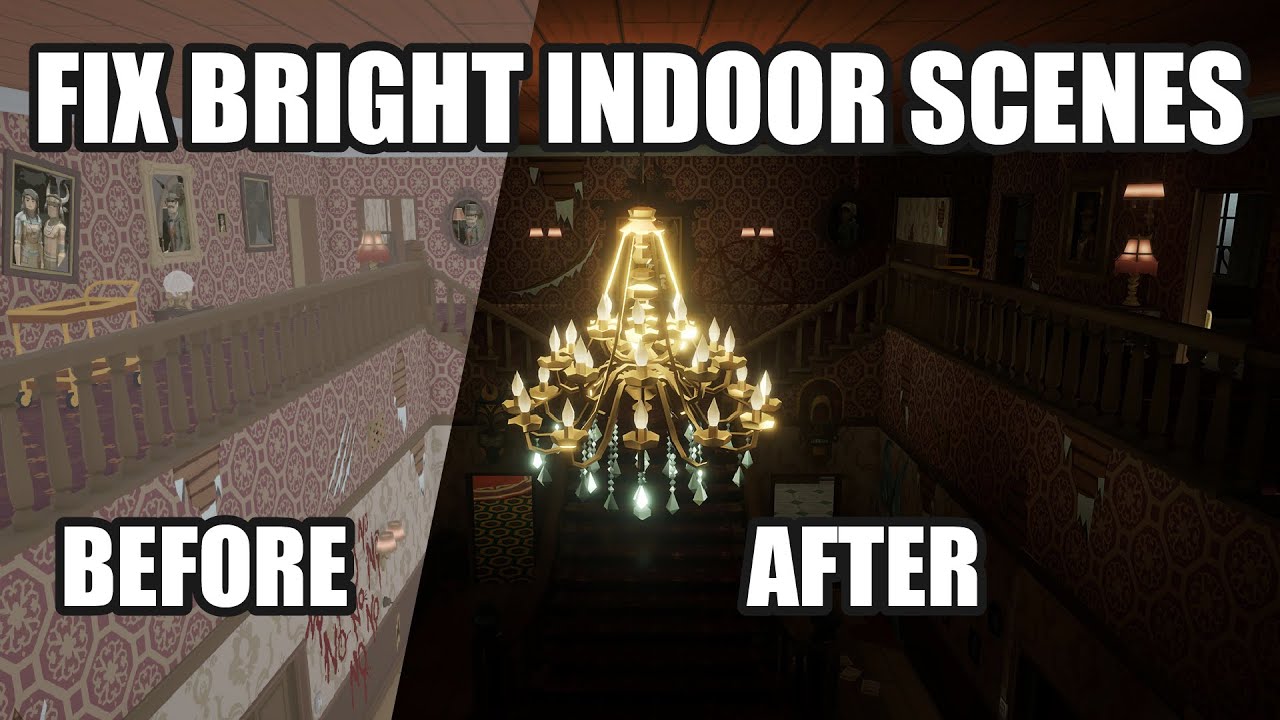
This video deals with the common problem of to bright indoor scenes people often face.
If you also have the problem that you cant get pitch black interior scenes for your horror game in Unity, this is the way to go!
Fixing the problem of too Bright Indoor Scenes for Horror Games in Unity.
Create dark indoor scenes in Unity.
If you are interest...
 modest swan
Hello I have a problem,
I have a gas station model and it has lights,
and I also wanna add some light the problem is that the lights is only like a glowing cube and doesn't feel like a light at all
 chilly kettle
modest swan
Hello I have a problem,
I have a gas station model and it has lights,
and I als...
chilly kettle
modest swan
Hello I have a problem,
I have a gas station model and it has lights,
and I als...
Do you want to bake the light or go with realtime lights?
If you bake it, you could add an red and blue are light for the long panels and a few small or one big white area light for the rectangular lights.
modest swan
chilly kettle
Do you want to bake the light or go with realtime lights?
If you bake it, you co...
you mean by bake the light "generate lights?"
and here is another example,
They look just like a glow block not a light
 chilly kettle
You have to add light sources to get lights.
chilly kettle
modest swan
you mean by bake the light "generate lights?"
yes
but its not just pressing a button, there is a few things to prepare to bake lights
modest swan
chilly kettle
but its not just pressing a button, there is a few things to prepare to bake lig...
Well, I tried that and I think I got 10h to bake it ?
modest swan
chilly kettle
You have to add light sources to get lights.
I have a spotlight and point light
chilly kettle
modest swan
Well, I tried that and I think I got 10h to bake it ?
How big is your, scene, whats your resolution and texel count?
As i said, its not just hitting a button and it works ^^
modest swan
chilly kettle
How big is your, scene, whats your resolution and texel count?
As i said, its no...
Well not that big and not too small
my resolution is the base 1920×1080
and what is texel count ?

if you have tutorial or a video explain how to bake it perfectly because its my first time using lights in the dark
chilly kettle
modest swan
Well not that big and not too small
my resolution is the base 1920×1080
and wha...

In this video, we are going to take a look at Lightmapping in Unity 2020.1 to help you create fast and beautiful lighting in your scene.
Learn more about Lightmapping in 2020.1 from our Docs!
https://on.unity.com/2U7VQIX
Interested in the newest Graphics Features we added in 2020.1? Click here!
https://on.unity.com/2GHYGkR
Download the Spaces...
modest swan
chilly kettle
https://www.youtube.com/watch?v=KJ4fl-KBDR8&t=49s&ab_channel=Unity
ok I am gonna take a look on it,
thanks.
night shell
modest swan
Well not that big and not too small
my resolution is the base 1920×1080
and wha...
to answer your question real quick, texel count basically means your lightmap resolution, Texel = Lightmap Pixel
its a bit of a complicated thing because texel count is something that varies in a scene depending on the object.
- You have the "Lightmap Atlas" size, which is basically the maximum resolution for a lightmap (it defines the resolution of a single lightmap texture).
- Then you have things like "Lightmap Resolution", which in simplified terms basically means how many "texels" per unit is allocated for objects. There are a number of factors that play into the amount of texels that would be allocated to an object but that is the general jist
hopefully that answers that little question
 pallid karma
Been working on the lighting for my scene, what are the differences between all these options?
 night shell
pallid karma
Been working on the lighting for my scene, what are the differences between all ...
night shell
pallid karma
Been working on the lighting for my scene, what are the differences between all ...
Contribute GI is the only one that really affects lighting
pallid karma
And when it comes to choosing what is static, i recall someone here saying that only large objects tend to be made static to then create a lightmap. So In a scene like this, what parts would be best made static? I know it looks ugly lol
 night shell
Reflection Probe Static by relation is somewhat related, but its name is self explanatory (basically meaning that if an object is marked as such it will appear in a baked reflection probe)
night shell
pallid karma
And when it comes to choosing what is static, i recall someone here saying that ...
some of the large walls on the side, mabye some of the crates, the overhang, stairs
pallid karma
and would that involve ticking all those options?
night shell
no for lightmapping you only need to tick on Contribute GI
you could tick on all options if you wish
but the one that actually affects lightmapping is that
pallid karma
right, so most of them contributing to it shouldn't be too bad
night shell
the only reason why that advice is offered, is because often times when lightmapping, most people think to lightmap everything but you can't do that because some objects you may have in your scene may be too small or too insignificant to affect the lightmap
and would cause issues down the line (contrbuting to artifacts with low resolution, increasing the amount of lightmaps needed to cover that object when its insignificant which therefore increases disk size/memory usage)
pallid karma
I remember a couple days ago someone said that for small objects like decorative books it may just be better to keep them dynamic and use light probes
 pallid karma
although I don't think any of my objects are really small enough to require that
but yeah an example would be nice, trying to wrap my head around all this has been tough
night shell
a shop scene here, notice the checkerboard pattern which indicates the amount of lightmap texels (or pixels) allocated for each object
now generally there are alot of texels allocated for every object
so it means that most objects in this scene have quite alot of resolution in them, and would show lighting details just fine
however...

there are some objects like here
where when you pull up the "Baked Lightmap" draw mode

its hard to see due to the overlaying but these objects are smaller than even a single lightmap texel
so these objects are best left excluded from the lightmap since its not worth spending resources to lightmap it
they are best handled with probes
now I would also like to bring another edge case to that
in that there are sometimes some objects that due to their complexity of their shape and such, are too complicated for the lightmapper to light well
so you end up with a bunch of artifacts and such

note these humanoid figures, and how odd the checkerboard pattern looks
there are visible seams, and the lightmap resolution is not enough to even help resolve those seams, you'll just see artifacts
but... the object is still actually large enough to affect the lighting of that particular spot in a noticable way
so the nice thing that unity has is that you can actually have an object still be "lightmapped" so that it shows up on other lightmapped objects, but you can actually have that object instead be lit with probes so those artifacts don't appear
tldr; you can have an object that affects the lightmap, without actually having that object be lit with a lightmap
its one way to solve a problem, but also one way to save on resources as the object doesn't need a lightmap to be lit
you follow @pallid karma ?
this little option is here btw
pallid karma
Believe I might
night shell
 pallid karma
Essentially if something is too small to fit into a lightmap texel it shouldn't be lightmapped
night shell
when an object is marked as "Contribute GI static" on the mesh renderer component there is a field for "Recieving Global Illumination"
night shell
pallid karma
Essentially if something is too small to fit into a lightmap texel it shouldn't ...
yes
night shell
and the other edge case I threw your way is that if an object has too many seams and artifacts from the lightmap, but its still large enough to affect the scene in a noticable way, you can still have it be probe lit, but it will be shown in the lightmap so things around the object get lit correctly
but yeah given how simple your scene appears to look, looks like most of the objects in there will show up just fine with little tweaking needed
pallid karma
Although the other day I had some crazy lighting artifacts that I could't explain
night shell
no screenshots?
pallid karma
This was it. Was trying to fix it the other day but we couldn't resolve it
and I lack the knowhow to understand what was actually going on there 
night shell
aah, yeah in that case its hard to see but could be that there wasn't enough resolution allocated for that object
either that or your lightmap UVs are nonexistent
which is another possibility
the likely possibility in my mind
chilly kettle
Can you guys use a thread? 🧵 Im getting pinged every 10 seconds 😄
pallid karma
So with the lightmap, I often see the pixels on the floor. What happens then if you have a huge scene that's too big to fit on that texture?
night shell
pallid karma
So with the lightmap, I often see the pixels on the floor. What happens then if ...
the answer there is sort of nuanced, but multiple lightmap textures are used
its not one single lightmap texture
the only time where that does become a problem, is if your scene is somehow one single unified mesh object
pallid karma
what if someone had like a giant open world terrain? Is it simply infeasible to lightmap the whole thing if it's one big mesh?
night shell
pallid karma
what if someone had like a giant open world terrain? Is it simply infeasible to ...
its not infeasible, the solution is simple
split up the mesh
if an object is too big to fit into a single lightmap, split the mesh apart
chilly kettle
chilly kettle
Can you guys use a thread? 🧵 Im getting pinged every 10 seconds 😄
please!
night shell
chilly kettle
please!
my guy, a mute button exists, and this won't take too long to require a thread
pallid karma
Well I think I know what I need to carry on anyways
 deft fiber
Threads should be used for anything taking up more than a few replies
Even if that didn't really catch on
pallid karma
Got something else going on, but if the fix isn't simple I'll open one up 
Basically, I've got a light here, but as I move around it just sort of vanishes randomly. The light isn't static, and isn't an occludee


 deft fiber
pallid karma
Got something else going on, but if the fix isn't simple I'll open one up <:cats...
deft fiber
pallid karma
Got something else going on, but if the fix isn't simple I'll open one up <:cats...
Most likely pixel light limit per object issue: https://youtu.be/y_vw-jzuNs0
If you only have one light and the vanishing stops, that would confirm it's about that
pallid karma
yeah I've got about 5, that sounds like the cause
 shell juniper
pallid karma
yeah I've got about 5, that sounds like the cause
shell juniper
pallid karma
yeah I've got about 5, that sounds like the cause
Try using deferred or forward+ if you're on URP
night shell
there are a number of ways to fix that issue
- increase the "per pixel light count" on the pipeline that you are using if you are on forward rendering (as spazi mentioned)
- split up your scene mesh objects (because its a per pixel lights per object, that is the inherent limitation) you can also restrict the ranges of your lights so that the light doesn't affect as many objects
- lightmapping also fixes this by just baking light into a texture (but it does mean that the light is no longer realtime)
- deferred or forward+ also work which would remove that restriction (as kabinet mentioned)
pallid karma
I take it my lights also need to have the contribute GI set?
oh my goodness, that definitely isn't right
 night shell
pallid karma
I take it my lights also need to have the contribute GI set?
night shell
pallid karma
I take it my lights also need to have the contribute GI set?
no, contribute GI is only really for objects with a mesh renderer component
modest swan
chilly kettle
You have to add light sources to get lights.
I added the light source and baked it but still it doesn't effect any object near it
 night shell
modest swan
I added the light source and baked it but still it doesn't effect any object nea...
night shell
modest swan
I added the light source and baked it but still it doesn't effect any object nea...
where did you add the light source
when you add light sources that are to be baked you need to be careful of placement, if you place them inside geometry that is baked then they will not show up because they are occluded
dusky nacelle
is it really possible to have both Lightmap support and Realtime Pixel Spot light support in the same time in One pass in a custom shader? Please if someone knows tell me
Im making something for mobile where the whole large scene is baked, but we have a torch light and night time ,I want the torch to light up the baked object with pixel light (not the vertex light) costing just one pass in the shader . so basically im trying to avoid diffuse shaders or using two or more pass to do that , as you already know , higher set pass slow down the cpu .
please someone help me out if you are free for some time . Im using Built in RP
modest swan
night shell
where did you add the light source
here, and I have them on baked
 night shell
modest swan
here, and I have them on baked
night shell
modest swan
here, and I have them on baked
its not about the placement in the scene hiearchy, but its placement in the actual scene
i.e. the lights being positioned inside geometry that is baked
modest swan
night shell
its not about the placement in the scene hiearchy, but its placement in the actu...


they look that they would effect the ground but nothing appear
night shell

looks like its inside the lamp mesh
is the lamp mesh itself also being baked?
because if it is, then that is most likely why the light is not showing up
it's because its placed inside geometry
modest swan
you mean this?
 night shell
no, but I'm assuming that is the lamp mesh renderer component and that does answer a question I was going to ask, that being if the mesh is lightmapped and its casting shadows
and in that case it is
your spotlight and point light are placed inside of the light mesh
and I'm assuming these lights are also casting shadows, so given the fact that its placed inside the lamp mesh (which is also able to cast shadows and is baked) it is therefore occluded
sooo... just move down a bit in that example
so that they are not inside of the lamp mesh

 modest swan
night shell
so that they are not inside of the lamp mesh
modest swan
night shell
so that they are not inside of the lamp mesh
ok I am gonna try that
modest swan
night shell
a baked light
the left one ?
night shell
both are baked
all that is changed is the placement
like I said more than once now, if a baked light is placed inside of geometry that is also baked (and cast shadows) the light will be occluded
and you see there it looks as if the light is not there at all
modest swan
oh I get it now
night shell
this doesn't happen with realtime lights because realtime lighting isn't as precise when it comes to occlusion events
but with baked lights, occlusion events are more precise. So i.e. the placement of your light matters tenfold
so just make sure that when you place lights, they are not placed inside of geometry (at the very least, placed inside of geometry that is to be baked, and is shadow casting)
modest swan
night shell
this doesn't happen with realtime lights because realtime lighting isn't as prec...
well yea I tried to move it down and it actually works
and I think when I make the final bake it would be better right?
 night shell
when you make the bake it should work now yes
modest swan
night shell
when you make the bake it should work now yes
and I could add more intensity to make it effect better right?
night shell
yes
you can use the light however you wish
the original problem you had was just simply that your light was inside a mesh being baked and was basically being blocked
beyond that, its still a light so just use it however you need lol
modest swan
night shell
the original problem you had was just simply that your light was inside a mesh b...
Ok, I get it now
so I need to bake every time I make a change to a light?
night shell
modest swan
Ok, I get it now
so I need to bake every time I make a change to a light?
if you have baked/mixed lights, then yes
you need to rebake a scene if... (if the scene has baked lights and geometry marked contribute GI)
- you've moved/rotated a light (or deleted a previously baked light)
- you've changed the properties of the light (shadow casting, color, intensity, type, etc.)
- you've moved/changed/deleted baked geometry in the scene
- you've changed/modified materials on baked geometry
- you've changed the baked lighting resolution (or any settings pertaining to lightmapping)
modest swan
Ok,
and for these settings
it just a graphic settings like it will make the light look better?
so the final bake I put these to high number like 20 to make it look better right?
 night shell
modest swan
Ok,
and for these settings
it just a graphic settings like it will make the ligh...
night shell
modest swan
Ok,
and for these settings
it just a graphic settings like it will make the ligh...
I think a video tutorial would help you out - https://www.youtube.com/watch?v=KJ4fl-KBDR8&pp=ygUddW5pdHkzZCBsaWdodG1hcHBpbmcgdHV0b3JpYWw%3D
In this video, we are going to take a look at Lightmapping in Unity 2020.1 to help you create fast and beautiful lighting in your scene.
Learn more about Lightmapping in 2020.1 from our Docs!
https://on.unity.com/2U7VQIX
Interested in the newest Graphics Features we added in 2020.1? Click here!
https://on.unity.com/2GHYGkR
Download the Spaces...
but in short to answer the question, yes
modest swan
night shell
but in short to answer the question, yes
Ok, Thank you very much for you help.
night shell
although personally I don't do things like "final bakes" I set the settings of everything to be what I want it to be (i.e. final)
lightmappers are pretty fast now, so long as the settings are configured correctly. just saves the hassle of constantly having to retweak the settings when you want to see something "final" just work with the final, makes things easier
modest swan
night shell
lightmappers are pretty fast now, so long as the settings are configured correct...
OK, thanks for that.
dusky nacelle
dusky nacelle
is it really possible to have both Lightmap support and Realtime Pixel Spot ligh...
bump
night shell
dusky nacelle
bump
yes, if its a custom shader
although I don't think you can get a native unity spotlight to show up in the ForwardBase pass, but you can pass in properties of the spotlight to the shader manually and calculate a realtime light that way
dusky nacelle
let me explain a bit , actually this unity's default mobile shader named unlit (supports lightmap). everything is okay upto this. but i just need only one realtime spot light or only one realtime point light , working on it while the object is lightmapped . in a single pass. so, I need to use here lambert lighting function?
dusky nacelle
night shell
although I don't think you can get a native unity spotlight to show up in the Fo...
I understand this logic, but no one cares to explain a bit more on how to just set up the procedure on that shader itself , im just rushing helplessly for several months
night shell
hmm I could try giving you the general process
create a thread here since this is going to take a bit of explaining
dusky nacelle
if you kindly do have some time, can you just show an example on that default shader a bit? I'd be sending you rightaway
dusky nacelle
night shell
create a thread here since this is going to take a bit of explaining
umm.. i dont know where to make the thread ^^* , am new here
 dusky nacelle
Realtime spot lighting on custom shader
 faint stratus


 vast tusk
Flickering of the direction light in the build (HELP)
In the finished build of the game, there is a flicker of light in the game scene, what could this be related to?
Unity URP 2021.3.15f1 and 2022.3.9f1
I have tried different solutions to this problem:
Turning off postprocessing
Turning off all effects on the stage
Turning off fog and other visual improvements
It is worth noting that there are 3 options for configuring graphics:
Low (without shadows and MSAA)
Medium (shadows + MSAA x2 )
High (shadows + MSAA x4)
I noticed that when the lighting turns off and I set the graphics settings low (without shadows), this flicker problem disappears and everything becomes normal.
During the week, I tried different graphics configurations, baking lighting, working with post-processing, porting the project to new versions of Unity, and so on. However, all to no avail...
I also tried profiling using Render Doc and Frame Debug and noticed that when the lighting is turned off, the frame is initially rendered with the lighting turned off, that is, there is no moment that the lighting is present but for some reason it is not rendered.
In the video you can see exactly what is happening with the lighting
 modest swan
I tried to re generate the UV maps and re import object but this thing still showing up after all tries
 night shell
modest swan
I tried to re generate the UV maps and re import object but this thing still sho...
night shell
modest swan
I tried to re generate the UV maps and re import object but this thing still sho...
honestly that warning sometimes shows up even if you have valid lightmap UVs (or even have unity generate them for models)
best not to worry about it
so long as your lightmapping results turn out ok and look just fine then no reason to break your head off about those warnings
modest swan
night shell
honestly that warning sometimes shows up even if you have valid lightmap UVs (or...
well kinda,
any object was mentioned in the warning is looking like this and I try to make it static but nothing works

 modest swan
 night shell
modest swan
night shell
modest swan
and you've generated lightmap UVs for it?
modest swan
night shell
and you've generated lightmap UVs for it?
yea,
 night shell
modest swan
yea,
night shell
modest swan
yea,
change the margin method to manual
and the lightmap UVs should change
take a screenshot of the scene in baked lightmap view mode when that happens
modest swan
night shell
huh? why is min lightmap resolution set to 4?
because my scene is a little bit large so i put the resoluation to just 4 to be able to bake faster,
should I increase it ?
night shell
night shell
change the margin method to manual
just do this
 night shell
its better
but there are still problems, and its because the model is too complex
I can see that its trying to generate lightmap UVs, and its certainly doing it but given the settings you set the model is too complex especially with the resulting lightmap UV setup you ended up with so the resolution for the object winds up appearing very small like your seeing there. So either the settings for the lightmap UV generation have to be adjusted, or we increase the scale in lightmap for the mesh renderers on that car model, increase the overall lightmap atlas resolution for your scene... or just light the car instead with either light probes or a light probe proxy volume
I suppose for kicks you could select all of the mesh render components that are on the car model, and try increasing the "scale in lightmap" property
modest swan
night shell
I can see that its trying to generate lightmap UVs, and its certainly doing it b...
it's a little bit complex and has a lot of object and that's the reason I think,
I will try to set the resolution to something like 10-20 and see
night shell
 modest swan
night shell
modest swan
night shell
like 5
night shell
just play with the values until you see enough resolution on the meshes of the car
modest swan
night shell
just play with the values until you see enough resolution on the meshes of the c...
ok I will try that
now it's looking a little bit better, I think if I increase the resolution it will be better
 pallid karma
So with light probe placement, do you tend to look at the area's the different nodes make and just envelop an area that has similar lighting in one of those triangles?
Something a bit like this?
 night shell
pallid karma
Something a bit like this?
night shell
pallid karma
Something a bit like this?
when it comes to the placement of probes, a probe is a point in space where lighting is sampled. And any dynamic object will use the nearest probe to itself to calculate its own lighting.
so with that said, in your example you only have spots near some kind of mesh where lighting is sampled, and nothing really outside or inside neither. Only near the surface, and from what I can see in your screenshot those are primarily dark points so it means if you have a dynamic object around those areas, the object will be primarly dark even if its in a bright area because you only have probes setup in spots where it is dark or near a surface
with light probes honestly I recomend the usage of something like this https://assetstore.unity.com/packages/tools/simple-light-probe-placer-58290

Get the Simple Light Probe Placer package from Alexander Vorobyov and speed up your game development process. Find this & other Tools options on the Unity Asset Store.
it will cover an entire area, and you can set the density of it to whatever you wish and it will ensure you have good lighting coverage of an area
just like how you would author a reflection probe to ensure proper reflection coverage for an area
pallid karma
My thinking was just to just use them to draw a box around areas of shadow to ensure the lighting in that zone is dark too. Should it be more evenly spaced out? Is my approach wrong?
night shell
I would say to keep it more evenly spaced out, light probe placement does not need to be that complicated
hence why I recomend this tool
now granted there are many edge cases where one would want a specific setup of light probes and where you need to watch out for specific things... but honestly with the many projects and scenes I've built over the years, just having something like this drop a grid of probes evenly spaced in an area works just fine 90% of the time
pallid karma
right
night shell
I will mention a couple of edge cases though
when it comes to probes, avoid placing them inside geometry, especially if no object can get inside of an object.
because the way probes are sampled for objects are very simple, it just samples the nearest one
pallid karma
that makes sense
night shell
so if an object happens to be near say a shipping container, but you have a light probe placed inside of that shipping container, then the dynamic object will sample its lighting from the probe inside of the shipping container whenever it gets close to it
because again, the logic for probe selection is very simple, there is no occlusion logic
pallid karma
That's why I wanted to try and put the probes as close to the edge of the shadow as possible, I need it so that there is a very clear cutoff between light and dark, so I figured that would work out
night shell
if that was your intent with the probe setup you created there then thats ok
but just noting that if that was not your intent, and you just want lighting of dynamic objects to be consistent or look like they belong to the enviornment well enough then the grid placement tool I showed you would suffice just fine and save you alot of time and work
night shell
basically tldr; it aint that deep bro
lmao
but best to keep it simple unless you are aiming for a specific behavior
 alpine frost
This shader says that the distortion amount is driven by the alpha value of the ambient color, but the ambient color HAS no alpha value

 pallid karma
night shell
but best to keep it simple unless you are aiming for a specific behavior
pallid karma
night shell
but best to keep it simple unless you are aiming for a specific behavior
Although that package looks like it automatically puts stuff around shadows
night shell
pallid karma
Although that package looks like it automatically puts stuff around shadows
It just puts probes in an array within a space with no knowledge of the lighting or anything
It’s a simple tool, you just drape probes over an area that are evenly spaced and with a certain density that you specify
pallid karma
Looks a bit chaotic but this is how I imagined it to work, with the intention to clearly separate areas
 alpine frost
This shader says that the distortion amount is driven by the alpha value of the ...
alpine frost
alpine frost
This shader says that the distortion amount is driven by the alpha value of the ...
Still lost on this :(
chilly kettle
pallid karma
Looks a bit chaotic but this is how I imagined it to work, with the intention to...
Looks fine, you could add a few more probes without a problem
pallid karma
I just wish I could sort of fake it at times. Like I want the character to look in shadow here even if realistically i'm not
 chilly kettle
pallid karma
I just wish I could sort of *fake it* at times. Like I want the character to loo...
chilly kettle
pallid karma
I just wish I could sort of *fake it* at times. Like I want the character to loo...
means you have not enough light probes or you didnt bake them
pallid karma
could it just be because I have some over the edge of the wall base there so it takes on that value?
if I just have probes by the floor would it assume the whole thing needs to be darker or something
chilly kettle
well, you can clíck on your character and see where it gets its light probes from
chilly kettle
pallid karma
Looks a bit chaotic but this is how I imagined it to work, with the intention to...
but as i said, you should add more probes
pallid karma
just anywhere?
chilly kettle
i usually place them every 1 or 2 meter
But a rule of thumb is, that you have to place them everytime when lighting changes..
If you have a shadow, place a probe in the shadow.. and then directly beside it in the sunshine
pallid karma
yeah we were talking about this earlier, here for instance i tried to do that

ah, so here he's taking on light from probes outside
 chilly kettle
weird that this probe is so bright
 pallid karma
although I was hoping he's take on these ones that are closer
this one too, although it should be blocked by the wall
 chilly kettle
looks like Light probe ringing
 tight parcel
Can i make a scenes environment lighting only effect non static objects? it's useful to have so i don't need to place light probes just yet, but if i enable it it seems to light up some static map elements in a weird way
chilly kettle
tight parcel
Can i make a scenes environment lighting only effect non static objects? it's us...
The environment light effects both, dynamic and baked objects
tight parcel
Rip
chilly kettle
tight parcel
Rip
Why do you need to effect only dynamic objects? ^^
tight parcel
For ages i've been using it to just light the dynamic objects so i don't need to set up light probes while i'm developing mechanics but i should probably just set them up at this point 
chilly kettle
you can use the unlit view in the editor ^^
pallid karma
Don't suppose this is too much is it?
night shell
pallid karma
ah, so here he's taking on light from probes outside
you could throw a light probe proxy volume on the character
so they can pick up more than one probe
 mighty sedge
can anyone explain why light is bleeding through the edges, the environment is modular.
 chilly kettle
mighty sedge
can anyone explain why light is bleeding through the edges, the environment is m...
chilly kettle
mighty sedge
can anyone explain why light is bleeding through the edges, the environment is m...
Is it baked or Realtime?
chilly kettle
mighty sedge
baked but the door and window is dynamic
Okay.
So baking modular pieces mostly comes with problems and seams between the modular geometry.
In your case it looks like you also dont have generated lightmap UVs i guess or a very low resolution.
mighty sedge
I did use unity's generate light map uvs checkbox but, would i get better results if i made my own. is there anyway to overcome the issues with the seams. also thanks for the quick response
chilly kettle
mighty sedge
I did use unity's generate light map uvs checkbox but, would i get better result...
No, for your case the unity generated UVs are perfectly fine.
Can you show the baked lightmap in the debug scene view?


 main wolf
pallid karma
I just wish I could sort of *fake it* at times. Like I want the character to loo...
main wolf
pallid karma
I just wish I could sort of *fake it* at times. Like I want the character to loo...
you can just sample the color from lightmap and apply it to your characters
you'll just need to make it readable first after baking
 dusky crater
I posted this in unity talk first but I was told to post this here, anyways I have a weird lighting problem, some of the lighting is low quality and Low poly? I guess
 chilly kettle
dusky crater
I posted this in unity talk first but I was told to post this here, anyways I ha...
chilly kettle
dusky crater
I posted this in unity talk first but I was told to post this here, anyways I ha...
waht kind of lights do you use
dusky crater
Spotlights with realtime checked on
chilly kettle
dusky crater
Spotlights with realtime checked on
in your URP Asset Settings, do you have Main Light set to "per Pixel?"
 dusky crater
Uhh idk, I’ll check
I don’t think I’m using urp, because I can’t find those settings, either that or I’m dumb
chilly kettle
Go to Edit > Project Setting > Quality > Render Pipeline Asset
dusky crater
chilly kettle
Go to Edit > Project Setting > Quality > Render Pipeline Asset
Alright I fixed it, and yes I do have per pixel on
chilly kettle
dusky crater
Alright I fixed it, and yes I do have per pixel on
What was the Problem?
dusky crater
Yeah it was, thank you
 stark tulip
Why does light reflect like this? I don't really get it, the place around the player is much more darker and has more shadows, but further points (when the player even moves) has much more light and reflection.


 west zodiac
guys, can someone please help me with my lighting processing?
I can explain my problem with vc and screen share
I would really appreciate it
 median vine
🙏 I am getting issues with the corners and edges of my mesges when using bakery lighting, I'm getting weird colors and glows. Here is my steps
- Open blender, make a cube using the solidify modifier that is hollow on the inside.
- UV Unwrap it using Smart UV Project & setting a margin of .030
- Importing it into unity, selecting "Generate Lightmap UVs" for the prefab and setting it to the correct lightmap resolution.
- Place down the prefab, add a light inside of it. And bake using bakery with these settings.
- Notice weird colors in the corners & some darkened edges.
It's like these are somehow unwrapping themselves and getting their own uv edges according to the checkerboard view


If anyone could help that would be wonderful, it's a different set of issues than previously and the previous fixes are not working.
By upping my samples to 50 the issue seems to be gone / dialed back
night shell
median vine
🙏 I am getting issues with the corners and edges of my mesges when using bakery...
Note when you import into unity and select generate lightmap UVs you are actually overriding the UVs you created
Well specifically the UVs in channel 1
median vine
night shell
Note when you import into unity and select generate lightmap UVs you are actuall...
Oh? The issue didn't seem to be fixed by disabling / enabling that, it just managed to go away when raising samples
Actually the issue didn't seem to change at all when changing that setting
median vine
night shell
Note when you import into unity and select generate lightmap UVs you are actuall...
It seems to be being caused when two game object's faces share the same space, if I put this cube next to the wall and render the lighting it causes the issues. However if I back off and shrink the cube a little bit away from the edges the lighting renders properly


 night shell
do you have "Double Sided GI" enabled on your materials perhaps
median vine
I do not, would that be something to try enabling?
Actually I cannot even enable that
night shell
median vine
I do not, would that be something to try enabling?
no it needs to stay disabled if it was on
main wolf
 young flume
What's wrong with my shadows?
young flume
What's wrong with my shadows?
you can try to decrease shadow distance, or use shadow cascade
median vine
night shell
no it needs to stay disabled if it was on
Nah yeah it's disabled and can't be enabled I don't know why bakery throws such a fit with faces being inside of eachother even though they are different UVS
And its not like I can't just not have the faces together as it looks odd if they are seperated
night shell
unfortunately I can't help much since I don't use bakery myself so that is about all I can say really. Whatever is happening there seems very specific to bakery and its quirks
in the regular unity lightmapper such problem would be due to that "Double Sided GI" issue, or even UV padding for lightmap UVs (whether authored by hand or auto generated by unity)
deft fiber
stark tulip
Why does light reflect like this? I don't really get it, the place around the pl...
You may have some fog in your scene, but this may also be a side product of texture mip maps
Are you also using some kind of post processing or special shaders, such as posterization?
median vine
young flume
What's wrong with my shadows?
blud is that real life

 chilly kettle
what do yoú mean?
modest swan
chilly kettle
what do yoú mean?
When i move my flashlight to the gas station it glows too much like in the photos,
any other object has no effect on the light, just this
- the flashlight is better to be realtime right?
chilly kettle
modest swan
When i move my flashlight to the gas station it glows too much like in the photo...
Yeah Flashlight needs to be realtime.
You should adjust your Bloom Settings or decrease the intensity of the flashlight
modest swan
chilly kettle
Yeah Flashlight needs to be realtime.
You should adjust your Bloom Settings or d...
ok I will try
yeah it was from the flashligt intensity, thanks
 polar carbon
could anyone help a homie out with a shadow issue? shadow is cast on the door, have tried adding a composite shadow collider to the floor tileset. Goal is for the light cast from the lantern to stop at the floor and not go "into" the floor

basically just want the light to halt at the top layer of the floor tileset
 mellow pilot
I used GeNa Pro to make roads and it seems at the intersections the road is created in a way that gives me bad baked lighting on the road.
anyone use GeNa and encounter this issue?
 pure vine
polar carbon
could anyone help a homie out with a shadow issue? shadow is cast on the door, h...
pure vine
polar carbon
could anyone help a homie out with a shadow issue? shadow is cast on the door, h...
can you show the shadow caster of the door? it's been a while I didn't use 2D
I believe you can select layers to effect
oh sorry you want the light to stop, not the doors shadow. but you can also select layers for light too
chilly kettle
mellow pilot
I used GeNa Pro to make roads and it seems at the intersections the road is crea...
You probably have no lightmap UVs on your road there?
Never used your tool, but is there a functionality to create them?
polar carbon
pure vine
oh sorry you want the light to stop, not the doors shadow. but you can also sele...
I will look into this
 native crystal
In my game the player has the ability to turn lights on and off and something else also has the ability to do this too, is there a better way for performance than keeping the lights on realtime?
pure vine
native crystal
In my game the player has the ability to turn lights on and off and something el...
how many light are there and all the light turns on and off at the same time?
native crystal
pure vine
how many light are there and all the light turns on and off at the same time?
As of now there are 18 point lights and occasionally all of the lights will only turn off at the same time but never on
 runic quarry
I'm aware that this studio has their own custom proprietary software, but does anyone know if there's an existing package or tool that can do light painting like this? Near the end of the video they can also paint manually with a brush https://youtu.be/Q83ocErRk7E?t=257

process of creating the art for a level in "Ori and the Will of the Wisps" - sped up about 10x
Artstation Portfolio - https://www.artstation.com/faherold
Instagram - https://www.instagram.com/faherold
I'm actually making a 3d isometric game, but I would like to paint the light by hand rather than using the 3d lights
pure vine
native crystal
As of now there are 18 point lights and occasionally all of the lights will only...
if there is not too many options about lights, you can switch between bakes
I mean if it's like;
1- lights are off
2- lights are on
you can use switching light bakes
but if you can turn on and off each of the lights there will be too many different light bake options
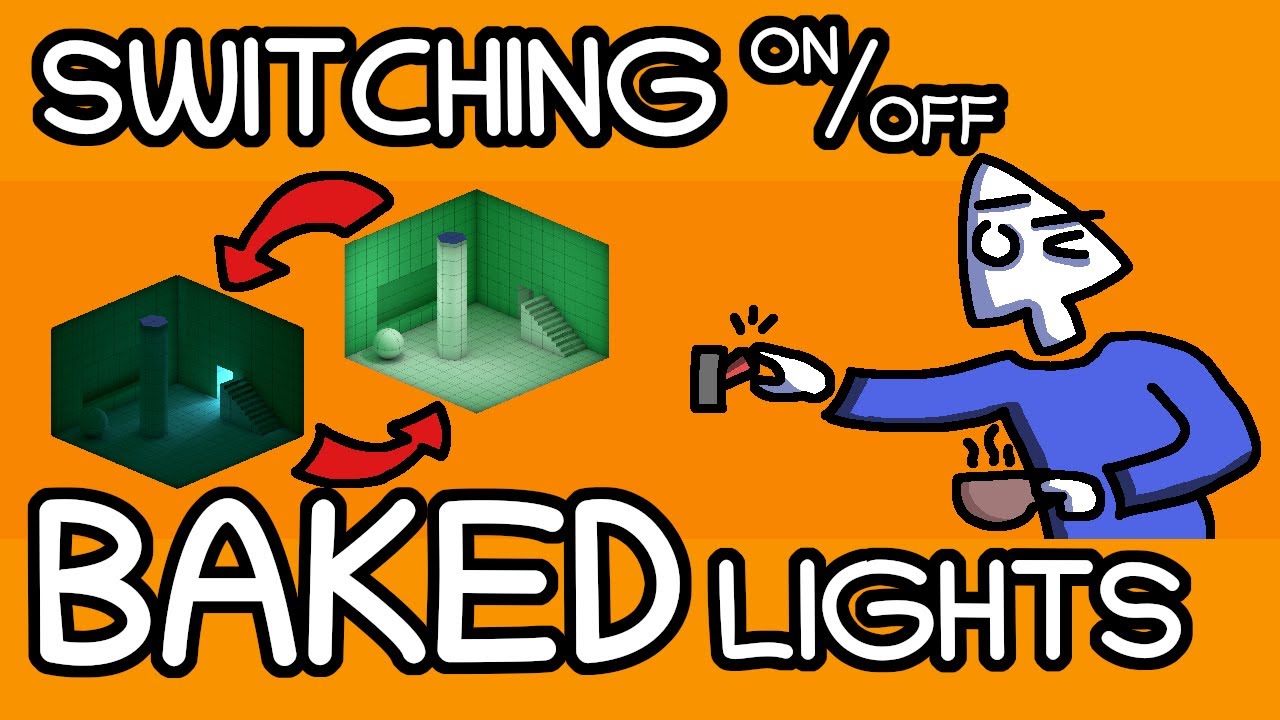
Let's learn how to change baked lights in Unity during runtime!
Useful links:
native crystal
pure vine
but if you can turn on and off each of the lights there will be too many differe...
Yeah this is the problem I am thinking of. Thanks anyway!
pure vine
native crystal
Yeah this is the problem I am thinking of. Thanks anyway!
then I guess you better use real-time GI
and do you see them all at the same time?
you can also fade a light when it gets far
native crystal
pure vine
and do you see them all at the same time?
You cant see them all at the same time as they will be in different rooms
native crystal
pure vine
you can also fade a light when it gets far
I do have LOD set up so I guess when It gets to a certain distance I can remove the light from the model
 lavish stone
hello , I've encounter weird behavior from unity look at this GI lightmap , it is okay but I've changed some unity settings then bake it again then second screenshot is what it looks like ... when I tried to make it back to the default settings , it still doesn't change at all! !!
I changed the lighting data , tried to clear the catch GI and returned quality settings to highest again still doesn't change after baking it looks like the third screenshot in the scene view but in game looks like the second one which is really bad


 mellow pilot
chilly kettle
You probably have no lightmap UVs on your road there?
Never used your tool, but ...
mellow pilot
chilly kettle
You probably have no lightmap UVs on your road there?
Never used your tool, but ...
i would have to look a little harder to confirm, but i don't think i seen anything like that.
but I fixed it by exporting each intersection out of unity and into blender then unwrapped uv there.
that seemed to do the trick
runic quarry
 livid stump
Why there's a gap in my shadow?

I wonder why the other side is dark, even tho it is set to both face
 chilly kettle
livid stump
Why there's a gap in my shadow?
chilly kettle
livid stump
Why there's a gap in my shadow?
Check the Normal Bias of your Light source to avoid this
livid stump
chilly kettle
Check the Normal Bias of your Light source to avoid this
I tried checking that, but that's the limit
 chilly kettle
livid stump
I tried checking that, but that's the limit
chilly kettle
livid stump
I tried checking that, but that's the limit
Yeah, but the bias isn’t changed there.
Change it there to manually or change it in the renderpipeline asset settings
livid stump
aight, thanks!
 timber lichen
trying to get emissive objects to cast light on a scene but it doesnt seam to be working, ive set both objects to static
pure vine
timber lichen
trying to get emissive objects to cast light on a scene but it doesnt seam to be...
did you bake the light?
timber lichen
I'm unsure
pure vine
you should use either baked GI or real-time GI which you should bake
emission can't cast light in real-time
pure vine
timber lichen
trying to get emissive objects to cast light on a scene but it doesnt seam to be...
does your emissive objects move?
or its always static
timber lichen
Well they are gems the player collects, they get deleted whenever the player hits them, but other then that they don't move
chilly kettle
timber lichen
Well they are gems the player collects, they get deleted whenever the player hit...
in your case i recommend using a point light and placing it into the Gem
timber lichen
Would that get deleted with the gem?
chilly kettle
sure, why would you like to have light from a gem thats already deleted? ^^
place it as child of the gem and if you delete it, the light is gone
timber lichen
Ah got it thanks!
timber lichen
heya, so ive been placing collectables around one of my game's levels. these collectables have a pointlight attached to them which causes the area around the collectable to glow.
however after placing a few the lights begin to stop effecting the collectables surroundings, what can i do to stop this from happenng
main wolf
timber lichen
heya, so ive been placing collectables around one of my game's levels. these col...
you've hit the maximum pixel lights count. It's 8 for URP Forward, and (cmiiw) 32 for URP Forward+
timber lichen
ah damn, is there any way for me to increase it?
main wolf
You can try to use URP deferred rendering
https://docs.unity3d.com/Packages/com.unity.render-pipelines.universal@12.0/manual/rendering/deferred-rendering-path.html
timber lichen
main wolf
You can try to use URP deferred rendering
https://docs.unity3d.com/Packages/com....
i made the asset and set it to deferred rendering, what do i do with it now?
main wolf
timber lichen
i made the asset and set it to deferred rendering, what do i do with it now?
Why not just use the previous one and just change the rendering path to deferred?
timber lichen
the previous one? i dont think there was a previous one
found the original
it worked!
chilly kettle
timber lichen
the previous one? i dont think there was a previous one

This video deals with the common problem of flickering or invisible lights in Unity.
If you also have the problem that your Unity lights flicker or become invisible depending on the viewing angle, this is the video for you.
Fixing the problem of flickering or invisible lights in a few seconds with a few mouse clicks
If you are interested in g...
timber lichen
yeah this is the exact issue i was having!
chilly kettle
i added some additional stategies to solve it in the video
 solemn flicker
I am attempting to bake lighting for multiple terrain chunks. I have an automated system that basically loads a terrain chunk, plus the 8 terrains around it, plus secondary objects (trees, plants, etc.), then bakes the lighting for the terrain and some of the secondary objects.
However, when doing this I keep getting seams between the light maps of neighboring terrain chunks, even though all of the same terrain/secondary objects are taken into account when performing the light baking for each neighboring chunk.

This is with a Max Lgihtmap Size of 2048 and Lightmap Resolution of 20 texels per unity. I first tried with lower values, and these higher values do "help" mask the issue, however it seems like they don't completely eliminate it.
 glossy goblet
Wtf where are the shadows ? i use urp also shadows are selected on
 chilly kettle
glossy goblet
Wtf where are the shadows ? i use urp also shadows are selected on
chilly kettle
glossy goblet
Wtf where are the shadows ? i use urp also shadows are selected on
possibly your trees dont throw shadows ^^
 arctic isle
solemn flicker
I am attempting to bake lighting for multiple terrain chunks. I have an automate...
arctic isle
solemn flicker
I am attempting to bake lighting for multiple terrain chunks. I have an automate...
What is the reason for loading them in chunks like this? The lightmapper will already attempt to bake them in chunks for memory reasons.
This will differ based on the version you're using. U6 / 2023.2 has by far the best memory management. I also think we fixed this issue in that implementation as well but that should be when you bake it all together. Is that not possible for you?
solemn flicker
arctic isle
What is the reason for loading them in chunks like this? The lightmapper will al...
Hey, thanks for responding. I have a streaming product on the asset store that is based around working with smaller sized "asset chunks." These are dynamically streamed in and out on demand in order to create large complex game worlds.
Loading all chunks into the editor for baking is possible, however even if I do this I still get the light seams between terrain chunks.
arctic isle
solemn flicker
Hey, thanks for responding. I have a streaming product on the asset store that i...
Hey, unfortunately for this case there is no out-of-the-box solution that we offer. The only way to mitigate this right now is to place objects where you see the seams to cover it up. I understand that this may be difficult to do with procedural content, depending on the setup. I posted this internally and there seems to be interest for us to have some solution for cases like this in future releases.
solemn flicker
arctic isle
Hey, unfortunately for this case there is no out-of-the-box solution that we off...
Ahh ok, that's understandable. I really appreciate your time, thanks!
tight parcel
Is there a way i can toggle lighting when built? almost like the unlit view option in the editor
pure vine
tight parcel
Is there a way i can toggle lighting when built? almost like the unlit view opti...
you just wanna turn the light off?
tight parcel
pure vine
you just wanna turn the light off?
Essentially
Light everything the same, like there's no lighting at all
pure vine
tight parcel
Light everything the same, like there's no lighting at all
doesn't it work if you just disable the light of set the intensity to 0?
tight parcel
pure vine
doesn't it work if you just disable the light of set the intensity to 0?
It's baked
Also then it would just be pitch black
pure vine
tight parcel
It's baked
you can switch bake light data in run time
maybe that works?
or maybe using post process effect?
you can lower the post exposure value and it will be dark
main wolf
tight parcel
Is there a way i can toggle lighting when built? almost like the unlit view opti...
I can think of several ways to do this, but all of them arent tested yet
- using camera renderwithshader or setreplacementshader, replace the shaders using unlit shader family
- setting ambient light to white, not sure if it will work though...
- manually edit the shader to make some kind of 'flag', this could be tedious if you have a lot of shaders
tight parcel
Hmm i'll probably try the first one
Also, is there a way to change the baked darkness level so that it's not just completely black if there's no light? it makes it kind of annoying for gameplay
chilly kettle
tight parcel
Also, is there a way to change the baked darkness level so that it's not just co...
Bake a bright scene and make it darker by postprocessing for example
arctic isle
tight parcel
Is there a way i can toggle lighting when built? almost like the unlit view opti...
Unassign the lightmaps from the mesh renderers
arctic isle
tight parcel
Also, is there a way to change the baked darkness level so that it's not just co...
You can probably achieve this with the exposure settings on the camera/postpro
 supple coyote
hello, is there something I can do with "flickering shadows" but only on skinned mesh objects?
Im using urp
I have soft shadows, 2k-4k res
 keen finch
Does anybody know reasons why my cameras transform might change the shadows?
chilly kettle
keen finch
Does anybody know reasons why my cameras transform might change the shadows?
possibly near plane setting
chilly kettle
keen finch
Does anybody know reasons why my cameras transform might change the shadows?
On your Light
 raven jewel
Hello. Does anyone know why the right shelf will not light up in my scene? The shelf on the left lights up OK via the spot lights. But the other shelf does not, even though they are the same kind of spot lights.
 chilly kettle
raven jewel
Hello. Does anyone know why the right shelf will not light up in my scene? The...
chilly kettle
raven jewel
Hello. Does anyone know why the right shelf will not light up in my scene? The...
Is it baked?
raven jewel
chilly kettle
Is it baked?
yes. all lighting is baked
chilly kettle
Did you hit generate Lightmap UVs in the import Settings?
raven jewel
chilly kettle
Did you hit generate Lightmap UVs in the import Settings?
When i first loaded up Unity, I dragged and dropped my model into it. I then clicked on the model icon, and clicked the generate lightmap UV's
 chilly kettle
raven jewel
When i first loaded up Unity, I dragged and dropped my model into it. I then cl...
chilly kettle
raven jewel
When i first loaded up Unity, I dragged and dropped my model into it. I then cl...
means this is all one Model?
 raven jewel
chilly kettle
means this is all one Model?
raven jewel
chilly kettle
means this is all one Model?
Yes, I craeted this entire bar scene using Blender. I saved that as fbx. I then dragged over the fbx file into unity
However, i can select the different objects inside my model
This is me selecting the copper trim features
 chilly kettle
Okay. Your console says, you have overlapping UVS.
Check here they are by selecting "UV Overlap" in the Scene Debug View
raven jewel
chilly kettle
Okay. Your console says, you have overlapping UVS.
Check here they are by selec...
OK. I will just google how to see the debug view
not done that before
 livid stump
Why is my lightmap baking forcing my UV to look like this even tho both my UV and my secondary is good

 gaunt jay
@weary remnant I'm doing daylight cycles in my game and I need to enable the Enlighten Lightmapper for it to work. However, the Lightmapper option doesn't show up. Can someone help? (I'm Using URP)
night shell
gaunt jay
<@809670463865356289> I'm doing daylight cycles in my game and I need to enable ...
haven't used URP but I believe it still does have support for it, and the option in new unity editor versions also has changed
you won't find enlighten as an option under the lightmapper to use since its moved, but you will find it here

its moved to its own unique area in the general lighting settings for the scene
realtime GI is enlighten
gaunt jay
night shell
realtime GI is enlighten
thank u man!
chilly kettle
livid stump
Why is my lightmap baking forcing my UV to look like this even tho both my UV an...
im quite sure that the mesh you selected here in the middle part of the light map is not UVed correctly
You may not have a correct UV in the UV1 Channel or not checked "generate lightmap uv" in the import settings of this model
livid stump
chilly kettle
im quite sure that the mesh you selected here in the middle part of the light ma...
Both my UV is correct, and generate UV is checked, some same mesh with same material is baked properly but this asset only is not
 terse thunder
Hi all, is there any way to bake lightmap on transparent cutout object.
deft fiber
terse thunder
Hi all, is there any way to bake lightmap on transparent cutout object.
Transparent or cutout? You don't usually need both
 lapis chasm
...W baked lighting or what...

how does one fix this lighting proble,,, the rest of my map looks fine
well
i say fine it looks like really bad baked lighting
tun of light leeking...


 scarlet geyser
why i dont see baked shadows on a floor?

 night shell
lapis chasm
...W baked lighting or what...
night shell
lapis chasm
...W baked lighting or what...
not too sure what your issue here is exactly, but I'm assuming it has to do with the trees looking very choppy and such
first thing I would make sure to do any time you lightmap is to ensure that for whatever models are being lightmapped, that you have "Generate Lightmap UVs" enabled in the model import settings when you select a model in the project window
night shell
lapis chasm
tun of light leeking...
the light "leaking" that you are seeing here looks to actually be a problem with the lightmap resolution
you need to increase your lightmap resolution to allocate more texels (NOT the atlas size, the lightmap resolution, both are different despite their deceptive names)
night shell
scarlet geyser
why i dont see baked shadows on a floor?
not seeing baked shadows on the floor is due to a number of reasons, in your case it looks to be that you are wanting to bake what looks to be the sunlight that is casting those shadows. But it is set to "mixed", so its casting realtime shadows. By default unity also likes to set the Mixed lighting mode to "Baked Indirect" which means that if you have a mixed light, it will only bake the "indirect lighting" and it won't bake any actual shadows or "light" coming from that mixed light source
so tldr; your light is probably set to mixed, and you have your mixed lighting mode configured to "baked indirect". You need to switch it to either shadowmask or subtractive
scarlet geyser
it's subtractive
night shell
ohh wait I had the screenshots switched in my mind, you were actually showing the baked lightmap view my bad
its likely due to the shader that you are using, or the material on that surface
lapis chasm
night shell
not too sure what your issue here is exactly, but I'm assuming it has to do with...
its the lighting... *its booty and idk why)
lapis chasm
night shell
the light "leaking" that you are seeing here looks to actually be a problem with...
okay
night shell
lapis chasm
its the lighting... *its booty and idk why)
I know you mean the lighting, but with your tree models I can see that they are very low poly and sharp, and the lightmapper is lighting it best it can but the model is just very low polygonal and sharp
night shell
night shell
first thing I would make sure to do any time you lightmap is to ensure that for ...
like I mentioned though make sure that lightmap UV generation is enabled for the object
lapis chasm
night shell
I know you mean the lighting, but with your tree models I can see that they are ...
yh ik its cus im trash at modeling 😭
 latent ether
i use unity 2022 urp, when i bake my light (in this case just an directional ligth with mixed mide) the scene looks like this after baking and when i turn off the light https://gyazo.com/c226f8ff4abff2abc65a79f537f808f8 any idea why it always have the bright borders on the mountains?
 chilly kettle
latent ether
i use unity 2022 urp, when i bake my light (in this case just an directional lig...
chilly kettle
latent ether
i use unity 2022 urp, when i bake my light (in this case just an directional lig...
Are your Mountains leaking through the ground? Or is it one mesh?
latent ether
its just a terrain
with sharp edges for the mounts
like using max opacity and paint it with set height
chilly kettle
Hmm, i have no good idea what it is. (Could be a problem with the normals)
Did you check how the lightmap looks like, just to have a clue where this bright edge comes from?
chilly kettle
 latent ether
thx i will check it
deft fiber
latent ether
i use unity 2022 urp, when i bake my light (in this case just an directional lig...
If you turn off a mixed light after baking, you'll still have the baked indirect light from it, which here looks to be the light bouncing between floors and walls where they meet
Mixed lights aren't meant to be turned off for this reason
you should instead use a realtime light
latent ether
so in my example i use the directionallight which its intensity goes from 1 to 0.1 day/night should always be realtime?
deft fiber
Yes
latent ether
ohh got it
deft fiber
You won't get any baked lighting from it, but baked lighting cannot practically be changed at runtime anyway
latent ether
ok but what i not understand is. when i use for example a point light mixed. the bake the light. i will bake the light to objects which are marked as static and dynamic objects like players etc also still works. but then for what is the baking for? i mean wehn use the same like also for realtime then the calculation for the static object still exists?
deft fiber
latent ether
ok but what i not understand is. when i use for example a point light mixed. the...
With baked type lights the baking process calculates indirect bounce lighting and saves all their lighting as lightmap textures
With mixed type lights baking saves indirect lighting as lightmap textures but keeps direct lighting as realtime
The purpose of this is to get a higher quality result, as realtime lights lack indirect lighting, but lightmaps cannot do direct lighting very well
latent ether
so when i use mixed for a point light for example its not less heavy?
its just a increase of quality
but same calculation
deft fiber
Mixed lights are more expensive to render than either baked or realtime, because they include both parts but also can use extra calculations to combine the results better
deft fiber
latent ether
i will check it again with my issue
Do you have a specific purpose for baking lighting in your case?
latent ether
one map is a cave with crystals. every crystal has point light on it. so its really expensive for realtime calculationl so thats why i baked the light there
for outdoor maps actually i dont have any specific purpose but i wanted to play with it to make the map looks better
its a 1kx1k map and maybe in future i will have alot over static lights all over the map. so thats why i want to bake it too
so the other question is. when i have a point light which dont cast shadow. what is more performant. baking it or use realtime
chilly kettle
latent ether
so the other question is. when i have a point light which dont cast shadow. what...
Baking is always more performant.
Baking light just increases the size of your game, while realtime increases the performacne you need at runtime
deft fiber
latent ether
one map is a cave with crystals. every crystal has point light on it. so its rea...
It's a good plan, just make sure to set as realtime any lights that need to move or change
latent ether
those stuff are all static objects so i set the light to bake only. for an indoor map (my game is top down anyway) should i remove skybox and use color? or what do you recommend?
deft fiber
latent ether
those stuff are all static objects so i set the light to bake only. for an indoo...
If your scene is entirely indoors, you'll probably want to use a black color as the background and ambient light source
chilly kettle
latent ether
those stuff are all static objects so i set the light to bake only. for an indoo...
https://www.youtube.com/watch?v=zO2l0Fy7yDw
I did a tutorial video for indoor lighting
This video deals with the common problem of to bright indoor scenes people often face.
If you also have the problem that you cant get pitch black interior scenes for your horror game in Unity, this is the way to go!
Fixing the problem of too Bright Indoor Scenes for Horror Games in Unity.
Create dark indoor scenes in Unity.
If you are interest...
latent ether
nice i will check that
thank you very much for all the help

i tool the settings from another video
is it good?
chilly kettle
latent ether
https://gyazo.com/fc9f6c5e151e84de630ecb9cd0b97e94
realtime GI like you have there is maximum expensive. Its calculating the bounces of light in realtime.
deft fiber
I don't recommend having Realtime GI and Baked GI enabled at the same time
Or at least you should learn to use them separately and test them separately because they're very different systems
latent ether
so better to use it without realtime global illumination
is this a good approach using one directional light set to baked just to bake all the shadows/lights then use another directional light in realtime for the brightness like https://gyazo.com/4f1061bac4d6d0f27450538cb62d8d74
and disable cast shadow
when i understand it correctly it should increasse performance alot
oh wait no that make no sense. then even dynamic objects dont have shadows anymore
chilly kettle
latent ether
is this a good approach using one directional light set to baked just to bake al...
what you described is a mixed light ^^
deft fiber
latent ether
is this a good approach using one directional light set to baked just to bake al...
I'm confused why two directional lights, indoors no less?
latent ether
sorry the indoor scene was just the demonstrate. i mean for the outdoor scene
latent ether
chilly kettle
what you described is a mixed light ^^
yea but then i have the issue i described above. when use directional light mixed then use it for my day night. when but intensity to 1 all the borders from terrain are brighed up
beacause of reflection or so
latent ether
deft fiber
I'm confused why two directional lights, indoors no less?
for the indoor scene i will set the directional light just to baked. it looks pretty good
deft fiber
latent ether
yea but then i have the issue i described above. when use directional light mixe...
If you bake a directional light, then you will also have a directional light at night
That can be utilized for style reasons but usually you'd let environmental lighting do the ambient light
latent ether
ok i will play a bit with it
raven jewel
Hello. I am trying to bake my lights in my scene. But it just gets stuck on about 45%. Even after running for hours. Does anyone know how I can find out what is going wrong here?
 night shell
raven jewel
Hello. I am trying to bake my lights in my scene. But it just gets stuck on ab...
night shell
raven jewel
Hello. I am trying to bake my lights in my scene. But it just gets stuck on ab...
Check the console if it’s spitting out errors
Or anything
raven jewel
night shell
Check the console if it’s spitting out errors
There are console errors
night shell
Show us
 night shell
No errors in the console
Intresting
And unity doesn’t try to switch you back to the CPU lightmapper?
raven jewel
night shell
Intresting
I craeted this scene oringally in blender. Basically it is a garden bar. inside there are various point and spot light. and has a sun outside. This is view before bake
 night shell
Because unity would only freeze under a couple of instances that I know of
Either 1. You have a problematic mesh in your scene that the lightmapper is struggling with
Or 2. Your light mapping setup (the lights, amount of objects being lightmapped, and light mapping quality settings) is too intense for your GPU to handle
I would start by unmarking every contribute GI static object, and start by marking some objects back as contribute GI little by little
If the lightmapper struggles to lightmap your scene even with a small set of meshes then that means something else is at play
raven jewel
night shell
Either 1. You have a problematic mesh in your scene that the lightmapper is stru...
Due to my skills. probably likely. But i am not sure how i would identify such a mesh. Most my meshes are created from simple shapes. But i do have more complex objects like drinks bottles
night shell
night shell
I would start by unmarking every contribute GI static object, and start by marki...
@raven jewel
Unmark everything, then mark some objects back, do a lightmap, if it works then press on
If it doesn’t then there is something else at play
raven jewel
OK. when you say unmark. does that mean remove static?
night shell
Yes
raven jewel
does remove static mean it wont get lightmapped, therefore i can find the problem mesh
night shell
Remove static means it won’t get lightmap yes, but also no
I’m asking you to unmark everything, then remark certain objects little by little
Because unity isn’t telling you what mesh could have a problem
so basically just wading through the dark, marking things as static little by little (1 or 4 objects at a time) until you hit a hiccupt
if the lightmapper gets hung up even on one small mesh object then that means there are issues with your lightmapping settings, or probably your GPU
raven jewel
night shell
Remove static means it won’t get lightmap yes, but also no
Thanks . I will try this
raven jewel
night shell
Remove static means it won’t get lightmap yes, but also no
I did get this error, after reducing the amount of static objects

do you think this is the source of my issue?
night shell
raven jewel
I did get this error, after reducing the amount of static objects
those are not errors, those are warnings
the first one is more damning, its basically telling you that the scene your trying to lightmap is too big to fit into gpu memory, so you need to optimize
the 2nd one is something you can actually ignore
 long glen
Hey, any clue why I have this random smog? I've added more directional lights and it doesn't seem to get rid of it :(


 hybrid estuary
long glen
Hey, any clue why I have this random smog? I've added more directional lights an...
hybrid estuary
long glen
Hey, any clue why I have this random smog? I've added more directional lights an...
Do you have fog enabled?
latent ether
when i bake the light. could it be that that ambient light no longer works? in this case i change ambient color but only the bushes ambient color is changing https://gyazo.com/9f3aa20dfecb2de71e8448f9e6947219

if so how should baking working so that i can use ambient light at runtime?
runic quarry
bump again #archived-lighting message
perhaps is there a way to light paint using unity's lightmapper? As far as I know it generates textures automatically, it shouldn't be too far fetched to simply paint lights by hand rather than simulating it
chilly kettle
latent ether
when i bake the light. could it be that that ambient light no longer works? in t...
If you bake light, the ambient light is baked too
latent ether
So i think baking light is not the way to go when using dynamic day night system
raven jewel
Why does my baked lights not look like my baked lights? Baked lights appears brighter then real-time
 coarse bison
So I'm having a problem with lightning,I put standarn shader for some materials to make them look more metallic,but when I get a little bit far away from the Point Light it's like it dissapears

 coarse bison
coarse bison
coarse bison
It should look like this
chilly kettle
raven jewel
Why does my baked lights not look like my baked lights? Baked lights appears bri...
Because baked lights bounce.. you cant compare realtime and baked
chilly kettle
coarse bison
So I'm having a problem with lightning,I put standarn shader for some materials ...
do you have several light sources in your scene?
If yes, try this: https://www.youtube.com/watch?v=y_vw-jzuNs0
This video deals with the common problem of flickering or invisible lights in Unity.
If you also have the problem that your Unity lights flicker or become invisible depending on the viewing angle, this is the video for you.
Fixing the problem of flickering or invisible lights in a few seconds with a few mouse clicks
If you are interested in g...
coarse bison
chilly kettle
do you have several light sources in your scene?
If yes, try this: https://www.y...
Yes
raven jewel
chilly kettle
Because baked lights bounce.. you cant compare realtime and baked
What is the best way to achieve the lighting effect i want. Do i just adjust intensity and bake, then see what the result is. Then repeat until it looks how i want
 steady lance
Should I use mixed lighting or something like this for baked object and not baked objects?
 coarse bison
chilly kettle
do you have several light sources in your scene?
If yes, try this: https://www.y...
coarse bison
chilly kettle
do you have several light sources in your scene?
If yes, try this: https://www.y...
Thank you
timber lichen
Hello guys, i'm new to Unity and i was wondering why i can't make my grass looks good? It's always looking like this no matter what grass from other assets i'm trying:
 chilly kettle
timber lichen
chilly kettle
timber lichen
add 100 times more gras 😄
chilly kettle
raven jewel
What is the best way to achieve the lighting effect i want. Do i just adjust int...
yep
raven jewel
Why is my environment getting baked inside my building?
 night shell
raven jewel
Why is my environment getting baked inside my building?
night shell
raven jewel
Why is my environment getting baked inside my building?
I'm assuming you mean why is your skybox environment getting "baked" inside of your building
and that is because you haven't put in a reflection probe in that space to properly approximate the reflections of the interior
unity by default will fallback to using the skybox as it's reflection if not enough data is provided for certain areas. So in your space there you need to author and place a reflection probe that matches the bounds of the interior, and then your reflections/color and general shading will look alot more correct
raven jewel
night shell
I'm assuming you mean why is your skybox environment getting "baked" inside of y...
The thing is. I do have a reflection probe in that room
 raven jewel
night shell
I'm assuming you mean why is your skybox environment getting "baked" inside of y...
raven jewel
night shell
I'm assuming you mean why is your skybox environment getting "baked" inside of y...
Oh. actually do i need to set reflection probe as static?
night shell
no you don't need to
what does your reflection probe texture look like
it should show you in the inspector when you click it, there would be a preview on the bottom right
raven jewel
night shell
it should show you in the inspector when you click it, there would be a preview ...
 night shell
the placement of your reflection probe is off, its clipping through the ground and showing the outside underneath
 raven jewel
night shell
the placement of your reflection probe is off, its clipping through the ground a...
raven jewel
night shell
the placement of your reflection probe is off, its clipping through the ground a...
should the reflection probe box be inside my building. or should the whole room be inside the box, including the outer room walls
night shell
well there are a couple of problems here so hold your horses, first thing I want to ask is, is your environment all one single mesh? @raven jewel
raven jewel
night shell
well there are a couple of problems here so hold your horses, first thing I want...
the environment is a cube map hdr
night shell
I'm talking about your level geometry
raven jewel
night shell
I'm talking about your level geometry
the outside of the building consists of grass, fences and an image of a house, they are not joined together, and on there own object meshes
 night shell
so its all seperate meshes, good to know so that eliminates one posibility
night shell
raven jewel
first thing I would do is fix up the reflection probe capture here
the capture point of that reflection probe is in a wierd spot and is clipping with the ground
night shell
raven jewel
to make sure that the capture point is dead center in the bounds of the reflection probe is to remove the box offsets and set them to zero on the reflection probe component
this will shift the position of your reflection probe, but just move it back to its proper spot using the transform position tool, but the box offset must remain set to zero
raven jewel
night shell
this will shift the position of your reflection probe, but just move it back to ...
ok. Alot of youtube guides tell me to adjust the box size, which i guess is the offset

 raven jewel
i have done that, and moved it back
night shell
and in your case its set to zero so its good
rebake the reflection probe and the reflection should be a little more accurate
raven jewel
night shell
and in your case its set to zero so its good
i wasent, but i done what you said
raven jewel
night shell
rebake the reflection probe and the reflection should be a little more accurate
should i expand the box, so the whole room fits inside it
or does it not matter
night shell
you could yes, but before you do that increase the importance value
raven jewel
night shell
you could yes, but before you do that increase the importance value
what does that do
raven jewel
night shell
you could yes, but before you do that increase the importance value
increasing box size increases offset
 night shell
objects in forward rendering will often compete for importance since only a select few at a time can be used
raven jewel
 night shell
raven jewel
increasing box size increases offset
night shell
raven jewel
increasing box size increases offset
do not increase the box size using the tools that unity has, the danger with it is that it leaves the capture point wherever it is and it will mess with the box offset value
raven jewel
night shell
do not increase the box size using the tools that unity has, the danger with it ...
ok, so should i enter the size values?
night shell
yes, you can also just mouse over the X, Y, and Z of the box size in the inspector and drag to increase/decrease
night shell
night shell
objects in forward rendering will often compete for importance since only a sele...
but just to finish, objects have to select specific reflection probes, so increasing the importance value means that the reflection probe you are authoring will have priority (i.e. the object will prioritise the reflection from that reflection probe more over the other reflection sources in your scene
raven jewel
night shell
but just to finish, objects have to select specific reflection probes, so increa...
excellent. I re-baked the reflection probe, and looks so much better! thanks
raven jewel
raven jewel
excellent. I re-baked the reflection probe, and looks so much better! thanks
Also. I noticed that if I change the intensity of baked point lights, then i will see that change happen live. However, this does not seem to be true with spotlights? if there a particular method to baking spot lights?
night shell
raven jewel
Also. I noticed that if I change the intensity of baked point lights, then i wi...
if you are changing the intensity of a light source that is supposed to be baked, and your seeing it change live with the changing intensity in editor then that means that light source is not actually baked
it is either mixed or realtime
a light source that is fully baked will not change after a lightmap regardless of what setting you change in the editor, the change will only apply until after you lightmap (or if there is no baked lighting data then unity will resort to realtime lighting by default even if you set it to baked since there is no actual baked lighting data)
raven jewel
night shell
if you are changing the intensity of a light source that is supposed to be baked...
i am having issues baking these spotlights. I even increased intensity to 50 which is very high. and no change after baking lighting
 night shell
that is most likely because your spotlights are placed inside of the geometry and are being occluded
so move them ever so slightly out so that they are not inside any geometry
raven jewel
night shell
so move them ever so slightly out so that they are not inside any geometry
also would i only see the effect of spot light after baking reflection probe?
night shell
night shell
so move them ever so slightly out so that they are not inside any geometry
not sure what you mean by that but just start with this first
 night shell
they don't have to be moved that far out
just enough so that they aren't actually inside of the geometry being baked
raven jewel
night shell
they don't have to be moved that far out
you are right! they were inside lol

 marsh mulch
I seem to be having a lighting issue.
In the editor, the lighting in the scene appears "normal" (white-ish, soft shadows)
However at runtime, the scene lighting appears yellowed with harsh shadows.
At runtime, I am transitioning from a MainMenu scene into this example scene.
Any ideas? (I don't want the yellowed lighting)

 deft fiber
marsh mulch
I seem to be having a lighting issue.
In the editor, the lighting in the scene a...
deft fiber
marsh mulch
I seem to be having a lighting issue.
In the editor, the lighting in the scene a...
Generate lighting from the Lighting window
marsh mulch
deft fiber
Generate lighting from the Lighting window
That doesn't seem to work. What setup must be done before clicking generate?
deft fiber
marsh mulch
That doesn't seem to work. What setup must be done before clicking generate?
Nothing really
It must be done for each scene that has lighting
marsh mulch
Hmm, damn... it's creating the folder along side my scene, but does not seem to have any impact
 tulip tendon
marsh mulch
I seem to be having a lighting issue.
In the editor, the lighting in the scene a...
tulip tendon
marsh mulch
I seem to be having a lighting issue.
In the editor, the lighting in the scene a...
try enabling this

 woven oxide
Hey, does anyone know how to solve this issue? Lighting is going through the pipe.

 languid wing
Is the material also... transparent? Or is the mesh missing faces here?

Why can I see the pipe thorugh the pipe
woven oxide
I generate the mesh via code, but I'm not sure why this is happening. The normals seem fine
Oh, I set it to shaded wireframe
shaded version
 woven oxide
languid wing
Is the material also... transparent? Or is the mesh missing faces here?
woven oxide
languid wing
Is the material also... transparent? Or is the mesh missing faces here?
The material is just a metalic one, opaque render face front
This is it in blender, showing the normals
 languid wing
Do you have shadows enabled on the material?
 languid wing
Receive shadows?
tulip tendon
woven oxide
not only on your material but also check the mesh renderer
woven oxide
Hmm that one should be disabled

If you want the code I can give it, one responsible for creating this
 tulip tendon
do you also generate the normals for your mesh?
woven oxide
Pastebin
Pastebin.com is the number one paste tool since 2002. Pastebin is a website where you can store text online for a set period of time.
Just the recalculatenormals
Maybe I'm doing something wrong, really not sure why this is happening
tulip tendon
go in the rendering debugger and enable light debug mode
woven oxide
Weird part is that even if I put render face to both, its still happening
I don't think it's a lighting issue, lighting seems fine with cubes/capsules/cylinders and such 🤔
Maybe i'm at the wrong section
I'm going to try to manually set the normals I guess
Oh wait, I think you are right. It's behaving oddly with the default lit as well
 polar peak
how can i allow my light source to pass through fog
 woven oxide
tulip tendon
go in the rendering debugger and enable light debug mode
woven oxide
tulip tendon
go in the rendering debugger and enable light debug mode
I did a little test, apparently this is normal unless I set the cast/receive to off, but for some reason this doesn't work with my model. First cubes have shadow, second one turned off, my model also turned off
 chilly kettle
woven oxide
I did a little test, apparently this is normal unless I set the cast/receive to ...
chilly kettle
woven oxide
I did a little test, apparently this is normal unless I set the cast/receive to ...
did you try making the tube thicker?
woven oxide
Hmm to be honest, the issue is more with the cylinder. It's just behaving odly. With lighting and with shaders. Can't seem to figure it out
chilly kettle
woven oxide
Hmm to be honest, the issue is more with the cylinder. It's just behaving odly. ...
yeah, like i said 😄
i just want to make sure, its no to thin
sometimes light behaves weird with thin objects.
woven oxide
Ahh yeah, I tried making it thicker after you mentioned it. Unfortunatelly still the same issue 😦
chilly kettle
woven oxide
Ahh yeah, I tried making it thicker after you mentioned it. Unfortunatelly still...
can you try adding loop cuts here?
 woven oxide
Loop cuts, let me try 🤔
woven oxide
I'll try it tomorrow, thank you though 🙈 bit late and it's more tricky since it's code which generates this
deft fiber
woven oxide
Hmm that one should be disabled
Cast shadows "should be disabled"?
If the mesh renderer's cast shadows is disabled or the material's receive shadows is disabled, the light will show through as it does here
woven oxide
deft fiber
Cast shadows "should be disabled"?
If the mesh renderer's cast shadows is disab...
I tried any form of combination. Cast shadows on/off and receive shadows on/off. It's quite a weird bug
It's also only shining from the top to the middle. Not the other way around. If the spotlight is in the middle, Nothing happens on the top area


Confusing right? Reason I tried asking here 
chilly kettle
woven oxide
well, put your weird generated mesh into trash and do it in blender! 😄
deft fiber
woven oxide
I tried any form of combination. Cast shadows on/off and receive shadows on/off....
Why all combinations? I assume you want shadows on and receive shadows on
I may be misunderstanding what your goal is
woven oxide
deft fiber
Why all combinations? I assume you want shadows on and receive shadows on
I may ...
Ah I meant just to see what would work. It should cast shadows, but the setting doesn't seem like it changes anything
woven oxide
chilly kettle
well, put your weird generated mesh into trash and do it in blender! 😄
To be honest, I did consider it. The user has an option to scale it in diameter/length, but that can easily be done via scale. Only issue is the thickness. That one is always the same. There may be a workaround I guess 🤔 Create 2 cylinders and 2 rings, just scale and place
 orchid falcon
So I've had this issue with these noisy artifacts for a while now and I'm unsure how to get rid of them. The Artifacts flicker like crazy when moving the Scene View camera around. What would this generally be?
Is this a Lightmappers Sample issue, filtering issue or something else entirely?
The settings in the screenshot are simply what I last used while trying to get rid of this noise. Chances are the solution is something simple that I'm missing so hopefully I can be pointed in the right direction to fix this. I have followed the Lightmapping troubleshoot guide and referred to the sections that somewhat looked like this issue however the flickering still occurs.
 arctic isle
orchid falcon
So I've had this issue with these noisy artifacts for a while now and I'm unsure...
arctic isle
orchid falcon
So I've had this issue with these noisy artifacts for a while now and I'm unsure...
If it's flickering it's highly unlikely that it's a lightmapping issue, most likely something to do with realtime lights in your scene (if any?)
orchid falcon
arctic isle
If it's flickering it's highly unlikely that it's a lightmapping issue, most lik...
Found the setting. It was the Depth Bias in the URP object. Fixed it by setting Depth Bias to 1. Cheers
raven jewel
What cause only part of my wall to have baked lighting? The wall is one object, why is it not treating it like one?
 chilly kettle
raven jewel
What cause only part of my wall to have baked lighting? The wall is one object,...
chilly kettle
raven jewel
What cause only part of my wall to have baked lighting? The wall is one object,...
have a look on the lightmap debug view (the checkerboard - you can remember?^^)
raven jewel
chilly kettle
have a look on the lightmap debug view (the checkerboard - you can remember?^^)

It does not look good at the back, or on the cieling
@chilly kettle All my model are now separated. Since doing that, i do get much better results. But still a few issues though
chilly kettle
raven jewel
the resolution of your models is still messy 😄
If you imported your Models from blender, you should try again checking UV Lightmap Generate
chilly kettle
raven jewel
should more look like this
 raven jewel
chilly kettle
the resolution of your models is still messy 😄
If you imported your Models from...
raven jewel
chilly kettle
the resolution of your models is still messy 😄
If you imported your Models from...
Yours is perfect! Yeh i will double check that
 wheat sapphire
My scene's lighting changed by itself for some reason and now it looks like this.
And when I press play it gets too bright. I haven't changed anything in terms of environment light or the directional light

Pretty sure you can tell how weird the cube looks like
 chilly kettle
wheat sapphire
Pretty sure you can tell how weird the cube looks like
chilly kettle
wheat sapphire
Pretty sure you can tell how weird the cube looks like
looks good to me
wheat sapphire
chilly kettle
looks good to me
im pretty sure it changed.
but you know, whatever its not really bothersome anyways
chilly kettle
wheat sapphire
but you know, whatever its not really bothersome anyways
Well, thats a standard realtime lighting situation ^^
You dont have shadows, thats maybe the "weirdness" you mean
wheat sapphire
chilly kettle
Well, thats a standard realtime lighting situation ^^
You dont have shadows, tha...
yeah they got disabled by themselves, I enabled them again. Thanks.
 short wyvern
hey, I have this scene/place in a scene where the lights at the top don't actually emit any light. through the whole scene, for some reason there is a sort of "neutral"/global light that doesn't come from anywhere, instead of just being dark until a light source is introduced. any idea why? and how to fix it?
 chilly kettle
short wyvern
hey, I have this scene/place in a scene where the lights at the top don't actual...
chilly kettle
short wyvern
hey, I have this scene/place in a scene where the lights at the top don't actual...
Hey, i have made a tutorial covering this behavior:
https://www.youtube.com/watch?v=zO2l0Fy7yDw
This video deals with the common problem of to bright indoor scenes people often face.
If you also have the problem that you cant get pitch black interior scenes for your horror game in Unity, this is the way to go!
Fixing the problem of too Bright Indoor Scenes for Horror Games in Unity.
Create dark indoor scenes in Unity.
If you are interest...
chilly kettle
short wyvern
hey, I have this scene/place in a scene where the lights at the top don't actual...
And your lights are possibly emission?
Light from Emission is only visible when baking the scene.
short wyvern
chilly kettle
And your lights are possibly emission?
Light from Emission is only visible when ...
the lights at the top do have emission but turning it off shows it does nothing to the scene
chilly kettle
short wyvern
the lights at the top do have emission but turning it off shows it does nothing ...
Yes, like i said, emission only works when baking light.
short wyvern
I don't mind that they don't work. I want the scene to have less light
or at least have the light look like it actually comes from above instead of nowhere
chilly kettle
Watch my video
short wyvern
I did. for some reason only certain objects react to those changes like the doors
the floors, desks, etc. just lose reflections
 chilly kettle
Okay. a few ideas why this is happening and how to solve it:
- Can you go into the lighting tab and at the bottom where the generate lighting button is, click on the small arrow beside and click on delete lighting information or something like this.
- Make sure that your bright objects use a "LIT" Shader.
 chilly kettle
When hitting "generate lighting" it bakes the light for your scene, i guess you just stopped this process?
short wyvern
yeah, because I hit the big button instead of the small arrow
so I cancelled it and just clicked on delete baked light
short wyvern
@chilly kettle okay apparently I didn't factor in performance into this whole deal 😅
any way to get the deleted baked textures?
or at least bake lights back in and make it less performance-heavy?
chilly kettle
short wyvern
or at least bake lights back in and make it less performance-heavy?
How big is your scene and whats your target device? ^^
short wyvern
not a very big scene, and currently running on m1 mbp, 16gb ram
 hushed ferry
Hi everyone, I have a problem with the directional light, if I only use the directional light, it doesn't catch the shadows of the windows, whereas if I use a point light, it takes the lights
This is with Point light , (the project is HDRP , sorry, I didn't know where to post the problem, in hdrp, or in lighting since I'm both lol I'm confused)
This is with only directional light

I want an effect like this, with directional light, here I'm using a point light
 chilly kettle
hushed ferry
Hi everyone, I have a problem with the directional light, if I only use the dire...
chilly kettle
hushed ferry
Hi everyone, I have a problem with the directional light, if I only use the dire...
looks like you didnt even have a light there.
Did you checked the angle so it shines into the window?
hushed ferry
chilly kettle
looks like you didnt even have a light there.
Did you checked the angle so it sh...
I'm trying all angles pretty much
chilly kettle
hushed ferry
I'm trying all angles pretty much
Can you show the Settings of your Directional light?
 chilly kettle
ffs. what are all these settings in hdrp? 😄
hushed ferry
chilly kettle
ffs. what are all these settings in hdrp? 😄
ah no lol, do you want to see the pipeline settings, or the volume? that's the light inspector
chilly kettle
Yeah, thats correct. I only work with URP, and thats way simpler.
I just know that it could be possible to archive such a strong light like you want is not that easy in hdrp, because everything is quite physically correct,
You may have to increase the intensity extremly high.?
hushed ferry
chilly kettle
Yeah, thats correct. I only work with URP, and thats way simpler.
I just know th...
it just gives a lot of light, no shadows
chilly kettle
hushed ferry
it just gives a lot of light, no shadows
What does the Shadow section say?
hushed ferry
also because the objects in the scene cast shadows, only the windows do not, with this light
hushed ferry
chilly kettle
What does the Shadow section say?
 hushed ferry
chilly kettle
What does the Shadow section say?
hushed ferry
chilly kettle
What does the Shadow section say?
here you can see better now
 chilly kettle
hm.. i have no clue.. hdrp is fking complicated 😄
deft fiber
hushed ferry
Angular diameter may be too high, and or effective shadow resolution may be too low
Also note that TAA needs to be enabled for high quality shadow filtering to appear correctly
Scene window will not show it unless Always Refresh is enabled
hushed ferry
deft fiber
Angular diameter may be too high, and or effective shadow resolution may be too ...
everything is correct, also because the point and the directional are both in real time
deft fiber
hushed ferry
everything is correct, also because the point and the directional are both in re...
What do you precisely mean by "correct"
Did you try decreasing the angular diameter? What shadow settings are your light and project using?
hushed ferry
deft fiber
What do you precisely mean by "correct"
Did you try decreasing the angular diame...
the settings, the taa is active, otherwise it wouldn't even cast a shadow on the point, right?
deft fiber
hushed ferry
the settings, the taa is active, otherwise it wouldn't even cast a shadow on the...
It would, but it'd look weirdly fuzzy and grainy
hushed ferry
but I saw that there is also a problem with the camera, if I increase the distance of the camera, the shadows disappear, could this be the reason?
deft fiber
"Distance of the camera" to what? Or do you mean a property?
hushed ferry
ninth, in editor, if with the mouse wheel, increase the distance
deft fiber
Probably not relevant
Do me a favor and view this issue only through your actual camera component / the Game window
And first of all try decreasing the Angular Diameter
hushed ferry
deft fiber
Probably not relevant
Do me a favor and view this issue only through your actual...
I'll make you a little clip
hushed ferry
deft fiber
Probably not relevant
Do me a favor and view this issue only through your actual...
deft fiber
hushed ferry
Didn't you want it to be a directional light
I don't quite see the purpose of this
That is also not through the Game window which can be a problem
hushed ferry
exactly, I don't understand why the directional doesn't give me the same effect
deft fiber
hushed ferry
exactly, I don't understand why the directional doesn't give me the same effect
If you did the steps I suggested you could be closer to solving the issue
hushed ferry
deft fiber
If you did the steps I suggested you could be closer to solving the issue
ok I tried in the game, I'll do the same for you, and the angular diameter lowered
hushed ferry
deft fiber
If you did the steps I suggested you could be closer to solving the issue
ok for the shadows that disappear, if I move away, I solved it
hushed ferry
deft fiber
If you did the steps I suggested you could be closer to solving the issue
this setting shadows

 undone blaze
my lighting is messed up and certain parts are darker does anyone know the fix?

 cunning cairn
Hello 🙂
 vale raven
*Responding to this from @cunning cairn #💻┃unity-talk message *
You might try this method: https://www.youtube.com/watch?v=MDwVMaJ4mFc
✅Thank you for watching this video, consider to Subscribe and Like for more Unity content.
Step by step:
- Delete [ Directional light ]
- Open [ Window - Rendering - Lighting ]
- Open [ Environment ] tab
- Change [ Skybox material ] to [ NONE ]
- Change [ Environment Lighting - Source ] from [ Skybox ] to [ Color ] variant
- Change [ Ambi...
cunning cairn
will watch, thank you
vale raven
cunning cairn
will watch, thank you
You're welcome, I'll search for more videos so you have other options in case that video I sent doesnt work for you
or well, you can search on YouTube "unity full dark scene tutorial"
 vale raven
cunning cairn
thank you so much
vale raven
cunning cairn
thank you so much
You are completely welcome :D
deft fiber
hushed ferry
ok I tried in the game, I'll do the same for you, and the angular diameter lower...
Your directional light isn't enabled in the clip so changing its angular diameter or other properties can't have any effect
Are you concerned about the directional light or the shadow fading thing really?
Note that your lights have a "Shadows" category of properties which is minimized in your screenshots that may hide some important clues
chilly kettle
vale raven
You are completely welcome :D
There is also a video in my channel covering this topic:
https://www.youtube.com/watch?v=zO2l0Fy7yDw
@vale raven - maybe this as additional information 🙂
This video deals with the common problem of to bright indoor scenes people often face.
If you also have the problem that you cant get pitch black interior scenes for your horror game in Unity, this is the way to go!
Fixing the problem of too Bright Indoor Scenes for Horror Games in Unity.
Create dark indoor scenes in Unity.
If you are interest...
hushed ferry
deft fiber
Your directional light isn't enabled in the clip so changing its angular diamete...
I solved
 errant chasm
Post how you solved in case somebody else wants to know?
deft fiber
hushed ferry
I solved
What did you figure out and which issue was it that you figured out
hushed ferry
deft fiber
What did you figure out and which issue was it that you figured out
practically, the many "point lights" that I have had too high a range and a high indirect multipler and therefore the shadows projected by the directional light could not be seen
so I played around with the parameters a bit
deft fiber
hushed ferry
practically, the many "point lights" that I have had too high a range and a high...
That sounds surprising
Indirect multiplier only affects global illumination systems which you don't seem to be using any of, but too high light ranges can cause more than one type of issue
hushed ferry
deft fiber
That sounds surprising
Indirect multiplier only affects global illumination syst...
Yes, I played with it a bit to understand the problem
now, having finished with the lights, I wanted to make ol bake, but it says so I'll give you a screenshot of the atlat and lighting settings OpenCL Error. Falling back to CPU lightmapper. Error callback from context: Not enough GPU memory to fit lightmap in memory, even in tiled baking mode. Available GPU memory: 17.5 MB
deft fiber
hushed ferry
Yes, I played with it a bit to understand the problem
now, having finished with...
If your GPU really has 17MB of vram you won't be baking anything on it
So it'll happen on the CPU, that's all the warning says
hushed ferry
deft fiber
If your GPU really has 17MB of vram you won't be baking anything on it
So it'll ...
the space changes every time I bake, but I doubt it has that little VRAM
hushed ferry
deft fiber
If your GPU really has 17MB of vram you won't be baking anything on it
So it'll ...

this is lighting bake setting
 vale raven
chilly kettle
There is also a video in my channel covering this topic:
https://www.youtube.co...
vale raven
chilly kettle
There is also a video in my channel covering this topic:
https://www.youtube.co...
If that's something that works for who asked for this, then it's okay (for me, it's something I don't need since I dont work with 3D)
deft fiber
hushed ferry
Update your GPU drivers and restart your computer
Do the test bakes with less samples and a smaller lightmap resolution
hushed ferry
deft fiber
Update your GPU drivers and restart your computer
already done
 lean igloo
Could anyone help me understand why do point lights cutoff like in the picture when they shine over a sprite with a normal map attached?
 deft fiber
lean igloo
Could anyone help me understand why do point lights cutoff like in the picture w...
deft fiber
lean igloo
Could anyone help me understand why do point lights cutoff like in the picture w...
Usually these kinds of issues are from an incorrect normal map, such as one not set as type "normal map" in import settings
lean igloo
deft fiber
Usually these kinds of issues are from an incorrect normal map, such as one not ...
It is set as normal map in the import settings
deft fiber
lean igloo
It is set as normal map in the import settings
Then it might not contain normal data to begin with
lean igloo
deft fiber
Then it might not contain normal data to begin with
Could you elaborate?
deft fiber
lean igloo
Could you elaborate?
A normal map needs to store a normal vector in each of its pixels
lean igloo
The process I've found while researching this was simply creating the same sprite with normal colors and applying that new texture as a secondary _NormalMap texture. Maybe it is my process that is wrong?
lean igloo
deft fiber
A normal map needs to store a normal vector in each of its pixels
For reference, this is the normal map I'm working with. As per what I found about the issue, there should be no problem about the Normal map itself....

 latent kayak
Hey, I'm attempting a Mixed lighting setup in URP but when I make a build and run it on Android, I don't see my realtime avatar shadow at all. I have one Directional Light, Mode set to Mixed, Shadow Type set to Hard with a Strength of 1. My static environment (Terrain, Terrain Trees, etc) are flagged as Contribute GI Static. They're baking fine. Avatar is not flagged as Static. All the Mesh Renderers on my avatar have Cast Shadows set to On. In my URP asset, my Main Light is set to Per Pixel, Cast Shadows is enabled. Additional Lights disabled since I only have the one. I'm also baking Light Probes throughout the level. Everything looks great in the editor – baked shadows from the static environment, avatar casts realtime shadow, avatar is affected by light probes. But on Android, all I get is the baked lightmaps. No shadow from the avatar and it's completely unaffected by light probes. Does anyone have any leads on debugging this? Thank you!
latent kayak
I switched my lighting mode in scene settings to Shadowmask (it was Subtractive) and now I'm seeing the combination of realtime dynamic lighting with baked light. I don't love that I now have twice the number of lightmap textures to ship with the game and load into memory, but maybe there's a setting I can find to change that.
deft fiber
latent kayak
I switched my lighting mode in scene settings to Shadowmask (it was Subtractive)...
Unlikely
Shadowmasked lighting is meant to be the uncompromising quality solution
More expensive than realtime lighting alone
latent kayak
deft fiber
Unlikely
Shadowmasked lighting is meant to be the uncompromising quality solutio...
Oh interesting. More expensive in terms of memory, right? I thought that baked shadowmask lighting would have lower CPU costs than full realtime lighting. Do you have any idea why I wasn't able to see a dynamic realtime shadow with my subtractive bake?
modest swan
Hello,
I have a small problem with lighting in my scene. The ceiling looks like he is not getting any light at all, I tried to move the light up and down but nothing happened,
but all other ceiling is looking good, whats the problem ?

 deft fiber
latent kayak
Oh interesting. More expensive in terms of memory, right? I thought that baked s...
deft fiber
latent kayak
Oh interesting. More expensive in terms of memory, right? I thought that baked s...
Shadowmask lighting is full realtime lighting, but it's masked by the additional shadowmap texture
That makes the lighting calculation itself more expensive because the lighting has an extra step utilizing the shadowmap
Shadow calculation also uses the shadowmask to prevent overlapping shadows
Distance shadowmask is the more expensive version of it which allows realtime shadowmasking from static objects as well
Not sure why subractive didn't work in your case
Perhaps some step was missed
deft fiber
modest swan
Hello,
I have a small problem with lighting in my scene. The ceiling looks like ...
Did you confirm there is no overlapping ceiling geometry at that spot? No warnings about UV overlaps in console after baking?
modest swan
deft fiber
Did you confirm there is no overlapping ceiling geometry at that spot? No warni...
there is some warnings in the console after baking, but none of them for the ceiling
deft fiber
modest swan
there is some warnings in the console after baking, but none of them for the cei...
What warnings?
modest swan
deft fiber
What warnings?
it was for overlapping uvs
but now I got none.
even here in the same ceiling ,
like there is a cut
 deft fiber
modest swan
it was for overlapping uvs
but now I got none.
deft fiber
modest swan
it was for overlapping uvs
but now I got none.
I would try to find clues using the GI debug views:
https://docs.unity3d.com/Manual/GIVis.html
And as I mentioned examine the geometry for overlaps
modest swan
deft fiber
I would try to find clues using the GI debug views:
<https://docs.unity3d.com/Ma...
I didn't understand you
chilly kettle
modest swan
even here in the same ceiling ,
like there is a cut
How bany light bounces do you have in your settings?
Maybe the light is just bouncing once or twice and didnt reach the ceiling very well
deft fiber
modest swan
I didn't understand you
What part did you not
modest swan
chilly kettle
How bany light bounces do you have in your settings?
Maybe the light is just bou...
its 2 actually
modest swan
deft fiber
What part did you not
" find clues using the GI debug views"
which view you are talking about ?
deft fiber
modest swan
" find clues using the GI debug views"
which view you are talking about ?
The ones shown in the link, check all views for anything that might look off or show up with a warning color
modest swan
deft fiber
The ones shown in the link, check all views for anything that might look off or ...
there's not a single view with the error
just the baked shows that the ceiling is darker than walls
deft fiber
modest swan
there's not a single view with the error
just the baked shows that the ceiling ...
And the geometry? Where is it from and did you rule out overlaps
 deft fiber
modest swan
deft fiber
modest swan
I would check it in whatever modeling program you made it in
Also try baking with more bounces as Kjarudi suggested
modest swan
deft fiber
Also try baking with more bounces as Kjarudi suggested
I tried, I changed it from 2 to 10
but it's the same
modest swan
deft fiber
I would check it in whatever modeling program you made it in
I made it in blender
deft fiber
modest swan
I made it in blender
Then check the geometry in blender
modest swan
deft fiber
Then check the geometry in blender
it's the same,
all things seems to be fine
deft fiber
modest swan
it's the same,
all things seems to be fine
Then I would try moving that particular light source to another place to see if the problem repeatsa, and illuminating the problem area with another light
Since we don't recognize the issue, the way forward is to try everything to try to pinpoint where the issue actually is
modest swan
deft fiber
Then I would try moving that particular light source to another place to see if ...
I tried to move it up and down right and left but nothing fixes the problem
deft fiber
modest swan
I tried to move it up and down right and left but nothing fixes the problem
I don't expect moving stuff to fix the problem, but perhaps point to what could be causing it
modest swan
deft fiber
I don't expect moving stuff to fix the problem, but perhaps point to what could ...
I also tried to edit the light, baking settings, creating a new light, but nothing helped at all
deft fiber
modest swan
I also tried to edit the light, baking settings, creating a new light, but nothi...
If entirely different types of light still show the same issue in the same spot, that's an important clue that implies the problem is likely with your mesh
modest swan
deft fiber
If entirely different types of light still show the same issue in the same spot,...
what light type do you suggest me to use in a scene like mine ( Apartment )
latent kayak
deft fiber
Shadowmask lighting _is_ full realtime lighting, but it's masked by the addition...
Thank you! Super informative. I'll try setting up a smaller scene and see if it works on android.
modest swan
deft fiber
If entirely different types of light still show the same issue in the same spot,...
Well, I change it from area to point and it acutely fix the weird black color but I don't know if its the best type to light a room ?
deft fiber
modest swan
Well, I change it from area to point and it acutely fix the weird black color b...
Any one that matches a light source that physically exists in the room, generally
latent kayak
deft fiber
Shadowmask lighting _is_ full realtime lighting, but it's masked by the addition...
Just wanted to circle back and say that uncovered why there weren't realtime dynamic shadows after a Subtractive bake. I had marked the ground as Contribute GI Static and the Receive GI dropdown to Lightmaps. When I switched the ground's Receive GI dropdown to Light Probes, my avatar casts a dynamic shadow on the ground. But now, I of course don't have baked lightmap shadows on the ground, so tree shadows etc don't exist. There's just the subtle changes to lighting on the ground from light probes. Am I trying to have my cake and eat it too here? Is there a way to have both baked lightmap shadows on static geo and a single realtime shadow? Appreciate all your insight so far.
deft fiber
latent kayak
Just wanted to circle back and say that uncovered why there weren't realtime dyn...
Iirc subtractive means you should get both baked and realtime shadows on static objects, but that they won't blend correctly, rather they use subtractive blending
Not sure what the issue could be there
*from mixed lights, anyway
Subtractive is the mode I've used the least so I can't say much from experience
modest swan
deft fiber
Any one that matches a light source that physically exists in the room, generall...
Area light is perfect, it's just that ceiling which looking weird and wrong
 west flax
anyone knows any good ACES tonemmaping examples/games? it makes everything so dark, i have to light it up with equator/ambient color, but this in turns make point lights useless
as in their intensity is too weak but raising it doesnt help
using URP
modest swan
modest swan
Hello,
I have a small problem with lighting in my scene. The ceiling looks like ...
any one has got any idea to solve this ?
chilly kettle
modest swan
any one has got any idea to solve this ?
did you increase the bouncing?
modest swan
chilly kettle
did you increase the bouncing?
yea, I set it to 10
chilly kettle
modest swan
yea, I set it to 10
Are you baking with bakery or the built in lightbaker?
modest swan
chilly kettle
Are you baking with bakery or the built in lightbaker?
the built in one
chilly kettle
Hm. You also have way to much Ambien occlusion i would say
modest swan
chilly kettle
Hm. You also have way to much Ambien occlusion i would say
I think that was the problem,
let me try to bake again
chilly kettle
only for the corners i guess
modest swan
chilly kettle
only for the corners i guess
yea as you said it was from the Ambien occlusion, Thanks for that
raven jewel
Does anyone know why my grass layer on my terrain is shiny? I have set smoothness to 0. I also tried to reduce environment reflection intensity mutiplier lower. I just cant make this grass texture look rough and none reflective. any advice appreciated
 arctic isle
raven jewel
Does anyone know why my grass layer on my terrain is shiny? I have set smoothne...
arctic isle
raven jewel
Does anyone know why my grass layer on my terrain is shiny? I have set smoothne...
Smoothness 0 means it will be shiny
The smoother a surface is, the more reflective it will be
 zinc flume
arctic isle
Smoothness 0 means it will be shiny
zinc flume
arctic isle
Smoothness 0 means it will be shiny
smoothness not roughness
raven jewel
arctic isle
Smoothness 0 means it will be shiny
Oh really. Thank you. I just though inceasing it makes it more smooth lol
arctic isle
zinc flume
smoothness not roughness
Crossed a wire there 😂
 warped kiln
I'd like to start by saying that I don't know much about lighting at all. I've stuck a video a cube but it isn't quite displaying how the source video is. What can I do with lighting to make it display brighter or more like the original?

 left apex
Could someone point me into the right direction on how to achieve the glow effect on the left?

 tulip tendon
left apex
Could someone point me into the right direction on how to achieve the glow effec...
tulip tendon
left apex
Could someone point me into the right direction on how to achieve the glow effec...
turn on bloom
left apex
@tulip tendon How do I go about doing that?
tulip tendon
in the post processing volume
left apex
@tulip tendon I'm not entirley sure where to find that, I'm very much a novice
tulip tendon

left apex
@tulip tendon I'm still stuck. I downloaded post processing from package manager and created a new material with the bloom glow (following this tutorial: https://www.youtube.com/watch?v=5dvst-lbx1Y&t=188s) but I am still not sure how to apply it to the object as everything I do doesn't seem to work

GLOW AS YOU MIGHT. Well, it's been several years... that notwithstaning I emerge once again with a tutorial that you have wanted so deeply. Today I show you how to achieve glow effect in UnITY using bloom in Unity 2020.2 and I suppose later.
Want to talk video games? Come and join GAME DEVils od Discord: https://discord.gg/stKhAY9
Become my Pat...
tulip tendon
which rendering pipeline are you using?
left apex
@tulip tendon 3D (Built-In Render Pipeline)
tulip tendon
does the pumpking have an emmisive material or a light inside of it?
left apex
I'm pretty sure based on this it doesnt have an emmsive material
 tulip tendon
it seems it has an emmision map
try turning up the intensity
also show your bloom settings
left apex
@tulip tendon

For some reason also messing with the bloom settings is affecting my sky
hushed ferry
sorry, I have a problem with the cake, I don't see any shadows, in the editor you can see it very well, while if I bake, no
median vine
just here to say, i suck at lighting.
tulip tendon
left apex
For some reason also messing with the bloom settings is affecting my sky
put the intensity to something like 0.5 10 is too much, is affecting your sky because bloom adds a glow to any kind of light or emmision
left apex
I fixed the previous issue but now I am having this where when I shine the flashlight in a particular area, it creates a hard line but everywhere else is fine
left apex
bump, it's something with the spotlight from the lanterns and flashlight interacting but I'm not sure how to fix it
main wolf
left apex
I fixed the previous issue but now I am having this where when I shine the flash...
too many pixel lights
either bake the light or use deferred rendering
https://docs.unity3d.com/Manual/RenderTech-DeferredShading.html
 raven jewel
Why is there green refelcted light at the bottom of my bar stool. The green light is coming from the back of this bar, and should not be able to reach that part of the stool?
 raven jewel
And also, I am not sure why this happens. After a lighting bake. My spot light will light the wall, but not the counter top. The wall and counter top are both set to static, and set to generate light map. Anyone have any idea why the counter top is not lighting, but wall is?
deft fiber
raven jewel
Why is there green refelcted light at the bottom of my bar stool. The green lig...
Looks like the green is from a reflection probe
deft fiber
raven jewel
And also, I am not sure why this happens. After a lighting bake. My spot light...
If baked lightmapping results are inconsistent, that's likely because of lightmap UV issues
raven jewel
deft fiber
Looks like the green is from a reflection probe
Maybe i do not understand the purpose of a reflection probe. If I do not use a reflection probe, does this mean my ojects are enable to cast a reflection? and if object are within my reflection probe box they can?
deft fiber
raven jewel
Maybe i do not understand the purpose of a reflection probe. If I do not use a ...
A reflection probe takes a 360° image from its position, which is applied as reflections to objects within its bounds
raven jewel
deft fiber
A reflection probe takes a 360° image from its position, which is applied as ref...
ok, to position of the probe is very important
hushed ferry
Hi everyone, a question, why do I lose the shadows when I go from scene 0 to scene 1?
chilly kettle
hushed ferry
Hi everyone, a question, why do I lose the shadows when I go from scene 0 to sce...
What do you mean with „go“
hushed ferry
chilly kettle
What do you mean with „go“
sorry, I meant in the build, you can't see the shadows, in the editor you can
Now I'm trying to redo the baking of the lights
In the editor it's like this, you see all the shadows, in the final build you don't
 chilly kettle
hushed ferry
sorry, I meant in the build, you can't see the shadows, in the editor you can
chilly kettle
hushed ferry
sorry, I meant in the build, you can't see the shadows, in the editor you can
They are baked?
hushed ferry
yes , they are in editor
chilly kettle
If you bake lights, they look the same in editor and gamemode
hushed ferry
yes, but in the build no, you can't see anything, everything is dark
chilly kettle
Yeah, but this should not be possible when baking lights. Possibly they are not baked and still realtime?
hushed ferry
chilly kettle
Yeah, but this should not be possible when baking lights. Possibly they are not ...
wait, does the directional light have to be in bake or in realtime while I'm baking?
chilly kettle
You can only bake lights that are set to baked and only on surfaces/models that are set to GI static
hushed ferry
therefore the directional light must also be on "bake"
chilly kettle
As long as a light mode is „realtime“ it’s working in realtime and nothing is getting baked.
You can whether you have baked lights if you check the scene debug view (baked lightmap).
hushed ferry
aaaaah, I thought that the directional light should be in real time and not in bake, at least that one, now I'll try like this, I'll let you know
chilly kettle
median vine
Anyone got a lighting for dummys video
That’s a wide topic. Which problem do you have
chilly kettle
median vine
My brain just can't comprehend how to get good lighting at all

Step into the famous Sponza Atrium to see how to beautifully light an environment from scratch using a mix of baked and real-time techniques. Pierre Yves will showcase the GPU Lightmapper, the new Probe Volume system, ray tracing, and path tracing.
00:06 Introduction
01:18 Speaker
01:40 Volume system
02:47 HDRI sky setup
04:16 Direct lighting &...
median vine
Pinged?
 hoary fossil
median vine
My brain just can't comprehend how to get good lighting at all
hoary fossil
median vine
My brain just can't comprehend how to get good lighting at all
Realised someone had already asked the question so i deleted it.
If you need any help let me know.
median vine
Ah np
hushed ferry
chilly kettle
As long as a light mode is „realtime“ it’s working in realtime and nothing is ge...
I did what you said, no results


 dawn cape
hushed ferry
I did what you said, no results
dawn cape
hushed ferry
I did what you said, no results
You need to mark the light as static as well as anything else you want lightmapped
west flax
i have a weird light culling bug in LTS 2022 in URP (but i think it already happened before i switched to urp)
deft fiber
west flax
i have a weird light culling bug in LTS 2022 in URP (but i think it already happ...
Looks like pixel light limits https://youtu.be/y_vw-jzuNs0
west flax
deft fiber
Looks like pixel light limits <https://youtu.be/y_vw-jzuNs0>
youre my savior thanks
thought i already have the settings at its limit, and dont wanna switch to deffered. maybe ill divide the mesh
the affected mesh is terrain
okay splitting the terrain worked
deft fiber
west flax
youre my savior thanks
thought i already have the settings at its limit, and don...
Forward+ is also an option
Splitting meshes and decreasing light ranges is guaranteed to work in all unity versions and target platforms though
west flax
deft fiber
Forward+ is also an option
Splitting meshes and decreasing light ranges is guara...
Oh damn i already split my mesh 😭 are there any downsides to using forward+?
deft fiber
west flax
Oh damn i already split my mesh 😭 are there any downsides to using forward+?
Only supported in new-ish editors, might be buggy in some situations, might not be supported by old devices and may have a higher overhead rendering cost
In 2022.3. specifically it also can lead to much higher build times
No official downsides besides that one though
The first few are just stuff to watch out for because it's a new system, and more complex internally than forward
west flax
also it seems you need to redo the procedure everytime urp updates? unsure
Cause they tell you to take the package from Library and put it in /Packages
Nvm i was talking about a wrong package
 queen shell
how do i fix this weird noise on the blue bit of my mesh its just supposed to be smooth
 west flax
by the way, forward+ lights can sometimes pass through walls, and this is when i also get the flicker. Forward doesnt have this behavior
hushed ferry
dawn cape
You need to mark the light as static as well as anything else you want lightmapp...
ah ok, I'll try again now
hybrid estuary
is there a way to get only some light to pass through semi-transparent materials instead of turning off shadows completely for that objects?
night shell
hybrid estuary
is there a way to get only some light to pass through semi-transparent materials...
yes although it won't be perfect, the way semi-transparent shadows typically are done is in the shadow caster pass, use a dither pattern to render only parts of the object per fragment. The more transparent an object has, more fragments of the object get discard, and vice versa for the other way around


the reason why this instead of just regular transparency, is because with shadowmaps, everything that is a shadowcaster is basically assumed to be fully opaque. You can't really do proper transparency, so one way to do it is to use this classic old school method of "FAKE" transparency where the model will have parts of it discarded in a pattern, and when viewed from a far (or when filtered with some kind of blurring effect) will actually give the intended effect
problem is when using hard shadows, this looks god awful

but use soft shadows (i.e. shadows with filtering)

now that is the custom shader route, but unity does have them built-in if I recall with the standard shader
where if you set the rendering mode from opaque to fade it will do just this and let you have semi-transparent shadows
hybrid estuary
night shell
yes although it won't be perfect, the way semi-transparent shadows typically are...
Thank you!
night shell
only use it if you have soft shadows enabled
if hard shadows are in use, best to leave them off as it will just look awful
timber lichen
these shadows are broken with raytracing
why that be how it is, and how should I go about fixing it
 chilly kettle
 tidal cradle
guys how do i remove the shine
tidal cradle
guys how do i remove the shine
In the material set roughness to 1
tidal cradle
i fixed it thanks
chilly kettle
timber lichen
Interesting music 😂👍🏻
 harsh pelican
So we do bake lightmaps. We bake at night time because we have a dynamic day night cycle, so shadows aren't baked of course, but in order to bake the AO, etc.
however, looks at the dark side of our objects in this picture. My guess is an accummulative effect of both the bake and realtime shadow or something like that 🤔
Any idea how we avoid it becoming this dark, and look more like the darkness of the actual shadow?
(The directional lights are dynamic and not static or baked)
 shell juniper
harsh pelican
So we do bake lightmaps. We bake at night time because we have a dynamic day nig...
shell juniper
harsh pelican
So we do bake lightmaps. We bake at night time because we have a dynamic day nig...
Look into ambient lighting, that isn't the effect of any shadowing
harsh pelican
shell juniper
Look into ambient lighting, that isn't the effect of any shadowing
Already did, we're using gradients for ambient lighting. Doesn't seem to look like this right off a fresh bake, but as soon as I start playing (with no scene changing) it becomes pitch black again.
 sterile jetty
There are 44 objects in the Scene with overlapping UV's. Please see the details list below or use the 'UV Overlap' visualisation mode in the Scene View or Lightmaps in Lighting Settings for more information.
I'm somewhat new to baked lighting, and I'm having this issue; because of it, I'm having entire rooms failing to render. How do I go about fixing this?
 latent kayak
deft fiber
Subtractive is the mode I've used the least so I can't say much from experience
latent kayak
deft fiber
Subtractive is the mode I've used the least so I can't say much from experience
Just wanted to circle back and report that I discovered why I wasn't see realtime shadows in addition to my subtractive lightmaps. There were some internal Unity shaders being stripped. I had to go to Project Settings -> Graphics -> Shader Stripping, set Lightmap Modes to Custom, then enable Baked Non-Directional (since I'm only using Non-Direcitonal) and Baked Subtractive. I hope this helps someone! Thanks for your help Spazi.
deft fiber
latent kayak
Just wanted to circle back and report that I discovered why I wasn't see realtim...
Interesting, it was the issue in editor as well not just build?
latent kayak
deft fiber
Interesting, it was the issue in editor as well not just build?
No, I was only seeing the issue in builds – everything looked fine in-editor. I'm thinking there were some necessary shaders used for subtractive lightmap rendering being stripped during the build pipeline.
deft fiber
latent kayak
No, I was only seeing the issue in builds – everything looked fine in-editor. I'...
Ah, had I not missed that detail I would've fixated on it
Still, I had forgotten that shader stripping can cause that, among other problems
Helpful information
sterile jetty
okay, now it won't bake this side of the wall

it bakes every other part of this mesh but refuses to bake this side
and I've tried just about everything

deft fiber
sterile jetty
> There are 44 objects in the Scene with overlapping UV's. Please see the detail...
Did you fix the UV overlap that the console is warning you about
sterile jetty
I did for that specific object
deft fiber
Why not all?
sterile jetty
uh... cuz I'm still working on it
could that be why it's acting goofy?
I can go ahead and fix all of them and see if it fixes this mess
deft fiber
sterile jetty
uh... cuz I'm still working on it
No need to particularly "work" on it usually, just enable lightmap UV generation for all lightmapped meshes in the import settings
deft fiber
That does not tend to be very practical
sterile jetty
then how do I adjust the settings so that it actually generates the maps correctly?
 drowsy siren
In the built in render pipeline, similarly to the _CameraDepthNormalsTexture that lets me get screen depth and normals, is there a texture that gives me what areas are in shadow and what areas are not?
I want to change the color of my edge detected outline based on if the edge has light on it or not
The outlines on the lighted part would be whitish instead of blackish
 deft fiber
drowsy siren
In the built in render pipeline, similarly to the _CameraDepthNormalsTexture tha...
deft fiber
drowsy siren
In the built in render pipeline, similarly to the _CameraDepthNormalsTexture tha...
That's a birp-specific shader question I guess
 fading notch
I am making a 2d game with shadows, the problem is if a shape is enclosed it filles the shape with shadow which is not good inside rooms, help?