#archived-lighting
1 messages · Page 26 of 1
 analog lantern
 chilly kettle
It says, that your objects size has reached the max atlas size.
This could mean your max lightmap size is to low.
You could test to lower the scale in lightmap (yours is 3). Set it to 1.
And you can test to adjust the maximum lightmap size to 2048 or 4096.
analog lantern
it was 1 before
this is a high poly map, which could be the issue
nothing else was needed to be higher so i hired it through the renderer
 winter pollen
Can I use baked and realtime lights in the same scene?
My baked lights have bounces but my realtime lights doesen't.
How can I fix this because everything outsode the realtime light range is 100% dark. Even if I had set thw enviroment light to "10, 10, 10".
And what setting should I use if I use mixed and realtime lights?
Because right now, I use Shadowmask.
chilly kettle
analog lantern
it was 1 before
can you show the debug view of your scene?
 chilly kettle
winter pollen
And what setting should I use if I use mixed and realtime lights?
Because right...
chilly kettle
winter pollen
And what setting should I use if I use mixed and realtime lights?
Because right...
Depends on your needs.
https://docs.unity3d.com/Manual/lighting-mode.html
Here can see the up- and downsides of each mixed lighting mode.
Direct light means the light directly on the mesh and indirectare the bounces you want to archive.

 wanton prism
oh okay
 cyan kayak
i tried baking light but it fails everytime
it says overlaping UVs and everything just gets black spots
 deft fiber
cyan kayak
i tried baking light but it fails everytime
it says overlaping UVs and everythi...
deft fiber
cyan kayak
i tried baking light but it fails everytime
it says overlaping UVs and everythi...
The next step would be to fix those UV overlaps and black spots
cyan kayak

deft fiber
cyan kayak
<:kekwait:1068131295483408394>
You can diagnose those issues with scene window's debug view modes for UV overlap and texel invalidity
https://docs.unity3d.com/Manual/GIVis.html
They're the two main issues you often see
analog lantern
chilly kettle
can you show the debug view of your scene?
 chilly kettle
analog lantern
chilly kettle
analog lantern
looks for me like you have massive distortions in your ground. How did you create the lightmap uv of the ground?
And it seems that your trees dont have lightmap info, because i see no checkerbaord
analog lantern
chilly kettle
looks for me like you have massive distortions in your ground. How did you creat...
all i did was turned this on, works for everything else
 analog lantern
chilly kettle
looks for me like you have massive distortions in your ground. How did you creat...
analog lantern
chilly kettle
looks for me like you have massive distortions in your ground. How did you creat...
they are just very small
 analog lantern
chilly kettle
looks for me like you have massive distortions in your ground. How did you creat...
analog lantern
chilly kettle
looks for me like you have massive distortions in your ground. How did you creat...
changing some settings on the lightmaps, it liiks better now, going to rebake
chilly kettle
hmm.. does your tree throw shadows?
or did you deactivate this?
analog lantern
i made the min object scale 15 and changed a few other settings
not works
thanks for the help though
winter pollen
Why is the Environment after baking 100% black while I put the Environment Lighting Setting to "Color" with 32,32,32 as light value.
Also, why is this realtime point light only single bounced?
I though realtime must have 3 bounces and baked lights 4.
(I want to use baked lights and also realtime lights, that's why I enabled realtime and mixed Lighting.)

Environment:

Post processing + reflection probe:


the yellow lights are "baked" and the blue light is "realtime".
 bright swift
in Unity I have fog, but on my computer in the exe file I don't have it. WHY?!

 deft fiber
winter pollen
Why is the Environment after baking 100% black while I put the Environment Light...
deft fiber
winter pollen
Why is the Environment after baking 100% black while I put the Environment Light...
You probably don't want to have realtime GI and baked GI enabled at the same time
It'll be incredibly confusing to troubleshoot
Realtime GI doesn't mean "realtime lighting"
Mixed lighting has different implications if you are using realtime GI versus baked GI
When baking or precomputing lighting your environment lighting will be occluded by objects, such as interior walls (as it is emitted from the sky)
Unity's baking system doesn't directly allow you to to increase the base level brightness of a bake (though there are hacky ways to do it, and Bakery meanwhile does allow it)
deft fiber
bright swift
in Unity I have fog, but on my computer in the exe file I don't have it. WHY?!
It looks like fog is disabled in both these screenshots
winter pollen
I use baked light points and also realtime light points. Which should I use then?
(I use URP)
My map and my lights looks like more on the left image but I want my lights look like on the right one.

All tutorials I can find about this, do it in HDRP, but i want to stay pn URP because of the performance.
And because everyone told me that HDRP is only for big studios that have the time and money to handle this.
@deft fiber
deft fiber
winter pollen
I use baked light points and also realtime light points. Which should I use then...
It's important you're aware that there are:
Realtime lighting (which has no bounce lighting)
Realtime precomputed GI (Enlighten)
Baked GI (lightmaps and probes)
Mixing the last two is not a good idea unless you know exactly what you're doing, as they have overlapping functionality
You don't need realtime precomputed GI to have realtime lights
Choose whether you want to go with realtime precomputed GI or baked GI
Note again that these do not rule out use of realtime lighting
And also that you can have approximate indirect lighting with realtime lighting
winter pollen
There are so many options and I have now no clue what is doing what because everything I known before was wrong.
Why is it so complicated and what is the difference between mixed lighting and realtime lighting in the lighting menu where you can bake?
I just want to make the darkness go away amd also have mutiple bounces for my baked and realtime lights in my scene but I dont see a option for it or even know if it is possible in URP?
@deft fiber
deft fiber
@winter pollen your biggest source of confusion is this thing
 winter pollen
deft fiber
Choose whether you want to go with realtime precomputed GI or baked GI
Note agai...
winter pollen
deft fiber
Choose whether you want to go with realtime precomputed GI or baked GI
Note agai...
But how can i make that realtime lighting is having bounces, when i choose baked Gl?
And is it even possible without HDRP?
And do my baked lights even have bounces?
I mean, look at my screenshot, the yeölow light was baked and the blue light was realtime.
But why is even the yellow baked light not enlighten the areas outside of the pointlight range?

 deft fiber
Realtime Global Illumination is a wholly separate system from realtime lighting and baked lightmapping
winter pollen
Can I still have realtime lights with baked lightmapping, that have multiple bounces?
Because right now, either realtime or even the baked lights have bounces like you can see.
Just to make sure I am not wrong.
Bounces do light up the areas that dont have lights in a way, rhat it is darker but not totally black.
deft fiber
@winter pollen I cannot give you practical advice as long as you are using multiple separate lighting systems that are potentially conflicting
You'll need an understanding of the lighting systems you do use in the first place also
winter pollen
deft fiber
You'll need an understanding of the lighting systems you do use in the first pla...
I will disable realtime lighting and only let mixed lighting stay enabled in the lighting panel.
But I want to use baked and realtime point lights with bounces for both in my URP scene..
chilly kettle
winter pollen
I will disable realtime lighting and only let mixed lighting stay enabled in the...
Spazi already told you about 5 times, that its not possible without a bunch of trouble to use realtime GI and baked GI at the same time 😛
Most games do fake a big amount of lights.
And as you can imagine, realtime GI is really performance heavy
deft fiber
winter pollen
But I want to use baked and realtime point lights with bounces for both in my UR...
You'll have to forget a bit of what you think you know
Especially about "realtime GI", for now
chilly kettle
In your case i would bake everything thats static (like your dark area there - so you have nice bounced lighting) and the candles with a simple realtime light that flickers like a candle.
 dawn cape
There is going to be a unity asset,well version 2 of it what will have world space GI similar to what lumen is doing on unreal
winter pollen
chilly kettle
And as you can imagine, realtime GI is really performance heavy
Thats why i use mostly baked lights and only a few realtimes.
But i have blue crystals that can spawn randomly in my world, thats why I cant bake them and need to use realtime lights.
But why does my baked lights dont even bounce in the first place?
chilly kettle
depends on your settings. If you show them and the place that you where they dont bounce we can have a look.
deft fiber
@winter pollen
"Realtime lighting" means lights that are purely calculated per-frame with no baking or precomputation, that also means no bounces of any sort.
"Baked lighting / baked lightmapping / baked GI" means lights that are purely static, calculated from the editor and stored in lightmaps or probes, and you can't move them ever or create them at runtime, but you get the bounces and soft occlusion.
"Mixed lights" in this context means lights that act both as baked and realtime as defined by mixed light mode, the purpose of them is to calculate direct lighting in realtime but bounce lighting in the baking step. They have the highest cost and quality but have the limitations of both realtime and baked lights as a tradeoff.
"realtime GI" or "Enlighten precomputed realtime global illumination" is a hybrid system that uses often misleading terminology. It bakes lightmaps that can adapt to lights that change and move, and approximate bounce lighting. It requires environments to be static, but allows lights to be dynamic.
None of these are restricted to any render pipeline
But realtime GI and baked lighting / baked GI do not play well together
Realtime lighting however works with both, and works alone perfectly well
I've seen you struggle with this same issue for a long time, and it'd really start becoming clear if you studied more how the lighting methods in Unity work, and practiced their use
winter pollen
deft fiber
<@394179175063224320>
"Realtime lighting" means lights that are purely calculate...
Why should I make mixed lighting if the light itself is performance heavy as realtime but the bounce is baked into the textures?
Its like taking the worst of both (performance heavy because it realtime and limitated to a static position, because the bounce would still stay in Place.)
And Enlighten sounds like, it would have troubles with the player and with doors because the doors needs to rotate open and closed.
Why is it not possible to have realtime tjat does support bounces, even if its performance heavy?
Its sounds like its impossible to make good looking lights that can move and also enlighten doors, player and NPC bodys.
What should I use now?
 night shell
winter pollen
What should I use now?
night shell
winter pollen
What should I use now?
realtime raytracing
jokes aside it is possible but it sounds like you have conflicting goals. You want good looking lighting, but want things to maintain good performance... you usually can't have both (I mean you can but its a balance of performance/quality)
but you can actually have both baked GI, and realtime GI at the same time but as spazi mentioned unless if you know what you are doing it can become a big drag
I would ask what kind of environments your game has, and how dynamic they are as that dictates the lighting style to choose @winter pollen
deft fiber
winter pollen
Why should I make mixed lighting if the light itself is performance heavy as rea...
The purpose of mixed lights is to have high quality direct lighting and shadowing together with the beautiful and realistic bounce lighting from baked lights
As mentioned without raytracing what you're asking for is not precisely possible
However consider that each one of the lighting methods alone can do perfectly fine lighting, and games have had great looking lighting for decades without any silver bullet solution to lighting, simply clever use of the tech that's available
You should try to analyze critically the kind of lighting you see in various games to try to understand how they do it
 old pivot
winter pollen
Why should I make mixed lighting if the light itself is performance heavy as rea...
old pivot
winter pollen
Why should I make mixed lighting if the light itself is performance heavy as rea...
You got light probes 🤷 It's a good way to get baked lighting onto dynamic objects (but with no dynamic shadows)
night shell
shadowing in that case can also be faked or achieved with a variety of techniques ^
one simple one (although its not really shadows) is using something like SSAO
old pivot
but SSAO comes with URP and HDRP (as built-in) and runs worse with the higher the resolution gets
night shell
the impact I'm sure would be less than have lots of realtime shadowcasting lights
it depends on his scene situation though and how dynamic his world is which we don't know
if his world is fully procedual then we are in trouble and there really isn't many techniques one can apply to get the results hes looking for
winter pollen
night shell
jokes aside it is possible but it sounds like you have conflicting goals. You wa...
I know for sure that Unreal 5 is having software raytracing that works for Windows and Linux and for RT GPUs and none-RT GPUs.
Does Unity have something similar?
Because I want to support Linux and if I would use Ray tracing, it must also be compatible with none-RT GPUs.
night shell
winter pollen
I know for sure that Unreal 5 is having software raytracing that works for Windo...
at the moment for software RT no.. but before jumping on to that ship it would help if you described what kind of environments your game has
are they fully dynamic? are there static elements? does lighting change? etc
winter pollen
night shell
at the moment for software RT no.. but before jumping on to that ship it would h...
This game right now, is a game that plays inside of a dark house at night.
I use for most Lights baking, but the goal of the game is to collect blue crystals that can spawn randomly in this house, thats why I cant bake the light because the position where they spawn is random. its 30 possible positions and 13 crystals with realtime point lights right now.
night shell
so the only dynamic thing is just crystals that spawn throughout this static house and emit light
winter pollen
night shell
so the only dynamic thing is just crystals that spawn throughout this static hou...
yes. And it should be a beautiful light and not like right now that looks like another free to play trash game, thats start with a "made with Unity" screen.
night shell
and given the prior comments, you want these crystals to have bounce lighting
ok gotcha
so in that case enlighten sounds like it will do the trick
enlighten realtime gi
as it's also been stated, baked GI and realtime GI can be used together but when it comes to configuration and troubleshooting be prepared
night shell
winter pollen
But how can i make that realtime lighting is having bounces, when i choose baked...
but in your case step wise, if you already have lightmapping configured and setup so you just need to simply enable enlighten realtime GI like you have done here, and do another bake
winter pollen


the first image shows how dark it should be but after baking, everything outside of a light is 100% black.
The yellow lights are baked and the blue crystal is realtime.
I even used 2 realtime point lights to get this effect and I used a transparent sphere with a bit of emmission.
and how can I handle objects like the player body and doors because they cant be static.
but it would look bad if the doors arren't also dark.
And the player is using a flashlight what is 2 realtime light spots
(Besides those blue crystals, the player is having 2 realtime light spots on his head as flashlight.)
night shell
winter pollen
and how can I handle objects like the player body and doors because they cant be...
those are handled with light probes
night shell
winter pollen
also that section with the candles doesn't look baked, I dont see any bounce lighting in it
are you sure your scene is lightmapped correctly?
winter pollen
night shell
also that section with the candles doesn't look baked, I dont see any bounce lig...
thats what I say all the time. they are baked and I put the bounces up to "4" and they still look weird.
Not even baked lights work right on baked global ilumination.
night shell
winter pollen
thats what I say all the time. they are baked and I put the bounces up to "4" an...
well before we even jump to enlighten GI I think we first diagnose the baked lighting results of your scene
the reason for bounce lighting not appearing can be due to a number of things on the baked lightmap but the main one is checking if you have indirect multipliers set to 0
winter pollen
night shell
also that section with the candles doesn't look baked, I dont see any bounce lig...
 night shell
aha
you have indirect multiplier set to 0
that should not happen
set it back to 1
and do a rebake
winter pollen
night shell
you have indirect multiplier set to 0
it always has ben 0
night shell
you must have nudged it because it never should be 0, by default they are always set to 1
but either way doesn't matter, just set it back to 1
indirect multiplier is responsible for that bounce light you want to achieve
when its set to 0 that means no indirect lighting is done for that light source
winter pollen
night shell
indirect multiplier is responsible for that bounce light you want to achieve
what would cause a higher number than 1?
night shell
winter pollen
what would cause a higher number than 1?
more bounce light, but I would not do that. 1 is default and is physically accurate
and it will get you what you want
set it to 1 on your lights and do a rebake
 winter pollen
night shell
more bounce light, but I would not do that. 1 is default and is physically accur...
winter pollen
night shell
more bounce light, but I would not do that. 1 is default and is physically accur...

Now I only have rto archive this same effect for the blue pointlight crystals and the player spotlight flashlight,
night shell
well first thing is to make sure that those blue point light crystals, and the flashlight have their lights indirect intensity multiplier set to 1
winter pollen
night shell
well first thing is to make sure that those blue point light crystals, and the f...
I get a yellow warning:
"Realtime indirect bounce shadowing is only supported for Directional lights."
night shell
its fine you can ignore, its will still compute bounce lighting but the difference is that on non-directional lights it won't take into account shadows that the realtime light is casting
I'll just use an example to show you
winter pollen
night shell
its fine you can ignore, its will still compute bounce lighting but the differen...
Do I still use "Realtime" or "Mixed"?
night shell
it depends
winter pollen
Not sure what mixed exactly means because it sounds like the worst of both.
winter pollen
night shell
worst of both?
it have the heavy performance of realtime, but its bounces are baked into the static textures so, if you would move it, the bounce light would stay on the texture and you move a selfglowing realtime light.
thats what I understanded by reading.
night shell
well your not wrong on some fronts but there are some things missing from your understanding.
but to cut to the chase, mixed lights are intended for lights that don't move
winter pollen
but anyway, this is realtime and nothing seems to changed in the 2 spotlights I use for the player flashlight.
 night shell
winter pollen
but anyway, this is realtime and nothing seems to changed in the 2 spotlights I ...
night shell
winter pollen
but anyway, this is realtime and nothing seems to changed in the 2 spotlights I ...
thats because you haven't enabled enlighten realtime GI and baked the scene with it
but hold your horses for a sec real quick let me help you understand mixed lights
mixed lights are intended for lights that don't move.
They are a thing because realtime lighting is actually pretty good for something called "direct lighting". They cast clean and usually higher quality shadows than you would be able to achieve on a lightmap, and they can do it in realtime so it can cast shadows on dynamic objects and change accordingly

this example demonstrates the concept of mixed actually
you have a light casting shadows through a hole that is down with direct lighting
and they are nice and clean and sharp
the image on the right shows the baked GI from lightmaps combined with direct lighting
now of course it is baked GI, so that means that say if you completely block the direct light of the light source the baked GI won't change because its well.. baked
now you might ask why the heck would you want such a thing... what you need to understand is that for certain lighting scenarios, that kind of result is actually good enough
say for example you are baking a scene outdoors
typically that would be done with mixed lighting (assuming you don't have dynamic time of day), but there is never going to be a case where the sunlight is blocked or oclcuded entirely. So the results are actually pretty accurate and its good enough and performant for the quality you want to hit
winter pollen
OK, I can not find the enlighten setting.
night shell
winter pollen
OK, I can not find the enlighten setting.

you had it enabled in prior screenshots
its right there
winter pollen
searching for it brings me rto UE5 tutorials and this weird Unity documentation that wants me to use Realtime Global Illumination what I just disabled before.
So I guess I have to disable Mixed Lighting and enable Realtime GL.
night shell
nooooo you don't
you can enable both
just enable the realtime GI and environment lighting
then do a rebake of the scene
winter pollen
deft fiber
<@394179175063224320> I cannot give you practical advice as long as you are usin...
this here.
night shell
they shouldn't conflict honestly. Now i'm not familiar with URP so it's possible there could be conflicts, but in BIRP you can use them all together
winter pollen
he was saying as far I understanded, that its a bad idea to use both because they do conflict.
@deft fiber
I think he is offline, but I heard the same in a YT Tutorial about not using both.
winter pollen
night shell
they shouldn't conflict honestly. Now i'm not familiar with URP so it's possible...
If I would disable mixed lighting and only enable realtime lighting. Would the game still look good and run?
night shell
winter pollen
I think he is offline, but I heard the same in a YT Tutorial about not using bot...
give it a try and see, because I know and have used both systems with eachother in BIRP. Not sure about URP but I would give it a shot
winter pollen
I have no clue about that and tutorials seems to use it for different kind of usage that doesen't fit for my purpose.
chilly kettle
Can you not just use Realtime GI only? ^^
night shell
just took the words right out of my mouth as I was typing
you could in theory just stick with enlighten realtime GI and have only realtime lights
night shell
winter pollen
should worth noting though that certain things like this area might not look as good as baked since enlighten by nature works in low resolution so it can be performant
winter pollen
chilly kettle
Can you not just use Realtime GI only? ^^
my fear was that I would be forced to only use realtime then, also for lights that would be easly done with baked lights to avoid wasting performance for lights that only need to be rendered once and not every frame.
night shell
like I said, you can use both
its possible to use both
my advice though is give it a shot and later measure performance down the line
in my experience, depending on the scene, performances aren't as bad as one would think. but the only way to know is to actually test it and measure
winter pollen
Ok this will take 10 minutes to bake with a 4090 at 100% usage.
chilly kettle
in my case i can activate both
 night shell
winter pollen
Ok this will take 10 minutes to bake with a 4090 at 100% usage.
night shell
winter pollen
Ok this will take 10 minutes to bake with a 4090 at 100% usage.
just let it run
night shell
hmm lets try to optimize some settings then

create a custom lightmap parameters asset
if your scene crashes when trying to bake lighting, whether its using the progressive or even enlighten its a good indication that you might have too many objects that you are baking
winter pollen
ok, it seems to use my CPU, even if I sellected GPU.
This would explain the long time.
night shell
enlighten is CPU based
winter pollen
night shell
enlighten is CPU based
why?
Because enlighten is new and there is no GPU support yet or is it technicly not possible?
night shell
enlighten is actually an old system thats been in use by the industry for over 2 decades now
well almost 2 decades
and it doesn't need GPU support

Geomerics Sam Martin demonstrated Unity 5 running with all lighting computed within Enlighten, at GDC 2014.
this is a unity app running enlighten realtime GI on a mobile device
in 2014...
now as for the crashing like I explained earlier, sounds like some optimization of the scene for lightmapping is needed
winter pollen
I could now bake the light with realtime and mixed both enabled and its still nothing.
the baked lights does bounce but realtime still looks bad like on baked only.
night shell
you were able to bake the scene with enlighten realtime GI enabled?
winter pollen
night shell
you were able to bake the scene with enlighten realtime GI enabled?
there was no error and the bounces of the baked light still gets apply'd. But the realtime bounces doesent work.
winter pollen
night shell
and the indirect multiplier on the lights is set to 1?
its set to "1" but with a yellow warning that indrect bounce shadowing is only supported for directional lights.
night shell
again the warning can be ignored
click the realtime lightmaps tab here

are there any lightmaps that show up?
winter pollen
thats how I baked it.
 night shell
 winter pollen
Its a list with 112 Index images inside.
night shell
screenshot
winter pollen
 night shell
for materials in your scene are you using the default shaders?
urp shaders that is? nothing custom?
winter pollen
night shell
for materials in your scene are you using the default shaders?
I use a URP compatible Asset Shader.
night shell
can you real quick switch the shader to the default URP ones and see if the lighting changes?
winter pollen
of the floor?
night shell
I forget the name of the default URP shaders but they should be obvious
night shell
winter pollen
of the floor?
floor, walls
just temporarily
the good news is that there is enlighten data, and it is infact computing lighting... the bad news is that it seems like it doesn't appear to be showing and that could be due to a couple of things. Either you are using a custom shader that doesn't support that... or perhaps even worse is that URP's default shaders don't support it which would be unfortunate
but I want to confirm and rule both of those out first
@chilly kettle are you familiar with URP?
chilly kettle
night shell
<@240155892128022528> are you familiar with URP?
yeah, but i never used realtim GI
i can create a scene and test it. one sec
night shell
just want to confirm if in URP you can have infact both, and if you can't would you also check if it can support full enlighten realtime rather than both lightmapping and enlighten realtime GI
winter pollen
it seems that my asset shader is now in the "failed to compile" category.
night shell
the data is all there for his scene, but seems like its either a shader issue or a render pipeline issue
night shell
winter pollen
it seems that my asset shader is now in the "failed to compile" category.
did you do a test switching to the default URP shaders and throwing some realtime lights, checking for bounce light?
winter pollen
But even the "Simple Lit" URP Shader doesen't look much better.
 night shell
so it does work
good to know
what URP version are you on @winter pollen
editor and URP version
chilly kettle
 winter pollen
URP 16.0.4 with Unity 2023.2.3f1
night shell
chilly kettle
no additional settings that need to be configured on the URP asset settings stuff?
seems to me like the issue with enlighten not popping up for him is due to custom shader not supporting enlighten
night shell
so that seems to confirm the fact that it is a custom shader issue
either that or its something else missing that I'm forgetting
chilly kettle
A shadergraph shader works as well
winter pollen

Add depth to your next project with RealToon (Pro Anime/Toon Shader) from MJQ Studio Works. Find this & more VFX Shaders on the Unity Asset Store.
night shell
and your using those across the entire scene? @winter pollen
winter pollen
night shell
and your using those across the entire scene? <@394179175063224320>
normally, yes.
Its all in one.
and you can disable and enable conponments you need or not need to keep it clear and safe performance.
night shell
did you try the quick test of switching all shaders to default URP/Lit and seeing the enlighten realtime bounce light from realtime lights?
winter pollen
night shell
did you try the quick test of switching all shaders to default URP/Lit and seein...
it deletes the textures by changing the shader.
night shell
they would just be unlinked, not deleted
winter pollen
night shell
they would just be unlinked, not deleted
there is no texture inside and I dont know the textures I use because they are so many.
night shell
you can just undo a few times switching the shader on the materials back to the toon after switching to the default URP lit
I just want to confirm that enlighten does work and is shading and compute GI in the scene
and if it does work, as Kjarudi confirmed with the default regular URP shaders then that solidifies the problem being the toon shader. If its still not showing up even then, then there is something else missing for enlighten not to be doing any lighting in your scene setup
were troubleshooting here
deft fiber
@chilly kettle @night shell You can use both Enlighten precomputed GI and baked lightmapping
I just rather not suffer a newbie trying to bumble through both at the same time, without even a clear idea of how they intend to use the systems
night shell
yeah I understand what you were doing then, but at the same time the goal is to help the newbie achieve what they want to do so why not go through with it
deft fiber
One at a time preferably
As Kjarudi suggested in this case it's surely best to try to get Enlighten's realtime GI working first
In my opinion it'd be vital to gain knowledge of all three to have an understanding of what can be done with them
night shell
I agree it would be, but I have a feeling dwight just cares more about getting something to work than sitting down for a lesson which I can understand
deft fiber
Ultimately I don't fully believe that in this situation bounce lighting is the goal, but rather simply good looking lighting that light bounces seem to be a solution to
It's better solved with better design than more systems
winter pollen
OK, I changed many materials from my asset shader to simple Lit from the URP and it works.
I have now baked lights and realtime lights with bounces.
night shell
good, so that confirms that enlighten gi + baked lighting is infact working, and the problem is infact the toon shader you were using
now I'm not familiar with the toon shader you have, but it seems to be a large configurable shader so I would probably investigate and look for options related to lighting perhaps in it
winter pollen
But what am I gonna do now with my shader?
Is it now garbage because it doesen't support enlighten?
night shell
well there's a few things here...
night shell
night shell
now I'm not familiar with the toon shader you have, but it seems to be a large c...
I would do this first
I don't know and am not familiar with your shader package, but check settings on it or such if it has such a thing
and if you can't find any, either I would search online for potential patches that have enlighten support. Or unfortunately yes the shader is unusable because it doesn't support enlighten
now you initally wanted better lighting with realtime bounce lighting like you asked for initally, so all is not completely lost however
winter pollen
deft fiber
Ultimately I don't fully believe that in this situation bounce lighting is the g...
What kind of "better design" did you had in idea?
deft fiber
winter pollen
What kind of "better design" did you had in idea?
How lighting looks is all about the visuals around those lights, more than light properties themselves
Take any game with a lot of darkness and sparse lights as an example
Realtime GI is so rare that basically every example gets by without it
Try to pick apart those examples (or even find actual breakdowns) and try to see how to mimic them
night shell
spazi raises a good point that I actually was going to get to
because it seems like there is a conflict in design, you are using a toon based shader which is intended for primarily artist driven visuals. Yet at the same time you want to achieve realistic bounce lighting and avoid over darkened shadows and lights with the realtime lights you have
there are some things we can do however to try to meet in the middle
you can keep the shader that you want to use, but get rid of enlighten and instead rely on techniques to fake "GI" for the realtime lights that you have. There are a couple but they aren't as perfect or as clean as something enlighten would get you
i.e. using a realtime point light positioned around where your realtime lighting hits to approximate bounce lighting. You can also try reducing shadow strength on the realtime lights to get a similar effect
winter pollen
the flashlight needs to move but those crystals are standing in place and the only reason I made them realtime is, because they are disabled and not visible, until my scripts enable the prefab with the pointlight inside of it.
there are 30 disabled crystals and my scripts enable randomly 13 crystals of those possible 30.
Would there be a solution to bake the light instead of using realtime, but only on those that gets enabled?
night shell
there are solutions... but they would have alot of caveats
deft fiber
Technically possible
One more to the solution list
Still, you'll need quite a bit of study and experience before you "get" what you can use different light systems for and how to achieve specific artistic visuals with them
Not to mention each one of them has problems and troubleshooting unique to them
A better original question might've been "how to make the lighting in this scene look better with these specific technical constraints" to which I would've said "do you have visual examples of what better means in your vision"
Which would've got you started on a path towards a more 'designed' result and give you a clear goal of what to try to achieve as your goal
night shell
winter pollen
the flashlight needs to move but those crystals are standing in place and the on...
it is possible but there is a problem with this approach especially with baked lighting. That is you have to bake lightmaps for each lighting scenario. And depending on your scene that means a LOT of memory and disk space are going to be used
deft fiber
Lightmaps can be tied to prefabs
If they don't overlap, there would not be an issue
But it's not a beginner friendly workflow
winter pollen
@night shell @deft fiber
I also could make instead of randomly generated realtime lighting crystals, make 10 same scenes with the only difference that every scene have differently hidden crystals. But every crystal would have baked lights because the scene would be random instead of the crystals.
But the issue I see with it is: That I need to apply every change I make to the scene, also to every copy of it. Or to use the modified version of the scene, copy it 10 times and hide the crystals again in every scene in a different hiding spot.
chilly kettle
winter pollen
<@249746780621766658> <@166982635950702592>
I also could make instead of random...
thats way to crazy
night shell
yeah... honestly personally I'd go with the solution thats the simplest. In your case just using enlighten, and using URP/Lit (or a different urp toon shader that supports enlighten)
but beyond that I don't have too many ideas that would work in your case given your ability, scenario, and requirements
 dusk hornet
im trying to do some test rendering ... trying to generate a mesh procedurally with assigned vertex colors. how can I light my scene so that the colors are true and not washed out with a directional light? I'd still like shadows for depth information, but just less washed out colors
 wraith mica
I wasn't quite sure what channel this would be in, but i seem to be having issues with my skybox. I have a few maps that use this same blue sky dome, but as you can see on the video here, this specific map has an issue. Theres this darker blue circle is showing up that seems to have an issue rendering the dome. Im not sure why this is happening, any suggestions?
deft fiber
wraith mica
I wasn't quite sure what channel this would be in, but i seem to be having issue...
Your dome's too big for your scene view's clipping planes, so unity's sky is showing through
If it also happens in game view, you may also have to increase your camera's far clip plane
Increasing the far clip plane can have drawbacks, so usually as a workaround the dome isn't that big but it's always positionally centered on the camera, and or rendered behind everything, often with another camera
winter pollen
night shell
yeah... honestly personally I'd go with the solution thats the simplest. In your...
I emailed the dev of this shader and he reaponded, but It think I did not understanded correctly what he meaned.
Do you know what he meaned?
(Im maybe not the best in english)

 chilly kettle
winter pollen
I emailed the dev of this shader and he reaponded, but It think I did not unders...
chilly kettle
winter pollen
I emailed the dev of this shader and he reaponded, but It think I did not unders...
it means it supports baked lighting (or mixed in your case)
winter pollen
Enlighten is not meaned by that, right?
Thats the link he posted by the way:
https://youtu.be/o-IqeVWou50?si=KSr6gTr6obqRlOl_

This update includes URP 11 and HDRP 11 support, Lightmapping for RealToon URP, Screen Space Outline (On the Shader), DeNorSob Outline Post-Processing, Improved documentation and more.
Get RealToon Shader (Unity):
https://assetstore.unity.com/packages/vfx/shaders/realtoon-an-anime-toon-shader-65518?aid=1100lwff7
To update, just go to "Packag...
winter pollen
chilly kettle
it means it supports baked lighting (or mixed in your case)
The newest update seems to be 2 years old, so i guess, I was using the latest update.
This shader is having a enable/disable list of options, where I need to enable those Features, I want to use.
Um not very deep into this "enlighten" topic and I wonder if there was maybe a setting for it under a different name or something and thats maybe because it didn't work with realtime and mixed baked lighting?
Also, did I asked my question wrong?
Was "enlighten" the wrong meaning by that I want from his shader?
chilly kettle
winter pollen
Also, did I asked my question wrong?
Was "enlighten" the wrong meaning by that I...
i guess the guy knows what enlighten means, because he answered, that the shader only works with baked GI
winter pollen
chilly kettle
i guess the guy knows what enlighten means, because he answered, that the shader...
So, he means: "No, this shader doesen't support enlighten"... right?
 signal vale
Hey, is there any way to generate the shadow map around a specific gameobject/with an offset from the camera?
deft fiber
signal vale
Hey, is there any way to generate the shadow map around a specific gameobject/wi...
What does that mean practically?
signal vale
i have an othographic camera far away, and i want the shadow to be around the area of the player
deft fiber
Shadow from what?
signal vale
main light
deft fiber
"Around the area"?
signal vale
around the player, normally the shadow map is generated for the area close to the camera
but since my camera is far away, the shadowmap is too far away to show any shadows
deft fiber
I see, that makes more sense
No such offset is possible because the shadow distance is the far plane of the shadow caster pass itself
But you may have a better option in the form of "blob shadows" using decal projection
signal vale
i see, thank you
deft fiber
@signal vale The drawbacks of blob shadows are namely that they're blobby in shape and they're not easy to blend well with other shadows
Since in your case you'd only display it far away outside of the real shadow distance, the blobbiness might not be an issue, and it definitely can't overlap with real shadows
It's not impractical to create a faux shadow caster using a render target camera to give the shadow decal the precise shape of just the character, if needed
signal vale
definitely interesting but i dont think that would be a replacement for regular shadows from the main light?
deft fiber
signal vale
definitely interesting but i dont think that would be a replacement for regular ...
Not a replacement, but an addition in the specific situation that you need to approximate a shadow for one character outside of the shadow distance
signal vale
yea its nice for characters, but im specifically looking for a way to have the environment cast shadows to help the player understand the depth the world since its quite hard to tell with an isometric perspective
deft fiber
signal vale
yea its nice for characters, but im specifically looking for a way to have the e...
For that it won't work
Your practical option is to increase shadow distance sufficiently, but use shadow cascades so you won't ruin the quality or performance by increasing distance
signal vale
thats what we are doing currently, its just a lot of wasted space on the texture if we want to move the camera back even further and we would like to have sharp shadow edges. will probably look into just creating a shadow map texture in a render pass
but thats far from ideal since every shader would need to support custom shadow casting to receive shadows, so id like to avoid that solution if possible
deft fiber
signal vale
thats what we are doing currently, its just a lot of wasted space on the texture...
You are utilizing shadow cascades, right?
signal vale
yes
deft fiber
They usually solve problems just like that, though I might still not be understanding the issue fully
signal vale
im not sure if you can set the quaility of the cascades individually, i assumed the closest one always has the highest quality
if i can set the last cascade to have higher resolution than the close ones, it would solve my problem
deft fiber
signal vale
if i can set the last cascade to have higher resolution than the close ones, it ...
What's there near the camera that the shadow resolution is being wasted on? I suspect it might help tremendously to share even one image of the situation
signal vale
there is nothing in the way, but since its very far the texture space is being used on the empty area, leaving only a small area of the texture being used by anything, because of this even with 4092 resolution for the shadow map the shadow edges are blurry. I need the camera to be far away to avoid objects clipping through the near plane, since they can get closer to camera at some points in a level.

this is without cascades for simplicity, but you can see most of the shadow map is unused, and the edges of shadows are blurry because of this. but since as far as I can tell shadow map quality decreases with each cascade step if seems like its not really an option, unless im misunderstanding.
 deft fiber
signal vale
there is nothing in the way, but since its very far the texture space is being u...
deft fiber
signal vale
there is nothing in the way, but since its very far the texture space is being u...
I see
What does do the shadows look like from the camera's point of view?
The point of cascades is to weigh the shadow resolution closer to the camera, where shadows are seen closer, without them the relative shadow resolution increases away from the camera
That's only true for a perspective camera though, not ortho
signal vale
deft fiber
I see
What does do the shadows look like from the camera's point of view?
The po...

this is on 4096 resolution with 4 cascades, but the edges are still blurry.
deft fiber
signal vale
this is on 4096 resolution with 4 cascades, but the edges are still blurry.
Cascades definitely will hinder rather than help in this case, if they even work with an ortho camera
It sounds like a problem without any fitting out of the solution, but I'll try to to poke around a bit anyway
There may be a way to do something hacky about it by using multiple cameras for different depths, but I'm not sure
Generally speaking all the empty space between the level and the camera are not "wasted" if you need it there to render objects that can move up and occupy the empty space
deft fiber
@signal vale Does your directional light have soft shadows enabled?
signal vale
it does not
deft fiber
signal vale
it does not
That's probably the biggest step up you can have with shadow appearance easily
I poked around, you can use camera stacking to get objects up close use a lower resolution shadowmap

This is with 2K shadows
Can't tell if it actually saves any performance
As there are no shadow resolution settings for the camera, with this you'd make do with forcing a resolution by tweaking the near and far planes, as the shadow resolution is the distance from the near plane to the far plane, or up to shadow distance, whichever lower
Because of that 'whichever lower' you can essentially have one camera frustum more compact and the other more stretched
In my example the near camera's frustum's length is 220 units, the far camera's is 50 units from 220 to 270
Only their relative sizes matter for shadow casting
signal vale
Oh, looks like this solution can work in our case then. A bit hacky, but if it works... 🙂
thank you for your time!
deft fiber
signal vale
Oh, looks like this solution can work in our case then. A bit hacky, but if it w...
Hopefully it works!
 smoky lodge
Does anyone know a method of applying baked AO a scene has so as to reduce reflective quality in those areas?
I have a number of spots that have baked AO as they should but because they are also receiving reflections they are still bright which doesnt make a whole lof of sense visually
For example:
 deft fiber
smoky lodge
Does anyone know a method of applying baked AO a scene has so as to reduce refle...
deft fiber
smoky lodge
Does anyone know a method of applying baked AO a scene has so as to reduce refle...
Which render pipeline are you using?
Please don't crosspost
smoky lodge
Yea sorry, I popped it in URP before I saw a dedicated lighting thread
Meant to go back and delete it
 fleet moss
Hi, I have a noob level question. Realtime GI looks really good in my very complex scene, but it's a bit taxing, maybe like 30fps. So I was thinking about baking the lighting for performance. The default bake settings seem to take 10+ hours to run. What I'm confused about is how Realtime GI is able to generate shadows/lighting that look pretty good in the span of 30ms. Is there a way to just rip the results from the realtime GI and turn it into baked lighting? Am I missing something obvious here?
deft fiber
fleet moss
Hi, I have a noob level question. Realtime GI looks really good in my very compl...
By "realtime GI" you mean the Realtime GI checkbox in the Lighting window?
fleet moss
deft fiber
By "realtime GI" you mean the Realtime GI checkbox in the Lighting window?
yes
deft fiber
fleet moss
yes
That one is fast because it acts upon precomputed lightmaps that have to be baked first, which isn't so fast
There shouldn't be that big of a difference between precomputed and baked in the initial generation step though
The default bake settings are rather high quality, and you can probably safely halve the samples and resolution to speed it up (you may need to adjust the minimum lightmap size setting of mesh lightmap UVs)
Also, if you have a GPU, enable GPU baking
Additionally you should set small or highly detailed meshes in your scene as not contributing to GI, as baking doesn't do well with dense geometry
If you want a mesh to cast shadows, but it's one that doesn't get lightmapped well, you can set it to receive GI from probes rather than lightmaps, which should speed up the baking as well
 sweet fiber
I'm having some issues with emissive lighting. Basically, I have this light strip with a red emissive material. The light strip runs the entire length of the wall, but the emission is only showing on portions of the wall/ceiling. These are baked.
 deft fiber
sweet fiber
I'm having some issues with emissive lighting. Basically, I have this light stri...
deft fiber
sweet fiber
I'm having some issues with emissive lighting. Basically, I have this light stri...
How about UV overlap view?
winter pollen
Would it be a good or bad idea from a technicly perspective, to use a Shader, made for VRChat Avatars and Worlds, to be used for a own Unity made game?
Like Poiyomi for example.
deft fiber
winter pollen
Would it be a good or bad idea from a technicly perspective, to use a Shader, ma...
"Technically" it depends fully on the shader and your project
If they're compatible and it causes no technical issues, then why not
Usually the licenses they're released under prevent or limit use of assets outside of their intended purpose, though
winter pollen
deft fiber
"Technically" it depends fully on the shader and your project
If they're compati...
I asked the creator once and he had no issues with that.
But back then, I failed at baking any sorts of lights with this shader.
But maybe this is now patched...
deft fiber
Who knows
winter pollen
Also maybe a issue could be, but IDK is. I always try to support a Linux version for any game I make.
If this is not possible, I will not use the tools unless they support linux aswell besides windows.
deft fiber
I don't see what linux support has to do with this
If you know how to use Unity's lighting systems, then you can reliably check whether shaders support those systems or not and make your decision based on that
winter pollen
deft fiber
I don't see what linux support has to do with this
If you know how to use Unity'...
I had earlier troubles with shaders on unreal 5, that supported only windows and I'm not sure if this could be the same here with unity.
deft fiber
winter pollen
I had earlier troubles with shaders on unreal 5, that supported only windows and...
I haven't heard of that happening with Unity
As long as your target device supports relatively modern graphics APIs then Unity will automatically compile the shaders perfectly well
That's another thing for your to read up on and verify though
winter pollen
deft fiber
I haven't heard of that happening with Unity
As long as your target device suppo...
Windows is always Direct3D11 and Linux is using in first place "Vulkan" and in second place, if Vulkan is not supported: "OpenGLCore".
winter pollen
Is there a reason, why someone would choose "Progressive CPU" as Lightmapper over "GPU"?
- Especially if you are in 2023.2+ where it isn't even preview anymore.
Because even if you don't have a GPU, the integrated CPU graphics is still faster than the CPU itself.
Thats why I ask, is there still a reason to use CPU as a lightmapper, especially on new Unity versions?
deft fiber
winter pollen
Thats why I ask, is there still a reason to use CPU as a lightmapper, especially...
Rarely, if ever in practice
CPU lightmapper is technically more accurate and deterministic, but to a degree that's imperceptible to the naked eye
GPU lightmapper is less stable, but that was more of a concern in the past years when it was being developed
winter pollen
deft fiber
Rarely, if ever in practice
CPU lightmapper is technically more accurate and det...
and how accurate is the GPU Lightmapper, after it is no longer counted as "preview"
deft fiber
The accuracy is not a concern for any casual user like us
You should use GPU lightmapper unless you for some reason cannot, or if you get glitches that aren't explained by other lightmapping issues
If something stops you from using GPU lightmapping, the cause is almost always problems or incompatibilities in hardware or their drivers
winter pollen
deft fiber
The accuracy is not a concern for any casual user like us
You should use GPU lig...
What is this for exaple?
I used baked lights with bounces and this appears even on CPU lightmapper.
 deft fiber
winter pollen
deft fiber
winter pollen
Texel invalidity
https://forum.unity.com/threads/lightmapping-troubleshooting-guide.1340936/ chapter 15
winter pollen
deft fiber
Texel invalidity
<https://forum.unity.com/threads/lightmapping-troubleshooting-g...
after reading it multiple times...
I still dont know what can caused it.
deft fiber
winter pollen
after reading it multiple times...
I still dont know what can caused it.
Exposed mesh backfaces
winter pollen
deft fiber
Exposed mesh backfaces
its a wall. this wall is not see-though.
deft fiber
winter pollen
its a wall. this wall is not see-though.
Exposed backfaces are what the lightmapper is seeing, not me
If you also have lightmap UV problems then artefacts like these can show up in incorrect places
Chapter 9 for that one
winter pollen
no clue where they hidden the Scene View Draw Modes for lighting.
winter pollen
deft fiber
<https://docs.unity3d.com/Manual/GIVis.html>
thats what I read all the time
and its useless because they dont show you where this setting is
deft fiber
The button in the scene window's top edge with the sphere/bug icon in the screenshots
winter pollen
no clue if its in the debug draw mode or where it is. because the
its all pink, thats whyI dont use it.
deft fiber
winter pollen
its all pink, thats whyI dont use it.
What's pink exactly?
winter pollen
 deft fiber
Using custom shaders?
deft fiber
A custom shader might not be compatible with the GI debug views
It's the only potential cause for this issue I can think of, anyhow
Verify that unity's own lit shaders don't suffer from this
If so, use them first to iron out your lightmapping problems and then move on to doing the same with the custom shaders
It's not realistic to tackle learning and troubleshooting multiple unfamiliar systems at the same time
winter pollen
if I change from my shader to URP simple lit, every texture will get lost. And because my project is having 18GB of assets, I have to manually find them.
deft fiber
winter pollen
if I change from my shader to URP simple lit, every texture will get lost. And b...
I suppose next time you'll know to consider that beforehand
I would only change the material used in the walls to URP Lit first
Or to be quite honest just practice baking itself first in a separate scene or project
That's how I know all this stuff
winter pollen
If a wall is made out of 2 polygons. how can smaller pixels of it have backfacing?
I mean, the green means good, right? How can be parts of a polygon backfaced?
 deft fiber
winter pollen
If a wall is made out of 2 polygons. how can smaller pixels of it have backfaci...
deft fiber
winter pollen
If a wall is made out of 2 polygons. how can smaller pixels of it have backfaci...
An invalid texel is a surface polygon that from its perspective "sees" exposed backfaces
It's not itself an exposed backface
winter pollen
deft fiber
An invalid texel is a surface polygon that from its perspective "sees" exposed b...
how can I fix this, if I do not flip the wall polygon face in blender?
(If this would even possible, because this wall was made in Unity and is no 3d object asset)
deft fiber
winter pollen
how can I fix this, if I do not flip the wall polygon face in blender?
(If this ...
If you can make walls in unity, you can surely flip their normals as well
or cover the error with more walls
winter pollen
deft fiber
If you can make walls in unity, you can surely flip their normals as well
or cov...
No, because I deleted the pro builder asset from it years ago.
I thought, the house is done, why not deleting the asset to safe performance and space.
deft fiber
That sounds like another learning experience
winter pollen
But what would I need to flip whatever I need to flip?
because this wall is still made of 2 polygons and I'm not using a double sided shader or something.
deft fiber
Like I said the wall with the texel invalidity is facing geometry that has exposed backfaces
And as explained in chapter 15 there are other solutions besides flipping or blocking the exposed backfaces
winter pollen
They are talking about "normal" But even if I dont use a normal map, I still have those.
And my walls are "watertight", I guess.
deft fiber
winter pollen
They are talking about "normal" But even if I dont use a normal map, I still hav...
Normal maps are an addition to mesh vertex normals
winter pollen
deft fiber
Normal maps are an addition to mesh vertex normals
and if I dont even use a normal?
deft fiber
winter pollen
and if I dont even use a normal?
Look up what mesh normals are
You are using them
winter pollen
deft fiber
Look up what mesh normals are
You are using them
normals are there to make a depth effect to the textures, instead having just a flat looking textures.
deft fiber
winter pollen
normals are there to make a depth effect to the textures, instead having just a ...
You are talking about normal maps, not mesh normals
winter pollen
deft fiber
You are talking about normal maps, not mesh normals
I'm so screwed, no clue where I can start to fix this texel issue.
Even if I put a default shader on it. I see that red pixels are on my poligon and I'm not knowing how to make them go away.
deft fiber
I don't know how to explain it clearer than I have and how the article explains it
Still, you're not at an impasse
You can read up on mesh normals and do test bakes in a fresh test scene to get to understand how the baking works fully
The article I linked has explanations for every issue you will realistically face, as long as you avoid custom shaders for now when practicing
winter pollen
deft fiber
Still, you're not at an impasse
You can read up on mesh normals and do test bake...
I'm not sure how this should help, if my wall is having issues, but a fresh generated wall not?
Or atleast not without window holes or any sorts of modifications.
You will see this wall is having good shadows and this one is having texel fractures that are not gonna be possible to solve or to avoid.
deft fiber
winter pollen
I'm not sure how this should help, if my wall is having issues, but a fresh gene...
The point of practicing is to create various lighting scenarios with different types of lights, geometry and materials and tackle issues that arise in a controlled environment until you understand how to deal with them
For example, you can instigate texel invalidity to occur if you place a quad or a plane mesh into your test scene with its backface exposed to lightmapped surfaces and bake
That'll very clearly demonstrate how the issue actually occurs
And it has everything to do with mesh normals
It should be clear to you that you're stuck in the weeds so deep it's no longer possible to keep fumbling forward if you want to get some kind of results, even with solutions you get spoonfed here
Lighting is complex
You must study it and practice it with intent to learn
winter pollen
deft fiber
Lighting is complex
You must study it and practice it with intent to learn
Its so big that it should be done by the engine.
Otherwise you would stuck into learning things like how light is working and mathematic calculated instead of writing code for your game and making the light by pressing a button and let the engine do the work.
thats why we use engines instead of creating at first a 3d capable enviroment that calculated poligons and views 3d object files into the scenes.
Like this person that have to do a bunch of mathematical work, just to get a simple cube into his scene:
https://www.youtube.com/watch?v=ih20l3pJoeU

This video is part #1 of a new series where I construct a 3D graphics engine from scratch. I start at the beginning, setting up the project, then discuss vertices and triangles. Next a description of how 3D coordinates are converted into on-screen 2D coordinates using a projection matrix. This results in seeing a cube being rotated in 2-axis and...
deft fiber
winter pollen
Its so big that it should be done by the engine.
Otherwise you would stuck into ...
In an ideal world yes
Every engine has to balance ease of use with control
And they're all made by mere humans in a limited time, so none of them are perfect anyway
 smoky wing
Hi, anyone have idea on how to implements 2d lights like Freeform and Sprite ? They looks kinda like the area light in blender. I googled for a long time but the only solution I can think of is to construct 2 SDF, one from occluders while another from the light source. And then ray marching... Which will definitely cause extremely performance overhead...
 winter pollen
deft fiber
In an ideal world yes
winter pollen
deft fiber
In an ideal world yes
So you want to care of how to place your furnitures and not how to triangle projections and matrix structures.
deft fiber
winter pollen
So you want to care of how to place your furnitures and not how to triangle proj...
Quite
I never had to learn any of that stuff to understand Unity's lighting systems
But there are relevant bits and pieces in the fundamentals that are good to know how to solve specific issues
Such as mesh data like UVs and normals, the basic idea of how raycasting works with the lightmapper and how it's different from raster rendering, some PBR fundamentals to know the difference of diffuse, and different types of specular, whatnot
And even that's just helpful to know rather than necessary
I couldn't code my way 1% into making a similar light rendering system by myself
deft fiber
smoky wing
Hi, anyone have idea on how to implements 2d lights like `Freeform` and `Sprite`...
By "implement" do you mean how to use them in URP 2D or how to code your own similar system?
smoky wing
deft fiber
By "implement" do you mean how to use them in URP 2D or how to code your own sim...
Create a new similar system.
deft fiber
smoky wing
Create a new similar system.
Well you have your work cut out for you
Why not use the existing ones
smoky wing
deft fiber
Well you have your work cut out for you
Why not use the existing ones
In fact, I'm trying to implement a 2d lighting system for a open source project. Currently no one's officially focusing on 2d lighting, so I want to give it a try. Also the techniques behind the scene is fascinating isn't it?
Seems that unity is the only game engine that supports these kinds of 2d light sources.
deft fiber
smoky wing
Seems that unity is the only game engine that supports these kinds of 2d light s...
Godot has most of the same features and is open source
Aside from freeform lights, which are 2D SDFs generated from a polygonal mesh, likely using compute shaders
Or, now looking at them rather than SDFs they might also be extruded geometry, similar to how unity's Sprite Shape works
Same result, different performance potentially
Sprite shapes seem to be much simpler, just an arbitrary texture instead of a light texture (or instead of a distance function that might be used to generate point light textures)
Despite the flexible shapes of freeform and sprite lights, they cast shadows from only one point just like point and spot lights do
smoky wing
deft fiber
Despite the flexible shapes of freeform and sprite lights, they cast shadows fro...
Ah! I thought it would cast shadows like a area light in blender... So do you have any other cheaper approach to make a real area light 2d?
deft fiber
smoky wing
Ah! I thought it would cast shadows like a area light in blender... So do you ha...
Area light shadows are extremely expensive and challenging in both 2D and 3D
Blender can't do them in realtime either, as they are accumulated over multiple frames by wiggling a point light around on the area light's surface
The closest thing I've seen is this
This one looks like it's designed to simulate many low-definition shadow casters at once
smoky wing
deft fiber
Area light shadows are extremely expensive and challenging in both 2D and 3D
Ble...
30+ fps. That's truly expensive.
Thank you for help
 sharp glen
Anyone that knows how to use area light?
I have been wasting days trying to figure out but there is almost nothing out there. The only tutorials I found are people using them without explaining how.
I'd really appreacitate it if someone could help me.
deft fiber
sharp glen
I'd really appreacitate it if someone could help me.
You'll want to describe the issue and the surrounding facts in this situation
sharp glen
deft fiber
You'll want to describe the issue and the surrounding facts in this situation
So put an area light and made the 3D object static. The square thing that the area light makes doesn't light up.
Then I read that the light must be baked etc but don't know how to do that.
deft fiber
sharp glen
Then I read that the light must be baked etc but don't know how to do that.
Baked lightmapping is a whole workflow for a lighting system that's entirely different from realtime lighting
Official tutorial explaining the fundamentals and steps: https://youtu.be/KJ4fl-KBDR8
Unofficial tutorial that goes a bit more into various types of lighting: https://youtu.be/XzJe4W96Mgc
sharp glen
deft fiber
Baked lightmapping is a whole workflow for a lighting system that's entirely dif...
I did what both said to do and it is just not working out. I baked the light, made the object static
Still Area light is dark. Also when I go to Shading mode: baked light map, the screen goes dark
And changing the light exposure doesn't fix it either
deft fiber
Do you have any other types of lights, to verify they at least work? Do you have warnings in console? Does your Lighting window report lightmaps existing?
sharp glen

I mean spotlights, point lights, directional light work
From the beginning and no matterr if I change form mixed, baked or realtime
deft fiber
sharp glen
I mean spotlights, point lights, directional light work
Is your lighting enabled in the scene window? Screenshot is too cropped for me to verify
I also see no other types of lights here
sharp glen
deft fiber
I also see no other types of lights here
no it wasn't, I had disabled it earlier but I enbaled it now but it still didn't work. Wait I don't have to "generate lighting "again do I?
deft fiber
sharp glen
no it wasn't, I had disabled it earlier but I enbaled it now but it still didn't...
No
Did you mean to say spot lights and point lights work in baked mode as well?
Note that they're previewed as realtime until you generate
sharp glen
deft fiber
No
Did you mean to say spot lights and point lights work in baked mode as well?
any idea what I might be doing wrong?
deft fiber
sharp glen
any idea what I might be doing wrong?
No, since I can't see any relevant clues
It's why I asked you to try baking with other types of lights as well, and verify that there are lightmaps reported by the lighting window
And to check the console for warnings
sharp glen
Just to make sure unless I press generate ligthting button then it is not baked right?
If not, then what is its purpose
Also whenever I bake point light then it goes dark.
 deft plank
after i baked my lighting, i got this wierd black texture on two faces. I cant seem to fix the issue. and niether can google. could anyone help? (the object in the photo is a pro builder mesh)
 deft fiber
sharp glen
If not, then what is its purpose
deft fiber
sharp glen
If not, then what is its purpose
Because they are rendered offline and saved to textures, baked lights are basically free to render and support accurate bounce lighting, something that realtime lights are not capable of without raytracing
deft fiber
sharp glen
Also whenever I bake point light then it goes dark.
Then you have missed some step of the process, or you have errors in your meshes
That's why I was asking about the console and lighting window
deft fiber
deft plank
after i baked my lighting, i got this wierd black texture on two faces. I cant s...
After baking, use the scene view's debug modes to look for UV overlap and texel invalidity errors
They are the most common two
sharp glen
deft fiber
Then you have missed some step of the process, or you have errors in your meshes...
Earlier there was no error, but now I get
(GetStatus) Cannot get non-existing progress id 14.
deft fiber
sharp glen
(GetStatus) Cannot get non-existing progress id 14.
Not directly indicative of anything
If I wasn't clear before, you should show the lighting window with the lightmapping settings visible as well as the lightmap stats visible at the bottom

 sharp glen
deft fiber
Not directly indicative of anything
If I wasn't clear before, you should show th...
sharp glen
deft fiber
Not directly indicative of anything
If I wasn't clear before, you should show th...
these
deft fiber
sharp glen
It reports there are lightmaps, which is good
But the Lighting Settings Asset field at the top seems empty
I'd hit Clone to make sure there is one
And then to confirm light baking works in any capacity, create a new default cube, set to static, create a point light right next to it, set to baked and also static and Generate again
 deft fiber
 sly oyster
why this light is so dim
sly oyster
why this light is so dim
In HDRP all lighting is relative to exposure
Either you don't have exposure volume set up correctly, or it's adapting to the brightness
sharp glen
Guys what does this mean exactly: "it is not possible to generate lightning for this mesh because it is missing required attribute(s). Ensure that this mesh has normals, vertices, and texture coordinates."
chilly kettle
sharp glen
Guys what does this mean exactly: "it is not possible to generate lightning for ...
never heart that. Your mesh must be a mess 😄
 glossy pike
whats up with these lightmaps? how can i fix this


 tulip tendon
increase the resolution or indirect samples
deft fiber
sharp glen
Guys what does this mean exactly: "it is not possible to generate lightning for ...
Where did your mesh come from? That's rather unusual
glossy pike
tulip tendon
increase the resolution or indirect samples
in the middle of baking rn, doesnt look right at all
 chilly kettle
glossy pike
in the middle of baking rn, doesnt look right at all
chilly kettle
glossy pike
in the middle of baking rn, doesnt look right at all

Unity Forum
Introduction
I developed this guide in order to help developers get the most out of Baked Global Illumination (GI) in the Unity Editor. Here, I unpack...
have a look which error fits yours best
deft fiber
@glossy pike What settings are you baking with
glossy pike
deft fiber
<@419782903405215744> What settings are you baking with
these, i changed them after the previous screenshot. changing them really just made the blotchiness "bigger" if you know what i mean

last screenshot the samples were 512, 2048 and 1024 respectively and the res was 32
deft fiber
glossy pike
last screenshot the samples were 512, 2048 and 1024 respectively and the res was...
Those are relatively high settings and I would expect them to fix those types of issues
And exception might be if your hallway is particularly small relative to human size, or its size in lightmap is very small
glossy pike
deft fiber
Those are relatively high settings and I would expect them to fix those types of...
the hallway is large and the lightmap size is quite high
deft fiber
glossy pike
the hallway is large and the lightmap size is quite high
What kind of numbers are we talking?
glossy pike
this is happening too


 deft fiber
Scale is a multiplier, not real world size
If you create a default cube, you'll know it's one unit/metre tall as reference
glossy pike
deft fiber
Scale is a multiplier, not real world size
i meant scale in lightmap
deft fiber
That is also a multiplier
Chapters 16 and 18 of the previously linked article seem most relevant
Still, if those sample and resolution settings are to be believed, I would guess the hallway could be tiny relative to unit scale
 tame mural
i have a point light with a range of 1 (first pic) and the light doesnt show up at all on gameobjs until i crank the range up to at least 13.4 (second pic). anyone know why this is?


now its bugging out if the intensity isnt high enough either...
nvm it was because i had other lights glitched inside of walls behind it... 🤦♂️
 timber lichen
Can I ever get rid of these dark artifacts? or It's just a trademark of unity? super annoyed with the baked lighting issue since started as unity game dev
 deft fiber
timber lichen
Can I ever get rid of these dark artifacts? or It's just a trademark of unity? s...
deft fiber
timber lichen
Can I ever get rid of these dark artifacts? or It's just a trademark of unity? s...
Judging where they're occurring they're likely from your foliage geometry or materials
I would guess texel invalidity artifacts, in case you have double sided rendering enabled but not double sided global illumination
timber lichen
only the leaves are using a Cull off shader , the terrain mesh , rocks, huts arent using double sided rendering
deft fiber
"cull off" and double sided are the same thing
So it does sound like the foliage is lacking double sided GI material
timber lichen
yeah , i know that
timber lichen
deft fiber
So it does sound like the foliage is lacking double sided GI material
so, i have to check the box?
deft fiber
Light rays that hit mesh backfaces are terminated otherwise, hence the problem
timber lichen
the material has an option
 deft fiber
There are usually different settings for double sidedness, and double sidedness for light baking
That's the one
timber lichen
i'd be happy if checking the box and rebaking the light for an hour gives the result without dark spots like that
is there something to do with backface tolerance?
 deft fiber
timber lichen
i'd be happy if checking the box and rebaking the light for an hour gives the re...
deft fiber
timber lichen
i'd be happy if checking the box and rebaking the light for an hour gives the re...
Probably not as dark, I'd expect
Still, you often want to exclude foliage from light baking anyway
The shadowing will rarely be accurate from dense and densely packed geometry
deft fiber
timber lichen
is there something to do with backface tolerance?
That can help if you have some texel invalidity leaking out through overlapping objects
But it won't fix it if you have large areas of light rays being outright nuked by exposed backfaces
deft fiber
timber lichen
i'd be happy if checking the box and rebaking the light for an hour gives the re...
To save your time it's best to:
decrease samples and/or resolution for non-final bakes
bake using GPU if you can
make sure you're not also baking realtime GI
exclude dense and small objects from contributing to GI
set dense and small objects to receive GI to probes instead of lightmaps
timber lichen
deft fiber
To save your time it's best to:
decrease samples and/or resolution for non-fina...
thanks i'll try that way , but another question was, will checking that box result any side effects or something?
deft fiber
timber lichen
thanks i'll try that way , but another question was, will checking that box resu...
It may cause unexpected shadowing at seams if used on solid overlapping geometry
https://forum.unity.com/threads/lightmapping-troubleshooting-guide.1340936/
Chapter 15 here has an explanation and an example of that too
timber lichen
deft fiber
<https://forum.unity.com/threads/lightmapping-troubleshooting-guide.1340936/>
Ch...
it seems a great article to dig out) , Thanks a lot
chilly kettle
Does someone know, why my lightmap resolution become worse when switching from editor into playmode?
tulip tendon
could be mip maps
deft fiber
chilly kettle
Does someone know, why my lightmap resolution become worse when switching from e...
Are you using probuilder and or static batching per chance?
chilly kettle
deft fiber
Are you using probuilder and or static batching per chance?
yeah, they are static
deft fiber
chilly kettle
yeah, they are static
Does disabling static batching change this behaviour?
chilly kettle
deft fiber
Does disabling static batching change this behaviour?
it does!
but why 😮
deft fiber
Hmm not sure
Just had a hunch
Static batching merges meshes together, so it may do something unexpected to the UVs in the process too
If you have SRP Batching you might not need static batching
chilly kettle
yeah i have.
But i still feel not comfortable with SRP Batching, because i cant beleive it gives better results 😄
deft fiber
chilly kettle
yeah i have.
But i still feel not comfortable with SRP Batching, because i cant ...
Best reason I've heard so far 
 twilit cradle
Hi, im gaing weird ligh problems when using point and spot lights
In editor it works just fine but after i build it for android im having these weird light stripes


turns out it deosnt work on forward+ rendering mode on
but on normal forward it runs fine
the problem now is that i want my game to run on forward+ and now I have to figure out why it is not working on my build
chilly kettle
twilit cradle
the problem now is that i want my game to run on forward+ and now I have to figu...
why exactly you want forward +?
twilit cradle
Because I have many realtime lights on my scene at the same time and it just looks good
chilly kettle
twilit cradle
Because I have many realtime lights on my scene at the same time and it just loo...
you can go with deferred if you need realtime lights.
YOu can also bake the lights (which is also more performand)
deft fiber
In traditional forward rendering path the light limit is per mesh within light's range
Meshes can be partitioned smaller to avoid being in many light's ranges
That's how most games have been doing it
 kindred jewel
Hey ! 👋
I am working on a procedural generation game
And I have some question about lighting
My game is about to manage a « base » where lights can go on and off. Or be broken and change position
And I will have a lot of light. Because of corridors and small piece
And I am wondering how can I set up my lighting ? Do you have documents or video to help me, or advices. I really need your help thx 🙏
(I am French, sorry if it’s not perfect English)
chilly kettle
kindred jewel
Hey ! 👋
Hey! Do you have some screenshots for me? So i can have an overview how your scenery looks?
@deft fiber - do you have a clue, how i can archive a shadow that shows the real visuals of the tree?

Already tried transparent and opaque with alpha clipping material.
kindred jewel
chilly kettle
Hey! Do you have some screenshots for me? So i can have an overview how your sce...
I don’t really I am just planning the way to do things. To avoid disaster 😂
chilly kettle
kindred jewel
I don’t really I am just planning the way to do things. To avoid disaster 😂
Well.. if you need your lights to turn on and off you have to work with realtime lights ^^
deft fiber
chilly kettle
Already tried transparent and opaque with alpha clipping material.
Accurate shadows from opaque with alpha clipping should work out of the box
Shadows from transparents also if you enable shadow casting on the shader itself
chilly kettle
deft fiber
Accurate shadows from opaque with alpha clipping should work out of the box
well, not for me 😄
deft fiber
chilly kettle
well, not for me 😄
Is it a custom shader?
chilly kettle
Before Bake and after bake ^^


i can deal with it, because its not recognizable, but i just want to KNOW a fix 😛
 deft fiber
chilly kettle
i can deal with it, because its not recognizable, but i just want to KNOW a fix ...
deft fiber
chilly kettle
i can deal with it, because its not recognizable, but i just want to KNOW a fix ...
Don't know the reason for it
Your workaround is to bake with lit shaders/materials instead and swap them later
 raven flower
How do I change the distance attenuation for individual lights?
I've looked around quite a bit, and have not found anything suggesting that it's even possible to do on any light, let alone individual ones.
I've seen plenty of games with custom lighting - but the only thing I'm able to change when it comes to lighting is the shader that's receiving it?
in my case, I don't want to use the inverse square law when it comes to lighting - but it seems to be HARD-CODED in to Unity? Is this correct?
chilly kettle
What do you mean with distance attenuation for individual lights
raven flower
for any shader in Unity, it accounts for the lights that are shining on it. The light (as far as I'm concerned) has a certain distance away from the pixel we want to light up. The value that this pixel uses is 1/(distance^2), which is the inverse square law. What I want to do, is to be able to change the way the lighting is processed using the light itself. Currently in the shaders that I write, I can specify what to do with the DistanceAttenuation value itself, but I cannot change what it is to begin with.
An example would be that two lights affect a surface differently. One light, falling off much faster than the other one.
currently - I can only have one SHADER being affected differently from another, but no control of the lights themselves.
unless I'm missing some basic knowledge - because it seems like quite a basic feature...
deft fiber
raven flower
in my case, I don't want to use the inverse square law when it comes to lighting...
Correct
You can make custom shaders to handle it differently though
Toon shaders do it for example
But not on a per light basis
raven flower
hmmm, alright...
So if I want linear lighting, then I guess I'd do sqrt(distance) etc.
I'm still stuck to lights affecting the shaders the same way though?
damn...
chilly kettle
But.. isnt light in the real world also behaving like this without exception? ^^
Or do you have some kind of fantasy setting where you need unreal lights?
raven flower
chilly kettle
But.. isnt light in the real world also behaving like this without exception? ^^...
yeah, fantasy setting, sure.
there's tons of Stylized games, to the point where realistic games are probably in the minority.
deft fiber
Linear attenuation would often be preferable
URP implements "correct" inverse squared light attenuation, but no dynamic exposure to make those lighting values make all that much sense
chilly kettle
raven flower
yeah, fantasy setting, sure.
sure, but your game is still in a fantasy setting, if you use the standard unity lights.
Im quite sure, not a single user will recognize your lights and says, "woow, this non linear light makes the game much better" ^^
deft fiber
I am one of those 
chilly kettle
Maybe try to place some lights with higher intensity and range and some with low range and low intensity
raven flower
deft fiber
I am one of those <a:EyeCt:941726790844571688>
me too :D
raven flower
chilly kettle
Maybe try to place some lights with higher intensity and range and some with low...
yeah, no, that's exactly what I want to avoid.
The physically correct lighting model has the issue of making the intensity of pixels close to it incredibly bright compared to ones far away. This makes sense, as the light is - as the name suggests - inversly proportional to the distance.
I've successfully made a more linear look - but it does suprise me that there's no way to customize individual lights...
deft fiber
While inverse squared lights do look very nice in a realistic fashion, URP at least has no solution to the brightness getting blown out close to the light
timber lichen
Hey guys I have an issue, for some reason when I have my game on a quality lower than ultra (ex: very high) all the lighting in my scenes just stops working and that's a pretty big problem since my game is for android so my quality is always lower than ultra
deft fiber
If you ask me every part of the lighting calculations should've been exposed for editing from the start
They're working on that feature now but it would arrive only after 2024.3.
timber lichen
timber lichen
Hey guys I have an issue, for some reason when I have my game on a quality lower...
Oh btw I'm using URP
raven flower
deft fiber
If you ask me every part of the lighting calculations should've been exposed for...
They're working on it?!
That's actually lovely to hear.
I totally agree that they should expose way more of the lighting than what they currently have.
deft fiber
timber lichen
Hey guys I have an issue, for some reason when I have my game on a quality lower...
Quality levels are arbitrary
They simply contain settings
You can set your android build target to use "ultra" but you will need to ensure you're using graphical features that android devices can run
timber lichen
deft fiber
Quality levels are arbitrary
They simply contain settings
You can set your andro...
Well can't I just enable lights for lower quality settings?
deft fiber
timber lichen
Well can't I just enable lights for lower quality settings?
You can do that too
Makes no difference which way you do it
timber lichen
deft fiber
You can do that too
Makes no difference which way you do it
Okay but how do I do it?
I've been searching for a setting for longer than an hour (I know it's not that much) but I can't find anything
raven flower
here no?
 deft fiber
timber lichen
Okay but how do I do it?
I've been searching for a setting for longer than an ho...
deft fiber
timber lichen
Okay but how do I do it?
I've been searching for a setting for longer than an ho...
Project Settings>Quality has the quality levels visible in a list
The last you click on is the one the editor uses, and the one marked with green is the default for tha specific build target
"Render Pipeline Asset" field has a reference to the asset with all the settings as seen above
raven flower
in your render assets associated with your quality levels you should be able to adjust all the settings for different qualities.
remember that they can be whatever you want them to be. The names and orders are as Spazi previously said, arbitrary - so you can have as many or as few as you want.
timber lichen
deft fiber
Project Settings>Quality has the quality levels visible in a list
The last you c...
Bruh I actually haven't thought of changing that
timber lichen
raven flower
here no?
Already tried but nothing changed
Anyways now the issue is fixed so thank you
raven flower
timber lichen
Already tried but nothing changed
make sure you're editing the one that you actually have active. Otherwise you won't see a difference.
 hushed prism
why is the emission not making it lights up the environnement
 chilly kettle
hushed prism
why is the emission not making it lights up the environnement
chilly kettle
hushed prism
why is the emission not making it lights up the environnement
did you bake the light?
hushed prism
where do i bake?
chilly kettle

chilly kettle
hushed prism
where do i bake?

In this video, we are going to take a look at Lightmapping in Unity 2020.1 to help you create fast and beautiful lighting in your scene.
Learn more about Lightmapping in 2020.1 from our Docs!
https://on.unity.com/2U7VQIX
Interested in the newest Graphics Features we added in 2020.1? Click here!
https://on.unity.com/2GHYGkR
Download the Spaces...
 chilly kettle
hushed prism
chilly kettle
hushed prism
Better start learning the fundamentals before baking big scenes.
Sadly it's not just clicking a button and voilla!
There is a lot to consider before hitting the bake button ^^
hushed prism
chilly kettle
Better start learning the fundamentals before baking big scenes.
now got a broken scene bc of cancelled baking
 chilly kettle
Clear bake data and you are fine again
hushed prism
chilly kettle
Sadly it's not just clicking a button and *voilla!*
There is a lot to consider b...
blender's way more logical on graphic parts
emissive elements are lights sources
chilly kettle
Blender has not to deal with performant light calculations ^^
hushed prism
chilly kettle
did you bake the light?
cant i get it realtime
chilly kettle
hushed prism
cant i get it realtime
you could fake it by placing a realtime light into your object
like this.
Thats a emissive sphere with a realtime light placed inside

 chilly kettle
add some bloom and you are done 😛
 chilly kettle
hushed prism
but uhhh
chilly kettle
hushed prism
but uhhh
what uuh? ^^
deft fiber
hushed prism
blender's way more logical on graphic parts
I see you haven't had to use blender's lightmapping system
deft fiber
hushed prism
Only one terrain renders it's light
This usually happens when too many realtime lights affect one mesh
chilly kettle
(i have a Tutorial for this)  😂
😂
https://www.youtube.com/watch?v=y_vw-jzuNs0

This video deals with the common problem of flickering or invisible lights in Unity.
If you also have the problem that your Unity lights flicker or become invisible depending on the viewing angle, this is the video for you.
Fixing the problem of flickering or invisible lights in a few seconds with a few mouse clicks
If you are interested in g...
 amber mauve
Hey can someone help me why I can see the light object through the mesh ?
 deft fiber
amber mauve
Hey can someone help me why I can see the light object through the mesh ?
deft fiber
amber mauve
Hey can someone help me why I can see the light object through the mesh ?
That does not look like a light exactly
Are you using "flares" on your lights?
amber mauve
deft fiber
That does not look like a light exactly
Are you using "flares" on your lights?
Yeah I think
deft fiber
Or a "halo"
amber mauve
Nop not halo pretty sure it's a flare component
deft fiber
Flares have a "fade speed" and "ignore layers" both of which can cause it to appear through objects at times
amber mauve
deft fiber
Flares have a "fade speed" and "ignore layers" both of which can cause it to app...
Is there a possible way to ignore the " appear through " or a way to fix it ?
Cause I've also seen that it's doesn't do this all the time , just some times
deft fiber
amber mauve
Cause I've also seen that it's doesn't do this all the time , just some times
If it happens 'momentarily' then that might mean your fade time is too long, so it doesn't fade properly before being occluded fully
Or if it happens 'positionally' that implies the flare is ignoring some object layers that it shouldn't
 patent wind
Trying to figure out why my 2D shadows are breaking! Any idea what could cause this? They're always visible in scene view but break in game view at certain points


 hidden latch
Help me please, i set the global light to 0, but there is no reaction on the
scena

 surreal ravine
Does someone know how to make my lighting "dark" it's supposed to look like dimly lit, if you understand

 wheat thicket
surreal ravine
Does someone know how to make my lighting "dark" it's supposed to look like diml...
wheat thicket
surreal ravine
Does someone know how to make my lighting "dark" it's supposed to look like diml...

www.google.com
chilly kettle
surreal ravine
Does someone know how to make my lighting "dark" it's supposed to look like diml...
Go to lighting Tab and set the environment light to "color" and to black
 fallen turtle
anyone know if theres some sort of cookie option in HDRP that will let me change the shape of shadows?
 deft fiber
fallen turtle
anyone know if theres some sort of cookie option in HDRP that will let me change...
deft fiber
fallen turtle
anyone know if theres some sort of cookie option in HDRP that will let me change...
Change shape in what way?
fallen turtle
deft fiber
Change shape in what way?
well you can add a light cookie to make the light look a certain way. I need to do that for individual object's shadows somehow
deft fiber
fallen turtle
well you can add a light cookie to make the light look a certain way. I need to ...
That doesn't make a lot of sense and it doesn't help me understand how you want to change the shadow
A light cookie is a texture that occludes the shadow caster
You can't "occlude" a shadow in a similar way
Unless you have a different mesh or shader for shadow casting that creates holes or extra thingies a round the object
But that sounds rather unusual
fallen turtle
deft fiber
That doesn't make a lot of sense and it doesn't help me understand how you want ...
it makes perfect sense, but i'll elaborate for you.
adding a texture to the light cookie of my directional light results in this, that's not what I want, I want that dot pattern to apply to the shadows casted by the objects, not everything else

so I imagine it would require some sort of shadow cookie
which i'm not sure Unity has
and even then im now thinking it may get stretched horribly and wouldnt even look like a dot pattern anymore
deft fiber
fallen turtle
and even then im now thinking it may get stretched horribly and wouldnt even loo...
It sounds like you rather want a shader or post processing effect to overlay a pattern on shadowed areas in screen space
tulip tendon
what render pipeline are you using?
fallen turtle
HDRP
fallen turtle
deft fiber
It sounds like you rather want a shader or post processing effect to overlay a p...
Yeah was hoping HDRP would have some setting for it, damn.
Nevermind then, not entirely sure how I would access the shadowed areas, although I could do a shadergraph for it
tulip tendon
it has
tulip tendon
deft fiber
You can technically cut a dotted hole pattern in shadow caster meshes using shaders but it won't work great
fallen turtle
tulip tendon
https://docs.unity3d.com/Packages/com.unity.render-pipelines.high-definition@17....
This is for light cookies, I just demonsatrated they don't work like that
deft fiber
Because they get stretchy when projecting from light perspective and won't work well with shadow filtering
So I get the feeling what you're asking for is not really what you want
tulip tendon
fallen turtle
This is for light cookies, I just demonsatrated they don't work like that
oh, mb, read it wrong
you can definetly use a shader for it tough, you will need to create custom render feature
fallen turtle
deft fiber
So I get the feeling what you're asking for is not really what you want
hmmm, not entirely sure if custom shadow layers may help, is it possible to route a shadergraph to output over an entire layer only?
 deft fiber
You could instead have a shader on the surface that receives shadows to draw some pattern in the shadowed areas at whichever texture projection and blending mode you want
But trying to access realtime shadowmapping in a HDRP shader is super miserable
Or you can make it as a post processing effect, which at simplest could be based on brightness rather than shadowmaps
Otherwise you'll need to figure out how to get the shadow pass as a shader-readable texture
fallen turtle
deft fiber
Because they get stretchy when projecting from light perspective and won't work ...
i'll just use local space projection for it, that should solve the stretching issue
hmm, ill check about and see if anyones got any tutorials on it, thanks for the suggestions
deft fiber
fallen turtle
hmmm, not entirely sure if custom shadow layers may help, is it possible to rout...
Not really how it works
fallen turtle
yeah guessed as much
deft fiber
Getting the shadowmap pass to use in a shader should be challenge enough
 quartz lily
When baking a scene from an asset, this warning pops up.. and the bake is gonna take hours.
1- Do UV overlaps cause longer bakes?
2- Is there a "quick fix" or is it opening each UV separately to sort it?
 chilly kettle
quartz lily
When baking a scene from an asset, this warning pops up.. and the bake is gonna ...
chilly kettle
quartz lily
When baking a scene from an asset, this warning pops up.. and the bake is gonna ...
Overlaps doesnt effect longer bake times.
Only high resolution, bounces or the size of your scene
quartz lily
Great, cheers
deft fiber
quartz lily
When baking a scene from an asset, this warning pops up.. and the bake is gonna ...
Only in the sense that the time baking to overlapping texels is wasted
At least so says my intuition, not that I'd have tested it
surreal ravine
wheat thicket
https://www.google.com/search?q=unity+make+dark+scene&oq=unity+make+dark+scene&g...
Would light probes be appropriate
deft fiber
surreal ravine
Would light probes be appropriate
Do you know what light probes are for?
surreal ravine
Yeah
i added one to my scene tried baking but it keeps getting stuck at 0%
with the default lights, it seems to not iluminate my scene really
it just doesn't bounce, i shouldn't need a light probe for this right?
i've also set everything to static (expect lights and player)
thats werid i deleted the light probe and it still getting stuck if i cancel it and start it again it stays stuck at 38%
it wasn't doing that until i set the meshes to static i belive
@deft fiber
this is how my scene looks right now

even if i remove my light it's still way too bright.

i found a quick tutorial based on your suggestion and it said to set the skybox to none and enviorment color to black.
deft fiber
You have a directional light illuminating your indoor area
You'll need a ceiling that's capable of blocking light or to remove the directional light
Light baking is not necessary to have darkness, but it is necessary for bounce lighting
The only function of light probes is to allow dynamic objects be lit by baked lighting
surreal ravine
i see
 slim rose
Hello guys, I am trying to learn HDRP while lighting the scene. The walls in the scene are white but they look red for some reasons and I can't figure it out why is that. this happened when I baked the lights. Please help me
 deft fiber
slim rose
Hello guys, I am trying to learn HDRP while lighting the scene. The walls in the...
deft fiber
slim rose
Hello guys, I am trying to learn HDRP while lighting the scene. The walls in the...
Any clues you could show? Such as what it looked like before bake, what material the walls are using and what are its material properties
 vestal canopy
slim rose
Hello guys, I am trying to learn HDRP while lighting the scene. The walls in the...
vestal canopy
slim rose
Hello guys, I am trying to learn HDRP while lighting the scene. The walls in the...
At least its a good vibe lmao
slim rose
deft fiber
Any clues you could show? Such as what it looked like before bake, what material...
This is how it looks without baking the lights
 chilly kettle
Thats weird! 😄
deft fiber
slim rose
This is how it looks without baking the lights
I'll want to see the material on the mesh and its material properties also
This one looks like a debug viewmode where none of the objects have any color, only bump and smoothness contribution
As if you had set one from the ctrl + backspace debug canvas or from frame debugger
slim rose
deft fiber
I'll want to see the material on the mesh and its material properties also
This ...
I have selected the right wall.
 deft fiber
The material does look white there
Rather strange
slim rose
deft fiber
The material does look white there
Rather strange
I really don't understand where the red colour is coming from. No warm or coloured lights are used in the scene and it's also not about intensity and exposure too
chilly kettle
slim rose
I really don't understand where the red colour is coming from. No warm or colour...
you got some red skybox / color environment light ?
slim rose
chilly kettle
you got some red skybox / color environment light ?
I am using visual environment and it's also in bright colour
 chilly kettle
doesnt HDRP have an environment Tab in the lighting tab?
deft fiber
It does not, or rather it only contains a reference to the visual environment
Could try to look for clues using the lightmap debug views
 devout mountain
Hey guys
Is there a way to create a cube light effect
Want to light a long beam up
I currently have an emission but I actually want a light source with it, similar to a point light but cubed (URP)
devout mountain
-Bloom did the trick-
 unique yarrow

anyone know why my lights suddenly stoped working, it seems to be random which ones just randomly stoped working

some of them just randomly stoped but other didnt
deft fiber
unique yarrow
Looks like exceeding the pixel light limit per object
unique yarrow
deft fiber
Looks like exceeding the pixel light limit per object
can i fix that?
deft fiber
unique yarrow
can i fix that?
#archived-lighting message check this link
unique yarrow
deft fiber
https://discord.com/channels/489222168727519232/497873729578336276/1209600311476...
cheers thank you
 humble grotto
Hi everyone, i'm just new here, I came because of a problem in my learning of the light systeme in a project. I have an indoor menu and a BIG indoor scene that constitute my entire game and, since 1 week Im trying to find a way for having nice fade in shadow to the black no light with the effect of indirect light.
An example of my problem here:

This is my scene in the editor, when I want to work on my light
After baking the entire scene, I have this result

It's exactly what I want to have, however, this kind of light effect is applied only after the bake of the lightmap
My probleme is, my principle scene have 2500 objects at least, and baking every time I need for looking how the light react in every corner is taking FOREVER
How am I supposed to work on my light render If I can't see it before the baking render ? Because even with the lowest configuration, it takes 10 minutes to bake on my big scene
I need to really understand the workflow of the lighting system in the things I want to do, and I have a big impression that the technique of waiting 30 minutes for finally seeing that some lights is bad (and re-baking again for 30 min) is not the good workflow solution to adapt

halp
 static wigeon
when i am backing lightmap then this is backing like this
in some are of the environment area lightmap is comming perfectly but in some area same problem is comming

 gloomy marten
hi, i need a help
Has anyone tried spatial starter template?
i got problem with the light and i stuck in here for days
 deft fiber
humble grotto
Hi everyone, i'm just new here, I came because of a problem in my learning of th...
deft fiber
humble grotto
Hi everyone, i'm just new here, I came because of a problem in my learning of th...
You can set environment lighting to black from the environment tab of the lighting window
Sounds like you don't need baking
deft fiber
static wigeon
when i am backing lightmap then this is backing like this
in some are of the env...
First you diagnose UV overlap and texel invalidity issues using the scene window debug view modes
https://docs.unity3d.com/Manual/GIVis.html
Then you fix them
https://forum.unity.com/threads/lightmapping-troubleshooting-guide.1340936/ (chapters 9 and 15)
Then you look for other issues that you can find on that guide
deft fiber
gloomy marten
hi, i need a help
Has anyone tried spatial starter template?
i got problem with ...
You would have to describe the issue
 dire merlin
humble grotto
Hi everyone, i'm just new here, I came because of a problem in my learning of th...
dire merlin
humble grotto
Hi everyone, i'm just new here, I came because of a problem in my learning of th...
what render pipeline? if you're using built-in consider switching to urp or hdrp
dire merlin
static wigeon
when i am backing lightmap then this is backing like this
in some are of the env...
looks like low-resolution lightmaps, or the space for lightmap runs short. I've also had a look like this when i lowered some of the settings too much (i was going for retro lighting looks, and i did use URP)
gloomy marten
deft fiber
You would have to describe the issue
so I used a project from spatial.io called "spatial-unity-starter-template" which uses URP. When I set the lighting, everything was normal, even when the lighting generation process was almost finished, the appearance was good and the size was around 40MB. but right after that suddenly the appearance became ugly and the size of the generated lighting became 1mb.
I've done it in another project with the same settings and the results are good. It's just that here the results are like that
deft fiber
gloomy marten
so I used a project from spatial.io called "spatial-unity-starter-template" whic...
Looks and sounds like lightmap texture compression
gloomy marten
deft fiber
Looks and sounds like lightmap texture compression
ok, I'll try to check it
Thank You
deft fiber
If you change the compression quality on the lighting settings it won't take affect until you bake again
But if you change it on the lightmap texture asset itself the effect is immediate
gloomy marten
deft fiber
If you change the compression quality on the lighting settings it won't take aff...
did i need to change the player setting to ?
deft fiber
gloomy marten
did i need to change the player setting to ?
Only if you have texture compression overrides there that show up in the build
gloomy marten
deft fiber
Only if you have texture compression overrides there that show up in the build
ok, thanks for your help
humble grotto
dire merlin
what render pipeline? if you're using built-in consider switching to urp or hdrp
hdrp
humble grotto
deft fiber
You can set environment lighting to black from the environment tab of the lighti...
I only have this thing
 dire merlin
humble grotto
I only have this thing
dire merlin
humble grotto
I only have this thing
check Windows => Rendering => Lighting ... all the options are in there
humble grotto
I am not sure that you understand my problem, I know that every settings is only on the rendering light settings
I want to know if there is a way to work on the indirect light without baking
tulip tendon
humble grotto
I want to know if there is a way to work on the indirect light without baking
realtime GI
and the indirect lighting volume setting
or you could also use APV's instead of lightmaps for faster baked lighting
deft fiber
humble grotto
I only have this thing
With HDRP the environmental lighting comes from whatever enviornment your Visual Environment volume defines it as (which in your case is "Menu principale")
There's also the "indirect lighting controller" volume override which can be used to tweak environmental lighting locally but it won't be useful if your whole scene should have the same environmental lighting
deft fiber
tulip tendon
realtime GI
Realtime GI also requires baking, unless it's SSGI or RTGI which require correct enviornmental lighting to begin with
tulip tendon
yeah i ment SSGI or RTGI not realtime lightmaps
deft fiber
Unity is not specific enough with the terminology, so we have to be
 eager jetty
Why is it that when objects are scaled up their shadows act weird? I have some scaled up cubes that act as a barrier for my testing scene and I noticed that the realtime shadows do weird stuff when I get close. I adjusted the near plane on my directional light to max and it seemed to make it less prominent, but still not gone!

Far vs near


In URP btw
deft fiber
eager jetty
Why is it that when objects are scaled up their shadows act weird? I have some s...
Adjust the near plane more, or use smaller polygons
If your mesh needs to be really big I'd slice each face into multiple smaller polygons
If any polygon stretches too far or wide, it'll do weird stuff with the directional light's shadow caster frustum
eager jetty
Ah okay, thats a bit unfortunate
That shouldnt be an issue when I implement my own assets though, i'd have more control over those. As opposed to default unity cube lol
Also that raises another question! Does scaling down my terrain "increase" it's resolution for baked lighting?
The environment I'm trying to create is these big sprawls of sand dunes, but I'm unfamilar with the nuances of the terrain tools and how they interact with URP lighting systems.
Right now the terrain is scaled 1x1x1m. The terrain resolution on the other hand is 1000x1000m.
So if I were to crunch it down to about 500^2m would that give it a higher res lightmap? (Then stitch 4 of those together to create "one" terrain of the same size as before) As of right now the baked shadows are pretty crunchy once realtime shadows fade away.
 deft fiber
eager jetty
That shouldnt be an issue when I implement my own assets though, i'd have more c...
deft fiber
eager jetty
That shouldnt be an issue when I implement my own assets though, i'd have more c...
You could stack them instead of stretch them
deft fiber
eager jetty
Also that raises another question! Does scaling down my terrain "increase" it's ...
No, the lightmapper attempts to fit meshes onto the lightmap UV to reach a standard lightmap texels per unit value
chilly kettle
I don't think, that you should care for lighting right now, when you are in a blockout stage ^^
deft fiber
You can tweak "scale in lightmap" value of a mesh renderer to give it a positive or negative bias towards the texels per unit resolution
Big continuous meshes tend to waste lightmap space though
Only the areas where there's variety in lighting and shadowing need the resolution
eager jetty
chilly kettle
I don't think, that you should care for lighting right now, when you are in a bl...
I am WELL aware of that lol. I'm actually getting quite distracted but I've never played with lighting this much so it's a fun tangent
"I could be programming right now- ooh the lights look pretty!"
I'm not really on a deadline or anything so I'm treating this project like one big learning experience.
chilly kettle
eager jetty
I'm not really on a deadline or anything so I'm treating this project like one b...
i understand 🙂
 fallen jacinth
can a menu scene set dynamic light (webgl/urp is by pixel not hdrp), than a game scene load that in menu customized baked lights / probes ?
timber lichen
is their any way to know how much (or average) lightmap textures will be generated for the scene after bake?
raven flower
Is there info on what function Unity uses for DistanceAttenuation?
raven flower
woah. The only information we get for a light in hlsl regarding it's intensity in Unity is the distanceAttenuation...
This ITSELF is HARD-CODED to be calculated using the inverse square law (?) - which makes it impossible to actually calculate any linear lighting because we have insufficient information. Do I understand things correctly?
where's this attenuation for the lights being calculated?
May I tap into this secret part and maybe even adjust it in future versions?
deft fiber
raven flower
where's this attenuation for the lights being calculated?
May I tap into this se...
Best I know it's here, assuming you're speaking about URP
https://github.com/Unity-Technologies/Graphics/blob/master/Packages/com.unity.render-pipelines.universal/ShaderLibrary/RealtimeLights.hlsl
And you should be able to modify it, but your URP would not be compatible with any updates
I prefer the possibly simpler method of modifying the lighting function on a per-shader basis using this:
https://github.com/Cyanilux/URP_ShaderGraphCustomLighting
As alluded to before this is what the Block Shaders aim to address, I believe
They already have a public "demo" out of the system but I don't know if it's usable in a project
raven flower
deft fiber
I prefer the possibly simpler method of modifying the lighting function on a per...
woah, this is what I've been trying to do pretty much. Thank you very much for this.
humble grotto
deft fiber
Realtime GI also requires baking, unless it's SSGI or RTGI which require correct...
how do I try that ?
humble grotto
is it common in the workflow of light artist to bake every time they move a light to see the result ? even if it means to wait 30 min
deft fiber
humble grotto
how do I try that ?
Before that I want it confirmed if you managed to fix the lack of darkness with realtime lighting with the instructions I gave, or if you're still trying to solve it
As I said you don't need baking to achieve that, and you should have that working before you get into SSGI
deft fiber
humble grotto
is it common in the workflow of light artist to bake every time they move a ligh...
No
If it takes that long they would rely on the pre-bake realtime approximation and their intuition when placing lights first, then only bake when it's meant to be final and if it isn't they make multiple changes before the next one
Still, you can cut down the bake time by a huge amount if you're making a non-final bake
The most important is to use GPU lightmapper if you have a GPU, turn down samples and bake resolution, exclude small and detailed objects from being lightmapped or from contributing to GI entirely
My bakes usually take between ten seconds to two minutes
 azure lagoon
What are my options for baking light/shadows onto 4 quads that occupy the same space but are rendered through stencils?
https://i.imgur.com/VeAI2NA.png
Trying to make non-euclidian cubes and I've been disabling shadows for the most part, but this specific one I'd just to adjust the shadows depending on the mask.
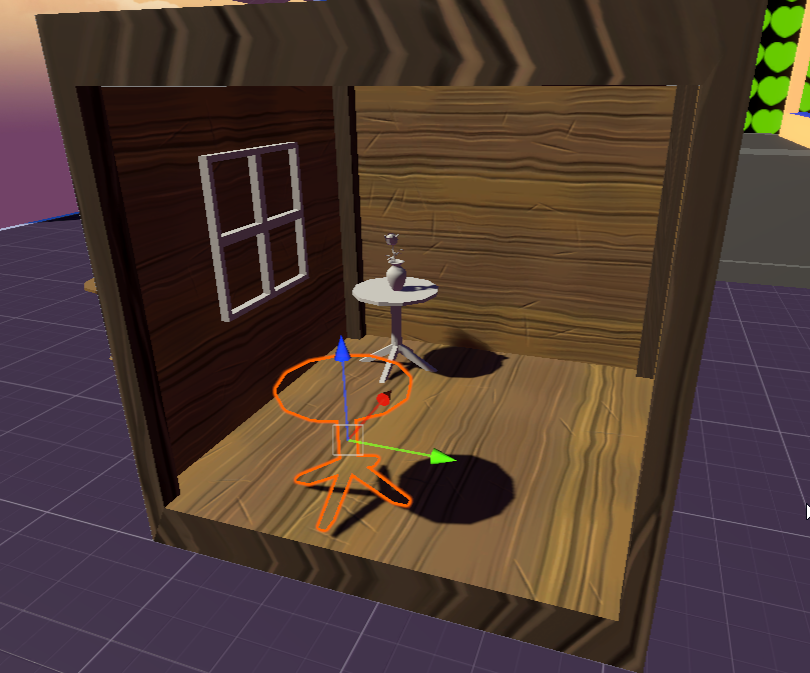
I feel like the idea is to bake the shadows into each texture rendering such that I do it apart from this area then configure it all
but im not sure if that's a solution unity provides
deft fiber
azure lagoon
What are my options for baking light/shadows onto 4 quads that occupy the same s...
Vanilla tools are 100% unprepared for this scenario I believe so I'd look into PrefabLightmapping script to bake them separately and overlap afterwards
No idea if there's any way to make light probes also work with that though
azure lagoon
nothing needs to move inside of it. It's more of a display which changes depending on angle you look at it
deft fiber
Then no need to worry about light probes
Might face that issue with reflection probes if those are necessary
azure lagoon
that link looks interesting though so I'll look into that
the idea is I want to make a cube that represents different times of day, so I'd have different shadows and light orientations
most tutorials on this stuff seem to just disable all of that
 clear iris
Hi 
I'm trying to learn more about lightin scenes, especially outside ones. I am developing a building game about historical architecture and have a fixed camera (no rotating). My issue is, that the shadows just don't seem to look well enough. They're all so... light.
I found the Realtime Shadow Color in the LIghting->Environment tab, but changing it to anything else does not do anything  Does somebody know what my issue might be? I'm lacking the vocab to be able to google for ideas. (This project is URP and I haven't baked anything. Not sure if I can, if the player can place stuff like in a Lego game?)

 deft fiber
clear iris
Hi <a:wave:1154059163916320820>
I'm trying to learn more about lightin scenes, ...
deft fiber
clear iris
Hi <a:wave:1154059163916320820>
I'm trying to learn more about lightin scenes, ...
Shadows are the occlusion of light
What is occluded from your directional light is lit by the scene's ambient light, meaning the "ambient color" field there
("realtime shadow color" is related to baked lights for mixing realtime shadows with baked shadows, but you're correct that's not an option with dynamic buildings)
clear iris
Oh, I see 
Yeah, changing the value for the ambient color does help make the shadows stand out more =)!
Which now means I have to learn more about how to again light up everything else. I guess that's a thing for post processing?
deft fiber
clear iris
Which now means I have to learn more about how to again light up everything else...
Hmm noo, you've got directional light color for surfaces not shadowed, and ambient color for surfaces that are shadowed
Post processing is to tweak them both
clear iris
Do you mean this by directional light color =)?
 deft fiber
clear iris
Do you mean this by directional light color =)?
deft fiber
clear iris
Do you mean this by directional light color =)?
Yes, and its intensity
You can swap "light appearance" to color from temperature if needed
clear iris
Ooooooooh
Okay, that set off some light bulbs
Thank so so much 
Looks like I need multiple lights to get a good overall effect One for the scenery, one for the building.
It's getting much closer in the direction I had hoped for.

wait, somewhere along the way, my light cookie got eaten 
Interesting; can I only have a light cookie if I have a single light in the scene? It vanishes if I enable a second Directional light
deft fiber
clear iris
Interesting; can I only have a light cookie if I have a single light in the scen...
Should be able to have more
But it could depend on editor version
clear iris
Got it back after some trial and error Strange.
azure lagoon
deft fiber
Vanilla tools are 100% unprepared for this scenario I believe so I'd look into [...
https://i.imgur.com/F8LyHYn.png
Pretty neat stuff, but it seems that using mixed directional lights does not bake into them unless I've got something set wrong. If I set the directional light to bake it does work, but then I lose out on my real time shadows. I guess maybe the idea is to bake this all in a separate scene, or perhaps have a secondary directional light source and make a layer to bake on.
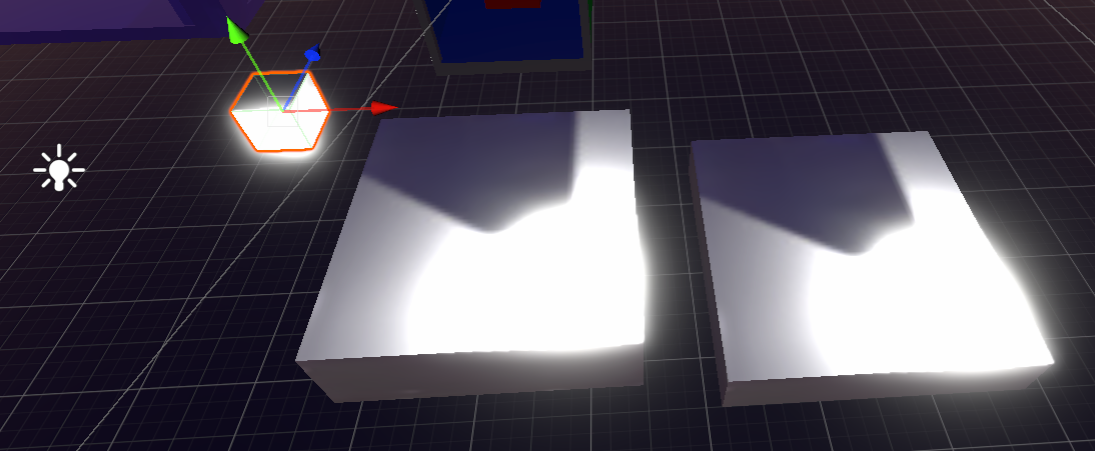
I've not really touched light baking in general too so some stuff still looking into when it comes to unity
deft fiber
azure lagoon
https://i.imgur.com/F8LyHYn.png
Pretty neat stuff, but it seems that using mixed...
Mixed lights are a mix of realtime and baked, based on shadowmask mode, so how that works out really depends on how well realtime lighting can reach your stenciled areas
fallen jacinth
can you create this kind of direction sunlight mix backed at realtime, switching scene and light maps allowed rotate the light backed ?
chilly kettle
Someone has a clue where the visualisation of light probes has gone in Unity 2023.2 ?
Im sure it always was here in older versions. How can i show all the baked probes now?
 fallen jacinth
chilly kettle
Someone has a clue where the visualisation of light probes has gone in Unity 202...
fallen jacinth
chilly kettle
Someone has a clue where the visualisation of light probes has gone in Unity 202...
switch to gpu, let show the option may be hidden there
chilly kettle
fallen jacinth
switch to gpu, let show the option may be hidden there
it is gpu ^^ and if you mean cpu, no its not ^^
azure lagoon
deft fiber
Mixed lights are a mix of realtime and baked, based on shadowmask mode, so how t...
ah, I've got indirect baking on so maybe I need to enable shadowmask? I should probably create a smaller scene to test stuff since baking takes forever each attempt lol.
deft fiber
azure lagoon
ah, I've got indirect baking on so maybe I need to enable shadowmask? I should p...
A good idea
fallen jacinth
chilly kettle
it is gpu ^^ and if you mean cpu, no its not ^^
in your setting is set progressive cpu , why not gpu to use graphic hardware
azure lagoon
fallen jacinth
can you create this kind of direction sunlight mix backed at realtime, switching...
The script does say it bakes the information into the prefab so maybe it's preferable to just do it on its own scene.
or however it works.
deft fiber
fallen jacinth
in your setting is set progressive cpu , why not gpu to use graphic hardware
It is GPU there and that's not relevant to the question
@chilly kettle
 fallen jacinth
deft fiber
It is GPU there and that's not relevant to the question
fallen jacinth
deft fiber
It is GPU there and that's not relevant to the question
see the screenshot, or read it
chilly kettle
deft fiber
<@240155892128022528>
oh these unity bastards ! 😄
chilly kettle
fallen jacinth
see the screenshot, or read it
seems you need some glasses 
fallen jacinth
looking through vr mixed reality coud change the view, haha
lightprobes are in csharp code, you coud try that by c# code: https://docs.unity3d.com/2023.3/Documentation/ScriptReference/LightProbes.CalculateInterpolatedLightAndOcclusionProbes.html
chilly kettle
if you referring me, my problem is solved by spazis answer there.
They just moved the stuff i looked for from the lighting tap to the gizmos in 2023 it seams
deft fiber
I don't think there's a particular issue baking to long polygons unless they are so long they can't be fit on the lightmap properly, as lightmap UV seams can't be created across a face
More commonly you get issues with realtime directional light's shadow casting
That appears as a radius around the camera where shadows cut off
chilly kettle
deft fiber
I don't think there's a particular issue baking to long polygons unless they ar...
yeah nvm.. i thought it may come from my long polygons, but i just forgot to generate lightmap uvs..
Im using this model for months now, but in this scene it was the first time that i had problems with it 😂 worked without lightmap uvs for a while ^^
 humble grotto
Before that I want it confirmed if you
unique yarrow
deft fiber
https://discord.com/channels/489222168727519232/497873729578336276/1209600311476...
it didn't fix my problem, I'm in HDRP and using differed anyway, my light caps is set to way more than I have, I only have 7 lights and 1 directional
 wanton lantern
Hello, So im trying to build some lighting in the basic Rendering Pipeline, and i have the settings about as low as they can go. The lighting generation takes about 30 seconds, but for some reason the preprocessing is taking hours (before I was forced to shut it down it had reached 4 hours). I have some UV overlaps, but all of my objects are based off of unitys built in meshes. Nearly all of my lighting is emissive (about 100 objects).
Without the preprocessing my lighting isnt saving, even though its completely fine otherwise.
Im rendering on the GPU with a rather beefy graphics card as well
 deft fiber
wanton lantern
Hello, So im trying to build some lighting in the basic Rendering Pipeline, and ...
deft fiber
wanton lantern
Hello, So im trying to build some lighting in the basic Rendering Pipeline, and ...
just a hunch that you should disable "realtime lighting"
or at least don't try to generate both at the same time
 gleaming horizon
Lighting foliage Open World Unity HDRP (tips)
hey, do you have any tips for lighting in HDRP for a world like The Forest or Sons of the Forest game?
Raytracing is expensive, especially for foliage systems, and it requires Direct x12 which is a little buggy (Unity 2022)
So I think baking Reflection and light is not a good approach for a day/cycle game? (Maybe I'm wrong)
so what is the best way to achieve lighting that is good-looking and has good performance?
I also appreciate it if anyone could give me some tips about reflection and Adaptive Probe Volumes for HDRP
wanton lantern
deft fiber
just a hunch that you should disable "realtime lighting"
oh i didnt even think of that, ill try that; thank you
Also an error i keep receiving is Assertion failed on expression: 'deviceType == CL_DEVICE_TYPE_GPU' should i be concerned about this?
 strong plank
Curious if anyone has anyone has any info on when APV will allow for realtime bounce lighting? On the roadmap it mentions that Dynamic APV are planned and I remember seeing that eventually it would replace the archaic Enlighten system but I saw nothing about this in the Unite videos or anything for Unity6. Curious of this is still in development or still under consideration
strong plank
gleaming horizon
**Lighting foliage Open World Unity HDRP (tips)**
hey, do you have any tips for...
Sons of the forest uses Expanse Sky and fog IIRC. It’s pretty great for this and sets up its own ambient probe. Also baking is kinda out of the question for that. I’d say some really good color grading, ambient probe via Expanse sky and possibly SDF shadowing via something like Erebus can net you some great results.
https://cdn.discordapp.com/attachments/1161342433775337522/1163214850030317638/939675c41a6d120f75d63d95680ba54f.png?ex=65e4e03f&is=65d26b3f&hm=dc8477510287ce2c3c4e416f85bc26f6207682dee6113ce8b0f14dc0266cc4c0&. My own project uses all of these as well as soon to be Adaptive Probe Volumes for dynamic light changes

Something like mature renderer as well as MicroSplat/ microverse are a must basically if you want it to scale and not deal with default Unity terrain.
No baking required. You can fake that soft diffuse look quite well with Erebus
gleaming horizon
strong plank
Sons of the forest uses Expanse Sky and fog IIRC. It’s pretty great for this and...
interesting conversation! I have Envior3 and got a really good result but the problem is the performance it's not much what I want! and I should check out the expanse. about Erebus does it work with the vegetation engine? I read their documentation and it was kinda confusing it was about converting your asset and I thought it was not good for me cause I use The vegetation engine and modules. MicroSplat is really great, I'm stuck at using the vegetation terrain or microSplat but both of them are great! also I have the Gpu instancer for trees and vegetation.
gleaming horizon
strong plank
https://cdn.discordapp.com/attachments/1161342433775337522/1163214850030317638/9...
Adaptive Probe Volumes aren't for baking light? what is the use case ?
gleaming horizon
strong plank
https://cdn.discordapp.com/attachments/1161342433775337522/1163214850030317638/9...
well Done!
gleaming horizon
strong plank
No baking required. You can fake that soft diffuse look quite well with Erebus
thanks for the tip! but I don't know how Erebus works it makes me a little nervous
strong plank
gleaming horizon
interesting conversation! I have Envior3 and got a really good result but the pr...
It does support it but I haven’t looked into it since like November. Yea Erebus works with the vegetation engine. It works with anything because it’s not using the shader of the Mesh rather its own volume. That image is using TVE shaders by the way. So the way you convert assets to use SDF is via added a component to its parent. It’s basically no setup on your end besides adding a custom camera and renderer. I did have issues with it in the past however with installing it but i resolved it after a while.
And yeah not sure if it supports Nature Renderer yet
 strong plank
gleaming horizon
thanks for the tip! but I don't know how Erebus works it makes me a little nervo...
strong plank
gleaming horizon
thanks for the tip! but I don't know how Erebus works it makes me a little nervo...
Yeah I can see that especially cause it’s nearly 100 dollars but it worked out well for me and after figuring out the package manager it’s really easy to get working.
gleaming horizon
good news I like it. how much does cost performance?
I think Chris is making something like nanaite
strong plank
Quite heavy but again this was months ago and they were aware of the issues. I was a pretty early adopter of Erebus. In general with all of these things you should expect to target high end.
Alternatively look into setting up Occlusion masks for the trees
This scene had no instancing for foliage. Is about 4X as big as the screenshot and ran 60FPS 1440p
I think Erebus was running at 3.5ms
Expanse was less
And the foliage was at like 8 million tris💀
gleaming horizon
Yeah my target is High-end hardware but There are a lot of thing that need to set up and quality is last of them
do you have volumatric clouds in your scene ?
strong plank
With all of this said it’s hard to have quality and performance balance (let alone balance with sanity) in Unity. It is possible if you can rely on 3rd party stuff but I’ve learned to keep my games scale down and bake as much as possible nowadays.
strong plank
gleaming horizon
do you have volumatric clouds in your scene ?
Fog and clouds yeah
So really, not too shabby for performance but I hadn’t even added Nagure renderer yet
Oh sorry it’s expanse fog and clouds
Cheaper than the crap HDRP volumetric
Looks better too.
gleaming horizon
but HDRP volumetric looking great 😄
strong plank
They run so bad tho esp with reprojection
gleaming horizon
agree
strong plank
Anyway i would talk to Chris if you haven’t. Yeah he’s also working on nanotech which would solve all of our woes
gleaming horizon
strong plank
Anyway i would talk to Chris if you haven’t. Yeah he’s also working on nanotech ...
Really Thanks! Appreciate. is he doing everything by himself or the team?
gleaming horizon
strong plank
Anyway i would talk to Chris if you haven’t. Yeah he’s also working on nanotech ...
Which multiplayer do you suggest? I have worked with mirrors (Hard and many bugs), Photon, NetCode, and fishnet. but as much as I experienced the best one was fishnet. (I mean for this kinda projects) it's not about lighting anymore sorry! 😄
deft fiber
wanton lantern
Also an error i keep receiving is `Assertion failed on expression: 'deviceType =...
assuming that means a problem with gpu or its drivers and falling back to cpu as a result
fallen jacinth
Baked Enlighten, did it have in game bake scene Lights? (if a gate gets open switch probes?)

 muted pasture
This may be a stupid question, but what is the best lighting in unity? (The best settings?)
night shell
muted pasture
This may be a stupid question, but what is the best lighting in unity? (The best...
the problem with this question... is that it depends on so many other questions
best lighting for what?
best lighting for a mobile game?
best lighting for an AAA style game? best lighting for a VR game?
what is the art direction you are shooting for, what fedelity are you aiming for, and how dynamic will your environments be?
these kinds of questions will help you narrow down what kind of settings to configure, and what kind of lighting is required for that setup
muted pasture
night shell
the problem with this question... is that it depends on so many other questions
Dang, I didnt think about that. I typically do just a standard 3D core project, but I don't really understand the different lighting settings. There's like, baked, realtime and a bunch of others
night shell
yeah there is alot of options, and each one is designed for a specific lighting setup that would work for what you want to achieve
we can help determine and narrow it down what kind of lighting to shoot for
night shell
night shell
what is the art direction you are shooting for, what fedelity are you aiming for...
but gotta get some more information like here
muted pasture
Alright
I'm going for a sort of horror game, with a kind of cartoony look. For example, the player starts in a jail with just some red lights on the walls, I have some fog set up, but it just looks kind of mid and Idk how to make it look better, I'm used to blender
night shell
muted pasture
I'm going for a sort of horror game, with a kind of cartoony look. For example, ...
is the environment/lighting dynamic?
does it change?
muted pasture
Well, tbh I don't have too much environment rn, but for the most part it dosent change
strong plank
gleaming horizon
Which multiplayer do you suggest? I have worked with mirrors (Hard and many bugs...
He has a team now. Erebus was actually someone else’s project and they work together on that and Aruna while he focuses on Nano. Fishnet all the way. I’m just switching over from Fusion. Fusion is great too but not for the price if yoi ever wanted dedicated servers
night shell
muted pasture
Well, tbh I don't have too much environment rn, but for the most part it dosent ...
sorry, had to do some stuff but does your lighting also change much?
because from the sound of it, if your environment doesn't change much then that means there is a good possible chance that you'll be utilizing baked lighting
if your lights don't change neither then that also confirms that baked lighting will work for you
azure lagoon
https://i.imgur.com/W0N77Aw.png
So I've got this cube here which I want to make very reflective using reflective probes, but it seems that my direct lighting creates some dark spots that that prevents any reflectiveness from unity's lit shader. I don't think using an unlit shader works here, even though I just want the reflectiveness from the surrounding and not itself, so perhaps I should illuminate it another way or is there another shader I should be aware of?
and this would be what it looks like after baking
https://i.imgur.com/8wh9ydq.png
so odd, if I move it around a bit then it does update the reflection, but there isn't like any shadows in the area for it to matter
azure lagoon
Ah, maybe the idea is to make more than one since I guess there's some bad spots where the reflection probe isn't taking in account for. I thought they were unique to the scene but now I seen some people using a bunch.
timber lichen
Why did my baked lighting bake for like 2 minutes continously for 2 hours it said 2 mins left but it took 2 hours? but it fixed when i closed and opened unity.
deft fiber
timber lichen
Why did my baked lighting bake for like 2 minutes continously for 2 hours it sai...
Impossible to say
Sometimes it may bug out just in general, sometimes you run out of VRAM and it fails to reallocate, sometimes there's geometry that's particularly difficult for the baker to handle or predict, like very densely packed polygons
 sharp patio
Anyone have direction on how to avoid this blowout from Point lights (using URP)?

 mellow sierra
@lost zealot If you have a tutorial or something educational to share, post it in #1179447338188673034. There's no need to tag everyone (not that it works). It's obnoxious though.
chilly kettle
Looked for me like some kind of "how to crack Adobe stuff" 😄
mellow sierra
Oh, lol. Yeah, then there's no place for that.
 summer aspen
Was a spam bot, Dyno was slow to react
 stuck flicker
Hello. Why one wall is so black?
 deft fiber
stuck flicker
Hello. Why one wall is so black?
deft fiber
stuck flicker
Hello. Why one wall is so black?
Both that wall and the one below it are not only facing away from the most light sources, they're facing away from the reflected outside
So it's not so that they're darker, but that the surrounding walls are a bit brighter than they should be
As reflection probes do not often have parallax at all so the reflections may appear in the right directions but in the wrong places
If you had a box-projected reflection probe just for that room, that might correct the parallax
While I expect that should fix it, your other options are screen space reflections (though they are limited by angle) and bent normal maps for specular occlusion (though they are only per-mesh or potentially with new versions of APV baking)
sharp glen
I imported a file to unity and in order to edit the material I dropped it on the object. Everything under inspector for that material has the same setting, I made sure of that by changing it but still the lights in the edit version are way too string like way to strong.
deft fiber
sharp glen
I imported a file to unity and in order to edit the material I dropped it on the...
It's very unclear what you mean
Materials don't have lights, they react to lighting
 finite kiln
how i can make 2d point light be black in center? (i need to make something like a shock wave)
 deft fiber
finite kiln
how i can make 2d point light be black in center? (i need to make something like...
deft fiber
finite kiln
how i can make 2d point light be black in center? (i need to make something like...
You'll probably want to use a ring or wave -shaped sprite -type light
finite kiln
deft fiber
You'll probably want to use a ring or wave -shaped sprite -type light
how i can make one of these? i don't see anything like that

Oh wait im kinda stupid, Sprite light
thanks
sharp glen
deft fiber
It's very unclear what you mean
Materials don't have lights, they react to light...
everything is fine until:

I put this green file in metallic - rougness Tex, then the lights react in stronger way I don't know if it makes sense but the lights become too strong and this is the exact thing whoever designed this designed used.
The lights are visible thru the walls etc
deft fiber
sharp glen
The lights are visible thru the walls etc
Can you show that happening
What shader is that?
sharp glen
deft fiber
Can you show that happening
What shader is that?
sure btw it says "the texture is not markes as a normal map" and I accidentally pressed Fix now and not this shader has changed
this is what it looks like now

How do I undo that?
finite kiln
So, i have it now, how i can edit size of it? or is there another way to do it?
 deft fiber
sharp glen
this is what it looks like now
deft fiber
sharp glen
this is what it looks like now
I want to see how the issue manifests in the scene or game window, not just the material properties
deft fiber
finite kiln
So, i have it now, how i can edit size of it? or is there another way to do it?
By scaling the transform
sharp glen
deft fiber
I want to see how the issue manifests in the scene or game window, not just the ...
yeah I was gonna post the scene but I accidentally changed this shader and the lights are a bit different now, they are not better but sure I will post it
deft fiber
sharp glen
yeah I was gonna post the scene but I accidentally changed this shader and the l...
"normal map" is a texture import type
If it's not used as a normal map it should be default
sharp glen
deft fiber
"normal map" is a _texture import_ type
If it's not used as a normal map it shou...
I turned it to default but still it doesn't change
Btw I just realised, it is the same now
deft fiber
I have no knowledge of what type of change you are expecting


