#archived-lighting
1 messages · Page 17 of 1
 violet arch
I'll test and see
is there anything else it could be
changed it and nothing changed
@deft fiber
is there anything else
 deft fiber
Did you follow my advice
violet arch
whats uv overlap
deft fiber
You can go through the debug views first and see if any of them highlights anything in red
violet arch
what debug views
violet arch
these

ok
I got it now
whent to uv overlaping and this is what I see


is that bad
I also see this

@deft fiber

 deft fiber
That's a lot of texel invalidity
Looks like you most likely have overlapping geometry
violet arch
how do I fix
deft fiber
Check if there is overlapping geometry and remove it if there is
violet arch
what does overlapping geometry mean
?
duplicated objects or something
but this problem jsut poped up out of now where and it use to bake fine
deft fiber
violet arch
duplicated objects or something
Duplicated objects or duplicated mesh polygons likely
The screenshot shows texel invalidity when there is no obvious cause for it, and copious amounts of z-fighting so that leads me to believe you have multiple levels stacked together
violet arch
but when I move the object there is only one
@deft fiber
I really dont want to make a new project
I only have one object
deft fiber
violet arch
but when I move the object there is only one
The mesh itself could have duplicated faces
 dim pollen
What can cause this?, tried** Cast shadows: two sided**, and **lowering the depth bios **

 somber sapphire
I'm facing really strange issue with lighting for additive scenes. The Scene 7 is baked seperatly, because it's intented to be very dark. The rest of the scenes was baked together with preloader as a Active Scene with directional lights.
When I loaded Scene 7 at the same time as the rest it's appear super bright, the same thing is for the runtime, but when I load it in different order it looks ok.
The issue is fixed when I set Scene 7 as an Active, but I don't want to set it as active.
Do you know what can cause it?
 blissful ether
dim pollen
What can cause this?, tried** Cast shadows: two sided**, and **lowering the dept...
blissful ether
dim pollen
What can cause this?, tried** Cast shadows: two sided**, and **lowering the dept...
Try clipping the wall into the floor slightly
Could be a floating point thing
deft fiber
dim pollen
What can cause this?, tried** Cast shadows: two sided**, and **lowering the dept...
I believe in this case the bias settings combined with low shadow resolution and thin-ness of the wall cause the some shadowmap pixels to spill through
Bias can't be changed much without running into more issues, but you could try increasing shadow resolution and/or thickening the wall
If your shadow casting light is a spot light, check its angle
Spot lights with very wide angles of over 90° will start losing shadow resolution exponentially
 gritty fox
Not sure what's going on all of a sudden but I can't bake lighting
It's all mixed lighting and on shadowmask, marked stuff as static and it's usually just fine
But all of a sudden I can't bake and it just goes straight to 99% finalising bake and just stays there saying 1 second left
Never had this problem before
blissful ether
gritty fox
Not sure what's going on all of a sudden but I can't bake lighting
I think there's an option to completely purge the light cache
And obviously do a full reboot
Also try switching from CPU -> GPU bake or vice versa
 royal mantle
I finally implemented proper viewmodel rendering into my game, but it doesn't receive shadows- is there any way to fix this?
(I have a main camera, which culls viewmodels, and a sub-camera, which culls everything except viewmodels and overlays it on the screen.)
 deft fiber
royal mantle
I finally implemented proper viewmodel rendering into my game, but it doesn't re...
deft fiber
royal mantle
I finally implemented proper viewmodel rendering into my game, but it doesn't re...
iirc you'll have to use Render Objects renderer feature instead of overlay cameras if you want shadows
That doesn't give you the option to change FoV of the viewmodel, but there's at least one hack around that such as the one used by Metro Exodus
https://youtu.be/pM2Lr5roSPc?t=275
 oak dawn
hello everyone, how would i be able to modify the color of the environment lighting's intensity and color through script?
deft fiber
oak dawn
hello everyone, how would i be able to modify the color of the environment light...
I think you only need to change this, if using a single color
https://docs.unity3d.com/ScriptReference/RenderSettings-ambientLight.html
If you use the three color gradient then you need to change all three
If you use skybox ambient lighting then it could be trickier
In that case you may need to update both the ambient cubemap as well as generating it into SH format but I'm not totally sure
https://docs.unity3d.com/ScriptReference/RenderSettings-ambientIntensity.html this would only control the intensity
oak dawn
deft fiber
I think you only need to change this, if using a single color
<https://docs.unit...
what about the intensity though?
oak dawn
deft fiber
If you use the three color gradient then you need to change all three
If you use...
just so you know you can easily change the skybox's ambient lighting by doing RenderSettings.ambientIntensity
deft fiber
oak dawn
just so you know you can easily change the skybox's ambient lighting by doing ``...
I linked that one as well!
The sky colors are in HDR format so the colors themselves can represent any intensity
A separate variable for it is convenient if you only need to change intensity and don't wish to touch the colors
oak dawn
oh sorry, i didn't notice that :D
but i would like to create 2 variables, a color and a float for the intensity
so i could modify the color and then modify the float for the intensity, i feel like that would just be the most comfortable
the reason i'm asking is since if i create a Color variable there's no intensity there, so i don't understand how would you pass on the intensity into the RenderSettings.ambientLight
or does it use the alpha or something?
deft fiber
oak dawn
the reason i'm asking is since if i create a ``Color`` variable there's no inten...
Color itself can contain the intensity in three channels
Non-HDR colors are in 0-1 range in each channel as you'd expect
HDR is much the same but with each channel multiplied by some intensity factor
1f, .5f, 0f is orange, 2f, 1f, 0f is a glowing bright orange, for example
It depends on what the Color is being used for if the HDR intensity can be used, or if it's clamped to 1
oak dawn
oh so i just do new Color(1f * intensity, 1f * intensity, 1f*intensity); right?
deft fiber
Ambient lighting seems to accept both HDR color and a separate intensity variable on top of that, so you can use either workflow
deft fiber
oak dawn
oh so i just do ``new Color(1f * intensity, 1f * intensity, 1f*intensity);`` rig...
Yes
oak dawn
thanks
deft fiber
You can see how the inspector increases color values when displaying them in 1-0 range and increasing intensity in the inspector's color picker
Apparently it uses color*(2^intensity), but any intensity value or function that you prefer will work
 vapid bone
Does anyone know what causes this when moving the camera around with lightmaps? I am using Unity 2023.1.4, I have switched everything to baked lighting and baked the lightmaps for this object. It looks fine when scaled normally, but when I scale down it starts having this blotchy effect.
 kind kraken
These ceiling lamps have an emissive map that actually works, but they are not acting like lights themselves, so I added a point light, my goal is to achieve a bright indoor scene, I'm also using URP, what can I do to achieve that result?

In this image I was using the Deferred rendering path

and I achieved the result by just adding point lights
kind kraken
kind kraken
These ceiling lamps have an emissive map that actually works, but they are not a...
but here as you can see (now I'm using forward) the ambient light that I want to achieve is a little bit forced
I even found a way to achieve this by using forward+ that avoids the problem of "per object light" and so I could add more lights but idk if there will be performance issues even baking the lights
blissful ether
My URP scene moving objects wont receive shadows from my mixed type directional light. They will receive shadows only from other moving objects, but I'd like them to be received from the larger environment also.
 deft fiber
vapid bone
Does anyone know what causes this when moving the camera around with lightmaps? ...
deft fiber
vapid bone
Does anyone know what causes this when moving the camera around with lightmaps? ...
Is this HDRP? Looks like SSAO or some other screenspace effect artifact
Could also be related to realtime shadow bias and distance, or shadow cascades
Doesn't look like anything baking should cause
deft fiber
kind kraken
I even found a way to achieve this by using forward+ that avoids the problem of ...
Forward, deferred and forward+ rendering paths look exactly the same, but have different technical limitations
If you want good and natural ambient lighting you'll want to use baked lightmapping
blissful ether
I think I found my answer, but it's pretty bad :/
Unity
Symptoms
My baked/ static objects do not cast shadows on my RealTime lit meshes (characters/ marked non-static).
In this shot, The red block would be expected to cast a shadow on the white and...
kind kraken
deft fiber
Forward, deferred and forward+ rendering paths look exactly the same, but have d...
yeah I tried but many of the models that i downloaded from the asset store have very bad lightmaps, for instance, i just baked the scene and with even the Generate lightmap UVs option enabled on import settings of the model they look completely black
and I don't even know a thing about lightmapping
deft fiber
blissful ether
I think I found my answer, but it's pretty bad :/
https://support.unity.com/hc/...
Shadowmask lighting mode is supposed to solve this problem, but it's the most expensive one out of the three
blissful ether
deft fiber
Shadowmask lighting mode is supposed to solve this problem, but it's the most ex...
Well that's sad to hear, why is it so expensive? Sounds like it would be more efficient
deft fiber
blissful ether
Well that's sad to hear, why is it so expensive? Sounds like it would be more ef...
It combines both realtime and baked lights, but also masks shadows out from areas of the baked lightmap where they're occluded by static shadow casters
iirc
It's a pretty complicated system
https://docs.unity3d.com/Manual/LightMode-Mixed-Shadowmask.html
And there's two variants of it
Conversely Baked Indirect doesn't deal with shadows at all, and Subtractive naively overlays baked and realtime shadows
The earlier link is 6 years old so I think it's out of date regarding this
blissful ether
deft fiber
It's a pretty complicated system
<https://docs.unity3d.com/Manual/LightMode-Mixe...
This quote could be applied to so many things in unity hahaahahaha
Thank you for this link, I'll read through it
 mild totem
Hi is it possible to snap a 3d object to a hdri so it looks like its in the hdri? I have a hdri road and i want to place my car so it looks as its on the road
Am using hdrp pipeline
deft fiber
blissful ether
This quote could be applied to so many things in unity hahaahahaha
Heh, there's intuitive things too luckily! Baked lighting in particular has a lot of very technical processes to it
deft fiber
mild totem
Hi is it possible to snap a 3d object to a hdri so it looks like its in the hdri...
Not possible if the camera ever moves
A HDRi environment exists at virtual infinity
Your best bet is to place the camera in a fixed position and then just eyeball the object's position and rotation relative to it
deft fiber
kind kraken
and I don't even know a thing about lightmapping
It's hard to use if you don't know how it works
The meshes you have look suitable for baked lightmapping
mild totem
Oh ok
blissful ether
deft fiber
Heh, there's intuitive things too luckily! Baked lighting in particular has a lo...
Honestly yeah, I just wish Unreal didn't lean so heavily into blueprints I find them so rubbish for any type of complicated project, if you're someone who wants to use code it just feels like you're handicapped there, unless you're in a huge team. Unity's C# experience is pretty nice in comparison
deft fiber
blissful ether
Honestly yeah, I just wish Unreal didn't lean so heavily into blueprints I find ...
Particle systems and shader graph likewise are intuitive
blissful ether
deft fiber
It's a pretty complicated system
<https://docs.unity3d.com/Manual/LightMode-Mixe...
So after investigation I've found shadowmasks are already enabled for this scene, it's just this part doesn't seem to work:
Real-time shadows from dynamic GameObjects, using the shadow map, up to the Shadow Distance.

As you can see objects cast, but don't receive properly
deft fiber
blissful ether
I'd make a test scene in a non-VR-template project to try to rule out project specific stuff
blissful ether
Fair idea, I'll try that, thanks
blissful ether
deft fiber
I'd make a test scene in a non-VR-template project to try to rule out project sp...
Seems to work in an empty URP project. Which should help diagnose, bit weird it's so strangely configured in the VR template.
But I think it's all being done realtime, even with set to mixed
Yeah I don't evern know how to get it to bake in the default project
Enabling it in the lighting settings doesn't seem to do much
deft fiber
blissful ether
Yeah I don't evern know how to get it to bake in the default project
Don't know how to get what to bake? I understood that it worked right there
blissful ether
I think I just needed to mark contribute global illumination
On some stuff
Unsure
Trying a blank scene in my VR project now instead
God knows what hidden settings are in the template scene
Frankly I think the VR template might just need a serious polish up, there are a few things wrong with it
Yeah it seems to work in a new scene with the exact same URP config and light settings
I'll see if porting over the VR functionality ruins it later
 eager geyser
how can i achieve per-vertex lighting?
blissful ether
deft fiber
Don't know how to get what to bake? I understood that it worked right there
I made a new directional light other than the pre-given one in my scene and now it seems to work
might look at it later i guess ¯_(ツ)_/¯ to see what was wrong
blissful ether
eager geyser
how can i achieve per-vertex lighting?
Pretty sure there are options for it in the Asset for shading

Only for additional lights, but might give you a start point
eager geyser
hmm, yeah but i need the main lights too
trying to recreate a authentic N64 look, the n64 had its tri-point filtering and Gouraud Shading (aka Per-Vertex lighting)
blissful ether
blissful ether
I made a new directional light other than the pre-given one in my scene and now ...
Nevermind I'm a dumbass completely forgot what I was looking for, still broke in that scene /shrug
blissful ether
eager geyser
trying to recreate a authentic N64 look, the n64 had its tri-point filtering and...
I think writing your own shader would honestly be easiest for this
blissful ether
blissful ether
Nevermind I'm a dumbass completely forgot what I was looking for, still broke in...
And also I haven't been able to get this working for mixed lights, only realtime :/
 grand zealot
I honestly didn’t think it was going to be that hard to work with lighting….
deft fiber
grand zealot
I honestly didn’t think it was going to be that hard to work with lighting….
Realtime lighting is a dozen different hacks working together to produce visuals that sometimes somewhat resemble reality
 undone surge
Hello hello! quick question ! What's called the tool that allows to bake lighting only what's in the viewport ? So I don't have to bake the entire scene to see if it's good or not ? Thanks :D
deft fiber
undone surge
Hello hello! quick question ! What's called the tool that allows to bake lightin...
There is no such tool officially
There's "progressive updates" setting that prioritizes view, though even still only the finished bake is a reliable indicator of the result
You can disable parts of your scene for the duration of a bake in any case
undone surge
Meh, so it means, i really need to wait the whole scene to be baked to have an idea of the result :/
deft fiber
More or less
undone surge
Also, another quick question, I'm trying to bake in gpu but it switches automatically when I'm starting the bake to CPU mode. Does it means my computer is not good enough to run the GPU mode ?
deft fiber
You can speed up the bake by baking with GPU, reducing samples and especially the lightmap resolution
It's always important to optimize the scene for bakes by excluding small and high-poly meshes from the lightmap, or from the bake entirely
undone surge
Or there is another possible issue ?
Yep, unfortunnetely, I tried to reduce everything ahah
deft fiber
undone surge
Also, another quick question, I'm trying to bake in gpu but it switches automati...
It could be falling back to CPU for many reasons
Does the console display any messages when that happens?
undone surge
"Falling back to Cpu lightmapper"
"Failed to find a suitable OpenCl device"
" OpenCL GPU device NVIDIA GeForce GTX 1060 3GB from NVIDIA Corporation has less than 4 GB of global memory, ignoring device for lightmapping." - But that's a warning, not an error
deft fiber
undone surge
" OpenCL GPU device NVIDIA GeForce GTX 1060 3GB from NVIDIA Corporation has l...
At least the message is clear why it fell back
Which editor version is it?
undone surge
deft fiber
At least the message is clear why it fell back
Which editor version is it?
2022.2.17 !
deft fiber
undone surge
2022.2.17 !
I'd make a test project using a newer version like 2022.3., 2023.1 or 2023.2
There's been a lot of improvements to vram requirements with them when baking with low end cards
But I'm not sure which version has which improvements precisely
undone surge
Oh, looks good, I'll test that ! Thanks for your help ! 🌸
deft fiber
2023.2. should support even as little as 2GB
2022.2.17 is now a now unsupported tech stream version, I would consider upgrading to 2022.3. (though .3.4f1 and .3.5f1 seem to have bugs with canvases and sprite rigging so do tests or make backups first)
undone surge
Definetely, tysm !
 tacit minnow
we've a camera that is far away from the scene's objects; is there a way to tell the first shadow map slice range to start after a certain distance rather than from the camera?
(using URP)
deft fiber
tacit minnow
we've a camera that is far away from the scene's objects; is there a way to tell...
I think you'd have to increase the camera's near clipping plane up to that point
tacit minnow
ah, that's not unreasonable at all.. ^^' thanks
oak dawn
i'm wondering something, would it be possible to make sure that shadows in the built-in render pipeline only get calculated on awake or through scripting? something similar to the option to choose from on awake, every frame, through scripting on reflection probes
and if your answer is bake the lighting, i dislike baking because of the time it takes, and also i want no global illumination, just diffuse lighting and shadows
deft fiber
oak dawn
i'm wondering something, would it be possible to make sure that shadows in the b...
Realtime shadows are only valid for the frame when they're rendered because they depend on what the camera can see and how far they are from it
oak dawn
yeah right, all those depth buffers, but i saw HDRP had like an option for "On Awake", does it work the way i want it to there?
deft fiber
Yes, HDRP supports shadow caching which kind of does save them for later use
You'd have to make your own implementation of it if you want it into BiRP
oak dawn
then for now i guess disabling shadow casting for all dynamic objects should look the same way i intended, not too sure about the performance though
 heavy mulch
how to fix this shadow? if object close to another object, that shadow like this. and how to make the shadow smooth?
 stuck jetty
oak dawn
then for now i guess disabling shadow casting for all dynamic objects should loo...
stuck jetty
oak dawn
then for now i guess disabling shadow casting for all dynamic objects should loo...
You can disable the shadow from distance to save the performance
heavy mulch
heavy mulch
how to fix this shadow? if object close to another object, that shadow like this...
i using mixed for lighting
stuck jetty
That's because your bias is too high and you don't have enough resolution
heavy mulch
stuck jetty
That's because your bias is too high and you don't have enough resolution
lightmap resolution?
stuck jetty
heavy mulch
lightmap resolution?
No, the resolution for your shadow
Mixed light mode uses realtime shadow
heavy mulch
stuck jetty
No, the resolution for your shadow
where the setting?
deft fiber
You can increase the effective resolution by decreasing shadow distance
And if you're using a spot light, by decreasing its angle
heavy mulch
i using point light
the shadow look normal in directional light, but look worse in point light
deft fiber
After checking those I'd tweak the light bias values, but carefully since any low or high bias often causes other issues
heavy mulch
deft fiber
You can increase the effective resolution by decreasing shadow distance
And if y...
shadow distance in urp right? i try to decrese to 2 but still worse
i try to change value in dept bias and normal bias but nothing happend
deft fiber
If nothing seems to change when you tweak those settings, that may suggest that the URP asset you're modifying is not the active one
heavy mulch
deft fiber
If nothing seems to change when you tweak those settings, that may suggest that ...
is active before i change to bias to custom, before that render pipeline asset
if using renderpipeline asset in bias, and then change value in depth bias, the shadow change
but stil terrible
like this
blissful ether
heavy mulch
if using renderpipeline asset in bias, and then change value in depth bias, the ...
Try tweaking your shadow settings in your URP asset settings to higher quality / softer
I wish there was a fast blur available or something
 merry abyss
I am pulling shadow coordinate and cascade data in shader, but after upgrading to a newer version of unity, something about how cascade maps are calculated to passed has changed, and I havent been able to find documentation on how it differs 🤔
I went from 2020 to 2021 and the Last Border fade-out is new and I think might be whats breaking my shader?

Is there a place to see all the behind the scenes info on what unity's shadow stuff is doing?
I guess I am looking for essentially a full walkthrough of re-writing unity's lit workflow? but specifically for 2021, like I am guessing such a workflow would have the answers I'm after
deft fiber
merry abyss
Is there a place to see all the behind the scenes info on what unity's shadow st...
There's nobody out on the internet who has that kind of knowledge to share, I'd expect
Save for Unity's developers who have different priorities
We can really only hope that when "block shaders" roll around they will give us that kind of granular control over the URP shader features
merry abyss
RIP, good to know. The unity github code repo has uncommented versions of stuff like shadows.hlsl, but without knowledge that I lack, I am not sure how to make use of them to fix my problem 🤔
 spring marlin
Apologies if this is an overdone question, but it's been bothering me ever since I started making games years ago, and I still don't understand why it happens:
What causes the obscene differences in shading between these walls? Why doesn't the light uniformly shade them like you'd expect?

 fringe plume
hey uhm, if i load a new scene in editor play mode the enviromental lighting from the skybox is not working anymore in that scene (not in the scene i pressed play in) and after build the first scene is having this issue bot not scenes loaded, very weird, help
 hearty shoal
I need help, every time I bake my light my map becomes dark, does anyone know how to fix this issue?
deft fiber
spring marlin
Apologies if this is an overdone question, but it's been bothering me ever since...
Looks like a problem with normal maps, such as the texture not being marked as type: normal map
deft fiber
hearty shoal
I need help, every time I bake my light my map becomes dark, does anyone know ho...
Could be many reasons for it so hard to say
I'd try to confirm that you're baking correctly and there's no issue with your scene or its meshes by first making a new scene with some default cubes and trying to bake lightmaps just for them
deft fiber
fringe plume
hey uhm, if i load a new scene in editor play mode the enviromental lighting fro...
You need to generate lighting from the lighting window for each scene (with realtime and baked global illumination setting disabled if you don't specifically need them)
fringe plume
deft fiber
You need to generate lighting from the lighting window for each scene (with real...
i have, but this still happens
hearty shoal
deft fiber
Could be many reasons for it so hard to say
I'd try to confirm that you're bakin...
yeah, I made a small map and it was baked correctly, there must be something wrong with my actual scene with baking.
 barren sigil
I NEED FAST HELP, NEED TO PRESENT THE PROJECT IN 2h

What can i do to fix this problem bigtime fast
i am seeing your answers in 30 min, please be very specific and easy to understand
Please help me
 timber lichen
I'm very sorry If I'm asking something that is so obvious, but I truly don't understand how URP Light 2D's target sorting layer works.
My goal: I want it so that the light does not bleed through objects as if the light is being placed on top of all of the layers.
Pic #1
The target sorting layer for the light 2d component is set to "default" and for some reason this is the only way the light will render, but the light bleeds; as if the light is rendered on top all of the other game objects.
Pic #2
The target sorting layer for the light 2d component is set to "background". But the light now does not render. My expectation is the light will appear only on the background layer.
Please tell me if I'm doing something wrong, it would be very appreciated!


 barren sigil
@timber lichen you got a Solution for mine maby?
timber lichen
barren sigil
<@456226577798135808> you got a Solution for mine maby?
Sorry bro, I'm new to 2D lighting and never touched unity 3D before. I hope you find a solution though
barren sigil
Im fucked
timber lichen
timber lichen
I'm very sorry If I'm asking something that is so obvious, but I truly don't und...
I accidentally find a solution to this, using the sorting group component

 chilly kettle
barren sigil
Im fucked
chilly kettle
barren sigil
Im fucked
Do you have checked "generate lightmal uv" in the import settings?

 chilly kettle
 runic ermine
In the same folder as your lightmaps
runic ermine
chilly kettle
In the same folder as your lightmaps
found it thanks


 chilly kettle
Is it set to static or did you bake this mesh before?
runic ermine
chilly kettle
Is it set to static or did you bake this mesh before?
yes it's static and it's baked mesh
chilly kettle
Well, then it receives its light from the bake.
Just turn it back to Receive GI: Lightmap
If you dont want that, you have to delete its Lightmapped Data and then it can get its lighting info from Lightprobes again
runic ermine
chilly kettle
If you dont want that, you have to delete its Lightmapped Data and then it can g...
ah... so it's grayed out because it's already baked, I see thanks I did it now
chilly kettle
Good 🙂
 gentle sluice
guys how do you deal with lighting? i try to put in a light but unless i ramp up the intensity it is dark, but if i ramp up the intensity then anything close enough to the light is a white blob
 chilly kettle
gentle sluice
guys how do you deal with lighting? i try to put in a light but unless i ramp up...
chilly kettle
gentle sluice
guys how do you deal with lighting? i try to put in a light but unless i ramp up...
You cant use lights in unity, as you see them in reallife. Normally you dont add a light source directly beneath the ceiling.
If you have a overall brightness in your scene, you work with global environment light.. so you make sure, everything has enough light.
If you want to bake lights, then you can add a area light to your room...
If you want your room to be lit, i would use environment lighting, add a lamp on the ceiling, fake the "light" with an emission and add an area light to the room (if you bake) or a point light in the center of the room, if you want realtime light.
chilly kettle
Well.. gamedesign is about faking stuff allover 😄
Do you bake your light or is it realtime?
chilly kettle
for which hardware?
gentle sluice
phones
chilly kettle
Well. Phones can not really handle realtime shadows
gentle sluice
ive seen real time shadows on phones
chilly kettle
Mostly they are faked
And Point lights are the most expensive

Android Developers
Just my 2 cents: step back from doing perfect lighting on a mobile device.
Bake as much as possible and for the rest, fake the light or if you want, give very important objects a real realtime shadow.
 night shell
^
its all about faking it till you make it in terms of graphics 😛
granted, skull isn't entirely wrong there are some phones that are capable of casting realtime shadows
grand zealot
deft fiber
Realtime lighting is a dozen different hacks working together to produce visuals...
I bet, I had my final due and waited till the last minute to do lighting. Overall the project looked nice but definitely isn’t industry standard.
fringe plume
is it normal for baked lighting to take hours for such a simple scene?
 royal mantle
I know what to do for rooms, but how am I supposed to place reflection probes in wide open spaces?
deft fiber
fringe plume
is it normal for baked lighting to take hours for such a simple scene?
Doesn't seem right
I'd try baking manually with Auto Generate off, and without any custom shaders in the scene
Or a test bake in a totally default scene with some cubes to rule out custom shader problems
 azure wyvern
fringe plume
is it normal for baked lighting to take hours for such a simple scene?
azure wyvern
fringe plume
is it normal for baked lighting to take hours for such a simple scene?
I'm having similar issues
Is light baking just simply broken? I've been using the progressive GPU lightmapper and when I open task manager, CPU is at 100% and GPU is at like 2-3%
deft fiber
azure wyvern
Is light baking just simply broken? I've been using the progressive GPU lightmap...
What Unity version and do you have any messages in console about falling back from GPU to CPU baking?
azure wyvern
Thanks for the quick reply. I'll have to check when I get home tonight unfortunately.
Just another quick one. Do you know if it's possible to force stop or cancel a light bake, then save the previews? I've noticed that it seems to bake everything perfectly to 99%, then it just hangs or crashes. The result is usually almost perfect. However, when I hit play, the lightmap previews are all wiped, so I can't preview it in-game!
deft fiber
azure wyvern
Just another quick one. Do you know if it's possible to force stop or cancel a l...
Not an option, to my knowledge
Hanging at 99% is a typical symptom of the lightmapper trying to bake animated shaders
I think it causes it to try to repeat the bake for it forever as the shader keeps changing
fringe plume
deft fiber
Doesn't seem right
I'd try baking manually with Auto Generate off, and without a...
You see the scene, very simple, just some cubes
deft fiber
fringe plume
You see the scene, very simple, just some cubes
Relatively, but I can see custom meshes and potentially custom shaders
In your situation I'd want to 100% confirm that baked lightmapping works in your project, which can be best done in a new scene with only default cubes
If it works there that confirms the problem is somewhere in the earlier scene or its assets
fringe plume
deft fiber
Relatively, but I can see custom meshes and potentially custom shaders
In your s...
I disabled global illumination on the tree so yeah
Gotta try in a new scene tho
azure wyvern
deft fiber
Not an option, to my knowledge
Hanging at 99% is a typical symptom of the lightm...
Ooooh, so it could be a product of some of my custom shadergraph materials?
I'll try just using URP lit materials when I get home
 gentle sluice
nevermind that
shadows are bleeding through surfaces

as if its ignoring the static objects
chilly kettle
You have a culling mask there, are the walls on a different layer ,so they cant receive the light?
gentle sluice
walls are on Solid layer
they shuld be counted
this happens when i switched to Mixed
chilly kettle
Which Lighting Mode do you use?
 chilly kettle
Maybe try Shadowmask for this. Not sure but i think in Subtractive your dynamic objects receive light from your light source.
Or change the color strenght of the light source, so your shadows are not that obvious.
gentle sluice
shadowmask fixed it
another question
colored objects are not static and they seem out of place

if i set the main light to baked, they are just dark, not lighted
chilly kettle
You have Light Probes?
gentle sluice
its a game for mobile
gentle sluice
ok how does that matter? theyr just for reflection
chilly kettle
LIGHT probes. Not Reflection Probes
chilly kettle
Without light probes, your dynamic objects cant receive baked light
https://www.youtube.com/watch?v=hMnetI4-dNY&t=1s
At 43:00 min

In this video, you'll gain an understanding of how lights and shadows work in the Universal Render Pipeline, as well as how to set up a scenario with a mix of real-time shadows, Light Probes, and baked GI.
Speaker:
Ciro Continisio
Ask your questions here: https://on.unity.com/2UmP9TE
Did you find this video useful? Room for improvement? Let us...
gentle sluice
now it looks accurate
 chilly kettle
👍🏻
gentle sluice
shuld i have reflection probe fora mobile game?
chilly kettle
If you have Glossy/metallic Materials yes. And it doesnt need any performance, if you set the ref.probe to baked
gentle sluice
ok
chilly kettle
If you have multiple rooms, you want to have one Reflection Probe for every room.
chilly kettle
No Problem 🙂
 vagrant anchor
What are cast shadow decals?
I was reading an article by playdead and found it there
gentle sluice
guys, look at this shadows from the building

compared to the purple vase
how can i fix this
its baked lighting
the green floor is very big, maybe the texture is stretched?
gentle sluice
guys

so i made an enclosed space
as you can see the walls are all black
but the floor is not
space is enclosed from all sides
how to achive pitch black spaces

the shadow
night shell
Seems to me like you are not a fan of the bounce lighting
What your seeing there is bounced lighting filling in those shadows @gentle sluice
night shell
What are you trying to do
Bake without any bounce light?
Gonna assume so, in that case in the unity lighting window there is a field called indirect intensity multiplier
 novel tulip
I'm doing some chunking for this world I'm generating and the lighting between the chunks seems to be inconsistent, generating a grid pattern. The chunks themselves are completely seamless, but the shading seems off. I'm using a standard lit hdrp material
 night shell
Drop it to zero
gentle sluice
i dont know dude
i havent done lighting atall til now
but im thinking an entirely closed space shuld be pitch black
night shell
I just told you how to eliminate the bounce lighting
Turn your indirect multiplier to zero on the lighting window @gentle sluice
night shell
So you want to keep the bounce lighting then
gentle sluice
yes
night shell
Because reflections are not raytraced and are hacky cubemaps
Your floor is getting reflections from either the sky or some reflection probe within your scene, and your black walls are also having some kind of reflection as well
Controlling reflections can either be done my eliminating them, or placing reflection probes to get a more accurate reflection
Your material properties also affect the appearance of reflections on materials as well, if they are metallic or smooth/shiny they will receive a reflection
gentle sluice
so i shuld place a reflection probe inside the closed space
night shell
yes
 chrome compass
Hi I have a problem that the light penetrates the walls, knowing that the wall I use is thick
What is the solution to the problem?

This room has no light, but the light comes from the next room
deft fiber
chrome compass
Hi I have a problem that the light penetrates the walls, knowing that the wall I...
Realtime shadows for the light
Or non-realtime shadows with the baked lightmapping workflow
chrome compass
deft fiber
Realtime shadows for the light
Or non-realtime shadows with the baked lightmapp...
 deft fiber
Your shadow strength is below 1, so some light is let through
chrome compass
deft fiber
Your shadow strength is below 1, so some light is let through
Yes, when I made it 1, it did not penetrate, but the shadow became like this

It became severe and it's not very good
 iron dome
Fixed...
Hey guys. I'm not new to baking lighting and I think I am experiencing a bug.
I have a fresh scene and am trying to bake a directional light. It bakes black. The point lights bake fine and are set to bake. Only the directional light is the issue. Any ideas?
The mesh and lights are all static.
First image is after baking. You can see the point lights have baked fine inside the building interiors.
Second image is after clearing baked data - so no baked data.


nvm. I fixed it. There was a skybox object which had a mesh render set to cast shadows.
gritty fox
I was using shadowmask to bake a scene before. 151 mixed point lights, indoor scene no sky box or anything. HDRP
Now it just crashes. It finishes everything, goes to importing assets and then unity just crashes at the end. I tried baked indirect but on a few surfaces the lighting was a bit off and the performance wasn't very good compared to what I had with shadowmask.
Ive tried 3 times now, each time taking like 3-4 hours to bake, finish up and then crash. So now i feel like breaking something lol please help.

 midnight sorrel
I have this scene and I have this lighting settings. On my scene exist two sources of light: Probe Volume (2023 new feature) and sun which is Realtime.
The problem is that Baking requires more than **100GB **of RAM! And I dunno why!
How can I fix this?
What params should be tweaked for to get ability to bake the scene?


Okay, the problem is in probe volumes, why this takes 100GB RAM - mistery.
gritty fox
iron dome
do you clear the baked data before you bake?
Yes
Restarted, cleared bake data, changed settings etc
Crash
iron dome
Have you tried reducing the values like texture size etc?
 heady stag
i've added URP and followed some basic tut (https://www.youtube.com/watch?v=NOv31HSqs6U)
However my spotlights do not work, no matter what intensity i choose. Only directional light works

Your VRChat world will thank you!
Video style entirely stolen from the original legend, Ian Hubert: https://www.youtube.com/mrdodobird
Thumbnail is from Furality Luma: https://furality.org/
Ending is VirtualFurence: https://twitter.com/virtualfurence
More advice:
- Spot Lights are (almost) always better than Point Lights
- Keep realtime/mixed l...
deft fiber
heady stag
i've added URP and followed some basic tut (https://www.youtube.com/watch?v=NOv3...
This tutorial is not for URP, but that only implies that the post processing shown is not compatible
Do point or spot lights not work in either realtime or after baking?
Realtime punctual lights need to be enabled in URP Asset's quality settings
heady stag
deft fiber
Realtime punctual lights need to be enabled in URP Asset's quality settings
i dont see punctual lights anywhere
 deft fiber
heady stag
i dont see punctual lights anywhere
deft fiber
heady stag
i dont see punctual lights anywhere
Point and spot lights are both "punctual lights" as well as "additional lights" in this context, though I forgot the inspector doesn't always call them that
heady stag
okey it actually did work, it just had to be at a very precise distance and a very high intensity (500)

if i move the spotlight up just a little bit, even while increasing intensity to 2000, its almost immediately gone
 deft fiber
heady stag
okey it actually did work, it just had to be at a very precise distance and a ve...
deft fiber
heady stag
okey it actually did work, it just had to be at a very precise distance and a ve...
That seems way higher than what we should expect
deft fiber
heady stag
if i move the spotlight up just a little bit, even while increasing intensity to...
That happens because the yellow curve is the outer range of the light which fades out the light
heady stag
aah, i see now, the range slider
deft fiber
What is the range set to currently? It may be that your scene's scale is wrong
Light intensity is relative to scene size in editor units, which are meters
It's worth making sure that your humanoid character is about two units or two default cubes high, and not bigger or smaller by a big factor
Sometimes meshes are imported even 100 times too large which makes it seem that lighting and physics act weirdly relative to them
heady stag
deft fiber
What is the range set to currently? It may be that your scene's scale is wrong
16, my unit is scale 1 & 1.25 so i think its fine. But i can control the light way better now with range etc. Intensity is still 500 but i can control it just fine
deft fiber
heady stag
16, my unit is scale 1 & 1.25 so i think its fine. But i can control the light w...
It seems correct!
gritty fox
iron dome
Have you tried reducing the values like texture size etc?
no
what about shadowmap and things
should i disable them when baking or doesnt matter?
iron dome
Well if you want shadows in the bake you should probably leave them on. How about reducing the texture size down to something very small like 64x64 and then reducing the other values by half or more
gritty fox
alright
 lapis lion
gritty fox
alright
lapis lion
gritty fox
alright
Set the lightmap resolution to 1, lower the 3 samples to as low as possible and set max bounce to 1. Set directional mode to non-directional and Increase the max lightmap size to 2048 or 4096 and try again see if it finishes.
You are generating a lot of high res lighting to a ton of small lightmap textures is what I am thinking.
The settings I describe should hopefully allow the lighting process to finish. Als make sure you are not editing a prefab while baking lights, be in the scene root.
timber lichen
Im making a 2d topdown game (with shadows). But the problem is my door is casting shadows onto my walls which i dont want. I only want the door to cast shadows on everything else except the walls. How do i make this happen?
timber lichen
also how can i make some light only impact some objects?
deft fiber
timber lichen
also how can i make some light only impact some objects?
2D lights have a "target sorting layers" option
timber lichen
deft fiber
2D lights have a "target sorting layers" option
it dont work for me
gritty fox
lapis lion
Set the lightmap resolution to 1, lower the 3 samples to as low as possible and ...
Thank you will try this when I get home
timber lichen
deft fiber
2D lights have a "target sorting layers" option
ive set the walls and floors to different sorting layers in the tilemap renderer, but when i set my global light to target anything else than default it doesnt light anything at all
gritty fox
lapis lion
You are generating a lot of high res lighting to a ton of small lightmap texture...
yeah works now
only thing i dont understand is why ive had to lower the settings when theyve always been fine as they are
upped it a bit and got it to work on these settings

havent tried going higher yet
runic ermine
anyone here know any guide that tell you how to make your own shadow caster?
like writting it from scratch
lapis lion
gritty fox
only thing i dont understand is why ive had to lower the settings when theyve al...
On some unity versions the lightmapper gets crashy or weird. Could be that you were unlucky. Restarting unity or your pc usually is enough. But if you can get back to your old lighting settings it rules out hardware related issue. Good luck with your project!
runic ermine
runic ermine
anyone here know any guide that tell you how to make your own shadow caster?
ok so I found something that can tell me how to make shadow caster

but this shadow caster is so dependant on camera location
like for example

it broke because the shadow caster (camera) is not in the right position
so it like need to be on such exact position, unity directional light don't need thing like this

anyone know how to solve this problem?
 gloomy ember
anyone knows why my light isnt showing? (hdrp)


 charred moth
Im getting very weird artifacts on some of the walls, I have tried everything like replacing them, enabling double sided GI and other stuff, but nothing seems to fix it.
 deft fiber
charred moth
Im getting very weird artifacts on some of the walls, I have tried everything li...
deft fiber
charred moth
Im getting very weird artifacts on some of the walls, I have tried everything li...
Check UV overlap and Texel Validity view modes from the scene window
They would help us pinpoint if the problem is one of them or both
charred moth
deft fiber
Check UV overlap and Texel Validity view modes from the scene window
changed it up a bit, still running in the same issue and heres the texture validity view

nothing on the UV overlap view
 deft fiber
charred moth
nothing on the UV overlap view
deft fiber
charred moth
nothing on the UV overlap view
Hmm is it a probuilder mesh
The blocky artifacts are texel invalidity from exposed backfaces
https://forum.unity.com/threads/faq-blocky-artifacts-appear-when-i-bake-a-scene-how-can-i-fix-them.951444/
UV overlap could cause them to be appear in wrong places away from the exposed backfaces, but the view above indicates that should not be the case
The only exception that comes to mind is that the UV overlap view might not work correctly for probuilder meshes
charred moth
well how would i fix it?
deft fiber
charred moth
well how would i fix it?
Find the backfaces and remove them by covering them with something or setting those specific materials as two-sided
The tricky part is to find them if they don't seem obvious
charred moth
finally it wokrs 

 errant tangle
i have an asset that usually has transparent windows, for whatever reason in another project they are blacked out?
what are some possible causes please?


okay i know why, i switched from using the built in render pipeline to the urp and that caused the black windows
runic ermine
runic ermine
anyone know how to solve this problem?
anyone?
deft fiber
errant tangle
i have an asset that usually has transparent windows, for whatever reason in ano...
No need to crosspost
deft fiber
runic ermine
anyone?
People who are familiar with re-writing URP's rendering features (or have as much as attempted it) are few and far between
lapis lion
runic ermine
anyone?
presumably you need set the realtime light settings/shadow cascade settings in the pipeline asset especially the realtime shadow render distance away from the camera
lapis lion
gloomy ember
anyone knows why my light isnt showing? (hdrp)
I don't use hdrp, but inner cone angle at 0 might be a bad idea for some pipelines, probably bad if you use light cookies.
gloomy ember
lapis lion
I don't use hdrp, but inner cone angle at 0 might be a bad idea for some pipelin...
still doesnt work when i increased the inner angle
 novel merlin
Hello guys, I have an issue
I am working on an indoor garage scene where I have directional light turned off, and want light to be emitted from the ceiling (the ceiling material has an emission map)
But however, it does not seem to be casting any light onto the floor. I'm not sure how I would achieve the effect of the ceiling lights casting light onto the floor.
I tried changing the emission map intensity, but it just made it look worse. At this point, I don't even know if I should be using emission maps for this effect. Maybe spot lights are the fix to this? But is there an easier way of doing all that without having to place hundreds of spot lights?
Please help, and thanks in advance


 deft fiber
Short answer: no
chilly kettle
novel merlin
Hello guys, I have an issue
I am working on an indoor garage scene where I have ...
Emission is not working that way.
Emission has mostly a very small effect only on direct surrounding objects.
You can work with area lights to fill the indoor scene with light and add a post processing effect (bloom) to make it look, like your visible lights in the ceiling are "bright".
If you want something like a visible light on the ground, you could use a spot light.
novel merlin
Oh okay! I guess I mixed up how emission works.
Thank you
chilly kettle
novel merlin
Oh okay! I guess I mixed up how emission works.
Thank you
If you place a massive cube in there with an emission, you would see the effect. But not with this small points there ^^
novel merlin
Okay, I think I got it, but does this look like light the square ceiling tile lights would emit in real life?

 chilly kettle
Not really ^^
I think in reallife you will not see this on the ground ^^
You can try Arealights and bake them
deft fiber
You can technically get light cast from emissive materials using baked lighting, but you'll still want light components there because emissive baking is so inefficient
deft fiber
novel merlin
Okay, I think I got it, but does this look like light the square ceiling tile li...
These types of lamps have light diffusion panels, which makes their light very wide and soft
Area lights would be the most fitting light component for them, but spot lights with extremely wide and soft angle could work also (with no shadows
novel merlin
deft fiber
These types of lamps have light diffusion panels, which makes their light very w...
Yeah, I changed it all to area lights, but the baking process on URP is very long for a simple 2 room map (it takes around 20 minutes). Is this normal?
chilly kettle
Depends completly on your settings ^^
deft fiber
Baking can be sped up by baking on the GPU (if you have a decent one) and by decreasing resolution
novel merlin
Ohh my bad lol I had it set to my cpu which is a 9th gen I5,
I have a 3070 so it should be faster with my gpu
 native pewter
Does anyone know what this issue is called and how to troubleshoot it?

Basically I'm trying to make modular assets for this level, the issue here is that there are two types of ceilings here. I don't mind the seam in the middle that separates the two meshes however the light is also being distorted. The UV's are as good as they're going to get and they're both using the exact same textures with the same.
I believe it has something to do with the bake but I'm not sure
Different angle. It's obvious that it's caused due to the rotation of the mesh but how would I go about to fix this?

 thorny goblet
I've been really against baking, but i did a small amount of baking, and it actually works pretty well, here is the only problem though: https://i.imgur.com/Uka3ZCk.png where could this be coming from?
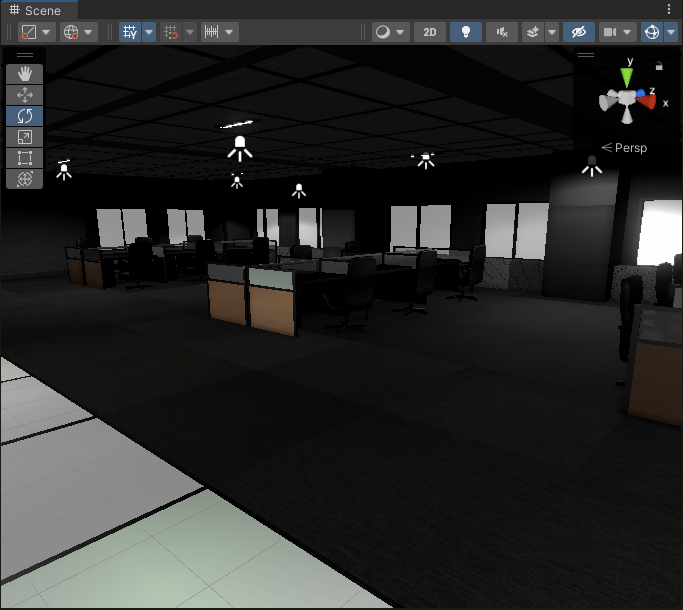
The blocks of light on the floor
chilly kettle
native pewter
Different angle. It's obvious that it's caused due to the rotation of the mesh b...
Hm.. i have some guesses:
- No "Generate Lightmap UV" in the import settings
- Something weird about your normals
- Very low Resolution of the lightmap or your different tiles there
chilly kettle
thorny goblet
I've been really against baking, but i did a small amount of baking, and it actu...
Probably also no "Generatve Lightmap UV" in t he import settings or very low Resolution?
They should look like this when you activate this debug mode
 thorny goblet
chilly kettle
Probably also no "Generatve Lightmap UV" in t he import settings or very low Res...
thorny goblet
chilly kettle
Probably also no "Generatve Lightmap UV" in t he import settings or very low Res...
Where exactly is this?
chilly kettle
What? I gave you 3! options
native pewter
chilly kettle
Hm.. i have some guesses:
- No "Generate Lightmap UV" in the import settings
- S...
Thanks for the direction, one more question if you don't mind.
My work flow is like this
- Model and UV asset in Maya(Low and high poly)
- Bake high to low and little basic texturing in Substance Painter
- Import texture and mesh into Unity and apply to material
My question is, at which point would the Generate Lightmap UV and/or Low resolution of the lightmap occur, so I can go back and sort it?
Sorry if this is too broad of a question, just been struggling on this for a while now 
chilly kettle
native pewter
Thanks for the direction, one more question if you don't mind.
My work flow is l...
For example, if you stack UVs for saving space in your texturing process, you get problems when baking light.
Generate Lightmap UV is in most cases a very good idea, because unity packs the lightmap UVs very efficent and in the style how it needs them.
For the Resolution, you could do first bakes with something like 5 texels per unit. For final bakes you should increase it if needed to something like 20 tpu or more, if you need really high res.
I always to the Generate Lightmap UV.
If you have really complex shapes, then you can do your own lightmap UV in a seperat UV-Channel as your Texture
deft fiber
chilly kettle
Probably also no "Generatve Lightmap UV" in t he import settings or very low Res...
Just a nitpick but these dark grey checkers would imply that the viewmode has no lightmap debug data to use, as it's only stored for the session after bake, per scene ^^
deft fiber
Perhaps!
I appreciate you here 
deft fiber
thorny goblet
I've been really against baking, but i did a small amount of baking, and it actu...
Tiled and modular environments with small pieces are always more or less problematic for light baking, since more disconnected parts means more seams, which means discontinuities in the surface lightmap, and more UV islands that require padding which consumes lightmap resolution
https://forum.unity.com/threads/lightmapping-troubleshooting-guide.1340936/ chapter 10 has more info about this
You can also find the rest of the issues there that we've been talking about
chilly kettle
Btw Spazi? How long do you use Unity? You seem to have a plan from everything 😄
I mean im using it for 5 years now, and i still struggle on some parts 😄
deft fiber
chilly kettle
Btw Spazi? How long do you use Unity? You seem to have a plan from everything 😄...
I started in spring 2020, but I've been focusing more on problem solving than the development grind itself during that time so I've had more time to learn various things!
chilly kettle
deft fiber
I started in spring 2020, but I've been focusing more on problem solving than th...
Ah 😄 Okay ^^
Yeah solving problems from other people increases the own knowledge very fast 😄
deft fiber
chilly kettle
Ah 😄 Okay ^^
Yeah solving problems from other people increases the own knowledg...
Truly, when you work alone a hunch of how stuff works is often well and good enough
thorny goblet
Okay, i baked my scene, and its getting alot more fps, but a problem, is that my floor texture turns black when looked at, and turns back normal when not.
It depends on what angle i look from
chilly kettle
thorny goblet
It depends on what angle i look from
That sounds like a normal problem.
Do your Material have a normal map?
thorny goblet
chilly kettle
That sounds like a normal problem.
Do your Material have a normal map?
Yes, but i mean pitch black, as if the floor isnt there
chilly kettle
Yeah.. but you said its dependent on the angle, and that is normally a problem with normals 
Is the normal texture set to type "normal map" in its import settings?
chilly kettle
chilly kettle
That sounds like a normal problem.
Do your Material have a normal map?
Is this on every floor tile?
thorny goblet
chilly kettle
Is this on every floor tile?
Its just one big floor.
thorny goblet
chilly kettle
Yeah.. but you said its dependent on the angle, and that is normally a problem w...
Yes it is
chilly kettle
Can you do a video? 😄
thorny goblet
chilly kettle
Can you do a video? 😄
I wouldnt be able to upload it, because of size, but here are screenshots: https://i.imgur.com/tkQYuXU.png https://i.imgur.com/cZX5Uxr.png
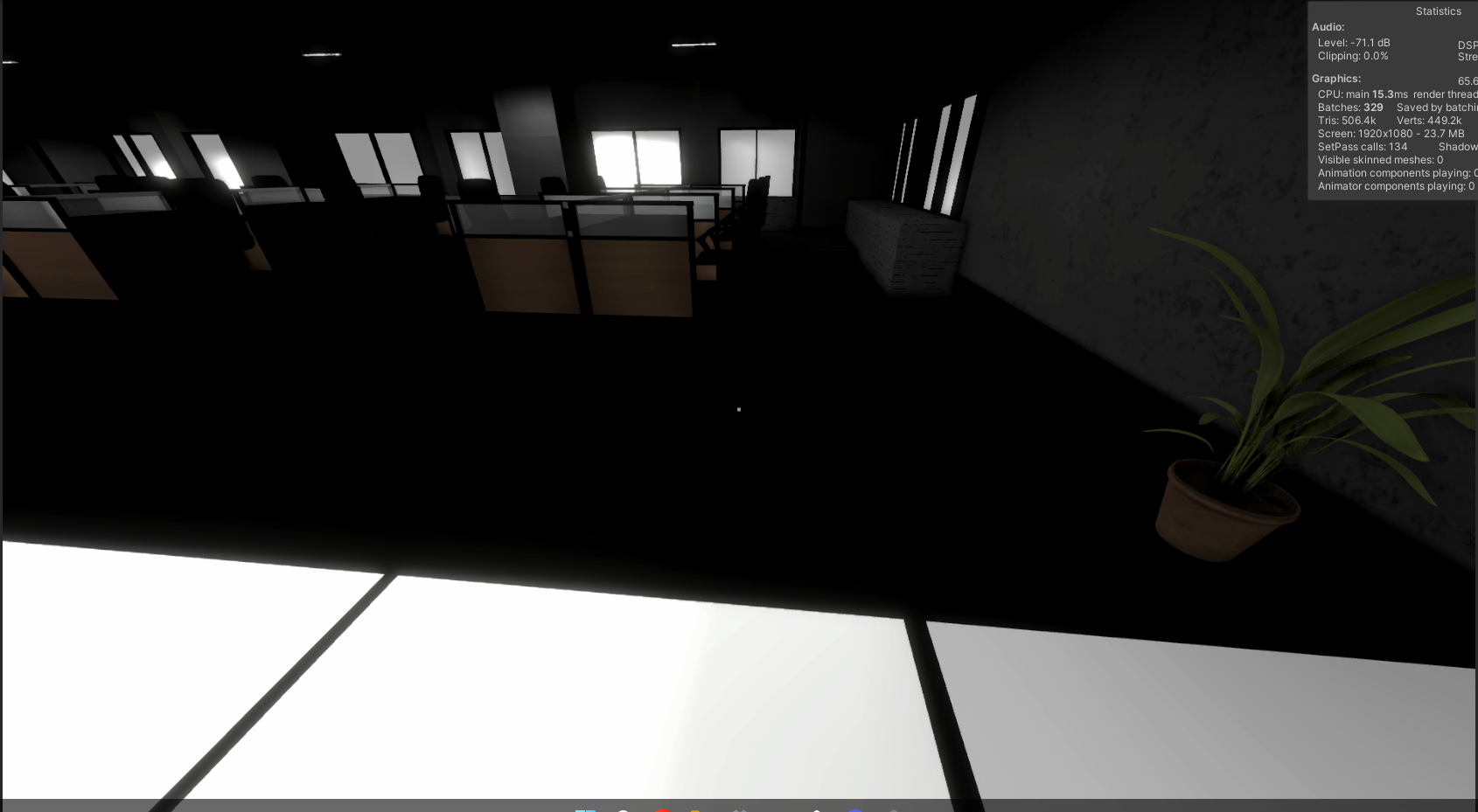
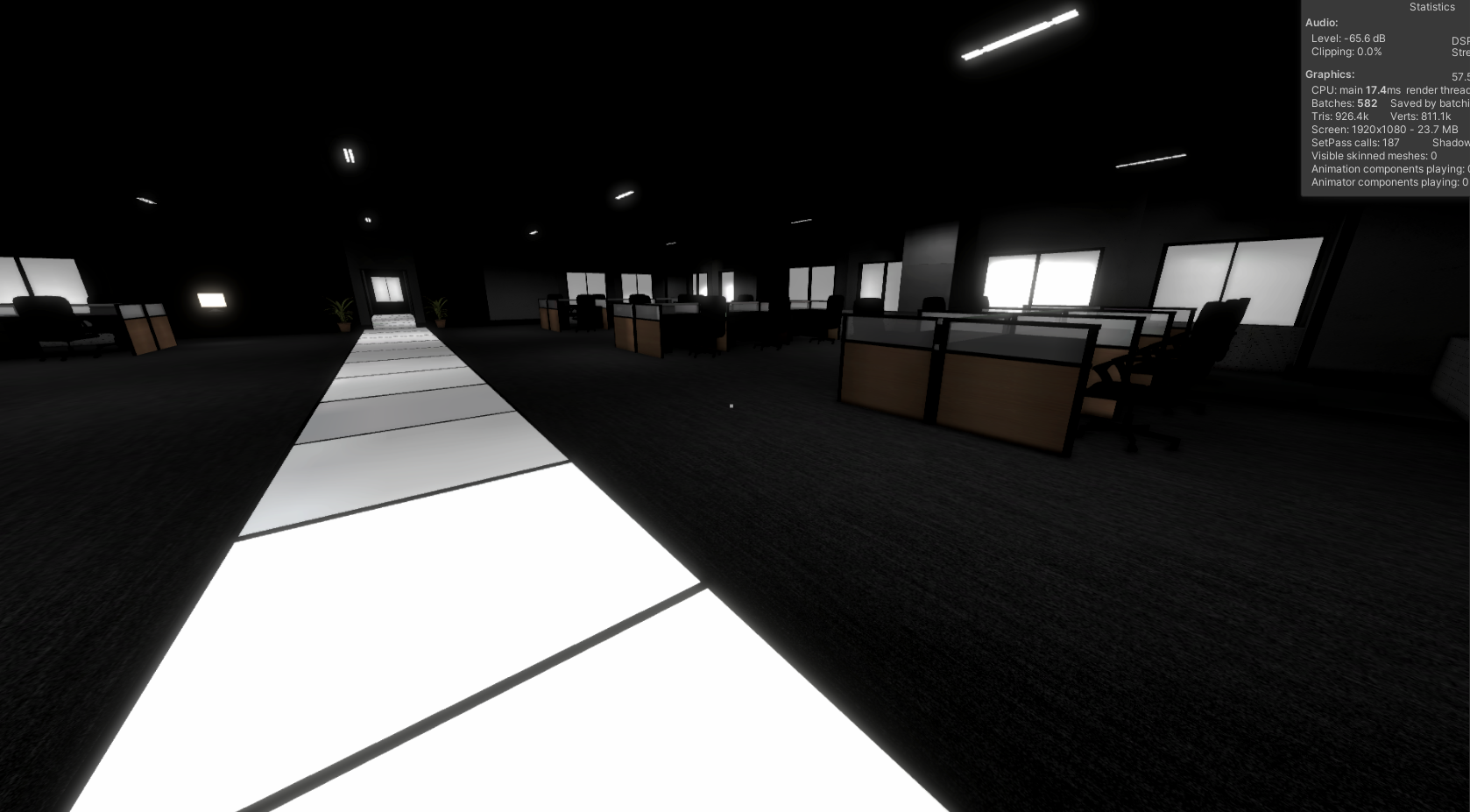
First one is when looking directly at the floor
chilly kettle
how does it look when you change the import settings of the mesh to this?

just to make sure, its not a smoothing problem
thorny goblet
nvm i found the problem its my occlusion culling
chilly kettle
oh lol
thorny goblet
Sorry, but one other question, why does it seem like there is a radius around my characters body. https://i.imgur.com/uvKwtW6.jpeg
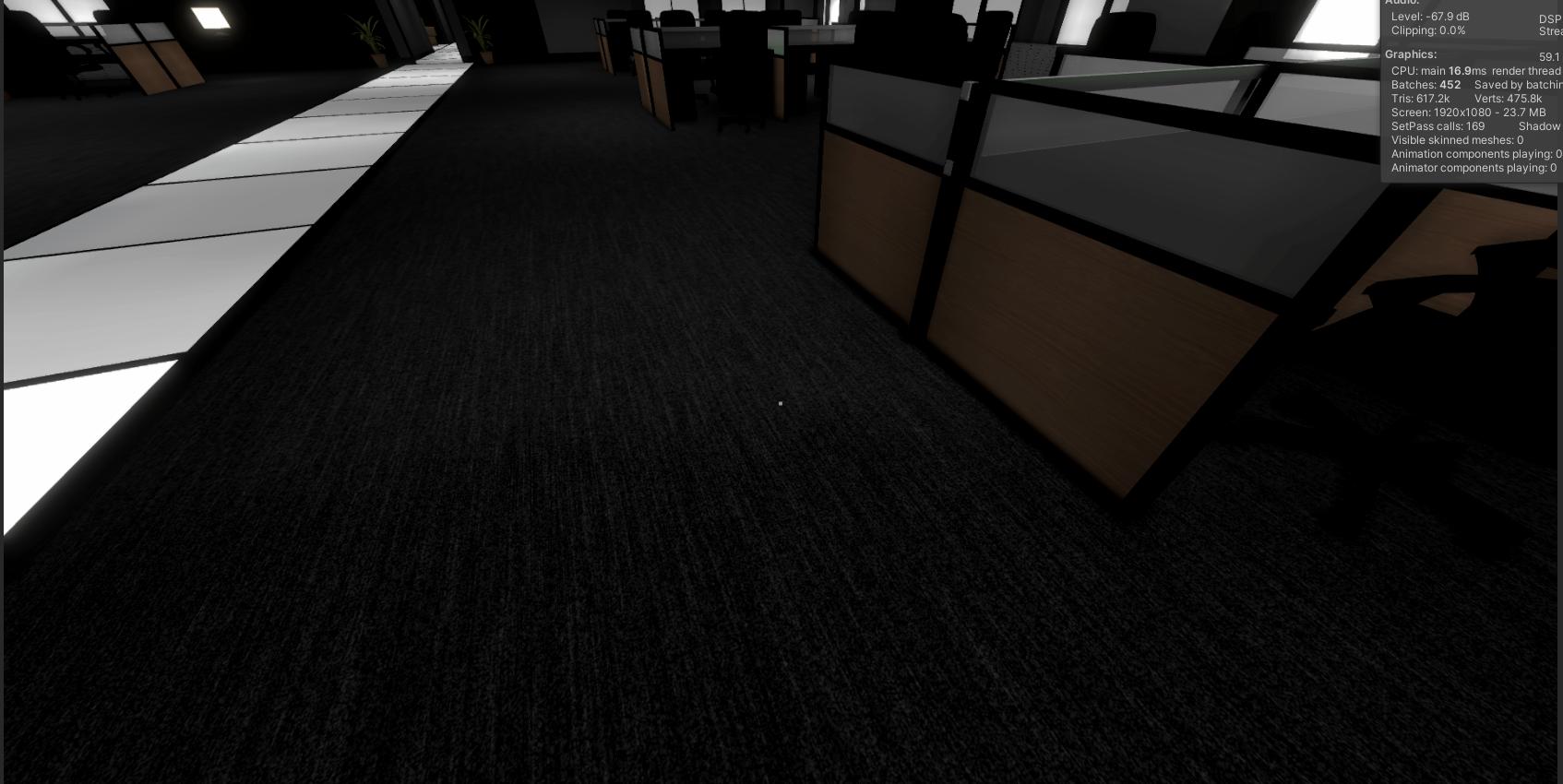
Its not very noticeable in this dark environment, but in lighter areas it is.
anything in the radius, becomes slightly darker
 potent shell
Hi, I'm making game and there's this problem with the lighting and I don't know what's causing this problem
I'm using point lights with the Baked mode turned on.
lapis lion
potent shell
Hi, I'm making game and there's this problem with the lighting and I don't know ...
Baked lights are static, you don't move them
 charred talon
How can I move down skybox?
 runic ermine
So, I'm trying to make toon shading, but the baked shadow give me this gradient like shadow, is there a away to not include them in the lightmap?


like I only want to bake the casted shadow
chilly kettle
charred talon
How can I move down skybox?
YOu can move up your Terrain. Or create your own skybox that fits your needs
chilly kettle
runic ermine
So, I'm trying to make toon shading, but the baked shadow give me this gradient ...
What is "them" ? 😄
runic ermine
chilly kettle
What is "them" ? 😄
the one I circle in red, the one with gradient like coloring on the lightmap. Like I want to remove that and get just the casted shadow
chilly kettle
Where is the light coming from?
runic ermine
chilly kettle
Where is the light coming from?
there is 2 source there one is the directional light (white color). the other one is from an emissive object which is the red light
deft fiber
You can disable bounce lighting from lightmapping settings
But the direct shadows will always have smooth edges to some degree, or pixelated
runic ermine
yeah it's better now thanks. but the direct shadow is indeed still there
 chilly kettle
YOu can turn of cast shadow on the object 😄
But i guess you want some kind of shadow?
runic ermine
yeah like I just want to bake the casted shadow, since the direct shadow that unity bake is not toon like shadow
chilly kettle
If nothing gives the correct visuals. Paint it in with photoshop 😄
runic ermine
hmm... i might do that for last resort 😅
oh... wait this actually help in decreasing the gradient, is there a way to apply this?
 chilly kettle
Whats this? The Intesity Slider in the Lightmap Preview?
runic ermine
from that
 runic ermine
chilly kettle
Whats this? The Intesity Slider in the Lightmap Preview?
runic ermine
chilly kettle
Whats this? The Intesity Slider in the Lightmap Preview?
maybe yeah
chilly kettle
I dont think that you can apply this. Never done that.
runic ermine
I see... I will look for another way, thanks anyway
lapis lion
Have you tried disabling global illumination
deft fiber
runic ermine
oh... wait this actually help in decreasing the gradient, is there a way to appl...
That only previews the lightmap at different exposure values, it doesn't actually do anything to the gradients
Try disabling bounce lighting when baking as I suggested
this setting
 runic ermine
deft fiber
this setting
runic ermine
deft fiber
this setting
the direct light is still there

I mean the gradient of the direct light
runic ermine
it fix one of the problem of the gradient of the emissive light, but the gradient from the direct light is still there
runic ermine
deft fiber
Where is the gradient in the scene
like on the top left
 deft fiber
Can you show that in the scene
The lightmap can have all kinds of weird values in UV areas that are not visible from the outside
 deft fiber
Well, since the lightmapper doesn't have any toon shader, the light received by a surface is proportional to its normal direction relative to light
It's a "gradient" because this surface is curved
You can modify lightmaps in an image editor that's capable of editing .exr files to apply a step function for a toon-like light ramp
Or you can use a shadows-only mesh for baking and a dynamic mesh with a toon shader for the visuals
In either case it's unlikely you'll ever get good looking toon shading from the lightmapper because you'll always be limited by texel resolution
runic ermine
I see... thanks
deft fiber
But it should be fairly easy to try those two ideas
 oblique crown
is there a way to easily compare scenes with APV and with no APV without clearing baked data? I would like to see how it affects environment and characters
deft fiber
oblique crown
is there a way to easily compare scenes with APV and with no APV without clearin...
If there doesn't seem to be a button to toggle them on/off, I suppose you could save the scene as or duplicate it and clear the bake, then compare the two
oblique crown
that's why I asked about an "easy" way. This seems so daunting I don't think anyone would bother
deft fiber
oblique crown
that's why I asked about an "easy" way. This seems so daunting I don't think any...
What seems daunting?
oblique crown
having the duplicate of the scene without the baked data
deft fiber
Isn't that just a matter of a few mouseclicks
oblique crown
depends on how many scenes you have in your project and how complex they are. Of course this is a workaround, but system such as APV shouldn't require us to work this way
 woven oxide
Not exactly sure where to post this, but does anyone know what this issue is called? Where some of the triangles are darkened
 deft fiber
@oblique crown Did you try disabling the probe volume gameobject, or the probe volume global setting in Frame Settings
oblique crown
I didn't tried frame settings. I'll check that one out, thanks
I am wondering how it will affect scene view camera 🙂
hm, it might actually works as I can see that changing default frame settings works on other properties. (I have to switch branches to check the apv)
deft fiber
woven oxide
Not exactly sure where to post this, but does anyone know what this issue is cal...
Do you have a better picture, it's a quite hard to see
woven oxide
deft fiber
Do you have a better picture, it's a quite hard to see
I mean the grey parts, not sure why they are grey

Something odd is happening with the triangles and for them to act like this with the lighting
deft fiber
woven oxide
Something odd is happening with the triangles and for them to act like this with...
Could be inverted normals, could be n-gons or self-intersecting polygons, could be overlapping geometry
I would scrutinize those polygons in modeling software first
woven oxide
It may be overlapping geometry, vertices. Generating this mesh in Unity. Thank you, I'll check it out!
deft fiber
How was it generated?
woven oxide
It is a bit complex, it's basically a cylinder with cutouts
Calculating triangles/quads
It's happening throughout the whole model, but on the outside it's hiding it

Also doesn't seem like it has extra triangles, it's an odd one. I may just add a plate on the areas without holes and hide it, dumb solution but works
 chilly kettle
Outch! That are WAY to many triangles for a game 😮
chilly kettle
woven oxide
It's happening throughout the whole model, but on the outside it's hiding it
They are also to sharp and to long.
deft fiber
I expect your mesh generation algorithm is making some kind of mess there
Booleans are notoriously difficult to get right without glitching out
These look like overlapping or intersecting polygons also, but it's hard to say
 woven oxide
deft fiber
I expect your mesh generation algorithm is making some kind of mess there
Boolea...
woven oxide
deft fiber
I expect your mesh generation algorithm is making some kind of mess there
Boolea...
Quite likely hahaha not a pro at this and its quite complex for me. Need time to debug it all
 main wolf
runic ermine
main wolf
runic ermine
if you are using Built-In, I think you can manually sample the lightmap using DecodeLightmap then use step function to make it cell-shaded
deft fiber
main wolf
if you are using Built-In, I think you can manually sample the lightmap using De...
Shader Graph also has the Baked GI node
main wolf
I think that could work too, sample the baked GI/lightmap then step it to make it cell shaded
deft fiber
The challenge is that doing any kind of stepping function to lightmaps brings out the texel edges, resulting in worbly light ramps
 runic ermine
main wolf
if you are using Built-In, I think you can manually sample the lightmap using De...
runic ermine
main wolf
if you are using Built-In, I think you can manually sample the lightmap using De...
I see... thanks i will look into that
 cunning quail
Guys Why can't I darken the sprites even though there is no light? How can I add 2D lightning ?

 unique dune
Anyone has any idea why my shader and my lights look different in the game window and the scene window? I'm at a loss what caused this. Thanks in advance 🙂


 woven oxide
unique dune
Anyone has any idea why my shader and my lights look different in the game windo...
woven oxide
unique dune
Anyone has any idea why my shader and my lights look different in the game windo...
May be the lighting
unique dune
I've added a screenshot of my direct light and lighting settings, but I can't see the issue
woven oxide
unique dune
I've added a screenshot of my direct light and lighting settings, but I can't se...
Not really sure, but it may be an HDR issue. Do you have HDR enabled?
If you click on the camera
Or this: In the scene tab, you have to check the little sun ☼ next to the "Shaded" drop down so as to see the real lightning of your scene.
deft fiber
unique dune
Anyone has any idea why my shader and my lights look different in the game windo...
Does your camera have post processing? I'd also check if changing the scene view from orthographic to perspective changes the appearance of the shaders
deft fiber
cunning quail
Guys Why can't I darken the sprites even though there is no light? How can I add...
You have to create at least one 2D light into the scene, or lit sprites will be fully illuminated
thorny goblet
I have some static gameobjects (Chairs, desks) that for some reason, stop reacting to light after baking my scene, before baking it looks just fine.
 deft fiber
thorny goblet
I have some static gameobjects (Chairs, desks) that for some reason, stop reacti...
deft fiber
thorny goblet
I have some static gameobjects (Chairs, desks) that for some reason, stop reacti...
Baked objects don't really "react" to light
Can you demonstrate the issue
thorny goblet
gimme a sec to bake my scene once again, to provide a example
thorny goblet
deft fiber
Baked objects don't really "react" to light
Can you demonstrate the issue
This is what it looks like after baking: https://i.imgur.com/TyYni3h.png The chair and desk, are pitch black, even though their is a light directly above it.
 deft fiber
thorny goblet
This is what it looks like after baking: https://i.imgur.com/TyYni3h.png The ch...
deft fiber
thorny goblet
This is what it looks like after baking: https://i.imgur.com/TyYni3h.png The ch...
After baking check scene view modes for lightmap UV overlap and texel validity
thorny goblet
deft fiber
After baking check scene view modes for lightmap UV overlap and texel validity
How do i do that?
deft fiber
thorny goblet
How do i do that?
You must have baked lights for that scene during that editor session to use them
But it will likely reveal UV overlaps, texel invalidity or both
timber lichen
how do I darken an area? (like negative light)
chilly kettle
timber lichen
how do I darken an area? (like negative light)
When you dont use a light 😄
Or possibly with Post processing
timber lichen
chilly kettle
When you dont use a light 😄
Or possibly with Post processing
but the area is already lit
by the sunlight
even though it's underground
(the light on the side is black because I thought you could have negative intensity
 deft fiber
timber lichen
even though it's underground
deft fiber
timber lichen
even though it's underground
You would have a shadow casting surface above the underground area to block the directional light, assuming directional light is reaching in
It will still be lit by ambient lighting
thorny goblet
How do i fix overlapping UV's?
deft fiber
thorny goblet
How do i fix overlapping UV's?
Most important step is to have lightmap UVs on the meshes, which can be automatically generated from mesh import settings
timber lichen
deft fiber
You would have a shadow casting surface above the underground area to block the ...
I already have a water plane blocking the light

I'm not sure why it's still getting light
deft fiber
timber lichen
I'm not sure why it's still getting light
Ambient lighting from the sky / environment
timber lichen
deft fiber
Ambient lighting from the sky / environment
how do I turn it off for closed areas like that one
chilly kettle
With a script for example
timber lichen
chilly kettle
With a script for example
how
chilly kettle
If its a first person game, you could add a collider there, that triggers a script to turn of or darken the ambient light of the scene.
deft fiber
timber lichen
how do I turn it off for closed areas like that one
Which render pipeline is your project using?
timber lichen
urp
deft fiber
Then you may have to use baked lighting and its reflection probes and lighting probes, or control all ambient lighting with a script as suggested
(There's no technical reason why we couldn't use lighting probes without baking all lighting, like reflection probes can, but there's no editor tools for it)
chilly kettle
I think using a post processing for this area could be possible too
But that would make everything darker in this area, not only the walls.
deft fiber
chilly kettle
I think using a post processing for this area could be possible too
I don't think it's really possible to reduce lighting with post processing
Reducing exposure or brightness otherwise won't be convincing
HDRP does have volume overrides that can control ambient lighting though
 eternal vapor
Hello everyone !! I am a newb VR developer using Unity. I need your help for me to know why there are some patches of glow after i generated baked lightmaps. Thanks!

 deft fiber
eternal vapor
Hello everyone !! I am a newb VR developer using Unity. I need your help for me...
deft fiber
eternal vapor
Hello everyone !! I am a newb VR developer using Unity. I need your help for me...
I would first check scene view modes for lightmap UV overlap and texel validity
I can see realtime/mixed lighting but no visible results of baking
eternal vapor
deft fiber
I would first check scene view modes for lightmap UV overlap and texel validity
Thank you,


 deft fiber
eternal vapor
Thank you,
deft fiber
eternal vapor
Thank you,
The red texel invalidity means those surfaces are exposed to mesh backfaces, which terminate light rays during baking
That little UV overlap shouldn't cause any big issues
I'm a little suspicious about how the floor doesn't seem to be included in the bake, but the foliage is
Usually you don't want plants, foliage or other such high-detail meshes to be lit by lightmaps, but light probes
The texel invalidity looks so noisy I guess there might be overlapping geometry there too, but most of it would likely be caused by inverted normals
lapis lion
timber lichen
how do I turn it off for closed areas like that one
You have to box in your geometry by shadow casters so that no light gets in from the skybox. No post processing or script required.
deft fiber
lapis lion
You have to box in your geometry by shadow casters so that no light gets in from...
Skybox lighting is not calculated in realtime, it can only be shadowed by meshes when baking lighting
lapis lion
deft fiber
Skybox lighting is not calculated in realtime, it can only be shadowed by meshes...
Yes you are right, it's true for real time but he did not specify what he is using or I missed it 😉
I dont remember by heart is realtime directional goes through back faces, probably does. So boxing in makes sense then
eternal vapor
deft fiber
The red texel invalidity means those surfaces are exposed to mesh backfaces, whi...
thank you. there are a lot of things im not able to wrap my head around. are there any specific guides i can go though?
hat/tip
thorny goblet
What is the best route i should take when it comes to lighting ? realtime gives me bad performance and Baked, gives me year long wait times. I never though that lighting would be the death of me.
 mellow sierra
thorny goblet
mellow sierra
https://discord.com/channels/489222168727519232/497872424281440267/1133873698277...
mellow sierra
thorny goblet
mellow sierra
https://discord.com/channels/489222168727519232/497872424281440267/1133873698277...
I understand i only have two options, but i'm asking about what i could possibly do to make realtime lighting more bearable.
mellow sierra
Use less, lower the quality of everything
thorny goblet
I'm trying to target low end systems with my game, so that kinda forces me to also bake with my low end GPU, instead of my better one.
mellow sierra
Same answer to that for speeding up baking
deft fiber
thorny goblet
What is the best route i should take when it comes to lighting ? realtime gives ...
Bake on the GPU, decrease samples and most importantly lightmap resolution, exclude small and detailed meshes from the bake, and make sure you don't have other stuff in the scene that could cause ballooning bake times such as animated shaders
deft fiber
thorny goblet
I'm trying to target low end systems with my game, so that kinda forces me to al...
Not how it works
Baked lighting performance for the user is precisely the same no matter how beefy the machine you use for baking is
thorny goblet
deft fiber
Bake on the GPU, decrease samples and most importantly lightmap resolution, excl...
Sadly the low end gpu i'm using to build this game, always force unity to fall back to my CPU
deft fiber
You should use the better GPU
thorny goblet
deft fiber
You should use the better GPU
Okay
deft fiber
Newer Unity versions also support weaker GPUs for baking
lapis lion
deft fiber
Bake on the GPU, decrease samples and most importantly lightmap resolution, excl...
I challenge you spazi! Lightmap resolution is not much of a factor because it does reduce the number of raycasts 😉
deft fiber
eternal vapor
thank you. there are a lot of things im not able to wrap my head around. are the...
Here's the introduction guide https://youtu.be/KJ4fl-KBDR8
Here's the troubleshooting guide https://forum.unity.com/threads/lightmapping-troubleshooting-guide.1340936/
I'm not sure where there's resources for best practices like when to exclude things from bake, when to use probes instead of lightmaps or how to allocate lightmap resolution but I guess those can be learned by practice as well as by scouring though the docs, for forum posts and for more guides
lapis lion
lapis lion
I challenge you spazi! Lightmap resolution is not much of a factor because it do...
Does not*
deft fiber
lapis lion
Does not*
I believe it does! From my understanding the raycasts are fired out from each texel
Docs also state that:
Lightmap Resolution: Specifies the number of texels per unit to use for lightmaps. Increasing this value improves lightmap quality, but also increases bake times. Note that doubling this value causes the number of texels to quadruple because it determines both the height and width of the lightmap. See the Occupied texels count in the statistics area of the Lighting window.
And it certainly feels like it does, more so than samples
lapis lion
deft fiber
And it certainly feels like it does, more so than samples
Ah sorry I understood this as lightmap size, good point 🙂
deft fiber
lapis lion
Ah sorry I understood this as lightmap size, good point 🙂
For a long time I thought the size was the bake resolution, since it is one kind of resolution also!
lapis lion
I stand corrected!
main wolf
thorny goblet
What is the best route i should take when it comes to lighting ? realtime gives ...
You can cut bake time significantly if you scale down the map and light ranges before baking and revert the scales after baking is done, but then you cant use light probes that way (or maybe you can now, I've never tried it)
On 1:1 scale, my map takes hours to bake, while on 1:10, it only takes a couple of minutes, on CPU, with the same parameters.
[Edit]
That's using enlighten btw, I'm not sure if it also works on progressive
deft fiber
main wolf
You can cut bake time significantly if you scale down the map and light ranges b...
This sounds like a roundabout way to decrease lightmapping resolution, which is relative to unit scale
thorny goblet
main wolf
You can cut bake time significantly if you scale down the map and light ranges b...
Okay thanks
 mortal swallow
I'm having trouble with the light probe volumes. Following the instructions here:
https://docs.unity3d.com/Packages/com.unity.render-pipelines.high-definition@15.0/manual/probevolumes-fixissues.html
https://docs.unity3d.com/Packages/com.unity.render-pipelines.high-definition@15.0/manual/probevolumes-use.html
But however, I'm getting a lot of Light Leaks with mixed lightning, whereas with baked lightning mode it's not leaking. Is there some setting somewhere that I am missing to make mixed lightning used the same baked light settings? Should add I've already got the baked global illumination and baked indirect on (using unity 2023.1)
main wolf
deft fiber
This sounds like a roundabout way to decrease lightmapping resolution, which is ...
🤔 Could be the case.
But iirc, I ve tried using the lowest lightmap resolution and it still takes more than 1 hour to bake on 1:1 scale
deft fiber
mortal swallow
I'm having trouble with the light probe volumes. Following the instructions here...
Can you show the two results you are getting?
 primal viper
how can i fix the lightning in this door
(im in a dark room and theres a lighted room in the other side)
maybe an invisible cube or smth?
 chilly kettle
primal viper
how can i fix the lightning in this door
(im in a dark room and theres a lighte...
chilly kettle
primal viper
how can i fix the lightning in this door
(im in a dark room and theres a lighte...
Is this Realtime or baked?
i guess realtime?
chilly kettle
Hm. If you didnt bake the light, its realtime ^^
Does your door have a second side, or is it just this side?
 chilly kettle
primal viper
chilly kettle
primal viper
Is the door very thin at the parts where these six ornaments are inset into the door?
primal viper
let me check
chilly kettle
It may help to change the Lighting to "per pixel" if you dont have this right now
chilly kettle
Try set Lighting to "per pixel" in your Render Pipeline Settings
deft fiber
Assuming the light has shadow casting enabled, the door is likely too thin, and/or the front and back side of the door aren't geometrically separate enough
primal viper
chilly kettle
Try set Lighting to "per pixel" in your Render Pipeline Settings
where can i find that sry
 primal viper
idk lol
deft fiber
This stuff is easier if you start knowing
URP uses pixel lights by default, and both pixel and vertex lights are limited to max 8
BiRP uses vertex lights for any lights that go above the light limit
Vertex lighting can make shadowing less accurate which could explain the light leaking
I think it's likely that it's shadow bias pushing the light through thin geometry
I'd test with a shadows-only box collider to see if it's possible to thicken the door's shadow just a bit to allow one side to be lit but the other be shadowed
mortal swallow
deft fiber
Can you show the two results you are getting?
Ok, I realised mixed lighting, meant all objects would still receive direct realtime lighting. I thought mixed lighting would be baked for static gameobjects.
deft fiber
mortal swallow
Ok, I realised mixed lighting, meant all objects would still receive direct real...
So it's solved or?
Mixed mode lighting is baked as well, but has realtime parts for shadows and specular reflections
mortal swallow
deft fiber
So it's solved or?
Yes, my question is solved, but I'm confused over the baked lighting scenarios for light probe volumes. As the docs seem to imply I should be manually moving geometry/activating lights and then baking each individual light scenario. Seems an awful lot of work without some kind of scripting to help out
deft fiber
How do light scenarios relate to the original problem?
mortal swallow
Because I want to be able to turn on and off these baked lights, and I have a lot of these lights. There can be a lot of combinations of lights being on or off and some geometry can move. I was hoping to be able to use light probe volumes for my project, but it's looking less likely
deft fiber
mortal swallow
Because I want to be able to turn on and off these baked lights, and I have a lo...
I don't think either probes or lightmap really support those kinds of environments 
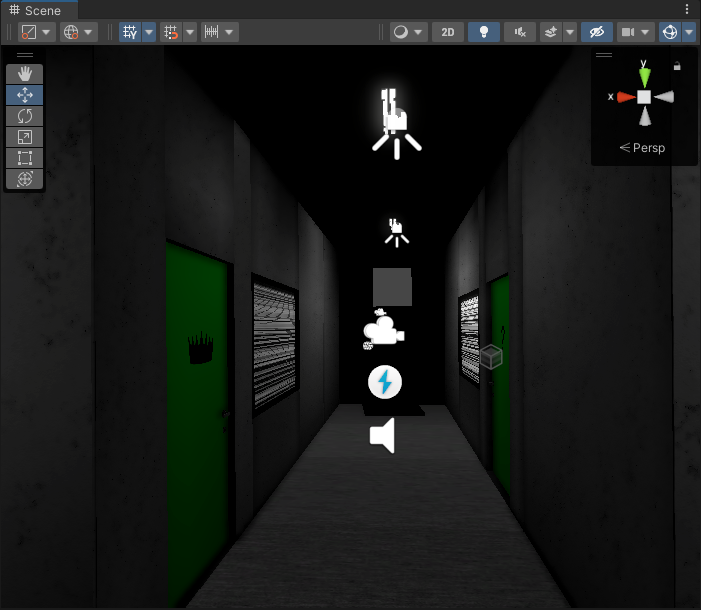 deft fiber
thorny goblet
or atleast a cause
deft fiber
thorny goblet
or atleast a cause
Both depend on what the problem is exactly
And what kind of lighting system you're using
thorny goblet
deft fiber
Both depend on what the problem is exactly
Progressive CPU https://i.imgur.com/1kVrxQi.png
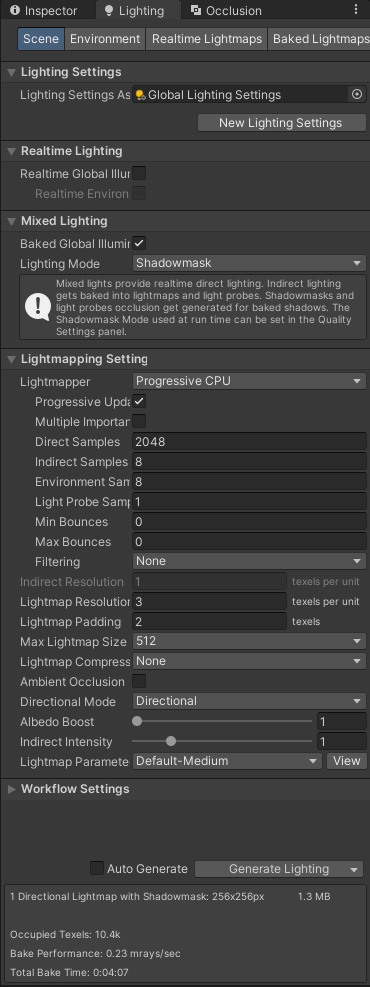 deft fiber
thorny goblet
Progressive CPU https://i.imgur.com/1kVrxQi.png
deft fiber
thorny goblet
Progressive CPU https://i.imgur.com/1kVrxQi.png
Right, can you point to a specific problem? I don't know which one you mean
thorny goblet
The walls are all a different shade of gray, and certain parts of the scene is pitch black almost as if its not being rendered
Like the wall all the way at the back of the image
deft fiber
thorny goblet
The walls are all a different shade of gray, and certain parts of the scene is p...
Check lightmap UV overlap and texel validity using scene GI view modes
https://docs.unity3d.com/Manual/GIVis.html
They will likely reveal issues
thorny goblet
deft fiber
Check lightmap UV overlap and texel validity using scene GI view modes
<https://...
uhhhhhhh https://i.imgur.com/wPEcUTw.png
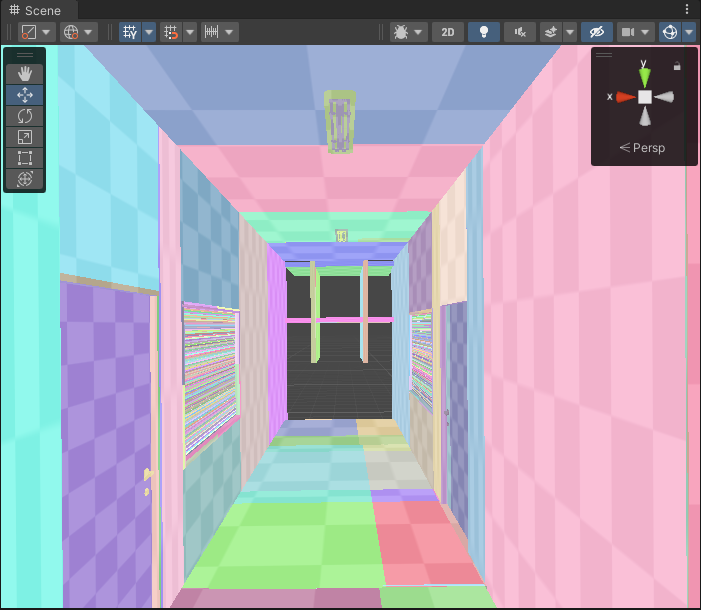
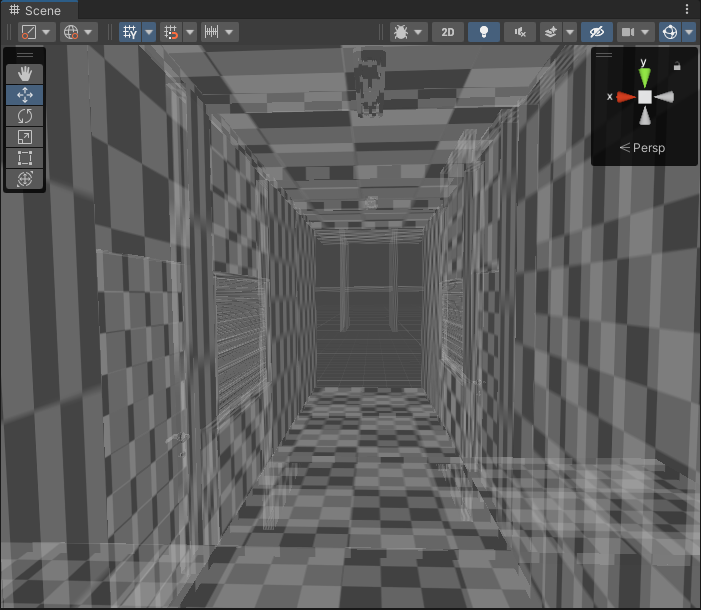 deft fiber
thorny goblet
https://i.imgur.com/cgpkMBj.png
deft fiber
thorny goblet
https://i.imgur.com/cgpkMBj.png
Dark grey means that you have not baked during this editor session for this scene so there is no debug data to display
The one above suggests that your meshes don't have proper lightmap UVs, though
thorny goblet
deft fiber
The one above suggests that your meshes don't have proper lightmap UVs, though
The walls are just Unity Cubes
deft fiber
thorny goblet
The walls are just Unity Cubes
The non-uniform scales are problematic for lightmap UV mapping
And the windows blinds (?) seem especially bad
With default cubes you get no control over their UV mapping in these situations
thorny goblet
oh ok
deft fiber
@thorny goblet also you should really use your good GPU for baking that you said you had
 neon pebble
GPU hmm tasty
bakes muuch faster than CPU
a pitty i have one that does not let me bake
deft fiber
neon pebble
a pitty i have one that does not let me bake
Like I mentioned before newer unity versions support weaker GPUs for baking
2023.2. as little as 2GB vram if I recall correctly
thorny goblet
deft fiber
<@896194058920292374> also you should really use your good GPU for baking that y...
Ok, i'll start using that
deft fiber
thorny goblet
Ok, i'll start using that
It's a tech stream release so keep backups of your projects
 wispy dome
Not quite sure if this post goes here but, does anyone know why these lines are showing up in unity but not in blender and how to fix it? In blender it looks fine, but if I set the image texture to "linear" instead of "closest" in blender then I get the same result in blender as well. Is it possible that unity sets the texture to use "linear" instead of "closest" automatically? My texture that I am using is just a few pixels that range from black to white. Also the blender file and unity prefab are directly related aka when I open the prefab in unity it opens up blender so they are definitely using the same texture.

 deft fiber
wispy dome
Not quite sure if this post goes here but, does anyone know why these lines are ...
deft fiber
wispy dome
Not quite sure if this post goes here but, does anyone know why these lines are ...
You need to disable the texture's bilinear filtering (to point / no filter) in texture import settings on unity side
Probably want to disable mip maps too
chilly kettle
@deft fiber Do you have an idea how i can achieve a material with transparency but also emission + bloom? Got my Chicken with emission, but i want it to look more like a "ghost" 😄

Maybe your faces on the wall have a "unlit" shader?
deft fiber
chilly kettle
<@166982635950702592> Do you have an idea how i can achieve a material with tran...
You can get emission and bloom just fine with transparent materials, though with alpha blending you may need to compensate brightness for transparency
Additive blending makes it easy to have glowy semitransparency, as it makes the texture act like light
This is vertex lighting
Either pixel lights are disabled in your quality settings, or you've hit the pixel light limit and the remaining lights are falling back to vertex lighting
chilly kettle
deft fiber
You can get emission and bloom just fine with transparent materials, though with...
Premultiply works, additive does nothing.
deft fiber
The graphics quality settings are responsible for that
wispy dome
deft fiber
You need to disable the texture's bilinear filtering (to point / no filter) in t...
Thank you, that seems to have fixed the problem!
deft fiber
chilly kettle
Premultiply works, additive does nothing.
So, premultiply renders lighting and reflections on the whole surface regardless of alpha, like glass
Additive adds every pixel's color to what's behind it, so white is like bright light while black is invisible
Premultiply should be used only on Lit shaders while additive works best with Unlit
If you want a ghostly effect you may want to use some shader artistry as well, like fresnel effect for the emission, and probably some glowy particles to amplify the appearance of bloom
chilly kettle
deft fiber
If you want a ghostly effect you may want to use some shader artistry as well, l...
yeah i was thinking about some particles too ^^
Looks fine with Premultiply now ^^
thorny goblet
Is it possible to use Mixed lighting, and exclude certain gameobejcts from baking and make them use realtime lighting?
deft fiber
thorny goblet
Is it possible to use Mixed lighting, and exclude certain gameobejcts from bakin...
Anything that's not "contribute GI static" will be excluded from bake and be lit only by realtime and mixed lights as well as light probes
thorny goblet
deft fiber
Anything that's not "contribute GI static" will be excluded from bake and be lit...
Okay thanks
chilly kettle
How big is your scene? 
What means big? .. 😄
100 units? 1000 Unity?
Whats in there?
What are you Baking Settings?
Infos pls
😄
Are you baking with CPU (slow) or with GPU (fast) ?
deft fiber
It's not recommended to use Enlighten over the Progressive lightmapper
I can't give any insight about what the common problems or expected bake times are for Enlighten
Practice baking in small test scenes first
There's so many things to go wrong that you'll want to familiarize yourself with the process to avoid the pitfalls and save time doing so
iron dome
Spazi is an actual beast in this channel
native pewter
Hello, I'm back still stuck with the same issue. Same asset, just rotated 180°
I tried to generate Lightmap and and change the resolution and retexturing the model. I can't figure out what's causing the light alteration.
 gritty fox
another lightmap question, am i meant to take the scale down or something? pretty sure i fixed the uv overlaps in blender but after baking it doesnt seem to be the case?

then it creates things like this
 native pewter

gritty fox

lapis lion
native pewter
Hello, I'm back still stuck with the same issue. Same asset, just rotated 180°
...
Your lightmap uvs look like they overlap. Make sure your 2nd uv channel has unique uv space dedicated to every surface. Don't use unity's "generate lightmap uvs", creating lightmap UVs is a 1 minute job with automatic UV layout tools. Check the lightmap view in the scene tab and the uv overlap debug view from the same dropdown menu.
lapis lion
gritty fox
another lightmap question, am i meant to take the scale down or something? prett...
Interesting warning in your Inspector. Is that level merged into a single mesh? I dont think a single mesh can have more than 1 lightmap assigned but you will have to test. Your resolution is very high indeed at 22.
gritty fox
lapis lion
Interesting warning in your Inspector. Is that level merged into a single mesh? ...
Only the ceiling is all together
Which is pretty big and uses 3 materials
lapis lion
gritty fox
Which is pretty big and uses 3 materials
It may explain the pixelated look, I dont see the lightmap resolution grid on your ceiling. Try cutting it up.
chilly kettle
gritty fox
another lightmap question, am i meant to take the scale down or something? prett...
I think your panels at the ceiling are overlapping (did you check this?) or they are very very tiny in your lightmap, so they only get like 1 pixel of light information.
 ancient atlas
how to bake 2D sprite light in unity ??
chilly kettle
ancient atlas
how to bake 2D sprite light in unity ??
If you type in this 1:1 into Google, you get a ton of Information 😄
ancient atlas
chilly kettle
If you type in this 1:1 into Google, you get a ton of Information 😄
ya got nothng
even went on yt
chilly kettle
Then provide us with more information and possibly some screenshots. That makes it easier to help
ancient atlas
chilly kettle
Then provide us with more information and possibly some screenshots. That makes ...

its a 2d SPRITE LIGHT
GAME FOR MOBILE
so how t bake a 2d light
chilly kettle
I think URP doesn't officially support 2D light baking. Baking 2D lights is more of a complex process because you would have to bake the 2D light into your sprites, which Unity doesn't support as of now. (i think)
ancient atlas
chilly kettle
I think URP doesn't officially support 2D light baking. Baking 2D lights is more...
should I draw the light in photoshop itself ?
chilly kettle
You could do this, yeah!
ancient atlas
ok htanks for help
and vbtw
what if the I keep it real time
as its a mobile game ?
chilly kettle
Sadly im not familiar with 2D.
Its depending in the amount of Lights.
You can easily deal with a few of them.
ancient atlas
oh ok
chilly kettle
i imagine you are not looking at 10 of them at a time? So they will be deactivated when you leave the screen where they are shown
ancient atlas
chilly kettle
i imagine you are not looking at 10 of them at a time? So they will be deactivat...
4 light in total only
sprite light
chilly kettle
That should not be a problem
chilly kettle
and if it will, you can just change it later on.
You could fake the light with another sprite that looks like the light and lay it above the other sprites for example. Or paint the light into your sprite like you already said.
ancient atlas
hm good idea
deft fiber
native pewter
Hello, I'm back still stuck with the same issue. Same asset, just rotated 180°
...
Did you try these
#archived-lighting message
gritty fox
chilly kettle
I think your panels at the ceiling are overlapping (did you check this?) or the...
Yes I did check and I fixed all of them so I think your right on them being too small
gritty fox
lapis lion
It may explain the pixelated look, I dont see the lightmap resolution grid on yo...
Will try this
 winter ivy
I'm having trouble understanding APVs and just light probes in general. With a procedural world generation system something like this wouldn't be able to work because it is precomputed and requires baking right? but afaik, if you bake an apv beforehand and instantiate a prefab above it, would it not work?
if something like the above is not possible, what is the closest I can get to realtime dynamic gl? without using ssgl...
deft fiber
winter ivy
I'm having trouble understanding APVs and just light probes in general. With a p...
Baked probes pass their lighting information to dynamic objects within their range
That's not usually practical for entire procedural worlds though
winter ivy
deft fiber
Baked probes pass their lighting information to dynamic objects within their ran...
is there a way you can instantiate lighting information, or just a way to bake during runtime?
Am I looking for something else or is this just not a thing u can do with unity atm
deft fiber
winter ivy
is there a way you can instantiate lighting information, or just a way to bake d...
You can load in sets of pre-baked probes but otherwise no
native pewter
lapis lion
Your lightmap uvs look like they overlap. Make sure your 2nd uv channel has uniq...
Thanks, I'll try this
native pewter
deft fiber
Did you try these
https://discord.com/channels/489222168727519232/49787372957833...
Yes I did
deft fiber
native pewter
Yes I did
That doesn't really give any new info to work with
It still looks like a normals issue but rule out lightmap UV overlap first
timber lichen
Cool lighting trick

 edgy root
Hey friends! I'm trying to bake my lightmaps using Unity's built-in tool. It works ok, but when I change "Texture Quality" in settings, no matter how high quality I go while baking, "Low" texture quality always results in really bad lightmap. Any way I can prevent texture quality settings affecting my lightmaps? Cheers!
 lapis lion
edgy root
Hey friends! I'm trying to bake my lightmaps using Unity's built-in tool. It wor...
lapis lion
edgy root
Hey friends! I'm trying to bake my lightmaps using Unity's built-in tool. It wor...
You have it set to low by default in your "player" category in your project settings for your current build target.
edgy root
lapis lion
You have it set to low by default in your "player" category in your project sett...
I'll check. Changing Texture Resolution in the in-game settings seems to make it look good, it's just when the setting is Low it does this weird compression thing. Would a combination of using Low URP (1/8th texture resolution) with Texture Quality (1/4th) produce this kind of result?
lapis lion
edgy root
I'll check. Changing Texture Resolution in the in-game settings seems to make it...
I'm not talking about global texture compression, but your lightmap texture compression specifically. your seems can be an artifact of mipmapping and lack of lightmap padding.
edgy root
lapis lion
I'm not talking about global texture compression, but your lightmap texture comp...
Thank you. I don't know much about mipmapping, is it something I should disable?
deft fiber
edgy root
Hey friends! I'm trying to bake my lightmaps using Unity's built-in tool. It wor...
Try increasing padding as Sjors suggested, and/or lightmap resolution and bake again, and also check that your mesh lightmap UV generation settings have a minimum lightmap resolution that's at least what you're baking at, and a minimum object scale that's at least as big as your object scale in scene
 edgy root
trying now, thanks @deft fiber @lapis lion . Min Lightmap Resolution and Min Object Scale - are they ok to be bigger? Say, if I'm defaulting at 20, can I set Min Lightmap Resolution to 40 to be safe?
deft fiber
edgy root
trying now, thanks <@166982635950702592> <@281755134172594177> . Min Lightmap Re...
Yes, minimums only clamp the values if you're baking on low resolutions or small objects
Mip mapping is good to keep enabled as it allows you to reduce texture quality, and helps rendering in other ways
edgy root
deft fiber
Yes, minimums only clamp the values if you're baking on low resolutions or small...
Got it, cheers
edgy root
deft fiber
Yes, minimums only clamp the values if you're baking on low resolutions or small...
One last silly question, is Max Lightmap Size of 4096 ok or an overkill? 🙂
deft fiber
edgy root
One last silly question, is Max Lightmap Size of 4096 ok or an overkill? 🙂
I guess it isn't, unless your target platform isn't good at dealing with big textures
Lightmap Size only determines if they get atlased onto a big texture or a bunch of smaller ones
The official guide suggests that a bigger lightmap atlas will take more up more memory, but I'm not sure how if you have just as many pixels with smaller atlases, just with more texture loads
 inner willow
deft fiber
The official guide suggests that a bigger lightmap atlas will take more up more ...
inner willow
deft fiber
The official guide suggests that a bigger lightmap atlas will take more up more ...
Big textures can be occasionally half-filled, so memory will be wasted.
deft fiber
inner willow
Big textures can be occasionally half-filled, so memory will be wasted.
That makes sense, though in my experience lightmap atlases of all sizes are usually half-filled
Kinda hoping that texture compression knows to skip the repeated empty pixels, but I don't know how it works really
inner willow
deft fiber
Kinda hoping that texture compression knows to skip the repeated empty pixels, b...
Hardware (GPU) supported block compression formats have fixed compression ratio. There is no dependency of image contents. It is better then uncompressed but still a waste.
deft fiber
inner willow
Hardware (GPU) supported block compression formats have fixed compression ratio....
I see!
Apparently variable bit rate formats only affect disk size
Doing some test bakes it looks as if the max lightmap size should be really low to force the lightmap not to waste huge amounts of space
novel merlin
Hey guys, after using area lights on my ceiling tile lights, there seems to be some weird things appearing on my walls/materials, and they look like wrinkles. How do I get rid of them? Is it a geometry issue, or material issue?

 deft fiber
novel merlin
Hey guys, after using area lights on my ceiling tile lights, there seems to be s...
deft fiber
novel merlin
Hey guys, after using area lights on my ceiling tile lights, there seems to be s...
Compression artifacts, denoising artifacts, or both
Area lights require a lot of samples so the denoiser won't struggle
novel merlin
Which one of these values do I need to change?
 lapis lion
maybe you can share your lightmap and directional lightmap debug views from this angle
does look like a filtering issue as Spazi suggests
novel merlin
Hmm, not sure which one you guys need so I'll send more:


I also use all the same settings on my lights

 limber delta
novel merlin
Which one of these values do I need to change?
limber delta
novel merlin
Which one of these values do I need to change?
Have you tried with a higher value for direct samples? It's very low. Maybe try 512 there as well and see if it makes any difference.
(basically what Spazi suggests)
novel merlin
Okay thanks! Will post results once it bakes again.
Hmm, there are some visible changes, but It all looked perfectly smooth until it didn't do the compression step... I'm not sure what the issue is anymore. Is there a way to not do compression, or to change the value of the compression?
 novel merlin
Which one of these values do I need to change?
novel merlin
novel merlin
Which one of these values do I need to change?
I suppose clicking on lightmap compression (not in the screenshot) and setting it from highres to none should do the trick..?
novel merlin
The hallway has been fixed, but the room still has weird artifacts on the walls. Not sure what it could be anymore...


 lapis lion
what values do your area lights have?
novel merlin
they're all the same value, heres the inspector and the light layout in the room

 lapis lion
ok that looks fine. so what you will want to do at your lighting tab, were it says "filtering", you are using auto. set that to advanced and you will be able to set filtering for several lighting stages, you will want to set more aggressive or wider range denoising filter settings for indirect lights.
 valid kernel
Hello guys I imported this fbx model to my scene and got these weird shadows. Anyone knows why?
 deft fiber
novel merlin
I suppose clicking on lightmap compression (not in the screenshot) and setting i...
deft fiber
novel merlin
I suppose clicking on lightmap compression (not in the screenshot) and setting i...
Yes, I'd try that to verify how big of an effect removing compression has
(if you change the compression settings of the lightmap asset directly, you do not need to re-bake)
If the artifacts persist, then I'd disable denoising/filtering, with compression also off that gives you a raw view of where the light rays hit
You said you increased samples, if so how much? I'd bump up direct samples to at least 256
deft fiber
valid kernel
Hello guys I imported this fbx model to my scene and got these weird shadows. An...
Looks like it could be SSAO
Try disabling it in the renderer asset (assuming you're on URP)
valid kernel
deft fiber
Looks like it could be SSAO
Try disabling it in the renderer asset (assuming you...
thank you will do that!
thank you it was that and the normals. It was con calculate
primal viper
anyone knows why my lighing bugs like this
 deft fiber
primal viper
anyone knows why my lighing bugs like this
deft fiber
primal viper
anyone knows why my lighing bugs like this
Did you try the shadow blocker mesh as I suggested?
Could try extending one below ground to minimize shadow bias disconnecting the shadows
primal viper
oh i could try
wispy dome
Does anyone know how to get like a border glow effect like the one in the picture?

I also have curved places where I want it to "glow", so I don't know what to use.
chilly kettle
wispy dome
Does anyone know how to get like a border glow effect like the one in the pictur...
Do you bake lighting? Then you could do it with emission
wispy dome
chilly kettle
Do you bake lighting? Then you could do it with emission
I'm guessing that I need a separate gameobject down there with the correct shape right?
So that the entire model wouldn't glow
chilly kettle
Yep, you can model yourself something that fits behind the doors and give it a material with emission
chilly kettle
wispy dome
I'm guessing that I need a separate gameobject down there with the correct shape...
should give this effect
wispy dome
alright, thanks!
wispy dome
chilly kettle
Do you bake lighting? Then you could do it with emission
Actually one more question, will I only be able to see it once I bake the lighting?
chilly kettle
wispy dome
Actually one more question, will I only be able to see it once I bake the lighti...
Well, you see it like a bright gameobject.
After baking, the light should also be visible on the surrounding models, if they are static.
wispy dome
Alright!
wispy dome
chilly kettle
Well, you see it like a bright gameobject.
After baking, the light should also b...
Does it matter if the object has the Mesh Renderer on or will the glow effect still be there when it is invisible?
Since if the object is invisible then I believe that the game would run slightly faster
chilly kettle
i think it must be on, but you can disable it after bake. Should work
the object has no impact to performance
wispy dome
Okay!
 wooden lagoon
help why is this happening the lighting spreads across walls (photo) when viewed from certain angles even if said wall is out of range
 chilly kettle
wooden lagoon
help why is this happening the lighting spreads across walls (photo) when viewed...
chilly kettle
wooden lagoon
help why is this happening the lighting spreads across walls (photo) when viewed...
i see nothing weird there
 worthy chasm
guys i need help
wispy dome
chilly kettle
Well, you see it like a bright gameobject.
After baking, the light should also b...
Uhh, there seems to be a problem, I have the emission on and set it to realtime, but no matter how high i set the intensity, anything around it isn't lighting up. I haven't tried using it with baked yet, since I fear baking takes a really long time for me, but surely the realtime thing should work somehow.
yeah fuck no I don't want to bake rn, my project is so small as well why does it take so long?

oh nevermind unity is just lying to me
wispy dome
wispy dome
Uhh, there seems to be a problem, I have the emission on and set it to realtime,...
Still tho, why wouldnt the emission show up in Realtime?
 little condor
wispy dome
Still tho, why wouldnt the emission show up in Realtime?
little condor
wispy dome
Still tho, why wouldnt the emission show up in Realtime?
Is the emissive object set to static? And the objects that recieve light from that object need to be static too.
wispy dome
yes, they are
little condor
There is no 'real-time' way of emissive objects lighting other things, unless you use raytracing. So you'll need to bake the lightmaps.
wispy dome
little condor
There is no 'real-time' way of emissive objects lighting other things, unless yo...
what does the "Realtime" do then?
 wispy dome
little condor
Probably for when using Enlighten.
wispy dome
little condor
Probably for when using Enlighten.
The documentation seems to suggest that it can be done in runtime tho
 little condor
Hmm. To be honest I did a quick test with GI a year or so ago and really struggled getting things working. A direct light in a GI scene was working OK but no dynamic objects would recieve light, even with probes.
wispy dome
If anyone here knows what could be the problem and how to fix it then please tell me, but I'm going offline for the day soon so I might not respond til' tomorrow.
oh, never mind, I guess realtime only allows for the object it self to be lit and can't illuminate anything when set to 'Runtime'
 dreamy flax
as you can see my object looks way to bad in the shadow, normal doesnt show
how do i fix tyhis ? i assume it has something to do with lightning
the dark side off the object is also too dark imo

 wooden lagoon
chilly kettle
i see nothing weird there
wooden lagoon
chilly kettle
i see nothing weird there
the red is on the wall on the left even though the range only reaches to the bed
night shell
dreamy flax
as you can see my object looks way to bad in the shadow, normal doesnt show
how ...
looks like your going to have to rely on some other techniques to improve the lighting when in ambient spaces
with your scene lighting are you using the skybox ambient probe?
or just a single flat color
or a gradient?
gritty fox
deft fiber
Did you try the shadow blocker mesh as I suggested?
?
split up the ceiling mesh (as suggested before in here) and still getting the same problem

ive fixed the uvs in blender, rebaked lighting etc still with the same problem
the ceiling is quite large so is there any other way to fix this problem other than sitting there for hours trying to cut it all up into pieces?
will changing the "scale in lightmap" fix anything? or increasing the lightmap size?
there also seems to be some lights that are not being baked properly or something? idk what that is or why

 viscid coral
im using bakery to make my lightmaps, it looks great in most of the map but in some parts there are errors like this. Can anyone point me in the right direction into fixing this?
https://media.discordapp.net/attachments/1105135467701223518/1135452822150860880/image.png?width=1342&height=905
 deft fiber
gritty fox
?
deft fiber
gritty fox
?
That wasn't a reply to you, I don't think
deft fiber
gritty fox
split up the ceiling mesh (as suggested before in here) and still getting the sa...
That many slices are problematic for lightmapping
I don't recommend going smaller than one continuous mesh per "room"
I believe the problem was caused in the first place by the geometry seams between your ceiling tiles causing lightmap seams, effectively flooding it with padding pixels
Which means you should use texturing for the ceiling panels and their borders, not different materials and preferably no extra geometry either
little condor
gritty fox
there also seems to be some lights that are not being baked properly or somethin...
What are the properties on those lights that aren't being included in the bake?
chilly kettle
viscid coral
im using bakery to make my lightmaps, it looks great in most of the map but in s...
There exists a bakery discord, where the developer (Mr. F) answers questions now and then.
 burnt brook
When i bake the lightning in my scene everything turns black, it looks fine while baking, but after its done it just turns black
oak dawn
would it be possible to disable global illumination for all baked lighting? wouldn't removing the indirect multiplier on light sources do that?
gritty fox
deft fiber
That wasn't a reply to you, I don't think
i know i was just asking about it
deft fiber
gritty fox
i know i was just asking about it
What about it specifically?
gritty fox
deft fiber
That many slices are problematic for lightmapping
I don't recommend going smalle...
they do have a little gab between them and all just use 1 texture

same uv maps
deft fiber
gritty fox
just what it is
By shadow blocker I meant rather "light blocker" or just shadow mesh
Meaning any mesh for the purpose of blocking light, set to "shadows only" in the renderer
Usually cube or block shaped and with smooth normals
Because realtime shadow casting uses "bias" to shrink meshes to prevent self-shadowing, it may in some cases shrink them in the wrong way and cause gaps in the shadow to appear
deft fiber
gritty fox
they do have a little gab between them and all just use 1 texture
The gaps between them are the problem
deft fiber
Yes in this case
gritty fox
little condor
What are the properties on those lights that aren't being included in the bake?
same as the lights that do
 gritty fox
deft fiber
Yes in this case
gritty fox
deft fiber
Yes in this case
hmm
what do you recommend i do about that? i could delete all the individual tiles, then make a large plane and position it where the tiles are
deft fiber
gritty fox
what do you recommend i do about that? i could delete all the individual tiles, ...
Yes I'd recommend that, large enough to cover one or two room areas, but probably not like, kilometers long
You can use a grid mesh to repeat a texture multiple times over a surface like this
 gritty fox
okay
deft fiber
Then when generating a lightmap for the mesh in the second channel you'll get just one continuous UV region like this
This is what I expect Unity will generate anyhow, you can do it manually too but there's usually no big reason to do so

I guess manually crafting a lightmap UV map devoid of any overlaps or big unnecessary margins could be a solution, but I'd prefer to sidestep the problem entirely and save a bunch of polygons in the process
 bleak zephyr
Wtf is happening?
It seems that when the angular diameter is higher than 1 it starts glitching
 gaunt siren
Can someone help me fix this lighting bug
 supple latch


 shadow sequoia
found that the moment that i set my sprite material to sprite-default, i can no longer find the lit material, whats going on?
deft fiber
shadow sequoia
found that the moment that i set my sprite material to sprite-default, i can no ...
No idea
Can you make a new sprite, copy its lit material and paste into the old one?
wooden lagoon
wooden lagoon
the red is on the wall on the left even though the range only reaches to the bed
can some one help please i cant use baked i wanna know why its doing this
chilly kettle
gaunt siren
Can someone help me fix this lighting bug
Do you have URP and realtime lights?
 abstract dagger
this version of the bumper engine does something weird with the lighting, like almost all the shadows are pure black, the regular bumper engine doesn't have this issue, do y'all know how to fix it?

 zenith flax
how do I get QualitySettings.shadows to affect shadows in URP? I am setting it at runtime and I cannot figure it out for the life of me. Any help is appreciated.
deft fiber
abstract dagger
this version of the bumper engine does something weird with the lighting, like a...
Never heard of this "bumper engine"
Maybe they have their own support channels
wispy dome
Whenever I try to bake unity gives me a warning saying that some UVs are overlapping. Does that mean that in blender I should leave a little space between each of the faces in UV editor? Or what exactly should I do?
chilly kettle
wispy dome
Whenever I try to bake unity gives me a warning saying that some UVs are overlap...
Well, depends on 100 things 😄
What kind of models have overlapping uv?
wispy dome
I think it is this one, and variants of this (it's a display)
 chilly kettle
do you have prepared a second uv channel for the lightmaps manually?
wispy dome
 chilly kettle
ah, no wonder 😄
Check "Generate Lightmap UVs" in the import settings of your model
wispy dome
chilly kettle
do you have prepared a second uv channel for the lightmaps manually?
import settings?
chilly kettle
if this doesnt help change the Min Lightmap Res. and the Min Object scale by hand.
chilly kettle
wispy dome
import settings?
lol
wispy dome
I have the blender file straight up as a prefab in unity so i dont export/import it
dont know if that matters tho
wispy dome
chilly kettle
lol
also sorry, im kinda new to blender
chilly kettle
i dont know. Never using Blender files in Unity.
Click on your model in unity and then the inspector should show the import settings.

Down there is "generate lightmap UV"
if you hit this button and apply, it could already be done.
wispy dome
now i just try again and see if the warning comes again?
chilly kettle
yep. If it does, you have to manually change these settings
 wispy dome
ooh
the number went down from 35 to 13
i guess I have more assets i need to do this to
chilly kettle
every model is listed in the console
wispy dome
oh also but is baking light supposed to look like this in the start?

(there are some objects with emission material)
wispy dome
no
chilly kettle
okay. then wait
wispy dome
actually what the warnings are still there, guna fix them first
if I do 'Generate UV Lighmaps' does it generate it for all the children too?
wispy dome
chilly kettle
every model is listed in the console
since one of the child objects seems to be giving the warning still
chilly kettle
If you dont provide a good UV map, you have to generate lightmap uvs for every model.
wispy dome
but i did generate them
chilly kettle
chilly kettle
yep. If it does, you have to manually change these settings
.
There you have to type in which resolution you are baking (for example if you are baking with 10texels then write 10 in this field. Anf if your models have a smaller size than 0.5 then write in the minimum size you are using
wispy dome
chilly kettle
There you have to type in which resolution you are baking (for example if you ar...
what does the size contribute to? How high res the baking is?
chilly kettle
This setting from your Lightmap is = Minimum Lightmap Resolution.
If you are Baking with more than 20 you dont have to change in in the import settings.
 wispy dome
oh also but is baking light supposed to look like this in the start?
wispy dome
wispy dome
oh also but is baking light supposed to look like this in the start?
oh shit this is prob because the emission material intensity was on 50
chilly kettle
And the transform of your model = min object scale ( you only have to change it, if your model is smaller than 0.5)
 wispy dome
chilly kettle
And the transform of your model = min object scale ( you only have to change it,...
wispy dome
chilly kettle
And the transform of your model = min object scale ( you only have to change it,...
everything should have scales of 1 i think
wispy dome
chilly kettle
This setting from your Lightmap is = Minimum Lightmap Resolution.
If you are Bak...
anyways, do i play around with this number until it gets fixed?
deft fiber
@wispy dome Assuming all your meshes have lightmap UV generation enabled, you can also follow the steps here
https://docs.unity3d.com/Manual/ProgressiveLightmapper-UVOverlap.html
chilly kettle
nope, you just to have a look how you use your models ^^
If you have a Model that has a scale of 0.3 in your scene, just type in 0.3 in your import settings of this specific model..
And if you bake with 10 Texels then type in 10 into the import settings.
deft fiber
Lightmap preview window and scene view GI draw modes help you locate the UV overlap issues
But it's possible your bake has other issues too
chilly kettle
Well, you set it yourself in the lighting settings?
wispy dome
i didnt set anything there yet
chilly kettle
 wispy dome
yeah no i get i have to change that, idk just to what. imma put it at 10 for now
chilly kettle
if you put it at 10, you have to change the import settings for every single model to 10 also.
try 20 , so you dont have to change every model.
and check if you still have overlaps.
If so, follow the guide from spazi
wispy dome
chilly kettle
wait hold on this look different from mine
oh you cahnge it there
my bad
wispy dome
chilly kettle
try 20 , so you dont have to change every model.
but do i keep it on 40 texels in the import settings on the models, or change them to 20 too?
chilly kettle
if you bake your lightmap at 40 texels its fine
wispy dome
chilly kettle
if you bake your lightmap at 40 texels its fine
but i still change the lighting settings to use 20?
Also sorry for this many questions, I have just never done anything like this before
wispy dome
now the amount of overlaps wen from 13 to 26
holy fuck it is 57 now (i forgot to apply the import settings before)
wispy dome
chilly kettle
Just bake it and see if you still have overlaps
so to answer the question, yes it does
chilly kettle
deft fiber
<@767297192783511562> Assuming all your meshes have lightmap UV generation enabl...
then you have to look on each object and go through this
or ignore it, if you cant see a weird lightmap behaviour
wispy dome
chilly kettle
then you have to look on each object and go through this
so basically i have to leave a space between each UV thing?
chilly kettle
This does the "generate lightmap uv" automatically
wispy dome
chilly kettle
This does the "generate lightmap uv" automatically
what
it is done automatically?
wispy dome
chilly kettle
This does the "generate lightmap uv" automatically
if so then what am i supposed to do? I thought the website told me to do it manually no?
wispy dome
deft fiber
Lightmap preview window and scene view GI draw modes help you locate the UV over...
How do I change the draw modes? I couldn't find it
deft fiber
wispy dome
if so then what am i supposed to do? I thought the website told me to do it manu...
It may help to locate and identify the issue first
And by that I mean it's crucial
wispy dome
yeah i went there, but i didndt find how to change the draw modes
deft fiber
 wispy dome
deft fiber
It may help to locate and identify the issue first
And by that I mean it's cruci...
wispy dome
deft fiber
It may help to locate and identify the issue first
And by that I mean it's cruci...
am i supposed to look at them after baking?
or before