#archived-lighting
1 messages · Page 16 of 1
 elfin dock
I'm glad to hear you say that, I just changed the color space to linear and it does look identical to the bake
elfin dock
 deft fiber
It looks like the first image uses linear light falloff for the lights, which yo...
deft fiber
It looks like the first image uses linear light falloff for the lights, which yo...
linear lighting looks a little harsh, is there any way to bake with the gamma color space instead? it seems to default to linear
Heres a screenshot with realtime linear lighting (I've turned light intensity down), which looks identical to baked

The colors seem to be a little more saturated too
deft fiber
What render pipeline is it?
 deft fiber
No, it'll use the built-in render pipeline unless you chose a URP template
elfin dock
ok so I'm using the built-in I believe
deft fiber
I'm really not sure why color space has this kind of effect on realtime lights only
As far as I know in BiRP realtime lights use linear light falloff, whereas baked lights use inverse square falloff by default
Project color space is a separate thing that shouldn't change that, but it looks like it does
elfin dock
Yea it really looks like when I bake while in the gamma color space, it bakes in the linear color space instead
but they could just look very similar
for example here is realtime in linear (I've turned the intensity back up to what it used to be), and baked in gamma

 deft fiber
Looks like progress anyhow
Just keep in mind "gamma" isn't a type of light falloff and "inverse square" isn't a type of color space, but that there are "linear" light falloff and color space both
elfin dock
deft fiber
Looks like progress anyhow
Just keep in mind "gamma" isn't a type of light fallo...
Where can I change the fall-off from linear to inversesquared? I don't see a setting for it anywhere, I'm brand new to baking lighting
deft fiber
elfin dock
Where can I change the fall-off from linear to inversesquared? I don't see a se...
The previous link has instructions
No idea why it isn't a setting
elfin dock
Thanks
 gritty fox
Back again, have managed to get something both good and bad at the same time.
the lighting actually looks really nice, but most of the lights arent giving any light? Ive got about 320 point lights so is there something im not seeing?
 main wolf
gritty fox
the lighting actually looks really nice, but most of the lights arent giving any...
main wolf
gritty fox
the lighting actually looks really nice, but most of the lights arent giving any...
is the square ceiling lights actually texture with emission map? iirc, emission map need to be baked to contibute to lighting
gritty fox
main wolf
is the square ceiling lights actually texture with emission map? iirc, emission ...
It's just got emission there's no actual texture for the lights
But I wanted to control the lighting using point lights
I will look into that in the morning now that you have said that
Tried to re bake twice
Now the ceiling is all messed up all of a sudden with the UVs all over the place even though I have generate UVs on the model. Was fine for the whole day and yesterday but now all of a sudden its broken
This WAS the look I had earlier. Which was almost perfect aside from the fact that 95% of the lights not emitting any light at all after baking.
But yeah what I did was increase the max shadows on screen from 500 to 1000, clear bake data and to re bake so it's all messed up once again. God I hate this engine sometimes.


 deft fiber
gritty fox
This WAS the look I had earlier. Which was almost perfect aside from the fact th...
deft fiber
gritty fox
This WAS the look I had earlier. Which was almost perfect aside from the fact th...
I don't think there's any engine that can handle hundreds of shadow casting lights on screen without challenges or compromise
Is your maze a single mesh? That can make lights within it more expensive to compute
Baked lightmapping could sidestep the limitations of realtime lights in this case
But it has its own
gritty fox
deft fiber
I don't think there's any engine that can handle hundreds of shadow casting ligh...
No every wall is a separate object
gritty fox
deft fiber
Baked lightmapping could sidestep the limitations of realtime lights in this cas...
This was on mixed and baked
deft fiber
gritty fox
This was on mixed and baked
I cannot spot evidence of the bake affecting the level geometry
Mixed lights have the limitations of both realtime and mixed lights, for maximum fidelity
gritty fox
deft fiber
I cannot spot evidence of the bake affecting the level geometry
Mixed lights hav...
Was getting problems yesterday it just wouldn't bake and nothing in the console not sure why but was there for a while trying to fix it. Got it to bake eventually but when it did almost all the lights had no light
But apparently it was baked
deft fiber
That doesn't sound good enough
I recommend you do some test bakes first with just a couple of lights and default cubes, then with more lights and then with your level geometry
The first step will ensure you're doing the bake correctly, then you get confirmation that your lights work and you have an expectation of how they'll look, then you can rule out lightmapping issues with your level geometry
Baked lightmapping will rarely go right the first time if you don't know what you're doing
That said, it will prevent you from turning the lights on and off without implementing extra systems for that
In that situation I'd do tests and investigate the realtime lights as well (or instead)
Gradually increasing their number until you run into issues, limiting their ranges to decrease overlap, anything that may seem relevant
 subtle cradle
Hi !
Would it make great time difference for baking lights between a 2.5g processor and a 3.5g one ?
deft fiber
subtle cradle
Hi !
Would it make great time difference for baking lights between a 2.5g proces...
Probably yes
But realistically you'll want to bake on the GPU, not the CPU
 hardy raven
Probably a dumb question but how does lighting work? If i change the range the lighting can go it makes so only certain lights are working.

Do i need to get rid of all the lights and only put 5 or less?
 hybrid condor
deft fiber
It looks like the first image uses linear light falloff for the lights, which yo...
hybrid condor
deft fiber
It looks like the first image uses linear light falloff for the lights, which yo...
Can you make custom fall-offs for this, or are you limited to the built in ones? Also is the only for baked or for real-time also?
hybrid condor
Or is it possible to have weighted lights? So if I just have one realtime light effect objects at a time, but it will choose which one based on if the object is in it or not. Like if I had 3 lights pointing in the same dirrection, each one is weaker then the last, so it makes a stepped light fall of. The shortest range light being the strongest, and if an object is within that range the other two farther out/weaker lights don't effect it?
Basically I want the lights to work more like step functions, which should be pretty basic math for the lighting system.
My other idea would be to have a copy of the 3D world render to a texture, but have a custom shader that makes objects surface specific colors based on distance from camera. Then I would use the texture as an alpha map for a dark screen layer that acts like a shadow. I have used this technic for 2D games, but not sure if it would be too much proccessing for 3D.
Distance from light sources(not sure if this is possible).
 shell totem
Is there a way to see which objects are creating the most verts/tris/batches etc. in your scene? Maybe sort them in the heirarchy or open up a statistics window or something?
 hoary fossil
Working on a little door, love that raytraced shadows are correct but not reflections. Trying to find a way in HDRP so the transparent materials overlap properly. Any suggestions?
 narrow estuary
hoary fossil
narrow estuary
hoary fossil
So real that my PC burn
 lost granite
does forward+ not support culling masks for lights or is my unity acting up
in 2022.3.1f1, if I switch to forward+ the culling mask is being ignored and the light is being rendered for every mesh, even ones on a layer outside of the mask
the only exception is if the culling mask is set to nothing, in which no light appears at all
like, i can create a new point light, create a new layer, set the culling mask to nothing and the light doesn't appear, and then enable only the new layer I created and the light appears on everything
and it 100% stops happening when I switch back to the normal forward rendering path
oh it's happening with deferred too
maybe I just gotta restart the editor edit: nope
i mean i was probably better off with forward rendering for this application anyways but it would be nice to get to experiment with forward+
 sterile lichen
Hi im having a problem where every other object lights up except the floor, walls and ceiling
 deft fiber
sterile lichen
Hi im having a problem where every other object lights up except the floor, wall...
deft fiber
sterile lichen
Hi im having a problem where every other object lights up except the floor, wall...
Are the floor/walls/ceiling one mesh?
sterile lichen
deft fiber
Are the floor/walls/ceiling one mesh?
yes
deft fiber
sterile lichen
yes
Then likely that mesh is affected by so many lights that the pixel light limit per mesh has been exceeded
sterile lichen
deft fiber
Then likely that mesh is affected by so many lights that the pixel light limit p...
Ohhh splitting the mesh into separate parts worked, thank you so much!
elfin dock
Hey again, I've almost got the lighting where I want it. Occasionally when I bake I get these boxy artifacts, anyone ever had these before?

I can't think of anything different about this part of the map compared to others, which look fine now
the models have generate lightmap uv's checked and are marked as static
example heres another room that baked fine
 deft fiber
elfin dock
Hey again, I've almost got the lighting where I want it. Occasionally when I ba...
deft fiber
elfin dock
Hey again, I've almost got the lighting where I want it. Occasionally when I ba...
Check scene window debug views for UV overlap and texel invalidity
elfin dock

Heres uv overlap
what should i be looking for in this view?

and heres the texel validity view
 opal chasm
light probe
 sly cradle
i need help
i used flipped normal boxes
how do i cast shadows in the boxes
because the sun goes through
deft fiber
elfin dock
These views are only valid for the last bake per scene per editor session
They should be white/red and green/red
 vestal canopy
sly cradle
because the sun goes through
vestal canopy
sly cradle
because the sun goes through
You need to make it double sided so the sun light doesn't go through it. Sun light goes through your box beacuse from the outside and the suns perspective there isnt a wall to block the light
You can also put a bigger mesh with correct normals around your box and make it so that its not rendered by the camera using culling layers
 untold bay
i'm using baked lighting at the moment, and for some reason for the life of me i cannot fix this issue, along with some others like blotchy-ness. it has something to do with overlapping UVs, even though i fixed the UVs on the blender model to not overlap with eachother.
i've tried:
increasing samples
increasing bounces
increasing padding
messing with denoising
increasing lightmap resolution
increasing max lightmap size, up to 4096 (now at 2048)
increasing min lightmap size
changing lighting mode
separating UVs in blender
joining each key into one mesh
separating each key into multiple meshes
increasing and decreasing pack margin


 night shell
untold bay
i'm using baked lighting at the moment, and for some reason for the life of me i...
night shell
untold bay
i'm using baked lighting at the moment, and for some reason for the life of me i...
those certainly look like UV issues, have you also just tried simply generating the lightmap UVs within unity?
unity in the model import settings has such an option
untold bay
night shell
those certainly look like UV issues, have you also just tried simply generating ...
i am using it
night shell
how does that mesh looked in the baked lightmap view
its a scene view mode
(make sure that show lightmap resolution is ticked on so it overlays a checkerboard pattern)
untold bay
night shell
(make sure that show lightmap resolution is ticked on so it overlays a checkerbo...
 night shell
yeah that certainly looks rough, have you increased the scale in lightmap property for the mesh renderer?
its also possible that, that part of the mesh can be too complex to recieve a lightmap and it might be best just to light it instead with lightprobes
untold bay
night shell
yeah that certainly looks rough, have you increased the scale in lightmap proper...
nah i havent touched the mesh renderers for baking lights
untold bay
night shell
its also possible that, that part of the mesh can be too complex to recieve a li...
yeah you might be right, but that's still weird
 azure lagoon
Hihi, I've a question about self shadowing. Assuming I want to receive shadow from other objects and to cast my own shadow but I do not want to receive my own casted shadow, what tools can I use to do this in URP? I've been playing around with the light layers/shadow layers and there seems to be no one combination that allows this.
Unless there's a way to nicely shadow cast from a sprite in 2.5D which I highly doubt without a lot of depth and positional logic.
By increasing the shadow bias, my quad eventually becomes darkened by its own shadow. Yet, by rotating the gameobject around, the quad remains completely shadowed even though the shadow direction remains the same.


If anyone has any ideas how to solve this via shader code, I'm fine with that. Otherwise I'd go with my original suggestion and remove it from shadowing itself if possible.
 deft granite
How to remove this "whitening effect" ?
 celest star
anyone know how to setup a dark scene like this with indoor lighting? https://www.youtube.com/watch?v=Q4eU9PHIfwE

I've been working on basic video games recently that use code from tutorials and some pre-made assets. Since I am new to game development, I don't know much about scene editing or code structure, but I'm improving slowly yet surely.
Here's a clip of a test map I made with basic lighting.
(The tiling used for the map layout was a custom one I ma...
 fervent swift
Hey would someone be able to help me understand these settings - Mesh Renderer-> Lighting -> Cast Shadows
If you know of a blog post would be great too, thank you!
 fervent swift
Hey would someone be able to help me understand these settings - *Mesh Renderer-...
fervent swift
fervent swift
Hey would someone be able to help me understand these settings - *Mesh Renderer-...
i think it's really "two sided" that Im having trouble understanding -- for example -- /why would a floor need to be two sided and not walls for example . thank you!
fervent swift
fervent swift
i think it's really "two sided" that Im having trouble understanding -- for exam...
to follow this up, what is the purpose of making a mesh like the one above --- how is it done ? Why would it be invisible some times when moving around, and others not -- i think its related to above, but not sure where to look. Thank you!
deft fiber
fervent swift
to follow this up, what is the purpose of making a mesh like the one above --- h...
Polygons by default only have one side (front face), the other side (back face) appearing invisible
This is true in case of light and shadow* as well, so the back faces do not cast shadows unless "two sided" shadows are enabled
fervent swift
Thank you @deft fiber , are there certain times, when polygons should have more than one face? Like why would a floor be double sided? And how would that effect shadows
deft fiber
fervent swift
Thank you <@166982635950702592> , are there certain times, when polygons should ...
Shaders can render polygon back faces instead of culling them, if so directed
This could be useful for geometry that's very thin like foliage leaves, paper or fabric
fervent swift
Understood, thank you!
what information is passed between blender and unity that makes a side invisible - is it the normal or the polygon? Thank you
Thank you!
I appriciate your help @timber lichen !
deft fiber
fervent swift
what information is passed between blender and unity that makes a side invisible...
Vertices store that information as the normal vector
We can't see the floor from either side though
 tulip arch
hey everyone,i want this area light to effect my building,but when i auto generate lightning it takes ages and i have to cancel it.

what can i do?
this is a unity urp nature sample scene.can i auto generate the lightmap only for my building?
 night shell
tulip arch
this is a unity urp nature sample scene.can i auto generate the lightmap only fo...
night shell
tulip arch
this is a unity urp nature sample scene.can i auto generate the lightmap only fo...
lightmapping is a scene wide thing, you can't unfortunately really do it selectively for a single building
I suppose technically you can if you unmarked everything in your scene except the objects/buildings in that are as contribute GI you could, but lightmapping is a scene wide thing
and if it takes forever, post what your lighting settings are for the lightmapper
lightmaps taking a long time to compute can be due to a number of things
but most often its either high sample counts, very high resolutions, or you just have a really large amount of objects that you are lightmapping, or both
tulip arch
thank you for the reply,i'm noob at unity but i think this is the settings that you are talking about

there is very big terrain that its lightning is baked already,so probably it is trying to compute all the terrain again when i try to autogenerate
i think i'm stuck with spot light only
celest star
should i use gpu or cpu to bake lighting?
 heavy relic
I'm running into a weird issue when baking global illumination where certain parts of my mesh are incorrectly lit. There are cutouts of light and shadow around the mesh as if there were overlapping UVs, but I made the lightmap UVs myself and confirm that nothing is overlapping. When I change the scene view to Baked Lightmap view, it looks perfectly fine and the lighting artifacts aren't visible. It's only in shaded mode where they appear. The gameobject is broken up into seperate meshes each with their own UV0s and lightmap UVs. This is in unity 2021.3.22f1 using HDRP.. Any ideas what this could be? It seems to be specifically a baked global illumination issue.

the red square shows where the faces that are incorrectly lit on the right are on the lightmap preview (with the exposure increased).
This is what the same part of the mesh looks like in baked lightmap mode in the scene view
 deft fiber
tulip arch
thank you for the reply,i'm noob at unity but i think this is the settings that ...
deft fiber
tulip arch
thank you for the reply,i'm noob at unity but i think this is the settings that ...
Use Progressive Lightmapper instead of Enlighten as the editor advises
Don't use Auto Generate
night shell
^^^
night shell
celest star
should i use gpu or cpu to bake lighting?
GPU
way faster
though can be prone to errors, and in cases like that the CPU will suffice
azure lagoon
azure lagoon
By increasing the shadow bias, my quad eventually becomes darkened by its own sh...
Still looking for some information of this. After toying around with lighting, there does not seem to be a combination such that I can shadowcast and not receive that same shadow. I've even tried tricks like creating a duplicate sprite renderer to just render that shadow on another light layer. Adding multiple similar lights and using one to only affect certain shadows (different light layers) to the scene also doesn't seem to help solve this issue, as the shadow calculations seem to only calculate from the strongest intensity light..?
Perhaps I should just do a blob shadow for now, but the shadow itself should still inherit the main light intensity. Would that be doable (without the same problems) or am I stuck with projectors?
 ebon sage
i can't figure out why my lights don't have the culling mask property? i'm using hdrp and all other hdrp projects seem to have culling mask
 tulip arch
deft fiber
Use Progressive Lightmapper instead of Enlighten as the editor advises
Don't us...
tulip arch
deft fiber
Use Progressive Lightmapper instead of Enlighten as the editor advises
Don't us...
thanks,but this didnt solve the problem i still cant add area light🥲
tulip arch
thank you 🙏
 supple turtle
Hello guys,
I have an lighting issue inside unity with an addressable scene.
The scene has its lightmaps overexposed (no RT, everything was baked indirect mode with Non directionnal).
I've builded an apk, and the same scene as an additive scene, same issue.
The scene is ok inside the viewport btw. (Unity 2020.3.39f1).
Any idea ?
 drowsy talon
ebon sage
i can't figure out why my lights don't have the culling mask property? i'm using...
drowsy talon
ebon sage
i can't figure out why my lights don't have the culling mask property? i'm using...
I think HDRP calls culling mask's light layers. See here https://docs.unity3d.com/Packages/com.unity.render-pipelines.high-definition@16.0/manual/Rendering-Layers.html
ebon sage
drowsy talon
I think HDRP calls culling mask's light layers. See here https://docs.unity3d.co...
oh
yeah my bad i watched a few hdrp tuts and they didn't have any of that they just did it the same way they'd do in urp
thanks man
drowsy talon
supple turtle
Hello guys,
I have an lighting issue inside unity with an addressable scene.
...
Hmm.. I'm guessing, but it might be an issue with encoding. Can you check what your lightmap encoding project setting is set to for the android build target? Perhaps check in the inspector for one of the lightmaps

 supple turtle
drowsy talon
Hmm.. I'm guessing, but it might be an issue with encoding. Can you check what y...
supple turtle
drowsy talon
Hmm.. I'm guessing, but it might be an issue with encoding. Can you check what y...
Hello,
Thanks for your tips !
After investigations with the client, it seems to be, finally, a color space issue (gamma to linear).
I re-bake the scene in linear mode and the issue vanished 🙂
 civic wolf
What is the best lighting solution for objects that can be interchanged with others at runtime in a lightmapped environment?
Lightprobes?
Faking the lighting with a blob shadow and a AO texture?
 languid blaze
a light probe captured the intensity and direction of light at that point in space
your screenshot still looked like it put every single probe either inside a wall or outside of the room

put them inside the room
in the free and open space inside of the room
not in the room's ceiling and floor
Do you not undertand what I'm talking about?
You have still placed every single light probe in a wall
languid blaze
languid blaze
in the free and open space inside of the room
Yes.
If this was a room,this would be a bogus setup. The light probes are all stuck in the walls

The results will be very unpredictable. You'll get random light leaks as the algorithm struggles to decide what to do.
This would be reasonable (assuming, again, that this was a hollow room)

notice how the probes are inside
light probes measure the intensity and direction of light. they're a snapshot of all of the light flying through the scene at that point in space.
if you put a light probe inside of a solid object, it will capture no light
 amber mauve
hi , how can i make a realistic police lighting as gta LSPDfr ? like which type of light to use and else
 azure sequoia
Looking for any help with:
GfxDevice renderer is null. Unity cannot update the Ambient Probe and Reflection Probes that the SkyManager generates. Run the Editor without the -nographics argument or generate lighting for your scene.
This is a AssetImportWorker threads' logs and it's stuck forever when build executed by command line with -backmode and -nographics
celest star
Anyone know how to make good baked lighting with emissive object lights similar to how dani does it in this video?

haha boss go brrr
➤ Wishlist KARLSON on Steam - https://store.steampowered.com/app/1228610/Karlson
➤ My friend Producing the music:
https://www.youtube.com/user/Nickygutt
https://soundcloud.com/nickygutt
➤ Instagram - https://www.instagram.com/danidevmilk/
➤ Twitter - https://twitter.com/DaniDevYT
➤ Discord - https://discord.gg/dani
➤ Faceboo...
 teal vale
So I'm making a car game. when I made the light for the car's headlights in the unity preview it looked good but when it was built and played on a mobile device it looked like the first picture

 deft fiber
Make sure to bake after adding the light probes, and to not place them inside geometry
I would practice the process in a small test scene to rule out unknown factors and to get familiar with it
What's the probe placement like in this scene?
 little condor
Probes need to be where the light will be, so they should be inside the building.
If B are your light probes, yes. But those probes will only sample the light near the walls, so you should add additional probes around the interior of the room to.
Yes, probes need to be near lights that will effect the dynamic object. Like this:

The lights in that scene are emissive textures, and the probes will sample the light when baking and then pass that info on to the robot at runtime.
The position of the lightprobes for that particular scene, i.e. an open-top maze, might be appropriate. But you have an closed room so the lights need to inside.
This video might be more what you intend to do:
https://www.youtube.com/watch?v=SJrm5C7aJdg&ab_channel=aboutgamemaking
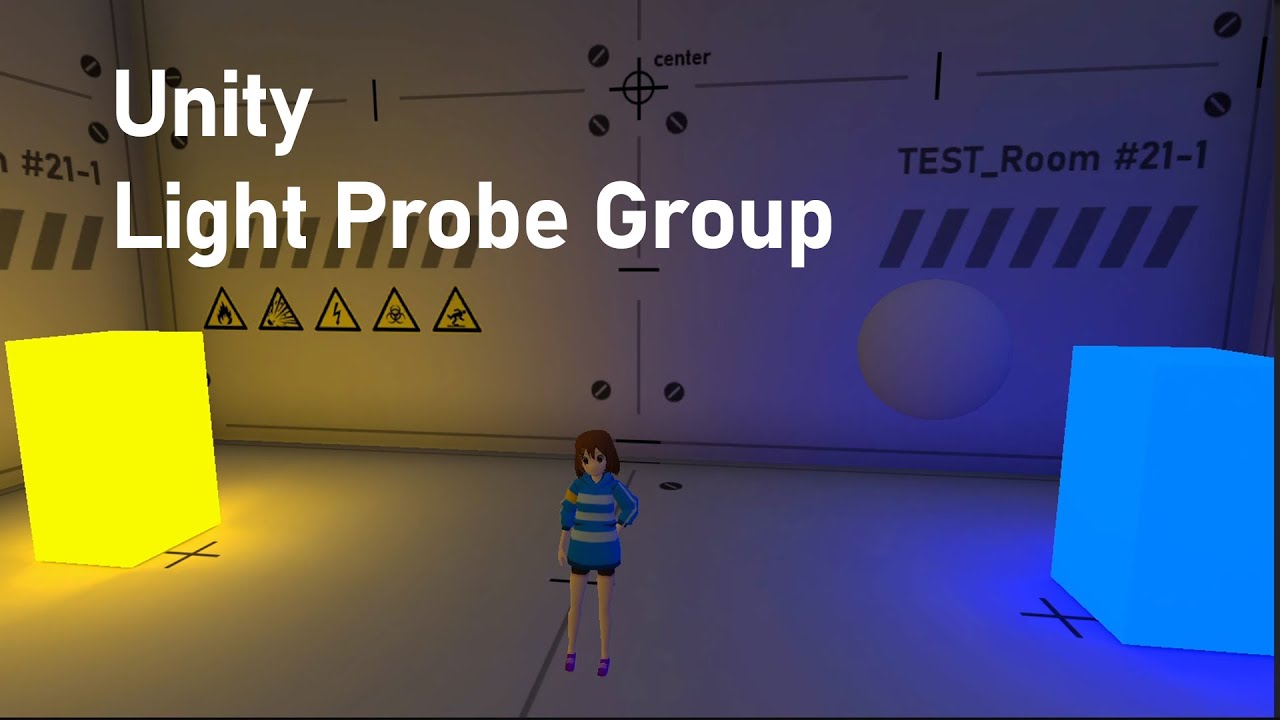
This video shows how to express the brightness and darkness without the light source.
You will learn about :
- Baking lightmap with HDR color and intensity
- Understanding Light Probe
- Positioning Light Probes for storing brightness and darkness from lightmaps
deft fiber
@zenith pond Ah, so it was a room and not just a solid box
You'll also probably want a reflection probe inside the room
Probably not why they turned black
But if you want shiny objects to reflect the inside of the room rather than the sky outside then a reflection probe will help
The reflections work 'as expected' since you can see the sky from them but there's another problem with the probes
light probes that is
Maybe they're not baked yet or they're in invalid positions still
It may help to see how you placed the probes in the room
Still I'm not seeing the probes 
Some of them are too close together and some are inside the walls
Probes sample light that passes through their position during baking, so they shouldn't be in places where light physically cannot be
This also means you'll want to place them in spots where there are lighting conditions have changed, e.g. within spot light's cone and around it
The maze tutorial's way is not correct
The light probes don't care what type of light they're dealing with
Like I mentioned what matters is that they're not inside geometry and that they're placed where it's meaningful to sample lighting conditions
drowsy talon
azure sequoia
Looking for any help with:
`GfxDevice renderer is null. Unity cannot update the ...
This should be harmless. This isn't an error, just a piece of information, telling you that environment lighting will be missing from the relevant scenes. The actual issue is probably elsewhere.
If you want to completely eliminate it as an issue, though, and get rid of the warning, you can do one of 2 things:
- Open each relevant scene, and perform a bake (Window > Rendering > Lighting > Generate Lighting)
- Open each relevant scene, and disable environment lighting (Window > Rendering > Lighting > Environment, set Environment lighting source to Color, and set Environment Reflections source to Custom with no cubemap assigned)
This warning will only appear for scenes that:
- Have environment lighting enabled
- Have never been manually baked
azure sequoia
drowsy talon
This should be harmless. This isn't an error, just a piece of information, telli...
Thanks for you reply! My main concern is about hanging worker threads forever and since this line is last I thought it could be related to this problem.
I think this thread is full of the guys that have similar problem: https://forum.unity.com/threads/import-getting-stuck-after-upgrading-to-2021-2-2f1.1208224/

Unity Forum
Since upgrading to 2021.2.2f1 and the introduction of multi-process importing, we are seeing issue where imports get stuck in a cycle of waiting for...
 frozen geode
is there any way to make area light light up the ceiling without using reflection probes and other light? second pic is point light. [all the light are realtime and cannot be baked because they are generated in real time]

 deft fiber
frozen geode
is there any way to make area light light up the ceiling without using reflectio...
deft fiber
frozen geode
is there any way to make area light light up the ceiling without using reflectio...
HDRP's SSGI and/or ray tracing (or path tracing)
But even those, despite the cost, are unlikely to work very effectively with just an emissive material without any lights
I would an additional spot light or area light, a dimmer one facing up to simulate bounce lighting
(I somehow skipped over the part that you were using an area light already instead of an emissive material, edited)
main wolf
🤔 I always thought that area light is baked only.
deft fiber
main wolf
🤔 I always thought that area light is baked only.
HDRP sports a realtime area light as well
 blissful sky
I am having this issue where my directional light still causes the headset model (and other models) to cast a shadow, even when the light is obscured by another (static) mesh. What could be the cause of this?

 umbral gate
I get this weird thing when i turn on fog.

 twilit garnet
Does anybody know why baked lighting looks that bad and has weird artifacts?
Here are my settings:
*Developing a VR Project


Here's how it looks with higher resolution light map
night shell
twilit garnet
its not a matter of resolution its a matter of compression
not to mention ontop of that it looks like your lightmap has invalid texel artifacts
intresting that it says high quality compression is set but clearly doesn't look like it
are you on a PC build target @twilit garnet ?
I would check your player settings for the lightmap quality setting
 pine zealot
I am trying to make an in game computer screen.
I figure I could put a transparent screen in front of the text canvas screen.
How can I create a transparent material thats effected by post processing bloom?

 upper fable
umbral gate
I get this weird thing when i turn on fog.
upper fable
umbral gate
I get this weird thing when i turn on fog.
Could you show the fog settings?
twilit garnet
night shell
are you on a PC build target <@428182801439784981> ?
Android since I will export the game to my Quest 2
 snow pollen
for bakery lighting,
it all works fine if I bake let says scene A
then ill bake another scene
then if i go back to scene A, the textures on that gets all weird like this
 main wolf
snow pollen
for bakery lighting,
it all works fine if I bake let says scene A
then ill bake ...
main wolf
snow pollen
for bakery lighting,
it all works fine if I bake let says scene A
then ill bake ...
the scenes might be sharing lightmap data, did you duplicate (or save as) the other scene from sceneA?
snow pollen
main wolf
the scenes might be sharing lightmap data, did you duplicate (or save as) the ot...
this is the lightning data of the 2 different scenes
theyre not duplicated scenes

 main wolf
🤔 when you said bakery, did you mean baked lighting (using unity's lightmapper) or 3rd party plugin 'bakery'?
snow pollen
3rd party bakery
deft fiber
snow pollen
this is the lightning data of the 2 different scenes
theyre not duplicated scene...
It may help to specify a new Lighting Data Asset for each scene
With Bakery problems you generally should find Bakery resources and support
deft fiber
pine zealot
Transparent materials are affected by post processing bloom, as seen in your screenshot
umbral gate
upper fable
Could you show the fog settings?
 deft fiber
umbral gate
I get this weird thing when i turn on fog.
deft fiber
umbral gate
I get this weird thing when i turn on fog.
Where exactly does this happen / what are we looking at
It may be relevant information which Render Pipeline you're using and whether it's forward or deferred rendering
umbral gate
The sun
I set the skybox to be a solid color
So i can see the sun
But
It happens where its supposed to be
 heavy mulch
i'm newbie in unity, and this is first ime i using generate lighting for my project, how to fix this when i generate lighting. my project become dark?

like this
 deft fiber
heavy mulch
i'm newbie in unity, and this is first ime i using generate lighting for my proj...
deft fiber
heavy mulch
i'm newbie in unity, and this is first ime i using generate lighting for my proj...
Are you intending to use baked lightmapping?
The console gives you detailed warnings about lightmapping problems, but I'd like to confirm first if you're generating lighting for that reason or for some other reason
heavy mulch
deft fiber
Are you intending to use baked lightmapping?
Yes
heavy mulch
deft fiber
The console gives you detailed warnings about lightmapping problems, but I'd lik...
I wanna try generata lighting so get better performance
deft fiber
heavy mulch
Yes
Then heed the console's warning and advice
heavy mulch
deft fiber
Then heed the console's warning and advice
I have no idea what is overlapping uv
 rancid acorn
What should i do that it looks better or is it enough lighting?
 deft fiber
heavy mulch
I have no idea what is overlapping uv
deft fiber
heavy mulch
I have no idea what is overlapping uv
Now you know what to look into
With baked lightmapping it's best to study the basics and do some practice bakes first
There's a lot of concepts and settings to consider
heavy mulch
deft fiber
Now you know what to look into
I try searching about this but still can't understand
heavy mulch
deft fiber
With baked lightmapping it's best to study the basics and do some practice bakes...
Do you have same website or link that teaching the basic for newbie?
heavy mulch
deft fiber
<https://docs.unity3d.com/Manual/Lightmapping.html>
<https://youtu.be/KJ4fl-KBDR...
Thanks
 brittle echo
im building a sort of dungeon generation game but my all my lights is taking like 40 fps off of my performance, any way i can improve this? the lights are already baked

i get around 50-70 fps with all the lights

now with all the lights removed i get around 80-100 average
 celest grove
i have this character with default shader in hdrp and in the editor its all good and he looks fine but in the build hes almost invisible idk why has anyone ever exxperienced this. (thinking it could be something with casting shadows? but why)


and he looks normal in play mode in the editor
deft fiber
celest grove
i have this character with default shader in hdrp and in the editor its all good...
Post only to one, relevant channel please
heavy mulch
hello my friend, i want to ask about my asset when i using baked, why my material asset become like this? is only happend in baked, in realtime and mixed its normal

 deft fiber
heavy mulch
hello my friend, i want to ask about my asset when i using baked, why my materia...
deft fiber
heavy mulch
hello my friend, i want to ask about my asset when i using baked, why my materia...
"Like" what?
heavy mulch
deft fiber
"Like" what?
my table
deft fiber
heavy mulch
my table
What of it?
heavy mulch
deft fiber
What of it?
the color
heavy mulch
no bro
deft fiber
It's important to be descriptive
If I start guessing what you're referring to I'll likely waste time guessing wrong
heavy mulch
tha color should like this
 heavy mulch
hello my friend, i want to ask about my asset when i using baked, why my materia...
heavy mulch
heavy mulch
hello my friend, i want to ask about my asset when i using baked, why my materia...
but after baked, it look like this
the clover table
heavy mulch
heavy mulch
hello my friend, i want to ask about my asset when i using baked, why my materia...
if i using realtime or mixed, the material look fine, but when i used baked, it look like this
in top of the table, there a point light
 timber light
Hi, is there a way to have a light cookie texture be animated ?
deft fiber
timber light
Hi, is there a way to have a light cookie texture be animated ?
You probably could swap between multiple cookie textures using the Animator, or use an RT texture to display quite literally anything on it
timber light
deft fiber
You probably could swap between multiple cookie textures using the Animator, or ...
Hm ok, if i would use the animator how would i pass that to the light source
deft fiber
timber light
Hm ok, if i would use the animator how would i pass that to the light source
You'd animate the light component itself
timber light
deft fiber
You'd animate the light component itself
So I animate the changing textures images per frame?
deft fiber
timber light
So I animate the changing textures images per frame?
That's what I'm thinking of
Haven't tried it so I can't guarantee that specific property is animateable
Flipbook animations often require a lot of textures so they're often inefficient, but it may be fine for your use case
timber light
deft fiber
That's what I'm thinking of
Haven't tried it so I can't guarantee that specific ...
Yeah ok im trying to fake caustics on a directional light, i will try it
deft fiber
timber light
Yeah ok im trying to fake caustics on a directional light, i will try it
There are shader techniques for caustics which could be better than cookies
timber light
deft fiber
There are shader techniques for caustics which could be better than cookies
They dont give me cool ass godrays and i dont know how to but i might try that too
deft fiber
timber light
They dont give me cool ass godrays and i dont know how to but i might try that t...
Good to have options, caustics are a super complicated effect whichever way you cut it ^^
timber light
deft fiber
Good to have options, caustics are a super complicated effect whichever way you ...
Yeah but they make the scene so much better 😭
 signal shadow
Hi guys! I've been having a problem since yesterday where I get these weird pink lines after baking the lighting. I tried changing to a newer version, changing the bake settings, reimporting the mesh. What could the cause be? I don't get any errors in the console also.


 tiny kelp
does unity's built in and urp renderer support ray tracing or is it only for hdrp?
deft fiber
tiny kelp
does unity's built in and urp renderer support ray tracing or is it only for hdr...
only HDRP
 pallid bear
Why does this happen with the water? It started happening once I added fog. Depth texture has no effect on it and it happens both in game view and scene view
 patent hare
anyone know how I can fix this? looks fine in the editor but when I make a build everything goes ass-up


you also aren't supposed to see the ship through the water
I tried regenerating the lightmaps but nothing changed
pallid bear
pallid bear
Why does this happen with the water? It started happening once I added fog. Dept...
Fixed, increased sorting priority on the fog material
patent hare
patent hare
anyone know how I can fix this? looks fine in the editor but when I make a build...
made a webgl build, that works fine idk why a normal build won't work right
 golden turtle
Hello, I wanted to make the windows of this building emissive, but when I bake I get weird lines as well as the cup handle is lit in a way that doesn't make sense. I don't have much knowledge on trouble shooting lightning problems.

I also made this light probe group but I'm not sure if I'm using it correctly

 drowsy talon
golden turtle
Hello, I wanted to make the windows of this building emissive, but when I bake I...
drowsy talon
golden turtle
Hello, I wanted to make the windows of this building emissive, but when I bake I...
Your light probes should ideally encompass all the objects you want to light with it. It looks like the teacup lies just on the border of the bounding box. Try either moving the top layer of probes up to encompass it, or adding another layer of probes above it. If the teacup handle and body are seperate meshes, this is probably the handle falling back to the skybox probe.
As for those "weird lines", they look like texel validity artifacts to me. Could you open the texel validity view and check if you see any red? https://forum.unity.com/threads/lightmapping-troubleshooting-guide.1340936/#post-8467202
Unity Forum
Introduction
I developed this guide in order to help developers get the most out of Baked Global Illumination (GI) in the Unity Editor. Here, I unpack...
golden turtle
Thanks for replying, so after enabling this in the import settings, it started looking a lot better. However there are some odd parts still. I'm not sure if I was supposed to make UV maps in blender for the objects beforehand, but I didn't because I was using primitive shapes with sort of flat shading for materials. I also have everything except the player marked static.
I added 2 area lights on the windows and lowered the emission of the windows hoping that would make it better, but I realise that area lights don't cast shadows by the player, which is not a big deal for now.
And yes there are some red spots in texel validity view, so I will read the thread you sent to see how to fix those.
Thanks.


 drowsy talon
golden turtle
Thanks for replying, so after enabling this in the import settings, it started l...
drowsy talon
golden turtle
Thanks for replying, so after enabling this in the import settings, it started l...
You can either author your own UVs or let the importer generate them for you, as you have done there. I believe it will fall back to uv0 if you don't do either. Those can kind of be arbitrarily bad. https://docs.unity3d.com/Manual/LightingGiUvs-GeneratingLightmappingUVs.html
 fervent swift
Hi does anyone know what could cause these "spots" (image atttached) to appear in my baked lightmap?
Thank you!
 fervent swift
Do reflection probes contribute to lighting? Where can I learn more about how they effect the lightmap, instead of just reflections? Thank you!
fervent swift
fervent swift
Do reflection probes contribute to lighting? Where can I learn more about how th...
I'm thinking that any objects that have reflective materials on it, are effected so it could lead to a large change in the look of the scene is that correct - or is there something else happening? Thank you!
 vital halo
Hey everyone, hoping for advice more than anything - i'm using the Unity beta (2023.2.0) and am trying to light a scene in realtime, however after "generating" my lighting the lightmaps are unchanging, basically as if I'd baked them after all.
I read I need to disable "Contribute GI" so I've done that, but now I'm missing out on bounce lighting and emissive materials. I'm using URP and have disabled Baked GI completely.
In the lighting panel I can see that there is a distinction between realtime lightmaps and baked lightmaps. I would like for my objects (+ their GI) to be fully dynamic within my scene, but I still suffer from issues where if I remove an object its shadow will remain.
Am I misunderstanding how realtime GI is supposed to work?
 shell juniper
vital halo
Hey everyone, hoping for advice more than anything - i'm using the Unity beta (2...
shell juniper
vital halo
Hey everyone, hoping for advice more than anything - i'm using the Unity beta (2...
Fully dynamic realtime GI is a really expensive effect, only HDRP can handle stuff like that (with ray tracing or SSGI mostly)
In URP the realtime lightmaps refer to enlighten, which can handle dynamic moving light sources, but not moving objects.
Anyways, unless you're targeting high end hardware, realtime GI with moving objects is just too expensive in general
vital halo
shell juniper
Fully dynamic realtime GI is a really expensive effect, only HDRP can handle stu...
Hmm gotcha, okay, I'll stick with what I've got for now without having each object contribute GI and maybe bake out the room lighting itself and look more into HDRP (I skipped it thinking it might be a bit more advanced than i can feasibly use right now). Thanks for confirming that it's an issue with my understanding of how Enlighten works!
Every day is a school day, as they say
shell juniper
vital halo
Hmm gotcha, okay, I'll stick with what I've got for now without having each obje...
It's actually pretty standard to make the levels static, and have only them contribute gi, and to then have dynamic objects like the player and anything interactible not be baked at all.
For increased quality it's also common to have dynamic objects "sample" the baked lights. Effectively, moving objects can receive bounced light and GI, just not cast any of it. Combined, these techniques are what's used by pretty much any game which doesn't require large parts of their environments to move. (think cod levels for example)
Unity has two systems for sampling the baked lightmap. APV, and light probes, it's a whole other can of worms to explain them, but suffice to say, APV has better quality in almost all cases, but it's also really new, and I'm not sure if it's in URP yet
Whatever you end up doing, good luck!
drowsy talon
fervent swift
Do reflection probes contribute to lighting? Where can I learn more about how th...
Reflection probes do not affect lightmaps. Lightmaps store only diffuse lighting. Reflection probes are used to obtain the specular component. Shaders will sample both the lightmap and reflection probe, and composite the results.
They do "contribute to lighting" in the sense that they will affect how objects are shaded. If you only use lightmaps, and have no source of reflections, like reflection probes or screenspace reflections, your objects will only receive diffuse lighting.
drowsy talon
fervent swift
Hi does anyone know what could cause these "spots" (image atttached) to appear i...
This just looks like typical noise to me. Do you denoising/filtering enabled in the lighting window? You can also try increasing your sample counts
Increasing the scale in lightmap of that closet may also help
 whole hamlet

Can anyone help with shadows and lighting? I've got some over all problems with lighting in this scene, but I also notice now that objects aren't casting shadows... this desk should certainly have a shadow! I've toggled shadown controls on the object and the light to no avail..
whole hamlet
@quartz lily were you able to help?
 quartz lily
Have you looked at the settings on that light component?
whole hamlet
Yes, and please, I am just starting with unity.. sorry for not being to proffeciant...
And sorry.. I should have specified.. I have toggled teh No Shadows there.. no change
I'm not THAT stupid.. 🙂
drowsy talon
whole hamlet
Can anyone help with shadows and lighting? I've got some over all problems with ...
Are you using any custom shaders? IE. anything that isn't shipped with URP. Do you have shadowmask mode enabled, and are you using baked lighting at all?
whole hamlet
I may need help with alot of those terms.... The shaders/textures are from the Assest Store... and I will have to look up Shadowmask mode.... I've toggled between different lighting settings..
Ok, so I have investiaged, there was no Light Setting Asset... I have since made one, played with Shadowmask mode and such,, no change.
I do have lots to learn,, but appreciate any help people can provide!
whole hamlet
@drowsy talon based on what I said, what should the settings be then?
drowsy talon
You aren't using shadowmasks then 🙂 They are specific way to blend between baked and realtime shadows and could cause an issue like this with a botched setup. Shouldn't be the case here.
drowsy talon
whole hamlet
I may need help with alot of those terms.... The shaders/textures are from the A...
Custom shaders need to have a specific pass present to be able to cast and receive shadows. Can you try changing the material on the problematic MeshRenderers to use one the built-in URP shaders, and see if you still have the issue?
whole hamlet
Ok, I can certainly try.. though I'm not exactly sure where I even find the built in shaders! When I first started, I was shocked to see absoltuly no textures or shaders...
drowsy talon
Also, which version of URP and Unity are you using? @whole hamlet
There's a dropdown on the material inspector. I'm not using URP in this project, but you should see a URP lit option
 whole hamlet
So I'm using version 2021.3.21f1 with the Sptaial SDK..
And yes, I am using the URP (Lit)
drowsy talon
whole hamlet
And yes, I am using the URP (Lit)
Alright. So probably not a shader issue either then, hmm. Is the table itself set to cast shadows?
Click on it and check the mesh renderer inspector
whole hamlet
 drowsy talon
whole hamlet
drowsy talon
whole hamlet
Fold out mesh renderer insecptor. Check that Cast and Receive shadows are on
 drowsy talon
Hmm. Those settings look fine. Are they the same on the floor mesh?
drowsy talon
whole hamlet
https://cdn.discordapp.com/attachments/497872424281440267/1121449749346783293/im...
And just to make sure, you did turn Shadow Type away from "No Shadows" on the Light again, right?
 drowsy talon
Wrong image 😛
whole hamlet
 drowsy talon
whole hamlet
drowsy talon
whole hamlet
Which version of URP? You can check in Window > Package Manager
 drowsy talon
Change the filter that says "My Assets" in the top
Should be under one of the other categories
"In Project" or something like that
@whole hamlet
whole hamlet
Sorry... nothing seem to be attached to that mention..
drowsy talon
whole hamlet
Sorry... nothing seem to be attached to that mention..

If you press on that you should see a dropdown
whole hamlet
Ok, under Unity Registry there are lots of items.. looking for URP
drowsy talon
I believe it's called "Universal RP" in there
whole hamlet
12.1.10
drowsy talon
Hmm. Alright. IIRC point light shadows were added in URP 11, so you should be good there too. I'm out of ideas. I'd suggest you file a bug report if this is blocking you.
Actually, 1 last thing. You don't have this button disabled do you?

@whole hamlet
Keep forgetting to hit the reply button x)
whole hamlet
I do have it toggled on! But toggled it off and though it changed teh sceen lighting, it didn't give me shadows!
drowsy talon
It should be on. I made a typo
drowsy talon
drowsy talon
Hmm. Alright. IIRC point light shadows were added in URP 11, so you should be go...
Welp. This is all I have left to say, sorry : (
whole hamlet
Well, thank you Pema... how about @carwash, care to give it a wack?


 opal haven
Hey guys! Could anyone please help me with lightmaps? I've placed some static lights on my scene and baked the lightmap and everything works well outside of runtime. However, while playing my game, dynamic objects do not receive any lighting from the lightmap. Is that expected? I'm on 2020.3.21f1, using URP.
opal haven
I have also placed some light probes on the scene, but it doesn't look like these change the lighting much
Scratch that, they do change the lighting. But it's only while outside of play mode - While playing the game it's almost like the light probes are not there
deft fiber
 livid hazel
Why are there weird bands on the floor
livid hazel
Why are there weird bands on the floor
This is a color quantization error from trying to render more shades than the screen or renderer can display, often called just color banding
What color space does your project use, and what render pipeline?
livid hazel
deft fiber
This is a color quantization error from trying to render more shades than the sc...
URP and Linear
deft fiber
livid hazel
URP and Linear
Try enabling Dithering on the camera
Color banding is usually the worst in gamma space, but this is worse than I've ever seen even with that
livid hazel
Still there
 deft fiber
livid hazel
Still there
deft fiber
livid hazel
Still there
The dithering doesn't seem to be working at all
livid hazel
Nope.
deft fiber
So it's hard to say if it'd help or not
Post processing must be enabled on the camera for dithering to work
Banding is usually worse if post processing grading mode is Low Dynamic Range instead of High Dynamic Range in quality settings
Additionally HDR should be enabled
Assuming your target platform supports these
deft fiber
livid hazel
Post processing is enabled
Does any post processing seem to work?
livid hazel
Yes
 static carbon
Hey there, I need to be able to use 3D lights on tile maps, it's a very specific use case where I'm layering tilemaps to create depth and I want light to come from the camera's point towards the tilemaps so to speak
How can I achieve this?
 mint furnace
anyone know how to fix this? im using plain colour materials and after generating the lighting, this happened.
 whole hamlet
@livid hazel Willing to take a wack at my issue?
livid hazel
whole hamlet
<@394506500900519948> Willing to take a wack at my issue?
That is?
whole hamlet
If you can scroll up, you'll see my issue and others troubleshooting a few hours ago... shadows nto working for some reason:-)
livid hazel
Sorry I'm not very proficient in lighting issues, I'm more of an art/code person
whole hamlet
Ah, well, just saw you helping here, thought I'd ask:-)
mint furnace
mint furnace
anyone know how to fix this? im using plain colour materials and after generatin...
how did a plain colour go to a metal texture?
vital halo
@shell juniper Thanks again for the advice! I did already fill my level with light probes and to be fair apart from some very obvious light bouncing not happening (we're talking blocks of primary colours bouncing white light around) overall I'm still very happy with how my lighting has turned out. I don't know if my light probes are exactly perfectly laid out but it's at least giving me a good approximation of how the lighting should bounce, I think.
I did give APV a try before but couldn't seem to get it working - Might be worth another look.
Here's what I've been able to achieve up to now with only the room contributing GI (still with 1 realtime light - I will experiement more with mixed lighting later) and vaguely decent use of light probes and a single reflection probe.
I'm pretty happy for a first time go at things.

 timber lichen
why does spotlight not show on my 2d sprite?
 deft fiber
timber lichen
why does spotlight not show on my 2d sprite?
deft fiber
timber lichen
why does spotlight not show on my 2d sprite?
What's the sprite material?
By default 3D lights aren't supposed to illuminate 2D sprites
drowsy talon
livid hazel
This as well
It might be lightmap encoding. Make sure this project setting is set to High

Can sometimes cause extra banding artifacts
livid hazel
drowsy talon
It might be lightmap encoding. Make sure this project setting is set to High
Unfortunately that's already set to high quality
 livid hazel
drowsy talon
It might be lightmap encoding. Make sure this project setting is set to High
livid hazel
drowsy talon
It might be lightmap encoding. Make sure this project setting is set to High
Could I send you the project file and you have a look at it?
whole hamlet
@livid hazel and anyone else.. I'm going to try this again and see if anyone new can try and help... I have a situation where my objects are not casting shadows... we've coveed shadow toggles for the light and game asset, the light settings in general as well, URP version.. and it's also affecting spot lights from working at all...

Notice the point light to the side of the desk... and no shadow!
whole hamlet
If it helps, here is the space in Spatial… no actual light sources inside! Hold for wall, sealed, with render textures on both sides enabled. This room should be 100% dark, yet every object seems to generate its own light somehow.!
 whole hamlet
In troubleshooting... I find none of the point lights are able to cast shadows on anything... but teh global environment light source does!

 whole hamlet
Anyone? Purdy please with sugar on top?
deft fiber
whole hamlet
Shadows are disabled on the point light here
deft fiber
whole hamlet
If it helps, here is the space in Spatial… no actual light sources inside! Hold ...
Objects will not be dark as long as they receive ambient lighting and reflections, which are global or controlled by probes
deft fiber
whole hamlet
Anyone? Purdy please with sugar on top?
It's midsummer night in Europe, a lot of people are busy!
whole hamlet
deft fiber
Shadows are disabled on the point light here
I will check that once again, thank you.. but it was not the source of the issue before.. we had ruled it out.
whole hamlet
deft fiber
Objects will not be dark as long as they receive ambient lighting and reflection...
So I turned teh global light to 0, and deleted all light sources.. still super bright...
Not what expected???
 obtuse ice
#💻┃unity-talk message
#💻┃unity-talk message
I can't seem to get good baked lights
Ive exported this map from postal 2 using a tool that is as old as postal 2. I've tried splitting the map, generating lightmap UVs but it is still dogshit most of the time.
deft fiber
obtuse ice
https://discord.com/channels/489222168727519232/497872424281440267/1122148044230...
Server not for asset ripping or related issues
 mint gorge
Hello guys i have some problems with colors in my build(pic2) vs my editor(pic1), why does that happen? thanks

 deft fiber
mint gorge
Hello guys i have some problems with colors in my build(pic2) vs my editor(pic1)...
deft fiber
mint gorge
Hello guys i have some problems with colors in my build(pic2) vs my editor(pic1)...
I would try making a brand new one Renderer Asset and set it for that specific build target's URP Asset
mint gorge
deft fiber
I would try making a brand new one Renderer Asset and set it for that specific b...
this works thanks a lot
 marsh wasp
Hey everyone. I'm very new to lighting and I'm trying to get an understanding of what is happening here.
I am using URP in version 2022.2.19f.
I have baked lights, added light probes for small objects that will not contribute to GI, and baked my reflection probe for the room. The problem is when I view objects at glancing angles - there is additional light that is visible. I'm not sure what is contributing this. Is there any way to remove it? I'm not sure where to begin.
addition info that might be relevant:
Double sided shadow casting is turned on.
Walls, Ceilings, and Floors are set to static with contribute to GI on.
Other objects in the scene are not contributing to GI

 midnight thorn
marsh wasp
Hey everyone. I'm very new to lighting and I'm trying to get an understanding of...
midnight thorn
marsh wasp
Hey everyone. I'm very new to lighting and I'm trying to get an understanding of...
that is skybox reflection on standard shader material
you should custom a skybox in light setting
marsh wasp
midnight thorn
you should custom a skybox in light setting
that did it. Thanks!
 deft fiber
 gloomy lily
any idea of how to fix it?
gloomy lily
any idea of how to fix it?
Place a shadow-only mesh above your cave
midnight thorn
is there any tool to generate shadow as mesh?
deft fiber
midnight thorn
is there any tool to generate shadow as mesh?
What do you mean by "shadow as mesh"?
 slow pilot
Isn't shadow a texture?
midnight thorn
a fake hard shadow which is mesh
night shell
midnight thorn
a fake hard shadow which is mesh

GitHub
Cheap shadowing for mobile/VR (Originally by ozlael) - GitHub - frostbone25/Unity-Planar-Shadows: Cheap shadowing for mobile/VR (Originally by ozlael)


 sharp glen
sharp glen
sharp glen
it flickers between these
 deft fiber
sharp glen
how do I fix
deft fiber
sharp glen
how do I fix
Looks like pixel light limits per mesh
sharp glen
deft fiber
Looks like pixel light limits per mesh
how do you increase that for URP
to unlimited
deft fiber
sharp glen
to unlimited
You'd have to use deferred or forward+ rendering path to get unlimited
Alternatively you could have smaller light ranges and mode modular meshes to reduce number of lights per mesh
Or use baked lightmapping instead
sharp glen
okay we will try that 👍
 tough cave
can anyone help with reflection probes? I'm trying to bake a lot out at different times of day and blend between them as the time passes
I've found that if I look at a mesh I can move the probes to a place and get this

weight 0.5
but if I put them both in the same place and adjust the intensity as the time of day passes I get the wrong result
which makes sense I suppose
(because I have 2 probes at 0.5 intensity getting blended)
 loud kernel
I'm not sure what channel to ask this in, but thought I'd try here. (Please direct me if there is a better one.) How might I make a GameObject transparent, but only see the surface(s) facing the camera, and not the interior or back surface(s)? So it looks like a ghost or a reflection or a holographic message in Star Wars. For example if I had a cube that was transparent in this way, the camera would only see the faces and edges closer to it (what it would see if it weren't transparent), and not the faces and edges away from it. But still see through it to other non-transparent objects behind. Any ideas or packages for this?
EDIT: I should mention I want to do this in a 3D Core project.
 midnight topaz
Hey guys, small doubt. I imported the dungeon scene and set up post processing profile along with some bloom. Can someone explain why this fire fx is emitting? It is a particle effect but the material used in the renderer does not have any emission parameter. The color of the particle is also not HDR, meaning I can't increase the intensity.


Nevermind, I had a low threshold for bloom
 sturdy gulch
Hi, i make indoor 3d puzzle game, i use unity URP baked lighting system to lightup my rooms, but all other rooms baked the light correctly but two rooms are not baked correctly..one of the room is like this and another room the spotlight is flickering for no reason..i pretty new for the lightings stuffs in unity URP...how can i fix this ? any help appreciated !
Unity version: LTS 2021.3.24f

 midnight thorn
sturdy gulch
Hi, i make indoor 3d puzzle game, i use unity URP baked lighting system to light...
midnight thorn
sturdy gulch
Hi, i make indoor 3d puzzle game, i use unity URP baked lighting system to light...
looks like model uv not generate for lightmap
sturdy gulch
midnight thorn
looks like model uv not generate for lightmap
I use probuilder for all of the model..does it cause ?
midnight thorn
still need uv2 for lightmap
uv2 is overlaped ,unfolder them to make lightmap correct
sturdy gulch
midnight thorn
uv2 is overlaped ,unfolder them to make lightmap correct
How can I make it in unity... because I am pretty new with this stuffs ?
midnight thorn
sturdy gulch
How can I make it in unity... because I am pretty new with this stuffs ?
let me check
midnight thorn
sturdy gulch
How can I make it in unity... because I am pretty new with this stuffs ?
 midnight thorn
sturdy gulch
How can I make it in unity... because I am pretty new with this stuffs ?
midnight thorn
sturdy gulch
How can I make it in unity... because I am pretty new with this stuffs ?
 sturdy gulch
Alright I try now
sturdy gulch
midnight thorn
it is look improvement compared to previous one

but still having some minor issues
midnight thorn
sturdy gulch
but still having some minor issues
does the wall generated uv2?
sturdy gulch
 sturdy gulch
yup it does
sturdy gulch
midnight thorn
wall
hey thanks finally i fix it

one more in another room the spotlight is flickering when the player approach it..that's only the problem for now
midnight thorn
sturdy gulch
one more in another room the spotlight is flickering when the player approach it...
 sturdy gulch
midnight thorn
sturdy gulch
midnight thorn
 midnight thorn
how many light you are
sturdy gulch
sturdy gulch
sturdy gulch
here the flickering issue
sturdy gulch
midnight thorn
how many light you are
do you mean the total lights in scene ?

 sturdy gulch
nothing is runtime all are baked only
midnight thorn
sturdy gulch
haha that is bloom issue
sturdy gulch
ohw how can i fix that


 outer field
Hello, is it possible to use a shadergraph from c# ? I mean to get the output colour by the worldposition for example?
Am I unclear ?
midnight thorn
outer field
Hello, is it possible to use a shadergraph from c# ? I mean to get the output co...
this is still a shader
 outer field
It should be possible to make a request to the GPU with a material method or I don't know
So the only way is using a render texture ?
midnight thorn
outer field
It should be possible to make a request to the GPU with a material method or I d...
material.GetColor("_BaseColor");
outer field
Chatgpt m'a dit la même chose mais a priori ça ne sert qu'à récupérer les valeur de propriété, pas la sortie
 languid cove
outer field
Chatgpt m'a dit la même chose mais a priori ça ne sert qu'à récupérer les valeur...
languid cove
outer field
Chatgpt m'a dit la même chose mais a priori ça ne sert qu'à récupérer les valeur...
Hey, en anglais stp 🙂
outer field
Sorry
languid cove
And probably #archived-shaders is a better channel for this question
outer field
I mean I already asked chatgpt but getcolor only get a property , not an output
drowsy talon
livid hazel
Could I send you the project file and you have a look at it?
Sorry, was off for a while and didn't see this message. I can't take a project from you directly. If you are still facing issues, you should submit a bug report with your project attached.
livid hazel
drowsy talon
Sorry, was off for a while and didn't see this message. I can't take a project f...
That's all right the issue is sort of resolved
 rustic fable
Does anyone have any idea what could cause this? Its fine in editor mode, but when in playmode the light is wrong until the window focus gets changed.
 rustic fable
fixed
deft fiber
rustic fable
fixed
Do share what it turned out to be
rustic fable
deft fiber
Do share what it turned out to be
The surface type in the shader settings of the window had to be adjusted from Transparent to Opaque with Alpha Clip enabled.
 timber plank
Hi there, I have a problem with an object in my Scene that take baked lights but it should not.
My scene is composed by a directional light, setup in baked with cast shadow.
I have big wall that block lights in front of my directional.
My lightmaps UVs are generated by Unity
But as you see on the picture, my object is lighted while the cube is not.
The expected behavior is the one on the Cube.
All my objects are in statics
Could you help me?

 sudden epoch
hello, I'm having a huge problem getting 2D lighting to work. For context, I'm using Corgi Engine, so I converted everything to URP and I followed the documentation here:
https://docs.unity3d.com/Packages/com.unity.render-pipelines.universal@16.0/manual/Setup.html
No matter what I do, the shaders / materials I'm using do not seem to be effected by light
Does anyone know what I could be doing wrong?
languid blaze
How do you sample adaptive probe volumes? I found https://docs.unity3d.com/Packages/com.unity.render-pipelines.core@16.0/api/UnityEngine.Rendering.ProbeReferenceVolume.RuntimeResources.html, but this is just a big pile of SH data
My game samples light probes to decide how brightly-lit a position is for my stealth system. If I switch to probe volumes, I'll need to be able to do the same thing.
I use LightProbes.GetInterpolatedProbe to sample a position and evaluate the brightness
 daring seal
When I hit Generate Lighting my cpu goes to 100% usage and my gpu stays at 0%

My gpu is an AMD Radeon RX 580
deft fiber
daring seal
When I hit Generate Lighting my cpu goes to 100% usage and my gpu stays at 0%
Look into console for any potential messages about why GPU would not be used for baking
Make sure your GPU drivers are updated
daring seal
 deft fiber
It's also possible that your GPU is too old to be supported
daring seal
Doubt this error has anything to do with it, but there it goes anyways xD

In the little menu in the second capture, it does say "Baking device: Radeon RX 580 Series"
deft fiber
Sometimes windows task manager doesn't report GPU use directly if it has multiple rendering APIs so it's also psosible that it is working after all
Swapping to CPU baking and comparing the bake performance might give an answer
 charred moth
https://youtu.be/RjZeU4aLmBs how is something like this not possible in unity yet 

Added ReSTIR GI for diffuse global illumination, now reaction time is instantly and most ghosting that was present on old SVGF implementation is gone
For the denoiser I removed the SVGF temporal part but kept the A-Trous passes, ReSTIR's + TAA is good enough in most cases
Noise is still visible in some places, I'm working to fix these
Reflection...
deft fiber
charred moth
https://youtu.be/RjZeU4aLmBs how is something like this not possible in unity ye...
It is with HDRP's RTGI
Voxel based engines have a huge advantage with RTGI because right angles and identical polygons allow for many shortcuts in the calculations
But they can't do that with anything that isn't voxels
charred moth
deft fiber
But they can't do that with anything that isn't voxels
ah didn’t know that
thanks
 limber zodiac
if you change a few objects and generate lighting again, will it have to re generate lighting for the whole scene or will it just affect the new objects?
deft fiber
limber zodiac
if you change a few objects and generate lighting again, will it have to re gene...
Everything
The lightmapper doesn't know whether the changed objects will change lighting on nearby objects, and there's no feature yet at least to isolate bakes to specific objects
limber zodiac
thanks
 errant plank
Umm I have a problem, my shadows aren’t working after playing with the lighting. What do I do?
 spice heron
so uh
i want the dark parts of my map to be pitch black
and for some reason
i got it work by changing Baked Lightmaps from NONE to NONE
like wtf???
and then it just works for me??? but when i send the game to my friend its broken for him until he changes it from NONE to NONE???
how can i perma fix this??


like its just broken and awful gray (first image) and then i change the baked lightmap from NONE to NONE and it just works
but not when i send it over github to a friend
he has to do the same thing to fix it
deft fiber
spice heron
like its just broken and awful gray (first image) and then i change the baked li...
You need reflection probes (and in case of dynamic objects, light probes) for the bake to fully capture the interior's dark lighting conditions
Removing Lighting Data to make everything dark is likely an unintended effect or a bug
If you want everything dark without baked lightmapping, you should set environmental lighting source to a black color from environment lighting settings (and hit Generate Lighting with Baked Lightmapping disabled to make that change stick)
But which way of the two you should use depends whether you want baked lightmapping or not
 dark jay
how do i add more light layers
 glass vessel
dark jay
how do i add more light layers
glass vessel
dark jay
how do i add more light layers
Project Settings->Tags and Layers
For reasons, I'm using a realtime refprobe as my skybox (standard pipeline). The refprobe is 2048 and the refprobe preview in the inspector is nice and crisp. But the skybox is apparently using the lowest mipmap. Because it's a live rendertarget, I have no import settings to control mipmaps...and disabling them on the refprobe's realtimeTexture in script doesn't have any effect. Anyone know how I can (preferably) disable mipmaps on the refprobe, OR force the skybox to use the top mip?
deft fiber
glass vessel
For *reasons*, I'm using a realtime refprobe as my skybox (standard pipeline). T...
It seems weird that the lowest mip maps would be sampled if you've explicitly disabled mip map generation for the RT texture
With a custom sky shader you could sample a texture at a specific mip level
glass vessel
deft fiber
It seems weird that the lowest mip maps would be sampled if you've explicitly di...
I was setting the mipbias in Start, but setting it in Update fixed it - although everything is mega-shiny now 🙂
Long term I'll make a custom skybox shader as you suggest, so the probe behaves normally for other surfaces.
 tiny imp
I have this spot light above a piano. I added some cubes so that black keys cast a shadow. However, there is no shadow. The part marked red is supposed to have a shadow right?

 deft fiber
tiny imp
I have this spot light above a piano. I added some cubes so that black keys cast...
deft fiber
tiny imp
I have this spot light above a piano. I added some cubes so that black keys cast...
Shadow resolution (/cascades) and bias settings add up to determine the smallest possible shadow casters
It could be that the keys are simply not big enough relative to those variables
Or they might be too close to the light and have the near clip plane of 0.2 cut them off
tiny imp
oh ty !
 worn wigeon
Hey guys, i hope its right place to ask. Im struggling with one problem. After baking lightmap in a scene i have weird result in some objects normal maps. Im getting hard edges (its removing bevel-normal from the normal map). The UV are ok, UV shells are also splitted, in other softwares (and in unity without baking lightmaps) everything are good. First png are after bake with setting as static (which gives me worst result) and non static(better result , still not perfect). I Have light probs and reflection probs on the scene. And Settings for Lighting. What do You think? its possible to fix it? or its depends on the light inside scene? (its not very visible from player perspective, but well.. i would like to fix it somehow)


 austere thistle
Hello! I got a big question about lighting.
So I'm more of working on an 'animation & video' inside of unity where I want to have a day night cycle.
I setup all the lighting how its needed and even when putting the scenelight on skybox and realtime, once i play the scene, the environment is still lit up. While in edit mode and moving along my keyframes, the light is fine and the scene and objects turn dark normally. Anyone know whats up with how the game-mode doesnt want to change the lighting?
deft fiber
austere thistle
Hello! I got a big question about lighting.
So I'm more of working on an 'animat...
Editor internally calls this method
https://docs.unity3d.com/ScriptReference/DynamicGI.UpdateEnvironment.html
when you change the environment lighting, I believe, which doesn't occur in play mode or in build
You could force the update with a script, but it may cost performance on some platforms
deft fiber
worn wigeon
Hey guys, i hope its right place to ask. Im struggling with one problem. After b...
Are you sure the lightmap UVs are good?
worn wigeon
deft fiber
Are you sure the _lightmap_ UVs are good?
this is how the UV lightmaps looks like for this object, i tried diffrent configuration, margin etc
 deft fiber
worn wigeon
this is how the UV lightmaps looks like for this object, i tried diffrent config...
deft fiber
worn wigeon
this is how the UV lightmaps looks like for this object, i tried diffrent config...
I'd try enabling auto-generate from import settings and letting Unity do it
and/or visually confirm how they look after baking on the lightmap itself
 onyx sorrel
does unity urp soft shadow implementation is really limited and doesn't even has spread/absorbsion?
deft fiber
onyx sorrel
does unity urp soft shadow implementation is really limited and doesn't even has...
Correct
onyx sorrel
is hdrp any better at that?
onyx sorrel
and such shadow bias will be always visible?

 wooden dawn
Does anyone know of a way to split the areas in a scene to bake?
i'm using unity 2021.3.13f1, bakery is not an option as i'm using amd.
deft fiber
onyx sorrel
and such shadow bias will be always visible?
Less so if your level geometry has continuous normals, such as with bevel corners and/or seams
It's rare to need perfect absolutely shadows in real practical scenes
If it turns out as a problem regardless even after replacing your greybox assets, you can control bias values and additionally decrease light source size and enable screen space contact shadows
Or increase light source size to make the shadow softer to conceal the transition
onyx sorrel
iirc that happens with baked lights even with low shadow bias
deft fiber
onyx sorrel
iirc that happens with baked lights even with low shadow bias
Bias is only for realtime shadowmaps
Baked lightmaps are calculated entirely differently
onyx sorrel
okay maybe i baked in low res
 glass vessel
dark jay
theres no lighting layers in there
glass vessel
dark jay
theres no lighting layers in there
Those ARE the lighting layers. In their wisdom Unity decided that using the same set of layers for collision and lighting would be a good plan...
glass vessel
It's very annoying TBH
 torn rivet
been trying to get the point lights here to not cut off at a certain point, would anyone know why is this happening, and how to fix it?
 deft fiber
torn rivet
been trying to get the point lights here to not cut off at a certain point, woul...
deft fiber
torn rivet
been trying to get the point lights here to not cut off at a certain point, woul...
Your wall normal map is messed up
Probably not set as type normal map
 mental pawn
How can I make objects like these take up more room in the lightmap?

 chilly kettle

@mental pawn
You can increase the scale for important models. And you SHOULD lower it for unimportant stuff, like far terrain or something.
If you have a building in the distance, you can easily set the scale to 0.1 or something.
And for important small pieces to something like 5 or so
deft fiber
mental pawn
How can I make objects like these take up more room in the lightmap?
The most important thing is to use meshes that don't need this many UV islands
If you've got small and/or complexly shaped meshes it may be better to have them receive global illumination using light probes instead of the light map
If that's in check, make sure your lightmap padding is not too big
It should be 1 or 2 usually
Increasing the lightmap resolution would also make them island use lightmap space more efficiently relative to padding
But that's assuming those meshes aren't completely wasting their lightmap space anyway
A lot of those UV islands are barely taking up 1 lightmap texel which seems pointless
mental pawn
@chilly kettle I was making it harder on myself by trying to not have to go around a few hundred buttons to set that, but I figured out how to adjust them through script. Thanks for the reply!
 stark star

any idea what happened here? for some reason after i added the second level baked light broke?
the right side is fine but model on the left are acting very weird?
they all have generated lightmaps and worked perfectly fine before
lightmpa prev looks fine

it just decided to bake nothing?
 deft fiber
@stark star Enable "generate lightmap UVs" on mesh import settings for meshes that need it
What do you mean by "added second level" precisely?
Into project? Loaded it additively?
Make sure all your scenes have their own lighting settings asset
stark star
deft fiber
<@264443797004353537> Enable "generate lightmap UVs" on mesh import settings for...
i literally just told you
that every single object
has that enabled
deft fiber
stark star
*
I missed that bit
stark star
deft fiber
What do you mean by "added second level" precisely?
the walls that dont bake
found a solution thou
 chilly kettle
@deft fiber - Texel invalidity incoming?
stark star
?
deft fiber
chilly kettle
<@166982635950702592> - Texel invalidity incoming?
These look more like "fireflies" than texel invalidity, but maybe that's not an issue ^^
stark star
stark star
found a solution thou
well not a solution rly i found what was messing the bake
deft fiber
What did it turn out to be?
stark star
deft fiber
These look more like "fireflies" than texel invalidity, but maybe that's not an ...
its a lack of filtering thats for debug sake
stark star
deft fiber
What did it turn out to be?
i have roof made of probuilder planes
if i disable them it bakes just fine
i dont know why thou
deft fiber
ProBuilder meshes often break in strange ways when baking lighting for them, unless you've saved them into an un-editable mesh
stark star
but they are here so how they break everything else?
 stark star
deft fiber
ProBuilder meshes often break in strange ways when baking lighting for them, unl...
stark star
deft fiber
ProBuilder meshes often break in strange ways when baking lighting for them, unl...
how do i make it pernament?
deft fiber
I don't know the exact process since I don't use the tool, but there should be some way to save or export it from within ProBuilder into an ordinary mesh asset
stark star
not much here :/
 deft fiber
Then it is somewhere else
If you're worried about the lighting looking as grainy as it does I'd look into chapters 14 and 17 here
https://forum.unity.com/threads/lightmapping-troubleshooting-guide.1340936/
stark star
deft fiber
If you're worried about the lighting looking as grainy as it does I'd look into ...
im not worried
i've done this on purpose
it lets me see more clearly how the light looks before the filtering
imagine i exported the plane and it still breaks the bake
im impressed


even after changing it to plane
from unity meshes
it still breaks
changing the material also didnt help
😄
without the planes it works

im so confused
deft fiber
I've only seen this type of inexplicable issues when they're meshes handled by ProBuilder, but it's hard to say
Could still be even if you change the mesh filter, not sure since I don't use the tool
stark star
deft fiber
I've only seen this type of inexplicable issues when they're meshes handled by P...
i just fixed it
imagine
by rotating the planes
the issue was that they were facing the other side
and this somehow broke the whole unity bake


deft fiber
That makes sense
Light rays hitting the backface are terminated, basically
Texel invalidity debug view would've revealed that
@chilly kettle You were spot on all along 
stark star
last thing >.>

wat is that
and why is it there >.>
without post process

no double faces what so ever
its only visible after bake and with bloom

and its not filtering issue
deft fiber
stark star
I think usually because the shader would be producing Not a Number values
I'd try to check if it happens with a default material/shader as well
stark star
deft fiber
I think usually because the shader would be producing Not a Number values
I'd tr...

it happends with anything
ow

not rly
.>
its a shader issue
still weird that it happends only after baking
its weird because every model on that scene uses this shader
and this one face decided to break
 velvet forge
How can I make the lighting darker in a 2d game?
deft fiber
velvet forge
How can I make the lighting darker in a 2d game?
Is your 2D game using lighting or not?
velvet forge
idk
timber lichen
this may be a post processing question but how would I make a area that has 3 sides like a tunnel be completly dark?
 left zodiac
Heyyyy Im working in URP and im trying to get light to work, i use the default lit materials, but everything appear fully lighted by default, anyone knows how to fix that? thank you very much 🙏

No light seem to work and everything appear as if it was already completed lighted up by default
chilly kettle
left zodiac
Heyyyy Im working in URP and im trying to get light to work, i use the default l...
Did you dim the environmental light?
 chilly kettle
what happening if you choose black for the ambient color?
and click generate lighting
 chilly kettle
Show the inspector when you have selected one of your walls
 chilly kettle
And the Mat?
left zodiac
i mean its the default urp sprite lit
 chilly kettle
You use an Unlit Shader there
 chilly kettle
😄
chilly kettle
Just checking everything twice will help sometimes 😄
left zodiac
its always great to have a second pair of eyes check your things thank you very very much have a nice day
chilly kettle
No Problem 🙂
sudden epoch
I was having a similar issue, though I’m using lit shaders and it’s still not working
sudden epoch
sudden epoch
hello, I'm having a huge problem getting 2D lighting to work. For context, I'm u...
This
 maiden field
and did you fix it?
sudden epoch
No
Not sure what the problem is
I kind of just moved on and maybe I’ll figure it out eventually. I’m using corgi engine so that might have something to do with it, although I converted it to a URP project so I’m not sure what’s the issue
 wicked yew
Hi guys, the "tile" in my scene (which is actually a 3d object) is set to be a lit shader, and for some reason although there is no 3D lighting in the scene it is fully lit, how is that possible? I have made sure that there is no global illumination and that there isn't lightning from the "skybox"

It also does not react when I place colorful 3D spotlights next to it
chilly kettle
wicked yew
Hi guys, the "tile" in my scene (which is actually a 3d object) is set to be a l...
Can you select it and post a screenshot of the inspector?

 chilly kettle
yeah mean the small white thingi under your character?
did you try the "generate lighting" button in the lighting tab?
Sometimes its fixing lights.
Or do you import some lights with other szenes? Because i see you have several scenes into your main scene
wicked yew
chilly kettle
yeah mean the small white thingi under your character?
there is currently not other scene which affects the lighting, and I indeed tried to re-build all the lighting related things manually in rendering-lighting

for scene, environment, realtime lightmaps, baked lightmaps
Oh, and yes it is the lines which are under the players
chilly kettle
Hm.. Hard to say for me. You seem to have a correct shader and Material and the Objects seems to be OK also.
Can you show the lighting window?


 chilly kettle
seams all correct to me.. the only thing that i can recommend is hitting the generate lighting button. 😄
If that doesnt help, i have no clue what that is..
Maybe restart unity, or check how it looks in another scene
wicked yew
chilly kettle
seams all correct to me.. the only thing that i can recommend is hitting the gen...
I did, thanks for you help anyway.
Perhaps it is because I am using a 2D rendering pipeline and it messes up 3D lighting completely? then how would you go about "2.5D" games 😮
Yeah I just changed to the regular pipline (not 2d) and it turns dark
chilly kettle
Never did something lower than 3D, sorry ^^
wicked yew
thanks anyway :d
amber mauve
Hello , hope everyone doing good here , I wanted to know if someone can help me making realistic police lights as GTA Five M ? Like what do I need to use ? And how can I make it if possible, hope having a response from you soon .
 chilly kettle
amber mauve
Hello , hope everyone doing good here , I wanted to know if someone can help me ...
chilly kettle
amber mauve
Hello , hope everyone doing good here , I wanted to know if someone can help me ...
Emission and a lot of Bloom.
For the Lightrays that are horizontally on the screen, i have n real clue. 😄 some kind of Postprocessing i think
amber mauve
chilly kettle
Emission and a lot of Bloom.
For the Lightrays that are horizontally on the scre...
Ugh can I dm you ?
chilly kettle
Sure
amber mauve
chilly kettle
Sure
Lovely, thank you and sorry for disturbing
 brave sandal
Hey guys, does anyone know how to fix this? The light is visible through the object
 wooden dawn
I have a problem after baking my scene,
the moment I try to build the application the application crashes until I remove the lightmap data from existence.
the same occurs if I exit the editor and re-enter.
I am getting the error: Size overflow Allocator.
I tried to look for a solution though the internet & ChatGPT, but haven't found a solution.
Unity engine: 2021.3.13f1 (also tried 2022.3.4f1 - error appears during bake)
things I did to generate the issue:
After I bake my scene on either Progressive CPU/GPU on the lowest/highest settings.
the lightmap data files are quite large (4GB+).
During this time I can build the application/stay on the scene.
problems occur after attempting to build once or exit and reenter.
I cannot share more details regarding the files themselves due to them being classified.
any help would be gladly appreciated.
 soft fulcrum
amber mauve
Hello , hope everyone doing good here , I wanted to know if someone can help me ...
soft fulcrum
amber mauve
Hello , hope everyone doing good here , I wanted to know if someone can help me ...
that is called anamorphic bloom
you can get Beautify asset it has those built in
quartz lily
I'm trying to change the scene light/ fog settings at runtime. In editor it works, on mobile (only tested Android so far) it doesn't. Is it possible to do and I've just missed something ?
deft fiber
quartz lily
I'm trying to change the scene light/ fog settings at runtime. In editor it work...
I believe most environment lighting settings require https://docs.unity3d.com/ScriptReference/DynamicGI.UpdateEnvironment.html when changed, which the editor does automatically but builds do not
The page only talks about cubemap, but it also updates the ambient lighting probe which is responsible for environmental diffuse lighting on meshes
Fog shouldn't be one such that requires it, though
quartz lily
I'm still testing atm, but someone else mentioned shader varients, if fog is disabled by default (which it was) then the shader varients for fog aren't included
I'll need that call you've given too though, as I change those settings too.. thanks
 gloomy marten
are there any tips on how to get the appearance of room or environment lighting like this without URP or HDRP?
 chilly kettle
Sorry i dont understand your question 😄
gloomy marten
sorry, let me give more detail. I have this office space and I want it to have the lighting of the previous photo I've sent, but without URP or HDRP. Are there any tips to make this happen?
 chilly kettle
You mean this flat light like on the brown building?
Not sure if Build-In Pipeline hast this Lighting settings, but in URP i would try it by just giving the whole scene a single environment light color, or a gradient between 3 colors.
 gloomy marten
yes, like that or maybe with more increase in the color quality. My wall are white, but like you can see in the picture, the walls are gray. It looks gloomy
gloomy marten
chilly kettle
Not sure if Build-In Pipeline hast this Lighting settings, but in URP i would tr...
I am using MRTK but MRTK doesnt support URP, only standard material
chilly kettle
Did you model this room?
gloomy marten
yes
chilly kettle
Im not sure if this is even a lighting or a normals problem.
Hard to tell. Can you send this 3D Model?
gloomy marten
chilly kettle
Hard to tell. Can you send this 3D Model?
ok ok, please wait
here the 3d model
chilly kettle
Hm, looks okay. Its not the same like in your screenshot but you did the 90° corners correctly ^^
Sadly i have no clue about MRTK or Built-In Pipleline
Maybe @deft fiber can help here, when he is online.
The main difference i see between your Szene and the Screenshot you send is, that the Building in the Screenshot has completly flat walls, which result flat shading
gloomy marten
or do you have any suggestions to improve the light quality/wall color ?
amber mauve
soft fulcrum
that is called anamorphic bloom
Compatible with Android devices ?
chilly kettle
I never used the Built-In Pipeline. I dont know how light behaves there.
soft fulcrum
amber mauve
Compatible with Android devices ?
¯_(ツ)_/¯
amber mauve
Okay I'm gonna do some research thanks for your help
gloomy marten
chilly kettle
I never used the Built-In Pipeline. I dont know how light behaves there.
ok, thanks for your help
amber mauve
And for the rectangular style of the light?
Urp doesn't? Cause I'm making android game
Nah nevermind
 chilly kettle
Emission, like i wrote 2 hours ago 😛
amber mauve
I think just need to use the bloom in this case
chilly kettle
Bloom only works where light is, so you need an emissive material there ^^
amber mauve
chilly kettle
Bloom only works where light is, so you need an emissive material there ^^
With the urp ?
Like the glow effect
 amber mauve
So in this case I need to use lens flares + the glow effect ( emissions)
Yeah but can I like change the graphics settings setup as Low ?
 gusty jetty
Getting these weird shadows that move with the camera, they appear when getting near the ground (using hdrp)

another view

and when i go far enough, they're gone

(also yes, these also appear in-game)
they also go over walls like this
 deft fiber
gloomy marten
sorry, let me give more detail. I have this office space and I want it to have t...
deft fiber
gloomy marten
sorry, let me give more detail. I have this office space and I want it to have t...
The lighting here doesn't look technically different from your example screenshot
But the lighting conditions and assets are different, as your scene has textures, has little to no variety in geometry color or shape, and is only lit by dim indoor lights as opposed to the sun and the sky
deft fiber
gusty jetty
Getting these weird shadows that move with the camera, they appear when getting ...
Looks like it could be related to shadow bias and/or cascades, but I'm not sure how
gloomy marten
deft fiber
The lighting here doesn't look technically different from your example screensho...
ohhh......
so i need more lamp ?
 serene valley
Hello, I'm trying to make a neon florescent bulb glow. How do I do that?
More details here if it helps
reddit
0 votes and 0 comments so far on Reddit
serene valley
Yes.
 gloomy ember
what kind of light would work best for these kind of lights?

i tried using spotlight but the problem with it is that it originates from one point
so its not equally spread throughout the led tubes
gloomy ember
yea i did that
serene valley
gloomy ember
yea i did that
Can you make a screenshot of what that looks like? I want to do something very similar
gloomy ember
serene valley
Can you make a screenshot of what that looks like? I want to do something very s...
im not on my pc rn
just move the light above the led
serene valley
gloomy ember
just move the light above the led
What does "light layers" mean in this context?
gloomy ember
wdym
serene valley
What is the light layer excluding in your scene to make it work?
Actually nvm lol.
shell juniper
gloomy ember
what kind of light would work best for these kind of lights?
If HDRP you can just use an area light, give the light model an emissive material, and use some bloom to make it look pretty
gloomy ember
im using urp
serene valley
gloomy ember
im using urp
Same lol
 whole granite
gloomy ember
what kind of light would work best for these kind of lights?
whole granite
gloomy ember
what kind of light would work best for these kind of lights?
area if baked
if not use 2 point lights
gloomy ember
whole granite
area if baked
alright ty
 fringe plume
so because of environment lighting from the skybox my scene isn't even completely dark in closed rooms without light, any solution without removing it or nah?
deft fiber
fringe plume
so because of environment lighting from the skybox my scene isn't even completel...
Baked lightmapping together with light probes and reflection probes do allow you to store separate lighting conditions per area
Light probes and reflection probes can technically be used for that effect even without baking, but that requires understanding how they work as baked lightmapping is the only provided tool to write to them
 tepid dragon
Hello
i baked the scene lighting but it messed up the materials, How can I fix that?

 deft fiber
tepid dragon
Hello
i baked the scene lighting but it messed up the materials, How can I fix t...
deft fiber
tepid dragon
Hello
i baked the scene lighting but it messed up the materials, How can I fix t...
Check UV overlap and texel invalidity scene window debug views
 nocturne dock
hey, need help. is there a way to have a 2D Point Light ignore effects of global light?
first pic is what i want the torch to do when it's night.. 2nd pic is what i get when it's actually night

 nocturne dock
i got this rn.. which is better, but not exactly providing light... it is still dark af no matter what settings i put. it just makes everything white, but it is still dark

 halcyon sigil
I'm attempting to bake my lighting and all the sudden it isnt working
Could the problem be having faces on one side of some objects but not on the other like this here

Like trying to bake lighting just wont work
The progress bar just goes to 99% resets and does it again like a 2 second span
its stuck on Preparing bake when it does this
Ig I'll just leave it doing that overnight and tell you how it goes
Chaged settings I'll tell you how it goes
Now the time is just going up and up
halcyon sigil
(Ping for response)
 warm flume
deft fiber
halcyon sigil
Now the time is just going up and up
warm flume
deft fiber
halcyon sigil
Now the time is just going up and up
This could be a symptom of trying to bake meshes that have animated shaders/materials but I'm not sure
I'd try to get a simple test bake to work, then move over parts of the level and bake again to try to catch the culprit
vital halo
Hey everyone, having a devil of a time with lightmaps here.
Trying to change my lightmapping from realtime to baked to make use of Probe Volumes, however when I switch to baked lighting my maps come out like this

I know it's because my ProBuilder mesh is borked and I've been trying for hours to rebuild it but no matter what I do I can't get it to light the surfaces correctly
I don't get this issue with Enlighten realtime lightmaps however
chilly kettle
vital halo
Hey everyone, having a devil of a time with lightmaps here.
Trying to change my...
Check texel invalidity scene window debug views
vital halo
chilly kettle
Check texel invalidity scene window debug views
Gave that a look here - Any advice on how I can use this visualisation? I'm still very new to things
 vital halo
chilly kettle
Check texel invalidity scene window debug views
vital halo
chilly kettle
Check texel invalidity scene window debug views
Progress! I looked up a guide and it looks like my face normals are all borked. Going to need to do some fixing by hand but this is real progress, finally 🙂 Thanks for the nudge in the right direction!
halcyon sigil
deft fiber
This could be a symptom of trying to bake meshes that have animated shaders/mate...
Wait you could be right I do have 2 shaders that are animated I'll try disabling them and baking
vital halo
Hey everyone, has anyone had this issue before?
it doesn't happen in game mode and only started when applying materials to the objects.
If I switch the editor to unshaded mode I can view the scene fine too
 vital halo
Hey everyone, has anyone had this issue before?
it doesn't happen in game mode ...
vital halo
vital halo
Hey everyone, has anyone had this issue before?
it doesn't happen in game mode ...
A little more testing, it's specifically happening to objects with reflective materials applied to them. Hmm
more testing - It's only objects from the Unity Kitchen asset pack when they have reflective materials applied to them
vital halo
It's UVs. And the UV being reflected in the other objects is causing it to go haywire. UGH.
halcyon sigil
deft fiber
I'd try to get a simple test bake to work, then move over parts of the level and...
I tried removing a whole bunch of things I thought could be the issue I havent found anything yet
deft fiber
halcyon sigil
I tried removing a whole bunch of things I thought could be the issue I havent f...
Does the bake fail just the same in a new scene with just some default cubes?
Easy way to rule out things in your scene
halcyon sigil
deft fiber
Does the bake fail just the same in a new scene with just some default cubes?
Hold on I'll check
 arctic isle
halcyon sigil
Hold on I'll check
arctic isle
halcyon sigil
Hold on I'll check
Which version are you using?
halcyon sigil
arctic isle
Which version are you using?
2021.3.28f1 Personal
arctic isle
halcyon sigil
2021.3.28f1 Personal
If you find what's causing this it may be a bug and I can help fix it. We had a similar case with animated materials recently but it should ™️ be fixed.
halcyon sigil
It didn't start happening till recently which is strange
arctic isle
On the same Unity version and with the same scene / assets?
halcyon sigil
arctic isle
On the same Unity version and with the same scene / assets?
Scene was modified so I'm testing in a scene with just a few cubes to see if I may have done something to break it
arctic isle
halcyon sigil
Scene was modified so I'm testing in a scene with just a few cubes to see if I m...
Either way let me know because this is likely not intended for any scene.
halcyon sigil
arctic isle
Either way let me know because this is likely not intended for any scene.
The scene with a few cubes worked
But even my old scene that used to bake fine now isn't
Strange
arctic isle
halcyon sigil
Strange
If you can file a !bug I'll take a look
 tawdry schoonerBOT

🪲 To make bug reporting as quickly as possible, we made a bug reporting application for you. When running Unity choose Help->Report a Bug in the menu, or you can access it directly through the executable in the directory where Unity is installed. It will also launch automatically if you experience a crash.
📝 If your bug report is to do with Documentation, either an error, typo, or omission, you can report it by scrolling to the bottom of the page where you found the issue and click ‘Report a problem on this page’!
💡If your report is to do with a new feature idea, you can check the Unity Product Roadmaps page to see if your idea has already been planned.
For more complete instructions on how to report bugs, access: https://unity3d.com/unity/qa/bug-reporting
halcyon sigil
arctic isle
If you can file a !bug I'll take a look
Yeah I will just trying one more thing
Reporting now
I hit send, how do I know when I can close the window?
There we go I see it says Packing Report
Its gonna take a while only at 1% still 😭
2% finally
oh lessgo it jumped to 25%
halcyon sigil
arctic isle
If you can file a !bug I'll take a look
It failed to package the rport
I THINK I KNOW WHAT THE ISSUE IS!!!!!
YEP
I had objects marked as static but had a script on them FloatingTransform (from the stylized water 2 plugin)
So sorry if I wasted any of your guys time
nocturne dock
nocturne dock
hey, need help. is there a way to have a 2D Point Light ignore effects of global...
If someone help me with this plz
chilly kettle
nocturne dock
hey, need help. is there a way to have a 2D Point Light ignore effects of global...
so how did you do the first picture? ^^
nocturne dock
chilly kettle
so how did you do the first picture? ^^
I removed the global lighting
chilly kettle
nocturne dock
I removed the global lighting
You mean Environment Light?
nocturne dock
chilly kettle
You mean Environment Light?
Not to sure wym on environment light. There’s no component or “light type” as environment light
 nocturne dock
chilly kettle
environment light is in the lighting tab ^^
nocturne dock
chilly kettle
environment light is in the lighting tab ^^
interesting. out of all the brackey's and other videos ive watched, no one has referenced this
chilly kettle
Well, most tutorials only show what they like to ^^
nocturne dock
chilly kettle
Well, most tutorials only show what they like to ^^
tru. so would this be used in substitution to my global light?
chilly kettle
Environment light hits everythinh
chilly kettle
not sure, never did 2d
nocturne dock
chilly kettle
not sure, never did 2d
ah ok. i think that might be the issue
chilly kettle
Maybe this helps for you if you do 2d https://resources.unity.com/games/2d-game-art-animation-lighting-for-artists-ebook?ungated=true
nocturne dock
my guy linking a 118 page book for one issue :p ill start readin
chilly kettle
xD well, i dont know how deep you are into unity ^^
nocturne dock
chilly kettle
xD well, i dont know how deep you are into unity ^^
yea, same goes for anyone else who asks a question
i dont think it's suggested to link the manual for each question 😂
chilly kettle
well, im not the right guy for 2d Lights, sadly. Doing 3D for 6 years now 😄
And it makes no sense, that your scene gets darker, when you turn on the light 😄
Thats weird
And its propably not a shader problem, because your models are lit in the first screen
nocturne dock
chilly kettle
well, im not the right guy for 2d Lights, sadly. Doing 3D for 6 years now 😄
A...
scene doesnt get darker when light turn on. wdym from this?
 nocturne dock
so i have 3 things.
- global light that lights up scene.
- a volume that makes it night (see picture)
- the torch spot 2d light
 chilly kettle
You use Postprocessing for what?
Making the scene dark?
nocturne dock
chilly kettle
You use Postprocessing for what?
Making the scene dark?
yes.
for specifics, i followed this tutorial
https://www.youtube.com/watch?v=ihurRMKz2es

I have always admired day night cycles, and have made a few in the past. This is an easy way to get a good result!
Code:
https://pastebin.com/6Yfhy50x
Project: https://drive.google.com/file/d/1tCtqEHcH98gTVjKQ1uICPToy15EW0Fcm/view?usp=sharing
Want to talk to me, or other like minded developers?
Join The Discord: https://discord.gg/MVYFGFyhS8...
chilly kettle
gimme a sec
nocturne dock
chilly kettle
gimme a sec
just skip the code and the outro part. that won't help
chilly kettle
Weird.
The Color Adjustments normally effect the whole scene.
I dont know, why his lights are still bright
nocturne dock
chilly kettle
Weird.
The Color Adjustments normally effect the whole scene.
I dont know, why ...
😩
it was also 2 years ago.. im sure some things have changed since
chilly kettle
So.. how do you scene look, when you turn your global light to something like 0?
chilly kettle
nocturne dock
😩
Check this out:
https://www.youtube.com/watch?v=oR5FJ7aTnlA
https://assetstore.unity.com/packages/tools/particles-effects/day-and-night-2d-system-174620

Two TV Games - Free Day and Night Cycle 2D
Download on Asset Store: https://assetstore.unity.com/packages/tools/particles-effects/day-and-night-2d-system-174620
Download on GitHub: https://github.com/leandrovieiraa/Unity-DayNightSystem-2D
__
This is a FREE and simple package made in Unity Engine (Version 2019 LTS) to help developers create th...

Use the Day and Night 2D System tool for your next project. Find this and more particle & effect tools on the Unity Asset Store.
nocturne dock
chilly kettle
Check this out:
https://www.youtube.com/watch?v=oR5FJ7aTnlA
https://assetstore.u...
i always hate switching systems because then ill just run into more issues
i'd prefer just seeing if i can fix this one, single issue
nocturne dock
chilly kettle
Check this out:
https://www.youtube.com/watch?v=oR5FJ7aTnlA
https://assetstore.u...
aactually not looking too bad

just gonna fix the fact that it looks like im underwater, but this should actually work 😄
 copper folio
nocturne dock
just gonna fix the fact that it looks like im underwater, but this should actual...
copper folio
nocturne dock
just gonna fix the fact that it looks like im underwater, but this should actual...
bro why just make torches green and mossy add a couple bubbles and change other little stuff ta da underwater 2D minecraft
 hollow forum
I want my objects to become pitch black basically same color as skybox
but when I make the skybox black
all the objects become green
nvm
figured out that it is fixed if u make directional light to black
chilly kettle
nocturne dock
aactually not looking too bad
Good job!
 mortal acorn
Hey, I try to import .glb files with GLTFUtility. It works but the shader seems to not support external lightning :

What can I do ? The shader is provided by GLTFUtility
deft fiber
mortal acorn
What can I do ? The shader is provided by GLTFUtility
Can you swap it out to a different shader
mortal acorn
Other shaders either render pink or with no textures
deft fiber
mortal acorn
Other shaders either render pink or with no textures
You'll have to add the textures
When swapping between shaders, properties like texture reference can carry over only if they have the exact same reference
which is not guaranteed when working with custom shaders
mortal acorn
yes but the texture is in the GLB file, which is not accessible directly as far as I know
deft fiber
If the shader can access it, it should be accessible in the inspector or project window as well
deft fiber
mortal acorn
Hey, I try to import .glb files with GLTFUtility. It works but the shader seems ...
If you click on this mesh's material's texture reference, does the project window highlight its location? And what does the inspector for the material look like
mortal acorn
by default it looks like this

when I changed the shader with the GLTFUtility one :

In my project window I have only this :
 deft fiber
mortal acorn
In my project window I have only this :
deft fiber
mortal acorn
In my project window I have only this :
Meshes with embedded textures usually have the "Extract Textures" option, but I really don't know how this GLTFUtility works, maybe it has its own system for extracting them
If you know your way around shaders a bit then it could also be an option to find the property references of the shader using the debug inspector to find out exactly where it's getting the texture from, then make a new shader that uses the same reference
 mortal acorn
deft fiber
Meshes with embedded textures usually have the "Extract Textures" option, but I ...
mortal acorn
deft fiber
Meshes with embedded textures usually have the "Extract Textures" option, but I ...
Yes extract texture is greyed out in my case. I may try to debug it as you said. Thanks for your help!
 wild fog
can someone help me with this bug
 chilly kettle
wild fog
can someone help me with this bug
chilly kettle
wild fog
can someone help me with this bug
Your normals are fked up i think
wild fog
chilly kettle
Your normals are fked up i think
is there any way to fix them
chilly kettle
Sure 😄
Did you do the models by yourself?
wild fog
no i imported a css map in blender then exported it i think the VMF importer did a shit job
i know what the problem was the model was smooth shaded
chilly kettle
wild fog
no i imported a css map in blender then exported it i think the VMF importer did...
Your problems are the smoothing groups i think.
You have to mark hard edges in blender.
Right now unity tries to make your 90° angles to look smooth.
yes, but you want it to be smooth shaded.
If you shade it flat, you see every edge.
Normally you smooth your model, and mark edges as sharp, which you want to have a nice, sharp edge
You can also try it with auto smoothing:
https://www.youtube.com/watch?v=nWvZf_UYTNo

How to smooth shade an object while retaining hard or sharp edges. Step By Step everything is explained.
#Blender
#Smooth
For more information : himel356@gmail.com
 bleak patrol
hey, not sure if this is the right place but does someone happen to know if Unity has a truly dynamic GI system? I'm procedurally generating certain interiors and I would like them to look nice, lighting wise
I've seen Enlighten but it seems it's deprecated as the company developing it is not longer going to comercialize the product
chilly kettle
bleak patrol
hey, not sure if this is the right place but does someone happen to know if Unit...
Well, you wont get results as in professional 3D-Software, because unity is a realtime engine.
If you want to get the best results, you have to use HDRP
 slate depot
Hi, I've been having this problem for a bit now. Well it seems the lights only illuminate in one direction

As you can see, it's a point light
chilly kettle
Is there something on the left? 😄
 bleak patrol
chilly kettle
If you want to get the best results, you have to use HDRP
bleak patrol
chilly kettle
If you want to get the best results, you have to use HDRP
I see, I'm aware it's not an offline render but I was wondering what lighting solution one should use for such case (procedurally generated content, that doesn't work with light mapping)
nocturne dock
chilly kettle
Good job!
sorry to interrupt, but
thanks btw man! been spending months trying to do a lighting system here-n-there. c:
Glad to see it finally working
halcyon sigil
Now my lighting bake is stuck on 99% 
Fix: Disabled my light probes
errant plank
My shadows aren’t working
deft fiber
bleak patrol
hey, not sure if this is the right place but does someone happen to know if Unit...
Not without sacrifices
The closest thing to GI for procedural objects you can get to is by HDRP's SSGI / RTGI, or by pre-baking lightmaps and attaching them to prefabs, or potentially using the same technique with adaptive probe volumes instead
TES: Blades used pre-baked lightmaps, here's what workarounds they needed https://youtu.be/KbxiGH6igBk
 topaz bluff
Hello!
I'm trying to make a big voxel terrain with a mesh but that takes a lot of memory 😦
So I thought I could reduce it by packing all vertex data (position = 3 ints between 0 and 5000, normal = int between 0 and 6, color = color ID = int between 0 and IDK how much) inside of 2 floats given to the mesh as texture coordinates and then unpack that data in the shader's vertex function.
Right now, it looks like everything works (color, vertex position, lighting, ...) except the shadows. My terrain does not cast or receive any shadows.
Here is a simple example where I make a 10x10 square. Then I add a classic cube on top of it and I don't see its shadow 😢
Would you have any idea why?
Here is my shader and the code I use to create the mesh :
 proven hedge
hey as my small room is exposed to the sun it is still pretty light in here, is there a way to block light and still be able to walk through?
topaz bluff
topaz bluff
Hello!
I'm trying to make a big voxel terrain with a mesh but that takes a lot o...
 proven hedge
hey as my small room is exposed to the sun it is still pretty light in here, is ...
proven hedge
proven hedge
hey as my small room is exposed to the sun it is still pretty light in here, is ...
anyone can help?
deft fiber
proven hedge
hey as my small room is exposed to the sun it is still pretty light in here, is ...
You can mark a mesh such as a cube as "shadows only" on its mesh renderer
It will not block walking if it doesn't have a collider component as well
proven hedge
deft fiber
You can mark a mesh such as a cube as "shadows only" on its mesh renderer
It wil...
so i cover the hole with a mesh with the shadows option?
deft fiber
proven hedge
so i cover the hole with a mesh with the shadows option?
Yes
Shadow blocker geometry is limited by shadow render range though
Baked lightmapping may be required if that's a problem
topaz bluff
(Nevermind I found 🙂 )
deft fiber
topaz bluff
(Nevermind I found 🙂 )
What turned out to be the problem?
topaz bluff
deft fiber
What turned out to be the problem?
This line in the shader :
v.vertex = float4(v.texcoord.x % 5000, int(v.texcoord.x / 5000), v.texcoord.y % 5000, 0);
It actually has to be a 1 at the end :
v.vertex = float4(v.texcoord.x % 5000, int(v.texcoord.x / 5000), v.texcoord.y % 5000, 1);
No idea why but it works now 😂
bleak patrol
deft fiber
Not without sacrifices
The closest thing to GI for procedural objects you can ge...
Much appreciated!
deft fiber
bleak patrol
Much appreciated!
Oh and since you brought up Enlighten I would clarify that though it allows lighting conditions to change, its lightmaps are precomputed which means that the geometry must be static
bleak patrol
I see, much appreciated! I think I will go with screen space GI and figure out some cheap baking solution
deft fiber
bleak patrol
I see, much appreciated! I think I will go with screen space GI and figure out s...
Iirc they're alternative systems to each other so you have to pick one
Baking is always cheap in the sense that it's done offline
SSGI isn't cheap especially if you use ray tracing for it, but without it it can be quite limited
bleak patrol
I see, I will do some experiments and see how it goes. Thanks you the input and information!!
 silent mortar
anyone know why i'm getting these white surfaces after baking lights?
 deft fiber
silent mortar
anyone know why i'm getting these white surfaces after baking lights?
deft fiber
silent mortar
anyone know why i'm getting these white surfaces after baking lights?
I'd look at it using the scene view lightmap debug view modes for clues
silent mortar
deft fiber
I'd look at it using the scene view lightmap debug view modes for clues
i honestly am not sure what i did to fix it, but now i'm getting these splotches of light after baking, i really have no idea what's causing it
 deft fiber
silent mortar
i honestly am not sure what i did to fix it, but now i'm getting these splotches...
deft fiber
silent mortar
i honestly am not sure what i did to fix it, but now i'm getting these splotches...
https://forum.unity.com/threads/lightmapping-troubleshooting-guide.1340936/ You can look for a matching problem here
Perhaps "fireflies" or "filtering artifacts"
 ornate vine
is there a way to make my scene entirely dark? im using urp and turned off every light
 timber lichen
ornate vine
is there a way to make my scene entirely dark? im using urp and turned off every...
timber lichen
ornate vine
is there a way to make my scene entirely dark? im using urp and turned off every...
Are you sure theres no directional light?
ornate vine
timber lichen
Are you sure theres no directional light?
had a look, turns out i had accidentally imported a direction light via blender. fuck, sorry about that
timber lichen
all good
 plucky ginkgo
happens to the best of us
ornate vine
btw, do you need to do baked lighting to get pitch black indoors? this is surrounded on all sides by walls btw.
 timber lichen
ornate vine
btw, do you need to do baked lighting to get pitch black indoors? this is surrou...
timber lichen
ornate vine
btw, do you need to do baked lighting to get pitch black indoors? this is surrou...
This is how I do it, however I never make the Ambient color completely dark, dark grey is fine
ornate vine
Ah okay, thanks for the help!
 ornate vine
 violet arch
can some one help me with this
violet arch
can some one help me with this
whats the question?
violet arch
the patches of light

how do I fix
so it looks normal with out those patches of white and stuff
?
@ornate vine
deft fiber
violet arch
Is it baked lightmaps or realtime? Try to provide more information
deft fiber
violet arch
baked lightmaps
Check lightmap debug views, particularly for UV overlap and texel invalidity
violet arch
would that fix it
deft fiber
violet arch
would that fix it
It could help diagnose the problem which is necessary for fixing it

 deft fiber
violet arch
whould changing the Lightmap Padding do anything
deft fiber
violet arch
whould changing the Lightmap Padding do anything
Have you determined that it's a padding problem?
violet arch
idk what the problem is yet
deft fiber
violet arch
idk what the problem is yet
That's what my advice was getting at