#archived-lighting
1 messages · Page 11 of 1
 tired siren
Why does your directional light move?
I assume you don't use the "sun source" in the skybox than
Open your lighting tab, under windows, and show me your settings.
 hot path
 tired siren
Yeah that.
That one can move, and still calculates overall lighting at runtime. Meanwhile two other directional lights will 'simulate' ambient lighting.
hot path
night tho
tired siren
Disable the lights in a script.
tired siren
Baked lights are pre calculated data.
hot path
yes which is calculated as if the lights exist
tired siren
The information is on the terrain not the lights.
tired siren
You'll have real-time light and and baked lightmaps
Thats how you skirt performance issues, it calls pre calculated data. Vs computing it during runtime.
hot path
yes but, if you bake the light, afaik it cant be disabled
tired siren
Youre not baking lights though, your baking light values on a terrain. All the light does is hit a specific spot and renders accordingly.
If no light hits it, no lighting calculations.
hot path
yes i know thats not the problem though
 deft fiber
Lightmaps cannot be changed at runtime (unless you specifically swap or modify them) even when lighting conditions change, so there would be a mismatch between lightmaps and lighting conditions when modifying a light that was included in the baked lightmapping
hot path
ok yeah thats what i was saying
i wasnt 100% sure but
i saw a demo in a video when i was researching baked lights
deft fiber
I recall last time you were using realtime lightmaps though, right?
tired siren
You still have real-time lightmaps.
hot path
deft fiber
I recall last time you were using realtime lightmaps though, right?
yes, the preferred solution though, is just to use ambient lighting
i THINK
hot path
tired siren
You still have real-time lightmaps.
but that baked data is still there
and it was baked when the light was active
tired siren
Baked lightmaps only apply to static objects. Real-time lightmaps aren't the same.
hot path
hot path
yes, the preferred solution though, is just to use ambient lighting
the problem here being that ambient light wont affect my terrain
tired siren
Well they are, and aren't. I'm sorry to confuse us both 😔
Admittedly Im curious about the answer too.
deft fiber
hot path
yes, the preferred solution though, is just to use ambient lighting
If you don't want either baked or realtime lightmaps, you'd clear the baked light cache to ensure they aren't overriding the terrain's lighting
tired siren
Because my question was somewhat similar. Is it even worth baking lightmaps when only the terrain is static.
hot path
deft fiber
If you don't want either baked or realtime lightmaps, you'd clear the baked ligh...
yeah
this is the issue though

my trees get ambient lighting
my terrain does not
deft fiber
tired siren
Because my question was somewhat similar. Is it even worth baking lightmaps when...
Maybe if the terrain is very bumpy you could get shadowing in the valleys
But when baking you'd usually want to leverage it to the fullest and include more meshes than just the terrain into it
deft fiber
hot path
my terrain does not
Maybe something's wrong with the terrain rather than the lighting
tired siren
deft fiber
Maybe if the terrain is very bumpy you could get shadowing in the valleys
But wh...
Two levels in a valley, and one under water. Both benefit from the shadows. They're just massive, and so far my baking has taken 2 days. Currently preprocessing the last level. Was wondering if it'll even be worth it in the end, since profiler didn't show much in the way of lighting affecting performance.
It holds steady above 30-40 fps. Trying to squeeze out every frame.
deft fiber
tired siren
Two levels in a valley, and one under water. Both benefit from the shadows. They...
When optimizing you'd always measure the effectiveness
tired siren
deft fiber
When optimizing you'd always measure the effectiveness
Effectiveness in terms of? How it looks, or how much frame loss from runtime calc?
deft fiber
Both really
You'll only want to do optimizations that are worth doing
deft fiber
There's practically a whole field of science for optimizing huge levels which I'm not super familiar with
But baking can be ineffecient for very large areas since your resolution will often be spread across a lot of empty space
tired siren
I would have preferred the entire scene be static for baked lighting but the outline shaders dont like it.
Thats why I was wondering if this is even worth the work. The only benefit I can perceive is shadowing on the terrain.
tired siren
deft fiber
There's practically a whole field of science for optimizing huge levels which I'...
I should have asked before I started. Thanks for the tips
deft fiber
tired siren
I should have asked before I started. Thanks for the tips
From what I know all very large game spaces rely on different kinds of LOD systems
Sometimes that means splitting the world into cells, or something like streaming virtual textures
tired siren
And billboards, yes.
I do use a lot of LOD on things like trees, and nature related stuff.
Never thought of virtual textures.
For some context, its a game like Katamri Damacy but slightly more realistic but still low poly cartoony
deft fiber
Unity's Terrain I think has some kind of dynamic LOD for the geometry, but not for lightmaps or textures
tired siren
deft fiber
Unity's Terrain I think has some kind of dynamic LOD for the geometry, but not f...
I didn't use their tree tool, I haven't figured that out yet.
The lightmaps probably aren't worth it 😕
deft fiber
tired siren
I didn't use their tree tool, I haven't figured that out yet.
I mean the terrain geometry's LOD, but that's getting a bit off topic
 night shell
there are ways to split up your existing unity terrain
deft fiber
Having one all-encompassing lightmap sounds very inefficient, both for resolution and filesize
night shell
and you could write an LOD system to where you only load in the needed terrain data
its not built in sadly
deft fiber
Realtime lighting benefits from cascades so you can automatically render sharper shadowmaps close up where they're needed
tired siren
Thats what I'm hoping for, you start super tiny, the size of a cat. Then grow to the size of a 4 story apartment building if not bigger.
So the range of what is rendering is pretty wide.
Especially under water.
deft fiber
Realtime shadow distance can be adjusted so visually the shadow resolution stays the same, unlike lightmaps which are limited to mesh scale
hot path
deft fiber
Maybe something's wrong with the terrain rather than the lighting
do i have to manually account for ambient lighting? it seems like the shader is automatically accounting for regular lighting, this is a shader graph custom shader btw
maybe that is the issue
tired siren
So what you're saying is the default shadow resolution would be more effective than a lightmap?
hot path
no we cant, without extra information
deft fiber
hot path
do i have to manually account for ambient lighting? it seems like the shader is ...
A "Lit" Shader Graph does calculate in ambient lighting, an unlit shader with your own lighting nodes would not unless also included
deft fiber
tired siren
So what you're saying is the default shadow resolution would be more effective t...
In many cases I think it would, and give you more control overall in changing environments but

hot path
deft fiber
A "Lit" Shader Graph does calculate in ambient lighting, an unlit shader with yo...
hm. thats what im using, so not sure why its not working
tired siren
The environments are static. Nothing changes or moves. Just the FOV on the player.
Until you collide with them, they will shrink in scale and disable.
deft fiber
Iirc that suggests they're missing a Diffusion Profile for subsurface scattering
deft fiber
tired siren
The environments are static. Nothing changes or moves. Just the FOV on the playe...
What it depends on is mostly just how much you want to leverage the benefits of baked lighting, like bounces or cheap rendering, and how much you want to avoid realtime lighting
If you don't have a super compelling reason to avoid realtime or the performance cost isn't significant, I'd probably go with realtime because of the changing scale
You'll just need to adjust the shadow distance and cascades when the player resizes
tired siren
deft fiber
What it depends on is mostly just how much you want to leverage the benefits of ...
That is extremely helpful knowledge. Thank you for everything!
hot path
deft fiber
Iirc that suggests they're missing a Diffusion Profile for subsurface scattering
oh yeah thats another thing with HDRP right
you need lots of extra knowledge to use it
I tried opening an HDRP demo and there were so many settings related to HDRP
deft fiber
tired siren
That is extremely helpful knowledge. Thank you for everything!
Go forth, I'll gladly hear how my mostly untested theories work in practice 
deft fiber
hot path
oh yeah thats another thing with HDRP right
One of the many things indeed
Could also be something I haven't even learned about
tired siren
deft fiber
Go forth, I'll gladly hear how my mostly untested theories work in practice <:Un...
I won't directly apply your solutions but they will direct me to the appropriate answers for my game. As you said it depends, and in this case it probably was a waste of time to bake. I'll show you the profile when its done 🤣
 dreamy hawk
Can anyone help me fix 2D lighting issues Im having been at this for 2 hours and still dont know why its not workin dm me
 dreamy hawk
AHA nvm figured it out my light wasnt 2D
 paper maple
I feel like it is safe to put it here, so I have gotten this to work in the way I want it so far, but the line render is not bright enough.
i have added a emission to it, but I dont know how to make it anymore brighter, to show off as a really laser, the thing you would normally see in a night club
Never mind I have worked it out
 radiant kettle
Hey so I have this hallway composed of 5 quads, with Two Sided shadows. Only thing is light seeps along the edges, how should I go about this?

The sizes and positions should match pretty much exactly
I'm starting to think I might just fake it with a shadow only object above or something
 arctic isle
radiant kettle
Hey so I have this hallway composed of 5 quads, with Two Sided shadows. Only thi...
arctic isle
radiant kettle
Hey so I have this hallway composed of 5 quads, with Two Sided shadows. Only thi...
Quads are not appropriate for this, please use cubes or make a mesh in eg Blender for the corridor
 stark temple
if you don't have a reflection probe in the scene and you're not using a form of raymarching (SSR) or ray tracing, then your materials will only reflect the skybox
 prime ruin
stark temple
prime ruin
stark temple
No but reflections will not be accurate with reflection probes. The best you can do it add multiple. You should consider adding screen-space reflections to the scene if you have access to them
 radiant kettle
arctic isle
Quads are not appropriate for this, please use cubes or make a mesh in eg Blende...
radiant kettle
arctic isle
Quads are not appropriate for this, please use cubes or make a mesh in eg Blende...
It's procedurally generated, so it would have to be an asset similar to a quad possibly?
Also do you mean using cubes as walls? That shouldn't be too hard to do on my end if you think it could make sense for something like that
I thought quads were good for performance but I don't know much about rendering and such
 prime wharf
I made a model in blender and when I imported it I baked the lighting and some faces didnt get affected by the lights. I forgot to enable generate lightmap uvs, I enable it and then the uvs are f----- up. how could I fix that?


 merry abyss
Is it possible in Unity to make shadows cast by an object be semi-transparent? As in not the same full shadow dark that by default all meshes cast?
visual example of what I mean
 radiant kettle
merry abyss
Is it possible in Unity to make shadows cast by an object be semi-transparent? A...
radiant kettle
merry abyss
Is it possible in Unity to make shadows cast by an object be semi-transparent? A...
There's probably better ways of doing this but you can change shadow color, and probably opacity too in the Lighting Settings. So you could use different lights that cast different shadows for objects on different layers.
 upper fable
merry abyss
Is it possible in Unity to make shadows cast by an object be semi-transparent? A...
upper fable
merry abyss
Is it possible in Unity to make shadows cast by an object be semi-transparent? A...
not really, and having multiple lights cast shadows for specific object is very inefficient
merry abyss
upper fable
not really, and having multiple lights cast shadows for specific object is very ...
how would you suggest getting some shadows less dark than others?
upper fable
merry abyss
how would you suggest getting some shadows less dark than others?
Not easily atleast. Id just give up on that, no one will notice the difference anyway. The way shadow casting works, theres not really any tenchique to do that other than using multiple shadow maps which is far from optimal. On some specific cases you could be able to fake semi-transparent shadows with decals but other than that I dont know
 tight moss
does anyone else find they have to resort to weirdly low intensities on point lights to get spooky indoor lighting?
 rapid palm
I keep getting an overlapping UV error, any ideas on how to deal with that?

 limber delta
tight moss
does anyone else find they have to resort to weirdly low intensities on point li...
limber delta
tight moss
does anyone else find they have to resort to weirdly low intensities on point li...
Sometimes, yes. I think it depends a lot on the color of the light
deft fiber
rapid palm
I keep getting an overlapping UV error, any ideas on how to deal with that?
https://docs.unity3d.com/Manual/ProgressiveLightmapper-UVOverlap.html
Make sure the meshes have valid lightmap UVs for starters
deft fiber
 steep egret
What glitch
deft fiber
tight moss
does anyone else find they have to resort to weirdly low intensities on point li...
"Spooky" is rather subjective and situational
If low light intensities work best, I don't think it's weird to have them
How intensity corresponds to brightness is dependent on your project's color space, camera's dynamic range and light attenuation
 median kindle
Anyone able to help me, I have a 2d tilemap in a 3d scene but it does not seem to be receiving any lighting. Any suggestions?

Objects do receive lighting as seen in the image.
 quick saddle
Dont use a tilemap
Use terrain tools
median kindle
But do the terrain tools allow me to have a grid and tile pallette?

 gritty fox

 tight moss
deft fiber
"Spooky" is rather subjective and situational
If low light intensities work best...
tight moss
deft fiber
"Spooky" is rather subjective and situational
If low light intensities work best...
thanks. after a night of experimentation im starting to realize that games like RE7 and P.T. use very little GI bounce
if you want lights to be super bright but it to be dark like 5 feet away just tweaking intensities and range isn't going to cut it if you have 5 GI bounces
im targeting quest so can't using any color grading/tonemapping so i basically have to nail it with the bake
deft fiber
tight moss
thanks. after a night of experimentation im starting to realize that games like ...
Both of them are 100% dynamic lighting as far as I can tell
tight moss
deft fiber
Both of them are 100% dynamic lighting as far as I can tell
yeah i would imagine so. still, trying to get similar results with a bake is tough
 forest rose
Got a question, should I leave the first room as it is or have it lit up like this room?

 deft fiber
forest rose
Got a question, should I leave the first room as it is or have it lit up like th...
deft fiber
forest rose
Got a question, should I leave the first room as it is or have it lit up like th...
Unlike the second image, the light bounces make sense in the first one
forest rose
I have loads more lights in the second image and I spread it across the room, I did nothing different except add more lights
Plus I made changes for the main room that I was having difficulty getting lighting done for, I removed the skylight and added more stage lights
 forest rose
deft fiber
Unlike the second image, the light bounces make sense in the first one
forest rose
deft fiber
Unlike the second image, the light bounces make sense in the first one
I probably should have added that leading to the room is a corridor that exposes light from the outside as well
 deft fiber
forest rose
I have loads more lights in the second image and I spread it across the room, I ...
deft fiber
forest rose
I have loads more lights in the second image and I spread it across the room, I ...
It certainly doesn't look like more light sources so I'm afraid your lighting settings may still be messed up
forest rose
Would you have any spare time to have a look at the settings then? I can push latest changes
deft fiber
forest rose
Would you have any spare time to have a look at the settings then? I can push la...
I could take a peek at it
forest rose

GitHub
This is the interactive website of Casey Kusella-Gussin - GitHub - ckusellagussin/Website_Showcase: This is the interactive website of Casey Kusella-Gussin
 languid cove
merry abyss
how would you suggest getting some shadows less dark than others?
languid cove
merry abyss
how would you suggest getting some shadows less dark than others?
& @upper fable : There is a hacky way : use alpha cutoff to dither the object in the shadowmap.
IIRC that's how it's done in the built-in pipeline.
It's limited to something like 8 or 16 levels of transparency on the shadow.
The shadow softening does the rest to hide the dithering effect.
 untold rain
How to replicate this sort of lighting seen in Psychonauts? It darker in some areas and lighter in others. Is there a way to make a Unity directional light but then designate certain zones to be a bit darker?

Psychonauts in general seemed to have some interesting lighting, I guess it would be my first reference I would try to replicate in my Unity game.

First sub 2, still a fair amount of time to come off from this but pretty good baseline for the new routes Peach and I came up with :) -- Watch live at https://www.twitch.tv/yp__
upper fable
languid cove
& <@689758471003963472> : There is a hacky way : use alpha cutoff to dither the...
I dont think shadow strength uses dithering in birp, I may be wrong tho. I think I have tried that and dithered shadows looked quite noisy and apparent that they were using dithering. Shadow softening isnt that smooth in birp. Could be worth a try tho
deft fiber
GitHub - ckusellagussin/Website_Showcase...
 whole bramble
hey folks
is there any difference between the quality of progressive CPU and progressive GPU lightmapping????
i know progressive GPU is faster
but...is the lightmap quality same in case of these both?
arctic isle
nope, same image quality
it's not guaranteed to be identical, but there shouldn't be any significant differences
whole bramble
thats a very good news then, u're sure?^^
arctic isle
yes 🙂
whole bramble
thanks a lot buddy
 devout ore
Hi! Anyone know why this could be happening? if I load the main scene as additive it looks darker, I even deactivate the directional light and it gets even darker (as it should). But when I unload the other scene I get this weird lightning where it looks fully illuminated even though all lights are off
Just figured it out. It was the Enviroment lightning settings
 severe yarrow
Question:
Im getting quite annoyed with the light baking.
I need to see if the textures look good enough, but the baking takes a lifetime and a half to bake.
What might be the problem?
I only have 1 object thats 350 triss in the scene, 1 directional light that is set to baked, and one skybox added to the Environment settings.
I reset all the settings on everything, cleared the baked data.
Im using the medium URP quality and removed all the shadows.
But when i press the "Generate lighting" button, it starts adding 1 minute each second that goes. i removed every realtime light, just focusing on the baked lights.
Im on a laptop, but its a high tier gaming laptop, RTX 2080. And yes im using the GPU (progressive)
Any tips on what i can do speed up the baking?
forest rose
Lower resolution light maps, turn off global environment bake and get an actual desktop computer with better hardware
Plus larger levels and more assets mean longer load times too
night shell
generally @forest rose is right but there are also alot of other things that can be applied to drastically reduce your baking times @severe yarrow
if you show us the scene your trying to bake and the settings your using for it we can help you dial them in and speed things up quite a bit
high sample counts and tons of bounces can increase your bake times quite a bit
if the number keeps climbing also that is most likely a sign of something else going on
there are times where the ETA can be inaccurate and for some reason keeps climbing because something else is being done (if your lucky the ETA then resets and it actually then starts to bake your scene with the proper ETA given)
severe yarrow
Ill get some screenshots and maybe a vid tomorrow. Bed time now. Thanx anyway for now.
 main wolf
severe yarrow
Question:
Im getting quite annoyed with the light baking.
I need to see if the t...
main wolf
severe yarrow
Question:
Im getting quite annoyed with the light baking.
I need to see if the t...
scale down map and all lights range by something (0.1 to 0.25 should do) then bake
when baking done, revert the scale and light range
not working with lightprobes (and reflection probes too maybe) unfortunately
limber delta
Hello! I'm using the Baked Lit shader in my URP project and since changing to that shader, whenever I toggle the scene lights off the lighting stays the same. In my case almost all scenes are quite dark (horror game) which means I can't really see when placing items and so on.
Is there a way for me to activate some kind of default ambient lighting for the whole scene? I could use the wireframe view but that isn't as handy I think.
Unity 2021.3.19f1
Thanks
arctic isle
limber delta
Hello! I'm using the Baked Lit shader in my URP project and since changing to th...
Did you try toggling the lighting off from the toggle at the top of the scene view?
limber delta
arctic isle
Did you try toggling the lighting off from the toggle at the top of the scene vi...
Yes! This is what doesn't have an effect anymore
And it's after I've started using the Baked Lit shader. The meshes that use that shader are not affected by that setting/toggle
arctic isle
limber delta
And it's after I've started using the Baked Lit shader. The meshes that use that...
I remember someone internally running into this but we couldn't reproduce the issue. It sounds like a bug :/
limber delta
Ah I see. That's too bad. There is another annoying one as well in v 2021.3.19f1
My box colliders won't show most of the time. I have to click the BoxCollider box in the visibility menu a few times and then they show up.
arctic isle
limber delta
Ah I see. That's too bad. There is another annoying one as well in v 2021.3.19f1...
Those may be separate issues if at all
limber delta
Yeah, Too bad about the lighting but I guess I can use the wireframe mode. Luckily most scenes are already designed 😅 Thank you for the help!
 delicate mountain
HDRP is pretty sexy and the adaptive volumes are super nice!
 timber lichen
hi, when I click on my mesh, the inspector doesnt have a "Generate lightmap UVs" button, there are just details. What should I do?
deft fiber
timber lichen
hi, when I click on my mesh, the inspector doesnt have a "Generate lightmap UVs"...
Can you show a screenshot of the inspector at that state
timber lichen
deft fiber
Can you show a screenshot of the inspector at that state
yes

as an example
deft fiber
timber lichen
These are not mesh asset's import settings, this is the mesh data itself
timber lichen
deft fiber
These are not mesh asset's import settings, this is the mesh data itself
what can I do?
deft fiber
timber lichen
what can I do?
The asset should look something like this in your project window
Select the parent asset instead of the mesh data within it
 timber lichen
I cant make lightmaps, the meshes are always black
timber lichen
deft fiber
The asset should look something like this in your project window
Select the pare...
I dont think I have any of these parent assets
or maybe I dont get what do you mean by that
deft fiber
timber lichen
I dont think I have any of these parent assets
Where did your door mesh come from?
And where does it exist in your project file structure
 pallid bear
Ok so by experimenting I realized that small reflection probes are more accurate than big ones. A small pond shouldn't reflect a 20 meter volume in its entirety.
I have a swampy environment with lots of puddles and ponds so should I just use a billion reflection probes? Also, I notice that reflections are wildly off at the far edge of my lake. Is that because it's using the nearest reflection probe which is at the center of the map?
Should the entire map then be overlapped with reflection probes? Is there a case where I would use big probes like maybe the big lake?
Another thing is reflection probes seem to ignore terrain grass (detail meshes). Is there any setting where I can include them? Or do I need to place that specific grass as a game object?
I am specifically talking about cattails near and in ponds and it looks weird if they are not reflected in the pond itself.
Thank you.
deft fiber
pallid bear
Ok so by experimenting I realized that small reflection probes are more accurate...
Reflection probes are terribly inefficient and inaccurate for extensive mirror surfaces like water, and for reflecting any detail right on top of the reflective surface
You would likely want to look into "planar" reflection probes and screen space reflections, if those are available to you
 desert olive
can i have a filler light to fill the shadows just like skylight in unreal ?
in unity
but real time one
deft fiber
desert olive
can i have a filler light to fill the shadows just like skylight in unreal ?
HDRP supports realtime area lights
It's closest to Unreal's render pipeline in general
desert olive
well skylight is like ambient light but for shadow
area light wont fit that purpose
 bright pumice
Has anyone ran into / resolved this issue where mesh renderer's lose their reference to their lightmap? https://forum.unity.com/threads/mesh-renderer-losing-reference-to-lightmap.1111360/

Unity Forum
Hey All,
I have been having a real issue recently with many of the objects in my scene not properly storing their lightmaps. When I first bake, it...
deft fiber
desert olive
well skylight is like ambient light but for shadow
I guess I'm not familiar enough with this "sky light" concept
It seems to be some kind of fancy way to use reflection probes as more accurate light probes
pallid bear
deft fiber
Reflection probes are terribly inefficient and inaccurate for extensive mirror s...
They're not unfortunately, I'm using URP. I saw some planar reflections for URP on github, I would have to look into those
but most of them are for deferred rendering which won't work for me
deft fiber
pallid bear
They're not unfortunately, I'm using URP. I saw some planar reflections for URP ...
I believe Unity's Boat Attack URP demo includes a planar reflection probe implementation which could be used
pallid bear
deft fiber
I believe Unity's Boat Attack URP demo includes a planar reflection probe implem...
Oh that would be great if true
I will check it out
but what do you mean exactly by probe?
it's not a standard reflection probe, right? Cause that would just be a realtime probe
deft fiber
pallid bear
it's not a standard reflection probe, right? Cause that would just be a realtime...
No, a planar reflection probe is a second camera that renders what's reflected from a planar surface, and the image is then applied as specularity like any reflection
It's not much like what you would think of as "probe"
pallid bear
yeah ok that makes more sense
but then I don't need reflection probes for normal terrain. Or can I just use the planar reflection for actual water parts? The idea there is optimization
deft fiber
pallid bear
but then I don't need reflection probes for normal terrain. Or can I just use th...
It's more expensive than the usual realtime reflection probe, I believe, but just one such probe should be usable for any reflective surface that resides at the same height and faces upwards
pallid bear
good
I will definitely look into that
to give you more context

This is an example of the scene
You can see the cattails are invisible in the reflection and the rest is innacurate. Maybe I'm even using the probes incorrectly
but I will see how planar reflection works
''The planar reflections in Boat Attack do need to have a more in-depth guide to using them, especially using them in isolation, right now they are fairly embedded in the project making it hard to re-use in other projects. There are plans to document this and also work on the code to make it more useful rather than just a demo piece.''
This is a quote by a unity dev...so that won't work I guess
deft fiber
Ah, that sucks
You're not practically going to get good reflections with just the traditional probes in that kind of situation I think
Even with box projection you'll run into a lot of parallax errors
But if you make the water turbulent and translucent enough, that might hide the issues to an acceptable degree
pallid bear
sure but it doesn't make sense for the ponds to be turbulent
I have little movement but I think even that might be much
there are some solution on github but idk, I found those hard to get to work
I guess I might have to accept reality but at least I will place the cattails as game objects so that they are included in the water reflection
I mean, in the reflection probe
pallid bear
deft fiber
But if you make the water turbulent and translucent enough, that might hide the ...
Ok I'm stupid, I didn't use box projection...that makes it 50000% better
now it looks fine actually
pallid bear
deft fiber
Even with box projection you'll run into a lot of parallax errors
Turns out I don't understand at all...my reflection probes don't work unless I make the bounding box a specific size...then if I do, another reflection will stop working
I just don't get it
I couldn't understand this less...and this ruined another probe when it started working
 copper ocean
Quick question, do you guys ever use a skybox when designing a game that takes place in a dungeon?
if so, whats the most pleasing skybox?
deft fiber
pallid bear
Turns out I don't understand at all...my reflection probes don't work unless I m...
https://docs.unity3d.com/Manual/AdvancedRefProbe.html
Box projected reflection probe's cubemap is drawn on the probe bounds
I don't see what the "ruined probes" are in this case
pallid bear
ok I will show you
pallid bear
 pallid bear
deft fiber
<https://docs.unity3d.com/Manual/AdvancedRefProbe.html>
Box projected reflection...
pallid bear
deft fiber
<https://docs.unity3d.com/Manual/AdvancedRefProbe.html>
Box projected reflection...
Here...you can see the first pond has working reflections, the second one doesn't. As soon as I enlarge the bounding box, you can see when the switch happens when it starts working. Then the first pond stops having working reflections
This isn't specific to these two reflection probes, it happens with every one and I can't understand why
 hot beacon
pallid bear
Ok so by experimenting I realized that small reflection probes are more accurate...
hot beacon
pallid bear
Ok so by experimenting I realized that small reflection probes are more accurate...
i mean if you want to use SSR in URP you can use plug-in KMIRROR from github
that being said, why did unity didnt implement it for URP
pallid bear
hot beacon
that being said, why did unity didnt implement it for URP
I would actually be fine with reflection probes if they worked correctly...se above video
hot beacon
pallid bear
I would actually be fine with reflection probes if they worked correctly...se ab...
damn,that's look good, last time i use reflection prob it didnt reflec correctly so i just give up, probably i need to re-learn about this
pallid bear
Yes it definitely looks acceptable but do you see what's happening? It's like a bug or somehting
hot beacon
i am not quite sure, but probably your box projection "collide" with each other? idk tho i am never use more than 1 reflection prob
pallid bear
ok I found out when I increase importance, the probe with higher importance will work...does that mean only 1 probe can work at a time? Wtf unity?
pallid bear
OK I think I figured it out. I think 2 probes work ON THE SAME OBJECT and my water block is one game object. So I need to split water blocks into multiple objects. I think this is it. Will test later.
Thank you for reading my monologue.
 serene elbow
Any tips on how to make this lighting better? URP

 stuck sail
serene elbow
Any tips on how to make this lighting better? URP
stuck sail
serene elbow
Any tips on how to make this lighting better? URP
I believe it all depends on the art style you're going for, are you trying to make it look realistic or stylized?
serene elbow
stuck sail
I believe it all depends on the art style you're going for, are you trying to ma...
Kinda realistic xD
stuck sail
serene elbow
Kinda realistic xD
No worries, an easy way to make it a bit more realistic is to turn down the bloom haha, it's washing out the scene quite a bit. You can tweak the threshold instead of the intensity. That way the bright parts are bright, but not washing out the darker parts of the scene. Also, you could add an exposure post processing effect, modify to fit what you believe to as looking real
Also, is your directional light lined up to the sun location in the skybox?
serene elbow
Yup I already lowered the bloom after I took the screenshot of the one I uploaded here xD
serene elbow
stuck sail
Also, is your directional light lined up to the sun location in the skybox?
Hmm let me check
Not sure
stuck sail
serene elbow
Yup I already lowered the bloom after I took the screenshot of the one I uploade...
Haha awesome!
serene elbow
Yup it wasn't! Haha
stuck sail
serene elbow
Hmm let me check
If you double click the item in the Hierarchy, then hold alt + left click drag, it'll allow you to orbit the object. Then use the rotate tool to match it exactly 😎
serene elbow
Whaaat
I did not know that
Thats actually really nice
Thank you!

Yup I think it looks more balanced now!
The first one is the new screenshot
stuck sail
serene elbow
The first one is the new screenshot
WHOA, big improvements since the last screen shot! Great work
serene elbow
Thank you so much!
stuck sail
serene elbow
Thank you so much!
Is the water utilizing subsurface scattering?
serene elbow
Yup it is but I think it's disabled in the screenshot above
stuck sail
serene elbow
Yup it is but I think it's disabled in the screenshot above
It looks as if it's working, unless my eyes are deceiving me haha. Is that a custom asset or the default Unity water now for URP?
stuck sail
serene elbow
URP now has a default water 😶 ?
I don't believe to be that advanced! KWS Water, ah okay. That makes more sense! I haven't worked with URP for a while so I had been thinking, whoa they updated that quick 😂
serene elbow
Oh GOOD then xD I know about HDRP having its own Water System but didnt hear about the URP pipeline xD
Wanted to use HDRP first for this project but with an empty scene I have around 200 fps xD So I just choose the URP
stuck sail
serene elbow
Oh GOOD then xD I know about HDRP having its own Water System but didnt hear abo...
That's what I am currently working with (HDRP WaterSystem) and I can't figure out how to get my transparent materials to render while looking through the water, very odd issue!
stuck sail
serene elbow
Wanted to use HDRP first for this project but with an empty scene I have around ...
URP is a great render pipeline. Great for Mobile, PC, and console games! Also, it is a bit easier to use, having less settings that can dramatically degrade the performance of a game like HDRP.
serene elbow
stuck sail
That's what I am currently working with (HDRP WaterSystem) and I can't figure ou...
Uhh wish I could help but haven't used the default water yet xD
serene elbow
stuck sail
URP is a great render pipeline. Great for Mobile, PC, and console games! Also, i...
Yupp URP is really great, If I was doing only like a high-end pc game or like a PS5 game yup HDRP is great but for like a middle-end pc + maybe VR in the future I think URP is a better option
stuck sail
serene elbow
Uhh wish I could help but haven't used the default water yet xD
That seems to be the norm, I haven't worked with it till the past week! It looks great, but this one issue is really stalling my development process. Eventually I will figure it out and I'll wonder how it took me so long 😅
stuck sail
serene elbow
Yupp URP is really great, If I was doing only like a high-end pc game or like a ...
That is the exact reason why I have switched to HDRP for a project. My other project Pixel Strike 3D utilizes URP and is on PC, Mobile, and soon other platforms. It proves URP is great for a game that can be graphically beautiful, but also capable to scale itself down for weaker hardware 🙂
severe yarrow
Question: How do i turn off the Precomputed Realtime GI?
stuck sail
severe yarrow
Question: How do i turn off the Precomputed Realtime GI?
In the lighting panel!
severe yarrow
stuck sail
In the lighting panel!
yes, but where? dont see a tab or a function where it says just those words
stuck sail
severe yarrow
yes, but where? dont see a tab or a function where it says just those words
The label for the setting will be "Realtime Global Illumination. Should be able to toggle it off
serene elbow
YOU DID THE Pixel Strike 3D? I ACTUALLY SAW THAT GAME Is it on Google Play Store?
stuck sail
serene elbow
YOU DID THE Pixel Strike 3D? I ACTUALLY SAW THAT GAME Is it on Google Play Store...
Sure did! Also, it sure is. All made with URP too, so it proves it's a great pipeline for many platforms 🙂
severe yarrow
stuck sail
The label for the setting will be "Realtime Global Illumination. Should be able ...
thanx.
serene elbow
stuck sail
Sure did! Also, it sure is. All made with URP too, so it proves it's a great pip...
A great game!
stuck sail
severe yarrow
thanx.
No problem! 👍
stuck sail
serene elbow
A great game!
Thank you, I really appreciate that!
serene elbow
stuck sail
Thank you, I really appreciate that!
No problem!
serene elbow
stuck sail
Thank you, I really appreciate that!
I'm currently doing my first project that I want to release on Steam but I have a lot of experience in Unity just doing small personal games xD
severe yarrow
im having a problem with a material not wanting to take on any light from the bake. thought doing the stages for static stuff would work, but im out of ideas at this point. need help.
the material will not take on any light from either a point light set to bake or an area light, everything around it lits up. but not that.
what could be the problem? the object has the same material values as the other lit stuff.
stuck sail
serene elbow
I'm currently doing my first project that I want to release on Steam but I have ...
That is exactly how I started! I wish you well on your journey to release 🙂
serene elbow
stuck sail
That is exactly how I started! I wish you well on your journey to release 🙂
Thank you so much! 😄
stuck sail
severe yarrow
im having a problem with a material not wanting to take on any light from the ba...
Click on the gameobject, and check this box
 severe yarrow
could it be that it has an overlapping UV that is stopping its surface from being hit by light? cus it has an overlapping UV.
stuck sail
severe yarrow
could it be that it has an overlapping UV that is stopping its surface from bein...
Is it an imported 3D model?
severe yarrow
stuck sail
Is it an imported 3D model?
made by me.
so yes. from maya
and it has the create lightmap UV created
severe yarrow
stuck sail
Click on the gameobject, and check this box
that is already checked
stuck sail
severe yarrow
that is already checked
Click on the 3D model in the project view, then in the inspector check this box, now rebake the lighting
 severe yarrow
stuck sail
Click on the 3D model in the project view, then in the inspector check this box,...
severe yarrow
stuck sail
Click on the 3D model in the project view, then in the inspector check this box,...
already done.
 stuck sail
severe yarrow
already done.
stuck sail
severe yarrow
already done.
Hmm, can you show me the inspector for the material of the object?
severe yarrow
stuck sail
Hmm, can you show me the inspector for the material of the object?

i tried using lightprobes. but no difference
its not reflecting any light at all.
stuck sail
severe yarrow
Disable emission on the material, see if the lighting is now effecting the object. If it is, it's your emission map not completely blacking out the non-emissive parts.
severe yarrow
 severe yarrow
stuck sail
Disable emission on the material, see if the lighting is now effecting the objec...
severe yarrow
stuck sail
Disable emission on the material, see if the lighting is now effecting the objec...
ok. ill try that. might it also be the emissive map overriding the light parametars?
baking again
kinda looks the same without the emissive turned out

its like its reflecting the bounce of the walls, but not directly from the light source.
stuck sail
Yeah that is weird. I will open a Unity Project and try to replicate this issue, should take less then 10 minutes.
severe yarrow
stuck sail
Yeah that is weird. I will open a Unity Project and try to replicate this issue,...
awesome. ill continue doing my CSI on this 🙂
kinda same problem here on this thread:https://forum.unity.com/threads/some-surfaces-not-reflecting-light.891901/
Unity Forum
I'm trying to relight a 3D scene I downloaded from the Asset Store, but I cannot figure out why lighting from emissive objects reflects off of some...
stuck sail
severe yarrow
awesome. ill continue doing my CSI on this 🙂
OH, remove your Metallic Map and then drag it all the way down. Does that fix it?
severe yarrow
maybe a reflection probe is needed?
severe yarrow
stuck sail
OH, remove your Metallic Map and then drag it all the way down. Does that fix it...
ill give it a try
stuck sail
severe yarrow
ill give it a try
You won't need to rebake
 stuck sail
AWESOME! Okay, so open your metallic map in Photoshop; image -> Adjustments -> invert
stuck sail
severe yarrow
if so, you are a life saver.
Let me know! If it does work as planned, I'll be happy 😂
severe yarrow
stuck sail
Let me know! If it does work as planned, I'll be happy 😂
hehe. should i bake?
stuck sail
severe yarrow
hehe. should i bake?
You shouldn't need to bake again, it should work as intended
severe yarrow
well, i added the inverted metalic map, and its still shining as before, the latest pic i showed. but i need to lower the light and see what happend below the light 🙂
give me 2 mins
the metallic map is super shiny in substance painter, why is unity using an inverted metallic map for metallic surfaces? this is insane. have to do this for all metallic surfaces then.

it is taking on the light now. but the reflective shiny surface is kinda gone. this is silly 🙂
some setting is inverted in the URP.
stuck sail
severe yarrow
some setting is inverted in the URP.
It's not so much that, but the inversion of the metallic map was to see if the map was made for metallic map. I think you should invert it back and plug it into smoothness and leave metallic map to none. See if that gives the desired result 🤔
severe yarrow
stuck sail
It's not so much that, but the inversion of the metallic map was to see if the m...
im on it.
severe yarrow
stuck sail
It's not so much that, but the inversion of the metallic map was to see if the m...
cant really plug anything in the smoothness slot, doesnt have any slot to add anything into. just the metallic
stuck sail
severe yarrow
cant really plug anything in the smoothness slot, doesnt have any slot to add an...
Have to remove the metallic map first before you can put something in the smoothness map
OOH WAIT
 stuck sail
Put the metallic map back in, but change source from metallic alpha to Albedo Alpha. See if Substance wants that for their metallic maps
 stuck sail
severe yarrow
trying a new bake to see what happends.
stuck sail
severe yarrow
trying a new bake to see what happends.
It shouldn't need a new bake when changing material settings, but this is a very odd issue. I am confused as to why substance painter's metallic map wasn't working from the beginning. The inversion of it's map was to see if the map it made was correct. Change your material back to how you had it, can you send me the metallic map so I can look at it's color channels in Photoshop?

 severe yarrow
looks like this in SP
 stuck sail
severe yarrow
looks like this in SP
stuck sail
severe yarrow
looks like this in SP
Yeah, seems to be a fairly common issue with Substance Painter's Metallic Maps to Unity
severe yarrow
stuck sail
looks better, but still not reflective at all. but an improvement. what did you tweak?
 stuck sail
severe yarrow
looks better, but still not reflective at all. but an improvement. what did you ...
stuck sail
severe yarrow
looks better, but still not reflective at all. but an improvement. what did you ...
I added a black layer to the image, then flattened it. I am so confused, let me open a new project and I'll use the metallic map and see if I can get a material setup with it.
severe yarrow
stuck sail
I added a black layer to the image, then flattened it. I am so confused, let me ...
haha, kinda what i feel 🙂
severe yarrow
stuck sail
I added a black layer to the image, then flattened it. I am so confused, let me ...
appreciate it
 slow owl
when i'm Baking my Light, my GPU usage only spikes to 22%, is there a way to let unity utilize my card more is it capped?
severe yarrow
did you tick this? @slow owl
 slow owl
severe yarrow
did you tick this? <@945052814403575888>
slow owl
severe yarrow
did you tick this? <@945052814403575888>
yep
stuck sail
severe yarrow
appreciate it
Found the solution 😅 Add a reflection probe to the scene and in the inspector on it, click bake. The material show now be looking proper
severe yarrow
slow owl
yep
how long does your baking take? is that the problem?
severe yarrow
stuck sail
Found the solution 😅 Add a reflection probe to the scene and in the inspector o...
ahhhh. i did add an reflectyion probe, but i had to bump up the intensity a bunch. super thankful
slow owl
severe yarrow
how long does your baking take? is that the problem?
It doesn't take unbearably long... but i was wondering if its possible to speed up since the usage is so low. If i can't let unity utilize it more, then thats no biggie!
severe yarrow
stuck sail
Found the solution 😅 Add a reflection probe to the scene and in the inspector o...
 stuck sail
severe yarrow
stuck sail
severe yarrow
Oooou pretty!
severe yarrow
slow owl
It doesn't take unbearably long... but i was wondering if its possible to speed ...
be glad it doesnt utilize it more. then you have a good light bake setting, or not enough stuff to bake. your gpu might just use as much as it needs.
stuck sail
slow owl
It doesn't take unbearably long... but i was wondering if its possible to speed ...
Sadly I don't think it's possible. However, if light baking does take long, setup a light setting asset for "Release" and one for "Preview"
slow owl
severe yarrow
be glad it doesnt utilize it more. then you have a good light bake setting, or n...
oke! thanks!
severe yarrow
stuck sail
Sadly I don't think it's possible. However, if light baking does take long, setu...
might have to look into that one. sounds interesting
slow owl
Why do these weird artefacts happen and how do i fix that?
 stuck sail
Click on your imported model in the project panel, then tick "Generate Lightmap UVs" in the inspector. Rebake the lighting and it should be fixed 👍
slow owl
already have that turned on!
stuck sail
May be an issue with the light mapper being impacted by your models normals. Try the Enlighten mapper depending on your Unity version.
slow owl
2021.3.5
stuck sail
slow owl
2021.3.5
The Enlighten light mapper will be deprecated, but try it and see if the lighting then looks normal.
slow owl
ok
 worthy trail
is there a way to allow more than 8 lights on a mesh with forward lighting on urp
stuck sail
worthy trail
is there a way to allow more than 8 lights on a mesh with forward lighting on ur...
Don't believe so, may have to switch to Deferred
worthy trail
stuck sail
Don't believe so, may have to switch to Deferred
thing is
i have to use an overlay camera
which i cant use in deferred
worthy trail
stuck sail
Don't believe so, may have to switch to Deferred
no way its you im making a pixel shooter too
lol
nice to see the vulcron guys here
stuck sail
worthy trail
no way its you im making a pixel shooter too
Hi Squidy, that's awesome! 😎
slow owl
stuck sail
The Enlighten light mapper will be deprecated, but try it and see if the lightin...
that fixed it, but now all the other objects look way worse!

there's also no emission!
stuck sail
slow owl
that fixed it, but now all the other objects look way worse!
Okay, now that you've tested that, switch back to progressive lightmapper. The mesh that has lighting issues may need to be solidified.
slow owl
stuck sail
Okay, now that you've tested that, switch back to progressive lightmapper. The m...
that means?
stuck sail
slow owl
that means?
Are you using Blender for making your models?
slow owl
stuck sail
Are you using Blender for making your models?
I don't make them. My Collegue does!
serene elbow
@stuck sail I think it looks a lot better now! Just have no idea how would I lower the water reflection brightness a little bit down xD
 stuck sail
slow owl
I don't make them. My Collegue does!
stuck sail
slow owl
I don't make them. My Collegue does!


Now the paths for the progressive lightmapper have to bounce of on any direction at this mesh.
slow owl
what's the name of the modifyer?
stuck sail
"Solidify" - Under the generate section
serene elbow
slow owl
what's the name of the modifyer?
Solidify, something like that
slow owl
got it!
stuck sail
serene elbow
<@363497533546299403> I think it looks a lot better now! Just have no idea how w...
That looks great! 🌊
serene elbow
stuck sail
That looks great! 🌊
Thank you!
stuck sail
serene elbow
Thank you!
A great way to minimize the white shine on it, turn the shine all the way up. It may limit it more to just the peaks of the waves, I may be wrong though!
 stuck sail
serene elbow
And then it looks like this
stuck sail
serene elbow
And then it looks like this
imo, that actually looks better! Though, it comes down to your opinion as it's your project 🙂
stuck sail
You're quite welcome!
slow owl
stuck sail
Now the paths for the progressive lightmapper have to bounce of on any directio...
ok, i told him to try that!
stuck sail
worthy trail
which i cant use in deferred
More than 8 lights may impact performance, just remember that 🤔
stuck sail
slow owl
ok, i told him to try that!
Awesome, hopefully that fixes the lighting issues (It should, I have delt with that on Pixel Strike's older maps and that solved it).
slow owl

worthy trail
stuck sail
More than 8 lights may impact performance, just remember that 🤔
ok. yeah I want to display more than 8 lights at a time
stuck sail
worthy trail
ok. yeah I want to display more than 8 lights at a time
Is it on a model that will be moving in the scene?
worthy trail
wow no gifs
worthy trail
stuck sail
Is it on a model that will be moving in the scene?
no
the mesh is terrain
stuck sail
worthy trail
the mesh is terrain
Hmm, yeah I don't know how you'd get around the light limitation without switching to deffered
stuck sail
You could definitely try that. Didn't even know that was available! I will create a test project in that version and let you know
worthy trail
stuck sail
You could definitely try that. Didn't even know that was available! I will creat...
oh wow thank you
also by the way
stuck sail
worthy trail
oh wow thank you
No problem! The project is generating as we speak, I should have your answer in a matter of minutes
worthy trail
is there any chance you would know how to make materials in game
like have a editor where people can make custom gun skins or things like that
im stumped on it
stuck sail
worthy trail
oh wow thank you
Works! Forward+ is your answer
 worthy trail
THANK YOU
stuck sail
worthy trail
im stumped on it
Haha that is something that is quite in-depth. It would be good to learn the basics of the engine before diving into something so advanced. That will allow you to know how to go about making something of that scale
worthy trail
stuck sail
Haha that is something that is quite in-depth. It would be good to learn the bas...
i dont do all the code for my game. I do everything but the code lol
my team members take care of the code and networking
anyways thank you for the help
i appreciate it
stuck sail
worthy trail
i appreciate it
Similar to how Forever and I manage the workload. Also, no problem!
deft fiber
slow owl
Why do these weird artefacts happen and how do i fix that?
These are texel invalidity artefacts
https://forum.unity.com/threads/faq-blocky-artifacts-appear-when-i-bake-a-scene-how-can-i-fix-them.951444/
deft fiber
worthy trail
ok. yeah I want to display more than 8 lights at a time
Deferred rendering is another option, which gives you unlimited lights for very cheap
It has a lot of tradeoffs compared to Forward+, but is has been in URP for longer and is more stable as a result
slow owl
deft fiber
These are texel invalidity artefacts
<https://forum.unity.com/threads/faq-blocky...
yea, im gonna look into it, there are some one sided meshes near the area! Thanks!
desert olive
deft fiber
I guess I'm not familiar enough with this "sky light" concept
so do i need refection probes and light probs if am gonna go with real time lighting with HDRP ?
all i wanna achieve is the skybox light (also known as HDRI light in real time) its super simple without HDRP

● Get IBM Watson Unity SDK: https://www.assetstore.unity3d.com/#!/content/108831?aid=1101lPGj&pubref=IBM
In this video we’ll learn how to light up a scene in realtime.
● Good Graphics in Unity: https://youtu.be/owZneI02YOU
♥ Support our videos on Patreon: http://patreon.com/brackeys/
··························································...
but the time mark it seem you call it environment light in unity
so there is refection in my scene from the sky but there is no diffuse light
deft fiber
desert olive
so do i need refection probes and light probs if am gonna go with real time ligh...
By realtime do you mean it needs to be changed at runtime?
deft fiber
That's a little vague
deft fiber
desert olive
but the time mark it seem you call it environment light in unity
Instead of this, HDRP has environment light settings in the Volume component as "Visual Environment"
That includes ambient lighting
I would check this out
https://youtu.be/DlxuvvYZO4Q

Step into the famous Sponza Atrium to see how to beautifully light an environment from scratch using a mix of baked and real-time techniques. Pierre Yves will showcase the GPU Lightmapper, the new Probe Volume system, ray tracing, and path tracing.
00:06 Introduction
01:18 Speaker
01:40 Volume system
02:47 HDRI sky setup
04:16 Direct lighting &...
desert olive
i dont want lightmap bake
deft fiber
Most lighting methods require some level of precomputation (though not baked lightmapping necessarily)
Enlighten's realtime GI also requires baking
Ray traced GI and path tracing do not
desert olive
jesus christ in unreal non of that was required to do HDRI lighting
lol
i will watch the whole video today soon
deft fiber
desert olive
jesus christ in unreal non of that was required to do HDRI lighting
They're not required for a HDRi, but I'm not sure if we're on the same page
I can't give very precise suggestions unless I know what you precisely want, or what the constraints are
desert olive
ill watch the video
if i didnt find the answer ill try to be more concise with my question
but i hope it will be there
deft fiber
desert olive
if i didnt find the answer ill try to be more concise with my question
Any examples of how the visuals of the game should be helpful!
Unreal is undoubtedly more advanced in HD lighting, and more of it works out of the box, but Unity can get you pretty far if you find the features that fit your use case
desert olive
well then ill show you an example from unreal
 idle schooner
How do i fix this splotchiness on the curtain? It's due to baked lighting

- double-sided GI is on in the material
- Scale in lightmap is set to 2
- Lighmap UVs have been automatically generated by Unity. Is this causing the issue?
HDRP, Unity 2021.3.21f1
desert olive
this is what am getting from unity directions light or spot light or point light

and this is what i wanna achive

hdri lighting without baking or light map
you can rotate the map in real time and it changes the light
 idle schooner
desert olive
this is what am getting from unity directions light or spot light or point light
idle schooner
desert olive
this is what am getting from unity directions light or spot light or point light
apologies for not reading prior info, but have you tried using a custom HDRI skybox?
deft fiber
It seems a HDRi sky is indeed what you want
02:47 in the video I linked earlier
desert olive
oki i havenet seen it yet i will thank you so much
deft fiber
idle schooner
How do i fix this splotchiness on the curtain? It's due to baked lighting
The splotches might be "fireflies"
https://forum.unity.com/threads/lightmapping-troubleshooting-guide.1340936/#post-8467172
But many problems manifest as noise like that, so I'd go through this guide looking for similar problems that might match
idle schooner
wow brilliant guide, thank you. I'll go through it and see if it solves the problem
at first glance, it doesn't seem like a fireflies issue because it's concentrated to a single specific asset
idle schooner
did an automatic unwrap of the curtain's UVs. That seems to solve the problem for now. Thanks for your help :D
arctic isle
If you're planning on making a procedurally generated 3D game and are considering using 2023.2+, we just released (2023.2.0a8) an improvement to baked Light Probes which allows you to change their positions at runtime.
This means that you can additively load a scene, move it and then move the probes to their new positions. Note that this relates to Light Probe Groups that are baked with CPU/GPU, not Probe Volumes or Enlighten.
Have a look at the documentation, try it out if you're curious and let me / us know if you run into any issues or have any questions.
Cheers!
 pallid bear
Is there a way to reduce shadow priority for a light? For example:

Here the light from the lamp post should definitely be dominant over moonlight. Reducing shadow intensity does literally just that, but it doesn't reduce their priority
deft fiber
pallid bear
Is there a way to reduce shadow priority for a light? For example:
What do you mean by "shadow priority"
pallid bear
deft fiber
What do you mean by "shadow priority"
I mean the light from the lightpost should be dominant and therefore the shadow should be cast by that over the directional light shadow
deft fiber
pallid bear
I mean the light from the lightpost should be dominant and therefore the shadow ...
A shadow is just an area that's occluded from the light source that's casting it
Beyond that I don't think there's any other type of blending or priority system that affects them
pallid bear
ok but why do I have shadows for directional light and very dim shadows for other lights
it looks wrong
deft fiber
Shadow intensity lerps between fully occluded and not at all occluded
pallid bear

Look at this
clearly the shadows are wrong
The tree shadow on the floor is from directional light and you can also see the other one from the lantern but that's clearly wrong
light from these lanterns should dominate the moonlight
if you know what I mena
deft fiber
This looks "correct" to me
Right under the lantern its light does seem to dominate the moonlight as the tree shadow isn't visible there
But to have the two light conditions at drastically different exposures you'd need some kind of dynamic exposure system
I assume what you see as wrong is the lack of dynamic exposure
pallid bear
pallid bear
It is true that I might not b expressing myself correctly but for example in this one, does the shadow from the tower being on the side of the lamp post not look wrong to you?
 patent moth
So I'm just stepping into 3d today, made a little lava cube to have some cool lighting via emissions and... it doesn't quite seem to effect my other cubes! What do I need to learn about to make this possible?
 deft fiber
pallid bear
It is true that I might not b expressing myself correctly but for example in thi...
deft fiber
pallid bear
It is true that I might not b expressing myself correctly but for example in thi...
Your moonlight is much brighter than any moonlight I've seen and not far from the lanter's brightness but given that, the shadows look consistent
pallid bear
patent moth
So I'm just stepping into 3d today, made a little lava cube to have some cool li...
What the emmission intensity?
deft fiber
Do note that shadow brightness also depends on ambient lighting
pallid bear
I haven't baked GI yet but tbh removing directional light gives me cool vibes

like this
patent moth
pallid bear
What the emmission intensity?
The intensity is around +2, but that seems to make it brighter for the camera, and doesn't cause the light to begin to effect the walls unfortunately 😦
pallid bear
looks cool but it looks very bad in unlit places
maybe I should go for good GI instead of directional light? What do you think
pallid bear
patent moth
The intensity is around +2, but that seems to make it brighter for the camera, a...
you probably didn't enable bloom
which is why it has no effect on other objects
patent moth
No bloom is enabled -- maybe I am just underestimating what effect it has on my other cubes?
pallid bear
patent moth
No bloom is enabled -- maybe I am just underestimating what effect it has on my ...
You need bloom for emmission to work properly. You need to enable it as post processing filter
google the exact steps
patent moth
Sorry, I meant that no -- bloom is enabled.
pallid bear
oh
deft fiber
patent moth
So I'm just stepping into 3d today, made a little lava cube to have some cool li...
For emissive surfaces to emit light and not just glow, you need to use baked lightmapping, precomputed lightmapping, ray traced global illumination or path tracing
SSR also allows for some reflected light from any surface
The availability of these features depends on render pipeline
patent moth
deft fiber
For emissive surfaces to emit light and not just glow, you need to use baked lig...
Oh okay, so "baking lightmaps" is probably the step I'm missing here. I assume this is readily available through URP?
deft fiber
patent moth
Oh okay, so "baking lightmaps" is probably the step I'm missing here. I assume t...
Baked and precomputed lightmaps indeed are, the others are not
deft fiber
pallid bear
maybe I should go for good GI instead of directional light? What do you think
If you have a directional light I recommend a very faint one, that dark version already looks pretty good to me
It's mostly a technical decision if you want baked lightmapped GI or just an ambient probe for GI
pallid bear
deft fiber
If you have a directional light I recommend a very faint one, that dark version ...
man I'm experimenting with this and no directional light + DOF looks kinda sick honestly

looks dope as hell but it does look very bad in places with no light
you've convinced me to start experimenting with this more and delaying the trailer some more 😄
deft fiber
pallid bear
looks dope as hell but it does look very bad in places with no light
The "professional" way would be to just add more lights instead of expanding the rendering complexity, I suspect!
Could have more types of light sources to break up the pace like fireflies or dying campfires
That still keep the dark areas reasonably dim
pallid bear
deft fiber
The "professional" way would be to just add more lights instead of expanding the...
haha yeah but I have ''playable areas'' like these ones surrounded by just forest...Those should be areas where the player isn't supposed to go and they wouldn't make sense with light
I'll give you an example

This looks like shit, I think you'll agree
- the tree shadows look buggy in some way
deft fiber
pallid bear
+ the tree shadows look buggy in some way
The trees don't seem to be receiving any ambient light at all
That was a known issue in some Unity versions iirc, maybe still is
pallid bear

ok I'm convinced this is the way
no directional lighting + DOF
looks very atmospheric, I dig it
I will find a way to make this work
deft fiber
I've been avoiding the terrain foliage system like a plague so I'm not much help there
patent moth
Guuuuh so sick, thank you Spazi.
 deft fiber
Anyway if you decide to try get more out of global illumination, it's important to know that there's two parallel systems
pallid bear
deft fiber
The trees don't seem to be receiving any ambient light at all
That was a known i...
But wait a minute, I might be misunderstanding something here. Ambient light is GI, right? If I haven't baked GI, they won't receive ambient light, no?
the trees I mean
deft fiber
Normally everything receives ambient GI because the editor generates it for you automatically to some degree
pallid bear
hm, interesting
deft fiber
Which is why your ground or meshes aren't pitch black when out of light
The "generate" button in lighting window, if "Baked Global Illumination" is disabled, generates a reflection probe and an ambient probe from the skybox or whatever is your Environment Lighting's Source, which then will be used for all meshes (except trees if they refuse to cooperate)
patent moth
Ah so you need to re-bake lighting every time you make changes to the scene that would effect it, like adding a new lava cube or a wall here. Is baking lights something people usually same until the "end"?
pallid bear
deft fiber
The "generate" button in lighting window, if "Baked Global Illumination" is _dis...
Yeah actually I can see the skybox in the puddles so that works I guess
deft fiber
patent moth
Ah so you need to re-bake lighting every time you make changes to the scene that...
More or less
Sometimes work in progress bakes are necessary but you can get by with very low bake quality settings for those
pallid bear
Generally, I'd stick to doing baking last (which I'm doing) so as to avoid that tedious process. I don't know why people don't do it that way
deft fiber
pallid bear
Yeah actually I can see the skybox in the puddles so that works I guess
That's also the part the editor does automatically, but it may not persist in build or in scene change
However, with Baked Global Illumination enabled you'll be doing a whole ray tracing bake of every static object in the scene and creating lightmaps for them, as well as writing lighting to light probes if you have those
Those will then be used in stead of the singular probes from the "ambient GI" light generation
deft fiber
pallid bear
Generally, I'd stick to doing baking last (which I'm doing) so as to avoid that ...
With optimized settings and GPU acceleration a non-final bake might take as little as 10 seconds so it's not terrible by any means
pallid bear
deft fiber
That's also the part the editor does automatically, but it may not persist in bu...
I guess the most important question there is will it look better or not?
cause it's a commital process and I don't have experience
patent moth
deft fiber
More or less
Sometimes work in progress bakes are necessary but you can get by w...
I see! Do you happen to be aware what kind of settings I'd be looking to tone down in order to achieve a lower quality, but quicker bake? I assume lowering just about everything here would help, but do you know of anything that would disproportionately effect the time it takes to bake compared with other settings?
 pallid bear
also, just reducing the instensity of the directional light looks good and removes the tree and terrain bug issues
might keep it at that, will see
pallid bear
patent moth
I see! Do you happen to be aware what kind of settings I'd be looking to tone do...
texture is the most impactful AFAIK
patent moth
pallid bear
texture is the most impactful AFAIK
Like, the resolution of the texture I'm using on my objects?
pallid bear
no, lightmap resolution
deft fiber
pallid bear
I guess the most important question there is will it look better or not?
If you can avoid all the problems then it likely will look better
Placing light probes especially will help create areas of darker darkness in the already shadowed, occluded areas
But there are a lot of potential problems to tread through if you're not experienced with baking, and it may be hard to judge if you've done it right in vaguely lit scenes
And I have no idea how trees will work with you in that case, if they will at all
patent moth
Ah! That helps 👍
Oh wow that certainly had a huge effect both in rendering time and quality.
deft fiber
patent moth
I see! Do you happen to be aware what kind of settings I'd be looking to tone do...
These are fine, but you'll want to use Progressive GPU if you have a dedicated GPU
You can also reduce samples to half or to something even less
pallid bear
deft fiber
If you can avoid all the problems then it likely will look better
Placing light ...
ok then maybe I will avoid it...I've got the gameplay working and trying to get out a trailer soon, that would just delay everything and I don't know how many issues I'd have...
pallid bear
patent moth
Oh wow that certainly had a huge effect both in rendering time and quality.
Yea I mean just increase them in the final bake, otherwise you're losing your time
this is why I chose to do this last
patent moth
deft fiber
These are fine, but you'll want to use Progressive GPU if you have a dedicated G...
Oh, my, good catch, I actually thought I was using GPU, but misread it. 🙂
pallid bear
deft fiber
If you can avoid all the problems then it likely will look better
Placing light ...
Does this scene need volumetric fog on the ground? Hmmm
deft fiber
pallid bear
Does this scene need volumetric fog on the ground? Hmmm
Volumetric might be overkill, and URP doesn't have that either
Some mist particles with a soft particle shader might be well enough, and look visually interesting too
pallid bear
I know I meant fake volumetric
I saw some solutions
like
itch.io
Shader that creates a volumetric fog effect created via Shader Graph
deft fiber
Right, those shaders using depth
That could work too
deft fiber
pallid bear
btw are you a professional dev? I see you everywhere here
I work as an instructor but not as a developer in official capacity ^^
pallid bear
deft fiber
I work as an instructor but not as a developer in official capacity ^^
Ah you're an actual instructor here? Cool
deft fiber
pallid bear
Ah you're an actual instructor here? Cool
Not here, but locally where I live rather
Here I hang out and try to answer questions to get better at it myself
pallid bear
Oh cool...I thought you wouldn't be doing it in your free time too :p
patent moth
So let's say I wanted my character to be carrying around a little pixel art sword. I could make that a UI object like the old DOOM games, but if I want that to be effected by the lighting, I'll probably have to give it an in-game model.
Is there a Learn module on mixing baked lights with realtime lighting? I assume the sword would need to interact with the lights in real time, but I could keep my walls, lava, the same? How does that all work?
https://gyazo.com/5332f66b82766425c30f72497252f2f7.mp4
It's definitely getting some lighting?
pallid bear
btw is it true that terrain can only have 2 working reflection probes cause it's technically one game object? If so, very lame
 grand berry
Need help with lighting
I am new

This is my lighting rn
First the floor should not be this bright
- you wont notice it but i have a flash light on and i want to be able to see it through the darkness
- I want more fog in my face more
Like this
 deft fiber
pallid bear
btw is it true that terrain can only have 2 working reflection probes cause it's...
deft fiber
pallid bear
btw is it true that terrain can only have 2 working reflection probes cause it's...
I guess so
Another reason I avoid the Terrain also
No idea why it isn't "chunked"
Maybe using multiple small Terrains with "neighbor terrains" would be a solution, but I haven't tested if that produces more issues
deft fiber
patent moth
So let's say I wanted my character to be carrying around a little pixel art swor...
Reflection probes and light probes store light during the baking process which can be then used by dynamic meshes in their range
Mixed lights are light components which to put it simply are treated as realtime by dynamic meshes, and as baked by static meshes (though they're also treated by realtime by static meshes according to mixed light mode's settings)
deft fiber
patent moth
So let's say I wanted my character to be carrying around a little pixel art swor...
If you want the weapon exactly like Doom has it, you'd place a quad in front of the camera and swap the texture or material to animate it
As it'd exist physically there it'd receive lighting from nearby light sources
Or if you don't want it quite exactly as Doom you could have the quad be animated with 3D motion instead of texture frames
serene elbow
@stuck sail Hey man could you hit me up with a private message when you have time I have a question
stuck sail
serene elbow
<@363497533546299403> Hey man could you hit me up with a private message when yo...
Sorry @serene elbow but I don't open my DMs. It's the same rule I follow in the Pixel Strike Discord Server 
serene elbow
@stuck sail Thats okay can I ask you a question here then?
stuck sail
serene elbow
<@363497533546299403> Thats okay can I ask you a question here then?
Of course, I'd be happy to answer
serene elbow
stuck sail
Of course, I'd be happy to answer
Thank you!
I'm planning out the network system for my game so I'm just curios which one did you use for the Pixel Strike? Is it maybe one from the Photon?
stuck sail
serene elbow
Thank you!
I'm planning out the network system for my game so I'm just curios ...
Unfortunately I am unable to answer that question. I do some minimal programming with projects under the Vulcron name. However, Forever is the one who programmed Pixel Strike 3D, I worked on the 3D models, textures, animations, etc. The visual stuff.
serene elbow
Ohh! I understand its okay! 😄
I'm just thinking about will the sales be enough profitable for me to keep up the servers. I'm thinking about using Photon Fusion which + Photon Voice would cost around $190 for the 500 CCU Package, and since I think I wont have microtransactions in the game I'm worried if just the game sales would cover the server cost :/
stuck sail
You could always try photon and see how it fits your needs. It would also be a good introduction to networking frameworks as it's supposed to be easy to use
serene elbow
I'm familiar with the Photon, I've worked with it for some time now
I'm just worried about the cost later on
stuck sail
serene elbow
I'm just thinking about will the sales be enough profitable for me to keep up th...
Yeah that is something you'd have to balance for your use case. You could use photon without voice, but then upgrade later when you feel the players will cover the cost. Most will be using discord when playing anyways
serene elbow
The problem is that the game needs the voice chat :/ It's inspired by Phasmophobia
So the proximity chat is really a must
xD
stuck sail
Let's take this to #archived-networking 
serene elbow
Yes sorry 😄
 stuck sail
Awesome! That is looking great, keep up the great work 
serene elbow
Thank you! 😄
patent moth
deft fiber
Reflection probes and light probes store light during the baking process which c...
So that's what that little probe-y boy is for. This is awesome info, thanks Spazi! And especially for the DOOM-aesthetic tip. Going to keep that in mind for sure.
timber lichen
Help, im trying to add a cookie for my spotlight but getting these artifacts at the botom
 quick saddle
https://youtu.be/xWCZiksqCGA?t=361
does unity have a way to light objects using reflection probe cubemaps, like this video here?
Get the Shaders for this Video here ➜ https://github.com/Broxxar/ImageBasedLighting
Support me on Patreon ➜ https://www.patreon.com/DanMoran
Follow me on the Twittersphere ➜ https://twitter.com/DanielJMoran
Extra Links
Free PBR ➜ https://freepbr.com/
HDR Labs sIBL Acrhive ➜ http://www.hdrlabs.com/sibl/archive.html
Music:
Mass Effect Andromeda ...
deft fiber
quick saddle
https://youtu.be/xWCZiksqCGA?t=361
does unity have a way to light objects using ...
Yes, you get this by default via ambient light and reflection probes generated from the sky material set in environment lighting settings
Manually placed reflection and light probes do this also once baked
quick saddle
oh, nice
well it works but my skybox is blurry for some reason
I downloaded this exr texture https://polyhaven.com/a/blaubeuren_night
Imported as cubemap and made a skybox material


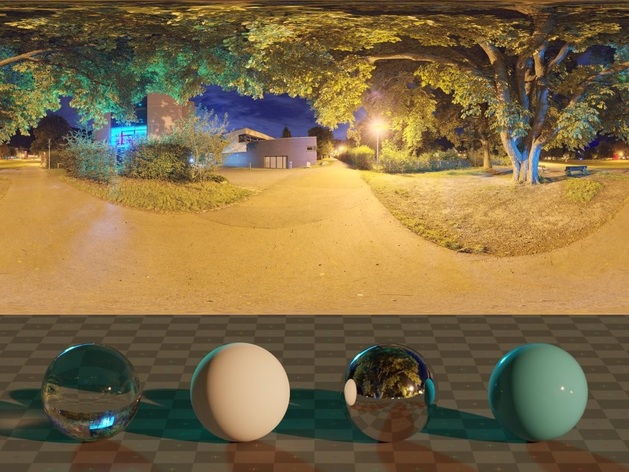

oh i had to set the texture to 2d instead of cube
weird
night shell
quick saddle
well it works but my skybox is blurry for some reason
I downloaded this exr text...
the convolution type is specular
thats why
 pastel skiff
Why do my realtime shadows look like this in urp? They shadows also change whenever you move (the overall shadows not the fact it is realtime)
 quick saddle
night shell
the convolution type is specular
quick saddle
night shell
the convolution type is specular
That had no change
 lunar pollen
whats the best way to get consistent lightmap texel sizes in world space?
is the only way to go through my scene and adjust the lightmap resolution for all mesh renderers separately?
deft fiber
pastel skiff
Why do my realtime shadows look like this in urp? They shadows also change whene...
Does this happen with all the shadows or just with the flashlight? Have you checked if the mesh is obscuring the light, or if the shadow problems appear even if the light is moved away from the flashlight
deft fiber
lunar pollen
whats the best way to get consistent lightmap texel sizes in world space?
As far as I know meshes should be getting fairly consistent size in lightmap if you let unity generate their lightmap UVs and their scales are close to 1
It's why it's important to try to export/import meshes without wildly large or small scales
paper maple
I am not sure why this happens, but for some reason there is light on the tree trunks. even tho there is a little tinny of light, but not enought to light up a tree trunk. does anyone know why this happens
 deft fiber
paper maple
I am not sure why this happens, but for some reason there is light on the tree t...
deft fiber
paper maple
I am not sure why this happens, but for some reason there is light on the tree t...
It looks like the ground and trees are lit because your shadow distance ends there
Not sure what other type of light you could be referring to
stark temple
could also be reflections
🗃️ Documentation
Lighting Overview
Setting up the Lighting Pipeline
Packages
📚 Resources
Tutorials
- Creative Core: Lighting
- HDRP Shadow Settings
- HDRP 4 Techniques to Light Environments (Unite 2022)
- Lighting for Believable Visuals
Blogs and e-books
🤔 Troubleshooting
🗺️ Roadmap
paper maple
Do u want me to show what lights I have in the scene 🙂
I mean i could just use fog, becuase that is what the kevel is ment to be, but for future projects, there must be a way to fix this right ?
deft fiber
paper maple
Do u want me to show what lights I have in the scene 🙂
You should check if changing the realtime shadow distance improves the problem
paper maple
deft fiber
You should check if changing the realtime shadow distance improves the problem
alright ill give that a shot
deft fiber
I can't see any other issue that sticks out to me from those 4 circled trees so I can't say exactly what will "fix" it
paper maple
Ok its a bit hard to show all the lights as there is to many of them haha
its this tree
 deft fiber
paper maple
Ok its a bit hard to show all the lights as there is to many of them haha
deft fiber
paper maple
Ok its a bit hard to show all the lights as there is to many of them haha
Well, we don't need to see all the lights, just the ones affecting the tree or a better demonstration of what apparent lighting you mean specifically
Like Vertx said it could also be from the ambient reflection probe, or the ambient light probe
paper maple
deft fiber
Well, we don't need to see all the lights, just the ones affecting the tree or a...
Wait I have worked it out, its my head lights for my car, it is to bright. I have answer my own question
Sorry for wasting time
deft fiber
paper maple
Wait I have worked it out, its my head lights for my car, it is to bright. I hav...
Well, that's ideal isn't it
Just try to make problem demonstrations as clear as possible to speed things up, and that also helps lead yourself towards a solution
timber lichen
I'

I'm not sure what these weird spheres are when lighting is enabled in the scene view
deft fiber
timber lichen
I'
What shader and lighting are you using for this mesh
timber lichen
its just primitives
not sure what you mean specifically by lighting
actually i read that wrong
sorry
let me check
timber lichen
deft fiber
What shader and lighting are you using for this mesh
nvm I'm good it was just the scene view mode
 deft fiber
pallid bear
https://streamable.com/4uge0u
deft fiber
pallid bear
https://streamable.com/4uge0u
I think it looks great ^^
pallid bear
deft fiber
I think it looks great ^^
You mean the fog?
deft fiber
pallid bear
You mean the fog?
Yes
pallid bear
deft fiber
Yes
Thank you, I may keep it
it adds to the atmosphere although it makes the map less clear
but cmon it's a zombie swamp, it has to have fog
deft fiber
If it doesn't obfuscate elements of gameplay importance, then it shouldn't be a problem
In fact such visual unclarity is one way you can draw attention away from the unimportant parts, and even cut corners since you need less detail there
Lighting design is very closely tied to gameplay design
pallid bear
yea I'll keep it
night shell
fog looks good
fog adds extra depth to an image
I say keep it
makes it easier to read the terrain
pallid bear
Thanks
is there really no fullscreen in unity?
I want to record some footage but I can't make playmode fullscreen
night shell
not really in the editor, the closest you can get as far as I know is just maximizing your game window
 bleak vortex
I've recently stumbled upon this game, and I saw they are using the built in render pipeline & unity. Just wondering how to achieve this flat, even lighting through the whole level like they did. It would seem there is no directional light -- just that the walls have slightly darker textures. Perhaps a custom shader or something?
 bleak vortex
I suppose this is sort of achievable by turning off shadows, and then angling the directional light properly (ie -/+45 deg). I am sure there are options to increase the effect further.
 deft fiber
bleak vortex
I suppose this is sort of achievable by turning off shadows, and then angling th...
deft fiber
bleak vortex
I suppose this is sort of achievable by turning off shadows, and then angling th...
Could be done as you've done it, perhaps with the base texture as the emission texture (with emission color intensity tuned to taste) to make shadows less pronounced
That way you'd still get some fresnel and specular from the PBR lighting of the standard lit shader, which isn't really accurate to the style but can be reduced by setting smoothness to zero and AO to zero as well
bleak vortex
deft fiber
Could be done as you've done it, perhaps with the base texture as the emission t...
Do you think the light drafts are just a transparent mesh or something? They don't look like actual lights
deft fiber
Or the walls could be a custom unlit shader that only renders some simple directional light shading but nothing else
- fog
deft fiber
bleak vortex
Do you think the light drafts are just a transparent mesh or something? They don...
Definitely not lights, probably geometry with an unlit additively blended shader
bleak vortex
Yes this made the most sense to me as well, thanks for the information
 cinder charm
I probably should have posted it here first but:
Could someone help me with my URP lighting. I have deferred rendering on on but on 6 or so of my mixed light fixtures are rending in realtime.
https://youtu.be/uuGPMJSDbTI
 pallid bear
Why can't I get the bridge and the lantern to reflect? I tried moving the reflection probe to no avail. They are there on the cubemap

 little condor
pallid bear
Why can't I get the bridge and the lantern to reflect? I tried moving the reflec...
little condor
pallid bear
Why can't I get the bridge and the lantern to reflect? I tried moving the reflec...
Have you tried increasing the Smoothness and Metallic values on your water material, just to check if the material can reflect the cubemap?
I would also say that a cubemap isn't best for water reflections, so try a Planar reflection probe on the surface of the water too. That will reflect the underside of the bridge.
pallid bear
little condor
Have you tried increasing the Smoothness and Metallic values on your water mater...
I don't think we have that in URP but I might try some other tricks
deft fiber
pallid bear
Why can't I get the bridge and the lantern to reflect? I tried moving the reflec...
Box projected reflection probes will have matching parallax only at the boundary extents
deft fiber
A box projected reflection probe is basically reflecting a room (or a box) which has the cubemap painted to its walls
deft fiber
cinder charm
I probably should have posted it here first but:
Could someone help me with my U...
URP's deferred rendering is not supported on WebGL, at least not in URP 12.1 or 13.0
From 13.1 I think it might, though I don't know WebGL or OpenGL/WebGL APIs well enough to say that for sure
URP 14.0 implements Forward+ so if you get into the tech stream versions you may be able to skip deferred rendering altogether
pallid bear
deft fiber
A box projected reflection probe is basically reflecting a room (or a box) which...
I still didn't manage to get the reflection. I think the lamp reflections aren't showed anywhere even though they're marked static and visible inside the cubemap
deft fiber
pallid bear
I still didn't manage to get the reflection. I think the lamp reflections aren't...
You can't get them with reflection probes, is what I'm trying to say (besides planar)
The box shape is the only kind of parallax you can get, whereas the lantern is hovering directly above the pond away from everything
pallid bear
deft fiber
The box shape is the only kind of parallax you can get, whereas the lantern is h...
I didn't mean that lantern specifically. I have lanterns on trees where those trees show up as well as the light reflection but not the lamp mesh
deft fiber
pallid bear
I didn't mean that lantern specifically. I have lanterns on trees where those tr...
Still you're limited to the box shape for reflections
The lamp meshes exist only as projections on that box and will not match the light sources
cinder charm
deft fiber
URP 14.0 implements Forward+ so if you get into the tech stream versions you may...
how do i upgrade to URP 14?
 quartz harbor
hi fellas, i got a bug i can't figure out... I'm using unity 2021 LTS 3D pipeline and i have 3 point lights in my scene
in play mode and builds on my laptop I can see colored lights from these sources on terrain
but when i run the same build on my steam deck very little to no light is appearing from these sources
any help appreciated
i should point out i'm running windows build on win 10 installed to steamdeck with provided AMD graphics drivers
cinder charm
quartz harbor
hi fellas, i got a bug i can't figure out... I'm using unity 2021 LTS 3D pipelin...
URP?
quartz harbor
old 3D render pipe
i added a terrain and disabled auto generate
also disabled realtime global illumination as it wouldn't build
 plucky topaz
is there a way to make lighting on each texture pixel? like take this scene for example:

note that the pixels of the low res texture arent being lit in a more "abrupt" way, but the lighting is more "beautifuly" scared across the scene. Is there a way to make so the light is applied to each pixel individually? not a normal map, but just make that each light and shadow is different in each pixel
note how smooth the shadows are, cant i make so they are snaped to the neares pixel?

this is in blender, cuz it would take a while to throw the scene into unity, but just for clarification
deft fiber
cinder charm
how do i upgrade to URP 14?
URP versions are tied to editor versions so for URP 14.0 you'd need 2022.2. editor
deft fiber
plucky topaz
note how smooth the shadows are, cant i make so they are snaped to the neares pi...
 empty nacelle
Ran into this strange issue with my HDRP spotlights. They stop rendering if I look at the light source. If anyone has had a similar issue and knows where I should look any advice would be appreciated! I've spent a whole day already debugging trying to fix it with 0 luck.
Gif showing issue: https://gyazo.com/2aef1aafe417758415d2c0c95ec33aee
From what I've tested, it seems to only happen if you're looking in the direction of the actual light object that is emitting the light.

 small meadow
why unity realtime lightning make this artifacts when creating lightmaps?

it should be all black
 grim summit
how do i fix "overlapping uvs" when baking
small meadow
grim summit
how do i fix "overlapping uvs" when baking
is this an answer for me?
bc i think we are having the same problem
grim summit
small meadow
is this an answer for me?
I have the same issue
grim summit
small meadow
you solved it?
Nope
imported things from blender and just cant bake
trying to reduce lag
small meadow
i'm trying every way to solve it
grim summit
small meadow
i'm trying every way to solve it
ive been going to the docs and looking everything up
nothing can help
deft fiber
grim summit
how do i fix "overlapping uvs" when baking
Usually you enable "generate lightmap UVs" in each mesh's import settings
small meadow
deft fiber
Usually you enable "generate lightmap UVs" in each mesh's import settings
i did it
and still didn't solve anything
deft fiber
small meadow
and still didn't solve anything
If it fails, it may be that something modifies the mesh UVs (such as probuilder) or that lightmap padding is insufficient
https://docs.unity3d.com/Manual/ProgressiveLightmapper-UVOverlap.html
grim summit
deft fiber
Usually you enable "generate lightmap UVs" in each mesh's import settings
where is that located
deft fiber
grim summit
where is that located
Mesh import settings
grim summit
deft fiber
Mesh import settings
but where is that?
deft fiber
grim summit
but where is that?
When you select an imported asset, such as a mesh, in the Project window, the Inspector will show that asset's import settings
grim summit
deft fiber
When you select an imported asset, such as a mesh, in the Project window, the In...
ohhh the prefabb
still dont see it

oh its on
then why is it still
small meadow
btw, if i'm making a procedural generated level, should i use realtime or baked lighttmap?
grim summit
small meadow
btw, if i'm making a procedural generated level, should i use realtime or baked ...
depends on what you want
small meadow
a roguelike game
deft fiber
grim summit
then why is it still
That setting is mainly for Progressive lightmapper
Enlighten's realtime GI may use a different method for storing the lightmaps, and it generally has different problems and solutions but I'm not super familiar with it
grim summit
deft fiber
That setting is mainly for Progressive lightmapper
Enlighten's realtime GI may u...
after finishing baking....

 deft fiber
grim summit
after finishing baking....
deft fiber
grim summit
after finishing baking....
Is it a probuilder mesh? I believe those are created procedurally so baking and precomputing lighting for them might not work correctly, unless exported to a static nonmodifiable mesh
deft fiber
small meadow
btw, if i'm making a procedural generated level, should i use realtime or baked ...
Baked lightmaps and precomputed realtime GI will always be more difficult to use with procedural levels or geometry
small meadow
deft fiber
Baked lightmaps and precomputed realtime GI will always be more difficult to use...
k
grim summit
deft fiber
Is it a probuilder mesh? I believe those are created procedurally so baking and ...
blender
deft fiber
grim summit
blender
Then I don't know, I'd look into Enlighten's common issues and practice baking with it in simple scenes
 past forge
Hello! I'm using HDRP and want to generate lighting with a probe volume, but I'm having some problems.
First off, when placing a probe volume in my scene, I can't see any probes when using Display Probes in the Rendering Debugger. The probe volume has a message telling me to generate the lighting in the lighting window, so I figured that's why. However, when generating lighting, Unity first "waits for Unity's code to finish executing" for a few minutes, and then the progress bar just stays on 0% and says "Baking...". It's been there for half an hour, and the CPU usage only sits at around 40%. If I move the scene view camera into a certain position in the scene, the progress bar suddenly shows completely different progress data, and says I have either hours or seconds until completion, and the CPU usage spikes. Then, after a second or two, it returns to 0%, but the CPU usage stays at 100% for a couple of minutes, before falling back down again. I tried removing the probe volume and disabling probe volumes, and when generating lighting without it, the progress bar similarly sits at 0% for several minutes, but eventually completes, although it doesn't look like the lighting has changed at all. I've tried this multiple times, even trying things like restarting my computer and disabling and re-enabling probe volumes, and it's still the same. It seems to be the same whether I use CPU or GPU Lightmapper.
Does anyone have any idea what this could be about? I'm really at my wits' end. Thanks you in advance!
cinder charm
im in URP 14 and have lights coming through and object that casts shadows
any way to solve this


 brisk sedge
Hello, I am here for your guidance. I baked lights in my scene. But in our project some objects can be spawned depending on circumstances. Those objects are also static and do not move. How should I approach this kind of problem, I want to bake lights for them as well, but I dont want them to cast shadows when they are not needed.
I could try use light probes instead of light maps for thos objects, or there is some kind of dynamic lights backing? or a way to bake lighting for specidic game object, and then just merge the light maps when I spawn. Any guidance would be appreciated.
arctic isle
brisk sedge
Hello, I am here for your guidance. I baked lights in my scene. But in our proje...
Have them receive lighting from light probes instead
brisk sedge
arctic isle
Have them receive lighting from light probes instead
Thank you. I ended up with this approach. It is not perfect, but good enough. Thank you for your response!
 worthy sapphire
Anyone know if there's a way to get an effect similar to the box lights in the HPL engines in unity? Basically localized flat ambient lighting , maybe with falloffs and stuff?

Like, I remember trying some decal projectors at some point but they didn't really get the job done properly
deft fiber
worthy sapphire
Anyone know if there's a way to get an effect similar to the box lights in the H...
You'd probably have to code that kind of feature almost from scratch
The SRP volume framework could be used for it, but you'd need to make your own lit shader that can find and read those volumes similar to how HDRP indirect light controller override does
Or modify the existing lit shader which is a messy process
 final lance

what is the difference between a regular lit/unlit shader and a "sprite" lit/unlit?
like obviously lit uses lighting/specularity over unlit but
deft fiber
@worthy sapphire It might be possible to utilize the existing light probe system to set ambient lighting manually per area, but I don't know how difficult it is to write to them manually
At a glance there didn't seem to be a function to easily set the probes manually
deft fiber
final lance
what is the difference between a regular lit/unlit shader and a "sprite" lit/unl...
A sprite shader is required for sprite masking, I think 2D sorting and maybe some other 2D specific rendering features
final lance
deft fiber
A sprite shader is required for sprite masking, I think 2D sorting and maybe som...
lighting is such a pain in the ass
deft fiber
final lance
lighting is such a pain in the ass
Kind of, but those things aren't related to lighting ^^
What's probably obvious is that the Sprite Lit is lit by 2D lighting only, and the Lit by 3D lighting only
final lance
well that's surprisingly simple. Thanks
 ancient creek
Hey guys, I'm having a problem with unity baked lighting, I really don't know what it is and why it's happening...maybe player settings? but the baked lighting gets wrecked when I hit play mode. don't mind the pink layer at the bottom is a scripted fog. Or what is this artifact called so I can search it more. Thanks!

 deft fiber
 dim zodiac
"Pixel light limits per object" looks like
dim zodiac
deft fiber
"Pixel light limits per object" looks like
so how fix man
im little bit new with unity
ue5 man
but this is a school project
deft fiber
dim zodiac
so how fix man
dim zodiac
the problem is i cant find the pixel light setting
im in the quality project settings
but its not there at all
deft fiber
dim zodiac
im in the quality project settings
Since you're using URP it'll be in the URP asset referred in the quality setting level
final lance
here's another dumb question: so like for a lamppost giving off light, do I want it to be a light source or do I want it to be emissive? sounds stupid but just wondering what the reasoning behind picking one over the other is
dim zodiac
deft fiber
Since you're using URP it'll be in the URP asset referred in the quality setting...
Ty brother
deft fiber
final lance
here's another dumb question: so like for a lamppost giving off light, do I want...
Often both, but it depends
Light sources are useful for actually illuminating nearby objects
Emissive materials can glow visually, but do not illuminate anything unless baked to lightmaps/probes or when using raytraced, raymarched or pathtraced reflections
final lance
deft fiber
Often both, but it depends
Light sources are useful for actually illuminating ne...
woah, very interesting
thank you
 opal arrow
Any idea what causes this artifacting on the corner wall when baking my lighting? It's a flat colour.
 cinder charm
im in URP 14 and have lights coming through and object that casts shadows
cinder charm
cinder charm
im in URP 14 and have lights coming through and object that casts shadows
Did anyone know the solution to this
 unique mango
Is there anyone who can help with reflection probes ?
basicaly is there any way to make REALISTIC reflections? I know that sounds weird.
In my level I have straight corridor and I have some water puddles there.

something like this
and when I add reflection probes, no matter what settings I set, this looks awful and weird, reflections are too big or too stretched
this works like in the total center of this reflection probe sphere everything is allright but the further it goes, the worse it looks
ex. 1
On these settings, reflections are too large and look like the reflected object has always been above you, even though it is not.


ex. 2 Hovever on these settings, 2 reflections are combined together on one puddle... and it looks like u have 2 rooms there.


ex. 3 On these settings where I have 1 reflection probe instead of separate 2, the reflection is not even relative to the actual position of reflecting object. and this looks awfull and stretched.
picture to the right is showing how player is looking at Z axis at the end of reflection zone, u see how it looks.


PS. Just bumped up R.P intensity to give a better look of this.
Settings im changing are:
Box projection, Blend distance (doing nothing)
position of probe and box offset. Importance (doing nothing)

example of how reflections are not relative to position of objects.


wtf is even this
night shell
those are box projected reflections for you
night shell
unique mango
Settings im changing are:
Box projection, Blend distance (doing nothing)
positio...
I noticed that you have a box offset for your reflection probe, that could contribute to your reflections looking more incorrect than they should be
deft fiber
Whether box-projected or not, reflection probes are very limited so in most cases you'll have to use them for vague reflections and preferably with non-mirror materials
unique mango
Yeah box offset is somehow changing the look of it. I figured it out by myself earlier
deft fiber
I guess that explains the distortion? I can see they look weird, but not clearly how
Blend Distance is determines how the reflections fade from meshes at the extents of the bounding volume
Importance decides the priority for overlapping reflection probes
unique mango
Oh okay that explains a lot.
Especially the last one. I have an idea and I'll check it tommorow.
night shell
generally I would keep the box offset at zero at all times
@deft fiber is right, reflection probes can only be so accurate
but keep box offset at zero at all times, in my experience reflection probes generally look best when they are in dead center of the box volume
brisk sedge
so yellow lines and 3 balls should show me which light probes were used for the object lighting right?
Problem is that on this scene the light probes are in totally different places. I am loading scenes as additive scene. It seems previous scene which was unloaded light probes are still in use. How to solve this problem?

manually calling LightProbes.TetrahedralizeAsync(); does not seems to work as well
 void orchid
I have a weird lighting issue Im clueless on how to fix, im using HDRP btw
Scene view it looks fine

game view is

I understand this could be a post processing issue however I have no idea what would cause that
other lights are also an issue but not as bad

nvm, it was motion blur 
limber delta
Hello. Is a "Skybox Material" and/or a "Sun Source" mandatory for scenes in unity? I realized everything is indoors in my scene and all windows are emissive surfaces.. Just want to make sure nothing breaks without them. Thanks!
deft fiber
limber delta
Hello. Is a "Skybox Material" and/or a "Sun Source" mandatory for scenes in unit...
Not mandatory
Sun Source is not mandatory in general since it picks the brightest directional light for use with the dynamic skybox
Since you aren't using a skybox at all, that won't be necessary either
Just means you can't use Background Type: Skybox in your main camera, or Environment Lighting Source: Skybox in environment light settings
limber delta
deft fiber
Not mandatory
Sun Source is not mandatory in general since it picks the brightes...
Perfect. Thanks for the info!
 kind mortar
I need help
I baked lights for my map, and it looks good on the PC build
but when i switch to the android build it looks terrible
another map i made has baked lights and looks the same on both platforms
im using URP if that matters
i forgot to change the setting for my directional light to baked
kill me
timber lichen
is it possible to add 2D shadow caster to unity's particle system?

To make these particles have shadows
 crisp topaz
does anyone know why my none static objects are not registering the whole light probe and only one part of it?
 stable patio
crisp topaz
does anyone know why my none static objects are not registering the whole light ...
stable patio
crisp topaz
does anyone know why my none static objects are not registering the whole light ...
Did you rebuild lighting after placing new probes?
crisp topaz
ah shoot, ye baking helped. Thanks. First time setting up light probes 🫠

 storm flax
skybox reflections
put in your own probe or use other reflection methods to get rid of it
 sharp goblet
Anyone have tips for not being limited by shadowmasks 4 overlapping light limits? To adequately light my scene I need to make my light range fairly large, but then I have lots of overlaps and have to make some of them baked. This really kills the visual quality when some lights just don't cast shadows 😦
 placid bough
Not sure if this is the correct channel for this problem but my skybox is currently melting with surrounding textures and I'm not sure what's causing it. No errors or warnings are present in the console
 stark temple
placid bough
Not sure if this is the correct channel for this problem but my skybox is curren...
stark temple
placid bough
Not sure if this is the correct channel for this problem but my skybox is curren...
Make sure your camera's clear flags are set to a color or the skybox
placid bough
stark temple
Make sure your camera's clear flags are set to a color or the skybox
Thanks man
 vestal oriole

Full Game Longplay of Streets of Rage 4 for PC. Complete Gameplay, Walkthrough and Playthrough from part 1 until the end.
SUBSCRIBE 🡒 http://bit.ly/VirtualGamingLibrary
▶BECOME A PATRON → https://www.patreon.com/virtualgaminglibrary
▶More PC games here - http://bit.ly/PCLongplays
▶Twitter 🡒 http://bit.ly/VGLTwitter
▶Instagram 🡒 http://bit.ly/I...
is there a way to achieve a lighting effect similar to the ones done in streets of rage?
quick saddle
Normal maps?
deft fiber
vestal oriole
https://youtu.be/rLvbwNAFGRQ?t=1003
These seem to use mask maps as secondary textures that store directionality in color channels
Normal maps can get you something similar but the angles would have to be totally flat
 lunar gust
Why is my baked lighting so inaccurate?

left is baked, right is realtime.
here are the same light data but from further away

why is there such a large difference when i move up to objects

my settings ^
 stuck jetty
you need reflection probe
hot path
lunar gust
Why is my baked lighting so inaccurate?
you said left is baked right
that looks much cleaner imo
 sick peak
I am hoping someone here can shed a little light on the above. The 1st image with the glow of the letters is how it should look, but it keeps changing to the 2nd image where the glow is not even and way less glowing. I am stumped as to what is causing this as it has happened a few times and the only way to solve is to go back to an older version of my project. In both of these images, everything is the same. Both have emissive materials with the exact same properties, with the exact same light bake settings, with the same project settings, in the same version of Unity. Everything around the words is the same too as well as everything in the scene. Even if I copy/export/import over the scene from the one that works, it ends up looking the same as the 2nd image. Each time this has happened I was not editing this scene all, but rather was working on something totally unrelated to lighting. Once this issue happens, it does not matter what version of Unity I use, it will not bake like the 1st image. It is driving me crazy and I am hoping someone here may have some insights as to what is going on.

 lunar gust
hot path
you said left is baked right
lunar gust
hot path
you said left is baked right
yea
i ended up fixing it sort of
i ended up doing a mixed lighting setup
 fair lily
Hi,
I wish to use the 2D Freeform Light (using the 2D renderer) and use a shadow caster to... well have shadows. From testing, I understand that the shadows are cast from the object depending on the direction of the transform coordinates of the light. I have the desired effect but sadly if the object with the shadow caster is past a certain distance, the shadow is not cast anymore. This mean I can't simulate a shadow from a distant source (godrays).
I was wondering if it was possible to extend this range somehow ?
 sullen plaza
Hi guys, is there any way to create 2D lighting with shadows in UNITY WEBGL? Like in Godot for example?
 fair wren
Hey guys, do any of you have any idea about why the lighting doesn't work inside Unity? I tried all the answers that stackoverflow gives and nothing
fair wren
lunar gust
here are the same light data but from further away
What a beautiful skybox
arctic isle
sullen plaza
Hi guys, is there any way to create 2D lighting with shadows in UNITY WEBGL? Lik...
Yes, when opening / making a project with the 2D URP render pipeline you will find those lights under GameObject / Light. Make sure to read the docs / watch some tutorials on how these work.
arctic isle
fair wren
Hey guys, do any of you have any idea about why the lighting doesn't work inside...
Can you be a bit more specific about what you are trying to achieve and what you've done so far?
arctic isle
sullen plaza
Hi guys, is there any way to create 2D lighting with shadows in UNITY WEBGL? Lik...
You will also need the Shadow Caster component for sprites.
fair wren
arctic isle
Can you be a bit more specific about what you are trying to achieve and what you...
I'm trying to put a spotlight, basically it doesn't work. And even if I try with another type of light, it doesn't seem to work either (except with the directional light, which seems to work normally). In fact I'm not trying to do anything fancy, just put the light xd.


The solutions I find on the internet all boil down to the same thing: clear the cache. I did that and they still don't work. I theorize that it may be something in my URP settings, but I don't remember moving anything.
arctic isle
fair wren
I'm trying to put a spotlight, basically it doesn't work. And even if I try with...
Is the light reaching any surfaces?
If you point it straight into a wall, does it work?
fair wren
arctic isle
Is the light reaching any surfaces?
Absolutely none. I tried in another scene with a default cube and they don't work either xd
fair wren
arctic isle
If you point it straight into a wall, does it work?
Nopi
arctic isle
So just one light in a scene with the default cube didn't work. It does sound like some rendering setting is awry.
Can you maybe try making some default URP settings, replce your custom ones, see if it works and diff the settings to see what's changed?
arctic isle
fair wren
Absolutely none. I tried in another scene with a default cube and they don't wor...
And what version are you using just to make sure we have all the context?
fair wren
arctic isle
And what version are you using just to make sure we have all the context?
I'm using Unity 2021.3.22f1
fair wren
arctic isle
Can you maybe try making some default URP settings, replce your custom ones, see...
I will try this you say to see if it works!
fair wren
arctic isle
And what version are you using just to make sure we have all the context?
It seems to be fixed. Unity was taking the "optimized" setting that was set in "Quality" from instead of taking the one inside "Graphics" which it assumed it was. So it must be the URP Optimized setting (that Unity creates by default) that is causing the lights to not render.

 deft fiber
dim zodiac
deft fiber
dim zodiac
If the dark materials are meant to be shiny, it seems likely that they're reflecting the black "sky" outside of your level, if there are no valid reflection probes to get reflections from
arctic isle
dim zodiac
I tried everything man
Is this baked or realtime lighting?
arctic isle
Did you check "generate lightmap uvs" in the mesh importers?
dim zodiac
But the problem is that it makes the other light flicker too
dim zodiac
arctic isle
Did you check "generate lightmap uvs" in the mesh importers?
Wjats wrong with it
arctic isle
And check the static checkbox at the top right in the obj inspector?
arctic isle
dim zodiac
Wjats wrong with it
Not wrong, it's the correct thing to do
arctic isle
dim zodiac
I check when i get home
Nice, and of course click Generate Lighting in the Lighting Window
 low dock
Hi, I'm having trouble with lighting and I'm literally one very small bug away from finishing this entire thing.
Currently, my problem is that when I shine a spot light on my drawn shapes, the surface layer appears super bright. I can show a before and after:


I just want the board and the contents on the board to be illuminated, but I don't want the shapes to appear crazy bright like this.
arctic isle
low dock
I just want the board and the contents on the board to be illuminated, but I don...
Reduce the range of the light
low dock
arctic isle
Reduce the range of the light
Okay, that fixes that problem, but now the spotlight looks like it's barely doing anything.
 rustic kestrel
Kinda hard to see, but as my game gets darker (it has a day / night system) there are waves of light coming in which I'm guessing shouldn't be visible. Anyone know how I can go about disabling them?
 low dock
my spotlight is a distance away from the board, mind you. should i attempt to just move it closer or something?
arctic isle
low dock
Okay, that fixes that problem, but now the spotlight looks like it's barely doin...
Increase the Intensity perhaps and move it closer ^
low dock
arctic isle
Increase the Intensity perhaps and move it closer ^
Okay, I'll try that and report back with results soon
arctic isle
rustic kestrel
If you have a directional light that you're rotating, make sure you're dimming it / turning it off so it doesn't leak through any terrain / mesh backfaces
 twin arrow
how do i fix this weird lighting on my model?
 arctic isle
twin arrow
how do i fix this weird lighting on my model?
arctic isle
twin arrow
how do i fix this weird lighting on my model?
Window > Rendering > Lighting and go to the Environment tab, choose color instead of skybox and turn off env reflections
rustic kestrel
arctic isle
If you have a directional light that you're rotating, make sure you're dimming i...
The light is being rotated and dimmed over time, same with the strength of the shadows. There just seems to be a really weird wave of light going over everything, which was happening before that was added too
I'll try and record it in a bit
arctic isle
rustic kestrel
I'll try and record it in a bit
Yep that would help a lot!
twin arrow
arctic isle
Window > Rendering > Lighting and go to the Environment tab, choose color instea...
unfortunately, this hasnt worked. it doesnt happen with my other models, just this one.
arctic isle
twin arrow
unfortunately, this hasnt worked. it doesnt happen with my other models, just th...
What does your mesh renderer component look like? Is it the same as the rest of the objects?
twin arrow
my model has a skinned mesh renderer, which none of my other models use
arctic isle
twin arrow
my model has a skinned mesh renderer, which none of my other models use
Hmmmm there's likely a setting in there, possibly about env or probe lighting that you need to adjust. Don't remember off the top of my head sorry 😦
In the skinned mesh renderer that is
low dock
So I moved it closer and increased intensity but it's not quite what I want. In this picture, I set the spotlight far away so that it could shine on the entire board evenly, but ofc, increasing the range would make it shine brightly on everything. Intensity makes there be a very bright white spot in the center of where the light is aiming.
I can't put the light in the top right anymore because it'll only really shine in the top right of the drawing board
And bottom center is also plausible but I'm having trouble getting the lighting to be spread evenly across the board
arctic isle
low dock
And bottom center is also plausible but I'm having trouble getting the lighting ...
Are you using baked or realtime lights?
low dock
realtime
arctic isle
Would it perhaps help if you adjust the materials on the shiny objects and (if you don't already) use Linear colorspace and HDR?
low dock
So the shapes I'm using are just default Unity shapes with RGB
the shapes I'm drawing onto the board, that is
arctic isle
You can also try to open up the spotlight's angle or use multiple lights (though that's expensive 😦 )
low dock
And how do I change the latter settings?
low dock
arctic isle
You can also try to open up the spotlight's angle or use multiple lights (though...
and yeah, i opened up the angle, it's just that if i make the light too 'luminous,' it starts to make everything white, and then if i lower those settings, it feels like the spotlight is barely doing anything
i want to make it seem like it's visually doing something but at a middle-ground
arctic isle
Colorspace is in the Player settings and HDR should be in Graphics and on the Camera
low dock
i want it to light up the whole board evenly but also not make everything white, basically
Am I able to export a WebGL build if I change it to Linear, btw? I think at one point I tried to do this and I found I wasn't able to or something.
arctic isle
You should be 🤔


