#archived-lighting
1 messages · Page 7 of 1
 timber lichen
 deft fiber
Shadow casting has its own expense which might work a bit differently
timber lichen
Yeah I avoid shadows as much as possible
 main wolf
Most likely using deferred rendering
Those static lights like building might simply use emission map
deft fiber
Blender's irradiance volumes are categorically the same as Unity's light probe groups/volumes
GTA5 had a whole team of graphics engineers designing the engine for this specific scenario so it's hard to say what optimizations and shortcuts they took
 limber delta
Is anyone using Magic Light Probes (v1.95.6)? I struggle with it a lot. Have been following the quick tutorial basically, but applying it to my own scene instead. Unity 2021.3.0f1.
- Created a volume (I've checked the "use volume bottom")
- Tweaked some settings under Culling Options (color threshold and free volume filling rate)
- Then calculate
I have one volume for the entire scene.
- Why does it place so many probes where there is no geometry? (first pic)
- Why are the probes placed inside the walls and also they are weirdly grouped together in the corner like that? (second pic)
Thanks


The probes placement seems so random as well. I'm probably not using it in the right way.

 karmic grove
deft fiber
Blender's irradiance volumes are categorically the same as Unity's light probe g...
karmic grove
deft fiber
Blender's irradiance volumes are categorically the same as Unity's light probe g...
but you need to bake a whole lightmap first on all the meshes in the scene to get the probes working right? that's a big hassle for huge maps. Blender can just bake the probes without requiring that. Also in Unity one object only interpolates light probes to be used with one object where as Blender can make the light probes act almost like light sources that give nice volumetrically distributed GI on big objects like buildings or roads.
 dark jay
how do i get cookie textures in hdrp to work
dark jay
nvm i got it
deft fiber
karmic grove
but you need to bake a whole lightmap first on all the meshes in the scene to ge...
Blender has no baked lightmapping in the way Unity does, so the process is not really analoguous
Built-in RP at least can light meshes from multiple probes with the light probe proxy volume component
The new adaptive probe volume system I think is more flexible and works a bit more like Blender's probes
karmic grove
deft fiber
Blender has no baked lightmapping in the way Unity does, so the process is not r...
That looks more like it. I'll check it out. I hope they don't require baking lightmaps onto objects
karmic grove
aw, apparently not
What to not expect in this version:
Light probes variants management (e.g., baking and blending different lighting setups)
Use probe volumes to light an entire environment without lightmaps
Use probe volumes with dynamic lighting or dynamic environments
@karmic grove You can bake probes only if your lightmap static gameobjects receive lighting only form probes
But I don't think it's viable and doesn't actually save any raycasting work, because you have to bounce the rays off every surface whether you draw on the lightmap or not
Why do you want to do it in that specific way? I recall Blender's baking was kind of shoddy because it only works with probes
karmic grove
deft fiber
<@844794631380140043> You can bake probes only if your lightmap static gameobjec...
its much more advanced than the classic light probes unity uses that lights up the entire object if it's in proximity, it's way faster to bake irradiance probes and it saves you from baking any type of lightmaps and the waiting/file size they cause.
 stuck jetty
karmic grove
What to not expect in this version:
Light probes variants management (e.g.,...
stuck jetty
karmic grove
What to not expect in this version:
Light probes variants management (e.g.,...
You can do all the things you say except dynamic lighting in the current version of probe volume
However, you can use ssgi in hdrp or build a GI solution, like ssgi vxgi or sdfgi, for realtime lighting by yourself
 lost granite
oh turns out the scene is really dark
tonemapping makes it clearer to see guess
cos its really hard to see the light bleed through when tonemapping is off

idk what i cxcan do about that tho
turning off the exposure control thing makes it visible again tho
turning ray traced shadows on the lights themselves helped a lot

i wish I could get the table to look as good and shiny as it does with path tracing


no idea why it got shinier
deft fiber
no idea why it got shinier
 gusty basin
[urp] I want the point light to Not light up the street light:
I placed the object under a layer "DontLight" and than unchecked it on the point light but it still seems to light it.
I also added bloom post processing effect if it matters.
How can I remove the light from the streetlight?


 deft fiber
@gusty basin which URP or editor version are you using?
Make sure that light layers are enabled in your current quality settings asset
And that you've excluded the correct layer for sure, as we can't see it here
gusty basin
deft fiber
<@278164575705104384> which URP or editor version are you using?
Make sure that ...
Unity 2021.3.0f1
URP 12.1.6
I made sure the layers are right, here is the global render settings:

and assets:


Light layers were disabled, yea
deft fiber
gusty basin
Unity 2021.3.0f1
URP 12.1.6
I made sure the layers are right, here is the global...
iirc versions before that didn't have light layers which is why I asked
You're quite a few patches behind for 2021.3, so it's good to update if you can
 gusty moat
does anyone have an idea why my light (hdrp) is not baking correctly? the right side of the door is the light how it should suppose to look like and on the left side its how it looks after baking (the light is just not there)... yes everything is static (light+map) I think it has something to do with my lighting settings but I have no clue

I have other light sources in the house and they are working, maybe I have too many lights? Is there a setting in lighting which I have to increase?
dark jay
gusty moat
does anyone have an idea why my light (hdrp) is not baking correctly? the right ...
new phasmophobia?
also no idea why
gusty moat
dark jay
new phasmophobia?
inspired yes 🙂 steam page is already online
gusty moat
thanks man I appreciate it!
I just have no idea about this bug, it costs me so much time
because everytime I want to look if I fixed it, I have to rebake it
gusty moat
but its actually just the new lights which are not baking anymore, the old lights in the house which I have since a long time, are wokring...
gusty moat
thats a good idea but its not just that light, the other lights which I created afterwards arent working as well, so it has to be something with the settings and not the materials on the environment
dark jay
tbh i dont even know how to get shadows so i cant rly help u
gusty moat
thanks anyway
gusty moat
dark jay
tbh i dont even know how to get shadows so i cant rly help u
if you want to see more of it, you can search for "paratives" 😉
dark jay
damn that looks sick
gusty moat
appreciate it!
dark jay
btw i think something like this for the flashlight would look cool
 gusty moat
yes I thought about that as well. For now I just have a simple light without a texture/pattern, Im going to save that for later, gonna see then if its better or not, thanks!
 solid creek
Has anyone gotten this "By Design" resolution to work for 2D lighting? I believe it's an actual bug...
https://issuetracker.unity3d.com/issues/2d-urp-lights-disappear-when-the-light-gets-closer-to-the-edge-of-the-scene-view
Reproduction steps: 1. Open the attached user's project "CaveDefender-UI.zip" 2. Open "Prototype Scene 2_!Shortcut.unity" Scene 3. O...
gusty basin
deft fiber
iirc versions before that didn't have light layers which is why I asked
You're q...
Enabling them didn't do much for me, I will look more on it online one day
And the newest version throws a lot of error that I am never in the mood to deal with, This one works perfect for me so I will stay with it 
Thanks anyways 🙂
 tardy jay
Hey, I've been struggling with a weird lighting issue for a while now and have had no luck in fixing it. My lights appear to be battling each other, like its a z-indexing fight or something. Depending on where the camera is, one light will overrule the other, and the failed one will disable. This happens both in the editor and in-game.
I've done a fair bit of Googling and troubleshooting (increasing pipeline pixel limit, messing with lighting GameObject properties, editing quality settings, changing rendering pipelines, etc), but nothing has seemed to help. I recently converted my project from the built-in rendering pipeline to URP, though this issue was persistent before and after that conversion.
If anyone knows what may be causing this, I would appreciate any assistance. Thanks!
 deft fiber
tardy jay
Hey, I've been struggling with a weird lighting issue for a while now and have h...
deft fiber
tardy jay
Hey, I've been struggling with a weird lighting issue for a while now and have h...
Looks like pixel light limits (which are per mesh)
Built-in RP has a much higher maximum limit than URP's 8
Also make sure the quality setting tier/asset which you are trying to modify is active
tardy jay
deft fiber
Looks like pixel light limits (which are per mesh)
Built-in RP has a much higher...
Ah, I had no idea that the pipeline created individual assets for each Quality setting; I was just messing with the generic URP asset. I found the one for the setting I was using, increased the pixel per object limit, and that solved my issue. Thank you so much!
 fierce lynx
having a weird issue with light probes not affecting dynamic objects, except when viewed from very certain angles
fierce lynx
the black sphere is actually white, it's just not receiving any lighting from the light probes

only when I look at it from a specific angle does the light probe's effect snap on

goes away when I look at it from a different angle
 rotund anchor
Hi! This is my first time playing with lighting in unity, so please forgive me if I get any of the terminology wrong;
Is there a way to fix this? There's this weird pixel outline showing up on my low poly model where it is casting shadows on itself- but only in the game camera view
https://i.tigercat2000.net/2023/01/Unity_dt3aG4q3WV.png
https://i.tigercat2000.net/2023/01/Unity_rrF3DOvDX2.png


I've already tried turning down the normal bias as is recommended for low poly models, but it doesn't change anything
I'm not sure what to even call this problem, so it's a bit difficult to google for solutions
deft fiber
rotund anchor
Hi! This is my first time playing with lighting in unity, so please forgive me i...
Really hard to see from the picture, but it sounds like light leaking through flat shaded edges
This happens because in the eyes of the renderer they aren't connected at all in shadow casting
The problem should be visible when you move the scene view right up where it's occuring
If it's that specific problem, it shouldn't occur with smooth shaded meshes
You can force most meshes to be smooth shaded by setting Normals to calculate with a smoothing angle of 180 in mesh import settings
This should make the problem disappear

Since you probably want the flat shading, you can duplicate the mesh asset and have one of them recalculate normals as smooth like this
Then have both meshes overlap in the player prefab, with one (flat shaded) set to cast no shadows in the mesh renderer component, and the other (smooth shaded) to "shadows only"
rotund anchor
I did try that, unfortunately it isn't happy

replacing the mesh outright mooostly works?
it's certainly better, but those little edges and outlines still show up for most of the rotation
also, it is definitely only the main camera that has the issue, not the editor camera
the two are aligned here and you can see in the game view PiP that there's the issue with shadows where there isn't in the editor view
sorry if that's not relevant, just wanted to clarify!
deft fiber
sorry if that s not relevant just wanted
 reef schooner
Can somebody tell me why the outline of the play and optionsbutton is grey (The Image is white)

 halcyon sigil
Unity lighting broken

That happens whenever I generate it
I'm using URP
When I set filtering to none it looks a bit better but still pretty weird and incorrect
deft fiber
halcyon sigil
Try toggling multiple importance sampling
Also check debug views for texel invalidity and UV overlap just incase there's more problems there
 hasty horizon
How does baking work for objects with an LOD group? can i make these objects static and bake them?
I found some info on it, i think i can just make them static and bake it without a problem
halcyon sigil
deft fiber
Try toggling multiple importance sampling
I fixed it
deft fiber
halcyon sigil
I fixed it
so it was multiple importance sampling as I guesstimated?
halcyon sigil
deft fiber
so it was multiple importance sampling as I guesstimated?
No it ended up being some emissive material had no idea which one or how but it got fixed after I turned off emissions on every material.
 lyric condor
I'm trying to bake prefab light map using this script.
https://github.com/Ayfel/PrefabLightmapping
But it always stuck in
waiting for user code in mscorlib.dll to finish executing
Is it supposed to be that long and should I keep waiting?
GitHub
Script for saving lightmapping data to prefabs. Used through the Assets tab in Unity. Place your prefbas in the scene with this script at the root. Set up your lighting and in the editor go to Asse...
 arctic isle
lyric condor
I'm trying to bake prefab light map using this script.
https://github.com/Ayfel/...
arctic isle
lyric condor
I'm trying to bake prefab light map using this script.
https://github.com/Ayfel/...
You may be more likely to find help on this in the github repository than here, unless someone has experience with this. Check out what versions of Unity this external tool is compatible with / verified with.
 lean cove
Hey folks I'm having an odd problem with lighting in builds for macOS and iOS.
The lighting causes no issue with linux builds, so I dont think its an openGL issue.
I'm working with Unity version 2021.2.0f1 and the legacy render pipeline.
Here is an example of the issue (mac build on the left, win on the right). Any ideas what could be causing this?

 patent narwhal
Whats wrong with my lightning? Using URP. Comes from Directional Light. I tried Light probes:

cleared baked data:

 shell jacinth
Is there a way to make it so the global volume only target one layer and not affect everything ?
deft fiber
shell jacinth
Is there a way to make it so the global volume only target one layer and not aff...
Yes, but note that volumes always affect cameras, not objects
(with the exception of local ambient lighting override and maybe some specific others in HDRP)
 woven jetty
why this light is visible in scene but not in game

 woven jetty
nvm i figured it out
lyric condor
arctic isle
You may be more likely to find help on this in the github repository than here, ...
Thanks for the tip, but I tried to bake again and left the pc on for several hours and it's actually baked. Just need some progress bar or something
 tawdry carbon
Greetings,
I have the problem of those light reflections depending on what direction I'm moving my character.
I'd like completely remove those reflection altogether but I can't seem to figure out why they happen in the first place. The character has the Standard Shader applied with Metallic and Smoothness set to 0.
tawdry carbon
tawdry carbon
Greetings,
I have the problem of those light reflections depending on what dire...
Think I figured it out. For some reason I had the Near Clip Plane of my camera set to -50 instead of just setting the camera offset. This resulted in some weird lighting behavior. After adjusting the near clip plane back to 0.001 and setting my camera offset accordingly everything seems to work fine.
 fleet tiger
hi, I have 2 meshes that are made to perfectly line up when placed correctly next to eachother
is there any way to fix this kind of slight discrepancy in the lighting on their edge when baking lightmaps?

the "line" going up the stairs
fleet tiger
also, I just tried baking lights with a spot light in mixed mode with soft shadows, and the shadows don't actually appear despite being generated


nevermind it was URP settings
for some reason "cast shadow" is taken into account even with baked lighting
 next siren
 fleet tiger
is there any way to make lights in baked mode still light non-static object? I wanna use exclusively baked shadows but without dropping direct lighting entirely on non-statics
 scenic flume
Question from a new unity user. I have this basement room, there a no lights and no windows. Why is it not pitch black? Im using HDRP with only realtime lighting.
 deft fiber
scenic flume
Question from a new unity user. I have this basement room, there a no lights and...
deft fiber
scenic flume
Question from a new unity user. I have this basement room, there a no lights and...
In HDRP ambient lighting is defined in the visual environment volume override
Realtime lighting has no information about which parts of the level are occluded from ambient lighting, which is where you'd use either baked lighting or the indirect light controller volume component
scenic flume
deft fiber
In HDRP ambient lighting is defined in the visual environment volume override
Re...
That makes sense, thank you!
deft fiber
HDRP has a lot of options for ambient lighting so there may be more than those two I mentioned
 sturdy cargo
Hi, I'm having an issue with a transparent materials reflective properties. As seen in the video, whenever both the scene camera and player camera move forwards/backwards from the light there's this "shimmer" sort of affect. I believe this is caused from the lighting around the scene reflecting onto the transparent light material, so I'm tryna figure out if there's a way I can get rid of the reflective properties without changing the transparency of the material.
deft fiber
sturdy cargo
Hi, I'm having an issue with a transparent materials reflective properties. As s...
What kind of transparent material is it exactly? Looks like Moiré patterns
 worthy forum
 formal veldt
im trying to learn lighting, what settings would make this shadow sharper?

its just a cube with a directional light, baked
main wolf
formal veldt
im trying to learn lighting, what settings would make this shadow sharper?
Increase lightmap resolution or increase the floor's lightmap scale
formal veldt
ok
sturdy cargo
deft fiber
What kind of transparent material is it exactly? Looks like Moiré patterns
It is a thin rectangular prism object that sits over these 4 fluorescent light tubes, I added the cover to make it look more realistic, but the reflection doesn't help. As for the material, I've just made it have a transparent surface type, and then edited the opacity from there on.
 deft fiber
sturdy cargo
It is a thin rectangular prism object that sits over these 4 fluorescent light t...
deft fiber
sturdy cargo
It is a thin rectangular prism object that sits over these 4 fluorescent light t...
Can you show the material properties?
sturdy cargo
deft fiber
Can you show the material properties?


I've tried changing the smoothness and metallic properties, but that also changes the transparency, making the effect of it useless.
deft fiber
Try disabling refraction to see if that's what's doing it
sturdy cargo
Changing the refraction model to any of the other options still has the glimmer looking effect, and changing the refraction model to none makes the material completely transparent, leaving no way to adjust the thickness properties. Then changing the index of refraction also doesn't do anything.
I can't seem to set the index refraction to zero, so I'm wondering if I can do that in any way, because the lower the index, the smaller the reflection looks.
deft fiber
sturdy cargo
Changing the refraction model to any of the other options still has the glimmer ...
That does confirm it's because of the refraction, which can struggle with tight spaces and downsampling of the opaque texture makes the shimmery moire patterns worse
So, you can test if the problems happen with the same glass in different places or conditions
Or live with refractionless transparency
sturdy cargo
Well I do actually use the same type of material on a smaller, squared light in my scene, and it's got no signs of moire patterns, though that could be because there aren't many light sources around it
is there anyway to edit the refraction properties in the material's shader properties itself?
deft fiber
I believe refraction doesn't refract light at all, it refracts pixels of the opaque texture so that's where the problem manifests

 formal veldt
is there a reason the baked lighting is so low quality and yet slower than realtime lighting? the first one is baked lighting, and yet it takes a long time to bake and has weird seams. the second I set the directional light to realtime and it updates instantly and is much more accurate. I don't understand why the option that takes time to build is significantly worse than the option that can update instantly

 arctic isle
formal veldt
is there a reason the baked lighting is so low quality and yet slower than realt...
arctic isle
formal veldt
is there a reason the baked lighting is so low quality and yet slower than realt...
They are fundamentally different ways of calculating lighting in your scene. Correct setup for lightmapping leads to better results than just realtime. Baked lighting is also more performant at runtime.
formal veldt
the realtime looks so much better though
the only reason I considered switching to baked was because the shadow distance was bad on my realtime lights and I heard they are less performant
but it looks so much worse
why does it take so long to bake if the realtime can calculate instantly and look much better? I dont get it
arctic isle
Baked lighting also calculates indirect light
formal veldt
even if I turned the max bounces to 1 though it looks the same and takes the same amount of time
 upper fable
dark jay
why is my light clipping through the walls
upper fable
dark jay
why is my light clipping through the walls
Are the shadows enabled for that light?
formal veldt
like if I can get results #2 instantly with realtime, what settings do I need to just write that result to the lightmap?
upper fable
dark jay
no
Well, thats what shadows do, prevent light from going through objects
dark jay
is there any way to do it without them?
arctic isle
formal veldt
like if I can get results #2 instantly with realtime, what settings do I need to...
You can't really do that because the lightmaps are a calculation that is written into a lightmap whereas the realtime direct light is calculated only at runtime
arctic isle
dark jay
is there any way to do it without them?
You both want and don't want light?
What you're seeing there is a reflection, so maybe change the reflectiveness of your floor material 🤷♂️
formal veldt
but why is it faster to get better results?
like, if I'm baking the lightmap, it should surely be as fast as the calculations used for a realtime light. my GPU isn't just gonna work half as fast for no reason. so what specifically is causing the massive discrepency? the quality is significantly less accurate and the calculation time is significantly longer.
I can't imagine that just writing the data to disk is the majority of the time. I've saved a png file before it doesn't take 30 seconds
arctic isle
formal veldt
but why is it faster to get _better_ results?
like, if I'm baking the lightmap,...
It is only better because you haven't set up your scene correctly.
formal veldt
how do I set it up correctly? I want the exact results that the realtime gives, just not realtime
upper fable
dark jay
is there any way to do it without them?
Thats what shadows do so not really, as giorgos said, decreasing/disabling reflectiveness could make the effect less noticeable but you may want to keep the material reflective to not ruin the visual quality
dark jay
alr
arctic isle
formal veldt
how do I set it up correctly? I want the exact results that the realtime gives, ...
Just as a guess, turn down your indirect samples to 1, increase the lightmap resolution and set max bounces 1 for a start.
Just be warned that more lightmap resolution will lead to longer bake times, so don't go over 40ish
formal veldt
I don't understand why though. it can calculate instantly on my realtime light. why should saving that to disk take so much longer? is it not the same calculation, but one is simply saved and has to be static?
arctic isle
It's not just saving to disk. Realtime lighting is optimized to be a realtime calculation of direct light. Baked lighting samples the geometry in your scene, maps their uvs into texels, calculates light rays and bounces for indirect lighting (as well as volumetric light if you have light probes) then composites it and packs it into lightmaps and THEN it patches it into your scene.
formal veldt
well it looks bad so is there a way to just make the realtime lights static in some way just to save a bit of performance?
arctic isle
If you spend the time to set it up (follow a tutorial or guide) then it will look better. You can't write the direct light into lightmaps in any other way afaik.
formal veldt
I just dont understand what the technical limitation is. when I set a realtime directional light, I instantly have each face rendered as properly lit. if it's already rendering that lighting data, why can't it just save it to some kind of file, and then render it directly instead of calculating it again? like a cache
arctic isle
I'd recommend also taking a look here https://forum.unity.com/threads/lightmapping-troubleshooting-guide.1340936/#post-8467235

Unity Forum
Introduction
I developed this guide in order to help developers get the most out of Baked Global Illumination (GI) in the Unity Editor. Here, I unpack...
arctic isle
formal veldt
I just dont understand what the technical limitation is. when I set a realtime d...
There is no technical limitation, it's just that realtime lights are made to be calculated in realtime and baked lights are made to be baked into the lightmaps. There is no cross-pollination because they are separate workflows.
formal veldt
but if the computer knows how to render a shadow on each face, it clearly has the information necessary to do that. why can't it just save that information instead of recalculating it each frame?
like the computer knows which parts of the geometry are in shadow, otherwise it couldn't render it
arctic isle
Because you are telling the computer to do so by setting the lights to realtime. It's expecting things to move around and it doesn't know if they have since the last frame.
formal veldt
I understand that, but why can't I just say calculate it once and then I confirm I will never move it
and then it stores the result of that calculation on disk
and just uses that
arctic isle
That's what baked lights are for, you just need to do a bit of extra leg work setting it up for your needs.
That's literally the contract of the baked lighting.
formal veldt
but clearly it's not using the same calculation, because it takes much longer than simply (realtime calculation + write result to disk)
it's obviously doing different math
arctic isle
Yes correct you can read up on how it works here https://en.wikipedia.org/wiki/Path_tracing
formal veldt
I don't want all the fancy stuff. I just want to bake the realtime calculation. is there a way I can just tell it to use the simple method?
arctic isle
And baked lighting does not contain realtime calculations. If you want that you need to use mixed lights
formal veldt
I dont want the calculation being done in real time
I just want the math used for the lights in picture 2 to be baked onto disk
rather than baking an entirely different more complicated light simulation
that takes longer and looks worse
arctic isle
There is a pinned message with resources and there's also this: https://forum.unity.com/threads/global-illumination-learning-resources.1290662/
Unity Forum
In order to help our users get familiar with our lightmapping tools, I have created a list of learning resources. They come in three flavors: written...
I would suggest learning more about how the system works and then playing around until you have the results you are looking for.
formal veldt
I already know the results im looking for an unity has a way to get them
it just recalculates it every frame instead of baking it
I literally just want the results of the realtime light baked, instead of the results of the baked light, which is clearly using different math
like if it can already make accurate shadows in a single frame, I don't see any reason I can't just use that math to make the lightmap
instead of whatever the baked lights are doing
you could write code to just take a picture of every lit face and write a big texture for the whole map and that would probably be faster than whatever the baked lights are doing
maybe another way to put it: I want to make the baked lights calculate in the same way as the realtime lights
but still make a lightmap
which should just be writing the result of the calculation to a file
I don't understand the technical limitation for why it can't just run the math it used to create this result (which can be done in a single frame) to create the lightmap

I don't want to learn how the other rendering system works because I don't even want that rendering system. I don't need indirect bounces and ambient occlusion and all that stuff. I literally just want this but bake it as it is.
like I don't see why this result cannot be saved into a lightmap
cuz it sounds like you are telling me that this result can't be saved into a lightmap after a single frame of calculations, and it HAS to be saved only after minutes of calculations. which doesn't make sense, because the calculations are already done
like how I understand the realtime light to work is: it calculates data for each face, then uses that data to render
why can't I save that data?
might as well just set the shadow distance really high and leave it realtime since I can run it just fine
see, what im talking about is totally possible

I just want to use the calculations for the better result, which calculates faster
honestly, is the realtime cost that bad? im thinking of just increasing my shadow distance in the project settings
deft fiber
formal veldt
like I don't see why this result cannot be saved into a lightmap
Realtime shadows depend on the camera perspective / frustum, and are not tied to texture pixels in any way
The percieved "high quality" is a result of that, as they only need to exist in the camera's view and aren't limited to a surface's lightmap resolution
formal veldt
deft fiber
Realtime shadows depend on the camera perspective / frustum, and are not tied to...
interesting
deft fiber
Trying to replicate realtime shadows using lightmapping is kinda pointless because you'd rather use baked lightmapping to make use of its unique advantages
Such as bounce lighting and ambient occlusion
formal veldt
how much of a performance cost is it to use realtime lights for everything? I probably won't use as many as a realistic looking game since it's supposed to be retro style
deft fiber
They save a significant amount of performance in rendering because they're prerendered, but for that they trade disk size and load time as every surface's lighting needs to be stored and retrieved
Old games used both realtime and baked lights, both pixel and vertex types
 ebon skiff
Hey all, trying to bake lighting for the first time in a small test scene. Unity is getting stuck right at the beginning of processing global illumination and repeatedly throwing the console error "failed to find geometry with hash 000000000000" Any ideas? It's not referencing a specific object so I'm struggling to find the issue. I've checked all baked objects as static and all lights as baked. I've used CPU and GPU iterations and cleared the GI cache. I've even disabled all the objects to be baked so its just lights, 4 cubes and two planes and still getting this error
deft fiber
formal veldt
see, what im talking about is totally possible
Also, "mixed lighting" refers to multiple ways to combine realtime and baked lights to let them interact or to improve shadow quality, but it's not anything fundamentally different, just overlays them in various ways incurring costs of both usually
deft fiber
ebon skiff
Hey all, trying to bake lighting for the first time in a small test scene. Unity...
So, the error appears in a fresh project, in a scene with just default meshes, using CPU lightmapping? Is it an LTS editor version?
ebon skiff
deft fiber
So, the error appears in a fresh project, in a scene with just default meshes, u...
Fresh project, I just created two planes and four cubes with textures for a basic room. I imported assets and arranged them but getting the error with everything disabled except the lights and 3d objects. I'll double check the version when I'm home but I do believe I'm using the newest LTS release
arctic isle
ebon skiff
Fresh project, I just created two planes and four cubes with textures for a basi...
Are you using realtime GI, baked GI, or both?
ebon skiff
arctic isle
Are you using realtime GI, baked GI, or both?
I started with realtime, tried switching the lights to baked only and turned off realtime GI. The hash reference of all zeros in the error is making it difficult to determine which object is causing the error but the unity primitives should be ok as is I'm guessing?
ebon skiff
I let it run for about 45 minutes for a simple room with very low settings. It hadn't progressed at all and the bake time had gotten longer as it went, was at 14 hours at that point and still preparing while throwing that error every frame. Tried a few times with different settings, even unusably low ones and it never gets any progress
arctic isle
That error with "object with hash" comes from the Enlighten system which hashes objects based on their render settings / light settings before starting the bake.
An object with hash 000000000000 means that something went wrong with resolving the hashes from the GI Cache (where much of the Enlighten data is stored).
If you're sure you're using latest 2021.3, you shouldn't have an issue making a new scene, clearing the GI cache and baked data then trying again.
ebon skiff
arctic isle
That error with "object with hash" comes from the Enlighten system which hashes ...
I appreciate it! I'll definitely do more troubleshooting when I'm home. I've tried clearing the cache a few times but havent tried reimporting everything into a new scene yet to retry completely. Is there something I could be doing wrong that might be causing this? I tried to keep everything pretty basic so far for testing purposes
arctic isle
ebon skiff
I appreciate it! I'll definitely do more troubleshooting when I'm home. I've tri...
Especially with realtime GI I'd say don't mess with the scene after you've started a bake.
ebon skiff
arctic isle
Especially with realtime GI I'd say don't mess with the scene after you've start...
I definitely try to leave it untouched after I start the bake. I'm curious, would auto generate lighting be beneficial to debug? From what I understand it regenerates the needed info each time a new object or light is added so I'd see the error immediately instead of after placing objects and starting the bake
arctic isle
ebon skiff
I definitely try to leave it untouched after I start the bake. I'm curious, woul...
If anything, auto generate is more prone to errors. What is important to note though is that Enlighten tries to pick up the bake where it left off whereas the Lightmapper will completely reset if there are changes in the scene.
ebon skiff
arctic isle
If anything, auto generate is more prone to errors. What is important to note th...
Good to know, thanks for all the help!
formal veldt
deft fiber
They save a significant amount of performance in rendering because they're prere...
hm so realtime is based on the camera, which is dynamic which is why it can't be baked. so I just have to wait out a really high resolution lightmap. but baked lights can't come on and off, can they? how many flickering lights can I afford performance wise? what if there's like an escape sequence where an entire base is flashing red? is that gonna be a performance issue?
ebon skiff
Hey all, I'm thinking I might be missing something on my mesh import settings. In the lightmap view they appear with the checkers as if they are UVd for it, but I get an endless loop of a single error when I add even one mesh into my scene for light baking. When I click on the mesh in my assets to double check it, I can't actually see it's import settings. Am I missing something here?
deft fiber
ebon skiff
Hey all, I'm thinking I might be missing something on my mesh import settings. I...
What error is it? Where are the meshes from?
fierce lynx
Do I need to enable "realtime global illumination" for light probes to work?
or does baking with that enabled actually replace the need for light probes
(I can't find any reference to what the realtime global illumination actually does, in relation to the other aspects of the light baking process)
since I'm having issues with light probes not even working
 whole mural
top = no light bake
bottom = 100% baked light
I'm using reflection probes, light probes, basically everything, why does the lighting look so bad in comparison? I'm losing all specularity on basically everything.


Any help would be greatly appreciated
arctic isle
whole mural
Any help would be greatly appreciated
Unity Forum
Introduction
I developed this guide in order to help developers get the most out of Baked Global Illumination (GI) in the Unity Editor. Here, I unpack...
Switch the lights to mixed
whole mural
arctic isle
Switch the lights to mixed
We're targeting quest 2 standalone, would this absolutely destroy performance? (Thanks for the tip btw)
arctic isle
whole mural
We're targeting quest 2 standalone, would this absolutely destroy performance? (...
It would have a pretty noticeable effect. An alternative is to use emissive proxies as suggested in the second solution in the link I posted.
whole mural
arctic isle
It would have a pretty noticeable effect. An alternative is to use emissive prox...
Fantastic, many thanks giorgos!
arctic isle
fierce lynx
Do I need to enable "realtime global illumination" for light probes to work?
No, you don't. Light Probes store volumetric indirect light from static contributors (so bounced rays of light from the rest of the geometry in your scene) that can be used by dynamic (moving / animated) objects.
If you use Realtime GI, those probes will also store realtime coefficients for realtime indirect light. The two don't play super well together, so I'd suggest sticking to one.
So for baked GI, for probes to work, you need mixed or baked lights and some geometry to bounce light off of so that the probes catch the indirect rays.
fierce lynx
any idea on what to do if the light probes aren't working?
arctic isle
Please elaborate on "not working"
fierce lynx
can only see the lighting affecting the objects from specific angles
it's like their lighting is being culled from 99% of the angles viewed

 arctic isle
Hmmm not quite sure what's going on here. Which Unity version are you using?
arctic isle
There isn't really any change that should be happening with viewing angles and baked lighting, which is why I think this might be HDRP doing something weird.
This is just baked GI, no realtime GI?
fierce lynx
yes
arctic isle
can you make the sphere receive GI from lightmaps and rebake?
(or have two spheres to compare, one probes, one maps)
fierce lynx
I have tried that, same result but I'll retry it
fierce lynx
arctic isle
(or have two spheres to compare, one probes, one maps)
that's a good idea too
arctic isle
My hunch is that this is an HDRP issue and not a light probes issue.
fierce lynx

 soft crag
Has anyone got this issue : I basically have a 2D light that turns on/off mutliples times via a coroutine in a short time. The 2D Light works in scene mode, turning it off/on manually multiples times works in runtime also. But doing it from the coroutine script makes the light as if it was off whereas it's actually on (I can see it's on from the inspector).
nervermind just found the issue
deft fiber
fierce lynx
it's like their lighting is being culled from 99% of the angles viewed
Did you have any luck recreating this problem in a primitive test scene, or better yet avoiding it?
fierce lynx
deft fiber
Did you have any luck recreating this problem in a primitive test scene, or bett...
Tried a bunch of different things still no luck
I'll try more
deft fiber
fierce lynx
Tried a bunch of different things still no luck
No luck reproducing it or not reproducing it? Isolating the problem or failing to reproduce it are both "good" outcomes for troubleshooting
If you can isolate it to a fresh project and primitive test scene, you could report it as a bug and have it examined
Or if it the problem doesn't repeat there, then you know that some variable between those projects is breaking it
fierce lynx
deft fiber
No luck reproducing it or not reproducing it? Isolating the problem or failing t...
I have an interesting development, I don't think it's related to light probes at all
I just baked my lighting even without light probes, using realtime GI in the lightbaking settings instead
same issue
where the balls were before they didn't have any light

when I put them in light
they are lit like this
deft fiber
I'm not sure what that tells us
Pretty much every type of lighting acts fundamentally differently so try to isolate that too when testing
And do make use of the primitive test scene
fierce lynx
deft fiber
And do make use of the primitive test scene
yup light probes are working in the primitive test scene
 acoustic tide
This might be a quick fix that i'm not aware of, but does anyone know what's causing this lighting artifact?
dark jay
hi i have real time and baked lights in my scene and all the baked ones randomly stopped working and idk how to fix them
dark jay

 silver lynx
How can I rotate the skybox?
 forest lake
help, urp allows me to only see 8 lights at a time when the game contains much more, how do i disable the limit or make the limit bigger?
 deft fiber
forest lake
help, urp allows me to only see 8 lights at a time when the game contains much m...
deft fiber
forest lake
help, urp allows me to only see 8 lights at a time when the game contains much m...
Usually you'd split the mesh into smaller segments
This allows parts of it to be culled as a bonus to save performance
Another option is the deferred rendering path which does remove the limit and makes lights cheaper, but doesn't support antialiasing or transparency
In newest editor versions there's the forward+ rendering path which should solve this problem for good, but it's experimental and may be buggy
forest lake
deft fiber
Usually you'd split the mesh into smaller segments
This allows parts of it to be...
what versions?
deft fiber
forest lake
what versions?
forest lake
deft fiber
<https://portal.productboard.com/8ufdwj59ehtmsvxenjumxo82/c/261-forward-renderer...
thanks
 amber dust
hi friends! tell me like i'm five, because i am a unity five year old. I would like to design some shadow puppets for my son, and thought it could be easy to play with in unity. i'm curious if there's a tutorial like this that's recommended, and especially curious if there is at all any way to export the shadow on the wall itself with some level of realistic expectation. anybody? /pray
 midnight grail
Lightmapping and Lightbaking very noticable on my model, how can I fix this?
midnight grail
Problem summary: I have very noticeable seams when I bake my lighting.
If someone knows much about this, please help me in the thread above. Thank you

 wispy hatch
midnight grail
Problem summary: I have very noticeable seams when I bake my lighting.
If someon...
wispy hatch
midnight grail
Problem summary: I have very noticeable seams when I bake my lighting.
If someon...
What is your lightmap resolution. Do you have proper UVs for your objects?#
midnight grail
wispy hatch
What is your lightmap resolution. Do you have proper UVs for your objects?#
Proper UVs? Probably, yes. They do not overlap and are connected with the faces

I use phototextures
Lightmap resolution is on 100 texels per unit
Lightmap Padding is 2 texels
I wonder if there is actually a solution for this, since many people have this problem and never found an answer on the internet
wispy hatch
midnight grail
Lightmap resolution is on 100 texels per unit
I mean the resolution of the output map
midnight grail
right, one moment
1024x1024
However, the photo texture isn't that resolution, it's actually bigger.
wispy hatch
Let me check on my latest project, I had to fiddle around with a lot of values on lightmaps
midnight grail

wispy hatch
So lightmap resolution of 100 is a lot, that should already give good results. Max lightmap size, I used to have 2048 over here. Did you try that?
midnight grail
Haven't tried that yet. I'll try it thanks
also, one more thing.
The application is for webgl, isn't it a bit too big for it?
Thanks for the help though, much appreciated.
wispy hatch
midnight grail
Thanks for the help though, much appreciated.
Haha, my project is for webgl too 😄 So 2048 was fine for me. Its being used in WebGL and VR on Quest 2. But 2048 is only the max size, if you ahve a lot of objects, unity will recreate multiple 2048x2048 textures which can be huge then. if its only one or two, that might be fine
midnight grail
Lol, we almost have the same project lol
but well, I have like a whole model of a real life building
so lots of interior objects and stuff like that. Is there a way to only bake the walls at 2048x2048 and all other objects at a lower resolution?
wispy hatch
midnight grail
so lots of interior objects and stuff like that. Is there a way to only bake the...
That would give you even more weird seams and stuff if you try to create different "qualities" of shadows
midnight grail
makes sense ye
wispy hatch
You gotta gut it at some point if you are working with WebGL.
cut, not gut 😄
but you can try other software to bake better shadows, if thats an option. SUbstance Painter for example or even blender to prebake with better quality
midnight grail
Good idea actually
I mean I've made the whole model in Blender
so I could like bake them there?
Here's a hallway of the model I'm talking about by the way
 wispy hatch
Is that baked in Unity?
midnight grail
No that is in Blender
but unbaked
in Unity without baked lighting it looks quite the same but it's very heavy on performance
wispy hatch
yeah realtime lighting is not gonna happen on webgl 😄
for now at least
I suggest trying to bake it in blender and use those maps, see how it turns out
wispy hatch
Alrighty, let us know whaqt you experienced. see ya later
fierce lynx
@deft fiber I figured out the culprit, but not how to fix it
I am absolutely flabbergasted
the terrain game object was causing the issue
if I disable the terrain light probes work again
now to figure out what in the terrain causes this
deft fiber
fierce lynx
the terrain game object was causing the issue
Huh, strange
But an important find!
fierce lynx
deft fiber
Huh, strange
But an important find!
some people were reporting light layers as the issue with regards to terrain causing black lighting, but even after disabling it the issue persists
it's so strange, I can bake the lighting and it's all borked. But then as soon as I disable the terrain the light probes switch on
I've tried turning light layers off, tried changing the terrains shadow options
midnight grail
@deft fiber @wispy hatch
Can't believe it. Thank you guys so so much. The seams are hardly noticeable now when baked. Everything looks rather good now in Unity! :D


there would have been seams all over the place but now it's actually so smooth.
Now I just have to work out how to incorporate the moving doors, which I removed for test purposes
fierce lynx
@deft fiber I'm also noticing that when I DO disable the terrain, and the light probes appear to be influencing objects lighting again, that it's affecting ALL objects the same
so if i move one sphere next to a light, all the dynamic objects will have that light
cursed game engine i swear xD
I knew it would be a bad idea to try tackle technical stuff with my weird aura of decomposing any and all technology around me
deft fiber
I recommend doing a bug report for unity engineers to examine
deft fiber
In a few days usually
https://unity.com/releases/editor/qa/bug-reporting
I recall not even our Giorgos seemed to recognize the issue at all
fierce lynx
deft fiber
I recall not even our Giorgos seemed to recognize the issue at all
giorgios?
 humble valve
My shadows only work in scene view and i dont know why. Its a directional light with shadows on and all the objects have cast shadows also on
 deft fiber
fierce lynx
giorgios?
deft fiber
fierce lynx
giorgios?
I mean the local unity staff member who works with the lighting engine and stops by occasionally
I think he took a look at your issue some days ago but there's a chance I could've imagined that discussion
 night shell
humble valve
My shadows only work in scene view and i dont know why. Its a directional light ...
night shell
humble valve
My shadows only work in scene view and i dont know why. Its a directional light ...
if your clipping plane is too high on your cameras that can cause an issue like that
humble valve
night shell
if your clipping plane is too high on your cameras that can cause an issue like ...
Thanks that was it, thank you a lot
 high zealot
Hi guys,
I am trying to create an effect where whenever the player does an ultimate move I want the environment to be effected by a certain color. I have used a directional light where I have it inactivated and activate it when the player does the move. However it feels like I should not use lights for this. What do you think?
dark jay
how do i fix this
 dark jay
?
 humble sandal
Hello, i don't know much about lightning so i need some help. I have this closed box (scene view) and i want it to be completely black, but it still has light. As far as i know it is called ambient light. Can i somehow disable it for this box but keep for the whole scene? (i am using URP).

 vestal cypress
How to achieve lighting setup as Unreal's Lumen in HDRP?
deft fiber
vestal cypress
How to achieve lighting setup as Unreal's Lumen in HDRP?
Unity doesn't have a Lumen equivalent system but under some conditions you can get similar results with Enlighten realtime GI and ray-traced GI
 thick burrow
hello, a simple question, can i use emission maps on mobile? and if i can is it optimized or not?
night shell
thick burrow
hello, a simple question, can i use emission maps on mobile? and if i can is it ...
depends but generally yes
you can use them on mobile
for optimization it might cost a bit more, but my advice is to use it very sparingly. Less is better
 manic prawn
There is a way to disconnect the light probes from each others?
 halcyon sigil
Hey! Weird little bug I'm having, so I am making realistic (ish) lighting for not the best hardware which is why I am baking lighting, gi, shadows, etc. but for some reason one certain mesh will not contribute to the baked lighting (No shadows being baked from this mesh) I have no clue why. I have made sure Static Shadow Caster is on and everything. This is not the most end of the world issue but just confusing.
Screenshots:
Example of one mesh not baking shadows

Properties for that mesh
 halcyon sigil
halcyon sigil
halcyon sigil
(Lighting not baked in this screenshot)
deft fiber
manic prawn
There is a way to disconnect the light probes from each others?
They don't have "connections" so no
When getting lighting from light probes, the mesh finds the closest light probes and blends between them
The lines visualize which probes are closest to each other to help you predict how meshes will interpolate them
If you have no probes in the forest, meshes will have to use the probes from the towns
manic prawn
Oh, thanks!
I'm getting this lines in shadows when i bake the lighting, it's a big scene, I was trying to increase the lightmap resolution but my pc ran out of memory, any suggestions?
 deft fiber
manic prawn
I'm getting this lines in shadows when i bake the lighting, it's a big scene, I ...
deft fiber
manic prawn
I'm getting this lines in shadows when i bake the lighting, it's a big scene, I ...
Disconnected geometry is problematic for baked lightmapping
If connecting them to have continuous UV space is not an option you can try Stitch Seams
https://forum.unity.com/threads/lightmapping-troubleshooting-guide.1340936/#post-8467097
 topaz karma
I am having a problem here. The shadows dont connect to the mesh. it nos bias, and i checked all forums, none of them have the solution

here is the light setting
 timber lichen
How do I configure hdrp, so emissive materials light up other materials (like an the picture)? In my attempts, the materials are only affected by lights, not the light from emissve materials.
Image
 topaz karma
I am having a problem here. The shadows dont connect to the mesh. it nos bias, a...
topaz karma
topaz karma
I am having a problem here. The shadows dont connect to the mesh. it nos bias, a...
Some help here please. I am on this more than 3 weeks.
night shell
topaz karma
Some help here please. I am on this more than 3 weeks.
floating shadows you say?
is it baked? almost looks like it is
but I'll assume its a realtime shadow
and in that case
I see that your biases are all at their lowest
the near plane as well (though the near plane being so close can also still cause issues)
but the only thing that comes to mind is either
-
your object is simply floating off the ground, therefore that's why the shadow doesn't connect because your object is floating above the ground so naturally of course the shadow won't connect
-
your model perhaps might have some funky business to where on the side that its lit, there are some backfaces and the light is bleeding through. A way to fix that would be to fix the models normals, or enable two sided shadow casting on the mesh renderer of the object
-
I also see the resolution of the shadow is pretty low, its possible that the object is too small to be represented by the shadow though for some reason I doubt that since I can still see a few pixels
-
its also possible your using a custom shader that potentially messes with the vertices on the object itself, and that custom shader doesn't have a proper shadow caster pass written for it so its incorrect
let me know @topaz karma since you haven't provided enough info
I'm just geussing here
topaz karma
night shell
let me know <@815589980415066193> since you haven't provided enough info
It is realtime

the objects are touching the ground

and its not the resolution. its using the Standard shader. and the mesh is perfectly fine. in other projects it doesnt have this problem
deft fiber
Are there custom lighting assets in use? A specific render pipeline?
topaz karma
deft fiber
Are there custom lighting assets in use? A specific render pipeline?
standard pipeline
💀
night shell
did you set the object as a two sided shadow caster?
topaz karma
night shell
did you set the object as a two sided shadow caster?
yep
The same mesh, same texture, same prefab, in other project, doesnt have this problem
night shell
and it looks the same both in the scene view/game view?
topaz karma
yes
night shell
have you adjusted the near clipping plane also of the light rather than just simply reducing it?
topaz karma
 topaz karma
night shell
have you adjusted the near clipping plane also of the light rather than just sim...
topaz karma
night shell
have you adjusted the near clipping plane also of the light rather than just sim...
yes
topaz karma
topaz karma
the low texture is just placeholder
here the same problem. all meshes have this problem
 night shell
any ideas @deft fiber ?
pretty much ran through most of what I had, only thing I can think of is that the objects are too thin to be represented by the light
topaz karma
night shell
pretty much ran through most of what I had, only thing I can think of is that th...
nope
topaz karma
topaz karma
here the same problem. all meshes have this problem
this mesh here cast shadows, and has the same thin
topaz karma
night shell
yeah and its possible its too thin to be casting shdaows
but it is casting shadows. but the shadows dont conect with the mesh
night shell
I am aware of that
topaz karma
solution: kill myself
night shell
your biases are set to 0 yeah?
deft fiber
Let's take this to a thread
topaz karma
night shell
your biases are set to 0 yeah?
yeah
deft fiber
but it is casting shadows but the
 little condor
timber lichen
How do I configure hdrp, so emissive materials light up other materials (like an...
little condor
timber lichen
How do I configure hdrp, so emissive materials light up other materials (like an...
Emissive materials only effect other objects by either baking the lights onto static objects, or using raytracing.
To achieve the floor reflecting the glowing cube you could try adding a planar reflection probe, but I don't think it reflects the 'glow' emission, only the base colour of the object. Your floor should have a material with a roughness map so you get that diffuse looking reflection.
In short, there's quite a few steps to take.
deft fiber
@timber lichen Screen space reflections are an option too, but to get something like the path traced emission in your example image, you need to set up ray tracing, as mentioned, or path tracing

In this webinar, you’ll learn how to use Unity’s High Definition Render Pipeline (HDRP) wizard to enable ray-tracing in your Unity project—with just a couple of clicks. We’ll showcase in detail the following ray-traced effects: ambient occlusion, reflection, global illumination, shadows, recursive rendering, and path tracing. We’ll also explain ...
 ripe harbor
What could be causing this light edge bleeding with my directional light?

 unreal mural
timber lichen
How do I configure hdrp, so emissive materials light up other materials (like an...
unreal mural
timber lichen
How do I configure hdrp, so emissive materials light up other materials (like an...
baking
doing anything else is a shitload of work
night shell
ripe harbor
What could be causing this light edge bleeding with my directional light?
Set your meshes to two sided shadow caster
 iron gyro
hello guys, i need to your help i ask some questions;
i'm using urp and i try to make day night cycle but i have a problem. i rotate sun light by time but scene and object baked light map continues. I did research but I guess i couldn't find the right keyword. Do you have any resources or ideas on the subject? Thank you from now. I hope I was able to explain myself
https://streamable.com/fs341c
 iron gyro
hello guys, i need to your help i ask some questions;
i'm using urp and i try t...
iron gyro
iron gyro
hello guys, i need to your help i ask some questions;
i'm using urp and i try t...
I did some more research and I think I found a way. I don't know if what I'm thinking is exactly right, but I came across an article in unity's documentation: "In order to accommodate for the day-night cycle, as HDRP and URP do not support the Realtime Global Illumination system (Enlighten): the day-night cycle would have to be handled with an Indirect Bake and a custom script that would, for instance, modulate the sun and indirect light intensity throughout the day." and then I wondered if it's possible to switch between the 2 lightmaps. my current plan is to add a lightmap toggle to the day and night cycle.
ripe harbor
Hey, my scene looks like this in the editor, but sometimes when I load it in game (using scene loading), the shadows are completely black, like this. What's going on? It seems to be random whether it shows up correctly or not, like it's random whether my UI actually receives events or not.

 upper fable
ripe harbor
Hey, my scene looks like this in the editor, but sometimes when I load it in gam...
upper fable
ripe harbor
Hey, my scene looks like this in the editor, but sometimes when I load it in gam...
You have to bake the ambient probe (enable light baking but with nothing to bake so only the ambient probe will be baked)
ripe harbor
upper fable
You have to bake the ambient probe (enable light baking but with nothing to bake...
in which lighting settings is that?
 upper fable
ripe harbor
in which lighting settings is that?
upper fable
ripe harbor
in which lighting settings is that?
Auto Generate
ripe harbor
ah, just hit generate?
deft fiber
ripe harbor
ah, just hit generate?
Are you using realtime GI or baked GI, or neither? I don't think they can work together and just for generating an ambient probe you don't need to have either checked at all
Unless you intend to use those workflows, uncheck them and hit Generate
deft fiber
ripe harbor
What could be causing this light edge bleeding with my directional light?
Sharp edges are seen as disconnected gaps by shadow casting
There's no single solution for it, but the problem doesn't occur with smooth shaded meshes so using "hardened" normals instead of sharp ones will help it, as well as extra smooth shadow meshes just for padding the gaps
Tweaking light bias values can help but is unlikely to fix it without causing other types of shadow issues
ripe harbor
deft fiber
Are you using realtime GI or baked GI, or neither? I don't think they can work t...
i'll be honest. I'm not sure. I'd like to use mostly realtime with probes since large sections of my game are lit with a moving directional light, but im not 100% sure what's been going on since enlighten seems to not be a thing anymore. I'm not totally solid on how to manipulate unity's lighting system
deft fiber
ripe harbor
i'll be honest. I'm not sure. I'd like to use mostly realtime with probes since ...
Then best not to have the boxes checked
 pastel temple
does anyone know how to achieve stepped lighting like in the pic for 2021 urp? ive found a decent number of resources on it but theyre all outdated / incomprehensible to a shader newbie like myself, so any sort of push in the right direction would be really amazing!!

i have a bunch of different shaders in my project (some bought, some custom, and some odd ones out like terrain), so would there be a way to apply this same effect to all of them? perhaps id have to do the lighting calculation as some sort of renderer feature?
deft fiber
pastel temple
does anyone know how to achieve stepped lighting like in the pic for 2021 urp? i...
It looks like in the shader there's a main directional light that works normally, and also a loop that finds light positions and multiplies color by distance to them along with a step function
deft fiber
pastel temple
i have a bunch of different shaders in my project (some bought, some custom, and...
I can tell you off the bat that modifying existing shaders will be easier than implementing entirely custom lighting pass
https://github.com/Cyanilux/URP_ShaderGraphCustomLighting This package gives you an example how to modify URP's lighting calculations within shaders, but it's not a simple thing by any stretch
pastel temple
this guy casually did it 6 years ago and here i am struggling after many hours lol

 pastel temple
deft fiber
<https://github.com/Cyanilux/URP_ShaderGraphCustomLighting> This package gives y...
pastel temple
deft fiber
<https://github.com/Cyanilux/URP_ShaderGraphCustomLighting> This package gives y...
thanks a lot for the advice tho! i have been curious about writing shaders so maybe its time to dip my toes in
im honestly surprised something so conceptually simple can be so complex lol
deft fiber
Fingers crossed the process will get simpler when block shaders are released
The math itself is simple; get distance to lights and do a step function on that value, multiply
The hard part is speaking the language of URP
There's whole factory lines of data under the hood to get lights to show up
I've been trying to make custom lighting a bit like that to use along with shader graph but I kept running into vague errors because I don't understand the inner workings of URP even though I'm no stranger to shaders
pastel temple
deft fiber
The math itself is simple; get distance to lights and do a step function on that...
in that case do you think i need to be using urp? its become my default but if im planning to go for a more stylised look perhaps its not worth it? im aiming for a more light hearted cartoony style like in the pics


whenever i decide on using one rp i start missing all the advantages of the others lol
the grass is always greener on the other side i guess
deft fiber
Not that much greener in the end!
You still need shader expertise to bend BiRP to your needs anyhow, unless you can find a fitting premade shader for each purpose
If you don't stray far out of the confines of what URP offers you it'll be easier than BiRP
Shader Graph is a very powerful tool even though it doesn't give much control over the lighting pipeline
#1 has no lighting, just unlit textures, so pipeline doesn't matter for workflow
#2 looks to have a very simple toon shader for everything which you can find premade URP solutions for
#3 Also has unlit textures, except with a shader that casts shadows and a ground that receives shadows, which I think can be done with SG without any custom code
I prefer URP because SG is very easy and effective tool within its limits, and because URP does a bunch of optimizations under the hood so you don't have to
pastel temple
ty a lot for the info! i guess its just a matter of trying things out and seeing whats achievable for me / what i can find premade solutions to
i think the built in rp has shadergraph now too right?
thanks for taking the time to explain everything to me btw
deft fiber
Right it does, though last time I checked it was a bit limited and cumbersome there
pastel temple
ahh right that doesnt surprise me lol
i swear this whole srp thing has been going on for years
im gonna go crazy if unity leave it half finished like they do with so much of their work lol
deft fiber
From what I understand URP shaders are inherently more complicated because of platform specific optimizations or something, so SG is meant to automate that messy part
It definitely seems like they're trying to leave BiRP behind for good
pastel temple
thats pretty promising to hear
hopefully itll mean more time is spent on the accessibility of urp
i best be off but again ty for spending your time helping people with this type of stuff
its rough doing it alone lol
good luck with your custom lighting stuff!!
deft fiber
Thanks! I'm trying to give the kind insight I would've needed when I started out and everything was overwhelming ^^
 supple turtle
Hello guys, do you have any feedbacks about Prefab lightmap issues with unity 2020.3.39f1 ?
I'm using Prefab maker too and I can't obtain good rendering.
For the first use, the lightmap index is broken ( with uv offset).
For the second, I can see the rendered lighmaps preview, but I got a " failed to create" inside console window ( and a full black asset inside editor & playmode).
manic prawn
How I can increase the lightprobes intensity?
 mystic meteor
Hey i need assistance from anyone:)) I'm having issues with lighting/baking and it's the 1 thing thats keeping me away from making my map,If anyone with any experience really could help me, that would be so great. :)!


Here's what i'm talking about basically, the Vrchat Material is suppose to be like Standard lite, which yknow a optimized version of Standard. My lighting in the picture is messed up and is glowing every where, While the light in the other 2nd picture is perfectly fine, that's the one with standard. I'm having a issue where it doesn't look like that ''the lighting without the big radius of light lmao''
I used a vrchat tutorial but even then, nothing helped so i just came to the experts of unity for help Lol
deft fiber
mystic meteor
nvm i fixed it
Glad you got it sorted!
VRChat specific things are usually very difficult for us to troubleshoot because they use a lot of VRChat specific systems and workflows, and are on a super outdated version of Unity to boot
mystic meteor
deft fiber
Glad you got it sorted!
VRChat specific things are usually very difficult for us...
Mhm!! :))
deft fiber
mystic meteor
Mhm!! :))
What turned out to be the solution, for future reference?
mystic meteor
Well, it was just uh The standard that had the lights on it right? And the standard (light) Which had issues well, you need to bake lighting on the Standard first, then all the lights work and stay the same on the Standard light when you switch to quest textures 🙂
I'm not sure if thats the best way to explain it but, it was really simple LOL
deft fiber
I see ^^
mystic meteor
Good day to you Spazi ^^ !
 rapid lynx
Why are my shadows looking purple when i use a normal map, and how do i lessen ambient occlusion

 slim harness
why is the light going through the walls
 little condor
slim harness
why is the light going through the walls
little condor
slim harness
why is the light going through the walls
Select the model and under the 'Mesh Renderer > lighting' section, set Cast Shadows to 'Two sided'. That might help a bit.
Increasing the shadow resolution of the light can help too.
deft fiber
Light leaking through sharp corners happens regardless of two sidedness
deft fiber
slim harness
why is the light going through the walls
Your most effective options are to give the wall an outside surface to block light, or smooth shaded shadows-only geometry to pad the seams with
First: walls with outside surfaces
Second: a single two-sided surface only

Sharp corners are always seen as gaps by the shadow casting
supple turtle
deft fiber
Sharp corners are always seen as gaps by the shadow casting
Add some depth to your wall.
Use 3d block mesh around your scene to limit leak lighting.
manic prawn
I baked the light in my scene and some lightprobes gives too much intensity, i'm using URP


and also some light have tow "Universal Additional Light Data (script)" attached
 deft fiber
manic prawn
I baked the light in my scene and some lightprobes gives too much intensity, i'm...
deft fiber
manic prawn
I baked the light in my scene and some lightprobes gives too much intensity, i'm...
What shader is the car's material using? That's where the light probes are applied
 somber acorn
Hello
I'm having an issue with shadows in URP. Some shadows look jagged at lower resolution, as marked in the attached picture. But if I increase shadow resolution they become way too crisp.
I'm trying to make the shadows smooth like the reference image.
I adjusted shadow resolution, max distance, bias, and enabled soft shadows.
Is there something obvious I might've missed?

 deft fiber
somber acorn
Hello
I'm having an issue with shadows in URP. Some shadows look jagged at lower...
deft fiber
somber acorn
Hello
I'm having an issue with shadows in URP. Some shadows look jagged at lower...
Shadow filtering is really expensive so without HDRP you're stuck with either jaggy shadows or excessively sharp shadows
One trick that situationally can help is to rotate your light source around its forward axis to align the shadow pixel grid to vertical and/or horizontal geometry
That can conceal the jaggy shadow pixels in places where they'd be too visible
manic prawn
@deft fiber I use URP/Lit
Maybe the project is broken because i used a tool which increase the lightprobe intensity and maybe the settings are broken now..
arctic isle
manic prawn
Maybe the project is broken because i used a tool which increase the lightprobe ...
That does sound like a problem. If you remove the tool, Clear Baked Data and rebake (manual rebake not "Auto Generate") then it should reset.
manic prawn
I already done that but i still get the same result
arctic isle
Can you turn on the probe debug visualization (under Workflow Settings in the Lighting Window)? Set it to all probes no cells.
manic prawn
ok, wait a min, i need to bake the light again because i made some changes
 earnest sluice
hi
how can i learn to make a good lightining for my game scene
is there any tutorial etc.
arctic isle
earnest sluice
is there any tutorial etc.
Check out the pinned message
manic prawn
I think the problem is gone (or in another part of the map), i had some lightprobes right in the same position as the light spots and maybe that causing this issue
arctic isle
manic prawn
I think the problem is gone (or in another part of the map), i had some lightpro...
Fantastic! Yes, that is likely to cause bounce rays to be too short and the sample to be over-exposed, especially since you have a sparse grid of probes.
manic prawn
I'm generating the lightprobes with a script which place the lightprobes around lights, i have a large map so i can't do that by hand 😄
But how the problem is the car didn't get any light from lightprobes, should i place the lightprobes inside the light cone?
 arctic isle
manic prawn
I'm generating the lightprobes with a script which place the lightprobes around ...
arctic isle
manic prawn
I'm generating the lightprobes with a script which place the lightprobes around ...
Yes but remember that light probes are only indirect light, meaning it's only going to contain bounce lighting from the street and nearby objects. If there are no objects nearby to receive indirect light from, the probes will remain dark.
manic prawn
ok , thank you for help!
 earnest sluice
guys how can i make four sided shadow like this

i did it with four directional lights 💀
but i think its not good.
arctic isle
 gentle sluice
is it possible to get these points?
gentle sluice
is it possible to get these points?
I am not sure if an API exists for this (maybe look into the URP 2D render pipeline docs) but you can do this fairly easily with some basic geometry. For example, assuming your light is at the origin with a 0,0,0 rotation, you can find the points by shooting raycasts in the light's cone. You can optimize this by using a discrete offset for how many degrees you shoot rays at and then detect the objects you hit.
arctic isle
I suppose it depends on how accurate you need it to be. You may be able to add a custom render pass to URP to extract these each frame, look up their docs.
gentle sluice
arctic isle
I suppose it depends on how accurate you need it to be. You may be able to add a...
ok what im thinking is, render the vision cones with another camera, export them as texture, outline that texture, display it on main camera
do you think thats possible?
 bleak swift
I'm trying to add a Global Light 2D using URP, however I can't even see it on the Light list when I try to add it to the hierarchy

I've got URP installed btw.
 bleak swift
Also when I remove it I get errors
 bleak swift
gentle sluice
youll need 2d packages
bleak swift
gentle sluice
youll need 2d packages
Okay lemme check that out
Could be the issue
Nope
that is not the issue
Nevermind works now
I just had to add a URP Rendering Asset
and set the Graphics settings
 strong igloo
Hi, so I'm trying to do some funky lightmap stuff, but it relies on me using a lightmap UV that I know. Currently I cannot for the life of me figure out how to change the lightmap UV to one I know, even just using normal baking methods figured it out
 plucky sun
how to make the shadow color not affected by the sky lighting?
deft fiber
plucky sun
how to make the shadow color not affected by the sky lighting?
Disable ambient light from the sky in lighting environment settings
deft fiber
plucky sun
but want to keep the ambient light for objects
All light sources are added up during the shader's lighting calculation, it doesn't know or care if something's in shadow before applying ambient lighting
It is masked by the ambient occlusion texture/factor, however
You could make a shader that masks ambient lighting by other lights, but I have a feeling that's not what you're really after
Baked lighting and probes can be used to occlude specific areas from ambient lighting, and in HDRP there's an indirect light controller volume override which can be used locally
 edgy oracle
is it possible to have a 3d background with 3d lights in a 2d game
deft fiber
edgy oracle
is it possible to have a 3d background with 3d lights in a 2d game
In built-in render pipeline yes, in scriptable render pipelines not very practically if you also want to use other 2D rendering features
deft fiber
edgy oracle
im using URP2D
Then not really
URP 2D disables almost every 3D feature
edgy oracle
ah alright
 vestal blaze
Can someone explain to me why this happens with Probe Volumes? The spotlight is 0.5 units below the ceiling and pointing straight down, so there is no way any direct light should be reaching it. In realtime and mixed everything looks fine, but with baked lights some probes on the ceiling act as if they're in the cone of the spotlight which causes this bright spot.


 placid forum
Hello I've a question about 2D Lighting using URP. Is it correct that every light on scene is separate draw call? Because thats what frmae debug tells me
 strong igloo
@thorn halo bakery is just giving me a black texture
 woven badger
any tips on how i can easily get rid of these light leaks?


would changing any light bake settings help with this?
 night shell
woven badger
any tips on how i can easily get rid of these light leaks?
night shell
woven badger
any tips on how i can easily get rid of these light leaks?
build a light blocker
light blocker mesh
that'll do the trick
woven badger
ah alright
formal veldt
how do I make this object receive light from the lightmap?
 vestal blaze
woven badger
any tips on how i can easily get rid of these light leaks?
vestal blaze
woven badger
any tips on how i can easily get rid of these light leaks?
That looks move like UV overlap to me, I don't think trying to physically block the light will help if thats the case. You might want to select on of the GameObjects that's affected and open the lightmap that is shown in its Mesh Renderer to see where these bright spots are coming from, my guess is that they're bleeding in from an adjacent UV island in the lightmap that just happens to be brighter.
night shell
formal veldt
how do I make this object receive light from the lightmap?
Lightprobes
formal veldt
night shell
Lightprobes
don't you have to like draw a box over each room with those?
night shell
You can also place them by hand
formal veldt
how do you NOT place them by hand? I dont want to spend hours placing objects
night shell
formal veldt
how do you NOT place them by hand? I dont want to spend hours placing objects
there are tools you can get for free for placing probes in an array

Get the Simple Light Probe Placer package from Alexander Vorobyov and speed up your game development process. Find this & other Tools options on the Unity Asset Store.
deft fiber
woven badger
any tips on how i can easily get rid of these light leaks?
https://forum.unity.com/threads/lightmapping-troubleshooting-guide.1340936/#post-8467097 at chapter 10 there's an explanation why those seams might occur and some suggestions to fix
 limber delta
 foggy condor
anyone got an idea why am i getting these reflections on the cupboards?
foggy condor
anyone got an idea why am i getting these reflections on the cupboards?
It looks like it's transparent Edit: I realized you might be talking about the colored light?
foggy condor
the colored light spots yeah
deft fiber
foggy condor
anyone got an idea why am i getting these reflections on the cupboards?
I think it's the same issue as described in the link I posted above
Basically color leaking from nearby areas on the lightmap
foggy condor
is there a way to find where is this coming from?
deft fiber
foggy condor
is there a way to find where is this coming from?
One way to diagnose the problem is to preview the lightmaps themselves to see if the UV regions are too close or overlapping
foggy condor
ahh alright thanks! and when i find where it is coming from? should i disable contribute to global illumination in the inspector?
...ooor?
deft fiber
foggy condor
ahh alright thanks! and when i find where it is coming from? should i disable co...
There are many possible causes for lightmapping issues, which often are a sum of conflicting settings rather than "coming from" somewhere
If you can confirm why or how exactly the light leaks between lightmap UV regions then it'll be easier to find a solution
But I wouldn't disable the counter from global illumination, assuming you want it to have baked lighting even if that'd get rid of all baked lighting problems by virtue of not having it
arctic isle
foggy condor
ahh alright thanks! and when i find where it is coming from? should i disable co...
Are you using a denoiser? Can you share a screenshot of your lighting settings?
At first glance this looks like hallucinated noise from the AI denoisers.
 fallen cedar
I tried to bake lighting and it's the first picture but when I am pressing Play it is giving me this result (the second picture ) i guess it's the older lightmap

 foggy condor
arctic isle
Are you using a denoiser? Can you share a screenshot of your lighting settings?
foggy condor
arctic isle
Are you using a denoiser? Can you share a screenshot of your lighting settings?
Now that I think of it could this be a cause of a high intensity reflection probe I have in the middle of the room?
arctic isle
foggy condor
Now that I think of it could this be a cause of a high intensity reflection prob...
that could also be the culprit
timber lichen
Would anybody be able to help me with this issue? I am using baked lightmapping in the Universal Render Pipeline, and I am having this issue that creates these "shadow lines" on my surface. I would like to get rid of them. Could anyone help?
 vestal blaze
@timber lichen It's hard to tell what's going on from just the screenshot, could you share a sample project?
timber lichen
vestal blaze
<@456226577798135808> It's hard to tell what's going on from just the screenshot...
Essentially, I'm trying to use baked lightmapping to make my scene look better. The main light in my scene is my baked directional light, which I have placed on the right side of the screenshot, it is rotated down into the scene. The sunlight can be seen hitting the wall on the left side of the scene, in which there is a graphical issue of "shadow streaks" being created on the wall. Nothing is casting a shadow on it, I'm not sure why it's doing it.
vestal blaze
@timber lichen Did you enable "Generate lightmap UVs" on the model import settings of the wall?
timber lichen
vestal blaze
<@456226577798135808> Did you enable "Generate lightmap UVs" on the model import...
yep
Oh!
I'm rebaking it
it worked! Thanks @vestal blaze !
 full nexus
Is there any convenient way (besides layers and/or light layers) to prevent non shadow-casting real-time lights to light up areas behind walls etc?
We're doing procedural levels, which makes baking a no-go.. And we need to solve cases where wall lights etc dont light up geometry on the "wrong" side of walls
(using URP if that helps, or makes it worse)
vestal blaze
@full nexus I don't think there is any other way, that's what not having shadows means unfortunately. I feel your pain, I'm also in the process of planning a procedural game and there is just no good way to light those in Unity. GI is out of the question since there is neither support for baking at runtime nor storing baked data per-prefab instead of per-scene, using enlighten realtime GI to bake at run time is not an option either since that also requires precomputed data which only the editor can generate, and just using realtime direct lighting not only looks crap but also gets prohibitively expensive unless you disable shadows since you can't fall back to a shadowmask at a distance.
Have you seen this video about the lighting in Elder Scrolls Blades? https://youtu.be/KbxiGH6igBk
I think that's the only way to achieve good lighting with procedural levels, but that's far beyond most developers technically abilities to implement.

The Elder Scrolls Blades strove to produce high-quality visuals on modern mobile devices. This talk will describe the challenges of achieving that level of quality in procedurally generated 3D environments.
Speakers:
Simon-Pierre Thibault - Bethesda Game Studios
Sergei Savchenko - Bethesda Game Studios
Slides available here: https://www.slide...
full nexus
@vestal blaze Yeah basically everything regarding the lighting settings stuff is off limits (out of the box) for procedural stuff, thats for sure.. Good info in the video, although if feels like a huge undertaking. Not really a viable solution for a small team.. Oh well, one can always dream.
vestal blaze
@full nexus Have you tried out the new adaptive probe volumes? They're HDRP only for now, but are supposed to come to URP at some later point too. With them you actually get per-pixel lighting which was not possible with traditional light probe groups, removing the need for lightmaps on static objects. The lighting is not going to be quite as good as it would be from lightmaps, but it sure as hell beats no GI at all. If the Unity devs ever got around to decoupling the baked probe data from the scene and allowed you to place and move and move probe volumes with prebaked data at runtime that could serve as a complete static and dynamic object lighting solution for procedural levels that doesn't require any hacks or technical wizardry. Support for baking data into prefabs instead of scenes has been on the GI roadmap for some time, and there seems to be a pretty serious commitment to these probe volumes so there may yet be some hope.
full nexus
Considering how "fast" the roadmap is moving. I'm not having my hopes turned up to much. Currently looking at Bakery which does baking per prefab (and is waaaaaay faster that Unitys solution). Again it has drawbacks. The main issue though. Is figuring out how to handle real-time lights in effects such as explosions. So they don't bleed over into adjacent rooms etc.
vestal blaze
I really wanted to check out Bakery too, but sadly it's only for nvidia GPUs. Does it also support baking probes per prefab or just lightmaps?
I think the only solution to the bleeding is to create some system using layers, like you said yourself already.
full nexus
It has a alternative based on a 3d texture with light data. But as I understand it, it required basing shaders on the ones Bakery supplies.
 ripe arch
anyone know why this is happening (using URP)? Something with the shadows far away?

only happens beyond the last border in the shadow cascades
and only in deferred rendering
deft fiber
ripe arch
and only in deferred rendering
Some odd shadow problems in deferred rendering seem to be related to the "accurate g-buffer normals" setting
ripe arch
seems like it happens even if I disable that
main wolf
full nexus
<@339419717276139533> Yeah basically everything regarding the lighting settings ...
If you ignore the lightmap seam part, baking lightmap into prefab is actually straight forward, there are plenty of prefab lightmapper script/plugin out there.
 halcyon trench
does anyone know how to change the intensity value of an HDR colour via script pls?
halcyon trench
figured it out


 mellow sierra
It's just isn't generating at runtime when you're switching scenes. If you make a build, it won't be like that.
 thin mirage
mellow sierra
It's just isn't generating at runtime when you're switching scenes. If you make ...
thin mirage
mellow sierra
It's just isn't generating at runtime when you're switching scenes. If you make ...
wdym make a build?
mellow sierra
Export your game so you're not running it in the editor...?
thin mirage
mellow sierra
Export your game so you're not running it in the editor...?
Those screenshots are from my Android phone, already exported game
deft fiber
@thin mirage Editor generates ambient lighting when you open a scene, the build or play mode do not
So manually generate lighting for each scene from the lighting window, with auto-generate and baked lightmapping disabled (unless you intend to use baking)
thin mirage
alright ty
 ashen wing
whats going on with my ceiling here? why doesnt the light reach it? the texture doesnt look like this. i slightly edited the image texture, the light wasnt like this before. i didnt change the position of the ceiling light
 little condor
ashen wing
whats going on with my ceiling here? why doesnt the light reach it? the texture ...
little condor
ashen wing
whats going on with my ceiling here? why doesnt the light reach it? the texture ...
Does the material have a normal map? If so, check that the normal map texture is set to 'Normal map' in the texture properties. Or maybe its a reflection probe?
ashen wing
little condor
Does the material have a normal map? If so, check that the normal map texture i...
the normal map is how it should be, and i disabled all the probes to be sure and it wasnt that but the problem still persists. when i disable lighting entirely, the "shadow" goes away. i dont know whats wrong with it
it definitely is a lighting issue because when i move the light over there, its fine. but i dont think i have to explain why uh.. i dont want a light there
its jst weird that the light doesnt reach it, even though its directly next to it. the light hits the wall
acoustic tide
im struggling to figure out what's causing my shadows to act like this
main wolf
ashen wing
whats going on with my ceiling here? why doesnt the light reach it? the texture ...
is the scene lighting enabled?
 vestal blaze
@acoustic tide Try adjusting bias and normal bias on your spotlight and see if that makes a difference.
acoustic tide
vestal blaze
<@205447052006522881> Try adjusting bias and normal bias on your spotlight and s...
seems to have helped, I set the bias and normal bias to 0
looks like the shadow resolution is changing but at least its not flickering like crazy
ashen wing
bruh why my baked lighting look like shit
 deft fiber
ashen wing
bruh why my baked lighting look like shit
deft fiber
ashen wing
bruh why my baked lighting look like shit
https://forum.unity.com/threads/lightmapping-troubleshooting-guide.1340936/
There's many potential issues that could cause lightmap UV bleed or color artefacts
The obvious thing to check first is UV overlap debug view to verify that there are no overlap problems, and the lightmap asset view to make sure UV islands have decent padding between them and all fit in there properly
ashen wing
theres a few uv overlapping.. how do i fix it
 pastel elbow
how can I get an area light to work?
No matter what I do area lights (Or any baked lighting for that matter) just doesn't show up in game
little condor
pastel elbow
No matter what I do area lights (Or any baked lighting for that matter) just doe...
Have you set the lighting mode of your light to 'mixed' or 'baked', and set your gameobjects to static?
That should then bake properly.
pastel elbow
Light baking takes hella long
night shell
little condor
Have you set the lighting mode of your light to 'mixed' or 'baked', and set your...
area lights are baked only @pastel elbow
there is no mixed or realtime mode
little condor
Or if you're using HDRP, there is a mixed and realtime mode.
 merry abyss


What is the problem with this normal map thats causing it to light wrong?
this is the expected appearance from the correct side it looks right


but from the back it looks like heck

in 3dsmax it looks right
deft fiber
merry abyss
The normals on the texture don't look correct to me
How was it generated and what kind of shape is it meant to represent?
 swift gust
how do i make the lens flare show up on the main camera?

 delicate flax
Hello guys, would someone be willing to help me out to set up light for a VR HDRP scene? Currently I am struggling a bit, as all my settings lowers fps by 40, even on static baked lightning, so I am a bit stuck...
 near kettle
Anyone know how to remove all 2d Lights in a project?
ebon skiff
delicate flax
Hello guys, would someone be willing to help me out to set up light for a VR HDR...
Check the forward renderer or frame analyzer and see if SSAO is turned on - depending on the current settings it usually is by default and tends to drop fps pretty drastically. Otherwise we might need some more details
ebon skiff
near kettle
Anyone know how to remove all 2d Lights in a project?
go to window > rendering > light explorer and you can easily see and select all of your lights in the scene
near kettle
Thanks @ebon skiff ! I had to write a script that i could execute in edit mode to get rid of them. There were like 2000 calls to light 2d and its not even active
ebon skiff
Hey all, I need some advice on lighting for a PCVR project. I'm baking my lighting right now using Bakery and it looks great but I'm noticing that my dynamic objects are now only being lit using light probes. Unless there's something I'm missing, my metallic objects like guns seem to be lacking the specular highlights and are looking relatively flat. Also, I know I do want to use some realtime lights for flashlights, lighters, etc to cast light in dark areas. Is baked indirect with mixed lighting the way to go for this? I'm trying to save processing power and bake as much lighting as possible so any other suggestions than using the mixed lighting would be appreciated. My biggest problem right now is dynamic objects with the light probes looking a bit flat
main wolf
I dont know about bakery, but using unity's built in lightmapper, both dynamic and baked/static objects still can receive dynamic light (and shadow if using subtractive lightmap)
pastel elbow
what are some advantages and disadvantages of baked lighting? How have to spend the time to bake it in and that takes a while but what are some advantages?
 short isle
What's an acceptable lightmap filesize for a large outdoors scene?
Mine is currently 26x2048x2048 @ 277MB
65M occupied texels
Several 1km x 1km terrains
 eternal heath
I'm probably doing something really dumb but what might cause my Point Light attached to my star object here to not cast any light?
I tried a Directional Light, Spotlight, and Area Light and those all work fine but that's obviously not what I need here.

The planet here should be lit by the star to resemble day time but the entire thing isn't receiving any light
And yes the planet object is within range
night shell
ebon skiff
Hey all, I need some advice on lighting for a PCVR project. I'm baking my lighti...
I've run into this issue before
there are a couple of ways to restore those specular highlights on probe lit objects
a couple involve shader work, but the other is more simpler and perhaps what you might be more interested in doing
now this solution does require you to have reflection probes setup in your scene, but the idea is that for all of the baked lights that you have in your scene you basically spawn an "invisible to game but not to the reflection probes" emissive sphere, with matching intensity/color to your light source
when you bake those emissives get natrually baked in with the reflection probe and it will act like a specular highlight
it won't be a true "specular highlight" so to speak but its the closest you'll get
I wrote a script a while back that sort of automates this process for you

GitHub
A simple editor script that emulates specular highlighting for every light in the scene on reflection probes when baking them. - GitHub - frostbone25/Unity-Specular-Probes: A simple editor script t...


as long as your reflection probes are aligned up well and are in decent spots this should work fairly well
but look into that @ebon skiff that might help you
night shell
pastel elbow
what are some advantages and disadvantages of baked lighting? How have to spend ...
general advantages and disadvantages
-
(advantage) way higher quality than realtime lighting
||it simulates proper soft shadows, bounce lighting, color bleeding, all of the fancy lighting effects. it is also not prone to the same issues that realtime lights might have, for example shadows don't bleed through, you get no shadow acne, shadows don't disapear at a distance, and no pixelation aliasing of shadows (unless if your lightmaps are low resolution)|| -
(advantage) way more performant than realtime/mixed lighting
||all of the light is baked before hand into a texture, so that all that needs to be done at runtime to light the scene at the shader level is to simply load the texture and your done. No more steps beyond that is needed||
-
(disadvantage) memory costs
||since these large textures need to be stored and loaded, depending on how big the scene is size wise this can be a small or large problem. There are ways to mitigate this of course but you still have to deal with it|| -
(disadvantage) can take a long while to bake
||again depending on the complexity of your scene. There are ways to mitigate this of course and make it faster but chances are you'll still be waiting a while.|| -
(disadvantage) is completely static lighting
|| lighting that is baked in wont change. you can still have realtime lights but they won't appear as high quality the ones that are baked in the lightmap || -
(disadvantage) dynamic objects that are not baked won't inherit the same lighting
||now this can be solved by using light probes which allow dynamic objects to inherit the lighting from the lightmap, but they won't 100% perfectly match||
pastel elbow
night shell
That looks so nice 😭
night shell
all baked
pastel elbow
night shell
general advantages and disadvantages
1. (advantage) way higher quality than rea...
Thanks so I should probably use Baked lighting for general lighting of an area but use realtime for stuff like flashlights right?
night shell
yeah... but like I said there are ways to make it faster to bake so you can see results atleast more quickly than you are able to
eternal heath
eternal heath
I'm probably doing something really dumb but what might cause my Point Light att...
Anyone got any ideas?
 delicate mountain
does anyone know if the path tracer in 2023 supports displacement?🥺
little condor
eternal heath
I'm probably doing something really dumb but what might cause my Point Light att...
You have the lightmode set to Baked, so you need to bake the lighting. But you should set the mode to realtime if the planet will be moving.
eternal heath
little condor
You have the lightmode set to Baked, so you need to bake the lighting. But you s...
It will be moving, also I'm on campus atm so I can't show but I tried realtime to begin with. :/
The other 3 light types seemed to work fine but obviously only in certain directions whereas I need a ball of light emitting in all directions
 serene mural
I'm in URP and am having light problems. Does anyone know how to fix these flickering lights?
deft fiber
serene mural
I'm in URP and am having light problems. Does anyone know how to fix these flick...
You can a video to embed when you use .mp4 or .webm
Also, look up "pixel light limits"
 serene sorrel
Does anyone know why this light might be casting shadows only from certain directions? I'm using URP and the sprite material is sprite-basic-lit
delicate mountain
serene sorrel
Does anyone know why this light might be casting shadows only from certain direc...
shadow quality/settings in the project settings perhaps?
serene sorrel
I tried that and couldnt really find much besides "shadowmask"
I didn’t notice there’s a specific channel for URP, would it be better to ask in there?


 whole granite
 static falcon
Why my scene looks weird after baking lightmap
static falcon
Why my scene looks weird after baking lightmap
Specular highlights aren’t included in baked lightmap data, if you want spec highlights with baked gi your either gonna need to use a reflection probe or mixed lighting
static falcon
whole granite
Specular highlights aren’t included in baked lightmap data, if you want spec hig...
Its not the only problem
Walls look weird
static falcon
Ok thanks
static falcon
whole granite
Specular highlights aren’t included in baked lightmap data, if you want spec hig...
Scene already contains a reflection probe but realtime, if i set it to baked, does it fix
whole granite
Not entirely
One sec

GitHub
Bake specular highlights into Unity Reflection Probes, allowing baked lights to cast sharp specular highlights for free - GitHub - zulubo/SpecularProbes: Bake specular highlights into Unity Reflect...
deft fiber
static falcon
Why my scene looks weird after baking lightmap
Check for lightmap UV overlap and lightmap UV seam related problems
https://forum.unity.com/threads/lightmapping-troubleshooting-guide.1340936/
delicate mountain
whole granite
One sec
amazing find what, thanks!
ebon skiff
@night shell Thanks much for the input, I appreciate it! I'll look into it a bit more when I sit down tonight and get back into it but I should already have reflection probes set up in my scene and ready to go. My alternative was going to be looking at ways to manually project shadows for the player from the nearest light source or interpolate nearby sources. For the flashlights and muzzle flashes I didn't know if it was possible to add a pass for additive vertex lighting from select sources with a custom shader which would take me a while to figure out haha
night shell
yep
 cobalt tangle
I dont know if this belongs in this channel but my sprite is displaying weirdly. When I made it it looks like this


in unity it looks like this ^
night shell
ebon skiff
<@249746780621766658> Thanks much for the input, I appreciate it! I'll look into...
if you need some ideas or input I can get into the custom shader route where you could try to preserve those baked specular highlights when baking lighting both on lightmaps/dynamic objects
but its up to you
ebon skiff
night shell
if you need some ideas or input I can get into the custom shader route where you...
I would love any info you could offer! I'm currently using bakery for the lightmaps with monoSH that preserves a lot of the specular effects on the statics and looks great but it seems to be forcing the use of light probes for the dynamics too. Ideally I'd like to keep the baked lighting but still use realtime on only the dynamic objects but I've got a lot of iterating and profiling to do I'm sure to find some kind of happy medium but I'm always open to hearing how someone else would tackle it, especially since I'm pretty new to how custom shaders and renderers work
main wolf
static falcon
Why my scene looks weird after baking lightmap
for the missing specular, you'll most likely need a custom shader that can utilise the directional lightmap
for the weird wall, seems like you need to generate lightmap uv in the 3d model importer, either that or adding padding and/or increasing lightmap scale for the wall
it's weird though that in 5.X, there is a lightmap mode called directional specular, where lightmap with specular works out of the box, which is not available anymore in the 20XX version
https://docs.unity3d.com/550/Documentation/Manual/LightmappingDirectional.html
https://docs.unity3d.com/Manual/LightmappingDirectional.html
night shell
main wolf
for the missing specular, you'll most likely need a custom shader that can utili...
I've mentioned it earlier but you can also preserve it by using reflection probes and emissive spheres that emulate the lights to retain that specular detail
night shell
ebon skiff
I would love any info you could offer! I'm currently using bakery for the lightm...

GitLab
Hi, really enjoy your shaders and they are certainly a fantastic improvement over the standard Unity Shaders (Especially since the Unity standard shader lacks any specular occlusion).
I made a post to a shader dev for their improved "standard" shader for this, but in that post I basically detail how you could retain that specular highlight on SPECIFICALLY probe lit objects
main wolf
I personally trying to avoid light probes
night shell
main wolf
I personally trying to avoid light probes
why?
main wolf
night shell
why?
too much a hassle, need to place it carefully by hand, if there's a change on level, need to edit them as well, not working on procedural level/map, etc...
night shell
for the first point by placing them, there are tools to automate it for you and make it painless. If level geometry changes it also means you need to edit them as well yes but again there are tools to automate the placement of probes to make them painless. As for the third point for procedual stuff yes I can understand. In a procedual setting you'd be sticking with realtime lighting only honestly
main wolf
I'd rather sample lighting information directly from lightmaps 😎
night shell
well good luck with objects that don't sample from the lightmap then 😛
ebon skiff
night shell
https://gitlab.com/s-ilent/filamented/-/issues/4
This is absolutely what I was looking for, thank you!!! I'll have to do some more research to make sure I'm understanding how to put that into a shader before I just copy and paste lol. I was planning on using the better lit shaders asset from Jason Booth as it has a lot of features I could take advantage of, do you think this would integrate with that? I know he has another asset for modifying shaders modually with just the passes you need and though I'm not sure how it works it looked interesting to me as far as helping with the workflow for people working on the project that aren't as code knowledgeable
night shell
ebon skiff
This is absolutely what I was looking for, thank you!!! I'll have to do some mor...
the difficulty depends on how their shaders are structured/written but in theory yeah. Unless if he has support for it, but honestly I haven't seen too many shaders that support what I described for probe only objects
main wolf
night shell
for the first point by placing them, there are tools to automate it for you and ...
In a procedual setting you'd be sticking with realtime lighting only honestly
Certainly not an option for mobile games with a lots of lighting.
But still, there's not enough reason for me to use light probes so far
night shell
well in that context, a procedual + mobile setting I can understand that. But avoiding them outside of that setting seems a bit dumb
main wolf
why are you so eager in getting me into using light probe anyway? 🤔
night shell
because light probes are so cool 😛
but also the sole purpose of light probes are to allow dynamic non-baked objects to blend well with lightmapped static geometry
and like lightmapping, performance wise is also faster than having realtime lights
but oh well, its just a tool after all
not like it works for every circumstance
main wolf
agree 😁
in the end, players wont even care/notice which path you/we use 😛
night shell
unless your digital foundry
ebon skiff
night shell
the difficulty depends on how their shaders are structured/written but in theory...
To be honest I don't believe I've seen any public shaders supporting this and I've done a looooot of research to see if there's any readily available solutions. I'd put this on the asset store if you can! I'll have to look into it more but I believe he had something that could modify shaders in a more artist friendly way so that something like your code to render using the reflection probes can be added as a 'shader chunk' or whatever you might call it and be incorporated into another shader variant. I'll have to look into that more but your solution seems pretty spot on to what I imagined the light probes would do by default to keep metallic materials intact
 edgy aurora
Alright, so I have this weird issue where I can't change the intensity of my lights through code. My goal is to have them fade over time using something like this.cLight.intensity -= Time.deltaTime;. Setting it to a static value like this.cLight.intensity = 0 does not appear to do anything either.
edgy aurora
Is there a thing where you can't change the intensity of lights on prefabs or something? It seems I can't even change it in the inspector at runtime
night shell
edgy aurora
Is there a thing where you can't change the intensity of lights on prefabs or so...
no errors in console?
edgy aurora
nope, I'm only unable to change it.
edgy oracle
is there a way to hide objects in shadows like in among us?
night shell
yes
edgy oracle
how would i do that
i cant find anything online about it
well i did but nothing worked
deft fiber
edgy oracle
is there a way to hide objects in shadows like in among us?
It usually requires a stencil pass or some other type of masking, but how to do it exactly varies by render pipeline
 cedar quest
is it possible to force an object to recieve illumination (so it gets light-baked) but not contribute to any shadows or bouncelights for the other objects (or itself really)?
I've gotten direct shadows turned off on a specific object but I'm having a harder time figuring out how to turn off bouncelight contribution from it
deft fiber
cedar quest
is it possible to force an object to recieve illumination (so it gets light-bake...
Why exactly and/or what kind of object it is? A bit hard for me to visualize
cedar quest
I'll try to rephrase it a bit. I want an object to get a baked lightmap texture applied to it as if other objects are casting shadows and lights are illuminating etc. But it shouldn't contribute to the light on any other objects. I'm starting to think it might not be possible in one straight bake but I might have to do it in two passes (once with the object active and then once again with it disabled)
turning off bouncelights and purely using the direct lighting and turning off the objects ability to cast shadows is kinda what I'm after (but I would also like to have bouncelights and all that)
deft fiber
cedar quest
I'll try to rephrase it a bit. I want an object to get a baked lightmap texture ...
It doesn't sound possible without hacky workarounds
From what I know of the light baking, it's the ray terminating on a surface that determines light or shadow, and only in that case can the lightmap receive data i.e. there are no "piercing" light rays
Still, what's it for? Sounds rather unusual
Maybe there's another option besides baking for it
cedar quest
I want to bake the lighting to a plane where my gameplay happens so that I can sample from this planes lightmap texture for my dynamic gameplay objects
I was thinking the same thing as you that the ray must eliminate.., but then that doesn't seem to be true for direct shadows since they can both contribute to my object while piercing through it when casting shadows are disabled
but I'm willing to accept that it's a special case and that I have no control over the secondary or following bouncerays
it's pretty similar to the technique used here
https://youtu.be/SYzNZ-eoiFE
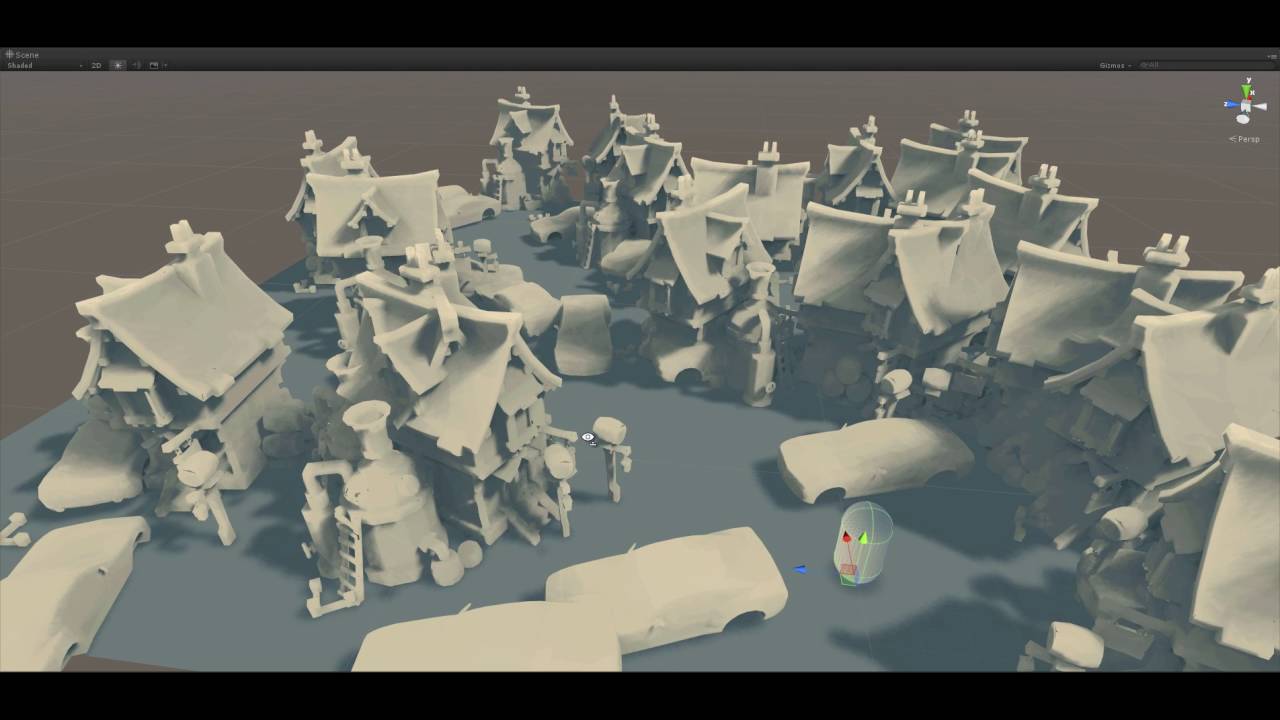
runtime AO & direct illumination, bake into a single 2k lightmap
custom solution without touching unity5 Enlighten
forced shadow test timeslice to once per frame,so you can see clearly how the lightmap is baked.
This baking tool is used for a mobile game that needs runtime generated procedural terrain, which we can't use Unity's built-in light...
deft fiber
cedar quest
I was thinking the same thing as you that the ray must eliminate.., but then tha...
Afaik only mixed lighting allows that, which uses realtime lighting for direct shadows
cedar quest
deft fiber
Afaik only mixed lighting allows that, which uses realtime lighting for direct s...
I'm not sure what you're talking about.., I just tested baking lightmap with only directional lights (no bounces) and turning off shadow casting on an object does behave like I described. It's more or less exactly the behaviour I want if I didn't care about bouncelights 🙂
and it's not realtime shadows in that case but rather in the baked texture itself
anyways.., I'll probably keep to doing two bake-passes. One with the plane and all the other objects and then one for the scene without the plane in it
deft fiber
cedar quest
I'm not sure what you're talking about.., I just tested baking lightmap with onl...
Ah, you're right I didn't know baked lightmapping did respect the Cast Shadow setting
deft fiber
cedar quest
I want to bake the lighting to a plane where my gameplay happens so that I can s...
Out of curiosity what for you sample the lightmap texture? For gameplay or lighting reasons perhaps
cedar quest
oh it's for lighting reasons. Since my gameplay is more or less locked to that one plane I can get some really nice "realtime" shadows that way
the idea is very similar to the video I posted above
so the idea is:
- bake out lightmap on a plane to a separate texture
- add texture sampler in the shader and make sure the uvs match the planes world position so it matches 1 to 1
deft fiber
That sounds pretty cool!
cedar quest
That's what we thought as well. So figured it could be worth testing out 🙂
deft fiber
I wish I could be of more help, hope someone more knowledgeable stops by
I'll gladly hear how it goes ^^

 wind grail
Solved
cedar quest
wind grail
like this
where's the halo? I don't see any lens effects at all on display here? 😕
wind grail
I confused with another thing
cedar quest
ah
 cedar quest
aah right. Yeah the cheapest way I can think of is some kind of mesh that always stays aligned with the camera.., almost like a billboard effect
but it depends.., some other simple ways to do this is just to have a mesh that follows this shape. But then you have problems with how to make it fuzzy at the edges and what happens if you go inside it
can you elaborate your circumstances?
cedar quest
basically what you need it for. What will be the end result
cedar quest
ok. Will you control the game (I'm assuming you're making a game) exactly like in the game your picture is from? (first person camera, wasd movement etc)
wind grail
(yes i'm making a game, i created the other one but i lost the project)
wind grail
cedar quest
ok. Will you control the game (I'm assuming you're making a game) exactly like i...
what do you mean for exactly like in the game your picture is from?
i control it yea with wasd ( or controller), and it's first cam,
if i look at it it's like this
 cedar quest
I think I've seen at least one other asset you could use to get something like this running. Do you want to make it from scratch yourself or just use something premade?
bummer about losing the project
wind grail
cedar quest
I think I've seen at least one other asset you could use to get something like t...
well, my designer can do it
game designer
i'm the scripter and builder, running and other things i have it
cedar quest
ok. I can imagine doing some kind of shader on a custom mesh where it's always aligning towards the camera. A little bit trickier to do it with a projected rectangle rather than a circle (the math would be easier) but it wouldn't be unimaginably hard to accomplish. What would probably make it trickier is if you also need the effect to have an animation in it (like as if it was actually projecting a video). In that case I imagine doing real raycasting might be the best solution but it would probably be a bit expensive
but maybe it's enough to have it just multiply with the median color of each frame of the animation

here's an example by using the line component in unity. It's not going to cut it for what you need but the idea is pretty close
wind grail
cedar quest
here's an example by using the line component in unity. It's not going to cut it...
Tysm, solved i did it like the original, it was a texture of a lighting point direction
 lunar horizon
Does anyone know how to stop light bleed on a generated mesh? Here's an example of it:
 upper fable
lunar horizon
Does anyone know how to stop light bleed on a generated mesh? Here's an example ...
upper fable
lunar horizon
Does anyone know how to stop light bleed on a generated mesh? Here's an example ...
Double sided shadow casting could help. This problem has nothing to do with generated mesh, that happens because of the hard edge splits
fierce lynx
are reflection probes meant to be showing all non-static objects too?
night shell
fierce lynx
are reflection probes meant to be showing all non-static objects too?
depends if the reflection probe itself is baked or realtime
 vague dove
I am trying to make the character look like it does in Eeevee or Cycles in Unity but it just looks different and I tried a few things (even emulating SSS) but it just looks bad.

So far I've got it to look a bit better but it still does not look like how I have it in Blender.

The skin looks more pink-ish in Unity even though it's the same texture, hair looks darker and same for the jacket. Adding directional lights only adds more reflection to the character which I don't want. Somehow I need to fix the colours so that they show as I want them to.
night shell
its worth mentioning that by default unity does not have alot of things built in to the pipeline that eevee has on by default
@vague dove
no tonemapping, ao, SSR, area lights, etc.
so I would ask first, how do you have your scene/materials setup and lit in eevee
because if its not lit and/or setup same of course its going to look different
vague dove
These are the settings i use in Eevee for the skin material, with the skin texture coming from my texture atlas for the character.

For the lighting I am using the following:
key light (area light) in the front
fill light (on the sight)
rim light (in the back top of the model)
I also have a fourth light source which is standing away from the character, it is a sun with a pink-ish tint, these are the settings


And this is how it looks like in Rendered view with Eevee

@night shell
night shell
and how is your unity scene setup
I'll sorta spoil what I'm leading towards but its important to recongize that the ways in which blender (yes even eevee) renders things, is different from how unity (which has true realtime rendering) renders things
vague dove
A skybox, a directional light and that's about it
 night shell
the way lights behave, what features that are included by the renderer by default
etc.
for one also it doesn't look the same also becuase you don't light it the same
your only lighting currently with 1 directional light, and with the unity skybox ambient lighting
compared to your blender render, your rendering with 3 different lights
your key being an area light (which in unity is not supported in realtime, so your closest equivlant is a spotlight ||for built in rendering pipeline anyway||), you don't detail what light types exactly you are using in blender for your rim and fill lights but i'm going to assume that they were something close to spot lights
vague dove
I am using area light for the key and rim lights and I am using a point light for the fill light @night shell
Also one thing that really bothers me, in Eevee the character looks crisp and the details of the geometry can be clearly seen across the entire character

in Unity there is a big lack of detail, giving it a blurry sort of feel instead of a crisp result
 night shell
because of the lighting
its not the same or lit simiarlly
lets start a seperate thread
because this sounds like it'll be a long discussion
vague dove
Sure thing, I really need to solve this because right now it is a serious issue

 exotic tulip
i think is not possible, but it works in android 3-4 players with a flashlight?
deft fiber
 strange fog
when removing shadows in my mesh renderer it doesnt work
strange fog
when removing shadows in my mesh renderer it doesnt work
What doesn't work?
Not casting shadows doesn't imply that geometry facing away from light won't be shaded
 little mason
anyoen able to try to help me fix this issue?
see the hard squares that the red light makes
 odd temple
Hi. How to add more lights in URP unity?
 jaunty briar
little mason
jaunty briar
little mason
Are you using a forward renderer? Try setting the red light's 'Render Mode' to important. You might be hitting a real-time light limit (per object)
strange fog
deft fiber
Not casting shadows doesn't imply that geometry facing away from light won't be ...
Well I’m aiming for it not to have shadows. And if I rotate it or move it away from light there isn’t any shadows so something isn’t working
deft fiber
strange fog
Well I’m aiming for it not to have shadows. And if I rotate it or move it away f...
Do you mean no shadow casting onto what's behind it, or not having a shadowy side at all?
strange fog
Not having a shadowy side at all
deft fiber
For that there's the unlit shader
Fundamentally the lit shader assumes that an object will start fully dark + light illuminating surfaces facing light sources + ambient light + reflections
So there really isn't light without shadow, unless the surface is also emissive or lit by strong ambient light
 flint pivot
So this might be a bit hard to explain, but I used a normal map to make it so this grid only appears when a light is put on it. I want it to look like the second image from all angles, but half the time it looks like the first. Is there something else I can do, should I not use normal maps?

 little mason
jaunty briar
Are you using a forward renderer? Try setting the red light's 'Render Mode' to i...
little mason
jaunty briar
Are you using a forward renderer? Try setting the red light's 'Render Mode' to i...
thank you so much this fixed the issue! im super new to lighting stuff so thanks for all the help
jaunty briar
little mason
thank you so much this fixed the issue! im super new to lighting stuff so thanks...
No worries!
amber dust
hi guys, i'm hoping to use unity to import a DXF file, cast a light on it, and export the shadow it produces against the wall behind it to a file. is this out of the realm of unity's power? it feels like this is something unity can do to me, as a newb
 sharp glen
Why when I change scenes in game (if it has a different skybox) does it looks so dark
After

Before

ah
Auto generate lighting
cool
 civic viper
when I increase the shadow distance, my shadows start to look like shit, I can increase the cascades to make it look better but haven't found anything else in the max quality preset
upper fable
civic viper
when I increase the shadow distance, my shadows start to look like shit, I can i...
You can also change the shadow map resolution
civic viper
upper fable
You can also change the shadow map resolution
as high as I want? (aware that its gonna cost performance)
 weak junco
Hello, I have a problem with my cave lightning. The area in the back gets dark only when I move closer to it. So when a player enters the cave, it looks like there´s a light at the end. But when he gets closer, it´s just a dark wall.


Do you know how to fix this? It looks like the shader´s drawing only in some area around the camera, but I don´t know what to do with it.
main wolf
weak junco
Do you know how to fix this? It looks like the shader´s drawing only in some are...
Some options I can think of:
-increase shadow distance
-hide using fog
-bake lighting
 timid mulch
hi guys, hope you are having a good day. I've run into a problem and i cant seem to find a fix. I'm generating terrain using mapbox in GoMaps, Im also trying to add lights near roads but road textures seem to glitch in some places especially when i move my camera , it can be fixed if i change the road material from (opaque to Transparent) ..but then i get a strange light glitch ..any help would be appreciated:)
material flickering and light glitch
weak junco
main wolf
Some options I can think of:
-increase shadow distance
-hide using fog
-bake lig...
Increasing the Shadow Distance worked. Thank you very much !
 bitter tangle
If I have substractive light mode
 indigo iron
I am using HDRP, how can i have a scene with a lot of lights that can be switched on and off AND isnt running at 10fps? If I bake the lighting, the scene is still lit.
arctic isle
indigo iron
I am using HDRP, how can i have a scene with a lot of lights that can be switche...
Have you tried baking Realtime GI + Light Probes?
indigo iron
arctic isle
Have you tried baking Realtime GI + Light Probes?
I havent looked much into GI cus i thought it wouldnt work for a large indoor scene, but ill give it a try now that youre mentioning it
thanks
bitter tangle
If i have a mixed light and a static surface, bake the light, should the mixed light not be baked into the static surface and not lit up new static areas when I move it If I have substractive light mode?
 deft fiber
bitter tangle
If i have a mixed light and a static surface, bake the light, should the mixed l...
deft fiber
bitter tangle
If i have a mixed light and a static surface, bake the light, should the mixed l...
Correct
Looks like the floor might not be GI static
 tame walrus
so are light flares just a way to make a custom halo? right now they sorta just appear as a cube that fades in and out regardless of image transparency, but im mainly concerned about the low quality look to them

they dont seem to appear at all through transparent objects in my scene either

 gloomy ember
why is it that when i copy and paste the exact same lighting and sprite into another scene, the lighting looks darker?
image 1: scene 1
image 2: scene 2 with the darker lighting

 bitter tangle
deft fiber
Correct
Looks like the floor might not be GI static
bitter tangle
deft fiber
Correct
Looks like the floor might not be GI static
Sorry, should have showed the floor too. Seems static to me, I also tried to clear and bake the lightmap just now in case I had forgotten but nope, still behaves as a dynamic light. Ì uploaded the simple example project here if someone want to take a look and call me an idiot for missing that thing that is totally obvious to everyone but me https://github.com/endasil/mixed-light-issue 😉


GitHub
Contribute to endasil/mixed-light-issue development by creating an account on GitHub.
deft fiber
bitter tangle
Sorry, should have showed the floor too. Seems static to me, I also tried to cle...
Trying out 2019.4. it seems for whatever reason Subtractive mode works more like Baked Indirect
So, indirect light from the mixed light is lightmapped but direct isn't

 bitter tangle
deft fiber
So, indirect light from the mixed light is lightmapped but direct isn't
bitter tangle
deft fiber
So, indirect light from the mixed light is lightmapped but direct isn't
Reading the description here, it seems to me like the direct light should be lightmapped too?
 deft fiber
That's what it claims and that's how it works in modern Unity versions in my experience
bitter tangle
deft fiber
That's what it claims and that's how it works in modern Unity versions in my exp...
Perhaps it's a bug with 2019.4? Did you use the latest .4 version?
deft fiber
bitter tangle
Perhaps it's a bug with 2019.4? Did you use the latest .4 version?
2019.4.31f1 is not the latest but it's the "vrchat version" so I assumed you're stuck to it
bitter tangle
deft fiber
2019.4.31f1 is not the latest but it's the "vrchat version" so I assumed you're ...
Yeah, i was wondering if it was fixed in more recent versions or if I should send a bug report to Unity and see if they fix it, in case VR chat at some time get the idea of updating to a more recent version of 2019.
deft fiber
bitter tangle
Yeah, i was wondering if it was fixed in more recent versions or if I should sen...
You can do tests and reports if you wish but vrchat haven't updated their unity version for almost two years and counting
 idle portal
Hello guys, im using URP and my 2D scene isnt completly dark? How can i fix it?
 modern mauve
How do i make it so there is a fog effect like a supper weak smoke effect that makes it hard to see far away. and the smoke/cloud is barely visible only while shining light on it it would reflect that light and the smoke would be more visible
deft fiber
modern mauve
How do i make it so there is a fog effect like a supper weak smoke effect that m...
You may be thinking volumetric fog
modern mauve
deft fiber
You may be thinking volumetric fog
Do you know how beatsaber lobby looks like?
thats the fog
ill get an image
bad image ama get a better one

It makes everything in distance fade away basicly @deft fiber
deft fiber
modern mauve
It makes everything in distance fade away basicly <@166982635950702592>
Could be simple distance fog, possibly with fog particles for variety
Distance fog doesn't interact with lights, but fog/smoke particles don't interact with geometry very well
If you need both you'll need volumetrics
But most of the time it's better to fake things than to accurately simulate them
Light beams can also be faked with sprites or shaders to make it seem like they interact with the fog even if they really don't
idle portal
Does anyone know why this happens? The block below should be textured instead of white. When i put the material as Unlit it will look textured and i can see the colors clearly. Why doesnt it work when the Material is lit? Im using URP btw.

 warm geode
 deft fiber
warm geode
deft fiber
warm geode
Please don't crosspost
These channels are for questions and topics of discussion
idle portal
deft fiber
Please don't crosspost
These channels are for questions and topics of discussion
Can you maybe answer my question? Sorry for asking you but if i dont ask i will not get an answer.
deft fiber
idle portal
Can you maybe answer my question? Sorry for asking you but if i dont ask i will ...
I've used URP 2D very little and I don't recall a similar issue so I don't have any good ideas to try
idle portal
Ah ok, sadly there is not much information online about URP 2D
deft fiber
idle portal
Ah ok, sadly there is not much information online about URP 2D
It's a bit lackluster in that sense
If you can find some official examples or demo projects they could prove invaluable for troubleshooting
deft fiber
idle portal
Well it works with the normal unity template
That's good news as it means you can compare to find the problem
Sometimes I end up passing almost every gameobject from one scene or project to another trying to hunt down the one thing that's breaking it
 somber coral
I accidentally messed up my lighting when changing unity graphics versions.
Now all my directional lights cause a weird coloration


everything is green
somber coral
turns out this was fixed by rotating the directional light, causing it to rebake and remove the weird coloration
deft fiber
somber coral
turns out this was fixed by rotating the directional light, causing it to rebake...
You can usually solve these by clearing the light cache and clicking generate manually
Auto-generate is more prone to problems than manual
somber coral
deft fiber
You can usually solve these by clearing the light cache and clicking generate ma...
how do you clear light cache?
deft fiber
somber coral
how do you clear light cache?
 somber coral
found it. thanks
idle portal
deft fiber
That's good news as it means you can compare to find the problem
Sometimes I en...
Since the project isnt that big right now, i think im gonna copy all scripts and gameobjects over
 soft tree
I have multiple scenes with baked lighting but now i want to merge them and put all prefabs in one scene, is there any way to switch baked lighting data as i toggle active/inactive per prefab.
 whole bramble
hey folks
the lod objects are having black stains when lightmapping
i've checked "generate lightmap UV on import settings
when im baking that object without LOD
its fine
but when its on LOD level 2 or 3 or something
it has dark artifacts on it
 chilly kettle
Does the LOD Object all have a lightmap attached?
whole bramble
yeah...
deft fiber
whole bramble
it has dark artifacts on it
"dark artifacts" sounds like texel invalidity, so most likely the lod models have exposed backfaces
deft fiber
whole bramble
in that case what should i do?
Best solution is to not have exposed backfaces in meshes
Two-sided rendering and backface tolerance can also work but may not be so performant or reliable


 deft fiber
whole bramble
what i did is just put light probes on those
deft fiber
whole bramble
what i did is just put light probes on those
Light probes shouldn't have any impact on texel invalidity, so it may have been a different issue
Pictures always help
deft fiber
 vapid sedge
why does my light change depending on where i look?
vapid sedge
why does my light change depending on where i look?
Could be an issue with automatic exposure
Check if your active volume defines some and if so, see if using fixed type removes the issue
 sly marten
anyone have any suggestions on how to light a large space scene? A point light for the sun is probably not going to work as the distances involved are very large. A directional light is not going to work as the sun is in the middle of the scene. Currently using URP
civic viper
sly marten
anyone have any suggestions on how to light a large space scene? A point light f...
you need to increase the radius of the point light
sly marten
yeah I've tried that but at large distances you get a lot of flickering and the shadows look like garbage
civic viper
sly marten
yeah I've tried that but at large distances you get a lot of flickering and the ...
this might be a problem of floating point imprecision, what kind of distances are we talking about from world space center?
sly marten
thousands, millions - definitely a floating point precision thing. I've already solved other issues that come along with that (floating origin / multiple cameras for far / near objects etc) so I'm looking for tricks that could help with lightning this scenario. Couple things I've thought of
- directional light that points from sun to wherever camera is looking ? not sure if this would look right at all
- a spot light for each celestial body that originates at the sun - might get messy especially with a lot of bodies
maybe having things that are far away be scaled way down and rendered with a separate camera and point light - need to handle transition between layers in that case
civic viper
sly marten
thousands, millions - definitely a floating point precision thing. I've already ...
does the flickering ocour on an object that is only a few meters from the origin away?
civic viper
sly marten
maybe having things that are far away be scaled way down and rendered with a sep...
or other question does the flickering ocour only when far away from the point light?
or also when close
idle portal
idle portal
Since the project isnt that big right now, i think im gonna copy all scripts and...
Ah now i know, i had volumetric lights on, still really weird behaviour
sly marten
the flickering seems to be only when i move the camera and happens wherever I am so that could be a separate issue - doesn't happen with directional lights though. Big issue with point lights is in order for them to reach far enough the intensity has to be so high that anything nearing the sun gets completely white and washed out
deft fiber
The light components (or unity scenes in general) are not designed to work on a cosmic scale
Games that accurately simulate space don't do so using real world units
They usually have some type of floating origin system that effectively repositions and resizes the world when going from solar system scale to planetary scale
Light shading and shadow casting would need to be specialized for this purpose as well
sly marten
yeah for sure - looking for techniques or somewhere to start looking in how to implement that
deft fiber
If you don't want to invest effort in all that, I recommend to try to make a miniaturized solar system no bigger than 5000 units in each direction
If you don't need seamless transition from galactic travel to human eye level on a planet, it could still be sufficient for many use cases
sly marten
from research it seems like a custom shader to modify point light attenuation might solve the intensity issue for small and large distances
 winged tangle
hey guys, im very confused as to the purpose of baked lighting