#💻┃unity-talk
1 messages · Page 63 of 1
 storm patio
worry about perf when you have issues about perf
 thick heron
Already do, it's why im trying to check this out early.
 balmy kettle
if you have performance issues then you should be using the profiler to determine where the actual source of those issues is
thick heron
I have been. I think a lot of my problem was false positives from running the game in editor mode and not a standalone build.
I'm just looking to be happy with my choice in ppu before i do too much more art. I just felt like my textures are too large anyways.
balmy kettle
the choice of the PPU setting for your textures is unlikely to impact performance. it would be the actual size of those textures that might have any impact. the PPU setting just determines how many pixels of that texture is equivalent to 1 unit of world space
thick heron
I think i just started out wrong, I made a 2048x2048 texture that I ended up scaling down a ton in my material (for walls). Maybe i should set my main character to 1 unit or something and figure out how to scale down some of my textures before importing them into unity.
 pulsar sparrow
sup guys
 drifting jacinth
Hi :>
 woeful spear

OpenGameArt.org
Sirens in Darkness - Ambient mysterious and mood music for your game, ethereal and pensive. You are sure to love this ambient theme with warm pads and piano!!!! Get in touch for variations and etc... Please credit -- The Cynic Project / pixelsphere.org / cynicmusic.comCC0 Public Domain music from my game Pixelsphere. Sirens in Darkness is the 12...
This music is listed as CC0
But in description it also asks for credit?
 pearl oyster
It's not uncommon that people apply licenses to their stuff without understanding what they mean. It's also not uncommon to ask for credit as a courtesy even if the license doesn't strictly require it
 ocean pumice
you can also set the import settings for each texture if you want in Unity on a platform basis. Having bigger textures that you dont need is more a matter of project size and how well you can handle that big amount of data. If you set your textures to be lower size on mobile for example, the build result is a compressed version of your source texture. So you should decide, what looks good for the target platform and probably account the highest one and use those settings to lower textures on specific platforms.
 slender robin
can unity run javascript too? if so how to?
 sly lake
It cannot.
 autumn aurora
Hi, I want to ask whether this grid floor comes from Blender or Unity. I already asked an AI, but the answer wasn’t certain. I want to learn animation and I’m currently looking for which software would be good to start with

 slow dirge
autumn aurora
Hi, I want to ask whether this grid floor comes from Blender or Unity. I already...
slow dirge
autumn aurora
Hi, I want to ask whether this grid floor comes from Blender or Unity. I already...
Unity is not an animation software. It's a game engine.
As for your question, it's impossible to answer.
 gray dirge
Could be any of the hundreds of modeling tools and game engines really
autumn aurora
eh really?
But ive seen some of their video descriptions mention using Unity 3D
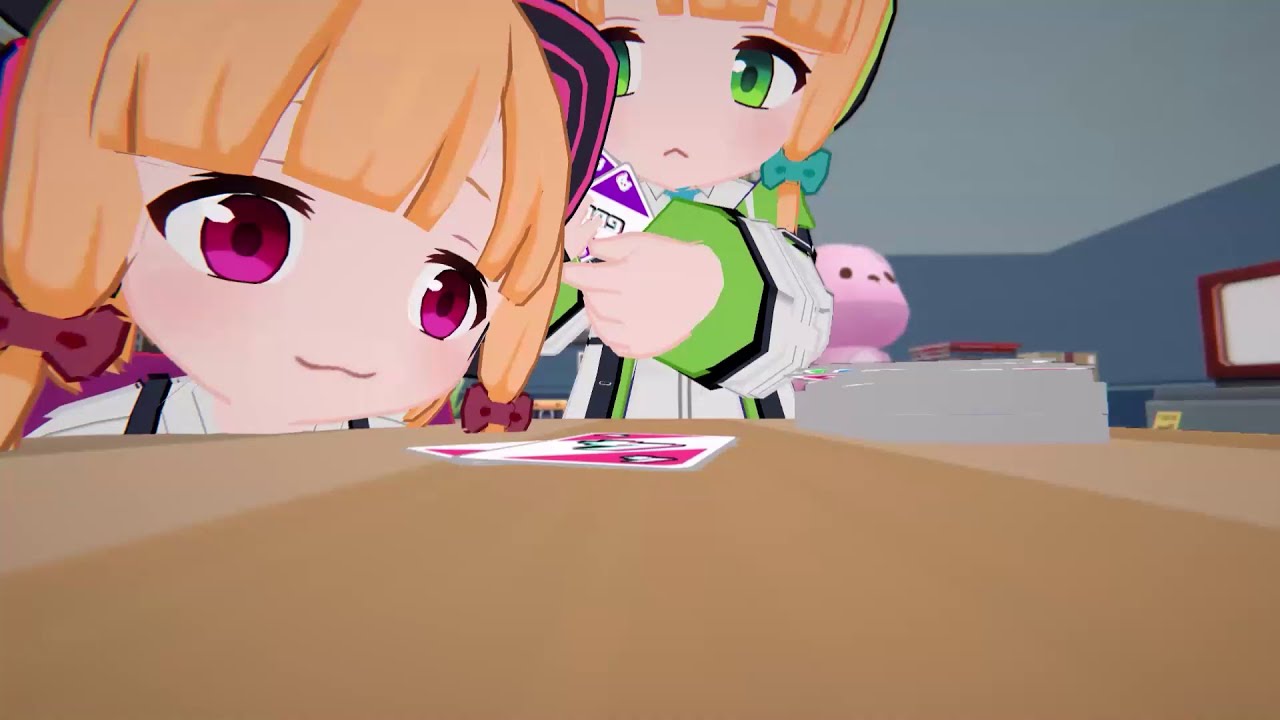
Software : Unity 3d
Edited : Adobe
Music : KENTENSHI - paranoia
#BlueArchive
#ブルアカ
#ブルーアーカイブ
#블루아카이브
gray dirge
One can animate things in unity yes. The animation system just isn't great compared to many other tools available. Most games likely do the animations outside unity and import them into unity
slow dirge
autumn aurora
this one https://youtu.be/ZM-ujwGIso8?si=rdzhJjJYDBJrOKtF
You can do it in unity. It's just not ideal tool for that. Professional animators use dedicated software.
gray dirge
You shouldn't be looking for an answer to the question "which software was this made in" to which neither we nor AI have an answer to. You should be looking for suitable software to learn animations in. I don't have an answer to that but unity wouldn't be it if you are looking to make complicated animations like characters
People have made 3D games inside Geometry Dash, that doesn't mean you should use Geometry Dash to start learning 3D game making
 dreamy snow
so Hello here again >D im using unity for about 5 years now and it newer stops surprising me 😄 so now im creating a build of my URP project. and in build everything is pink ,, well mostly everytihng , terain sahder is not inclued its invisible some assets have color 😄 why is that happening ? suggestions ? is there any specific button i need to check to include the shaders so game is actualy vissable ?
im using default URP setttings havnt changed anything
ocean pumice
dreamy snow
so Hello here again >D im using unity for about 5 years now and it newer stops s...
your quality settings are setup correctly? Like the URP asset? Also do you use addressables probably and have your assets in there but not built yet?
dreamy snow
ocean pumice
your quality settings are setup correctly? Like the URP asset? Also do you use a...
no addresables. and yeah as i said its all default .. nothing has ben changed.
its a simple scene with few trees a aterrain and additional 10 assets like character and partycle systems (which do have a matterial) rest does not
ocean pumice
Do you have different quality levels in your quality tab? Are they all provided with an URP asset?
ocean pumice
dreamy snow
its a simple scene with few trees a aterrain and additional 10 assets like chara...
Could imagine, that for mobile or build, its taking another quality preset and missing the asset. But without any screenshots or whatsoever, I am just guessing game here 😄
dreamy snow
yes defautl all use same asset that was there by default
ocean pumice
Just for testing purpose, you could try to replace it with a new created one by you. See, if it "resets" something on build.
dreamy snow
hm i think i tried it but will do again
its just ridicolous how such simple thing is not working 😄
 keen siren
have ure tried?
 dreamy snow
keen siren
have ure tried?
dreamy snow
keen siren
have ure tried?
what for ?
all teh asset here are for URP i dont need to convert anything
 deft rock
What platform are you building for ?
deft rock
dreamy snow
well i disabled shader striping which did not help , deleting library was my last resort
whihc gona take some time to import ..
 rich charm
hi guys. can someone tell me why my environment is looking dark? i dont know how to fix it someone pleasee help me
 ocean pumice
rich charm
hi guys. can someone tell me why my environment is looking dark? i dont know how...
ocean pumice
rich charm
hi guys. can someone tell me why my environment is looking dark? i dont know how...
Does your game window look the same? Any special shader on that platform?
ocean pumice
dreamy snow
even librabry delete did not work lol
Would be interesting to know, what happens if you just make a simple project without template and just add a terrain and see if it happens there too
deft rock
rich charm
hi guys. can someone tell me why my environment is looking dark? i dont know how...
You've focussed on something really big, so the near plane of the scene camera has changed. Select something smaller (eg a cube) -> press F -> carry on
ocean pumice
If its not the clipping, it still might be a shader thing
deft rock
the shader/ lighting is also processing (hence that teal-y blue)
 tawdry yacht
Just hit F and zoom out
deft rock
I wouldn't say it's related to shadows, there's nothing to cast a shadow that big
ocean pumice
deft rock
the shader/ lighting is also processing (hence that teal-y blue)
I think more of a viewport bound shader rendering that line on view of the camera
dreamy snow
changed unity version getting this garbage
 deft rock
That's HDRP, you said you were using URP
dreamy snow
well yeah i am
ocean pumice
Looks like you installed someHDRP stuff too
deft rock
dreamy snow
well yeah i am
so.. do you think you need anything relating to HDRP? -> no -> remove
dreamy snow
well im not even sure why its there cause its a URP templete
and now i cant even build anything cause im on outdated urp setting 😄
deft rock
I'm 90% sure that has an auto update
I've never had to manually update renderer settings after updating the project to a new version
dreamy snow
well naither did i right so
ocean pumice
The errors might just stop your unity from updating/compiling evverything else right now. So I would start removing the HDRP first and see, what happens from there
 inner canyon
Yall I need help my fan game gtag got hacked
 hardy tulip
Hello I tried to do a web build for a test project I have that is using Photon Voice 2 but the build fails with undefined symbols "egpv_opus" (a bunch). Is Photon Voice 2 not supported on web builds? I've searched online but can't find a solution.
 dusty wren
Hi, I'm not sure if this is the right channel to talk about this, but I'm trying to create a 2D white outline. I've managed to get it working in all four directions (up, down, left, right) but not on the diagonals, and the result is unfortunately not great. I've tried looking for video guides but haven't found anything. Does anyone have a solution ?😄
slow dirge
inner canyon
Yall I need help my fan game gtag got hacked
This is not a cybersecurity community.
slow dirge
dusty wren
Hi, I'm not sure if this is the right channel to talk about this, but I'm trying...
Maybe open a thread in #1390346776804069396 and share more info.
slow dirge
hardy tulip
Hello I tried to do a web build for a test project I have that is using Photon V...
They do say that webgl is supported on their asset store page:
Windows, UWP/Hololens, macOS, Linux, Android, iOS, WebGL and other platforms are supported.
 strong fable
how do I create a texture2d with a specific format like RGBAFloat?
hardy tulip
slow dirge
They do say that webgl is supported on their asset store page:
```
Windows, UWP/...
They do have a WebGL subfolder with some opus files but I could not get it to work. The difference being the WebGL is something like libopus and the others are libopus_egpv. I have no idea if that is the problem.
inner canyon
slow dirge
This is not a cybersecurity community.
Alr
slow dirge
strong fable
how do I create a texture2d with a specific format like RGBAFloat?
You mean in code? Via the constructor. It takes a format arg:
https://docs.unity3d.com/6000.3/Documentation/ScriptReference/Texture2D-ctor.html
slow dirge
hardy tulip
They do have a WebGL subfolder with some opus files but I could not get it to wo...
I have no idea either. If you need any real help, you'll need to share more info/context.
Aside from that:
- read their documentation, installation usage guides.
- contact the developers.
 warped oxide
How do a gameobject that have font material get a glow?
dreamy snow
ocean pumice
The errors might just stop your unity from updating/compiling evverything else r...
no effect.. tho .. i just gona create new project nad see if that helps
ocean pumice
you might wanna reread #📖┃code-of-conduct message about collab and advertising
strong fable
slow dirge
You mean in code? Via the constructor. It takes a format arg:
<https://docs.unit...
I do this:
new(_texSize, _texSize, TextureFormat.RGBAFloat, false)
then:
byte[] bytes = tex.EncodeToPNG();
File.WriteAllBytes(path, bytes);
and it comes out with Automatic as the format which is rgba8. does setting it to rgbafloat "upgrade" the texture?
 tender oasis
Help.
How do I know my GPU stats (to know if its performing well)
I have 3060ti palit powered with 600 Cougar 80+ bronze
 short wind
real time or....
tender oasis
Anything
 potent geyser
Performing well in ... what? Unity?
short wind
in unity itself there's the profiler
potent geyser
If your game is having performance issues, you use the profiler.
tender oasis
In general. To avoid damaging the gpu
potent geyser
This isn't a PC support server.
short wind
tender oasis
In general. To avoid damaging the gpu
this is unlikely
if the machine is well-cooled, windows will manage the hardware load
tender oasis
Hm ok
storm patio
strong fable
I do this:
new(_texSize, _texSize, TextureFormat.RGBAFloat, false)
then:
byte[]...
what "comes out" as automatic?
strong fable
tender oasis
Hm ok
if u wanna look at some numbers check out the nvidia app. there are stats like gpu heat. if thats consistently very high u got a problem
tender oasis
strong fable
if u wanna look at some numbers check out the nvidia app. there are stats like g...
How to check my gpu heat tho
potent geyser
Again, not a PC support server.
strong fable
storm patio
what "comes out" as automatic?
I save the texture2d as a png but that just sets the format in the inspector to automatic. it also ignores stuff like filtering, clamping and all that.
potent geyser
Make a thread if you're going to continue this
strong fable
tender oasis
How to check my gpu heat tho
drifting jacinth
Hi Guys?
 gray frigate
strong fable
I save the texture2d as a png but that just sets the format in the inspector to ...
gray frigate
strong fable
I save the texture2d as a png but that just sets the format in the inspector to ...
so you're saving a PNG and then having the editor import it as a new texture asset?
that would, indeed, be a completely new asset with no relation to the texture you generated the image file from
gray frigate
strong fable
I do this:
new(_texSize, _texSize, TextureFormat.RGBAFloat, false)
then:
byte[]...
I presume Unity is writing out an 8-bit PNG here
 tiny silo
Hey, I just wanted to ask here to be sure but is Unlit the best material for performance? I'm using URP.
At some point I changed the bullets of my 2D shoot-em-up game to no longer use animation components and instead use a shader to make the bullets pulse a little. I've found that the performance was better, but my old laptop and a friend's computer actually had worse performance since then. So I wanted to make some sort of alternate option so those people don't suffer performance issues. Anyone have any insight on this? I figured changing the material to something lighter might be a good workaround for lower end computers which is why I wanted to know what the best material for performance is.
TL;DR Want to know what material to use for bullets to improve performance on lower end machines
strong fable
gray frigate
I presume Unity is writing out an 8-bit PNG here
is there any way to change this? EncodeToPNG doesnt take any arguments.
gray frigate
strong fable
is there any way to change this? EncodeToPNG doesnt take any arguments.
what are you trying to accomplish here?
strong fable
get a texture with more bits per channel. like rgbafloat instead of rgba8
gray frigate
tiny silo
Hey, I just wanted to ask here to be sure but is Unlit the best material for per...
I'm guessing the performance drop came from something else
unless you created a very expensive shader
gray frigate
strong fable
get a texture with more bits per channel. like rgbafloat instead of rgba8
are you trying to import an image and get a texture with more bits per pixel?
tiny silo
Could I post what the shader looks like to see if it's heavyweight?
gray frigate
you were talking about using EncodeToPNG() earlier
gray frigate
tiny silo
Could I post what the shader looks like to see if it's heavyweight?
did you use a shader graph? if so, you can screenshot it if it's not too large
tiny silo
Yeah I did
strong fable
gray frigate
you were talking about using `EncodeToPNG()` earlier
I guess EncodeToPNG and WriteAllBytes is importing a new image, so yes.
gray frigate
strong fable
I guess EncodeToPNG and WriteAllBytes is importing a new image, so yes.
I don't understand why you're doing that, though. Do you have a 16-bit-per-pixel PNG that you want to import into Unity?
strong fable
gray frigate
I don't understand why you're doing that, though. Do you have a 16-bit-per-pixel...
I'm doing vertex animation textures and 8 bits seem to cause some funky precision errors.
tiny silo
gray frigate
did you use a shader graph? if so, you can screenshot it if it's not too large
Is this screenshot sufficient?
 gray frigate
strong fable
I'm doing vertex animation textures and 8 bits seem to cause some funky precisio...
gray frigate
strong fable
I'm doing vertex animation textures and 8 bits seem to cause some funky precisio...
okay, so you'll need to produce 16-bit textures and import those into Unity
I did something similar recently
I was making a night-sky shader. I encode each star as two pixels in a lookup texture
I imported it as RGBA 64-bit. Notably, this had to be done specifically for desktop platforms – that format isn't available for all platforms
 strong fable
gray frigate
okay, so you'll need to produce 16-bit textures and import those into Unity
strong fable
gray frigate
okay, so you'll need to produce 16-bit textures and import those into Unity
I create a texture2d with rgbafloat format, write the data to it using setpixel, then encode. so I guess I am producing a 32 bit texture here, no?
gray frigate
strong fable
I create a texture2d with rgbafloat format, write the data to it using setpixel,...
Only if Unity's PNG encoder actually produces a PNG with more than 8 bits per channel
I don't know what it actually does
gray frigate
gray frigate
I imported it as RGBA 64-bit. Notably, this had to be done specifically for desk...
I created this texture in a Python script using a package that could produce 16-bit PNGs (with integer values)

the docs say that you'll get 8 bits per channel
The encoded PNG data will be either 8bit grayscale, RGB or RGBA (depending on the passed in format).
If you want to write out PNGs with more bits per channel, you'll need to look for a third party library
strong fable
hmm I guess I could also convert the texture2d into a rendertexture and save that as a rendertexture asset.
gray frigate
render texture assets do not serialize the actual texture data
You could, however, just save the texture asset to disk directly
you don't need a PNG
you should be able to do:
AssetDatabase.CreateAsset(tex, "Assets/PathGoesHere/tex.asset");
i do this when constructing texture arrays
So you're creating the vertex animation texture inside of Unity, right?
 feral smelt
Somone really smart here?
short wind
possibly
feral smelt
Maybe u can help me figureing out a UI bug?
 charred fog
!ask @feral smelt
 vagrant rootBOT
charred fog
!ask <@452623678585307157>
vagrant rootBOT
charred fog
!ask <@452623678585307157>
:thinking: Asking Questions
:mag: Search the internet for your question!
:book: Use the API Scripting Reference and User Manual and this troubleshooting site for commonly posted issues.
:wrench: Attempt to debug your issue.
:thought_balloon: Find an appropriate channel by reading the name and description in #🔎┃find-a-channel
:grey_question: And don't ask to ask, ask a full question illustrating with screenshots if needed.
-# For more posting guidelines, go to #🌱┃start-here
short wind
debugging is not my strong suit
strong fable
gray frigate
So you're creating the vertex animation texture inside of Unity, right?
yup
 safe garden
has anyone noticed when you try to swap a prefab for another in inspector sometimes it won't update at all? bit hit or miss for me sometimes
gray frigate
strong fable
yup
what are you generating it from?
feral smelt
The thing is i am trying to solve that for 12h+ and its acually really simple. I have a multislot tetris inventory with diffrent pages and overall 120 slots. when i have items on the first and second page and log out and then bag in again, the first page is shown everything fine. When i open the second page the items are there because the slots are blocked but the sprites are missing. After clicking on diffrent page and going back, they are back, but then one sprite is freezing to the screen
 gray frigate
depending on how this works, a scripted importer might be the way to go
strong fable
gray frigate
what are you generating it from?
custom script I wrote
gray frigate
you can import a file that tells you how to generate the textures and then add sub-assets to it
charred fog
safe garden
has anyone noticed when you try to swap a prefab for another in inspector someti...
Make sure you are not doing it at runtime on a scene script
gray frigate
safe garden
has anyone noticed when you try to swap a prefab for another in inspector someti...
how are you doing this?
gray frigate
gray frigate
you can import a file that tells you how to generate the textures and then add s...
I've done this several times, and it can be really nice
no more manually running the script every time the inputs change
the asset import system handles it for you
Notably, I have a VRChat avatar that includes a TV that can display a bunch of messages
some of the messages include audio
i have a scripted importer that reads a .json file and generates animators, textures, VRC menus, etc.

(the names of the menus are mildly broken, whoops)
You can also assign references to existing assets in the importer's inspector

If you went this way, you'd wind up doing something like this
var tex = new Texture2D(...);
// do some stuff to the texture
ctx.AddObjectToAsset(tex, "Animation");
now you have a sub-asset named "Animation"
This will be a bit of a leap from what you have right now, though
gray frigate
gray frigate
you should be able to do:
```cs
AssetDatabase.CreateAsset(tex, "Assets/PathGoes...
this is all you really need
strong fable
gray frigate
this is all you really need
yea going with this for now but what u did is very interesting. I'll probably come back to this at some point tho cuz I love building custom solutions to save time on tedious tasks. thanks for sharing :)
gray frigate
importers feel very slick
strong fable
works perfectly and the animation is smooth as butter now. thank you very much🙏
gray frigate
nice (:
you may be able to get away with 16-bit color, btw
give that a try; it'll cut your VRAM in half if it looks fine
and I believe you can do half-precision floats, so it doesn't need to be 16-bit integers
oh, and make sure the data actually..saved
so, restart the editor
it's possible to have a texture whose data never actually made it back to the CPU
 solar glade
Hi everyone, I'm facing a weird global physics/sync issue in my Mirror-based football game. Everything was working perfectly last night, but today all Rigidbodies (Players, AI, Ball) are floating and frozen in the air.
The Symptoms:
Gravity seems ignored; objects are stuck mid-air.
Players can still rotate in Update, but rb.linearVelocity does absolutely nothing to their position.
The scene layout has shifted by itself. Spawn points are higher than they should be, and the ball is clipped into the floor, even though the Transform coordinates haven't changed.
This issue persists across different scenes (original map and its copies).
What I've Checked:
Time.timeScale = 1, Physics Gravity = -15, Simulation Mode = Fixed Update.
Layer Collision Matrix is correctly set.
Physics Debugger shows FixedUpdate is running.
It feels like a conflict between Mirror's NetworkTransform and local physics, or a corrupted project setting. Any ideas why positions shifted and physics froze after a simple project restart?
strong fable
gray frigate
oh, and make sure the data actually..saved
AssetDatabase.SaveAssets();?
gray frigate
Creating the asset should be sufficient
But it's possible to create an asset whose contents aren't actually persisted correctly
it'll look fine until unity has to reload it from the serialized data on disk
notably, I've had problems reading back from the GPU after blitting into a texture
i'm a little fuzzy on how that actually works
strong fable
16 bit looks fine and the assets are still there after restarting. 🎉
gray frigate
hooray
strong fable
I love it when things work
solar glade
Why was I ignored? 🤔
feral smelt
get behind me buddy
strong fable
solar glade
Why was I ignored? 🤔
ignoring you specifically😈
nah there isnt anybody with an answer to ur problem present rn :P
 stuck flower
solar glade
Why was I ignored? 🤔
stuck flower
solar glade
Why was I ignored? 🤔
I missed the part where any currency was exchanged in order to have some expectations of an answer
This isn't anyone's job, no one is obligated to answer anything
feral smelt
so me either even when i wait brave?
gray frigate
feral smelt
The thing is i am trying to solve that for 12h+ and its acually really simple. I...
it's hard to say much given just this information
i see that all of the inactive slots have the "BlueDagger" ID, and the rogue sprite looks like a blue dagger to me
so my first wild guess is that you're not correctly initializing the slots
thus leaving them in whatever position they started in (floating away from the actual grid, in this case)
I'd also guess that's not just one dagger sprite, but actually a big stack of them
deft rock
solar glade
Why was I ignored? 🤔
try asking in the correct channel -> #1390346492019212368
feral smelt
hmmm sounds likea good apooruch let read thruw my 2700lines
for (int i = startSlot; i < endSlot; i++)
{
if (slotUIElements[i] != null)
{
slotUIElements[i].UpdateSlot();
}
}
man i think your right hang on for a sec
ocean pumice
feral smelt
for (int i = startSlot; i < endSlot; i++)
{
if (slotUIElements[i] != null)
...
!code
vagrant rootBOT
ocean pumice
!code
Posting code
📃 Large Code Blocks
Use links to services like:
https://paste.mod.gg/, https://hastebin.skyra.pw/, https://paste.ofcode.org/, https://paste.myst.rs/
📃 Inline Code
Surround code with three backquotes. Not quotation marks.
To format as C#, add cs to the first line:
```cs
// Your code here
```
Add a comment with a line number if there is an error message.
feral smelt
gray frigate
I'd also guess that's not just one dagger sprite, but actually a big stack of th...
still same, any more wild guesses? wanna see the code?
storm patio
if you share it properly, sure
 rustic pond
in wich channel i can ask question about shader graph
storm patio
rustic pond
in wich channel i can ask question about shader graph
that would be #1390346776804069396
rustic pond
storm patio
that would be <#1390346776804069396>
thank you
charred fog
feral smelt
```cs
hope u understand it tahts the slotui
```
Use paste sites to post large blocks of code #💻┃unity-talk message
Also #1390355039272439868 for code questions.
Or rather forum there if you want a debugging session
gray frigate
rustic pond
thank you
(for smaller questions, you can use the #1391720450752516147 , btw)
feral smelt
Im fine the guess from @gray frigate was golden! just needed some time to figure out how the stacking is working now i ahve a fuccking nice inventory!!!!! man i am so thankfull
now i can sleep
rustic pond
gray frigate
(for smaller questions, you can use the <#1391720450752516147> , btw)
i did a thread in #1390346776804069396 since i guess it's a bit big i posted 4 photos and explanation of what is my problem thanks for the info though
feral smelt
fkn hell dude 13h debugging and in the end it was the Slotui called the UpdatedSlot but the set item to slotrect call was to fast it was all about switching 2 lines of code i wanna die fr i refactord it and didnt noticed fuck
slotUIElements[i].gameObject.SetActive(true);


slotUIElements[i].UpdateSlot();
  → SetItem() liest slotRect.anchoredPosition
  → Position = (0,0) oder alte Position
  → Alle Icons landen bei (0,0) = Top-Left!
and the solution was
for (int i = 0; i < slotUIElements.Length; i++)
{
    slotUIElements[i].gameObject.SetActive(shouldShow);
}


Canvas.ForceUpdateCanvases();


for (int i = startSlot; i < endSlot; i++)
{
    slotUIElements[i].UpdateSlot();
}
Create a thread in #1390346827005431951
feral smelt
charred fog
Create a thread in <#1390346827005431951>
sry im new try to get hang of it
gray frigate
feral smelt
fkn hell dude 13h debugging and in the end it was the Slotui called the UpdatedS...
if your code depends on the exact position of UI elements, then you will need to ask for a canvas update before continuing, yeah
automatic layout normally only happens once per frame (right before rendering, iirc)
rich charm
hi guys. how can i fix this object , when i zoom out it turns pink D:
 gray frigate
That means that one of its LODs has a broken material
rich charm
 rich charm
gray frigate
That means that one of its LODs has a broken material
rich charm
gray frigate
That means that one of its LODs has a broken material
what do i do
is there any way to fix it ?
gray frigate
inspect each of the child objects

each one will have a Mesh Renderer
which has a list of materials
rich charm
 gray frigate
I'm guessing that one of the materials is using a shader that either doesn't exist or doesn't work in your render pipeline
(you're probably using the universal render pipeline, or URP)
rich charm
should i delete the ones that look pink ?
gray frigate
no, you should try to fix their materials
rich charm
cos one of them doesnt look p,nk
 rich charm
gray frigate
show the entire inspector for the broken object
rich charm
gray frigate
show the entire inspector for the broken object
how do i do that im kinda new 
gray frigate
you already have the object selected
just screenshot the inspector on the right
the window that displays the Transform, Skinned Mesh Renderer, etc.

 gray frigate
rich charm
gray frigate
rich charm
I want to see the inspector for "MRock_LOD1". You had it selected here.
feral smelt
gray frigate
automatic layout normally only happens once per frame (right before rendering, i...
dude i think thats what a good dev makes stand out knowing the small things always helps
ocean pumice
you screenshot the parent object. you need to seleect the LOD version thats pink and then look at the meshrenderers material list. Click on that material, it will show you the "wrong" material
gray frigate
I'm guessing the material is missing entirely
ocean pumice
Or that 😄
gray frigate
In that case, you would drag in the same material used on the LOD0 object
Otherwise, if there is a material, we'll need to look a little closer
rich charm
 feral smelt
gray frigate
if your code depends on the exact position of UI elements, then you will need to...
feral smelt
gray frigate
if your code depends on the exact position of UI elements, then you will need to...
would you agrre with that?
❌ NEVER read RectTransform positions immediately after layout changes!
✅ ALWAYS call Canvas.ForceUpdateCanvases() BEFORE reading positions!
Unity UI is NOT immediate! Layout changes take effect NEXT FRAME unless you force it with Canvas.ForceUpdateCanvases()!
rich charm
gray frigate
Otherwise, if there *is* a material, we'll need to look a little closer
did i ss the correct thing
i ssd lod2
gray frigate
Unflod the 'materials' list
rich charm
it doesnt unfold
gray frigate
click on the small arrow on the left
gray frigate
feral smelt
would you agrre with that?
❌ NEVER read RectTransform positions immediately aft...
Yes, that's accurate. Ideally, you'd avoid using the absolute position of the UI element entirely, though
(e.g. by positioning things in local space)
rich charm
 gray frigate
I said to unfold the Materials list.
 feral smelt
gray frigate
Yes, that's accurate. Ideally, you'd avoid using the absolute position of the UI...
feral smelt
gray frigate
Yes, that's accurate. Ideally, you'd avoid using the absolute position of the UI...
what happend then?
gray frigate
I need to see what materials your renderer is using
gray frigate
rich charm
(you got here by editing a prefab)
rich charm
can i call u
gray frigate
no, I just need you to follow instructions so I can help you
select MRock_LOD1, unfold the Materials list, and screenshot that
ocean pumice
feral smelt
would you agrre with that?
❌ NEVER read RectTransform positions immediately aft...
Is that Canvas method the replacement for ForceRebuildLayoutImmediate ?
gray frigate
ocean pumice
Is that Canvas method the replacement for ForceRebuildLayoutImmediate ?
The Canvas method updates all canvases.
ForceRebuildLayoutImmediate would actually be the smarter play here:
LayoutRebuilder.ForceRebuildLayoutImmediate(target);
It only recalculates the layout for the target RectTransform and its children
this assumes that none of your parents need to be laid out, though
ocean pumice
gray frigate
ForceRebuildLayoutImmediate would actually be the smarter play here:
```cs
Layo...
Just was wondering as I did not find the docs for it anymore on unity 6
rich charm
gray frigate
select MRock_LOD1, unfold the Materials list, and screenshot that
but it doesnt unfold 😭
gray frigate
ocean pumice
Just was wondering as I did not find the docs for it anymore on unity 6
The documentation moved into a package doc page
gray frigate
rich charm
but it doesnt unfold 😭
Screenshot exactly what you are clicking on
rich charm
should i screen shot the material on the bottom the asset
paert

when i click it nothing unfold
unfolds
gray frigate
Of course, because you aren't clicking on the Materials list.
gray frigate
gray frigate
I said to unfold the Materials list.
I want you to unfold this list in the inspector.
rich charm
the material is not on the left lmao
gray frigate
yes, because that's not the inspector
the hierarchy is on the left, and it shows you the objects in your scene
the inspector is on the right, and it shows you things that are attached to the object you've selected
rich charm
OHHH LMAOO
rich charm
 gray frigate
It's very hard to find on google
gray frigate
rich charm
ok, yep, the material is missing
rich charm
im sorry it took me so long to figure it out ahahaha🥲
gray frigate
well, now you know (:
In this case, you can probably just use the same material that LOD0 uses
rich charm
thank you for your patience
gray frigate
no problem
rich charm
gray frigate
In this case, you can probably just use the same material that LOD0 uses
okay thank you soooooo much 
gray frigate
The other possibility was that LOD1/etc. used a different material with a simpler shader
in that case, you might have had to switch which shader the material used
ocean pumice
gray frigate
https://docs.unity3d.com/Packages/com.unity.ugui@2.0/api/UnityEngine.UI.LayoutRe...
Yeh thanks, just found it too, but the canvas method is not covered in that package 😄 lil confusing
gray frigate
ocean pumice
Yeh thanks, just found it too, but the canvas method is not covered in that pack...
The Canvas method is part of Unity's core.
so it still lives in the main docs https://docs.unity3d.com/6000.3/Documentation/ScriptReference/Canvas.ForceUpdateCanvases.html
it's like how some navmesh stuff is core and some of it is in the AI Navigation package
ocean pumice
Yeh, just seen that. so they separated those parts (or maybe they always were)
rich charm
gray frigate
The other possibility was that LOD1/etc. used a different material with a simple...
omg i just fixed it and it looks great . THANK YOU SOOO MUCH
ocean pumice
gray frigate
so it still lives in the main docs <https://docs.unity3d.com/6000.3/Documentatio...
Ah, looks like it always was part of the core anyways. Thanks for the clarification 🙂
 gusty abyss
We're would I ask for an artist to help make my stuff for my game?
storm patio
gusty abyss
We're would I ask for an artist to help make my stuff for my game?
!collab
vagrant rootBOT
storm patio
!collab
:loudspeaker: Collaborating and Job Posting
We do not accept job or collab posts on Discord.
Please, use Discussions to promote yourself as job-seeking, advertise commercial job offers, or look for non-commercial projects to participate in:
• ** Collaboration & Jobs**
gusty abyss
Thank you
 gray frigate
You'll want to create a material asset (right click in the project window, then Create > Material)
you can then assign the appropriate textures
You'll need at least the "albedo" texture: that's the base color of the material
 cloud nebula
can u vc?
gray frigate
I see you also have normal maps and some other textures I can't identify
no, I cannot
 craggy pollen
additionally if those belong to your model,try the import settings it could attach them
stuck flower
cloud nebula
can u vc?
There aren't any on this channel
cloud nebula
the thing is i have a hard time learning cuz i have a learning disability
stuck flower
The chances of finding some random person on the internet who has the experience and training necessary to deal with that is nearly zero
cloud nebula
oof
craggy pollen
do you leanr faster from watching videos, then i´d recommend that at least
cloud nebula
sometimes but it really helps to be in aa call and getting help
craggy pollen
i ´m sorry but we dont have a vc and there are not many people who would do that volutarely even if there was a vc
feral smelt
Hey Fen any suggestions on this bug? So tetris system noticed, i can place but it dosnt it just buggs in the highlite and also it dosnt know that it can be dropped on teh occurted slot and take the bottem slot u know what i mean? (happens while dragging onto the owner slot)
 cloud nebula
craggy pollen
i ´m sorry but we dont have a vc and there are not many people who would do that...
cloud nebula
craggy pollen
i ´m sorry but we dont have a vc and there are not many people who would do that...
ok then ill try a vid but idk if anyone can find me thee right vid tutorial
solar glade
stuck flower
This isn't anyone's job, no one is _obligated_ to answer anything
Okay you don’t need to answer this isn’t your job. My problem is already solved, I was just joking since no one replied.
 undone monolith
Hey where can I find
Create → Localization → String Table Collection
gray frigate
that's going to be in the Assets menu
which you get by either:
- right clicking inside the Project window
- opening the Assets menu in the menubar
undone monolith
solar glade
Okay you don’t need to answer this isn’t your job. My problem is already solved,...
hey you're new I see. Just a warning that people can be a bit rude here, sorry about that 🙂
stuck flower
undone monolith
hey you're new I see. Just a warning that people can be a bit rude here, sorry a...
You literally just got an answer in a clear, concise, and comprehensive way. Maybe you should consider your attitude
undone monolith
gray frigate
which you get by either:
- right clicking inside the Project window
- opening t...
up to Localization yes, but couldn't find anything related to string table
gray frigate
they were replying to someone else
gray frigate
undone monolith
up to Localization yes, but couldn't find anything related to string table
what version of the Localization package do you have installed?
stuck flower
Yeah but it's still a wild thing to say while someone is actively helping you
undone monolith
gray frigate
what version of the Localization package do you have installed?
1.5.9
undone monolith
stuck flower
Yeah but it's still a wild thing to say while someone is _actively_ helping you
there's a nicer way of approaching it. Just saying that you don't need to act rude about 🙂
undone monolith
gray frigate
make sure you don't have any compile errors in the console right now
rn the console is clear since I kinda just installed the package
stuck flower
undone monolith
there's a nicer way of approaching it. Just saying that you don't need to act ru...
I didn't barge into a room and insult everyone while asking for their help
gray frigate
ah, I'm on 1.5.8 and that menu path doesn't exist for me, too
I've been creating new table collections through the LocalizedString interface
undone monolith
gray frigate
I've been creating new table collections through the LocalizedString interface
oh where can i find that?
gray frigate
e.g., "Label" is a LocalizedString

there must be a new place to create table collections from, though
ah, it looks like you do it through Window > Asset Management > Localization Tables
that window includes a "New Table Collection" button
i suspect that the Localization package wants more control over the creation of the tables
(more than it'd get from letting you create the assets yourself)
 amber walrus
Wassup, how everyone's day so far?
 fierce axle
Polybrush is no longer supported in Unity 6.3, so what do people use for vertex painting now?
 vivid cedar
fierce axle
Polybrush is no longer supported in Unity 6.3, so what do people use for vertex ...
vivid cedar
fierce axle
Polybrush is no longer supported in Unity 6.3, so what do people use for vertex ...
Presumably they keep using the deprecated version or they start using out-of-editor options like Blender
fierce axle
I'll need to adjust vertex colors in-engine, I am working on an N64-style project that heavily uses vertex coloring for lighting
amber walrus
fierce axle
I'll need to adjust vertex colors in-engine, I am working on an N64-style projec...
Can't you use just the material and change that?
vivid cedar
fierce axle
I'll need to adjust vertex colors in-engine, I am working on an N64-style projec...
then you keep using polybrush or you build your own editor tool (or find one)
fierce axle
amber walrus
Can't you use just the material and change that?
Nope
amber walrus
fierce axle
Nope
Dang
fierce axle
vivid cedar
then you keep using polybrush or you build your own editor tool (or find one)
It threw errors when I updated my project to 6.3, I removed it thinking there would be a more updated version
and then I found out after the fact that it's just deprecated
but I no longer see a way to re-add it into my project
 vivid cedar
fierce axle
vivid cedar
fierce axle
Just hit the + button and do "add by name" and use com.unity.polybrush
fierce axle
Oh wow thank you
I don't mind paying for an asset if it's good, is polybrush the best option for in-engine vertex painting?
vivid cedar
no idea
undone monolith
Hey I'm trying to use localized text in UI textmesh pro so I added the localize string event component and set the table collection to the string table I created. Where can I find an entry key?
 open reef
I have 0 idea why my Big boss isnt like animated he is just sliding
oops thats not a MP4
craggy pollen
what
gray frigate
undone monolith
Hey I'm trying to use localized text in UI textmesh pro so I added the `localize...
you set the table collection and table entry in the same place
 austere mason
undone monolith
Hey I'm trying to use localized text in UI textmesh pro so I added the `localize...
austere mason
undone monolith
Hey I'm trying to use localized text in UI textmesh pro so I added the `localize...
Check the String Table Asset you created earlier. The Entry Key is just the 'Key' column name in that table. If it doesn't show up, try hitting 'Refresh' or make sure the table is actually added to the localization settings. It's a bit finicky sometimes
gray frigate
it'll look like this if you've got a collection picked, but no entry from that table has been selected

aside: I really wish this menu would filter to the collection you've already got picked

most of the time, component X can only ever meaningfully use strings from table X
so I pre-fill the collection reference
open reef
here we go so I am making my friend a Gift and its due in 2 days I just need to just make one enemy and punching animations. I have no idea what to do to fix this
if someone is willing to sit with me and help out or just do It ill pay you for either ^v^
undone monolith
Yoo no way. My game is also for a birthday gift for my friend
open reef
undone monolith
Yoo no way. My game is also for a birthday gift for my friend
AAAAYYYY
mine is going to be a Fight with The Dirt Man
undone monolith
open reef
AAAAYYYY
I have like until April to finish so it's good
open reef
i got until THursday
gusty abyss
hello guys i need help making my character move i cant solve this thing
 vital basalt
TLS Allocator ALLOC_TEMP_TLS, underlying allocator ALLOC_TEMP_MAIN has unfreed allocations, size 13793
Anyone got the solution for this? I reverted the project to a state that worked before, but looks like this happens regardless.
gray frigate
this is probably not your fault, and also not really fatal
unity is complaining that something didn't correctly dispose of memory after allocating it
I'm always confused by this one, because the entire point of the temp allocator is that you don't need to dispose of the allocations
it's a scratchpad that gets reset each frame
solar glade
undone monolith
hey you're new I see. Just a warning that people can be a bit rude here, sorry a...
No problem I wasn’t taking it seriously anyway I replied after fixing my issue people like that don’t matter to me 😎 I’m here to add value to the Unity community.
 steel anchor
Hey folks. not really sure where to post this:
I am assembling a team for small hobby project (cozy narrative exploration game) , and I am looking for someone more senior to add to the team who will be willing to give us 1-2h a week with guidance and advice. where would be the best place post that?
 near wigeon
steel anchor
Hey folks. not really sure where to post this:
I am assembling a team for small...
near wigeon
steel anchor
Hey folks. not really sure where to post this:
I am assembling a team for small...
!collab
vagrant rootBOT
near wigeon
!collab
:loudspeaker: Collaborating and Job Posting
We do not accept job or collab posts on Discord.
Please, use Discussions to promote yourself as job-seeking, advertise commercial job offers, or look for non-commercial projects to participate in:
• ** Collaboration & Jobs**
rustic pond
i have a small question so i have small project to do and it's a short serie with 4 episode each having 3 to 5 min and i wanted to know if unity is good for film making this project will mix between real people with green screen and 3d environement instead of using blender and davinci i thought about using unity and davinci has anyone ever made a short film in unity before
deft rock
loads of people have used Unity for films, I can't think of any that included live action though
short wind
The Lion King
live action motion capture (camera positions, not people pretending to be lions :D) - unity wasn't the final render but it was used to integrate the motion capture with the venv
 keen field
woah im so good at making games
 keen field
woah im so good at making games
keen field
keen field
woah im so good at making games
awesome
deft rock
select something that isn't giant, and press F - you've just focussed on something too big
stuck flower
 spring jolt
i cant see when i get close
spring jolt
i cant see when i get close
Select an object then press F
 austere blaze
So uh.... my Editor has performance issues and not sure what exactly is causing it 😅

 main pagoda
This is a blender to unity question. When I export to unity, the quality really drops. The image is blender with Evee rendering. Essentially, the textures seem blurry especially if you walk right up to the building in unity. I've increased all the way 8k in the texture quality, but it still seems pretty bad.

 royal dune
should I have my snowflakes be pixel art or more realistic, there are going to be a lot of shaders anyway so idk if it matters to much
just want input 🙂
 plain dagger
main pagoda
This is a blender to unity question. When I export to unity, the quality really ...
plain dagger
main pagoda
This is a blender to unity question. When I export to unity, the quality really ...
If you were using principled BSDF in blender with these high res textures they should work the same unity.
However unity by default enables mip mapping so that + aniso filtering settings may adjust quality at a distance.
 pseudo valley
hi is there a section for beginner questions
royal dune
how many particles is to many
stuck flower
royal dune
how many particles is to many
If you have to ask, probably that many
royal dune
pseudo valley
hi is there a section for beginner questions
#💻┃code-beginner for code
royal dune
stuck flower
If you have to ask, probably that many
shucks
are camera shaders still like.... a thing?
or is it just material shaders
plain dagger
You mean post processing
plain dagger
We have much better ways of doing these now in URP/HDRP
 brazen umbra
Has anyone tried making their own CI on Ubuntu? I encountered a problem, unity has incorrect package for Linux-Android: UnitySetup-Android-Support-for-Editor-6000.3.4f1.pkg(its MacOs format)

 cursive blaze
Hi guys I’m completely fresh to the server and would like some help sign posting to somewhere where someone could help me learn how to use nvidia ar sdk on unity for a face filter on a obs stream 🙂
 fleet canopy
cursive blaze
Hi guys I’m completely fresh to the server and would like some help sign posting...
fleet canopy
cursive blaze
Hi guys I’m completely fresh to the server and would like some help sign posting...
you'll need to navigate to their own documentations and things
cursive blaze
fleet canopy
you'll need to navigate to their own documentations and things
sorry, what do you mean?
fleet canopy
this server isn't so much for external SDKs and tools
if you need help with nvidia or obs then you'll find little to no help here
cursive blaze
i really appreciate you spending time to answer this for me
chatgpt is my best hope
fleet canopy
chatgpt is not your best hope
royal dune
why arent my post processing effects overlaying 🙁
cursive blaze
its crazy how deep all this stuff is to learn from stratch on your own
plain dagger
cursive blaze
Hi guys I’m completely fresh to the server and would like some help sign posting...
Quite a complex thing to try first but the general idea would be linking up face tracking to a rigged model so it would translate and move bones.
near wigeon
cursive blaze
its crazy how deep all this stuff is to learn from stratch on your own
every big problem gets broken down into smaller easier to solve issus
cursive blaze
basically i think i can be the next burnt peanut on arc radiers
i wana use the pro face tracking stuff for my stream and unity seems like the most accurate and flexible
cursive blaze
plain dagger
Quite a complex thing to try first but the general idea would be linking up face...
i see i got ya
plain dagger
cursive blaze
i see i got ya
if those words mean nothing you need to find a fully pre made solution (for unity or other)
royal dune
Am I supposed to add my post processing effects to the URP global settings or on the other renderers
and how do I make the effects stack
do I just do them in one thingy
royal dune
yeah but they arent stacking
near wigeon
whats not stacking
near wigeon
you need to use a global volume with a profile that has all the effects you want
royal dune
but you cant put shader graphs into a global volume
cursive blaze
plain dagger
if those words mean nothing you need to find a fully pre made solution (for unit...
i dont want a pre made solution, where should i start on this quest as a beginner?
near wigeon
what does shader graphs have to do with this now lol
if you want a fullscreen effect with shader graph you need to create a scriptable renderer effect
plain dagger
royal dune
but you cant put shader graphs into a global volume
use the full screen pass where you can apply any shader inc a shader graph full screen shader
 plain dagger
Is this materials shader a full screen shader? What is it actually doing?
ask for more help in #1391720450752516147
plain dagger
cursive blaze
i dont want a pre made solution, where should i start on this quest as a beginne...
Unity learn is a good start https://learn.unity.com/pathway/unity-essentials
Unity Learn
Free tutorials, courses, and guided pathways for mastering real-time 3D development skills to make video games, VR, AR, and more.
royal dune
Ok I put it in the rendering general thread
I think it may just be a conflict in the shaders themselves
cursive blaze
plain dagger
Unity learn is a good start https://learn.unity.com/pathway/unity-essentials
which version should i learn for optimum face tracking ?
cursive blaze
plain dagger
Unity learn is a good start https://learn.unity.com/pathway/unity-essentials
i cant express enough how nice it feels to talk to a human about something like this for a change
plain dagger
cursive blaze
which version should i learn for optimum face tracking ?
Use what that essentials course tells you do (6.3). Essentials goes over many parts as you can see. You want to at least do the editor essentials part.
cursive blaze
cheers rob ill come back and let you know how i get on
also is there any creators that would charge for programming my setup?
plain dagger
Im sure some exist but you cannot persue that more here per #📖┃code-of-conduct
royal dune
have any of you guys made a dynamic snow system before bc I cannot find a good tutorial for it
Or on the other hand, would it be a better idea to just make a footprint texture be left in the snow
or just... no
austere mason
@royal dune
For the snow, use a Render Texture; it's better than pasting on footprint textures. And you can shrink the terrain from the Terrain Settings (the gear icon); don't scale it manually because it will break. Good luck!
royal dune
thank you!
royal dune
austere mason
<@1099513219091013682>
For the snow, use a Render Texture; it's better than past...
real quick, do I want the cam for the render texture above the whole map, or above the player
austere mason
royal dune
real quick, do I want the cam for the render texture above the whole map, or abo...
Always track the player. If you put it over the entire map, you'll kill performance due to the required resolution. Just have it follow the player and you're good to go
royal dune
ok thank you
near wigeon
dont crosspost. You already posted in #💻┃code-beginner
 past atlas
near wigeon
dont crosspost. You already posted in <#497874004401586176>
past atlas
near wigeon
dont crosspost. You already posted in <#497874004401586176>
Oh, sorry
 still quiver
Can someone help me with this isometric tileset? I get this annoying magenta line from the original sprite sheet background but I’ve already cut it and matched the ppu
 vivid cedar
still quiver
Can someone help me with this isometric tileset? I get this annoying magenta lin...
vivid cedar
still quiver
Can someone help me with this isometric tileset? I get this annoying magenta lin...
try disabling compression?
storm patio
still quiver
Can someone help me with this isometric tileset? I get this annoying magenta lin...
what file type is it? it kinda feels like this is jpeg compression
 drowsy shadow
Guys I need someone who can help me or knows how to make a gorilla tag fan game
 cosmic igloo
!learn
vagrant rootBOT
cosmic igloo
!learn
:teacher: Unity Learn ↗
Over 750 hours of free live and on-demand learning content for all levels of experience!
storm patio
drowsy shadow
Guys I need someone who can help me or knows how to make a gorilla tag fan game
!ask
vagrant rootBOT
storm patio
!ask
:thinking: Asking Questions
:mag: Search the internet for your question!
:book: Use the API Scripting Reference and User Manual and this troubleshooting site for commonly posted issues.
:wrench: Attempt to debug your issue.
:thought_balloon: Find an appropriate channel by reading the name and description in #🔎┃find-a-channel
:grey_question: And don't ask to ask, ask a full question illustrating with screenshots if needed.
-# For more posting guidelines, go to #🌱┃start-here
storm patio
drowsy shadow
Guys I need someone who can help me or knows how to make a gorilla tag fan game
if you want a collab partner, this isn't the place for that
storm patio
still quiver
PNG
have you tried setting filter to point?
drowsy shadow
storm patio
if you want a collab partner, this isn't the place for that
Bru then we’re do I go
still quiver
storm patio
have you tried setting filter to point?
Yep it’s already on point
austere mason
still quiver
Can someone help me with this isometric tileset? I get this annoying magenta lin...
🤔
balmy kettle
drowsy shadow
Bru then we’re do I go
!collab 👇
vagrant rootBOT
balmy kettle
!collab 👇
:loudspeaker: Collaborating and Job Posting
We do not accept job or collab posts on Discord.
Please, use Discussions to promote yourself as job-seeking, advertise commercial job offers, or look for non-commercial projects to participate in:
• ** Collaboration & Jobs**
austere mason
still quiver
Can someone help me with this isometric tileset? I get this annoying magenta lin...
It's the filtering. Change the Filter Mode from Bilinear to Point in the texture settings. If that doesn't fix it, you'll have to add one pixel of padding to each tile in the sprite editor so the background doesn't blend in.
still quiver
austere mason
It's the filtering. Change the Filter Mode from Bilinear to Point in the texture...
Could you clarify what adding a pixel of padding means?
austere mason
still quiver
Could you clarify what adding a pixel of padding means?
Good question
austere mason
still quiver
Could you clarify what adding a pixel of padding means?
It's basically leaving a one-pixel empty border around each tile. That way, when Unity tries to smooth the image, it doesn't "bite" the magenta background color, and you save yourself those lines. In the Sprite Editor, look for "Padding" and set it to 1 or 2
royal dune
im trying to make a dynamic snow thingy and for some reason the trail has an offset to where the particles that are seen by the second camera spawn
it seems like a rotation bc it goes in the opposite direction
but then after I rotate it there is still an offset of sorts
its really weird
still quiver
austere mason
It's basically leaving a one-pixel empty border around each tile. That way, when...
Thanks
still quiver
austere mason
It's basically leaving a one-pixel empty border around each tile. That way, when...
Uhh I don’t see a padding option
royal dune
when you are making the texture you just actually leave a gap
storm patio
i don't think that's right tbh
royal dune
it works sometimes but I dont know if its the issue in this situation
storm patio
if you open the png directly in some other application, does it have those artifacts?
austere mason
storm patio
is this from chatgpt or something
There's a huge difference between knowing how to use Unity and understanding how Unity works
royal dune
bro it took you like two years to say "leave a one pixel gap around the edge" I think thats what they meant
still quiver
storm patio
if you open the png directly in some other application, does it have those artif...
Not sure what you meant but this is the original image

Also I’m using isometric cut
storm patio
still quiver
Not sure what you meant but this is the original image
zoom into the original image, does it have the same artifacts
i can't tell from the photo of the screen

Learn how to take screenshots on many major platforms.
austere mason
royal dune
bro it took you like two years to say "leave a one pixel gap around the edge" I ...
I'm not very good with English, so I have to write and translate
storm patio
look at the edges of the tile, does the background bleed in in that original file
 storm patio
the artifacts are the streaks of magenta bleeding into the image, the ones you asked about
still quiver
i see
storm patio
(google "image artifacts" for more info)
royal dune
austere mason
I'm not very good with English, so I have to write and translate
Oh ok mb man
storm patio
still quiver
so that's a no, then - then the artifacts come from importing into unity
could you show the import settings for this texture
 gusty abyss
How can I swap out Skyboxes and Fog in realtime? The same way I could enable and disable a Local Volume for example? (URP)
 mystic oriole
Does anyone know how to do terrain heightmaps properly? I got a nice looking PNG heightmap from a website, it's 512x512, great.
Loaded it up into GIMP, export as RAW as planar, and RBG.
I import it into the terrain in unity, and its an awful spiky mess
I've tried switching byte order between mac and windows, played around with the height, resolutions, etc, nothing works properly
 copper gust
gusty abyss
How can I swap out Skyboxes and Fog in realtime? The same way I could enable and...
undone monolith
copper gust
gusty abyss
How can I swap out Skyboxes and Fog in realtime? The same way I could enable and...
undone monolith
I tried adding Arabic from Unity's localization but it ended up in these weird bugs. Is there a workaround for this?

I already know that it's because of the font style
gusty abyss
copper gust
https://docs.unity3d.com/6000.3/Documentation/ScriptReference/RenderSettings.htm...
thank :)
storm patio
undone monolith
I already know that it's because of the font style
make sure your fonts are setup to include the arabic glyphs and that they're being used
 oak meadow
can i ask if my game looks good here
balmy kettle
#1180170818983051344 if you want to solicit feedback
oak meadow
balmy kettle
<#1180170818983051344> if you want to solicit feedback
i just want quick feedback im gonna delete it after
balmy kettle
that is still where you can request feedback
 somber spire
do you guys have a way to shorten those nasty compile and domain reload times?
its not crazy but 20s after every change in my code sums up after a while
copper gust
Not really tbh
short wind
somber spire
do you guys have a way to shorten those nasty compile and domain reload times?
yes
but not in Unity
somber spire
short wind
but not in Unity
wdym?
short wind
well actually not anywhere atm - just conceptual for now
workin on proof of concept 🙂
balmy kettle
so then your answer should have been "no" or just not responded, that was completely pointless
short wind
howso? it opens the conversation and i AM intersted in whether my solution holds up under real world constraints such as within unified environments a la Unity
balmy kettle
"does anyone have a solution to X?"
"yes, but it doesn't exist yet"
that is not an answer to their issue, that is just you attempting to promote whatever the fuck it is you're doing
short wind
but as an architectural shift, it's not exactly the thing can be 'try this setting' no
then i did not understand the question - i am very literal person
copper gust
Well the question is “how can i shorten those code recompile times in unity”
you can tell it’s about unity as we are in unity-talk in the unity server
short wind
in which case you cannot natively, because the compiler is not accesible to modification in that way directly
copper gust
Not true !
Stuff like proper assembly definitions setup in certain environments and contexts can reduce the time
short wind
oh? you can restructure the archtectural order of the compiling cycle?
short wind
copper gust
Stuff like proper assembly definitions setup in certain environments and context...
ah that's optimisation of the existing linear pathway
copper gust
ok
 solemn delta
русский чат есть?
copper gust
Respectfully thats a lot of words to say not much
balmy kettle
this guy is just buzzword central, huh
copper gust
It’s precisely not productive
 short wind
complex linear pathways are singularly the largest performance bottleneck across all forms of computer coding
balmy kettle
solemn delta
https://cdn.discordapp.com/attachments/1080565245665353835/1423662819529850971/i...
there's no offtopic permitted here
solemn delta
balmy kettle
there's no offtopic permitted here
я понимаю , я хочу спросить у вас есть ли тут русский чат?
solemn delta
I understand, I want to ask you if there is a Russian chat here?
balmy kettle
i literally just said it's english only
solemn delta
You're aggressive
short wind
it is productive to work on removing that bottleneck entirely rather than staying stuck in trying to optimise it
 nova saddle
Hey guys I just wanted to know how to solve pink materials issues in 2d projects
balmy kettle
nova saddle
Thx
copper gust
short wind
it is productive to work on removing that bottleneck entirely rather than stayin...
Ok well you can’t remove it so
short wind
i believe i can
and if anyone wants to explore that in the appropriate channel (whichever that would be) just tag me
short wind
it's not about ability, it's about recognising a different pattern
fourier did all his math on transforms DECADES before anyone thought to put that with graphical rending and give us AA technology
im not claiming a miracle nor trying to sell myself - i am aware of how substantial this approach is and therefore i want to make sure i am taking steps to validate it thoroughly by considering as many angles as i can in advance
copper gust
I mean this with no disrespect but this sounds a bit unwell
short wind
i understand that
drifting jacinth
Guys... Do I Count This As A Bug Or Features?
short wind
drifting jacinth
Guys... Do I Count This As A Bug Or Features?
yes 😄
 viscid egret
somber spire
its not crazy but 20s after every change in my code sums up after a while
viscid egret
somber spire
its not crazy but 20s after every change in my code sums up after a while
HotReload a good asset for this, couple other approaches make it suck less like...
I think normally the recompile wont happen after you save in your code editor and then click on unity window, I had a way where saving in VSCode would trigger the recompile in the background immediately which definitely helped.
 frank thicket
hi fellow unity users
woeful spear
This is a prefab (1st image) with 3 actions already added to it in On Interact Event (). I created an instance of the prefab (2nd image), and added another action to the instance (did not Apply overrides because objects are only available in main scene). So far it works as expected. Now, I want to add one more action, but inside the prefab itself. I did so (3rd image), but it does not reflect in the instance (4th image).


It seems weird.
undone monolith
I tried adding arabic language option using the Unity localisation package but i keep getting these errors and these boxes. Any fix for this?

 copper gust
woeful spear
This is a prefab (1st image) with 3 actions already added to it in On Interact E...
copper gust
woeful spear
This is a prefab (1st image) with 3 actions already added to it in On Interact E...
Could be wrong but i think it overrides that unity event as a whole, not on a case by case basis
ocean pumice
undone monolith
I tried adding arabic language option using the Unity localisation package but i...
Its not an error but a warning, that your current font asset is not supporting those characters. You gotta set a fallback font for your default language that supports those letters
undone monolith
ocean pumice
Its not an error but a warning, that your current font asset is not supporting t...
Any fix for this issue?
ocean pumice
undone monolith
Any fix for this issue?
Yeh, its in my answer... did you read it at all?
undone monolith
ocean pumice
Yeh, its in my answer... did you read it at all?
i did but idk how to fix it
i thought maybe downloading an arabic font would work but it doesn't
ocean pumice
undone monolith
i did but idk how to fix it
as you answered that fast, I assume you didnt google a term of my answer to find out. "Font asset", "Fallback", "Text Mesh Pro". Get yourself into the docs and learn about how to handle fonts. you will thank yourself for pushing through later
undone monolith
ocean pumice
as you answered that fast, I assume you didnt google a term of my answer to find...
I've done this for 3 hours btw. Asking here was my last option
ocean pumice
undone monolith
I've done this for 3 hours btw. Asking here was my last option
So what was your insight when reading the docs. did you setup the fallback font?
undone monolith
ocean pumice
So what was your insight when reading the docs. did you setup the fallback font?
it only tells me what the fallback does, but it doesn't tell me how to actually do it
ocean pumice
undone monolith
it only tells me what the fallback does, but it doesn't tell me how to actually ...
undone monolith
ocean pumice
Interesting https://docs.unity3d.com/Packages/com.unity.textmeshpro@3.2/manual/F...
I'm using 6.3 LTS, not 2022
ocean pumice
undone monolith
I'm using 6.3 LTS, not 2022
Yeh, use the dropdown top left and read the same text for the new version... seriously
undone monolith
ocean pumice
Yeh, use the dropdown top left and read the same text for the new version... ser...
where's 6.3 LTS mann

I only see 2022
gusty abyss
Whats a good workflow for purging unused assets after importing a whole lot of assets for prototyping / environment building?
 sage basin
undone monolith
where's 6.3 LTS mann
sage basin
undone monolith
where's 6.3 LTS mann
TMP is a part of UGUI now so the docs are in the UGUI package
 solar panther
My man. Don't think I had the time developing my games. But i will still make my own games. However, just need to focus up my main channel for now.
undone monolith
The fallback system does not appear in the inspector when i click a font
ocean pumice
gusty abyss
Whats a good workflow for purging unused assets after importing a whole lot of a...
Have them in a folder structure you know you can get rid of. For example having a prototype folder with subfolders for asset types and then cherry pick when done prototyping.
ocean pumice
undone monolith
The fallback system does not appear in the inspector when i click a font
show a screenshot of your inspector of the tmpro asset file of your font
undone monolith
 gusty abyss
ocean pumice
Have them in a folder structure you know you can get rid of. For example having ...
gusty abyss
ocean pumice
Have them in a folder structure you know you can get rid of. For example having ...
I have sooo many assets it would take forever, is there no automated way to find assets that arent in use in scenes?
ocean pumice
gusty abyss
I have sooo many assets it would take forever, is there no automated way to find...
from my experience, if you did not build everything to work with that automated tool that might be out there, you gonna have a bad time repairing your assets, because the tool might took some subreferences the wrong way or what not. If you failed to have a clean setup upfront, it will be your time of learning to do better next time. yes, there are assets and tools, even within Unity build in, but I have seen them fail several times on specific assets or references
 undone quarry
How yall get the unity badge?
 fair cove
gusty abyss
I have sooo many assets it would take forever, is there no automated way to find...
fair cove
gusty abyss
I have sooo many assets it would take forever, is there no automated way to find...
Not sure if theres a way to see what is NOT being used, but you can see what IS being used from the context menu of those assets in your scenes/prefabs, then you can move those to their own folder, theres search filters you can use in the Project window as well to do these checks (although I dont remember what they are and im not sure if you can do more than one at a time), alternatively the other way I know of, is to build a custom editor to do this kind of searching for you, you could even have to do the actual moving/deleting step for you as well, this requires working with Unitys Editor API though which is... A mess on a good day in my experience
undone monolith
undone monolith
Anyone??
undone monolith
undone quarry
How yall get the unity badge?
what badge?
undone quarry
Oh UNTY badge
gusty abyss
fair cove
Not sure if theres a way to see what is NOT being used, but you can see what IS ...
alright ill see if I can dig into some filters, thank you for the response!
gusty abyss
ocean pumice
from my experience, if you did not build everything to work with that automated ...
alright thank you for the information, doesnt seem to be a directly automated way to do it, at least from what ive seen
fair cove
undone quarry
Oh UNTY badge
Those badges are based on the servers your in, I think that server needs to have a certain number of (paid) "boosts" (this server is at lvl 3, so they have access to it), you should be able to apply it from your settings somewhere... Dont remember exactly where but probably under "Appearance" somewhere
undone monolith
Why is everyone ignoring me?
undone monolith
undone monolith
@ocean pumice did you not see this i sent you?
fair cove
undone monolith
Why is everyone ignoring me?
I dont think everyone is ignoring you, its more likely not everyone knows the answer to your problem, and so responding "no idea dude" wouldnt be helpful either
copper gust
undone monolith
Why is everyone ignoring me?
If people don’t have time to help you or don’t know how to help they aren’t going to respond
undone monolith
fair cove
I dont think everyone is ignoring you, its more likely not everyone knows the an...
Ohh i see
man localization really is that hard?
copper gust
This isn’t even necessarily a localisation issue, just a font one you stumbled on while localising
But yes font stuff can get a bit complicated depending on how deep you go
ocean pumice
undone monolith
<@1408393982505123873> did you not see this i sent you?
Do not tag me directly please. I am going to answer when I got time to who I want to. This server is driven by people who offer their free time to support others. Please respect that and be patient or try to solve things on your own with the information given and come back explaining where you are stuck exactly. Someone else might find time to look into it
ocean pumice
gusty abyss
alright thank you for the information, doesnt seem to be a directly automated wa...
There are packages like https://github.com/AlexeyPerov/Unity-Dependencies-Hunter but again, use at your own risk and before using it, backup your project!

GitHub
This tool finds unreferenced assets by scanning all files in your Unity project. - AlexeyPerov/Unity-Dependencies-Hunter
gusty abyss
ocean pumice
There are packages like https://github.com/AlexeyPerov/Unity-Dependencies-Hunter...
will check it out thank u!
 radiant pewter
anyone know whats up with my editor font?

I am using System Font + Bitmap settings, because SDF is insanely blurry, and Inter (Default) font setting causes inspector serialisation to break constantly + lots of visual issues with the font as well
also getting this warning, despite it being set to system scaling which is 100%

Unity 6.0 6000.0.62f
ocean pumice
radiant pewter
I am using System Font + Bitmap settings, because SDF is insanely blurry, and In...
Did you try to use sdf and increase text-sharpness?
radiant pewter
ocean pumice
Did you try to use sdf and increase text-sharpness?
yes, it still looks pretty bad (like shimmery?) and blurry in other places, althought not as bad with the system font setting


the weird box thing doesnt appear on it though
 ocean pumice
Hm, I know there was a windows setting back in the days where you also could change the rendering of fonts, but I am not sure, its affecting Unity at all and if its even there. Have not touched windows workwise for years.
ocean pumice
radiant pewter
Unity 6.0 6000.0.62f
Did you test upgrading to the latest version to see, if that helps?
radiant pewter
ocean pumice
Did you test upgrading to the latest version to see, if that helps?
I'll try that
ocean pumice
Also, if your DPI resolution is just too low, there are simply not enough pixels to smooth it out I am afraid. You could test how it looks with 200%, just to be sure, its not a rendering issue but maybe a resolution issue
radiant pewter
ocean pumice
Also, if your DPI resolution is just too low, there are simply not enough pixels...
looks a lot better on 125% scale on windows tbf
all my desktop icons got yeeted to my other monitor but I'm planning to wipe my pc soon anyway lol
thanks for the help
ocean pumice
radiant pewter
looks a lot better on 125% scale on windows tbf
glad you found a workaround for your issue.:)
 latent meadow
I found the bluriness to be gone on Linux. Windows was horrid. specifically Fedora, KDE, Wayland and multiple monitors with multiple resolutions
but i just got here, so i may have missed a bunch
ocean pumice
latent meadow
I found the bluriness to be gone on Linux. Windows was horrid. specifically Fe...
yeh, also never had the issue on macos too. But I know, there have been some font rendering issues on windows for many situations within the last windows versions I have experienced
latent meadow
indeed
radiant pewter
latent meadow
I found the bluriness to be gone on Linux. Windows was horrid. specifically Fe...
yeah honestly even the windows taskbar/icons look a bit blurry on 125% scale, so it really might be a windows thing
latent meadow
it definitely is., a known issue with the rendering pipeline of Windows itself
radiant pewter
I've been having some issues with my eyes the past half a year so I'm questioning myself 😭
latent meadow
nope. do not trick yourself. i did the same. a bit of research will prove it is a Windows specific render issue
radiant pewter
restarting reset the editor UI rip
I guess I'll just settle for the boxes visual bug lol
 flat breach
hi, why does my y rotation(mouse x ) not work there? https://paste.ofcode.org/35CSPU8mSu2ETK8xcVjhQW8
I can't find what I forgot
short wind
OK, I had a little play around this morning and i decided that I would showcase my current architectural idea shift in something tangible. So, feel free to explore. https://github.com/lankymon/teaser.git
@balmy kettle @copper gust

GitHub
A minimal Unity project comparing imperative frame‑driven logic with a second, unseen controller—just enough to feel the difference - lankymon/teaser
ocean pumice
flat breach
hi, why does my y rotation(mouse x ) not work there? https://paste.ofcode.org/35...
First of all, add some debug.logs and see, if your movement is actually passed in. Also log your rotation if it gets clamped the wrong way or similar
flat breach
ocean pumice
First of all, add some debug.logs and see, if your movement is actually passed i...
it just doesn't rotate, only the x rotating and for the debugs, what kinda debugs should I add? just looking at the y rotation tells us this is what doesn't work and as the x moves, the rotation is actually passed in
ocean pumice
flat breach
it just doesn't rotate, only the x rotating and for the debugs, what kinda debug...
so the verticalRotation is always 0?
flat breach
ocean pumice
so the verticalRotation is always 0?
yes the mouse x one
ocean pumice
flat breach
yes the mouse x one
what now, Input.GetAxis(MouseYInput) or verticalRotation?
oh, mouse x one, sorry, so its not the verticalRotation
flat breach
ocean pumice
what now, Input.GetAxis(MouseYInput) or verticalRotation?
mouseXRotation, the one using MouseXInput and using transform.Rotate();
flat breach
ocean pumice
oh, mouse x one, sorry, so its not the verticalRotation
well it's horizontal rotation but around y axis
 north chasm
Hello everyone
ocean pumice
flat breach
well it's horizontal rotation but around y axis
yeh, but the important part is
transform.Rotate(0, mouseXRotation, 0);
So getaxis() is returning 0?
flat breach
ocean pumice
yeh, but the important part is
``` float mouseXRotation = Input.GetAxis(...
ohh yea I'll debug this float ty
but It's surely 0
I don't know what else would be wrong
ocean pumice
So did you setup the MouseXInput correctly in your input settings?
ocean pumice
flat breach
but It's surely 0
if that is already 0 when logging only that method, its either setup wrong or something is bugged
flat breach
ocean pumice
So did you setup the MouseXInput correctly in your input settings?
looks good
 ocean pumice
flat breach
looks good
ocean pumice
flat breach
looks good
so where does MouseXInput come from if its called Mouse X?
flat breach
[SerializeField] private string MouseXInput = "Mouse X";
this is a variable in the script
that I didn't show sorry
ocean pumice
flat breach
[SerializeField] private string MouseXInput = "Mouse X";
ah, yeh you did not share the entire one.
ocean pumice
flat breach
looks good
Mousemovement is set to y axis?
flat breach
woeful spear
copper gust
Could be wrong but i think it overrides that unity event as a whole, not on a ca...
Any better workflow? Without writing/editing code. I just need to apply many fucntions to the instance, but there are many instances, so I can't do it for all the instances. It would be tedious. I could create one and duplicate but, if I need to update some functions, I'd have to do for all copies.
flat breach
ocean pumice
Mousemovement is set to y axis?
X axis
storm patio
flat breach
[SerializeField] private string MouseXInput = "Mouse X";
is it set to that value in the inspector?
also, why not use Input.mousePositionDelta
ocean pumice
flat breach
X axis
haha yeh, i meant x. 😄
ocean pumice
woeful spear
Any better workflow? Without writing/editing code. I just need to apply many fuc...
are the instances just identical copies with the same functions?
woeful spear
ocean pumice
are the instances just identical copies with the same functions?
Yes, exact copies of same prefab
flat breach
storm patio
is it set to that value in the inspector?
also, why not use Input.mousePosition...
yes it is the same name, and to be honest I don't know a lot about the "new" input system never really needed it yet, is is the same as what I'm currently using?
copper gust
woeful spear
Any better workflow? Without writing/editing code. I just need to apply many fuc...
If it’s 100% no code then maybe one event for prefab asset and another event used for instance specific overrides
ocean pumice
woeful spear
Yes, exact copies of same prefab
but I guess the methods you assign are in the scene, so you cant make it in prefab mode
You could hold a list of methods in your instancing class and just pass those events over to the instances created by that script
storm patio
flat breach
yes it is the same name, and to be honest I don't know a lot about the "new" inp...
Input.mousePositionDelta is not part of the new input system
copper gust
copper gust
If it’s 100% no code then maybe one event for prefab asset and another event use...
(If it was code modifying too I’d suggest events used on all of them should be done via code based events and instance only exceptions would be for unity events)
woeful spear
ocean pumice
but I guess the methods you assign are in the scene, so you cant make it in pref...
That is the issue, many gameobjects that i use in methods are in main scene, so prefab can't 'access' them. Otherwise I would put all methods inside prefab.
ocean pumice
woeful spear
That is the issue, many gameobjects that i use in methods are in main scene, so ...
Than maybe the list workaround could help you out in that case.
ocean pumice
storm patio
__***Input***__.mousePositionDelta is not part of the new input system
what he means by this is, that it is part of the old system, so you can use it now 😄 @flat breach
copper gust
woeful spear
That is the issue, many gameobjects that i use in methods are in main scene, so ...
I get why you might not want to but this kinda stuff is why most people more comfortable with programming end up listening to events via code at runtime
since you don’t need to hook them up in advance
flat breach
ocean pumice
what he means by this is, that it is part of the old system, so you can use it n...
yes but I didn't know about this... I need to learn exactly how to use this, is just like a vector2 returning the mouse position change?
ocean pumice
flat breach
yes but I didn't know about this... I need to learn exactly how to use this, is ...
read the docs, it will tell you 😉
storm patio
or just read the name, it tells you exactly what it is
but yes, docs will have more info
woeful spear
ocean pumice
Than maybe the list workaround could help you out in that case.
Using coding?
ocean pumice
ocean pumice
You could hold a list of methods in your instancing class and just pass those ev...
@woeful spear no, this one ⬆️
woeful spear
copper gust
I get why you might not want to but this kinda stuff is why most people more com...
I'm not good at coding currently, but I'd learn some day after getting comfortable with basic game design.
Using GUI.
flat breach
storm patio
but yes, docs will have more info
is it the main doc?
 copper gust
Ya forsure, just mentioning so you know why you/people might go down that route
flat breach
flat breach
is it the main doc?
if yes, it's not really complete and explaining
ocean pumice
flat breach
if yes, it's not really complete and explaining
What are you missing?
storm patio
it's not gonna tell you how to use it, if that's what you're looking for. it's just a value given, how you use it is up to your usecase
there are examples though
the best answer one could give for "how to use [field]" is just, access the field.
flat breach
ocean pumice
What are you missing?
examples and clear explanation on what that does
storm patio
examples are a bonus in docs, the main content you should pay attention to is the description.
it's a readonly property, it doesn't do anything. it's just there for you to use
ocean pumice
flat breach
examples and clear explanation on what that does
"The current mouse position delta in pixel coordinates." to extend this sentence, the change of your position in the last frame.
flat breach
storm patio
it's a readonly property, it doesn't do anything. it's just there for you to use
OH
ocean pumice
So if frame 1 mouse was at 50,20 and frame 2 its on 100,50, it will return 50, 30
storm patio
flat breach
OH
did you really miss the fact it was a readonly property
flat breach
ocean pumice
So if frame 1 mouse was at 50,20 and frame 2 its on 100,50, it will return 50, 3...
oh okay, so I should just its x and y and just pass them in my rotations
flat breach
storm patio
did you really miss the fact it was a readonly property
no I didn't, but when I answered to your message I thought it was something I missed and then realized I didn't, nvm
storm patio
maybe you did notice but didn't process it, try paying specific attention to that next time you go through docs. with enough experience it'll be second nature
it's kinda like you're going through a dictionary - first thing you check is what that word is, a noun, a verb, an adjective, etc. same here
ocean pumice
I agree tho, it could be more descriptive, but they wont change it, as you should be using the new system anyways with new projects.
flat breach
storm patio
maybe you did notice but didn't process it, try paying specific attention to tha...
okay thank you
flat breach
ocean pumice
I agree tho, it could be more descriptive, but they wont change it, as you shoul...
should I really? I feel like the old one is really easy and faster to use, the only thing better with the new system would be for multiple device types
storm patio
the new one is far more flexible, and with that comes more complexity
north chasm
I’m a 3D animator specializing in character modeling, prop design, asset creation, environment texturing, lighting, rendering, and visual effects.
DM is open
https://www.instagram.com/butterflystudi_o/

72 Followers, 31 Following, 34 Posts - See Instagram photos and videos from Butterfly Studio (@butterflystudi_o)
storm patio
north chasm
I’m a 3D animator specializing in character modeling, prop design, asset creatio...
!collab
vagrant rootBOT
storm patio
!collab
:loudspeaker: Collaborating and Job Posting
We do not accept job or collab posts on Discord.
Please, use Discussions to promote yourself as job-seeking, advertise commercial job offers, or look for non-commercial projects to participate in:
• ** Collaboration & Jobs**
ocean pumice
flat breach
should I really? I feel like the old one is really easy and faster to use, the o...
Its just easier to use in my opinion. you setup your action asset, you let it generate a c# script out of it and have a class to use in your script. from there its just one line to hook into the state and get back the value you need. and one day or the other, the old one will be deprecated and you are stuck with older unity versions. But thats just for long living projects, dont know about yours
flat breach
storm patio
the new one is far more flexible, and with that comes more complexity
alright, I'll switch to it then
flat breach
ocean pumice
Its just easier to use in my opinion. you setup your action asset, you let it ge...
oh yea, it will be deprecated you're right... I should really get used to the new while I can
ocean pumice
flat breach
oh yea, it will be deprecated you're right... I should really get used to the ne...
https://learn.unity.com/project/using-the-input-system-in-unity will cover your first steps I assume
Unity Learn
Free tutorials, courses, and guided pathways for mastering real-time 3D development skills to make video games, VR, AR, and more.
storm patio
storm patio
the new one is far more flexible, and with that comes more complexity
ive seen a lot of people mention the old one being better for quick prototyping, but tbh afaik the new input system can do everything 1:1 with the old system, except GetAxis with smoothing.
you can do like, Keyboard.current.aKey.isPressed (iirc, might be a method) as a direct analogue to Input.GetKey("A")
and then beyond prototyping, it's a lot more structured with its main system of inputactions, really nice to work with imo
copper gust
Very easy to make an extension method that literally does that old convention too
storm patio
it's a lot more out of the box, which makes that daunting, but once you realize that they're all separate features and not all required for simple stuff, it falls into place pretty easily
flat breach
https://paste.ofcode.org/32zV4fiWaJUmAuLeenniG4P hi, what am I doing wrong? it just is worse than before
flat breach
flat breach
https://paste.ofcode.org/32zV4fiWaJUmAuLeenniG4P hi, what am I doing wrong? it j...
nvm, that code is garbage
 spare cedar
can someone help? i basically just created a unity project 2 years ago, when i tried to open the project now it s not loading at all , i just click it loads for sometime and nothing happens
also whenever i try to create a new project same thing happens
 arctic portal
how do i reference the circled object in a script in a prefab

 hasty glade
arctic portal
how do i reference the circled object in a script in a prefab
hasty glade
arctic portal
how do i reference the circled object in a script in a prefab
you can do that via some script that automatically find that object on scene and set your NPC.managerScript
hasty glade
arctic portal
how do i reference the circled object in a script in a prefab
if that was manager you can try Singleton pattern.
deft rock
arctic portal
how do i reference the circled object in a script in a prefab
prefabs cannot have references to scene objects, you need to assign the reference when you instantiate it
arctic portal
hasty glade
you can do that via some script that automatically find that object on scene and...
i used gameobject.find. thanks a lot!
deft rock
arctic portal
i used gameobject.find. thanks a lot!
don't use that, it's slow and easily broken
sly lake
FindObjectOfType<> is okay, as long as it's infrequent.
Can take a few ms in large scenes
arctic portal
deft rock
don't use that, it's slow and easily broken
but its only once in start()... i should still use something else?
deft rock
The best thing to do would be to get whatever spawns the object to pass in the reference
hasty glade
arctic portal
i used gameobject.find. thanks a lot!
for a prototype thats okay
arctic portal
sly lake
FindObjectOfType<> is okay, as long as it's infrequent.
what should be the the type though? managerscript?
sly lake
arctic portal
what should be the the type though? managerscript?
Is that the object you want? Then yes. The class name.
hasty glade
arctic portal
what should be the the type though? managerscript?
Your script class. Like... EnemyManager
deft rock
hasty glade
for a prototype thats okay
Not really. There's little point in getting in the habbit of doing things poorly, prototype or not, when there are better alternatives (like FindObjectOfType<T>())
sly lake
deft rock
The best thing to do would be to get whatever spawns the object to pass in the r...
This is fastest but can lead to spaghetti code
arctic portal
deft rock
The best thing to do would be to get whatever spawns the object to pass in the r...
how exactly?
arctic portal
sly lake
Is that the object you want? Then yes. The class name.
thanks let me try that
deft rock
sly lake
This is fastest but can lead to spaghetti code
can't say I've ever had that problem
hasty glade
deft rock
Not really. There's little point in getting in the habbit of doing things poorly...
Oh sorry yea, i misunderstand Gameobject.Find. I think he used FindType like
Than i agreed
spare cedar
spare cedar
can someone help? i basically just created a unity project 2 years ago, when i t...
can someone please tell me what to do in this situation?
hasty glade
But for manager, on my opinion, the best is Singleton with ExecutionOrder
but it all depends on the project
sly lake
Honestly, I think the FindObjectByType<> pattern is cleanest. It's close to dependency injection
Unity just kinda sucks in that this is so freaking slow
hasty glade
sly lake
Unity just kinda sucks in that this is so freaking slow
GetComponent also too slow, for sure
spare cedar
okay ig
sly lake
FindObjectByType just does that for every object in the scene.
deft rock
arctic portal
how exactly?
The NPC component will need to be on the parent object of the prefab.
[SerializeField] private ManagerScript managerScript; //assign in inspector
[SerializeField] private NPC npcPrefab;

private void Spawn()
{
  NPC newNPC = Instantiate(npcPrefab);
  newNPC.ManagerScript = managerScript;
}
Takes like 2ms for 20,000 live objects.
hasty glade
spare cedar
can someone help? i basically just created a unity project 2 years ago, when i t...
maybe UnityHub bugs?
You changed unity version?
arctic portal
ohh got it thanks
hasty glade
spare cedar
also whenever i try to create a new project same thing happens
whats unity version you have?
undone monolith
I tried adding arabic language option using the Unity localisation package but i keep getting these errors and these boxes. Any fix for this? I've even tried using Fallbacks


 hasty glade
undone monolith
I tried adding arabic language option using the Unity localisation package but i...
hasty glade
undone monolith
I tried adding arabic language option using the Unity localisation package but i...
This means that the font does not support the characters
you need to check if your font support arabic characters
undone monolith
hasty glade
This means that the font does not support the characters
I've downloaded like 4 font assets
None of them work
hasty glade
undone monolith
I've downloaded like 4 font assets
Check on Google Font characters support
undone monolith
hasty glade
Check on Google Font characters support
That's the first site i went to actually
Filtered English and Arabic
hasty glade
undone monolith
Filtered English and Arabic
ok, than try in your TMP_Font file make Atlas size bigger

like 4096 or bigger
undone monolith
hasty glade
ok, than try in your TMP_Font file make Atlas size bigger
Those options are locked for me
Like grayed out
hasty glade
undone monolith
Those options are locked for me
your TMP Font was static?
undone monolith
hasty glade
your TMP Font was static?
 hasty glade
undone monolith
hasty glade
undone monolith
ohhh that make sens
try Atlas Population for testing chage on Dynamic
undone monolith
hasty glade
try Atlas Population for testing chage on Dynamic
Do you understand...
How much of hours...
YOU HAVE SAVED ME
😭
undone monolith
hasty glade
Static more optimized
Listen...
You're a fucking genius
I've been at this for hours, starting this morning
😭
hasty glade
undone monolith
I've been at this for hours, starting this morning
always happy to help
 jagged yarrow
in my horror game the enemy can only move when the player is not looking at it. how should i approach writing a script that allows the enemy to only move when the player is not looking at it and path find round different obstacles like trees to get to the player?
im a game development student so i dont have any crazy skills btw
hasty glade
jagged yarrow
in my horror game the enemy can only move when the player is not looking at it. ...
Raycast from Player Camera, maybe?
it's FP game?
 primal creek
jagged yarrow
in my horror game the enemy can only move when the player is not looking at it. ...
primal creek
jagged yarrow
in my horror game the enemy can only move when the player is not looking at it. ...
you could divide that into 2 parts. first, check if the monster is visible to the player - that could be achieved by a linecast (to check if there's a clear line between two) and frustum check/angle check. then you can use this info to let the monster move or stay in place.
the second part might be a bit more complicated. this could be achieved by navmesh costs, but navmesh doesn't allow you to dynamically change costs without rebaking so you'll need to come up with something different, e.g. creating your own path calculating method where you can apply custom costs (each navmesh triangle could have its own own, e.g. Dictionary<int, int> where the first int is the triangle index and the second one is the triangle cost). but that would require you to code A* and Funnel Algorithm yourself which may be complicated.
stuck flower
https://docs.unity3d.com/6000.3/Documentation/ScriptReference/MonoBehaviour.OnBecameVisible.html
And a navmesh.
On become visible, set navmesh position to your current location (or just disable the agent entirely). On become invisible, set the destination to the player
jagged yarrow
hasty glade
it's FP game?
yep
stuck flower
Fair. It's decent for prototyping but I wouldn't really use it for a finished product
primal creek
the problem with angle check is that it might not detect the monster as visible if its center is not on the screen, which can cause it to move if its very close to be off screen but you still see it. GeometryUtility.CalculateFrustumPlanes() would be more accurate
potent geyser
!collab
vagrant rootBOT
potent geyser
!collab
:loudspeaker: Collaborating and Job Posting
We do not accept job or collab posts on Discord.
Please, use Discussions to promote yourself as job-seeking, advertise commercial job offers, or look for non-commercial projects to participate in:
• ** Collaboration & Jobs**
potent geyser
But nobody is going to do work for free. Good luck.
 spare pilot
potent geyser
But nobody is going to do work for free. Good luck.
spare pilot
potent geyser
But nobody is going to do work for free. Good luck.
But i do man
I got 2.5 years of experience
All work was free
potent geyser
Good for you
spare pilot
For many games
potent geyser
Anyway, not the place for begging for free work. You can use Unity Discussions forums for that. Link is in the bot.
spare pilot
potent geyser
Anyway, not the place for begging for free work. You can use Unity Discussions f...
Will they accept?
potent geyser
Yes, they have a "collaboration" forum.
spare pilot
potent geyser
Yes, they have a "collaboration" forum.
Ok ill trust u on this 1
 tribal jacinth
in my devlog am i allowed to send a steam page link to my game?
i dont wanna accidentally get banned
storm patio
as part of your devlog, sure
 fierce shuttle
does unity have a system for displaying button icons that change based on the active input device (keyboard / controller) or is that something I have to make myself?
storm patio
there's no built-in system, but there are probably packages/libraries for that
vivid cedar
fierce shuttle
does unity have a system for displaying button icons that change based on the ac...
The Warriors example project has an example of how to do this with the new input system:
https://github.com/UnityTechnologies/InputSystem_Warriors/tree/master/InputSystem_Warriors_Project

GitHub
Example Project for the new Unity Input System. Contribute to UnityTechnologies/InputSystem_Warriors development by creating an account on GitHub.
fierce shuttle
vivid cedar
The Warriors example project has an example of how to do this with the new input...
oh cool, thank you! I'll have a read, I wonder if I can somehow adapt this for multiple player input controllers for local multiplayer games
if like one guys on the keyboard and others on controllers for exMple
flat breach
hello, even without the player interacting, it calls GG(); , https://paste.ofcode.org/37x4NFTe8E6mP9itLgZP7MP , (for the second script, I could have used a for loop but didn't, same anyway)
flat breach
flat breach
hello, even without the player interacting, it calls GG(); , https://paste.ofcod...
the positions aren't the same by the way
vivid cedar
            if (plate.transform.position == plate.realPosition.position)
            {
                brain.GG();
            }```
If brain.GG() is running either those positions are equal or something else is calling itThis is a simple matter of adding a few Debug.Logs to find out what's going on @flat breach
flat breach
vivid cedar
```cs
if (plate.transform.position == plate.realPosition.position)
...
yes exactly, nothing else is calling it so this condition probably is true, but when I look at the transforms in the editor, they're not the same
flat breach
vivid cedar
This is a simple matter of adding a few Debug.Logs to find out what's going on <...
I'll add them now
vivid cedar
flat breach
yes exactly, nothing else is calling it so this condition probably is true, but ...
are you confusing local position and global position
the position in the inspector is the local position.
transform.position is the world space position
gray dirge
flat breach
yes exactly, nothing else is calling it so this condition probably is true, but ...
Maybe worth noting that the equality check between Vector3s doesn't do floating point comparison but rather whether they are within some small margin. No idea whether that makes a difference here
flat breach
vivid cedar
the position in the inspector is the local position.
`transform.position` is the...
but world space position is the same as local if the gameobject doesn't have a parent right?
vivid cedar
flat breach
but world space position is the same as local if the gameobject doesn't have a p...
yes
gray dirge
two vectors are considered equal if the magnitude of their difference is less than 1e-5
flat breach
so this is not the issue..... they're alone
vivid cedar
flat breach
but world space position is the same as local if the gameobject doesn't have a p...
also are you looking at the tool gizmo, or the numbers in the inspector
rewgardless - start using Debug.Log
flat breach
gray dirge
Maybe worth noting that the equality check between Vector3s doesn't do floating ...
I'm not using vector3s here but thanks for teaching me this lol
flat breach
vivid cedar
also are you looking at the tool gizmo, or the numbers in the inspector
numbers in inspector
vivid cedar
transform.position is a Vector3
flat breach
vivid cedar
transform.position is a Vector3
it's a Vector3 because it has 3 coordinates but it is a Transform and not a Vector3 type no?
vivid cedar
flat breach
it's a Vector3 because it has 3 coordinates but it is a Transform and not a Vect...
transform is a Transform.
transform.position is a Vector3.
gray dirge
Without seeing what is going on, I have no idea whether that makes a difference but especially if you are working with very small scene for some reason, the magnitude difference of 1e-5 may become significant
flat breach
gray dirge
Without seeing what is going on, I have no idea whether that makes a difference ...
the transforms I used in the array should be the exact same position as the other plates gameobjects, so I don't think this should be a issue
vivid cedar
Have you added logs yet?
flat breach
I've just added a debug in the if statement and it's indeed true and calling GG(); but the transforms in editor aren't the same...
flat breach
vivid cedar
Have you added logs yet?
yes one only, wanted to add for transforms but just looking at them in the inspector should be enough ig
gray dirge
Try printing both positions in the case they are same. Are you sure you are looking at the correct transform in the array?
flat breach
gray dirge
Try printing both positions in the case they are same. Are you sure you are look...
okay I'll do this and I'll look once again to be sure, thank you for helping me
vivid cedar
flat breach
yes one only, wanted to add for transforms but just looking at them in the inspe...
it's not. You should add Debug.Log
flat breach
gray dirge
Try printing both positions in the case they are same. Are you sure you are look...
I'm indeed looking at the correct transform in the array and I just printed the transforms in the foreach loop, this printed one position only and this position is the only one correct...
vivid cedar
so what's going wrong exactly
flat breach
vivid cedar
it's not. You should add Debug.Log
just did and it's a logic issue I guess, the if statement in the foreach is true because only one is true
and all the conditions should be true
vivid cedar
flat breach
just did and it's a logic issue I guess, the if statement in the foreach is true...
yeah that's how it's written
it's going to run GG for EACH ONE that is true
what was the intent?
flat breach
yea... I forgot it
vivid cedar
Did you want to only do it if they're all correct?
flat breach
vivid cedar
what was the intent?
run GG() when all the conditions are true
flat breach
vivid cedar
Did you want to only do it if they're all correct?
yes
vivid cedar
ok yeah you just wrote the logic wrong
flat breach
vivid cedar
ok yeah you just wrote the logic wrong
yea....
should I just use a for loop? or there's another better way?
storm patio
depends on what you mean by "better"
for would be efficient, might be easier to read than others depending on your preferences
vivid cedar
flat breach
should I just use a for loop? or there's another better way?
yes you should use a for loop
flat breach
storm patio
depends on what you mean by "better"
easier
but for loop already is easy
storm patio
that is entirely up to your preferences and experiences
vivid cedar
the logic is pretty simple:
bool allTrue = true;
foreach (thing in thing) {
  if (!someCondition(thing)) {
    allTrue = false;
    break;
  }
}

if (allTrue) DoSomething();```my intent by asking this was more just to learn another way..
storm patio
other ways are alternatives, not strict improvements
vivid cedar
YOu could also use Linq, but it may be less efficient.
flat breach
vivid cedar
the logic is pretty simple:
```cs
bool allTrue = true;
foreach (thing in thing) ...
OH yea I can just use 2 foreach.... lol
vivid cedar
two?
storm patio
why would you do that
vivid cedar
You just need one
flat breach
vivid cedar
YOu could also use Linq, but it may be less efficient.
I'll use for loop then
flat breach
storm patio
why would you do that
oh yea nvm
storm patio
flat breach
I just need one, and then another if (trueVar) {} in the Update();
storm patio
mmm markdown does not like that
flat breach
vivid cedar
You just need one
yea, thank you so much for helping me
gray dirge
If you made that logic into a function/method, you could simplify that by not having to make a variable by returning early if one of the conditions was false and true only if none of the iterations returned: return type was wrong initially
private bool AllTrue(...)
{
    foreach (thing in thing)
    {
        if (!someCondition(thing))
        {
            return false;
        }
    }
    return true;
}
Still not any better or worse but some prefer this way
flat breach
gray dirge
If you made that logic into a function/method, you could simplify that by not ha...
thank you so muchh
 molten glade
hello
Hi i try to learn unity , I’m having an issue with Unity Hub where every time I click Create New Project, the project appears in the Hub list but the actual project folder is not created in the location I selected. I already tried running Unity Hub as administrator, choosing a different folder on my internal drive, and removing and recreating the project, but the result is always the same and Unity keeps showing “Project not found.” Has anyone experienced this before or knows what might be causing this? Thanks.

 subtle owl
Where is !hello, Chris? :>
storm patio
gray dirge
If you made that logic into a function/method, you could simplify that by not ha...
does linq not just do this? would there be extra garbage given that there aren't any intermediate enumerables
storm patio
molten glade
Hi i try to learn unity , I’m having an issue with Unity Hub where every time I ...
perhaps check logs
!logs
vagrant rootBOT
storm patio
!logs
📝 Logs
Editor logs
Windows: %LOCALAPPDATA%\Unity\Editor\Editor.log
MacOS: ~/Library/Logs/Unity/Editor.log
Linux: ~/.config/unity3d/Editor.log
Unity Hub
Windows: %UserProfile%\AppData\Roaming\UnityHub\logs
Mac: ~/Library/Application support/UnityHub/logs
Linux: ~/.config/UnityHub/logs
gray dirge
I'm not up to date with linq, at least it used to generate some little garbage
storm patio
i thought the extra garbage thing was with Where/Select where there were necessarily extra intermediate objects
molten glade
storm patio
perhaps check logs
i check the project on that folder and its empty, the projec i created
storm patio
cool, that's not what i told you to check though
craggy pollen
E: \ sounds a little bit weird to me

 craggy pollen
have you tried another drive
molten glade
Yes even internal & external
molten glade
craggy pollen
E: \ sounds a little bit weird to me
i did create into C drive too
craggy pollen
can you send a picture of the location that you showed above, the folder
molten glade
 craggy pollen
but above you showed the E:\ Drive
molten glade
same result
craggy pollen
 molten glade
like i showed on c drive
 glad crow
guys i somehow got stuck into copy pasting code from chatbots instead of making my own
70% of it is ai : (
craggy pollen
you know it is bad and you still do it
glad crow
well i am totally new into scripting so i guess
molten glade
 craggy pollen
yeah and that is exactly the reaosn you should not do it Mirko
as a beginner you need to have an understanding of how code works and all of the logic behind it
glad crow
my first game was mostly made by me but for some reason my second game was more complicated so i just straight up spammed chatgpt
glad crow
craggy pollen
as a beginner you need to have an understanding of how code works and all of the...
yeah my next game will be better,i hope so
because when i am getting into finishing the game to about 50% i just don't know how to make the code
craggy pollen
because you let the ai do the job and then you come to a point where it gets messy
glad crow
craggy pollen
because you let the ai do the job and then you come to a point where it gets mes...
yeah my player controller was soooo bad
unorganized
even with the //text
craggy pollen
it is simple, learn proper programming and you will be able to create things on your own with clean and organized code
glad crow
will do,i just cannot find stable learning resources
from where can i learn unity the correct way?
especially c#
craggy pollen
learn C# and programming first
glad crow
i already learned all of the unity's ui because i was messing around with ai for the past 2 months xd
unity interfaces
flat breach
hi, a question I've asked myself for a year, what do you guys do when you've got so many GameObjects that you have no space anymore in the hierarchy? I've had this multiple times and this leads to me not being able to create a new GameObject and other issues
 proud burrow
flat breach
hi, a question I've asked myself for a year, what do you guys do when you've got...
proud burrow
flat breach
hi, a question I've asked myself for a year, what do you guys do when you've got...
Put them under a parent
flat breach
proud burrow
Put them under a parent
I've already a lot of parents lol but now I'm like stuck and can't put them under parents because they're animated and it just break everything
proud burrow
flat breach
I've already a lot of parents lol but now I'm like stuck and can't put them unde...
Put the parent under a parent. I dont think thered be problem
Put the animated gameobject under a parent
flat breach
proud burrow
Put the animated gameobject under a parent
there is because depending on the parent position, the animation will be telegraphed
flat breach
storm patio
do you mean translated
yes 🤦♂️
flat breach
storm patio
shouldn't be an issue if the parent is at the origin
but I got a lot of them... making a different parent for each of them would be the same as keeping them alone
proud burrow
flat breach
but I got a lot of them... making a different parent for each of them would be t...
Put them in one parent.
Why would u separate them
flat breach
proud burrow
Put them in one parent.
and then the parent won't be at origin... just one will work
storm patio
why would the parent not be at the origin
proud burrow
Shove it in chatgpt bro
flat breach
proud burrow
Why would u separate them
I didn't animate them with the parent, I think it would have worked if they originally had a parent
flat breach
storm patio
why would the parent not be at the origin
because how would one parent be at 100 gameobject's origin?
storm patio
a parent at position 0,0,0, rotation 0,0,0, scale 1,1,1 effectively mimics the origin.
storm patio
flat breach
because how would one parent be at 100 gameobject's origin?
gameobjects don't have an origin. i'm talking about the world origin