#3D printing
1 messages · Page 2 of 1
 past kestrel
 vast hill
I'd watch it like a hawk for a few prints
past kestrel
For like a fire?
vast hill
That sounds like a bonfire waiting to happen 😣
past kestrel
Fuck
past kestrel
I could get a new psu
vast hill
Did you give it too much, or not enough
past kestrel
Idk
vast hill
Like, set to 220 and you gave it less, should be fine
The other way around... maybe not
vast hill
past kestrel
Idk
What country are you in?
past kestrel
Im in the us i think its 115 here and it was on 230
It worked for a print then stopped idfk what happened if i bumped it or something
vast hill
Should be fine
past kestrel
Its working on 115
Cool
Idk how it worked for a print though
Its really resessed i dont think i bumped it
vast hill
Magic pixies
past kestrel
Do you think i could replace the fan in the psu? That seems to be the only sound of the printer i find obnoxious
Also would that be like super dangerous
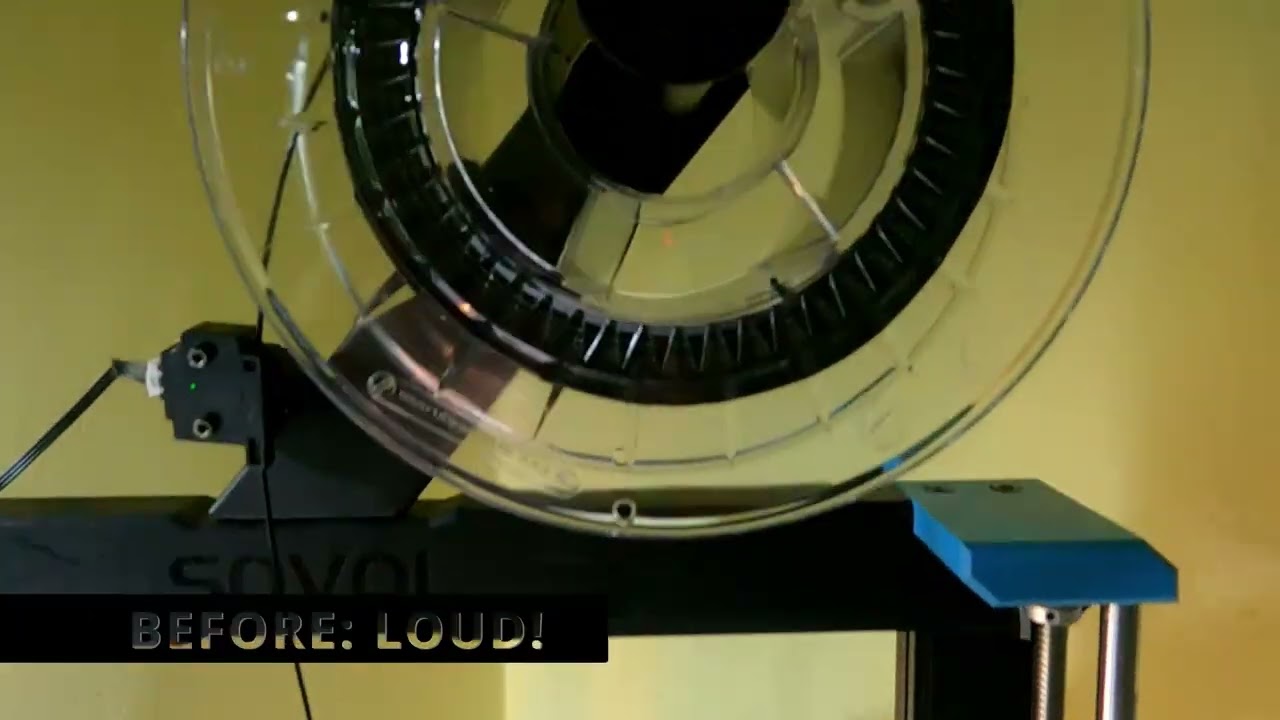
SOVOL SV06 PLUS POWER SUPPLY BACK MOD FOR EXTERNAL 8MM COOLER FAN:
https://cults3d.com/en/3d-model/tool/sovol-sv06-plus-mod-power-supply-replacement-back-for-8mm-fan
I designed this back plate to accommodate an 8mm fan outside (!) of the power brick of the Sovol SV06 Plus.
I replaced the stock 24V fan with a 80mm silent computer case cooler (...
I wanna do this at some point cause idk if i could sleep through a long print
 pliant nebula
past kestrel
Also would that be like super dangerous
pliant nebula
past kestrel
Also would that be like super dangerous
dont fuck around with power supply internals its a dandy way to kill yourself instantly
vast hill
past kestrel
Do you think i could replace the fan in the psu? That seems to be the only sound...
You could replace the PSU with a 'smart' power supply which would blow the fan LESS, but no, don't fuck with the magic pixies unless you REALLY know what your doing, and it's one of those "if you have to ask... don't" type of things. It will hurt the entire time.
Also if you go the safe route, you need a multimeter and to be able to use it and tune the PSU output.
past kestrel
vast hill
You could replace the PSU with a 'smart' power supply which would blow the fan L...
sounds like a good idea
 queen coral
past kestrel
Do you think i could replace the fan in the psu? That seems to be the only sound...
queen coral
past kestrel
Do you think i could replace the fan in the psu? That seems to be the only sound...
Safer to just order a same spec silent PSU, if you are not trained in PSU internals.
Some of those caps can kill you, and some can sit on a shelf for years before fully discharging.
past kestrel
Is there a video showing printing errors and their potential causes
vast hill
past kestrel
Is there a video showing printing errors and their potential causes
This is generally what I use: https://ellis3dp.com/Print-Tuning-Guide/articles/index_troubleshooting.html
If you are still wanting that mid-range reccomendation, I'll be able to give it on August 1st 🤣👍
 past kestrel
Got new filament and all my settings fixed
past kestrel
 whole wind
Also that print looks SUPER clean
whole wind
Also that print looks SUPER clean
I know right im really hoping it comes out fully in tact
Like my 3rd print
Its a keycard from doom that holds my keycard for work
past kestrel
 past kestrel
whole wind
What caused it to fail before?
past kestrel
whole wind
What caused it to fail before?
Loose belt and doing the calibration steps wrong
whole wind
Unfortunate
past kestrel
They were small prints
It pissed me off yesterday but i changed like two things today and it worked flawlessly so im happy
 past kestrel
whole wind
I got terrible problems with mine
past kestrel
whole wind
I got terrible problems with mine
That sucks
whole wind
The prints come out super good but any amount of overhang looks like garbage.
I blame the fillament
past kestrel
Usually i have problems when i buy stuff but so far this has worked great
whole wind
it was cheap chinese no name brand fillament because I was desparate and couldn't afford better
past kestrel
Ah
whole wind
It looks great when it prints properly though
past kestrel
Theres an overhang on this thing later tonight 🤞
whole wind
fingers crossed 🤞
whole wind
past kestrel
At least you can give half a fuck now
past kestrel
Cant give a single fuck
whole wind
Can't even do that

 whole wind
Honse
past kestrel
Been using a lego brick separator to remove supports to not damage the print and i feel pretty smart for it
vast hill
past kestrel
Been using a lego brick separator to remove supports to not damage the print and...
Oh that's clever...
This heat wave is killing me, and tonight it murdered my print via heat creep with only 30 minutes left on the print!🤬
 past kestrel
That sucks
Looks cool still

Sovol SV06: https://amzn.to/3rA5fNs
Filament used for my 3D printed projects: https://bit.ly/3ufP1bz
PSR Merch: https://bit.ly/31dg3Ee
Link to all the gear I use: https://kit.co/PrintShootRepeat
Patreon: https://www.patreon.com/printshootrepeat
Moonlight Industries (chest rig I’m wearing) 10% off: “PRINT”
PSR CLIPS: https://bit.ly/3o6AevJ
...
So happy with it totally agree
past kestrel


Forgot to take the supports off the qr code
But everything else looks amazing
Im printing a blade runner blaster now
Thingiverse is awesome
Economists could never predict the miraculous amount of unpaid labor on thingiverse and game modding forums
whole wind
Ayyyy nice
whole wind
past kestrel
Economists could never predict the miraculous amount of unpaid labor on thingive...
Fr
I've spent days on my models just to upload them for free online
vast hill
past kestrel
Economists could never predict the miraculous amount of unpaid labor on thingive...
We are definitely in a golden era for it, though I'm worried it's starting to come to an end 😕
 errant fern
past kestrel
So happy with it totally agree
errant fern
past kestrel
So happy with it totally agree
I probably need to replace my hotbed on mine, the cable only works in certain position 
(Most likely 90% my fault though)
past kestrel
That sucks
But everything comes apart so easily from the look of it it seems pretty easy
past kestrel
vast hill
We are definitely in a golden era for it, though I'm worried it's starting to co...
I have heard about stuff relating to the way back machine is there thingiverse specific stuff?
errant fern
past kestrel
But everything comes apart so easily from the look of it it seems pretty easy
Fortunately yeah, the only thing stopping me are zipties
past kestrel
Is there a channel or forum that just shows off cool things to print that yall know about? On any playform youtube tiktok etc
errant fern
Zack freedman has a couple and Makers muse
past kestrel
Know them both will look though

These cool 3D prints don't need anything but filament and junk - perfect for beginners and really lazy experts!
Find all of these models on today's sponsor, Thangs! https://bit.ly/2SngasE
Print anything from this episode, post a pic to Thangs, and enter to win a Box 'o Rocks! (Continental US only, please!) https://gleam.io/NWTQF/win-a-box-o-roc...
Itd be cool if there was an account that just printed the most popular things on thingiverse every week
Oh yeah i could try and print that one guys 3d printed fabric
past kestrel

 past kestrel
What are the benefits of the biological (idk what its called) supports and how do you get them
whole wind
past kestrel
What are the benefits of the biological (idk what its called) supports and how d...
Tree support?
vast hill
past kestrel
What are the benefits of the biological (idk what its called) supports and how d...
Tree supports and their organic tree support variant are ways of doing supports that use less filament and are easier to remove.
The benefits are any organic shape is typically better supported. The down side is it's bad at supporting some types of geometry, especially large flat parts.
whole wind
If you're looking for the setting you gotta enable it in cura's preferences menu. It might be under experimental. Not sure about where it is on other slicers since I only really use Cura
vast hill
It's just in the support type drop-down for Prusa slicer
And in Orca slicer it's call tree supports
vast hill
whole wind
If you're looking for the setting you gotta enable it in cura's preferences menu...
For what it's worth, I'd highly recommend taking a look at Orca slicer. Cura has dramatically fallen behind in the past year.
whole wind
I might take a look later. Ive been using cura with my old printer for so long its become second nature for me
vast hill
Yeah, I feel that, it was jarring for me when I switched but the results REALLY speak for themselves.
It especially sucks because there's no good 1:1 map for settings, it really is like starting over
But it's also different, because when you want to tune something, it's not 20 dials in 20 different sections
It's just 1-2 settings, in logical groupings
past kestrel
past kestrel
What type of paint should i use for this stuff
Thinking model paint then maybe acrylic for dry brushing
Idk
 vast hill
past kestrel
Im thinking tangled filament
vast hill
past kestrel
Im thinking tangled filament
That or wet filament
 elfin notch
past kestrel
What type of paint should i use for this stuff
elfin notch
past kestrel
What type of paint should i use for this stuff
Primer then most paints are fine
Also aren’t most model paints acrylics
past kestrel
Does primer go bad ive had a brand new can in my closet for yeats
errant fern
Yeah I think the cables for the hotbed on my printer is caput, I won't bother and just order a new bed at this point.
past kestrel
Damn
elfin notch
past kestrel
Does primer go bad ive had a brand new can in my closet for yeats
Not that I’m aware of might do if it’s been opened tho
past kestrel
past kestrel
Any ideas what happened?
I was printing this again and i was concerned cause my printer was making a weird noise and i figured out it was just blowing air into the holes and whistling
past kestrel
 past kestrel
Is there a place i can buy screws in low quantities?
errant fern
Your dads toolbox
(Get boxes of screws, you'll probably need more at some point anyways)
past kestrel
I know i have a whole list though for this blade runner gun
Trying to get it all in as few places as possible
2x12.5mm pin,2,
3mm green led,2,
3mm red led,4,
3x13mm pin,2,Or use 3mm stud.stl
4x10mm springs,2,ballpoints have these
4x20mm springs,1,ballpoints have these
5mm red led,1,
5x5mm neodymium magnets,8,
M3x3mm grub,2,
M3x6 bolt round head,1,
M3x8mm bolt,4,Flat head
M3x8mm cap,4,
M3x10mm bolt,2,Flat head
M3x12mm bolt,7,Flat head
M3x20mm bolt,2,Flat head
M3x25mm bolt,1,Flat head
M4x4mm Grub,3,
M5x25mm bolt,1,Flat head
M8x28mm rod,N,N = number of bullets
M10x87mm rod,1,Optional
"thin wires, red, black, white",,
I’ll probably figure it out
vast hill
past kestrel
Is there a place i can buy screws in low quantities?
Hobby stores
 past kestrel
Are small infrequent strings between gaps in prints bad
Like does it really matter
I can usually wipe them off but im wondering if theyre causing like supports to be really difficult to remove
vast hill
It can make supports harder to remove, yes
But it's a sign of wet filament
(assuming your retraction is tuned correctly)
whole wind
Man never buy Chinese no name fillament. I bought some and before it used to need 217 degree temps to print well. Then I put it in a food dehydrator for a couple hours and then it required 220 degrees. And now, its working at below 170 degrees. Im still in the process of figuring out the proper temp. It prints beautifully but overhangs are shit even at 170

Its super weird stuff
 whole wind
Finally got it right
 vast hill
whole wind
Finally got it right
vast hill
whole wind
Finally got it right
These might help, I find them MUCH more reliable then other towers
whole wind
Oh thank you but that's alright I just got all my settings dialed in the way I needed them

The only real issue is the ringing but I can't really do much about that unless I had Klipper, which doesn't work with my motherboard
I could also slow the prints more too but I'd really rather not reduce the speed more than I already have
vast hill
@pliant nebula Okay, now that the NDA is over with, best printer in your price range would be this I think: https://www.ankermake.com/products/m5c
whole wind
Ooh that looks pretty good.
I kinda hate that commercial though
Also if thats true thats pretty crazy fast
 vast hill
whole wind
I kinda hate that commercial though
vast hill
whole wind
I kinda hate that commercial though
The commercial is obnoxious
whole wind
Yes
vast hill
It really is that fast though
whole wind
Dang nice
But heres the thing does it only work with the phone app or can you install other software on there like klipper?
vast hill
I measure volumetric flow differently then Anker does, so I actually clock it at 32mm³/s not the 35 they claim, but that's just a difference in approach.
whole wind
Well thats still pretty good at least
vast hill
whole wind
But heres the thing does it only work with the phone app or can you install othe...
Officially just the phone app, but it's hardware like any other, you can klipperize it if you have the skill and knowhow.
People have done it
There's also Ankerctl which actually pretends to be an Anker cloud and enables full local control of the printer
whole wind
Ok thats good at least. Not sure how much of a fan i am of the phone only interface but it does seem promising at least.
I love local control
vast hill
Honestly the Anker app is extremely good, there's not much more you'd want that it doesn't have.
whole wind
Hows the ringing on the prints?
vast hill
The only thing really missing right now is a print history function, which is coming 'soon'
whole wind
That would be good
vast hill
whole wind
Hows the ringing on the prints?
There's a ringing test I did
I think it's good for a 3 minuite print
vast hill
It wasn't full-yeet, only 350mm/s
vast hill
They don't have resonance compensation working...yet. they say it's coming.
whole wind
Good to know
vast hill
They did steal s-curve acceleration from Klipper tho 🤣
Even though it's running marlin
whole wind
BASTARDS
whole wind
On final question though hows the replaceability of the parts? Like changing out nozzles or maybe even the potental for upgrating parts?
vast hill
And they are respecting open-source and the community at large, which I can't really say for Bambu 😕
whole wind
That's a very good thing
vast hill
whole wind
On final question though hows the replaceability of the parts? Like changing out...
Parts are available, their warranty is insane, nobody needs to buy parts yet so they don't sell them yet.
whole wind
I didnt even realise bambu wasnt going open source thats sad
vast hill
They said they will sell parts once warranties start to expire.
whole wind
Understandable
vast hill
They even cover hot ends and wheels under the warranty, it's wild
Although they do sell hot ends, nozzles, and plates right now
whole wind
Well, if they do follow through on their promises I would definitely agree thats probably the best printer you can get in that price range.
vast hill
The only upgrade I would reccomend is to replace the PTFE wheels it comes with
I run Kevlar wheels and they are way more rigid
(Triangle Lab)
whole wind
Sounds about right
whole wind
Oh look at that

I tried 3D printing with REAL 14K Gold Dust, copper, iron and even wood. Get $30/ £30/ €30 off with the code M5CJRE30 on M5C Order on Amazon: https://ankermake.club/8110VDJA Order on Ankermake: https://ankermake.club/8110VwxG AnkerMake M5C is a 3D printer designed to easily customize functions in one click. It is available for purchase for $399...
vast hill
Probably gonna be a flood of them today 🤣
Honestly I saw him post that and was immediately terrified I was about to see him rip into it with a knife 🤣
whole wind
lol
whole wind
ooh resin printer. Fraid I don't have any experience with those.
What's the main issue your having though? some more detail might help if someone's familar with resin printers
vast hill
I'm crap with it, but I've got a different resin printer, I might be able to help?
whole wind
@ivory magnet ^
errant fern

 idle narwhalBOT
 errant fern
I had to drop the commands
 ivory magnet
whole wind
What's the main issue your having though? some more detail might help if someone...
ivory magnet
whole wind
What's the main issue your having though? some more detail might help if someone...
Im mostly having what seems to be firmware issues.
From the resolution of the unit being.. wrong lol
to the screen flipping upside down
whole wind
ivory magnet
Im mostly having what seems to be firmware issues.
From the resolution of the u...
Ah thats not good did you modify the software at all? A factory reset may be the best solution. There could also be a software update for it
vast hill
ivory magnet
Im mostly having what seems to be firmware issues.
From the resolution of the u...
Creality firmware is legendarily bad on their resin printers when they are new...I have a Halot One and it took them like a year to get firmware out that was usable 😕
If there are specific things going wrong we can try and help?
elfin notch
ivory magnet
Anyone have an LD006
i do have a ld-002r, not quite the same but close enough
vast hill
elfin notch
i do have a ld-002r, not quite the same but close enough
It's an entirely new firmware 😕
elfin notch
can also be wrong printer in the slicer
halot one had shit firmware, dont remmber seeing issues from the ld-006 firmware
mostly because its chitu firmware
vast hill
Eh, search the reviews...it's out there quite a bunch
They butchered the Chitu firmware
Not that Chitu was ever great in the first place...
elfin notch
yeah i have read the reiviews for the ld-006
vast hill
Well, the upside-down screen thing is something I've seen multiple people complaining about...but I've seen no real fixes for 😕
elfin notch
that is the only issue i have seen mentioned, not sure which type of resulotion thrill is talking about tho, the touch screen or the main lcd
ivory magnet
whole wind
Ah thats not good did you modify the software at all? A factory reset may be the...
I would LOVE to go back reset to base firmware/ go to factory reset
but there's no way to actually do that easily
LOL
And Creality support just keeps sending me the damn Eifel tower to print.
IT DON'T WORK FAM lmao
If anybody does have an old version of LD006 or can find an old firmware, let me know
past kestrel
 whole wind
Ooooh clean af
past kestrel
waiting for the hardware to arrive and its gonna be done
debating sanding it cause its gonna take a billion years
might just make two and sand the other one
i bought extras of everything hardware and electronics wise so i can make a few

caded a extension for my chair headrest
its printing now
past kestrel
Any ideas what happened here?


Part works for intended purpose just dont like tge discoloration
pliant nebula
taking care of my cousins cat for the week and bro keeps jumping up on my printer
 whole wind
Mans took this image with a 2006 dashcam
past kestrel
96%
 past kestrel
vast hill
past kestrel
vast hill
Oh man, when they fall out, that's satisfying 🤣
past kestrel
Such a great model especially for free
Looks way better than paid ones ive seen
Think im gonna keep this one unsanded and unpainted then do the electronics then print it again in black cause of the tapping all the screws its gonna cut through the paint then paint that one and buy transparent handles etc
past kestrel
vast hill
Oh man, when they fall out, that's satisfying 🤣
Bullets are weighted with metal
whole wind
Im impressed someone out there was actually able to make my model
 whole wind
Thatd be fun
Heres the model if you want it

I am very much an amateur watchmaker. I am obviously not the original creator of this mechanism nor am I associated with Rolex in any capacity. I just saw a photo of a waterproofing mechanism used by Rolex and wanted to recreate it to see for myself how it works and how it might be improved.
Due to issues I'm having with my printer I haven't bee...
The parts in red are rubber gaskets btw
elfin notch
we do have a printer that can print in rubber like material actually so i could do that if we have that material

 lofty crane
whole wind
https://www.thingiverse.com/thing:6089858
lofty crane
whole wind
https://www.thingiverse.com/thing:6089858
Wow I’m really impressed 🙂 are you in engineering school btw?
lofty crane
nice congrats!
whole wind
Thank you!
whole wind
Tree support is fun to look at

 queen pewter
3D printer Lego with 2 big pieces o.o


 whole wind
Now you have enough lego to make a floor hazard or two
elfin notch
https://www.youtube.com/watch?v=UQuhLFF-7w8 mhm okay, 1.5k yep that checks out

To try everything Brilliant has to offer—free—for a full 30 days, visit https://brilliant.org/247printing/
The first 200 of you will get 20% off Brilliant’s annual premium subscription.
Yes, some of the stuff I show seems unbelievable.
Doubters call it fake, CGI and some just want more proof about practical speedprinting.
That's reasonable!...
whole wind
By any chance would anyone here happen to have a copy of Solidworks?
I need to convert a model I made a long time ago into something I can actually edit.
whole wind
Looks like I got a printer to make
https://www.youtube.com/watch?v=0K9NM08S0IA&ab_channel=MattThePrintingNerd

In this Video I want to give you a brief overview about a 3d printer I've created that I call THE 100. It does Speedboats in 3:03 minutes and is capable of doing high quality prints in 1/12th of the time a Ender 3 would need.
By the time recording THE 100 is at the 5th rank of the leaderboard of the fastest printers in the world and it's the fa...
vast hill
whole wind
Looks like I got a printer to make
https://www.youtube.com/watch?v=0K9NM08S0IA&a...
It's a really fun project
whole wind
It sounds really fun
vast hill
Although if you want something a tad bit easier to source the parts for, a Rook is better
There are rook kits you can buy
whole wind
What's the cost on that?
vast hill
I'll go grab a link

GitHub
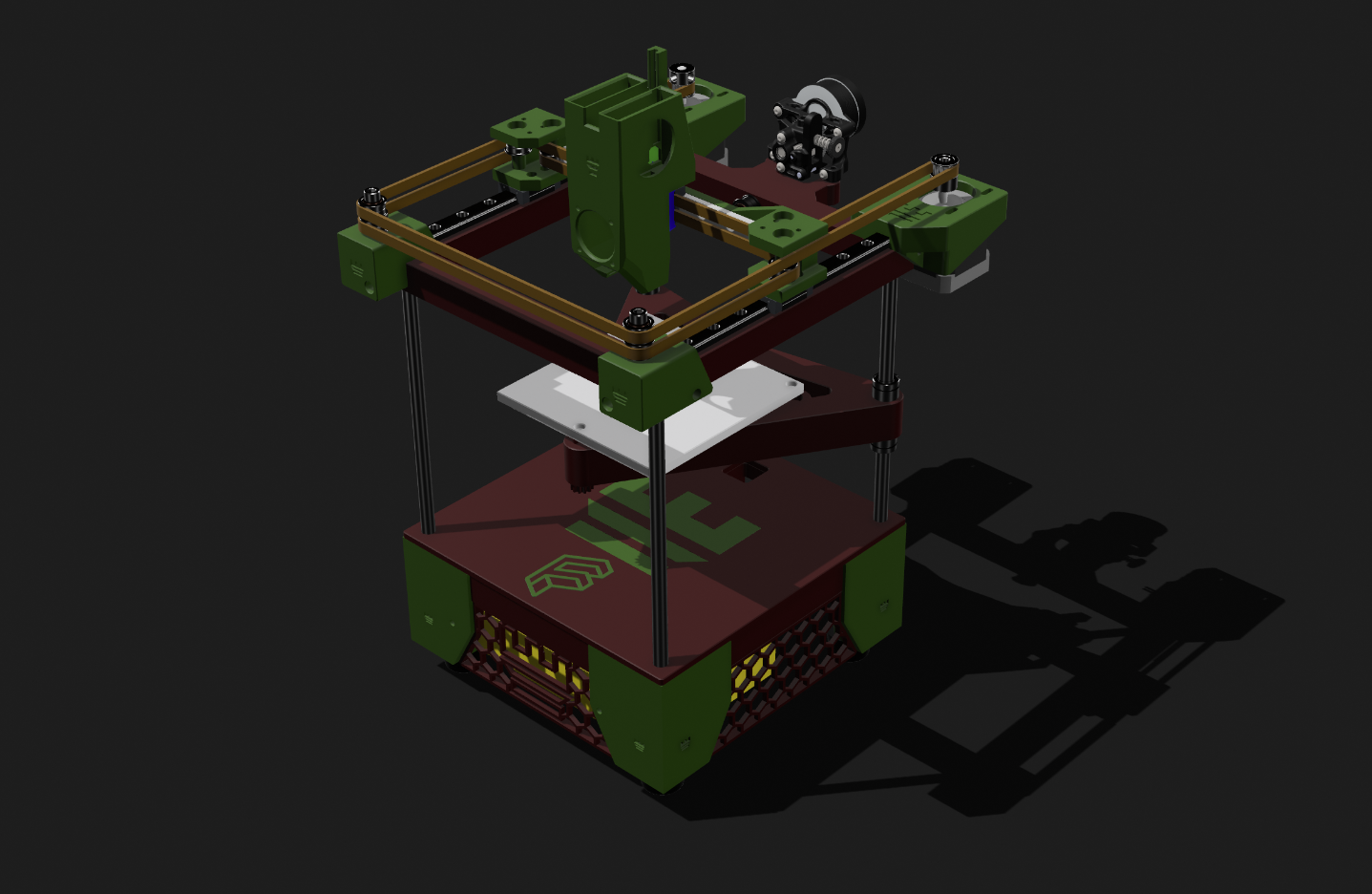
Documentation and configuration as relates to the West 3D rook kit. - GitHub - thunderkeys/West3D-Rook-Kit: Documentation and configuration as relates to the West 3D rook kit.
GitHub
Fabreeko Rook MKI Kit . Contribute to Fabreeko/Rook development by creating an account on GitHub.
Those are the two rook kits so far, and LDO is working on one now
vast hill
whole wind
What's the cost on that?
The 100 is based on the Rook originally
whole wind
interesting
vast hill
Mostly will come down to what parts you need to source cost wise
whole wind
Holy shit that's scary

Just a short video of some of the testing Ive done to my Rook.
https://github.com/rolohaun/Rook
All PLA is FormFutura ReFill PLA from https://www.3dp.no/
Check out Rolohaun on youtube!
https://www.youtube.com/@rolohaun
Rook MK1 on Printables!
https://www.printables.com/model/3874...
Rook 2020 on Printables!
https://www.printables.com/model/4...
whole wind
Understandably so
It really is the fastest printer. Managed to cross the 1 meter dash in 45 seconds
I think I'll wait a little bit. They both look awesome but I'll need to gather up the money first before jumping in
vast hill
Crazy 6-head FDM printer 🤣

 whole wind

elfin notch
Unless they have some way to retract the hot ends that aren’t in use that’s a nightmare
vast hill
elfin notch
Unless they have some way to retract the hot ends that aren’t in use that’s a ni...
All 6 hot ends do pop out and in
whole wind
Just stumbled across this in my reccomended. I think you guys might get a kick out of it
https://www.youtube.com/watch?v=OQyICyo10Ak&ab_channel=Slant3D

The Tangled Filament website is officially live. Filament Coming Late September
https://www.tangledfilament.com/
The team here at Slant 3D has been working hard throughout the year to reach our goal of bringing high-quality $10 filament to the market. And now, we are ready to share our roadmap of exactly how we plan to get there. In this video,...
vast hill
whole wind
Just stumbled across this in my reccomended. I think you guys might get a kick o...
Saw that! Excited for it 😁
whole wind
Found another interesting project here

This will change everything! or will it? Depends on how you will use it!
Files can be found here:
https://www.printables.com/model/581766
https://cults3d.com/en/3d-model/tool/infini-z-3d-printer
Thingiverse coming soon
Thank you to CNC Kitchen and Proper Printing:
@CNCKitchen
@properprinting
Music in this video:
Home -We're Finally Landing ...
pliant nebula
i bought this
cheap ass hairspray
and holy mother of god it is magic
it just sticks
it works so well
vast hill
Heh, yep, hairspray used to be my go-to, but then I found nano-adhesive and I'm spoiled 🤣
whole wind
I just went with garolite sheets and ive been hooked ever since.
Cannot express enough just how good they are
vast hill
Yeah, I've been trying to convince Anker to produce magnetic Garolite sheets 😭
No luck yet
errant fern
What you guys dont just gorilla glue the plate and replace the whole thing after each prints? 
whole wind
More awesome tips!
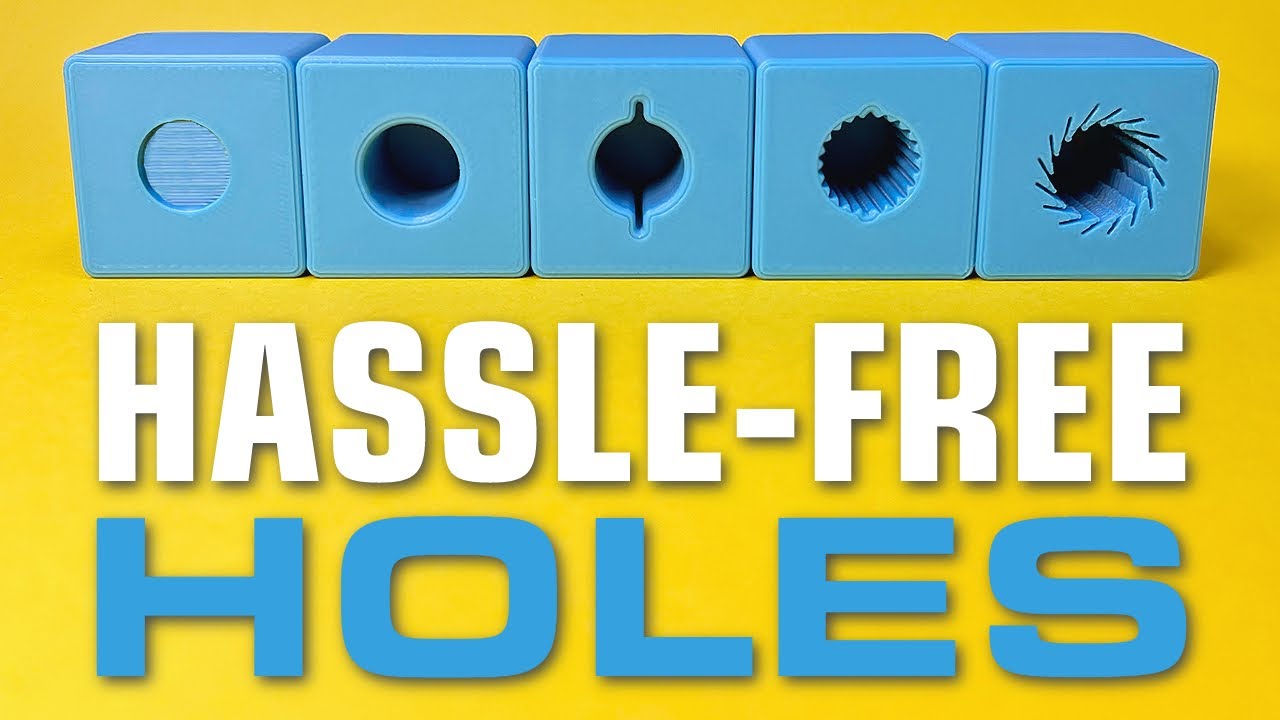
In this episode of Design for Mass Production 3D Printing, we are focusing on improving 3D printed hole design.
Designing 3D printed holes isn't always as straightforward as it seems. So we are diving into the nuances of 3D printed holes, discussing various challenges like rippling and sagging. We cover essential design modifications like addi...
whole wind
vast hill
whole wind
I needed a laugh today, thank you ❤️
whole wind
This should make for a fun project

Trying to create a DIY Timegrapher but with a twist that might make it better than the professional ones.

Everything will be suspended in the air so outside vibrations and sounds will not affect the readings
errant fern
Ordered a new bed Sunday of last week and I still haven't received a shipping label also since I'm in Canada I couldn't order from the US warehouse on Sovol's website
vast hill
errant fern
Ordered a new bed Sunday of last week and I still haven't received a shipping la...
New BED or plate? I didn't know you can even order beds from sovol...
vast hill
whole wind
I just went with garolite sheets and ive been hooked ever since.
Hey check these out btw: https://lightyeardirect.com/collections/composite-g-10-build-plates
They are the magnetic G10 plates I've been dreaming of 👀

Lightyear 3D
errant fern
vast hill
New BED or plate? I didn't know you can even order beds from sovol...
Heating bed yeah
vast hill
errant fern
Heating bed yeah
Neat, didn't know they sold those individual
errant fern
They sell pretty much everything but the frame from what I've seen. At least for the SV06
The one thing I hate is that their website has some really sketchy popups 
whole wind
vast hill
Hey check these out btw: https://lightyeardirect.com/collections/composite-g-10-...
Aw hell yeah. Little on the pricier side but definitely worth it
vast hill
whole wind
Aw hell yeah. Little on the pricier side but definitely worth it
I HATE clips, have had too many problems with them. It's magnetic or not at all for me 🤣
whole wind
Fair enough. I used to use binder clips for my print bed and then I moved to screw down clamps. Not the easiest thing to get on and off but it does the trick
magnetic is way better if I could get my hands on it
past kestrel
Jee wiz
Filament drying really does work
Best print quality ive had
Did the filament box on the bed trick
past kestrel
Gonna do a print with transparent petg do yall think leaving the roll exposed for 24 hours during the print would cause issues? Ive heard petg can have moisture problems
I want max transparency
vast hill
You need it bone dry, and to go SLOW AF
vast hill
past kestrel
I want max transparency

Head to http://squarespace.com/CNCKITCHEN to save 10% off your first purchase of a website or domain using code CNCKITCHEN.
Using a special parameter, you can't only print transparent FDM 3D prints - this parameter will also make your parts super strong!
Transparent Overture PETG: https://geni.us/rdzE
Check out our CNC Kitchen products at htt...
 crimson badge
printed 6 foot long dragonslayer, I wanna repaint it though so the sides are a lil more steel colored rather than a kinda muddled gunmetal. Also currently printing out the berserker armor to go with it


whole wind
sHEEEEEIT
whole wind
crimson badge
printed 6 foot long dragonslayer, I wanna repaint it though so the sides are a l...
Thats fuckin sick man
 whole wind
bet that took a shit load of fillament and time
crimson badge
mhm mhm
whole wind
you planning of having it all done for halloween?
crimson badge
the armor not so much due to it being pretty thin, but I made the sword with way too high density cause it was my first big project and didn't know what I was doing
prob not Halloween, but definitely before our next comicon
whole wind
crimson badge
the armor not so much due to it being pretty thin, but I made the sword with way...
understandable
whole wind
crimson badge
prob not Halloween, but definitely before our next comicon
hell yeah
crimson badge
like uhhhh the section with the halfcircle up to the first seam kinda, that took three days cause I just made it way too dense
whole wind
did you design the models too? or is it just a download somewhere?
whole wind
alright nice
crimson badge
the thinner sword in front of it though is my own design that I just sketched up in fusion 360
whole wind
Very nice
crimson badge

past kestrel
 crimson badge
das a lever action rifle
whole wind
That's what I said
 past kestrel
whole wind
Very clean print
past kestrel
whole wind
Very clean print
Gotten my settings tuned perfectly i get very nice prints now
past kestrel
elfin notch
Which would make it a shotgun
It is
past kestrel
What filament brands do yall use
elfin notch
local chineaseium brand
vast hill
past kestrel
What filament brands do yall use
Atomic Filament mostly, but trying out the Slant 3D filament right now
past kestrel
Ive only tried polymaker and overture pla so far but i have some esun petg im gonna try soon
whole wind
I usually use Hatchbox but I'm also trying to switch to Slant 3D
pliant nebula
esun my beloved

 errant fern
Also i think I'll have to contact Sovol's support, still no news of my parts getting shipped 
past kestrel

Almost done in picture but its done irl
Not working perfectly yet but working on it
vast hill
errant fern
Also i think I'll have to contact Sovol's support, still no news of my parts get...
Oof, that sucks
errant fern
Indeed, I'm apparently not the only one having issues like that. Hopefully I can get this dealt with fast.
errant fern
Aight got an email about it. Seems like they will try shipping it ASAP. Let's hope it's not 2 weeks from now
I should also start ordering stuff for the Eye trackers I wanna make for my index 
whole wind
lezzz goooooo
errant fern
Ah finally got the shipping emaik
whole wind
yay!
crimson badge

crimson badge
Painted reboot version of Vash's gun from Trigun for a con tomorrow, my coat is going to be more like the anime/manga versions though. So it'll be more of a long duster with multiple coat-tails rather than a parka


Was a rush job so I didn't sand or anything and the outfit isn't gonna be super accurate at all
vast hill
crimson badge
Painted reboot version of Vash's gun from Trigun for a con tomorrow, my coat is ...
That click is REALLY satisfying!
crimson badge
Frfr, I do want to see if I can replace the part up there with another neodymium magnet though cause the file I had is missing a part that's meant to snap into place and the fit is a little loose
errant fern
Hotbed has arrived and I got their updated one  it definitely looks more sturdy when it comes to the cable connecting to the bed
crimson badge
wahoo!
errant fern
Alright new bed has been installed and temperature seems to work atm. Gonna do a quick calibration to see if out works on all location
Seems to work 
Bed is leveling
Or so I thought..... For some reason one of the motor is grinding on the way down 
whole wind
Sounds like the end stop sensor is not working. I'd double check to make sure it's still connected.
errant fern
Well its grinding on the middle of going down it's weird
It's right here. Maybe it's dust?

Cba troubleshooting now I'm so sleepy
At least I got one thing sorted out
I guess it'll be time to properly maintain this thing
whole wind
yeah could be dust or debris stuck in the gear belt if it's slipping midway through
Or the belts been ground down at that point
errant fern
Its not the belt I think it's the motor bottom left that's getting stuck. It went up completely to level the z-axis and then got stuck when going back down. Now it doesn't want to go up so
errant fern
Actually its the Y access that has issues so yeah could be the belt like last time
errant fern
It was indeed the belt being too tight again
It completed bed leveling this time. I guess the z-alignment was bad which also caused the belt to be too rl tight after realigning
Gonna leave my filaments cooking for a couple hours and do a test print
crimson badge
Makin these 


I think I may leave the canister things off tho since I'm not doing a full cosplay of the character


 crimson badge
It ended up being bulkier than expected 

 whole wind
WELP
I think we're fucked bois
the printer is finally cooked after 8 years
Went to clean the end of the nozzle today to try my new fillament and as soon as grill brush touched the heating element the screen went blank and never returned...
crimson badge

crimson badge

my first was an ender 3 v2 with upgrade kit but the settings do need a bit of tinkering beforehand
but for price I'd say it was pretty goo
whole wind
Oh wait I think I might have found a way to turn this to my advantage
I found this

Biqu Equipment
The SKR mini e3 v3.0 is the upgraded version of v2.0, we made a few major upgrades. It was been built with a more eye-catching industrial design. The PC communication USB interface is upgraded from Mini USB to Micro USB B. Increase SPI output port +3.3V power supply, external SPI sensor power supply voltage +3.3V and +5V are optional. For more f...
If I replace my motherboard with that I could finally use a BL touch sensor and a run out sensor
Might even be able to use kipper finally
errant fern
whole wind
Anyone got any good printer reccomendations for $250-300
The 3d printing sub has a buying guide with some recommendation
whole wind
Good point. I think I downloaded the spreadsheet somewhere now that I think about it
errant fern
Prretty sure it's updated quite often
whole wind
Man I wish I started with PrusaSlicer. Automatic Dovetail creation for large parts and the ability to export the file and all it's changes from the slicer got me geekin out.
 vast hill
whole wind
Man I wish I started with PrusaSlicer. Automatic Dovetail creation for large par...
vast hill
whole wind
Man I wish I started with PrusaSlicer. Automatic Dovetail creation for large par...
It's a great tool box
whole wind
fr
I'll probably spend a good chunk of time tonight looking through everything and configuring it for my weird printer
whole wind
Alright new motherboard arrived and has been installed. Sadly though the old endstops use 3 prong jst connectors for some unfathomable reason so i had to order those before I can run it. Even more sad the old screen will not work with the new board so im just going to have to go without a screen for a little while. Hopefully I can just control it with octoprint no problem.

I hate waiting for parts
vast hill
Every time my prints fail I just think "this wouldn't happen on the Magneto"🤣
Entirely not true
whole wind
There are SO many things i need to print once i get this thing working
vast hill
But it's what my brain does
whole wind
vast hill
Every time my prints fail I just think "this wouldn't happen on the Magneto"🤣
Real
Aa!agh why does this all have to happen near Christmas
whole wind
AT LAST! She lives once more!

Also holy shit i did not think the new motherboard would have that effect on the stepper motors. They are barely audible when they move now.
errant fern

elfin notch
iirc the reason why cheap drivers make a lot of noise is bad electrical signal with a lot of noise, smth about it oscillating weird, i can be totally wrong my memory of why is very hazy
whole wind
Yeah that'd make sense. It was a cheap chinese printer afterall
Now the loudest part is the fans
What do you guys think is better for replacing the fans?
https://www.amazon.com/Premium-Cooling-Plastic-Dissipation-Equipment/dp/B0CD762L9B/ref=sr_1_6
or

5015 Blower Fan 12V 2 Pack, Premium Quiet Cooling Turbo 50mm Fans with 2Pin,Black Plastic Silent Cooler Fan for 3D Printer or Small Heat Dissipation Equipment

Featuring advanced aerodynamic design measures such as Flow Acceleration Channels and Noctua’s AAO frame, the NF-A4x20 is a highly optimised, premium-quality quiet fan in size 40x20mm. The FLX version provides 5000/4400/3700rpm speed settings via the supplied Low-Noise Adaptors and includes the O...
The cheaper 5015 fans claim to be about a full decible quieter at 13.83 db while the noctuas are saying 14.9
I know I can trust the noctua's rating is reliable but I'm not too sure about the other ones
elfin notch
i got myself a blower, if i put it at max it cools my hotend too fast and it goes in to thermal runaway mode
this is my part cooling fan, a bit high up but i dont care about it
whole wind
Nah for me the issue is not enough cooling. I upgraded to blower fans about a year ago and it fixed the issue for the most part. Although I think the cooling duct got deformed from heat after a while so I gotta remake that.

 whole wind
2 hour long blob of shame
 crimson badge
remade a sword I modeled like two years ago in fusion 360, starting print now. Overall length is like 5.5 feet


 crimson badge
secret third thing for when my current projects are done :3c

 crimson badge
Guh
 vast hill
Oh that's huge
crimson badge

gonna be 5.5 feet long overall when done
the one on avatar's back is gonna be somewhere just over 6 foot I wanna say
crimson badge
Sorry for mess but shippy progress


 whole wind
heeeeeeellllllll yeaaah
crimson badge

has a big sailship style cabin on the back with a lot of filigree that still needs to be printed, as well as turrets and wings
then prime and painty and panel lines
sorry again for mess, my workspaces get kinda cluttered 
crimson badge
I have no idea 
I'll make room on my shelf somewhere next to all the swords and armor

 whole wind
Probably not very
I dont think there are really any advantages fdm printing in space would give
pliant nebula
im scared
 pliant nebula
yeah
whole wind
Give prusia slicer a try
It's a little more complex but there's a lot more convenient settings and things you can do
vast hill
Or Orca Slicer, it's even better
pliant nebula
hmm
 whole wind
vast hill
Or Orca Slicer, it's even better
whole wind
vast hill
Or Orca Slicer, it's even better
I actually haven't heard about that one much, does it let you save model changes and add split connectors to sliced models?
whole wind
pliant nebula
hmm
Yeah that might be an issue. Is that a model you made yourself? or one downloaded from the internet?
pliant nebula
whole wind
Yeah that might be an issue. Is that a model you made yourself? or one downloade...
its about a day of some very cursed tinkercad usage
whole wind
ah I see lol
vast hill
whole wind
I actually haven't heard about that one much, does it let you save model changes...
Yep, and it has scarf seams, more accurate walls, as well as a number of other excellent features.
vast hill
It takes some adjustment from what your used to, but once you get used to it it's phenomenal
pliant nebula
i dont like how it does gap infill but so far it's been quite nice
vast hill
pliant nebula
i dont like how it does gap infill but so far it's been quite nice
What about it do you not like?
It's the only slicer I'm aware of with gap infill flow rate settings at all...
pliant nebula
oh shit there's an option
this is sick
 elfin notch
vast hill
Yep, and it has scarf seams, more accurate walls, as well as a number of other e...
elfin notch
vast hill
Yep, and it has scarf seams, more accurate walls, as well as a number of other e...
more accurate walls?
pliant nebula
god i love when my printer just works
vast hill
elfin notch
more accurate walls?
Prepare to get into some nitty-gritty of why slicers kinda suck, but:
https://github.com/SoftFever/OrcaSlicer/wiki/Precise-wall

GitHub
G-code generator for 3D printers (Bambu, Prusa, Voron, VzBot, RatRig, Creality, etc.) - SoftFever/OrcaSlicer
elfin notch
intresting, i get good enough accuracy with my prusa so it doesnt matter but neat concept
elfin notch
and if i want best accuracy I would just print it at school since we have a stratasys, which are kinda known for well accuracy
vast hill
Nah, those suck for that actually 🤣
At least compared to today's levels of accuracy
Stratasys machines are about 10 years behind the curve at this point.
And besides that, we are talking about issues in slicing, not issues with any one machine.
It's just a problem in how the underlying slicing engine evaluates how to best fulfill the task it's given
elfin notch
these are pretty new stratasys machines, they are very accurate
vast hill
They still don't hit anywhere close to .003 which is the best you can get from a desktop machine today...
But again...it also basically never comes up
Most of the time you need that sort of precision, FDM isn't the right process for what your doing anyway.
 void dove
ohh this is my kinda thread
I just printed a Nerf Gun revolver
:D
still working out the kinks
vast hill
void dove
https://cdn.discordapp.com/attachments/1090742612752879758/1230984630304374814/2...
I heard the flywheel but I'm fascinated how the mechanics of that would be possible with a revolver...is there a link to the build guide for that?
void dove
vast hill
I heard the flywheel but I'm fascinated how the mechanics of that would be possi...

Features of the Magpie:
– Semi automatic
– Lipo powered
– 6 shot cylinder
– Powered by Flywheel the Wheel miniwheels and Honeybadger motors
– Flip out cylinder for fast rear loading
– Also rear-loadable from the side
– Cylinder is removable for quick-swapping the cylinder
– Functional hammer action can be used to fire as well
– Primary Color app...
vast hill
I guess in other news, I got a new printer. It doesn't have belts and I think that's neat 👀
whole wind
What printer is it?
vast hill


 whole wind
Looks like some nice ass quality
vast hill
void dove
https://www.youtube.com/watch?v=iiKszrQ60_M
That is a really cool mechanism, I might have to buy a kit, that looks like fun
void dove
vast hill
That is a really cool mechanism, I might have to buy a kit, that looks like fun
you gotta get silicone grease as well as a good solder kit. Beware that the motors sometimes melt the solder on the contacts
void dove
How the gun came out
whole wind
Ay thats sick
void dove
whole wind
Ay thats sick
yeah, so you see how i was able to just flick my wrist to lock it in?
whole wind
Yeah, pretty smooth. I know gun enthusasts hate when people do that on real revolvers but it looks cool
void dove
i had to modify the peg that locked it in to have more of a slanted entry point so it could be flicked or slapped closed
whole wind
nice
void dove
ive had to do quite a bit of printing just to get it to work properly, still having issues too, gonna have to lube it tomorrow so all the parts can move freely inside
particularly the mechanism that rotates the cylinder
whole wind
understandable. But that's the nice thing about 3D printing. You can always make changes pretty quickly
void dove
if i was using a resing printer, yeah, but i use fdm on a highly modified ender 3
whole wind
I mean it's still super fast compared to other manufacturing methods
void dove
This is bob
 whole wind
hi bob
void dove
alot of hard work has gone into making the best printer possible, but some tuning is still required
 whole wind
8 years of hard work has gone into making it one of the the printers of all time.
Nope even worse lol
It's an AnetA6 printer frame with an ender 3 v2 screen
void dove
dear god
whole wind
with a volcano nozzle
and a crap ton of other stuff
If I used these upgrades on like
any other printer frame it would be great
but the AnetA6 is notorious for sucking so I had to do all this just to keep it relevent to current printing tech lol
void dove
what firmware? im assuming klipper
whole wind
I can't afford to get another printer
whole wind
void dove
what firmware? im assuming klipper
Nope marlin
whole wind
I can't figure out klipper yet
void dove
I can easily help you
void dove
are you busy this moment?
whole wind
Well it is 1 am so I may be busy with sleep lol
void dove
oh, a fellow ESTer i see
whole wind
Theres also the issue of the cooling fans burnt out on the motherboard and I have no idea how I'm going to fix that
void dove
what board are you using?
whole wind
I can replace a resistor or two easily but I have no idea where the short occured
void dove
i can pull us the schematic
whole wind
it is a Bigtreetech SKR Mini E3 V3.0
whole wind
super nice motherboard
void dove
we can SUPER easily set up klipper for you
whole wind
best upgrade I ever made to my printer
void dove
i bet
whole wind
but yeah losing the cooling fans is a bit of a bummer for me
Was planning on eventually hooking the printer up with a BL touch sensor
whole wind
already have the part I just need to design a new extruder to work with it
void dove
what buildbplate material do you use
whole wind
G10 of course
amazing stuff
I can't go back to anything else
except maybe glass, or textured plates
those a still super cool
whole wind
void dove
glass is ass
oh yeah I totally agree, The only reason I ever liked it was for the surface it made
void dove
exactly, shiny surfaces
whole wind
although I know with some g10 build plates you can get a similar shine
void dove
if you can keep it stuck to the damn thing
whole wind
fr. g10 for me was a game changer
void dove
i should look into it
void dove
mhm
whole wind
expands slighly when heated so parts stick really well and when they're done they pop off themselves extremely easy
also seems to grip onto the plastics really well too
I just wish I could find a white board, since most of my prints are black fillament
void dove
ill have to try it soon, im too lazy to get acetone and clean the surface deeply so thats gonna be the next move
whole wind
Oh yeah acetone fume print smoothing
neat little process
unless you meant using acetone for the build plate or something
But uh yeah man if you're able to find a schematic and identify where the cooling fans might have been blown out from I would be super grateful. I haven't been able to do any printing for the past couple of months because of this problem.
 whole wind
thats a schematic alright lol
void dove
WRONG ONE LMAO
 void dove
void dove
void dove
LMFAOOOO MONOS GETTING BANNED AGAIN
whole wind
lol
void dove
still looking btw
whole wind
All good my man I appreciate you doing that
void dove
whole wind
All good my man I appreciate you doing that
just to verify, its v3.0, not 3.1?
whole wind
I think so
void dove
cool, here you go


 void dove
well heres the rest of the files for that board

GitHub
BIGTREETECH SKR-mini-E3 motherboard is a ultra-quiet, low-power, high-quality 3D printing machine control board. It is launched by the 3D printing team of Shenzhen BIGTREE technology co., LTD. This...
so what exactly is not working on your board
whole wind
Just the two primary cooling fans
everything else works just fine
I put a voltmeter to it and can't get anything
void dove
would you be able to get me pictures of your board without the heat syncs?
whole wind
so I figure it's a blown resistor or something
void dove
i can probably see where and what went wrong
whole wind
void dove
would you be able to get me pictures of your board without the heat syncs?
I can try, although I'll have to do that tomorrow when I can get some free time. I kinda need to sleep lol
and then tommorow gotta go into town
void dove
alrighty, well whenever your available, we can take a peak at your board and get you setup with klipper!
whole wind
yee, thanks again man I appreciate the help
void dove
absolutley, share knowledge wherever possible
whole wind
 void dove
get some rest bro, have a great sleep!
whole wind
you too! Supposing you sleep sometime soon lol
void dove
probably gonna drop dead in muh bed in a minute here after this regular show episode
whole wind
based
whole wind
@void dove
Alright I went ahead and got the board disconnected before I head into town. Although from what I can see it looks to be in perfect condition, no burst areas as far as I can tell


Sorry lighting in my room isn't exactly the best
Oh wait I forgot I have a microscope bench lemme get some better photos
void dove
whole wind
Oh wait I forgot I have a microscope bench lemme get some better photos
of this area please


 pliant nebula
ruh roh
whole wind
That's an LED
void dove
oh ok
looked corroded
can you remove the heat syncs please so i can see the naked board
whole wind
yeah lol idunno they all have that little bit of green to indicate the positive direction
I have no idea how to remove the heat sync though I'll need to look it up
 whole wind
fan 0 and 1 are for cooling, I never actually tested fan 2 port since thats for an enclosure fan and due to how marlin was set up the option wasn't even there
void dove
so with marlin that pcb cooler is ALWAYS on
whole wind
ah ok
void dove
the hotend fan should also always be on
do you still have the project file for when you compiled marlin?
whole wind
suprisingly it doesn't actually do that. The hot end fan never turned on until I actually gave the command to heat up
void dove
well that should be fine
whole wind
void dove
do you still have the project file for when you compiled marlin?
Probably not, likely those files were on my hard drive that exploded about a month ago.
I'll look around though maybe I put them elsewhere
void dove
i mean, we caould also use this oppertunity to compile klipper for you
this is how it looks btw
whole wind
true
 whole wind
looks pretty good to me
void dove
this will make your life VERY easy

GitHub
Klipper Installation And Update Helper. Contribute to dw-0/kiauh development by creating an account on GitHub.
im assuming that your use a RP to control it or some other form of mini pc
whole wind
Yeah I got a raspberry pi 4
void dove
and by the way the board looks, and the way you said the fan turn on when it starts to heat up makes me think either you have your slicer wrong and have part cooling off, or its disable in fw
whole wind
Although I'll have to do the software stuff a bit later, people are starting to get restless so I'll likely be heading into the city pretty soon.
whole wind
void dove
and by the way the board looks, and the way you said the fan turn on when it sta...
I think I had it set like that in firmware just so I could tinker with the printer without needing to have the noisy fans running constantly
which tbf worked perfectly fine until Ironically I tried to swap the fans for silent ones.
whole wind
12volts
I made sure everything was fine before adding them
The board supports 12/24v power units as long as the heating element and fans use the same
void dove
yeah i see that, yeah we can try klipper when youre around
 slender trail
just found out that this thread exists lol, will post more here
 static mist
when we getting 4d printers
void dove
static mist
when we getting 4d printers
already got one
i was able to print a micro blackhole that wasnt dangerous and when i poked my head through i saw myself but with GREEN HAIR
whole wind
The blackhole just showed you california
void dove
whole wind
The blackhole just showed you california
ohh that checks out
slender trail
california simulator
static mist
also known as day z
slender trail
yeah so i think i'll try klipper again on my ender 3 pro
mesh visualization is fire
void dove
slender trail
yeah so i think i'll try klipper again on my ender 3 pro
i can help where needed
you have them connected to a pc, yes?
slender trail
no :3
void dove
slender trail
no :3
can you get your hands on a crappy old pc or laptop?
slender trail
i meannnnnnn
void dove
or some RP
slender trail
i could use a raspberry pi for one and an old macbook for another
void dove
you could use 1 for both
void dove
what rp is it
slender trail
pi 4b 2gb
slender trail
cool
i'll prolly not be able to today bc of school and stuff but tomorrow prolly works fo rme
void dove
sounds good
@whole wind you gonna have free time tomorrow?
i can get 2 birds with 1 stone
whole wind
Oh yeah sure
slender trail
i've done this once ebfore soo
whole wind
I'm actually just setting up the raspberry pi now
void dove
good shit, let me double check if there is a certain ver of debian you need hold on
slender trail
raspbian works afaik
whole wind
looked like it just needed the raspi os light
at least thats what the github page said
I went for the 64 bit
void dove
whole wind
I went for the 64 bit
light 32 bit
void dove
void dove
light 32 bit
@slender trail
whole wind
Seemed like it didn't matter
void dove
apparently there are some issues on 64. but let me check something
 void dove
you should be fine
ive been on 64bit for a while
also make sure yall have sd cards, every board has a different setup, but kiauh makes it really easy to compile
make sure you have winscp installed as we'll need to access its file system when it generates the firmware
whole wind
Noted
whole wind
Ok @void dove just got done installing Klipper onto the raspberry pi. Not sure if I should really do anything else from this menu. Maybe Crowsnest?
void dove
can you show me what your kiauh looks like atm
whole wind
 void dove
Mainsail, Crowsnest
whole wind
ah alright
void dove
i do reccomend mobileraker too
whole wind
Does it need moonraker with it?
void dove
no
whole wind
alright
vast hill
Mobileraker is great, if you want remote monitoring OctoEverywhere is also great and integrates with Mobileraker fantastically.
whole wind
I'm assuming mobileraker is just the same thing as octoeverywhere?
void dove
 whole wind
Ah ok then I'll get moonraker installed too
vast hill
Mobileraker = an app on your phone for local connection
whole wind
ok gotcha
vast hill
OctoEverywhere = a cloud backend for connectivity to the printer
void dove
 vast hill
OctoEverywhere let's you do stuff like this, where every 10% the printer sends a screenshot to my Telegram

Or you can create a streaming link for others to watch it print
whole wind
alright I understand
vast hill
Mobileraker can ALSO talk to OctoEverywhere and control the printer remotely off the local network though.
whole wind
Thats nice
whole wind
Alright raspberry pi all set up now.
void dove
very nice, we have a few more steps like flashing your board with the right fw and figure out what serial connection its on
whole wind
of course
whole wind
Doesn't matter to me whatever works best for you
 whole wind
lol alright
void dove
git clone https://github.com/Klipper3d/klipper
then
make menuconfig
here is your boards config
GitHub
Klipper is a 3d-printer firmware. Contribute to Klipper3d/klipper development by creating an account on GitHub.
this is what we care about right now
# E3 v3.0. To use this config, the firmware should be compiled for the
# STM32G0B1 with a "8KiB bootloader" and USB communication.

# The "make flash" command does not work on the SKR mini E3. Instead,
# after running "make", copy the generated "out/klipper.bin" file to a
# file named "firmware.bin" on an SD card and then restart the SKR
# mini E3 with that SD card.```lol
void dove
thanks formatting
whole wind
text
void dove
if you get stuck and need help, you can join vc
void dove
no
whole wind
alright coolio
void dove
and if its too much i can also compile the fw for ya
whole wind
should be alright, compiling is part of the learning process afterall
void dove
yep yep!
 whole wind
alright gracias
 whole wind
ok good I just need to change the processor model
void dove
G0B1
whole wind
got it
void dove
bootloader offset correct?
whole wind
yup 8KiB
void dove
same with communication?
whole wind
yup!
void dove
pog, now hit q
whole wind
saved
void dove
type make
void dove
while its doing this, connect to it using winscp
void dove
can you show me your layout atm
whole wind
 void dove
ok, open klipper
whole wind
done
void dove
now save it to your pc and drop it on an empty sd card
whole wind
Ok so at this point I just stick that firmware file on an sd and pop it in the motherboard to flash
whole wind
ah thats unfortunate
whole wind
ah alright
void dove
but for now it wont
whole wind
yee, I'll need to recconect the board to the printer in a minute, gotta move some wood into the barn rq so I'll brb
void dove
ok!
and for now its fine, no need to reconnect just yet, we wanna get you connected and fully setup with klipper, once klipper sees the board and your have your web interface, then youre good to reassemble
void dove
whole wind
yee, I'll need to recconect the board to the printer in a minute, gotta move som...
thats what she said
whole wind
void dove
thats what she said
lol
allllright
got the firmware on the board I thiiiink
screen isn't displaying anything and neither is the pi so not sure if it's doing anything
void dove
YOU TURNED IT OFF AND THEN BACK ON AFTER YOU PUT THE SD CARD IN, YEAH?
caps sorry
i want you to run this command on the pi
ls /dev/serial/by-id/*
whole wind
well I had it turned off put the sd in and then turned it on and waited for like 3 minutes
ok I ran the command
void dove
screenshot plz
 whole wind
yup
whole wind
 void dove
can you join vc for a sec? thats new
whole wind
sure
void dove
oh ok close this
/home/pi/printer_data/comms/klippy.sock
sudo nano /etc/systemd/system/klipper.service
KLIPPER_ARGS="/home/pi/klipper/klippy/klippy.py /home/pi/printer_data/config/printer.cfg -I /home/pi/printer_data/comms/klippy.serial -l /home/pi/printer_data/logs/klippy.log -a /home/pi/printer_data/comms/klippy.sock"
whole wind
 whole wind
ok im back and I've recconected all the mb connections. Unfortunately I'm still getting the refresh printer error @void dove
void dove
whole wind
ok im back and I've recconected all the mb connections. Unfortunately I'm still ...
ok, let me doo a reasearch look
does your mainsail have everything now?
void dove
no temperatue things?
 void dove
oh go to dashboard please
whole wind
nothing there either

 whole wind
yup
whole wind
lol
void dove
this message is gonna be big
whole wind
Should I replace it with all this?
GitHub
Klipper is a 3d-printer firmware. Contribute to Klipper3d/klipper development by creating an account on GitHub.
void dove
step_pin: PB13
dir_pin: !PB12
enable_pin: !PB14
microsteps: 16
rotation_distance: 40
endstop_pin: ^PC0
position_endstop: 0
position_max: 235
homing_speed: 50

[tmc2209 stepper_x]
uart_pin: PC11
tx_pin: PC10
uart_address: 0
run_current: 0.580
stealthchop_threshold: 999999

[stepper_y]
step_pin: PB10
dir_pin: !PB2
enable_pin: !PB11
microsteps: 16
rotation_distance: 40
endstop_pin: ^PC1
position_endstop: 0
position_max: 235
homing_speed: 50

[tmc2209 stepper_y]
uart_pin: PC11
tx_pin: PC10
uart_address: 2
run_current: 0.580
stealthchop_threshold: 999999

[stepper_z]
step_pin: PB0
dir_pin: PC5
enable_pin: !PB1
microsteps: 16
rotation_distance: 8
endstop_pin: ^PC2
position_endstop: 0.0
position_max: 250

[tmc2209 stepper_z]
uart_pin: PC11
tx_pin: PC10
uart_address: 1
run_current: 0.580
stealthchop_threshold: 999999

[extruder]
step_pin: PB3
dir_pin: !PB4
enable_pin: !PD1
microsteps: 16
rotation_distance: 33.500
nozzle_diameter: 0.400
filament_diameter: 1.750
heater_pin: PC8
sensor_type: EPCOS 100K B57560G104F
sensor_pin: PA0
control: pid
pid_Kp: 21.527
pid_Ki: 1.063
pid_Kd: 108.982
min_temp: 0
max_temp: 250

[tmc2209 extruder]
uart_pin: PC11
tx_pin: PC10
uart_address: 3
run_current: 0.650
stealthchop_threshold: 999999

[heater_bed]
heater_pin: PC9
sensor_type: ATC Semitec 104GT-2
sensor_pin: PC4
control: pid
pid_Kp: 54.027
pid_Ki: 0.770
pid_Kd: 948.182
min_temp: 0
max_temp: 130

[heater_fan heatbreak_cooling_fan]
pin: PC7

[heater_fan controller_fan]
pin: PB15

[fan]
pin: PC6

[mcu]
serial: /dev/serial/by-id/usb-Klipper_Klipper_firmware_12345-if00

[printer]
kinematics: cartesian
max_velocity: 300
max_accel: 3000
max_z_velocity: 5
max_z_accel: 100

[board_pins]
aliases:
    # EXP1 header
    EXP1_1=PB5,  EXP1_3=PA9,   EXP1_5=PA10, EXP1_7=PB8, EXP1_9=<GND>,
    EXP1_2=PA15, EXP1_4=<RST>, EXP1_6=PB9,  EXP1_8=PD6, EXP1_10=<5V>

# See the sample-lcd.cfg file for definitions of common LCD displays.```ok thats different
void dove
no its the same
whole wind
ah ok
 whole wind
Oh am I replacing or just adding this on to the end?
void dove
adding it below
 void dove
should go away
whole wind
Printer is on so thats a little odd
void dove
is it plugged in?
whole wind
yup yup
void dove
do firmware restart


 void dove
got time for vc again?? lmaoo
whole wind
sure lol
void dove
sensor_type: temperature_host
min_temp: 10
max_temp: 100

[temperature_sensor E3V3]
sensor_type: temperature_mcu
min_temp: 10
max_temp: 100```wow
yall started without me
its ok, i can't setup klipper today lol
schoolwork to be done
void dove
ill still help you!