#Tech Support
1 messages · Page 4 of 1
 near meadow
near meadow
near meadow
yea do a quick reset and get to bios but i feel like it's the hard disk failing. you'll discover more in the windows recovery tool
found the usb?
 storm shore
idk how windows recovery works
havent looked yet. got home instantly removed the drive so 1 sec. didnt try to start it normally
found it
near meadow
you configure in bios to make the usb bootable and then you insert the usb windows recovery thing then reset so it would rreboot and go into your usb drive
storm shore
its a normal w10 installation from years ago assuming they changed nothing
near meadow
you have win11 in your original disk that was removed?
storm shore
w10 installation drive is also recovery i take it then
i assume i reconnect the boot drive first yeah
near meadow
so configure your usb dribe to be bootable via bios. shut down. reattach the oroginal boot drive. reboot so it boots up the windows recov. then i think there's a way to check / scan your boot drive for errors
storm shore
got 3 drives in total other 2 are still connected
near meadow
you need to have both usb and the c drive connected when you go enter the windows recovery mode
storm shore
ill just go through boot menu selection instead of changing the order. this bios a bit complicated
near meadow
after that i'm not too familiar with the tool. i think i used it once
but there should be options to check if the drive is still good or not
storm shore
i ussualy check drive health with harddiskinfo, but alas. out of reach atm
huh think i couldngo straight to reg windows it started up as if it was normal. let me go through usb anyways
nvm ended up in windows
how i do it from here
 winter ingot
Ok that's progress, so BIOS works
storm shore
am in windows atm irfan
storm shore
the drive
winter ingot
ok
storm shore
am error checking now through disk management
storm shore
but disk management itself shows it to be healthy
winter ingot
storm shore
but disk management itself shows it to be healthy
So your boot drive is okay
storm shore
no error found
winter ingot
Then it all comes to your Windows files then
after that error check
run sfc/ scannow
in cmd
 storm shore
winter ingot
run `sfc/ scannow`
storm shore
winter ingot
run `sfc/ scannow`
u put dash wrong spot ic
winter ingot
yeah kek I just realized that
storm shore
this stuff the reason i quit the path of IT after finishing school lol
winter ingot
LOL
near meadow
sorry still at work and still have some stuff to finish so i'm on and off 
winter ingot
Yeah I wouldn't touch networking with a ten foot pole
storm shore
no
storm shore
think it wasnt even plugged in properly lol
didnt show in disk management
oh
it booted faster than itnhas in months
storm shore
ez
winter ingot
Goated
storm shore
i blame the update from 4 days ago
winter ingot
Okay now you're signed in to desktop right?
storm shore
yeah
winter ingot
We're gonna do a tiny housekeeping

 near meadow
i swear i don't use that anymore after getting ssd
storm shore
analyze greyed out
storm shore
22 days since last retrim it says
its already done in .5 of a second
my d drive took 3 seconds
winter ingot
Should be, it's an SSD
winter ingot
I mean its like SSD lingo for "Defrag"
winter ingot
storm shore
doing all my drives atm better not lose files
Nah it shouldn't do that
winter ingot
It's a "just to make sure" thing
storm shore
ah scheduled optimization seems to be on by default
i should get an external 2tb sata ssd for backups this black friday
throw windows image in and my files
what else
near meadow
remember back then there's acronis free where you can create a scheduled backup of your boot drive and basically anything else
if y ou can get an alternative of that. i have macrium but it's also paid now
winter ingot
Finally, in an elevated command prompt;
sfc /verifyonly
near meadow
basically you make sure your boot drive is backed up every week or something
storm shore
doesnt windows just have its own system for the image
near meadow
it's a great way to be stress free when you break your boot drive
winter ingot
storm shore
doesnt windows just have its own system for the image
There are times where this has failed on me but it should suffice
near meadow
could be another ssd
storm shore
near meadow
could be another ssd
want it to be external incase stuff inside gets electrocuted
storm shore
winter ingot
There are times where this has failed on me but it should suffice
nothing found
wanted to play black myth wukong, but the little time i had mostly gone to this already sadly
storm shore
winter ingot
Finally, in an elevated command prompt;
`sfc /verifyonly`
doing my d drive for fun. not doing E as thats an hdd and cant be botherd waiting a year for that
cool its clean
assuming we done, thanks for the help u both 
 zinc kestrel
could have just been a connection issue and replugging the drive fixed it
storm shore
tbf, my ssd do be hanging :P
 storm shore
nono, u know the spot in case where u place hdd and screw on both sides to keep it in place?
ssd is so small its just screwed on 1 side
zinc kestrel
ah yeah thats fine
near meadow
ugh i wanna barf and cry in stress. this manager guy that doesnt code keeps saying they cant do unit tests on their code written in java so they keep insisting they wont code until everything works for them... fun times
 crude oxide
games crashing again
try updating bios
pc is now extremely unresponsive to the point of audio stuttering
i hate asus
crude oxide
Bought a new m-atx board, mid tower case, psu and cooler since there isn’t a single b550 itx board available for purchase in the country
kms
near meadow
time for matx 😏
crude oxide
Never doing itx again, it’s been such a pain
At least now if the game crashing persists, i have everything isolated down to the cpu, so ill just upgrade to a 5700x3d
near meadow
why itx tho? home theater or just preference on the size?
crude oxide
Just size, sits on my desk nicely
 restive vessel
I quite like matx builds. Nearly full might and decent thermal headroom
storm shore
always got problems ugh, windows not starting this time. been waiting an hour now. once i get it loaded time to save things to E drive then reinstall windows, without formatting the other 2
wonder if i just press the w11 button instead?
near meadow
what you can try is if you have another pc you can make the current disk as a slave disk then transfer stuff
storm shore
or i need to update bios. never did that, but seems unimportant
near meadow
it's not but the problem is why your windows is not starting. did it show the loading screen for windows?
near meadow
then it never tried to load windows in the first place. did you always land in command prompt or something
storm shore
once every fiftg startup it would take 20.mins to start
near meadow
or does it like restart continuously ?
storm shore
other 4x is normal 30seconds
storm shore
near meadow
or does it like restart continuously ?
nope if i wait long enough it will get to windows
storm shore
it is just first time now its taking this long
near meadow
do a restart again if needed
 near meadow
are the files important ?
storm shore
yes
near meadow
what you can try is just use a new ssd, install windows, then connect your current drive c as drive F or something
storm shore
majority are already saved on E drive, but some are in the downloads tab. need to double check
storm shore
near meadow
what you can try is just use a new ssd, install windows, then connect your curre...
what normal person has a random drive laying around
near meadow
i'm using a samsung evo m.2 so it's like 10 seconds to boot because it still goes into macrium window
near meadow
storm shore
what normal person has a random drive laying around
i mean you need to buy one since you already saw the pc being unresponsive in the past
storm shore
i got samsung 980 pro as d drive. my boot drive a random sata ssd ive had for like 6/7 years
drive health based on tests are perfectly fine
dont believe it needs replacement
near meadow
instead of agreeing with health check i'd agree more with the experience you're having
storm shore
i do plan on getting a external ssd this black friday to purely use as backup. will throw windows image on there once in a while
and save e drive files there too. just not sure yet if i want 2tb or 4tb
storm shore
near meadow
instead of agreeing with health check i'd agree more with the experience you're ...
well true...
want to learn how to make things automatically not install on c drive. heard it was possible to have nothing but windows files on it
storm shore
near meadow
i'm using a samsung evo m.2 so it's like 10 seconds to boot because it still goe...
got another m.2 3rd gen slot on mobo, but wont it be better to just get a new sata drive instead if its just windows
near meadow
basically you want to run your OS in the fastest drive you can get
and data should be on the slower one
eg you have windows and you play like ff14. in this case you want both in your fastest disk for best performance
and then for like say videos pics documents you have where time is not too critical it should go on the SATA SSD
storm shore
that is quite the opposite i heard. mostly hear to avoid having windows and rest on same drive.
windows on sata ssd fast enough, then got all games on m.2 4th gen nvme.
files and images i got on a hdd which i might replace for a 3rd gen nvme m.2
quick google search still show alot prefer to keep em separate
crude oxide
if you have another pc, you could get a linux live install onto a usb to boot into the OS, copy all your files off onto another drive, reinstall windows
or try a windows recovery usb
near meadow
storm shore
that is quite the opposite i heard. mostly hear to avoid having windows and rest...
it depends on your priority. it's true that budget sata ssds are good enough to boot windows in like 15-30 seconds
storm shore
u startup windows once vs the millions of loading screens in a game
near meadow
for me i like it done quickly so i have it in my fastest drive
storm shore
crude oxide
if you have another pc, you could get a linux live install onto a usb to boot in...
if it rlly wont startup ill connect it to a laptop and go through the files
near meadow
yea but that's why i mentioned like ff14 for example needs to be in your fastest drive
winter ingot
just RAID man
crude oxide
what cpu do you have and did you recently install new ram?
winter ingot
😏
crude oxide
i recently learned about ryzen memory training
but thats probably not whats happening here
storm shore
crude oxide
what cpu do you have and did you recently install new ram?
5800x and recent uh? dont remember might been 1 or 2 months by now
winter ingot
daymn
storm shore
near meadow
yea but that's why i mentioned like ff14 for example needs to be in your fastest...
like i said games are on the 980 pro. just windows in the sata
crude oxide
not really
storm shore
winter ingot
That should be at least flipped
???
winter ingot
Windows on the 980 Pro
storm shore
makes no sense
crude oxide
you won't see any appreciable difference in windows boot time or software load times between nvme and sata
storm shore
dont need 10 second windows startup. rather have the 10second game startups
storm shore
windows on the sata ssd
crude oxide
the reason you put games on your fastest drive is because new engines are supporting directstorage
near meadow
yea there's not much but doesn't applications also use like page files? not that i run out of memory but there's that as well
storm shore
i dont have w11 so irrelevant
winter ingot
you said SATA I deadass thought you had Windows on a spinning drive I was like
near meadow
i just want everything fast
storm shore
lemme restart pc againg this is dumb
winter ingot
this the same PC we diagnosed not a month ago?
near meadow
i think yes
near meadow
wait is it the personal pc one or your dad's one ?
winter ingot
kek
storm shore
apparantly
winter ingot
I mean Legacy I know
crude oxide
csm is part of uefi
since you're on a 5800x, csm is irrelevant as your bios isnt legacy
storm shore
well changed it to uefi now see what happens
winter ingot
 storm shore
never seen such a small blue screen
w11 looking real different
do i get w11 or 10 againg hmm
winter ingot
I mean what team you're on?
winter ingot
Are you the "I do care about security uopdates" or "whatever happens happens, I'll still use my OS even it's EOL"
Cause Windows 10 gonn hit EOL 2025
storm shore
winter ingot
Are you the "I do care about security uopdates" or "whatever happens happens, I'...
yeh thats why i would upgrade to 11 next year eitherway
crude oxide
game anticheats are probably gonna start enforcing win11 due to the tpu requirement soon too
winter ingot
Because I don't see myself using 11 until this ancient PC of mine combusts one day
crude oxide
vanguard already does
storm shore
ill do w10 since dont got a 11 boot drive atm. next time though... iguess ill also look into updating the bios.
need a new empty usb for that?
crude oxide
for the bios?
storm shore
yeah?
crude oxide
then yeah
storm shore
or can i use a usb with already files on it
crude oxide
i think you can use one with stuff on it already but it probably depends on vendor
my old asus one had a file picker when doing it from the bios
near meadow
is the upgrade to win 11 still free?
crude oxide
should be
i bought a win10 key years ago, tied it to my account and it still works for win11
near meadow
same that's what happened to mine. i upgraded to 11 during beta and it was ok
crude oxide
theyre like $20 on kinguin
storm shore
crude oxide
theyre like $20 on kinguin
oh nice saves a 100
crude oxide
this was before unlockers became good too, back then it was all kmspico stuff that was super flaky
near meadow
best 20 dollars investment you made. did you buy key for the office 360? helps alot as well. at first i tried like open office stuff but then i tried opening the documents in word or like excel it just doesnt format quite properly
crude oxide
im not really in a field where i need office lol
google docs is the go-to if thats ever needed
near meadow
i remember i bought it because i'd get and need to send like documents at work and might it look like crap if they open it on their pc so i just bought it
storm shore
i bought office too yeh think its yearly
storm shore
storm shore
well changed it to uefi now see what happens
no progress been made... what a pain
???
why am i in windows after
was going to forcefully shut it down, but instead if holding the power button i accidently released
now im in windows no more than 3 seconds later
well, now ill atleast double check i got the right files on my usb and add new ones i need. then leave my pc on sleep mode overnight as thats fine.
prob reinsetalling windows tomorrow instead
atleast i got what i need after im done with this
prob should replace the hdd, but its also not so important as it only has files and videos/images

checking 90gb of stuff atm though so will take a while 
storm shore
ok done, am rdy to format c drive. wont format the other 2
storm shore
today it started like normal  i dont get this. i rlly should re-install, but so lazy
near meadow
if you put it off for another day again you'll probably have trouble for when you actually really need to use it
storm shore
my god took me 4h just to enter the installation manager on the usb...
now hope this solves it
storm shore
spend 20$ on activation code
think i even received 2
updates done, peripheral drivers done
thought geforce experience was automatically installed, but apparantly not
storm shore
ok reinstalling windows did not solve it. intresting
near meadow
from what you mention it's trying to load windows which is the slow part where the msi logo appears so I think it's not related to any startup apps at all
what I suspect is that you have set the wait time in the bios to be long
isnt that the timing where you can press the delete button to enter bios ?
near meadow
hmm then maybe just double check the settings in the bios to be sure
storm shore
and the time it takes to reach the motherboard logo also takes a while at the same time. then once the logo appears, text takes time to appear that shows the keybinds, then the loading part takes time, then logo dissapears as it takes a long time to get into windows
once windows is there i got 0 problems
even entering bios takes ages during the times it is slow
near meadow
super weird
storm shore
reaching the boot menu directly also takes a long time
bios settings are fine. checked those fewdays ago
storm shore
nope, need to get a usb first
zinc kestrel
didn't you just install windows off one
storm shore
yeh, im not formatting this. having windows on a usb at all times is convenient
zinc kestrel
you shouldn't have to, just toss the update file on it
storm shore
ok done it
near meadow
something super annoying and weird is happening on my pc. it just hangs and i'm just browsing usually like watching youtube nothing responds and i see my keyboard trying to connect to the logitech adaptor so it definitely is not responding anymore
can't see much logs but i did run scf scannow thing and it fixed a couple of drivers but the issue is back again and it's totally random
near meadow
so weird. my initial suspicions were it's either faulty usb driver because it froze one time i was changing wetween devices with the mouse, memory, or gpu. i changed the xmp profile from profile 2 to profile 1 and it stopped happening.... weird.
storm shore
idk what the update was, but had it done when shutting down last night 
storm shore
literally no good ssd deals at all rip
reading comments prices have even been going up compared to years ago
storm shore
hmm weird, just noticed that my hdd was not noticed, but after a restart it was all fine
also what is a good external ssd to buy rn? i know deals don't seem good atm, but still need one
near meadow
spending a bit more is better for a reliable model or brand
wd is cheap and reliable
storm shore
i always look at WD or samsung. right now staring at the samsung t7 for 140$ 2tb
near meadow
do you really need that much?
is it like for work like photography transferring stuff etc
storm shore
just storage
near meadow
maybe you just need a smaller size cheaper one
storm shore
and keep a windows image on it
near meadow
not sure but i guess 2tb is bigger than your drive C right now
storm shore
my drive c is 256

also my 256gb usb is full now although most stuff on the usb is also on the hdd
the external won't be touched much. throw all stuff from usb/hdd on it + windows image + empty concert videos from phone onto it then it will be disconnected and put away till next time
near meadow
i guess that's fine or oyu can also try like a simple NAS
but definitely an external hdd would be cheaper
storm shore
so slow
already takes like 15mins to load my ffxiv screenshot file
wtf, my hdd is gone from the list againg
 near meadow
probably just loose cable
storm shore
restart fixes it for a while, but prob
near meadow
do you move or bump your pc or something? usually that doesnt happen
as long as you seat all the cables it should be fine and not get loose
zinc kestrel
could be a bad cable too or the drive could be dying
storm shore
near meadow
do you move or bump your pc or something? usually that doesnt happen
nope i also don't know if it has been happening before today, since it rlly is just file storage. dont use it often
near meadow
if it's like just file storage might as well get a sata ssd for must cheaper
storm shore
that also works
near meadow
if you use it for gaming then getting m.2 nvme is good
near meadow
i'm not too satisfied with my kingston i feel like i should have went for another samsung or something
but it was cheap
storm shore
i prob get a 1tb sata samsung too with the external
storm shore
near meadow
but definitely an external hdd would be cheaper
suggesting it jusr cuz of the price or? idk if a unused ssd overtime goes bad. regular use seems 5-8y what i looked up.
nas sounds nice, but i thought their quite costly. also do they need to always be powerd?
zinc kestrel
yeah you prob don't need a NAS
I like just having a bigger ssd inside my pc, but an external ssd would be fine if you aren't gonna use it as much
storm shore
the external is rlly just to avoid emergencys in the case my pc dies and lose all the stored data.
otherwise id also just prefer more inside
zinc kestrel
yeah not a bad idea
near meadow
yea nas is like a separate pc kinda mainly for storage and then you can schedule backups to it but if it's not your thing external hdd is fine you can do manual backups to it as well periodically
storm shore
bought a Samsung 870 EVO and a SEAGATE STKM2000400 Expansion Portable Drive.
storm shore
okay yep, hdd cable was completely disconnected
storm shore
it was not the sata, but the power cable that was disconected
storm shore
near meadow
i thought no one was touching that or bumping into it etc
they can't even if they tried

like what could move it in there
near meadow
that is weird
maybe you can make sure it's plugged in now and then use some straps to make sure it's never gonna go loose
storm shore
i tried shaking it, but it is properly in there. idk how it could happen againg
near meadow
like when you try to tidy up the wires you pull them so it's kinda flushed
and then tie em up
like it would be at an angle where it will be difficult to get loose
storm shore
ill worry about it when it reoccurs in 5years time
near meadow
but yea you need to use effort to actually remove it lol so it is weird
storm shore
yeah got me confused still too
 grand seal
ok i need help
before i used to have 500mbps speed and now i all i get is 90 ish mbps
prior to this i did a fresh install of windows cause i upgraded my pc with a new storage, ram and cpu
grand seal
don't know if that's the case but prior to this i also set up the mesh wifi of my home
grand seal
did that already  and no cigar
near meadow
the phone usually dont do much of downloading except notifs and stuff
if it's the same with the phone then it's not related to your installation or anything
it's just the telco needing to fix something for you
but you're absolutely sure that no one else is like using the internet at the same time right ?
during the testing at least
grand seal
near meadow
the phone usually dont do much of downloading except notifs and stuff
im not really interested in wifi speeds  its my pc and the other pcs in the haus that's experiencing this
grand seal
these pcs are connected via ethernet cable and they only get 90ish mbps when they should be getting atleast 500 mbps
near meadow
ok then your wifi is working fine right ?
is your pc connected directly to the model ?
crude oxide
you likely need to set your wifi card to 5ghz instead of it defaulting to 2.4ghz
grand seal
i guess the mesh wifi network is also affected by this 100mbps but its not really a concern to me
crude oxide
mine does the same thing on a reinstall
Assuming your network has both bands on the same ssid
grand seal
its just when im doing stuff in pc usually downloading games is when its really frustrating
grand seal
crude oxide
you likely need to set your wifi card to 5ghz instead of it defaulting to 2.4ghz
by wifi card you mean the modem?
crude oxide
could be a qos thing in the modem/network I guess
grand seal
another thing is that the other pcs are set to gigabit but they're only receiving 100mbps download speed still
and that made me guess that "is it possible for a modem to have single port to be in gigabit speeds but the others are in 100mbps?
near meadow
if you could maybe describe how your set up is right now? do you have like modem and then pcs which are slow are directly connected to the modem via ethernet ?
grand seal
ill send a diagram
near meadow
yea i mean sometimes people has a modem and then has a switch connected to that modem and then they run like the ethernet cables from the switch
 balmy gust
what isp? we use Converge here and my pc (connected to ethernet) has 90-ish Mpbs while my phone (connected to 5g wifi) has 470ish. both tested on speedtest.net. I generally don't notice for with my use case though so 🤷
 grand seal
balmy gust
what isp? we use Converge here and my pc (connected to ethernet) has 90-ish Mpbs...
grand seal
balmy gust
what isp? we use Converge here and my pc (connected to ethernet) has 90-ish Mpbs...
pldt fiber
grand seal
yes and pc1 is my pc
near meadow
that's so weird
grand seal
no pc2 is the speedy one
and anything else is 100mbps
and what's odd in this is that pc 3 and pc4 says gigabit in this pic

but in speedtest in ookla it only reaches to 90ish mbps
hence why my conclusion is that the router has some fuckass configuration
that only gives pc2 that the port its connected to, the gigabit speed
near meadow
it's just the speed to the gateway not too sure but what you can try is unplug stuff test pc 1 if it's fast
btw pldt modem is weird at least on my cousin's only the ethernet port 1 works other ones does not
how about router -> switch -> all the other pc's/mesh
grand seal
near meadow
btw pldt modem is weird at least on my cousin's only the ethernet port 1 works o...
oh that happened to my brother when he moved, you gotta contact pldt support to unlock the other ports LOL
near meadow
disgusting
but yea unplug others and test the pc1 which is the slow one even if directly connected to the modem
add another device and test again
grand seal
ill try
will also ask a friend who did networking too
he used to connect internet cables for converge i think
but i am pretty sure it's my router's configuration
i just need to access it
near meadow
do you have access to it?
grand seal
i don't know the account, gotta ask my brother still
near meadow
so for mine i hate telco modems so what i do is i remove the wifi from the modem add router that's actually nice and configurable and then all the other stuff uses that router
grand seal
oh like those asus rog routers?
near meadow
yea
so in your design it's gonna be router <- switch <- mesh and pcs assuming they're all can be connected by wifi or by ethernet
grand seal
ok will check those routers out, i think this router is atleast 5 years old
near meadow
well if it still does it's stuff right then it's fine
grand seal
near meadow
so in your design it's gonna be router <- switch <- mesh and pcs assuming they'r...
yea will try this but its gonna be a tough one ngl
near meadow
you can also buy another switch if it does not work out with the design of your house of if it's like limited ethernet slots
but yea for now unplug test then add other devices one by one and test everytime you add one
zinc kestrel
grand seal
and what's odd in this is that pc 3 and pc4 says gigabit in this pic
that doesn't say gigabit, it says 100. you're limited somewhere by either a port or a cable that's only getting 100
if the connection says 100 on the pc then it's limited by whatever it's directly plugged into
grand seal
zinc kestrel
that doesn't say gigabit, it says 100. you're limited somewhere by either a port...
ye im just saying that in my window it says like that but when i checked theirs it says 1gbps but they are still getting 100mbps
grand seal
zinc kestrel
if the connection says 100 on the pc then it's limited by whatever it's directly...
ye hopefully soon i found what that is 
zinc kestrel
I see, but yeah you should be able to check the link status on each of your devices. make sure they're all actually capable of gigabit. rebooting everything can help sometimes, or it could just be a bad cable
had to re-cut a cable at my buddies house after his pc dropped to 100mbps one day
on the pcs you can check device manager for a speed setting but usually it's not the pc's fault
 grand seal
zinc kestrel
I see, but yeah you should be able to check the link status on each of your devi...
grand seal
zinc kestrel
I see, but yeah you should be able to check the link status on each of your devi...
yea bought a crumping tool the other day to make a new cable
grand seal
zinc kestrel
on the pcs you can check device manager for a speed setting but *usually* it's n...
tried this as well, still 100mbps
zinc kestrel
yeah, either the cable itself or whtever it's plugged into
grand seal
will try the router first, if that didn't work then im gonna have a hard time checking every cable 
zinc kestrel
would take cable from a pc that says gigabit and move that between other connections and see if they change
grand seal
tried searching the model of the router that we got and found this

provides 4 GE
so all ports should be able to provide the gigabit ethernet but 3 of its port is somehow only giving 10/100 mbps.
@balmy gust you might want to check you router as well
check router model and see if its capable giving gigabit ethernet
the only thing idk how is to change the configure of the ports
kinda fun learning about this
grand seal
grand seal
the only thing idk how is to change the configure of the ports
or maybe its the cable 
gotta confirm if the spool of cable we have laying around is really gigabit ethernet cable
if it is just 100mbps, that's such a waste
 zinc kestrel
would take cable from a pc that says gigabit and move that between other connect...
zinc kestrel
zinc kestrel
would take cable from a pc that says gigabit and move that between other connect...
this is the easiest way to tell
grand seal
zinc kestrel
would take cable from a pc that says gigabit and move that between other connect...
yeee but its gonna be such a hassle
and the one using it is currently working
i was thinking of resetting the router so i can access the admin router but its fiber, i read something that you should really never reset a fiber router
balmy gust
grand seal
<@262114316298354688> you might want to check you router as well
ooh thanks, maybe i'll check later. ours should be a port configuration at best since wifi speeds are on par with the isp data plans
grand seal
the other expensive workaround i got is to buy a new switch with more ports so i can just move all the ethernet cables to the new switch and connect it to the only gigabit ethernet port
grand seal
balmy gust
ooh thanks, maybe i'll check later. ours should be a port configuration at best ...
glad i could help 
grand seal
balmy gust
ooh thanks, maybe i'll check later. ours should be a port configuration at best ...
oh if you could share if you learn on how to change or configure the ports on the router to give gigabit ethernet, that would be great 
grand seal
grand seal
the other expensive workaround i got is to buy a new switch with more ports so i...
for 20 bucks
 grand seal
ok i now have access to the admin router but i don't know if there's really a way to configure the speed of a port or if theres really like that
zinc kestrel
usually there's some type of LAN settings that should show the ports and their speeds
grand seal

its the fucking shitass cable
i had to make a new cable for it
i switched some cables to the port 2, where it has the GE
and it switched in the admin
zinc kestrel

storm shore
occasionally this launches on its own. assuming i don't need to worry about it
 zinc kestrel
probably from Ryzen Master or something
storm shore
probably
 fierce iron
@hollow dune
 hollow dune
Does anyone have a suggestion for a SATA SSD 2 TB for someone in US? I have a microcenter near me which is where I get a lot of my ocmputer parts before
grand seal
are you particularly looking for a 2"5 drive?
fierce iron
yeah she needs one thats bolted to the back
grand seal
could go for the classic one, samsung evo 2tb
zinc kestrel
SATA drives kinda expensive these days
grand seal
 fierce iron
i just spent like 45min explaining what a motherboard is
zinc kestrel
if you just want a cheap one Crucial BX500 is good enough, can get it at microcenter https://www.microcenter.com/product/615044/crucial-bx500-2tb-3d-nand-sata-iii-25-6gb-s-25-internal-solid-state-drive

Micro Center
Get it now! Ever wonder why your phone responds faster than your computer? It's because your phone runs on flash memory. Add flash to your laptop or desktop computer with the Crucial BX500 SSD, the easiest way to get all the speed of a new computer without the price. Accelerate everything. Boot up faster.
hollow dune
my only concern is if it's going to hold up
zinc kestrel
the MX500 costs a bit more but might be a bit more solid https://www.microcenter.com/product/502349/crucial-mx500-2tb-ssd-3d-tlc-nand-sata-iii-6gb-s-25-internal-solid-state-drive

Micro Center
Get it now! Every time you turn on your computer, youre using your storage drive. It holds all your irreplaceable files and it loads and saves almost everything your system does.
has a 5yr warranty instead of 3yr
I've had one for a really long time that's been fine
hollow dune
ok perfect! Thanks for the help! I really appreciate it!
zinc kestrel
np
grand seal
just wondering, why dont you go for m.2?
is the slot for it already taken? and this is just for extra storage?
hollow dune
yeah it's already taken
this is just for extra storage
switching the other one is the next step if i even need more storage
grand seal
hm makes sense 
fierce iron
i told her to go with this for now since her windows is installed on the m2 and then if she needs even more later she can reinstall windows to the ssd and get a new m2
but by then she'll probably just be better off with a new pc altogether and the install wont matter as much
its just what i would've done idk if its right or not or even matters in the long run, i just know how bad she is with tech and didnt wanna promote the idea of reinstalling windows lol
 fluid heron
but reinstalling OS is so fun and never goes wrong!
 glacial elm
so
my power supply is on its way out apparently
and i need to look for a new one
any 500w recs
near meadow
seasonic is reliable i think. i forgot my power supply if seasonic or antec but i never changed it for years now like... 7 ish years. i wonder if i should
glacial elm
yeah the fan on mine is going but i've had it for probably nearly 10 years
near meadow
oh i just read that there are some bad psus from seasonic depending on the model. i guess to be safe it's better to check on the reviews and units sold like in partspicker
grand seal
there's this psu tierlist that lots of content creators goes to
https://cultists.network/140/psu-tier-list/

PSU Tier List will help you to choose the best PSU out of hundreds of models on the market. From budget to the highest end Power Supplies.
don't know the budget but here's a pretty good one
 grand seal
glacial elm
yeah the fan on mine is going but i've had it for probably nearly 10 years
grand seal
glacial elm
yeah the fan on mine is going but i've had it for probably nearly 10 years
oh yea its time to replace that veteran lol
glacial elm
i ended up going with this one just for convenience and since a lot of the others i was looking at were just out of stock https://www.amazon.com/CORSAIR-Bronze-Modular-Low-Noise-Supply/dp/B0CQMQY2V2?ie=UTF8

CORSAIR CX Series Power Supplies are 80 PLUS Bronze Certified, offering up to 88% operational efficiency for reduced heat and lower energy costs. Their full continuous power delivery guarantees consistent performance, while a 120mm thermally controlled low-noise cooling fan ensures quiet operatio...
near meadow
usually like the recent psus in this decade doesnt need to run fans. only runs when it gets hot
corsair perfect it just works
grand seal
oh ye corsair is pretty good
near meadow
oh you didn go with modular
glacial elm
grand seal
aka the closet of old tech <a:chuukekhide:989993404018593882>
he's the last remaining part from the original build so i think he has a special place in my heart
near meadow
big case probably
glacial elm
yeah my current one isn't modular and i haven't had any issues
grand seal
glacial elm
he's the last remaining part from the original build so i think he has a special...
almost the exact situation of my pc. my storage and psu are the last remaining ones lol
gonna have to upgrade psu if i ever decided to upgrade my gpu
glacial elm
had to sacrifice the lights in my case bc i didn't realize they used a sata cable but everything went smoothly i love the sound of silence
can barely tell that my pc is on now
grand seal
first time trying davinci resolve
using the free version
cause all of a sudden capcut decided to add watermarks in the free version
and to have it gone, you subscribe in their pro capcut
and now i am stuck learning davinci resolve trying to figure out why my media has no audio in the software
near meadow
you can use handbrake too for quick edits like adding subtitle files, adding audios, resize etc
vlc too to get the audio info
winter ingot
Ah yes
The good old "USB features but there's a catch" bullshit
My dock isn't pulling power from my 140W GaN charger because it's not using the definitely required but you made it optional 100W USB C adapter
Thunderbolt right?? It should be universal right??
Nah
crude oxide
usb pd is optional yes
usb 3.1? 3.2? 3.2 gen2? 3.2 gen2 2x2? usb pd? who knows these days xd
winter ingot
Spent money on a sexy looking 140W GaN charger with a USB4 cable and whaddaya know
It can't pull from it
crude oxide
a few years ago i was planning on setting up my periphrials in a one-cable solution so could swap between pc and laptop quickly
just to find out the usb-c cables i bought did the opposite of what i wanted
cause not every usb-c does data, not every usb-c does data+power
despite the labeling saying they do
winter ingot
sigh
Now I have to get their adapter instead of the definitely better adapter that I have
Like.... it's still the same port and cable

and this is what I have

SEE THE PORTS???
USB fucking C
crude oxide
tbf usb-c isnt really the issue, thats just the connector
the usb standard is fucked because they allow implementors to swap out features while labeling a specific version
you can have a connection on usb 2.0 over usb-c
winter ingot
No that I know
How? The cable is like 3 dollars
and I have a bunch of them
Granted, all of them can do high wattage PD
and some form of data transfer that's more than enough for my case

 crude oxide
iirc proper usb-pd has mechanisms for detecting capability
maybe the one of the ends (power brick/battery end) is just refusing to go ahead with the connection while some other devices dont make those checks
zinc kestrel
yeah usbc cables and ports are all far from equal
winter ingot
sigh
storm shore

Join up in War Thunder for FREE at https://wtplay.link/techlinked or play on mobile at https://wtm.game/techlinked
► GET MERCH: https://lttstore.com
► GET EXCLUSIVE CONTENT ON FLOATPLANE: https://lmg.gg/lttfloatplane
► GET A VPN: https://www.piavpn.com/TechLinked
► LISTEN TO THE TECH NEWS: https://lmg.gg/TechLinkedPodcast
► SPONSORS, AFFILIATES...
seems like alot of CES info is out already
winter ingot
Now I need to spend 35 bucks more for the compatible adapter
near meadow
still having random pc freeze issues lmao i dunno what is wrong with it since it does not log anything after force reset
i do remember something similar happened and i changed the xmp profile previously but now either profile still makes it freeze after closing a game
near meadow
lol just installed again the hwinfo64. my cpu and gpu are burning when running pathn of exile2 on default settings
default being max
grand seal
near meadow
you can use handbrake too for quick edits like adding subtitle files, adding aud...
Seems great but the quick edits I usually do is Keyframe to track the idol's face for GIFs


liek this
gonna ask in the other forums for more specifics
cause i tried learning/ use davinci again and its making me mad lol
near meadow
btw new gif maker i guess is adobe
they have a free gif making app online
 dark idol
I think my monitor just died
 crude oxide
nothing a reboot can’t fix
near meadow
just want to double check, people in game are suggesting that I update my chipset to avoid the pc freeze issues but aren't chipset updates included in windows updates or is it the bios update one ?
because someone mentioned bios update is not chipset update
zinc kestrel
near meadow
just want to double check, people in game are suggesting that I update my chipse...
they are not the same thing and both would be on your motherboards support page
if you're playing poe2 and your pc is crashing, you might have windows 24h2 patch which is a problem
near meadow
zinc kestrel
if you're playing poe2 and your pc is crashing, you might have windows 24h2 patc...
this i think is it. it's inconsistent but it happens from time to time and even after closing the game
near meadow
zinc kestrel
they are not the same thing and both would be on your motherboards support page
do you do this ? when i bought mine i never installed any updates on it even on the bios
zinc kestrel
can check in settings

I had to restore a backup to before I had installed 24h2
also it keeps asking me to install it again
zinc kestrel
near meadow
do you do this ? when i bought mine i never installed any updates on it even on ...
yes, especially if you have problems
near meadow
lemme try thanks
for windows updates i always just let it update whenever i see one available
yea mine is 24h2 already from last year november
i'll try the driver update and see what happens
zinc kestrel
just google poe2 24h2 there's tons of people with issues
zinc kestrel
if it's not hitting anything like a cable inside the case then sometimes the bearings can just go bad and you need a new fan
grand seal
did you recently cleaned your pc including the fans?
i accidentally destroyed my pc fan's bearing while cleaning
so i had to get new ones lol
storm shore
grand seal
did you recently cleaned your pc including the fans?
no, but i did just now to check and solved the issue it seems
no idea which fan it was, but if its fixed its fixed iguess
nvm problem is back
storm shore
think its the fan in the back, but cant say for sure. only would need 1 fan
storm shore
now we close to end of w10 support starting to get upgrade messages
 winter ingot
What about unsupported machines?
storm shore
their making w11 available to less systems than initially
near meadow
upgrade or face the consequences
near meadow
same i went to 11 early. i didn't even check if there are compatibility issues on games.
 rugged venture
I hate Win11 and didn't like the whole experience and spend more time on MacOS since its more appealing
 delicate moth
nooooooooo
 fluid heron
near meadow
firefox is the way
fluid heron
near meadow
firefox is the way
you know how you walk past the cults and stuff in the street trying to sell you scientology and stuff, i might start doing it for firefox
zinc kestrel
there is a ublock lite for chrome, otherwise have to switch browsers
near meadow
yo i'm not updated what!? mozilla selling ? or is it the previous one that they made an explanation
i mean chrome is owned by google and is probably already selling your data anyways so at least you get the ublock still available in firefox
crude oxide
google has to pull their funding of mozilla because the ftc ruled against them
so mozilla is fucked either way
crude oxide
chromium
near meadow
i mean do we move to microsoft edge as alternative?
i hate their side scroll bars
i need to check that news after work
 dull scaffold
edge user here, will keep you updated if it still works
i have ublock from the edge addon store, not the chrome web store
totally different i assure you
storm shore
lost 5 extensions at the same time
near meadow
ran poe2 in windowed mode like i do everyday but this time i see dead squares all over the desktop and the game lol
i guess it's my gpu saying it needs to be replaced
crude oxide
holy shit zen browser might've finally got to parity with arc
now i can finally swap without its little quirks pissing me off
near meadow
ooh fancy stuff. lemme try zen. everything seems so fast
fluid heron
is zen chromium? also is it mac focused?
ooooooo
will check it out
i do almost semi veritcal because im on an ultra wide screen
so i have a main window and then 2 side windows
fits really nice in a side window
 crude oxide
it's basically 1:1 with arc now which is what i was waiting for
took them a bit to get the whole new tab thing sorted
only thing ive noticed so far is that using the transparent/frosted theme breaks some sites

and i suppose some quirks that chromium doesnt have but i fixed those
crude oxide
i cant go back to horizontal tabs now
vertical makes so much sense when on higher resolutions
near meadow
i havent fully migrated to it yet but it's very responsive. i need to test it out some more.
fluid heron
i use Loop and Copilot tons at work so also been getting used to vertical tabs
near meadow
me using this at work i think it won't be possible yet or like i need to convince my IT that this is fine and they should allow it
crude oxide
i dont think zen has drm support yet tho
so netflix wont work
firefox is getting native vertical tabs so maybe wait for that if IT dont let you use zen
near meadow
not a deal breaker for productivity while having aesthetics
near meadow
crude oxide
firefox is getting native vertical tabs so maybe wait for that if IT dont let y...
that would be nice
near meadow
planning to upgrade to msi 4070 16gb ti super is it worth it coming from rtx 3060 ? 1,058usd roughly
like poe is playable but i still dunno wth is happening it still crashes from time to time and i feel like it's either gpu or memory or both
crude oxide
going from a 4060 to 4070ti was pretty big so yeah id imagine thats even better
near meadow
is the price ok ?
crude oxide
arent you in the us?
near meadow
no i converted that from philippine peso
crude oxide
oh
near meadow
things are supposed to be cheaper here but i dunno recently i havent bought anything tech
crude oxide
um, i think those were like 800 usd msrp but i cant really help with local pricing
crude oxide
yeah but the market sucks rn so you kinda have to just take what you can get
near meadow
i should try and check this weekend if i can find cheaper ones
btw power consumption isnt that far off i guess. no need for new psu maybe
zinc kestrel
gpu market is pretty awful right now unless you got a 9070 XT on launch day for $600
near meadow
that would be the dream. msrp or msrp + tiny store markup
grand seal
PC and PS5 going thru a HDMI Switch to a Monitor with a 3.5mm USB Speaker connected (Logitech Z120)
Issue:
When using PS5, plays sounds
WHen using PC, plays no sounds
My guess:
The HDMI Switch?
zinc kestrel
you have the pc set to use the HDMI as its audio source?
like my PC shows the name of my monitors if I wanted to play audio over HDMI
grand seal
I checked the PC, it doesn't even show the HDMI as an audio source
near meadow
plugging in via hdmi directly does it work and is detected ?
zinc kestrel
my display all show 'nvidia high definition audio' cause I have an nvidia gpu
so see if one is labeled nvidia or amd

HISENSE is my TV and it's through an hdmi switch
grand seal
It's my brother's pc so I assumed plugging via hdmi would work and be detected but after checking it, it doesn't
So my solution would be simpler than I thought
grand seal
zinc kestrel
If AMD, it would show up as AMD High Definition Audio?
zinc kestrel
probably
grand seal
Just searched around, looks like I'll need to download AMD Audio Driver or something, hope that works
zinc kestrel
usually the graphics drivers include the audio driver but could try installing them again too
near meadow
family's speed dial for tech issues
storm shore
thats why they say to never help friends and family lol
grand seal
I still vividly remember my cousin showing up with a new laptop asking me to download and install a 🏴☠️ Microsoft 365 lol
I'm cool with fixing my family's tech issues but anything other than that is stress inducing
Updated the AMD Drivers and the monitor output still doesn't show up, also weird that name of the display is "LED MONITOR"
Gonna have to try Realtek High Definition Audio Codecs Software, hope that works
winter ingot
grand seal
Yep will try
Can I have this? :
Run control mmsys.cpl
Screenshot, send it here

 winter ingot
grand seal
winter ingot
grand seal
There's more on the first screenshot
How many ports does your switch have?
There's a definitive test for this but it requires you to:
- Unplug the switch, direct to monitor, and look at audio device changes
- Replug, see what changed
If number of devices changed, it has an output, just which one is it
I'd also use devmgmt.msc just to be extra sure
Device Manager just simply lists it down so it's easier to track
 grand seal
winter ingot
If number of devices changed, it has an output, just which one is it
grand seal
winter ingot
If number of devices changed, it has an output, just which one is it
Nothing changed
grand seal
No extra and no new ones
winter ingot
Oof
grand seal
 winter ingot
grand seal
winter ingot
grand seal
This the same number of devices direct vs via switch?
grand seal
winter ingot
This the same number of devices direct vs via switch?
Same on direct and with switch
winter ingot
Oof
Yeah I am kinda leaning to switch as the culprit but that would mean it wouldn't work on the PS5
Have you tried swapping ports/cables?
grand seal
winter ingot
Yeah I am kinda leaning to switch as the culprit but that would mean it wouldn't...
Yes me too at first
winter ingot
Hmm
grand seal
winter ingot
Have you tried swapping ports/cables?
Tried swapping ports, did not work but havent tried swapping cables itself
winter ingot
Might want to do that
but I have another method to try and I don't think it gets any definitive than this
Keep Spotify on
Crank ye speakers louder than normal
Keep swapping output device till you hear a sound

if you have Equalizer APO/Peace turn it off first
grand seal
I think instead if the sound settings, i am leaning on the monitor lol,
winter ingot
Oeh?
grand seal
Its just listed as generic pnp monitor
winter ingot
Oh
grand seal
Thats weird to me
grand seal
specterpro 27gx 144hz
i checked its advanced display settings, its limited to 75hz
direct and with the switch
my brother gave up 30 mins ago and will be using headphones for the ps5 instead lol

 grand seal
which one
grand seal
Oop false alarm just checked its model, its only a 75hz lol
Nah fuck it just gonna leave this problem to him
winter ingot
LMAO
grand seal
Its 2 am i should be reading manhwa
my usual "search very niche problem in reddit" didn't help at all too
winter ingot
I mean I am looking at the store page and man this does NOT look like a reputable brand

None of their models offer owner's manual downloads, driver downloads
winter ingot
How's the support?
grand seal
its the philippines, nonexistent
the support you can get is local tv repair men and the repair you're gonna get is 
winter ingot
KEK
near meadow
wait just realized thats specter. same brand o linus video where they buy top budget pc parts from amazon
near meadow
oh lol maybe it is sceptre
fluid heron
https://www.ebay.co.uk/itm/256287313335?mkcid=16&mkevt=1&mkrid=711-127632-2357-0&ssspo=oacjtZsdQAm&sssrc=2047675&ssuid=YcTt3tp5Sw2&widget_ver=artemis&media=COPY im tempted to get this

eBay
This HP EliteBook x360 laptop is a versatile and powerful device designed for a variety of computing needs. The laptop has an integrated/on-board graphics processing type, making it suitable for both casual computing and graphic design tasks.
specs seem great for the price
zinc kestrel
it's like a business laptop but probably does regular work just fine
fluid heron
yeah
im not lookign to game on it
just be on the internet in general/maybe connect to VMs for more intense stuff
just dont wanna sit at my desk all day every day anymore
winter ingot
fluid heron
https://www.ebay.co.uk/itm/256287313335?mkcid=16&mkevt=1&mkrid=711-127632-2357-0...
May I talk you through getting a ThinkPad instead? 
fluid heron
winter ingot
May I talk you through getting a ThinkPad instead? <:LizSmirk:917504039799914547...
feel free to try and sell it to me
but i use a probook for work which I've never had issues with so I feel like I'd enjoy an elitebook even more
winter ingot
hehe
cracks knuckles
I am assuming you're gonna buy used
or refurb
so I am leaning towards ThinkPads because they're almost a cheat code
Cause they're CHEAP
Now don't be afraid because it's cheap it's bad, nah
Think of it like, a wholesale refurbisher is buying bulks of contracted companies' machine
and this wholesale refurbisher is like, buying a company's inventory
winter ingot
crude oxide
refurb m1 macbook air
Oh shit yeah this good too
But incase you need Windows
crude oxide
iirc they can run windows vms now
worst case just rent an rdp box and remote into it
winter ingot

eBay
RAM : 16 GB. Normal opening hours Collection is available from our warehouse in West Malling, (near Maidstone).

eBay
Screen - FHD (1920 x 1080) Matte, perfect for the size and best battery life. RAM - 16GB RAM. CPU - i7-8565U - Quad core, eight threads. 1.8GHz base clock, up to 4.6GHz full turbo boost. Windowsoffline account ready for a new user with all updated software, drivers, firmware & BIOS.
Before I was slumming to get my current ThinkPad I had my suspicion too
But I did more than enough reading
They just last
Community support is great (although official support nada because if you buy used, warranty is EEEEEET)
And you're gonna LOVE the keyboard
You don't have to like the red nipple
Their trackpad is good too
Let's say you're thinkery kinda guy
Teardowns for EVERY model is almost always available
Either from Lenovo themselves or community
So you're confident of your upgrade path next, if you decide to upgrade

Here's mine
I have mine with Windows but just incase you have tendencies towards penguins
This can take every flavour of it
Matter of fact, Lenovo officially supports it
winter ingot
winter ingot
Matter of fact, Lenovo officially supports it
Cooperation with Red Hat and Canonical

eBay
Processor: AMD Ryzen 7 Pro 4750U 1.70GHz. Lenovo ThinkPad T14. 1920 x 1080. Hard Drive: 256GB SSD. Graphics Card: AMD Radeon Graphics. Laptop will have minor wear to the lid and palm rest, and may have minor scratches/marks around the surface.
fluid heron
interesting
fluid heron
i'll look into it
but, i have used them in the past and im not a big fan of the keyboard 
near meadow
thinkpad x series has good ones i heard. the old ones are pretty ok too there's a decent travel time
if you really want hp there's z book too from companies
winter ingot
fluid heron
but, i have used them in the past and im not a big fan of the keyboard <:PepeHan...
Too much key travel?
fluid heron
winter ingot
Too much key travel?
partly and just the feel in general
winter ingot
lmao who says that
near meadow
ayy latest firefox update has sidebar now. no frosted glass effect tho
 echo oriole

winter ingot
Cause it's 6k for Pro and 5.3k for the Ultra
echo oriole
6k and 5.3k?
winter ingot
miliamp/hours
winter ingot
Spec wise yes it's a whole step up for the Ultra but there's only so much games that will utilize that horsepower
So the Pro looks more practical
And it's the comparably lower price
 echo oriole
i dont actually want it
winter ingot
nyeh?
winter ingot
kek what
echo oriole
it was because i saw a hk actress ad for it
LOL
so i decided to check it out
but thanks for the help anyway
crude oxide
bought a pcie wifi card without realizing my gpu takes up all three of my slots rip
aliexpress pcie riser time
crude oxide
yeah, just gonna hope this riser fits into a slot without catching on the gpu, then ill use the bracket on the card to hold it in place lol
storm shore
anyone know how i can fix 2nd monitor (right image) not showing all the apps? cant even use it to open the apps i got opend already.

 dark idol
maybe restart windows explorer in task manager?
storm shore
not a new issue, have had this for months
dark idol
Hmm not sure then
balmy gust
are you runnning windows 11? try setting it to all taskbars
 storm shore
nope 10
balmy gust
idk if it win10 has these taskbar settings
storm shore
weird, settings were correct.
changed them randomly then changed em back now it works fine. hope it sticks
balmy gust
classic windows
i'm still mad i can't open the calendar on the taskbar of my 2nd monitor
grand seal
storm shore
anyone know how i can fix 2nd monitor (right image) not showing all the apps? ca...
i just hide my 2nd monitor's taskbar. looks a lot clearner imo
what i miss is i can't see the full time format including seconds whenever i need to be precise
 zinc kestrel
there's a setting for that
 storm shore
grand seal
i just hide my 2nd monitor's taskbar. looks a lot clearner imo
storm shore
grand seal
i just hide my 2nd monitor's taskbar. looks a lot clearner imo
being able to open and close apps on 2nd monitor without minimizing game or videos is so much better. having to un fullscreen or even alttab away is an inconvenience. esp since i do it like every 2mins
 slate basin
No clue if this is "the place" but alas:
I'm looking for a new gaming mouse, atm i'm torn between the Razer Basilisk v3 pro and (the based) G502 X lightspeed
i hear Logitech got double clicking issues vs Razer having scrollwheel issues (which i can confirm since my current one is a Deathadder essentials having the mousewheel scroll issue after like 1-2 years...)
zinc kestrel
i'm literally throwing my g502 in the trash today I'm so sick of double clicking issues LOL
slate basin
LMAO
zinc kestrel
I ordered a glorious model O 2 wireless
I've owned 4 or 5 g502 mice and every single one has gotten clicking issues
slate basin
Yea that's the common complaint i read online
crude oxide
i think they fixed it with the superlights
zinc kestrel
the switches just fail so easily
crude oxide
im a razer viper v3 pro guy rn
zinc kestrel
I've heard the basilisk v3 is similar but I've never liked razer
slate basin
i seen a lot praise ZOWIE or VAXEE
crude oxide
zowie are good but still a lot heavier compared to others
if thats something you care about
slate basin
i mean my first gaming mouse was a €5 one from Kruidvat and lasted me a good time aswell until it developed the mousewheel issues with scrolling
idc much for weight
my main thing is having a durability wise mouse that can last 3+ years
when i got my deathadder i was happy, lighter mouse and was overall just nicer, just that damn mousewheel issue
zinc kestrel
not even 10 minutes ago I was playing minecraft and I closed it because the double left clicking was making it difficult to do stuff. it only started the other day on the left click but it happened to the right click last year and I replaced the switch, but it was too much work to bother again
I think i've had this one for 4 years
slate basin
4 years is kinda nice
i atm still got a G502 Hero sealed laying around as "backup" in case mine just wouldn't work at all anymore, but idk i'm leaning more to getting the razer one since i rather got a mousewheel issue compared to double clicking issues
can maybe re-sell my G502 hero
zinc kestrel
I think I've had to do an RMA twice cause they had issues within the first year
this one was a replacement pretty sure
and they let you keep the old ones so I have a bunch of them
I looove the mouse itself but I'm sick of the issues so it's about time for me
slate basin
you gonna get another 502 or move away from it?
zinc kestrel
lol no I said I'm done

The enhanced Model O 2 Wireless gaming mouse, coming in at just 68g in a superlight perforated design. Built to last, with 80M click rated Glorious switches, in an Ambidextrous shape. Its impossibly lightweight frame contains a full suite of ultra-premium features, including 2.4GHz wireless play,...
slate basin

zinc kestrel
I ordered this
slate basin
Endgame gear was also a mention from some

 storm shore
lmaoooo
grand seal
slate basin
No clue if this is "the place" but alas:
I'm looking for a new gaming mouse, at...
maybe try the some chinese products if you don't really care about softwares in peripherals
been rocking this small ass mouse since last year, aiming with it on ow2 is pretty fun lol
 slate basin
grand seal
maybe try the some chinese products if you don't really care about softwares in ...
slate basin
grand seal
maybe try the some chinese products if you don't really care about softwares in ...
going for the Razer viper v3 pro
but since i still got a g502 hero sealed, i might aswell use that one until it's broke
near meadow
mx master getting me through all the gaming and office needs
winter ingot
Mice talk


Introducing the Attack Shark X11
Thing comes with a docking charger
Bluetooth, tho I literally don't feel any latency
But then I don't play competitively
The sens is nice
crude oxide
viper ultimate does that too
its a dock you're meant to place it on at night/whenever you arent using it, so it never runs out of charge
near meadow
i guess that works but it's never wired or does it have the option
 crude oxide
yeah you genuinely don't need to ever plug it in unless you've somehow managed to leave it off the dock and on for days
near meadow
oh i want those magnet cables but i want it on the front
winter ingot
near meadow
oh i want those magnet cables but i want it on the front
You need strong magnets for that or it'll become a nuisance
zinc kestrel
got my glorious model O 2 last night, it's nice so far. very light
near meadow
my mx master takes like 1 and a half week for the battery but sometimes i forget that it's low and i'm in the middle of something so i like that the cable charges in front although you're right that you can just leave the mouse overnight charging
winter ingot
Or when lunch break
crude oxide
my mx vertical lasts like a month and i dont turn it off at night either
winter ingot
So like I will virtually never run out of battery
 deep pier
winter ingot
So like I will virtually never run out of battery
deep pier
winter ingot
So like I will virtually never run out of battery
we've noticed
oh wait you're talking about the mouse
crude oxide

winter ingot

add that to the things I own that's red
Which because it so happens my fav colour is red
Ä̴́̇n̷̆͝ď̸̥ ̷̈͋I̷̐̓ ̵̉͝b̵͂ias Lip
storm shore
storm shore
weird, settings were correct.
changed them randomly then changed em back now it...
and it is broken againg
grand seal
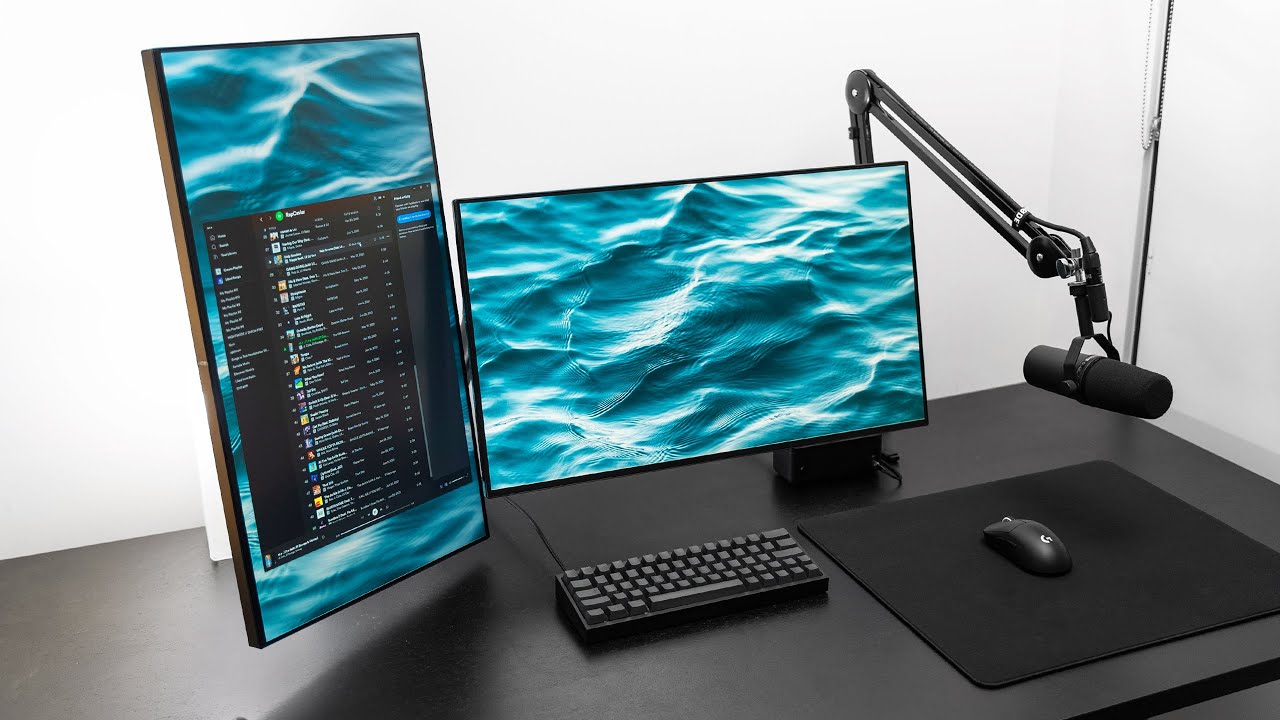
Check prices on Amazon below
Shure SM7B: https://geni.us/zLof
Audient Evo 4: https://geni.us/L9QRAz6
Logitech G Pro X Superlight: https://geni.us/CwTQwdu
LG 27GN950: https://geni.us/O7BmiFZ
VIVO PC Desk Mount: https://geni.us/NttE8
Dual monitor arms: https://geni.us/0rif9i8
Super clean, super functional. Here's my current gaming setup and the g...
been following this formula of setups lol
its also where i got the idea of hiding the taskbar of the 2nd monitor
grand seal
This sometimes pop up on my window notifs. Anyone knows what this is cause I don't really remember installing any call of duty games
 balmy gust
game pass?
grand seal
Could be, but I don't have game pass
zinc kestrel
if you go into notif settings there is a "Suggested" one you can turn off

 zinc kestrel
was having issues with my glorious model o 2 mouse and now I have a razer viper v3 pro which I already like way more lol
near meadow
thinking of switching mouse if my mx master breaks. does viper v3 allow swapping between devices via bluetooth ?
zinc kestrel
no bluetooth
near meadow
oh sad i need something for office too
i'll stick with mx master 3 i guess
for now
grand seal
hey folks, do you guys know a program or something like yt-dlp that can extract and download frames from a video in 4k?
crude oxide
use ytdlp then ffmpeg?
ffmpeg -i input.mp4 -q:v 0 output_%04d.png
will extract all frames from the video, if you need a segment then i dont remember the args for that but its easy
grand seal
oh i didn't know that, will try that
near meadow
do you have a snippet too for hq gifs like adobe or gfycat quality ? I tried one that i found before and the color doesnt seem 256 so it looks lower quality than the actual video frames
zinc kestrel
well gfycat you'd just upload mp4s so you didn't even have to encode it unless you were editing it
near meadow
they have that true gif version aside from the mp4 you usually play. the fps is not the smoothest but the colors and quality is decent enough
zinc kestrel
I just used premiere because editing videos in ffmpeg isn't the easiest
the only time I output gifs is for emotes
near meadow
that's true. my adobe cs is gone now and i dunno how to do it in gimp if gimp ever did have one
grand seal
i edit and export my gifs in davinci
near meadow
you can do it in davinci ? TIL