#Tech Support
1 messages · Page 3 of 1
 crude oxide
yeah usually clearing the dust filter and/or repasting works but not this time i guess
good excuse to do no work tomorrow though
 zinc kestrel
assuming you have it plugged in to the correct pump header on the board
time to get a new one
crude oxide
ye its always been fine
cant get a replacement aio though cause its part of the h1 kit
at least a whole new kit is like 50% cheaper than what i paid in 2021
zinc kestrel
time for a whole new pc
crude oxide
5600x and 3070 should last a while yet
zinc kestrel
might be under warranty if you bought it new?
crude oxide
its out by like 16 months
could probably complain under cga but ill figure that out when the new one arrives
 olive dune
this is why im not a fan of those multipart kits, one thing breaks and it's a proprietary design so you need a whole new case
crude oxide
id love to do sff properly
like those fancy steel cases
but its just so difficult getting the right parts here
barely any mobo/psu/cooler selection
even my intel macbook is struggling just upgrading devtools lol
olive dune
damn
 restive vessel
OH MY
Pumps are finicky, surely the solution is pnp. Pump failure ain't no joke
As for desire to run sff, from experience I will say it is borderline a novelty idea. Unless you're undervolting, these powerful components inevitably radiate their losses from being in a tight chassis
aircon being on during working hours helps for intake temps but that's a pain of you're tight on utility costs.
crude oxide
gpu has a whole panel to itself and never goes over like 60c, it’s just the cpu that needs the dust filter cleaned every few months or else it starts choking on heat
crude oxide
yeah it was 100% the pump lol
 zinc kestrel

restive vessel

 fathom star
heyo
im trying to get my sim card out of my phone
what do i do if i dont have the special needle thingy
zinc kestrel
fathom star
what do i do if i dont have the special needle thingy
paperclip
or anything small and pointy
or go to any store that sells phones
fathom star
zinc kestrel
or go to any store that sells phones
im at home and i refuse to go out so
just found a paperclip
it worked :D
 storm shore
looked up saying its cuz of drivers. updating monitor and gpu one atm. monitor one takes forever it seems never installed them
 zinc kestrel
bluescreens are the worst. I just resolved one on my pc last week apparently Logitech GHub drivers cause issues sometimes
storm shore
had one last week aswel, which i ignored as didn't get to see the error
afaik once a month blue screens aren't too big a problem
zinc kestrel
I mean if it doesn't bother you it's not a problem, it does mean something is wrong though lol
but it's not like going to hurt anything else
storm shore
zinc kestrel
I mean if it doesn't bother you it's not a problem, it does mean something is wr...
blue screen is meant to try and fix it when possible. so if it did great, otherwise it will happen againg
zinc kestrel
a blue screen does not fix anything, it just logs information
 near meadow
previously i had some issues with logitech but now it's all good. maybe just drivers and windows updates eventually fixing it for me
ah no it was not logitech bluescreen it was the logitech lightspeed vs the nintendo switch wifi clashing on the same frequency therefore causing signal issues
for bluescreen yea it's just windows and driver updates
 echo oriole
some hacker or someone keeps spamming me with microsoft codes with my gmail
near meadow
you can block the email sender but i guess your email has been part of some data breach or misused by services you signed up for
for me i create a filter and auto transfer the spam emails to the trash if it matches a certain word / phrase
near meadow
echo oriole
How do you do that
for me i have thunderbird app, there i can set up filters so for example i can block all emails mentioning a certain app or bank that i don't have
or you can also block by domain name since sometimes they keep creating multiple emails from the same domain that they bought
gmail has it as well
https://support.google.com/mail/answer/6579?hl=en
Want to get more out of Google apps at work or school?
echo oriole
thank you!! sorry for late reply again
echo oriole
does anyone know why some microsoft word documents aren't able to be viewed when saved from gmail?
crude oxide
probably .doc vs .docx
echo oriole
oh, thanks
yeah, thats probably the reason why
thank you so much :)
now how do i convert it to .docx
hmm
its not working bc the google doc im saving it is .doc
crude oxide
.doc already is a word document
echo oriole
i was sent a .doc file over email
crude oxide
or are you trying to export a google doc into word
right
try opening it in google docs
echo oriole
that works
crude oxide
what happens if you then use google docs to save it as a word document
echo oriole
the same thing happens
echo oriole
maybe i should uninstall it
near meadow
best way to dispose a borked sata hdd? mine just gave up one morning and my pc cannot detect it anymore. i tried checking it again like in the device manager it cannot be identified. it was an older 2tb seagate 
near meadow
i feel uncomfortable to just toss it without fully destroying it. i feel like they can recover data still. not sure if i had my personal info there or just games
i'll try to find the first option i guess
crude oxide
throwing it at concrete should be enough to destroy the platters
zinc kestrel
put a drill through it or smash it with a hammer if you're worried about data
near meadow
if i don't find a local service I'll go break it open then dump it 
dun want someone to randomly take a loan under my name 
crude oxide
zeroing out the drive is usually more than enough
 winter ingot
near meadow
best way to dispose a borked sata hdd? mine just gave up one morning and my pc c...
winter ingot
near meadow
best way to dispose a borked sata hdd? mine just gave up one morning and my pc c...
hmm
If it were me I'd hook it up to another computer and diskmngr it
or cmd > diskpart to see if there's anything going through it at all
near meadow
that i do not have but maybe i can try with my friend's if i'm not lazy to go out on the weekends
but i think it's kinda similar because i did the same with my pc, moved it around with the sata connector and still not detected in diskpart
so i feel like it's totally borked
restive vessel
I imagine fire does better to silicon than smashing the disc
 dull scaffold
have you tried changing the sata connectors
restive vessel
I would also look into the cable and/or port
storm shore
so i bought 2 new Ram sticks exact same as my current ones to increase total ram capacity, but it seems i have 2 faulty dimm slots.
already been using my mobo for 3years without having known so cant bring it back.
spend 2/3h finding out they were faulty lol. the new ram sticks work perfectly fine on their own in the dimm slots i have always already been using so its not that.
guess i have to upgrade to 2x16 instead of an additional 2x8 and send these ones back
zinc kestrel
RAM is always the worst
storm shore
task manager now shows all the ram commited, but that is not correct now
 storm shore
zinc kestrel
RAM is always the worst
storm shore
zinc kestrel
RAM is always the worst
ram harder to figure out esp considering how many diff things it can be yeah. but it being mobo is so much effort if i decided to replace it. do not have the energy nor am i willing to spend the money on a new one. maybe in another year or two when i got money ill just fully upgrade
zinc kestrel
Committed probably includes stuff like pagefile not just actual RAM
mine says 48GB but I have 32 in RAM
storm shore
okay so i can ignore that
crude oxide
yeah mines similar
 storm shore
how areu using 24gb 
crude oxide
i have like 20gb allocated to wsl
storm shore
oh linux isee
crude oxide
 storm shore
oh man, 72,90 euros for 2x16gb 3600 ram. that is a steal. is only 22 more than what i spend on the 2x8
crude oxide
i only have two slots so i had to get 2x16 to upgrade 😔
zinc kestrel
ram is fairly cheap right now
storm shore
well i got 2 faulty ones so iguess same
ordering this: Corsair DDR4 Vengeance LPX 2x16GB 3600
had it in the past with 3200mhz till i got the same, but rgb version 3600mhz.
zinc kestrel
that's pretty much what I have in mine
storm shore
yeah, mine have all been working fine so no reason to go different
 restive vessel
Reserve.
although if I'm not mistaken you can check/uncheck a setting that displays the gross rather than net available
storm shore
havent gone to the gym for a few days, but going tonight as rain stops at like 11pm it seems.
since i woke up my thighs have been hurting and got no clue why
restive vessel
storm shore
havent gone to the gym for a few days, but going tonight as rain stops at like 1...
it may be because you haven't gone in a few days?
Unless you're very consistent. (More than once every few days) physical exertion will lead to a sore feeling until that barrier is shattered.
storm shore
oh didnt realize the chat lmao
restive vessel
could be a variety of reasons. Though I have something of a tech related solution now
 storm shore
ah related to the reserved stuff
speccy shows it fine. intresting to see that it reads my faulty 2 slots too
 winter ingot
HELP needed:
Now that everyone """""""should be using""""""" Firefox because apparently it's the next best thing, I need to be walked through on how to migrate *literally everything, yes even that one.
I did the "Import" button but I lost all my sign ins. I have several sign ins for work and I don't want to do the hassle of relogging in tens of work accounts from various sites. Anyone can help me?
near meadow
here it says it includes the passwords and autofill data. of course for security purposes i think you're not supposed to be able to move around cookies / session ids so logging in again is required
https://support.mozilla.org/en-US/kb/switching-chrome-firefox
Firefox can automatically move bookmarks, passwords, history and other preferences from Chrome without deleting it or interfering with any of its settings.
 quick mango
I use bitwarden to manage my info. Just install and login on each to save the passwords and users. The install on Firefox and sign in. Should save some hassle
near meadow
i have keepassxc for pc and keepass2android for my phone
then i keep my database and key in onedrive so both would be synced everytime
although... it's troublesome for me if i need to change my password for onedrive
storm shore
same
crude oxide
underclocked to the most afterburner will do and it still crashes lol

time to buy a new gpu
near meadow
random but please congratulate me for finally getting proper internet again that's over 50mbps (this time it's 200mbps) coming from 10mbps. finally won't lag anymore when watching concert streams or any streams 🥹
 near meadow

there's starlink service here too but i think that requires installation of the dish or something
another telco got their fiber laid out in the apartment building so they get dibs
crude oxide
i just have mine sitting outside with the cable running out a window lol
i miss having gbit fiber but this is better than 8mbps adsl
near meadow
bro i experienced 2.5 mbps

i play ragnarok and that's it lol. reading manga is painful. full chapter take like 10 mins
 dark idol
hey a friend's pc wont turn on, the pc itself is able to somewhat boot up but the monitor registers no signal and they cant get into bios either. they have 850 watt psu so its not inadequete power im thinking it might be mobo? but unsure since i cant tinker with it directly


mobo also has these 2 red flashing lights when turning on, i had same issue but it was cause psu wasnt outputting enough and upgrading from 650 to 750 solved it
but this isnt really same issue
crude oxide
look up the manual for the mobo model
it should have something in it about the leds flashing
like when i bought mine 2 years ago, a certain sequence of led flash meant my cpu wasnt compatible with the preinstalled bios, so an update fixed it
dark idol
ill pass that off to them then
restive vessel
on MSI I recall it's DRAM related. reseat RAM if yellow/orange light usually
I personally would just reseat it before looking at anything else. Same slot, single slot, or other pair of slots.
Second would be to check if GPU is in it's slot all the way. If the display-port/HDMI is shite. All parts that need to click in (including power cables) should be securely locked in place; thus, should post.
If not, take out CMOS battery, put it back in, and turn on to check if it's BIOS setting related
near meadow
forced to clean the keyboard because for some reason the coke bottle that i so carefully opened still ended up spilling everywhere

crude oxide
does it still work?
near meadow
i got g915 keyboard from logitech
yea but i kinda see some droplets inside the keys already
switches i mean
crude oxide
you probably wanna get some alcohol and clean up the area it dripped onto
corrosion is usually what gets you
near meadow
so i went and took the keys off to wash and then for the keyboard itself i cleaned with alc
did that but now that it got wet and not just humidity i guess soon i'll see some corrosion like half a year
 fierce iron
Long shot, but if you have any experience with replacing GPU fans or troubleshooting gpus;
Long story short, GPU fan was grinding and stopped spinning, ordered replacement, I got it spinning today and it was working really well but in the middle of a test it popped and grinded really loud so I started replacing it and now it's back to not spinning at all with the new part
What can I do to troubleshoot? It's plugged in and works just fine it the fan just isn't spinning
(also pls ping reply if you do because I'm gunna forget i posted this)
restive vessel
fierce iron
Long shot, but if you have any experience with replacing GPU fans or troubleshoo...
You may have blown a MOSFET.
They are meant to be kept cool. They are one component in the task of power delivery among the VRMs (Voltage regulator modules). The circuit leading to the fan header may be collateral as a result
How long have you run the graphics card with a beat fan? @fierce iron
fierce iron
for awhile but the temps never got bad
the voltage in afterburner reads that it still goes sometimes
at least when it was working
this

its just flickering around rn bad screenshot but
 restive vessel
interesting
fierce iron
even without the fan it was never going over 60-70
because i was watching the temps fairly closely
restive vessel
no smoke or smell?
fierce iron
it got to 90 sometimes but i always stopped before it was prolonged
nah
im thinking if anything it was a dud replacement
but there's no way to easily test
restive vessel
That can be it also
But copper wire going pop?
unless it is the component that sends electricity through the coils. But you would hear a buzz from it
restive vessel
fierce iron
im thinking if anything it was a dud replacement
inspect capacitors if/when you get a new replacement sometime soon. They look like little batteries
 restive vessel
yeah I'm just saying it could be one issue, causing a short if it's done out
 restive vessel
no. It usually shows current voltage haha
I use afterburner to monitor mine when benchmarking. Never see it at zero
restive vessel


fierce iron
which means nothing even when it hits the minimum
restive vessel
do you have any other software that can monitor voltage?
fierce iron
other than afterburner?
restive vessel
yes
fierce iron
not that i know of
fierce iron
im not in a game so i dont think itll come up
restive vessel
if it's on advanced/full display it will always show clocks and voltage

example
restive vessel
ahh okay
fierce iron
 zinc kestrel
voltage monitoring doesn't always work, mine doesn't either
restive vessel
mmhm
fierce iron
so theres... something..
but its just not kicking the fan on
i could try reseating the connector again even though its fine
restive vessel
try it ye
fierce iron
its such a pain in the ass to do this lmfao
restive vessel
what kind of 3060
fierce iron
Asus single fan
restive vessel
oh wow
fierce iron
I pulled it from a pre built PC I bought for my mom during covid
restive vessel
it seems there are quite a few fan-related replacement issues with thw ASUS PH Single fan 30 series card
fierce iron
Hm
restive vessel
if anything. Spraying electronic component cleaning solution from WD-40 or white lithum grease through a nozzle can clean the original fan's bearings
I've had that as the solution on two MSI cards in the past
dust and such can put a halt to such components
 restive vessel
 fierce iron
im like 90% sure its the fan itself and not the card because it works just fine
including running games and everything
restive vessel
ye it could just be the new fan
fierce iron
if it was a power issue surely the card itself would be malfunctioning as well?
restive vessel
there are multiple VRM phases so the issue would be harder to detect without full throttle
an engine can run with a dead cylinder. Same case, but this is not a definite issue we have found. It is just one type of part that could've went "pop"
fierce iron
wd40 "specialist electrical cleaner" ?
restive vessel
indeed
restive vessel
my can is faded. My bad hehe
fierce iron
Well I'll test the old one first and it's just grinding then I'll go try cleaning w wd40
This is what it sounded like
fierce iron
Should I scrap the wd40 idea then
restive vessel
possibly
the noise is the issue of the bearings just grinding
only fix is replacing the bearing since it's sealed, it was a fault of the manufacturer. New fan is already a fail
bad luck oh no
restive vessel
the noise of the old fan will not be fixed I do not believe
the new fan isn't working is what I mean
restive vessel
I don't believe tinkering to be a hobby of yours, correct?
 restive vessel
yes
you can blast that if you want. See a preview of if any type of mineral solution would work
try isopropyl alcohol if you have it. Spin it with your fingers
fierce iron

Is that little chip there supposed to be
At about 2oclock
Or is that the damage
Looks like copper but I'm not sure
restive vessel
fierce iron
Is that little chip there supposed to be
I am sure it is supposed to be there
The fan on the blown one would need to be taken off the retaining piece (what you're holding) to find out if it was the brushless fan motor that failed
fierce iron
restive vessel
I don't believe tinkering to be a hobby of yours, correct?
Not really but when things break I can usually get them back going again
I'm not inept I'm just not trained, if that makes sense
restive vessel
understood, an act of necessity.
restive vessel
since you have two
of the same fan (I think)
If you want. Swap bearings
salvage from one to fix a better unit
zinc kestrel
should be an easy video to look up
probably is pretty snug though will just take some effort
restive vessel
pop the old one out with whatever
the new one should be done with a pen/pencil
pencil is good. Graphite is a dry lubricant so that is a bonus
fierce iron
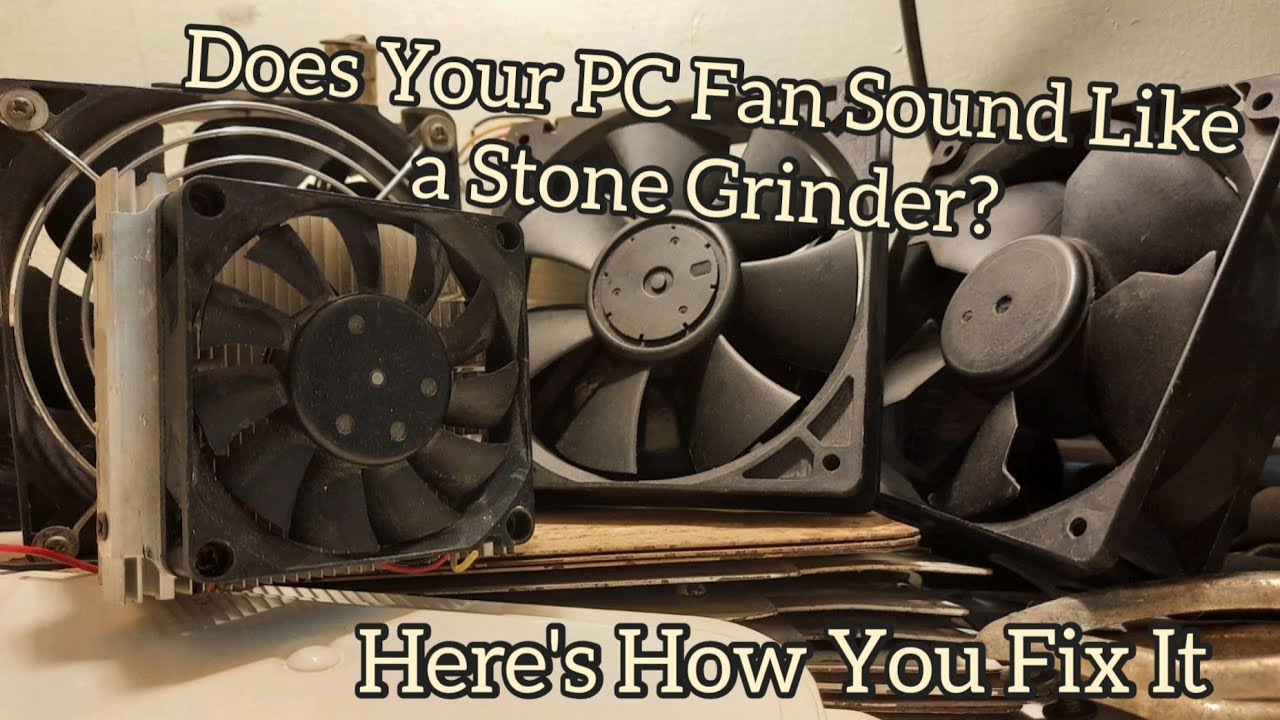
NOTE: This method only applies on PC fans that use ball bearings. Noisy sleeve bearing fans can be fixed with just a drop of machine oil.
It's raining in mid June. Tempratures outside, & in my shop is way too cold for my body to handle, and I need a heater that draws less than 600 Watts. All I can find is a pair of heatsinks, a peltier device, ...
restive vessel
oh yeah
it has a lock ring
a tiny flathead will get that out


that ring is what keeps it in place from flying off the bearing
fierce iron
am i gunna need a new lock ring afterward s
restive vessel
if you break either one yes
you have two in possession

you can see the end of the ring. If it bends, bend it back flat
fierce iron
so worst case scenario
how would you recommend using a case fan as a gpu fan lol
because ive heard that as an option as well
but
restive vessel
fierce iron
how would you recommend using a case fan as a gpu fan lol
Electrical tape is all that is neede to mount it. Perfectly fine if the RPMs and amplitude match
fierce iron

im honestly thinking about just buying a new card
im pretty sure im just breaking this fan trying to get the bearing out
which kinda defeats the purpose
restive vessel
fierce iron
im honestly thinking about just buying a new card
that may be the move
what are you thinking of getting?
restive vessel
oh nice.
if your CPU can handle it, I would look for the 3060 Ti model on used market
the chips on those are just much better. Can be had for 250 USD if I'm not mistaken
fierce iron
the lowest on newegg is 350 for used/refurb 3060ti
restive vessel
I was looking at ebay and such
I've bought a handful off there no issue as low as 200
not nearly as sketchy as newegg can get with their, at times, grey-market sellers
"open box"
here are a couple on newegg for under $290 I think @fierce iron
fierce iron
oh
fierce iron
my only issue with refurbished and open box etc
is how long til im doing this all over again
lol
i had my 690 for like 5 years and nothing was ever wrong but this part broke in like 2
big sad
!
restive vessel
fierce iron
is how long til im doing this all over again
I believe it to just be luck of drawing a short stick
you bought a pre built pc that had that GPU, correct?
restive vessel
ehehe
fierce iron
at least im assuming
fierce iron
they cut so many corners to make these prebuilds "affordable"
restive vessel
it saves money for them to charge retail+
storm shore
@restive vessel uhmmm i am super confused rn
u know the monitor talk last night
just turned on pc still had it.
decided ill just swap the display cables of both my monitors, eventhough i was sure it wouldn't make a difference
uh
now i got 2 perfectly working monitors just from putting cable 1 > 2 and 2 > 1
same two cables, but diff monitor and problem gone???
restive vessel
storm shore
now i got 2 perfectly working monitors just from putting cable 1 > 2 and 2 > 1
this is very interesting
storm shore
it is very confusing. same 2 monitors and cables, just swapped which cable goes into which monitor
restive vessel
Perhaps it was a fluke of inconsistency in the cable's job
transferring data/power/etc
restive vessel
Funny thing happened this week that I forgot to share
After installing new parts for a fresh build from scratch, I got a BSOD FATAL SYSTEM ERROR from a fresh install.
Very nice
all the components I've taken off the motherboard work individually.
storm shore
pain
 minor ember
Im really done with my pc atm
i donte ven know what is going on but its so annoying
in every possible program, its not even limited to games i get like micro freezes every 15to20 seconds randomly sometimes more sometimes less, my gpu and cpu arent at high usage at all, my fps are also fine in all games
im like so confused from where this is coming from
minor ember
its really really short
like
as short as possible but noticable to it being annoying in fps games especially
it even happens in like discord when i scroll the channel list or something
as in my pc skips a frame sometimes
crude oxide
do you know how to use the windows event viewer?
could be a ton of different things so you just gotta start ruling out parts one by one
minor ember
okay what do i do in event viewer
 crude oxide
does the time correspond to the stutter happening?
like this is when my gpu crashed earlier
 crude oxide
id just start ruling out parts one by one
minor ember
ahhh i know why its showing that
cause i disabled the gamebarpresencewriter
and when starting stuff the error appears
every error is the same basically
crude oxide
what cpu do you have? if it has onboard graphics you could switch to it to try ruling out your gpu
minor ember
I have an Intel Core i5-8600k 3.60GHz overclocked to 4.4 tho
storm shore
could be a dying drive
crude oxide
plug your monitor into your motherboard for a bit and see if it happens
minor ember
crude oxide
plug your monitor into your motherboard for a bit and see if it happens
gives me no signal
minor ember
crude oxide
all i can think of is try to reseat ram then
reseat ram would mean
crude oxide
taking it out and putting it back into the slots
minor ember
yeeting open my pc and change the slots
minor ember
crude oxide
taking it out and putting it back into the slots
id have to take out my gpu and fan for it
olive dune
itx moment
near meadow
at least it's just gpu and fan and not the cpu cooler. it's annoying when you can't turn on the pc long enough to heat up the thermal paste. could possible break some pins if not careful
zinc kestrel
minor ember
could my mini freezes be caused by something audio related?
not likely. unless you have a USB device and it has a corrupt driver or something
I would probably update your BIOS and all your drivers
minor ember
zinc kestrel
not likely. unless you have a USB device and it has a corrupt driver or somethin...
well i have a logitech g432, which has like a cable into usb adapter thing
zinc kestrel
do you have Logitech G Hub installed?
minor ember
ye
zinc kestrel
uninstall that and see if it fixes your issue
it's been known to cause stuttering for some reason
minor ember
i need it for my mouse settings tho
minor ember
zinc kestrel
which mouse
gpro
zinc kestrel
yeah that should let you do that
minor ember
zinc kestrel
yeah that should let you do that
na my mouse sense is off
zinc kestrel
you might have to do something specific in ghub to save it to the mouse, I forget
there's also this profile manager program that you can just run to edit the mouse profile without ghub https://support.logi.com/hc/en-us/articles/360059641133-Onboard-Memory-Manager

either way probably worth uninstalling ghub for a bit to see if you keep getting stutters then you can rule it out
I refuse to install it again after my issues went away lol
minor ember
ah okay yeah that workd
i also read something about realtek audio manager causing these issues
its unfortuante that it could be a so many thingas
winter ingot
@iron pendant Yo I kinda want to find out what's the hottest mobile brand is it on your country
And what brand do you find your circle use the most
Excluding iPhones
winter ingot
Huawei?
Wait
Fr?
Didn't those don't got Play Store?
It doesn't here
Sales of Huawei in my country outright DECLINED when Play Store got removed
Cause almost nobody here can really adapt to Huawei App Gallery
Even tho we do support it, almost all local apps are in HAG
 iron pendant
not huawei
winter ingot
Makes sense
Because POCO seemingly is laser focused on "internationalizing" Redmi devices
winter ingot
New but immediately got big
iron pendant
the specs are really huge, but in cheaper price
winter ingot
Official stores here however don't carry it in big stocks
iron pendant
thus why it got many enjoyers
winter ingot
Most of it are online
winter ingot
iron pendant
the specs are really huge, but in cheaper price
More than that actually
Some China only Redmi models are like
Bang of the buckenest devices
So what I am realizing recently is that the good stuff China gets
Rest of the world gets it also, but later, and with POCO branding
RE : Redmi Note 12 Turbo
iron pendant
yea
basically that
interesting stuff is that redmi focuses on the camera more than the chipset
while poco is more to the gaming scene than the camera
winter ingot
iron pendant
interesting stuff is that redmi focuses on the camera more than the chipset
Eeeeehhh not always if there's counterparts
For example
My phone's twin is Redmi Note 11 Pro 5G
Friend literally has that
Camera is as shit in video
Photos are fine
But POCO leaning to the gaming scene is accurate
See : POCO F4 GT
Oh yea
Why do you stick to Samsung?
storm shore
storm shore
ordering this: Corsair DDR4 Vengeance LPX 2x16GB 3600
had it in the past with 32...
i refuse to believe my ram is already faulty... had 2 bsod last night related to ram
stopcode: irql_not_less_or_equal
and stopcode: memory_management
near meadow
no hardware changes and no overclocking changes? then i guess it's needing replacement for sure
storm shore
sfc /scannow thingy found and repaired some corrupt files and updated some drivers and did windows updates. so hope that solves it 
winter ingot
storm shore
i refuse to believe my ram is already faulty... had 2 bsod last night related to...
Tried mdsched.exe?
Windows Memory Diagnostics
storm shore
no i did do some dscim or whatever cleanhealth command though
i wont have time to use pc for extended amount of time till thursday to see if it will reoccur for now anyways
storm shore
been a few days, but now got system service exception bsod stopcode.
didnt have any problems last few days
got this now trying to do the sfc scannow command
 storm shore
winter ingot
Windows Memory Diagnostics
storm shore
winter ingot
Windows Memory Diagnostics
will go do this now though
crude oxide
if you really want to try testing your ram, you might want to run memtest overnight
oh nvm this can run in windows https://www.techpowerup.com/memtest64/
the one i tried had to be run off a usb and took all night
storm shore
lol the same second i start windows memory diagnostics it mentions there being hardware problems
doing the extra tests aswel iguess. no idea what these all mean, but might aswel

i should prob swap back to my old ram and run the test againg
once this one is done. curious what it can tell me
crude oxide
hoping i get a response about my gpu this week
said 5-15 days after sending it away to a tech and its been 15 days now i think
storm shore
problem not found yet?
crude oxide
not yet no
i was hoping they'd find an issue and refund, give store credit or replace it with something cost or class comparable
didnt even think of the prospect of a service tech fixing it
storm shore
prebuild?
storm shore
hope my 3070 lasts another 3 years. dont wanna upgrade with how crazy todays energy consumpion is
crude oxide
40 series is more efficient i think?
storm shore
last i saw all the upgrades needed including new mobo ram cpu etc too insane
crude oxide
my 4060 is like half the size and consumes 50w less than my 3070 but performs about the same
storm shore
assuming that i do need a new mobo for a 40 series
storm shore
idk if they use a diff slot
crude oxide
they're pcie gen4 but i dont remember if they saturate all of gen3 yet
i think im running mine in gen3 mode cause the riser cable is only gen3
storm shore
oh my mobo has pci 4 i think
hmmm, got my mobo when 30 series was just new. didnt think pci4 was already a thing
crude oxide
it can run in gen3 mode just fine
its not like cpu sockets where you absolutely cannot run am4 cpu in am5 slot
for example
storm shore
 crude oxide
yeah youre fine with any gpu
storm shore
crude oxide
it can run in gen3 mode just fine
is that using the gpu without its full power or something?
crude oxide
data transfer speed
example numbers but say gen4 maxes out at 100gb/s
gen3 might max out at 75gb/s
if you set your gen4 gpu to run at gen3 speeds, it just runs at 75gb/s
but i dont think there's any gpus right now that max out gen3 speeds
storm shore
assuming 4.0 also means gen 4 any reason to limit to gen3?
crude oxide
not really
mines running at gen3 despite motherboard/gpu supporting gen4, because im using itx and need a riser cable, and the cable is only rated for gen3
other than that i cant think of anything
storm shore
ah okay
storm shore
test been stuck st 21%. this is gonns take ages huh
storm shore
well, swapped in my old ram and doing the test againg.
atleast it doesnt detect hardware problems from the very first second
so def faulty ram
wonder if i got any warranty on that thing
10years cool. time to learn how returning something works
 hidden star
Hellaur
My PC shat itself
Mobo kermitted and fried all my storage in the process
Anyone got good recommendation for mobo + ssd(s) + cpu with a budget of 1k
near meadow
1k usd is alot. you can get like a B series motherboard + 1tb sata ssd and ryzen 7
you didn't mention gpu so i guess those are the only ones you need
restive vessel
B650E (E being a revision) + a Ryzen 5 7600 will do. The board uses newer DDR5 RAM though, I'd say 4800-5600mhz is a good bet, they're mid-speed and known to be stable on AM5. I go with most Corsair sets (vengeance lp usually is fine)
as for SSD? maybe 1tb in a samsung nvme, cooler is preference
 balmy gust
just don't forget a reputable power supply, if you still don't have one
restive vessel
absolutely
I've ran an exact build like that with a 3070 off of a 460W supply for a week just for shits n giggles.
Anything reputable with Japanese capacitors in the 600s will do
EVGA supernova (650-750) are quite nice, even used they're reliable.
hidden star
Part List - Intel Core i5-13600KF
How does this look
I will keep my gpu (2080) and case
And fans
storm shore
u also got a cpu cooler?
storm shore
just fans and specific cpu ones are not the same
hidden star
Ah
I mean i had a prebuilt
So i believe one of the fans were cpu specific
Not sure of the compatability with this cpu though
storm shore
should be yeah, but u might want to look into that and double check
if it is an aio might want to replace it anyways
hidden star
What is an aio?
storm shore
is a water cooler
hidden star
Oh
Nah it's not water
I dont have my desktop rn, it's at best buy so cant take a look tho
 hidden star
I dont mind spending a bit more for some good cpu cooling tho
Nah it's just normal fans
Part List - Intel Core i5-13600KF
Updated with cpu fan
I mean pcpartpicker says no compatability issues? But how does the build look
storm shore
seems good
balmy gust
uhh, might also have to check for clearances with the case. especially with the cpu cooler
hidden star
balmy gust
uhh, might also have to check for clearances with the case. especially with the ...
How can i do that without the case?
Would best buy know if i went in and showed them the parts list
storm shore
don't know your case name to look it up?
balmy gust
or at least the pre-built unit you have
balmy gust
that case looks pretty thin imo
but if your unit is with best buy, i guess you can try to ask if it would fit

Here I'm unboxing and installing the DeepCool AG400 CPU air cooler and showing you how to do the same. I'm using at Z690, LGA 1700 motherboard along with a setup that includes the following specs:
Case - NZXT H7 https://www.youtube.com/watch?v=fLV7AfF4VEk
Motherboard - NZXT N5 Z690 - https://www.youtube.com/watch?v=syg3VHU7UEc
CPU - Intel Core...
the cpu cooler is pretty chonky, the video i posted used an NZXT H7 for the case, comparing it to the omen you link
the nzxt case is 230mm thick, the omen is around 165+mm. the cooler height is already at 150mm, so i'm doubting it would actually fit
restive vessel
hidden star
https://pcpartpicker.com/list/dZvWqR
the ag400 will struggle a bit unless you live in a colder climate with cooler ambient air
from experience they'll be marching well into the top speed on a 280+ watt capable CPU if the air temperature isn't below 17°C
Deepcool AG models are also a noisier but higher air current fan than the AK models
so if fan noise is a potential thing you dislike 
restive vessel
balmy gust
the cpu cooler is pretty chonky, the video i posted used an NZXT H7 for the case...
DC coolers will fit in one that thick. They're tall sure but they're designed for use in many mid-tower designs
the fans can also be moved down the sink height for an additional ~8-12mm of clearance because they clip onto the cooling fins
balmy gust
mhmm
hidden star
restive vessel
the ag400 will struggle a bit unless you live in a colder climate with cooler am...
Um
I live in texas

Do you have a recommendation in that case
I dont care about noise as much as heat
restive vessel
Yes, the AG620
balmy gust
just basing it off of provided specs, but yeah, can make sure with the items available physically
hidden star
If i can cool as much as possible then that would be good
Because since i live in texas it's already hot asf, my pc usually heats up my room by another 10 degrees
restive vessel
hidden star
Because since i live in texas it's already hot asf, my pc usually heats up my ro...
Part List - Intel Core i5-13600KF
I altered 3 items including the cooler
restive vessel
hidden star
I only see the cooler changed
2.5" SSD being over 100USD is wild in my opinion but that's just me. Save a few. Slim down to a gen 3 NVME. RM750e changed to an RM750__X__model with superior capacitors for the same exact price.
hidden star
What's the point of the psu swap?
restive vessel
The electronic capacitors are sourced from a different company that has stricter quality control
hidden star
Ahh ok
And the cpu fan, what makes it better? The rpm on the one i selected is higher, so wouldn't that be cooler?
Like i said my priority is getting it as cool as possible, idc about noise
restive vessel
hidden star
And the cpu fan, what makes it better? The rpm on the one i selected is higher, ...
two fans is better than one
it's 2 fans in a U-shaped cooler
if you don't need RGB it's cheaper to go with the normal AG620 and does the same job

The DeepCool GAMMAXX AG620 is a dual-tower 120mm CPU cooler that boasts impressive 260W cooling power performance that's been streamlined and optimized for terrific efficiency throughout. Six highly efficient heat pipes on the copper base rapidly transfer heat away from the CPU and through the to...
hidden star
restive vessel
https://pcpartpicker.com/list/Z94ngB
Ordered this btw!
And a full mesh case off of amazon, since i got the non rgb version of the fans
restive vessel
hidden star
And a full mesh case off of amazon, since i got the non rgb version of the fans
nice! Newegg takes forever anyways lol. Very wise
hidden star
restive vessel
nice! Newegg takes forever anyways lol. Very wise
That's exactly why i got the non rgb one lol
All the amazon parts were 1 day delivery and the newegg was like 2-3 weeks
storm shore
nice, their sending me a new set of ram tomorrow  hope i can use these without problems
storm shore
what do you mean trade?
near meadow
like returning the faulty ones
near meadow
oh ok but i guess they took care of the shipping
storm shore
yes
near meadow
awesome. which brand again?
storm shore
 near meadow
oof nice
storm shore
had them for 6 months then iguess they became faulty
well, 6 months later getting a fresh pair is cool iguess
near meadow
mine is gskill trident running on 3200 only. i get problems when it goes higher
storm shore
nice
crude oxide
my gpu came back and the techs couldnt find anything wrong with it
my brother has been using it in his pc all week with no issue
so i have no idea wtf is in my system that could have made it crash, even across windows installs
restive vessel
not enough power?
restive vessel
hehe
power curve on those middle-level PSUs shouldn't be too different so perhaps not where it fell short
I've never really had to deal with crashing that was not induced by aggressive overclocking methods so I cannot really put a finger on it
zinc kestrel
I had to swap out my 750W because my 3080ti had spikes that would just shut it off
storm shore
he using it nearly as heavy load as you are?
crude oxide
yeah i got him to load up palworld maxed out
which for me would crash within minutes
restive vessel
crude oxide
i was undervolting it too
undervolting restrictions can cause it to stutter/crash if it's not enough voltage also
perhaps it's because it just wants to run the factory numbers
crude oxide
i think undervolt crashes would result in a different kind of error though
which is why i tried it
restive vessel
screen flickering black usually no?
crude oxide
for me it would be the driver crashing which would result in the game crashing
restive vessel
hmmm
crude oxide
the usual "renderer lost" error
restive vessel
I see I see
storm shore
put in the new ram and just running diagnostic just incase. atleast in bios and task manager everything was right
dark idol
Anyone know how to dump/extract firmware from a device?
olive dune
you won't be able to do that unless it houses a flashable microcontroller
dark idol
 winter ingot
If you can find out the schematics of the lightstick you can probably try to switch out the capacitor/transistor to get a different effect
But I wouldn't recommend it
If it all ends onto one IC, abandon project immediately
near meadow
it might work like replacing the ic with your custom one and then program it however you want but it requires you to know the data sent by bluetooth so you can still control it as you like
near meadow
random but anyone experiencing these buffering moments in YT even though your internet is fast and it already loaded a decent amount of the video? i feel like it has something to do with what yt is experimenting on trying to bake in the ads into the video itself so it's harder to block
storm shore
dads pc has these weird yellow marks all over and cant find anything about it
 near meadow
pc? feels like laptop ribbon issue with the strips of leds failing or something
since it's pc and i suppose your dad didnt tinker with the cable or anything and it just appeared overnight, maybe it's driver issue?
zinc kestrel
definitely could be cable issue
if the screen looks fine when it boots up and only goes bad when it gets into windows then it might be drivers
zinc kestrel
near meadow
random but anyone experiencing these buffering moments in YT even though your in...
do you use firefox? they've got some major youtube bug right now
I had to start using chrome just for youtube
near meadow
ah that might be it i am using firefox
i was like buffer is correctly loading, and it also skips after like 5 seconds into the video
zinc kestrel
yep all kinds of freezing and buffering issues, it's firefox
storm shore
he said his pc got stuck yesterday so force turned it off with power button. now we got this issue so was thinking gpu
if this has a gpu idk
near meadow
the slot for gpu is different anyways
zinc kestrel
technically still has a graphics driver of some sort either way
even if it's just intel one
storm shore
intel core 2 duo cpu e8400
near meadow
yea could be monitor cable or bad driver
storm shore
never heard the name
near meadow
core 2 duo jeebus that's ancient
 zinc kestrel
launched in 2008? I'm surprised it even runs windows still
near meadow
ok then it's cable related
wait not necessarily cable related but connectivity related because it could be the slot/pins whatever this monitor uses or it could be the cable
storm shore
u know if it had dedicated graphics tbe cpu?
near meadow
https://www.techpowerup.com/cpu-specs/core-2-duo-e8400.c467 here it says no integrated gpu
zinc kestrel
was gonna say I didn't check but I doubt it
near meadow
so that has to be a dedicated one
storm shore
hmm wiggling doesnt get me the screen back we stuck on red now
storm shore
this thingnhasnt moved in 10y
zinc kestrel
could also just be dead
storm shore
wish i had a spare avg cable
zinc kestrel
but I would take it out and put it back in, and maybe try a new cable yeah.
zinc kestrel
I was literaly throwing away vga cables when I moved I had a pile of them
near meadow
time for an upgrade maybe. get a super cheap one that doesnt need alot of work
storm shore
i remember when i installed the ssd in here had to break open side pannel as the normal way thingy is broken
near meadow
what's good with old pc cases is that there are no acrylics/tempered glasses nothing to break
near meadow
dang a bargain
storm shore
this thing even still has anntenas
near meadow
maybe you can buy something for 400 it'll last for a while especially since it's probably for email browsing and word documents
storm shore
yeah it is literally used just for that lol
he can prob get another for 200 from some guy he knows where he got this one from
right gotts figure out how i pulled off the side panel last time... supposed to pull open with a pull of the handle, but nope. life aint that nice to me
zinc kestrel
usually a screw or two on the back even if it has a handle
then some slide straight back if it doesn't pull straight off
near meadow
you know those beelink mini pc ones like a good alternative to intel nuc? you can get that one and there's not alot of moving parts. just tape it good and as long as you dont smash anything into it it'll work fine
storm shore
dont think newegg ships here. that country list is tiny
zinc kestrel
oh yeah those dell cases had little slidey things and the side just pops off
when I worked as a tech at my college we had tons of those

 storm shore
so i just take it out and put back in yeah
zinc kestrel
the dust certainly won't be helping
near meadow
i bet mine is collecting dust too it's just that it looks clean still because it has filters
zinc kestrel
video card might be clipped in somehow, dell always has proprietary shit
little lever or something to pop it out
near meadow
oh the preassembled stuff
storm shore
had a couple almost empty condensed air sprays left. chunks of dust attacking me now
near meadow
time to accept your fate and be one with the dust lol
just make sure not to inhale those and shower afterwards
storm shore
i cant get the gpu out lol
its completely lose but some crappy thing is holding on to it...
cant push it back in either lol
ok just pushed it back in idc anymore
aaa closed panel but forgot the 24 pin cable
zinc kestrel
should be a clip on the board you have to push lol https://youtu.be/eZvOA0hGhwo?t=84

Teardown a Dell Optiplex 780 Small Form Factor Desktop PC Disassembly How to.
storm shore
oh push up
i jusr pushed it sideways
whatever it got loose so good enough imo
this pc has no fans btw
zinc kestrel
should have at least one under the big black shroud blowing air off the cpu
storm shore
oh yeh just the thing
didnt help sad

was esp confused with this. alot of missing letters here
storm shore
hmm its not going to desktop. it keeps redoing those 4 seconds u see in the clip now
stuck at this step then just tries to reload lol
 near meadow
yea time for a new pc maybe a decent hdmi monitor too just so it's compatible with the slots
near meadow
not my dad
near meadow
plus nucs are expensive so i suggested lake to get beehive
winter ingot
shows ROG tower
near meadow
it was a popular alternative
winter ingot
Oh it was Lake hahah
near meadow
ah beelink
winter ingot
@storm shore SFFs are good too
winter ingot
near meadow
plus nucs are expensive so i suggested lake to get beehive
NUCs are expensive?
near meadow
yea
 near meadow
yea since failure rate might be higher on nugu brands
winter ingot
But I have faith on Chinese products in 2024 if their copywriting is good
Because OEM
Things are interchangeable
near meadow
tbh nuc and apple mini are probably the only reliable ones and then beelink is the best nugu brand alternative
 near meadow
or at least that's what's being recommended if i search for nuc alternative
winter ingot
16GB DDR5 and 512GB SSD
near meadow
gotta go for bare minimum since it's only word processor and solitaire use
tbh maybe a 100 dollar samsung phone will be enough
winter ingot
near meadow
gotta go for bare minimum since it's only word processor and solitaire use <:chu...
"Only"?
winter ingot
Only or """""only"""""""""?
near meadow
yea no one uses it except his dad maybe
winter ingot
OH WOW
Well this would do it

200 dollars ish
16GB RAM and 500GB SSD
(that R7 can still game but don't tell your dad)
Most of these mini PCs (nugu brands too) follow this kind of architecture so like

If things go wrong
Parts are plenty
That's why I have faith with nugu brands because time and time again they prove me they're a good alternative to those big brands like DELL and HP alike
Just.... sanitize the Windows installation first time around
and you're good
It's weird because before I hated the idea of mini PCs
like I thought that "how in the fuck does one put graphics card in it? How to expand it?"
Then I thought
Yeah there's quite a subset of people who just wants "a PC"
Particularly offices
Like
Get a monitor, keeb mouse, headphones or speakrs
zinc kestrel
great for classrooms
zinc kestrel
attached to the back of monitor stands
near meadow
mini if you dont have much to do and don't need power like playing 4k video, htpc stuff, it's perfect it's just small and nothing much to do
winter ingot
https://www.youtube.com/watch?v=v-gc6S922-o
Review of the GMKTec I linked earlier, this is the flagship one

Buy one on Amazon: https://lon.tv/bx6kh (compensated affiliate link) - GMKTec's Mini PC packs great performance into a relatively small and low cost package. But the network and USB 4.0 performance I found a bit lacking. See more Mini PCs - https://www.youtube.com/playlist?list=PLCZHp4d1HnItE_zvA8tShvdxgCEL648ZY and subscribe! http://lon.tv/s
V...
zinc kestrel
@near meadow looks like they just acknowledged a fix for the firefox issue https://bugzilla.mozilla.org/show_bug.cgi?id=1878510#c97
NEW (nobody) in Core - Audio/Video: cubeb. Last updated 2024-06-18.
might be a few weeks before that version gets out though
winter ingot
winter ingot
https://www.youtube.com/watch?v=v-gc6S922-o
Review of the GMKTec I linked earli...
Oh shit it has USB4
Damn this thing can multimonitor to oblivion
near meadow
zinc kestrel
<@159659302125174785> looks like they just acknowledged a fix for the firefox is...
nice! it's not extremely bad but it's just annoying like i play something 5 sec later there's a quick jump and then sometimes the buffered data won't play. just have to refresh a couple of times
that's insane it's a P1

i guess due to the amount of users accessing YT
olive dune
I cant reproduce this
storm shore
yeah its just used for mails, microsoft office and uh... solitair
zinc kestrel
it's not every video but it's a huge pain for ones it does it on
this video froze at the same spot every time I tried to watch it, then I started just opening a chrome tab for youtube instead
https://www.youtube.com/watch?v=uglrQCWtLUg

NAYEON “ABCD" Performance Video
NAYEON THE 2nd MINI ALBUM "NA"
🦋 Listen [NA] 🦋
https://NAYEON.lnk.to/NAYEON_NA
TWICE Official Shop: https://TWICE.lnk.to/Shop
TWICE Official YouTube: http://www.youtube.com/c/TWICE
TWICE Official Facebook: http://www.facebook.com/JYPETWICE
TWICE Official X(Twitter): http://www.twitter.com/JYPETWICE
TWICE Offic...
near meadow
i wonder why specifically YT so it must be something YT is trying to tinker with and it's fine for google chrome since same company product
there are some with the artms videos as well
i think even on the jinsoul stream i get occasional buffering
olive dune
zinc kestrel
this video froze at the same spot every time I tried to watch it, then I started...
yeah idk i just watched the whole thing at 4k on firefox
olive dune
i have 124.0.2 apparently
zinc kestrel
I even bought yt premium and disabled adblocker cause I thought it might help fix it
olive dune
damn
zinc kestrel
oh you're kinda behind then
storm shore
anti chrome wow
zinc kestrel
127 is current
olive dune
yeah i havent updated in few months
zinc kestrel
didn't really think about trying to downgrade
olive dune
now im afraid to update lol
zinc kestrel
yeah wait until they push 127.0.2 lmao
yep it's a bug they're fixing
suppose it might go in the nightly build sooner than later
crude oxide
may have fucked up
switching my email from google workspace to proton
and canceled the google subscription before the proton import was done
seemingly still going so hopefully not losing much, if anything
crude oxide
ok yeah lol it stopped at about 15 months ago gg
near meadow
woops
is it like business email? i guess you can try resubscribing just to finish the sync?
crude oxide
nah i just use a custom domain for my own stuff
nothing important off the top of my head so nbd
olive dune
lol as someone who did the same, I kept google around for like a week just to double check everything was good
crude oxide
naively assumed it would continue until the current billing period ended
but no google ended it instantly
kind of a pain that i now need to maintain two mail apps on my phone, since i cant move my work gmail but oh well
 crude oxide
ye im between two <10 people startups rn
olive dune
makes sense
near meadow
crude oxide
naively assumed it would continue until the current billing period ended
yea that should be what happens right? that's like subscribing for premium spotify or like youtube tiers for those fancams
since technically it's paid until x date then you should have full access to it until then
they should pay you back prorated for the remaining days of subscription lost
olive dune
crude oxide
thankfully we just use discord lmao
I have yet to find anyone who knows what discord is in this company
makes it difficult to explain miso bot
crude oxide
i havent even explained what my nextjs project is
just that i have one that gets 500k visits a month
and somehow that was enough to put me onto a new project using it
the thought of explaining kpop and nft photocards to people in a fintech, sounds awful
near meadow
product wise they might not understand it well but maybe the general idea and the technical details on how it's built and running for sure will interest them well
near meadow
another one. i tried watching like 3 seconds in, it suddenly jumps to 0:16. when i scrub back to 0:00 it plays for 3 seconds and then buffers for nothing

[안방1열 직캠4K] 아르테미스 최리 'Virtual Angel' (ARTMS Choerry FanCam) @SBS Inkigayo 240616
#인기가요 #아르테미스 #Virtual_Angel
☞ MORE "SBS KPOP"
Twitter : https://twitter.com/kpop_sbs
Facebook : https://www.facebook.com/sbskpop
Instagram : https://instagram.com/sbskpop_offic...
zinc kestrel
might be fixed in the firefox nightly build
near meadow
can't wait for that
balmy gust
also had it earlier. idk what firefox addons you have. Refreshing the page seems to fix it for me though
zinc kestrel
it's not addons just a firefox issue
near meadow
i wonder if it's really just firefox or maybe edge safari has it as well
ok maybe not i tried in edge and there's no problem
in firefox it consistently buffers on the same spot
storm shore
since cant use dads pc tried connecting printer to a laptop we got. restarted and now we doing w11...
storm shore
they fixed his pc by replacing the gpu. surprised they had those old ones for it
near meadow
for free i guess since you could probably just get the latest one if you wanted to buy and when everything else breaks you can salvage that gpu
storm shore

Get a special deal on Private Internet Access VPN today at https://www.piavpn.com/TechQuickie
There have been reports of ants invading people's computers and chewing on thermal paste! Why are they doing this, and is there a way to stop it? We spoke with an entomologist to get the answers.
Leave a reply with your requests for future episodes.
...
weirdest thing ive heard today wtf
storm shore
my pc wont boot since yesterday.
yesterday after a forced power off.it worked, but now nothing. everything turns on, but nothing is picked up so monitors go straight to sleep mode...
storm shore
made it this far after first 5 mins, but nothing after another 30. i dont get it

cant enter bios or anything either
near meadow
that's a long boot up. windows might be borked maybe? since display is working and you can't enter windows
is this like the old pc of your dad
winter ingot
storm shore
made it this far after first 5 mins, but nothing after another 30. i dont get it
Detach boot drive
Repeat
See if you can get into BIOS
First sanity check
storm shore
near meadow
is this like the old pc of your dad
no mine
got to go to work now so will try later
winter ingot
ok nice
near meadow
that should force it
winter ingot
Ye boot drive might get borked because Windows Update
I know that because I experienced that multiple times with work PC
near meadow
scary
winter ingot
Might be a good time to scour through an unused flashdrive to make a bootable Windows stick
That way you can use Windows Recovery
winter ingot
then you're set
near meadow
reinstalling won't clear the data but anyways the windows recovery isn't going to install stuff yet
winter ingot
Don't worry, cmd will tell us more when Recovery fails
near meadow
yea

 near meadow
sad