
#blobs
33 messages · Page 1 of 1 (latest)
 visual cliff
It might be due to the printer going up in the z axis
 twilit sky
just to clarify, not Z-hop, just going from one layer to another one?
twilit sky
Tried to lower the layer time, sadly did not work.
Aslo I've caught it pauzing while printing infill, so it isn't going up a layer either
 fossil verge
Okey, do you use a pi 3 or?
 warm crown
Can you post a klippy.log and also upload one of the gcode files you saw the pause happen on?
twilit sky
fossil verge
Okey, do you use a pi 3 or?
pi4 4Gb
twilit sky
warm crown
Can you post a klippy.log and also upload one of the gcode files you saw the pau...
twilit sky
okay, another observation, it isnt doing it while printing ABS, so its most likely slicer seting i would say
fossil verge
Oh okey, you can try to use the default filament and speed setting from orca, there should be everything alright
twilit sky
well, it does it on the default setting too, although it seems like its happening less often
fossil verge
twilit sky
well, it does it on the default setting too, although it seems like its happenin...
thats wierd, the only three options in my mind are, 1. pi to slow and is maxed out with the gcode, 2. the minimum layer time is tooo high, maybe set to 0 sec and try again and 3. the accel settings are way to low for idk overhangs or anything, check that. Otherwise i havent got any answer for you
 rocky topaz
twilit sky
well, it does it on the default setting too, although it seems like its happenin...
rocky topaz
twilit sky
well, it does it on the default setting too, although it seems like its happenin...
how are things going? whats the current state of your problem? any update for us
twilit sky
Current situation is that all of my free times goes into learning for my final exams
If everything goes well I should be able to get back to work in like two weeks
rocky topaz
twilit sky
If everything goes well I should be able to get back to work in like two weeks
awesome, good luck with your finals!
keep us updated 🙂
twilit sky
Thanks!
I sure will!
twilit sky
so i finally got to work on the problem again.
ive tried formating the SDcard, flashing it again, with no luck, thee problem persisted.
so ive tried other generic SD card i found at home, ( later i measured the read write speeds, and this "new" one has 60mb/s write and 80mb/s read, the old one has the same read but half ( 30mb/s) write) and the issue still persist. i may try to buy actual new SD card in Monday
maybe i can try run a clean install of the printer, use the stock settings provided by fysetc... now ive always uploaded my backup
fossil verge
 nice to hear
twilit sky
fossil verge
thats wierd, the only three options in my mind are, 1. pi to slow and is maxed o...
wouldnt running default profile rule out 2. and 3.?
fossil verge
Yeah default should fix 2 and 3. but it was the 1. not the pi but the micro sd card thanks for your replay and the fix so I have learned something 
twilit sky
twilit sky
so i finally got to work on the problem again.
ive tried formating the SDcard, f...
Oh, maybe I didn't make myself clear here.. The issue is still there, on the old and new sd card
But, another update...
I've did one print on, setting provided by fysetc, + some better start macro cos the default one is junk.
And the print is flawless, so there something wrong with my macros/setting
twilit sky
so... the problem were my neopixel macros... i knew they were junky, but didnt expect them to be this junky lol
fossil verge
Hö. Can you explain it in more detail?
fossil verge
twilit sky
Oh, maybe I didn't make myself clear here.. The issue is still there, on the old...
Sorry 
twilit sky
fossil verge
Hö. Can you explain it in more detail?
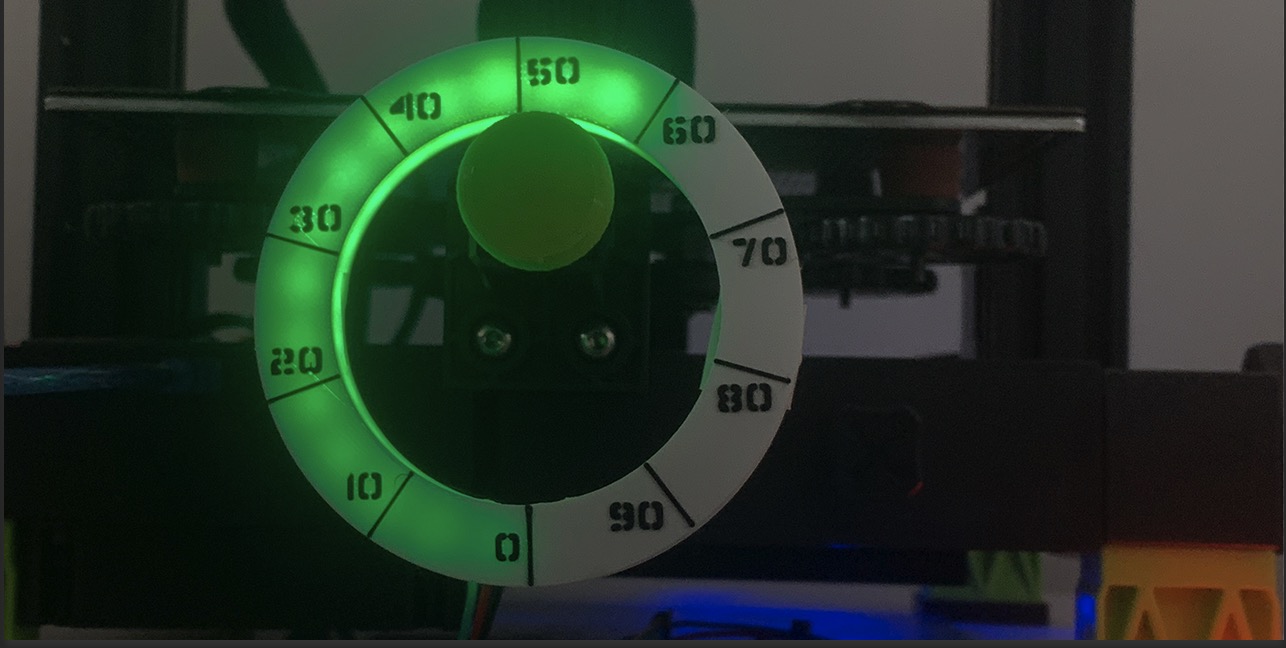
sure, i have nepixel status bar, as usual.
but i added a LDR sensor (is is configured as a custom tmep. sensor in klipper) to monitor ambient light, so the leds can respond to it.
so me and chatgpt put together modified digitalninjas macros to include brightness as a new parameter proportional to the LDR output. and then had delayed macro to check the light level and adjust the LED brightness acordingly.
and that messed with the printer, for some reason, it seemd like it wasnt the repeating delayed macro, i tried to set it to run just every minute or so, and the problem pressisted, so it really was just my bad coding skills.
https://github.com/digitalninja-ro/klipper-neopixel
GitHub
Klipper NeoPixel Templates. Contribute to digitalninja-ro/klipper-neopixel development by creating an account on GitHub.
fossil verge
crazy, thanks for sharing
twilit sky
np