#h1-tech-support
1 messages · Page 47 of 1
 rain cradle
There is little guide in tech-fixes how to restore your save from one of backups which games create from time to time.
 crude star
The last 2 saves are just all nul values. But the 3rd save looks like a valid save.
 surreal peak
is it normal that i just got a treasure trove that started at 0?
 flint compass
did you have a pauper's chaos curse active?
surreal peak
ahhh that might have been it, i'd completely forgotten about it 🤦♂️
 stray elm
Slashes, yes
Did you launch the game from outside of steam? Or in offline mode?
Could you follow the steps at the end of #h1-tech-fixes about sending an email to support@supergiantgames.com with some system log files?
stray elm
crude star
The last 2 saves are just all nul values. But the 3rd save looks like a valid sa...
Just to confirm, you were able to recover your progress?
 unreal seal
Howdy I'm on switch and my progress reverted after one of the recent updates back to before I got to the ending. Is there anything I can do?
stray elm
unreal seal
Howdy I'm on switch and my progress reverted after one of the recent updates bac...
Most likely not, unfortunately, sorry. Saves aren't directly accessible on the Switch—how much did you lose?
unreal seal
I can't remember exactly but I was making my way through the heats and I think I had a couple sixes and mostly threes. Probably between 20 and 30 clears
stray elm
Dang, sorry to hear that. If you have it on the PC, I could send you a more progressed save to help get you back to where you were, but there currently isn't a way to do that with just the Switch, sorry
crude star
stray elm
Just to confirm, you were able to recover your progress?
Haven't been able to.
stray elm
crude star
Haven't been able to.
Alright—if you'd like, you could zip up your save files and DM them to me, and I can find one that works.
Before that—do you still have a file called Profile1_temp.sav?
crude star
And happy holiday's Swan! Thanks for being here, but it won't kill me to wait until Monday if you should be on vacation.
My first step was backing up the entire Saved Games\Hades folder.
I've got everything.
stray elm
As in, is that file still in your main folder, not the backup?
crude star
It is, but glancing at it looked like it's all Nuls.
stray elm
Alright—delete that _temp.sav file from the main folder
stray elm
stray elm
Alright—delete that _temp.sav file from the main folder
@crude star Let me know how this goes, otherwise I'll take a look in a bit
crude star
Cleared out all the _temp.sav files, still loads with an empty profile.
stray elm
crude star
Cleared out all the _temp.sav files, still loads with an empty profile.
Alright, I'll take a look later today 
 lime linden
My cross-save isn’t working! The save on my Switch is from pre-1.0, and it’s missing about 50 runs worth of data from my Epic Games save. Any ideas on a fix?
stray elm
lime linden
My cross-save isn’t working! The save on my Switch is from pre-1.0, and it’s mis...
Just to be clear--your current save is on Epic, and you're trying to move that to your Switch?
lime linden
Yea!
stray elm
lime linden
Yea!
Have you been playing through the Epic Launcher, or starting manually?
lime linden
Epic Games Launcher
stray elm
And your save file there looks fine?
lime linden
Yes
stray elm
When you look on the Switch, does it have a cloud icon over the save slot? And if so, does it have a check mark, or a question mark?
lime linden
Check mark
stray elm
Alright. Could you play a bit more on Epic, then save and quit, and check again on the Switch?
lime linden
stray elm
Alright. Could you play a bit more on Epic, then save and quit, and check again ...
I tried that already and nothing changed
stray elm
Drat :/ If you check Documents / Saved Games / Hades, is there a file with the same timestamp as the run on the Switch?
 frosty tiger
Mouse Lock doesn't seen to be working in the Epic Games version, most recent
stray elm
frosty tiger
Mouse Lock doesn't seen to be working in the Epic Games version, most recent
As in, your mouse can leave the screen?
frosty tiger
Yes
lime linden
stray elm
Drat :/ If you check `Documents / Saved Games / Hades`, is there a file with the...
Under the datastorage folder there is
stray elm
frosty tiger
Yes
Have you verified file integrity yet?
frosty tiger
stray elm
Have you verified file integrity yet?
Yes
stray elm
frosty tiger
Yes
Could you try going into Documents / Saved Games / Hades, then backing up and deleting Profile1.sjson?
stray elm
lime linden
Under the datastorage folder there is
But none of the save files?
frosty tiger
stray elm
Could you try going into `Documents / Saved Games / Hades`, then backing up and ...
done
lime linden
stray elm
But none of the save files?
In a subfolder of datastorage that’s just a bunch of characters there’s another save with the switch time stamp
stray elm
lime linden
In a subfolder of datastorage that’s just a bunch of characters there’s another ...
Alright...could you try saving a copy of the files in that folder, then delete them? And then do the same thing, play a bit, save, and check the Switch
stray elm
frosty tiger
done
If you start it back up, mouse still not locked?
lime linden
stray elm
Alright...could you try saving a copy of the files in that folder, then delete t...
Will do in a bit! Thank you
frosty tiger
stray elm
If you start it back up, mouse still not locked?
Still not locked, still leaves the screen
crude star
Thank you, @stray elm , for getting my system back on its feet! Merry Christmas to all and good luck with your tech issues!
stray elm
frosty tiger
Still not locked, still leaves the screen
I'm assuming you've already tried toggling the setting a few times--could you report that in-game with  ?
?
frosty tiger
stray elm
I'm assuming you've already tried toggling the setting a few times--could you re...
Will do, thanks and Happy Holydays
 vale oriole
Hi tech support, my switch data just overwrote my actual PC progress and the steps they are saying to follow to revert to old saves on PC aren't working right now. Could I get some help?
stray elm
vale oriole
Hi tech support, my switch data just overwrote my actual PC progress and the ste...
Heyo--I'm a bit busy right now, but if you zip up your save files and send them to me I can take a look later
lime linden
stray elm
Alright...could you try saving a copy of the files in that folder, then delete t...
I tried this and it didn’t work 😦 I don’t even know where it’s finding this save
stray elm
lime linden
I tried this and it didn’t work 😦 I don’t even know where it’s finding this sav...
Could you follow the steps at the end of #h1-tech-fixes , including a zip of your entire Saved Games / Hades folder?
 plucky notch
Hey Tech Support:
In Styx, is Ceberus's snack always in a path marked by a skull? My last run had both skull paths have mini bosses without the snack. I had to take another to find it
 vast gull
no, it's just random chance
stray elm
plucky notch
Hey Tech Support:
In Styx, is Ceberus's snack always in a path marked by a skull...
The minibosses are the ones marked with a skull
plucky notch
So it's coincidence that I usually find it in a skull path?
stray elm
no worries ^.^
 nocturne mango
hi so it seems my cloud save overwritten my local save or my local save couldn't get uploaded so now my progress is half of what i had done in the last 2 weeks or so. is there a way to get back my more progressed save? thanks
stray elm
nocturne mango
hi so it seems my cloud save overwritten my local save or my local save couldn't...
Heyo--could you submit a bug report in-game with ? And then there are some steps towards the end of #h1-tech-fixes about recovering progress
 deft saddle
Whenever I shift-tab to open the steam overlay, it starts flickering. I think it's a problem with the game because when anything steam related pops up such as an achievement, the game starts flickering again. What should I do? I'm on Windows 10 btw.
stray elm
deft saddle
Whenever I shift-tab to open the steam overlay, it starts flickering. I think it...
Are you using the Steam Beta?
deft saddle
stray elm
Are you using the Steam Beta?
Yes
stray elm
deft saddle
Yes
Could you try opting out of the beta and seeing if that changes anything?
 inner herald
Hello. My save files are corrupted. Luckily I do have backup of some files from earlier. I tried to follow the steps to recover it (naming the files part) but it just doesn't work for some reason. I'd be glad if someone can help. Thanks!
stray elm
inner herald
Hello. My save files are corrupted. Luckily I do have backup of some files from ...
Heyo--could you send me a screenshot of your Hades folder with the save files? Here or DM is fine
inner herald
Alright, a moment
 digital meadow
Hey, I've fiddled with full-screen and vsync settings, I have updated to the latest graphics driver. I've tried vulcan. Every time I attack in the game, I get this really strange visual glitch that makes me feel nauseous, any ideas?
stray elm
digital meadow
Hey, I've fiddled with full-screen and vsync settings, I have updated to the lat...
Does this happen in any other location?
digital meadow
stray elm
Does this happen in any other location?
I haven't tried going anywhere else, I didn't want to proceed with the game like this but I will give it a go right now.
stray elm
digital meadow
I haven't tried going anywhere else, I didn't want to proceed with the game like...
just a little bit, you don't need to test much--if it happens anywhere else, and after if you go to the next room, that's all I'm looking for
digital meadow
stray elm
just a little bit, you don't need to test much--if it happens *anywhere* else, a...
My recording software crashed. Half-way through the first room, everything turned black except the green lights. Next room looked okay at first, but there were strange warping on the ground when I attacked. Similar visual glitch when attacking in the room after that.
stray elm
Alright--could you try verifying file integrity?
digital meadow
sure
digital meadow
stray elm
Alright--could you try verifying file integrity?
That's what was wrong. 2 files failed to verify. The glitching has stopped. Thank you!
stray elm
Sure thing!
 pure torrent
Hi there! I had a problem with cloud save. I lost the 2-3 days progress. Local save file had date 23.12, but cloud save had 21.12. I tried the steps from #h1-tech-fixes , the file renaming did not work immediately. To fix I turned off the EpicServices in settings, removed cloud.cache files, started game again, then I apply newer local save. I turned on the EpicServices again and now the save is up-to-date.
P.S. Sorry for my english)
stray elm
pure torrent
Hi there! I had a problem with cloud save. I lost the 2-3 days progress. Local s...
Hello! Just to make sure—were you able to get the correct save to load?
(And feel free to use your preferred language, I'm happy to use a translator on my end)
pure torrent
Yes, now save is correct
stray elm
Awesome! Thanks for the report on how you fixed it ^.^
 woven herald
Hey I hope everyone's having fun this holidays, I just wanted to submit a quick piece of feedback and this seems to be the best channel to do so
I just wish there was a way to make the controller buttons show the PlayStation icons
stray elm
woven herald
Hey I hope everyone's having fun this holidays, I just wanted to submit a quick ...
You can try the launch option /PS4Gamepad=true , though I don't know for sure that that fixes it
 spring carbon
Hello, how do I report a bug if I'm playing on the Switch version?
woven herald
stray elm
You can try the launch option `/PS4Gamepad=true` , though I don't know for sure ...
It didn't but thanks for the help!
stray elm
spring carbon
Hello, how do I report a bug if I'm playing on the Switch version?
By sending a message here, along with any screenshots or videos you have that might help ^.^
stray elm
woven herald
It didn't but thanks for the help!
If you're on Steam, you can also check out the Big Picture Mode settings
spring carbon
stray elm
By sending a message here, along with any screenshots or videos you have that mi...
So was in-game in the final boss. Had the fists on then knocked him way out into the pond. Now he's stuck there and it's looking like I have to give up the run
 hearty moss
Merry Christmas! I played Hades for 90 minutes yesterday. I made sure it saved before quitting. Now I started the game again and my save disappeared. I tried following the steps to recover the save, but there's no save file. It simply disappeared.
stray elm
hearty moss
Merry Christmas! I played Hades for 90 minutes yesterday. I made sure it saved b...
Heyo—this is an issue I've seen several people having recently. I've got a fix for it, but before that, could you follow the steps at the end of #h1-tech-fixes about sending an email to support@supergiantgames.com ? And please include a zip of your entire Documents / Saved Games / Hades folder
(Tagging @crude acorn for later reference)
stray elm
spring carbon
So was in-game in the final boss. Had the fists on then knocked him way out into...
Try walking all the way to the other side, does that do anything? And also try using your Call
(Tagging @Ender#8415 for later reference)
hearty moss
stray elm
Heyo—this is an issue I've seen several people having recently. I've got a fix f...
Email sent. Thanks.
spring carbon
stray elm
Try walking all the way to the other side, does that do anything? And also try u...
Tried running around the entire map, his summons (the vase with hands) still appear but that's it. I also summoned Fidi, but its attacks just hit the wall near the exit
stray elm
hearty moss
Email sent. Thanks.
Alright—in terms of fixing, I can DM you a zip containing pre-made save files. You'll want to unzip those, copy them into that same Documemts / Saved Games / Hades folder, then start up the game. When you open the play menu, delete the save, then start a new game in the same slot
stray elm
spring carbon
Tried running around the entire map, his summons (the vase with hands) still app...
Drat. I actually can't see him in that screenshot, is he behind something?
And unfortunately, I don't think I have a fix for that for the Switch, sorry
spring carbon
stray elm
Drat. I actually can't see him in that screenshot, is he behind something?
You can see his leg between 'Hades' and 'God' in his life bar. I think he's caught in the debris there. Oh well, guess will just redo the run
 spring carbon
Haha I guess Poseidon's boon worked a little too well
stray elm
Yeah. Good luck with your run!
spring carbon
stray elm
Yeah. Good luck with your run!
Thanks, will just redo the run. Thanks for the quick replies
woven herald
stray elm
If you're on Steam, you can also check out the Big Picture Mode settings
Nvm it did, just not on the Main Menu
Again, thanks for the help
stray elm
Sure thing ^.^
stray elm
stray elm
Alright—in terms of fixing, I can DM you a zip containing pre-made save files. Y...
Let me know if that works for you to try, Thales
hearty moss
stray elm
Let me know if that works for you to try, Thales
Yes, let's try.
stray elm
Sent
hearty moss
I tried the fix, but with no luck. The game simple refuses to save anything, in any slot.
 vestal olive
160 hours of playtime without a single crash but with the 2 latest AMD driver the game now crash in directX mode, i get rendering device lost message. Actually getting the same message from Overwatch, who has been stable for months too...
 hollow pine
So my crossaves on switch cannot be played on pc
 wild heath
hi, a few days ago i ask for technical support but i couldnt attend to the answer, anyways I still with my problem, the game in question, Hades, doesnt save my progress, i think that the problem is that i can't change the folder to "not lecture only mode ", i tried everything in the FAQ but i think i am doing something wrong, please help
 terse trout
Hi! I purchased Hades on Switch this morning, in order to play my PC's save everywhere. But my switch don't load my save, the synchronization fails every time 😦 What can I do?
crude star
@terse trout I'm sure tech support will ask this first: Did you go into Steam> right-click Hades > properties... > and have "Keep games saved in the Steam Cloud for Hades" turned on?
 wheat elbow
Hello
for some reason my game instantly crashes/freezes when i press F10 when im trying to report a possible bug
terse trout
crude star
<@!157169971766493184> I'm sure tech support will ask this first: Did you go int...
My PC save is on Epic Launcher 😮
crude star
Then I'm guessing Epic has a similar setting you need to find?
Epic > Library > the "..." under Hades > "Enable Cloud Save" should be on.
terse trout
crude star
Then I'm guessing Epic has a similar setting you need to find?
Yes it's checked already 🙂
crude star
The next thing I'd try is launching the game in Epic, move between rooms a couple times, exit the game, then see if that forces an update to the Switch.
terse trout
crude star
The next thing I'd try is launching the game in Epic, move between rooms a coupl...
It's doesn't change anything : / Maybe I should try to uninstall/install the game
crude star
This might help: https://www.inverse.com/gaming/hades-switch-update-patch-pc-cross-save-how-to -- maybe you just need to make sure you've updated on the Switch?
terse trout
crude star
This might help: https://www.inverse.com/gaming/hades-switch-update-patch-pc-cro...
I followed these steps, both of my game are updated... I don't understand : /
crude star
Sounds like you have a true tech-support question, then. 😦
 leaden sapphire
Hi
I need help with my brother's save file
It keeps resetting to like 4 or 5 escape attemps and is not saving his progress
(on Steam)
nocturne mango
stray elm
Heyo--could you submit a bug report in-game with <:f10:588476684609519617> ? And...
huzzah! thanks for backup saves! i manage to retrieve my data 😄
stray elm
leaden sapphire
It keeps resetting to like 4 or 5 escape attemps and is not saving his progress
Could you have him follow the steps at the end of #h1-tech-fixes about emailing support@supergiantgames.com some system logs and a description of the problem?
stray elm
terse trout
I followed these steps, both of my game are updated... I don't understand : /
Could you double check that your Switch's clock is correct? That could interfere
leaden sapphire
stray elm
Could you have him follow the steps at the end of <#675070621075374090> about em...
Which steps?
I already tried the save renaming
stray elm
wheat elbow
Hello
for some reason my game instantly crashes/freezes when i press F10 when i...
It's probably not actually crashing, you may just need to alt+tab to find it, as it sometime opens behind the game window
stray elm
wild heath
hi, a few days ago i ask for technical support but i couldnt attend to the answe...
I would check Windows "Controlled Folder Access" and disable it
stray elm
hollow pine
So my crossaves on switch cannot be played on pc
What's the issue, specifically?
stray elm
vestal olive
160 hours of playtime without a single crash but with the 2 latest AMD driver th...
Steam or Epic?
stray elm
leaden sapphire
Which steps?
The steps about sending the devs an email.
Though first, could you check to see if the files are marked as read-only?
vestal olive
stray elm
Steam or Epic?
steam
stray elm
vestal olive
steam
Have you tried the other two options that show up when you start the game? (Vulkan or 32-bit)
vestal olive
stray elm
Have you tried the other two options that show up when you start the game? (Vulk...
yes, it seems fine in vulkan
 tame ridge
Hi everyone
I've just been gifted an Nvidia shield pro (2019) for christmas and I was wondering if there is a way to create a shortcut that will launch the epic game store on AMD link (so that I can sync my games when playing on the nvidia shield)
I managed to create a shortcut of the game in the AMD link, but it runs offline and I can't save my progression
Has anyone encountered the same problem? Or has a lead? II know it's not really game-related but I figured I could ask.
(PS: I've been using the search tool to check if anyone had already asked for a solution and found nothing)
Thanks a lot for your answers
stray elm
vestal olive
yes, it seems fine in vulkan
Then that should be fine. Vulkan is just a different renderer than directX
terse trout
stray elm
Could you double check that your Switch's clock is correct? That could interfere
Oh yeah it worked! Thank you ^-^
stray elm
Sure thing ^.^
stray elm
tame ridge
Hi everyone
I've just been gifted an Nvidia shield pro (2019) for christmas and ...
When you say "can't save progression", are you referring to achievements or game progress?
wheat elbow
stray elm
It's probably not actually crashing, you may just need to alt+tab to find it, as...
No
It just goes into a black screen or something else weird
I did it a second time and I got a bring blue screen
And I couldn't tab back to the desktop or back to the game right
It wouldn't do anything
And I couldn't even close it normally
I had to use task manager
stray elm
Not even if you hold alt and press tab a few times, you don't see it?
wheat elbow
I can see the game screen but
Its just completely frozen
With either a black screen or something else
What was supposed to happen when I press F10
a Google link? An ingame menu?
stray elm
The game appearing the freeze is expected—it's completely paused while you're reporting. You should see a pop-up in a new window, that contains a couple text fields and displays a screenshot of the game
stray elm
That's a known issue with hitting that goes away after the report is submitted
Maybe try binding it to a different button in-game
wheat elbow
I didn't notice any pop up windows
Maybe I'm just blind
I'll try it out again later
oh there it is
i see it now
maybe i didn't see it last time or it actually didn't pop
well thanks for the help
stray elm
Sure thing ^.^ Thanks for reporting a bug
 tender sapphire
The game is crashing multiple times on DirectX. Is there a instruction to force Vulkan on launch options (without having to manually select it every single time)?
stray elm
tender sapphire
The game is crashing multiple times on DirectX. Is there a instruction to force ...
There is not a launch option like that, no
You can launch the Vulkan executable manually, but that won't be registered by Steam at all
tender sapphire
Okay...
tame ridge
stray elm
When you say "can't save progression", are you referring to achievements or game...
On the AMD link, I can't add a shortcut that enables me to launch the game and the Epic Store at the same time (see screenshot).
tame ridge
stray elm
When you say "can't save progression", are you referring to achievements or game...
I have to redirect to the hades.exe file, but when the game starts it's offline, and my progression won't sync with the Epic cloud.
stray elm
Ah, I see
That makes sense—even if the Epic Store is open, you need to launch the game through it to get the benefits of Epic Services
tame ridge
stray elm
Ah, I see
I tried to launch the store before the game, and it doesn't work. The game stays offline
You answered faster that I typed 🙂
tame ridge
stray elm
Hahaha
it enables me to control my computer remotely, using a box connected to my tv, i'm going to take a pic for you to see
stray elm
Aight, so similar to Steam Link
tame ridge
stray elm
Aight, so similar to Steam Link
Kinda ^^ it has the same purpose but doesn't work the same
It's more comparable to Nvidia's Geforce Now
stray elm
Mmkay. Ahh, I see. It doesn't give you access to the desktop or anything
Just games you've set up with it?
tame ridge
stray elm
Mmkay. Ahh, I see. It doesn't give you access to the desktop or anything
Yeah, I can access the desktop, but ideally i would have prefered to be able to launch the game through the shortcut of the AMD interface.
Right now, as it doesn't, I have to buy a wireless mouse and keyboard to do that in the living room on my tv.
And as you can see, it's way less practical to use...
stray elm
Could you set up your controller to function on the desktop?
I know Steam has an easy way to do that, if nothing else
tame ridge
I use the xbox one controller and so it doesn't work...
stray elm
Doesn't work with Steam?
tame ridge
stray elm
Doesn't work with Steam?
When you say Steam in that sentence, do you mean steam link or steam the application ?
stray elm
Steam the application, because if you can use AMD link to view your desktop, then Steam's controller setup to use your controller on the desktop, that might work
tame ridge
stray elm
Steam the application, because if you can use AMD link to view your desktop, the...
I understand, however I don't own a Steam controller
stray elm
You can do that with any controller (I'm assuming you're using a controller for this)
deft saddle
stray elm
Could you try opting out of the beta and seeing if that changes anything?
i opted out of the beta and i still have the same issue, however, i switched from Vulkan to Directx and no longer have the issue
stray elm
Great! Thanks for the update
 inner anchor
how does cross saves work with Steam & switch cause I would like to play my switch save on my steam copy
stray elm
inner anchor
how does cross saves work with Steam & switch cause I would like to play my swit...
On the Switch, you'll go into the Cross-Saves menu, link your Steam account, then play for a little bit on the Switch. When you next start up on Steam, you should see your save.
There are instructions in-game on the Switch, please read through them and any pop-ups carefully, so that you don't accidentally overwrite your progress
inner anchor
okay I think I need to delete my original steam save first cause it's created in the same slot as on my switch
stray elm
You'll be given an option to overwrite that, though it wouldn't hurt. To delete the save completely, delete the Profile1.sav file in Documents / Saved Games / Hades while the game is open, then close the game
inner anchor
my switch save is now on steam, thanks for the help
 rigid wraith
Question: I'm trying to screenshare Hades on discord with a friend but discord is not showing it as an application. Any idea what's going on here?
stray elm
rigid wraith
Question: I'm trying to screenshare Hades on discord with a friend but discord i...
Maybe try toggling FullScreen?
rigid wraith
That did it. I tried to toggle on borderless before I asked and that didn't work, didn't occur to me that toggling off fullscreen was even an option
thanks
stray elm
Sure thing ^.^
 frigid patrol
sometimes my game would run without problems, and some other times an error would pop up saying that the connection to my DirectX driver was lost... and now this error is popping up as well. i tried vulkan and i checked that my drivers are up to date but it happening, what should i do?
stray elm
frigid patrol
sometimes my game would run without problems, and some other times an error woul...
Does Vulkan have this same issue?
frigid patrol
stray elm
Does Vulkan have this same issue?
yes it does, and the 32 bit version as well
stray elm
Could you follow the steps at the end of #h1-tech-fixes about emailing support@supergiantgames.com ?
frigid patrol
yes, of course, thank you
stray elm
and then I would also take a look under this section: If You're Having Issues Launching the Game, or See a Black Screen
some of those might help
 alpine dust
i killed hades 3 times and now when i try to open my save the game crashes
stray elm
alpine dust
i killed hades 3 times and now when i try to open my save the game crashes
What kind of crash? (and if you haven't already, please edit or delete your message in #h1-for-new-players )
alpine dust
and this appears
stray elm
Thank you ^.^
Alright--can you put your discord tag in the "name" field, then hit submit on that crash report?
stray elm
This happened when you tried to select the save slot, or when you tried to start up the game?
alpine dust
when i tried to open my game slot
stray elm
alright. Could you run through the first 3 steps listed in that screenshot? If those don't help, I've got some more things to try, but let's start with those
alpine dust
i cant find the doccument...
stray elm
which document?
alpine dust
\documents\saved games\hades\
stray elm
the full path will look something like this:
C:\Users\<username>\Documents\Saved Games\Hades
stray elm
yup! Though you don't need to be there just yet--I'd start by verifying file integrity
alpine dust
how
stray elm
On Steam:
· Right-click on Hades in your Steam Library
· Select 'Properties...', then select the 'Local Files' tab
· Select 'Verify Integrity of Game Files...'On Epic Games Store:
· Locate Hades in your Library
· Click the three-dots symbol near the game title, and select 'Verify'
stray elm
alright--and make sure your drivers were up to date?
alpine dust
yeah
stray elm
aight. In that case, backup and then delete Profile1.sjson
alpine dust
how do i backup the file
stray elm
just save a copy in another folder
alpine dust
haha sorry i dont reallu understand any of this
alpine dust
so i copy the file elsewhere and delete the original one?
alpine dust
done
stray elm
Now try starting up the game again, and see if the slot will load
stray elm
alright. Could you send me a copy of your save files, and I can take a look? The easiest way is to zip them up and DM them to me
(to zip them, select all of your files starting with Profile1, then right click -> send to -> compressed (zipped) folder)
 sharp narwhal
alpine dust
and this appears
sharp narwhal
alpine dust
and this appears
You're running an outdated version of the game (1.35966). Update the game through its launcher
Updating will fix the crash
stray elm
ooh, that would also do it, thanks Ellis!
alpine dust
the game is cracked lmao sorry
stray elm
Then in this case (because you're missing some updates), there isn't much we can do to help, other than encouraging you to purchase the game on Steam or Epic
 snow hinge
I just got hades today on my mac and for some reason I can't open it
when i try to open it it closes right after
and I was hoping someone form here can help me
stray elm
snow hinge
I just got hades today on my mac and for some reason I can't open it
What OS are you running?
stray elm
Hades has 10.13.6 listed as the minimum for running the game--it looks like Sierra is 10.12.x
snow hinge
ok
stray elm
 fringe cliff
Heyo--you'll need to close and reopen the game. Are you using Steam or Epic?
fringe cliff
steam
stray elm
Alright--then I'd follow the steps listed there, and if you lost your run progress it can be recovered (steps towards the end of #h1-tech-fixes )
 ruby locust
Hello. I downloaded Hades today and played for about 3 hours. I closed the game and returned later to find no save file. After checking Reddit, I found out it was because my Windows Virus Protection was blocking the save. I tried following the tech fixes, but it is not working (or really I am not doing it right). I might have made things worse. lol Any help would be appreciated.
stray elm
ruby locust
Hello. I downloaded Hades today and played for about 3 hours. I closed the game ...
Heyo--this is a known issue that has popped up quite a bit recently. You'll most likely need to disable Windows Controlled Folder Access for now
 lilac cloak
Hello, i have a question about cross saves. is it normal for the clear/time/best heat data to not transfer over? I originally played on the switch (~200 hours). I bought hades against through steam and enabled cross saves and everything seemed ok – keepsakes, weapons, etc. I finished my first run and it seems that that data did not transfer over
stray elm
lilac cloak
Hello, i have a question about cross saves. is it normal for the clear/time/best...
Are you playing on God Mode, or were you playing on it before?
ruby locust
stray elm
Heyo--this is a known issue that has popped up quite a bit recently. You'll most...
I was able to disable Windows Controlled Folder Access, but even after following those steps, my old save is not there.
stray elm
Unfortunately, that progress is likely lost, because the game wasn't able to generate the save files
However, you should be able to save now--I'd do a quick couple rooms to test
if it still isn't saving, I have some more things that should work
ruby locust
No worries. It was only a little over three hours of play time. Thank you.
stray elm
Sure thing Good luck!
hollow pine
stray elm
What's the issue, specifically?
Basically I uploaded my switch save but it doesn't not appear on my steam save
stray elm
hollow pine
Basically I uploaded my switch save but it doesn't not appear on my steam save
Just to make sure--you hit "sync and quit" on your Switch?
stray elm
Have you played Hades on Steam before?
hollow pine
Yes I have
stray elm
Do you have an existing save in one of your slots?
hollow pine
Yes on both
stray elm
If you check your Steam Cloud https://store.steampowered.com/account/remotestorageapp/?appid=1145360, do the files there look like your PC ones?
hollow pine
My pc files have a bunch of bak and sjson files
stray elm
Yeah, the cloud doesn't pick up all of those--in terms of timestamps, do the files there look like your PC files of the same names?
hollow pine
Yeah
stray elm
Alright. Could you try unlinking from Steam on the Switch, restarting it, then relinking and trying again?
It sounds like the upload didn't go through for some reason
stray elm
I'd try that then, it might make a difference
stray elm
Drat. As far as I'm aware, you're doing it correctly. Could you follow the steps at the end of #h1-tech-fixes about emailing support@supergiantgames.com ? Any response might be a bit delayed because of the holidays, but hopefully they'll be able to help you there
stray elm
Sure thing! Sorry I couldn't be of more help Best of luck, and happy holidays!
hollow pine
It's ok happy holidays too
 upper adder
Hello, can someone help me, my game is not saved, I don't know how to help please
stray elm
upper adder
Hello, can someone help me, my game is not saved, I don't know how to help pleas...
Hello! Are you just starting out playing?
upper adder
stray elm
Hello! Are you just starting out playing?
yes
stray elm
Alright. There's a known issue right now for new players—you may need to disable Windows Controlled Folder Access. Another potential fix if that doesn't work is I can send you a set of save files for you to paste in, and then overwrite.
(Tagging @satanhadrave#9142 for later reference)
upper adder
stray elm
Alright. There's a known issue right now for new players—you may need to disable...
ok can you pass me those files to overwrite them
stray elm
Do you mind if I DM you?
upper adder
what is a dm?
stray elm
Direct message
upper adder
oh okey sure
stray elm
Sent
 slender snow
Hello, i need support help. I played ~100h from beta. Now i cameback but game just shown blackscreen when i try to launch.
stray elm
slender snow
Hello, i need support help. I played ~100h from beta. Now i cameback but game j...
Could you go into Documents / Saved Games / Hades , then backup and delete Profile1.sjson ?
That should fix it
slender snow
@stray elm yeah,fixed it. Tks you so much guy!
stray elm
Sure thing ^.^
 golden knoll
I have a question regarding the cross save feature. Will I be able to play the cross-saved file whilst the device is not connected to the internet?
stray elm
golden knoll
I have a question regarding the cross save feature. Will I be able to play the c...
Yes, though you must transfer the file while connected
Essentially, each time you save and quit, the file is sent to the cloud for the other device to read, and when you start up, it reads in from the cloud
golden knoll
so basically i have to load up the save file while connected, then i can play offline till i want to quit
stray elm
And then you'll need to save and quit again while connected to reupload the file for your other device
golden knoll
could it temporarily save offline before quiting and i only upload it the next time i go online?
stray elm
yes, that's correct
it will save locally just like normal
and then when you're connected, it will also save to the cloud
golden knoll
i see, thats good
at least i will be able to switch to other games on the switch before getting connected
thanks for clearing it up 🙂
stray elm
Sure thing ^.^
And you should only need to load the file once while connected, then it's saved locally
stray elm
Exactly!
golden knoll
cheers! 🙂
 hollow zenith
All my save files corrupted again after blue screen (windows), this is the second time. I followed the instructions and tried to recover from back files and none of them worked. Can I get some help?
stray elm
hollow zenith
All my save files corrupted again after blue screen (windows), this is the secon...
Heyo! Could you send me a screenshot (here or DM) of your saved games folder?
hollow zenith
saves
stray elm
is profile 1 or 2 corrupted?
hollow zenith
both corrupted. 1 corrupted a few days ago and then I started a new one (2) and it just corrupted as well
stray elm
Alright. Could you save a copy of all of those files in a backup folder (I'd just make a folder called "backup")?
Then, start up the game. Once it's started up all the way, go into the folder and delete all of the _temp.sav files. Then, open the "Play" menu and see what your saves look like
hollow zenith
ah, the second save seems to be recovered
stray elm
Do you still want to try to recover the first?
hollow zenith
I just tried another save1 and it seemed to be recovered as well. thanks so much
stray elm
Sure thing!
hollow zenith
Is there a way to fix the windows blue screen crash? I’ve got three consecutive ones
stray elm
hollow zenith
Is there a way to fix the windows blue screen crash? I’ve got three consecutive ...
What's the error message?
frigid patrol
hello! i would like to know how long approximately would it take for an email to be replyed?
stray elm
frigid patrol
hello! i would like to know how long approximately would it take for an email to...
Right now, it may be slower than normal because of the holiday season
I don't have a specific timeframe though, sorry
frigid patrol
okay! thank you very much
hollow zenith
stray elm
What's the error message?
Looks like "The computer has rebooted from a bugcheck. The bugcheck was: 0x0000007e (0xffffffffc0000005, 0xfffff8021d9c9407, 0xffffa900eba1aed8, 0xfffff80222890930). A dump was saved in: C:\WINDOWS\MEMORY.DMP. Report Id: af1bbf77-8ac4-41b1-b547-891b9f8c7a79."
stray elm
have you made sure your drivers are all up to date, and that you have the latest version of windows?
hollow zenith
Well, it autoupdates drivers from time to time. But I can try manually again
 bitter kiln
okay, so it happened again, i was playing and it said the game was saved from less than a minute ago but when i re-run the game, all progress was lost, how can i retrieve it?
stray elm
bitter kiln
okay, so it happened again, i was playing and it said the game was saved from le...
You need to disable Windows Controlled Folder Access, most likely. The steps at the end of #h1-tech-fixes may help with progress recovery
There's a known issue with CFA right now, but the because of the holidays it may be longer until a fix is out
bitter kiln
I did, but i cant seem to recover the data progress i lost
stray elm
Were you just starting out with that save?
bitter kiln
it is the first log save i had, but i've played for a few hours already, got 8000dark
or at least on the last log i have which is from two days ago
stray elm
None of your save files are from the past day?
bitter kiln
one question, when it says on hades-tech-fixes do i have, if the first time didnt work, to change the names of each till all sav. files have the same name or do i keep changing back teh files that didnt work
no, i played on run today for like almost and hour and thats it
one*
stray elm
Keep changing back, otherwise you'll get files like Profile1 (2).sav, which the game won't notice
bitter kiln
yeah, okay
now i have one Profile1.sav & one Profile1_old.sav, don't know how it happened, don't know which one i have to change xd
stray elm
Ah—this should help. You can make the changes while the game is open, and refresh by opening and closing the Play menu
That will prevent files from duplicating
(and don't worry too much about getting them to the exact previous name, that's more just to get them out of the way)
bitter kiln
oh okay
stray elm
I'm going to be heading to sleep pretty soon, so if I don't get to your next message that's why, and I will when I get up tomorrow
bitter kiln
okkay, dont worry, thx
i still do have one name oldsav and one named 1.sav, and still dont know which one to change to what, they are not duplicated tho
stray elm
_old doesn't mean anything, that's just a placeholder name I tend to recommend using
bitter kiln
Like i have a file with each name so i can't chagne any without changing other that has the name and therefore not knowing to which name shall i change that other one
oh okay then the name doesnt matter
stray elm
Yeah
bitter kiln
ok
stray elm
The only important name is Profile1.sav, since that's what the game looks at
 digital nest
Hi, I've got Hades yesterday off Epic Games and I've already ran into a bit of a problem. None of my progress gets saved whatsoever, I went through the steps shown on both the website and the discord server but I've noticed there isn't any data saved to being with. I assumed this was because of the drive but I checked and the drive is fine, i can't think of any other reason why this might happen, perhaps is the cloud. Anyway if you have tips on how to solve this it'd be appreciated, thank you in advance 🙂
 severe basin
@stray elm did we ever get a response about the steam controller
 daring dune
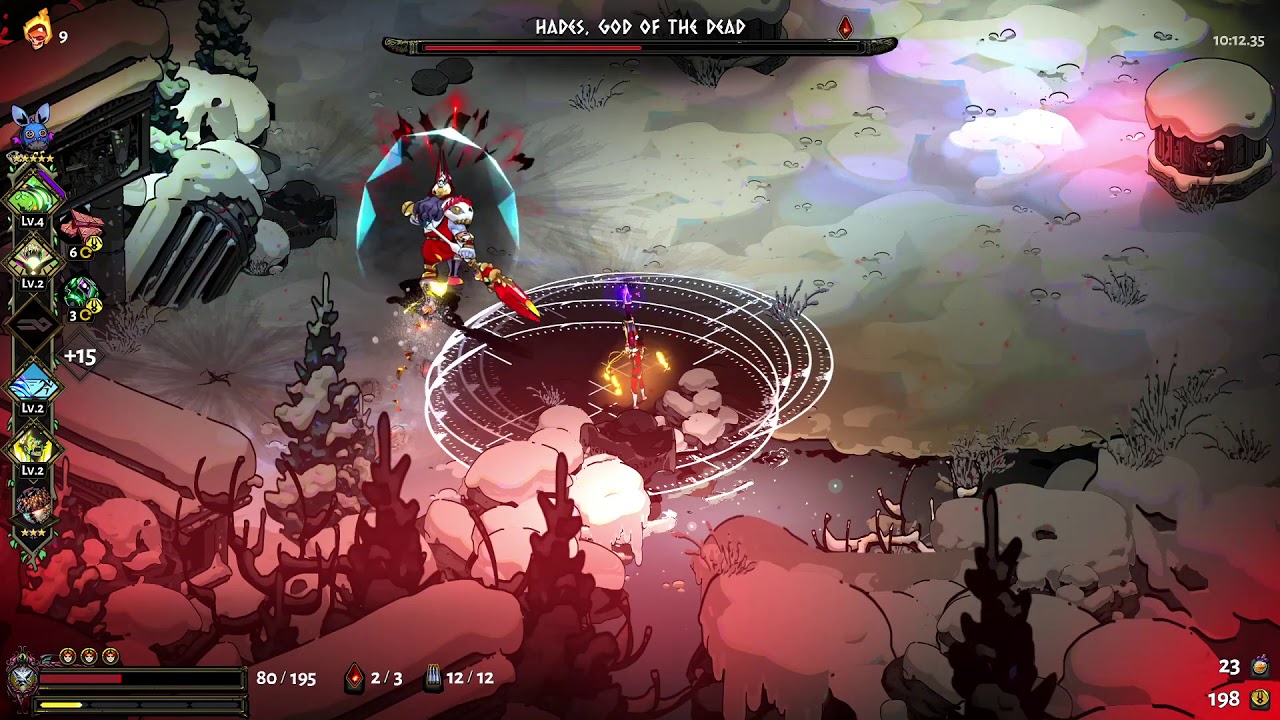
Hi, not sure if this is the correct channel for this, but I don't think the normal F10 bug report works for something like this. This has happened a few times to me and others, but ||Hades ||gets stuck in his impervious state just running around. Video link in spoiler: || https://www.youtube.com/watch?v=GlaN6tmfEpE ||
 upper iris
how do you report bugs as a switch player?
flint compass
you can report them here!
upper iris
well it seems myrmidion bracer is pretty bugged against the final boss. All of his attacks count as hitting you in the back no matter which way you're facing. (well on switch at least)
 upper iris
myrmidion bracer is from achilles thou
 dry canopy
yes achilles is dad
digital nest
No need for help anymore, figured it out, it was the anti-virus
i just had to white list hades and everything is working fine now
 dawn raft
Hi ! I have some issues with the saving system, a while ago, the game started to act weird with the saves, only reloading older saves. For example, i beat the final boss, back at the house i talked to every person i needed to, went to the room with skelly, and left the game. But when i came back, the game loaded the save before entering the final boss' realm, i basically fought the final boss 2 times during the same run. i have 130 hours on the game, and before 115-120 hours everything was fine. So i don't know if it's a sort of bug or something (i play on the latest version V1.37133) Thank you !
 lunar ravine
thanks for the reply. i did try wired, without any luck. the odd thing is, vibration/rumble does work on the DS4 via bluetooth, when i play Tomb Raider 🤔 but no luck on rumble in Hades for some reason
 mental salmon
Hey all, I was reaching out because I was trying to play Hades on my undocked Nintendo Switch but I can't use the "R" button or the "right trigger." When I hit this input, nothing happens which is annoying because I can't play the game really. I have tested my right trigger on other games and it works fine so any help would be greatly appreciated!
 sharp bridge
hi, the steam trading cards for the game is off?
flint compass
what do you mean?
sharp bridge
flint compass
what do you mean?
the cards for the badge dont drop.
the one that i have i bought it
flint compass
did you add hades to steam as a non steam game perhaps? other than that, if you own the game on steam, it must be a problem with steam.
flint compass
thats really strange. 
sharp bridge
flint compass
thats really strange. <:thanthink:669246004142538753>
yup xD i have a lot of medals and nothing of this happend xD
i tried other game and dropped
i will try to contact steam support
stray elm
severe basin
<@!132661721922797569> did we ever get a response about the steam controller
No but it's the holidays so I'm not going to ping them right now
stray elm
daring dune
Hi, not sure if this is the correct channel for this, but I don't think the norm...
Could you report that in-game and include that video link? Bug reports are easier to track than discord messages
daring dune
stray elm
Could you report that in-game and include that video link? Bug reports are easie...
will do thanks
stray elm
dawn raft
Hi ! I have some issues with the saving system, a while ago, the game started to...
You'll probably need to disable Windows Controlled Folder Access, there's a known issue right now
severe basin
I agree to not ping them, and am in no rush. It's just a curiosity rather than a need for it.
stray elm
mental salmon
Hey all, I was reaching out because I was trying to play Hades on my undocked Ni...
I would check the in-game controls menu
stray elm
severe basin
I agree to not ping them, and am in no rush. It's just a curiosity rather than a...
I do have you on my list of people to follow up with though ^.^
stray elm
upper iris
well it seems myrmidion bracer is pretty bugged against the final boss. All of h...
Could you try and get a video/screenshot of that happening? No worries if not
 vague coyote
wtf is this?
@signal sapphire (sry but i couldnt send images in hades for new players)
stray elm
Purely cosmetic
vague coyote
yes but it tagges items and stuff
stray elm
You could severely reduce your resolution maybe?
stray elm
You can manually set it with the launch options /x=1280 /y=720 , replacing with your desired resolution
Instructions on setting launch options are in #h1-tech-fixes
stray elm
Send a screenshot?
 uncut haven
it looks like when I sync'd my switch with steam cloud it overwrote my steam save, which was further along...
Is there anyway to get this save back?
stray elm
uncut haven
it looks like when I sync'd my switch with steam cloud it overwrote my steam sav...
Yes--there are instructions towards the end of #h1-tech-fixes
uncut haven
perf thank you!
 bitter ice
I seem to be having some trouble syncing; sync is enabled on Steam and my Steam is connected to the Switch and it has been syncing correctly thus far but it won't update to the latest save that I did
stray elm
bitter ice
I seem to be having some trouble syncing; sync is enabled on Steam and my Steam ...
You save isn't updating on Steam?
bitter ice
it doesn't seem like it no
stray elm
You may need to disable Windows Controlled Folder Access
there's a known issue with it currently
bitter ice
where do i find that?
stray elm
hit the windows key, then type in "controlled folder access"
bitter ice
it's telling me the page isn't available because of an IT administrator limiting access?
this is my personal computer and I'm the admin of it lol
stray elm
Huh. Not sure what to do for that
bitter ice
ah, it seems the game gave me an option for which save to go with
it's fine now, sorry for the trouble!
 elder wren
my switch is still failing to sync 😭
stray elm
elder wren
my switch is still failing to sync 😭
You may want to check that your system date and time are synced with actual time, if you haven't already
elder wren
that's a thing? 🤔
stray elm
apparently xD
 stray elm
Sweet!
elder wren
is that a recent finding (last couple of days)? I sent my logs several days ago in hopes epic would debug
stray elm
Yeah, Allison mentioned it recently
 median sparrow

 north igloo
fluffy boy
 shy fulcrum
would it be considered a "bug" to say that thanatos' ending dialogue post-encounter still allows the timer to start despite not being able to exit the encounter fully?
stray elm
shy fulcrum
would it be considered a "bug" to say that thanatos' ending dialogue post-encoun...
Not sure, to be honest, though feel free to report it in-game with if you're on PC
 chilly tree
Sorry if this's been asked before but I cannot forge a bond with Dusa. I think it's bugged. I have max hearts with her and have no more dialogs with her at the house of hades
 plain aspen
I cant do anything
Lemme record ok
Wtf nvm its fixed after i want to record
Black magic ok bye
stray elm
chilly tree
Sorry if this's been asked before but I cannot forge a bond with Dusa. I think i...
her final dialogue is locked behind RNG, unfortunately--how long has it been?
chilly tree
stray elm
her final dialogue is locked behind RNG, unfortunately--how long has it been?
More than 100 hours.
stray elm
since you got her final heart?
plain aspen
Bruh its broken again
I only can do attack move and dash
After i do attack move the caharcter freeze
stray elm
plain aspen
After i do attack move the caharcter freeze
what platform are you on?
stray elm
plain aspen
Vulkan mode
Keyboard or controller?
plain aspen
Keyboard
stray elm
do you have a controller connected?
stray elm
could you try verifying file integrity?
plain aspen
Oh i cant alt tab or win key
chilly tree
stray elm
since you got her final heart?
No, but it must be around 60hrs since that. I've been through the part involving her and Nix and solved that
plain aspen
But there is no controller connected
plain aspen
stray elm
could you try verifying file integrity?
I want to try that but i cant alt tab
stray elm
chilly tree
No, but it must be around 60hrs since that. I've been through the part involving...
alright--could you submit a bug report in-game with , and include your discord tag in the name field?
stray elm
plain aspen
I want to try that but i cant alt tab
you may need to force-close the game
plain aspen
How
stray elm
alt+f4 should work
stray elm
ctrl+alt+delete to open the task manager?
plain aspen
I tried alt tab , task manager and alt f4
omg
I think
The keyboard
Disconnect itself
Lol
Im si dumb
stray elm
yeah, that's what it's sounding like
plain aspen
But its still connected tho
stray elm
manually disconnect and reconnect?
and then I'd try updating the drivers for it, if it uses any
plain aspen
Yes its work thx
stray elm
ayy!
 vale bronze
hey i seem to have run into the issue of losing my PC save progress when syncing with the switch one! Here is a screenshot of my save files, I'm fairly certain the one im trying to recover is the one from November 1st
How do i proceed from here?
chilly tree
Done. Submitted report including discord name. Thanks!
stray elm
vale bronze
hey i seem to have run into the issue of losing my PC save progress when syncing...
Heyo--there is a known issue right now that seems to be fixed by disabling Windows Controlled Folder Access
vale bronze
hmm alright, how do I disable it? And would that fix it knowing that the switch profile with less progress has already synced to steam?
stray elm
Oh wait, I'm sorry I misread your post!
There are steps towards the end of #h1-tech-fixes about recovering save progress
vale bronze
Okedoke I will take a look, thank you!
stray elm
Sure thing ^.^
vale bronze
Alright I tried multiple save files and none of them work ☹️
stray elm
just a moment, let me write out some changes to those directions that should help
- have the game open while making any changes
- to refresh the menu in-game, close and open the play menu
- before you do any other changes, delete the
Profile1_temp.savfile
@vale bronze
vale bronze
oh ok, ill try that!
vale bronze
stray elm
1. have the game open while making any changes
2. to refresh the menu in-game, c...
Yes that did it! Ok now is there anything I should do to make sure it doesnt sync weird again? Should I delete the profile on my switch before choosing to sync?
stray elm
When you go to play on the Switch, you should be given an option to choose "local" or "cloud" if there's a sync conflict
vale bronze
ok ill boot it up
vale bronze
stray elm
When you go to play on the Switch, you should be given an option to choose "loca...
hmm it didnt say there was a conflict, it just went with the correct one from Steam. Well thank you for your help, I really do appreciate it!
stray elm
Sure thing! Glad it worked out ^.^
 flat flower
Hey guys, I just tried running Hades on MacOS using Steam and noticed 2 problems:
- When the game is running, it's not using the AMD GPU and still using the Intel Integrated GPU
- I'm using an Xbox One Controller, and it doesn't detect any inputs. Tried adding
/UseNativeGaInput=true /UseNativeGaInputNoControllers=falseon the launch options does make the D-Pad input detected but that's it. Other button is not detected
Anyone facing the same problem?
stray elm
flat flower
Hey guys, I just tried running Hades on MacOS using Steam and noticed 2 problems...
Heyo!
- I know that one of the engineers is aware of this, but I don't know what the status is
- Are you using Steam's Big Picture Mode?
flat flower
stray elm
Heyo!
1. I know that one of the engineers is aware of this, but I don't know wha...
- Ah okay, got it!
- Nope, I'm using the normal mode when launching the game. I'll try using Big Picture Mode
just tried using Big Picture Mode, and it does the same thing
oh and one more thing I forgot to mention. When adding the launch options, it does detect the controller D-Pad input but everything is detected as up arrow.
stray elm
Yeah, I've seen that issue before. You may need to mess with the controller configuration settings
(yours probably won't look like mine)
I'll look and see if I can find the previous fix
ah-ha! Right click on Hades in the library, then go to properties, then change the override to "disable steam input"
flat flower
stray elm
ah-ha! Right click on Hades in the library, then go to properties, then change t...
Awesome! thanks a lot for the help :)
This option fixes the controller issue 👍
stray elm
Sweet!
 limpid otter
Guys kinda stupid question but i tried to use Vulkan but now im not getting the option to choose anymore on steam 
 untold current
Hi, I'm running into very constant crashes when picking up rewards or moving to another room, the game just stops responding. Can't find anything in the logs correlating to the issue
stray elm
limpid otter
Guys kinda stupid question but i tried to use Vulkan but now im not getting the ...
Just to make sure--you're starting the game through Steam, right?
stray elm
untold current
Hi, I'm running into very constant crashes when picking up rewards or moving to ...
Could you try verifying file integrity?
untold current
Yeah have done, files validate without any issues
stray elm
alright. have you checked if your drivers are up to date?
untold current
Yep, on the latest Radeon driver
stray elm
steam or epic?
stray elm
have you tried the vulkan option?
untold current
Yeah, and 32bit
stray elm
could you make sure windows is fully up to date? I remember someone mentioning that recently with a radeon drive
untold current
Think I'm on 2004
stray elm
looks like 2009 is the most recent
untold current
I'll update it when I crash this run xD
limpid otter
Yeah mb swan, i was launching by steam shortcut everything working now 
untold current
Okay now I'm gonna make it all the way without a crash -_- ahaha
Okay updated os after I died and it crashed after my death xD it was 20H2 that is the latest release too
I'll see how it goes now
Okay so I crashed the second I picked up the 3 pieces of gold the enemy in the first room dropped
stray elm
Alright--could you follow the steps at the end of #h1-tech-fixes about sending an email to support@supergiantgames.com ? They may be a bit slower to respond due to the holiday season
untold current
Yeah sure thing, I think it's the saving that's causing the freeze
stray elm
Hmm
Could try some of the launch options listed there as well, like /SaveToTempAndMove=true?
untold current
Will give it a go
untold current
tried a few other things to no avail, then made a new save file and so far it's not run into it so might have just been a corruption in the other file
stray elm
if you were super far into that save, it might've been due to file size?
untold current
only got 8 hours in the game, wouldn't think it was that
stray elm
yeah that wouldn't be it
untold current
whelp guess that wasn't it xD
stray elm
new save still crashed?
untold current
ye, twice now
stray elm
dang :/
untold current
man I just don't know what's goin on
untold current
nah just stops responding when it does an auto-save
sometimes I can get through a couple of rooms
stray elm
like, it says "not responding" at the top?
untold current
once I try to click after it freezes yea
stray elm
hmm
Maybe try some of the stuff under If You're Experiencing Hitching / Freezing / Lag / Frame Rate / Performance Issues?
untold current
yeah ran through all of that
stray elm
aight
untold current
yeah it's a weird one
might try purging everything and do a totally fresh install
stray elm
yeah :S not sure
 copper spindle
Hi,
I played this game for a couple of hours and I don't know how to save the game. When I hover over "quit" the text says "progress saved less than a minute ago" but when i leave the game there are just empty save slots.
stray elm
copper spindle
Hi,
I played this game for a couple of hours and I don't know how to save the ga...
Heyo--there is a known issue with Windows Controlled Folder Access at the moment. You may need to disable it for the game to start saving
copper spindle
how can i disable it?
stray elm
press the windows key, then type in "controlled folder access" and it should show up
stray elm
shouldn't need to
stray elm
awesome!
 smoky charm
Hello. I accidentally overwritten may Switch save due to the cross save feature. There was an old save file in my Steam that I wasn't aware of (my brother played for a bit). Is there any way to recover my original Switch file? Thank you.
stray elm
smoky charm
Hello. I accidentally overwritten may Switch save due to the cross save feature....
Unfortunately, there isn't currently a way to access the save files on the Switch. However, the devs have put together some save packs to help people recover lost progress
smoky charm
How do I access those save packs please?
stray elm
About where were you, in terms of progress? It'll be easier for you to let me know, and I'll pick out one that's closest to that. I'm happy to talk here or in DMs ^.^
smoky charm
DMd you thank you
stray elm
Sure thing ^.^
 stoic adder
I'm having problems starting up the game as of yesterday evening. When i start the game through steam i can hear the sound of the game starting however cannot maximize it. I can stream the game to my mate on discord just fine but there seems to be no way for me to bring up the game.
I've tried reinstalling the game as well as unplugging both of my monitors and restarting my pc and a bunch of other stuff online as well.
stray elm
stoic adder
I'm having problems starting up the game as of yesterday evening. When i start t...
Heyo--could you try going to Documents / Saved Games / Hades, then backing up and deleting Profile1.sjson?
stoic adder
tried that just now, didnt do anything unfortunately
stray elm
could you try the launch option /FullScreen=true (and if that doesn't work, try setting it to false)?
stray elm
ayy!
stoic adder
omg thank you so much
stoic adder
one more thing ^^ the game has also been really dark for me since yesterday any idea why that could be?
stray elm
in-game settings have a brightness slider, I think?
could also potentially be your monitor / Windows autoadjusting...?
stoic adder
stray elm
in-game settings have a brightness slider, I think?
sorry for my pepega brain
stray elm
no worries hahaha
stoic adder
but thanks for the help
stray elm
happy to help 
stoic adder
10/10 would tech support again
frosty tiger
Could someone help me my hades is not saving and I don't know what to do
I already disabled my anti virus
I've been to the documents folder
 hidden atlas
What exactly are you doing in the game? Do you want to quit out of the game?
frosty tiger
I'm playing normal and don't save
stray elm
frosty tiger
Could someone help me my hades is not saving and I don't know what to do
Have you specifically disabled Controlled Folder Access?
 pastel hamlet
Trying to recover my steam version progress. I enabled cross-save on switch and it deleted my steam save file with 50 hours of progress
Tried renaming the files in the saved games folder to no avail
 quick mountain
I’m having issues with the switch version.The audio sounds very low quality while docked. Other games sound fine. Any assistance is much appreciated
 upper swan
Anyone have problems with blurry zagreus on pc?
stray elm
quick mountain
I’m having issues with the switch version.The audio sounds very low quality whi...
Could you check the in-game audio settings?
stray elm
upper swan
Anyone have problems with blurry zagreus on pc?
Could you try verifying file integrity?
stray elm
pastel hamlet
Tried renaming the files in the saved games folder to no avail
Could you DM me a zip of your save files and I can take a look later?
pastel hamlet
Will do
 spiral crystal
hi! stubborn defiance isnt working for me. like, the effect just doesnt happen
stray elm
spiral crystal
hi! stubborn defiance isnt working for me. like, the effect just doesnt happen
What's happening?
spiral crystal
i turned on stubborn defiance, and it's supposed to bring me back from dying once per chamber, and that isnt happening
stray elm
And you've double-checked that your mirror is set up correctly?
could you send me a screenshot of it?
stray elm
Ah, I see. You have Stubborn Defiance selected, but you haven't invested any darkness into it
stray elm
no worries ^.^
spiral crystal
thank you so much!
 trim ginkgo
i bought hades and the game wont save
i tryed tech fix and the steps did not help me fix it
stray elm
trim ginkgo
i bought hades and the game wont save
i tryed tech fix and the steps did not hel...
Hello--there is a known issue with Windows Controlled Folder Access right now, and you may need to disable it for the game to start saving
trim ginkgo
how do i disable it?
stray elm
press the windows key, then type in "controlled folder access" and it should show up
frosty tiger
another question: ive been trying to transfer save data from switch to PC (windows). i follow the steps on switch, it says my steam account is connected, but when i log onto it here it does not show up. i disabled windows controlled folder access, not sure what else to do.
stray elm
frosty tiger
another question: ive been trying to transfer save data from switch to PC (windo...
Have you selected "sync and quit" on the Switch?
frosty tiger
yes
is there somewhere weird it might show up on steam that im not looking at? or should it just appear in "my games"
stray elm
Do you have Hades on Steam as well?
trim ginkgo
@stray elm
it worked, im very happy that i didnt have to spend hours finding some weird fix like fallout 3
thank you
stray elm
Sure thing!
frosty tiger
stray elm
Do you have Hades on Steam as well?
okay, maybe this is the problem, lol. i have to buy the game again? i thought i didnt need too but now that you say it, that makes sense
stray elm
Yeah, Hades doesn't have cross-buy
frosty tiger
big brain fart for me, sorry! ill purchase it and try again. thanks for the help.
stray elm
No worries ^.^ Good luck
 storm dome
Think I just saw a bug. Killed Theseus near a wall while the minotaur was charging toward him to send out the ring and the minotaur just kept running up against the wall
I was able to kill the minotaur fairly quickly so I'm not sure if it would've been stuck like that forever, but it looked suspicious
stray elm
storm dome
Think I just saw a bug. Killed Theseus near a wall while the minotaur was chargi...
If you're on PC, could you report that in-game with ?
storm dome
ha, uh oh, no
that made the screen go black
seems stuck
launched via Epic
oof lost progress on that run 😦
after killing and restarting
stray elm
storm dome
oof lost progress on that run 😦
Just a sec, I can help you recover the run
Two things:
- You probably needed to alt+tab to see the bug report window--it sometimes opens behind the game
- There are steps towards the end of #h1-tech-fixes for recovering run progress
storm dome
k
frosty tiger
I am on Epic. Since upgrading from Windows 10 Home to Windows 10 Pro whenever I attempt to play I get the message "Sync failed. Please check your connection." I am launching from the Epic Games Launcher and have verified the install but to no avail. Is there any way that I can fix this?
quick mountain
stray elm
Could you check the in-game audio settings?
Sorry this took a while, I went into the settings and I didn’t see anything that would impact the quality of the audio
stray elm
frosty tiger
I am on Epic. Since upgrading from Windows 10 Home to Windows 10 Pro whenever I ...
Are you able to play even after that message?
stray elm
quick mountain
Sorry this took a while, I went into the settings and I didn’t see anything that...
If certain volume settings are very low (especially the SFX) they may get a bit staticky, is that what you're hearing?
frosty tiger
stray elm
Are you able to play even after that message?
Yes, I am able to play after that message. I am just trying to recover my cloud save data.
stray elm
Alright. I'm not totally sure why that's popping up--could you follow the steps at the end of #h1-tech-fixes about emailing support@supergiantgames.com?
quick mountain
stray elm
If certain volume settings are very low (especially the SFX) they may get a bit ...
All of the volume sliders are at max
stray elm
quick mountain
All of the volume sliders are at max
Maybe try reinstalling, then?
quick mountain
stray elm
Maybe try reinstalling, then?
Alright I’ll give that a shot. Thanks for the advice
stray elm
Sure thing. Good luck
stray elm
 crimson scaffold
how do I choose
crimson scaffold
how do I choose
You can set the launch option /DisplayIndex=0 (or 1 for your secondary monitor, 2 for tertiary, etc.)
untold current
Just wanted to say thanks for the help yesterday, ran fine yesterday after purging everything then booted today and ran straight into it  Have sent off an email now though so we can hope
 humble ibex
I've run into a save file problem that I wasn't able to fix using the tech fixes channel. I opened up the game a few minutes ago and found that my save had reverted to one from the afternoon instead of when I last saved it two or so hours ago. There doesn't seem to be any remaining data from the correct file and I'm not sure what happened at all :(
stray elm
humble ibex
I've run into a save file problem that I wasn't able to fix using the tech fixes...
If you DM me a zip of your save files, I can take a look later and see if I can recover the correct save
humble ibex
Sure thing
 whole geode
Uhh hello I want to ask something, how do you set the configuration for the controller to use 1 button for multiple action? For example I want to change RB button to act as Reload or Interract action, but when I tried to do that it just replace the button on one of the action not both..
stray elm
whole geode
Uhh hello I want to ask something, how do you set the configuration for the cont...
There isn't a way to do that directly. If you use Steam, you may be able to do that using Big Picture Mode
 final flume
is controller ok for this game or better with keyboard and mouse?
whole geode
stray elm
There isn't a way to do that directly. If you use Steam, you may be able to do t...
Ah I see... I thought we can set it manually in the game, thanks Swan for confirming!
stray elm
final flume
is controller ok for this game or better with keyboard and mouse?
They both work fine ^.^
final flume
❤️ TY @stray elm
whole geode
final flume
is controller ok for this game or better with keyboard and mouse?
it depend on your preference, for me it's really easier using controller
final flume
whole geode
it depend on your preference, for me it's really easier using controller
Great to hear I love controller!
untold current
Man this is still just doing my head in. I've got no clue what this freezing could be. Are there some other debugging options I can enable?
stray elm
untold current
Man this is still just doing my head in. I've got no clue what this freezing cou...
/UseNativeGaInput=true /UseNativeGaInputNoControllers=false /UseSwapEffectDiscard=true
Have you already tried these?
untold current
yeah no luck
stray elm
Could also try /DrawBlendMax=8 /DrawLights=false and /DrawColorGrading=false & /DrawBloom=false for performance issues?
untold current
Yeah gonna whack everything on but it shouldn't be performances related I wouldn't think
What do save folders normally look like?
stray elm
Documents / Saved Games / Hades
untold current
sorry as in like how many files are normally in that for 1 save
does this look standard?
stray elm
some extra files (the Pro2D and Pro19 ones) but otherwise normal
untold current
hmm what would they be from?
stray elm
no idea
untold current
interesting
well
haven't crashed on this mad batch yet
I did also do a re download of C++ distributes just for good measure
untold current
oh I think the pro files are from /SaveToTempAndMove=true
gah back to crashing every time I try to progress a room
that's new, getting the same freeze/crash when backing out of the options menu
last thing in log is the same as before with a write right before it freezes
 kindred spade
Hey so is there any fix for 3840x1600 resolution? i appreciate the art instead of black bars but at x1600 the art doesnt even cover them anymore its like half way and dont tell me to window it or something because that isnt fixing it
@untold current never thought id see you here 😉
untold current
Great game, having a bad experience with it though :(
stray elm
kindred spade
Hey so is there any fix for 3840x1600 resolution? i appreciate the art instead o...
I believe there's an issue with the sidebar art on some specific resolutions, I don't know the full details. I can ask the devs about it after the holidays
kindred spade
all good, yer on 1440p ultrawide its fine but anymore nope 😦
stray elm
untold current
Great game, having a bad experience with it though :(
Yeah, I'm super sorry it's not working out :S Hopefully the devs will be able to figure it out when they're back
untold current
Nah it's all good, appreciate all the help
 scarlet elk
Hey, is it possible to mute the game when alt-tabbed? Pausing seems to muffle the ambience a lot but not quite silent either. I've checked the options but not seen an option for it. I'm on borderless windowed, using DirectX if that matters.
stray elm
scarlet elk
Hey, is it possible to mute the game when alt-tabbed? Pausing seems to muffle th...
Heyo--the game should be completely paused while alt+tabbed, including audio. Maybe try toggling the borderless and windowed settings? And maybe check if your audio driver is fully up to date
scarlet elk
stray elm
Heyo--the game should be completely paused while alt+tabbed, including audio. Ma...
Yeah my bad, turns out I had to uncheck the fullscreen on settings, it's completely silent now. Cheers.
stray elm
Sure thing ^.^ Good luck!
 thorn elm
Hi!! I’ve been playing the game for a while on PC and bought it for my sister on Switch for Christmas 😄 However, the font size is exceedingly tiny when we play it in docked mode on our TV (language is German).
I don’t know if it’s an issue with the screen size (should be around 60” screen), but it is incredibly hard to read the descriptions for both of us (my sister is new to the game and I play it in English normally, so I need to double check everything). While it’s not a big issue bc we can still read it if we one of us gets up and walks halfway across the room to the TV, it’d be a nice quality of life change to be able to adjust the font size 😅
stray elm
thorn elm
Hi!! I’ve been playing the game for a while on PC and bought it for my sister on...
Is anything else tiny, or just the text? As in, do the text boxes seem to be the correct size?
thorn elm
The text boxes seem to be alright, though the description boxes (the ones that pop up on the side that explain what e.g. “Jolted” means exactly) are also weirdly formatted for such a big screen... they could be larger in general since they leave a lot of empty space on the screen
The boon description font size is already pretty small but can still be read if we squint or edge forward, but the side boxes (like Jolted description) are so small, they’re unreadable from the couch 😅
I can get a picture later if I can convince my sister to hand me the TV and the switch 😄
stray elm
That would be helpful, yeah!
thorn elm
here, maybe this helps visualise it a little 😅 the pictures are a little bit zoomed in to compensate the wide phone camera lense
but basically, since the screen is so big, the couch is naturally further back in the room, making it good for watching movies and reading subtitles, but this font is just a bit too small ;A;
stray elm
yeah, I can see what you mean. That does look like it's at the correct size, and I'm not sure of a way to increase it, unfortunately
thorn elm
Hmm yeah, that’s fine!! Maybe down the line as a quality of life change, would be quite nice 😄 but thank you!!
stray elm
Sure thing ^.^ Best of luck!
thorn elm
thank you 🥰
 plain robin
hey guys
stray elm
plain robin
hey guys
Hello ^.^
plain robin
sorry, i dont need tech support
stray elm
Oh aight haha
plain robin
i missclicked the channel xD
stray elm
Fair enough
 craggy pivot
Ist it normal that the switch version looks a little bit blurry and "pixely" in docked mode?
stray elm
craggy pivot
Ist it normal that the switch version looks a little bit blurry and "pixely" in ...
Some assets did need to be compressed a bit in order to get better performance, yes
craggy pivot
Ok, thanks
 raven wren
It was saving in a different slot
 elder knot
When playing, my screen will flicker black for a second at a time on both monitors. this breaks the graphics display of other running applications like discord, steam, and windows explorer until that other application is restarted. I've tried using the different versions of the game and they all seem to have the issue.
frosty tiger
stray elm
yeah, I can see what you mean. That *does* look like it's at the correct size, a...
it has been suggested to use the zoom feature on Nintendo Switch which certainly isn't very helpful in the long run. the issue persists in handheld mode and may be amplified on Nintendo Switch Lite due to the smaller screen size
although I might add that the issue is limited to those tooltips; any other text is legible for the most part
thorn elm
oh hmm, i'll ask my sister to try it out, thanks! yea i watched her play it in handheld (we have the regular switch) and while it's still legible bc you can move it more easily closer to your face, the tooltips are also quite hard to read due to the font size ^^"
 lavish shard
Is there a way to get just original language folder? I think i messed them up with custom subtitle
Maybe someone can just upload normal subtitle folder
stray elm
raven wren
Hey! I have an issue
Heyo—there's a known issue with Windows Controlled Folder Access at the moment. You may need to whitelist Hades or completely disable CFA
stray elm
elder knot
When playing, my screen will flicker black for a second at a time on both monito...
There are some things to try in #h1-tech-fixes , have you checked there?
stray elm
lavish shard
Is there a way to get just original language folder? I think i messed them up wi...
You could try verifying file integrity, or I'd ask in #hades-localization
elder knot
I have, and I can't exactly disable windows explorer
stray elm
You may want to try with your secondary monitor disconnected, or turn of the steam overlay
elder knot
I disabled the steam overlay and disconnected the monitor, it still broke the graphics on steam and windows explorer
stray elm
Have you made sure your drivers are up to date?
stray elm
Alright. If you've already gone through all of #h1-tech-fixes , then I'm not sure at the moment, sorry. Could you go ahead and follow the steps at the end about emailing support@supergiantgames.com? And I'll let you know if something else comes to mind that might help
 deep python
Hi! I recently lost my game progress and have already modified the .sav files (profile3.sav --> profile3_old.sav and profile3_temp.sav.bak --> profile3.sav) but it didn't work. What should I do?
stray elm
deep python
Hi! I recently lost my game progress and have already modified the .sav files (p...
There are several other backup saves for you to try, did you go through all of them?
And I'd also make sure to move Profile3_temp.sav to another folder
 crude birch
Hi there, since yesterday Hades won't launch anymore. I'm using the Steam version. Tried every step of the trouble shooting but nothing worked for me. I only see a black screen and the blue loading circle from Windows.
stray elm
crude birch
Hi there, since yesterday Hades won't launch anymore. I'm using the Steam versio...
Could you try going to Documents / Saved Games / Hades, then backing up and deleting Profile1.sjson ? If that doesn't work, there are some additional things to try in #h1-tech-fixes
crude birch
Didnt worked for me either. I tried everything in #h1-tech-fixes
stray elm
Could you run me through what you've already tried, that way I'm not repeating?
crude birch
I tried to disable the steam overlay, reinstalled the game, tried vulkan and 32 bit, and used the launcher options
stray elm
Alright. There are a couple other things listed there—launching Steam (or Hades itself) in Admin mode, and downloading the latest C++ redistributable
deep python
stray elm
There are several other backup saves for you to try, did you go through all of t...
Yes, I checked all the others but nothing happened...
Are you saying to put profile3_temp.sav to another folder instead of changing it to profile3.sav?
stray elm
deep python
Yes, I checked all the others but nothing happened...
Are you saying to put prof...
What's the specific issue you're having? Partially lost progress or corrupted save?
deep python
The game can't read the files so I think it's corrupted save. (excuse my English, I am using a translator)
stray elm
(no worries!)
Then yeah, move Profile3_temp to a different folder (it's most likely the file that is corrupted)
deep python
Well, now I try
deep python
stray elm
(no worries!)
Then yeah, move Profile3_temp to a different folder (it's most lik...
Excellent! Thank you very much for helping me
 fiery mirage
Hey guys, my game doesn't save properly. I just finished at 12 pm but unfortunately I lost all my progress. There's no save files for this.
stray elm
fiery mirage
Hey guys, my game doesn't save properly. I just finished at 12 pm but unfortunat...
There is a recent issue that has popped up with Windows Controlled Folder Access, you may need to whitelist Hades or disable CFA
stray elm
fiery mirage
is there a way to recover the other files tough?
Unfortunately no, because the game was unable to save. If you lost a lot of progress, the devs have put together some prebuilt saves
fiery mirage
thank you for helping me out, much appreciated !!
stray elm
Sure thing ^.^ Good luck!
 indigo estuary
stray elm
indigo estuary
stray elm
correct
stray elm
sure thing
untold current
Was there a way to change the directory where the saves are stored? Might try seeing tonight if it's just an issue with the documents folder and it's location
stray elm
untold current
Was there a way to change the directory where the saves are stored? Might try se...
/alternatesavemount
As a launch option
untold current
Do I need to set up where that assigns to?
stray elm
it'll be C:\Users%USERNAME%\Saved Games
untold current
Gotcha
 wispy isle
Hi I'm having some trouble getting my Steam save file to port over to my Switch if anyone's able to help me with that
stray elm
wispy isle
Hi I'm having some trouble getting my Steam save file to port over to my Switch ...
What's the issue?
wispy isle
I'd like to get my Steam file over onto my Switch since I only just bought the Switch version, though even though I've turned on cross saves and linked my Steam account it'll only let me start a fresh file
Oh
For some reason unlinking and relinking for a third time fixed it
So I'm good now, but thanks anyway!
 inland grove
Hi! My save files were corrupted and I've already done what you said in the FAQ. I tried each save file but the only successful one was the one I had in December 12 which was the first time I ever played the game. Would it still be possible to retrieve the corrupted data? I understand if it's not! It's a fun game so I wouldn't mind that much to replay it again! Thank you so much and I hope you had a really good holiday!
stray elm
inland grove
Hi! My save files were corrupted and I've already done what you said in the FAQ....
Hello! Could you send me (here or DM) a screenshot of your saved games folder?
inland grove
Sure! No problem!
stray elm
:/
stray elm
Oh?
untold current
might have to do another couple runs to confirm but I think I had Acronis Active protection on without exclusions set
and I even had read some of the posts from people reporting similar issues but totally forgot that might have been on
untold current
quick question, how early are you supposed to run into the other 2 Furies?
 dense rune
I don't remember exactly how many times, but once you defeat Meg a certain number of times the others will start showing up. I want to say maybe 8?
I could be way off though
dense rune
Have you checked the solutions in #h1-tech-fixes?
 pure spear
dense rune
I don't remember exactly how many times, but once you defeat Meg a certain numbe...
pure spear
dense rune
I don't remember exactly how many times, but once you defeat Meg a certain numbe...
It's probably 3, I encountered Alecto maybe my fourth time and Tisiphone right after
dense rune
 ripe lily
I can't save games
ripe lily
I can't save games
Start with these solutions and if it still doesn't work, report back  https://discordapp.com/channels/456889434672201729/675070621075374090/790681214122065990
untold current
okay there was definitely a fault with my game saving then, in the 10 hours or so of trying to play the game before adding exclusions I had not encountered them once
after fixing that up I got them both immediately
ripe lily
i've tried bit it still doesn't work I can't delete the file or save file i can't even make new file. I make new file or delete file when I turn off and restart the game new file are gone and deleted file are back.
stray elm
ripe lily
i've tried bit it still doesn't work I can't delete the file or save file i can...
There's a known issue with Windows Controlled Folder Access at the moment. You may need to whitelist Hades or disable CFA
 dark umbra
hi
i just wanted to know that is there a option to reset the Zagreus dialogues whenever he pickup any boons he say in the name of hades Olympus i accept this message. but after playing the game for sometimes he wont say it so is there a way to hear them always whenever he pickup any boons without starting a new game?
stray elm
dark umbra
i just wanted to know that is there a option to reset the Zagreus dialogues when...
There is not a way to reset Zagreus' pickup dialogue without resetting the game, though there may be a way to do so with mods.
dark umbra
what mods please tell
stray elm
I don't know for sure—the modding server is pinned in #self-promotion , I'd ask there
flint compass
iirc the dialogue that zagreus says when picking up boons should always play, no? it doesnt only play once unlike the gods dialogue
stray elm
He doesn't always say something upon picking up a boon, definitely not the stuff he says at first
flint compass
i dont remember, its been a while since ive been early game. but he usually has something to say like evilash described. i dont think those lines disappear.
stray elm
Not full lines though—earlier ones get a text box and everything, later ones are just subtitles
flint compass
ahh, right
 fervent bobcat
hades tech support
 vapid cargo
even though i killed more than 10k enemies and talked with ares several times, i still cant open War-God's Bloodlust prophecy. Is this a bug or something
frosty tiger
it says to meet up with Ares as soon as the prophecy is fulfilled if I remember correctly
vapid cargo
i don't even have that prophecy
 timid parrot
where can you find these prebuilt saves the devs have put together for people who have lost their progress?
 faint jewel
timid parrot
where can you find these prebuilt saves the devs have put together for people wh...
faint jewel
timid parrot
where can you find these prebuilt saves the devs have put together for people wh...
Do you mean saves provided by the speedrun community? If so, then they're here: https://www.speedrun.com/hades/resources

Speedrunning leaderboards, resources, forums, and more!
Oh, but I see that @stray elm was talking about some other saves, so he can help when he's around.
 narrow stratus
I have an issue with the Hades soundtrack on steam. Whenever I try to play it on the steam audio player, steam freezes and subsequently crashes. I have verified integrity of the files, and there are no issues there. Any idea on what might be the problem?
stray elm
timid parrot
where can you find these prebuilt saves the devs have put together for people wh...
Easiest way is to talk to me! They currently are not posted anywhere, so just let me know how far you've gotten and I'll send you one that's close. We can chat here or in DMs, either works
stray elm
narrow stratus
I have an issue with the Hades soundtrack on steam. Whenever I try to play it on...
Check that your audio drivers and steam are up to date, maybe
stray elm
vapid cargo
i don't even have that prophecy
Have you gotten Ares to his locked heart?
stray elm
fervent bobcat
hades tech support
Are you looking for help or just saying hello?
fervent bobcat
hades tech support
stray elm
Uh-huh
 twilit salmon
Should I be worried about this
stray elm
twilit salmon
Should I be worried about this
You may need to whitelist Hades. Because of the way the save system works, some antivirus programs flag it
timid parrot
stray elm
Easiest way is to talk to me! They currently are not posted anywhere, so just le...
okay thank you! ill check up on my friend and see if she still needs it
twilit salmon
Oh ok
But it's not an issue right?
Like hades doesn't actually cause any problems?
stray elm
Correct
rain cradle
The only reason some antiviruses detect Hades as potential virus is the fact that in past there was one called Hades.
So don't worry about that.
stray elm
Huh, interesting
 alpine sorrel
Question about Hades profiles on the Switch
I've been playing on the wrong profile and want to switch to my main profile.
My theory is that I can do a cross save to Steam, unlink that profile, relink on my main profile, then import from Steam->Switch.
Sounds reasonable no?
stray elm
alpine sorrel
Question about Hades profiles on the Switch
That should work, yeah
Just double-check that it looks good on Steam before unlinking
 stable osprey
Good evening, thank you for the great game but in Switch port you got the font very very very very small. With my old eyes is that in the age so a thing. Would be cool if you could fix that in one of the next updates. Thanks best regards!
stray elm
stable osprey
Good evening, thank you for the great game but in Switch port you got the font v...
Hello! Could you attach a screenshot or picture, for reference? It would be helpful
stable osprey
stray elm
Hello! Could you attach a screenshot or picture, for reference? It would be help...
stray elm
Thank you ^.^
stable osprey
Same on the switch it‘s very tiny.
 vestal marten
Hey there, I seem to be having a slight issue with the game and it's not one I've ever seen in a game before!
Whenever I sit down to play the game, I can't seem to get back up or even to look away. I haven't seen my family in days, and every time they knock on my door and ask: "What shall it take for you to stop this foolishness?" All I am able to respond with is: "It'll take you getting out of my blasted way!" Is this a bug or an intended feature? Thanks so much!
 hard scaffold
Has anyone managed to get controller working in Hades on Mac (Steam) on an M1 machine? I've come as far as being able to navigate menus but no buttons work.
I've tried with and without Steam Input enabled (got furthest with it disabled) and with the launch parameters described in the FAQ
It seems like the same problem that Road Redemption has. I can navigate menus but not select anything.
stray elm
hard scaffold
Has anyone managed to get controller working in Hades on Mac (Steam) on an M1 ma...
What type of controller?
hard scaffold
stray elm
What type of controller?
Xbox One controller. I was just testing a few more games. It kind of seems like all games are broken 😦
hard scaffold
hard scaffold
Xbox One controller. I was just testing a few more games. It kind of seems like ...
Does the game have built-in controller support or does it rely on Steam Input?
stray elm
hard scaffold
Does the game have built-in controller support or does it rely on Steam Input?
It should have built in support afaik. What did disabling steam input do?
hard scaffold
stray elm
It should have built in support afaik. What did disabling steam input do?
It allowed for navigation of menus using the joystick, but none of the buttons work. It seems like it's a Valve<->macOS issue, though. I can see there are issues for all kinds of games when I search Steam forums. Guess I should see if I can Hades in Windows on Parallels.
I'm actually tempted to refund on Steam and try the Epic Games Store version, since that also has Mac support. I have a feeling this is very much a Steam thing. Especially because after disabling everything related to controllers in Steam, it still pops up and asks if it can record the screen if I press the back button twice.
Installing from Epic. Much excite.
hard scaffold
So, here's an update. Xbox One controller fails to work with both. However, Dualshock 4 worked. Went back to Steam just to try it out, and Dualshock actually worked there as well. So looks like DS4 is go on Mac while Xbox One controller isn't.
stray elm
Thanks for the follow-up
hard scaffold
Now I just need to try to convince myself to go to bed instead of playing all night 😅
 hollow swallow
@hard scaffold Interesting, I have no problem with Xbox One controller on Mac
then again, I believe it's because I installed a driver
stray elm
hollow swallow
<@!209018885356126218> Interesting, I have no problem with Xbox One controller o...
M1?
And/or Big Sur?
hollow swallow
Oh I'm still on Catalina for the sole reason of being able to play Hades on my Mac
hollow swallow
sorry for barging in with my old OS and all 😬
 proven egret
will there be a Polish version of the subtitles or voice on Nintendo Switch?
stray elm
proven egret
will there be a Polish version of the subtitles or voice on Nintendo Switch?
https://discordapp.com/channels/456889434672201729/652598103504846858/761687155570769990
This is the devs current answer with regards to further localization
 fossil halo
Why is the image displayed like this. Everything was fine before
stray elm
fossil halo
Why is the image displayed like this. Everything was fine before
What's wrong specifically?
fossil halo
stray elm
If you're referring to the small, colored lines, those are an intentional part of the game's art style
fossil halo
If so, sorry for the flood. Thank you
stray elm
Sure thing ^.^
 slate cloak
Noticed that my game's fishing UI is bugged. If I press E too late, it says I did it too early, and vice versa.
stray elm
slate cloak
Noticed that my game's fishing UI is bugged. If I press E too late, it says I di...
If you're on PC, could you report that in-game with ?
slate cloak
I will when I boot it up next
stray elm
Thanks
 next vale
Hi friends! I got Hades a few days ago for PC and now I have purchased it for my switch, too! I want to transfer my steam save over to my switch, as I’ve made good progress and want to be able to sync the two systems. I do not have any saves currently on my switch, but I want to be sure I don’t accidentally erase my steam file! Will connecting my switch to my steam overwrite that save even though I don’t currently have any on my switch?
stray elm
next vale
Hi friends! I got Hades a few days ago for PC and now I have purchased it for my...
It should not overwrite, no, especially if you don't have anything on the Switch. If you'd like to be extra sure, you can save a backup copy of the files in Documents / Saved Games / Hades
next vale
Awesome!! Thank you so much :^D
untold current
@stray elm so yeah I did a bunch more runs yesterday, definitely was the issue! Can't believe I skipped over it
stray elm
untold current
<@132661721922797569> so yeah I did a bunch more runs yesterday, definitely was ...
Sweet! Glad you figured it out
 violet maple
Hello. I am getting an error saying that hades is unable to read my data. Has anyone else encountered such a problem?
stray elm
violet maple
Hello. I am getting an error saying that hades is unable to read my data. Has an...
Hello! There are some things to try in #h1-tech-fixes , I'd start there
violet maple
i tried loading my save after backing it up and it still loads so im not sure what the message means
i tried whitelisting the game in my antivirus but it still says the same
i know i should read the tech fixes before coming back but i find this strange
violet maple
 stray elm
have you checked specifically Windows Controlled Folder Access?
violet maple
no
stray elm
then I'd do that, it has it's own whitelist
violet maple
i whiteliste the x86 exe and it still throwing up the same error
stray elm
Steam or Epic?
violet maple
Epic. been here since early early access 😄
stray elm
Try whitelisting the x64 version
violet maple
still the same :/
stray elm
if you check the files in Documents / Saved Games / Hades are they marked as read-only?
stray elm
sorry typo
violet maple
yeah no i understood but there isnt a saved games folder in any of my documents folders
stray elm
...huh
violet maple
well there is but no Hades in there
stray elm
but your saves still show up?
stray elm
Have you set the launch option /alternatesavemount at any point?
violet maple
nope
violet maple
sorry which folder?
stray elm
the saved games folder
violet maple
sure
 severe tulip
The same Xbox One Controller (Model 1708, Bluetooth) works with Hades on Mac Mini 2018(Intel), but does not work on MacBook Air 2020(M1, Apple Silicon), both have macOS 11.1, newest Epic Games Launcher and Hades 1.37094 installed
On Mac Mini 2018 (Intel)
The Controller works without adding Additional Command Line Arguments or turning off vibration
On MacBook Air 2020 (M1, Apple Silicon):
After adding Additional Command Line Arguments, the controller can be recognized in game, but only D-Pad works, and all directions are combined with “Up”
Turn off vibration doesn’t help either
The controller works with some other games
I don't expect getting a native binary (seems Hades works well with Rosetta 2), but I hope the controller issue can be fixed😄
stray elm
severe tulip
The same Xbox One Controller (Model 1708, Bluetooth) works with Hades on Mac Min...
Are you using the controller wired or with bluetooth?
I know with Steam, the issue can be partially fixed by disabling Steam Input, but I don't know if Epic has something similar
severe tulip
with bluetooth
stray elm
do you have a way to test it wired?
severe tulip
This controller doesn't works wired under macOS(I've deleted bluetooth controller already), the light keeps flashing means connecting and after a while the light goes off
It seems macOS doesn't support wired Xbox 360/One controllers
stray elm
Alright. I'm not as familiar with Epic as I am with Steam, sorry, so I'm not sure how to change the input settings