#h1-tech-support
1 messages · Page 34 of 1
 thick lava
I don't have another launch option or suggestion for you for now. Are you still on big sur?
 brittle glen
yeah, does it not work like that on catalina?
thick lava
Not sure -- I'll need to double check. My machine is still on big sur, so I wanted to make sure I'd be testing in the same environment
brittle glen
ah nice
 frozen viper
On my 8th clear, I was unable to get the ||short sunrise cutscene in Greece. Obviously not game-breaking, but I thought it was worth mentioning since I have been walking to the cliff to see it every time I clear.|| (Spoilers for post-clear)
thick lava
@frozen viper Thanks for reporting this. Not sure why the event didn't fire this time around. If you run into it again and are playing on PC, we'd appreciate an 
frozen viper
No worries! Will do.
 long moat
Not sure if potential bug but I'm finding aim assist a little too aggressive on Switch, on multiple occasions I've been unable to aim at the intended target because it snaps too hard to another target far in a different direction. It happens often with ranged weapons during bossfights when there are small mobs around and I'm trying to target the boss. https://twitter.com/WildPortraitArt/status/1312857622664548352?s=19


@supergiantgames potential bug? Finding aim assist is a lil too aggressive on controller, unable to aim at the intended target occassionally https://t.co/PKoD13hGkZ
 Twitter
 pseudo pollen
I just want to ask is there a way for my ps4 controller to have vibration on macos steam? I can't find answers in forums.
thick lava
@long moat This looks to me one of those unfortunate moments where a valid aim target that's on-screen is prioritized over Hades here (who's off-screen). I don't think it's a bug, but thanks for clipping it and sending it to us.
@pseudo pollen I would try the launch options /UseNativeGaInput=true /UseNativeGaInputNoControllers=false and also try using your controller over a wired connection
pseudo pollen
@pseudo pollen I would try the launch options
/UseNativeGaInput=true /UseNativeGaInputNoControllers=falseand also try using your controller over a wired connection
@thick lava i'll just put both of these?
thick lava
Yup
pseudo pollen
hmmm vibration doesn't seem to work with the commands. also, it reverts the controller input to an xbox layout rather than a ps4 layout. will try the wired connection
thick lava
Yeah, try wired without the launch options, or add /PS4Gamepad=true. I'd also double-check to make sure the vibration isn't disabled in settings
pseudo pollen
Yeah, try wired without the launch options, or add
/PS4Gamepad=true. I'd also double-check to make sure the vibration isn't disabled in settings
@thick lava ok so i tried the wired. it worked, but is the vibration supposed to be weak? it rumbles very weak in the game.
thick lava
It depends on the context, where does it seem particularly weak?
pseudo pollen
hitting enemies and getting hit, when a boon is received it's slightly stronger but still not in the normal range. is there a way to boost or adjust it or is it really supposed to be weak? i'm sorry for these questions. it's the first time i've used the ps4 controller for mac.
 obsidian ginkgo
I've had problems on the Switch edition lately. When Hades tosses his skulls sometimes they land out of bounds and unhittable. Happens too often and is preventing me from being able to beat him more than once on the Switch. And I've got a 21 win streak on PC. I know how to play I swear lmao. I personally would like the Shield enemies in Elysium to get nerfed damage wise and maybe even attack speed wise. lost 4 lives in 2 rooms to them alone.
Also nice Yugioh ref with Harpy Feather Duster
thick lava
@pseudo pollen There's another option to try /PS4GamepadRumbleMultiplier= you could try different values, like 1.25 (25% more) or 1.5 (50% more) etc.
@obsidian ginkgo Thanks for letting us know. The skulls can get out-of-bounds sometimes, though I don't think this is supposed to happen regularly
obsidian ginkgo
Oh I've also had one of the fat guys in Tartarus clip himself behind a sewer grate and get stuck. He eventually got out which I suspect is a failsafe but the Hades fight is exceedingly more difficult because of the glitch. Mostly happens in the top left corner and behind that cosmetic pillar that's there. Not fun lol
pseudo pollen
@pseudo pollen There's another option to try
/PS4GamepadRumbleMultiplier=you could try different values, like1.25(25% more) or1.5(50% more) etc.
@thick lava will try this out. Thank you so much!! I know these are very noob questions but thank you for your patience. :)
 tulip pulsar
is the charge attack on the spear kinda bugged for anyone else
in particular it is letting the attack go while im holding the mouse button down
it seems sort of random when it lets go and happens on at least a couple aspects of the spear
 subtle stone
Small glitch I encountered just now. I left the Administration Room and Dusa is..well...right there? She is not moving, it's that very frame. If I walk back towards the Administration Room or towards Zag's chambers, she disappears. Not able to interact with
thick lava
@tulip pulsar Not sure what could be going on here. If you restart the game, does it still happen?
tulip pulsar
err.. im assuming yes because this has happened on multiple separate launches
thick lava
@subtle stone Sorry this happened, and thanks for reporting it. If you see it again, please
subtle stone
Will do! Walking from the chambers and back made her disappear. I'll be sure to do that if I see her act funny again 
thick lava
@tulip pulsar Is this very consistent once it starts happening, or is a once-in-awhile kind of thing?
tulip pulsar
if it happens in a given room, it seems like itll happen a lot in that one room, but the next room could be fine
which might be, say, 1 in 5 rooms
thick lava
@tulip pulsar Can you PM me your DxDiag info, by following these instructions: https://support.microsoft.com/en-us/help/4028644/windows-open-and-run-dxdiagexe ? Thanks
tulip pulsar
sure
 mossy shadow
Hi friends. I had a quick question. I had my dad upload my save to the cloud from my computer back home to the cloud today. However, it is not appearing on my computer at school. Do we know why that is/a way to fix it?
 sharp narwhal
Are you using Steam or Epic?
mossy shadow
Epic
sharp narwhal
Alright; if your game on your school computer doesn't have any save data on it yet, it may not want to connect to the cloud. Try making a save in a slot that you have NOT used on your home computer, e.g. if your main saves are in slots 2 and 3, make a new save on your school computer in slot 4
This should prompt your school computer to connect to the cloud and you should be able to pull your data over
mossy shadow
ok gotcha. There is a save slot in the spot on my school computer thats the same as my old computer
sharp narwhal
If you uploaded to the cloud it's possible the new save slot pushed the old data out
mossy shadow
It would have but my dad over rode the school data with the local data on my home pc
sharp narwhal
Ok - but you're still not seeing it sync over?
sharp narwhal
There's no cloud conflict when you launch the game and try to load the save?
mossy shadow
no it says its uploading the save on my school computer to the cloud, even though my dad over rode that save
sharp narwhal
Alright; honestly it might be easier to transfer your data manually. Your dad can just pack up the entire \Documents\Saved Games\Hades folder and email it to you.
There is, as you can tell, an issue with the setup you're describing and Epic's online services; we're still investigating it but don't have a fix out for it yet
mossy shadow
alright no worries! Thank you so much
 willow tiger
hit f10 by accident when i meant to hit f11 for screenshot and it completely froze and crashed my game when i was late in a good run... RIP. hitting f10 seems to do that for me every time (sorry if this has been mentioned before, and im on windows 10 playing through steam)
 last kettle
Hi @willow tiger, F10 is our built-in bug reporter key. Every time you press F10, it will bring up the bug reporter window. You can close the window by alt-tabbing out of your game and closing it manually, or you can rebind the key in the Controls menu if you'd prefer.
willow tiger
@last kettle I've tried to use F10 for bug reports before for text errors when I was playing pre-1.0 launch, and it would freeze my game for about 5 minutes and then crashed my game without opening up the bug reporter window. Only remembered it now when I accidentally hit it that it's actually done that every time I've tried to use it
last kettle
Okay, in that case would you please mind emailing your DxDiag and Hades.log files to support@supergiantgames.com ? We'll take a look directly. Instructions on how to find these files are listed in #h1-tech-fixes
willow tiger
Will do, thanks for the help!
 sharp owl
Did a few searches and couldnt find an answer so sorry if its been asked, copied save files from /Saved Games (the entire folder) from laptop to desktop and the game wont recognize the save files. There a guide somewhere?
 upper loom
@sharp owl hmm, strange, are the files still there in Saved Games/Hades? or were they overwritten with cloud saves somehow?
sharp owl
@upper loom They are, all the bak/sav files and a rather large sub 3mb Hades text file. Made sure to place it under right user.
upper loom
are the .sjson files there as well?
sharp owl
@upper loom
upper loom
and it's in <User>/Documents/Saved Games/Hades? the user you're currently on?
upper loom
hmm yeah, sounds like you did everything right
wouldn't hurt to try the default
which platform? steam/epic?
upper loom
oh! glad that worked >_<
sharp owl
np thanks!
 fresh flare
Hi! I don't know if this is correct place to write it down, but i have played like 40 runs of Hades and in didn't get a single Skeletal Lure in Well of Charon, is there a requiment for this or my save file is bugged?
upper loom
@fresh flare have you had a conversation with Poseidon about fishing? (he gives a certain Legendary boon afterwards)
fresh flare
Didn't get that one at all, i have fishing pole for sure and going for full completion, still need runs some of poseidon runs with his trinkets
I assume i need to kinda force it with legendary boon bonus and check what it's need?
upper loom
you need to have talked to Poseidon about the Rod of Fishing at some point ("Nephew, you've procured the Rod of Fishing!") and then after that he should show up as the very first boon and automatically give a fishing related legendary
fresh flare
Ok, got it. Gonna try to force it. He doesn't appriaciete my fishing skill yet 😦
Thanks for advice @upper loom
 fringe estuary
I'm having trouble on the Switch version with the Hades boss fight. I noticed that many times the skull-ring-explosions will turn invisible and - since there is no audio effect accompanying them - this can make dodging them very hard.
Is this a bug or is it intentional? Is there some setting I can change to make these VFX visible?
(Or, like, run the game undocked since that sometimes impacts performance.)
upper loom
@fringe estuary we're aware of an issue with the nova rings being invisible, sorry you're running into it! there are no known workarounds as of yet, but we're looking into it, thanks for the report!
fringe estuary
Thanks, James. It seemed an odd choice. I'm glad to hear I've not missed some central mechanic.
 gilded wagon
(I tried to f10 this but that just blue screened my game):
bug: zeus shield would not recall when pressing special again, only when the duration naturally ran out
additional info: I took a replacement special (swapped off dionysis to demeter), it was a trial of the gods room
duration: only for that room, was fixed when I entered the next
upper loom
@gilded wagon thanks for the report! when you F10 does a bug report window pop up anywhere? you might need to alt-tab
gilded wagon
ah it worked that time, submitted there
extremely minor bug but might as well bring it up
upper loom
yup! thank you!!
 crimson mirage
Any advice for achievements not unlocking?
I got 30% + damage on the thanatos butterfly but not achievement
 crude acorn
@abelikestea#4215 did you get 30% now or a few runs ago?
 covert basalt
is there any way how to mute sound when game is in background? its making me crazy 😄
now im muting it in volume mixer everytime
 near marsh
I'm on Switch and have been getting some bugs where certain effects don't appear sometimes. These include:
- Hades Shockwaves and Hades skull shockwaves
- Hades laser beam
- Hestia first shot effect
These first two are pretty significant and have unfairly ruined a few runs.
 exotic nymph
hello i'm on windows /epic game store and have an issue concerning local save and cloud save : they don't match. I don't know how to put my local save on the cloud
 fresh terrace
Has anyone encountered an issue with unlocking the Fists’ hidden aspect? I’m concerned there might be an issue with my save. I created the save during the Blood Price update and completed most every bit of content that was in the game at that time. After 1.0 I’ve completed the new content but for the fists aspect.
I feel like I understand the requirements pretty well - and the character that the event is meant to trigger with offers only repeat and generic dialogue, not tied to any other ongoing story threads.
||I’ve tried confronting Asterius both with and without Extreme Measures many times each. Both with and without the fists equipped, many times each. I’ve fully spent blood in every way possible on all aspects.||
crude acorn
@exotic nymph your files are automatically uploaded when you Quit to Main Menu from the game. There should also be a cloud icon in top right indicating whether the save was successful or not, does it appear?
@near marsh Thanks for the report, we're looking into that one. Can you tell me whether Skull Shockwaves never appear or is there some pattern to it?
exotic nymph
I have this
crude acorn
@fresh terrace That is most likely tied to RNG, if you have the requirements, it should happen
crude acorn
yeah, that icon means that your local and cloud saves are the same
exotic nymph
okay i'm sorry it happened during the whole week and it worked just now
fresh terrace
I’ll keep doing runs then
exotic nymph
thanks Nikola
crude acorn
@exotic nymph let me know if it happens again
 undone nova
I'm on the PC through EGS, getting constant crashes every 5-10 min. Most of the time crashes to desktop with a bug report, but occasionally will lock up the whole PC and force a restart. I've gone through all the suggestions in the fixes but still occurring
crude acorn
did you report some of the crashes (and did you perhaps add your name or email address to the reports?)
undone nova
Possibly to the first, I can't remember. If I get another crash I'll make sure to add to that report
crude acorn
sure, and then feel free to ping me so I can take a look immediately
undone nova
@crude acorn Just submitted one
crude acorn
@undone nova you have /UseSwapEffectDiscard=true, did you try without it?
undone nova
I added that after the crashing based on the fixes, if I remove it should I leave /UseDXGI12SwapChain=true ?
undone nova
@crude acorn I'll try removing that and leaving everything else as is, see what happens...
covert basalt
what do you mean? @slate mauve
undone nova
@crude acorn Seems to have worked. Fingers crossed that holds. Thanks for your help
crude acorn
@slate mauve from this screenshot it looks okay to me, maybe it's because of the Discord compression
 slate mauve
maybe its how it should be I dont know
Where you from Nikola you have a balkan name
or wait maybe its russian
crude acorn
Balkan 😄
slate mauve
nice a fellow balkan 👌
 frosty tiger
if my game freezes, how do i go about closing it without losing my run's progress? the game still runs in the background, but the display is frozen.
last kettle
@frosty tiger Here's a way to potentially recover any lost save progress:
· On Windows, navigate to \Documents\Saved Games\Hades
· On macOS, use Finder’s Go > Go To Folder menu and navigate to ~/Library/Application Support/Supergiant Games/Hades
· Sort by 'Date modified' to locate your most recent save matching one of these names (assuming you use Save Slot 1): Profile1_Temp.sav, Profile1_Temp.sav.bak, or Profile1.sav.bak
· Rename that file to Profile1.sav
· Then open the Play menu in-game and look for the save.
Also, are you running Mac or PC?
frosty tiger
PC, and through epic launcher if that changes anything
last kettle
Okay, thanks! Feel free to also send a copy of your DxDiag and Hades.log file to support@supergiantgames.com . This way, we'll be able to take a direct look at what's causing the freezing
frosty tiger
will do, many thanks for the help
 rapid mulch
Hi all, my computer started overheating and shuting down (only when playing Hades). I cleaned the computer, now it didnt shut down but temperature of GPU is around 84C and fan is running like mad... rx580
 tired quartz
So my audio randomly got a really perturbing echo. It's most notable when using a weapon or dashing. It's really exactly like an echo, a bit delayed and muffled. For some reason, in the settings it is connected to voice volume only. Restarting the game does not work.
sharp narwhal
If you have the volume sliders in-game down fairly low, it can cause audio issues; we're looking into why it happens, but for the meantime, we'd recommend using your system volume to adjust the game sound
tired quartz
Hmm, well I did just turn the volume in the UI down, though I didn't pay attention to whether that was when the issue began or not. Turning them back to normal did not do anything though
sharp narwhal
Is there any improvement if you quit the game and restart after readjusting the volume?
tired quartz
I'm afraid not. Currently reinstalling, let's hope that helps
 still mirage
Hi Supergiant Team,
i've got a problem with the data. There is a problem with reading the data and also i get thewarning that the autosave doesnt work. I tried it with whitelisting in bitdefender and started hades.exe as administrator but it still comes up and i have no clue 😦
sharp narwhal
@still mirage Bitdefender has a "Safe Files" setting where you should be able to add Hades, that's helped some people having trouble with Bitdefender specifically
still mirage
awesome it worked 😄 thank you for the quick help 🙂 and great game btw 😉
tired quartz
Bad news, the issue from before persists
sharp narwhal
Alright - could you generate a DxDiag report and send it to support@supergiantgames.com with a description of the issue? Instructions are at the top of #h1-tech-fixes . We'll take a look soon!
 minor socket
Is the Fiery Presence not dealing enough bonus damage a known issue or should I still report it?
sharp narwhal
It's a known issue, thanks!
tired quartz
I managed to fix the issue by resetting the audio and restarting the game, should I nonetheless send my detailed report of the bug so that you may fix the issue in the future?
sharp narwhal
If it comes up again, yes, that would be helpful!
 past frost
I'm assuming it's the way the assets were drawn, but... blurry boi at 5K (5120x2880) res:
https://cdn.discordapp.com/attachments/399068055092723712/762741510176505866/unknown.png


You can totally see what was drawn high-res and scaled down and what wasn't. A nit-pick from me, but I guess most people won't ever realize this.
 rain cradle
I believe that the game was designed for 1080p screens, its no surprise it does not scale to 5k.
SGG games are hand-drawn, so
past frost
It depends. If you looks at the 1:1 snaps I sent here, some assets stand up fine, since they're either high-res or scaled down (candles, pebbles and flowers especially)
But yeah, I get why. Like I said, more of a nit-pick, since I likes my 5K screenshots
Works really nicely on a 165Hz display too, so that's a bonus
 wraith pewter
My save file is corrupted and I already tried restoring temp
rain cradle
idk the fishing animation is 448x416 px, its not that it scaled down
Zagreus idle is 128x224px
 dim spruce
@wraith pewter sorry to hear that we can certainly help you try to recover it. can you describe a bit more what happened and what you tried?
wraith pewter
Nothing really happened, I opened my save and my main profile (Profile 4) had nothing in it, it gave me the prompt to use temp files which I did
Sorry I opened the game*
dim spruce
so you have recent files in** \Documents\Saved Games\Hades** from the appropriate times but whenever you try to load them in the game it gives you an error message?
wraith pewter
No I don't, none of the profile 4 save files are of the recent save
 final stone
Hi I was wondering if someone could help me with a save file issue I am having! I misunderstood the way that cloud saves in steam worked, and ended up letting my friend use my computer while he was staying here temporarily so that he could play with the Steam cloud save for his account since he owns hades as well. When it prompted him about the mismatch between the local and cloud save files, I assumed that he could just download his cloud save and it would live in the steam user data folders and keep the saves separate. When I logged in earlier today, though, I noticed that even though I was logged into my steam account, it was his saves that were showing up. Thanks to this discord, I've found the Saved Games folder in my Documents (i'm on Windows) but it looks like everything in there is from after I let him log in. I checked in my Steam Cloud files and found one file from 9/30 that would cause me to lose some progress, but would be good enough for me if I could use that but it is the Profile1.v.sav file, which I don't understand in relation to the Profile1.sav and Profile1.sav.bak files. Can I use this file to restore the save? Or am I kind of SOL?
 tiny axle
After I loaded up my game today, some (maybe all?)character models started looking blurry, with jpeg artifacts flowing around them.
Is there a manual fix to that, or Ill have to wait for the next update?
dim spruce
hey @final stone sorry to hear that, yea it sounds like the Steam cloud overwrote your save files with your friends. the Profile1.v.sav unfortunately doesn't contain your actual save data. is there no other file with a recent timestamp in either your Windows folder or your own Steam cloud account?
@tiny axle try verifying the game files you can find instructions for in #h1-tech-fixes and also make sure your resolution isn't suddenly set to something lower
final stone
@dim spruce looks like the only other save file data is from when I first ran the game on 9/27, so I doubt that would be much more useful than just starting from scratch (unless I'm misunderstanding the timestamps)
dim spruce
yea if there is no more recent file anymore they might be gone unfortunately. very sorry about the confusion with the cloud saves
 regal solstice
Is there a way to check if there are previous versions of Epic Games cloud saves? I played a lot last night and it have been my first time playing since June. I thought everything was fine and it got saved to the cloud. I booted up the game today and found that my save file was still from June. I checked the local back ups of save and June is still my latest save file. I am crossing my fingers that something might be checked on the cloud else I lost a good 6-7 hours of progress.
final stone
@dim spruce it's alright, it prompted me to enable file history on my pc so maybe this won't happen to me again in the future (and I'll try and google before assuming on cloud saves lol). I'm just glad that grinding is fun in this game so it won't take too long to get back to where I was 😛
obsidian ginkgo
Any way ||Aphrodite's|| Trial of the Gods can be nerfed in any way? Maybe being able to collide with obstacles or being able to be attacked out of existence like a butterfly?
dim spruce
@regal solstice sorry about that, you have the cloud save icons in the save menu where it's showing saves from June?
regal solstice
its there now, I have a bad feeling that when I closed the game last night I didnt check that icon properly and it may have been a cloud with an X
just surprised the game didnt try to save my data anywhere
dim spruce
yea it should have been saved locally to \Documents\Saved Games\Hades but sounds like you already looked there for anything newer and the cloud might have pulled down old saves over that
if you start a new game and play for 1 room in a safe save slot like the 4th one you can verify if it saves that correctly
regal solstice
I'll test that, I think it should work now that I checked my ransomeware blocker and added the game. Had similar issue recently with Rocket League but got errors in game that made me not progress compared to Hades. Looks like I will have to pray to RNGesus to get me the nice boons I got last night again.
dim spruce
ok yea let us know if the game still doesn't seem to be saving properly
regal solstice
will do, thanks for the help!
 flat jackal
Is there a reason why vsync drops the performance of the game so much? Without it I can hit 500+ fps but with it I only get ~80 even though my monitor runs at 144hz
dim spruce
Hey @flat jackal vsync limits fps on purpose though it sounds like the game may be misreading your monitors refresh rate. There are some options in #h1-tech-fixes that may help
flat jackal
will look at it thanks
dim spruce
hi @ivory temple sorry to hear that. did a window open allowing you to report the error? one recommendation I can make from your log here is to update the drivers for your graphics card if you can, as they're currently from 2-4-2018
 ivory temple
Nope! Just crashed. At least this time it saved the game! Last time it crashed during the last bossfight lol
Will do! Thanks!
 grand rover
I think there is a bug in the game, in the last couple runs my game glitches and I no longer have death defiance and I am back down to 50 heath. is there anything I can do to fix that?
dim spruce
@grand rover that would be best to report with F10 in-game after it happens so we can see what's going on with your save
grand rover
ok thanks
 torn wasp
is there a list of known issues? i had a feeling that getting cruel thrust and then the artemis attack boon on stygian blade leads to a 15% crit rate on the thrust, but i am a human and therefore have a bad grasp of probabilities (and am more likely to notice an unlucky streak than a lucky one)
for reference i think i hit a 15 streak of no crits on thrust in the lernie fight and every time i had the ability to pay attention to the count in a room i counted typically 0-1 crits on ~4 thrusts
(expected behaviour: 55% crit rate because both cruel thrust and artemis attack boon read +40%/+15% crit rate)
near marsh
@crude acorn Some skull shockwaves can actually be some invisible while others are visible. The snow around the shockwave is still affected, but not enough to dodge. I only noticed this while playing docked last night, usually I play handheld and haven't noticed this issue (not to say it doesn't happen, just didn't notice) . I think a few of my runs were running Zeus attack on the rail, so there were a good amount of things on screen, but I can't remember.
 stone sparrow
Hi! I lost my saves. After the game crashed for the 4th time (blue screen included) and lost the progress of the run I tried to restore the temp save (Profile1_temp.sav) by renaming it 'Profile1.sav' following your instructions. This ended up resetting my save. I've tried everything and not even the Steam cloud saves worked... I know is far fetched but is there any solution? Thank you.
dim spruce
hey @stone sparrow really sorry to hear that. do you have any save available in the save folder or in the Steam cloud with a recent timestamp? did you make a backup of your saves before trying to rename them?
 pallid lintel
I assume this is not intentional? https://clips.twitch.tv/YummyAmericanEelDxAbomb
 stone sparrow
@dim spruce I thought I had make a backup but I lost track of it...
In Steam Cloud there's 3 files Profile1.sav, Profile1.v.sav (both from today) and Profile1_Temp.sav (from OCT 3rd). None of these work.
dim spruce
could you send me those files? what aspect of them don't work, they just don't load or just don't have any progress in them?
stone sparrow
They load a new profile from SEPT 18th. I'll send them to you
frosty tiger
anyone having an issue where orpheus isn't showing up anymore after they did his contract
i haven't met euyridice afterwards either in asphodel, so I might just need to go to her
 stable river
I just unlocked the rail gun and in my current run I have Hyper Sprint. I keep getting locked in place by the reload animation after a dodge, when I should be sprinting. Is that a bug? It doesn't happen every time and I'm not sure what triggers it.
I'm playing on switch and I can upload a clip to Twitter if you want to see it
grand rover
I think I figured out my bug and I'm going to put this here In case someone else has the same problem. I think there needs to be better explanation on how the mirror mechanic works. The button on the left gives you new options to upgrade. Instead of it being in the added upgrade it toggles them on and off giving you the ability to choose between the 2 options. When I thought I was missing half my health and my death defiances that was the reason.
Am I correct in this? Is this the way it was intended? Now that I know that it makes sense why this option is available and made that way.
stable river
Yeah you get a choice between two bonuses for each slot. They get upgraded separately.
 stray elm
That is correct @grand rover , you choose between one or the other.
@frosty tiger if you're on PC and you're worried that Orpheus isn't showing up, you could submit a bug report with
That being said, if you have been to Eurydice yet, that's most likely what's holding him up
stray elm
@stable river You should be able to dash out of that reload animation
 vague dragon
Yesterday the game worked fine. Today it's not working anymore. Tried installing again and it gives this message.
stable river
Thank you! Good to know :)
vague dragon
Yesterday the game worked fine. Today it's not working anymore. Tried installing again and it gives this message.
@vague dragon installing it in a completely different folder seems to have solved the problem
pseudo pollen
what's in the new patch?
stray elm
@pseudo pollen if one came out just now, it'll be bugfixes and whatnot. Anything else (such as notable content changes) will be in #hades-patch-notes
 quasi seal
hi. since the release version poseidon is missing from my game. haven't seen him during the 20-30 runs and there is also no prophecy for him.
anybody with the same issues? is there something to do?
last kettle
@quasi seal there shouldn't be anything preventing a god from appearing, though sometimes they can be delayed due to plot events or bad RNG. if you want, you can submit an in-game report with F10 and we'll take a look to ensure nothing is blocking him
 tame anvil
hi, i have issues to play with my ps4 controller, i tried what you're saying in the help topic but it didnt worked thx
quasi seal
@last kettle alright, thanks. shouldn't the prophecy for his boons be in the list of prophecies though? i think i had that unlocked the last time i interacted with him
last kettle
Hi @tame anvil , what issue are you having with ps4 controller?
@quasi seal each god's prophecy unlocks when you ||have given them at least one gift||. I can also take a look at that and make sure nothing's holding that up.
quasi seal
ah ok. that's it then, thanks
tame anvil
@last kettle my controller just don't work with the game, i tried an other game in the epic game store and it worked well so i'm pretty sure that the problem is coming from the game and not from my controller
last kettle
Okey, could you try this:
. Select 'Settings'
· Scroll down to Hades under 'Manage Games' and select it
· Select 'Additional Command Line Arguments'
· Enter the following: /PS4Gamepad=true
tame anvil
@last kettle nope still not working :/
last kettle
Okay. Try deleting the /PS4Gamepad=true line and replacing it with:
/UseNativeGaInput=true /UseNativeGaInputNoControllers=false
It also may help to use your controller over a wired connection
last kettle
Hm, okay, sorry about that and thanks for your patience. I'll do some more digging, but there should be some engineers coming online in a few hours (around 9 AM PST) who may be able to help
tame anvil
thanks you can tag me if you have some news
crude acorn
@tame anvil Which controller do you use?
tame anvil
@crude acorn ps4
crude acorn
and no buttons work in Hades?
tame anvil
@crude acorn nope, nothing
crude acorn
and mouse and keyboard work normally?
tame anvil
yeah, i had problem to rebind but with the help topic it worked but not for the controller
 rancid ledge
Not specifiically a "tech" question per se, but is it normal to get waaaay past the epilogue and have a certain Olympian not unlock the final heart containers, although getting past the epilogue is all that was required (if I can trust the wiki on this)? Also, how do I mark spoilers?
last kettle
@rancid ledge some heart unlock events can get pushed back quite a ways, depending on where else plot has progressed in your game. Feel free to submit an in-game bug report with F10 if you think there's something delaying the unlock and we can take a look.
For spoilers, highlight the text you want to hide and click the rightmost icon.
rancid ledge
@last kettle Thank you. That one must have gotten pushed to Nirvana. I am talking about ||Demeter||. I escaped the first time in the 36th try, have now been to the ||surface 10 times|| since about the 50th, and now am at the 102nd. Is this still plausible, should I be patient? If not, I'll send in the report via the correct channel.
sharp narwhal
@rancid ledge Have you seen the ||epilogue|| for the game yet? Another big followup event after the ending
rancid ledge
@sharp narwhal is I thought I had. If by epilogue you mean ||joyriding the boat back to the House of Hades with Persephone||, then yes, quite a while ago.
sharp narwhal
No, that's the ending - the epilogue is an additional big event after that
rancid ledge
Oh blast me then. I will shut my stupid mouth and be exited once more.
Thank you so much!
sharp narwhal
You need to have ||forged bonds with a lot of Olympians and seen some plot-important conversations with Zeus, Hades, and Demeter, among others|| after which there should be a conversation at the House about the epilogue - if you want more details I'm sure someone has put the requirements somewhere, haha
rancid ledge
Oh no, that is quite alright, I think I have a ||lot of bonds||, but there is still some stuff I can get done which might trigger. Truly amazing game, I haven't been addicted like that in a while!
last kettle
@quasi seal I threw away a couple of runs on your save profile and was able to naturally run into Poseidon. You should see him come up soon.
quasi seal
@last kettle thanks a lot
 stark lotus
Anybody get any "drift" with a wireless controller? Wired it works fine but wireless (dualshock 4 on pc I'm using) sometimes zagreus just keeps on walking 🤔 . I turned off vibration but that didn't fix it.
sharp narwhal
@stark lotus There's a "dead zone" option in the game's settings that may help with that; you could also try the following launch options:
· Right-click on Hades in your Steam Library
· Select 'Properties...'
· Press the button that says 'Set Launch Options...'
· Enter the following: /UseNativeGaInput=true /UseNativeGaInputNoControllers=false

On Epic Games Store:
· Select 'Settings'
· Scroll down to Hades under 'Manage Games' and select it
· Select 'Additional Command Line Arguments'
· Enter the following: /UseNativeGaInput=true /UseNativeGaInputNoControllers=false```I'll give that a try, paste "/UseNativeGaInput=true /UseNativeGaInputNoControllers=false" in there?
Might mess with the deadzone a bit more too as well
sharp narwhal
Yep
stark lotus
Thanks 
 cold gorge
Hi, could there be a way to make the game run slower through script editing? Celeste had that as an assist option and it really helped while also not dumbing down the gameplay in any way. Would love to try Hades at 80-90% speed, might be too hectic for me as it is. I really want to finish it.
sharp narwhal
@cold gorge Someone on the modding server might have an answer for you there: https://discord.gg/KuMbyrN
cold gorge
Ah, cool, thanks.
 tulip nest
Hey, don't know if this is the right place to post this. I'm having issues completing the relationship with ||Thanatos||. I completed every single character questline and got their respective companions, and exausted all possible dialogue with him (when he's in the House). I can't gift him Ambrosia, even though the Codex tells me to deepen my relationship with him and the heart with the keylock is there. I've seen the epilogue as well.
Is there a bug of some sort, or I'm being simply unlucky? I find it weird that it's impossible for me to gift him anything after so many runs (179 attempts).
Thanks!
sharp narwhal
Hey there @tulip nest , if you submit a bug report in-game with F10 and include your Discord tag, I can pull it up and see what you might be missing!
sharp narwhal
@tulip nest Out of curiosity, when did you start playing Hades?
tulip nest
@sharp narwhal around March 2020
sharp narwhal
Ok, cool, so not starting with 1.0. It looks like you entirely skipped a gift event....somehow
We've moved some events around and changed names and that probably caused a backwards compatibility issue
tulip nest
Oh, I see
sharp narwhal
Yeah - I'm going to report it and we'll get a fix in soon
tulip nest
Thanks a bunch!
sharp narwhal
Scratch that, I've literally already reported this once and there is a fix in progress haha
Time is fake. Anyways that should be in before too long and it should get you unstuck!
frosty tiger
Hello, I have an issue with the auto save, I did everything posted in the tech fixes but it still doesn't work. Can someone help me please ?
sharp narwhal
Hi there, sorry about that - is the game creating a window that says it can't save? Or are you just noticing that your progress isn't saving?
frosty tiger
I found the issue on the official website, it's now fixed, it was the folder access problem sry for the post
 grand sierra
Hi guys, I've encountered strange fonts of highlighted words in boons selection menu, made a screenshot but didn't report it in game. May I report it here?
last kettle
@grand sierra Feel free!
grand sierra
So here's the picture. Word "Encounters" seems too wide. Also saw it in another boon selection, but didn't save it
last kettle
Yep, this is a known issue we're working to resolve. Thanks for reporting! 🙂
frosty tiger
Hello, ||is Hermes glitched or what? I've talked to him many occasions on the last 3 runs, but he's yet to acknowledge I've beaten Charon twice.||
||AND also, he's the only God that seemingly can't accept the Family Reunion invitation, it's the usual talks by him, while other Gods have received on previous runs, even Demeter, Aphrodite and Poseidon whose final hearts are still locked, they received the invitation no problem at all.||
 limber minnow
i have a glitch or bug that wont let me go into full screen. I'm certain its a bug because every other game is fine. ive tried turning it borderless and back, also have tried restarting the game , restarting my pc, checking steam setting, alt+enter too, and unlocking task bar but nothing helps. it worked fine yesterday the first half of the day.
sharp narwhal
@frosty tiger Can you report that in-game with F10, assuming you're on Windows? Include your Discord tag - I'll take a look
@limber minnow When you say you can't go into fullscreen, what do you mean? Nothing happens when you try to go fullscreen? The screen is black or invisible?
limber minnow
@sharp narwhal task bar always show while I'm playing and i can click out the game and the fullscreen setting is check
the game is technically fullscreen but with the taskbar on top of it. i can see the game under the taskbar slightly since the task bar is a little see through?clear
sharp narwhal
Alright - try deleting the Profile1.sjson file in \Documents\Saved Games\Hades (make sure it's Profile1.sjson and not .sav or .sav.bak). That should reset your display settings
frosty tiger
My apologies if this has been asked already somewhere, but if we encounter a bug or two on Switch, is there a specific place to report it? I’ve captured video of them and I think I can upload those to Twitter and then post here, correct?
limber minnow
@sharp narwhal tbh i thought that would work but it didint 😦
sharp narwhal
@frosty tiger Yeah, anywhere you want to upload is fine, and then you can share here!
frosty tiger
Wonderful, thank you @sharp narwhal
sharp narwhal
@limber minnow Alright - can you take a screenshot of your entire display (not just the game) so we can see the issue and send that to support@supergiantgames.com along with your DxDiag.txt file (https://support.microsoft.com/en-us/help/4028644/windows-open-and-run-dxdiagexe) ? We'll take a look soon
limber minnow
do i save my information for my display 1?
sharp narwhal
When you click "save all information" it should save all of your display info
frosty tiger
And just verifying so i don’t waste anyone’s time; the two bugs found were 1: at one point the inventory icon for cthonic keys began flying toward the top left of the screen in Zag’s bedroom, and 2: when using the bomb attack on rail towards the top left wall of the Meg fight after the fight is done, there’s a graphic glitch that flashes some strange textures
sharp narwhal
- is a known issue that's been fixed on PC/Mac and will presumably roll out to Switch with ongoing patches there; 2) I imagine is a sorting issue where layers of the environments can sometimes get displaced. It happens in a lot of different locations with explosions and other VFX and we're working on polishing those up.
frosty tiger
Cool! I won’t bother posting the pics then. Thank you again!
limber minnow
@sharp narwhal the email is support@supergiantgames.com right?
sharp narwhal
yep
limber minnow
there you go i sent it thank you !
 formal nest
Hello, my save file got corrupted after a windows crash and tried both the method posted on supergiantgames and getting my save files from steam cloud and both ways still lead me to the same corrupted save message. Would appreciate any help immensly as I had just finished my 8th run : (
dim spruce
hey @formal nest sorry to hear that, would you mind DM-ing me all the files inside your save folder:
\Documents\Saved Games\Hades
formal nest
@dim spruce I will right away
frosty tiger
@sharp narwhal F10 and reported, included my Discord tag.
limber minnow
i sent the dxdiag as Ellis said but idk if i sent to much i tried copying just the one from display one but it copied all is that fine?
 ancient verge
hello
i just bought the gamee and after the first run the game crushes
with FATAL EXCEPTION at 0x00007FFDE4AE96BE in thee crush message
any solution?
sharp narwhal
@ancient verge Could you submit the crash report again and include your Discord tag so we can find it? We can take a look and let you know what the issue is
ancient verge
@sharp narwhal when the crush message shows again? suree ill make sure
thank you
should i use my discord tag at name and my e-mail at e-mail box? @sharp narwhal
 wet mango
Hi, I was having issues since I updated to the post 1.0 launch patch. I fixed it by using the following command: /UseSwapEffectDiscard=true
Why? What does it do?
I have a an AMD Ryzen 3400G.
sharp narwhal
@ancient verge Just Discord tag is fine
sharp narwhal
Cool, I'll look in a bit
wet mango
@sharp narwhal Do you know what the /UseSwapEffectDiscard=true command does? What does it change? Why did I have to introduce that command after the update?
ancient verge
thank you
sharp narwhal
@wet mango I'm not an engineer and don't know the specifics; it's related to how the game processes graphics
wet mango
Ok thank you, I'd truly appreciate if you could ask if possible, no hurries and not a priority, just something that I'd truly appreciate.
dim spruce
hey @wet mango it tells the game to use an alternate rendering method for DirectX that works better on some combinations of graphics cards and drivers
wet mango
@dim spruce Thank you so much, I figured it'd have to be related to graphics as I doubt this is a problem on computers with dedicated graphics cards.
 shut heath
Even though the "total clears" (and data in that one room in the house) say that i had 15 clears, my highscores are only shown for the last 4?
dim spruce
@shut heath did you have some clears from near the start of our Early Access period? we didn't track all stats from the very start
shut heath
i only started playing after it released
dim spruce
ah ok, then have you played with God Mode on/off each for a bit? the records for those are stored seperately
shut heath

wow okay thats a coincidence yes i indeed turned off god mode lately thank you
i thought it was some sort of punishment because i forcefully closed the game once
 olive nymph
Hi was wondering if anyone was having sound issues still. Since the June update I’ve has no sound right from start up to in game.
Had sent someone my logs and info back then snd we couldn’t get to the bottom of it. Was hoping maybe there was an answer or other people who have had the experience?
dim spruce
hi @olive nymph we can certainly take another look now if can you DM me your DxDiag following the instructions here:
https://support.microsoft.com/en-us/help/4028644/windows-open-and-run-dxdiagexe
as well as this file:
\Documents\Saved Games\Hades\Hades.log
olive nymph
Alright will do
 steep path
Hi. I have an issue where for only the twin fists of malphon on the pact of punishment it shows that I have the first 3 bounties completed for every heat (1-63). I have only cleared with the fists on heat zero. I had a run on heat 1 where I died to Hades. My graphics card started bugging out on that heat 1 run (screen looked like a checkerboard); so I quit out in the middle of the run to restart my computer and update the graphics drivers. After that run I noticed the aforementioned issue.
 flint oyster
dont need support, just found a minor visual bug
https://imgur.com/a/6mCV7Vl
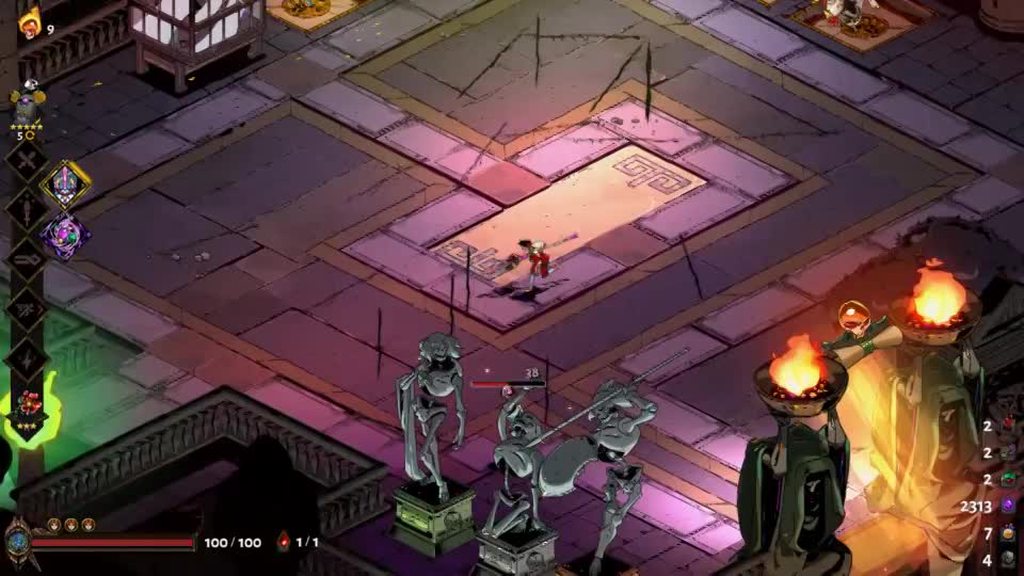
heart appears for an instant
wanted to report it and didn't know where else to post
 polar current
also F10 it
polar current
meep
flint oyster
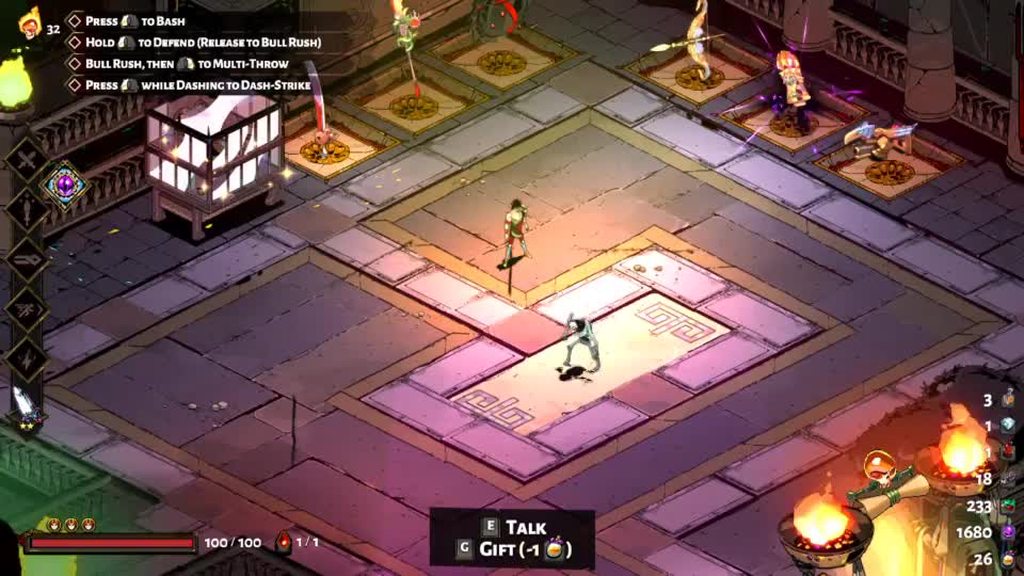
We have figured out the a consistent way to cause the bug. while in the courtyard and using the shield, open your codex and click through the members of the "others of note" tab, with the last person clicked on before closing the codex being skelly. Afterwards bond hearts will occasionally appear above Zagreus when he is attacking. I have not yet found a consistent way to cancel the bug, a few things have worked like changing aspect and opening codex again but whenever i tried these things a second time they didn't cancel it.
 flint oyster
yep
thanks for unintentionally reminding me, I play on kb+m so this bug happens on both km+b and controller
just a note
 upbeat jacinth
Not sure if it's a bug or not, but the numbers on boons listed in the codex don't seem to match what they are when I receive them in a run. I apologize in advance for blurry pictures of my switch. Shown here are two upgraded boons in my current run, and their entries in the codex which show higher numbers. Shouldn't the upgraded boons have higher numbers than what's in the codex?
Okay, it looks like the codex shows the value for the next level of a held boon. I got a pom reward and it showed this. Maybe not a bug, then, but I think it could have some better messaging in the codex that that's what is happening.
crude acorn
@steep path can you report it with F10?
@flint oyster thanks for the detailed report, we'll take a look!
stray elm
@steep path You get rewards for the lowest heat you have not yet completed. So if you're attempting, say, 40 heat, but you haven't completed the bounties for 1 heat, you'll still be getting the bounties for 1 heat
 shy cape
Hi, thanks for incredible game firstly! Secondly I tried searching first on here but could find; on Nintendo switch; I can’t “reload”, with the adamant rail. Iv played 53 escape attempts but still none reload on the adamant rail.
Again, best game ever 🤟🏻🔥
crude acorn
@shy cape Hey, thanks for the kind words 🙂 Is the Reload action bound to a button in the Settings > Controls menu?
 light fractal
is there no option to set the game exclusive fulscreen?
 livid island
I ran into a bug on switch and I'm not sure how to report it
 faint jewel
Describe it here. If tech team will need some more info
livid island
So I unlocked Hade's locked heart icon, but was unable to gift him nectar even after about 15 more runs
When I closed the game and reopened it, I was able to gift him again
sharp narwhal
Noted, thanks for the report!
livid island
no problem, luckily the standard "turn it off and on again" solution worked 🙂
 fiery glade
Hey! I don't know if it is the right place to ask this but I wanted to ask if the "freeze" bug on mac (especially with the Intel Iris 1536 card) is solved or not... I really want to buy this game but from what I saw it's kind of impossible to play as it is right now... Am I wrong or is it an old issue?
if it's not the right place, just tell me and I will delete this message!
sharp narwhal
@fiery glade It should be mostly fixed, yes. Some minor freezes are still being reported in post-boss rooms, which we're investigating, but since they happen outside of combat they're fairly harmless
fiery glade
Oh! I'm glad to hear that!
 eager shard
On switch, has anyone figured out a good reload button for the gun?
 atomic quarry
hey, anyone know how to make the auto save failed screen stop showing? when i quit and load it is saved just fine but i get the alert almost every room.
sharp narwhal
@atomic quarry Do you have a third party antivirus, or just Windows Defender?
atomic quarry
macafe
sharp narwhal
Alright - could you try disabling it entirely for a minute just to see if it stops the alerts?
atomic quarry
its off ill play the game a bit
crude acorn
@atomic quarry if you still get it, could you attach your Hades.log file, please?
atomic quarry
@crude acorn where is the log at?
sharp narwhal
\Documents\Saved Games\Hades, should be a text file
sharp narwhal
yep
atomic quarry
did not see it was called .log
sharp narwhal
So something inside McAfee - I think there's a "real-time scanning" exclusions list that you should be able to add Hades to, and any other scanning whitelists that you can find
Actually @atomic quarry we're working on some things to try to get around save problems like this - can you turn McAfee back on, leave the whitelists and stuff alone, and try a couple launch commands really quick?
Are you on Steam or Epic?
sharp narwhal
K, just a sec
atomic quarry
yeah its properly saving as far as i know, just flashing the error.
sharp narwhal
· Right-click on Hades in your Steam Library
· Select 'Properties...'
· Press the button that says 'Set Launch Options...'
· Enter the following: /SaveToTempAndMove=true /ValidateSaveData=true
See if those help with the message popping up while McAfee is on
atomic quarry
/SaveToTempAndMove=true/ValidateSaveData=true
is that how it should be seperated in the text box?
sharp narwhal
Put a space between the two commands
/SaveToTempAndMove=true /ValidateSaveData=true
atomic quarry
working great
sharp narwhal
@crude acorn
 safe magnet
Anybody experiencing some issues with Meg boss? It made my game crash 4 times in a row.
I played for around 5 hours yesterday without a single bug.
 karmic cypress
Not sure where i have to post this but it seemed to be the best place. Littlt mistake in the writing. Zagreus shouldn't say "Elle est toujours de bonne humeur quand se retrouve" but "Elle est toujours de bonne humeur quand ON se retrouve"
last kettle
hi @safe magnet , sorry to hear about that. could you please send a copy of your DxDiag and Hades.log files to support@supergiantgames.com ? Instructions on how to do so are under #h1-tech-fixes .
If you haven't already, you can also try verifying your game files. Instructions are also in #h1-tech-fixes .
@karmic cypress Thank you! If you're on Windows, could you please report that in-game with F10?
karmic cypress
Ok will do!
stray elm
On switch, has anyone figured out a good reload button for the gun?
@eager shard I'd probably ask in #h1-builds-and-combat unless your buttons aren't working
is there no option to set the game exclusive fulscreen?
@light fractal I think there's something in the in-game settings, don't remember exactly
 late verge
Hi, I got softlocked in asphodel after a Thanatos encounter. Cleared the room and got his prize and all, and now the boats and the trove chest are still locked
I'm playing on the switch
I may not have gotten the room reward and can't find it anywhere, if that helps
Hahaha okay I found the room reward, it was in the lava! It's all good now
 lethal lantern
I just saw there is a wrong traduction on the switch version (in french) with the hamer of dedal "Broche de Chasse" it say your attack hit 7 ennemies but in reality it's not the attack who is concerned by this upgrade it's the special
stray elm
@lethal lantern could you post a picture of it in #hades-localization ?
lethal lantern
i can't post it in the channel
stray elm
oh, right! Sorry ^.^" Then either an Imgur (or similar) link there, or just drop the image here
lethal lantern
 lethal pawn
Just reposting my issue from last night since it got buried. Thanatos has not spawned for me a single time since the update he was added in over a year ago. Over the course of a few dozen escape attempts. As far as I can tell nothing else has been affected.
I'd like to avoid starting another save just to encounter him but I'm worried updates might have broken something with my file. Is there any known issues along these lines? I.e. players being locked out of a character/encounter spawn somehow? I tried searching the server and didn't find anything similar :(
 floral nacelle
hey where do i report bugs ? the hestia aspect of the rail gun has a bug, sometimes when you hold down the button for continuous fire , it only fires 1 shot , i have to then release the button and hold it down again. this happened multiple times , bought a new mouse to replace the old one , still doesnt work. it doesnt happen all the time , but it does happen a lot , pls help , im using mouse and keyboard
last kettle
@lethal pawn could you please report that in-game with F10? we'll take a look at your save file directly to see what the issue might be.
@floral nacelle you can report bugs in-game with F10. Out of curiosity, have you tried with a controller?
lethal pawn
I will do that. My save file is originally from epic but steam seems to detect it, does it matter which version I report it through?
floral nacelle
@last kettle no i havent tried with the controller, which controller would you suggest
stray elm
@floral nacelle does the same thing happen when you hold the attack button down for other weapons?
floral nacelle
@stray elm no i havent noticed such a bug in other weapons
rain cradle
I will do that. My save file is originally from epic but steam seems to detect it, does it matter which version I report it through?
@lethal pawn no, it doesn't matter, Epic and Steam version are the same, except the fact that support steam/epic community features .
last kettle
@floral nacelle any controller would work, I'm just curious if this is an issue that only occurs with KBM
floral nacelle
@last kettle ok thanks, i will use the f10 button to report the bug, thanks
 barren walrus
weird text bug
 last sentinel
dunno where to put this! i noticed that the exposed font was different from everything else, super minor but thought i’d share
barren walrus
hah we posted the same bug
last sentinel
at the same time 
stray elm
@barren walrus @last sentinel if you guys are on PC, you can report those in-game with ^.^
barren walrus
thanks!
last sentinel
awesome! thank you :)
stray elm

 hardy saffron
im all of a sudden getting fps lag anytime i come into contact with another object in the game
can anyone suggest anything?
sharp narwhal
@frosty tiger I checked your save - not sure what the issue is/was, but when I ran into Hermes' boon at the end of a room in Asphodel on a fresh run, it ||allowed me to give him the epilogue invitation.||
@hardy saffron There are some suggestions for improving overall performance in #h1-tech-fixes
hardy saffron
tyyy
frosty tiger
@sharp narwhal thanks, the ||Family Reunion prophecy was fulfilled yesterday||, while the ||Friendly Wager one is still locked, guess I'll just beat Charon again for 3rd time to try to prompt it again||. But anyway, much thanks and very appreciated.
 frail narwhal
I have finished the game several times and i've always talked with everyone, yet i can unlock the alternative version of the power-ups in the mirror 😫 is this where i can report this bug?
last kettle
Hi @frail narwhal , this should unlock with a relatively early conversation with Nyx. Could you please send an in-game bug report with F10? I'll take a look to see what's holding it up
frail narwhal
Sure, thanks!
last kettle
I looked into your save file and it looks like the conversation is queued up to happen after your current run! If it doesn't happen on your next visit to the House, it should happen within the next few runs.
frail narwhal
oh okay, thanks!
 fast moss
I'm not sure if this question has been answered/ brought up, but my bf and my save files keep merging when we switch steam profiles? Thankfully his main game is on slot one and mine is on slot 2, but it's strange and I'm wondering if there's a fix for that
stray elm
Save files are stored locally in a single folder, not tied to your steam account
I think switching Users would work (so that it's checking the Documents folder for that User)
@fast moss
Saves are stored in Users/<Current User>/Documents/Saved Games/Hades
lethal pawn
@last kettle I've submitted my report irt the Thanatos issue, sorry it took a while
steep path
@crude acorn I won a run at heat 1 with the twin fists and the issue fixed itself. Would you still like me to submit a F10 bug report?
stray elm
@steep path You get rewards for the lowest heat you have not yet completed. So if you're attempting, say, 40 heat, but you haven't completed the bounties for 1 heat, you'll still be getting the bounties for 1 heat
that's what happened
 winter marsh
Elly Itari (@EllyItari) Tweeted:
#NintendoSwitch #Hades uhhhh https://t.co/AZEmdsCvfC https://twitter.com/EllyItari/status/1313979039107878913?s=20

“#NintendoSwitch #Hades uhhhh https://t.co/AZEmdsCvfC”

well this is an interesting bug.
lethal pawn
that's so funny
sharp narwhal
@winter marsh Hey, thanks for sharing those clips - that's been patched on PC/Mac and will get patched on Switch presumably when the next content and data fix rolls out there
winter marsh
wow that was fast
sharp narwhal
It was patched a while ago, haha - Switch patches just have to go through a few extra steps so they tend to lag behind
winter marsh
ah i see.
sharp narwhal
@azure gorge If you pull up your boon menu you should be able to see whether you have Fated Authority or Fated Persuasion active
winter marsh
i also had a bug where i had a dionysus boon on excalibur with bigger nova upgrade, got an anvil and the visuals reverted to the boonless ones. ability still functions normally tho
 azure gorge
nono, I bought the contractors thing with diamonds, the one which gives you a reroll with every key room
i have like 4 right now
but it doesnt give me the reroll option
sharp narwhal
Have you unlocked the entire Mirror yet?
winter marsh
you have to reroll before you enter the room
sharp narwhal
Can you open your boon menu and take a screenshot?
sharp narwhal
Yeah, ok, see on the far right in your Mirror upgrades bar
winter marsh
you have persuasion
sharp narwhal
You have Fated Persuasion active
That lets you reroll boon and item options
Fated Authority lets you reroll room rewards
You can swap them out in the Mirror
azure gorge
so even though I have the 3 dice I cant use them?
sharp narwhal
You can use them to reroll item or boon selections
That's what Fated Persuasion does
azure gorge
okay, I will try that when I get a boon
yeah you were right, my bad. I never thought the mirror upgrade would affect the die, I thought you would get different items for that. Must have changed my mirror without noticing. Thanks for the help
last kettle
@lethal pawn So I sped run through some of your profile and I actually ran into Thanatos within a few runs. You should be able to encounter him soon. For reference, the requirements for Thanatos' first appearance include ||you must be at least 3 chambers into Elysium||. It's never a 100% chance, either. After that, he'll be in the House and you can talk to him more.
On the backend, we're also considering some tweaks that would make Thanatos' first appearance less-RNG dependent, so hopefully this issue can be prevented in the future!
lethal pawn
thank you so much for checking! i hadnt made it to ||elysium|| until recently so that explains it. the requirement wasn't obvious and not on the wiki. i used to think he was area-specific but the wiki says he can spawn anywhere and doesn't include the prerequisite so i got really confused tbh
sorry for bothering you over something so minor
last kettle
No bother at all, best of luck! Feel free to repost here if he doesn't show up soon
lethal pawn
Edited the wiki to reflect this so nobody else has to suffer like I did
azure gorge
the stone in the top right glitches into the foreground when you stand at this spot
this is how its supposed to look
dont think it matters but heres the boons if it makes any difference
last kettle
Thanks, @azure gorge! If you're on Windows, could you please send an in-game bug report with F10?
azure gorge
um I already started a new run
 sharp raptor
Hi, I just started playing today on Mac, I’m on my 3rd run and is the second time my screen freezes while the sound and buttons are still running
Is there a fix to this?
dim spruce
@sharp raptor we are looking into fixing that further but lowering your resolution is likely to help. if that doesn't fix it entirely, other options to try are:
- Right-click on Hades in your Steam Library
- Select 'Properties...'
- Press the button that says 'Set Launch Options...'
- Enter the following: /DrawBloom=false /DrawColorGrading=false /DrawBlendMax=8
sharp raptor
I’ll try that, thank you
 drowsy jay
This might be a bug or something, but I can't report it cause my game crashed immediately.
I just opened my game and tabbed out onto my second monitor to send a Discord message. When I tabbed back into the game, there was no sound or menu, which is strange because it usually opens to menu immediately. After a couple seconds, sound started playing but no menu showed up. When menu finally showed up, I saw it for about 2 seconds before game crashed. Just wanted to let you guys know about a possible startup bug/crash
dim spruce
@drowsy jay thanks for letting us know!
drowsy jay
No problem! (This was on Steam by the way)
 stray briar
I've been having an interesting sound "issue" (on mac), in which whenever I have the master sound settings on the first three ticks up from 0, the clang from the athena dash hitting something on the environment becomes basically a chirp-like, almost glitchy sound
 hollow sapphire
might be a repeated question but I"m new here, is cross save between switch and PC working now?
dim spruce
@hollow sapphire no not yet, but we hope for that to be added later this month!
hollow sapphire
@dim spruce absolutely no worries! amazing game loved it so much I bought a second copy for my switch, gifted it to everyone I knew as well. Thanks again!
thanks for the reply!
 austere apex
Hello in here, i'm having an issue but maybe it's just me, it seems i can't play The game offline, is it normal ?
 feral spoke
So I was in the middle of a run, and my driver crashed, loaded the game back in. And it put me back in the house. Is there a way to recover the run
austere apex
Before i bought i've read that it was DRM Free but still, when i launch the game with the .exe on the desktop, it ask me to connect to internet and Epic game store :x
feral spoke
I closed the game thru the task manager, how is it recommended to close if it happens again in the future
stray elm
@feral spoke check #h1-tech-fixes to recover your save
austere apex
It gives me an LS-0003 error code ><' i can't play anymore I guess :x
feral spoke
the profile save is there, i just lost the run progress
stray elm
I'm aware
there are instructions for how to recover your run
using the temp save
@austere apex this is outside of my expertise, hopefully one of the devs will reach out to you soon ^.^
 short ingot
So If I hypothetically got this game using less than legal means, but now I want to buy it to support the devs... can I bring my save over?
stray elm
yup
stray elm
your save should be stored in the same file location
austere apex
@stray elm thanks you, i'll go bed now and comeback later so ^^
feral spoke
@stray elm I read thru through that and theres nothing there to recover your run, just the whole save
stray elm
renaming the temp save is how you recover your run
If Your Game Crashes and You Lose Progress
austere apex
@short ingot there is a good deal on epic on it ( if you get -10€) ^^
stray elm
Progress includes what you did in a run
feral spoke
and right after it says "If something happens and you start the game and find your save data missing, chances are it can still be recovered. Please follow these steps:"
stray elm
could you DM me a screenshot of your Hades folder? (folder with the save files) (nvm)
feral spoke
like it failed because there was already another file with the name profile1.sav
am i supposed to delete that one?
feral spoke
ok
yes that fixed it, @stray elm thank you so much
didnt say anything about deleting
stray elm
Glad that it worked! And I'll poke them about making it a bit more clear
feral spoke
that is synced with the steam cloud right?
stray elm
It should be, but I would err on the side of caution in terms of backing it up (mostly because I don't trust the steam cloud)
 hexed wigeon
I would like to report a bug and a question where could I go ?
stray elm
are you on PC @hexed wigeon ?
hexed wigeon
I'd like to farm titan bloods for the weapon
I read online that to do so I have to farm runs but adding only 1 heat at the time
Unfortunately I went from heat 8 to 16 to unlock the thingy next to the pact ( might be spoiler I am sorry )
Therefore it would seem that I have to make run above heat 16
Unfortunately I am too bad to already finish any 16 temperature run aka I can't farm those damn bloods
Isn't any other way ? I find it quite frustrating to discover it afterwards
stray elm
You can go back to lower heats
You get the rewards for the lowest heat you have not yet completed
so when you did those 8/16 heat runs, you weren't actually getting the rewards for 8/16 heat (in terms of bounties)
hexed wigeon
Yeah but that is the thing
I beat the first boss
So I get only half of the bloods
stray elm
once you get past the final boss at a given heat on a weapon, you can start getting the rewards for the next heat
for example, if you've beaten the final boss 3 times at heat, let's say 1, 8, and 16--you've gotten rewards for heats 1, 2, and 3
hexed wigeon
Exactly my problem
I jumped from 8 to 16 directly
hexed wigeon
Ooooooooh
I didn't remember having so much blood lmao
So if I beat the first boss at heat let say 30
I'll get something like 14 bloods ?
stray elm
nope ^^"
hexed wigeon
Oh
stray elm
you can only get one set of bounties at a time
let's say I've beaten the final boss at 1 heat, 2 heat, and 5 heat
when I did the 5 heat run (my 3rd run), I get rewards as though I'm playing at 3 heat
so next time, I'll get rewards for 4 heat, as long as I'm playing at at least 4 heat
hexed wigeon
So to get all five bounties
I'll have to do a run at at least four and a second one at at least 5 ?
stray elm
yup
hexed wigeon
Basically fill the heat gauge at minimum each time ?
stray elm
yup
hexed wigeon
Ok ok thanks
I was lost and sad
stray elm
and if you went straight to 30 heat, you'd get rewards for the lowest heat you haven't done yet
sure thing!
austere apex
@stray elm nevermind, i solved my issue, i just copy the game in an other folder and use the 64bits executable and it completely ignore the launcher and i can play offline, thanks you. i'll just have to launch Epic for updates sometimes 🙂
stray elm
sweet!
hexed wigeon
Btw
Amazing game
First rogue like ever for me
Got it for only a week after some French streamers played it ( quite a lot )
And I am at 2days of playtime in a week
stray elm
glad you got it to work, Kiki ^.^
austere apex
@stray elm ♥️
stray elm
Yeah, I think I was at 40-odd hours as well first week, love this game :D
hexed wigeon
I'll go report the bug now thanks a lot
stray elm
Sure thing! Best of luck ^.^
 fallow stump
Why does my house contractor always have an exclamation mark above him?
stray elm
it means there's something you now have enough resources to buy, that you didn't have enough of before
not necessarily that there's actually something new
fallow stump
I see. That makes sense! 😋
 fringe oxide
idk how can i describe my problem
but i had some situations
with long subs
when whey become to move
well it looks like there are not enough place for them
and they become to shiver up and down
crude acorn
@fringe oxide Please report it in-game with F10 if possible. Also, could you record a video of it happening (even with your phone)?
fringe oxide
@crude acorn next time i see it
crude acorn
@alpine breach what platform is this?
 alpine breach
pc
i'm just playing on a bad pc
i think it happen almost every times when i talk to chaos, sometimes when there's a duo boon and happened really often when i got to see persephone but it's really rarelly happening during a fight was the first time it happened
when it's when i talk to chaos it stop when i get out of the room, during the fight i guess it just stopped randomly and same after the escape
it's purely visual nothing get affected the game is still running the same way it is normally
i'll report it next time it happen
oh and it wasn't happening before the 1.0 and before the first 1.0 patch
crude acorn
@alpine breach you could try adding /UseSwapEffectDiscard=true as a commandline argument
 swift onyx
Have this issue after playing for a few minutes yesterday. Whitelisted Hades in Bitdefender, same, ran as admin, same
Nevermind. Missed a whitelist section in Safe Files. Sorted
crude acorn
@swift onyx you can also try adding /SaveToTempAndMove=true as a commandline argument
 granite lark
is the Switch Pro Controller on PC meant to use B to confirm and A to cancel in menus?
i noticed my button prompt glyphs were swapped A/B and X/Y, so i rebound them through steam, but it seems i can either have the right glyphs or the right menu... and i see L/R and ZL/ZR in my binds, so i'm sure it's not an issue of steam/the game thinking i've got an xbox controller.
 snow tartan
anyone know when the switch version is going to be patched?
stray elm
@granite lark you may need to go into the Steam Big Picture settings and turn on Switch Pro controller support
granite lark
that's enabled, as is "Use Nintendo Button Layout" (i've tried with that setting enabled and disabled, as well)
stray elm
I'd probably report that in-game with , include your discord tag or email. There are also a couple launch options in #h1-tech-fixes that might help?
 hollow cloak
Having occasional issues saving. About once every 3 chambers or so I get a "failed to save" error page (then it will save fine next chamber). I've added exclusions to antivirus for the save directory and excluded it from indexing. Since it's occasional it definitely feels like an IO problem (and is on a mechanical hard disk rather than an SSD so would be slower), other than AV and indexing, are there any other culprits. (It's not a onedrive/google drive sync issue either as they are not running)
stray elm
what's the issue specifically?
hollow cloak
oops, that would help, added it in
sharp narwhal
Hey Draconas, we have some launch options we're trialing that might help with this
Are you on Steam or Epic?
sharp narwhal
· Right-click on Hades in your Steam Library
· Select 'Properties...'
· Press the button that says 'Set Launch Options...'
· Enter the following: /SaveToTempAndMove=true /ValidateSaveData=true
 blissful glen
my game crashed last night and i tried both of the fixes and neither of them worked, does that mean my progress is fully gone?
hollow cloak
@sharp narwhal Done. I'll let you know over the weekend if they help.
stray elm
not necessarily--what happened when you tried them?
blissful glen
the first one didnt change anything, but when i changed the .bak files it let me load the save but acted like i was playing for the first time
stray elm
you tried changing the most recent _temp.sav file?
 woven canyon
Yo
when launching game a black window 2-3 seconds and the game crushed (FATAL EXCEPTION at 0x00007FF8A2C6ACC0
Violation when reading address 0x0
Code: 0xc0000005)
How i can this be fixed? :<
stray elm
oh! @blissful glen , did you walk into another room after loading in, but before you tried changing the saves?
@woven canyon did a report window pop up?
blissful glen
no
woven canyon
yap
hollow cloak
It's not the first time I've had this issue - Exapunks crashed every level with a c# IO exception on its save file (which is also somewhere in the documents hierarchy), despite managing to save that the level was complete so i could reload and continue. So it may just be that windows hates the disk and I have some process that locks the file shortly after its been written that is not AV or indexing service.
stray elm
alright--R2, which save did you try renaming to ProfileX.sav?
blissful glen
the first time i tried to load in without changing the files i couldnt get in the game at all and i got this message https://cdn.discordapp.com/attachments/579443982967504907/763853803396005888/unknown.png
 stray elm
Then send in that report if you haven't already, Wuffl, and does it happen if you try to open the game again?
stray elm
Ah, that might be another issue then. Do you still have that temp save stored somewhere?
blissful glen
yes i do
stray elm
Alright. There are some other suggestions for what to try in #h1-tech-fixes , regarding corrupt save data.
If the Game Won't Start or Read/Write Save Data
I'd take a look at that
woven canyon
Then send in that report if you haven't already, Wuffl, and does it happen if you try to open the game again?
@stray elm Yap :<
sharp narwhal
@woven canyon If you include your discord tag in the report, I can look it up and see what the issue is
woven canyon
kind of i sent =\
blissful glen
@stray elm i tried the fixes and it still says it has corrupt save data
stray elm
Alright. Then you're past what I can help with--hopefully one of the devs will be available soon to help you out. You should still be able to recover your save will their help
blissful glen
ok, thank you for trying to help
stray elm
Sure thing o7
blissful glen
so i should just try asking for help here later?
sharp narwhal
@woven canyon I don't see a recent report with a description or username tag, did you include "Wuffl1" or "Wuffl1#4304" in the text field of the report? I can't find it otherwise
@blissful glen If your save data is corrupted and your backups aren't working either, I'm not sure we can really help much more, unfortunately. Usually save data isn't corrupted by regular crashes - did your computer lose power or something else like that happen?
Either way, if you have cloud save data on Steam, you may be able to recover it by logging into Steam in your browser and using this site: https://store.steampowered.com/account/remotestorage
Though it's possible the corrupted saves were uploaded too.
blissful glen
the corrupt files were uploaded
my computer did lose power yesterday @sharp narwhal
sharp narwhal
That's probably what caused it - sorry about that!
blissful glen
its fine, thanks for helping
do you know if there is a way i can cheat to get darkness and stuff like that back?
sharp narwhal
I'm sure someone in the modding community knows of a save editor; there are also "maxed out" saves available on https://www.speedrun.com/hades/resources

Speedrunning leaderboards, resources, forums, and more!
woven canyon
@woven canyon I don't see a recent report with a description or username tag, did you include "Wuffl1" or "Wuffl1#4304" in the text field of the report? I can't find it otherwise
@sharp narwhaloh.. i try again
sharp narwhal
thanks, sorry!
frosty tiger
Howdy. I'm aware this is a niche issue, but hopefully you guys have a workaround.
I use my work PC as my main PC. The game is unable to save because the documents folder is a network drive, which it can't reliably connect to as I'm no longer in the physical office, for obvious reasons. I cannot have Windows save stuff locally, if said files would default to the documents folder.
Is there a way for me to tinker with the game's configuration so it will save to a local folder?
stray elm
There may be an official answer to that, @frosty tiger , but if not, I'd head over to the Hades Modding discord server (link in #self-promotion )
sharp narwhal
@frosty tiger I can ask one of our engineers if the launch options we're using might help with that, but if not, there was a steam thread I saw recently recommending a symbolic link: https://steamcommunity.com/app/1145360/discussions/1/2967267880869555223/
I can't vouch for the safety/effectiveness/stability of that, of course, so it's at your own risk, but the comments in that thread were positive
 cedar berry
hi, whenever I try to start the game it says that ''d3dcompiler_47.dll is missing'' and i already tried updating manually the visual c++
what should i do?
sharp narwhal
@cedar berry This thread may help: https://steamcommunity.com/app/1145360/discussions/1/2944747978668265902/
rancid ledge
Hi there. I maxed out Dusas heart containers completely, and yet, the ||harpy feather duster does not get the bond stamp like all the other keepsakes||. Am I missing something still?
 vast gull
you’re likely missing a very important scene that is unfortunately gated by rng
you’ll know it when it happens, but dialogue rng is getting you rn
rancid ledge
Oh dear.
It just bugged me, because all the other ||keepsakes got stamped|| as soon as I had maxed out the heart containers.
near marsh
So there seems to be actually a lot of animations missing on Switch
Chaos Chaos shield only displays one shield on throw
As an example
Are these bugs or necessary adjustments to run the game?
stray elm
@near marsh Chaos Shield only throws extra shields immediately after a Bull Rush
near marsh
@stray elm Yes I know. They show up only as particle effects on Switch when that happens.
stray elm
Cool, just wanted to clarify ^.^
near marsh
If it were easier to send screenshots from Switch I would
sharp raptor
I was having a problem on mac with the screen freezing and was recommended to change the resolution
Did that but now my controller is not recognized
the steam client recognizes the controller but not the game
 outer prairie
dumb question and verifying game file integrity should do pretty much the same thing but have you tried reinstalling @lean birch ? It's not a big game so think that's not unreasonable thing to try
 clear hinge
Hello, I encountered a bug with the Aspect of Nemesis buff. For some reasons the glow on Zagreus' head doesn't always appear when I do a Special Attack. Im also not sure if the buff is active at all since I have other crit abilities so no way of verifying.
Here is the log of this run in case someone want to try and reproduce it or see if any combination of boons could create this issue.
dim spruce
@clear hinge if you can report that with F10 in-game next time that happens that will be the best way to take a look at your save and see what's going on!
clear hinge
on Switch 🙂 cant
dim spruce
ah ok, this works then!
clear hinge
alright 😄
near marsh
@clear hinge As I was just saying, a lot of visual effects on Switch don't show up. I think this has been partially acknowledged.
clear hinge
the thing is that it showed up at times. You can see it in my video. Sometimes its there... sometimes not.
sharp narwhal
@woven canyon Sorry for the delay - you're on an outdated version of the game, I'd recommend updating to the latest version through the game's launcher.
sharp raptor
I redownloaded the game and put in the Launch option pinned for controller issues and it worked, but now the joystick movement is really choppy
tried recalibrating, using other controllers, but nothing works. some areas of the joystick are ignored by the game
dim spruce
@sharp raptor you can try adjusting the Dead Zone slider in the Settings menu and see if that helps
sharp raptor
Tried that too
visually what helped me see the problem was charging the shield, because walking felt weirder compared to my first run
i slowly moved the joystick and noticed that in some sides the arrow wouldnt move until the joystick moved a distance, so the arrow basically makes a skip
dim spruce
what type of controllers are they?
dim spruce
if you restore the game's resolution to undo the fix for the screen freezing issue does the controller start working again?
sharp raptor
already tried with the original settings, same problem
dim spruce
yea strange sorry about that. we can look into improving our controller support on macOS
if there is any newer driver for PS4 controllers on Mac you could try installing those. you could also try with the controller not configured through Steam if the game recognizes it better directly
sharp raptor
I think I have the latest drivers, I'll try to delete the controller on steam and see what happens if I go to the game directly
Thanks
sharp raptor
Also if it helps, the directions the joystick ignores are up down left and right, all the diagonals work perfectly
but it wont let me go from a diagonal direction to either of the main 4
Ok finally got it working
so for future reference
The launch code /UseNativeGaInput=true /UseNativeGaInputNoControllers=false is what made the joystick act choppy
 brave tree
i was wandaring if those blue and green dots are normal. i have seen videos of people playing the game and i have not seen those weird dots in there videos. by the way i see them all over the game, in characters pictures, in the rooms and specially in parts that are all black.
 forest belfry
so I'm still having these random freezing events occur. Always during a dialogue or menu of some kind, the game completely freezes up. I can quit by completely closing the game, but I have to restart my computer for it to start working again
I've tried every solution in the FAQ/guide, has anyone else had this happen?
stray elm
@brave tree the blue & green dots at the bottom are part of the loading screen afaik, don't know about other scenes
@forest belfry you've checked through #h1-tech-fixes ?
forest belfry
yep, have tried all of them
stray elm
are you on PC?
brave tree
let me see if i can get a better picture
forest belfry
yes, Windows 10
stray elm
I'd suggest sending in a bug report, and include your discord tag and/or email, so that the devs can check it out
Other than that, I'm not sure, sorry
brave tree
near the cerberus statues there is some weir purple, green and blue line and dots. also i just notice that when i star to move zagreus the screen goes a little blur and dark.
stray elm
Afaik, the various little color blips are intentional. Not sure about the blurring
brave tree
oh thank you then i thougth that those colors where an error , i was not sure if they were intentional or not. thank you for your heelp
stray elm
Sure thing! Best of luck with your run ^.^
forest belfry
@stray elm where do you send in bug reports?
stray elm
You can press while in-game to send in a bug report
forest belfry
hmm
stray elm
so once you've loaded up, but before it freezes ^.^"
 waxen moss
I'm on a Mac and frequently I get freezes and it renders me unable to play the game whatsover
I can just hope that I hit the right button in the menu to quit the game before accidentally killing my entire run
stray elm
The devs have been working on fixing that @waxen moss . The most recent suggestions I've seen was to try lowering the resolution while they're working on the fix. If that doesn't work, you could try a couple launch options
/DrawBloom=false /DrawColorGrading=false /DrawBlendMax=8
 sonic adder
I play with a pro controller on my PC and the b and a button inputs got swapped
stray elm
@sonic adder Steam or Epic?
sonic adder
Steam
stray elm
have you checked the settings in Big Picture Mode?
stray elm
I'd probably report in-game with . Another person mentioned the same issue a couple days ago. I've got a pro controller of my own, I'll test it out this weekend. There are a couple launch options in #h1-tech-fixes that might help, related to controller input
sonic adder
thanks!
stray elm
Sure thing! Best of luck ^.^
sonic adder
Hey I fixed the problem. I needed to change my settings but I never adjusted them before so I dont know if it is a game bug or steam bug
stray elm
Glad you got it to work!
sonic adder
Thanks!
 weak flame
is the hitching/ freezing tech fix also for multiple seconds of random freezing in an otherwise perfectly running game?
stray elm
It's certainly worth a try @weak flame !
 stark wyvern
Been playing this on and off since EGS early access, and just updated and played it for the first time post-launch. Why am I still on V0.36230?
 pallid oak
Does the bug reporting tool in-game hang at about 30% completion for anyone else when hitting Submit?
stray elm
@pallid oak it might take a little bit. Is it taking more than a minute or two to send?
@stark wyvern What do the patch notes look like?
stark wyvern
@stray elm the patch notes mention the post-launch patch stuff from last week, but I did a fresh reinstall and it seems to have fixed everything
even got rid of the weird misaligned text issues that's been plaguing me since EA
crude acorn
@brave tree Just to confirm that these are intentional, yes
 waxen mural
hey guys, first i love your game... but i have found some problems I found a few bugs in the dialog boxes. sometimes only one space is missing, sometimes words are double or wrong. A few times the German translation was missing in my case.
I wanted to tell you that. if i posted this in the wrong place, please excuse me. Please tell me where I can report something like this in the future.
And one more question: will there be DLC?
 arctic mortar
@waxen mural you can report any issues you find with the translation in #hades-localization, though most (if not all) missing spaces should be fixed for the German translation on the backend. Regarding missing translations I'd need more info to be able to check if that's been done or not^^
tulip nest
I suddendly cannot advance my bounties anymore - when choosing condition (on a weapon i reached heat 21 before) it says "bounty limit reached! Thank you for suffering" at heat 0
This only happens with the shield and the fist weapons, not with the other weapons
 past matrix
tulip nest
past matrix
tulip nest
Oh, i didn't even know that. Thanks!
 pseudo snow
Hello team. Got an issue with save files here. After getting my first clear, I decided to try Hell Mode and made a new save on Slot 2. While I was jumping between saves to check out some differences I noticed my Slot 1's save has replaced my Slot 2 after qutting the game mid-run. I can start a new Hell Mode file no problem, but I'd like to know how can I avoid this in the future? Here are the pics. Thanks.
sharp narwhal
Did the switch happen during a single session of having the game open, or did you quit and restart the game at any point before noticing that?
@pseudo snow
pseudo snow
In the same session. I didn't quit and restart @sharp narwhal
sharp narwhal
Alright, and have you started the game up since?
 ionic juniper
My Os updated and I lost my saved files. Can anyone help?
sharp narwhal
@ionic juniper If you have cloud saves, you can probably download them - were you on Steam or Epic?
ionic juniper
Steam
sharp narwhal
Log into Steam in your browser then check this site: https://store.steampowered.com/account/remotestorage
pseudo snow
Yes I went in just now and the save files remain the same as my screenshot
sharp narwhal
@ionic juniper Sure, I think it should already be named appropriately
@pseudo snow Alright, the log got overwritten then. Are you using any launch commands?
ionic juniper
Hmm. It didn't work
pseudo snow
if you mean this kind /PS4Gamepad=true then yes I'm using this 1 command only
 devout basin
I had a duo offering today (I think it was Zeus and Aprohodite) where it would cap the Aid at 25% and automatically fill the gauge by 1%. I had Aph's Aid and each time I used it on the last boss (EM4) when I threw the spear, the spear would remain in its place without the last boss launching onto the spear to grab it.
I am unsure if the idle spear caused any damage because I was afraid to touch it but the boss had 2 spears at the end. The bug could be duplicated as well.
sharp narwhal
@devout basin Yes, thanks, we're aware of that bug and investigating!
devout basin
Oh thank you! As if EM4 wasn't scary already o_o
sharp narwhal
@pseudo snow Alright, thanks for the details. So you had a save in slot 1, you started a new Hell Mode save in slot 2, and then you were jumping between saves and saw that slot 1 had replaced slot 2 "mid-run". Was that mid-run on your slot 1 save, or mid-run on your slot 2 save? Was one of your saves in a constant location when you loaded into it, or were you doing bits and pieces of runs on each one?
ionic juniper
Aww, downloading didn't work for me.
pseudo snow
The Slot 1's mid-run replaced Slot 2. If it makes it a bit easier to remember, you can see it is the 36th attempt. Iirc in the Slot 2 that was replaced, I just died for the very first time after it was created, and never stepped out for second attempt. @sharp narwhal
sharp narwhal
Gotcha. That helps, thanks - I'm going to try to reproduce it. I don't know of a way this could've happened without renaming save files but we have been tweaking parts of the save system so it's entirely possible you found something new and fun, haha
Unfortunately I can't say how to prevent it, but if I can get it to happen we can hopefully fix it
ionic juniper
I think my file is gone now. All that progress, down the drain
sharp narwhal
@ionic juniper Do you know if your computer made a system restore point before the OS update? You might be able to recover that
ionic juniper
Hmm. Not sure, but even my uploaded save seems corrupted or something
sharp narwhal
Digging around a little bit - if you use a data recovery tool after a system restore you might be able to restore personal files
Windows 10?
pallid oak
@stray elm ended up closing the game through task manager after it hung on sending a bug report for 5+ minutes with no progress
ionic juniper
Ugh. Gonna restart instead. Crapp
pseudo snow
Good luck on that @sharp narwhal. As for me think I'll go delete Slot2 and start hell mode on 3 or 4. One question though, in my Hades>Saved Games, can I delete every Profile2 and 3 files before I start a new file?
sharp narwhal
Sure, that shouldn't be an issue
pseudo snow
alright thanks 🙂
pseudo snow
@sharp narwhal So uh it happened again. My sequence was simply, create new savefile on Slot 3 > Clear 1 room and the quit > Load my Slot 1 and attempt escape > Clear 1 room and quit. And at this point, slot 3 has been replaced. The pickle for me now is that if I wanna start Hell Mode now, I must stick with it and can't touch my initial save. Moreover I didn't realized if I quit during mid-run, it creates a separate save file like that. Since for all the attempts I only quit in house of hades after death.
sharp narwhal
Assuming you haven't quit and restarted the game again, could you drop your Hades.log file in the chat?
pseudo snow
I have quit and restarted unfortunately. Do you need my log still?
sharp narwhal
Nah, it's going to have been wiped - maybe just send your activeProfile to @crude acorn
It should be a generic File
It sounds like somehow your activeProfile isn't working right which is why the game keeps thinking you're on an incorrect slot
If you can reproduce it again, grab the Hades.log file before you start the game again and send that to Nikola too
crude acorn
hm, this seems like your activeProfile file is unable to be saved properly
 strange sapphire
Hi guys I'm going to a friend's house this week end and I asked him to dl Hades on my Epic games account on his computer. Any way I can make sure to use the same save ?
stray elm
@strange sapphire make sure you have cloud saves enabled
 scenic lodge
for some reason i have to restart the game whenever i connect my controller in order for the game to detect it.
stray elm
And I'd email/otherwise send your friend a copy of your saves just in case :3
@scenic lodge what kind of controller? And wired/bluetooth/wireless?
strange sapphire
We tried with my girlfriend who has the option and she didn't get her save on my computer
scenic lodge
wireless, steam detects it jsut fine but hades doesnt respond if it's running before i turn on the controller
and if that controlelr turns off for somereason while im in a run, i have to close the game as even turning the controller back on after hades was already seeing it it doesnt detect it.
stray elm
@strange sapphire a word of warning, saves are all stored in the same folder, so be careful with that ^.^" Gonna be honest, I don't know a ton about how the cloud saves work. Personal suggestion is to just send your save files (Documents/Saved Games/Hades) already of time
strange sapphire
thank you!
stray elm
@scenic lodge alright. There are a couple potential fixes in #h1-tech-fixes , I'd give those a try
Sure thing Bader! Best of luck!
 lyric widget
hello, I have gtx 650 ti boost and max fps i can get is 10. any ideas how to fix that?
sharp narwhal
@lyric widget There are some possible fixes in #h1-tech-fixes
lyric widget
yeah i looked into that but no improvement. It should be possible that i can run it smoothly, right?
sharp narwhal
It should be - have you disabled gsync?
lyric widget
my monitor doesn't have gsync
sharp narwhal
Gotcha, yeah, not too sure - you can follow the steps at the top of #h1-tech-fixes and email us with the listed log files and an engineer can take a look
lyric widget
Ok, thanks
hollow cloak
So I've been playing several games today and have had no save issues - i was having 1/3 rooms showing a could not save error and my games today all got to at least styx, so I think the startup options have solved the problem for me.
 mighty pilot
Be careful, i've gotten a corrupt file right after that happening.
I have now tried all the suggest fixes but i think i've killed my 40hr save 😦
hollow cloak
😦 Good luck mate. My issues were only occasional fortunately and I suspect almost certainly something trying to access the file, but not any of the usual culprits that i had disabled.
 dim shard
Hey, I am turning the Hades file to not read only, and every time it goes and resets to read only
And I have not been able to autosave because of it
I have also tried playing as an administrator
frosty tiger
Hi, @sharp narwhal, I got distracted while troubleshooting yesterday, so I never got back to you. My issue is fixed and I wanted to thank you for your swift and helpful response. Much appreciated. 
hollow cloak
Indeed, thank you very much for your help, and also this game is excellent 🙂
sharp narwhal
@dim shard Hey there, sorry about that - do you have Windows Defender or a third party antivirus like Norton or McAfee?
dim shard
I do have windows defender
sharp narwhal
Alright - try turning off controlled folder access: https://support.microsoft.com/en-us/help/4046851/windows-10-allow-blocked-app-windows-security
 ivory grove
Hey i just got done with downloading the game but it just gives me a black screen and the bug report window pops op can anyone help
sharp narwhal
Submit the bug report and include your Discord tag in the contact info, I'll look it up and let you know what the problem is! @ivory grove
sharp narwhal
yup that works, just somewhere in the text field so i can find it
@ivory grove It looks like you're on an outdated version of the game, my first suggestion would be to update to the latest version through the launcher
ivory grove
i downloaded it minutes ago?
sharp narwhal
Your report says 36032 - the current live version is a good bit ahead of that
You can verify through the game's launcher to update it (steps are in #h1-tech-fixes ) and if you're using Steam, clearing the download cache may help
sharp narwhal
36230
 gray sorrel
I have an issue that just happened, and I recall it happening before
I'm playing Hades on Switch, and in between levels, at a Pool of Purging, I got rid of a boon but did not receive the obol back. So I gave up a boon for nothing
sharp narwhal
@gray sorrel That can happen when you have a Chaos curse active that prevents you from earning any obols
 shy horizon
Hey, found an issue... Dusa and Magaera were talking, then after my interaction Dusa "left" however I can still listen to her and Magaera is still talking to her and the emoticons are there
sharp narwhal
@shy horizon Hey there, yeah, we're aware of that issue and it should be fixed soon!
 eternal raft
Hi there, I just talked to Achilles and got access to Master's private quarters, but when I go up to the door the text still says locked. Am I missing something or did I just soft lock myself?
 granite creek
Really, really, really weird and niche bug: In the Codex -> Boon list, the description of Sunken Treasure changes depending on which direction it's loaded from. Happens on switch and PC. Video below:
https://twitter.com/LostSnowdrift/status/1314701435527860224


@SupergiantGames description of sunken treasure appears to be bugged. changes depending on which direction it's loaded from. switch vers. https://t.co/HWK4S4LSME
Twitter
(I'd press F10 to report, but the switch does not have an f10 key, lol)
sharp narwhal
@granite creek Yep, we're aware of that one and should have a fix out soon!
Later for Switch, though, probably
@eternal raft Are you sure it was the right door? There are two doors in that hall, you want the double doors at the "top"
granite creek
Wow yall are on top of things! I thought I was the first one to find this bug lol
thanks for making the game 👌
eternal raft
ohhh my god... im so dumb. thank you for you help @sharp narwhal
 hard kelp
Hey guys, I came from early access and I sometimes hear voicelines that seem to be off schedule, like Nyx forbidding Dusa to talk to me when I'm already full hearts with her, or Nyx & Hades conversation about Olympians knowing about Zag when that's supposed to be at the early stages. Not a game breaking bug, but bug nonetheless. Theoretically these won't happen if I just start a new save, plus extra voice lines I may have missed out. Anyone have similar encounters?
last kettle
Hi @hard kelp , if you're on Windows feel free to report in-game with F10 whenever those continuity errors come up. I believe the Nyx line about Dusa is legitimate as it's the opening of a questline, but the rest may be issues that need examining
hard kelp
@last kettle It's some time ago unfortunately as I didn't think much of it, only came to me again during the Nyx Hades conversation. If Dusa is ||already approved by Nyx||, is that questline already done or is it another one?
I'll be sure to look out for other continuity errors next time! Thanks!
last kettle
The way the questline is typically structured is ||Nyx forbids Dusa from speaking to Zag, then eventually fires her, then after some time she is re-hired||. Did your story progress like that?
hard kelp
Yes, that storyline is done already. I got that voice line after ||Dusa got promoted and full hearts unlocked.|| Was that voiceline newly added or updated after v1.0?
last kettle
I'd have to check, but I'll make a note of that and follow up with our writer later!
hard kelp
No problem! Thanks for the hard work!
 sick parcel
Does Hades support rebindable buttons for controllers? I want to try using my GameCube controller
stray elm
@sick parcel you should be able to rebind controls in-game
sick parcel
I see an option to rebind keyboard controls, but not controller buttons
Oh wait nevermind
sick parcel
Oh, it just didn't recognize my gamecube controller was an actual controller
stray elm
but it does now?
sick parcel
Using steam input
stray elm
nice :D
sick parcel
I'll make this work, lol
stray elm
best of luck!
sick parcel
Gamecube controller works well. As long as you don't need a reload button for gun
Rebound codex to the d-pad
frosty tiger
Is there a list of future accessibility options planned? I’m a legally blind player who’s vision is slowly getting worse, and now it’s unfortunately gotten a lot more difficult to play.
 delicate fjord
I entered the fountain room in the Temple of Styx but there's no reward items and only the fountain. Using the fountain doesn't unlock the exit. How do I get through? Someone please help me. I think I'm gonna finally beat the final boss.
I'll have to hold off on playing until I can solve this. I don't want to give up and lose this amazing run.
crude acorn
@frosty tiger We haven't announced any future plans except cross-saves, we are still focused mostly on tech fixes. What are some accessibility options that you have in mind?
@delicate fjord Could you send a screenshot of the room?
delicate fjord
Alright, I can't really send a screenshot since the internet on my laptop isn't working right now. So I'll try sending a picture of my screen instead.
delicate fjord
@crude acorn Before and after using the fountain
frosty tiger
@crude acorn the vibrancy of the game and its contrasts in color choice make it extremely easy to view without strain. The major strain that I run into is the UI and text sizes, scalable options for those would be the only thing I could ask for. (At each reward after completing a room I can kinda see a symbol sometimes underneath whatever the reward happens to be, does it tell you what type of room you’re going to be entering? Or is it just cosmetic?)
crude acorn
@delicate fjord And the exit is unusable after using the fountain?
delicate fjord
Yeah. It's still locked. I even tried to pick up the items that would usually be there and nothing happens still.
crude acorn
and you can quit the game and come back to the same room?
@frosty tiger Yeah, the symbols give more information on the room that you are entering
delicate fjord
When I quit and come back, it loads me into the empty room with the fountain ready to be used.
crude acorn
coul dyou F10 this and put your Discord name in the report? I could test the same save file that you have that way
delicate fjord
Alright, I'll try. Hold on for a moment.
crude acorn
ah, I guess not if no internet
delicate fjord
I'll try connecting my PC to my phone's internet.
delicate fjord
@crude acorn Report sent successfully. Hope you received it.
crude acorn
hm, it didn't attach any saves, could you zip up and send me your Documents/Saved Games/Hades folder?
here in a DM
delicate fjord
@crude acorn Alright, I'll send it in a bit.
 agile bear
Hey, first of all, congratulations on Hades, the game is awesome! During the early access I didn't have any problem, but after the game came out, my brother tried it with the option in steam to share games between accounts. Yesterday I played for two runs, and today my brother found my saved file on his account. After that I tried the game on my account and found his save file on my steam account, like the files were swapped.
last kettle
@agile bear when you look under ~Documents/Saved Games/Hades (or ~Library/Application Support/Supergiant Games/Hades for Mac), are you able to see any Profile.sav files that correspond to the dates when you both last played? Also, is this on one device or two separate devices?
agile bear
It's on the same computer
rain cradle
Well then if you share the same account on PC the saves are saved in Documents
That's why you both see each other saves
agile bear
The thing is that we don't share the same account
And the savefiles swapped between the accounts
I searched Documents on my account and found the savefiles corresponding to the last time my brother played
Just swapping the savefiles between our accounts would be fine?
last kettle
Yeah, I would recommend swapping them and seeing if that works
agile bear
Ok I'll try
I swapped the files and my runs from yesterday were lost, but my savefiles are back in my account
Thanks a lot for the help
last kettle
Sorry to hear about the lost save progress, but I'm glad the saves are back! Best of luck
crude acorn
@last kettle do you maybe have any idea how to help @delicate fjord with the run?
last kettle
@crude acorn unfortunately i'm not aware of any potential fixes for an issue like this. @delicate fjord , Nikola has already escalated your report internally so we'll have more engineers looking at it soon. in the meantime, if you're able to press "Give Up" i'd recommend doing that to get you playing again as soon as possible
 quartz pine
Hello I cant save hades in steam
delicate fjord
@last kettle @crude acorn I was worried that was the case. Hope you guys find out how to prevent it and patch it out in the future! I'll Give Up then even if that was something I'd expect I'd have to do. Thanks for the help and support, I've been enjoying the game so much. Thanks again for trying to help. 
last kettle
@quartz pine sorry to hear about that. Is the game creating a window that says it can't save? Or are you just noticing that your progress isn't saving?
 tidal temple
Hey guys, i can't launch the game from Steam as well as from the x64 directory. I can only run the game from the x86 directory by running the .exe file. I only see new steam window telling me "preparing to launch hades" for about a second, then the game status is changed for "running" for about 3 seconds and then button play becomes active again. I have tried everything listed in #h1-tech-fixes channel, but it is still not working. Please help me, this game is awesome!😫
quartz pine
yes it creates windows, i do what say it still didn't work
last kettle
Hi @tidal temple, is this on Windows or Mac? And do you receive a crash report when this happens?
quartz pine
@last kettle
 sterile laurel
hello guys i cant start the game i did everything what they said in here but every time i saw same black screen
tidal temple
Hi @last kettle, im on Windows 10 64bit, and i do not receive any crash reports. I press the Play button and it does absolutely nothing.
last kettle
@quartz pine Try the suggested fixes labelled If the Game Won't Start or Read/Write Save Data on #h1-tech-fixes
sterile laurel
can anyone help me
last kettle
@sterile laurel Please try the suggested fixes labelled If You're Having Issues Launching the Game, or See a Black Screen on #h1-tech-fixes and see if those work
sterile laurel
i did everything but i still see same black screen
tidal temple
I have tried the fixes you mentioned, but it's still not launching. 😦 Its like the steam wants to launch the game with the Hades.exe from the x64 folder. Is there any way to "tell" the Steam to launch the game with the Hades.exe from the x86 folder?
last kettle
@tidal temple I'm not sure of any way to force the command, but I'll look into it. In the meantime, could you please send your Hades.log and DxDiag files to support@supergiantgames.com ? Instructions on how to do so are under #h1-tech-fixes .
@sterile laurel if you've tried everything under #h1-tech-fixes , then I'd recommend sending your Hades.log and DxDiag files to support@supergiantgames.com . Instructions on how to do so are under #h1-tech-fixes .
tidal temple
I sent it to the email address mentioned in #h1-tech-fixes 🙂
frosty tiger
Guys, even after last update my game on MacOS still freezes and crashes a lot. Like every two minutes. Already sent log via email to support. Anything else I can do?
arctic mortar
did you try out the test branch by any chance? I’m not up-to-date on what it fixes in detail but maaaaybe that could help?
otherwise waiting for one of the devs to reply here, I guess.
frosty tiger
Already on last branch. Tried both standard and test. No luck with any of the two though.
arctic mortar
thought I ask xD
last kettle
@frosty tiger What resolution are you running at? If you lower it, does that fix it?
You can also try adding a combination of these command lines:
/DrawBloom=false
/DrawColorGrading=false
/DrawBlendMax=8
frosty tiger
It seems it is freezing a bit less. Unfortunately still not playable 😫
last kettle
Okay, thanks for trying. This is an issue we're actively working on in the test branch. In the meantime, our support team will take a look at your .log file and see if there's any other potential fixes. Sorry and thanks for your patience!
tidal temple
I have managed to launch the game by deleting all versions of visual c++ and installing them again. It is working now, thank you @last kettle for your help! 
 jagged ingot
Hi I woke up thid]s morning to find my saved game wiped-- i love the game but dint want to start all over again--im on mac os . Any advise would be appreciated thx
Also the game freezing and hitches continue-worse now that I lost my save
 compact spindle
Hey, I've heard that catching a fish within 0.33s gives you a perfect catch, and I know for sure that I'm doing it quickly enough, but I'm getting no perfect catches. Bug?
 topaz swallow
Is it intended on the switch version that the relics/ artifacts that give bonuses on room completion/ not taking damage don't work on the first rooms in the satyr lair on the switch version?
 flint compass
the lambent plume and pierced butterfly only work in the last room of the tunnels in styx. so yes, its intended @topaz swallow
topaz swallow
why then does the pom blossom count the rooms? I get that it's obviously different style of items, but it seems inconsistent in logic
flint compass
for balance reasons, i suppose
topaz swallow
maybe I'm bad at the game, but the pom blossom alone just seems to break balance of the game. Got up to 28 heat atm using it alone, and wanted to diversify
 maiden field
Hi, I lost my save.
I have family sharing and today I see my son save what totally replace mine
dim spruce
@maiden field sorry to hear that, you're saying your son played on the same account and overwrote your save file? if you look in the save folder at:
\Documents\Saved Games\Hades
is there any file in there with a timestamp that might be yours?
 warped orbit
I'm on Switch and have been getting some bugs where certain effects don't appear sometimes. These include:
- Hades Shockwaves and Hades skull shockwaves
- Hades laser beam
- Hestia first shot effect
@near marsh Hello everyone, I'm on Switch too and I've had the same issue with shockwaves, I have a replay on a game during the final fight, where the skull's wave is invisible (0:06), as well as Hades' phase II start-up wave (0:22). https://twitter.com/EKWatanuki/status/1314585707302670337


Là c'est arrivé 2 fois. Le crâne qui explose en bas de l'écran, et au début de la phase 2. On voit la neige bouger, mais pas l'onde #Hades https://t.co/5gOIV9mOjm
Twitter
dim spruce
@warped orbit thanks for reporting we hope to have that fixed in an upcoming Switch patch
warped orbit
@dim spruce Thank you! (Your game is friggin incredible) Love from France.
 idle parcel
Been getting this texture glitch for all Charon Wells since 1.0, is there any way to fix it?
last kettle
@idle parcel Please try verifying your save file--steps can be found under #h1-tech-fixes
idle parcel
Gotcha, I'll try that out after this run
 plush latch
Just wondering but is it intentional or a bug that during last boss fight some lasers go through blocking pillars if redacted is beside them
last kettle
@plush latch This is a known issue we are currently working to resolve
plush latch
👍
maiden field
@maiden field sorry to hear that, you're saying your son played on the same account and overwrote your save file? if you look in the save folder at:
\Documents\Saved Games\Hades
is there any file in there with a timestamp that might be yours?
@dim spruce Unfortunately we play on different windows and steam account but with family sharing
dim spruce
@maiden field if you check your Steam cloud storage here on either of your accounts does one of those have the proper saves?
https://store.steampowered.com/account/remotestorageapp/?appid=1145360



 feral spoke
Do they usually reply to bug reports via email?
dim spruce
hey @feral spoke depends on what the bug is and if it's affecting your ability to play the game
feral spoke
Well yes an no