#h1-tech-support
1 messages · Page 29 of 1
 sharp narwhal
 spiral hatch
👍
sharp narwhal
@coarse basin Sorry the game crashed! Did it create a bug report window when it crashed?
 coarse basin
the screen and sound just stuck in place, then it report the bug to Microsoft I think
the standard crash
sharp narwhal
Alright, yeah, sorry about that - freezes can happen sometimes, we're working on fixes for the ones that we know about. In the meantime, if you lost save progress, you can restore it by following the steps in #h1-tech-fixes
@vocal trail Sure, you can DM me the saves if you'd like and I'll take a look!
coarse basin
oh thank you, let me take a look
spiral hatch
well
in the middle of a run, just used f10 and it bricked Hades
goodbye to that one :(
didn't bring up the bug report menu, just black-screened
sharp narwhal
@spiral hatch Sometimes you have to alt+tab to bring the bug reporter to the front
spiral hatch
nono, the tab just didn't show up
it just black-screened Hades, completely froze it, and didn't bring up the bug report tab
 fresh berry
Hey my save got reset back to Zero progress, and the tips the game gave me didnt work
spiral hatch
i just restarted and f10'd again, and it worked this time
but that was incredibly bizarre, and a bit annoying
fresh berry
Can anyone help please 🙂
sharp narwhal
@fresh berry Sorry about that! Save files are stored locally so any change to your drive could have affected it.
If you've submitted an F10 bug report recently that included contact information, you can send me a private message with the contact info and I can send you the save data from the report.
If you haven't submitted any reports, there isn't much I can do to restore your data, but if you'd like to replace your save, there are "maxed out" saves available at speedrun.com/hades/resources
fresh berry
I havent submitted anything tbh, but nothing changed in my local file\
it was something with Steam cloud, i was on another PC and it was trying to load the save from steam cloud
And that was it it couldnt get the save file from the cloud, and when i got home the save file was back to ero
 crude acorn
@brittle glen hey, thanks for the detailed report on bugs :)
- Control rebinding: I am unable to reproduce this, what input device are you using and what Mac?
- I see the mouse lock issue, will log that as a bug and look into it. If it's too bothersome, there's a Mouse Lock setting in the Settings screen (although that unlocks the cursor even during gameplay)
- I'll look into the resolutions report as well asap
 brittle glen
sounds good! i guess something in the macOS Big Sur beta (beta 7, to be exact) is breaking control rebinding then. i don't know how you're going about testing the beta, but it's supposed to be released "this fall", and now that iOS 14 is out, I bet it'll come out within a few weeks
 stable moss
@crude acorn thanks for looking that up please let me know if you find anything out
crude acorn
@stable moss sorry, I'm still in Mac-land, did your game update to 1.0? Please try verifying game files
 tawdry eagle
alright, deactivated cloud syncing, antivirus+firewall, and started the game in admin mode again, still having "cant access/write game files when loading the game".
stable moss
i reinstalled the game verfiyed it reinstalled and reinstalled the newest version microsoft visual c++
crude acorn
@stable moss which version of windows are you running?
stable moss
windows 8 64 bit
sharp narwhal
@fresh berry There's some troubleshooting for Steam Cloud available here if you want to retry syncing: https://support.steampowered.com/kb_article.php?ref=6736-QEIG-8941
Article "Steam Cloud"
@stable moss We've had a few Windows 8 users report this missing DLL issue - if you have any pending Windows updates, I'd recommend installing them. You may also want to try using the System File Checker to repair missing OS files: https://support.microsoft.com/en-us/help/929833/use-the-system-file-checker-tool-to-repair-missing-or-corrupted-system
Worst comes to worst, you can find and download the DLL directly; generally, players who have contacted us with this issue have ended up doing that and have resolved it that way, though be sure you're getting it from a safe source
There are some more potential fixes here: https://ugetfix.com/ask/how-to-fix-d3dcompiler_47-dll-is-missing-error-on-windows/
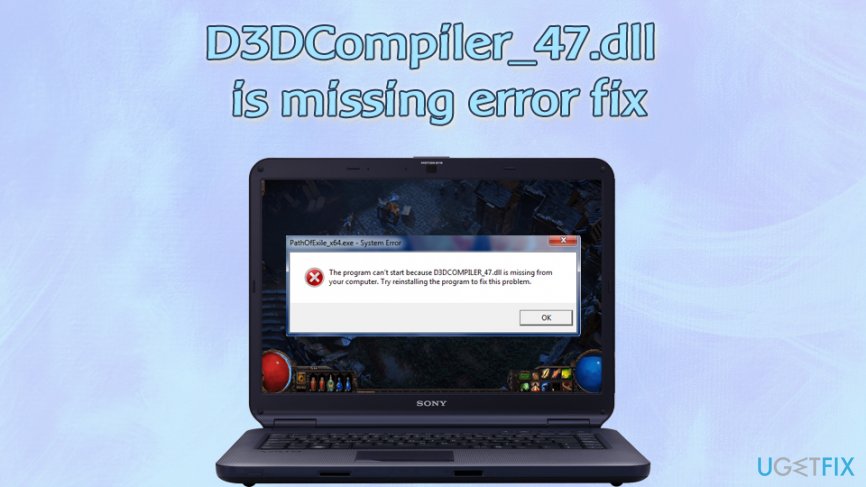
Hi, I have a problem with an error: 'The program can’t start because D3DCompiler_47.dll is missing from your computer. Try reinstalling the program to fix problem.' While I usually don't pay attention to errors that do not impact my apps, this
stable moss
thanks ^^ i hope these will work
 thick lava
@brittle glen I'm on Big Sur Beta 11.0. Are you using a controller or keyboard/mouse (or keyboard/trackpad)?
brittle glen
just keyboard/mouse on a 16" mbp, with a 4k external monitor (not that that should matter); feel free to ask me to test in whatever configurations you need
thick lava
Can you PM me your System Information report, and verify the version number under "About This Mac"? I don't see this on 11.0 (though I swear I had installed 6.0 Beta...)
brittle glen
sure thing!
 native plinth
yeah I'm on the beta as well and that's where the f10 no bug report + ps controllers not working is happening
(the big sur beta that is)
thick lava
What's the serial number on your PS(4?) controller? The CUH-XXXXX one
sharp narwhal
@tawdry eagle You could maybe try CHKDSK to verify that there are no issues with your drive: https://www.howtogeek.com/howto/windows-vista/guide-to-using-check-disk-in-windows-vista/

How-To Geek
Any time you have hard drive errors—or even strange behavior you might not at first associate with a hard drive—Check Disk can be a lifesaver. Here’s a full guide to using the Check Disk tool that comes with every version of Windows.
tawdry eagle
Understood. Will do.
thick lava
Does yours have the lightbar underneath the touch pad, like in this image? If so, it's a v2 which should be supported
native plinth
yes
thick lava
wired or wireless?
native plinth
yeah it works for other steam games and I can use it in big picture mode just not in hades
wired
tawdry eagle
Tried CHKDSK on each, each ended up with no issue found
thick lava
@tawdry eagle Don't know if you've already tried this, but worth checking if Documents\Saved Games\Hades is Read-only. If you right-click > Properties on that folder and uncheck Read-only & hit apply, it should affect all the files & folders below
tawdry eagle
That read only?
Tried everything to remove it, cant do, it always get back in "read only".
thick lava
Yeah looks like read-only is turned on, at least for some of those files. If you try to edit that, does it give you an error message? (Also, maybe restart your PC?)
tawdry eagle
Does not give an error. It just reset back to "read only"
Tried restarting the computer, and made sure I was owner of file & have admin perm over it
thick lava
It definitely sounds like Windows is at fault here. I've found a few articles on this, seems like they're all variations on editing the file permissions: https://appuals.com/how-to-fix-folder-keeps-reverting-to-read-only-on-windows-10/
I would also try to run the launcher as Administrator, though if the folder is owned by Admin & still read-only, that might not work.

Appuals.com
If your folder keeps reverting to read only it could be due to a recent Windows 10 upgrade. Many users have reported that when upgraded their system to
tawdry eagle
Understood
 misty pagoda
Hi there, I've completed the requirements for a couple of achievements (escaping tartarus and asphodel) but Steam says these achievements haven't been unlocked at all. Is this a bug with the game or with Steam? Other games have been syncing achievements this week just fine
thick lava
It's a known issue on macOS, that we're looking into. Sorry about that!
 naive stream
Not sure why but my controller isn't working with the game, is there a gamepad option i'm missing?
thick lava
What's your platform, controller, and is it wired or wireless?
naive stream
pc, 8bitdo gamepad and it works wired or wireless but i use it wireless
specifically the sf30 8bitdo
thick lava
I don't know for sure if that's an xinput controller. I would try it wired and see if the game picks it up. You might need to tweak controller settings in Steam big picture mode
naive stream
it reads as xinput yes, it's got several modes, but i have it set on that for steam. steam reads it as an xbox one controller whenever it's connected
tawdry eagle
@thick lava @sharp narwhal Thanks for your time, issue resolved. Antivirus+windows issue it seems, windows was locking the file in read only, AND antivirus was locking the file from steam. Thanks ❤️
sharp narwhal
No problem, glad you got it figured out!
naive stream
oh sweet, it looks like i might not've had it connected 100% properly so it's connecting it. i appreciate the help tho @thick lava and i'm loving the game so far 👍
misty pagoda
@thick lava That's cool! Thanks for letting me know!
 sly lion
Hi, I noticed that Hades isn't presenting unscaled resolution options on macOS. I have a 16" MBP with a 3072x1920 screen, but I seem to only be able to choose 2x scaled resolutions instead of going up to the native resolution of the display. Additionally, the resolutions shown are dependent on system scaling — if I set my resolution to "Looks like 1536x960" in System Preferences, I no longer have a 1680x1050 option in Hades.
(I also tried to report this in-game with F10 but that doesn't seem to work on Mac)
 old raven
@sly lion Hi, this is correct behavior. Running on highest resolutions is heavy on performance, so we allow that only on strongest hardware. On most macbooks you will see the lowdpi resolutions only, as selecting higher resolutions will provide unsatisfiable performance and ruin player experience.
The system scaling dependency is also desired behavior. When you select the display resolution, that resolution will be treated as highest possible for the game. This yields correct behavior in code and visually (works the same on both Windows and macOS).
sly lion
Gotcha, that's a reasonable decision. I hadn't tried it on Windows yet so I wasn't sure if the behavior differed. Thank you for the quick response!
crude acorn
@brittle glen please check konstantin's message above for the explanation of resolutions in game on macOS
 frosty tiger
@dim spruce Okay, a second reinstall actually fixed the audio bug problem. I think it was just something that didn't install properly. Problem solved, no worries.
 slim prairie
Hello everyone, this is a great game but unfortunately after a few hours it has become harder for me to play it in so far that a lot of things in the game have become "offset" from where they should be
this is what dashing to the right looks
sharp narwhal
@slim prairie That looks like an issue with the game's installation - try verifying through the game's launcher, there are instructions in #h1-tech-fixes . You may need to restart your computer to see the effects.
slim prairie
I did reinstall, but didn't restart
 maiden pebble
i've been having framerate drops ever since the 1.0 update
is that a known issue or something?
 dim spruce
hi @maiden pebble please try the steps listed on framerate in #h1-tech-fixes
maiden pebble
will do thx
dim spruce
hi @dusty plover sorry to hear that.. there are steps in #h1-tech-fixes that may get your progress back if you lost any
 dusty plover
i waited 2 minutes and it continued
dim spruce
oh ok, glad to hear!
 chilly quarry
@sharp narwhal Restarting the game does not. My game is just oddly quiet. Verify didn't help. Is there a settings file I can delete to reset it, or thereabouts?
sharp narwhal
Profile1.sjson is where profile settings are kept. Documents\Saved Games\Hades
 vocal rain
I loaded in and entered sfx land fortunately starting a round put it back to normal but it was still funny
brittle glen
@old raven about the mac resolution settings, i'd really like if you at least added the option to render the listed options @2x—perhaps someone has modified their computer to use a better gpu, or is using an egpu, or is driving a small external display at 2x resolution. i do realize why you'd want to hide it so people don't ruin their performance, but otoh the alternative is to have blurry graphics, which isn't much better imo
if nothing else, it makes for great screenshots of the house from the bat cage overlook
sharp narwhal
@vocal rain Looks like broken packages - verify the game files through your launcher. There are instructions for Steam and Epic verify in #h1-tech-fixes
 rain cradle
if nothing else, it makes for great screenshots of the house from the bat cage overlook
@brittle glen I do think you can edit config file and set different resolution
But I'm not sure about Mac
brittle glen
yeah, i assume something like that would probably work, thought it'd be an even bigger pain seeing as you'd have to exit out of the game, edit the file, load in, take the screenshot, then reset the resolution, all just for one screenshot
rain cradle
I was turning on virtual resolution on my AMD gpu to have 4k on my 1080p screen and did screenshots with script that also zoom out whole game.
But again it's no windows

Folder
brittle glen
yeah, i can't run the game smoothly enough at 4k, but it's great for pretty screenshots
 obsidian plaza
Hi there, does anyone know how to remove the filler artwork in ultra wide monitors ? I play on a 32:9 aspect ratio monitor and I would rather just have pillar boxes on the side rather than the artwork because it's too zoomed in and gets very distracting while playing. Thanks.
dim spruce
hi @obsidian plaza doesn't look like there's an option to disable it right now but that's something we can certainly look into adding, thanks for the feedback!
obsidian plaza
@dim spruce Thanks for the quick response. Love the game so I'm willing to stick to it anyways, but I'd really appreciate it if this is something you can add as an option in a later update. Have a good one.
stable moss
@sharp narwhal i did everything and endet up getting the file frome someone but now its mission another file
api-ms-win-core-libraryloader-I1-2-0.dll
 tribal robin
posible spoiler hello, im not shure if its bug, but... i give presents to every nps in codex and lvlup all keepsakes to rank 3 and didnt get achievements for it...
sharp narwhal
@tribal robin Report that in-game with F10 please!
tribal robin
Ok
sharp narwhal
@stable moss Huh, I've never heard of that one being missing before. SFC /scannow didn't turn up any errors?
Are you trying to run the x64 or x86 version of the game?
thick lava
@stable moss I'm pretty sure this DLL comes with the Universal C Runtime. I would definitely reinstall this from here & restart your system, if SFC isn't giving you errors: https://support.microsoft.com/en-us/help/2977003/the-latest-supported-visual-c-downloads (Also, install any windows updates if you have any)
 fickle kite
I think Hades crashed for me, I cleared a room and it froze, when I tabbed out the game went black
 craggy marlin
So I just beat my first run on the switch, talked to spoiler at the end, and then the game crashed (crashed as the river appeared) so didn’t actually get end credits.... and now I can’t open that file. I don’t want to have to start literally all the way over on a new save, any idea on how to fix?
stable moss
@thick lava reinstalled visual c again but didnt help sadly but the SFC said it couldn repair some files
dim spruce
@craggy marlin sorry to hear that happened to you, we're aware of the issue and looking into a fix for a patch!
 hoary moon
Hi, I got the game yesterday and I'm playing on mac. Unfortunately the game's visuals freeze very often for a second of 2. The game still runs in the background and I can pause the game by pressing escape, but it's ruining the mood for me. I have disabled the steam overlay but the problem persists. Sometimes the game crashes as well.
@deft maple
I've just purchased the game, and I'm running into this same freezing graphics issue on my mac. Also tried disabling steam overlay and toggling fullscreen on and off. I haven't been able to get past the first room of combat without it freezing up. When this happens, the audio seems to imply that my mouse and the game is still running, but the graphics are stuck. For example, I can still hear menu noises, and attacks. Is there a known workaround for this?
craggy marlin
@dim spruce no worries! The game is amazing! Just bummed with that, is the goal of the patch then to save the corrupted file? Or is that one gone for good? If it’s gone I’ll restart, but if there’s hope for it being saved I’ll just wait for the patch!
dim spruce
@craggy marlin ideally we can recover the save file yes but can't say anything for sure
craggy marlin
@dim spruce awesome! Thank you for your help!
dim spruce
hi @hoary moon that issue appears to occur on specific graphics cards on some Macs and we hope to have a fix for it soon
hoary moon
thanks @dim spruce if it helps my graphics card is: Intel Iris Pro 1536 MB
thick lava
@stable moss I found this article on what to do when SFC can't repair files. I'm not sure it will work for you, but it's worth trying: https://www.bleepingcomputer.com/news/microsoft/windows-10-sfc-scannow-cant-fix-corrupted-files-after-update/

BleepingComputer
Starting today, Windows 10 users are finding that the /sfc scannow feature is no longer working and that it states it found, but could not fix, corrupted Windows Defender PowerShell files.
stable moss
i think i need to reinstall my windows maybe get 10 already
@crude acorn @thick lava @sharp narwhal thanks for your help i think i need to hard reset my windows maybe even get windows 10 looks like my current install is too broken
maybe i can finally play the game for the first time after that xD
sharp narwhal
Good luck, hope a reinstall works out for you!
 formal moon
@dim spruce i believe someone may have ran across the same problem as me... my game has been crashing on the switch only for a specific save file so i’m guessing it might be a bug? 😦 , i just started over on another file but i’m still hoping i can use that one soon
dim spruce
hey @formal moon yes we are are looking into that issue and hope to have it fixed in a patch, sorry about the trouble
formal moon
@dim spruce it’s okay no problem ! thank you for letting me know !
 ruby kestrel
what's the approximate lead time between submitting a Switch patch to Nintendo and it actually showing up for users? trying to figure out if I should just give up on my corrupted save and start a new one
dim spruce
@ruby kestrel we can't really commit to any specific timeline at this point unfortunately, other than we hope for as soon as possible
ruby kestrel
👍 I'm not expecting an ETA on the bugfix since I know how these things can be, but just wondering generally how long the Nintendo certification process adds
dim spruce
@ruby kestrel it can be quite variable so sorry can't give a more clear answer!
frosty tiger
Just joined, so not sure if this is the right place to report it, but I was playing the Epic Games Store version on my PC, and it froze up in the middle of the Tombstone(?) boss fight. Sound kept looping, but nothing was happening. Had to close out of the game from the taskbar. In addition, while I was looking at the mirror for upgrades, I got a Windows error that said "Complete system corruption" and forced my computer to restart.
 vast locust
dim spruce
vast locust
dim spruce
@frosty tiger sorry to hear that, you can definitely report here. if you lost any save progress there are some instructions in #h1-tech-fixes to get it back
@vast locust all the UI is hand-drawn for 16:9 aspect ratio so unfortunately there's not. only the old fashioned way of sitting closer if possible!
frosty tiger
Is Version 1.35966 the latest version?
dim spruce
@frosty tiger on Mac and PC the latest version is 1.36001. you may need to exit and relaunch your platform client to get it to update
frosty tiger
@dim spruce Thank you.
 strange flicker
So let's say you're on a final cutscene and your game is softlocked into a permanent black screen, but you can still hear music.
I wanna know if someone else encountered this issue and if it can be fixed, or if you really have to use ctrl shift esc. And, if the latter, if it ruins your progress in any way so I can gather info beforehand.
 lavish river
Question. I don’t see it on the FAQ and can’t find it anywhere. It’s regarding the switch version. Is there something off with the resolution?
sharp narwhal
@strange flicker Sorry about that - is this on Windows/Mac?
strange flicker
Windows - I was changing the volume settings during dialogue. I ended the task, since looping music isn't my style. Played as normal, as if I was still on that section.
 young phoenix
Is it intended that you can't get bounties with fists right now? (Unlocked the new hidden aspect. Beat Hades multiple times. Beat on 25 heat, which made the heat bar full and glow. Message on the pact saying that you can't get bounties "(for now)".)
sharp narwhal
@strange flicker Yeah, don't worry about grabbing logs or anything - you can restore progress by following the steps in #h1-tech-fixes
dim spruce
@lavish river the Switch version runs at 720p resolution
lavish river
Hmmm. Even at 720p I thought it would be crisper. Having a blast with it, though. No biggie
 green kindle
Good evening, everyone. I am running into an issue with recording gameplay of Hades and streaming the game on Discord. Has anyone heard of this issue? I have double checked that I can record and stream other games and I'm not having any issues.
sharp narwhal
@young phoenix There is a cap on bounties. On normal mode the cap is 20 Heat, on Hell Mode the cap is 25. Once you've cleared all the way up to 25 Heat, no more bounties are available.
young phoenix
Ah okay, thanks!
sharp narwhal
@strange flicker Save files are located at \Documents\Saved Games\Hades
@green kindle What sort of issue? Is the game not registering at all, not displaying?
green kindle
When I record, no matter how long, it doesn't register. When I click to stream on Discord, the game never displays for anyone.
It could be an AMD and Discord issue but Hades is the only game I'm having the issue with so I thought I'd ask
sharp narwhal
Alright, yeah - could you submit a report about that using F10 in-game? We'll see if we can reproduce the issue and figure it out. Let us know if you find a fix in the meantime
green kindle
Will do, thank you so much!
 hasty lark
Switch user here - I've created a second save file (my first one got corrupted after dying) and now my game crashes after trying to buy anything from the Mirror of Night, although it worked previously with no problems.
 versed zodiac
I am getting the error page about not being able to save the game.
I just returned from playing the Night Night Update and now when I try to play it says it sees my save but says it can't write to it? I've done all the things it suggested but it still can't save.
sharp narwhal
@versed zodiac Do you have a third party antivirus, or just Windows Defender?
thick lava
@hasty lark hey, sorry you ran into this. We're looking into the problem and hope to fix it in a future patch
versed zodiac
@sharp narwhal my windows defender off for the most part I use bitdefender and have disabled it if there is a windows defender setting i can change ill double check
sharp narwhal
You can check and see if you're able to manage controlled folder access and turn it off: https://support.microsoft.com/en-us/help/4046851/windows-10-allow-blocked-app-windows-security
since you have Bitdefender installed, it might be off/not available
versed zodiac
Okay, it seems to be working now. Combination of not having the correct Hades.exe whitelisted and read only for saved games folder
Thank you for the help.
Also bitdefender has 2 white lists and I whitelisted all of the network ones and only one of the drive ones
 bright cove
I found an issue that seemed to come with the 1.0 version, at least its shown up since i picked it up again, it seems that the audio is glitched? Like combat and stuff its like the sounds cut off, like mid attacking its like a small "pft" and then it just cuts off before finishing the audio clipped, checked integrity files on steam, that came up good and I checked to see if my audio drivers needed to be updated but they are all updated currently
dim spruce
hey @bright cove some people reported that issue and had it fixed by re-installing the game you could try, see here:
https://discordapp.com/channels/456889434672201729/520430049003044864/756968638636097596
 wispy orbit
hello! I've clocked in 100+ hours for hades, and I think I may have encountered a bug for one of the favors: ||for Hypnos, I already interacted with Thanatos regarding his laziness and seemed to just need to talk to Hypnos to be able to gift ambrosia and finish the quest, but every time I reset/finish a run, Hypnos would not give me option to gift anything.|| Is there a fix for this?
Oops forgot to not censor one part: the above question is regarding Hypnos ||and his favor||
 faint moss
I just got the game and loving it so much. But i was disappointed to find that there is no exclusive full screen mode. The full screen mode in the game is not true full screen which means I can't use gsync unless I force gsync to use windowed which cause weird frame drops. For now I'm running the game in fast sync at like 400 fps but I would really appreciate being able to use gsync in true fullscreen like I do for all other games.
I wonder if this is actually a specific choice or limitation of the engine
dim spruce
hey @faint moss thanks for the feedback, yes that's just how the engine works at the moment but it's certainly something we can consider adding later!
faint moss
No problem thankyou for responding it puts my mind at ease to know that. I thought I was going crazy when I first started playing.
I am otherwise having such a great time with the game, the art and gameplay loop is perfect. You guys deserve every penny I would have paid 60$
wispy orbit
I'll also mentioned that I also ||completed Thanatos romance quest on the side while doing Hypnos favor so maybe there was a conflict there..? I also haven't seen Thanatos in the house of Hades in a while...||
dim spruce
@wispy orbit thanks for letting us know, you can use F10 in-game to report gameplay bugs like that will let us inspect what's going on with your game
wispy orbit
Will do. Which screen should I report my bug on? The main floor near where Hypnos is?
dim spruce
yes whatever is closest to the relevant situation
 sudden shore
I pressed F10 and my game turned black but the bug report screen didn't come up
I'd normally report this with F10, but...
Wait, never mind, I found it
 earnest wasp
hmmm, trying to turn read-only off on my save file, but it seems to keep turning back on for some reason
sent an email over with my save file and more details cos i'm not quite sure what's happening. i finally got to styx for the first time, and suddenly i kept getting the "unable to save" error every other room :/
rain cradle
Thare as secured folders in windows 10 settings, did you tried it?
By turning off them for hades folder in documents/saved games
Also it's better to set whole folder to full permissions rather than single file, as these are refreshed when game saves progress.
thick lava
Yeah, Windows Defender's controlled folder access can interfere with saving, though I suspect OneDrive may be more likely in her case
earnest wasp
yeah it's absolutely onedrive again haha
i went to try to unsync it but i'm seeing this
thick lava
Well I think we've found some strong evidence
earnest wasp
seems like it! haha
part of me's like...afraid to touch it? but also i don't wanna lose my progress
ok, i disconnected onedrive, but i can't seem to figure out where my files are saving now
not seeing the error message yet though?
thick lava
I think you can access them online. I don't use OneDrive, so not sure
earnest wasp
yeah for some reason my computer insisted on saving my hades and pyre files specifically on onedrive even though i never use it
rain cradle
Should be online, yeach. Overall easiest way to turn off one drive for it is to right click on the Hades folder and click stop sync, rather than disconnecting whole one drive which works weird. At least I remember there is an option like that.
earnest wasp
it seemed like the problem was that hades was not syncing though?
so onedrive was getting fussy
hm, when i right click on hades, it doesn't give me an option to unsync that one specific thing? just gives me the option to also save the files locally, which i ended up clicking on to be safe
thick lava
If you have your files locally, I would copy all of them somewhere else to have a backup
rain cradle
Yeach, it might be that
thick lava
Then I would turn off sync for the entire Hades folder
earnest wasp
yeah i ended up copying and saving them on two different places on my computer haha
rain cradle
I think that some people have cloud for one drive on deep level, where files are not hold on PC, but it allows them too see these files.
earnest wasp
 ok it looks like it's syncing again
maybe
wait hold on lemme do another room
YES IT'S SAVING
thank you both @thick lava @rain cradle !!!
 sweet iris
Submitted a report via the F10 functionality just now (and shot an email earlier before I knew of that function!), thought I'd pop in here too. I lost 4 hours of progress today, it was like nothing today saved for some reason. Saved and quit normally and when I went to play again tonight, I was back on the save file from yesterday. Checked the local and cloud files and there was nothing at all from today. (Playing on Steam).
rain cradle
I think that some people have cloud for one drive on deep level, where files are not hold on PC, but it allows them too see these files.
@rain cradle and to continue. As Hades doesn't have API for Files On Demand (windows 10 feature to request and read files from one drive with link on local Machine) it just show error and can't read them, causing issues. @thick lava
 rapid kelp
Everyone who's got that save file crashing issue on the Nintendo Switch version, try going into settings on the Main Menu and toggle on the 'God Mode' setting (or toggle it off if you were playing with it on) and then try loading up your save file. If it works, you can toggle it back and continue playing like normal. I've gotten it to work once with my corrupted save but I eventually got the crash again after dying and now even that trick won't let me back into my save file.
thick lava
@sweet iris Thanks for the F10! I'll take a look at it, it should have the diagnostic info I need
sweet iris
Thanks a bunch! I’ll be curious to find out what caused it, it was strange to see.
 mental surge
Getting a black screen and nothing working from the FAQ on steam. Game simply becomes unresponsive. Anyone else run into this?
 feral iris
Playing on Switch, game keeps crashing in House of Hades
rain cradle
Fix should be asap, should work again after fix. You can see more here : https://www.reddit.com/r/HadesTheGame/comments/iw3bbx/the_software_was_closed_because_an_error_occured/g5xlgld?utm_medium=android_app&utm_source=share&context=3
reddit
2 votes and 3 comments so far on Reddit
 sharp geyser
everytime my game autosaves it has this message pop up and I've done everything it tells your to and still nothing
and my Hades IS allowed through my firewall
 hoary bough
aww 😦 I got to my furthest chamber yet and it froze and didn't save 😦
 deft maple
@deft maple
I've just purchased the game, and I'm running into this same freezing graphics issue on my mac. Also tried disabling steam overlay and toggling fullscreen on and off. I haven't been able to get past the first room of combat without it freezing up. When this happens, the audio seems to imply that my mouse and the game is still running, but the graphics are stuck. For example, I can still hear menu noises, and attacks. Is there a known workaround for this?
@hoary moon
Hi, for me the freeze come in "bursts" in the sense that sometimes I can play the game for 5 minutes without it freezing. What I do when it freezes is I press escape to go to the menu and wait for the freeze to end. However sometimes it doesn't end and I'm forced to restart the game.
 charred marsh
after the update. my game cant save.
ah. seems like im not the only one that is facing this issue
rain cradle
Game keeps saves in documents and there is a lot of issues with One Drive and antiviruses due of Hades word i guess.
You can quickly check if you have one drive on to set documents/saved games/hades to keep files offline. By clicking right mouse button and choose to keep the files offline. And also check for anti-virus settings
 fair galleon
Hey all - I'm playing on Switch and having a blast. I just got to the Artreus fight, and right as I died the game crashed. Now I'm unable to load my save file.
Is this a known issue / is there a fix? It's 20h in D:
rain cradle
About saves on Switch
https://www.reddit.com/r/HadesTheGame/comments/iw3bbx/the_software_was_closed_because_an_error_occured/g5xlgld?utm_medium=android_app&utm_source=share&context=3
reddit
2 votes and 4 comments so far on Reddit
fair galleon
@rain cradle - thanks! I hope it works and allows continuing the save. I would hate to have to start over again; I started on Hell mode :(
 whole eagle
Hi, I just joined primarily to solve a bug that I've had with the end game that basically softlocked me. I did send a bug report prior to joining.
Not sure if anyone here can help me with it.
 prime dirge
@sharp narwhal thanks, the commands /UseNativeGaInput=true /UseNativeGaInputNoControllers=false reduce the duration of the black screen from 200 seconds to 53 seconds.
charred marsh
if you use gamesave manager like me. you may want to unlink the "symbolic link" to solve the issue.
 hidden summit
Hi!
I just purchased the game and install it in my Mac . I know Apple is not a suitable game platform, but currently this is the only thin I have.
Anyway,
I can't run the game , it'll say "Hades quit unexpectedly" https://share.getcloudapp.com/Jru60yYL is there a workaround for this? thank you 😄
 whole eagle
Is save editing my only option?
 bleak gyro
@hidden summit hey man I'm planning on getting the game myself, have a MB air 2020, wbu
hidden summit
@bleak gyro mine is mid 2011 iMac.
 jagged ingot
I've just purchased the game, and I'm running into this same freezing graphics issue on my mac. Also tried disabling steam overlay and toggling fullscreen on and off. I haven't been able to get past the first room of combat without it freezing up. When this happens, the audio seems to imply that my mouse and the game is still running, but the graphics are stuck. For example, I can still hear menu noises, and attacks. Is there a known workaround for this?
Hi, for me the freeze come in "bursts" in the sense that sometimes I can play the game for 5 minutes without it freezing. What I do when it freezes is I press escape to go to the menu and wait for the freeze to end. However sometimes it doesn't end and I'm forced to restart the game.
same as @deft maple
 topaz pier
Got a weird sound glitch that led to not responding. Circumstances are base spear, triple attack hammer, distant memory rank 1, upgraded in run to rank 1 and Athena on attack (or as I call it "Our projectiles"). The glitch is the gane playing a hissing sound followed by a bell sound over and over, removing other sounds. After going to the next room, I get a black screen with the noise persisting.
I was still In tartarous.
 lofty roost
My game crashed after i encountered a mini-boss in elysium, had a dialog and then collected Aphrodites boon. Her theme sound played over and over and my screen was just frozen. I had to shoot Hades down and restart it. In that prozess my run got deleted 😦
 mint crescent
My english is not very good, so I will try to explain how I can (using google ): since the summer (~ June 24), when a big patch came out, the game stopped starting without giving any errors. I didn't play then, but now there is desire to return, but the game still does not start. I renewed everything I need, reinstalled the game but still does not start.
There is no "hades.log" in the save folder
 rain comet
I've had this game for a while and had my first bug today. The game locked up transition between stages but before that happened was continuously playing the sound that occurs when occurring a new power from a boon. Had to force quit from the task manager.
 forest zealot
I need help with bad stuttering and frame rate drops. iv tried playing with VSYNC on and off no help. the game will freeze at times but in a game like this its unacceptable to freeze
 upper tiger
hi can somone help me please
when i unlock skills in the mirror i have a bug report screen and i can't quit the mirror anymore
i checked files game and reinstalled the game twice but nothing changed,i still have this bug
dim spruce
Hey @forest zealot try out some of the suggestions for frame rate issues in #h1-tech-fixes
forest zealot
@dim spruce thanks ill check it out now
dim spruce
Hey @upper tiger what version of the game are you on? Make sure you are updated to the latest which should show v1.36001 in the main menu
upper tiger
thanks i will check
 vocal trail
Game full-on crashed.
sharp narwhal
@mental surge Are you playing on Windows or Mac?
@sharp geyser Do you have Microsoft OneDrive active? Also, do you have a third-party antivirus software, or just Windows Defender?
vocal trail
@sharp narwhal should I report via F10 once I reopen, or send you my save files now?
sharp narwhal
@whole eagle If you included contact info in your bug report, I can look it up and let you know what's going on!
sharp geyser
I just have windows defender and I don't believe is have one drive active.
sharp narwhal
@sharp geyser Try disabling controller folder access: https://support.microsoft.com/en-us/help/4046851/windows-10-allow-blocked-app-windows-security
@vocal trail Crashed how, freeze/unresponsive, or crash to desktop?
vocal trail
Crash as in "This application is not responding, do you want to wait"
sharp geyser
I'll try it in a bit and ping you what happens
sharp narwhal
@vocal trail You can send @dim spruce your Hades.log (\Documents\Saved Games\Hades\ ) if you'd like and he'll take a look
vocal trail
I tried waiting, and a bit more of the voice played, waited again about 2 more times before it totally stopped running.
@dim spruce
sharp narwhal
@hidden summit When the game crashes like that, can you click "report" to see the crash information, then copy the crash information and email it to support@supergiantgames.com along with a copy of your system information (Spotlight search > System Information > File > Save > report.spx)? We'll take a look.
@jagged ingot Could you generate a copy of your system information (Spotlight search > System Information > File > Save > report.spx) and send it to support@supergiantgames.com with a description of the issue? We'll take a look soon!
@topaz pier Sorry about that! We're aware of some audio middleware issues that can sometimes cause freezes. You can follow the steps in #h1-tech-fixes to restore your progress if you'd like.
@rain comet Same as above - sorry for the inconvenience, we're looking into those audio freezes and you can recover your progress following the steps in #h1-tech-fixes !
@upper tiger Hey there, sorry about that - if you include your discord tag in your bug report, I can look it up and let you know what the issue might be
If it's still crashing after you update
 frank snow
Has anyone encountered this situation? Cannot open the manuscript.
When I press "c" on the keyboard, "x" is displayed on his head. I tried to reinstall the game, but it does not work.
sharp narwhal
@frank snow Have you already received the Codex from Achilles?
If so, it's possible a flag was set somewhere and the game thinks you're in an area where you aren't able to use the Codex - report with F10 in-game and include your Discord tag, we'll take a look
frank snow
@sharp narwhal Excuse me, is it a task that will be solved during the game? Obtain the code from Achilles.
Just joined this game not long ago.
sharp geyser
@sharp narwhal It worked.
 heady sable
Well since we're all sharing our fun bug stories, I got to the point where Achilles opens up the door to Hades' chambers and prompts you to go inside. I didn't go in first and instead did Dusa's max bond scene, the one where you get the little chibi badge. Now the door to Hades' chamber won't open and I can't leave the Hall of Hades. If there is any other information you guys would need, I'd be more than willing to provide.
sharp narwhal
@frank snow Yes, 3 to 7 runs into the game you receive the Codex from Achilles, after which you'll be able to open it in-game
 rugged flume
hey, has anyone the same problem that the controller doesn't work anymore? last time i played Hades (some Months ago) it worked, but not anymore 😦 it's a xbox one elite controller
sharp narwhal
@heady sable 😅 Yeah, somehow we never ran into that in testing...there have been a few reports though and it should be fixed (and stuck saves unstuck) after the next hotfix patch.
frank snow
@sharp narwhal I will try again, and if there are any questions, I will ask again. Thank you!
heady sable
@sharp narwhal Cool! Glad to hear it'll be fixed eventually.
sharp narwhal
in the meantime @heady sable You can revert your save by following the steps in #h1-tech-fixes
rugged flume
@final gulch tried wire, but still nothing
 final gulch
Does your OS detect it properly?
rugged flume
yes, every other games works fine as well
 abstract valve
So I got the request from Nyx to repair the elder sigil in the administrative office, I've left the room and come back, and gotten the notification that there's a new work order, but it isn't showing up in the work order listing. Is anyone else having this issue?
 primal pewter
Same thing happened to me, it appeared after the next run.
abstract valve
Thanks, I'll give it a go
 cedar acorn
Hi, How can I enable cloud save on epic games?
final gulch
I have no clue then, sorry. Havent had any controller issues with Hades. However you may report it with  in-game
sharp narwhal
@cedar acorn You should be able to enable Epic Online Services from the Settings menu in-game.
You may need to quit and restart the game for it to link
 lavish quartz
SPOLIERS!
Hey devs, I need some help. I am at the stage where I received the key to Hades chamber. Before entering his chamber I thought I would speak to everyone in the main lobby. I ended up talking to both Mag and Dusa which brought me to my chambers. After the dialogue it brought me back to the main lobby, however I can no longer enter Hades chambers and I cannot enter my chamber to move on and do another run! I am literally stuck with no where to go, no one to talk to and nothing to do. please halp
my last save is exiting the cut scene from Dusa, so my last checkpoint also brings me to this no mans land lobby
cedar acorn
@sharp narwhal Thank you.
sharp narwhal
@lavish quartz Yeah we're aware of that bug and should have a fix that'll get your save unstuck in the next hotfix patch. If you'd like to revert your save now, you can do so following the steps in #h1-tech-fixes
lavish quartz
ahh okay thank you @sharp narwhal
mental surge
@sharp narwhal playing on Windows using the steam version.
sharp narwhal
And the black screen is just whenever you try to boot the game?
mental surge
Yeah I boot the game. It has a black screen. The game will become unresponsive if I try and click anywhere on the screen per windows Task Manager
Confirmed with Event Viewer that it became unresponsive as well and crashed as it stopped communicating.
sharp narwhal
Gotcha. Can you send your Hades.log file (\Documents\Saved Games\Hades) to @dim spruce ? He'll take a look
mental surge
Can do!
 plain spoke
Hi! I’m on switch and I cannot hear Eurydice’s singing. Her voice itself is fine when talking, and the words of the singing show up, but there’s no sounds of her singing
final gulch
Check music volume in settings
lavish quartz
@sharp narwhal You said to heck hades tech fixes to revert my save but I do not see the instructions to do so there. Am i blind?
 weary grove
Hi. I not so well in englush but i do my bst shot.
I have error. Can be find library "api-ms-win-core-libraryloader-l1-2-0.dll" .
Litle story about this. My neighbour time to time play in Hades on MY PC(Computer.play from Steam) on Night Night Update. I really liked the game and how its looks.Try some runs.And I buy game to my self when The Blood Price Update come to game In Steam. And game dont play. When i press button "Play "in steam library saw "Preparing to start" and nothning.Game dont start. I try open local FIles and star game frome there. version x86 dont downloand at all. Version x64 i got an error :Can be find library "api-ms-win-core-libraryloader-l1-2-0.dll" .
I dont have Virus. I reinstal c++2015. nothing.Reinstal All Visual C++. Update my Video driver. and i wait and hope to game be relized or some thing be fixed.But still nothing. and what intresting. I find in internet game version of "Night Night Update" version to try it.and its WORK.Old version work well. But blood price and relized version dont. i dont know what to do.Please Help.
Windows 7 SP1 x64
AMD athlon(tm) x3 440 3.00Ghz
Nvidia Gforce 450 GTS (1gb) DirectX 11
sharp narwhal
@lavish quartz Sorry, to be clear - your Profile1_Temp.sav in \Documents\Saved Games\Hades should be on the room you ended your previous run in. If you move Profile1.sav out of your Hades folder, and rename your Profile1_Temp.sav to Profile1.sav, it should revert you to the end of your previous run.
lavish quartz
thank you thank you 
sharp narwhal
And if that doesn't work for whatever reason, change the names back, move everything back and sit tight - we should have a patch soonish
lavish quartz
it worked!
sharp narwhal
@weary grove This is a Universal C Runtime file. There are a few things you can try to repair it.
- Install any pending Windows updates
- Run SFC /scannow to find and fix corrupted system files: https://support.microsoft.com/en-us/help/929833/use-the-system-file-checker-tool-to-repair-missing-or-corrupted-system
topaz pier
No worries, a good ol' takes manager fixed it.
weary grove
@sharp narwhal i will try it rigth now!ty!
topaz pier
It brought me to the room I was supposed to go to.
final gulch
@lavish quartz next time: sort the files by recent. That way you can quickly figure out where your correct file is.
Reverting save files saved my ass lots of times.
 tired tide
Hi, switch player here. I was playing in heat 1 and died. And the game stopped and it display an error message : there is an error and the game stopped.
I can play on a new save, but each time I try to load the faulty save, it happens again. Can't continue to play..
 earnest jacinth
@tired tide Happened to me too last night. Seems to be a known issue. I found a couple of reddit threads where the devs say they know about it and are working to fix it
tired tide
Oh great. Hope I can continue the same save without loosing progression
 drowsy berry
Having the same problem
earnest jacinth
That's what I'm hoping for too. I'm a little hesitant to start a new save if it's just going to happen again. I was only a few hours in but still
tired tide
And I hope it didn't take too much time to fix x)
dim spruce
hi @tired tide @earnest jacinth @drowsy berry yes we are aware of the issue and working on a patch to fix it as soon as possible, thanks for your patience. as strange as it sounds, we believe the problem is from having certain talents in the Mirror of Night with 0 ranks invested in them. so if you do start a new save in the meantime, be sure to put at least 1 rank in each talent. we also hope that your save files will be recovered once we can release the patch
drowsy berry
Ok thanks for the tip
earnest jacinth
Thank you! honestly having a place like this to directly get information like this from you all is amazing and much better than you can expect for most games. Hopefully you all can fix it without too much headache and we can get back to playing soon!
 foggy dagger
Hi, i found a bug that prevenst me from playing the game - I was doing story quest ||Achilles gave me acces to hades room so i can take something that belongs to Persefone || but i didn't done that instantly. Instead i went to do Dusa max bond - it teleported me to Zagreus room from where i came back to main room and i'm stuck. I cannot go to Hades room neither to Zagreus room, i cannot interact with anyone except Cerberus, Wretched Broker, House Contractor and songs. I can just run in circles doing nothing - cannot give up cause i'm in main room, reloading save doesn't do anything.
pls help ;-;
 oak hare
I have the exact same problem as Chekichan!
sharp narwhal
@foggy dagger @oak hare We have a fix for that issue that will hopefully roll out soon; in the meantime, you can revert your saves by following the save recovery instructions in #h1-tech-fixes
dim spruce
@sharp narwhal @foggy dagger @oak hare the fix should be out now! if you wouldn't mind updating the game and trying to confirm
before you edit your save files
sharp narwhal
Oh sweet
oak hare
Thanks!
 knotty hazel
Hi. Didn't see all of these issues while looking through the discord. I'm on OSX 10.14. I tried to use the F10 method for bugs, but nothing pops up for me. Also, a few other things. The first time I played the game (Friday) I lost about 3 hours of progress and not sure what happened. I was able to find the profile.sav files and it also listed each attempt's files, but no matter how much manipulating of the files I did, there was no change in the game. Even moving the .sav files and then verifying integrity had no effect. I've played 25+ hours since and didn't have any major hiccups until today. I'm still not sure where the current profile has been saved. On my most recent run I needed to unplug and replug my controller and the game crashed, which led to being reset to before that attempt. Sorry for the long post.
 oak mauve
Hi! Since 1.0 update the game crushes every 5 minutes. the Hades - Bug Reporter opens up and it says : FATAL EXCEPTION at 0x00007FF8CF130D89
Violation when reading address 0x1f943514370
Code: 0xc0000005
Any suggestions? Thanks!
dim spruce
hi @oak mauve can you please submit one of those reports and include your Discord name so we can see which one is yours?
oak mauve
ok. I submited some before and i put my email. I will sent one more with my discord name included.
 cinder light
My game crashed last night and when I got on it this morning, I was stuck outside of Zagreus' room and can't get back in.
When I move, this happens. Just put in an F10 bug report with my discord name.
(it's submitting now)
dim spruce
hi @knotty hazel sorry to hear about your troubles on Mac and appreciate your patience on launch week as that's a new platform for us. @thick lava can get back to you about the location of the save files on the Mac
 sonic raft
Hi! I'm also on Mac and it doesn't crash but it freezes every 5 to 10mins, so I can't finish a single run 😦 I was looking at the activity monitor and it takes a lot to run it hahaha my computer has like 5-6 years but it runs games like Civilization VI normally, so I thought it would be relevant to report it just in case!
Hoping I can play your very nice game in the future hehe (or when I'll change my Mac for a PC T-T)!
deft maple
Is there a way to get notified when the freezing issue for Mac is fixed ?
dim spruce
hi @sonic raft may I ask what type of graphics card your Mac has?
sonic raft
It's an Intel Iris 1536 Mo!
dim spruce
@sonic raft thanks yes we have a known incompatibility with that card right now. we hope to have it fixed in a patch as soon as possible
@deft maple we can be sure to send you a message when it's fixed, thanks again for your patience!
sonic raft
Ooooh no I didn't know it 😦
Well, I'm waiting for the next patchs then 🙂
Thanks a lot for the quick responses!
Answers*
deft maple
I'd love that ! Thanks and good luck fixing it 🙂
foggy dagger
@dim spruce the fix works perfectly (i didn't edit my save file), ty for quick fix!
frosty tiger
hey guys I just updated the game on steam and I cant start playing p-p it takes forever to load the menu, and my fps is randomly dropping in the menu from 60 to 25 and 1
any ideas whats happening? 
dim spruce
hey @frosty tiger please try out the suggestions in #h1-tech-fixes under the framerate section and others
frosty tiger
okay thanks! p-p
 hallow steeple
Adding another instance of the Switch save file failure. Hoping to hear an approximate timeline for a patch. That will help determine if I should just restart or I should wait to hopefully recover my save. Thanks for the communication so far.
dim spruce
hi @hallow steeple unfortunately there are too many variables to give an accurate timeline at the moment, we simply hope as soon as possible
 loud hearth
Yeah I have one switch file that I can’t load at all now that had the mirror bug before. Second file I started just crashed as well when trying to select an Aphrodite boon when she gave me the “oh you have Artemis as well” dialogue. Just wanted to throw my feedback in. Thanks for your hard work!
 harsh fox
I mentioned it already, but the Switch save issue happened to me when I changed from normal Death Defiance to Stubborn Defiance with 0 rank. So the mirror theory doesnt sound too crazy.
 west horizon
Hi guys i got two problems that stemmed from recent updates (PC version). Firstly, after update(?; dunno if it's a update, epic downloaded some 100-120mb like 30 minutes ago, so i'm assuming...) the option of surrendering stopped working. It's go back to main screen but go back to the moment i left (at the start of the room). Another thing, after going to 1.0, the game won't "typically" close for me, it kinda crashes and stops responding.
dim spruce
@harsh fox thanks for providing the additional info that is helpful!
hallow steeple
I mentioned it already, but the Switch save issue happened to me when I changed from normal Death Defiance to Stubborn Defiance with 0 rank. So the mirror theory doesnt sound too crazy.
@harsh fox Interesting... mine started around the same time. I can confirm I had the HP per room upgraded fully and one or two other categories completely empty.
 shell burrow
After the update today, the game is no longer detecting my controller. I've tried using it wired and wirelessly, and other games detect it fine.
It was working fine yesterday.
Extra details if it helps: I play on PC, and I use an Astro C40 controller.
dim spruce
hey @shell burrow try the following:
- Right-click on Hades in your Steam Library
- Select 'Properties...'
- Press the button that says 'Set Launch Options...'
- Enter the following: /UseNativeGaInput=true /UseNativeGaInputNoControllers=false
shell burrow
It was already set to that from a previous issue that you had helped me with @dim spruce.
Removing it worked, though.
dim spruce
@shell burrow ah ok, well, you could try removing that to check the other way. not sure why it would have just stopped working today unfortunately
shell burrow
Oddly enough.
I'll take it. 😄
Thanks as always for your stellar support, my dude. 1.0 has been incredible, much love to you and the SuperGiant team. ❤️
thick lava
@knotty hazel Hey, you can find your save files in ~/Library/Application Support/Supergiant Games/Hades (I recommend using Finder's menu option, Go > Go To Folder to quickly find the right place). In there you should find several .sav and .sjson files, as well as Hades.log
 sterile pivot
had a minor font bug happen to me and screenshotted it, but didn't know about the F10 feature at the time, still have the screenshot tho, can I submit it here? (very minor glitch btw but worth mentioning I guess?)
 restive basin
Hi 🙂 My game just crashed randomly (macOS) and I'm unable to provide further info because the Bug window won't open, is there any way I can help with this?
sharp narwhal
@sterile pivot We're aware of that bug and are still investigating it - no big deal if you can't submit a report!
sterile pivot
alright then, thanks for the response 🙂
restive basin
I see several errors in the log file ("ERR"), tho I'm not sure if they'd be related
dim spruce
hi @restive basin if you could please e-mail the info on our system and the log file to support@supergiantgames.com that would be helpful!
restive basin
hi @restive basin if you could please e-mail the info on our system and the log file to support@supergiantgames.com that would be helpful!
@dim spruce on the way! thanks!
done :)
I was so close to finish a run, is there anyway I can recover it?
dim spruce
@restive basin yes the tips in #h1-tech-fixes for recovering your run should work if you can find the save file location on Mac
restive basin
thanks a ton!
frosty tiger
my game crash when i change room
first time after 20 run
dim spruce
hi @frosty tiger sorry to hear that. if any bug reporter window popped up please send the report. otherwise if you lost any save progress you can look in #h1-tech-fixes to try to recover it
frosty tiger
I know a window popped usually but here nothing i have to force for close the game i've lose nothing i've respawn in the room after launch the game
 hollow prism
is it a known issue for the game to freeze briefly while selecting different weapons or aspects in the courtyard?
as well as certain room transitions, like from zag's room to the courtyard, or into boss rooms
dim spruce
hi @hollow prism yes, the game has to load the new textures for the weapon you're changing to so sometimes that can take a moment
 fallow marsh
just bought game done couple of runs and i found a room with purple cauldron that seems to be a store. each time i interact with it my game freezes and closes, i recieve no error report and has also crashed upon trying to load into my save file
 zinc stirrup
Hello. Every since the latest update, using the "Give Up" function no longer seems to work. It just acts as if I had used quit and doesn't return me to the house. I have to kill myself to go back
dim spruce
hi @fallow marsh would you mind DM-ing me all the files in this folder? you can put them in a zip if you're familiar
\Documents\Saved Games\Hades
knotty hazel
@thick lava Thanks for the assistance! I was able to use the .sav.bak file correctly this time!
 bleak elm
Hello!
Since 1.0 came out, my game has started crashing at launch, by that i mean, it opens for a few seconds, then closes right after.
Some days it works, others, it doesnt.
I've talked to thebrokegamer via steam, i tried every single fix in #h1-tech-fixes, every fix he asked me to do, and sent some of the files he requested over Email to your tech support.
I'm running out of options here
dim spruce
hi @bleak elm sorry about that and appreciate your patience during our hectic launch week
can you let me know what e-mail you sent those files from so I can look them up? or can DM them to me again here
bleak elm
It seems reconnecting and turning my second monitor on solved the problem??
I'll DM you my E-mail anyway
 hollow monolith
so I think I spammed the mirror of night upgrade buttons too hard when respeccing. the audio for upgrading a talent kept playing even after I left the mirror, and when I tried to go out to the courtyard it hung on the loading screen, still playing the audio and I got a "hades.exe is not responding"
restarting game seems to have fixed it
dim spruce
@hollow monolith sorry to hear that happened thanks for the detailed info!
hollow monolith
no worries, finding bugs and helping fix them is fun 🙂
 tardy peak
Hey guys, just bought the game at 1.0 launch, am playing on macOS Catalina via steam. (Sorry in advance, I tried to report this in-game but F10 wasn't working for me for some reason, I was probably being stupid). Just wanted to report that no achievements are popping for me. Tried making new saves but that didn't seem to work; this isn't an issue for any of my other steam games. But still not sure if this is a Hades or steam problem I guess. Not the worst problem in the world, but thought I'd let you know!
dim spruce
hi @tardy peak can you let me know what version number the game says in the upper-right corner of the main menu?
tardy peak
Yeah sure, it's v1.36030
dim spruce
thank you we will look into that more. most of the achievements you unlock should pop up retroactively on Steam once that's working again if you want to keep playing in the meantime
tardy peak
Ok cool, thanks! And don't worry, I don't think much could stop me playing rn!
 solemn swift
I'm having trouble quitting. I want to abandon this escape attempt, and when I select "give up", it says all progress since leaving the house will be lost...but then i start back up and it just plops me back in the same room. "Quit" simply does the same thing. I even tried force quitting from ctrl+alt+delete, and even that didn't stop the game from putting me right back in.
sharp narwhal
@solemn swift Yes, that's a problem as of the latest hotfix, we're investigating now!
 halcyon bear
@dim spruce - I would also like to report the lack of achievements appearing on Catalina (10.15.6) for game version v1.36030 in Steam (api: v020, package version: 1599174997 from Sept 3, 2020)
dim spruce
@halcyon bear thanks for the additional confirmation on the issue
 floral fiber
Playing on Steam. Hades was working for me the last couple of days, but doesn't seems to be launching properly now. I've updated my drivers, ran it as an administrator from the folder, disabled the Steam overlay, changed the launch settings to windowed mode. I've also uninstalled and reinstalled the game. Is there anything else I can try?
Thank you.
dim spruce
hi @floral fiber sorry to hear that. there's some additional tips in #h1-tech-fixes that you might not have tried yet. if nothing there works can you DM me your DxDiag following the instructions here:
https://support.microsoft.com/en-us/help/4028644/windows-open-and-run-dxdiagexe
as well as this file:
\Documents\Saved Games\Hades\Hades.log
 glacial wedge
Small glitch on switch when you enter the third area. The sparkle lore point to get narration is in the sky, and can’t be selected.
dim spruce
hey @glacial wedge thanks for letting us know!
 deep scroll
Playing on switch: Having random crashes, mainly on Elysium, and losing all the progress of the run.
 fierce copper
Playing on Steam. I'm having issues with constant stuttering that starts from the main menu and continues into gameplay. I've gone through the tech fixes on a few separate pages starting with updating my drivers and ending with turning off controller vibration. Are there any other fixes or something else to try? Game ran fine for me back in July.
frosty tiger
Is there a way to see the FPS of the game natively on PC Epic?
whole eagle
@sharp narwhal the latest hotfix patch solved my issue, thanks
 blissful dawn
Is this the most appropriate place to report Switch bugs?
dim spruce
hi @deep scroll sorry to hear that, we are working on a patch that we hope improves that
hi @frosty tiger sorry there is no in-game FPS counter
hi @blissful dawn yes you can certainly let us know about Switch bugs here
 livid grove
i seemingly cannot give up a run. After a give up; the game loads from the exact same spot.
dim spruce
hi @fierce copper you may have already tried some of this but my other recommendation would be:
- Right-click on Hades in your Steam Library
- Select 'Properties...'
- Press the button that says 'Set Launch Options...'
- Enter the following: /UseSwapEffectDiscard=true /UseDXGI12SwapChain=true
@livid grove thanks for reporting we hope to have that fixed in the next patch
fierce copper
@dim spruce hi Gavin, I hadn't tried the swapchain option yet, using both launch options together seemingly caused the stutters to become less frequent but last longer. I can DM you my hades log file and dxdiag file if you like
dim spruce
yes sure
 storm horizon
hello, i just bought the game from steam a couple days ago and am using my epic save from EA to launch it thtrough steam but no achievments have successfully triggered, (not a single one) has anyone else encountered this issue/is there something obvious i'm missing here?
 past robin
Hi quick question! Will Hades have a native Linux port anytime soon? Would love to get my hands on the game too!
sharp narwhal
@storm horizon Are you playing on Windows or Mac?
 mighty dawn
Hi I have an old save from early access, and came back for 1.0 release. In about 20 runs, I haven't received a single "call for aid" boon. Is there a fix for that or do I need to start a new save game?
 jovial gazelle
Possible bug reporting: I change my dash to LB on the controller and change A (xbox controller) to open codex. I used to be able to choose boons with LB, no problems, in early acess. Since the 1.0 I am unable to choose boons on this setting. I can only choose if I revert the controllers.
sharp narwhal
@mighty dawn There's a conversation with Poseidon that unlocks Call boons; it should play automatically by run 3 or 4. If you haven't seen it for whatever reason, you won't be able to get Call boons. You can submit a bug report with F10 and we can take a look
mighty dawn
Yeah ok, I had 20 runs from a year ago. I will do that, thank you!
plain spoke
Check music volume in settings
@final gulch they were up all the way, still no vocals
 harsh surge
Hi! So I have skipped a cutscene accidentally and feeling really bummed about it right now is there any way to re watch it?
 half gust
So one bug I have seen in every run so far is where the final boss will shoot a beam through the pillars if he is anywhere close to it. It clips through and damages the player which makes there being no point to even use the pillars as part of the battle. Hope this doesn't count as a spoiler. Well it shouldn't atleast
 jovial vessel
Hi! I had a black screen on launch hang issue and wanted to share my findings. After trying all of the things in the tech fixes, I checked Hades.log and found that the last line was:
2020-09-20 19:30:34 [MainThread ] inputsystemsdl.cpp:738 DBG| InputSystemSDL Initialized with UseNativeGaInputNoControllers
Thinking there was some sort of controller config issue, I unplugged my xbox 360 controller and the game immediately started! I plugged the controller back in, restarted the game and everything was fine again.
Also of note, I believe this issue started after I quickly closed the game at start up (Right clicked icon --> Close -- did not go through start menu)
storm horizon
@sharp narwhal it's a windows. I was able to successfully trigger all of the achievement on epic now by reloading and reupdating the client, no luck on steam so far. I have disabled steam's cloud save function in an effort to force things along...
 honest slate
HI this isn't a game crashing issue or anything, but I believe I've done everything required for hypnos' bond forged event and I never received the event. I've been playing since the beginning of this year pretty regularly, I'm probably like 20-40 more runs in from the event I expected the hypnos bond forging to occur from, and I have almost all the other bonds forged in the game. I can't say for sure but it feels bugged for me. Can I submit a save file to you guys to see?
wispy orbit
Glad to see I'm not the only one having this problem.
hidden summit
@hidden summit When the game crashes like that, can you click "report" to see the crash information, then copy the crash information and email it to support@supergiantgames.com along with a copy of your system information (Spotlight search > System Information > File > Save > report.spx)? We'll take a look.
@sharp narwhal thanks for the reply . @old raven get to me yesterday, and check my machine information, and yeah, it basically didn't support an older version graphics, but I'll surely do a report like what you said. Thanks!
 vital dock
Question: is the "Give Up" functionality different now in 1.0? In Early Access, "Give Up" would put you back at the house and maintain the first chamber reward. In 1.0, not too sure, but it seems "Give Up" does the same thing as "Quit" and doesn't put me back in the house... Not sure if this is a change or a bug...
EDIT: Oh interesting. So I tried closing the game and launching it back up and it seems the "Give Up" functionality is working as originally expected.
 low lantern
I'm having an issue with unlocking some of the steam achievements, have all the keepsakes unlocked and at max-rank, but neither of those achievements unlocked
frosty tiger
same i have did a lot more of success and can prove it with the archive but it doesn't make me have it i don't know why
 fallen forge
Hmmm... so my switch version crashes and the game save now loops - is this game file a dud now?
sharp narwhal
@harsh surge Unfortunately no, sorry!
@half gust Report that in-game with F10 when you see it, please!
@storm horizon Another user did something similar and reported a similar issue, but the achievements later ended up triggering correctly for them, at a delay - if it continues not to trigger after you play the game for a while, please submit an F10 bug report about that, thanks!
@honest slate Sure, report with F10 and we can take a look
@vital dock Yes, that was an issue with a hotfix we pushed earlier today, it should be fixed now
@low lantern @frosty tiger Please report those with F10 in-game!
@fallen forge Yes, sorry, we're aware of the possibility of save corruption on Switch after crashes, and we hope to have a fix out in a future patch
 sonic adder
How do I increase my framerate in the game? and sometimes there is a tad bit of input delay. I am playing on a microsoft surface
 cursive glade
Hello. I'm new here. c: I've been having trouble with Hades on my Switch. The game had crashed on me during a run just as I died, and so naturally I tried to load it up again, It had loaded up the menu and everything there seems to be working fine, but when I want to load a save file, it crashes. Every time without fail. I tried, restarting my Switch, I tried deleting and redownloading Hades but to no avail. Not sure if this is a common occurance with anyone else atm, but it's pretty much impeded my progress entirely.
dim spruce
@cursive glade sorry to hear that, we are looking into that issue and hope to have a patch out to fix it as soon as possible, which we hope will allow you to resume your save file
cursive glade
Thank you kindly. 
half gust
alright did it.
 glossy spruce
are these two achievements bugged? i have collected and maxed all of the keepsakes
 amber tiger
Can you get more than 60 fps on PC? I've got a 144hz monitor and g-sync with a compatible gfx card...usually not a problem at all getting 144 on most games like this. V-sync disabled and playing in Fullscreen.
 sly gale
can I report bug here?
manual Reload for Gun on Nintendo Switch isn't working
anyone having the same issue?
 timber leaf
Hi there!
I'm trying to play on my MacBook Pro, but can't =(
In the first fight the picture is freezes every time, although the game continues (sounds, movements, enemies, cursor, all is working). Then after 10 or so seconds it unfreezes, but then freezes again.
I think I've tried every Startup Option I was able to find here :(
Also my Activity Monitor says that Hades uses 240% CPU while running.
 red dew
So I'm just returning to this game after a while to play the 1.0 update, but my save file is gone now. Was there no cloud save support on the Epic Games Store until recently or something? My local save got deleted when I had to reinstall my OS a while back, but I didn't expect to lose all of my progress.
frosty tiger
Thanatos only gave me 25 HP heart instead of 34 HP heart, when I'm supposed to from the Life Affirmation boon.
tribal robin
yesterday i was reporting about achievements not working with the keepsakes, apparently they working and i was to hasty assuming they bugt, sorry about that...
 ancient hatch
Hello, I'm having trouble with the sound, the weapons, dashes, and other stuff in the backround, only emit very fast and sharp "static" noises, I've tried verifying the integrity of game files and I did not fix it.
glossy spruce
@final gulch ooh i see then, thanks mate 
final gulch
Nw 🤠
 dry hawk
MacBook pro...Why does i see only very low resolution options? Like 1200x800? In bootcamp i used to see also 3k x 2800 (something like that....)
rain cradle
Hey, they wrote it somewhere. That it lock higher resolutions for weaker machines.
I guess you have better one but it still uses integrated GPU?
 heady grove
Hi I recently tried launching Hades but got the 0xc0000005 error. How may I fix this?
rain cradle
Is this for sure reward? Not an Than gift?
dry hawk
Hey, they wrote it somewhere. That it lock higher resolutions for weaker machines.
@rain cradle On the same machine in windows is available 3k res. Maybe i had some applications opened...I have to try when i have no programs opened
frosty tiger
Doesn't matter if it's Thanatos or not, Thanatos should give bonus from the boon, just like the +5 HP you get from darkness rooms
rain cradle
The Darkness is chamber reward. Than gift is not. If you get darkness from Trove it also will not give you HP.
I understood its little misleading, but it's works like it should. I'm sure
frosty tiger
But why does contractor +5 HP give me instead +7 HP with this boon after I do darkness rooms, doesn't make sense if Thanatos doesn't also give bonus health
 hollow trellis
Can there be an issue with the butterfly boon? I have given thanatos several nextar allready. (@home and @run) but i do not get the reward
rain cradle
Darkness is chamber reward. The bonus you are talking about is still part of the reward. Even when it was upgraded effect thanks the contractor.
Btw please report bugs using F10. The channel is for technical support :)
@rain cradle On the same machine in windows is available 3k res. Maybe i had some applications opened...I have to try when i have no programs opened
@dry hawk windows Is whole different environment. The game also uses different API (DirectX vs Metal on Mac)
dry hawk
Btw please report bugs using F10. The channel is for technical support :)
@rain cradle Thank you
 bold notch
ive hesitated to post here because my problem seems insurmountable at this point, but its either post here or give up on the game entirely. i have a very specific problem where the dialogue in the game is very scratchy and glitchy, however every other sound and music file is 100% fine, it's just the voice audio that is glitchy, it sounds awful enough that it prevents me from playing the game even when i try to power through it. as of right now i have tried reinstalling the game, updating audio drivers, updating audio drivers with new drivers from my mobos manufacturer, verifying game install, changing headphones, capping the games fps, vsync on and off, installing windows updates, updating graphics drivers, everything i can think of i have tried to do to solve this problem and i'm at a complete loss. i had it working for one session but upon restarting my pc the next day it no longer works and i dont know whats changed. any help appreciated
dry hawk
@rain cradle Thank you
@dry hawk Actually it does not work with F10, nothing happends. In mac of course
rain cradle
Gotcha, I think that SGG will have some idea but for now it's 2am for them
frosty tiger
https://cdn.discordapp.com/attachments/756949101442105443/757528841278324746/unknown.png @wheat lily now it's asking me this :v

 wheat lily
Keep a copy of the original Profile1.sav and rename Profile1.sav.bak. That is just windows' way of protecting files from being overwritten by accident
frosty tiger
Yeah I have no idea, I tried to rename Profile1.sav.bak to Profile1.sav and I loaded the game and now I'm at 1 escape 20 darkness progress.
frosty tiger
Nvm fixed it
crude acorn
@sly gale is the button properly set in Setting > Controls menu?
 edgy heath
Does anyone know where I can report bugs on Nintendo Switch? My game crashes whenever I buy upgrades from the Mirror
crude acorn
@timber leaf Sorry to hear that, it's a known issue on some Macbook GPUs unfortunately and we are investigating for a fix at the moment. Could you send me a screenshot of your "About this Mac" to verify which GPU you have, please?
frosty tiger
can someone help me, i cant play hades through start button in steam, but , i can play hades in x86, but i does not record my play time in steam, nor get any achievements 😦
fallen forge
@edgy heath careful - I had that happen, then after dying it crashed when come back to House of Hades it crashes before it can load. So the save file is (?) until there is a patch on switch
Now just playing a new save file on hell mode 🤷♂️
crude acorn
message from Gavin regarding this issue:
we are aware of the issue and working on a patch to fix it as soon as possible, thanks for your patience. as strange as it sounds, we believe the problem is from having certain talents in the Mirror of Night with 0 ranks invested in them. so if you do start a new save in the meantime, be sure to put at least 1 rank in each talent. we also hope that your save files will be recovered once we can release the patch
edgy heath
Okay thanks, will wait for patch before playing then
crude acorn
@red dew cloud saves on Epic were addid on v1.0
fallen forge
Yeah mine loops the crash so progress might be losted 😦
red dew
gotcha, i had a feeling that was the case. no big deal, unlocking things in rogue-lites like this is half the fun. though it is a little weird playing through with this level of game knowledge. despite having nothing unlocked
crude acorn
@ancient hatch some people mentioned having those issues in the past couple of days and they were all solved by updating audio drivers, could you try that?
@bold notch I was hoping your fix from a couple of days ago was permanent 😦 could you send me your dxdiag here on in a PM? https://caffeine.custhelp.com/app/answers/detail/a_id/48/~/how-to-get-your-dxdiag-file
frosty tiger
can someone help me, i cant play hades through start button in steam, but , i can play hades in x86, but i does not record my play time in steam, nor get any achievements 😦 like is there a fix for that problema?
 buoyant lance
Was just playing right now and started to spam B right after beating Elysium (I'm into mechanical keyboards and thought I heard something wrong with my keyboard), game is now frozen. Not too sure if my progress is lost. This was my best run 😭 (Just posting this here, not really looking for a answer, I'm just going to restart the game)
 sweet copper
Just wondering if there is a bug on the switch version? I had a run where I seem to get disarmed or something? I am unable to use any attacks,cast or dash. I can only run around. It fixes itself after a few seconds but that period takes out the momentum and ended my run. Was using athena special and dash on a zag shield. Was finding a way to report in game but didnt find one so im posting here
crude acorn
@dry hawk Hi, this is correct behavior. Running on highest resolutions is heavy on performance, so we allow that only on strongest hardware. On most macbooks you will see the lowdpi resolutions only, as selecting higher resolutions will provide unsatisfiable performance and ruin player experience.
Yeah, F10 doesn't work on Mac yet, thanks for writing here
 latent ruin
Hi! I've been having issues trying to unlock Hidden Aspects for the weapons. I have reached the ending credits for Hades and I haven't gotten the prompt to unlock the Hidden spear Aspect Guan Yu for some reason.. is it glitched or am I missing something. I've unlocked the 3 aspects for every weapon and have invested titan blood into each of them.
crude acorn
@frosty tiger hi, what happens when you start the game through Steam?
@latent ruin If you want to know exact requirements, I suggest checking here to see the requirements for Hidden Aspects https://xd.adobe.com/view/b90bd0e4-4ae8-400b-709d-3305de01e6b3-cf3a/?fullscreen
latent ruin
Ahh thanks
Seems like I already did everything required for Guan Yu but still no convo.. maybe i'll start a new save and see what happens i guess
dry hawk
@dry hawk Hi, this is correct behavior. Running on highest resolutions is heavy on performance, so we allow that only on strongest hardware. On most macbooks you will see the lowdpi resolutions only, as selecting higher resolutions will provide unsatisfiable performance and ruin player experience.
Yeah, F10 doesn't work on Mac yet, thanks for writing here
@crude acorn But On the same machine, i have tested on Bootcamp, simulating windows 10, the game is able to run at least 1900xsomething.
Maybe you could make a bit larger the possibility to choose res...That res is VERY poor... 😦
latent ruin
convo with Achilles*
 crystal nova
Heya folks. I played on my mac, then had to reinstall windows. Now, a fresh install doesn't seem to want to download the save file. Running steam, windows 10.
crude acorn
@crystal nova do you get any error messages from Steam? And are the mac saves still available?
crystal nova
Mac files should be, though I'm a smoothbrain and can't seem to find where they're located on a mac. Error message is just your stock standard "Cannot sync, if you play this it blah blah blah"
I'll try copying over from the mac.
dry hawk
Heya folks. I played on my mac, then had to reinstall windows. Now, a fresh install doesn't seem to want to download the save file. Running steam, windows 10.
@crystal nova I have problems to synch that too actually. But i played on windows and now want to use it on mac.
crystal nova
Can confirm that copying over works.
old raven
For saves on a Mac:
Library/Application Support/Supergiant Games/Hades. The Hades.log lives in the same folder.
To navigate there:
- Click on Desktop or Documents in Finder.
- Press command + up key (go up one level in folder structure).
- If you do not see the Library folder, it is hidden. shift + command + > to unhide it.
sweet copper
Just wondering if there is a bug on the switch version? I had a run where I seem to get disarmed or something? I am unable to use any attacks,cast or dash. I can only run around. It fixes itself after a few seconds but that period takes out the momentum and ended my run. Was using athena special and dash on a zag shield. Was finding a way to report in game but didnt find one so im posting here
@sweet copper Happened with Spear as well. Sucks when it happens in Elysium because those shades rearm
 brazen ruin
 dry hawk
@crystal nova do you get any error messages from Steam? And are the mac saves still available?
@crude acorn Ok, the cloud saves are working on epicGames between mac and windows, so good!
ancient hatch
@crude acorn Yes, my drivers are fully updated, I also re-installed the game to no avail.
crude acorn
Is it strictly limited to only the sounds in the background? Does music and voice acting play normally?
ancient hatch
Music and voice acting are normal, however dashing, attacking (with anything), and the backround noise (like the gears after the first boss), only come out as very fast and sharp "static" noises.
crude acorn
sounds similar to the issue @bold notch is reporting, but with a different set of sounds
could you send me your DxDiag file here or in a PM? https://caffeine.custhelp.com/app/answers/detail/a_id/48/~/how-to-get-your-dxdiag-file
ancient hatch
Sure thing, just a second.
crude acorn
@crystal nova @dry hawk Please let me know if you have macOS popups about cloud saves again and attach a screenshot if possible
crystal nova
Will do!
crude acorn
@brittle ember are you still having issues with the game not starting?
 torpid stratus
Hi. I had to stop playing the game on my version of Switch because there are texts that are extremely small. Those small texts are very annoying to read both in portatil hander and dock mode. Will you launch an update to increase the size of the texts?
 misty oriole
@hoary moon
Hi, for me the freeze come in "bursts" in the sense that sometimes I can play the game for 5 minutes without it freezing. What I do when it freezes is I press escape to go to the menu and wait for the freeze to end. However sometimes it doesn't end and I'm forced to restart the game.
@deft maple same issue for me
crude acorn
@misty oriole Playing on a Mac? Could you send me a screenshot of your "About this Mac"?
weary grove
@sharp narwhal After today update i can play in hades!!! i wait this fix from nigty nigth. TY VM. Now i can play! 🥰
misty oriole
Sent
 gloomy plume
Greetings!
I'm not getting the achievements in Hades. Playing through steam on MacOS.
Is this a known issue?
 teal steeple
im having issues where my hades crashes on startup. it doesn't even get to the main menu. i've tried reinstalling it and verifying game files and still nothing. any ideas?
 meager slate
can someone share a steam folder screenshot of Hades? I reached 7GB of download and steam decided to restart as well after a PC reboot. I failed to backup huhu I dont have fast internet
I still have some remnant of the download but steam cannot recognize it, I may have placed the wrong folders
 fallen zealot
@latent ruin Did you unlock every hidden aspect but guan yu still won't show up? The link nikola posted has guan yu as a requirement for the other hidden aspects
sharp narwhal
@teal steeple Mac or Windows?
teal steeple
windows
sharp narwhal
Try reinstalling the latest C++ redistributable: https://support.microsoft.com/en-us/help/2977003/the-latest-supported-visual-c-downloads
teal steeple
@sharp narwhal nope, still crashes
 last kettle
@gloomy plume We're currently investigating this issue. Thanks for your support!
crude acorn
@gloomy plume could you tell me what number you see at the top right of the screen in the main menu, please?
 sturdy dragon
he just buyed the game on switch yesterday, enjoying it so far. i already read some of the comments regarding a patch for the error code on the switch, i cant start the game anymore, before that sometimes while or after talking to an npc in the house hades my game would crash. if i would resume talking to the same npc which made the game shutdown it would happen again. as a fix for that i would start talking to other npc and it wouldnt happen again. (keep in mind the total crashes from talking to npc range between 5-10. last run i made it to elysium met death for the first and died in that chamber. while the death animation was happening my game crashed and now i evertime i try to start my save the game shuts down.
just trying to show it also happens while talking to npc's
crude acorn
@teal steeple does it get to the loading screen? Could you send me your Hades.log, located in Documents/Saved Games/Hades folder?
teal steeple
no it never gets to the loading screen. it just goes black and then crashes
 warm reef
Hello, I have a problem with the V-Sync on Steam version, who can i talk to about it ?
 haughty wadi
So... I bought the game on switch, which is great, but I booted up the Steam version today and it just can't open. Gets stuck on a black screen indefinitely. I've already verified game files. Should I reinstall?
sharp narwhal
@haughty wadi Try the following:
· Right-click on Hades in your Steam Library
· Select 'Properties...'
· Press the button that says 'Set Launch Options...'
· Use these launch options: /UseNativeGaInput=true /UseNativeGaInputNoControllers=false
haughty wadi
Hmm, nope, will try reinstalling, sec.
sturdy dragon
will there a patch both for pc and switch or pc first?
 sudden moss
im having a problem with sava data and ive looked in #h1-tech-fixes already ive madee sure the hades game folder isn't on reead only and i dont havee a anti virus other than windows defendeer on my computer. If you have a possible solution please @sudden moss
 bronze idol
@deft maple same issue for me
@misty oriole I am having this issue as well.
Hi, for me the freeze come in "bursts" in the sense that sometimes I can play the game for 5 minutes without it freezing. What I do when it freezes is I press escape to go to the menu and wait for the freeze to end. However sometimes it doesn't end and I'm forced to restart the game.
Items spawning in, killing the last enemy in a chamber, changing rooms, picking up items, and changing weapons all cause freezes for me.
warm reef
I'm having some issues with V-Sync on Steam version, when i activate it (which i want to do) it lowers my FPS when there is multiple enemies and projectiles in a room, what can i do to correct this ?
crude acorn
@warm reef What's your CPU/GPU?
latent ruin
@fallen zealot it's all good I finally got the Guan Yu aspect!
sudden moss
@crude acorn do u have a suggestion with my problem after you'ree done helping abibou
warm reef
@crude acorn Intel i5 9300h and Nvidia GTX 1050, i have no problems when i disactivate V-Sync but it's consuming too much resources for what i need
crude acorn
@sudden moss there are some potential fixes you could look into in #h1-tech-fixes
haughty wadi
Hmm, nope, reinstalled, and even deleted save file, same issue, perma-black screen. Tried with and without the launch options
gloomy plume
@crude acorn sorry for delayed response — it's 1.36033
 quiet silo
i just unlocked skelly last statue....but i didn't get the achievement (latest hotfix)
timber leaf
@crude acorn
crude acorn
@gloomy plume Thanks a lot 🙂 as @last kettle said, we are working on it
 brittle ember
Nikola no they cleared up the next day idk what changes but it works now
last kettle
@quiet silo , are you using Mac or PC? And is this through Steam or EGS?
quiet silo
PC, and platform to play hades i use steam
fallen zealot
@latent ruin but it wasnt your first unlocked hidden aspect right? If so that link is wrong. It lists guan yu as a requirement for the other ones
latent ruin
@fallen zealot Nah it's my first one
It just took a really long time to get the prompt
sharp narwhal
@quiet silo There are achievements for the first two Skelly statues, but not for the final one - are you saying you haven't unlocked the first two achievements?
quiet silo
let me confirm this through
i see  weird i thought there would be an achievement for the last one, well i goofed
teal steeple
@crude acorn apologies if you are busy but i did send my hades.log to you and you havent come back to me yet
 languid oak
Hey all, what's the most common cause of instant crash on start up on a mac? (Through steam.)
crude acorn
@languid oak what's Mac are you playing on what version of macOS?
@teal steeple I think I found where you are crashing, but I'm now trying to see why
languid oak
@crude acorn version 10.13.6, just updated that because apparently, I was on 10.13.4 before. Still crashing though, so that's a possibility down.
MacBook Pro (Retina, 13-inch, Early 2013)
Is the graphics card too old? I'm on a Intel HD Graphics 4000 1536 MB.
I am trying to re-download currently.
rain cradle
Steams says that HD 5000 is minimum, I'm not sure if the 4000 series lack some features
teal steeple
@crude acorn thank you sorry if it seems as though im rushing you
crude acorn
@teal steeple no worries, sorry it's taking so long, it's an unfamiliar issue
frosty tiger
Hi, hope I’m not interrupting anything. I have a bug to report that softlocked my game n I need help getting it in working order again
sharp narwhal
@frosty tiger Which platform are you on? Can you describe the issue?
frosty tiger
@sharp narwhal Yeah, I am on Nintendo Switch. I was fighting Theseus and Asterius and after I got the game over cutscene my game crashed. I tried restarting my console and reopening the game but every time I go to load my save file the game closes “due to an unknown error.” My save file says I have had 18 escapes but I believe I just finished my 19th when I died.
@sharp narwhal is My save file also says my current location is the House of Hades.
sharp narwhal
Ah, yeah, there's an issue with Switch saves being corrupted after crashing right now. We're working on a fix and hope to have a patch out before too long; some users have reported that turning on "God Mode" in the pause menu has allowed them to load back into their saves, though it's not 100%.
frosty tiger
Ah okay. I’ll try that out, I appreciate your help. Glad that it’s a known issue.
 scenic granite
Is it a bug to go thru a door leading to the room just before the boss and not getting the reward on the door?
sharp narwhal
Yes, please report that using F10 in-game!
scenic granite
I'm on Nintendo Switch
sharp narwhal
Ah, gotcha. When you say didn't get the reward, you mean the reward you got wasn't the same as the reward symbol on the door?
scenic granite
I've often gone thru a door labeled like Pom or Hammer and go into what looks like Charon's shop but it's an empty room with only pots and the door to the boss
I guess maybe that too? I get Charon shop rooms without Charon or his shop, but I just assumed it's not guaranteed since I'm new
 inland lantern
Hello Mac user here getting the crash on start up, followed the FAQ and verified, tried the fullscreen code and the guides for blackscreen issue. Is it just my gfx card is crap? Spec here:
running an imac 2011 10.13.6
2.5 GHz Intel Core i5
12 GB 1333 MHz DDR3
AMD Radeon HD 6750M 512 MB
crude acorn
@inland lantern unfortunately, your GPU doesn't support Metal, which we use in our game
inland lantern
ahh man that sucks, did my best to check. Thanks for the quick response. Get this game out on ps4 my dudes!
sharp narwhal
@scenic granite It definitely sounds like something could be wrong with your installation if rewards and character models aren't showing up at all; you could try a fresh reinstall of the game?
scenic granite
Sure. My save doesn't delete if I delete the game on Switch right?
sharp narwhal
@scenic granite Let me double check
 tight lagoon
The "Give up" button is allowing me to restart in the same room (allowing me to basically cheese bosses/erebus), I haven't done anything to change the temp/permanent save file. I'm not sure what caused it, but it seems to happen from time to time.
sharp narwhal
@scenic granite There's an option if you press + on the entry in your library to manage the software, it looks like you can back your saves up to the cloud; it also says save data shouldn't be deleted on a reinstall
scenic granite
Ok it says it'll be safe on the switch
Well since 5gigs is 5gigs is there anything in particular to look for whenever it is done?
 abstract junco
I've also entered a Charon room without Charon in it. Is that a bug or is it normal?
sharp narwhal
@abstract junco Sounds like a bug, shop rooms should always have Charon present. If you're on PC or Mac you can verify your installation through the game's launcher, otherwise try a reinstall
abstract junco
It's on the switch I have a VOD of my stream from me playing it
sharp narwhal
If you have the link, could you share that?
abstract junco
Sure I'll find the time stamp for you
sharp narwhal
Thanks!
abstract junco
@sharp narwhal Here's the timestamp https://www.twitch.tv/videos/747345026?t=3h19m56s

 rocky lily
@stray apex the audio on switch handheld mode is low even when I maxed the volume. I had to wear a headset. Dock mode is fine I just had to increase the TV volume. But on handheld is kinda low. Is this working as intended?
scenic granite
Ok so yeah a couple times I went into namae's room and didn't get my rewards, and I don't think I have ever gotten a reward if Charon was there
abstract junco
That only happened to me once but I've only played ~4hr so far
rocky lily
@stray apex the audio on switch handheld mode is low even when I maxed the volume. I had to wear a headset. Dock mode is fine I just had to increase the TV volume. But on handheld is kinda low. Is this working as intended?
@rocky lily @sharp narwhal hihi is this a known issue?
 flint compass
before the boss you have a choice of a shop or a free reward, charon will be in the shop but not in the free reward room though the rooms look the same. it isnt a bug @abstract junco
 rancid breach
I have the same issue as Carona, except on PC (Steam). The game crashes upon entering the Temple of Styx and the save appears to be corrupted. The God Mode fix did not help.
sharp narwhal
@rancid breach The Switch fix doesn't apply to PC/Mac. When the game crashes, is it creating a bug report window? Have you tried verifying your installation through Steam?
@scenic granite If Charon is present, it's a shop room and you have to purchase any rewards. If he isn't, it's a reward room and there should be a free reward in the center of the room; once you pick it up, the boss door should unlock.
scenic granite
Ok then, yeah Charon's working fine and only twice did it not reward me
Hopefully it'll work after it re-downloads
crude acorn
@teal steeple it looks like one of your soundbanks was corrupted. You said you already verified game files?
teal steeple
ye
nothing happened
@crude acorn how could it of been corrupted? its a fresh install
 blazing crystal
Not sure if this is the right spot to ask this question:
I know that cross save support from PC to Switch is coming in October. My question is if I start a Hell Mode save in slot 2 on my Switch will my regular save in slot 1 from my PC merge in whilr preserving my Hell Mode slot, or will the cross save sync overwrite all save data?
thick lava
@teal steeple Sometimes bytes get shuffled around in network transit. A clean install, in very rare instances, isn't always clean
frosty tiger
C'est chaud ce jeu ! A peine au niveau où il y a Persée et le Minautore !!! Super dur ! Faut tout recommencer depuis le début à chaque fois, c'est bien saoulant ! Mais super jeu quand même. ça serait bien de pouvoir recommencer au dernier checkpoint les gars !!!!! MERCI
A QUAND DES SAUVEGARDES DE NIVEAUX !!!!!!! MERCI ?????
crude acorn
@teal steeple if you could find the file named Ambience.bank, and then re-run file verification, that could help
thick lava
@blazing crystal We're still iterating on exactly how save-slot merging will work when cross-saves is ready. We absolutely want to make sure people who start a fresh file won't accidentally lose progress to a cloud sync
rocky lily
@thick lava > @rocky lily @sharp narwhal hihi is this a known issue?
@rocky lily so no Dev or mods can answer switch question?
sharp narwhal
I don't do much tech support for Switch, and most devs are on Pacific time and have only started work in the last hour or so - sorry for the delay!
We read all the messages here and will answer when we have a chance
blazing crystal
Thanks for that info! I'll keep my fingers crossed you get it worked out and start in on Hell Mode on my Switch
teal steeple
@crude acorn what do you want me to do with the ambience.bank file?
blazing crystal
Love your game btw 🙂
rocky lily
I don't do much tech support for Switch, and most devs are on Pacific time and have only started work in the last hour or so - sorry for the delay!
@sharp narwhal thanks appreciate you guys looking into it. Also on Dock mode it seems a little too dark. On handheld is bright and vibrant . Just seems something is off on Dock mode.
teal steeple
@crude acorn no the ambience.bank thing didn't work. i'll try to do another reinstall
thick lava
@rocky lily The audio in handheld mode can be a little on the quiet side in some areas. This is something we can look into.
As for the game looking darker in docked mode, this can happen depending on your TV's color settings (and manufacturer etc). I would recommend setting your TV to its "game mode" setting, if it's not already on that.
@teal steeple Before you do a full reinstall, try updating your audio drivers. You can do this in Device Manager. Locate your audio device in the list, right-click and select "Update Driver"
teal steeple
ye ok i'll do that
rocky lily
@rocky lily The audio in handheld mode can be a little on the quiet side in some areas. This is something we can look into.
As for the game looking darker in docked mode, this can happen depending on your TV's color settings (and manufacturer etc). I would recommend setting your TV to its "game mode" setting, if it's not already on that.
@thick lava hey thanks for reply. TV is already on game mode.
As for the sound would appreciate if you guys can tune it up abit. I love playing in on handheld whenever my TV is accoupied.
last kettle
@jagged ingot We're still investigating issues with performance on Mac. If you haven't already, could you please grab a copy of your system information (Spotlight search > System Information > File > Save > report.spx) and send it to support@supergiantgames.com with a description of the issue? This will help us find out what's affecting your game specifically.
teal steeple
@crude acorn @thick lava ...i have done absolutely nothing. i havent even reinstalled the game yet and i just opened up hades for no reason other than to verify that it doesn't work...then the main menu showed up...
i hate irl rng
crude acorn
try a couple more times
teal steeple
oki
NOW ITS NOT WORKING AGAIN!
GOD WHY DO YOU TEMPT ME SO!
i don't know what to do other than to reinstall and i've already done that twice
oh and all my audio drivers are up to date just to let you know
crude acorn
can you send me a new Hades.log please?
 sonic marlin
hello. what is... this?
 amber creek
Hi !
I can't play the game, it starts but the screen is invisible, I only have the audio.
I followed every step on your guide
https://supergiantgames-kb.groovehq.com/help/hades-won-t-start#:~:text=First%2C please download and install,which Hades requires to run.&text=Next%2C please "Verify" your,and replace them as necessary.
Check here if Hades won't start, or crashes shortly after launch.
sharp narwhal
@sonic marlin Theseus' spear can sometimes get left onscreen after his phase change; it's a cosmetic bug only, though you can report with F10 in-game if you'd like and you're on Windows
amber creek
And I even tried to launch it directly with the .exe and it still doesn't work
I'm a bit... frustrated. It worked perfectly 2 months ago
sonic marlin
@sharp narwhal , ok, if its already known bug, i think my bug report will not be worthy
teal steeple
@crude acorn OK! PROGRESS! whenever i delete that ambience.bank thing and then verify it, it seems to work but only that one time, afterwards it keeps crashing
crude acorn
@teal steeple yeah, the log you sent me mentions that it's missing Ambiance.bank
teal steeple
@crude acorn ye but for some reason when i turn the game off and on again, it crashes...im doin' a confuse
dim spruce
hi @amber creek can you DM me your DxDiag following the instructions here:
https://support.microsoft.com/en-us/help/4028644/windows-open-and-run-dxdiagexe
as well as this file:
\Documents\Saved Games\Hades\Hades.log
rain cradle
Why would the file disappear? Again anti-virus thing maybe?
teal steeple
@crude acorn i have read up that ambience.bank is one of the files that has changed in the recent update and i did get the game a day before the recent update so...idk
 quaint leaf
I've got a really bad audio issue on the Switch version of Hades. Every time I get past the start menu the audio starts to make static crackling noises and after a few seconds the audio cuts to this insanely loud static noise and then completely cuts out. I tried reinstalling and restarting the switch but it happens every time. When I back out to Switch's home screen, all the sound effects are playing fine and other games audio plays fine too so it's definitely just Hades that has some sort of bug for me. Really annoying that I have to play on mute because of this.
dim spruce
hey @quaint leaf thanks for letting us know about that, we will definitely look into it. sorry you're not able to experience the game properly at the moment!
quaint leaf
Thanks! Hope you can figure out the issue, heard fantastic things about the music and dialogue so its a shame I can't experience them.
 lyric dawn
Hello I have been playing hades on the switch for a few hours and now a few min ago I died and then the whole game crashed and now I can’t get into my save file I load the game it is fine and then o load the save file and few second wait and the crash I don’t know if I did anything wrong
dim spruce
hi @lyric dawn sorry to hear that! we are working on a patch to fix that and hopefully restore your save as soon as possible
lyric dawn
@dim spruce thank you
 slate marten
is the game gonna be more expensive than the early access price after the sale now that its released
dim spruce
hi @slate marten after the sale ends the game will go back to its full early access price. there is no plan to increase it
slate marten
thanks
quaint leaf
@dim spruce Here's a screen recording from the Switch of the audio issue... WARNING for anyone wearing earphones!!!
dim spruce
@quaint leaf very weird, can't say I've heard that being a widespread issue and of course, the game and console should be the same for everyone but this is very helpful
thick lava
Are you playing docked or handheld?
quaint leaf
Yeah sure, could be some hardware issue with my switch specifically but I've never come across it with any other games so idk. Thanks for looking into it anyway
I've tried both, that was in handheld but docked does the same thing
dim spruce
yea re-installing the game was certainly a good idea to try as you already did
quaint leaf
I might give re-installing one more try tomorrow, if it works out then I'll let you know
thick lava
If it was TV-only I'd suspect an electrical issue. Something like: there's a power cable running next to the audio cable that plugs into a soundbar. But if it occurs in handheld, seems less likely
 sonic sedge
I've played the game for 19.5 hours, made it all the way through the game once, and I still haven't seen ||Thanatos||. Is this a bug? Why the hell is his appearance tied to RNG?
I wouldn't have realised I was missing one more god if not for the codex/keepsake collection and the Hades wiki being a thing
 wheat talon
Hello, is there anyway to get riva tuner statisticserver on screen display working in game, as it is now even if i add the game in the program it wont show up
i also tried setting riva tuner to stealth mode but it wont do
the game is working great other than that, really nice with sharp 4K support and all!
riva tuner is a program that let you keep track of your computers temps and usage if you don't know
wheat talon
did you have to add the game in the program or did it recognize it by itself?
oh
its on my end then, thanks for letting me know!
wheat talon
I removed the game from the specific list of the program and the on-screen display started to work out of itself, nice!
frosty tiger
Hello, I have a sound issue, i've seen only a handful posts about this same issue online and couldn't find a solution about it there or here.
Almost every single sound is only played for about 0.5 sec, has a crackling noise to it / sounds like sparks and it's throwing me off and to me makes the game unplayable with the sound on. Every single input like special attack or attack, dash, entering a new room, buying an upgrade, getting hit etc, the list goes on, has this issue.
I have reinstalled the game, verified integrity, updates audio drivers, tried audio jacks in the back and front, uninstalled drivers and reinstalled, tried on a laptop, tried with HyperX headset, Siberia V2, Samsung earpods, nothing works. Any ideas?
dim spruce
hi @frosty tiger can you DM me your DxDiag following the instructions here:
https://support.microsoft.com/en-us/help/4028644/windows-open-and-run-dxdiagexe
as well as this file:
\Documents\Saved Games\Hades\Hades.log
frosty tiger
@dim spruce done!
 rose silo
Hello, I am having some issues. When I am sneaking around at night, and finding out about persephone, I do not get a cutscene after talking to nyx
 pure solar
Having Issues starting Hades, nothing happens when i press play in Epic games launcher, also tried starting direct from Hades folder , same thing. Tried the command line to not start in fullscreen. Still nothing. Suggestions ?
dim spruce
hi @pure solar there are a number of other things to try in #h1-tech-fixes but if none of those work can you DM me your DxDiag following the instructions here:
https://support.microsoft.com/en-us/help/4028644/windows-open-and-run-dxdiagexe
as well as this file:
\Documents\Saved Games\Hades\Hades.log
 red anvil
ive played the game up to heat 4 with spear but the pact of punishment is saying ive killed every boss except final boss up to heat 60+ upon further testing i found out that it has gimped my spear rewards as when i kill the boss on a previously untouched heat level they drop darkness despite the fact that i haven't killed even played above heat 4? is there anything i can do, willing to send run history and logs
sharp narwhal
@red anvil Rewards in the Pact move in "steps", where you can't proceed to get rewards from the next Heat level until you've completed the Heat level that you're on. Until you clear the final boss on 4 (or more) Heat, you won't be able to start getting fresh Bounties again.
red anvil
and its like that all the way up to max heat for spear
any advice? feels bad losing 16 diamonds, ambrosia and blood
 glacial echo
like she said, you have to complete heat 4 before you can get more bounties
red anvil
so you guys are saying its purely a visual bug?
glacial echo
it doesn't matter how high you turn up the heat gauge, you will not get more until you beat the final boss at or above heat 4
this is not a bug
red anvil
Oh, i seem to have misunderstood the mechanic terribly then, sorry about that, thanks for the assistance
rose silo
Hello, is there supposed to be a cutscene after talking to nyx when up at night? She says she will explain the rest
sharp narwhal
@rose silo No; you find out the gist of what she must have said in other conversations over the course of the game
rose silo
Okay, thanks Ellis.
 fleet saddle
nintendo switch game breaking bug: i was using ||an all "green"|| mirror with only the first two item active (at max) and just got killed by ||alecto|| and the game crashed after going to the death screen (before respawning). and the game saved this "in between" state i guess. now the game will try loading up that black screen (trying to put me emerging from death at house of hades i guess) but it crashes at the black screen every time. my save file is no longer playable. please tell me that there is or will be a fix for this issue that does not cost me losing all my progress so far (i have been playing non-stop since launch).
 upper loom
@fleet saddle very sorry to hear this! we are aware of crashes on the Switch that are affecting save data and are working on a fix that we hope to get out soon!
fleet saddle
thank you so much for the prompt response! it sucks that i can't play anymore till the patch comes out but i feel much better to hear that i will not lose all the progress i made so far
i don't mind the wait but i would pull my hair out if i lost everything i had 😛
upper loom
if you'd like, you should be able to play on a different save slot, but understand if you'd like to wait; hopefully we can get your progress back!
bronze idol
No fix or troubleshooting the burst freezing in game? Haven't seen any discussion on it and a few of us having the same issue.
It's getting worse the more i play, lasting longer, same triggers.
thick lava
@bronze idol Sorry, yeah we don't have a workaround yet. We're still getting to the bottom of it, but we hope to get it fixed
err, I'm assuming you're on macOS. We do have a few things for Windows to try in #h1-tech-fixes
bronze idol
I am on Windows, and have tried a few things, can provide in depth diagnostic information as needed.
dim spruce
hey @bronze idol could you describe the problem you're seeing in more detail? and none of the steps in #h1-tech-fixes under "If You're Experiencing Hitching or Frame Rate / Performance Issues with the Game" helped?
bronze idol
Going through them again, I just moved the game to my SSD from my storage drive to make sure that it wasn't causing the issue.
Currently finishing the run I am in before I go through it again.
bronze idol
Going through the checklist, the dropping items has fixed, but loading between rooms, the process is hanging randomly. Some work quickly, most don't.
Not sure if I should be getting lag right as the items spawn is intended, like cinematic slowness, but that's happening.
And hanging up on boon menu selection is still there.
I will just record this tomorrow and send a YouTube link to someone.
 serene parcel
Hello, i've been having an issue with Coronacht in-game. The line on the floor that extends when you hold down the fire button for the first 2 and a half biomes or so will extend through enemies, but usually around halfway through Elysium the bow reticle stops extending through enemies and the enemies block the line from extending through them. This makes it very difficult for me to time power shots because I can't see the reticle while i'm aiming at something so I can't see when it stops extending and reaches max range. Is this a known issue and is there a fix available somehow?
sharp narwhal
This happens on every run with the bow, regardless of Hammer upgrades?
serene parcel
Yeah pretty consistently. I haven't really noticed patterns where it isn't happening, but that might just be confirmation bias.
 dull copper
it's not just on shield enemies, is it?
serene parcel
Nope, it happens with ALL enemies after it starts happening. Even the little tiny mice in the temple of styx
 gusty shore
Hello, I'm having FPS stutters all the time randomly (Will happen when there is nothing happening on the screen, or it will stop happening even if there is a lot going on on the screen). I have updated my graphics card drivers and tried everything under the #h1-tech-fixes channel.
sharp narwhal
Alright; @serene parcel Can you report that in-game with F10 the next time you see it? I'll check it out
 young steeple
Hi guys, I this a channel where I can report an issue? Steam Big picture achievement icons are stretched vertically. I can a picture I can post for reference
serene parcel
@sharp narwhal Sure thing, thanks.
sharp narwhal
@young steeple Sure, thanks for the report - not sure what might be causing that but can take a look!
@gusty shore Are you on Windows or Mac?
gusty shore
@sharp narwhal Windows
sharp narwhal
@gusty shore Can you DM @dim spruce your Hades.log (\Documents\Saved Games\Hades) and a DxDiag.txt report (https://support.microsoft.com/en-us/help/4028644/windows-open-and-run-dxdiagexe , click "save all information")?
young steeple
I think the image CSS I big picture is set for max width (best educated guess) and the image is 2xbigger than it needs to be
@sharp narwhal
Thanks for your time!!!
gusty shore
@sharp narwhal Sent them
 sacred walrus
I'd like to report that on the switch the game crashed twice on me when I initiated a conversation where Nyx was telling Dusa about all chores that need to done around the house!!!
dim spruce
hi @sacred walrus sorry to hear that! would you mind trying this: in the Mirror of Night make sure there are no talents which have 0 ranks of them purchased. meaning be sure to purchase the first rank of each one available. and then see if the crashes continue to happen
 dapper pasture
I'd like to report that every time I enter Charon's arena the game stays on a black screen for 20 secs , then It stutters a lot , and finally crashes , upon reentering the game it boots me back to the infernal arms room. This has happened to me 5 times now, the game runs perfectly in every other way. Thanks for making such a great game btw.
dim spruce
hi @dapper pasture when it crashes do you get a bug report window which you were able to submit? if you haven't already I would try these steps to make sure the game's files are intact:
- Right-click on Hades in your Steam Library
- Select 'Properties...', then select the 'Local Files' tab
- Select 'Verify Integrity of Game Files...'
frosty tiger
@crude acorn when i press start in steam, its alwys installing 1 item, after that nothing happens, but i can play through hades folder x86, but it doest record any play time or achievements in steam, please help anyone
sharp narwhal
@frosty tiger Try clearing Steam's download cache: https://support.steampowered.com/kb_article.php?ref=3134-TIAL-4638
Then install the x64 version of the latest C++ redistributable: https://support.microsoft.com/en-us/help/2977003/the-latest-supported-visual-c-downloads
Article "Clear download cache"
 verbal cloud
So, uh... ran into this bug. It happened when I opened the codex while standing in the magma.
 sharp narwhal
We're aware of that issue and working on a fix! If you're on Windows you can also report bugs like that in-game using F10
verbal cloud
True, but I missed my opportunity then, since it takes a screencap at time of report, and I already ended up moving on to the next room.
 undone iris
I hope I'm not doing this in the wrong channel but if I am, I apologize and will delete this.
I think God keepsakes are bugged. When I equip them (only have aphrodite and Zeus right now) the only Boon that is NOT next is one from whomever gave me the keepsake. In the last three runs I've had the Eternal Rose equipped and haven't seen aphrodite at all.
Also there seems to be an issue when hovering over a keepsake in the selection UI sometimes it gives me the description and sometimes it doesn't.
sharp narwhal
@undone iris Hermes boons aren't in the same pool as other Olympian boons, and can appear before them. Trials of the Gods also don't follow god keepsake rules and can appear before a specific god boon. Sometimes, for specific events/conversations, you'll have a forced boon in the first room of a run, too.
If what you're seeing isn't any of those cases, you can report that in-game with F10 if you're on Windows; same for the description hover
 eager gyro
Hey, I played for an hour and a half and even unlocked two achievements - now I'm looking and I have no save! Wtf?
Doesn't it save between runs or anything?
half gust
Hey real quick umm So I fought the minatour and when the fight ended I had my cast ability on him and when he walked away and left the area he took them with him
Already did the f10 thing but figured I would post it here as well
eager gyro
Help!
sharp narwhal
@eager gyro Yes, the game autosaves frequently - check \Documents\Saved Games\Hades
You should've gotten a pop up message if the game was unable to save
verbal cloud
@half gust You should get your casts back when you go to the next room.
I've had it happen to me in a different situation where I think one of the Furies died and took my cast with her, and when I moved on, I had it back.
half gust
alright good to lknow
eager gyro
Where exactly are saves supposed to be? I think I moved files around with onedrive and messed it up
sharp narwhal
They should be in C:\Users\ [your name]\Documents\Saved Games\Hades
eager gyro
Is there a way to change where it looks for saves? I think it is looking somewhere else
because I put the saves back and it still doesn't detect
Okay it works now. If you have documents in onedrive, it will try to look there first for some reason
sharp narwhal
Alright, yeah - generally if you can, we recommend disabling OneDrive sync since it can mess with the game's ability to save, though with how you have it set up that may require some adjusting
 vagrant stag
Hello, my 50 hours of beta progress has gone missing as of loading up the 1.0 version. I thought you guys just did a data wipe for everyone but my friend still has his progress. I checked the tech fixes tab but couldn't find a quick fix.
any tips?
 delicate swan
Just got the weirdest bluescreen crash I've seen in years after updating to 1.0. Four or five rooms into a run, I spoke with Chaos and the game crashed while its dialogue was playing. "Crashed," as in, my monitor rendered multicolor static for about three full seconds before the computer hard-reset itself. The static was not stretched vectors or missing assets - it was utterly random, pure multicolor static.
Am updating video card drivers and will try again.
 runic flame
Hi guys! I submitted a bug report before the main release of the game about getting stuck firing the Coronacht's final aspect's special repeatedly (stopping me from being able to move). At the time I wasn't able to figure out the reproduction steps, but I've tried another run with it today and I figured out how to reproduce the issue consistently. I have my special bound to middle mouse click, and if scroll the mouse wheel while it is clicked down and before I release, the bug happens every time. Hopefully this is enough information to track down the issue!
spiral hatch
dionysus' cast seems to alternate between the names Trippy Shot and Trippy Flare, and it seems somewhat odd
it's Trippy Shot in the boon side-bar, but seems to be Trippy Flare in Purging Fountains and level/rarity upgrade notifications
sturdy dragon
can you perhaps give a timeframe how long the patch takes for the switch? i dont mind waiting a few days. but if it take weeks mind as well start a news save. thank you for your time and effort.
frosty tiger
Hi! i have this problem FATAL EXCEPTION at 0x00007FFA4E78AC40 can help me
 maiden valley
Hey my game doesnt load up on Steam Windows 10
It crashes after a second
It prepares to launch Hades, but no window for Hades pops up
I followed everything on #h1-tech-fixes
I can launch the game through the directory
But steam overlay is not on
Steam does not track my progress (playtime) and I am not getting achievements
Even in offline mode on steam, the game doesn't want to run
crude acorn
@runic flame I'll look into it, just please tell me are you playing on Windows or Mac?
@spiral hatch could you F10 in the game when you see it displaying improperly to report the bug so it gets tracked properly by our system?
@sturdy dragon unfortunately not at the moment, it depends on a lot of internal and external factors
@frosty tiger what platform are you playing on? Steam or Epic? Does it happen on startup or during gameplay? And is there a popup with some information and the button to send the report?
frosty tiger
@crude acorn steam, startup, and yes
crude acorn
that report should have a lot of info that helps us debug the issue, I'll go check out if we already have it in our system
@maiden valley similar question 🙂 Windows or Mac? Did you get an opportunity to send a crash report?
frosty tiger
@crude acorn I sended the report with the info, please help me 😦
maiden valley
@crude acorn windows and no
frosty tiger
@crude acorn
crude acorn
@maiden valley @frosty tiger could you send me here or in a PM Hades.log file located in Documents/Saved Games/Hades folder?
frosty tiger
@crude acorn
maiden valley
@crude acorn
crude acorn
@frosty tiger I'm looking into it, at first glance I would suggest updating your GPU drivers
frosty tiger
@crude acorn updated the drivers and nothing
 near oracle
Hi. I wanted to ask if there Is some known bug that prevent me from getting favor from Aphrodite?
crude acorn
@frosty tiger for both the Nvidia and Intel? And did you choose which GPU to use in a menu in Windows somewhere? You could try adding /UseDefaultGpu=true as a commandline option in Steam as described here: https://gaming.stackexchange.com/questions/28392/how-to-add-a-command-line-argument-to-a-steam-game

Arqade
I have Vampire Bloodlines, and it doesn't start by executing the "vampire.exe" file.
Can't find Steam
I would like to add a -window argument to it, to start in the windowed mode, but the only
 lunar fossil
Is it possible to not mute audio while the game is not in focus?
crude acorn
@maiden valley this is a log from a successful run from the x86 folder? Could you try running the game through Steam and sending me the log after that, please?
crude acorn
@near oracle I don't think so, if you think it's a bug, report it using F10
near oracle
I just heard on reddit that there Is something like that. Wanted to know for sure that i just have bad luck :^)
frosty tiger
@crude acorn updated both and put that launch option and nothing 😦
 long jetty
@frosty tiger could you please send again the Hades.log (with the /UseDefaultGpu=true set)?
frosty tiger
 rugged lintel
i'm playing on mac and the camera freezes but the game is still running https://www.reddit.com/r/HadesTheGame/comments/ixkyu5/mac_issue/
crude acorn
@rugged lintel which Mac and GPU do you have?
rugged lintel
it's all in the reddit post
crude acorn
@maiden valley it appears that the game crashes for you even before the log gets created actually. Could you try running it from the x64 folder instead of x86?
@rugged lintel unfortunately, it's a known issue on these GPUs, we're working on fixing that
rugged lintel
2,7 GHz Intel Core i5 quad-core
8 GB 1600 MHz DDR3
Intel Iris Pro 1536 MB
ok thanks
maiden valley
@crude acorn how do i run it from x64?
its installed on x86
Okay it installed twice
Okay 64x crashes
and 86 runs normally
How do I tell steam to run the one that works @crude acorn
 fierce blade
Anyone else getting a ton of crashes? I've had no issues at all, but this morning I've had 2 sudden crashes and it seems that it hasn't been backed up to their cloud.
PC
I was about to post my Hades.log until I realized the 7th line is a password. Why's that in the log?
crude acorn
@maiden valley do you have 64bit or 32bit Windows?
maiden valley
64bit @crude acorn
it didnt install twice i was confused
I understand now the structure of the folder
Im guessing steam tries to run the version that is not compatible with my pc
crude acorn
it needs to install both 32bit and 64bit in any case, but it's running the one it should according to your Windows version
@fierce blade there shouldn't be a password in the log, are you getting a popup asking to report the crash?
fierce blade
Check HadesLog. Not sure what to since it's hashed, but there's a password there, likely to cloud sync. No pop up to report the crash, it suddenly just froze , waited a while until windows said it stopped responding.
crude acorn
on Epic? @fierce blade
fierce blade
Looks like a world::Stop is hit when trying to remove component which was not reflected - CloudMarker
Yeah, on Epic
sturdy dragon
@crude acorn thanks for the response and best of luck with fixing the issue
maiden valley
@crude acorn then what should I do to force steam to run the correct version?
crude acorn
@fierce blade does it happen on boot or during gameplay? As for the password, Epic provides a one-time use password on each game boot, it can't be reused
@maiden valley that's the thing, it's running the proper version of the game, but for some reason it's crashing, I've switched to Windows, will need some time to investigate
fierce blade
During gameplay. One mid-fight during Champions of Elysium. Another when picking up a Poseidon boon in the next area after redoing it all.
Save game seemed to stay at the start of Elysium as well on both of these crashed.
maiden valley
Okay thank you very much @crude acorn , hope to be able to play soon
fierce blade
Whenever I load up the game again, it'll say the local and cloud are out of sync and list some times from last night when I logged off @crude acorn . It looks like anything from today isn't being saved to local or cloud.
 swift sleet
hey am I the only one who's having screen freeze after encounters and longer loading screen between places in house of hades since update?
fierce blade
Was there an update between yesterday and today @swift sleet ? Maybe that's what is up with me.
swift sleet
there was a 25MB update yesterday but I actually meant the launch update
I completed the yesterday update once released tho this is it's time of release @fierce blade
fierce blade
That would have been between when the game was going perfect and not getting a lot of crashes.
I'm on Epic for Hades though. Not sure if it got the update too.
crude acorn
@fierce blade could you check whether you start the save from Elysium no matter where you die and that the game isn't saved for you?
fierce blade
I'll check now. The first time it froze was in the middle of the champions of Elysium fight. Then I reloaded at start of Elysium (actually in the rest area leading into it) 2nd time it froze while in the 2nd chamber in the last area.
When I opened the game for a 3rd time today, it still had my local/cloud times from last night both times, so I haven't tried a 3rd. I'll try that now.
It shows a 20 minute difference between my local save and my cloud save when I go to open it. Both times from last night, if that helps any.
I'm back at the very start of Elysium again @crude acorn .
crude acorn
can you send me the Hades.log file, please from that run, seems like something is wrong with your saves
fierce blade
Sent in PM
@crude acorn I completed the next area right now and then quit to see if it would update correctly. In game at the quit menu I see it says 'Saved less than 1 minute ago' but on relaunching the game I am still out of sync.
crude acorn
@swift sleet Windows or Mac?
 void zephyr
hey
my charcters legs below knee are always under the floor
and his arms etc disappear when he moves
im loading a save from the pre 1.0 version
recently reinstalled hades
btw the bug is there if i start a new game also
crude acorn
@void zephyr could you report it with F10 in game (if you are on Windows). My first guess would be to verify the installation
crude acorn
does it look like this?
 ancient anchor
Just reporting, after sync , my save file on pc came back 2 days, lost some runs
swift sleet
@crude acorn Windows
 median salmon
So my game is now bugged after the following sequence:
- Talked to Achilles to open Hades' room
- Did not enter and went to clear other chararacters interaction
- Talked to Megaera and sent me to the bedroom
- Went out of the room back to the hall
- Could no longer enter any room from then on.
Tried reloading the game and nothing works. Probably have to abandon the save file.
sharp narwhal
@median salmon Are you on the latest version of Hades (1.36032)? That bug should have been addressed a couple patches ago
 meager geyser
Hi! I'm playing on EGS latest version. If I disable/enable "Epic Services" I get this message: Notice: Connection failed - Failed to link epic games account. Cross-saves disabled
any idea?
rain cradle
if you failed to connect to epic, restart game and try again. in many cases it helps
meager geyser
ok will try
 ashen stratus
Hello? I just wanna know if there is a bug with Aphrodite's favor
It seems that I cant get it. I am pretty sure I have finished all the dialogue with her
 gritty smelt
is there a way to force the game to give me the codex? I finished the game and achilles still didn' t give me the codex 😩
sharp narwhal
@ashen stratus If you submit an F10 report with your discord tag attached, I can look it up and let you know what might be missing
@gritty smelt Can you report that in-game with F10? I'll take a look
gritty smelt
I have just filed a report.
sharp narwhal
@gritty smelt I threw away ~3 runs and got the convo; I think what happened is that, by some combination of factors, the conversation got delayed, and now it has to compete with a bunch of other conversations from Achilles for priority. The less you do on a run, the less likely he is to have something new to say, so it should queue up faster. Sorry about that!
gritty smelt
No worries, i figured something like that happened(wasn't aware of codex at my early runs and didn't talk to achilles until later).
 bronze rivet
Hello! Ever since the game went 1.0 I have been unable to use any of my controllers with the game. I used to be able to play using my Xbox One controller. I'm using the game through Epic.
The other controller I tried to see if it was a controller specific issue was a PS4 controller, but it also does not get picked up by the game. I have tried running the game with the controllers wired and wireless. I have even tried reinstalling the game to no avail...
I have also tried the solutions listed in #h1-tech-support but nothing seems to work.
The controllers get picked up by other games in and outside of the Epic launcher. Any help would be highly appreciated!
sharp narwhal
@bronze rivet Just to confirm, you tried the /UseNativeGaInput=true /UseNativeGaInputNoControllers=false launch command?
bronze rivet
@sharp narwhal I did, but I'll try again just to triple check
@sharp narwhal yup, still nothing 😕
sharp narwhal
Alright, and you're on Windows, not Mac?
bronze rivet
Correct
sharp narwhal
Alright; one of our engineers may be able to help when they're online!
bronze rivet
Alright awesome, thank you!
 sudden cairn
Anybody else have the game just hang on load (switch version)? I am on terrible internet the next couple of days.
Just sits on the main screen playing music, and not giving me the option to play.
 junior token
no multiplayer?is this bug or intended?
 edgy marsh
Hi! Playing on Switch, is there any way to switch between handheld and Pro Controller quickly when playing non-docked? The only solution I've found so far is to close the game and start it again with the Pro Controller. Change grip/order did not work to change the input from handheld to Pro Controller. Thanks!
rain cradle
no multiplayer?is this bug or intended?
@AzlanZaharie#0035 Every SGG game was single player. I think only Pyre had local PvP
 tawny root
I was trying to proceed Sisyphus story and trigger dialogue faster by removing revive ability so I can die quickly in a run. Then the game crashed every time on start...
dim spruce
hi @tawny root what platform and version number (in the upper right corner of the main menu) are you on?
dim spruce
@tawny root thanks, sorry you ran into that, we are working on a patch to fix it and restore your save as soon as possible
runic flame
@runic flame I'll look into it, just please tell me are you playing on Windows or Mac?
@crude acorn Windows
tawny root
v1.35823
frosty tiger
Hi! I bought tha game yesterday on Epic Game Store but I have version v0.31588, is v1 out yet?
sharp narwhal
@frosty tiger Yes, 1.0 released Thursday of last week
jagged ingot
Hi... Mac version is still freezing up on me i'm afraid--
frosty tiger
@sharp narwhal is there any region restriction? I don't see any update on Epic
sharp narwhal
@frosty tiger Are you looking at the full, regular version of Hades, or at the Hades Technical Beta?
dim spruce
hi @jagged ingot yes apologies, we haven't been able to get a patch to fix that out yet but we still hope soon. we can have someone message you when we believe it's fixed
frosty tiger
@sharp narwhal It's called Tech Beta for me
jagged ingot
That would be fantastic love the game...
sharp narwhal
@frosty tiger The Technical Beta is a separate product from Hades that was only used for a testing period after our engine conversion back in June. It isn't the full or finished version of Hades. If you've purchased Hades on the Epic Store, it should be in your Library as a separate product from the Technical Beta.
frosty tiger
@sharp narwhal Ah, I see now, yes, looks like it added 2 products and installed beta by default, thanks!
 wicked anvil
is it fine to post bugs here? just got a lil bug with the font in this one
wicked anvil
sorry!
 shut canopy
hello, what do I do if my audio isnt working at all, the game is just straight muted
I tried the fix in #h1-tech-fixes and it didnt work
 outer prairie
think this only recently started/as of 1.0 patch (and in no way is this a priority) but Hades doesn't seem to have a program icon in the task bar. I do see in task manager the icon however. (I'm using windows 10 btw)
abstract junco
Hey, not sure if anyone mentioned this before. I just unlocked the gun today and the manual reload doesn't work for me (Nintendo Switch)
fleet saddle
@abstract junco its click in on the right stick (i was confused about this too earlier)
hopefully that works for you
 barren olive
idk if this is the right place but the word "chill" is out of place
abstract junco
@fleet saddle oh? I saw R and thought it was the shoulder R. Thanks I'll try it out next time I play
last kettle
@barren olive Please report this in-game with F10. Thanks!
 woeful slate
Hi, I'm having trouble starting the game, it freezes on the first loading screen in the middle of the bar.
I've seen some users turn off the steam interface and work for them again, but this is not my case.
Any solution?
sharp narwhal
@woeful slate There are some potential fixes you can try in #h1-tech-fixes !
sharp narwhal
Yeah, sure - we're going to do a pass on all our FAQs once things calm down some I think
 deep viper
I was playing today and I think there’s a nomenclature confusion. The Stubborn Root Boon says it will regen health when there is no stubborn defiance left. But i had lucky tooth on thinking maybe that didnt count as it isnt part of stubborn defiance- turns out it didnt regen until that one is used up too. anyway it wasn’t clear, what the boon meant was really that you regen when you are in your final life/ when you have no extra lives.
sharp narwhal
@deep viper Report that in-game with F10 please!
deep viper
okay ill try F10 tomorrow thx it is 3 am now 👀
👅
 winged talon
hi this is a minor bug on the nintendo switch but as i was playing, thanatos showed up and after combat was over, he... was invisible? i couldn't find him until i ran around and noticed the "talk" option flash--his art sprite showed up fine, but his interactive sprite was missing
woeful slate
@woeful slate There are some potential fixes you can try in #h1-tech-fixes !
@sharp narwhal I've tried everything that could be useful to me #h1-tech-fixes but it keeps freezing at the same point on the loading screen
sharp narwhal
@winged talon Did he have a conversation for you at the start of the encounter about Nyx?
winged talon
i believe so
sharp narwhal
Yeah, that's a scripting/data error - shouldn't be a huge deal, it's fixed already on Mac/PC but has to wait for a patch on Switch
winged talon
perfect, thank you so much!