#h1-tech-support
1 messages · Page 22 of 1
 sharp narwhal
 gilded light
I'm whitelisting it now and and re-verifying game files. I just find it weird that it was fine prior to the update
sharp narwhal
A couple people have reported issues with Malwarebytes. It could be that when the .exe file was updated, Malwarebytes failed to recognize it
 rocky ice
Hey there, I seem to have an issue with the game version. Patch notes say that it should be v0.26754, mine is however stuck on v0.26753. I downloaded the update and the game is running just fine, but I am missing some of the new content. Verified the game files and restarted Steam client with no results. Any ideas?
sharp narwhal
I think 26753 is right and that the version number in the patch notes might be a typo. 😅 confirming now
Ah, ok
So it is technically 26754 but the version number just doesn't always update between very small fixes
You're good either way
rocky ice
Ah, I see
I will attempt another run and see if I unlock the missing bit, then.
Thanks for your help ^^
sharp narwhal
No prob!
 zinc sierra
Hello, i have a question concerning the latest update with a discrepancy with titan blood. is this the correct place to discuss this?
it's an in-game question, not necessarily a technical question
but may be bug related
 lavish plover
Since this update my anti-virus keeps quarantining hades.exe for some reason
sharp narwhal
@lavish plover Which antivirus?
lavish plover
malwarebytes
sharp narwhal
@zinc sierra Sure, go ahead
lavish plover
 sharp narwhal
Ah, yeah, we've been getting a lot of reports of that. We'll see if there's anything we can do on our side
For now, just whitelist the .exe file
lavish plover
Np just wanted to make it aware if it wasnt already
sharp narwhal
Yup, thanks!
zinc sierra
thank you Ellis! First, let me say - fantastic work you all have done, this is the MOST polished early access game i've ever played, i continue to have tons of fun with it! I'm in a rhythm of playing every major patch for at least 4+ runs, and noticed a possible minor discrepancy.
 unreal thistle
If im having a repeated bug is this where I should report that?
sharp narwhal
@unreal thistle F10 in-game please!
unreal thistle
Ah thanks, will do
zinc sierra
last time i played, Skelly told me that if i finished my Zagreus aspect on the Stygius blade, he would have something special for me. I finished that aspect immediately and killed Skelly with it, and he came back and laughed at me and told me it was nothing (great touch)! now, when i log in this patch, i have 0 titan blood in the Zagreus aspect on the stygius blade. was it by design that i start over on this?
sharp narwhal
Nope! Please report that with F10 in-game
zinc sierra
okay thank you!
sharp narwhal
No problem!
unreal thistle
should I wait for the game to freeze to F-10 or do it just before the trigger?
 digital forge
I've picked up Sure Footing for the first time in a while, and noticed that dart traps in Tartarus aren't doing 90% reduced damage, they're quite literally doing 0 damage. Is this a result of rounding down smaller damage numbers? I'm sure it's not intended, as spike traps etc still do 1 or so damage
 rain cradle
If it freeze you can also send bug report from decuments /saved games / hades to supergiants with dxdiag file if possible. And how it happened.
Support@SupergiantGames.com
There is also how you can do it https://discordapp.com/channels/456889434672201729/520430049003044864/687066221698613335
sharp narwhal
@unreal thistle Before it freezes, with a description of what it's doing...is it happening during dialogue?
@digital forge Probably rounding. Lava in Asphodel also does 0 damage for a fairly long period of time before it adds up enough to do 1, then 2 (with sure footing on)
unreal thistle
@sharp narwhal yes
sharp narwhal
Does your computer have 4 GB of RAM and/or are you playing on the 32-bit version of the game?
unreal thistle
not sure on the second, how would i check
as for the first, probably not because I had chrome open at the time
unreal thistle
Total, I have 6GB (I believe)
zinc sierra
to check your version of windows on windows 10 (32 vs 64 bit), type in 'about' then go to 'about your pc'
sharp narwhal
Alright - go ahead and submit an F10 describing the problem, I'll check if you're on 32-bit
zinc sierra
on the right, click on 'system info'
under 'system type', it will display x32 or x64
sharp narwhal
Oh, sometimes folks are playing the 32 bit version of the game on a 64 bit operating system too
Either way I suspect it's the audio deadlock issue others have been having
But I'll double-check to be sure
zinc sierra
easy way to check all the above - start -> type in 'dxdiag' then click yes. the first page displayed will have your max ram displayed
under 'memory'
 golden grove
know this isn't a super important one but have zeus talkin like artemis as a tiny bug
sharp narwhal
@golden grove Should've been fixed. Update your game to the latest version
golden grove
Ah gotcha
 fallen cedar
Sometimes when I hit with the fist uppercut and the hammer boom slam, I get a huge stutter and frame drop
This really only happens when I hit the enemies, not when I’m just testing it in the air. I’ve never had fps issues before
 frosty tiger
i've been getting a few not-responding issues when unlocking new dialogues. is this a common issue or is it just me?
 warm mulch
uuuhhh is it normal that the weapon just isnt there for me? the new weapon i mean. that slot is just empty on my game. do i need to do a run to spawn it or something?
lavish plover
Yes do a run and itll be there
warm mulch
alright, and how about getting Nyx to tell me about the new sword aspect? since i have Guan Yu unlocked and the other sword ones? just do runs till she brings it up?
lavish plover
Not sure, done 4 runs myself and still no new sword aspect
sharp narwhal
@frosty tiger It's happening on computers with ~4 GB of RAM, and for folks playing on the x86 version of the game
We're looking into a fix
frosty tiger
thanks for the hardwork! will be waiting for the fix
 knotty fractal
Has anyone else been experiencing Lag spikes while moving the mouse?
I had my frames drop to like 10 on the main menu by just moving my mouse back and forth
warm mulch
oof. haven't had that one myself, altho i do use controller mostly, but i do use mouse in the menu and havent had that happen
@lavish plover hmm what do you think the odds are its tied to the Zagreus aspect as well? cuz iv got guan yu, and iv got both main sword aspects done, but i haven't bothered putting in the blood for Zagreus aspect. think we need that to?
lavish plover
My weapons are all maxed out so I dont think its that
I'd imagine if you're far enough into the game each run is probably triggering 1 event and we just need to keep going until its the swords turn to trigger
Because the runs have been triggering new stuff that came with this update each time, just not the sword yet
warm mulch
well thats true. like i had a certain convo between Orpheus and Hades happen that made zero sense at the time, o the game is clearly trying to catch up lol
lavish plover
Yeah thats my guess at least
warm mulch
youre prolly right. let me know if you get it please lol just so i know for sure it isnt bugged
lavish plover
Yeah Im not on for a few hours, but i'll let you know
warm mulch
right, il do the same if i get there first
i just got home from work so iv barely touched the new update
lavish plover
I think all you need is guan yu unlocked + other 3 blade aspects to unlock the new blade aspect
warm mulch
right. also uhhhhhhh so Poseidon just rejected my Athena keepsake proc and shoved a legendary fishing boon down my throat. kindof assuming that's scripted and is supposed to ignore your keepsake lmao
lavish plover
Yup 1st run was that for me as well
 rustic glade
Anyone else having the game crash randomly when you talk to anyone who has a ! in their head? Audio keeps playing but the gma instantly crashes :/
I've tried reinstalling the game and checking the files on steam
 static shell
Just had a fun bug. I finished a run, unlocked the new wep (8 keys), started a run, gave up to restart (switched audio sources but the game didn't keep up), and when I came back I had to rebuy the new weapon, having to double pay for it as my key total saved after starting that first run before restarting
lavish plover
@rustic glade Seen others reporting this as well
Mine crashes because of antivirus and is fixed by adding an exception, your problem might be different though
rustic glade
Hades is whitelisted on antivirus already, don't know what is causing it though
lavish plover
If you scroll up in here there's a lot of talk about freezing/crashing, might find your answer there
 placid mesa
i don't know if its already been reported but there a visual bug when you close your codex that have a star on it and the star stayed on the screen until you move to other section or save and quit to get rid the star.
 wary dawn
I've noticed yesterday before the patch went live that there was some audio issues i was having. I wanted to pump that kickass soundtrack and quieten down the game and it just felt like i could never quite make it loud enough even when everything else besides the music was almost to zero. That's when i noticed that the final boss voice lines were completely muted when the voice volume was about 20% but it is fine when it's maxed volume.
 fair holly
after the update, hades.exe triggers malwarebytes for ransomware
lavish plover
Yeah they are aware of that issue, for now just gotta add an exception to malwarebytes
unreal thistle
I think my chaos boon just disappeared... but I dont know when it happened
I got it in Tartarus, visited Euridice and then finished one more room in Asphodel when i finally realized its not there
nvm im just blind and thought it was a different boon then it actually was so i didnt notice it
 iron latch
Bug Prior to the update i had the Knave-King's Sentence sitting available at the Contractor. It has since disappeared and after collecting the diamonds required to purchase it i'm not sure if a further storyline has been added but it's no longer there. I've done a few runs and encountered Sisyphus and the Fury sisters since but can't see any changes to dialogue
 flint compass
@iron latch please report bugs with F10 in-game!
iron latch
no worries thanks!
flint compass

 livid sandal
I have no sound after the update. No Sound!!
 lethal trench
Bug since the update, after finishing final boss fight i couldn't move but i could still turn and dash, haven't tested it again. using chaos shield.
 hallow dune
My fps has been really tanking since the update 😦 almost unplayable when the screen gets busy
 gritty dawn
Prior to the update, I cannot play the save file I have the most progress on. The other files I only have 1 escape attempt on are fine. On my main save file , however, I am in the course of an escape attempt in Tartarus, but the screen turns black, a bugsplat page popping up alongside it. I can only see the boons I got during the escape.
 forest chasm
lost progress after thanatos encounter. picked up reward for that chamber after speaking with him and then everything was still locked.
 rotund elm
Game continually freezes during dialogue. Interactions with gods for boons didn’t count, however it seems that boss dialogue with a Fury will trigger the freeze.
 wise harbor
hey i launched the game after the update and norton immediately blocked it, it was a quick fix ofc but i was wondering if anyone else had that happen
unreal thistle
I have had the issue of dialogue freezing the game, and may have found a workaround (more just something that has been working for me). I have found that waiting to start conversations until the person talking has completely finished their "pre-talk", as i call it (dusa's surprise sound, or whatever other sounds people make as you walk up), and do not skip forward. I have yet to have a conversation crash when i wait in front of someone to finish their "pre-talk" and waited out their dialogue. I have multiple crashes by doing either of the other two things. I hope this helps someone
rotund elm
I see! Thank you for this, I’ll try it out
 onyx frigate
Hello! I'm having massive frame drops since the last update. Before this I was getting 60fps constant for the most part, but now the frame rate can drop in the lower 40s. I'm on an i5 7500, and RX 580 8GB.
 unborn geode
Helppppp i always crashed when i have conversation in house
@unreal thistle same issue
unreal thistle
Did you try what I did?
unborn geode
iam not even have pre talk step
even they dont talk first
like the new story dream
unreal thistle
They dont try to greet you? Like before you hit interact?
 chilly quarry
@golden grove That Zeus bug is hilarious.
unreal thistle
Hmmm... idk... basically once someone/something started talking i would stop moving entirely until they were done, and i was able to make it through the dream
unreal thistle
Keep in mind when walking into the administration room Hades starts talking for a bit and I let him go too
unborn geode
ok tks you
unreal thistle
It may not work, I'm just telling you what worked for me, I have next to no experience in this stuff
 cyan carbon
Hi. I have problem. Since last patch the game does not recognise Xbox controller anymore
 light pecan
The game is showing both the gun's and the fist's controls. This happened after I opened the gun and it's upgrages and then the same with the fists then I upgraded the fists
 vapid cairn
there's a typo on the steam store: it says the Night Night update instead of Nighty Night
unborn geode
@unreal thistle its work with me too thanks u alottttttttttt
 cloud wren
Hi since last update i havnt been able to play because when i start the game up i get a black overlay over everything even if i tab out
 tidal ember
anybody have a way to force steam to sync cloud saves? i was playing on my laptop earlier and now the run just will not show up on my desktop. I restarted steam on both, made sure everything was updated, reopened the game and quit, reopened the game, loaded the save game and quit, even moved forward a room and then quit... it's just not clouding over to my desktop no matter what. same problem for anybody else?
onyx frigate
Hello! I'm having massive frame drops since the last update. Before this I was getting 60fps constant for the most part, but now the frame rate can drop in the lower 40s. I'm on an i5 7500, and RX 580 8GB.
@onyx frigate Update: Turning off Vsync from AMD settings seems to have fixed it!
 sullen sand
I'm using the fists right now, and I happen to have a lot of critical chance, problem is, whenever I land a crit, it does this kinda freeze thing, and apparently that's not normal
chilly quarry
@sullen sand By the way. What attack is the crit on?
chilly quarry
If it's your normal auto combo... yeah, hardware issue?
sullen sand
nah not really, I have the FPS counter on top and it doesn't move an inch
And it's fluid too, it's really like an animation
but just
it freezes for a moment
Hold on Imma actcually record it and upload it
okay i can't record it apparently
soooo yep, nope
it happens every single time I do a crit
it is very similar to the freezeframe that happens when breaking the armor of an enemy
 marsh whale
I bought 20 gemstones for 2 keys and now the keys icon is overlapping the gemstones icon making it kinda look like I have 20 keys
flint compass
bugs can be reported with F10 in game!
marsh whale
ok
 fading kite
@mellow mountain hey sorry for the @, I just made the game run with proton 4.11-13 by adding /UseNativeGaInput=false /UseNativeControllerEffects=false to the launch settings! Only tried playing a tiny bit, but its going smoothly so far so maybe this alone fixes the whole issue
marsh whale
I'm guessing that sends a debug log along with the screenshot
sharp narwhal
@rustic glade If you didn't see already, there's currently an issue with computers with about ~4 GB of RAM, and with the x86 version of the game, where overlapping dialogue can cause the game to become nonresponsive. We're working on a fix. In the meantime, the launch command /AllowVoiceBankStreaming=false may help.
@placid mesa Please report bugs in-game with F10!
@wary dawn Please report that with F10 in-game if you encounter it again.
marsh whale
Is there a place I can post code improvement suggestions? (from the transparent lua files)
sharp narwhal
@livid sandal You may need to look at your disabled and enabled sound devices in Windows control panel - there's no longer an option to change your configuration in the game, which might have messed something up in your settings.
@lethal trench Report bugs in-game with F10 please, and we'll look into it!
@unborn geode There's currently an issue with computers with about ~4 GB of RAM, and with the x86 version of the game, where overlapping dialogue can cause the game to become nonresponsive. We're working on a fix. In the meantime, the launch command /AllowVoiceBankStreaming=false may help.
@gritty dawn If you submit the crash report, we'll look into what's causing it. The crash report may also have instructions on it for what you can do to fix the problem, e.g. verifying your game or updating your graphics drivers. Please follow those instructions or, if there are none, send me a private message with a screenshot of the bug window you're getting and I'll take a look.
@forest chasm You can report things like this to us when they happen by pressing F10 in-game, which helps us diagnose the issue.
@rotund elm There's currently an issue with computers with about ~4 GB of RAM, and with the x86 version of the game, where overlapping dialogue can cause the game to become nonresponsive. We're working on a fix. In the meantime, the launch command /AllowVoiceBankStreaming=false may help.
@cyan carbon Try using the launch commands /UseNativeGaInput=false /UseNativeControllerEffects=false
@light pecan Thanks for the report; if you see something like that happen again, please report it in-game with F10.
@cloud wren There are some things you can try in #h1-tech-fixes . If you're still having trouble, let me know.
@tidal ember There have been a lot of issues reported with Steam cloud saving, including saves getting overwritten with older versions, saves getting partially overwritten, etc. If it's not syncing well, I'd recommend turning it off and moving your saves manually until we can investigate where the process is going wrong.
@marsh whale I'm not sure, actually! Probably not directly, if I had to guess, although you're more than welcome to modify your local copy of the game. You could always reach out via our contact form at https://www.supergiantgames.com/contact/
Supergiant Games is an independent game developer in San Francisco, California. We created the games Bastion, Transistor, and Pyre.
marsh whale
Can I send emails from my own email client?
sharp narwhal
Sure, to support@supergiantgames.com
marsh whale
thanks
 rose lily
Guys, any chance the game will be playable on Geforce Now?
sharp narwhal
@lavish plover Sorry to bother you again - if you don't mind me asking, is that Malwarebytes premium? What version number? I'm trying to reproduce the problem on my machine
marsh whale
the "new entry" bullets that appear in the codex linger when the codex is closed (already reported with F10 but I think I gave it an incorrect description)
they go away after screen/area transition
but it's easy to reproduce
being able to thread multiple images into my F10 reports (or the ability to revisit/edit a report ticket) would be really helpful
Issue is reproducable even after closing and launching the game
 mortal kiln
https://steamcommunity.com/sharedfiles/filedetails/?id=2019532156 Sorry - I've lost a moment to send proper report from the game. I met a problem with saves.
Time in menu was negative (on a screenshot).
After relaunch my progress was set as it was about 2 hours ago.
If I catch it again, I will make proper report.
Sorry again.

Steam Community: Hades. Time is a strange thing in the Underworld
sharp narwhal
@mortal kiln There are some tips for recovering a corrupted save in #h1-tech-fixes . Please also note that Steam cloud saving may corrupt your saves. We're looking into why this occurs.
mortal kiln
Thanks, I will look up.
frosty tiger
My Sisyphus Knave-King's Sentence is gone from the Broker when I updated Hades.
sharp narwhal
@frosty tiger Report in-game with F10, please!
frosty tiger
@sharp narwhal ok, thx for answer.
 shy hornet
After the update the game sometimes crash when I initiate a dialogue. It has happened twice in a single run, 1 when I talked with sisyphus and another when I talked with meg after coming back. Can't use f10 as the game crashed.
Edit: tested it again, the game crashed when I initiate a dialogue too fast (when the character hasn't finished speaking their unprompted dialogue)
 edgy junco
I've been having the same problem, I can't get through the new flashback scene because the game will crash during any of the dialogues. I've tried checking the tech support posts and it hasn't really helped
 snow wyvern
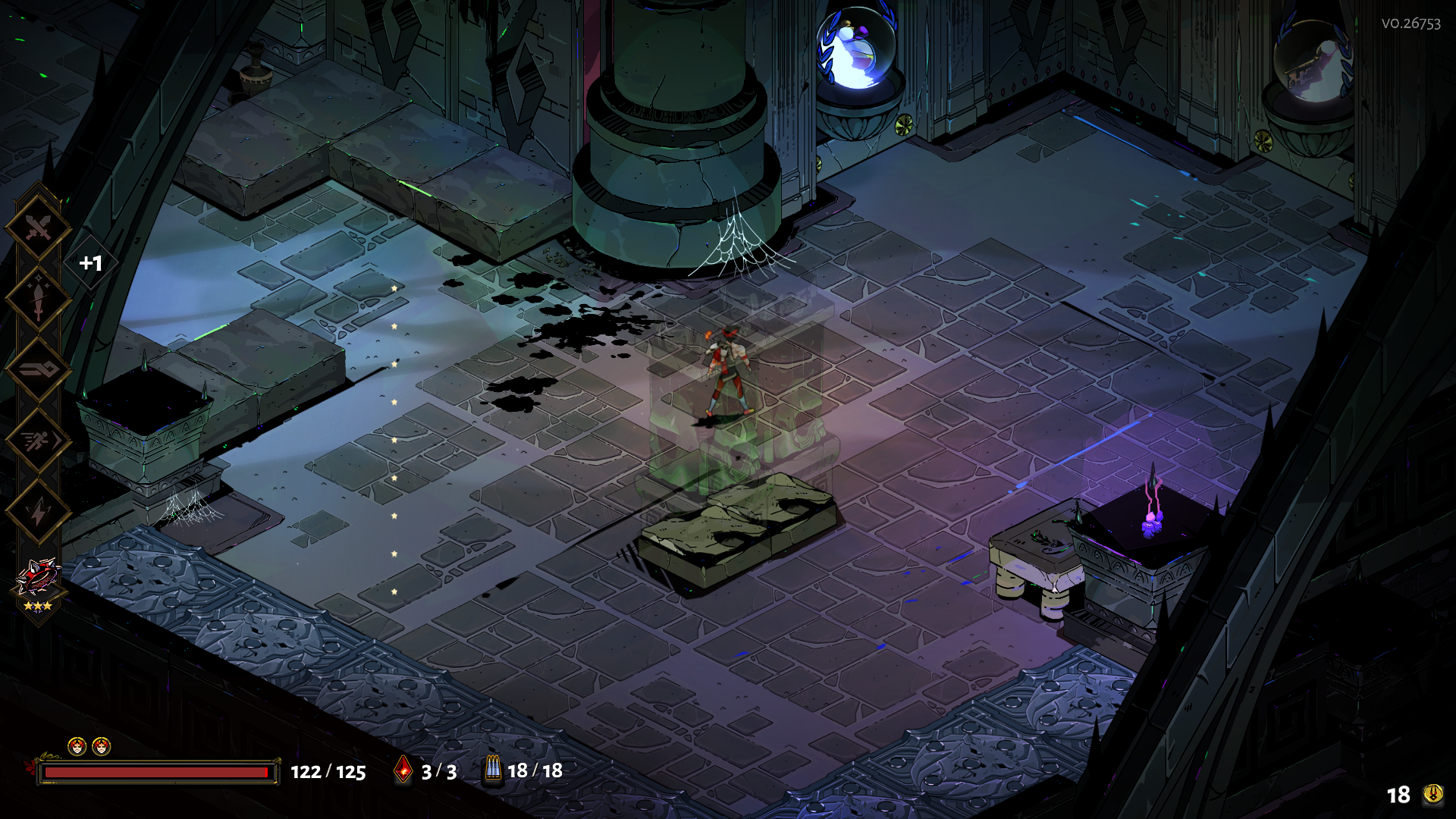
 dim spruce
@shy hornet @edgy junco There's currently an issue with computers with about ~4 GB of RAM, and with the x86 version of the game, where overlapping dialogue can cause the game to become nonresponsive. We're working on a fix. In the meantime, the launch command /AllowVoiceBankStreaming=false may help. Instructions for adding launch commands are in #h1-tech-fixes
sharp narwhal
@snow wyvern Report bugs in-game with F10 please!
rustic glade
@rustic glade If you didn't see already, there's currently an issue with computers with about ~4 GB of RAM, and with the x86 version of the game, where overlapping dialogue can cause the game to become nonresponsive. We're working on a fix. In the meantime, the launch command
/AllowVoiceBankStreaming=falsemay help.
@sharp narwhal Do I launch this command on cmd or put it on Hades's Steam patch?
also thanks for the help 😄
sharp narwhal
Paste it into Steam's launch options command line for Hades
· Select 'Properties...'
· Press the button that says 'Set Launch Options...'```thank you very much! I'll try it in a few minutes
digital forge
not sure if this really counts as a 'bug', but Ruthless Reflex interacts strangely with inferno-bombers. Dashing out of the way of where their bombs' AoE will be, even if they have just barely left the bomber's hand, triggers Ruthless
 mellow mountain
@fading kite what's the full launch option string you're using, /UseNativeGaInput=false /UseNativeControllerEffects=false %command%?
fading kite
yes, without the %command% tho
at least that worked for me, tried a few times and played two runs and had no problems
 storm fiber
Apparently my Hades game on the epic game store was updated last in october and now I was about to stream it when my viewers told me that thats an old version
but there is no update queued and Im unsure what to do
fading kite
your welcome! Glad it helped!
sharp narwhal
@storm fiber Are you logged into the correct Epic account?
storm fiber
I dont think I have a second one so I dont see how I couldnt be :)
my version number is 0.22141, is it correct that that is not the newest one?
sharp narwhal
The newest version is 0.26753
storm fiber
ah ^^
sharp narwhal
Do you use Epic on multiple computers?
storm fiber
Nope
sharp narwhal
Alright - close completely out of Epic, delete your webcache folder, and start it up again. It should be at C:\Users\<YOU>\AppData\Local\EpicGamesLauncher\Saved\webcache
storm fiber
copy that
no change
interesting development, a viewer suggested why not reinstall it, so I uninstalled
I think its gone from my library completely now
sharp narwhal
Yes, usually that happens when the purchase wasn't made on the Epic account that you're logged into
storm fiber
I purchased it when it launched in early access
Dont think anything changed with my epic account since then but looks like Im wrong
sharp narwhal
You should reach out to Epic support, and see if they can help you out. Do you have the receipt from the purchase?
 pulsar plinth
I also have the aforementioned crashing problem when talking to characters
sharp narwhal
A credit card or paypal statement would probably also be acceptable
storm fiber
Will have to look into it I suppose
sharp narwhal
Sorry I can't be of more help!
storm fiber
you cant just give me a steam key, can you :P
sharp narwhal
Nope, sorry 😅
@pulsar plinth Try the launch command /AllowVoiceBankStreaming=false if you haven't already
pulsar plinth
What where how?
sharp narwhal
· Right-click on Hades in your Steam Library
· Select 'Properties...'
· Press the button that says 'Set Launch Options...'

On Epic Games Store:
· Select 'Settings'
· Scroll down to Hades under 'Manage Games' and select it
· Select 'Additional Command Line Arguments'```So do i uh
Just type the thing into this window that just popped up?
My steam is in czech but i think what i hit are the things you said
mellow mountain
@fading kite well now I'm blackscreening trying to load into the house of hades
fading kite
thats weird, I didnt have that problem
Im trying to think what could cause it and how to fix it, if i come up with smth ill @ you
sharp narwhal
@pulsar plinth Yes, just paste it into the text line there
pulsar plinth
Okay
Thank you
Im a bit scared of things like this i dont wanna mess anything up haha
sharp narwhal
That's understandable!
If it messes things up you can always just delete the text from the launch options
pulsar plinth
h a c k e r ma n
sharp narwhal
believe me, I feel like that on the reg
 hollow prism
is the game crashing upon initiating an "intimate" session with meg a well-known issue after the update?
reported ingame of course
but i'm curious
sharp narwhal
If you're talking about the bug reporter window popping up with a bug about the ghost scripts, yes
If you're talking about the game freezing when initiating any dialogue, also yes, but you might be able to fix it (see above)
hollow prism
nah, i mean the crash itself, not the bug reporter opening as a result of it
and i haven't had a single crash up until that specific event
so, not just initiating any dialogue, really
sharp narwhal
Yeah, there is a set of crashes with those events caused by the scripts for the ghosts floating down the hallway outside. Should be fixed in the next patch
frosty tiger
Hello, I would like to get some help over I just recently downloaded Hades on steam and it was all working on tippy top shape on my first playthrough but as soon as I talked to the girl that says "halt" the game instantly crashed
and now everytime I strike up a conversation / whenever I pick up the first power upgrade you get where in your character speaks it instantly crashes
I tried uninstalling then reinstalling the game but it didn't work :c
I'll play one more to see if my luck turns right
oop it happened again 
 ebon dragon
okay my game freezes hard in styx rooms
frosty tiger
ebon dragon
music playing in the background but the game is frozen
happened 2nd time, it unfroze the first time around
frosty tiger
frankly anyone I strike up a conversation with always ends up crashing my game
sharp narwhal
@frosty tiger There's currently an issue with computers with about ~4 GB of RAM, and with the x86 version of the game, where overlapping dialogue can cause the game to become nonresponsive. We're working on a fix. In the meantime, the launch command /AllowVoiceBankStreaming=false may help.
· Right-click on Hades in your Steam Library
· Select 'Properties...'
· Press the button that says 'Set Launch Options...'
On Epic Games Store:
· Select 'Settings'
· Scroll down to Hades under 'Manage Games' and select it
· Select 'Additional Command Line Arguments'``` vague dock
@thick lava Thank you so much for the native character support! I know that I'm going to push the limits here but here are a bunch of images that shows the issue of small "i" turning to capital "I" in SmallCaps fonts. In Turkish, we have separate "i İ" and "ı I". Is there any way that we can deal with the capitalization problem?
In normal texts, the characters work like a charm. Thank you so much again 🙂
 thick lava
The font should have both: İi and Iı
Some of the menu .sjson files may have AlwaysUpperCase = true (or false) and that might be causing the wrong i
I would guess that C#'s culture-independent ToUpper() would turn i into I instead of İ
@vague dock TL;DR I think it's a logic bug in the engine. You might be able to workaround with AlwaysUpperCase = false but I'm not sure. We'd probably need custom Turkish logic
vague dock
Some of the menu .sjson files may have
AlwaysUpperCase = true(or false) and that might be causing the wrong i
@thick lava I didn't want to play with them as first idea, just because not to change the game's theme but sure.
 merry horizon
Uh, found a bug i can replicate.
Rerollint boons with the heat that removes one of your choices, removes two of them total, but one of them is selectable, you then have the second one that appears become permanent on the screen
Like so.
Reloading does remove it but it will stay until you quit and then go back into your save
sharp narwhal
@merry horizon We're aware of that issue and looking into a fix. You can also report bugs in-game using the F10 key.
merry horizon
Ah,did not know that. Thank you for the info.
lavish plover
@sharp narwhal Yes it was premium. Version 4.0.4.49. iirc it happened when I started an infernal trove and again when I entered a room and zag had a voice line, although I don't know if that has any significance.
sharp narwhal
Alright - if you'd like you can submit a report with Malwarebytes here: https://support.malwarebytes.com/hc/en-us/requests/new
I've been trying to reproduce the issue on the latest version and haven't had any success, so updating to version 4.1.0.56 might also resolve it
lavish plover
Will do, didn't even realize I had an outdated version
 tall pier
@vague dock You guys needed turkish translation?!
Im turkish aswell 😄
Maybe i chould help aswell. I would be really happy to help this team 😄
sharp narwhal
@tall pier Although some users are working on an unofficial translation, we currently don't have plans for an official Turkish language localization, or for other languages besides the ones mentioned in #hades-localization-faq. We will look into the possibility of officially supporting additional languages after we exit Early Access sometime later this year.
tall pier
Alright! Should i put my application on the website or just wait? 😄
sharp narwhal
We're not accepting applications for an official Turkish language translation right now. Reach out to @vague dock if you'd be interested in helping them with an unofficial translation.
tall pier
Alright i will! Thank you 👍
 lofty imp
Hello! Can i pass a save from a device to another? i've had a save in a laptop and i want to have it on the computer!
lavish plover
@sharp narwhal Just a followup. Had it happen again after updating, also is in exception list.
sharp narwhal
Alright, yeah - I reached out to Malwarebytes support so we'll try to get it cleared up
 abstract barn
My game freezes for about 3 seconds when entering a boss chamber
 pseudo hare
MalwareBytes quarantined the Hades binary again.
 fervent terrace
last patch finally fixed the freezing I've been experiencing in Erebus/Infernal gates since the Long Winter update, just wanted to stop by and say thanks for the hard work devs : )
lavish plover
@pseudo hare Scroll up for more info
pseudo hare
Thanks
 prisma bluff
@sharp narwhal Gauntlets aren't showing up for a few of us
pseudo hare
Mmm, can't get MalwareBytes to stop QTing Hades, even though it's on the exception list.
Probably Mbytes problem tho.
prisma bluff
Also the new sword is not appearing
 rocky blaze
none of the boon upgrades have any rarity for me
pseudo hare
@prisma bluff check the pins in the spoilers channel
lavish plover
@pseudo hare Make sure you added the correct .exe to exceptions. There is a x86 and x64
gilded light
it's in the same place as the x64 just replace x64 with x86 for example:
Program Files (x86)\Steam\SteamApps\common\Hades\x64\Hades.exe
Program Files (x86)\Steam\SteamApps\common\Hades\x86\Hades.exe
warm mulch
So guys, has anyone figured out what exactly procs the new sword aspect to become purchaseable? cuz i have all the sword aspects and guan yu aspect but i cant figure out how to do it
 grave sky
Since the most recent patch, I've been seeing issues with various graphical things. Example here:
Sorry for the phone picture, but I can't seem to capture it otherwise. It's entirely possible this is just my PC dying, but I can't seem to find any other way to make it happen than "Play Hades."
Worse, it keeps crashing the game - I get to a point where a glitchy, ghost version of Zagreus seems to be mirroring my movements, and then the game crashes shortly after that
 royal vector
im getting random black checker box patterns .. which has never happened before..
 reef atlas
i just got this problem where it says that my files couldn't be saved because they were being used by another process
what does that mean
 twin pecan
it's a minor annoyance but my Vibration setting doesn't save
I have to turn vibration off every time I start the game
 small iris
Does anyone have any comments on what to do if my game is crashing and all my game progress since I updated is reset?
fervent terrace
welp, seems like I spoke too son, the freezing glitch in erebus is not fixed yet xD
weird, I literally ran in circles in the previous erebus room, just to check if it was fixed, and it didn't freeze
but now I started a new run and it froze inside the first infernal gate
 jolly topaz
So I was playing through a run with the new fist weapons and I went into one of the challenge rooms (idk what they’re called the ones where you need a certain amount of heat to enter) and the game froze and when I tried to alt tab did this, alt+f4 didn’t seem to do anything and I couldn’t reach task manager so I ended up needing to do a full restart. I tried launching the game again but it loaded me back in that challenge room again and the same thing happened.
Oh flashing warning
rain cradle
Do you play English version?
jolly topaz
Yes
 solar lily
idk if this is a known issue but when im playing with a controller, the vibration setting never saves and is always turns back on when i launch the game or exit to menu. is this a known bug or is there a fix for this?
 slow snow
So, uh, the game got shut down with a warning about ransomware, so I think something went funny.
Hopefully I just did something stupid somewhere else
gilded light
@slow snow if you are using malwarebytes it's falsely identifying hades.exe as ransom ware. you will need to add it to Malwarebytes exceptions list
knotty fractal
So I'm still having major framerate issues when I move my mouse while in both the main menu and in-game...
However this time I actually recorded it
https://www.youtube.com/watch?v=bMBak2qG0tA

 icy cove
hey im trying to transfer hades saved data to another computer. how do i do that?
 unkempt cradle
Can't figure where else to put this but for a short time when I returned to the House, there were these four stars hovering on the left side of my screen (you can see them near Hypnos in this screenshot) - dunno if this bug is known, not a huge deal, but wanted to note it here - lmk if I should post it somewhere else
frosty tiger
@sharp narwhal Thanks ! It's working fine now 
I've found that when I press space continuously (skipping the dialogue) the game crashes
 misty rover
just had a crash in the Giant Bother room in temple
......right after finally finding Chaos Defiance
so thats gone now
iron latch
i gotta say, with the Nighty Night update and subsequent patches, i've almost never been this impressed with any Game Developers being so engaging with the players, nor such impressive leaps in such a small amount of time. I tell everyone i know about this game and your ongoing dedication. Truly something to behold, well done.
 clear girder
I'm having an issue with Thanatos; mainly that i can't interact with him while in the hall of hades.
 mental fiber
im having an issue that i cant open my codex anywhere it seems
on both my save files
 late ibex
I'm having an issue with Thanatos; mainly that i can't interact with him while in the hall of hades.
 real spindle
umm question
why is Thanatos refusing to talk to me
hes standing in the west hall, looking out into tartarus
late ibex
he is sulking
real spindle
and the dialogue option doesnt appear
cant even give him a nectar
plus last time he appeared to help me he disappeared before i could even say a word to him
 lavish sorrel
uh, how do i report that kind of issue? https://imgur.com/vZ6SJLi
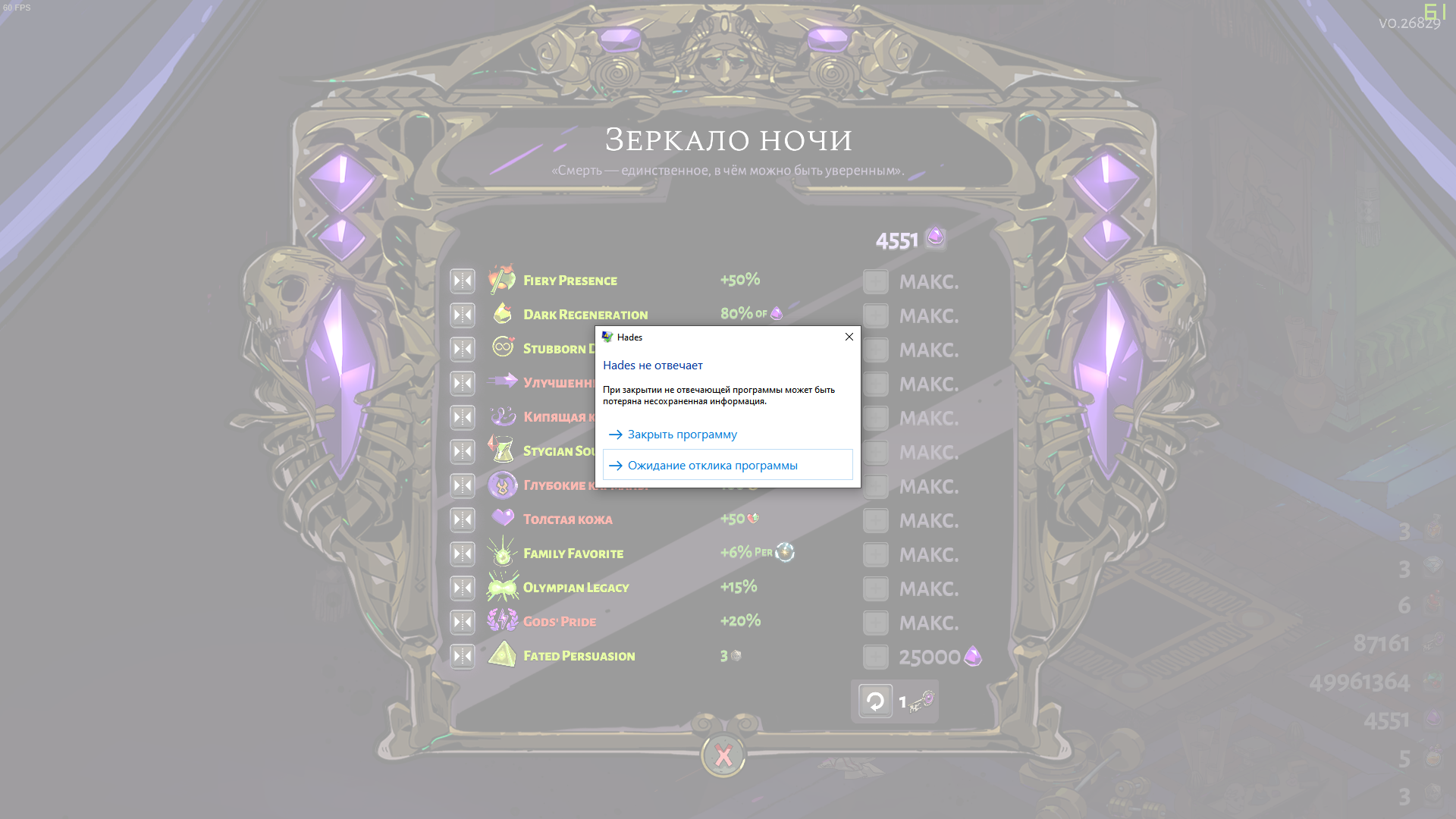
 icy crown
Whenever you open the codex midgame and close it the pointers remain until you leave the chamber
flint compass
please report that with F10! @icy crown
icy crown
@flint compass how exactly do you do that?
 potent iris
I believe F10 doesn't work when the game is crashing though
 rigid meteor
his game isnt crashing, he's the one that talked about the pointers remaining until leaving chamber
flint compass
when the bug happens, press F10 on your keyboard and a window will appear where you’ll be able to send a bug report
marsh whale
I already reported that exact issue
yesterday
you don't know if he actually did use F10 to report it and is just double relaying it so others don't duplicate too much
but yeah if the game crashes there is usually a crash reporter that appears
 clear stratus
I assume I'm not the only one experiencing music cutting off when entering some chambers? I have reported those bugs whenever I've encountered them, but just curious to see if anyone else has encountered that. i.e. you enter a combat chamber and the only music that is playing is background drums or shakers with no main tune playing. Has not happened on bosses though, interestingly enough
marsh whale
only if it's because of a lua error and not a lua loop
but unresponsive means you gotta send the crash logs
cus there will not be a reporter that shows up
icy crown
@flint compass Thank you 
sharp narwhal
@rocky blaze If you think you've encountered a bug, please report it in-game with F10.
@warm mulch There's a pinned post in #h1-story-discussion describing how to unlock it.
@grave sky Try updating your graphics drivers and verifying your installation through the launcher
@royal vector Verify your installation through the launcher - instructions are in #h1-tech-fixes
@reef atlas It means another program was making changes to your save files at the same time that the game was trying to save. Try disabling Windows OneDrive (https://windowsreport.com/access-is-denied-windows-10/ , step 5) and Windows Defender controlled folder access (https://support.microsoft.com/en-us/help/4046851/windows-10-allow-blocked-app-windows-security)
@twin pecan Please report in-game with F10 if you haven't already!
@fervent terrace Do you have any of the legendary summon keepsakes you get by gifting people ambrosia? How many do you have?
@small iris When and how is your game crashing?
@jolly topaz Do you have an Intel HD Graphics or Intel Iris 400, 500, or 600 series GPU?
@solar lily It's a known issue but we're still looking into it; please send a report in-game using F10
@knotty fractal If you haven't yet, turn off "Mouse Lock" in the game's settings
@icy cove The game's save folder is located at Documents\Saved Games\Hades. Copy and paste the entire "Hades" folder to the same directory (Documents\Saved Games\ ) on your new computer.
@unkempt cradle Report bugs in-game with F10 please!
@frosty tiger We also updated our sound system in the latest patch (v0.26829) so this shouldn't be happening frequently anymore regardless of whether you use the launch command, unless you spam-skip through dialogue
@clear girder There was previously a bug where gifting Thanatos nectar or ambrosia while out in the field would make him non-interactable back at the House; I'm not sure if this is the same issue or not, but please report it with F10 in-game.
@late ibex @real spindle See above
@mental fiber Please report that in-game with F10! If I had to guess, you somehow got stuck in a state from a part of the game where you're not allowed to open the Codex (standing on overlooks, for example).
@lavish sorrel When is that issue occurring? All the time, only when you use the Mirror, or only when you click on a specific part of the Mirror?
small iris
@sharp narwhal
Uh hello there.
I was streaming it for a friend and randomly it would crash. At three different points in seperate runs I lost all the run progress and it reset back to when I first loaded up the game since update. After the third crash I submitted a bug report because I'd lost a lot of time without any progress saved. My friend and I were completly fangirling over the new updates on a side note though.
sharp narwhal
Was it crashing to desktop, crashing with a bug reporter window, or becoming unresponsive/freezing?
marsh whale
I had an issue where discord crashed while i was screen sharing the game but I think that's more of a discord thing
discord just does that for me
small iris
Crash to desktop. Discord was fine
marsh whale
did the crash reporter pop up?
small iris
Nope
sharp narwhal
Oh good, CTD is usually easy to diagnose. 😅 Could you follow the instructions below and send an email to support@supergiantgames.com ?
2. Once the Event Viewer is open, click the dropdown menu on the left for "Windows Logs", then select "Application"
3. Click on the error entries on the right to highlight them and view the details of the error. Look for errors that mention "Hades" or "Hades.exe"
4. Hold down Ctrl and then click to select all of the "Error" events related to Hades
5. In the Action menu bar at the top of the screen, choose "Save Selected Events". This will create a ".evtx" file that contains all of the errors you highlighted
6. Next, run dxdiag.exe and generate a report by clicking "Save All Information" at the bottom of the window. There are detailed instructions here: https://support.microsoft.com/en-us/help/4028644/windows-open-and-run-dxdiagexe
7. Attach both the .evtx (error log) file and the DxDiag.txt (DxDiag results file) to an email and send it to us!```I'll check it later today and see what I can see
marsh whale
crash reporter is even easier since it tells you what went wrong in the code
CTD could be a core memory thing deep in C#/C++
sharp narwhal
I can't always tell what's causing a CTD but I've got a pretty good sense for the common issues by now. 😄
small iris
I would love to. Sadly have to do that later xD. Got to leave for programming class soon.
lavish sorrel
@sharp narwhal i think that was mid run, its just that screenshots are captured in a wierd way with Hades
sharp narwhal
Oh, I see. Do you get freezes like that frequently, or is this the first time it's happened?
lavish sorrel
First time
sharp narwhal
Alright - unfortunately, freezes like that are difficult to pin down. They can be caused by the game running out of memory, or being stuck in a loop somewhere. If your game freezes again, or you notice a pattern of when it's freezing and crashing, please send a report with F10 (it doesn't have to be when the game is freezing) describing the problem.
 bitter lance
uh, guys could u guys help me a little bit, im having an issue with "Hades" game
like i have 2 monitor and the game always open on second monitor, is there anyway to drag it back to first monitor ? (since the game is borderless and fullscreen only )
sharp narwhal
@lilac carbon Are you using a controller?
 lilac carbon
I am not, Im using keyboard
sharp narwhal
@bitter lance Dual monitor setups can be pretty temperamental. It might have to do with which graphics card your monitors are hooked up to, and which monitor is set as your primary. I'd recommend googling dual monitor setup troubleshooting for your models first, since it'll probably be more helpful than most of what I can suggest
Weird! Alright, next thing, maybe try reinstalling DirectX and .NET?
.NET is here: https://dotnet.microsoft.com/download/dotnet-framework
DirectX updates vary by OS, check here: https://support.microsoft.com/en-us/help/179113/how-to-install-the-latest-version-of-directx
lilac carbon
Alright
bitter lance
Thanks for the answer bro, lemme do some research about this dual monitors , i just got the second one like 1 week lel
sharp narwhal
@clear girder @late ibex @real spindle This was a different issue that should have been fixed in a recent hotfix. If you update your game and still see it happening, report with F10 please.
grave sky
@sharp narwhal Ah, sorry - I had already updated my drivers when I posted the screenshot, but hadn't verified. I verified last night and managed to get through a whole game with no major instability. Thanks! 🙂
sharp narwhal
Glad it's been running smoothly!
knotty fractal
@sharp narwhal I turned off Mouse Lock like you suggested and I still get frame drops from moving the mouse
However it only goes down to ~30 frames rather than >10
lilac carbon
@sharp narwhal I've tried reinstalling .NET and DirectX for a while know and the message has stopped popping up when I try starting the game
Instead the icon for starting up the games shows up and then closes again
Ah it's all cool
I just reinstalled Visual studios
 sour nexus
Hi. What is dusa 's request? I accidentally missed it in the dialog.
fervent terrace
@sharp narwhal yes, I have Mort unlocked
sharp narwhal
Alright, thanks
 sharp wharf
hello I would like some help with hades
every time I open and start playing
It crashes after a few minutes
tried uninstall and verifying game files
I've gotten a few runs where it stabilizes but the second I close the game after that
I have the same problem again
 sturdy saffron
hi
I lost all my progress after installing the nighty night update; I tried the solution from the hades-tecdh-fixes group, but it didn't work
real spindle
@sharp narwhal I fixed it with verifying my game files
the thanatos mute thing
couldn't give him a nectar but anyways
 plush oasis
Can no longer play hades since update wont launch at all I have tried everything listed on the site I read earlier that the epic version should be 26753 but my version says its 26833 I have no idea what to do to fix
sharp narwhal
26833 is the latest version after the most recent patch and hotfixes, no worries there
What happens when you try to open the game?
small iris
Hi Ellis. I just sent the email. Thanks for helping earlier.
plush oasis
It says running and then just stops and doesn't launch
And it still has the long winter thumbnail pic
sharp narwhal
I think the thumbnail just may not have been updated; mine also has the long winter update thumbnail.
As for the crash, could you follow the steps below and send an email to support@supergiantgames.com?
2. Once the Event Viewer is open, click the dropdown menu on the left for "Windows Logs", then select "Application"
3. Click on the error entries on the right to highlight them and view the details of the error. Look for errors that mention "Hades" or "Hades.exe"
4. Hold down Ctrl and then click to select all of the "Error" events related to Hades
5. In the Action menu bar at the top of the screen, choose "Save Selected Events". This will create a ".evtx" file that contains all of the errors you highlighted
6. Next, run dxdiag.exe and generate a report by clicking "Save All Information" at the bottom of the window. There are detailed instructions here: https://support.microsoft.com/en-us/help/4028644/windows-open-and-run-dxdiagexe
7. Attach both the .evtx (error log) file and the DxDiag.txt (DxDiag results file) to an email and send it to us!``` dim forge
Sorry if this has been posted/answered: I was using Guan Yu aspect on 0 heat and completed the quest to bring it to the surface, but died fairly quickly to Hades in his first form. After your character silhouette dissolves in the pile of blood and the screen went black, my game closed completely. Now when I load it, I can navigate the menu fine but when I click on my save file it waits a couple seconds and closes the game. It says my location is House of Hades. I started a new file and it played fine, died at the bone hydra and the same issue happened. I can't load my House apparently
 echo crescent
I had 2 full game crashes in 2 hours since update 26833 (no crashes before in like 4-5 hours) and, wait for it, even a blue screen right when Windows tried to force close hades.exe... a BSOD, didn't see that for a while since Windows 10. So I don't know what's changed but it's bad in the backend. I will send the eventviewer log entry (strangly I found just 1 and there is no useful information inside) and my dxdiag to support@. Is there maybe any other useful/game-specific error log file that you guys create yourself on crashes?
I verified "the game"/game files now, maybe that helps
 brisk kraken
I just found this out and absolutely cheesed the crap out of the final boss. I noticed this when I got the Daedalus upgrade for the shield called "Charged Shot" .You can hold your bull rush down, and use your special while behind it. You block all attacks that hit towards your shield, even while your actual shield from your special is hitting enemies.
sharp wharf
@sharp narwhal what if I dont have any hades errors
they are all for epic games store
I tried to uninstall epic too and that didnt work
should I ask epic about it?
golden grove
Tiny weird "bug" I found was that after I killed the final boss and was shown the victory screen, that I lost control of all movement except my dash.
 indigo reef
Hi there....I have a what i think is a bug.......my 6th weapon is missing. I only have 5 weapons available. I cant unlock aspects because of this...
is that a bug or I need to do something to unlock it?
golden grove
You mean the fists?
 magic nova
im having trouble getting my mouse cursor to show up in game
i dont have f.lux istalled and ive unplugged any controllers, thought thatd fixed the issue
 supple hamlet
Hi im playing my game on epic store and got my razer blade RMA for some problem i forgot to backup my games and i didnt know epic store doesnt do hades cloud save file. So i lost all of my save on hades i recently bought this game on steam so it wont happen again but can anyone lend me their save fiile? i just want to try the excalibur aspect and twin fist it might take me a month to get back where my save is.. farming and maxing everything on the process. thanks !
sharp narwhal
@sharp wharf Have you tried the other fixes in the #h1-tech-fixes channel?
@dim forge Have you verified your installation through the launcher? Instructions in #h1-tech-fixes
@golden grove Please report bugs in-game with F10!
@magic nova Do you have multiple monitors?
@rocky bear I'm not sure - please report that issue with F10 in-game if it happens again and we'll look into why it's happening.
magic nova
yes i have 3 monitors
1 widescreen 2 5:4, the square res might be messing w it?
tho the other sg games ive played through on 5:4 just letterboxed
knotty fractal
I'm still getting those framerate drops while moving my mouse even with Mouse Lock disabled... anything else I could do to try and fix it?
sharp narwhal
@magic nova Yeah, I'm not sure, but I know multi-monitor setups can be finnicky - I'd look on google for like "my mouse isn't showing up on my second monitor" or something. It might be related to window focus or any number of things
@knotty fractal There are some additional things from Microsoft support in #h1-tech-fixes for mouse lag that might help
sharp wharf
@sharp narwhal just tried a couple none have worked
 rocky bear
@rocky bear I'm not sure - please report that issue with F10 in-game if it happens again and we'll look into why it's happening.
@sharp narwhal Unfortunately, i already quit. What i assume happened (kinda) is that the last enemy was killed when i was in the middle of dashing between two "islands" through a non-walkable area
and that's probably where the reward spawned
ill make sure to report if see this again
 woven escarp
For some reason after this update my controller's completely stopped working with the game
sour nexus
Hi. What is dusa 's request?
 normal jolt
Hello, I like hades a lot, but it is difficult for me to still play the game. Of my last 10 races, a fatal bug occurred to me 7 times when I collect the Hermes's bloon closing my game and deleting the last progress made ... Would there be a solution for that? If continue like this, I want my money back please.
 serene folio
hello. i have been playing Hades for quite some time, but after the last update my game has been crashing shortly after i start
anyone else having that issue?
sharp narwhal
@normal jolt Sorry to hear it's been crashing so much for you! If you haven't already, I'd first recommend verifying your installation - instructions are in #h1-tech-fixes
serene folio
I'd like to tell you my fix. I was using my xbox controller every time it crashed, so I tried using my mouse, and then once I got out of the dungeon I was in before I installed the update, I was able to use the controller again without it crashing.
nevermind. that was just a fluke. it's still crashing periodically. i verified it on epic games, updated my graphics card. idk what else to do
sharp narwhal
Follow the steps here to send more information to support@supergiantgames.com and we'll take a look!
2. Once the Event Viewer is open, click the dropdown menu on the left for "Windows Logs", then select "Application"
3. Click on the error entries on the right to highlight them and view the details of the error. Look for errors that mention "Hades" or "Hades.exe"
4. Hold down Ctrl and then click to select all of the "Error" events related to Hades
5. In the Action menu bar at the top of the screen, choose "Save Selected Events". This will create a ".evtx" file that contains all of the errors you highlighted
6. Next, run dxdiag.exe and generate a report by clicking "Save All Information" at the bottom of the window. There are detailed instructions here: https://support.microsoft.com/en-us/help/4028644/windows-open-and-run-dxdiagexe
7. Attach both the .evtx (error log) file and the DxDiag.txt (DxDiag results file) to an email and send it to us!``` devout quarry
suddenly unable to move (but could turn) while equipped with shield after alt tabbing after beating final boss
is this a known issue?
sharp narwhal
@devout quarry This is an issue caused by charging a bull rush on the Shield at the same time that Hades is defeated, and might be connected specifically to the "Sudden Rush" Daedalus Hammer.
We've fixed it locally and hope to roll out the fix with the next patch for this update!
devout quarry
Thanks, @sharp narwhal!
For what it's worth, I had breaching rush and charged shot
I F10'd and sent a report though
dim forge
@sharp narwhal verifying my install worked, thanks so much!
 hallow ether
bug report here: once you get the Hammer upgrade for Twin Firsts that allow you to charge your Special attack, the Boon special visual effect is no longer applied in the charged attack.
 swift cobalt
i'm unable to report a bug in-game, so i'll give a bug report here: in asphodel, you can dash through the magma temple structure and go inside it while taking magma damage.
 surreal pike
Hi! Report bugs in-game with the F10 button!
 cinder totem
Hey @swift cobalt just in case the bug reporter (accessed by pressing F10 while running Hades) isn't working, please send your bug report to support@supergiantgames.com so we can track the issue a bit better. Thank you!
 sudden pasture
The game has crashed on me twice when trying to go through the Satyr area before chatting with Cerberus. I get 30 minutes in, unlock so many things for the fate achievements then it's just all GONE.
frosty tiger
The "Close at Heart" prophecy is bugged for me, I can't get the Black Shawl keepsake to register as having been used, even thought I leveled it up already.
I read in the patch notes that this keepsake got changed recently, maybe it's still checking for the old version in the prophecy?
I started playing after the latest patch.
Edit: Seems there's already a thread on Steam about this.
rain cradle
It's best to send f10 about it
Sgg get direct feedback with it and they can better understand the issue as it sends save and few more
 brittle compass
Just before the update launched I had finally gotten the pardon for Sisyphus to show up in the contractor's list. After the update its disappeared entirely and Sisyphus no longer gives me any new special dialogue. I read that you guys had added improved story for him and im wondering if after the new update that is the cause for the pardon disappearing. Now Im stuck with no method to get his keepsake. If theres a known solution to this I would appreciate it greatly as ive worked my butt off for his keepsake as quickly as possible and now I cant finish his questline.
(I just saw the f10 feedback)
 lapis walrus
when playing with arthur aspect Hades doesn't say any voice line, zagreus does and Hades text comes up but he doesnt talk
 faint frost
all hades save is gone what should i do to get it back
 peak matrix
prior to the new update, I could go into settings and change where audio would play from. I often switch between speakers and headset. that setting is gone, and I'm having a heck of a time figuring out a way to make it change mid-game
magic nova
windows audio source settings maybe?
peak matrix
I did that, but it won't change it mid-game, unless I screwed something up
I recognize that this is probably a nice-to-have, not a need-to-have, but the setting had been in the game previously. I'm sure it was removed for good reason, just not sure what
or possibly it's a bug causing the option not to show for me
sharp narwhal
@brittle compass The requirements for getting Sisyphus' sentence at the Contractor have changed. You now need an additional purchase from the Contractor, and a couple new conversations with an NPC in the house, in order for the sentence to show up with the Contractor. That's why it's disappeared.
If you get through most of the content in this patch and still can't find it, report that with F10.
@tribal crown Report with F10 in-game when you see a discrepancy please!
@peak matrix It was removed due to a lack of foreign language character support in the default menu fonts. If you feel strongly about having it back in the game, we'd definitely like to hear that - leave a note in #hades-feedback , or vote on any similar suggestions that are already in that channel. Everything posted there gets read and considered!
peak matrix
absolutely! thanks so much, El!
sharp narwhal
@faint frost There are some tips to possibly recover your saves in #h1-tech-fixes , though if you've formatted your PC or otherwise erased your files and aren't using cloud saving on Steam, then there's likely no way to recover them.
@lapis walrus That sounds like an ongoing bug where voiceover audio sometimes cuts out partially or entirely. We're still looking into why it happens - for now, please report it with F10 in-game.
@sudden pasture Freezing, or crashing to desktop?
sudden pasture
@sharp narwhal crashing to desktop
 rare laurel
Anyone have any luck with switching audio output without restarting the game?
 noble pagoda
Hi, I am trying to move saves (Epic Store) from one PC to another.
I installed Hades on the second PC. Tried one run (to make sure the PC can handle the game).
Then I deleted the Saved Games folder and moved the saves from the first PC, but the game doesn’t show them. I reinstalled the game, moved the saves again but Hades still shows only the save with one trial run. I am using the path C/Users/Name/Documents/Saved Games/Hades.
Any tips?
 astral plaza
new reroll boon can't reroll hammers
brittle compass
Thanks a ton Ellis
 mystic pasture
Having a lot of graphical issues/crashing lately. It started with the game would flash black and then it would freeze in place while still playing audio and I could here myself move, that was while in Borderless. So I switched to fullscreen hoping it would help, instead I now suffer from a stutters of a black screen, before being able to keep playing but then after a few stutters, the game crashes.
I've lost a few runs to the crashes at this point.
frosty tiger
My secondary screen starts completely bugging out if I start hades. It goes just black in the recording, but it sometimes comes on for a few frames.
 woeful quest
My game has been lagging massively since the new update, are there any quick ways to optimize?
 fervent moss
Hi, so... since the last update my game tends to freeze sometimes and it closes by itself or i have to close it wth task menager... i've got no new graphic drivers updates and i have no idea what's going on xD Once after i restarted the game it brouht me back into Hades House and i had to start the run from the begining... i can't report it using cause well... it's not working when the game is frozen x'D Can i fix it somehow by myself, or is it more major problem?
(yep, and again it brought me back ;-;)
 severe wharf
Hi - My game has suddenly started running at a significantly lower framerate (compared to last night); any idea what might be wrong?
(currently trying to identify if it's my computer itself acting up, as opposed to the game)
 stable kestrel
Would it be possible to revert Hades back to the previous patch ? (Not because i don't like this patch btw xd, other reasons i want to try out)
 gilded thistle
Hi there, i'm not able to launch it since the newest patch 😢 it's charging into 30 to 50% then crash.
 high canyon
Hello! I'm on my 48th run now and I've seen Thanatos only once and it was about 15-20 runs before. Seems strange to me, as I'm unable to progress through a character's story. I reach Elysium almost every time and I have no problems with being hit by enemies. So, my point is, maybe my save was bugged during updates or something?
I started playing back in October in EGS and now I'm playing in Steam, so I'm not sure if that could have affected anything
 outer oak
why the vibration always on like the setting never save or is it a bug
sharp narwhal
@outer oak That's something that's only been happening on Steam, and we think it was addressed recently - are you still having this issue, or playing on a non-Steam platform (launching through Epic, or outside of Steam)?
sharp narwhal
Do you use Steam controller config?
outer oak
I use both gamepad default config and xbox config
sharp narwhal
Ok, thanks. I'll keep looking into it on Monday - there may be a few more layers to it
outer oak
thanks
sharp narwhal
@high canyon It seems unlikely that anything is bugged, though you can always verify your installation through the launcher. Changing which launcher you play through shouldn't have changed anything about the game.
If you started playing before the requirements for seeing Thanatos were changed, it's possible you did several of your runs back when there was still a run cap requirement for him showing up. If you've seen him once on that save, though, he should be showing up in any biome at the regular rate as far as I know.
@gilded thistle Is the game crashing, or is the screen freezing?
@stable kestrel I don't think it's possible to revert, no.
@fervent moss Is there any pattern to when the game is closing? How much RAM does your computer have?
fervent moss
@sharp narwhal 16 GB RAM and no, there is no pattern - at first i thought it happens when i'm in heavy action, but then it happend when I was talking with Nyx
sharp narwhal
@frosty tiger Multi-monitor setups can be finnicky, generally speaking - I'd recommend changing your monitor settings, or looking up troubleshooting for your models online.
@mystic pasture Are you playing on Steam? Have you disabled the Steam overlay and updated your graphics drivers?
@fervent moss Sometimes it's freezing, but sometimes it's crashing to desktop? Or are the crashes consistent?
 plucky cradle
My girlfriend was playing with Demeter's legendary, and she told me when she was playing that when she shattered the final boss, she heard one of Demeter's Greater Call voice lines (I believe it was the "Freeze to death!" one).
If that's a bug, it's a really cool one. I'm just asking because I don't remember seeing anything in the patch notes about it. Sorry if it's a dumb question.
fervent moss
@sharp narwhal Sometimes it crashes to desktop on it's own (at first it freezes then after 10-15 sec it crashes), sometimes i have to close the game using task manager
(i should have video in which this bug occurs - if you need it i can try to find it and send it to you)
mystic pasture
@sharp narwhal Graphics Driver is updated, have not disabled Steam Overlay. Will do that and report back
sharp narwhal
I'm sorry! Thanks for trying that out
@fervent moss and @mystic pasture go ahead and follow the instructions below and send an email with the files attached to support@supergiantgames.com and I'll take a closer look on Monday.
2. Once the Event Viewer is open, click the dropdown menu on the left for "Windows Logs", then select "Application"
3. Click on the error entries on the right to highlight them and view the details of the error. Look for errors that mention "Hades" or "Hades.exe"
4. Hold down Ctrl and then click to select all of the "Error" events related to Hades
5. In the Action menu bar at the top of the screen, choose "Save Selected Events". This will create a ".evtx" file that contains all of the errors you highlighted
6. Next, run dxdiag.exe and generate a report by clicking "Save All Information" at the bottom of the window. There are detailed instructions here: https://support.microsoft.com/en-us/help/4028644/windows-open-and-run-dxdiagexe
7. Attach both the .evtx (error log) file and the DxDiag.txt (DxDiag results file) to an email and send it to us!```@sharp narwhal sent! Thanks for help and have a nice day 
mystic pasture
It seems to be that I am...mentally inept. I can't find the e-mail to send the files to.
sharp narwhal
 polar shard
i swear when the game crashes its probably the most annoyung thing
my 20 heat run just reset completely and it didnt count
mystic pasture
Agree'd, hopefully it will get fixed soon. Thanks for the help @sharp narwhal I sent the e-mail. 
astral plaza
Chaos' line about "Maybe when I awoke I was just being reborn, like you do when you die." plays a random clip about the fates or something.
Also, "What's life without a little pain." When zag leaves the house, and "What is this stuff." when drinking the mandrake pools should have question marks! They're questions! Mark them!!!!!
 cyan quiver
every time I close the game my desktop brightness/contrast is waaaaaaaaaay too high, and I have to restart to restore it to normal
 wintry raft
is there any fix for the multiple-dialogue crash? it's making the house of hades segments really hard to get through
sharp narwhal
@astral plaza Please report those with F10 in-game!
@wintry raft It was supposed to have been improved with one of the recent patches - are you playing the x86 version?
The fix otherwise is to use the launch command /AllowVoiceBankStreaming=false
wintry raft
thank you. i just add that to the executable then? i'm not sure which version i'm running, must not be the x86 i'm guessing
sharp narwhal
No, it might be the x86 - it has less memory. If your computer has ~4 GB of RAM that may also cause the issue.
launch options are inside the launcher
· Right-click on Hades in your Steam Library
· Select 'Properties...'
· Press the button that says 'Set Launch Options...'

On Epic Games Store:
· Select 'Settings'
· Scroll down to Hades under 'Manage Games' and select it
· Select 'Additional Command Line Arguments'```thank you!
 hardy venture
Hi there!
Yesterday I played Hades perfectly. but today when i try to open it it says: "SDL could not initialize!"
Does anyone know what to do with that?
hardy venture
nvm, it fixed by itself
 carmine hatch
since the demeter update the game has a lot of frame drops for me. any solutions??
outer oak
I think some subtitles don't match with vocal lines, in my case after I beat Meg I heard she said "Damn.." but the subtitles are "What..". Some other cases this happen too. May be the reason is I beat the boss so fast and it barely to keep up then.
flint compass
that sounds like it could be a bug? you should F10 it if it happens again
gilded thistle
@sharp narwhal the game crash
sharp narwhal
@gilded thistle Did it freeze, crash to desktop, or create a bug report window?
 haughty horizon
So, for some reason I can't get the update on the Epic launcher
I have it on auto-update, but I still have the Demeter and Guan Yu title screen
flint compass
try verifying your files?
also, it might be updated but fsr still have the old pic, try starting your game
haughty horizon
I did
Several times over the last week
I'm considering uninstalling and reinstalling
flint compass
Are you logged into the right account?
haughty horizon
Yes I am
Ok, so I uninstalled, and maybe it's because I don't use the Epic launcher very often, But I can't find how to reinstall
If I go to the store page it only gives me the option to purchase, no download
Please do not tell me I have to repurchase the whole game just because I uninstalled it to try to fix a problem
 brittle ember
hi ive been checking arround on here did not see a thread about this . i have been having an issue where somes times my down key wouldnt work for a abit happened to me a dozen time or so sometimes killing me and it happens fairly randomly and stops by realy masshing the dodge key
 shell tide
So, I'm having an issue with a few tooltips that show an error message and my save file screen has the text running under the other save slots
Also I have verified my game files through steam
gilded thistle
@sharp narwhal It crashes on the charging bar, at 50% then poof disappears.
I'll try to reinstall the game, I'll tell you
 dawn sun
Just posting here since I can't in the feedback channel. There's a bug with the "Equip each trinket" minor prophecy in regards to the Shawl. It won't accept that I've equipped it despite having it max rank and it counting every other trinket as having been equipped. I assume it has something to do with the items rework.
flint compass
bugs can be reported with F10 in-game!
dawn sun
Well that's convenient
flint compass
also, if you want to get access to the feedback channel, read the pins in that channel to find out how to post there. it isnt for bugs tho, just for feedback :>
dawn sun
Yeah it was just the closest thing I could see in the channels and there were some bug-like posts in there
 gilded tapir
Has anyone experienced this 'invisible thanatos' thing? I really thought I can give ambrosia to shades
flint compass
you should report that with F10 as well if youre still there!
gilded thistle
@sharp narwhal hi again, after a reinstall it's ok 🙂 runs like hell ! (ok i'm out)
 cinder veldt
Hey! I have a quite strange bug, I'll try to explain.
It appears the newest patch/sometime that something has affected the way my mouse moves. It like, sticks in some places? I noticed while attempting to aim the bow. It's not snappy. As an easy recreation, I just made circles in the menu screen. At like, the upper right and lower left of the circle, it 'sticks' and slows down. I know this isn't my mouse, because i've tabbed out while making the circle motions, and no sticking. Is there any ideas at all to this?
Ok, so while continuing to mess with this, I discovered that turning off Mouse Lock in the settings stopped the 'sticking'. However, this isn't a solution, as obviously clicking into my second monitor isn't acceptable. Will report in game as well.
zinc sierra
Good morning,
Brief somewhat-bug to report that i experienced last night.
I had an encounter with Thanatos while in Elysium.
I defeated more enemies than Thanatos and collected the room's reward.
Thanatos ended his animation somewhat inside of the southeast wall where he remained frozen.
For about 30 seconds he remained there, then he seemed to snap out of it, exit the wall, and drop his reward and i was able to continue as usual.
Although it eventually worked and did not cause a 'bug' per say, there might be something fishy going on with the logic of Thanatos being stuck in a wall when the challenge is complete.
I did not report this with the F10 tab since it was not a 'bug' but may be an issue nonetheless.
@cinder veldt unofficial response from a fellow player, here... I found that 'Enhance Pointer Precision' can sometimes cause issues. What this does is make your mouse move faster when you are accelerating faster.
Maybe if you turn this off you can narrow down if that is an issue?
Win 10 instructions:
Go to start menu and type in Mouse -> Click on Mouse Settings, then click on Additional Mouse Options. Go to the Pointer Options tab, and under the top 'Motion' section, uncheck 'Enhance Pointer Precision'.
sharp narwhal
@haughty horizon Please talk to Epic support about that - I've heard of it happening a few times, though like Alma said it's usually because the game was purchased on a different account than you're logged into. Either way, Epic will be able to help you more than we can. As long as there's a receipt of your purchase, I'm sure you won't have to buy it again
@brittle ember It sounds likely to be a hardware issue. Do you play on a laptop?
@shell tide Report in-game with F10 please and we'll take a look!
mellow mountain
so I was chillin out
havin a nice hades run
crashed entering the temple of styx
nbd, that happens about every time, so I go to restart the game, and the update hits
now I'm crashing every time I try to load into the temple, where before, it'd crash the first time I arrived, then loading to a save at the temple I'd be fine for the rest of my gametime
sharp narwhal
@zinc sierra Something doesn't have to strictly be a game-breaking bug in order to be report-worthy - there are lots of things we fix or tweak because people think they're bugs, or because they just aren't working as well as they could be. If something seems off at all, please report it!
@mellow mountain We added some more robust logging to the game with this patch - start it up and hit F10 from the main menu please!
mellow mountain
oop
will do if it happens again
I managed to solve the issue by loading into an empty save slot and then switching to the styx save
 silver hound
hi, id like to report an issue ive been encountering where the game will freeze at random, but i can still hear all the sound effects, i tried disabling vibration on my switch controller that ive been using to play but it didnt work, it happened both in game and in the menus, as far as i can tell its not caused by any specific action, im playing on a laptop and i purchased the game through steam, can anyone give me any ideas on how to fix this?
sharp narwhal
Try disabling the Steam overlay. Right-click Hades in your Steam library > Properties > General > uncheck the box next to "enable the Steam overlay while in-game"
silver hound
thank you
dunno if it works yet but thanks for a quick response
im still encountering the problem, any other ideas as to what it could be?
sharp narwhal
Do you have any other overlays running? Is there something else on your computer that might be causing the window to lose focus?
brittle ember
@sharp narwhal im not on laptop im gona do an official bug repport so you guys can have full config and i will full update drivers in a bit
hollow prism
got a weird unexpected crash after the new patch. was using arthur in a big styx encounter room. f10'd it but figured might as well mention it here too
sharp narwhal
Yep, we're aware, will probably have a hotfix out shortly
hollow prism
👍
 loud ivy
Hey where do I report bugs? Here or maybe there's another specified place
sharp narwhal
Use F10 in-game!
loud ivy
Whoops sorry, found the F10 button
Oh, right on time! Thank you very much! And sorry for flooding, cheers!
 deep yoke
Yo, I'm just trying out the new patch and whenever I enter this Styx chamber, my game crashes at about 10 seconds once I start it. Thankfully the autosave lets me go back in at the beginning, but I'm just in a sort of infinite crash loop. I'm using the Arthur blade if that helps with figuring this out
sharp narwhal
We're aware, hopefully rolling out a hotfix shortly!
deep yoke
Oh, ok, sick, thanks for the heads up
 mental quail
I'm currently stuck in Zagreus' room. Game will crash when I try to exit either way.
sharp narwhal
Hey there, that's a crash we're still looking into - please report it with F10 in-game!
 rain pendant
I can't load the game, it will get stuck on the loading screen
 trail sundial
MalwareBytes just quarantined the game - anyone else seeing this?
shell tide
@sharp narwhal
I have that one on hand, otherwise it's the new keys that bug out and one of the weapon aspects which I can get a bit later if you need those as well
 opal cargo
Hey Im not sure where to post this but MalwareBytes for some reason detected Hades as ransomware. It occured after playing for a bit and when i was moving to a new room it happened.
sharp narwhal
Yeah, sorry about that - we've contacted Malwarebytes support about the false positive to try to get the game whitelisted and they haven't gotten back to us yet. We're working on it!
In the meantime, manually add the game to Malwarebytes' whitelist
 vagrant geyser
currently I'm playing on a i5 7300hq with a gtx1050 and 8gb of ram, and the fans get really loud every once in a while and I check task manager to see high cpu and memory usage
since i'm going to college next year, i'll be getting a new, lighter laptop which will have an i5 10210u and integrated graphics, will it be able to handle this game?
 fiery sapphire
Hello, I have been trying to use a switch controller (not a switch pro controller, just a kind of generic one) to play Hades. When the game launches, however, it only recognizes mouse and keyboard inputs. I am using the Epic Games launcher so the things I would try if I had it on Steam (controller support settings etc.) don't really help me. Any thoughts?
 fluid tulip
Hey folks, got an issue when I'm trying to update (steam version). It's giving me a "Missing File Privileges" error. Any ideas on how I can determine which file is giving me the error at large and what permissions should be for the file?
I have done the "Verify file integrity bit", and it's still giving me the same error.
edit: rebooted, issue fixed. something had left a file handle open somewhere apparently.
marsh whale
the bar stops like half way that's so odd
rain pendant
Yes it is
marsh whale
try deleting the .exe and validating files (but you should wait for ellis to give you a more informed suggestion)
rain pendant
I'll wait
Cause I did delete the game and reinstall it but no change but I'll wait
haughty horizon
@sharp narwhal Thanks so much for the advice. You were right, the game had been downloaded and running on a different account, but both accounts have the same games lined up. Thank you so much. Now I kinda feel bad knowing this was me being a derp...
 winter storm
Hi so uhm..
I loaded into my save file but the game said that my file is unable to run and is corrupted.. so when i clicked on the run from last backup, it puts me back from the start instead..
how do I check where my backups are?
marsh whale
the saves are in \Documents\Saved Games\Hades
so probably the backups are there too
I imagine the backup was probably compromised too if it didn't automatically try to load it
 sour scaffold
Probably a known bug, but easy to run into. Short-tapping the fire button with the bow equipped locks the Prince into a stance, preventing normal animations. Doesn't look too good...
https://youtu.be/Dkp_DGjva_s
 flint compass
please report bugs with F10!
 lucid rose
So uhhh, after this update the game keeps kicking me out before it finishes loading, anyone else got the same issue?
Tried to get it to load 4 times, hasn't worked so far
Oh uh, now I got an error message
"An unexpected exception exception(?) of program (0xe0434352) has occured on the application of the location 0x00007FFC6A19A859."
Trying my best to translate it from Spanish
Some words were repeated to for some reason?
Oh, and normal menu music started blasting while the error message was up
sharp narwhal
@rain pendant Are you playing on Steam? If so, disable the Steam overlay - Right-click Hades in your Steam library > Properties > uncheck "Enable the Steam overlay while in-game".
@haughty horizon No worries!! Just glad that's all it was.
@winter storm Is it this message: Settings for current profile are corrupted, and cannot be read. Default settings restored. ? If so, that's most likely being caused by your antivirus software.
Whitelist Hades with any antivirus software you have installed, and make sure Windows Defender's controlled folder access is disabled: https://support.microsoft.com/en-us/help/4046851/windows-10-allow-blocked-app-windows-security
The game doesn't automatically try to load backup files, they're just there in case of file corruption due to your computer blue screening, for example. You can retrieve your save from the backup files by changing the extension name - instructions are in #h1-tech-fixes - but you shouldn't need to do that here. The message above is usually more of an "access denied" error caused by antivirus.
@lucid rose Is the window it's creating a Windows error, a Steam error, or a Hades bug report window?
lucid rose
I don't remember really, it was a white box with a red X, lemme see if I can get it to appear again
Nope, didnt appear this time, game just kicked me out before finishing to load
shell tide
@sharp narwhal So I've been playing today and sent of a few bug reports now but the some of the issues I'm experiencing are
-Save slot text bugged
-Titan's blood text bugged
-Eurydice's text displays correctly but is incorrect about what it actually does
-The pact of punishment skull is misaligned
-Weapons second form all have a missing tooltip text
-Selected the second form plays the voice line for the 3rd form and vice versa,
Apparently game integrity is fine and I even tried completely re installing everything and it still hasn't worked
sharp narwhal
@shell tide I have seen maybe 2 or 3 reports like this before, and to me it looks like either a localization issue, or some kind of weird backwards compatibility thing - I've never been able to reproduce it on my end.
Just as sort of a shot in the dark, you could try deleting your Profile.sjson files. All they contain is your settings/config so it wouldn't affect your save files. They're at Documents\Saved Games\Hades with all of your other save data
There should be one each for every save slot you've used, e.g. Profile1.sjson, Profile2.sjson, etc
shell tide
Ok I'll try that in a moment and get back to you
Before I do that should I grab some more screenshots? I think I've bug reported most of it
sharp narwhal
No, I'm pretty sure I've seen reports like you're talking about before so I feel like I have a pretty solid idea of what it presents as
I'll collect the reports you submitted into a single issue and if we can't figure it out I can pass it up to an engineer
shell tide
Ok cool
lucid rose
@sharp narwhal Got it to appear again, seems it's an Hades error box?
shell tide
@sharp narwhal Ok so it isn't what you suggested originally (because I was half way through testing this crazy idea) but I just deleted the content folder and then verified my game cache. My line of thinking was it should see that there is clearly a problem and fix it, and well it worked.
I haven't found any titans blood or met Euridice but the weapons and the save slots are fixed
shell tide
Titans blood tooltip is also fixed
Eurydice tooltips also fixed
So as far as I'm aware everything is in working order
sharp narwhal
👍 Thanks, good to know!
Ok @lucid rose could you do the following and send an email to support@supergiantgames.com?
2. Once the Event Viewer is open, click the dropdown menu on the left for "Windows Logs", then select "Application"
3. Click on the error entries on the right to highlight them and view the details of the error. Look for errors that mention "Hades" or "Hades.exe"
4. Hold down Ctrl and then click to select all of the "Error" events related to Hades
5. In the Action menu bar at the top of the screen, choose "Save Selected Events". This will create a ".evtx" file that contains all of the errors you highlighted
6. Next, run dxdiag.exe and generate a report by clicking "Save All Information" at the bottom of the window. There are detailed instructions here: https://support.microsoft.com/en-us/help/4028644/windows-open-and-run-dxdiagexe
7. Attach both the .evtx (error log) file and the DxDiag.txt (DxDiag results file) to an email and send it to us!```Once i understand what any of that means will do, thanks for the help!
@sharp narwhal Ok, i think i have it all, do i send an email from my gmail just like that or do i need to go the supergiant website or something
sharp narwhal
Nope, just send an email from your email account to support@supergiantgames.com !
sharp narwhal
Thank you! I'll look at it in a bit.
 fair trail
Hi, I have an 'issue' with the game and could use some help.
So, I've got myself Hades on Steam. I'm sharing my library with some of my friends, and I'm currently visiting one of them. He got his own save since he is playing on his account. Yesterday, I logged into my Steam account on his computer to continue on my save, it got my files from the cloud since they were not matching the ones on the computer. We assumed it would ask for the same when he gets back on his steam account, so he could just download his files from the cloud and continue his game. But it did not. When he now starts Hades logged into his Steam account, it starts the game up with my save files.
Is there a way to get his files from the cloud or to manually overwrite them in the games folders?
rain pendant
@sharp narwhal that work thank u
 versed nymph
is there a trick to deleting profiles? I created one in slot 4, but the delete/trash icon only seems to remove it temporarily. when I exit the screen and go back the profile is there again
marsh whale
cloud saving is bugged there's probably no way to get those files
Jelly you have to start a new game and get it to run-end, this is how it's been in Pyre as well (need to reach a checkpoint) and it is very frustrating when you're trying to mod the game / want clean saves
So basically if you start a new run and it says "saved x seconds ago" or whatever that isn't a permanent save because if you ever Give Up it will revert back to your old (supposedly deleted) save. Instead you have to die or win.
the only solution I found for pyre was to delete the slots in-game and then remove the corresponding profile/save files from Documents/Saved Games/Pyre so likely that will also work for Hades
versed nymph
@marsh whale so if I want to permanently remove the save in slot 4, I would literally delete every file here that starts with Profile4?
seems like quite a hacky way just to delete a save...
marsh whale
If you want to have a completely empty slot that is what you have to do.
don't shoot the messenger...
versed nymph
ok that kinda worked. deleting the files removes it from the slot permanently now. although whenever I start the game it just recreates the Profile4 files, but at least they dont show up in game, so all good 👍
 keen wasp
Just had a crash at the hydra boss, the victory screen got stuck while doing the little sparkle affects. i was using Dionisius and grenades boons so that might have overloaded something.
 crude sonnet
Hey guys, been looking for a fix for a while now
My Hades is just randomly crashing to the desktop without an error message :S
 wanton crag
Hi! Question, have any one had a problem with the gift of song on the fated list? I played that lyre in-between 50+ runs. Im so bad at instruments I cant even play it in a game. ^^
 gritty glacier
Hi everybody ! I've buyed the game yesterday, download the launcher and download the game without a problem but every time I try to play it send me this. Can you help me please ?
 wispy gale
Hi all, I've been streaming this game recently to Steam Link no issues until the last couple of days. Every 10 seconds or so I get a single one off lag spike but then back to normal. Anyone else had similar?
sharp narwhal
@keen wasp Did the game freeze? If so, it'll probably be pretty hard to tell what happened - there are some general tips for improving performance in #h1-tech-fixes . You could also try playing in windowed mode.
@crude sonnet When is the game crashing? Before it starts up, or when you try to leave rooms?
@wanton crag There are a couple conversations you need to have with Orpheus in order to advance that plot; it also takes quite a bit of playing on the lyre to get to the point at which the quest completes. Don't give up!
crude sonnet
@sharp narwhal randomly! most of the time when im in the dungeon tho, doesnt matter if im leaving, or right in the middle of it
sharp narwhal
@crude sonnet Could you follow the instructions below and send an email to support@supergiantgames.com with the attached files? Thanks!
2. Once the Event Viewer is open, click the dropdown menu on the left for "Windows Logs", then select "Application"
3. Click on the error entries on the right to highlight them and view the details of the error. Look for errors that mention "Hades" or "Hades.exe"
4. Hold down Ctrl and then click to select all of the "Error" events related to Hades
5. In the Action menu bar at the top of the screen, choose "Save Selected Events". This will create a ".evtx" file that contains all of the errors you highlighted
6. Next, run dxdiag.exe and generate a report by clicking "Save All Information" at the bottom of the window. There are detailed instructions here: https://support.microsoft.com/en-us/help/4028644/windows-open-and-run-dxdiagexe
7. Attach both the .evtx (error log) file and the DxDiag.txt (DxDiag results file) to an email and send it to us!``` analog bolt
I wanted to let you know during my last fight with Hades, I summoned companion Shady when he started phase 2 and the ring of acid/poison? didn't trigger.
 upbeat mauve
@sharp narwhal sorry for bothering in this chat, just a small question: Do you have any shared bugtracker, avaliable for players? Or you keep it internal only? (would like to avoid reporting duplicates to you, guys)
sharp narwhal
No, our bug database isn't public - don't worry about reporting duplicates though. At worst, duplicate reports take about 15 seconds to link together and close. At best, they can give us additional information or steps to reproduce an issue that we've been struggling to figure out, and they can also give us a sense of how many players are experiencing a certain issue!
upbeat mauve
Ok, thank you! Seems reasonable alternative to vote system 🙂 Cheers!
 boreal arch
I'm having trouble with a game save file. I couldn't save because I didn't have enough space but I have more than enough space but now it won't let me load the save file. It's only giving me the option to delete it. I got so far too. Any help would be appreciated
sharp narwhal
@boreal arch Make sure Hades is whitelisted with any antivirus software you have installed on your computer. You should also turn off Windows Defender's controlled folder access: https://support.microsoft.com/en-us/help/4046851/windows-10-allow-blocked-app-windows-security
flint compass
try verifying the files, are you sure youre logged into the right account?
 velvet venture
yes im stupid i was on a wrong account thanks
woven escarp
Hi everyone, after the most recent big update my controller isn't working on the game, whereas it used to before the update.
 jaunty ledge
hello, my hub area has bugged out
idk how to fix it
i think my save file is corrupt
sharp narwhal
What do you mean "bugged out"?
 warm radish
I haven’t touched Hades since the Demeter update. Booted it up, but whenever I try to enter a new room, the game crashes. I don’t get an error, the game just closes. Anyone have similar problems?
jaunty ledge
it looks like this
sharp narwhal
I think it's more likely your game is corrupt - have you verified your installation through the launcher?
@warm radish We're looking into that issue now - first try verifying your installation through the launcher (instructions in #h1-tech-fixes ), and if you're still crashing, send a report in-game with F10 describing the issue.
 dapper spruce
Trying to open the game with steam in offline mode and the screen seems to stop updating some point during initial load screen, I can hear sounds like the game is running normally but just see a frozen load screen or black. Known issue?
 grim ibex
Got to bull and game crashed (first time bull dialogue was text only, no voice)
Beat the bull and then got reset back to my last run
With sword of arthur, back at skelly
 shrewd grove
Hello everyone, I seem to lose all my upgrades upon reaching Asphodel. Is this supposed to happen and if not how can I fix it?
shrewd grove
Also, how do you redeem your steam key?
frosty tiger
how is it possible to let people complain about performance issues
and stupid lags
for years
without fixing it
 rancid geyser
hello, i seem to not be able to play hades since i cant find a graphics driver for my computer
i have an intel core i5 2nd gen(ik its old)
is there anyway around this or any fix?
dapper spruce
anyone else having this problem where the image permanently freezes part-way through the initial loading bar?
 severe stone
I just came across to a bug with Patroclus where I can't talk to him and so I cannot advance with the game
Quitting and coming back several times doesn't help, I also tried to verify the game files.
Is there a way to start the run over?
flint compass
Please report that using F10 in-game!
 covert otter
oh ok! will do thanks
 hollow wedge
well thats strange... hades just started talking after killing me
and the next moment Im alive in the House but can't walk
severe stone
Please report that using F10 in-game!
@flint compass Yeah did that
flint compass
my message was for Steven, sorry, but thanks for reporting it
sharp narwhal
@dapper spruce Disable the Steam overlay if you're playing on Steam - right-click Hades in your library > Properties > uncheck "enable the Steam overlay while in-game"
@severe stone This is often caused by audio issues, for some reason. Make sure your default audio device is enabled and that you aren't running something at the same time that might be messing with your configuration
@hollow wedge This can happen when you die to Hades during a phase change; quitting to the main menu and loading back in should fix it.
hollow wedge
thanks
sharp narwhal
We're also have a fix in progress for that, I'm pretty sure
@rancid geyser It's possible your computer may be below the min specs for Hades, if you can't find any graphics drivers that work with it:
Hades requires a PC running at least Windows 7 SP1, with a Dual Core 3.0ghz, 4 GB RAM, 1GB VRAM with OpenGL 2.1+ support, and 10 GB available disk space.
@shrewd grove What do you mean by "lose all your upgrades"?
severe stone
Thanks Ellis. Haven't changed any settings tho and audio settings / devices are setup normally. Tried restarting PC and mess with audio interface settings but no use.
In the meantime, guess theres no way to quit the run?
sharp narwhal
I think there might be some stuff you could do with deleting your temp save file, but I think I've thought that before and it ended up not working. I'll get you unstuck really quick and just DM you your save file back - sorry about that
You said you sent an F10 report, right?
severe stone
Yeah I did
sharp narwhal
Hm! Well that appears to be legitimately broken. That's not great!
Thanks for the report - we'll get whatever this is fixed before the next patch rolls out (hopefully). I can roll your progress back, but can't proceed
rancid geyser
@lusty roveris thx for info, i started playing on a spare computer i found
wait srry wrong user
@sharp narwhal
dapper spruce
thank you Ellis, that did it!
 violet pebble
i have a wierd issue where the game crashes everytime i plug in/out my headset to charge it. Its not really an issue cus if i usually keep my headset charged but its slightly annoying if i do have it charging and budge the cable a little bit, disconnect the headset and the game crashes. if anyone knows a fix that'd be great thanks
brisk kraken
Reported the bug through F-10, any ideas on how to fix it? It's displayed over everything except the menu when you press escape.
It cleared after leaving the area, odd.
 sharp acorn
Is it a known issue that the Heart-Seeking Bow regular firing and dash-strike is not working?
When I dash-strike, it looks like he's trying to shoot, but the arrow isn't even in the notch.
And when I tap shoot, I can move around with the bow weirdly...
 wraith tulip
I don't have f.lux but I still can't see my mouse.
rancid geyser
i have the same issue with the bow
serene folio
This patch seems really buggy. Could you roll it back one update, please? I can't even play the game because it crashes right away.
it doesn't even create an error in the log
sharp narwhal
Is it crashing on room transitions?
 jovial grotto
I received this error message when trying to start up the game, any ideas?
rain cradle
How much space you do have on the drive?
jovial grotto
none of them are full
 calm locust
my games is crashing on room transitions and sometimes very shortly after taking a reward
rain cradle
@calm locust It would be great if you send few things to SGG, like dxdiag info, and error log from windows . I can copy intructions for you
any of these can help solve the issue
Could you follow the instructions below and send an email to support@supergiantgames.com with the attached files? Thanks!
> 2. Once the Event Viewer is open, click the dropdown menu on the left for "Windows Logs", then select "Application"
> 3. Click on the error entries on the right to highlight them and view the details of the error. Look for errors that mention "Hades" or "Hades.exe"
> 4. Hold down Ctrl and then click to select all of the "Error" events related to Hades
> 5. In the Action menu bar at the top of the screen, choose "Save Selected Events". This will create a ".evtx" file that contains all of the errors you highlighted
> 6. Next, run dxdiag.exe and generate a report by clicking "Save All Information" at the bottom of the window. There are detailed instructions here: https://support.microsoft.com/en-us/help/4028644/windows-open-and-run-dxdiagexe
> 7. Attach both the .evtx (error log) file and the DxDiag.txt (DxDiag results file) to an email and send it to us!```
@sharp narwhal hushed moss
Since the last major update, I've been having severe performance issues, as well as a strange glitch where my mouse pointer rapidly disappears and reappears when I move it (that last part only happens at the main menu). The performance issues mostly occur during combat, but also at some other times; it seems like they might be linked to particle effects or other graphical flourishes, as dashing and enemy attacks both seem to trigger frame loss. I've already updated drivers, verified files, and disabled the steam overlay, with no noticeable change as a result. I also checked the NVIDIA control panel to make sure Hades is using my actual graphics card. My computer is a laptop with a GTX 1050ti and a i7 7700HQ processor. I welcome any help or suggestions!
 gleaming ice
Whenever I dash more than twice, the game crashes
 wraith sapphire
Hey there! I came across a bug a couple of days ago when I had Poseidon's cast and then entered a Demeter room. From the moment I got in the room, my cast changed to reflect the Poseidon/Demeter duo boon, but with what seems like the damage of the Poseidon boon. It was like a slow moving Poseidon boon with the duo boon animation.
I should add that I had no other boons at this point except Poseidon's cast and I didn't choose the duo boon after (since it was not available anyway as first Demeter boon)
 tiny spear
Hello, I reported a bug that I realised wasn't a bug today around this time, where I was stuck in the exit room of tartarus, I had to purge a boon not drink from the pool, it was my bad and just ignore the bug
 urban hearth
Hi, I submitted a bug where I entered Elysium room with Patroclus in it. I was unable to continue to other chamber as it says, exit blocked and I cannot talk to Patroclus. How can I continue with resetting my savegame.
sharp narwhal
@urban hearth There was a missing conditional for one of his conversations; we've fixed it locally and will be rolling out that fix with the next patch
@tiny spear No problem! Don't worry about submitting incorrect or duplicate bugs - it doesn't take long to sort them out
urban hearth
thank you very much for the response. I appreciate the response. Rock ON!
 void apex
With this new patch, I’ve been having a bunch of “summon unavailable” even when I still have 2 uses left and haven’t used it yet in the room
I just want my giant rock friend ;_;
flint compass
press F10 in-game to send a bug report!
 tepid zenith
@flint compass I was just looking for how to do that, then glanced and Discard and saw your message - you read my mind o.O
frosty tiger
still have freezing in gameplay somehow
 hardy delta
hi, why can minotaur in the act 3 boss fight damage me through the call damage immunity (eg blade vortex)?
 hardy sail
Hi
I have 120hz monitor
But infame the fps lock to 75
Anyone knows how i can fix it?
rain cradle
do you have g-sync or free-sync?
if yes turn off vsync on card settings for hades.exe and turn on free-sync/g-sync
hardy sail
No gsync or free sync
I turn off Vsync on nvidia control panel but no luck still lock the fps
 grave urchin
Radeon RX 580 Series - lagging :((
 smoky osprey
rain cradle
smoky osprey
rain cradle
Radeon RX 580 Series - lagging :((
@grave urchin Vsync off. Turning on AMD Anti-Lag can help too.
You need to do this from Radeon Panel.
grave urchin
@rain cradle its not help
 slim stratus
hello, is it possible to let the game continue running when the window loses focus ? thx
 pseudo topaz
 crude mortar
thanks for the reply, also F's in the chat 😮
marsh whale
update hades to have all the features of the hades virus
 dense quartz
im having a problem where my game will freeze and i hear it working but it's completely frozen and sometimes i just wander around until i die but i just got into a new section and every time i get there it freezes. it's right after i beat meg and then get on the boat platform thingy. Does anyone know how to fix this?
sharp narwhal
Are you playing on Steam?
dense quartz
Yes I am and I also already did the things that it said in the tech fixes channel
sharp narwhal
Gotcha - so, verified through the launcher, turned off Steam overlay, etc.
dense quartz
yup
 brittle flicker
where do I report bugs?
 frozen adder
Press F10 when you encounter one while in game!
brittle flicker
thank ye
frozen adder
Sure thing!
dense quartz
My game is still not working. I've beaten Meg about 3 times now and it's getting redundant. no matter what I do I get struck in the first area after I embark in the Meadows place. it freezes and though I can hear it working it just doesn't unfreeze. I can die but it takes me all the way back and I have to restart the game. I have to beat Meg all over again and I'm basically just starting over again and again. Help! Please!
sharp narwhal
@dense quartz Sorry about that - I'm not too sure what would be causing this other than an overlay of some sort. You can follow the steps below to generate a DxDiag.txt and send it to support@supergiantgames.com and I can take a look to see if anything seems like it's obviously causing problems, though.
Next, run dxdiag.exe and generate a report by clicking "Save All Information" at the bottom of the window. There are detailed instructions here: https://support.microsoft.com/en-us/help/4028644/windows-open-and-run-dxdiagexe
dense quartz
@sharp narwhal thank you so much. I'll do that as soon as possible
@sharp narwhal I sent the email with the generated DxDiag.txt. Thank you so much again for your help.
lavish plover
Is it a bug or intended to be able to get 2 hermes boons on tartarus?
 vast gull
it can happen
 ember flame
hey my computer shutdown and all my progress in hades got lost, i tried following the instructions in fixes but still nothing. Is there nay way i can get my progress back?
 clear lion
I'm having huge frame drop issues since the last patches. No idea what's happening. Ryzen 7 3700x, 32DDR4 3200Mhz, GTX 1080, game on SSD. The frame counter from nvidia doesn't show any change but the game feels laggish while in combat and executing moves. Screen shake is disabled.
 pulsar yarrow
My Hades is not working it is crashing when I start it
It shows loading bar at 10% and closes the game after 5 seconds
 terse bolt
Same drop of performance with the two most recent patches, too. There are frame drops with first use of all weapons, and there's a general loss of smoothness in navigating the world (hard to perceive or explain).
 azure marsh
Quick question. Installed hades on another computer. And only got my first save slot loaded from cloud. Am I safe to assume first save slot is cloud and others are local?
 silver nexus
I've been having an issue when tabbing into steam. I tried reloading the game, and the bar only loads about a 3rd of the way, then glitches into a black screen
anyone have this issue?
marsh whale
🤔 (was using mods so I didn't f10 this but I don't think it's related to my mods)
equipped the charon keepsake mid run and turned into this...
my mans turned himself into a box, he's box zagreus!
chilly quarry
a weapon to surpass metal gear
sharp narwhal
I've never seen another report like that 😂 But I'll keep an eye out
pulsar plinth
BOXEUS
 ornate swift
do you know where I can report small UI bugs?
 arctic mortar
directly in the game via pressing F10 🙂
ornate swift
Oh shoot and if I have screen shots?
 robust bobcat
not sure if this is the place for bugs, but this happened on the new hydra arena, the hydra somehow got stuck in the top right corner of the map and couldnt come out
https://medal.tv/clips/21348474/d1337P3OYMQZ

couldnt finish my run 
vast gull
bugs are reported in game with f10
frosty tiger
hey guys what do i do if my screen froze on asphodel? i really hope i don't have to restart and lose my progress...
EDIT: ok nevermind had to forcequit and lost my progress...unchecked the steam overlay + updated drivers 😔
marsh whale
yeah if you took damage on that floor you lose your progress if the game crashes / force quits
 dusky ore
keeps staying as unfinished even though i 3-stared the shaw
sharp narwhal
@dusky ore That bug was fixed a couple patches ago - update your game to the latest version (27191) through the launcher.
frosty tiger
hello everone, just installed the game but I'm getting this error
Any ideas?
oops, never mind, seems like bit defender was blocking it for some reason. Whitelisted it and it's okay now 🙂
frosty tiger
hmm loaded my game and i don't have the punchy gloves... been a while since i played did i miss something of how to unlock them?
 shell sleet
you just have to play a run to reveal them
doesn't matter how far you get, just make sure you have a few keys on you
frosty tiger
alright, so walk out and die, deal
 signal sequoia
Hi ! I've lost all my save files after reinstalling windows on my computer, any idea how I could at least give myself obsidians, keys and titan blood to go back to what I had please ?
 novel pivot
sharp narwhal
novel pivot
sharp narwhal
@icy burrow That's a softlock that's been around for some time, but that we haven't had any leads on until recently; it seems to be caused by trying to open the boon tray as you're entering a room. If you do this early enough, it causes the chamber number to appear in the top right hand corner of the screen, which I imagine is why people do it. If your timing is just right though, it somehow bugs out all menus from that point on, making things unselectable in them.
We're still looking into why that happens and how to fix it, but in the meantime, if popping up the chamber number like that at the start of rooms is something you do frequently, I'd recommend not doing it and seeing if the problem goes away.
 fallen hedge
If i uninstall game from epic game store will it save my progress if i install it again? In case it wouldnt, where is my savings file located ?
surreal pike
There are no could saves, but your save files are located in Documents->Saved Games->Hades!
sharp narwhal
@toxic basalt Report bugs in-game with F10! That being said, it looks like you're missing some text from your game. I'd recommend verifying the installation through the launcher; instructions are in #h1-tech-fixes
 toxic basalt
@sharp narwhal okay i will try that, the game works fine past that weird menu glitch 🙂
 tepid yarrow
does Hades have any compatibility issues with vr headsets? my friend's trying to play the game and it keeps crashing and none of the stuff in tech fixes apply to him. his computer's pretty high end too, it can run stuff like Doom Eternal/Destiny 2/Borderlands 3 with no issues
sharp narwhal
Hades doesn't currently support VR, no.
tepid yarrow
so even if vr is plugged in but not being used, Hades will have issues?
sharp narwhal
I'm not sure! Worth a shot running it without it? It could also be something else though
tepid yarrow
fair enough, thanks!
 desert hamlet
hi, im running into a problem with hades, each time i launch the game it crashes in the first 10-20 mins of playing, sometimes as soon as i spawn in, is there eny way i can fix this? also it takes a while for the game to start if that has any relation to that, thank you for reading
 strange flicker
Enemies that can fly sometimes have this happen to them. I either knock them into a wall out of bounds (such as a crystal enemy in Tartarus), or they can spawn into the wall (see below). It is possible for said enemy to walk out of the wall and into traditional damage range.

 thorny root
I'm having verification issues with Hades on the Epic Games Store :0 It started a few updates ago--it's error code LS-0013, but verifying the game doesn't fix it... I've updated all my drivers (just an Intel HD Graphics 520), I don't have McAfee on my computer, I've tried the additional line commands trick, and I've tried uninstalling Epic Games and Hades and then reinstalling. Regardless, everytime I try to launch it, it's the same verification error code. I'm sure I'm missing something but any help is really appreciated!!
(Sorry for such a wall of text, I just wanted to add as much info as possible)
grave urchin
What about AMD Card fix? :(( AnitLag-On, VSync-Off - but not helping 😦
rain cradle
I hope that the next update which will be focused on optimizations will bring big boost for amd , but if the game will still use OpenGL then dont expect too much tbh
 tawdry obsidian
i'm having heavy fps drops when there's a lot of enemies on the chamber, i tried lowering the resolution but it makes no difference , (i have amd gpu)
sharp narwhal
@thorny root Try closing out of Epic and starting it back up from its icon, but with administrator privileges. You can set it to always start with administrator privileges by right-clicking the icon or .exe file, and under the "Compatibility" tab, check the box next to "Run this program as an administrator" (it's in the "settings" subsection of that tab).
@strange flicker The second issue with knocking the crystal through the wall was fixed several patches ago - your game is out of date. Make sure you're updating your game regularly through the launcher, including in the days after major updates; for about 2 weeks, we're often pushing changes and hotfixes every few days.
RE: The souls going out of bounds, that's a known issue that can occur in a few locations in Elysium, and we're looking into it.
@desert hamlet There are a few reasons that could be happening, and there are also some general fixes you can try in #h1-tech-fixes ; the first thing I would suggest would be to make sure your graphics drivers are up to date, and that, if you have McAfee antivirus, it isn't quarantining the game.
thorny root
@sharp narwhal oh my god it worked thank you so much!!! I really appreciate the help, I haven’t been able to play in months this has made my week
 lethal yoke
I reported several in-game bugs in Hades via F10 but I was offline at the time. Can someone let me know whether those bug reports were sent whenever I reconnected (could have multiple sessions/system reboots before reconnecting to internet) or if I need to send them out manually?
lethal yoke
I'm stepping away from system and might miss any response to my above query. Please @ me so that I definitely get it
strange flicker
With the Pierced Butterfly, taking damage in an area that would not trigger completion (such as Trove Trials and the last areas of the game ||Styx||) will cause the Butterfly to make it's Failure Sound despite the conditions. (In ||Styx||, taking damage in the preceding rooms will not affect the Chamber's End.)
 still dagger
How do I update my game? I have the game from the Epic store, and I'm still on the Long Winter update.
lethal yoke
@still dagger Have you opened the Epic Games Store App and set Auto Update On for the game? If yes, you need to wait a while for the download to finish and update to install
still dagger
Yes, auto update is on. But I don't have any downloads queued.
sharp narwhal
@lethal yoke If you don't have an internet connection, I'm pretty sure they don't go through at all. Don't worry about posting them here or re-sending - just report them if you see them again and have an internet connection!
@strange flicker I'll keep an eye out - it's helpful to us if you can report things like that in-game using the F10 key when you see them!
@still dagger Are you logged into the Epic account that you purchased the game on?
 torn quail
My game just shut down after I went back and forth between the weapons screen and the Zagreus's room. Couldn't report the bug
sharp narwhal
@torn quail Do you have McAfee antivirus? It may be quarantining Hades.
sharp narwhal
Not the same thing - though you should check that Malwarebytes isn't quarantining Hades either
torn quail
yeah, it's not
sharp narwhal
Cool. Try verifying your installation through the launcher - instructions in #h1-tech-fixes if you need them
torn quail
Thanks Ellis. It is not quarantined, but I'll go through the paces. First time this has happened in ~20 hours of gameplay
 worn sparrow
Bought the game through the Epic store today and can't get it to load at all. I try launch and it crashes every time. Wondering what the best way is to log this to hopefully be helpful, and if there is any troubleshooting I should do right now
sharp narwhal
@worn sparrow Check #h1-tech-fixes
Most likely you need to reinstall the latest C++ redistributable but could be other things too
worn sparrow
Ok great. Thanks for pointing me in the right direction
@sharp narwhal That worked. I'm in. Thanks!
strange flicker
I found it would be a little more appropriate to put the issue here rather than f10 it. Not only is it a consistent issue, but you can’t record videos using f10, something that I could better perform and describe here.
@sharp narwhal
sharp narwhal
All F10 reports go into a database where we can track and manage issues and place them in a workflow. Your F10 reports also send us additional data like a copy of your save file (which allows us to immediately attempt to reproduce the problem), non-identifying details about your computer setup to pinpoint technical issues, and a debug log to track crashes. For all those reasons, we generally prefer F10 reports, even if you can't record a video or sound for us - a description is usually plenty!
strange flicker
Sounds reasonable enough - I can do that more often, then.
sharp narwhal
Thank you!
 neat sentinel
Hello. Was wondering if anyone else here is still having troubles with the Switch Pro Controller inputs lagging randomly? Been trying everything I can to eliminate it (bt vs cord, no rumble, etc) but its still happening.
 royal herald
Hi I'd read the tech fixes channel - and didn't see my situation there - I've been playing htis game for a few weeks now - now the game launches - loads up to about 15 or 20% of the loading bar - and then crashes to desktop - anything I can help with re: diagnostics?
EDIT: meant to start this message by saying that this is an awesome game - and I'm glad to experience the early access
EDIT #2: just re-tried to validate the files - this time it "worked" and recognized 2 failed files and they were reacquired - things are fine now - no solution required
 hoary summit
ok so! i looked through the tech fixes and online, i can't find a solution to this issue
maybe im blind but i doubt it
-my game crashes as soon as i leave Elysium, i beat the bosses, i go to the in between room and then i try to enter the temple and in that black transition screen the game crashes, restarting the game and opening up my save file does nothing but crash it again. any tips? I havn't dived into the files yet, but only because i don't want to mess anything up, thanks a bunch! love this game
(also hey Tspl💣dey, that sounds like a controller issue, i was having the same thing happen to mine on a different game, try contacting nintendo support <3 )
cloud wren
my game crashed and i lost the whole run 30 minutes of my time gone
sorry
also as of late im experiencing a pretty big increase in crashes severe freezes (the hardware isnt the problem) maybe somethign i did wrong in the settings or
 gloomy chasm
Hey! I had come to the point in ||sisyphus quest where i could purchase the thing that lightens his sentence, but after the long night update it just disappeared from the shop and i can't seem to get it at all now.||
 robust snow
Hey! I had come to the point in ||sisyphus quest where i could purchase the thing that lightens his sentence, but after the long night update it just disappeared from the shop and i can't seem to get it at all now.||
@gloomy chasm ||I had the same thing-ish, where the only person I had left to talk to was hades. He has no more dialogue, and the items never appears in my shop||
sharp narwhal
@hoary summit Verify your installation through the launcher; instructions are in #h1-tech-fixes
@gloomy chasm @robust snow The requirements for receiving this item have changed. There's another NPC you need to talk to in the House about that quest now, and you have to have ||the administrative chamber unlocked||
robust snow
@gloomy chasm @robust snow The requirements for receiving this item have changed. There's another NPC you need to talk to in the House about that quest now, and you have to have ||the administrative chamber unlocked||
@sharp narwhal Ah Okay, I have that unlocked and I have done the work for Orpheus. ||Who else do I speak to now? Meg and Sisyphus have mentioned it. Is it Nyx? And I how do I get her to talk, she has so much to say now!||
sharp narwhal
||Just keep talking to her, haha. She should have a dialogue about the administrative area being unlocked; be sure you're gifting her as well if you haven't been already.||
||if you've already reunited orpheus and eurydice you've probably seen her conversation about the admin area already||
robust snow
||Just keep talking to her, haha. She should have a dialogue about the administrative area being unlocked; be sure you're gifting her as well if you haven't been already.||
@sharp narwhal ||She is as far gone as possible with gifts, she is also connected with Chaos. Shes' just being difficult. Keeps going on about thad and Meg and yes she already talked about the admin area||
sharp narwhal
You can submit a report with F10 if you want and I can make sure you're not prog-stopped or anything. I don't think you are, but it takes like 30 seconds to check
robust snow
Sweet, next time I do a run through I will check, thanks Ellis!
Man, how great is the F10 for Testing?! When I tested games 10 years ago we had nothing as awesome as that.
sharp narwhal
It's very nice, haha. I'm super grateful to our engineers who put that structure in place.
robust snow
Test tooling is super important and so often gets overlooked. As Test Manager now, I'm always pushing for it. Anyways, thanks for your help!
 nimble plover
So I'm tryting to determine if Im experiencing a bug or if im actually missing something how do you do the black box over chat so I can ensure I'm not spoiling anythign for anyone?
cinder totem
You can spoiler tag by putting ||two bars around either side of your spoiler message||
||like this||
nimble plover
||test
||test||
||I am unable to remove the lock on aphrodite I have all reputation maxxed with every other character to where I got the bond formed message with each one I even went through their follow up dialogue, for aphrodite specifically as well I have gotten all of her dup boon dialogue triggers as well from both ends theres no more dialogue triggers I can come up with, for the 3 relationships I have additionally got their keepsake bonus dialogues and companion keepsake bonus dialogues, than and meg I I maxxed out relationships and dialogues with back before the winter update, dusa I maxxed and got all dialogue in ngihty night I didnt really play winter update at all, I'm wondering if I am missing something or if perhaps I registered a flag in an older update that didnt transition and repeat to current update and now I cannot trigger it and its causign aphro to not register and remove lock, Ive done prolly 50+ runs with aphro since the final dialogue with dusa, I also got aphro to emtnion than dusa and meg as well and now shes just recycling generics since that point over 50 runs ago||
sharp narwhal
Hey @nimble plover , could you submit a bug report with F10 so I can look into this? You don't need to be in a specific spot or anything - just load your save and submit a report with a description of the problem, you can even copy-paste what you said here.
nimble plover
im on it
report has been submitted
if this transfers any of my save file info you will truly see how no life I am lulz
sharp narwhal
It does! No worries though, haha. This is helpful, thank you!
 past fable
hey I'm not too sure if I should send in a full bug report but I've been coming across a minor bug where if you fire your special with the railgun, sometimes it shoots backwards. this happens very rarely but just wanted to bring it to attention if its helpful!
 gaunt nova
it will bounce off pillars and walls
past fable
nah, like it shoots 180° opposite of wherever I'm aiming
nimble plover
you using a controller or keyboard mouse?
past fable
keyboard/mouse
nimble plover
when that occursare you dashing or where do you keep your mouse is it close to zag or near screens edge?
 untold valley
I just lost my entire save file
i unlocked everything
as in i literally did everything in game
i unlocked everyything from the contracter, got all skelly statues
and now i just lost it
i had 197 hours in that game
sharp narwhal
I'm sorry; what happened exactly? Did it disappear entirely, did the data change?
sharp narwhal

Are there files in Documents\Saved Games\Hades?