#h1-tech-support
1 messages · Page 17 of 1
 outer vale
 sharp narwhal
Could you run DxDiag.exe, then take the report it generates (DxDiag.txt) and send that to support@supergiantgames.com with a description of the issue like what you just told me?
 real zealot
So since I bought the game on epic can I get a discount for the steam version ?
 cinder totem
Hey @real zealot ! The Steam version of Hades is currently on sale at 20% off. 👍
sharp narwhal
@pearl bone Hey, that Thanatos feedback sounds like a bug! I assume you already left the room, but if you see issues like that, you can report them with F10 in-game!
 pearl bone
Cool! Yeah, already left the room, but will definitely remember to submit it with F10 next time! Sorry for the trouble! Should I delete it from the feedback then?
sharp narwhal
Yes please! If you don't mind (spoilered for others) ||was it the conversation where you unlock the remainder of Thanatos' heart bar in the Codex?||
pearl bone
Yes it was.
sharp narwhal
Great, I'll keep an eye out for it.
As you guessed, that's only supposed to occur if you win. 😄
pearl bone
Yeah, it was a 16-3 loss for me, I believe. Definitely not a win by any means. 😅 Good luck, and thanks for all your hard work! The game is amazing and seeing it progress over the last year has been incredible.
sharp narwhal
Thank you for the report! Hope you continue to enjoy the update 
 untold epoch
My volume slider won't show up in game, the windows volume slider I mean. How do I fix this?
 muted oasis
@untold epoch I get that too. But sometimes it shows up.
I have a gaming desktop and a light laptop. I am gonna travel soon, so I installed from steam. It never did with epic games store, but it crashes on launch. 1/3 loading bar, with bgm, and menu selection sound when I use arrow keys. What would be the cause..? I've tried installing installing C++ redistributable and checked the integrity in steam.
sharp narwhal
Can you try running it as administrator directly from the .exe file in Steam's program files and see if it runs normally?
The game is DRM free so you don't have to start it up through Steam
sharp narwhal
Sadly I am not sure what the issue with the Steam launcher is 😅
I'll ask an engineer about it tomorrow.
It's just a shot in the dark, but you could try closing completely out of Steam and then running it as administrator?
muted oasis
I found out the the Steam overlay was crashing with the client. The screen froze with the overlay notification blinking, so I turned it off. Now it's good!
sharp narwhal
Oh, good to know! I'll mention that tomorrow and maybe we can get it added to the guides in hades-tech-fixes.
 harsh hatch
Enjoying the game so far but i have noticed a few things One the game has microstutter based on afterburner the game is dropping to 58fps then back to 61 then to the desired 60. Secondly the games visuals are immensely dark on my plasma tv and i dd not see a option in game to adjust gamma or brightness to compensate otherwise great fun to be had
sharp narwhal
There is an option in the settings menu to adjust brightness!
Hope that makes it look a little better, and thank you for the kind words!
sharp narwhal
No problem!
harsh hatch
any ideas on the microstutter
sharp narwhal
I'm not sure, no, but I can mention it to an engineer tomorrow when everyone's at work.
harsh hatch
Cool thanks would knowing my system specs help
sharp narwhal
It might! You could send an email to support@supergiantgames.com with a DxDiag.txt report attached and a description of the issue?
harsh hatch
i could do that if you wish. also point out the low cpu core useage i only noticed the game using a few cores of my six
sharp narwhal
👍
harsh hatch
thanks for the info i will email off a DX diag with the microstutter and multicore issues
 daring fractal
hi, Hades keep crashing on my pc whenever I start it from Steam. Any fixes for that?
 haughty rose
Just found out that you can enter god mod in hell mode. Make sure your hell mode save is in slot one, and then go to your save folder and delete everything associated with the first save except the .sav file itself. Start the game and before entering your save, flip god mode on in the settings page on the main menu. It will carry into your hell mode save, but disappear when you exit your save.
 lunar cove
Hey got a bit of a weird issue, I'm experiencing heavy screen flickering if I have the game set to fullscreen or borderless mode(though it doesn't really look borderless) also it doesn't flicker fullscreen if I set the resolution to below 1080p
Btw the flickering isn't black screen bits I think it's more like artifacts on the screen? running an AMD 5700 GPU
 kind yoke
Heya I am having a weird issue with fps/lag
Essentially around 20% of the time the game is running super smooth. It doesn't seem related to amount of enemies or anything the game will just suddenly run perfectly. However, the other 80% of the time the fps is very very low. When its in this state it does seem to be affected by enemy amount, particle amount and particular areas (like asphodel) being especially laggy. But the 20% of the time of perfect fps is utterly random as far as I can tell.
Any ideas as of to what might be causing this?
sharp narwhal
@daring fractal Try the fixes in #hades-tech-fixes-old. You can also try turning off Steam overlay, since it causes problems sometimes.
@haughty rose Thanks for letting us know! You can report bugs like that in-game using F10
@lunar cove and @kind yoke , make sure your graphics drivers are up to date, and that the game is running on the correct graphics card. There are instructions for this in #hades-tech-fixes-old
 glacial kraken
hey guys, I just redownloaded the game. My save file is gone. was there a full reset or something?
sharp narwhal
The game saves locally; if you cleared off your drive or your Documents folder, they might have been deleted?
There hasn't been any sort of global reset
 sturdy stream
@sharp narwhal will there be a global reset? on premiere or sth?
sharp narwhal
Shouldn't be, no
 dapper oriole
I can't start the game from steam. how can I fix it?
I've already done all the tech fix tho.
sharp narwhal
Try turning off Steam overlay
dapper oriole
I've turned off steam overlay but still the game won't launch
sharp narwhal
Does it run from its .exe file outside of Steam?
sharp narwhal
Cool, so it is a Steam issue of some sort
glacial kraken
ahh ok. thats my bad then. i thought epic has cloud saves... damn. well are any of you willing to send me your save files? preferably ones not affected by the most recent update?
sharp narwhal
You can check the Hades speedrunning page, they'll likely have some for you!
glacial kraken
wow ok
sharp narwhal
Speedrunning leaderboards, resources, forums, and more!
glacial kraken
thanks a lot, i really dont want to farm to unlock everything again
sharp narwhal
Understandable!
daring fractal
Removed steam overlay and it stopped crashing
But I think it's due to sound drivers, keeps crashing if my Artics headphones is default, but works fine if I change sound source in game to something else
lunar cove
@sharp narwhal I've tried the fixes listed, though I have managed to fix it in a kind of weird way, if I use Virtual Super resolution and set the game resolution to 1440p, it's completely stable, it's just true 1080p that gives me trouble
Guess now that I've checked that vsr is fine it's actually nothing worth complaining about just thought it might be something to add!
 unborn timber
hello here ! 🙂 i have some problem with your games hades in steam
i buy it today and play 2h of the game, i've stop the game and when at come back i have no more profil game , all is empty
and when i lunch the game (or a parti) i have a message your actual profil is corrupt : impossible read. parametre default restaured
i download the new patch for graphical card nvidia and redownload the game but i have the same message
 thick lava
@unborn timber What language / region are you playing in? Can you provide a screenshot of the error (or paste the text here). THanks
thick lava
Thanks. Yeah, weird that the text is brown there. What does your \Documents\Saved Games\Hades folder look like
thick lava
Yeah, in your %UserProfile% (home folder) \ Documents. If there's nothing there, that's bad
Have you tried all of the "access denied" steps in #hades-tech-fixes-old
It's possible antivirus / bitdefender / OneDrive are preventing the game from saving there
unborn timber
hum i go check that
yes that the controller folder acces of window who block the creation on file , now the message dispear and un folder in saved games is create
thank you so much !! 🙂
and sorry for lost time ^^
thick lava
no problem! Happy to hear it's working for you
 noble pagoda
Are rerolls random and drawing from the same pool of options? Rerolled Athena Death Barge to Poseidon and three more rerolls always spit out Poseidon
 surreal pike
that's a question for #h1-builds-and-combat!
 quaint crow
Hi! I'm one of the people who are having issues running Hades directly from steam. I can run the x86 version just fine from it's directory. I've noticed that I can't run the x64. It just doesn't boot up. I'm wondering if the issue is that steam decides to try to run the x64 .exe on some people's computers instead of the x86.
 rain cradle
there should not be big diffrence between x86 and x64
quaint crow
Right you are. But the difference I'm seeing is one version runs, the other doesn't. And that's weird.
 inner quartz
Hey guys, new here - wanted to report a bug in Hades. Is this the right channel? I don't see any that seem more suited to it
surreal pike
you can report bugs in-game with f10!
inner quartz
aah, and here i was wondering why there wasn't a bug report feature. my bad. thanks!
muted oasis
Not sure this is the appropriate place to ask. Would it be possible to know the minimal/optimal requirements for a pc to run Hades in 1080p? I enjoy this game so much and accidentally got my girlfriend in this too. I'd like to know this for our future laptop. This isn't urgent since my pc runs most games great and my current laptop can bear Hades in lowest settings. But it'll be great to know eventually.
rain cradle
Hades doesnt have graphic settings - its hand draw graphic. My PC is 2400G with no GPU and it runs at 50-140 fps after turning off Vsync which caused the game to run under 30 whole time.
So I think thay any laptop with mx150 will runs Hades at 120fps with little drops
 acoustic flume
Hey guys, I got the game yesterday and played for a few hours. Had a great time, I beat asphodel a few times with 3 of the weapons and am loving the game. Unfortunately, when I started the game today, I got the attached message and all of my saves are empty. This message appears every time I launch the game. Is my save recoverable?
sharp narwhal
@acoustic flume Hey there - it's most likely that an antivirus program on your computer is blocking Hades' access to its save directory in Documents\Saved Games. Try whitelisting Hades with any antivirus software you have, like Windows Defender or Bitwise.
Use Controlled folder access in Windows Security to review apps that can change files in protected folders.
acoustic flume
After toggling "Controlled folder access" to "Off", the game was able to create the "Saved Games" directory. That directory wasn't there before. I suppose this means that it will save now, but it looks like I did lose all of my progress thus far.
Thanks for your help, though!
 slate tapir
Hey guys! As of the new update it seems like Hades isn't detecting my PS4 controller anymore (either running through DS4 or without). Is there anything I can do to troubleshoot this issue?
This is from the Epic Games launcher to be clear
 frosty tiger
Hi im trying to load up my game but i keep getting a black screen, even though i played the night before with no issues
now im getting a gray colored screen
 frail prawn
game crash, twice in a session, one right after minotaur, so managed to continue on reload, second crash during second phase of Hades :(, back to start, any crash logs I can look at?
need a better system for distinguishing between user quit and game crash, maybe use a try/catch block or something eh
 lone gulch
I've encountered something interesting: during my first fight with ||tisiphone|| I dropped down to 1hp, and everything started moving very very slowly. I have a video of it if need be.
 low ermine
I see that Hades is finally on Steam, is there any update on a Linux release now that it's on a platform that actually supports Linux? Your previous Linux builds have always been extremely high quality so I was hoping it was just EGS preventing this one
 cunning flame
Game seems to crash often when I have my browser opened. I supposed it is due to low on memory. But the thing is I often opened by browser while playing other games. Doesn't have issue of game crashing with others.
I'm also experiencing black screen or distorted screen as in some items like door can't be seen. It's black while some other things like vases are normal
 elder trout
Yo, I wonder.. Hades's screenshots appear to be saved in documents/saved games/hades on screen, but when I go there.. the folder is non existing? No screenshots neither the folder, and the Steam screenshot function don't work.
 cold moss
I can't delete a savefile. Everytime I reopen the game, it's just reappearing again.
sharp narwhal
@frosty tiger Try disabling Steam Overlay for Hades; it can cause display issues.
@frail prawn If the game isn't generating a bug report window, you can follow the steps in #hades-tech-fixes-old under "Crashes without F10/Bug Reporter" to save Windows crash logs and send them to us so we can investigate the issue.
@lone gulch We're currently investigating an issue where losing a death defiance causes the game to go into slow motion; if you run into this bug again, please report it in-game using F10.
@low ermine Additional platform support will come along with or after the full 1.0 release. In the meantime, some users have been seeing success using Proton.
low ermine
Ok thanks. I'll wait for the stable release but good to see it's still a consideration.
sharp narwhal
@cunning flame Make sure your graphics card drivers are up to date; you can also try playing at different resolutions or with borderless mode on. There are some additional things you can try in #hades-tech-fixes-old if those things don't improve the game's performance.
@cold moss This is as-designed! Save files don't permanently delete until they're overwritten with new save files. If you just really wanted to clean them out, you could probably go to the save directory and delete them by hand.
cunning flame
game performance is ok.. smooth while playing.. just the occasionally crashes and black screen. as long i close other apps, then the game works fine... i'm on 4gb ram. other games with 4gb ram like grim dawn, deadcells have no issues having other apps opened.
and this thing is random.. sometime it is ok for me to have my browser opened. sometimes dont
sharp narwhal
No problem, glad that worked!
 unique nebula
Hi, I joined this Discord to find out about performance issues, and it seems wireless controllers cause performance issues. Is there any ETA to fix that? Thanks!
 hazy glacier
@unique nebula dont know what controller you're using but im using a wireless xbox one and had zero issues so far
cunning flame
Probably the game min memory of 4gb is not enough... maybe 6gb?
unique nebula
I'm using a PS4 controller. I have 8 GB of RAM
hazy glacier
what browser are you using? Chrome is notoriously heavy on RAM usage
cunning flame
yup chrome
hazy glacier
yeah then it could be chugging when you have a bunch of tabs open
hazy glacier
I use 8GB RAM and chrome is hogging about 1.5gb to 2gb constantly
I do leave a lot of tabs open though

hades is just in the main area
not even doing intensive stuff
thats just those two apps, its not including discord, steam, windows features, anti virus, etc.
 sick crag
Hi guys i just bought the game and downloaded it but whenever i try to start it, it crushes
cunning flame
i had that.. restarted my computer... then first thing, run the game.. try that see if it helps
sharp narwhal
@sick crag Try updating your C++ redistributable: https://support.microsoft.com/en-gb/help/2977003/the-latest-supported-visual-c-downloads
This article lists the download links for the latest versions of Visual C++.
sick crag
Still nothing
sharp narwhal
Are you playing on Steam?
sick crag
Yeah
sharp narwhal
Try disabling Steam Overlay for Hades and see if that helps
sick crag
Still not working
sharp narwhal
Alright. There are some links at the top of the #hades-tech-fixes-old channel where you can update your graphics card drivers - take a look at those?
sick crag
I took a look and still the game crashes
sharp narwhal
Alright, can you follow these steps to send us a report then? We'll take a look and get back to you.
Please notify support@supergiantgames.com and attach Windows Event Viewer information as follows:

1. Search for Event Viewer in the start menu, go to Windows Logs > Application
2. Select all of the "Error" events you can find related to Hades
3. In the Action menu bar, choose "Save Selected Events"
4. Run dxdiag.exe and generate a report by clicking "Save All Information". (More detailed instructions here: https://support.microsoft.com/en-us/help/4028644/windows-open-and-run-dxdiagexe)
5. Attach the .evtx file and DxDiag.txt and email us!```i sent it instantly
sharp narwhal
Sorry, you mean you already emailed us, or that a bug report window appeared and you submitted a report that way?
sick crag
I emailed you already
sharp narwhal
Ok, great! We'll take a look
 gloomy finch
Hey! Dunno if this has been reported yet, but I have Hades from the Epic Games Store, and the latest patch has made the game chug a bit whenever an on-screen effect occurs, like when the screen shakes or a bunch of attack effects happen at once.
 minor bluff
Hey guys, is there a way to force the game in exclusive fullscreen?
sharp narwhal
There's a fullscreen option in the Display settings!
minor bluff
i know 😄 but that'not an exclusive setting. For some reason i get horrible performance on my laptop if it's not exclusive. In my other games i can force it by using the window-mode exclusive parameter on steam but here it doesn't work
rain cradle
Well you need to set up your graphic card to dedicted for the game , probably the laptop using integrated one if it is not exclusive fullscreen
if you have windows 10, click Win + i , go to screen in system tab, on the bottom there are graphic settings, choose hades.exe (classic application) from x64 folder and set dedicated graphic in settings for the app.
minor bluff
the game is already set to the Dgpu. For some reason this happens with some games (basically all unity games). The only working fix i have found is the forcing of an exclusive fullscreen with the start up parameter, but here it does not work
rain cradle
its rly weird? Did you tried classic solutions like reinstall to newest GPU drivers?
minor bluff
it's really weird. yeah of course. I tried a ton off stuff. the first game that had the issue was cuphead. That's when i found this one fix
i just noticed that my gpu usage does not go over 25%
rain cradle
What gpu you have?
Hades run for me like 20-30 fps, when I turned off vsync I have 60-150 fps (mostly around 120)
You can turn off vsync in your gpu settings (radeon adrenaline or Nvidia panel)
 blazing sun
Having a weird bug in my latest run, my RB just started continually going off
it's like it's being constantly pressed, but when I test the controller Windows says the button is working normally
minor bluff
i actually found a solution. If i set the screen to 1080p from the native 4k instead of the game it works. Thanks for the help @rain cradle
 soft compass
Hi guys, anyone else having low FPS when fighting? its been happening to me and idk why, i have a great pc
 hot flare
after beating the first boss in a run and going to the second area I immediately crashed to desktop and everytime I try to reload my save it crashes to desktop
blazing sun
for my controller issue, I am using a Wii U Pro controller
 wind pagoda
Hey guys I just bought the game and ran into a "unable to save progress to storage device". I have more than enough space in the drive. Any ideas?
sharp narwhal
@wind pagoda Most likely an antivirus program is blocking Hades' access to its save directory. Whitelist Hades with your antivirus software: https://support.microsoft.com/en-us/help/4046851/windows-10-allow-blocked-app-windows-security
Use Controlled folder access in Windows Security to review apps that can change files in protected folders.
wind pagoda
ahhh yeaa thank you so muchhhh
 severe cloak
Hello i've been playing for a couple of hours earlier, but i did first boss Meg once more and in loading for next escape room, game crashed right to desktop. I tried restarting the game and load my save but on load of the save it crashes everytime
sharp narwhal
Hey, sorry to hear about that! You can follow these steps to send us a bug report and we'll look into it:
1. Search for Event Viewer in the start menu, go to Windows Logs > Application
2. Select all of the "Error" events you can find related to Hades
3. In the Action menu bar, choose "Save Selected Events"
4. Run dxdiag.exe and generate a report by clicking "Save All Information". (More detailed instructions here: https://support.microsoft.com/en-us/help/4028644/windows-open-and-run-dxdiagexe)
5. Attach the .evtx file and DxDiag.txt and email us!```I ran into the same issue
sharp narwhal
@severe cloak and @hot flare Just to rule out other issues, can you guys verify your cache? Right click Hades in your library, go to Properties, then the Local Files tab, and click "Verify integrity of game files"
 dusky prism
Yo, This happened twice tonight, on the same mini-boss.
Whenever i encounter the Satyr miniboss in the final stage, The game freezes. Then the image stays the same and i can hear me dash around or do stuff.
all previous stage boss and miniboss was fine and the final stages without the big satyr was fine.
No choice but to close my screen and lose both sessions progress.
sharp narwhal
Try turning off Steam overlay if you have it on - it causes screen freezing issues sometimes
dusky prism
nah Epic Store
sharp narwhal
Ah I see
dusky prism
Verifying my file and seen a update was released recently. Will catch yous on the next update because i dont want to waste my time in case i waste another "hour" as its near the end of the game.
Just saying Incase anybody else is experiencing this issue
 calm lion
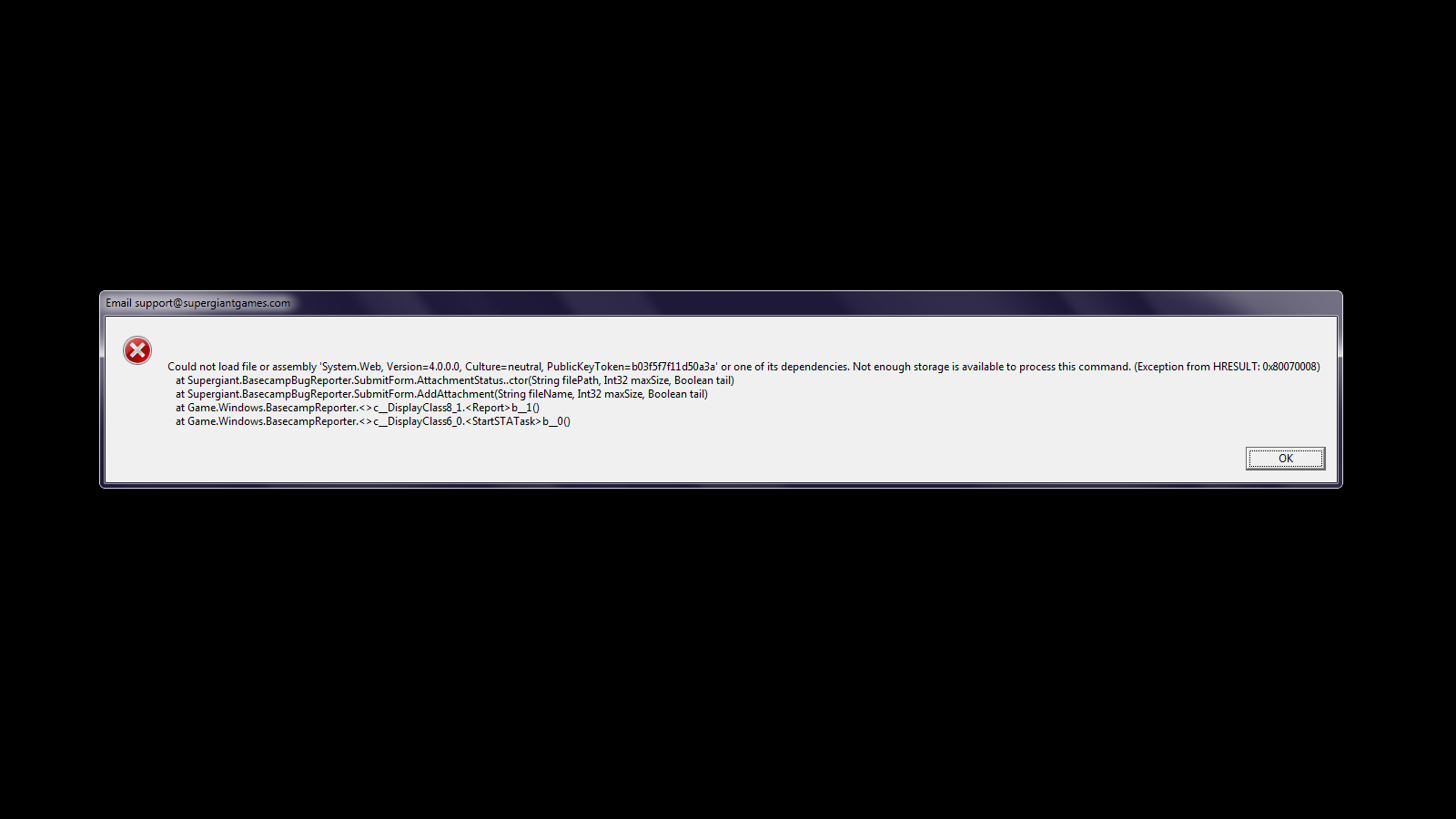
so uuhhh.. i hit f10 to report a thing and instead of the window this popped up. Thats... uhhh.. a new one
https://imgur.com/ciE5ber
 unique nebula
@rain cradle You can turn off vsync in your gpu settings (radeon adrenaline or Nvidia panel)
This fixed my fps issues! I was running on AMD. Thanks!
nvm, still have fps issues in Elysium 😦
hm, I didn't turn off "enhanced sync", I'll try that and see if my fps issues go away
 dreamy socket
Hi, guys! I just bought the game and something bothers me immensely. My game is locked at 60 frames, sometimes dropping below 60. It it s not so noticeable, but there is like a micro stuttering i am experiencing. I thought my pc can t handle it, which would be possible (HD7850 gpu, 1 gb), but it s not that. I lowered the resolution to see if my fps would increase and the micro sttutering would dissapear, but it didn t. How do i fix this?
elder trout
Hmm..
My savefile got erased.
I said in here yesterday that the folder with screenshot is not existing in documents/saved games, I log in now and it is there
screenshots appear to save, but the profile files there seems to be created like minutes ago, and my save is not existing anymore in game
Damn, time to play it again and do all the progress from the beginning. Could it be an issue with antivirus? I have comodo one.
Ok, so apparently if I check Hades as "Trusted" in antivirus, it made the folder actually exist I think (or maybe a fix of the game did it?) but erased by savefile, but when I check it as "Unrecognized" back again, the save is back in game, but I don't think it like, saves in folder?
Dang that got me stressed. 
sharp narwhal
It's most likely an issue with antivirus, yes. Back up your save folder to a different location if you can, then set Hades back to "Trusted"
If your saves disappear again, copy them back in
elder trout
I have created a new save file while it is still Trusted for test purposes, and after quiting the game it doesn't appear at all within the save folder, darn, I think I might have to check deeper into the antivirus
sharp narwhal
Can you turn it off temporarily to check?
elder trout
Hhh, I think I shouldn't seek help here, it's not much of Hades releated I'm sure, the comodo's fault is on it. If it's trusted = no saves, if it's unrecognized = save, but it isn't stored anywhere on my PC it seems, so I'd have to delve deep into the antivirus to check where do they keep it
hazy glacier
PC crashed just as I was about to beat Theseus and Asterius, when I booted the game back up I was back in the main room with nothing gained from that run :<
sharp narwhal
I'm sorry to hear about the crash! Yes, some hard crashes reset run progress. Your random seed should be the same when you start a new run, so your boon options etc. should look similar. You can follow the steps under "Crashes without F10/Bug Reporter" in #hades-tech-fixes-old to send us a crash report if you'd like, and we'll look into why that happened.
 ripe cobalt
hey lads
I'm having a save problem. I checked how to get the backup save in the faq, which is great, but i'm now stuck in the transition room between zone 1 and asphodel
Is there a way for me to "suicide" or go back to my rooms ?
sharp narwhal
Sweet
ripe cobalt
this always happen on a friday night lol
while i'm at it
is the player1 save, the non _temp one, taken at a different time ?
heyy 1 corrupt file
good catch mate i'll try again. common issue i guess
(and it solved the problem ! thx)
sharp narwhal
No problem, glad that fixed it!
I'm not actually too sure of the differences between the Profile1 and Profile1_temp saves ^^;
ripe cobalt
lol
 pearl fog
 hello! (I'm hoping this is the right channel for this, if not, feel free to remove it)
I bought Hades on Steam a couple of hours ago, and I haven't been able to find the copy of Pyre. I feel like I'm overlooking something or did something wrong, so I thought I'd ask (again, sorry if this is the wrong channel)
sharp narwhal
@cinder totem
pearl fog
I found it, thanks anyway  (Hades is a very, very good game, so thanks for that as well)
 small egret
Hi guys, don't know if it's a right channel, but after the last update I am unable to play with xbox one controller (PC, Steam, previously it worked perfectly). Not a problem with a controller, it works fine in other games
 robust plinth
I just had a crash that reset my progress back before the run I was on, I'd like to email the crash logs. Which e-mail address should I use?
 leaden moth
Hi, I'm trying to get my nintendo switch pro controller to work correctly. I can't control aim with the controller, and I'm not sure how to make it so I can.
Having steam controller set up on or off hasn't changed it.
When trying to add hades to my steam library as a non steam game to play it through steam, Hades doesn't appear in the list, and if I browse for it, Steam won't accept it.
I'm not really sure what I should try out to resolve this.
hot flare
I havent had a chance to verify my files since yesterday but it didnt fix the issue with the game crashing
sharp narwhal
@robust plinth support@supergiantgames.com
@leaden moth if by "control aim", you mean using both analog sticks at once, I don't think Hades' control scheme currently supports that
leaden moth
oh, people were telling me that they have both sticks doing things at once, that I needed to have the comp register it in my game, but they were using other types of controllers
rain cradle
nope, just clicking second stick does reload
leaden moth
ah... thanks for the reply
sharp narwhal
@hot flare You can send your save file (Profile1.sav, unless it's a different profile that's crashing) to support@supergiant.com along with a description of the issue. Please follow the steps in #hades-tech-fixes-old under "Crashes without F10/Bug Reporter" to send a DxDiag.txt and .evtx file as well, and we'll look into it!
robust plinth
Thanks, will get the email off shortly!
 fervent tartan
2nd level of hell after fighting the first fury
the floor is gone...?
like I cant tell the lava from the safe tiles apart
nevermind, verified game integrity and it fixed itself
 distant mirage
I found a bug, not sure if this is the right spot to report it. But I got to the 2nd level of hell. I charmed a skeleton that throws purple flames. When it was attacking the enemy the attack hit me for 198 dmg instantly one shooting me.
surreal pike
Report this in-game with F10!
distant mirage
thanks, will do
 stray brook
my game keep freezing and crashing i lost my prgress on a beaten run
 spare pilot
does steam cloud save store the save files for hades?
rain cradle
yes
spare pilot
👍 ty
 tardy rapids
Kicking this in for other Linux users: For me, Hades runs but is not really playable; video rendering halts/stutters whenever the mouse moves.
Linux Mint 18.3 (Ubuntu Xenial 16.04) + Steam Play 4.11-9
Tried fullscreen, borderless windowed, full monitor resolution, 75% monitor resolution
I've reported the issue through the in-game interface but figure others might like the data point
 fervent yoke
im getting an error that says settings for current profile are corrupted and cannot be read. default settings restored and the game is not saving my files
how can i fix this?
sharp narwhal
It sounds like your antivirus software is probably preventing Hades from saving and/or blocking its access to your Documents folder. Try whitelisting the game with any antivirus software you have installed, and make sure Windows Defender isn't restricting folder access: https://support.microsoft.com/en-us/help/4046851/windows-10-allow-blocked-app-windows-security
Use Controlled folder access in Windows Security to review apps that can change files in protected folders.
fervent yoke
that worked thanks. it was my windows defender
stray brook
my game keeps freezing and crashing still ive validated and done the tech fix
sharp narwhal
@stray brook
1. Search for Event Viewer in the start menu, go to Windows Logs > Application
2. Select all of the "Error" events you can find related to Hades
3. In the Action menu bar, choose "Save Selected Events"
4. Run dxdiag.exe and generate a report by clicking "Save All Information". (More detailed instructions here: https://support.microsoft.com/en-us/help/4028644/windows-open-and-run-dxdiagexe)
5. Attach the .evtx file and DxDiag.txt and email us!``` zinc schooner
So I keep having this problem where my cursor becomes invisible
I've only gotten it to actually show up one time of the few times I've tried to play so far
What's really weird is that when I alt-tab out of the game, if I hover the mouse over the game, I'll then see the Hades cursor, but as soon as I click back into the game, the cursor becomes invisible again
blazing sun
just had a game crash for the first time, I had just picked up a Daedalus upgrade for the Bow and tested it out a couple of times before the game hung - music continued to play, but the inputs were not registering and Windows recognized it as not responding
frosty tiger
... does this not have cloud save on Epic? did i just lose 80 hours of progress when I reinstalled Windows?
sharp narwhal
It doesn't have cloud save on Epic, no; Epic has been rolling cloud save compatibility out gradually.
If you want a new save with everything already unlocked, speedrun.com/hades probably has some good replacements!
frosty tiger
But I didn't have everything unlocked ... I don't think I've ever lost this much progress in a video game before
Damn this is genuinely upsetting
Been playing since day one. ugh
the other three epic games i have installed all have cloud saves, fml. i think i just lost all of my desire to play this again
 ebon badge
strange bug, not sure what happened exactly. The game didn't crash but the screen stopped updating after purchasing a renovation (the 3 diamond one that makes nectar upgrade a random boon). Pressed F10 but couldn't see anything. After Alt+Tabbing out of the game, it turned completely transparent and I couldn't click on any other applications. Had to restart
my graphics drivers are up to date, trying the newest windows update now
frosty tiger
Game crashed when I dashed into melee range against a bomb enemy that I encountered early into a run on the mid 7 - 10th floor range (can't be certain, sorry) I was using the new "gun" weapon and I had maybe 2 upgrades that didn't do anything to any of the interactions i'd had in the room where the crash happened
 chrome rain
Shield run, fighting Meg. Dash attacking Meg after baiting her onto traps. First trap hits her and causes the game to stutter. Second trap activates and the game crashes. I should note that I had a lot of damage on my dash attacks at this point. Damage threshold issue? Trap hitting Meg issue? No idea. Have Windows error report if necessary.
cold moss
sometimes, using spears spin attack with a controller specifically can lock you in a charge animation, disabling any other controller input for a few seconds
I found that it it is chamber specific (some chambers are "cursed" and you can't really get out of spin charge and some are not and you can use it as intended)
I was using nintendo switch pro controller on steam, didn't try to replicate it with other controllers
 sturdy sage
My game has become unplayable when I reach asphodel the game crashes, I tried the save fix in the tech fixes channel but it would keep crashing when i tried to load it and then I made a new save and it crashed again when I reached asphodel (I am playing on steam if that makes a difference)
 jade laurel
Strange thing, not sure if it's in-game related or otherwise, but when I take a screenshot of the game, it 'delays' the screenshot by a couple seconds, really weird. I was trying to take a screenshot of the arrow placement when you shoot sideways with the bow, (the arrows go higher than your cursor indicates and that should probably be fixed) but i can't get the animation to show up on the screenshot since the screenshot is delayed, anyone else have this problem / has a fix? I can't report the bug without a screenshot I feel like
sharp narwhal
@sturdy sage Try verifying your game files. Right click Hades in your Steam library, click "Properties", go to the "Local Files" tab and click "Verify integrity of game files"
@cold moss We've gotten that report about Switch pro controllers a few times actually! It is specifically a Switch pro thing - we're looking into it.
cold moss
I've had the same issue with trying to take a screencap as @jade laurel
sharp narwhal
I'm not sure what would cause that. I'll ask on Monday when folks are back in the office.
 solemn fog
Pad Vibration keeps getting back (Mouse and keyboard player) even though I disable it numerous time. BTW, in setting menu reset button looks like an "ok button" and accept button is a red cross. Odd.
 hexed arch
Just had a game crash on using Aphrodite's Aid on solo Theseus.
sharp narwhal
Hey there! Please follow the steps below and email us at support@supergiantgames.com
2. Select all of the "Error" events you can find related to Hades
3. In the Action menu bar, choose "Save Selected Events"
4. Run dxdiag.exe and generate a report by clicking "Save All Information". (More detailed instructions here: https://support.microsoft.com/en-us/help/4028644/windows-open-and-run-dxdiagexe)
5. Attach the .evtx file and DxDiag.txt and email us!``` strong lichen
For my past 3 runs the "floor" and parts of the environment of asphodel haven't loaded
 glacial mesa
hey, every time i reenter the game all the progress resets to zero, and i getting message like this, so someone knows what the problem is?
 toxic trout
@glacial mesa It sounds like Hades is being blocked from accessing its save folder, as that's been the case with previous screenshots like this! Try whitelisting Hades with whichever antivirus software you're running, and check that Documents/Saved Games/Hades has not been set to read-only.
https://support.microsoft.com/en-us/help/4046851/windows-10-allow-blocked-app-windows-security
Use Controlled folder access in Windows Security to review apps that can change files in protected folders.
glacial mesa
@toxic trout the problem solved, thank you very much
 alpine lion
PrankmanLast Friday at 10:47 PM
I just had a crash that reset my progress back before the run I was on, I'd like to email the crash logs. Which e-mail address should I use?
This just happened to me, sent stuff to support
sturdy sage
@sharp narwhal thanks verifying files fixed the problem
jade laurel
Will Hades have graphical options? It seems really weird, but I'm running on a 75 hz monitor on 1080p 1920x1080 fullscreen, and I have a i5-8600K + GTX 1070 Ti with good cooling, yet my temperatures run above the 60 to 70 degrees, I don't even have this when playing graphically intense games like modded witcher 3, rainbow six on max settings etc. What can I do to lower the graphical load? It seems odd that this game specifically demands much when it doesnt appear to take much, but I may be wrong there..
jade laurel
it seems to lock at 75 fps, but it's got no v-sync option or anything quality related in the game as far as I can see
im in-game though, maybe on the menu screen?
(currently on a really good run so dont wanna exit into main menu just now)
 low heron
@zinc schooner did you manage to find a fix? My cursor has been invisible in game too
zinc schooner
I ended up discovering that if I played in windowed mode with no borders at a smaller resolution than my monitor's native resolution with mouse lock turned off, I could see my cursor
 remote silo
Hey, recently started hades and having a lot of fun, but I have been struggling with screen tearing. I have tried capping FPS, v sync in nvidia control panel, and running borderless windowed but can’t seem to get it to work without tearing. Other games are working fine on my system with no tearing as well. Just wondering if anyone has any suggestions for fixing it?
rain cradle
@jade laurel the game doesnt have the setting. You can see it in nvidia panel ( the one which looks like XP times)
just got the hades.exe and there should be vsync
jade laurel
I suspect it's already on as my fps is locked to 75 (refresh rate of monitor) so I guess there's little I can do quality wise to bring it down except really override every setting in the nvidia panel for the game specifically
 long wharf
Hey guys, wasn't sure where to post this but when I have the option to replace an ability, I can't find a way to see what exactly the last ability did.
rain cradle
the replace is always special for special for example as the replace only work for Attack, Special, Dash and cast
If you dont know what u had then click B or tab (as you are new this will be B ) to see a tab with your current boons.
untold epoch
I'm playing on a controller and holding X down gets me stuck unless I unplug
It's when I use the spear. I'm using a Nintendo Switch Pro Controller
 supple birch
He gents does anyone know of anyone issues with Bluetooth speakers for this game. My PC outputs just fine, but this game doesn't want to have any part of it. Even weirder, it worked the first time I played, but has not the numerous additional times that I have tried since.
rain cradle
Set them as your default one
 icy crown
Yo guys
So I have this issue where the game would freeze at certain point during the loading screen
And I'm not talking about between the levels, it's the one right when you launch the game
The first time I launched the game it worked fine
Took only a few secs
And it runs fine as well
sharp narwhal
@icy crown Try disabling Steam overlay. Right-click Hades in your Steam library, click "Properties", then uncheck "Enable the Steam overlay while in-game"

 raw surge
Hey guys. This is an issue to do with the latest patch, so I'm going to try to spoiler it up. ||I've reached a point where Skelly asks me to kill him with Stygius upgraded with a maxed out Zag aspect. I did that, but nothing happened.||
 static warren
#hades-tech-fixes-old I did send the e-mail to the suport team with the files
#hades-tech-fixes-old they will look the e-mail today?
sharp narwhal
We'll look at it soon, yes
@raw surge Report with F10 please if you haven't already!
raw surge
Will do!
raw surge
Bug report submitted! Hope it helps.
 teal pelican
Hey, i've already sent a bug report but upon getting to asphodel in a run the game froze and crashed and that save is now effectively softlocked
sharp narwhal
I just saw that!
Could you try verifying your installation? If you're on Steam, right-click Hades in your library, then "Properties", "Local Files", and "Verify integrity of game files".
teal pelican
sorted, can't believe i didn't try that, cheers
sharp narwhal
No problem, glad it worked!
 oak pendant
Hey guys I'm in need of a little help, I just downloaded the game from steam and as soon as I open the game it says: "Unable to save progress to storage device. Retry?" As you'd imagine, the game does not save ever. I have the game whitelisted in Bitedefender, but the problem still does not go away, does anyone know not to do in this situation?
frosty tiger
Hello, I just bought and downloaded the game from steam but I get a black screen whenever I launch it, followed by a windows message saying that Hades has stopped working... I tried everything listed in the FAQ (disabling steam overlay, the no fullscreen launch option, launching the game as an administrator, verifying the game files...) but nothing worked. Help please?
 solid mango
Hello
i have problem with xsplit
game can't run when i open xsplit T___T
(if close xsplit fisrt , can open game , if open xsplit after that game will close)
sharp narwhal
@oak pendant Make sure Windows Defender isn't blocking access to your documents folder: https://support.microsoft.com/en-us/help/4046851/windows-10-allow-blocked-app-windows-security
Use Controlled folder access in Windows Security to review apps that can change files in protected folders.
@weary sierra Please only use the feedback channel for feedback; if you have tech issues, we can help you here! The #hades-tech-fixes-old channel has some things you should try in order to get your game running properly
sharp narwhal
@frosty tiger
1. Search for Event Viewer in the start menu, go to Windows Logs > Application
2. Select all of the "Error" events you can find related to Hades
3. In the Action menu bar, choose "Save Selected Events"
4. Run dxdiag.exe and generate a report by clicking "Save All Information". (More detailed instructions here: https://support.microsoft.com/en-us/help/4028644/windows-open-and-run-dxdiagexe)
5. Attach the .evtx file and DxDiag.txt and email us!``` primal trellis
Hello, I encountered a problem where eurydice's chamber seems to be locked and the ferry is locked too, I'm stuck
I verified games files and tried to access this zone multiple times, nothing does
sharp narwhal
@primal trellis you can dash through the wall there in front of you!
 light flume
The isometric pov is a bit of an issue there. IT's not a wall but a gap you can dash over I think.
It gave me pause the first time I hit it too.
primal trellis
Oh yeah nvm I'm dumb
light flume
If the first platform were just a little further back or if that wall wasn't on the second it would be clearer
sharp narwhal
Sounds like something for #hades-feedback !
 near notch
bug? I have already received the item, but the conditions are not met
sharp narwhal
Report with F10 in-game please!
 summer lantern
It's happened a few times where floating enemies would spawn/get pushed outside the map's limits and I couldn't hit them. The screen was taken after I was able to shoot the snakestone down, where my cast landed is basically where the snakestone was.
 atomic portal
Game just crash right when i beat ||hades||, sword, with one heat , when restarting game i'm home, i lost the whole run pretty sad :/
i think the last hit was by zeus call
ebon badge
hey I just got a "Steam was unable to sync your files for Hades with the Steam Cloud"
am I gonna lose progress if I launch, and is there a way around this?
hmm, I just cancelled the launch and tried again, worked fine
sharp narwhal
You shouldn't lose progress; saves are stored locally. If you want to make sure Steam Cloud doesn't overwrite your saves, you can always move a copy elsewhere!
Oh, good to know!
ebon badge
thanks, I'll keep that in mind if it happens again
sharp narwhal
@atomic portal Yes, saves can sometimes roll back after a hard crash. If you want to report the details, you can follow the steps in #hades-tech-fixes-old under "Crashes without F10/Bug Reporter"
atomic portal
ok i will 🙂
 mortal vine
is there a way to get Hades on steam without having to purchase it if you already have it on the epic games launcher?
cinder totem
Hey Winston, unfortunately due to a variety of technical and logistical factors, we can't offer a Steam key to users who purchased Hades on the Epic Games Store.
mortal vine
Ok, is there anyway I can play it offline through the epic games launcher? Whenever I try it says it is unable to launch since it failed to login
cinder totem
Yes! You should be able to launch it directly through the Hades.exe file. You should be able to fidn it in Program Files\Epic Games\Hades.
This isn't true for all games, but since Hades is DRM-free you should be able to run it no problem through this method.
mortal vine
Great! Thank you so much
 brisk ferry
let my brother play the game on the same system but under his steam account thinking the saves would be different, now i go back to my steam account and my save is gone replaced by his two saves. i look in the save folder and it looks like theres 3 profiles but idk how to access my save file
sharp narwhal
Your save shouldn't have been overwritten unless your brother deleted one of your saves and started a new game on top of it.
There are up to 4 separate save profiles; when you start up the game and click "play", a load screen will come up and you can select a save from there
brisk ferry
then thats what he mustve done i guess. now all i have are his two files. any reason why it says theres three profiles in the documents?
the profile 1 must be my save looking at the date
the 14th was the last time i played the game on that file
sharp narwhal
the .sjson file is just a settings file
He might have clicked on the 3rd slot, changed some settings, but never started a new save file there
your .ctrls files from Profile1 are unchanged because he didn't mess with your keybindings, I'd guess
brisk ferry
hmm ok that makes sense, guess my only option is to start over. thats unfortunate but whatever i guess ill know more from the start this time around
sharp narwhal
Yeah. Sorry about that!
 exotic sluice
I figured this is probably the best place to ask:
Anyone dug about the files a bit? Are there any settings that govern how many chambers you get to see before moving onto the next zone?
 tepid quest
Hey! I bought Hades on Steam but unfortunately the game doesn't seem to save at all. I have lost two runs and a total of maybe 4-5 hours. Am i missing something? Were are the saves supposed to be stored?
I use Steam from a HDD on the computer and i have checked my firewall so it wont disturb any running programs. Please help!
tepid quest
There is also a message before the main menu that says "Settings for current Profile are corrupted, and cannot be read. Default settings restored"
 loud ivy
Hello lads
having troubles with the game and I'm probably not the first one
With this type of issue
Game drops fps when entering new room
goes straight to 30
And alt tabbing makes it go back to 60
Anyone has answers for that?
 grim fog
Hello, i stumbled once upon what seems to be a bug. I died while my cast was on going (i had dyonisus cast, and they were not yet on the floor), and all my shards just disappeared and never came back. Happened on hades, not sure if this is related or not.
frosty tiger
Hi Supergiant and all, I have a strange issue...
I lost battle to Boss on second stage (Bone Head Boss).
But, in the "game over" screen, my game drop to 1 FPS, and so back to normal, when the animation death screen over.
Another issue i have, in the second area (lava area), i have drops FPS 60-45.
Sorry for my english.
I don't know if this is the right place to mention problems. If not, i'm sorry.
frosty tiger
Hey, i just learned that to send information of bugs, just press F10 in the game. 😅
Sorry, my bad. 😦
sharp narwhal
@exotic sluice One of the other Hades channels is probably a better place to ask than here! This channel's for people who need help getting the game to run, etc.
@tepid quest It sounds like your antivirus software is preventing Hades from saving. Whitelist Hades.exe with your antivirus software. You should also make sure Windows Defender isn't blocking access to your Documents folder, where Hades saves: https://support.microsoft.com/en-us/help/4046851/windows-10-allow-blocked-app-windows-security
Use Controlled folder access in Windows Security to review apps that can change files in protected folders.
@grim fog We've gotten a few reports like this and are looking into it. You can report bugs in-game using F10.
icy crown
Is the cloud save not working properly right now?
 modest pagoda
hello, after entering the chaos gate my game was hanged and when i entered game again, i lost all my progress, new game launches
 minor pivot
Hi all, love the game, just started. Noticed a visual bug/wall clip in the bedroom with the mirror. If you run along the north east wall from the bed to the training room/weapon select room exit, you will clip about 3 inches into the wall and hit the zone trigger. Didn't know if this is where I should mention it. Very small detail. Hope this helps :)
 cobalt dagger
Hey I need some help
I just bough hades but the game is literally unplayable, fps so low it takes a full second for my pc to react. I meet all reccomended requirements
 patent ember
Hello, I have a problem that when I enter the room with the first boss the game freezes/crash automatically.
I tried to check it on the second profile but still the same error. Anyone know what's going on, someone has the same thing?
(nothing had happened in my case before)
sharp narwhal
@minor pivot Please report issues like this with F10!
@cobalt dagger There are some performance suggestions in #hades-tech-fixes-old , please give those a try
@patent ember Try verifying your installation - if you're on Steam, right-click the game in your library, go to Properties, then click the "Local Files" tab and click "verify integrity of game files"
 neat bloom
I need some help with sound effects...
Ever since the Elysium update sound effects don't finish? I don't know how to describe it but whenever I get a boon, enter a new chamber etc. it seems like the sound effect stops right before it finishes. I reported it a while back and I thought it would be gone by this update but it's still happening
patent ember
Still the same
I hope that I will not lose my save because of this error you can't just play :v
sharp narwhal
@patent ember A hotfix just went out that should resolve this issue
Update your game and see if it's still occurring!
 young mountain
im pretty sure that steam version has some fps issues when compared to EGS one
I have a really strong setup and I feel like game drops to like 40-50fps
minor pivot
@sharp narwhal Thank you, didn't know this was a option.
 glass inlet
This is a gameplay thing that happens often. When im using Hera aspect bow, and load all ammo, sometimes the bloodstones dissapear. I have Festive Fog boon on them when this was happening, (My last two runs), and i think the chances of me not seeing them is low. As well as not just going out of reach, they do not come back after this by the timer, and sometimes the festive fog never happens and my stones get game ended
 ember niche
is the bug channel gone? I just saw a pretty nasty one.
sharp narwhal
There hasn't been a bug channel in a while - we prefer bugs to be reported using the F10 key in-game!
ember niche
ah, cool beans. I shouldnt have left; I lost mah tags of Early Access and Hdes!
I'll grab that up now, thanks!
sharp narwhal
No prob!
blazing sun
I noticed in the patch notes you mentioned not being able to talk to / gift Thanatos when he's not there, but I can still do it in certain iterations of the lobby
 jagged narwhal
i have bad fps in hades
solid mango
can't open game when use xsplit plz help T___T
 sly void
 charred arch
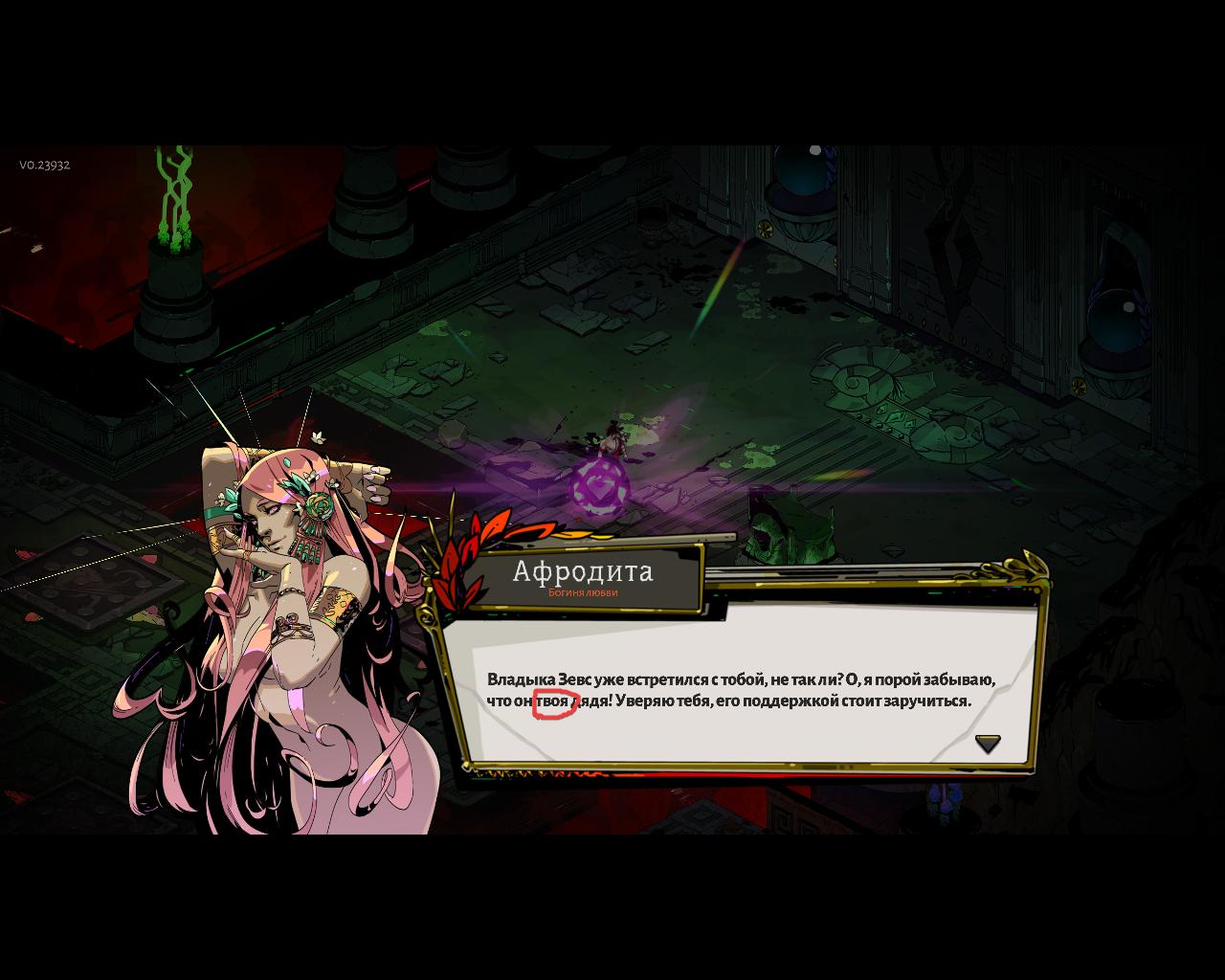
Using an Xbox One controller, I can't see highlighted option in dialogues that I can choose (Like when Hermes asks if he keeps up the banter or not). I've been using the mouse to choose the option I want.
sharp narwhal
@charred arch If your brightness is turned up above default, it can make the selection box hard to see. We're working on a higher contrast option!
@blazing sun Please report bugs like that with F10!
@jagged narwhal There are some performance tips you can try in #hades-tech-fixes-old
 red jackal
Hi there. Could someone help me with update please? Don't know why but i just can't get it. It always shows up the window which says "You should exit the launcher and download the newest patch from Epic Games Store"
Auto update is on

sharp narwhal
Are you logged into the right Epic account?
When Epic is misbehaving, sometimes deleting the webcache can help too.
If this happens to you, clear the launcher's web cache.
Deleting the following folder should suffice:
C:\Users\<YOU>\AppData\Local\EpicGamesLauncher\Saved\webcache``` ancient briar
Just a heads up, the game freezes from time to time during gameplay. Alt-tabbing the game makes it work again, but it hangs on the last move inputted.
I am using an Xbox One controller via Bluetooth on the Steam version of Hades
sharp narwhal
Bluetooth controllers sometimes have connectivity issues that can cause lag like that, yeah.
Additionally, Steam overlay can also cause screen freezes - you can disable it by right-clicking Hades in your library, then "Properties", and under the "General" tab, uncheck "Enable the Steam overlay while in-game"
ancient briar
Cheers @sharp narwhal
red jackal
Uhh ok I deleted the cache and still nothing
Im logged into the right acc
Im online
Isn't there a way to update it manually?
sharp narwhal
You can click the "..." to the right of Hades in your library and select "Verify"
sharp narwhal
Are you 100% sure you're logged into the right account? You didn't buy the game on a different account than the one you use normally, did you?
sharp narwhal
Your version number is WAY behind, wow
sharp narwhal
This sort of issue is almost always because Epic detects an installation of a game on the computer and makes it accessible through your library, even though it isn't tied to your account specifically. If you don't share your computer(s) with anyone else who has a different login, for example, and you're sure there's no way you might've bought the game on a separate account than the one you're using, I'd contact Epic Support.
red jackal
oh, mkay, ty for everything 😅
sharp narwhal
Yeah, sorry I couldn't help more!
red jackal
w/e thank you anyway 
 dim gazelle
Hi, I'm running into a bug where whenever I talk to Sisyphus in this room, my game crashes. I can't leave the room without talking to him, so I haven't been able to play on my main save for a couple days
sharp narwhal
Does it generate a bug report window when it crashes?
dim gazelle
No sir/maam
sharp narwhal
Are you by any chance playing in Polish?
dim gazelle
Nope, English
sharp narwhal
Alright. Try verifying your game - Steam or Epic?
dim gazelle
Steam
sharp narwhal
Right click Hades in your library, then click Properties > Local Files > "Verify integrity of game files"
sharp narwhal
no problem, glad that worked out!!
 opal walrus
My more recent save broke. Just hangs on a black screen whenever I try to load it. 😭
(Epic, although I generally load from a shortcut straight to the game instead of going through the launcher)
okay, it worked when I did go through the launcher, but i don't see any reason it should make a difference 🤔
 finite depot
Hihi. I played the game and selected a save file. It always mentions autosave but when I quit the game and start it again, the save file is gone. Is there any solution to this problem? Thanks
finite depot
When i start the game theres this message "Settings for current profile are corrupted, and cannot be read. Default settings restored"
frosty tiger
is this where you report bugs?
 frozen adder
This channel is for getting assistance with technical issues with Hades. You can report bugs in-game with F10!
frosty tiger
thanks for info
 glacial sun
Hi, i discovered a bug in game and tried to report it, it resulted in another bug that crashed the game. I managed to get a screenshot of the F10 error that crashed the game and in the screenshot you can see the other bug (enemy getting pushed out of bounds by Poseidon dash and not able to be hit) as well. not sure what to do with said screenshot or how i can't report bugs
opal walrus
I still get crashes whenever I use F10, but anyway, is it normal for Skelly to have not showed up for a couple runs?
frosty tiger
Try changing your weapon?
sharp narwhal
@finite depot That error is usually caused by antivirus software blocking Hades' access to its save directory. Whitelist Hades.exe with any antivirus software you have, and make sure Windows Defender isn't blocking access to your Documents folder: https://support.microsoft.com/en-us/help/4046851/windows-10-allow-blocked-app-windows-security
Use Controlled folder access in Windows Security to review apps that can change files in protected folders.
 woven inlet
Just bought the game from Epic. Experiencing really bad stutters. Running a 3700x, 1080ti. Same issue in all display modes.
surreal pike
Try verifying your game!
 tall valley
does anyone get an issue when they try to take a screen shot? Looks like its taking a screenshot from the games past, but only the first time I press it, afterwards, the next screenshot takes place where I wanted it to be the first time
like i was mid run, went to take a screenshot, and it looked like i was back in the main hub
 pseudo moon
keeps getting this error: clr20r3
and sometimes "out of system memory"
anyway to fix it?
sharp narwhal
try running the game with this launch option: /UseNativeOpenGLRenderer=false
On Epic, click the settings gear in the bottom left, go down to Hades, check the box for "Additional command line arguments", and paste that in there.
On Steam, right-click Hades in your library, click Properties, then on the "General" tab click "Set launch options" and paste it in there
toxic trout
@tall valley i get that issue if i just hit the screenshot key on my keyboard but i bound a button to it ingame and that works better
 untold pasture
I just purchased the game via Steam and when ever I launch it it mirrors on both of my screens. The only fixes I've found is take it out of fullscreen and even then it has to be lower than my native res of 2560x1440
 dreamy yoke
got the game today started it crashed and i got black screen
 tawny root
Does it keep doing that? cuz it's happened once for me. only once
tawny root
Look through the tech fixes to see what matches closest to your behavior
tawny root
Also, the steam overlay one might be an issue
or good ole' antivirus. or turning the PC off and on again. Unfortunately, I don't have a surefire solution for you, but someone else may
tawny root
If you've got an antivirus active, it can sometimes think the game has a virus imbeded in it
temporarily disabling antivirus might help. maybe
dreamy yoke
tried it and it didnt work thanks for help tho 👌
@tawny root could it be cuz i dont have like this nvidia thingy?
tawny root
If you've got an AMD graphics card instead of Nvida, it should still work fine. So long as you have a graphics card with 1GB of VRAM (the minimum required to run the game)
 chrome burrow
How do you restore save file? I got my old save file folder but when I to copy it to /Saved Games and it does not work (My save got reset after I open the game up again after a few months)
 neon oxide
There's probably been someone who has mentioned this here already but I am having some kind of trouble with starting Hades from Steam.
Whenever I press play, Steam says I'm in-game for about 3-5 seconds and then it goes back to displaying online. Hades doesn't even bother to load, I don't even get the cursor circle thingy.
I've been able to run the game by going directly into my folders and starting the game from the x64 folder. (The x86 gives me an error, 0xc00000e5, to be exact) I tried reinstalling and verifying the cache integrity but it didn't work.
What is very curious to me is that I've specifically added the x64 .exe to Steam and tried to launch it through Steam, and it does the same. So yeah, wondering if there're any ideas that might help.
sharp narwhal
@neon oxide could you follow the steps below and email us at support@supergiantgames.com with more information?
2. Select all of the "Error" events you can find related to Hades
3. In the Action menu bar, choose "Save Selected Events"
4. Run dxdiag.exe and generate a report by clicking "Save All Information". (More detailed instructions here: https://support.microsoft.com/en-us/help/4028644/windows-open-and-run-dxdiagexe)
5. Attach the .evtx file and DxDiag.txt and email us!```Aye, sure thing.
sharp narwhal
@dreamy yoke You can also follow those steps to send us crash logs and we can look into what's going on with your game
dreamy yoke
@sharp narwhal how do i do that?
neon oxide
Alright, sent. Here's hoping.
dreamy yoke
@sharp narwhal will that help us in anyway?
sharp narwhal
It will help me or an engineer figure out what's causing your game to crash, yes
dreamy yoke
ah okai
untold pasture
I just purchased the game via Steam and when ever I launch it it mirrors on both of my screens. The only fixes I've found is take it out of fullscreen and even then it has to be lower than my native res of 2560x1440
 fervent shuttle
I'm having issues with extreme frame lag in most all situations in the game
The audio seems to be working fine, but otherwise the game itself is hard freezing for multiple seconds at a time
sharp narwhal
@fervent shuttle are you playing on Steam?
fervent shuttle
yes
sharp narwhal
Try turning off Steam overlay - right-click Hades in your Steam library, click Properties, then uncheck "Enable the Steam overlay while in-game"
fervent shuttle
Didn't seem to help
sharp narwhal
Alright - other than that, there are some performance tips you can try in #hades-tech-fixes-old, the most important of which imo is making sure your graphics drivers are up to date
 daring arch
yeah i can second the overlay issue? i'm playing on a pretty crappy laptop but it CAN run the game
but any time an overlay pops up from either discord or steam while playing it freezes the screen entirely (you can tell the game is still running because of mouseover sound effects)
 arctic wind
Dumb question. Picked the wrong thing on a hammer in Charon's area, thumb twitched at the wrong moment. Is there any save scumming method I can do to reset to the start of the merchant?
 rapid tundra
There is not
arctic wind
fair enough
Figured I would ask 🙂
Not like gonna kill my run or anything just not the perk I intended to take
 glass trellis
heya! itty bitty thing I thought I'd mention, here's how I produced the issue:
-
did a run that reached Elysium, encountered the Minotaur for the first time, he killed me
-
on my next run, made it to the end of Elysium without ever encountering the Minotaur. Reached the final duo boss of the level, at the start of which the Minotaur quotes something to the effect of "Be careful, he is the only one who has ever defeated me before" (despite me never doing so)
super tiny! but thought I'd mention 🙂
oh ~whoops~ you guys have in-game bug reporting, isn't that fancy! I'll take this there 😄
 rancid sinew
So I found a bug with Avast Antivirus that will cause your game to black screen and tank your CPU upon startup. I believe that it has something to do with Hades initial connection to steam. I was able to fix it by changing the Default firewall for hades specifically to asking before blocking. I hope it helps someone in tech support to know this exists and a possible fix
sharp narwhal
We're aware that antivirus software can cause conflicts with Hades, yes - usually it causes issues with saving. There's a section of our tech-support FAQ in #hades-tech-fixes-old that suggests whitelisting Hades with antivirus software.
 dim creek
I don't know if I just missed it how to reach it, but when I was playing two enemies and my cast thingy ended up behind a wall. I was able to kill the enemies but I lost the cast for most of the battle. This was in the 4th area.
I guess more accurately, the blood(?) was inside one of the enemies, I killed them through the wall via sword, and then the blood just stayed there
sharp narwhal
There are several locations where bloodstones can go out of bounds throughout the game. It's not a bug - if you'd like to leave feedback about it, though, you can post in #hades-feedback.
dim creek
I don't have permission to post in that channel
 flint compass
read the pins in #hades-feedback to find out how to get permission to post in it, please!
 frail aurora
Hey guys, having problems to initiate the game. I play in 1366 x 768 because of fps, my pc resolution outside of Hades is 1920x1080. If I get into the game without changing my resolution to 1366x768 in windows, the game crashes. I'd be great if you guys can look into that.
 teal furnace
Hey devs just wanted to know if there is a way to further change the settings bcs i am playing on a potato pc and i cant really enjoy the game with frame drops all over the place so.. ye ;D
sharp narwhal
Other than playing in windowed mode and changing your resolution settings in the menu, there are no other in-game graphics settings. You may be able to disable vsync in your graphics card's settings menu.
teal furnace
oh ok then thanks
 clear dove
I have having an issue with my save file, Both the coin representing I have used that save file and hell mode are both unlocked but my save data is gone. This occurred after leaving the game after reaching the second area
I have 17 hours of game time and had left this same run prior to this happening
The usual backup files are not in the hades save location
rain cradle
These are all files?
clear dove
yes
rain cradle
The save is around 3mb
clear dove
Hmm. All i did was close the game mid run
and i opened up the game again and boom the data is gone
rain cradle
Probably you did the worst
Closed game during saving
And the file get corrupted
I think you are not the only one
rain cradle
If you have steam version check if steam did an cloud copy?
clear dove
I had the option for it to upload it to the cloud but it seemingly did not
clear dove
So is there just nothing i can do sadly?
 rigid fjord
ok so i've been trying to launch the game and i followed every single step in the #hades-tech-fixes-old channel, still not working
does the game only run on nvidia gpu? i have intel integrated graphics but it's still above minimal requirements
rain cradle
So you get any errors?
rigid fjord
literally no error messages
the game just automatically crashes at launch
i tried launching the game in offline mode and by changing window resolution, same thing happens
sharp narwhal
The game will run on Intel graphics as long as they're above spec. Could you follow the "Crashes without F10/Bug Reporter" section in #hades-tech-fixes-old and email us? We'll take a look on Monday and see what's up
frosty tiger
whenever i use my switch pro, i get really bad framedrops in hades (wired connection)
with kmb, its an extremely smooth time, but whenever i plug my controller in, it stops performing well. im using the steam built switch drivers on the steam version of the game
ive disabled vibration to no effect
 stoic hill
I had a strange glitch that I figured I should report. I got a death defiance the exact second I used my call. The game just kinda stayed in the death-defiance slow-mo for a bit and then I was revived using my call with no effects. I was using Ares's call, so I was doing AOE damage, but there was no animation
 cerulean moss
I have this weird issue with controller aiming on where the location of the moyse cursor? I had problems like that where enemies are literally at the other end of the screen yet my aim still goes to where the cursor is - now I have a multi-monitor set up so it, and even that - its still tries to aim where the ghost cursor is. Please assist me
rain cradle
Unplug mouse 🖱 😁
sharp narwhal
@stoic hill You can report issues like that using F10 in-game!
stoic hill
Oh perfect. Thank you! :)
frosty tiger
Has anyone had the same issue as the switch controller? I'd prefer to use controller for this game but it won't kill me to use kmb, just wanna know if I can get it working
 hard olive
Switch controller works perfectly fine. @frosty tiger
You just have to go in steam big picture
You can try using it via wifi tho
Maybe that gives a solution to your problem
frosty tiger
i got it working for a bit but alt tabbing out to answer a message screwed it back up and i was unable to get it to work again
im an idiot
steam turned off my switch controller preferences
not sure why???
but it works now, i still notice some pretty heavy perfomance issues but ill see what i can tweak
 cunning anchor
Has anybody been having issues with the game freezing/lagging to the point where you can't do anything right after loading your save?
I've tried all the suggestions listed by Supergiant (running via .exe as admin, window mode, gpu drivers up to date, etc.) literally everything and it's still happening 😦
I was only able to play the game when I first launched it after installing
So I ran it in 32bit mode and it worked fine, but then I just crashed after the second room with this error :\
 clever pivot
For me it's worse with the controller problem, my performance is low now even after I uninstalled and unplugged controller.
clever pivot
ok solution was still to deactivate vibration, though I just used mouse 🙂
 royal tangle
I ran into a problem with the game freezing today - I believe I have fixed it, but I figured I would report:
(Steam) The game froze on the startup loading screen, but seemed to keep playing in the background (title music and sound effects). I suspected this was being caused by a recent change to resolution, but couldn't easily change that without being able to open the game. I ended up deleting some files from the save folder to get the resolution back to default, which fixed the issue. It's possible removing the steam overlay would have worked too - should I attempt to replicate the problem and try fixing it that way too?
I have a backup of the save folder that froze, so replicating the problem shouldn't be an issue
sharp narwhal
@cunning anchor You can follow the steps in #hades-tech-fixes-old under "Crashes without F10/Bug reporter" to send us crash logs and specs and we'll take a look.
@royal tangle Usually any sort of black screen issue like that is connected to graphics drivers. Make sure yours are up to date by going to the manufacturer's website and downloading the latest driver available for your card, and see if it's still occurring
Screen freezes though, like you said, are often Steam Overlay
So you should give both solutions a try probably!
 earnest wasp
To expand on what Ellis said, I also find the GeForce overlay will cause serious lag in Supergiant games (though more specifically when streaming with OBS). Once I turned it off, my lag problems stopped.
So if you have that turned on, it might be worth disabling it while you play.
But that’s very dependent on if you have an nVidia graphics card
royal tangle
I got returned the save folder as it was, and got rid of the steam overlay. This seemed to fix the issue completely
So it appears using lower resolutions + the steam overlay can cause freezing
 modest zinc
Anyone have any luck running Hades on Linux via Steam Proton integration?
 young parcel
Hello guys. It seems i cant run the game at all on my new laptop. When i start the game i got the bug report menu and it says that the game cant open the Main.lua file. Does someone know the magic to fix that 😄 because i really want to play
 pallid briar
Hi, I've been playing your game for weeks now and I absolutely love, I had heat 20 for all the weapons, however my entire neighborhoods power went out while I was playing and it either deleted or corrupted my save file. Is there any way to fix this?
This is what it says now, if it can't be helped I'll just restart because I love this game, but I was just wondering
sharp narwhal
@pallid briar You can try checking your disk for errors.
Right-click drive letter > Properties > Tools > Check

If errors are found, restart your PC and Windows will automatically fix them. This process can take up to an hour.```Thank you, I'll try that
sharp narwhal
@young parcel It sounds like your installation is corrupted or missing a file. You should try verifying it. If you're on Steam, right-click Hades in your library, Properties > Local Files > "Verify integrity of game files"
On Epic, click the "..." to the right of or below Hades in your library, and select "Verify" from the drop-down list.
pallid briar
Unfortunately, that didn't work
sharp narwhal
Sorry to hear that! Unfortunately the data was probably corrupted when your power went out, and if fixing the drive didn't retrieve it I'm not sure it can be retrieved.
pallid briar
That's okay, back to square one I suppose, great game though c:
young parcel
the verify didnt work out, i will try to reinstall and try again
 proper dune
Hey there, just got Hades from Steam. Unfortunately progress is not being saved at all. After returning to the main menu, the save slot is empty. I tried with another slot, the game then says "Settings for the current profile are corrupted and can not be read". I also get this message after restarting the game. Any advise?
This is the message I get, note the off color of the text
sharp narwhal
Hey there! Usually this is caused by antivirus software blocking Hades' access to your Documents folder.
Follow the information here https://support.microsoft.com/en-us/help/4046851/windows-10-allow-blocked-app-windows-security```thank you so much! It indeed was Windows Defender 👍 works flawless now
rain cradle
btw the reason that so many people have corrupted/ deleted save can be the fact that the game overwrite saves , if someone get disk error or shutdown game during saving then its get broken. If you can, please apply to the game an system which will hold the copy of save before overwriting until success . For me it never happen and I have some *.sav.bak files I quess its 'backup' .
 hexed shale
I found an "error" canceling animation
In almost any weapon in the use of attack, special attack or special attack, cancellation of attacks and special occurs and others more than one attack the special by animation, erected the shield and sword more visibly
sorry my traducian , i'm Brazilian and
my English is more or less
sharp narwhal
That's ok!
You can report bugs and errors in the game by pressing F10!
 warm patrol
Hey, i just bought the game 10 min ago, and i have just finished installing. Im starting up the game, but nothing is happening, but it says the game is running 😦
warm patrol
No window at all
nothing, but it says its running on steam
and the process is running in task manager
sharp narwhal
Try hitting alt+tab?
sharp narwhal
Mk. Force-quit the process
Then right-click Hades in your Steam library and click Properties
warm patrol
alright
sharp narwhal
Uncheck "Enable the steam overlay while in-game"
warm patrol
ok, do i start the game again?
sharp narwhal
mhm
sharp narwhal
Alright, there's a list of things you can try just sort of in general in #hades-tech-fixes-old - updating your graphics and audio drivers, making sure Hades is whitelisted with antivirus software, verifying your installation, etc. Give all that stuff a try and if you still can't get the game to run, let me know
warm patrol
i will go through that at once 👌
So far i have gone through everything you said, and double checked it all. Im trying to do a clean install just in case atm 😅
ok reinstalling it + worked
phew 😅
thx for the help tho 
sharp narwhal
Glad you got it working!
 viral cargo
not an issue but really curious i saw the achievements will be added but ive never done ea before will they lock in automatically or we have to replay to get them?
sharp narwhal
No idea!
Some in-game achievements have been backwards compatible - like with the Fated List quests - but I'm not sure how any of that will work hand-in-hand with Steam
It's something we'll consider as we're designing them, I'm sure
viral cargo
🙏 cool thamnks
 lavish bison
Hi, I have a 21:9 display
and I tried to change resolutions
and now it is letterboxed
how to revert so I can see the vertical boxes again?
rain cradle
Did you tried restarting game? Overall the columna shows when you choose an resolution which Is 21:9
Maybe you choosed non 21:9 one?
If you have full HD wide screen then it's 2560x1080
lavish bison
problem is, there is no 2560x1080 option
rain cradle
add affix to game
/X=2560 /Y=1080
its additional command lines for Epic. For steam idk where to find but its also under settings of game
you can also do it this way ''/FullScreen=false /NoBorder=true /X=2560/Y=1080 ''
lavish bison
nice, it works
thanks, the game looks like dog poo when letterboxed
such gorgeous graphics stretched
if you are on steam, right click on the game under library tab > properties... > set launch options > /X=2560 /Y=1080 > enter
 bitter sky
I do not know if this is a bug or feature.
Adamant Rail With a modification that turns a (special ability) bomb into a rocket.
You also need to have a bonus from Athena on your special attack.
Then at the time of use, it does not matter at what distance the projectile is from you and whether it is in the path of the rocket or not, it will still be reflected at the moment of the launch of the rocket.
It looks funny. But you should check, it should work like that...
bitter sky
Is there someone alive?
rain cradle
f10 , this will also send your save to SGG , its bug probably.
Pad, Always happy to help !
bitter sky
Thanks.
frosty tiger
my game does not start I open it by steam and it just does not open. already tried everything and it does not open at all
I opened it by 32x but it closes by itself or the graphics give problem and 64x does not open.
can someone help me please i really don't know what to do anymore and i wanted so much to play hades i'm in love with this game since i knew it would release ...
sharp narwhal
Make sure your system has this C++ redistributable installed:
https://support.microsoft.com/en-gb/help/2977003/the-latest-supported-visual-c-downloads
Please notify support@supergiantgames.com and attach Windows Event Viewer information as follows:
1. Search for Event Viewer in the start menu, go to Windows Logs > Application
2. Select all of the "Error" events you can find related to Hades
3. In the Action menu bar, choose "Save Selected Events"
4. Run dxdiag.exe and generate a report by clicking "Save All Information". (More detailed instructions here: https://support.microsoft.com/en-us/help/4028644/windows-open-and-run-dxdiagexe)
5. Attach the .evtx file and DxDiag.txt and email us! ``` modest zenith
Is there a way to get a save back if the game crashed?
Like after it crashed I tried to reload but saw the only save was right before the run
sharp narwhal
The "rollback" of a save is a side-effect of hard crashes and force-quits; as far as I know there's no way to retrieve the save, though when you do start a new run, the random seed will be the same as the run you lost
modest zenith
Ahh ok, that's good to know, thanks
I literally crashed as I was about to kill Hades haha, oh well, at least I know I can repeat it
 stoic night
I just closed Hades and my computer bluescreened. That hasn't happened before..
 dim agate
Using Ares' Aid at the same that Death's Defiance kicks in overrides the visual and combat effect of Ares' Aid but keeps you from attacking. The bar ticks down like normal. Uncertain if you still have the invulnerability.
 civic cliff
Hey guys, im getting random crashes of the game occasionally, usually mid-combat, is this a known thing?
sharp narwhal
You can follow the steps in #hades-tech-fixes-old under "crashes withour F10/bug reporter" to send error logs and setup details to us and we'll take a look!
civic cliff
well that was rather involved
 wise patio
Hi, I accidentally let my computer die while on the pause screen. Now my game freezes at 1/3 loading on start up, but begins playing music from the menu and esc plays the exit menu noise. I've disabled steam overlay, launched the game as windowed, and restarted my computer. Is my only other option uninstalling and reinstalling the game? Thanks!
^ Fixed! I double checked my graphics cards and disabled the Intel graphics card.
Solved: re-enabled the intel card. Windows 10 otherwise doesn't allow changing screen resolutions. What a pain :/
New question: how do I restore the full list of resolutions? The one used for troubleshooting is actually too much for my computer. I've removed the launch option already.
 vivid summit
I'm playing on 4K. On 2 locations I had 30 fps cap. Dunno why. GPU cold.
frosty tiger
Hey guys, so my friend has bought Hades on steam, and he is sharing his steam library with me. I thought that the game looks pretty cool so i'm gonna install it. It installed just fine, but when i tried to boot up the game it instantly crashes every time. I checked all the game files with steam, everything is fine. I restarted my pc 2 times, still nothing. Is there possibly already a solution to this? If yes please help! Thank you ❤️
sharp narwhal
@frosty tiger There's a list of things you can try in #hades-tech-fixes-old
If all else fails, you can follow the steps under "crashes without F10/bug reporter" and email us and we'll look at it, though turnaround may be slow due to the holidays.
frosty tiger
Okay! Tysm! ❤️
cobalt dagger
I really want to play this game so imma need some help. I meet all requirements to play this game, even recommended, but im still playing on a solid 10fps and it takes a solid 2 seconds for my screen to catch up to my game. I was pointed towards hades tech fix but nothing there helped me
sharp narwhal
You tried turning off Steam overlay?
sharp narwhal
Running in windowed mode and running outside of Steam (directly from the .exe file) also not helping performance?
rain cradle
@vivid summit jaka masz grafikę?
cobalt dagger
That wasnt a succes either
I have no clue what I can do on my end cus this game doesnt seem SUPER demanding computer vice
sharp narwhal
Can you run DxDiag.exe and save the report (DxDiag.txt), attach it to an email describing the issue, and send it to support@supergiantgames.com? I'll take a look when I'm back at work tomorrow and see if anything jumps out at me in your setup, though I may not be able to help much.
cobalt dagger
Where can I find that program? just on the internet? Or is it attached to the game somewherr
sharp narwhal
It's a Windows program, sorry. Let me find a guide
cobalt dagger
No I found out and ran it
Its basicly scans my pc for errors or something like that right
Is that what I should attach to the mail?
sharp narwhal
Yes- it should allow you to save the results of the scan as a text file
cobalt dagger
Yes I sent the mail now, I appreciate the time :)
sharp narwhal
No problem!
vivid summit
@rain cradle RX590 but I don't think It's a matter of graphics I got. More matter of hardcoded V-sync
 cinder mulch
So I bought hades on steam yesterday, launched it today, played it for about 20min without any issues until it froze and since then the game has been freezing in menu. I tried turning off the steam overlay, turning off the geforce experience overlay, reinstalling the game, restarting the computer multiple times, setting in launch options lower resolutions and windowed mode (although it doesn’t seem to work?) and setting the default graphic card per instructions in the fix section and none of it worked. Anything else i could try?
Oh I also updated my drivers as well.
hazy glacier
Could be anti virus
Heard people having freezing issues is the anti virus blocking the game from accessing your documents
hazy glacier
Dont think firewall would be an issue, the game doesn't really need to connect online
wise patio
@cinder mulch do you have multiple graphics cards? try disabling/reenabling them
Same thing happened to me a while ago, and that fixed it so far.
cinder mulch
I'll give it a try.
wise patio
I'm on windows 10, and that's given me issues with screen brightness outside games and other stupid issues. Not a steam/game problem after all
 torpid dragon
so i reported this issue already but i was wondering if anyone was having it, for some reason zagreus and some other npcs like skelly are invisible and i cant seem to fix it
rigid fjord
could be a render error, i noticed some of the eney models stutter a little
closing and re-opening the save should fix it i think
torpid dragon
that didnt work
rigid fjord
weird
torpid dragon
theyre just completely invisible, interactable yes but its really weird
sharp narwhal
@torpid dragon Does your computer meet the minimum specs listed in #hades-faq ? This sounds like you don't have enough graphical memory
You can also try verifying your installation
torpid dragon
Yes my computer does, I ended up running as administrator and it started working normally again
rigid fjord
antivirus?
torpid dragon
not sure, im sorry im super wonky at this
torpid dragon
okay so i’ve tried verifying my installation and now i keep getting the MF01 error nothing is working to repair it
sharp narwhal
You're using Epic?

Epic Games | Support Center Support
The IS-MF01 error code means that the Epic Launcher has failed to patch an installation because of another process that’s running is holding a lock on the files. In most cases, this is because th...
 sick bramble
hello!!! I sent in a bug report about this earlier as well, but I'm having an issue where every time I Cast, my game freezes and then crashes. I've disabled steam overlay and also tried running the game in borderless windowed using the launcher options. i've also tried running in administrator.
Interestingly, this only seems to happen when actually in combat. I've been able to play around with Casts at the house of hades, but as soon as there's actual enemies around it causes issues 😬 the rest of the game runs exceptionally smoothly so i'm a bit bummed that a core mechanic like this is causing me some issues 
sharp narwhal
Does it spawn a bug report window when it crashes?
sick bramble
Nope, just sits frozen until i intervene in some way
sharp narwhal
hhhh apphang errors are my least favorite.
have you tried verifying your installation? that it's only happening when you try to use cast in certain places makes me think a file might be missing or corrupt
sick bramble
I'll give that a go and report back. :D Thanks!
Aaaaaaand we're fixed! So glad it was that simple. Should've tried that to begin with.  thanks again!
sharp narwhal
no problem, glad that fixed it!
cobalt dagger
@sharp narwhal I did some digging and hades puts heavy strain on my cpu and ram
about 95% usage
any ways to lessen this?
sharp narwhal
other than closing other cpu- or memory-intensive background processes, like chrome for example, not really
you can comb through the processes list in the task manager and see what other active programs are using up your cpu and ram
you can run Hades outside of a launcher - Steam can be pretty greedy in terms of background processes, so it might work better if you run the game exclusively from its .exe and quit out of Steam entirely while playing
closing all the way out of Discord would also help
 devout loom
Hey I have just recently 'beat' hades, and when I get sent back since the game isn't done, skelly is gone from my training room. Is this a glitch or as it should be?
sharp narwhal
@devout loom As it should be! Try changing the weapon you have equipped
frosty tiger
So yesterday i wrote here about Hades not turning on through the shared steam library. I think i tried everything i could, and nothing helped. DxDiag doesn't show any problems. Everything should be fine, but the game still just doesnt work. Idk what to do :((
The game starts for like 2 seconds, then the actual game shows a black screen, and an error saying that the game stopped working pops up instantly.
sharp narwhal
@frosty tiger Did you send that to us? I'm going through tickets from the holidays now.
frosty tiger
No, i didnt think that theres anything to send since DxDiag didnt show anything either
Maybe theres an issue with my pc, imma look into that later
 wintry raft
anyone ever get the bug where terrain appears black? https://i.imgur.com/rseqU6p.png my game crashed when i went to elysium after this
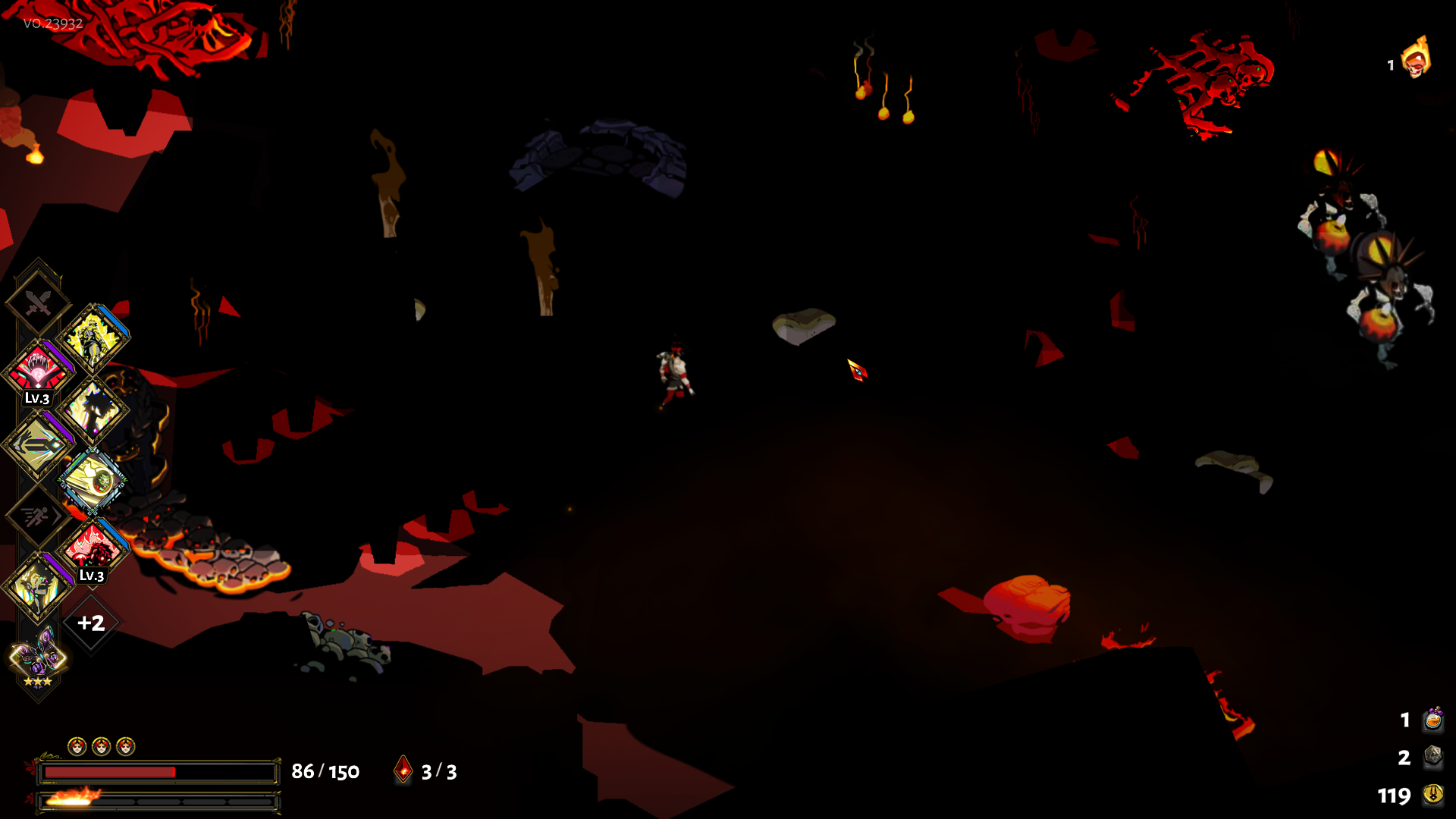


it was a launch through steam on an EGS copy, if that matters
sharp narwhal
I think this is usually due to either insufficient graphics memory, or access violations. Try running the game directly from its .exe file as an administrator
You should probably also verify your installation just in case a file is missing or corrupted
near notch
@wintry raft try using \Steam\SteamApps\common\Hades\x86\Hades.exe I have the same problem happens
frosty tiger
I currently get very poor frame rate with Hades but I'm about to start updgrading my PC. Would you recommend CPU or GPU first? AMD A8-7650K 3.3GHz, (to Ryzen 5 2600x) or Asus RX560 OC 2GB (to RX 580 8GB)
i.e. - am i throttled more by my processor or graphics card at the moment?
rain cradle
GPU, AMD suck with openGL api which sgg engine uses.
Go to radeon settings and set vsync to off for hades
And you should be fine
You will still have unstable frame rates but will be much higher due of higher usage.
So At least it will not be laggy
 dusty plank
cant figure out how to place a new image for the in game f10 bug report, and this is the most relevant looking place I found to mention this. My cast ended up landing there and it was impossible to pick it back up, couldn't get close enough.
 analog fossil
Experienced one game freeze where I had to kill using Task Manger and one game "freeze" during death where the death screen slowed down a ton, after about 3 minutes the animation finished and I could go back to the main chamber, do you take DxDiag's?
sharp narwhal
@analog fossil The slowdown during the deathscreen is an issue we're aware of and working on fixing. You can report issues like that using F10 in-game as long as the game is still responding
I'll look at the DxDiag tomorrow sometime
 fickle briar
I am trying to ran Hades via Epic Game Launcher on Win10, haven't done it for almost a year, re-installed the Launcher and game, but everytime I tried to start the game, it always prompt a error message saying that "Hades has stopped working"
Tried re-starting PC, ran the launcher in Admin mode, closed the launcher and tried to start Hades from the folder, nothing works
But magically my old old Hades folder still exist in my PC, and I am able to play from that, just unable to update the game, which is not ideal : /
Has anyone ran into this kind of bizarre situation?
sharp narwhal
Check that you have the latest C++ redistributable: https://support.microsoft.com/en-gb/help/2977003/the-latest-supported-visual-c-downloads
This article lists the download links for the latest versions of Visual C++.
fickle briar
It wooooorked :)))) Thanks mucho
 whole elm
Hello, I'm trying to play Hades with my PS4 controller but it doesn't work (I bought the game on epic)... And it works in other games . Someone has a solution?
 potent bison
reported an inconsistency on hades-discussion channel, seems like people encounter it as well:
https://discordapp.com/channels/456889434672201729/520429929721233464/660098459554283522
(link to the message)
 astral dagger
Hi, I had a question about saves. I'm going to be upgrading to a new computer so I want to move my saves over. I know Ive logged into my epic games account on a different computer before and couldnt access my old saves. Is there a way to do this? Thanks
sharp narwhal
@astral dagger Hades saves locally; Epic doesn't have cloud saves enabled for Hades. You can move your saves manually by copying the entire Documents\Saved Games\Hades folder onto your new machine.
@potent bison Report things like that with F10 in-game please!
@whole elm Is your controller wireless?
whole elm
Yes
sharp narwhal
Support for wireless controllers is a work in progress. We recommend using wired controllers for now
 livid sun
Hi, I'm having fps issues. It's very inconsistent ranging from 25-60 it seems to be hitting 60 when my GPU is being used but it fluctuates rapidly from 0-100 and immediately back. Radeon RX 580 on latest drivers
sharp narwhal
Try turning off v-sync for Hades in your GPU settings
livid sun
thanks that appears to have fixed part of the issue although I'm still getting large fps variance room to room
sharp narwhal
One of our users has suggested that OpenGL, which is what Hades' engine uses, doesn't play as nice with AMD products as with other GPUs so that may be a side effect of the engine... @rain cradle Do you have any other tips?
rain cradle
Beside turning off vsync? Sadly no. When hades will be available on Linux then jump on. Linux drivers written by fans are performing great with openGL
 trim gate
Hi! First of all I love the game, but I am also getting some fps issues with the Radeon RX 580 series. I know almost anything about the graphics tech and setup, so excuse me if I am saying the wrong thing ( also English is my 2nd language so sorry about that too ), but would the "OpenGL Triple Buffering" setting in the Radeon software help with anything, or has anyone tried it?
 molten jewel
hello for somereason the game wont read my controller its a wired xbox elite controller
rain cradle
I don't think, utilizing is bad for these cards. You Can change that but if driver handle this badly I will not help nor make it worst at best
Elite controllers are hard to use on windows 10
I remember that due of their ability to customizimg you need an app to install
rain cradle
Nice to know
rain cradle
There is also windows app that allow you to set all the things you can do on Xbox; triggers, press sensitivity etc
 primal verge
hello i bought the game on epic games store today and i cant lunch it. Can someone help me with this?
sharp narwhal
Make sure you have the latest C++ redistributable installed: https://support.microsoft.com/en-gb/help/2977003/the-latest-supported-visual-c-downloads
This article lists the download links for the latest versions of Visual C++.
 bronze garnet
Does bug report also send a game log?
I have been reporting a bug related to charmed enemies, but I can't take pics fast enough
rain cradle
It sends save, the rooms are always the same. So devs can repeat your steps. It also sends the screenshot.
 summer peak
What are some ways to increase frames? I'm on a laptop. If there isn't really any way that is fine tho
rain cradle
Whats are the specs?
 subtle edge
Hello, I have a very specific issue with the game on a Windows10 PC, Steam platform.
Once I enter a certain tileset early in the game, the screen freezes
but apparently the game engine continues, i.e. I can hear monsters and my character being hit
I cannot open a menu or anything and need to force close the game application
rain cradle
Turn off Steam Overlay for Hades in Steam
 wraith gull
Hi, just saying that when the game crashes, occasionally I lost my current run progress it's really frustrating
 unborn wing
i had some weird frame drops, tried a lot of stuff, the one thing that helped was resetting the driver settings to default (and setting them back to what they were)
AMD btw
summer peak
Oh i have I5
I have: intel(R) core(TM) i5-4210U CPU @ 1.70Hz 2.40GHz, 8.00 GB ram are the specs I could find
summer peak
I have a laptop, so it doesnt have a gpu
Im going to upgrade soon, but im just wondering if there are anyways I can do something now
If not thats all good
 karmic wraith
Woop, was told this was the better place to ask this: Was there a way to transfer my EGS Hades save to Steam?
sharp narwhal
It should transfer automatically; Hades saves its files locally, and it isn't DRM locked, so the Steam and Epic versions are identical and save in the same location
karmic wraith
Coolio! Thanks
 terse turret
Have the steam version, when I launch the game it shows the game cursor for a second and then disappears and it is just a black screen as soon as the music starts playing. i tried all the suggested fixes and nothing has worked
summer peak
Including disabling steam overlay? That fixed my issue that was quite similar
rain cradle
You can also try to run it outside steam, the game is free-drm so you can run Hades.exe from the folder directly, then whole steam resources will not be applied
 bright valve
Hello all, I was just wondering if anyone else gets crazy frame drops specifically while using the spear's spin attack.. Also, just in general, I've noticed that even though my GPU should be able to run the game no problem (GTX-960M) I often hit periods of 5-20 fps. I already checked #hades-tech-fixes-old and don't really see anything other than the general checklist, (make sure its running on dedi gpu, etc)
 brave obsidian
I always have 2fps in game
Ive tried all fixes
I will describe problem in depth later
sharp narwhal
@bright valve Are you using a switch pro controller?
bright valve
Using an Xbone BT controller
sharp narwhal
Ahhh yeah. Try turning vibration off, it might help, but generally wireless compatibility is a WIP
bright valve
Ah, ty. Will give that a shot.
brave obsidian
I got performance problem, once I get into first cutscene I get 2 frames, I tried to wait to the end of cutscene and I have 2 fps in game as well. If I open ESC menu fps locks at 120. I tried all the fixes, launched game as administrator, turned off steam overlay, updated my video drivers and restarted pc, none of that worked.
Pc spec
i3 6100
gtx 750 ti
8gb ram
sharp narwhal
Run DxDiag.exe and save the generated report (DxDiag.txt), send to support@supergiant.com
terse turret
@summer peak yes, including disabling steam overlay, still just black screen once the music starts
sharp narwhal
It's a program on your computer, you can search for it with your search bar
 winter hornet
When I try to load my last Hades save or--and this is important because it's super weird--when I try to fire up Pyre (which I got free through a Steam bundle deal when I bought Hades) the games consistently crash. This all started after a BSOD incident a few days ago. Also very important: Every single non-Supergiant game that I own works fine. No issues at all. But not these two. I've tried deleting my previous saves, verifying the integrity of the game files, uninstalling/reinstalling, updating my video card drivers... Nothing makes a difference.
 real spear
When I alt-tab-ed during the death animation it slowed to crawl. Literally 30+ seconds going frame by frame, when I respawned everything was fine
I can repost this in a better location if needed
sharp narwhal
Did you have a Dionysus boon?
real spear
I think so...that was a few runs ago
brave obsidian
Ehm... I turned vibration off and it fixed my game
winter hornet
When I try to load my last Hades save or--and this is important because it's super weird--when I try to fire up Pyre (which I got free through a Steam bundle deal when I bought Hades) the games consistently crash. This all started after a BSOD incident a few days ago. Also very important: Every single non-Supergiant game that I own works fine. No issues at all. But not these two. I've tried deleting my previous saves, verifying the integrity of the game files, uninstalling/reinstalling, updating my video card drivers... Nothing makes a difference.
sharp narwhal
Follow the steps under "crashes withour F10/bug reporter" in #hades-tech-fixes-old and email us at support@supergiant.com
sharp narwhal
@dapper spruce Is your game on the latest version?
Should be 23923
That sounds like a bug that was in earlier versions but should've been fixed by now
 dapper spruce
mine is 23932
i have a version from the future
aka, i assume that's what you meant lol. but yeah that's my version according to the menu screen anyway
sharp narwhal
Hmmm
I'll keep an eye out for it. Can you hit F10 and send a detailed bug report about what happened and when?
dapper spruce
@sharp narwhal just to be clear, what bug are we talking about here? the whole thanatos disappearing too early thing?
sharp narwhal
Yes, sorry! Your post in feedback.
dapper spruce
i fiured, just wanted to make sure
figured**
i also mentioned that a gold urn appeared in the final boss battle lol but, i'm guessing that is not of high import 😅 you never know
sharp narwhal
Yeah haha I'm wondering about the Thanatos bug. Like I said, that was an issue in an earlier version but was supposed to have been patched.
So if it's not, I definitely want to know 😄
dapper spruce
cool no prob, i've already moved on from that point but i haven't started a new run yet so hopefully it can be useful still, i'll send over a report
 vale cliff
Any plans for a frame rate limiter in the options?
subtle edge
@rain cradle Steam overlay is turned off; my problem with the visual game crash and necessitating force closing persists
rain cradle
Did you tried run the game as admin from outside steam? It's free drm so you can. Go to steam library and run hades.exe
With admin
Try both x86, which sometimes fix some issues (for me too in previous patches) and x64
 red stirrup
hey, does anyone have issues with the switch pro controller?
It's being weird with the game
 cyan warren
Hey. (Reporting the bug here with a phone photo of my monitor since the game completely froze and both F10 and screenshot were unavailable.) The freeze occured when Theseus was hit by Aphrodite charm call at the same moment as Asterius died to a doom proc. Shame the entire run went to bin (the save returned me to Hades house), I've had some good boons, oh well...
 bronze flame
For anyone having issues with crashes on startup, navigate to Hades' folder and go to the x86 directory and run Hades from there. Worked for me
red stirrup
For the switch pro controller bug - found out its due to vibration. When on it messes up some of the inputs - e.g. spear x skill stays perma pressed and you cant get out of the animation
 errant oasis
Here's a clip showing a clipping bug on a specific piece of wall art in Styx. https://clips.twitch.tv/DiligentAgitatedMarrowTwitchRaid
 terse turret
no way, launching from x86 as administrator fixed my black screen problem
 candid mauve
Hello everyone do we know if the game is coming to Xbox One? I saw the game on ID@Xbox a year ago. I’m just wondering if the devs still planning an Xbox One port. Thank you advance!
I’m excited as hell to play it
sharp narwhal
Any console or other platform releases will be part of the full release sometime in 2020! We haven't announced which platforms those will be yet
candid mauve
Thank you.
 jovial belfry
My Xbox Elite 2 controller's back paddles does not seems to be compatible with the game, I am missing 2 fingers on my left hand and those paddles replace the left button and trigger respectively.... anyway to make them work with hades?
rain cradle
Did you tried the Xbox elite controller app in windows 10 store ?
You can set up the controller completely in the app, including vibrations level, rebind buttons etc
Microsoft Store
Download this app from Microsoft Store for Windows 10, Xbox One. See screenshots, read the latest customer reviews, and compare ratings for Xbox Accessories.
jovial belfry
I did install it. I will try with a 3rd party app like rewasd when I get home after work. It's kinda of a bummer.
subtle edge
Oh wow
When I run the x86 exe, the game crashes like this
When I load the x64, it opens up, lets me load the savegame, opens up at the chamber where the freeze occured
then immediately the same error: visuals freeze, but I can hear the game engine going on - moves, hits, enemy attacks
sharp narwhal
Do you have two GPUs running in parallel?
 tepid fable
What do I do when the game shuts down mid hydra fight and then when I start it again, it puts me back in the armory?
frosty tiger
Hello, I have a weird texture glitch i think with Hades. I've been talking about it before here and i sent a report bug of it too. Whenever i attack with a melee weapon the textures go blurry for the duration of the attack and when he finishes the attack and takes his normal stance the textures go back to normal. Same thing happens when i dash too. I've noticed that when i have a specific dash upgrade like the Deflect Dash the textures wont go blurry when i dash. Also with ranged weapons the textures wont change to blurry. I have not seen anyone else talk about this and i didn't notice others having this problem when i watched some gameplay. Also in the training dummy room, if i go stand next to a wall and attack with the spear or the sword the textures wont change but when i go away from the wall it does it again. It's not a huge problem but it's kinda annoying when the game textures go blurry everytime when i dash or attack with a weapon.
 round cliff
so, my hades just crash after start or in game after a level or so, any fix ?
im using amd based pc
r5 2700
rx580 8g
crash with no error window
rain cradle
read the #hades-tech-fixes-old , most common are C++ redistributable for running game , you can also try running it with admin directly from Hades folder with x86 and x64 (sometimes one crash while the second one works.)
@frosty tiger I have the same issue , playing 720p on 2400G , But also sent full feedback about it together with f10
 sharp yew
Sorry for my poor English, but if you are using the gun, and change Q to any other key, character movement may stuck to one direction.
 grand raven
why does Hades use 30% of 4 cores while paused and minimised?
 vagrant roost
was playing through the EGS, was playing vo. 23932. Died after the hydra and when I went back I talked with Achilles and my game crashed. First time game crashing, still really happy with overall performance.
sharp narwhal
No bug report window? Have you tried loading the game back up and talking to Achilles again?
If it continues to crash consistently, it's probably a corrupted file and you should verify your installation; if it doesn't, I'd bet it was an audio crash or something similar
vagrant roost
yeah loaded up again and works fine once I shut down my computer. Yeah Achilles didnt even start talking. It crashed before he spoke. The text still showed up.
 queen night
I get pretty unplayable lag on Asphodel and Elysium on an RX580 and a Ryzen 5 2600. I'm assuming this is OpenGL shenanigans and I'm just outta luck but might as well post here. Did a clean driver install, disabled VSync, disabled the Steam Overlay, even reinstalled Windows, still dropping to 20FPS. Weirdly enough I also get slowdowns on Charon's room right before the boss, the one with the spirits.
sharp narwhal
@turbid valve You're using a Pact of Punishment option that requires you to use the red fountain - the Pool of Purging - in order to proceed
Once you've healed yourself at the blue fountain, the red fountain will unlock, and you will have to purge one of your boons to proceed
 turbid valve
ill try
 indigo gale
Hey guys, I've been able to play Hades now for 2 sessions, but now, every time I try to launch the game from steam, the game icon shows up on my taskbar for about 3 seconds, then disappears and the game will not load. I've been searching the web for hours now trying to figure out what my problem is
I also can't seem to find an actual game launcher inside the game files on my computer in " D:\SteamLibrary\steamapps\common\Hades "
sharp narwhal
Hades.exe should be located in the x64 and x86 folders in the directory you listed
errant oasis
If you had an issue with Hades losing focus (like an alt-tab), it's likely Windows Gamebar. Just need to turn that off.
Saw a streamer use windows focus tracker to finally figure out the cause.
 sleek raven
Anyone else having issues with the lighting making the game suddenly borderline unplayable?
I just submitted a support ticket but I thought Id ask around here
since I really like the game and it genuinely pisses me off that I suddenly have a run die to the game just not having lighting at all
sharp narwhal
Are you seeing a lot of black boxes?
sleek raven
Nope none of that
Ill uh try to nab a screenshot real quick if you want
relatively easy to replicate
sharp narwhal
Hmm well the lighting hasn't changed appreciably in any patch or anything. Please do
sleek raven
well
within seconds of a new run
I didnt find that
but uh
oh cool ctrl print screen doesnt work
a moment
now it wants to work
great
sharp narwhal
You can also use F11, which is the game's built-in screenshot button!
(I'm on a flight, will get back with you when I land!)
 inner cipher
oh as you said that
sleek raven
Not sure if this is normal lighting or not. Start of the run, lets see how it devolves
inner cipher
while i tried to use PrtSc button to catch my screen
it will be a totally black pic..
I think it is not normal
@sleek raven
sleek raven
Nope
not at all
Now I have it
Now, sometimes itl happen when I load into a new zone
if it does
this happens
And, this is the result
It progressively gets worse and worse
Jesus H Christ
rapid tundra
"Change of scenery at least" well, Zagreus has a sense of humor
sleek raven
God I love playing with 2 colors exclusively
Black and red
on another note with this its impossible to tell what is lava and will kill you
and what is not
since some of the lava is also pitch black
Oh boy
Heres the loading zone again
Ive never gotten this far with the glitch active. Actually kinda normal other then all the rocks being from the V O I D
rapid tundra
I hope you're sending these in with 
sleek raven
I think you meant f11
oh
HEY F10 DOES IT TOO
GOD I LOVE ALL OF MY F keys CRASHING MY GAME INSTANTLY
Anywho back to darkness
rapid tundra
Zagreus, looking around the void surrounding him: Yup. This is fine.
sleek raven
lmao my tech support run has gone farther then any other ive had before
I just beat The King for the first time
Can anyone confirm if this looks normal
sharp narwhal
Have you checked the brightness setting in the game menu?
Though it looks like it's only affecting environments...
rain cradle
This look more like he have currupted files or damn old graphic driver