


102 messages · Page 1 of 1 (latest)
 foggy basin
Started last night from that y try to make a recovery tool from windows but he keep saying that don’t work or worse it couldn’t find the usb please help ?
foggy basin
I by it almost 7/8month ago and I have no idea what to try next ….
 harsh creek
foggy basin
I by it almost 7/8month ago and I have no idea what to try next ….
harsh creek
foggy basin
I by it almost 7/8month ago and I have no idea what to try next ….
Not sure how you got to this point. Was the machine crashing? Were you trying to perform a repair? What happens when it boots? Are there any debug lights showing on the motherboard? Does it beep when booting, if so how many times and duration?
Do you know the make/model or your motherboard? Can you get into the Boot Menu?
foggy basin
When it happened, I was on YouTube watching a video, and it just stopped working. When I restarted it, I got the error messages that I took pictures of.
No, there are no beeps at startup. I’m not sure about the debug lights on the motherboard. I can take a picture for you if that would help
This is when i start
 harsh creek
and if you hit F1?
foggy basin
I can accès that
 foggy basin
harsh creek
and if you hit F1?
foggy basin
harsh creek
and if you hit F1?
Is do nothing just say the same thing again … here is whene I press f1

And sometime I got the 0xc0000098 error from a restart
 rare saffronBOT
 :tada: Congrats @foggy basin, you levelled up to 1! :tada:
harsh creek
On the Recovery Screen, what happens when you press F1
foggy basin
“It just brings me back to the same thing, the same menu
harsh creek
OK
foggy basin
Sorry for my English
harsh creek
Do you have access to another PC or Laptop?
foggy basin
Yes
harsh creek
foggy basin
Sorry for my English
No worries... My French is very bad 🙂
Do you have a USB stick/drive that is 8GB or greater?
harsh creek
What we can try and do is repair your Windows using that, but you will need to download Windows from Microsoft and then boot from it
foggy basin
I try already
harsh creek
So, you plugged in the USB drive and booted from it?
foggy basin
T he computer doesn’t recognize the USB drive I tried. I attempted to boot from the USB using the F11 boot menu, but it couldn’t detect the drive
harsh creek
how did you create the Bootable USB drive? It sounds like it wasn't created as a bootable device
foggy basin
Can I send you a video ?
harsh creek
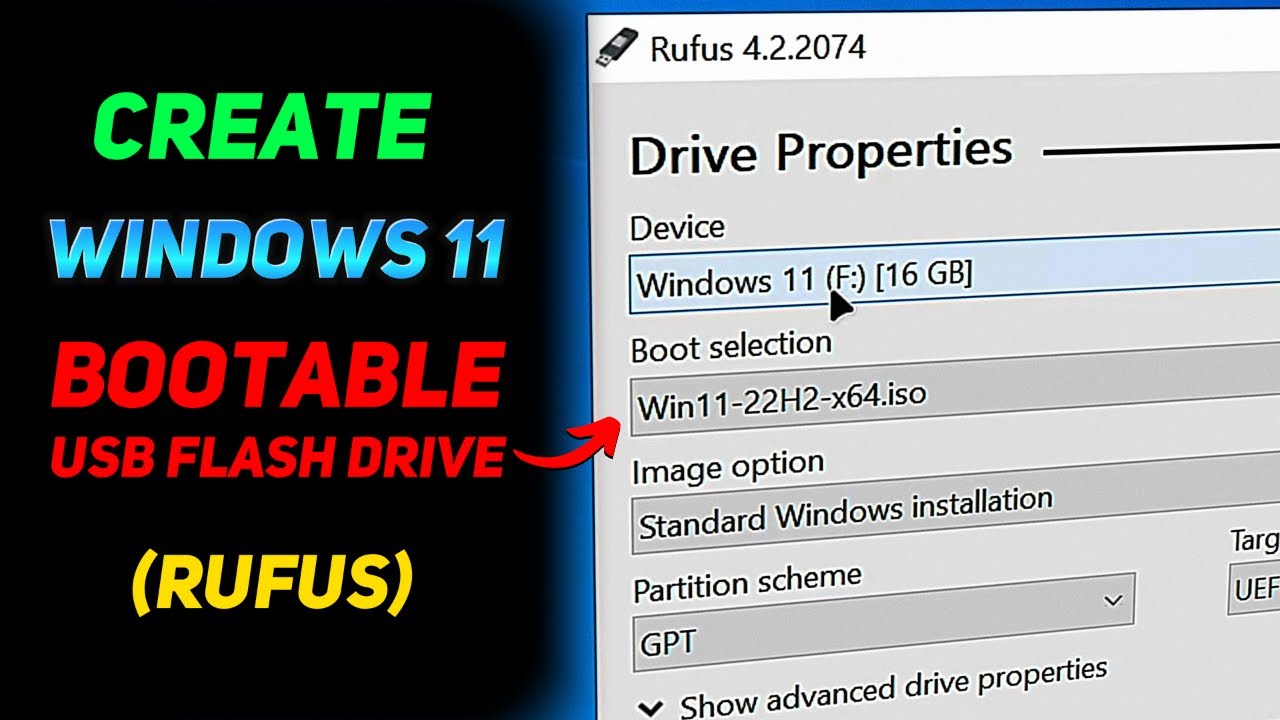
In this tutorial video, I'll show you how to create a Windows 11 bootable USB flash drive using Rufus, so you can install or repair Windows 11 on your computer. So, if you've been wondering how to use Rufus to create a bootable USB with Windows 11 on it so you can install a fresh copy of Windows 11 on your computer or repair your current Windows...
I use Rufus to create bootable drives using ISO version of Windows
foggy basin
Alright I gonna try with your video
harsh creek
Which "version" of Windows 11 did you download? You will need the ISO file
foggy basin
?
foggy basin
Okay yes I have the good one
rare saffronBOT
:tada: Congrats @foggy basin, you levelled up to 2! :tada:
foggy basin
Okay I download it juste need to wait a bit
harsh creek
Once you have the Bootable USB drive, boot from it and then you can access the repair options
harsh creek
Yep, creating the USB boot drive may take a little while
I am concerned how all this started, it could point to hardware issues.... we'll cross that bridge if/when we get past the repair option
harsh creek
I mean, if all you were doing was watching YT and it just crashed then it could be disk issues.... What storage device(s) are you using? M.2? SSD? HDD?
harsh creek
I usualy take the Portable version, doesn't need to be installed
foggy basin
I brok my usb I go bye a new one and come back
foggy basin
Finally is in is way
 foggy basin
From here I can’t select the right files no where to be found or I don’t knows

This is what happens when I try f11 and try to load the usb drive

🙏 please …
harsh creek
So, you plugged in the USB drive? Rebooted and then chose the boot menu...
foggy basin
rare saffronBOT
:tada: Congrats @foggy basin, you levelled up to 3! :tada:
harsh creek
Try partition 2
harsh creek
and if you leave it like that? I mean, it is a USB drive, it may take a little while to boot
harsh creek
try 1 first leave it for 5/10 mins
foggy basin
Okay
Nothing one the 1 and on the 2 is that

One the 1 it juste shutdown after a while
Mayby is some new I for for you here
foggy basin
And if I change the hard drive to get a different BIOS, would it be better in case the hard drive gets corrupted?
harsh creek
OK, sorry for late response, life caught up with me lastnight. Give CP a call today as you need to be talked through the steps instead of doing this over discord. Yes, swapping the drive will probably help, but no need to do a bios reset, but best let CP discuss this with you in "real time"
rare saffronBOT
 Customer Support
:telephone: 03333-237776
:e_mail: [email protected]
:clock3: Monday - Friday, 9:00am - 5:30pm
Please ensure to include as much information about your query as possible, and ensure to include your order number if you require after-sales support.
 CyberPowerPC UK 🔸 0333 323 7776 🔸 https://www.cyberpowersystem.co.uk
harsh creek
CyberPowerPC UK 🔸 0333 323 7776 🔸 https://www.cyberpowersystem.co.uk
harsh creek
No problem, hope CP can talk you through sorting the issue or even getting the machine returned and fixed.
 mild willow
foggy basin
Where I can find my order number ?
mild willow
foggy basin
Where I can find my order number ?
Sticker on the back of the machine
or your invoice in emails
harsh creek
are you calling from France?
foggy basin
Yes from France
harsh creek
+44 3333237776
rare saffronBOT
@foggy basin
:green_square: If your query has been resolved, click the 'Close' button. Don't forget to thank the members that have helped you with the /thanks command!
:red_square: If you still need support, click the 'Keep Open' button in the next 24 hours to keep this thread active.
:question: Need more support on this issue later? Simply reply to this thread to re-open it.
foggy basin
Thank for helping
rare saffronBOT
:tada: Congrats @foggy basin, you levelled up to 4! :tada:


