#beeps and no display
47 messages · Page 1 of 1 (latest)
 tender moth
Where is your gpu plugged in to
 jagged plover
The correct space
 still spoke
What CPU do you have
jagged plover
still spoke
What CPU do you have
 still spoke
If there's no GPU it isn't going to work
And it's a GPU issue, so put it back in and see what happens
jagged plover
still spoke
And it's a GPU issue, so put it back in and see what happens
Iv got the GPU
 nimble prairieBOT
 :tada: Congrats @jagged plover, you levelled up to 1! :tada:
still spoke
jagged plover
Iv got the GPU
In the video it isn't in there
still spoke
Take a picture now
jagged plover
still spoke
Take a picture now
 still spoke
That's not a 3050, this your own GPU?
jagged plover
I did say that to them, and they said they will remove the 3050 and I could put my own in
jagged plover
still spoke
That's not a 3050, this your own GPU?
Yea
still spoke
If you take out both of the ram sticks and put one in the second slot, what happens?
jagged plover
Beep
still spoke
How about the other stick?
jagged plover
Beeps
nimble prairieBOT
 Resetting CMOS
:one: Shut down your PC and unplug the power cord from the wall.
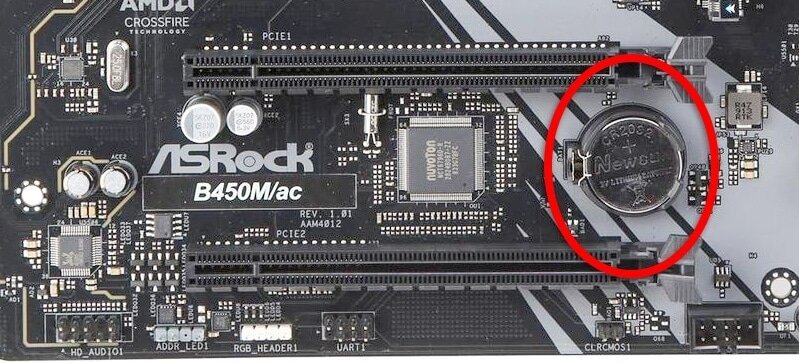
:two: Locate the CMOS battery (see the image below). On some motherboards, you may have to remove the graphics card in order to access it.
:three: Remove the CMOS battery from the motherboard by pressing down on the clip and pulling the battery out.
:four: Hold down the case power button for three seconds while your PC is unplugged.
:five: Install the CMOS battery back into the motherboard and plug the power cord back into the wall.
:six: Plug in and turn on your PC.
A video guide is also available below
 CyberPowerPC UK 🔸 0333 323 7776 🔸 https://www.cyberpowersystem.co.uk
still spoke
CyberPowerPC UK 🔸 0333 323 7776 🔸 https://www.cyberpowersystem.co.uk
still spoke
Do this, put everything back to normal and your 3050
jagged plover
… I don’t have the 3050
 still spoke
jagged plover
… I don’t have the 3050
still spoke
jagged plover
… I don’t have the 3050
If this GPU works, do the CMOS reset and use that GPU instead
still spoke
Not working?
jagged plover
It powered up form as normal then 10 secs later the beeping
still spoke
Where is your video cable plugged into?
jagged plover
HDMI cable plugged into the correct outlet
nimble prairieBOT
Monitor Cables
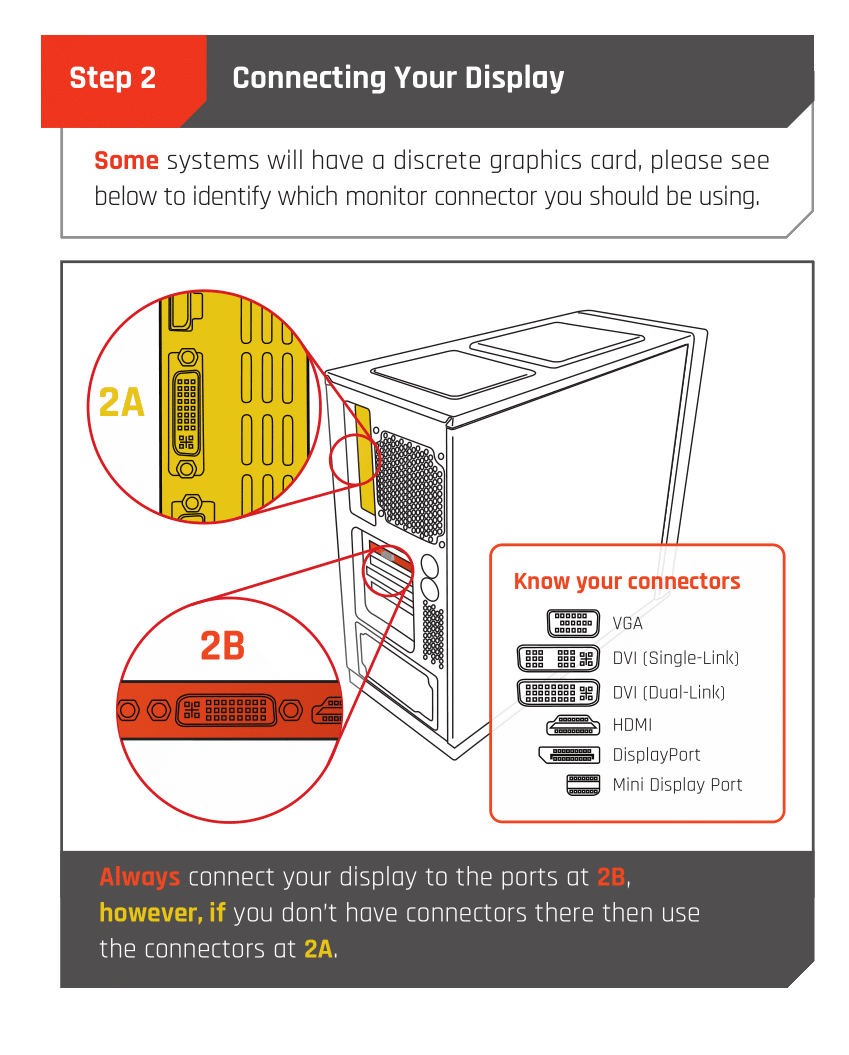
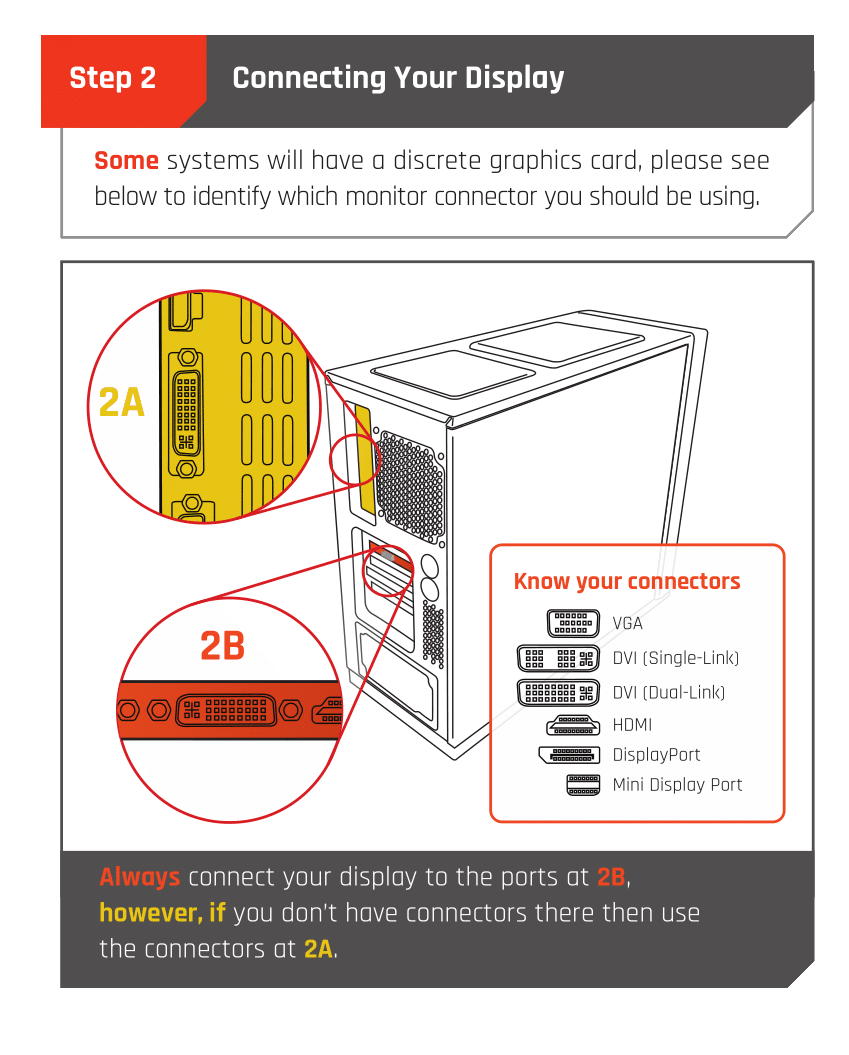
If you have a discrete GPU then you need to plug your monitor cable into the graphics card, not the motherboard. This can be found on the Quick Start Guide which was emailed to you, or you can download it with the /tag guide command.
 CyberPowerPC UK 🔸 0333 323 7776 🔸 https://www.cyberpowersystem.co.uk
still spoke
CyberPowerPC UK 🔸 0333 323 7776 🔸 https://www.cyberpowersystem.co.uk
still spoke
 jagged plover
Yes ik what connector Iv got
nimble prairieBOT
:tada: Congrats @jagged plover, you levelled up to 2! :tada:
jagged plover
 still spoke
display cables go there
 jagged plover
still spoke
display cables go there
jagged plover
still spoke
display cables go there
Thanks very much, gonan close this now
still spoke
Np
tender moth
jagged plover
The correct space
🤪🤪