#view Model Fix
259 messages · Page 1 of 1 (latest)
 safe condor
 bold bolt
real
safe condor
;-;
 tardy pivot
Um
safe condor
are u using viewport
bold bolt
no i used a script from yt
i did everything like him
i just used a different first person camera cuz his one doesn't match my game
here is the script
bold bolt
yea?
bold bolt
do i send link to the pastebin that he used?
tardy pivot
safe condor
put it in pastebin lol
How use pastebin
bold bolt
Pastebin
Pastebin.com is the number one paste tool since 2002. Pastebin is a website where you can store text online for a set period of time.
im harmless
safe condor
yes
bold bolt
i don't even know what that is
tardy pivot
Finds what city they live in
bold bolt
do i send the vid?
bold bolt
safe condor
Is this some gun script?
u can use it for any tool
 tardy pivot
safe condor
Why is there sin <:crying:1085957307655000165>
tardy pivot
safe condor
Why is there sin <:crying:1085957307655000165>
I gave up when I saw sin
 summer zodiac
safe condor
Is this some gun script?
summer zodiac
safe condor
Is this some gun script?
Its a script to make viewbobing for FPS viewmodels
bold bolt
me don't even know what sin is
safe condor
i just now SOH CAH TOA and this? nah
summer zodiac
sin gives a very nice smooth curve. Used it for pet floating before.
bold bolt
summer zodiac
Its a script to make viewbobing for FPS viewmodels
im using it for a horror game but when i hold it its fine when i move it start glitching and moving around (i have it anchored)
tardy pivot
summer zodiac
sin gives a very nice smooth curve. Used it for pet floating before.
ur so smart
safe condor
summer zodiac
sin gives a very nice smooth curve. Used it for pet floating before.
wow
summer zodiac
tardy pivot
ur so smart
Okay well to be fair I googled the solution but understood its use
bold bolt
so the problome is in sin cuz the moving isn't very smooth
 wispy escarpBOT
 ** You are now Level 3! **
safe condor
no
bold bolt
u guys are forgeting the part about helping me
lol
does anyone have a vid that has a view model that works better than this one? that would be great
summer zodiac
bold bolt
so the problome is in sin cuz the moving isn't very smooth
a video would help
bold bolt
ill give
one sec
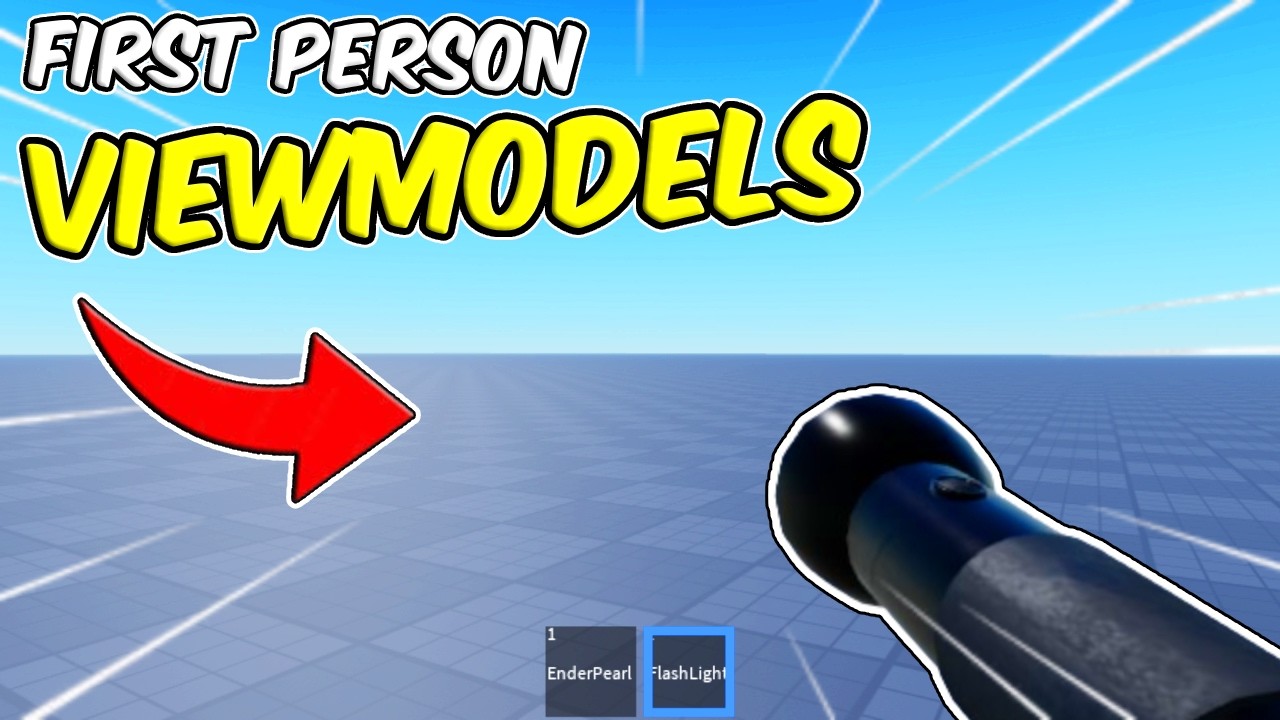
This is how you can make first person viewmodels for your Roblox game!
This is a smooth, dynamic system that will add polish and a premium feel to your game!
roblox studio scripting tutorial
CODE IS HERE: (still recommend watching, so you know how to set items up)
https://pastebin.com/NigfPSFB
🎥YOUTUBE🎥
😊Subscribe ➜ https://www.you...
his flashlight was moving smoothly but my crowbar was very glitchy and not anchored even i set it at anchored
summer zodiac
bold bolt
https://www.youtube.com/watch?v=2HRX5AqBfNA&t=535s&ab_channel=PineappleDev
No like a vid of your issue
safe condor
summer zodiac
No like a vid of your issue
why is he using tick
summer zodiac
safe condor
why is he using tick
tick gives time. sin gives a range of [-1, 1] that repeats. So essentially it gives a way to query the curve at some point in time
safe condor
summer zodiac
tick gives time. `sin` gives a range of [-1, 1] that repeats. So essentially it ...
why dont you apply for s1
bold bolt
i got a vid
summer zodiac
safe condor
why dont you apply for s1
Because I'm an anxious fella
safe condor
bold bolt
i got a vid
send
safe condor
summer zodiac
tick gives time. `sin` gives a range of [-1, 1] that repeats. So essentially it ...
I see..
 terse frost
summer zodiac
Because I'm an anxious fella
terse frost
summer zodiac
Because I'm an anxious fella
Even I could make it to s1 you'd definitely make it
wispy escarpBOT
** You are now Level 19! **
summer zodiac
bold bolt
This isn't related to sin I don't think.
You followed a tutorial, yes? How is your tool setup compared to the tutorial
tardy pivot
summer zodiac
Because I'm an anxious fella
You’ll prob get s2 or 3
summer zodiac
Configuration would matter too if values are odd
summer zodiac
tardy pivot
You’ll prob get s2 or 3
That's very kind of you but I gotta focus on helping first
bold bolt
summer zodiac
This isn't related to sin I don't think.
You followed a tutorial, yes? How is y...
almost the same at the start of the vid he said that he used a first person camera from his last video but i have a diffrent one and i don't think its the problome
tardy pivot
summer zodiac
That's very kind of you but I gotta focus on helping first
S1 isn’t a commitment
Make u seem professional
summer zodiac
bold bolt
almost the same at the start of the vid he said that he used a first person came...
"almost the same"?
bold bolt
summer zodiac
"almost the same"?
only i have a diffrent first person camera
summer zodiac
bold bolt
only i have a diffrent first person camera
Right. Are the configuration variables the same as the tutorial? What have you changed viewmodel wise?
The viewbobbing doesn't move the camera
bold bolt
he said to put the handle in a model and to name it as the tool and to anchor and set colision off and i did that
and i put it in replicted storage
bold bolt
safe condor
to anchor? seems weird to me
yeah he said to do it
 summer zodiac
bold bolt
summer zodiac
bold bolt
That's odd. The viewbobbing script you sent me checks for tools, not models...
bold bolt
summer zodiac
That's odd. The viewbobbing script you sent me checks for tools, not models...
so what do i do exactly?
safe condor
change the model into a tool? i guess
bold bolt
summer zodiac
That's odd. The viewbobbing script you sent me checks for tools, not models...
the tool still works the model just acts as the view model
summer zodiac
bold bolt
the tool still works the model just acts as the view model
Oh sorry I see it now. I misread.
bold bolt
safe condor
change the model into a tool? i guess
ima try it anyway
yea it just missed it up
summer zodiac
bold bolt
ill try to change the part to a meshpart cuz he used a meshpart in the vid
Is the PrimaryPart of the model set to the meshPart?
or rather the mesh
bold bolt
yea i did that too
bold bolt
summer zodiac
Is the PrimaryPart of the model set to the meshPart?
its set to the meshpart which is named handle
summer zodiac
bold bolt
its set to the meshpart which is named handle
So you have "Handle" and then another part in that called "Handle"?
bold bolt
no no just a meshpart called handle
summer zodiac
bold bolt
no no just a meshpart called handle
I see one BasePart called "Handle". Can you take a screenshot of what's under Handle by expanding it
bold bolt
 wispy escarpBOT
** You are now Level 4! **
bold bolt
its just a mesh for the handle
summer zodiac
bold bolt
its just a mesh for the handle
Oh you updated it since your last screenshot
bold bolt
yea i changed to a meshpart instead of a part cuz he used a meshpart
nvm ill change back to a part cuz when i changed to a meshpart it just became a block instead of a crowbar and the glitching is still happening
i noticed that the glitching start happening when im walking or running but when im standing still it doesn't glitch
summer zodiac
Okay, what if you disabled the first person script you're using and, while playing, just zoomed in until you're in first person. See if the glitch happens then.
 bold bolt
yea i did
and the same problome when i run it glitches
so the problome is not in the first person script
summer zodiac
bold bolt
so the problome is not in the first person script
Which is a good thing to figure out.
Try reducing the multi variables by say, half, and see what happens.
bold bolt
alr
bold bolt
summer zodiac
Which is a good thing to figure out.
Try reducing the `multi` variables by say,...
multi variables in the tool hold script right?
i can't find it
summer zodiac
bold bolt
multi variables in the tool hold script right?
in the viewmodel code, up top, under "settings"
bold bolt
local smooth = 50
local bobSpeed = 1.5
local bobDistance = .1
local bobWalkMulti = 3
local walkVeloThreshold = 9
local swaySpeed = 1.1
local swayDistance = .07
local swayWalkMulti = 2
those?
summer zodiac
bold bolt
local smooth = 50
local bobSpeed = 1.5
local bobDistance = .1
local bobWalkMult...
the two "multi" ones. Reduce those by half
bold bolt
alr
it still does it
i set them to half then to 0.1
still glitches
i tried to ask the youtuber that made the vid for help but he ain't responding
summer zodiac
If you equipped the tool on its own, does it hold correctly?
bold bolt
without the view model?
nah its just like floting in ur screen thats why i added the view model
summer zodiac
I guess the tool being held in hand wouldn't affect the viewbob script.
Did you originally do this with the flashlight model? Did it work then?
bold bolt
nope i didn't do the flashlight
wait
ill save everything a model and try in a new place
it still does it in a diffrent place
ima try another thing like a flashlight
summer zodiac
bold bolt
ima try another thing like a flashlight
Trying another thing might be good.
wispy escarpBOT
** You are now Level 5! **
bold bolt
yeah its still glitchy maybe the script does it
summer zodiac
bold bolt
yeah its still glitchy maybe the script does it
Are you sure you followed the tutorial exactly? Like if you followed it in a new place from scratch?
I'm surprised it's doing that when it worked in 2 month old code for him.
summer zodiac
bold bolt
ty for the help
Look at this comment
Did you just take his script? or did you follow along while he was making the script?
bold bolt
just took it
summer zodiac
bold bolt
just took it
Follow the tutorial for the code instead of taking it.
That comment said the code he linked wasn't the same as what's in the tutorial
safe condor
summer zodiac
Follow the tutorial for the code instead of taking it.
That comment said the co...
hey so what does math.cos do
same like math.sin?
summer zodiac
safe condor
hey so what does math.cos do
Different wave
cos starts at 1, sin starts at 0
cos: 1, 0, 1
sin: 0, 1, 0
This is a gross simplification of a complex mathematical concept, but for the purposes of viewbobbing, it produces a nice, smooth, repeating wave, since time increases and sin & cos repeat
safe condor
9
tardy pivot
Go into desmos do look up cos and sim wave
tardy pivot
safe condor
9
I’m in 8
Just advanced
Cos starts at top on mathematical wave
Sine starts at middle
summer zodiac
tardy pivot
Sine starts at middle
Oh was it the middle? Been so long since I took Trig.
tardy pivot
summer zodiac
Oh was it the middle? Been so long since I took Trig.

I don’t know much about implementing this into scripting
But I know some trig
summer zodiac
tardy pivot
That pic implies sine starts at the origin, or 0
Yeah pretty sure sine starts at 0, cosine starts at 1
summer zodiac
safe condor
cosine starts at zero
no sine starts at 0, cosine 1
Sorry I'm super off topic in this thread.
I'll stop until OP updates me after he tries following the tutorial for the code.
tardy pivot
summer zodiac
That pic implies sine starts at the origin, or 0
What I meant by middle is middle of the range
 marsh yoke
safe condor
or x = 0
marsh yoke
safe condor
or x = 0
see it as a circle
 random sequoia
safe condor
<@1097584399995912262>
random sequoia
safe condor
<@1097584399995912262>
sctipt:FixLine(x)
bold bolt
random sequoia
sctipt:FixLine(x)
is that where is the wrong part?
summer zodiac
bold bolt
is that where is the wrong part?
That's a joke
random sequoia
bold bolt
is that where is the wrong part?
No Its a joke
Ig try changing ur settings
bold bolt
random sequoia
Ig try changing ur settings
which one
bold bolt
summer zodiac
Follow the tutorial for the code instead of taking it.
That comment said the co...
i tried it its just the same
summer zodiac
bold bolt
i tried it its just the same
Hmm. That's a tough one.
summer zodiac
bold bolt
i never knew scripting could be this hard
Things would be different if you made this yourself, as you'd probably encounter the issue much earlier in the process, fixing it then rather than needing to debug a script made for different things in a different environment
summer zodiac
Well now we're at a sort of complex issue that you don't know how to handle because you took something you didn't understand.
Try changing all settings to 0. I want to identify what's happening.
What's the offset of the viewmodel set to
 summer zodiac
bold bolt
i can let u to the roblox studio im in a new game if u want
summer zodiac
bold bolt
i can let u to the roblox studio im in a new game if u want
Don't have time for that.
Set all settings in the script to 0
bold bolt
alr
everything at 0

if i change the smoothnes to 60 it goes back to glitching
i think its just that script is bad or smt
summer zodiac
Did you try reducing the smooth to like... 5?
summer zodiac
bold bolt
that what happens
But what about the viewmodel? Did you re-enable the first person?
bold bolt
wym reenable
summer zodiac
bold bolt
wym reenable
Like that first person script you were using
bold bolt
im not using any first person scrip im in a new place
summer zodiac
bold bolt
im not using any first person scrip im in a new place
So when you zoom in so you're in first person, does the low smoothing of 5 change anything
bold bolt
nope it just makes it less smooth
summer zodiac
bold bolt
nope it just makes it less smooth
it still glitches?
summer zodiac
bold bolt
and when 0 it freez
Yep that makes sense. Try 95 or 90.
bold bolt
alr
its just more glitchy
and if u lower it its less smooth and 0 frezz
welp
ig u can't make everything perfect
ill just leave it like that and pay somone to make me a new one later
random sequoia
bold bolt
which one
Inside the script
bold bolt
random sequoia
Inside the script
i tried changing everything it would still glitch
bold bolt
can anyone give me a script that makes another part collision off if u touch this part
like if i touch a part another part collision becomes off*
summer zodiac
bold bolt
can anyone give me a script that makes another part collision off if u touch thi...
We do not make scripts. Look at the post guidelines
bold bolt
summer zodiac
We do not make scripts. Look at the post guidelines
alr its fine and i already made it
wispy escarpBOT
** You are now Level 6! **
bold bolt
yo guys
if game:GetService("UserInputService").TouchPan then
local button = script.Parent.Sprint.Mobile
if button then
button.Frame.Visible = false
end
end
this script
it disables the button for mobile
how do i change it to pc
like disables button for pc
i want to know how to like select the pc players only