
#LinearVelocity being new anchor
215 messages · Page 1 of 1 (latest)
 raw hawk
they deprecate the old velocity system and add one thats buggy ;/ iv wacked my head for so long i cannot figure out why its not working
increasing MaxForce = part becomes more slow motion until it cannot move (anchored)

 spare elm
Pretty much
just go into a script
actually ur doing it wrong
actualyly
go into a script
and do
yk what
@raw hawk can u explain what ur trying to do
raw hawk
i want to smoothly move apart two parts when they get close
first part being the player
spare elm
If you want to smoothly move two parts
raw hawk
the velocity is set by a script
raw hawk
i need physics
spare elm
can i see the script
raw hawk
its a mess
spare elm
Show
raw hawk
RS.PostSimulation:Connect(function(delta)
    -- Soft collision
    local collided = false

    for i, v in pairs(workspace:GetPartsInPart(collider)) do
        if v.CollisionGroup == collider.CollisionGroup then
            local dist = v.Position - collider.Position
            local dist_percent = dist.Magnitude/(radius + getCylinderRadius(v))

            linear_velocity.PlaneVelocity = Vector2.new(dist.X, dist.Z).Unit*(1-dist_percent)*-PUSH_POWER

            collided = true
        end
    end

    if not collided then
        linear_velocity.PlaneVelocity = Vector2.zero
    end

    task.wait(0)
end)```the script isnt the issue im sure of that
its purely setting the velocity
it works flawlessly. but the velocity is too slow as its capped by MaxForce
which breaks everything when i increase it, maybe im doing this totally wrong
raw hawk
then i cant move
spare elm
Why
raw hawk
at 10,000 i move really slowly, above that i cant move at all
havent got the slightest clue 😄
spare elm
then its probably to do with ur calculations
raw hawk
if MaxForce = 10000 my character goes slow mo
spare elm
linear_velocity.PlaneVelocity = Vector2.new(dist.X, dist.Z).Unit*(1-dist_percent)*-PUSH_POWER
like this
local dist = v.Position - collider.Position
local dist_percent = dist.Magnitude/(radius + getCylinderRadius(v))
me personally
i don tknow why you're getting the radius of a cylinder
raw hawk
-- Locals
local function getCylinderRadius(part)
    -- Get average width then divide by 2 for radius
    return (part.Size.Y + part.Size.Z)/4
end```oh is it for teh colllision
raw hawk
no big reason, i can switch to normal, its a top down game so i only move on XZ axis
raw hawk
have you played minecraft?
spare elm
Yes
raw hawk
when you collide into a player or mob, you get slowly moved apart
thats what im attempting to recreate
raw hawk
yes
raw hawk
its not instant velocity that deaccelerates, just when two bodys come close they slowly move apart
spare elm
What
wdym slowly move apart
do u have a reference
because the way you put it
i would just use tween service
if its slow movement
raw hawk
this is it working, but its too slow
if i try increase MaxForce then my character goes slo mo
raw hawk
i can set the velocity to a million
spare elm
velocity
raw hawk
it moves at the same speed
raw hawk
oh bugged at 100,000
spare elm
try it anyway
linearVelocity.VectorVelocity = humrp.CFrame.LookVector * 0.5
u can play around with the 0.5
raw hawk
what humrp
oh nvm root
this is the slo mo btw
i set it to 100k and its slow
set it to 50 and i move fast
using default roblox controller
spare elm
raw hawk
set it to 50 and i move fast
then just make it in between
raw hawk
i need to go faster than 100,000 force
spare elm
then increase vector velocity
raw hawk
its like its capped
i have a PUSH_POWER variable
linear_velocity.PlaneVelocity = Vector2.new(dist.X, dist.Z).Unit*(1-dist_percent)*-PUSH_POWER
its at the end
spare elm
HOw big is push power
spare elm
why is it so high
does plane velocity require higher values than vector velocirty
because with vector velociy
if i set it to like
100
its already a lot
raw hawk
i switched back to vector
 solemn vaultBOT
 ** You are now Level 8! **
spare elm
then why is it so high
raw hawk
its like its capped
doesnt matter if its 100 or 1000 its the same speed for some reason
unless i increase MaxForce but then it bugs movement
idk what im doing
raw hawk
just want that collider
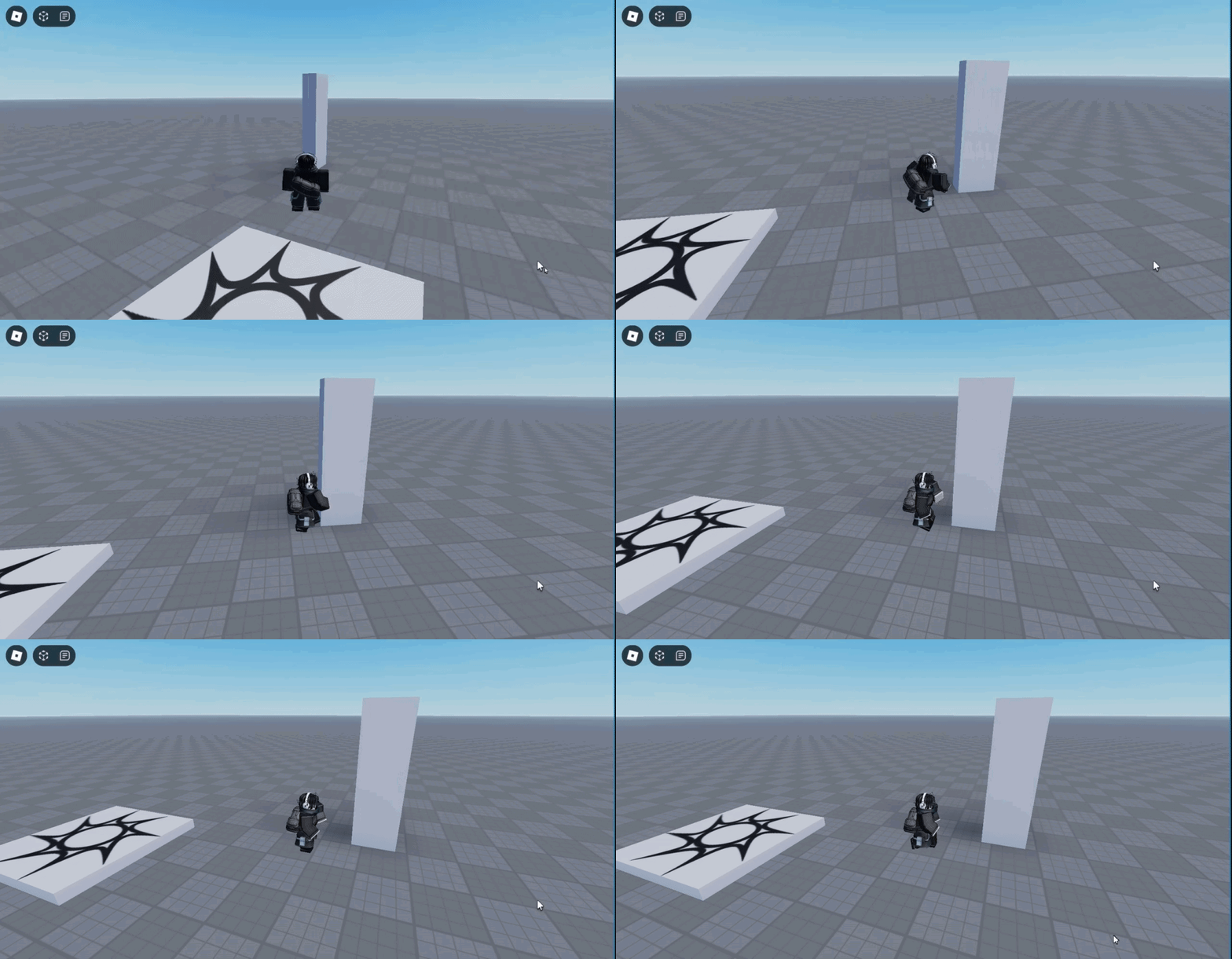 spare elm
ya
raw hawk
what are u using to do that?
spare elm
literally
just scuffed code
that i made
beacuse im too lazy
to do it the way ur doing
spare elm
im using the shitty .Touched function
raw hawk
but i dont want it to accelerate
spare elm
local db = false

script.Parent.Touched:Connect(function(hit)
    if hit.Parent:FindFirstChild("Humanoid") then
        if db == false then
            db = true

            local attachment = Instance.new("Attachment")
            attachment.Parent = hit.Parent.HumanoidRootPart

            local linearVelocity = Instance.new("LinearVelocity")
            linearVelocity.Parent = attachment

            linearVelocity.Attachment0 = attachment
            linearVelocity.MaxForce = math.huge
            linearVelocity.VectorVelocity = hit.Parent.HumanoidRootPart.CFrame.LookVector * -4

            task.wait(1)
            db = false
        end
    end
end)```it doesn't accelearte
spare elm
of course the code will be even shorter for you
because ua lerady have a linear velocir made
i was too lazy to put it in starter characetr
raw hawk
how T_T
 spare elm
raw hawk
why does yours work with math.huge
spare elm
raw hawk
why does yours work with math.huge
maybe you have some other script
that intereferes
spare elm
raw hawk
but my code is almost the same?
you have way more calculations
raw hawk
brand new baseplate
raw hawk
only custom script lol
raw hawk
maybe i should explain this code?
linear_velocity.VectorVelocity = Vector3.new(dist.X, 0, dist.Z).Unit*(1-dist_percent)*-PUSH_POWER```
`Vector3.new(dist.X, 0, dist.Z).Unit` is the normalized direction

`(1-dist_percent)` is the percentage distance from the touching part center

`PUSH_POWER` is just a constant

it makes it so velocity is higher the closer you are to the centerour code is almsot the same i just do a bit more logic
so why is it different?
spare elm
Let me see rq
raw hawk
you parent the attachment>?
raw hawk
wouldnt change much tho dont think
            local linearVelocity = Instance.new("LinearVelocity")
            linearVelocity.Parent = attachment```
ill try thoNo i mean
u dont have to make a new instance
i just did that beacuse im too lazy
in my other game i already have the linear velocit created
raw hawk
nah ik
spare elm
because if u craeet a new one every time
raw hawk
i mean the structure
spare elm
its gonna be delayed and stuff
spare elm
raw hawk
i mean the structure
Oh
yeah
i prefer to put linear velocity inside the attachment
raw hawk
could it be my custom humanoid?
raw hawk
well the issue is movement becomming slower as MaxForce increases
spare elm
The thing is
you're trying to change the speed depending on how close you are to the center
while i'm just doing "as soon as you touch it you move away"
so your calculations and stuff could be affecting
raw hawk
i can make it a constant number same issue
im just gonna use .velocity
too much pain
reason i used linearvelocity is i dont want it to accelerate, but act as its own velocity, not add velocity every frame'
spare elm
so you're keepign the speed constant
i thought u wanted it to be slower
depending on how close
raw hawk
yes
shoulda just done this from the start
other 1 is bugging because its only server side (i think) idk anymore
spare elm
Nice
raw hawk
thank you for your help, roblox is just wack sometimes