    --play when clicked first
    shopslideToPosition(UDim2.new(0.007, 0,0.76, 0))
    wait(x)
    partyslideToPosition(UDim2.new(0.007, 0,0.67, 0))
    wait(x)
    questslideToPosition(UDim2.new(0.007, 0,0.58, 0))
    wait(x)
    abilityslideToPosition(UDim2.new(0.007, 0,0.49, 0))
    wait(x)
    skillslideToPosition(UDim2.new(0.007, 0,0.4, 0))

    --play when clicked second and if you click again it returns to the first

    skillslideToPosition(UDim2.new(-0.2, 0,0.4, 0))
    wait(x)
    abilityslideToPosition(UDim2.new(-0.2, 0,0.49, 0))
    wait(x)
    questslideToPosition(UDim2.new(-0.2, 0,0.58, 0))
    wait(x)
    partyslideToPosition(UDim2.new(-0.2, 0,0.67, 0))
    wait(x)
    shopslideToPosition(UDim2.new(-0.2, 0,0.76, 0))
    wait(x)

    end)
#can someone help me make this into 2 scripts that cycle between eachother
259 messages · Page 1 of 1 (latest)
 slate valley
 bleak heath
you can have a script that handles the input and uses bindable functions to call those functions or you can have that separated into 2 functions in both scripts and use a bool to check whether to do something on that click or not.
either way you'll need to use either module scripts, values (IntValue, BoolValue...), bindable events or bindable functions
slate valley
@bleak heath
bro u suck
u confusing me for no reason
i just found out how to do it
its legit 3 sentences
slate valley
if gui.Transparency == 0 then
gui.Transparency = 0.00001
else
gui.Transparency = 0
bleak heath
how would i guess you wanted to use gui transparency for it. that falls under the "values"
you can have a bool value do the job
slate valley
wth is a bool value
bleak heath
it is a boolean 💀
"An instance which is used to hold a boolean value. The value can be used for many things, including to communicate between scripts."
it's client-client or server-server communication. you should take the initiative to learn instead of finding one way of working around something
slate valley
idk what a bool is still
that didnt explain it
u just said a boolean has a boolean value
bleak heath
i have no idea why you're messing with a gui without knowing what a bool is
slate valley
not helpful
slate valley
bleak heath
i have no idea why you're messing with a gui without knowing what a bool is
bool shmool
bleak heath
you should know lua before coding lol
bool is true or false
aka 0 (false) or anything other than 0 (true)
bleak heath
"An instance which is used to hold a boolean value. The value can be used for many things, including to communicate between scripts."
 short streamBOT
 ** You are now Level 8! **
bleak heath
that explains what it is
slate valley
does it tho
all that says boolean has a boolean value and can do stuff with scripts
short streamBOT
** You are now Level 9! **
bleak heath
Properties:
Value : bool
It says it is an instance therefore you can add it anywhere like adding a script
it says it has a property "Value" that is a bool (boolean)
slate valley
the word boolean value confused me
bleak heath
boolean is bool
slate valley
so bool is just 0 or I
bleak heath
no
it's 0 for false or anything other than 0 for true
it doesn't have to be 1 necessarily
slate valley
can i make it so instead of transparency i can just make up my own numbers
if booleanvalue == 0 then
booleanvalue = 1
else
booleanvalue = 0
can i do that
bleak heath
yes
slate valley
how do i word it in code
bleak heath
or like this:
-- the first script
if boolValue then return end
boolValue = not boolValue

-- the other script
if not boolValue then return end
boolValue = not boolValue
id rather not change my transparency by 0.000I
why they gotta make it more complicated ;-;
aight thx
i have to replace boolvalue with numbers right?
bleak heath
I'll send you photos and the code
bleak heath
slate valley
i have to replace boolvalue with numbers right?
on roblox studio (it uses luau) you can only set it to true or false
I think it can only be that and you need to explicitly write true or false
slate valley
ohh
bleak heath


the 0.01 delay is because the events will fire at the same time and you can't be sure whether the script will change the value of boolValue before the other comparison is done. The same happens if you use the transparency for it
slate valley
local bool = 2
gui.MouseButton1Click:Connect(function()
if bool == 2 then
bool = 3
else
bool = 2
did this and it worked
i didnt know u could just make up numbers love it
bleak heath
slate valley
local bool = 2
gui.MouseButton1Click:Connect(function()
if bool == 2 then
...
this is an int and not a bool if you are setting it to true or false
bleak heath
slate valley
local bool = 2
gui.MouseButton1Click:Connect(function()
if bool == 2 then
...
you can have something like that in both scripts without needing a "BoolValue" which is an instance
 slate valley
is task.wait different to wait
bleak heath
it differs a bit but it's almost the same thing. let me check
bleak heath
 slate valley
make it so u cant press button 2 times in a row
slate valley
bleak heath
oh wow
bleak heath
slate valley
make it so u cant press button 2 times in a row
you want to make it so you can't press the button 2 times in a row before some time?
 spare bolt
slate valley
if gui.Transparency == 0 then
gui.Transparency = 0.00001
else
...
spare bolt
slate valley
if gui.Transparency == 0 then
gui.Transparency = 0.00001
else
...
you coulda just said u wanted for it to work like a toggle 💀
spare bolt
slate valley
wth is a bool value
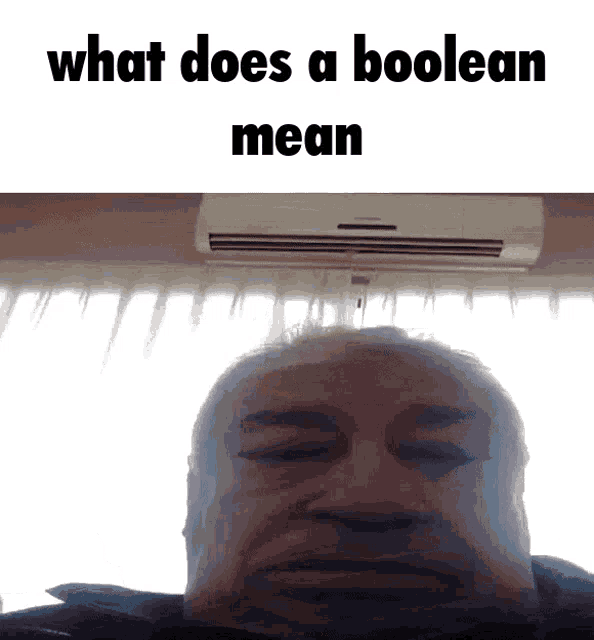 slate valley
spare bolt
you coulda just said u wanted for it to work like a toggle 💀
slate valley
spare bolt
you coulda just said u wanted for it to work like a toggle 💀
oops
slate valley
spare bolt
https://tenor.com/view/what-does-boolean-mean-gif-27083124
bud ive been learning lua for only 2 days 😦
spare bolt
bool is the basic of the basics
slate valley
without help from youtube
spare bolt
bleak heath
why BoolValue lmao?
bleak heath
it's the same as declaring a bool in the localscript
slate valley
i remember how to defrag
spare bolt
bleak heath
it's the same as declaring a bool in the localscript
no, theres no reason for u have a WHOLE instance just for a bool value
slate valley
its hi=true
wait
hi=false
bleak heath
because sometimes the boolValue.Value = not boolValue.Value happens before the comparison in the other event
that is why the task wait is there
maybe if you read the chat 💀
bleak heath
yes and he is using mouse1clicked event
slate valley
de something
spare bolt
bleak heath
you are delaying half of the event for no reason lmao 💀
bleak heath
it has nothing to do with his code. why don't you read the chat
the input began is because i didn't want to have a button and use mouse 1 clicked
i just coded that because he has that already
bleak heath
read the chat before replying lmao
spare bolt
bleak heath
or like this:
```lua
-- the first script
if boolValue then return end
boolValue...
ok u gave this, why tf did u add task.wait ??
bleak heath
also if you have 2 local scripts with mouse1clicked and do this
--script1
if boolValue.Value then return end
boolValue.Value = not boolValue.Value

--script2

if not boolValue.Value then return end
boolValue.Value = not boolValue.Value
```when using a boolvalue as instance it will happen that `boolValue.Value = not boolValue.Value` will run before the comparison in the other script causing it to runfight fight fight
spare bolt
bleak heath
also if you have 2 local scripts with mouse1clicked and do this
```lua
--script1...
why tf are two events even using the same bool value
stupid
spare bolt
bleak heath
also if you have 2 local scripts with mouse1clicked and do this
```lua
--script1...
thats cuz ur doing not LMAO
if u set it to actual bool that its supposed to be
then it would work fine
bleak heath
it would if the scripts had 2 different bools
spare bolt
no
bleak heath
then what are you saying
spare bolt
u do realize not will change to opposite boolean
so if other script runs not
they both mix up
and makes other one run
when it shouldnt
thats why u set it to a needed boolean
bleak heath
you do realize they run at the same time right?
bleak heath
no it does not
bleak heath
mouse1clicked in 2 local scripts
spare bolt
WHY ?
FUCKING WHY
NOSHIT IT TRIGGERS IT TWICE
LITERALLY AT THE SAME EXACT TIME
you sound like the guy that makes viruses on toolbox
slate valley
My shit broke cos the debounce
bleak heath
that's not what i was saying about the task.wait. im saying that if, for example, boolValue was false then the script one
--script1
if boolValue.Value then return end
boolValue.Value = not boolValue.Value
would run but script2 shouldn't
--script2
if not boolValue.Value then return end
boolValue.Value = not boolValue.Value
but sometimes script1 will run before the comparison causing boolValue.Value = not boolValue.Value to run before the other comparison
spare bolt
bleak heath
that's not what i was saying about the task.wait. im saying that if, for example...
in script one, not boolValue should be set to true right?
bleak heath
yes
spare bolt
THEN FUCKING MAKE IT TRUE
and not not boolean
which will fucking make it opposite
when other script runs
u fucking moron
bleak heath
it would do the same thing
spare bolt
it wouldnt
slate valley
spare bolt
u took a script from a guy who doesnt know shit
i didnt take the script from him
bleak heath
you don't get what I'm saying
slate valley
he just helped make my own
spare bolt
bleak heath
you don't get what I'm saying
i do
im telling u
not will make it go opposite
so when in miliseconds the other script switches it
the other script will make it opposite
instead of true
just cuz u using not
also i still dont fucking get it
bleak heath
look at this
bleak heath


only 1 input:

why? because boolValue.Value = true ran before the other comparison.
the script ran faster
than the other
the event i mean
that's why the delay exists to make sure both comparisons are done
spare bolt
so u think switching it to not boolean and adding wait does it?
bleak heath
that's all 💀
spare bolt
bleak heath
that's why the delay exists to make sure both comparisons are done
THEN WHY THE FUCKING NOT BOOLEAN
also answer again
why two localscripts for inputbegan
 late fable
"why two dads in my family"
bleak heath
not boolean does the same thing
if boolValue.Value then return end
boolValue.Value = true

if boolValue.Value then return end
boolValue.Value = not boolValue.Value
that is the equivalent
because of the comparison before
spare bolt
not if the other script runs faster and changes the boolvalue
bleak heath
it is guaranteed to be false
 cobalt walrus
bleak heath
not boolean does the same thing
```lua
if boolValue.Value then return end
b...
cobalt walrus
bleak heath
not boolean does the same thing
```lua
if boolValue.Value then return end
b...
Actually the second one is slightly slower because it needs to first get the current value
spare bolt
bleak heath
also why tf two different scripts for this
dont return
and do what u need to fucking do
since they are two different comparisons
bleak heath
different scripts because the guy who made the post wants different scripts
and is using mouse1clicked
spare bolt
also why are u saying mouse1clicked
cobalt walrus
This is the XY problem in effect
bleak heath
you can indeed use bools in each script which is easier but alternating between scripts sometimes takes more than that. that's why i initially listed ways of doing so
bleak heath
spare bolt
if ur not doing inputtype check
because i was lazy. i'm using any input to simulate like a mouse 1 click 💀
spare bolt
bleak heath
because i was lazy. i'm using any input to simulate like a mouse 1 click 💀
ok but i didnt get answer why two scripts for the same shit
all i got was "cuz he wanted"
bleak heath
i have no idea but if he wants to alternate between scripts that way he can use local bools
but alternating between scripts in general is more than local bools 😭
spare bolt
bleak heath
i have no idea but if he wants to alternate between scripts that way he can use ...
then fucking explain him why he shouldnt
hes learning
bleak heath
that's why the "BoolValue" showed up in the chat
spare bolt
and ur not even giving tips
slate valley
local
bool = 2
local hi = false
gui.MouseButton1Click:Connect(function()
if bool == 2 then
bool = 3
if not hi then
hi=true
(script)
wait(2)
hi=false
else
bool = 2
if not hi then
hi=true
(script)
wait(2)
hi=false
    end
        end
    end
    end)
that its bad to do so
bleak heath
.
slate valley
if not hi = false
hi = true
hi = false
my debouncers
spare bolt
slate valley
```lua
local
bool = 2
local hi = false
gui.MouseButton1Click:Connect(function()...
readable af
bleak heath
uh
bleak heath
spare bolt
then fucking explain him why he shouldnt
well that's a point but i thought he had a reason to alternate between scripts
slate valley
ive tried debouncing an else script before and it didnt work
i think thats why
where everyone ho
go
 slate valley
emot
does this type of debounce still work?
local (x) = false
if not (x) then
(x) = true
wait(2)
(x) = false
end
bleak heath
that works but x doesn't need to be in parenthesis
slate valley
ok thank god
hhow do i do that with else tho
ive never been able to
nvmind i did it
wait it broke shit
only half of it worked
bleak heath
local x = false
local waiting = false

-- in the mouse button 1 click
if waiting then return end
waiting = true

if not x then
    -- code here
    x = true
else
    -- other code here
    x = false
end

task.wait(TIME_HERE)
waiting = false
i got it lets gooo
gui.MouseButton1Click:Connect(function()
if hi then return end
hi = true
if bool == 2 then
bool = 3
    hi = false
else
    bool = 2
hi = false
end
end)
bleak heath
that works too
slate valley
spare bolt
cuz u cant make custom time debounce
but u can
bleak heath
but normally you would get a list with {} and then index the params
slate valley
before hi = false put in 5 seconds
bleak heath
i was trying to make it cursed and worked lol
bleak heath
bleak heath
```lua
local x = false
local waiting = false
-- in the mouse button 1 click
if ...
use this and change the time
slate valley
bye emot
bleak heath
.