#How can i make a gun beam that dosent go thru walls
59 messages · Page 1 of 1 (latest)
 lusty wagon
You mean as a ray?
 bronze elk
yh

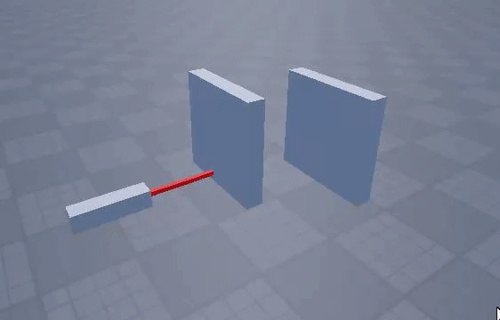
like this
like just a part that dosent go thru walls

this is what i have tried
put its laggy
lusty wagon
I never did any raycasting before but here is how I would do it:
Create a really small part that would be your ray and start changing the size (basically making it longer) and whenever it hits something stop, else continue until it hits something

 celest gulch
bronze elk
ive tried raycasting but what i have tried thats way too laggy
celest gulch
bronze elk
ive tried raycasting but what i have tried thats way too laggy
it shouldn't be
if it's laggy then you're probably doing something wrong
bronze elk
https://medal.tv/games/roblox-studio/clips/1WGLVc1EqpdiDh/d13376J3Tf3D?invite=cr-MSxtNWQsMjI2ODQyNTks i guess so 😭

Watch Untitled and millions of other Roblox Studio videos on Medal, the largest Game Clip Platform.
 merry plover
bronze elk
merry plover
bronze elk
Make sure to put the part halfway between the origin and intersection of the ray
As for your wall, is CanQuery enabled?
bronze elk
well it has to be other wise there will be no collisions
merry plover
CanQuery is not the same as CanCollide
bronze elk

 merry plover
Why would your wall have no collisions?
bronze elk
yk i just meant like it has to be on other wise there is no collisions cuz if i want to have canquery on then i have to have can collide off
yk
merry plover
Speak properly, dude
bronze elk
lmao
bronze elk
 swift creek
isnt can query always on
swift creek
isnt can query always on
yh
merry plover
swift creek
when can collide is on
No
bronze elk
huh
swift creek
merry plover
bronze elk
yk i just meant like it has to be on other wise there is no collisions cuz if i ...
CanQuery has no connection to CanCollide
merry plover
Oh, I see. I am mistaken
bronze elk
okay just fucking forget the can query rn
but what is the best way to do the beam
:)))))
swift creek
workspace:Raycast() or smn
merry plover
bronze elk
but what is the best way to do the beam
The way you're doing it is fine, minus creating a part every frame
bronze elk
yh but like i want it not be laggy
merry plover
bronze elk
yh but like i want it not be laggy
"Minus creating a part every frame"
👁️👄👁️
bronze elk
😭
swift creek
yeah just change the size and cframe instead of making a new one everytime
merry plover
Make sure to position the beam halfway between the origin and intersection of the ray
 plush hearth
wouldnt u just use raycast with blacklist?
plush hearth
but he needs to exclude the wall no?
merry plover
His goal is to have the wall stop the beam
plush hearth
oh ok
merry plover
Read the title, man ._.
 hushed solar
hi!
 hushed solar
...