#how do you end a function like if the function doesn't run in 10 seconds then stop trying to run the
1 messages · Page 2 of 1
 shrewd path
Lines 1 - 23
function simonColor(color, brickColor) -- function that adds a part, starts a countdown, and handles the humanoidTouchEvent
    local Folder = game.Workspace:FindFirstChild(color.."Folder") -- Uses color arguement to find the respective folder
    local Part = Instance.new("Part", Folder)
    Part.Position = Vector3.new((math.random(-200,-175)),2,(math.random(150,175)))
    Part.BrickColor = brickColor -- Uses brickColor arguement to change BrickColor
    Part.Anchored = true
    Part.Size = Vector3.new(8,2,8)
    Part.Name = color -- Uses color arguement to change name
    -- All of this basically the same, just changing the properties of the part to look like a colored platform

    task.wait(2) -- 2 Second wait just to give the players time to react :D

    for i = 5, 0, -1 do -- 5 Second For loop that counts down
        task.wait(1)
        for _, player in pairs(game.Players:GetPlayers()) do -- Loop that goes through all players
            player.PlayerGui.ScreenGui.TextLabel.Text = i -- Changes all players Text to equal the countdown time
        end
    end

    for _, player in pairs(game.Players:GetPlayers()) do -- Loop that goes through all players
        player.PlayerGui.ScreenGui.TextLabel.Visible = false -- Changes all players TextLabel Visibility off
    end
Lines 24 - 40
    local function humanoidTouch(humanoid) -- Function that handles the humanoidTouchEvent, also receives humanoid arguement to define it
        local humanoidTouchEvent = humanoid.Touched:Connect(function(part)
            if part.Parent ~= Folder then -- If Statement Condition checks if the part's parent IS NOT the folder
                humanoid.Health = 0
            end
        end)
        task.wait(5) -- 5 Second duration of the humanoidTouchEvent
        humanoidTouchEvent:Disconnect() -- Disconnects the humanoidTouchEvent, making it no longer have an effect
    end

    for _, player in pairs(game.Players:GetPlayers()) do -- Loop that goes through all players
        local humanoid = player.Character and player.Character:FindFirstChild("Humanoid") -- Defines humanoid
        task.spawn(humanoidTouch, humanoid) -- Makes a new Thread that plays the humanoidTouch() function and gives the humanoid arguement
    end

end
Lines 41 - 74
function chooser() -- function that randomly generates a number to select from a set of colors and play the simonColor() function

    local random = math.random(1,3) -- random number between 1,3 for the 3 colors

    for _, plr in pairs(game.Players:GetPlayers()) do -- For loop that goes through all the players
        plr.PlayerGui.ScreenGui.TextLabel.Visible = true --
    end

    local color -- Variable we use later. Holds the Name of the part
    local brickColor -- Variable we use later. Holds the BrickColor of the new part

    if random == 1 then
        color = "Blue" -- Sets color variable to "Blue"
        brickColor = BrickColor.new("Bright blue") -- Sets brickColor variable to "Bright Blue"
    elseif random == 2 then
        color = "Green" -- Sets color variable to "Green"
        brickColor = BrickColor.new("Lime green") -- Sets brickColor variable to "Lime green"
    elseif random == 3 then
        color = "Yellow" -- Sets color variable to "Yellow"
        brickColor = BrickColor.new("New Yeller") -- Sets brickColor variable to "New Yeller"
    end

    for _, plr in pairs(game.Players:GetPlayers()) do
        plr.PlayerGui.ScreenGui.TextLabel.Text = "Simon says touch "..color -- Changes text to say "Simon says touch (whatever the color variable is)"
    end

    print("Selected Color: "..color)
    simonColor(color, brickColor) -- Calls function simonColor() with the arguements color and brickColor
end
for i = 1,100,1 do -- For Loop where every 5 seconds, the chooser() function will play
    task.wait(5)
    print("Choosing Color...")
    chooser()
end
thats the whole thingy
@pulsar helm
you still with me?
shrewd path
bus
 pulsar helm
sorry I just taking a break from coding
shrewd path
real
 pulsar helm
shrewd path
https://tenor.com/view/cat-insanity-gato-louco-insanidade-gif-21825545
pulsar helm
shrewd path
https://tenor.com/view/cat-insanity-gato-louco-insanidade-gif-21825545
same
am gonna go ice skating to
shrewd path
AEIFJWEIOFHEWIFJWEIOFEWJIO
wassup
anyway
we left off with me finishing up the comments
hopefully it makes it more understandable
shrewd path
thank you
pulsar helm
so simplifed
shrewd path
I tried lol
pulsar helm
I can easily add new colors to
shrewd path
Mhm!
pulsar helm
this is the best
wait
task.spawn(humanoidTouch, humanoid) -- Makes a new Thread that plays the humanoidTouch() function and gives the humanoid arguement
this part is very confusing
pulsar helm
so can u explian that part more
 shrewd path
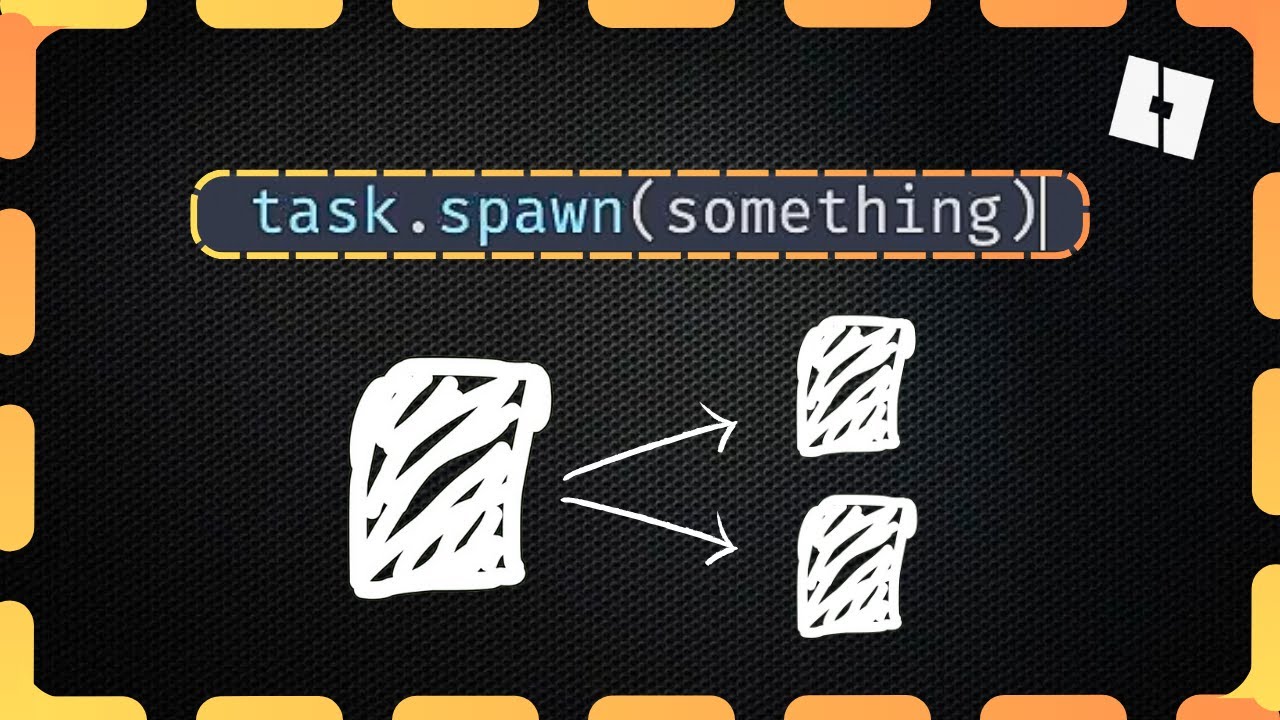
like my teaching style? check out my course: https://www.udemy.com/course/byteblox-expert/?referralCode=B83EFB1A86A5C3D5F206
wondered how to make a main menu in roblox studio? or how to create a shop which has working GUI? ive made lots of 2023 roblox scripting tutorials about all the different bits of roblox to give you some up-to-date informa...
oh really
w
pulsar helm
oh
shrewd path
Basically
pulsar helm
I just saw that video
shrewd path
What task.spawn does
pulsar helm
am like nah am not gonna watch that
pulsar helm
already half way in and I clicked off(cuz I thought it was useless)
shrewd path
task.spawn in this case just allows us to play the humanoidTouch Function for all players at the same time
shrewd path
I never knew it existed lol
pulsar helm
same lol
shrewd path
But uh yeah
If I were you
If you ever needed to have something play at the same time, just use task.spawn
shrewd path
ayo lol
pulsar helm
to late
shrewd path
xd
pulsar helm
I REGERT

 cerulean estuaryBOT
 ** You are now Level 13! **
shrewd path
lol
pulsar helm
bruh
fine 2
ok
it works
but
we need to fix some more stuff or add
we need to make it so the math.random spawns randomly around the platform and cannot spawn in other platforms
 shrewd path
oh yeah that
pulsar helm
and so that u can touch other humanoids to without dying
shrewd path
oh shoot
i forgot about that too lol
Yeah that should be a easy fix
The math.random thing tho
we can do that afterwards
pulsar helm
ok
shrewd path
this line
pulsar helm
yes
pulsar helm
        local humanoidTouchEvent = humanoid.Touched:Connect(function(part)
            if part.Parent ~= Folder then -- If Statement Condition checks if the part's parent IS NOT the folder
                if part ~= humanoid then
                    humanoid.Health = 0
                end
            end
end)```there
shrewd path
            if part.Parent ~= Folder then -- If Statement Condition checks if the part's parent IS NOT the folder AND does NOT have a humanoid
                humanoid.Health = 0
            end
end
how u add color
shrewd path
how to add colors, go to the chooser function
pulsar helm
no
shrewd path
function chooser() -- function that randomly generates a number to select from a set of colors and play the simonColor() function

    local random = math.random(1,3) -- random number between 1,3 for the 3 colors

    for _, plr in pairs(game.Players:GetPlayers()) do -- For loop that goes through all the players
        plr.PlayerGui.ScreenGui.TextLabel.Visible = true --
    end

    local color -- Variable we use later. Holds the Name of the part
    local brickColor -- Variable we use later. Holds the BrickColor of the new part

    if random == 1 then
        color = "Blue" -- Sets color variable to "Blue"
        brickColor = BrickColor.new("Bright blue") -- Sets brickColor variable to "Bright Blue"
    elseif random == 2 then
        color = "Green" -- Sets color variable to "Green"
        brickColor = BrickColor.new("Lime green") -- Sets brickColor variable to "Lime green"
    elseif random == 3 then
        color = "Yellow" -- Sets color variable to "Yellow"
        brickColor = BrickColor.new("New Yeller") -- Sets brickColor variable to "New Yeller"
    end

    for _, plr in pairs(game.Players:GetPlayers()) do
        plr.PlayerGui.ScreenGui.TextLabel.Text = "Simon says touch "..color -- Changes text to say "Simon says touch (whatever the color variable is)"
    end

    print("Selected Color: "..color)
    simonColor(color, brickColor) -- Calls function simonColor() with the arguements color and brickColor
end
for i = 1,100,1 do -- For Loop where every 5 seconds, the chooser() function will play
    task.wait(5)
    print("Choosing Color...")
    chooser()
end
sholud look like this
pulsar helm
shrewd path
```lua
if part.Parent ~= Folder then -- If Statement Condition check...
no like in code blocks
shrewd path
 pulsar helm
I don't see any color
pulsar helm
o
shrewd path
like for, in, do
pulsar helm
pulsar helm
``` local function humanoidTouch(humanoid) -- Function that handles the human...
anyways would this work?
shrewd path
it just auto does it
pulsar helm
shrewd path
it just auto does it
not for me
shrewd path
pulsar helm
``` local function humanoidTouch(humanoid) -- Function that handles the human...
wait what was the change
pulsar helm
bruh
        local humanoidTouchEvent = humanoid.Touched:Connect(function(part)
            if part.Parent ~= Folder then -- If Statement Condition checks if the part's parent IS NOT the folder
                if part ~= humanoid then
                    humanoid.Health = 0
                end
            end
end)``` if part ~= humanoid then
make it so they can also touch humanoids
shrewd path
I dont think that works
since in game
you would technically be hitting the other player's limb
so instead
you should do
shrewd path
if part.Parent ~= Folder and not part.Parent:FindFirstChild("Humanoid") then -- If Statement Condition checks if the part's parent IS NOT the folder AND is NOT a humanoid/player
it doesn't work😭
pulsar helm
mine
shrewd path
huh
pulsar helm
yours
its checking if part.parent is folder but humanoid is not in folder
I mean
actually idk why it won't work
pulsar helm
yes
shrewd path
add print(part)
pulsar helm
ooooooooooooooooooook
shrewd path
part
pulsar helm
ok
shrewd path
you think Eddy still cares about this thread?
pulsar helm
umm
wait maybe he does
it says he is sick tho
umm print part does not work
it runs it like millions of times
shrewd path
pulsar helm
it says he is sick tho
i think that just means he would be at home more than
pulsar helm
to much stuff
shrewd path
picture?
shrewd path
huh
pulsar helm
        local humanoidTouchEvent = humanoid.Touched:Connect(function(part)
            if part.Parent ~= Folder and not part.Parent:FindFirstChild("Humanoid") then
                print(part.. "touched")
                humanoid.Health = 0
            end
end)```wym you broke it lol
pulsar helm
it sending to many errors
shrewd path
wait so the output doesnt tell you the error?
shrewd path
pulsar helm
``` print(part.. "touched")```its on this line tho
oh wait, i just realzied
pulsar helm
no I just didn't look
pulsar helm
o
shrewd path
we probably need the part's name
cause printing a instance probs dont work ((since it's not a string. But the Name is :DDD)
pulsar helm
yeah]
oh god
u just test this your self and see
cuz what it is printing makes no sense
shrewd path
huh
pulsar helm
soooooo
pulsar helm
bru
shrewd path
i could copy it
pulsar helm
yessssssssssssssssssssssssssss
shrewd path
yeah just give me a second
i never saved the copy of your game
cause like
its a copy
pulsar helm
 shrewd path
yes
oh yeaah
i forgot
people have accessories
basically
the part that's being touched is the accessory
and I made the assumption that the part being touched was the player's body parts, not accessories
pulsar helm
huh
pulsar helm
shrewd path
and I made the assumption that the part being touched was the player's body part...
 shrewd path
real
lemme just find a fix to this
anywayyy
fixed it
probably
i tested it
seems like it work
local humanoidTouchEvent = humanoid.Touched:Connect(function(part)
            if part.Parent ~= Folder  then -- If Statement Condition checks if the part's parent IS NOT the folder
                if part.Parent:IsA("Accessory") or part.Parent:FindFirstChild("Humanoid") then
                    -- Checks if the thing touched was a player or an accessory since player's may have accessories on
                else
                    humanoid.Health = 0
                end
            end
        end)
here you go
basically

this is a snip of what i would say is a basic player model/anatomy
The player can touch 2 things of a player

the parts
shrewd path
ima get a snack
pulsar helm
it doesn't work @shrewd path
wait nvm it does work
@shrewd path it works sorry
now we have to make it so math.random doesn't spawn inside other blocks
some how
shrewd path
back
pulsar helm
I have no idea
pulsar helm
@shrewd path
shrewd path
wassup
pulsar helm
maybe we can check what the part touches
pulsar helm
so if the part touches a part that was spawned in then move it
shrewd path
originally, i was thinking of making it so that there was a table
pulsar helm
o
shrewd path
that holds all the previously spawned parts
and their positions
and then checking if a spawn position for the new part was a certain distance away
from the resst
but yours sounds way better
no cap
since the problem with mine is
distance could be hard to find for squares
since it would be more like a circle shape
rather than square
anyway
ima try your idea
shrewd path
Part.Touched:Connect(function(part)
        if part.Parent:IsA("Folder") then -- Checks if the part it touched is in a folder (which means it was another platform)
            Part.Position = Vector3.new((math.random(-200,-175)),2,(math.random(150,175))) -- Changes the Position of the Part again
        end
    end)
heres what i got
goes in the beginning
 pulsar helm
        if Part == color then
            Part.Position = Vector3.new((math.random(-200,-175)),2,(math.random(150,175)))
        end
end)```I got this
@shrewd path am gonna go afk soon
shrewd path
pulsar helm
``` Part.Touched:Connect(function(part)
if Part == color then
...
I dont think this would work
pulsar helm
pulsar helm
``` Part.Touched:Connect(function(part)
if Part == color then
...
bruh
why not
shrewd path
the if statement is checking the Part (capital letter), not the part (lowercase)
pulsar helm
huh
shrewd path
also checking if it is a color would probably not work since if the part was a different color than it would just not do the thing it was meant to do
pulsar helm
shrewd path
also checking if it is a color would probably not work since if the part was a d...
huh
afk
shrewd path
ok welp i tested mine and it dont work
shrewd path
aaaaaaaaa
my bda
mad
bad
EEE
cant type
my bad
i forgot i was working on this
and got side tracked by youtube
lol
pulsar helm
bruh]
pulsar helm
        if part.Parent == Folder then
            Part.Position = Vector3.new((math.random(-200,-175)),2,(math.random(150,175)))
        end
end)```@shrewd path
imma test this
shrewd path
go for it
pulsar helm
k
shrewd path
i think
we gotta go with the idea that
there is a loop that checks all the previous parts
and checks if the new part's position would be too close
and if so it would reposition
pulsar helm
wait

I want the parts to spawn randomly around the platform
but the coords are wrong
so is there a way I can just set it to choose a random position in the platform?
@shrewd path
pulsar helm
yAYYAy
pulsar helm
I expanded the platform
pulsar helm
so if we give the parts more space to spawn then maybe it will work
soo
@shrewd path can we just do this real quick oh and also my script didn't work either
shrewd path
sure thing
technically we can just manually set the new coordinates
but i feel like thats just too much of a hasle
if you ever needed to reposition the game space
again
 pulsar helm
ok
pulsar helm
ok
shrewd path

I added this the script
im guessing the place is a model as a whole?
the simon says area
actually
hold up
Could you take a picture of your explorer tab for me
@pulsar helm
 pulsar helm
?
shrewd path
    local CornerA = workspace.CornerA
    local CornerB = workspace.CornerB

    Part.Position = Vector3.new((math.random(CornerA.Position.X, CornerB.Position.X)),2,(math.random(CornerA.Position.Z, CornerB.Position.Z)))
heres the thing in code block for you
basically, what I'm doing here is using the corner position
s
and basically having them as the max and min
since they are in two different corners
i think you get the idea
pulsar helm
22:07:31.091 Workspace.NOOB.GUIScript:7: invalid argument #2 to 'random' (interval is empty)
shrewd path
ohhh
pulsar helm
pulsar helm
22:07:31.091 Workspace.NOOB.GUIScript:7: invalid argument #2 to 'random' (inter...
how do I fix this
shrewd path
gonna be honest i dunno what the hell thats supposed to be
lemme see if i can fix that
pulsar helm
how
 pulsar helm
bruh
shrewd path
im pretty sure its cause in math.random(), it has an m and an n value
pulsar helm
shrewd path
 shrewd path
which has to be the max and min
pulsar helm
o
shrewd path
originally it probably was the smaller number as max and bigger number as min
which may have caused the error
yeah btw
Theres a 2 hour gap between us
And it's 12:13 AM for me
pulsar helm
how u know
pulsar helm
o yeah
shrewd path
but for me it said you sent the message at 2 for me atleast
so i just put 2 and 2 together
pulsar helm
yup
shrewd path
I'm testing my change
cerulean estuaryBOT
** You are now Level 12! **
shrewd path
it looks like it works
pulsar helm
-157.5, 18.65, 187.5
shrewd path

oh yeah this happens
i forgot
we kinda need to move the corners a bit closer to the center
i think you know why
pulsar helm
o
shrewd path
oh wait
pulsar helm
I think I do know why
pulsar helm
what?
 pulsar helm
????????????????????????????????????????????????????????????????????????
pulsar helm
shrewd path
and if i were, i would just make it transparent and uncollidable
am gonna use them as pillars to deocrate the map : D
pulsar helm
 shrewd path
hol up
pulsar helm
anyways
pulsar helm
shrewd path
hol up
wat
shrewd path
ok
just know that
theres a chance that some platforms may leak out
but it would still be standable on
shrewd path
anyway
 ashen lava
Who pinged me?
pulsar helm
we need to solve the problem of parts spawning in other parts
ashen lava
Hii
shrewd path
actually since your here
pulsar helm
ashen lava
Who pinged me?
it was me but we already solved the problem
ashen lava
What's the issue
pulsar helm
am trying to stop the part from spawning into other parts
shrewd path
ashen lava
What's the issue
Basically in his simon says game, the platforms positions are randomly generated which causes some parts to be put inside each other.
pulsar helm
shrewd path
Basically in his simon says game, the platforms positions are randomly generated...
so we need to make it so the platforms don't spawn inside each other
 pulsar helm
@ashen lava ?
shrewd path
welp
ashen lava
Wait
shrewd path
the color green is kinda fire
no cap
🟩
Ima post the script
Lines 1 - 26
function simonColor(color, brickColor) -- function that adds a part, starts a countdown, and handles the humanoidTouchEvent
    local Folder = game.Workspace:FindFirstChild(color.."Folder") -- Uses color arguement to find the respective folder
    local Part = Instance.new("Part", Folder)

    local CornerA = workspace.CornerA
    local CornerB = workspace.CornerB

    Part.Position = Vector3.new((math.random(CornerA.Position.X, CornerB.Position.X)),2,(math.random(CornerA.Position.Z, CornerB.Position.Z))) -- Chooses a position between the two corners of the playing field for the new Part
    Part.BrickColor = brickColor -- Uses brickColor arguement to change BrickColor
    Part.Anchored = true
    Part.Size = Vector3.new(8,2,8)
    Part.Name = color -- Uses color arguement to change name
    -- All of this basically the same, just changing the properties of the part to look like a colored platform

    task.wait(2) -- 2 Second wait just to give the players time to react :D

    for i = 5, 0, -1 do -- 5 Second For loop that counts down
        task.wait(1)
        for _, player in pairs(game.Players:GetPlayers()) do -- Loop that goes through all players
            player.PlayerGui.ScreenGui.TextLabel.Text = i -- Changes all players Text to equal the countdown time
        end
    end

    for _, player in pairs(game.Players:GetPlayers()) do -- Loop that goes through all players
        player.PlayerGui.ScreenGui.TextLabel.Visible = false -- Changes all players TextLabel Visibility off
    end
We use GetPartsInParts
pulsar helm
same
shrewd path
can you send link to the documentation
ashen lava
If the first position is parented to a Part, then we'll make it fire to another Position instead

Base class for handling physics simulation and 3D spatial queries.
pulsar helm
huh
pulsar helm
how
ashen lava
It'll detect if it hits a part
pulsar helm
but I don't need physics simulations
ashen lava
Only the instance:IsA("Part")
ashen lava
pulsar helm
but I don't need physics simulations
It's like a Touch event
pulsar helm
ashen lava
It'll detect if it hits a part
what will do that
ashen lava
It only detects whether there's part in the part
pulsar helm
o
shrewd path
ok
ashen lava
So you guys can set it
ashen lava
if there's a part in the part, then just set it into a random position again
pulsar helm
ashen lava
It only detects whether there's part in the part
what detects if there is a part in a part
pulsar helm
shrewd path
i need to sleep
ok, goodnight
ashen lava
pulsar helm
what detects if there is a part in a part
The GetPartsInParts
shrewd path
ashen lava
We use GetPartsInParts
this
pulsar helm
o
ashen lava
Np
pulsar helm
so
pulsar helm
ashen lava
The GetPartsInParts
how would I use this
ashen lava
Wait
pulsar helm
ashen lava
The GetPartsInParts
wait this is not a thing
ashen lava
it's inside the WorldRoot
ashen lava
Like this
 pulsar helm
ashen lava
pulsar helm
ashen lava
on line 1 we define the part which is the part itself
On line 3 we get the GetPartsInParts since it's a WorldRoot we got to use the workspace(That's my thinking)
on the first parameter you have to define the part you want it to GetPartsInParts
second one is params
which I don't really use
pulsar helm
o
@ashen lava would this work?
    if inpart.Parent == Folder then
        Part.Position = Vector3.new((math.random(CornerA.Position.X, CornerB.Position.X)),2,(math.random(CornerA.Position.Z, CornerB.Position.Z)))
end```try it
 pulsar helm
it doesn't work
pulsar helm
pulsar helm
it doesn't work
 pulsar helm
bruh
ashen lava
by using print
ashen lava
pulsar helm
so what am I suppose to do
Add a print, and see if it detects a part
pulsar helm
oh ok
gimme a min
gimme 10 mins
ok
@ashen lava
23:01:21.681 Selected Color: Yellow - Server - GUIScript:83
23:01:21.681 ▼ {
[1] = Blue,
[2] = SimonPlate
} - Server - GUIScript:13
this is what it says
@ashen lava
ashen lava
alr
ashen lava
I'm assuming Blue is the part that it touched, and SimonPlate shouldn't be the plate it's touching
You can use Params
@pulsar helm I apologize for the late reply
My internet disappeard
shrewd path
EEEEEEEEEEEEEEEEEEEEEEEEEEEEEEEEEEEEEEEEEEEEEEEEEEEEEERERERERER
Im back
this thread has 1.5k messages i think
anyway
I read what yall talked about last night
and I got mine to work


I put my script below where you change the properties of the Part
shrewd path
Code block:
    local function collisionCheck()
        local PartsInPart = workspace:GetPartsInPart(Part) -- Define PartsInPart
        for key, value in pairs(PartsInPart) do -- For Loop that goes through everything in the PartInPart
            if PartsInPart[key].Parent:IsA("Folder") then -- Checks if the otherPart touching our New Part is another Platform via folder check
                Part.Position = Vector3.new((math.random(CornerA.Position.X, CornerB.Position.X)),2,(math.random(CornerA.Position.Z, CornerB.Position.Z)))
                task.spawn(collisionCheck) -- Starts a new collisionCheck incase the reposition put it inside another part
                break -- breaks the current loop so that the reposition won't happen excessively
            end
        end
    end

    collisionCheck() -- Calling the function to start the collisionChecks
oh yeah
and one more proble
m
if, there is no more space in which the platform can reposition (no more open playspace
It will keep looping the reposition and eventually have a C stack overflow (an error) in which it kinda just gives up


Lines: 1 - 26
function simonColor(color, brickColor) -- function that adds a part, starts a countdown, and handles the humanoidTouchEvent
    local Folder = game.Workspace:FindFirstChild(color.."Folder") -- Uses color arguement to find the respective folder
    local Part = Instance.new("Part", Folder)

    local CornerA = workspace.CornerA
    local CornerB = workspace.CornerB

    Part.Position = Vector3.new((math.random(CornerA.Position.X, CornerB.Position.X)),2,(math.random(CornerA.Position.Z, CornerB.Position.Z))) -- Chooses a position between the two corners of the playing field for the new Part
    Part.BrickColor = brickColor -- Uses brickColor arguement to change BrickColor
    Part.Anchored = true
    Part.Size = Vector3.new(8,2,8)
    Part.Name = color -- Uses color arguement to change name
    -- All of this basically the same, just changing the properties of the part to look like a colored platform

    local function collisionCheck()
        local PartsInPart = workspace:GetPartsInPart(Part) -- Define PartsInPart
        for key, value in pairs(PartsInPart) do -- For Loop that goes through everything in the PartInPart
            if PartsInPart[key].Parent:IsA("Folder") then -- Checks if the otherPart touching our New Part is another Platform via folder check
                Part.Position = Vector3.new((math.random(CornerA.Position.X, CornerB.Position.X)),2,(math.random(CornerA.Position.Z, CornerB.Position.Z)))
                task.spawn(collisionCheck) -- Starts a new collisionCheck incase the reposition put it inside another part
                break -- breaks the current loop so that the reposition won't happen excessively
            end
        end
    end

    collisionCheck() -- Calling the function to start the collisionChecks
Lines: 27 - 55
    task.wait(2) -- 2 Second wait just to give the players time to react :D

    for i = 5, 0, -1 do -- 5 Second For loop that counts down
        task.wait(1)
        for _, player in pairs(game.Players:GetPlayers()) do -- Loop that goes through all players
            player.PlayerGui.ScreenGui.TextLabel.Text = i -- Changes all players Text to equal the countdown time
        end
    end

    for _, player in pairs(game.Players:GetPlayers()) do -- Loop that goes through all players
        player.PlayerGui.ScreenGui.TextLabel.Visible = false -- Changes all players TextLabel Visibility off
    end
    local function humanoidTouch(humanoid) -- Function that handles the humanoidTouchEvent, also receives humanoid arguement to define it
        local humanoidTouchEvent = humanoid.Touched:Connect(function(part)
            if part.Parent ~= Folder then -- If Statement Condition checks if the part's parent IS NOT the folder
                humanoid.Health = 0
            end
        end)
        task.wait(5) -- 5 Second duration of the humanoidTouchEvent
        humanoidTouchEvent:Disconnect() -- Disconnects the humanoidTouchEvent, making it no longer have an effect
    end

    for _, player in pairs(game.Players:GetPlayers()) do -- Loop that goes through all players
        local humanoid = player.Character and player.Character:FindFirstChild("Humanoid") -- Defines humanoid
        task.spawn(humanoidTouch, humanoid) -- Makes a new Thread that plays the humanoidTouch() function and gives the humanoid arguement
    end

end
Lines: 56 - 89
function chooser() -- function that randomly generates a number to select from a set of colors and play the simonColor() function

    local random = math.random(1,3) -- random number between 1,3 for the 3 colors

    for _, plr in pairs(game.Players:GetPlayers()) do -- For loop that goes through all the players
        plr.PlayerGui.ScreenGui.TextLabel.Visible = true --
    end

    local color -- Variable we use later. Holds the Name of the part
    local brickColor -- Variable we use later. Holds the BrickColor of the new part

    if random == 1 then
        color = "Blue" -- Sets color variable to "Blue"
        brickColor = BrickColor.new("Bright blue") -- Sets brickColor variable to "Bright Blue"
    elseif random == 2 then
        color = "Green" -- Sets color variable to "Green"
        brickColor = BrickColor.new("Lime green") -- Sets brickColor variable to "Lime green"
    elseif random == 3 then
        color = "Yellow" -- Sets color variable to "Yellow"
        brickColor = BrickColor.new("New Yeller") -- Sets brickColor variable to "New Yeller"
    end

    for _, plr in pairs(game.Players:GetPlayers()) do
        plr.PlayerGui.ScreenGui.TextLabel.Text = "Simon says touch "..color -- Changes text to say "Simon says touch (whatever the color variable is)"
    end

    print("Selected Color: "..color)
    simonColor(color, brickColor) -- Calls function simonColor() with the arguements color and brickColor
end
for i = 1,100,1 do -- For Loop where every 5 seconds, the chooser() function will play
    task.wait(5)
    print("Choosing Color...")
    chooser()
end
thats everything i have
shrewd path
shrewd path
Lines: 1 - 26
```lua
function simonColor(color, brickColor) -- function that add...
the collisionChecker is here
pulsar helm
ashen lava
<@1094873812421591121> I apologize for the late reply
am back to
pulsar helm
ashen lava
<@1094873812421591121> I apologize for the late reply
you replyed right after I went to bed so thats why
pulsar helm
shrewd path
It will keep looping the reposition and eventually have a C stack overflow (an e...
ok
@shrewd path
what does "excessively" mean in your script break -- breaks the current loop so that the reposition won't happen excessively
pulsar helm
shrewd path
It will keep looping the reposition and eventually have a C stack overflow (an e...
my simon says game isn't just gonna be touch colors so that won't happen
pulsar helm
shrewd path
Lines: 1 - 26
```lua
function simonColor(color, brickColor) -- function that add...
you can just send it as a file
cerulean estuaryBOT
** You are now Level 14! **
pulsar helm
also your script doesn't work
shrewd path
pulsar helm
what does "excessively" mean in your script ``` break -- breaks t...
excessive as in too many times
shrewd path
pulsar helm
also your script doesn't work
what doesnt work
pulsar helm
shrewd path
what doesnt work
this doesn't work local function collisionCheck() local PartsInPart = workspace:GetPartsInPart(Part) -- Define PartsInPart for key, value in pairs(PartsInPart) do -- For Loop that goes through everything in the PartInPart if PartsInPart[key].Parent:IsA("Folder") then -- Checks if the otherPart touching our New Part is another Platform via folder check Part.Position = Vector3.new((math.random(CornerA.Position.X, CornerB.Position.X)),2,(math.random(CornerA.Position.Z, CornerB.Position.Z))) task.spawn(collisionCheck) -- Starts a new collisionCheck incase the reposition put it inside another part break -- breaks the current loop so that the reposition won't happen excessively end end
shrewd path
i tested it for myself
The only time it stops to work is when there is no more play space
pulsar helm
bruh
pulsar helm
the parts still spawn in each other
shrewd path
i could tired lol
shrewd path
pulsar helm
the parts still spawn in each other
record it for me?
pulsar helm
sure
pulsar helm
what
shrewd path
did you the call line
collisionCheck()
below?
pulsar helm
no
 pulsar helm
bruh
shrewd path
it starts the chain
pulsar helm
o'
shrewd path
lol
but yeah
it should work
until there is no more play space
then it just breaks ((as in it no longer repositions)
cause it keeps repositioning to no avail ((leading to a c stack overload)
pulsar helm
ok
it works
@shrewd path how would I make it so that it doesn't choose the next color over again
shrewd path
how to make it so the same color isnt picked twice in a row kinda thing?
pulsar helm
yes
shrewd path
ok
how about
when the chooser function is randomly choosing a number
we will have another variable
that has the previous number
and checks if the previous number is the same to the new random number
and if so, it will reroll the number
until it's different
shrewd path
local previousNumber = nil

function chooser() -- function that randomly generates a number to select from a set of colors and play the simonColor() function

    local random = math.random(1,3) -- random number between 1,3 for the 3 colors

    local function rerollNumber()
        if random == previousNumber then -- Checks if the new random is equal to the previous random number
            random = math.random(1,3) -- Rerolls the random
            rerollNumber() -- Replays the reroll incase it rolls the same number
        end
    end

    rerollNumber()

    for _, plr in pairs(game.Players:GetPlayers()) do -- For loop that goes through all the players
        plr.PlayerGui.ScreenGui.TextLabel.Visible = true --
    end

    local color -- Variable we use later. Holds the Name of the part
    local brickColor -- Variable we use later. Holds the BrickColor of the new part

    if random == 1 then
        color = "Blue" -- Sets color variable to "Blue"
        brickColor = BrickColor.new("Bright blue") -- Sets brickColor variable to "Bright Blue"
    elseif random == 2 then
        color = "Green" -- Sets color variable to "Green"
        brickColor = BrickColor.new("Lime green") -- Sets brickColor variable to "Lime green"
    elseif random == 3 then
        color = "Yellow" -- Sets color variable to "Yellow"
        brickColor = BrickColor.new("New Yeller") -- Sets brickColor variable to "New Yeller"
    end

    for _, plr in pairs(game.Players:GetPlayers()) do
        plr.PlayerGui.ScreenGui.TextLabel.Text = "Simon says touch "..color -- Changes text to say "Simon says touch (whatever the color variable is)"
    end

    print("Selected Color: "..color)
    simonColor(color, brickColor) -- Calls function simonColor() with the arguements color and brickColor
    previousNumber = random
end
for i = 1,100,1 do -- For Loop where every 5 seconds, the chooser() function will play
    task.wait(5)
    print("Choosing Color...")
    chooser()
end
ok
I made a few changes
at the very top
you see
local previousNumber
pulsar helm
previous number is = to nil
pulsar helm
oi
shrewd path
cause if you look near the bottom
pulsar helm
o
shrewd path
you will see another line
previousNumber = random (random is the new number we rolled)
that is when we assign the variable a number
and I added a function near the top called rerollNumber()
pulsar helm
ill test'
shrewd path
basically it justs checks if the number is the same or not
make sure you get all the new stuff
and not miss any
pulsar helm
k
shrewd path
|| ||
||
pulsar helm
bruh
u just made it choose the same color over and over again
@shrewd path how do I make a varaiblee global
shrewd path
oh shoot really
shrewd path
mhm
shrewd path
yesssss
pulsar helm
then previous number will = 3 forever
pulsar helm
it just chooses the same color over and over again
shrewd path
can you take a screenshot or show me what your code looks like
just making sure we are on the same thing
pulsar helm
shrewd path
where is local previousNumber
pulsar helm
idkl
pulsar helm
shrewd path
ah ok
pulsar helm
didn't copy it all sorry
shrewd path
your good
pulsar helm
we never call the function...
shrewd path
oh yeah
shrewd path
shrewd path
```lua
local previousNumber = nil
function chooser() -- function that randomly ...
here
the codeblock
pulsar helm
were stupid

 shrewd path
real
pulsar helm
also we can just get rid of colors when we need to
shrewd path
we just solved world hunger ((very much a joke
with code
real
totally (joke
no scam
shrewd path
wwassup
pulsar helm
am trying to change the parts transpercy to a random number but local RandoM = math.random(0.1,0.6) Part.Transparency = RandoM its not working
pulsar helm
cuz varaible
shrewd path
wheres that in your script
pulsar helm
function simonColor(color, brickColor) -- function that adds a part, starts a countdown, and handles the humanoidTouchEvent
    local Folder = game.Workspace:FindFirstChild(color.."Folder") -- Uses color arguement to find the respective folder
    local Part = Instance.new("Part", Folder)
    local CornerA = workspace.CornerA
    local CornerB = workspace.CornerB
    Part.Position = Vector3.new((math.random(CornerA.Position.X, CornerB.Position.X)),2,(math.random(CornerA.Position.Z, CornerB.Position.Z)))
    Part.BrickColor = brickColor -- Uses brickColor arguement to change BrickColor
    Part.Anchored = true
    Part.Size = Vector3.new(math.random(4,8),2,math.random(4,8))
    local RandoM = math.random(0.1,0.6)
Part.Transparency = RandoM```thats what I did
shrewd path
ok
shrewd path
ima here
could you just test if transparency in general works
like do
Part.Transparency = 0.5
i just wanna know if it generally work
first
pulsar helm
y
shrewd path
yeah i know
actually
i got a solution
because it only does numbers like 0, 1, 2 for when you do math.random
we can just do sometihng like
pulsar helm
divde math.random by 10?
shrewd path
Part.Transparency = math.random(0,9)/10
yeaaaa
pulsar helm
pulsar helm
IT WORKS


 pulsar helm
@shrewd path how do I get the positon of a part
    local destination = Vector3.new(-188, 2, 138)
    player.Character:MoveTo(destination)
end``` just tp player to part named "Pos1"@shrewd path
shrewd path
pulsar helm
```for _, player in ipairs(game:GetService("Players"):GetPlayers()) do
local...
yessir
sorry i went afk
to do other stuff irl
but yeah
to tp the players
just move them to a part that is where the position is
Also
Makes sure your doing Pos1.Position cause we want to position of the part
ashen lava
pulsar helm
you replyed right after I went to bed so thats why
My bad
pulsar helm
huh
pulsar helm
ik
ashen lava
Just get the rootPart
pulsar helm
how
pulsar helm
what r u talking about
``` am trying to tp the player to the position of another partbruh
ashen lava
If you're going to use the character it'll be confused on why you also use Position on a Humanoid
pulsar helm
no how do I get the position of the part
ashen lava
A script
pulsar helm
an put it in moveto
pulsar helm
ashen lava
If you're going to use the character it'll be confused on why you also use Posit...
wtf are u talking about bruh
thats not what I need help with
ashen lava
Y'know the second problem is your character won't move even if you get the position right
pulsar helm
it will
pulsar helm
just give me the position bruh
how I get position of the part and put it in moveto
@ashen lava
ashen lava
What part exactly?
pulsar helm
Pos1
ashen lava
And you want the player to tp at Pos1?
pulsar helm
to Pos1
ashen lava
alright
ashen lava
for _, players in ipairs(game:GetService("Players"):GetPlayers()) do

local rootPart = players:FindFirstChild("HumanoidRootPart")

rootPart.CFrame = rootPart.CFrame * Pos1.CFrame
end
I just realized you guys did :GetPlayers()
Now I'm sure it only gets the localPlayers
Not the player character
pulsar helm
thats not what I need help with bruh...
why is it tping me somewhere else
    player.Character:MoveTo(Vector3.new(game.Workspace.testpart.Position))
end```@ashen lava
why is my script tping me somewhere else
@shrewd path
huh it works but
weird
    player.Character:MoveTo(Vector3.new(-256.754, 0.492, 151.502))
end``` it works if I do this but this is just the exact position of the testpartMaybe you got the wrong position
ashen lava
Yeah?
pulsar helm
pulsar helm
```for _, player in ipairs(game:GetService("Players"):GetPlayers()) do
playe...
why this work
pulsar helm
pulsar helm
```for _, player in ipairs(game:GetService("Players"):GetPlayers()) do
playe...
but not this
ashen lava
pulsar helm
```for _, player in ipairs(game:GetService("Players"):GetPlayers()) do
playe...
Does your output bar say any errors with this
pulsar helm
no
ashen lava
Idrk, the only thing I know is that you got an exact location of the part instead of using the Part's position
Which can differ
pulsar helm
oh
shrewd path
pulsar helm
```for _, player in ipairs(game:GetService("Players"):GetPlayers()) do
playe...
Hey im back and im pretty sure i know why it dont work
Basically
Whats happening is

in this right
game.Workspace.testpart.Position is a Vector3
so in this script
your basically saying the player to move to a Vector3 inside a Vector3 as x
when it should just be
original:
player.Character:MoveTo(Vector3.new(game.Workspace.testpart.Position))
got rid of:
Vector3.new()
new:
player.Character:MoveTo(workspace.testpart.Position)
@pulsar helm
shrewd path
pulsar helm
```for _, player in ipairs(game:GetService("Players"):GetPlayers()) do
playe...
Also i think this would have worked, its just that you put Position.Pos1 and not Pos1.Position
pulsar helm
backk
@shrewd path
ppppppppppppppppppppp
    task.wait(5)
    print("Choosing Color...")
    chooser()
end
task.wait(5)
for _, plr in pairs(game.Players:GetPlayers()) do
    plr.PlayerGui.ScreenGui.TextLabel.Text = "Simon says don't touch the ground"
end
local function humanoidTouch2(humanoid)
    local humanoidTouch2Event = humanoid.Touched:Connect(function(part)
        if part == game.Workspace.SimonGround then
            humanoid.Health = 0
        else

        end
    end)
    task.wait(5)
    humanoidTouch2Event:Disconnect()
end
for _, player in pairs(game.Players:GetPlayers()) do
    local humanoid = player.Character and player.Character:FindFirstChild("Humanoid")
    task.spawn(humanoidTouch2, humanoid)
end```my script won't work
    plr.PlayerGui.ScreenGui.TextLabel.Text = "Simon says don't touch the ground"
end
local function humanoidTouch2(humanoid)
    local humanoidTouch2Event = humanoid.Touched:Connect(function(part)
        if part == game.Workspace.SimonGround then
            humanoid.Health = 0
        else

        end
    end)
    task.wait(5)
    humanoidTouch2Event:Disconnect()
end
for _, player in pairs(game.Players:GetPlayers()) do
    local humanoid = player.Character and player.Character:FindFirstChild("Humanoid")
    task.spawn(humanoidTouch2, humanoid)
end```this partno errors but it doesn't do anything
pulsar helm
@ashen lava
pulsar helm
thats called debugging
ashen lava
yeah do that
pulsar helm
19:07:10.744 MutilMini Games @ 14 Jan 2024 19:07 auto-recovery file was created - Studio
19:07:12.796 2 - Server - MinigameScript:2
19:07:18.137 zombiesgamerash - Server - MinigameScript:16
19:07:21.819 Choosing Color... - Server - GUIScript:103
19:07:21.820 Selected Color: Purple - Server - GUIScript:97
19:07:34.918 Waited 5 seconds - Server - GUIScript:107
19:07:34.918 Changed players gui - Server - GUIScript:110
19:07:34.918 first part of function is runnin - Server - GUIScript:113
19:07:34.919 running function - Server - GUIScript:131
19:07:35.035 humanoid has touched Purple - Server - GUIScript:115
19:07:35.035 nothing happens at all yay - Server - GUIScript:120
19:07:35.035 humanoid has touched Purple - Server - GUIScript:115
19:07:35.035 nothing happens at all yay - Server - GUIScript:120
19:07:35.035 humanoid has touched Purple - Server - GUIScript:115
19:07:35.035 nothing happens at all yay - Server - GUIScript:120
19:07:39.935 Waited 5 seconds - Server - GUIScript:124
19:07:39.935 disconnected function - Server - GUIScript:126
    print("first part of function is runnin")
    local humanoidTouch2Event = humanoid.Touched:Connect(function(part)
        print("humanoid has touched "..part.Name)
        if part == game.Workspace.SimonGround then
            humanoid.Health = 0
            print("player touched simon ground = KILLED")
        else
            print("nothing happens at all yay")
        end
    end)
    task.wait(5)
    print("Waited 5 seconds")
    humanoidTouch2Event:Disconnect()
    print("disconnected function")
end
for _, player in pairs(game.Players:GetPlayers()) do
    local humanoid = player.Character and player.Character:FindFirstChild("Humanoid")
    task.spawn(humanoidTouch2, humanoid)
    print("running function")
end```@shrewd path
@ashen lava
debugging didn't help
am even more confused now
ashen lava
Okay you're safe to say everything works
pulsar helm
oh
AYAYYAYYAYA
wait
o
nvm
@ashen lava
how do u make a global varaible ??????":>?"???
?
?
?
?
?
?
?
?
ashen lava
pulsar helm
how do u make a global varaible ??????":>?"???
?
?
?
?
?
?
?
?
without using "local"
ashen lava
but idrk if it matters
pulsar helm
e = game.Workspace.Part @ashen lava ?
ashen lava
ye
pulsar helm
oh ok ty
ashen lava
Must be outside of a function tho
pulsar helm
oh ok
@ashen lava
@shrewd path
how do I fix this error
19:33:31.008 Workspace.NOOB.GUIScript:3: attempt to concatenate nil with string
local Folder = game.Workspace:FindFirstChild(color.."Folder")
this is line it errored on
local brickColor = BrickColor.new("Grey")```Just remove the concatenation
pulsar helm
idk what that is
ashen lava
the two ".." dots you placed in the print
ashen lava
 pulsar helm
it works for all the other colors
pulsar helm
bruh
lemme show u entire script
@ashen lava
eddy
@ashen lava
why do u always leave me : (
shrewd path
sorry
i had a big party at my home
@pulsar helm
whats the problem?
@pulsar helm whats the problem?
shrewd path
im finally back
pulsar helm
yay
shrewd path
 pulsar helm
shrewd path
https://tenor.com/view/yippee-happy-yippee-creature-yippee-meme-yippee-gif-gif-1...
shrewd path
pulsar helm
shrewd path
https://tenor.com/view/yippee-happy-yippee-creature-yippee-meme-yippee-gif-gif-1...
shrewd path
So whats the current problem
pulsar helm
one sec
shrewd path
👌
pulsar helm
I will show u
    task.wait(5)
    print("Choosing Color...")
    chooser()
end
task.wait(5)
local function humanoidTouch2(humanoid)
    local color = "Grey"
    local brickColor = BrickColor.new("Grey")
    for _, plr in pairs(game.Players:GetPlayers()) do
        plr.PlayerGui.ScreenGui.TextLabel.Text = "Simon says don't touch the ground but go to Grey"
        plr.PlayerGui.ScreenGui.TextLabel.Visible = true
    end
    simonColor(color, brickColor)
end
for _, player in pairs(game.Players:GetPlayers()) do
    local humanoid = player.Character and player.Character:FindFirstChild("Humanoid")
    task.spawn(humanoidTouch2, humanoid)
end``` this is what I addedand we did have a problem but I fixed it
so now
umm
well I mean we did have a problem but eddy left me : (
then I had to fix it all by myself
shrewd path
pulsar helm
well I mean we did have a problem but eddy left me : (
rip
pulsar helm
so
shrewd path
wait so everything fixed?
pulsar helm
am trying to make it so the floor is like lava but u have to get to a new color
in a certain amount of time
everything seems good accpet for the floor killing u when u touch it
pulsar helm
pulsar helm
everything seems good accpet for the floor killing u when u touch it
this part does not work
shrewd path
oh ok