#Exp help
63 messages · Page 1 of 1 (latest)
 true lodge
 lime timber
script.Parent.Humanoid.Died:Connect(function()

end)
in the humanoid there is a die event
you can use it
true lodge
lime timber
```lua
script.Parent.Humanoid.Died:Connect(function()
end)
```
so like this? ```local db = false
script.Parent.Humanoid.Died:Connect(function()
end)
if not db then
db = true
game.ReplicatedStorage.AddExp:FireServer()
wait(.5)
db = false
end```
lime timber
hum
true lodge
hm doesnt work
lime timber
no
 empty palm
Your end is not in the right spot
lime timber
yes put the end) at the end
empty palm
scope error
true lodge
oops
script.Parent.Humanoid.Died:Connect(function()

    if not db then
        db = true
        game.ReplicatedStorage.AddExp:FireServer()
        wait(.5)
        db = false
    end
end)
like this
lime timber
yes
true lodge
still doesnt work
lime timber
show how you recieve the event and if there is any logs
true lodge
there are no errors in the logs/output
 glacial roverBOT
 ** You are now Level 4! **
lime timber
show the part where you recieve the event
lime timber
brb
true lodge
script.Parent.Humanoid.Died:Connect(function()
print("test")
    if not db then
        db = true
        game.ReplicatedStorage.AddExp:FireServer()
        wait(.5)
        db = false
    end
end)
like this right
@empty palm
true lodge
i dont see the print in the output
lime timber
can you show where the script is located
 lime timber
mmh thats weird
empty palm
Local scripts do not run unless they are descendants of a client
@true lodge
I mean unless you change the run context
true lodge
so i should use a normal script?
true lodge
empty palm
Local scripts do not run unless they are descendants of a client
but the first script the original i posted in the first message works with an local script
true lodge
on the original script i used an textbutton
empty palm
Text button is parented to a screengui
Which is parented under a PlayerGUI
which is parented under a player (client)
For a local script to run, it has to be under StarterPlayerScripts/PlayerScripts, StarterCharacterScript/Player.Character,
StarterGUI/PlayerGui,
StarterPack/Player.Backpack,
ReplicatedFirst
true lodge
so i should use an normal script or what do you mean`?
empty palm
And I believe replicated storage
empty palm
true lodge
so i should use an normal script or what do you mean`?
Well what is your end goal
true lodge
i want to do an level sysstem if you kill an enemy you get xp
empty palm
Okay you probably want to do a server script
Hold on
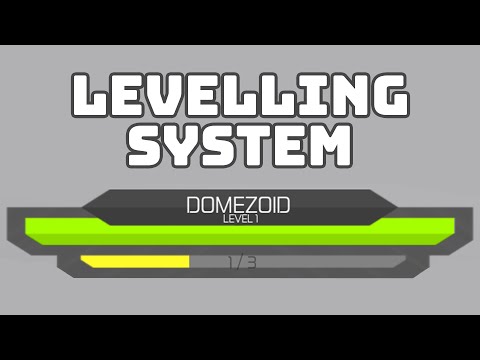
Developer Forum | Roblox
This video has the solution, make sure to not skip any part in the video as it has some useful information!
true lodge
I will try this later thanks
 broken fractal
true lodge
Hello! how do i change this script that the replicated storage event triggers wh...
broken fractal
true lodge
Hello! how do i change this script that the replicated storage event triggers wh...
you shouldnt have exp giver with a remote
true lodge
broken fractal
you shouldnt have exp giver with a remote
alright, thanks i do it without remote now
okay i made it new without remote events it looks like this now but doesnt work anyone know why? @lime timber @empty palm @broken fractal ```local Debounce = false
script.Parent.Humanoid.Died:Connect(function(Hit)
if Hit.Parent:FindFirstChild("Humanoid") then
    if Debounce == false then
        Debounce = true

        local Player = game.Players:GetPlayerFromCharacter(Hit.Parent)
        Player.leaderstats.Exp.Value += 10
        wait(1)
        Debounce = false
    end
end
end)```
broken fractal
what script where
lime timber
i think you are checking if the humanoid exists after it dies , and when a npc/player dies, its humanoid gets destroyed