#Datasave leaderboard help.

105 messages · Page 1 of 1 (latest)

lofty sorrel
#

So i have a simple leaderboard and leaderboard save script -> https://pastebin.com/F1uH28eh
And what im trying to do is make it so you click a GUI button and it adds +1 to the leaderboard. When I add a local script the button vvvv

local plr = game.Players.LocalPlayer

local debounce = false

script.Parent.Activated:Connect(function()
   if debounce == false then
       debounce = true
       plr.leaderstats.Money.Value +=1
       debounce = false

   end
end)

It works but doesn't save the money on rejoin because its a local script. I tried many time with normal scripts and different codes but I cant get it to work. Any help is very appreciated !

mighty ore
#

You know how to do it?

lofty sorrel
dim rivetBOT
#

studio** You are now Level 1! **studio

mighty ore
#

give me a few minutes

lofty sorrel
#

sure thing

mighty ore
# lofty sorrel sure thing

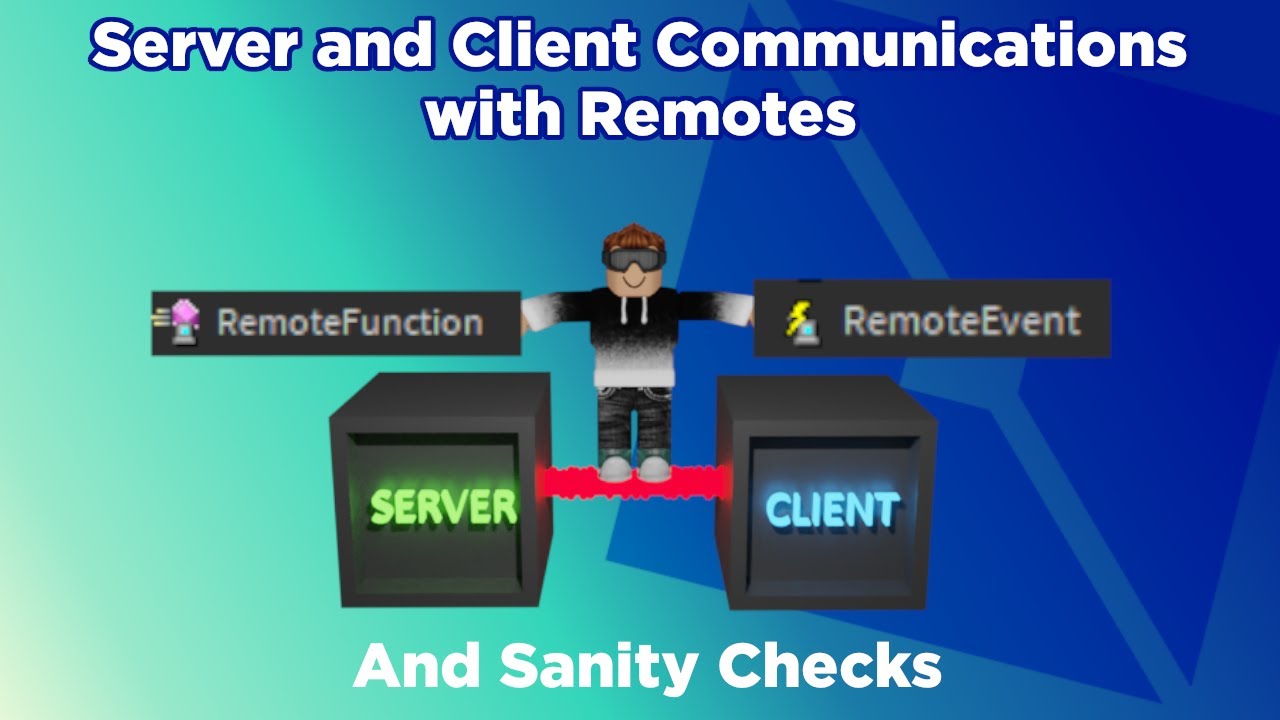
Better I send you a video so that you understand in depth what a remote event is and what it does with examples

lofty sorrel
#

thanks man

mighty ore
#

these two videos explain exactly, I hope this can help you upvote

lofty sorrel
#

It sure will! thanks!

neat dew
mighty ore
#

Do they do the same?, Only that remote function I have no idea how to use it

neat dew
#

local```lua
local Player = game.Players.LocalPlayer
local Cash = Player:WaitForChild('Cash') --lets say u want to have a TextButton add Cash
local RemoteFunction = game.ReplicatedStorage.RemoteFunction
local TextButton = script.Parent.TextButton
TextButton.MouseButton1Click:Connect(function(amount)
RemoteFunction:InvokeServer(amount)
end)


ServerSide```lua
local RemoteFunction = game.ReplicatedStorage.RemoteFunction
RemoteFunction.OnServerInvoke = function(plr,amount)
    local Cash = plr:FindFirstChild('Cash')
    if Cash and amount then
        amount += Cash.Value
    end
end```
neat dew
lofty sorrel
neat dew
lofty sorrel
# neat dew local for the :InvokeServer and the OnServerInvoke server script script

Hmm i might of done something wrong. I put the Local script as a local script in my imagebutton (that u click to gain +1) and i put the severside script in serverscriptserbvice but it still seems to not work.

In serverScriptService i also have my leaderboard script :

local DataStoreService = game:GetService("DataStoreService")
local playerData = DataStoreService:GetDataStore("PlayerData")


local function onPlayerJoin(player)  -- Runs when players join
    local leaderstats = Instance.new("Folder")  --Sets up leaderstats folder
    leaderstats.Name = "leaderstats"
    leaderstats.Parent = player


    local Clicks = Instance.new("IntValue")
    Clicks.Name = ("Clicks")
    Clicks.Parent = leaderstats
    Clicks.Value = 0


    local Rebirths = Instance.new("IntValue")
    Rebirths.Name = ("Rebirths")
    Rebirths.Parent = leaderstats
    Rebirths.Value = 0


    local playerUserId = "Player_" .. player.UserId  --Gets player ID
    local data = playerData:GetAsync(playerUserId)  --Checks if player has stored data
    if data then
        Clicks.Value = data['Clicks']
        Rebirths.Value = data['Rebirths']
    else
        Clicks.Value = 0
        Rebirths.Value = 0
    end
end


local function create_table(player)
    local player_stats = {}
    for _, stat in pairs(player.leaderstats:GetChildren()) do
        player_stats[stat.Name] = stat.Value
    end
    return player_stats
end


local function onPlayerExit(player)  --Runs when players exit
    local player_stats = create_table(player)
    local success, err = pcall(function()
        local playerUserId = "Player_" .. player.UserId
        playerData:SetAsync(playerUserId, player_stats) --Saves player data
    end)


    if not success then
        warn('Could not save data!')
    end
end


game.Players.PlayerAdded:Connect(onPlayerJoin)
game.Players.PlayerRemoving:Connect(onPlayerExit)
neat dew
#

u can remove Parent

#

and do lua local NewValue = Instance.new('StringValue',player)for a example

#

and this part lua if data then Clicks.Value = data['Clicks'] Rebirths.Value = data['Rebirths'] else Clicks.Value = 0 Rebirths.Value = 0 end

just do thislua if data then Clicks.Value = data['Clicks'] or 0 Rebirths.Value = data['Rebirths'] or 0 end

lofty sorrel
#

got that

neat dew
#

i said a example

lofty sorrel
#

Oh

#

will these scripts only work if i publish and try the game?

neat dew
#

or do thislua local Value = { {key = 'Cash',value = 0}, {key = 'Rebirth',value = 0}} for i,v in pairs(Value) do local NumVal = Instance.new('NumberValue',leaderstats) NumVal.Name = v.key NumVal.Value = v.value end

neat dew
lofty sorrel
#

oh word ok

#

still doesnt add plus 1 on button click hmm

#

So i got local script

local Player = game.Players.LocalPlayer
local Clicks = Player:WaitForChild('Clicks') --lets say u want to have a TextButton add Cash
local RemoteFunction = game.ReplicatedStorage.RemoteFunction
local TextButton = script.Parent
TextButton.MouseButton1Click:Connect(function(amount)
    RemoteFunction:InvokeServer(amount)
end)

inside imagebutton

and

local RemoteFunction = game.ReplicatedStorage.RemoteFunction
RemoteFunction.OnServerInvoke = function(plr,amount)
    local Click = plr:FindFirstChild('Click')
    if Click and amount then
        amount += Click.Value
    end
end

inside serverscriptservious

#

did i type something wrong or does roblox stuido jus not like to work

neat dew
#

got it backwords

Click.Value += amount```
lofty sorrel
#

ok. Then if i want it to show up on the leaderboard im guessing i would add the script in the onserverinvoke one?

dim rivetBOT
#

studio** You are now Level 2! **studio

neat dew
#

its for The ServerSide

lofty sorrel
#

yea. do you know what to add to make it show up on the leaderboard

neat dew
#

So does it show

lofty sorrel
#

No still doesnt work

lofty sorrel
neat dew
#

u don’t need Clicks in the local

lofty sorrel
#

i got it fixed now

#

thanks for the help tho

neat dew
#

but looks like u are making it work

neat dew
lofty sorrel
#

I found a tutorial for this type of game thats really goes into detail

neat dew
#

nice but rework the gui

#

and do folders
like a Folder to handle Buttons

lofty sorrel
#

yea thats what im doing right now

neat dew
#

a folder to handle Frame
but for now create module scripts to help u shorten the local script

#

so what are u going to use for the Module to handle the Gui

lofty sorrel
#

Well as of right now im following https://www.youtube.com/@MonzterDEV/videos clicker series and he rly goes into depths in it

#

so for now im just following it step by step on a test world before i add it to the main game

neat dew
lofty sorrel
#

ye sure

neat dew
#

k

#

Modules to handle pretty much different things
but i dont use it for Open Frames

#

oh forgot to say the MainHandler is the 1 and only script that is a local

lofty sorrel
#

oh cool

neat dew
#
local ClickSound = script.Clicked
local player = game.Players.LocalPlayer
local Rep = game.ReplicatedStorage.Events
local AddCash = Rep.AddCash
local Boost = player:WaitForChild('Boost')
local Click = player:WaitForChild('Click')
local Clicker = {}
Clicker.__index = Clicker
-- Clicker Functions --
function Clicker.new(clicker,instance)
    return setmetatable({Instance = clicker},Clicker)
end
function Clicker:Clicked()
    self.Instance.MouseButton1Click:Connect(function()
        self:OnPress()
    end)
end
function Clicker:OnPress(plr,amount)
    amount = Click.Value
    AddCash:InvokeServer(amount)
    ClickSound:Play()
    self:SpawnText()
end
function Clicker:SpawnText(plr)
    local Random = math.random(1,1000)
    local xRan = Random/1000
    local New = game.ReplicatedStorage.SpawnText:Clone()
    New.Parent = script.Parent.TextSpawn
    New.Position = UDim2.new(xRan,0,1,0)
    New.Text = '+'..Click.Value
    local frame = script.Parent.TextSpawn
    New:TweenPosition(UDim2.new(New.Position.X,0,-0,1,0))
    game.Debris:AddItem(New,1.2)
end
return Clicker```this is what my Clicker script looks like
#

took me a while to make it work since i didnt know what to do
so i just learned from my Tycoon Game that uses stuff like this

#

-- Clicker Functions --
oh that is so my friend can understand what this means

lofty sorrel
#

lol

lofty sorrel
#

I do have another question. I want it so when you spawn in you spawn with the default skin on with no acessories

dim rivetBOT
#

studio** You are now Level 3! **studio

lofty sorrel
#

do you know how to do that? @neat dew

neat dew
#

but do a lua local Pants = player.Character
but i dont like removing players things on joining

lofty sorrel
#

hmm

neat dew
#

since it kinda makes thing weird like if player joined with a 10k robux glasses
and they look at there face they say where did my glasses go
then they join a new game then say why is my Glasses gone in that game

lofty sorrel
#

well the whole point of my game is that you use the clicks u earn to buy items on a catalog in game

#

so idealy you will need to spawn with default everything

neat dew
#

well they do a loop for each button then destroy there stuff then clone the new thing to the player

#

like thislua local Buttons = script.Parent.BuyClothes for _, Clothes in pairs(Buttons:GetChildren()) do if Clothes:IsA()—put TextButton then Clothes.MouseButton1Click:Connect(function(amount)

#

and its a local script

#

so add 2 things a Clothing and a NumberValue

#

then for the Costlua local Cost = Clothes.Cost amount = Cost.Value RemoteEvent:FireServer(amount)

lofty sorrel
#

ye

neat dew
#

since when player leaves nothing will save like the removale Cost Value

#

then change the text of the Button to Bought or anything that u want to
then add a BoolValue
so it will stay true if bought Button

neat dew
neat dew
# neat dew

like this for instance i have a boolValue set for each TextButton in Teleort

lofty sorrel
#

this will be very helpfull thanks

neat dew
#

but u will need to add a something that will make the System work

#

and i think u can add a bool value in a textButton

#

then make it equal nil

#

then do a lua local BoolValue = Clothing.Activate BoolValue = Bought.Value
so Bought is for player BoolValue
then the BoolValue well equal the Bought.Value

#

but that will make all BoolValues = true if the first is bought

neat dew
#

then do the same for the ServerSide
to activate the BoolValue = true
and cost

#
RemoteEvent.OnServerEvent:Connect(function(amount,plr)
    local Cash = plr:FindFirstChild(‘leaderstats’).Cash
    local Bought = plr:FindFirstChild(‘Bought’)
    Cash.Value -= amount
    Bought.Value = true
end```
neat dew
lofty sorrel
#

help me later i have to go out rn

#

but thanks for the help

neat dew
#

Np

#

But u can do a table to get all the BoolValue and Cost and Update the amount

#
local Cost = {
}
local BoolValue = {
}
local smth = {
}```
#

then u do a loop