
#connect
644 messages · Page 1 of 1 (latest)
 true grotto
also did i do smth wrong here

its meant to create part like this but theres nothing there

 split compass
true grotto
what does the connect() do and what is the "TouchPart" representing
split compass
true grotto
what does the connect() do and what is the "TouchPart" representing
Connect is a stuff or function thing that makes the function between the () run, the TouchPart represents the part that touched the object
split compass
true grotto
also did i do smth wrong here
You also forgot to parent it to the workspace
So the part is in the game memory
true grotto
split compass
Connect is a stuff or function thing that makes the function between the () run,...
so it just executes the function when the event happens
 bronze whaleBOT
 ** You are now Level 1! **
true grotto
split compass
You also forgot to parent it to the workspace
oh damn yeah
split compass
true grotto
so it just executes the function when the event happens
Yes
bronze whaleBOT
** You are now Level 4! **
true grotto
so like this
 split compass
So the script will get a more clear location
true grotto
 split compass
true grotto
sorry i just started learning
split compass
true grotto
sorry i just started learning
Its ok , i remember the time i was just like you
split compass
I dont have any knowledge pf other coding things 💀
I started to code like 2 or 1 months ago
true grotto
thats cool
split compass
Have you tried running the script?
true grotto
oh yeah just realised it creates multiple parts

cuz theres no specification to create 1
part
split compass
true grotto
oh yeah just realised it creates multiple parts
Then you need to make a debounce for that
true grotto
idk what that is
also btw for object position is it based on the centre of object or a corner
true grotto
split compass
Then you need to make a debounce for that
i can check existence of the part
if its existence is true then dont create new part
split compass
Like
lua Local debounce = true Button.Touched:connect(function(part) Local humanoud = part.parent:findFirstChild("humanoid") If humanoid and debounce == true then do Debounce = false "Your code here"
 candid hare
So, what are you wanting to do..?
split compass
Its more easier than checking if a part exists
true grotto
split compass
Like
``lua
Local debounce = true
Button.Touched:connect(function(part)
Local hu...
oh right i see
so when u create a new part set debounce to true
and before making part
check that its false
split compass
I think i should explain it more clearly
true grotto
candid hare
So, what are you wanting to do..?
create a box upon touching a button but im figuring it out
split compass
So you set a debounce and set it to true
true grotto
split compass
I think i should explain it more clearly
what does debounce mean tho
split compass
Its like switch
true grotto
i can set name to anything yeah
split compass
Like some kind f switch of a light or smth
candid hare
What does the box do
split compass
candid hare
What does the box do
The box is anything idk it just spawns in the game
true grotto
candid hare
What does the box do
i will make it so u have to push it to another button to activate the second button
split compass
E
candid hare
Is there a specific location it needs to spawn at?
split compass
candid hare
Is there a specific location it needs to spawn at?
Yes there is
true grotto
this should work
 true grotto
local button = script.Parent

button.Touched:Connect(function(PartTouch)
    local humanoid = PartTouch.Parent:FindFirstChild("Humanoid")
    local debounce = true

    if humanoid and debounce then
        local box = Instance.new("Part")
        box.Parent = game.workspace
        box.Position = Vector3.new(-32, 1, 0)
        box.Size = Vector3.new(3, 3, 3)
        box.Color = Color3.fromRGB(160, 132, 79)
        box.Anchored = false
        debounce = false
    end
end)
Are you wanting the user to touch the button for it to register, or click the button?
split compass
true grotto
```lua
local button = script.Parent
button.Touched:Connect(function(PartTouch)
...
You should set the debounce to false at the first line of the if statement thjng or it will run multiple time and will stop instead of creating only one part
true grotto
candid hare
Are you wanting the user to touch the button for it to register, or click the bu...
ive figured that part out
candid hare
Instead of using a flag variable (debounce) to prevent multiple bricks from being spawned, you can use the ClickDetector object's MaxActivations property to limit the number of times the button can be clicked. For example, you can set clickDetector.MaxActivations = 1 to allow the button to be clicked only once.
true grotto
split compass
You should set the debounce to false at the first line of the if statement thjng...
ah i see
candid hare
local button = script.Parent

local brickSize = Vector3.new(3, 3, 3)
local brickColor = Color3.fromRGB(160, 132, 79)

local clickDetector = Instance.new("ClickDetector")
clickDetector.MaxActivations = 1
button.Parent = clickDetector

clickDetector.MouseClick:Connect(function(click)
    local box = Instance.new("Part")
    box.Parent = game.Workspace
    box.Position = click.Hit.p
    box.Size = brickSize
    box.Color = brickColor
    box.Anchored = false
end)
its touch based
split compass
candid hare
```lua
local button = script.Parent
local brickSize = Vector3.new(3, 3, 3)
loca...
He is using touched event instead of click detectir
I think you should read it from the beggining
candid hare
Well, is there a reason for the user to touch the button again?
true grotto
split compass
You should set the debounce to false at the first line of the if statement thjng...
this still created many parts

 bronze whaleBOT
** You are now Level 2! **
candid hare
You cannot use a debounce if you want it to only make one.
split compass
true grotto
this still created many parts
You should create the debohnce outside of the function
Or it will set the debounce to true
Everytime the function runs
true grotto
oh because the touch event is seperate everytime
true grotto
ill test rn
candid hare
It's still going to spawn more than one.
split compass
Is it working
candid hare
Just slower.
split compass
?
true grotto
it works ty
split compass
Does it spawns more then one?
candid hare
jump
split compass
candid hare
Just slower.
It doesnt turn back on unless you do it on command
true grotto
it doesnt
split compass
true grotto
it doesnt
It doesnt spawn the block again right?
 true grotto
split compass
It doesnt spawn the block again right?
true grotto
split compass
It doesnt spawn the block again right?
yeah i just realised if the box falls out of the map it cant spawn again cuz its still alive so i will make an invisible part underneath and if box touches that then debouce = true
or check the position
split compass
Checking the position might be a bad thing idk
split compass
true grotto
yeah i just realised if the box falls out of the map it cant spawn again cuz its...
Sounds good for me , 70% that it will work
true grotto
split compass
Checking the position might be a bad thing idk
yh i would know how to do that in python but not in lua so ill stick to the check collision its easier
if i need help later can i ask u
true grotto
thanks ur really helpful
split compass
Would you like to accept my friend request?
true grotto
sure
split compass
Ima look for more problems to solve
 full cairn
@split compass noooot quite, but great job!
@true grotto Connect is a a function (method) of Events!
split compass
full cairn
<@456226577798135808> Connect is a a function (method) of Events!
Tried my best , atleast i tried
full cairn
all events have the connect function, this function takes a function as argument and passes it and parameters for you to work with!
so what does the touchPart represent in this case? It's roblox giving you the part that was touched
cause how useful would it be roblox telling you that you touched "something" if it won't tell you what you touched?
another example of an event is the PlayerAdded I'm sure you have already seen it! it notifies when a player joins the game, and it passes the player that joined!
true grotto
ah i see thanks
full cairn
local Players = game:GetService("Players")

Players.PlayerAdded:Connect(function(playerThatJoined)
  print(playerThatJoined.Name)
end)
- Players is a roblox service that manages player related things
- Players has the
PlayerAddedevent - As stated, *all events have the
Connectfunction - In this case the
Connectfunction will pass you the player that joined, just like touched with pass automatically the touched part
true grotto
full cairn
```lua
local Players = game:GetService("Players")
Players.PlayerAdded:Connect(f...
i can use that for welcome message
split compass
Breaking news:local father explains something better than the object browser itself
full cairn
true grotto
i can use that for welcome message
Fun fact not quite 😅
I mean you can but you should not really
split compass
true grotto
i can use that for welcome message
You can, but i think you should understand guis
full cairn
^^
full cairn
true grotto
i mean in chat
Oh yeah totally
true grotto
gui works differently ik
full cairn
but like even then it's just like a gui message
true grotto
full cairn
```lua
local Players = game:GetService("Players")
Players.PlayerAdded:Connect(f...
this would relate
if u wanted a local gui message then
split compass
You should use scripts instead of local scripts if you want it to be global
full cairn
the thing is PlayerJoined fires when the player joins your avatar though, the character in the workspace will take anywere between 3 and 30 seconds to join which means
- Handling Gui's server side is a no no, cause bandwidth usage
- a local script *will miss the PlayerAdded event firing as in it would connect after it fired so it missed it
- you would use a remote event instead to notify the player joined! And then handle that client sided
split compass
And the script that makes the x joined message should me in the serverside script thing idk
full cairn
split compass
You should use scripts instead of local scripts if you want it to be global
not necesarilly not because it's global he has to do everything in a server script, cause again bandwidth usage
but in the case of the chat messge yeah sure
since it's just text
true grotto
how do u differentiate a script and local script
full cairn
true grotto
how do u differentiate a script and local script
the icon
true grotto
when u just create a script instance
full cairn
and the name
there are 3 script instances types
Local Script
Module Script
Script (server script)
true grotto
which one is this
 full cairn
now be mindful that difference will soon no longer matter cause scripts will have a property to be ran client sided (which is hella fucking stupid imo)
full cairn
true grotto
which one is this
it's in the name
script
that's a server script
and ofc the icon
split compass
The server sided scripts icons are white
The local scripts icon are blue
the modules are purple
bronze whaleBOT
** You are now Level 5! **
full cairn
yeah!
split compass
You should better note the stuff you learn cause you might forget it someday
true grotto
full cairn
Local Script
could u tell me in which scenario id need which type
split compass
true grotto
could u tell me in which scenario id need which type
For something that is only visible for the player only
Like a gui
Or hitbox
full cairn
true grotto
could u tell me in which scenario id need which type
sure you''ll actually encounter this case already, but anything that the player needs to run himself
or needs to be processed by the player locally!
like dead user said, a gui, physics processes, tweens, etc
split compass
Keep in mind that locals scripts run only when parented under a players backpack, character , or smth related to player
full cairn
the following is advanced but the rule of thumb is basically:
- Computations in the server
- Processes in the client (so they are smooth, imagine tween something with 300 ping)
but ofc that's not always the case.
also remember that local scripts are running in your computer not a roblox server
split compass
Making local scripts handle some stuff could give exploiters some advantage if they learn to stuff with your local script
full cairn
so anything that happens in that client script won't replicate back to the server
as in if you color a part red in a client script
it's not gonna change for anyone
just for you
split compass
Yeah
full cairn
no worries, local variables are that
named spaces in memory
ever done math?

that's a variable
name and valuie
split compass
Local variables are a value thing that only exists in your script
true grotto
i know python
split compass
full cairn
the *type*
Like boolean, number, or work, or objects ect.
true grotto
yeah
bronze whaleBOT
** You are now Level 3! **
full cairn
exactly

that's how a variable looks in meory
but you also asked
the keyword local
you know scopes?
true grotto
na
full cairn
because local is to scope the variable
then don't worry too much about it
just always use local
split compass
I think his brain is becoming a spaghetti
full cairn
don't do this```
x = 10
-- do instead
local x = 10
it happens yeah lol
true grotto
so i only need to add local when im initiating the variable but if im changing the variable value later i dont need to write local
full cairn
true grotto
so i only need to add local when im initiating the variable but if im changing t...
Mmh,
split compass
Yes
true grotto
split compass
I think his brain is becoming a spaghetti
i mean i have easier time understanding considering that i have python knowledge
full cairn
do keep in mind that the same happens w/o local
true grotto
should i make this a local script then cuz i wanted it to be client based only
 full cairn
local x = 10
local x = 20  --> shadowing a variable, not transforming

---
x = 10
x = 20  --> not shadowing, x is a "global" variable
up to you
split compass
true grotto
should i make this a local script then cuz i wanted it to be client based only
I think you should not if its not parebted under something related to a player
Or else it wont run
full cairn
he can put it on starter player scripts though
split compass
Yeah
full cairn
- Note, local scripts don't run in workspace
true grotto
hm
i think i should finish this first cuz i havent learnt starter player scripts and that yet
 true grotto
ill ping you both when im done then i have better understanding
split compass
Later*
full cairn
true grotto
ill ping you both when im done then i have better understanding
aight later ^^
full cairn
true grotto
i think i should finish this first cuz i havent learnt starter player scripts an...
I know you know a bit of python already
but go over while and repeat loop first
then the for loop
true grotto
yh im watching all of it
what this guy didnt explain at all what the three values do

i just know it will execute 10 times
split compass
true grotto
what this guy didnt explain at all what the three values do
Its a loop thing , lemme search it
split compass
true grotto
i just know it will execute 10 times
Solved by incapaz in post #2
That type of loop is called a numeric for loop.
Numeric for loops execute their body for a set amount of times.
The format of one is
for variable = start, goal, increment do end
You start at start, going to goal by increment.
for i = 1, 10 do end
Goes from 1 to 10 in increments of 1. If you don’t provide the increment then it defaults to 1, so adding it yourself is unnecessary.
for i = 0, 5, 0.5 do print(i) end
Will print from 0 to 5, in increments of 0.5.
And the variable increases after each iteration (cycle).
true grotto
for i in range(10):
for in range is more equivalent to a for i, v in ipairs/pairs/iterator do
full cairn
true grotto
i just know it will execute 10 times
it won't actually
the min is 10
the max is 1
the step is 1
your min is already > than the max
so it will not run
for i = min, max, step do
if you wanted that to go backward your step mus be negative

 split compass
Yeah
full cairn
true grotto
oh
he avoided the step now, and yah
by default if you don't put the step parameter
it'll be 1
split compass
This man is the scripting library himself
true grotto
this youtuber..
isnt explaining stuff

i understand he is fetching the players list
but whats i, v
candid hare
An i, v loop in Lua is a type of for loop that is used to iterate over the elements in a table. The i variable is used to keep track of the index of the current element in the table, and the v variable is used to hold the value of the current element.
bronze whaleBOT
** You are now Level 12! **
candid hare
-- Define a table with some elements
local myTable = {1, 2, 3, 4, 5}

-- Use an i, v loop to iterate over the elements in the table
for i, v in ipairs(myTable) do
  print(i, v)
end
In your case, your table would be the players.
true grotto
@candid hare

do you know why the box is bugging kind of
uh my studio is minimized
full cairn
true grotto
is there a good video which explains serverscript starterplayer etc.
not really but you can read on them
server script service is your server script runner container, basically
You would attempt to put all your scripts there
full cairn
true grotto
ohhh i see
remember to do it yourself and to print it
so it ingrains in you
full cairn
true grotto
ohhh i see
that type of loop is the most useful and it's likely that a good 70% of your code is gonna be for loops or wrapped around a for loop
full cairn
true grotto
<@695791607932256277> whats some stuff i can make as practice for scripting
up to you I recommend a lightstop game lol
true grotto
full cairn
up to you I recommend a lightstop game lol
wdym by lightstop game
 true grotto
full cairn
if you cross the street while the light is red you die
true grotto
full cairn
if you cross the street while the light is red you die
hm ill try that
bronze whaleBOT
** You are now Level 4! **
true grotto
should i make the lightstop a gui or an object i can do either
full cairn
true grotto
should i make the lightstop a gui or an object i can do either
whatever you want
 full cairn
specs:
- there is a stree
- there is a lightstop
the lightstop will have the green, yellow, and red colors. if the player tries crossing the street while in red he dies
true grotto
what if in yellow
full cairn
well what do you do when the light is yellow?
ofc you press the MF gas pedal and speed up
😂
true grotto
full cairn
ofc you press the MF gas pedal and speed up
oh ur the car not the pedestrian
full cairn
in fact your code should have also errored in the player added event
true grotto
full cairn
there is not Table instance
 true grotto
OH
im so stupid
i just wrote whatever on top of my head
ty bor
bro
i was trying to learn datastores but thats quiet complicated rn so ill start easy
and do ur task
i created this nice gui so far

if i click then +1 speeed
full cairn
true grotto
i was trying to learn datastores but thats quiet complicated rn so ill start eas...
that's complicated, nevermind that for a few weeks
full cairn
true grotto
i created this nice gui so far
good work
true grotto
oh my fucking god
@full cairn when i tested game my pc crashed so hard i couldnt do anything for 20 minutes
finally it closed
i didnt get to save it :(
man ffs
oh i got auto save lets go
true grotto


@full cairn what causing my thing to crash
my studio
the car one seems to be fine
its the kill part
full cairn
true grotto
you would get an error
why are you not using your output? 😅
now the error is simple actually ```lua
while true do
that'll exhaust the thread
you need to ad a task.wait() *somewere in the loop outerscope
a cheap way to do it is ```lua
while task.wait() do
-- code
end
many will cringe tho
but offcourse when you need to use the while statement condition
you would put it in the while body outer scope
while condition do
  -- code
  task.wait()
end
both repeat and while loops require a task.wait statement so they don't massacre the thread
true grotto
but
when i do the car movement script alone it works
that doesnt seem to be the problem
when i run it with the kill
it crashes
hm lemme try
oh ur right
but my kill isnt working hm
uh
 split compass
true grotto
is there a good video which explains serverscript starterplayer etc.
split compass
true grotto
is there a good video which explains serverscript starterplayer etc.
You could watch the dev kings video that is inside the advancet scripting tutorial playlist idk the name sorry
split compass
true grotto
i was trying to learn datastores but thats quiet complicated rn so ill start eas...
I understood some half of data store in a single vid lol 💀
full cairn
split compass
You could watch the dev kings video that is inside the advancet scripting tutori...
@true grotto don't you have better things to do with your life
you're trying to become a scripter, not doing some random ass jojo game lol
full cairn
true grotto
https://share.vidyard.com/watch/YsNJTPNpYQG7zjRa93RA9i?
This is wonderful ^^
so creative!
split compass
Straight up going for the game you tryna make is no no for me
full cairn
much more than I expected for day one
full cairn
split compass
Straight up going for the game you tryna make is no no for me
is a no no for anything really gotta start small
full cairn
true grotto
https://share.vidyard.com/watch/YsNJTPNpYQG7zjRa93RA9i?
send the code!
@jaunty trellis I vouch pyro for S1
split compass
I just realized that i can make a red light, green light game 🗿
full cairn
split compass
I just realized that i can make a red light, green light game 🗿
dude you better be able too 💀
split compass
full cairn
dude you better be able too 💀
I first thought it was so extremely hard that only pro 5 year experienced dev 2ith a team could make this before i started scripting and forgot about it, here i am realizing that this stuff is not that hard 💀

Reacting with checkmark just incase to save somebody's time and make them know that the OG question is solved
 jaunty trellis
full cairn
<@399968771428843520> I vouch pyro for S1
jaunty trellis
full cairn
<@399968771428843520> I vouch pyro for S1
Okkk
Nevermind I go to class no interbet
jaunty trellis
Done
true grotto
full cairn
send the code!
alr but it might be inefficient cuz its my first time
true grotto
full cairn
<@399968771428843520> I vouch pyro for S1
whats s1
this is car movement

i synced it with the light stop

kill
physical light stop

then the gui scripts
hm what should i make next
hm this will be a challenge but i will attempt to make a simplified blackjack game
full cairn
true grotto
whats s1
Scripter rank 1
basically free tier
but, I really mean you did a great job
full cairn
true grotto
alr but it might be inefficient cuz its my first time
code's cleaner than the average roblox scripter that takes comms
I'm for real this code is clean!
true grotto
full cairn
code's cleaner than the average roblox scripter that takes comms
💀
whats comm
full cairn
true grotto
physical light stop
I really really like the Light Up function!
full cairn
true grotto
do u have an example
Btich ofccccc
lmao
I have a folder dedicated to them
 true grotto
 full cairn
this is how throwing your coworkers under the bus look 😉
true grotto
wtf is this 😭
full cairn
no fucking clue
true grotto
bro writing like machine code
bronze whaleBOT
** You are now Level 5! **
true grotto
but with english
full cairn
look at the for loops and if statement spider web after that
the findGuiObj function
is a fucking mess
and that function makes no fucking sense either
true grotto
not only is this a problem for people reading the script to comprehend it but it can confuse the scripter himself onces he is working with multiple hundred lines
full cairn
true grotto
this is car movement
observatioons
Tweens have an event called Completed
you can wait on those events to fire
that'll yield the thread
preventing it from advancing to the next line of code!
full cairn
Tween.Completed:Wait()
oh i see
full cairn
Completed being an RBXScript signal type
has the Wait method
so you can wait on any event like that
ie a touched part
local otherPart = part.Touched:Wait()
it'll return whatever argument the Connect function passes
pretty useful!

Learn with documentation and resources for all creators.
this is the entire class documentation
Once method is super useful to make custom leaderboards
or leaderstats
that are made with your own UI's
or in general when you just want to have an event fire Once
true grotto
full cairn
`local otherPart = part.Touched:Wait()`
oh thats helpful
full cairn
true grotto
this is car movement
anyhow you have that arbitrary wait before that
wai(8)
it's better to just use the task.delay function
task.delay(8, function()
  while true do
      -- code
  end
end)
that way you don't yield the thread and don't have arbitrary waits all over the place
true grotto
hm yeah
full cairn
true grotto
oh thats helpful
mind you I've never put a task.wait() in a script just because
that's a code smell really
but it's convenient!
true grotto
ill try remember all this even though ill prolly forget but ill prolly forget it cuz i need to put into practical use but experience will be solution for that
full cairn
true grotto
hmm very creative!
but what you wanted to do is have some sort of "game state"
by that I mean simply put "have a way to know when the game is in red or green"
since that's the entire game, really
true grotto
yeah
full cairn
that way instead of reading something like the part material
you consult the game state
if "red" kill else do nothing
true grotto
in python u can fetch classes idk abt how cross scripting in lua works
full cairn
about to disown you and adopt pyro
full cairn
true grotto
in python u can fetch classes idk abt how cross scripting in lua works
that would be modules
true grotto
😂
full cairn
module scripts
so pretty quick
a module is a script that returns literally almost anything you want, but it has to return 'something'
 dull glen
full cairn
<@868187118042742845> look at this shite son, get gud mf
dull glen
full cairn
<@868187118042742845> look at this shite son, get gud mf
where
full cairn
people say module scripts are tables
full cairn
dull glen
where
scroll up, look the video
 full cairn
dull glen
<:eww:924222164138348555>
full cairn
dull glen
<:eww:924222164138348555>
exactly, THEY ARE NOT, we just use them like so most of the time
true grotto
full cairn
a module is a script that returns literally almost anything you want, but it has...
so i can make a module script the game state and refer to this to check state across scripts
full cairn
cause they're mostly used to store classes, libraries, data
full cairn
true grotto
so i can make a module script the game state and refer to this to check state ac...
yesn't you can do that, but only across the same context
this is because of how require behaves
dull glen
full cairn
<@868187118042742845> look at this shite son, get gud mf
it is really nice
but wdym get gud
dull glen
full cairn
get gud mf, finish your darn homework 😉
IM STILL BANNED
dull glen
TELL THAT TO ROBLOX
full cairn
skill issue
true grotto
im planning on making simple blackjack game now but totally ui based 👀
ill try my best
dull glen
full cairn
skill issue
dad
full cairn
Look I'm not the one who told baby yoda was a rpist
dull glen
LMAOOOOO
full cairn
that's on you son
dull glen
I get unbanned in 2 hours
also my life doesnt exactly offer up 4 hours a day sometimes
full cairn
true grotto
im planning on making simple blackjack game now but totally ui based 👀
that sounds more on the complex side, but defo maybe try tackling the simplest form of blackjack
"21"
each get 2 cards
and the one that gets the highest wins
true grotto
yeah i wont add split and that cuz there would be WAY TOO MANY conditions to check
true grotto
i tried make python blackjack game and i thought about the 100s of conditions id have to make 😭
actually
i think i was tryna make an auto blackjack basic strat
thats why so many conditions
full cairn
true grotto
i tried make python blackjack game and i thought about the 100s of conditions id...
hahah, existential processing ftw
true grotto
too many
full cairn
oh son, when you discover that, you'll be writing almost no if statement
 full cairn
true grotto
full cairn
true grotto
jeuss okay fuck that, no
true grotto
theres prolly easier way instead of hard coding it with some formula but im not a mathematician lmao
full cairn
true grotto
theres prolly easier way instead of hard coding it with some formula but im not ...
definitely, but you won't save yourself of hardcoding the conditions
w/o some fancy algorithms
again try the simplified blackjack game!
21
true grotto
yeah
full cairn
I used to love that with my grandmaw, she beat me every time
she had to luck of the devil
true grotto
im under 18 i dont gamble but i enjoy the games i turned 100 coins in a game to 1 mil in blackjack
luck
im not planning to gamble irl when i grow up
cuz im aware of the devil that possesses me when i do
full cairn
Exactly, stay from gambling, instead get other pendejos to gamble their savings in ur games lol
aight son, will go back to my things, great and awsome work!
full cairn
let me know when you have card game, now keep in mind that even the simplified version is a huge step up in complexity
full cairn
true grotto
can i keep it contact with u later cuz ur really helpful
yeah sure
you can send me a fr
true grotto
ty bro
split compass
true grotto
Looks like my class after my classmates get out of it
split compass
true grotto
im planning on making simple blackjack game now but totally ui based 👀
Wish yiu good luck
true grotto
ive been working on it for a while
im very excited with my progress
it was very mind draining im like 50% done
true grotto
@full cairn @split compass

im kinda excited to show u this
i tried my best to tackle so much problem solving and i finally got there
i tried to make it look as good as i could
one of my script is 200 lines 😭
thats quite alot considering its only my third day. ngl my script was probably very badly written but thats because i dont have alot of experience, but i tried my best to make it efficient but still messy i think
bronze whaleBOT
** You are now Level 6! **
full cairn
I'll check on this later ^^
true grotto
split compass
That lookin' great
thanks
split compass
only in 3 days and you're advanced
true grotto
split compass
only in 3 days and you're advanced
would this be considered advanced?
heres the script
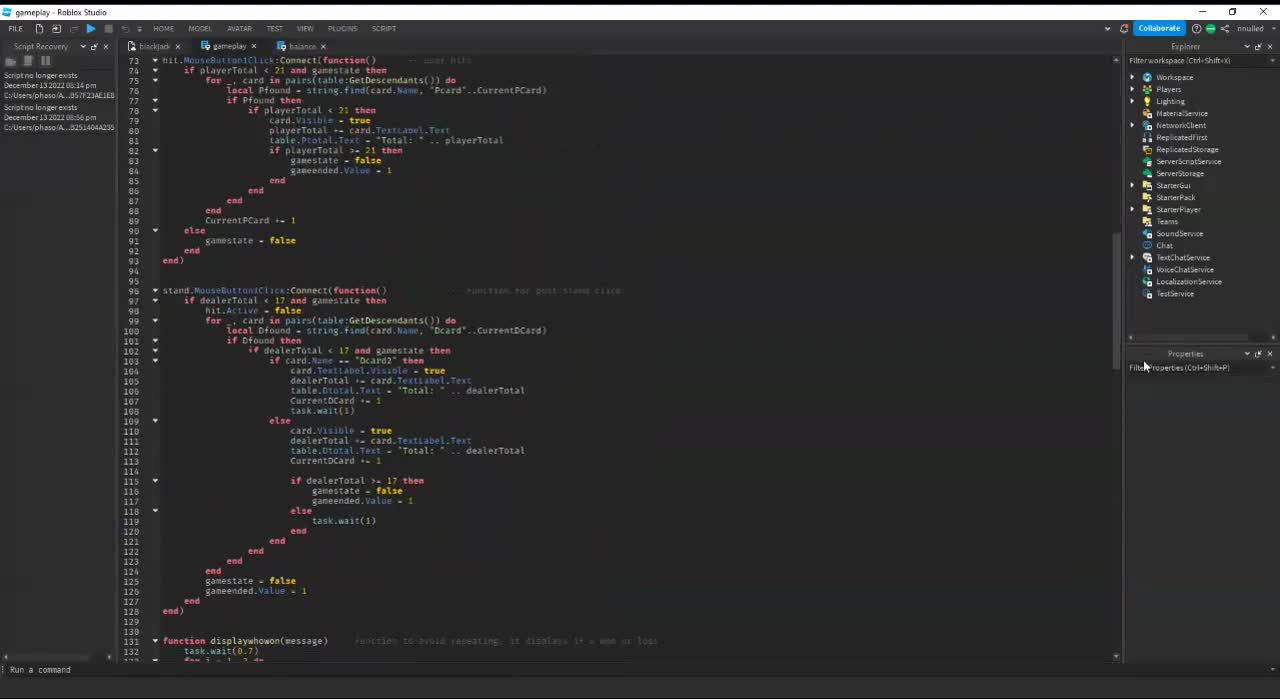
ik it may be bad and efficient but thats because of my lack of experience but i tried making it as efficient as i could, i could had made it more efficient but i was very tired
split compass
true grotto
heres the script
it is considered to be advanced

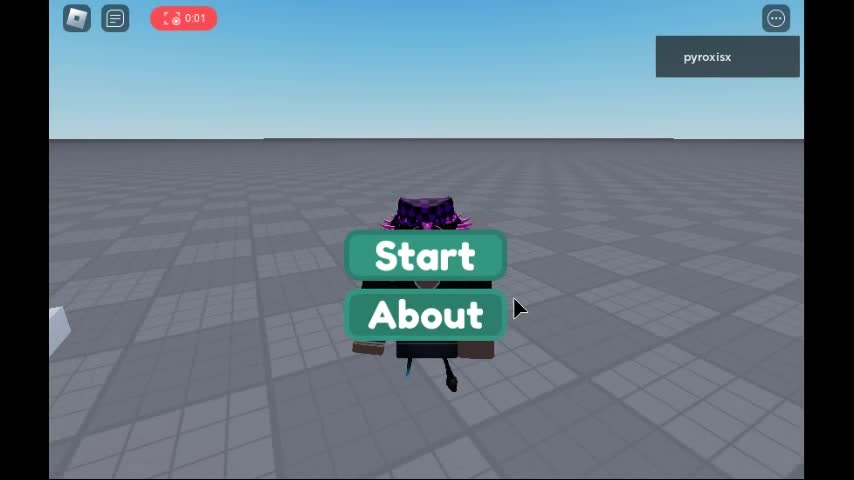 true grotto
u here @full cairn
 bronze whaleBOT
** You are now Level 6! **
true grotto
wow id normally steal these minigames from toolbox now i can make these in like 1 minutes its very easy
 full cairn
true grotto
one of my script is 200 lines 😭
full cairn
true grotto
one of my script is 200 lines 😭
this is pretty normal yeah, line count normally hovers around 200-300 lines
full cairn
true grotto
https://share.vidyard.com/watch/ySFdv3sgnDoUgufSdM6ewQ?
can't see the video tho
full cairn
true grotto
https://streamable.com/ad8nxm
this is pretty nice!
full cairn
true grotto
oh yeah clueless i accidently deleted the video up from the website so here
ah had to be
full cairn
true grotto
https://streamable.com/e0cilw
This is amazing!
like I cannot describe how good of a first lil project this is
full cairn
true grotto
https://share.vidyard.com/watch/ySFdv3sgnDoUgufSdM6ewQ?
hmmm the code is a bit on the gnarly side
but you're showing a lot of progress
I really like where you're going
@jaunty trellis I vouch pyro for S2
@true grotto you need to get a second voucher
consider submitting this
Now do keep in mind that S1 is basically free, and S2 an advanced beginner, if you want to go the road of S3 you need to focus now in your:
- Efficiency
- Code design
- Algorithms
- Project arquitecture
that might take you a few weeks to a few months, but definitely keep tackling this projects, again AMAZING job in the blackjack game!
it looks great ^^
true grotto
full cairn
hmmm the code is a bit on the gnarly side
yeah it wasnt very efficient
but with experience ill buildup efficiency
btw how would u personally done this efficiently
true grotto
full cairn
consider submitting this
i think ill get a bit better before i get S2 because some people made good scripts and are in S1
split compass
I ned lvl 1 scripter rol :sad:
true grotto
split compass
I ned lvl 1 scripter rol :sad:
why dont u get it
wth im level 2
💀
how
full cairn
true grotto
i think ill get a bit better before i get S2 because some people made good scrip...
cause making good scripts does not equal rank
you also need the knowledge base
that's why when we rank and you cannot sustain your work, even if it's quality many don't get ranked as high
and as why yeah you're S2, but remember that the road to S3 is exponentially harder!
Forget the role for a second, we are talking concrete knowledge and experience but I'm sure you got this! but there's a lot to learn ^^
full cairn
true grotto
wth im level 2
yeh you seemed to got a second vouch
full cairn
split compass
I ned lvl 1 scripter rol :sad:
literally free role
true grotto
full cairn
that's why when we rank and you cannot sustain your work, even if it's quality m...
thanks for the motivation
split compass
full cairn
literally free role
Only 1 work needed and you get role? Aight ima do it
full cairn
split compass
Only 1 work needed and you get role? Aight ima do it
literally can be a script with a basic result
dull glen
split compass
Only 1 work needed and you get role? Aight ima do it
make a time bomb
true grotto
dull glen
make a time bomb
Can u give more detail
So I can try make it
Wdym time bomb
dull glen
well I meant him, it would be trivial for an s2, unless you added some spice to it
just a bomb with a countdown, then it explodes
activted by a button/tool
split compass
full cairn
literally can be a script with a basic result
Sure thing, just waiting for my brother to get off the computer sp i can script and post it here
Scripter 1 role , coming for yo
full cairn
split compass
Scripter 1 role , coming for yo
againt it's a free tier
dull glen
full cairn
againt it's a free tier
t i m e b o m b
true grotto
full cairn
againt it's a free tier
💀
@dull glen if not time bomb can u tell me smth to make
Idk what to make
dull glen
true grotto
<@868187118042742845> if not time bomb can u tell me smth to make
as just practice or an actual project
dull glen
make a placement system or a plugin of some sort
or perhaps a procedurally generated mining game
(small)
a pickaxe and hole with random ores
and when everything is mined, it resets
split compass
i made a simple healing item, very glitchy and buggy
full cairn
split compass
i made a simple healing item, very glitchy and buggy
guys why don't we use #📜︱scripting instead?
full cairn
split compass
i made a simple healing item, very glitchy and buggy
@jaunty trellis give this guy S1 lol
split compass
y e s
 true grotto
He replies after a bit
true grotto
full cairn
guys why don't we use <#449312743116505101> instead?
There chats would be muddled up
Here easy to chat
full cairn
true grotto
There chats would be muddled up
and your work is exposed
so yeah to #📜︱scripting
true grotto
full cairn
and your work is exposed
Can we talk here but send work there
full cairn
nope
full cairn
true grotto
Can we talk here but send work there
If I stay here I'll have to give special treatment to everyone then, I don't feel like doing that.
true grotto
Oh right
full cairn
you already have me on your friends list lol
dull glen
split compass
i made a simple healing item, very glitchy and buggy
the only thing that's glitchy is the UI, is it not just a tween? or are you increasing it based it on some value
also you should sync the healing to the animation finishing
split compass
i fixed it