
31 messages · Page 1 of 1 (latest)
 shadow fable
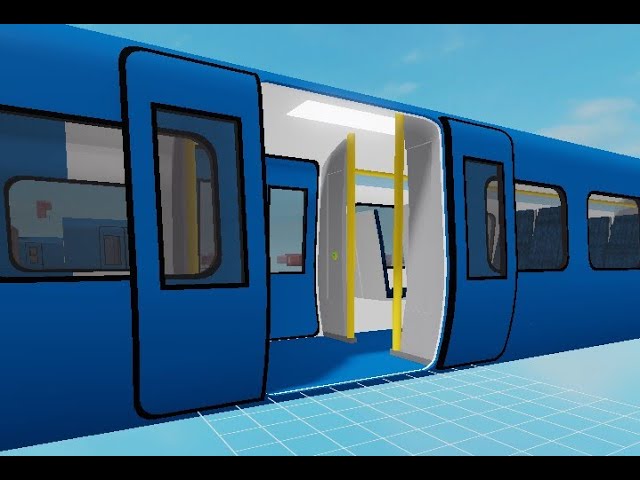
Script attached. The object I am trying to animate is a door. I do so by following the tutorial listed blow. When I try to play the animation, the object topples over so I have to repeatedly can collide true and can collide false to provide a leverage point and allow the player to pass. Also when the animation finishes playing, the part shifted. Is there any way possible to stop this?
https://www.youtube.com/watch?v=iTW_UgI-Yy4&ab_channel=LetsGamingDev
The plugin link: https://www.roblox.com/library/2908380847/Rig-Editor
Tell me what you want to know next!
Thanks for watching!
other ways to better animate an object without these problems will also be helpful
 ember turret
ue tween service instead
models will return to original state when the animation is finished
shadow fable
ember turret
models will return to original state when the animation is finished
nope, too hard to script
the door is going to be on a moving object
which changes position constantly
so I don't think that will work
if it is it's going to be a hassle anyways, animation is more viable
ember turret
hm lemme think
just weld the doors to the train
no that woudlnt work
what do you mean by shifted
shadow fable
like let's say the door open
I pause the animation so it stays open
and when I close the door
the door is now slightly to the right of it's starting position
ember turret
lemme hop in studio and try something i think will work
shadow fable
ember turret
lemme hop in studio and try something i think will work
thanks, I'll look foward to the results
ember turret
I think you should use a motor 6d to weld the doors to the train and tween the motor 6d's position
 sage orchidBOT
 ** You are now Level 4! **
shadow fable
ember turret
I think you should use a motor 6d to weld the doors to the train and tween the m...
can you explain a bit more?
never used that function before
maybe link an article or video where I can learn about it?
ember turret
i gotta do something so if you still need help tommorow ill happily do so but yea cya
shadow fable
ember turret
i gotta do something so if you still need help tommorow ill happily do so but ye...
cya, thanks for helping
 zealous kelp