#🏃︱animating
490104 messages · Page 576 of 491
 eternal meadow
 dire rampart
Stone ocean is gonna be out.

2011, United States, Florida —
When Jolyne Cujoh and her boyfriend get in an accident while out on a drive, she is framed for the crime and sentenced to 15 years in prison.
Will she ever be free from this prison — this stone ocean?
The final battle in the century-spanning, intertwining fate of the Joestar family and DIO begins!
JoJo’s Bizarre...
dire rampart
true
dire rampart
lol

 upbeat shale
 eternal meadow
upbeat shale
https://tenor.com/view/excuse-me-gif-19259515
eternal meadow
upbeat shale
https://tenor.com/view/excuse-me-gif-19259515
people who still bottleneck be like: atleast i get above 70 fps tho
upbeat shale

 silent fossil
best work
 wind vessel
less focus on the particle quality and more me learning how to incorperate particles into animations and it was pretty annoying lol
got the idea from some random game
https://gyazo.com/8bbc0c2ded5c6eb5bbc2273c5e2d679a

this was the inspiration thing
 eternal meadow


 queen notch
can i have some help

 teal flare
upbeat shale
https://tenor.com/view/excuse-me-gif-19259515
teal flare
upbeat shale
https://tenor.com/view/excuse-me-gif-19259515
L O L
upbeat shale
 trail finch
@eternal meadow What do you use to record your animations with camera on blender?
eternal meadow
trail finch
<@456226577798135808> What do you use to record your animations with camera on b...
thats called rendering

 eternal meadow
 mighty shale
a3 when
mighty shale
a3 when
when i die
eternal meadow
dire rampart
how do i import blender animations to roblox
im not even going to tell you
dire rampart
eternal meadow
im not even going to tell you
ok
eternal meadow
its just too obvious
dire rampart
i dont have the scrript
eternal meadow
man
dire rampart
For the rtx import roblox thing
Something is wrong with my files
i cant find the file on blender
dire rampart
when i can find my normal files in the Normal file list
i put the script file in desktop

but in blender
there is nothing in desktop.
Or i'm just using the wrong update
 upper notch
mighty shale
upper notch
mighty shale

@eternal meadow
scam
scam
steam offer
sterm lol
@chrome shell scam
trolling
 opal sapphireBOT
 M3E6#1790 was banned
mighty shale
i didnt see it
at the time
mb
spam pinging
brb
a3 when
pls
@crisp monolith dunno if you rank or not but what would you rank this https://streamable.com/bkbwjt
 chrome shell
mighty shale
chrome shell
mighty shale
nah thats sus
 crisp monolith
mighty shale
<@!313849172451393536> dunno if you rank or not but what would you rank this htt...
crisp monolith
mighty shale
<@!313849172451393536> dunno if you rank or not but what would you rank this htt...
Rank 2
Nice and smooth, decent posing, good speed and force
Overall a good animation that doesn't have any major problems
mighty shale
alrighty
crisp monolith
Look at other animations and keep practicing
Maybe look up some principals of animation
Ask for advice too
You going at decent speed
Just need to polish your animations and do a few addons I won't go into detail about because they're mid-high level things that take a bit of time to explain
upper notch
:I

 plush elm
upper notch
plush elm
upper notch
Glad to see people appreciating ben 10
 peak seal
Any feedback on what to do with this animation so it would be a2? 
lemme make a recording of the animation in blender
peak seal
peak seal
Any feedback on what to do with this animation so it would be a2? <:dio:68993162...
tada
 sharp condor
first running animation
 eternal meadow
peak seal
Any feedback on what to do with this animation so it would be a2? <:dio:68993162...
eternal meadow
peak seal
Any feedback on what to do with this animation so it would be a2? <:dio:68993162...
remove the cringe blush
 eternal meadow
blocked. ong
sharp condor
peak seal
>w<

 onyx bridge
Butterfly 🤗
upper notch
plush elm
Glad to see people appreciating ben 10
 peak seal
upbeat shale
<:killyourself:857519763101712434>
peak seal
upbeat shale
<:killyourself:857519763101712434>
dam the kawaii stuff is a joke lol
upbeat shale
eternal meadow
upbeat shale
https://cdn.discordapp.com/attachments/861191565099401250/875137217373282314/962...
deez nuts
yes
 peak seal
ong ong
plush elm
upper notch
https://gyazo.com/81ae36e7d8cb96c784d8dfb9160e39e0
It's hero time!

 cold field
dm me if u have a sword animation i rlly need one
 noble quartz
pog
eternal meadow
peak seal
tada
yoo, that's perfect. its so smooth
 icy stream
cold field
dm me if u have a sword animation i rlly need one
icy stream
cold field
dm me if u have a sword animation i rlly need one
what type of sword animation
and why do u need
cold field
icy stream
what type of sword animation
sword combat
for my game
i suck at animations'
:/
icy stream
sharp condor
first running animation
seems kinda sus bro
sharp condor
a bit sussy
icy stream
then practise:D
icy stream
cold field
<@!816503773337616387> i did but i cnat amke it properly
practise
or hire people
 rough kraken
too fast?
eternal meadow
rough kraken
too fast?
the mag out has less impact than a 1 pound dumbell
rough kraken
ou
peak seal
eternal meadow
yoo, that's perfect. its so smooth
thank you  tryna do R6 'cause it seems like it's easier and maybe I will be able to get A2 one day with it
eternal meadow
peak seal
thank you <:prayer:815759566838169630> tryna do R6 'cause it seems like it's eas...

eternal meadow
wish discord didn't show these
 peak seal

 novel carbon
Hey guys?
after a while i tried animating again? and something is wrong with the rotation tool now?
and the limbs are rotating weird when you try to animate them.
eternal meadow
novel carbon
and the limbs are rotating weird when you try to animate them.
sadly, you weigh 250+ pounds
 novel carbon
eternal meadow
sadly, you weigh 250+ pounds
novel carbon
eternal meadow
sadly, you weigh 250+ pounds
This information is false. I am unable to be 250+ pounds simply due to the fact im too busy playing league to get to the kitchen and eat
i am in fact severely underweight.
but they are small gross and crusty
you never wash
i can smell you from here.
eternal meadow
you is ong sus
eternal meadow
novel carbon
after a while i tried animating again? and something is wrong with the rotation ...
what is the rig
novel carbon
and like whats wrong with playing league ocasionally. My bf wanted me to spot him as a supp
novel carbon
normal r15
novel carbon
default roblox animator
novel carbon
i cant run anything above blendert 2.79
so using blender isnt really an option
and maya is far too slow for me on this pc rig
eternal meadow
you literally have mesh 1
how can you not
run it
but dang
default roblox animator got updated several times
actually, just show
image or video
novel carbon
eternal meadow
you literally have mesh 1
making meshes on 2.79 blender is fine
but animation on the other hand... kinda troublesome
novel carbon
eternal meadow
image or video

Basically the rotation mode seems to be global and not local for some reason
eternal meadow
novel carbon
https://gyazo.com/05c0dd47b208ff996476ffc3ab6fa0dd
novel carbon
eternal meadow
Tell me your parents beat you without telling me your parents beat you
rightfully so.
eternal meadow
novel carbon
Tell me your parents beat you without telling me your parents beat you
no
but im pretty sure its not a rig issue, or something you did wrong
and just an update
 eternal meadow
m
peak seal
he kick pretty quick
peak seal
he do anime kick
eternal meadow
who's mikey
 exotic cedar
mikeyyourmommm
peak seal
it's so quick I barely see the kick  but if u want it like the anime I guess that's alright
eternal meadow
ok
peak seal
o
 eternal meadow
 exotic cedar
bro every keyframe except the windup for the kick is so weird
peak seal
well if you're basing it off some anime move then just make it look like the anime move and it wont be weird 

This is "WeirdGuyDoWiiDance.mp4" by YumeNaut on Vimeo, the home for high quality videos and the people who love them.
ug it didnt embed
lemme see if I can post video
yay
eternal meadow
what am i watching
peak seal
he do random things
peak seal
it is
eternal meadow
looks like cod mw2019 anti cheat


 eternal meadow

 eternal meadow
peak seal
modern comedy
eternal meadow
peak seal
modern comedy
forgot to change it
eternal meadow
yes
 unreal kite
Rasengan made by lieliedash2[back with another trash animation]🐱
eternal meadow
unreal kite
Rasengan made by lieliedash2[back with another trash animation]🐱
I see Lufy
unreal kite
eternal meadow
I see Lufy
yea
eternal meadow
You making a game?
unreal kite
eternal meadow
You making a game?
yea sandbox
eternal meadow
Who’s going to be in it?
eternal meadow
eternal meadow
Who’s going to be in it?
humans
eternal meadow
eternal meadow
humans
I meant characters
 slender atlas
exotic cedar
https://gyazo.com/7ffd2425bfb0cf0bf8b6977111814db3
slender atlas
exotic cedar
https://gyazo.com/7ffd2425bfb0cf0bf8b6977111814db3
Kick’s too fast, it also looks like his leg just jiggling, the arm’s also quite in an awkward position
eternal meadow
anyone here do blender? ive been struggling with this for the past 5 hours
and i cant fix it

 slender atlas

eternal meadow

this was the model converted into blender
legit
i move the bones
and then
THE MODEL
DONT MOVE
HOW DO I FIX THIS
anyone?
nobody?
...
unreal kite
eternal meadow
Who’s going to be in it?
luffy Naruto goku some jojo some bleach
 karmic sphinx
i don't know how to smoothen my animations
do i just
like
make my animations 92848290283845 frames
to smoother
smoothen
or
just use a different easing for every single frame
quart or back of course
like bruh i've watched like 5 hours of non stop principals of animation videos and they are all the same stuff
slender atlas
karmic sphinx
like bruh i've watched like 5 hours of non stop principals of animation videos a...
The best teacher’s experience
There is no shortcut or secrets to get better
eternal meadow
karmic sphinx
help with what
do you know blender
eternal meadow
eternal meadow
anyone here do blender? ive been struggling with this for the past 5 hours
cries of help start here
karmic sphinx
eternal meadow
do you know blender
do you have a problem rendering roblox rigs in blender
eternal meadow
yes
karmic sphinx
i had that problem too
karmic sphinx
what version
eternal meadow
wdym version
karmic sphinx
your blender version?
eternal meadow
how
karmic sphinx
i don't know
karmic sphinx
that's something for you to figure out
eternal meadow
i legit gave you fucking everything
karmic sphinx
i just told you use other version
eternal meadow
just fix the model
eternal meadow
eternal meadow
this was the model converted into blender
right here
you insert it into studio
and uhhh anything that is preventing me from animating
try to fix
please
karmic sphinx
did you rig them
eternal meadow
ive been trying to fix this for 5+ hours
yes
when i move bone nothing moves except the bone
karmic sphinx
ok then that's weird i never tried animating guns in a while
you might of rigged it wrong
eternal meadow
how do i rig it right
thats my problem
i cant find a tutorial
that helps me
rig it right
i used this

Links:
Blender Addon (Updated supports for blender 2.80, 2.82, 2,91, and so on): http://www.mediafire.com/file/g09a230l0f18jyv/robloxblender2.py/file
(Link above is not a virus, it says that because the file is py or python which means it usually modifies code on a program, which is what we're trying to do with blender.)
LINK FOR OLDER VERSION...
and it didnt work
karmic sphinx
you have to re rig it unfortunately
eternal meadow
i will just tell me
karmic sphinx
i feel like that video is outdated
karmic sphinx
i watched a video on the same topic https://youtu.be/dV_6xYO2vy4

In today's video, Dooms teaches you how to make your own ViewModel for your First Person Shooter game in Roblox Studio. Check the Links and Timestamps below!
𝗩𝗶𝗱𝗲𝗼 𝗟𝗶𝗻𝗸𝘀 - In Order of Appearance
FE GUN KIT (Roblox Model): https://www.roblox.com/library/4945990462/XBOX-SUPPORTS-FE-Gun-kit-Viewmodel?Category=Models&SortType=Relevance&SortAggrega...
eternal meadow
is it newer
eternal meadow
ok brb
karmic sphinx
also the animation is pretty rushed in the vid
eternal meadow
pog
eternal meadow
eternal meadow
https://www.youtube.com/watch?v=xxcwUG3QySM&feature=youtu.be
i never watched that tutorial
but i heard of it
 west valley
how do i make it so in walk animations the torso doesnt move
 karmic sphinx
 livid crater
https://gyazo.com/236ab81882927a8ad75e54058dd2e482
livid crater
https://gyazo.com/236ab81882927a8ad75e54058dd2e482
it's smooth but the posing needs a little work
plush elm
livid crater
https://gyazo.com/236ab81882927a8ad75e54058dd2e482
Actually pretty smooth. Just needs a better ending move for the combo.
karmic sphinx
the poses don't look that flashy to me
plush elm
like a heavy punch
livid crater
plush elm
Actually pretty smooth. Just needs a better ending move for the combo.
its just punches so i can't really be asked
 empty wagon
Flashy?
livid crater
i thought of the best thing for a knockback
bro
flashy?
you deff need sleep
💀
karmic sphinx
no i'm good wdym
livid crater
man said poses
empty wagon
But then again I am animator 1
livid crater
empty wagon
But then again I am animator 1
it could be better
i did it on editor
with 30 fps
so

karmic sphinx
try 120
karmic sphinx
smh
karmic sphinx
i never animated in a month because i was enjoying myself
karmic sphinx
hello what easing do you use @livid crater
karmic sphinx
have you tried back
karmic sphinx
back is like really good
 karmic sphinx
you are goated for a beginner tbh
empty wagon
Coated?
livid crater
its sad that the gyazo
empty wagon
Goated*
karmic sphinx
good
empty wagon
Ah thank you
livid crater
most people can't animate cycles and have a hard time doing so
not sure why
did you use any easings?
livid crater
ah
 karmic sphinx
bro i can't plan ajkamtions ajejthejd
empty wagon
??? Speak English?
 modest abyss
empty wagon
https://gyazo.com/b4fbd52a293df082186b911eb7622b02
modest abyss
empty wagon
https://gyazo.com/b4fbd52a293df082186b911eb7622b02
smoothe
soothing
relaxing
enjoying
clean
y e s
empty wagon
Falling to his death
modest abyss
exactly
karmic sphinx
i can't plan animations properly
modest abyss
karmic sphinx
i can't plan animations properly
Wait you can animate?
karmic sphinx
i was gonna make like a mortal kombat idle
empty wagon
Anyway gtg
karmic sphinx
and like i just stopped
karmic sphinx
k bye
i had a picture of a frame
but only 1 frame and it's gonna take a while to find it
 livid crater
empty wagon
https://gyazo.com/b4fbd52a293df082186b911eb7622b02
livid crater
empty wagon
https://gyazo.com/b4fbd52a293df082186b911eb7622b02
YO
that looks sick
i'd probably give the torso a bit of recoil tho
when hitting the ground
but it looks amazing 😭
karmic sphinx
i cant find the update version of it but it looked way different but this is the only thing i could find

let me find it
eternal meadow
karmic sphinx
i watched a video on the same topic https://youtu.be/dV_6xYO2vy4
STILL DIDNT FUCKING WORK IM GOING TO BREAK MY FUCKING COMPUTER

 ** You are now Level 2! **
im going to kms
 random turret
random turret
random turret
@prime prawn which animator role do u think this would be
eternal meadow
random turret
<@!283990869797765121> which animator role do u think this would be
he isnt going to give a shit to even notice this server
random turret
eternal meadow
he isnt going to give a shit to even notice this server
then who do i ping
eternal meadow
random turret
then who do i ping
idk
peak seal
honestly don't know an A2 or 3 that can help, u can easily get A1 with those animations just by pinging capn or something but idk bout a2+
empty wagon
livid crater
that looks sick
Woah thank you!
 random turret
death
eternal meadow
why is there no help channel
eternal meadow
can't you just use a different viewmodel rig
random turret
mfw no mods are a2+
peak seal
random turret
mfw no mods are a2+
yep.
eternal meadow
random turret
mfw no mods are a2+
but they have scripter roles tho
random turret
and bahmut wont rank me
 eternal meadow
deez nuts
 red haven
gasp
red haven
gasp
eternal meadow
but i still honestly hate you 
red haven

eternal meadow
because of that suggestion
red haven
eternal meadow
eternal meadow
can't you just use a different viewmodel rig
i have been
my guy
which
is it that hard to just edit someones model
no
its not
i can seem to get it to work
i looked at multiple tutorials
can someone just fix it please so i can animate in blender
ive been struggling with this for 5 hours
heres the obj incase you wanna open blender
peak seal
🤯
eternal meadow
what?\
eternal meadow
eternal meadow
you use blender
yes
peak seal
🤯
eternal meadow
can you stop spamming
this is serious
prik do you know what the problem is
why it wont animate
it works in blender
wdym
eternal meadow
eternal meadow
it works in blender
show
red haven
actually nvm bye
eternal meadow
can you animate with it
can i send you an rbxm but with a different working viewmodel
yes
wait you fixed it?
no
ok
bro
it doesnt even have a camera bone
what wheres the rbxm
then try this
you also named it unproperly for it to work in blender
what did i name unpropetly
the model
in the rbxm
whats wrong with it
wtf
can you send me the working viewmodel
or tell me what to fix
i dont think the names
of the parts
are gonna make it so the bones dont move anything
ok
so
just wait
im fixing it rn
ty
livid crater
not making it lol
eternal meadow
ok
livid crater
just doing anims for quick bux
eternal meadow
@eternal meadow i fixed it

 karmic sphinx
this is just raw imagination
eternal meadow
its a single frame
peak seal
yep
karmic sphinx
hold on
karmic sphinx
so any experienced animators

i just do this
so basically
i go in the middle

do sum like this

i put another one on the side
delete the middle
and i end up with something smooth
does like anyone else do it
eternal meadow
love it when blender glitches and you cant remove keyframes that ruin your whole animation 😍
 karmic sphinx
eternal meadow
love it when blender glitches and you cant remove keyframes that ruin your whole...
karmic sphinx
eternal meadow
love it when blender glitches and you cant remove keyframes that ruin your whole...
blender tech
these are what my keyframes look like after i did the technique

ok turns out i did it wrong
eternal meadow
unreal kite
luffy Naruto goku some jojo some bleach
Nice
eternal meadow
 steel canopy
https://gyazo.com/70fe691b78dd32d98993b95a9355e06b.mp4
steel canopy
https://gyazo.com/70fe691b78dd32d98993b95a9355e06b.mp4
He’s running to eat Joe
eternal meadow
karmic sphinx
does like anyone else do it
not me
eternal meadow
karmic sphinx
does like anyone else do it
Yea sometimes
dire rampart
im so mad
Idk how to
import my anmations
first of all
when i rebuilt my rig

it shows the humanoidrootpart but not the bones
:/
and when i a import a animation
eternal meadow
** You are now Level 12! **
dire rampart

it does not work
after i export it
@mighty shale hey have this ever happen to you when you export animation it gives u a error
it gave me a error and i cant import an animation no more
mighty shale
yeah, restart the plugin
dire rampart
f
still doesn't work
HELP MEEE
I'm kinda mad i spend 3 hours
just to fail.
Big RIP
slender atlas
karmic sphinx
does like anyone else do it
it has been shared in the moon discord, very useful
once i found out about it i legit just spam it everywhere lmao
peak seal
slender atlas
it has been shared in the moon discord, very useful
^ was gonna say this but I didn't want to spread miss info 'cause I wasn't 100% sure about it
upbeat shale
 somber tusk
sharp condor
somber tusk
sharp condor
uglah
eternal meadow
slender atlas
eternal meadow
slender atlas
wtf are those keyframes-
DOn't judge how I set up my Moon Animator
slender atlas
eternal meadow
DOn't judge how I set up my Moon Animator
the thing is that i dont think anything can look decent with spamming keyframes like that.
eternal meadow
Unlesss you're talking about my overuse on easing frames
 wispy bobcat

wispy bobcat
oh
slender atlas
eternal meadow
How am I supposed to know
sir, i'm just telling you
im not saying you're dumb for doing that, do u wish to improve?
wispy bobcat

eternal meadow
How am I supposed to use them then?
wispy bobcat
yeah trust bam they’re a god tier animator
eternal meadow
** You are now Level 1! **
slender atlas
wispy bobcat
yeah trust bam they’re a god tier animator
doubt
wispy bobcat

slender atlas
im probably the worst a2 in here
slender atlas
im basically the minimum u can be as an a2
eternal meadow
Help me Bam
 slender atlas
eternal meadow
Help me Bam
slender atlas
eternal meadow
Help me Bam
trust me on this, all i can say here is more easing styles does not mean better anim
try to know what each easing style does
try to understand the line chart
slender atlas
try recording the whole anim but in linear
wispy bobcat

eternal meadow
slender atlas
theres in-out, out-in, out and in
In = starts slow ends fast
out = starts fast ends slow
in-out = starts and ends slow middle will be fast
out-in = starts and ends fast middle is slow
slender atlas
eternal meadow
try to animate something simpler to get the fundementals down, the posing could use alot of work
but ofcourse
animate anything u feel like animating
slender atlas
slender atlas
theres in-out, out-in, out and in
In = starts slow ends fast
out = starts fast ...
keep this in mind when using easing styles
eternal meadow
Thanks
slender atlas
for all the keyframes its the same thing but just the timing's different, exact for bounce, ellastic and back
i dont know anyone who ever uses bounce or ellastic 😄
lmao
back, it basically makes alot of things looks better, but try not to abuse it, i abused the frik out of it when i found out about it
eternal meadow
Alright I won't abuse them
slender atlas
@eternal meadow dont be afraid of using too many easing styles, they're useful, but keep in mind there are times u have to use linear
another thing, THERE ISNT A SHORTCUT TO GETTING BETTER JUST KEEP ANIMATING
eternal meadow
Okay
upbeat shale
exotic cedar
the greatest high i got complimented by kur💀💀💀
 eternal meadow
Kur is pretty cool
icy stream
slender atlas
***another thing, THERE ISNT A SHORTCUT TO GETTING BETTER JUST KEEP ANIMATING***
yea and edit ur message and write "be patient while animating."
 untold scaffold
@icy stream
do you know how animations with movement are made
like i mean do they make the movement with the animation or do they make the movement through scripts
like going forward
backwards
up
icy stream
wot
untold scaffold
thats not what im talking about
likke when the player dives
they go forwards or sideways
but is the movement done in the animation or scripts
actually nvm
icy stream
movement done in animation
untold scaffold
ok
 potent oxide
wip
potent oxide
untold scaffold
but is the movement done in the animation or scripts
the character shouldnt move away from it's original position in an animation
all movement like that is scripted
eternal meadow
upbeat shale
https://cdn.discordapp.com/attachments/835868084291502162/875599328096432128/vid...
deserved
 rigid leaf
quick question, is there ANY way to animate objects (aka like a block idk) with the build in animation editor? thanks!
eternal meadow
exotic cedar
the greatest high i got complimented by kur💀💀💀
who is kur
eternal meadow
eternal meadow
who is kur
Owner of AUT
eternal meadow
eternal meadow
Owner of AUT
what
A Universal Time
Popular JoJo Roblox game
never heard of it before
and i dont want to play it
Yea
untold scaffold
potent oxide
all movement like that is scripted
Ok thanks
 dusky beacon
potent oxide
wip
dusky beacon
potent oxide
wip
Those are some pretty exaggerated poses on the kick
slender atlas
untold scaffold
but is the movement done in the animation or scripts
The animation will be played staying still, and moving foward is the scipt’s job
slender atlas
potent oxide
wip
I like how the music’s so upbeat lmao
karmic sphinx
potent oxide
wip
how
slender atlas
rigid leaf
normal animation
 sage portal
Lol
karmic sphinx
can any good animators tell me tips and shit
https://gyazo.com/e4afd7ae5a3f2cfc8b8f3120baecd904 this animations is like really weird because i didnt do the reflect thing
 noble quartz
@karmic sphinx
 hollow fern
Hej
mighty shale
rigid leaf
normal animation
god fucking dammit
potent oxide
dusky beacon
Those are some pretty exaggerated poses on the kick
wdym
potent oxide
slender atlas
I like how the music’s so upbeat lmao
yes lmao
 potent oxide
dusky beacon
potent oxide
dusky beacon
did i fix it
dusky beacon
stuff like this
 potent oxide
whats wrong with that pose
dusky beacon
his arms are broken

 karmic sphinx
potent oxide
did i fix it
karmic sphinx
potent oxide
did i fix it
damn that's hella smooth so what's your tech for getting that smoothness
potent oxide
there isnt a tech really
bezier makes things easier of course but i still animate them like im animating an all linear animation in moon
 digital dirge
potent oxide
did i fix it
digital dirge
potent oxide
did i fix it
sheesh nice animation
potent oxide
thanks
plush elm
potent oxide
wip
waifu wombo combooooo
slender atlas
tsunderes go brrrrr 
eternal meadow
slender atlas
tsunderes go brrrrr <:spanishkek:681911383360929797>
What
peak seal

eternal meadow
eternal meadow
yes
Can you show me what video you guys watch to learn roblox animation?
eternal meadow
eternal meadow
Can you show me what video you guys watch to learn roblox animation?
i didn't
watch any
but i know a few
eternal meadow
eternal meadow
but i know a few
Can you send me the link?
potent oxide
eternal meadow
Blender?
blender
eternal meadow
potent oxide
blender
ok thanks
eternal meadow

somber tusk
 lethal stump
somber tusk
lethal stump
somber tusk
why was he jacking off the ar
eternal meadow
Professional viewmodel animation
World class
Infinity Ward should hire this guy
Shut
Delete
Please
upbeat shale

upbeat shale
eternal meadow
Delete
you tellin him to delete the vid?
upbeat shale
o mb then
rough kraken
weird
eternal meadow
 sly condor
rough kraken
weird
sly condor
rough kraken
weird
crisp
sly condor
upbeat shale
https://cdn.discordapp.com/attachments/835868084291502162/875599328096432128/vid...
HOW IS THAT POST ANTI-SEMITIC
sly condor
yeah, you got a point. Can't argue with that
eternal meadow
** You are now Level 1! **
potent oxide
eternal meadow
good job
the step seems a little weird and the punch doesnt have a lot of impact but other than that good job
if you go to timeline > view > and then uncheck the option "only keyframes from selected channels"
it'll allow you to see all your keyframes on all of your limbs
eternal meadow
Thanks
potent oxide
eternal meadow
Thanks
if you want blender to automatically place a keyframe when you move a bone
click

that
in timeline
potent oxide
slender atlas
it seems segmenty
slender atlas
does blender 2.79 and 2.8 that big of a difference?
slender atlas
Mmm alrigh
potent oxide
you can just turn the torso a little bit on earlier keyframes
the head also seems to not move after the spin
have it look forward when humanly possible, and on the spins have the head start spinning a little bit earlier than the torso
slender atlas
i usually dismiss the head, i should probably keep head movement in mind
potent oxide
the last hit is awkward
you could put more follow through for the 3rd hit
but overall the animation itself is smooth
slender atlas
i still dont understand follow-through or what it means
potent oxide
oh
slender atlas
but the posing, timing and all that's just wack
potent oxide
put more ending to the 3rd hit
slender atlas
ahh ic
slender atlas
alrighty pry, again lmao
potent oxide
yeah keep up the good work
slender atlas

forgot i overuse the hell out of the smoothing thing Kappa

all linear's much nicer than easing style imo
potent oxide
slender atlas
forgot i overuse the hell out of the smoothing thing Kappa
oh my god
good luck editing that
potent oxide
slender atlas
all linear's much nicer than easing style imo
true
i use all linear when animating with moon as well
slender atlas
potent oxide
good luck editing that <:uhmno:676160869255741441>
i already gave up lmao 
potent oxide
aw
slender atlas
but ill keep those things in mind
potent oxide
yes
slender atlas
lmao
potent oxide
a lot easier for linears to make arcs
slender atlas
tru
slender atlas
noted
potent oxide
cuz u dont want slow punches or a punch that stays a constant speed when hitting something
for impact just delay the punch longer and then speed up the swing
then it should slow down very fast, if not stop
slender atlas
i feel like i should note all this down somewhere lmao
potent oxide
so basically make the swings go slow to fast
and make the fist stop abruptly
if its a hook dont stop it abruptly
potent oxide
yeye
 umbral yoke
rough kraken
weird
umbral yoke
rough kraken
weird
could you tell me what gun system that is called?
eternal meadow
umbral yoke
could you tell me what gun system that is called?
normal fe gun kit
or fe gun kit viewmodel
umbral yoke
eternal meadow
or fe gun kit viewmodel
thank you
 azure river
eternal meadow
azure river
eternal meadow
acs models
dire rampart
Can anyone that use blender tell me why i click on rebuild rig and it show the humanoidrootpart and doesn't show me the bones

 mighty shale
the rig is rigged incorrectly
dire rampart
mighty shale
the rig is rigged incorrectly
is there a way to fix it
I dont know what im doing wrong
mighty shale
re-rig it
mighty shale
the face decal only needs to be deleted if you're rigging a weapon with the rig itself
dire rampart
im dying..
mighty shale
other than that, its fine
mighty shale
do 0, 3, 0
dire rampart
ok
mighty shale
exports the rig in the exact middle of it
 mighty shale
hold on, i'm just gonna give you a working rig rq
dire rampart
ok
but how am i gonna export it
i mean import it*
the animation
when i prob need to the same rig
in roblox studio
mighty shale
nah, in the right circumstances you don't need a new rig
weapon wise you would,
but since your rig is bare-bones,
dire rampart
ok
mighty shale
yeah
dire rampart
would it play the animation
mighty shale
mhm
mighty shale
dire rampart
ty
dire rampart
mighty shale
is this for blender
mighty shale
download the file, drag it into studio, put the humanoid root part at 0, 3, 0 then export it
dire rampart
mighty shale
download the file, drag it into studio, put the humanoid root part at 0, 3, 0 th...
it doesn't work
is it because im using 2.93?
mighty shale
i dunno

 random needle
uh quick animation i made lol
@eternal meadow uh is this good for a 1 if not its fine
lol
or do i @ bahamut
@stiff oak uh is this worthy of a 1
eternal meadow
man face
random needle
eternal meadow
man face
would u say my animation was at least eh cause i just started a few days ago
kinda
slender atlas
random needle
uh quick animation i made lol
I dont understand what’s happening at all, but ig for a few days its alright
Gj, keep animating
peak seal
do you guys have any ideas on what I should change about this animation?
slender atlas
peak seal
do you guys have any ideas on what I should change about this animation?
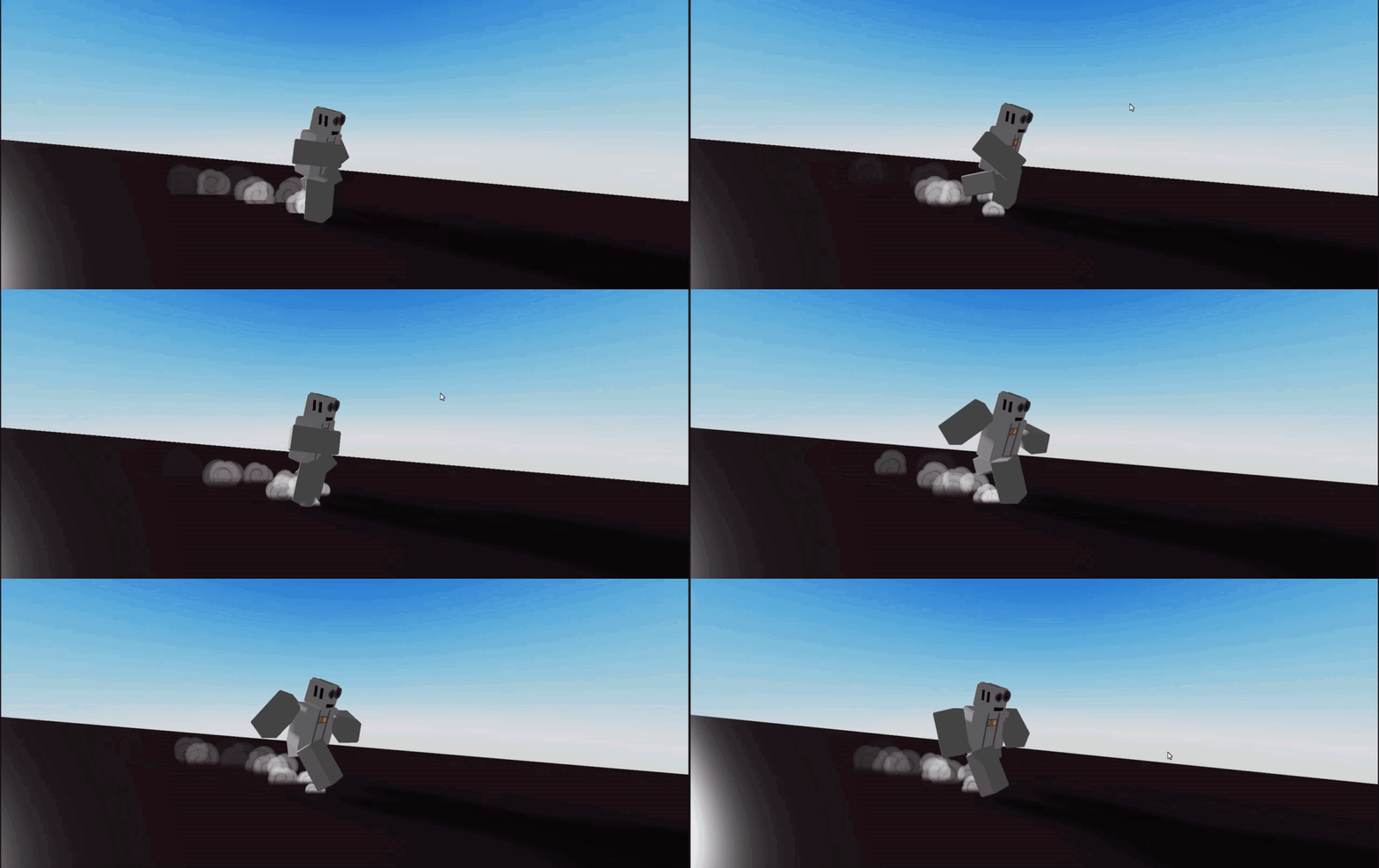
In a narutorun the legs launch the person upwards abit while it touches the ground, here it looks like he’s sliding abit more than running
peak seal
I agree
slender atlas
Apply some upwards movement
peak seal
Yeh I can try that
been working on this all day this like the 3rd version of the animation so I'm just drained I will try to do that in a bit
slender atlas
peak seal
been working on this all day this like the 3rd version of the animation so I'm j...
Just try making a normal run, but the torso is bent down more than usual and minimum rotation of the torso
peak seal
well this is my 2nd looping animation so that's easier said then done
well my 2nd one in blender
trying to make the guy like, launch upwards more
slender atlas
If u know how runs work this wouldnt be too hard
peak seal

eternal meadow
ok
peak seal
slender atlas
In a narutorun the legs launch the person upwards abit while it touches the grou...
is this better?
random needle
slender atlas
I dont understand what’s happening at all, but ig for a few days its alright
thank u
i knew u guys wouldnt understand
i knew i had to slow it down my bad
peak seal
peak seal
is this better?
he ended up buying aki's naruto pack (an A2) and I wasted like 3 hours of my day on this 😔
wispy bobcat
peak seal
do you guys have any ideas on what I should change about this animation?
Naruto ?
peak seal
ye it was gonna be a naruto run now but the employer got another animation
wispy bobcat
oh
eternal meadow
** You are now Level 4! **
 kindred palm
peak seal
he ended up buying aki's naruto pack (an A2) and I wasted like 3 hours of my day...
kindred palm
peak seal
he ended up buying aki's naruto pack (an A2) and I wasted like 3 hours of my day...
haha L
peak seal
 slender atlas
peak seal
is this better?
slender atlas
peak seal
is this better?
That looks more like he’s bouncing
slender atlas
peak seal
he ended up buying aki's naruto pack (an A2) and I wasted like 3 hours of my day...
F.
I’ve done 2narutorun comms so far and way too many runs
peak seal
slender atlas
That looks more like he’s bouncing
yeh idk anymore I couldn't do a naruto run for the life of me but its alright
slender atlas
Granted i only do r6
peak seal
yeh I do both but haven't done r15 in a little bit
slender atlas
I dont accept r15 comms at all
 eternal meadow
peak seal
he ended up buying aki's naruto pack (an A2) and I wasted like 3 hours of my day...
eternal meadow
peak seal
he ended up buying aki's naruto pack (an A2) and I wasted like 3 hours of my day...
3 hours lol
rough kraken
umbral yoke
could you tell me what gun system that is called?
Fe Gunkit Edited. Its super old.
random needle
hello! this animation i made is a failed wall jump supposedly and i just would like some criticism [im newish to animation]
 oblique pasture
random needle
hello! this animation i made is a failed wall jump supposedly and i just would l...
oblique pasture
random needle
hello! this animation i made is a failed wall jump supposedly and i just would l...
But good start.
random needle
thx
potent oxide
random needle
hello! this animation i made is a failed wall jump supposedly and i just would l...
good job
i recommend learning more basic stuff to make animations like these better
like walking, idles, runs, etc
dont be afraid to use references, or even heavily copy a reference as a beginner