#🔥︱curseforge-support
1 messages · Page 653 of 1
 upper root
Do you have private relay on?
 modest hull
private relay? can you elaborate?
upper root
Its a mac thing, like a vpn but not
modest hull
is it in settings cause i have no vpn installed directly to my mac
upper root
Its built in, and yes its in settings
modest hull
Do i need to turn it off and if yes then where exactly is it?
upper root
modest hull
Do i need to turn it off and if yes then where exactly is it?
If it is on then turn it off.
I have no idea where it is, i dont own a mac
!notcf
 red patioBOT
Your question is not related to CurseForge owned/maintained features or services.
Please use the appropriate game room by getting a game role from #786424115535544350.
Otherwise use #👽︱game-support for game related help.
CurseForge does not make or maintain any of the content or games used on the site or app. Just because it's on the site/app does not make it a problem with CurseForge. Move rooms as requested, arguing about it will result in you being muted.
upper root
Not at the moment, can you send your full logs and ill get someone smarter to take a look at them
!cflogs-zip
red patioBOT
upper root
One last thing, try completely restart your computer
 urban ferry
I wanna to add a custom profile but this pops up
 modest hull
upper root
One last thing, try completely restart your computer
modest hull
upper root
One last thing, try completely restart your computer
welp it worked restarting my computer saved the day tysm!!!
 queen storm
urban ferry
I wanna to add a custom profile but this pops up
queen storm
urban ferry
I wanna to add a custom profile but this pops up
!mc-forgejava
red patioBOT
- Download and install this https://download.oracle.com/java/17/archive/jdk-17.0.3.1_windows-x64_bin.msi
- Open CurseForge and click the
 in the bottom left corner.
 - Go to the
 Minecraft tab and scroll down to the bit about java versions.
 - Click the
 icon and then choose Java: 17.0.3.1 (64 Bit) from the list.
 - Follow the instructions from
!mc-installfix(if your internet is slow the instructions from!mc-updatemodloaderwork but need to be done on every profile made since the error began to happen)
urban ferry
queen storm
!mc-forgejava
thats worked, nice
red patioBOT
Your question is not related to CurseForge owned/maintained features or services.
Please use the appropriate game room by getting a game role from #786424115535544350.
Otherwise use #👽︱game-support for game related help.
CurseForge does not make or maintain any of the content or games used on the site or app. Just because it's on the site/app does not make it a problem with CurseForge. Move rooms as requested, arguing about it will result in you being muted.
 queen storm
 digital roost
!oops
red patioBOT
You had an "Oops, that was not supposed to happen!"
Follow the instructions in this link!
If the info in the link does not work please do ?cflogs-oops and follow the instructions there to get the log files.
 wispy ginkgo
Hi guys
i suspect curseforge got me banned from a server i play in
but i'm not sure if it's curseforge
queen storm
Impressive, as we don't control the game, you installed the mods
wispy ginkgo
yeah i didn't understand it either
i'm not sure it's curseforge, i have no idea what it was
i'm just going from program to program and eliminating my choices
queen storm
So you come here (possibly accusing)
wispy ginkgo
no i'm not sure, i'm sorry if it sounded that way
queen storm
Minecraft server?
red patioBOT
Your question is not related to CurseForge owned/maintained features or services.
Please use the appropriate game room by getting a game role from #786424115535544350.
Otherwise use #👽︱game-support for game related help.
CurseForge does not make or maintain any of the content or games used on the site or app. Just because it's on the site/app does not make it a problem with CurseForge. Move rooms as requested, arguing about it will result in you being muted.
wispy ginkgo
:/ k then
queen storm
We can't do anything against it, they can ban on their own server
 lyric crescent
curseforge is a mod manager, how could it have anything to do with you getting banned.
it doesnt.
queen storm
digital roost
!outdated I got corrected
red patioBOT
Your CurseForge App version is outdated!
To use CurseForge with the latest features & fixes you should update your CurseForge App.
You can do this by uninstalling the app from your computer programs and then install it again from https://download.curseforge.com/
NOTE: Uninstalling CurseForge will not remove any game/mod data, It's entirely safe to remove and install again!
wispy ginkgo
yeah obviously i'm not telling you to go there and stop them or anything i just wanted to know if there's any chance anything in my curseforge is producing auto-clicker strings on my PC
queen storm
wispy ginkgo
yeah obviously i'm not telling you to go there and stop them or anything i just ...
We can't either
wispy ginkgo
it's ok, thank you
 frozen meadow
think I have an issue, trying to run Minecraft and it'll get to the loading screen then stop. If i run outside of CursedForge it runs fine. Tried uninstalling'reinstalling CursedForge and still having the same issue
 tranquil rampart
Hi guys,
Ive just launched the app, unsure why this is happening

I rather come here for help then a faq
than*
sorry im mega tired
red patioBOT
You had an "Oops, that was not supposed to happen!"
Follow the instructions in this link!
If the info in the link does not work please do ?cflogs-oops and follow the instructions there to get the log files.
lyric crescent
didnt read the rules either unsurprisingly
tranquil rampart
Youre right, im on my last leg for tonight and I just couldnt think straight
my apologies
i didnt mean to be malicious in any way shape or form
 cinder needle
I can't make any new profiles
 digital roost
Can i have help please, my launcher crashed and when i try reopening it this shows up
 upper root
cinder needle
I can't make any new profiles
upper root
cinder needle
I can't make any new profiles
!mc-forgejava
red patioBOT
- Download and install this https://download.oracle.com/java/17/archive/jdk-17.0.3.1_windows-x64_bin.msi
- Open CurseForge and click the in the bottom left corner.
- Go to the Minecraft tab and scroll down to the bit about java versions.
- Click the icon and then choose Java: 17.0.3.1 (64 Bit) from the list.
- Follow the instructions from
!mc-installfix(if your internet is slow the instructions from!mc-updatemodloaderwork but need to be done on every profile made since the error began to happen)
upper root
digital roost
Can i have help please, my launcher crashed and when i try reopening it this sho...
?cflogs-app
red patioBOT
<:overwolf:857375414002384916> How to get CurseForge App logs! <:overwolf:857375414002384916>
- Click the

Create logs zipin the menu.
menu. - Drag and drop the file it just made to this chat room to upload it.
- Wait for someone to look at it so they can help you.
 digital roost
cinder needle
digital roost
cinder needle
!mc-installfix
red patioBOT
This is NOT instructions for Repair Profile! They are NOT the same! You need to do this!
- Click on the Minecraft Tab on the Left side of the CurseForge App.
- Click
 button next to the
 Create Custom Profileoption. - Click

Repair Installationoption. - Play game.
NOTE: You will not lose any modpacks or worlds!
upper root
digital roost
!mc-path
red patioBOT
Instructions for changing CurseForge Minecraft install path!
If Minecraft is not installed in CurseForge App:
- Click the
 in the top left.
 - Select Minecraft from the list of games.
- Select the
Advancedoption and select:
--- Windows:Local Disk (C:)at the left side of the window. If you do not see it, clickThis PCfirst.)
--- Mac:/Users/Shared/CurseForge, If it does not exist, make it. - Click
Continue.
If Minecraft is installed in CurseForge App:
- Click the in the bottom left.
- Select the Minecraft tab.
- Click
Change. - Select the location:
--- Windows:Local Disk (C:)at the left side of the window. If you do not see it, clickThis PCfirst.)
--- Mac:/Users/Shared/CurseForge, If it does not exist, make it.
digital roost
after i try opening it after repairing this comes up

and its in the right folder
i think
upper root
!mc-installfix do this
red patioBOT
This is NOT instructions for Repair Profile! They are NOT the same! You need to do this!
- Click on the Minecraft Tab on the Left side of the CurseForge App.
- Click button next to the
Create Custom Profileoption. - Click
Repair Installationoption. - Play game.
NOTE: You will not lose any modpacks or worlds!
 opal bolt
hi today i tried to start modded minecraft but i get this
 upper root
!mc-installfix
red patioBOT
This is NOT instructions for Repair Profile! They are NOT the same! You need to do this!
- Click on the Minecraft Tab on the Left side of the CurseForge App.
- Click button next to the
Create Custom Profileoption. - Click
Repair Installationoption. - Play game.
NOTE: You will not lose any modpacks or worlds!
opal bolt
It does not change anything
i tried to change modpack but the exact same thing happened
upper root
Do you have anything that could be blocking curseforge from accessing the internet completely?
opal bolt
i am downloading a cold war update on battle.net
but stopped it and it still doesn't work
upper root
Anything like a vpn, 'ping improver?, 'ip hider'?
opal bolt
si ho un vpn ma e spento
opal bolt
sorry I didn't notice that I wrote in Italian
yes I have a vpn but it is disabled I try to restart the pc
no it doesn't work, it tells me it can't get the runtime to work and to try uninstalling minecraft
 zinc mirage
Hi all. Could use a little guidance. Did a clean Java install, installed curseforge, and then installed journeymaps. When I attempt to launch from the profile I created in curseforge I get the following. Any guidance would be appreciated.

 zenith cargo
Help...

 south minnow
not really a problem, but anyone know how to play mods with friends on curseforge?
 young bone
You make a server
queen storm
!notcf
red patioBOT
Your question is not related to CurseForge owned/maintained features or services.
Please use the appropriate game room by getting a game role from #786424115535544350.
Otherwise use #👽︱game-support for game related help.
CurseForge does not make or maintain any of the content or games used on the site or app. Just because it's on the site/app does not make it a problem with CurseForge. Move rooms as requested, arguing about it will result in you being muted.
south minnow
young bone
You make a server
how tho
lyric crescent
you can find out when you ask in the correct place.
south minnow
kk
 thorn tartan
this keeps coming up, i went to the website to see what to do and ive done everything its told me too and it still doesnt work
 lyric crescent
!owlogs
red patioBOT
<:overwolf:857375414002384916> How to get CurseForge App logs! <:overwolf:857375414002384916>
- Click the
Create logs zipin the menu. - Drag and drop the file it just made to this chat room to upload it.
- Wait for someone to look at it so they can help you.
 main vortex
wasnt quite sure where to post this, lmk if this is the wrong channel, but i have compiled myself a small modpack in 1.19 forge on curseforge app using forge 41,0.96 and when i click the play button thru the minecraft launcher it will just not launch my game, nothing happens at all, no messages or anything, can anyone tell me whats wrong? i can send the modlist i am using if needed
lyric crescent
send logs in #👽︱game-support
main vortex
this thing?
 lyric crescent
no, that was unrelated to you and this isnt #👽︱game-support
main vortex
oh
 teal raven
get this when opening curseforge
 lyric crescent
!outdated
red patioBOT
Your CurseForge App version is outdated!
To use CurseForge with the latest features & fixes you should update your CurseForge App.
You can do this by uninstalling the app from your computer programs and then install it again from https://download.curseforge.com/
NOTE: Uninstalling CurseForge will not remove any game/mod data, It's entirely safe to remove and install again!
teal raven
lyric crescent
!outdated
cheers, makes sense considering I haven't used it for ages
 wicked ginkgo
!outdated
red patioBOT
Your CurseForge App version is outdated!
To use CurseForge with the latest features & fixes you should update your CurseForge App.
You can do this by uninstalling the app from your computer programs and then install it again from https://download.curseforge.com/
NOTE: Uninstalling CurseForge will not remove any game/mod data, It's entirely safe to remove and install again!
 dawn sparrow
I keep getting this error when trying to install a modpack for minecraft :))))

 pseudo swift
 void plaza
Hello,
I have centered an imagine on my curseforge page with html, but it's not centered in the application. Any idea why?
 umbral sinew
Is there a way to look at all the mods I have installed and separate them in a list by category?
Using curseforge programs
 rotund ocean
Hi
Can anyone help me?
I downloaded forge and installed some mods but my minecraft wont open
It appears this
The game crashed whilst initializing game
Error: java.lang.NoClassDefFoundError: net/minecraftforge/client/model/data/IModelData
Código de saída: -1
red patioBOT
Your question is not related to CurseForge owned/maintained features or services.
Please use the appropriate game room by getting a game role from #786424115535544350.
Otherwise use #👽︱game-support for game related help.
CurseForge does not make or maintain any of the content or games used on the site or app. Just because it's on the site/app does not make it a problem with CurseForge. Move rooms as requested, arguing about it will result in you being muted.
umbral sinew
rotund ocean
Hi
just copy paste your question in #👽︱game-support
rotund ocean
Ok thanks
umbral sinew
np
is there a way to turn off all mods at once in the curseforge launcher?
or do I have to select them one by one and disable them
young bone
Ok, go play it
 steep quartz
young bone
Ok, go play it
steep quartz
young bone
Ok, go play it
what shud i get with
digital roost
guys what do i do when it says “Failed to download the minecraft launcher due to a network error”
lyric crescent
are you on windows 7?
digital roost
yeah
lyric crescent
!win7
red patioBOT
Hey there,
You seem to be running Windows 7 which is not supported anymore by Overwolf or Curseforge. Please upgrade your machine if possible.
You can find the download link here
digital roost
damn
 last nexus
hey I wanted to install a zip file full of mods (ive done this before so it's nothing new) however this time when I did it, it took a long time to respond and said the file was invalid, after multiple tries It still didnt work. So I restarted curseforge (exiting and opening it up again) and when I came back, not only did my other mod profiles disappear but nothing was working anymore. I unistalled curseforge and reinstalled it, had mutiple installation errors and when I was finally able to install it through direct download, it still refuses to open up after a long time of loading. Any help?
This was all for Minecraft btw
the version was 1.18.2
umbral sinew
just need a yes or no
umbral sinew
umbral sinew
is there a way to turn off all mods at once in the curseforge launcher?
bump
 past kiln
hey someone help
minecraft keeps crashing
gives me this error https://pastebin.ubuntu.com/p/Vv5NcfYjSZ/
red patioBOT
Your question is not related to CurseForge owned/maintained features or services.
Please use the appropriate game room by getting a game role from #786424115535544350.
Otherwise use #👽︱game-support for game related help.
CurseForge does not make or maintain any of the content or games used on the site or app. Just because it's on the site/app does not make it a problem with CurseForge. Move rooms as requested, arguing about it will result in you being muted.
lyric crescent
umbral sinew
just need a yes or no
no
umbral sinew
thank you
i think that's a feature that would be useful in the future for troubleshooting
red patioBOT
<:CFidea:798388634972717066> Have an idea on how to improve CurseForge? <:CFidea:798388634972717066>
CurseForge is looking for great ideas and user feedback! Get into the CurseForge Community by providing some feedback and voting on what's important to you!
Think some game should be supported? Post an idea and explain why!
Got a to die for feature idea? Let's hear it!
Location In-app
- Click the button on the bottom left of the app.
- Click on

Suggest a Featureoption!
umbral sinew
thanks
lyric crescent
its not
past kiln
i can run vanilla normally
 fossil quail
 red patioBOT
Your question is not related to CurseForge owned/maintained features or services.
Please use the appropriate game room by getting a game role from #786424115535544350.
Otherwise use #👽︱game-support for game related help.
CurseForge does not make or maintain any of the content or games used on the site or app. Just because it's on the site/app does not make it a problem with CurseForge. Move rooms as requested, arguing about it will result in you being muted.
umbral sinew
past kiln
i can run vanilla normally
Go to #👽︱game-support and post your crash & latest logs there
It's a modded game issue, not an issue with curseforge as an organization or with their programs specifically ***
that's what hes saying
 shrewd mica
Curseforge shoots up this error when attempting a launch, any ideas why?
 lyric crescent
!outdated
red patioBOT
Your CurseForge App version is outdated!
To use CurseForge with the latest features & fixes you should update your CurseForge App.
You can do this by uninstalling the app from your computer programs and then install it again from https://download.curseforge.com/
NOTE: Uninstalling CurseForge will not remove any game/mod data, It's entirely safe to remove and install again!
past kiln
umbral sinew
Go to <#778097796410376242> and post your crash & latest logs there
oh shit sorruy
umbral sinew
u good, i dont be caring but its their rules. im just helpin cuz im bored
red patioBOT
Your question is not related to CurseForge owned/maintained features or services.
Please use the appropriate game room by getting a game role from #786424115535544350.
Otherwise use #👽︱game-support for game related help.
CurseForge does not make or maintain any of the content or games used on the site or app. Just because it's on the site/app does not make it a problem with CurseForge. Move rooms as requested, arguing about it will result in you being muted.
 true wadi
oh ok
 still gyro
The game crashed whilst initializing game
Error: java.lang.RuntimeException: Invalid id 4096 - maximum id range exceeded.
Exit Code: -1
red patioBOT
Error/Exit codes are useless. Follow these steps so someone can actually help you.
- Right-click the modpack profile icon OR click the button in the modpack profile.
- Click

Open Folder. - Open the
logsfolder. - Drag and drop the FILE named
latestORdebuginto discord.
lyric crescent
invalid id 4096
red patioBOT
To fix "Invalid ID 4096" install this mod: https://www.cflookup.com/minecraft/mc-mods/jeid

Remove the block, item, and biome ID limits by using the 1.13 chunk format in 1.12
Issues: https://github.com/DimensionalDevelopment/JustEnoughIDs/issues
Source: https://github.com/DimensionalDevelopment/JustEnoughIDs
Game version(s): 1.12.2, 1.12.1, 1.12
Modloader(s): Forge
 opal cipher
To fix "Invalid ID 4096" install this mod
 wide owl
 lyric crescent
!mc-installfix
red patioBOT
This is NOT instructions for Repair Profile! They are NOT the same! You need to do this!
- Click on the Minecraft Tab on the Left side of the CurseForge App.
- Click button next to the
Create Custom Profileoption. - Click
Repair Installationoption. - Play game.
NOTE: You will not lose any modpacks or worlds!
wide owl
thx
 ebon nymph
Can someone help me with this? Idk what to do
 young bone
?outdated
red patioBOT
Your CurseForge App version is outdated!
To use CurseForge with the latest features & fixes you should update your CurseForge App.
You can do this by uninstalling the app from your computer programs and then install it again from https://download.curseforge.com/
NOTE: Uninstalling CurseForge will not remove any game/mod data, It's entirely safe to remove and install again!
young bone
Why did you send that
ebon nymph
thx
young bone
None of the commands contents will change based on user
 opaque salmon
Can someone help me? how do i fix this?
 lyric crescent
Did you click the link
 stiff granite

 flat hill
my modpack isnt letting me open it it just keeps giving me error code 1
red patioBOT
Error/Exit codes are useless. Follow these steps so someone can actually help you.
- Right-click the modpack profile icon OR click the button in the modpack profile.
- Click
Open Folder. - Open the
logsfolder. - Drag and drop the FILE named
latestORdebuginto discord.
young bone
Disable foamfix
flat hill
young bone
Disable foamfix
whats that?
flat hill
oh gotcha
 dapper breach
young bone
dapper breach
young bone
#📛︱rules 5
Post a new log in #👽︱game-support
Downgrade the Forge version, to 41.0.63
flat hill
young bone
Downgrade the Forge version, to 41.0.63
how do i do that
young bone
?mc-updatemodloader
red patioBOT
You can update the mod loader within the same game version in the CurseForge app by following these steps!
- Click on the modpack profile you are working with.
- Click on the button next to the play button.
- Click on the
 Profile Options button.
 - Select the mod loader version you want from the dropdown.
- Play!
If you need to update to a new game version, a new profile is required.
 buoyant edge
umm hi when i try to launch a mod file it says i need to reinstall minecraft but my minecraft works fine
 molten harbor
flat hill
how do i do that
molten harbor
flat hill
how do i do that
Did you fix it, because ive been having the same problem
molten harbor
nice
lyric crescent
If your using forge on 1.19 you should read this #👽︱game-support message
 night cave
hey guys how do i delete curse forge and overwolf?
lyric crescent
Same way you delete any program.
young bone
Are you on windows?
night cave
yes
buoyant edge
buoyant edge
umm hi when i try to launch a mod file it says i need to reinstall minecraft but...
i tried uninstalling and reinstalling but it does not do anything
young bone
Open the settings and search uninstall
night cave
young bone
Open the settings and search uninstall
okay
night cave
young bone
Open the settings and search uninstall
thanks man
 forest panther
Hello, I'm sorry to ask for help again but when I was trying to update my mod folder for the create mod it won't allow me too change the game version, so I made a new folder and set the game update to the current most updated for create, but the launcher repeatedly crashes, is there a certain mod loader version I should be picking to use?
lyric crescent
well what are you using
forest panther
I've tried the newest one 40.1.60, the farthest back which is 40.0.0 and rhe original setting which I don't remember
It's on 1.18.2 version of minecraft. Create wouldn't show up on 1.19
lyric crescent
does it have a version for 1.19?
forest panther
Nope
lyric crescent
that's why it wouldnt show up then.
send a log for whatever is crashing in #👽︱game-support
forest panther
But I've used it on another profile with 1.18.2, oh ok then
I don't know how to send logs, will a picture work? I've tried it with both mod launcher picks
lyric crescent
i sent instructions in the channel i asked you to use
forest panther
Oh thanks
 minor dagger
my account didnt merge properly and my projects don't show up , what do?
lyric crescent
relog
lyric crescent
!ticket
red patioBOT
Issue Reporting with Overwolf tickets!
Issues can be reported two ways!
Via the website, or in app. Instructions for both are below!
Make sure to include logs when reporting a problem!
Upload your Overwolf logs with the Upload File option on the ticket, information on how to get these logs can be found here https://support.overwolf.com/en/support/solutions/articles/9000176827-how-to-get-your-overwolf-logs
:bug: Reporting via Website :bug:
Can't open the app or would rather use the website? You can do so here: https://support.curseforge.com/en/support/tickets/new
Fill out the form with accurate detailed information, "It doesn't work" isn't helpful! What exactly doesn't work and why doesn't it work should be easy to answer!
:question: Ticket Status :question:
Tickets you have made can be looked at, replied to and closed if you make/login to an account. If you submit a ticket with a specific Email make sure to use that when you make your account so you can see your past tickets!
https://support.curseforge.com/en/support/tickets
Otherwise you will only get email replies at the email you used to open the ticket.
:bug: Reporting via the CurseForge App :bug:
- Click the icon in the bottom left.
- Select

Open a Ticket. - Fill out the form with accurate detailed information, "It doesn't work" isn't helpful! What exactly doesn't work and why doesn't it work should be easy to answer!!
- Upload your Overwolf logs with the
Upload Filesection. (see the top of this message for details) - Submit!
minor dagger
thx, i submitted a ticket
 ionic rivet
!ticket
red patioBOT
Issue Reporting with Overwolf tickets!
Issues can be reported two ways!
Via the website, or in app. Instructions for both are below!
Make sure to include logs when reporting a problem!
Upload your Overwolf logs with the Upload File option on the ticket, information on how to get these logs can be found here https://support.overwolf.com/en/support/solutions/articles/9000176827-how-to-get-your-overwolf-logs
:bug: Reporting via Website :bug:
Can't open the app or would rather use the website? You can do so here: https://support.curseforge.com/en/support/tickets/new
Fill out the form with accurate detailed information, "It doesn't work" isn't helpful! What exactly doesn't work and why doesn't it work should be easy to answer!
:question: Ticket Status :question:
Tickets you have made can be looked at, replied to and closed if you make/login to an account. If you submit a ticket with a specific Email make sure to use that when you make your account so you can see your past tickets!
https://support.curseforge.com/en/support/tickets
Otherwise you will only get email replies at the email you used to open the ticket.
:bug: Reporting via the CurseForge App :bug:
- Click the icon in the bottom left.
- Select
Open a Ticket. - Fill out the form with accurate detailed information, "It doesn't work" isn't helpful! What exactly doesn't work and why doesn't it work should be easy to answer!!
- Upload your Overwolf logs with the
Upload Filesection. (see the top of this message for details) - Submit!
digital roost
@young bone i’m here
young bone
?mc-updatemodloader
red patioBOT
You can update the mod loader within the same game version in the CurseForge app by following these steps!
- Click on the modpack profile you are working with.
- Click on the button next to the play button.
- Click on the Profile Options button.
- Select the mod loader version you want from the dropdown.
- Play!
If you need to update to a new game version, a new profile is required.
digital roost
ah okay sorry
young bone
Follow those instructions and you can downgrade the mod loader
digital roost
thank you
young bone
👍
 peak thunder
why evry time i launch any minecraft modpack it has to update the launcher and why does it take ages with good wifi and ssd?
forest panther
im sorry, but in the instructions given by the bot, my launcher wont allow me to select anything below 1.8 (64 bit) in the minecraft area, it wont allow me to see the newest update of the create mod in 1.19
lyric crescent
peak thunder
why evry time i launch any minecraft modpack it has to update the launcher and w...
Most likely due to some program you have interfering with it or the folder, but can also happen due to network issues. You can try changing to a different install folder.
?mc-path
red patioBOT
Instructions for changing CurseForge Minecraft install path!
If Minecraft is not installed in CurseForge App:
- Click the in the top left.
- Select Minecraft from the list of games.
- Select the
Advancedoption and select:
--- Windows:Local Disk (C:)at the left side of the window. If you do not see it, clickThis PCfirst.)
--- Mac:/Users/Shared/CurseForge, If it does not exist, make it. - Click
Continue.
If Minecraft is installed in CurseForge App:
- Click the in the bottom left.
- Select the Minecraft tab.
- Click
Change. - Select the location:
--- Windows:Local Disk (C:)at the left side of the window. If you do not see it, clickThis PCfirst.)
--- Mac:/Users/Shared/CurseForge, If it does not exist, make it.
upper root
forest panther
im sorry, but in the instructions given by the bot, my launcher wont allow me to...
Did you run the file it told you to download and install?
lyric crescent
forest panther
im sorry, but in the instructions given by the bot, my launcher wont allow me to...
There is no 1.19 create mod, you confirmed that yourself earlier.
forest panther
oh right
peak thunder
lyric crescent
Most likely due to some program you have interfering with it or the folder, but ...
did that already twice and tried to delete all orginal mc launcher files and reinstall it
lyric crescent
then i dont expect this will be anything we can help you with. you can make a ticket and see if CF support can find anything helpful in your logs.
!ticket
red patioBOT
Issue Reporting with Overwolf tickets!
Issues can be reported two ways!
Via the website, or in app. Instructions for both are below!
Make sure to include logs when reporting a problem!
Upload your Overwolf logs with the Upload File option on the ticket, information on how to get these logs can be found here https://support.overwolf.com/en/support/solutions/articles/9000176827-how-to-get-your-overwolf-logs
:bug: Reporting via Website :bug:
Can't open the app or would rather use the website? You can do so here: https://support.curseforge.com/en/support/tickets/new
Fill out the form with accurate detailed information, "It doesn't work" isn't helpful! What exactly doesn't work and why doesn't it work should be easy to answer!
:question: Ticket Status :question:
Tickets you have made can be looked at, replied to and closed if you make/login to an account. If you submit a ticket with a specific Email make sure to use that when you make your account so you can see your past tickets!
https://support.curseforge.com/en/support/tickets
Otherwise you will only get email replies at the email you used to open the ticket.
:bug: Reporting via the CurseForge App :bug:
- Click the icon in the bottom left.
- Select
Open a Ticket. - Fill out the form with accurate detailed information, "It doesn't work" isn't helpful! What exactly doesn't work and why doesn't it work should be easy to answer!!
- Upload your Overwolf logs with the
Upload Filesection. (see the top of this message for details) - Submit!
 molten egret
why is it that every time i launch a modpack 1.18.2 and above i get exit code 1
red patioBOT
Error/Exit codes are useless. Follow these steps so someone can actually help you.
- Right-click the modpack profile icon OR click the button in the modpack profile.
- Click
Open Folder. - Open the
logsfolder. - Drag and drop the FILE named
latestORdebuginto discord.
molten egret
is it a known issue or
lyric crescent
we'll see if it is when you send the logs requested
molten egret
upper root
First try remove optifine, if it still crashes send new logs
lyric crescent
dont bother, that isnt what we wanted
 bronze escarp
why dose this keep on happening to me?
 molten egret
so what do you want
lyric crescent
molten egret
i removed optifine and it still crashed
upper root
bronze escarp
why dose this keep on happening to me?
!oops
red patioBOT
You had an "Oops, that was not supposed to happen!"
Follow the instructions in this link!
If the info in the link does not work please do ?cflogs-oops and follow the instructions there to get the log files.
molten egret
lyric crescent
https://discord.com/channels/428228256236306434/782027635252920322/9965911496807...
i just sent you the crash log
someone deleted it
lyric crescent
still not the correct log, please read the instructions
upper root
!mc-launcherlog will also need this one
red patioBOT
How to get the launcher log
- Right click a modpack / profile.
- Select
Open Folder - Go back two folders.
- Open the
Installfolder. - Drag the
launcher_log.txtinto discord.
molten egret
i dont have the option to go back two folders im on macos
upper root
Use Command + Up arrow
molten egret
molten egret
launcher_cef_log?
so yeah or no?
thats the only .txt file in the installs folder
upper root
Nah, cef log is useless, no idea what its even for
!mc-forgejava try this but instead of the link in step one go to oracles website and find a java 17 mac installer
red patioBOT
- Download and install this https://download.oracle.com/java/17/archive/jdk-17.0.3.1_windows-x64_bin.msi
- Open CurseForge and click the in the bottom left corner.
- Go to the Minecraft tab and scroll down to the bit about java versions.
- Click the icon and then choose Java: 17.0.3.1 (64 Bit) from the list.
- Follow the instructions from
!mc-installfix(if your internet is slow the instructions from!mc-updatemodloaderwork but need to be done on every profile made since the error began to happen)
peak thunder
lyric crescent
then i dont expect this will be anything we can help you with. you can make a ti...
i think i found the problem curseforge is trying to use the old launcher even tho i uninstalled it
idk how to explain
instead of using the launcher i have from ms store it installs diffrent one
upper root
peak thunder
instead of using the launcher i have from ms store it installs diffrent one
Cf using not using the new launcher is intentional
red patioBOT
Ignore the new launcher update. CF does not use it or works with it, yet.
Everything will work fine otherwise.
upper root
 delicate marsh
!notcf
red patioBOT
Your question is not related to CurseForge owned/maintained features or services.
Please use the appropriate game room by getting a game role from #786424115535544350.
Otherwise use #👽︱game-support for game related help.
CurseForge does not make or maintain any of the content or games used on the site or app. Just because it's on the site/app does not make it a problem with CurseForge. Move rooms as requested, arguing about it will result in you being muted.
peak thunder
upper root
Cf using not using the new launcher is intentional
idk then why is it always updating
 mossy mantle
Hey guys, im taking a mod from my old laptop n gonna put it on my new one. M i able to put the jar files in the same files as a curse forge file? Like adding on to a existing mod
upper root
Is the modpack on curseforge on the old laptop?
digital roost
So thanks for breaking the Minecraft launcher again - heading back to technic. (You broke export with latest update - when exporting it does not always grab all the mods fixing environment does not fix it. Fixing profile does not fix it and you make it so once again mods enable themselves.)
upper root
Are you here to complain or do you actually want support for your issue?
 muted plover
how do i import my profile from windows to my mac
upper root
!mc-installpack
red patioBOT
How to install modpacks with the search features in app.
- Open the
Minecraftsection of the app. - Click the top search bar where it says
Search for modpacksOR Click theBrowse ModpacksTab. - Find the Modpack you want to install and click install on it.
- Wait for CurseForge app to download and unpack all the required files.
- Once finished, click
Play!
======================================================
** **
======================================================
How to install modpacks from a Export. (Custom/Private/Site downloaded Modpack zip)
- Get CurseForge App if you don't have it, use
!downloadfor a link. - Get the exported modpack from CurseForge or someone else,
!mc-packshareexplains how to make them. - Open the
Minecraftsection of the app. - Click

Create Custom Profile - Click the
Importoption. - Find the file you just downloaded in step 2 and select it.
- CurseForge app will now attempt to download and unpack the modpack. If it fails, try steps 4-6 again.
- Once finished, click
Play!
 muted plover
!mc-installpack
red patioBOT
How to install modpacks with the search features in app.
- Open the
Minecraftsection of the app. - Click the top search bar where it says
Search for modpacksOR Click theBrowse ModpacksTab. - Find the Modpack you want to install and click install on it.
- Wait for CurseForge app to download and unpack all the required files.
- Once finished, click
Play!
======================================================
** **
======================================================
How to install modpacks from a Export. (Custom/Private/Site downloaded Modpack zip)
- Get CurseForge App if you don't have it, use
!downloadfor a link. - Get the exported modpack from CurseForge or someone else,
!mc-packshareexplains how to make them. - Open the
Minecraftsection of the app. - Click
Create Custom Profile - Click the
Importoption. - Find the file you just downloaded in step 2 and select it.
- CurseForge app will now attempt to download and unpack the modpack. If it fails, try steps 4-6 again.
- Once finished, click
Play!
muted plover
!mc-packshare
red patioBOT
There are two ways to share a modpack you've made with others...
Export and Share - For Friends to Small Groups.
- Click the Icon for the modpack.
- Click the button next to play.
- Click

Export. - Select the files that should be included.
- Send the zip to the people that want it! They can follow the instructions in
!mc-installpackto install the pack!
Upload to Curseforge - For Public Release to Everyone.
This options will make your pack public to EVERYONE, it comes with extra requirements and will take some effort to set up.
- Go to here: https://www.curseforge.com/project/432/4471/create
- Fill out the information with a proper description of the pack. This should allow anyone to understand what the pack is.
- Click the Icon for the modpack in the CurseForge app.
- Click the button next to play.
- Click
Export. - Select the files that should be included.
- Open your Project you made on the CurseForge site and Upload the file you just made.
- Wait for Moderation & Sync so it can show up in the client! (See
!syncfor limitations)
digital roost
upper root
Are you here to complain or do you actually want support for your issue?
No here to report latest patch broke exporting and basically every primary use case for an ad laden launcher.
upper root
You are the only one reporting issues with exporting, i dont think it broke it.
digital roost
I will not waste my time making a ticket because - its been done before and QA should have tested the patch heavily before releasing it.
upper root
How do you know it 'doesnt grab all the mods'?
digital roost
Import this.
it fails to get JEI ftb library etc.
DESPITE Being exported.
I tried fixing profile etc and nothing fixes it.
My players blame me - for something I have no control over.
upper root
So its importing thats having issues, not exporting?
digital roost
It failed export too.
upper root
Because i can see jei in that export
 storm harness
I am currently having an issue with launching BetterMC v57.7, I have attempted to submit a crash log but it failed to submit that as well, could i get further help here?
upper root
storm harness
I am currently having an issue with launching BetterMC v57.7, I have attempted t...
#👽︱game-support for that
upper root
digital roost
Either way I cannot fix it.
Can you import it then send these logs
?cflogs-app
red patioBOT
<:overwolf:857375414002384916> How to get CurseForge App logs! <:overwolf:857375414002384916>
- Click the
Create logs zipin the menu. - Drag and drop the file it just made to this chat room to upload it.
- Wait for someone to look at it so they can help you.
digital roost
Yes.
storm harness
upper root
<#778097796410376242> for that
cheers, sent a msg over there
digital roost
digital roost
yea but appears disabled when i never disabled it.
Okay so lets say the issue is slightly different lets say that the pack is auto disabling mods.
I still can't fix that - and I can't solve people blaming me.
upper root
This has happened once before, i believe invalidating a cache on the servers fixed it last time.
I can't do that, and most of the people who can are asleep for another 5 hours.
Ill poke them about it now, and ping you when its done
digital roost
I want to apologize for how I came of earlier. It was wrong to start hostile. Curse of being autistic and bipolar still I know better.
upper root
Can you send a screenshot/list of all the mods that are getting disabled?
 edgy wave
Idk how to do shit
 prime dew
Is the curseforge app down?
upper root
Dont think so, whats your issue?
prime dew
Nothing seems to load I re-download it and still won't load
Never mind it loaded
Might be my xfinity not having a proper connection
mossy mantle
upper root
Is the modpack on curseforge on the old laptop?
Sorry i missed this, its a old file i got from a website. But i found out u cant run old mods on new versions 
lyric crescent
This is not an appropriate place for that discussion
upper root
!mc-logs into #👽︱game-support
red patioBOT
Sending logs for support.
- Right-click the modpack profile icon OR click the button in the modpack profile.
- Click
Open Folder. - Open the
logsfolder. - Drag and drop the FILE named
latestORdebuginto discord.
mossy mantle
Im sorry abt earlier n me getting upset, i misread the comment n thought it said "is" n not "of". It wont happen again, im sorry
 bronze gyro
i am having trouble
i'm new to mods and i'm making a modpack for my server but it's not working, i don't know what mod(s) are not compatible, can anyone help me?
upper root
!notcf
red patioBOT
Your question is not related to CurseForge owned/maintained features or services.
Please use the appropriate game room by getting a game role from #786424115535544350.
Otherwise use #👽︱game-support for game related help.
CurseForge does not make or maintain any of the content or games used on the site or app. Just because it's on the site/app does not make it a problem with CurseForge. Move rooms as requested, arguing about it will result in you being muted.
 sharp pebble
Hello I need some help I've been playing moded Minecraft for about two weeks but had some problems yesterday with loading the mods every time i open moded Minecraft through forge it would say that some of my mods didn't open correctly I was told to roll back the mod loader version which helped but now it just wont open and says Mod loader installation failed any advice on how to fix it?
upper root
!mc-forgejava
red patioBOT
- Download and install this https://download.oracle.com/java/17/archive/jdk-17.0.3.1_windows-x64_bin.msi
- Open CurseForge and click the in the bottom left corner.
- Go to the Minecraft tab and scroll down to the bit about java versions.
- Click the icon and then choose Java: 17.0.3.1 (64 Bit) from the list.
- Follow the instructions from
!mc-installfix(if your internet is slow the instructions from!mc-updatemodloaderwork but need to be done on every profile made since the error began to happen)
 slate root
im having a general install error rn
sharp pebble
!mc-installfix
red patioBOT
This is NOT instructions for Repair Profile! They are NOT the same! You need to do this!
- Click on the Minecraft Tab on the Left side of the CurseForge App.
- Click button next to the
Create Custom Profileoption. - Click
Repair Installationoption. - Play game.
NOTE: You will not lose any modpacks or worlds!
slate root
ty
upper root
That wasnt for you
sharp pebble
No wait sorry that was for me
sharp pebble
my bad
upper root
Janitor, can you send a screenshot of the error its giving you?
 upper root
!cflogs-app
red patioBOT
<:overwolf:857375414002384916> How to get CurseForge App logs! <:overwolf:857375414002384916>
- Click the
Create logs zipin the menu. - Drag and drop the file it just made to this chat room to upload it.
- Wait for someone to look at it so they can help you.
muted plover
I imported a profile and tried to run it but it said cannot select version
sharp pebble
Hello im back so the first problem in fixed but now Minecraft is saying Error Loading Mods 5 errors Occurred During loading and the 5 mods say Failed to Load correctly
digital roost
hello i am playing a mod and it is crashing instantly
muted plover
I imported a profile and tried to run it but it said cannot select version
Oh wait im dumb sorry
void plaza
how long do modpacks get reviewed? It's been 11h since I uploaded it
upper root
!status
red patioBOT
Project Moderation Time
Project/File moderation is done on these days unless otherwise mentioned:
Sunday, Monday, Tuesday, Wednesday, Thursday: <t:1631170800:t> - <t:1631199600:t> (Your time)
Friday, Saturday: No Moderation!
Projects are moderated First in, First out. If you submit late in the work day, it will likely get left until the next day!
New Projects or anything flagged for manual review: 1-3 Working Days
Updates to approved projects not needing manual approval: 1 Hour
-If your file has been "Under Review" for more than an hour, then it is at manual review!
Changes will only show in the app if the project meets the requirements in the ?sync command and up to 24 hours has passed from when it was accepted.

 fluid oriole
i have a problem with curse forge minecraft launcher, this happens when i press play at the modpack

 upper root
!mc-installfix
red patioBOT
This is NOT instructions for Repair Profile! They are NOT the same! You need to do this!
- Click on the Minecraft Tab on the Left side of the CurseForge App.
- Click button next to the
Create Custom Profileoption. - Click
Repair Installationoption. - Play game.
NOTE: You will not lose any modpacks or worlds!
upper root
Do you have anything that could be blocking curseforge from accessing the network fully?
Like vpns, 'ping improvers', web filters ect
upper root
Yes
upper root
Yes
fluid oriole
ok
 upper root
!mc-logs put this file into #👽︱game-support monke
red patioBOT
Sending logs for support.
- Right-click the modpack profile icon OR click the button in the modpack profile.
- Click
Open Folder. - Open the
logsfolder. - Drag and drop the FILE named
latestORdebuginto discord.
fluid oriole
thanks, its good now 😄
 jade crag
Isn't it weird that it doesn't open when I don't have internet connection, it should just show my already "installed" modpacks

but I can't skip that loading stage
opal cipher
It's just how it works currently.
jade crag
But isn't there a way to launch the modpack with an exe file or something 
opal cipher
Nope
opal cipher
jade crag
Thanks 
opal cipher
Best bet is to use 3rd (or 2nd) party launchers, that allows for this.
upper root
You can install forge to the vanilla launcher manually and point it to the instance folder too
opal cipher
Maybe I should make a 2nd-party client. x)
jade crag
I thought about it but I also need the version + forge installer I guess
jade crag
upper root
You can install forge to the vanilla launcher manually and point it to the insta...
I might try this actually
wide owl
the Di stop here
 upper root
!cflogs-app
red patioBOT
<:overwolf:857375414002384916> How to get CurseForge App logs! <:overwolf:857375414002384916>
- Click the
Create logs zipin the menu. - Drag and drop the file it just made to this chat room to upload it.
- Wait for someone to look at it so they can help you.
wide owl
upper root
!mc-forgejava
red patioBOT
- Download and install this https://download.oracle.com/java/17/archive/jdk-17.0.3.1_windows-x64_bin.msi
- Open CurseForge and click the in the bottom left corner.
- Go to the Minecraft tab and scroll down to the bit about java versions.
- Click the icon and then choose Java: 17.0.3.1 (64 Bit) from the list.
- Follow the instructions from
!mc-installfix(if your internet is slow the instructions from!mc-updatemodloaderwork but need to be done on every profile made since the error began to happen)
 marble hound
when i try to launch a modpack it says that it can't find javaruntime.
queen storm
Screenshot please
 bright tiger
I'm having trouble installing Better MC plus itll install and then delete my files
 upper root
!mc-launcherlog
red patioBOT
How to get the launcher log
- Right click a modpack / profile.
- Select
Open Folder - Go back two folders.
- Open the
Installfolder. - Drag the
launcher_log.txtinto discord.
upper root
digital roost
Okay so lets say the issue is slightly different lets say that the pack is auto ...
I just tried importing and it seems the issue is fixed
marble hound
i found the problem. for some reason my antivirus thought the java.exe file thingies were malware
 carmine torrent
upper root
carmine torrent
upper root
!mc-installfix
red patioBOT
This is NOT instructions for Repair Profile! They are NOT the same! You need to do this!
- Click on the Minecraft Tab on the Left side of the CurseForge App.
- Click button next to the
Create Custom Profileoption. - Click
Repair Installationoption. - Play game.
NOTE: You will not lose any modpacks or worlds!
 limpid dirge
Is there any way i can install curseforge on win7?
upper root
!win7
red patioBOT
Hey there,
You seem to be running Windows 7 which is not supported anymore by Overwolf or Curseforge. Please upgrade your machine if possible.
You can find the download link here
limpid dirge
I guess there isnt
 raven rain
for some reason it doesn't let me add minecraft to curseforge
upper root
The alpha standalone only supports WoW at the moment (as stated on the download button), you need to install the full version for Minecraft support at the moment
bright tiger
So i was casually playing rl craft and everything decided to start getting a bold blurry white outline
Was my graphics card dying or is that a bug in one of the mods
 balmy cove
I am trying to redownload curseforge but as i get to the screen where it says "Would you like this application to make changes to your device", I press yes and it always ails to download
 unborn basin
carmine torrent
i can't start the game
unborn basin
carmine torrent
i can't start the game
PMed you
 naive rampart
Hello i am trying to redownload curse forge but when i run curse forge installer.exe it does not open and i just get the thanks for installing page. please help.
queen storm
!getcf Use the alternative link
red patioBOT
Looking to install the CurseForge app?
<:windows:798410728188936222> Windows
Minimum Requirements:
- OS Version: 10 or 11
- 64 bit Required.
- 350MB storage space.
- Microsoft .Net 4.8
- Intel/AMD quad-core CPU
- 8GB ram
[Windows Download]
[Windows Alternative Download]
If you are having issues with the Windows Download use the Windows Alternative Download to install Overwolf. Then download CurseForge from the App Store.
Windows Standalone: NOTE: ONLY SUPPORTS WORLD OF WARCRAFT CURRENTLY!
Requirements:
Uh, Windows? (No not the ones in your house)
WoW as that's all it's useful for..
Some sort of zoomy box that does teh verk.
[Windows Standalone] NOTE: ONLY SUPPORTS WORLD OF WARCRAFT CURRENTLY!
<:mac:798410654418862130> Mac
:penguin: Linux
NOTE: ONLY SUPPORTS WORLD OF WARCRAFT CURRENTLY!
Minimum Requirements:
Something not windows or mac would be a start.
Hopefully it turns on.
A screen would be beneficial too.
wide owl
 upper root
!webclient
red patioBOT
Timeout/WebClient errors are from networking issues to your computer. You can try a few things to fix it:
- Restart the computer.
- Restart your router/modem.
- Try another internet source like a hotspot, wired connection or moving closer to the WiFi.
- Pause/Stop other things using the internet. (Streams, music, etc)
- If this still doesn't work, try again in an hour and hope your connection is stable.
 drifting nexus
Hi, I have a problem. i tried to run minecraft with forge mods in the mods folder like usual, but all the errors\ said "Failed to load" what do I do?
unborn basin
drifting nexus
Hi, I have a problem. i tried to run minecraft with forge mods in the mods folde...
Send logs
!cfapp-logs
I will never get this right
!cflogs-app
red patioBOT
<:overwolf:857375414002384916> How to get CurseForge App logs! <:overwolf:857375414002384916>
- Click the
Create logs zipin the menu. - Drag and drop the file it just made to this chat room to upload it.
- Wait for someone to look at it so they can help you.
drifting nexus
unborn basin
I don't see anything
drifting nexus
wtf
unborn basin
What error do you see?
drifting nexus
it just says: (whatever mod I had) has failed to load correctly
queen storm
Screenshot please
drifting nexus
 lyric crescent
1.19?
young bone
That’s not a Curseforge error
drifting nexus
So what did I do wrong?
lyric crescent
is it 1.19..?
young bone
Answer Yamza
drifting nexus
lyric crescent
is it 1.19..?
Yes.
lyric crescent
Forge 1.19 & You
Forge has released changes that break mods. The best option you have at the moment is to wait for mods to update to fix their issues with forge. If you do not wish to do that you can:
-Read your logs to see which mods are breaking and report the issue to the mod author
-Remove all your mods, and reinstall them 1 by 1 to check which will have issues and remove any that do.
-Check the dates of the last release of the mods you choose compared to the last breaking change from forge (version 41.0.94)
If you can't or don't want to do any of these then wait until 1.19.1 to use forge again.
drifting nexus
hm, ok, thanks!
digital roost
upper root
I just tried importing and it seems the issue is fixed
Thanks for the headsup - I will get back to work on my prototype
 tired tusk
How long does it take for a modpack to be apporved?
lyric crescent
!status
red patioBOT
Project Moderation Time
Project/File moderation is done on these days unless otherwise mentioned:
Sunday, Monday, Tuesday, Wednesday, Thursday: <t:1631170800:t> - <t:1631199600:t> (Your time)
Friday, Saturday: No Moderation!
Projects are moderated First in, First out. If you submit late in the work day, it will likely get left until the next day!
New Projects or anything flagged for manual review: 1-3 Working Days
Updates to approved projects not needing manual approval: 1 Hour
-If your file has been "Under Review" for more than an hour, then it is at manual review!
Changes will only show in the app if the project meets the requirements in the ?sync command and up to 24 hours has passed from when it was accepted.
 haughty kernel
any help
 upper root
!mc-installfix
red patioBOT
This is NOT instructions for Repair Profile! They are NOT the same! You need to do this!
- Click on the Minecraft Tab on the Left side of the CurseForge App.
- Click button next to the
Create Custom Profileoption. - Click
Repair Installationoption. - Play game.
NOTE: You will not lose any modpacks or worlds!
haughty kernel
will i keep my worlds
queen storm
NOTE: You will not lose any modpacks or worlds!
lyric crescent
did you read the message
 craggy escarp
Why does Curseforge not work, i unlinked my account from windows insider. Does anyone know how to disable that?

 lyric crescent
Learn more has an override method. Overwolf would be the place to get help for this though, not here.
craggy escarp
Ok thanks
 amber orbit
help pls
 opal cipher
!mc-forgejava
red patioBOT
- Download and install this https://download.oracle.com/java/17/archive/jdk-17.0.3.1_windows-x64_bin.msi
- Open CurseForge and click the in the bottom left corner.
- Go to the Minecraft tab and scroll down to the bit about java versions.
- Click the icon and then choose Java: 17.0.3.1 (64 Bit) from the list.
- Follow the instructions from
!mc-installfix(if your internet is slow the instructions from!mc-updatemodloaderwork but need to be done on every profile made since the error began to happen)
amber orbit
!mc-installfix
red patioBOT
This is NOT instructions for Repair Profile! They are NOT the same! You need to do this!
- Click on the Minecraft Tab on the Left side of the CurseForge App.
- Click button next to the
Create Custom Profileoption. - Click
Repair Installationoption. - Play game.
NOTE: You will not lose any modpacks or worlds!
 open leaf
 frozen sun
Sorry if this has already been reported or has a simple fix but how do i solve this ?

 untold siren
Can someone help me with
 frozen sun
you'll need to drag the Log folder here, also i think that should go in #👽︱game-support
untold siren
Me?
queen storm
Yes
untold siren
Ok
 spiral igloo
Does anyone else experience this when uploading a new mod jar file?
After uploading the file to 100% and clicking the Upload button, it loads for a while and then crashes to a 504.
Then you go to your mods files page and the upload has worked? Is this just a visual bug or is something actually breaking during the upload process?
 lyric crescent
The file was uploaded though, right?
 runic garnet
is CurseForge site slow with you guys too?
opal cipher
Yup
 weak gust
Is the server down?
 onyx isle
So CurseForge is down for everyone?
runic garnet
yep
young bone
Generally stuff like this affects everyone, some may just get lucky and get through
runic garnet
it just sooooooo slow to respond
opal cipher
Yeah, looks like there are some issues. They're looking into it!
Thanks for reporting.
onyx isle
So, that would explain why my avatar was dead too
The website wasn't working, which was registering my avatar 😂
 deft mountain
oh is that why minecraft keeps crashing?
lyric crescent
probably not
deft mountain
oof
 hushed bluff
yea
 novel acorn
deft mountain
novel acorn
deft mountain
tbh i really don't know why it keeps crashing, i don't even get a crash report
queen storm
Overload usually
onyx isle
deft mountain
oh is that why minecraft keeps crashing?
CurseForge isn't related to Minecraft, so no.
queen storm
deft mountain
tbh i really don't know why it keeps crashing, i don't even get a crash report
!notcf
red patioBOT
Your question is not related to CurseForge owned/maintained features or services.
Please use the appropriate game room by getting a game role from #786424115535544350.
Otherwise use #👽︱game-support for game related help.
CurseForge does not make or maintain any of the content or games used on the site or app. Just because it's on the site/app does not make it a problem with CurseForge. Move rooms as requested, arguing about it will result in you being muted.
deft mountain
appologies
 fast shoal
About a week ago, I redeemed 1,000 points to get 50$ of paypal, and either the day after, or on the same day, I was informed by another MC mod author that the points store was having some issues. I still have not gotten my 50$, and my 1,000 points that i had before are gone
 nocturne bough
im trying to download medieval mc 1.16.5 off curseforge and it starts to installs the says patch 2 of 4 then stops
lyric crescent
do they have versions for 1.19
fast shoal
fast shoal
About a week ago, I redeemed 1,000 points to get 50$ of paypal, and either the d...
correction: it was between 6/26 and 7/5 that i made the cash out
lyric crescent
how about looking at the mod page?
fast shoal
fast shoal
correction: it was between 6/26 and 7/5 that i made the cash out
idk at what exact point in time because i forgot, but it was sometime between those two (sorry if that isnt helpful)
red patioBOT
Your question is not related to CurseForge owned/maintained features or services.
Please use the appropriate game room by getting a game role from #786424115535544350.
Otherwise use #👽︱game-support for game related help.
CurseForge does not make or maintain any of the content or games used on the site or app. Just because it's on the site/app does not make it a problem with CurseForge. Move rooms as requested, arguing about it will result in you being muted.
lyric crescent
First one you mentioned appears just fine.. https://i.imgur.com/9zF9tAK.png
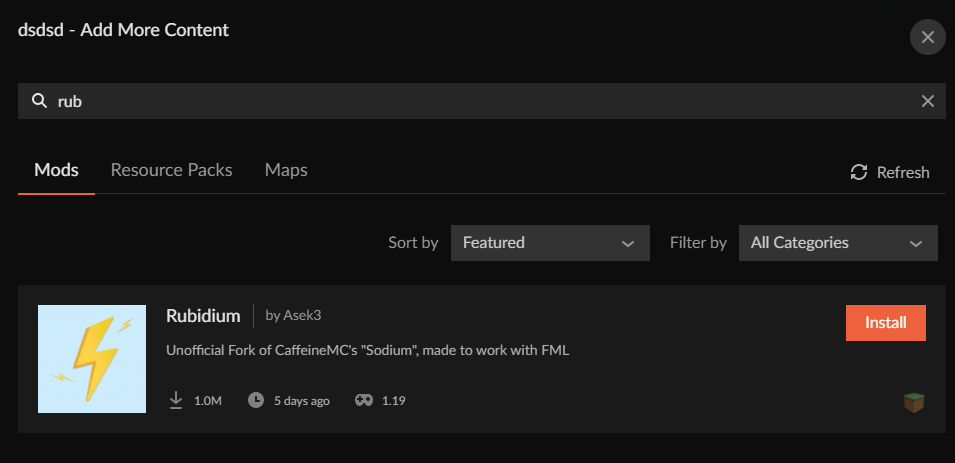 young bone
Do you happen to be using the modpack search in the app to try and find mods
?mc-installmods
red patioBOT
How to install mods in CurseForge App.
- Click
+ Create Custom Profile - Name it, select the required Minecraft version, select the modloader & modloader version (usually the highest number), click
Create. - Click the profile icon.
- Click

Add More Content - Search and install the desired mods.
- Start the game!
How to install mods not on CurseForge.
- Right click the profile picture or Open the profile and click the Icon next to the play button.
- Click
Open Folder. - Drag the mod(s) into the
modsfolder. (Note: Some mods will require others, to run. Make sure to read the instructions for the mod!) - Start the game!

 vague tundra
Betting people reported the error 502, huh?
weak gust
Anyone successfully entered the website?
young bone
Site is overloaded at the moment
vague tundra
young bone
Site is overloaded at the moment
So that's why. I Just wanted to update a mod I got
fast shoal
i really need to know what to do about my points not giving me money but still being taken
lyric crescent
how were they taken
fast shoal
i redeemed them for $50
and its been over a week
ive still not gotten my $50
and the 1000 points are gone
lyric crescent
paypal is only distributed at the beginning of the month
fast shoal
i redeemed them before the end of last month iirc
although i was told that there were issues with the redeeming system
 dark matrix
uhm, is it just me or has the curseforge website crashed?
fast shoal
so will i need to wait till the end of july?
 sterile panther
It's overloaded the website
runic garnet
yep
fast shoal
ok thanks
lyric crescent
til its not down anymore
 tough goblet
hey does anyone have a fix for this? when trying to create a custom profile for minecraft 1.18.2 the creation stops at "applying patch 4 out of 6" cancels and then displays this. 1.18.1 and 1.19 work normally so im guessing it's a problem with forge-40 . I can't find anything about this issue anywhere and i've tried reinstalling curseforge. thx in advance
 dark matrix
ye, its down rn
lyric crescent
that is not related
lyric crescent
tough goblet
hey does anyone have a fix for this? when trying to create a custom profile for ...
!mc-forgejava
red patioBOT
- Download and install this https://download.oracle.com/java/17/archive/jdk-17.0.3.1_windows-x64_bin.msi
- Open CurseForge and click the in the bottom left corner.
- Go to the Minecraft tab and scroll down to the bit about java versions.
- Click the icon and then choose Java: 17.0.3.1 (64 Bit) from the list.
- Follow the instructions from
!mc-installfix(if your internet is slow the instructions from!mc-updatemodloaderwork but need to be done on every profile made since the error began to happen)
lyric crescent
I know for a fact create is not on 1.19.
 brittle fractal
Create mod is on 1.18.2 they just released a major update added steam engines and stuff, also I don't imagine there will be a port of it for a bit
it seems from some research they are working on a port now.
the mod will get its code updated for the new version, generally speaking, the code for minecraft usually undergoes changes when they release a new version, which sometimes requires parts of the mod to be rewritten.
 prisma axle
red patioBOT
prisma axle
red patioBOT
Wording is important!
Forge = Minecraft Forge, This is a modloader often just called "Forge".
Fabric = Fabric MC, this is another modloader, just called "Fabric".
CurseForge = A Website/App that has content for games.
Mods = Individual mod files.
Modpacks = Multiple mods put into the mods folder or downloaded from CurseForge.
These are not Interchangeable! Please use the correct terms as it allows us to help you faster!
 true arch
may I ask on what infrastructure curseforge.com is running? The performance is getting worse.
true arch
Oh sorry didnt scrolled completely to the bottom
But just for my interest: is curseforge running in some kind of cloud/cluster or on prem?
lyric crescent
That's not really relevant to support. #💬︱general-chat
 idle ridge
Hi, my curseforge app either keeps on cancelling my installation of better minecraft or gets stuck at "installing 2 out of 6". Whenever I go check "my modpacks" there's no downloading file, it basically cancels the download. How do I fix this?
I've tried re-installing curseforge and making room for my hard drive. Nothing seems to work
lyric crescent
!owlogs
red patioBOT
<:overwolf:857375414002384916> How to get CurseForge App logs! <:overwolf:857375414002384916>
- Click the
Create logs zipin the menu. - Drag and drop the file it just made to this chat room to upload it.
- Wait for someone to look at it so they can help you.
idle ridge
lyric crescent
what OS do you use
 tawny fable
Can anyone explain to me why 1.18.2 Forge doesn't work in curseforge
lyric crescent
if you explain how its not working
 mighty plover
why is my modpack not importing, im currently testing someone's pack and it shows "applying patch _ of 6" and then deletes itself
tawny fable
lyric crescent
if you explain how its not working
ill copy the error
mighty plover
mighty plover
why is my modpack not importing, im currently testing someone's pack and it show...
lyric crescent
tawny fable
ill copy the error
without pinging me, #📛︱rules 5
tawny fable
oops sorry man
idle ridge
windows 10
lyric crescent
idle ridge
windows 10
!mc-forgejava
red patioBOT
- Download and install this https://download.oracle.com/java/17/archive/jdk-17.0.3.1_windows-x64_bin.msi
- Open CurseForge and click the in the bottom left corner.
- Go to the Minecraft tab and scroll down to the bit about java versions.
- Click the icon and then choose Java: 17.0.3.1 (64 Bit) from the list.
- Follow the instructions from
!mc-installfix(if your internet is slow the instructions from!mc-updatemodloaderwork but need to be done on every profile made since the error began to happen)
tawny fable
An error occurred while executing Forge Install Command. Exit code 1
lyric crescent
use the instructions above
tawny fable
oh ok
mighty plover
mighty plover
why is my modpack not importing, im currently testing someone's pack and it show...
??
tawny fable
ehm yamza it still doesn't work and idk what !mc-installfix is
lyric crescent
!mc-installfix
red patioBOT
This is NOT instructions for Repair Profile! They are NOT the same! You need to do this!
- Click on the Minecraft Tab on the Left side of the CurseForge App.
- Click button next to the
Create Custom Profileoption. - Click
Repair Installationoption. - Play game.
NOTE: You will not lose any modpacks or worlds!
mighty plover
Yamza can you help me out rq
lyric crescent
if/when i get to it
mighty plover
lyric crescent
if/when i get to it
ok
mighty plover
mb
tawny fable
I can't seem to find the "Repair Installation" option
young bone
Follow the bot instructions
idle ridge
i think its working now, thanks!
tawny fable
Omg its working, Tysm!
lyric crescent
mighty plover
mb
same as the other two #🔥︱curseforge-support message
mighty plover
im pretty sure i got latest java but ok
lyric crescent
doesnt say anything about latest java
mighty plover
wait why am i downloading java
i havent even launched the game
the problem is with importing modpack
lyric crescent
beacuse the log says that is your issue, so i gave you the solution for the issue in your log
young bone
Java versions can affect modpack importing and updating
red patioBOT
This is NOT instructions for Repair Profile! They are NOT the same! You need to do this!
- Click on the Minecraft Tab on the Left side of the CurseForge App.
- Click button next to the
Create Custom Profileoption. - Click
Repair Installationoption. - Play game.
NOTE: You will not lose any modpacks or worlds!
mighty plover
ok
 trim cypress
We down again?
zenith cargo
Is the site down?
trim cypress
The website is dropping 404 for me on mobile and office computer
vague tundra
Yeah. 504 and 404 errors galore. XD
mighty plover
ok now its giving file invalid
im 100% sure the file is valid
is it because the site is down?
lyric crescent
no.
vague tundra
?
lyric crescent
send your owlogs again
mighty plover
 hexed fractal
Hello, it's seriously starting to annoy me CurseForge, the only times I go on this site it never works, I can never download anything on it, it's really very disappointing
lyric crescent
ok?
lyric crescent
mighty plover
Did you follow the instructions for assigning the java specified?
mighty plover
lyric crescent
Did you follow the instructions for assigning the java specified?
yes
lyric crescent
can you screenshot the setting
mighty plover
1 sec
wide owl
the download stop here
 mighty plover
is there some "save settings" button im missing?
it goes back to automatic once i close it
lyric crescent
it should work by simply doing what the instructions say
mighty plover
ok that worked
import time
nope
still invalid
ok so it was a problem with mc installation
 rare badge
i am trying to make a serverpack but when i look it up online they use twitch and not curseforge. help pls.
lyric crescent
!mc-serverpack
red patioBOT
Serverpacks are special files uploaded alongside an existing project file. If the main file is rejected the server pack is also rejected.
You require an already uploaded export file to upload a server pack!
- Make the server pack by zipping up the required files by selecting the required folders & files. It should include the config and mod folders at a minimum, plus anything else you specifically required to run the server. Start/Run/Setup scripts are optional. Don't include modloader files or the minecraft server jar.
- Go to the
Filestab on the project. - Click the name of the file you wish to upload the server pack to. The pack and server should match pack versions.
- Click
Upload Additional File. - Fill out the form.
lyric crescent
mighty plover
ok so it was a problem with mc installation
Did you get it sorted now?
 urban jetty
So I want to make sure I'm not breaking any guidelines with curseforge. I am planning to put out a video that shares a link to modified configs for a modpack. None of the configs are in the jar and are in the config folder. this is not against any type of guidelines seeing as I am not sharing any contents of the jar correct?
lyric crescent
no
urban jetty
lyric crescent
no
no I can't do this, or no I wouldn't be going against guidelines? lol
lyric crescent
"this is not against any type of guidelines...?"
no
urban jetty
thanks for this. I word questions in horrible ways sometimes 😂
 slim stratus
Having issues logging into my account
When I get told to log-in using a token sent to my email specifically
I have been waiting for 20 minutes, had it re-sent multiple times
I got nothing
lyric crescent
What account?
slim stratus
Klyser8_
lyric crescent
For.. what service?
 lyric crescent
Curseforge uses Twitch accounts, you'd need to use Twitch support for issues with it.
slim stratus
I assume it's related to twitch though
 glossy laurel
It is
slim stratus
Yeah fair enough
 quartz belfry
bro why are the messages being deleted
queen storm
Because he asked in 2 channels and this is the wrong one for servers
quartz belfry
I see
wide owl
wide owl
the download stop here
 queen storm
!mc-forgejava
red patioBOT
- Download and install this https://download.oracle.com/java/17/archive/jdk-17.0.3.1_windows-x64_bin.msi
- Open CurseForge and click the in the bottom left corner.
- Go to the Minecraft tab and scroll down to the bit about java versions.
- Click the icon and then choose Java: 17.0.3.1 (64 Bit) from the list.
- Follow the instructions from
!mc-installfix(if your internet is slow the instructions from!mc-updatemodloaderwork but need to be done on every profile made since the error began to happen)
lyric crescent
!owlogs
red patioBOT
<:overwolf:857375414002384916> How to get CurseForge App logs! <:overwolf:857375414002384916>
- Click the
Create logs zipin the menu. - Drag and drop the file it just made to this chat room to upload it.
- Wait for someone to look at it so they can help you.
wide owl
lyric crescent
looks like you havent done the thing above still
wide owl
lyric crescent
looks like you havent done the thing above still
And if I understand the fifth point
 peak rune
Is there something wrong with a lot of the mods? Whenever I try to load my mod packs, the mods can’t load properly
red patioBOT
Your question is not related to CurseForge owned/maintained features or services.
Please use the appropriate game room by getting a game role from #786424115535544350.
Otherwise use #👽︱game-support for game related help.
CurseForge does not make or maintain any of the content or games used on the site or app. Just because it's on the site/app does not make it a problem with CurseForge. Move rooms as requested, arguing about it will result in you being muted.
queen storm
wide owl
And if I understand the fifth point
What?
brittle fractal
so i have a slight problem, curseforge keeps rejecting my server files, but i cant fix it becuase the file in question is a forge library file
lyric crescent
show the message
queen storm
Forge should not be in the server pack...
brittle fractal
The status of the file Server Version 85.1.zip (WeedieWack Next Gen Pack) has been changed to Rejected
Notes:
The following file versions have been removed from CurseForge:
libraries/commons-logging/commons-logging/1.2/commons-logging-1.2.jar
The modpack will not be approved until these files are replaced with versions that are currently available.
If you have any questions please contact our support team https://support.curseforge.com.
lyric crescent
as tim said, you shouldnt be including forge or its libraries
queen storm
!mc-serverpack
red patioBOT
Serverpacks are special files uploaded alongside an existing project file. If the main file is rejected the server pack is also rejected.
You require an already uploaded export file to upload a server pack!
- Make the server pack by zipping up the required files by selecting the required folders & files. It should include the config and mod folders at a minimum, plus anything else you specifically required to run the server. Start/Run/Setup scripts are optional. Don't include modloader files or the minecraft server jar.
- Go to the
Filestab on the project. - Click the name of the file you wish to upload the server pack to. The pack and server should match pack versions.
- Click
Upload Additional File. - Fill out the form.
brittle fractal
oh ok, thank you very much sir
 lyric crescent
what
red patioBOT
Your question is not related to CurseForge owned/maintained features or services.
Please use the appropriate game room by getting a game role from #786424115535544350.
Otherwise use #👽︱game-support for game related help.
CurseForge does not make or maintain any of the content or games used on the site or app. Just because it's on the site/app does not make it a problem with CurseForge. Move rooms as requested, arguing about it will result in you being muted.
 signal ridge
Read the bot
wide owl
lyric crescent
what
🥲🥲🥲🥲
 lyric crescent
Have you done the fix yet? It's only been an hour since you should have.
wide owl
wide owl
so what do I do?
🥲
lyric crescent
That is a yes or no question, not a "send an emoji reply". Maybe actually reply with words if you want help? Like the bare minimum of effort really.
wide owl
lyric crescent
That is a yes or no question, not a "send an emoji reply". Maybe actually reply ...
I'm sorry I'm just weak in English
I did what was written and re-downloaded the mod
 lyric crescent
Did you do repair installation?
wide owl
lyric crescent
Did you do repair installation?
Yes I did it
lyric crescent
!owlogs
red patioBOT
<:overwolf:857375414002384916> How to get CurseForge App logs! <:overwolf:857375414002384916>
- Click the
Create logs zipin the menu. - Drag and drop the file it just made to this chat room to upload it.
- Wait for someone to look at it so they can help you.
wide owl
lyric crescent
doesnt seem like you've done it to me
wide owl
I deleted and re-downloaded it
queen storm
Did you install that java version we told you to install?
 hollow jacinth
Hi, when I try to play my custom modpack it gives me the Error "Modloader installation failed." and when I try to repair it it tells me "Could not install Minecraft Version.". It also won't let me change versions, its currently on Forge - 40.1.59. Can anyone help me?
lyric crescent
!mc-forgejava
red patioBOT
- Download and install this https://download.oracle.com/java/17/archive/jdk-17.0.3.1_windows-x64_bin.msi
- Open CurseForge and click the in the bottom left corner.
- Go to the Minecraft tab and scroll down to the bit about java versions.
- Click the icon and then choose Java: 17.0.3.1 (64 Bit) from the list.
- Follow the instructions from
!mc-installfix(if your internet is slow the instructions from!mc-updatemodloaderwork but need to be done on every profile made since the error began to happen)
hollow jacinth
Thanks
 lost maple
this wont go away 😠 let me play my minecraft mods
 red patioBOT
Your CurseForge App version is outdated!
To use CurseForge with the latest features & fixes you should update your CurseForge App.
You can do this by uninstalling the app from your computer programs and then install it again from https://download.curseforge.com/
NOTE: Uninstalling CurseForge will not remove any game/mod data, It's entirely safe to remove and install again!
lost maple
thank you my turtle
 rare stratus
i keep trying to play with a modpack and I get this pop up along with error 1
 lyric crescent
windows 7?
lyric crescent
this appears to be an issue with jumploader anyway
should probably talk to the pack devs on this
rare stratus
ok! ty ^^
 wanton hawk
I need help im trying to make custom profile but it gives me an error code everytime i try to make it i uninstalled it and still not working
red patioBOT
Error/Exit codes are useless. Follow these steps so someone can actually help you.
- Right-click the modpack profile icon OR click the button in the modpack profile.
- Click
Open Folder. - Open the
logsfolder. - Drag and drop the FILE named
latestORdebuginto discord.
signal ridge
"It" what is it?
wanton hawk
a custom profile
signal ridge
No i got that part. Screen shot the error message.
wanton hawk

 atomic swift
when it try to play pixelmon it says this how do i fix
 signal ridge
!mc-forgejava
red patioBOT
- Download and install this https://download.oracle.com/java/17/archive/jdk-17.0.3.1_windows-x64_bin.msi
- Open CurseForge and click the in the bottom left corner.
- Go to the Minecraft tab and scroll down to the bit about java versions.
- Click the icon and then choose Java: 17.0.3.1 (64 Bit) from the list.
- Follow the instructions from
!mc-installfix(if your internet is slow the instructions from!mc-updatemodloaderwork but need to be done on every profile made since the error began to happen)
signal ridge
wanton hawk
Try the bot above
atomic swift
ok ty
signal ridge
atomic swift
when it try to play pixelmon it says this how do i fix
That wasnt for you. Log out of whatever account your logged into and log into the account that owns the Java version of minecraft
wanton hawk
signal ridge
Try the bot above
there is no 17.0.3.1 (64 Bit) for me
signal ridge
wanton hawk
there is no 17.0.3.1 (64 Bit) for me
Mac? Or windows?
wanton hawk
windows
signal ridge
Did you click the download link in the bot?
wanton hawk
yes but nothing happends
signal ridge
No file downloaded? Or it downloaded and you haven't run the installer yet
wanton hawk
nope
signal ridge
There was 2 questions there.
wanton hawk
signal ridge
No file downloaded? Or it downloaded and you haven't run the installer yet
what installer
signal ridge
The one you would get if you clicked the java download link in the bot message. If nothing is downloading try a different browser and/or disable your antivirus
 signal ridge
Make sure you get the 64bit. Or just copy the link and paste it in. If i remember right it auto downloads.

 glacial blade
Hey, CurseForge for Windows doesn't detect that Minecraft is installed by the Xbox app (as the standalone Minecraft doesn't work AFAIK)
What do I do?
signal ridge
wanton hawk
Am I at the right page
Think so. Just make sure what you download matches what the bot says. Then install it and continue following the steps
 mystic cradle
Hi all, I uninstalled CF to make room on my PC and im trying to reinstall and that works, but any time I try to install a minecraft mod pack it errors and says "The Decryption operation failed, see inner exception"
sharp pebble
hello I keep getting this pop up when i load Moded Minecraft can anyone help me fix it?
 signal ridge
sharp pebble
hello I keep getting this pop up when i load Moded Minecraft can anyone help me ...
signal ridge
sharp pebble
hello I keep getting this pop up when i load Moded Minecraft can anyone help me ...
!notcf
red patioBOT
Your question is not related to CurseForge owned/maintained features or services.
Please use the appropriate game room by getting a game role from #786424115535544350.
Otherwise use #👽︱game-support for game related help.
CurseForge does not make or maintain any of the content or games used on the site or app. Just because it's on the site/app does not make it a problem with CurseForge. Move rooms as requested, arguing about it will result in you being muted.
 acoustic bramble
 lavish turtle
Hi, im trying to use CurseForge to adjust my Minecraft mods, i installed the app but i can't figure how to locate my original Minecraft, because when i say 'Play' the app just tries to open another Minecraft. Can someone help me please ?
signal ridge
The app uses its own copy of the launcher. It doesnt touch the one used by the .minecraft folder.
lavish turtle
So i need to make new Installations and copy the mods and the forge there ?
signal ridge
You make a custom profile set the mc and modloader version there. Then I would recommend using the app to download all the mods again. As copy paste can be hit and miss for the apps detection
red patioBOT
How to install mods in CurseForge App.
- Click
+ Create Custom Profile - Name it, select the required Minecraft version, select the modloader & modloader version (usually the highest number), click
Create. - Click the profile icon.
- Click
Add More Content - Search and install the desired mods.
- Start the game!
How to install mods not on CurseForge.
- Right click the profile picture or Open the profile and click the Icon next to the play button.
- Click
Open Folder. - Drag the mod(s) into the
modsfolder. (Note: Some mods will require others, to run. Make sure to read the instructions for the mod!) - Start the game!
lavish turtle
and from now on i use the app to play modded minecraft i suppose ? 😄
signal ridge
If you wish yes. Some find it easier as it will handle things like the modloader for you. As well as see when mods update.
That and if done correctly by the author should auto download dependencies for mods. Vs having to go hunt for em.
lavish turtle
Wow thats nice, ty very much for the help ^^
signal ridge
Np. Enjoy
 still granite
I have a question about launching Modpacks from CurseForge?
signal ridge
Dont ask to ask. Just ask
still granite
Why did you people Change the Curseforge API so that people can't as easily launch Modpacks from Curseforge on MultiMC or other launchers?
young bone
Atlauncher can still access Curseforge packs, the other launchers are yet to switch to the new api
signal ridge
They also had lots of time before the full change to switch over. Some procrastinated
glacial blade
glacial blade
Hey, CurseForge for Windows doesn't detect that Minecraft is installed by the Xb...
Can anyone help me?
signal ridge
Wait as in your app doesnt see minecraft at all? Or it does and you cant sign into the launcher
glacial blade
Nope, doesn't see Minecraft at all
 signal ridge
Ah ok. The standalone app is for wow only. As it says beside the download link on the site.
!getcf
red patioBOT
Looking to install the CurseForge app?
<:windows:798410728188936222> Windows
Minimum Requirements:
- OS Version: 10 or 11
- 64 bit Required.
- 350MB storage space.
- Microsoft .Net 4.8
- Intel/AMD quad-core CPU
- 8GB ram
[Windows Download]
[Windows Alternative Download]
If you are having issues with the Windows Download use the Windows Alternative Download to install Overwolf. Then download CurseForge from the App Store.
Windows Standalone: NOTE: ONLY SUPPORTS WORLD OF WARCRAFT CURRENTLY!
Requirements:
Uh, Windows? (No not the ones in your house)
WoW as that's all it's useful for..
Some sort of zoomy box that does teh verk.
[Windows Standalone] NOTE: ONLY SUPPORTS WORLD OF WARCRAFT CURRENTLY!
<:mac:798410654418862130> Mac
:penguin: Linux
NOTE: ONLY SUPPORTS WORLD OF WARCRAFT CURRENTLY!
Minimum Requirements:
Something not windows or mac would be a start.
Hopefully it turns on.
A screen would be beneficial too.
young bone
WoW only, for now
glacial blade
Oh I see
Do I need to install a different version then?
signal ridge
Yes. See bot above for links.
glacial blade
I didn't know about this because I didn't download the installer from the site, but rather through Chocolatey
signal ridge
No idea what that is.
glacial blade
Basically a package manager
 south sparrow
Guys, I accidentally downloaded the wrong mod and now it's trying to install on all of my profiles, what do i do?
signal ridge
glacial blade
Basically a package manager
Are you on Linux?
still granite
young bone
Atlauncher can still access Curseforge packs, the other launchers are yet to swi...
What was Change with the new API so that Other Launchers need to update their own so other people can launch Modpacks from Curseforge on other Launchers?
 uncut orbit
trying to launch a curseforge pack and these pop up right after each other. tried restarting pc and reinstalling minecraft launcher. using windows 10

 signal ridge
glacial blade
But it's the same idea as `apt-get`
signal ridge
glacial blade
But it's the same idea as `apt-get`
Ok then yeah use either the windows download or the alternative one from the bot should be good from there
glacial blade
Will do, thanks
I would react to the message if it let me
signal ridge
uncut orbit
trying to launch a curseforge pack and these pop up right after each other. trie...
!mc-installfix try this
red patioBOT
This is NOT instructions for Repair Profile! They are NOT the same! You need to do this!
- Click on the Minecraft Tab on the Left side of the CurseForge App.
- Click button next to the
Create Custom Profileoption. - Click
Repair Installationoption. - Play game.
NOTE: You will not lose any modpacks or worlds!
young bone
still granite
What was Change with the new API so that Other Launchers need to update their ow...
They made an official API that is actually meant for public use, all the other launchers had 6 months to get a key for the new API and have no further problems, but some sat around and did nothing
glacial blade
signal ridge
Ok then yeah use either the windows download or the alternative one from the bot...
Interesting, apparently it's not on Chocolatey but rather on WinGet
So I basically did winget uninstall curseforge
signal ridge
Its been a while since I used those methods to download outside of a Linux environment
uncut orbit
signal ridge
!mc-installfix try this
this worked, thanks
glacial blade
signal ridge
Its been a while since I used those methods to download outside of a Linux envir...
LoL
The reason I'd rather use Chocolatey is that I set a daily-running script for auto-updating all packages
 river goblet
hello, im very new to curse forge and I had a question about a mod i wanted to add by putting it into the mod folder but it doesnt show up. I wanted to add a seedcracker mod but when i put the file for the mod in the mods folder it wont work. what am I doing wrong?
signal ridge
river goblet
hello, im very new to curse forge and I had a question about a mod i wanted to a...
Is the mod from the cf site?
river goblet
no, from github
young bone
It’s a seed cracker mod, of course it’s not on Curseforge
signal ridge
Then it wont show up in the app. But should if you launch the game.
river goblet
ill try
young bone
young bone
It’s a seed cracker mod, of course it’s not on Curseforge
It’s a cheat mod
still granite
young bone
They made an official API that is actually meant for public use, all the other l...
So the old API on curseforge was not Official API?
signal ridge
Derp - Ah.... then wont get much support there then if it still doesnt work
young bone
still granite
So the old API on curseforge was not Official API?
No it was not official
 round bough
hey can anybody help me with a crash i have , im trying to make a modpack , and i tested it when i had 80 mods now i have 100 and it crashes and i dont wanna go through every mod to see which one causes this
young bone
?mc-logs post these in #👽︱game-support
red patioBOT
Sending logs for support.
- Right-click the modpack profile icon OR click the button in the modpack profile.
- Click
Open Folder. - Open the
logsfolder. - Drag and drop the FILE named
latestORdebuginto discord.
round bough
ok thank you
still granite
young bone
No it was not official
What are the difference between the New Official Curseforge API and the Old not Official Curseforge API?
lyric crescent
#📛︱rules 5
This isnt the place to discuss the API anyway. if you want to learn about it use the dev discord. https://discord.gg/257dCwUNvu
 drifting vortex
Why does my game crash every time i create or join a world?
 signal ridge
drifting vortex
Why does my game crash every time i create or join a world?
signal ridge
drifting vortex
Why does my game crash every time i create or join a world?
!mc-logs send this to #👽︱game-support
red patioBOT
Sending logs for support.
- Right-click the modpack profile icon OR click the button in the modpack profile.
- Click
Open Folder. - Open the
logsfolder. - Drag and drop the FILE named
latestORdebuginto discord.
signal ridge
south sparrow
No matter what profile I use, the same mod is trying to download
Tried rebooting your pc?
haughty kernel
!help
red patioBOT
╰( ͡° ͜ʖ ͡° )つ──☆*:・゚ *˜”*°•.˜”*°• Many Help •°*”˜.•°*”˜* <:curselit:796985620550385705>
Please provide a description of your issue with as much detail as possible. If you have an issue with a mod or modpack, tell us the name. Explain what you can see happening. Be specific!
 Tell us what is happening, we already know it "doesn't work".
Avoid using words like "it", tell us exactly what "it" is.
Don't assume anyone knows what you are talking about, be specific.
Tell us what you expected to happen.
Provide screenshots or video if possible.
Provide a log if possible. ?mc-log
digital roost
is there a way to use curseforge offline? because Ive seen people telling me I could access my mod packs offline, but when i'm offline it just loads and stays at 100% (minecraft)
 dreamy pier
can someone explain this?
 upper root
!webclient
red patioBOT
Timeout/WebClient errors are from networking issues to your computer. You can try a few things to fix it:
- Restart the computer.
- Restart your router/modem.
- Try another internet source like a hotspot, wired connection or moving closer to the WiFi.
- Pause/Stop other things using the internet. (Streams, music, etc)
- If this still doesn't work, try again in an hour and hope your connection is stable.
lyric crescent
digital roost
is there a way to use curseforge offline? because Ive seen people telling me I c...
no
haughty kernel
haughty kernel
MY minecraft world takes so long to load
any help
upper root
!notcf
red patioBOT
Your question is not related to CurseForge owned/maintained features or services.
Please use the appropriate game room by getting a game role from #786424115535544350.
Otherwise use #👽︱game-support for game related help.
CurseForge does not make or maintain any of the content or games used on the site or app. Just because it's on the site/app does not make it a problem with CurseForge. Move rooms as requested, arguing about it will result in you being muted.
haughty kernel
!help
red patioBOT
╰( ͡° ͜ʖ ͡° )つ──☆*:・゚ *˜”*°•.˜”*°• Many Help •°*”˜.•°*”˜* <:curselit:796985620550385705>
Please provide a description of your issue with as much detail as possible. If you have an issue with a mod or modpack, tell us the name. Explain what you can see happening. Be specific!
Tell us what is happening, we already know it "doesn't work".
Avoid using words like "it", tell us exactly what "it" is.
Don't assume anyone knows what you are talking about, be specific.
Tell us what you expected to happen.
Provide screenshots or video if possible.
Provide a log if possible. ?mc-log
haughty kernel
can i delete forge but keep my worlds how would i do that
red patioBOT
Your question is not related to CurseForge owned/maintained features or services.
Please use the appropriate game room by getting a game role from #786424115535544350.
Otherwise use #👽︱game-support for game related help.
CurseForge does not make or maintain any of the content or games used on the site or app. Just because it's on the site/app does not make it a problem with CurseForge. Move rooms as requested, arguing about it will result in you being muted.
haughty kernel
!help
red patioBOT
╰( ͡° ͜ʖ ͡° )つ──☆*:・゚ *˜”*°•.˜”*°• Many Help •°*”˜.•°*”˜* <:curselit:796985620550385705>
Please provide a description of your issue with as much detail as possible. If you have an issue with a mod or modpack, tell us the name. Explain what you can see happening. Be specific!
Tell us what is happening, we already know it "doesn't work".
Avoid using words like "it", tell us exactly what "it" is.
Don't assume anyone knows what you are talking about, be specific.
Tell us what you expected to happen.
Provide screenshots or video if possible.
Provide a log if possible. ?mc-log
haughty kernel
Exception in server tick loop
digital roost
!help
red patioBOT
╰( ͡° ͜ʖ ͡° )つ──☆*:・゚ *˜”*°•.˜”*°• Many Help •°*”˜.•°*”˜* <:curselit:796985620550385705>
Please provide a description of your issue with as much detail as possible. If you have an issue with a mod or modpack, tell us the name. Explain what you can see happening. Be specific!
Tell us what is happening, we already know it "doesn't work".
Avoid using words like "it", tell us exactly what "it" is.
Don't assume anyone knows what you are talking about, be specific.
Tell us what you expected to happen.
Provide screenshots or video if possible.
Provide a log if possible. ?mc-log
digital roost
Everytime time I try to open curseforge it says this. I have tried redownloading it and have tried to restart my computer but curseforge is not working
 red patioBOT
Your CurseForge App version is outdated!
To use CurseForge with the latest features & fixes you should update your CurseForge App.
You can do this by uninstalling the app from your computer programs and then install it again from https://download.curseforge.com/
NOTE: Uninstalling CurseForge will not remove any game/mod data, It's entirely safe to remove and install again!
haughty kernel
haughty kernel
Exception in server tick loop
upper root
please send the full crash report
 sand tangle
!outdated
red patioBOT
Your CurseForge App version is outdated!
To use CurseForge with the latest features & fixes you should update your CurseForge App.
You can do this by uninstalling the app from your computer programs and then install it again from https://download.curseforge.com/
NOTE: Uninstalling CurseForge will not remove any game/mod data, It's entirely safe to remove and install again!
digital roost
upper root
!outdated
thanks lol
 hollow trellis
!outdated
red patioBOT
Your CurseForge App version is outdated!
To use CurseForge with the latest features & fixes you should update your CurseForge App.
You can do this by uninstalling the app from your computer programs and then install it again from https://download.curseforge.com/
NOTE: Uninstalling CurseForge will not remove any game/mod data, It's entirely safe to remove and install again!
hollow trellis
When I try to play my modded minecraft server in curseforge it keeps telling me it can't find or load the minecraft launcher. I've deleted and redownloaded both curseforge and minecraft, as well as the launcher countless times now and I don't know what else to do. After my minecraft launcher automatically updated, curseforge can't boot it anymore
upper root
!mc-installfix
red patioBOT
This is NOT instructions for Repair Profile! They are NOT the same! You need to do this!
- Click on the Minecraft Tab on the Left side of the CurseForge App.
- Click button next to the
Create Custom Profileoption. - Click
Repair Installationoption. - Play game.
NOTE: You will not lose any modpacks or worlds!
 fallen reef
I keep getting the error code, "Index was outside the bounds of the array" when I try downloading better Minecraft. Other mod packs work, but I keep trying and I just can't download it.
red patioBOT
Error/Exit codes are useless. Follow these steps so someone can actually help you.
- Right-click the modpack profile icon OR click the button in the modpack profile.
- Click
Open Folder. - Open the
logsfolder. - Drag and drop the FILE named
latestORdebuginto discord.
 steep iron
i keep getting an invalid player data error when i launch worlds. ive deleted like 15 mods and it still wont work
upper root
!notcf
red patioBOT
Your question is not related to CurseForge owned/maintained features or services.
Please use the appropriate game room by getting a game role from #786424115535544350.
Otherwise use #👽︱game-support for game related help.
CurseForge does not make or maintain any of the content or games used on the site or app. Just because it's on the site/app does not make it a problem with CurseForge. Move rooms as requested, arguing about it will result in you being muted.
 frank mantle
@fleet bear can you vc me for a moment so i can pass on some in fo on a scam thats apparently going around
the person only has a connection to me through this server
upper root
Is it dm trying to get you to do something with credit cards?
frank mantle
yes
upper root
!dm
red patioBOT
Don't want scam DM?
Scams are distributed via throwaway accounts, They get used once and then tossed. There's no point in banning them.
 frank mantle
ah
felt it would be best if they were banned from the discord so that no one follows through stupidly
 fleet bear
by the time you tell us, they already spammed everyone they are gonna spam.
 quasi atlas
Hey! im trying to install a mod but i does not go anywhere and gets stuck after applying patches, then the install button is greyed out with no progress.
 quick wadi
help pls
 upper root
!mc-installfix
red patioBOT
This is NOT instructions for Repair Profile! They are NOT the same! You need to do this!
- Click on the Minecraft Tab on the Left side of the CurseForge App.
- Click button next to the
Create Custom Profileoption. - Click
Repair Installationoption. - Play game.
NOTE: You will not lose any modpacks or worlds!
quick wadi
upper root
!mc-installfix
its stuck on downloading 1.18.2 packages now
upper root
wdym by stuck?
 upper root
Do you have anything that could be blocking access to the servers?
quick wadi
nope
upper root
Whats the red shield icon?
quick wadi
a stupid antivirus
 upper root
Ah.
it says its disabled, can you double check that it is? Specifically the firewall
quick wadi
upper root
Ah.
it says its disabled, can you double check that it is? Specifically the fire...
wdym disabled
upper root
the top line of the window in your screenshot
Real time protection is disabled
see if you can go into the settings of the antivirus and check that it is actually tuned off
quick wadi
the red line? on top of the apps
 quick wadi
upper root
the top line of the window in your screenshot
> Real time protection is disabled...
quick wadi
upper root
the top line of the window in your screenshot
> Real time protection is disabled...
and btw its turned off
wait its on
ok i turned off
its still stuck
or do i have to restart?
upper root
Try restart
quick wadi
i pressed cencel and nothing happens
red patioBOT
<:overwolf:857375414002384916> How to get CurseForge App logs! <:overwolf:857375414002384916>
- Click the
Create logs zipin the menu. - Drag and drop the file it just made to this chat room to upload it.
- Wait for someone to look at it so they can help you.

 upper root
Standard
quick wadi
😭 more error
 upper root
!cflogs-app
red patioBOT
<:overwolf:857375414002384916> How to get CurseForge App logs! <:overwolf:857375414002384916>
- Click the
Create logs zipin the menu. - Drag and drop the file it just made to this chat room to upload it.
- Wait for someone to look at it so they can help you.
quick wadi
its stuck on this screen now
 quick wadi
upper root
!cflogs-app
quick wadi
upper root
!cflogs-app
here the new one
quick wadi
upper root
!cflogs-app
have u check it?
upper root
You just pinged again.
Replies auto ping, unless you turn it off per reply in the bottom right
quick wadi
im not patience because i have a 2 hour time limit
upper root
https://launcher.mojang.com
Go to this website in your browser, does it show an error like This XML file does not appear to have any style information associated with it?
If so, its working
quick wadi
u mean this
 upper root
yes
quick wadi
so its working?
upper root
Yes
https://launcher.mojang.com/v1/objects/2e9a3e3107cca00d6bc9c97bf7d149cae163ef21/client.jar
Try this, it should offer to download a file (click cancel, you dont need it)
quick wadi
this happen
 upper root
Exactly the same error as CF 
Open powershell and run this: ```powershell
Get-Content "$env:windir\System32\drivers\etc\hosts"
Then send a screenshot of the output upper root
Do you own the game?
quick wadi
minecraft?
upper root
yes.
upper root
🤨
upper root
saying yes or no doesnt take a powerfull pc
quick wadi
i have to wait or spam the launcher
upper root
!mc-forgejava