#🔥︱curseforge-support
1 messages · Page 644 of 1
 tacit zealot
 astral basin
You should probably stop pinging lol
 pearl spire
ye i know sorry
pearl spire
sorry
 vapid fable
Is there a way to get a specific game to appear in the curseforge directory? I am trying to mod among us, and i cant seem to find the game, and when i try to manually find it/ scan for it; the files don't appear. Am I doing something wrong/missing a step?
 signal ridge
Among us is supported on the site but not the app, The author of the mod should have instructions on how to install the mod in their description page.
vapid fable
Oh! Understood, thank you ❤️
astral basin
anything else i can try?
signal ridge
pearl spire
Totoro & Noachi, I am talking with the backend people, having a look at what may be going on
pearl spire
thank you
tacit zealot
thanks
signal ridge
Totoro & Noachi
Do this please: ShutDown both the CF app and OW apps first then,
Go to this location on your computer: %localappdata/overwolf/curse/GameInstances
Then delete this file: MinecraftGameInstance.json
pearl spire
how do i get there?
tacit zealot
signal ridge
Totoro & Noachi
Do this please: ShutDown both the CF app and OW apps first then...
I did this but now all of my modpacks are gone?
signal ridge
tacit zealot
I did this but now all of my modpacks are gone?
Shouldnt be? Restart the app
signal ridge
Try to load the app again
 tawny dew
My friends modpacks are working but mine isnt, it closes on launch with excitcode 1 and here are the logs
signal ridge
Where are you located roughly?
signal ridge
tawny dew
My friends modpacks are working but mine isnt, it closes on launch with excitcod...
!notcf
 red patioBOT
Your question is not related to CurseForge owned/maintained features or services.
Please use the appropriate game room by getting a game role from #786424115535544350.
Otherwise use #👽︱game-support for game related help.
CurseForge does not make or maintain any of the content or games used on the site or app. Just because it's on the site/app does not make it a problem with CurseForge. Move rooms as requested, arguing about it will result in you being muted.
astral basin
signal ridge
Where are you located roughly?
Oregon
 astral basin
Oregon
astral basin
astral basin
Oregon
Why do you ask?
signal ridge
Might be a location based issue, Support asked
astral basin
alright
signal ridge
tacit zealot
Restart your app again,
tacit zealot
back to no modpacks installed
signal ridge
They should still be on your pc, you will just need to set the path in the app back to your folders
 signal ridge
Check that folder on your pc, are the packs in it?
 signal ridge
Open the minecraft folder and screen shot
tacit zealot
 signal ridge
thought so, are your packs in the Instances folder?
tacit zealot
yes
signal ridge
Then either need to copy all the folders in that Instances folder to the one in D:\CurseModPacks
OR
Set the path in the app to D:\CurseModPacks\Minecraft
tacit zealot
set it to "D:\CurseModPacks\Minecraft" crashes curseforge
signal ridge
what?
tacit zealot
I changed the path and went to "My Modpacks" loaded for a second and then crashed
signal ridge
Send your new cf logs
tacit zealot
 narrow minnow
tacit zealot
narrow minnow
tacit zealot
I'll DM
 spiral igloo
Hiya! 
My upload has been stuck at Processing for about 4 hours now. Is this because it is set to manual review?
I appreciate any help, thank you!
https://www.curseforge.com/minecraft/mc-mods/blockfront-world-war-ii/files
 frozen horizon
in Minecraft i cant craft any of the items included in the mods
signal ridge
frozen horizon
in Minecraft i cant craft any of the items included in the mods
!notcf
red patioBOT
Your question is not related to CurseForge owned/maintained features or services.
Please use the appropriate game room by getting a game role from #786424115535544350.
Otherwise use #👽︱game-support for game related help.
CurseForge does not make or maintain any of the content or games used on the site or app. Just because it's on the site/app does not make it a problem with CurseForge. Move rooms as requested, arguing about it will result in you being muted.
 lyric crescent
spiral igloo
Hiya! <:PinguWave:423368168095088640>
My upload has been stuck at Processing f...
lyric crescent
spiral igloo
Hiya! <:PinguWave:423368168095088640>
My upload has been stuck at Processing f...
If it says processing then it hasn't made to it review. You will need to reupload it. It's possibly an issue with your browser though.
 junior lance
I'm not 100% sure if this is the right place to ask this but I just gotta know since it's been annoying be quite a bit, is the project description preview supposed to be so inconsistent compared to the actual description?
Bit of a comparison


 vernal lake
does anyone know how to get a custom java version?
without curse resetting it each time
I keep on getting JVM crashes because its outdated/bugged
spiral igloo
spiral igloo
Hiya! <:PinguWave:423368168095088640>
My upload has been stuck at Processing f...
Re-published my upload and it has worked 👍
 digital roost
HELLO!
I joined this discord server specifically for help on an issue
I'm trying to run 1.15.2
on a Macbook from 2021
the mods I am trying to run
or
mod
Is Mine Mine no Mi
I also installed optifine and optiforge
but everytime I try loading it
it always stops at 85 MB OffHeap
and keeps giving me this message
and it also gives me this message
red patioBOT
Your question is not related to CurseForge owned/maintained features or services.
Please use the appropriate game room by getting a game role from #786424115535544350.
Otherwise use #👽︱game-support for game related help.
CurseForge does not make or maintain any of the content or games used on the site or app. Just because it's on the site/app does not make it a problem with CurseForge. Move rooms as requested, arguing about it will result in you being muted.
 full gust
Hey can i have some help?
im playing mc eternal and it wont let me place canola right next to each other
signal ridge
Read the bot message above your message. Also may be a question for the packs author tho
 gray barn
HEYYY
how would i fix this?

getting this error on every "patch" during a modpack install or creation

 young bone
That setting does not affect which Java version the launcher uses
gray barn
wait lemme try something rq
 royal stirrup
Alright, i'm having a really annoying problem where everytime I launch CurseForge, it just crashes on me. This is all I get
 lyric crescent
?oops
red patioBOT
You had an "Oops, that was not supposed to happen!"
Follow the instructions in this link!
If the info in the link does not work please do ?cflogs-oops and follow the instructions there to get the log files.
digital roost
Can someone in here read a log file from Minecraft and see why it crashed or no?
lyric crescent
if you put it in #👽︱game-support maybe
digital roost
okok
gray barn
wait so after i download a modpack and play it, is it supposed to open up minecraft launcher
lyric crescent
yes
gray barn
i keep getting this error when i try to run it. should i ask in #🧱︱mc-other-help ?
 lyric crescent
?mc-log
red patioBOT
Sending logs for support.
- Right-click the modpack profile icon OR click the
 button in the modpack profile.
 - Click

Open Folder. - Open the
logsfolder. - Drag and drop the FILE named
latestORdebuginto discord.
 young bone
Read what it says above the drop down menu
That doesn't affect at all, what java version minecraft uses
 simple spoke
I wanna use some client side mods that are not installed on the server but whenever I join with any client side mod I get this error: (internal exception io.netty.handler.codec.decoderexception:java.lang.ArrayIndexOutOfBoundsException: Index 7 out of bounds for length 3)
I have done lots of tests and any mod not installed on the server and only on client causes this for only 1.19
Is there any fix to this?
signal ridge
simple spoke
I wanna use some client side mods that are not installed on the server but whene...
!notcf
red patioBOT
Your question is not related to CurseForge owned/maintained features or services.
Please use the appropriate game room by getting a game role from #786424115535544350.
Otherwise use #👽︱game-support for game related help.
CurseForge does not make or maintain any of the content or games used on the site or app. Just because it's on the site/app does not make it a problem with CurseForge. Move rooms as requested, arguing about it will result in you being muted.
 neat kraken

 willow berry
I am having problems with curseforge launching. I have already went through the steps on the website, none of which resolved the problem, found through the oops command and need further assistance.

 sonic violet
If I have a mod uploaded on curseforge and I want to give an option to have alternate recipes via a datapack.
Should this be a separate project under customization or can it be in the additional files section?
 wanton tapir
i need help
red patioBOT
╰( ͡° ͜ʖ ͡° )つ──☆*:・゚ *˜”*°•.˜”*°• Many Help •°*”˜.•°*”˜* <:curselit:796985620550385705>
Please provide a description of your issue with as much detail as possible. If you have an issue with a mod or modpack, tell us the name. Explain what you can see happening. Be specific!
 Tell us what is happening, we already know it "doesn't work".
Avoid using words like "it", tell us exactly what "it" is.
Don't assume anyone knows what you are talking about, be specific.
Tell us what you expected to happen.
Provide screenshots or video if possible.
Provide a log if possible. ?mc-log
wanton tapir
Whenever i open my minecraft launcher then open the game it closes after few mins then says crash or smth like that. I have picture and here is the error code: 1 . yeah thats it i guess
red patioBOT
Error/Exit codes are useless. Follow these steps so someone can actually help you.
- Right-click the modpack profile icon OR click the button in the modpack profile.
- Click
Open Folder. - Open the
logsfolder. - Drag and drop the FILE named
latestORdebuginto discord.
 opal cipher
!mc-installfix
red patioBOT
This is NOT instructions for Repair Profile! They are NOT the same! You need to do this!
- Click on the Minecraft Tab on the Left side of the CurseForge App.
- Click button next to the
Create Custom Profileoption. - Click

Repair Installationoption. - Play game.
NOTE: You will not lose any modpacks or worlds!
opal cipher
Might need to re-login in the launcher after that. It's a broken thing in the installation. Happens sometimes.
opal cipher
Make sure it's Repair Installation and not Repair Profile, two different things.
wanton tapir
 opal cipher
There's also the video version for easier instructions https://www.youtube.com/watch?v=EeAf_PKXl8c
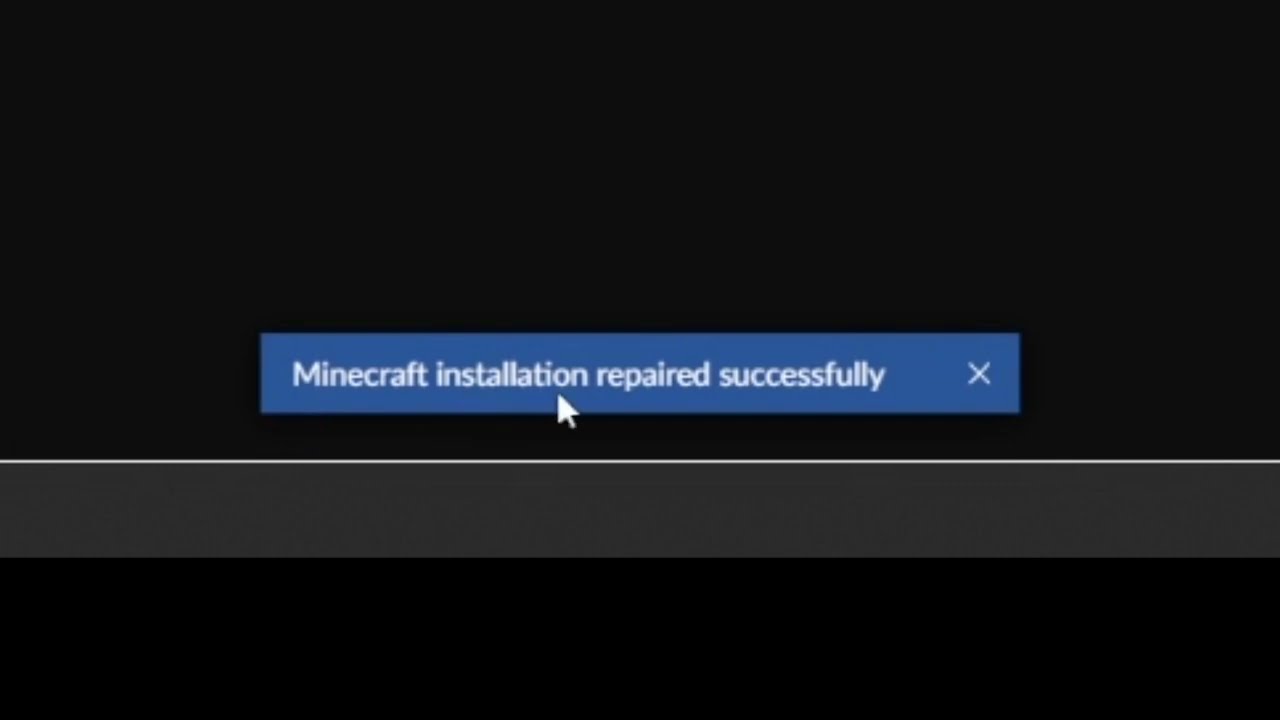
This short video will show you how to find the "Repair installation" for Minecraft in CurseForge.
What it does, is basically check if the local installation of Minecraft that CurseForge uses, is valid/working, and will repair itself, if needed.
For further support, please go to https://discord.com/invite/curseforge
Yup, that one
wanton tapir
yeah im doing it
opal cipher
If there's still an error, I'd move the mod-path for Minecraft (after making sure to note where you have it currently, if you want to move any instances, as CF still doesn't do that for you yet)
 tardy willow
i keep getting exit code: 1 on minecraft 1.18.2 in a modpack that i made. i have installed java 18 and restarted curseforge and i still get the error
opal cipher
!mc-path
red patioBOT
Instructions for changing CurseForge Minecraft install path!
If Minecraft is not installed in CurseForge App:
- Click the
 in the top left.
 - Select Minecraft from the list of games.
- Select the
Advancedoption and select:
--- Windows:Local Disk (C:)at the left side of the window. If you do not see it, clickThis PCfirst.)
--- Mac:/Users/Shared/CurseForge, If it does not exist, make it. - Click
Continue.
If Minecraft is installed in CurseForge App:
- Click the
 in the bottom left.
 - Select the Minecraft tab.
- Click
Change. - Select the location:
--- Windows:Local Disk (C:)at the left side of the window. If you do not see it, clickThis PCfirst.)
--- Mac:/Users/Shared/CurseForge, If it does not exist, make it.
 queen storm
tardy willow
i keep getting exit code: 1 on minecraft 1.18.2 in a modpack that i made. i have...
queen storm
tardy willow
i keep getting exit code: 1 on minecraft 1.18.2 in a modpack that i made. i have...
!mc-logs
red patioBOT
Sending logs for support.
- Right-click the modpack profile icon OR click the button in the modpack profile.
- Click
Open Folder. - Open the
logsfolder. - Drag and drop the FILE named
latestORdebuginto discord.
tardy willow
opal cipher
Remove Optifine, try again, post new logs on crash
tardy willow
queen storm
!mc-logs
debug.log and latest.log files
 gilded juniper
would this be the channel to ask for assistance in logging in? Would I even be able to get assistance here for logging in?? (not trying to sound rude. Just unsure where to go with this issue)
queen storm
Login with microsoft, not mojang
gilded juniper
I tried, but it won't connect to the account I have minecraft on. It only let me connect with an old email that wasn't connected to MC or X-box
queen storm
Did you migrate your account?
gilded juniper
yes
queen storm
On the top left, can you switch accounts there?
wanton tapir
why does it make me download mc every single time i open from my mod
queen storm
wanton tapir
why does it make me download mc every single time i open from my mod
You did the installfix, then it does that, not every time
tardy willow
i see that in my logs it set the compatibility level to java 17 but i don't have that version of java
wanton tapir
oh alr
queen storm
tardy willow
i see that in my logs it set the compatibility level to java 17 but i don't have...
Launcher provides it
tardy willow
tardy willow
i see that in my logs it set the compatibility level to java 17 but i don't have...
i have java 18, how do i make it use that instead?
queen storm
Not
wanton tapir
it still didnt work
 queen storm
Will just break things
queen storm
wanton tapir
it still didnt work
!mc-logs
red patioBOT
Sending logs for support.
- Right-click the modpack profile icon OR click the button in the modpack profile.
- Click
Open Folder. - Open the
logsfolder. - Drag and drop the FILE named
latestORdebuginto discord.
wanton tapir
gilded juniper
there's no switch accounts. There's manage account, log out, and view all
 upper root
tardy willow
i have java 18, how do i make it use that instead?
upper root
tardy willow
i have java 18, how do i make it use that instead?
Veiw all, then its there iirc
Oops, wrong reply
That was to Plushie
queen storm
wanton tapir
Did you change the pack?
wanton tapir
wdym
queen storm
Did you add mods?
wanton tapir
queen storm
Did you add mods?
no
wanton tapir
i just redownloaded it like 5 hjrs ago
upper root
tardy willow
i have java 18, how do i make it use that instead?
You do not want to change the version of Java minecraft is using.
Your issue seems to be caused by cleancut, remove it.
gilded juniper
I can't add the account. I can log into my actual microsoft account, that is linked to my mojang, in the vanilla minecraft launcher.
wanton tapir
tim, so what now?
upper root
gilded juniper
I can't add the account. I can log into my actual microsoft account, that is lin...
Why cant you add the account?
gilded juniper
I'm not sure. It keeps saying the account or password is incorrect. But I've checked it multiple times, even reset the password

 opal cipher
 nocturne oriole
can someone help me?
nocturne oriole
can someone help me?
!mc-log Throw the logs into #👽︱game-support
red patioBOT
Sending logs for support.
- Right-click the modpack profile icon OR click the button in the modpack profile.
- Click
Open Folder. - Open the
logsfolder. - Drag and drop the FILE named
latestORdebuginto discord.
wanton tapir
i still need help
upper root
gilded juniper
I'm not sure. It keeps saying the account or password is incorrect. But I've che...
!mc-installfix you can try this
red patioBOT
This is NOT instructions for Repair Profile! They are NOT the same! You need to do this!
- Click on the Minecraft Tab on the Left side of the CurseForge App.
- Click button next to the
Create Custom Profileoption. - Click
Repair Installationoption. - Play game.
NOTE: You will not lose any modpacks or worlds!
tardy willow
tardy willow
tardy willow
now refined storage and refined storage addons are failing to load
upper root
!notcf
red patioBOT
Your question is not related to CurseForge owned/maintained features or services.
Please use the appropriate game room by getting a game role from #786424115535544350.
Otherwise use #👽︱game-support for game related help.
CurseForge does not make or maintain any of the content or games used on the site or app. Just because it's on the site/app does not make it a problem with CurseForge. Move rooms as requested, arguing about it will result in you being muted.
gilded juniper
still saying my account or password is wrong
I can log in to my technic launcher just fine, after updating changed password
queen storm
Make screenshots of the steps you make.
Make sure to remove all accounts from the launcher first
wanton tapir
tim i dont know what to do now...
queen storm
Neither do I
 tight crescent
Hello!
I am having some issues with installing forge, I have the correct file but I don’t know what to open it in. Any help would be appreciated
red patioBOT
Wording is important!
Forge = Minecraft Forge, This is a modloader often just called "Forge".
Fabric = Fabric MC, this is another modloader, just called "Fabric".
CurseForge = A Website/App that has content for games.
Mods = Individual mod files.
Modpacks = Multiple mods put into the mods folder or downloaded from CurseForge.
These are not Interchangeable! Please use the correct terms as it allows us to help you faster!
gilded juniper
click microsoft button.
Enter email
Enter password
incorrect account/password


 tropic mantle
I was wondering if anyone has any idea why i get this weird texture glitch on the curseforge app?
 opal cipher
Try turning off Hardware acceleration in Overwolf
tropic mantle
hm let me try
opal cipher
!mc-art Otherwise, try this
red patioBOT
How do I get rid of the strange white artifacts in my launcher/applications?
If you have a NVIDIA-card, you have to turn off Image Sharpening in the NVIDIA control panel.
 tropic mantle
sweet that worked. I appreciate the help. If it happens after this ill turn off image sharpening
 upper root
!cflogs-app
red patioBOT
<:overwolf:857375414002384916> How to get CurseForge App logs! <:overwolf:857375414002384916>
- Click the

Create logs zipin the menu.
menu. - Drag and drop the file it just made to this chat room to upload it.
- Wait for someone to look at it so they can help you.
 tight crescent
what app should I open forge in?
queen storm
Why do you want to open forge?
queen storm
!notcf
red patioBOT
Your question is not related to CurseForge owned/maintained features or services.
Please use the appropriate game room by getting a game role from #786424115535544350.
Otherwise use #👽︱game-support for game related help.
CurseForge does not make or maintain any of the content or games used on the site or app. Just because it's on the site/app does not make it a problem with CurseForge. Move rooms as requested, arguing about it will result in you being muted.
tight crescent
it is though, Im trying to download forge
queen storm
!!=
red patioBOT
Wording is important!
Forge = Minecraft Forge, This is a modloader often just called "Forge".
Fabric = Fabric MC, this is another modloader, just called "Fabric".
CurseForge = A Website/App that has content for games.
Mods = Individual mod files.
Modpacks = Multiple mods put into the mods folder or downloaded from CurseForge.
These are not Interchangeable! Please use the correct terms as it allows us to help you faster!
queen storm
We are curseforge
tight crescent
I know
queen storm
That is not normal forge
tight crescent
whats the difference?
queen storm
tight crescent
minecraftforge.net? or is it a different website
queen storm
!mc-forge
red patioBOT
 cunning lion
upper root
cunning lion
cunning lion
upper root
cunning lion
Do you have anything that could be blocking Curseforge, like a webfilter, vpn or antivirus?
nocturne oriole
is there a modded needed to play w lucky block mod?
 gilded wind
How do i change what disc i want to download a modpack on?
queen storm
gilded wind
How do i change what disc i want to download a modpack on?
!mc-path
red patioBOT
Instructions for changing CurseForge Minecraft install path!
If Minecraft is not installed in CurseForge App:
- Click the in the top left.
- Select Minecraft from the list of games.
- Select the
Advancedoption and select:
--- Windows:Local Disk (C:)at the left side of the window. If you do not see it, clickThis PCfirst.)
--- Mac:/Users/Shared/CurseForge, If it does not exist, make it. - Click
Continue.
If Minecraft is installed in CurseForge App:
- Click the in the bottom left.
- Select the Minecraft tab.
- Click
Change. - Select the location:
--- Windows:Local Disk (C:)at the left side of the window. If you do not see it, clickThis PCfirst.)
--- Mac:/Users/Shared/CurseForge, If it does not exist, make it.
 elfin pilot
i tried to open a modpack like 20 minutes ago and it said that smth was wrong with my launcher but now i try and it just doesnt open but it does say that i played it
 random ermine
sup i download atm 6 1.16.5 i playing some time end my save get down im reinstalled atm 6 end my save isnt working
random ermine
random ermine
sup i download atm 6 1.16.5 i playing some time end my save get down im reinstal...
please support me
in advance thx
opal cipher
Let me guess.. Minecraft?
Did you read the text about "ONLY World of Warcraft in Alpha"?
red patioBOT
╰( ͡° ͜ʖ ͡° )つ──☆*:・゚ *˜”*°•.˜”*°• Many Help •°*”˜.•°*”˜* <:curselit:796985620550385705>
Please provide a description of your issue with as much detail as possible. If you have an issue with a mod or modpack, tell us the name. Explain what you can see happening. Be specific!
Tell us what is happening, we already know it "doesn't work".
Avoid using words like "it", tell us exactly what "it" is.
Don't assume anyone knows what you are talking about, be specific.
Tell us what you expected to happen.
Provide screenshots or video if possible.
Provide a log if possible. ?mc-log
upper root
#🟢︱user-bot-spam for testing bot commands please
opal cipher
Uninstall Standalone, install standard version, with Overwolf.
cunning lion
upper root
Do you have anything that could be blocking Curseforge, like a webfilter, vpn or...
this??
 upper root
Could be
cunning lion
do i have to disable everything?
upper root
Just the firewall, that ones the most likely to be blocking it
cunning lion
upper root
Just the firewall, that ones the most likely to be blocking it
I've tried it, but it doesn't work
🥲
upper root
Anything else that might be blocking it?
upper root
Try some of the things in this link
https://support.curseforge.com/en/support/solutions/articles/9000194900-curseforge-troubleshooting#oops
cunning lion
upper root
Try some of the things in this link
<https://support.curseforge.com/en/support/...
it doesn't work 😭
 upper root
!cflogs-app send these again
queen storm
Yes, that
upper root
What did you try from that link?
cunning lion
DNS Issues
To resolve any existing DNS issues that could affect the app's connection to CurseForge's servers, you can try to set\change change your IPv4 DNS server address by following these steps:
upper root
Try the ipv6 steps too
 summer yacht
been stuck on this , do i just need to be patient ?
 upper root
Try the ipv6 steps too
upper root
upper root
Try the ipv6 steps too
If that doesnt work im not sure what will, sorry
summer yacht
ill just wait
 twin mural
can a moderator please view the modpack im trying to publish?
opal cipher
!status
red patioBOT
Project Moderation Time
Project/File moderation is done on these days unless otherwise mentioned:
Sunday, Monday, Tuesday, Wednesday, Thursday: <t:1631170800:t> - <t:1631199600:t> (Your time)
Friday, Saturday: No Moderation!
Projects are moderated First in, First out. If you submit late in the work day, it will likely get left until the next day!
New Projects or anything flagged for manual review: 1-3 Working Days
Updates to approved projects not needing manual approval: 1 Hour
-If your file has been "Under Review" for more than an hour, then it is at manual review!
Changes will only show in the app if the project meets the requirements in the ?sync command and up to 24 hours has passed from when it was accepted.
summer yacht
summer yacht
been stuck on this , do i just need to be patient ?
still stuck what the
opal cipher
(We don't check projects, other people do)
cunning lion
is it possible to download better minecraft without curseforge?
opal cipher
Yes, with another launcher that supports CurseForge modpacks
twin mural
how do i get my project checked?
 hard basin
the launcher crashes on bootup, are there any fixes?
 peak robin
how do i download the map of a mod?
lyric crescent
What's that mean?
peak robin
the mods normally come with a map?
lyric crescent
no
peak robin
none of them do?
lyric crescent
i have no idea if any do. normally there is no reason for them to.
peak robin
i see is it possible to run two or more different mod packs in the same world? sorry its my first time using curseforge
lyric crescent
nope
 tawdry rover
Hey. so someone uploaded an older version of my modpack. And it has the same discription. Its someone who i've long since blocked. Is there anyway to get this taken down? It even have the same name somehow.
lyric crescent
!ticket
red patioBOT
Issue Reporting with Overwolf tickets!
Issues can be reported two ways!
Via the website, or in app. Instructions for both are below!
Make sure to include logs when reporting a problem!
Upload your Overwolf logs with the Upload File option on the ticket, information on how to get these logs can be found here https://support.overwolf.com/en/support/solutions/articles/9000176827-how-to-get-your-overwolf-logs
:bug: Reporting via Website :bug:
Can't open the app or would rather use the website? You can do so here: https://support.curseforge.com/en/support/tickets/new
Fill out the form with accurate detailed information, "It doesn't work" isn't helpful! What exactly doesn't work and why doesn't it work should be easy to answer!
:question: Ticket Status :question:
Tickets you have made can be looked at, replied to and closed if you make/login to an account. If you submit a ticket with a specific Email make sure to use that when you make your account so you can see your past tickets!
https://support.curseforge.com/en/support/tickets
Otherwise you will only get email replies at the email you used to open the ticket.
:bug: Reporting via the CurseForge App :bug:
- Click the icon in the bottom left.
- Select

Open a Ticket. - Fill out the form with accurate detailed information, "It doesn't work" isn't helpful! What exactly doesn't work and why doesn't it work should be easy to answer!!
- Upload your Overwolf logs with the
Upload Filesection. (see the top of this message for details) - Submit!
tawdry rover
Oki thank you
 crystal igloo
help,it says "couldn't load launcher core "
queen storm
!mc-installfix
red patioBOT
This is NOT instructions for Repair Profile! They are NOT the same! You need to do this!
- Click on the Minecraft Tab on the Left side of the CurseForge App.
- Click button next to the
Create Custom Profileoption. - Click
Repair Installationoption. - Play game.
NOTE: You will not lose any modpacks or worlds!
crystal igloo
still the same
queen storm
Screenshot the button you pressed
crystal igloo
this
 queen storm
Screenshot the error please
crystal igloo

 chilly chasm
its not working to download any mods
queen storm
What error do you get?
chilly chasm
It says : no connection could be made because the target maching activley refused it 68.105.28.18:443
machine*
queen storm
Screenshot please
queen storm
windows+s I believe
opal cipher
Windows+Shift+S
 fast crown
crystal igloo
fast crown
crystal igloo
: ^)
 chilly chasm

it says activly
actively*
for every thing i try to download
do i restart my computer
ill just restart my computer
queen storm
!cflogs-app @ rpo and Phantom Blood
red patioBOT
<:overwolf:857375414002384916> How to get CurseForge App logs! <:overwolf:857375414002384916>
- Click the
Create logs zipin the menu. - Drag and drop the file it just made to this chat room to upload it.
- Wait for someone to look at it so they can help you.
fast crown
crystal igloo
 warped wedge
is there any way of accessing info about a project and a user using a REST api?
dumb question
better one, what is the minecraft game id
opal cipher
432
red patioBOT
opal cipher
The Dev discord is better suited for API questions
warped wedge
and is the reward points alogrithm based off downloads or ad revenue
 elder kindle
Hi, I was trying to download the better Minecraft 1.16.5 modpack and every time while installing it, it stops at mod 34/224 Blue Skies. I was wondering if there was a way to fix this, or if it may be a connection issue
lyric crescent
how long does it take to get to that point
elder kindle
At first it took about 30 mins, but now after installing it multiple times it only takes maybe 5
lyric crescent
..what do you mean by installing it?
elder kindle
Me trying to download it pretty much
lyric crescent
no im asking for specifics, not assumption. what are you doing to get to what you call it "being installed"
elder kindle
It currently says "Installing... Mod 34/224: Blue Skies"
I searched up better minecraft on curseforge and when it loaded it had a list of results, i clicked on the first result and pressed the install button
lyric crescent
ok, so that would be an internet issue then
elder kindle
Okay, thank you for the help! 🙂
 tranquil smelt
hey i would like some help with seeing if i can change from forge to fabric without any problems
young bone
What exactly would you be changing over?
lyric crescent
You can use a forge and fabric profile separately, but forge and fabric are not in any way compatible.
tranquil smelt
i understand that, but i would like to use shaders on forge but would rather use something rather then optfine as somthing like sodium with iris shaders would give much better performance
but like i would copy the world and paste it in the fabric version would it work fine?
 lyric crescent
not likely
tranquil smelt
damn
young bone
Oculus is the forge port of Iris, Rubidium is the forge port of sodium
tranquil smelt
im currently using mangnesium on forge and its working rather fine, would oculus work find with it?
young bone
That’s one of the mods oculus was made to work with
 daring topaz
How can I do to have this option on my ModPack?
 young bone
?mc-serverpack
red patioBOT
Serverpacks are special files uploaded alongside an existing project file. If the main file is rejected the server pack is also rejected.
You require an already uploaded export file to upload a server pack!
- Make the server pack by zipping up the required files by selecting the required folders & files. It should include the config and mod folders at a minimum, plus anything else you specifically required to run the server. Start/Run/Setup scripts are optional. Don't include modloader files or the minecraft server jar.
- Go to the
Filestab on the project. - Click the name of the file you wish to upload the server pack to. The pack and server should match pack versions.
- Click
Upload Additional File. - Fill out the form.
daring topaz
thank you
tranquil smelt
young bone
That’s one of the mods oculus was made to work with
https://www.curseforge.com/minecraft/mc-mods/oculus would this be it?
 young bone
Rubidium is a port of Sodium, same as Magnesium
If it wants Rubidium, then you’d better use it
tranquil smelt
well i gotta use it
2nd try
ayy ty man

also just downloaded older drivers cuz nvidia sucks balls
it works ty squizzle
 shy gyro
Is there yet a way to filter mods based on version AND modloader, or are we still forced to pick one method of filtering?
young bone
On the site?
shy gyro
Yes
young bone
Currently it’s still the one filter when looking at search results
 idle mango
What does this mean? My pack upload failed because of it
"file ID: 3807675 (AdChimneys-1.18.2-8.2.0.0-build.0935.jar), project ID: 244830 (Advanced Chimneys), an unknown category: undefined."
 dim delta
so after starting the mod my friend gets this message with the error code exit 1 , but the mod runs fine on my pc what can we do?
 red patioBOT
Error/Exit codes are useless. Follow these steps so someone can actually help you.
- Right-click the modpack profile icon OR click the button in the modpack profile.
- Click
Open Folder. - Open the
logsfolder. - Drag and drop the FILE named
latestORdebuginto discord.
signal ridge
idle mango
What does this mean? My pack upload failed because of it
"file ID: 3807675 (AdC...
Try reinstalling that mod using the app.
signal ridge
dim delta
so after starting the mod my friend gets this message with the error code exit 1...
!mc-installfix try this
red patioBOT
This is NOT instructions for Repair Profile! They are NOT the same! You need to do this!
- Click on the Minecraft Tab on the Left side of the CurseForge App.
- Click button next to the
Create Custom Profileoption. - Click
Repair Installationoption. - Play game.
NOTE: You will not lose any modpacks or worlds!
idle mango
signal ridge
!mc-installfix try this
Apparently just exporting it again and uploading it made curseforge change it's mind
daring topaz
red patio
He has an explanatory video I don't quite understand?
it's the first part that i don't understand
queen storm
The first step?
daring topaz
yes :''1. Make the server pack by zipping up the required files by selecting the required folders & files. It should include the config and mod folders at a minimum, plus anything else you specifically required to run the server. Start/Run/Setup scripts are optional. Don't include modloader files or the minecraft server jar.''
to make a client version you have to use this but for server I don't understand
 signal ridge
You need to select all the files needed for the server to run and make a zip of them.
Excluding the modloader.jar and minecraft_server.jar
dim delta
signal ridge
!mc-installfix try this
where do i type it in?
signal ridge
signal ridge
Excluding the modloader.jar and minecraft_server.jar
Would recommend if you havent already make a server for the pack on your pc, make sure it works then zip whats needed
signal ridge
dim delta
where do i type it in?
You dont type it. You read and do what the bot says
dim delta
!mc-installfix
red patioBOT
This is NOT instructions for Repair Profile! They are NOT the same! You need to do this!
- Click on the Minecraft Tab on the Left side of the CurseForge App.
- Click button next to the
Create Custom Profileoption. - Click
Repair Installationoption. - Play game.
NOTE: You will not lose any modpacks or worlds!
daring topaz
signal ridge
Excluding the modloader.jar and minecraft_server.jar
okay
and that's all ?
signal ridge
Then you move to step2
daring topaz
okay thank you
 wicked furnace
I tried playing it but it crashes right when it opens.
queen storm
!notcf
red patioBOT
Your question is not related to CurseForge owned/maintained features or services.
Please use the appropriate game room by getting a game role from #786424115535544350.
Otherwise use #👽︱game-support for game related help.
CurseForge does not make or maintain any of the content or games used on the site or app. Just because it's on the site/app does not make it a problem with CurseForge. Move rooms as requested, arguing about it will result in you being muted.
dim delta
signal ridge
You dont type it. You read and do what the bot says
so i we did that but it still buggs out
is there something else we can doß
 paper river
i cant access curse forge atm and it says the host is down
queen storm
Known
 nova valley
hello , is the website down?
 dusky pond
Yes
 cyan osprey
have you read the previous message?
paper river
i was just downloading my last mod for my world 🥲
cyan osprey
guess you have to wait
 jovial fractal
website is down
 terse temple
sorry
 dense jasper
signal ridge
dense jasper
signal ridge
Restarting it or reinstalling the cf app should work, tho with the site having issues may have to try again later.
digital roost
Uncaught exception in thread "main"
net.fabricmc.loader.impl.util.ExceptionUtil$WrappedException: java.io.IOException: error reading C:\Users\Administrator\AppData\Roaming.minecraft\versions\fabric-loader-0.14.8-1.19\fabric-loader-0.14.8-1.19.jar
at net.fabricmc.loader.impl.util.ExceptionUtil.wrap(ExceptionUtil.java:51)
at net.fabricmc.loader.impl.game.minecraft.MinecraftGameProvider.locateGame(MinecraftGameProvider.java:232)
at net.fabricmc.loader.impl.launch.knot.Knot.createGameProvider(Knot.java:177)
at net.fabricmc.loader.impl.launch.knot.Knot.init(Knot.java:130)
at net.fabricmc.loader.impl.launch.knot.Knot.launch(Knot.java:68)
at net.fabricmc.loader.impl.launch.knot.KnotClient.main(KnotClient.java:23)
Caused by: java.io.IOException: error reading C:\Users\Administrator\AppData\Roaming.minecraft\versions\fabric-loader-0.14.8-1.19\fabric-loader-0.14.8-1.19.jar
at net.fabricmc.loader.impl.game.LibClassifier.process(LibClassifier.java:214)
at net.fabricmc.loader.impl.game.LibClassifier.process(LibClassifier.java:161)
at net.fabricmc.loader.impl.game.minecraft.MinecraftGameProvider.locateGame(MinecraftGameProvider.java:187)
... 4 more
Caused by: java.util.zip.ZipException: zip file is empty
at java.base/java.util.zip.ZipFile$Source.zerror(ZipFile.java:1598)
at java.base/java.util.zip.ZipFile$Source.findEND(ZipFile.java:1382)
at java.base/java.util.zip.ZipFile$Source.initCEN(ZipFile.java:1477)
at java.base/java.util.zip.ZipFile$Source.<init>(ZipFile.java:1315)
at java.base/java.util.zip.ZipFile$Source.get(ZipFile.java:1277)
at java.base/java.util.zip.ZipFile$CleanableResource.<init>(ZipFile.java:709)
at java.base/java.util.zip.ZipFile.<init>(ZipFile.java:243)
at java.base/java.util.zip.ZipFile.<init>(ZipFile.java:172)
at java.base/java.util.zip.ZipFile.<init>(ZipFile.java:186)
at net.fabricmc.loader.impl.game.LibClassifier.process(LibClassifier.java:201)
... 6 more
What does this mean
upper root
Please dont post log snippets, post the full log file instead
And #👽︱game-support please
 signal ridge
Try rebooting your pc, then try again
elder kindle
I have a better internet connection but now it will randomly stop and say "The remote name could not be resolved: 'edge.forgecdn/net' "
Is this another Internet connection problem?
 clear monolith
Incompatible mod set!
net.fabricmc.loader.impl.FormattedException: Mod resolution encountered an incompatible mod set!
A potential solution has been determined:
- Replace mod 'Fabric Loader' (fabricloader) 0.14.6 with version 0.14.7 or later.
Unmet dependency listing:
- Mod 'Just Enough Items' (jei) 11.0.0.203 requires version 0.14.7 or later of mod 'Fabric Loader' (fabricloader), but only the wrong version is present: 0.14.6!
at net.fabricmc.loader.impl.FabricLoaderImpl.load(FabricLoaderImpl.java:190)
at net.fabricmc.loader.impl.launch.knot.Knot.init(Knot.java:148)
at net.fabricmc.loader.impl.launch.knot.Knot.launch(Knot.java:68)
at net.fabricmc.loader.impl.launch.knot.KnotClient.main(KnotClient.java:23)
signal ridge
clear monolith
Incompatible mod set!
net.fabricmc.loader.impl.FormattedException: Mod resolutio...
Dont post snippets, they are useless, Send the full log file to #👽︱game-support
elder kindle
I dont understand, im sorry
dim delta
so i have a problem with downloading curse forge
so i just uninstalled curse forge but everytime i try to dowload is ther is just an error comming up
signal ridge
!notcf
red patioBOT
Your question is not related to CurseForge owned/maintained features or services.
Please use the appropriate game room by getting a game role from #786424115535544350.
Otherwise use #👽︱game-support for game related help.
CurseForge does not make or maintain any of the content or games used on the site or app. Just because it's on the site/app does not make it a problem with CurseForge. Move rooms as requested, arguing about it will result in you being muted.
 tranquil heron
I am confused by a rejection ticket I received about submitting my modpack. It says that the word "modpack" is not allowed and neither is using author names (on another page) but literally the #2 result on the modpack list has the word "modpack", and I've seen others use part of their author names in the pack name?
What do
 little igloo
!ticket
red patioBOT
Issue Reporting with Overwolf tickets!
Issues can be reported two ways!
Via the website, or in app. Instructions for both are below!
Make sure to include logs when reporting a problem!
Upload your Overwolf logs with the Upload File option on the ticket, information on how to get these logs can be found here https://support.overwolf.com/en/support/solutions/articles/9000176827-how-to-get-your-overwolf-logs
:bug: Reporting via Website :bug:
Can't open the app or would rather use the website? You can do so here: https://support.curseforge.com/en/support/tickets/new
Fill out the form with accurate detailed information, "It doesn't work" isn't helpful! What exactly doesn't work and why doesn't it work should be easy to answer!
:question: Ticket Status :question:
Tickets you have made can be looked at, replied to and closed if you make/login to an account. If you submit a ticket with a specific Email make sure to use that when you make your account so you can see your past tickets!
https://support.curseforge.com/en/support/tickets
Otherwise you will only get email replies at the email you used to open the ticket.
:bug: Reporting via the CurseForge App :bug:
- Click the icon in the bottom left.
- Select
Open a Ticket. - Fill out the form with accurate detailed information, "It doesn't work" isn't helpful! What exactly doesn't work and why doesn't it work should be easy to answer!!
- Upload your Overwolf logs with the
Upload Filesection. (see the top of this message for details) - Submit!
tranquil heron
okay
 pseudo sage
Is there any reason that deleting temporary files on win10 would delete a modded Minecraft world I use through curseforge?
signal ridge
tranquil heron
I am confused by a rejection ticket I received about submitting my modpack. It s...
Need to remove the word Modpack from your name, As its already implied as your making a modpack project.
Opening a ticket likely wouldnt fix that either.
tranquil heron
signal ridge
Need to remove the word Modpack from your name, As its already implied as your m...
Would shorthanding it to just "pack" work, or still the same issue? If not that's fine, I am getting other name suggestions for the pack in my server rn
signal ridge
Probably not. Best to pick a name that doesnt use modpack, pack, or any other generic names.
Reason you see other packs with it is they were likely created before the rule change (When twitch owned it)
tranquil heron
ohhhhh okay, ty!
 crisp kiln
guys, if I add a mod like artifacts, I have to reset the world or no?
 coral lotus
Im having issues with Java, I can't seem to "Fetch Java runtime files". I have force quited, re-installed curseforge, everything. Please help. Im on mac-os
lyric crescent
how is this related to curseforge?
coral lotus
cause im launching it from curseforge
 sinful geyser
i need help
 thorn gyro
sinful geyser
thorn gyro
sinful geyser
im still waiting for someone too

 coral lotus
Hell of a lot of support this gives
 wraith cave
hi, ive been running into an error trying to launch minecraft through curseforge, i think it has to do with some things i moved around which are causing an error. if somebody could help me out trying to fix this error it would be appreciated. im not very tech savvy so bear with me.
 magic shore
Problem : Crash
Exit code : 6
Modpack : Blockfront
red patioBOT
Error/Exit codes are useless. Follow these steps so someone can actually help you.
- Right-click the modpack profile icon OR click the button in the modpack profile.
- Click
Open Folder. - Open the
logsfolder. - Drag and drop the FILE named
latestORdebuginto discord.
lyric crescent
magic shore
moderator pls ping me if u reply
!notcf
red patioBOT
Your question is not related to CurseForge owned/maintained features or services.
Please use the appropriate game room by getting a game role from #786424115535544350.
Otherwise use #👽︱game-support for game related help.
CurseForge does not make or maintain any of the content or games used on the site or app. Just because it's on the site/app does not make it a problem with CurseForge. Move rooms as requested, arguing about it will result in you being muted.
 wooden ether

We shot this video last year at our family Christmas Card shoot!
Song is 'Lady Marmalade' by Christina Aguilera, Pink, Mya, Lil Kim
digital roost
hey I got a problem with my modpack
whenever I try to run my game and launch it
it doesn't load up
signal ridge
!mc-installfix try that
red patioBOT
This is NOT instructions for Repair Profile! They are NOT the same! You need to do this!
- Click on the Minecraft Tab on the Left side of the CurseForge App.
- Click button next to the
Create Custom Profileoption. - Click
Repair Installationoption. - Play game.
NOTE: You will not lose any modpacks or worlds!
digital roost
it says its running but the game itself won't appear
 signal ridge
the java process may be the game,
 signal vale
I have several issues I've ran into with Curseforge. It seems that every time I try to load Minecraft Mods into it, it runs into issues. Either it crashes unexpectedly and gives me that error message, or it just takes 20+ minutes to actually load the mods I have installed. I don't know how to read the Logs.zip thing to figure out what went wrong.
digital roost
what can I do to fix it since it launched it and ran it but the game itself won't appear
signal ridge
digital roost
what can I do to fix it since it launched it and ran it but the game itself won'...
how long have you waited after pushing play?
signal ridge
signal vale
I have several issues I've ran into with Curseforge. It seems that every time I ...
!mc-logs send this to #👽︱game-support
red patioBOT
Sending logs for support.
- Right-click the modpack profile icon OR click the button in the modpack profile.
- Click
Open Folder. - Open the
logsfolder. - Drag and drop the FILE named
latestORdebuginto discord.
digital roost
signal ridge
how long have you waited after pushing play?
for like I'd say 12 minutes I'd say
signal ridge
digital roost
for like I'd say 12 minutes I'd say
!mc-launcherlog try sending this
red patioBOT
How to get the launcher log
- Right click a profile.
- Select
Open Folder - Go back two folders.
- Open the
Installfolder. - Drag the
launcher_log.txtinto discord.
signal vale
@signal ridge Which modpack do I do this for? Or should I do this for every modpack I have installed?
signal vale
It's Curseforge which is crashing. I don't know which modpack is causing this.
signal ridge
ah ok, I thought it was a pack that was crashing. Will need different logs for that then
!cflogs-app
red patioBOT
<:overwolf:857375414002384916> How to get CurseForge App logs! <:overwolf:857375414002384916>
- Click the
Create logs zipin the menu. - Drag and drop the file it just made to this chat room to upload it.
- Wait for someone to look at it so they can help you.
signal ridge
!mc-logs try this for the pack your loading.
red patioBOT
Sending logs for support.
- Right-click the modpack profile icon OR click the button in the modpack profile.
- Click
Open Folder. - Open the
logsfolder. - Drag and drop the FILE named
latestORdebuginto discord.
signal vale
signal ridge
ah ok, I thought it was a pack that was crashing. Will need different logs for t...
This should be it, right?
digital roost
 signal ridge
digital roost
signal ridge
digital roost
One literally called latest
signal ridge
digital roost
This a modpack you made OR downloaded?
digital roost
made
signal ridge
signal vale
This should be it, right?
what are you doing when it crashes?
signal ridge
digital roost
made
Try removing xaero map
digital roost
map and minimap?
signal ridge
digital roost
map and minimap?
Which versions of that mod do you have installed?
digital roost
wtf now its working
digital roost
signal ridge
Which versions of that mod do you have installed?
I updated those mods? if that helps
signal ridge
Do you have both the minimap and the fair-play addition?
digital roost
I have the map and minimap idk what the fair play addition
signal ridge
ok, then something in the mod is causing issues. Looks like Class issues, would need to report it to the mods dev
digital roost
how would I get an older version before the update?
signal ridge
in your modpacks tab > scroll down to the mod > click its name > versions tab
OR
Click add more content > find the mod > click its name > versions tab
 signal ridge
!notcf
red patioBOT
Your question is not related to CurseForge owned/maintained features or services.
Please use the appropriate game room by getting a game role from #786424115535544350.
Otherwise use #👽︱game-support for game related help.
CurseForge does not make or maintain any of the content or games used on the site or app. Just because it's on the site/app does not make it a problem with CurseForge. Move rooms as requested, arguing about it will result in you being muted.
signal ridge
 limpid yoke
See above bot as well
 supple fossil
I've been trying to get a new updated modpack zip uploaded, but it continues to get rejected saying a certain file is missing, but it's in there on my end 😦 a file called manifest.json. It is in fact in the zip, made sure it was before I zipped it, but I'm not sure how it's not being seen.
signal ridge
How are you making the zip?
supple fossil
I exported it from the CurseForge launcher. I had also initially deleted some mods on the main profile area with the list of them, looked in the files and the files were still present even after seemingly deleting it. Took care of that by getting rid of the files, then made sure it seemed it was all set, re-zipped it, and submitted it
Been having a hard time getting a working modpack to work on a third party server as well, and I think I may have messed the modpack up somehow
signal ridge
Are you editing the zip after exporting?
supple fossil
Yea, I did once or twice, then I also edited it by opening the folder through the launcher, fixed it there as well, I hope ;-;
signal ridge
Dont..
You shouldnt be messing with the zip once you have exported it. If you need to make changes do them in the app then export again
supple fossil
Ok
I'll see if that was the problem, double check through the launcher files, then try a new export
Seems like that was it, hopefully I won't have to keep making changes to it XD these files can be sneaky. Now I know to re-export it though, thanks!
signal vale
signal ridge
what are you doing when it crashes?
I just hit restart, because that's my only option
Or are you asking what I'm doing that causes it to crash? If that's the case, all I'm doing is starting the app, and this error message pops up as it loads the Minecraft modpacks
supple fossil
Is there a way to quickly sift through modpack files automatically to see if files match up with what's actually present on the list?
So if I deleted some mods off the list and need to make sure I've gotten all those files deleted out of the config folder when opening the file through the launcher, etc, without exporting it so I keep it in place
digital roost
i dont apppreciate that
 quartz ermine

everytime i rerun my modpack i have to go through this download
is this normal?
it says 4mb but it usually goes up to 12 mb
 upper root
Thats normal
 lean summit
how do I add addon to my Minecraft modpack
upper root
!mc-modifypack
red patioBOT
How to add/remove mods in a modpack.
- Click on the picture of the modpack.
- Click the

Add More Contentbutton, IF this button is not there, see below before continuing. - Find the Mods, Resource Packs or Maps you wish to Install and click
Installon them. - Wait for all the required mods to be downloaded.
- Start the modpack.
How to Enable/Disable content management for modpacks.
- Click on the picture of the modpack.
- Click on the button next to the
Playbutton. - Click on

Profile Options. - Check the
Allow content management for this profileoption if you want to edit the content of the modpack, uncheck it to disable.
NOTE: The Allow content management for this profile option is what allows you to Delete, Disable, Update or Install any Mods, Resource Packs or Maps managed by CurseForge. It must be on to modify any of them! (Currently)

 static ferry
I think website is down cus Cloudflare is down, since a lot of other sites and recently discord was down as well
 rustic lily
Does anyone know how to fix this? Am on a Macbook Pro M1 and this message keeps appearing since this morning after trying to update a modpack

Could it have anything to do with the fact that Curse on Mac OS recieved an update today?
opal cipher
Could be that CloudFlare has/had problems globally.
rustic lily
do you know if its still ongoing?
opal cipher
https://www.cloudflarestatus.com/
They're monitoring if the fix is effective.
But also, that looks like it's an issue with Minecraft installing Java, so not really an issue of CurseForge. (I might be wrong)
rustic lily
opal cipher
But also, that looks like it's an issue with Minecraft installing Java, so not r...
I was thinking along these lines as well but Ive not heard of anyone having problems with a javaruntime before, so i have no clue what is going wrong. I don't even have a crashlog to try and troubleshoot
cunning lion
😭 no way?

 misty dawn
cunning lion
😭 no way?
opal cipher
misty dawn
cunning lion
😭 no way?
opal cipher
CloudFlare say it's fixed though.
So now it might just be Mojang/Microsoft/Amazon issues instead. You never know..
misty dawn
Always got to be something
 sour apex
I have a game that i want you guys to add its called subnautica
 hard ingot
if anybody can plezhelp me out
red patioBOT
Your question is not related to CurseForge owned/maintained features or services.
Please use the appropriate game room by getting a game role from #786424115535544350.
Otherwise use #👽︱game-support for game related help.
CurseForge does not make or maintain any of the content or games used on the site or app. Just because it's on the site/app does not make it a problem with CurseForge. Move rooms as requested, arguing about it will result in you being muted.
red patioBOT
Error/Exit codes are useless. Follow these steps so someone can actually help you.
- Right-click the modpack profile icon OR click the button in the modpack profile.
- Click
Open Folder. - Open the
logsfolder. - Drag and drop the FILE named
latestORdebuginto discord.
 sand sorrel
My game crashes every time I try to get into my modded server (we use All of Fabrics 5). the Error Code "The game crashed whilst rendering block entity
Error: java.lang.NullPointerException: Cannot invoke "net.minecraft.class_4730.method_24145(net.minecraft.class_4597, java.util.function.Function)" because "$$12" is null
Exit Code: -1" shows up after the game crashes. I have my latest log and crash report you can also take a look at. It happened as soon as I placed down a modded sign - only the area and the players around it are affected by this.
queen storm
Seems like sodium
sand sorrel
how would i be able to resolve that issue?;-;
queen storm
Remove sodium?
sand sorrel
when i remove it - i cant play on the server. It says Incompatible Mod Set.
queen storm
Your server?
sand sorrel
nope its owned by someone else.
queen storm
Is the modpack on the site?
sand sorrel
what site?
queen storm
Curseforge...
Is it in the app or did you get a zip?
sand sorrel
The moddpack All of Fabrics 5 is downloaded to Curseforge
queen storm
!projectissue Do this in that case
red patioBOT
Please visit the project page for the content you posted about and look for a way to contact the developer.
Somewhere on the page there is usually a method of contact. Look for one of the following things:
Issuestab like the image below.- Discord link.
- Twitter link.
- Comments section below the project.
If no contact method exists you will either have to remove the project or find a solution on your own.
 sand sorrel
thx so much
 unborn basin
cunning lion
😭 no way?
unborn basin
cunning lion
😭 no way?
PMed you
 cerulean gorge
hello, is there somebody who can help me with my problem?
 queen storm
little igloo
queen storm
little igloo
!notcf
red patioBOT
Your question is not related to CurseForge owned/maintained features or services.
Please use the appropriate game room by getting a game role from #786424115535544350.
Otherwise use #👽︱game-support for game related help.
CurseForge does not make or maintain any of the content or games used on the site or app. Just because it's on the site/app does not make it a problem with CurseForge. Move rooms as requested, arguing about it will result in you being muted.
queen storm
cerulean gorge
hello, is there somebody who can help me with my problem?
You installed 1.18 instead of 1.18.2
 minor apex
How does one give more ram to CurseForge Launcher?
queen storm
!mc-ram
red patioBOT
How to set Global Minecraft RAM value.
- Click the icon in the bottom left to open settings.
- Click the Minecraft tab.
- Scroll down.
- Slide slider to recommended ram range as seen below.
 minor apex
No Not MC.. Im talking about The CurseForge itself.
Keeps crashing when I browse for mods and taking like 5 mins to load the next page and just kills itself after 30 mins
red patioBOT
:bug: Reporting via the CurseForge App :bug:
-
Click the
icon in the bottom left. -
Select
Open a Ticket. -
Fill out the form with accurate detailed information, "It doesn't work" isn't helpful! What exactly doesn't work and why doesn't it work should be easy to answer!
-
Make sure to upload your Overwolf logs with the
Upload Fileoption on the ticket, information on how to get these logs can be found here https://support.overwolf.com/en/support/solutions/articles/9000176827-how-to-get-your-overwolf-logs -
Submit!
 queen storm
No it isn't...
opal cipher
That was hours ago.
 eternal spire
hello
i am playing pixelmon but it tells me that curse forge is outdated s o i downloaded the app thing and it still tells me that
signal ridge
Show the message
eternal spire
 red patioBOT
You can update the mod loader within the same game version in the CurseForge app by following these steps!
- Click on the modpack profile you are working with.
- Click on the button next to the play button.
- Click on the Profile Options button.
- Select the mod loader version you want from the dropdown.
- Play!
If you need to update to a new game version, a new profile is required.
eternal spire
Ok then thx
 daring flare
hi don't know if it's the right place to ask but how can i solve this problem (tried reinstalling java 17)
 queen storm
!mc-logs
red patioBOT
Sending logs for support.
- Right-click the modpack profile icon OR click the button in the modpack profile.
- Click
Open Folder. - Open the
logsfolder. - Drag and drop the FILE named
latestORdebuginto discord.
daring flare
 sharp widget
<redacted :P>
signal ridge
!notcf
red patioBOT
Your question is not related to CurseForge owned/maintained features or services.
Please use the appropriate game room by getting a game role from #786424115535544350.
Otherwise use #👽︱game-support for game related help.
CurseForge does not make or maintain any of the content or games used on the site or app. Just because it's on the site/app does not make it a problem with CurseForge. Move rooms as requested, arguing about it will result in you being muted.
sharp widget
ok sry
 keen egret
Hello, I'm trying to upload a modpack to CourseForge, but it doesn't go online, I only get one answer: "Your project was rejected because the manifest.json file was missing!". What kind of file is this, how should I insert it and what should be in the file?
red patioBOT
There are two ways to share a modpack you've made with others...
Export and Share - For Friends to Small Groups.
- Click the Icon for the modpack.
- Click the button next to play.
- Click

Export. - Select the files that should be included.
- Send the zip to the people that want it! They can follow the instructions in
!mc-installpackto install the pack!
Upload to Curseforge - For Public Release to Everyone.
This options will make your pack public to EVERYONE, it comes with extra requirements and will take some effort to set up.
- Go to here: https://www.curseforge.com/project/432/4471/create
- Fill out the information with a proper description of the pack. This should allow anyone to understand what the pack is.
- Click the Icon for the modpack in the CurseForge app.
- Click the button next to play.
- Click
Export. - Select the files that should be included.
- Open your Project you made on the CurseForge site and Upload the file you just made.
- Wait for Moderation & Sync so it can show up in the client! (See
!syncfor limitations)
keen egret
ok........
young bone
Have you been trying to build your pack from the vanilla launcher
keen egret
ye
digital roost
so i need help installing curseforge it keeps deleting or something when the download finishes
lyric crescent
!getcf
red patioBOT
Looking to install the CurseForge app?
<:windows:798410728188936222> Windows
Minimum Requirements:
- OS Version: 7 (64 bit), 8.1, 10, 11
- 64 bit Required.
- 350MB storage space.
- Microsoft .Net 4.8
- Intel/AMD quad-core CPU
- 8GB ram
[Windows Download]
[Windows Alternative Download]
If you are having issues with the Windows Download use the Windows Alternative Download to install Overwolf. Then download CurseForge from the App Store.
Windows Standalone: NOTE: ONLY SUPPORTS WORLD OF WARCRAFT CURRENTLY!
Requirements:
Uh, Windows? (No not the ones in your house)
WoW as that's all it's useful for..
Some sort of zoomy box that does teh verk.
[Windows Standalone] NOTE: ONLY SUPPORTS WORLD OF WARCRAFT CURRENTLY!
<:mac:798410654418862130> Mac
:penguin: Linux
NOTE: ONLY SUPPORTS WORLD OF WARCRAFT CURRENTLY!
Minimum Requirements:
Something not windows or mac would be a start.
Hopefully it turns on.
A screen would be beneficial too.
lyric crescent
use the alternative link
digital roost
okay thanks
 fossil vault
So can someone please help
 signal ridge
What were you trying to do
fossil vault
download a modpack
red patioBOT
<:overwolf:857375414002384916> How to get CurseForge App logs! <:overwolf:857375414002384916>
- Click the
Create logs zipin the menu. - Drag and drop the file it just made to this chat room to upload it.
- Wait for someone to look at it so they can help you.
signal ridge
So its installed now?
fossil vault
yeah
signal ridge
Nice, might have just been a network hickup.
fossil vault
maybe but thanks anyways
 fair herald
When i try to start my modpack, it crashes and this pop up in my mc launcher:
The game crashed whilst rendering overlay
Error: java.lang.IllegalStateException: Render layers can only be set during client loading! This might ideally be done from FMLClientSetupEvent.
Exit-Code: -1
can someone help
 normal jay
Guys, UWP minecraft launcher works with curseforge?
signal ridge
fair herald
When i try to start my modpack, it crashes and this pop up in my mc launcher:
T...
!notcf
red patioBOT
Your question is not related to CurseForge owned/maintained features or services.
Please use the appropriate game room by getting a game role from #786424115535544350.
Otherwise use #👽︱game-support for game related help.
CurseForge does not make or maintain any of the content or games used on the site or app. Just because it's on the site/app does not make it a problem with CurseForge. Move rooms as requested, arguing about it will result in you being muted.
signal ridge
normal jay
Guys, UWP minecraft launcher works with curseforge?
Curseforge uses its own copy of the launcher from Mojang, No idea what the UWP Launcher is?
normal jay
signal ridge
Curseforge uses its own copy of the launcher from Mojang, No idea what the UWP L...
uwp from microsoft store
signal ridge
Then likely not.
 pearl hamlet
how do i delete my curseforge account? i checked the knowledge base, and that was for when they were still owned by twitch. i contacted support, and they just linked the knowledge base.
if i were to delete my overwolf account, would that delete my curseforge account?
or do i have to contact support again, and hope that they can do something?
lyric crescent
Overwolf and Curseforge accounts are unrelated. Curseforge uses Twitch accounts. No idea how one would be deleted. Any particular reason you want to?
pearl hamlet
personally i just dont like having accounts im never going to use. i used curseforge before, but i just dont need it anymore
lean summit
how do i add a addon pack on my Minecraft 1.7.10
lyric crescent
pearl hamlet
personally i just dont like having accounts im never going to use. i used cursef...
what's the knowledgebase link you were given?
pearl hamlet

CurseForge Support
We're here to get you informed on everything you need to know about CurseForge, including helpful guides and troubleshooting articles to back you up when you get in a pickle
i use twitch to log in, but afaik twitch doesnt own curseforge anymore so i dont understand why i would contact twitch for them to remove my account
lyric crescent
cuz it still uses twitch
pearl hamlet
oh, i did use the link before, and twitch said they resolved my problem... which they didnt
lyric crescent
there may not even be a way to remove an account considering there isnt any method here.
pearl hamlet
alright, well thanks for the help anyways
lyric crescent
i would reply to support and see what they say.
pearl hamlet
twitch support, or curseforge support?
lyric crescent
curseforge support
pearl hamlet
ok, ill do that
lyric crescent
disabling your Twitch account will prevent you from logging into your CurseForge profile. You will not have access to your CurseForge projects or data. Your projects will remain available.
leads me to believe there is not a way to delete it
lean summit
how do i add a addon pack on my Minecraft 1.7.10
lyric crescent
are you using curseforge?
lean summit
yes
 serene thorn
On my curseforge updating mods is the same
I thought there was a update to make it easier and faster
lean summit
serene thorn
I thought there was a update to make it easier and faster
its a addon not a mod
young bone
Don’t think they were talking to you
lean summit
oh
lyric crescent
serene thorn
On my curseforge updating mods is the same
modpacks
lyric crescent
lean summit
how do i add a addon pack on my Minecraft 1.7.10
what addon? does it have instructions?
lean summit
for Fisk's superheroes mod
lyric crescent
link?
lyric crescent
no idea, looks like they have a discord. tried that?
 torpid juniper
how do i allocate more memory to a minecraft install, i tried increasing it on setting but it hasnt changed in game
lyric crescent
?mc-ram
red patioBOT
How to set Global Minecraft RAM value.
- Click the icon in the bottom left to open settings.
- Click the Minecraft tab.
- Scroll down.
- Slide slider to recommended ram range as seen below.
torpid juniper
ive tried that but it still says 3gb in game
lyric crescent
you need to close the launcher too for setting changes to take effect
torpid juniper
ok thanks
 shut nimbus
is there any way that I could use a mojang acc like you can on lunar
lyric crescent
no
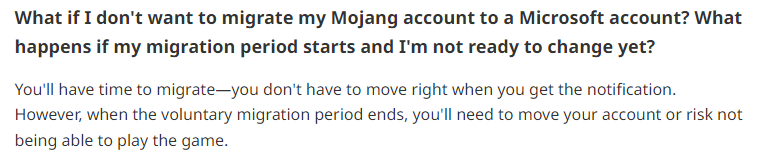
also at some point if you havent migrated you will lose access to that account entirely and will have to purchase a new one
shut nimbus
i wont need to buy a new one what r u on about lmao
lyric crescent
guess you havent actually bothered to read the warning the launcher gives you then.
 frosty marlin
my friend is having an issue with loading minecraft with the error code being index was outside of the bounds of the array
red patioBOT
Error/Exit codes are useless. Follow these steps so someone can actually help you.
- Right-click the modpack profile icon OR click the button in the modpack profile.
- Click
Open Folder. - Open the
logsfolder. - Drag and drop the FILE named
latestORdebuginto discord.
frosty marlin
any thoughts?
lyric crescent
Doing what the bot said might help
supple fossil
I continue to get this crash message: The game crashed whilst ticking entity
Error: java.lang.NullPointerException: Registry Object not present: effective_fg:droplet
Exit Code: -1
red patioBOT
Error/Exit codes are useless. Follow these steps so someone can actually help you.
- Right-click the modpack profile icon OR click the button in the modpack profile.
- Click
Open Folder. - Open the
logsfolder. - Drag and drop the FILE named
latestORdebuginto discord.
supple fossil
I started the modpack over from scratch, exported and uploaded, got it installed on my server to no avail
This has happened so many times I've lost count, and this time I don't believe I did anything to cause it
lyric crescent
!notcf
red patioBOT
Your question is not related to CurseForge owned/maintained features or services.
Please use the appropriate game room by getting a game role from #786424115535544350.
Otherwise use #👽︱game-support for game related help.
CurseForge does not make or maintain any of the content or games used on the site or app. Just because it's on the site/app does not make it a problem with CurseForge. Move rooms as requested, arguing about it will result in you being muted.
 slender galleon
I can't install curseforge. I had installed overwolf and curseforge but when i double-clicked on curseforge, for a while that was saying "launching" and than closing and nothing happening. Now i uninstalled everything and installed overwolf again and when i try to dobule-click on curseforge installer, only website opens where is writen "curseforge is istalled" but it isn't. Please help
lyric crescent
!getcf
red patioBOT
Looking to install the CurseForge app?
<:windows:798410728188936222> Windows
Minimum Requirements:
- OS Version: 7 (64 bit), 8.1, 10, 11
- 64 bit Required.
- 350MB storage space.
- Microsoft .Net 4.8
- Intel/AMD quad-core CPU
- 8GB ram
[Windows Download]
[Windows Alternative Download]
If you are having issues with the Windows Download use the Windows Alternative Download to install Overwolf. Then download CurseForge from the App Store.
Windows Standalone: NOTE: ONLY SUPPORTS WORLD OF WARCRAFT CURRENTLY!
Requirements:
Uh, Windows? (No not the ones in your house)
WoW as that's all it's useful for..
Some sort of zoomy box that does teh verk.
[Windows Standalone] NOTE: ONLY SUPPORTS WORLD OF WARCRAFT CURRENTLY!
<:mac:798410654418862130> Mac
:penguin: Linux
NOTE: ONLY SUPPORTS WORLD OF WARCRAFT CURRENTLY!
Minimum Requirements:
Something not windows or mac would be a start.
Hopefully it turns on.
A screen would be beneficial too.
lyric crescent
use the alternative one
slender galleon
i used it and now when i double-click on curseforge installer, nothing happens expect opening this site
 lyric crescent
!ticket
red patioBOT
Issue Reporting with Overwolf tickets!
Issues can be reported two ways!
Via the website, or in app. Instructions for both are below!
Make sure to include logs when reporting a problem!
Upload your Overwolf logs with the Upload File option on the ticket, information on how to get these logs can be found here https://support.overwolf.com/en/support/solutions/articles/9000176827-how-to-get-your-overwolf-logs
:bug: Reporting via Website :bug:
Can't open the app or would rather use the website? You can do so here: https://support.curseforge.com/en/support/tickets/new
Fill out the form with accurate detailed information, "It doesn't work" isn't helpful! What exactly doesn't work and why doesn't it work should be easy to answer!
:question: Ticket Status :question:
Tickets you have made can be looked at, replied to and closed if you make/login to an account. If you submit a ticket with a specific Email make sure to use that when you make your account so you can see your past tickets!
https://support.curseforge.com/en/support/tickets
Otherwise you will only get email replies at the email you used to open the ticket.
:bug: Reporting via the CurseForge App :bug:
- Click the icon in the bottom left.
- Select
Open a Ticket. - Fill out the form with accurate detailed information, "It doesn't work" isn't helpful! What exactly doesn't work and why doesn't it work should be easy to answer!!
- Upload your Overwolf logs with the
Upload Filesection. (see the top of this message for details) - Submit!
 earnest socket
hi i have been falesey perm ban for harsment on you site and i missed up to only one time appal
lyric crescent
make a ticket like it says above
earnest socket
the automated system rejected my ticket
 merry bramble
hello all, quick question, what would cause a profile to not be able to see the change version icon to update the modpack?
 uncut thicket
which category should i go to for like aesthetic and quality of life stuff? just makin vanilla better
 misty dawn
For quality of life i would say QoL
 sonic moss
hello! i was trying to download a modpack for minecraft and every time i click play in the launcher i get the same message "Couldn't select a valid version of the Java runtime to download." is there anyway to fix this? thanks.
digital roost
Excuse me, I I’ve had the same error multiple times while trying to play moded. Does anybody know how to fix error code 1?
red patioBOT
Error/Exit codes are useless. Follow these steps so someone can actually help you.
- Right-click the modpack profile icon OR click the button in the modpack profile.
- Click
Open Folder. - Open the
logsfolder. - Drag and drop the FILE named
latestORdebuginto discord.
digital roost
Exit code 1*
red patioBOT
Error/Exit codes are useless. Follow these steps so someone can actually help you.
- Right-click the modpack profile icon OR click the button in the modpack profile.
- Click
Open Folder. - Open the
logsfolder. - Drag and drop the FILE named
latestORdebuginto discord.
digital roost
 woeful surge
Excuse me, I had this same error multiple times while trying to play moded I even watched YouTube videos and still doesn’t work. Does anybody know how to fix error code 1
red patioBOT
Error/Exit codes are useless. Follow these steps so someone can actually help you.
- Right-click the modpack profile icon OR click the button in the modpack profile.
- Click
Open Folder. - Open the
logsfolder. - Drag and drop the FILE named
latestORdebuginto discord.
woeful surge
 marble marsh
lyric crescent
https://i.imgur.com/KfYFvBU.png
marble marsh
lyric crescent
https://i.imgur.com/KfYFvBU.png
mic drop, lol
 fast horizon
I can't get my custom Minecraft modpack to launch from the app
It keeps saying this The game crashed whilst rendering overlay
Error: java.lang.NullPointerException: Registry Object not present: minecraft:empty
Exit Code: -1
red patioBOT
Error/Exit codes are useless. Follow these steps so someone can actually help you.
- Right-click the modpack profile icon OR click the button in the modpack profile.
- Click
Open Folder. - Open the
logsfolder. - Drag and drop the FILE named
latestORdebuginto discord.
fast horizon
I can't get this to boot minecraft it keeps crashing just as its about to load (all 1.19 mods)
young bone
You’re using a Forge version that has some breaks in it
fast horizon
I'm sorry im new to this, does that mean I'm using the wrong Forge version (the 41.0.45) or app?
fast horizon
oh ok
young bone
Downgrade the Forge version you’re using
fast horizon
so what forge version should i use because I just had the default that was picked
what version would you recommend?
young bone
I guess 41.0.35 if that exists
fast horizon
ok I'll try it out
serene thorn
Is there a easy way to update mods with curse forge
fast horizon
I tried 41.0.35 with the same mods but it still didn't work
does that mean I just have to keep going lower in version?
 outer bramble
ZTecotl.
[20:50:10] [Render thread/FATAL]: Error during pre-loading phase
net.minecraftforge.fml.ModLoadingException: Mod §estructurize§r requires §6blockui§r §o1.19-0.0.52-ALPHA or above§r
§7Currently, §6blockui§r§7 is §o§nnot installed
Your missing a mod named blockui, just to point out one issue.
The other issue I have no idea.
 unique osprey
I am unable to download curse forge or overwolf. I currently have java 8 64 bit. Anyone have any suggestions, I have tried uninstalling and reinstalling everything. Including minecraft vanilla.
 topaz comet
Every time I try to load up Minecraft on cf it says Mod requires forge 36.2.20 or above
But everytime I redownload cf it doesn't update
 haughty raft
Can i please have some help?
i want to play on a server w some friends
how can we make it multiplayer
@fleet bear
 lyric dragon
Everytime I open minecraft for some mods will show weird colors whenever I open my inventory and this doesnt happen to my freinds when they use the same mod
 blazing wing
how come i cant install the app
once i give the installer acess nothing happens
i just tryna install my legends mod
lyric dragon
I make servers
haughty raft
do you use a 3rd party server hosting
lyric dragon
yes
haughty raft
do i chose vanilla or modded
cuz we made this custom mod pack
what do we do
or could i show you
im having a tough time w this
lyric dragon
Maybe mods
fast horizon
@outer bramble Thank you that BlockUI mod seems to have fixed the problem, I'm playing fine right now so it seems there are no other issues. Thanks
queen storm
haughty raft
<@117433042401886214>
How about following the rules? Number 5 and 4 this time
uncut thicket
so i made a modpack that works great for some people, but just sometimes doesnt launch for others
when they click play, it loads, but nothing actually opens
red patioBOT
Your question is not related to CurseForge owned/maintained features or services.
Please use the appropriate game room by getting a game role from #786424115535544350.
Otherwise use #👽︱game-support for game related help.
CurseForge does not make or maintain any of the content or games used on the site or app. Just because it's on the site/app does not make it a problem with CurseForge. Move rooms as requested, arguing about it will result in you being muted.
 pure cairn
I'm not sure is this is the right room to ask for help with my particular problem, but for some reason CurseForge doesn't recognise that I have Minecraft installed anymore. It recommended I reinstall Minecraft and I have (also the curefroge app as well), but it still refuses to launch. Not sure what else to do
queen storm
Did you install the alpha by any chance?
uncut thicket
Any help?
opal cipher
Mod §ebetterf3§r requires §6cloth_config§r §o7.0.65 or above§r
§7Currently, §6cloth_config§r§7 is §o§nnot installed
You need cloth_config 7.0.65 or above
uncut thicket
upper root
Mod waystones requires balm §o4.1.0 or above
How did you install these? If you are using the CurseForge apps search feature it should do that automatically
uncut thicket
Thats what I thought
digital roost
does anyone know how to add vanilla tweaks's crafting tweaks
cunning lion
Finally
 valid sparrow
Hi, I created a modpack that got approved a couple of days ago, but I get empty result when I try to search for it. Does it take a while before it becomes searchable? The modpack is called "TheBergsons"
upper root
cunning lion
Finally
Did you get it working somehow? 👀
upper root
digital roost
does anyone know how to add vanilla tweaks's crafting tweaks
There should be installation instructions on their website/in the zip it downloads
upper root
valid sparrow
Hi, I created a modpack that got approved a couple of days ago, but I get empty ...
Link to it?
red patioBOT
Sync and your Project.
CurseForge App and site do not share the same requirements! You can find things on the site but this does not mean it will be in the app!
For a mod to show up in the app:
- Projects MUST have a file marked as RELEASE
 or BETA
- Projects MUST be APPROVED
- Projects MUST have a file marked for the GAME VERSION SELECTED/LOADED
- Projects CAN'T be EXPERIMENTAL
- Projects CAN'T be ABANDONED
Files can take a while to show up in the app. If your files still have not shown up either your project is new and you have yet to mark a file as Release/Beta or there is issues with the sync system making it slow.
Vote this issue up if you would like to know when the last sync was! https://curseforge-ideas.overwolf.com/ideas/CF-I-1617
valid sparrow
Thanks!
cunning lion
i dont see anything
unborn basin
upper root
Did you get it working somehow? 👀
I helped them
queen storm
cunning lion
i dont see anything
You know we have logs right?
Not to forget that you somehow know it was for you
quartz ermine
hi does anyone know how to fix failed log in: null?
just booted up my pc nothing changed in settings then when i tried to join the server that message pops up
 cursive jewel
So I downloaded RLCraft last night, when I used Curseforge another time, everything was reset and I had to download RLCraft again, why is that so?
upper root
Your modpack path may of changed
Curseforge can do that once if the original location isnt a good one
upper root
quartz ermine
just booted up my pc nothing changed in settings then when i tried to join the s...
!mc-installfix
red patioBOT
This is NOT instructions for Repair Profile! They are NOT the same! You need to do this!
- Click on the Minecraft Tab on the Left side of the CurseForge App.
- Click button next to the
Create Custom Profileoption. - Click
Repair Installationoption. - Play game.
NOTE: You will not lose any modpacks or worlds!
quartz ermine
thank you

 upper root
!notcf
red patioBOT
Your question is not related to CurseForge owned/maintained features or services.
Please use the appropriate game room by getting a game role from #786424115535544350.
Otherwise use #👽︱game-support for game related help.
CurseForge does not make or maintain any of the content or games used on the site or app. Just because it's on the site/app does not make it a problem with CurseForge. Move rooms as requested, arguing about it will result in you being muted.
upper root
That message says where you can ask for help
 vagrant jungle
Why Curse Forge app doesn't show ElvUI installed ?
upper root
I believe ElvUI is no longer on CurseForge, and CurseForge only shows addons that are on CurseForge
vagrant jungle
Aha, so basically ElvUI requires its own client now? Okay thanks
quartz ermine
upper root
!mc-installfix
hello i attempted this
and after reinstalling it still shows the same message
are there any other ways to fix this?
digital roost
say i wanted to plut a couple mods in my game after installing a mod pack how would i go about doing so using courseforge
lyric crescent
you should not do that as we will be unable to give you support for any issues caused by adding mods to pre-made modpacks. if you wish to continue anyway..
!mc-editpack
red patioBOT
How to add/remove mods in a modpack.
- Click on the picture of the modpack.
- Click the
Add More Contentbutton, IF this button is not there, see below before continuing. - Find the Mods, Resource Packs or Maps you wish to Install and click
Installon them. - Wait for all the required mods to be downloaded.
- Start the modpack.
How to Enable/Disable content management for modpacks.
- Click on the picture of the modpack.
- Click on the button next to the
Playbutton. - Click on
Profile Options. - Check the
Allow content management for this profileoption if you want to edit the content of the modpack, uncheck it to disable.
NOTE: The Allow content management for this profile option is what allows you to Delete, Disable, Update or Install any Mods, Resource Packs or Maps managed by CurseForge. It must be on to modify any of them! (Currently)
digital roost
lyric crescent
you should not do that as we will be unable to give you support for any issues c...
thanks for the warning ill find solution if i want it bad enough to work theres really only about 2 mods i wanna add so hopefully not too big a problem thanks
 languid quarry
i made a custom mod pack, i went to launch the game and it gave me the message The game crashed whilst initializing game
Error: java.lang.RuntimeException: Invalid id 4096 - maximum id range exceeded.
Exit Code: -1
red patioBOT
To fix "Invalid ID 4096" install this mod: https://www.cflookup.com/minecraft/mc-mods/jeid

Remove the block, item, and biome ID limits by using the 1.13 chunk format in 1.12
Issues: https://github.com/DimensionalDevelopment/JustEnoughIDs/issues
Source: https://github.com/DimensionalDevelopment/JustEnoughIDs
Game version(s): 1.12.2, 1.12.1, 1.12
Modloader(s): Forge
languid quarry
thank you
it worked for a second now its saying : The game crashed whilst initializing game
Error: java.lang.RuntimeException: java.lang.NoSuchFieldException: processor
Exit Code: -1
red patioBOT
Error/Exit codes are useless. Follow these steps so someone can actually help you.
- Right-click the modpack profile icon OR click the button in the modpack profile.
- Click
Open Folder. - Open the
logsfolder. - Drag and drop the FILE named
latestORdebuginto discord.
languid quarry
lyric crescent
Issues with mods is not #🔥︱curseforge-support. Use #👽︱game-support or #🧱︱mc-other-help for any further issues.
For this the issue is not specified, you will need to remove mods until you find the cause.
!binarysearch
red patioBOT
Binary search
A binary search is a way of finding a faulty mod/plugin/addon when you have a lot of them, but without having to remove them one-by-one.
The procedure is simple:
- Take half of the existing mods/plugins/addons, and move them out, into another folder.
- Run the game.
- Does the issue still exist?
If YES: Repeat from step 1 with the current things.
IF NO: Swap out the current things with the ones you moved out, and repeat from step 1. - Repeat this process until the problematic mod(s)/plugin(s)/addon(s) have been found.
languid quarry
oh thank you i shall try that

 lyric crescent
!mc-installfix
red patioBOT
This is NOT instructions for Repair Profile! They are NOT the same! You need to do this!
- Click on the Minecraft Tab on the Left side of the CurseForge App.
- Click button next to the
Create Custom Profileoption. - Click
Repair Installationoption. - Play game.
NOTE: You will not lose any modpacks or worlds!
 plain stratus
Hey, im wondering how to make a modpack to upload to the site
lyric crescent
i answered you the first time..
plain stratus
you got me just as i moved to the channel that felt more appropriate
it was more curseforge then game support
thanks
 knotty mauve
When i open the curseforge site, i can't enter for this error
 red patioBOT
Captcha issues
If you are receiving captcha confirmations on CurseForge then the host company Cloudflare has flagged your IP. This seems to happen at random for no known reason, though people uploading files are more likely to trigger it. There is nothing OverWolf/CurseForge can do to resolve this, you must simply wait until it stops happening.
 cunning crane
i found a bug, where should i report it?
lyric crescent
a bug with what
cunning crane
a bug with the curseforge client
lyric crescent
what bug

 lyric crescent
I've passed this on.
 opaque ledge
hey my friend is trying to open kinda crazy craft but when its loading the mods it crashes with -exit code -1 is there any solution
red patioBOT
Error/Exit codes are useless. Follow these steps so someone can actually help you.
- Right-click the modpack profile icon OR click the button in the modpack profile.
- Click
Open Folder. - Open the
logsfolder. - Drag and drop the FILE named
latestORdebuginto discord.
plain stratus
can i have curseforge open but overwolf off? its laging my pc to kingdom come
lyric crescent
you can close both after you open a pack
plain stratus
im building a pack atm
its getting so bad that discord is a few seconds behind my keybord
lyric crescent
then no
plain stratus
when did overwolf become apart of curse?
lyric crescent
almost 2 years ago
young bone
Curseforge became a part of Overwolf
 hidden fern
plain stratus
can i have curseforge open but overwolf off? its laging my pc to kingdom come
hidden fern
plain stratus
can i have curseforge open but overwolf off? its laging my pc to kingdom come
Logs please
 hard berry
help
i already set up my mod folder
but now it is asking me to set it up again
and when i do
it crashes
 deep hollow
 hard berry
help
hard berry
hard berry
help
Wait nvm, i fixed it by redownloading
 severe forge
I can't create a custom profile for some reason
hidden fern
severe forge
I can't create a custom profile for some reason
Yeah found the reason, all good now, everyone can breath easy.
severe forge
yis
 tiny spindle
mine says "unable to update the minecraft native launcher" how do i fix that?
hidden fern
Don't think that's related to CurseForge..
 dense sage
where do i find the minecraft screenshot i took using curseforge?
queen storm
Right click the modpack, open folder, screenshots
 clear cargo
How do i get server versions of modpacks on the cruseforge app? Or is that disabled?
young bone
You can only get the server pack if the pack maker made one and uploaded it
clear cargo
ohh... Thanks!
 west heath
 young bone
clear cargo
ohh... Thanks!
young bone
clear cargo
ohh... Thanks!
If a pack has a server pack made, there’d be another button showing so
west heath
trying to run better minecraft server w curseforge throught the overwolf what should i do?
dense sage
queen storm
Right click the modpack, open folder, screenshots
late response but thanks
young bone
west heath
trying to run better minecraft server w curseforge throught the overwolf what sh...
Which better Minecraft is being used on the server and which do you have on your client
west heath
young bone
Which better Minecraft is being used on the server and which do you have on your...
installed 1.18.2 and how do i chceck server
server file just named 1.18
young bone
Forge or Fabric
west heath
forge
young bone
I see from that screenshot it’s Forge on the server
west heath
i already moved the modpacks from this to minecraft mod folder and nothing
young bone
You moved them from the Curseforge app to the vanilla launcher?
west heath
yes
young bone
You don’t do that
young bone
The game doesn’t check in the zipped folder that is the modpack
Put everything back to the way it was
young bone
I didn’t say to delete anything
young bone
You’re doing more and nothing of what I said
west heath
ok so what should i do?
i don t understand thes thing much i dowloanded curseforge yesterday
young bone
Re-download the pack on Curseforge and launch it from there
west heath
server for hexxit worked totally normaly when i created it
west heath
young bone
Re-download the pack on Curseforge and launch it from there
ok i will try
west heath
ok bro sorry
 plucky kiln
Hi! Whenever i open curseforge, it wont load up any addons what could be wrong ?
narrow minnow
plucky kiln
Hi! Whenever i open curseforge, it wont load up any addons what could be wrong ?
Screenshot please
 strange ingot
hey, im trying to import a premade pack my friends set up to join them, no matter what i do i get exit code 1 at launcher
red patioBOT
Error/Exit codes are useless. Follow these steps so someone can actually help you.
- Right-click the modpack profile icon OR click the button in the modpack profile.
- Click
Open Folder. - Open the
logsfolder. - Drag and drop the FILE named
latestORdebuginto discord.
signal ridge
!mc-installfix try this
red patioBOT
This is NOT instructions for Repair Profile! They are NOT the same! You need to do this!
- Click on the Minecraft Tab on the Left side of the CurseForge App.
- Click button next to the
Create Custom Profileoption. - Click
Repair Installationoption. - Play game.
NOTE: You will not lose any modpacks or worlds!
 craggy arrow
can some one help me
red patioBOT
╰( ͡° ͜ʖ ͡° )つ──☆*:・゚ *˜”*°•.˜”*°• Many Help •°*”˜.•°*”˜* <:curselit:796985620550385705>
Please provide a description of your issue with as much detail as possible. If you have an issue with a mod or modpack, tell us the name. Explain what you can see happening. Be specific!
Tell us what is happening, we already know it "doesn't work".
Avoid using words like "it", tell us exactly what "it" is.
Don't assume anyone knows what you are talking about, be specific.
Tell us what you expected to happen.
Provide screenshots or video if possible.
Provide a log if possible. ?mc-log
strange ingot
@signal ridge keeps saying minecraft is running. which it isnt
strange ingot
my bad
i managed to get it to repair itself. trying the modpack now

now i get this
craggy arrow
everytime i try to load a modpack it says "Failed to download file.
Error details: Couldn't select a valid version of the Java runtime to download."
how do i fix that
signal ridge
strange ingot
https://gyazo.com/d97ade01156304a1abf9d182a330273d
Try the Repair Installation again
signal ridge
craggy arrow
everytime i try to load a modpack it says "Failed to download file.
Error detail...
!mc-installfix
red patioBOT
This is NOT instructions for Repair Profile! They are NOT the same! You need to do this!
- Click on the Minecraft Tab on the Left side of the CurseForge App.
- Click button next to the
Create Custom Profileoption. - Click
Repair Installationoption. - Play game.
NOTE: You will not lose any modpacks or worlds!
 sick hawk
hello is anyone here
need fast help
iam trying to install serverpack from curseforge on linux but it wont let me
 signal ridge
!notcf
red patioBOT
Your question is not related to CurseForge owned/maintained features or services.
Please use the appropriate game room by getting a game role from #786424115535544350.
Otherwise use #👽︱game-support for game related help.
CurseForge does not make or maintain any of the content or games used on the site or app. Just because it's on the site/app does not make it a problem with CurseForge. Move rooms as requested, arguing about it will result in you being muted.
sick hawk
it is!! :_(
signal ridge
CurseForge does not make or maintain any of the content or games used on the site or app
Servers have nothing to do with Curseforge
signal ridge
Ask the pack dev,
sick hawk
gg
signal ridge
Server packs are made by the author of the packs, Not by CurseForge. Its only a hosting site / app.
strange ingot
Thank you so much Yoyo. It has actually loaded up this time
I appreciate your patient assisstance 🙂
plucky kiln
narrow minnow
Screenshot please
https://prnt.sc/43iUjmX69h8K
https://prnt.sc/0dtSIb43yAf3
ive restarded my pc aswell

 narrow minnow
!owlogs
red patioBOT
<:overwolf:857375414002384916> How to get CurseForge App logs! <:overwolf:857375414002384916>
- Click the
Create logs zipin the menu. - Drag and drop the file it just made to this chat room to upload it.
- Wait for someone to look at it so they can help you.
narrow minnow
and also - see the magic wand on the left - click to update the version

 narrow minnow
 narrow minnow
looks like you are on a really old version
plucky kiln
could be extremely possible.. it wont even click the restart >.<
narrow minnow
plucky kiln
could be extremely possible.. it wont even click the restart >.<
try to wait a bit
you can also try to shut it down and then download/install from: https://www.overwolf.com/app/Overwolf-CurseForge

Overwolf | Tech for developers who love gaming
(Beta Version) Explore, download and manage your favourite addons and mods from CurseForge’s massive index of user-created projects.
plucky kiln
will all my addons stay or ?
narrow minnow
yeah
 celest notch
why would me and my freind not have the same versions avalible for the same esact mod pack?


trying to both be on 5/28
celest notch
oh.. then it was something else that made him not able to fully join the server
 daring ice
Is there a way to setup bunjee cord and forge for a server
signal ridge
!notcf but yes,
red patioBOT
Your question is not related to CurseForge owned/maintained features or services.
Please use the appropriate game room by getting a game role from #786424115535544350.
Otherwise use #👽︱game-support for game related help.
CurseForge does not make or maintain any of the content or games used on the site or app. Just because it's on the site/app does not make it a problem with CurseForge. Move rooms as requested, arguing about it will result in you being muted.
 trail fog
is there a way to fix play demo?
 past zodiac
Hello, I was uploading the client files and server files for my modpack, and suddenly got rejected for missing "manifest.json"
What is that?
signal ridge
trail fog
is there a way to fix play demo?
Log into the account that owns the Java edition of Minecraft. Otherwise buy the game
signal ridge
past zodiac
Hello, I was uploading the client files and server files for my modpack, and sud...
how did you make the clients zip? Did you use the CF apps export feature?
digital roost
everytime i try to launch my game it crashes and doesnt give me a crash report
past zodiac
signal ridge
how did you make the clients zip? Did you use the CF apps export feature?
I've made a version folder and inserted any essential files onto it after I ran the version for one time
signal ridge
digital roost
everytime i try to launch my game it crashes and doesnt give me a crash report
!mc-installfix try this
red patioBOT
This is NOT instructions for Repair Profile! They are NOT the same! You need to do this!
- Click on the Minecraft Tab on the Left side of the CurseForge App.
- Click button next to the
Create Custom Profileoption. - Click
Repair Installationoption. - Play game.
NOTE: You will not lose any modpacks or worlds!
signal ridge
past zodiac
I've made a version folder and inserted any essential files onto it after I ran ...
Are you using the cf app to make the pack?
red patioBOT
There are two ways to share a modpack you've made with others...
Export and Share - For Friends to Small Groups.
- Click the Icon for the modpack.
- Click the button next to play.
- Click
Export. - Select the files that should be included.
- Send the zip to the people that want it! They can follow the instructions in
!mc-installpackto install the pack!
Upload to Curseforge - For Public Release to Everyone.
This options will make your pack public to EVERYONE, it comes with extra requirements and will take some effort to set up.
- Go to here: https://www.curseforge.com/project/432/4471/create
- Fill out the information with a proper description of the pack. This should allow anyone to understand what the pack is.
- Click the Icon for the modpack in the CurseForge app.
- Click the button next to play.
- Click
Export. - Select the files that should be included.
- Open your Project you made on the CurseForge site and Upload the file you just made.
- Wait for Moderation & Sync so it can show up in the client! (See
!syncfor limitations)
past zodiac
signal ridge
Are you using the cf app to make the pack?
Whats that? Uh never heard of it
signal ridge
!getcf
red patioBOT
Looking to install the CurseForge app?
<:windows:798410728188936222> Windows
Minimum Requirements:
- OS Version: 7 (64 bit), 8.1, 10, 11
- 64 bit Required.
- 350MB storage space.
- Microsoft .Net 4.8
- Intel/AMD quad-core CPU
- 8GB ram
[Windows Download]
[Windows Alternative Download]
If you are having issues with the Windows Download use the Windows Alternative Download to install Overwolf. Then download CurseForge from the App Store.
Windows Standalone: NOTE: ONLY SUPPORTS WORLD OF WARCRAFT CURRENTLY!
Requirements:
Uh, Windows? (No not the ones in your house)
WoW as that's all it's useful for..
Some sort of zoomy box that does teh verk.
[Windows Standalone] NOTE: ONLY SUPPORTS WORLD OF WARCRAFT CURRENTLY!
<:mac:798410654418862130> Mac
:penguin: Linux
NOTE: ONLY SUPPORTS WORLD OF WARCRAFT CURRENTLY!
Minimum Requirements:
Something not windows or mac would be a start.
Hopefully it turns on.
A screen would be beneficial too.