#🔥︱curseforge-support
1 messages · Page 621 of 1
 upper root
 unkempt yarrow
I'll try and delete it and re-upload real quick. No point uploading 300mb to you for no reason 🙂
 opal cipher
That's why he asked that you remove the mods folder from the zip, to reduce the size for simpler troubleshooting ^^
opal cipher
Oh. Resourcepacks/custom sounds?
unkempt yarrow
Aha! I found out while the size is so big, didn't delete the cache when I copied it over ^^
that's 200mb
upper root
It could be its too large for a server pack, although i thought that limit was more around the 1 GB mark
unkempt yarrow
Mod folder itself is around 580
Without the mod folder, it's now 90mb

Is the problem that I launched the server to test it first?
There might be files that aren't supposed to be there I guess.
upper root
Dont include the fogre server files
Only include mods, configs, server.properties if thats special
A lot of that is not needed
unkempt yarrow
I'm guessing it should look something like this then (this is taken from infinity evolved reloaded)
 unkempt yarrow
Okay, so this might be a noobie question. How are people supposed to actually get the files then, cuz I guess manual download leaves the room for error downloading the wrong version?
upper root
They are supposed to manually download them, yes
Getting the wrong forge version shouldnt matter too much, not much changes in those
unkempt yarrow
Damn, I don't think I've ever downloaded a server pack that didn't include the actual server jars. - Did not know that, good to know tho'!
 rich flint
you can include a *.bat and *.sh files that will fetch and install the core server files
unkempt yarrow
I just included a regular .bat, I do not have the expertise to make those files ^^
I did take a quick peek at the ones included with Revelation, but that did more harm than good LOL 😄
 mighty vigil
Am I the only one having problems connecting the launcher?

It was worth writing and everything was fixed
 real walrus
I noticed that something is wrong with my curseforge, there are absolutely no mod pictures on the website nor on the app, when I try to download some mods through the app it says installation error although I have a stable Internet connection and when I try to download something from the cf page my internet provider's security-attention-website shows up
Is everything alright with the curseforge servers?
I'm talking about minecraft mods btw
upper root
Was working fine for me earlier today, your isp has probably decided to block cf for some odd reason
real walrus
yeah I wouldn't be surprised because my internet provider is very annoying in this kind of stuff
 grave hill
if i want to play ATM 6 and add a mod to it how would i go about doing that? Do i have to make a profile ad copy the mods into it from ATM6 to the profile and then add whatever mods i want to it?
 lyric crescent
?mc-modifypack
 red patioBOT
How to add/remove mods in a modpack.
- Click on the picture of the modpack.
- Click the

Add More Contentbutton, IF this button is not there, see below before continuing. - Find the Mods, Resource Packs or Maps you wish to Install and click
Installon them. - Wait for all the required mods to be downloaded.
- Start the modpack.
How to Enable/Disable content management for modpacks.
- Click on the picture of the modpack.
- Click on the
 button next to the
 Playbutton. - Click on

Profile Options. - Check the
Allow content management for this profileoption if you want to edit the content of the modpack, uncheck it to disable.
NOTE: The Allow content management for this profile option is what allows you to Delete, Disable, Update or Install any Mods, Resource Packs or Maps managed by CurseForge. It must be on to modify any of them! (Currently)
lyric crescent
however modifying packs means you no longer get support from the pack devs
grave hill
okay thanks
So im trying to install the "Bewitchment" mod and i found the latest version of it for 1.16.5 and all the profiles show they're incompatible
grave hill
yeah im on ATM 6
lyric crescent
bewitchment is a fabric mod
grave hill
So that means i cant use it with forge right?
lyric crescent
right
grave hill
okay thanks then
red patioBOT
Your question is not related to CurseForge owned/maintained features or services.
Please use the appropriate game room by getting a game role from #786424115535544350.
Otherwise use #👽︱game-support for game related help.
CurseForge does not make or maintain any of the content or games used on the site or app. Just because it's on the site/app does not make it a problem with CurseForge. Move rooms as requested, arguing about it will result in you being removed from the discord.
 vestal zephyr
 alpine herald
how do I remove this sidebar? I already have the subscription and there's no ads, great, but I want more space in my launcher

 digital roost
does anyone know how to play multiplayer on curseforge minecraft mods
lyric crescent
curseforge doesnt handle multiplayer. you do that the normal way.
digital roost
lyric crescent
curseforge doesnt handle multiplayer. you do that the normal way.
aw
but how then
i want to play with my friend with mods
red patioBOT
Your question is not related to CurseForge owned/maintained features or services.
Please use the appropriate game room by getting a game role from #786424115535544350.
Otherwise use #👽︱game-support for game related help.
CurseForge does not make or maintain any of the content or games used on the site or app. Just because it's on the site/app does not make it a problem with CurseForge. Move rooms as requested, arguing about it will result in you being removed from the discord.
 fleet bear
alpine herald
how do I remove this sidebar? I already have the subscription and there's no ads...
fleet bear
alpine herald
how do I remove this sidebar? I already have the subscription and there's no ads...
In the settings there should be a layout option to remove the sidebar.
You will need to be logged into the app for it all to work correctly though I belive.
alpine herald
fleet bear
In the settings there should be a layout option to remove the sidebar.
I don't see it anywhere
It's not in overwolf settings either
fleet bear
alpine herald
I don't see it anywhere
It's not in overwolf settings either
It would be in the subscription tab and you arent logged into the app.
lyric crescent
wouldnt the ad window be there if they arnt logged in?
fleet bear
They are logged into overwolf, but not curseforge. You need to be logged into both for the layout options to be there last I understood.
alpine herald
fleet bear
They are logged into overwolf, but not curseforge. You need to be logged into bo...
it's still there even after logging in and relaunching
 fleet bear
Yes, it's still there because you need to change the setting in the subscriptions settings.
alpine herald
fleet bear
Yes, it's still there because you need to change the setting in the subscription...
There is still no setting
I checked all the other tabs too

 fleet bear
Then I dont know where it is or went. I'll need to find out if it got lost in an update.
alpine herald
fleet bear
Then I dont know where it is or went. I'll need to find out if it got lost in an...
Alright, thanks for the effort. I'll unsubscribe for now and resubscribe if it ever gets added back.
 hidden fern
alpine herald
There is still no setting
I checked all the other tabs too
hidden fern
alpine herald
There is still no setting
I checked all the other tabs too
It didn't go anywhere

I have circled the location of the button in a red circle
I would gladly also add an arrow
alpine herald
hidden fern
I would gladly also add an arrow
Please add 6 of them because I am clearly blind, thanks lol
hidden fern
alpine herald
Please add 6 of them because I am clearly blind, thanks lol
Gladly!
 lyric crescent
subs get an extra arrow
alpine herald
lyric crescent
subs get an extra arrow
Now these are the benefits I've been looking for.
fleet bear
hopefully the option is added to the settings menu also at some point as tbh, that's where it really belongs.
I did make that a point to fix and they usually care about what I say.
 proven prawn
Retried*
It’s been like that for 10 hours maybe more, I’ve retired but it didn’t work any help?
 lyric crescent
?oops
red patioBOT
You had an "Oops, that was not supposed to happen!"
https://support.curseforge.com/en/support/solutions/articles/9000194900-curseforge-troubleshooting#oops
Please follow these instructions
proven prawn
Didn’t work?
lyric crescent
what didnt
proven prawn
it’s still giving me the same thing
lyric crescent
after doing what
proven prawn
after turning location services on for curseforge
lyric crescent
that isnt even something the page says to do.. lol?
proven prawn
Turned off fire wall and it still gives me the same
lyric crescent
there are several solutions there, you are meant to use them all
proven prawn
Oh my bad
 earnest mesa
i just got stardew valley and curseforge says i down have it installed any tips?
 signal ridge
!stardew
red patioBOT
Overwolf maintains a known list of issues here, some with solutions, others without.
https://support.curseforge.com/en/support/solutions/articles/9000196615-curseforge-known-issues
Scroll down, look at "Other games"
 warm quarry
so any time i try to play modded minecraft my game crashes and says its an invalid java runtime configuration exit code 1
red patioBOT
Error/Exit codes are useless. Follow these steps so someone can actually help you.
- Right-click the modpack profile icon OR click the button in the modpack profile.
- Click

Open Folder. - Open the
logsfolder. - Drag and drop the FILE named
latestORdebuginto discord.
upper root
You are running out of memory, I think specifically vram from your graphics card
!mc-ram this may help
red patioBOT
How to set Global Minecraft RAM value.
- Click the
 icon in the bottom left to open settings.
 - Click the Minecraft tab.
- Scroll down.
- Slide slider to recommended ram range as seen below.

 fallen loom
upper root
You are running out of memory, I think specifically vram from your graphics card
fallen loom
upper root
You are running out of memory, I think specifically vram from your graphics card
You do realize a dedicated GPU won't be helped by raising the memory allocation, right?
 rare pawn
can curseforge use mods for an apexhosting server?
upper root
Wdym?
rare pawn
me and my friend are trying to set up mods, however we cant set it up due to the fact of we cant find the servers files
from apex hosting
they paid for a server
we cannot find where the files are located in the files browser
we need that in order to install the mods into the server
rare pawn
we cant find the server files location, if we get that we should be good from there
upper root
Is this a pack you made or a pre made pack?
rare pawn
rn its vanilla, we are trying to make our own pack
but in order to do so, we need the server's file location and we cant find it
tried looking on apex's website however its not helping us
upper root
You mean where the server stores its files?
rare pawn
yes
upper root
From their website: https://apexminecrafthosting.com/how-to-edit-server-files/
rare pawn
"Navigating through your server files is very similar to how you would do it on your own desktop. In the center is the directory structure, we can navigate to, select and edit our files from here. Click the respective folder to enter in and view its contents. To edit a File we click Edit and to download we click the actual name of the file."
thats what i read on their website, however i dont know where the directory structure is
upper root
Try watching the video
fallen loom
What do you see when you open the FTP page?
rare pawn
give me a second, walking her through it
ok so we are logged in, gimme a sec
jesus the video is going on 6 years old, its outdated
the website from 2016 is nowhere near what it looks like today
fleet bear
!notcf
red patioBOT
Your question is not related to CurseForge owned/maintained features or services.
Please use the appropriate game room by getting a game role from #786424115535544350.
Otherwise use #👽︱game-support for game related help.
CurseForge does not make or maintain any of the content or games used on the site or app. Just because it's on the site/app does not make it a problem with CurseForge. Move rooms as requested, arguing about it will result in you being removed from the discord.
rare pawn
great
fleet bear
Mate, IDK why you are here looking for support for a service you pay for with another company.
You pay them, they should be helping you.
rare pawn
because it uses curseforge to run the mods
fleet bear
No, No it does not.
fleet bear
CurseForge is a file host and file management program.
fallen loom
rare pawn
it said it does
It gets the files from Curse, nothing more
upper root
Curseforge –> Hosts mod files
Forge –> Runs mod files
Apex –> Gets mods from Curseforge then uses forge to run them
The fact that curseforge and forge are different things can get confusing
rare pawn
yeah this is why modpacks are better than singular mod installations lmao, anyways thanks for the help
 vapid sluice
I have a Minecraft modpack that I am attempting to update, but whenever I select "Export Profile", it says "Failed to get Minecraft export tree".
Nevermind I'm not actually bothered to update the pack lol
 junior nimbus
Hi! I've been trying to install Curseforge and it won't give me the installation prompt, it just downloads a zipfile that doesn't have the installer program in it anywhere. So essentially I just get a file with coding
fallen loom
?!=
red patioBOT
Wording is important!
Forge = Minecraft Forge, This is a modloader often just called "Forge".
Fabric = Fabric MC, this is another modloader, just called "Fabric".
CurseForge = A Website/App that has content for games.
Mods = Individual mod files.
Modpacks = Multiple mods put into the mods folder or downloaded from CurseForge.
These are not Interchangeable! Please use the correct terms as it allows us to help you faster!
red patioBOT
Servers require specific java version, pick yours here!
Java 8 (for MC versions 1.16.5 and below)
Java 16 (for MC version 1.17)
Java 17 (for MC version 1.18)
Other operating systems and versions
 safe relic
hello, when trying to export my files get stuck at 100%, does anyone know how to fix this?
junior nimbus
I apologize, I guess I misunderstood the terminology at the beginning. Yes I’m just looking at Forge then. I’ll triple check my Java and try again, thank you
upper root
safe relic
hello, when trying to export my files get stuck at 100%, does anyone know how to...
?cflogs send these, they may say why its happening
red patioBOT
<:overwolf:857375414002384916> How to get CurseForge App logs! <:overwolf:857375414002384916>
- Click the

Create logs zipin the menu.
menu. - Drag and drop the file it just made to this chat room to upload it.
- Wait for someone to look at it so they can help you.
 safe relic
upper root
?cflogs send these, they may say why its happening
safe relic
safe relic
upper root
?cflogs send these, they may say why its happening
there you go.
upper root
What folders are you selecting to include?
theres an awful lot of stuff in there
Nothing about why it got stuck tho, just ends with Copying file options.txt
Actually, are you sure it isnt working? It says there should be the export here: C:\\Users\\<Username>\\Desktop\\Minecraft Unknown [Forge]\\MC Unknown [Forge] Client-v2.0.zip
junior nimbus
fallen loom
For MinecraftForge, you need to have Java installed to run their installers
To triple check, when I click the link provided from the Java downloads (Java 17), it provides a download for Eclipse Temurin JRE with Hotspot 17.0.2+8 (x64). Is this correct?
fallen loom
Yes
junior nimbus
I don't think ya'll would give sketchy downloads but when the name is different it always makes me hesitate a little
safe relic
upper root
What folders are you selecting to include?
trying to include Config, DefaultConfigs, JourneyMap Configs, Mods, ResourcePacks, Resources, ShaderPacks, Options.txt
junior nimbus
Thank you!
 ancient topaz
hi so I made a multiplayer minecraft server with this mod installed and when i try to place things it won't let me
upper root
!notcf
red patioBOT
Your question is not related to CurseForge owned/maintained features or services.
Please use the appropriate game room by getting a game role from #786424115535544350.
Otherwise use #👽︱game-support for game related help.
CurseForge does not make or maintain any of the content or games used on the site or app. Just because it's on the site/app does not make it a problem with CurseForge. Move rooms as requested, arguing about it will result in you being removed from the discord.
ancient topaz
its a forge server
upper root
!!=
red patioBOT
Wording is important!
Forge = Minecraft Forge, This is a modloader often just called "Forge".
Fabric = Fabric MC, this is another modloader, just called "Fabric".
CurseForge = A Website/App that has content for games.
Mods = Individual mod files.
Modpacks = Multiple mods put into the mods folder or downloaded from CurseForge.
These are not Interchangeable! Please use the correct terms as it allows us to help you faster!
upper root
Please read the messages the bot posted
ancient topaz
oh mb
upper root
safe relic
trying to include Config, DefaultConfigs, JourneyMap Configs, Mods, ResourcePack...
And its not generating the zip at the location I said?
safe relic
upper root
And its not generating the zip at the location I said?
no, just a TMP file
upper root
Try reinstall curseforge, your instances wont be affected (if you have set a custom path you willl need to re-set that for them to show again)
junior nimbus
I downloaded Java as mentioned and it still didn't work. This is an example of what it does. I apologize for bothering you with this, I'm not super tech savvy. Is there anything I need to activate post Java installation?


https://files.minecraftforge.net/net/minecraftforge/forge/ downloading from this

Forge Files
Downloads for Minecraft Forge for Minecraft 1.18.2
Latest: 40.0.48
upper root
!notcf
red patioBOT
Your question is not related to CurseForge owned/maintained features or services.
Please use the appropriate game room by getting a game role from #786424115535544350.
Otherwise use #👽︱game-support for game related help.
CurseForge does not make or maintain any of the content or games used on the site or app. Just because it's on the site/app does not make it a problem with CurseForge. Move rooms as requested, arguing about it will result in you being removed from the discord.
safe relic
upper root
Try reinstall curseforge, your instances wont be affected (if you have set a cus...
reinstalling did not work, sadly
 hexed sail
soo im tryna install 1.16.5 on my mac as a server instance:
sunnyhaywood@Bob-Jane-T-Mart ~ % /Users/sunnyhaywood/Desktop/Creative\ Server/start.command ; exit;
[11:33:17] [main/INFO] [cp.mo.mo.Launcher/MODLAUNCHER]: ModLauncher running: args [--gameDir, ., --launchTarget, fmlserver, --fml.forgeVersion, 36.2.22, --fml.mcpVersion, 20210115.111550, --fml.mcVersion, 1.16.5, --fml.forgeGroup, net.minecraftforge, -nogui]
[11:33:17] [main/INFO] [cp.mo.mo.Launcher/MODLAUNCHER]: ModLauncher 8.0.9+86+master.3cf110c starting: java version 17.0.1 by Oracle Corporation
Exception in thread "main" java.lang.IllegalAccessError: class cpw.mods.modlauncher.SecureJarHandler (in unnamed module @0xfe48b45) cannot access class sun.security.util.ManifestEntryVerifier (in module java.base) because module java.base does not export sun.security.util to unnamed module @0xfe48b45
    at cpw.mods.modlauncher.SecureJarHandler.lambda$static$1(SecureJarHandler.java:41)
    at cpw.mods.modlauncher.api.LamdbaExceptionUtils.uncheck(LamdbaExceptionUtils.java:95)
    at cpw.mods.modlauncher.SecureJarHandler.<clinit>(SecureJarHandler.java:41)
    at cpw.mods.modlauncher.Launcher.lambda$new$6(Launcher.java:55)
    at java.base/java.util.concurrent.ConcurrentHashMap.computeIfAbsent(ConcurrentHashMap.java:1708)
    at cpw.mods.modlauncher.api.TypesafeMap.computeIfAbsent(TypesafeMap.java:52)
    at cpw.mods.modlauncher.api.TypesafeMap.computeIfAbsent(TypesafeMap.java:47)
    at cpw.mods.modlauncher.Environment.computePropertyIfAbsent(Environment.java:62)
    at cpw.mods.modlauncher.Launcher.<init>(Launcher.java:55)
    at cpw.mods.modlauncher.Launcher.main(Launcher.java:66)
    at net.minecraftforge.server.ServerMain$Runner.runLauncher(ServerMain.java:63)
    at net.minecraftforge.server.ServerMain$Runner.access$100(ServerMain.java:60)
    at net.minecraftforge.server.ServerMain.main(ServerMain.java:57)
god help me, I havent even got the eula file yet
would muchly appreciate some help 🙂
 twilit zealot
Hey I got a modpack from someone via curse forge and I saw it had 300 downloads so I wanted to know if token logger thingys could be put into modpacks? or if curseforge checks that kinda stuff Idrk Thanks a ton 😄
lyric crescent
hexed sail
would muchly appreciate some help 🙂
!notcf ⤵️
red patioBOT
Your question is not related to CurseForge owned/maintained features or services.
Please use the appropriate game room by getting a game role from #786424115535544350.
Otherwise use #👽︱game-support for game related help.
CurseForge does not make or maintain any of the content or games used on the site or app. Just because it's on the site/app does not make it a problem with CurseForge. Move rooms as requested, arguing about it will result in you being removed from the discord.
upper root
safe relic
reinstalling did not work, sadly
Try not selecting the shaderpacks and resourcepacks folder
safe relic
upper root
Try not selecting the shaderpacks and resourcepacks folder
I will try it in the morning and get back to you. Thank you for the assistance.
upper root
twilit zealot
Hey I got a modpack from someone via curse forge and I saw it had 300 downloads ...
Yes, a token logger could make it into a modpack, however curseforge does its best to make sure that no malware exists on the site.
If you do find something, use the report feature on the site.
 viscid matrix
Does CurseForge pull the latest updates on mods straight from the GitHub repositories?
lyric crescent
no, it pulls what the dev uploads
viscid matrix
gotcha... Thank you
upper root
The dev can set github up to automatically push stuff to curseforge, but not many do
twilit zealot
upper root
Yes, a token logger could make it into a modpack, however curseforge does its be...
Owkay thanks
red patioBOT
Your question is not related to CurseForge owned/maintained features or services.
Please use the appropriate game room by getting a game role from #786424115535544350.
Otherwise use #👽︱game-support for game related help.
CurseForge does not make or maintain any of the content or games used on the site or app. Just because it's on the site/app does not make it a problem with CurseForge. Move rooms as requested, arguing about it will result in you being removed from the discord.
 queen storm
!notcf
red patioBOT
Your question is not related to CurseForge owned/maintained features or services.
Please use the appropriate game room by getting a game role from #786424115535544350.
Otherwise use #👽︱game-support for game related help.
CurseForge does not make or maintain any of the content or games used on the site or app. Just because it's on the site/app does not make it a problem with CurseForge. Move rooms as requested, arguing about it will result in you being removed from the discord.
 queen warren
hello I would like to know how to add the server pack to my minecraft curseforge modpack?
queen storm
!mc-serverpack
red patioBOT
Serverpacks are special files uploaded alongside an existing project file. If the main file is rejected the server pack is also rejected.
You require an already uploaded export file to upload a server pack!
- Make the server pack by zipping up the required files by selecting the required folders & files. It should include the config and mod folders at a minimum, plus anything else you specifically required to run the server. Start/Run/Setup scripts are optional. Don't include modloader files or the minecraft server jar.
- Go to the
Filestab on the project. - Click the name of the file you wish to upload the server pack to. The pack and server should match pack versions.
- Click
Upload Additional File. - Fill out the form.
safe relic
upper root
Try not selecting the shaderpacks and resourcepacks folder
still not working, I am going to try creating a new profile and see if that will work
safe relic
safe relic
still not working, I am going to try creating a new profile and see if that will...
So the issue was the profile, I had to create a new one to fix this issue
 minor vigil
so im not allowed to name it something to do with the genre of the pack? thats stupid

its literally a vanilla+ pack and i have seen no packs with the name i put
queen storm
What is vanilla+ ? How is that still vanilla?
queen storm
Then just call it "Refabricated"
minor vigil
ill try minecraft refabricated
queen storm
Minecraft is not allowed either
minor vigil
what? how
queen storm
Why would you specify the game on a modpack for that game?
minor vigil
refabricated feels off idk why
queen storm
Then come up with something original
minor vigil
minor vigil
its literally a vanilla+ pack and i have seen no packs with the name i put
^
ill try truly refabricated bc thats all i can think of
 brittle lotus
Hey
I have an issue, whenever I start my game, it crashes
do I just like.. send the error logs?
I'll ask in #👽︱game-support
 pulsar hemlock
Every Time I Try to open curseforge it says "Curseforge has crashed" and doesn't give me a log
queen storm
!owlogs
red patioBOT
<:overwolf:857375414002384916> How to get CurseForge App logs! <:overwolf:857375414002384916>
- Click the
Create logs zipin the menu. - Drag and drop the file it just made to this chat room to upload it.
- Wait for someone to look at it so they can help you.
queen storm
That is why I send you the link 🤦♂️
queen storm
Here
queen storm
When was the last time you tried it?
queen storm
Nevermind that one, overwolf was just being silly
pulsar hemlock
?
queen storm
Does overwolf start?
queen storm
More words per message please, no single word ones
digital roost
help
 queen storm
digital roost
help
queen storm
digital roost
help
What are you doing?
pulsar hemlock
Its hard to explain I opened overwolf my screen opened than it closed than it yet again said "Curseforge has crashed"
digital roost
tryint to delete it
pulsar hemlock
Than overwolf turned off
queen storm
pulsar hemlock
Its hard to explain I opened overwolf my screen opened than it closed than it ye...
I did not ask to open curseforge
queen storm
digital roost
tryint to delete it
You uninstall, not delete
pulsar hemlock
queen storm
I did not ask to open curseforge
thats when i opened overwolf
not even curseforge
like wtf
queen storm
!getcf Use the second link
red patioBOT
Looking to install the CurseForge app?
<:windows:798410728188936222> Windows
Minimum Requirements:
- OS Version: 7 (64 bit), 8.1, 10, 11
- 64 bit Required.
- 350MB storage space.
- Microsoft .Net 4.8
- Intel/AMD quad-core CPU
- 8GB ram
[Windows Download]
[Windows Alternative Download]
If you are having issues with the Windows Download use the Windows Alternative Download to install Overwolf. Then download CurseForge from the App Store.
<:mac:798410654418862130> Mac
:penguin: Linux
Minimum Requirements:
Yes. SOON:tm: ( ͡~ ͜ʖ ͡°)
Download: :person_shrugging:
pulsar hemlock
is that alternative thing for me or panda?
queen storm
pulsar hemlock
is that alternative thing for me or panda?
You
digital roost
ggreat
 queen storm
digital roost
ggreat
queen storm
digital roost
ggreat
Because you deleted the folder already, now you removed stuff that you needed.
Never install on your desktop.
Restart your PC, try again
queen storm
pulsar hemlock
ok overwolf opened
Now try curseforge
 weak patio
I want to delete a file i uploaded to curse forge
I want to delete "the Cool Pack 1-1.0.0" and keep the other one
queen storm
Don't you have a selection box there?
weak patio
yeah but i dont know where to click after that
queen storm
Archive button
 dark leaf
help
 lyric crescent
Instructions for changing CurseForge Minecraft install path
If Minecraft is not installed in CurseForge App:
- Click the
 in the top left.
 - Select Minecraft from the list of games.
- Select the Advanced option and select:
- On Windows:
Local Disk (C:)at the left side of the window. (ClickThis PCif you do not see it.) - On Mac: ???
- Click Continue.
If Minecraft is installed in CurseForge App:
- Click the in the bottom left.
- Select the Minecraft tab.
- Click Change.
- select:
- On Windows:
Local Disk (C:)at the left side of the window. (ClickThis PCif you do not see it.) - On Mac: ???
dark leaf
thanks you
 regal bison
How can i add an "outddated" ressource pack to my mod pack ?
I'm doing a 1.18.2 modpack and i cant install any 1.18.1 ressource pack
queen storm
Do it by hand
regal bison
I tried addind them to the archive but then it refuses that i upload it
The following files belong to CurseForge-hosted projects, and should therefore not be added directly to zip files:
overrides/resourcepacks/EclecticTrove.zip
overrides/resourcepacks/Xaero's Minimap -ModIcons.zip
Then you poke the maker to set to 1.18.2 as well
regal bison
😦
 violet sleet
how can i share my modpacks with others?
red patioBOT
There are two ways to share a modpack you've made with others...
Export and Share - For Friends to Small Groups.
- Click the Icon for the modpack.
- Click the button next to play.
- Click

Export. - Select the files that should be included.
- Send the zip to the people that want it! They can follow the instructions in
!mc-installpackto install the pack!
Upload to Curseforge - For Public Release to Everyone.
This options will make your pack public to EVERYONE, it comes with extra requirements and will take some effort to set up.
- Go to here: https://www.curseforge.com/project/432/4471/create
- Fill out the information with a proper description of the pack. This should allow anyone to understand what the pack is.
- Click the Icon for the modpack in the CurseForge app.
- Click the button next to play.
- Click
Export. - Select the files that should be included.
- Open your Project you made on the CurseForge site and Upload the file you just made.
- Wait for Moderation & Sync so it can show up in the client! (See
!syncfor limitations)
violet sleet
!mc-installpack
red patioBOT
How to install modpacks with the search features in app.
- Open the

Minecraftsection of the app. - Click the top search bar where it says
Search for modpacksOR Click theBrowse ModpacksTab. - Find the Modpack you want to install and click install on it.
- Wait for CurseForge app to download and unpack all the required files.
- Once finished, click
Play!
How to install modpacks from a Export. (Custom/Private/Site downloaded Modpack zip)
- Get CurseForge App if you don't have it, use
!downloadfor a link. - Get the exported modpack from CurseForge or someone else,
!mc-packshareexplains how to make them. - Open the
Minecraftsection of the app. - Click

Create Custom Profile - Click the
Importoption. - Find the file you just downloaded in step 2 and select it.
- CurseForge app will now attempt to download and unpack the modpack. If it fails, try steps 4-6 again.
- Once finished, click
Play!
 violet sleet
thanks
 hazy totem
Since 2 days i cant update my WOW addons, it just says SLL TSS cant establish a secure connection or something
fleet bear
!owlogs
red patioBOT
<:overwolf:857375414002384916> How to get CurseForge App logs! <:overwolf:857375414002384916>
- Click the
Create logs zipin the menu. - Drag and drop the file it just made to this chat room to upload it.
- Wait for someone to look at it so they can help you.
hazy totem
 primal dock
why cant i load a modpack in 1.7.10
 novel owl
if i create a modpack in 1.18.1 and then want to update it to 1.18.2 can i leave it on the same page?
 timber flicker
Is there a reason why every time I use curseforge for my mods every few days my entire world is deleted for good?
 rigid stirrup
Hi, pls help - how run modpacks from curseforge in offline mode? My internet go out, as result i cant open my library in curseforge app ;(
 west folio
cant
rigid stirrup

 hard cloak
How much is it to have a server for 3 people
signal ridge
Curseforge has nothing to do with servers ¯_(ツ)_/¯
red patioBOT
Your question is not related to CurseForge owned/maintained features or services.
Please use the appropriate game room by getting a game role from #786424115535544350.
Otherwise use #👽︱game-support for game related help.
CurseForge does not make or maintain any of the content or games used on the site or app. Just because it's on the site/app does not make it a problem with CurseForge. Move rooms as requested, arguing about it will result in you being removed from the discord.
hard cloak
signal ridge
Curseforge has nothing to do with servers ¯\_(ツ)_/¯
Thankyou
 ashen mango
from the site there are some packs that won't install however i can still install other packs from the Curseforge site... I know the packs that aren't installing still exist since it still lists all the files, the file sizes, versions, etc...
since the mods aren't installing how would i install them to curseforge by downloading them?
 solemn thistle
I've had this error on and off for a while where curseforge just near instantly crashes on launch, but it's always seemed to just fix when I restart my computer but that's not the case today for whatever reason. I checked the logs it gave me and went to the text file labelled "crashpad_handler" cause that seemed the most relevant, but no matter how many times I generate a new log file all I get is "OverwolfCrashpadHandler - Fail to start crash handler service: The process cannot access the file because it is being used by another process"
 pseudo parrot

 signal ridge
pseudo parrot
signal ridge
pseudo parrot
!mc-installfix try this
red patioBOT
This is NOT instructions for Repair Profile! They are NOT the same! You need to do this!
- Click on the Minecraft Tab on the Left side of the CurseForge App.
- Click button next to the
Create Custom Profileoption. - Click

Repair Installationoption. - Play game.
NOTE: You will not lose any modpacks or worlds!
signal ridge
ashen mango
since the mods aren't installing how would i install them to curseforge by downl...
If they are mods then you would create a custom profile matching the mods version/modloader then use the app to download the mod. OR can manually place it in the custom packs mods folder
If its a Modpack (different from mod), can try importing it into the app by clicking + create Custom Profile > then the Import button at the top of the screen. and selecting the zip you downloaded
What "mods" are you having issues with?
 inner lynx
hey uh i have downloaded curse forge multiple times but it wont run when i want to and it deletes itself sometimes and sometimes my downloads fail idk what to do
signal ridge
!getcf try the alternate link
red patioBOT
Looking to install the CurseForge app?
<:windows:798410728188936222> Windows
Minimum Requirements:
- OS Version: 7 (64 bit), 8.1, 10, 11
- 64 bit Required.
- 350MB storage space.
- Microsoft .Net 4.8
- Intel/AMD quad-core CPU
- 8GB ram
[Windows Download]
[Windows Alternative Download]
If you are having issues with the Windows Download use the Windows Alternative Download to install Overwolf. Then download CurseForge from the App Store.
<:mac:798410654418862130> Mac
:penguin: Linux
Minimum Requirements:
Yes. SOON:tm: ( ͡~ ͜ʖ ͡°)
Download: :person_shrugging:
inner lynx
yes i have all of that
signal ridge
Does Overwolf open?
signal ridge
Any thing change since it last worked and now? pc updates, sudden crashes/power loss.
inner lynx
Not really
my minecraft (not curseforge) has been laggy but thats it really
i downloaded it a few mins ago but it wont even give me an option to open it
 signal ridge
Download the alternative version, should put a overwolf zip in your downloads folder.
inner lynx
how do i do that
inner lynx
ok
signal ridge
Install the OW app, then in the OW app store install the Curseforge app
 signal ridge
red patioBOT
signal ridge
red patioBOT
<:overwolf:857375414002384916> How to get CurseForge App logs! <:overwolf:857375414002384916>
- Click the
Create logs zipin the menu. - Drag and drop the file it just made to this chat room to upload it.
- Wait for someone to look at it so they can help you.
hazy totem
inner lynx
@signal ridge worked, thanks
signal ridge
hazy totem
Will forward this to support
inner lynx
what is the reccomended number to put instead of the 2 for mods? example:
 hazy totem
Thanks!
inner lynx
what will make it load faster?
signal ridge
Less mods. There isnt really a way to increase the loading speed for packs.
inner lynx
ok
signal ridge
Shouldnt be messing with the arguments there anyways. the app sets them each time
inner lynx
ok
signal ridge
!mc-ram Now I get what you meant. use this for the cf app
red patioBOT
How to set Global Minecraft RAM value.
- Click the icon in the bottom left to open settings.
- Click the Minecraft tab.
- Scroll down.
- Slide slider to recommended ram range as seen below.
inner lynx
ok
ashen mango
signal ridge
If they are mods then you would create a custom profile matching the mods versio...
Mustard Virus By Forge Labs and Winter Zombies By Forge Labs:
Winter Zombies: https://www.curseforge.com/minecraft/modpacks/zombie-apocalypse-fast-zombies-by-forge-labs
Mustard Virus: https://www.curseforge.com/minecraft/modpacks/zombie-apocalypse-slow-zombies-by-forge-labs
i can install other mods but when i try install them into or as a separate profile they dont install although i can install other mods
inner lynx
is there any reccomended mods/modpacks you guys have for guns or weapons?
signal ridge
#🔎︱mod-hunting for this
inner lynx
is my pc supposed to scream when loading a modpack of only 10 mods
signal ridge
ashen mango
Mustard Virus By Forge Labs and Winter Zombies By Forge Labs:
Winter Zombies: ht...
Both packs installed just fine. Are you downloading from the site and importing them? OR using the app itself to install the packs?
signal ridge
inner lynx
is my pc supposed to scream when loading a modpack of only 10 mods
Depends on the pc, #👽︱game-support would be better for this tho as its no longer a cf issue
signal ridge
inner lynx
<@217048549706301442> worked, thanks
2 Questions: Are you by chance on T-Mobile and possible from Germany?
inner lynx
signal ridge
2 Questions: Are you by chance on T-Mobile and possible from Germany?
no and no
inner lynx
Why do you want to know?
signal ridge
Discord being stupid sorry
inner lynx
wut
signal ridge
hazy totem
2 Questions: Are you by chance on T-Mobile and possible from Germany?
ashen mango
signal ridge
Both packs installed just fine. Are you downloading from the site and importing ...
the install button on the site not the download button although the download button is the only one which works on the sites... the install button doesnt install like it does with other modpacks
signal ridge
inner lynx
wut
Ignore it, I pinged the wrong user, your good
inner lynx
okay
signal ridge
ashen mango
the install button on the site not the download button although the download but...
Use the app itself to download the packs, the sites > to app download can be funky sometimes I find.
novel owl
if i create a modpack in 1.18.1 and then want to update it to 1.18.2 can i leave it on the same page?
lyric crescent
You can use the same project page yes, but it wont be treated as an update in the client if that is what you are expecting
novel owl
lyric crescent
You can use the same project page yes, but it wont be treated as an update in th...
I just want to create a modpack in 1.18.1 with many mods and when there are a lot of mods for 1.18.2 I update

would you be able to do that?
lyric crescent
i dont see any reason for you to ping me for this reply, perhaps you should read the rules #📛︱rules
novel owl
lyric crescent
i dont see any reason for you to ping me for this reply, perhaps you should read...
Sorry
signal ridge
You make the 1.18.1 pack, then when its time make a new custom profile for 1.18.2. Easy as that
Will need to reinstall the mods tho
hazy totem
signal ridge
2 Questions: Are you by chance on T-Mobile and possible from Germany?
Yes funny enough
signal ridge
to both?
signal ridge
Can you try this link please https://media.forgecdn.net/files/3708/977/SlashIn-v9.2.1.zip
hazy totem
Well my antivirus says its dangerous
signal ridge
Should be fine, was sent by support
hazy totem
tmobile is blocking it aswell
signal ridge
hmm alright, Will forward this on.
hazy totem
Should i even download it?
signal ridge
Are you able too? In your default browser? Or is it fully blocked
 signal ridge
Will see if I can get someone your way.
hazy totem
Well firefox does download it
Now it works in both
had to close and open the browser
red patioBOT
Your question is not related to CurseForge owned/maintained features or services.
Please use the appropriate game room by getting a game role from #786424115535544350.
Otherwise use #👽︱game-support for game related help.
CurseForge does not make or maintain any of the content or games used on the site or app. Just because it's on the site/app does not make it a problem with CurseForge. Move rooms as requested, arguing about it will result in you being removed from the discord.
hazy totem
How did you know i use Tmobile tho?
lyric crescent
seems to be a common issue
lyric crescent
dont have an answer currently. my obvious thought would be use a diffrent connection, beyond that idk.
hazy totem
Will support be able to do something about it then?
signal ridge
I have poked the one that asked me to get you to try the link. Will just need to be patient
upper root
It will probably be ~10 hours before they come back cause CF is based in Israel
opal cipher
Except, it's also weekend for them :)
red patioBOT
Your question is not related to CurseForge owned/maintained features or services.
Please use the appropriate game room by getting a game role from #786424115535544350.
Otherwise use #👽︱game-support for game related help.
CurseForge does not make or maintain any of the content or games used on the site or app. Just because it's on the site/app does not make it a problem with CurseForge. Move rooms as requested, arguing about it will result in you being removed from the discord.
 wary jewel
Does ars nouveau have a discord server
fallen loom
I feel like this could be answered with a quick look at their Curse page
upper root


 slow surge
so my sister is trying to import a mod folder on a mac, but the open button is greyed out. whats wrong and is there a fix?
if it helps the mod is for minecraft java edition
and the folder is just in the downloads folder
fallen loom
"import a mod folder"?
Mods are distributed as jars and go in the mods folder, you don't open them
Also if you're not using the Curse app this isn't really Curse-related
slow surge
i mightve got the terminology wrong
but its creating a custom installation for minecraft, and instead of selecting the settings yourself, you hit an import button and select a folder for it to use
upper root
The import feature in curseforge needs a zip to import
upper root
Im pretty sure safari has a setting for auto unzipping downloaded zips, which may the problem
fallen loom
slow surge
thanks :)
upper root
You should not need to zip anything, as it only accepts zips made by Curseforge
fallen loom
upper root
You should not need to zip anything, as it only accepts zips made by Curseforge
Ehhhhh....
slow surge
thanks for all the help
ill test this and see if it works. Ill get back to you either way :)
it worked :)
thanks a bunch
 brave quest
Hi, my project Need To Breathe (https://www.curseforge.com/minecraft/mc-mods/need-to-breathe) has been flagged by anti-virus software and is now made unavailable. How can I resolve this?
As far as I know the files (jar files) contain no viruses
queen storm
Show the rejection message
brave quest
This project requires changes in order to be approved. Until the changes are made and the project is approved by a moderator, the project will not be visible to others, and its files will not synchronize across CurseForge.

 mod has flagged anti virus software.

If you have any questions please contact our support team https://support.curseforge.com.
I am gonna send you a friend request, send me the file via DM
brave quest
ok
queen storm
You need to request me
queen storm
Try again
brave quest
You got the file?
queen storm
Yeah, can't see anything wrong, gonna poke the staff about this
brave quest
ok thanks
 raw steeple
how i upload my modpacks for publick
upper root
!mc-packshare
red patioBOT
There are two ways to share a modpack you've made with others...
Export and Share - For Friends to Small Groups.
- Click the Icon for the modpack.
- Click the button next to play.
- Click
Export. - Select the files that should be included.
- Send the zip to the people that want it! They can follow the instructions in
!mc-installpackto install the pack!
Upload to Curseforge - For Public Release to Everyone.
This options will make your pack public to EVERYONE, it comes with extra requirements and will take some effort to set up.
- Go to here: https://www.curseforge.com/project/432/4471/create
- Fill out the information with a proper description of the pack. This should allow anyone to understand what the pack is.
- Click the Icon for the modpack in the CurseForge app.
- Click the button next to play.
- Click
Export. - Select the files that should be included.
- Open your Project you made on the CurseForge site and Upload the file you just made.
- Wait for Moderation & Sync so it can show up in the client! (See
!syncfor limitations)
 eager sierra
Incompatible mod set!
net.fabricmc.loader.impl.FormattedException: Mod resolution encountered an incompatible mod set!
A potential solution has been determined:
- Replace 'Minecraft' (minecraft) 1.18.2 with version 1.18.1.
Unmet dependency listing:
- Mod 'Fabric API' (fabric) 0.46.6+1.18 requires version 1.18.1 of 'Minecraft' (minecraft), but only the wrong version is present: 1.18.2!
at net.fabricmc.loader.impl.FabricLoaderImpl.load(FabricLoaderImpl.java:190)
at net.fabricmc.loader.impl.launch.knot.Knot.init(Knot.java:142)
at net.fabricmc.loader.impl.launch.knot.Knot.launch(Knot.java:71)
at net.fabricmc.loader.impl.launch.knot.KnotClient.main(KnotClient.java:23)
how can i fix?
 daring orchid
How can I install skyfactory one on pojavlauncher? i have exynos 990 and 8gb ram so it should work
queen storm
Not
weak patio
daring orchid
How can I install skyfactory one on pojavlauncher? i have exynos 990 and 8gb ram...
if it works somehow, thats incredible
i have minecraft java standalone on my quest 2
daring orchid
Mhm?
weak patio
1.18 with sodium
but even without sodium it still runs amazingly
might make a modpack for it
daring orchid
Ahhh.
queen storm
How is this curseforge support?
weak patio
im not shure but mans wanted to run skyfactory on an arm chip (somehow?)
ima just stop talking
daring orchid
Isnt there a way to like install SF 4?
queen storm
!getcf
red patioBOT
Looking to install the CurseForge app?
<:windows:798410728188936222> Windows
Minimum Requirements:
- OS Version: 7 (64 bit), 8.1, 10, 11
- 64 bit Required.
- 350MB storage space.
- Microsoft .Net 4.8
- Intel/AMD quad-core CPU
- 8GB ram
[Windows Download]
[Windows Alternative Download]
If you are having issues with the Windows Download use the Windows Alternative Download to install Overwolf. Then download CurseForge from the App Store.
<:mac:798410654418862130> Mac
:penguin: Linux
Minimum Requirements:
Yes. SOON:tm: ( ͡~ ͜ʖ ͡°)
Download: :person_shrugging:
weak patio
(hes doin it on a phone btw so not shure how cf would work)
queen storm
I know, but that is not our issue to be 100% honest

 young bone
I’m not really sure what the tick box is for, but it has nothing to do with waiting for a mod to be approved
digital roost
The tick box is so you can select the file... useful for archiving files (you click View All, select a few files then click Archive)
 bright crest
for some reason it just shows java 1.8 as a java runtime but i have other installed
can i add them manually?
weak patio
bright crest
can i add them manually?
yea. go into the orange manage project button and you can change from there
bright crest
wdym?
 young bone
That’s just for installing mod loaders, I have a newer Java installed too and the CF app only sees the 1.8 version
bright crest
ah and where can i change the java version mc uses?
 wind matrix
digital roost
The tick box is so you can select the file... useful for archiving files (you cl...
wind matrix
digital roost
The tick box is so you can select the file... useful for archiving files (you cl...
Oh kk
Thx
And how much time do I have to wait for the file to be approved?
It's been like 3 hours
lyric crescent
! status
red patioBOT
Project Moderation Time
Project/File moderation is done on these days unless otherwise mentioned:
Sunday, Monday, Tuesday, Wednesday, Thursday: <t:1631170800:t> - <t:1631199600:t> (Your time)
Friday, Saturday: No Moderation!
Projects are moderated First in, First out. If you submit late in the work day, it will likely get left until the next day!
New Projects or anything flagged for manual review: 1-3 Working Days
Updates to approved projects not needing manual approval: 1 Hour
-If your file has been "Under Review" for more than an hour, then it is at manual review!
Changes will only show in the app if the project meets the requirements in the ?sync command and up to 24 hours has passed from when it was accepted.
 ionic lantern
can someone help me? this is happening when I download Apotheosis and Relics mod, and this just happen in 1.16.5, in 1.18.1 its normal, last week was normal, now its pops up, I don't know what I can make.

 lyric crescent
You have the wrong forge version, seems pretty clear
red patioBOT
You can update the mod loader within the same game version in the CurseForge app by following these steps!
- Click on the modpack profile you are working with.
- Click on the button next to the play button.
- Click on the Profile Options button.
- Select the mod loader version you want from the dropdown.
- Play!
If you need to update to a new game version, a new profile is required.
ionic lantern
I go try and I back here
bright crest
For some reason it just crashes with "invalid java runtime...."
 lyric crescent
Remove the arguments
 ebon knot
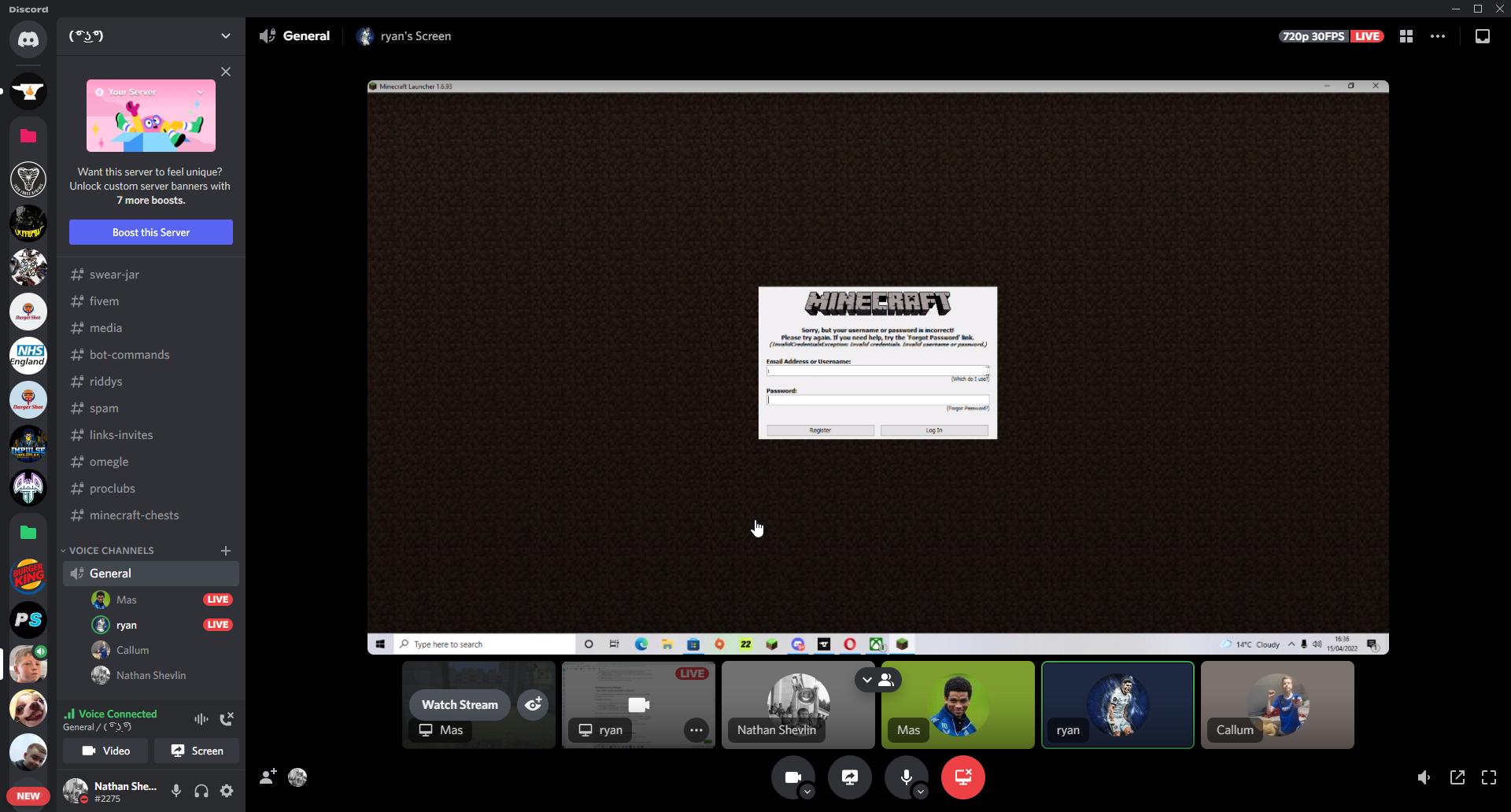
Hi there, I am looking for some support. A friend of mine gets prompted to log into his Microsoft acccount when launching a modpack via CurseForge laucher and when he puts his details it says incorrect when they are correct. He can log into the Minecraft launcher normally and is able to play vanilla, he can also log into the XBOX app which proves it is the correct details.
bright crest
still errors
ebon knot
ebon knot
Hi there, I am looking for some support. A friend of mine gets prompted to log i...
https://i.imgur.com/kuWAOH6.jpeg Screenshot of screen
 lyric crescent
reinstall curseforge, both of you
lyric crescent
then you need to use something else, curseforge doesnt allow that currently
young bone
The Minecraft launcher comes prepackaged with Java and it’ll pick the correct one to use
ebon knot
lyric crescent
reinstall curseforge, both of you
Thanks, I'll let him know. 🙂
ionic lantern
I got it, thanks
lyric crescent
Why do we need this?
 uncut phoenix
how can i know the minimum requirements to play modpack?
lyric crescent
ask the people who made it
uncut phoenix
There´s any other way to know?
lyric crescent
no
digital roost
Is this the correct channel to ask about installing Java runtime environment? I need it to install a forge client
Nevermind
#🧱︱mc-other-help right?
 wanton olive
heyo can you help me w this please ?
lyric crescent
?mc-installfix
red patioBOT
This is NOT instructions for Repair Profile! They are NOT the same! You need to do this!
- Click on the Minecraft Tab on the Left side of the CurseForge App.
- Click button next to the
Create Custom Profileoption. - Click
Repair Installationoption. - Play game.
NOTE: You will not lose any modpacks or worlds!
wanton olive
It doesnt work
 honest quail
hello!
 spark tapir
hey ik the issue is bc of immersive engineering (i think) but im wondering if theres a way to fix it without just removing it
 viral crater
yo so im trying to download Curse Forge but the file just doesnt open
lyric crescent
ask the dev, this isnt a curseforge issue
viral crater
when ever i try to open the installer it deinstalls itself
lyric crescent
viral crater
yo so im trying to download Curse Forge but the file just doesnt open
!getcf use the alternate link
red patioBOT
Looking to install the CurseForge app?
<:windows:798410728188936222> Windows
Minimum Requirements:
- OS Version: 7 (64 bit), 8.1, 10, 11
- 64 bit Required.
- 350MB storage space.
- Microsoft .Net 4.8
- Intel/AMD quad-core CPU
- 8GB ram
[Windows Download]
[Windows Alternative Download]
If you are having issues with the Windows Download use the Windows Alternative Download to install Overwolf. Then download CurseForge from the App Store.
<:mac:798410654418862130> Mac
:penguin: Linux
Minimum Requirements:
Yes. SOON:tm: ( ͡~ ͜ʖ ͡°)
Download: :person_shrugging:
 heady scroll
Any moderator who approves my mod? It's called fabriadventures and its id is 610819
red patioBOT
Project Moderation Time
Project/File moderation is done on these days unless otherwise mentioned:
Sunday, Monday, Tuesday, Wednesday, Thursday: <t:1631170800:t> - <t:1631199600:t> (Your time)
Friday, Saturday: No Moderation!
Projects are moderated First in, First out. If you submit late in the work day, it will likely get left until the next day!
New Projects or anything flagged for manual review: 1-3 Working Days
Updates to approved projects not needing manual approval: 1 Hour
-If your file has been "Under Review" for more than an hour, then it is at manual review!
Changes will only show in the app if the project meets the requirements in the ?sync command and up to 24 hours has passed from when it was accepted.
 glossy orbit
i am having trouble updating my Minecraft Version played through the CurseForge app.. its not updating to 1.18.2
fleet bear
You make a new profile.
glossy orbit
still the same
lyric crescent
curseforge isnt supposed to update minecraft, so what is actually the issue
glossy orbit
i'm just not sure how to update the version curse forge is using .. when i try to get in my normal server .. it says the version is out of date .. and i cant find a way to bring it up to date with the new 1.18.2 version
lyric crescent
show the error
glossy orbit
the error is that the game version is out of date .. and im trying to update it .. that the version of the game it is trying to load .. is not compatible with the most updated servers
 odd comet
is it me or is curseforge site sloowwwwww
glossy orbit
 lyric crescent
so, did you make a new profile on curseforge using 1.18.2 like clay said?
 dense thistle
lyric crescent
reinstall curseforge, both of you
dense thistle
lyric crescent
reinstall curseforge, both of you
Excuse me that didnt work sorry for replying so late @ebon knot said he would say but he didnt.
 maiden dagger
lyric crescent
reinstall curseforge, both of you
maiden dagger
lyric crescent
reinstall curseforge, both of you
It didn’t work
dense thistle
soory
maiden dagger
Is there any other way that I can fix it
dense thistle

glossy orbit
well, i got the version correct .. im assuming i need to redownload or install all the mods and files?
lyric crescent
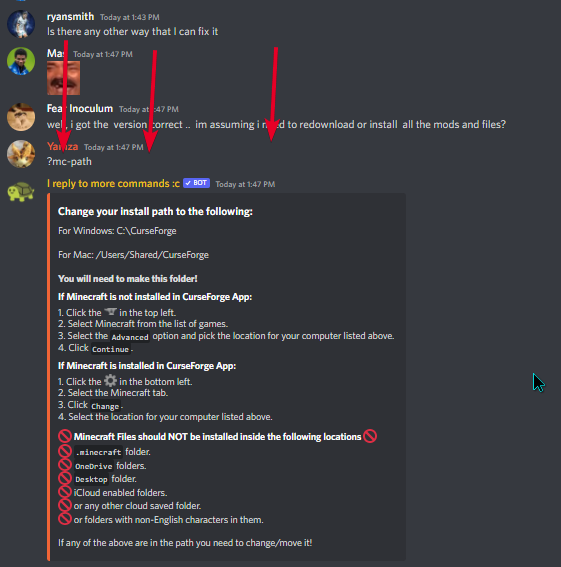
?mc-path
red patioBOT
Change your install path to the following:
For Windows: C:\CurseForge
For Mac: /Users/Shared/CurseForge
You will need to make this folder!
If Minecraft is not installed in CurseForge App:
- Click the in the top left.
- Select Minecraft from the list of games.
- Select the
Advancedoption and pick the location for your computer listed above. - Click
Continue.
If Minecraft is installed in CurseForge App:
- Click the in the bottom left.
- Select the Minecraft tab.
- Click
Change. - Select the location for your computer listed above.
:no_entry_sign: Minecraft Files should NOT be installed inside the following locations :no_entry_sign:
:no_entry_sign: .minecraft folder.
:no_entry_sign: OneDrive folders.
:no_entry_sign: Desktop folder.
:no_entry_sign: iCloud enabled folders.
:no_entry_sign: or any other cloud saved folder.
:no_entry_sign: or folders with non-English characters in them.
If any of the above are in the path you need to change/move it!
lyric crescent
glossy orbit
well, i got the version correct .. im assuming i need to redownload or install...
1.18.1 mods dont work on 1.18.2, if that is what you are asking.
glossy orbit
yes , like litematica and world edit
 scenic pecan
I thought some 1.18.1 mods work on 1.18.2 due to the changes between the versions being minimal?
glossy orbit
i tried to transfer them to the new profile .. nothing .. ill figure it out another time
thanks all
lyric crescent
you dont transfer them, i literally said they dont work
young bone
The changes were not minimal
glossy orbit
right.. thanks anyways .. bye
maiden dagger
Hi there, I am looking for some support. of mine gets prompted to log into his Microsoft acccount when launching a modpack via CurseForge laucher and when i put my details it says incorrect when they are correct. I can log into the Minecraft launcher normally and is able to play vanilla, i can also log into the XBOX app which proves it is the correct details.
lyric crescent
how about trying changing path like i suggested
maiden dagger
You haven’t suggested anything to me…
 scenic pecan
young bone
The changes were not minimal
scenic pecan
young bone
The changes were not minimal
Ah gotcha, I wasnt aware, Last thing I modded was 1.16.5 reading some mod descriptions I thought I saw that some mods work between the versions but I havent tested or confirmed anything yet. I believe you though as its not very surprising was hoping it was the case though because that certainly would have liked the extra availability, thanks for the info
maiden dagger
lyric crescent
https://i.imgur.com/mqtfisD.png
Awwww I didn’t know you was talking to me
young bone
1.16.4 to 1.16.5 was minimal, as that was only two bug fixes
scenic pecan
Yeah thought 1.18.1 to 1.18.2 was similar those were the mod desc's i read it in but the way i wrote it did make it seem like i was talking about 1.16 (:
lyric crescent
As informative as this is, it's already apparently hard for people to follow conversation here. Mind continuing in #💬︱general-chat
scenic pecan
also sorry for the ping i wasnt aware using the reply button pinged : |
 brazen venture
ayo every time i try to upload my modpack, it deletes it and gives me an error
https://images-ext-1.discordapp.net/external/qfr5sgCbxUeM_Tx1m3mKpKGa9VSR5yYY93dLIPy1ucs/https/i.gyazo.com/thumb/1200/1bff28188c5a2703bbe08d06c81cecd8-png.jpg

ive been trying to figure this out for hours please help
 ruby yarrow
brazen venture
ruby yarrow
brazen venture
crying
scenic pecan
Hey Xen I had that issue a while back I had to completely reinstall overwolf iirc
fleet bear
brazen venture
ayo every time i try to upload my modpack, it deletes it and gives me an error
...
That's not an upload error..?
brazen venture
i- what .-.
brazen venture
every time i or my friends try to import a MC modpack into a profile, it deletes it;;
opal cipher
Custom made, or available on the website?
brazen venture
custom
opal cipher
Sounds like it could be something wrong with the export then
brazen venture
but i can get onto the servers through Aternos with it fine, so its not like the modpack itself doesnt work;;;
yesh
fleet bear
How was it made
brazen venture
I compiled the mods on the curse forge app, then clicked export profile anddd yeah
sorry im not super concise, im not an expert, but ive been trying to figure this out for like 4 hours lmao
fleet bear
brazen venture
I compiled the mods on the curse forge app, then clicked export profile anddd ye...
Can you import it?
brazen venture
When I try on CurseForge it gives the red error and doesnt let me
red patioBOT
<:overwolf:857375414002384916> How to get CurseForge App logs! <:overwolf:857375414002384916>
- Click the
Create logs zipin the menu. - Drag and drop the file it just made to this chat room to upload it.
- Wait for someone to look at it so they can help you.
fleet bear
export the pack again and drop it here
fleet bear
thanks, give me a second
brazen venture

 distant hazel
Is this where I’d find help for CurseForge modpacks?
Is there a CurseForge modpack launcher, like the FTB launcher?
lyric crescent
Depends on the kind of help you need. There is the curseforge app which is a pack and mod manager.
distant hazel
Ok. I’m looking for SkyFactory4 modpack help. Is this the place?
lyric crescent
No, this is for issues with the app. If you want help with a specific pack you need to ask the people who made it.
distant hazel
Where would I find their contact info?
lyric crescent
?projectissue
red patioBOT
Please visit the project page for the content you posted about and look for a way to contact the developer.
Somewhere on the page there is usually a method of contact. Look for one of the following things:
Issuestab like the image below.- Discord link.
- Twitter link.
- Comments section below the project.
If no contact method exists you will either have to remove the project or find a solution on your own.
 distant hazel
And then second question; is there a CurseForge app to launch modpacks like SF4 from specifically, or is MultiMC a better option?
fleet bear
brazen venture
<:thumbsupcow:959437796416815135>
Sorry this is taking so long, I got busy with something else.
I think I know what the issue is. Give me a couple minutes to confirm.
brazen venture
Okaaay
lyric crescent
!getcf
red patioBOT
Looking to install the CurseForge app?
<:windows:798410728188936222> Windows
Minimum Requirements:
- OS Version: 7 (64 bit), 8.1, 10, 11
- 64 bit Required.
- 350MB storage space.
- Microsoft .Net 4.8
- Intel/AMD quad-core CPU
- 8GB ram
[Windows Download]
[Windows Alternative Download]
If you are having issues with the Windows Download use the Windows Alternative Download to install Overwolf. Then download CurseForge from the App Store.
<:mac:798410654418862130> Mac
:penguin: Linux
Minimum Requirements:
Yes. SOON:tm: ( ͡~ ͜ʖ ͡°)
Download: :person_shrugging:
fleet bear
brazen venture
Okaaay
do you have this mod in the mod list? https://www.curseforge.com/minecraft/mc-mods/h-anime-mod
brazen venture
Yessir
fleet bear
did you download it via the app or drag and drop it into the mods folder?
brazen venture
wait nvm that wont link wont load
What mod is that?
i have this one? https://www.curseforge.com/minecraft/mc-mods/anime-pets
fleet bear
H+ Anime Mod [ ( ͡° ͜ʖ ͡°) Anime Characters]
brazen venture
Nnnnnnno. Not that one
fleet bear
hm, I wonder what mod is saying it's required as installing your pack tries to download that mod.
 fleet bear
can you remove all the mods you have that D4ark001 made?
then export and try to import it
brazen venture
alrighty
yeah that was it...
the poor anime pets meme mod my friends and i wanted 
fleet bear
It seems like the dev did something dumb with their projects.
brazen venture
F :(
fleet bear
causing issues with the downloads. If they fix it you can use it again
brazen venture
well its all fixed now, so thank you very very much!!!! :D
digital roost
I’m not able to play better minecraft modpack it keeps giving me this Java runtime error thing
fallen loom
?mc-logs
red patioBOT
Sending logs for support.
- Right-click the modpack profile icon OR click the button in the modpack profile.
- Click
Open Folder. - Open the
logsfolder. - Drag and drop the FILE named
latestORdebuginto discord.
digital roost
My power went out lol give me a second
 torpid umbra
im trying to play modded minecraft and after a restart, a reinstall of curseforge and java it keeps throwing a exit code 1 with the text "this crash may be caused by an invalid Java Runtime Configuration check any custom configuration settings."
red patioBOT
Error/Exit codes are useless. Follow these steps so someone can actually help you.
- Right-click the modpack profile icon OR click the button in the modpack profile.
- Click
Open Folder. - Open the
logsfolder. - Drag and drop the FILE named
latestORdebuginto discord.
torpid umbra
fallen loom
Step 1: Remove Optifine
lyric crescent
show a log without it then
torpid umbra
lyric crescent
do you have a graphics card? if so, what?
lyric crescent
Either your drivers are bad, or that gpu is incompatible.
torpid umbra
and i already tied rolling back the drivers
tried*
well, the one that was giving me issues according to windows
reupdated the drivers, seems to be functioning again
and it runs bad without optifine
digital roost
Can I put the my latest folder in here my power came back
upper root
Its preffered if you use the #👽︱game-support channel for game support, but yes
digital roost
Was told to put it in here earlier
 dusty raft
The game crashed whilst rendering screen
Error: java.lang.NullPointerException: Rendering screen
Exit Code: -1
red patioBOT
Error/Exit codes are useless. Follow these steps so someone can actually help you.
- Right-click the modpack profile icon OR click the button in the modpack profile.
- Click
Open Folder. - Open the
logsfolder. - Drag and drop the FILE named
latestORdebuginto discord.
dusty raft
what does this mean
The game crashed whilst rendering screen
Error: java.lang.NullPointerException: Rendering screen
Exit Code: -1
red patioBOT
Error/Exit codes are useless. Follow these steps so someone can actually help you.
- Right-click the modpack profile icon OR click the button in the modpack profile.
- Click
Open Folder. - Open the
logsfolder. - Drag and drop the FILE named
latestORdebuginto discord.
upper root
Read the bots message
dusty raft
alr
upper root
digital roost
Was told to put it in here earlier
Doesnt matter too much cause its not that busy, just put them somewhere
digital roost
this is the latest log after i get the runtime java error on the better minecraft modpack
upper root
Did you modify it at all?
Cause it seems fast furnace conflicts with something, im not sure what tho
upper root
Report it to the better minecraft dev then, and remove fast furnace as a temporary fix
?projectissue
red patioBOT
Please visit the project page for the content you posted about and look for a way to contact the developer.
Somewhere on the page there is usually a method of contact. Look for one of the following things:
Issuestab like the image below.- Discord link.
- Twitter link.
- Comments section below the project.
If no contact method exists you will either have to remove the project or find a solution on your own.
upper root
dusty raft
alr
You found the logs?
dusty raft
its ok there was just a problem on my server
 balmy arrow
When i try to defeat the ender dragon with a custom modpack minecraft just crashes and i tried it 3 times. And these are the crash logs
upper root
Emdergetic is erroring, probably a mod conflict, possibly with outer end
fallen loom
These coremod attribution lines that are about 1000 characters long make me sick
balmy arrow
upper root
Emdergetic is erroring, probably a mod conflict, possibly with outer end
nope doesn´t work
upper root
Wdym?
balmy arrow
i deleted outer end
honest quail
Hello!
signal ridge
honest quail
Hello!
Not the place for this. #768717413918179368 you can promot your server there.
upper root
balmy arrow
i deleted outer end
Then it may not of been outer end it was conflicting with then, i am not sure what tho
balmy arrow
It says the portal blocks do not exist or anything like that
 raw orchid
Minecraft Snapshots aren't listed in the drop down, how do I set up a config for 22w15a
 frosty comet

Please help me i am having error
everytime i try to download a mod pack it says this i tried changing the adress of the file and runing as admin
nothing seems to work
frosty comet
mb
upper root
!cflogs
red patioBOT
<:overwolf:857375414002384916> How to get CurseForge App logs! <:overwolf:857375414002384916>
- Click the
Create logs zipin the menu. - Drag and drop the file it just made to this chat room to upload it.
- Wait for someone to look at it so they can help you.
frosty comet
upper root
It cant verify the signature on the zip, im not sure why.
Do you have anything that could be affecting the download? Like a network filter
frosty comet
if there is an filter im not sure how to check
fallen loom
Now this I remember
Put this in your browser, does it download a file?
https://edge.forgecdn.net/files/3287/322/Sbeev Industrial Revolution-1.2.2.zip
fallen loom
upper root
It cant verify the signature on the zip, im not sure why.
Do you have anything t...
This does look like the time someone got MITM'd by the fact they were on a school network
brave quest
@queen storm any news on my Need to Breathe project (https://www.curseforge.com/minecraft/mc-mods/need-to-breathe)?
lyric crescent
likely wont be for a few days
fleet bear
Not till Sunday for sure as it was brought up after hours on a weekend that's also a holiday.
brave quest
ok
 fathom vessel
 fleet bear
!dm Not new, Disable dms
red patioBOT
Don't want scam DM?

 tough reef
ello me need help
rich flint
!help
red patioBOT
╰( ͡° ͜ʖ ͡° )つ──☆*:・゚ *˜”*°•.˜”*°• Many Help •°*”˜.•°*”˜* <:curselit:796985620550385705>
Please provide a description of your issue with as much detail as possible. If you have an issue with a mod or modpack, tell us the name. Explain what you can see happening. Be specific!
 Tell us what is happening, we already know it "doesn't work".
Avoid using words like "it", tell us exactly what "it" is.
Don't assume anyone knows what you are talking about, be specific.
Tell us what you expected to happen.
Provide screenshots or video if possible.
Provide a log if possible. ?mc-log
tough reef
cant launch any modpack on curseforge after technic launcher also stopped working for me
but on curse
im currently trying to open RLCraft
and it says unable to update the minecraft native launcher
it struggles to load then gives me that message
trying to open pixelmon rn to see if its the same issue
yup same message
pls help whenever possible
red patioBOT
This is NOT instructions for Repair Profile! They are NOT the same! You need to do this!
- Click on the Minecraft Tab on the Left side of the CurseForge App.
- Click button next to the
Create Custom Profileoption. - Click
Repair Installationoption. - Play game.
NOTE: You will not lose any modpacks or worlds!
tough reef
so it launched the game
then i try to fullscreen the game
and
The game crashed whilst updating screen events
Error: java.lang.IllegalStateException: Keyboard must be created before you can query key state
Exit Code: -1
red patioBOT
Error/Exit codes are useless. Follow these steps so someone can actually help you.
- Right-click the modpack profile icon OR click the button in the modpack profile.
- Click
Open Folder. - Open the
logsfolder. - Drag and drop the FILE named
latestORdebuginto discord.
fleet bear
!notcf
red patioBOT
Your question is not related to CurseForge owned/maintained features or services.
Please use the appropriate game room by getting a game role from #786424115535544350.
Otherwise use #👽︱game-support for game related help.
CurseForge does not make or maintain any of the content or games used on the site or app. Just because it's on the site/app does not make it a problem with CurseForge. Move rooms as requested, arguing about it will result in you being removed from the discord.
 knotty atlas
I don't know if this is correct place to put it but
I've been experimenting with things and I wanted to open a forge server to install mods onto it a I've been stuck trying to open a forge server .jar for the last 3 hours. I finnally conceded
its this file
 fleet bear
!notcf
red patioBOT
Your question is not related to CurseForge owned/maintained features or services.
Please use the appropriate game room by getting a game role from #786424115535544350.
Otherwise use #👽︱game-support for game related help.
CurseForge does not make or maintain any of the content or games used on the site or app. Just because it's on the site/app does not make it a problem with CurseForge. Move rooms as requested, arguing about it will result in you being removed from the discord.
 main harness
Hey there, hoping this is the right channel
I have an issue with the curseforge launcher for minecraft, where often times removing or updating a mod causes other mods to get removed for no apparent reason.
This would make sense if they were dependant mods, but I'm talking completely unrelated mods here.
I don't even realize it's happening til I push the update to my server, and have a version mismatch upon connection. Then I get to enjoy the grueling process of searching through 350+ mods and comparing to my server list to find which one just... disappeared.
Hoping I can seek a solution, or at the very least submit a bug report to resolve this issue for myself and others in the future.
Please let me know if I need to redirect this issue to another channel/server; and do please ping me when replying so I can see it faster! Much appreciated for all your hard work
fleet bear
The mods removed have dependency data put on them.
main harness
The issue is if I remove a mod that does not have a related dpendency and another mod that is entirely unrelated and has no similar dependency disappears
I've had mods disappear that have no dependencies at all
fleet bear
Then it sounds like the profile data is corrupted somehow.
Make a new profile by importing an export of the pack.
main harness
I would agree, if not for the fact this has been happening on multiple different packs I've made, over the past year.
fleet bear
What version of the app are you on?
You can check it in the bottom right by pushing the gear icon.
main harness
v 0.195.2.1
fleet bear
Alright, what's the modding path you are using for minecraft in the app settings under the minecraft tab.
main harness
the path under minecraft modding folder?
fleet bear
Yes
main harness
That'd be C:\Users\PC\Twitch\Minecraft\
fleet bear
And theres likely the issue.
main harness
The filepath automatically changed over when the launcher swapped from twitch to it's own launcher
How would I go about correcting this issue?
fleet bear
Change it to a new path.
Then once you are done copy the packs out of the old folder to the new location in the same spot.
main harness
Alright, what in the filepath is incorrect so I know what to change?
like, should I be making a seperate folder in the twitch folder, the pc folder?
fleet bear
It's not the path itself, but the fact its using an old setup from the old app.
We have had countless people have issues with these old installs that are fixed by just setting up a fresh one due to all the changes that have happened.
!mc-path
red patioBOT
Change your install path to the following:
For Windows: C:\CurseForge
For Mac: /Users/Shared/CurseForge
You will need to make this folder!
If Minecraft is not installed in CurseForge App:
- Click the in the top left.
- Select Minecraft from the list of games.
- Select the
Advancedoption and pick the location for your computer listed above. - Click
Continue.
If Minecraft is installed in CurseForge App:
- Click the in the bottom left.
- Select the Minecraft tab.
- Click
Change. - Select the location for your computer listed above.
:no_entry_sign: Minecraft Files should NOT be installed inside the following locations :no_entry_sign:
:no_entry_sign: .minecraft folder.
:no_entry_sign: OneDrive folders.
:no_entry_sign: Desktop folder.
:no_entry_sign: iCloud enabled folders.
:no_entry_sign: or any other cloud saved folder.
:no_entry_sign: or folders with non-English characters in them.
If any of the above are in the path you need to change/move it!
fleet bear
You can use whatever you want but that's what we recomend.
main harness
I see, I see. Thank you very much for the info! I'll get this changed over before my next update, and let you know if the problem persists in the future.
I appreciate your help, and quick replies!
fleet bear
👍
 pale kindle
curseforge will close on its own for no reason, now it will close during the upgrade.
an update to the pair of addons was aborted because it closed itself
wanton olive
Hi, how do I make image that brings to a link when we click on it please ?
upper root
Select the image, then add a link
wanton olive
upper root
Select the image, then add a link
thank you
And how to add these buttons to my desc project please ?

Because I see all projects have it
opal cipher
You can use https://shields.io/ to generate them.
wanton olive
Thank you
 cobalt remnant
hello im having problem downloading some minecraft mods in any version
so when i download something brings me to the download page then it just stops and doesn't download. Also im on Ubuntu
cobalt remnant
oh sorry
digital roost
Can someone please set my project's status to abandoned?
And is there any way to add additional info to an abandoned project?
balmy arrow
When i try to defeat the ender dragon with a custom modpack minecraft just crashes and i tried it 3 times. And these are the crash logs. What should i do
cobalt remnant
So how I do I fix my problem kinda sitting here waiting for a answer as I want play 1.18 with some mods and I can’t.
upper root
You could try make a cf account, it disables the countdown for downloading
upper root
digital roost
And is there any way to add additional info to an abandoned project?
Edit your projects description to say stuff, in big red bold text at the tp..
As for setting it to that, have a look in project settlngs, if its possible it will be there.
Otherwise wait a year or two, it should auto apply.
digital roost
upper root
Edit your projects description to say stuff, in big red bold text at the tp..
As...
It's been up for 2 years without updates, and there's no label stating it has been abandoned
balmy arrow
balmy arrow
When i try to defeat the ender dragon with a custom modpack minecraft just crash...
?
upper root
Its endergetic causing the error, try remove that
cobalt remnant
Just suddenly today can’t I can’t download any mods yesterday I could today I can’t it’s very odd
upper root
digital roost
It's been up for 2 years without updates, and there's no label stating it has be...
Oh, whoops.
I just did a bit of reading and abandoned is from when they transferred to twitch accounts waayy back, so if its not in project settings then its not possible (althpugh you may be able to make a ticket to do that)
digital roost
Where do I make a ticket?
upper root
!ticket-site
red patioBOT
:bug: Reporting via Website :bug:
Can't open the app or would rather use the website? You can do so here: https://support.curseforge.com/en/support/tickets/new
Fill out the form with accurate detailed information, "It doesn't work" isn't helpful! What exactly doesn't work and why doesn't it work should be easy to answer!
Make sure to upload your Overwolf logs with the Upload File option on the ticket, information on how to get these logs can be found here https://support.overwolf.com/en/support/solutions/articles/9000176827-how-to-get-your-overwolf-logs
upper root
Ignore logs
digital roost
I want to add additional info because I'm making something very similar to the project under an entirely different name and with a different team
upper root
cobalt remnant
Just suddenly today can’t I can’t download any mods yesterday I could today I ca...
Any software that could be doing it?
upper root
digital roost
I want to add additional info because I'm making something very similar to the p...
So replace your projects description with big red bold text saying "Go here instead"
digital roost
I'm going to do that as soon as the new project is published
cobalt remnant
ChiefArug wht shall I do
upper root
Any errors in the web browsers console?
upper root
Ill be asleep by then
The dev console, ctrl shift i then the console tab om chromium based browsers
cobalt remnant
Able send me video about this I have look when I’m back
upper root
I have no idea what browser you are using, google it for your browser.
 surreal hamlet
got the same issue here when I try to download a modpack with curseforge i get unable to connect to remote server or something like that
was fine like couple hours ago
upper root
It may be the weekly weekend server death then
surreal hamlet
any idea how long that may last?
cobalt remnant
Yh how long
upper root
10ish hours at max, its usually resolved by the time i wake up
cobalt remnant
So long but eh
surreal hamlet
alright thanks Chief
cobalt remnant
Thx anyway
opal cipher
upper root
It may be the weekly weekend server death then
It is saturday after all
 azure fjord
help please
 red patioBOT
Your question is not related to CurseForge owned/maintained features or services.
Please use the appropriate game room by getting a game role from #786424115535544350.
Otherwise use #👽︱game-support for game related help.
CurseForge does not make or maintain any of the content or games used on the site or app. Just because it's on the site/app does not make it a problem with CurseForge. Move rooms as requested, arguing about it will result in you being removed from the discord.
 maiden stirrup
i cannot seem to find any of the Minecraft Yung Mods in the Overwolf Curseforge modpack list selector thingy, if anyone could assist that'd be nice.
queen storm
Link the web page
 elder lichen
anyone know why i cant open up logs

thats the longes log i can find

thats the error
 keen halo
i am not able to open up app for WoW, I have tried to uninstall and redownload only to get an error saying file is corrupted
I have also tried to delete the folder Overwolf only to get error saying the action can't be completed because the folder or file in it is open in another program
elder lichen
for some reason I cant load any minecraft mods?
i just get error -1073740791
plz help
maiden stirrup
queen storm
Link the web page
https://www.curseforge.com/minecraft/mc-mods/yungs-better-mineshafts-forge
i cant find this on the overwolf mod search is what i meant, and the other mods by the same creator
queen storm
What version and modloader are you searching on?
maiden stirrup
i assume the latest as i downloaded it earlier today
queen storm
You are probably looking at the modpack screen
 young bone
Just search yung
maiden stirrup
ok
young bone
I did, it works


 young bone
The rather messed up thing, better mineshafts is available to yung's patrons, for 1.18.2
maiden stirrup
so its a paid mod on this modloader specifically?
queen storm
maiden stirrup
What modloader and game version is it?
maiden stirrup
The Overwolf Curseforge Beta Modloader and 1.18.2
 chilly shore
if I repair my installation on the curseforge app, does it delete any data/saves?
young bone
It's available to patrons, both forge and fabric
queen storm
maiden stirrup
The Overwolf Curseforge Beta Modloader and 1.18.2
That is not a modloader! Forge or fabric, the version on curseforge is 1.18.1
maiden stirrup
oh forge
queen storm
!notcf
red patioBOT
Your question is not related to CurseForge owned/maintained features or services.
Please use the appropriate game room by getting a game role from #786424115535544350.
Otherwise use #👽︱game-support for game related help.
CurseForge does not make or maintain any of the content or games used on the site or app. Just because it's on the site/app does not make it a problem with CurseForge. Move rooms as requested, arguing about it will result in you being removed from the discord.
 willow rapids
If I export my profile, it wont show any mods, what do i do? and if i insert it at curseforge how long will it take to be checked?
 hybrid tundra
why does my minecraft keep crashing when i try to in it
queen storm
willow rapids
If I export my profile, it wont show any mods, what do i do? and if i insert it ...
It does not contain the mods in the zip, that is normal.
And 1 - 3 working days
!status
red patioBOT
Project Moderation Time
Project/File moderation is done on these days unless otherwise mentioned:
Sunday, Monday, Tuesday, Wednesday, Thursday: <t:1631170800:t> - <t:1631199600:t> (Your time)
Friday, Saturday: No Moderation!
Projects are moderated First in, First out. If you submit late in the work day, it will likely get left until the next day!
New Projects or anything flagged for manual review: 1-3 Working Days
Updates to approved projects not needing manual approval: 1 Hour
-If your file has been "Under Review" for more than an hour, then it is at manual review!
Changes will only show in the app if the project meets the requirements in the ?sync command and up to 24 hours has passed from when it was accepted.
 little orchid
My curseforge completely erased all my modpacks that I had downloaded and erased every server in those modpacks
queen storm
Did it erase them or did it forget where they are located?
little orchid
it erased my modpacks I had to redownload them
but when I redownloaded them all my worlds were gone
queen storm
It does not just erase modpacks
And installing them again won't make your worlds reappear
little orchid
how would I get my servers back?
queen storm
Servers or worlds?
red patioBOT
╰( ͡° ͜ʖ ͡° )つ──☆*:・゚ *˜”*°•.˜”*°• Many Help •°*”˜.•°*”˜* <:curselit:796985620550385705>
Please provide a description of your issue with as much detail as possible. If you have an issue with a mod or modpack, tell us the name. Explain what you can see happening. Be specific!
Tell us what is happening, we already know it "doesn't work".
Avoid using words like "it", tell us exactly what "it" is.
Don't assume anyone knows what you are talking about, be specific.
Tell us what you expected to happen.
Provide screenshots or video if possible.
Provide a log if possible. ?mc-log
little orchid
queen storm
Servers or worlds?
Servers
signal ridge
Are you using the cf app?
queen storm
little orchid
Servers
You add them again
red patioBOT
How to install modpacks with the search features in app.
- Open the
Minecraftsection of the app. - Click the top search bar where it says
Search for modpacksOR Click theBrowse ModpacksTab. - Find the Modpack you want to install and click install on it.
- Wait for CurseForge app to download and unpack all the required files.
- Once finished, click
Play!
How to install modpacks from a Export. (Custom/Private/Site downloaded Modpack zip)
- Get CurseForge App if you don't have it, use
!downloadfor a link. - Get the exported modpack from CurseForge or someone else,
!mc-packshareexplains how to make them. - Open the
Minecraftsection of the app. - Click
Create Custom Profile - Click the
Importoption. - Find the file you just downloaded in step 2 and select it.
- CurseForge app will now attempt to download and unpack the modpack. If it fails, try steps 4-6 again.
- Once finished, click
Play!
digital roost
How much ram should I use when playing the better minecraft modpack 1.16.5
opal cipher
Between 4-8GB
digital roost
What happens if I I use more
queen storm
Will probably not go well
queen storm
Adding more ram will cause issues, don't do it!
digital roost
Ok
 tidal geyser
can someone hlep with install mods on multiplayer server
pls
we wanna play mods with friend but there always come a error
or some foldes not showing
queen storm
!notcf
red patioBOT
Your question is not related to CurseForge owned/maintained features or services.
Please use the appropriate game room by getting a game role from #786424115535544350.
Otherwise use #👽︱game-support for game related help.
CurseForge does not make or maintain any of the content or games used on the site or app. Just because it's on the site/app does not make it a problem with CurseForge. Move rooms as requested, arguing about it will result in you being removed from the discord.
queen storm
See above
queen storm
They probably have their own discord, ask there instead
 wary sky
Hey all, I'm trying to update the curseforge launcher. The check for updates slider is set to check hourly, but I'm many, many updates behind at the moment. Is there a way to force update / am I missing an option somewhere for it?
wary sky
Sure, my curseforge is currently at version 36.2.20, which is pretty old and doesn't allow me to load certain mods. I can't find anything that will force an update to occur in the UI of the curseforge app. In add-ons, it's set to automatically check for an update and apply that update (though this may not apply to the launcher, only to any additions). I checked overwolf as well, however it just runs the loading bar for a long time and then does nothing. I have reset my PC a few times and still no updates
lyric crescent
the update slider has nothing to do with curseforge itself checking for updates. if you're behind and restarting the app doesnt update then you need to reinstall cf
young bone
36.2.20 is a forge version, not Curseforge
lyric crescent
that is true
wary sky
I see, so they're separate. Okay, is reinstalling the app still the solution, or do I need to grab the newest version of forge every time an update happens?
lyric crescent
it is not, as nothing is actually missing
young bone
You can change the forge version a profile is using
lyric crescent
you either make a new profile with the correct forge version, or change the version in the profile you are using
?mc-updatemodloader
red patioBOT
You can update the mod loader within the same game version in the CurseForge app by following these steps!
- Click on the modpack profile you are working with.
- Click on the button next to the play button.
- Click on the Profile Options button.
- Select the mod loader version you want from the dropdown.
- Play!
If you need to update to a new game version, a new profile is required.
wary sky
Thank you for the help, that was the solution to my problem
weak patio
how do i make the curse forge app stop lagging when i scroll through the mod list?
 teal ginkgo
I want to update the curseforge app, do i need to reinstall it or is there a direct option, was looking for a hilke but couldn't find it, thanks in advance
 bitter osprey
hey does anyone know why i cant see my skin when i launch from curseforge?
red patioBOT
Hey there, it is Curseforge, not "Cursed forge"
bitter osprey
my fault
maiden dagger
Does anyone know how to help
 red patioBOT
Your question is not related to CurseForge owned/maintained features or services.
Please use the appropriate game room by getting a game role from #786424115535544350.
Otherwise use #👽︱game-support for game related help.
CurseForge does not make or maintain any of the content or games used on the site or app. Just because it's on the site/app does not make it a problem with CurseForge. Move rooms as requested, arguing about it will result in you being removed from the discord.
lyric crescent
weak patio
how do i make the curse forge app stop lagging when i scroll through the mod lis...
No, it is an ongoing issue.
lyric crescent
teal ginkgo
I want to update the curseforge app, do i need to reinstall it or is there a dir...
Why do you need to do this?
teal ginkgo
have an older version from last year and the newer one fixes an issue with java and minecraft 1.18
lyric crescent
what version?
teal ginkgo
i have v. 0.173.1.8 of the app
red patioBOT
Looking to install the CurseForge app?
<:windows:798410728188936222> Windows
Minimum Requirements:
- OS Version: 7 (64 bit), 8.1, 10, 11
- 64 bit Required.
- 350MB storage space.
- Microsoft .Net 4.8
- Intel/AMD quad-core CPU
- 8GB ram
[Windows Download]
[Windows Alternative Download]
If you are having issues with the Windows Download use the Windows Alternative Download to install Overwolf. Then download CurseForge from the App Store.
<:mac:798410654418862130> Mac
:penguin: Linux
Minimum Requirements:
Yes. SOON:tm: ( ͡~ ͜ʖ ͡°)
Download: :person_shrugging:
teal ginkgo
ok thanks, just wanted to know if i can avoid that, thank you for the help! ^^
bitter osprey
heyyy does anyone know how i can change my skin?
red patioBOT
Your question is not related to CurseForge owned/maintained features or services.
Please use the appropriate game room by getting a game role from #786424115535544350.
Otherwise use #👽︱game-support for game related help.
CurseForge does not make or maintain any of the content or games used on the site or app. Just because it's on the site/app does not make it a problem with CurseForge. Move rooms as requested, arguing about it will result in you being removed from the discord.
signal ridge
Plus that would be a mojang/microsoft thing. Would need to log into your account and do it there online
Nothing to do with CurseForge
bitter osprey
oh no ik. but i installed a mod and when i launch it through forge i cant see my skin
signal ridge
Read bot
bitter osprey
ughhh fine
lyric crescent
then dont use that mod, not a curseforge issue
 hot iris
Hello I am in need of help when ever i start up a mod and try to play it shows error code 1 or 0
red patioBOT
Error/Exit codes are useless. Follow these steps so someone can actually help you.
- Right-click the modpack profile icon OR click the button in the modpack profile.
- Click
Open Folder. - Open the
logsfolder. - Drag and drop the FILE named
latestORdebuginto discord.
 fading plover
can someone tell me why my game crashes every time i go into my modded world?
lyric crescent
see the instructions above
upper root
World Edit needs to update, they are using something that was removed when mojang patched the log4j issue
 dense meteor
Hi I am trying to download some modpacks for Minecraft and they keep "timing out"
upper root
Try change internet connections, like wired instead of wifi
dense meteor
Can't I only have Verizon jetpacks
lyric crescent
It's your connection. Nothing we can do for you.
dense meteor
Ok thanks for the help tho
 jolly jacinth
how to fix
 signal ridge
!owlogs Do this
red patioBOT
<:overwolf:857375414002384916> How to get CurseForge App logs! <:overwolf:857375414002384916>
- Click the
Create logs zipin the menu. - Drag and drop the file it just made to this chat room to upload it.
- Wait for someone to look at it so they can help you.
 mint quarry
yo do we have an estimate on when toe cf client for linux is gonna come out
lyric crescent
by the end of the year
 coarse spruce
Does anyone know how to transfer modpacks from curseforge that I have installed into the normal Minecraft launcher? So I don't have to launch curseforge everytime to play a modpack.
It tends to get super laggy if I open curseforge then select "play" which opens up the minecraft launcher so I press "play" again and it never loads.. it just shuts down the mc launcher and never opens the game
I have to restart the process a few times just for the game to launch
signal ridge
Would have to copy all the files needed from the packs folder in the cf app then manually install the modloader needed for the pack. Which is more work then just using the cf app
coarse spruce
Okay, thanks
 opaque halo
When I try to change a version of a mod pack, there is no option to continue so i cant change hte mod pack
signal ridge
Screen shot whats happening
signal ridge
Comments on the site? Its a known issue, atm you cant. as for the kick no idea
upper root
You can ask the owner of the project page to delete it, they have perms to