#🔥︱curseforge-support
1 messages · Page 620 of 1


 upper root
!mc-logs
 red patioBOT
Sending logs for support.
- Right-click the modpack profile icon OR click the
 button in the modpack profile.
 - Click

Open Folder. - Open the
logsfolder. - Drag and drop the FILE named
latestORdebuginto discord.
upper root
!mc-launcherlog
red patioBOT
How to get the launcher log
- Right click a profile.
- Select
Open Folder - Go back two folders.
- Open the
Installfolder. - Drag the
launcher_log.txtinto discord.
upper root
do you have anything that could be messing with your internet connection?
like a vpn or firewall
 oak gust
Not on no
upper root
try the installfix again
upper root
!mc-path try this
red patioBOT
Change your install path to the following:
For Windows: C:\CurseForge
For Mac: /Users/Shared/CurseForge
You will need to make this folder!
If Minecraft is not installed in CurseForge App:
- Click the
 in the top left.
 - Select Minecraft from the list of games.
- Select the
Advancedoption and pick the location for your computer listed above. - Click
Continue.
If Minecraft is installed in CurseForge App:
- Click the
 in the bottom left.
 - Select the Minecraft tab.
- Click
Change. - Select the location for your computer listed above.
:no_entry_sign: Minecraft Files should NOT be installed inside the following locations :no_entry_sign:
:no_entry_sign: .minecraft folder.
:no_entry_sign: OneDrive folders.
:no_entry_sign: Desktop folder.
:no_entry_sign: iCloud enabled folders.
:no_entry_sign: or any other cloud saved folder.
:no_entry_sign: or folders with non-English characters in them.
If any of the above are in the path you need to change/move it!
oak gust
How do I get to Advanced
upper root
That is only "If Minecraft is not installed in CurseForge App:"
you already have it installed
 sterile flare
Here yea go
upper root
sterile flare
Here yea go
Its struggling to get something from the server, try disable anything you have that might affect your internet (like vpns), or swap networks
 narrow minnow
sterile flare
Here yea go
sterile flare
narrow minnow
Try this: https://support.curseforge.com/en/support/solutions/articles/900019490...
narrow minnow
sterile flare
Here yea go
sterile flare
narrow minnow
Try this: https://support.curseforge.com/en/support/solutions/articles/900019490...
This worked but will this have to be a long term thing?
 unborn basin
sterile flare
This worked but will this have to be a long term thing?
unborn basin
sterile flare
This worked but will this have to be a long term thing?
Why? Is it problematic?
sterile flare
well would leaving it off cause problems? thats too far down tech for me
narrow minnow
sterile flare
This worked but will this have to be a long term thing?
I recommend you turn on ipv6 and check other services like: epic games store and battle.net
Usually, the ipv6 issue happens across the border
Then you might not care
(and maybe even thank us)
sterile flare
this is a problem only in cursedforge. battle.net worked and epic games worked
red patioBOT
Hey there, it is Curseforge, not "Cursed forge"
 dry quail
I have a very dumb question but I genuinely am having a difficult time.. How do I go about starting up a server for my friends and I to simply play together without being on the same local network?
sterile flare
steam worked and everything else works curseforge is just not wanting to boot unless ip6 thing is turned off
upper root
dry quail
I have a very dumb question but I genuinely am having a difficult time.. How do ...
Ill put instructions in #👽︱game-support
dry quail
upper root
Ill put instructions in <#778097796410376242>
Thank you so much!!
narrow minnow
sterile flare
steam worked and everything else works curseforge is just not wanting to boot un...
ok, so this is up to you if you want it or not.
The issue is that the ip v6 lookup of the servers is returning a bad address.
I don't think any service doesn't support ip v4
sterile flare
ok so i just need to leave this off got it. Thank you big time!
 wanton olive
hi, i'm wondering after how long moderators will approved a project please ?
upper root
!status
red patioBOT
Project Moderation Time
Project/File moderation is done on these days unless otherwise mentioned:
Sunday, Monday, Tuesday, Wednesday, Thursday: <t:1631170800:t> - <t:1631199600:t> (Your time)
Friday, Saturday: No Moderation!
Projects are moderated First in, First out. If you submit late in the work day, it will likely get left until the next day!
New Projects or anything flagged for manual review: 1-3 Working Days
Updates to approved projects not needing manual approval: 1 Hour
-If your file has been "Under Review" for more than an hour, then it is at manual review!
Changes will only show in the app if the project meets the requirements in the ?sync command and up to 24 hours has passed from when it was accepted.
 spice reef
wanton olive
upper root
!status
spice reef
wanton olive
upper root
!status
Thank you
 queen storm
!notcf
red patioBOT
Your question is not related to CurseForge owned/maintained features or services.
Please use the appropriate game room by getting a game role from #786424115535544350.
Otherwise use #👽︱game-support for game related help.
CurseForge does not make or maintain any of the content or games used on the site or app. Just because it's on the site/app does not make it a problem with CurseForge. Move rooms as requested, arguing about it will result in you being removed from the discord.
wanton olive
how do i upload my modpack in project files please ?
upper root
!mc-packshare
red patioBOT
There are two ways to share a modpack you've made with others...
Export and Share - For Friends to Small Groups.
- Click the Icon for the modpack.
- Click the button next to play.
- Click

Export. - Select the files that should be included.
- Send the zip to the people that want it! They can follow the instructions in
!mc-installpackto install the pack!
Upload to Curseforge - For Public Release to Everyone.
This options will make your pack public to EVERYONE, it comes with extra requirements and will take some effort to set up.
- Go to here: https://www.curseforge.com/project/432/4471/create
- Fill out the information with a proper description of the pack. This should allow anyone to understand what the pack is.
- Click the Icon for the modpack in the CurseForge app.
- Click the button next to play.
- Click
Export. - Select the files that should be included.
- Open your Project you made on the CurseForge site and Upload the file you just made.
- Wait for Moderation & Sync so it can show up in the client! (See
!syncfor limitations)
wanton olive
upper root
!mc-packshare
It's what I did but my project has been rejected 😅 😂
queen storm
With what message?
wanton olive
invalid file extension
queen storm
Link your project
queen storm
That is a mod project, not modpack
queen storm
Yup
 languid quarry
Can I ask what nod this comes from
 upper root
Curios
languid quarry
Ah ok
Wait I have it on a custom modpack I'm making and the extra I'm doesn't show up when I press the curios button
Wait nvm I think I figured it out
 modern slate
can someone help me regarding overwolf not opening?
i see the overwolf logo the bar loads then it closes
 digital roost
This is not curseforge this is just forge, does anybody know how to fix this?
 queen storm
!notcf
red patioBOT
Your question is not related to CurseForge owned/maintained features or services.
Please use the appropriate game room by getting a game role from #786424115535544350.
Otherwise use #👽︱game-support for game related help.
CurseForge does not make or maintain any of the content or games used on the site or app. Just because it's on the site/app does not make it a problem with CurseForge. Move rooms as requested, arguing about it will result in you being removed from the discord.
modern slate
tim, can you help me?
queen storm
Nope
modern slate
nah this app really bad if no one can identify the problem
literally worked perfectly fine 2 days ago
now it wont even launch
queen storm
I can identity the problem, just not from my phone what I am today
modern slate
i understand, i just dont know where the problem comes from, it was literally working fine and now idk
queen storm
Poked staff about it
modern slate
also can i know where i can find my modpacks if i used curseforge when i created them?
queen storm
Need to have the app running for that, then you can see it
modern slate
queen storm
Need to have the app running for that, then you can see it
ah damn
thanks
ill need to get the app running first, might be from a windows update, ill check again
queen storm
And I poked staff about your issue so somebody will probably contact you about it
 hidden fern
modern slate
can someone help me regarding overwolf not opening?
hidden fern
modern slate
can someone help me regarding overwolf not opening?
Looking into it
modern slate
queen storm
And I poked staff about your issue so somebody will probably contact you about i...
Thank you
modern slate
hidden fern
Looking into it
Okay
unborn basin
modern slate
can someone help me regarding overwolf not opening?
!getcf
red patioBOT
Looking to install the CurseForge app?
<:windows:798410728188936222> Windows
Minimum Requirements:
- OS Version: 7 (64 bit), 8.1, 10, 11
- 64 bit Required.
- 350MB storage space.
- Microsoft .Net 4.8
- Intel/AMD quad-core CPU
- 8GB ram
[Windows Download]
[Windows Alternative Download]
If you are having issues with the Windows Download use the Windows Alternative Download to install Overwolf. Then download CurseForge from the App Store.
<:mac:798410654418862130> Mac
:penguin: Linux
Minimum Requirements:
Yes. SOON:tm: ( ͡~ ͜ʖ ͡°)
Download: :person_shrugging:
modern slate
Alright I’ll try it now
modern slate
unborn basin
Use the second link
i'm still getting crashed
 wet bobcat
how do I get my modpacks back? i used to have a few modpacks while I had my last computer but i got a new computer. all my modpacks are still on the website but i cant seem to get them on the app. is there any way to get them back?
unborn basin
modern slate
this is the most recent log i have
PMed you
narrow minnow
@unborn basin it requires a remote connection - so better open a ticket
 honest oriole
Hello. I have started getting 'Oops that was not supposed to happen!' whilst trying to load up Curseforge this morning. To whom should i direct my query and what files/screenshots/additional data would they need?
narrow minnow
honest oriole
Hello. I have started getting 'Oops that was not supposed to happen!' whilst try...
?owlogs
red patioBOT
<:overwolf:857375414002384916> How to get CurseForge App logs! <:overwolf:857375414002384916>
- Click the

Create logs zipin the menu.
menu. - Drag and drop the file it just made to this chat room to upload it.
- Wait for someone to look at it so they can help you.
 queen storm
wet bobcat
how do I get my modpacks back? i used to have a few modpacks while I had my last...
queen storm
wet bobcat
how do I get my modpacks back? i used to have a few modpacks while I had my last...
Need to install them again
honest oriole
I see the logs (or the correct date anyway) in my the overwolf folder. Where should i post this? I am not familiar with Discord commands and i don't want to accidentally spam the chat with a huge file of gibberish.
queen storm
honest oriole
I see the logs (or the correct date anyway) in my the overwolf folder. Where sho...
. Drag and drop the file it just made to this chat room to upload it.
honest oriole
 uncut phoenix
hey
Me and my friend have a world in survival and today when my friend opened the modpack, he was gone, can we recover the world? In some file maybe?
honest oriole
Hmm....i can try battle.net. I haven't opened it in years.
narrow minnow
honest oriole
Hmm....i can try battle.net. I haven't opened it in years.
ok, please do - because I think it is a network issue.
Try to then follow these steps: https://support.curseforge.com/en/support/solutions/articles/9000194900-curseforge-troubleshooting#ipv6
honest oriole
battle.net loaded fine
narrow minnow
ok, try that link regardless, see if it fixes the issue
narrow minnow
cool
uncut phoenix
uncut phoenix
Me and my friend have a world in survival and today when my friend opened the mo...
Anybody know how can i fix that? If there's a Folder or somthing With a "Backup"
wet bobcat
queen storm
Need to install them again
how do i do that?
queen storm
wet bobcat
how do i do that?
!mc-installpack
red patioBOT
How to install modpacks with the search features in app.
- Open the

Minecraftsection of the app. - Click the top search bar where it says
Search for modpacksOR Click theBrowse ModpacksTab. - Find the Modpack you want to install and click install on it.
- Wait for CurseForge app to download and unpack all the required files.
- Once finished, click
Play!
How to install modpacks from a Export. (Custom/Private/Site downloaded Modpack zip)
- Get CurseForge App if you don't have it, use
!downloadfor a link. - Get the exported modpack from CurseForge or someone else,
!mc-packshareexplains how to make them. - Open the
Minecraftsection of the app. - Click

Create Custom Profile - Click the
Importoption. - Find the file you just downloaded in step 2 and select it.
- CurseForge app will now attempt to download and unpack the modpack. If it fails, try steps 4-6 again.
- Once finished, click
Play!
 wet bobcat
is there a way to add new mods to it?
queen storm
!mc-editpack
red patioBOT
How to add/remove mods in a modpack.
- Click on the picture of the modpack.
- Click the

Add More Contentbutton, IF this button is not there, see below before continuing. - Find the Mods, Resource Packs or Maps you wish to Install and click
Installon them. - Wait for all the required mods to be downloaded.
- Start the modpack.
How to Enable/Disable content management for modpacks.
- Click on the picture of the modpack.
- Click on the button next to the
Playbutton. - Click on

Profile Options. - Check the
Allow content management for this profileoption if you want to edit the content of the modpack, uncheck it to disable.
NOTE: The Allow content management for this profile option is what allows you to Delete, Disable, Update or Install any Mods, Resource Packs or Maps managed by CurseForge. It must be on to modify any of them! (Currently)
digital roost
hey I'm making my first minecraft modpack and need some help with optimisation and config, what mods do i use and how? (1.16.5)
queen storm
!notcf
red patioBOT
Your question is not related to CurseForge owned/maintained features or services.
Please use the appropriate game room by getting a game role from #786424115535544350.
Otherwise use #👽︱game-support for game related help.
CurseForge does not make or maintain any of the content or games used on the site or app. Just because it's on the site/app does not make it a problem with CurseForge. Move rooms as requested, arguing about it will result in you being removed from the discord.
digital roost
oh my bad
red patioBOT
Error/Exit codes are useless. Follow these steps so someone can actually help you.
- Right-click the modpack profile icon OR click the button in the modpack profile.
- Click
Open Folder. - Open the
logsfolder. - Drag and drop the FILE named
latestORdebuginto discord.
 livid marsh
here is my logs file
when the crashed happend
it also happend to my friend
also my computer glitches and i have to restart
red patioBOT
To fix "Invalid ID 4096" install this mod: https://www.curseforge.com/minecraft/mc-mods/jeid
 limpid hedge
i have a problem does anyone know a fix ?The game crashed whilst initializing game
Error: java.lang.RuntimeException: Invalid id 4096 - maximum id range exceeded.
Exit-Code: -1
 fallen loom
livid marsh
fallen loom
livid marsh
java.io.IOException: Insufficient system resources exist to complete the requested service
How much disk space you got left?
 hidden stratus
Hello, i have a problem while starting a modpack project :
It refused me the approbation because of a compressed mods file inside my mods file. i casually exported the modpack and in the overrides, there is a mods file which contains a zipped mods file. what can i do ? i though the modpack had to have all the mods files in it, can i delete it ?
 lyric crescent
show the reject message
hidden stratus
i think i know what's wrong, i might have compressed a mods file in the location of my instance, before exporting it
 lyric crescent
well there should not be a mods.zip, nor any other zip inside the export
hidden stratus
i uploaded the same modpack without this compressed mods.zip, it should work
fallen loom
Where did it even come from? Did you zip the mods thinking that was how you made a modpack and then forget to delete it?
hidden stratus
nope, but i put it there as i copied it into my drive x)
but a modpack doesn't need the mods in jar format to work ?
i mean, curseforge maybe does the work for you but i though that i had to put every mod in it
fallen loom
Curse pack exports rely on having a client on both ends. If a mod is on Curse's network it is not included in the zip and instead is replaced by an entry in a manifest that goes in the zip, this keeps the size down.
On the other end the client will read the manifest and download each of the specified mods from Curse's network.
hidden stratus
fallen loom
Curse pack exports rely on having a client on both ends. If a mod is on Curse's ...
i see
thanks for your help then, waiting for the modpack to get approved 🙂
fallen loom
 storm eagle
stardew valley
storm eagle
stardew valley
?stardew I assume
red patioBOT
Overwolf maintains a known list of issues here, some with solutions, others without.
https://support.curseforge.com/en/support/solutions/articles/9000196615-curseforge-known-issues
Scroll down, look at "Other games"
 round barn
Uh hi whenever i attach a picture to my modpack, it says its too small
but when i do one thats bigger its too small
and when i do a smaller one its still too small
can someone help because for some reason i cant use a default mc as my logo
lyric crescent
and 400x400min. pretty sure it says that
lyric crescent
send it
round barn
 lyric crescent
 fallen loom
Were you selecting the wrong file this whole time?
round barn
and this appeared but apparently someone else took it
what no
its apparently a duplicate image of another modpack
lyric crescent
omg
fallen loom
-.-
lyric crescent
that is my pack. I'm showing you it works as it
round barn
oh
lol
weird
well it works now thanks i guess
and no i was sending that file specifically

 wispy kettle
So basically were streaming, and like, the other version of the modpack works fine for them, but when they tried to download the 2.2.1 version of x life 2 it didnt work??
 scenic moss
X-Life 2 2.1.1
red patioBOT
Sending logs for support.
- Right-click the modpack profile icon OR click the button in the modpack profile.
- Click
Open Folder. - Open the
logsfolder. - Drag and drop the FILE named
latestORdebuginto discord.
wispy kettle
xlife 2.2.1
fallen loom
scenic moss
That's weird... that file is available: https://www.curseforge.com/minecraft/mc-mods/xaeros-world-map/files/3167216
Why is the client unable to fetch it?
?owlogs please
red patioBOT
<:overwolf:857375414002384916> How to get CurseForge App logs! <:overwolf:857375414002384916>
- Click the
Create logs zipin the menu. - Drag and drop the file it just made to this chat room to upload it.
- Wait for someone to look at it so they can help you.
scenic moss
wee are using a new version
fallen loom
I'm not sure how that relates to what I asked for
 river surge
!ticket
red patioBOT
Issue Reporting with Overwolf tickets!
Issues can be reported two ways!
Via the website, or in app. Instructions for both are below!
Make sure to include logs when reporting a problem!
Upload your Overwolf logs with the Upload File option on the ticket, information on how to get these logs can be found here https://support.overwolf.com/en/support/solutions/articles/9000176827-how-to-get-your-overwolf-logs
:bug: Reporting via Website :bug:
Can't open the app or would rather use the website? You can do so here: https://support.curseforge.com/en/support/tickets/new
Fill out the form with accurate detailed information, "It doesn't work" isn't helpful! What exactly doesn't work and why doesn't it work should be easy to answer!
:question: Ticket Status :question:
Tickets you have made can be looked at, replied to and closed if you make/login to an account. If you submit a ticket with a specific Email make sure to use that when you make your account so you can see your past tickets!
https://support.curseforge.com/en/support/tickets
Otherwise you will only get email replies at the email you used to open the ticket.
:bug: Reporting via the CurseForge App :bug:
- Click the icon in the bottom left.
- Select

Open a Ticket. - Fill out the form with accurate detailed information, "It doesn't work" isn't helpful! What exactly doesn't work and why doesn't it work should be easy to answer!!
- Upload your Overwolf logs with the
Upload Filesection. (see the top of this message for details) - Submit!
fallen loom
scenic moss
wee are using a new version
Could you please provide the logs I asked for in ?owlogs
This isn't the place for it
 young bone
This isn't the channel to ask, or the server for that matter
Dude, you're very unlikely to find someone this way, so quit asking
 lofty orbit
ok
 opal cipher
Also, this is not a server for LFG. Which is clearly stated in rule 13.
lyric crescent
1 day timeout as they were warned plenty. moving on..
young bone
Onto what this channel is actually for, I made a duplicate of a custom profile yesterday, later deleted that profile, closed the CF app, reopened the app later and the duplicate profile was back, re-deleted it, closed the app, reopened the app and the profile was back
I deleted it again before turning off my computer for the night, reopened the app today and the profile is back
lyric crescent
sounds like a folder issue or cloud program
young bone
Every other profile I made to test problems others were having, I deleted those too and they're still gone
lyric crescent
tried deleting the folder yourself?
young bone
That seems to have done the trick, deleting it directly from the file explorer
red patioBOT
Issue Reporting with Overwolf tickets!
Issues can be reported two ways!
Via the website, or in app. Instructions for both are below!
Make sure to include logs when reporting a problem!
Upload your Overwolf logs with the Upload File option on the ticket, information on how to get these logs can be found here https://support.overwolf.com/en/support/solutions/articles/9000176827-how-to-get-your-overwolf-logs
:bug: Reporting via Website :bug:
Can't open the app or would rather use the website? You can do so here: https://support.curseforge.com/en/support/tickets/new
Fill out the form with accurate detailed information, "It doesn't work" isn't helpful! What exactly doesn't work and why doesn't it work should be easy to answer!
:question: Ticket Status :question:
Tickets you have made can be looked at, replied to and closed if you make/login to an account. If you submit a ticket with a specific Email make sure to use that when you make your account so you can see your past tickets!
https://support.curseforge.com/en/support/tickets
Otherwise you will only get email replies at the email you used to open the ticket.
:bug: Reporting via the CurseForge App :bug:
- Click the icon in the bottom left.
- Select
Open a Ticket. - Fill out the form with accurate detailed information, "It doesn't work" isn't helpful! What exactly doesn't work and why doesn't it work should be easy to answer!!
- Upload your Overwolf logs with the
Upload Filesection. (see the top of this message for details) - Submit!
red patioBOT
Your question is not related to CurseForge owned/maintained features or services.
Please use the appropriate game room by getting a game role from #786424115535544350.
Otherwise use #👽︱game-support for game related help.
CurseForge does not make or maintain any of the content or games used on the site or app. Just because it's on the site/app does not make it a problem with CurseForge. Move rooms as requested, arguing about it will result in you being removed from the discord.
young bone
young bone
That seems to have done the trick, deleting it directly from the file explorer
The folder it's in, which was made back when Twitch had CF isn't affected by any cloud storage
lyric crescent
twitch folders have caused issues in the past. but really could be anything, or even nothing.
 hearty rampart
sorry for asking here but why was my message deleted in promo?
hearty rampart
ah
 twilit path
Any way to pick java 17 for a 1.16 pack?
queen storm
No
 charred zinc
How do I publish a mod pack so people can download it?
lyric crescent
?mc-packshare
red patioBOT
There are two ways to share a modpack you've made with others...
Export and Share - For Friends to Small Groups.
- Click the Icon for the modpack.
- Click the button next to play.
- Click
Export. - Select the files that should be included.
- Send the zip to the people that want it! They can follow the instructions in
!mc-installpackto install the pack!
Upload to Curseforge - For Public Release to Everyone.
This options will make your pack public to EVERYONE, it comes with extra requirements and will take some effort to set up.
- Go to here: https://www.curseforge.com/project/432/4471/create
- Fill out the information with a proper description of the pack. This should allow anyone to understand what the pack is.
- Click the Icon for the modpack in the CurseForge app.
- Click the button next to play.
- Click
Export. - Select the files that should be included.
- Open your Project you made on the CurseForge site and Upload the file you just made.
- Wait for Moderation & Sync so it can show up in the client! (See
!syncfor limitations)
 gritty sail
is pack approval slower today?
 fleet bear
!status
red patioBOT
Project Moderation Time
Project/File moderation is done on these days unless otherwise mentioned:
Sunday, Monday, Tuesday, Wednesday, Thursday: <t:1631170800:t> - <t:1631199600:t> (Your time)
Friday, Saturday: No Moderation!
Projects are moderated First in, First out. If you submit late in the work day, it will likely get left until the next day!
New Projects or anything flagged for manual review: 1-3 Working Days
Updates to approved projects not needing manual approval: 1 Hour
-If your file has been "Under Review" for more than an hour, then it is at manual review!
Changes will only show in the app if the project meets the requirements in the ?sync command and up to 24 hours has passed from when it was accepted.
 lyric crescent
restart the app
lyric crescent
?mc-installfix
red patioBOT
This is NOT instructions for Repair Profile! They are NOT the same! You need to do this!
- Click on the Minecraft Tab on the Left side of the CurseForge App.
- Click button next to the
Create Custom Profileoption. - Click

Repair Installationoption. - Play game.
NOTE: You will not lose any modpacks or worlds!
 spare bridge
It lets me download other modpacks but not this one

I had it downloaded but I couldnt update the version
lyric crescent
?owlogs
red patioBOT
<:overwolf:857375414002384916> How to get CurseForge App logs! <:overwolf:857375414002384916>
- Click the
Create logs zipin the menu. - Drag and drop the file it just made to this chat room to upload it.
- Wait for someone to look at it so they can help you.
spare bridge
 austere hawk
ok
so i downloaded a modpack for minecraft
how do i insert it into my mod file in the launcher
do i even have to? is it automatically applied?
fallen loom
Are you using the Curse app?
austere hawk
yes
fallen loom
Did you download the pack from the website or in the app?
austere hawk
website, but it took me into the app and installed
fallen loom
Then you should be fine to just click "Play"... the App manages its own install of the Minecraft Launcher
fallen loom
?mc-modifypack
red patioBOT
How to add/remove mods in a modpack.
- Click on the picture of the modpack.
- Click the
Add More Contentbutton, IF this button is not there, see below before continuing. - Find the Mods, Resource Packs or Maps you wish to Install and click
Installon them. - Wait for all the required mods to be downloaded.
- Start the modpack.
How to Enable/Disable content management for modpacks.
- Click on the picture of the modpack.
- Click on the button next to the
Playbutton. - Click on
Profile Options. - Check the
Allow content management for this profileoption if you want to edit the content of the modpack, uncheck it to disable.
NOTE: The Allow content management for this profile option is what allows you to Delete, Disable, Update or Install any Mods, Resource Packs or Maps managed by CurseForge. It must be on to modify any of them! (Currently)
fallen loom
Oh wait you want to add Optifine?
austere hawk
yea
fallen loom
?mc-optifine
red patioBOT
We do not offer support for Optifine!
If you have issues with Optifine, remove it. If you want further support try the discord found on their website.
https://www.optifine.net/home
Installing Optifine with modpacks on Curseforge:
- Right click the modpack icon, select
Open Folder. - Put the
Optifine.jarinto themodsfolder. - Now start the modpack.
upper root
Note that adding mods to existing packs can (and probably will) cause issues, and you wont get much support for any errors that come out of it.
fallen loom
spare bridge
I'm getting this on my end too, log looks like it's saying they included a mod that has been expunged from Curse
lyric crescent
yep, report it to the pack dev
 swift geyser
lyric crescent
yep, report it to the pack dev
swift geyser
lyric crescent
yep, report it to the pack dev
So i am able to download without problems
Has curseforge launcher a log or smth?
lyric crescent
who are you and why are you reply pinging me
fallen loom
The pack dev
swift geyser
I am the author of the pack
 waxen tinsel
Im having an issue with installing overwolf/curseforge, it begins to install and goes up to around 5% and then decreases to 0% and then proceeds to say that it's ran into an error and couldn't install. It didnt have a specific error code or log. I did have it installed at some point but I uninstalled it, even in localappdata. Is anyone able to offer advice about it? (sorry if im in the wrong place)
red patioBOT
Error/Exit codes are useless. Follow these steps so someone can actually help you.
- Right-click the modpack profile icon OR click the button in the modpack profile.
- Click
Open Folder. - Open the
logsfolder. - Drag and drop the FILE named
latestORdebuginto discord.
fallen loom
swift geyser
So i am able to download without problems
Delete CF out of your temp folder and try installing it, you likely have the problem mod cached
swift geyser
fallen loom
Delete CF out of your temp folder and try installing it, you likely have the pro...
How can i figure out which mod is missing, is cf providing me a log for that?
lyric crescent
there is nothing in the log that specifies the issue mod
austere hawk
when i click "play" in the curse forge app, it doesnt work. Is there any way to copy the mods in the modpack into a version on the mc launcher?
it leads me to a black screen that doesnt change.
lyric crescent
?mc-installfix
red patioBOT
This is NOT instructions for Repair Profile! They are NOT the same! You need to do this!
- Click on the Minecraft Tab on the Left side of the CurseForge App.
- Click button next to the
Create Custom Profileoption. - Click
Repair Installationoption. - Play game.
NOTE: You will not lose any modpacks or worlds!
fallen loom
swift geyser
How can i figure out which mod is missing, is cf providing me a log for that?
Pling is the only anomalous one I can see... using the Curse Core API it 404s for the mod details but for the specific file it's perfectly viewable
swift geyser
fallen loom
Pling is the only anomalous one I can see... using the Curse Core API it 404s fo...
hmmmm, i check out what i can do thank you
fallen loom
Modified the pack zip on my end, let's see if I can import it
 velvet snow
Hi all. I just installed the latest Mac client and am finding that the Launcher icon is missing. The icon shows in Dock when the app is running but in Launcher you just see the CurseForge label with no icon. Is this a known issue?
fallen loom
swift geyser
hmmmm, i check out what i can do thank you
Just confirmed it, Pling is the issue
Removing it from the manifest made the pack work
I've spoken to someone on the backend team, they're looking into why that mod's data is broken
fallen loom
velvet snow
Hi all. I just installed the latest Mac client and am finding that the Launcher ...
Screenshot?
fallen loom
fallen loom
I've spoken to someone on the backend team, they're looking into why that mod's ...
and it seems to be fixed now
fallen loom
?mc-logs
red patioBOT
Sending logs for support.
- Right-click the modpack profile icon OR click the button in the modpack profile.
- Click
Open Folder. - Open the
logsfolder. - Drag and drop the FILE named
latestORdebuginto discord.
red patioBOT
How to get the launcher log
- Right click a profile.
- Select
Open Folder - Go back two folders.
- Open the
Installfolder. - Drag the
launcher_log.txtinto discord.
 magic shore
any staff online nr?
rn
my friend needs the other link to download curseforge
it showing error for ther first one
 signal ridge
!getcf
red patioBOT
Looking to install the CurseForge app?
<:windows:798410728188936222> Windows
Minimum Requirements:
- OS Version: 7 (64 bit), 8.1, 10, 11
- 64 bit Required.
- 350MB storage space.
- Microsoft .Net 4.8
- Intel/AMD quad-core CPU
- 8GB ram
[Windows Download]
[Windows Alternative Download]
If you are having issues with the Windows Download use the Windows Alternative Download to install Overwolf. Then download CurseForge from the App Store.
<:mac:798410654418862130> Mac
:penguin: Linux
Minimum Requirements:
Yes. SOON:tm: ( ͡~ ͜ʖ ͡°)
Download: :person_shrugging:
magic shore
thnx a lot 🙂
velvet snow
fallen loom
Screenshot?

sorry for the delay. CurseForge is the only app which has this issue. M1 Macbook Pro running latest Mac OS
 grand sand
fallen loom
Oh wait before the loader opens?
grand sand
fallen loom
Oh wait before the loader opens?
i get to the minecraft launcher and it gives me a crash error
fallen loom
velvet snow
I'm not sure what could cause this but I've passed it along to the dev team
fallen loom
grand sand
i get to the minecraft launcher and it gives me a crash error
Screenshot of the error?
 red patioBOT
How to get the launcher log
- Right click a profile.
- Select
Open Folder - Go back two folders.
- Open the
Installfolder. - Drag the
launcher_log.txtinto discord.
grand sand
fallen loom
<#777323206884327484> 5
which profile do i right click?
fallen loom
Do you want help or not?
grand sand
yes
fallen loom
Breaking Rule five by ping-replying to my message about that very rule is not a good way to get it
grand sand
oh sorry about that sir i just dont know which profile to right click
fallen loom
Are you using the Curse app?
grand sand
yes
fallen loom
Which one is crashing?
grand sand
all of my modpacks
fallen loom
Ok, any of them then
Just make sure you haven't restarted the launcher after getting the issue
grand sand
fallen loom
Try removing essential
grand sand
not sure how to do that sir
fallen loom
You're not sure how to remove a mod?
grand sand
no
fallen loom
Is this a premade modpack or one you made?
grand sand
premade
fallen loom
What pack is it?
red patioBOT
This is NOT instructions for Repair Profile! They are NOT the same! You need to do this!
- Click on the Minecraft Tab on the Left side of the CurseForge App.
- Click button next to the
Create Custom Profileoption. - Click
Repair Installationoption. - Play game.
NOTE: You will not lose any modpacks or worlds!
 mellow hill
is there any way to transfer the mods on the twitch desktop app to the curseforge desktop app?
fallen loom
Have the Curse app use the same folder you told the Twitch app to use
digital roost
I am looking to get help but cannot find the launch log text file
red patioBOT
Your question is not related to CurseForge owned/maintained features or services.
Please use the appropriate game room by getting a game role from #786424115535544350.
Otherwise use #👽︱game-support for game related help.
CurseForge does not make or maintain any of the content or games used on the site or app. Just because it's on the site/app does not make it a problem with CurseForge. Move rooms as requested, arguing about it will result in you being removed from the discord.
digital roost
One of my minecraft pack has just started crashing.
signal ridge
#👽︱game-support Ill post the log bot there.
digital roost
Sorry am a bit stressed and don't know the commands
 twilit tendon
is any one else having mac issues?
signal ridge
Care to explain more then just "issues" ?
twilit tendon
my bad
the issue is , is that i cant seem to find my mod pack when i go on to the minecraft launcher
signal ridge
using the cf app?
twilit tendon
yes
signal ridge
So dont see it in the cf app? Or when you click play in the app, it doesnt show up in the launcher that pops up?
twilit tendon
it doesn't show up
signal ridge
Where? Cf app OR MC launcher?
signal ridge
!mc-installfix try this
red patioBOT
This is NOT instructions for Repair Profile! They are NOT the same! You need to do this!
- Click on the Minecraft Tab on the Left side of the CurseForge App.
- Click button next to the
Create Custom Profileoption. - Click
Repair Installationoption. - Play game.
NOTE: You will not lose any modpacks or worlds!
twilit tendon
ive done it and i still cannot run any modpacks
signal ridge
Click play on one of the packs then screen shot the launcher that opens

 signal ridge
Make sure all other minecraft instances are closed.
this includes the vanilla launcher if you have it installed
twilit tendon
it still says the same thing and all of my other minecraft instances are closed
signal ridge
Only other thing I can think of is a pc restart
signal ridge
All good, Can forward this to support if you dont mind waiting?(they are asleep atm)
twilit tendon
i dont mind
signal ridge
!owlogs send these please
red patioBOT
<:overwolf:857375414002384916> How to get CurseForge App logs! <:overwolf:857375414002384916>
- Click the
Create logs zipin the menu. - Drag and drop the file it just made to this chat room to upload it.
- Wait for someone to look at it so they can help you.
twilit tendon
signal ridge
Sent off the logs, - to support*
livid marsh
fallen loom
> java.io.IOException: Insufficient system resources exist to complete the reque...
wait what
i got lot of it
i think i have 111gb
installed ssd
also it happend to my friend
do u mean the server?
signal ridge
Less enters more words per line
 glacial jackal
every time i try to open curseforge it just shows this
 signal ridge
!oops
red patioBOT
You had an "Oops, that was not supposed to happen!"
https://support.curseforge.com/en/support/solutions/articles/9000194900-curseforge-troubleshooting#oops
Please follow these instructions
glacial jackal
i did everything it said to do with a mac and it still didn’t work
signal ridge
 fierce onyx
Hey can I get discord server related support here?
signal ridge
As in support for discord itself?
lyric crescent
Considering you have role block, you dont get support for anything here.
 somber rain
having some issues trying to load minecraft through curse forge
any mod i try to run instantly crashes and says Exit Code: 1
red patioBOT
Error/Exit codes are useless. Follow these steps so someone can actually help you.
- Right-click the modpack profile icon OR click the button in the modpack profile.
- Click
Open Folder. - Open the
logsfolder. - Drag and drop the FILE named
latestORdebuginto discord.
somber rain
signal ridge
!mc-installfix
red patioBOT
This is NOT instructions for Repair Profile! They are NOT the same! You need to do this!
- Click on the Minecraft Tab on the Left side of the CurseForge App.
- Click button next to the
Create Custom Profileoption. - Click
Repair Installationoption. - Play game.
NOTE: You will not lose any modpacks or worlds!
fierce onyx
lyric crescent
Considering you have role block, you dont get support for anything here.
Yea I am asking what and why is that
fierce onyx
Sure
signal ridge
Unless you can prove you own a legit copy of Minecraft, you will not get any support here.

 lucid lintel
Hi i am having issues with updating the curseforge client. I am stuck on v. 0.194.2.1 and I need to be on v. 0.195.21
My peers have access to this and it is necessary for doing what we have planned.
opal cipher
lucid lintel
Hi i am having issues with updating the curseforge client. I am stuck on v. 0.19...
CurseForge is not the same as Forge. In case that's what worrying you.
Both versions should work, but with a few bug fixes and features in 0.195.2.1.
But it should't have a big impact on playing modpacks for Minecraft.
lucid lintel
we are using the most updated version of a modpack. this requires the newest version which i cant access without v. 0.195.21
opal cipher
Send a link to the modpack that you can't access
 opal cipher
And it's the 2.1.3 file that you can't get?
lucid lintel
my mate has access to 2.0.6 on his curse forge client
no we need 2.0.6
currently my curseforge client is stuck in this patch even after multiple reinstalls
 opal cipher
Hm.. can't see why it shouldn't ne available
lucid lintel
all i need to know is how to get the latest curseforge client version
digital roost
digital roost
may i please get help
lucid lintel
^reinstall its a corrupted file
digital roost
ive tried
opal cipher
lucid lintel
all i need to know is how to get the latest curseforge client version
Try restarting it (and overwolf)
Could you also show the versions-tab of the modpack in the app?
Because 2.0.6 was set as Release, so it should show up. I'm currently walking towards my office, so can't check in the app myself
lucid lintel
i dont have access to the versions tab. thats why i need the newest curseforge client
digital roost
lucid lintel
^reinstall its a corrupted file
it doesnt work
opal cipher
O.o let me get to the office, and I'll remote home and look
lucid lintel
okay thank you
lucid lintel
digital roost
it doesnt work
do you have a real version of whatever you are playing
digital roost
wdym by that
lucid lintel
what game is it
digital roost
yes
lucid lintel
then reinstall minecraft
your directory is corrupted, could be curseforge or minecraft itself.
im not a support guy so ask others also but that's what i would do
opal cipher
lucid lintel
okay thank you
So you don't have this? Because I'm also on 0.194.2.1, and I have that tab


 young kayak
i launched a modpack and i tried to sign in to my microsoft acc and it wont work
lucid lintel
ive mad an oversight. the latest version is available here, not on the service i am using. because i didnt have access to a versions tab i assumed i was outdated. sorry for wasting your time.
and thank you for the assistance
opal cipher
No worries!
young kayak
plz help
opal cipher
!mc-login
red patioBOT
Minecraft Logins
Step 1: Get to the Microsoft login screen.
Step 2: Log in with a Microsoft account that owns the Java version of Minecraft.
Done!
Issues: If it says PLAY DEMO then the account used DOES NOT own Java Minecraft. Log in with one that does.
 opal cipher
Be sure to compare the login in your normal launcher, versus the one from CurseForge.
young kayak
ok
opal cipher
Be sure to use the same credentials
 thorny garnet
my modpack status is currently “changes made” it has been for over a day, is this supposed to take this long?
all i had to do is make a better description
upper root
!status
red patioBOT
Project Moderation Time
Project/File moderation is done on these days unless otherwise mentioned:
Sunday, Monday, Tuesday, Wednesday, Thursday: <t:1631170800:t> - <t:1631199600:t> (Your time)
Friday, Saturday: No Moderation!
Projects are moderated First in, First out. If you submit late in the work day, it will likely get left until the next day!
New Projects or anything flagged for manual review: 1-3 Working Days
Updates to approved projects not needing manual approval: 1 Hour
-If your file has been "Under Review" for more than an hour, then it is at manual review!
Changes will only show in the app if the project meets the requirements in the ?sync command and up to 24 hours has passed from when it was accepted.
upper root
After you make the changes it goes back to the back of the queue
(so expect up to another 2~3 days)
thorny garnet
!status
opal cipher
Couldn't just have scrolled up to read the message again?
unborn basin
twilit tendon
PMed you
 vagrant basalt
Hello, I'm having trouble uploading my datapack to curseforge, I keep trying different things, uploading a zip file, uploading a folder, trying different datapack versions (i made sure the pack_format is set correctly) however my efforts failed. The notification I recieve says my file(s) were rejected. I am relatively new new to CF mod creation/upload, so I could've missed something.
 upper root
Send the datapack here
vagrant basalt
upper root
You need to zip the files inside the folder, not the folder itself
vagrant basalt
upper root
You need to zip the files inside the folder, not the folder itself
Oh.
I'll give it a shot
I zipped the files, inside and out. Still rejected.
upper root
Send the pack again
vagrant basalt
 vagrant basalt
upper root
Do it like this, but for your datapack files
vagrant basalt
upper root
Do it like this, but for your datapack files
I'll try that
vagrant basalt
upper root
https://media.discordapp.net/attachments/768367574001778729/912110571967643728/u...
Thanks for your help, im not sure how I missed this, but either way, thank you.
upper root
Happy to help!
 feral plank
?
 lyric crescent
?mc-log
red patioBOT
Sending logs for support.
- Right-click the modpack profile icon OR click the button in the modpack profile.
- Click
Open Folder. - Open the
logsfolder. - Drag and drop the FILE named
latestORdebuginto discord.
lyric crescent
?mc-installfix
red patioBOT
This is NOT instructions for Repair Profile! They are NOT the same! You need to do this!
- Click on the Minecraft Tab on the Left side of the CurseForge App.
- Click button next to the
Create Custom Profileoption. - Click
Repair Installationoption. - Play game.
NOTE: You will not lose any modpacks or worlds!
digital roost
ok
 dim wedge
got problems on making the modpack
 red patioBOT
Your question is not related to CurseForge owned/maintained features or services.
Please use the appropriate game room by getting a game role from #786424115535544350.
Otherwise use #👽︱game-support for game related help.
CurseForge does not make or maintain any of the content or games used on the site or app. Just because it's on the site/app does not make it a problem with CurseForge. Move rooms as requested, arguing about it will result in you being removed from the discord.
dim wedge
ah sorry
 azure oar
I have this problem when opening any forge modpack:
 red patioBOT
Sending logs for support.
- Right-click the modpack profile icon OR click the button in the modpack profile.
- Click
Open Folder. - Open the
logsfolder. - Drag and drop the FILE named
latestORdebuginto discord.
azure oar
lyric crescent
dont need the finger, thanks
azure oar
Ok sry
azure oar
Is there any way to fix it? 🙂
azure oar
Omg thank you soo much. Hours upon hours of headscrathing over. You are serously my savior for the day
 round wolf
I have some issues, seems some mod missing dependency, but I can't read through. Can anyone help pls?
net.minecraftforge.fml.LoadingFailedException: Loading errors encountered: [
        Mod ┬žeoc2┬žr requires ┬ž6sedna┬žr ┬žo1.0.12 or above┬žr
┬ž7Currently, ┬ž6sedna┬žr┬ž7 is ┬žo┬žnnot installed
]```
Your question is not related to CurseForge owned/maintained features or services.
Please use the appropriate game room by getting a game role from #786424115535544350.
Otherwise use #👽︱game-support for game related help.
CurseForge does not make or maintain any of the content or games used on the site or app. Just because it's on the site/app does not make it a problem with CurseForge. Move rooms as requested, arguing about it will result in you being removed from the discord.
round wolf
Oh just found nvm
 sacred token
getting exitcode 1 while launching minecraft modpack need help pleas
fallen loom
?help
red patioBOT
╰( ͡° ͜ʖ ͡° )つ──☆*:・゚ *˜”*°•.˜”*°• Many Help •°*”˜.•°*”˜* <:curselit:796985620550385705>
Please provide a description of your issue with as much detail as possible. If you have an issue with a mod or modpack, tell us the name. Explain what you can see happening. Be specific!
 Tell us what is happening, we already know it "doesn't work".
Avoid using words like "it", tell us exactly what "it" is.
Don't assume anyone knows what you are talking about, be specific.
Tell us what you expected to happen.
Provide screenshots or video if possible.
Provide a log if possible. ?mc-log
fallen loom
?mc-log
red patioBOT
Sending logs for support.
- Right-click the modpack profile icon OR click the button in the modpack profile.
- Click
Open Folder. - Open the
logsfolder. - Drag and drop the FILE named
latestORdebuginto discord.
fallen loom
...yes
sacred token
@Mixin target net.minecraft.nbt.CollectionNBT was not found rhino-common.mixins.json:CollectionTagMixin
[18:09:42] [main/WARN]: Error loading class: net/minecraft/nbt/CompoundNBT (java.lang.ClassNotFoundException: null)
it says alot of different things
lyric crescent
please read step 4
fallen loom
?mc-installfix
red patioBOT
This is NOT instructions for Repair Profile! They are NOT the same! You need to do this!
- Click on the Minecraft Tab on the Left side of the CurseForge App.
- Click button next to the
Create Custom Profileoption. - Click
Repair Installationoption. - Play game.
NOTE: You will not lose any modpacks or worlds!
 nocturne fractal
Does anyone know if there is a way to run Fabric and Forge mods at the same time, maybe through a 3rd party launcher?
 hardy spoke
no
 ancient temple
Hi, I was wondering about playing local multiplayer with mods. My husband wants to play with me on our laptop. My question is; does he need to download forge as well to join me? Also, is there anything else he needs to download to be able to join a local map such as the modpack, or will it automatically load? If I am hosting from a beefy computer will it make anything easier on the laptop? Any tutorial links that you guys can suggest would be quite helpful as well. ☺️
signal ridge
He will need the same modpack as you to be able to play. Would recommend making a local server instead of doing lan as moded and lan dont always work well together. I will post the server instructions in #👽︱game-support as servers have nothing to do with CurseForge
ancient temple
Thankyou I appreciate it.
red patioBOT
Error/Exit codes are useless. Follow these steps so someone can actually help you.
- Right-click the modpack profile icon OR click the button in the modpack profile.
- Click
Open Folder. - Open the
logsfolder. - Drag and drop the FILE named
latestORdebuginto discord.
 gaunt juniper
I've had this curseforge issue for minecraft, when i launch a modpack My game freezes around 1 2 or 3/7 and i have to close it with taskmanager, ive even tried closing other instances of minecraft opened with task manager and it did not work ive allocated more ram, sometimes it lets me on and then after 30 minutes my game crashes with exit code -805306369 does anyone know how to fix this
here is the crash report
although ive had this issue for other modpacks aswell
 hidden iron
<@&524645667818307596> hey i need some help, with my curseforge because it is saying that my version for my mac is not supported and that i need to update it, i am new to discord and mac, how do i update this and get it to work?
young bone
Don’t ping them for that
lyric crescent
apparently reading the rules is difficult
 rocky jungle
hey im new to this discord where is the asking for mods tab?
fallen loom
Are you looking for mods or looking for people to make mods for you?
rocky jungle
prefer people to make mods for me?
fallen loom
I'm not sure we have a spot for that
fleet bear
#🔎︱mod-hunting would be the best place. Though you will likely not find anyone here willing to do so.
rocky jungle
well oh well i was looking for a Nissan Skyline GT-R 1999 Minecraft Mod
and i guess i will try there
 calm hamlet
can somebody help me? I cant install any modpack on curseforge. Getting an issue about the index being out of bounds
fallen loom
Screenshot?
 signal vale
I've got an issue where the CurseForge app keeps crashing every time I open it. If I relaunch the app over and over, eventually it will actually launch, but it takes so many times before it ever does.
 warm sierra
i was trying to play insane craft and this came up i dont know how to fix it if anyone does please help

 frozen sun
What mod does this? It's ruining quite a lot of stuff I want to do in my modpack

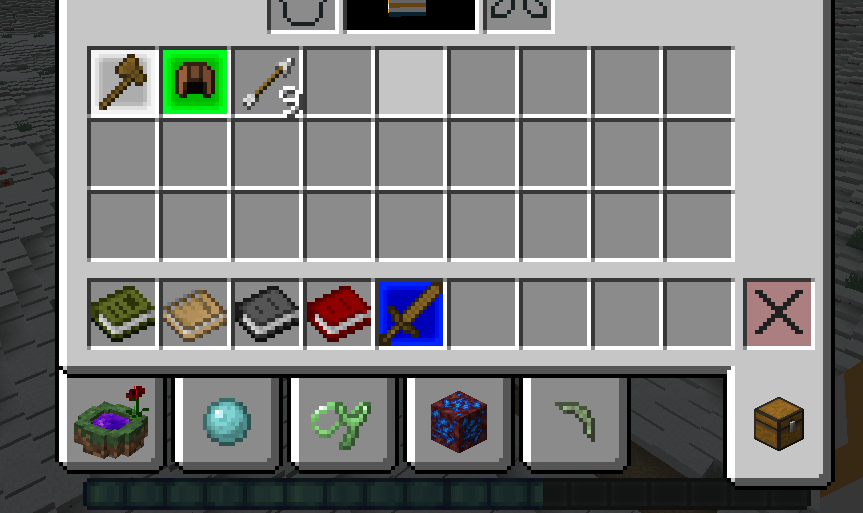 frozen sun
ehm why tho, that's the inventory
frozen sun
ohh
Well- these two large orbs appeared- idk if it helps

Also there's no extra tabs
warm sierra
ok this may be tricky but can u send me every mod in a sc
 warm sierra
ok hold on
frozen sun
going for an uh, MMO type thing- sorry if the mods seem strange
frozen sun
Alright
warm sierra
this is gonna take a minute
frozen sun
That's fine
warm sierra
its gonna take a bit for my friend to respond back so just friend me
sorry for the wait but i asure u i will solve the problem
frozen sun
Alright Lol, I can handle the wait
fleet bear
frozen sun
What mod does this? It's ruining quite a lot of stuff I want to do in my modpack
diablo loot
Also next time
!notcf
red patioBOT
Your question is not related to CurseForge owned/maintained features or services.
Please use the appropriate game room by getting a game role from #786424115535544350.
Otherwise use #👽︱game-support for game related help.
CurseForge does not make or maintain any of the content or games used on the site or app. Just because it's on the site/app does not make it a problem with CurseForge. Move rooms as requested, arguing about it will result in you being removed from the discord.
calm hamlet
fallen loom
Screenshot?
fallen loom
?owlogs
red patioBOT
<:overwolf:857375414002384916> How to get CurseForge App logs! <:overwolf:857375414002384916>
- Click the
Create logs zipin the menu. - Drag and drop the file it just made to this chat room to upload it.
- Wait for someone to look at it so they can help you.
 twin fox
so my the curse forge app on my comuter wont load like it will eather say im not conected (i am) or would go to the loading screan but never fully load in what do i do
 fallen loom
Are you able to access this page? https://curseforge.overwolf.com/downloads/ow-client-overrides-v2.json
twin fox
no
fallen loom
It should be nearly blank with just empty curly braces
twin fox
i cant
fallen loom
Oh wow wait
It's not empty anymore and it downloads the file
Do you get an error page or does it download?
young bone
I check that link and I see some text in the style of a manifest
fallen loom
Hmm...
 fallen loom
Something on your network is blocking you from accessing Curse's servers
young bone
young bone
I check that link and I see some text in the style of a manifest
I’m on mobile when I do that
fallen loom
Chrome is auto-downloading it for me
twin fox
got it working thank you
 drifting hound
hey can someone help me out?
fallen loom
?help
red patioBOT
╰( ͡° ͜ʖ ͡° )つ──☆*:・゚ *˜”*°•.˜”*°• Many Help •°*”˜.•°*”˜* <:curselit:796985620550385705>
Please provide a description of your issue with as much detail as possible. If you have an issue with a mod or modpack, tell us the name. Explain what you can see happening. Be specific!
Tell us what is happening, we already know it "doesn't work".
Avoid using words like "it", tell us exactly what "it" is.
Don't assume anyone knows what you are talking about, be specific.
Tell us what you expected to happen.
Provide screenshots or video if possible.
Provide a log if possible. ?mc-log
drifting hound
so i'm trying to play R.A.D and it wont let me update it so i tried to delete it and it says that the files are locked
 icy frigate
im tryna download a mod pack that my friend made so we can play the same mods and this keeps happening
 signal ridge
drifting hound
so i'm trying to play R.A.D and it wont let me update it so i tried to delete it...
signal ridge
drifting hound
so i'm trying to play R.A.D and it wont let me update it so i tried to delete it...
Restart your pc then try again
signal ridge
icy frigate
im tryna download a mod pack that my friend made so we can play the same mods an...
How was the pack made? Open the zip and screen shot the contents
 signal ridge
Open overrides and screen shot.
drifting hound
signal ridge
Restart your pc then try again
i did that and it didn't work
still says that the files are locked
icy frigate
nvm fixed it im a moron
signal ridge
drifting hound
still says that the files are locked
All minecraft instances are. CLosed?
icy frigate
it was cuz i put forge on the wrong storage disk
forge was on a full one so it couldn't download a modpack
drifting hound
signal ridge
All minecraft instances are. CLosed?
that might be it can you tell me how to do that
signal ridge
Restarting your pc should have fixed this.
In the app click the > minecraft tab > screen shot the path being used by the app
 barren mulch
hi! I've been trying to download the astral lucky block mod on your website and it doesnt seem to be transfering over to the curseforge app. Do you have any idea why this might be?
signal ridge
Why not just use the app to download it?
barren mulch
i cant find the mod on the app :p
signal ridge
Link it from the site
barren mulch
wym how
signal ridge
Copy the url from the site for that mod. Paste it here
signal ridge
Ah not a mod. Follow the install instructions in the description tab for that.
barren mulch
where do i find that
 wheat brook
hello, i have a question. I am making a "custom modpack" to use on a minecraft server, it's fabric, and i have a mod that i want in there, on my computer. Is there a way i could add it to the modpack?
signal ridge
barren mulch
where do i find that
Link you sent. But remove the /download bit at the end
signal ridge
wheat brook
hello, i have a question. I am making a "custom modpack" to use on a minecraft s...
!mc-installmods second part for manually adding mods
red patioBOT
How to install mods in CurseForge App.
- Click
+ Create Custom Profile - Name it, select the required Minecraft version, select the modloader & modloader version (usually the highest number), click
Create. - Click the profile icon.
- Click
Add More Content - Search and install the desired mods.
- Start the game!
How to install mods not on CurseForge.
- Right click the profile picture or Open the profile and click the Icon next to the play button.
- Click
Open Folder. - Drag the mod(s) into the
modsfolder. (Note: Some mods will require others, to run. Make sure to read the instructions for the mod!) - Start the game!
 wheat brook
ty! :)
barren mulch
signal ridge
Link you sent. But remove the /download bit at the end
okie! ill try that rn
wheat brook
i did that, will it come up in Mods (2) or not? because it isn't there, and there is three including it
signal ridge
Where did you get the mod from?
What?
Wait, the Wurst client? that what your talking about?
#📛︱rules 8, yeah not gunna get support for that here
barren mulch
I think I got it all sorted out thx for the help!
 rigid plume
Hey guys, having some issues with the description update to my curse pack page, when ever i hit save its format goes all JANKEY and nothing i change or do works D:
drifting hound
@signal ridge so im in the tab for minecraft and idk where to go from here you said that i should screenshot the path being used by the app?
signal ridge
Screen shot the Modded minecraft path the app is currently using
drifting hound

this also sorry for the bad screenshot my pc won’t let me rn but that’s a whole different problem
@signal ridge
signal ridge
Could try a new path, will have to reinstall packs tho (can transfer old saves after)
!mc-path
red patioBOT
Change your install path to the following:
For Windows: C:\CurseForge
For Mac: /Users/Shared/CurseForge
You will need to make this folder!
If Minecraft is not installed in CurseForge App:
- Click the in the top left.
- Select Minecraft from the list of games.
- Select the
Advancedoption and pick the location for your computer listed above. - Click
Continue.
If Minecraft is installed in CurseForge App:
- Click the in the bottom left.
- Select the Minecraft tab.
- Click
Change. - Select the location for your computer listed above.
:no_entry_sign: Minecraft Files should NOT be installed inside the following locations :no_entry_sign:
:no_entry_sign: .minecraft folder.
:no_entry_sign: OneDrive folders.
:no_entry_sign: Desktop folder.
:no_entry_sign: iCloud enabled folders.
:no_entry_sign: or any other cloud saved folder.
:no_entry_sign: or folders with non-English characters in them.
If any of the above are in the path you need to change/move it!
fleet bear
rigid plume
Hey guys, having some issues with the description update to my curse pack page, ...
That's normal. What are you trying to do exactly?
rigid plume
update my page basically. got some new graphics and a new description for an update about to be pushed out
can i send a screen shot of the formatting saved to what it comes out as
fleet bear
well yeahh... I know you are trying to update it.
But I want to know what tools you are using that aren't applying
rigid plume
got some new graphics and a new description basically
oh
well images and links apply
fleet bear
is it font size?
fleet bear
Then there's likely stray tags in the source code. if you edit it you can fix it.
rigid plume
ahh ok.. not sure on how to edit source code. What if I just delete it all and start again?
fleet bear
can try
rigid plume
does copy pasting from like word, or other word editors break things?
fleet bear
it can
rigid plume
Roger roger
fleet bear
you want to paste as raw text when doing stuff like that
rigid plume
ah i see
drifting hound
it started to work thank you for helping me
 slim siren
i cant figure why my Curseforge isn't detecting my stardew valley even when i do it manually
red patioBOT
Hey there, it is Curseforge, not "Cursed forge"
queen storm
!stardew
red patioBOT
Overwolf maintains a known list of issues here, some with solutions, others without.
https://support.curseforge.com/en/support/solutions/articles/9000196615-curseforge-known-issues
Scroll down, look at "Other games"
 pulsar linden
how do i fix this ;/
 upper root
!mc-logs
red patioBOT
Sending logs for support.
- Right-click the modpack profile icon OR click the button in the modpack profile.
- Click
Open Folder. - Open the
logsfolder. - Drag and drop the FILE named
latestORdebuginto discord.

 queen storm
#👽︱game-support And post logs there
 graceful edge
thx
wheat brook
hi, i made a datapack for the fabric origins mod. is there a way i can add that to a curseforge pack?
queen storm
Doesn't show up in the app? Or in the game?
queen storm
wheat brook
hi, i made a datapack for the fabric origins mod. is there a way i can add that ...
Drop it in the world folder as normal
fleet bear
That doesnt work for packs. Will need something like openloader.
queen storm
Also not when he is doing it in his save?
How is it supposed to recognise a mod that has never been uploaded to curseforge?
The app does not need to recognise it
queen storm
Put it in the mods folder, start the game
 queen storm
!mc-logs
red patioBOT
Sending logs for support.
- Right-click the modpack profile icon OR click the button in the modpack profile.
- Click
Open Folder. - Open the
logsfolder. - Drag and drop the FILE named
latestORdebuginto discord.
 tiny basin
im playing a modpack for 1.16.5 everytime i try adding optifine i get this error message it runs fine if i remove optifine and sudgestions
 young bone
Do what the message above yours says
tiny basin
i have i dont t
red patioBOT
We do not offer support for Optifine!
If you have issues with Optifine, remove it. If you want further support try the discord found on their website.
https://www.optifine.net/home
Installing Optifine with modpacks on Curseforge:
- Right click the modpack icon, select
Open Folder. - Put the
Optifine.jarinto themodsfolder. - Now start the modpack.
tiny basin
have any custom
 hot sphinx
stardew valley wont detect that i own it any help?
lyric crescent
!stardew
red patioBOT
Overwolf maintains a known list of issues here, some with solutions, others without.
https://support.curseforge.com/en/support/solutions/articles/9000196615-curseforge-known-issues
Scroll down, look at "Other games"
hot sphinx
i checked it and found nothing on it
queen storm

 wheat bough
yo can somone help me with my minecraft modpack
if posible in ger but english is ok too
queen storm
Then say what is wrong
 wind galleon
😦
 lyric crescent
?mc-log
red patioBOT
Sending logs for support.
- Right-click the modpack profile icon OR click the button in the modpack profile.
- Click
Open Folder. - Open the
logsfolder. - Drag and drop the FILE named
latestORdebuginto discord.
 acoustic sinew
won't load
 lyric crescent
?oops
red patioBOT
You had an "Oops, that was not supposed to happen!"
https://support.curseforge.com/en/support/solutions/articles/9000194900-curseforge-troubleshooting#oops
Please follow these instructions
 pseudo parrot
it tries to download files but it can't although it already has them, i need to delete the forge version before i can start it
 lyric crescent
?mc-path
red patioBOT
Change your install path to the following:
For Windows: C:\CurseForge
For Mac: /Users/Shared/CurseForge
You will need to make this folder!
If Minecraft is not installed in CurseForge App:
- Click the in the top left.
- Select Minecraft from the list of games.
- Select the
Advancedoption and pick the location for your computer listed above. - Click
Continue.
If Minecraft is installed in CurseForge App:
- Click the in the bottom left.
- Select the Minecraft tab.
- Click
Change. - Select the location for your computer listed above.
:no_entry_sign: Minecraft Files should NOT be installed inside the following locations :no_entry_sign:
:no_entry_sign: .minecraft folder.
:no_entry_sign: OneDrive folders.
:no_entry_sign: Desktop folder.
:no_entry_sign: iCloud enabled folders.
:no_entry_sign: or any other cloud saved folder.
:no_entry_sign: or folders with non-English characters in them.
If any of the above are in the path you need to change/move it!
 minor vigil
i keep getting a crash, the error message says something about java configurations, not sure what to do.
lyric crescent
?rewards ⤵️
red patioBOT
Question about the rearwards program?
Rewards TOS:
Enabling 2FA for rewards:
lyric crescent
minor vigil
i keep getting a crash, the error message says something about java configuratio...
Your crash looks like a mod issue. try #👽︱game-support
minor vigil
ok
 vocal surge
Modpack only crashes when loading through curseforge, uploading the exact same .zip to MultiMC and launching it there works fine, it works fine on curseforge too after the second time launching the game, but consistently while generating the .fabric file, it crashes, after crashing the file is generated and when launching again it works fine
Crash Report
Latest.log
idk if theres some curseforge log I can get
if so It'd be good to know how
lyric crescent
java.lang.IllegalStateException: Config not yet available
provide the config
vocal surge
tried that, copying in the entire config folder from a working version to a new one
new one as in just imported .zip from a .zip file that had already been run once
lyric crescent
well it's not curseforge causing this crash, so not really anything to tell you about it. it's sodium or however you are making this pack.
vocal surge
then why'd it work on MultiMC first time with no issues tho?
lyric crescent
how would i know
vocal surge
idk
lyric crescent
make the pack on curseforge instead, then see if there is an issue
vocal surge
I did make the pack on curseforge
then tested it out on MultiMC just then to see if anything would be different
The only non curseforge thing is 2 overrides
however removing those and replacing it with regular sodium changes nothing
the two overrides were replay mod and replay mod's sodium fork
lyric crescent
for the sake of this discussion, lets stop mentioning what multimc can/can not do, as it doesnt help solve anything
explain what exactly you are doing to obtain this issue
🤷♂️ not only do i not know what you are talking about or what issue you have, if you have issues with understanding a ToS you should probably ask a legal expert. we are not that.
vocal surge
- Import the modpack from a .zip that was exported from curseforge
- Launch it, and press play on the minecraft launcher, game launches decently, (if essentials is installed it will go through essentials loading stage, unless enssentials is only one installed then it causes a crash with a fabric crash report window) the game gets to the step were it shows the loading screen then crashes and returns an error either about a messed up sodium file if not enough crashes is installed, or blames Pick Up Notifier if not (assuming sodium is installed in both cases, it does not matter whether its replay mod's sodium fork, or regular sodium, same error either way, if no sodium but replay mod is present it gives some error about replay mod, and if no replay mod, and no sodium, an essential pre-loader error shows up, it crashes differently to the rest instead of returning to the minecraft launcher to display the crash it returns to a fabric window, if no essentials/replay mod/sodium, it launches fine
- If the game is launched a second time after receiving one of these errors, regardless of what error is received prior, it loads and works fine, the game can be put back into the state were it has an error by deleting the .fabric folder, this causes it to act like the first run were it crashes once then works afterwards
- Launching the exact same .zip file extracted earlier which includes all: Sodium Fork, Replay Mod, and Essentials installed has no issue for some arbitrary reason I do not understand
lyric crescent
send the zip
vocal surge
heres my beatiful spread sheet thats kinda shit (NEC = Not enough Crashes)

k
This one has most of the config removed and was recreated from the original
i've done this a fair few times

 lyric crescent
i dont see a sodium config here
vocal surge
ik I removed it
because some post said the cause of the sodium error was a corrupted config file
I usually add it myself from a previous install into the directory after extraction and before running
lyric crescent
the crash report says the cause is not having a config
vocal surge
it says that regardless of whether or not theres a config
lyric crescent
so have you reported this to sodium at all, as it would seem to be an issue they should be fixing
vocal surge
ye but even if theres no sodium another thing takes over per- my spreadsheet unless all 3 are removed, plus idk why this would only be happening when downloading from curseforge
also I did report it to sodium and no ones gotten back to me yet...
lyric crescent
curseforge manages mods. i dont see how this issue relates either
vocal surge
cus its launching from Multimc fine but not curseforge for some reason, I wanted to find out if theres any differences between how they launch or were multimc downloads its mods from or something, I assumed MultiMC would just download from curseforge when given a curseforge .zip but if that were the case then why would multimc work and not curseforge when extracing/downloading from the same .zip file?
lyric crescent
guess i get the privilege of further complicating this for you
zip loaded just fine
vocal surge
bruuuuuuuuuuuuuuuuuuuuuuuuuuu
wut
ok I'm going to try it on my brothers computer as well if it works there then it must just be an issue with my computer locally, also just out of curiosity is there some central install of fabric install that curseforge downloads once and then distributes to modpacks again instead of downloading over and over again or something to help explain it?
lyric crescent
?mc-installfix might be worth a shot
red patioBOT
This is NOT instructions for Repair Profile! They are NOT the same! You need to do this!
- Click on the Minecraft Tab on the Left side of the CurseForge App.
- Click button next to the
Create Custom Profileoption. - Click
Repair Installationoption. - Play game.
NOTE: You will not lose any modpacks or worlds!
vocal surge
I'll give that a shot (australian internet is very slow its barely almost half way)
 burnt raven
My friend is trying to install the launcher, but when he finally clicks install, it crashes and does nothing, is there a reason for that
it even crashes before he hits install
lyric crescent
friend should explain their issue instead
burnt raven
he just restarted his pc
lyric crescent
what launcher are we talking about
burnt raven
curseforge(?)
lyric crescent
?getcf
red patioBOT
Looking to install the CurseForge app?
<:windows:798410728188936222> Windows
Minimum Requirements:
- OS Version: 7 (64 bit), 8.1, 10, 11
- 64 bit Required.
- 350MB storage space.
- Microsoft .Net 4.8
- Intel/AMD quad-core CPU
- 8GB ram
[Windows Download]
[Windows Alternative Download]
If you are having issues with the Windows Download use the Windows Alternative Download to install Overwolf. Then download CurseForge from the App Store.
<:mac:798410654418862130> Mac
:penguin: Linux
Minimum Requirements:
Yes. SOON:tm: ( ͡~ ͜ʖ ͡°)
Download: :person_shrugging:
lyric crescent
use the alternate link
burnt raven
aight
 idle oasis
lyric crescent
use the alternate link
idle oasis
lyric crescent
use the alternate link
the alternative link will only download Overwolf
signal ridge
This is correct, Use the Overwolf app to install the Curseforge app
idle oasis
I see
signal ridge
Says this right below the link as well
 upper zinc
Hello! I have my World of Warcraft game installed on two computers (my desktop and my laptop for on-the-road gaming). I would like to synchronize the WOW add-ons between these two computers whenever I go for a length of time without logging in on one or the other. How would I do that?
idle oasis
It already works, thank you
lyric crescent
upper zinc
Hello! I have my World of Warcraft game installed on two computers (my desktop ...
log in to the app with a curseforge account then enable sync in the wow settings
upper zinc
lyric crescent
log in to the app with a curseforge account then enable sync in the wow settings
Do I need to create a profile?
lyric crescent
literally just told someone else not to ping reply 🙄
upper zinc
When I click on"Sync," the same dialog box where the "Enable AddonSync" checkbox is found contains the additional setting "Create new Sync Profile" and a field for entering a text striong and a "Create" button. Is creating a new Profile required for the addons sync to proceed?
lyric crescent
no clue on that, my knowledge of how stuff works with WoW is that it exists and nothing more.
upper zinc
OK - I will try that to see how it goes... if you don't hear from me again, consider it working without adding a Profile name... 🙂 Thanks again!
vocal surge
lyric crescent
?mc-installfix might be worth a shot
I'm still getting the issue... different one this time (sorta) its no longer blaming sodium immediatly, its crashing on essentials, then removing that, it crashes on replay mod, then removing replay mod it goes back to blaming sodiums lack of config, then removing sodium (+iris cus iris is dependant on sodium) causes it to crash without showing me a crash report, but it generates one in the crash reports folder, which goes back to blaming pick up notifier, which is the default thing it blames all the time when not enough crashes isn't installed
also double checked multimc and that still seems to work for god knows what reason
(Also tried uninstalling curseforge and reinstalling it again which did nothing but revert the order of errors back to first blaming sodium's config issue, although it did keep all my profiles so maybe theres some supporting folder that idk were is thats messing something up)
when you loaded it did you get all the way to the main menu?
lyric crescent
yep
vocal surge
I have literally no idea wut it could be then
red patioBOT
Change your install path to the following:
For Windows: C:\CurseForge
For Mac: /Users/Shared/CurseForge
You will need to make this folder!
If Minecraft is not installed in CurseForge App:
- Click the in the top left.
- Select Minecraft from the list of games.
- Select the
Advancedoption and pick the location for your computer listed above. - Click
Continue.
If Minecraft is installed in CurseForge App:
- Click the in the bottom left.
- Select the Minecraft tab.
- Click
Change. - Select the location for your computer listed above.
:no_entry_sign: Minecraft Files should NOT be installed inside the following locations :no_entry_sign:
:no_entry_sign: .minecraft folder.
:no_entry_sign: OneDrive folders.
:no_entry_sign: Desktop folder.
:no_entry_sign: iCloud enabled folders.
:no_entry_sign: or any other cloud saved folder.
:no_entry_sign: or folders with non-English characters in them.
If any of the above are in the path you need to change/move it!
vocal surge
got the sodium config error again...
same issue on my brothers computer weirdly as well
lyric crescent
send the zip you are using
vocal surge
lyric crescent
anyone else wanna confirm if this zip works?
signal ridge
On it
lyric crescent
as before, imported and loaded fine https://i.imgur.com/T8M7ynL.png
 vocal surge
no crash on the first load or nothing?
lyric crescent
what version of curseforge are you on
vocal surge
v.0.195.2.1
lyric crescent
hmm
vocal surge
 lyric crescent
and the other pc?
vocal surge
ill check rn
lyric crescent
im on 194.2.1
signal ridge
Worked for me. Same cf version as Yamza
 vocal surge
other pc is on the same version as me
that menu has been a bit f'ed but thats probably unrelated
lyric crescent
well this is 
vocal surge
anyway to downgrade?
lyric crescent
no
vocal surge
maybe if you update ur's to see if it breaks again? (you'd probably also need to import the .zip again since the first launch would of constructed the .fabric folder so it would work fine regardless)
or delete the .fabric fodler from the original
lyric crescent
i cant update until it's available, but i am reporting this to be looked at.
vocal surge
wait is mine on a beta build or something\
signal ridge
you just got the next update before us. Its a slow roll out
vocal surge
oh ok
 mint lantern
!mc-logs
red patioBOT
Sending logs for support.
- Right-click the modpack profile icon OR click the button in the modpack profile.
- Click
Open Folder. - Open the
logsfolder. - Drag and drop the FILE named
latestORdebuginto discord.
vocal surge
believe me i've looked at those logs
mint lantern
how can i fix the crash then?
lyric crescent
what are you even talking about
signal ridge
Guessing 2 different issues?
mint lantern
The Modpack always crashes
lyric crescent
what modpack
mint lantern
RAD
signal ridge
Send the log in #👽︱game-support
mint lantern
lyric crescent
?mc-installfix
red patioBOT
This is NOT instructions for Repair Profile! They are NOT the same! You need to do this!
- Click on the Minecraft Tab on the Left side of the CurseForge App.
- Click button next to the
Create Custom Profileoption. - Click
Repair Installationoption. - Play game.
NOTE: You will not lose any modpacks or worlds!
lyric crescent
restart the app
mint lantern
still the same
lyric crescent
?mc-path
red patioBOT
Change your install path to the following:
For Windows: C:\CurseForge
For Mac: /Users/Shared/CurseForge
You will need to make this folder!
If Minecraft is not installed in CurseForge App:
- Click the in the top left.
- Select Minecraft from the list of games.
- Select the
Advancedoption and pick the location for your computer listed above. - Click
Continue.
If Minecraft is installed in CurseForge App:
- Click the in the bottom left.
- Select the Minecraft tab.
- Click
Change. - Select the location for your computer listed above.
:no_entry_sign: Minecraft Files should NOT be installed inside the following locations :no_entry_sign:
:no_entry_sign: .minecraft folder.
:no_entry_sign: OneDrive folders.
:no_entry_sign: Desktop folder.
:no_entry_sign: iCloud enabled folders.
:no_entry_sign: or any other cloud saved folder.
:no_entry_sign: or folders with non-English characters in them.
If any of the above are in the path you need to change/move it!
mint lantern
and again
signal ridge
Show path your using in the app.
mint lantern
 signal ridge
Thats not what the bot said to use. Try again. Read lines 2 &4
mint lantern
It says change next to that
signal ridge
For Windows: C:\CurseForge
mint lantern
oh
mint lantern
well i am not the best in english
 loud eagle
https://traff.co/HtFYorU7
Does anyone know what this error when i try to launch curseforge means?

We was run new service for formation short links. Enter a domain or url and get a short link!
red patioBOT
Wording is important!
Forge = Minecraft Forge, This is a modloader often just called "Forge".
Fabric = Fabric MC, this is another modloader, just called "Fabric".
CurseForge = A Website/App that has content for games.
Mods = Individual mod files.
Modpacks = Multiple mods put into the mods folder or downloaded from CurseForge.
These are not Interchangeable! Please use the correct terms as it allows us to help you faster!
loud eagle
ah thank you ill look for a more specific disord then
signal ridge
Can get server support in #👽︱game-support or try forges actuall discord
red patioBOT
loud eagle
thank you very much
 shell basalt
When ever I lunch curse forge it says "Oops something went wrong" And gives me the option to relunch the app and makes logs
lyric crescent
?oops
red patioBOT
You had an "Oops, that was not supposed to happen!"
https://support.curseforge.com/en/support/solutions/articles/9000194900-curseforge-troubleshooting#oops
Please follow these instructions
shell basalt
thank you
lyric crescent
vocal surge
believe me i've looked at those logs
Confirmed to be an issue with CurseForge, though unsure why. It is being looked at.
vocal surge
Kk awesome, you reckon I’d be good to upload it to curseforge or might the reviewer have difficulties if theirs doesn’t load on the first try?
lyric crescent
it would be fine.
vocal surge
Kk will do that tmrw since it still needs a couple modifications & it’s 3am lmao
fleet bear
did you click download?
 fluid moss
yeah and it tells me object instance is not selected
fleet bear
restart the app
fluid moss
with overwolf?
 lavish flame
I'm having trouble install RLcraft mod and the error is that its missing a dependency. Missing Addon ID: 309927.
Is anyone else having this problem? I've restarted both the app an my computer.
fluid moss
ill close both gimme a second
signal ridge
lavish flame
I'm having trouble install RLcraft mod and the error is that its missing a depen...
Will look into this. Saw another project with the same ID
lavish flame
signal ridge
Will look into this. Saw another project with the same ID
Thanks, I'm having trouble with sky factory 4 too with the same issue. Not sure if that might help
signal ridge
same number?
lavish flame
I believe so. let me double check
lavish flame
lavish flame
I believe so. let me double check
yup
 idle stirrup
does any1 know how to fix the " object reference not set to an instance of an object " error message?
signal ridge
Restart your cf app then try again
fluid moss
I think im about to fix it myself
idle stirrup
I just tried that and it didn’t work. I also uninstalled cf and that didn’t work either @signal ridge
signal ridge
Looking into it.
signal ridge
lavish flame
Thanks, I'm having trouble with sky factory 4 too with the same issue. Not sure ...
Try installing your packs now.
lavish flame
signal ridge
Try installing your packs now.
cool I think worked. Thanks
fluid moss
I fixed it
 fervent flume
its working for me
fluid moss
I just had to create my own custom profile
wheat bough
i uploaded a modpack for me and my friends and if i am not signet in i can´t see it and i can´t download it into the launcher
what should i do now?
signal ridge
Has it been approved?
 rich flint
If this is only for friends you do not need a website project - simply send them the export file
wheat bough
ok and how do i import the file into the launcher?
signal ridge
?mc-installpack second part
red patioBOT
How to install modpacks with the search features in app.
- Open the
Minecraftsection of the app. - Click the top search bar where it says
Search for modpacksOR Click theBrowse ModpacksTab. - Find the Modpack you want to install and click install on it.
- Wait for CurseForge app to download and unpack all the required files.
- Once finished, click
Play!
How to install modpacks from a Export. (Custom/Private/Site downloaded Modpack zip)
- Get CurseForge App if you don't have it, use
!downloadfor a link. - Get the exported modpack from CurseForge or someone else,
!mc-packshareexplains how to make them. - Open the
Minecraftsection of the app. - Click
Create Custom Profile - Click the
Importoption. - Find the file you just downloaded in step 2 and select it.
- CurseForge app will now attempt to download and unpack the modpack. If it fails, try steps 4-6 again.
- Once finished, click
Play!
red patioBOT
Your question is not related to CurseForge owned/maintained features or services.
Please use the appropriate game room by getting a game role from #786424115535544350.
Otherwise use #👽︱game-support for game related help.
CurseForge does not make or maintain any of the content or games used on the site or app. Just because it's on the site/app does not make it a problem with CurseForge. Move rooms as requested, arguing about it will result in you being removed from the discord.
wheat bough
ik just if somone knows a good option
signal ridge
Not the channel for server questions
wheat bough
ok
signal ridge
Should,
 primal phoenix
hello i am trying to run some mods off of curse forge and when i go hit play i get "Error: java.lang.IllegalStateException: Registry is already frozen" does anyone know how to fix this or why this happenes
signal ridge
Screen shot error
primal phoenix
 signal ridge
#👽︱game-support Will post what to do there
 wind spade
when i try to download curseforge it keeps on removing itself from my downloads and not letting me this has been happening for 2 day now.
signal ridge
!getcf try the alternate link
red patioBOT
Looking to install the CurseForge app?
<:windows:798410728188936222> Windows
Minimum Requirements:
- OS Version: 7 (64 bit), 8.1, 10, 11
- 64 bit Required.
- 350MB storage space.
- Microsoft .Net 4.8
- Intel/AMD quad-core CPU
- 8GB ram
[Windows Download]
[Windows Alternative Download]
If you are having issues with the Windows Download use the Windows Alternative Download to install Overwolf. Then download CurseForge from the App Store.
<:mac:798410654418862130> Mac
:penguin: Linux
Minimum Requirements:
Yes. SOON:tm: ( ͡~ ͜ʖ ͡°)
Download: :person_shrugging:
wind spade
thanks
 remote cloak
curseforge broke on me. will not load minecraft even with no mods
fallen loom
Any error messages or logs you can provide?
signal ridge
guessing same issue they posted in game support?
fallen loom
¯_(ツ)_/¯
 earnest socket
hi i somehow got myself banned from reporting myself
signal ridge
huh?
earnest socket
 red patioBOT
Issue Reporting with Overwolf tickets!
Issues can be reported two ways!
Via the website, or in app. Instructions for both are below!
Make sure to include logs when reporting a problem!
Upload your Overwolf logs with the Upload File option on the ticket, information on how to get these logs can be found here https://support.overwolf.com/en/support/solutions/articles/9000176827-how-to-get-your-overwolf-logs
:bug: Reporting via Website :bug:
Can't open the app or would rather use the website? You can do so here: https://support.curseforge.com/en/support/tickets/new
Fill out the form with accurate detailed information, "It doesn't work" isn't helpful! What exactly doesn't work and why doesn't it work should be easy to answer!
:question: Ticket Status :question:
Tickets you have made can be looked at, replied to and closed if you make/login to an account. If you submit a ticket with a specific Email make sure to use that when you make your account so you can see your past tickets!
https://support.curseforge.com/en/support/tickets
Otherwise you will only get email replies at the email you used to open the ticket.
:bug: Reporting via the CurseForge App :bug:
- Click the icon in the bottom left.
- Select
Open a Ticket. - Fill out the form with accurate detailed information, "It doesn't work" isn't helpful! What exactly doesn't work and why doesn't it work should be easy to answer!!
- Upload your Overwolf logs with the
Upload Filesection. (see the top of this message for details) - Submit!
earnest socket
!ticket
red patioBOT
Issue Reporting with Overwolf tickets!
Issues can be reported two ways!
Via the website, or in app. Instructions for both are below!
Make sure to include logs when reporting a problem!
Upload your Overwolf logs with the Upload File option on the ticket, information on how to get these logs can be found here https://support.overwolf.com/en/support/solutions/articles/9000176827-how-to-get-your-overwolf-logs
:bug: Reporting via Website :bug:
Can't open the app or would rather use the website? You can do so here: https://support.curseforge.com/en/support/tickets/new
Fill out the form with accurate detailed information, "It doesn't work" isn't helpful! What exactly doesn't work and why doesn't it work should be easy to answer!
:question: Ticket Status :question:
Tickets you have made can be looked at, replied to and closed if you make/login to an account. If you submit a ticket with a specific Email make sure to use that when you make your account so you can see your past tickets!
https://support.curseforge.com/en/support/tickets
Otherwise you will only get email replies at the email you used to open the ticket.
:bug: Reporting via the CurseForge App :bug:
- Click the icon in the bottom left.
- Select
Open a Ticket. - Fill out the form with accurate detailed information, "It doesn't work" isn't helpful! What exactly doesn't work and why doesn't it work should be easy to answer!!
- Upload your Overwolf logs with the
Upload Filesection. (see the top of this message for details) - Submit!
young bone
You didn’t need to run the command yourself, it doesn’t change when someone else does it
earnest socket
ok
rich flint
you can also use #🟢︱user-bot-spam for that stuff 😉
 pallid lagoon
Hey! This crash report is specific to Project Architect but this happens to almost every modpack I play. I play on single player worlds. On the first day I play them when i first create my world, joining and loading into the world is fine. But always the next session I play, my minecraft always crashes while trying to open the single player world and it doesnt respond. Here's the crash report:
signal ridge
pallid lagoon
Hey! This crash report is specific to Project Architect but this happens to almo...
In the saves folder > select the world your playing > serverconfig > find and delete this file framedblocks-server.toml
Also next time #👽︱game-support for this
pallid lagoon
signal ridge
In the saves folder > select the world your playing > serverconfig > find and de...
Sorry about the wrong channel! I deleted it and im currently running the game to see if itll work. Thanks for responding!
signal ridge
!mc-logs send these to #👽︱game-support
red patioBOT
Sending logs for support.
- Right-click the modpack profile icon OR click the button in the modpack profile.
- Click
Open Folder. - Open the
logsfolder. - Drag and drop the FILE named
latestORdebuginto discord.
 azure obsidian
thanks
 cyan rover
Hello. I just bought a server but it keeps on crashing and restarting. At least That is was I think it is doing.
signal ridge
!notcf
red patioBOT
Your question is not related to CurseForge owned/maintained features or services.
Please use the appropriate game room by getting a game role from #786424115535544350.
Otherwise use #👽︱game-support for game related help.
CurseForge does not make or maintain any of the content or games used on the site or app. Just because it's on the site/app does not make it a problem with CurseForge. Move rooms as requested, arguing about it will result in you being removed from the discord.
signal ridge
!mc-logs
red patioBOT
Sending logs for support.
- Right-click the modpack profile icon OR click the button in the modpack profile.
- Click
Open Folder. - Open the
logsfolder. - Drag and drop the FILE named
latestORdebuginto discord.
signal ridge
All mods installed using the CurseForge app? AKA none added to the mods folder
signal ridge
Did you change anything between now and when it was last working?
digital roost
that's what I'm not sure
signal ridge
This a modpack you made OR downloaded?
digital roost
I made it
signal ridge
How are you not sure if you changed anything or not?
upper root
What changed between when it last worked and now?
upper root
Did anything change?
digital roost
...
upper root
If nothing changed then say so, but what you said previously makes me think something did change
upper root
Lets move to #👽︱game-support, this isnt really the channel for game support
 unkempt yarrow
Hey guys. I recently released my first modpack on curse and it went without issues, including updating the pack. However, I now decided to upload server files, so people can enjoy the pack on servers.. Problem is, it keeps getting rejected for "Invalid archive.". I followed a guide I found online, the file is a .zip
Any ideas?
And to add onto this.. The files that got rejected aren't downloadable ofc, but they still show up lol.


