#🔥︱curseforge-support
1 messages · Page 615 of 1
 upper root
 vast iris
shame, thank you for trying.
 glacial pasture
Can someone help me update a modpack its not letting me update it
 red patioBOT
╰( ͡° ͜ʖ ͡° )つ──☆*:・゚ *˜”*°•.˜”*°• Many Help •°*”˜.•°*”˜* <:curselit:796985620550385705>
Please provide a description of your issue with as much detail as possible. If you have an issue with a mod or modpack, tell us the name. Explain what you can see happening. Be specific!
 Tell us what is happening, we already know it "doesn't work".
Avoid using words like "it", tell us exactly what "it" is.
Don't assume anyone knows what you are talking about, be specific.
Tell us what you expected to happen.
Provide screenshots or video if possible.
Provide a log if possible. ?mc-log
glacial pasture
The modpack Ampz, whenever i press the two arrows facing away from each other and try to change version. I click on the most recent version, check the box that says update to new profile and hit continue but when i open up minecraft and look back at the curseforge window it shows that it still has the out of date version selected.

 slow surge
is there any way to make curseforge work on windows insider?
or "manually" make a modpack without it?
upper root
Yes, there are instructions for making it work with insider if you follow the learn more link
upper root
glacial pasture
The modpack Ampz, whenever i press the two arrows facing away from each other an...
Has it made a new profile with the new update? because that is what the "update to new profile" box does
glacial pasture
oh shit lemme check
no it hasn't
and when i try updating it without the new profile thing checked it doesn't update at all
wait hold on i think i got it
 dusk echo
So i've created a mod, I'm the original owner, I created the cf page, the art, and I came up with the name.
My coder is telling me that he can relinquish my ownership of it because he coded it, and that if he contacts curseforge, i can lose the rights to it completely, is this true?
 slim oriole
Hmm
slim oriole
dusk echo
So i've created a mod, I'm the original owner, I created the cf page, the art, a...
He created the mod page that lets you create the mod ?
upper root
dusk echo
So i've created a mod, I'm the original owner, I created the cf page, the art, a...
Depends on what you agreed to when you got them to code it.
dusk echo
we agreed that he would work on it, that's about it
dusk echo
slim oriole
He created the mod page that lets you create the mod ?
i created the page
slim oriole
Hmm
dusk echo
but he did spend more time on the mod than i did, but im sure that can't mean i lose ownership
 lyric crescent
curseforge would tell you guys to sort it out yourselves first, then if it was messy they would likely just remove the content entirely
dusk echo
i see
dusk echo
slim oriole
One of you can’t take all the ownership
but you can't have two owners of a cf page, im not sure who that would go to
upper root
Your coder could definitely submit a request to CF to get the project removed, but unless they had a very good reason they would be ignored
lyric crescent
yes
 fallen loom
Are they a friend of yours or did you meet online and just agree to work on the project?
dusk echo
kinda both
fallen loom
and by friend I mean IRL friend
If they're not a random dick who planned on this from the start what could have caused them to decide to eject you from the project?
dusk echo
not an irl friend, no
the cause is i no longer work at the same studio as they do
and they want the rights to the mod to keep it under the studio name, but it's still my project 
lyric crescent
if this is a professional thing, i assume you had some agreements in place to deal with this so curseforge wouldnt have to
dusk echo
we didn't have any agreements, they just offered to work on it and that was that
lyric crescent
sounds like you all need to have a discussion then
dusk echo
they're not interested in discussing it, i just need to know if it's possible that i lose ownership because they coded it
lyric crescent
if you dont have explicit rights to their code, then absolutely
dusk echo
o h
lyric crescent
but like i said, they would likely just remove the project entirely if you guys cant sort it out
upper root
If you made the models they dont have rights to those (unless you gave them rights) so they would have a bit of a problem too
dusk echo
i did make all of the art, and i came up with idea and name originally
lyric crescent
Legally, who had the idea doesnt really matter, nor the name unless trademarked. You have rights to the art, they have rights to the code. If you cant agree then they can take their code, and you can take your art and make new projects out of them individually.
dusk echo
is there anything i can do to increase the chances that i'll get to keep it
 fleet bear
You can keep the project but not the files on it.
lyric crescent
you can delete them after archiving them
 gloomy pollen
Could anyone help me with curseforge not being able to start an FTB modpack?
fleet bear
Use the FTB launcher.
red patioBOT
We do not provide support for FTB Modpacks or the FTB App.
If you are looking to play FTB modpacks use the FTB launcher.
https://www.feed-the-beast.com/
Any Overwolf FTB launcher issues you have should be directed here:
https://github.com/FTBTeam/FTB-App/issues/426
gloomy pollen
I am using it
fleet bear
Then you aren't using CurseForge.
gloomy pollen
Well let me clarify lol, i've tried both
 shy copper
so i have an issue with a minecraft mod on curseforge (the mod is called wyntills) ,so whenever i try to start it it says that forge is oudated does anyone have a solution?
 rich flint
screenshot?
 digital roost
whenever i try to download the forge downloader, a black screen opens up for a second and then immediately closes. I've updated my drivers and have redownloaded java, no clue where to go next.
 wooden sand
I've started to have this issue on minecraft, basically, forge was updated to 1.16.5 so it was outdated so i decided to put it on the latest update. everything when smoothly until i tried actually opening Minecraft with forge. Minecraft would open for a few seconds and then crash with "exit code -1"
red patioBOT
Error/Exit codes are useless. Follow these steps so someone can actually help you.
- Right-click the modpack profile icon OR click the
 button in the modpack profile.
 - Click

Open Folder. - Open the
logsfolder. - Drag and drop the FILE named
latestORdebuginto discord.
red patioBOT
Your question is not related to CurseForge owned/maintained features or services.
Please use the appropriate game room by getting a game role from #786424115535544350.
Otherwise use #👽︱game-support for game related help.
CurseForge does not make or maintain any of the content or games used on the site or app. Just because it's on the site/app does not make it a problem with CurseForge. Move rooms as requested, arguing about it will result in you being removed from the discord.
 opal cipher
digital roost
whenever i try to download the forge downloader, a black screen opens up for a s...
opal cipher
digital roost
whenever i try to download the forge downloader, a black screen opens up for a s...
!!=
red patioBOT
Wording is important!
Forge = Minecraft Forge, This is a modloader often just called "Forge".
Fabric = Fabric MC, this is another modloader, just called "Fabric".
CurseForge = A Website/App that has content for games.
Mods = Individual mod files.
Modpacks = Multiple mods put into the mods folder or downloaded from CurseForge.
These are not Interchangeable! Please use the correct terms as it allows us to help you faster!
 rugged latch
What had happened here
opal cipher
What problem are you experiencing?
Looks like your app is having problems connecting to the Overwolf servers to fetch data for CurseForge.
Forwarding to staff.
opal cipher
rugged latch
What had happened here
Can you connect to https://curseforge.overwolf.com/downloads/client-overrides-v2.json with your browser?
rugged latch
opal cipher
What problem are you experiencing?
It just straight up crashes basically, doesnt happen always but happens way too often
rugged latch
opal cipher
Can you connect to https://curseforge.overwolf.com/downloads/client-overrides-v2...
I can
opal cipher
Awesome, thanks for testing. Poking staff again.
Are you connected via Wifi or ethernet cable? Try switching how you are connected, even with a wifi hotspot from the phone if necessary.
rugged latch
hotspot
opal cipher
Ah, that could be the issue, if it's flaky/bad reception.
rugged latch
I see everything else works fine for me tho
opal cipher
Could be firewall/antivirus or something like that, are you connected through a VPN or something like that as well?
rugged latch
Nothing literally lol
I occasionally face this problem but it works when I try a bunch of times
 tropic kelp
ya'll got any idea why i lag in sevtech ages mod?
everytime i load a chunk or to many pixels move, it gives me a massive lagspike
0 fps for 3 seconds
red patioBOT
Your question is not related to CurseForge owned/maintained features or services.
Please use the appropriate game room by getting a game role from #786424115535544350.
Otherwise use #👽︱game-support for game related help.
CurseForge does not make or maintain any of the content or games used on the site or app. Just because it's on the site/app does not make it a problem with CurseForge. Move rooms as requested, arguing about it will result in you being removed from the discord.
lyric crescent
Ideas are not a valid reason to remove a project.
 dense zinc
why cant i open this project in my curseforge client? https://www.curseforge.com/minecraft/mc-mods/oc2/files/all?filter-game-version=1738749986%3A73250
even the "Open with curseforge" buttons just do nothing
red patioBOT
Sync and your Project.
CurseForge App and site do not share the same requirements! You can find things on the site but this does not mean it will be in the app!
For a mod to show up in the app:
- Projects MUST have a file marked as RELEASE
 or BETA
- Projects MUST be APPROVED
- Projects MUST have a file marked for the GAME VERSION SELECTED/LOADED
- Projects CAN'T be EXPERIMENTAL
- Projects CAN'T be ABANDONED
Files can take a while to show up in the app. If your files still have not shown up either your project is new and you have yet to mark a file as Release/Beta or there is issues with the sync system making it slow.
Vote this issue up if you would like to know when the last sync was! https://curseforge-ideas.overwolf.com/ideas/CF-I-1617
dense zinc
Is there an option in the curseforge client that allows me to see Alpha's?
lyric crescent
You cannot see any project that doesn't have a release file, regardless of the app setting.
The only way to install this is to manually add it to the mod folder, and it will likely fail to export if you attempt to include this in a modpack.
dense zinc
i'll just throw it in Overrides
lyric crescent
I suspect that would get rejected, but can't say I know for sure.
dense zinc
not for public use, just using it for myself
lyric crescent
Ok.
 obtuse marten
can anyone help me install curseforge into my server, im trying to create a local modded server but for some reason the mod part does not seem to be working
lyric crescent
curseforge is not for servers
lyric crescent
!mc-forge
red patioBOT
obtuse marten
thank you
 edgy ibex
hi can i place my question about a mc modpack not launching here?
lyric crescent
by typing it
edgy ibex
so today i booted up my curseforge and tried to launch enigmatica 2 but got an error
uploading now

 bold lantern
""the block is missing its respective building, try restarting or loading a backup "" <-- can anyone help with this...i logged in and whenever i try to click on any building..i get this message
red patioBOT
Your question is not related to CurseForge owned/maintained features or services.
Please use the appropriate game room by getting a game role from #786424115535544350.
Otherwise use #👽︱game-support for game related help.
CurseForge does not make or maintain any of the content or games used on the site or app. Just because it's on the site/app does not make it a problem with CurseForge. Move rooms as requested, arguing about it will result in you being removed from the discord.
red patioBOT
This is NOT instructions for Repair Profile! They are NOT the same! You need to do this!
- Click on the Minecraft Tab on the Left side of the CurseForge App.
- Click button next to the
Create Custom Profileoption. - Click

Repair Installationoption. - Play game.
NOTE: You will not lose any modpacks or worlds!
edgy ibex
thanks
wasnt sure if its curseforges or mc related
@lyric crescent thanks i think its working
 onyx vortex
The following files belong to CurseForge-hosted projects, and should therefore not be added directly to zip files
how i can fix it?
 signal ridge
Delete the mods listed and reinstall them using the curseforge app
signal ridge
Still what you do to fix it
onyx vortex
signal ridge
Still what you do to fix it
idk
signal ridge
onyx vortex
idk
did it give you a list of mods in that massage?
onyx vortex
yes
signal ridge
Then delete those mods from your modpack then reinstall them using the app. Test the pack, Then export again.
lyric crescent
 remote bluff
I accidentally deleted my project in coursforge, is there any way to restore it?
onyx vortex
onyx vortex
The following files belong to CurseForge-hosted projects, and should therefore n...
and this These files should, instead, be referenced in the manifest.json file generated by the Twitch Desktop App during a profile export.
 queen storm
remote bluff
I accidentally deleted my project in coursforge, is there any way to restore it?
queen storm
remote bluff
I accidentally deleted my project in coursforge, is there any way to restore it?
App or website?
remote bluff
app
queen storm
onyx vortex
and this These files should, instead, be referenced in the manifest.json file ge...
How did you install the mods?
queen storm
remote bluff
app
Then no
remote bluff
I didn't put it on the site
onyx vortex
queen storm
How did you install the mods?
curseforge app
queen storm
onyx vortex
curseforge app
What version of the app are you on? And please disable the ping
onyx vortex
Last version of curseforge launcher
onyx vortex
opal cipher
So.. 0.194.1.6?
how i see it?
onyx vortex
yeah and
queen storm
You look at the bottom left of the window
onyx vortex
opal cipher
So.. 0.194.1.6?
yes
opal cipher
Have you added any mods using the website?
onyx vortex
no
opal cipher
Then it's just to delete the mod again, and reinstall it, again.
Until it stops doing that in the export.
onyx vortex
i maded this 8 times
lyric crescent
what mod
red patioBOT
The following files belong to CurseForge-hosted projects, and should therefore not be added directly to zip files:
-
Remove any mods listed in the error message from the profile you exported. Then reinstall them with the CurseForge app. DO NOT drag and drop files from the site.
-
Export the profile again, open the new zip that was just made. Check for the
overrides/modsfolder. If you still see any mods in that folder do the step above again for each mod. -
Upload the zip once complete and no more mods show in the
overrides/modsfolder.
lyric crescent
sounds like you need to do what the bot is saying
opal cipher
It's easy to verify before uploading the zip-file to CurseForge as well, as you can open it locally and look at the overrides/mods-folder if it contains any mods. Should be zero of them, in case it worked.
onyx vortex
opal cipher
It's easy to verify before uploading the zip-file to CurseForge as well, as you ...
i don't knowed this
 safe lark
What determines the main file of a project?
queen storm
Last release upload
lyric crescent
no
 solar lava
Hello people.
I am wondering about a mod called Shadowed unit frames.
Why is it not being updated anymore? Does this mean that without the updates it wont work ?
red patioBOT
Your question is not related to CurseForge owned/maintained features or services.
Please use the appropriate game room by getting a game role from #786424115535544350.
Otherwise use #👽︱game-support for game related help.
CurseForge does not make or maintain any of the content or games used on the site or app. Just because it's on the site/app does not make it a problem with CurseForge. Move rooms as requested, arguing about it will result in you being removed from the discord.
 idle sentinel
I need help im not sure what is happening but all my modpacks were erased (its fine only lost a bunch of save files) And i cant download anymore it wont let me open a modpack i was able to download the game file directory is weird i just need basically how to get a clean slate and get my files correct and stuff
lyric crescent
?mc-path
red patioBOT
Change your install path to the following:
For Windows: C:\CurseForge
For Mac: /Users/Shared/CurseForge
You will need to make this folder!
If Minecraft is not installed in CurseForge App:
- Click the
 in the top left.
 - Select Minecraft from the list of games.
- Select the
Advancedoption and pick the location for your computer listed above. - Click
Continue.
If Minecraft is installed in CurseForge App:
- Click the
 in the bottom left.
 - Select the Minecraft tab.
- Click
Change. - Select the location for your computer listed above.
:no_entry_sign: Minecraft Files should NOT be installed inside the following locations :no_entry_sign:
:no_entry_sign: .minecraft folder.
:no_entry_sign: OneDrive folders.
:no_entry_sign: Desktop folder.
:no_entry_sign: iCloud enabled folders.
:no_entry_sign: or any other cloud saved folder.
:no_entry_sign: or folders with non-English characters in them.
If any of the above are in the path you need to change/move it!
lyric crescent
sounds like you likely were using a cloud saved folder which doesnt work well
idle sentinel
ok well it wont let me log into my acount on minecraft would that mean i go to #🧱︱mc-other-help ?
lyric crescent
login issues would be for microsoft support
lyric crescent
show the login screen for both launchers
wooden sand
whenever i try to download a mod to the app, it doesnt let me put them in my profile and forces me to make a new one. Whenever i make a new profile it wont let me play with more than 1 mod at a time
and when i search for it on the app directly rather than on the website i just cant find it
i am so confused
3 mods just appeared in my downloads folder
fleet bear
wooden sand
whenever i try to download a mod to the app, it doesnt let me put them in my pro...
You can't install mods across versions.
if you want to play with a 1.16.5 mod you need to play in 1.16.5 and can't download anything but 1.16.5 mods for that profile with the app.
 undone vine
Hello
wooden sand
fleet bear
if you want to play with a 1.16.5 mod you need to play in 1.16.5 and can't downl...
ok hopefully we are making a breakthrough
undone vine
I made a "custom profile" on the curseforge launcher, I wanted to know how i can share this with my friends? im running a server using it
Is there a way to do that?
upper root
!mc-packshare
red patioBOT
There are two ways to share a modpack you've made with others...
Export and Share - For Friends to Small Groups.
- Click the Icon for the modpack.
- Click the button next to play.
- Click

Export. - Select the files that should be included.
- Send the zip to the people that want it! They can follow the instructions in
!mc-installpackto install the pack!
Upload to Curseforge - For Public Release to Everyone.
This options will make your pack public to EVERYONE, it comes with extra requirements and will take some effort to set up.
- Go to here: https://www.curseforge.com/project/432/4471/create
- Fill out the information with a proper description of the pack. This should allow anyone to understand what the pack is.
- Click the Icon for the modpack in the CurseForge app.
- Click the button next to play.
- Click
Export. - Select the files that should be included.
- Open your Project you made on the CurseForge site and Upload the file you just made.
- Wait for Moderation & Sync so it can show up in the client! (See
!syncfor limitations)
undone vine
!mc-installpack
red patioBOT
How to install modpacks with the search features in app.
- Open the

Minecraftsection of the app. - Click the top search bar where it says
Search for modpacksOR Click theBrowse ModpacksTab. - Find the Modpack you want to install and click install on it.
- Wait for CurseForge app to download and unpack all the required files.
- Once finished, click
Play!
How to install modpacks from a Export. (Custom/Private/Site downloaded Modpack zip)
- Get CurseForge App if you don't have it, use
!downloadfor a link. - Get the exported modpack from CurseForge or someone else,
!mc-packshareexplains how to make them. - Open the
Minecraftsection of the app. - Click

Create Custom Profile - Click the
Importoption. - Find the file you just downloaded in step 2 and select it.
- CurseForge app will now attempt to download and unpack the modpack. If it fails, try steps 4-6 again.
- Once finished, click
Play!

 worthy prawn
how do u play mods online with friends, like a private server
red patioBOT
Your question is not related to CurseForge owned/maintained features or services.
Please use the appropriate game room by getting a game role from #786424115535544350.
Otherwise use #👽︱game-support for game related help.
CurseForge does not make or maintain any of the content or games used on the site or app. Just because it's on the site/app does not make it a problem with CurseForge. Move rooms as requested, arguing about it will result in you being removed from the discord.
 lapis girder
I'm having this issue when I try setting up my server for Another Quality Modpack 3, I was hoping someone might know what the issue is, I asked the mod creators discord and the mods said it might have to do with the curseforge api

 upper root
That bottom error says its missing a config file.
The top error says it cant reach http://example.com
Neither of those seems CF related
 stoic vale
hello, im having problems starting my minecraft forge server, 1.16.5, heres the log:
apparently i installed the latest version of java 8
and the server didnt work after that
red patioBOT
Your question is not related to CurseForge owned/maintained features or services.
Please use the appropriate game room by getting a game role from #786424115535544350.
Otherwise use #👽︱game-support for game related help.
CurseForge does not make or maintain any of the content or games used on the site or app. Just because it's on the site/app does not make it a problem with CurseForge. Move rooms as requested, arguing about it will result in you being removed from the discord.
 rotund rock
Hello does anyone know how to fix this issue my friend is having. every time he tries to run minecraft through curseforce it gives the error of "This crash may be caused by an invalid Java Runtime configuration. Check any custom configuration settings"
here the log & a picture of his screen
 red patioBOT
"Invalid Java Runtime Configuration" does not help us, Follow these steps so someone can actually help you.
- Right-click the modpack profile icon OR click the button in the modpack profile.
- Click
Open Folder. - Open the
logsfolder. - Drag and drop the FILE named
latestORdebuginto discord.
rotund rock
not sure if the file didn't sent cause the bot is telling me so here the file a 2nd time
lyric crescent
Caused by: java.lang.UnsatisfiedLinkError: C:\Users\samma\curseforge\minecraft\Install\bin\1be6-32ed-fef3-3358\lwjgl64.dll: Invalid access to memory location
guessing the user doesnt have permissions
rotund rock
alright thanks i'll see what i can get from him
upper root
You could try change the path, however it will remove all installed packs from the app
!mc-path
red patioBOT
Change your install path to the following:
For Windows: C:\CurseForge
For Mac: /Users/Shared/CurseForge
You will need to make this folder!
If Minecraft is not installed in CurseForge App:
- Click the in the top left.
- Select Minecraft from the list of games.
- Select the
Advancedoption and pick the location for your computer listed above. - Click
Continue.
If Minecraft is installed in CurseForge App:
- Click the in the bottom left.
- Select the Minecraft tab.
- Click
Change. - Select the location for your computer listed above.
:no_entry_sign: Minecraft Files should NOT be installed inside the following locations :no_entry_sign:
:no_entry_sign: .minecraft folder.
:no_entry_sign: OneDrive folders.
:no_entry_sign: Desktop folder.
:no_entry_sign: iCloud enabled folders.
:no_entry_sign: or any other cloud saved folder.
:no_entry_sign: or folders with non-English characters in them.
If any of the above are in the path you need to change/move it!
rotund rock
thats fine the packs he does have we don't use anymore
thank you, the file change seem to have worked.
lyric crescent
use #👽︱game-support
 leaden mason
oh sorry, thanks
 brazen tulip
can anyone help me?
im trying to submit a mod to curseforge and i have the file extracted and everything and i fill out all the required boxes, but when i press create file it just automatically rejects it and says this

anyone have any idea how to help?
!mc-path
red patioBOT
Change your install path to the following:
For Windows: C:\CurseForge
For Mac: /Users/Shared/CurseForge
You will need to make this folder!
If Minecraft is not installed in CurseForge App:
- Click the in the top left.
- Select Minecraft from the list of games.
- Select the
Advancedoption and pick the location for your computer listed above. - Click
Continue.
If Minecraft is installed in CurseForge App:
- Click the in the bottom left.
- Select the Minecraft tab.
- Click
Change. - Select the location for your computer listed above.
:no_entry_sign: Minecraft Files should NOT be installed inside the following locations :no_entry_sign:
:no_entry_sign: .minecraft folder.
:no_entry_sign: OneDrive folders.
:no_entry_sign: Desktop folder.
:no_entry_sign: iCloud enabled folders.
:no_entry_sign: or any other cloud saved folder.
:no_entry_sign: or folders with non-English characters in them.
If any of the above are in the path you need to change/move it!
upper root
You should make a modpack type project, not a mod type project
brazen tulip
am i jsut dumb?
fallen loom
Are you submitting a mod or modpack?
fleet bear
you made a mod project instead of a modpack
 onyx plume
Good evening, so this is what im running into id like to use my xray mod game but it says i need OptiFine and im trying to figure out how i can use Optifine through forge to be able to play on that save with the xray resource pack, but I cant seem to get Optifine to work with forge is there something i can do to get this to work? ive tried extracting Optifine to the mods folder changing the version of minecraft to 1.18 and still Optifine will not install to forge.
upper root
!mc-optifine
red patioBOT
We do not offer support for Optifine!
If you have issues with Optifine, remove it. If you want further support try the discord found on their website.
https://www.optifine.net/home
Installing Optifine with modpacks on Curseforge:
- Right click the modpack icon, select
Open Folder. - Put the
Optifine.jarinto themodsfolder. - Now start the modpack.
onyx plume
thank you!!!!!!
 minor wagon
onyx plume
Good evening, so this is what im running into id like to use my xray mod game bu...
minor wagon
onyx plume
Good evening, so this is what im running into id like to use my xray mod game bu...
Put the optifine download into mods folder instead of running it
It works like normal
opal cipher
!mc-optifine
red patioBOT
We do not offer support for Optifine!
If you have issues with Optifine, remove it. If you want further support try the discord found on their website.
https://www.optifine.net/home
Installing Optifine with modpacks on Curseforge:
- Right click the modpack icon, select
Open Folder. - Put the
Optifine.jarinto themodsfolder. - Now start the modpack.
opal cipher
Move rooms if you are to continue with optifine talk
onyx plume
to which room
opal cipher
onyx plume
ok
 vestal urchin
How to fix?
 rich flint
?mc-installfix
red patioBOT
This is NOT instructions for Repair Profile! They are NOT the same! You need to do this!
- Click on the Minecraft Tab on the Left side of the CurseForge App.
- Click button next to the
Create Custom Profileoption. - Click
Repair Installationoption. - Play game.
NOTE: You will not lose any modpacks or worlds!
rich flint
if that doesn't work then post the crash-report.txt in #👽︱game-support
 red patioBOT
You had an "Oops, that was not supposed to happen!"
https://support.curseforge.com/en/support/solutions/articles/9000194900-curseforge-troubleshooting#oops
Please follow these instructions
 glad shale
It doesnt work
 red patioBOT
Your question is not related to CurseForge owned/maintained features or services.
Please use the appropriate game room by getting a game role from #786424115535544350.
Otherwise use #👽︱game-support for game related help.
CurseForge does not make or maintain any of the content or games used on the site or app. Just because it's on the site/app does not make it a problem with CurseForge. Move rooms as requested, arguing about it will result in you being removed from the discord.
opal cipher
<@&524645667818307596>
 hidden fern
opal cipher
hidden fern
opal cipher
No, thank you Mr Heaser.
 austere sonnet
hello, is there anyone who can help in Russian?
austere sonnet
Well, I'll ask someone who can help and go to private messages with him
lyric crescent
no
austere sonnet
ok, I will translate everything into English especially for you
What can I do to solve this problem
 lyric crescent
Did you click the button and follow the support it provides?
austere sonnet
yes
lyric crescent
What did you do?
austere sonnet
but I unfortunately could not find something that would help me
all problems solved
Unfortunately
I needed an application on behalf of the Minister of Management and only after that everything worked
 lyric crescent
?mc-art
red patioBOT
How do I get rid of the strange white artifacts in my launcher/applications?
If you have a NVIDIA-card, you have to turn off Image Sharpening in the NVIDIA control panel.
 queen storm
Running the command again won't change the result
 peak sun
oki 😦

 opal bolt
 latent kite
am i only one who cant get on curseforge website?
latent kite
am i only one who cant get on curseforge website?
you too with my same problem
latent kite
yes
latent kite
did you just post picture with your ip @opal bolt
queen storm
Nope, removed
latent kite
nice
opal bolt
latent kite
did you just post picture with your ip <@!526033521807065100>
I really didn't even realize it
opal bolt
queen storm
Nope, removed
thx bro
 spare cape
?
 woven imp
xD
opal cipher
Yup, broken. Poked staff about it. Remove that image, it contains your IPv6.
latent kite
XD
opal bolt
when do you think it will recover?
 queen storm
Just wait till it is fixed
peak sun
I seem to have fixed my problem, the problem is called skill issue for those who can't solve it (Me)
latent kite
its ok for me
opal bolt
even for me
onyx vortex
File is a duplicate of an existing file. AutoBanPlus on AutoBanPlus
queen storm
For everybody
queen storm
onyx vortex
File is a duplicate of an existing file. AutoBanPlus on AutoBanPlus
Clear cache, try again
onyx vortex
onyx vortex
File is a duplicate of an existing file. AutoBanPlus on AutoBanPlus
how to fix this??
opal cipher
Remove the duplicates in the mods folder
onyx vortex
k
queen storm
onyx vortex
how to fix this??
And make sure you are not uploading from a server
queen storm
opal cipher
Remove the duplicates in the mods folder
Issue is with an upload size of 0
opal cipher
Oh.
onyx vortex
thanks
opal cipher
*makes notes*
peak sun
First I want to say, CurseForge is working for me.
Second, my Minecraft Launcher has artifacts. If you know how to solve it, please DM me. (Tried messing on and off with image scalling or AKA sharpening does not work)
red patioBOT
Your question is not related to CurseForge owned/maintained features or services.
Please use the appropriate game room by getting a game role from #786424115535544350.
Otherwise use #👽︱game-support for game related help.
CurseForge does not make or maintain any of the content or games used on the site or app. Just because it's on the site/app does not make it a problem with CurseForge. Move rooms as requested, arguing about it will result in you being removed from the discord.
 warped dirge
Hello support are you alive ?
signal ridge
Do you need help with something?
 quick bear
help!! i don´t play :c
 warped dirge
ya ofc
lyric crescent
?mc-login
red patioBOT
Minecraft Logins
Step 1: Get to the Microsoft login screen.
Step 2: Log in with a Microsoft account that owns the Java version of Minecraft.
Done!
Issues: If it says PLAY DEMO then the account used DOES NOT own Java Minecraft. Log in with one that does.
 warped dirge
get check my project id 290059 please
queen storm
warped dirge
get check my project id 290059 please
!status
red patioBOT
Project Moderation Time
Project/File moderation is done on these days unless otherwise mentioned:
Sunday, Monday, Tuesday, Wednesday, Thursday: <t:1631170800:t> - <t:1631199600:t> (Your time)
Friday, Saturday: No Moderation!
Projects are moderated First in, First out. If you submit late in the work day, it will likely get left until the next day!
New Projects or anything flagged for manual review: 1-3 Working Days
Updates to approved projects not needing manual approval: 1 Hour
-If your file has been "Under Review" for more than an hour, then it is at manual review!
Changes will only show in the app if the project meets the requirements in the ?sync command and up to 24 hours has passed from when it was accepted.
warped dirge
I contacts on support your site but have 0 replying.
lyric crescent
For what reason do you need support
warped dirge
My project is closed just have a prompt.
lyric crescent
what
queen storm
warped dirge
My project is closed just have a prompt.
Show the message then
lyric crescent
no we cant
 lyric crescent
Your summary is bad, make a better one that explains your pack.
 pastel pagoda
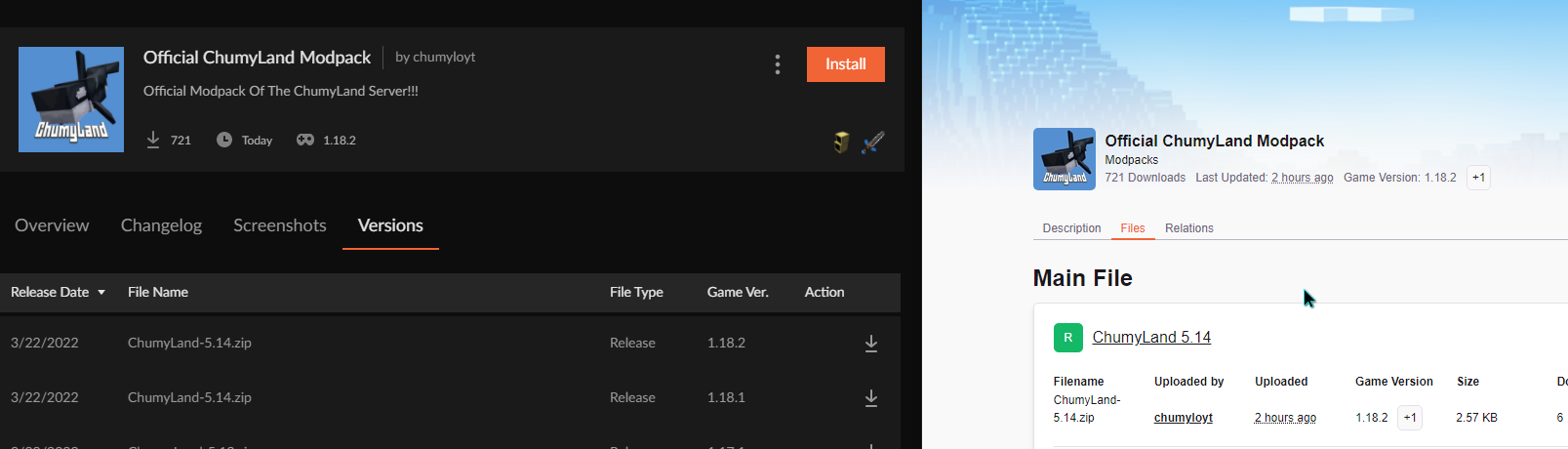
what's going on with updates
i can't update my modpack and seems like there's no mod/modpack updates for everyone since 2 hours
lyric crescent
for example?
pastel pagoda
 queen storm
pastel pagoda
i can't update my modpack and seems like there's no mod/modpack updates for ever...
queen storm
pastel pagoda
i can't update my modpack and seems like there's no mod/modpack updates for ever...
Then it is marked as manual? People are not working? Server had an issue so it is delayed?
pastel pagoda
latest mod update 2 hours ago ?
seems like it's not working for everyone
2 hours for modpacks too
 queen storm
pastel pagoda
2 hours for modpacks too
queen storm
pastel pagoda
2 hours for modpacks too
Then it is marked for manual and they stopped working!
warped dirge
Can you expand personal message ?
queen storm
warped dirge
Can you expand personal message ?
Need to say what the mod does
 pastel pagoda
i like how everytime i ask something to cf support i get "it's marked for manual" as answer and that in fact never happened... so the probability of every mod / modpack being marked as manual seems a bit impossible to me
queen storm
Or the server is taking a dump 🤷♂️
pastel pagoda
mmh
pastel pagoda
lyric crescent
https://i.imgur.com/F6N8wms.png
it's not my modpack btw, i can just see the latest update for any modpack is 2 hours ago
so i'll just wait probably
lyric crescent
ok, and im showing you its there so...
queen storm
He is saying that no updates anytime sooner than that 2 hours, it is weird
lyric crescent
wait, the complaint is just that the last updates show as 2 hours ago...
why is this important
pastel pagoda
pastel pagoda
yea, that's like if no babies were born for 2 hours
^
everyone updates mods all the time
same for modpacks too, there's so much of em
queen storm
So the server is having issues, so?
warped dirge
How you think, I coding block website a that copied my mod to my mod ?
queen storm
What? Try google translate if you are not fluent in English
queen storm
That sentence does not make any sense though.
warped dirge
Okay i will find some sentence for you understand.
How you think with my code for blocked some website at copy my mod.
 languid snow
do mods work on t launcher?
lyric crescent
languid snow
do mods work on t launcher?
#📛︱rules 8
languid snow
?
warped dirge
I hope you understand my message.
lyric crescent
warped dirge
I hope you understand my message.
i dont
signal ridge
languid snow
?
You will not receive support for Cracked here. #📛︱rules 8
lyric crescent
languid snow
?
You are asking about a pirated launcher, that is not allowed here. Continuing to ask about it will result in being banned.
fleet bear
warped dirge
How you think with my code for blocked some website at copy my mod.
Someone uploaded your mod to curseforge?
warped dirge
No they download my mod from curseforge and upload other website.
fleet bear
Ok, theres nothing we or curseforge can do about that.
warped dirge
But i can coding for blocked that website on my mod.
fleet bear
That's just how the internet works. You provide something free to download, people will steal it for their own sites or use.
You have no way to know where the person got the file from.
pastel pagoda
warped dirge
But i can coding for blocked that website on my mod.
there was something called antisteal or smth like that
but the dev was stealing code from other mods 
so idk if it still exists
fleet bear
It's also against the curseforge rules to purposefully block, destroy or prevent specific people from playing with your mod as that's called malware.
fleet bear
You should just continue to work on the mod and update it. Dont worry yourself over people reuploading it as you will never stop them all.
Just inform people that they should get it from you.
Because malware is against the rules?
We dont need people deleting or banning people from their own worlds because someone got upset over something.
warped dirge
If i show some message for told players that is true rule ?
fleet bear
I have a feeling you are over thinking this.
Rehosting sites have existed for many years, there is no way to get rid of them. It's best to just ignore them or send DMCA notices if they even follow them.
Otherwise just ignore it entirely.
 magic beacon
Hey i made a modpack and it flagged for being inappropriate but I do not see why. There is nothing 18+ in it. The only thing I can see is that I used a picture of my friend with the name of the pack. Is there something I can do about it?
 high cloud
what should i do?
 lyric crescent
magic beacon
Hey i made a modpack and it flagged for being inappropriate but I do not see why...
lyric crescent
magic beacon
Hey i made a modpack and it flagged for being inappropriate but I do not see why...
did you read the rejection notice?
lyric crescent
high cloud
what should i do?
what were you doing?
high cloud
trying to create a custom profile
high cloud
lyric crescent
what were you doing?
when i was creating a profile i clicked import to add a mod i wanted and then it showed that
digital roost
hello i have a problem, when i m trying to download a minecraft mod on the app it s saying "failed to get mod loader from manifest" can someone please help me
how can i check how much mods are there in older versions on a modpack
lyric crescent
digital roost
how can i check how much mods are there in older versions on a modpack
You will not be receiving support here until you prove that you own a legitimate minecraft account.
rich flint
digital roost
hello i have a problem, when i m trying to download a minecraft mod on the app i...
Sometimes the message when a fabric/forge mod is on a modpack file that doesn't belong there
digital roost
lyric crescent
You will not be receiving support here until you prove that you own a legitimate...
how do i do that?
lyric crescent
high cloud
when i was creating a profile i clicked import to add a mod i wanted and then it...
You don't import mods.
?mc-installmods
red patioBOT
How to install mods in CurseForge App.
- Click
+ Create Custom Profile - Name it, select the required Minecraft version, select the modloader & modloader version (usually the highest number), click
Create. - Click the profile icon.
- Click
Add More Content - Search and install the desired mods.
- Start the game!
How to install mods not on CurseForge.
- Right click the profile picture or Open the profile and click the Icon next to the play button.
- Click
Open Folder. - Drag the mod(s) into the
modsfolder. (Note: Some mods will require others, to run. Make sure to read the instructions for the mod!) - Start the game!
 lyric crescent
digital roost
how do i do that?
lyric crescent
digital roost
how do i do that?
Send a screenshot of your logged in account along with the discord window.
digital roost
 lyric crescent
Good enough. you can check by installing the version in question. there is no alternative.
 formal bloom
could not verify minecraft version
what to do
minecraft
lyric crescent
restart curseforge
magic beacon
lyric crescent
did you read the rejection notice?
 lyric crescent
Guess you should make a ticket. Though using pictures of people seems like something that would be against common sense.
 tardy storm
I cant open the curse forge app or over wolf, it gets to the last pixel on the loading bar then just goes away after a while
I've tried to uninstall and reinstall, restart my computer and still nothing works
tardy storm
Sheesh great thanks for the help
 young bone
Have some patience
 lavish cradle
I have a slight problem, I want to create a new project on CurseForge

But...this is what I am getting for an error
calamitous_end is my username on CF, if someone could re-enable this for me that would be very much appreciated.
Wow, you guys work quick, I just got access to it again, thank you.
 rich island
 i want to enter minecraft 1.18.1 but i don't know what i should to do
 tardy storm
young bone
Have some patience
tardy storm
young bone
Have some patience
I was waiting for 2 hours
Its been 4 now and still nothing
lyric crescent
?owlogs
red patioBOT
<:overwolf:857375414002384916> How to get CurseForge App logs! <:overwolf:857375414002384916>
- Click the

Create logs zipin the menu.
menu. - Drag and drop the file it just made to this chat room to upload it.
- Wait for someone to look at it so they can help you.

 lyric crescent
invalid id 4096
red patioBOT
To fix "Invalid ID 4096" install this mod: https://www.curseforge.com/minecraft/mc-mods/jeid
 proud bramble
lyric crescent
proud bramble
lyric crescent
why
 tropic falcon
nvm
 red patioBOT
Your question is not related to CurseForge owned/maintained features or services.
Please use the appropriate game room by getting a game role from #786424115535544350.
Otherwise use #👽︱game-support for game related help.
CurseForge does not make or maintain any of the content or games used on the site or app. Just because it's on the site/app does not make it a problem with CurseForge. Move rooms as requested, arguing about it will result in you being removed from the discord.
 knotty wolf
Can someone help me? Whenever I try to install server files, whether its from the client or from the modpack site in general, I just get a black screen and no download. I was able to download them before but I'm unsure what the issue is. I don't get any error message or anything and I've tried it on multiple machines and browsers.
lyric crescent
The message above applies to this. Curseforge does not support servers.
knotty wolf
Understandable... but it is happening with every download from the CurseForge site
I've tried with a couple different modpacks - not just servers, and all get the same black screen when downloading from the CurseForge site
lyric crescent
Your issue, again, is not related to curseforge.
knotty wolf
Where would you suggest I go for support? As I don't believe it's an issue with the modpack itself
 round spear
Anybody knows how to fix the bagnon problem?
lyric crescent
The message I told you to refer to says where to ask.
round spear
round spear
Anybody knows how to fix the bagnon problem?
Says error and i can't use it
lyric crescent
Yes, and I suggest you read the rules as well.
 coral kindle
Does anyone know how to search for people on Curse Forge
slim oriole
Isn’t it that you just search for the name of the people in search ?
 signal ridge
!getcf try the second link
red patioBOT
Looking to install the CurseForge app?
<:windows:798410728188936222> Windows
Minimum Requirements:
- OS Version: 7 (64 bit), 8.1, 10, 11
- 64 bit Required.
- 350MB storage space.
- Microsoft .Net 4.8
- Intel/AMD quad-core CPU
- 8GB ram
Download: https://download.overwolf.com/install/Download?&PartnerId=4047
If you are having issues with the installer use the URL below to install Overwolf then go to the app store to download CurseForge.
https://content.overwolf.com/downloads/setup/latest/regular.html
<:mac:798410654418862130> Mac
Minimum Requirements:
- OS Version 10.14 or newer.
- 64 bit Required.
Download: https://curseforge.overwolf.com/downloads/curseforge-latest.dmg
:penguin: Linux
Minimum Requirements:
Yes. SOON:tm: ( ͡~ ͜ʖ ͡°)
Download: :person_shrugging:
signal ridge
Screen shot the error
 signal ridge
Extract the zip then run the file
signal ridge
Wonder if extracting it to onedrive would cause any issues.
digital roost
Idk man I’m just tryna use mods
signal ridge
Try extracting it to a folder not in onedrive
digital roost
Could it be because of storage
signal ridge
Cloud storage can have issues. Can also try closing what ever your using to unzip the file. Right click on the zip and click extract here
digital roost
I don’t even know what that mean dude
signal ridge
Onedrive == Cloud storage. > Not saved on your pc
digital roost
Maybe curse forge don’t work for me
lyric crescent
maybe dont put it in onedrive
digital roost
I really want mods tho
signal ridge
Then drag the zip to a folder not in onedrive. Extract it and install
digital roost
Can y’all show me in a call
signal ridge
Nope.
digital roost
Damn
signal ridge
Open a file Folder > Click "this pc" on the left. > Open your C drive (local disk) > Make a new folder > Put the zip in this folder. Extract and run there
digital roost
Where is local disk
signal ridge
Did you click "this pc"?
digital roost
Yes
signal ridge
Screen shot the window (Windows Key +Shift + S)
digital roost
 signal ridge
Scroll down
signal ridge
Do you see a C drive?
digital roost
I see a norton backup drive
signal ridge
Screen shot
digital roost
 signal ridge
Damn thats a full C drive.. Might wanna work on cleaning that up
signal ridge
Maybe, I know it will cause issues down the road though if you dont free up some room.
But that is your C drive.
signal ridge
open C > make a new folder > drag zip to the folder. > extract zip and run installer
 signal ridge
then you possibly have something on your pc that is blocking the software. like an antivirus
Also please screen shot the whole error message
 signal ridge
This isnt ow or cf issue. Something on your pc is blocking it.
digital roost
If it’s not an antivirus do you have any idea what it could be
signal ridge
Could be a virus, could be norton itself. Its hard to say in these cases. Best to run a virus scan as well just to be safe
digital roost
how to virus scan
signal ridge
this a personal laptop or a School one?
digital roost
 signal ridge
ah desktop
slim oriole
Btw, your setup is cool lol
digital roost
Thanks
slim oriole
:]
digital roost
I got all this and the shit still declining
slim oriole
lol
signal ridge
not the place for random chat
slim oriole
Ok sorry
lyric crescent
it does help to know how to use all that shit
Whatever problem you are having is not something we can solve. Something you installed on your pc is preventing the installer from running.

 obsidian scarab
question is it supposed to lag when i try to update mods on a 1.16.5 modpack with around 500 mods
 edgy flame
guys im downloading rgnamod 6 in the app and it says it only has 32 mods but the description says it has over 300 mods
this also happens to a few other mods\
this is minecraft btw
 languid folio
I'm trying to download a modpack and every time it keeps timing out these are my logs aswell
 unreal nacelle
so im using overwolf curseforge and tried installing a minecraft Modpack (RLCraft), and this happens to any modpack i try and use, but it doesn't actually launch minecraft, it displays the 2 errors below, ive tried to reinstall curseforge as well as forge and minecraft but nothing seems to let me play a modpack, i can run minecraft normally through the Minecraft Launcher.


My curseforge simply does not want to launch minecraft on my PC
queen storm
!mc-installfix
red patioBOT
This is NOT instructions for Repair Profile! They are NOT the same! You need to do this!
- Click on the Minecraft Tab on the Left side of the CurseForge App.
- Click button next to the
Create Custom Profileoption. - Click
Repair Installationoption. - Play game.
NOTE: You will not lose any modpacks or worlds!
unreal nacelle
sorry i tried that but the issue still remains the same
I click play on a modpack and it takes a while but just loads those 2 same errors
upper root
!mc-path try change this
red patioBOT
Change your install path to the following:
For Windows: C:\CurseForge
For Mac: /Users/Shared/CurseForge
You will need to make this folder!
If Minecraft is not installed in CurseForge App:
- Click the in the top left.
- Select Minecraft from the list of games.
- Select the
Advancedoption and pick the location for your computer listed above. - Click
Continue.
If Minecraft is installed in CurseForge App:
- Click the in the bottom left.
- Select the Minecraft tab.
- Click
Change. - Select the location for your computer listed above.
:no_entry_sign: Minecraft Files should NOT be installed inside the following locations :no_entry_sign:
:no_entry_sign: .minecraft folder.
:no_entry_sign: OneDrive folders.
:no_entry_sign: Desktop folder.
:no_entry_sign: iCloud enabled folders.
:no_entry_sign: or any other cloud saved folder.
:no_entry_sign: or folders with non-English characters in them.
If any of the above are in the path you need to change/move it!
unreal nacelle
so would I have to delete the normal minecraft files I have on my pc?, only have curseforge?
unreal nacelle
well the location is set to my D: drive in program files (x86) in a folder i created, the installation of curseforge minecraft is there
upper root
Try change it elsewhere. If that doesnt work you can always change it back.
unreal nacelle
ok will do
so i changed the Minecraft Modding Folder location and reinstalled a modpack, tried clicking play and it still has the delay and pops up the same 2 errors
changing file location or reinstalling curseforge, or reinstalling mods, doesnt seem to work, ive repaired installation, and it says "Minecraft installation repaired successfully", yet the same 2 errors appear and minecraft doesnt launch whatsoever
upper root
!mc-launcherlog does this exist? If so, send it here
red patioBOT
How to get the launcher log
- Right click a profile.
- Select
Open Folder - Go back two folders.
- Open the
Installfolder. - Drag the
launcher_log.txtinto discord.
queen storm
Please put it to the path the bot gave, not inside program files
opal cipher
Looks like your computer has an issue resolving the Minecraft servers.
No ip address available. Error code 6, Url: launchermeta.mojang.com
So the problem seems to be that it's blocked by something.
Do you have a VPN, firewall or antivirus that might be blocking this?
unreal nacelle
I do have a VPN but its currently not active on the browser, might be a McAfee desktop VPN
ill check
nope no VPN's are active
opal cipher
And I suppose you can access https://launchermeta.mojang.com/v1/products/launcher/d03cf0cf95cce259fa9ea3ab54b65bd28bb0ae82/windows-x86.json in your browser
 opal cipher
Try restarting your computer.
Because it should work, but the app seems to refuse it.
unreal nacelle
ok brb
im back and no when I click the link it still shows that same tab in the screenshot
opal cipher
That's good. But it still won't work with Minecraft?
unreal nacelle
let me try running a modpack
like the normal minecraft launcher you get from their websites works
but just any modpacks from curseforge dont
I do have the modpack working on another app (Technic launcher), but was gonna dabble in server stuff
opal cipher
Interesting.. I'll poke some techs about this, and see if they can figure out what's happening. (Can't promise a reply soon)
upper root
Isnt it a dns issue, not a general internet one?
Its timing ot while contacting the dns server
opal cipher
Since they can resolve it fine in the browser, there's something else wrong.
upper root
Browsers can use different dns settings to programs
unreal nacelle
oh yeah also this has been an issue present since i downloaded curseforge, so I havnt been able to do run any successful launching
upper root
Could be related to https://bugs.mojang.com/browse/MCL-14985
opal cipher
Yup, sounds very probable.
unreal nacelle
that link does show the same errors, the couldnt load launcher core and the unable to start the mincraft runtime environment
when i try running minecraft from curseforge (whether it be vanilla, forge, or fabric)
opal cipher
Could you also try to launch vanilla from CurseForge?
unreal nacelle
you mean next to the + Create Custom Profile, the Run Vanilla Minecraft
opal cipher
And if possible, temporarily move the modding folder to the root of the drive (D:\CurseForge) and running Fix Install https://www.youtube.com/watch?v=EeAf_PKXl8c
unreal nacelle
ill try again but i think that didnt work
ok ill try that too
should i just make a new folder at the root of the drive
opal cipher
Yeah
opal cipher
Damn :|
unreal nacelle
its probably that DNS issue mentioned before
opal cipher
Yeah. No clue how to solve that sadly. :\
unreal nacelle
rip
opal cipher
There's some instructions in that linked ticket that could work.
But it's really an ugly hack with modifying the hosts-file.
unreal nacelle
well i atleast have technic launcher if that doesnt work
yeah abit out of my expertise
thanks for the help though identifying the issue
i plan to completely system wipe my PC sometime soon so hopefully that does the trick lol
 dusky acorn
Hey, is it allowed to offer a percentage of the earning for help? (On description of project)
queen storm
You can set that up yes
 digital roost
I currently play in 1.16.5 to be able to create a server, but it closes all the time and no file is formed to run it with the Forge, I would ask for help if it could be possible, it doesn't bother me to be on call, the only thing is that I don't I speak English
queen storm
warped dirge
wtf in a one-line really ?
Summary is always a single line, description needs to be long
queen storm
digital roost
I currently play in 1.16.5 to be able to create a server, but it closes all the ...
!notcf
red patioBOT
Your question is not related to CurseForge owned/maintained features or services.
Please use the appropriate game room by getting a game role from #786424115535544350.
Otherwise use #👽︱game-support for game related help.
CurseForge does not make or maintain any of the content or games used on the site or app. Just because it's on the site/app does not make it a problem with CurseForge. Move rooms as requested, arguing about it will result in you being removed from the discord.
digital roost
Sorry
 gritty ember
Hi, I can't seem to log into the curseforge app. I press the "log in" button and then "Connect with Twitch" but it just takes me to a popup that says "Loading" but never loads. Anyone know how to fix this?
queen storm
gritty ember
Hi, I can't seem to log into the curseforge app. I press the "log in" button and...
Why do you need to login on the app?
gritty ember
I have an existing account with lots of modpacks and stuff on my PC, but I can't log into that account on my laptop
queen storm
They don't sync
gritty ember
Oh, that's a shame. Never mind then
So there's no issue with just using CF without logging in?
queen storm
Nope, only wow has benefits from it
gritty ember
Okay, cheers
 dense osprey
queen storm
dense osprey
queen storm
Pick the wow role in #786424115535544350 , ask in #768028293231542303
 strange linden
Curse has been extremely slow and sluggish for me for the past year.
i've to constantly keep refreshing the page in order for the search bar to work.
It seems to be a server issue, anybody knows if there's a fix for it?
 lyric crescent
what version of the cf app do you have
gear icon, lower left
strange linden
 lyric crescent
and what are you doing that you say is slow
strange linden
searching for mods
every once and a while it gets stuck and doesn't searc
Sometimes it takes up to 15 seconds to find the mods
And sometimes it's instantaneous
i'm having such an issue for the past year
I create at least one modpack a day, since i work with it, and recently it's really making my life harder
lyric crescent
It does seem slow currently, however it certainly has not been for the past year.
strange linden
i've a 400mbps fiber connection, and i've tested from proxies to VPNs, and i'm sure the problem is not on my side
strange linden
lyric crescent
It does seem slow currently, however it certainly has not been for the past year...
Well, as i've said, i create arround a pack a day, and i clearly remember having those issues for the past 6 months at least
lyric crescent
?owlogs
red patioBOT
<:overwolf:857375414002384916> How to get CurseForge App logs! <:overwolf:857375414002384916>
- Click the
Create logs zipin the menu. - Drag and drop the file it just made to this chat room to upload it.
- Wait for someone to look at it so they can help you.
strange linden
Maybe is a good idea to report those issues for a higher team, so they can check if there's any inconsistency
lyric crescent
Does the long search time still exist after the app has been opened for 5 minutes or so?
 brittle cargo
strange linden
Sometimes it takes up to 15 seconds to find the mods
brittle cargo
strange linden
Sometimes it takes up to 15 seconds to find the mods
I also have this issue every now and then, seems to happen for no reason
opal cipher
Just a random question, how many modpacks do you have in the modpacklist (of your created/downloaded)?
opal cipher
Yes.
brittle cargo
I have about 7 right now
opal cipher
Because I've seen other people complain that the app gets slow when you have a large amount of created/downloaded modpacks/profiles.
So, in your case it shouldn't be that.
strange linden
lyric crescent
Does the long search time still exist after the app has been opened for 5 minute...
Yes, it's pretty consistent
strange linden
opal cipher
Just a random question, how many modpacks do you have in the modpacklist (of you...
Many, but i constantly clear them, since i create many
Usually i've from 10-30 packs
opal cipher
Roger, thanks for giving us the info!
strange linden
I'm up to grant as much feedback as i can, because i do many packs every week!
lyric crescent
well it's not a server issue anyway. I passed your logs and issue on to the CF team to look at.
strange linden
Thanks! i'll be posting more logs as i create them
lyric crescent
No, that's okay. Just wait for some reply from them or one of us.
strange linden
Okay, thanks!
digital roost
it has been 3 days
 lyric crescent
Did you upload a file?
opal cipher
digital roost
it has been 3 days
Upload a file.
queen storm
No need for the full caps
 glacial sun
Thought I'd ask about this, but why does Minecraft re-download Forge every time you launch a modpack?
11:09:11.779
launcher
main
Download from https://launcher.mojang.com/v1/objects/2e9a3e3107cca00d6bc9c97bf7d149cae163ef21/client.jar had invalid checksum! Expected: 2e9a3e3107cca00d6bc9c97bf7d149cae163ef21 got: 03fee5b035bbecf83435b41576170e924ecde9fe
11:09:22.358
launcher
main
Downloaded https://launcher.mojang.com/v1/objects/2e9a3e3107cca00d6bc9c97bf7d149cae163ef21/client.jar to C:\Users\cstac\curseforge\minecraft\Install\versions\forge-40.0.24\forge-40.0.24.jar
11:09:22.358
launcher
main
TIMER: Downloads took 11 seconds.```

This effectively has occured every time for the last few monthsScreenshot error your getting
 lost cliff
i cant get the app to load. it says "forging your library" and 60 seconds later shows an error
please @ me or i probably wont see the reply thanks
lyric crescent
?owlogs
red patioBOT
<:overwolf:857375414002384916> How to get CurseForge App logs! <:overwolf:857375414002384916>
- Click the
Create logs zipin the menu. - Drag and drop the file it just made to this chat room to upload it.
- Wait for someone to look at it so they can help you.
lost cliff
lost cliff
the logs are there
lyric crescent
not all of them
lost cliff
i cant see a [?] menu, i havent gone past the loading screen of the app
lyric crescent

Overwolf Support Help Center
We're here to get you informed on everything you need to know about Overwolf, including helpful guides and troubleshooting articles to back you up when you get in a pickle
lost cliff
lyric crescent
lost cliff
Seems like something is blocking the connection.
lost cliff
what do i do
lyric crescent
Figure out what that might be. Not much I can do with this.
lost cliff
is there anyone else who can help with this
lost cliff
lyric crescent
Figure out what that might be. Not much I can do with this.
is there anything else i can show/send
lyric crescent
Computer issues are beyond our scope of support. I will pass this on, but may be a while before you get a reply.
lost cliff
lyric crescent
Computer issues are beyond our scope of support. I will pass this on, but may be...
when can i expect a reply?
lost cliff
lost cliff
is there anything else i can show/send
^
lyric crescent
There is nothing you can show or send to me for me to solve it. You can wait for someone to reply to you or try to solve it yourself in the mean time.
 graceful nova
Hello, I'm trying to set up a webhook with Bitbucket to automate my mod deployment to Curseforge. I followed the instructions as best I could, but it didn't work. I am seeing a 200 message for the webhook when I push to Bitbucket, but no files are appearing in Curseforge. I'm not sure if I didn't configure it right or if I'm not pushing tags correctly or what.
opal cipher
graceful nova
Hello, I'm trying to set up a webhook with Bitbucket to automate my mod deployme...
This sounds more of a question for the dev discord: https://discord.gg/257dCwUNvu
graceful nova
opal cipher
This sounds more of a question for the dev discord: https://discord.gg/257dCwUNv...
Good to know, thanks!
 maiden kiln
where did my profile picture go? I was just browsing through curseforge and noticed this
 upper root
Did your twitch account change at all? Because its based off that
maiden kiln
nope
lyric crescent
relog
 silent ocean
I tried opening a modpack to see what mods are in it, but it seems to crash everytime i try to do so...
signal ridge
Minecraft crashes OR the cf app crashes?
signal ridge
The pack from the cf site or an export from someone?
silent ocean
an export from someone
but for other people running the same modpack it does seem to work
signal ridge
Want to make sure I got this right, When you try to import the pack into the app the app just crashes? no errors or anything just closes out
silent ocean
Basically i already have it imported, but when i try to open the modlist (Mods) it crashes instantly. Other mods do not have this issue
signal ridge
!owlogs send these
red patioBOT
<:overwolf:857375414002384916> How to get CurseForge App logs! <:overwolf:857375414002384916>
- Click the
Create logs zipin the menu. - Drag and drop the file it just made to this chat room to upload it.
- Wait for someone to look at it so they can help you.
silent ocean
basically i want to play the modpack but it does not recognise certain mods, like the origins mod. when trying to look for this mopd if its present in the list CF crashes
silent ocean
yup
 silent ocean
nah origins is part of the custom modpack
 narrow minnow
1.18.1?
silent ocean
yup
narrow minnow

 old thunder
i keep trying to launch modpacks but when i launch them it loads about 30% then Minecraft doesn't respond anymore, is this a or Minecraft problem?
 karmic garden
I'm getting the error, "Cannot update, files are already in use. Please exit any applications that may be using the files in this profile folder." when trying to update Valhelsia 3 and Fabulously Optimized. I repaired both instances, repaired Minecraft, restarted my device, and uninstalled and reinstalled Curseforge. I was able to update Better Minecraft and RLCraft without any issues.
lyric crescent
?owlogs
red patioBOT
<:overwolf:857375414002384916> How to get CurseForge App logs! <:overwolf:857375414002384916>
- Click the
Create logs zipin the menu. - Drag and drop the file it just made to this chat room to upload it.
- Wait for someone to look at it so they can help you.
karmic garden
lyric crescent
i suspect you have something going on with the folder that these are installed to
?mc-path
red patioBOT
Change your install path to the following:
For Windows: C:\CurseForge
For Mac: /Users/Shared/CurseForge
You will need to make this folder!
If Minecraft is not installed in CurseForge App:
- Click the in the top left.
- Select Minecraft from the list of games.
- Select the
Advancedoption and pick the location for your computer listed above. - Click
Continue.
If Minecraft is installed in CurseForge App:
- Click the in the bottom left.
- Select the Minecraft tab.
- Click
Change. - Select the location for your computer listed above.
:no_entry_sign: Minecraft Files should NOT be installed inside the following locations :no_entry_sign:
:no_entry_sign: .minecraft folder.
:no_entry_sign: OneDrive folders.
:no_entry_sign: Desktop folder.
:no_entry_sign: iCloud enabled folders.
:no_entry_sign: or any other cloud saved folder.
:no_entry_sign: or folders with non-English characters in them.
If any of the above are in the path you need to change/move it!
karmic garden
so i should change the folder?
karmic garden
Okay, for anyone else that ever has this problem: go to your curseforge folder, right click on it, select "properties", and uncheck "read-only." Then click apply and wait for it to load. This fixed the problem for me. I think it was caused by me downloading a mod from the internet and manually adding it, and my computer making it read-only as to not harm my device. Hopefully this helps someone.
 finite topaz
this morning i went into the curseforge app and when i went in it said that i had not downloaded any modpacks or done anything with curse forge even though i play games through it nearlly everyday. is there a way i can automaticly get my modpacks back?
 scenic urchin
I was on curseforge and it won't let me play minecraft anymore it keeps crashing and saying there was a error
 brazen tulip
?mc-path
red patioBOT
Change your install path to the following:
For Windows: C:\CurseForge
For Mac: /Users/Shared/CurseForge
You will need to make this folder!
If Minecraft is not installed in CurseForge App:
- Click the in the top left.
- Select Minecraft from the list of games.
- Select the
Advancedoption and pick the location for your computer listed above. - Click
Continue.
If Minecraft is installed in CurseForge App:
- Click the in the bottom left.
- Select the Minecraft tab.
- Click
Change. - Select the location for your computer listed above.
:no_entry_sign: Minecraft Files should NOT be installed inside the following locations :no_entry_sign:
:no_entry_sign: .minecraft folder.
:no_entry_sign: OneDrive folders.
:no_entry_sign: Desktop folder.
:no_entry_sign: iCloud enabled folders.
:no_entry_sign: or any other cloud saved folder.
:no_entry_sign: or folders with non-English characters in them.
If any of the above are in the path you need to change/move it!
 verbal dust
what do i do when this happens?

im trying to create a custom profile, i press 1.17.1 and forge-37.1.1 and this error occurs when i create it
upper root
!cflogs
red patioBOT
<:overwolf:857375414002384916> How to get CurseForge App logs! <:overwolf:857375414002384916>
- Click the
Create logs zipin the menu. - Drag and drop the file it just made to this chat room to upload it.
- Wait for someone to look at it so they can help you.
upper root
!mc-installfix try this
red patioBOT
This is NOT instructions for Repair Profile! They are NOT the same! You need to do this!
- Click on the Minecraft Tab on the Left side of the CurseForge App.
- Click button next to the
Create Custom Profileoption. - Click
Repair Installationoption. - Play game.
NOTE: You will not lose any modpacks or worlds!
verbal dust
thank you
digital roost
Hey I'm on Mac and this keeps on popping up, any solutions?
 upper root
Read the "common issues" pin about macs here
Tldr: play 1.12 or lower, or 1.17 or above
digital roost
cheers
 tiny socket
Good Morning everyone, I have a problem, why if I search the exact name of my mod nothing show up? It also happen if my account is not connected or with some other friends account
Please help, thanks
queen storm
Link the mod please
queen storm
What profile are you searching on?
tiny socket
with the link it show up, but if i seash it nothing happens
tiny socket
queen storm
What profile are you searching on?
none
queen storm
So web search?
tiny socket
yes, on the curseforge site
queen storm
Works fine 🤷♂️

 queen storm
Now search in the mods section and not in modpacks
tiny socket
okay i'm dumb, sorry for wasting your time😅
 night flint
I downloaded curse forg quite recently and just made an account in microsoft and at the start of a new world I got an error:The game crashed whilst mouseclicked event handler
Error: java.lang.IllegalArgumentException: Name and ID cannot both be blank
Код завершения: -1\
queen storm
!mc-logs
red patioBOT
Sending logs for support.
- Right-click the modpack profile icon OR click the button in the modpack profile.
- Click
Open Folder. - Open the
logsfolder. - Drag and drop the FILE named
latestORdebuginto discord.
night flint
upper root
!mc-installfix try this
red patioBOT
This is NOT instructions for Repair Profile! They are NOT the same! You need to do this!
- Click on the Minecraft Tab on the Left side of the CurseForge App.
- Click button next to the
Create Custom Profileoption. - Click
Repair Installationoption. - Play game.
NOTE: You will not lose any modpacks or worlds!
night flint
it says Failed to repair: minecraft is currently running
upper root
Close minecraft, or if it is closed restart your computer then try the repair
night flint
ok
night flint
still dont work same error
 golden token
Hey everyone! I joined this server hoping that someone could help me with an error on my minecraft curseforge.
Today, I tried to launch the game like I always do but I got an error message.
It translates as:
"Unable to delete file.
error details : access denied
file name on disk : trz101756072.tmp
Access path : C:\Users\leola\curseforge\minecraft\Install\runtime\java-runtime-beta\window-x64\java-runtime-beta\bin\trz101756072.tmp
Exist : File"
I really hope someone could help me with that...
 lyric crescent
?mc-path
red patioBOT
Change your install path to the following:
For Windows: C:\CurseForge
For Mac: /Users/Shared/CurseForge
You will need to make this folder!
If Minecraft is not installed in CurseForge App:
- Click the in the top left.
- Select Minecraft from the list of games.
- Select the
Advancedoption and pick the location for your computer listed above. - Click
Continue.
If Minecraft is installed in CurseForge App:
- Click the in the bottom left.
- Select the Minecraft tab.
- Click
Change. - Select the location for your computer listed above.
:no_entry_sign: Minecraft Files should NOT be installed inside the following locations :no_entry_sign:
:no_entry_sign: .minecraft folder.
:no_entry_sign: OneDrive folders.
:no_entry_sign: Desktop folder.
:no_entry_sign: iCloud enabled folders.
:no_entry_sign: or any other cloud saved folder.
:no_entry_sign: or folders with non-English characters in them.
If any of the above are in the path you need to change/move it!
golden token
lyric crescent
?mc-path
thx for your quick response but it doesn't seem my files are in one of the wrong locations (correct me if I'm wrong)
lyric crescent
the suggestion was to move them, not that it was in a wrong location
golden token
oh ok! I'll try that!
golden token
lyric crescent
the suggestion was to move them, not that it was in a wrong location
is this path ok?
 lyric crescent
Use the suggested path, and please stop pinging me.
golden token
I didn't find C:\CurseForge in my pc...
oh sorry for the pings didn't mean to do it
lyric crescent
You will need to make this folder!
golden token
oh ok!
upper root
night flint
still dont work same error
Did you repair installation and not repair profile?
If not, try again tommorrow, it may be smthn to do with it being a new account
golden token
Thank you Yamza, it helped and I managed to launch minecraft! thank you a lot ^^
 alpine brook
whenever i try to play a 1.18 profile specifically, my game instantly crashes and i get this message

what do i do?
every other version works fine and using the normal mc launcher works as well
lyric crescent
Do you have any additional arguments on your settings page? the box below ram
alpine brook
let me see
alpine brook
lyric crescent
Do you have any additional arguments on your settings page? the box below ram
what do you mean exactly? like advanced settings?
lyric crescent
?mc-ram
red patioBOT
How to set Global Minecraft RAM value.
- Click the icon in the bottom left to open settings.
- Click the Minecraft tab.
- Scroll down.
- Slide slider to recommended ram range as seen below.
 lyric crescent
under that
lyric crescent
?mc-installfix
red patioBOT
This is NOT instructions for Repair Profile! They are NOT the same! You need to do this!
- Click on the Minecraft Tab on the Left side of the CurseForge App.
- Click button next to the
Create Custom Profileoption. - Click
Repair Installationoption. - Play game.
NOTE: You will not lose any modpacks or worlds!
lyric crescent
Not what this channel is for.
onyx vortex
ok
alpine brook
it still doesnt work for some reason, i got a little further this time but it eventually gave me the same error as before
lyric crescent
try reinstalling curseforge
 echo reef
I migrated my account from Morgan to Microsoft and now when I log in with Curse Forge it tells me to buy the game
How i can fix that?
red patioBOT
Minecraft Logins
Step 1: Get to the Microsoft login screen.
Step 2: Log in with a Microsoft account that owns the Java version of Minecraft.
Done!
Issues: If it says PLAY DEMO then the account used DOES NOT own Java Minecraft. Log in with one that does.
 novel plank
is multimc better than curseforge for performance?
red patioBOT
Your question is not related to CurseForge owned/maintained features or services.
Please use the appropriate game room by getting a game role from #786424115535544350.
Otherwise use #👽︱game-support for game related help.
CurseForge does not make or maintain any of the content or games used on the site or app. Just because it's on the site/app does not make it a problem with CurseForge. Move rooms as requested, arguing about it will result in you being removed from the discord.
novel plank
alright
 cyan cairn
Trying to install a MC mod and I keep getting "'Curse.Radium.InstallManagement.InstallTaskFailedException.' was thrown" is this a curse problem or a mod problem? How do I fix the issue?
lyric crescent
How are you trying to install the mod?
cyan cairn
Create Custom Profile > Import a previously created profile
red patioBOT
How to install mods in CurseForge App.
- Click
+ Create Custom Profile - Name it, select the required Minecraft version, select the modloader & modloader version (usually the highest number), click
Create. - Click the profile icon.
- Click
Add More Content - Search and install the desired mods.
- Start the game!
How to install mods not on CurseForge.
- Right click the profile picture or Open the profile and click the Icon next to the play button.
- Click
Open Folder. - Drag the mod(s) into the
modsfolder. (Note: Some mods will require others, to run. Make sure to read the instructions for the mod!) - Start the game!
lyric crescent
Import is for modpacks, not mods.
cyan cairn
ah, thank you!
 junior jewel
is bls shaders on forge?
lyric crescent
lyric crescent
select the mod, select the version tab
junior jewel
i cant find the versions tab
lyric crescent
show what you see
junior jewel
how
lyric crescent
screenshot
junior jewel
 lyric crescent
files tab? i honestly dont know what you are trying to do on the website.
junior jewel
i cant find the version im looking for
lyric crescent
Then i assume it does not exist.
 viral vault
oh so here is where i ask for help?
im trying to download some minecraft mods into curseforge app but when i press the installation button and i click on the profile i want it to be in the app will crash
 lyric crescent
?oops
red patioBOT
You had an "Oops, that was not supposed to happen!"
https://support.curseforge.com/en/support/solutions/articles/9000194900-curseforge-troubleshooting#oops
Please follow these instructions
viral vault
it doesent work it still tells me to restart the app
lyric crescent
What have you tried?
opal cipher
You could click the "Create logs zip" and drag it in here.
opal cipher
Thanks, forwarding to staff.
viral vault
how long will it take?
opal cipher
Seeing that it's after work hours, who knows? Maybe a volunteer will take a look at the logs when they have time for it.
viral vault
ok
opal cipher
I'm busy at the moment, but can look at it later tonight.
viral vault
will it help if i reinstal the app
nevermind i fixed it by changing the game version now it downloads the mods i install sorry for wasting your time
 misty hull
Hey all, new here. Was trying to install some KSP mods via the app and it basically keeps dumping them in a nested structure and overwriting the (incorrectly used) "GameData/GameData" directory for each subsequent mod. This is obviously not the correct way to install mods in KSP. Is there a setting in the app that I need to change to correct this or does the app just not work for KSP mods?
lyric crescent
Nope, app is broke. Use CKAN for KSP mods instead.
misty hull
lyric crescent
Nope, app is broke. Use CKAN for KSP mods instead.
Many thanks. Will do that. Would be nice if the app didn't imply to users that it could handle KSP mods.
lyric crescent
Would indeed be nice if it worked correctly. 🙂
obsidian scarab
why does the curse app suck so much ass?
i couldnt get it to download mods without lag
and switched to gdlauncher
and switched back cause it was crashing on gd
and now i cant get 500 mods to register on curse
opal cipher
Works fine for me, could you describe your issues a bit more, and send us some logs?
red patioBOT
<:overwolf:857375414002384916> How to get CurseForge App logs! <:overwolf:857375414002384916>
- Click the
Create logs zipin the menu. - Drag and drop the file it just made to this chat room to upload it.
- Wait for someone to look at it so they can help you.
obsidian scarab
i move the mods in and out of the mods folder and they dont show up in the installed mods
opal cipher
That's because you should use the app to install mods.
opal cipher
No need for caps.
obsidian scarab
i click to download a mod and it takes like a minute to process
opal cipher
Did you search for the mods, or did you just continously scroll the list?
obsidian scarab
i didnt even get to scroll anywere
i was at the top of the list
this was on 1.18.1
opal cipher
Ah, yeah, that sounds a little bit strange. What version of the app are you on? Click the cogwheel in the lower left, and then tell me the version number that shows up in the lower left again.
obsidian scarab
0.194.2.1
opal cipher
Thanks!
I'll test creating a profile, hang on.
I'm seeing a bit slow responses from the app with the same version you're on. I've notified the staff (it's current outside work hours) about it.
obsidian scarab
so im fucked?
opal cipher
I wouldn't say so. It seems like the backend is behaving strangely right now. I could install JEI in less than a second for instance, but searching for mods varies between 1-5 seconds sometimes.
I'm hearing reports that it should clear up soon. But for the moment, there's nothing we can do.
At least not me, as I'm only a community member myself. :)
 errant rose
it's being super slow for me as well
certain mods get stuck and require you to leave and re-enter the download section
 nova kite
Is it allowed for mods to download assets from external servers?
Like what if my mod has 1gb of soundtrack and I don't want to distribute it each mod update
lyric crescent
nova kite
Is it allowed for mods to download assets from external servers?
It is not not allowed. If it is being used for something malicious then it should be reported.
errant rose
throwing 1 gb of audio onto your user's computer is a terrible idea
actually that was probably just an example, ignore me
nova kite
So if its not malicious its ok?
lyric crescent
It is ignored, which is not saying it's okay.
 cosmic cosmos
so mine is trying to up update my launcher every time i try to open a modpack it says unable to update the minecraft native launcher then when i try again it says unable to verify minecraft version. even thou i can open base minecraft just fine
lyric crescent
?mc-installfix
red patioBOT
This is NOT instructions for Repair Profile! They are NOT the same! You need to do this!
- Click on the Minecraft Tab on the Left side of the CurseForge App.
- Click button next to the
Create Custom Profileoption. - Click
Repair Installationoption. - Play game.
NOTE: You will not lose any modpacks or worlds!
signal ridge
!mc-path
red patioBOT
Change your install path to the following:
For Windows: C:\CurseForge
For Mac: /Users/Shared/CurseForge
You will need to make this folder!
If Minecraft is not installed in CurseForge App:
- Click the in the top left.
- Select Minecraft from the list of games.
- Select the
Advancedoption and pick the location for your computer listed above. - Click
Continue.
If Minecraft is installed in CurseForge App:
- Click the in the bottom left.
- Select the Minecraft tab.
- Click
Change. - Select the location for your computer listed above.
:no_entry_sign: Minecraft Files should NOT be installed inside the following locations :no_entry_sign:
:no_entry_sign: .minecraft folder.
:no_entry_sign: OneDrive folders.
:no_entry_sign: Desktop folder.
:no_entry_sign: iCloud enabled folders.
:no_entry_sign: or any other cloud saved folder.
:no_entry_sign: or folders with non-English characters in them.
If any of the above are in the path you need to change/move it!
cosmic cosmos
still says it after i do that
signal ridge
Physco - Do this #🔥︱curseforge-support message
lyric crescent
cosmic cosmos
still says it after i do that
Also change your path as instructed above.
signal ridge
Thats not the path the bot says to use
errant rose
shouldn't it work anyway?
cosmic cosmos
i changed the patc now all my mods are gone
errant rose
they're at the original place
lyric crescent
make sure it works, then you can move them over
lyric crescent
errant rose
shouldn't it work anyway?
clearly it does not, as seen in the picture 🙂
obsidian scarab
okay i have another problem
cosmic cosmos
i tried to install a mod and it says an exception occurred during a WebClient request
signal ridge
Show a pic that your using the exact same path the bot says to use.
lyric crescent
cosmic cosmos
i tried to install a mod and it says an exception occurred during a WebClient re...
?owlogs ⤵️
red patioBOT
<:overwolf:857375414002384916> How to get CurseForge App logs! <:overwolf:857375414002384916>
- Click the
Create logs zipin the menu. - Drag and drop the file it just made to this chat room to upload it.
- Wait for someone to look at it so they can help you.
 lyric crescent
then the export was made incorrectly
signal ridge
Path is not what the bot said, Did you read the bots message? 2nd and 4th lines to be specific
cosmic cosmos
do i put this here?
obsidian scarab
it was made via gdlauncher
lyric crescent
Ok, this isnt GDlauncher support.
lyric crescent
cosmic cosmos
do i put this here?
Looks like an internet issue. Try another connection if possible.
obsidian scarab
wat do i do
if gdlauncher is making exports that dont work on curse and i am not downloading all my mods again wat do i do
signal ridge
Get gd to fix their issues
obsidian scarab
the top of the screen for gdlauncher is blaming curse api
question how do i check if i have javafml version 40
obsidian scarab
okay for some reason that mod was in 1.18.1
um how is minecraft a missing dependencie
upper root
Probably because you have the wrong version of it for a mod
 fair scarab
How do I download the launcher for curse forge because I bought Minecraft and I don't think I had too?
rich flint
?getcf
red patioBOT
Looking to install the CurseForge app?
<:windows:798410728188936222> Windows
Minimum Requirements:
- OS Version: 7 (64 bit), 8.1, 10, 11
- 64 bit Required.
- 350MB storage space.
- Microsoft .Net 4.8
- Intel/AMD quad-core CPU
- 8GB ram
Download: https://download.overwolf.com/install/Download?&PartnerId=4047
If you are having issues with the installer use the URL below to install Overwolf then go to the app store to download CurseForge.
https://content.overwolf.com/downloads/setup/latest/regular.html
<:mac:798410654418862130> Mac
Minimum Requirements:
- OS Version 10.14 or newer.
- 64 bit Required.
Download: https://curseforge.overwolf.com/downloads/curseforge-latest.dmg
:penguin: Linux
Minimum Requirements:
Yes. SOON:tm: ( ͡~ ͜ʖ ͡°)
Download: :person_shrugging:
rich flint
You do need to own an account including java Minecraft
 minor gull
Everytime I try to use the app after restarting my computer it keeps crashing. Like I will try and check the mods in a modpack I have and it will just up and crash saying, " Oops, something went wrong... Seems like CurseForge has crashed unexpectedly."
young bone
!oops
red patioBOT
You had an "Oops, that was not supposed to happen!"
https://support.curseforge.com/en/support/solutions/articles/9000194900-curseforge-troubleshooting#oops
Please follow these instructions
 hollow dagger
I'm trying to update my modpack but it just refuse to update, even if I put mod in files in it.
lyric crescent
what exactly are you doing
hollow dagger
So, basically, when I try to use change version even with new mods in it's file, those new mods won't change the number of mods, or the gameplay.
young bone
Are you dragging and dropping files into your pack?
hollow dagger
Yes, I did. :/
red patioBOT
How to install mods in CurseForge App.
- Click
+ Create Custom Profile - Name it, select the required Minecraft version, select the modloader & modloader version (usually the highest number), click
Create. - Click the profile icon.
- Click
Add More Content - Search and install the desired mods.
- Start the game!
How to install mods not on CurseForge.
- Right click the profile picture or Open the profile and click the Icon next to the play button.
- Click
Open Folder. - Drag the mod(s) into the
modsfolder. (Note: Some mods will require others, to run. Make sure to read the instructions for the mod!) - Start the game!
 floral agate
my modded minecraft keeps crashing
upper root
!mc-logs send this file into #👽︱game-support
red patioBOT
Sending logs for support.
- Right-click the modpack profile icon OR click the button in the modpack profile.
- Click
Open Folder. - Open the
logsfolder. - Drag and drop the FILE named
latestORdebuginto discord.
floral agate
upper root
!mc-installfix
red patioBOT
This is NOT instructions for Repair Profile! They are NOT the same! You need to do this!
- Click on the Minecraft Tab on the Left side of the CurseForge App.
- Click button next to the
Create Custom Profileoption. - Click
Repair Installationoption. - Play game.
NOTE: You will not lose any modpacks or worlds!

 upper root
!cflogs
red patioBOT
<:overwolf:857375414002384916> How to get CurseForge App logs! <:overwolf:857375414002384916>
- Click the
Create logs zipin the menu. - Drag and drop the file it just made to this chat room to upload it.
- Wait for someone to look at it so they can help you.
 fervent crown
I thought my curseforge was outdated, so I uninstalled it and reinstalled it
but now I cant even install it
my computer keeps spamming that the app is outdated and that I should move it to the trash
fervent crown

i keep clicking cancel
and it just pops back up
I downloaded it here https://download.curseforge.com/

Overwolf | Tech for developers who love gaming
Welcome to the CurseForge community! Build, manage and download mods and addons for your favorite games
upper root
What is your os version?
fervent crown
 upper root
Have you tried to delete and redownload it?
fervent crown
4 times
what
and now I have the curseforge app
okay well ig issue fixed
still have this one though
 upper root
Send the logs like i posted above
fervent crown
okay