#🔥︱curseforge-support
1 messages · Page 614 of 1
 young bone
 lyric crescent
I passed it on, but I have a feeling there won't be any changes made to address this. But who knows..
lyric crescent
not really, its like this for a reason
 novel owl
tended
 lyric crescent
cool
novel owl
It's already a learning experience for others who have this problem lol
 trim wing
Can't seem to change Java version to 1.8.0_311, it was working a few hours ago but now it's no longer working, whenever I change it it goes back to Automatic and when I launch the game I get this:
I'm not using either 32 bit or Java 51, which the logs say I'm doing
lyric crescent
why are you even changing it
trim wing
java 51 is very old lol
also i can't launch the pack considering it gives an out of memory issue since 32 bit doesn't work with large amounts of ram
lyric crescent
there is nothing wrong with 51 though, and no reason to change it
 fallen loom
Why are you allocating 12Gigs?
lyric crescent
are you saying it was doing this first and you tried to fix it by installing a diffrent java, or that you trying to change the java is causing this?
trim wing
it was working fine then suddenly it started doing this
lyric crescent
?mc-installfix
 red patioBOT
This is NOT instructions for Repair Profile! They are NOT the same! You need to do this!
- Click on the Minecraft Tab on the Left side of the CurseForge App.
- Click
 button next to the
 Create Custom Profileoption. - Click

Repair Installationoption. - Play game.
NOTE: You will not lose any modpacks or worlds!
trim wing
yeah did this and didn't work, i'll try it again
lyric crescent
do you have additional arguments in the settings page?
fallen loom
Or... you could allocate a more reasonable amount of ram...
trim wing
I do, yes, CPM's argument's
trim wing
fallen loom
Or... you could allocate a more reasonable amount of ram...
that's not the issue here
fallen loom
Bullshit
lyric crescent
51 is what comes with minecraft
fallen loom
You're allocating 12G... how much do you have in your PC and how much are other programs using?
If you have 16G total in your PC the max you should be allocating is 8
trim wing
👍
 exotic obsidian
I always allocate 10 in my modpacks, and it's all going fine
sometimes allocate 12 if I know the modpack is rough, like a few that I've been playing recently
do y'all even mod minecraft
lyric crescent
i doubt you have any modpack that needs 12
lyric crescent
throwing more ram than needed at minecraft makes it run worse
exotic obsidian
I'm not throwing more than needed
12 has been making it run better on the ones I just mentioned
lyric crescent
mc eternal doesnt need 12
exotic obsidian
I leave enough for my OS and discord to run properly
exotic obsidian
lyric crescent
mc eternal doesnt need 12
They even suggest it themselves
MC Eternal (8192MB minimum - 10240 recommended - 12288 max and only if you're using a high resolution resourcepack)
I like playing with my resource packs
lyric crescent
why the hell people come here to have a stupid argument
exotic obsidian
I didn't come here to have a stupid argument
lyric crescent
i clearly said more than needed. if you need it for an actual reason, fine. but what you are doing is completely unrelated to the discussion that was being had, and you also didnt explain why you were doing that and just offering it as idiotic general advice
exotic obsidian
I came here to disprove your point
lyric crescent
you didnt
lyric crescent
ask the devs
trim wing
exotic obsidian
<@!225351313230135296> what modpacks do you play
eeh, atm, mc eternal, my own and such
exotic obsidian
no, i came to ask you, as you say no modpacks need 12
trim wing
all of which need 8+ gb which doesn't work on Java 32 bit
 ember sluice
most modpacks have a recommendation of 8 gigs
lyric crescent
why are you asking me, thats dumb. im not a dev of atm 6
trim wing
just letting it be known that java 32 bit doesn't work with 8gb since it only maxes out at 4gb which no modern kitchen sink pack can run at
which is why i was here to fix my java version automating to 51
lyric crescent
i think we know that
ember sluice
a beefy machine also helps
trim wing
fallen loom
If you have 16G total in your PC the max you should be allocating is 8
not really ^
trim wing
they're telling me to use 8gb when my problem is that i can't even allocate 8gb
which i've said multiple times
i'm not here to argue though, you do you
just pointing it out
lyric crescent
have you done what i said?
lyric crescent
you removed the arguments?
trim wing
no, because i fixed it without it
lyric crescent
its going to use 51
lyric crescent
then your issue was the arguments 🙃
exotic obsidian
he still used the arguments tho
trim wing
i did not remove the arguments 
exotic obsidian

lyric crescent
i assume you have java called out in it yes?
trim wing
i'm using the forge dev's arguments
again they're not the issue
the issue was something else, pack is up and running, problem is fixed
lyric crescent
the issue was you installed 32 bit java
trim wing
i don't have 32 bit java
lyric crescent
you did
trim wing
you literally said above it comes with minecraft 😭
and i'm a software dev so im very careful with what im downloading
exotic obsidian
you're telling me you know better what mr. choomb here installed
trim wing
alright
fallen loom
Ok how much RAM are you trying to allocate? You're saying 8 but the log you provided is saying 12
It also says you have a 64-Bit JVM so that's not the issue
 weary nimbus
curseforge caused my screen to black out, my audio to glitch, and my computer to freeze until i had to shut it down just while it was open, could this be from having too many things installed on it?
fallen loom
?owlogs
red patioBOT
<:overwolf:857375414002384916> How to get CurseForge App logs! <:overwolf:857375414002384916>
- Click the

Create logs zipin the menu.
menu. - Drag and drop the file it just made to this chat room to upload it.
- Wait for someone to look at it so they can help you.
 weary nimbus
i just deleted the modpack that seemed to be causing the issue (only started after i created the modpack)
fallen loom
I've never heard of that happening before
weary nimbus
one of my friends said she had an issue that seemed similiar to mine while using curseforge too
"computer crashed, froze, blacked out audio glitched"
 long willow
someone keeps getting kicked and their client keeps crashing in my server
heres a crash report
 fleet bear
!notcf
red patioBOT
Your question is not related to CurseForge owned/maintained features or services.
Please use the appropriate game room by getting a game role from #786424115535544350.
Otherwise use #👽︱game-support for game related help.
CurseForge does not make or maintain any of the content or games used on the site or app. Just because it's on the site/app does not make it a problem with CurseForge. Move rooms as requested, arguing about it will result in you being removed from the discord.
long willow
fleet bear
!notcf
but like it is lol
its a client issue
and hes using the curseforge launcher
fleet bear
Read the text fully.
long willow
okay
 digital roost
Hello, do any of you know how to install mods for minecraft java? If yes, please tell me
Anyone have a way to play minecraft java with xbox 360 controller on windows 7? show me always
fleet bear
digital roost
Anyone have a way to play minecraft java with xbox 360 controller on windows 7? ...
!notcf
red patioBOT
Your question is not related to CurseForge owned/maintained features or services.
Please use the appropriate game room by getting a game role from #786424115535544350.
Otherwise use #👽︱game-support for game related help.
CurseForge does not make or maintain any of the content or games used on the site or app. Just because it's on the site/app does not make it a problem with CurseForge. Move rooms as requested, arguing about it will result in you being removed from the discord.
fleet bear
digital roost
Hello, do any of you know how to install mods for minecraft java? If yes, please...
Install a mod manage like CurseForge and make a profile, then click add contetn
 quaint mural
can people see archived files on my project?
fleet bear
no
weary nimbus
fleet bear
!notcf
it happened even if i wasnt actually running anything. if i had curseforge open in the background, no minecraft launcher, nothing, it would still happen
digital roost
fleet bear
Install a mod manage like CurseForge and make a profile, then click add contetn
I'm using shiginima launcher (it's a crack launcher) so I don't understand how to install mods
fleet bear
you buy the game.
digital roost
fleet bear
you buy the game.
no i don't have enough money to buy the copyright
fleet bear
You buy the game
that's the only option. We don't support piracy here as the rules you should have read say
digital roost
fleet bear
that's the only option. We don't support piracy here as the rules you should hav...
okay thank's
digital roost
fleet bear
that's the only option. We don't support piracy here as the rules you should hav...
so if i have the copyright of the game i can do it the way you say right
fleet bear
You can stop replying to me.
You have been told what you need to do if you want help.
digital roost
ok sorry
 strange canopy
How does curseforge work for twitch?
fleet bear
strange canopy
How does curseforge work for twitch?
It doesn't. Twitch sold it a year nd half ago.
strange canopy
fleet bear
It doesn't. Twitch sold it a year nd half ago.
Okay thank you
 terse talon
Curseforge keeps feeling the need to reinstall the version of forge everytime I start up a mod pack and it is getting rather annoying
Can I fix it?
lyric crescent
can you show what you are talking about
terse talon

This goes until about 11-20 mb
Everytime
My internet is not super fast so sometimes and times out and goes:
lyric crescent
that looks like the minecraft launcher, and if its timing out then that is likely your issue
terse talon
Well yes that is my issue
but it is the minecraft launcher that stems from launching a mod pack
 slim oriole
Have you download the mod in Curseforge ?
terse talon
Yep. Everything is from curseforge. The mods are downloaded from curse, the launcher is curse,
Nothing added
slim oriole
Hmm…maybe it is really your internet problem, sorry
terse talon

Even if it is my internet, I should not have to reinstall forge everytime I want to use it
fleet bear
!mc-installfix
red patioBOT
This is NOT instructions for Repair Profile! They are NOT the same! You need to do this!
- Click on the Minecraft Tab on the Left side of the CurseForge App.
- Click button next to the
Create Custom Profileoption. - Click
Repair Installationoption. - Play game.
NOTE: You will not lose any modpacks or worlds!
terse talon
I was told to do those both before and it unfortunately did not change
I did it multiple times too
lyric crescent
?mc-path
red patioBOT
Change your install path to the following:
For Windows: C:\CurseForge
For Mac: /Users/Shared/CurseForge
You will need to make this folder!
If Minecraft is not installed in CurseForge App:
- Click the
 in the top left.
 - Select Minecraft from the list of games.
- Select the
Advancedoption and pick the location for your computer listed above. - Click
Continue.
If Minecraft is installed in CurseForge App:
- Click the
 in the bottom left.
 - Select the Minecraft tab.
- Click
Change. - Select the location for your computer listed above.
:no_entry_sign: Minecraft Files should NOT be installed inside the following locations :no_entry_sign:
:no_entry_sign: .minecraft folder.
:no_entry_sign: OneDrive folders.
:no_entry_sign: Desktop folder.
:no_entry_sign: iCloud enabled folders.
:no_entry_sign: or any other cloud saved folder.
:no_entry_sign: or folders with non-English characters in them.
If any of the above are in the path you need to change/move it!
 foggy reef
curseforge bugs every time i update a mod, help please
 queen storm
Define bugs
foggy reef
curseforge start to lag, and crash sometimes
queen storm
Lots of scrolling makes it lag, crashes how?
 fallen loom
?getcf
red patioBOT
Looking to install the CurseForge app?
<:windows:798410728188936222> Windows
Minimum Requirements:
- OS Version: 7 (64 bit), 8.1, 10, 11
- 64 bit Required.
- 350MB storage space.
- Microsoft .Net 4.8
- Intel/AMD quad-core CPU
- 8GB ram
Download: https://download.overwolf.com/install/Download?&PartnerId=4047
If you are having issues with the installer use the URL below to install Overwolf then go to the app store to download CurseForge.
https://content.overwolf.com/downloads/setup/latest/regular.html
<:mac:798410654418862130> Mac
Minimum Requirements:
- OS Version 10.14 or newer.
- 64 bit Required.
Download: https://curseforge.overwolf.com/downloads/curseforge-latest.dmg
:penguin: Linux
Minimum Requirements:
Yes. SOON:tm: ( ͡~ ͜ʖ ͡°)
Download: :person_shrugging:
fallen loom
Try the OW route
 cloud arrow
I think I have asked this once but I just forgot the answer... Is BukkitDev projects files update get approved automatically or need to be done manually?
queen storm
 burnt scarab
which one is the ow route
burnt scarab
which one is the ow route
Second one
queen storm
cloud arrow
I think I have asked this once but I just forgot the answer... Is BukkitDev proj...
Manual
burnt scarab
ok
cloud arrow
queen storm
Manual
Hmmm why tho?
queen storm
cloud arrow
Hmmm why tho?
Because of the amount of bad things you can do with it.
cloud arrow
hmmm okok

 opal cipher
Yeet some unused stuff then.
Use the tool Disk cleanup for instance.
Clean out old downloads that you don't need.
You need at least 10GB free
fallen loom
You realize C: is probably where your downloads folder exists... so anything from your browser will get dumped there
burnt scarab
i didnt download anything that big of a file from my browser
and i tried to look for huge files
opal cipher
Use spacesniffer to look what folders that might take lot of space.
I mean, windows itself should be around 30-50GB alone.
But this is not really related to CurseForge, so I'd suggest moving rooms.
burnt scarab
ill try
it worked
thank you
i accidentally downloaded a steam game wortth 42 gigs in my c
thank you sir
fallen loom
burnt scarab
i accidentally downloaded a steam game wortth 42 gigs in my c

The main theme song to Larry David's show.
 vague thunder
are you normally supposed to get a notification when curseforge wants you to change something with a modpack before they can approve it? everywhere i've looked online seems to think so but they needed a change of my description and i didn't get a status change or notification or anything... just wondering for future use so i know if i need to be checking the descriptions page if there is normally some type of notification and maybe there was an error with that
lyric crescent
there should have been a notification that the project was rejected with changes needed, then you check the page for what changes are needed
lyric crescent
send a log in #👽︱game-support
quaint mural
my mod has been approved but i cant find it when i look it up. Do you know what's going on?
lyric crescent
?sync
red patioBOT
Sync and your Project.
CurseForge App and site do not share the same requirements! You can find things on the site but this does not mean it will be in the app!
For a mod to show up in the app:
- Projects MUST have a file marked as RELEASE
 or BETA
- Projects MUST be APPROVED
- Projects MUST have a file marked for the GAME VERSION SELECTED/LOADED
- Projects CAN'T be EXPERIMENTAL
- Projects CAN'T be ABANDONED
Files can take a while to show up in the app. If your files still have not shown up either your project is new and you have yet to mark a file as Release/Beta or there is issues with the sync system making it slow.
Vote this issue up if you would like to know when the last sync was! https://curseforge-ideas.overwolf.com/ideas/CF-I-1617
quaint mural
ok this helps but i cant even find it on the site.
lyric crescent
link?
 crimson stream
I received a spam message from ruji#6251 - only mutual server is this one. Screenshot coming in a sec
red patioBOT
Don't want scam DM?
 crimson stream
I don't want to turn off messages
 lyric crescent
ok, then you're gunna get scam dms.
quaint mural
how do you delete files on your project.
 upper root
Youve been told already
click the "All files" button in the files page, select the check boxes and then click archive
 burnt condor
i want to mod stardew valley, i got it from xbox gamepass on my pc, but when i scan for it or anything nothing happens, is there a way i can do this?
 signal ridge
!stardew
red patioBOT
Overwolf maintains a known list of issues here, some with solutions, others without.
https://support.curseforge.com/en/support/solutions/articles/9000196615-curseforge-known-issues
Scroll down, look at "Other games"
 deft garnet
is there a chance my pc will explode if i play sky factory on 4gb ram
signal ridge
As in you have 4gb total on the pc?
deft garnet
yes
signal ridge
It might crap out.
deft garnet
well there is only one way to find out
upper root
theres a very good chance it will.
I had issues on 8gb total (although the cpu really sucked)
deft garnet
it will not explode i said as a joke that part
i think in the past i have tried to run ftb direwolf
opal cipher
Technically, if there's bad components, and the conditions is "right", it might. But the chance that would happen, should be really, really small.
But this is also more of a discussion for #🥑-off-topic-chat
deft garnet
ok
signal ridge
Beat me too it.
deft garnet
actually i dont really need to play sky factory 4 bc i have made a costom profile that runs on 2gb 16mb
How can i add among us to the curseforge client?
lyric crescent
You dont.
opal cipher
Instructions for installing mods for Among Us should be on the mods page on the CurseForge website.
lyric crescent
If your questions arn't related to support with the app, please move to #💬︱general-chat
deft garnet
ok
 slim geode
Hello, can some one tell me please where can i get get token for google authenticator?
https://support.curseforge.com/en/support/solutions/articles/9000197245-how-to-enable-2fa
I open https://www.curseforge.com/account/rewards-program and can only "manage two-factor auth" which does not work
It asking me 6 digits code which i can not get without token

CurseForge Support
We're here to get you informed on everything you need to know about CurseForge, including helpful guides and troubleshooting articles to back you up when you get in a pickle
lyric crescent
You already linked it to an authenticator then. If you can't remember which, you need to make a ticket to get it reset.
!ticket
red patioBOT
Issue Reporting with Overwolf tickets!
Issues can be reported two ways!
Via the website, or in app. Instructions for both are below!
Make sure to include logs when reporting a problem!
Upload your Overwolf logs with the Upload File option on the ticket, information on how to get these logs can be found here https://support.overwolf.com/en/support/solutions/articles/9000176827-how-to-get-your-overwolf-logs
:bug: Reporting via Website :bug:
Can't open the app or would rather use the website? You can do so here: https://support.curseforge.com/en/support/tickets/new
Fill out the form with accurate detailed information, "It doesn't work" isn't helpful! What exactly doesn't work and why doesn't it work should be easy to answer!
:question: Ticket Status :question:
Tickets you have made can be looked at, replied to and closed if you make/login to an account. If you submit a ticket with a specific Email make sure to use that when you make your account so you can see your past tickets!
https://support.curseforge.com/en/support/tickets
Otherwise you will only get email replies at the email you used to open the ticket.
:bug: Reporting via the CurseForge App :bug:
- Click the icon in the bottom left.
- Select

Open a Ticket. - Fill out the form with accurate detailed information, "It doesn't work" isn't helpful! What exactly doesn't work and why doesn't it work should be easy to answer!!
- Upload your Overwolf logs with the
Upload Filesection. (see the top of this message for details) - Submit!
slim geode
lyric crescent
You already linked it to an authenticator then. If you can't remember which, you...
thank you
 bronze ibex
Hello! I'm trying to run a new profile with Fabric, Optifine, and the Replay mod. I've changed all of the mods to 1.18.1 but keep crashing with this error. There's nothing else in the mods folder except the 4 .jar files above, what am I doing wrong?

 red patioBOT
Your question is not related to CurseForge owned/maintained features or services.
Please use the appropriate game room by getting a game role from #786424115535544350.
Otherwise use #👽︱game-support for game related help.
CurseForge does not make or maintain any of the content or games used on the site or app. Just because it's on the site/app does not make it a problem with CurseForge. Move rooms as requested, arguing about it will result in you being removed from the discord.
 placid sluice
how do I change the minecraft version of a modpack in the cf app
placid sluice
.
lyric crescent
Mods dont just work on another mc version, they are designed to work on one. if you change mc versions, you install new mods, or new versions of them.
quaint mural
how long does it take to for your mod to show up on the curseforge app and site
lyric crescent
up to an hour after approval, why
quaint mural
because its been around three hours after approval.
lyric crescent
link?
quaint mural
what do you mean link?
lyric crescent
send the link to your project
quaint mural
where would i find the link to my project?
lyric crescent
in the browser..
quaint mural
i dont know if this is what you wanted but here https://www.curseforge.com/minecraft/mc-mods/curis
lyric crescent
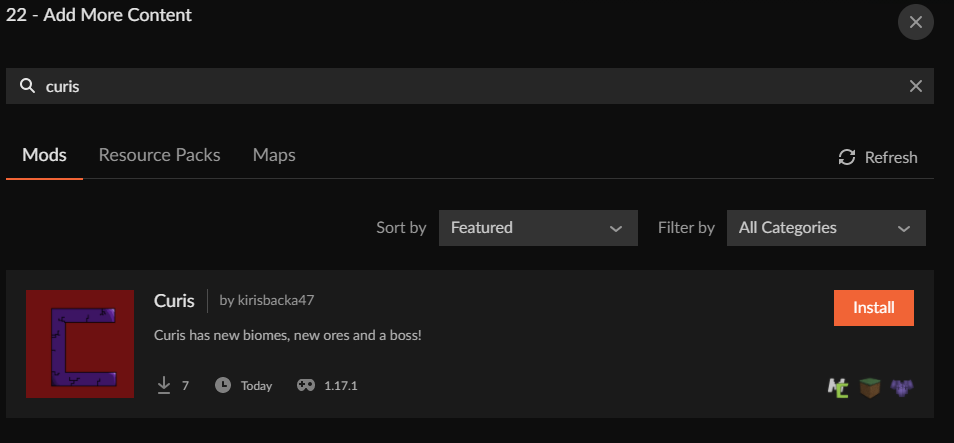 quaint mural
weird
lyric crescent
?mc-installmods
red patioBOT
How to install mods in CurseForge App.
- Click
+ Create Custom Profile - Name it, select the required Minecraft version, select the modloader & modloader version (usually the highest number), click
Create. - Click the profile icon.
- Click
Add More Content - Search and install the desired mods.
- Start the game!
How to install mods not on CurseForge.
- Right click the profile picture or Open the profile and click the Icon next to the play button.
- Click

Open Folder. - Drag the mod(s) into the
modsfolder. (Note: Some mods will require others, to run. Make sure to read the instructions for the mod!) - Start the game!
 quaint mural
I just restarted my computer and I still don't see it.
lyric crescent
show you searching for it
digital roost
if i use xbox gamepass for minecraft how do i log into curseforge with it?
red patioBOT
Hey there, it is Curseforge, not "Cursed forge"
signal ridge
You log into the minecraft launcher with the account that owns the java version of mc
quaint mural
lyric crescent
show you searching for it
here
 lyric crescent
Perhaps try following the instructions i sent, and maybe read what that bar is actually for.
quaint mural
lyric crescent
Perhaps try following the instructions i sent, and maybe read what that bar is a...
if its for modpacks does it make it any different?
digital roost
signal ridge
You log into the minecraft launcher with the account that owns the java version ...
fixed it
lyric crescent
Why would you be using a search bar that is for modpacks to find a mod?
 gloomy vale
any ideas
 upper root
!mc-logs into #👽︱game-support
red patioBOT
Sending logs for support.
- Right-click the modpack profile icon OR click the button in the modpack profile.
- Click
Open Folder. - Open the
logsfolder. - Drag and drop the FILE named
latestORdebuginto discord.
gloomy vale
kk
quaint mural
how do you add mods to a summited modpack?
red patioBOT
There are two ways to share a modpack you've made with others...
Export and Share - For Friends to Small Groups.
- Click the Icon for the modpack.
- Click the button next to play.
- Click

Export. - Select the files that should be included.
- Send the zip to the people that want it! They can follow the instructions in
!mc-installpackto install the pack!
Upload to Curseforge - For Public Release to Everyone.
This options will make your pack public to EVERYONE, it comes with extra requirements and will take some effort to set up.
- Go to here: https://www.curseforge.com/project/432/4471/create
- Fill out the information with a proper description of the pack. This should allow anyone to understand what the pack is.
- Click the Icon for the modpack in the CurseForge app.
- Click the button next to play.
- Click
Export. - Select the files that should be included.
- Open your Project you made on the CurseForge site and Upload the file you just made.
- Wait for Moderation & Sync so it can show up in the client! (See
!syncfor limitations)
red patioBOT
Your question is not related to CurseForge owned/maintained features or services.
Please use the appropriate game room by getting a game role from #786424115535544350.
Otherwise use #👽︱game-support for game related help.
CurseForge does not make or maintain any of the content or games used on the site or app. Just because it's on the site/app does not make it a problem with CurseForge. Move rooms as requested, arguing about it will result in you being removed from the discord.
quaint mural
hey I'm trying to get a modpack submitted and this is what happened is this happening to everyone

 cerulean vector
anyone know why this happens? doesnt happen on my bro's pc

 rich flint
cerulean vector
anyone know why this happens? doesnt happen on my bro's pc
rich flint
cerulean vector
anyone know why this happens? doesnt happen on my bro's pc
post your log file in #👽︱game-support
?mc-logs
red patioBOT
Sending logs for support.
- Right-click the modpack profile icon OR click the button in the modpack profile.
- Click
Open Folder. - Open the
logsfolder. - Drag and drop the FILE named
latestORdebuginto discord.
 turbid salmon
help
 upper root
!mc-logs
red patioBOT
Sending logs for support.
- Right-click the modpack profile icon OR click the button in the modpack profile.
- Click
Open Folder. - Open the
logsfolder. - Drag and drop the FILE named
latestORdebuginto discord.
turbid salmon
i dont see one...
upper root
!mc-installfix
red patioBOT
This is NOT instructions for Repair Profile! They are NOT the same! You need to do this!
- Click on the Minecraft Tab on the Left side of the CurseForge App.
- Click button next to the
Create Custom Profileoption. - Click
Repair Installationoption. - Play game.
NOTE: You will not lose any modpacks or worlds!
turbid salmon
still didnt work
 granite steeple
I run the curseforge installer, but it won't open
red patioBOT
Looking to install the CurseForge app?
<:windows:798410728188936222> Windows
Minimum Requirements:
- OS Version: 7 (64 bit), 8.1, 10, 11
- 64 bit Required.
- 350MB storage space.
- Microsoft .Net 4.8
- Intel/AMD quad-core CPU
- 8GB ram
Download: https://download.overwolf.com/install/Download?&PartnerId=4047
If you are having issues with the installer use the URL below to install Overwolf then go to the app store to download CurseForge.
https://content.overwolf.com/downloads/setup/latest/regular.html
<:mac:798410654418862130> Mac
Minimum Requirements:
- OS Version 10.14 or newer.
- 64 bit Required.
Download: https://curseforge.overwolf.com/downloads/curseforge-latest.dmg
:penguin: Linux
Minimum Requirements:
Yes. SOON:tm: ( ͡~ ͜ʖ ͡°)
Download: :person_shrugging:
opal cipher
Use the second link instead.
granite steeple
opal cipher
Use the second link instead.
Thanks, I'll try
Helped. Thank you very much
 floral sand
I need some help regarding all my save files. the problem is that curseforge wouldn't open so i had to reinstall it. so i just went to the curseforge installer and click't download. but when i then opened it everything there was gone. all my games that i downloaded, all my mod-packs and all my save files! now is there any way i could get them back, or are the just gone forever?
queen storm
!mc-path
red patioBOT
Change your install path to the following:
For Windows: C:\CurseForge
For Mac: /Users/Shared/CurseForge
You will need to make this folder!
If Minecraft is not installed in CurseForge App:
- Click the in the top left.
- Select Minecraft from the list of games.
- Select the
Advancedoption and pick the location for your computer listed above. - Click
Continue.
If Minecraft is installed in CurseForge App:
- Click the in the bottom left.
- Select the Minecraft tab.
- Click
Change. - Select the location for your computer listed above.
:no_entry_sign: Minecraft Files should NOT be installed inside the following locations :no_entry_sign:
:no_entry_sign: .minecraft folder.
:no_entry_sign: OneDrive folders.
:no_entry_sign: Desktop folder.
:no_entry_sign: iCloud enabled folders.
:no_entry_sign: or any other cloud saved folder.
:no_entry_sign: or folders with non-English characters in them.
If any of the above are in the path you need to change/move it!
floral sand
how is this supposed to help me getting my save-files back?
queen storm
Your path probably changed, this helps to set it back to the original one
queen storm
So you try to find the folder that was originally used, searching for the modpack name normally does the trick
queen storm
Was the modpack there then?
queen storm
What folder did you point it to? Was the modpack there as file?
floral sand
now it's in C:\CurseForge. and i didn't remember where it was before
queen storm
floral sand
ok i'l try my best
well i found the original folder, chanced it back to it, and it works! its all back. thank you
 tulip crest
game crashes when trying to load with 1.12 optifine any fixes?
opal cipher
!mc-optifine
red patioBOT
We do not offer support for Optifine!
If you have issues with Optifine, remove it. If you want further support try the discord found on their website.
https://www.optifine.net/home
Installing Optifine with modpacks on Curseforge:
- Right click the modpack icon, select
Open Folder. - Put the
Optifine.jarinto themodsfolder. - Now start the modpack.
opal cipher
So.. remove optifine
 rocky pond
Everything has gone great until I felt the need to add three more mods. When I got this message, I kept taking the new mods out one at a time to see if the issue was with an individual mod. But I'm still getting this.
"This crash my be cause by an invalid Java Runtime Configuration. Check any custom configuration settings. Exit Code 1"
red patioBOT
Error/Exit codes are useless. Follow these steps so someone can actually help you.
- Right-click the modpack profile icon OR click the button in the modpack profile.
- Click
Open Folder. - Open the
logsfolder. - Drag and drop the FILE named
latestORdebuginto discord.
 lavish nebula
Just check config and re run it.
 jade night
Hello, I want to create modpack for me and my friend, I ran it first time, it showed some errors with missing libraries (repaired that) and now it is showing just the error 1. If I disable all mods it is showing error 1 still
what can I do to repair it?
lyric crescent
?mc-log
red patioBOT
Sending logs for support.
- Right-click the modpack profile icon OR click the button in the modpack profile.
- Click
Open Folder. - Open the
logsfolder. - Drag and drop the FILE named
latestORdebuginto discord.
 lean moon
Hi! I need urgent help, I run a private pixelmon server with friends. I made some edits to the pixelmon reforged modpacks (like i have done before) then tried to download server pack. But the icon isnt there and there are zero options anywhere to download it. Its still there for other modpacks though
fleet bear
!notcf
red patioBOT
Your question is not related to CurseForge owned/maintained features or services.
Please use the appropriate game room by getting a game role from #786424115535544350.
Otherwise use #👽︱game-support for game related help.
CurseForge does not make or maintain any of the content or games used on the site or app. Just because it's on the site/app does not make it a problem with CurseForge. Move rooms as requested, arguing about it will result in you being removed from the discord.
lean moon
this is on curseforge
fleet bear
Try reading it.
Also.
Ask the pack dev for server packs or copy the mods out of what you downloaded
jade night
jade night
Hello, I want to create modpack for me and my friend, I ran it first time, it sh...
could you please help me?
fleet bear
No, I dont look at logs on mobile.
jade night
ok
 humble zephyr
Hey, I'm trying to run curseforge and every time I try it crashes on start, and gives me this message. Relaunching doesn't do anything, and neither does running it on admin.
 queen storm
Reinstall curseforge
humble zephyr
I tried reinstalling it on overwolf, should i uninstall it through the computer?
 eternal wyvern
Hey all, How do i force or prompt all users to update their game when an update comes out for a modpack?
queen storm
You can't
eternal wyvern
Well, Previous versions of the game will never work and break and it really confuses our players. They never get prompted or notified at all when a game updates
What happens if i remove all previous versions?
This means we will have to add our own prompt in for older versions when they launch the game it will just push a video on how to update or something.
queen storm
Then they still have the old one installed
Why would old versions break?
 silk coyote
Hello, i keep getting this error every time i try to load this modpack. although i have the latest java
 signal ridge
silk coyote
Hello, i keep getting this error every time i try to load this modpack. although...
signal ridge
silk coyote
Hello, i keep getting this error every time i try to load this modpack. although...
!mc-logs Send log to #👽︱game-support
red patioBOT
Sending logs for support.
- Right-click the modpack profile icon OR click the button in the modpack profile.
- Click
Open Folder. - Open the
logsfolder. - Drag and drop the FILE named
latestORdebuginto discord.
fleet bear
eternal wyvern
Hey all, How do i force or `prompt` all users to update their game when an updat...
Modpacks get an update arrow just like mods do when you hover over a profile to play it.
digital roost
how can i start configing files
fleet bear
!notcf
red patioBOT
Your question is not related to CurseForge owned/maintained features or services.
Please use the appropriate game room by getting a game role from #786424115535544350.
Otherwise use #👽︱game-support for game related help.
CurseForge does not make or maintain any of the content or games used on the site or app. Just because it's on the site/app does not make it a problem with CurseForge. Move rooms as requested, arguing about it will result in you being removed from the discord.
 celest folio
I downloaded a mod and I did everything but It never worked what do I do
lyric crescent
Go to #👽︱game-support and provide some information.
 signal tartan
hey! can we report the resourcepack that is stolen from us?
lyric crescent
make a support ticket with all the relevent information attached, then tell us the ticket number
!ticket
red patioBOT
Issue Reporting with Overwolf tickets!
Issues can be reported two ways!
Via the website, or in app. Instructions for both are below!
Make sure to include logs when reporting a problem!
Upload your Overwolf logs with the Upload File option on the ticket, information on how to get these logs can be found here https://support.overwolf.com/en/support/solutions/articles/9000176827-how-to-get-your-overwolf-logs
:bug: Reporting via Website :bug:
Can't open the app or would rather use the website? You can do so here: https://support.curseforge.com/en/support/tickets/new
Fill out the form with accurate detailed information, "It doesn't work" isn't helpful! What exactly doesn't work and why doesn't it work should be easy to answer!
:question: Ticket Status :question:
Tickets you have made can be looked at, replied to and closed if you make/login to an account. If you submit a ticket with a specific Email make sure to use that when you make your account so you can see your past tickets!
https://support.curseforge.com/en/support/tickets
Otherwise you will only get email replies at the email you used to open the ticket.
:bug: Reporting via the CurseForge App :bug:
- Click the icon in the bottom left.
- Select
Open a Ticket. - Fill out the form with accurate detailed information, "It doesn't work" isn't helpful! What exactly doesn't work and why doesn't it work should be easy to answer!!
- Upload your Overwolf logs with the
Upload Filesection. (see the top of this message for details) - Submit!
lyric crescent
I'll pass this on, though it may be a few days before it gets seen.
signal tartan
okay
 wooden junco
I need help allowing an older mod to be recognized as a newer mod on forge
fallen loom
That's not how it works
wooden junco
me?
fallen loom
Yes you
wooden junco
I can run a 1.7.10 mod with various other 1.10.2 mods serverside
fallen loom
Updating a mod is not as simple as changing it's version, likely the whole thing would need to be rewritten
fallen loom
wooden junco
I can run a 1.7.10 mod with various other 1.10.2 mods serverside
Then you are very lucky and that mod probably didn't touch much of Minecraft's code
wooden junco
I am aware
but how do I run that pack from forge
because forge recognizes every other mod but the one with an older version
fallen loom
?!=
red patioBOT
Wording is important!
Forge = Minecraft Forge, This is a modloader often just called "Forge".
Fabric = Fabric MC, this is another modloader, just called "Fabric".
CurseForge = A Website/App that has content for games.
Mods = Individual mod files.
Modpacks = Multiple mods put into the mods folder or downloaded from CurseForge.
These are not Interchangeable! Please use the correct terms as it allows us to help you faster!
wooden junco
CurseForge
fallen loom
If a mod does not indicate itself to be compatible with a version Curse will refuse to install it on that version, however you will still be able to install it manually. However again, this is for a reason and we will not provide assistance if you manually install a mod that is not marked as compatible with your version.
wooden junco
How can I get assistance with something like this
fallen loom
I don't know and I don't care
wooden junco
ok
fallen loom
This is what you get for intentionally ignoring safeties
lyric crescent
Talk to the mod dev or remake the mod. Either way that isn't a curseforge issue.
wooden junco
fallen loom
This is what you get for intentionally ignoring safeties
Everything is operational except the curseforge launcher
fleet bear
it's working exactly as it should
wooden junco
Sry for my phrasing
The launcher is working
But I am simply attempting to launch a pack as though you would without the curseforge launcher
fleet bear
then you are in the wrong place anyway...
fallen loom
wooden junco
Everything is operational except the curseforge launcher
You shouldn't expect assistance when misusing a product...
wooden junco
Curseforge is meant to launch modpacks correct?
I am trying to migrate an operational pack to Curseforge from where I can launch it
fleet bear
I am simply attempting to launch a pack as though you would without the curseforge launcher
Thus not Curseforge related.
wooden junco
This is related
fleet bear
You aren't using the app!
wooden junco
I am attempting to!
fleet bear
Then as already stated you are using it in a way that isn't supported as it doesn't work like that!
fallen loom
wooden junco
Curseforge is meant to launch modpacks correct?
It is meant to launch modpacks in which all the mods are flagged by their authors as compatible with a version of Minecraft
You are attempting to use a mod which is not flagged as compatible with the version you are using. This is a safety measure you are attempting to circumvent.
fallen loom
If you want to use the mod... get the dev to test and flag that version as compatible with the MC version you are using
Or install the mod manually and forego all support
 nimble pebble
Trying to use optifabric in an origins pack i have but the game keeps crashing. Is there a fix?
fleet bear
!mc-optifine
red patioBOT
We do not offer support for Optifine!
If you have issues with Optifine, remove it. If you want further support try the discord found on their website.
https://www.optifine.net/home
Installing Optifine with modpacks on Curseforge:
- Right click the modpack icon, select
Open Folder. - Put the
Optifine.jarinto themodsfolder. - Now start the modpack.
wooden junco
I am back
This time I installed the mod through the launcher
Still not registering
 teal hedge
I'm trying to figure out how to make a server pack for my modpack I put together
Any guidance I can get for that would be much appreciated
red patioBOT
Serverpacks are special files uploaded alongside an existing project file. If the main file is rejected the server pack is also rejected.
You require an already uploaded export file to upload a server pack!
- Make the server pack by zipping up the required files by selecting the required folders & files. It should include the config and mod folders at a minimum, plus anything else you specifically required to run the server. Start/Run/Setup scripts are optional. Don't include modloader files or the minecraft server jar.
- Go to the
Filestab on the project. - Click the name of the file you wish to upload the server pack to. The pack and server should match pack versions.
- Click
Upload Additional File. - Fill out the form.
lyric crescent
wooden junco
Still not registering
What about it is not registering
wooden junco
When I launch the profile the mod doesnt load
however it reads as a part of the profile in launcher under view profile
I am trying to install Thermal Dynamics
fallen loom
What tells you its not registering?
fallen loom
?mc-logs
red patioBOT
Sending logs for support.
- Right-click the modpack profile icon OR click the button in the modpack profile.
- Click
Open Folder. - Open the
logsfolder. - Drag and drop the FILE named
latestORdebuginto discord.
wooden junco
Ok one second
fallen loom
teal hedge
I'm lost with these instructions
zip the mods and config folders, like I said in the other server
teal hedge
ah hello again
yes I have a zip folder of exactly the mods I want
I just dont understand what to do with it now
fallen loom
Not the mods, the mods folder
fallen loom
Oh, no no no
teal hedge
oh okay
fallen loom
That won't work for a server
teal hedge
okay
fallen loom
Exporting with the client requires another client on the other end to decode it, as the export saves size by omitting mod jars and replacing them with a manifest entry
teal hedge
fallen loom
Exporting with the client requires another client on the other end to decode it,...
okay so exporting is not going to work, so what should I do instead?
fallen loom
Manually zip the mods and config folders (for the third time)
teal hedge
so open folder, copy all the mods into a new folder and literally zip it myself
thats it?
fallen loom
No
No copying, no moving
Have you made changes to any config files in the config folder?
teal hedge
I'm not aware of a config folder to begin with

this is what I did
just a bunch of mods I like
My girlfriend and I lag too much on the original CRIF so I'm just trying to make a lite version
fallen loom
Ok, not sure your pack will be unique enough, but that's not my position to determine.
-> Open Folder -> click mods -> ... what OS do you have and do you have 7zip?
teal hedge
Windows, does winrar work? otherwise I can download 7zip
fallen loom
It should work, just make sure you're compressing the folder and not its contents (normally we have the opposite issue, but in this case we want a mods folder to come out when we unzip)
i.e. we want users to "unzip here" where they want the server root to be
teal hedge
Gotcha
fallen loom
Now the question is whether or not to include the Forge server in that zip, which I'm not sure about as the servers is useless without it, yet all the automated solutions I've seen for not directly including the server are leeching off Forge's maven without hitting the ads that support it
teal hedge
I'm not at all sure what that means, if it isn't obvious I'm inept when it comes to this stuff
But I'm following your instructions
-> Open Folder -> click mods ->
 fallen loom
click mods, not double click
teal hedge
gotcha
fallen loom
You want the folder selected, not opened
teal hedge
so right click & compress
fallen loom
Yes
teal hedge
so I can make it a mods.rar folder
fallen loom
zip is preferred
 fallen loom
Nope, default settings should be fine
 teal hedge
nope, I went back
fallen loom
Move that zip somewhere else and extract it, what comes out, a folder or a bunch of jar files?

 fallen loom
Alright, rename that zip to have your pack name, pack version, and the word server somewhere so it's properly identifiable

 fallen loom
and note down the version of MinecraftForge your pack uses, if you don't include the server jar (MinecraftForge itself) in the zip you'll probably want to add it to the description when you upload it to Curse... unless you're not uploading it to Curse in which case you'll still want to note it down for the friends you'll give it to
No no, the Modpack version, not the Minecraft version
teal hedge
is it okay to be just crif-lite_serverpack?
it wont be redone, other mods make it too laggy
teal hedge
fallen loom
and note down the version of MinecraftForge your pack uses, if you don't include...
can you tell me what a forge version is?
fallen loom
Why do you feel the need to make a server pack zip anyway?
and do you have permission from the maker of the original modpack to do this?
teal hedge
I run a server off my local ip for my girlfriend and I to play different modpacks on
we really like crif but it has too many mods, makes too much lag and we dont need all the clutter the other mods create
so we're just making a personal-use mod pack
fallen loom
Still haven't answered why you need to distribute it
teal hedge
I need to make the serverpack in order to run it, dont I?
fallen loom
Oh my god you just wanted to make a server for it?
teal hedge
yeah local host server so my gf could join me
fallen loom
When you said serverpack I thought you meant a zip file to distribute the server on Curse
teal hedge
Well yes but not for anyone else to use,
let me show you want I mean

I need this bad boy
this icon so I can make the server for her and I to play on
is there another way to do this..?
fallen loom
Why do you think you need that button?
You can just copy the mods and config folders from your client to the server
fallen loom
Assuming you don't have any mods that are so poorly made that they'll crash a server, yes
teal hedge
okay wait
I'm trying to wrap my mind around how I can do this
normally I just click on that little icon and it makes the server for me; all I need to do is run it and boom, server exists
so how exactly do I make this as easy as that?
How do I get all this stuff for my own server?
 fallen loom
Install a Forge server and then unzip the pack zip I had you make in that folder
teal hedge
I'm attempting this now
okay I think I might have done it
I don't think it worked
how do I show you my logs?
fallen loom
Drag latest.log into Discord and upload it
teal hedge
ah okay hang on
tell me what this means
Details:
Mod File: alloyed-1.16.5-v0.2b.jar
Failure message: Mod alloyed requires forge 36.2.26 or above
Currently, forge is 36.2.0
fallen loom
Why are you using that particular Forge version?
fallen loom
In Curse?
fallen loom
Ok, you need to update to Forge 36.2.26 or later
teal hedge
how exactly do I manage this
fallen loom
Get the Forge installer for that version, run it, select "Install Server", point it at your server folder, and click "Go"
teal hedge
fallen loom
Get the Forge installer for that version, run it, select "Install Server", point...
I'm doing that now, I have another question while I'm working on it
how do I make my modpack downloadable by other people so my girlfriend can download it as well?
or is there a way to privately send the modpack to her via link or something?
fallen loom
?mc-packshare
red patioBOT
There are two ways to share a modpack you've made with others...
Export and Share - For Friends to Small Groups.
- Click the Icon for the modpack.
- Click the button next to play.
- Click
Export. - Select the files that should be included.
- Send the zip to the people that want it! They can follow the instructions in
!mc-installpackto install the pack!
Upload to Curseforge - For Public Release to Everyone.
This options will make your pack public to EVERYONE, it comes with extra requirements and will take some effort to set up.
- Go to here: https://www.curseforge.com/project/432/4471/create
- Fill out the information with a proper description of the pack. This should allow anyone to understand what the pack is.
- Click the Icon for the modpack in the CurseForge app.
- Click the button next to play.
- Click
Export. - Select the files that should be included.
- Open your Project you made on the CurseForge site and Upload the file you just made.
- Wait for Moderation & Sync so it can show up in the client! (See
!syncfor limitations)
digital roost
how can i import ftb quests into a server
red patioBOT
Your question is not related to CurseForge owned/maintained features or services.
Please use the appropriate game room by getting a game role from #786424115535544350.
Otherwise use #👽︱game-support for game related help.
CurseForge does not make or maintain any of the content or games used on the site or app. Just because it's on the site/app does not make it a problem with CurseForge. Move rooms as requested, arguing about it will result in you being removed from the discord.
teal hedge
!mc-installpack
red patioBOT
How to install modpacks with the search features in app.
- Open the

Minecraftsection of the app. - Click the top search bar where it says
Search for modpacksOR Click theBrowse ModpacksTab. - Find the Modpack you want to install and click install on it.
- Wait for CurseForge app to download and unpack all the required files.
- Once finished, click
Play!
How to install modpacks from a Export. (Custom/Private/Site downloaded Modpack zip)
- Get CurseForge App if you don't have it, use
!downloadfor a link. - Get the exported modpack from CurseForge or someone else,
!mc-packshareexplains how to make them. - Open the
Minecraftsection of the app. - Click

Create Custom Profile - Click the
Importoption. - Find the file you just downloaded in step 2 and select it.
- CurseForge app will now attempt to download and unpack the modpack. If it fails, try steps 4-6 again.
- Once finished, click
Play!
 signal ridge
teal hedge
!mc-installpack
signal ridge
teal hedge
!mc-installpack
Use #🟢︱user-bot-spam for testing bot commands
teal hedge
okay
teal hedge
signal ridge
Use <#525819185712988180> for testing bot commands
would you mind helping me
I created a modpack and published it on curseforge.com
fallen loom
?status
red patioBOT
Project Moderation Time
Project/File moderation is done on these days unless otherwise mentioned:
Sunday, Monday, Tuesday, Wednesday, Thursday: <t:1631170800:t> - <t:1631199600:t> (Your time)
Friday, Saturday: No Moderation!
Projects are moderated First in, First out. If you submit late in the work day, it will likely get left until the next day!
New Projects or anything flagged for manual review: 1-3 Working Days
Updates to approved projects not needing manual approval: 1 Hour
-If your file has been "Under Review" for more than an hour, then it is at manual review!
Changes will only show in the app if the project meets the requirements in the ?sync command and up to 24 hours has passed from when it was accepted.
teal hedge
aw shit so I need to wait till sunday?
signal ridge
1-3 working days. starting sunday
teal hedge
alright
 red patioBOT
Your question is not related to CurseForge owned/maintained features or services.
Please use the appropriate game room by getting a game role from #786424115535544350.
Otherwise use #👽︱game-support for game related help.
CurseForge does not make or maintain any of the content or games used on the site or app. Just because it's on the site/app does not make it a problem with CurseForge. Move rooms as requested, arguing about it will result in you being removed from the discord.
lyric crescent
Excuse you sir, you were asked to use the proper channel, not ignore the rules and ping someone else for an issue that doesn't belong here.
lyric crescent
lyric crescent
I sent that message.
teal hedge
.. but it's a curse forge server
if you look at the previous conversation you might see what this all lead up to
lyric crescent
Read the message, move to the correct channel. Further argument will result in moderation.
 strong gale
i cant launch the game at all. this is a completely blank modpack, only mod is just the instalation of forge that curseforge gave me. i get this error, how do i fix this?

if it helps, after cursory google searches, ive tried adding -Xmx256M as a system variable, and i've tried updating java
also vanilla minecraft through the default launcher works just fine, its only curseforge thats giving me the error. ive not tired running forge through the default vanilla launcher but i can if you think that would help
fleet bear
Open the CF MC settings and remove all JVM args
If that doesn't work
!mc-installfix
red patioBOT
This is NOT instructions for Repair Profile! They are NOT the same! You need to do this!
- Click on the Minecraft Tab on the Left side of the CurseForge App.
- Click button next to the
Create Custom Profileoption. - Click
Repair Installationoption. - Play game.
NOTE: You will not lose any modpacks or worlds!
strong gale
i thought about that as well but it seems like the arguments are blank
do you mean this box?
 fleet bear
yes
fallen loom
?mc-launcherlog
red patioBOT
How to get the launcher log
- Right click a profile.
- Select
Open Folder - Go back two folders.
- Open the
Installfolder. - Drag the
launcher_log.txtinto discord.
strong gale
fallen loom
Recently I've been seeing this happen because -XX:permsize is being set on Java versions that no longer ignore it for backwards compatibility, and it looks to be the case here too
Still trying to find out where it's coming from
strong gale
is there a way to fix? or do i gotta just install my mods the old fashioned way for now
fleet bear
reinstall CF
strong gale
i can do that
fleet bear
 quasi eagle
can i get some help
quasi eagle
can i get some help
perhaps if you provide some information other than "it no work"
quasi eagle
oh
fleet bear
What's the error? What are you doing to update it?
quasi eagle
it says files are in use but the application is closed
fleet bear
restart your computer then do it
quasi eagle
k
quasi eagle
fleet bear
restart your computer then do it
didnt work
strong gale
fleet bear
reinstall CF
simply uninstalling and reinstalling curseforge did manage to fix it, i guess i probably should have thought of that, sorry for taking up ur time. you are a gentleperson and a scholar
fleet bear
strong gale
simply uninstalling and reinstalling curseforge did manage to fix it, i guess i ...
No worries. Was just an old version of the app.
quasi eagle
fleet bear
restart your computer then do it
apparently moving the saved worlds out of the folder made it work?
fallen loom
?owlogs
red patioBOT
<:overwolf:857375414002384916> How to get CurseForge App logs! <:overwolf:857375414002384916>
- Click the
Create logs zipin the menu. - Drag and drop the file it just made to this chat room to upload it.
- Wait for someone to look at it so they can help you.
fallen loom
Is this what you wanted, Clay?
quasi eagle
idk how that worked but it did lol
fleet bear
you have something in your world folder that has messed up file permissions
quasi eagle
maybe it was the downloaded map?
fleet bear
🤷

 quasi bough
i got this error after trying to install forge 40.0.19
it's too big i can't fit in on my screen

here is log
rich flint
!!=
red patioBOT
Wording is important!
Forge = Minecraft Forge, This is a modloader often just called "Forge".
Fabric = Fabric MC, this is another modloader, just called "Fabric".
CurseForge = A Website/App that has content for games.
Mods = Individual mod files.
Modpacks = Multiple mods put into the mods folder or downloaded from CurseForge.
These are not Interchangeable! Please use the correct terms as it allows us to help you faster!
rich flint
tldr this is the curseforge discord, not forge (different places)
quasi bough
then where's forge
rich flint
 brisk ingot
how do i update forge
 hollow dune
by updating forge
upper root
!mc-updatemodloader
red patioBOT
You can update the mod loader within the same game version in the CurseForge app by following these steps!
- Click on the modpack profile you are working with.
- Click on the button next to the play button.
- Click on the
 Profile Options button.
 - Select the mod loader version you want from the dropdown.
- Play!
If you need to update to a new game version, a new profile is required.

 hexed bison
hey guys why does it always say invailed java runtime when eva i want to play 1.12.2 now
queen storm
digital roost
who can help me pls don't know what it has
!getcf Use the second link
red patioBOT
Looking to install the CurseForge app?
<:windows:798410728188936222> Windows
Minimum Requirements:
- OS Version: 7 (64 bit), 8.1, 10, 11
- 64 bit Required.
- 350MB storage space.
- Microsoft .Net 4.8
- Intel/AMD quad-core CPU
- 8GB ram
Download: https://download.overwolf.com/install/Download?&PartnerId=4047
If you are having issues with the installer use the URL below to install Overwolf then go to the app store to download CurseForge.
https://content.overwolf.com/downloads/setup/latest/regular.html
<:mac:798410654418862130> Mac
Minimum Requirements:
- OS Version 10.14 or newer.
- 64 bit Required.
Download: https://curseforge.overwolf.com/downloads/curseforge-latest.dmg
:penguin: Linux
Minimum Requirements:
Yes. SOON:tm: ( ͡~ ͜ʖ ͡°)
Download: :person_shrugging:
queen storm
hexed bison
hey guys why does it always say invailed java runtime when eva i want to play 1....
!mc-logs
red patioBOT
Sending logs for support.
- Right-click the modpack profile icon OR click the button in the modpack profile.
- Click
Open Folder. - Open the
logsfolder. - Drag and drop the FILE named
latestORdebuginto discord.
hexed bison
there
queen storm
Your mods seem to mismatch your game version
hexed bison
oh
do you now how i could fix it
like what mods i need to get rid of
love how this only happens with 1.12.2 because i can play any other forge version
queen storm
All mods that have 1.7.10 in the filename
hexed bison
ok i will remove them then re- download them because i need them to play with my friend
thx for telling me
i will move them
this has been a bigg help
queen storm
Install mods using the app, not by manually putting them in a folder
digital roost
queen storm
!getcf Use the second link
so after
hexed bison
but i have now removed all the mods from my mod folder and then i will just put them back, but. thx you @queen storm
cloud arrow
My project file is under review for three days any way I can speed up the proccess?
red patioBOT
Project Moderation Time
Project/File moderation is done on these days unless otherwise mentioned:
Sunday, Monday, Tuesday, Wednesday, Thursday: <t:1631170800:t> - <t:1631199600:t> (Your time)
Friday, Saturday: No Moderation!
Projects are moderated First in, First out. If you submit late in the work day, it will likely get left until the next day!
New Projects or anything flagged for manual review: 1-3 Working Days
Updates to approved projects not needing manual approval: 1 Hour
-If your file has been "Under Review" for more than an hour, then it is at manual review!
Changes will only show in the app if the project meets the requirements in the ?sync command and up to 24 hours has passed from when it was accepted.
queen storm
digital roost
and then what do I do
You install curseforge like the instructions say
 stiff ginkgo
hello i have problem with dowloanding modpacks it says
 queen storm
!webclient
red patioBOT
Timeout/WebClient errors are from networking issues to your computer. You can try a few things to fix it:
- Restart the computer.
- Restart your router/modem.
- Try another internet source like a hotspot, wired connection or moving closer to the WiFi.
- Pause/Stop other things using the internet. (Streams, music, etc)
- If this still doesn't work, try again in an hour and hope your connection is stable.
stiff ginkgo
ok thx
opal cipher
Exit minecraft, exit the launcher. If that doesn't work, reboot your computer
 crimson tinsel
it worked
 unique finch
When I run vanilla 1.18.1 I get around 120 FPS, but running Minecraft with no mods launched through Curse Forge (with forge) on the same version I get around 30-40 FPS. Anyone know what's happening? I compared my video settings and they are the exact same
red patioBOT
Your question is not related to CurseForge owned/maintained features or services.
Please use the appropriate game room by getting a game role from #786424115535544350.
Otherwise use #👽︱game-support for game related help.
CurseForge does not make or maintain any of the content or games used on the site or app. Just because it's on the site/app does not make it a problem with CurseForge. Move rooms as requested, arguing about it will result in you being removed from the discord.
 chilly osprey
My custom Profile won`t start because of invalid java runtime configuration
red patioBOT
"Invalid Java Runtime Configuration" does not help us, Follow these steps so someone can actually help you.
- Right-click the modpack profile icon OR click the button in the modpack profile.
- Click
Open Folder. - Open the
logsfolder. - Drag and drop the FILE named
latestORdebuginto discord.
chilly osprey
fallen loom
The heck?
Oh lovely
It's one of those mods that's actually a wrapper around a datapack, except this one obviously wasn't tested on Forge
com.netherairtune.endcity is broken
 untold magnet
Hi, does anyone know If curseforge works for windows 10 edition of minecraft??
opal cipher
It works with Java, not Bedrock
untold magnet
ok thank you
 gusty schooner
can someone please help? i downloaded the curse forge app, but the mustard virus mod pack won't open. it crashes and theres a caution symbol next to the icon
signal ridge
!mc-logs send these to #👽︱game-support
red patioBOT
Sending logs for support.
- Right-click the modpack profile icon OR click the button in the modpack profile.
- Click
Open Folder. - Open the
logsfolder. - Drag and drop the FILE named
latestORdebuginto discord.
gusty schooner
it says " this installation has been modified and might not support the latest player saftey features"
 ornate violet
is there any way i can update my minecraft version on my custom modpack?
signal ridge
gusty schooner
it says " this installation has been modified and might not support the latest p...
What says this? Screen shot
signal ridge
ornate violet
is there any way i can update my minecraft version on my custom modpack?
mc version no, would need to make a new custom profile if your changing game versions
queen storm
gusty schooner
it says " this installation has been modified and might not support the latest p...
That is normal, just ignore it
 tame forge
hello, so i downloaded this modpack for minecraft, but everytime i load it, it says 'analyzing the mod folder took longer than 60 seconds' it also says the timeout duration could be changed at 'fabric.debug.discoverytimeout' the thing is i dont know where to find this.
gusty schooner
what do i need to do besides getting the mustard virus mod, to be like the youtube video "i spent 100 days in a frozen zombie apocalypse in minecraft"?
red patioBOT
Your question is not related to CurseForge owned/maintained features or services.
Please use the appropriate game room by getting a game role from #786424115535544350.
Otherwise use #👽︱game-support for game related help.
CurseForge does not make or maintain any of the content or games used on the site or app. Just because it's on the site/app does not make it a problem with CurseForge. Move rooms as requested, arguing about it will result in you being removed from the discord.
ornate violet
is there any way i can find out the highest combatable versions for about 25 mods? they all work on 1.12 but i wanted to see if i could update to 1.14-1.16
red patioBOT
Your question is not related to CurseForge owned/maintained features or services.
Please use the appropriate game room by getting a game role from #786424115535544350.
Otherwise use #👽︱game-support for game related help.
CurseForge does not make or maintain any of the content or games used on the site or app. Just because it's on the site/app does not make it a problem with CurseForge. Move rooms as requested, arguing about it will result in you being removed from the discord.
 glossy flume
what do I do?
 signal ridge
What Are you trying to do?
red patioBOT
This is NOT instructions for Repair Profile! They are NOT the same! You need to do this!
- Click on the Minecraft Tab on the Left side of the CurseForge App.
- Click button next to the
Create Custom Profileoption. - Click
Repair Installationoption. - Play game.
NOTE: You will not lose any modpacks or worlds!
 signal ridge
Clicking the orange restart button do anything?
signal ridge
Click the create log zips, send em here
glossy flume
 fervent robin
can someone help?
 signal ridge
fervent robin
can someone help?
signal ridge
fervent robin
can someone help?
!mc-logs send these to #👽︱game-support
red patioBOT
Sending logs for support.
- Right-click the modpack profile icon OR click the button in the modpack profile.
- Click
Open Folder. - Open the
logsfolder. - Drag and drop the FILE named
latestORdebuginto discord.
signal ridge
glossy flume
Restart your pc
glossy flume
signal ridge
Restart your pc
it didn't work
signal ridge
glossy flume
it didn't work
I will forward this to support, not sure why its not working. May be a bit tho
glossy flume
ok ty, I also tried to uninstall app and it didn't do anything
 waxen plaza
hi im trying to setup the curseforg's minecraft modding folder but its saying that an invalid folder path was chosen, can someone help???
 narrow minnow
glossy flume
ok ty, I also tried to uninstall app and it didn't do anything
narrow minnow
glossy flume
ok ty, I also tried to uninstall app and it didn't do anything
I don't think a reinstall is helpful - it seems like there are network issues that are not allowing the app to get the versions. Are you on a slow/bad connection?
Do you have access to this url from your regular browser: https://api.curseforge.com/ ?
signal ridge
waxen plaza
hi im trying to setup the curseforg's minecraft modding folder but its saying th...
!mc-path
red patioBOT
Change your install path to the following:
For Windows: C:\CurseForge
For Mac: /Users/Shared/CurseForge
You will need to make this folder!
If Minecraft is not installed in CurseForge App:
- Click the in the top left.
- Select Minecraft from the list of games.
- Select the
Advancedoption and pick the location for your computer listed above. - Click
Continue.
If Minecraft is installed in CurseForge App:
- Click the in the bottom left.
- Select the Minecraft tab.
- Click
Change. - Select the location for your computer listed above.
:no_entry_sign: Minecraft Files should NOT be installed inside the following locations :no_entry_sign:
:no_entry_sign: .minecraft folder.
:no_entry_sign: OneDrive folders.
:no_entry_sign: Desktop folder.
:no_entry_sign: iCloud enabled folders.
:no_entry_sign: or any other cloud saved folder.
:no_entry_sign: or folders with non-English characters in them.
If any of the above are in the path you need to change/move it!
 dapper acorn
what would i need to do to set up a server using a modpack so that me and a friend can play online together?
signal ridge
dapper acorn
what would i need to do to set up a server using a modpack so that me and a frie...
Ill send the bot command in #👽︱game-support As this is not a cf related issue
dapper acorn
ty ty
waxen plaza
it didnt help 😦
signal ridge
Show the path your trying to set it to in the app. Screen shot
waxen plaza
i have a difrent language on my pc that is not english but this is the path:
C:/Users/(my user on windows)/curseforge/minecraft
waxen plaza
i cant find a pack in the name curseforge in my local disk...
waxen plaza
ohhhh
signal ridge
Bot says that as well.
waxen plaza
thxxxxx
 warped brook
hi i just joined i have a question i downloaded curseforge for minecraft bedrock modpacks but i only see java edition, is there a way to change it so i can download modpacks that apply to bedrock?
 warm pier
im having problems with the curseforge desktop app becoming slower and slower the more minecraft mods i load by scrolling down.
is there a way to reduce the lag?
signal ridge
warped brook
hi i just joined i have a question i downloaded curseforge for minecraft bedrock...
Bedrock doesnt have modpacks? Cf app/ mods/modpacks are for the Java edition of minecraft. Only thing bedrock has is "addons"
warped brook
OH
signal ridge
warm pier
im having problems with the curseforge desktop app becoming slower and slower th...
Use the site to look at mods.
warped brook
signal ridge
Bedrock doesnt have modpacks? Cf app/ mods/modpacks are for the Java edition of ...
thank you!
warm pier
signal ridge
Use the site to look at mods.
oh right ... how could i forget about that xD
thank you ^^
 quick mirage
I cannot install it says installtions error
signal ridge
Define "it"
quick mirage
Curseforge -_-
signal ridge
Windows?
quick mirage
Yes
fallen loom
Screenshot of the error?
signal ridge
!getcf try the second link
red patioBOT
Looking to install the CurseForge app?
<:windows:798410728188936222> Windows
Minimum Requirements:
- OS Version: 7 (64 bit), 8.1, 10, 11
- 64 bit Required.
- 350MB storage space.
- Microsoft .Net 4.8
- Intel/AMD quad-core CPU
- 8GB ram
Download: https://download.overwolf.com/install/Download?&PartnerId=4047
If you are having issues with the installer use the URL below to install Overwolf then go to the app store to download CurseForge.
https://content.overwolf.com/downloads/setup/latest/regular.html
<:mac:798410654418862130> Mac
Minimum Requirements:
- OS Version 10.14 or newer.
- 64 bit Required.
Download: https://curseforge.overwolf.com/downloads/curseforge-latest.dmg
:penguin: Linux
Minimum Requirements:
Yes. SOON:tm: ( ͡~ ͜ʖ ͡°)
Download: :person_shrugging:
quick mirage
I use windows not mac
signal ridge
Said Second link, not third
quick mirage
Ight done
signal ridge
Extract and install Overwolf. Then use the ow app to install the cf app
quick mirage
Can't downloads Overwolf either
signal ridge
Screen shot error that comes up
 indigo notch
How long do you think it would take for my modpack to be approved? I really want my friends to hop on my server
quick mirage
 signal ridge
!status
red patioBOT
Project Moderation Time
Project/File moderation is done on these days unless otherwise mentioned:
Sunday, Monday, Tuesday, Wednesday, Thursday: <t:1631170800:t> - <t:1631199600:t> (Your time)
Friday, Saturday: No Moderation!
Projects are moderated First in, First out. If you submit late in the work day, it will likely get left until the next day!
New Projects or anything flagged for manual review: 1-3 Working Days
Updates to approved projects not needing manual approval: 1 Hour
-If your file has been "Under Review" for more than an hour, then it is at manual review!
Changes will only show in the app if the project meets the requirements in the ?sync command and up to 24 hours has passed from when it was accepted.
indigo notch
damn
 lone cliff
I started a project (a resource pack) on curseforge, but it was denied because the zip was formatted wrong. I've now fixed the issue and uploaded the properly formatted file. Will the request to start the project be automatically approved now, or do I have to do something else?
signal ridge
indigo notch
damn
You can manually send them the zip tho and they can import it into their apps. use ?mc-installpack in #🟢︱user-bot-spam if needed
signal ridge
quick mirage
Same pops up using the ow installer?
indigo notch
signal ridge
You can manually send them the zip tho and they can import it into their apps. u...
alright thanks. its just moer of a hassel like that
quick mirage
signal ridge
Same pops up using the ow installer?
Yes
signal ridge
Will forward this onto support.Possible option is your internet connection isnt strong enough.
quick mirage
Ok and my internet is very good.
signal ridge
or stable enough I should say.
signal ridge
quick mirage
Ok and my internet is very good.
Try that ^^^^^^^^^
quick mirage
?
signal ridge
Try the link Wolf posted above. Download and install that
You cant, they do not work together - Its one or the other not both
Nope. - Cant mix modloaders. Not possible
 west folio
unless they're ported, which is unlikely
lyric crescent
"They do not work together" is pretty clear imo.
signal ridge
Also not cf related.
glossy flume
narrow minnow
I don't think a reinstall is helpful - it seems like there are network issues th...
No I don't
lyric crescent
yep
glossy flume
RIP
 final wagon
I am in need of help
whenever i try to import a zip folder, it talks about "cursed" and "thrown away"
and doesnt load the mod
fallen loom
Screenshots please?
 fallen loom
?owlogs
red patioBOT
<:overwolf:857375414002384916> How to get CurseForge App logs! <:overwolf:857375414002384916>
- Click the
Create logs zipin the menu. - Drag and drop the file it just made to this chat room to upload it.
- Wait for someone to look at it so they can help you.
final wagon
fallen loom
Ok, quit Curse, delete this folder: C:\Users\ASUS\AppData\Local\Temp\CF\elPX4MI0QEG5Expt5cIDg, then restart Curse and try again
final wagon
what does that folder do?
fallen loom
It's meant to hold temporary data, and apparently it's missing something so we have to force Curse to try again from the beginning
fallen loom
I just gave you the full path to it...
final wagon
im sorry im not very good with computers i just got this one for christmas
i found it... but when i right click it doesnt give the option of deleting it
fallen loom
You can select it and press the delete key
 fallen loom
and Curse was closed when you deleted it?
 fallen loom
Can you send me the zip please?
final wagon
sure
fallen loom
Is it possible for you to disable OneDrive during this process?
 simple tapir
im having issues opening minecraft with any mods
red patioBOT
Your question is not related to CurseForge owned/maintained features or services.
Please use the appropriate game room by getting a game role from #786424115535544350.
Otherwise use #👽︱game-support for game related help.
CurseForge does not make or maintain any of the content or games used on the site or app. Just because it's on the site/app does not make it a problem with CurseForge. Move rooms as requested, arguing about it will result in you being removed from the discord.
quick mirage
signal ridge
Same pops up using the ow installer?
I fixed it, it was my drivers
 trail osprey
how to take screen shots
fallen loom
Minecraft, Windows, or third-party tool?
trail osprey
windows
signal ridge
Windows Key + Shift + S
trail osprey
thx
 rigid plume
Hi team, Just curious i need to get my new modpack posted to curse, but its sitting in new project state still. What kind of timeframe does this usually take? (been 2 days so far)
signal ridge
!status
red patioBOT
Project Moderation Time
Project/File moderation is done on these days unless otherwise mentioned:
Sunday, Monday, Tuesday, Wednesday, Thursday: <t:1631170800:t> - <t:1631199600:t> (Your time)
Friday, Saturday: No Moderation!
Projects are moderated First in, First out. If you submit late in the work day, it will likely get left until the next day!
New Projects or anything flagged for manual review: 1-3 Working Days
Updates to approved projects not needing manual approval: 1 Hour
-If your file has been "Under Review" for more than an hour, then it is at manual review!
Changes will only show in the app if the project meets the requirements in the ?sync command and up to 24 hours has passed from when it was accepted.
 jaunty silo
would someone be kind enough to tell me why my game won't load
upper root
!notcf
red patioBOT
Your question is not related to CurseForge owned/maintained features or services.
Please use the appropriate game room by getting a game role from #786424115535544350.
Otherwise use #👽︱game-support for game related help.
CurseForge does not make or maintain any of the content or games used on the site or app. Just because it's on the site/app does not make it a problem with CurseForge. Move rooms as requested, arguing about it will result in you being removed from the discord.
 frigid bridge
hey guys think yall can help me out?
so
i migrated my mojang account
and i cant seem to get my old non migrated one back
and i cant play curseforge
is this fixable?
btw when i migrated it i became apart of my xbox app games
lyric crescent
?mc-login
red patioBOT
Minecraft Logins
Step 1: Get to the Microsoft login screen.
Step 2: Log in with a Microsoft account that owns the Java version of Minecraft.
Done!
Issues: If it says PLAY DEMO then the account used DOES NOT own Java Minecraft. Log in with one that does.
 lyric crescent
?mc-log
red patioBOT
Sending logs for support.
- Right-click the modpack profile icon OR click the button in the modpack profile.
- Click
Open Folder. - Open the
logsfolder. - Drag and drop the FILE named
latestORdebuginto discord.
 lyric crescent
?oops
red patioBOT
You had an "Oops, that was not supposed to happen!"
https://support.curseforge.com/en/support/solutions/articles/9000194900-curseforge-troubleshooting#oops
Please follow these instructions
 rugged latch
Thats an interesting tag lol
 strong trench
hey i need help
red patioBOT
╰( ͡° ͜ʖ ͡° )つ──☆*:・゚ *˜”*°•.˜”*°• Many Help •°*”˜.•°*”˜* <:curselit:796985620550385705>
Please provide a description of your issue with as much detail as possible. If you have an issue with a mod or modpack, tell us the name. Explain what you can see happening. Be specific!
 Tell us what is happening, we already know it "doesn't work".
Avoid using words like "it", tell us exactly what "it" is.
Don't assume anyone knows what you are talking about, be specific.
Tell us what you expected to happen.
Provide screenshots or video if possible.
Provide a log if possible. ?mc-log
strong trench
i was signed out of curseforge and lost all of my mods
 solar sequoia
Hello does anyone know around how long it takes for a modpack to be reviewed?
upper root
!status
red patioBOT
Project Moderation Time
Project/File moderation is done on these days unless otherwise mentioned:
Sunday, Monday, Tuesday, Wednesday, Thursday: <t:1631170800:t> - <t:1631199600:t> (Your time)
Friday, Saturday: No Moderation!
Projects are moderated First in, First out. If you submit late in the work day, it will likely get left until the next day!
New Projects or anything flagged for manual review: 1-3 Working Days
Updates to approved projects not needing manual approval: 1 Hour
-If your file has been "Under Review" for more than an hour, then it is at manual review!
Changes will only show in the app if the project meets the requirements in the ?sync command and up to 24 hours has passed from when it was accepted.
queen storm
strong trench
i was signed out of curseforge and lost all of my mods
That is not how it works
 orchid marten
can i play with a friend?
queen storm
If you make a server
#👽︱game-support message
orchid marten
thanks
 drowsy shell
can i change my profile version with files saved? for example from 1.18.1 to 1.18.2
 lyric crescent
add jeid, also this isnt an issue with curseforge and belongs in #👽︱game-support
glossy flume
sorry

 lyric crescent
?mc-updatemodloader
red patioBOT
You can update the mod loader within the same game version in the CurseForge app by following these steps!
- Click on the modpack profile you are working with.
- Click on the button next to the play button.
- Click on the Profile Options button.
- Select the mod loader version you want from the dropdown.
- Play!
If you need to update to a new game version, a new profile is required.
 robust rivet
lyric crescent
?mc-updatemodloader
robust rivet
lyric crescent
?mc-updatemodloader
can u help me more details pls
lyric crescent
what more details are needed, this explains exactly what to do..
robust rivet
i dont understand what u mean
lyric crescent
then specify what you do not understand
robust rivet
how can i update the forge version ?
lyric crescent
read the instructions
 frank stone
my server keeps crashing
signal ridge
!notcf
red patioBOT
Your question is not related to CurseForge owned/maintained features or services.
Please use the appropriate game room by getting a game role from #786424115535544350.
Otherwise use #👽︱game-support for game related help.
CurseForge does not make or maintain any of the content or games used on the site or app. Just because it's on the site/app does not make it a problem with CurseForge. Move rooms as requested, arguing about it will result in you being removed from the discord.
frank stone
bruh
signal ridge
Curseforge has nothing to do with servers, use the appropriate room
digital roost
i need help when i launch curseforge it wont let me in and say window insider not suported SO PLEASE HELP
signal ridge
Disable insider?
digital roost
how???
lyric crescent
the opposite of how you enabled it i assume
digital roost
but i dont know what to do but ill try thanks
no results on setting for window insider
i serached up insider and it gives me two options
signal ridge
lyric crescent
this is not relevent to curseforge. contact windows support.
digital roost
wait i think i am doing it it says fix problem so i clicked it
ok well it doesnt work
signal ridge
Contact microsoft support. Not a cf issue
opal cipher
Google overwolf windows insider
digital roost

Overwolf Support Help Center
We're here to get you informed on everything you need to know about Overwolf, including helpful guides and troubleshooting articles to back you up when you get in a pickle
this link shows up when i try and play it
opal cipher
!notcf
red patioBOT
Your question is not related to CurseForge owned/maintained features or services.
Please use the appropriate game room by getting a game role from #786424115535544350.
Otherwise use #👽︱game-support for game related help.
CurseForge does not make or maintain any of the content or games used on the site or app. Just because it's on the site/app does not make it a problem with CurseForge. Move rooms as requested, arguing about it will result in you being removed from the discord.
digital roost
no but that link shows up when you hit learn more and then thats the website i go to so now i am confussed and it wont let me delete curseforge
opal cipher
Read the entire article.
Look at the section called Override
Otherwise, you're welcome to ask for help in the Overwolf Discord.
digital roost
ok but i dont have overwolf discord
opal cipher
digital roost
thanks
signal ridge
Ask their support for help?
digital roost
how??
queen storm
Start by reading everything that is said, perform the override steps
signal ridge
Wouldnt be in the support stuff if it wasnt safe
digital roost
ok
 waxen ridge
is there a button to activate all mod somewhere? or do i gotta click activate every one of em
fleet bear
Gotta click them all.
 crimson peak
is there a way to put resource packs into curseforge?
lyric crescent
into curseforge what? the website, the files?
crimson peak
minecraft
idk how to explain
uhh
how do i insert texture packs into minecraft with curseforge
lyric crescent
select the profile, go to add more content, then the resource pack tab
chilly osprey
signal ridge
Not seeing any errors here? Care to explain whats happening?
chilly osprey
So i createt a world then i turned and the game crasht
signal ridge
Did a crash report generate in the crashreports folder?
chilly osprey
yes
signal ridge
Post it
chilly osprey
signal ridge
Will try this first. 4gb is rather low for modded mc, try uping it to 6-8gb if possible
!mc-ram
red patioBOT
How to set Global Minecraft RAM value.
- Click the icon in the bottom left to open settings.
- Click the Minecraft tab.
- Scroll down.
- Slide slider to recommended ram range as seen below.
 signal ridge
then try the pack/world again
signal ridge
Send new latest log and crashreport
signal ridge
If you create a new world does this happen?
chilly osprey
yes
signal ridge
This a pack you made OR downloaded?
chilly osprey
made
signal ridge
All mods downloaded using the cf app?
chilly osprey
yes
signal ridge
Is it crashing and closing on its own OR is it freezing and you close it?
chilly osprey
its closing
signal ridge
Maybe betterendforge. The log doesnt give much info on why its closeing. May have to disable a few mods at a time test in between till it works.
Also at this point its not really a cf issue so can continue support in either #👽︱game-support OR go to #786424115535544350 get the mc role and head to #🧱︱mc-other-help
lyric crescent
laggy in what way
 lethal kernel
After hitting play mod, I don't see the installation when the minecraft launcher loads.
lyric crescent
?mc-installfix also restart your pc
red patioBOT
This is NOT instructions for Repair Profile! They are NOT the same! You need to do this!
- Click on the Minecraft Tab on the Left side of the CurseForge App.
- Click button next to the
Create Custom Profileoption. - Click
Repair Installationoption. - Play game.
NOTE: You will not lose any modpacks or worlds!
 frank solstice
refuses to even load the mc tab- gets stuck loading at full progress. additionally refuses to open the mc tab in settings, that jsut stays blank
lyric crescent
probably should reinstall
 idle sentinel
How do i get a new minecraft modding folder?
upper root
!mc-path
red patioBOT
Change your install path to the following:
For Windows: C:\CurseForge
For Mac: /Users/Shared/CurseForge
You will need to make this folder!
If Minecraft is not installed in CurseForge App:
- Click the in the top left.
- Select Minecraft from the list of games.
- Select the
Advancedoption and pick the location for your computer listed above. - Click
Continue.
If Minecraft is installed in CurseForge App:
- Click the in the bottom left.
- Select the Minecraft tab.
- Click
Change. - Select the location for your computer listed above.
:no_entry_sign: Minecraft Files should NOT be installed inside the following locations :no_entry_sign:
:no_entry_sign: .minecraft folder.
:no_entry_sign: OneDrive folders.
:no_entry_sign: Desktop folder.
:no_entry_sign: iCloud enabled folders.
:no_entry_sign: or any other cloud saved folder.
:no_entry_sign: or folders with non-English characters in them.
If any of the above are in the path you need to change/move it!
 hardy bloom
Reinstalled, restarted PC any ideas?
 upper root
!oops
red patioBOT
You had an "Oops, that was not supposed to happen!"
https://support.curseforge.com/en/support/solutions/articles/9000194900-curseforge-troubleshooting#oops
Please follow these instructions
 graceful nova
Hello, I'm trying to set up a webhook with Bitbucket to automate my mod deployment to Curseforge. I followed the instructions as best I could, but it didn't work. I am seeing a 200 message for the webhook when I push to Bitbucket, but no files are appearing in Curseforge. I'm not sure if I didn't configure it right or if I'm not pushing tags correctly or what.
digital roost
So i recently reinstalled Cursed forge and i am having issues, it crashes upon launch and i have tried everything i know (changing ram, resetting pathing, reinstalling it)
THe log file i have are below
red patioBOT
Hey there, it is Curseforge, not "Cursed forge"
rich flint
digital roost
So i recently reinstalled Cursed forge and i am having issues, it crashes upon l...
?mc-installfix
red patioBOT
This is NOT instructions for Repair Profile! They are NOT the same! You need to do this!
- Click on the Minecraft Tab on the Left side of the CurseForge App.
- Click button next to the
Create Custom Profileoption. - Click
Repair Installationoption. - Play game.
NOTE: You will not lose any modpacks or worlds!
digital roost
Oh ok ty
 clear dawn
Does anyone have any good modpack suggestions
signal ridge
#🔎︱mod-hunting for this
clear dawn
oh ok
 vast iris
hey, i'm trying to play RLcraft. i downloaded curseforge and then downloaded the rlcraft mod pack. i then launch the game after everything is downloaded. once i hit play it started loading up then i get a crash 1 error code. could anyone give me a hand with this?
red patioBOT
Error/Exit codes are useless. Follow these steps so someone can actually help you.
- Right-click the modpack profile icon OR click the button in the modpack profile.
- Click
Open Folder. - Open the
logsfolder. - Drag and drop the FILE named
latestORdebuginto discord.
vast iris
i have already deleted and reinstalled both minecraft and curseforge again with RLcraft mods. i am still having the same issue
upper root
Im pretty sure lib loader by minimallycorrect cant download one of its dependencies, causing it to crash
Possibly because something like a firewall is blocking https://jcenter.bintray.com/
vast iris
hmm how would i go about allowing that through?
upper root
Through your firewall settings, or whatever is blocking it
vast iris
cant seem to find that under the allowing app location under my firewall settings
 austere basin
Is it possible to extract the mod files from a profile so I can use the vanilla launcher to launch them?
lyric crescent
why
austere basin
voice chat is not working for me, so I need to use the vanilla laucher
lyric crescent
how do you intend to do that in vanilla
austere basin
just add all mods to folder and install the right forge version
lyric crescent
that's what the app does already though
austere basin
I found a workaround that lets voice chat work, but the workaround only works with the vanilla launcher
lyric crescent
why even use the app then, just download the mod from the site
vast iris
@upper root i disabled my firewall and tried to relaunch but still got the crash
sorry i did not mean to ping you
austere basin
because i needed to use a modpack which was only compatible with curseforge