#🔥︱curseforge-support
1 messages · Page 607 of 1
 frail scarab


 rich flint
?mc-logs
 red patioBOT
Sending logs for support.
- Right-click the modpack profile icon OR click the
 button in the modpack profile.
 - Click

Open Folder. - Open the
logsfolder. - Drag and drop the FILE named
latestORdebuginto discord.
 faint quail
Is there a way to add an imgur album to your description?
 upper root
You would need to add each image seperately
 zealous jasper
how do I stop my game from crashing every7time I load it up
upper root
!mc-logs post these into #👽︱game-support
red patioBOT
Sending logs for support.
- Right-click the modpack profile icon OR click the button in the modpack profile.
- Click
Open Folder. - Open the
logsfolder. - Drag and drop the FILE named
latestORdebuginto discord.
upper root
Right click it and hover over Send To, then click Compressed Folder (zip) in the popup that appears to the right
Then send the zip it makes
upper root
If you have an insane pc. Yes.
If you do not, no
zealous jasper
k
if I load an all mods 6 world into the game will it work or do I need to start a new one?
upper root
What is "it"?
 lyric crescent
!notcf
red patioBOT
Your question is not related to CurseForge owned/maintained features or services.
Please use the appropriate game room by getting a game role from #786424115535544350.
Otherwise use #👽︱game-support for game related help.
CurseForge does not make or maintain any of the content or games used on the site or app. Just because it's on the site/app does not make it a problem with CurseForge. Move rooms as requested, arguing about it will result in you being removed from the discord.
Timeout/WebClient errors are from networking issues to your computer. You can try a few things to fix it:
- Restart the computer.
- Restart your router/modem.
- Try another internet source like a hotspot, wired connection or moving closer to the WiFi.
- Pause/Stop other things using the internet. (Streams, music, etc)
- If this still doesn't work, try again in an hour and hope your connection is stable.
 fallen loom
Why do you need an admin specifically?
 west folio
and what is the issue
 glad current
i tried to install a mod but it won't work
fallen loom
Be more specific, please
glad current
it say could not load file or assembly
fallen loom
?mc-logs
red patioBOT
Sending logs for support.
- Right-click the modpack profile icon OR click the button in the modpack profile.
- Click
Open Folder. - Open the
logsfolder. - Drag and drop the FILE named
latestORdebuginto discord.
 fallen loom
Oh what the
west folio
what would minecraft logs help with a curseforge issue
fallen loom
west folio
what would minecraft logs help with a curseforge issue
Too many people don't see the difference and post here anyway
glad current
i reinstalled the curseforge it self
can you help me please?
i don't know what to do
 fleet bear
That's literally what they are attempting to do...?
fallen loom
I can't recall if that's a Curse issue or a .NET Runtime issue...
glad current
so what i should do?
fallen loom
?owlogs
red patioBOT
<:overwolf:857375414002384916> How to get CurseForge App logs! <:overwolf:857375414002384916>
- Click the

Create logs zipin the menu.
menu. - Drag and drop the file it just made to this chat room to upload it.
- Wait for someone to look at it so they can help you.
 fallen loom
Still looking, please be patient
glad current
okay
fallen loom
So I can't quite figure out where Curse and/or Overwolf is trying to find that dll, but my first hunch is a quick repair of .NET shouldn't hurt.
You can use the installer from Overwolf's files to do it using this command in Powershell:
& "$env:ProgramData/Overwolf/Setup/ndp48-web.exe" /repair /passive /norestart
 raven current
Is there anything to stop curseforge from deleting mod menu when i delete a mod that has that as a dependancy? i have other mods that use it and it just deletes it because the one im deleting does too
like could they add a check if any other mods use mod menu before automatically deleting it
fleet bear
raven current
Is there anything to stop curseforge from deleting mod menu when i delete a mod...
Currently no. Just delete them from the file window for now till they fix the whole dependency stuff.
 ornate aspen
a spammer from this server
 upper root
!dm
red patioBOT
Don't want scam DM?

 mighty hearth
Outplayed doesn't seem to work with the modpacks. Is there something I need to do for it to work?
lyric crescent
I don't think Overwatch has mods.
mighty hearth
I mean outplayed, I'm just dumb
lyric crescent
This discord has nothing to do with Outplayed. That's an app for overwolf.
 placid sluice
How do I change the forge version of my modpack?
upper root
!mc-updatemodloader
red patioBOT
You can update the mod loader within the same game version in the CurseForge app by following these steps!
- Click on the modpack profile you are working with.
- Click on the button next to the play button.
- Click on the
 Profile Options button.
 - Select the mod loader version you want from the dropdown.
- Play!
If you need to update to a new game version, a new profile is required.
placid sluice
For my cf modpack upload not with the app
upper root
Change it in the app then export and upload again
placid sluice
Ah ok thanks
 ashen parcel
hi there-- im curseforge app won't open no matter what i do. idk what else to do and im afraid to clean install and lose all my mod profiles
upper root
Modpack profiles are not affected by a reinstall
ashen parcel
really good to know 😭
 twin blade
does curseforge support the new minecraft launcher?
ashen parcel
i reinstalled and it's still not loading. overwolf loads in the bg but curseforge app never loads up
 signal ridge
twin blade
does curseforge support the new minecraft launcher?
signal ridge
twin blade
does curseforge support the new minecraft launcher?
Nope, it uses its own copy of the mc launcher. If you get the "update launcher" in the cf app just hit cancel or close on the popup
upper root
What goes wrong?
ashen parcel
if you're talking to me, there no signs of error. overwolf loading screen appears when i click to open curseforge. then it finishes and disappears. no other window ever opens.
 wary merlin
Heya there, I'm here to inquire that CursedForge isn't opening or registering to open, even after a reinstall and attempting to run as an administrator. How can I fix it?
yeah, still not working sobs
 edgy fjord
when i update the curseforge better Minecraft plus ver 38 why does Minecraft launcher stay version 36
rich flint
I'm guessing youj're talking about the Forge / minecraft version of the modpack you are using. That modpack has several versions which are separate installations
if your vanilla launcher seems stuck on one modpack - log out of the vanilla launcher, reboot your computer, try launching again and logging in
 somber brook
Hi. so im having trouble with installing some mods the error "java exception has occard
occurred
what am i suppose to do
upper root
fallen loom
So I can't quite figure out where Curse and/or Overwolf is trying to find that d...
Daemon gave you instructions ^^
upper root
Press  . Type in
 powershell. Press Enter. Paste the command Daemon sent, then press enter
upper root
It may, Daemon said he wasnt sure
somber brook
nothing happend after i downloaded one of those versions. am i missing a step?
 fossil solstice
im wondering how to move cursforge to another drive
modpacks
actually
curseforge
yes
signal ridge
The app itself I dont believe you can change locations, However you can change where modpacks are saved
!mc-path
red patioBOT
Change your install path to the following:
For Windows: C:\CurseForge
For Mac: /Users/Shared/CurseForge
If Minecraft is not installed in CurseForge App:
- Click the
 in the top left.
 - Select Minecraft from the list of games.
- Select the
Advancedoption and pick the location for your computer listed above. - Click
Continue.
If Minecraft is installed in CurseForge App:
- Click the
 in the bottom left.
 - Select the Minecraft tab.
- Click
Change. - Select the location for your computer listed above.
:no_entry_sign: Minecraft Files should NOT be installed inside the following locations :no_entry_sign:
:no_entry_sign: .minecraft folder.
:no_entry_sign: OneDrive folders.
:no_entry_sign: Desktop folder.
:no_entry_sign: iCloud enabled folders.
:no_entry_sign: or any other cloud saved folder.
:no_entry_sign: or folders with non-English characters in them.
If any of the above are in the path you need to change/move it!
signal ridge
Follow that just change C to which ever drive you would rather
signal ridge
Or just dont touch the apps files and just change the location of the modpacks saves. Moving the app itself may break things entirely
Seeing how the app auto installs to the c drive, moving its base files may cause it to look for files that arent there.
fleet bear
Just reinstall the app and change the location of the app? IIRC you can do that.
The majority of the app is the mod files that are saved to separate spaces as is.
(you would need to move overwolf, not CF app FYI)
wary merlin
I love how 2 people who are having the same issue are ignored, very fun
 opal cipher
It's not ignored, there's just nothing easy to do, to fix it.
wary merlin
At least you'd let them know earlier on, we've been having issues with it starting up and just being a blank launcher or opening in the task manager but not show at all, clogging the cpu n ram. Its all weird.
opal cipher
Haven't experienced that one myself, so for that one, we'd need some logs. (If you mean CurseForge/Overwolf, and not Minecraft)
opal cipher
!owlogs Should be something, would be awesome if you could check this. (Just humor me, in case this can actually help the devs for CF/OW to fix the problem)
red patioBOT
<:overwolf:857375414002384916> How to get CurseForge App logs! <:overwolf:857375414002384916>
- Click the
Create logs zipin the menu. - Drag and drop the file it just made to this chat room to upload it.
- Wait for someone to look at it so they can help you.
opal cipher
Oh.. right. Might wanna do it the manual way xD
Hang on.
Gotta remote home from work so I can fetch the path :P
%localappdata%\overwolf\log paste this into your explorer address bar (Or in a Win+R), then zip that folder and post it here.
ashen parcel
I'll see what I can find thanks
opal cipher
No, thank you <3
The more logs and info we can get from users, the more help we can be to the devs when we give them reports about the problems.
wary merlin
Currently having a movie-dinner, hopefully the other person can probide (*꒦ິ꒳꒦ີ)
 primal sinew
So i got a gun mod for minecraft and when i launch minecraft from cursed forge it brings me to the old MC launcher witch then brings me to the new updated launcher then i cant play the mod how do i fix this?
red patioBOT
Hey there, it is Curseforge, not "Cursed forge"
upper root
Ignore the new launcher
red patioBOT
Ignore the new launcher update. CF does not use it or works with it, yet.
Everything will work fine otherwise.
 golden apex
1.18 forge crashing exit code 0 .Anyone can help?
red patioBOT
Error/Exit codes are useless. Follow these steps so someone can actually help you.
- Right-click the modpack profile icon OR click the button in the modpack profile.
- Click
Open Folder. - Open the
logsfolder. - Drag and drop the FILE named
latestORdebuginto discord.
red patioBOT
This is NOT instructions for Repair Profile! They are NOT the same! You need to do this!
- Click on the Minecraft Tab on the Left side of the CurseForge App.
- Click button next to the
Create Custom Profileoption. - Click

Repair Installationoption. - Play game.
NOTE: You will not lose any modpacks or worlds!
golden apex
upper root
Thats a very empty log 🤔
nah didnt work
upper root
You did repair installation, not profile?
upper root
Right click the mod profile and select Open folder, then go inside the mods folder. Are there any files in there?
golden apex
its empty
upper root
Wel that explains a bit...
Have you tried to del and reinstall the pack?
upper root
Any forge modpack?
upper root
Do the other packs have any mods in the mods folder?
 upper root
That is a generic error, its not very helpful
upper root
You said there were no mods in the better minecraft mod folder, is that true for the other 1.18 forge packs you installed?
golden apex
upper root
You said there were no mods in the better minecraft mod folder, is that true for...
in better mc
there are 180 mods
in my own profile there are 0
upper root
And it was like that when you installed it? You didnt delete them or anything?
upper root
What?
ashen parcel
opal cipher
The more logs and info we can get from users, the more help we can be to the dev...
so i've been fighting and trying to zip my log folder. and uh. it's 154GB
 opal cipher
... damn
 opal cipher
I'd kill the OW process, delete that file and zip the rest
ashen parcel
ok ;v;
wary merlin
lmfao
ashen parcel
wow it zipped amazing
nO NONONO lmaoooo no worries
i was just making a joke at how fast it zipped without that huge file
opal cipher
Thanks (and sorry, I was out on lunch), I'll poke some CF people!
 unborn basin
ashen parcel
wow it zipped amazing
unborn basin
ashen parcel
wow it zipped amazing
Restart your computer and try again
 abstract dome
i have a question i download a mod but i cant play
lyric crescent
Can you provide more details.
 serene musk
if my friend made a modpack on curseforge how can I get it too?
red patioBOT
There are two ways to share a modpack you've made with others...
Export and Share - For Friends to Small Groups.
- Click the Icon for the modpack.
- Click the button next to play.
- Click

Export. - Select the files that should be included.
- Send the zip to the people that want it! They can follow the instructions in
!mc-installpackto install the pack!
Upload to Curseforge - For Public Release to Everyone.
This options will make your pack public to EVERYONE, it comes with extra requirements and will take some effort to set up.
- Go to here: https://www.curseforge.com/project/432/4471/create
- Fill out the information with a proper description of the pack. This should allow anyone to understand what the pack is.
- Click the Icon for the modpack in the CurseForge app.
- Click the button next to play.
- Click
Export. - Select the files that should be included.
- Open your Project you made on the CurseForge site and Upload the file you just made.
- Wait for Moderation & Sync so it can show up in the client! (See
!syncfor limitations)
 vital hull
So I downloaded the server file for a modpack but I dont know how to use it. Does anyone have a tutorial?
lyric crescent
Ask the people who uploaded it.
vital hull
?
lyric crescent
A question mark does not tell me what you are questioning..
lyric crescent
Yes.
vital hull
But its on every modpack
lyric crescent
There is no standard server pack format. Only the people who uploaded it know exactly what to do with it.
 potent nexus
hey i need some help
red patioBOT
╰( ͡° ͜ʖ ͡° )つ──☆*:・゚ *˜”*°•.˜”*°• Many Help •°*”˜.•°*”˜* <:curselit:796985620550385705>
Please provide a description of your issue with as much detail as possible. If you have an issue with a mod or modpack, tell us the name. Explain what you can see happening. Be specific!
 Tell us what is happening, we already know it "doesn't work".
Avoid using words like "it", tell us exactly what "it" is.
Don't assume anyone knows what you are talking about, be specific.
Tell us what you expected to happen.
Provide screenshots or video if possible.
Provide a log if possible. ?mc-log
 void flume
Why there is not universal type of forge for mc 1.16.5?
lyric crescent
What does that mean?
potent nexus
!help My curseforge started to crash so I deleted curseforge and deleted all the files related to it and redownloaded it. It gives me an option if you would like to use the standard folder or custom folder and i tried both and it says curseforge has crashed.
opal cipher
Stop writing the command.. it doesn't help you.
red patioBOT
Change your install path to the following:
For Windows: C:\CurseForge
For Mac: /Users/Shared/CurseForge
If Minecraft is not installed in CurseForge App:
- Click the in the top left.
- Select Minecraft from the list of games.
- Select the
Advancedoption and pick the location for your computer listed above. - Click
Continue.
If Minecraft is installed in CurseForge App:
- Click the in the bottom left.
- Select the Minecraft tab.
- Click
Change. - Select the location for your computer listed above.
:no_entry_sign: Minecraft Files should NOT be installed inside the following locations :no_entry_sign:
:no_entry_sign: .minecraft folder.
:no_entry_sign: OneDrive folders.
:no_entry_sign: Desktop folder.
:no_entry_sign: iCloud enabled folders.
:no_entry_sign: or any other cloud saved folder.
:no_entry_sign: or folders with non-English characters in them.
If any of the above are in the path you need to change/move it!
void flume
Can I create modpack on Technic Launcher using 1.16.5 forge?
red patioBOT
Your question is not related to CurseForge owned/maintained features or services.
Please use the appropriate game room by getting a game role from #786424115535544350.
Otherwise use #👽︱game-support for game related help.
CurseForge does not make or maintain any of the content or games used on the site or app. Just because it's on the site/app does not make it a problem with CurseForge. Move rooms as requested, arguing about it will result in you being removed from the discord.
 agile pulsar
im on a mac and its big sur but whenever i try to open a minecraft mod the launcher opens but if i try to run it it says exit code 1
red patioBOT
Error/Exit codes are useless. Follow these steps so someone can actually help you.
- Right-click the modpack profile icon OR click the button in the modpack profile.
- Click
Open Folder. - Open the
logsfolder. - Drag and drop the FILE named
latestORdebuginto discord.
agile pulsar
what now
it wont let me open any mod ive tried
i can get to the launcher just never launch the actual game
lyric crescent
Now you wait until someone has time to answer.
agile pulsar
ok didnt know sorry if it annoyed you
lyric crescent
?mc-installfix
red patioBOT
This is NOT instructions for Repair Profile! They are NOT the same! You need to do this!
- Click on the Minecraft Tab on the Left side of the CurseForge App.
- Click button next to the
Create Custom Profileoption. - Click
Repair Installationoption. - Play game.
NOTE: You will not lose any modpacks or worlds!
 urban field
I need to update this for RL craft but I don't know how.

nevermind my friend helped me
opal cipher
For future reference (if anyone wonders how you do it), right click the profile and click "Change version"
 hoary ginkgo
hi guys i have this problem with whenever i start a mod through curseforge mod it opens a different launcher like normal but it says i dont have minecraft and have to buy it again but problem is i do have minecraft

btw this is first time using
 queen storm
Is it the same account as your vanilla launcher?
hoary ginkgo
yea
queen storm
You playing through game pass or did you buy java on its own?
hoary ginkgo
i bought java
 last locust
hello
I would like some help
my game crashes when I try to launch the modpack "Crucial 2"
I got around 5 errors and 15 fatals
lyric crescent
!notcf
red patioBOT
Your question is not related to CurseForge owned/maintained features or services.
Please use the appropriate game room by getting a game role from #786424115535544350.
Otherwise use #👽︱game-support for game related help.
CurseForge does not make or maintain any of the content or games used on the site or app. Just because it's on the site/app does not make it a problem with CurseForge. Move rooms as requested, arguing about it will result in you being removed from the discord.
 eternal fable
Whenever I launch Minecraft on Curseforge, it crashes without sending me back to the launcher, or any crash log. Can anyone find a fix? https://paste.gg/p/anonymous/7d445b32e5cc40f2bf340817e3f3e5b4 This is what I found in vanilla mc, but I don't quite know what it means
queen storm
eternal fable
Whenever I launch Minecraft on Curseforge, it crashes without sending me back to...
#📛︱rules 4
queen storm
!notcf
red patioBOT
Your question is not related to CurseForge owned/maintained features or services.
Please use the appropriate game room by getting a game role from #786424115535544350.
Otherwise use #👽︱game-support for game related help.
CurseForge does not make or maintain any of the content or games used on the site or app. Just because it's on the site/app does not make it a problem with CurseForge. Move rooms as requested, arguing about it will result in you being removed from the discord.
red patioBOT
Change your install path to the following:
For Windows: C:\CurseForge
For Mac: /Users/Shared/CurseForge
If Minecraft is not installed in CurseForge App:
- Click the in the top left.
- Select Minecraft from the list of games.
- Select the
Advancedoption and pick the location for your computer listed above. - Click
Continue.
If Minecraft is installed in CurseForge App:
- Click the in the bottom left.
- Select the Minecraft tab.
- Click
Change. - Select the location for your computer listed above.
:no_entry_sign: Minecraft Files should NOT be installed inside the following locations :no_entry_sign:
:no_entry_sign: .minecraft folder.
:no_entry_sign: OneDrive folders.
:no_entry_sign: Desktop folder.
:no_entry_sign: iCloud enabled folders.
:no_entry_sign: or any other cloud saved folder.
:no_entry_sign: or folders with non-English characters in them.
If any of the above are in the path you need to change/move it!
 digital roost
Just a friendly reminder, but there is the #🟢︱user-bot-spam channel for testing bot commands, Fuyu Chan. 🙂
 ember bridge
digital roost
Just a friendly reminder, but there is the <#525819185712988180> channel for tes...
ember bridge
digital roost
Just a friendly reminder, but there is the <#525819185712988180> channel for tes...
Oh snap my bad, I wasn't even paying attention where I was sorry
queen storm
And if you want to find something specific, just ask
queen storm
O wait, I already directed you to another channel, lets continue there
 molten hull
I would want a clarification on terms of service. Is this the right place to ask? (Yeah, "don't ask to ask, just ask" and everything, but my question is rather long, wouldn't wanna go on with it not being sure this is the right place)
west folio
#💬︱general-chat is fine aswell
molten hull
I will count this one as yes
So, the situation is as following - I have a friend of mine who has a few small Minecraft mods, which I advised them to publish on the CurseForge. They have told me that they would want to, but expressed their fear over the fact that some time in the past they have authored a Minecraft cheat client (yeah, that sort), and that some people who they do not maintain great relation with will bombard them with reports and will be able to get them banned solely on the grounds of this past violation of Minecraft's EULA, even though they have long since abandoned doing stuff like that and would not publish any mods that are at odds with legal terms of anything to the platform. I have tried to convince them otherwise, but ultimately receded as I did not remember the terms enough to be sure. Now, I looked through them, and while there isn't anything explicitly indicating that someone's affairs outside of the CurseForge can affect them and their projects on the CurseForge, nothing as well explicitly states that the platform cannot remove a project or ban a user for reasons not stated as part of terms of service. So, the question remains - who was right, me or a friend of mine? Were there any precedends?
lyric crescent
If reports have no validity they get ignored.
You can't just spam reports to have something removed, that is how you get removed.
 shut olive
Hopefully a quick question: I cannot load into the game. It just says, "loading terrain..." On the server, it said I was slain by a Zombie. I am running ATM 6. Running macOS Big Sur.
red patioBOT
Your question is not related to CurseForge owned/maintained features or services.
Please use the appropriate game room by getting a game role from #786424115535544350.
Otherwise use #👽︱game-support for game related help.
CurseForge does not make or maintain any of the content or games used on the site or app. Just because it's on the site/app does not make it a problem with CurseForge. Move rooms as requested, arguing about it will result in you being removed from the discord.
molten hull
I mean, the only tricky part is that existence of that client and my friend's authorship are provable, to an extent. But of course none of that will have anything to do with any of the projects they would publish to the platform itself
lyric crescent
As long as what they upload complies to the ToS, then things they haven't would have no bearing.
molten hull
Thanks, that was what I wanted to know
 north hound
I've been having this issue for a while now

Every time I attempt to download a modpack
lyric crescent
?owlogs
red patioBOT
<:overwolf:857375414002384916> How to get CurseForge App logs! <:overwolf:857375414002384916>
- Click the
Create logs zipin the menu. - Drag and drop the file it just made to this chat room to upload it.
- Wait for someone to look at it so they can help you.
 dense latch
this is my first time making a modpack on the curseforge launcher, and every time i go to launch my game from the launcher i get

 lyric crescent
?mc-log
red patioBOT
Sending logs for support.
- Right-click the modpack profile icon OR click the button in the modpack profile.
- Click
Open Folder. - Open the
logsfolder. - Drag and drop the FILE named
latestORdebuginto discord.
 lyric crescent
?mc-installfix
red patioBOT
This is NOT instructions for Repair Profile! They are NOT the same! You need to do this!
- Click on the Minecraft Tab on the Left side of the CurseForge App.
- Click button next to the
Create Custom Profileoption. - Click
Repair Installationoption. - Play game.
NOTE: You will not lose any modpacks or worlds!
 jolly lark
Hey, my curseforge is crashing unexpectedly every time I try to change my mod folder
I've tried reinstalling curseforge, and it didn't help, can someone please assist me with this?
lyric crescent
?owlogs
red patioBOT
<:overwolf:857375414002384916> How to get CurseForge App logs! <:overwolf:857375414002384916>
- Click the
Create logs zipin the menu. - Drag and drop the file it just made to this chat room to upload it.
- Wait for someone to look at it so they can help you.
lyric crescent
what are you trying to change it to?
jolly lark
An empty folder
lyric crescent
what path
jolly lark
hmmm. I mean, I was trying to set it to D:\twitch\newmods and it didn't work, but I guess that D:\mods works....
alright, solved for now, I hope
dense latch
@lyric crescent neither of those guides work
dense latch
this is issue?
lyric crescent
restart your computer and do installfix again
dense latch
ok
red patioBOT
<:overwolf:857375414002384916> How to get CurseForge App logs! <:overwolf:857375414002384916>
- Click the
Create logs zipin the menu. - Drag and drop the file it just made to this chat room to upload it.
- Wait for someone to look at it so they can help you.
 snow path
guys how can i update curseforge to the most recent version
or even check if im on the most recent version
lyric crescent
what version do you have
snow path
lemme check real quick
 night tide
Hi. I just reinstalled World of Warcraft and copied all my addons to it, but curseforge is not detecting my addons
snow path
lyric crescent
what version do you have
it says im using version 14.23.5.2836
upper root
That is not a curseforge version, that is forge
snow path
i want to update it to at least 14.23.5.2856
upper root
!!=
red patioBOT
Wording is important!
Forge = Minecraft Forge, This is a modloader often just called "Forge".
Fabric = Fabric MC, this is another modloader, just called "Fabric".
CurseForge = A Website/App that has content for games.
Mods = Individual mod files.
Modpacks = Multiple mods put into the mods folder or downloaded from CurseForge.
These are not Interchangeable! Please use the correct terms as it allows us to help you faster!
upper root
!mc-updatemodloader
red patioBOT
You can update the mod loader within the same game version in the CurseForge app by following these steps!
- Click on the modpack profile you are working with.
- Click on the button next to the play button.
- Click on the Profile Options button.
- Select the mod loader version you want from the dropdown.
- Play!
If you need to update to a new game version, a new profile is required.
lyric crescent
that forge, not curseforge
snow path
upper root
That is not a curseforge version, that is forge
sorry
but its opening forge through curseforge
and i wanted to know how i could change the version it opens
lyric crescent
follow the instructions above
snow path
thanks a bunch guys
 lyric crescent
?owlogs
red patioBOT
<:overwolf:857375414002384916> How to get CurseForge App logs! <:overwolf:857375414002384916>
- Click the
Create logs zipin the menu. - Drag and drop the file it just made to this chat room to upload it.
- Wait for someone to look at it so they can help you.
glad current
lyric crescent
Passed this on to the CF devs to look at.
 craggy zenith
I don't know if this is know yet or not but when deleting mods out of a modpack, sometimes it doesn't delete the right mod.
eternal fable
So, I found the error message. java.lang.IllegalStateException: Expected BEGIN_OBJECT but was STRING at line 1 column 1 path $ I've been getting this recurring error message in every log. Minecraft will boot up, then crash without a crash log or sending me back to the launcher.
upper root
Post the full log into #👽︱game-support
red patioBOT
Timeout/WebClient errors are from networking issues to your computer. You can try a few things to fix it:
- Restart the computer.
- Restart your router/modem.
- Try another internet source like a hotspot, wired connection or moving closer to the WiFi.
- Pause/Stop other things using the internet. (Streams, music, etc)
- If this still doesn't work, try again in an hour and hope your connection is stable.
lyric crescent
glad current
try opening command prompt as admin and then run:
sfc /scannow
?owlogs
red patioBOT
<:overwolf:857375414002384916> How to get CurseForge App logs! <:overwolf:857375414002384916>
- Click the
Create logs zipin the menu. - Drag and drop the file it just made to this chat room to upload it.
- Wait for someone to look at it so they can help you.
 mild night
I want to mod stardew valley, but the game isnt showing up. i have it from xbox game pass ultimate
 untold quest
Click on it and then click "Locate game". You will then need to locate the installation path for the game
mild night
i have done that, it isnt showing
untold quest
What do you mean?
mild night
when i click locate game, the file for stardew valley isn't showing up
west folio
to my knowledge gamepass games dont get recognized yet on curseforge
mild night
oh
untold quest
west folio
to my knowledge gamepass games dont get recognized yet on curseforge
Are they locally installed?
mild night
I turned on enable mods
mild night
untold quest
Are they locally installed?
I do not know
untold quest
Alright, let me google some stuff rq and I'll come back.
mild night
Alright
untold quest
Apparently you can mod them through game pass? Not sure but check this out:
https://www.youtube.com/watch?v=TnGqBiBiubE

Join the discord for modding support and private mod servers
https://discord.gg/69xDRw49yy
**** WARNING MODDING YOUR GAME CAN POTENTIALLY CORRUPT YOUR GAME OR INSTALL VIRUSES MAKE SURE YOU GET MODS FROM SOURCES YOU TRUST ****
--
00:00 Intro
00:32 Enable Mods
00:48 Getting SMAPI
01:34 Installing SMAPI
01:55 Getting Mods
02:11 Installing Mods
02...
btw I don't have gp so if it doesn't work please tell me why :)
mild night
alright
untold quest
mild night
alright
Did it work?
 ember sluice
i smell a scam
mild night
it did not
ember sluice
called it
west folio
like i said im pretty sure you cant play with gamepass versions of games on curseforge yet
west folio
untold quest
Apparently you can mod them through game pass? Not sure but check this out:
http...
this doesnt even seem to name curseforge
 uncut badger
Has anyone ever had this issue while trying to login into a server:
"failed to login: null"
untold quest
west folio
this doesnt even seem to name curseforge
yeah, thought it could be an alternative
gtg
ember sluice
good riddance
red patioBOT
Your question is not related to CurseForge owned/maintained features or services.
Please use the appropriate game room by getting a game role from #786424115535544350.
Otherwise use #👽︱game-support for game related help.
CurseForge does not make or maintain any of the content or games used on the site or app. Just because it's on the site/app does not make it a problem with CurseForge. Move rooms as requested, arguing about it will result in you being removed from the discord.
 tulip wharf
oh sorry dam just asking since im new to the mod stuff
 hollow robin
anyone know how to fix exit code 1?
red patioBOT
Error/Exit codes are useless. Follow these steps so someone can actually help you.
- Right-click the modpack profile icon OR click the button in the modpack profile.
- Click
Open Folder. - Open the
logsfolder. - Drag and drop the FILE named
latestORdebuginto discord.
 obsidian sandal
fallen loom
What do you even mean by "print"?
obsidian sandal
fallen loom
What do you even mean by "print"?
like paste
i have a schematic i like but can i paste it on survival or no?
i know the easy build option is available but id like to just paste things.
PM or tag me so i see too please im heading to bed.
 jagged basin
i need some help
red patioBOT
╰( ͡° ͜ʖ ͡° )つ──☆*:・゚ *˜”*°•.˜”*°• Many Help •°*”˜.•°*”˜* <:curselit:796985620550385705>
Please provide a description of your issue with as much detail as possible. If you have an issue with a mod or modpack, tell us the name. Explain what you can see happening. Be specific!
Tell us what is happening, we already know it "doesn't work".
Avoid using words like "it", tell us exactly what "it" is.
Don't assume anyone knows what you are talking about, be specific.
Tell us what you expected to happen.
Provide screenshots or video if possible.
Provide a log if possible. ?mc-log
jagged basin
if i download the town of us mod for among us using curseforge how to i get it in game
opal cipher
Should be instructions on the mod page on how to add it.
jagged basin
i downloaded it and it didnt tell me anything
 storm flame
hello, i have had curse forge for a while to play minecraft with, always works, super easy to use. but today i tried downloaading the 1.18.1 FORGE Medieval minecraft modpack but it wouldnt work. there would be this red box that said error or something
i do have the 1.18.1 FABRIC already installed but yesterday my bf downloaded forge and he still had fabric and it still worked
red patioBOT
Your question is not related to CurseForge owned/maintained features or services.
Please use the appropriate game room by getting a game role from #786424115535544350.
Otherwise use #👽︱game-support for game related help.
CurseForge does not make or maintain any of the content or games used on the site or app. Just because it's on the site/app does not make it a problem with CurseForge. Move rooms as requested, arguing about it will result in you being removed from the discord.
Wording is important!
Forge = Minecraft Forge, This is a modloader often just called "Forge".
Fabric = Fabric MC, this is another modloader, just called "Fabric".
CurseForge = A Website/App that has content for games.
Mods = Individual mod files.
Modpacks = Multiple mods put into the mods folder or downloaded from CurseForge.
These are not Interchangeable! Please use the correct terms as it allows us to help you faster!
storm flame
im confused, how is this not related to curse forge? im trying to download a modpack on your app?
storm flame
im trying to redownload it to show the error but it just isnt showing up, its just stuck trying to download the music. ill probably go over to the medieval mc discord becuz its probably got sumn to do with them
thank you for the help :)
storm flame
all good dont worry about it :p
 hidden fern
Heya, could you DM me please?
 plain onyx
Hi i really need help here
So i was downloading forge and i kept getting this error called: Could not create java virtual macine, i tried reinstalling java aswell but at the end of the installation i got that error again, can someone PLEASE help me out
digital roost
what should I write in the summary?
queen storm
digital roost
what should I write in the summary?
Short description of your project
queen storm
plain onyx
Hi i really need help here
So i was downloading forge and i kept getting this er...
Forge or curseforge?
 atomic summit
What does this mean?
WARNING: coremods are present:
Backpacks (1.16.5-3.0.2.230)
lyric crescent
That you have a coremod. It isn't an error or even anything to be concerned with.
lyric crescent
send a log in #👽︱game-support
atomic summit
It works now for some reason?
all i did was delete the core mod
and it isnt crashing?
atomic summit
lyric crescent
send a log in <#778097796410376242>
oh didnt see u asked that
lyric crescent
Okay, however this issue is still not related to Curseforge so this is not the approprate channel for this discussion.
atomic summit
Okay.
queen storm
What fps setting?
digital roost
queen storm
What fps setting?
 queen storm
Minecraft, settings, video settings
digital roost
queen storm
Minecraft, settings, video settings
Can't Set From CurseForge Application?
queen storm
No, it is a game thing.
What do you want to do with it anyways?
 lavish vale
i made a custom profile and it wont launch
lyric crescent
?mc-log
red patioBOT
Sending logs for support.
- Right-click the modpack profile icon OR click the button in the modpack profile.
- Click
Open Folder. - Open the
logsfolder. - Drag and drop the FILE named
latestORdebuginto discord.
lavish vale
lyric crescent
no
lavish vale
ok :(
lyric crescent
read step 4 please
lyric crescent
Invalid id 4096 - maximum id range exceeded.
red patioBOT
To fix "Invalid ID 4096" install this mod: https://www.curseforge.com/minecraft/mc-mods/jeid
lyric crescent
Move this to #👽︱game-support please as this is not a curseforge issue.
lavish vale
ok
queen storm
Upload or approve?
 limpid nimbus
self created modpack public for everyone
queen storm
Upload or approve?
limpid nimbus
upload for curseforge
red patioBOT
Project Moderation Time
Project/File moderation is done on these days unless otherwise mentioned:
Sunday, Monday, Tuesday, Wednesday, Thursday: <t:1631170800:t> - <t:1631199600:t> (Your time)
Friday, Saturday: No Moderation!
Projects are moderated First in, First out. If you submit late in the work day, it will likely get left until the next day!
New Projects or anything flagged for manual review: 1-3 Working Days
Updates to approved projects not needing manual approval: 1 Hour
-If your file has been "Under Review" for more than an hour, then it is at manual review!
Changes will only show in the app if the project meets the requirements in the ?sync command and up to 24 hours has passed from when it was accepted.
limpid nimbus
thanks
 normal oriole
I can’t plug and play my mods
lyric crescent
And that means what?
normal oriole
Like i can’t play a backpack mod and jei
lyric crescent
!notcf
red patioBOT
Your question is not related to CurseForge owned/maintained features or services.
Please use the appropriate game room by getting a game role from #786424115535544350.
Otherwise use #👽︱game-support for game related help.
CurseForge does not make or maintain any of the content or games used on the site or app. Just because it's on the site/app does not make it a problem with CurseForge. Move rooms as requested, arguing about it will result in you being removed from the discord.
normal oriole
lyric crescent
!notcf
Dude y’all are the ones that have messed it up with the stupid app
queen storm
No, you just don't know how to use it yet
lyric crescent
Or how to explain what you are doing, apparently. As it sounds like your issue has nothing to do with the app at all.
Try asking your question in the appropriate channel(s) with some details if you want help.
 dawn schooner
I've been trying to start a custom minecraft modpack for 2 days now but everytime I start it up it just crashes after completing the second part of the loading process and gives me this crash report:The game crashed whilst initializing game
Error: java.lang.RuntimeException: Invalid id 4096 - maximum id range exceeded.
Exit Code: 255
lyric crescent
Invalid id 4096 - maximum id range exceeded.
red patioBOT
To fix "Invalid ID 4096" install this mod: https://www.curseforge.com/minecraft/mc-mods/jeid
dawn schooner
ah thx!
craggy zenith
has modpack approval been really slow lately? I've been waiting on this version of my modpack for a while now. 😕
lyric crescent
nope, been the same as it has always been
west folio
Define a while
craggy zenith
well for the past few months ive been able to upload something and its approved by morning, maybe i was just lucky i guess?
idk what the normal approval time is tho
lyric crescent
!status
red patioBOT
Project Moderation Time
Project/File moderation is done on these days unless otherwise mentioned:
Sunday, Monday, Tuesday, Wednesday, Thursday: <t:1631170800:t> - <t:1631199600:t> (Your time)
Friday, Saturday: No Moderation!
Projects are moderated First in, First out. If you submit late in the work day, it will likely get left until the next day!
New Projects or anything flagged for manual review: 1-3 Working Days
Updates to approved projects not needing manual approval: 1 Hour
-If your file has been "Under Review" for more than an hour, then it is at manual review!
Changes will only show in the app if the project meets the requirements in the ?sync command and up to 24 hours has passed from when it was accepted.
craggy zenith
alright. thank you. do you know what makes it need manual review?
 cobalt badge
Hey I'm trying to upload a minecraft datapack that adds support for for a forge mod but it keeps getting rejected for not being a valid resource pack. Is there like an automated check that I'm missing out on or are datapacks for mods just not allowed
 tiny basin
hi can someone help im not sure why but fabric modpacks dont load forge ones work fine tho
lyric crescent
yours
west folio
digital roost
jt just says your time, may i ask what timezone specifically?
it automatically detects your time
digital roost
got it
lyric crescent
craggy zenith
alright. thank you. do you know what makes it need manual review?
There are no specific details for this. Including anything beyond the standard manifest and configs will make it more likely to go to manual.
lyric crescent
tiny basin
hi can someone help im not sure why but fabric modpacks dont load forge ones wor...
Is there some error or what?
digital roost
is there a way to download mod and not only modpacks?
lyric crescent
cobalt badge
Hey I'm trying to upload a minecraft datapack that adds support for for a forge ...
Did you make a project in the correct category for data packs?
cobalt badge
Yea
lyric crescent
digital roost
is there a way to download mod and not only modpacks?
?mc-installmods
red patioBOT
How to install mods in CurseForge App.
- Click
+ Create Custom Profile - Name it, select the required Minecraft version, select the modloader & modloader version (usually the highest number), click
Create. - Click the profile icon.
- Click
Add More Content - Search and install the desired mods.
- Start the game!
How to install mods not on CurseForge.
- Right click the profile picture or Open the profile and click the Icon next to the play button.
- Click
Open Folder. - Drag the mod(s) into the
modsfolder. (Note: Some mods will require others, to run. Make sure to read the instructions for the mod!) - Start the game!
 digital roost
ok thanks
cobalt badge
I think it might have just been I uploaded the datapack and resourcepack in one zip (tetra requires both to function) and it confused whatever automated process was happening
lyric crescent
Could be. I don't know the specific requirements for each category. But if you think this is a problem and want to have it fixed get me a detailed explanation of what the problem is and what you expect and i will pass it on.
cobalt badge
I've tried uploading the datapack and resourcepack separately I'm gonna see how that works out, if it falls through again I'll come back
lyric crescent
sounds good
 charred marlin
guys quick question
ab the curseforge app
it seems it only installs modpacks for minecraft
is there any way i can just install individual mods?
i just want one
lyric crescent
scroll up like 7 messages
charred marlin
ok thanks man
red patioBOT
Your question is not related to CurseForge owned/maintained features or services.
Please use the appropriate game room by getting a game role from #786424115535544350.
Otherwise use #👽︱game-support for game related help.
CurseForge does not make or maintain any of the content or games used on the site or app. Just because it's on the site/app does not make it a problem with CurseForge. Move rooms as requested, arguing about it will result in you being removed from the discord.
obsidian sandal
so can we not print on minecraft survival 1.18?
lyric crescent
Don't understand what you are asking.
obsidian sandal
so like i have the schematic right? you know how youre able to paste a build in creative... well is that a possibility on survival?
lyric crescent
Doesn't sound like this question is related to curseforge.
 indigo estuary
im in the submit a modpack part of curseforge and im trying to submit one i made for pixelmon so i can run a server with it but i cant seem to get the select an image to work when i try to put in an image
lyric crescent
what's it saying
indigo estuary
image did not match required aspect ratio
lyric crescent
does it?
indigo estuary
i am useing imiges off google when i google 400x400 pixels
lyric crescent
open it in paint and check
indigo estuary
how do i check in paint (im not stupid i swear)
lyric crescent
 indigo estuary
oki ty
now it says File extension and file content type do not match. Please try uploading again.
 sterile pine
Quick Question: how do I import a modpack (zip file) that a friend sent me and play it?
lyric crescent
so make one that matches the requirements. probably would be easier if you just make something instead of trying to use random stuff.
lyric crescent
sterile pine
Quick Question: how do I import a modpack (zip file) that a friend sent me and p...
?mc-installpack
red patioBOT
How to install modpacks with the search features in app.
- Open the

Minecraftsection of the app. - Click the top search bar where it says
Search for modpacksOR Click theBrowse ModpacksTab. - Find the Modpack you want to install and click install on it.
- Wait for CurseForge app to download and unpack all the required files.
- Once finished, click
Play!
How to install modpacks from a Export. (Custom/Private/Site downloaded Modpack zip)
- Get CurseForge App if you don't have it, use
!downloadfor a link. - Get the exported modpack from CurseForge or someone else,
!mc-packshareexplains how to make them. - Open the
Minecraftsection of the app. - Click

Create Custom Profile - Click the
Importoption. - Find the file you just downloaded in step 2 and select it.
- CurseForge app will now attempt to download and unpack the modpack. If it fails, try steps 4-6 again.
- Once finished, click
Play!
 indigo estuary
what are the requirements?
lyric crescent
it says on the page
indigo estuary
so 1;1 ratio and 400 x400 is all?
upper root
400x400 minimum
indigo estuary
well i have it at 400 x 400 how do i make it a 1:1 ratio?
signal ridge
400 x 400 is a 1:1 ratio. Basically means both length and width need to be the same
indigo estuary
but i have it set to 400x 400?
signal ridge
as a minimum
indigo estuary
so if i set it as 500 x500 will it work?
lyric crescent
what file type was it?
lyric crescent
what file type was it?
indigo estuary
a jpeg file?
lyric crescent
why are you answering with a question, go check
indigo estuary
its a JFIF file
lyric crescent
try a jpeg then
indigo estuary
oki
sterile pine
any idea why this happens when importing a modpack zip?
 indigo estuary
when i save the file as a jpeg in paint it becomes a JIFI file again
lyric crescent
so make your own file in paint and save it as a jpeg
 young bone
JFIF is the precursor to JPEG
 sterile pine
any idea why this happens when importing a modpack zip?
sterile pine
sterile pine
any idea why this happens when importing a modpack zip?
anyway, is there a solution to this?
or maybe what causes this
queen storm
How was it exported?
sterile pine
opened the instance folder and compressed everything
red patioBOT
There are two ways to share a modpack you've made with others...
Export and Share - For Friends to Small Groups.
- Click the Icon for the modpack.
- Click the button next to play.
- Click
Export. - Select the files that should be included.
- Send the zip to the people that want it! They can follow the instructions in
!mc-installpackto install the pack!
Upload to Curseforge - For Public Release to Everyone.
This options will make your pack public to EVERYONE, it comes with extra requirements and will take some effort to set up.
- Go to here: https://www.curseforge.com/project/432/4471/create
- Fill out the information with a proper description of the pack. This should allow anyone to understand what the pack is.
- Click the Icon for the modpack in the CurseForge app.
- Click the button next to play.
- Click
Export. - Select the files that should be included.
- Open your Project you made on the CurseForge site and Upload the file you just made.
- Wait for Moderation & Sync so it can show up in the client! (See
!syncfor limitations)
indigo estuary
do i have to upload each mod individualy for my modpack from my files or am i doing it wrong?
upper root
!mc-packshare
red patioBOT
There are two ways to share a modpack you've made with others...
Export and Share - For Friends to Small Groups.
- Click the Icon for the modpack.
- Click the button next to play.
- Click
Export. - Select the files that should be included.
- Send the zip to the people that want it! They can follow the instructions in
!mc-installpackto install the pack!
Upload to Curseforge - For Public Release to Everyone.
This options will make your pack public to EVERYONE, it comes with extra requirements and will take some effort to set up.
- Go to here: https://www.curseforge.com/project/432/4471/create
- Fill out the information with a proper description of the pack. This should allow anyone to understand what the pack is.
- Click the Icon for the modpack in the CurseForge app.
- Click the button next to play.
- Click
Export. - Select the files that should be included.
- Open your Project you made on the CurseForge site and Upload the file you just made.
- Wait for Moderation & Sync so it can show up in the client! (See
!syncfor limitations)
indigo estuary
!sync
red patioBOT
Sync and your Project.
CurseForge App and site do not share the same requirements! You can find things on the site but this does not mean it will be in the app!
For a mod to show up in the app:
- Projects MUST have a file marked as RELEASE
 or BETA
- Projects MUST be APPROVED
- Projects MUST have a file marked for the GAME VERSION SELECTED/LOADED
- Projects CAN'T be EXPERIMENTAL
- Projects CAN'T be ABANDONED
Files can take a while to show up in the app. If your files still have not shown up either your project is new and you have yet to mark a file as Release/Beta or there is issues with the sync system making it slow.
Vote this issue up if you would like to know when the last sync was! https://curseforge-ideas.overwolf.com/ideas/CF-I-1617
indigo estuary
so i upload the export on the site by clicking the upload file button right?
fleet bear
Yes.
indigo estuary
oki and then i jsut wiat for it to process?
upper root
Yes.
upper root
It means that a moderator will now review it and make sure it fits within Curseforges rules
indigo estuary
if it isnt will i be told how to fix it to where it is?
upper root
Yes, it will get rejected with a message as to what is wrong, and often instructions on how to fix it
indigo estuary
oki ty
digital roost
Hello 👋
Does curseforge have to stay open when we open minecraft? Or can we close minecraft after opening it?
upper root
You can close Curseforge after the Minecraft Launcher opens
digital roost
upper root
You can close Curseforge after the Minecraft Launcher opens
Ok thank you very much sir
 slender viper
What does this mean in the CF profile options menu?
 upper root
It will show updates for mods only if the newer file is marked as Release. If you set it to Beta then only if the file is marked as Beta or Release, Alpha will always show the update button when a new upadte is published
digital roost
when i try to lauch anything related to minecraft i get this and i cant launch this

i installed the windows and im on windows
idk what could be casuing it
upper root
!cflogs send these
red patioBOT
<:overwolf:857375414002384916> How to get CurseForge App logs! <:overwolf:857375414002384916>
- Click the
Create logs zipin the menu. - Drag and drop the file it just made to this chat room to upload it.
- Wait for someone to look at it so they can help you.
digital roost
upper root
!mc-installfix try this
red patioBOT
This is NOT instructions for Repair Profile! They are NOT the same! You need to do this!
- Click on the Minecraft Tab on the Left side of the CurseForge App.
- Click button next to the
Create Custom Profileoption. - Click
Repair Installationoption. - Play game.
NOTE: You will not lose any modpacks or worlds!
digital roost
upper root
!mc-installfix try this
same thing
upper root
Did you do repair installation, not repair profile?
digital roost
Yes i did repair installation
under vanilla minecraft
should i reinstall everything
upper root
That may help, I am not sure
digital roost
oh
lyric crescent
digital roost
oh
try opening command prompt as admin and then run:
sfc /scannow
 rugged falcon
Having a bit of trouble opening a world. Crashes almost as soon as I open it. Here's the crash report. Using the ultimate origins mod pack, but i added a lot of my own stuff. #🔥︱curseforge-support
red patioBOT
Your question is not related to CurseForge owned/maintained features or services.
Please use the appropriate game room by getting a game role from #786424115535544350.
Otherwise use #👽︱game-support for game related help.
CurseForge does not make or maintain any of the content or games used on the site or app. Just because it's on the site/app does not make it a problem with CurseForge. Move rooms as requested, arguing about it will result in you being removed from the discord.
digital roost
how would i change the version of minecraft im playing on on my own modpack?
because google doesnt wanna tell me
talking about mc
i i im confused ;-;
 thick shoal
Hiya, me and my friend are trying to set up a 1.12 modded skyfactory server. We are not sure what to do after downloading the server pack. Please could someone provide some resources?
fleet bear
!notcf
red patioBOT
Your question is not related to CurseForge owned/maintained features or services.
Please use the appropriate game room by getting a game role from #786424115535544350.
Otherwise use #👽︱game-support for game related help.
CurseForge does not make or maintain any of the content or games used on the site or app. Just because it's on the site/app does not make it a problem with CurseForge. Move rooms as requested, arguing about it will result in you being removed from the discord.
thick shoal
Sorry
 wooden hemlock
Hi, so three hours ago I uploaded a modpack file to my project and it immediately said it needed to be fixed, I did what it wanted and now im still waiting here for it to tell me if it's approved, rejected or whatever. I fixed the original problem within 3 minutes of it telling me the problem so I don't know why this time it's taking 3 hours where as earlier it took 1-4 minutes to tell me to fix something. Basically is someone able to approve it or reject it for me please? Im trying to get some stuff done with it but it requires that to be approved before I can do it.
rich flint
?status
red patioBOT
Project Moderation Time
Project/File moderation is done on these days unless otherwise mentioned:
Sunday, Monday, Tuesday, Wednesday, Thursday: <t:1631170800:t> - <t:1631199600:t> (Your time)
Friday, Saturday: No Moderation!
Projects are moderated First in, First out. If you submit late in the work day, it will likely get left until the next day!
New Projects or anything flagged for manual review: 1-3 Working Days
Updates to approved projects not needing manual approval: 1 Hour
-If your file has been "Under Review" for more than an hour, then it is at manual review!
Changes will only show in the app if the project meets the requirements in the ?sync command and up to 24 hours has passed from when it was accepted.
wooden hemlock
Project/File moderation is done on these days unless otherwise mentioned:
Sunday, Monday, Tuesday, Wednesday, Thursday: 3:00 AM - 11:00 AM (Your time)
If it's those times then why'd it tell me it was even rejected earlier? Those times say it would have been and is still unavailable
signal ridge
What was the reason it was rejected? Some things are autochecked
wooden hemlock
a simple problem with the name, "requires changes before it can be approved:
/ >
/ >The name of your project contains words or phrases that are not allowed:
/ > - Game version numbers: 1.18, 1.18.1.
6:55 PM"
that's the important part of the email it sent
signal ridge
That would do it, Also note that any changes will put up back at the end of the que. Is this a first time project?
wooden hemlock
like first time doing anything with this specific project?
if so yes, i just made it earlier and then updated it after adding some stuff
signal ridge
First file upload for this project
wooden hemlock
yes first file upload for this one
signal ridge
then expect 1-3 working days.
wooden hemlock
ok
upper root
wooden hemlock
Project/File moderation is done on these days unless otherwise mentioned:
Sunday...
The shorter rejection time is because the project is first reviewed by a bot to spot any bot-detectable problems.
 remote fractal
Hello, my friend is trying to install Overwolf for CurseForge in his Window 7 PC but it keeps showing him the "Server Connection Error" message. We tried everything in the support page but nothing worked. Any ideas?
lyric crescent
!getcf
red patioBOT
Looking to install the CurseForge app?
<:windows:798410728188936222> Windows
Minimum Requirements:
- OS Version: 7 (64 bit), 8.1, 10, 11
- 64 bit Required.
- 350MB storage space.
- Microsoft .Net 4.8
- Intel/AMD quad-core CPU
- 8GB ram
Download: https://download.overwolf.com/install/Download?&PartnerId=4047
If you are having issues with the installer use the URL below to install Overwolf then go to the app store to download CurseForge.
https://content.overwolf.com/downloads/setup/latest/regular.html
<:mac:798410654418862130> Mac
Minimum Requirements:
- OS Version 10.14 or newer.
- 64 bit Required.
Download: https://curseforge.overwolf.com/downloads/curseforge-latest.dmg
:penguin: Linux
Minimum Requirements:
Yes. SOON:tm: ( ͡~ ͜ʖ ͡°)
Download: :person_shrugging:
lyric crescent
try the 2nd link
 sudden latch
Hey... I have a mod for 1.18... it doesn't work for 1.18.1... is there a way I can manually allow it to work?
remote fractal
lyric crescent
try the 2nd link
It worked! Thx
fleet bear
sudden latch
Hey... I have a mod for 1.18... it doesn't work for 1.18.1... is there a way I c...
The dev needs to make the mod for the correct version of the game.
sudden latch
fleet bear
The dev needs to make the mod for the correct version of the game.
Isnt there a way that I can manually set the version to 1.18.1?
fleet bear
No.
sudden latch
Like in the files... couldn't I change it?
fleet bear
No...
fleet bear
Because they don't know what they are talking about?
Or it's a very limited case where a dev has said it only works specifically for something when it doesn't. That's going to be a one in a million chance.
Mods are made for specific versions. If you are not a dev, Do not edit them
sudden latch
okay...
because I checked... the mod that I need works for 1.17.1. it also works for 1.18.
I talked to the Discord and it should work for 1.18.1 too
fleet bear
Ok then tell the dev to update their mod.
sudden latch
ok
fleet bear
You have no clue what you are doing clearly so you have no clue what the effects will be of editing the mod's metadata.
 glad light
Hi, I'm trying to make a modpack. I've already added all the mods i want, all I have left is to edit the configs so when anyone plays my modpack the configs will be the same. How do I do that?
upper root
You go to the config folder and edit files in there.
In 1.13(maybe 1.14)+ there are also serverconfigs in each worlds folder. To set these as default copy them to the defaultconfigs folder, then edit them.
To include these files in a modpack export tick the box next to them when you export the profile
glad light
upper root
You go to the config folder and edit files in there.
In 1.13(maybe 1.14)+ there ...
I'll try that out, thanks for the response
 chrome oak
Do I have to publish my custom modpack in order for my friends to download it to play on a server, or how do I go about sharing it with them?
upper root
!mc-packshare first thingy
red patioBOT
There are two ways to share a modpack you've made with others...
Export and Share - For Friends to Small Groups.
- Click the Icon for the modpack.
- Click the button next to play.
- Click
Export. - Select the files that should be included.
- Send the zip to the people that want it! They can follow the instructions in
!mc-installpackto install the pack!
Upload to Curseforge - For Public Release to Everyone.
This options will make your pack public to EVERYONE, it comes with extra requirements and will take some effort to set up.
- Go to here: https://www.curseforge.com/project/432/4471/create
- Fill out the information with a proper description of the pack. This should allow anyone to understand what the pack is.
- Click the Icon for the modpack in the CurseForge app.
- Click the button next to play.
- Click
Export. - Select the files that should be included.
- Open your Project you made on the CurseForge site and Upload the file you just made.
- Wait for Moderation & Sync so it can show up in the client! (See
!syncfor limitations)
chrome oak
!mc-installpack
red patioBOT
How to install modpacks with the search features in app.
- Open the
Minecraftsection of the app. - Click the top search bar where it says
Search for modpacksOR Click theBrowse ModpacksTab. - Find the Modpack you want to install and click install on it.
- Wait for CurseForge app to download and unpack all the required files.
- Once finished, click
Play!
How to install modpacks from a Export. (Custom/Private/Site downloaded Modpack zip)
- Get CurseForge App if you don't have it, use
!downloadfor a link. - Get the exported modpack from CurseForge or someone else,
!mc-packshareexplains how to make them. - Open the
Minecraftsection of the app. - Click
Create Custom Profile - Click the
Importoption. - Find the file you just downloaded in step 2 and select it.
- CurseForge app will now attempt to download and unpack the modpack. If it fails, try steps 4-6 again.
- Once finished, click
Play!
chrome oak
sounds good thank you
 silver valve
every time i try to get into curse forge it doesn't let me in either it starts loading until the bar is full then just disappears and nothing comes up or it just asks if me if i want the app to make changes to your device then when you click yes it does the exact same thing
upper root
Try reinstall it
 green tusk
how do i install individual mods and mot modpacks on the curseforge app thing
red patioBOT
How to install mods in CurseForge App.
- Click
+ Create Custom Profile - Name it, select the required Minecraft version, select the modloader & modloader version (usually the highest number), click
Create. - Click the profile icon.
- Click
Add More Content - Search and install the desired mods.
- Start the game!
How to install mods not on CurseForge.
- Right click the profile picture or Open the profile and click the Icon next to the play button.
- Click
Open Folder. - Drag the mod(s) into the
modsfolder. (Note: Some mods will require others, to run. Make sure to read the instructions for the mod!) - Start the game!
opal cipher
Or if you prefer video: https://www.youtube.com/watch?v=h5UDfye2KaQ

A simple video guide on how to install a single mod, and not an entire modpack in CurseForge.
Please note that you need to select the correct Minecraft version and modloader for the mods you want to add.
green tusk
thanks^^
west folio
what does this have to do with curseforge support
opal cipher
No, more like #💬︱general-chat
digital roost
queen storm
No, it is a game thing.
What do you want to do with it anyways?
I don't want to do anything. I just wanted to ask where I can adjust the FPS Adjustment sir.
digital roost
queen storm
No, it is a game thing.
What do you want to do with it anyways?
Thank you very much for your help sir.
 smoky elm
Is it a requirement to install the forge mods on the server or can i use the mods client-side only without having them on the server? i don’t mean client side intended mods, i mean stuff like the create mod or chisel and bits. thanks in advance :)
queen storm
Mods that add items need to be on both
smoky elm
alright, thanks
opal cipher
!notcf
red patioBOT
Your question is not related to CurseForge owned/maintained features or services.
Please use the appropriate game room by getting a game role from #786424115535544350.
Otherwise use #👽︱game-support for game related help.
CurseForge does not make or maintain any of the content or games used on the site or app. Just because it's on the site/app does not make it a problem with CurseForge. Move rooms as requested, arguing about it will result in you being removed from the discord.
 jagged beacon
Hi , my freind got an error 255 crashing the game when lauching "valhesia 2" modpack and we don't really know why
he's on macos , don't know if it change anything
west folio
?mc-logs
red patioBOT
Sending logs for support.
- Right-click the modpack profile icon OR click the button in the modpack profile.
- Click
Open Folder. - Open the
logsfolder. - Drag and drop the FILE named
latestORdebuginto discord.
jagged beacon
here
opal cipher
I guess this is a M1 Mac.
Need to play Minecraft with at least version 1.18 or above for that, thanks to Mojang.
jagged beacon
wait what ? he can't go on older version is that what you're saying ?
opal cipher
Yeah, if I remember it correctly, there's an issue with older versions of Minecraft on specifically M1 Macs that makes them unplayable, because it can't find the graphics-something.
opal cipher
Only solution I know is to play a modpack with a version of Minecraft that works. :| Which isn't the best solution, I know.
jagged beacon
kay , i'll shearch if there is any way
 valid hill
Hello I'm trying to play modpack with my friends they told me to import the modpack they are using windows and Im using mac but when I try to import the file it keeps oppening file idk what to do
queen storm
What steps are you following then?
valid hill
Im clicking create custom profile
after Im clicking import file
Im selecting the modpack folder
but its oppening the folder
lyric crescent
mac is probably breaking the zip, cuz mac
lyric crescent
find the mac setting that does that and disable it
 oak spindle
Hi so my mate when he goes into Profile settings it just ends up crashing. Is there anyway to solve this?
opal cipher
!notcf
red patioBOT
Your question is not related to CurseForge owned/maintained features or services.
Please use the appropriate game room by getting a game role from #786424115535544350.
Otherwise use #👽︱game-support for game related help.
CurseForge does not make or maintain any of the content or games used on the site or app. Just because it's on the site/app does not make it a problem with CurseForge. Move rooms as requested, arguing about it will result in you being removed from the discord.
opal cipher
CF doesn't touch the normal installation.
lyric crescent
you are in the wrong place
oak spindle
opal cipher
CF doesn't touch the normal installation.
its on cursed forge tho not the minecraft launcher
red patioBOT
Hey there, it is Curseforge, not "Cursed forge"
 waxen merlin
i start a modpack
lyric crescent
I meant the wrong folder, that is not where curseforge installs stuff to
opal cipher
oak spindle
its on cursed forge tho not the minecraft launcher
!mc-logs Get your friend in here and make them post the logs then.
red patioBOT
Sending logs for support.
- Right-click the modpack profile icon OR click the button in the modpack profile.
- Click
Open Folder. - Open the
logsfolder. - Drag and drop the FILE named
latestORdebuginto discord.
oak spindle
opal cipher
!mc-logs Get your friend in here and make them post the logs then.
will do
lyric crescent
valid hill
is there a way to fix it?
This maybe, I have no idea.. https://wiki.umbc.edu/pages/viewpage.action?pageId=31919091
Why are you showing us a file path to .minecraft for a curseforge problem
I'm guessing you dont understand how export works as well, since there should be no mods in the zip if it worked correctly.
opal cipher
*scratches head* That looks like they are just stopping the game before it manages to load.
red patioBOT
This is NOT instructions for Repair Profile! They are NOT the same! You need to do this!
- Click on the Minecraft Tab on the Left side of the CurseForge App.
- Click button next to the
Create Custom Profileoption. - Click
Repair Installationoption. - Play game.
NOTE: You will not lose any modpacks or worlds!
lyric crescent
What information are you trying to convay with this image?
queen storm
If you installed those mods by drag and drop then I don't find it weird that curseforge doesn't see them
How did you install the mods?
lyric crescent
shows what, what shows what?
queen storm
How did you install the mods?
oak spindle
opal cipher
\*scratches head\* That _looks_ like they are just stopping the game before it m...
so he tried again and it hasnt worked. And because the game is trying to load it as vanilla and i know in the profile potions for the mod you can change it but it just crashes for him
queen storm
Less messages, more text in a single message
opal cipher
Remove those mods, install them with the app.
queen storm
And that is not how you should install them, install them using the app
opal cipher
Don't drag and drop mods.
A simple video guide on how to install a single mod, and not an entire modpack in CurseForge.
Please note that you need to select the correct Minecraft version and modloader for the mods you want to add.
queen storm
Yes, use the app as it is made to function
Opening every page and downloading, putting it in the right folder is more work than hitting an install button
lyric crescent
perhaps because they dont work with the version you selected
provide an example of what you cant find
queen storm
Then post a link to one, and say on what version you are. Then we can say you why it doesn't show up
waxen merlin
alright i got a weird bug going on? i launch curseforge and start my modpack, it then launches minecraft and as usual i press the play button, and then nothing happens, ive tried restarting but it says theres an instance of minecraft running but theres nothing there, not even in task manager
lyric crescent
?mc-installfix also restart your pc
red patioBOT
This is NOT instructions for Repair Profile! They are NOT the same! You need to do this!
- Click on the Minecraft Tab on the Left side of the CurseForge App.
- Click button next to the
Create Custom Profileoption. - Click
Repair Installationoption. - Play game.
NOTE: You will not lose any modpacks or worlds!
valid hill
does anyone good at mac settings
queen storm
There is a button "install"
valid hill
I need help with curseforge
queen storm
valid hill
I need help with curseforge
No, you need mac settings according to your previous message
queen storm
Then you need to be specific with what you want
valid hill
but whenever I try to import the modpack file
its not importing its oppening the file
queen storm
So mac settings 🤷♂️
valid hill
yea but ı couldnt find it
lyric crescent
This is a mac issue, not a curseforge issue. So tim is correct.
then select the profile to install to, there should be very obvious instructions telling you this
 summer quail
hi guys, doeas any1 know how i can manage sync profiles?
queen storm
summer quail
hi guys, doeas any1 know how i can manage sync profiles?
What game?
lyric crescent
still want to know what game this is related to
red patioBOT
<:CFidea:798388634972717066> Have an idea on how to improve CurseForge? <:CFidea:798388634972717066>
CurseForge is looking for great ideas and user feedback! Get into the CurseForge Community by providing some feedback and voting on what's important to you!
Think some game should be supported? Post an idea and explain why!
Got a to die for feature idea? Let's hear it!
Location In-app
- Click the button on the bottom left of the app.
- Click on

Suggest a Featureoption!
lyric crescent
Not sure how you think that will work better with profiles.
waxen merlin
lyric crescent
?mc-installfix also restart your pc
tried it again, still doesnt work
summer quail
queen storm
What game?
i've few world of warcraft sync profile i want to delete, cause related to old installation
lyric crescent
I'd suggest asking about this in #🧙🏼♂️︱warcraft-support
summer quail
lyric crescent
I'd suggest asking about this in <#904222876234842154>
ok ty
red patioBOT
Your question is not related to CurseForge owned/maintained features or services.
Please use the appropriate game room by getting a game role from #786424115535544350.
Otherwise use #👽︱game-support for game related help.
CurseForge does not make or maintain any of the content or games used on the site or app. Just because it's on the site/app does not make it a problem with CurseForge. Move rooms as requested, arguing about it will result in you being removed from the discord.
queen storm
Yes, why else would it be approved at all?
Why would you even test it?
opal cipher
We're not hired by CurseForge.
We do not have permission or even the means to take things down.
lyric crescent
i have no power to take down projects, i want to know what you are talking about.
So why is this not what it says it is?
Is it a modpack?
Then it is what it says it is..
If you want to have a shit reputation, that's on you.
queen storm
Might have a pack fully ready before uploading anything next time
waxen merlin
ight so i once again repaired installation and minecraft still doesnt get past the launcher
im going to reinstall the launcher now i guess
got the modpack saved in another folder
lyric crescent
Can you launch vanilla?
lyric crescent
No idea what that is
waxen merlin
doesnt matter
lyric crescent
Do you use compatibility mode or anything like that
waxen merlin
where can i check it
lyric crescent
That was a yes/no question. So I assume the answer is no
waxen merlin
i guess
 formal pulsar
how to fix?
 lyric crescent
Blc is a pirated launcher?
red patioBOT
Change your install path to the following:
For Windows: C:\CurseForge
For Mac: /Users/Shared/CurseForge
If Minecraft is not installed in CurseForge App:
- Click the in the top left.
- Select Minecraft from the list of games.
- Select the
Advancedoption and pick the location for your computer listed above. - Click
Continue.
If Minecraft is installed in CurseForge App:
- Click the in the bottom left.
- Select the Minecraft tab.
- Click
Change. - Select the location for your computer listed above.
:no_entry_sign: Minecraft Files should NOT be installed inside the following locations :no_entry_sign:
:no_entry_sign: .minecraft folder.
:no_entry_sign: OneDrive folders.
:no_entry_sign: Desktop folder.
:no_entry_sign: iCloud enabled folders.
:no_entry_sign: or any other cloud saved folder.
:no_entry_sign: or folders with non-English characters in them.
If any of the above are in the path you need to change/move it!
lyric crescent
formal pulsar
how to fix?
!oops
red patioBOT
You had an "Oops, that was not supposed to happen!"
https://support.curseforge.com/en/support/solutions/articles/9000194900-curseforge-troubleshooting#oops
Please follow these instructions
 regal lava
Hello, I am trying to setup minecraft with curseforge and this pops up when I click continue the directory is not changed i kept it as the default.
 lyric crescent
?mc-path
red patioBOT
Change your install path to the following:
For Windows: C:\CurseForge
For Mac: /Users/Shared/CurseForge
If Minecraft is not installed in CurseForge App:
- Click the in the top left.
- Select Minecraft from the list of games.
- Select the
Advancedoption and pick the location for your computer listed above. - Click
Continue.
If Minecraft is installed in CurseForge App:
- Click the in the bottom left.
- Select the Minecraft tab.
- Click
Change. - Select the location for your computer listed above.
:no_entry_sign: Minecraft Files should NOT be installed inside the following locations :no_entry_sign:
:no_entry_sign: .minecraft folder.
:no_entry_sign: OneDrive folders.
:no_entry_sign: Desktop folder.
:no_entry_sign: iCloud enabled folders.
:no_entry_sign: or any other cloud saved folder.
:no_entry_sign: or folders with non-English characters in them.
If any of the above are in the path you need to change/move it!
regal lava
do you mean .minecraft ?
lyric crescent
no?
regal lava
my MC folder is C:\Users\user\AppData\Roaming.minecraft
lyric crescent
please read the instructions
 toxic flare
I cant download curseforge whenever i try to download it it goes to the overwolf dock and it just says waiting
lyric crescent
try installing it from overwolf
toxic flare
I already did and it just says error
lyric crescent
!getcf try the second link
red patioBOT
Looking to install the CurseForge app?
<:windows:798410728188936222> Windows
Minimum Requirements:
- OS Version: 7 (64 bit), 8.1, 10, 11
- 64 bit Required.
- 350MB storage space.
- Microsoft .Net 4.8
- Intel/AMD quad-core CPU
- 8GB ram
Download: https://download.overwolf.com/install/Download?&PartnerId=4047
If you are having issues with the installer use the URL below to install Overwolf then go to the app store to download CurseForge.
https://content.overwolf.com/downloads/setup/latest/regular.html
<:mac:798410654418862130> Mac
Minimum Requirements:
- OS Version 10.14 or newer.
- 64 bit Required.
Download: https://curseforge.overwolf.com/downloads/curseforge-latest.dmg
:penguin: Linux
Minimum Requirements:
Yes. SOON:tm: ( ͡~ ͜ʖ ͡°)
Download: :person_shrugging:
 lyric crescent
try uninstalling curseforge and overwolf completely, then use that link again
 thorny junco
why wont my aternos server work with pixelmon
it says the server is out of date but i checked and its the same as pixelmon
red patioBOT
Your question is not related to CurseForge owned/maintained features or services.
Please use the appropriate game room by getting a game role from #786424115535544350.
Otherwise use #👽︱game-support for game related help.
CurseForge does not make or maintain any of the content or games used on the site or app. Just because it's on the site/app does not make it a problem with CurseForge. Move rooms as requested, arguing about it will result in you being removed from the discord.
waxen merlin
lyric crescent
?mc-path
saved in C:/Users/[my name]/curseforge/minecraft
lyric crescent
not asking where you saved it, that is giving you instructions on what to do
lyric crescent
nor is it in the suggested location, which was the reason i provided the instructions
waxen merlin
it doesnt mention the suggested ones?
or am i just blind
i think i got it
going to test something
ohp nvm
alright im getting closer
so it does launch minecraft, but it doesnt load? so it stays in the background not doing anything
lyric crescent
i can only really think of one thing, but i dont recall how to fix it
waxen merlin
im going to try just leaving it to run
if you know what it is just DM me or something
lyric crescent
oh, do you have any antivirus?
waxen merlin
ill try
but i find it weird that MC is still running in the background
like the actual game not the launchr
also cmd prompt just runs perfectly fine
lyric crescent
usually does
lyric crescent
?owlogs
red patioBOT
<:overwolf:857375414002384916> How to get CurseForge App logs! <:overwolf:857375414002384916>
- Click the
Create logs zipin the menu. - Drag and drop the file it just made to this chat room to upload it.
- Wait for someone to look at it so they can help you.
lyric crescent
is there any log in the install folder?
lyric crescent
ok?
waxen merlin
i cant even see the icon in the task bar
lyric crescent
i do understand what a not running minecraft is like
waxen merlin
the only reason i know its "running" is through task manager back ground processes
ere you go
 pine imp
i cant play any mods on curseforge
pine imp
 queen storm
That is not a log
lyric crescent
i wasnt actually talking to them, they just jumped in during my reply
red patioBOT
Sending logs for support.
- Right-click the modpack profile icon OR click the button in the modpack profile.
- Click
Open Folder. - Open the
logsfolder. - Drag and drop the FILE named
latestORdebuginto discord.
pine imp
lyric crescent
?mc-installfix
red patioBOT
This is NOT instructions for Repair Profile! They are NOT the same! You need to do this!
- Click on the Minecraft Tab on the Left side of the CurseForge App.
- Click button next to the
Create Custom Profileoption. - Click
Repair Installationoption. - Play game.
NOTE: You will not lose any modpacks or worlds!
pine imp
lyric crescent
?mc-installfix
it says minecraft is running but its not
when i hit repair install
lyric crescent
restart your pc first
pine imp
ok
lyric crescent
waxen merlin
the only reason i know its "running" is through task manager back ground process...
Did you actually change the folder I suggested? The log doesn't appear to reflect that change.
pine imp
what this error mean for dragons and dungeons and space shuttles
 signal ridge
!notcf
red patioBOT
Your question is not related to CurseForge owned/maintained features or services.
Please use the appropriate game room by getting a game role from #786424115535544350.
Otherwise use #👽︱game-support for game related help.
CurseForge does not make or maintain any of the content or games used on the site or app. Just because it's on the site/app does not make it a problem with CurseForge. Move rooms as requested, arguing about it will result in you being removed from the discord.
waxen merlin
lyric crescent
Did you actually change the folder I suggested? The log doesn't appear to reflec...
could you tell me the folder you recommend? i can put it in there again
lyric crescent
?MC-PATH
red patioBOT
Change your install path to the following:
For Windows: C:\CurseForge
For Mac: /Users/Shared/CurseForge
If Minecraft is not installed in CurseForge App:
- Click the in the top left.
- Select Minecraft from the list of games.
- Select the
Advancedoption and pick the location for your computer listed above. - Click
Continue.
If Minecraft is installed in CurseForge App:
- Click the in the bottom left.
- Select the Minecraft tab.
- Click
Change. - Select the location for your computer listed above.
:no_entry_sign: Minecraft Files should NOT be installed inside the following locations :no_entry_sign:
:no_entry_sign: .minecraft folder.
:no_entry_sign: OneDrive folders.
:no_entry_sign: Desktop folder.
:no_entry_sign: iCloud enabled folders.
:no_entry_sign: or any other cloud saved folder.
:no_entry_sign: or folders with non-English characters in them.
If any of the above are in the path you need to change/move it!
lyric crescent
make the folder so that it exists
waxen merlin
just in regular boot?
lyric crescent
for it to be C:\CurseForge you go to C:\ and make a folder called CurseForge
lyric crescent
the rest of the instructions?
waxen merlin
owhp it took my modpacks
waxen merlin
lyric crescent
the rest of the instructions?
Could you please specify?
im not the smartest
 lyric crescent
Ok, then try to run something.
lyric crescent
Yea, we don't need that here, thanks.
waxen merlin
sorry
lyric crescent
go to c:/curseforge/install and look for a file called launcher log
waxen merlin
is it in one of the subfolders?
lyric crescent
it should be in the folder i specified
waxen merlin
its just the subfolders inside
lyric crescent
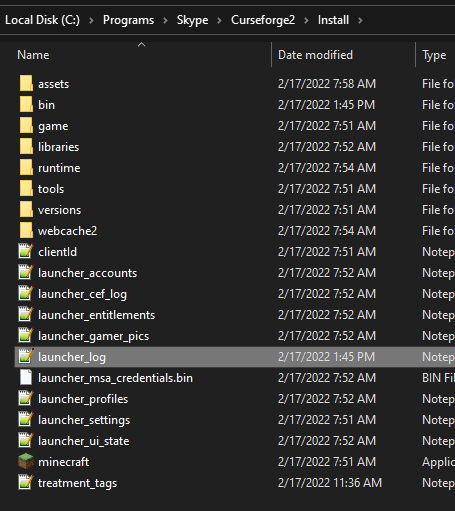 waxen merlin
it only has the folders above clientid
lyric crescent
Then I can only assume something on your computer is blocking minecraft from opening.
waxen merlin
are there any known things that do it?
lyric crescent
🤷♂️
lyric crescent
Could also be a virus, but that usually prevents vanilla minecraft from opening too.
waxen merlin
probably not
 slow grotto
so i loaded insanecraft but once it loaded it gave a error i have played project ozone 3 before just fine
waxen merlin
i am very tight on that stuff
slow grotto
slow grotto
so i loaded insanecraft but once it loaded it gave a error i have played project...
 lyric crescent
Didn't know how to make a folder but tight on viruses. #doubt
lyric crescent
slow grotto
so i loaded insanecraft but once it loaded it gave a error i have played project...
!notcf
red patioBOT
Your question is not related to CurseForge owned/maintained features or services.
Please use the appropriate game room by getting a game role from #786424115535544350.
Otherwise use #👽︱game-support for game related help.
CurseForge does not make or maintain any of the content or games used on the site or app. Just because it's on the site/app does not make it a problem with CurseForge. Move rooms as requested, arguing about it will result in you being removed from the discord.
slow grotto
I loaded it from curse forge
waxen merlin
lyric crescent
Didn't know how to make a folder but tight on viruses. `#doubt`
eh, not tech savvy but i know stuff about viruses
lyric crescent
slow grotto
I loaded it from curse forge
CurseForge does not make or maintain any of the content or games used on the site or app.
CurseForge does not make or maintain any of the content or games used on the site or app.
CurseForge does not make or maintain any of the content or games used on the site or app.
CurseForge does not make or maintain any of the content or games used on the site or app.
 nova kite
True
lyric crescent
waxen merlin
eh, not tech savvy but i know stuff about viruses
Did you actually attempt the cmd fix i gave you earlier?
signal ridge
Why?
lyric crescent
You've been at last resort ever since installfix didnt work
digital roost
im trying to convert my modpack that i made to a server and put it on my server but it crashes
lyric crescent
waxen merlin
okay im going to try the CMD thing
i hope this doesnt brick my pc
i will now delete the command processor thing
done
there is no shell sub-key
attempting to restart
still not functional
lyric crescent
I passed this on to CF support to see if they can come up with anything.
 dull wind
lyric crescent
dull wind
lyric crescent
nope
 kindred vector
how do i upload a modpack from the curseforge app?
red patioBOT
There are two ways to share a modpack you've made with others...
Export and Share - For Friends to Small Groups.
- Click the Icon for the modpack.
- Click the button next to play.
- Click
Export. - Select the files that should be included.
- Send the zip to the people that want it! They can follow the instructions in
!mc-installpackto install the pack!
Upload to Curseforge - For Public Release to Everyone.
This options will make your pack public to EVERYONE, it comes with extra requirements and will take some effort to set up.
- Go to here: https://www.curseforge.com/project/432/4471/create
- Fill out the information with a proper description of the pack. This should allow anyone to understand what the pack is.
- Click the Icon for the modpack in the CurseForge app.
- Click the button next to play.
- Click
Export. - Select the files that should be included.
- Open your Project you made on the CurseForge site and Upload the file you just made.
- Wait for Moderation & Sync so it can show up in the client! (See
!syncfor limitations)
 ebon totem
so i put up0 a modpack on curse forge 2 hours ago is it gonna get approved?
signal ridge
!status
red patioBOT
Project Moderation Time
Project/File moderation is done on these days unless otherwise mentioned:
Sunday, Monday, Tuesday, Wednesday, Thursday: <t:1631170800:t> - <t:1631199600:t> (Your time)
Friday, Saturday: No Moderation!
Projects are moderated First in, First out. If you submit late in the work day, it will likely get left until the next day!
New Projects or anything flagged for manual review: 1-3 Working Days
Updates to approved projects not needing manual approval: 1 Hour
-If your file has been "Under Review" for more than an hour, then it is at manual review!
Changes will only show in the app if the project meets the requirements in the ?sync command and up to 24 hours has passed from when it was accepted.
fallen loom
waxen merlin
still not functional
If you're still here, please try again, then close the app and provide launcher_log.txt (see below)
?mc-launcherlog
red patioBOT
How to get the launcher log
- Right click a profile.
- Select
Open Folder - Go back two folders.
- Open the
Installfolder. - Drag the
launcher_log.txtinto discord.
 vague ferry
Umm, wtf is this???

I think my CF app is borked
Got a load of replicated folders for one of my modpacks when I downloaded it just now, and now the CF app will not load anything

 rigid spire
im trying to play a modpack for minecraft 1.18.1 and when i click play it loads up to about 75 percent then it crackes and say
Error: Could not create the Java virtual Machine.
Error: A fatal exception has occured. Program will exit.
 eternal wyvern
Hey, so i have two modpacks,
Standard Modpack & (Development) Pack
The development pack has all the latest updates as quickly as they come out,
The main modpack then gets updated from the development pack if we are happy with a finished version.
I can't seem to update the main game as the file i'm uploading matches a previous file on the development pack. I will have to upload a fake mod just to combat this on the development pack and then remove it from the main, any way to whitelist me so i can copy files from one modpack to the other?
 serene thistle
my custom modpack on curseforge wont load at all. it will load the launcher but not the game itself
eternal wyvern
@serene thistle Have you tried to reinstall and repair?
serene thistle
yes
eternal wyvern
Have you tried loading it locally with all the files?
Before you've uploaded it to curseforge?
Also, my modpack has been in review for 7 hours, :c
serene thistle
i made it on curseforge
its just mc eternal but with more mods added on from the one in curseforge
signal ridge
So you added more mods to a prebuilt pack?
 autumn flame
Hi. To anyone who can help, I tried booting up my modded Stardew Valley game and while it loads from Steam just fine, it won't load via the Curse launcher. What should I do?
serene thistle
signal ridge
So you added more mods to a prebuilt pack?
ye
signal ridge
autumn flame
Hi. To anyone who can help, I tried booting up my modded Stardew Valley game and...
!stardew
red patioBOT
Overwolf maintains a known list of issues here, some with solutions, others without.
https://support.curseforge.com/en/support/solutions/articles/9000196615-curseforge-known-issues
Scroll down, look at "Other games"
eternal wyvern
any ideas on my issue
signal ridge
serene thistle
ye
Adding mods to prebuilt packs can/will cause issues. Easiest fix is to either undo what you did or just reinstall the pack. We dont really help with these issues as we have no idea what you have done or what was in the pack to start with. Best to just make your own custom pack with what you want from scratch
eternal wyvern
It won't allow me to copy my modpack from my (Development) one to my main one.
serene thistle
okay thx
eternal wyvern
We have one main release game version,
Then we have a (development) version to update the game as quickly as possible, and have events for testing so this development version is a testing one....
We then copy from development to release and give the testers a little reward once it's all updated and fixed


 lyric crescent
?mc-installfix
red patioBOT
This is NOT instructions for Repair Profile! They are NOT the same! You need to do this!
- Click on the Minecraft Tab on the Left side of the CurseForge App.
- Click button next to the
Create Custom Profileoption. - Click
Repair Installationoption. - Play game.
NOTE: You will not lose any modpacks or worlds!
autumn flame
signal ridge
!stardew
Thank you. Turns out my SMAPI copy was busted.
 versed wigeon
I can’t download any mods on the curseforge website it’s showing this
 signal ridge
Why not use the app to download mods?
versed wigeon
The app lags for me
signal ridge
ah, what mods have you tried? And have you tried a different browser?
versed wigeon
It’s every mod and Browser
signal ridge
Ill see if somethings going on. I was able to download a few mods on the site tho
versed wigeon
I can’t Browse them either also the app only allowed to download mod packs not individual ones
signal ridge
!mc-installmods
red patioBOT
How to install mods in CurseForge App.
- Click
+ Create Custom Profile - Name it, select the required Minecraft version, select the modloader & modloader version (usually the highest number), click
Create. - Click the profile icon.
- Click
Add More Content - Search and install the desired mods.
- Start the game!
How to install mods not on CurseForge.
- Right click the profile picture or Open the profile and click the Icon next to the play button.
- Click
Open Folder. - Drag the mod(s) into the
modsfolder. (Note: Some mods will require others, to run. Make sure to read the instructions for the mod!) - Start the game!
signal ridge
Thats for mods
versed wigeon
OK
 old holly
Im trying to upload a modpack I made to the curseforge site but I cant find the file I exported of it
signal ridge
huh? Like on you pc? the one you exported using the apps export feature?
old holly
Yes