#🔥︱curseforge-support
1 messages · Page 604 of 1
 queen storm
Are they installed in the correct folder?
 tiny parcel
I think he open the same folder where mods are from the app
Maybe the mod are not good ? Hé download them from à mediafire I send him
But I m on windows maybe its for that?
queen storm
Windows has nothing to do with it
queen storm
Need error logs to tell that
queen storm
!mc-logs
 red patioBOT
Sending logs for support.
- Right-click the modpack profile icon OR click the
 button in the modpack profile.
 - Click

Open Folder. - Open the
logsfolder. - Drag and drop the FILE named
latestORdebuginto discord.
queen storm
Still silly that I am talking to you for it
tiny parcel
Srry :x
 digital roost
Hi! I am making a modpack for myself, and when I want to start it, it can't start. I don't even have this mod. Here is the picture:
 queen storm
You installed that mod by dropping it in the mods folder didn't you?
digital roost
i checked it, and no
queen storm
How did you install it then?
queen storm
Then what is it? And how did you install it?
 queen storm
Can you give a text version as well?
queen storm
Somehow all your mods are broken.
Did you make this pack?
digital roost
digital roost
i don't know, and that's the problem
if I deactivate all the mods, it works
queen storm
It is a modpack
 summer portal
I cant play my own minecraft modpacks, if i start them it loads some mods but stops or crashes but big modpacks like better minecraft i can play with over 150 mods but my own with 1 or 2 mods i cant play
tiny parcel
queen storm
Somehow all your mods are broken.
Did you make this pack?
So hé need to download New mods?
 glacial lily
queen storm
tiny parcel
So hé need to download New mods?
glacial lily
queen storm
tiny parcel
So hé need to download New mods?
That was not to you
queen storm
queen storm
Somehow all your mods are broken.
Did you make this pack?
@glacial lily
glacial lily
I deleted all the broken mods and I add cocricot but my game crash
tiny parcel
queen storm
That was not to you
He dont speak english I speak for him :x
tiny parcel
queen storm
That was not to you
Hé didnt make the pack I send him the pack I just copy past my mods
 lyric crescent
?mc-packshare
red patioBOT
There are two ways to share a modpack you've made with others...
Export and Share - For Friends to Small Groups.
- Click the Icon for the modpack.
- Click the button next to play.
- Click

Export. - Select the files that should be included.
- Send the zip to the people that want it! They can follow the instructions in
!mc-installpackto install the pack!
Upload to Curseforge - For Public Release to Everyone.
This options will make your pack public to EVERYONE, it comes with extra requirements and will take some effort to set up.
- Go to here: https://www.curseforge.com/project/432/4471/create
- Fill out the information with a proper description of the pack. This should allow anyone to understand what the pack is.
- Click the Icon for the modpack in the CurseForge app.
- Click the button next to play.
- Click
Export. - Select the files that should be included.
- Open your Project you made on the CurseForge site and Upload the file you just made.
- Wait for Moderation & Sync so it can show up in the client! (See
!syncfor limitations)
lyric crescent
do that
 split fable
hello I can't put a photo in 400 px x 400px to create my modpack
tiny parcel
Yeah but I solve this problem but now he download cocricot and install it on the mod folder but the game crash
tiny parcel
glacial lily
You have the crash on this file
 verbal wagon
Hey, how can I change the java version of a profile?
I have openjdk 16 installed and I want to use it in an atm6 instance
digital roost
its working, thank you
tiny parcel
Ty
 rich flint
you can't - only way is to edit your java executable in the vanilla launcher after it pops up
verbal wagon
will it persist?
rich flint
no
rich flint
no it's just how things are at the moment with the app. you can do what you want just manually
glacial lily
i have a new crash with JEID mod
red patioBOT
Your question is not related to CurseForge owned/maintained features or services.
Please use the appropriate game room by getting a game role from #786424115535544350.
Otherwise use #👽︱game-support for game related help.
CurseForge does not make or maintain any of the content or games used on the site or app. Just because it's on the site/app does not make it a problem with CurseForge. Move rooms as requested, arguing about it will result in you being removed from the discord.
tiny parcel
Yeah but could you tell us wich mod is the problem pls?
queen storm
Share the pack the right way, try again
red patioBOT
How to install modpacks with the search features in app.
- Open the

Minecraftsection of the app. - Click the top search bar where it says
Search for modpacksOR Click theBrowse ModpacksTab. - Find the Modpack you want to install and click install on it.
- Wait for CurseForge app to download and unpack all the required files.
- Once finished, click
Play!
How to install modpacks from a Export. (Custom/Private/Site downloaded Modpack zip)
- Get CurseForge App if you don't have it, use
!downloadfor a link. - Get the exported modpack from CurseForge or someone else,
!mc-packshareexplains how to make them. - Open the
Minecraftsection of the app. - Click

Create Custom Profile - Click the
Importoption. - Find the file you just downloaded in step 2 and select it.
- CurseForge app will now attempt to download and unpack the modpack. If it fails, try steps 4-6 again.
- Once finished, click
Play!

 reef dust
I made my own modpack with mods on it and it keeps crashing i have no clue why it just keeps giving me a crash report
 stray hollow
Hi i want to ask how can i add forge on to a server
is there a jar file i can install?
queen storm
!notcf
red patioBOT
Your question is not related to CurseForge owned/maintained features or services.
Please use the appropriate game room by getting a game role from #786424115535544350.
Otherwise use #👽︱game-support for game related help.
CurseForge does not make or maintain any of the content or games used on the site or app. Just because it's on the site/app does not make it a problem with CurseForge. Move rooms as requested, arguing about it will result in you being removed from the discord.
 solid holly
How much time should a modpack revision take?
 opal cipher
1 hour if it's an update and doesn't require manual approval/review
Otherwise up to 3 workdays. They work sunday to thursdays
red patioBOT
Project Moderation Time
Project/File moderation is done on these days unless otherwise mentioned:
Sunday, Monday, Tuesday, Wednesday, Thursday: <t:1631170800:t> - <t:1631199600:t> (Your time)
Friday, Saturday: No Moderation!
Projects are moderated First in, First out. If you submit late in the work day, it will likely get left until the next day!
New Projects or anything flagged for manual review: 1-3 Working Days
Updates to approved projects not needing manual approval: 1 Hour
-If your file has been "Under Review" for more than an hour, then it is at manual review!
Changes will only show in the app if the project meets the requirements in the ?sync command and up to 24 hours has passed from when it was accepted.
 young bone
Odd, it opened right back up, the CF app just closed itself right before my very eyes
 blissful dagger
I was looking for the portal gun mod that's based on the game Portal but I can't find it on the CurseForge app, only online, however, long story short I can't download stuff off the web and was wondering how I could find it on the app as the search isn't showing me anything?
 crimson elk
Okay. Can't find Stardew despite having it installed. How do I fix this?


 signal ridge
!stardew
red patioBOT
Overwolf maintains a known list of issues here, some with solutions, others without.
https://support.curseforge.com/en/support/solutions/articles/9000196615-curseforge-known-issues
Scroll down, look at "Other games"
signal ridge
blissful dagger
I was looking for the portal gun mod that's based on the game Portal but I can't...
Did you create a custom profile matching the same game version as the mod in the app?
blissful dagger
signal ridge
Did you create a custom profile matching the same game version as the mod in the...
Let me try, soz idk much about mods
signal ridge
!mc-installmods All good
red patioBOT
How to install mods in CurseForge App.
- Click
+ Create Custom Profile - Name it, select the required Minecraft version, select the modloader & modloader version (usually the highest number), click
Create. - Click the profile icon.
- Click
Add More Content - Search and install the desired mods.
- Start the game!
How to install mods not on CurseForge.
- Right click the profile picture or Open the profile and click the Icon next to the play button.
- Click
Open Folder. - Drag the mod(s) into the
modsfolder. (Note: Some mods will require others, to run. Make sure to read the instructions for the mod!) - Start the game!
 blissful dagger
signal ridge
Did you create a custom profile matching the same game version as the mod in the...
blissful dagger
signal ridge
Did you create a custom profile matching the same game version as the mod in the...
It worked, I'm dumb, thank you!
 trail karma
Anyone know how long it usually takes for a mod pack to get approved?
 whole garden
Is there an easy way to convert a pack that has discontinued support from client to server?
I'm currently playing on a friends hosted Foolcraft 3 server running version 1.6 since it's the latest that also has a server pack available. Is there however an easy way to convert the 1.7 hotfix client modpack into a server?
queen storm
trail karma
Anyone know how long it usually takes for a mod pack to get approved?
!status
red patioBOT
Project Moderation Time
Project/File moderation is done on these days unless otherwise mentioned:
Sunday, Monday, Tuesday, Wednesday, Thursday: <t:1631170800:t> - <t:1631199600:t> (Your time)
Friday, Saturday: No Moderation!
Projects are moderated First in, First out. If you submit late in the work day, it will likely get left until the next day!
New Projects or anything flagged for manual review: 1-3 Working Days
Updates to approved projects not needing manual approval: 1 Hour
-If your file has been "Under Review" for more than an hour, then it is at manual review!
Changes will only show in the app if the project meets the requirements in the ?sync command and up to 24 hours has passed from when it was accepted.
queen storm
whole garden
I'm currently playing on a friends hosted Foolcraft 3 server running version 1.6...
Install a server with the new mods
whole garden
queen storm
Install a server with the new mods
But there is no install with the correct mod version
trail karma
forgot was the weekend
queen storm
trail karma
!status
Running it again does not change the result
queen storm
whole garden
But there is no install with the correct mod version
#👽︱game-support , can get instructions there
 scenic pasture
how do i put a new version of forge in a modpack for mineceraft
 ebon perch
when i try to download pixelmon it stays on 14% and i tried everything even uninstalling curseforge
 slate field
can someone help me with a problem with all the mods 7? I want to create a server but I always get the same error
 quick dragon
i dragged a mod into the mods folder and re opened my mod pack and its not appearing
slate field
quick dragon
i dragged a mod into the mods folder and re opened my mod pack and its not appea...
is that a answer to my question or to another one?
slate field
ah okay XD
queen storm
scenic pasture
how do i put a new version of forge in a modpack for mineceraft
!mc-updatemodloader
red patioBOT
You can update the mod loader within the same game version in the CurseForge app by following these steps!
- Click on the modpack profile you are working with.
- Click on the button next to the play button.
- Click on the
 Profile Options button.
 - Select the mod loader version you want from the dropdown.
- Play!
If you need to update to a new game version, a new profile is required.
queen storm
quick dragon
i dragged a mod into the mods folder and re opened my mod pack and its not appea...
!mc-installmods
red patioBOT
How to install mods in CurseForge App.
- Click
+ Create Custom Profile - Name it, select the required Minecraft version, select the modloader & modloader version (usually the highest number), click
Create. - Click the profile icon.
- Click
Add More Content - Search and install the desired mods.
- Start the game!
How to install mods not on CurseForge.
- Right click the profile picture or Open the profile and click the Icon next to the play button.
- Click
Open Folder. - Drag the mod(s) into the
modsfolder. (Note: Some mods will require others, to run. Make sure to read the instructions for the mod!) - Start the game!
queen storm
ebon perch
when i try to download pixelmon it stays on 14% and i tried everything even unin...
It is a big pack, just wait
quick dragon
queen storm
!mc-installmods
i did everything and it still doesnt show
queen storm
quick dragon
i did everything and it still doesnt show
Did you drag and drop it again?
quick dragon
yes
queen storm
Well, don't do that, use the app to install it
quick dragon
its not on the app
 upper root
Is the profile for the correct minecraft version and modloader?
quick dragon
mhm
queen storm
Mhm means nothing.
Yes or no
quick dragon
yes
queen storm
Where does it not show?
quick dragon
in the mc mod menu
queen storm
Can you use it ingame?
quick dragon
no
queen storm
Then say what mod it is in #👽︱game-support with a link to the original page
 waxen tangle
hey ive downloaded some mods for minecraft but dont know how to actually use them in game
waxen tangle
well ive pressed download on the curseforge place but then when i press to play the mod pack it tells me to open the minecraft launcher , which i do but then say theres a newer version, so i click it but then cant find the mods
red patioBOT
Ignore the new launcher update. CF does not use it or works with it, yet.
Everything will work fine otherwise.
waxen tangle
okay thank you
 raw sluice
So... is there a place to download tax documents for 2021 since Overwolf took over?
 surreal ore
why cant i load into mc eternals
raw sluice
raw sluice
So... is there a place to download tax documents for 2021 since Overwolf took ov...
Found my answer: overwolf will not be providing or filing any tax documents for payouts
lyric crescent
yup, its up to you to report it
 distant plaza
can any modererator review my modpck?
red patioBOT
Project Moderation Time
Project/File moderation is done on these days unless otherwise mentioned:
Sunday, Monday, Tuesday, Wednesday, Thursday: <t:1631170800:t> - <t:1631199600:t> (Your time)
Friday, Saturday: No Moderation!
Projects are moderated First in, First out. If you submit late in the work day, it will likely get left until the next day!
New Projects or anything flagged for manual review: 1-3 Working Days
Updates to approved projects not needing manual approval: 1 Hour
-If your file has been "Under Review" for more than an hour, then it is at manual review!
Changes will only show in the app if the project meets the requirements in the ?sync command and up to 24 hours has passed from when it was accepted.
red patioBOT
╰( ͡° ͜ʖ ͡° )つ──☆*:・゚ *˜”*°•.˜”*°• Many Help •°*”˜.•°*”˜* <:curselit:796985620550385705>
Please provide a description of your issue with as much detail as possible. If you have an issue with a mod or modpack, tell us the name. Explain what you can see happening. Be specific!
 Tell us what is happening, we already know it "doesn't work".
Avoid using words like "it", tell us exactly what "it" is.
Don't assume anyone knows what you are talking about, be specific.
Tell us what you expected to happen.
Provide screenshots or video if possible.
Provide a log if possible. ?mc-log
 white granite
!help
red patioBOT
╰( ͡° ͜ʖ ͡° )つ──☆*:・゚ *˜”*°•.˜”*°• Many Help •°*”˜.•°*”˜* <:curselit:796985620550385705>
Please provide a description of your issue with as much detail as possible. If you have an issue with a mod or modpack, tell us the name. Explain what you can see happening. Be specific!
Tell us what is happening, we already know it "doesn't work".
Avoid using words like "it", tell us exactly what "it" is.
Don't assume anyone knows what you are talking about, be specific.
Tell us what you expected to happen.
Provide screenshots or video if possible.
Provide a log if possible. ?mc-log
white granite
?mc-log
red patioBOT
Sending logs for support.
- Right-click the modpack profile icon OR click the button in the modpack profile.
- Click
Open Folder. - Open the
logsfolder. - Drag and drop the FILE named
latestORdebuginto discord.
white granite
when ever i try downloading or loading a mod it says java virtual machine launcher error: a java exception has occurred. i have tried deleting curse forge and reinstalling and nothing. plz help
upper root
Can you send a screenshot of  ->
-> Minecraft, specifically the Java arguments and version in the bottom left
white granite
i dont understand
upper root
Click the button in the bottom left, then click the minecraft category. send a screenshot of the green circled things


 red patioBOT
This is NOT instructions for Repair Profile! They are NOT the same! You need to do this!
- Click on the Minecraft Tab on the Left side of the CurseForge App.
- Click button next to the
Create Custom Profileoption. - Click

Repair Installationoption. - Play game.
NOTE: You will not lose any modpacks or worlds!
 stray glacier
reinstall java?
upper root
That will not help them, curseforge uses its own java version installed separately to any others installed on the system
stray glacier
gotcha, good to know
 simple vigil
 thin arch
 signal cloud
So Im having an issue with curseforge. I made a custom modpack for 1.18 on minecraft and I went over the mods twice to make sure they were up to date but it keeps giving me this when I go to launch it. Has anyone else gotten this issue before and or know the fix for it?
 upper root
What is your curseforge version? -> bottom left corner
signal cloud
v. 0.192.1.5
 scarlet hinge
signal cloud
So Im having an issue with curseforge. I made a custom modpack for 1.18 on minec...
scarlet hinge
signal cloud
So Im having an issue with curseforge. I made a custom modpack for 1.18 on minec...
currently having the exact same issue
upper root
!mc-installfix try this
red patioBOT
This is NOT instructions for Repair Profile! They are NOT the same! You need to do this!
- Click on the Minecraft Tab on the Left side of the CurseForge App.
- Click button next to the
Create Custom Profileoption. - Click
Repair Installationoption. - Play game.
NOTE: You will not lose any modpacks or worlds!
signal cloud
upper root
!mc-installfix try this
Did that 10x already
scarlet hinge
same, i tried that, tried reinstalling curseforge
tried a bunch of empty modpacks and fabric crashes for 1.18+ and forge crashes for 1.17+
no logs are generated
upper root
Did you do repair installation, not repair profile?
signal cloud
The profile
scarlet hinge
i did both multiple times
upper root
Do the installation fix, as the instructions above say
signal cloud
Im gonna try now. Just repaired installation
upper root
scarlet hinge
i did both multiple times
Do you have any java arguments set?
scarlet hinge
haven't changed from the default, but this:
-Xmx4096m -Xms256m -XX:PermSize=256m -Dfml.ignorePatchDiscrepancies=true -Dfml.ignoreInvalidMinecraftCertificates=true -Duser.language=en -Duser.country=US
if that's what you meant
upper root
Are they set in curseforge settings?
scarlet hinge
in the launcher
i reinstalled curseforge so everything is at default
idek where i would set those settings in the app
i suspect it has to do with the fact that 1.17 started using java 16 and 1.18 started using java 17 but idk why it would cause the crash
 thin ermine
how do i get curseforge 1.18 into my minecraft as a new installation so i can, run it
upper root
scarlet hinge
i suspect it has to do with the fact that 1.17 started using java 16 and 1.18 st...
That should not affect it, curseforge manages those versions itself and makes sure to use the correct versions
upper root
thin ermine
how do i get curseforge 1.18 into my minecraft as a new installation so i can, r...
Click ➕ Create custom profile in the top right of the app
thin ermine
ok
scarlet hinge
fabric and forge run completely fine in the regular mc launcher it's only from the curseforge mc launcher that they crash
thin ermine
then what
upper root
Set the minecraft version to 1.18 and choose a modloader. Then click the 'okay' button at the bottom or whatever it is
 scarlet hinge
all 3 of us have the same issue awesome
thin ermine
great.
upper root
!mc-logs any of you have this?
red patioBOT
Sending logs for support.
- Right-click the modpack profile icon OR click the button in the modpack profile.
- Click
Open Folder. - Open the
logsfolder. - Drag and drop the FILE named
latestORdebuginto discord.
scarlet hinge
i've checked and no logs have been generated
signal cloud
@upper root It gave me the same game crashed crap
upper root
!mc-launcherlog aight, we are getting down to the less useful stuff, this may help or it may be utterly useless
red patioBOT
How to get the launcher log
- Right click a profile.
- Select
Open Folder - Go back two folders.
- Open the
Installfolder. - Drag the
launcher_log.txtinto discord.
scarlet hinge
file doesn't exist
signal cloud
Same
scarlet hinge
ok i had only checked for fabric there is a log file for forge
signal cloud
Yeah I can't find it
upper root
!mc-path try change this
red patioBOT
Change your install path to the following:
For Windows: C:\CurseForge
For Mac: /Users/Shared/CurseForge
If Minecraft is not installed in CurseForge App:
- Click the
 in the top left.
 - Select Minecraft from the list of games.
- Select the
Advancedoption and pick the location for your computer listed above. - Click
Continue.
If Minecraft is installed in CurseForge App:
- Click the in the bottom left.
- Select the Minecraft tab.
- Click
Change. - Select the location for your computer listed above.
:no_entry_sign: Minecraft Files should NOT be installed inside the following locations :no_entry_sign:
:no_entry_sign: .minecraft folder.
:no_entry_sign: OneDrive folders.
:no_entry_sign: Desktop folder.
:no_entry_sign: iCloud enabled folders.
:no_entry_sign: or any other cloud saved folder.
:no_entry_sign: or folders with non-English characters in them.
If any of the above are in the path you need to change/move it!
signal cloud
So Im looking at the modding folder right for location
Because this is the location it has for it. C:\Users\novac\curseforge\minecraft
scarlet hinge
i'm on mac
signal cloud
No windows 10 pro
upper root
So its not tied to OS. Good to know.
Tell me if it works after changing the path
scarlet hinge
still crashed
also i'm noticing the only 3 mentions of "invalid java runtime configuration" here have been from the last 2 days
signal cloud
Where os the operating system part @upper root
signal cloud
ok
 tardy forge
hello im new 😄
signal cloud
upper root
The first bit, and no need for the ping per question, <#777323206884327484> 5️⃣
So preferred release then
 cold mauve
hey all, getting an exit code 1 error and reallly not sure why. reinstalled java and the minecraft launcher already
red patioBOT
Error/Exit codes are useless. Follow these steps so someone can actually help you.
- Right-click the modpack profile icon OR click the button in the modpack profile.
- Click
Open Folder. - Open the
logsfolder. - Drag and drop the FILE named
latestORdebuginto discord.
signal cloud
upper root
No.
Read the entire set of instructions i posted above ^^
Im visual with instructions.
Gotta see what its talking about
upper root
cold mauve
hey all, getting an exit code 1 error and reallly not sure why. reinstalled java...
Remove optifine
scarlet hinge
go to the settings thing in the bottom left corner and then press change here

but it didn't work for me so it probably won't work for windows either
signal cloud
It didnt work when I messed with that part of it
cold mauve
wait but i need optifine :((
scarlet hinge
i'm doing it with no mods and the crash is happening
as before fabric 1.18+ crashes and forge 1.17+ crashes
upper root

signal cloud
upper root
<:cursethonk:915887594938724404>
Did you see what I asked
cold mauve
is there no way to play minecraft with curseforge and optifine?? i'm on 1.16.5
upper root
You need to remove any mods that conflict with optifine then, there are many. One that you have is magnesium
cold mauve
How do I know which ones conflict?
upper root
signal cloud
Did you see what I asked
Optifine messes with a lot of stuff, it could very well be the reason
signal cloud
upper root
Optifine messes with a lot of stuff, it could very well be the reason
Im not sure what mods could be then because I ran these mods with optifine before and had no issues
upper root
signal cloud
It didnt work when I messed with that part of it
Did you change it to C:/Curseforge?
scarlet hinge
what's gonna happen to minecraft modding when we run out of elements to name the mods after
upper root
Modders will take over the hadron collider and make more
signal cloud
Do you wanna look at the mods I got? Just to see what could be conflicting with it
scarlet hinge
the issue seems to be occuring for a lot of people only since yesterday so i doubt it's mod conflicts
like it's not even getting far enough to begin producing a log
upper root
bldhf: try add -XX:+IgnoreUnrecognizedVMOptions to your java arguments in curseforge minecraft settings
scarlet hinge
alr
signal cloud
Chief I can send the list of mods I have on there if you want to see what could be conflicting with it
upper root
That will not help as others are having the same issue with different mods
signal cloud
ok
signal cloud
upper root
That will not help as others are having the same issue with different mods
To sum up what Im trying to do, Im trying to make a 1.18.1 version of HR New Beginnings. And on the actual modpack I had no issue with optifine
So I picked the mods I liked from it and got the 1.18 versions of them
upper root
neat!
@signal cloud
@thin ermine
Add -XX:+IgnoreUnrecognizedVMOptions to your java arguments in curseforge minecraft settings
upper root
Is it the same reason?
 next hound
I need help pubshing a modpack
scarlet hinge
can you copy your jvm arguments here
oh
actually
adding that only fixes it for fabric
signal ridge
next hound
I need help pubshing a modpack
Help in what way? explain
scarlet hinge
i tested it on forge and it still crashes ._.
signal cloud
upper root
Is it the same reason?
It was for the same reason
next hound
it just keep rejecting the file for it
signal ridge
next hound
it just keep rejecting the file for it
Show the reject message
upper root
signal cloud
It was for the same reason
I can see, no need for the ping and repeat
signal cloud
Sorry. I just need to fix this somehow. Been trying to fix it since last night
scarlet hinge
weird that that only fixes it in fabric
next hound
 signal ridge
How did you make the file your uploading?
upper root
scarlet hinge
weird that that only fixes it in fabric
No idea then, ive exhausted all the troubleshooting methods I know of.
I do have to go know tho, if you fix it please ping me with the solution
next hound
 scarlet hinge
alright thanks for trying anyway
signal ridge
next hound
How did you make the file your uploading? Are you using the export feature in the CF app?
signal cloud
Im gonna remove optifine and see if that fixes it
next hound
@signal ridge no
signal ridge
next hound
<@!217048549706301442> no
How are you making it then?
scarlet hinge
i'm testing it with zero mods in forge and it crashes
next hound
@signal ridge I just click on the upleod file
signal ridge
next hound
<@!217048549706301442> I just click on the upleod file
Lets try this, How did you make the modpack?
signal ridge
 little prairie
is there a list of modded servers lmao
little prairie
is there a list of modded servers lmao
Go to #786424115535544350 get the minecraft roll and look in #768717413918179368 Servers are posted there
little prairie
thank you
next hound
@signal ridge create a profile
signal ridge
next hound
<@!217048549706301442> create a profile
In the cf app?
next hound
@signal ridge yes
signal ridge
!mc-packshare
red patioBOT
There are two ways to share a modpack you've made with others...
Export and Share - For Friends to Small Groups.
- Click the Icon for the modpack.
- Click the button next to play.
- Click
Export. - Select the files that should be included.
- Send the zip to the people that want it! They can follow the instructions in
!mc-installpackto install the pack!
Upload to Curseforge - For Public Release to Everyone.
This options will make your pack public to EVERYONE, it comes with extra requirements and will take some effort to set up.
- Go to here: https://www.curseforge.com/project/432/4471/create
- Fill out the information with a proper description of the pack. This should allow anyone to understand what the pack is.
- Click the Icon for the modpack in the CurseForge app.
- Click the button next to play.
- Click
Export. - Select the files that should be included.
- Open your Project you made on the CurseForge site and Upload the file you just made.
- Wait for Moderation & Sync so it can show up in the client! (See
!syncfor limitations)
signal ridge
Follow this, then upload the zip file it creates.
signal cloud
Alright I think some mods are conflicting with eachother
I made a blank profile as a test and it worked
next hound
!mc-installpack
red patioBOT
How to install modpacks with the search features in app.
- Open the
Minecraftsection of the app. - Click the top search bar where it says
Search for modpacksOR Click theBrowse ModpacksTab. - Find the Modpack you want to install and click install on it.
- Wait for CurseForge app to download and unpack all the required files.
- Once finished, click
Play!
How to install modpacks from a Export. (Custom/Private/Site downloaded Modpack zip)
- Get CurseForge App if you don't have it, use
!downloadfor a link. - Get the exported modpack from CurseForge or someone else,
!mc-packshareexplains how to make them. - Open the
Minecraftsection of the app. - Click
Create Custom Profile - Click the
Importoption. - Find the file you just downloaded in step 2 and select it.
- CurseForge app will now attempt to download and unpack the modpack. If it fails, try steps 4-6 again.
- Once finished, click
Play!
signal cloud
I figured it out. A lot of mods were missing vital addons to have them function
Yeah. I made a blank profile for a test and Im activating each mod one at a time and it will tell me what its missing
signal ridge
Can already download resourcepacks in the app. Just need to click the Add More Content button then the resourcepacks tab
For packs you didnt make you will need to enable content management. Otherwise its the same way you add mods in custom profiles
next hound
how do you run a server on forge
signal ridge
!notcf
red patioBOT
Your question is not related to CurseForge owned/maintained features or services.
Please use the appropriate game room by getting a game role from #786424115535544350.
Otherwise use #👽︱game-support for game related help.
CurseForge does not make or maintain any of the content or games used on the site or app. Just because it's on the site/app does not make it a problem with CurseForge. Move rooms as requested, arguing about it will result in you being removed from the discord.
 royal jackal
hello, I was wondfering how I am supposed to use a file i donwloaded from curseforge .com and use it on forge
upper root
Do you have the curseforge app?
upper root
Is it a mod or a modpack?
upper root
!mc-installmods
red patioBOT
How to install mods in CurseForge App.
- Click
+ Create Custom Profile - Name it, select the required Minecraft version, select the modloader & modloader version (usually the highest number), click
Create. - Click the profile icon.
- Click
Add More Content - Search and install the desired mods.
- Start the game!
How to install mods not on CurseForge.
- Right click the profile picture or Open the profile and click the Icon next to the play button.
- Click
Open Folder. - Drag the mod(s) into the
modsfolder. (Note: Some mods will require others, to run. Make sure to read the instructions for the mod!) - Start the game!
upper root
What do you want to do?
 lean topaz
Hi there, after migrating my account, Minecraft only allows me to play in demo mode unless I use the newest launcher; is there any way for me to run a modpack from CurseForge through the default Minecraft launcher?
red patioBOT
Minecraft Logins
Step 1: Get to the Microsoft login screen.
Step 2: Log in with a Microsoft account that owns the Java version of Minecraft.
Done!
Issues: If it says PLAY DEMO then the account used DOES NOT own Java Minecraft. Log in with one that does.
 upper root
!mc-login
lean topaz
upper root
!mc-login
thank you but the same login info works on the new launcher just not the old one so I am pretty certain that it is the right account
red patioBOT
Ignore the new launcher update. CF does not use it or works with it, yet.
Everything will work fine otherwise.
lean topaz
unless there is something I'm missing
upper root
Send a screenshot of you logged in on the normal launcher and one of you logged in on the curseforge version of the launcher
lean topaz
👍
the account name and profile are different, but I only have one outlook email/password because I created it specifically for migrating my account

 upper root
You need to log into that one then
If the username is different they are different accounts
lean topaz
I used the same login info though
same email address and password
copy pasted it to double check
upper root
So you signed out completely then signed back in?
lean topaz
yes
 fleet bear
If the names dont match then they arent the same accounts as that name is the name of the MC user, not the name of the Microsoft account.
lean topaz
could I have multiple accounts with the same email address/password? and if I do do you know how I would switch them?
lean topaz
if I try to login using my mojang account it says that it has been migrated
fleet bear
Ah mybad, they are both microsoft accounts.
lean topaz
it's cool; thank you guys for your help by the way
fleet bear
But yeah, that's two separate accounts.
lean topaz
okay, I'll keep messing around with it
So I got the idea to migrate after setting up curseforge for the first time, before ever launching any modpacks. Redownloaded the launcher and it fixed. Sorry that the solution was kind of dumb but thank you guys again for your help.
fleet bear
Good.
 proper hull
I published a modpack... how long until I know if it is accepted or denied
upper root
!status
red patioBOT
Project Moderation Time
Project/File moderation is done on these days unless otherwise mentioned:
Sunday, Monday, Tuesday, Wednesday, Thursday: <t:1631170800:t> - <t:1631199600:t> (Your time)
Friday, Saturday: No Moderation!
Projects are moderated First in, First out. If you submit late in the work day, it will likely get left until the next day!
New Projects or anything flagged for manual review: 1-3 Working Days
Updates to approved projects not needing manual approval: 1 Hour
-If your file has been "Under Review" for more than an hour, then it is at manual review!
Changes will only show in the app if the project meets the requirements in the ?sync command and up to 24 hours has passed from when it was accepted.
 woven ridge
to update the forge version when using the curse launcher I just need to download the one I need and the launcher will auto-detect it right?
red patioBOT
You can update the mod loader within the same game version in the CurseForge app by following these steps!
- Click on the modpack profile you are working with.
- Click on the button next to the play button.
- Click on the Profile Options button.
- Select the mod loader version you want from the dropdown.
- Play!
If you need to update to a new game version, a new profile is required.
woven ridge
thanks a ton
I was having issues with Mystical skies after updating mystical world and lib to support Roots 3
upper root
It is for whatever timezone your computer is set to
So if your computer time is set to american then it will show an american time, if it is set to your countries time it will show your time
 carmine portal
also ye wow what did i join too?
rich flint
they're done
 sonic storm
Ok
For biomes of plenty what is the thing for lvl type for a server what do put for it to work
rich flint
go to the project page on curseforge.com
 solemn finch
How do I make a minecraft modded server?
rich flint
?mc-installserver
red patioBOT
How to **manually** install a server - **On your own PC**
- Check if the modpack has a server pack, if it does: use that and skip below.
- Go to the Forge website http://files.minecraftforge.net/ and download the Installer for the forge version the pack is using.
- Run the installer and choose
Install server. Do not install to your desktop. Also do not install inside a OneDrive folder. - Run the server using the forge.jar. A file called
eula.txtwill be generated. Open it and changeeula=falsetoeula=true - From the Client; Copy the
modsfolder,configfolder, and any other folders needed for the pack to work into the server folder. If the modpack has a server pack, use this instead! - Run the server again.
- Port forward your machine if needed. (Google it)
Long version: https://pastebin.com/83DXfGTH
rich flint
for anything further use #👽︱game-support not here
solemn finch
thx
 crimson cypress
Hello! You see, I want to ask if any of the staff could help me to test my modpack and then validate it.
The modapck link is this: https://www.curseforge.com/minecraft/modpacks/traveler-s-pack
I'm sorry if it's too early, but it's the best time I can have
queen storm
!status
red patioBOT
Project Moderation Time
Project/File moderation is done on these days unless otherwise mentioned:
Sunday, Monday, Tuesday, Wednesday, Thursday: <t:1631170800:t> - <t:1631199600:t> (Your time)
Friday, Saturday: No Moderation!
Projects are moderated First in, First out. If you submit late in the work day, it will likely get left until the next day!
New Projects or anything flagged for manual review: 1-3 Working Days
Updates to approved projects not needing manual approval: 1 Hour
-If your file has been "Under Review" for more than an hour, then it is at manual review!
Changes will only show in the app if the project meets the requirements in the ?sync command and up to 24 hours has passed from when it was accepted.
crimson cypress
Today it is Sunday! 😄
And it says from 2:00 - 10:00 but it doesn't say if it's AM or PM
:/
opal cipher
It says 09-17 for me, since I have a 24hr clock
 west folio
10-18 for me aswell
crimson cypress
It's according to the time zone, that's why it's different
queen storm
It is in your timezone, 24 hour notation
west folio
yes but our times suggest its 24hr clock
crimson cypress
My watch is military... Normally it would be 2:00 p.m.
When my clock reads more than 12:00 AM the numbers go up to 13 or so
queen storm
No, that 2 is 2, not 14.
 queen storm
Nothing of this is still relevant, just wait till it is approved or rejected
crimson cypress
queen storm
Nothing of this is still relevant, just wait till it is approved or rejected
Thanks a lot!
 prisma current
How long will it take for my new project to get approved?
upper root
!status
red patioBOT
Project Moderation Time
Project/File moderation is done on these days unless otherwise mentioned:
Sunday, Monday, Tuesday, Wednesday, Thursday: <t:1631170800:t> - <t:1631199600:t> (Your time)
Friday, Saturday: No Moderation!
Projects are moderated First in, First out. If you submit late in the work day, it will likely get left until the next day!
New Projects or anything flagged for manual review: 1-3 Working Days
Updates to approved projects not needing manual approval: 1 Hour
-If your file has been "Under Review" for more than an hour, then it is at manual review!
Changes will only show in the app if the project meets the requirements in the ?sync command and up to 24 hours has passed from when it was accepted.
prisma current
makes sense, I submitted it late on friday
it just took longer then my others so I was confused why
?sync
red patioBOT
Sync and your Project.
CurseForge App and site do not share the same requirements! You can find things on the site but this does not mean it will be in the app!
For a mod to show up in the app:
- Projects MUST have a file marked as RELEASE
 or BETA
- Projects MUST be APPROVED
- Projects MUST have a file marked for the GAME VERSION SELECTED/LOADED
- Projects CAN'T be EXPERIMENTAL
- Projects CAN'T be ABANDONED
Files can take a while to show up in the app. If your files still have not shown up either your project is new and you have yet to mark a file as Release/Beta or there is issues with the sync system making it slow.
Vote this issue up if you would like to know when the last sync was! https://curseforge-ideas.overwolf.com/ideas/CF-I-1617
digital roost
I'm trying to install the pixelmon mod on my SSD but it says I have not enough disk space when I have 901GB
queen storm
How much do you have on your primary drive?
digital roost
545mb
 molten hedge
That's the problem
digital roost
but I put the pixelmon mod in my SSD drive tho
molten hedge
I think
queen storm
It still downloads to a temp folder first
digital roost
 molten hedge
You have to change the memory where it should be saved
digital roost
molten hedge
You have to change the memory where it should be saved
How do I do that
queen storm
Deleting stuff usually does it
digital roost
alr I freed 2.90GB
molten hedge
Into curseforge on setting and the the game. Mods Installation path change and the Storage that you want
@digital roost
queen storm
molten hedge
Into curseforge on setting and the the game. Mods Installation path change and t...
That does not fix the temp directory
Which is the issue here
molten hedge
?
queen storm
Temporary directory, used to download stuff to, sits in C
 slim lintel
ok ok ok i need help.
I downloaded curseforge like a week ago to play vault hunters
and I had to keep openning the install app for it to open since it didn't have any shortcuts
so today I reinstalled it, reinstalled the mods, BUT my minecraft save is gone
what the heck do I do
is my world lost forever?
 olive gorge
Hiya, i have aquestion about WoW addos. is there not supposed to be two "diffrent" games in curse, one for classic tbc and one for retail? I cant find retail wow in curse.
opal cipher
You have WoW on the left side and then you have a dropdown in the upper right corner to select instance (Retail, Classic, PTR, and so on)
molten hedge
slim lintel
is my world lost forever?
Yes it was also so with me
olive gorge
opal cipher
You have WoW on the left side and then you have a dropdown in the upper right co...
TYVM!
slim lintel
slim lintel
ok ok ok i need help.
can anyone help
molten hedge
slim lintel
you serious.
Yes
slim lintel
I downloaded Curseforge to play vault hunters a minecraft modpack but when I did the only way to open curseforge was to run the installer again and it would launch overwolf where I could launch curseforge to launch the modpack, I did this played for a few weeks then I said to myself this takes too much effort I will just download overwolf directly when I did it downloaded curseforge and I downloaded the modpack again when I launched I didn't have any of my saves not even the backup, Please if you can help me I worked so hard put hours of work and I can't loose my world.
queen storm
Search your computer for "Vault hunters"
slim lintel
found alot of stuff what am I looking for
queen storm
Folders, in an Instances folder
slim lintel
vault hunters official modpack
openned it openned saves its empty.
it seems its been rewritten
bruh...
queen storm
If you picked the same storage path then it is
slim lintel
well so what now I lost everything
I cant even get previous versions it seems to be deleted and new one created not rewritten
queen storm
If it was in the same directory: yes
And Curseforge does not make backups on its own
 spice bison
hello, i got a modpack approved, but i dont see anywhere to share the link for it, and when i press download in curseforge app it doesnt work :/
queen storm
Got a link?
spice bison
no thats my issue, i even went onto my curseforge profile on a different account and theres no projects showing up approved
here sorry i found a link but theres no download area
red patioBOT
Sync and your Project.
CurseForge App and site do not share the same requirements! You can find things on the site but this does not mean it will be in the app!
For a mod to show up in the app:
- Projects MUST have a file marked as RELEASE or BETA
- Projects MUST be APPROVED
- Projects MUST have a file marked for the GAME VERSION SELECTED/LOADED
- Projects CAN'T be EXPERIMENTAL
- Projects CAN'T be ABANDONED
Files can take a while to show up in the app. If your files still have not shown up either your project is new and you have yet to mark a file as Release/Beta or there is issues with the sync system making it slow.
Vote this issue up if you would like to know when the last sync was! https://curseforge-ideas.overwolf.com/ideas/CF-I-1617
spice bison
how do i mark it as release? i dont see anywhere to do that
opal cipher
You need to mark the files as release. So go to the Files-tab, click your release, then click Edit
spice bison
okay, so i got all of that done should i be able to download it now? (sorry if its a lot of questions)
opal cipher
It'll take a while for the new status to sync to the app.
But yeah, when it's synced, it should be findable through the app
spice bison
okay, any general idea how long it'll take or just kinda happens when it happens?
opal cipher
Should take about an hour, maybe less. Depends on the load on the servers.
spice bison
okay tysm
 fossil mist
i need help i keep getting invalid java runtime configuration
i added the mods on the normal mc and it works
idk why curseforge one crashes
 hardy gull
I sort of get the same. For instance I set CF to use java 8 but the error in that invalid java runtime configuration is always from openjdk 17.
 unborn basin
Did things get resolved for you?
 tired ether
ya
idk how
just restarted curseforge a bunch of times
and then it started working
 silent knoll
i made a new profiles and i want to share it with my friends
but how
queen storm
!mc-packshare
red patioBOT
There are two ways to share a modpack you've made with others...
Export and Share - For Friends to Small Groups.
- Click the Icon for the modpack.
- Click the button next to play.
- Click
Export. - Select the files that should be included.
- Send the zip to the people that want it! They can follow the instructions in
!mc-installpackto install the pack!
Upload to Curseforge - For Public Release to Everyone.
This options will make your pack public to EVERYONE, it comes with extra requirements and will take some effort to set up.
- Go to here: https://www.curseforge.com/project/432/4471/create
- Fill out the information with a proper description of the pack. This should allow anyone to understand what the pack is.
- Click the Icon for the modpack in the CurseForge app.
- Click the button next to play.
- Click
Export. - Select the files that should be included.
- Open your Project you made on the CurseForge site and Upload the file you just made.
- Wait for Moderation & Sync so it can show up in the client! (See
!syncfor limitations)
 young shuttle
I was wrongfully IP-Banned from the CurseForge website, what can I do?
queen storm
What makes you think that?
young shuttle
Well I haven't used the App or the Website for a while, and recently i tried to go into the website and I get this
 queen storm
!ticket-site
red patioBOT
:bug: Reporting via Website :bug:
Can't open the app or would rather use the website? You can do so here: https://support.curseforge.com/en/support/tickets/new
Fill out the form with accurate detailed information, "It doesn't work" isn't helpful! What exactly doesn't work and why doesn't it work should be easy to answer!
Make sure to upload your Overwolf logs with the Upload File option on the ticket, information on how to get these logs can be found here https://support.overwolf.com/en/support/solutions/articles/9000176827-how-to-get-your-overwolf-logs
queen storm
@digital roostWhy the command spam?
 lime schooner
Hello i have a problem on curseforge Minecraft, when i start thé luncher, Minecraft crash ans told me it s was a exit code 1 someone Can help me please ?
red patioBOT
Error/Exit codes are useless. Follow these steps so someone can actually help you.
- Right-click the modpack profile icon OR click the button in the modpack profile.
- Click
Open Folder. - Open the
logsfolder. - Drag and drop the FILE named
latestORdebuginto discord.
digital roost
queen storm
<@456226577798135808>Why the command spam?
?
queen storm
digital roost
?
I removed 2 commands, once that was just ran, one that you figured out on your own, why did you run them?
digital roost
I have a problem on curseforge Minecraft, when i started to play Minecraft told that i need to update my forge
queen storm
Screenshot please
 zenith ocean
Is the browse modpacks screen slow or does my internet just suck
queen storm
It gets slower when you scroll down
zenith ocean
No just like when I first try to load to it is is slow but after that it goes just fine
queen storm
Probably fetching the information
zenith ocean
Ok so my internet is just slow
queen storm
Or the server, or both
zenith ocean
Probs my internet lol
 shut heart
Hey guys, i was wondering why i can't find the "Astral Lucky block" mod in the app. If i click the link online it will open the CurseForge application but won't direct to the mod either. Can anyone help me out with this?
queen storm
Can you link it?
shut heart
I can download the files, outside of forge but then i dont know how to really add them to MC itself, i've added all the files to the %appdata%minecraft/mods/ section but then i can't find it in the client...
queen storm
That is not a mod
shut heart
Oh, can you still help me out if its not a mod?
queen storm
You using curseforge?
 queen storm
Then make a profile that fits that with the right version, add more content, at the top select customization
reef dust
Ok so when i load up the game and press play on the launcher it shows this
Image
I checked the crash reports or whatever and there is nothing there for this one
 shut heart
Timtower i still cant find the Astral lucky block 'mod'
queen storm
Then show a screenshot of what you are looking at
 queen storm
Why are you not looking at the app?
 queen storm
Try resource packs
shut heart
1 Result, but not the thing im looking for
there is 1 map tho, where there is a reference to to this specific mod
 queen storm
Then limit it to "Astral" or install it by hand
shut heart
and if i install it by hand (what i've done) how can i get it to work?
queen storm
You sure you are on minecraft 1.8.9?
queen storm
Show a screenshot of your profile
 fleet bear
queen storm
Then make a profile that fits that with the right version, add more content, at ...
fleet bear
queen storm
Then make a profile that fits that with the right version, add more content, at ...
Customization is not app supported. They are config files for mods that need to be manually installed.
queen storm
fleet bear
Customization is not app supported. They are config files for mods that need to ...
Silly app, manual install it is then
fleet bear
More like, too many options to support.
shut heart
Okay, i have the manual install. Where should i put it?
lime schooner
i have some problem with that mod pack someone can help me ?
rich flint
?notcf
red patioBOT
Your question is not related to CurseForge owned/maintained features or services.
Please use the appropriate game room by getting a game role from #786424115535544350.
Otherwise use #👽︱game-support for game related help.
CurseForge does not make or maintain any of the content or games used on the site or app. Just because it's on the site/app does not make it a problem with CurseForge. Move rooms as requested, arguing about it will result in you being removed from the discord.
rich flint
lime schooner
i have some problem with that mod pack someone can help me ?
?mc-installfix
red patioBOT
This is NOT instructions for Repair Profile! They are NOT the same! You need to do this!
- Click on the Minecraft Tab on the Left side of the CurseForge App.
- Click button next to the
Create Custom Profileoption. - Click
Repair Installationoption. - Play game.
NOTE: You will not lose any modpacks or worlds!
lime schooner
rich flint
?mc-installfix
what is that ? sorry i m new and i don't understand 😅
rich flint
follow those steps 1-4 and it will fix that issue
opal cipher
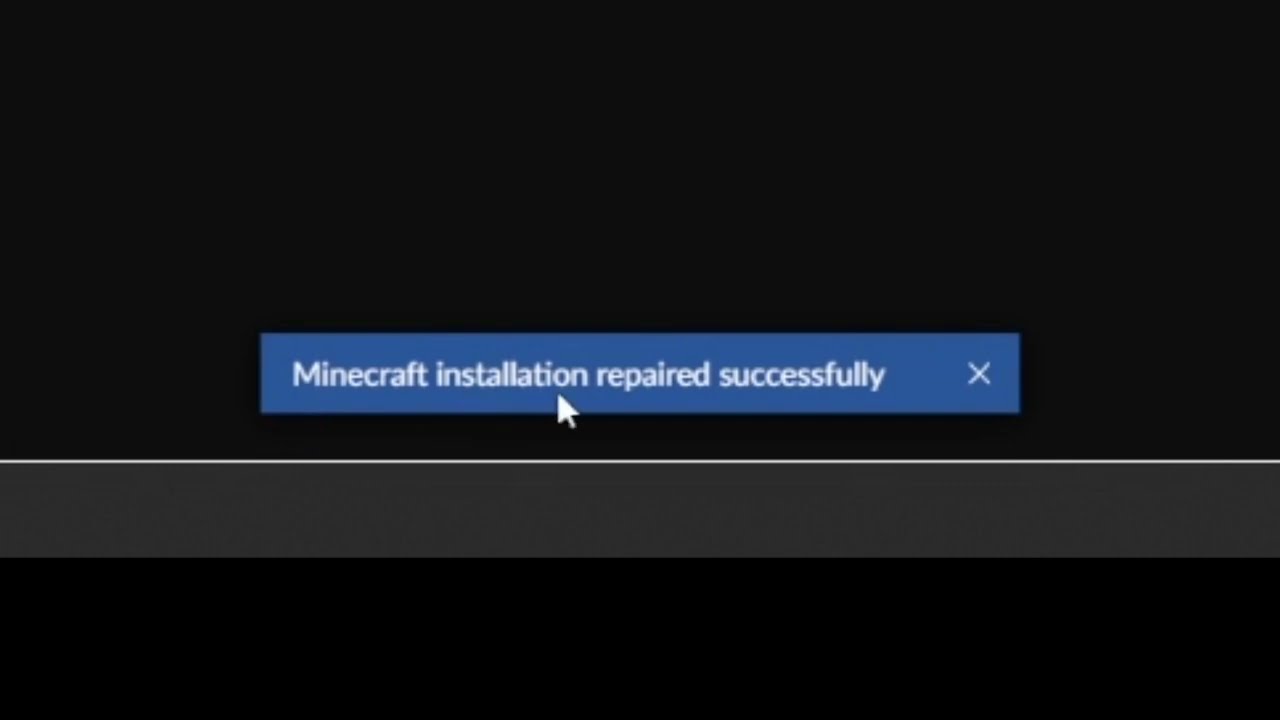
This short video will show you how to find the "Repair installation" for Minecraft in CurseForge.
What it does, is basically check if the local installation of Minecraft that CurseForge uses, is valid/working, and will repair itself, if needed.
proper hull
I made a custom modpack and it said it was approved but when i search it up in curseforge it doesn't appear
signal ridge
Link the pack from the site
proper hull
?
queen storm
You uploaded it, we want a link
proper hull
So at first it said some files needed to be replaces so it was rejected then they chanhed it to accepted and now if I go on the websit and look for it I don't see it only my page where I can edit the pack
opal cipher
Yes, link your project page.
 proper hull
how i got the notificatuion ealier saying tehre was 1 or 2 files in it that needed to be replaced but then they changeds it and sent a noti saying it was approved
im just gonna resubmit the file ig
 ivory blade
hi Im trying to run the body shuffle mod on mc java 1.16.5 and when I go to create a world the game crashes.
help pls
upper root
!mc-logs and lets move to #👽︱game-support
red patioBOT
Sending logs for support.
- Right-click the modpack profile icon OR click the button in the modpack profile.
- Click
Open Folder. - Open the
logsfolder. - Drag and drop the FILE named
latestORdebuginto discord.
 fringe jewel
My curseforge will not load, I looked it up and tried everything but it still refuses
 pure skiff
when will there be an update to fix tinkers construct on skyfactory4
red patioBOT
Your question is not related to CurseForge owned/maintained features or services.
Please use the appropriate game room by getting a game role from #786424115535544350.
Otherwise use #👽︱game-support for game related help.
CurseForge does not make or maintain any of the content or games used on the site or app. Just because it's on the site/app does not make it a problem with CurseForge. Move rooms as requested, arguing about it will result in you being removed from the discord.
 rough citrus
So, um, i have a problem: curse claimed minecraft isnt installed, even though it is
i use Minecraft Launcher Java version
rich flint
screenshot error message?
rich flint
did you just install the app?
did you actually have modpack profiles installed and run them before?
rough citrus
yes, no
red patioBOT
Change your install path to the following:
For Windows: C:\CurseForge
For Mac: /Users/Shared/CurseForge
If Minecraft is not installed in CurseForge App:
- Click the in the top left.
- Select Minecraft from the list of games.
- Select the
Advancedoption and pick the location for your computer listed above. - Click
Continue.
If Minecraft is installed in CurseForge App:
- Click the in the bottom left.
- Select the Minecraft tab.
- Click
Change. - Select the location for your computer listed above.
:no_entry_sign: Minecraft Files should NOT be installed inside the following locations :no_entry_sign:
:no_entry_sign: .minecraft folder.
:no_entry_sign: OneDrive folders.
:no_entry_sign: Desktop folder.
:no_entry_sign: iCloud enabled folders.
:no_entry_sign: or any other cloud saved folder.
:no_entry_sign: or folders with non-English characters in them.
If any of the above are in the path you need to change/move it!
rich flint
create your own folder such as C:\cursewhatever
rough citrus
thank you
rich flint
so fyi what the app does is download it's own copies of minecraft that it squirrels away in it's own folders. unrelated to any other minecraft you have
something got messed up - hopefully this just gives it a fresh start
yes but not here
?notcf
red patioBOT
Your question is not related to CurseForge owned/maintained features or services.
Please use the appropriate game room by getting a game role from #786424115535544350.
Otherwise use #👽︱game-support for game related help.
CurseForge does not make or maintain any of the content or games used on the site or app. Just because it's on the site/app does not make it a problem with CurseForge. Move rooms as requested, arguing about it will result in you being removed from the discord.
rough citrus
rich flint
so fyi what the app does is download it's own copies of minecraft that it squirr...
wait so i didnt need to install minecraft first then? or at all?
rough citrus
ah
 balmy trench
Anyone know why my overwolf isnt letting me dowload it
 nocturne drum
Hey i cant play anything that is 1.16 or above
Can i get some help
Please
@lyric crescent I dont mean to bother you, but im having some trouble with curseforge
nocturne drum
Can i please have some help?
 timber lodge
Hello, I keep getting the following error when launching Minecraft, and my troubleshooting efforts have run dry, but I saw similar issues like this were discussed on old curseforge support forums.
"The game crashed whilst rendering overlay
Error: net.minecraftforge.fml.config.ConfigFileTypeHandler$ConfigLoadingException: Failed loading config file forge-client.toml of type CLIENT for modid forge
Exit Code: -1"
red patioBOT
Error/Exit codes are useless. Follow these steps so someone can actually help you.
- Right-click the modpack profile icon OR click the button in the modpack profile.
- Click
Open Folder. - Open the
logsfolder. - Drag and drop the FILE named
latestORdebuginto discord.
timber lodge
nocturne drum
Im having a problem as well. i cant play anything above 1.12.2 and i dont even get an error message
it just shuts minecraft down
 open moss
Hello! I'm having trouble with my curseforge account not syncing my addons from an old computer to a new one. I setup a sync profile on the old but when I sync, nothing appears. I've logged into my twitch account (where the orig sync is) to no avail. Could someone please help?
proper hull
is there any way to speed up the process of reviewing my custom modpack
signal ridge
nope, just patience
open moss
Any thoughts on my issue?
signal ridge
what game?
open moss
WOW
signal ridge
I dont know wow sorry
Could try going to #786424115535544350 getting the wow role and have a look in the wow related channels
open moss
Appreciate it, thank you < 3
 dim dragon
can someone help me with a crash report please
the game kept telling me to go to forge version 14.23.5.2768 instead of 14.23.5.2860
and when i did this happen
 vague nebula
can something be done when someone steals my modpack and is uploading it under a different name?
I was building it with someone in a small community, then when it got finished he banned me and now is trying to upload "his" modpack
fossil mist
i still keep getting invalid java runtime configuration. I tried repairing it but it didnt work. i tried changing the java version but it still didnt work
 frozen forum
I installed "Another Quality Modpack 2"'s most recent version through CurseForge and Windows Defender is telling me serverstarter.jar is a Trojan named Uwamson.A!ml. Might want to look into that. I also asked about it on their Discord, waiting on response (I am using Windows 10 Version 10.0.19043 Build 19043)
upper root
timber lodge
Your configs are corrupt, delete the config folder.
Any further questions about game support please ask in #👽︱game-support
upper root
vague nebula
I was building it with someone in a small community, then when it got finished h...
Report it using the report feature on the site
vague nebula
upper root
Report it using the report feature on the site
I will, thanks
open moss
Also adding on that after I linked my twitch account, all my addons disappeared ( from the original computer). Logging out does nothing. Logging back in does nothing. Not stoked. Everything is now gone?
timber lodge
upper root
Your configs are corrupt, delete the `config` folder.
Any further questions abou...
Sorry for wrong place, it did work ty so much
 full kindle
So i'm trying to open curseforge to play some minecraft. when I open it, i see a popup saying it failed to start. i try using overwolf instead. same issue. my windows 10 is up to date and it was working just fine until today. what could i do about this?
digital roost
how do i make a world with a mod for me and my friend
upper root
You mean a server?
digital roost
upper root
You mean a server?
yea
upper root
!mc-installserver these are instructions on how to do it on your own computer, if it is powerful enough. Any further questions about this ask in #👽︱game-support
red patioBOT
How to **manually** install a server - **On your own PC**
- Check if the modpack has a server pack, if it does: use that and skip below.
- Go to the Forge website http://files.minecraftforge.net/ and download the Installer for the forge version the pack is using.
- Run the installer and choose
Install server. Do not install to your desktop. Also do not install inside a OneDrive folder. - Run the server using the forge.jar. A file called
eula.txtwill be generated. Open it and changeeula=falsetoeula=true - From the Client; Copy the
modsfolder,configfolder, and any other folders needed for the pack to work into the server folder. If the modpack has a server pack, use this instead! - Run the server again.
- Port forward your machine if needed. (Google it)
Long version: https://pastebin.com/83DXfGTH
 wet marsh

 red patioBOT
Change your install path to the following:
For Windows: C:\CurseForge
For Mac: /Users/Shared/CurseForge
If Minecraft is not installed in CurseForge App:
- Click the in the top left.
- Select Minecraft from the list of games.
- Select the
Advancedoption and pick the location for your computer listed above. - Click
Continue.
If Minecraft is installed in CurseForge App:
- Click the in the bottom left.
- Select the Minecraft tab.
- Click
Change. - Select the location for your computer listed above.
:no_entry_sign: Minecraft Files should NOT be installed inside the following locations :no_entry_sign:
:no_entry_sign: .minecraft folder.
:no_entry_sign: OneDrive folders.
:no_entry_sign: Desktop folder.
:no_entry_sign: iCloud enabled folders.
:no_entry_sign: or any other cloud saved folder.
:no_entry_sign: or folders with non-English characters in them.
If any of the above are in the path you need to change/move it!
digital roost
how do i install 2 versions of forge?
upper root
Do you have the curseforge app?
digital roost
I can’t open my curseforge I tried reinstalling it but still doesn’t work
queen storm
What error do you get?
digital roost
upper root
Do you have the curseforge app?
no
upper root
!getcf the curseforge app allows you to install and manage seperate forge and fabric installations of any version
red patioBOT
Looking to install the CurseForge app?
<:windows:798410728188936222> Windows
Minimum Requirements:
- OS Version: 7 (64 bit), 8.1, 10, 11
- 64 bit Required.
- 350MB storage space.
- Microsoft .Net 4.8
- Intel/AMD quad-core CPU
- 8GB ram
Download: https://download.overwolf.com/install/Download?&PartnerId=4047
If you are having issues with the installer use the URL below to install Overwolf then go to the app store to download CurseForge.
https://content.overwolf.com/downloads/setup/latest/regular.html
<:mac:798410654418862130> Mac
Minimum Requirements:
- OS Version 10.14 or newer.
- 64 bit Required.
Download: https://curseforge.overwolf.com/downloads/curseforge-latest.dmg
:penguin: Linux
Minimum Requirements:
Yes. SOON:tm: ( ͡~ ͜ʖ ͡°)
Download: :person_shrugging:
digital roost
upper root
!getcf the curseforge app allows you to install and manage seperate forge and fa...
k
digital roost
upper root
!getcf the curseforge app allows you to install and manage seperate forge and fa...
now what do i do? i just install the version?
upper root
!mc-installmods
red patioBOT
How to install mods in CurseForge App.
- Click
+ Create Custom Profile - Name it, select the required Minecraft version, select the modloader & modloader version (usually the highest number), click
Create. - Click the profile icon.
- Click
Add More Content - Search and install the desired mods.
- Start the game!
How to install mods not on CurseForge.
- Right click the profile picture or Open the profile and click the Icon next to the play button.
- Click
Open Folder. - Drag the mod(s) into the
modsfolder. (Note: Some mods will require others, to run. Make sure to read the instructions for the mod!) - Start the game!
digital roost
ok so i dont need to download fabric or forge thro installer?
upper root
Nope, the curseforge app does all that for you
digital roost
k
split fable
hello I have mod that I want to delete but I don't know what they're called is there a way to see ????
queen storm
split fable
hello I have mod that I want to delete but I don't know what they're called is t...
How do you know what you want to delete then?
digital roost
upper root
Nope, the curseforge app does all that for you
I want to add a mod that is not avaialble in the curseforge app, I dragged it into the profile and then nothing happened
queen storm
It does not magically detect it or load it in game
upper root
If you put it in the mods folder it will be loaded by minecraft. Curseforge will not detect it tho.
Also please stop the pings, #📛︱rules 5️⃣
 shadow thistle
hey guys i run two servers off the same ip and when i switch between them i have to get rid of the differnt mods on either to login or i get a mismatch messge. in logs it say Client has mods that server dosnt have. obviously. is there a way to have two seperate mod folders so i can just join either hassel free?
opal cipher
Yes, use CurseForge to have different profiles, which can have different mods.
shadow thistle
the app?
red patioBOT
Looking to install the CurseForge app?
<:windows:798410728188936222> Windows
Minimum Requirements:
- OS Version: 7 (64 bit), 8.1, 10, 11
- 64 bit Required.
- 350MB storage space.
- Microsoft .Net 4.8
- Intel/AMD quad-core CPU
- 8GB ram
Download: https://download.overwolf.com/install/Download?&PartnerId=4047
If you are having issues with the installer use the URL below to install Overwolf then go to the app store to download CurseForge.
https://content.overwolf.com/downloads/setup/latest/regular.html
<:mac:798410654418862130> Mac
Minimum Requirements:
- OS Version 10.14 or newer.
- 64 bit Required.
Download: https://curseforge.overwolf.com/downloads/curseforge-latest.dmg
:penguin: Linux
Minimum Requirements:
Yes. SOON:tm: ( ͡~ ͜ʖ ͡°)
Download: :person_shrugging:
shadow thistle
so is my problem common 🤣 ?
upper root
Are you talking about the server or the client? Curseforge app is for the client only
shadow thistle
yeah i just mean bc to switch between the servers i need to constantly delete or add client mods to match with the specific server
and i have two with different mods
upper root
So the curseforge app will help you then, it gives you multiple instances each with their own mods folder
queen storm
And you posted that why?
shadow thistle
accident* thought it was my disc @queen storm
split fable
queen storm
How do you know what you want to delete then?
I know because it adds stuff to my inventory but there is no name
queen storm
split fable
I know because it adds stuff to my inventory but there is no name
Show screenshot in #👽︱game-support
queen storm
 lavish nebula
Mine won’t install
lavish nebula
Mine won’t install
Show screenshot
 stark thunder
Captcha is buggy asf... like seriously look at what it asks for, and the picture comparison is totally wrong. But even if you select what they ask for in text, its still wrong!
lyric crescent
Ok, this has nothing to do with curseforge though..
stark thunder
Guess thats one way for curseforge to just shift the blame to someone else
Not my problem if u cant access our site
🤷🏻♂️🤷🏻♂️
lyric crescent
By having nothing to do with it, yea. suppose it is 😄
young bone
It’s cloudflare, iirc from other responses to the site being weird
prisma current
How long do reward store orders usually take to be fulfilled?
queen storm
Paypal: start of the next month
queen storm
No
prisma current
Ok, thanks for telling me
lavish nebula
queen storm
Show screenshot
Ok, I have had this problem for a LONG time and I don’t understand it.
I will send screenshot once I get back home in a few hours
 slate gazelle
does anyone know how i can update my minecraft modpacks? i used to be able to do that in the launcher next to the play button but now i can't find the option for that anymore
upper root
!mc-modifypack make sure this toggle is off
red patioBOT
How to add/remove mods in a modpack.
- Click on the picture of the modpack.
- Click the

Add More Contentbutton, IF this button is not there, see below before continuing. - Find the Mods, Resource Packs or Maps you wish to Install and click
Installon them. - Wait for all the required mods to be downloaded.
- Start the modpack.
How to Enable/Disable content management for modpacks.
- Click on the picture of the modpack.
- Click on the button next to the
Playbutton. - Click on
Profile Options. - Check the
Allow content management for this profileoption if you want to edit the content of the modpack, uncheck it to disable.
NOTE: The Allow content management for this profile option is what allows you to Delete, Disable, Update or Install any Mods, Resource Packs or Maps managed by CurseForge. It must be on to modify any of them! (Currently)
lyric crescent
Say what you want help with.
 native hemlock
Hello
How can I be sure that my project name will be approved before I upload something? I don't want to name everything just to rename it later because my project name wasn't approved.
queen storm
You can't
lyric crescent
They would just ask you to change the name anyway.
native hemlock
Are there any rules I have to follow? When I created the project I didn't see any.
lyric crescent
Mostly common sense. If there is a specific issue they will tell you.
native hemlock
But I can use something like Artemis's .......?
lyric crescent
try it and find out
native hemlock
Okay. Thanks for helping
 shut basin
im back sorry
so um im using curse forge to play the demon slayer mod but i want optifine and shaders with it and a nice resource pack but dont kno whow
red patioBOT
Hey there, it is Curseforge, not "Cursed forge"
shut basin
could someone help me with that please
queen storm
!mc-optifine
red patioBOT
We do not offer support for Optifine!
If you have issues with Optifine, remove it. If you want further support try the discord found on their website.
https://www.optifine.net/home
Installing Optifine with modpacks on Curseforge:
- Right click the modpack icon, select
Open Folder. - Put the
Optifine.jarinto themodsfolder. - Now start the modpack.
 paper jackal
I need help I can no longer log in with twitch

 slow grotto
I need help cause before i would launch project ozone off the cursed forge app just fine now it launches but it lags way more than it used to is there any way to optimize it? (pls ping me)
red patioBOT
Hey there, it is Curseforge, not "Cursed forge"
Your question is not related to CurseForge owned/maintained features or services.
Please use the appropriate game room by getting a game role from #786424115535544350.
Otherwise use #👽︱game-support for game related help.
CurseForge does not make or maintain any of the content or games used on the site or app. Just because it's on the site/app does not make it a problem with CurseForge. Move rooms as requested, arguing about it will result in you being removed from the discord.
 honest adder
Is something wrong with logging in on the CurseForge website right now?
Tried both Chrome and Firefox, with cleared cookies, and I get a Internal Server Error for both browsers.
 astral mortar
question: How long does the mod upload review process take?
signal ridge
!status
red patioBOT
Project Moderation Time
Project/File moderation is done on these days unless otherwise mentioned:
Sunday, Monday, Tuesday, Wednesday, Thursday: <t:1631170800:t> - <t:1631199600:t> (Your time)
Friday, Saturday: No Moderation!
Projects are moderated First in, First out. If you submit late in the work day, it will likely get left until the next day!
New Projects or anything flagged for manual review: 1-3 Working Days
Updates to approved projects not needing manual approval: 1 Hour
-If your file has been "Under Review" for more than an hour, then it is at manual review!
Changes will only show in the app if the project meets the requirements in the ?sync command and up to 24 hours has passed from when it was accepted.
astral mortar
Ahh okay. That explains. I had my project denied for a lackluster description so I updated it. Apologies ;v;
digital roost
hey for some reason when my friend trys to load my modpack it starts loading then does nothing no error message nothing
astral mortar
Post the log
I have a suspicion as to what it is because it happened to me last night
digital roost
honest adder
Is something wrong with logging in on the CurseForge website right now?
Tried bo...
Same issue as well.
Came here just to gauge how many people it's happening to. I tried 3 different Twitch accounts, tried on my phone and computer, and I tried on my phone with no wifi/data only. Same internal server error every single time.
digital roost
astral mortar
Post the log
how do i get the log
id be down to hop in vc with my friend to just show u
their on mac
astral mortar
digital roost
how do i get the log
In the .minecraft folder there’s a log folder. Preferrably the one labelled “debug”, but the normal one will be fine too
signal ridge
Curseforge app doesnt touch the .minecraft folder. So if they are using cf that wont help
signal ridge
Are you using the cf app?
digital roost
yeah
 pearl forge
Can someone help
signal ridge
digital roost
yeah
Do any packs work?
signal ridge
pearl forge
Can someone help
!help
red patioBOT
╰( ͡° ͜ʖ ͡° )つ──☆*:・゚ *˜”*°•.˜”*°• Many Help •°*”˜.•°*”˜* <:curselit:796985620550385705>
Please provide a description of your issue with as much detail as possible. If you have an issue with a mod or modpack, tell us the name. Explain what you can see happening. Be specific!
Tell us what is happening, we already know it "doesn't work".
Avoid using words like "it", tell us exactly what "it" is.
Don't assume anyone knows what you are talking about, be specific.
Tell us what you expected to happen.
Provide screenshots or video if possible.
Provide a log if possible. ?mc-log
signal ridge
I dont do vc
digital roost
oh alr
signal ridge
Just explain what is happening OR get your friend here to explain (better)
pearl forge
I have a server and I added a mod pack from curse forge and I had to take out a mod for it to work and then I go to my server and it work fine and I join in but when my freinds try to join it dosent work for them they took out the mod and they are using curse forge

That pops up for them
signal ridge
!notcf
red patioBOT
Your question is not related to CurseForge owned/maintained features or services.
Please use the appropriate game room by getting a game role from #786424115535544350.
Otherwise use #👽︱game-support for game related help.
CurseForge does not make or maintain any of the content or games used on the site or app. Just because it's on the site/app does not make it a problem with CurseForge. Move rooms as requested, arguing about it will result in you being removed from the discord.
pearl forge
It is related to curse forge tho
digital roost
soooo in the cf app when they click play it will start to launch but imedietly stop instead of bringing up the mc launcher
signal ridge
pearl forge
It is related to curse forge tho
Curseforge has nothing to do with servers, Use #👽︱game-support or the other channels mentioned for server help
digital roost
where youd normally click launch
digital roost
pearl forge
It is related to curse forge tho
nah read it the issue is with the connection not the pack
signal ridge
!mc-installfix try this
red patioBOT
This is NOT instructions for Repair Profile! They are NOT the same! You need to do this!
- Click on the Minecraft Tab on the Left side of the CurseForge App.
- Click button next to the
Create Custom Profileoption. - Click
Repair Installationoption. - Play game.
NOTE: You will not lose any modpacks or worlds!
digital roost
signal ridge
!mc-installfix try this
bet
pearl forge
digital roost
nah read it the issue is with the connection not the pack
wdym can u explain in #👽︱game-support
digital roost
signal ridge
!mc-installfix try this
i love you this was so annoying for smthn so simple lol my friend says tysm
 shell roost
Is the website login down I keep getting this no matter the browser used.

Tried on my tablet as well, and get the same result.
rich flint
Loads fine for me
shell roost
Some reason I cant log in
 fleet apex
is there a way to search for a curseforge project by ID?
I need to find "project 3232535," but i was not given a name
rich flint
Yes NLK made an app for that - let's see if I can find the bookmark...
Googling "curseforge #####" can do it sometimes also
shell roost
Yep I think the site is borked
I go to authorize my Twitch and suddenly Internal server error
I've done a cclean and I've made sure my launcher, and twitch site was logged in before trying to log in the site, to no success.
Okay, so just in case anyone has this happen where you cant log in or have an internal server error, I have by pure dumb luck found the solution. Go on the Twitch site, go in settings, and in the connections tab remove curseforge authorization. Go back to CurseForge and log in, and authorize.
distant plaza
anybody know when mod checks modpack been waiting for 2 days still under review?
rich flint
Last few days have been a weekend. You're probably close
distant plaza
k
 ripe coral
Can someome explain to me this fuckery.
I'm trying sky blocks, and I tried All the Mods 6 sky block, Single player world, laggy as shit 2 fps
I try normal All the mods 6, 34 fps atleast.
How?
red patioBOT
Your question is not related to CurseForge owned/maintained features or services.
Please use the appropriate game room by getting a game role from #786424115535544350.
Otherwise use #👽︱game-support for game related help.
CurseForge does not make or maintain any of the content or games used on the site or app. Just because it's on the site/app does not make it a problem with CurseForge. Move rooms as requested, arguing about it will result in you being removed from the discord.
ripe coral
fair
full kindle
full kindle
So i'm trying to open curseforge to play some minecraft. when I open it, i see a...
update: restarted my PC, no change. thank god im putting a new system together today, but im still gonna be bored as heck until then. any way to fix the application saying it didnt start?
rich flint
full kindle
update: restarted my PC, no change. thank god im putting a new system together t...
What fails to start - the CF app? Screenshot?
 vital radish
what should i do?
 signal ridge
!mc-path
red patioBOT
Change your install path to the following:
For Windows: C:\CurseForge
For Mac: /Users/Shared/CurseForge
If Minecraft is not installed in CurseForge App:
- Click the in the top left.
- Select Minecraft from the list of games.
- Select the
Advancedoption and pick the location for your computer listed above. - Click
Continue.
If Minecraft is installed in CurseForge App:
- Click the in the bottom left.
- Select the Minecraft tab.
- Click
Change. - Select the location for your computer listed above.
:no_entry_sign: Minecraft Files should NOT be installed inside the following locations :no_entry_sign:
:no_entry_sign: .minecraft folder.
:no_entry_sign: OneDrive folders.
:no_entry_sign: Desktop folder.
:no_entry_sign: iCloud enabled folders.
:no_entry_sign: or any other cloud saved folder.
:no_entry_sign: or folders with non-English characters in them.
If any of the above are in the path you need to change/move it!
 knotty swan
is it possible to host your own modded server using curseforge
rich flint
no servers are separate from anything the app does. people can publish server pack zip files on the project page for modpacks however - for people to manually download and use
 upbeat anvil
Can someone approve it?
https://www.curseforge.com/minecraft/mc-mods/creatures-of-the-lush-cave-forge
upper root
!status
red patioBOT
Project Moderation Time
Project/File moderation is done on these days unless otherwise mentioned:
Sunday, Monday, Tuesday, Wednesday, Thursday: <t:1631170800:t> - <t:1631199600:t> (Your time)
Friday, Saturday: No Moderation!
Projects are moderated First in, First out. If you submit late in the work day, it will likely get left until the next day!
New Projects or anything flagged for manual review: 1-3 Working Days
Updates to approved projects not needing manual approval: 1 Hour
-If your file has been "Under Review" for more than an hour, then it is at manual review!
Changes will only show in the app if the project meets the requirements in the ?sync command and up to 24 hours has passed from when it was accepted.
 ember zinc
fixed
 digital roost
whyy
 opal cipher
Probably some problem with the API, try restarting CurseForge.
prisma current
If I cancel my reward store order, do I get the points back. Also can I carry on earning points whilst an order is active?
queen storm
Why would you cancel something? And points are gathered all the time
 wind hatch
you can if it's a paypal order, and you will get the points back
 fading dragon
hi
wind hatch
once an order status changed, then you cannot cancel it anymore
this happens at the start of each month, so you're good to go
you can't cancel an Amazon Gift Card Purchase tho, just to clarify
hi @fading dragon 🙂 you can ask your question here
fading dragon
ok
so
wait
brb
so
maybe it can work no
imma try
how fix

help
do i uinstall the mod
upper root
?mc-logs and lets move to #👽︱game-support
red patioBOT
Sending logs for support.
- Right-click the modpack profile icon OR click the button in the modpack profile.
- Click
Open Folder. - Open the
logsfolder. - Drag and drop the FILE named
latestORdebuginto discord.
 winged ledge
CurseForge downloaded Litematica with TweakerMore, and disabling Litematica in curseforge disables tweakerMore. Uninstalling Litematica also uninstalls tweakeroo and tweakermore.  That was a hilarious experience.
CurseForge really needs to change the way it treats optional dependencies.
queen storm
It is a known issue
winged ledge
queen storm
It is a known issue
I'm guessing this is also a known issue? Since this never appeared until a couple days ago, despite the last time this was updated on-curseforge was last month. The mod project is obviously deleted, but the client still shows it.
 lyric crescent
link?
winged ledge
According to copy mod link: https://www.curseforge.com/minecraft/mc-mods/project-567419
As I said, it's deleted/not found on the site, but the client still shows it. This file was downloaded from the replaymod website rather than curseforge, so I don't know why curseforge did this
lyric crescent
looks like the project was removed
editing your messages is more confusing than just sending new ones..
winged ledge
Yeah well, I'm on servers that have slowmode enabled on a lot of channels
lyric crescent
but yea, if the mod was ever on curseforge, the app will show details for the mod, even if it is no longer there.
 static stump
 queen storm
!overwolf-support
red patioBOT
queen storm
And they copy pasted it in both 🤦♂️
static stump
Well i launch curse forge and it pops up with an overwolf error, i am not sure what i am supposed to do.
queen storm
You wait till they reply in overwolf
 regal lion
I have an issue with Optifine on my curseforge/overwolf modpack and there was an issue that optifine and the game itself was using my integrated graphics instead of graphics card. I knew already how to fix that issue but.... seems like everything gone wrong and now I can't load minecraft. Everything I made is just changed the mode of priority on the javaw ( or like it shows the JDK Plantform ).
red patioBOT
We do not offer support for Optifine!
If you have issues with Optifine, remove it. If you want further support try the discord found on their website.
https://www.optifine.net/home
Installing Optifine with modpacks on Curseforge:
- Right click the modpack icon, select
Open Folder. - Put the
Optifine.jarinto themodsfolder. - Now start the modpack.
 cold valley
How do I play rlcraft with my friends?
 alpine abyss
cold valley
How do I play rlcraft with my friends?
alpine abyss
cold valley
How do I play rlcraft with my friends?
?notcf
red patioBOT
Your question is not related to CurseForge owned/maintained features or services.
Please use the appropriate game room by getting a game role from #786424115535544350.
Otherwise use #👽︱game-support for game related help.
CurseForge does not make or maintain any of the content or games used on the site or app. Just because it's on the site/app does not make it a problem with CurseForge. Move rooms as requested, arguing about it will result in you being removed from the discord.
 flat mica
how do i move curseforge over to another disk?
lyric crescent
?mc-path
red patioBOT
Change your install path to the following:
For Windows: C:\CurseForge
For Mac: /Users/Shared/CurseForge
If Minecraft is not installed in CurseForge App:
- Click the in the top left.
- Select Minecraft from the list of games.
- Select the
Advancedoption and pick the location for your computer listed above. - Click
Continue.
If Minecraft is installed in CurseForge App:
- Click the in the bottom left.
- Select the Minecraft tab.
- Click
Change. - Select the location for your computer listed above.
:no_entry_sign: Minecraft Files should NOT be installed inside the following locations :no_entry_sign:
:no_entry_sign: .minecraft folder.
:no_entry_sign: OneDrive folders.
:no_entry_sign: Desktop folder.
:no_entry_sign: iCloud enabled folders.
:no_entry_sign: or any other cloud saved folder.
:no_entry_sign: or folders with non-English characters in them.
If any of the above are in the path you need to change/move it!
lyric crescent
you need to manually move everything though, which may not work perfectly.
flat mica
so if i have a F drive i just drop in there?
lyric crescent
idk what you mean by drop it?
lyric crescent
Move Twitch? Twitch isn't involved here..?
You set the new folder in the app, then copy instances to the correct location.
 round shoal
hello to everyone who can help with the minecraft build on version 1.12.2, the world crashes when loading for some unknown reason
lyric crescent
?mc-log
red patioBOT
Sending logs for support.
- Right-click the modpack profile icon OR click the button in the modpack profile.
- Click
Open Folder. - Open the
logsfolder. - Drag and drop the FILE named
latestORdebuginto discord.
round shoal
lyric crescent
?mc-log
this?
lyric crescent
This isn't curseforge.
red patioBOT
Your question is not related to CurseForge owned/maintained features or services.
Please use the appropriate game room by getting a game role from #786424115535544350.
Otherwise use #👽︱game-support for game related help.
CurseForge does not make or maintain any of the content or games used on the site or app. Just because it's on the site/app does not make it a problem with CurseForge. Move rooms as requested, arguing about it will result in you being removed from the discord.
fleet bear
lyric crescent
you need to manually move everything though, which may not work perfectly.
Moving profiles should work now in the most recent release.
 glacial dune
Hello, I was wondering if there was a way to create server files for my uploaded modpack and how I could go about doing it?
lyric crescent
?mc-serverpack
red patioBOT
Serverpacks are special files uploaded alongside an existing project file. If the main file is rejected the server pack is also rejected.
You require an already uploaded export file to upload a server pack!
- Make the server pack by zipping up the required files by selecting the required folders & files. It should include the config and mod folders at a minimum, plus anything else you specifically required to run the server. Start/Run/Setup scripts are optional. Don't include modloader files or the minecraft server jar.
- Go to the
Filestab on the project. - Click the name of the file you wish to upload the server pack to. The pack and server should match pack versions.
- Click
Upload Additional File. - Fill out the form.
glacial dune
So I would need to download the Forge Jar and run it then click server installation and use that as base?
lyric crescent
yea
lyric crescent
but you should test the stuff before uploading
depends on what you actually meant
glacial dune
Yeah my server works
Im just trying to upload the serverfile to my existing modpack
Was wondering what was required
lyric crescent
end of step 1
Don't include modloader files or the minecraft server jar.
glacial dune
Aight ty
 dawn oasis
im having trouble with curseforge not launching
i tried uninstalling and reinstalling curseforge and it didnt work
lyric crescent
open overwolf first, then use it to open curseforge
dawn oasis
failed to start application
lyric crescent
reinstall overwolf
glacial dune
How long does it take for the uploaded modpack to be seen on the CurseForge Application?
lyric crescent
is it approved?
glacial dune
Yeah
lyric crescent
do you have a release file?
glacial dune
Oh Set it to release when uploaded instead of Alpha?
lyric crescent
yes
glacial dune
Did not know it would do that
lyric crescent
!sync
red patioBOT
Sync and your Project.
CurseForge App and site do not share the same requirements! You can find things on the site but this does not mean it will be in the app!
For a mod to show up in the app:
- Projects MUST have a file marked as RELEASE or BETA
- Projects MUST be APPROVED
- Projects MUST have a file marked for the GAME VERSION SELECTED/LOADED
- Projects CAN'T be EXPERIMENTAL
- Projects CAN'T be ABANDONED
Files can take a while to show up in the app. If your files still have not shown up either your project is new and you have yet to mark a file as Release/Beta or there is issues with the sync system making it slow.
Vote this issue up if you would like to know when the last sync was! https://curseforge-ideas.overwolf.com/ideas/CF-I-1617
glacial dune
Do I have to reupload to get it to be set to Beta or released?
Nvm
I see edit
Ty for the help
flat mica
so i replaced everything on one disk to another and its only showing a few of my modpacks on the luncher


fixed it seems to be coming back slowly
 sweet timber
Does curseforge work with a migrated Minecraft account?
I got the email today and I'd rather not be trapped playing vanilla Minecraft
 weary ruin
im playing 1.7.10 forge with 40 mods on a migrated acc
sweet timber
(hard to give up quadruple ore processing and nuclear missiles)
lyric crescent
sweet timber
Does curseforge work with a migrated Minecraft account?
yes
curseforge uses the normal launcher, which supports migrated accounts
flat mica
after moving curseforge to another disk can i remove the original folders off the first disk?
lyric crescent
sure, if you are sure everything worked correctly
 gloomy tapir
Can curseforge work on clients or no?
lyric crescent
Like what?
 patent socket
What would be the correct channel to put a “looking for someone to help me thru pack dev and bounce ideas off of” type thing
fleet bear
You could ask whatever you need help with in #🧱︱mc-other-help or #👽︱game-support, otherwise #🔎︱mod-hunting would be fine unless you are looking for people to join your dev team then that's #768717413918179368
patent socket
Alright thx
 warm isle
when i try to download something on chrome and it opens curseforge i cannot see it downloading?
browse modpacks section also shows a blank screen
lyric crescent
tried a restart?
warm isle
yeah doesnt seem to work
lyric crescent
sounds like you have something on your computer that's blocking it then. havent seen an issue where the browse modpack thing would be broken before.
fleet bear
sounds like you where using install not download.
gloomy tapir
lyric crescent
Like what?
Lunar
lyric crescent
no
 limpid lion
Can anyone help me? I lost my Curseforge 2fa code a couple months back and I submitted a ticket but it has said being processed for 2 months now. I really want to be able to claim my money from points in the reward store.
lyric crescent
Ticket number?
limpid lion
#107247
lyric crescent
Poked someone for it, won't be seen for 12 hours at least.
limpid lion
lyric crescent
Poked someone for it, won't be seen for 12 hours at least.
Ok, thank you.
 full trellis
how long does it usually take for a ticket to be processed
fleet bear
A week from creation to solved real time.
Reply times are within a couple of hours in business hours.
 small hull
i cant make a new profile?
 tropic monolith
for me it does not show the mods select button on the main screen of minecraft
digital roost
hey , everytime i starting downloaing overwolf or curseforge it stops and some error jumps out
queen storm
What error?
digital roost
it cannot open , and then i disapear
queen storm
!getcf Use the second link
red patioBOT
Looking to install the CurseForge app?
<:windows:798410728188936222> Windows
Minimum Requirements:
- OS Version: 7 (64 bit), 8.1, 10, 11
- 64 bit Required.
- 350MB storage space.
- Microsoft .Net 4.8
- Intel/AMD quad-core CPU
- 8GB ram
Download: https://download.overwolf.com/install/Download?&PartnerId=4047
If you are having issues with the installer use the URL below to install Overwolf then go to the app store to download CurseForge.
https://content.overwolf.com/downloads/setup/latest/regular.html
<:mac:798410654418862130> Mac
Minimum Requirements:
- OS Version 10.14 or newer.
- 64 bit Required.
Download: https://curseforge.overwolf.com/downloads/curseforge-latest.dmg
:penguin: Linux
Minimum Requirements:
Yes. SOON:tm: ( ͡~ ͜ʖ ͡°)
Download: :person_shrugging:
queen storm
What are you trying to open? Installer?
digital roost
what i should do
queen storm
- You have patience.
- You install curseforge
install Overwolf then go to the app store to download CurseForge.
 final aurora
how do i share my custom modpacks on the app
upper root
!mc-packshare
red patioBOT
There are two ways to share a modpack you've made with others...
Export and Share - For Friends to Small Groups.
- Click the Icon for the modpack.
- Click the button next to play.
- Click
Export. - Select the files that should be included.
- Send the zip to the people that want it! They can follow the instructions in
!mc-installpackto install the pack!
Upload to Curseforge - For Public Release to Everyone.
This options will make your pack public to EVERYONE, it comes with extra requirements and will take some effort to set up.
- Go to here: https://www.curseforge.com/project/432/4471/create
- Fill out the information with a proper description of the pack. This should allow anyone to understand what the pack is.
- Click the Icon for the modpack in the CurseForge app.
- Click the button next to play.
- Click
Export. - Select the files that should be included.
- Open your Project you made on the CurseForge site and Upload the file you just made.
- Wait for Moderation & Sync so it can show up in the client! (See
!syncfor limitations)
red patioBOT
How to install modpacks with the search features in app.
- Open the
Minecraftsection of the app. - Click the top search bar where it says
Search for modpacksOR Click theBrowse ModpacksTab. - Find the Modpack you want to install and click install on it.
- Wait for CurseForge app to download and unpack all the required files.
- Once finished, click
Play!
How to install modpacks from a Export. (Custom/Private/Site downloaded Modpack zip)
- Get CurseForge App if you don't have it, use
!downloadfor a link. - Get the exported modpack from CurseForge or someone else,
!mc-packshareexplains how to make them. - Open the
Minecraftsection of the app. - Click
Create Custom Profile - Click the
Importoption. - Find the file you just downloaded in step 2 and select it.
- CurseForge app will now attempt to download and unpack the modpack. If it fails, try steps 4-6 again.
- Once finished, click
Play!
 coral yarrow
Hello, is it possible to get the latest downloaded version of the mod via the Curseforge Api?
digital roost
my mod has not been approved for 1 month, please confirm my mod.
opal cipher
Link your project please.
You can also check for notifications under https://www.curseforge.com/my-notifications to see if it has been rejected or is in need of changes.
digital roost
opal cipher
You can also check for notifications under <https://www.curseforge.com/my-notifi...
there is nothing in the notifications
lyric crescent
Did you upload a file? Also, where is the link?
digital roost
is it forbidden to link here?
opal cipher
Shouldn't be.
lyric crescent
Wouldn't be asking for a link if it was.
digital roost
lyric crescent
Didn't answer my question yet.
digital roost
what to upload
opal cipher
The jar-file, your mod
lyric crescent
If you don't upload a file, it will never get approved.
digital roost
i have uploaded the jar file of my own mod to curseforge
lyric crescent
What is the status of that file?
digital roost
status of the file?
lyric crescent
yes
digital roost
how so?
queen storm
If there is no file then it won't get looked at
lyric crescent
you go to the file page and look at the column called status
digital roost
under review
lyric crescent
screenshot that page
digital roost
 west folio
queen storm
If there is no file then it won't get looked at
west folio
queen storm
If there is no file then it won't get looked at
he established he uploaded a file
queen storm
Now show a screenshot of the description
lyric crescent
west folio
.
and you believe that, how nieve 😂
west folio
lyric crescent
and you believe that, how nieve 😂
what else would it mean 🤔
digital roost
 lyric crescent
oh, there we go
opal cipher
That clearly says what needs to be done
digital roost
ok thanks
digital roost
hi,
i was trying to install forge but it shows this error --> Failed to run processor: javax.net.ssl.SSLHandshakeException:sun.security.validator.ValidatorException: PKIX path building failed: sun.security.provider.certpath.SunCertPathBuilderException: unable to find valid certification path to requested target See log for more details. any help???
opal cipher
!!=
red patioBOT
Wording is important!
Forge = Minecraft Forge, This is a modloader often just called "Forge".
Fabric = Fabric MC, this is another modloader, just called "Fabric".
CurseForge = A Website/App that has content for games.
Mods = Individual mod files.
Modpacks = Multiple mods put into the mods folder or downloaded from CurseForge.
These are not Interchangeable! Please use the correct terms as it allows us to help you faster!
digital roost
forge
i was trying to install forge but it shows this error -->
See log for more details.```any help???!notcf
red patioBOT
Your question is not related to CurseForge owned/maintained features or services.
Please use the appropriate game room by getting a game role from #786424115535544350.
Otherwise use #👽︱game-support for game related help.
CurseForge does not make or maintain any of the content or games used on the site or app. Just because it's on the site/app does not make it a problem with CurseForge. Move rooms as requested, arguing about it will result in you being removed from the discord.
digital roost
btw, is there is any way that i can install curseforge in windows insider preview builds, because it says you can't install curse forge in win preview builds, forge
lyric crescent
Insider is not supported by Overwolf which is required for Curseforge to run.
lyric crescent
Windows 11 was released months ago