#🔥︱curseforge-support
1 messages · Page 591 of 1
 tardy moth
 lyric crescent
wait about an hour
lyric crescent
24 hours
sounds like sync is backed up a bit right now anyway, so could be a while.
lyric crescent
shouldnt be longer than 24 hours at least
tardy moth
okay thanks for your big help
 idle mango
I actually have a question about the rules for naming conventions. My modpack doesn't have my name in it but my "community" name instead. It is a part of my branding and is SIMILAR to my name, is it a violation?
lyric crescent
Is your community name your author name?
idle mango
No but it is a variation of it
lyric crescent
"No"
Guess you'll see when it's at approval. That rule might be gone shortly anyway.
idle mango
I am in IT so I understand the need for naming convention rules, it isn't a bother to me. The problem comes when it hasn't been enforced in years and people have created brands out of their name like Pam's Harvestcraft and MrCrayfish
 rose granite
Does anyone know how to get curseforge to start minecraft using my nvidia gpu instead of my intel one
lyric crescent
?mc-videocard
 red patioBOT
How to set minecraft to use your videocard
Got NVIDIA?
 rose granite
I already got it in windows settings on high performance, but it's still using my intel one

Did that aswell
wait i
i'm starting up now, let's hope
idle mango
I am calling bs on this rule a little bit, The author name is NOT in the title:

That is my brand not my name
lyric crescent
well i guess that answers that. 🙃
like i said, the rules are currently being reviewed. no idea when a resolution will come. you can wait on it or follow the rule for now and change it later once a decision is made.
 turbid nova
Exception during a WebClient request in a red box, help pls
idle mango
I just don't know why it has to be so strict, this is a part of a suite of modpacks I am making for my community. There is such a thing as too much control. I know it's not you deciding it Yamza, I'm just a little frustrated you can't even use brands
lyric crescent
turbid nova
`Exception during a WebClient request` in a red box, help pls
?owlogs send this please
red patioBOT
<:overwolf:857375414002384916> How to get Overwolf logs! <:overwolf:857375414002384916>
lyric crescent
idle mango
I just don't know why it has to be so strict, this is a part of a suite of modpa...
People complained about too many projects having nonsense names. TBF I fully agree that an author name or a community name should not be in a project name. If you upload things to curseforge then they are for anyone to use, not your small subset. Project names should not be implying exclusion to people outside your ideal userbase.
idle mango
It's not about exclusion, it's about branding. If you work on something to share to the world, why can't you put a brand on it. Not trying to argue, I'll just move that to the description.
lyric crescent
Your branding doesn't do anything useful for a project name though.
idle mango
It does when you are advertising. There are some lilke Valhesia where the name is the pack, community, and author:
 lyric crescent
This should be in #💬︱general-chat since none of this is related to support anymore.
idle mango
Alright
 unborn basin
turbid nova
`Exception during a WebClient request` in a red box, help pls
unborn basin
turbid nova
`Exception during a WebClient request` in a red box, help pls
Logs please
 keen otter
Hey how can I delete additional files in my modpack
turbid nova
turbid nova
`Exception during a WebClient request` in a red box, help pls
fixed, wifi was too slow as i was in a dota match
 queen storm
keen otter
Hey how can I delete additional files in my modpack
queen storm
keen otter
Hey how can I delete additional files in my modpack
Click them, might be able to do it from there
keen otter
The only button that I can click is archive
queen storm
That is delete
queen storm
Nope
 jovial ether
Quick question, I'm unable to add a hyperlink to an image on my curesforge page. Is there a specific way to do it?
queen storm
Link the image
jovial ether
queen storm
https://i.imgur.com/x8eCdee.png
Is that what you are putting in the image box?
queen storm
As it should
jovial ether
The link I'm trying to hyperlink is different
queen storm
Where does it go wrong?
jovial ether
I select the image, click the insert link button, put in the url and select ok
But it doesn't actually do anything
queen storm
Did you go to the actual page to check?
jovial ether
Yes
queen storm
Can you link that page?
queen storm
No, very hard to miss that stuff that is full in my view
I did it by clicking the logo, hitting the link button, putting in the url, clicking ok, hit save changes.
Worked fine
queen storm
I just did it though, so weird bug
lyric crescent
🤷♂️
jovial ether
Does appear to be a bug. I don't think there's any way I'm messing up the 2 step process
Regardless, I was able to work around it by editing the html code directly
 bitter harness
My friend has a modpack on curseforge and recently updated the pack. The new version is shown on the website but it does not show on the app where we download it. Anyone know why?
lyric crescent
link?
lyric crescent
probably just sync being behind
bitter harness
any idea how long that usually takes?
lyric crescent
if it's not there after 24 hours have passed report back
bitter harness
ok thanks
keen otter
Hey how long approval (Not manual one) can take?
lyric crescent
!status
red patioBOT
Project Moderation Time
Project/File moderation is done on these days unless otherwise mentioned:
Sunday, Monday, Tuesday, Wednesday, Thursday: <t:1631170800:t> - <t:1631199600:t> (Your time)
Friday, Saturday: No Moderation!
Projects are moderated First in, First out. If you submit late in the work day, it will likely get left until the next day!
New Projects or anything flagged for manual review: 1-3 Working Days
Updates to approved projects not needing manual approval: 1 Hour
-If your file has been "Under Review" for more than an hour, then it is at manual review!
Changes will only show in the app if the project meets the requirements in the ?sync command and up to 24 hours has passed from when it was accepted.
 opal cipher
Normally, automated approvals take less than an hour, but there seems to be some sort of issue with the servers right now, so both approvals and synchronizations appears to be going a tad slower than usual.
But as the bot also said "If your file has been "Under Review" for more than an hour, then it is at manual review!"
keen otter
My file has status processing for 49 mins from now
And I don't know why it taked like 10-20 mins before to be approved by bot
queen storm
Magic
lyric crescent
bot said yes, it approved.
bot say no, it goes to manual.
reading and comprehending provided information, priceless.
keen otter
But it would say "under review" when it would be manual one
keen otter
Ok so its like random? so there a chance that there will be the manual one
Or the normal one
queen storm
We don't know the specifics either, just wait till it is approved please
keen otter
Ok Ill wait
 karmic siren
Hello! I receive this when I try to download a mod in the curseforge app
 red patioBOT
Timeout/WebClient errors are from networking issues to your computer. You can try a few things to fix it:
- Restart the computer.
- Restart your router/modem.
- Try another internet source like a hotspot, wired connection or moving closer to the WiFi.
- Pause/Stop other things using the internet. (Streams, music, etc)
- If this still doesn't work, try again in an hour and hope your connection is stable.
 hot mica
people seem to be getting this message when they try to import my modpack zip, but it works fine when i run it. Anyone know how to fix this? also its on windows and mac

This is the modpack zip incase it helps
 marble tiger
could someone help me? I have curse forge but it isnt showing up on the minecraft launcher when i try to create the new "installation"
i scroll through all of the versions but a forge version does not show up
I redownloaded and it didnt work
 languid sapphire
your freaking curseforge app wont let me download mods
queen storm
languid sapphire
your freaking curseforge app wont let me download mods
!mc-installmods
red patioBOT
How to install mods in CurseForge App.
- Click
+ Create Custom Profile - Name it, select the required Minecraft version, select the Forge version (usually the highest number), click
Create. - Click the profile icon.
- Click
Add More Content - Search and install the desired mods.
- Start the game!
How to install mods not on CurseForge.
- Right click the profile picture or Open the profile and click the
 Icon next to the play button.
 - Click

Open Folder. - Drag the mod(s) into the
modsfolder. (Note: Some mods will require others, to run. Make sure to read the instructions for the mod!) - Start the game!

 fallow kestrel
Im not going to lie, the mods not saying that there are updates avalable is super annoying
I hate having to do a fresh install every time I need to see what mods have updates
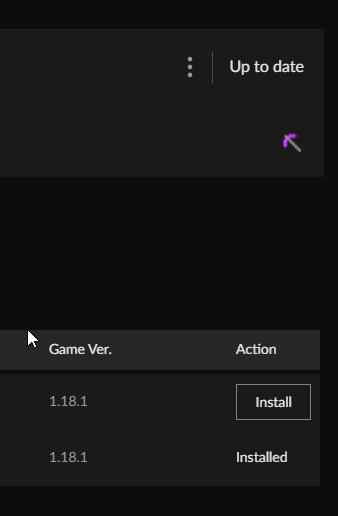
says "up to date"
definitly isnt up to date
lyric crescent
Show what is more recent
fallow kestrel
what?
no i can make it show most recently updated
but the mods that are installed should give me the option to update when there are updates available

doesnt show the button to let me click update
and even when I do go in manually, I get "up to date" then i click versions
and its NOT up to date
and this issue isnt new, its just frustrating to not see any dev work or fixes
ive given logs before, its more of a vent i guess
just super frustrating to have to do a fresh install every time I want to update the pack
 winter solar
Since the new pack name rules were clearly revoked, I was wondering if someone could re-approve my pack. Not sure where to go on-site to request a re-approval. https://www.curseforge.com/minecraft/texture-packs/crispys-twist
 upper root
hot mica
people seem to be getting this message when they try to import my modpack zip, b...
upper root
hot mica
people seem to be getting this message when they try to import my modpack zip, b...
This is a known issue that has been fixed, just needs to be rolled out.
For now they need to install fabric api through the add more content button
hot mica
Ah okay, thank you!
 old adder
hey so when I release a new version of my modpack, it take around an hour or sometimes even longer to actually show up in the app for all my friends to switch versions
upper root
That is expected
old adder
is there no way of shortening the time it takes?
it's really sad having to wait so long for one file
upper root
There is not, sometimes is faster, sometimes its slower.
You can share the zip with them directly and they can import it tho
 full tree
qq, trying to update https://github.com/itzg/docker-minecraft-server with the CF API to pull mods, currently we are only taking a list of URLs, but would like to use: https://api.curseforge.com/v1/mods/search to enable server managers to define Minecraft Versions and Mods so the can A: stay consistent with versions, B: not have to manually download all of them and copy them over. C: not manage a text file with hardcoded urls.
Was just hoping someone had more details how we can search. I keep getting a 403 from the mods API.
Games API seems to work okay
We are actively discussing this on Itzg Discord server if anyone wanted to jump in and talk to him directly.
upper root
I would reccomend asking in the CF dev discord, its a better place for these sorts of questions (it can get buried under user support requests easily here)
!devdiscord
red patioBOT
 digital roost
i need help
red patioBOT
╰( ͡° ͜ʖ ͡° )つ──☆*:・゚ *˜”*°•.˜”*°• Many Help •°*”˜.•°*”˜* <:curselit:796985620550385705>
Please provide a description of your issue with as much detail as possible. If you have an issue with a mod or modpack, tell us the name. Explain what you can see happening. Be specific!
 Tell us what is happening, we already know it "doesn't work".
Avoid using words like "it", tell us exactly what "it" is.
Don't assume anyone knows what you are talking about, be specific.
Tell us what you expected to happen.
Provide screenshots or video if possible.
Provide a log if possible. ?mc-log
 dim prairie
One message removed from a suspended account.
 fleet bear
dim prairie
One message removed from a suspended account.
fleet bear
dim prairie
One message removed from a suspended account.
!notcf contact the dev that made the script.
red patioBOT
Your question is not related to CurseForge owned/maintained features or services.
Please use the appropriate game room by getting a game role from #786424115535544350.
Otherwise use #👽︱game-support for game related help.
CurseForge does not make or maintain any of the content or games used on the site or app. Just because it's on the site/app does not make it a problem with CurseForge. Move rooms as requested, arguing about it will result in you being removed from the discord.
dim prairie
One message removed from a suspended account.
 foggy wing
How long does it take for a mod to be added to the Approved Non-CurseForge Mods list?
I submitted a request a week ago and was just curious.
Also, would it be okay to submit multiple requests for different mods concurrently? I'm planning on requesting 20+ mods and it would be a bit of a hassle to have to wait weeks after each individual submission.
lyric crescent
Would be easier to just upload them to the site. Not sure anything is actually being done with the 3rd party list currently
foggy wing
Several of the mods are on curseforge but abandoned, and since their licenses allow for it, I've updated the code to newer versions of Minecraft myself
but the actual file isn't on curseforge, since I don't have access to their project pages
lyric crescent
If the license allows it you can just make a new project for it
foggy wing
ah that is true I guess
dim prairie
One message removed from a suspended account.
foggy wing
although, the mod that I submitted a request for is a modrinth-exclusive, but the mod developer gave permission for it to be added to the approved list
fleet bear
They should have just uploaded it to CF then... 🤦
fleet bear
Ok then..
foggy wing
so, is the non-curseforge approved list not being updated at all?
fleet bear
🤷
foggy wing
huh
 cedar bloom

Why is this not working for me? I'm trying to do my first project and I did unzip the curseforge arhive and now I'm trying to import it inside eclipse
and is not working
fleet bear
I'd imagine it's not looked at often as it's not ideal to use.
fleet bear
cedar bloom
Why is this not working for me? I'm trying to do my first project and I did unzi...
You unzipped the curseforge archive.....? Why would you unzip the app installer?
 dim prairie
One message removed from a suspended account.
cedar bloom
fleet bear
You unzipped the curseforge archive.....? Why would you unzip the app installer?
isn't what I did right?
fleet bear
cedar bloom
It was a MDK
Perhaps you should read the file name closer and the location you got the file from closer.
I dont see a "curseforge" file anywhere.
dim prairie
One message removed from a suspended account.
digital roost
so uh... my curseforge is broken. i cant open it or overwolf.
cedar bloom

 hardy spoke
red patioBOT
hardy spoke
red patioBOT
Wording is important!
Forge = Minecraft Forge, This is a modloader often just called "Forge".
Fabric = Fabric MC, this is another modloader, just called "Fabric".
CurseForge = A Website/App that has content for games.
Mods = Individual mod files.
Modpacks = Multiple mods put into the mods folder or downloaded from CurseForge.
These are not Interchangeable! Please use the correct terms as it allows us to help you faster!
cedar bloom
oh 🙂
dim prairie
One message removed from a suspended account.
cedar bloom
So if I want to make a mod for curseforge, I need to use some curseforge api I guess right?
cedar bloom
dim prairie
One message removed from a suspended account.
something like that
fleet bear
Curseforge is a file hosting site...
dim prairie
One message removed from a suspended account.
dim prairie
One message removed from a suspended account.
cedar bloom
dim prairie
One message removed from a suspended account.
Thank you for advice
dim prairie
One message removed from a suspended account.
 frosty nebula
Do you guys offer support for just Minecraft Forge
because I'm trying to install Forge 1.8.9 and it literally does nothing when I use the installer, no JAR file is added to the versions folder in .minecraft
upper root
We do kinda, but not in this channel, try #👽︱game-support
frosty nebula
ok thanks
 bold pewter
upper root
bold pewter
upper root
No
 warped current
i've made a mod and i cant figure out how to put it on curseforge so i can run it on my own account its a .jar
upper root
Make a project and upload it here: https://www.curseforge.com/project/create
 languid aspen
How do I play multiplayer? I'm new to Java
lyric crescent
!notcf you make a server
red patioBOT
Your question is not related to CurseForge owned/maintained features or services.
Please use the appropriate game room by getting a game role from #786424115535544350.
Otherwise use #👽︱game-support for game related help.
CurseForge does not make or maintain any of the content or games used on the site or app. Just because it's on the site/app does not make it a problem with CurseForge. Move rooms as requested, arguing about it will result in you being removed from the discord.
lyric crescent
Read the message
digital roost
how does one share a edited mod with another?
upper root
You don't. Distributing mod jars is bad enough, distributing edited ones is a recipe for disaster.
(It may also not be allowed by the mods license, you will need to check that)
 inland widget
how do i delete a modpack when it says the files are locked?
upper root
Try restart your computer
inland widget
ok tyt
 hidden fern
Thanks were looking into it
 patent breach
my minecraft isnt showing up in cf and is says something about my onedrive so how do i fix that
opal cipher
!mc-path
red patioBOT
Change your install path to the following:
For Windows: C:\CurseForge
For Mac: /Users/Shared/CurseForge
If Minecraft is not installed in CurseForge App:
- Click the
 in the top left.
 - Select Minecraft from the list of games.
- Select the
Advancedoption and pickC:\drive. - Click
Continue.
If Minecraft is installed in CurseForge App:
- Click the
 in the bottom left.
 - Select the Minecraft tab.
- Click
Change. - Select the
C:\drive.
:no_entry_sign: Minecraft Files should NOT be installed inside the following locations :no_entry_sign:
:no_entry_sign: .minecraft folder.
:no_entry_sign: OneDrive folders.
:no_entry_sign: Desktop folder.
:no_entry_sign: iCloud enabled folders.
:no_entry_sign: or any other cloud saved folder.
:no_entry_sign: or folders with non-English characters in them.
If any of the above are in the path you need to change/move it!
patent breach
ok and my C:\drive doesnt show up so what do i do instead
nvm i think i got it myself thank you though
 mellow isle
So if i want to say include server files for my pack how do i upload them same way as the modpack?
queen storm
!reject-serverpack
red patioBOT
Serverpacks are special files uploaded alongside an existing project file. If the main file is rejected the server pack is also rejected.
You require an already uploaded export file to upload a server pack!
- Make the server pack by zipping up the required files by selecting the required folders & files. It should include the config and mod folders at a minimum, plus anything else you specifically required to run the server. Start/Run/Setup scripts are optional. Don't include modloader files or the minecraft server jar.
- Go to the
Filestab on the project. - Click the name of the file you wish to upload the server pack to. The pack and server should match pack versions.
- Click
Upload Additional File. - Fill out the form.
 dense musk
is there a way i can have my projects on curseforge send the updates to discord when it gets an update?
queen storm
dense musk
dang it
now i am curious on how all the mods did their thing
think they coded a custom bot
dense musk
welp that i will do when i get to it atm i am strugling on wht craft tweaker not removing my recipes i ask it to remove
fleet bear
We have been trying to get webhooks for projects some day.
 snow jay
When I export my modpack for upload to curseforge there are mods in overrides
any idea why?
queen storm
How did you install those mods?
 queen storm
Can you show the mods?
snow jay
am I need to reinstall?
queen storm
In the overrides that is
snow jay
 queen storm
And you did not modify them?
snow jay
yes sir
queen storm
Reinstall those mods
 viral birch
why is it so hard to get a modpack approved?
fleet bear
It's not hard to get a modpack approved.
viral birch
for some reason it is for me. keep getting rejected for stuff that everyone else on the site seems to do
queen storm
They started to enforce the rules more
viral birch
dont use Minecraft in the name, name too vague, name cant have the word forge in it, name cant have authors name in it, description not good enough. I have seen so many mod packs break every one of these rules
queen storm
Which were handled before they started to correctly enforce the rules
 queen storm
Says nothing about what you can do with it
viral birch
been fighting with this for a week now
dense musk
what i read is your discription not giving the info it wants
viral birch
Its better Minecraft with some extras, I guess I have to spell out what Better Minecraft is as well
dense musk
its better to go full out description then to do some shot one
fleet bear
Is it a questing pack?
Is it a kitchen sink pack?
Did you do some crazy configs?
All your description and name tells me is "I took an already existing modpack, added mods and uploaded it"
dense musk
mine is a mixture of all three
fleet bear
Ok, so you modified Better Minecraft. Sounds like a pack that shouldn't be on the platform then as anyone can just add a couple mods to their own pack?
queen storm
Wrote tweaked wrong for CC: Tweeked
viral birch
Will work on the description, just very frustrating since apparently I cant use other existing mod packs as a template for what to put on this thing info/name wise since most break the rules now
queen storm
While at it: fix the discord rich presense
viral birch
queen storm
While at it: fix the discord rich presense
what do you mean?
queen storm
You are playing better minecraft, not your pack
fleet bear

 coral cobalt
 unborn basin
coral cobalt
unborn basin
coral cobalt
!owlogs send logs
red patioBOT
<:overwolf:857375414002384916> How to get Overwolf logs! <:overwolf:857375414002384916>
coral cobalt
 cerulean idol
uhm?
 opal cipher
cerulean idol
uhm?
opal cipher
cerulean idol
uhm?
Do you have Minecraft open or something? That might be the cause, try to restart your computer to unlock the files.
opal cipher
!owlogs send these
red patioBOT
<:overwolf:857375414002384916> How to get Overwolf logs! <:overwolf:857375414002384916>
cerulean idol
opal cipher
Thank you, I'll post these to someone who can check a bit better.
fleet bear
Fabulously Optimized\resourcepacks\Water+Improved (2021_08_10 01_39_37 UTC).zip
Try removing this file and starting it
cerulean idol
thanks it worked
 rich dome
when I upload my modpack one of the core mods is missing when downloaded
(galacticraft planets) its on the approved list
queen storm
Did you check your exported zip?
rich dome
no... I didnt think I had to because it was in the mods folder before i exported
and where do I put it in the jar at?
queen storm
All mods are in the mods folder before you export, else you can't play.
Doesn't matter where you put the zip, just be able to find it
rich dome
I have the mod in the mods folder for me but when anyone else does it it disappears
queen storm
Did you open the zip?
rich dome
 queen storm
Well, if it isn't there then it won't get imported either
rich dome
so can I put it in manually and it still work?
queen storm
You should find out why it isn't in there first
rich dome
how do I find out why
queen storm
Open up the mods folder, is it in there?
 queen storm
When exporting: expand the mods section
 queen storm
That it is not getting exported, hover your mouse over the warning
rich dome
Okay thanks
 limpid nimbus
 queen storm
Link please
limpid nimbus
Whats link
queen storm
I want to see that page, need a browser link to find it
 queen storm
Yes, and now so I can copy paste it
limpid nimbus
?
queen storm
I am not gonna retype that link.
limpid nimbus
i want to know why this mod is not accepted
queen storm
limpid nimbus
whats this Link
lyric crescent
the answer
 slow gazelle
can you help me ?
 lyric crescent
?reject-cfhosted
red patioBOT
The following files belong to CurseForge-hosted projects, and should therefore not be added directly to zip files:
-
Remove any mods listed in the error message from the profile you exported. Then reinstall them with the CurseForge app. DO NOT drag and drop files from the site.
-
Export the profile again, open the new zip that was just made. Check for the
overrides/modsfolder. If you still see any mods in that folder do the step above again for each mod. -
Upload the zip once complete and no more mods show in the
overrides/modsfolder.
 warm drift
I removed X-Ray and it still doesn't work
queen storm
!notcf
red patioBOT
Your question is not related to CurseForge owned/maintained features or services.
Please use the appropriate game room by getting a game role from #786424115535544350.
Otherwise use #👽︱game-support for game related help.
CurseForge does not make or maintain any of the content or games used on the site or app. Just because it's on the site/app does not make it a problem with CurseForge. Move rooms as requested, arguing about it will result in you being removed from the discord.
opal cipher
slow gazelle
can you help me ?
Seems to be mods with mixed version support as well. Please note that it might not work with mods that is made for different Minecraft versions.
slow gazelle
ok ok
 cloud arrow
How do I use Java 16 to open minecraft 1.16 in Curseforge?
queen storm
Why would you?
cloud arrow
A mod that is only compatible in java 16
queen storm
Then yell at the developer and tell him to stop being lazy and recompile to the packaged version
cloud arrow
Haha okok I guess I will have to recompile the mod
queen storm
Your own mod?
 cursive cobalt
Anyone know how to download Mods for Twitch? I have the CurseForge app. I can't find where to select twitch and look for addons for that.
queen storm
Twitch has no mods anymore
lyric crescent
twitch never had mods to be fair. twitch had curseforge.
 queen bluff
Having an issue with exporting modpacks. I'm specifically trying to export an edit of a pack that I tested to make sure the edits work fine. But when I try to export, it just gives me an error, 'Failed to get Minecraft export tree'. I tried on my other packs, and while they don't technically give an error, they infinitely load on the export screen, and I still can't export. Is this a known issue and I'm just dumb? Tried looking for answers before posting
lyric crescent
Try a computer restart
 south cape
it keeps saying this i have relaunched restarted my computer uninstalled both curseforge and over wolf and reinstaleed 3 times what do i do#
 queen bluff
lyric crescent
Try a computer restart
queen bluff
lyric crescent
Try a computer restart
Still have the error
lyric crescent
?owlogs send this
red patioBOT
<:overwolf:857375414002384916> How to get Overwolf logs! <:overwolf:857375414002384916>
lyric crescent
south cape
it keeps saying this i have relaunched restarted my computer uninstalled both cu...
!oops
red patioBOT
You had an "Oops, that was not supposed to happen!"
https://support.curseforge.com/en/support/solutions/articles/9000194900-curseforge-troubleshooting#oops
Please follow these instructions
queen bluff
lyric crescent
?owlogs send this
send the whole folder?
lyric crescent
Yes
queen bluff
lyric crescent
Passed this on to curseforge support to look at
dense musk
why does it take so long to calculate all the stuff before profile export?
 steep raven
I need help so I have minecraft on xbox pass and when i go to open minecraft up it says play demo and is telling me to buy it even tho i have it already
lyric crescent
Don't think gamepass counts as owning it. Make sure you are logged into the correct account at least.
dense musk
so it uses my ram/ssd to calculate it
steep raven
I am logged in and i've been playing pixelmon for a week or 2 i was playing it yesterday
south cape
i lauched a modpack and it did this i've tryed different modpacks curseforge seems to not load the mods
 dense musk
but still my pc not that bad and it takes 10-20mins just have me choose my files i want to export
lyric crescent
south cape
i lauched a modpack and it did this i've tryed different modpacks curseforge see...
Restart your computer. Don't open any launcher. Just press play on curseforge, the play on the launcher.
lyric crescent
steep raven
I am logged in and i've been playing pixelmon for a week or 2 i was playing it y...
That's an account issue then, nothing we can help with.
steep raven
ok thank you for trying to help
fleet bear
Xbox games pass only works on windows store mc launcher I believe.
steep raven
well i did something it started to work and now im on pixelmon
 thorny valley
So I got the launcher for Forge 1.18.1 but the actual game won't launch.
Yes I'm doing everything correctly.
lyric crescent
!notcf
red patioBOT
Your question is not related to CurseForge owned/maintained features or services.
Please use the appropriate game room by getting a game role from #786424115535544350.
Otherwise use #👽︱game-support for game related help.
CurseForge does not make or maintain any of the content or games used on the site or app. Just because it's on the site/app does not make it a problem with CurseForge. Move rooms as requested, arguing about it will result in you being removed from the discord.
thorny valley
...how is this not CurseForge Support?
It's Forge. Which I downloaded from CurseForge.
lyric crescent
Forge 1.18.1
is not curseforge
thorny valley
It is an application that CurseForge developed, no?
lyric crescent
!!=
red patioBOT
Wording is important!
Forge = Minecraft Forge, This is a modloader often just called "Forge".
Fabric = Fabric MC, this is another modloader, just called "Fabric".
CurseForge = A Website/App that has content for games.
Mods = Individual mod files.
Modpacks = Multiple mods put into the mods folder or downloaded from CurseForge.
These are not Interchangeable! Please use the correct terms as it allows us to help you faster!
lyric crescent
no
 young dome
Hi guys, there is someone who can help me in some mods
queen storm
young dome
thx
 wary sky
hey all so i downloaded curse forge on my laptop and i keep getting the Ooops error when loading up the app. this issue did not happen on my Desktop PC
queen storm
!oops
red patioBOT
You had an "Oops, that was not supposed to happen!"
https://support.curseforge.com/en/support/solutions/articles/9000194900-curseforge-troubleshooting#oops
Please follow these instructions
 coarse totem
Hello i Have CurseForge Beta Install and FTB IE SkyBlock and Stop by Loading - Initializing mods Phase 3 / PostInitialization - Ex Compressum
queen storm
Crash or just slow?
coarse totem
crash
queen storm
!mc-logs
red patioBOT
Sending logs for support.
- Right-click the modpack profile icon OR click the button in the modpack profile.
- Click
Open Folder. - Open the
logsfolder. - Drag and drop the FILE named
latestORdebuginto discord.
coarse totem
languid aspen
How do I transfer a save to a different Curseforge profile? I don't want to lose an entire day of work.
queen storm
Copy paste
languid aspen
From where?
queen storm
From where your current save is
queen storm
!mc-path
red patioBOT
Change your install path to the following:
For Windows: C:\CurseForge
For Mac: /Users/Shared/CurseForge
If Minecraft is not installed in CurseForge App:
- Click the in the top left.
- Select Minecraft from the list of games.
- Select the
Advancedoption and pickC:\drive. - Click
Continue.
If Minecraft is installed in CurseForge App:
- Click the in the bottom left.
- Select the Minecraft tab.
- Click
Change. - Select the
C:\drive.
:no_entry_sign: Minecraft Files should NOT be installed inside the following locations :no_entry_sign:
:no_entry_sign: .minecraft folder.
:no_entry_sign: OneDrive folders.
:no_entry_sign: Desktop folder.
:no_entry_sign: iCloud enabled folders.
:no_entry_sign: or any other cloud saved folder.
:no_entry_sign: or folders with non-English characters in them.
If any of the above are in the path you need to change/move it!
languid aspen
This doesn't tell me where the save file is
queen storm
Follow the instructions till you can change it, open that folder
languid aspen
Nevermind, I found it
 opal galleon
Can someone help me with redownloading, it wont work after getting the cant repair message
anyone got a fix? ive been trying for like 4 hours
 hoary badger
Wtf does this mean? The following files belong to CurseForge-hosted projects, and should therefore not be added directly to zip files:
overrides/mods/citadel-1.8.1-1.16.5.jar
These files should, instead, be referenced in the manifest.json file generated by the Twitch Desktop App during a profile export.
this is so confusing for no absolute reason bro
opal cipher
Is the mod available on CurseForge?
Remove and reinstall it.
opal galleon
is that for me?
opal cipher
No, it's for Twitxh.
opal galleon
oh
opal cipher
No clue about your error, sorry.
opal galleon
its so annyoing
ive tried windows 7-8-10 and nothing works
deleted all the curse and overwolf files and still nothing
lyric crescent
queen bluff
Having an issue with exporting modpacks. I'm specifically trying to export an ed...
Your path name might be too long. Try moving curseforge to c:/curseforge or shorten the name of the instance.
hoary badger
alr i just reuploaded it
im praying this works now man
wtf
i reuploaded it
And its just gone now i didnt even recieve a noti
Oh nvm i did recieve one.
"overrides/mods/AutoRegLib-1.6-49.jar
overrides/mods/Quark-r2.4-321.jar
These files should, instead, be referenced in the manifest.json file generated by the Twitch Desktop App during a profile export.
If you have any questions please contact our support team https://support.curseforge.com."
Should i reinstall em?
hoary badger
its finnaly been approved
But when i search it up on the curseforge app it doesnt pop up
do u know why
opal cipher
!status
red patioBOT
Project Moderation Time
Project/File moderation is done on these days unless otherwise mentioned:
Sunday, Monday, Tuesday, Wednesday, Thursday: <t:1631170800:t> - <t:1631199600:t> (Your time)
Friday, Saturday: No Moderation!
Projects are moderated First in, First out. If you submit late in the work day, it will likely get left until the next day!
New Projects or anything flagged for manual review: 1-3 Working Days
Updates to approved projects not needing manual approval: 1 Hour
-If your file has been "Under Review" for more than an hour, then it is at manual review!
Changes will only show in the app if the project meets the requirements in the ?sync command and up to 24 hours has passed from when it was accepted.
opal cipher
So if it's under review, it'll have to get reviewed first.
Or if it's approved, it'll take about up to 24 hours before it's synced to the app (if the process is still slow like some previous days)
hoary badger
got itt ty
 hot locust
hey so my friend is trying to download pixelmon but this apears when he tries to download it
 lyric crescent
have your friend come here
hot locust
hes not in this server
lyric crescent
ok?
hot locust
so do you know how to fix it or not?
 narrow minnow
ask him to change network - mobile hotspot maybe
this file is > 500MB
if it can't be downloaded in 20 minutes, he'll get a timeout
hot locust
ok thanks alot
 drowsy stream
What is the reason that points are all of a sudden dropped by more than 50% after new year?
lyric crescent
ad revenue dropped, happens at the beginning of every year
red patioBOT
╰( ͡° ͜ʖ ͡° )つ──☆*:・゚ *˜”*°•.˜”*°• Many Help •°*”˜.•°*”˜* <:curselit:796985620550385705>
Please provide a description of your issue with as much detail as possible. If you have an issue with a mod or modpack, tell us the name. Explain what you can see happening. Be specific!
Tell us what is happening, we already know it "doesn't work".
Avoid using words like "it", tell us exactly what "it" is.
Don't assume anyone knows what you are talking about, be specific.
Tell us what you expected to happen.
Provide screenshots or video if possible.
Provide a log if possible. ?mc-log
 hazy sparrow
Whenever I press play in a mod pack page on curse forge, the Minecraft launcher opens up normally but whenever I press play in the launcher the game just crashes.
 upper root
!mc-logs and lets move into #👽︱game-support
red patioBOT
Sending logs for support.
- Right-click the modpack profile icon OR click the button in the modpack profile.
- Click
Open Folder. - Open the
logsfolder. - Drag and drop the FILE named
latestORdebuginto discord.
hazy sparrow
upper root
!mc-installfix
red patioBOT
- Click on the Minecraft Tab on the Left side of the CurseForge App.
- Click button next to the
Create Custom Profileoption. - Click

Repair Installationoption. - Play game.
NOTE: You will not lose any modpacks or worlds, These are saved in the Instances folder. DO NOT TOUCH THIS FOLDER OR YOU WILL LOSE EVERYTHING
 stray venture
how do i create a private modpack just for me and my friends using curseforge ?
lyric crescent
?mc-packshare
red patioBOT
There are two ways to share a modpack you've made with others...
Export and Share - For Friends to Small Groups.
- Click the Icon for the modpack.
- Click the button next to play.
- Click

Export. - Select the files that should be included.
- Send the zip to the people that want it! They can follow the instructions in
!mc-installpackto install the pack!
Upload to Curseforge - For Public Release to Everyone.
This options will make your pack public to EVERYONE, it comes with extra requirements and will take some effort to set up.
- Go to here: https://www.curseforge.com/project/432/4471/create
- Fill out the information with a proper description of the pack. This should allow anyone to understand what the pack is.
- Click the Icon for the modpack in the CurseForge app.
- Click the button next to play.
- Click
Export. - Select the files that should be included.
- Open your Project you made on the CurseForge site and Upload the file you just made.
- Wait for Moderation & Sync so it can show up in the client! (See
!syncfor limitations)
stray venture
!mc-installpack
red patioBOT
How to install modpacks with the search features in app.
- Open the

Minecraftsection of the app. - Click the top search bar where it says
Search for modpacksOR Click theBrowse ModpacksTab. - Find the Modpack you want to install and click install on it.
- Wait for CurseForge app to download and unpack all the required files.
- Once finished, click
Play!
How to install modpacks from a Export. (Custom/Private/Site downloaded Modpack zip)
- Get CurseForge App if you don't have it, use
!downloadfor a link. - Get the exported modpack from CurseForge or someone else,
!mc-packshareexplains how to make them. - Open the
Minecraftsection of the app. - Click

Create Custom Profile - Click the
Importoption. - Find the file you just downloaded in step 2 and select it.
- CurseForge app will now attempt to download and unpack the modpack. If it fails, try steps 4-6 again.
- Once finished, click
Play!
 stray venture
lyric crescent
?mc-packshare
stray venture
lyric crescent
?mc-packshare
thx
 onyx cobalt
i have a modpack with various mods and it was loading, and crashing before the game started. error code 0. i checked task manager and i wasnt running out of ram. when i disabled every mod from 'active' except fabric api i got the error from fabric
red patioBOT
Error/Exit codes are useless. Follow these steps so someone can actually help you.
- Right-click the modpack profile icon OR click the button in the modpack profile.
- Click
Open Folder. - Open the
logsfolder. - Drag and drop the FILE named
latestORdebuginto discord.
 upper root
!mc-installfix try this
red patioBOT
- Click on the Minecraft Tab on the Left side of the CurseForge App.
- Click button next to the
Create Custom Profileoption. - Click
Repair Installationoption. - Play game.
NOTE: You will not lose any modpacks or worlds, These are saved in the Instances folder. DO NOT TOUCH THIS FOLDER OR YOU WILL LOSE EVERYTHING
 near jolt
Everytime I load up a minecraft forge 1.16.5 modpack, it crashes with the crashlog mentioning spongepowered . I have repaired the profiles and it doesn't change. Even when no mods are loaded it crashes. Manually installed forge without curseforge works for some reason.
upper root
!mc-installfix try this
red patioBOT
- Click on the Minecraft Tab on the Left side of the CurseForge App.
- Click button next to the
Create Custom Profileoption. - Click
Repair Installationoption. - Play game.
NOTE: You will not lose any modpacks or worlds, These are saved in the Instances folder. DO NOT TOUCH THIS FOLDER OR YOU WILL LOSE EVERYTHING
upper root
Did you do repair installation, not repair profile?
near jolt
Ah no, sorry.
It works now, thanks.
Sorry for the rude tone, I didn't read well enough what you said.
 indigo finch
When trying to install a pack I get the error “access to the path [random long folder name].json is denied.”
Help
Pretty sure my folders are locked as well
upper root
!mc-path try change this to the reccomended one (C:\Curseforge)
red patioBOT
Change your install path to the following:
For Windows: C:\CurseForge
For Mac: /Users/Shared/CurseForge
If Minecraft is not installed in CurseForge App:
- Click the in the top left.
- Select Minecraft from the list of games.
- Select the
Advancedoption and pickC:\drive. - Click
Continue.
If Minecraft is installed in CurseForge App:
- Click the in the bottom left.
- Select the Minecraft tab.
- Click
Change. - Select the
C:\drive.
:no_entry_sign: Minecraft Files should NOT be installed inside the following locations :no_entry_sign:
:no_entry_sign: .minecraft folder.
:no_entry_sign: OneDrive folders.
:no_entry_sign: Desktop folder.
:no_entry_sign: iCloud enabled folders.
:no_entry_sign: or any other cloud saved folder.
:no_entry_sign: or folders with non-English characters in them.
If any of the above are in the path you need to change/move it!
 craggy steeple
how to i install forge to a server?
upper root
Download the forge installer, and run it makng sure to select the server option
craggy steeple
oki
digital roost
every single time i download a new mod and delete it, its just crashes the game.
explain, i want to play my minecraft
upper root
what do you mean 'download and delete'?
digital roost
i download better minecraft 1.16.5, i then download like 30 other mod addons, and i put one conflicting in by accident, i delete it, then it says "exit code 0"
red patioBOT
Error/Exit codes are useless. Follow these steps so someone can actually help you.
- Right-click the modpack profile icon OR click the button in the modpack profile.
- Click
Open Folder. - Open the
logsfolder. - Drag and drop the FILE named
latestORdebuginto discord.
upper root
And lets move to #👽︱game-support too
digital roost
okay
indigo finch
upper root
!mc-path try change this to the reccomended one (`C:\Curseforge`)
This was a godsend thanks
 heady plover
Hi! I keep getting this message when I try launching. I’ve tried
- reinstalling
- running curseforge as an administrator
- and checking my firewall, and it seems that curseforge and overworlf are allowed
 lyric crescent
!oops
red patioBOT
You had an "Oops, that was not supposed to happen!"
https://support.curseforge.com/en/support/solutions/articles/9000194900-curseforge-troubleshooting#oops
Please follow these instructions
 placid sluice
How do I do this correctly

Its a datapack and im trying to upload my modpack to cf
Ping me to get my attention
 rich flint
open your profile window , delete the mod, reinstall the mod using the app
placid sluice
Its a datapack
placid sluice
Of my modpack or the datapack
upper root
Unzip the datapack, or see if your datapack loader supports datapacks in the resourcepacks folder
 upper root
It does need to be inside a folder per datapack i think
placid sluice
Alright
rich flint
openloader>data>customname>data>stuff
 fair cargo
Hi. I'd like to change the default window size for a minecraft modpack. Although I am able to change this once I have launched the modapck, through the minecraft launcher, this resets on close. Setting the launcher_profiles.json file to read-only did not work either. Is there any way to have a set default window size for minecraft launches through curseforge?
coral cobalt
ayo im trying to download pixelmon over and over
i tried to put the mod pixelmon the oficial folder
red patioBOT
Timeout/WebClient errors are from networking issues to your computer. You can try a few things to fix it:
- Restart the computer.
- Restart your router/modem.
- Try another internet source like a hotspot, wired connection or moving closer to the WiFi.
- Pause/Stop other things using the internet. (Streams, music, etc)
- If this still doesn't work, try again in an hour and hope your connection is stable.
 hoary plank
how do i fix my modpack's from not responding
queen storm
!notcf
red patioBOT
Your question is not related to CurseForge owned/maintained features or services.
Please use the appropriate game room by getting a game role from #786424115535544350.
Otherwise use #👽︱game-support for game related help.
CurseForge does not make or maintain any of the content or games used on the site or app. Just because it's on the site/app does not make it a problem with CurseForge. Move rooms as requested, arguing about it will result in you being removed from the discord.
 silent veldt
what does the +2 mean?
 queen storm
2 other supported versions
 elfin mesa
Hey,
So is the issue known when updating a Minecraft Mod in the CurseForge Launcher, the previous version stays and doesn't get replaced. Wasn't like this before.. certainly annoying.
had to remove around 22 duplicate mods. (This is on MC 1.18.1 Forge)
lyric crescent
need detailed examples of the issue
elfin mesa
If you update a mod to its latest version, the last version you were on stays in the mods folder.
It doesn't get deleted like previously
meaning you get 2 .jar files of the same mod just two different versions.
lyric crescent
so show that, and give versions/names
elfin mesa
All mods. I'll send a gif
fleet bear
Yeah, had another report in the dev server that was getting looked into at the same time 😛
 last estuary
hey, anyone have an idea how i can find the files that are wrong in my modpack?
 last estuary
lyric crescent
or put it in the search bar of the app
last estuary
lyric crescent
or put it in the search bar of the app
hmmm lemme try this
fleet bear
Going to guess that's the origins addons that got removed a while back
fleet bear
I don't recall the names
last estuary
lyric crescent
or put it in the search bar of the app
yeah okay sadly this doesnt
work
but i can cross reference the files with a modlist
and because i now know its origins that narrows it down a lot
fleet bear
flam1ngcherry made one of them
last estuary
yeah sadly it doesnt show the autor in the filenames
last estuary
wait lemme check
last estuary
alright im guessing i can just update it by searching the pack on internet
fleet bear
does it not have an update option in the app?
lyric crescent
think they removed it from curseforge
last estuary
yeah no zeruorigins is removed completely
all 3 of the files have been deleted from curse
so thats why i wanna remove them from the mod file thingy
but i dont know which files
lyric crescent
open the manifest and remove the line with that project id
fleet bear
If it was removed the name wouldn't resolve.
lyric crescent
fleet bear
It's either been pulled for moderation reasons or the project removed all it's files.
last estuary
lyric crescent
open the manifest and remove the line with that project id
wait wait i never ever thought of this
i have no clue what a manifest file is but im gonna try
(yes i am a noob)
fleet bear
lyric crescent
open the manifest and remove the line with that project id
They are minified now. It's one giant line of text.
lyric crescent
inside your exported zip. it's how the mods are identified in the pack you made.
oh..
last estuary
fleet bear
They are minified now. It's one giant line of text.
wait wha..
last estuary
fleet bear
They are minified now. It's one giant line of text.
for me it aint
fleet bear
should have been?
 lyric crescent
heh i would check but.. https://i.imgur.com/mSFlVaR.png
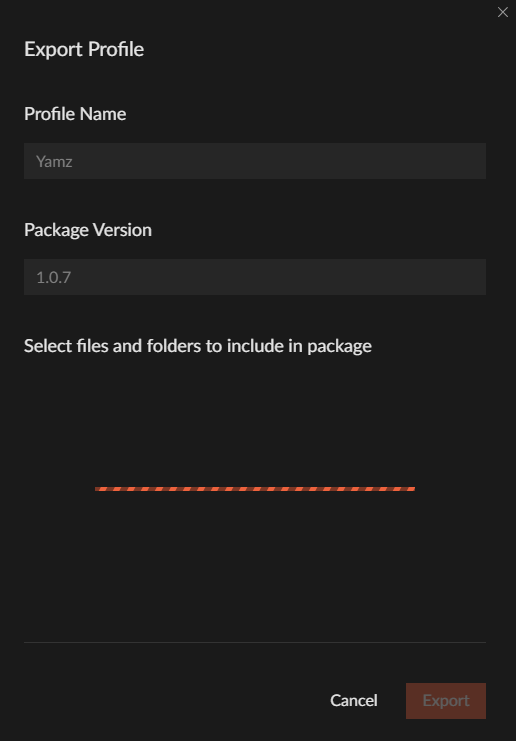 fleet bear
oh, they must have only removed part of it. I thought they full on minified it by the changelog.
last estuary
i removed the numbers and everything between the {} including the {}
lyric crescent
    "message": "Could not fetch addon file from service 363535/3106960",
    "type": "System.Collections.Generic.KeyNotFoundException",```
🆗oh yeah didnt the announcement say there is an error exporting
lyric crescent
nope
last estuary
lyric crescent
nope
so now the thing in the manifest is removed does this mean that it doesnt matter if the file isnt removed from the mods file
lyric crescent
well you should probably import it to test yourself if everything else is working correctly
last estuary
alright lemme try
lyric crescent
yea, manifest looks like it always has for me as well
i thought they were changing the instance file, not the manifest
lyric crescent
create custom profile > import
fleet bear
I read it as they where changing all modpack files to be smaller.
lyric crescent
minecraftinstance this file is one line now
 fleet bear
I take it you ignored the warning on export?
last estuary
i have not seen a warning lmao
last estuary
fleet bear
I take it you ignored the warning on export?
so yes
fleet bear
If you have stuff in overrides, you absolutely would have one.
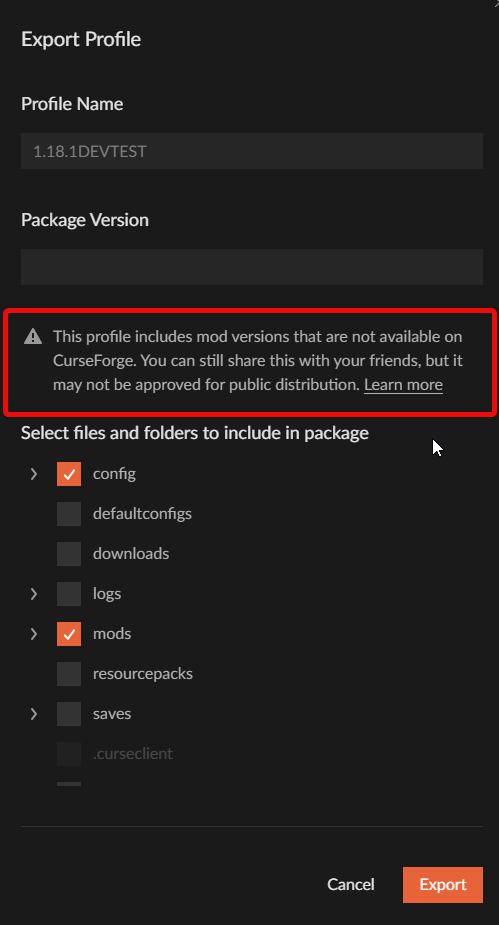
That always shows up if you have things in the overrides folder.
last estuary
ahhh
so the only thing i need to do is add the forgefabric through curse
and remove geckolib?
the problem is i need geckolib....
last estuary
oh damn
 compact relic
how do i stop getting mods in the overrides folder?
fleet bear
Delete and reinstall them.
lyric crescent
?reject-cfhosted
red patioBOT
The following files belong to CurseForge-hosted projects, and should therefore not be added directly to zip files:
-
Remove any mods listed in the error message from the profile you exported. Then reinstall them with the CurseForge app. DO NOT drag and drop files from the site.
-
Export the profile again, open the new zip that was just made. Check for the
overrides/modsfolder. If you still see any mods in that folder do the step above again for each mod. -
Upload the zip once complete and no more mods show in the
overrides/modsfolder.
last estuary
aight so it crashed but i have no clue what this means
 fleet bear
!notcf
red patioBOT
Your question is not related to CurseForge owned/maintained features or services.
Please use the appropriate game room by getting a game role from #786424115535544350.
Otherwise use #👽︱game-support for game related help.
CurseForge does not make or maintain any of the content or games used on the site or app. Just because it's on the site/app does not make it a problem with CurseForge. Move rooms as requested, arguing about it will result in you being removed from the discord.
last estuary
ah
 bright flax
hey i have a majour issue with 2FA i managed to fix it in my twitch side and have it bakc on my authenticator app but i cant do it for curseforge so i cant with draw my money is any one free to help please
!2fa
red patioBOT
:bug: Reporting via Website :bug:
Can't open the app or would rather use the website? You can do so here: https://support.curseforge.com/en/support/tickets/new
Fill out the form with accurate detailed information, "It doesn't work" isn't helpful! What exactly doesn't work and why doesn't it work should be easy to answer!
Make sure to upload your Overwolf logs with the Upload File option on the ticket, information on how to get these logs can be found here https://support.overwolf.com/en/support/solutions/articles/9000176827-how-to-get-your-overwolf-logs
bright flax
thanks i have sent that off how long does it nornmally take for a response
lyric crescent
1-7 days, depends on backlog
bright flax
ok ty
 clear root
Can an admin or mod write to me privately, would love to find out something that I am reluctant to post publicly. 😄
lyric crescent
DM me, but it better be worth it.
 vernal pumice
Good afternoon. One of the mods stole assets from my mod (Aquamirae) and my texture packs. It also stole assets from other mods, including Create.
Could you please figure this out?
https://www.curseforge.com/minecraft/mc-mods/lightstrudio-update
 vernal pumice
lyric crescent
got a link for the offending mod?
vernal pumice
lyric crescent
or your mod i guess
lyric crescent
vernal pumice
lyric crescent
got a link for the offending mod?
vernal pumice
lyric crescent
or your mod i guess
lyric crescent
Before I can report this, I see that their project is older than yours. So how do we know that they stole your assets? Do you have a record of who created the assets and gave you exclusive permission?
 cunning plume
So im playing on my school computer and when i try to load a mod pack it says you dont have permission to use minecraft launcher. the actual minecraft app works fine tho. anyway around this?
lyric crescent
You need to have user permissions to the folder curseforge installed to. Not something we can help with.
vernal pumice
lyric crescent
Before I can report this, I see that their project is older than yours. So how d...
All my packs are made in the same style and were created by me personally. All places that contain complete sets of assets (be they packs or mods) belong to me. At this time, this mod contains stumps of different assets, in completely different styles, which were stolen from different mods. The only thing that this man did himself - recolored the texture of the emerald by moving the "Hue" slider and drew a flat curved block to it. Could there be any questions about who is the owner?
lyric crescent
There could be, which is why I asked. Goes faster with evidence. Will pass this on to the relevant people.
 blazing fossil
Hey mods, just saw an ad for VEEV vape pens on the Minecraft modpack selection screen. I ain't offended or nothin, but it's trouble waiting to happen especially when Minecraft is catered to a younger audience.
queen storm
blazing fossil
Hey mods, just saw an ad for VEEV vape pens on the Minecraft modpack selection s...
!owlogs
red patioBOT
<:overwolf:857375414002384916> How to get Overwolf logs! <:overwolf:857375414002384916>
blazing fossil
Don't really get why you'd need logs for an ad that ya run on your servers? Not like it's stored in my memory
lyric crescent
Logs are needed to know which ad it is. Overwolf does not host ads. It's done through a 3rd party, like every ad service is.
queen storm
Forwarded to staff
blazing fossil
Thanks👍
digital roost
i cant get to the website
 lyric crescent
click the box?
digital roost
when i complete it just again pop to complete it
lyric crescent
Gunna have to wait for it to stop or try another connection. The issue is with cloudflare, nothing that can be done on CurseForge's end.
digital roost
hello
can I get rid of Overwolf and still have Curseforge on?
it's using like 190 MB of my already low 4GB ram
😂
lyric crescent
you can close both after hitting play.
queen storm
Using mods on 4GB of ram might not be enough though
digital roost
 digital roost
queen storm
Using mods on 4GB of ram might not be enough though
digital roost
queen storm
Using mods on 4GB of ram might not be enough though
Crucial 2, Volcano block Modded oneblock and Valhelsia 4 on 6 Chunks render distance works fine 🤣
used to play SkyFactory 4 before I installed discord and the modpack migrated to Curseforge rather than Twitch launcher
digital roost
lyric crescent
you can close both after hitting play.
thank you
 ornate marten
i can't play a single modpack 😭 when i launch it take 1 hours and when i create a world my game just crash...
pls help
lyric crescent
?mc-log
red patioBOT
Sending logs for support.
- Right-click the modpack profile icon OR click the button in the modpack profile.
- Click
Open Folder. - Open the
logsfolder. - Drag and drop the FILE named
latestORdebuginto discord.
ornate marten
where do i put the files ?
lyric crescent
last two words in step 4
ornate marten
okay but wich channel ?
lyric crescent
this..
lyric crescent
?mc-ram
red patioBOT
How to set Global Minecraft RAM value.
- Click the icon in the bottom left to open settings.
- Click the Minecraft tab.
- Scroll down.
- Slide slider to recommended ram range as seen below.
 lyric crescent
try 5-6gb
 orchid condor
Hello, I need some help. I have installed and reinstalled my overwolf and when I launch I see nothing. A black screen shows up for about .2 seconds and then nothing.
lyric crescent
!getcf
red patioBOT
Looking to install the CurseForge app?
<:windows:798410728188936222> Windows
Minimum Requirements:
- OS Version: 7 (64 bit), 8.1, 10, 11
- 64 bit Required.
- 350MB storage space.
- Microsoft .Net 4.8
- Intel/AMD quad-core CPU
- 8GB ram
Download: https://download.overwolf.com/install/Download?&PartnerId=4047
If you are having issues with the installer use the URL below to install Overwolf then go to the app store to download CurseForge.
https://content.overwolf.com/downloads/setup/latest/regular.html
<:mac:798410654418862130> Mac
Minimum Requirements:
- OS Version 10.14 or newer.
- 64 bit Required.
Download: https://curseforge.overwolf.com/downloads/curseforge-latest.dmg
:penguin: Linux
Minimum Requirements:
Yes.
Download: :person_shrugging:
lyric crescent
try the 2nd link
unborn basin
orchid condor
still not working
Restart your machine and try again
last estuary
hey hai ehm it says these files need to be added through curseforge but when i look inside of curseforge at the pack it says they are already there.
Example authme.


im guessing il just have to remove them then add them again and export again?
digital roost
Guys, can i install replaymod on medieval modpack, if that so how?
lyric crescent
?mc-modifypack
red patioBOT
How to add/remove mods in a modpack.
- Click on the picture of the modpack.
- Click the

Add More Contentbutton, IF this button is not there, see below before continuing. - Find the Mods, Resource Packs or Maps you wish to Install and click
Installon them. - Wait for all the required mods to be downloaded.
- Start the modpack.
How to Enable/Disable content management for modpacks.
- Click on the picture of the modpack.
- Click on the button next to the
Playbutton. - Click on

Profile Options. - Check the
Allow content management for this profileoption if you want to edit the content of the modpack, uncheck it to disable.
NOTE: The Allow content management for this profile option is what allows you to Delete, Disable, Update or Install any Mods, Resource Packs or Maps managed by CurseForge. It must be on to modify any of them! (Currently)
digital roost
thank you
orchid condor
unborn basin
Restart your machine and try again
will do
 twilit meadow
Why doesn't the download through website see my profiles?

Does it check for the exact game version?
winter solar
Hey umm.
Is there any way to bring back a deleted pack/mod?
@ me
It's saying I can't reupload 
upper root
Can you show the error?
upper root
twilit meadow
Does it check for the exact game version?
Yes, it needs to be the exact same game verison and the same mod loader
winter solar
upper root
Can you show the error?
Not an error, I just deleted it out of frustration and immediately regretted my decision

twilit meadow
upper root
Yes, it needs to be the exact same game verison and the same mod loader
Sad, cuz it works 🤷♂️ Should be a way to bypass it, although manually installing is a bypass 🤣
upper root
Not all mods are compatible between similar game versions, if the mod works on a different one then its up to the mod author to press like three buttons to tell CF it works
twilit meadow
Its a resource pack
upper root
winter solar
Not an error, I just deleted it out of frustration and immediately regretted my ...
Ooof.
Afaik there is not, however you could try open a ticket and they might know a way, or just remake the project
upper root
Yeah, you will need to make a minor change to it
Even just a blank pls_upload.txt file
upper root
twilit meadow
Its a resource pack
Same situation 🤷
 reef pollen
hey everyone, is it normal to fail the installation of a modpack? I've tried 3 times already and it failed at different points 😦
twilit meadow
upper root
Not all mods are compatible between similar game versions, if the mod works on a...
Would be nice if it just gave an error like this when trying to install it through the download button website to app
 upper root
!ideas
red patioBOT
<:CFidea:798388634972717066> Have an idea on how to improve CurseForge? <:CFidea:798388634972717066>
CurseForge is looking for great ideas and user feedback! Get into the CurseForge Community by providing some feedback and voting on what's important to you!
Think some game should be supported? Post an idea and explain why!
Got a to die for feature idea? Let's hear it!
Location In-app
- Click the
 button on the bottom left of the app.
 - Click on

Suggest a Featureoption!
upper root
reef pollen
hey everyone, is it normal to fail the installation of a modpack? I've tried 3 t...
Can you post a screenshot of the failure message, and tell us more info about what you are trying to install?
reef pollen
I'm trying to install the better minecraft forge modpack, I've got the error "failed to install modpack 482878"
I'll get the screenshot if it fails again in the current attempt

 white nacelle
I know it's been a while since this announcement: #📢︱news message
But is it safe to re enable debug.log now? (for minecraft)
 tropic fox
I have an issue where when I try to update Forge Better Minecraft from v52 to v53.5 just says "error has occurred" any possible fixes?
upper root
white nacelle
I know it's been a while since this announcement: https://discord.com/channels/4...
As long as you are using one of the forge versions that patches it, yes.
white nacelle
Ok thanks
 kindred valve
Is anyone else having issues downlaoding modpacks? I've had two separate packs fail to download in the past like 15 minutes.
reef pollen
kindred valve
Is anyone else having issues downlaoding modpacks? I've had two separate packs f...
I have
tropic fox
Same here
kindred valve
reef pollen
I have
it's weird because like an hour ago I downloaded a pack and everything was fine...must be a server issue or something
reef pollen
I don't know, my bro started to download the same pack when I did and he completed it without error
upper root
Can you guys each say which packs failed for you?
reef pollen
Better Minecraft Forge v12 for the latest MC version
tropic fox
Trying to update Forge Better Minecraft 1.16.5 from v52 to v53.5
kindred valve
upper root
Can you guys each say which packs failed for you?
Roguelike Adventures, Medieval Minecraft, and other I can't rememebr at the moment.
 tribal condor
curseforge keeps on crashing whenever i try and choose a modding folder
 tacit verge
All The Mods Six
 unreal patio
my friends and i just had this same issue trying to get monumental experience downloaded
orchid condor
Still isn't showing up. Just a black screen that disappears
tropic fox
and when i try to download v53.5 separately i get this error message
 kindred valve
tropic fox
and when i try to download v53.5 separately i get this error message
kindred valve
tropic fox
and when i try to download v53.5 separately i get this error message
I was getting messages just like that
 fervent creek
I just joined this discord and I am having the same issues^^
 fathom garden
same issue for me
orchid condor
I cant even get my overwolf to show up
fathom garden
yeah its super slow and not responding for me at all
fervent creek
I second that, really slow to load searches and everything else really
fathom garden
download forge mods throug a different launcher
tropic fox
fathom garden
yeah its super slow and not responding for me at all
Yea same here
fathom garden
i cant*
tropic fox
and when trying to change versions it doesnt even load up at times
fathom garden
yeah
fervent creek
yeah
fathom garden
u guys in eu ?
unreal patio
us
reef pollen
fathom garden
u guys in eu ?
yes
fathom garden
cause some friends in us
fervent creek
i am NA
 daring moth
im trying to download obfuscate so i can use it for kimetsu animation pack but it does this
 fathom garden
i am also in eu so thats why i was wondering
tropic fox
Im in the US
upper root
daring moth
im trying to download obfuscate so i can use it for kimetsu animation pack but i...
!owlogs can you send these here?
red patioBOT
<:overwolf:857375414002384916> How to get Overwolf logs! <:overwolf:857375414002384916>
fathom garden
when doing curse modpacks
digital roost
is curse slow today too?
upper root
Seems to be
 umbral quarry
lyric crescent
umbral quarry
lyric crescent
There is a patch going out currently which is likely the cause of slowness.
tropic fox
Oh wow sorry i didnt see that! Thank you!
daring moth
upper root
!owlogs can you send these here?
thanks man
fathom garden
ahh
the more u know that sucks XD
just when i opend a new modded server and everything 2
reef pollen
fathom garden
just when i opend a new modded server and everything 2
I feel you, I just bought a small server, guess I'll wait tomorrow
lyric crescent
Should be done in about 2 hours.
fathom garden
ah nice
kindred valve
Thanks for the heads up, sorry about the complaints!
digital roost
hey guys
daring moth
finally a discord server that's nice and isn't constantly saying racial slurs
digital roost
any ideas

i need help
my curse forge keeps just sitting on the loading screen in the mod packs
digital roost
like this
 digital roost
upper root
See <#525372338653626389>
digital roost
upper root
See <#525372338653626389>
BREHhhh
digital roost
upper root
See <#525372338653626389>
thanks!
red patioBOT
Error/Exit codes are useless. Follow these steps so someone can actually help you.
- Right-click the modpack profile icon OR click the button in the modpack profile.
- Click
Open Folder. - Open the
logsfolder. - Drag and drop the FILE named
latestORdebuginto discord.
 coral monolith
Hello! i can't access the profile option on the modpack Valhelsia 3. every time i try curshforge crashes with no error code or other message
red patioBOT
Error/Exit codes are useless. Follow these steps so someone can actually help you.
- Right-click the modpack profile icon OR click the button in the modpack profile.
- Click
Open Folder. - Open the
logsfolder. - Drag and drop the FILE named
latestORdebuginto discord.
coral monolith
ive tried to reinstall and now i get error code 388169
coral monolith
oh thanks!
damn hope it comes soon, my friends have a valheslsia server and it looks fun af
 blissful adder
Literally googled why it wasn't working and decide to join the discord haha
Hi all
coral monolith
welcoming to the minecraft moding emotional support group
blissful adder
lmao
coral monolith
upper root
See <#525372338653626389>
oh my lord scrolling up and seeing how many times cheif had to say "see anouncments"
blissful adder
Looooooooooool
coral monolith

 low karma
!owlogs
red patioBOT
<:overwolf:857375414002384916> How to get Overwolf logs! <:overwolf:857375414002384916>
 dull crown
when i want to install enigmatica 2 in 1.12.2 thats say me this
 dull crown
okay thanks
 topaz mist
hello, i was trying to download a minecraft modpack called "medieval minecraft" and i always gives me an error saying "one ore more errors occured" and i don't know what to do, thanks
 glad silo
the app is running incredibly slow
topaz mist
oh thanks
glad silo
is there any way i can speed it up
 delicate valve
The Curseforge is Bugging and lagging for me and my friends
topaz mist
glad silo
the app is running incredibly slow
it dosen't work
upper root
upper root
please see <#525372338653626389>
all of you
blissful adder
jesus
glad silo
topaz mist
it dosen't work
?
blissful adder
Ill let you carry on Chief haha
glad silo
ye i saw
topaz mist
that's why
glad silo
cute dog
delicate valve
I'm trying just to search a mod in the mod list and it is just lagging and not charging, is this going to be updated too?
delicate valve
Okay, thanks.
 mighty bluff
Hello, I am having an issue when I try to download RL Craft on Curse Forge...
 edgy coyote
i joined this discord to ask a question ab forge for minecraft
edgy coyote
edgy coyote
i joined this discord to ask a question ab forge for minecraft
so i downloaded the forge installer and i tried to install client for my minecraft launcher
lyric crescent
!notcf
red patioBOT
Your question is not related to CurseForge owned/maintained features or services.
Please use the appropriate game room by getting a game role from #786424115535544350.
Otherwise use #👽︱game-support for game related help.
CurseForge does not make or maintain any of the content or games used on the site or app. Just because it's on the site/app does not make it a problem with CurseForge. Move rooms as requested, arguing about it will result in you being removed from the discord.
lyric crescent
mighty bluff
Hello, I am having an issue when I try to download RL Craft on Curse Forge...
If you have an issue, you should say the issue.
mighty bluff
edgy coyote
so i downloaded the forge installer and i tried to install client for my minecra...
Forge is a different Server
mighty bluff
lyric crescent
If you have an issue, you should say the issue.
I am getting multiple different issues every time I try and install it.
I'll install it again, and take a picture of the issue.
 lyric crescent
that was an answer, not a question
mighty bluff
Ok
 undone void
i just joined and im getting the exact same issue and ive tried multiple modpacks
mighty bluff
undone void
i just joined and im getting the exact same issue and ive tried multiple modpack...
undone void
on it thanks
edgy coyote
why do i keep getting this thing when trying to install forge client
Failed to run processor: javax.net.ssl.SSLHandshakeException:PKIX path building failed: sun.security.provider.certpath.SunCertPathBuilderException: unable to find valid certification path to requested target
See log for more details.
lyric crescent
edgy coyote
Failed to run processor: javax.net.ssl.SSLHandshakeException:PKIX path building ...
Try reading the message I sent you.
undone void
appreciate the help yamza good work
 jade mason
so when will the hotfix be deployed? its been three hours since and im still getting failed to get mod loader from manifest and object reference not set to an instance
lyric crescent
2 hours FROM THAT MESSAGE
 upbeat lion
i'm assuming the fact that i cant seem to download and install any new modpacks whatsoever (due to various issues) also has to do with the #📢︱news that said not to change versions?
jade mason
YES THAT WAS 3 HOURS AGO
lyric crescent
that is not how time works dude
undone void
that was like 30 min ago
 indigo pond
jade mason
YES THAT WAS 3 HOURS AGO
indigo pond
jade mason
YES THAT WAS 3 HOURS AGO
its only been like 40 minutes
delicate valve
@jade mason no man... that message was 40 min ago
upper root
upbeat lion
i'm assuming the fact that i cant seem to download and install any new modpacks ...
yes, it is likely due to that
 void ingot
keeps happening

 lyric crescent
go to advanced and use the folder below
delicate valve
Hey @upper root Do u know if i can send a modpack that was choose manually to a friend, or I need to send him the names of those mods so he could download himself?
lyric crescent
?mc-path
red patioBOT
Change your install path to the following:
For Windows: C:\CurseForge
For Mac: /Users/Shared/CurseForge
If Minecraft is not installed in CurseForge App:
- Click the in the top left.
- Select Minecraft from the list of games.
- Select the
Advancedoption and pickC:\drive. - Click
Continue.
If Minecraft is installed in CurseForge App:
- Click the in the bottom left.
- Select the Minecraft tab.
- Click
Change. - Select the
C:\drive.
:no_entry_sign: Minecraft Files should NOT be installed inside the following locations :no_entry_sign:
:no_entry_sign: .minecraft folder.
:no_entry_sign: OneDrive folders.
:no_entry_sign: Desktop folder.
:no_entry_sign: iCloud enabled folders.
:no_entry_sign: or any other cloud saved folder.
:no_entry_sign: or folders with non-English characters in them.
If any of the above are in the path you need to change/move it!
upper root
delicate valve
Hey <@!812094192133996624> Do u know if i can send a modpack that was choose man...
!mc-packshare. Also please don't ping people randomly, #📛︱rules 5️⃣
!mc-packshare
red patioBOT
There are two ways to share a modpack you've made with others...
Export and Share - For Friends to Small Groups.
- Click the Icon for the modpack.
- Click the button next to play.
- Click
Export. - Select the files that should be included.
- Send the zip to the people that want it! They can follow the instructions in
!mc-installpackto install the pack!
Upload to Curseforge - For Public Release to Everyone.
This options will make your pack public to EVERYONE, it comes with extra requirements and will take some effort to set up.
- Go to here: https://www.curseforge.com/project/432/4471/create
- Fill out the information with a proper description of the pack. This should allow anyone to understand what the pack is.
- Click the Icon for the modpack in the CurseForge app.
- Click the button next to play.
- Click
Export. - Select the files that should be included.
- Open your Project you made on the CurseForge site and Upload the file you just made.
- Wait for Moderation & Sync so it can show up in the client! (See
!syncfor limitations)
upper root
thank you carl
void ingot
lyric crescent
go to advanced and use the folder below
didnt work
 dense perch
glad silo
dense perch
glad silo
will they make announcement when its fixed
 young bone
Likely
 worthy loom
how do I fix curseforge when it fails to install a modpack
 worthy loom
thank you
 narrow snow
lyric crescent
narrow snow
lyric crescent
most likely
 timid vortex
is anyone else having issues with the app atm?
upper root
timid vortex
is anyone else having issues with the app atm?
yes, see #📢︱news
 nocturne island
this error is because of the update too ?
 upper root
yes
timid vortex
upper root
yes, see <#525372338653626389>
aight thx
nocturne island
ok thx
 patent moss
hey so i just got curseforge and for some reason either when i try to download a minecraft mod it just pops up error unknown, also rlcraft wont work?
 agile glen
Hello, all of my modpacks disappeared? The My Modpacks tab just says "No profile currently installed"
did all of my modpacks and worlds get deleted???
patent moss
oh ok thanks! sorry i just got it so i didnt know
agile glen
I didn't try to change anything, my already installed modpacks are gone.
digital roost
Just a little question, how long should it take until the patch is fully developed?
 mint heron
digital roost
Just a little question, how long should it take until the patch is fully develop...
mint heron
digital roost
Just a little question, how long should it take until the patch is fully develop...
1hr
mint heron
mine was just being really slow to load
 late trail
is anyone having trouble installing modpacks for minecraft right now?
 alpine iris
I just want to clarify that everyone is having issues installing, playing, etc with modpacks.
upper root
alpine iris
is that correct?
Installing and updating, yes
alpine iris
okay, thank you
 jolly hazel
One message removed from a suspended account.
late trail
i was getting so pissed lol glad to see that im not the only one having a problem
thanks
jolly hazel
One message removed from a suspended account.
upper root
Please read at least 3 messages above you
jolly hazel
One message removed from a suspended account.
lyric crescent
looks like a number to me. without context its still just a number
 dusky condor
ok so i cannot access my modpacks on curse
 open prism
Is anyone else having insane delay time for curseforge's mod searching? I had this issue on 1.12.2 and thought it was just that. Then I found out it has this issue for all my versions...
 tawny coral
read guys, read!!
 warm rock
This is why I wish I could still download files normally! Downloading server files and other assets off of Curse Forge works fine but now that we are restricted to using the app it's become an utter nightmare.
 limpid cairn
announcement pethros and wookie
 jolly hazel
One message removed from a suspended account.
 round quest
alpine iris
jolly hazel
One message removed from a suspended account.
round quest
alpine iris
jolly hazel
One message removed from a suspended account.
I am too but I'm assuming its going to be fixed soon
glad silo
lol
open prism
Question about mod combos. What is a good world build combo with RLCraft? I wanted to find a few good ones
open prism
upper root
We know, please read <#525372338653626389> and like the 100 other identical rep...
Pin this
Make a pinned message here for it...
lyric crescent
its in a channel specifically for this, and no one reads pins either
upper root
open prism
Question about mod combos. What is a good world build combo with RLCraft? I want...
use #🧱︱minecraft-chat for stuff like this, or #🔎︱mod-hunting for prebuilt worlds
open prism
Understood. Moving there now
 fleet plinth
i keep getting this error code
red patioBOT
Error/Exit codes are useless. Follow these steps so someone can actually help you.
- Right-click the modpack profile icon OR click the button in the modpack profile.
- Click
Open Folder. - Open the
logsfolder. - Drag and drop the FILE named
latestORdebuginto discord.

 verbal matrix
indigo pond
verbal matrix
indigo pond
does no one scroll up and see if other people are having issues?
open prism
updating or patching or whatever
orchid condor
Im having issues even getting a modpack to download
open prism
indigo pond
does no one scroll up and see if other people are having issues?
I am pretty sure that no one does that these days
indigo pond
I guess not
digital roost
How do I change my minecraft folder to my D: drive everytime I do my curseforge crashes
upper root
!mc-path
red patioBOT
Change your install path to the following:
For Windows: C:\CurseForge
For Mac: /Users/Shared/CurseForge
If Minecraft is not installed in CurseForge App:
- Click the in the top left.
- Select Minecraft from the list of games.
- Select the
Advancedoption and pickC:\drive. - Click
Continue.
If Minecraft is installed in CurseForge App:
- Click the in the bottom left.
- Select the Minecraft tab.
- Click
Change. - Select the
C:\drive.
:no_entry_sign: Minecraft Files should NOT be installed inside the following locations :no_entry_sign:
:no_entry_sign: .minecraft folder.
:no_entry_sign: OneDrive folders.
:no_entry_sign: Desktop folder.
:no_entry_sign: iCloud enabled folders.
:no_entry_sign: or any other cloud saved folder.
:no_entry_sign: or folders with non-English characters in them.
If any of the above are in the path you need to change/move it!
upper root
You can use a different drive instead of C
digital roost
I tried I created whole new folder
 plain surge
Hey there, I'm trying to make a custom minecraft profile, however the majority of mods i try to install give me a "General Install Error", as well as the app loading pages
super slowly today
plain surge
oh shoot, thanks
digital roost
Its called D:/User/(my name)/Curseforge/minecraft, and I hit continue and then it crashes


 digital roost
No
upper root
in the top right
 valid sinew
upper root
click skip
valid sinew
upper root
click skip
thats what i get when i click skip
upper root
valid sinew
thats what i get when i click skip
That is fine then, just ignore the middle bit about updating
 tranquil ore
i downloaded rl craft but after a while i deleted it and now when i try to download it again its says faild to manifest what do i do?????? <@&524645667818307596>
dusky condor
supposed to be streaming 😦 on my server 😢
 vernal stirrup
I cant download any modpacks on the curseforge app, they all give different errors at different times
lyric crescent
for the love of god
valid sinew
valid sinew
uh should i trust this?
so uhh do i click allow?
digital roost
vernal stirrup
I cant download any modpacks on the curseforge app, they all give different erro...
upper root
valid sinew
so uhh do i click allow?
yes. if the file that downloads is not a forge.x.x.installer.jar then delete it and dont run it tho