#🔥︱curseforge-support
1 messages · Page 583 of 1
 dense current
dense current
dense current
bene a while but some via the app most via just adding into mods folder
they were picked up then too
 mint orchid
my curseforge app is saying An access violation occurred when attempting to install Minecraft launcher pls help me
 unborn basin
dense current
bene a while but some via the app most via just adding into mods folder
unborn basin
dense current
bene a while but some via the app most via just adding into mods folder
You must install them through the app, and if you add the mods manually the app must be open
dense current
done both of those
this is a new issue
the mods have been there for
days?
they just suddenly disappeared from the cf app
they were there yesterday
 red patioBOT
<:overwolf:857375414002384916> How to get Overwolf logs! <:overwolf:857375414002384916>
dense current
unborn basin
dense current
Try reinstalling Curseforge
unborn basin
dense current
Also - what do you see when you export the profile?
dense current
unborn basin
Also - what do you see when you export the profile?
same as usual, all mods are there and this message because we have an unpublished mod

every single mod is marked like that
lol

 solar dew
does anyone know how to turn off fog in medieval minecraft modpack?
 narrow escarp
Hi all! I hope y'all are well! Does anyone know if there is currently a delay, overall or in part, in reward programme payouts? I requested a payout according to the pattern that I was told to, and have, for the past few months, but it is taking much longer than usual. I just wasn't sure if there was an announcement that I missed or something. If anyone can point me to something or let me know, that would be awesome! Thanks, in advance!
 lyric crescent
narrow escarp
lyric crescent
narrow escarp
Thank you, so much! I knew I had to have missed something 😄
dense current
unborn basin
Try reinstalling Curseforge
nothing changed
 flat pelican
dense current
same as usual, all mods are there and this message because we have an unpublishe...
flat pelican
dense current
same as usual, all mods are there and this message because we have an unpublishe...
yep same
something up with the launcher, its also very slow
 hushed schooner
no matter what i do curseforge will not let me in it keeps saying "oops that was not supposed to happen" can someone please tell me what to do??🙏
 sweet jungle
can someone help me with that
lyric crescent
hushed schooner
no matter what i do curseforge will not let me in it keeps saying "oops that was...
send this
?owlogs
red patioBOT
<:overwolf:857375414002384916> How to get Overwolf logs! <:overwolf:857375414002384916>
lyric crescent
sweet jungle
can someone help me with that
?mc-installfix
red patioBOT
- Click on the Minecraft Tab on the Left side of the CurseForge App.
- Click
 button next to the
 Create Custom Profileoption. - Click

Repair Installationoption. - Play game.
NOTE: You will not lose any modpacks or worlds, These are saved in the Instances folder. DO NOT TOUCH THIS FOLDER OR YOU WILL LOSE EVERYTHING
 fleet bear
!notcf
red patioBOT
Your question is not related to CurseForge owned/maintained features or services.
Please use the appropriate game room by getting a game role from #786424115535544350.
Otherwise use #👽︱game-support for game related help.
CurseForge does not make or maintain any of the content or games used on the site or app. Just because it's on the site/app does not make it a problem with CurseForge. Move rooms as requested, arguing about it will result in you being removed from the discord.
 west bison
Hello, I would like to know if it's possible to play modded Minecraft offline ?
fleet bear
not with CF app
 digital roost
Every time I launch curseforge it says I need to leave the windows insider program, I already left it, also the guides are not working someone please help me
fleet bear
digital roost
Every time I launch curseforge it says I need to leave the windows insider progr...
?overwolf-support Go here and get help with that.
red patioBOT
 mild seal
Hi, was going through 1.16.5 mods. Found a mod called "Craftee Custom Pickaxe" it has in it's description "SUPPORT ME AND GET THE Premium ONE BY JOINING MY PATREON!" isn't that against TOS? Free version has the tools, but no crafting recipes, or abilities. Premium supposedly has the recipes and abilities.
fleet bear
mild seal
Hi, was going through 1.16.5 mods. Found a mod called "Craftee Custom Pickaxe" i...
link please?
fleet bear
oh.. looks like they have a whole pile of mods that do this
mild seal
...oh
fleet bear
I don't think this is or should be allowed. I'll pass it off to the moderation team
 glass kite
Uhh am I alone or is curseforge having some issues?
The website isn't loading anymore
 sly mist
glass kite
The website isn't loading anymore
sly mist
glass kite
The website isn't loading anymore
having those issues too
glass kite
Sometimes it loads very slowly and othertimes it's just down
sly mist
I thibk it might be down
Idk tho
I'm tryna make a server and it
it's just like, no
No you cannot install mods because I will not load >:)
 karmic siren
Having the same issue. Takes me 1-2 mins to load a page 🙂 Got a timeout error while updating my mod
sly mist
God damn
 gleaming walrus
glass kite
Uhh am I alone or is curseforge having some issues?
gleaming walrus
glass kite
Uhh am I alone or is curseforge having some issues?
not loading for me as well
karmic siren
karmic siren
Having the same issue. Takes me 1-2 mins to load a page 🙂 Got a timeout error w...
Actually the new jar got through. Nice
lyric crescent
Don't need everyone to spam that it's down. It is down, the devs have been notified.
sly mist
lyric crescent
Don't need everyone to spam that it's down. It is down, the devs have been notif...
Well the community is biggy confused so obviously they're either gonna go to twitter or the discord server to see if anyone else is having that problem, thanks for telling us the devs were notified tho
 drifting heron
looks like the site is having issue? very slow page loading and errors when trying to upload a new version of my addon
opsa... I should read just above before posting...
looks like it's working better now
 kind kestrel
Is curseforge not working right now?
kind kestrel
Nice
digital roost
can somebody help me when i try and go 2 the website it just "loads" forever
 valid finch
digital roost
can somebody help me when i try and go 2 the website it just "loads" forever
valid finch
digital roost
can somebody help me when i try and go 2 the website it just "loads" forever
Look in Announcements
 onyx knot
Is their a way to download an older server pack version? im trying to transfer my friends server to my pc but its on forge .19 and now when i download the server pack i get forge .20
The pack is allthemods 6 if that helps
If anyone knows id love to know cause ive been trying to make this work for a while ❤️
 honest stump
so im trying to load a modpack and its crashing (like always) and i really dont want to turn off 70 mods one at a time to see which ones not working
can someone help or take a look at the logs?
 upper root
post the logs into #👽︱game-support
 opal turtle
Hello, I'm having some problem on aternos server and a moderator told me that probably here someone could help me with a "log4j exploit" error, where can I get help?
 signal ridge
opal turtle
Hello, I'm having some problem on aternos server and a moderator told me that pr...
signal ridge
opal turtle
Hello, I'm having some problem on aternos server and a moderator told me that pr...
!notcf
red patioBOT
Your question is not related to CurseForge owned/maintained features or services.
Please use the appropriate game room by getting a game role from #786424115535544350.
Otherwise use #👽︱game-support for game related help.
CurseForge does not make or maintain any of the content or games used on the site or app. Just because it's on the site/app does not make it a problem with CurseForge. Move rooms as requested, arguing about it will result in you being removed from the discord.
 viscid knot
im having an issue where some mods will crash my game as i load it. is this just an issue with curseforge not having a stable version yet, or is it something i can fix?
as an example i can try downloading DynamicSurroundings in 1.18, load it into my curse folder, and it will crash my game as soon as it loads :P
lyric crescent
The message above applies to that.
viscid knot
oh? alrighty
onyx knot
Anyone knows something about mine?
honest stump
dude the curseforge website takes like 5 minutes to load
signal ridge
onyx knot
Anyone knows something about mine?
Click the files tab on the site > download the server pack you want
honest stump
no other website is taking that long
 somber quiver
i tried to load up pixelmon, and when it was launching, it INSTANTLYT crashed
hlep
i just tried another modpack but still can't
upper root
!mc-logs into #👽︱game-support
red patioBOT
Sending logs for support.
- Right-click the modpack profile icon OR click the button in the modpack profile.
- Click

Open Folder. - Open the
logsfolder. - Drag and drop the FILE named
latestORdebuginto discord.
 woeful nimbus
is there a reason why the Sites giving an error when trying to do anything on it
somber quiver
is it becz im on mac?
signal ridge
somber quiver
i clicked the open folder but then there is no logs folder
!mc-installfix try this then
red patioBOT
- Click on the Minecraft Tab on the Left side of the CurseForge App.
- Click button next to the
Create Custom Profileoption. - Click
Repair Installationoption. - Play game.
NOTE: You will not lose any modpacks or worlds, These are saved in the Instances folder. DO NOT TOUCH THIS FOLDER OR YOU WILL LOSE EVERYTHING
somber quiver
that makes it so that i don't have the logs folder
onyx knot
signal ridge
Click the files tab on the site > download the server pack you want
Site still down but thanks!
signal ridge
woeful nimbus
is there a reason why the Sites giving an error when trying to do anything on it
 unkempt briar
ok thanks
woeful nimbus
Hoping we dont have a repeat of last year or the year before where we could not use the site on Christmas lol
 agile lynx
So I'm having trouble downloading a mod. It keeps saying "mod resolution took too long" after it loads.
 dense storm
agile lynx
dense storm
agile lynx
What
agile lynx
Oh ok
 frozen sierra
my curseforge app is just stuck on the loading screen
signal ridge
Use the app to download mods for now
frozen sierra
frozen sierra
my curseforge app is just stuck on the loading screen
it just says forging your library
help?
signal ridge
Are you on wifi or ethernet?
signal ridge
able to try a cable?
signal ridge
!webclient try these steps
red patioBOT
Timeout/WebClient errors are from networking issues to your computer. You can try a few things to fix it:
- Restart the computer.
- Restart your router/modem.
- Try another internet source like a hotspot, wired connection or moving closer to the WiFi.
- Pause/Stop other things using the internet. (Streams, music, etc)
- If this still doesn't work, try again in an hour and hope your connection is stable.
frozen sierra
ok
 inner fractal
The website is hardly loading for me too if anyone else having that issue
signal ridge
inner fractal
The website is hardly loading for me too if anyone else having that issue
For site issue see #📢︱news
inner fractal
signal ridge
For site issue see <#525372338653626389>
Thanks
digital roost
is it possible to download only mods and not just modpacks from the app?
signal ridge
somber quiver
doesn
you tried all 5 options? Just now?
 cloud violet
digital roost
is it possible to download only mods and not just modpacks from the app?
cloud violet
digital roost
is it possible to download only mods and not just modpacks from the app?
Yes
signal ridge
digital roost
is it possible to download only mods and not just modpacks from the app?
!mc-installmods
red patioBOT
How to install mods in CurseForge App.
- Click
+ Create Custom Profile - Name it, select the required Minecraft version, select the Forge version (usually the highest number), click
Create. - Click the profile icon.
- Click
Add More Content - Search and install the desired mods.
- Start the game!
How to install mods not on CurseForge.
- Right click the profile picture or Open the profile and click the Icon next to the play button.
- Click
Open Folder. - Drag the mod(s) into the
modsfolder. (Note: Some mods will require others, to run. Make sure to read the instructions for the mod!) - Start the game!
 signal ridge
cloud violet
Yes
signal ridge
cloud violet
Yes
Even trying again in an hour from now?
cloud violet
wrong person 😛
signal ridge
... Damn clicks
digital roost
signal ridge
!mc-installmods
THANKS
 oak owl
is it possible to get Divine Journey 2 on tlauncher ?
 gleaming needle
Is there a way to get a graph of downloads per day for my mod
fleet bear
not currently
gleaming needle
is there a way to get that data in any format?
fleet bear
no


 brisk perch
i need some help
 bright dust
nvm I got figured out how
brisk perch
bright dust
nvm I got figured out how
could you help me
bright dust
brisk perch
could you help me
With?
brisk perch
i cant see the mod pack i downloaded
 torpid swift
😰
onyx knot
Is their a way to see what forge version the server pack is using?
 formal haven
how do i fix it from instantly crashing and having exit 0 code
upper root
!mc-logs and into #👽︱game-support
red patioBOT
Sending logs for support.
- Right-click the modpack profile icon OR click the button in the modpack profile.
- Click
Open Folder. - Open the
logsfolder. - Drag and drop the FILE named
latestORdebuginto discord.
flat pelican
all mods updated since 15 hours ago arent showing up in the launcher, idk if something that you need to be beware of to fix but yeah cant update since it doesnt recognize any mods added since then. that has something to do with the website then ignore this
 mint pendant
plz help in download forge

 queen storm
!notcf
red patioBOT
Your question is not related to CurseForge owned/maintained features or services.
Please use the appropriate game room by getting a game role from #786424115535544350.
Otherwise use #👽︱game-support for game related help.
CurseForge does not make or maintain any of the content or games used on the site or app. Just because it's on the site/app does not make it a problem with CurseForge. Move rooms as requested, arguing about it will result in you being removed from the discord.
 quasi bough
help please!
 queen storm
Is that using curseforge?
mint pendant
yes
queen storm
mint pendant
yes
Show the full window then
mint pendant
queen storm
Show the full window then
 queen storm
That is forge, not curseforge -.-
mint pendant
sorry
queen storm
!notcf
red patioBOT
Your question is not related to CurseForge owned/maintained features or services.
Please use the appropriate game room by getting a game role from #786424115535544350.
Otherwise use #👽︱game-support for game related help.
CurseForge does not make or maintain any of the content or games used on the site or app. Just because it's on the site/app does not make it a problem with CurseForge. Move rooms as requested, arguing about it will result in you being removed from the discord.
 languid quarry
hey so i cant place the cooking pot on anything in croptopia , why is this?
queen storm
digital roost
Hello i need some help im trying to download a modpack on curseforge but it will give me this error when downloading it does anybody know hot to fix this? [Btw translation is: An exception occurred during a Web client request]
 red patioBOT
Timeout/WebClient errors are from networking issues to your computer. You can try a few things to fix it:
- Restart the computer.
- Restart your router/modem.
- Try another internet source like a hotspot, wired connection or moving closer to the WiFi.
- Pause/Stop other things using the internet. (Streams, music, etc)
- If this still doesn't work, try again in an hour and hope your connection is stable.
digital roost
alr ty
 junior onyx
I wanted to download a mod called immersive portals but found out its for fabric, is there any way i can use that farbic mod with forge cuz ive downloaded all the other mods for forge for my world
there is a forge version for that mod but its for 1.15.
queen storm
Can't mix fabric and forge
junior onyx
aw 😦
junior onyx
queen storm
Can't mix fabric and forge
Do u know any other mod like immersive portals for forge?
 worn solar
Hi everybody! can someone help me fixing the error code 0 issue? here is the log
red patioBOT
Error/Exit codes are useless. Follow these steps so someone can actually help you.
- Right-click the modpack profile icon OR click the button in the modpack profile.
- Click
Open Folder. - Open the
logsfolder. - Drag and drop the FILE named
latestORdebuginto discord.
worn solar
worn solar
Hi everybody! can someone help me fixing the error code 0 issue? here is the log
btw i only have this problem when i load the modpack

 mild quarry
You would have to use wayback machine
queen storm
Then how can anybody check the license on it?
mild quarry
I mean it's obviously stolen
queen storm
Licensing can allow that silly
mild quarry
queen storm
Like that is anything new
Don't think we can do anything without any license, working website or anything that can be held without an archive site
torpid swift
Please dont count this as spam, but is the website back up yet? Just wondering
queen storm
torpid swift
Please dont count this as spam, but is the website back up yet? Just wondering
Check for your self? Probably is
No license on it
torpid swift
queen storm
Check for your self? Probably is
Im away from my computer atm. Ill check on my phone though. Thanks
queen storm
Then let the original maker contact Curseforge via a ticket, he is the only one who can fight this
 fleet hinge
hello.. I was wondering if you would approve my project on curseforge its called imaginarium and has an illuminati simble
red patioBOT
Project Moderation Time
Project/File moderation is done on these days unless otherwise mentioned:
Sunday, Monday, Tuesday, Wednesday, Thursday: <t:1631170800:t> - <t:1631199600:t> (Your time)
Friday, Saturday: No Moderation!
Projects are moderated First in, First out. If you submit late in the work day, it will likely get left until the next day!
New Projects or anything flagged for manual review: 1-3 Working Days
Updates to approved projects not needing manual approval: 1 Hour
-If your file has been "Under Review" for more than an hour, then it is at manual review!
Changes will only show in the app if the project meets the requirements in the ?sync command and up to 24 hours has passed from when it was accepted.
 slate pier
hey can someone help me here? when I click install on my modpack in the browser, the launcher opens but nothing happens. and when i look for the modpack in the launcher i can't find it. this is also the case with other users with my modpack
red patioBOT
Sync and your Project.
CurseForge App and site do not share the same requirements! You can find things on the site but this does not mean it will be in the app!
For a mod to show up in the app:
- Projects MUST have a file marked as RELEASE
 or BETA
- Projects MUST be APPROVED
- Projects MUST have a file marked for the GAME VERSION SELECTED/LOADED
- Projects CAN'T be EXPERIMENTAL
- Projects CAN'T be ABANDONED
Files can take a while to show up in the app. If your files still have not shown up either your project is new and you have yet to mark a file as Release/Beta or there is issues with the sync system making it slow.
Vote this issue up if you would like to know when the last sync was! https://curseforge-ideas.overwolf.com/ideas/CF-I-1617
lyric crescent
quit doing that. use #🟢︱user-bot-spam
fleet hinge
ok thx
worn solar
How can I fix the error 0 issue?
red patioBOT
Sending logs for support.
- Right-click the modpack profile icon OR click the button in the modpack profile.
- Click
Open Folder. - Open the
logsfolder. - Drag and drop the FILE named
latestORdebuginto discord.
queen storm
worn solar
worn solar
Hi everybody! can someone help me fixing the error code 0 issue? here is the log
Here is the log
For people who usually post their logs here, how much time does it takes for someone to read it?
queen storm
It is being read, but people also need to know the solution to the problem
lyric crescent
try removing better foliage. if not that you'll need to remove mods until it stops. nothing in the log points to the issue
lyric crescent
i think it's because i've seen betterfoliage having issues for other people
worn solar
Mmh
Ok
Ok so, it still doesn't work even without better foliage
So I need to disable every mod and see which one doesn't work?
lyric crescent
or start from the beginning and test every time you add like 2-3 mods.
 lyric crescent
sure
worn solar
Ok
Gonna try that
Ok so, I disabled every mod except the libraries
And here is what happens
 lyric crescent
For further support on this issue, please move to #👽︱game-support as this isnt directly related to curseforge.
worn solar
Ok
 limber iris
The game crashed whilst initializing game
Error: java.lang.VerifyError: get long/double overflows locals
Exit Code: -1
red patioBOT
Error/Exit codes are useless. Follow these steps so someone can actually help you.
- Right-click the modpack profile icon OR click the button in the modpack profile.
- Click
Open Folder. - Open the
logsfolder. - Drag and drop the FILE named
latestORdebuginto discord.
limber iris
queen storm
limber iris
Follow #📛︱rules 4
limber iris
queen storm
Follow <#777323206884327484> 4
sry
lyric crescent
need to contact the pack developer for that issue
 true leaf
lyric crescent
true leaf
lyric crescent
?projectissue
red patioBOT
Please visit the project page for the content you posted about and look for a way to contact the developer.
Somewhere on the page there is usually a method of contact. Look for one of the following things:
Issuestab like the image below.- Discord link.
- Twitter link.
- Comments section below the project.
If no contact method exists you will either have to remove the project or find a solution on your own.
 true leaf
true leaf
true leaf
it says i have the wrong fabric loader, and i cant change that, how can i fix that went on to options and clicked advanced and changed version.
queen storm
!mc-editpack
red patioBOT
How to add/remove mods in a modpack.
- Click on the picture of the modpack.
- Click the

Add More Contentbutton, IF this button is not there, see below before continuing. - Find the Mods, Resource Packs or Maps you wish to Install and click
Installon them. - Wait for all the required mods to be downloaded.
- Start the modpack.
How to Enable/Disable content management for modpacks.
- Click on the picture of the modpack.
- Click on the button next to the
Playbutton. - Click on

Profile Options. - Check the
Allow content management for this profileoption if you want to edit the content of the modpack, uncheck it to disable.
NOTE: The Allow content management for this profile option is what allows you to Delete, Disable, Update or Install any Mods, Resource Packs or Maps managed by CurseForge. It must be on to modify any of them! (Currently)
lyric crescent
Why are you still sending this stuff here?
The people who own the thing being "stolen" need to be reporting it with proof. This isn't a drama channel, it's a support channel.
 fathom mulch
Hello, I have a problem with minecraft, when I play any modpack from curseforge I can't play my profiles from my own minecraft launcher. When I open minecraft it opens minecraft with modpack which I playing right now.
1st screenshot is when I am in E2E modpack and second when I close it.
Idk how describe my problem better.....

 queen storm
That is working as intended
lyric crescent
modpacks are not installed to the vanilla client, what curseforge does is entirely seperate
fathom mulch
I understand
I mean I need to start modpack from second screenshot, but when I open minecraft it shows only current modpack from curseforge
queen storm
Why do you want to start minecraft twice?
fathom mulch
Old 1.12 modpacks need a lot of time to start
lyric crescent
load time isnt related to curseforge
fathom mulch
And I don't want to start it again if I need to start modpack from new launcher just for a few minutes to do some things
fathom mulch
lyric crescent
load time isnt related to curseforge
The problem is that I need to start second minecraft
lyric crescent
you cant open two packs at the same time
fathom mulch
But I cant cuz it shows only from curseforge
fathom mulch
lyric crescent
you cant open two packs at the same time
I can...
lyric crescent
then what are you asking about?
fathom mulch
I cant cuz when I open minecraft it shows only modpack from curseforge
lyric crescent
correct, you can not do that with curseforge
fathom mulch
Why? I cant do anything with always opening curseforges's minecraft while I am playing modpack from curseforge?
lyric crescent
it's not designed to be able to do that
fathom mulch
I can open two different modpacks from curseforge so why I cant open my minecraft?
lyric crescent
???
fathom mulch

Fot example like this
Curseforge can start another modpack
But why I cant start my minecraft?
lyric crescent
i dont see how issues launching vanilla minecraft relate to curseforge
fathom mulch
I opened minecraft
digital roost
im having a game issue, first time downloading tho
 lyric crescent
this isnt support for the minecraft launcher, and your issue makes no sense to me. i dont even know what you're talking about
fathom mulch
Problem in curseforge
Right now I have an opened modpack from curseforge
And I cant start mine modpack
lyric crescent
because?
fathom mulch
fathom mulch
Right now I have an opened modpack from curseforge
.
When I close it everything is fine and I can start my modpack
lyric crescent
lyric crescent
because?
.
i can do that too..
fathom mulch
But thats stupid
fathom mulch
fathom mulch
When I close it everything is fine and I can start my modpack
This*
lyric crescent
so what is the problem?
lyric crescent
why not
fathom mulch
I have an opened modpack from curseforge
lyric crescent
then close it
lyric crescent
that is what im asking you
your only explaination is that you have something open
this tells me nothing useful
fathom mulch
lyric crescent
your only explaination is that you have something open
I have opened minecraft
Modpack
lyric crescent
lol..
if something being opened stops you from opening something else, then close it. seems like a simple solution to the problem
fathom mulch
lyric crescent
if something being opened stops you from opening something else, then close it. ...
No
I can do it
But I need to open it once again
 wispy timber
why do you need to have 2 modpacks open simultaneously
fathom mulch
But curseforge can start any other modpack without closing
digital roost
i think he want to multitask idk
fathom mulch
wispy timber
why do you need to have 2 modpacks open simultaneously
To do things on server for 5 minutes, leave and continue playing modpack
wispy timber
has this happened before with your modpack?
it could be due to a mod incompatibility
fathom mulch
No no
digital roost
i ave kind of an idea, all of the exit codes could be caused by the fix for the exploit?
lyric crescent
exit code is a crash, has nothing to do with any exploit
wispy timber
fathom mulch
No no
would it be putting your ram usage too high?
 ember willow
Hey can anyone help me, when i start curseforge it says "seems like we could load curseforge"
fathom mulch
wispy timber
would it be putting your ram usage too high?
I have enough ram for running 2 minecrafts in the same time
lyric crescent
ember willow
Hey can anyone help me, when i start curseforge it says "seems like we could loa...
?owlog send this
ember willow
here?
red patioBOT
<:overwolf:857375414002384916> How to get Overwolf logs! <:overwolf:857375414002384916>
lyric crescent
yes
wispy timber
fathom mulch
I have enough ram for running 2 minecrafts in the same time
do you get any kind of feedback when you try to start, a crash, or just no minecraft launcher?
fathom mulch
wispy timber
do you get any kind of feedback when you try to start, a crash, or just no minec...
It just opens launcher
wispy timber
and when you press play?
fathom mulch
fathom mulch
Hello, I have a problem with minecraft, when I play any modpack from curseforge ...
But I need to start this
digital roost
i dont get any crashlogs
lyric crescent
Here's a thought. The thing your trying to open twice.. is it using the same version of forge?
and the other things you can open, are they using diffrent versions of forge than the opened thing?
wispy timber
fathom mulch
But I need to start this
have you tried opening just the vanilla launcher without using curseforge?
fathom mulch
wispy timber
have you tried opening just the vanilla launcher without using curseforge?
I do this
wispy timber
alright, I can't help you, im sorry
may I make a thread for an issue I need help with later?
digital roost
@wispy timber i need help with something
wispy timber
sorry I have to go
fathom mulch
Yamaza, I think I will describe perfectly my problem to any russian speaking moderator, is here any?
lyric crescent
no
fathom mulch
😢
lyric crescent
lyric crescent
Here's a thought. The thing your trying to open twice.. is it using the same ver...
.
fathom mulch
Oh this was for me
wait what
I think problem solved but idk how
Oh I found a solution
But it is very strange
I just opened second curseforge instance and closed it
And now I am able to start my own modpacks
signal ridge
 green fossil
Looks like the mod sapience is causing the issue.
worn solar
hey! ive been trying all day to search problems in my modpack but cant find them. whats the problem?
lyric crescent
This is not modpack support. #👽︱game-support or #🧱︱mc-other-help
wispy timber
it's okay for me to make a thread as to not clog up the channel right?
lyric crescent
Why would you need a thread
wispy timber
that's a good point.
how can I change the installation directory for my curseforge app?
lyric crescent
?mc-path similar to this
red patioBOT
Change your install path to the following:
For Windows: C:\CurseForge
For Mac: /Users/Shared/CurseForge
If Minecraft is not installed in CurseForge App:
- Click the
 in the top left.
 - Select Minecraft from the list of games.
- Select the
Advancedoption and pickC:\drive. - Click
Continue.
If Minecraft is installed in CurseForge App:
- Click the
 in the bottom left.
 - Select the Minecraft tab.
- Click
Change. - Select the
C:\drive.
:no_entry_sign: Minecraft Files should NOT be installed inside the following locations :no_entry_sign:
:no_entry_sign: .minecraft folder.
:no_entry_sign: OneDrive folders.
:no_entry_sign: Desktop folder.
:no_entry_sign: iCloud enabled folders.
:no_entry_sign: or any other cloud saved folder.
:no_entry_sign: or folders with non-English characters in them.
If any of the above are in the path you need to change/move it!
wispy timber
alright, say I copy my C:\Curseforge folder to my D drive and change my install path to D:\Curseforge, will this migrate my minecraft world data to that path too, and am I safe to delete the C:\Curseforge?
lyric crescent
Moving things manually usually doesn't go well. You will likely need to reinstall any packs and then move the save over
wispy timber
alright, I already manually moved it so I'll test that and if it doesn't work I'll do what you said
it seems to have worked, can I check the directory of a world from minecraft itself?
lyric crescent
what
 unique helm
My custom modpack is for mc version 1.18.1
How do I install 1.18 mods
Cuz I heard they should work fine with 1.18.1
red patioBOT
How to install mods in CurseForge App.
- Click
+ Create Custom Profile - Name it, select the required Minecraft version, select the Forge version (usually the highest number), click
Create. - Click the profile icon.
- Click
Add More Content - Search and install the desired mods.
- Start the game!
How to install mods not on CurseForge.
- Right click the profile picture or Open the profile and click the Icon next to the play button.
- Click
Open Folder. - Drag the mod(s) into the
modsfolder. (Note: Some mods will require others, to run. Make sure to read the instructions for the mod!) - Start the game!
unique helm
oo fancy
 worthy agate
flat pelican
all mods updated since 15 hours ago arent showing up in the launcher, idk if som...
worthy agate
flat pelican
all mods updated since 15 hours ago arent showing up in the launcher, idk if som...
Can say I have this problem
digital roost
whats the name of the optifine mod for 1.16
red patioBOT
Your question is not related to CurseForge owned/maintained features or services.
Please use the appropriate game room by getting a game role from #786424115535544350.
Otherwise use #👽︱game-support for game related help.
CurseForge does not make or maintain any of the content or games used on the site or app. Just because it's on the site/app does not make it a problem with CurseForge. Move rooms as requested, arguing about it will result in you being removed from the discord.
digital roost
k
 merry quarry
lyric crescent
merry quarry
lyric crescent
?owlogs send this
red patioBOT
<:overwolf:857375414002384916> How to get Overwolf logs! <:overwolf:857375414002384916>
 silent moth
My Modpacks aren't show in the App. I have selected the right folder and all and when I create a new modpack instance, it gets installed in the same folder. But all my other instances which are in the same folder aren't shown in the app for some reason
any ideas?
lyric crescent
 broken hedge
I'm having a problem where I don't receive any damage using curseforge mods, anyone know a fix?
red patioBOT
Your question is not related to CurseForge owned/maintained features or services.
Please use the appropriate game room by getting a game role from #786424115535544350.
Otherwise use #👽︱game-support for game related help.
CurseForge does not make or maintain any of the content or games used on the site or app. Just because it's on the site/app does not make it a problem with CurseForge. Move rooms as requested, arguing about it will result in you being removed from the discord.
 ebon burrow
curseforge not launcing any help?
 azure wraith
Hello, has anyone encountered this problem? In my modpack, the new version of Replay Mod is not approved CurseForge


The Non-CurseForge mod list doesn't say anything about mod versions.
lyric crescent
is the author correct? link where you got it from?
azure wraith

Google Docs
Main
Mods are sorted alphabetically. Use the tabs at the bottom of the page to search for a specific mod by name.
Request a new non-CurseForge mod
ebon burrow
lyric crescent
is the author correct? link where you got it from?
do you know why curseforge wont launch
lyric crescent
the mod
azure wraith
Minecraft ReplayMod
The official download page for the Minecraft Replay Mod, where you can download
every version ever released.
lyric crescent
link your project also
azure wraith
I have two versions, one with Russian localization, the other English. The English localization with the new version of Replay Mode was approved, but for some reason the Russian not.
lyric crescent
passed the issue to the cf devs
azure wraith
Thanks
lyric crescent
ebon burrow
curseforge not launcing any help?
Need a better explanation
 rapid stream
Curseforge is making mod folders in my mod folder and my mode won’t show up in MC how to fix???
queen storm
Show screenshot of that please
rapid stream
Okay one sec

 lyric crescent
curseforge cannot install to that folder by design
ebon burrow
lyric crescent
Need a better explanation
when i try to launch curseforge it closes it self when the loding is done
lyric crescent
?owlogs send this
red patioBOT
<:overwolf:857375414002384916> How to get Overwolf logs! <:overwolf:857375414002384916>
lyric crescent
no
digital roost
ok im not gonna use it rn
 split latch
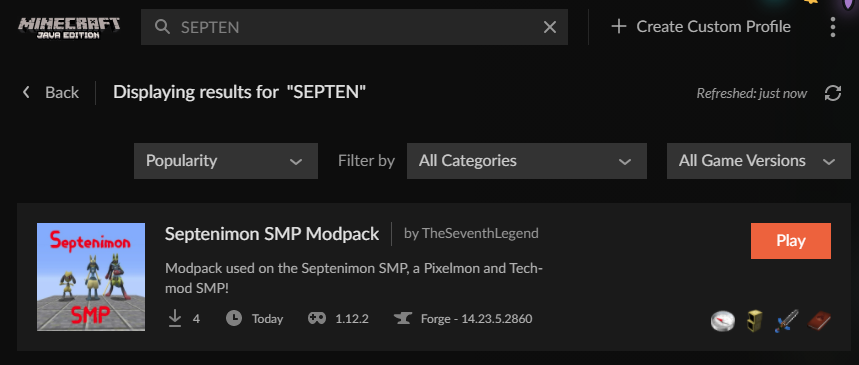
For some reason my friends get timed out when downloading a modpack i made today, i'm able to download it absolutely fine though. it's this one: https://www.curseforge.com/minecraft/modpacks/septenimon-smp-modpack
Is there a problem with the pack that isn't effecting me for some reason? Or is curseforge having issues or smth atm?
queen storm
Internet speed
split latch
not just 1, this is 3 people
no way it's the same issue for all 3
2 of them have like twice my internet speed
lyric crescent
you included pixelmon, that is a large mod and slow internet has issues with it
split latch
yes but again these two have significantly better speed than me, we've ran internet speed tests to check, first thing we did
 split latch
hmm, well i guess we'll keep trying, ill let them know to maybe restart their wifi or smth idk
lyric crescent
!webclient
red patioBOT
Timeout/WebClient errors are from networking issues to your computer. You can try a few things to fix it:
- Restart the computer.
- Restart your router/modem.
- Try another internet source like a hotspot, wired connection or moving closer to the WiFi.
- Pause/Stop other things using the internet. (Streams, music, etc)
- If this still doesn't work, try again in an hour and hope your connection is stable.
split latch
thanks for confirming the pack isn't just broken
 lost berry
Hey can someone help me out
I have a 1.18 Modpack in CurseForge
when I launch the modpack through CurseForge, my game launches in version 1.17
upper root
!mc-installfix try this (and double check it is a 1.18 pack)
red patioBOT
- Click on the Minecraft Tab on the Left side of the CurseForge App.
- Click button next to the
Create Custom Profileoption. - Click
Repair Installationoption. - Play game.
NOTE: You will not lose any modpacks or worlds, These are saved in the Instances folder. DO NOT TOUCH THIS FOLDER OR YOU WILL LOSE EVERYTHING
lost berry
thanks
 cobalt shoal
lol why does it look like the mod has more downloads than all of the file downloads summed up
 plush bobcat
What’s the longest a modpack should be under review for
red patioBOT
Project Moderation Time
Project/File moderation is done on these days unless otherwise mentioned:
Sunday, Monday, Tuesday, Wednesday, Thursday: <t:1631170800:t> - <t:1631199600:t> (Your time)
Friday, Saturday: No Moderation!
Projects are moderated First in, First out. If you submit late in the work day, it will likely get left until the next day!
New Projects or anything flagged for manual review: 1-3 Working Days
Updates to approved projects not needing manual approval: 1 Hour
-If your file has been "Under Review" for more than an hour, then it is at manual review!
Changes will only show in the app if the project meets the requirements in the ?sync command and up to 24 hours has passed from when it was accepted.
plush bobcat
Alrighty thank you sir
mild quarry
Sorry but does it really take more than 48h to take down a pack with stolen assets?
lyric crescent
Are you the owner of the assets?
mild quarry
I sure am that's why I'm asking since I reported it both here and on CF main page but the mod with my stolen assets is still up for download
lyric crescent
Cf devs have been notified again
 hard ingot
is there a way to stop my minecraft from crashing it kind of just crashes while it loads
i have also allowed 8 gig of ram
it still no work
upper root
!mc-logs and into #👽︱game-support
red patioBOT
Sending logs for support.
- Right-click the modpack profile icon OR click the button in the modpack profile.
- Click
Open Folder. - Open the
logsfolder. - Drag and drop the FILE named
latestORdebuginto discord.
rapid stream
Forge keeps makeing a mods folder in my mods folder also not adding my mods
lyric crescent
!notcf
red patioBOT
Your question is not related to CurseForge owned/maintained features or services.
Please use the appropriate game room by getting a game role from #786424115535544350.
Otherwise use #👽︱game-support for game related help.
CurseForge does not make or maintain any of the content or games used on the site or app. Just because it's on the site/app does not make it a problem with CurseForge. Move rooms as requested, arguing about it will result in you being removed from the discord.
 lucid hatch
curseforge wont let me play certain games on it like sky factory 4
lyric crescent
why is that
digital roost
same thing happens for me my modpacks keep crashing on startuo
lucid hatch
i dont know its the same thing for my freind
digital roost
startup
upper root
digital roost
same thing happens for me my modpacks keep crashing on startuo
!mc-logs and into #👽︱game-support
red patioBOT
Sending logs for support.
- Right-click the modpack profile icon OR click the button in the modpack profile.
- Click
Open Folder. - Open the
logsfolder. - Drag and drop the FILE named
latestORdebuginto discord.
digital roost
drag and drop it into this chat?
upper root
Into the #👽︱game-support chat
 sudden prism
I have a modpack on the cursforge launcher for minecraft. How do i go about updating it with newer versions of the mods i use?
fleet bear
Same way you put it there before.
sudden prism
create a whole new project?
sudden prism
ah gotcha
 proven anvil
so i load up cave factory on cf and open my single mc world and it gets stuck on reading world data and it starts not to respond
what do i do
fleet bear
!notcf
red patioBOT
Your question is not related to CurseForge owned/maintained features or services.
Please use the appropriate game room by getting a game role from #786424115535544350.
Otherwise use #👽︱game-support for game related help.
CurseForge does not make or maintain any of the content or games used on the site or app. Just because it's on the site/app does not make it a problem with CurseForge. Move rooms as requested, arguing about it will result in you being removed from the discord.
 flat mica
curseforge app taking LONG time to load i have like 20+ modpacks and 5 or them is 300+ mods one even 600 mods so that might be it
 plain flax
i keep getting this error message and i need help
java.lang.RuntimeException: Error reading C:\Users\17734\curseforge\minecraft\Install\versions\1.18.1\1.18.1.jar
at net.fabricmc.loader.impl.game.GameProviderHelper.findFirst(GameProviderHelper.java:110)
at net.fabricmc.loader.impl.game.minecraft.MinecraftGameProvider.locateGame(MinecraftGameProvider.java:202)
at net.fabricmc.loader.impl.launch.knot.Knot.createGameProvider(Knot.java:172)
at net.fabricmc.loader.impl.launch.knot.Knot.init(Knot.java:125)
at net.fabricmc.loader.impl.launch.knot.Knot.launch(Knot.java:71)
at net.fabricmc.loader.impl.launch.knot.KnotClient.main(KnotClient.java:23)
Caused by: java.util.zip.ZipException: zip END header not found
at java.base/java.util.zip.ZipFile$Source.findEND(ZipFile.java:1469)
at java.base/java.util.zip.ZipFile$Source.initCEN(ZipFile.java:1477)
at java.base/java.util.zip.ZipFile$Source.<init>(ZipFile.java:1315)
at java.base/java.util.zip.ZipFile$Source.get(ZipFile.java:1277)
at java.base/java.util.zip.ZipFile$CleanableResource.<init>(ZipFile.java:709)
at java.base/java.util.zip.ZipFile.<init>(ZipFile.java:243)
at java.base/java.util.zip.ZipFile.<init>(ZipFile.java:172)
at java.base/java.util.zip.ZipFile.<init>(ZipFile.java:186)
at net.fabricmc.loader.impl.game.GameProviderHelper.findFirst(GameProviderHelper.java:107)
... 5 more
fleet bear
!mc-installfix
red patioBOT
- Click on the Minecraft Tab on the Left side of the CurseForge App.
- Click button next to the
Create Custom Profileoption. - Click
Repair Installationoption. - Play game.
NOTE: You will not lose any modpacks or worlds, These are saved in the Instances folder. DO NOT TOUCH THIS FOLDER OR YOU WILL LOSE EVERYTHING
upper root
Did you do Install fix, not profile fix?
digital roost
Hey I have a profile but when I searched the mod I needed I dint find it the version was correct tho
upper root
What mod is it, and what version is the profile?
red patioBOT
How to install modpacks with the search features in app.
- Open the

Minecraftsection of the app. - Click the top search bar where it says
Search for modpacksOR Click theBrowse ModpacksTab. - Find the Modpack you want to install and click install on it.
- Wait for CurseForge app to download and unpack all the required files.
- Once finished, click
Play!
How to install modpacks from a Export. (Custom/Private/Site downloaded Modpack zip)
- Get CurseForge App if you don't have it, use
!downloadfor a link. - Get the exported modpack from CurseForge or someone else,
!mc-packshareexplains how to make them. - Open the
Minecraftsection of the app. - Click

Create Custom Profile - Click the
Importoption. - Find the file you just downloaded in step 2 and select it.
- CurseForge app will now attempt to download and unpack the modpack. If it fails, try steps 4-6 again.
- Once finished, click
Play!
 upper root
The first one
digital roost
Ok
Thank you
But how do I put the modpacks in a profile cause I'm making a server
upper root
You can only install one modpack per profile as each modpack is its own profile
upper root
You could, however it would almost certainly cause issues, especially if one is forge and one is fabric (then it just wouldnt work)
digital roost
I've seen some vids on YouTube is there a way to download the modpacks they have?
upper root
If they link to it in the description then yes, just use that
otherwise you would have to manually determine the mods installed
digital roost
Ye I tried to download one but when I clicked on download it opened curseforge but nothing happened
They had linked the mod
It just opened curseforge
There was no download
 rich flint
some modpack authors publish server pack ZIP files that you download off their project page on curseforge.com. that is what you would want to find and use
rich flint
yes - keep in mind you could also load and play a modpack that has already been figured out and bug fixed by authors already, and provide server packs.
rich flint
you should discuss game specific things in game channels. get the MC role in #786424115535544350
red patioBOT
Your question is not related to CurseForge owned/maintained features or services.
Please use the appropriate game room by getting a game role from #786424115535544350.
Otherwise use #👽︱game-support for game related help.
CurseForge does not make or maintain any of the content or games used on the site or app. Just because it's on the site/app does not make it a problem with CurseForge. Move rooms as requested, arguing about it will result in you being removed from the discord.
lyric crescent
By using the correct channel.
lyric crescent
Press install
 tacit sand
Hi uh, how do you report a person sendin like a scam message tryina get you in on their "easy way to make money" or whatever lmao, it was a member from here seein as this is our only mutual server
fleet bear
!dm
red patioBOT
Don't want scam DM?
 upper root
And report them to discord!
tacit sand
Okie, I just wasn't sure if I needed to send proof to get em off the server so they won't bother others haha
fleet bear
they leave/get banned by discord as the accounts are disposable. There's no point in us banning them
tacit sand
Aaaah I see
digital roost
it wont work on mac

 odd oracle
Help pls why is this coming

Help me someone 😩 PLZ
I installed Better Minecraft for 1.18.1 and after the mod downloaded, this came
red patioBOT
<:overwolf:857375414002384916> How to get Overwolf logs! <:overwolf:857375414002384916>
unborn basin
odd oracle
Help pls why is this coming
!mc-installfix try this
red patioBOT
- Click on the Minecraft Tab on the Left side of the CurseForge App.
- Click button next to the
Create Custom Profileoption. - Click
Repair Installationoption. - Play game.
NOTE: You will not lose any modpacks or worlds, These are saved in the Instances folder. DO NOT TOUCH THIS FOLDER OR YOU WILL LOSE EVERYTHING
worn solar
How can my friend play on my modpack when I'm gonna send him the .winrar folder?
What should he do?
queen storm
!mc-installpack
red patioBOT
How to install modpacks with the search features in app.
- Open the
Minecraftsection of the app. - Click the top search bar where it says
Search for modpacksOR Click theBrowse ModpacksTab. - Find the Modpack you want to install and click install on it.
- Wait for CurseForge app to download and unpack all the required files.
- Once finished, click
Play!
How to install modpacks from a Export. (Custom/Private/Site downloaded Modpack zip)
- Get CurseForge App if you don't have it, use
!downloadfor a link. - Get the exported modpack from CurseForge or someone else,
!mc-packshareexplains how to make them. - Open the
Minecraftsection of the app. - Click
Create Custom Profile - Click the
Importoption. - Find the file you just downloaded in step 2 and select it.
- CurseForge app will now attempt to download and unpack the modpack. If it fails, try steps 4-6 again.
- Once finished, click
Play!
worn solar
Thankssss!
queen storm
It does not
digital roost
i tried running, but they use lib that wine doesnt have
 frank sinew
Hello everyone , I have a problem concerning downloading the modpack "mineshaft & monster", I have an error message telling me "timeout attempting to download" :/
red patioBOT
Timeout/WebClient errors are from networking issues to your computer. You can try a few things to fix it:
- Restart the computer.
- Restart your router/modem.
- Try another internet source like a hotspot, wired connection or moving closer to the WiFi.
- Pause/Stop other things using the internet. (Streams, music, etc)
- If this still doesn't work, try again in an hour and hope your connection is stable.
frank sinew
I’ve tried all this before but it doesn’t work, and I don’t think it comes from my connection because it’s stable. I tried to download another modpack and I've not get this problem
queen storm
Big modpack does that
 limpid wedge
Hey all, I've been having this issue for 2 days now and after following the suggested resolution on the website I still cant get it to work, anyone has some tips or steps to solve this? Appreciate it 😄
 queen storm
!owlogs
red patioBOT
<:overwolf:857375414002384916> How to get Overwolf logs! <:overwolf:857375414002384916>
limpid wedge
queen storm
!owlogs
should I just post the logs here or is there a specific channel for that? Thanks 😛
frank sinew
queen storm
Big modpack does that
So , I can't fix it ?
queen storm
limpid wedge
should I just post the logs here or is there a specific channel for that? Thanks...
Here
queen storm
frank sinew
So , I can't fix it ?
Does it timeout on the zip or jar?
limpid wedge
queen storm
Here
queen storm
Will get somebody to take a look
limpid wedge
ty
frank sinew
queen storm
Does it timeout on the zip or jar?
 queen storm
Download the zip from the website, import it into curseforge.
Note: Download button on the site, not install
 foggy ember
someone know what im supposed to do ?
 lyric crescent
foggy ember
someone know what im supposed to do ?
lyric crescent
foggy ember
someone know what im supposed to do ?
?owlogs send this here
red patioBOT
<:overwolf:857375414002384916> How to get Overwolf logs! <:overwolf:857375414002384916>
unborn basin
limpid wedge
Navigate to %localappdata%\Overwolf\Extensions\cchhcaiapeikjbdbpfplgmpobbcdkdaphclbmkbj\0.188.3.1\plugins\curse and replace the files there with these
unborn basin
foggy ember
someone know what im supposed to do ?
Send logs please
foggy ember
foggy ember
?
odd oracle
unborn basin
!mc-installfix try this
do i do this after mod installation?
cuz the mod isnt getting installed
unborn basin
foggy ember
?
Do the same as the guy above you
unborn basin
unborn basin
Navigate to `%localappdata%\Overwolf\Extensions\cchhcaiapeikjbdbpfplgmpobbcdkdap...
This @foggy ember
unborn basin
cobalt shoal
why and how are people downloading the archived files
Elaborate please
cobalt shoal
I felt like the downloads were increasing more than all my normal files. Apparently people are downloading archived files, this has less than 76K yesterday

and as you can see it's archived.
I don't understand why they don't download the new versions
unborn basin
I don't see that file through the app
cobalt shoal
exactly
cobalt shoal
slow increase
queen storm
Is that a modpack or mod?
cobalt shoal
mod
cobalt shoal
ohh so people are downloading that version form the modpack?
queen storm
Yes
cobalt shoal
I didn't know it counted towards my downloads
queen storm
Else you would not get that many 🤷♂️
cobalt shoal
yeah
queen storm
Archived here means you can't install it in new packs, old ones will still use it just fine
odd oracle
hi
so uh
i wanted to install better minecraft mod
but idk which one to
my device is kiiinda slow
queen storm
How is this a curseforge issue?
queen storm
It is never a curseforge issue if you don't know what pack to pick
digital roost
helo i need help urgent how do i do strectched res on forge in a mod pack
 mental wren
When I start Minecraft with Overwolf Forge at 1.18, it crashes immediately. Can someone help me?
unborn basin
mental wren
When I start Minecraft with Overwolf Forge at 1.18, it crashes immediately. Can ...
Which modpack?
lyric crescent
!help
red patioBOT
╰( ͡° ͜ʖ ͡° )つ──☆*:・゚ *˜”*°•.˜”*°• Many Help •°*”˜.•°*”˜* <:curselit:796985620550385705>
Please provide a description of your issue with as much detail as possible. If you have an issue with a mod or modpack, tell us the name. Explain what you can see happening. Be specific!
 Tell us what is happening, we already know it "doesn't work".
Avoid using words like "it", tell us exactly what "it" is.
Don't assume anyone knows what you are talking about, be specific.
Tell us what you expected to happen.
Provide screenshots or video if possible.
Provide a log if possible. ?mc-log
digital roost
how do strected res on curseforge
lyric crescent
what does that mean
digital roost
strectched res on minecraft mod
lyric crescent
???
 gray violet
What does "a project with that slug already exists" mean? it comes up when i attempt to submit a modpack on curseforge, i thought it was the name but i have tried 20+ names and it still comes up am i just simply not creative enough with my modpack names?
lyric crescent
saying the same thing over doesnt make it clear what you want
 round spade
Do I wait for yall to finish your conversation or do I just ask the question?
I don't wanna spam
queen storm
Just go for it
digital roost
I need strectched for minecraft mod
queen storm
How do you normally do it?
round spade
Okay, sorry for the eng first of all lol
Do I understand it correctly that CurseForge has an integrated MC Launcher?
Because I also have installed the most recent one from MC Store
And the MC Store one sees the mods I installed by hand and not Better MC (which I installed on Forge) and vice versa.
Can I like integrate them, so only the recent launcher is opened by CurseForge?
queen storm
round spade
Okay, sorry for the eng first of all lol
Do I understand it correctly that Curs...
It uses the old mojang launcher.
It controls its own instances so it is separated from the normal launcher
queen storm
digital roost
its not there the button
I did not ask that.
How do you normally do it? Outside of curseforge?
 weak vault
Hi, can someone say me how often are mods updated?
digital roost
help how change resoulation res on cursege forge mod pack im so confused
round spade
Okay, so I just shouldn't care that while opening MC through CursedForge I get an info that I can uptade the launcher
queen storm
digital roost
help how change resoulation res on cursege forge mod pack im so confused
The same way as you do it with vanilla
queen storm
round spade
Okay, so I just shouldn't care that while opening MC through CursedForge I get a...
No, just ignore it
digital roost
ITs not there the buttons diffrent place
queen storm
weak vault
Hi, can someone say me how often are mods updated?
Updated where?
round spade
Thanks
queen storm
digital roost
ITs not there the buttons diffrent place
Show a screenshot where you do that then
weak vault
queen storm
Updated where?
I know that there's a New version of "protosky" for 1.17.1, But there is no it on curseforge
queen storm
weak vault
I know that there's a New version of "protosky" for 1.17.1, But there is no it o...
Dev did not upload it, or it is not approved yet
 weak vault
queen storm
Dev did not upload it, or it is not approved yet
weak vault
queen storm
Dev did not upload it, or it is not approved yet
Thanks
digital roost
im tryna reach 500 fps
queen storm
digital roost
im tryna reach 500 fps
And is that minecraft version the same as your modpack is?
digital roost
yes im sure
queen storm
Show me
queen storm
And move to #👽︱game-support as this is not a curseforge issue
limpid wedge
unborn basin
Navigate to `%localappdata%\Overwolf\Extensions\cchhcaiapeikjbdbpfplgmpobbcdkdap...
sorted thanks for the help 😄
 celest acorn
I have questions...
 lyric crescent
Which are?
celest acorn
The launcher gets stuck in the middle of my screen constantly and it uses more cpu then obs
I cant move it but I can minimize it
I found that to be extremely weird and annoying...
Two is there anyway to reduce the cpu usage?
The ads runs with out any hickups
 copper sphinx
[16:38:02] [main/INFO] [cp.mo.mo.Launcher/MODLAUNCHER]: ModLauncher running: args [--gameDir, ., --launchTarget, fmlserver, --fml.forgeVersion, 36.2.22, --fml.mcpVersion, 20210115.111550, --fml.mcVersion, 1.16.5, --fml.forgeGroup, net.minecraftforge]
[16:38:02] [main/INFO] [cp.mo.mo.Launcher/MODLAUNCHER]: ModLauncher 8.0.9+86+master.3cf110c starting: java version 16.0.2 by Oracle Corporation
Whats the Fix here? do you think
queen storm
Is the user still in this server?
queen storm
Tag the user and post screenshot here
red patioBOT
Don't want scam DM?
 mellow gate
Thank you
 stable river
How can I get the data, or project ID of a mod via it's slug? Ie., the slug jei gives me either all the data about Just Enough Items, or it'll give me it's project id (238222)
fleet bear
stable river
How can I get the data, or project ID of a mod via it's slug? Ie., the slug `jei...
You dont. You need to search the mod to get the data and then filter out the ID.
stable river
Okay, thanks for the help!
fleet bear
Theres a pending request for this to get added though so you can get an ID from a slug.
stable river
Okay nice!
 red patioBOT
Timeout/WebClient errors are from networking issues to your computer. You can try a few things to fix it:
- Restart the computer.
- Restart your router/modem.
- Try another internet source like a hotspot, wired connection or moving closer to the WiFi.
- Pause/Stop other things using the internet. (Streams, music, etc)
- If this still doesn't work, try again in an hour and hope your connection is stable.
 crisp rune
Greetings. I have some technical issues with what i believe is curseforge. I have malwarebytes, and it is saying i have had detections, and i believe its related to the forge app, as i have never gotten these before.
Ive also been getting trojan warnings due to the ads that play.
queen storm
C:\USERS\ADMIN\APPDATA\ROAMING.MINECRAFT
Well, curseforge doesn't touch that folder 🤷♂️
queen storm
No idea
crisp rune
do you know what those dlls are for?
queen storm
I don't
queen storm
And you are bringing it here as well why?
crisp rune
ever since i downloaded the two apps, ive been getting these reports. just want confirmation that they are fine. I believe its related to the ads that play on curseforge
queen storm
Best is to ask in the overwolf discord in 13 hours
 uneven ridge
hi can u please ban rbd.#4292 he got hacked or something and sends some bot messages
red patioBOT
Don't want scam DM?
 clear junco
hello when I try to export my modpack it says I have a mod that is not available on curse, I deleted optifine, but it still says it, I'll send a modlist so please let me know which mod causes that
queen storm
clear junco
hello when I try to export my modpack it says I have a mod that is not available...
Then open the export, open the overrides/mods folder, reinstall that mod
 toxic orchid
My curseforge crashes whenever I go click on "profile options" for this Minecraft modpack I downloaded. Any ideas as to why?
queen storm
!owlogs
red patioBOT
<:overwolf:857375414002384916> How to get Overwolf logs! <:overwolf:857375414002384916>
clear junco
queen storm
Then open the export, open the overrides/mods folder, reinstall that mod
reinstall the mod that shows up in overrides/mods?
queen storm
Yes
clear junco
cus its a mod i did not add to my modpack
queen storm
Then something is depending on it maybe
queen storm
Then check the file again
queen storm
What is in that folder?
clear junco
Craft Studio
queen storm
Show screenshot of the files in it
clear junco
i gotta do something rq so sorry ill send it in 20ish
stable river
I'm having a weird issue, I'm trying to search with /v1/mods/search, and I'm using the following arguments:
gameId=432
categoryId=6
query=jei
From what I know, this should search for only Minecraft Mods with JEI as the query, yet I get this:
{"data":[],"pagination":{"index":0,"pageSize":20,"resultCount":0,"totalCount":0}}
If I omit the categoryId, I get mods, but I also get resource packs and modpacks, which I don't want.
How can I just get mods in a search?
lyric crescent
What is this for?
 warped yarrow
hi guys, I'm getting this error whenever I try to make a profile in minecraft. The ver is 1.18.1 if that means anything
 lyric crescent
What is your OS?
warped yarrow
Windows 10, sorry ig i should've mentioned that given the error
lyric crescent
?owlogs send this please
red patioBOT
<:overwolf:857375414002384916> How to get Overwolf logs! <:overwolf:857375414002384916>
warped yarrow
should i send the entire zip?
lyric crescent
yes
warped yarrow
sure thing
fleet bear
stable river
I'm having a weird issue, I'm trying to search with /v1/mods/search, and I'm usi...
!devdiscord You would be best to ask questions like this in the dev discord.
I'm unsure of what all the ID's are so I'm going to guess there's an issue with the ID as it should work otherwise.
red patioBOT
digital roost
Hello I was inactive on CurseForge website since May 2020. I didn't noticed the Account Migration in E-mails and my consent expired. So I can't access my assets anymore. Can I get my acc back?
lyric crescent
warped yarrow
sure thing
?mc-installfix start with this
red patioBOT
- Click on the Minecraft Tab on the Left side of the CurseForge App.
- Click button next to the
Create Custom Profileoption. - Click
Repair Installationoption. - Play game.
NOTE: You will not lose any modpacks or worlds, These are saved in the Instances folder. DO NOT TOUCH THIS FOLDER OR YOU WILL LOSE EVERYTHING
fleet bear
digital roost
Hello I was inactive on CurseForge website since May 2020. I didn't noticed the ...
Use the Account Info Missing? button in the top of the page to recover the account.
warped yarrow
lyric crescent
?mc-installfix start with this
 lyric crescent
?mc-path
red patioBOT
Change your install path to the following:
For Windows: C:\CurseForge
For Mac: /Users/Shared/CurseForge
If Minecraft is not installed in CurseForge App:
- Click the in the top left.
- Select Minecraft from the list of games.
- Select the
Advancedoption and pickC:\drive. - Click
Continue.
If Minecraft is installed in CurseForge App:
- Click the in the bottom left.
- Select the Minecraft tab.
- Click
Change. - Select the
C:\drive.
:no_entry_sign: Minecraft Files should NOT be installed inside the following locations :no_entry_sign:
:no_entry_sign: .minecraft folder.
:no_entry_sign: OneDrive folders.
:no_entry_sign: Desktop folder.
:no_entry_sign: iCloud enabled folders.
:no_entry_sign: or any other cloud saved folder.
:no_entry_sign: or folders with non-English characters in them.
If any of the above are in the path you need to change/move it!
stable river
fleet bear
!devdiscord You would be best to ask questions like this in the dev discord.
I'm...
Okay, I didn't know there was a discord for that! Thanks!
digital roost
fleet bear
Use the `Account Info Missing?` button in the top of the page to recover the acc...
I clicked on Transfer Account Information but it redirected me to CurseForge homepage
fleet bear
Did you log in with your twitch account?
clear junco
queen storm
Show screenshot of the files in it
so what files do u need to see?
im back
digital roost
fleet bear
Did you log in with your twitch account?
I don't have much Twitch alts, but I did few times change username
lyric crescent
You weren't asked about twitch alts, you were asked if you logged in, as in with the account you used for curseforge previously.
digital roost
lyric crescent
You weren't asked about twitch alts, you were asked if you logged in, as in with...
I mean I used the same twitch account since the beginning
to log into curseforge
twitch
etc.
fleet bear
Did you log into the account on Curseforge yes or no...
digital roost
yes
fleet bear
So you are logged onto CF right now?
digital roost
fleet bear
So you are logged onto CF right now?
yes but i can't access my old texture pack 
 fleet bear
Did you click the missing account thing while logged in?
digital roost
fleet bear
Did you click the missing account thing while logged in?
yes, but when I clicked "Transfer Account Information" it redirected me to CF homepage and logged me out
warped yarrow
lyric crescent
?mc-path
Sorry that took so long, i had to deal with something. I followed the instructions on the page but I'm still getting the same error
clear junco
 lyric crescent
Showing a screenshot doesnt explain what your problem is. actually explain something
lyric crescent
warped yarrow
Sorry that took so long, i had to deal with something. I followed the instructio...
can you show the path you used in the curseforge settings
mental wren
unborn basin
Which modpack?
Self Made
fleet bear
digital roost
yes, but when I clicked "Transfer Account Information" it redirected me to CF ho...
Ok. did you try it again after you got logged out?
clear junco
lyric crescent
Showing a screenshot doesnt explain what your problem is. actually explain somet...
when attempting to export my profile
this shows up
lyric crescent
ok, so?
clear junco
well i want to be approved on curse
lyric crescent
then use mods you got with the curseforge app only
lyric crescent
export the profile. open the zip, look in overrides mods. there you will see which mods are the problem
digital roost
fleet bear
Ok. did you try it again after you got logged out?
i tried but same results
 clear junco
lyric crescent
export the profile. open the zip, look in overrides mods. there you will see whi...
clear junco
lyric crescent
export the profile. open the zip, look in overrides mods. there you will see whi...
i did and theres nothing there except a 1.12.2 folder which has a mod, i didn't even have the mod installed so i installed at still have the small problem
 clever lintel
i need help because i can't download any modpack as this message is showing while downloading
 upper root
!webclient
red patioBOT
Timeout/WebClient errors are from networking issues to your computer. You can try a few things to fix it:
- Restart the computer.
- Restart your router/modem.
- Try another internet source like a hotspot, wired connection or moving closer to the WiFi.
- Pause/Stop other things using the internet. (Streams, music, etc)
- If this still doesn't work, try again in an hour and hope your connection is stable.
fleet bear
digital roost
i tried but same results
!ticket-site you will need to open a ticket then. Ignore the overwolf logs part.
red patioBOT
:bug: Reporting via Website :bug:
Can't open the app or would rather use the website? You can do so here: https://support.curseforge.com/en/support/tickets/new
Fill out the form with accurate detailed information, "It doesn't work" isn't helpful! What exactly doesn't work and why doesn't it work should be easy to answer!
Make sure to upload your Overwolf logs with the Upload File option on the ticket, information on how to get these logs can be found here https://support.overwolf.com/en/support/solutions/articles/9000176827-how-to-get-your-overwolf-logs
glass kite
Hey, can the curseforge app have forge version 39 supported for 1.18.1 of Minecraft
rich flint
glass kite
Hey, can the curseforge app have forge version 39 supported for 1.18.1 of Minecr...
It already has forge 1.18.1: available of several versions. It takes a few hours to sync new versions sometimes. Most 1.18.1 mods are still heavily in development and need bug fixing, as does forge still.
glass kite
Ah alright as some mods are requiring versions of forge that cannot be accessed through curseforge
 unborn belfry
is there an easy way to access my stuff that is on my desktop, from my laptop? ive signed into an account but its not showing on the laptop
lyric crescent
For what exactly
unborn belfry
im wanting to be able to play on my server with the same mods, resources packs, and stuff like that but on my laptop when im not on my desktop
lyric crescent
No feature like that exists for Minecraft. You would need some other program.
unborn belfry
im using curse forge
lyric crescent
Yes, I assumed that
unborn belfry
does the account feature not transfer stuff from one pc to another?
lyric crescent
No
unborn belfry
well dang whats the use of having an account then
upper root
You can export the pack, transfer the export somehow then import it again. That will need to be done every time you make a change to the mods/resource packs tho
lyric crescent
For games that do have that, and for ad subs
unborn belfry
ahh ok thanks i wish it was a feature but thanks anyways
unborn belfry
well i really just wanted to transfer the mods and resource packs that i use
fleet bear
Just download them again from the site if using modpacks on there or export them and transfer.
 sharp wing
Hello I am having a problem with curseforge
unborn belfry
i have 20 mods and 10 resource packs not that easy to redo im just finding a different way
sharp wing
When I open minecraft it doesn't load the modpack into minecraft
it just loads normal minecraft
lyric crescent
Restart your computer. Do not open minecraft, just press play on curseforge
sharp wing
okay
sharp wing
lyric crescent
Restart your computer. Do not open minecraft, just press play on curseforge
doesnt work
mind giving me
the minecraft.exe in install
it might be a bug with that
 limber timber
i still have timeout connection on download even if i have a good and stable connection
sharp wing
can anyone send me the
minecraft.exe in install please?
@limber timber do you have minecraft curseforge?
limber timber
yes
signal ridge
limber timber
i still have timeout connection on download even if i have a good and stable con...
You tried all 5 steps from the timeout bot?
sharp wing
limber timber
yes
can you do me favour
limber timber
signal ridge
You tried all 5 steps from the timeout bot?
yes bro i even waited more than an hour
limber timber
sharp wing
can you do me favour
?
sharp wing
go on c:/users/your user/curseforge/minecraft/install
send me the minecraft.exe
i'm trying to replace it with the original one
limber timber
wait bro im already trying to repare my own problem
sharp wing
limber timber
wait bro im already trying to repare my own problem
i know
but its a quick thing please
signal ridge
limber timber
yes bro i even waited more than an hour
If you have restarted both your pc and router and have tried a wired connection, you may need to wait a longer period till your connection is better. Timeout issues are on your networks end. There isnt much we can do to fix that
limber timber
like i bought a server to play with friend, but i had the old version of the pixelmon modpack and when i want to download the new version i just cant
like i just spent money in nothing
limber timber
signal ridge
If you have restarted both your pc and router and have tried a wired connection,...
ik thats its not your bad bro
signal ridge
ah pixelmon - its known to have these issues.
sharp wing
limber timber
like i bought a server to play with friend, but i had the old version of the pix...
download from curseforge website
do the installation on your own
its mostly the same as curseforge installer
limber timber
when i want to download on website they told that i need the launcher
sharp wing
then i don't know bro
signal ridge
Can try importing the pixelmon download from the cf site, just note it may end in the same error as it is still trying to install the mods. Pixelmon is a rather large mod
sharp wing
@signal ridge can you help me?
signal ridge
sharp wing
<@!217048549706301442> can you help me?
If you give me a sec to catch up. Not sure what your issue is
sharp wing
signal ridge
If you give me a sec to catch up. Not sure what your issue is
Just trynna reinstall
original minecraft.exe in the install folder
just read the messages i pinged
signal ridge
!mc-installfix try this
red patioBOT
- Click on the Minecraft Tab on the Left side of the CurseForge App.
- Click button next to the
Create Custom Profileoption. - Click
Repair Installationoption. - Play game.
NOTE: You will not lose any modpacks or worlds, These are saved in the Instances folder. DO NOT TOUCH THIS FOLDER OR YOU WILL LOSE EVERYTHING
sharp wing
oh ok thanx
fleet bear
signal ridge
Can try importing the pixelmon download from the cf site, just note it may end i...
Importing is the exact same as downloading via app.
signal ridge
Thought so - just going through the thought process
 coarse ibex
How do I add mods to my minecraft modpack that are from a different version? I'm trying to add a 1.18 mod to a 1.18.1 modpack
signal ridge
!mc-installmods
red patioBOT
How to install mods in CurseForge App.
- Click
+ Create Custom Profile - Name it, select the required Minecraft version, select the Forge version (usually the highest number), click
Create. - Click the profile icon.
- Click
Add More Content - Search and install the desired mods.
- Start the game!
How to install mods not on CurseForge.
- Right click the profile picture or Open the profile and click the Icon next to the play button.
- Click
Open Folder. - Drag the mod(s) into the
modsfolder. (Note: Some mods will require others, to run. Make sure to read the instructions for the mod!) - Start the game!
signal ridge
second part - Install them manually
 grizzled raft
help
red patioBOT
╰( ͡° ͜ʖ ͡° )つ──☆*:・゚ *˜”*°•.˜”*°• Many Help •°*”˜.•°*”˜* <:curselit:796985620550385705>
Please provide a description of your issue with as much detail as possible. If you have an issue with a mod or modpack, tell us the name. Explain what you can see happening. Be specific!
Tell us what is happening, we already know it "doesn't work".
Avoid using words like "it", tell us exactly what "it" is.
Don't assume anyone knows what you are talking about, be specific.
Tell us what you expected to happen.
Provide screenshots or video if possible.
Provide a log if possible. ?mc-log
upper root
!notcf move into #👽︱game-support
red patioBOT
Your question is not related to CurseForge owned/maintained features or services.
Please use the appropriate game room by getting a game role from #786424115535544350.
Otherwise use #👽︱game-support for game related help.
CurseForge does not make or maintain any of the content or games used on the site or app. Just because it's on the site/app does not make it a problem with CurseForge. Move rooms as requested, arguing about it will result in you being removed from the discord.
mild quarry
Sheesh 72h and a resourcepack with assets stolen from me is still up. I think I should quit making original content and just steal other peoples stuff.
 blissful pagoda
hii whenever i open mc with the modpack i installed minecraft doesnt open but it says minecraft is running if i try to run it again - idk if this is cruseforge support or game support
T_T
 shrewd dragon
!help
red patioBOT
╰( ͡° ͜ʖ ͡° )つ──☆*:・゚ *˜”*°•.˜”*°• Many Help •°*”˜.•°*”˜* <:curselit:796985620550385705>
Please provide a description of your issue with as much detail as possible. If you have an issue with a mod or modpack, tell us the name. Explain what you can see happening. Be specific!
Tell us what is happening, we already know it "doesn't work".
Avoid using words like "it", tell us exactly what "it" is.
Don't assume anyone knows what you are talking about, be specific.
Tell us what you expected to happen.
Provide screenshots or video if possible.
Provide a log if possible. ?mc-log
kind kestrel
Curse forge still has the we could not load curseforge error is it still down or something?
lyric crescent
mild quarry
Sheesh 72h and a resourcepack with assets stolen from me is still up. I think I ...
The issue has been mentioned to the cf devs twice now. Sorry that this isn't their top priority, they have a lot of issues going on currently. If you want you can contact a lawyer and deal with the issue directly with a DMCA and lawsuit.
kind kestrel
This is what i have been getting for 3 days now
 lyric crescent
?owlogs send this here
red patioBOT
<:overwolf:857375414002384916> How to get Overwolf logs! <:overwolf:857375414002384916>
kind kestrel
How does that help me
lyric crescent
I assumed you wanted to know how to fix it..?
lyric crescent
Then you need to give the info required to know the solution.
kind kestrel
I’mma try one thing before i do that
 raw cloak
For some reason, RLCraft cannot verify my Minecraft version, is there a way this can be fixed? Thank you^^
 lyric crescent
restart curseforge
raw cloak
I have restarted Curseforge and it still shows the same thing
lyric crescent
?mc-installfix
red patioBOT
- Click on the Minecraft Tab on the Left side of the CurseForge App.
- Click button next to the
Create Custom Profileoption. - Click
Repair Installationoption. - Play game.
NOTE: You will not lose any modpacks or worlds, These are saved in the Instances folder. DO NOT TOUCH THIS FOLDER OR YOU WILL LOSE EVERYTHING
raw cloak
I have done that too, unfortunately
lyric crescent
restarted your computer?
raw cloak
Let me try
raw cloak
Still says the same thing :(
lyric crescent
? mc-path
red patioBOT
Change your install path to the following:
For Windows: C:\CurseForge
For Mac: /Users/Shared/CurseForge
If Minecraft is not installed in CurseForge App:
- Click the in the top left.
- Select Minecraft from the list of games.
- Select the
Advancedoption and pickC:\drive. - Click
Continue.
If Minecraft is installed in CurseForge App:
- Click the in the bottom left.
- Select the Minecraft tab.
- Click
Change. - Select the
C:\drive.
:no_entry_sign: Minecraft Files should NOT be installed inside the following locations :no_entry_sign:
:no_entry_sign: .minecraft folder.
:no_entry_sign: OneDrive folders.
:no_entry_sign: Desktop folder.
:no_entry_sign: iCloud enabled folders.
:no_entry_sign: or any other cloud saved folder.
:no_entry_sign: or folders with non-English characters in them.
If any of the above are in the path you need to change/move it!
raw cloak
It works now, thank you very much 
 small birch
My curseforge has been really laggy and I can't seem to find out why
lyric crescent
Laggy in what way
small birch
unresponsive and slow when trying to navigate the app
what I've tried so far has been restarting my machine and a full re-install
lyric crescent
Navigating what exactly
digital roost
hey im trying to add dynamic lighting to a mc server hosted through curseforge but can't figure out how to add it! according to other members it is possible, im just not sure how to go about it. i would appreciate any help!!!
fleet bear
mc server hosted through curseforge
Well that's not possible soooo you are certainly in the wrong place.
digital roost
apologies. i meant a modpack that’s used for this server.
fleet bear
!notcf
red patioBOT
Your question is not related to CurseForge owned/maintained features or services.
Please use the appropriate game room by getting a game role from #786424115535544350.
Otherwise use #👽︱game-support for game related help.
CurseForge does not make or maintain any of the content or games used on the site or app. Just because it's on the site/app does not make it a problem with CurseForge. Move rooms as requested, arguing about it will result in you being removed from the discord.
gray violet
if im getting a crash report in a modpack do i send it here for help or in #👽︱game-support
fleet bear
game support
 versed wren
is it safe to use forge 1.12.2 at the moment considering the exploits that have been going on
 soft obsidian
For some reason, whenever I try to load a modpack for Minecraft, the modded minecraft will not load with any loading screen, or anything at all for that matter.
 mild sundial
uh my project has been under review for a day and a half now...?
it has 3 mobs and a single block like...?
 subtle hamlet
question, i tried to create a custom profile for fabric 1.18.1, and sodium isnt showing up in the mods list
i believe its because the mod is in alpha, but what can i do to add it?
soft obsidian
I see what went wrong, I had an old version of Optifine
rich flint
subtle hamlet
i believe its because the mod is in alpha, but what can i do to add it?
download it from curseforge.com, place it in the mods folder of the profile
upper root
Export it, and any mods that cf cant download will be added directly to the zip
lyric crescent
mild sundial
uh my project has been under review for a day and a half now...?
!status
red patioBOT
Project Moderation Time
Project/File moderation is done on these days unless otherwise mentioned:
Sunday, Monday, Tuesday, Wednesday, Thursday: <t:1631170800:t> - <t:1631199600:t> (Your time)
Friday, Saturday: No Moderation!
Projects are moderated First in, First out. If you submit late in the work day, it will likely get left until the next day!
New Projects or anything flagged for manual review: 1-3 Working Days
Updates to approved projects not needing manual approval: 1 Hour
-If your file has been "Under Review" for more than an hour, then it is at manual review!
Changes will only show in the app if the project meets the requirements in the ?sync command and up to 24 hours has passed from when it was accepted.
mild sundial
Ah understood thanks
 rigid garnet
Anyone know how to fix an error that occured while running the CF installer; "remote procedure failed"
queen storm
Screenshot please
unborn basin
kind kestrel
This is what i have been getting for 3 days now
Did it work out for you?
kind kestrel
Yes
 subtle shell
Hi all. Quick question - is it possible to download individual mods with the Curseforge app, or only modpacks?
(for Minecraft)
digital roost
yes it is possible by creating custom profile
!mc-installmod
!mc-installmods
uh bot its not working
queen storm
!mc-installmods
red patioBOT
How to install mods in CurseForge App.
- Click
+ Create Custom Profile - Name it, select the required Minecraft version, select the Forge version (usually the highest number), click
Create. - Click the profile icon.
- Click
Add More Content - Search and install the desired mods.
- Start the game!
How to install mods not on CurseForge.
- Right click the profile picture or Open the profile and click the Icon next to the play button.
- Click
Open Folder. - Drag the mod(s) into the
modsfolder. (Note: Some mods will require others, to run. Make sure to read the instructions for the mod!) - Start the game!
queen storm
@digital roostBot doesn't watch edits btw
subtle shell
Woo! thanks JustAVixen and TImtower
digital roost
queen storm
!mc-installmods
in help command there is withou s
queen storm
~~Let me fix that then ~~😉 Fixed
 upper nova
can someone help with this? it wont let me download anything
 upper root
!webclient
red patioBOT
Timeout/WebClient errors are from networking issues to your computer. You can try a few things to fix it:
- Restart the computer.
- Restart your router/modem.
- Try another internet source like a hotspot, wired connection or moving closer to the WiFi.
- Pause/Stop other things using the internet. (Streams, music, etc)
- If this still doesn't work, try again in an hour and hope your connection is stable.
upper nova
done em all already
execpt for wifi i aint got any other wifi or hotspot
anyone else got any ideas?
unborn basin
upper nova
anyone else got any ideas?
!owlogs send me your logs
red patioBOT
<:overwolf:857375414002384916> How to get Overwolf logs! <:overwolf:857375414002384916>
upper root
!notcf
red patioBOT
Your question is not related to CurseForge owned/maintained features or services.
Please use the appropriate game room by getting a game role from #786424115535544350.
Otherwise use #👽︱game-support for game related help.
CurseForge does not make or maintain any of the content or games used on the site or app. Just because it's on the site/app does not make it a problem with CurseForge. Move rooms as requested, arguing about it will result in you being removed from the discord.
 verbal panther
Does anyone know why Questie doesn't come up under addons and when I try to install it from the website it doesnt' work either
lyric crescent
are you installing to a version that it works on?
verbal panther
No clue, I just downloaded the cursed forge app for the first time to try to install questie
red patioBOT
Hey there, it is Curseforge, not "Cursed forge"
verbal panther
My buddy has the app and got questie on it though maybe I have the wrong version
 sullen marten
when i go on curseforge everything seems fine, but when i try to download pixelmon reforged, it doesnt allow me to, it starts installing but then comes up with an error code
red patioBOT
Error/Exit codes are useless. Follow these steps so someone can actually help you.
- Right-click the modpack profile icon OR click the button in the modpack profile.
- Click
Open Folder. - Open the
logsfolder. - Drag and drop the FILE named
latestORdebuginto discord.
odd oracle
if i want to reduce lag in my modpacks, which mods should i add?
will adding both optifine and sodium improve performance?
lyric crescent
!notcf
red patioBOT
Your question is not related to CurseForge owned/maintained features or services.
Please use the appropriate game room by getting a game role from #786424115535544350.
Otherwise use #👽︱game-support for game related help.
CurseForge does not make or maintain any of the content or games used on the site or app. Just because it's on the site/app does not make it a problem with CurseForge. Move rooms as requested, arguing about it will result in you being removed from the discord.
odd oracle
oh ok
 acoustic valley
 queen storm
!notcf
red patioBOT
Your question is not related to CurseForge owned/maintained features or services.
Please use the appropriate game room by getting a game role from #786424115535544350.
Otherwise use #👽︱game-support for game related help.
CurseForge does not make or maintain any of the content or games used on the site or app. Just because it's on the site/app does not make it a problem with CurseForge. Move rooms as requested, arguing about it will result in you being removed from the discord.
queen storm
Unless it is using curseforge but then post a full size screenshot
acoustic valley
it is with curseforge, gimme a sec. That's not the only error I get either. BRB, gonna go get the other error messages I keep getting and send screenshots
 high plinth
is curseforge down?
lyric crescent
in what way, and why
odd oracle
bruh i cannot open curseforge only
im clicking on the button, running as admin and all
even tried with windows
queen storm
What do you get?


 queen storm
Start overwolf first
high plinth
lyric crescent
in what way, and why
i just get the "oops that was not supposed to happen" message
odd oracle
this coming, then nothing
 high plinth
lately my spotify and discord have been having trouble too so maybe its just my pc
lyric crescent
high plinth
i just get the "oops that was not supposed to happen" message
?owlog send this
?owlogs
red patioBOT
<:overwolf:857375414002384916> How to get Overwolf logs! <:overwolf:857375414002384916>
queen storm
odd oracle
this coming, then nothing
Restart your pc, try again
odd oracle
i had recently used it