
#🔥︱curseforge-support
1 messages · Page 570 of 1
 red patioBOT
 south grove
Where is ?

 lyric crescent
on the minecraft launcher, not curseforge
 queen storm
Curseforge does not have a minecraft login itself
queen storm
#👽︱game-support for servers
lyric crescent
remove optifine, then post a new log. Also move this to #👽︱game-support
 copper vigil
how do you know if i have a good summary
lyric crescent
if it gets approved
 wraith osprey
Ehm I can only install modpacks but I also want to install individual mod
lyric crescent
?mc-installmods
red patioBOT
How to install mods in CurseForge App.
- Click
+ Create Custom Profile - Name it, select the required Minecraft version, select the Forge version (usually the highest number), click
Create. - Click the profile icon.
- Click
Add More Content - Search and install the desired mods.
- Start the game!
How to install mods not on CurseForge.
- Right click the profile picture or Open the profile and click the
 Icon next to the play button.
 - Click

Open Folder. - Drag the mod(s) into the
modsfolder. (Note: Some mods will require others, to run. Make sure to read the instructions for the mod!) - Start the game!
 wraith osprey
AH Thx
 next loom
Hello, could you verify my modpack, I've been waiting 5 hours for a moderator to verify it
 fallen loom
?status
red patioBOT
Project Moderation Time
Project/File moderation is done on these days unless otherwise mentioned:
Sunday, Monday, Tuesday, Wednesday, Thursday: <t:1631170800:t> - <t:1631199600:t> (Your time)
Friday, Saturday: No Moderation!
Projects are moderated First in, First out. If you submit late in the work day, it will likely get left until the next day!
New Projects or anything flagged for manual review: 1-3 Working Days
Updates to approved projects not needing manual approval: 1 Hour
Changes will only show in the app if the project meets the requirements in the ?sync command and up to 24 hours has passed from when it was accepted.
lyric crescent
nope, no one here does that, see above
copper vigil
lyric crescent
if it gets approved
Ok thanks
 upbeat compass
Hello again. There's a modpack that is violating my copyright. I reported it like 2 weeks ago and the modpack is still violating my copyright. I'm not asking that the modpack be removed, but I need the artwork to be changed.
This is my modpack:
https://www.curseforge.com/minecraft/modpacks/smashing-mods-together
This is the violating modpack.
https://www.curseforge.com/minecraft/modpacks/the-explorers-pack
The icon that the violating modpack uses is like a low quality ripoff of mine.
 signal ridge
have you made a ticket?
upbeat compass
I have reported the issue using the report button on the website. Are you saying that the report button with the option to report copyright infringing content doesn't actually do anything?
 digital roost
upbeat compass
Hello again. There's a modpack that is violating my copyright. I reported it lik...
digital roost
upbeat compass
Hello again. There's a modpack that is violating my copyright. I reported it lik...
wait whats wrong with icon, its just same stale of how colors are in place, i can find so much icons that has same colors in place
signal ridge
It does, things take time to get through. Would suggest making a ticket if it is your project they coppied
 ornate pollen
Hey, how do I switch the minecraft account linked to cursefogre?
upbeat compass
digital roost
wait whats wrong with icon, its just same stale of how colors are in place, i ca...
This is incorrect and you do not understand copyright.
upbeat compass
signal ridge
It does, things take time to get through. Would suggest making a ticket if it is...
Thanks, I'll do that.
lyric crescent
i uh.. the only thing similar here is 4 colored boxes. idk if that's really something that is copyright? do you actually have a patent for this somehow?
upbeat compass
You also don't understand copyright. Patents aren't the same thing.
queen storm
ornate pollen
Hey, how do I switch the minecraft account linked to cursefogre?
!mc-login
red patioBOT
Minecraft Logins
CurseForge does not handle or touch the Minecraft Login.
You must own JAVA Edition
If you have a DEMO button instead of a PLAY button in the launcher you are logged into an account that does not own the game. CurseForge requires you to own the game to use it.
Follow the steps in the pictures below. If you bought Minecraft after October 2020 or you have transferred your account you will use a Microsoft account.
Otherwise you must use a Mojang account until you transfer it!
ornate pollen
!mc login
signal ridge
Read the bots message
ornate pollen
Oh ok
 fleet bear
upbeat compass
Hello again. There's a modpack that is violating my copyright. I reported it lik...
fleet bear
upbeat compass
Hello again. There's a modpack that is violating my copyright. I reported it lik...
That isn't a copyright infringement.
Just because someone used a similar style logo doesn't make it copyright infringement.
 west folio
how are those even similar
upbeat compass
I'm glad you all got your degree in law.
fleet bear
Do you?
upbeat compass
Nope, but I do work regularly with trademarks, copyright, and fair use works.
upbeat compass
Iconography is the differentiating factor.
west folio
you have to be delusional to think thats copyright infringement
upbeat compass
Thanks for your input.
If it were up to me, I wouldn't care.
Copyright law is really stupid.
But I've got a job /shrug
fleet bear
They aren't remotely similar. You don't own "4 hued squares in blue, red, green, yellow as a background".
west folio
if that was copyrightable, microsoft would have taken everything down
wraith osprey
I want to install mods of which I know the Version but some are not displayed to me why?
digital roost
fleet bear
They aren't remotely similar. You don't own "4 hued squares in blue, red, green,...
they have even different colors
west folio
you would show something like that to a lawyer, they would A. quit being your lawyer B. beat you for being this delusional
fleet bear
wraith osprey
I want to install mods of which I know the Version but some are not displayed to...
you can only see mods for the game version of the profile you made
wraith osprey
fleet bear
you can only see mods for the game version of the profile you made
my profile is for 1.7.10 and i know just enough items is for this version but i see the mod not
wraith osprey
oh a little mix-up
west folio
the original is so forgotten people think JEI was the first 😔

 worn silo
i was wondering if there will be a update for the new Minecraft launcher?
lyric crescent
new launcher ⤵️
red patioBOT
Ignore the new launcher update. CF does not use it or works with it, yet.
Everything will work fine otherwise.
 rich flint
Eventually. It will launch the exact same game...
worn silo
ok just wanted to make sure since my old launcher doesn't work anymore
 scarlet lagoon
Hey there, im having some trouble sharing a custom modpack with some friends, anyone got any ideas?
worn silo
does anyone know how I could make the old launcher work again?
lyric crescent
what old launcher for minecraft java
why would you want it for minecraft java
worn silo
so i can play modded minecraft again
lyric crescent
ignoring the first question intensifies
worn silo
don't you use curse forge to play mods on minecraft?
lyric crescent
yes
rich flint
Within the CurseForge app - what happens when you press play on a modpack profile?
digital roost
it opens a Minecraft launcher that has default set modpack
im having an issue where i open curse forge and it opens in a small un adjustable window
i cant stretch the window to be readable
lyric crescent
window size is based on your desktop resolution
digital roost
its 1080x1920
it opens like a full window but its all black and curseforge sits in the top corner and i cant do anything
does anyone know a fix to this?
lyric crescent
what
digital roost
it opens in a full window but its all black
lyric crescent
restart your computer
digital roost
ok
 orchid nacelle
what is addons good guys
signal ridge
what?
 frail umbra
is there a way to launch the "normal" launcher along with the one that curseforge launches? i want my 1.8.9 profile and a modpack open at once so i don't have to keep launching the modpack
lyric crescent
No
frail umbra
rip
fleet bear
open CF first then open the other?
frail umbra
that'll just open the modpack mc launcher
i have the ms store version as well and it wont open
i'll just copy the modpack files and make a new profile for the "normal" launcher
then i'll launch both
 sinful fulcrum
there seems to be more than one account linked to my email and on curseforge it keeps connecting to the one that hasn't got minecraft Java, basically only allowing me to play the demo
fleet bear
!mc-login
red patioBOT
Minecraft Logins
CurseForge does not handle or touch the Minecraft Login.
You must own JAVA Edition
If you have a DEMO button instead of a PLAY button in the launcher you are logged into an account that does not own the game. CurseForge requires you to own the game to use it.
Follow the steps in the pictures below. If you bought Minecraft after October 2020 or you have transferred your account you will use a Microsoft account.
Otherwise you must use a Mojang account until you transfer it!
sinful fulcrum
this was not it but I found a way to fix it so thanks I guess
fleet bear
!notcf
red patioBOT
Your question is not related to CurseForge owned/maintained features or services.
Please use the appropriate game room by getting a game role from #786424115535544350.
Otherwise use #👽︱game-support for game related help.
CurseForge does not make or maintain any of the content or games used on the site or app. Just because it's on the site/app does not make it a problem with CurseForge. Move rooms as requested, arguing about it will result in you being removed from the discord.
fleet bear
!notcf
red patioBOT
Your question is not related to CurseForge owned/maintained features or services.
Please use the appropriate game room by getting a game role from #786424115535544350.
Otherwise use #👽︱game-support for game related help.
CurseForge does not make or maintain any of the content or games used on the site or app. Just because it's on the site/app does not make it a problem with CurseForge. Move rooms as requested, arguing about it will result in you being removed from the discord.
 tawny vapor
oh sorry
digital roost
hey question are you sure what you guys are doing is legal because you guys are making money off mods through ad revenue and mojang's eula says thishttps://account.mojang.com/documents/minecraft_eula

also what you did to chaos awakens should also be illegal because you cant sue something that belongs to mojang

 tight loom
How do i get the curseforge app on my computer to work with the new minecraft launcher all my modpacks are there and everytime i try to open it it opens the old launcher and doesnt work like the screen is just grey so im stuck trying to play mods but cant
digital roost
no clue
 runic ether
how do i go from browsing modpacks to browsing mods
fleet bear
digital roost
hey question are you sure what you guys are doing is legal because you guys are ...
Mojang is very aware of CurseForge and has talked to them before... This isn't anything new. The platform has supported modded Minecraft for some ~8 years...
signal ridge
runic ether
how do i go from browsing modpacks to browsing mods
!mc-installmods
red patioBOT
How to install mods in CurseForge App.
- Click
+ Create Custom Profile - Name it, select the required Minecraft version, select the Forge version (usually the highest number), click
Create. - Click the profile icon.
- Click
Add More Content - Search and install the desired mods.
- Start the game!
How to install mods not on CurseForge.
- Right click the profile picture or Open the profile and click the Icon next to the play button.
- Click
Open Folder. - Drag the mod(s) into the
modsfolder. (Note: Some mods will require others, to run. Make sure to read the instructions for the mod!) - Start the game!
fleet bear
digital roost
also what you did to chaos awakens should also be illegal because you cant sue s...
I don't even know what this is going on about.... you don't seem to know either.
fleet bear
tight loom
How do i get the curseforge app on my computer to work with the new minecraft la...
new launcher
red patioBOT
Ignore the new launcher update. CF does not use it or works with it, yet.
Everything will work fine otherwise.
tight loom
fleet bear
new launcher
well rip looks like i can only play on my crapy laptop then
fleet bear
why? The launchers are exactly the same for java modded.
tight loom
fleet bear
why? The launchers are exactly the same for java modded.
because i cant get the mods to work with it
I already downlaoded the new launcher on my pc but not on my laptop so mods will still work on it hopfully
red patioBOT
Ignore the new launcher update. CF does not use it or works with it, yet.
Everything will work fine otherwise.
fleet bear
CF doesn't even use it...
It has its own install that it will use and you can't update it.
tight loom
fleet bear
It has its own install that it will use and you can't update it.
when it opens my launcher it is jsut grey i will send a screenshot
This is what it looks like when i try to open a modpack in the CF app

 royal epoch
Quick question. How long does a modpack usually take to get approved for release on curseforge?
digital roost
Yes.
fleet bear
tight loom
This is what it looks like when i try to open a modpack in the CF app
did you do !mc-installfix?
tight loom
fleet bear
did you do !mc-installfix?
Wait what
fleet bear
!mc-installfix
red patioBOT
- Click on the Minecraft Tab on the Left side of the CurseForge App.
- Click button next to the
Create Custom Profileoption. - Click

Repair Installationoption. - Play game.
NOTE: You will not lose any modpacks or worlds, These are saved in the Instances folder. DO NOT TOUCH THIS FOLDER OR YOU WILL LOSE EVERYTHING
tight loom
Alright i jsut did that im gonan try to open a modpack again
tight loom
fleet bear
!mc-installfix
It worked that you
fleet bear
👌
runic ether
signal ridge
!mc-installmods
thx
 faint isle
can anyone help me out? when I download RLCraft and some other modsit will stop 3/4 of the way through and say the webclient stopped it
signal ridge
!webclient
red patioBOT
Timeout/WebClient errors are from networking issues to your computer. You can try a few things to fix it:
- Restart the computer.
- Restart your router/modem.
- Try another internet source like a hotspot, wired connection or moving closer to the WiFi.
- Pause/Stop other things using the internet. (Streams, music, etc)
- If this still doesn't work, try again in an hour and hope your connection is stable.
 simple creek
Hi! I wanted to make a small amend to the manifest.json
Since for some reason older versions of the fabric API are not exported
fleet bear
what?
simple creek
Where can I find a file's id in the website
signal ridge
shouldnt be editing the manifest
simple creek
Basically when I export a modpack with an older fabric API (which is necessary because recent versions are crashing), the app puts the file id of the most recent file in the manifest.json and the older one in the mods folder
Yes, I know
But since the file is a full release, and all I really need is to change the file id, would that be too bad?
I really just want to test if it works
Is it possible to see the file id in the website?

The Project id is the same that goes in the manifest.json
But I can't find the id for a specific file
simple creek
I just update it in the app lol
So you're saying that exporting a modpack with an older fabric api works normally for you??
fleet bear
yes
fleet bear
I just made a 1.17.1 pack with fabric 0.12.5 and api 0.40.8 when 0.42.1 is the most recent.
fleet bear
The version won't matter. It works the same
simple creek
That's really odd
fleet bear
What does "Just update it in the app" mean
because you can't "Update" a mod by going back versions.
fleet bear
again, version doesn't change anything. The system works the same.
can you send the export here that you made?
fleet bear
Don't include anything other than mods. The rest doesn't matter.
fleet bear
You can't update something backwards.
simple creek
Changed it in the app
fleet bear
With the versions tab?
 fleet bear
Perfect. Thanks.
simple creek
I could probably fix it by just changing the file id in the manifest, right?
fleet bear
When the export window is open do you see this?
 simple creek
(and removing the one in the overrides which I already did)
fleet bear
🤨
simple creek
ikr
fleet bear
do you have two fabric files?
simple creek
It's a really odd behavor
no
Only one fabric api
Otherwise game would crash lol
fleet bear
Lets try this...
Open the folder for the modpack, delete the fabric api out of the mods folder. Then back in the app go to the mod search and install the fabric API again
fleet bear
Yehp. Got a bug.
simple creek
I think it worked now
fleet bear
In instances where the fabric API is removed or otherwise not correctly tracked by the app it defaults to including a fabric versions in the export.
fleet bear
That default version is what ever is recommended for that fabric version.
simple creek
Gonna try to upload again
fleet bear
Yeah, because somehow your fabric API was lost to the app.
reinstalling it fixes those problems
I'll make a note of this to get looked at and fixed.
fleet bear
Thanks for working with me on this. Appreciate it.
simple creek
No probs, thanks for helping me fix it, it was really buggin me
I even put something in the description of my modpack for people to manually change the api version lol
fleet bear
Yeah, don't do that. It's best to come report the problems so we can help and possibly get the bug fixed.
simple creek
Yeah, I only reported it now because I didn't have the time to do it when I first came across the issue. I'll prolly delete the current file and upload a new one
fleet bear
can you do one more thing for me?
simple creek
sure
fleet bear
!owlogs
red patioBOT
<:overwolf:857375414002384916> How to get Overwolf logs! <:overwolf:857375414002384916>
fleet bear
Can you send me the overwolf logs please
simple creek
Ok
fleet bear
Also when did the bug show up?
simple creek
About 7 hours ago
fleet bear
Ok thanks.
simple creek
Here's the log
fleet bear
Thanks
digital roost
I'm trying to play modded Minecraft with friends but the launcher is not identifying it as a game?
I tried reinstalling both but neither have worked
fallen loom
Curse doesn't detect Minecraft, it makes its own installation of it
If you're looking at the Games screen just click the Minecraft cover
digital roost
On the game screen it shows it's not installed
fallen loom
Just click on it...
digital roost
It says to set up the modding folder but I can't find the folder path
Shows it's invalid
fallen loom
It's not something you find, it's asking you where you want it installed
copper vigil
ok its been like 7 days since i uploded my modpack
fallen loom
<@&524645667818307596>
 scenic dome
copper vigil
scenic dome
copper vigil
admin
signal ridge
copper vigil
admin
Whats up?
copper vigil
its been like 7 days since i uploded my modpack and one of the admin told be to tell him when its been 7 days
just telling you
signal ridge
They only got back to work yesterday. friday and Saturday are not working days
copper vigil
oh
signal ridge
!status
red patioBOT
Project Moderation Time
Project/File moderation is done on these days unless otherwise mentioned:
Sunday, Monday, Tuesday, Wednesday, Thursday: <t:1631170800:t> - <t:1631199600:t> (Your time)
Friday, Saturday: No Moderation!
Projects are moderated First in, First out. If you submit late in the work day, it will likely get left until the next day!
New Projects or anything flagged for manual review: 1-3 Working Days
Updates to approved projects not needing manual approval: 1 Hour
Changes will only show in the app if the project meets the requirements in the ?sync command and up to 24 hours has passed from when it was accepted.
copper vigil
i am sorry if i am annoying because i am really exited to play with my friends
signal ridge
all goo, just need to be patient, be sure to keep an eye on your notifications as well
rich flint
you can for the time being throw your friends the same export file you published on CF and have them import it
copper vigil
signal ridge
all goo, just need to be patient, be sure to keep an eye on your notifications a...
ik i am asking alot of question because this is my first time
signal ridge
All good, and briar has a point as well
copper vigil
rich flint
you can for the time being throw your friends the same export file you published...
how i have no clue what that is
 upper root
The .zip file you uploaded to curseforge, you can share that with your friends for them to install manually
upper root
!mc-installpack the second set of instructions is how to install from a .zip file
red patioBOT
How to install modpacks with the search features in app.
- Open the

Minecraftsection of the app. - Click the top search bar where it says
Search for modpacksOR Click theBrowse ModpacksTab. - Find the Modpack you want to install and click install on it.
- Wait for CurseForge app to download and unpack all the required files.
- Once finished, click
Play!
How to install modpacks from a Export. (Custom/Private/Site downloaded Modpack zip)
- Get CurseForge App if you don't have it, use
!downloadfor a link. - Get the exported modpack from CurseForge or someone else,
!mc-packshareexplains how to make them. - Open the
Minecraftsection of the app. - Click

Create Custom Profile - Click the
Importoption. - Find the file you just downloaded in step 2 and select it.
- CurseForge app will now attempt to download and unpack the modpack. If it fails, try steps 4-6 again.
- Once finished, click
Play!
 upper root
To play with your friends you need a server, this will only get the the same modpack
copper vigil
oh
thats why i am waiting i downloaded essianls
i guess i will just wait another month
signal ridge
give it till wednesday, if its still not approved let us know
copper vigil
ok deal
 rotund walrus
i have perfectly fine internet but my curse forge keeps saying "oops that wasnt supposed to happen" i dont know how to fix it i have clicked retry alot, i looked through the learn more and did everything it said but the problem still isnt fixed
 trim wing


Can anyone help me out? It's literally the only version available on curseforge but It's getting denied
trim wing
I've tried reuploading twice as well ^
queen storm
Reinstall the file and try again please
trim wing
Okay, just hope it works since reuploading the entire 800 mbs file is painful
queen storm
How is it that big?
 opal cipher
It's a big serverpack, is my guess. :D Lots of mods and other things
trim wing
yup, I've uploaded it twice so far lol
 uncut siren
I've been trying to download a mod and when I try I get "Object reference not set to an instance of an object"
queen storm
Reinstall curseforge
uncut siren
I did
queen storm
PC restart?
 static hawk
What's the default directory where curseforge worlds are saved?
My curseforge is broken I think and my hard drive is on the verge of death so I need to back it up fast
without opening curseforge
queen storm
Wherever you put it
digital roost
look in settings
queen storm
Then search on your pc for the modpack name
queen storm
digital roost
look in settings
Without opening curseforge
digital roost
oh
queen storm
static hawk
what's the default directory
Probably your user directory/curseforge or twitch
static hawk
k let me check
digital roost
C:/Users/urusername/curseforge
static hawk
Found it thanks!
 broken verge
Hi, Minecraft has a new installer update, how to i connect my CurseForge to it?
Also i still have both versions, old launcher and new but cant find how to uninstall old as it doesn't come up in ''add or remove a program''
queen storm
broken verge
Hi, Minecraft has a new installer update, how to i connect my CurseForge to it?
You don't.
broken verge
What you mean by that? because every time i launch my modpack, it launches the only version
 last storm
my curseforge keeps crashing and i'm not sure why
 proud crescent
try unistalling and einstalling it
queen storm
broken verge
What you mean by that? because every time i launch my modpack, it launches the o...
You can't update to the new launcher using Curseforge
red patioBOT
Ignore the new launcher update. CF does not use it or works with it, yet.
Everything will work fine otherwise.
queen storm
last storm
my curseforge keeps crashing and i'm not sure why
Does curseforge crash or the game?
last storm
queen storm
Does curseforge crash or the game?
curseforge it self it tells me a message the it crashed
broken verge
Oh so i have to carry on using the old version?
queen storm
broken verge
Oh so i have to carry on using the old version?
Yes
queen storm
last storm
curseforge it self it tells me a message the it crashed
Screenshot please
last storm
okay well never mind apparently it's done giving me problems for now
it loaded up fine
also should i uninstall the new minecraft launcher?
proud crescent
nooo
broken verge
queen storm
Yes
Thanks mate, had me super confused
 oblique geyser
To whomever who fixed CF file size upload limit
❤️ thanks
Does anyone know whats the actual limit now ?
queen storm
Nope
oblique geyser
Earlier it used to be 1200MB
maybe time to try uploading something big so it would return an error message stating the actual allowed size
 novel umbra
i cant upload my minecraft mod because it is a .jar and it needs to be a .zip but you cant play minecraft mods if they are .zips
opal cipher
Are you sure you selected the correct type when you created the project? So that you aren't trying to create a modpack, which needs to be .zip
queen storm
novel umbra
i cant upload my minecraft mod because it is a .jar and it needs to be a .zip bu...
Link the project
novel umbra
opal cipher
Are you sure you selected the correct type when you created the project? So that...
mabye that is the problem
let my try
 quick flower
seems like i cant put pictures in my modpack submission for some reason
 plush ocean
Hello I created my modpack 3 days ago is still not
queen storm
Did you upload a file to it?
plush ocean
queen storm
Did you upload a file to it?
no
queen storm
Then it will not get approved / looked at
plush ocean
do you want the link of my modpack
queen storm
Don't need it
plush ocean
ok
lyric crescent
you need to upload a file for it to be reviewed. once the file is uploaded then it's 3 working days
digital roost
i want help i cant dowland the normal minecraft launcher error code is 0x80131509
queen storm
Screenshot please
digital roost
 queen storm
Is that using curseforge?
queen storm
 junior gyro
Hey, I am playing Minecraft modded but everytime I try to click play it goes to the 'this wasn't supposed to happen' screen, where if I click retry it does load again but still with the same problem. What do I need to do?
queen storm
!owlogs
red patioBOT
<:overwolf:857375414002384916> How to get Overwolf logs! <:overwolf:857375414002384916>
queen storm
And you need to post that here why?
plush ocean
why do i crash every time when i run my modpack?
queen storm
!mc-logs
red patioBOT
Sending logs for support.
- Right-click the modpack profile icon OR click the button in the modpack profile.
- Click
Open Folder. - Open the
logsfolder. - Drag and drop the FILE named
latestORdebuginto discord.
queen storm
Didn't ask for your mods
lyric crescent
send the log that was asked for
 lyric crescent
not a picture
queen storm
Drop the file in here
opal cipher
Looks like mods for different versions of minecraft being loaded.
Advanced Netherite, 1.17.1
JEI 1.12.2
Forge 1.16.5
opal cipher
Did you create the modpack with CurseForge, or through the website?
plush ocean
I typed the mods on google and afterwards I took them all via curseforge
queen storm
So through the website, install them using the app
plush ocean
ok thanks
 sturdy scarab
hey guys quick question my friend is trying to join me on my all of fabrics modpack yet this happens to them when they try to download the pack itself, any fix?
 lyric crescent
sturdy scarab
lyric crescent
sturdy scarab
issue is their internet
 thin briar
?
queen storm
thin briar
?
Only english
thin briar
In German please
lyric crescent
in english please
thin briar
I cant englisch
queen storm
Then we can't help
lyric crescent
Google's free service instantly translates words, phrases, and web pages between English and over 100 other languages.
sturdy scarab
lyric crescent
issue is their internet
its the same speed as mine and i downloaded it just fine
lyric crescent
didnt say it was speed
sturdy scarab
then what
thin briar
Hello I have a problem men I want to get a modpack. There is always the message I should add an English description, among other things. I did it but the message comes back every time.
queen storm
Show the message
next loom
Hello in the Curse Forge application the version 1.12.2 Forge 14.23.5.2851 is not found
Help
lyric crescent
use .2855
next loom
mi mod-pack is version .2851
queen storm
Then you did not make it with Curseforge
next loom
How do you want to be, please help?
lyric crescent
use .2855
next loom
i'm sorry my modpack is .2854 sorry
lyric crescent
use .2855
next loom
2854 if it's in the app
queen storm
Then look, if it isn't: use a different version.
next loom
ok
lyric crescent
2854 is in the app
use .2855
next loom
Thank you
 granite violet
hay i am on forge 1.7.10 and i cant go full screen os:pop os
queen storm
granite violet
?
lyric crescent
not a curseforge issue
digital roost
so it goes to game support or better to #🧱︱mc-other-help
granite violet
ok thx
plush ocean
why all my mods crash every time
lyric crescent
!notcf
red patioBOT
Your question is not related to CurseForge owned/maintained features or services.
Please use the appropriate game room by getting a game role from #786424115535544350.
Otherwise use #👽︱game-support for game related help.
CurseForge does not make or maintain any of the content or games used on the site or app. Just because it's on the site/app does not make it a problem with CurseForge. Move rooms as requested, arguing about it will result in you being removed from the discord.
 blissful vector
Hey guys. Is it possible to play a minecraft modpack from curseforge, when the PC has no Internet atm? I have Problems with my Provider. The modpack is installed and all that but i dont kmow how to launch it cause curseforge wont start without internet
lyric crescent
no, it must be started while online. once started you can be offline
blissful vector
So i cant even play the modpack now? :(
lyric crescent
are you online?
blissful vector
I cant, i have no Internet connection on the PC atm
queen storm
That explains
queen storm
Curseforge does not work without internet
lyric crescent
thought i just explained this
 fervent talon
How can I add mods in a modpack I've downloaded?
queen storm
fervent talon
How can I add mods in a modpack I've downloaded?
!mc-editpack
red patioBOT
How to add/remove mods in a modpack.
- Click on the picture of the modpack.
- Click the

Add More Contentbutton, IF this button is not there, see below before continuing. - Find the Mods, Resource Packs or Maps you wish to Install and click
Installon them. - Wait for all the required mods to be downloaded.
- Start the modpack.
How to Enable/Disable content management for modpacks.
- Click on the picture of the modpack.
- Click on the button next to the
Playbutton. - Click on

Profile Options. - Check the
Allow content management for this profileoption if you want to edit the content of the modpack, uncheck it to disable.
NOTE: The Allow content management for this profile option is what allows you to Delete, Disable, Update or Install any Mods, Resource Packs or Maps managed by CurseForge. It must be on to modify any of them! (Currently)
fervent talon
Thank you!
 robust iron
I have a question so basically i have a friend is suffering crashes when playing a modpack called medieval craft and im hosting a server, he is suffering some weird freeze his game just crash we have the same ram 8gb and my allocated ram to 5069mb and nothing happens so anyone knows how to fix this problem?
lyric crescent
!notcf
red patioBOT
Your question is not related to CurseForge owned/maintained features or services.
Please use the appropriate game room by getting a game role from #786424115535544350.
Otherwise use #👽︱game-support for game related help.
CurseForge does not make or maintain any of the content or games used on the site or app. Just because it's on the site/app does not make it a problem with CurseForge. Move rooms as requested, arguing about it will result in you being removed from the discord.
robust iron
i see thank you
 somber gazelle
hi are there any technical blogs I can read about regarding why modpacks take as long to load as they do (im playing better-mc 1.16.5- has a 4m30 client startup time), and also any blogs or most common ingame fps optimization mods? I've dont know anything about the minecraft internals or forge/sponge pipelines so I'm curious. thanks
lyric crescent
!notcf
red patioBOT
Your question is not related to CurseForge owned/maintained features or services.
Please use the appropriate game room by getting a game role from #786424115535544350.
Otherwise use #👽︱game-support for game related help.
CurseForge does not make or maintain any of the content or games used on the site or app. Just because it's on the site/app does not make it a problem with CurseForge. Move rooms as requested, arguing about it will result in you being removed from the discord.
 primal fossil
could someone explain why blood magic ended up as .jar.disabled after being downloaded from the curseforge launcher?
 lyric crescent
uh, you clicked the disable toggle?
 i don't think i did...
lyric crescent
primal fossil
is removing the .disabled part enough to reenable it?
i don't think i did...
lyric crescent
primal fossil
is removing the .disabled part enough to reenable it?
yes
primal fossil

 split sequoia
This might be a general minecraft question, but is there any way I can permanently up the allocated ram for a modpack? Every time I boot up I have to edit to add 8192 to replace 4096 under edit installation
lyric crescent
?MC-RAM
red patioBOT
How to set Global Minecraft RAM value.
- Click the
 icon in the bottom left to open settings.
 - Click the Minecraft tab.
- Scroll down.
- Slide slider to recommended ram range as seen below.
 split sequoia
ty fam
red patioBOT
╰( ͡° ͜ʖ ͡° )つ──☆*:・゚ *˜”*°•.˜”*°• Many Help •°*”˜.•°*”˜* <:curselit:796985620550385705>
Please provide a description of your issue with as much detail as possible. If you have an issue with a mod or modpack, tell us the name. Explain what you can see happening. Be specific!
 Tell us what is happening, we already know it "doesn't work".
Avoid using words like "it", tell us exactly what "it" is.
Don't assume anyone knows what you are talking about, be specific.
Tell us what you expected to happen.
Provide screenshots or video if possible.
Provide a log if possible. ?mc-log
signal ridge
 opal lion
i need help
opal lion
i need help
Dont ask to ask, just ask
digital roost
can you fix this or how can i fix it
 lyric crescent
restart curseforge
digital roost
i restarted it many times ,restarted comp, reinstalled the whole app completely still broken
lyric crescent
send the link to the thing you're installing
nvm
report this to the dev
this isnt a curseforge issue, the pack is broken
digital roost
guessed so
cuz like it worked but i wanted to reinstall it because it randomly bugged and now its totally broken- :(
 halcyon chasm
I cant add the vanilla+ category to one of my mods any reason why or is it just a bug with it being a new category?
lyric crescent
 halcyon chasm
 lyric crescent
you said mod, is this even a mod category
digital roost
lyric crescent
https://i.imgur.com/RCnjAWU.png
i once somehow put like every tag even if there is limit of 4 smh (but i couldnt even create modpack with every tag)
halcyon chasm
yes because my other mod is categorized with it
digital roost
(and sorry for ping >w>)
lyric crescent
halcyon chasm
yes because my other mod is categorized with it
?ticket-site
red patioBOT
:bug: Reporting via Website :bug:
Can't open the app or would rather use the website? You can do so here: https://support.curseforge.com/en/support/tickets/new
Fill out the form with accurate detailed information, "It doesn't work" isn't helpful! What exactly doesn't work and why doesn't it work should be easy to answer!
Make sure to upload your Overwolf logs with the Upload File option on the ticket, information on how to get these logs can be found here https://support.overwolf.com/en/support/solutions/articles/9000176827-how-to-get-your-overwolf-logs
 fresh meteor
hello
when ever i try to install mods for minecraft from curse overwolf app i get this error :
object reference not set to an instance of an object
When i try to install them into my .minecraft it gives me "Mods cannot be installed into installation folder"
The first error is when I try to install them into a mods folder i created outside of .minecraft
did anyone face this / know how to resolve ? i am strugling i have tried it all, even re install of minecraft
red patioBOT
Change your install path to the following:
For Windows: C:\CurseForge
-Go to C:\ drive. Make a new folder. Name it Curseforge.
For Mac: /Users/Shared/CurseForge
If Minecraft is not installed in CurseForge App:
- Click the
 in the top left.
 - Select Minecraft from the list of games.
- Select the
Advancedoption and pick the folder you just made. - Click
Continue.
If Minecraft is installed in CurseForge App:
- Click the in the bottom left.
- Select the Minecraft tab.
- Click
Change. - Select the folder you just made.
:no_entry_sign: Minecraft Files should NOT be installed inside the following locations :no_entry_sign:
:no_entry_sign: .minecraft folder.
:no_entry_sign: OneDrive folders.
:no_entry_sign: Desktop folder.
:no_entry_sign: Drive roots I.E. Directly into the C:\ drive.
:no_entry_sign: iCloud enabled folders.
:no_entry_sign: or any other cloud saved folder.
:no_entry_sign: or folders with non-English characters in them.
If any of the above are in the path you need to change/move it!
lyric crescent
what mods?
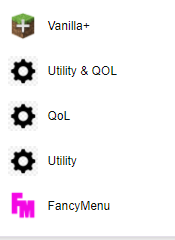 halcyon chasm
I have the bottom 3 but only ones without urls dont work for me
and the fancy menu one goes to the mods page lol
 vital moat
forge wont open
lyric crescent
vital moat
forge wont open
!notcf
red patioBOT
Your question is not related to CurseForge owned/maintained features or services.
Please use the appropriate game room by getting a game role from #786424115535544350.
Otherwise use #👽︱game-support for game related help.
CurseForge does not make or maintain any of the content or games used on the site or app. Just because it's on the site/app does not make it a problem with CurseForge. Move rooms as requested, arguing about it will result in you being removed from the discord.
vital moat
lyric crescent
!notcf
the app iself wont open-
red patioBOT
Looking to install the CurseForge app?
<:windows:798410728188936222> Windows
Minimum Requirements:
- OS Version: 7 (64 bit), 8.1, 10, 11
- 64 bit Required.
- 350MB storage space.
- Microsoft .Net 4.8
- Intel/AMD quad-core CPU
- 8GB ram
Download: https://download.overwolf.com/install/Download?&PartnerId=4047
If you are having issues with the installer use the URL below to install Overwolf then go to the app store to download CurseForge.
https://content.overwolf.com/downloads/setup/latest/regular.html
<:mac:798410654418862130> Mac
Minimum Requirements:
- OS Version 10.14 or newer.
- 64 bit Required.
Download: https://curseforge.overwolf.com/downloads/curseforge-latest.dmg
:penguin: Linux
Minimum Requirements:
Yes.
Download: :person_shrugging:
lyric crescent
explain what you are doing, with details
fresh meteor
I go to the modpack i want to install on curse, i select the version and press on install

 lyric crescent
pack name
fresh meteor
 lyric crescent
restart curseforge

 lyric crescent
?owlogs
red patioBOT
<:overwolf:857375414002384916> How to get Overwolf logs! <:overwolf:857375414002384916>
lyric crescent
send that
vital moat
lyric crescent
!getcf try the 2nd link.
im sorry it diddnt work-
if this helps this is the screen it gives me
 vital moat
ye
lyric crescent
!webclient
red patioBOT
Timeout/WebClient errors are from networking issues to your computer. You can try a few things to fix it:
- Restart the computer.
- Restart your router/modem.
- Try another internet source like a hotspot, wired connection or moving closer to the WiFi.
- Pause/Stop other things using the internet. (Streams, music, etc)
- If this still doesn't work, try again in an hour and hope your connection is stable.
vital moat
im not sure its my connection but ill try it
 obsidian fern
Hi, I'm playing Better Minecraft Plus and I wanted to add optifine so I can get shaders working, but whenever I add the optifine mod to the mods folder, the games crashes on startup. I was wondering if anyone know what's causing it
lyric crescent
!mc-optifine
red patioBOT
We do not offer support for Optifine!
If you have issues with Optifine, remove it. If you want further support try the discord found on their website.
https://www.optifine.net/home
Installing Optifine with modpacks on Curseforge:
- Right click the modpack icon, select
Open Folder. - Put the
Optifine.jarinto themodsfolder. - Now start the modpack.
obsidian fern
ah
fresh meteor
i miss the twitch installs.... was so easy press of a button you had the mods no need for overwolf + curse
lyric crescent
 nimble river
fresh meteor
then this
nimble river
fresh meteor
then this
i habe the same problem
obsidian fern
oh wait i found out why lmao
nimble river
yeah
fleet bear
hm?
lyric crescent
i cant install better minecraft fabric either
lyric crescent
digital roost
can you fix this or how can i fix it
this one as well
nimble river
bruh
fresh meteor
nimble river
i habe the same problem
honestly i regret removing my mods from twitch :c
fresh meteor
lyric crescent
this one as well
my friend done the install when i was trying he is on the server playing right now :C
opal cipher
fresh meteor
honestly i regret removing my mods from twitch :c
#💬︱general-chat For complaints and other things.
nimble river
Yeah me too😄
 royal nymph
im trying to import a modpack my friend made and it keeps getting stuck here

nevermind its just taking a LONG itme
fresh meteor
nimble river
Yeah me too😄
im trying to by pass that install from curse and getting the modpack uploaded on a drive to download it on my side xD
i will let you know if it works out for me so you can do it with your pal
fleet bear
This isn't the room to chat. I will ban you if you continue to talk here about whatever you are doing.
fresh meteor
ok good bey no need to ban i leave
nimble river
fresh meteor
i will let you know if it works out for me so you can do it with your pal
okay
nimble river
fleet bear
This isn't the room to chat. I will ban you if you continue to talk here about w...
sorry
 crisp veldt
Can I assume the issue where the curseforge launcher removes random mods when you delete one from in the app is already known?
lyric crescent
if you delete a mod that has dependencies, it removes the dependencies as well.
crisp veldt
Ive had it remove unrelated mods before as well
lyric crescent
would need examples and details of this
crisp veldt
Does it remove all the dependencies and also everything that was dependent on those dependencies as well?
lyric crescent
not sure, but that sounds likely
crisp veldt
Is there any sort of ETA or roadmap for that? The issue has been around for a while
opal cipher
copper vigil
can i search up my own modpack?
What is it called?
copper vigil
Infinity crafts
opal cipher
Couldn't find it when I searched.
copper vigil
Oh
opal cipher
Do you have a link to the project?
fleet bear
crisp veldt
Is there any sort of ETA or roadmap for that? The issue has been around for a wh...
No idea. It's on the general roadmap is all I know.
It's a rather complex system that's getting added I believe to handle what is and isn't deleted. So it could be a bit yet especially with all the stuff going on with the API currently.
!roadmap
red patioBOT
Organize anything, together. Trello is a collaboration tool that organizes your projects into boards. In one glance, know what's being worked on, who's working on what, and where something is in a process.
copper vigil
opal cipher
Do you have a link to the project?
Let me check
crisp veldt
Ok, thanks for the info
 lyric crescent
!sync
red patioBOT
Sync and your Project.
CurseForge App and site do not share the same requirements! You can find things on the site but this does not mean it will be in the app!
For a mod to show up in the app:
- Projects MUST have a file marked as RELEASE
 or BETA
- Projects MUST be APPROVED
- Projects MUST have a file marked for the GAME VERSION SELECTED/LOADED
- Projects CAN'T be EXPERIMENTAL
- Projects CAN'T be ABANDONED
Files can take a while to show up in the app. If your files still have not shown up either your project is new and you have yet to mark a file as Release/Beta or there is issues with the sync system making it slow.
Vote this issue up if you would like to know when the last sync was! https://curseforge-ideas.overwolf.com/ideas/CF-I-1617
copper vigil
huh
 karmic siren
Hello! Just a general question about ModPack updates. If I made a ModPack that has several mods, configs and a save file, and I update just a mod or configs, when a player will update the ModPack from the CF launcher, will the save overwrite itself? (that might be annoying for people who already played on the save before and have individual progress)
copper vigil
i dont know what to do
fleet bear
copper vigil
i dont know what to do
click the file name, click edit in the top right, change the file to beta or release.
fleet bear
copper vigil
where is the file name
In the screenshot, the name of the file that's underlined
fleet bear
karmic siren
Hello! Just a general question about ModPack updates. If I made a ModPack that h...
If the name of the save is the same yes, it will overwrite it. IIRC there's mods that handle this kind of stuff for you. I don't recall the name of them though.
copper vigil
is there a vc hear
fleet bear
copper vigil
is there a vc hear
no
copper vigil
so i can talk to someone
crisp veldt
projects marked as alpha do not get synced to the launcher
that is what is being said
karmic siren
fleet bear
If the name of the save is the same yes, it will overwrite it. IIRC there's mods...
Ok, thank you for the info.
copper vigil
fleet bear
click the file name, click edit in the top right, change the file to beta or rel...
its on alpha
fleet bear
Now you wait for it to sync. (should take like an hour or so and may require a client restart)
fleet bear
When you can see it in search
copper vigil
ok but you said i have to restart it
never mind
i will just wait an hour then i will see
 tawny token
anyone know why my curseforge keeps crashing on startup
do i have to delete and reinstall it
fleet bear
post the error
tawny token
 fleet bear
yes, try a reinstall
tawny token
ok
digital roost
Hey so every time i open curseforge it just says "Oops, that was not supposed to happen!"
been happening for 2 days
i can vc if anyone is willing to help
tawny token
ok its fixed thanks
fleet bear
digital roost
Hey so every time i open curseforge it just says "Oops, that was not supposed to...
did you try the info the in the "learn more"
a simple yes/no would be fine.
digital roost
Thought you needed to know what part of the text it pulled up on
oh nvm i misread
i mean ive been able to use it for a while and i havent installed any new firewall
there was a recent update to avast that might that done something let me check
what would i need to disable for curseforge to work?
fleet bear
IDK. I don't use avast
digital roost
alright ill mess around with it i guess
fleet bear
tawny token
!owlogs Can you send me your overwolf logs please?
red patioBOT
<:overwolf:857375414002384916> How to get Overwolf logs! <:overwolf:857375414002384916>
 north ocean
I have to delete MinecraftGameInstance.json in my AppData\Local\Overwolf\Curse\GameInstances directory for the CF app to show me mod updates that are tagged beta (and maybe alpha?) release. Sometimes it'll show RELEASE updates, but it's a pretty persistent problem and deleting that file is my solution everytime reliably. This has been a problem for months.
And I'm not talking about showing me instant updates... week, two weeks ago updates that have long been synced.
fleet bear
north ocean
I have to delete MinecraftGameInstance.json in my AppData\Local\Overwolf\Curse\G...
Are you talking about the updates not showing the newest version and if you select it they "update" backwards.
north ocean
No, they don't downgrade if I manually update. At least Tinkers didn't.
would the downgrade bug effect every manual upgrade, or is it hit and miss?
fleet bear
Then I'm not understanding what your issue is.
north ocean
Oh ok.
So when i launch CurseForge, and I select the modpack I play, it doesn't show and updates available. Leave the app open for a day or three, close, then open again, or I open and close multiple times while waiting a minute or two for database syncs
And no mod updates show
If I delete the file i mentioned, then open CF, it shows all mod updates available to install. And the app can download the newest versions no problem
You asked if it was the downgrade bug -- You don't see updates, you click a mod and then go to versions and manually install the newest version, but installs an older version than currently installed, correct?
fleet bear
No. The downgrade bug is when you use the update button and it gives you an older version instead of a newer one.
This seems like another issue.
north ocean
Correct.
I reported it months ago here and then through trial and error found deleting that one file rebuilds the manifest correctly then shows me available updates. I'm reporting again that I still have the same issue
fleet bear
@narrow minnow Any insight on where to go with this one? This seems new.
north ocean
Because I'm sure other people have the issue or perhaps other corner cases even related to whatever causes this
lyric crescent
could perhaps provide names of the things involved here
north ocean
specific projects? Cable Tiers, Refined Storage, Refined Storage Addons, Tinkers, JEI
those were some mods i just updated that were affected.
lyric crescent
versions?
north ocean
that I updated TO or from?
lyric crescent
both
north ocean
is that in the logs? Because honestly I didn't sit here and log all that manually
lyric crescent
not in logs that i can read. i want to know how to reproduce this
north ocean
But I certainly want to provide any information i can to help
fleet bear
So, if I understand this correctly....
You open the app, Nothing shows updates, you delete the file and now everything shows updates that has them. Right?
north ocean
So I'll close the CF app, delete that file, then reopen CF and it rebuilds that file and shows all available updates
fleet bear
ok.
north ocean
I've uninstalled and reinstalled CF in the past, that didn't work. Recently I tried purging all cache files to receive the 0.186 version, no luck.
And it's just that ONE file. It's not read only, it's not locked... it gets updated every time I launch CF.
fleet bear
north ocean
And it's just that ONE file. It's not read only, it's not locked... it gets upda...
Wolfgang is going to work with you on this one, expect a message from him.
north ocean
Thx Clay
fleet bear
north ocean
Thx Clay
!owlogs Can you send me the OW logs please?
red patioBOT
<:overwolf:857375414002384916> How to get Overwolf logs! <:overwolf:857375414002384916>
fleet bear
Thanks
north ocean
wolf already has those btw
fleet bear
Zappah was asking for them (another support person) they just left for the night though so....
north ocean
I delete the *Instance.json today btw, so the 4:07 launch is before the deletion, then 4:09 is after deleting the file
fleet bear
They will get you taken care of though hopefully.
north ocean
It's a weird bug and I don't see anyone else reporting it. With each mention of some kind of bug related to minecraft and updating mods I've just been crossing my fingers the root cause was resolved. But, alas, here I am doing my part.
 fleet bear
copper vigil
how do i fix this
fleet bear
copper vigil
how do i fix this
!mc-path
red patioBOT
Change your install path to the following:
For Windows: C:\CurseForge
-Go to C:\ drive. Make a new folder. Name it Curseforge.
For Mac: /Users/Shared/CurseForge
If Minecraft is not installed in CurseForge App:
- Click the in the top left.
- Select Minecraft from the list of games.
- Select the
Advancedoption and pick the folder you just made. - Click
Continue.
If Minecraft is installed in CurseForge App:
- Click the in the bottom left.
- Select the Minecraft tab.
- Click
Change. - Select the folder you just made.
:no_entry_sign: Minecraft Files should NOT be installed inside the following locations :no_entry_sign:
:no_entry_sign: .minecraft folder.
:no_entry_sign: OneDrive folders.
:no_entry_sign: Desktop folder.
:no_entry_sign: Drive roots I.E. Directly into the C:\ drive.
:no_entry_sign: iCloud enabled folders.
:no_entry_sign: or any other cloud saved folder.
:no_entry_sign: or folders with non-English characters in them.
If any of the above are in the path you need to change/move it!
fleet bear
north ocean
It's a weird bug and I don't see anyone else reporting it. With each mention of ...
Thanks for reporting it and working with us on it. Way too many people would rather just come here (or not even come here) and complain about the "big issues and problems with the app".
digital roost
digital roost
Hey so every time i open curseforge it just says "Oops, that was not supposed to...
i did everything in my firewall and it still wont let me in :/
 jagged storm
I don't see any option to search for wow classic in my curseforge and when I download questie it keeps saying out of date. works for DBM though.
royal epoch
game crashes when joining server
 untold estuary
what mods have power generators and such?
fleet bear
royal epoch
game crashes when joining server
!notcf
red patioBOT
Your question is not related to CurseForge owned/maintained features or services.
Please use the appropriate game room by getting a game role from #786424115535544350.
Otherwise use #👽︱game-support for game related help.
CurseForge does not make or maintain any of the content or games used on the site or app. Just because it's on the site/app does not make it a problem with CurseForge. Move rooms as requested, arguing about it will result in you being removed from the discord.
royal epoch
whoops
untold estuary
ty
royal epoch
sorry
fleet bear
jagged storm
I don't see any option to search for wow classic in my curseforge and when I dow...
You need to switch versions in the top right with the dropdown.
fleet bear
someone from the CF team will help you tomorrow.
digital roost
:l
 prime pelican
It doesn’t allow me to open it keeps on crashing how to fix?
Pls help
When I open it it works then it just crashes
lyric crescent
What is "it"
prime pelican
A modpack
 spring yacht
Question, how come removing a single mod can cause multiple mods to be uninstalled?
lyric crescent
App removes dependencies
spring yacht
It should at least ask
lyric crescent
Yea, it should. Eventually it might.
spring yacht
cause I got a mod to work alongside Create, and it didn't do what I needed, so I uninstalled it, and it removed create, and Not Enough Items
Didn't notice until I opened my world, and my entire factory is gone, so I'm pretty upset
Nothing I can really do about it now, but I still thought I should at least come and get it out there that the app removing dependencies without asking is a real issue
lyric crescent
Yup, it's on the list to be dealt with.
spring yacht
Alright, sorry for coming in just to complain, but I'm sure you could understand the frustration, thanks for listening, getting to complain about it helped a bit
lyric crescent
All good. Sorry it messed you up.
spring yacht
Yeah, luckily I kept some materials and components that were in a backpack, so I didn't lose Everything so that's a plus I guess
 signal forge
i have just done a fresh windows install and when i try to download a modpack all it tells me is "errors.unknownerror"
ive downloaded java both 32 and 64bit
signal ridge
signal forge
ive downloaded java both 32 and 64bit
Wired connection or Wifi for internet?
signal forge
wired
signal ridge
what modpack?
signal ridge
Ah ok
signal forge
so either i need to change where the directory is located or just always run curseforge in admin lol
signal ridge
What is it set too now?
signal ridge
ok, cuz we recommend C:\Curseforge
prime pelican
Guys every time I try to open a modpack it keeps crashing I have enough ram put in I have a good enough cpu and gpu to run the game pls help
copper vigil
its my friend can someone help him
prime pelican
@signal ridge help me pls
red patioBOT
Sending logs for support.
- Right-click the modpack profile icon OR click the button in the modpack profile.
- Click
Open Folder. - Open the
logsfolder. - Drag and drop the FILE named
latestORdebuginto discord.
lyric crescent
When you need help so bad you don't bother to read the rules. Then don't even reply.
signal ridge
I know right, I thought it was an urgent need of fix.
 woeful jackal
Hello, i wanted to play an Modpack but i cannot login in this launcher i got? What should i do now (i already migrated my Minecraft account)

/ i get this message because i already migrated. Is there no way to play the modpack now?
 red patioBOT
Minecraft Logins
CurseForge does not handle or touch the Minecraft Login.
You must own JAVA Edition
If you have a DEMO button instead of a PLAY button in the launcher you are logged into an account that does not own the game. CurseForge requires you to own the game to use it.
Follow the steps in the pictures below. If you bought Minecraft after October 2020 or you have transferred your account you will use a Microsoft account.
Otherwise you must use a Mojang account until you transfer it!
copper vigil
how do i remove a mod that i dont want
 silk whale
Why do i get this message trying to download a modpack on the launcher: object reference not set to an instance of an object
fallen loom
copper vigil
how do i remove a mod that i dont want
?mc-modifypack
red patioBOT
How to add/remove mods in a modpack.
- Click on the picture of the modpack.
- Click the
Add More Contentbutton, IF this button is not there, see below before continuing. - Find the Mods, Resource Packs or Maps you wish to Install and click
Installon them. - Wait for all the required mods to be downloaded.
- Start the modpack.
How to Enable/Disable content management for modpacks.
- Click on the picture of the modpack.
- Click on the button next to the
Playbutton. - Click on
Profile Options. - Check the
Allow content management for this profileoption if you want to edit the content of the modpack, uncheck it to disable.
NOTE: The Allow content management for this profile option is what allows you to Delete, Disable, Update or Install any Mods, Resource Packs or Maps managed by CurseForge. It must be on to modify any of them! (Currently)
fallen loom
silk whale
Why do i get this message trying to download a modpack on the launcher: object r...
?owlogs
red patioBOT
<:overwolf:857375414002384916> How to get Overwolf logs! <:overwolf:857375414002384916>
fleet bear
silk whale
Why do i get this message trying to download a modpack on the launcher: object r...
Restart the launcher by closing out of it and overwolf completely
 ruby copper
Does the persistent crashing when loading a modpack (ATM7 specifically) have to do with the new launcher Microsoft released?
red patioBOT
Ignore the new launcher update. CF does not use it or works with it, yet.
Everything will work fine otherwise.
 bold sonnet
Is there any way to get full control over the JVM arguments? The launcher still adds extras I don't want
lyric crescent
Edit them in the mc launcher
fleet bear
bold sonnet
Is there any way to get full control over the JVM arguments? The launcher still ...
and those are?
bold sonnet
fleet bear
and those are?
-Xms256m -XX:PermSize=256m -Dminecraft.applet.TargetDirectory="C:\Users\Colton\curseforge\minecraft\Instances\RRS-Survival" -Dfml.ignorePatchDiscrepancies=true -Dfml.ignoreInvalidMinecraftCertificates=true -Duser.language=en -Duser.country=US
Mainly the -Xms i have tried edits it in the launcher and it resets each time which is not ideal
lyric crescent
?mc-ram
red patioBOT
How to set Global Minecraft RAM value.
- Click the icon in the bottom left to open settings.
- Click the Minecraft tab.
- Scroll down.
- Slide slider to recommended ram range as seen below.
fleet bear
Well you can't remove TargetDirectory to start with as then you wouldn't have a modpack.
Everything after that is stuff Mojang sets in the launcher regardless IIRC.
permsize is unused and does nothing
And why do you want to change the xms?
bold sonnet
For my case it helps with FPS, for example just a forge 1.16.5 install I can load a world and average 482 FPS with peaks at 522, on GDLauncher with same JVM besides what is added by curse I average 560 with peaks around 650, and when I play larger packs it makes a more noticeable difference
Locking the -Xmx and -Xms also helps with the GarbageCollector at least in my testing I get lest spikes/dips
fleet bear
I honestly don't think you know what you are messing with.
You also have more than enough FPS to the point it doesn't matter.
rich flint
java devs actually recommend setting xms=xmx
bold sonnet
For the case of just forge with nothing else maybe but when running packs like ATM6 I run into screen tearing and lag spikes Using the curse launcher and not using GD, I don't average as high fps on larger packs, and don't run into lag spikes from the GC
fleet bear
And none of those arguments will change that.
bold sonnet
How so those are the only difference between the launchers, when I manual edit the curseforge profile its works the same but it resets everytime I have to relaunch the game, I have tested and have valid results that it does effect it
Removing just the -Xmx from the curseforge launch netted a gain of around 10%
fleet bear
-Xms256m Setting this to the same as XMX could make things better
-XX:PermSize=256m Isn't even used and hasn't been since java 6 or 7. It's not even read into the JVM.
-Dminecraft.applet.TargetDirectory="C:\Users\Colton\curseforge\minecraft\Instances\RRS-Survival" You literally need this for it to work correctly.
-Dfml.ignorePatchDiscrepancies=true This is a Forge flag set by Forge that you can't remove.
-Dfml.ignoreInvalidMinecraftCertificates=true Another Forge flag set by Forge that you can't remove.
-Duser.language=en Sets some JVM settings related to language.
-Duser.country=US Part of the above.
 spice meteor
Question! Do modders get credit when they download a modpack from curseforge website. Or do they still get credit when downloading a profile from a friend through discord?
fleet bear
bold sonnet
Removing just the -Xmx from the curseforge launch netted a gain of around 10%
If you remove xmx the game will default to 2G of ram or crash....
fleet bear
spice meteor
Question! Do modders get credit when they download a modpack from curseforge web...
If the profile is an CurseForge export that you are importing it will count as downloads. The site will also count.
Any files you drop into discord will not.
rich flint
lol no i was by no means saying you only want 256mb of xmx and xms rofl
spice meteor
Thank you for your time! bows ^^
lyric crescent
spice meteor
Question! Do modders get credit when they download a modpack from curseforge web...
Project owners get credit when a mod is installed through the app using a modpack, or by pressing the download button
bold sonnet
I don't to remove that I just want my -Xmx and -Xms to match, I don't want the allocation to change at all which will help with GC performance, and in the case of PermSize if it is deprecated why is it not removed entirely why even have it
fleet bear
It's legacy from ages ago and it existing or not existing is exactly the same. Thus there wasn't any worry about removing it and things possibly breaking for super old versions or the jar launcher.
bold sonnet
That is understandable, for the case of the -Xms if I add my own custom one into the JVM arguments in settings which value will it take
fallen loom
Whichever one comes last
fleet bear
as for the xms/xmx argument, it only changes GC performance while the heap is small. if you are allocating more than 50% of the heap during boot it's not going to do a whole lot after
I've already set a request for a new option to allow this though.
bold sonnet
What if I am already using other JVM arguments to tune the GC, I have not tested if it has as much as a difference, I will look into it more and do some testing, I just know originally why I started using GD launcher was the same JVM arguments were giving me different results running the same pack, But I also want to take advantage of my subscription to curseforge and not worry about upcoming API changes breaking launchers
fleet bear
I have a feeling its a change in java version.
CF uses what Mojang ships.
GDL will use whatever you have installed.
bold sonnet
In CF though I have it set to the java I have downloaded that the same GDL is pointed to unless that does not actually do the same, They are both using 1.8.0.311
fleet bear
You can't set the java used in CF.
fallen loom
You can set it in the Launcher, but that gets reset
bold sonnet
Ah that could be the case I will try downloading java 1.8.0_51 and see if its the same performance in the GD launcher, If it resets it makes sense it less performance as it would be using an older version of java
fallen loom
iirc the ONLY reason Mojang ships such an ancient version of Java is Intel being lazy bastards and not fixing an issue with their graphics drivers
bold sonnet
Is there any request in to actually be able to pick what java version the launchers use?
fleet bear
Yes, but it hasn't been done due to complexities.
fallen loom
The lack of a Java version selector acts as a foot-gun preventer quite honestly
The average user is likely to stop their game from working and not understand why
bold sonnet
Yeah but it would be nice for people that want to take advantage of newer versions, Thanks for the help/clarification on lots of things
fallen loom
It would be nice, but we haven't found a way to make it idiot-resistant
Anyone can click "Accept" without knowing what the heck is going on
bold sonnet
Nothing is "idiot-resistant" there will always be someone dumber that will figure or a way to mess it up
Maybe have a toggle in the settings or have a secret way to enable it kinda like android and the developer settings
rich flint
toggle: automatic / custom
i guess that's a bridge too far xD
fleet bear
One of the primary issues is the fact that different versions of the game only run with specific versions of java in the case of Forge.
bold sonnet
There will always be edge cases, no way around that
fleet bear
That's not even an edge case. It's like the primary case as to why it doesn't exist.
If you set java 16 for 1.17 you will not have the ability to play any other forge modpacks for any other version. They will crash.
I believe fabric doesn't have these issues though.
bold sonnet
Make it Per profile, so you could still set java 8 for older version and java 16 for the newer versions
fleet bear
Yes. Again, as to why there's complexities that aren't straitforward.
bold sonnet
But other launchers have this feature
fleet bear
Other launchers only have one game to support, no massive backend that serves content to worry about and didn't buy a client that's 8 years old in poor shape that serves multiple hundreds of thousands of users.
It takes time to get these things done.
north ocean
If you retain both java 16 and java 8 in the windows java_path environment, you can use the depreciated version selector from jvm args to specify java 8 at least. That was my workaround for running 1.17 and 1.16 packs.
bold sonnet
I understand that, trust me I hated what twitch did with it and love the new direction, and I get it takes time but at the same time a lot of money was spend to acquire curseforge, I think you would want to keep the player base and keep similar features to other launchers to make it stay relevant and keep the users on the same platform
fleet bear
Yes, they want to add the features but when you have a launcher that's been ripped out of multiple apps and crammed into others along with a 14 year old content hosting and delivery site. Stuff moves slow.
There's been countless times they "fixed" something only to make it worse due to unknowns that lurk within.
They have been doing extraordinary well with the platform in the year they have owned it.
north ocean
Hey Clay, I typed up information for my bug (update icons not showing) that points to relevant timestamps in my logs of the problem (and "solution"). If I drop my logs and that info file in here, would you be able to pass it along to I believe Sapphire(?) in addition to wolfgang?
wolfgang has my logs already
 pine shoal
I m hoping to get an answer as to why my curseforge is not opening anymore, any clues or questions?
fleet bear
north ocean
Hey Clay, I typed up information for my bug (update icons not showing) that poin...
I can yes, but I'm unsure who Sapphire is.
fleet bear
pine shoal
I m hoping to get an answer as to why my curseforge is not opening anymore, any ...
would be wise to include the error you are getting or what it's doing
pine shoal
The error that is happening is the fact that I download the app, I go through the first setup, and then it just never opens the app. I've tried uninstalling and reinstalling as well as running as admin.
north ocean
fleet bear
I can yes, but I'm unsure who Sapphire is.
Sorry, Zappah was whom you mentioned earlier was interested in it.
fleet bear
ah yes.
 inner ember
hi ! i have rlcraft and i update the ice and fire and now its just crash can someone help me?
this is the crash report
fleet bear
pine shoal
The error that is happening is the fact that I download the app, I go through th...
sounds like you have an antivirus blocking it?
fleet bear
inner ember
this is the crash report
!mc-installfix If this doesn't work then you should contact the pack dev.
red patioBOT
- Click on the Minecraft Tab on the Left side of the CurseForge App.
- Click button next to the
Create Custom Profileoption. - Click
Repair Installationoption. - Play game.
NOTE: You will not lose any modpacks or worlds, These are saved in the Instances folder. DO NOT TOUCH THIS FOLDER OR YOU WILL LOSE EVERYTHING
 rich flint
restart your computer and then press the button. has been an issue lately
inner ember
rich flint
restart your computer and then press the button. has been an issue lately
ok thank you its work
its still crash my game
 pine shoal
I turned off my antivirus and it still ins't opening
north ocean
inner ember
your previous error was net.minecraftforge.fml.common.MissingModsException: Mod spartanfire (Spartan Fire) requires [iceandfire]
This new error is indicative that 1) You're still missing Ice and Fire, or you have the wrong version installed which the modpack was curated around
inner ember
ok i will try thanks
 frigid totem
hey guys my server wont work or open when I use Valhesia 3 with apex hosting, can you guys help?
rich flint
discuss game issues in game rooms #786424115535544350
rich flint
 obtuse tree
can someone help me with my launcher
obtuse tree
can someone help me with my launcher
ask your question or issue and someone who might know will respond eventually
 floral folio
My curseforge isn't working can someone help me
fleet bear
floral folio
My curseforge isn't working can someone help me
gotta post what's not working for people to help
floral folio
 fleet bear
did you try the learn more?
floral folio
Yes
I’ve reinstalled I’ve tried the firewall stuff
I was just playing games on it before and then when I turned my pc back on and played cod for little then I tried to get on it,it showed me that
Nvm I fixed it
digital roost
when are paypal getting sent out
queen storm
Around the first week of next month
queen storm
Well, you are still getting them, just later 🤷♂️
 cosmic quest
opal cipher
cosmic quest
opal cipher
I think you need to explain your question a bit more, and possibly in #👽︱game-support as CurseForge doesn't require you to rename any files.
digital roost
Heyo, I need a bit of support. I'm trying to add 'Untitled Duck Mod' to my modpack (using the app), but it doesn't show up when I search for it. Will it still function properly if I add it to the modpack folder? Also, I'm fairly new to CurseForge, is there a way for me to add it to the search results for future use (for me and others)?
The mod shows up on the website but not in my search results on the application. Any help would be greatly appreciated :)
queen storm
Link the mod please
digital roost
Looking into it, it seems to be an issue based on the fact that it operates on 1.17 whilst I'm trying to use 1.17.1. If I manually add it to the folder, will it still function within the application?
queen storm
File tags are wrong, can search for the projectID, 451766 in this case
digital roost
Thank you so much, absolute legend :)
One more quick question, how do I upload a modpack for other people to find & use?
queen storm
!mc-packshare
red patioBOT
There are two ways to share a modpack you've made with others...
Export and Share - For Friends to Small Groups.
- Click the Icon for the modpack.
- Click the button next to play.
- Click

Export. - Select the files that should be included.
- Send the zip to the people that want it! They can follow the instructions in
!mc-installpackto install the pack!
Upload to Curseforge - For Public Release to Everyone.
This options will make your pack public to EVERYONE, it comes with extra requirements and will take some effort to set up.
- Go to here: https://www.curseforge.com/project/432/4471/create
- Fill out the information with a proper description of the pack. This should allow anyone to understand what the pack is.
- Click the Icon for the modpack in the CurseForge app.
- Click the button next to play.
- Click
Export. - Select the files that should be included.
- Open your Project you made on the CurseForge site and Upload the file you just made.
- Wait for Moderation & Sync so it can show up in the client! (See
!syncfor limitations)
 strong isle

 hot valve
hey
uh i think something wrong
inside curseforge folder theres no crash report folder
queen storm
hot valve
inside curseforge folder theres no crash report folder
Did it crash?
hot valve
yes mc crashed multipel times
multiple
and theres no crash releated stuff in the folder
queen storm
!mc-logs
red patioBOT
Sending logs for support.
- Right-click the modpack profile icon OR click the button in the modpack profile.
- Click
Open Folder. - Open the
logsfolder. - Drag and drop the FILE named
latestORdebuginto discord.
hot valve
here's the modpack logs (the one i recently launched) optifine is in the logs but idk how its there when its not
someome told me that curse isn't finding the game itself
red patioBOT
- Click on the Minecraft Tab on the Left side of the CurseForge App.
- Click button next to the
Create Custom Profileoption. - Click
Repair Installationoption. - Play game.
NOTE: You will not lose any modpacks or worlds, These are saved in the Instances folder. DO NOT TOUCH THIS FOLDER OR YOU WILL LOSE EVERYTHING
queen storm
Stop making screenshots
hot valve
why ?
queen storm
If it isn't there then it isn't there.
hot valve
okay
queen storm
Do the installfix things
 strong isle
why when i open the launcher it doesn't work and it turns black?
 queen storm
!mc-logs
red patioBOT
Sending logs for support.
- Right-click the modpack profile icon OR click the button in the modpack profile.
- Click
Open Folder. - Open the
logsfolder. - Drag and drop the FILE named
latestORdebuginto discord.
hot valve
then just LET IT LAUNCH
and yes it's the same because i forgot to look at the timestamp
queen storm
Show the path where you are getting that file from.
And I told you to run the installfix steps, then you should have hit play again
hot valve
i did run the installfix steps istg
queen storm
Then hit play and get a new log.
 queen storm
Yeah, that is correct
queen storm
I know, that is why that log is a bad one, it is the same as the one you posted before that.
 queen storm
Did you make that modpack?
queen storm
!projectissue
red patioBOT
Please visit the project page for the content you posted about and look for a way to contact the developer.
Somewhere on the page there is usually a method of contact. Look for one of the following things:
Issuestab like the image below.- Discord link.
- Twitter link.
- Comments section below the project.
If no contact method exists you will either have to remove the project or find a solution on your own.
 hot valve
idek how to make a modpack
I DONT KNOW HOW TO MAKE A MODPACK
i downloaded the modpack
hot valve
they didnt respond yet
queen storm
Then you wait for them
queen storm
That is a problem for the one who made the modpack.
hot valve
ok
queen storm
I am not helping with that, he picked the mods
So that is why I directed you to them
hot valve
mkay , thanks
strong isle
why when i open the launcher it doesn't work and it turns black
queen storm
strong isle
why when i open the launcher it doesn't work and it turns black
#📛︱rules 4
strong isle
ok
 mental pulsar
how to lay out your mod assembly?
lyric crescent
what does that mean
 knotty temple
hello everyone,
i recently made a modpack i zipped it and put the site off it tells me it must be in jar? info?
the message:
The status of the file Cubefox pack (Cubefox) has been changed to Rejected
Notes:
Plugins must be uploaded in JAR format. For more information, see https://authors.curseforge.com/knowledge-base/minecraft/839-bukkit-plugins
If you have any questions please contact our support team https://support.curseforge.com.
lyric crescent
send the link to your project
queen storm
You probably have a resourcepack in that zip don't you?
knotty temple
the links do not work
no i don't have ressource pack
lyric crescent
just send the link
knotty temple
ho sorry yes https://www.curseforge.com/minecraft/modpacks/cubefox sorry ^^
lyric crescent
open your zip and screenshot what is inside it
knotty temple
 lyric crescent
open overrides and screenshot that
knotty temple
ha i hadn't seen quark add a texture pack, is that the problem then?
queen storm
yup
knotty temple
hoo ok, i delete ressourcepack ?
lyric crescent
still would like that screenshot first before you delete anything please
knotty temple
in overrides
 lyric crescent
any reason you are including all of that?
knotty temple
yes, it is for a server so the configuration must be the same as the server
if the config file is different from the server the players will not be able to connect
lyric crescent
-defaultconfigs should only be there if you've set that up.
-journeymap shouldnt be there
-kubejs should be there if you've configured it.
-local should not be there
not usually a good idea to include options.txt as it will overwrite the settings players use.
regardless of any of that, removing the resource pack should get it approved
knotty temple
okok, nice, thank 🙂
i have delete defaultconfig, jouneymao; kubejs is config and local delete, ressource pack delete and let's go
ok it's submit, in any case thank you for your intervention you are great
digital roost
I have a problem that is that I upload my file and then update the page and my file is no longer there, by the way, it is a texture pack
lyric crescent
did it get rejected?
digital roost
I dont know
lyric crescent
check the notifications?
digital roost
lyric crescent
check the notifications?
yes
Can I send a screenshot of what I get?
opal cipher
Yes, yes you may.
From my very basic knowledge of that language, it was rejected because the file format was invalid.
lyric crescent
cool, can you translate that
digital roost
 lyric crescent
looks like you uploaded something that isnt a zip
digital roost
It had to be uploaded in zip and not rar?
lyric crescent
correct
lyric crescent
knotty temple
excuse me I must suddenly wait for validation tomorrow?
digital roost
ok
knotty temple
ho, it's approuve ^^ sorryyyy
 drifting tendon

