#🔥︱curseforge-support
1 messages · Page 561 of 1
 lyric crescent
 red patioBOT
:bug: Reporting via Website :bug:
Can't open the app or would rather use the website? You can do so here: https://support.curseforge.com/en/support/tickets/new
Fill out the form with accurate detailed information, "It doesn't work" isn't helpful! What exactly doesn't work and why doesn't it work should be easy to answer!
Make sure to upload your Overwolf logs with the Upload File option on the ticket, information on how to get these logs can be found here https://support.overwolf.com/en/support/solutions/articles/9000176827-how-to-get-your-overwolf-logs
 blissful bloom
Hi there!
The issue: I got a notification with the content
The status of the file
modpack_file (Modpack Name)has been changed to RejectedNotes:
Invalid manifest.json file:
References file with invalid status: 3496811 (projectID 243707 - Deleted).
If you have any questions please contact our support team https://support.curseforge.com.
Earlier on, I got a notification that my modpack was approved - and now it's available for all viewers even if it doesn't have an appropriate file to download/install.
Following questions:
- Shouldn't the modpack itself be rejected along with the file?
- How can I perform a mod/project search by its ID? I tried using the search box - no luck. I also tried to use the query args (
/mc-mods?id=243707) but got nothing. It's needed for quick searching for the broken file/mod/project because themanifest.jsondoesn't contain mod names, but now the only thing I can do is manual scanning for every mod in the list for theirs IDs 🙈 - Does the CurseForge dependencies manager support some more intelligent format or better documentation? I mean, it's not that hard to fill the manifest file manually instead of exporting the project with the launcher, but I can't find any appropriate docs anywhere - am I missing something?
Thanks in advance for answering these questions!
 rich flint
google search for "curseforge 243707" finds that it's the mod "corail tombstone".
https://www.curseforge.com/minecraft/mc-mods/corail-tombstone/files/3496811 shows that no file is linkable with that number currently (could have been removed/archived)
they're doing large scale overhaul on the website (or at least they will be? from what is said i believe) - so nothing ideal is right now set up on the website
blissful bloom
Oooooh, I see. Awesome! Ok, so that answered no.2 and made me know that at the moment, CurseForge's ecosystem doesn't support that type of thing, but it may be changed in the future.
Looking forward to no.1/3 answers, thanks! 🙏
lyric crescent
- Project doesn't need to be approved again.
- Don't know what you're wanting. The file is not meant to be made manually
 digital roost
how do i fix mod world edit requires minecraft 1.16.3 and above, and below 1.17.1
im just trying to install lucky blocks
 fleet bear
digital roost
how do i fix mod world edit requires minecraft 1.16.3 and above, and below 1.17....
fleet bear
digital roost
how do i fix mod world edit requires minecraft 1.16.3 and above, and below 1.17....
!notcf
red patioBOT
Your question is not related to CurseForge owned/maintained features or services.
Please use the appropriate game room by getting a game role from #786424115535544350 or use #👽︱game-support for help.
CurseForge does not make or maintain any of the content or games used on the site or app. Just because it's on the site/app does not make it a problem with CurseForge. Move rooms as requested, arguing about it will result in you being removed from the discord.
 wide herald
Ok, do you have a FAQ on how to tag a projects as Fabric now? I keep asking mod authors to do it and they all say it can't be done and was removed by Curseforge, it is so annoying to add mods and launch the game just to have it crash because it is for the wrong launcher, and they get a download that isn't real.
 fallen loom
Mod or Modpack?
fleet bear
wide herald
Ok, do you have a FAQ on how to tag a projects as Fabric now? I keep asking mod ...
Report the project and include the file ID's that are incorrectly tagged if they refuse to tag them.
Also make sure you are telling them to change the File tag, not the project tags.
If you really need a guide I can write one up.
wide herald
Mods
So the project if all of the files are tagged will no longer show up in the launcher when picking mods?
I really think removing the project flag for fabric was not the best move
 signal ridge
files should be tagged as forge or fabric. If they arent tagged at all it defaults to forge
lyric crescent
The fabric category tag was never intended to be used in the way it was.
wide herald
Perhaps a future update can fix it because there needs to be a clear split when the projects don’t do voodoo ans make their mod work for both
signal ridge
Authors would need to fix their stuff. CF is a hosting site. Its the authors responsibility to make sure their files are tagged right
wide herald
Take this one for example- https://www.curseforge.com/minecraft/mc-mods/miners-horizon
I had to read the project description to figure out if I could add it to my forge pack
rich flint
they know what the issues are - the path they decided to do is how the system is set up
wide herald
Because it shows up in the launcher as a forge mod and the author claims to have tagged the files
signal ridge
Then report it to the dev to fix their mods file tags OR report the project and what files are incorrect
signal ridge
wide herald
Because it shows up in the launcher as a forge mod and the author claims to have...
I do see the messages you sent to the author and their reply. Just need to tell em which files are showing for forge on the app and they will update it.
lyric crescent
What is wrong with making the mod work for both..
signal ridge
If its a pure fabric mod marked as forge it will just crash.
fleet bear
when the site gets overhauled the loader tags will be surfaced better at the project level.
Currently, the app will only show mods that have a minimum of one file marked for the loader. So it's very important to mark files correctly as incorrectly marked files will result in problems.
signal ridge
Which most devs seem to do but not want to fix as the "tags were removed" seems to come up a lot... (I do my own dev poking)
 old totem
does anyone know why in this video it has the cool weapons https://www.youtube.com/watch?v=J_TU7S0Sfns
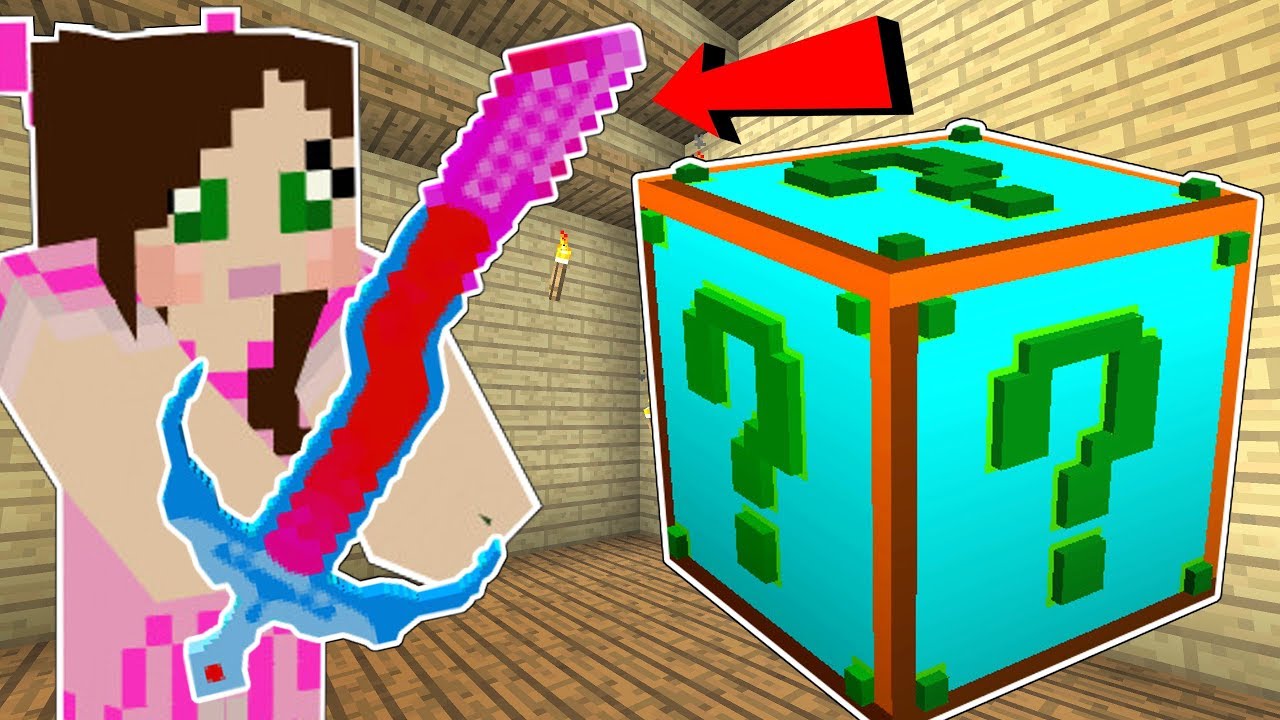
This Mod adds in Lucky Blocks with Overpowered everything!
Jen's Channel! http://youtube.com/gamingwithjen/
EPIC SHIRTS! https://represent.com/store/popularmmos
Our Book! http://bit.ly/AHoleNewWorld
Instagram! https://www.instagram.com/popularmmospat/
Like my Facebook! http://www.facebook.com/pages/PopularMMOs/327498010669475
Twitter! https://tw...
but when I download the actual mod it doesnt have them
anyone know why?
fallen loom
That appears to require loot++
(Grumbles about how the author could have made the items built-in by making it an actual mod but decided not to, and didn't even bother to mention loot++)
old totem
fallen loom
(Grumbles about how the author could have made the items built-in by making it a...
Yeah, kind of annoying lol
 tardy willow
if i move my minecraft install will it mess up my modpacks on the curseforge launcher?
rich flint
the launcher app uses it's own copies of the core MC files that it uses - it doesn't look at anything else on your computer
fleet bear
Yes it will mess up the modpacks you currently have as they won't exist if you change the folder.
You will need to install them again and copy over the world data
fallen loom
The above answers depends on what you mean by "move my minecraft install"
tardy willow
fallen loom
The above answers depends on what you mean by "move my minecraft install"
move it from my HDD to an SSD
fallen loom
What is "it" though
tardy willow
fallen loom
What is "it" though
the base game
fallen loom
A standalone Minecraft installation? Curse's Minecraft location?
tardy willow
standalone java version of base game
fallen loom
and do note that moving the standalone launcher will not change where things go unless you use command line arguments every time you launch it
You can move the launcher and it won't move the versions folder
 echo oyster
fallen loom
echo oyster
fallen loom
!help
red patioBOT
╰( ͡° ͜ʖ ͡° )つ──☆*:・゚ *˜”*°•.˜”*°• Many Help •°*”˜.•°*”˜* <:curselit:796985620550385705>
Please provide a description of your issue with as much detail as possible. If you have an issue with a mod or modpack, tell us the name. Explain what you can see happening. Be specific!
 Tell us what is happening, we already know it "doesn't work".
Avoid using words like "it", tell us exactly what "it" is.
Don't assume anyone knows what you are talking about, be specific.
Tell us what you expected to happen.
Provide screenshots or video if possible.
Provide a log if possible. ?mc-log
red patioBOT
Your question is not related to CurseForge owned/maintained features or services.
Please use the appropriate game room by getting a game role from #786424115535544350 or use #👽︱game-support for help.
CurseForge does not make or maintain any of the content or games used on the site or app. Just because it's on the site/app does not make it a problem with CurseForge. Move rooms as requested, arguing about it will result in you being removed from the discord.
 shadow pendant
Hey. When ever i try to launcher a modpack from Curseforge, it just get stuck loading when i click launch game. Any idea how to fix? (like, the minecraft launcher closes and doesnt reopn)
fallen loom
?mc-launcherlog
red patioBOT
How to get the launcher log
- Right click a profile.
- Select

Open Folder - Go back two folders.
- Open the
Installfolder. - Drag the
launcher_log.txtinto discord.
shadow pendant
OHHHHH
nvm i got it to work. Just had to launch as a ADMIN!
@fallen loom thx for the help!
shadow pendant
? been tryna get it to work for the last 2 hours. Launched Curseforge as admin and it wokred
¯_(ツ)_/¯
fallen loom
Usually that means file permissions somewhere are borked
fallen loom
Are you on Windows?
shadow pendant
Yep
fallen loom
Ok, not as bad as if you were on Linux
 spring robin
!help
red patioBOT
╰( ͡° ͜ʖ ͡° )つ──☆*:・゚ *˜”*°•.˜”*°• Many Help •°*”˜.•°*”˜* <:curselit:796985620550385705>
Please provide a description of your issue with as much detail as possible. If you have an issue with a mod or modpack, tell us the name. Explain what you can see happening. Be specific!
Tell us what is happening, we already know it "doesn't work".
Avoid using words like "it", tell us exactly what "it" is.
Don't assume anyone knows what you are talking about, be specific.
Tell us what you expected to happen.
Provide screenshots or video if possible.
Provide a log if possible. ?mc-log
spring robin
i downloaded the curseforge launcher with no issue and it launches fine. i tried to install multiple different mod packs and they crash with a java runtime exception im not sure why
 paper dawn
I need some help with a minecraft modpack, when I try to run it after the launcher opens I get an error saying "The operation requires more free disk space than available", how do I give it more space?
lyric crescent
Delete stuff
paper dawn
what kind of stuff
fleet bear
minimum
paper dawn
all right, I have plenty of space on my D drive. How do I make minecraft take from that instead of my full C drive?
fleet bear
!mc-path
red patioBOT
Change your install path to the following:
For Windows: C:\CurseForge
-Go to C:\ drive. Make a new folder. Name it Curseforge.
For Mac: /Users/Shared/CurseForge
If Minecraft is not installed in CurseForge App:
- Click the
 in the top left.
 - Select Minecraft from the list of games.
- Select the
Advancedoption and pick the folder you just made. - Click
Continue.
If Minecraft is installed in CurseForge App:
- Click the
 in the bottom left.
 - Select the Minecraft tab.
- Click
Change. - Select the folder you just made.
:no_entry_sign: Minecraft Files should NOT be installed inside the following locations :no_entry_sign:
:no_entry_sign: .minecraft folder.
:no_entry_sign: OneDrive folders.
:no_entry_sign: Desktop folder.
:no_entry_sign: Drive roots I.E. Directly into the C:\ drive.
:no_entry_sign: iCloud enabled folders.
:no_entry_sign: or any other cloud saved folder.
:no_entry_sign: or folders with non-English characters in them.
If any of the above are in the path you need to change/move it!
fleet bear
just use the D drive instead of C when following the directions
paper dawn
damn, guess this gets asked a lot?
fleet bear
Almost every issue you can have we have a bot reply to.
Path issues where much more common before.
digital roost
hello, im having a problem playing on curseforge. i loaded up a profile with some mods to play on a server with some friends and the game won't succesfully laucnh

heres a picture of the error message i get
fleet bear
!notcf
red patioBOT
Your question is not related to CurseForge owned/maintained features or services.
Please use the appropriate game room by getting a game role from #786424115535544350 or use #👽︱game-support for help.
CurseForge does not make or maintain any of the content or games used on the site or app. Just because it's on the site/app does not make it a problem with CurseForge. Move rooms as requested, arguing about it will result in you being removed from the discord.
fleet bear
Ask your friends for the proper stuff to join the server.
 frosty chasm
is there a way to speed up the loading of atm 6 ive been trying to load it for 40 mins and it wont load
i, so confused why its taking so long
signal ridge
frosty chasm
is there a way to speed up the loading of atm 6 ive been trying to load it for 4...
How much Ram have you allocated to the cf app? AND how much does your pc have total?
frosty chasm
i have 16 gigs and 8 allocated
red patioBOT
Sending logs for support.
- Right-click the modpack profile icon OR click the
 button in the modpack profile.
 - Click
Open Folder. - Open the
logsfolder. - Drag and drop the FILE named
latestORdebuginto discord.
frosty chasm
signal ridge
huh
frosty chasm
idk what that means
signal ridge
!mc-installfix
red patioBOT
- Click on the Minecraft Tab on the Left side of the CurseForge App.
- Click button next to the
Create Custom Profileoption. - Click

Repair Installationoption. - Play game.
NOTE: You will not lose any modpacks or worlds, These are saved in the Instances folder. DO NOT TOUCH THIS FOLDER OR YOU WILL LOSE EVERYTHING
signal ridge
try this
 upper root
Also try removing ctm (ConnectedTextures Mod), with certain mods it can increase the load time cause it log spams cause of bugs in othet mods
signal ridge
Thats Enigmatica 6, Their log is ATM6.
Also not really related to their issue either. Have seen this before
upper root
Yeah, most of the big packs are very similar these days so thought I might mention it.
signal ridge
Generally for pre-builts its best to contact the author of the pack before you start just pulling files.
upper root
Oh woops. I thought this was about general load times, hadnt bothered to read the message properly
frosty chasm
ok well it just finnished re downloading it and ill keep updated
it made my pc crash wtf
ive played this game at 60 fps before i dont get it
signal ridge
shouldnt have?
frosty chasm
i just had to close wallpaper engine it was using 28% of my cpu for some reason
signal ridge
ah
signal ridge
Post new latest log
frosty chasm
it does the same thins with vanilla just not this long
signal ridge
!mc-path Follow this, will have to reinstall the pack again as well
red patioBOT
Change your install path to the following:
For Windows: C:\CurseForge
-Go to C:\ drive. Make a new folder. Name it Curseforge.
For Mac: /Users/Shared/CurseForge
If Minecraft is not installed in CurseForge App:
- Click the in the top left.
- Select Minecraft from the list of games.
- Select the
Advancedoption and pick the folder you just made. - Click
Continue.
If Minecraft is installed in CurseForge App:
- Click the in the bottom left.
- Select the Minecraft tab.
- Click
Change. - Select the folder you just made.
:no_entry_sign: Minecraft Files should NOT be installed inside the following locations :no_entry_sign:
:no_entry_sign: .minecraft folder.
:no_entry_sign: OneDrive folders.
:no_entry_sign: Desktop folder.
:no_entry_sign: Drive roots I.E. Directly into the C:\ drive.
:no_entry_sign: iCloud enabled folders.
:no_entry_sign: or any other cloud saved folder.
:no_entry_sign: or folders with non-English characters in them.
If any of the above are in the path you need to change/move it!
 vernal schooner
My modpack has been changed to rejected because of MineColonies, but i downloaded it on CurseForge, what can i do ? By the way, it is the only mod in the repertory "mods" of my modpack
 queen storm
Can you show the rejection message?
vernal schooner
 queen storm
Downloaded from the website or app?
vernal schooner
From the website
queen storm
Use the app instead
vernal schooner
Ok, i will try it
 steady agate
Im trying Publish a modpack I have made onto the minecraft portion of curseforge but I dont see "become an author" anywhere
queen storm
!mc-packshare
red patioBOT
There are two ways to share a modpack you've made with others...
Export and Share - For Friends to Small Groups.
- Click the Icon for the modpack.
- Click the button next to play.
- Click

Export. - Select the files that should be included.
- Send the zip to the people that want it! They can follow the instructions in
!mc-installpackto install the pack!
Upload to Curseforge - For Public Release to Everyone.
This options will make your pack public to EVERYONE, it comes with extra requirements and will take some effort to set up.
- Go to here: https://www.curseforge.com/project/432/4471/create
- Fill out the information with a proper description of the pack. This should allow anyone to understand what the pack is.
- Click the Icon for the modpack in the CurseForge app.
- Click the button next to play.
- Click
Export. - Select the files that should be included.
- Open your Project you made on the CurseForge site and Upload the file you just made.
- Wait for Moderation & Sync so it can show up in the client! (See
!syncfor limitations)
 slim lantern
@fleet bear I need help, curseforge isnt launching

 unborn basin
slim lantern
<@!117433042401886214> I need help, curseforge isnt launching
unborn basin
slim lantern
<@!117433042401886214> I need help, curseforge isnt launching
!owlogs
red patioBOT
<:overwolf:857375414002384916> How to get Overwolf logs! <:overwolf:857375414002384916>
unborn basin
send them to me
queen storm
slim lantern
<@!117433042401886214> I need help, curseforge isnt launching
Follow rule 5 please
queen storm
slim lantern
Well its a moderation issue
Does not mean you can ping about it.
 queen storm
Moderation, as in discord moderation, spam bots etc. Which has a role to ping.
Your issue is with the app, not a moderation issue
slim lantern
right
unborn basin
slim lantern
right
PMed you
digital roost
question
it saying another installer is already running but i carnt find any others
thats makign it not download
lyric crescent
restart your pc
digital roost
lyric crescent
restart your pc
ty
 bleak root
Hello I am having an issue with launching minecraft 1.17.1 with Curseforge.
I have the latest Java installed.
It will only launch if I go to the Minecraft Launcher settings and reset the JVM arguements.
But that causes all my window size and allocated ram to be resetted.
queen storm
!mc-ram
red patioBOT
How to set Global Minecraft RAM value.
- Click the icon in the bottom left to open settings.
- Click the Minecraft tab.
- Scroll down.
- Slide slider to recommended ram range as seen below.
 bleak root
queen storm
!mc-ram
bleak root
queen storm
!mc-ram
Uhm, I don't think that works.
queen storm
Why do you think that?
bleak root
Didn't work. This is the error that pops-up.

 worldly minnow
bleak root
Uhm, I don't think that works.
worldly minnow
bleak root
Uhm, I don't think that works.
you have Java even installed ?
bleak root
queen storm
Why do you think that?
Cause I tried it previously :/
queen storm
worldly minnow
you have Java even installed ?
Minecraft packs java already....
lyric crescent
ram isnt set by the arguments
what java arguments are you using?
bleak root
worldly minnow
you have Java even installed ?
Yes
 bleak root
lyric crescent
ram isnt set by the arguments
what java arguments are you using?
bleak root
lyric crescent
ram isnt set by the arguments
what java arguments are you using?
It's always automatically set by curseforge, this is what I am seeing:
-Xmx8512m -Xms256m -XX:PermSize=256m -Dminecraft.applet.TargetDirectory="G:\curseforge\minecraft\Instances\MineColonies Official (1) (1) (1)" -Dfml.ignorePatchDiscrepancies=true -Dfml.ignoreInvalidMinecraftCertificates=true -Duser.language=en -Duser.country=US -d64
lyric crescent
you shouldnt be messing with anything on the launcher itself
bleak root
lyric crescent
you shouldnt be messing with anything on the launcher itself
I didn't. I have to press on reset on each launch in order to launch minecraft

If not, that's the arguments I see by default. Which doesn't let me launch
 sacred radish
Hi
Two days ago i have get this
 lyric crescent
that would be you messing with the launcher then, innit?
show the java arguments that you have on curseforge's settings
bleak root
 lyric crescent
remove that
unborn basin
sacred radish
Hi
Two days ago i have get this
Hey, send me your logs please
!owlogs
red patioBOT
<:overwolf:857375414002384916> How to get Overwolf logs! <:overwolf:857375414002384916>
bleak root
lyric crescent
remove that
Didn't work, still getting the same error
lyric crescent
delete the argument, go back and make sure it's gone, then restart the app
unborn basin
bleak root
Didn't work, still getting the same error
!mc-installfix
red patioBOT
- Click on the Minecraft Tab on the Left side of the CurseForge App.
- Click button next to the
Create Custom Profileoption. - Click
Repair Installationoption. - Play game.
NOTE: You will not lose any modpacks or worlds, These are saved in the Instances folder. DO NOT TOUCH THIS FOLDER OR YOU WILL LOSE EVERYTHING
bleak root
lyric crescent
delete the argument, go back and make sure it's gone, then restart the app
Relaunching the app worked! Thank you, not sure why the -d64 was even there in the first place.
sacred radish
unborn basin
Hey, send me your logs please
Here you are
lyric crescent
you put it there for some reason. having that argument tried to force the system default java to be used, which i assume is not the java 16 needed by minecraft 1.17.
bleak root
lyric crescent
you put it there for some reason. having that argument tried to force the system...
Probably when i played 1.16/1.15. Weird though cause I reinstalled CurseForge. Maybe it retained the settings
Thank you once again
 ancient moth
How do I install Fabric as well as Replay Mod for a Minecraft Profile?
lyric crescent
?mc-installmods
red patioBOT
How to install mods in CurseForge App.
- Click
+ Create Custom Profile - Name it, select the required Minecraft version, select the Forge version (usually the highest number), click
Create. - Click the profile icon.
- Click
Add More Content - Search and install the desired mods.
- Start the game!
How to install mods not on CurseForge.
- Right click the profile picture or Open the profile and click the Icon next to the play button.
- Click
Open Folder. - Drag the mod(s) into the
modsfolder. (Note: Some mods will require others, to run. Make sure to read the instructions for the mod!) - Start the game!
 lyric crescent
(just pretend it says fabric instead of forge)
ancient moth
Okay thank you 🙂
 cosmic fern
i tried downloading a mod off the website and its not automatically not putting it onto the my modpacks how do i fix it?
queen storm
See instructions above
 modest quail
Hello guys, i need help, im trying to install Minecraft into the app and it every time it shows me this:
 lyric crescent
?MC-PATH
red patioBOT
Change your install path to the following:
For Windows: C:\CurseForge
-Go to C:\ drive. Make a new folder. Name it Curseforge.
For Mac: /Users/Shared/CurseForge
If Minecraft is not installed in CurseForge App:
- Click the in the top left.
- Select Minecraft from the list of games.
- Select the
Advancedoption and pick the folder you just made. - Click
Continue.
If Minecraft is installed in CurseForge App:
- Click the in the bottom left.
- Select the Minecraft tab.
- Click
Change. - Select the folder you just made.
:no_entry_sign: Minecraft Files should NOT be installed inside the following locations :no_entry_sign:
:no_entry_sign: .minecraft folder.
:no_entry_sign: OneDrive folders.
:no_entry_sign: Desktop folder.
:no_entry_sign: Drive roots I.E. Directly into the C:\ drive.
:no_entry_sign: iCloud enabled folders.
:no_entry_sign: or any other cloud saved folder.
:no_entry_sign: or folders with non-English characters in them.
If any of the above are in the path you need to change/move it!
 minor sorrel
How long do I have to wait to get my ticket answered?
I lost all the rights to my own modpack
lyric crescent
3-5 working days usually
minor sorrel
I've been waiting for 9 days
lyric crescent
reply to it
minor sorrel
will do thanks
 echo bramble
I download the installer thorugh chrome and proceed to try open it up and the windows 'allow this app to make changes' pop-up happens but then just nothing happens after accepting this, does anyone know how i can get this to work etc?
lyric crescent
!getcf try 2nd link
red patioBOT
Looking to install the CurseForge app?
<:windows:798410728188936222> Windows
Minimum Requirements:
- OS Version: 7 (64 bit), 8.1, 10, 11
- 64 bit Required.
- 350MB storage space.
- Microsoft .Net 4.8
- Intel/AMD quad-core CPU
- 8GB ram
Download: https://download.overwolf.com/install/Download?&PartnerId=4047
If you are having issues with the installer use the URL below to install Overwolf then go to the app store to download CurseForge.
https://content.overwolf.com/downloads/setup/latest/regular.html
<:mac:798410654418862130> Mac
Minimum Requirements:
- OS Version 10.14 or newer.
- 64 bit Required.
Download: https://curseforge.overwolf.com/downloads/curseforge-latest.dmg
:penguin: Linux
Minimum Requirements:
Yes.
Download: :person_shrugging:
echo bramble
Thanks!
 lime gulch
 frosty chasm
After 3 hours of trouble shooting i got atm 6 to load… and it wasnt compatable with the server i made
lime gulch
lyric crescent
<#777323206884327484> 4
?
 lime knot
Hey guys,i watched a minecraft youtuber about 8 years ago from now and it was in 1.6.2 or 1.6.3 or 1.6.4 never was clear about it but, i don't find any of these mods in curseforge,if someone could help me how to create a modpack without curseforge or a fix to this. Thanks ! 🙂
lyric crescent
This is a place for Curseforge support, not for not curseforge support.
lime knot
Then how can i find every mods i need on curseforge ?
lyric crescent
google, search bar on the app, search bar on the website?
lime knot
yeah but all the mod link are expired and doesn't work anymore
lyric crescent
that stops you from using google?
 foggy reef
if I want to upload my modpack on curseForge, what is "summary" ? (i'm french i'm not very good in english)
 lyric crescent
foggy reef
lyric crescent
foggy reef
let's put this in google translate xD
lyric crescent
forge, or curseforge?
 severe sandal
curseforge
 copper mason
Are forge minecraft mods able to be inputed into a real minecraft installation?
lyric crescent
?mc-installmods
red patioBOT
How to install mods in CurseForge App.
- Click
+ Create Custom Profile - Name it, select the required Minecraft version, select the Forge version (usually the highest number), click
Create. - Click the profile icon.
- Click
Add More Content - Search and install the desired mods.
- Start the game!
How to install mods not on CurseForge.
- Right click the profile picture or Open the profile and click the Icon next to the play button.
- Click
Open Folder. - Drag the mod(s) into the
modsfolder. (Note: Some mods will require others, to run. Make sure to read the instructions for the mod!) - Start the game!
lyric crescent
copper mason
Are forge minecraft mods able to be inputed into a real minecraft installation?
what is a "real minecraft installation"?
copper mason
Like
a minecraft version
like 1.12.2
or something
like
I take a forge entity folder and stick it into an installation.
red patioBOT
Your question is not related to CurseForge owned/maintained features or services.
Please use the appropriate game room by getting a game role from #786424115535544350 or use #👽︱game-support for help.
CurseForge does not make or maintain any of the content or games used on the site or app. Just because it's on the site/app does not make it a problem with CurseForge. Move rooms as requested, arguing about it will result in you being removed from the discord.
 hardy spoke
Yamza there's a file in #768717413918179368 that looks kinda sus
copper mason
Srry
lyric crescent
hardy spoke
Yamza there's a file in <#768717413918179368> that looks kinda sus
where
 lyric crescent
already banned them, refresh your discord
 cyan wadi
hello me and my friend need help with a problem
 bleak crescent
i need help
signal ridge
!help
red patioBOT
╰( ͡° ͜ʖ ͡° )つ──☆*:・゚ *˜”*°•.˜”*°• Many Help •°*”˜.•°*”˜* <:curselit:796985620550385705>
Please provide a description of your issue with as much detail as possible. If you have an issue with a mod or modpack, tell us the name. Explain what you can see happening. Be specific!
Tell us what is happening, we already know it "doesn't work".
Avoid using words like "it", tell us exactly what "it" is.
Don't assume anyone knows what you are talking about, be specific.
Tell us what you expected to happen.
Provide screenshots or video if possible.
Provide a log if possible. ?mc-log
bleak crescent
im trying to download pixelmon so i can play with some friends but it keeps saying its timing out
signal ridge
!webclient try these
red patioBOT
WebClient errors are from networking issues to your computer. You can try a few things to fix it:
- Restart the computer.
- Restart your router/modem.
- Try another internet source like a hotspot, wired connection or moving closer to the WiFi.
- Pause/Stop other things using the internet. (Streams, music, etc)
- If this still doesn't work, try again in an hour and hope your connection is stable.
signal ridge
Timing out is a network issue. Try those
bleak crescent
will try these thank you
cyan wadi
me and my friend are trying to connect through a hamachi server
signal ridge
cyan wadi
me and my friend are trying to connect through a hamachi server
!notcf
red patioBOT
Your question is not related to CurseForge owned/maintained features or services.
Please use the appropriate game room by getting a game role from #786424115535544350 or use #👽︱game-support for help.
CurseForge does not make or maintain any of the content or games used on the site or app. Just because it's on the site/app does not make it a problem with CurseForge. Move rooms as requested, arguing about it will result in you being removed from the discord.
minor sorrel
I've been waiting for 8 days to get my ticket answered, still nothing 
lyric crescent
reply to it
 serene swan
Hi. This is a weird request....but is there a way for me to get access to the source code for this particular installer: forge-1.12.2-14.23.5.2768-installer (without having to decompile it and do tons of work to make it functional)? I tried running it after quite some time of it not working (for anyone) and it finally worked but failed to install forge since the libraries were not downloaded. Went into the .jar itself and found that a lot of the dependencies were red in IntlliJ... more than likely meaning they are either for an older version of the installer or have been moved.
If I cannot have access to the src for this installer, is it possible to have one of the CurseForge devs to fix this issue?
Plz note that I have asked about this particular installer in here before and got told I will not get support since it is an older version and to just use the latest one. Before anyone tries to tell me that again, I cannot do that as the mods will not work with any other installer than this one and as such I will lose the server. This response from the last time is the reason why I am asking for the src...so I can do it myself.
lyric crescent
!notcf
red patioBOT
Your question is not related to CurseForge owned/maintained features or services.
Please use the appropriate game room by getting a game role from #786424115535544350 or use #👽︱game-support for help.
CurseForge does not make or maintain any of the content or games used on the site or app. Just because it's on the site/app does not make it a problem with CurseForge. Move rooms as requested, arguing about it will result in you being removed from the discord.
signal ridge
Forge =/= Curseforge as well
serene swan
hence my presence in here
lyric crescent
..what
serene swan
forge is part of curseforge
lyric crescent
no, its not
red patioBOT
Wording is important!
Forge = Minecraft Forge, This is a modloader often just called "Forge".
Fabric = Fabric MC, this is another modloader, just called "Fabric".
CurseForge = A Website/App that has content for games.
Mods = Individual mod files.
Modpacks = Multiple mods put into the mods folder or downloaded from CurseForge.
These are not Interchangeable! Please use the correct terms as it allows us to help you faster!
serene swan
very well... where shall i go for this issue of mine?
lyric crescent
forge
serene swan
got a discord invite link for them? the google search i did gave me this one
lyric crescent
nope, link is on their twitter iirc
serene swan
got it. ty!
 delicate ginkgo
i have a problem,when i want to open stoneblock 1 or 2 it crashes me and says crashed code:0 or something like that its only at me?and i can do anything to fix it?
 ember lake
When I play stoneblock 2 I can not place seeds together and when I get them down they break after a few seconds yes I know how to plant seeds
delicate ginkgo
i didnt play'd that much stoneblock 2 so idk if this is or was a bug
 trail mauve
Hey, a quick question about the launcher. I am creating a modpack but some mods that are on the website cannot be found when I press the  Button and type the name
lyric crescent
Like what
trail mauve
lyric crescent
Like what
Like the more powerful gamerules mod
signal ridge
Link the mod from the site
spring robin
i keep getting a run time exception when i try to launch any modpack from the curseforge launcher im not sure why. please help lol
trail mauve
signal ridge
Link the mod from the site
signal ridge
Which mc version is your pack?
signal ridge
I can see it, just needed to scroll down a ways.

Otherwise can search by the projects ID
trail mauve
Where can I find the ID? Because I can't seem to find the mod when scrolling down ^^"
lyric crescent
Screenshot your search
signal ridge
That too
trail mauve
trail mauve
Where can I find the ID? Because I can't seem to find the mod when scrolling dow...
found it now but still important for other mods which I don't have any results for
lyric crescent
Then do what I asked..
signal ridge
Screenshot how your searching for the mods like yamza said
 signal ridge
That mod is for 1.16.4
trail mauve
1.16.4 mods usually work for 1.16.5
signal ridge
Only 1.16.5 taged mods will show up in the app when you have a 1.16.5 profile
lyric crescent
But if they are not tagged to work on 1.16.5 then you will not find them, nor can you export a pack with them. Need to tell the dev to tag their files.
trail mauve
Oh so no chance for mods that don't have the tag, even if they work?
 slim moat
Gotta love it when you wait for a file in the modpack to download and it times out, killing the entire process. 😫
lyric crescent
Correct
trail mauve
Well that is sad :/
signal ridge
slim moat
Gotta love it when you wait for a file in the modpack to download and it times o...
Do you need support for something? Otherwise this isnt the place for random chat
slim moat
Oops, sorry. Thought I was in the general. Didn't check before posting. 🤦♂️
digital roost
is there any other good places to find minecraft mods
signal ridge
That can be trusted not to be viruses? Only the Curseforge Site, App, or from Authors official sites
signal ridge
That you can use #🔎︱mod-hunting for. Or go ask on the optifine discord
lyric crescent
This channel is for support, not Google searches.
 waxen mason
Whenever I try to set up a modding folder it always ends up with either "modding folder cannot be set in overdrive" when I try to set my own modding folder or "An invalid path was chosen C:" when I choose the curseforge default minecraft folder. I have tried reinstalling it 2 times but it always does this.
signal ridge
!mc-path
red patioBOT
Change your install path to the following:
For Windows: C:\CurseForge
-Go to C:\ drive. Make a new folder. Name it Curseforge.
For Mac: /Users/Shared/CurseForge
If Minecraft is not installed in CurseForge App:
- Click the in the top left.
- Select Minecraft from the list of games.
- Select the
Advancedoption and pick the folder you just made. - Click
Continue.
If Minecraft is installed in CurseForge App:
- Click the in the bottom left.
- Select the Minecraft tab.
- Click
Change. - Select the folder you just made.
:no_entry_sign: Minecraft Files should NOT be installed inside the following locations :no_entry_sign:
:no_entry_sign: .minecraft folder.
:no_entry_sign: OneDrive folders.
:no_entry_sign: Desktop folder.
:no_entry_sign: Drive roots I.E. Directly into the C:\ drive.
:no_entry_sign: iCloud enabled folders.
:no_entry_sign: or any other cloud saved folder.
:no_entry_sign: or folders with non-English characters in them.
If any of the above are in the path you need to change/move it!
waxen mason
thanks
signal ridge
!notcf
red patioBOT
Your question is not related to CurseForge owned/maintained features or services.
Please use the appropriate game room by getting a game role from #786424115535544350 or use #👽︱game-support for help.
CurseForge does not make or maintain any of the content or games used on the site or app. Just because it's on the site/app does not make it a problem with CurseForge. Move rooms as requested, arguing about it will result in you being removed from the discord.
digital roost
i can use help
digital roost
Caused by: java.lang.ClassNotFoundException: me.modmuss50.ftba.blocks.resGen.BlockResGen
at net.minecraft.launchwrapper.LaunchClassLoader.findClass(LaunchClassLoader.java:191)
at java.lang.ClassLoader.loadClass(ClassLoader.java:424)
at java.lang.ClassLoader.loadClass(ClassLoader.java:357)
... 38 more
Caused by: java.lang.NoClassDefFoundError: reborncore/common/blocks/BlockMachineBase
at java.lang.ClassLoader.defineClass1(Native Method)
at java.lang.ClassLoader.defineClass(ClassLoader.java:760)
at java.security.SecureClassLoader.defineClass(SecureClassLoader.java:142)
at net.minecraft.launchwrapper.LaunchClassLoader.findClass(LaunchClassLoader.java:182)
... 40 more
Caused by: java.lang.ClassNotFoundException: reborncore.common.blocks.BlockMachineBase
at net.minecraft.launchwrapper.LaunchClassLoader.findClass(LaunchClassLoader.java:101)
at java.lang.ClassLoader.loadClass(ClassLoader.java:424)
at java.lang.ClassLoader.loadClass(ClassLoader.java:357)
... 44 more
i'm having this issue
signal ridge
!mc-logs
red patioBOT
Sending logs for support.
- Right-click the modpack profile icon OR click the button in the modpack profile.
- Click
Open Folder. - Open the
logsfolder. - Drag and drop the FILE named
latestORdebuginto discord.
digital roost
ok i dident see that my bad i paste that
signal ridge
This a pack your making OR something you downloaded?
digital roost
just mixing some mods
signal ridge
Did you use the cf app to install the mods?
signal ridge
Try removing FTB Achievements
signal ridge
Install the mod JustEnoughItemIDs
digital roost
i installed it and it crashed again
signal ridge
Arcane Essentials is not compatible with Electroblob's Wizardry 4.3+. Removing Arcane Essentials OR using Electroblob's Wizardry below 4.3 should fix that
digital roost
i took it out just now
 lost plover
lol murphy this is why we dont make mod packs thx
signal ridge
lost plover
lol murphy this is why we dont make mod packs thx
Do you need help with something? Otherwise not the channel for random chat
 burnt lodge
so quick questions curseforge wont make a modding folder saying "modding folder cannot be set on OneDrive" but i am using Standard. Also i redownloaded curseforge after i migrated my minecraft account to microsft
rich flint
you need to make sure the folder you are trying to use is not in a subfolder of onedrive - it needs to be completely out of it
fallen loom
Note that if you did not decline OneDrive during Windows setup your user folders will be in OneDrive
i.e. Downloads, Desktop, Documents
 upbeat oracle
Trying to set up a CurseForge server. Any one help?
rich flint
upbeat oracle
Trying to set up a CurseForge server. Any one help?
get the MC role in #786424115535544350 and ask what the issues are in game channel
 limpid imp
Ive been waiting almost 12hours for a file to be approved while it usualy only takes about 10minutes. Anything I can do?
https://www.curseforge.com/minecraft/texture-packs/bettervanillabuilding/files link to the project
signal ridge
!status
red patioBOT
Project Moderation Time
Project/File moderation is done on these days unless otherwise mentioned:
Sunday, Monday, Tuesday, Wednesday, Thursday: <t:1631170800:t> - <t:1631199600:t> (Your time)
Friday, Saturday: No Moderation!
Projects are moderated First in, First out. If you submit late in the work day, it will likely get left until the next day!
New Projects or anything flagged for manual review: 1-3 Working Days
Updates to approved projects not needing manual approval: 1 Hour
Changes will only show in the app if the project meets the requirements in the ?sync command and up to 24 hours has passed from when it was accepted.
 bold marsh
It says I'm running an insider version but I don't think this is one, am I wrong?
 queen storm
bold marsh
It says I'm running an insider version but I don't think this is one, am I wrong...
queen storm
bold marsh
It says I'm running an insider version but I don't think this is one, am I wrong...
Considered running an update? That is a version from 2020
bold marsh
I was also confused by that because I've updated regularly so
But yeah I'll run an update in a bit, doing smth important rn
queen storm
!mc-logs
red patioBOT
Sending logs for support.
- Right-click the modpack profile icon OR click the button in the modpack profile.
- Click
Open Folder. - Open the
logsfolder. - Drag and drop the FILE named
latestORdebuginto discord.
 knotty coyote
red patioBOT
knotty coyote
red patioBOT
How to set Global Minecraft RAM value.
- Click the icon in the bottom left to open settings.
- Click the Minecraft tab.
- Scroll down.
- Slide slider to recommended ram range as seen below.
knotty coyote
queen storm
Not enough ram allocated
seems weird it wouldn't tell me if i didnt have enough ram instead of saying unknown error.
queen storm
knotty coyote
seems weird it wouldn't tell me if i didnt have enough ram instead of saying unk...
Crash was pretty clear: java.lang.OutOfMemoryError: GC overhead limit exceeded
knotty coyote
Yeah no I was more talking about in the launcher
queen storm
The amount of errors they would need to catch for that is absurd
knotty coyote
It said unknown error then when I clicked for the info it told me it failrd
They usually tell you if its a mod that causing it
queen storm
That is not mojang doing it
knotty coyote
Yeah anyway thank you for telling me that
upper root
!help
red patioBOT
╰( ͡° ͜ʖ ͡° )つ──☆*:・゚ *˜”*°•.˜”*°• Many Help •°*”˜.•°*”˜* <:curselit:796985620550385705>
Please provide a description of your issue with as much detail as possible. If you have an issue with a mod or modpack, tell us the name. Explain what you can see happening. Be specific!
Tell us what is happening, we already know it "doesn't work".
Avoid using words like "it", tell us exactly what "it" is.
Don't assume anyone knows what you are talking about, be specific.
Tell us what you expected to happen.
Provide screenshots or video if possible.
Provide a log if possible. ?mc-log
 charred marsh
Help, when I try to install the installation folder for mods in minecraft, I get this error. Nothing related to it is happening on my PC, what is this glitch?
 unborn basin
charred marsh
Help, when I try to install the installation folder for mods in minecraft, I get...
unborn basin
charred marsh
Help, when I try to install the installation folder for mods in minecraft, I get...
!owlogs
red patioBOT
<:overwolf:857375414002384916> How to get Overwolf logs! <:overwolf:857375414002384916>
unborn basin
Send them to me
unborn basin
charred marsh
Help, when I try to install the installation folder for mods in minecraft, I get...

CurseForge Support
We're here to get you informed on everything you need to know about CurseForge, including helpful guides and troubleshooting articles to back you up when you get in a pickle
 tired magnet
Hello
I need help
I installed 3 mods from you and my pc is running really slow
And i have a expensive pc
Please help
red patioBOT
Your question is not related to CurseForge owned/maintained features or services.
Please use the appropriate game room by getting a game role from #786424115535544350 or use #👽︱game-support for help.
CurseForge does not make or maintain any of the content or games used on the site or app. Just because it's on the site/app does not make it a problem with CurseForge. Move rooms as requested, arguing about it will result in you being removed from the discord.
 chilly patio
Hey so i wanna play some skyblock but i cant cuz my curseforge is making something strange
lyric crescent
???
queen storm
chilly patio
Hey so i wanna play some skyblock but i cant cuz my curseforge is making someth...
"Something strange"
What are you talking about?
chilly patio
Basicly i start the launcher and it said its not supposed to happen
Heres what i mean
 queen storm
You on wifi?
chilly patio
Ye
queen storm
Try a wired connection
chilly patio
I cant my parents dont have the money for that
or they just dont want me to get a wired conection
queen storm
So you don't have a wire to plug into your pc and the router?
chilly patio
Correct
queen storm
That is sad
chilly patio
what why?
queen storm
Because it improves the stability of the connection, which might be the issue on your screenshot
lyric crescent
yea, it cant be what it is when we see this issue 5x every day. nope, can't be that.
chilly patio
Yea no cant be

I used it when i had worse wifi
I use to play mods from curseforge when my wifi was 5 download and .5 upload so ik it aint that
Well thats one way to end a sarcastic person
red patioBOT
:bug: Reporting via Website :bug:
Can't open the app or would rather use the website? You can do so here: https://support.curseforge.com/en/support/tickets/new
Fill out the form with accurate detailed information, "It doesn't work" isn't helpful! What exactly doesn't work and why doesn't it work should be easy to answer!
Make sure to upload your Overwolf logs with the Upload File option on the ticket, information on how to get these logs can be found here https://support.overwolf.com/en/support/solutions/articles/9000176827-how-to-get-your-overwolf-logs
queen storm
Leave it blank if you don't know
chilly patio
Oki so my username and project link cuz i dont know those, I forgot them haha
 viscid field
i cant download minecraft modpacks for some reason

this is the error message i get
lyric crescent
internet is too slow
 winged barn
is this server support for optifineforge??
lyric crescent
nope
lyric crescent
still no
winged barn
lol
lyric crescent
?projectissue
red patioBOT
Please visit the project page for the content you posted about and look for a way to contact the developer.
Somewhere on the page there is usually a method of contact. Look for one of the following things:
Issuestab like the image below.- Discord link.
- Twitter link.
- Comments section below the project.
If no contact method exists you will either have to remove the project or find a solution on your own.

 blissful atlas
viscid field
this is the error message i get
blissful atlas
viscid field
this is the error message i get
For some reason you can’t download things that are over 2gb atleast that’s what happened with me so I would just suggest that you get curseforge and download as it looks to be you are downloading a mod from the internet
lyric crescent
that message is from the app..
blissful atlas
Hmm looked like internet explorer
viscid field
it is in the app yes
 sick valve
Hey! I'm trying to install a mod however they just don't show up! Could anybody help me?
lyric crescent
?mc-installmods
red patioBOT
How to install mods in CurseForge App.
- Click
+ Create Custom Profile - Name it, select the required Minecraft version, select the Forge version (usually the highest number), click
Create. - Click the profile icon.
- Click
Add More Content - Search and install the desired mods.
- Start the game!
How to install mods not on CurseForge.
- Right click the profile picture or Open the profile and click the Icon next to the play button.
- Click
Open Folder. - Drag the mod(s) into the
modsfolder. (Note: Some mods will require others, to run. Make sure to read the instructions for the mod!) - Start the game!
sick valve
Thanks!
viscid field
sick valve
Hey! I'm trying to install a mod however they just don't show up! Could anybody ...
if its not on curseforge try getting it on the internet and adding it to the mods folder manually
sick valve
Uhm
It's liquidbounce
I wanna just try it in my world
But I don't think it's fabric
Do you wanna call And I can screen share?
Me can mute though
@viscid field
queen storm
sick valve
It's liquidbounce
That is a client, not a mod
For which you are in the wrong place, #📛︱rules 8
queen storm
- Less messages, less enters.
- Link please
sick valve
Link to the mod?
queen storm
Yes, to what else?
sick valve
Oh sorry
lyric crescent
You are not getting help installing hacked clients here. Asking about this again will be a ban.
sick valve
Oh I am sorry
 tall rover
How can i use mod in a server
lyric crescent
install the mod on the server
 hallow mural
i cant update the pixelmon modpack
lyric crescent
because..?
lyric crescent
show the error
hallow mural
wait a minute
i must get that error another time to show this

and this show up everytime
lyric crescent
the issue is your internet
hallow mural
well i have many things working on computer maybe thats the problem
 verbal oracle
Hi! I'm trying to find a resource pack, "Quadral pack" on the app, so that i can add it to my modpack, but I can't find it. It's on the cursefordge website! if someone could help me figure this out then thank you
lyric crescent
link?
lime knot
My mods are not showing up
 lyric crescent
if they arnt from curseforge they dont show up
verbal oracle
I'm sorry I'm confused, it's on the curse forge website
lime knot
but are they still working
lyric crescent
verbal oracle
https://www.curseforge.com/minecraft/texture-packs/quadral-pack
this is tagged for 1.17, so you need a 1.17 profile to find it with the app. it may stil work but you have to manually install it. should poke the dev to fix their tags.
verbal oracle
1.17 accounct profile?
also thanks for helping
how do i manually install it? sorry
 river anchor
Having some issue with a project
lyric crescent
verbal oracle
how do i manually install it? sorry
put it in the resource pack folder
 lyric crescent
beacuse the mod is not approved by curseforge
river anchor
I downloaded that mod from cf
lyric crescent
link?
river anchor
lyric crescent
?reject-cfhosted
red patioBOT
The following files belong to CurseForge-hosted projects, and should therefore not be added directly to zip files:
-
Remove any mods listed in the error message from the profile you exported. Then reinstall them with the CurseForge app. DO NOT drag and drop files from the site.
-
Export the profile again, open the new zip that was just made. Check for the
overrides/modsfolder. If you still see any mods in that folder do the step above again for each mod. -
Upload the zip once complete and no more mods show in the
overrides/modsfolder.
lyric crescent
do that
river anchor
Thanks
foggy reef
hello, how i can create a wiki for my modpack ?
 west shore
Hey guys, im having an issue installing the launcher, i try to install it and nothing happens at all
lyric crescent
!getcf try the 2nd link
red patioBOT
Looking to install the CurseForge app?
<:windows:798410728188936222> Windows
Minimum Requirements:
- OS Version: 7 (64 bit), 8.1, 10, 11
- 64 bit Required.
- 350MB storage space.
- Microsoft .Net 4.8
- Intel/AMD quad-core CPU
- 8GB ram
Download: https://download.overwolf.com/install/Download?&PartnerId=4047
If you are having issues with the installer use the URL below to install Overwolf then go to the app store to download CurseForge.
https://content.overwolf.com/downloads/setup/latest/regular.html
<:mac:798410654418862130> Mac
Minimum Requirements:
- OS Version 10.14 or newer.
- 64 bit Required.
Download: https://curseforge.overwolf.com/downloads/curseforge-latest.dmg
:penguin: Linux
Minimum Requirements:
Yes.
Download: :person_shrugging:
 short garden
Hey, I created my own modpack (1.17.1), added some mods and launched it. Minecraft Launcher showed up, everything was fine. After clicking "Play" and loading stuff, Minecraft Launcher disappeared and Minecraft hasn't showed up. It's already been at least 10 minutes.
lyric crescent
?mc-log
red patioBOT
Sending logs for support.
- Right-click the modpack profile icon OR click the button in the modpack profile.
- Click
Open Folder. - Open the
logsfolder. - Drag and drop the FILE named
latestORdebuginto discord.
short garden
lyric crescent
?mc-installfix
red patioBOT
- Click on the Minecraft Tab on the Left side of the CurseForge App.
- Click button next to the
Create Custom Profileoption. - Click
Repair Installationoption. - Play game.
NOTE: You will not lose any modpacks or worlds, These are saved in the Instances folder. DO NOT TOUCH THIS FOLDER OR YOU WILL LOSE EVERYTHING
 proven hawk
Minecraft optifine (1.17.1) wont work with curseforge, works like normal without optifine. already tried installfix
signal ridge
!mc-optifine
red patioBOT
We do not offer support for Optifine!
If you have issues with Optifine, remove it. If you want further support try the discord found on their website.
https://www.optifine.net/home
Installing Optifine with modpacks on Curseforge:
- Right click the modpack icon, select
Open Folder. - Put the
Optifine.jarinto themodsfolder. - Now start the modpack.
 somber ore
Hello! Is it possible to add mods to existing mod packs?
For example, I would like to add a few mods to this pack: https://www.curseforge.com/minecraft/modpacks/buildcraft-ic2
lyric crescent
?mc-modifypack however adding mods to packs means you are on your own if things dont work
red patioBOT
How to add/remove mods in a modpack.
- Click on the picture of the modpack.
- Click the
Add More Contentbutton, IF this button is not there, see below before continuing. - Find the Mods, Resource Packs or Maps you wish to Install and click
Installon them. - Wait for all the required mods to be downloaded.
- Start the modpack.
How to Enable/Disable content management for modpacks.
- Click on the picture of the modpack.
- Click on the button next to the
Playbutton. - Click on

Profile Options. - Check the
Allow content management for this profileoption if you want to edit the content of the modpack, uncheck it to disable.
NOTE: The Allow content management for this profile option is what allows you to Delete, Disable, Update or Install any Mods, Resource Packs or Maps managed by CurseForge. It must be on to modify any of them! (Currently)
 sharp bolt
Curseforge is not lunching from overwolf?
 final thicket
No
digital roost
i think something is wrong with curseforge... whenever i open it up... it bugs out and if i leave curseforge and come back into it... the screen is pitch black... does anyone know whats causing this??? i think its broken... and it doesnt show any of my mods...
 buoyant peak
hello to everyone. I had a little question about curseforge app and adding mods (shaders) to a modpack. I installed optifine in "better minecraft" modpack (and allowed content management for that profile) but when i try to enter the game it starts downloading but at some point to the end it stops. And if i don't have optifine i cant play with shaders (i think). So if anyone could help me i would really appreciate it!
digital roost
can someone plzzz fix curseforge or take a look at it???
rich flint
Have you restarted your computer lately?
rich flint
buoyant peak
hello to everyone. I had a little question about curseforge app and adding mods ...
See the auto reply about optifine above
lyric crescent
Probably just need to add more ram, but if that doesn't help then contact optifine
buoyant peak
allocataed memory 6114 mb )
well then i think i need to contact optifine and i dont even know if they will respond me )
buoyant peak
okay, well thanks anyways
 glossy radish
im trying to install a mod but every time i try to it gets stuck at 14% and never goes up, is will continue to stay on 14% until it eventualy gives me a doenload error message and stops trying. any suggestions?
signal ridge
glossy radish
im trying to install a mod but every time i try to it gets stuck at 14% and neve...
What mod are you trying to download?
signal ridge
the mod OR the modpack?
glossy radish
modpack
signal ridge
are you on wifi or wired for internet?
glossy radish
wired
i did do a upload/doanload test speed to make sure everything was working and no troubles with that
signal ridge
Ok so mod itself pixelmon is a rather large. Depending on your interenet it can take a while to download. Has taken some 40min before to install.
Would recommend pausing anything that is using the internet if you can. OR try rebooting your router and pc as well. Otherwise may have to try another time. Network issues are part of this.
glossy radish
alright thanks, i have restarted my pc and router already, the download works perfectly fine until 14% the just gives up. i think ill just try downloading it again another time since it could be some sort of server issue. im not too sure. ive done what i can but no change. thabks for the help though
signal ridge
Do you stop it or leave it when it stops?
glossy radish
i have left it for 30 minutes and it ended up giving me download error message and canceling the download for me. ive also restarted the download and still the same thinf every tiume
ive done both multiple times, just nothing changes
signal ridge
Its not really a server issue. Its just a lot to download and if your connection isnt great or network traffic is high it will either be realy slow or just not work all together. The pixelmon mod has a bunch of files in it. All those sprites
Your not the first to have issues with Pixelmon, most people have issues with the download due to its stupidly large amount of data
glossy radish
yeah i know that, i doubt it would be a server issue, im just getting no change so maybe it could be a wifi issue but for now nothing seems to fix it so ill probably just have to try another time
signal ridge
Thought you said you were using wired not wifi?
rich flint
The 400+mb main mod file in that has been a regular issue with fetching
glossy radish
well yeah wired but i mean i might have a internet issue, some issue downloading it due to bad download speed
 wooden hemlock
So I keep crashing when trying to load a test modopack i made any ideas on the problem?
wooden hemlock
wooden hemlock
So I keep crashing when trying to load a test modopack i made any ideas on the p...
nevermind turns out im an imbecile
 karmic siren
Hello! I just wanted to thank you. I got contacted again and we are trying out something that might help us. 🙏
fleet bear
karmic siren
Hello! I just wanted to thank you. I got contacted again and we are trying out s...
Yep, any time. That's what we are here for!
 lucid gust
Hello! Where can I find Crash Logs from CurseForge? I made a modpack and am getting an Error Code 0 Crash on startup, nothing in the logs folder.
Thank you.
 fair pendant
im having webclient error and im on ethernet. how do i fix this, it seems to only be on the bluesky mod on the modpack im downloading.
yes i have restarted the app
nm i restarted my computer and it worked
rich flint
lucid gust
Hello! Where can I find Crash Logs from CurseForge? I made a modpack and am gett...
?mc-logs
red patioBOT
Sending logs for support.
- Right-click the modpack profile icon OR click the button in the modpack profile.
- Click
Open Folder. - Open the
logsfolder. - Drag and drop the FILE named
latestORdebuginto discord.
rich flint
The actual file named latest.log. put it in #👽︱game-support
 merry lily
Hi, I'm trying to export a modpack zip, but when I select the checkboxes I want to update, and I select somewhere to save it, and hit save, it shows a loading bar and then a few minutes later looks normal, but the file doesn't get saved
How do I get the zip to exist?
Please ping if you respond
lucid gust
rich flint
The actual file named latest.log. put it in <#778097796410376242>
Well there was no error in Latest.log
but Ill send it anyways
One moment going into #👽︱game-support
 safe relic

This is my first project ever on curseforge and I have put in 2 tickets on the website and no reply after hours, can anyone help me figure this out?
When I go to export the manifest.json option is locked and I cannot select it
signal ridge
All mods installed using the curseforge app?
signal ridge
Delete those mods from your pack and reinstall them using the cf app.
 signal ridge
Then export your pack again. Open the zip and see if there are any mods in the overides/mods folder. If there are do the delete and reinstall again till there are none in there.
Do you have anything like optifine or mods not from curseforge in the pack?
 glad creek
it told me the same thing even though all mods are coming from the curse loader...
btw are we supposed to include the description/images for the mod during export or after?
safe relic
glad creek
btw are we supposed to include the description/images for the mod during export ...
After, it is on the curseforge website
glad creek
Fiu, got me relieved here
 maiden knoll
hey can i have some help please?
red patioBOT
╰( ͡° ͜ʖ ͡° )つ──☆*:・゚ *˜”*°•.˜”*°• Many Help •°*”˜.•°*”˜* <:curselit:796985620550385705>
Please provide a description of your issue with as much detail as possible. If you have an issue with a mod or modpack, tell us the name. Explain what you can see happening. Be specific!
Tell us what is happening, we already know it "doesn't work".
Avoid using words like "it", tell us exactly what "it" is.
Don't assume anyone knows what you are talking about, be specific.
Tell us what you expected to happen.
Provide screenshots or video if possible.
Provide a log if possible. ?mc-log
safe relic
Is it a known issue that Curseforge sometimes deletes mods that it says are in your modpack?
merry lily
merry lily
Hi, I'm trying to export a modpack zip, but when I select the checkboxes I want ...
can anyone help?
lyric crescent
It will delete dependencies of mods if you remove the mod that uses them
maiden knoll
so basically i downloaded a modpack and im playing it. everything is fine its just i want to add more mods to the folder but every time i download a mod from the curseforge website, and ctrl+c and then v it shows up in the modpack folder (on curseforge) but i try to restart curseforge and play the game but it doesnt show the mod
lyric crescent
merry lily
can anyone help?
Try saving somewhere else
maiden knoll
sorry if i have bad grammar
like it shows the mod inside the modpack folder but not in the listed mods in the menu screen
i tried to restart the whole thing but it doesnt work
lyric crescent
If the mod is in the mod folder it gets loaded. Or are you saying it's gone from there
lyric crescent
Did you restart the launcher
maiden knoll
yes
like i added a new mod into the folder and restarted and checked my inventory stuff to see if the pack is there so i can continue playing but its not
lyric crescent
Well you're doing something wrong or it is actually being loaded
maiden knoll
hmm
so i downloaded the mod
then moved it into the mod file in curseforhe
curseforge*
lyric crescent
?mc-modifypack
red patioBOT
How to add/remove mods in a modpack.
- Click on the picture of the modpack.
- Click the
Add More Contentbutton, IF this button is not there, see below before continuing. - Find the Mods, Resource Packs or Maps you wish to Install and click
Installon them. - Wait for all the required mods to be downloaded.
- Start the modpack.
How to Enable/Disable content management for modpacks.
- Click on the picture of the modpack.
- Click on the button next to the
Playbutton. - Click on
Profile Options. - Check the
Allow content management for this profileoption if you want to edit the content of the modpack, uncheck it to disable.
NOTE: The Allow content management for this profile option is what allows you to Delete, Disable, Update or Install any Mods, Resource Packs or Maps managed by CurseForge. It must be on to modify any of them! (Currently)
maiden knoll
then i restarted the launcher but everything is the same
lyric crescent
That is how you should be doing it
safe relic
lyric crescent
It will delete dependencies of mods if you remove the mod that uses them
Awesome
maiden knoll
Yamza
once i enable the add more content button, can i now manually go to the folders and put my mods in there?
@fleet bear sorry for ping but yamza is offline so can you answer my prior question just above this message please?
merry lily
lyric crescent
Try saving somewhere else
didn't help; i've tried documents folder, downloads folder, and root folder on secondary drive
fleet bear
maiden knoll
once i enable the add more content button, can i now manually go to the folders ...
You can manually put mods in the folder whenever you want. You should install things via the app search though whenever possible
maiden knoll
k
 chilly light
whenever I try to launch the app I get this error message, anyone know what's up?
 fallen loom
?owlogs
red patioBOT
<:overwolf:857375414002384916> How to get Overwolf logs! <:overwolf:857375414002384916>
merry lily
merry lily
didn't help; i've tried documents folder, downloads folder, and root folder on s...
can anyone help?

 tacit nymph
Anyone having a problem with creating worlds on minecraft with the modpacks?
maiden knoll
hey does anyone know how to download maps for curseforge
upper root
maiden knoll
hey does anyone know how to download maps for curseforge
Answered in #🧱︱mc-other-help 😠
 hard imp
HELP!
I am new and was recommended curseforge by a friend
i just installed it
but...

if someone could help me, that would be great [=
i have worked through the trouble shooting guide but it it is still not working
lyric crescent
You on wifi?
hard imp
lyric crescent
You on wifi?
yes.
 swift portal
Beta releases will show on Curse forge client right?
fallen loom
!sync
red patioBOT
Sync and your Project.
CurseForge App and site do not share the same requirements! You can find things on the site but this does not mean it will be in the app!
For a mod to show up in the app:
- Projects MUST have a file marked as RELEASE
 or BETA
- Projects MUST be APPROVED
- Projects MUST have a file marked for the GAME VERSION SELECTED/LOADED
- Projects CAN'T be EXPERIMENTAL
- Projects CAN'T be ABANDONED
Files can take a while to show up in the app. If your files still have not shown up either your project is new and you have yet to mark a file as Release/Beta or there is issues with the sync system making it slow.
Vote this issue up if you would like to know when the last sync was! https://curseforge-ideas.overwolf.com/ideas/CF-I-1617
 chilly portal
anyone know the fix for exit code 0 on 1.17.1?
chilly portal
i try to launch the game and this pops up
 rich flint
just try this fix - it's a greater than 50% fraction of exit code 0 crashes:
?mc-installfix
red patioBOT
- Click on the Minecraft Tab on the Left side of the CurseForge App.
- Click button next to the
Create Custom Profileoption. - Click
Repair Installationoption. - Play game.
NOTE: You will not lose any modpacks or worlds, These are saved in the Instances folder. DO NOT TOUCH THIS FOLDER OR YOU WILL LOSE EVERYTHING
chilly portal
still didnt work
fallen loom
Please move to #👽︱game-support and post logs
red patioBOT
Your question is not related to CurseForge owned/maintained features or services.
Please use the appropriate game room by getting a game role from #786424115535544350 or use #👽︱game-support for help.
CurseForge does not make or maintain any of the content or games used on the site or app. Just because it's on the site/app does not make it a problem with CurseForge. Move rooms as requested, arguing about it will result in you being removed from the discord.
 forest quest
is there a way to put in custom maps?
foggy reef
hello, my modpack was approved, but when i sign out and go to the page of my pack, he has no files.
But when i'm logged, i see the file
queen storm
Project got approved, file not yet?
 queen storm
Project got approved, not file
foggy reef
aaaah
unborn basin
chilly light
whenever I try to launch the app I get this error message, anyone know what's up...
Send me your logs please
!owlogs
red patioBOT
<:overwolf:857375414002384916> How to get Overwolf logs! <:overwolf:857375414002384916>
unborn basin
 strong escarp
Send me your overwolf logs
 strong thunder
hello I have the turret mod installed and I also have teams, however my teammates turrets are killing me, any way to prevent this from happening?
upper root
!notcf
red patioBOT
Your question is not related to CurseForge owned/maintained features or services.
Please use the appropriate game room by getting a game role from #786424115535544350 or use #👽︱game-support for help.
CurseForge does not make or maintain any of the content or games used on the site or app. Just because it's on the site/app does not make it a problem with CurseForge. Move rooms as requested, arguing about it will result in you being removed from the discord.
foggy reef
queen storm
Project got approved, not file
uumm not
When I post a file, he is deleted 1 day after.
But i don't have any mail for explain why
queen storm
foggy reef
uumm not
When I post a file, he is deleted 1 day after.
But i don't have any mai...
Check your notifications on the website
 queen storm
Remove the resource pack that is in it
foggy reef
huum
i don't have installed resource pack
queen storm
Then what is in your zip? Overrides folder to be precise
foggy reef
just this
 queen storm
Find a zip in there
foggy reef
I don't have any zip file
queen storm
Drop the file here please
foggy reef
the full file or just the override file ?
queen storm
Full file
foggy reef
foggy reef
aaah okay thank you
queen storm
!notcf
red patioBOT
Your question is not related to CurseForge owned/maintained features or services.
Please use the appropriate game room by getting a game role from #786424115535544350 or use #👽︱game-support for help.
CurseForge does not make or maintain any of the content or games used on the site or app. Just because it's on the site/app does not make it a problem with CurseForge. Move rooms as requested, arguing about it will result in you being removed from the discord.
 round kestrel
sry
 celest void
so i wanna create an modpack just for me and my friends to play, and we figured we need the essential mod for that so we can play together, but i cannot seem to find it and i looked by version 1.17.1-1.12.2-1.8.9. so could anybody help me?
not?
queen storm
Link it
celest void

Essential is a non-intrusive, quality of life mod that aims to improve your Minecraft playing and social experience.
queen storm
Now find a curseforge link
celest void
how?
queen storm
There is none
celest void
oh
queen storm
That is not a mod we can help with here
celest void
oh ok
 bold sundial
hey um what does this mean?
 queen storm
Slow internet
 dark spruce
can anyone help me when i try to update a mod in minecraft it says Missing required disk permissions for installation
lyric crescent
restart your computer
red patioBOT
Change your install path to the following:
For Windows: C:\CurseForge
-Go to C:\ drive. Make a new folder. Name it Curseforge.
For Mac: /Users/Shared/CurseForge
If Minecraft is not installed in CurseForge App:
- Click the in the top left.
- Select Minecraft from the list of games.
- Select the
Advancedoption and pick the folder you just made. - Click
Continue.
If Minecraft is installed in CurseForge App:
- Click the in the bottom left.
- Select the Minecraft tab.
- Click
Change. - Select the folder you just made.
:no_entry_sign: Minecraft Files should NOT be installed inside the following locations :no_entry_sign:
:no_entry_sign: .minecraft folder.
:no_entry_sign: OneDrive folders.
:no_entry_sign: Desktop folder.
:no_entry_sign: Drive roots I.E. Directly into the C:\ drive.
:no_entry_sign: iCloud enabled folders.
:no_entry_sign: or any other cloud saved folder.
:no_entry_sign: or folders with non-English characters in them.
If any of the above are in the path you need to change/move it!
 gentle hull
hi!
im trying to upload a modpack that i made using the CurseForge desktop app.
So i place the mods in the modpack MODS folder, i press export with all of my settings and upload it to curseforge.com
After a while i get this message:
The status of the file LegendRealms Modpack-1.1.zip (LegendRealms Modpack) has been changed to Rejected
Notes:
The following files belong to CurseForge-hosted projects, and should therefore not be added directly to zip files:
overrides/mods/minecolonies-1.0.76-ALPHA-universal.jar
overrides/mods/OfflineSkins-1.16.5-v2.jar
overrides/mods/oneplayersleeping-1.16.4-0.0.5.jar
overrides/mods/rats-7.2.0-1.16.5.jar
overrides/mods/SaveYourPets-1.16.2-1.0.0.5.jar
overrides/mods/SchoolsOfMagic1.16.5-2.1.03.jar
overrides/mods/Server_Utils-1.16.5-2.0.7-Beta.jar
overrides/mods/SimpleLogin-1.16-1.1.1.jar
overrides/mods/smallships-1.16.5-1.10.1.jar
overrides/mods/sophisticatedbackpacks-1.16.5-3.4.2.354.jar
overrides/mods/SpartanShields-1.16.5-2.1.2.jar
overrides/mods/SpartanWeaponry-1.16.4-2.1.0-beta-4.jar
overrides/mods/structurize-0.13.210-ALPHA-universal.jar
overrides/mods/structurize-0.13.252-ALPHA-universal.jar
overrides/mods/sulfuric-1.1.jar
overrides/mods/survivaloverhaul-1.16.5-0.4.1b.jar
overrides/mods/tetra-1.16.5-3.17.0.jar
overrides/mods/YungsApi-1.16.4-Forge-12.jar
These files should, instead, be referenced in the manifest.json file generated by the Twitch Desktop App during a profile export.
If you have any questions please contact our support team https://support.curseforge.com.
I am literately using the curseforge app and i already did this many times before (with it working), plus all of the mods i used are FROM CURSEFORGE.
How can i fix this? shouldnt the manifest.json file be generated automatically on export?
help :(
lyric crescent
?reject-cfhosted
red patioBOT
The following files belong to CurseForge-hosted projects, and should therefore not be added directly to zip files:
-
Remove any mods listed in the error message from the profile you exported. Then reinstall them with the CurseForge app. DO NOT drag and drop files from the site.
-
Export the profile again, open the new zip that was just made. Check for the
overrides/modsfolder. If you still see any mods in that folder do the step above again for each mod. -
Upload the zip once complete and no more mods show in the
overrides/modsfolder.
dark spruce
now its saying failed to create minecraft directories
lyric crescent
did you make the folder the bot said?
dark spruce
ye
gentle hull
is there an ADD button on the profile tab?
lyric crescent
?mc-installmods
red patioBOT
How to install mods in CurseForge App.
- Click
+ Create Custom Profile - Name it, select the required Minecraft version, select the Forge version (usually the highest number), click
Create. - Click the profile icon.
- Click
Add More Content - Search and install the desired mods.
- Start the game!
How to install mods not on CurseForge.
- Right click the profile picture or Open the profile and click the Icon next to the play button.
- Click
Open Folder. - Drag the mod(s) into the
modsfolder. (Note: Some mods will require others, to run. Make sure to read the instructions for the mod!) - Start the game!
gentle hull
thanks
lyric crescent
dark spruce
ye
show me the path used by the app
lyric crescent
show me the path used by the app
dark spruce
idk how
lyric crescent
If Minecraft is installed in CurseForge App:
- Click the in the bottom left.
- Select the Minecraft tab.
screenshot that window
dark spruce
the minecraft tab is not there and my screenshot is not working
lyric crescent
will wait until it does
dark spruce
aa ok
when i try to add it to the tab place it says failed to create minecraft directories
lyric crescent
did you make the folder the instructions said, and then select it?
dark spruce
oh wait i fixed it thanks
digital roost
Hello, how can i install shaders and texture packs with curseforge?
queen storm
digital roost
Hello, how can i install shaders and texture packs with curseforge?
!mc-optifine
red patioBOT
We do not offer support for Optifine!
If you have issues with Optifine, remove it. If you want further support try the discord found on their website.
https://www.optifine.net/home
Installing Optifine with modpacks on Curseforge:
- Right click the modpack icon, select
Open Folder. - Put the
Optifine.jarinto themodsfolder. - Now start the modpack.
digital roost
sadly doenst work
lyric crescent
then contact optifine for help
merry lily
merry lily
didn't help; i've tried documents folder, downloads folder, and root folder on s...
can anyone help?
lyric crescent
?ticket-app
red patioBOT
:bug: Reporting via the CurseForge App :bug:
-
Click the
 icon in the bottom left.
 -
Select

Open a Ticket. -
Fill out the form with accurate detailed information, "It doesn't work" isn't helpful! What exactly doesn't work and why doesn't it work should be easy to answer!
-
Make sure to upload your Overwolf logs with the
Upload Fileoption on the ticket, information on how to get these logs can be found here https://support.overwolf.com/en/support/solutions/articles/9000176827-how-to-get-your-overwolf-logs -
Submit!
 digital roost
does curseforge supports fabric mod loader?
merry lily
digital roost
does curseforge supports fabric mod loader?
Yes, just select it while creating an instance
 viral briar
has done for a good few months now
digital roost
merry lily
Yes, just select it while creating an instance
you mean in the launcher?
merry lily
digital roost
you mean in the launcher?
yes
 idle grotto
 sweet quail
Is there a way to play downloaded modpacks without internet?
lyric crescent
No
lime knot
Why can't i find every minecraft mods from the version i have chosen ?
 fading widget
hey I want to download the Modpack Adventure and Dungeons but Curse Forge doesn´t find the Modpack...why?
lyric crescent
lime knot
Why can't i find every minecraft mods from the version i have chosen ?
example?
lyric crescent
fading widget
hey I want to download the Modpack Adventure and Dungeons but Curse Forge doesn´...
 lime knot
lyric crescent
example?
lime knot
lyric crescent
example?
For example, i need the following list of mods in the version 1.6.4 : Shaders mod
Matmos
optifine
rei minimap
NotenoughItem
OreSpawn
The Mist of Riov
Extrabiome Xl BUT,i can't find all of them in curseforge,for example,can't find reiminimap,shaders mod,matmos, i haven't tried the others because without these 3 important mods,playing will not be worth it.
 west folio
optifine isnt on anywhere except optifine.net
lyric crescent
optifine is not on curseforge, and as such shaders are not either
lime knot
ik but it's not important
west folio
lyric crescent
optifine is not on curseforge, and as such shaders are not either
yam, iris is a thing
lime knot
we're going to say without shaders,it's okay but for the others ?
lyric crescent
link me the curseforge page for the mods you cant find
lime knot
Page or screenshot of the mods ?
lyric crescent
link
lyric crescent
lime knot
great
lyric crescent
bet most of those mods arnt even on curseforge
lime knot
Rei minimap can be change with alot of mods
orespawn which is a big mod can't be found
 lyric crescent
cuz its not on curseforge
lyric crescent
its not
 civic harness
yoo i cant delete a modpack its just says 'Files are locked, cannot delete.' can someone help me with this
lyric crescent
Restart your computer
civic harness
i did like 2 times
 delicate knot
i tried download better mc on the app but it keeps stopping and i had to download everytime
delicate knot
delicate knot
i tried download better mc on the app but it keeps stopping and i had to downloa...
it just stop there and it says download idle and stuff
 lyric crescent
delicate knot
it just stop there and it says download idle and stuff
lyric crescent
delicate knot
it just stop there and it says download idle and stuff
Show what it says
civic harness
?
delicate knot
lyric crescent
Show what it says
well i use my browser instead...
delicate knot
delicate knot
well i use my browser instead...
rn
red patioBOT
:bug: Reporting via the CurseForge App :bug:
-
Click the
icon in the bottom left. -
Select
Open a Ticket. -
Fill out the form with accurate detailed information, "It doesn't work" isn't helpful! What exactly doesn't work and why doesn't it work should be easy to answer!
-
Make sure to upload your Overwolf logs with the
Upload Fileoption on the ticket, information on how to get these logs can be found here https://support.overwolf.com/en/support/solutions/articles/9000176827-how-to-get-your-overwolf-logs -
Submit!
civic harness
ou okay
lime knot
Okay perfect now,how can i fix exit code 0
 stoic sleet
hello, idk why but when i try to download project ozone 2 on my pc it like goes by 3% every liek 30 sec and the just stops, ithis bc it timed out, or my wifi or my computer, btw i have a gtx 980 if it helps
red patioBOT
Sending logs for support.
- Right-click the modpack profile icon OR click the button in the modpack profile.
- Click
Open Folder. - Open the
logsfolder. - Drag and drop the FILE named
latestORdebuginto discord.
stoic sleet
stoic sleet
hello, idk why but when i try to download project ozone 2 on my pc it like goes...
i also tried downloading the folder bu dont know where to put it in so it can work
 gleaming grotto
hello, whenever I go to open a modpack and play it, it says an unexpected error has occured.
lime knot
so you need them ?
digital roost
my curse-forge isnt loading
lime knot
I got exit code 0,i need someone that i can trust to give the logs (they contain my logs) even tho i have 2AF i'm kindas cared
 silent walrus
can someone help me about this warning
 lime knot
maybe not enoguh space ?
lime knot
idk
red patioBOT
Change your install path to the following:
For Windows: C:\CurseForge
-Go to C:\ drive. Make a new folder. Name it Curseforge.
For Mac: /Users/Shared/CurseForge
If Minecraft is not installed in CurseForge App:
- Click the in the top left.
- Select Minecraft from the list of games.
- Select the
Advancedoption and pick the folder you just made. - Click
Continue.
If Minecraft is installed in CurseForge App:
- Click the in the bottom left.
- Select the Minecraft tab.
- Click
Change. - Select the folder you just made.
:no_entry_sign: Minecraft Files should NOT be installed inside the following locations :no_entry_sign:
:no_entry_sign: .minecraft folder.
:no_entry_sign: OneDrive folders.
:no_entry_sign: Desktop folder.
:no_entry_sign: Drive roots I.E. Directly into the C:\ drive.
:no_entry_sign: iCloud enabled folders.
:no_entry_sign: or any other cloud saved folder.
:no_entry_sign: or folders with non-English characters in them.
If any of the above are in the path you need to change/move it!
lime knot
I got exit code 0,i need someone that i can trust to give the logs (they contain my logs) even tho i have 2AF i'm kindas cared
silent walrus
ı have 25 gb space
queen storm
lime knot
I got exit code 0,i need someone that i can trust to give the logs (they contain...
What do you think we can do with logs then?
 queen storm
Slow internet
 lament magnet
oh okey ty
 grave hound
it's my first time using curseforge app, I just downloaded a mod pack and it created a new directory with the modpack.... Do I need to install Optifine to that same directory if I want optifine? or do I install optifine to my old minecraft directory?
lyric crescent
? mc-optifine
red patioBOT
We do not offer support for Optifine!
If you have issues with Optifine, remove it. If you want further support try the discord found on their website.
https://www.optifine.net/home
Installing Optifine with modpacks on Curseforge:
- Right click the modpack icon, select
Open Folder. - Put the
Optifine.jarinto themodsfolder. - Now start the modpack.
grave hound
ooooo ok thanks
lament magnet
I checked my internet connection, but there is no problem, it still gives an error like this
 gleaming grotto
hello, whenever I go to open a modpack and play it, it says an unexpected error has occured.
 lusty marsh
I cant find any addons via Curseforge Beta app?? https://gyazo.com/f765adeea77382730eec4e7714286498
 lament magnet
I checked my internet connection, but there is no problem, it still gives an err...
lament magnet
lament magnet
I checked my internet connection, but there is no problem, it still gives an err...
I try to download different modpacks but I get the same error can anyone help?
 lyric crescent
It's your connection
lament magnet
but now my connection is ok
 opal cipher
It's not ok enough to download a big modpack, apparently. ^^
 bronze sandal
could be connection, could be storage space, could be not having the latest java on your computer, could be just a restart the pc/laptop
try those, if that doesnt work, idk
lyric crescent
No, it's not any of those.
It's connection. All those other things give different errors
 reef pulsar
im getting exit code 0 every time i try to launch valhesia 2, ive seen this is a big problem and cant find any fixes for it
lyric crescent
? mc-installfix
red patioBOT
- Click on the Minecraft Tab on the Left side of the CurseForge App.
- Click button next to the
Create Custom Profileoption. - Click
Repair Installationoption. - Play game.
NOTE: You will not lose any modpacks or worlds, These are saved in the Instances folder. DO NOT TOUCH THIS FOLDER OR YOU WILL LOSE EVERYTHING
reef pulsar
lyric crescent
? mc-installfix
im trying this right now its updating minecraft
reef pulsar
oh my god i think it worked
it did thank you so much lmao ive been trying to fix this all day
forest quest
can you put custom pictures for the packs?
fleet bear
Not yet.
They need to be uploaded to the site for an image to be applied but its planned to fix this.
fleet bear
What?
You just put the map in the saves folder? That has nothing to do with curseforge.
forest quest
welp i feel stupid now ._.
 mild nova
Douse ant one know how to upload mods packs i made myself
 pastel pagoda
i really want to release a 1.18 mc modpack, so i'm thinking about a thing : what about making the pack tagged as 1.18 but with 1.17.1 as the version, the users will have to manually change the version from 1.17.1 to 21w43a until 1.18 releases
can this be allowed on curseforge if i explain how to install it on the page ?
mild nova
nvm I got it but I need a mod to approve it plz and thank you
pastel pagoda
pastel pagoda
can this be allowed on curseforge if i explain how to install it on the page ?
ping me if u know
fleet bear
pastel pagoda
i really want to release a 1.18 mc modpack, so i'm thinking about a thing : what...
No. 1.18 isnt even released yet you cant make a modpack for it.
Releasing the modpack under another version will get it removed.
pastel pagoda
rip
fleet bear
mild nova
nvm I got it but I need a mod to approve it plz and thank you
!status
red patioBOT
Project Moderation Time
Project/File moderation is done on these days unless otherwise mentioned:
Sunday, Monday, Tuesday, Wednesday, Thursday: <t:1631170800:t> - <t:1631199600:t> (Your time)
Friday, Saturday: No Moderation!
Projects are moderated First in, First out. If you submit late in the work day, it will likely get left until the next day!
New Projects or anything flagged for manual review: 1-3 Working Days
Updates to approved projects not needing manual approval: 1 Hour
Changes will only show in the app if the project meets the requirements in the ?sync command and up to 24 hours has passed from when it was accepted.
 severe silo
ayo guys i have a problem, the thing is that i can download everything since i have corseforge but for like now 1-2 days i cant download anything and the only thing there stands is that i have a timeout
is my internet to bad or idk?
 tropic frost
Hello, I am having a problem with Curseforge. I am trying to configure Wow so I can play it on my laptop. I sync'd my addons on my desktop before I left the house. I am trying to sync this to this laptop, but the Sync button is not clickable. What am I doing wrong?
 blissful vector
hey. what license do i ahve to pick ? i created a very simple mod with Mcreator
completly new to this
is the MIT License okay?
rich flint
If you don't mind it being open source and available to be used commercially mit is fine. Be sure to tag your project as MCreator and then learn how to make it using not-mcreator lol
hardy spoke
MIT means you need open source your code
your should read about licencing
also for what i remember mcreator have their own term, something about mcreator owns part of what you made, or something like that
 faint cobalt
I'm trying to add a texturepack to MC Eternal (as well as other modpacks) but since the launcher has moved form Twitch to Curseforge it now gives an error saying thw Twitch file cannot be found, can I change it to check a different folder so I can use my texture pack?
digital roost
Hello, I'm attempting to export my mod, but I am seeing this notification and I'm aware that attempting to upload this will lead to a rejection (even though I'm literally getting the mods from Curseforge). How am I able to pinpoint which mods have versions that aren't available on Curseforge?
Thank you.

 chrome pecan
Hi, im trying to downloand a server for the modpack Crash Landing and dont see the option. How can i get access to do this?
fleet bear
faint cobalt
I'm trying to add a texturepack to MC Eternal (as well as other modpacks) but si...
!mc-path
red patioBOT
Change your install path to the following:
For Windows: C:\CurseForge
-Go to C:\ drive. Make a new folder. Name it Curseforge.
For Mac: /Users/Shared/CurseForge
If Minecraft is not installed in CurseForge App:
- Click the in the top left.
- Select Minecraft from the list of games.
- Select the
Advancedoption and pick the folder you just made. - Click
Continue.
If Minecraft is installed in CurseForge App:
- Click the in the bottom left.
- Select the Minecraft tab.
- Click
Change. - Select the folder you just made.
:no_entry_sign: Minecraft Files should NOT be installed inside the following locations :no_entry_sign:
:no_entry_sign: .minecraft folder.
:no_entry_sign: OneDrive folders.
:no_entry_sign: Desktop folder.
:no_entry_sign: Drive roots I.E. Directly into the C:\ drive.
:no_entry_sign: iCloud enabled folders.
:no_entry_sign: or any other cloud saved folder.
:no_entry_sign: or folders with non-English characters in them.
If any of the above are in the path you need to change/move it!
fleet bear
set this to the correct place and it should work again
 eager ridge
hello
i have problem. whats solution is ?
i have catalyst modpack for minecraft in curseforge launcher. i its pack changed for my own something.
but if i want play at server this modpack i need have original modpack without changes
so i need just duplicate profile and repair ? - doesn't help
fleet bear
digital roost
Hello, I'm attempting to export my mod, but I am seeing this notification and I'...
the export list should have warning symbols by the mods that need to be reinstalled.
fleet bear
chrome pecan
Hi, im trying to downloand a server for the modpack Crash Landing and dont see t...
Then there is no pack to download.
 fleet bear
digital roost
I'll attempt to export it anyways I guess :P
fleet bear
digital roost
I'll attempt to export it anyways I guess :P
You can't upload it if you get that warning. It will always get rejected.
fleet bear
unless you are using 3rd party mods
digital roost
Could I upload it, and then ask which ones are in error?
eager ridge
anyone can help me in here ? sorry. thx.
chrome pecan
@fleet bear damn, i see FTB has a server download but its not allowing me to run it
fleet bear
digital roost
Could I upload it, and then ask which ones are in error?
it will reject it telling you.
digital roost
Everything is from Curseforge
digital roost
fleet bear
it will reject it telling you.
X mod rejected?
lyric crescent
eager ridge
anyone can help me in here ? sorry. thx.
Reinstall the pack
fleet bear
chrome pecan
<@!117433042401886214> damn, i see FTB has a server download but its not allowin...
This isn't FTB support?
chrome pecan
i know
fleet bear
!mc-ftb
red patioBOT
We do not provide support for FTB Modpacks or the FTB App.
If you are looking to play FTB modpacks use the FTB launcher.
https://www.feed-the-beast.com/
Any Overwolf FTB launcher issues you have should be directed here:
https://github.com/FTBTeam/FTB-App/issues/426
eager ridge
i wont reinstall pack. because curseforge i use for Lanunching my changes version that pack
lyric crescent
Ok
eager ridge
so i need just have Original pack in curseforge
and this same pack with my own changes
just in another profile
but i dont know how to make this trick while modpack creator sleeping
or i need migrate my changed that pack to an other launcher ?
eager ridge
current support dont owe to help everyone who get problem right ?
 neat quiver
uhh hi whenever i try to download curseforge onto my computer it asks me to give permission to it to run but when i when i allow it it doesn’t do anything can i have some help
also it said for a bit that they were running in task manager but then they just delete themselves
well end their own task if you have a solution please ping me
faint cobalt
It is not loading the folder despite me changing it..., it loads the game fine so it's finding the folder but it still can't find the resourcepacks folder

here's a better ss
 upper root
!mc-path might be this
red patioBOT
Change your install path to the following:
For Windows: C:\CurseForge
-Go to C:\ drive. Make a new folder. Name it Curseforge.
For Mac: /Users/Shared/CurseForge
If Minecraft is not installed in CurseForge App:
- Click the in the top left.
- Select Minecraft from the list of games.
- Select the
Advancedoption and pick the folder you just made. - Click
Continue.
If Minecraft is installed in CurseForge App:
- Click the in the bottom left.
- Select the Minecraft tab.
- Click
Change. - Select the folder you just made.
:no_entry_sign: Minecraft Files should NOT be installed inside the following locations :no_entry_sign:
:no_entry_sign: .minecraft folder.
:no_entry_sign: OneDrive folders.
:no_entry_sign: Desktop folder.
:no_entry_sign: Drive roots I.E. Directly into the C:\ drive.
:no_entry_sign: iCloud enabled folders.
:no_entry_sign: or any other cloud saved folder.
:no_entry_sign: or folders with non-English characters in them.
If any of the above are in the path you need to change/move it!
fleet bear
neat quiver
uhh hi whenever i try to download curseforge onto my computer it asks me to give...
!getcf use the second link
red patioBOT
Looking to install the CurseForge app?
<:windows:798410728188936222> Windows
Minimum Requirements:
- OS Version: 7 (64 bit), 8.1, 10, 11
- 64 bit Required.
- 350MB storage space.
- Microsoft .Net 4.8
- Intel/AMD quad-core CPU
- 8GB ram
Download: https://download.overwolf.com/install/Download?&PartnerId=4047
If you are having issues with the installer use the URL below to install Overwolf then go to the app store to download CurseForge.
https://content.overwolf.com/downloads/setup/latest/regular.html
<:mac:798410654418862130> Mac
Minimum Requirements:
- OS Version 10.14 or newer.
- 64 bit Required.
Download: https://curseforge.overwolf.com/downloads/curseforge-latest.dmg
:penguin: Linux
Minimum Requirements:
Yes.
Download: :person_shrugging:
neat quiver
thanks
 brittle oar
hey everytime i lauch forge on mc it doesnt open up any reason why?
rich flint
brittle oar
hey everytime i lauch forge on mc it doesnt open up any reason why?
you can post your log files but honestly it's probably just this:
?mc-installfix
red patioBOT
- Click on the Minecraft Tab on the Left side of the CurseForge App.
- Click button next to the
Create Custom Profileoption. - Click
Repair Installationoption. - Play game.
NOTE: You will not lose any modpacks or worlds, These are saved in the Instances folder. DO NOT TOUCH THIS FOLDER OR YOU WILL LOSE EVERYTHING
blissful vector
rich flint
If you don't mind it being open source and available to be used commercially mit...
i taged it with mcrator^^ and coding is something i have never done so doing it without it is very very hard for me 😄 i dont understand anything of the tutorials i can find 😄
rich flint
yes - to actually code modded MC you need to know java
blissful vector
i just started with mcreator 2 days ago and yesterday made my own little first mod 😄 so im very new to this 😄 long way ahead of learning this 😄
rich flint
nice - get yourself the MC role in #786424115535544350 for game specific channels
 rough ruin
https://authors.curseforge.com/forums/general/general-discussion/254558-cf-skipping-author-rewards-and-not-recompensating
is this a thing for everyone else?
fleet bear
!rewards
red patioBOT
Question about the rearwards program?
Rewards TOS:
Enabling 2FA for rewards:
fleet bear
rough ruin
https://authors.curseforge.com/forums/general/general-discussion/254558-cf-skipp...
^ all the info is there
rough ruin
gotcha thank you
lime knot
i got exit code 0 but no logs how can i fix that
red patioBOT
- Click on the Minecraft Tab on the Left side of the CurseForge App.
- Click button next to the
Create Custom Profileoption. - Click
Repair Installationoption. - Play game.
NOTE: You will not lose any modpacks or worlds, These are saved in the Instances folder. DO NOT TOUCH THIS FOLDER OR YOU WILL LOSE EVERYTHING
lime knot
tried this
queen storm
You hitting that exact button?
queen storm
Show a screenshot of the button you are pressing please
lime knot
 rich flint
people do the wrong button sooooooo often
queen storm
Yes, yes they do
fleet bear
cause they don't read >.>

 lavish umbra
