#🔥︱curseforge-support
1 messages · Page 554 of 1
 lyric crescent
 red patioBOT
Please visit the project page for the content you posted about and look for a way to contact the developer.
Somewhere on the page there is usually a method of contact. Look for one of the following things:
Issuestab like the image below.- Discord link.
- Twitter link.
- Comments section below the project.
If no contact method exists you will either have to remove the project or find a solution on your own.

 digital roost
Huh?
 woven abyss
hello i have problem every modpacks on 1.16.5 idk why but i cant' launch it they all crash after i click on play button on minecraft launcher
lyric crescent
?mc-log
red patioBOT
Sending logs for support.
- Right-click the modpack profile icon OR click the
 button in the modpack profile.
 - Click

Open Folder. - Open the
logsfolder. - Drag and drop the FILE named
latestORdebuginto discord.
lyric crescent
digital roost
Huh?
Adding mods to a pack is not a curseforge related issue. If you add mods and it doesnt work, talk to the developers of the content you are using. They are not here.
woven abyss
my lastest logs
lyric crescent
woven abyss
my lastest logs
How many packs have you tried?
woven abyss
like 4 ( sky bees / Cave factory / All the mods 6 /ragnamod 6) and they all crash
lyric crescent
?mc-installfix
red patioBOT
- Click on the Minecraft Tab on the Left side of the CurseForge App.
- Click button next to the
Create Custom Profileoption. - Click

Repair Installationoption. - Play game.
NOTE: You will not lose any modpacks or worlds, These are saved in the Instances folder. DO NOT TOUCH THIS FOLDER OR YOU WILL LOSE EVERYTHING
lyric crescent
how much ram is allocated?
woven abyss
if I run a modpacks other than version 1.16.5 it works , 10go allocated
lyric crescent
#🔥︱curseforge-support maybe
 tall canopy
i need to instal optifne and minimap but i keep getting eroor 0
lyric crescent
?mc-optifine
red patioBOT
We do not offer support for Optifine!
If you have issues with Optifine, remove it. If you want further support try the discord found on their website.
https://www.optifine.net/home
Installing Optifine with modpacks on Curseforge:
- Right click the modpack icon, select
Open Folder. - Put the
Optifine.jarinto themodsfolder. - Now start the modpack.
lyric crescent
!notcf
red patioBOT
The question you are asking about isn't related to CurseForge. Please use the appropriate game rooms by getting the role from #786424115535544350 or use #👽︱game-support for help.
This room is only for CurseForge Owned & Maintained features/services.
 timber cove
Hi I have this problem :

I tried all troubleshootings (DNS 1.1.1.1 ...)
I tried to disable my firewall
I tried with VPN
still that error
 queen storm
Mac or windows?
timber cove
Windows 10
lyric crescent
are you on wifi?
timber cove
ethernet
 fallow iris
Why when I try to export from the profile some mods are randomly removed from the modpack arhive? I keep running into the problem that the CF app regularly removes GeckoLib from my modpack and other mods at random. It's 100% installed in the profile, but regularly disappears in modlist. This is the only profile I use for my modpack. It's hard for me to check every time all 190 mods are listed and I find out about all the missing mods randomly.
 lyric crescent
timber cove
ethernet
lyric crescent
timber cove
ethernet
?owlogs send this
red patioBOT
<:overwolf:857375414002384916> How to get Overwolf logs! <:overwolf:857375414002384916>
lyric crescent
here
 unborn basin
fallow iris
Why when I try to export from the profile some mods are randomly removed from th...
unborn basin
fallow iris
Why when I try to export from the profile some mods are randomly removed from th...
Can you please send me the exported zip?
fallow iris
unborn basin
Can you please send me the exported zip?
I will now try to re-download a clean version of the modpack with curseforge in a new folder, but here's what I exported from CF and uploaded.
lyric crescent
there is nothing sensitive in the log
well except that you have your name as a username, that's a bit silly
gunna have someone else look at this, in the meantime try restarting your pc and router
 final eagle
This my ram?
lyric crescent
final eagle
This my ram?
Take this to #🧱︱mc-other-help
unborn basin
fallow iris
I will now try to re-download a clean version of the modpack with curseforge in ...
Interesting, if I am trying to export a modpack just with Gecko lib seems like it works fine
Maybe you have a mod that interferes with Gecko lib?
Can you install it manually and tell me if that works for you?
 fleet bear
Mods being lost on install from an export usually points to a corrupt profile that's being exported from.
Mods cant interfere with this.
fallow iris
Yeah, that's the problem, it doesn't always show up. I was helped by simply deleting and installing geckolib in the profile again. I'll try some more experiments, but I rarely run into this and this error appears completely random. Twice already disappeared geckolib and some other mod, which were 100% installed (otherwise how would I run the game without the library).
I will create a new profile with one what I downloaded now and try to use this. But the question of why the profile is broken remains open. Otherwise I won't be able to do preventive maintenance and it will happen again.
lyric crescent
Pretty hard to fix something without a repeatable outcome.
fallow iris
I downloaded this from CF to a brand new profile from scratch (download new version - create a new profile in a new folder). For some reason it looks like 1.15 in the modpack list (I downloaded version 1.19). Could this be related to profile breakage? I think I'll have to delete everything altogether.

 digital roost
Any idea when a new version of overwolf / CF will drop? I upgraded to WIN11 and OW/CF detect it as a "beta" software and it won't run. However, it is the public release (and I did not run beta or insider).
lyric crescent
Only info we know currently is here #📢︱news message
fallow iris
It's a shame no one has dealt with this problem before. I will try to find the problem on my own and hopefully a complete profile cleanup will help
fleet bear
Pack version tags can act odd in some cases, I wouldn't use them as a specific metric of working or not.
fallow iris
I just asked if there could be a connection to this. Thank you all for your help.
 barren oracle
I went on curseforge once and I saw a bunch of games,and i reloaded the page then I realized something is wrong because I saw among us and the page and now it dissapeared
Nevermind i got it fixed.
 rustic sable
so I made a ticket
what gets done with it
do I get a response or does it just notify curseforge about the issue
unborn basin
fleet bear
Mods being lost on install from an export usually points to a corrupt profile th...
I thought the exported zip doesn't include gecko lib, not that it is not being installed from an export?
unborn basin
fallow iris
I downloaded this from CF to a brand new profile from scratch (download new vers...
I think I understand the problem. From the modpacks you have installed - all of them are located in the same folder?
fleet bear
unborn basin
I thought the exported zip doesn't include gecko lib, not that it is not being i...
The profile has the mod, the export does not as when its installed the mod was missing.
That's the issue.
Theres no way for another project to force a mod to not export.
fallow iris
It was here. Several different folders with different modpack (there were duplicates of the same modpack with different versions. Now I deleted it all.
 fallow iris
fleet bear
The profile has the mod, the export does not as when its installed the mod was m...
fallow iris
fleet bear
The profile has the mod, the export does not as when its installed the mod was m...
👆
unborn basin
As of now we have a bug that makes your previous folder's content show up in "my modpacks"
If you can - make sure all modpacks exist in the same folder that is your current modding folder
Then try creating a modpack and exporting it - see if that works
fallow iris
In the screenshot that I sent a completely cleaned folder, where I installed only the new version of the modpack, which I just reinstalled.
fleet bear
That's not the issue either.
It's purely an export losing a mod.
Similar to how drag and dropped mods dont get exported.
unborn basin
fallow iris
In the screenshot that I sent a completely cleaned folder, where I installed onl...
And you also see just that one modpack in the app?
fallow iris
 unborn basin
And it still persists?
fallow iris
I had to manually delete modpacks from here after manually deleting folders. (this happened before the screenshot). CF still saw modpacks after deleting folders.
unborn basin
This modpack exists in the modding folder that you see in your settings right?

 fleet bear
Sounds like a cashing issue, the db of profiles didn't update right away when the folders for other profiles got deleted.
 unborn basin
fleet bear
Sounds like a cashing issue, the db of profiles didn't update right away when th...
unborn basin
fleet bear
Sounds like a cashing issue, the db of profiles didn't update right away when th...
Not exactly
I don't know what to take from this, just verify for me that this is where your modpack exists
And let me know if exporting still makes geckolib disappear
fallow iris
Yes, yes, it's all the same thing.
unborn basin
!owlogs
red patioBOT
<:overwolf:857375414002384916> How to get Overwolf logs! <:overwolf:857375414002384916>
unborn basin
Send me your logs please
unborn basin
Any chance you can send your most recent ones?
lyric crescent
(should we make a thread for this?)
fleet bear
sure
 subtle cairn
does curseforge currently work with Windows 11?
lyric crescent
yet
subtle cairn
but it gets updated?
fleet bear
@unborn basin Join the thread above please.
 rancid ether
I deleted some stuff a few days ago to clear up some space, when I went to install vibecraft I got this error. Could I have possibly deleted something important or is this specific modpack have an issue.
 fleet bear
rancid ether
I deleted some stuff a few days ago to clear up some space, when I went to insta...
fleet bear
rancid ether
I deleted some stuff a few days ago to clear up some space, when I went to insta...
try again.
rancid ether
same error
fleet bear
rancid ether
same error
try again in a couple minutes then
rancid ether
fleet bear
try again in a couple minutes then
tyvm
lyric crescent
?mc-path @fallow iris
red patioBOT
Change your install path to the following:
For Windows: C:\CurseForge
-Go to C:\ drive. Make a new folder. Name it Curseforge.
For Mac: /Users/Shared/CurseForge
If Minecraft is not installed in CurseForge App:
- Click the
 in the top left.
 - Select Minecraft from the list of games.
- Select the
Advancedoption and pick the folder you just made. - Click
Continue.
If Minecraft is installed in CurseForge App:
- Click the
 in the bottom left.
 - Select the Minecraft tab.
- Click
Change. - Select the folder you just made.
:no_entry_sign: Minecraft Files should NOT be installed inside the following locations :no_entry_sign:
:no_entry_sign: .minecraft folder.
:no_entry_sign: OneDrive folders.
:no_entry_sign: Desktop folder.
:no_entry_sign: Drive roots I.E. Directly into the C:\ drive.
:no_entry_sign: iCloud enabled folders.
:no_entry_sign: or any other cloud saved folder.
:no_entry_sign: or folders with non-English characters in them.
If any of the above are in the path you need to change/move it!
 jaunty plaza
Are we seeing a slow down of pack updates making it to the CF App? My modpack update was approved about an hour and a half ago.
https://www.curseforge.com/minecraft/modpacks/taraxia-compilation/files/3484078
lyric crescent
it's always been up to 24 hours..
 rich thunder
How To Make My Forge Profile Show Up On Default launcher? (or is it not possible?)
lyric crescent
!!=
red patioBOT
Wording is important!
Forge = Minecraft Forge, This is a modloader often just called "Forge".
Fabric = Fabric MC, this is another modloader, just called "Fabric".
CurseForge = A Website/App that has content for games.
Mods = Individual mod files.
Modpacks = Multiple mods put into the mods folder or downloaded from CurseForge.
These are not Interchangeable! Please use the correct terms as it allows us to help you faster!
lyric crescent
!notcf
red patioBOT
The question you are asking about isn't related to CurseForge. Please use the appropriate game rooms by getting the role from #786424115535544350 or use #👽︱game-support for help.
This room is only for CurseForge Owned & Maintained features/services.
rich thunder
so does that mean its not possible?
lyric crescent
it means either you are not explaining what you want clearly, or it's not relevent here
rich thunder
i made mod profile on curse forge and i would like to have it on default launcher so i dont have to open curse forge every time to play it. (minecraft)
lyric crescent
not possible
rich thunder
oh alright thanks.
 frigid fog
I'm trying to update the minecolonies pack to 1.17 but it tells me it can't find a part of the path
 jaunty plaza
lyric crescent
it's always been up to 24 hours..
jaunty plaza
lyric crescent
it's always been up to 24 hours..
Ok cool, wont whinge again until tomorrow then haha thanks again Yamza
 fluid stirrup
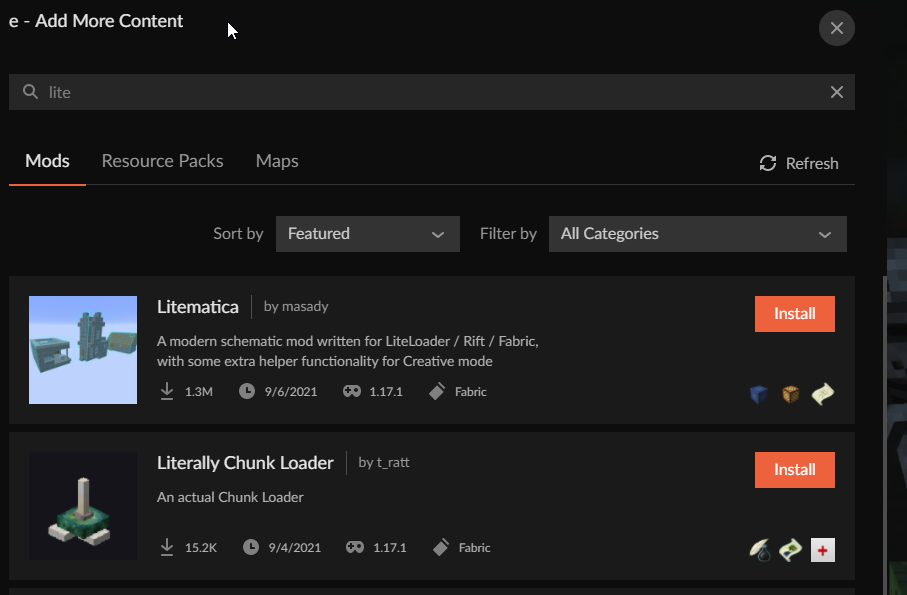
I want to download minecraft litematica (on curseforge) but it doesn't work? I also can't find it in the app..
lyric crescent
got a link to it?
fluid stirrup
 robust merlin
i have made a minecraft modpack its called goodguytown craft
lyric crescent
is this related to support somehow?
robust merlin
i tried authorizing it but it won't work
lyric crescent
not sure what that means
 lyric crescent
didnt ask for a link, asked what you were talking about
lyric crescent
fluid stirrup
why do i not have it?
?mc-installmods
red patioBOT
How to install mods in CurseForge App.
- Click
+ Create Custom Profile - Name it, select the required Minecraft version, select the Forge version (usually the highest number), click
Create. - Click the profile icon.
- Click
Add More Content - Search and install the desired mods.
- Start the game!
How to install mods not on CurseForge.
- Right click the profile picture or Open the profile and click the Icon next to the play button.
- Click
Open Folder. - Drag the mod(s) into the
modsfolder. (Note: Some mods will require others, to run. Make sure to read the instructions for the mod!) - Start the game!
 robust merlin
i made the modpack already it not authorized
can anyone click on the link and tell me how i authorize it
 prime current
any way to solve the character limit issue with the windows version of curseforge? having an issue installing the minecolonies official pack, and the developers of it do not seem to think they can fix this issue.

@robust merlin when did you submit it?
it can take several days for approval before it can be downloaded
robust merlin
just now
 signal ridge
!status
red patioBOT
Project Moderation Time
Project/File moderation is done on these days unless otherwise mentioned:
Sunday, Monday, Tuesday, Wednesday, Thursday: <t:1631170800:t> - <t:1631199600:t> (Your time)
Friday, Saturday: No Moderation!
Projects are moderated First in, First out. If you submit late in the work day, it will likely get left until the next day!
New Projects or anything flagged for manual review: 1-3 Working Days
Updates to approved projects not needing manual approval: 1 Hour
Changes will only show in the app if the project meets the requirements in the ?sync command and up to 24 hours has passed from when it was accepted.
robust merlin
i started it today
prime current
ok. so it could take several days.
today is thursday. if they dont get to it by today. it will be sunday
lyric crescent
today is over, and it could be up to tuesday..
robust merlin
so i hope it get done i need to try it out with my brother
prime current
once your initial project gets approved though, future updates will go through much quicker.
you can give him the zip manually for now
but yeah, back to my issue here..... So the minecolonies pack was developed on a mac and the zip that was created seems to not be readable by windows machines due to some issue with the zip. When viewing the zip created by the curse launcher with the windows zip view, many of the files seem to be missing, but if this same zip is viewed via 7zip the files are there. Is there a current workaround so that I can install this pack?
 lyric crescent
frankly i dont even know what im looking at in this pic
no zip made from curseforge looks like that?
prime current
this is a data pack within the zip that was created.
the curse launcher is unable to install this modpack.. gives
 lyric crescent
send the zip
prime current
upon looking into the zip, windows cannot see the files at that location.
lyric crescent
well no, that is a temp folder and is deleted after use
prime current
https://www.curseforge.com/minecraft/modpacks/minecolonies-testpack
its the official 1.17 minecolonies pack.
@lyric crescent viewing that same zip file with 7zip it sees the files
lyric crescent
why are you pinging me.. im literally here already
prime current
windows has an issue seeing all the files. there seems to be some type of character limit from what i was reading. sry habit of mine on large servers
 opal cipher
Yes, windows has a limit to how many characters a path can be, and to be fair, it's really low..
lyric crescent
the 1.17.1 version doesnt even appear on the app 🤔
prime current
yeah, and this seems to cause an issue with this pack. i have tried removing the datapack that has the issue, but then the zip just become unusable with curseforge.
yeah, refresh it a couple times. its odd. i had the same issue.
lyric crescent
 prime current
indeed. The mincolonies team is telling people to just use the GDLauncher to play their pack, as that installer seems to have some kind of fix to remedy this.
So, i was hoping there was some kind of fix or workaround for this issue. I dont trust lauchers that require your account info for minecraft, and gd seems to be one that does that.
lyric crescent
yea pretty sure the datapack path is too long
fleet bear
I thought longform temp files got replaced...
lyric crescent
}```Though I don't know if that will even bring it into size.
04-more-structures-add-on-by-kubek-villages-e2380
Well there's part of the issue. People need to learn to not use stupid names.
 shell copper
I wish the launcher had a better error message though
lyric crescent
wish the launcher just didnt have errors
shell copper
I'm not wishing for impossible things, I'm a dev as well 🤷♂️
 bronze marlin
what can i do to not have to click on pictures of buses, boats, and trains every single time i open the site or even refresh the page after just a few minutes?
 narrow minnow
bronze marlin
what can i do to not have to click on pictures of buses, boats, and trains every...
narrow minnow
bronze marlin
what can i do to not have to click on pictures of buses, boats, and trains every...
Are you on a network with other computers? like a college or office network?
bronze marlin
nope, i even tried setting up a static ip and it didn't help
bronze marlin
i'm on linux
i feel like i should at least get credit for helping train whatever AI the captcha data is going to
there's no way that thing doesn't know what a bus is by now
 gilded elbow
plz help why wont this work
 signal ridge
!mc-path
red patioBOT
Change your install path to the following:
For Windows: C:\CurseForge
-Go to C:\ drive. Make a new folder. Name it Curseforge.
For Mac: /Users/Shared/CurseForge
If Minecraft is not installed in CurseForge App:
- Click the in the top left.
- Select Minecraft from the list of games.
- Select the
Advancedoption and pick the folder you just made. - Click
Continue.
If Minecraft is installed in CurseForge App:
- Click the in the bottom left.
- Select the Minecraft tab.
- Click
Change. - Select the folder you just made.
:no_entry_sign: Minecraft Files should NOT be installed inside the following locations :no_entry_sign:
:no_entry_sign: .minecraft folder.
:no_entry_sign: OneDrive folders.
:no_entry_sign: Desktop folder.
:no_entry_sign: Drive roots I.E. Directly into the C:\ drive.
:no_entry_sign: iCloud enabled folders.
:no_entry_sign: or any other cloud saved folder.
:no_entry_sign: or folders with non-English characters in them.
If any of the above are in the path you need to change/move it!
 novel nebula
so my modpack is under review how long will they typically take
fleet bear
!status
red patioBOT
Project Moderation Time
Project/File moderation is done on these days unless otherwise mentioned:
Sunday, Monday, Tuesday, Wednesday, Thursday: <t:1631170800:t> - <t:1631199600:t> (Your time)
Friday, Saturday: No Moderation!
Projects are moderated First in, First out. If you submit late in the work day, it will likely get left until the next day!
New Projects or anything flagged for manual review: 1-3 Working Days
Updates to approved projects not needing manual approval: 1 Hour
Changes will only show in the app if the project meets the requirements in the ?sync command and up to 24 hours has passed from when it was accepted.
 cinder palm
@wind hatch good morning
signal ridge
cinder palm
<@!732551218693406750> good morning
#📛︱rules 5.
cinder palm
I was asked
signal ridge
ah
 rose jungle
Is anyone else having problems installing curseforge or overwolf
signal ridge
Win or Mac?
rose jungle
Win
signal ridge
10?
signal ridge
!getcf
red patioBOT
Looking to install the CurseForge app?
<:windows:798410728188936222> Windows
Minimum Requirements:
- OS Version: 7, 8.1, 10
- 64 bit Required.
- 350MB storage space.
- Microsoft .Net 4.8
- Intel/AMD quad-core CPU
- 8GB ram
Download: https://download.overwolf.com/install/Download?&PartnerId=4047
If you are having issues with the installer use the URL below to install Overwolf then go to the app store to download CurseForge.
https://content.overwolf.com/downloads/setup/latest/regular.html
<:mac:798410654418862130> Mac
Minimum Requirements:
- OS Version 10.14 or newer.
- 64 bit Required.
Download: https://curseforge.overwolf.com/downloads/curseforge-latest.dmg
:penguin: Linux
Minimum Requirements:
Yes.
Download: :person_shrugging:
signal ridge
Try the second link for windows
 signal ridge
That from using the first or second link?
rose jungle
both
signal ridge
Are you on wifi or cable for internet?
rose jungle
wifi
signal ridge
Are you able to do ethernet? Curseforge and wifi dont get along all that well
rose jungle
wait i tried the second link again and it didnt error
 placid valve
bruh
 digital roost
German?
fleet bear
prime current
the curse launcher is unable to install this modpack.. gives
This is getting fixed soon.
lyric crescent
No, you can use a translator though
digital roost
digital roost
im can no open curseForge
Oops, that was not supposed to happen! Seems like we could not load CurseForge. Lets try this one more time, or learn more.
placid valve
i can't open curseforge too, because overwolf no open
 latent girder
Might wanna kick hentai
He sent me some illegal shit about 'carding'

Or at least keep an eye out
lyric crescent
That person doesn't even seem to be here
latent girder
I checked. Apparently we're mutual friends here
 civic glacier
hey is there an admin here
lyric crescent
Tag them
lyric crescent
Just tag them, don't need to spam screenshots
civic glacier
there are bots in here using this server to get accounts to try to scam them
latent girder
@Неntаi#6158
lyric crescent
Turn off your dms, we can't do anything about it
latent girder
Huh.
latent girder
Well I was just letting you know
lyric crescent
Been aware for several days
latent girder
Alright
digital roost
While I recognize you're trying to help keep the server clean of that sort of thing, I do have a few suggestions. Firstly, I think #🥑-off-topic-chat would be a better channel for that. Secondly, I would recommend against posting so many consecutive images, just in general (again, I realize you're just trying to help - just my 2 cents ((edit - the consecutive images were removed))). Thirdly, based on what I have seen so far - and I've not been here long, so take this with a grain of salt - your best option may be to disable DM's on this specific server. Some spambots may be dropping their payload, deleting the associated account, and making new ones.
civic glacier
thanks i did that sorry
 heady kelp
can someone help me pls
 junior jewel
hi i need help my minecraft when i open it brings me to sighn in page on the lancher but its difrent
lyric crescent
Different how
 normal copper
hello I have a problem with forge and when I start I try minecraft with forge it throws an error and I don't know how to solve it: /

whenever I want to start it, it won't let me: /
lyric crescent
!notcf
red patioBOT
The question you are asking about isn't related to CurseForge. Please use the appropriate game rooms by getting the role from #786424115535544350 or use #👽︱game-support for help.
This room is only for CurseForge Owned & Maintained features/services.
 ebon pilot
I don't know specifically what this issue is tied to but Curseforge keeps randomly uninstalling mods from Minecraft and me being a tech dummy I can't seem to understand why
 odd eagle
Launching my custom modpack only opens a FTB Oceanblock profile I had using the FTB launcher. Why is there this interference, and how can I fix it? Any help is appreciated.

Launching any modpack, actually.
signal ridge
make sure all other mc launchers are closed before launching a cf pack
odd eagle
signal ridge
make sure all other mc launchers are closed before launching a cf pack
How do I do that? FTB is tied to overwolf.
signal ridge
Do you have another instance of minecraft open atm?
odd eagle
FTB doesn't have a desktop application, its just kinda in a sidebar. So I don't really know how to "close" it

One second, I'll check even though I'm pretty sure not
 steep dome
Is there a way to load my library without internet
signal ridge
Nope, cf app needs internet
odd eagle
Well
That fixed it
Apparently there was an instance hiding, some error caused it to not send the crash process
steep dome
Is it possible to load my mods without using the cf app
prime current
what do u mean by load? install or run
 viral gorge
steep dome
Is it possible to load my mods without using the cf app
viral gorge
steep dome
Is it possible to load my mods without using the cf app
yeah instll forge on vanilla launcher
odd eagle
steep dome
Is it possible to load my mods without using the cf app
You can just manually install mods using forge? Or use a launcher that supports offline measures
signal ridge
steep dome
Is it possible to load my mods without using the cf app
Multimc would be the only other thing that I would say. It can import cf packs/exports and work offline
viral gorge
True^
odd eagle
Multimc has so many profiling issues
But I guess if you're using it as just an offline launcher you shouldn't run into any
signal ridge
This would be a better discussion for #🧱︱minecraft-chat
 viral nest
hello, my friend is stuck on mod set up complete trying to launch all the mods 6
what can cause this
prime current
potentially not enough ram
viral nest
More than 12 gb?
prime current
that should be enough, but i've nerver run atm 6. so i cant be positive.
signal ridge
Have your friend join here
viral nest
He’s coming
signal ridge
So whats happing exactly?
 polar rover
So basically I'm running ATM 6 and when im running the game it takes a SUPER long time at the mod setup complete and atlas stitching
like forever
signal ridge
How much memory have you allocated to the CF app AND how much does your pc have total?
polar rover
12 total 12 allocated but the mc says about 10 or 11
viral nest
I’ve got 16 and have 12 allocated and it takes a while to load
signal ridge
drop your ram allocated down to 6gb in the app. If your pc has 12 total and your allocating almost all of it to cf your pc will actually run slower
polar rover
okay i will try that
viral nest
But his almost never loads lol
signal ridge
Start with that then try. If it doesnt load can go from there
polar rover
okay well i just changed it and started it but it already says 10923 MB
at the top left
signal ridge
polar rover
okay well i just changed it and started it but it already says 10923 MB
What did you set it too in the cf app?
polar rover
6496
signal ridge
did you close the launcher that the app opens then try relaunching the pack?
signal ridge
Need to close the launcher for it to change the ram properly
polar rover
alright trying it out now
okay well its going a lot faster now
its already at the atlas stitching now but that part is still taking a while
any way to make it any faster?
signal ridge
has this pack worked before?
polar rover
first time
signal ridge
other packs work?
polar rover
i just got finished playing tekxit pi for a while
prime current
atm is a big pack. i thought the min ram was 8gb on that one.
signal ridge
Ive played in on 6gb. Could try upping it to 8. If you have only 12bg total Dont allocate any more then 9-10gb
viral nest
I have 12 outta 16 allocated and it goes kinda slow, no where near as slow as his tho lol
polar rover
okay heard it
signal ridge
Theres also the chance your pc just cant handle the pack as well. Ram isnt the only thing packs need to run
polar rover
right
I have a Dell inspiron 15 7559 with 4 extra gb ram and a solid state replacement
 rich flint
if you want to discuss game performance theree are mc channels via #786424115535544350
 primal hatch
is there anyway i can get curseforge to run on windows 11
or get the modpack so i can install it manually?
rich flint
they posted something about win11 in #📢︱news a few days ago - they probably aren't ready to roll that out yet
 tiny oriole
recently curseforge modpacks have been loading really slowly when im trying to play them
i have lots of ram and space
i even checked online if anything was wrong and my drivers are good

 solid zealot
Hey so when I try to launch a mod from the Curseforge app, it asks me to login to either my Mojang or Microsoft account, despite the fact I am already logged into my Microsoft account on the MC launcher. Is that normal? What exactly is happening?
narrow minnow
prime current
So, i was hoping there was some kind of fix or workaround for this issue. I dont...
thanks for letting us know. we'll try to release a fix in a few days
prime current
np. ty for working on it.
the workaround i suggested to the mincolonies team was to just zip back up all the data packs. In my testing, this fixed the issue with that pack specifically. though it could be fixed on the launchers end as well.
 rugged finch
I cannot launch the curgeforge app AT ALL i can only launch the overwolf anyone know fix ive reinstalled 3 times
shell copper
@narrow minnow Could you by chance see the ticket #101233?
Same error but a different cause
I tried reviewing the logs as well but didn't find a solution so far, as the errors didn't help
narrow minnow
shell copper
<@141637151375753216> Could you by chance see the ticket #101233?
Same error but...
pls dm me the actual issue.
i'm not near a computer atm
 quartz moss
Alex | Xeo | 14278#9171 seems to be his ID
queen storm
Can you tag him?
quartz moss
Sadly - no
quartz moss
It says so
 queen storm
As in copy ID when you right click their name
quartz moss
895700378232967179
queen storm
Thanks
quartz moss
Thank you to for fast moderation!)
queen storm
Got a ping, so handled it 🤷♂️
quartz moss
Should I remove ping now?
queen storm
Did it myself 😉
quartz moss
Nice
red patioBOT
Don't want scam DM?

 trim drift
how do you download mods
queen storm
! mc-installmods
red patioBOT
How to install mods in CurseForge App.
- Click
+ Create Custom Profile - Name it, select the required Minecraft version, select the Forge version (usually the highest number), click
Create. - Click the profile icon.
- Click
Add More Content - Search and install the desired mods.
- Start the game!
How to install mods not on CurseForge.
- Right click the profile picture or Open the profile and click the Icon next to the play button.
- Click
Open Folder. - Drag the mod(s) into the
modsfolder. (Note: Some mods will require others, to run. Make sure to read the instructions for the mod!) - Start the game!
trim drift
thanks
 austere scroll
please help yesterday my curseforge said oops that was not supposed to happen but the day before it worked fine
queen storm
How much free disk space do you have?
queen storm
mb? kb? gb? tb?
austere scroll
and my D: there is 147 GB
and its 11 GB
its the D: its installed on
and i just made some free space on C: before opening curseforge
and i just installed a game called No man's sky on D:
 vernal halo
Hello can we add Among us mods?
signal ridge
They are on the site only (Among us)
austere scroll
 north shale
I keep redownloading curse forge for Minecraft but I can't seem to log in with my Microsoft account can anyone help me?
red patioBOT
Minecraft Logins
CurseForge does not handle or touch the Minecraft Login.
If you have a DEMO button instead of a PLAY button in the launcher you are logged into an account that does not own the game. CurseForge requires you to own the game to use it.
Follow the steps in the pictures below. If you bought Minecraft after October 2020 or you have transferred your account you will use a Microsoft account.
Otherwise you must use a Mojang account until you transfer it!

 left obsidian
Hi, I have a question and it is if you have a project, in my case it is a mod, the number of downloads can get stuck?
signal ridge
left obsidian
Hi, I have a question and it is if you have a project, in my case it is a mod, t...
Its been a known/ongoing issue
left obsidian
I've had the same number for 2 weeks now and that's why I think it may have been stuck.
left obsidian
signal ridge
Its been a known/ongoing issue
Anyway thanks for your help
signal ridge
Has been forwarded to those that can have a look as well
lyric crescent
link your project please
left obsidian
in this channel?
signal ridge
yep
lyric crescent
you sure there should be more?
left obsidian
I don't know but it seems strange to me
 bleak karma
Hi, my name is David, i`ve been trying to install a Pixelmon Modpack, but im having some issues with it, every time i try to install it it shows a message saying im having problems with my webclient, and it just wont let me download the modpack. How can i install my modpack?
signal ridge
!webclient
red patioBOT
WebClient errors are from networking issues to your computer. You can try a few things to fix it:
- Restart the computer.
- Restart your router/modem.
- Try another internet source like a hotspot, wired connection or moving closer to the WiFi.
- Pause/Stop other things using the internet. (Streams, music, etc)
- If this still doesn't work, try again in an hour and hope your connection is stable.
lyric crescent
left obsidian
I don't know but it seems strange to me
FYI even if the counter doesn't update it's still working on the backend
 frosty vale
I have a question. I want to download Better Minecraft but I don't know how to do it. I downloaded Curseforge but I can't find Better Minecraft now.
Does anybody know where to find it or how to install it?
I found it.
 north dagger
is there any admin here
lyric crescent
just say the issue
north dagger
my mod downloads haven't been updating for a while
queen storm
Broken
north dagger
?
queen storm
The counter is broken
lyric crescent
north dagger
my mod downloads haven't been updating for a while
north dagger
And what can I do then
queen storm
Nothing, wait till it is fixed
digital roost
There is no world edit on the app 😦
north dagger
so i lose the previous downlaods
queen storm
north dagger
so i lose the previous downlaods
They are still there, just not visible 🤦
queen storm
digital roost
There is no world edit on the app 😦
Show you searching for it
digital roost
 queen storm
Now follow the instructions correctly, you did not make a profile
queen storm
What kind of profile did you make?
lyric crescent
does the mod actually exist on the version you selected
digital roost
1.17.1 Named "Mod's"
queen storm
And might want to get the name right
digital roost
Still nothing no need to be a dick
signal ridge
 lyric crescent
uh.. excuse you
signal ridge
Can see it no issues. 1.17.1 profile forge
digital roost
 signal ridge
digital roost
signal ridge
digital roost
Still not following the bot, your searching Modpacks not mods
digital roost
I can't see "Mods"
signal ridge
have you created a custom profile?
 signal ridge
Click on the Picture
signal ridge
!mc-installmods
red patioBOT
How to install mods in CurseForge App.
- Click
+ Create Custom Profile - Name it, select the required Minecraft version, select the Forge version (usually the highest number), click
Create. - Click the profile icon.
- Click
Add More Content - Search and install the desired mods.
- Start the game!
How to install mods not on CurseForge.
- Right click the profile picture or Open the profile and click the Icon next to the play button.
- Click
Open Folder. - Drag the mod(s) into the
modsfolder. (Note: Some mods will require others, to run. Make sure to read the instructions for the mod!) - Start the game!
digital roost
 signal ridge
You have done step 1 & 2, Need to do Steps 3-6 now for the first part
digital roost
Nvm i got it thanks!
 unreal garden
Hi, just one question
what happened to curseforge?
I can't install simple mods anymore, just modpacks
lyric crescent
lyric crescent
how would you do it better?
unreal garden
idk, I'm just a bit overwhelmed because I'm used to the old drag and drop way of doing things
having a whole app just for mods is a bit redundant for me
lyric crescent
you dont have to use it
unreal garden
really?
lyric crescent
yea, you can just install forge manually and drag and drop
unreal garden
where?
unreal garden
well I've been there and got the beta app
but I guess my problem is already solved now
lyric crescent
forge doesnt have an app
unreal garden
what
lyric crescent
!!=
red patioBOT
Wording is important!
Forge = Minecraft Forge, This is a modloader often just called "Forge".
Fabric = Fabric MC, this is another modloader, just called "Fabric".
CurseForge = A Website/App that has content for games.
Mods = Individual mod files.
Modpacks = Multiple mods put into the mods folder or downloaded from CurseForge.
These are not Interchangeable! Please use the correct terms as it allows us to help you faster!
unreal garden

I got this from the curseforge site
that is the desktop app, right?
by overwolf
lyric crescent
yes, curseforge. not forge
lyric crescent
only relation is that curseforge can install forge. nothing else
queen storm
fleet bear
It's almost as if names are important!
lyric crescent
you mean microsoft didnt put the windows in my house?
 marble mural
I've heard cf isn't on windows 11 when's that planned to update?
lyric crescent
it was planned for a few days ago but hasnt happened yet so 🤷♂️
 lyric crescent
?mc-installfix
red patioBOT
- Click on the Minecraft Tab on the Left side of the CurseForge App.
- Click button next to the
Create Custom Profileoption. - Click
Repair Installationoption. - Play game.
NOTE: You will not lose any modpacks or worlds, These are saved in the Instances folder. DO NOT TOUCH THIS FOLDER OR YOU WILL LOSE EVERYTHING
unreal garden
 marble mural
Task manager time
lyric crescent
restart your computer, then try again
unreal garden
sigh
lyric crescent
marble mural
I've heard cf isn't on windows 11 when's that planned to update?
are you asking beacuse it doesnt work? did you try?
marble mural
lyric crescent
are you asking beacuse it doesnt work? did you try?
I'm asking so I know if it will work when I am eventually forced by windows to update
lyric crescent
it apparently should be working now
marble mural
Ah ok thanks
 idle grotto
i've upload a new project to curseforge, can someone judge it and
obviously approve it?
signal ridge
!status
red patioBOT
Project Moderation Time
Project/File moderation is done on these days unless otherwise mentioned:
Sunday, Monday, Tuesday, Wednesday, Thursday: <t:1631170800:t> - <t:1631199600:t> (Your time)
Friday, Saturday: No Moderation!
Projects are moderated First in, First out. If you submit late in the work day, it will likely get left until the next day!
New Projects or anything flagged for manual review: 1-3 Working Days
Updates to approved projects not needing manual approval: 1 Hour
Changes will only show in the app if the project meets the requirements in the ?sync command and up to 24 hours has passed from when it was accepted.
lyric crescent
yes, someone will when they get to it
idle grotto
this is my pack c:
 lyric crescent
no one in this discord approves packs
idle grotto
?
signal ridge
Your asking for your pack to be approved yes? Noone in this discord is a part of that team. Need to wait till the team is working again. Bot above has the times they work
idle grotto
ah thanks, so i have wait? i dont have pacience
signal ridge
Yep, just like all the others with projects waiting to be approved
lyric crescent
gunna be a long weekend then 😄
signal ridge
file? As in what you uploaded?
signal ridge
upload a new file
unreal garden
ok I restarted the pc and started my minecraft modpack again, the launcher started and I clicked on Play and now nothing happened again
aaaand now I need to restart again cause the installation won't repair anymore
idle grotto
signal ridge
upload a new file
how?
lyric crescent
so you didnt do the fix before opening stuff?
unreal garden
give me a minute
signal ridge
idle grotto
how?
Screen shot the error message you got

 lyric crescent
the name of your project, not the file
 signal ridge
Sure

 lyric crescent
seems clear
lyric crescent
 signal ridge
Need an English description as well.
idle grotto
but can i keep the italian one? or i should change it to english?
lyric crescent
you can have more than one version, but you must have an english one
unreal garden
ok so I restarted again and repaired my installation
it says minecraft installation repaired successfully
will the game open when I click play now or is there anything else?
lyric crescent
see if it works now
idle grotto
ok?
 idle grotto
ok :C
marble mural
!status
red patioBOT
Project Moderation Time
Project/File moderation is done on these days unless otherwise mentioned:
Sunday, Monday, Tuesday, Wednesday, Thursday: <t:1631170800:t> - <t:1631199600:t> (Your time)
Friday, Saturday: No Moderation!
Projects are moderated First in, First out. If you submit late in the work day, it will likely get left until the next day!
New Projects or anything flagged for manual review: 1-3 Working Days
Updates to approved projects not needing manual approval: 1 Hour
Changes will only show in the app if the project meets the requirements in the ?sync command and up to 24 hours has passed from when it was accepted.
fleet bear
Discord does.
 cloud arrow
How do I replace my 2FA?
digital roost
Quick question about uploading a modpack, do all the mods inside the modpack have to be on the curseforge site?
signal ridge
Only mods from the cf site or 3rd-party list will be approved. Anything else will be rejected
idle grotto
!status
red patioBOT
Project Moderation Time
Project/File moderation is done on these days unless otherwise mentioned:
Sunday, Monday, Tuesday, Wednesday, Thursday: <t:1631170800:t> - <t:1631199600:t> (Your time)
Friday, Saturday: No Moderation!
Projects are moderated First in, First out. If you submit late in the work day, it will likely get left until the next day!
New Projects or anything flagged for manual review: 1-3 Working Days
Updates to approved projects not needing manual approval: 1 Hour
Changes will only show in the app if the project meets the requirements in the ?sync command and up to 24 hours has passed from when it was accepted.
idle grotto
!statsus
signal ridge
Use #🟢︱user-bot-spam if you want to test bot commands
idle grotto
occkheiyh
 rose charm
Hello, when I try to update addons this week, I'm getting the 'failed to delete addon(s)' error. Using Curseforge version 0.182.2.1. Any suggestions?
lyric crescent
tried a pc restart?
rose charm
That worked, thanks!
austere scroll
anyone that can help, my curseforge is saying "oops that was not supposed to happen" when it worked fine 2 days ago, and i have tried all the learn more things and i cant make it work
lyric crescent
you on wifi?
red patioBOT
WebClient errors are from networking issues to your computer. You can try a few things to fix it:
- Restart the computer.
- Restart your router/modem.
- Try another internet source like a hotspot, wired connection or moving closer to the WiFi.
- Pause/Stop other things using the internet. (Streams, music, etc)
- If this still doesn't work, try again in an hour and hope your connection is stable.
lyric crescent
can try that stuff also
lyric crescent
?owlogs
red patioBOT
<:overwolf:857375414002384916> How to get Overwolf logs! <:overwolf:857375414002384916>
lyric crescent
send that
just a lot of failed to connect. it's your network
you can make a ticket if you like, but i expect you'll get the same result
?ticket-site
red patioBOT
:bug: Reporting via Website :bug:
Can't open the app or would rather use the website? You can do so here: https://support.curseforge.com/en/support/tickets/new
Fill out the form with accurate detailed information, "It doesn't work" isn't helpful! What exactly doesn't work and why doesn't it work should be easy to answer!
Make sure to upload your Overwolf logs with the Upload File option on the ticket, information on how to get these logs can be found here https://support.overwolf.com/en/support/solutions/articles/9000176827-how-to-get-your-overwolf-logs
austere scroll
thanks i will try to see if i can fix it
 muted escarp
i tried to load a custom modpack and it failed... anyone know why that mightve happened?
 gilded flint
hello guys, i have a little problem with curse forge
when i try to open a modpack, it will open the minecraft launcher but wont open the exact installation of the specific modpack. it did worked just fine earlier, but after i tried to download another modpack from FTB on overwolf it suddenly did not work again. what can i do?
signal ridge
gilded flint
hello guys, i have a little problem with curse forge
when i try to open a modpac...
Make sure all other instances for minecraft are closed before opening a new pack
gilded flint
like a window of minecraft? yes its all closed
signal ridge
other option is a pc reboot, make sure any ghost windows get closed as well

 signal ridge
!mc-installfix try this
red patioBOT
- Click on the Minecraft Tab on the Left side of the CurseForge App.
- Click button next to the
Create Custom Profileoption. - Click
Repair Installationoption. - Play game.
NOTE: You will not lose any modpacks or worlds, These are saved in the Instances folder. DO NOT TOUCH THIS FOLDER OR YOU WILL LOSE EVERYTHING
marble mural
Wait does curseforge have 2fa cause iirc I set it up with twitch so idk if my account even has a email or anything
 summer gate
i need help when i go into the curse forge app it loads then when it shows the mods it reloads and it keeps repeating that process
 silver wave
"An exception occurred during a WebClient request." keeps saying this when i try to download a new modpack (ive tried different modpacks but the same errorr)
lyric crescent
!webclient
red patioBOT
WebClient errors are from networking issues to your computer. You can try a few things to fix it:
- Restart the computer.
- Restart your router/modem.
- Try another internet source like a hotspot, wired connection or moving closer to the WiFi.
- Pause/Stop other things using the internet. (Streams, music, etc)
- If this still doesn't work, try again in an hour and hope your connection is stable.
lyric crescent
summer gate
i need help when i go into the curse forge app it loads then when it shows the m...
Try a pc restart,
lyric crescent
turn it off.. then turn it on..
lyric crescent
sure?
lyric crescent
?ticket-app
red patioBOT
:bug: Reporting via the CurseForge App :bug:
-
Click the
 icon in the bottom left.
 -
Select

Open a Ticket. -
Fill out the form with accurate detailed information, "It doesn't work" isn't helpful! What exactly doesn't work and why doesn't it work should be easy to answer!
-
Make sure to upload your Overwolf logs with the
Upload Fileoption on the ticket, information on how to get these logs can be found here https://support.overwolf.com/en/support/solutions/articles/9000176827-how-to-get-your-overwolf-logs -
Submit!
 summer gate
and why do the mods not work if i dont use curse forge app
lyric crescent
wouldnt know, since this is support for the curseforge app, not support for not the curseforge app
lyric crescent
marble mural
Wait does curseforge have 2fa cause iirc I set it up with twitch so idk if my ac...
silver wave
thank you, it worked
 carmine wolf
Why can't I log in to the site?
 lyric crescent
no idea, never seen that before. using a vpn?
carmine wolf
No
lyric crescent
?ticket-site
red patioBOT
:bug: Reporting via Website :bug:
Can't open the app or would rather use the website? You can do so here: https://support.curseforge.com/en/support/tickets/new
Fill out the form with accurate detailed information, "It doesn't work" isn't helpful! What exactly doesn't work and why doesn't it work should be easy to answer!
Make sure to upload your Overwolf logs with the Upload File option on the ticket, information on how to get these logs can be found here https://support.overwolf.com/en/support/solutions/articles/9000176827-how-to-get-your-overwolf-logs
lyric crescent
?ticket-app if that doesnt work
red patioBOT
:bug: Reporting via the CurseForge App :bug:
-
Click the
icon in the bottom left. -
Select
Open a Ticket. -
Fill out the form with accurate detailed information, "It doesn't work" isn't helpful! What exactly doesn't work and why doesn't it work should be easy to answer!
-
Make sure to upload your Overwolf logs with the
Upload Fileoption on the ticket, information on how to get these logs can be found here https://support.overwolf.com/en/support/solutions/articles/9000176827-how-to-get-your-overwolf-logs -
Submit!
carmine wolf
I connected 2FA, but it tries to log in like simple, without 2FA.
Maybe I'm doing something wrong ...
lyric crescent
maybe. we arnt going to know the answer to that though
carmine wolf
Helped re-login to Twitch account
 wild matrix
HELP for some reason whenever I try to upload a new file to my modpack, it just archives it after processing for no reason. After I archived the first version myself, I tried to upload the new one so I can wait for the review process, but it just archives itself!! Why is it doing this?
lyric crescent
did you check if its being rejected?
fleet bear
Your file is getting rejected. There's no such thing as "Auto archive"
wild matrix
in fact the project says "approved" even though there's no files
fleet bear
Project approval is not file approval.
fleet bear
Read your notifications...
 blissful mica
can i get some help?
wild matrix
when I exported it in curseforge it had no problems
fleet bear
blissful mica
can i get some help?
can't help with something that is unknown.
wild matrix
And why why WHY do I keep getting this page EVERY SINGLE TIME I open a curseforge tab every 20 minutes

so damn annoying
 fleet bear
!mc-path
red patioBOT
Change your install path to the following:
For Windows: C:\CurseForge
-Go to C:\ drive. Make a new folder. Name it Curseforge.
For Mac: /Users/Shared/CurseForge
If Minecraft is not installed in CurseForge App:
- Click the in the top left.
- Select Minecraft from the list of games.
- Select the
Advancedoption and pick the folder you just made. - Click
Continue.
If Minecraft is installed in CurseForge App:
- Click the in the bottom left.
- Select the Minecraft tab.
- Click
Change. - Select the folder you just made.
:no_entry_sign: Minecraft Files should NOT be installed inside the following locations :no_entry_sign:
:no_entry_sign: .minecraft folder.
:no_entry_sign: OneDrive folders.
:no_entry_sign: Desktop folder.
:no_entry_sign: Drive roots I.E. Directly into the C:\ drive.
:no_entry_sign: iCloud enabled folders.
:no_entry_sign: or any other cloud saved folder.
:no_entry_sign: or folders with non-English characters in them.
If any of the above are in the path you need to change/move it!
blissful mica
thx
fleet bear
wild matrix
And why why WHY do I keep getting this page EVERY SINGLE TIME I open a curseforg...
because the automated system is flagging you. If you are on a shared network (school, free wifi, etc) it's more likely to happen
 dense cloak
I have not done anything to these folders.

Everything refuses to install.

Would ping someone but we all know how that goes.
lyric crescent
?ticket-app I'm sure you are familiar with this process by now as well
red patioBOT
:bug: Reporting via the CurseForge App :bug:
-
Click the
icon in the bottom left. -
Select
Open a Ticket. -
Fill out the form with accurate detailed information, "It doesn't work" isn't helpful! What exactly doesn't work and why doesn't it work should be easy to answer!
-
Make sure to upload your Overwolf logs with the
Upload Fileoption on the ticket, information on how to get these logs can be found here https://support.overwolf.com/en/support/solutions/articles/9000176827-how-to-get-your-overwolf-logs -
Submit!
dense cloak
Tried opening one a long time ago for something else and all I got was an automated message.
lyric crescent
Well the devs arnt here currently so uh... 🤷
dense cloak
lyric crescent
Well the devs arnt here currently so uh... 🤷
Apparently Curse didn't make a proper mods folder. Sooooo thats on them.
lyric crescent
Cool, make a ticket and tell them
 chrome granite
my curseforge keeps on saying modding folder cannot be set on OneDrive what do I do
signal ridge
chrome granite
my curseforge keeps on saying modding folder cannot be set on OneDrive what do I...
#📛︱rules 4, Replied the first place you posted
chrome granite
ok
 winter galleon
can someone please help me
 signal ridge
winter galleon
can someone please help me
signal ridge
winter galleon
can someone please help me
!mc-logs
red patioBOT
Sending logs for support.
- Right-click the modpack profile icon OR click the button in the modpack profile.
- Click
Open Folder. - Open the
logsfolder. - Drag and drop the FILE named
latestORdebuginto discord.
winter galleon
whait wha
signal ridge
Read what the bot says and send the log called latest here
Are you using the CurseForge app?
signal ridge
Any reason why your not? Makes playing packs, or installing mods easier
winter galleon
O
signal ridge
!getcf
red patioBOT
Looking to install the CurseForge app?
<:windows:798410728188936222> Windows
Minimum Requirements:
- OS Version: 7 (64 bit), 8.1, 10
- 64 bit Required.
- 350MB storage space.
- Microsoft .Net 4.8
- Intel/AMD quad-core CPU
- 8GB ram
Download: https://download.overwolf.com/install/Download?&PartnerId=4047
If you are having issues with the installer use the URL below to install Overwolf then go to the app store to download CurseForge.
https://content.overwolf.com/downloads/setup/latest/regular.html
<:mac:798410654418862130> Mac
Minimum Requirements:
- OS Version 10.14 or newer.
- 64 bit Required.
Download: https://curseforge.overwolf.com/downloads/curseforge-latest.dmg
:penguin: Linux
Minimum Requirements:
Yes.
Download: :person_shrugging:
signal ridge
Windows?
winter galleon
y e a
signal ridge
Try the second link for windows
winter galleon
the overwolfsetup.zip
signal ridge
yep, extract the zip and run that installer. Use overwolf to install the curseforge app
signal ridge
Which one the OW app OR the CF app?
winter galleon
w h a t
signal ridge
Open the overwolf app and either scroll down till you see the CurseForge app OR search for the CurseForge app and install it
winter galleon
i just pressed apps and found curse forge
signal ridge
That works too. Install the CF app
winter galleon
i open curse forge
signal ridge
!mc-installmods Follow this to install mods
red patioBOT
How to install mods in CurseForge App.
- Click
+ Create Custom Profile - Name it, select the required Minecraft version, select the Forge version (usually the highest number), click
Create. - Click the profile icon.
- Click
Add More Content - Search and install the desired mods.
- Start the game!
How to install mods not on CurseForge.
- Right click the profile picture or Open the profile and click the Icon next to the play button.
- Click
Open Folder. - Drag the mod(s) into the
modsfolder. (Note: Some mods will require others, to run. Make sure to read the instructions for the mod!) - Start the game!
winter galleon
its telling to set up curse forge to choose a modding folder
signal ridge
!mc-path
red patioBOT
Change your install path to the following:
For Windows: C:\CurseForge
-Go to C:\ drive. Make a new folder. Name it Curseforge.
For Mac: /Users/Shared/CurseForge
If Minecraft is not installed in CurseForge App:
- Click the in the top left.
- Select Minecraft from the list of games.
- Select the
Advancedoption and pick the folder you just made. - Click
Continue.
If Minecraft is installed in CurseForge App:
- Click the in the bottom left.
- Select the Minecraft tab.
- Click
Change. - Select the folder you just made.
:no_entry_sign: Minecraft Files should NOT be installed inside the following locations :no_entry_sign:
:no_entry_sign: .minecraft folder.
:no_entry_sign: OneDrive folders.
:no_entry_sign: Desktop folder.
:no_entry_sign: Drive roots I.E. Directly into the C:\ drive.
:no_entry_sign: iCloud enabled folders.
:no_entry_sign: or any other cloud saved folder.
:no_entry_sign: or folders with non-English characters in them.
If any of the above are in the path you need to change/move it!
winter galleon
standart or adnvance
signal ridge
Standard, if it doesnt work follow the bot above
winter galleon
ok
signal ridge
Yep, If the mods you downloaded before were from the CF site they can be found in the app. Just make sure your custom profile is the same version as the mods you want
winter galleon
ok
it says aplying a patch of 4
WAIT
can i have fabric and forge in there
\
signal ridge
Not together. The 2 modloaders do not work together. It is one or the other not both
signal ridge
But you can make as many custom profiles as you want.
signal ridge
No need to delete one to play another
winter galleon
i only have forge
signal ridge
?
winter galleon
im confussed
signal ridge
If you made a forge custom profile you will only have forge mods avaliable. If you want fabric mods you will need to make a new custom profile and set it to fabric
signal ridge
Click on its profile picture for the profile you made. Will tell you what game version and modloader you chose there
winter galleon
im getting confussed
 signal ridge
click view profile
winter galleon
ok
signal ridge
the "add More Content" button is how you add things like Mods , resource packs and maps.
winter galleon
ok
signal ridge
Install what you had in your original pack then try to launch it.
signal ridge
!mc-optifine
red patioBOT
We do not offer support for Optifine!
If you have issues with Optifine, remove it. If you want further support try the discord found on their website.
https://www.optifine.net/home
Installing Optifine with modpacks on Curseforge:
- Right click the modpack icon, select
Open Folder. - Put the
Optifine.jarinto themodsfolder. - Now start the modpack.
winter galleon
wait can i also download thing requerd to run the minecraft mod??
signal ridge
huh? which "thing" are you talking about?
signal ridge
Are you asking if you need to download the Forge Modloader to play mods?
winter galleon
like lemme get a image to show what i mean
signal ridge
or if a mod needs a dependency to run properly (another mod)
winter galleon
this
 signal ridge
yes you will need to install those using the app if it doesnt auto download them
 signal ridge
You did a ! instead of an i
winter galleon
oh
 noble timber
I need help.
signal ridge
dont we all
signal ridge
in what way? Care to explain?
noble timber
When I start the pack, it open up to a screen that just says "MOJANG" no anvil in the corner. Then it just stays there FOREVER.
AKA, it freezes.
signal ridge
!mc-logs
red patioBOT
Sending logs for support.
- Right-click the modpack profile icon OR click the button in the modpack profile.
- Click
Open Folder. - Open the
logsfolder. - Drag and drop the FILE named
latestORdebuginto discord.
noble timber
signal ridge
how much Ram does your pc have total?
 signal ridge
winter galleon
signal ridge
winter galleon
try tinkers
signal ridge
ah ok. was gunna say. 11 is an odd number to get to ram wise
noble timber
Yeah
signal ridge
Ok so insane craft needs a minimum of 8gb allocated to be able to play on low settings (pack makers choice not mine) Seeing on how you have 11 usable 8-9gb would be your max before your pc starts to crap out
!mc-ram
red patioBOT
How to set Global Minecraft RAM value.
- Click the icon in the bottom left to open settings.
- Click the Minecraft tab.
- Scroll down.
- Slide slider to recommended ram range as seen below.
 signal ridge
rn you only have 4gb allocated
noble timber
Ah, thank you.
winter galleon
wait can u please explain to me how to put optifine in there
like in fore
forge
signal ridge
Download optifine > right click on the packs profile picture > open folder > open the mods folder > put optifine in the mods folder > start the pack
!mc-optifine
red patioBOT
We do not offer support for Optifine!
If you have issues with Optifine, remove it. If you want further support try the discord found on their website.
https://www.optifine.net/home
Installing Optifine with modpacks on Curseforge:
- Right click the modpack icon, select
Open Folder. - Put the
Optifine.jarinto themodsfolder. - Now start the modpack.
signal ridge
If you have issues after that (crashes) contact their support.
winter galleon
wait do i stay in the curse forge?
signal ridge
if you want to put it in the cf profile yes.
winter galleon
but h o w?
signal ridge
Read....I just explained how. It even says a the bottom of the bot message
 signal ridge
Log into the account that owns the JAVA edition of minecraft
signal ridge
Once your logged in hit play. Otherwise the pack wont load
winter galleon
question what is the curse forge app for??
signal ridge
In easier terms its a app manager. Makes it easier to play with mods. Popular for minecraft. Whether its playing pre-made packs, installing single mods or making custom modpacks to share.
There are other games as well that work. I just know more on the mc side of things (I make packs)
 signal ridge
?mc-updatemodloader
red patioBOT
You can update the mod loader within the same game version in the CurseForge app by following these steps!
- Click on the modpack profile you are working with.
- Click on the button next to the play button.
- Click on the
 Profile Options button.
 - Select the mod loader version you want from the dropdown.
- Play!
If you need to update to a new game version, a new profile is required.
winter galleon
wait wha
signal ridge
follow that for how to update the modloader in your profile
winter galleon
wait so i go to curse forge and go to the profile??
signal ridge
yes
 signal ridge
 winter galleon
OOH OHH THANK U
oh and question does imersive portals is it working
cuz i had it and i removed it cuz it keeped crashing my game
signal ridge
Been some people having issues with it lately. ¯_(ツ)_/¯
winter galleon
oh
signal ridge
Players that get the issue in the past have been told to report it to the mods author. No idea if they did or not, you would have to go look
 fair terrace
who can help me
signal ridge
That depends
fair terrace
lol
signal ridge
Cant help if we dont know what the issue is. other then you needing help
signal ridge
Forge or Curseforge? they are not the same thing
fair terrace
and try to go to browse mods then try to do something
uh wait
yea curseforge
it says
oops, that wasnt supposed to happen
signal ridge
Windows or Mac?
signal ridge
All good
 forest quest
what version is mr crayfish's electronic mod on i have been trying to find it ._.
signal ridge
Go to the mod on the curseforge site and see what version it needs there
signal ridge
Link the mod
signal ridge
Copy the url for the mod from the site and paste it here
signal ridge
Projects need at least 1 Release or Beta file to sync with the app. Alpha files do not sync, you will have to manually add the mod to your custom profile
!mc-installmods Second part
red patioBOT
How to install mods in CurseForge App.
- Click
+ Create Custom Profile - Name it, select the required Minecraft version, select the Forge version (usually the highest number), click
Create. - Click the profile icon.
- Click
Add More Content - Search and install the desired mods.
- Start the game!
How to install mods not on CurseForge.
- Right click the profile picture or Open the profile and click the Icon next to the play button.
- Click
Open Folder. - Drag the mod(s) into the
modsfolder. (Note: Some mods will require others, to run. Make sure to read the instructions for the mod!) - Start the game!
forest quest
ohhhhhhhhhhhhhhhhhhhhhhhhhh tysm!
 worldly sigil
When I Launch The app Is Shows this
Image
digital roost
Hey y'all, I m trying to get a backup of some mods I was using when I was playing that I remembered I backed up on the account but now I can't find them anywhere
worldly sigil
When I Launch The app Is Shows this

I need Help
When I reload It It Still Shows It
lyric crescent
digital roost
Hey y'all, I m trying to get a backup of some mods I was using when I was playin...
What do you mean "backed up on the account". Afaik there is no account backup system.
digital roost
lyric crescent
What do you mean "backed up on the account". Afaik there is no account backup sy...
the sync thingy?
lyric crescent
For Minecraft? There is no sync.
digital roost
lyric crescent
For Minecraft? There is no sync.
for wow
digital roost
digital roost
for wow
i played last december and i made sure to back it up
viral gorge
is there a fix for this i have it pinned to taskbar but it wont start from the pined icon it will icon seperetly curseforge icon
 lyric crescent
Wow stuff is usually referred to as add-ons. No idea how sync works though, sorry.
digital roost
lyric crescent
Wow stuff is usually referred to as add-ons. No idea how sync works though, sorr...
is the stored locally?
oh nvm
Read that wrong
lyric crescent
I'm not even sure sync was working correctly in December tbh. It was broken for quite a while
digital roost
Fair enough
fleet bear
viral gorge
is there a fix for this i have it pinned to taskbar but it wont start from the p...
No. It's a known issue.
Every update you need to make a new shortcut.
viral gorge
ahh i keep wondering if anyone else is haveing the same issue with icons.
 covert rampart
I keep getting the same error no matter what I do. I've restarted my PC, restarted my internet, and tried solutions with slightly similar problems, and I can't get anything.

 storm saffron
Seems like there's something wrong with the way notifications are loaded.
If I click on the notification icon it loads a sign in page inside the modal, even though I am already logged in
 digital roost
ok so my modpack got rejected for plugins not in a jar file, while having no plugins or resource packs uploaded.
what do I do?
queen storm
digital roost
ok so my modpack got rejected for plugins not in a jar file, while having no plu...
!ticket-site
red patioBOT
:bug: Reporting via Website :bug:
Can't open the app or would rather use the website? You can do so here: https://support.curseforge.com/en/support/tickets/new
Fill out the form with accurate detailed information, "It doesn't work" isn't helpful! What exactly doesn't work and why doesn't it work should be easy to answer!
Make sure to upload your Overwolf logs with the Upload File option on the ticket, information on how to get these logs can be found here https://support.overwolf.com/en/support/solutions/articles/9000176827-how-to-get-your-overwolf-logs
queen storm
And email
fleet bear
storm saffron
Seems like there's something wrong with the way notifications are loaded.
If I c...
Log out and back in.
 pallid ether
So i changed my Mods Installion Path by accident and lost all the mods on curseforge is there a way to find it and reset it?
 celest void
Why when i search a mod i cannot find it but i can find it in a modpack? (skyfactory 4)
queen storm
Skyfactory is a modpack, not a mod...
celest void
Ye but the mod in that modpack
queen storm
What mod?
queen storm
Can't find it how?
 solid lily
hi - so my friend downloaded overwolf and then got forge through that now cant find minecaft path - not even default one
queen storm
!mc-path
red patioBOT
Change your install path to the following:
For Windows: C:\CurseForge
-Go to C:\ drive. Make a new folder. Name it Curseforge.
For Mac: /Users/Shared/CurseForge
If Minecraft is not installed in CurseForge App:
- Click the in the top left.
- Select Minecraft from the list of games.
- Select the
Advancedoption and pick the folder you just made. - Click
Continue.
If Minecraft is installed in CurseForge App:
- Click the in the bottom left.
- Select the Minecraft tab.
- Click
Change. - Select the folder you just made.
:no_entry_sign: Minecraft Files should NOT be installed inside the following locations :no_entry_sign:
:no_entry_sign: .minecraft folder.
:no_entry_sign: OneDrive folders.
:no_entry_sign: Desktop folder.
:no_entry_sign: Drive roots I.E. Directly into the C:\ drive.
:no_entry_sign: iCloud enabled folders.
:no_entry_sign: or any other cloud saved folder.
:no_entry_sign: or folders with non-English characters in them.
If any of the above are in the path you need to change/move it!
celest void
queen storm
Can't find it how?
Well uhm my friend wants to make a modpack for himself but he cannot find the mod that he wants to add( but its in skyfactory 4) ( Astral sorcery)
When he searches it
queen storm
celest void
Well uhm my friend wants to make a modpack for himself but he cannot find the mo...
Get your friend on here
queen storm
Then we shall wait for him
solid lily
queen storm
!mc-path
thx
celest void
He aint good in english btw
queen storm
celest void
He aint good in english btw
No, aint gonna talk through somebody else
celest void
Alr
 arctic timber
queen storm
No, aint gonna talk through somebody else
arctic timber
queen storm
No, aint gonna talk through somebody else
I am here
celest void
Could anybody else help my friend this guy just went offline
queen storm
celest void
Could anybody else help my friend this guy just went offline
Sorry that I am not looking at discord 24/7
queen storm
arctic timber
I am here
What modloader, which minecraft version?
celest void
…
queen storm
That is a mod manager, not loader, forge or fabric?
arctic timber
forge
queen storm
Now show a screenshot of you searching for it
 deft olive
how to make your mod pack public
red patioBOT
There are two ways to share a modpack you've made with others...
Export and Share - For Friends to Small Groups.
- Click the Icon for the modpack.
- Click the button next to play.
- Click

Export. - Select the files that should be included.
- Send the zip to the people that want it! They can follow the instructions in
!mc-installpackto install the pack!
Upload to Curseforge - For Public Release to Everyone.
This options will make your pack public to EVERYONE, it comes with extra requirements and will take some effort to set up.
- Go to here: https://www.curseforge.com/project/432/4471/create
- Fill out the information with a proper description of the pack. This should allow anyone to understand what the pack is.
- Click the Icon for the modpack in the CurseForge app.
- Click the button next to play.
- Click
Export. - Select the files that should be included.
- Open your Project you made on the CurseForge site and Upload the file you just made.
- Wait for Moderation & Sync so it can show up in the client! (See
!syncfor limitations)
 queen storm
241721
Put that in the search bar
arctic timber
thx
 tight sparrow
Hello, someone can help me with java / minecraft error ?
tight sparrow
Thanks
idle grotto
im diyng from old age...
 opal cipher
 winged lake
where can you locate the config files
lyric crescent
usually in the config folder
winged lake
how do i open that
lyric crescent
right click the modpack icon and open folder
winged lake
ok thank you
 little cloak
hi i need help
 lyric crescent
?mc-path
red patioBOT
Change your install path to the following:
For Windows: C:\CurseForge
-Go to C:\ drive. Make a new folder. Name it Curseforge.
For Mac: /Users/Shared/CurseForge
If Minecraft is not installed in CurseForge App:
- Click the in the top left.
- Select Minecraft from the list of games.
- Select the
Advancedoption and pick the folder you just made. - Click
Continue.
If Minecraft is installed in CurseForge App:
- Click the in the bottom left.
- Select the Minecraft tab.
- Click
Change. - Select the folder you just made.
:no_entry_sign: Minecraft Files should NOT be installed inside the following locations :no_entry_sign:
:no_entry_sign: .minecraft folder.
:no_entry_sign: OneDrive folders.
:no_entry_sign: Desktop folder.
:no_entry_sign: Drive roots I.E. Directly into the C:\ drive.
:no_entry_sign: iCloud enabled folders.
:no_entry_sign: or any other cloud saved folder.
:no_entry_sign: or folders with non-English characters in them.
If any of the above are in the path you need to change/move it!
winged lake
Yamza i opened the folder but all i see is downloads, mods, reasorcepacks, saves, and minecraftinstance.json
lyric crescent
you need to run it once for configs to generate
winged lake
oh i did not know that let me try really quick
 desert mulch
I need some help
i got a server with some mods. But when i am crating an own Modpack it gives me some errors and the Game will not start completely
deft olive
how do you add a modarater?
desert mulch
i don´t know
lyric crescent
!notcf
red patioBOT
The question you are asking about isn't related to CurseForge. Please use the appropriate game rooms by getting the role from #786424115535544350 or use #👽︱game-support for help.
This room is only for CurseForge Owned & Maintained features/services.
 tranquil shore
can someone help me with logging my minecraft accont in to curseforge
lyric crescent
!mc-login
red patioBOT
Minecraft Logins
CurseForge does not handle or touch the Minecraft Login.
If you have a DEMO button instead of a PLAY button in the launcher you are logged into an account that does not own the game. CurseForge requires you to own the game to use it.
Follow the steps in the pictures below. If you bought Minecraft after October 2020 or you have transferred your account you will use a Microsoft account.
Otherwise you must use a Mojang account until you transfer it!
tranquil shore
thanks
 compact elm
i get the mod off the website but the jar file don't work no mod in my library
fleet bear
!mc-installmods
red patioBOT
How to install mods in CurseForge App.
- Click
+ Create Custom Profile - Name it, select the required Minecraft version, select the Forge version (usually the highest number), click
Create. - Click the profile icon.
- Click
Add More Content - Search and install the desired mods.
- Start the game!
How to install mods not on CurseForge.
- Right click the profile picture or Open the profile and click the Icon next to the play button.
- Click
Open Folder. - Drag the mod(s) into the
modsfolder. (Note: Some mods will require others, to run. Make sure to read the instructions for the mod!) - Start the game!
winter galleon
can someone help me forge is taking a long time to load one of my worlds then it crashes
 fleet bear
!notcf
red patioBOT
The question you are asking about isn't related to CurseForge. Please use the appropriate game rooms by getting the role from #786424115535544350 or use #👽︱game-support for help.
This room is only for CurseForge Owned & Maintained features/services.
 unborn dune
can you also find stardew valley steam for mods?
fleet bear
!stardew
red patioBOT
Overwolf maintains a known list of issues here, some with solutions, others without.
https://support.curseforge.com/en/support/solutions/articles/9000196615-curseforge-known-issues
Scroll down, look at "Other games"
 queen lynx
Hello my modpack is not released what i did wrong?
lyric crescent
Not released?
digital roost
Hello, I'm trying to release a texture pack and it keeps getting rejected because it is not valid, how can I fix this?
The status of the file (Filename).zip (Project Name) has been changed to Rejected.
File is not a valid resource or texture pack.
queen lynx
lyric crescent
Not released?
it is not allowed
 still haven
Hello, I am trying to download a Modpack, but I get an error of "Failed to get mod loader from manifest!" any help?
lyric crescent
queen lynx
it is not allowed
Can you actually explain the issue please
lyric crescent
digital roost
Hello, I'm trying to release a texture pack and it keeps getting rejected becaus...
Did you try checking another resource pack and comparing the files?
lyric crescent
still haven
Hello, I am trying to download a Modpack, but I get an error of "Failed to get m...
What exactly are you doing
still haven
I am just trying to install Better Minecraft [Fabric] 1.17.1
queen lynx
I have created a modpack and now it has been on it for 2 hours:
This project requires changes in order to be approved. Until the changes are made and the project is approved by a moderator, the project will not be visible to others, and its files will not synchronize across CurseForge.
Your project, BMZ (https://www.curseforge.com/minecraft/modpacks/bmz), requires changes before it can be approved:
The project description must contain an English version.
More Information on project changes needed can be found here: https://authors.curseforge.com/knowledge-base/106-changes-required-and-rejected-files
If you have any questions please contact our support team https://support.curseforge.com.
fleet bear
digital roost
Hello, I'm trying to release a texture pack and it keeps getting rejected becaus...
You are likely zipping the folder wrong.
fleet bear
queen lynx
I have created a modpack and now it has been on it for 2 hours:
This project re...
Add an English description...?
 warm ravine
Has the "Oops, that was not suppose to happen!" Issue been addressed? I've seen the screen cap a few times in the past few days. Tried everything in the "lean more" with no results.
queen lynx
fleet bear
Add an English description...?
I've done it already
fleet bear
queen lynx
I've done it already
ok, now you wait for it to be approved
fleet bear
warm ravine
Has the "Oops, that was not suppose to happen!" Issue been addressed? I've seen ...
it could be many things.
queen lynx
fleet bear
ok, now you wait for it to be approved
and how long
fleet bear
!status
red patioBOT
Project Moderation Time
Project/File moderation is done on these days unless otherwise mentioned:
Sunday, Monday, Tuesday, Wednesday, Thursday: <t:1631170800:t> - <t:1631199600:t> (Your time)
Friday, Saturday: No Moderation!
Projects are moderated First in, First out. If you submit late in the work day, it will likely get left until the next day!
New Projects or anything flagged for manual review: 1-3 Working Days
Updates to approved projects not needing manual approval: 1 Hour
Changes will only show in the app if the project meets the requirements in the ?sync command and up to 24 hours has passed from when it was accepted.
warm ravine
@fleet bear it seemed to come up out of the blue with no changes to the PC. Firewall is off, ipv6 off dns has been flushed and re done. Anything else to check?
Also tried putting the PC on my hotspot.
fleet bear
is the drive you are installing mods to almost full?
warm ravine
21gb free currently.
fleet bear
then no, there's nothing I know of you can open a ticket
warm ravine
Okie dokie. Thanks for listening.
 vital coral
!help
red patioBOT
╰( ͡° ͜ʖ ͡° )つ──☆*:・゚ *˜”*°•.˜”*°• Many Help •°*”˜.•°*”˜* <:curselit:796985620550385705>
Please provide a description of your issue with as much detail as possible. If you have an issue with a mod or modpack, tell us the name. Explain what you can see happening. Be specific!
 Tell us what is happening, we already know it "doesn't work".
Avoid using words like "it", tell us exactly what "it" is.
Don't assume anyone knows what you are talking about, be specific.
Tell us what you expected to happen.
Provide screenshots or video if possible.
Provide a log if possible. ?mc-log
vital coral
cant download curse forge need help
fleet bear
!getcf
red patioBOT
Looking to install the CurseForge app?
<:windows:798410728188936222> Windows
Minimum Requirements:
- OS Version: 7 (64 bit), 8.1, 10
- 64 bit Required.
- 350MB storage space.
- Microsoft .Net 4.8
- Intel/AMD quad-core CPU
- 8GB ram
Download: https://download.overwolf.com/install/Download?&PartnerId=4047
If you are having issues with the installer use the URL below to install Overwolf then go to the app store to download CurseForge.
https://content.overwolf.com/downloads/setup/latest/regular.html
<:mac:798410654418862130> Mac
Minimum Requirements:
- OS Version 10.14 or newer.
- 64 bit Required.
Download: https://curseforge.overwolf.com/downloads/curseforge-latest.dmg
:penguin: Linux
Minimum Requirements:
Yes.
Download: :person_shrugging:
vital coral
dont need help successfully installed as i restarted my pc
winter galleon
uhm can someone tell if this is a problem

 carmine beacon
When I test join to my fav valhelsia server game gaves Java io error
other solutions didnt work
 patent geyser
hey my friend keeps on having this issue can anyone help?
patent geyser
patent geyser
hey my friend keeps on having this issue can anyone help?

hes tried unplugging his internet and his pc preatty much everything
fleet bear
winter galleon
uhm can someone tell if this is a problem
!NOTCF
red patioBOT
The question you are asking about isn't related to CurseForge. Please use the appropriate game rooms by getting the role from #786424115535544350 or use #👽︱game-support for help.
This room is only for CurseForge Owned & Maintained features/services.
fleet bear
!mc-login
red patioBOT
Minecraft Logins
CurseForge does not handle or touch the Minecraft Login.
If you have a DEMO button instead of a PLAY button in the launcher you are logged into an account that does not own the game. CurseForge requires you to own the game to use it.
Follow the steps in the pictures below. If you bought Minecraft after October 2020 or you have transferred your account you will use a Microsoft account.
Otherwise you must use a Mojang account until you transfer it!
fleet bear
patent geyser
hey my friend keeps on having this issue can anyone help?
your friend can come get support then.
patent geyser
clay corp i was asking because litterally everyone ignored him
also yes human soup is the one who needs help
fleet bear
how much space is on your c drive
covert rampart
262 gigs
fleet bear
!ticket-site
red patioBOT
:bug: Reporting via Website :bug:
Can't open the app or would rather use the website? You can do so here: https://support.curseforge.com/en/support/tickets/new
Fill out the form with accurate detailed information, "It doesn't work" isn't helpful! What exactly doesn't work and why doesn't it work should be easy to answer!
Make sure to upload your Overwolf logs with the Upload File option on the ticket, information on how to get these logs can be found here https://support.overwolf.com/en/support/solutions/articles/9000176827-how-to-get-your-overwolf-logs
 ebon tiger


 wicked drum
hello guys, i have a "FML early loading process" error, what to do
wild matrix
wicked drum
hello guys, i have a "FML early loading process" error, what to do
check the crash report and latest.log
 ivory burrow
I have an error and idk what it means
wild matrix
Help I'm trying to upload a second file to my modpack and it keeps saying "The following files belong to CurseForge-hosted projects, and should therefore not be added directly to zip files: These files should, instead, be referenced in the manifest.json file generated by the Twitch Desktop App during a profile export." I exported it with the resource pack in my openloader folder the first time and it worked just fine, now it won't let me upload it, and it's not even the only file that's in there that is on Curseforge, the others work just fine!! Why is it doing this?
wicked drum
wild matrix
check the crash report and latest.log
where can i find them ?
lyric crescent
! reject-cfhosted
red patioBOT
The following files belong to CurseForge-hosted projects, and should therefore not be added directly to zip files:
-
Remove any mods listed in the error message from the profile you exported. Then reinstall them with the CurseForge app. DO NOT drag and drop files from the site.
-
Export the profile again, open the new zip that was just made. Check for the
overrides/modsfolder. If you still see any mods in that folder do the step above again for each mod. -
Upload the zip once complete and no more mods show in the
overrides/modsfolder.
lyric crescent
ivory burrow
I have an error and idk what it means
Neither do we if you don't say what it is
 wanton geyser
hmm, last night I placed an order for a $50 amazon card and a $10 one

the $10 one fulfilled immediately
still waiting on the $50 one 10 hours later
never had an amazon card take this long before, do the higher denominations require manual approval or something?
had I known, I would've just done six $10 cards
lyric crescent
That's something you'd need to address via ticket
wanton geyser
so it's unusual for it to be taking this long?
lyric crescent
No idea.
wicked drum
wild matrix
check the crash report and latest.log
i mean, i can send you my logs but i have no idea if you're gonna do anything with it
 sage wharf
hi! i just downloaded enigmatica 2 expert on curse forge and im trying to run it but it says error code 0. i tried to fix all the options o internet but it still doesnt work? is it possible that the mod doesnt work on the latest java verison since its 1.12? and how can i fix that if yes