#🔥︱curseforge-support
1 messages · Page 550 of 1
 queen storm
 red patioBOT
Sending logs for support.
- Right-click the modpack profile icon OR click the
 button in the modpack profile.
 - Click

Open Folder. - Open the
logsfolder. - Drag and drop the FILE named
latestORdebuginto discord into discord.
 junior lance
I'm not sure, what's wrong with this description? I've been using similar kind of ones for most of my packs
 queen storm
Something from ice and fire missing
 fleet bear
junior lance
I'm not sure, what's wrong with this description? I've been using similar kind o...
fleet bear
junior lance
I'm not sure, what's wrong with this description? I've been using similar kind o...
The summary is the one line.
Not the Description like you think.
fleet bear
👌
junior lance
Oh lol, it just got approved anyway
 old kite
So Curseforge wants a 2FA token to redeem my points, but it won't take my twitch 2FA, and I can't recall or find anything about curse having a specific 2FA, it also doesn't help I've gotten a new phone since the last time I redeemed point
old kite
Nope
 old kite
Ah, that looks like the one, thank you
Apologies, my downloads are slow, so point redemptions are few and far between
fleet bear
🤷 its fine
old kite
Looks like I need to make a ticket lol

Forgot to move my auth info over when I switched phones
fleet bear
rip
old kite
There we go, ticket made, doesn't look like I'll get in on this batch of point rewards, but all well
 solar brook
Hi ! I have two little problems with the curseforge page of my project. (https://www.curseforge.com/minecraft/customization/player-heads-drop-datapack-easiernow)
Firstly, the game version at the top of the page - near number of downloads and last update date - is stuck at 1.16.5 while the project is available for a long time in 1.17.
Secondly I have a version of the project for snapshot 1.18 but I can't figure out how to put it in this category. So I have to put it in beta in the 1.17 category so that it appears on the home page. Do you know how to change this ?
fleet bear
solar brook
Hi ! I have two little problems with the curseforge page of my project. (https:/...
-
Game Version thing is almost always wrong. It has something to do with how the backend pushes files for the download button. It's best to just ignore it.
-
If there's no file tag for 1.18 snapshots for a file to be uploaded then I'll message someone to get it added. You should never uploaded incorrectly tagged files.
Seems like there's already a 1.18 snapshot tag
solar brook
fleet bear
1. Game Version thing is almost always wrong. It has something to do with how th...
okay thanks for the 1 no problem for me
On the other hand for the 2, I do not have access to this tag either by editing the tags of the file already uploaded OR by trying to upload a new one

I just checked and I do not have access to this tag on any of my 3 projects
 waxen flower
when im downloading rlcraft it shows an internal exception occurs webclient something
 lyric crescent
!webclient
red patioBOT
WebClient errors are from networking issues to your computer. You can try a few things to fix it:
- Restart the computer.
- Restart your router/modem.
- Try another internet source like a hotspot, wired connection or moving closer to the WiFi.
- Pause/Stop other things using the internet. (Streams, music, etc)
- If this still doesn't work, try again in an hour and hope your connection is stable.
waxen flower
thnks
lyric crescent
?mc-optifine
red patioBOT
Optifine and Curseforge
To install Optifine with modpacks on Curseforge:
Right click the modpack icon, select Open Folder.
Put the Optifine.jar into the mods folder.
Now load the modpack normally.
We do not offer support for Optifine. If you have issues with Optifine, remove it. If you want further support try the discord found on their website.
https://www.optifine.net/home
 heady summit
if i want to move a world which i played before what do i have to open?
 lyric crescent
saves
heady summit
thx
 honest adder
Looks like the CF Points system broke yet again. Haven´t given out points the last 2 days it seems.
 silent temple
queen storm
Something from ice and fire missing
silent temple
queen storm
Something from ice and fire missing
any fixes?
should i just redownload from the website
heady summit
how can i get the" realse forge 12.18.3.2511 "(version)
queen storm
silent temple
any fixes?
No idea
queen storm
heady summit
how can i get the" realse forge 12.18.3.2511 "(version)
realse?
silent temple
release
ok thanks i guess
weird how a mod is broken in such a well known modpack (mceternal)
heady summit
 queen storm
Well, just like that
queen storm
silent temple
weird how a mod is broken in such a well known modpack (mceternal)
!projectissue
red patioBOT
Please visit the project page for the content you posted about and look for a way to contact the developer.
Somewhere on the page there is usually a method of contact. Look for one of the following things:
Issuestab like the image below.- Discord link.
- Twitter link.
- Comments section below the project.
If no contact method exists you will either have to remove the project or find a solution on your own.
 silent temple
ok
heady summit
thats on an other on
lyric crescent
what
heady summit
queen storm
Well, just like that
on one is that on the other is the version 1.10.2
lyric crescent
what are you saying
silent temple
lmao
heady summit
that picture what i sended is that working one
and this is the version where its not working
 lyric crescent
Can you try writing a full sentence with details, it's very hard to understand what you want being vague
heady summit
the first picture what I sended this one is working but the other one with the version 1.10.2 this does not funktion. That is because i try to get the version release forge-12.18.3.2511
queen storm
How is it not working?
heady summit
i dont spawn in sky factory i spawn in an normal world
lyric crescent
That has nothing to do with forge versions, and changing them is very likely to break the pack.
heady summit
but how can i join then in the sky factory world
lyric crescent
close everything. open curseforge, press play on skyfactory, then screenshot the minecraft launcher
heady summit
 lyric crescent
k now start it
heady summit
and now
lyric crescent
tell if it worked as expected
heady summit
no it dont normaly their is a blue pop up that loads everything but now it only starts
queen storm
And what does that popup say?
lyric crescent
think they are saying that the blue didnt happen
heady summit
wait
lyric crescent
i'd suggest restarting your computer. do not open any minecraft launcher. just press play on curseforge, then play on the launcher that opens
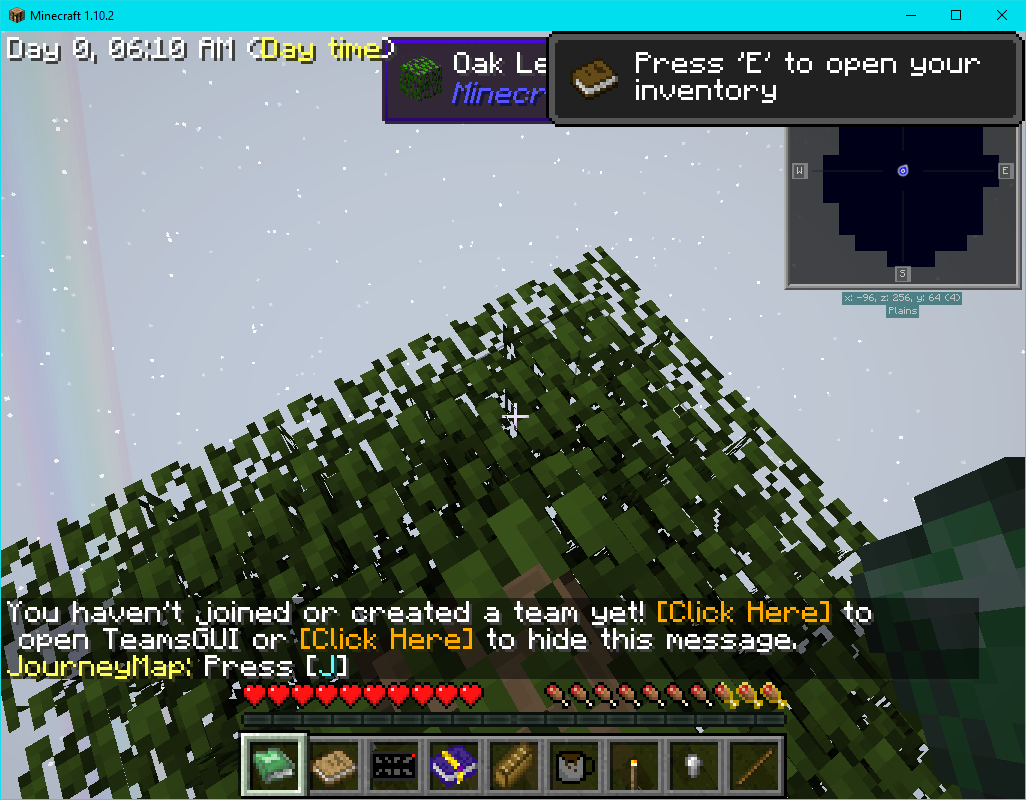
just installed it and it works as expected, so you're doing something wrong https://i.imgur.com/ieuDYhV.png
 silent temple
 heady summit
this is normally
 lyric crescent
for what reason are you downloading ice and fire?
heady summit
i dont know but with this is it working
queen storm
"not working"
Need to say what happens and what you expect to happen.
Can't help you out of the blue
 vale owl
hey guys is small ships on curseforge cant find it
queen storm
vale owl
hey guys is small ships on curseforge cant find it
Can you find it on google?
vale owl
queen storm
Can you find it on google?
yes
queen storm
Is it a curseforge link?
queen storm
Link please
queen storm
And on what version are you trying to install it?
vale owl
1.16.5 what it says above next to last updated
queen storm
Which modloader?
vale owl
curseforge overwolf modpacks thingy
heady summit
this is how it looks with out the blue
 queen storm
vale owl
curseforge overwolf modpacks thingy
queen storm
vale owl
curseforge overwolf modpacks thingy
That is manager, not loader
silent temple
queen storm
Something from ice and fire missing
@lyric crescent this
vale owl
queen storm
That is manager, not loader
wait am confused can you send an image
queen storm
vale owl
wait am confused can you send an image
!mc-installmods
red patioBOT
How to install mods in CurseForge App.
- Click
+ Create Custom Profile - Name it, select the required Minecraft version, select the Forge version (usually the highest number), click
Create. - Click the profile icon.
- Click
Add More Content - Search and install the desired mods.
- Start the game!
How to install mods not on CurseForge.
- Right click the profile picture or Open the profile and click the Icon next to the play button.
- Click
Open Folder. - Drag the mod(s) into the
modsfolder. (Note: Some mods will require others, to run. Make sure to read the instructions for the mod!) - Start the game!
 silent temple
forge is a loader
lyric crescent
silent temple
<@!125588118538682368> this
i think you were told to report the issue, were you not?
silent temple
yeah but i wanted to make sure its not something on my side
vale owl
queen storm
!mc-installmods
where do i write tha in
queen storm
vale owl
where do i write tha in
You follow the instructions below it 🤦♂️
vale owl
queen storm
You follow the instructions below it 🤦♂️
than you ver mch
silent temple
lyric crescent
changing mod versions would not
seems the newest version wasnt quite finished (half the mods were missing) (also with only 30k dl) and i reverted back to a previous version (300k dl) and i got minecraft to open, though it still broke and i got this log
lyric crescent
I mean that's interesting, but this really isn't related to curseforge. you should be discussing this with the pack devs.
it not loading is also not related to curseforge and should be discussed with the pack devs as you were told earlier
red patioBOT
How to set Global Minecraft RAM value.
- Click the
 icon in the bottom left to open settings.
 - Click the Minecraft tab.
- Scroll down.
- Slide slider to recommended ram range as seen below.

 jagged canopy
Any way to get curseforge to use java 16?. The app settings detects java correctly but in game it still uses 1.8_51
queen storm
Why do you need it?
jagged canopy
i wouldn't say I need it but wanting to see if i can get better performance on a higher version. the current hitches every few seconds are bad
queen storm
Which forge version?
jagged canopy
36.2.5
 hardy spoke
even if you could it wouldnt work, forge 1.16.5 or older wont really work with java 16
lyric crescent
indeed, only minecraft 1.17+ is for java 16
jagged canopy
I can get multimc to run enigmatica 6 with java 16 though
lyric crescent
you'd change it in the minecraft launcher then. there is currently no way to set that in curseforge
jagged canopy
Oh, then why does curseforge let me select it?
lyric crescent
the option is broken, it is used for installing forge only, not for running modpacks
jagged canopy
Ah okay. Thanks
 oak merlin
no duplicates and no warnings next to the mod
 lyric crescent
as i suggested yesterday..
 rustic relic
whenever i download a modpack it always gets stuck in "Validating Manifest Files". Pls help me fix this.
 lyric crescent
?mc-installfix
red patioBOT
- Click on the Minecraft Tab on the Left side of the CurseForge App.
- Click button next to the
Create Custom Profileoption. - Click

Repair Installationoption. - Play game.
NOTE: You will not lose any modpacks or worlds, These are saved in the Instances folder. DO NOT TOUCH THIS FOLDER OR YOU WILL LOSE EVERYTHING
oak merlin
lyric crescent
as i suggested yesterday..
wdym by overriding
lyric crescent
doesnt say anything about overriding..?
oak merlin
uhm no
lyric crescent
you export it. you open the zip. you look in overrides/mods and see if any mods are there
lyric crescent
reinstall it
oak merlin
reinstall the biomes o plenty mod?
lyric crescent
yes
lyric crescent
apparently not
oak merlin
is there a way to delete it
as i deleted it and it dosent show up in the list of mods
lyric crescent
check the folder
 prime shale
Help
Why can't I make my custom profile when I click Create Custom Profile
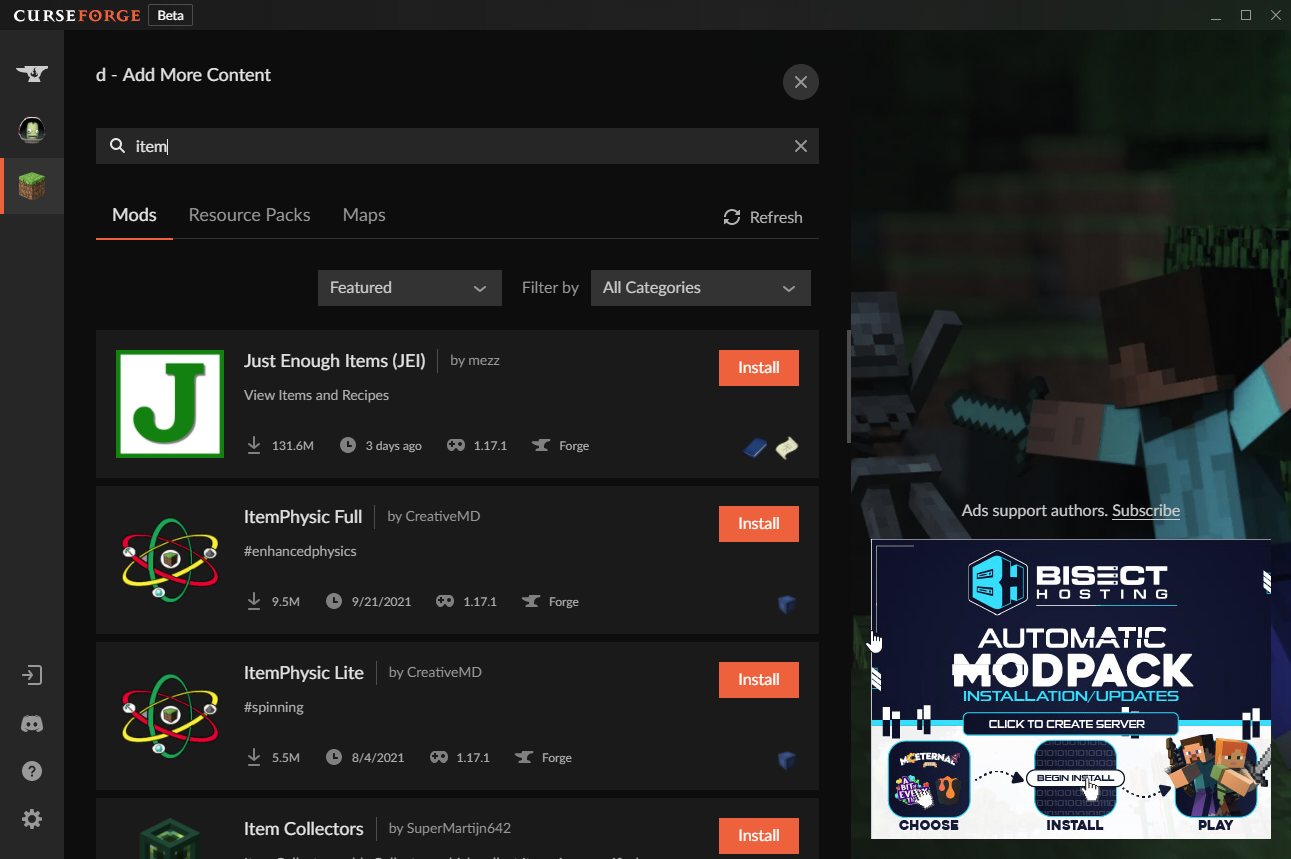
Since I couldn't find the mods I wanted on More Content,
I pressed Open Folder and uploaded the mods by myself
and it wouldn't work- can somebody help?
lyric crescent
there is probably a reason you didnt find the mods, like they dont actually work on the profile version you selected
prime shale
afaik itemphysic is 1.17.1 compatable
lyric crescent
link the mod
 oak merlin
How do i permanently get rid of deleted verisons
 lyric crescent
archive it, delete. however you should not be deleting stuff as it will mess up people using the pack.
oak merlin
ah
 lyric crescent
?mc-path
red patioBOT
Change your install path to the following:
For Windows: C:\CurseForge
-Go to C:\ drive. Make a new folder. Name it Curseforge.
For Mac: /Users/Shared/CurseForge
If Minecraft is not installed in CurseForge App:
- Click the
 in the top left.
 - Select Minecraft from the list of games.
- Select the
Advancedoption and pick the folder you just made. - Click
Continue.
If Minecraft is installed in CurseForge App:
- Click the in the bottom left.
- Select the Minecraft tab.
- Click
Change. - Select the folder you just made.
:no_entry_sign: Minecraft Files should NOT be installed inside the following locations :no_entry_sign:
:no_entry_sign: .minecraft folder.
:no_entry_sign: OneDrive folders.
:no_entry_sign: Desktop folder.
:no_entry_sign: Drive roots I.E. Directly into the C:\ drive.
:no_entry_sign: iCloud enabled folders.
:no_entry_sign: or any other cloud saved folder.
:no_entry_sign: or folders with non-English characters in them.
If any of the above are in the path you need to change/move it!
 sour trail
lyric crescent
?mc-path
sour trail
lyric crescent
?mc-path
ty
oak merlin
craft tweaker mod not there for 1.12.2 on curseforge app but is there on the website and has 88 + m downloads
 lyric crescent
yes it is
oak merlin
oh nvm
 wild matrix
How do I try bypassing it? I tried changing the name after I made it but it still displayed the same message
oak merlin
 lyric crescent
yea that mod doesnt actually exist, remove it
oak merlin
how do i see what mod dosent exist
lyric crescent
type the id in to add more content
it's orespawn, which all copies of do not exist on curseforge anymore
oak merlin
ahh
ty
Ive allocated 5 gb ram when i launch a curseforge modpack but it only does 4.5 gb
lyric crescent
that is normal
oak merlin
oh
 static temple
whenever i download the installer for 1.17, it downloads as a JAVA file
lyric crescent
!notcf
red patioBOT
The question you are asking about isn't related to CurseForge. Please use the appropriate game rooms by getting the role from #786424115535544350 or use #👽︱game-support for help.
This room is only for CurseForge Owned & Maintained features/services.
 potent grail
Still download counter broken ? It has been months now I believe not so hard issue to be fixed..it's something pretty easy I guess
queen storm
With the mess the site is? You sure?
 viral briar
It’s an old site and twitch did hand it over with broken code and just a lot of mess to clean up or literally better for them to completely redo from what I heard .
 shell copper
This approved file
https://www.curseforge.com/minecraft/modpacks/fabulously-optimized/files/3476468
results in
Object reference not set to an instance of an object.
on Curseforge launcher. Any ideas on how could I debug?
lyric crescent
probably hasnt synced yet
lyric crescent
what launcher? how are you starting it? what is it doing? what are you launching?
 twin tendon
my curseforge launcher, when i open it it says pls contact support something doesnt work
lyric crescent
screenshot?
 lean steppe
I everyone, good evening, can you tell me why it is my processor that is recognized when I run Minecraft with curse forge and not my graphics card thank you for your help in advance
lyric crescent
?mc-videocard
red patioBOT
How to set minecraft to use your videocard
Got NVIDIA?
 lean steppe
lyric crescent
?mc-videocard
lean steppe
lyric crescent
?mc-videocard
thx
oak merlin
exported this folder but when i upload to curseforge the mods are differnet

 gray fog
Hi there! I wonder it's some time I didn't publish a new modpack. Now it seems the delay to get it approved is longer those days, is this a Covid related issue or is the process usually taking more than 2-3 days nowadays?
hardy spoke
moderation team was in a holyday season
so i think they have some backlog
lyric crescent
it's usually 3 days normally
 mortal raft
can somebody please link me to a good guide on starting out with forge 1.8.9 modding, everything ive read and watched is outdated...
red patioBOT
The question you are asking about isn't related to CurseForge. Please use the appropriate game rooms by getting the role from #786424115535544350 or use #👽︱game-support for help.
This room is only for CurseForge Owned & Maintained features/services.
oak merlin
lyric crescent
it's usually 3 days normally
Do you know why when i export my modpack it like merges with my other modpack and the mods are weird
lyric crescent
no, i do not
oak merlin
Mk i'll try again
 lilac magnet
does anyone know why when i try and download a modpack with small amounts of mods (Pixelmon to be exact) it takes about 45-60 minutes
lyric crescent
bad internet
oak merlin
the mods are these when i look in modlist but when i upload to curseforge web mods are different
 lyric crescent
modlist is a meaningless file
oak merlin
Is it
lyric crescent
the website looks at the manifest, not modlist.
oak merlin
Ok. i looked in config and i see a folder "aether"
but i dont have aether in the mod folder foro the modpack
lyric crescent
ok?
oak merlin
Is there not a way to fix this.
lyric crescent
i dont know anything about issues with mods, which this would be.
lilac magnet
lyric crescent
bad internet
no because when i download mods that have a huge amount like epic proportions which has 120+ mods it took about 10 minutes
red patioBOT
:bug: Reporting via the CurseForge App :bug:
-
Click the
 icon in the bottom left.
 -
Select

Open a Ticket. -
Fill out the form with accurate detailed information, "It doesn't work" isn't helpful! What exactly doesn't work and why doesn't it work should be easy to answer!
-
Make sure to upload your Overwolf logs with the
Upload Fileoption on the ticket, information on how to get these logs can be found here https://support.overwolf.com/en/support/solutions/articles/9000176827-how-to-get-your-overwolf-logs -
Submit!
 oak merlin
I think im gonna try to delete the profile and re do it with the same mods
lyric crescent
still sounds like your internet though, no modpack should take 10 minutes
oak merlin
im pretty sure my profile had some error
 loud cape
sorry what rule did i break/
lyric crescent
5
loud cape
ooo ok im sorry
hi there how do i know once my modpack has been looked at on curse for to become a public modpack?
lyric crescent
The file will say approved when it is approved
loud cape
ooo ok and how long can that take at times?
oak merlin
It seems that the curseforge website might be broken .
lyric crescent
!status
red patioBOT
Project Moderation Time
Project/File moderation is done on these days unless otherwise mentioned:
Sunday, Monday, Tuesday, Wednesday, Thursday: <t:1631170800:t> - <t:1631199600:t> (Your time)
Friday, Saturday: No Moderation!
Projects are moderated First in, First out. If you submit late in the work day, it will likely get left until the next day!
New Projects or anything flagged for manual review: 1-3 Working Days
Updates to approved projects not needing manual approval: 1 Hour
Changes will only show in the app if the project meets the requirements in the ?sync command and up to 24 hours has passed from when it was accepted.
lyric crescent
website is fine
oak merlin
Ive just made a new modpack and exported it
when i upload it to curseforge the mods at bottom are different
loud cape
alright thank you for your help
lyric crescent
"the mods at the bottom"?
oak merlin
 lyric crescent
That really isnt a big deal.
 signal ridge
Any chance you could type more then 1 word lines?
oak merlin
Sorry about that
signal ridge
Can just remove projects that arent related anymore. Will update the new ones when you add a new upload. Otherwise they are just there so if say someone is looking at the related projects for enderio your project would show up. Doesnt effect the actual file you uploaded.
 halcyon orchid
Hey, does any one have this Error too ? https://live.staticflickr.com/65535/51532368956_96f2cc64e9_o.png
I get this only on one Server an this is an only Plugin Server. There a no Mods on it
 signal ridge
!notcf
red patioBOT
The question you are asking about isn't related to CurseForge. Please use the appropriate game rooms by getting the role from #786424115535544350 or use #👽︱game-support for help.
This room is only for CurseForge Owned & Maintained features/services.
halcyon orchid
thx 😄
 digital roost
My modpack has been waiting for a moderator for weeks now. I have resubmitted it twice, but it still says it needs to be seen by a moderator. I need the modpack for my server, so if this could get fixed as soon as possible, that would be amazing
waxen flower
the webclient error is still coming when trying to install rlcraft
i tried reinstalling client
restarting
waiting 2 hours
restarting the router
using a vpn
a dns server
with on and off antivirus
doesnt work
signal ridge
digital roost
My modpack has been waiting for a moderator for weeks now. I have resubmitted it...
have you gotten any reject messages for the file you uploaded? When was the last resubmit?
 slim quartz
I am getting an error launching any Minecraft Mod. I have worked with the specific modpack devs but they don't know whats happening. It seems to be a curseforge issue perhaps. Here is the MC launcher log.
lyric crescent
dont see how it could be
curseforge only installs stuff, has nothing to do with what happens after that
slim quartz
Can anyone help be debug this? This is in macOS on M1. I am also seeing this "Windows formatted" forge file get created when curse forge does the pack install

Seems like a bug that curseforge is dropping that directory down
"Install\libraries\net\minecraftforge\forge\1.16.5-36.2.2" at curseforge/minecraft/
lyric crescent
for that you'll need to make a ticket, or come back during working hours for someone to look into it
!status
red patioBOT
Project Moderation Time
Project/File moderation is done on these days unless otherwise mentioned:
Sunday, Monday, Tuesday, Wednesday, Thursday: <t:1631170800:t> - <t:1631199600:t> (Your time)
Friday, Saturday: No Moderation!
Projects are moderated First in, First out. If you submit late in the work day, it will likely get left until the next day!
New Projects or anything flagged for manual review: 1-3 Working Days
Updates to approved projects not needing manual approval: 1 Hour
Changes will only show in the app if the project meets the requirements in the ?sync command and up to 24 hours has passed from when it was accepted.
lyric crescent
!ticket
red patioBOT
Issue Reporting with Overwolf tickets!
Issues can be reported two ways!
Via the website, or in app. Instructions for both are below!
Make sure to include logs when reporting a problem!
Upload your Overwolf logs with the Upload File option on the ticket, information on how to get these logs can be found here https://support.overwolf.com/en/support/solutions/articles/9000176827-how-to-get-your-overwolf-logs
:bug: Reporting via Website :bug:
Can't open the app or would rather use the website? You can do so here: https://support.curseforge.com/en/support/tickets/new
Fill out the form with accurate detailed information, "It doesn't work" isn't helpful! What exactly doesn't work and why doesn't it work should be easy to answer!
:question: Ticket Status :question:
Tickets you have made can be looked at, replied to and closed if you make/login to an account. If you submit a ticket with a specific Email make sure to use that when you make your account so you can see your past tickets!
https://support.curseforge.com/en/support/tickets
Otherwise you will only get email replies at the email you used to open the ticket.
:bug: Reporting via the CurseForge App :bug:
- Click the icon in the bottom left.
- Select
Open a Ticket. - Fill out the form with accurate detailed information, "It doesn't work" isn't helpful! What exactly doesn't work and why doesn't it work should be easy to answer!!
- Upload your Overwolf logs with the
Upload Filesection. (see the top of this message for details) - Submit!
wild matrix
I'm trying to export my curseforge modpack and in the mods folder it will only export 1 mod, the first on the list, why the heck is it not exporting the rest?
lyric crescent
There should be no mods if it worked correctly. They go into the manifest file.
slim quartz
MultiMC got my modpack to launch without issue. 🤷♂️ Will just use that
 vast lintel
Im trying to download a mod and it says it cant find child addon file 3276155
signal ridge
vast lintel
Im trying to download a mod and it says it cant find child addon file 3276155
Will forward this to the people that can fix it
vast lintel
k thx
signal ridge
Also try not to post in multiple channels. Can get confusing....
vast lintel
okay sorry not happen again
 prisma sierra
hey does curseforge not support microsoft accounts yet? I was trying to play and it had me login to my mojang account but I just migrated it to a microsoft account so its trying to get me to login to an account that doesn't exist, what can I do?
signal ridge
?mc-login
red patioBOT
Minecraft Logins
CurseForge does not handle or touch the Minecraft Login.
If you have a DEMO button instead of a PLAY button in the launcher you are logged into an account that does not own the game. CurseForge requires you to own the game to use it.
Follow the steps in the pictures below. If you bought Minecraft after October 2020 or you have transferred your account you will use a Microsoft account.
Otherwise you must use a Mojang account until you transfer it!
 prisma sierra
got it thanks, I'll check to see what I'm logged in with
prisma sierra
signal ridge
?mc-login
signed in with my Twitch... still didn't work, and it says play and not demo
oh do I need to make a twitch account with my microsoft account?
signal ridge
Signed into twtich what? For minecraft you sign into the launcher that the cf app opens. Not the cf app itself
Twitch has nothing to do with signing into minecraft
prisma sierra
signal ridge
Signed into twtich what? For minecraft you sign into the launcher that the cf ap...
I was on the cf app, it wanted to use twitch for me to sign in
signal ridge
that has nothing to do with minecraft
For signing into minecraft do what the bot says if you have migrated your account
 real bridge
on the CF launcher whenever i click an update button next to a mod i just get this message
 signal ridge
Try relaunching the app or a pc reboot
 floral sail
Better Minecraft in Curseforge runs at 0 fps
prisma sierra
signal ridge
that has nothing to do with minecraft
got it, I was being dumb lol, thanks
signal ridge
floral sail
Better Minecraft in Curseforge runs at 0 fps
How much ram have you allocated to the app ?
floral sail
6gb
signal ridge
Could also be your pc just cant handle the pack? Once the pack has made it to the main menu the cf app is no longer needed
floral sail
signal ridge
Could also be your pc just cant handle the pack? Once the pack has made it to th...
usually its foamfix but this modpack doesnt have foamfix so yea its probably my bad computer :/
rip
vast lintel
can get hep with Im trying to download a mod and it says it cant find child addon file 3276155 please
signal ridge
vast lintel
can get hep with Im trying to download a mod and it says it cant find child addo...
Have already sent this to be fixed. Need to be patient
vast lintel
ight srry
 slender atlas
how do I put custom maps inside of mod packs
 twilit pecan
i am getting this crash report every time i try to load any world
is there a way i can fix
java.lang.IllegalArgumentException
Exit Code: -1
 celest rock
Every time i try and launch a modpack, the minecraft launcher tries to update and it says it cant. attempting to launch again causes an error to pop up saying "Could Not Verify Minecraft Version" and trying once more leads to an error code reading "exception of type 'curse.radium.installmanagement.installtaskfailedexception' was thrown"
any idea of what i can do?
 fallen loom
!owlogs
red patioBOT
<:overwolf:857375414002384916> How to get Overwolf logs! <:overwolf:857375414002384916>
digital roost
can i download mod packs without CurseForge App?
fleet bear
Yes/no
digital roost
What
 grand drift
Why is my curseforge keep opening the minecraft 1.6.93 launcher
And I cant sign into it
signal ridge
grand drift
Why is my curseforge keep opening the minecraft 1.6.93 launcher
!mc-installfix try this
red patioBOT
- Click on the Minecraft Tab on the Left side of the CurseForge App.
- Click button next to the
Create Custom Profileoption. - Click
Repair Installationoption. - Play game.
NOTE: You will not lose any modpacks or worlds, These are saved in the Instances folder. DO NOT TOUCH THIS FOLDER OR YOU WILL LOSE EVERYTHING
digital roost
signal ridge
have you gotten any reject messages for the file you uploaded? When was the last...
earlier this week, and no, it hasn't been rejected
signal ridge
digital roost
earlier this week, and no, it hasn't been rejected
If you uploaded or changed anything in the project page on the site you get bumped to the end of the Que. takes 1-3 says. They also just got back from a holiday month as well.
 ebon fractal
I am having problems with my curseforge whenever i try to press play on a mod it doesn't work what should i do?
signal ridge
!mc-installfix
red patioBOT
- Click on the Minecraft Tab on the Left side of the CurseForge App.
- Click button next to the
Create Custom Profileoption. - Click
Repair Installationoption. - Play game.
NOTE: You will not lose any modpacks or worlds, These are saved in the Instances folder. DO NOT TOUCH THIS FOLDER OR YOU WILL LOSE EVERYTHING
digital roost
signal ridge
If you uploaded or changed anything in the project page on the site you get bump...
okay, I will wait a few more days, but my players are getting impatient
signal ridge
Can send users the zip as well or wait till its approved
 timid rose
Where is bedrock?
 signal ridge
Not supported by the app. Site only atm
timid rose
Alright
grand drift
signal ridge
!mc-installfix try this
It does not work
 elfin siren
I've tried relaunching it 4 times, can I have some help?

 naive nymph
I am trying to use the Demon Slayers Unleashed modpack
but I need forge 36.2 and I'm not sure how to change it
queen storm
naive nymph
but I need forge 36.2 and I'm not sure how to change it
Modpack should have the right version already
queen storm
!projectissue
red patioBOT
Please visit the project page for the content you posted about and look for a way to contact the developer.
Somewhere on the page there is usually a method of contact. Look for one of the following things:
Issuestab like the image below.- Discord link.
- Twitter link.
- Comments section below the project.
If no contact method exists you will either have to remove the project or find a solution on your own.
naive nymph
yep I sent the creator of the modpack a message
viral briar
people have spoken about that issue since the day of the 1.2.1 release back on the 1st of September in the comments
fleet bear
Does that modpack still not work? I'm going to message gil to reject that file...
naive nymph
wut
fleet bear
Sick of seeing people coming here with issues of it.
naive nymph
o
viral briar
it's another example of someone making a modpack file and not testing them to make sure they fully work
the difference of 1.2.0 and 1.2.1 they just updated some mods and didnt make sure it worked
if you are going to make a modpack or update it , test each time.
 tawdry sinew
hello admin i need help
any body here ? i need help
hello guy
i need help please help me
viral briar
say the issue and someone may be able to help or point you in the right direction
queen storm
tawdry sinew
hello admin i need help
Rule 10
And you probably don't even need an admin or anybody with power
 lofty mango
Hello, hoping someone can shed some light on what's going on with Curseforge on my Macbook Pro.
My son uses Curseforge to play modded Minecraft. We have been using Curseforge for several months without issue until recently.
When we open Curseforge, it begins to load the page that shows all the installed modpacks for Minecraft ("Forging your library"). Sometimes it gives us the generic error message at this point ("Oops! etc."). Sometimes it loads the thumbnails but clicking on any of them causes the program to become unresponsive for a few seconds and then says "Oops". Hitting retry produces either of these two sequences again and again. Extremely rarely, it will actually load the modpack without issue.
Thanks in advance for any support you can offer.
queen storm
tawdry sinew
i need help please help me
Not needed anymore?
queen storm
lofty mango
Hello, hoping someone can shed some light on what's going on with Curseforge on ...
!owlogs-mac
red patioBOT
How to get CurseForge Mac logs!
Zip this folder: ~/Library/Application Support/CurseForge/Agent/Logs
Drop the zip in to Discord!
lofty mango
queen storm
Will get somebody to look at it
lofty mango
thank you
tawdry sinew
i need fix modpack
 queen storm
Yeah, in no way do you need an admin for that issue 🤦♂️
Remove Craftingdead
tawdry sinew
queen storm
Yeah, in no way do you need an admin for that issue 🤦♂️
Remove Craftingdead
crafting dead crash my modpack :V?
queen storm
That is what I am saying yes
tawdry sinew
queen storm
That is what I am saying yes
yea thanks
 queen storm
And why do I get a new log?
 queen storm
I don't need it!
I already told you what was wrong
tawdry sinew
crafting dead immserv crash 😄 i remove it
 winged shard
soo this happened
so i got a decent used laptop that can play minecraft modded i had tlauncher but got a actual account well but when i try to download curseforge its all fine but when i come to minecraft it says pick the directory for mods it says it cant download because folder/file has a diffrent language i found the folder it was the users folder it's called م i tried changing the name but theres no option to rename please help i cant do anything its like the laptop is useless
dm if u know how to fix this and thanks
 brittle cargo
Try going into Settings > System > About > Rename this PC
If that doesnt work you may have to add a new user and delete the old one if nobody has a better idea
queen storm
winged shard
soo this happened
so i got a decent used laptop that can play minecraft modded ...
!mc-path
red patioBOT
Change your install path to the following:
For Windows: C:\CurseForge
-Go to C:\ drive. Make a new folder. Name it Curseforge.
For Mac: /Users/Shared/CurseForge
If Minecraft is not installed in CurseForge App:
- Click the in the top left.
- Select Minecraft from the list of games.
- Select the
Advancedoption and pick the folder you just made. - Click
Continue.
If Minecraft is installed in CurseForge App:
- Click the in the bottom left.
- Select the Minecraft tab.
- Click
Change. - Select the folder you just made.
:no_entry_sign: Minecraft Files should NOT be installed inside the following locations :no_entry_sign:
:no_entry_sign: .minecraft folder.
:no_entry_sign: OneDrive folders.
:no_entry_sign: Desktop folder.
:no_entry_sign: Drive roots I.E. Directly into the C:\ drive.
:no_entry_sign: iCloud enabled folders.
:no_entry_sign: or any other cloud saved folder.
:no_entry_sign: or folders with non-English characters in them.
If any of the above are in the path you need to change/move it!
 next dew
Am I the only one who's been getting captchas every 10 minutes for a solid month? I alone have advanced image recognition software by 10 years, clicking planes and trucks nonstop. I think its related to me updating descriptions of 20 mods within 10 minutes one day, but come on 
 digital roost
Hello, i have problems with my Cursforge App. In really rare cases it works. I restart it every time, i have tried everything. I cant interaact with my modpacks, it lags, and then it says ,,Oops, that was not supposed to happen! Idk what to do, i tried everything. PLS Help
fleet bear
next dew
Am I the only one who's been getting captchas every 10 minutes for a solid month...
It's automated. It will go away eventually.
Lots of people get them randomly.
fleet bear
digital roost
Hello, i have problems with my Cursforge App. In really rare cases it works. I r...
windows or mac?
digital roost
mac
fleet bear
Have you tried reinstalling the app recently?
digital roost
yes
fleet bear
!owlogs-mac
red patioBOT
How to get CurseForge Mac logs!
Zip this folder: ~/Library/Application Support/CurseForge/Agent/Logs
Drop the zip in to Discord!
 wind hatch
next dew
Am I the only one who's been getting captchas every 10 minutes for a solid month...
wind hatch
next dew
Am I the only one who's been getting captchas every 10 minutes for a solid month...
looks like CloudFlare doesn't like you. From our experience - it should calm down, but if it persists please ping me or DM. sry bout that.
wind hatch
thanks. you are correct, the process failed to complete, however the system redistributes the points over the following days and so the distribution at the end of month will be correct.
 acoustic ledge
whenever I press play on the Minecraft launcher when using curseforge it instantly crashes and says exit code 0
queen storm
!mc-logs
red patioBOT
Sending logs for support.
- Right-click the modpack profile icon OR click the button in the modpack profile.
- Click
Open Folder. - Open the
logsfolder. - Drag and drop the FILE named
latestORdebuginto discord.
 unborn basin
lofty mango
unborn basin
lofty mango
PMed you
unborn basin
digital roost
Hello, i have problems with my Cursforge App. In really rare cases it works. I r...
PMed you
honest adder
wind hatch
thanks. you are correct, the process failed to complete, however the system redi...
Thanks, sounds good 😄
Just wanted to make sure it was fixed before the end of the month
unborn basin
slim quartz
Did this happen when creating a modpack or when?
waxen flower
the webclient is still coming
i tried reinstalling client
restarting
waiting 2 hours
restarting the router
using a vpn
a dns server
with on and off antivirus
doesnt work
lyric crescent
as you said in the other channel, you are on wifi. curseforge doesnt work well with wifi. if you really did all that then the only remaining option is to not use wifi.
waxen flower
lyric crescent
as you said in the other channel, you are on wifi. curseforge doesnt work well w...
would using a mobile as a tether work?
cant get ethernet across the house
viral briar
that has been known to work yes
lyric crescent
idk, try it?
 cursive grove
About how long does it take to get a pack approved? I made changes to fix my pack a few days ago, and it still isn't being approved.
 next island
how do you add multiple mods together
cursive grove
next island
how do you add multiple mods together
I can help, but please elaborate what you mean.
red patioBOT
Project Moderation Time
Project/File moderation is done on these days unless otherwise mentioned:
Sunday, Monday, Tuesday, Wednesday, Thursday: <t:1631170800:t> - <t:1631199600:t> (Your time)
Friday, Saturday: No Moderation!
Projects are moderated First in, First out. If you submit late in the work day, it will likely get left until the next day!
New Projects or anything flagged for manual review: 1-3 Working Days
Updates to approved projects not needing manual approval: 1 Hour
Changes will only show in the app if the project meets the requirements in the ?sync command and up to 24 hours has passed from when it was accepted.
lyric crescent
cursive grove
About how long does it take to get a pack approved? I made changes to fix my pac...
!status
lyric crescent
next island
how do you add multiple mods together
same way you add one mod, just again
?mc-installmods
red patioBOT
How to install mods in CurseForge App.
- Click
+ Create Custom Profile - Name it, select the required Minecraft version, select the Forge version (usually the highest number), click
Create. - Click the profile icon.
- Click
Add More Content - Search and install the desired mods.
- Start the game!
How to install mods not on CurseForge.
- Right click the profile picture or Open the profile and click the Icon next to the play button.
- Click
Open Folder. - Drag the mod(s) into the
modsfolder. (Note: Some mods will require others, to run. Make sure to read the instructions for the mod!) - Start the game!
next island
thnx
waxen flower
lyric crescent
as you said in the other channel, you are on wifi. curseforge doesnt work well w...
are there any other alternatives
lyric crescent
another launcher i guess?
 tall bison
Hey, so when I try to run the insane craft modpack thing, and I try to play. This comes:
 lyric crescent
?mc-log
red patioBOT
Sending logs for support.
- Right-click the modpack profile icon OR click the button in the modpack profile.
- Click
Open Folder. - Open the
logsfolder. - Drag and drop the FILE named
latestORdebuginto discord.
lyric crescent
you just installed this without messing with it correct?
tall bison
Yup
lyric crescent
report this to the pack dev
tall bison
Installed and press played
tall bison
lyric crescent
report this to the pack dev
What?
lyric crescent
?projectissue
red patioBOT
Please visit the project page for the content you posted about and look for a way to contact the developer.
Somewhere on the page there is usually a method of contact. Look for one of the following things:
Issuestab like the image below.- Discord link.
- Twitter link.
- Comments section below the project.
If no contact method exists you will either have to remove the project or find a solution on your own.
tall bison
I'm confused
 dull breach
tall bison
I'm confused
dull breach
tall bison
I'm confused
They are saying that the modpack is broken so only the developer can help
tall bison
dull breach
They are saying that the modpack is broken so only the developer can help
Ok, do you know whos the dev?
lyric crescent
you find it on the modpack page like the instructions i posted say
 rugged laurel
guys why cant i find the mods i want in curseforge app
lyric crescent
?mc-installmods
red patioBOT
How to install mods in CurseForge App.
- Click
+ Create Custom Profile - Name it, select the required Minecraft version, select the Forge version (usually the highest number), click
Create. - Click the profile icon.
- Click
Add More Content - Search and install the desired mods.
- Start the game!
How to install mods not on CurseForge.
- Right click the profile picture or Open the profile and click the Icon next to the play button.
- Click
Open Folder. - Drag the mod(s) into the
modsfolder. (Note: Some mods will require others, to run. Make sure to read the instructions for the mod!) - Start the game!
unborn basin
 grizzled raft
it keeps on crashing when i open minceraft
grizzled raft
it keeps on crashing when i open minceraft
java.lang.RuntimeException: Invalid id 4096 - maximum id range exceeded.
If I am not mistaken there's a mod that makes that id range bigger
lyric crescent
jeid
unborn basin
just enough ids or something
 worldly sable
@lyric crescent so basically it works
but like
when i go creative mode
there’s nothing other than normal java weapons
i’m trying to play all the mods 6
 odd charm
hello I downloaded curseforge but its working soo slow(not minecraft curseforge!) I reinstalled but it didnt work can you guys help me
lyric crescent
what about it is slow
lyric crescent
the curseforge app has 1fps? what?
lyric crescent
did you try restarting your computer?
odd charm
yep
lyric crescent
what are your pc specs out of curiosity?
odd charm
Iam using laptop
cpu i5 7200U
ram 16gb
gpu r5 m330
Its slow for 1 week, 1-2month ago its not like that
lyric crescent
!ticket-app
red patioBOT
:bug: Reporting via the CurseForge App :bug:
-
Click the
icon in the bottom left. -
Select
Open a Ticket. -
Fill out the form with accurate detailed information, "It doesn't work" isn't helpful! What exactly doesn't work and why doesn't it work should be easy to answer!
-
Make sure to upload your Overwolf logs with the
Upload Fileoption on the ticket, information on how to get these logs can be found here https://support.overwolf.com/en/support/solutions/articles/9000176827-how-to-get-your-overwolf-logs -
Submit!
 zenith mango
I am on a macbook m1 and I was able to play a modpack for about 20 mins when it then crashed and anytime I try to open that mod pack it gives me this
 queen storm
Make a new profile
lyric crescent
digital roost
Hello Im new to this mods thing how can i install mods and use it (for mc)
?mc-installmods
red patioBOT
How to install mods in CurseForge App.
- Click
+ Create Custom Profile - Name it, select the required Minecraft version, select the Forge version (usually the highest number), click
Create. - Click the profile icon.
- Click
Add More Content - Search and install the desired mods.
- Start the game!
How to install mods not on CurseForge.
- Right click the profile picture or Open the profile and click the Icon next to the play button.
- Click
Open Folder. - Drag the mod(s) into the
modsfolder. (Note: Some mods will require others, to run. Make sure to read the instructions for the mod!) - Start the game!
lyric crescent
zenith mango
I am on a macbook m1 and I was able to play a modpack for about 20 mins when it ...
m1 mac is not compatible with forge between 1.12.2 and 1.17. This is a non-fixable issue caused by apple removing support.
what does that say
what did you do
lyric crescent
can you have a bit of patience and not ping me please..
try a pc restart then make the profile again
 thin linden
Can I get the list of all available project member types?
Like author, owner, mascot, etc.?
Because we got a mod designed by X and developed by me
And we want to know the roles
fleet bear
Add a person to a project and look at the options..?
thin linden
fleet bear
Add a person to a project and look at the options..?
It's not listing everything
I know there's something called "Mascot" and it's not showing up
fleet bear
It's a dropdown. What you see is all you get.
No
Data packs are part of vanilla
It works the same in modded as it does in vanilla
No...
 craggy locust
Hey I'm a first-time modpack uploader, I uploaded my modpack for minecraft 5 days ago, I've read that getting approved on your first upload can take a bit longer so was just wondering if there's any way to get an estimate, as I wanted to have this pack up for a special event on my server starting tomorrow, is there any thing I should do or anyone I can reach out to?
lyric crescent
no, though 5 days is a bit unusual, they did just come off holiday. is there any chance you included an unapproved 3rd party mod in your export?
craggy locust
nuhuh, all mods in the zip I uploaded I pulled from the curseforge app, other then that I uploaded servers.dat, options.txt, and two of my resource packs, one which is uploaded to curseforge and one which is not (server specific resources)
lyric crescent
is there anything in the overrides/mods folder?
craggy locust
no mods folder, just resourcepacks, config, and the two other loose files.
 lyric crescent
could be the resourcepacks
try uploading a file excluding them. if that works then we can look into what's going on more
craggy locust
Okay thank you, i had some updates I wanted to make anyways lol
I also noticed my resource pack doesn't show up in searches, is there a minimum download count or something?
lyric crescent
link it
lyric crescent
!sync
red patioBOT
Sync and your Project.
CurseForge App and site do not share the same requirements! You can find things on the site but this does not mean it will be in the app!
For a mod to show up in the app:
- Projects MUST have a file marked as RELEASE
 or BETA
- Projects MUST be APPROVED
- Projects MUST have a file marked for the GAME VERSION SELECTED/LOADED
- Projects CAN'T be EXPERIMENTAL
- Projects CAN'T be ABANDONED
Files can take a while to show up in the app. If your files still have not shown up either your project is new and you have yet to mark a file as Release/Beta or there is issues with the sync system making it slow.
Vote this issue up if you would like to know when the last sync was! https://curseforge-ideas.overwolf.com/ideas/CF-I-1617
craggy locust
got it thank you
solar brook
Hi there ! I was able to talk with @.Claycorp 2 days ago about the 1.18-snapshots tag that was not available for minecraft projects in the customization category. I saw that the tag has been added but it is not possible to put this tag alone

please mention for reply
 ebon burrow
why is it like this?
 fallen loom
 smoky wyvern
Hey whenever I try to play a minecraft modpack (better minecraft) I get an error saying
Could not verifiy minecraft version
how can I fix this?
it worked fine yesterday
lyric crescent
?mc-installfix
red patioBOT
- Click on the Minecraft Tab on the Left side of the CurseForge App.
- Click button next to the
Create Custom Profileoption. - Click
Repair Installationoption. - Play game.
NOTE: You will not lose any modpacks or worlds, These are saved in the Instances folder. DO NOT TOUCH THIS FOLDER OR YOU WILL LOSE EVERYTHING
fleet bear
solar brook
Hi there ! I was able to talk with @.Claycorp 2 days ago about the 1.18-snapshot...
I'll pass this on.
solar brook
thx !
 scenic garnet
hey how do i make a modpack that comprises of just other mods?
signal ridge
!mc-installmods
red patioBOT
How to install mods in CurseForge App.
- Click
+ Create Custom Profile - Name it, select the required Minecraft version, select the Forge version (usually the highest number), click
Create. - Click the profile icon.
- Click
Add More Content - Search and install the desired mods.
- Start the game!
How to install mods not on CurseForge.
- Right click the profile picture or Open the profile and click the Icon next to the play button.
- Click
Open Folder. - Drag the mod(s) into the
modsfolder. (Note: Some mods will require others, to run. Make sure to read the instructions for the mod!) - Start the game!
scenic garnet
kok
 foggy ridge
Hey, I have a question about the 3rd party mods list. If a mod is on the CurseForge website, but I can't get it to show up in the app, am I safe to download it from the website and add it to the modpack? Like, will the pack still get approved if/when I submit it, even if it's not on the 3rd party mods list? Again, I'd be downloading it from CurseForge directly, it just isn't appearing in the app.
hardy spoke
i think it would be automaticaly denied, because it would say something like: "Project is already in curse and shouldnt be in the mods folder" or something like that
foggy ridge
Wait I'm confused. All of the mods I've downloaded from the app so far have been in the mods folder. Will they suddenly not be when I export the profile?
signal ridge
foggy ridge
Hey, I have a question about the 3rd party mods list. If a mod is on the CurseFo...
If its from curseforge its not a 3rd party mod. What mod are you unable to find in the app? Is the mod for the same version of mc as your custom profile?
foggy ridge
I think it is? I'm looking for "An Origins Addon - Libra." It's a 1.17.1 mod, which is what I'm using. The only thing I can think of is the fact that they seem to have somehow made it compatible with both forge mod loader and fabric mod loader, so maybe it's that? I'm using fabric for Origins(the very mod this is an addon for lmao) but maybe the website is only registering it as a forge mod or something? I'm not sure, this stuff is not something I know a lot about, that's just something I could imagine being an issue.
And yeah, I know it's not actually a 3rd party mod, which is why I'm not sure if it needs to be on the list or not for me to manually add it to the modpack.
signal ridge
Link the mod from the site
signal ridge
Didnt think you could make a forge&fabirc mod... Ill pass this to a higher up to look at. As for downloading from the site, you can do it, the app may not always recognize the mod when exporting tho. If it does it will add it to the manifest file as it is a cf mod
foggy ridge
Awesome, thank you so much!
signal ridge
Looks like since it doesnt have a fabric modloader tag its defaulting to forge. Author would most likely need to fix this
foggy ridge
Oh, that's weird. I thought the fabric tag was removed though?
I remember something fabric-related being removed from the site and making it tougher to sort through mods
signal ridge
Should say fabric modloader tag.
wild matrix
after starting up my modpack after changing nothing from last time I started it, meadow grass from biomes you'll go will not render at all. what would cause this?
 digital roost
Are there any arguments any of you recommend to make minecraft run better

 queen stream
If I update a modpack by uploading the file to the site, does it update to everyone who has it installed
Running a modded server, and just wnat to know if ill have to ping everyone when the pack updates
fleet bear
queen stream
If I update a modpack by uploading the file to the site, does it update to every...
No, they need to manually update it.
 past warren
can somebody tell me how to fix this, i've been getting this error message with every mod accept 3 i already had loaded into my library

 rich flint
digital roost
Are there any arguments any of you recommend to make minecraft run better
rich flint
digital roost
Are there any arguments any of you recommend to make minecraft run better
Give yourself the MC role in #786424115535544350 and check today's discussion in #768311610674380800
 crisp veldt
whats the deal with this rejection message for my server files?

the file is on curseforge

and why would that matter for server files?
 opal cipher
past warren
can somebody tell me how to fix this, i've been getting this error message with ...
opal cipher
past warren
can somebody tell me how to fix this, i've been getting this error message with ...
!mc-path Your installation path looks horribly broken. Try setting it to a shorter path, as instructed in the bot reply below
red patioBOT
Change your install path to the following:
For Windows: C:\CurseForge
-Go to C:\ drive. Make a new folder. Name it Curseforge.
For Mac: /Users/Shared/CurseForge
If Minecraft is not installed in CurseForge App:
- Click the in the top left.
- Select Minecraft from the list of games.
- Select the
Advancedoption and pick the folder you just made. - Click
Continue.
If Minecraft is installed in CurseForge App:
- Click the in the bottom left.
- Select the Minecraft tab.
- Click
Change. - Select the folder you just made.
:no_entry_sign: Minecraft Files should NOT be installed inside the following locations :no_entry_sign:
:no_entry_sign: .minecraft folder.
:no_entry_sign: OneDrive folders.
:no_entry_sign: Desktop folder.
:no_entry_sign: Drive roots I.E. Directly into the C:\ drive.
:no_entry_sign: iCloud enabled folders.
:no_entry_sign: or any other cloud saved folder.
:no_entry_sign: or folders with non-English characters in them.
If any of the above are in the path you need to change/move it!
opal cipher
Because the length of your selected directory will break the max length of a path in Windows most likely, and will give the error you experience
fleet bear
crisp veldt
and why would that matter for server files?
Was it replaced by chance?
You still need permission to use files on servers. The way it currently works is still isnt ideal but you cant just add whatever you want to a server pack.
crisp veldt
no, AsmodeusCore is a mod I downloaded via the curseforge launcher
I just copied it over for the server files as I usually do
It worked fine when I pushed my previous update, but now it doesnt like that I updated that specific mod
fleet bear
hm
 swift portal
Whats the command to see whats required and not allowed in a server pack?
queen storm
!reject-serverpack
red patioBOT
Serverpacks are special files uploaded alongside an existing project file. If the main file is rejected the server pack is also rejected.
You require an already uploaded export file to upload a server pack!
- Make the server pack by zipping up the required files by selecting the required folders & files. It should include the config and mod folders at a minimum, plus anything else you specifically required to run the server. Start/Run/Setup scripts are optional. Don't include modloader files or the minecraft server jar.
- Go to the
Filestab on the project. - Click the name of the file you wish to upload the server pack to. The pack and server should match pack versions.
- Click
Upload Additional File. - Fill out the form.
swift portal
So mods configs required got it
 dry owl
hello i have downloaded better minecraft on the forge app and i am trying to use a shader i go to put optifine in and minecraft crashes
queen storm
!mc-optifine
red patioBOT
We do not offer support for Optifine!
If you have issues with Optifine, remove it. If you want further support try the discord found on their website.
https://www.optifine.net/home
Installing Optifine with modpacks on Curseforge:
- Right click the modpack icon, select
Open Folder. - Put the
Optifine.jarinto themodsfolder. - Now start the modpack.
dry owl
confused because there are youtubers that use both
queen storm
Ask optifine for support
dry owl
oke
naive nymph
I am trying to use the AnimeMina mod and I have deleted the duplicate files but whenever I try to load it up the duplicate files just come back
if anyone knows how to fix this please let me know
viral briar
it was a known issue to the modpack dev but it will not receive anymore updates , the modpack dev tried to fix it but he couldn't figure out why the files were duping
so the modpack is dead as such
"people this mod is closed, so there will be no updates, the reason for the closure (loss of the original account where the mod itself was)"
written by the modpack dev
 true cypress
I need help
I downloaded the CurseForge app on my Mac
I browsed the mods and I downloaded BetterMinecraft mod, I clicked play then it automatically opens the minecraft launcherm supposedly its supposed to pick the version you must play on, but mine was at 1.17.1 when the launcher opened, I went to installations and I couldnt find BetterMinecraft
queen storm
!mc-installfix
red patioBOT
- Click on the Minecraft Tab on the Left side of the CurseForge App.
- Click button next to the
Create Custom Profileoption. - Click
Repair Installationoption. - Play game.
NOTE: You will not lose any modpacks or worlds, These are saved in the Instances folder. DO NOT TOUCH THIS FOLDER OR YOU WILL LOSE EVERYTHING
queen storm
And follow rule 4
queen storm
You read them when you joined 🤦♂️
true cypress
queen storm
You read them when you joined 🤦♂️
Still doesnt work
Still doesnt fix
Do I need to download Forge?
queen storm
No, forge is handled already, restart your pc
true cypress
Ok
 queen storm
Error that we shall forward to staff
queen storm
Then you won't get any support
 raven mortar
i get the mod pack itself and not the mods
queen storm
You are already marked, you can stop trying
raven mortar
well thnx for your help
queen storm
Rule 8 is there for a reason 🤷♂️
true cypress
queen storm
No, forge is handled already, restart your pc
Still doesnt work
Oh nvm
Now it works
sorry, thank you
Oh no
now its back at it again
it says exit code 0
queen storm
!mc-logs
red patioBOT
Sending logs for support.
- Right-click the modpack profile icon OR click the button in the modpack profile.
- Click
Open Folder. - Open the
logsfolder. - Drag and drop the FILE named
latestORdebuginto discord.
true cypress
this is a complicated situation
I downloadede curseforge app, downloaded betterminecraft mod and pressed play, it automatically opened the launcher and picked the BetterMinecraft version and of course it was downloading it, after that it was launching then it failed, said exit code 0
Please help me anyone
queen storm
Nope, instructions are universal
true cypress
queen storm
Nope, instructions are universal
Yes I know
BUT THERE IS NO LOGS FILE
seriously
queen storm
true cypress
Yes I know
What? #🔥︱curseforge-support message
You are contradicting yourself 🤦♂️
!ticket-app
red patioBOT
:bug: Reporting via the CurseForge App :bug:
-
Click the
icon in the bottom left. -
Select
Open a Ticket. -
Fill out the form with accurate detailed information, "It doesn't work" isn't helpful! What exactly doesn't work and why doesn't it work should be easy to answer!
-
Make sure to upload your Overwolf logs with the
Upload Fileoption on the ticket, information on how to get these logs can be found here https://support.overwolf.com/en/support/solutions/articles/9000176827-how-to-get-your-overwolf-logs -
Submit!
 cold fiber
!mc-installpack
red patioBOT
How to install modpacks with the search features in app.
- Open the

Minecraftsection of the app. - Click the top search bar where it says
Search for modpacksOR Click theBrowse ModpacksTab. - Find the Modpack you want to install and click install on it.
- Wait for CurseForge app to download and unpack all the required files.
- Once finished, click
Play!
How to install modpacks from a Export. (Custom/Private/Site downloaded Modpack zip)
- Get CurseForge App if you don't have it, use
!downloadfor a link. - Get the exported modpack from CurseForge or someone else,
!mc-packshareexplains how to make them. - Open the
Minecraftsection of the app. - Click

Create Custom Profile - Click the
Importoption. - Find the file you just downloaded in step 2 and select it.
- CurseForge app will now attempt to download and unpack the modpack. If it fails, try steps 4-6 again.
- Once finished, click
Play!

 odd eagle
1 issue, and a question.
Upon startup, it is displaying that I'm missing BOP, when it is, and it meets version requirements. How can I fix this?
And another question, for the armorunder mod, it needs an update, but Curseforge isn't showing its latest update. How can I manually install?
If you can only answer one, that's okay, any help is appreciated.
 true cypress
queen storm
What? https://discord.com/channels/428228256236306434/782027635252920322/8934523...
true cypress
queen storm
What? https://discord.com/channels/428228256236306434/782027635252920322/8934523...
IM TELLING YOU, BETTER MINECRAFT MOD DOESNT HAVE LOGS FOLDER, unless you are talking about Minecraft then yes there is, which one?
queen storm
true cypress
IM TELLING YOU, BETTER MINECRAFT MOD DOESNT HAVE LOGS FOLDER, unless you are tal...
Quit the caps, told you to make a ticket.
And you were talking about instructions for windows, then you knew they were universal.
true cypress
queen storm
Quit the caps, told you to make a ticket.
And you were talking about instruction...
I AM NOT CAPPING< THERE ISNT A LOGS FOLDER
SERIOUS
bro I swear
queen storm
Last warning
Stop the caps!
I am not talking about the freaking logs folder.
 hexed berry
How do I add a logo to a profile?
queen storm
Need to upload it to curseforge for that
true cypress
queen storm
Last warning
Stop the caps!
I am not talking about the freaking logs folder.
You were talking about the instructions is universal but Im telling you, there isnt a logs folder in my BetterMinecraft mod folder
queen storm
true cypress
You were talking about the instructions is universal but Im telling you, there i...
I know! You said that a couple times already, that is why I told you to make a ticket.
true cypress
queen storm
I know! You said that a couple times already, that is why I told you to make a t...
Ohhhhhh
But what does a ticket do?
queen storm
Throw different logs that you need to gather first to the developers
true cypress
queen storm
Throw different logs that you need to gather first to the developers
I did not understand but I will make a ticket
Ok where do I make a ticket?
wheres ticket channel?
signal ridge
true cypress
red patio
sooo many instructions

But the pain in worth it
for Minecraft is one of the best games
odd eagle
odd eagle
1 issue, and a question.
Upon startup, it is displaying that I'm missing BOP, w...
I don't mean to be pushy and understand this isn't official support, but does anyone know a remedy?
signal ridge
odd eagle
I don't mean to be pushy and understand this isn't official support, but does an...
For bop try dropping its version to the one that is listed (yes I see the or above) If it works report it to the Variant16x_bop dev.
As for manual install in your mods list click the mods name > versions tab > install what you need there.
 torn compass
What can i do in this case?
 signal ridge
Windows OR Mac?
torn compass
Windows
signal ridge
Does the overwold app open?
torn compass
sure
signal ridge
sure as in yes it opens? or sure as in you didnt look?
torn compass
Sure as in yes it opens
signal ridge
uninstall the cf app then use the ow app to reinstall it
torn compass
Thanks i do it
 signal ridge
!notcf
red patioBOT
The question you are asking about isn't related to CurseForge. Please use the appropriate game rooms by getting the role from #786424115535544350 or use #👽︱game-support for help.
This room is only for CurseForge Owned & Maintained features/services.
 spiral heart
signal ridge
!notcf
spiral heart
signal ridge
!notcf
?
signal ridge
Curseforge has nothing to do with servers
signal ridge
Use one of the channels the bot says for server help
Can help you in #👽︱game-support
torn compass
signal ridge
uninstall the cf app then use the ow app to reinstall it
But if i uninstall the Cursed Forge Launcher, does Overwolf automatically uninstall too??
 red patioBOT
Hey there, it is Curseforge, not "Cursed forge"
signal ridge
torn compass
But if i uninstall the Cursed Forge Launcher, does Overwolf automatically uninst...
uncheck overwolf. Or just reinstall both either works
digital roost
why dosen't it show that i search, it is not the filter because i've fixed that but things like identity mod and kal's arms and armor
please answer quickly
opal cipher
!mc-installmods
red patioBOT
How to install mods in CurseForge App.
- Click
+ Create Custom Profile - Name it, select the required Minecraft version, select the Forge version (usually the highest number), click
Create. - Click the profile icon.
- Click
Add More Content - Search and install the desired mods.
- Start the game!
How to install mods not on CurseForge.
- Right click the profile picture or Open the profile and click the Icon next to the play button.
- Click
Open Folder. - Drag the mod(s) into the
modsfolder. (Note: Some mods will require others, to run. Make sure to read the instructions for the mod!) - Start the game!
queen storm
digital roost
why dosen't it show that i search, it is not the filter because i've fixed that ...
Follow rule 4
opal cipher
Read the instructions the bot posted above.
You also need to create a profile for the correct mod loader and version of minecraft, that the mods support.
digital roost
thanks
 mystic bane
How do I solve the problem of the fall of the fps?
viral briar
increase ram allocation , decrease render distance ,
and don't expect magic perfect fps to happen when it comes to modded if you have a potato of a pc/laptop
mystic bane
Also, the GPU does not use its full power, only 20%-50% .
I am on a low and my fps are only 144, and the rams are in mods 8 and I have a Drop the frame
I will send a video to explain
 south basin
for some reason i keep getting a error message when i try to load a mod saying it has found a problem with my minecraft installation: you have mod sources that arre duplicate within your system
mystic bane

 weak geode
Is cf down?
signal ridge
Doesnt look like it?
signal ridge
mystic bane
Which version of MC is this?
mystic bane
1 min
mystic bane
signal ridge
Which version of MC is this?
Dungeons Dragons and Space Shuttles
signal ridge
ok, seeing how this is more a minecraft issue then a CF issue go to #786424115535544350 get the minecraft role and we can continue this down in #🧱︱mc-other-help
 scarlet igloo
Hello! Ive been having this issue with curseforge for over a month and havent found a solution. When I click play from the minecraft launcher for a modpack it doesnt load until about 30 minutes later? Ive tried everything!!
digital roost
do someone know why when you search for identity mod on the internett ,then it comes up that i need to download cursefoge, and when i download curseforge and search then the identity mod isn't there
queen storm
Because you are looking at modpacks
digital roost
where do i have to look?
queen storm
! mc-installmods
red patioBOT
How to install mods in CurseForge App.
- Click
+ Create Custom Profile - Name it, select the required Minecraft version, select the Forge version (usually the highest number), click
Create. - Click the profile icon.
- Click
Add More Content - Search and install the desired mods.
- Start the game!
How to install mods not on CurseForge.
- Right click the profile picture or Open the profile and click the Icon next to the play button.
- Click
Open Folder. - Drag the mod(s) into the
modsfolder. (Note: Some mods will require others, to run. Make sure to read the instructions for the mod!) - Start the game!
digital roost
that dosen't work
viral briar
To see it on the app you must be on a fabric profile and it also depends on what mc version you want to play on
digital roost
i play java and use fabric
viral briar
Right well on the curseforge app you need to create a custom profile , click fabric and for example , the identity mod has versions on 16.5 and 1.17 . so you would choose one of those to be able to search for it on the “add more content” section for adding mods to your custom profile
viral briar
👍🏻
 devout condor
guys i been having trouble to get the blood n bone mod to work, it downloads completely but one i try to open the mod up it open like normal to the old loading screen for minecraft but eventually crashes on that loading screen
 queen storm
!ticket-site
red patioBOT
:bug: Reporting via Website :bug:
Can't open the app or would rather use the website? You can do so here: https://support.curseforge.com/en/support/tickets/new
Fill out the form with accurate detailed information, "It doesn't work" isn't helpful! What exactly doesn't work and why doesn't it work should be easy to answer!
Make sure to upload your Overwolf logs with the Upload File option on the ticket, information on how to get these logs can be found here https://support.overwolf.com/en/support/solutions/articles/9000176827-how-to-get-your-overwolf-logs
oak merlin
i checked for duplicates but thats not the case and all the mods i got for the modpack i just added more content from curseforge app

fixed* there r duplicates
nvm no duplicates
i would like some suppport.
shell copper
export the zip and see if there are any jars inside
 granite pebble
So I added a mod to my modpack that is a forge mod. I checked all of the info about it and nowhere does it say that it requires fabric. Yet when I downloaded the mod, it added the Fabric API to my modpack and now it won't work. However, the api won't give me the option to delete or disable it. what do I need to do?

Should I just go to the folder and delete the file?
viral briar
Yeah the only way to delete fabric api is from the file explorer . Can’t remove via the CF app
granite pebble
Alright
past warren
opal cipher
!mc-path Your installation path looks horribly broken. Try setting it to a short...
when i did C:\CurseForge it said "it may have been moved,edited, or deleted" if i did delete what would i do cause i deleted some unneccesary files and i may have accidendly deleted it
viral briar
granite pebble
Alright
Some mods are mixed that one file works for both fabric and forge and the mod dev will have put fabric api in the required dependencies .
which they shouldn’t really do such a thing now since CF app preloads fabric api for fabric profiles and it causes this slight issue for forge users of the app
granite pebble
Ah, okay
Thank you
 slender crow
i am having trouble laoding modpacks for minecraft
when i try to hit play it wiats for a minte then crashes
Here is crash log btw
oak merlin
checked for warnings but n on

 wooden hemlock
how do i remove the fabric api i made a forge pack but when i added a certain mod it added fabric api and now i cant get rid of it, i already removed the mod
 oak merlin
nvm it was a visual bug
 placid inlet
HI. I'm trying to get Immersive Railroading setup. Can someone point me in the right direction on how to do that ?
trying to figure out how to install the required mods via curseforge

GitHub
Contribute to TeamOpenIndustry/ImmersiveRailroading development by creating an account on GitHub.
 opaque vault
hi can i please have some help i have no clue why this is consistently happening
Pastebin
Pastebin.com is the number one paste tool since 2002. Pastebin is a website where you can store text online for a set period of time.
cuz i have looked every where
and theres no such documentation of it
heres a screen shot of said error

DX
signal ridge
!mc-logs
red patioBOT
Sending logs for support.
- Right-click the modpack profile icon OR click the button in the modpack profile.
- Click
Open Folder. - Open the
logsfolder. - Drag and drop the FILE named
latestORdebuginto discord.
wooden hemlock
wooden hemlock
how do i remove the fabric api i made a forge pack but when i added a certain mo...
anyone?
signal ridge
wooden hemlock
anyone?
In your app click the > open folder > mods folder > Delete it from there.
opaque vault
i think this one is it
wooden hemlock
signal ridge
In your app click the <:CFmenu:798402764425527356> > open folder > mods folder ...
ok thanks
opaque vault
here is the logs
signal ridge
opaque vault
here is the logs
Want the log called Latest from the logs folder.
signal ridge
Thats a crash report from the Crashreports folder.
signal ridge
Go back one folder and open the Logs folder
signal ridge
Did you add, remove or change anything in ATM6?
signal ridge
This happening on boot OR when you join aworld?
signal ridge
Go into your config folder and try dragging this file dummmmmmy-client.toml on to your desktop for now then starting the pack.
signal ridge
the others .bck files?
opaque vault
yes
signal ridge
Can just delete the ones that say .bck they are just backup files. Move the .toml one somewhere safe for now
signal ridge
Give it some time to load.
signal ridge
Can just delete it. Was saving it in case it was still crashing.
opaque vault
ok
 neat stratus
hello i need help. i wanted to add the "all stackable" mod to my mods but when i did that the game crashes on launch (exit code 0) and when i remove the mod then the game works fine.
should i send latest.log?
signal ridge
Report the crash to the mod author
neat stratus
oh... idk how to reach him/her/them 😅
signal ridge
?projectissue
red patioBOT
Please visit the project page for the content you posted about and look for a way to contact the developer.
Somewhere on the page there is usually a method of contact. Look for one of the following things:
Issuestab like the image below.- Discord link.
- Twitter link.
- Comments section below the project.
If no contact method exists you will either have to remove the project or find a solution on your own.
neat stratus
ah
signal ridge
!notcf
red patioBOT
The question you are asking about isn't related to CurseForge. Please use the appropriate game rooms by getting the role from #786424115535544350 or use #👽︱game-support for help.
This room is only for CurseForge Owned & Maintained features/services.
 blazing summit
Does CurseForge have any Discord integration? I'd like to receive updates from projects that I follow
https://github.com/ijo42/CurseForge2Discord, this seems what I want to do, however once I set it up, there's all sorts of errors...
 spice hill
I keep getting this no matter what I do. It's not my internet and I've restarted Curseforge along with my computer several times, even submitted a ticket, but I'm a little impatient. Anyone else getting this?

I can launch and play vanilla but nothing modded.
blazing summit
spice hill
I keep getting this no matter what I do. It's not my internet and I've restarted...
Got an adblocker or VPN? Those are the only two things that come to mind that could block network requests
devout condor
guys i been having trouble to get the blood n bone mod to work, it downloads completely but one i try to open the mod up it open like normal to the old loading screen for minecraft but eventually crashes on that loading screen
signal ridge
spice hill
I keep getting this no matter what I do. It's not my internet and I've restarted...
!webclient
red patioBOT
WebClient errors are from networking issues to your computer. You can try a few things to fix it:
- Restart the computer.
- Restart your router/modem.
- Try another internet source like a hotspot, wired connection or moving closer to the WiFi.
- Pause/Stop other things using the internet. (Streams, music, etc)
- If this still doesn't work, try again in an hour and hope your connection is stable.
fleet bear
blazing summit
Does CurseForge have any Discord integration? I'd like to receive updates from p...
No it currently does not.
blazing summit
fleet bear
No it currently does not.
That's a shame. Is there an API I could use?
Not seeing anything official, like api.curseforge.com
fleet bear
No.
blazing summit
Ah, alright. Thank you for your help!
spice hill
signal ridge
!webclient
My modem/router was restarted this morning. It's not my internet. There's nothing else running except for Discord and I've closed it during one of the hundred attempts.
signal ridge
if your getting a webclient error its your network.
 nimble dragon
yeah sure whats the problem?
 amber tinsel
But YOU are the problem >:(
amber tinsel
i think you are too dumb to install the hexxit modpack :((
 crystal osprey
Does anyone know if the launcher is supported on MacOS 12.0?
 minor ore
Hello I need help on getting the lastest version of CurseForge for MacOS 10.13.6
Hello?
can anyone help me
fallen loom
?getcf
red patioBOT
Looking to install the CurseForge app?
<:windows:798410728188936222> Windows
Minimum Requirements:
- OS Version: 7, 8.1, 10
- 64 bit Required.
- 350MB storage space.
- Microsoft .Net 4.8
- Intel/AMD quad-core CPU
- 8GB ram
Download: https://download.overwolf.com/install/Download?&PartnerId=4047
If you are having issues with the installer use the URL below to install Overwolf then go to the app store to download CurseForge.
https://content.overwolf.com/downloads/setup/latest/regular.html
<:mac:798410654418862130> Mac
Minimum Requirements:
- OS Version 10.14 or newer.
- 64 bit Required.
Download: https://curseforge.overwolf.com/downloads/curseforge-latest.dmg
:penguin: Linux
Minimum Requirements:
Yes.
Download: :person_shrugging:
fallen loom
crystal osprey
Does anyone know if the launcher is supported on MacOS 12.0?
Looking like a no there
fallen loom
minor ore
Hello I need help on getting the lastest version of CurseForge for MacOS 10.13.6
According to the minimum requirements you won't be able to run it
minor ore
ok thank you for the help
fallen loom
Actually idk, is 10.13 -> 10.14 a free update or a paid upgrade?
minor ore
but I don't really need CurseForge update I just need to update Pixelmon
also I have a 10.13.{6}
fallen loom
Looks like a free upgrade to me: https://www.apple.com/macos/how-to-upgrade/
minor ore
it says that I need a 10.9 or later to upgrade 😦
fallen loom
Yes... and 13 is bigger than 9
minor ore
oh yeah
fallen loom
It's 10.13, not 1013
minor ore
ye
crystal osprey
Turns out it is support on MacOS 12.0....just needed to accept some system changes.
minor ore
Ok so apparently I need a 11.5.2 or later Mac...
 coarse ibex
!status
red patioBOT
Project Moderation Time
Project/File moderation is done on these days unless otherwise mentioned:
Sunday, Monday, Tuesday, Wednesday, Thursday: <t:1631170800:t> - <t:1631199600:t> (Your time)
Friday, Saturday: No Moderation!
Projects are moderated First in, First out. If you submit late in the work day, it will likely get left until the next day!
New Projects or anything flagged for manual review: 1-3 Working Days
Updates to approved projects not needing manual approval: 1 Hour
Changes will only show in the app if the project meets the requirements in the ?sync command and up to 24 hours has passed from when it was accepted.
 harsh summit
i need help with fucgin thing with cannot find child addon it is starting to make me mad i have been at if for 4 hours
fallen loom
Provide a screenshot showing the id number, it's a server error that the admins are playing whack a mole with
digital roost
Um, hello.
If a creator uploads a new file to their curseforge project page, in general how long would one need to wait for it to be available to users?
This is a query from a friend who does not wish to bother people in here about it. She updated her project about an hour ago, and her users still cannot see the update.
signal ridge
!status
red patioBOT
Project Moderation Time
Project/File moderation is done on these days unless otherwise mentioned:
Sunday, Monday, Tuesday, Wednesday, Thursday: <t:1631170800:t> - <t:1631199600:t> (Your time)
Friday, Saturday: No Moderation!
Projects are moderated First in, First out. If you submit late in the work day, it will likely get left until the next day!
New Projects or anything flagged for manual review: 1-3 Working Days
Updates to approved projects not needing manual approval: 1 Hour
Changes will only show in the app if the project meets the requirements in the ?sync command and up to 24 hours has passed from when it was accepted.
signal ridge
digital roost
Um, hello.
If a creator uploads a new file to their curseforge project page, in ...
Has the file been approved?
digital roost
signal ridge
Has the file been approved?
According to her, yes.
signal ridge
Be easier if she was here, but send the link to the project
 signal ridge
Oh it showing up as processing. Need to wait till its been approved for users to see it.
digital roost
So does this mean the above bot message does apply to her?
signal ridge
yep.
signal ridge
np
fleet bear
If its stuck as processing for more than a few hours something likely went wrong
digital roost
fleet bear
If its stuck as processing for more than a few hours something likely went wrong
I just asked her:
"It's not
Processing finished like 10 minutes after uploading."
Hopefully it's just waiting for approval.
 uncut mauve
please help
 fleet bear
digital roost
I just asked her:
> "*It's not*
> *Processing finished like 10 minutes after upl...
fleet bear
digital roost
I just asked her:
> "*It's not*
> *Processing finished like 10 minutes after upl...
Yeah sounds like it's sitting in queue waiting for approval.
digital roost
fleet bear
Yeah sounds like it's sitting in queue waiting for approval.
Thank you, I guess we'll just need to wait until Sunday.
 trim fiber
i need help >.<
i made a custom modpack for 1.17, but when i add optifine through the mods folder i crash on launch
i cant find anything online to help me
and i've followed tutorials im doing everything right
i have the right version, i added it to the right location, it just keeps crashing on launch
fleet bear
digital roost
Thank you, I guess we'll just need to wait until Sunday.
I'm not sure how texture packs are handled internally so I can't really advise a way to get around the issue. So waiting would be it.
fleet bear
trim fiber
i made a custom modpack for 1.17, but when i add optifine through the mods folde...
1mc-optifine
!mc-optifine
red patioBOT
We do not offer support for Optifine!
If you have issues with Optifine, remove it. If you want further support try the discord found on their website.
https://www.optifine.net/home
Installing Optifine with modpacks on Curseforge:
- Right click the modpack icon, select
Open Folder. - Put the
Optifine.jarinto themodsfolder. - Now start the modpack.
 fleet bear
Perhaps you should read all of it.
trim fiber
oh.
would i need to go to optifine about this LOL
i just want my shaders brah
is there a way to get shaders without optifine?
fleet bear
!notcf
red patioBOT
The question you are asking about isn't related to CurseForge. Please use the appropriate game rooms by getting the role from #786424115535544350 or use #👽︱game-support for help.
This room is only for CurseForge Owned & Maintained features/services.
trim fiber
so who do i ask about getting shaders on curse forge
fleet bear
You should try that reading thing again.
trim fiber
???? its a curse forge issue do i not ask curse forge admins
fleet bear
It is not a curseforge issue otherwise I wouldn't be directing you somewhere else.
Please show me where curseforge owns or maintains anything you are asking about.
trim fiber
i asked if it was possible getting shaders on curseforge without optifine since u guys dont support it on newer versions
fleet bear
curseforge is a file hosting and management service...
fleet bear
You don't seem to understand that Curseforge doesn't have anything to do with shaders, optifine or any of the content hosted on it.
Other people make things and upload them to CurseForge.
trim fiber
😧
 rustic sable
Tried making a modpack for forge 1.17.1 on the curseforge launcher, but when it started making the modpack and almost finished it deleted itself and the error Curse.Radium.Installmanagement.InstallTaskFailedException appeared. I've uninstalled and reinstalled curseforge, and the problem was not fixed. What do I do to fix this?
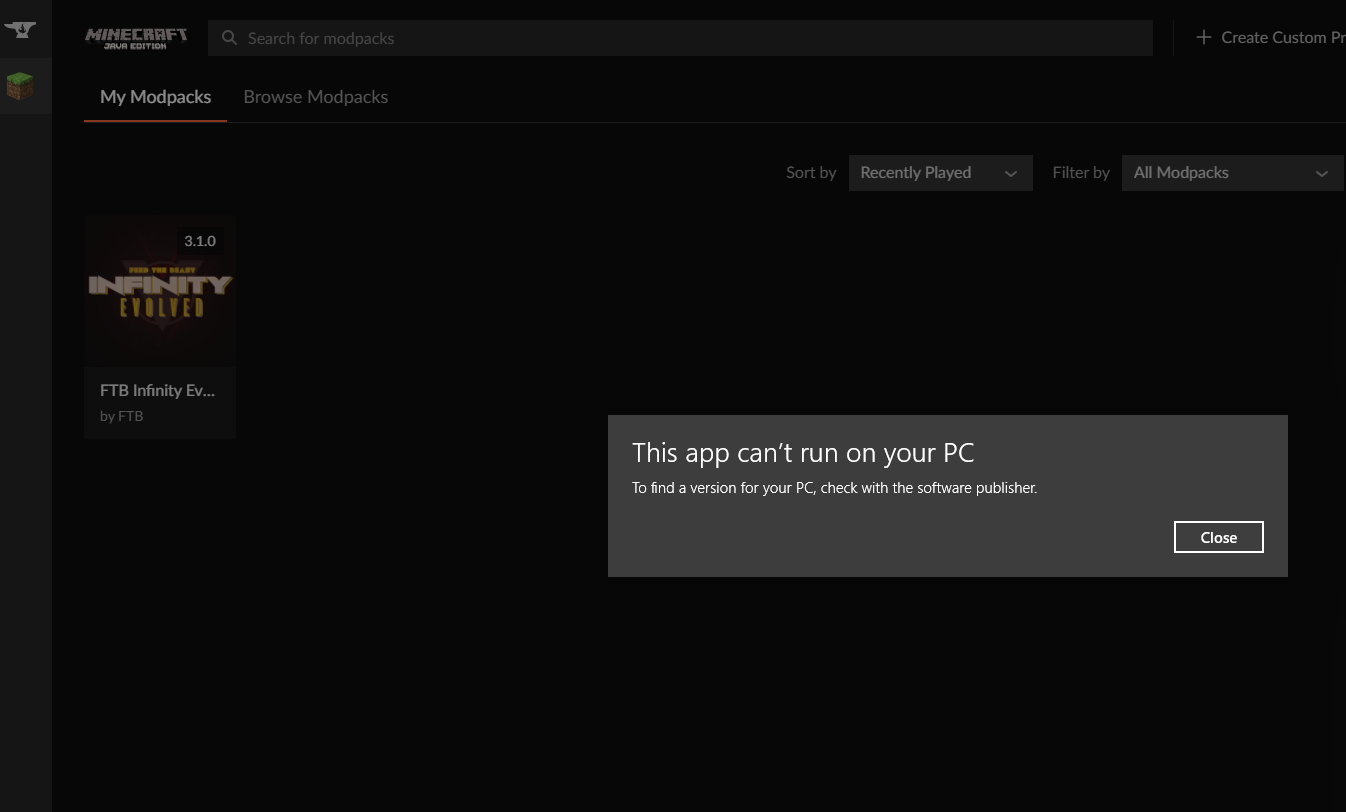 signal ridge
 viral ruin
https://i.imgur.com/HKcHAnp.png
viral ruin
https://i.imgur.com/HKcHAnp.png
What os is your pc?
viral ruin
windows 10
signal ridge
Tried a pc reboot?
viral ruin
Ill try that now
Didn't work
Do I need to run the mc version of the pack before I do it?
Even when I try to run vanilla minecraft it doesn't work
Got it
I just repaired the installation and it works now
rustic sable
rustic sable
Tried making a modpack for forge 1.17.1 on the curseforge launcher, but when it ...
reminder so my message doesn't get buried (again)
lyric crescent
! ticket-app
red patioBOT
:bug: Reporting via the CurseForge App :bug:
-
Click the
icon in the bottom left. -
Select
Open a Ticket. -
Fill out the form with accurate detailed information, "It doesn't work" isn't helpful! What exactly doesn't work and why doesn't it work should be easy to answer!
-
Make sure to upload your Overwolf logs with the
Upload Fileoption on the ticket, information on how to get these logs can be found here https://support.overwolf.com/en/support/solutions/articles/9000176827-how-to-get-your-overwolf-logs -
Submit!
 barren arch
hello i just installed the InsaneCraft Modpack in Minecraft and it is saying that it can't start Minecraft because "just Enough Items" can you please help me with that
signal ridge
barren arch
hello i just installed the InsaneCraft Modpack in Minecraft and it is saying tha...
!mc-logs
red patioBOT
Sending logs for support.
- Right-click the modpack profile icon OR click the button in the modpack profile.
- Click
Open Folder. - Open the
logsfolder. - Drag and drop the FILE named
latestORdebuginto discord.
barren arch
signal ridge
You ran out of memory. This the pack your playing? https://www.curseforge.com/minecraft/modpacks/insanecraft-modpack
barren arch
yes that is the pack im playing
signal ridge
ok, they recommend 8gb ram minimum. Allocated to the app
barren arch
yes
red patioBOT
How to set Global Minecraft RAM value.
- Click the icon in the bottom left to open settings.
- Click the Minecraft tab.
- Scroll down.
- Slide slider to recommended ram range as seen below.
barren arch
Yes it has and thank you that you helped me
 stuck dock
what version of forge does RLCraft use
 haughty parrot
big problem for me
when i start up curseforge launcher, it strats up an dstuff
i do everything i need to
and overwolf AND curseforge never loads
so uhh. how do i typically wait until an admin responds
queen storm
So it starts but it doesn't start?
 elfin oak
I have had a similar issue where curseforge opens but gets stuck on ‘forging your library’
digital roost
i have made a mod but how do i upload i can not find a image that i can use it doesent macht the requrements
queen storm
Then make an image?
 blissful crypt
good time of the day I start the build the launcher opens I click play it crumbles and gives an error please help
queen storm
What error?
blissful crypt
I can throw off the screen
digital roost
Image was smaller than minimum 400 height or minimum 400 width.
queen storm
digital roost
Image was smaller than minimum 400 height or minimum 400 width.
That is why you set paint to use 400*400 px
digital roost
ok i will try


 digital roost
queen storm
That is why you set paint to use 400*400 px
digital roost
queen storm
That is why you set paint to use 400*400 px
do you have an app suggestion
blissful crypt
why
digital roost
timtower
 shy yarrow
is it possible to play a modpack online with friends for free? like a local server
 marsh vector
hey is there away to add your own mods to curseforge and not use the ones that you can select
like get the file for the mod and put it in curseforge
wait i figured it out
if you want to figure out how to then ill say how:
go to open file location
go into the file called mods
get your mod/mods
drag them/it in
queen storm
digital roost
do you have an app suggestion
Paint
queen storm
shy yarrow
is it possible to play a modpack online with friends for free? like a local serv...
shy yarrow
queen storm
<#778097796410376242>
WYM?
blissful crypt
blissful crypt
please help me
queen storm
shy yarrow
WYM?
Go to #👽︱game-support , ask there
 lyric folio
Hey, are updated mods, for a custom pack, logged?
Is there like a log I can view to know what mods I've updated?
queen storm
No
lyric folio
Ok another issue - hope this is the right channel
Getting a crash upon launch
The latest.log gets cut off.
https://mclo.gs/zeUXjSV
It doesnt give me a crash log
5634 lines | 330 errors
fleet bear
you make the project.
then make a project for it?
ok, then what is the problem?
!status
red patioBOT
Project Moderation Time
Project/File moderation is done on these days unless otherwise mentioned:
Sunday, Monday, Tuesday, Wednesday, Thursday: <t:1631170800:t> - <t:1631199600:t> (Your time)
Friday, Saturday: No Moderation!
Projects are moderated First in, First out. If you submit late in the work day, it will likely get left until the next day!
New Projects or anything flagged for manual review: 1-3 Working Days
Updates to approved projects not needing manual approval: 1 Hour
Changes will only show in the app if the project meets the requirements in the ?sync command and up to 24 hours has passed from when it was accepted.
lyric folio
queen storm
Server or client?
client
lyric folio
lyric folio
Ok another issue - hope this is the right channel
Getting a crash upon launch
Th...
someone told me this:
im not sure what is preventing your game from launch. Just some configuredfeatures are shown that cannot be parsed to json because people gave it too large values
lyric folio
lyric folio
Ok another issue - hope this is the right channel
Getting a crash upon launch
Th...
Is it weird that I get a lot of permission denies by mods' APIs?
blissful crypt
complete shit is your curse remove it fuck it don't torture people fucking devils
fleet bear
post a picture of the error here
fleet bear
blissful crypt
complete shit is your curse remove it fuck it don't torture people fucking devil...
what are you even going on about...?
Try again.
 gleaming sparrow
im trying to start a server up using shockbyte using forge 1.12.2 and its refusing to work, it shuts down and then tries to restart. i have no mods installed so its not that
the only thing that i could chalk it down to is this message the console gives when it tries to start the server up:
INFO WARNING: Error loading config file: .dockercfg: $HOME is not defined
[Server] INFO WARNING: Your kernel does not support swap limit capabilities or the cgroup is not mounted. Memory limited without swap.
ive tried booting up the server on different game versions and it works fine, ive tried deleting all the files and it still has this issue. im not really sure what else to do
halp pls 😩
fleet bear
gleaming sparrow
im trying to start a server up using shockbyte using forge 1.12.2 and its refusi...
How does this have anything to do with Curseforge...? You should be contacting the server host...
gleaming sparrow
the problem is with forge isnt it? the server works fine on vanilla, if it isnt appropriate here tho ill try find help somewhere else sorry
fleet bear
!!=
red patioBOT
Wording is important!
Forge = Minecraft Forge, This is a modloader often just called "Forge".
Fabric = Fabric MC, this is another modloader, just called "Fabric".
CurseForge = A Website/App that has content for games.
Mods = Individual mod files.
Modpacks = Multiple mods put into the mods folder or downloaded from CurseForge.
These are not Interchangeable! Please use the correct terms as it allows us to help you faster!
 safe warren
hello, I have a sligh problem with CurseForge, I have no idea how to download a mod, I can only download the modpacks but not one mod.
queen storm
!mc-installmods
red patioBOT
How to install mods in CurseForge App.
- Click
+ Create Custom Profile - Name it, select the required Minecraft version, select the Forge version (usually the highest number), click
Create. - Click the profile icon.
- Click
Add More Content - Search and install the desired mods.
- Start the game!
How to install mods not on CurseForge.
- Right click the profile picture or Open the profile and click the Icon next to the play button.
- Click
Open Folder. - Drag the mod(s) into the
modsfolder. (Note: Some mods will require others, to run. Make sure to read the instructions for the mod!) - Start the game!
safe warren
thank you good sir
 inland stream
Noah, please don't spam.
 royal willow
Can someone help this man.