
#🔥︱curseforge-support
1 messages · Page 548 of 1
 sudden jungle
 lyric crescent
you on wifi?
 red patioBOT
:bug: Reporting via Website :bug:
Can't open the app or would rather use the website? You can do so here: https://support.curseforge.com/en/support/tickets/new
Fill out the form with accurate detailed information, "It doesn't work" isn't helpful! What exactly doesn't work and why doesn't it work should be easy to answer!
Make sure to upload your Overwolf logs with the Upload File option on the ticket, information on how to get these logs can be found here https://support.overwolf.com/en/support/solutions/articles/9000176827-how-to-get-your-overwolf-logs
lyric crescent
!ticket-site
sudden jungle
i use a workaround now i just set the general ram to 10 gigs should be enough for most modpacks XD
just wanted to let you guys know
lyric crescent
then send the log if you want to let them know
 fleet bear
Doesn't particularly sound like an issue with Curseforge but with whatever programs/drivers you have installed. Best option would be to start by uninstalling them and starting over.
Changing the windows volume in the windows mixer is about as final as it gets.
As for the rest, I don't need your hypocritical crap either. Next time just ask the question or it will just get ignored.
 rough coral
can i get my mods from another computer
lyric crescent
yes?
 willow bolt
Hello, I submitted a minecraft modpack projet about a week ago to Curseforge, and they're still asking for some changes in the summary, but I don't understand what they want more. I wrote that : This is a modpack to add multiple known and stable mods to enhance a server. I don't know what to add, as it is a modpack that adds a bit of everything.
Also, I think that the review is really slow, in about a week, it's the fourth notification I get. About every time, it's something different. Is it not possible to have a complete list of what needs to be changed for the modpack to be approved at once? We would stop loosing time, both Curseforge and I
 viral briar
I would assume that one little sentence is probably a bit too vague and such
and if you read #📢︱news , just go up a little bit , the team have had public holidays happening where they are located
 rich flint
Think of your sales pitch to someone why they should get it, and what they would ask. What does it include? Is it Forge or Fabric? Does it come with the winterized underbody coating?
willow bolt
It's not the description, it's the summary. They asked for one sentence, I gave them once sentence. I think i says it all. And I did not make that modpack to have millions have downloads either.
willow bolt
viral briar
I would assume that one little sentence is probably a bit too vague and such
an...
I think it was until last sunday
viral briar
!status
red patioBOT
It is 11:12PM on Thursday for CurseForge my dudes.
Project Moderation Time
Temporary moderation changes! See #announcements for more info
- 22nd & 23rd Moderation will be done!
- 24th & 25th No Moderation (Normal weekend)
- Normal Moderation hours and days resume after this!
Project/File moderation is done on;
Sunday, Monday, Tuesday, Wednesday, Thursday: 10AM - 6PM GMT+2
Friday, Saturday: No Moderation!
This process is First in, First out. Thus files submitted late in the work day may not be checked until the next work day.
New Projects or uploads requiring manual approval: 1-3 Working Days
Updates to approved projects not needing manual approval: 1 Hour
File sync to the Curseforge app may take up to 24 hours after approval.
willow bolt
Ya, I just saw that, thanks
But still, that doesn't explains why they can't give a full list of the problems with the submission at once.
viral briar
the little sentence near the end of your first message just wasn't necessary is all. especially being your first ever message on the discord.
as to me it also sounds like a driver issue or something along those lines or the volume mixer stuff as clay said.
 pliant copper
I get Oops, that’s not supposed to happen every time I try load curse forge. Even when I delete it and reinstall. I’m on macOS. I tried the dns thing but I couldn’t click on the plus sign it wouldn’t work.
 brave raven
Hi! I am sorry if I am asking for help on the wrong page - I am blind, though, so this is the closest channel I found. I tried uploading a Minecraft map I built onto CF, but it got rejected because the ZIP file pparently did not contain the level.dat file, but I double checked, and it did? Any advice you could please give me?
 hoary fable
Hi, I cant figure out how to download the 1.12.2 version of minecraft cursforge on my launcher so I can launch a mod can someone help me
 gilded forum
Thank you it has been accomplished.
 hearty rampart
 signal ridge
hearty rampart
https://www.curseforge.com/minecraft/modpacks/traveling-through-the-dimensions
h...
signal ridge
hearty rampart
https://www.curseforge.com/minecraft/modpacks/traveling-through-the-dimensions
h...
!sync
red patioBOT
Sync and your Project.
CurseForge App and site do not share the same requirements! You can find things on the site but this does not mean it will be in the app!
For a mod to show up in the app:
- Projects MUST have a file marked as RELEASE
 or BETA
- Projects MUST be APPROVED
- Projects MUST have a file marked for the GAME VERSION SELECTED/LOADED
- Projects CAN'T be EXPERIMENTAL
- Projects CAN'T be ABANDONED
Files can take a while to show up in the app. If your files still have not shown up either your project is new and you have yet to mark a file as Release/Beta or there is issues with the sync system making it slow.
Vote this issue up if you would like to know when the last sync was! https://curseforge-ideas.overwolf.com/ideas/CF-I-1617
signal ridge
That would do it. Alpha files don’t sync with the network. You can edit the file though to change it to beta or release.
 signal ridge
Link it
 calm river
I'm trying to run a few skyblock mods on minecraft but i am unable to see the instlation for curse forge
fleet bear
!mc-installmods
red patioBOT
How to install mods in CurseForge App.
- Click
+ Create Custom Profile - Name it, select the required Minecraft version, select the Forge version (usually the highest number), click
Create. - Click the profile icon.
- Click
Add More Content - Search and install the desired mods.
- Start the game!
How to install mods not on CurseForge.
- Right click the profile picture or Open the profile and click the
 Icon next to the play button.
 - Click

Open Folder. - Drag the mod(s) into the
modsfolder. (Note: Some mods will require others, to run. Make sure to read the instructions for the mod!) - Start the game!
 viral briar
hearty rampart
and other is now beta
viral briar
hearty rampart
and other is now beta
you say modpack when it's actually world, so not a modpack.

both the actual modpack - " traveling through the dimensions" and the world project are now showing on the app.
 neat sapphire
I'm trying to update a minecraft modpack, but it fail everytime.
It cannot find part of the path, and shows me a path to another modpack (trying to update terrafirmagreg and cannot find path to farming valley folder).
It does not make sense!
 chilly dune
What time do moderation staff look at stuff to approve
viral briar
!status
red patioBOT
It is 02:31AM on Friday for CurseForge my dudes.
Project Moderation Time
Temporary moderation changes! See #announcements for more info
- 22nd & 23rd Moderation will be done!
- 24th & 25th No Moderation (Normal weekend)
- Normal Moderation hours and days resume after this!
Project/File moderation is done on;
Sunday, Monday, Tuesday, Wednesday, Thursday: 10AM - 6PM GMT+2
Friday, Saturday: No Moderation!
This process is First in, First out. Thus files submitted late in the work day may not be checked until the next work day.
New Projects or uploads requiring manual approval: 1-3 Working Days
Updates to approved projects not needing manual approval: 1 Hour
File sync to the Curseforge app may take up to 24 hours after approval.
chilly dune
ok Thanks
lyric crescent
neat sapphire
I'm trying to update a minecraft modpack, but it fail everytime.
It cannot find ...
! mc-path you may need to copy your save over so don't lose where stuff is currently installed.
red patioBOT
Change your install path to the following:
For Windows: C:\CurseForge
-Go to C:\ drive. Make a new folder. Name it Curseforge.
For Mac: /Users/Shared/CurseForge
If Minecraft is not installed in CurseForge App:
- Click the
 in the top left.
 - Select Minecraft from the list of games.
- Select the
Advancedoption and pick the folder you just made. - Click
Continue.
If Minecraft is installed in CurseForge App:
- Click the
 in the bottom left.
 - Select the Minecraft tab.
- Click
Change. - Select the folder you just made.
:no_entry_sign: Minecraft Files should NOT be installed inside the following locations :no_entry_sign:
:no_entry_sign: .minecraft folder.
:no_entry_sign: OneDrive folders.
:no_entry_sign: Desktop folder.
:no_entry_sign: Drive roots I.E. Directly into the C:\ drive.
:no_entry_sign: iCloud enabled folders.
:no_entry_sign: or any other cloud saved folder.
:no_entry_sign: or folders with non-English characters in them.
If any of the above are in the path you need to change/move it!
 twilit canopy
when my friend tries to download curseforge launcher to actually instal mods, it doesnt run at all
because u cant straight download modpacks from the website for some reason
lyric crescent
You use the app to install packs
twilit canopy
lyric crescent
You use the app to install packs
it doesnt let him install the app
lyric crescent
Then he should come here and explain the issue
twilit canopy
when he runs the installer, it doesnt open anything
 indigo wind
yo me here
lyric crescent
!getcf
red patioBOT
Looking to install the CurseForge app?
<:windows:798410728188936222> Windows
Minimum Requirements:
- OS Version: 7, 8.1, 10
- 64 bit Required.
- 350MB storage space.
- Microsoft .Net 4.8
- Intel/AMD quad-core CPU
- 8GB ram
Download: https://download.overwolf.com/install/Download?&PartnerId=4047
If you are having issues with the installer use the URL below to install Overwolf then go to the app store to download CurseForge.
https://content.overwolf.com/downloads/setup/latest/regular.html
<:mac:798410654418862130> Mac
Minimum Requirements:
- OS Version 10.14 or newer.
- 64 bit Required.
Download: https://curseforge.overwolf.com/downloads/curseforge-latest.dmg
:penguin: Linux
Minimum Requirements:
Yes.
Download: :person_shrugging:
lyric crescent
Use the 2nd link
indigo wind
olaright
twilit canopy
the overwolf download?
lyric crescent
Yep
twilit canopy
 indigo wind
It says "Failed - Network error" underneath the thingy
twilit canopy
thats the error he gets
also sometimes when he runs it, it lets him give access to administrator and then doesnt open after that at all
indigo wind
should we vc and i can screenshare so you can get a better look at it?
@lyric crescent
 covert matrix
Hey, I’m new here.. I’ve just downloaded “Mineshafts and Mobs” but I can’t seem to play for more than a few minutes before everything freezes. I’ve turned off clouds, entity shadows, smooth lighting, etc. is there anything else I can do to make it run better?
I have a pretty beefy computer but it doesn’t seem to like the mod.
Any help is greatly appreciated!
twilit canopy
we fixed our issue nvm
 fierce sinew
can someone help me pls

 cursive dagger
Im confused, I recently uploaded a modpack named "minecraft xtra" and they sent me this back. but there are other modpacks with the word minecraft in it for example better minecraft, how come I cant have the word minecraft in my project?
 fleet bear
cursive dagger
Im confused, I recently uploaded a modpack named "minecraft xtra" and they sent ...
fleet bear
cursive dagger
Im confused, I recently uploaded a modpack named "minecraft xtra" and they sent ...
rules changed
cursive dagger
can i use MC instead of Minecraft ?
fleet bear
No
fleet bear
!notcf
red patioBOT
The question you are asking about isn't related to CurseForge. Please use the appropriate game rooms by getting the role from #786424115535544350 or use #👽︱game-support for help.
This room is only for CurseForge Owned & Maintained features/services.
 snow kindle
soorry sorry
 distant yew
The game crashed whilst initializing game
Error: java.lang.ArrayIndexOutOfBoundsException: 0
Exit Code: -1
im getting this when i try to start blood n bones classic
signal ridge
distant yew
The game crashed whilst initializing game
Error: java.lang.ArrayIndexOutOfBounds...
!mc-logs
red patioBOT
Sending logs for support.
Right-click the modpack profile icon OR click the button in the modpack profile.
Click Open Folder.
Open the logs folder.
Find the file called debug.log OR latest.log and drag it into discord into this channel
distant yew
signal ridge
Blood n bones is old and had a special error, try this:
go into your packs, go to the config folder. Look for a file called bspkrsCore.cfg and open it. Set allowUpdateCheck=true to false. Save then reboot the pack
distant yew
working now thx
 chrome steppe
Help

 proven hill
my curseforge app sometimes shows "oops that's not supposed to happen." If I want to get into the game, I can only depend on whether the launcher is happy or not. Why is that?
nvm curseforge seems to be very happy today and let me in after ~30 times of trying
 runic moon
I dowlanded a mod pack that isnt on curseforge for dowland how do I add it to my modpacks list
red patioBOT
How to install modpacks with the search features in app.
- Open the

Minecraftsection of the app. - Click the top search bar where it says
Search for modpacksOR Click theBrowse ModpacksTab. - Find the Modpack you want to install and click install on it.
- Wait for CurseForge app to download and unpack all the required files.
- Once finished, click
Play!
How to install modpacks from a Export. (Custom/Private/Site downloaded Modpack zip)
- Get CurseForge App if you don't have it, use
!downloadfor a link. - Get the exported modpack from CurseForge or someone else,
!mc-packshareexplains how to make them. - Open the
Minecraftsection of the app. - Click

Create Custom Profile - Click the
Importoption. - Find the file you just downloaded in step 2 and select it.
- CurseForge app will now attempt to download and unpack the modpack. If it fails, try steps 4-6 again.
- Once finished, click
Play!

 slate portal
Hello guys and moderateros how long you waiting to chech your modpack ?
signal ridge
!status
red patioBOT
It is 03:48PM on Friday for CurseForge my dudes.
Project Moderation Time
Temporary moderation changes! See #announcements for more info
- 22nd & 23rd Moderation will be done!
- 24th & 25th No Moderation (Normal weekend)
- Normal Moderation hours and days resume after this!
Project/File moderation is done on;
Sunday, Monday, Tuesday, Wednesday, Thursday: 10AM - 6PM GMT+2
Friday, Saturday: No Moderation!
This process is First in, First out. Thus files submitted late in the work day may not be checked until the next work day.
New Projects or uploads requiring manual approval: 1-3 Working Days
Updates to approved projects not needing manual approval: 1 Hour
File sync to the Curseforge app may take up to 24 hours after approval.
 thick pulsar
hello i am new here and i need help i install curesforge and mod what i need but i can´t open it
signal ridge
thick pulsar
hello i am new here and i need help i install curesforge and mod what i need but...
whats not opening? The cf app itself? The minecraft launcher when you press play in the app? Explain
thick pulsar
signal ridge
whats not opening? The cf app itself? The minecraft launcher when you press play...
No i dowloanded a mod and i Press play and my Minecraft Don t turn on
signal ridge
thick pulsar
No i dowloanded a mod and i Press play and my Minecraft Don t turn on
the mod was downloaded in in a custom profile with the cf app yes?
!mc-installfix try this
red patioBOT
- Click on the Minecraft Tab on the Left side of the CurseForge App.
- Click button next to the
Create Custom Profileoption. - Click

Repair Installationoption. - Play game.
NOTE: You will not lose any modpacks or worlds, These are saved in the Instances folder. DO NOT TOUCH THIS FOLDER OR YOU WILL LOSE EVERYTHING
slate portal
@thick pulsar and you set rams ?
 hot patrol
Hello, I have been playing MC Eternal for a few months now. However, earlier today I was playing and my computer froze entirely. I had to force reboot my system. I was able to launch overwolf, curseforge, and Minecraft successfully. However, when I tried to enter my world, it says "loading world" for a few minutes and then closes Minecraft and bring me back to the minecraft launcher. The launcher then says "ERROR Game Crashed An unexpected issue occured and the game has crashed. We're sorry for the inconvenice. Exit Code: 0"
 slate portal
@hot patrol do you set rams ?
signal ridge
!mc-logs
red patioBOT
Sending logs for support.
Right-click the modpack profile icon OR click the button in the modpack profile.
Click Open Folder.
Open the logs folder.
Find the file called debug.log OR latest.log and drag it into discord into this channel
signal ridge
Logs will show whats going on. I can have a look
hot patrol
My ram is set at 10465 which is higher than i had it before. Ill retieve the file real quick
slate portal
Can i ask ?
This is a new project. Until approved by a moderator, the project will not be visible to others, and its files will not synchronize across CurseForge. Why modarators checking modpacks ?
hot patrol
lyric crescent
That's how curseforge works
lyric crescent
!status
red patioBOT
It is 04:49PM on Friday for CurseForge my dudes.
Project Moderation Time
Temporary moderation changes! See #announcements for more info
- 22nd & 23rd Moderation will be done!
- 24th & 25th No Moderation (Normal weekend)
- Normal Moderation hours and days resume after this!
Project/File moderation is done on;
Sunday, Monday, Tuesday, Wednesday, Thursday: 10AM - 6PM GMT+2
Friday, Saturday: No Moderation!
This process is First in, First out. Thus files submitted late in the work day may not be checked until the next work day.
New Projects or uploads requiring manual approval: 1-3 Working Days
Updates to approved projects not needing manual approval: 1 Hour
File sync to the Curseforge app may take up to 24 hours after approval.
 lyric crescent
if you know then why are you asking 🤔
 hardy spoke
hot patrol
hardy spoke
hot patrol
your planetDefs.xml in the world folder is corrupted
go to your config\advRocketry, copy planetDefs.xml
go to your world folder\advRocketry paste and replace the file that is there
lyric crescent
to make sure people dont upload viruses, or garbage
hot patrol
Would my world folder be under saves?
lyric crescent
yes
hot patrol
My world is titled MC Eternal but I dont see it there
lyric crescent
are you in the modpack folder?
hot patrol
yea
lyric crescent
C:\Users\endur\curseforge\minecraft\Instances\MC Eternal\saves
hot patrol
I have Creative MCE, New World, and New World- But I just went thru and replaced all the spefied files for all the saves. Ill try to run it and let you know what happens
specified
thick pulsar
slate portal
<@!542682785933033475> and you set rams ?
I set rams on 6000
hot patrol
It worked, the world seems to be running normally. Thank you so much, I've put alot of hours into it and I have no idea what I'm doing when it comes to code.
signal ridge
thick pulsar
I set rams on 6000
Is this for a mod or a modpack? they are not the same thing
 gritty ivy
I've been trying to find a contact (such as an email) on support.curseforge.com but couldn't - despite a couple of articles mentioning "contact our support team". Is this the right place?
Basically I wanted to know if it was possible to transfer / rescue an old CurseForge (not Twitch) account, as in one that us displayed as user-01234567 in a project's author list. It's not a bit deal, unless it would also bring back my old Minecraft Forum posts for some of my older mods, which aren't accessible anymore (though they are on archive.org, so not a complete loss).
lyric crescent
is it your account?
gritty ivy
Yes. I have various ways to verify it.
lyric crescent
!ticket-site
red patioBOT
:bug: Reporting via Website :bug:
Can't open the app or would rather use the website? You can do so here: https://support.curseforge.com/en/support/tickets/new
Fill out the form with accurate detailed information, "It doesn't work" isn't helpful! What exactly doesn't work and why doesn't it work should be easy to answer!
Make sure to upload your Overwolf logs with the Upload File option on the ticket, information on how to get these logs can be found here https://support.overwolf.com/en/support/solutions/articles/9000176827-how-to-get-your-overwolf-logs
gritty ivy
Have just not seen this on the support website? Or is it just easy to miss?
lyric crescent
idk seems hard to miss?
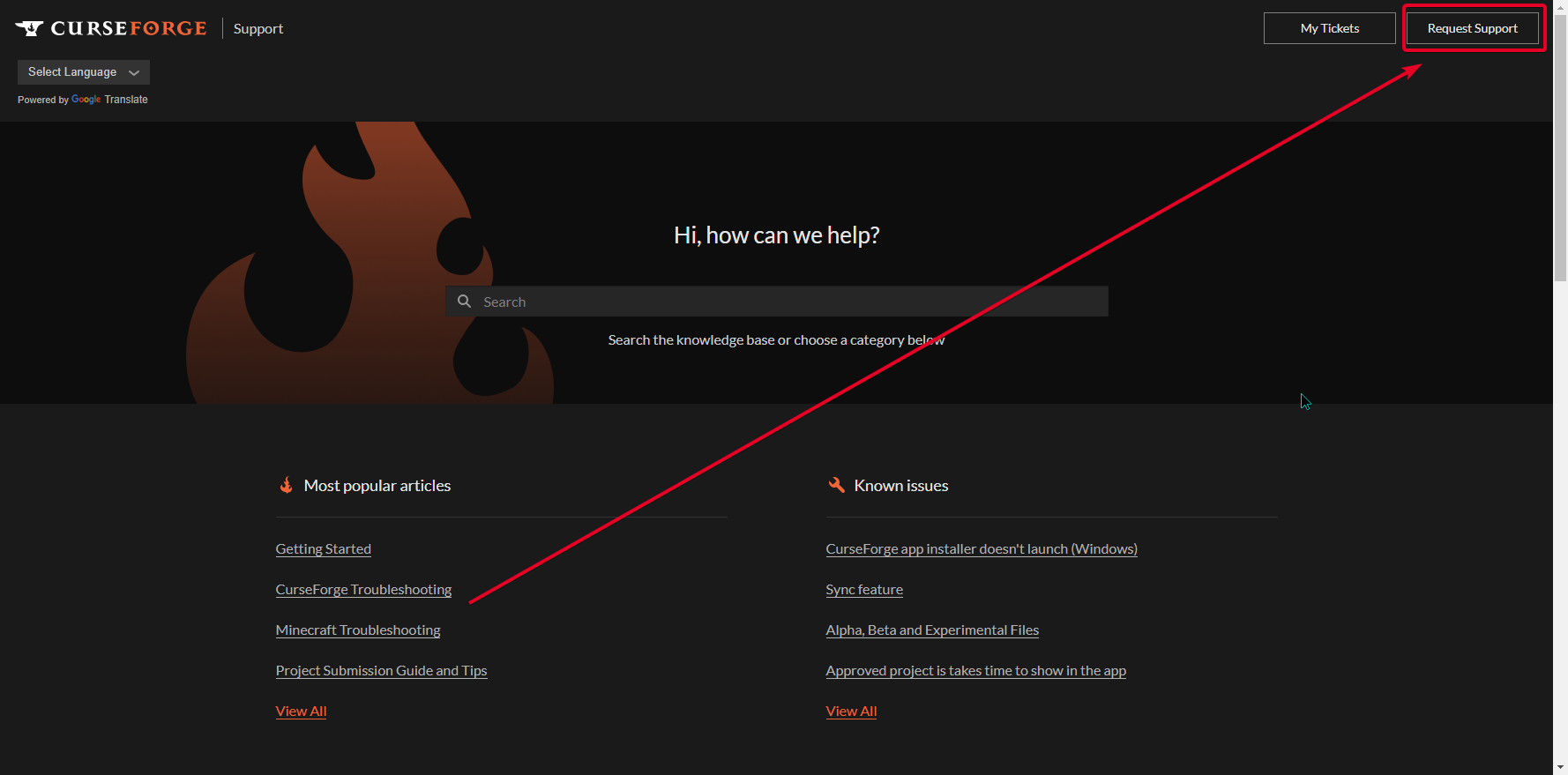
https://i.imgur.com/SS4L1K9.png
 gritty ivy
Ah yes. It would be nice if it was mentioned somewhere in the main content of the site, or directly in the articles rather than just directing you to the main support page again. Thank you.
lyric crescent
!feedback
red patioBOT
<:CFidea:798388634972717066> Have an idea on how to improve CurseForge? <:CFidea:798388634972717066>
CurseForge is looking for great ideas and user feedback! Get into the CurseForge Community by providing some feedback and voting on what's important to you!
Think some game should be supported? Post an idea and explain why!
Got a to die for feature idea? Let's hear it!
Location In-app
- Click the
 button on the bottom left of the app.
 - Click on

Suggest a Featureoption!
 left cloud
can somebody help me download optifine and forge ?
signal ridge
!mc-optifine
red patioBOT
Optifine and Curseforge
To install Optifine with modpacks on Curseforge:
Right click the modpack icon, select Open Folder.
Put the Optifine.jar into the mods folder.
Now load the modpack normally.
We do not offer support for Optifine. If you have issues with Optifine, remove it. If you want further support try the discord found on their website.
https://www.optifine.net/home
 stable tide
what does this mean?
The status of the file 1.16.5 Bore's Adventure - Version 0.1 (Bore's Adventure) has been changed to Rejected
Notes:
Missing manifest.json file.
Client modpack files must be created from within the Twitch Desktop App: https://authors.curseforge.com/knowledge-base/game-specific-support/120-how-to-create-a-modpack
Server modpack files should be uploaded as an Additional File on a client modpack file.
If you have any questions please contact our support team https://support.curseforge.com.
left cloud
 lyric crescent
!notcf
red patioBOT
The question you are asking about isn't related to CurseForge. Please use the appropriate game rooms by getting the role from #786424115535544350 or use #👽︱game-support for help.
This room is only for CurseForge Owned & Maintained features/services.
signal ridge
left cloud
Are you using the cf app?
left cloud
signal ridge
Are you using the cf app?
whats that ?
stable tide
left cloud
whats that ?
curseforge
 lyric crescent
forge is not curseforge
left cloud
oh
stable tide
but still what does this mean?
The status of the file 1.16.5 Bore's Adventure - Version 0.1 (Bore's Adventure) has been changed to Rejected
Notes:
Missing manifest.json file.
Client modpack files must be created from within the Twitch Desktop App: https://authors.curseforge.com/knowledge-base/game-specific-support/120-how-to-create-a-modpack
Server modpack files should be uploaded as an Additional File on a client modpack file.
If you have any questions please contact our support team https://support.curseforge.com/.
red patioBOT
There are two ways to share a modpack you've made with others...
Export and Share - For Friends to Small Groups.
- Click the Icon for the modpack.
- Click the button next to play.
- Click

Export. - Select the files that should be included.
- Send the zip to the people that want it! They can follow the instructions in
!mc-installpackto install the pack!
Upload to Curseforge - For Public Release to Everyone.
This options will make your pack public to EVERYONE, it comes with extra requirements and will take some effort to set up.
- Go to here: https://www.curseforge.com/project/432/4471/create
- Fill out the information with a proper description of the pack. This should allow anyone to understand what the pack is.
- Click the Icon for the modpack in the CurseForge app.
- Click the button next to play.
- Click
Export. - Select the files that should be included.
- Open your Project you made on the CurseForge site and Upload the file you just made.
- Wait for Moderation & Sync so it can show up in the client! (See
!syncfor limitations)
stable tide
lyric crescent
sounds like you didnt export your pack
did i do it right? https://www.curseforge.com/minecraft/modpacks/bores-adventure/files/3470283
signal ridge
stable tide
did i do it right? https://www.curseforge.com/minecraft/modpacks/bores-adventure...
Did you export it using the cf app?
stable tide
yeah
 ember slate
trying to update forge for a mod for my pack but how do i do this?
its 1.12 pack using 14.23.5.2855
which seeing its all the way at the bottom makes me wonder if this is the oldest forge version for curse(1.12)
lyric crescent
No way for me to tell if you did it right
stable tide
like its like 55 mods in it and it says that it takes 200kb
lyric crescent
Is there a manifest in the zip?
signal ridge
In the zip should look roughly like this.

 signal ridge
ember slate
trying to update forge for a mod for my pack but how do i do this?
its 1.12 pack...
signal ridge
ember slate
trying to update forge for a mod for my pack but how do i do this?
its 1.12 pack...
In the app click on your profile > click the > Profile options > Click the forge pull down then scroll down to the version you need

 lyric crescent
We need a command for this
signal ridge
Probably
stable tide
just a question do you get paid for being a mod?
signal ridge
stable tide
Another thing to check is make sure in the Overides folder there is either no mods or nothing in the mods folder.
stable tide
and btw its very good its fast and good help
signal ridge
we are 100% volunteer. Admins, Mods and community support.
 signal ridge
should be fine
stable tide
thanks for the help!
ember slate
does "curseforge related things only." imply curseforge modpacks?
having a issue with a mod being loaded, and idk if i should send the log here or not
lyric crescent
Curseforge doesn't make modpacks, so not really.
 queen storm
lyric crescent
We need a command for this
queen storm
lyric crescent
We need a command for this
You know where to shout it
signal ridge
Im making some pics now tim, give me a few
 sonic vector
 signal ridge
Need to make a 1:1 scale image. minimum 400x400 pixels
 young leaf
Hey so I'm trying to load up curseforge via overwolf and it isn't working
It says "Oops, that wasn't supposed to happen!"
signal ridge
 rose fog
it tells me win.NET 4.8
young leaf
rose fog
it tells me win.NET 4.8
young leaf
How do I fix it?
signal ridge
young leaf
How do I fix it?
windows or mac?
young leaf
Windows
rose fog
signal ridge
Have a look at this <https://support.overwolf.com/en/support/solutions/articles/...
ok
young leaf
And I'm using Kaspersky antivirus
Idk if that's the problem but it has been the problem of a lot of stuff
signal ridge
Does the overwolf app open?
young leaf
Yes
signal ridge
Try disabling your anti-virus then try installing the cf app from the ow app.
young leaf
It says not connected when I open overwolf
signal ridge
Screen shot
rose fog
signal ridge
Have a look at this <https://support.overwolf.com/en/support/solutions/articles/...
umm i dont have 4.8
i have 3.5
signal ridge
rose fog
umm i dont have 4.8
Which windows version do you have? 7? 8? 10?
rose fog
8
signal ridge
I dont think windows 8 supports .net 4.8
signal ridge
The OW discord may be better for this. https://discord.gg/overwolf
rose fog
k
young leaf
signal ridge
Screen shot
 signal ridge
Are you on wifi or ethernet?
young leaf
Ethernet
signal ridge
What happens when you hit try now?
signal ridge
huh.... uh.. May also want to try the OW discord for this. Im not sure whats going on.
young leaf
Yeah but my av keeps blocking it
How do I make it not do that?
It's Kaspersky Antivirus
signal ridge
Would have to google how to allow it in that software. I dont use that so no idea
young leaf
Ah, ok
 zinc shale
in curseforge when im in looking for games for some reason there's no terraria do you guys know why?
 foggy ridge
I'm trying to install a mod that is only updated on Modrinth(as the author lost access to their CurseForge account) and was told to put it into an overrides folder inside of the instances/[modpack name] folder, the same one the mods folder is in. For some reason, when I make a /overrides/mods folder, nothing in the folder registers. It's like the mod isn't installed at all. The mod's author sent me here, saying you guys would be able to help a lot more if the overrides function is what isn't working.
signal ridge
zinc shale
in curseforge when im in looking for games for some reason there's no terraria d...
Its supported on the site but not the app.
zinc shale
signal ridge
Its supported on the site but not the app.
Oh ok, Thanks!
signal ridge
foggy ridge
I'm trying to install a mod that is only updated on Modrinth(as the author lost ...
Modrinth isnt connected to cf. So the author would either need to get their project back or submit a 3rd party request.
foggy ridge
No, I don't think you're understanding. I downloaded it to put it in the overrides folder, and the overrides folder is what currently isn't working.
 ancient dust
is there a plan to release a windows 11 build when it releases on 5th october?
signal ridge
foggy ridge
No, I don't think you're understanding. I downloaded it to put it in the overrid...
Shouldnt be adding things to the overides folder. Thats not how it works.
foggy ridge
okay then please explain how it does work
signal ridge
You put the mods in your mods folder in the pack then use the export function in the cf app. Mods that are either from CF or in the 3rdparty list will go to the manifest file. I think anything else would go to the overides/mods folder.
Is this a pack your wanting to host on cf?
foggy ridge
Yeah, I currently have the pack made on the app, I plan on exporting it when I'm done figuring out the modlist and everything
So if I have a 3rd party mod, it should just go directly into the mods folder inside of the instances/[modpack] folder?
signal ridge
ok, so if the mod version your using isnt hosted on CF or is a part of the 3rd party list it will get rejected
If its on the list yes
foggy ridge
What 3rd party list?
signal ridge
?mc-3rdparty
red patioBOT
Minecraft Modpack 3rd party
Mods not on CurseForge must be on the 3rd-party list to be included in modpacks uploaded to CurseForge. If a mod is not on this list it can't be included in the export of a modpack and must be removed before uploading. If you upload with a mod that isn't on this list the file will be rejected.
List of approved 3rd party mods:
https://docs.google.com/spreadsheets/d/176Wv-PZUo9hFxy6oC6N8tWdquBLPRtSuLbNK-r0_byM
foggy ridge
Yeah, it's on there
signal ridge
Which mod is this?
foggy ridge
Sodium
signal ridge
Then just put it in the packs mods folder, test to make sure the pack boots then export
foggy ridge
Yeah, it worked but it didn't do what I expected, I think I was thinking of a different mod. As far as exporting, I'm gonna work on being sure what mods I want then do just that!
 uneven spindle
I'm trying to play a modded version of minecraft and I've tried to use different mod packs to see if that specific mod was causing issues but not a single mod will let me load and it'll crash out before all the mods are setup, how can I fix this?
signal ridge
!mc-logs
red patioBOT
Sending logs for support.
Right-click the modpack profile icon OR click the button in the modpack profile.
Click Open Folder.
Open the logs folder.
Find the file called debug.log OR latest.log and drag it into discord into this channel
uneven spindle
signal ridge
Wrong one, Need the one called latest
uneven spindle
signal ridge
Did you add, remove or change anything in this pack?
uneven spindle
Downloaded it straight from the curse forge (Browse Modpacks)
signal ridge
and no other modpacks boot?
uneven spindle
I've tried two others
signal ridge
!mc-installfix try this
red patioBOT
- Click on the Minecraft Tab on the Left side of the CurseForge App.
- Click button next to the
Create Custom Profileoption. - Click
Repair Installationoption. - Play game.
NOTE: You will not lose any modpacks or worlds, These are saved in the Instances folder. DO NOT TOUCH THIS FOLDER OR YOU WILL LOSE EVERYTHING
uneven spindle
It didn't do much
signal ridge
For any of the packs does it crashing and closing on its own? OR does it freeze and you force close it?
 signal ridge
Do you close it as soon as it does this? Or have you tried leaving it for a bit?
uneven spindle
at first I let it sit for like 30 minutes because kingdom come deliverance and Skyrim used to do that
signal ridge
Send the latest log for the pack in the screen shot.
uneven spindle
signal ridge
So for sev people recommend a minimum of 6gb ram allocated. you have 4 allocated. Would start with increasing that
!mc-ram
red patioBOT
How to set Global Minecraft RAM value.
- Click the icon in the bottom left to open settings.
- Click the Minecraft tab.
- Scroll down.
- Slide slider to recommended ram range as seen below.
 uneven spindle
Exact same result
signal ridge
post new latest log
signal ridge
Log still shows about 4gb of ram. Did you fully close the mc game and launcher before changing it in the app?
uneven spindle
I'll do that and try again
That seems to have fixed it, thanks for the help.
It's broken again
 digital roost
Hello
uneven spindle
idk I guess my computer can't run minecraft
 frosty drum
when i started a server with mods and i had the exact same modes and tried to join it said you do not have the tags or something like that and im really confused cause i just wanna play wi my friends.
signal ridge
uneven spindle
idk I guess my computer can't run minecraft
Did you change anything between when it worked to now?
signal ridge
frosty drum
when i started a server with mods and i had the exact same modes and tried to jo...
!notcf
red patioBOT
The question you are asking about isn't related to CurseForge. Please use the appropriate game rooms by getting the role from #786424115535544350 or use #👽︱game-support for help.
This room is only for CurseForge Owned & Maintained features/services.
uneven spindle
@signal ridge literally not a single thing
 lost sand
Is it possible to play multiplayer with curseforge?
 shut iris
Greetings,
I'm trying to add a Server pack to my Modpack. Any guide on how to do that?
 pine cipher
I want to buy a server for a modpack I do not know any websites because apex hosting does not have the modpack can anyone help.
signal ridge
uneven spindle
<@!217048549706301442> literally not a single thing
Only other thing I can think of is maybe trying a new modded folder path
!mc-path
red patioBOT
Change your install path to the following:
For Windows: C:\CurseForge
-Go to C:\ drive. Make a new folder. Name it Curseforge.
For Mac: /Users/Shared/CurseForge
If Minecraft is not installed in CurseForge App:
- Click the in the top left.
- Select Minecraft from the list of games.
- Select the
Advancedoption and pick the folder you just made. - Click
Continue.
If Minecraft is installed in CurseForge App:
- Click the in the bottom left.
- Select the Minecraft tab.
- Click
Change. - Select the folder you just made.
:no_entry_sign: Minecraft Files should NOT be installed inside the following locations :no_entry_sign:
:no_entry_sign: .minecraft folder.
:no_entry_sign: OneDrive folders.
:no_entry_sign: Desktop folder.
:no_entry_sign: Drive roots I.E. Directly into the C:\ drive.
:no_entry_sign: iCloud enabled folders.
:no_entry_sign: or any other cloud saved folder.
:no_entry_sign: or folders with non-English characters in them.
If any of the above are in the path you need to change/move it!
signal ridge
pine cipher
I want to buy a server for a modpack I do not know any websites because apex hos...
!notct
!notcf
red patioBOT
The question you are asking about isn't related to CurseForge. Please use the appropriate game rooms by getting the role from #786424115535544350 or use #👽︱game-support for help.
This room is only for CurseForge Owned & Maintained features/services.
shut iris
@signal ridge Any idea on how to get a serverpack for your modpack?
signal ridge
You make one then upload it to your project as an additional file
shut iris
How do I make a serverpack?
signal ridge
shut iris
How do I make a serverpack?
Ill post it in #👽︱game-support as CF has nothing to do with servers
shut iris
signal ridge
Ill post it in <#778097796410376242> as CF has nothing to do with servers
Got it
 honest adder
No CF Points were given out yesterday FYI.
 fading fulcrum
so i try to download a minecraft mod pack and it doesnt work and ends up saying error could not open
signal ridge
screen shot the error
signal ridge
Windows or Mac?
fading fulcrum
windows i may have just found it out
signal ridge
Windows Key + Shift + S then Ctrl + V in here
fading fulcrum
 signal ridge
!mc-installfix try this
red patioBOT
- Click on the Minecraft Tab on the Left side of the CurseForge App.
- Click button next to the
Create Custom Profileoption. - Click
Repair Installationoption. - Play game.
NOTE: You will not lose any modpacks or worlds, These are saved in the Instances folder. DO NOT TOUCH THIS FOLDER OR YOU WILL LOSE EVERYTHING
 plain quiver
for some reason I am unable to play minecraft 1.17. It just gives me this error when I try to launch it

it only happens on 1.17 and not any other versions
fading fulcrum
thanks that helped
signal ridge
 dense socket
so it men i pro
dense socket
so it men i pro
Do you need help with something? Otherwise this isnt the channel for random chat
 fleet bear
 unkempt birch
!notcf and if you try reading it, it tells you exactly what's wrong.
red patioBOT
The question you are asking about isn't related to CurseForge. Please use the appropriate game rooms by getting the role from #786424115535544350 or use #👽︱game-support for help.
This room is only for CurseForge Owned & Maintained features/services.
 proper nacelle
i need help
rich flint
plain quiver
for some reason I am unable to play minecraft 1.17. It just gives me this error ...
Launching it as separate Minecraft installation, or launched it using the CF launcher app?
plain quiver
launching it using the app
rich flint
The plot thickens - the app should have it's own copies of java (16 for mc 1.17)
 leaden ferry
My mc keeps crashing, trying to setup a custom mod pack for a server I wanna play on


I have them all installed in here
Could it be an issue with the server/modpack/forge versions?
 vapid shard
I am having problems running Forge on my MC Java install. Is this a known issue?
fleet bear
vapid shard
I am having problems running Forge on my MC Java install. Is this a known issue...
Are you using Curseforge?
fleet bear
leaden ferry
My mc keeps crashing, trying to setup a custom mod pack for a server I wanna pla...
!mc-logs
red patioBOT
Sending logs for support.
Right-click the modpack profile icon OR click the button in the modpack profile.
Click Open Folder.
Open the logs folder.
Find the file called debug.log OR latest.log and drag it into discord into this channel
leaden ferry
fleet bear
leaden ferry
your files seem corrupt how did you install it?
leaden ferry
fleet bear
your files seem corrupt how did you install it?
From this website - https://www.curseforge.com/minecraft/mc-mods/botania
rich flint
that log is loading FML 37 (MC 1.17) but has multiple different MC version mods
 fleet bear
leaden ferry
From this website - https://www.curseforge.com/minecraft/mc-mods/botania
fleet bear
leaden ferry
From this website - https://www.curseforge.com/minecraft/mc-mods/botania
that's 100% not the URL you used to get whatever you have.,
How did you get or make whatever you have.
vapid shard
Yes it is.
fleet bear
I wasn't talking to you, hence the reply.
vapid shard
Okay
leaden ferry
I downloaded the mods from that site and then dragged them from my folder into CurseForge app
vapid shard
fleet bear
Are you using Curseforge?
Yes I am using CurseForge
fleet bear
leaden ferry
I downloaded the mods from that site and then dragged them from my folder into C...
Why....?
Install them via the app or better yet have the server owner give you the modpack to import.
leaden ferry
fleet bear
Why....?
Install them via the app or better yet have the server owner give you t...
Ok, i'll try, thanks
fleet bear
vapid shard
Yes I am using CurseForge
!mc-log
red patioBOT
Sending logs for support.
Right-click the modpack profile icon OR click the button in the modpack profile.
Click Open Folder.
Open the logs folder.
Find the file called debug.log OR latest.log and drag it into discord into this channel
vapid shard
fleet bear
!mc-log
Sorry, trying to get the debug logs and I posted it in the wrong place.
fleet bear
it's not that hard... It's 4 steps.
vapid shard
I know this. I am also trying to double check my server to make sure it is not having issues.
fleet bear
Well as soon as you decide to commit to getting support here let me know cause I'd rather not keep getting interrupted every 5 minutes because you decided to do other things at the same time.
vapid shard
fleet bear
Well as soon as you decide to commit to getting support here let me know cause I...
Look I understand this but you don't have to be rude about it.
fleet bear
Then don't be rude to people who are trying to help you by doing something else while getting support?
vapid shard
fleet bear
Then don't be rude to people who are trying to help you by doing something else ...
I'm not being rude. I'm am not able to launch Java with Forge. I uploaded the image and you were helping someone else. This has been ongoing and I have remediated the issue as much as my IT experience will allow for. I have uninstalled and reinstalled and nothing.
fleet bear
and I asked for a file that you replied to with "I'm doing stuff with my server"
So, again.
You either do as asked or I'm just moving on with my night and ignoring this because I can't do anything without you giving me information that's requested for.
vapid shard
fleet bear
That's not a log file as requested in the information above.
Is it not making one?
vapid shard
I am an IT professional doing support as well. I have been in business for 20 years and have never seen this issue. This is the only reason I am reaching out to you.
No it is not making one so I am running in the built in debugger when I try to launch
fleet bear
and it's not creating any other files in the profile directory, crash or HS?
vapid shard
No. It is not launching
fleet bear
!mc-installfix
red patioBOT
- Click on the Minecraft Tab on the Left side of the CurseForge App.
- Click button next to the
Create Custom Profileoption. - Click
Repair Installationoption. - Play game.
NOTE: You will not lose any modpacks or worlds, These are saved in the Instances folder. DO NOT TOUCH THIS FOLDER OR YOU WILL LOSE EVERYTHING
vapid shard
That is why I am reaching out to you
fleet bear
Did you try the above instructions.
fleet bear
Make sure to close the whole launcher when doing so and then launch the game after.
vapid shard
I do that
fleet bear
C:\Users\desmo\AppData\Roaming.minecraft\mods\inmis-2.3.1-1.17.jar is missing mods.toml file
This isn't a CurseForge profile and it seems like you have broken mod jars.
How are you launching these profiles?
vapid shard
I am using the Minecraft Launcher
fleet bear
Curseforge doesn't use the default vanilla installer. You are required to use the play button in the app to launch the pack.
I have a feeling your starting the vanilla launcher only on your computer and trying to run a modpack via it.
that would also explain why the repair isn't doing anything either.
vapid shard
Interesting. Now this seems like something that could be an issue. Mojang has only been allowing for the launch from the vanilla launcher since microsoft started the transfers.
Let me try forcing it from the .exe
fleet bear
vapid shard
Let me try forcing it from the .exe
CurseForge handles it's own installation of the Mojang supplied launcher. There's no issues with logging in.
Please, just stop trying whatever you are trying. Just follow these steps.
Click play in the CurseForge launcher when hovering over the profile.
Then take a screenshot of the launcher.
vapid shard
fleet bear
CurseForge handles it's own installation of the Mojang supplied launcher. There'...
 fleet bear
That wasn't what I asked for but we will work from here.
Hover over any of the tiles shown there and click the Orange play button.
Make sure to close all other minecraft launchers.
leaden ferry
Does Botania not exist on the CurseForge client?
fleet bear
leaden ferry
Does Botania not exist on the CurseForge client?
It only shows you the mods that have a version that matches the profile. So unless Botania has whatever game version released you want it won't show.
leaden ferry
Cool, thanks
fleet bear
vapid shard
I see you managed to get it running.
FYI, Servers need to match the clients. If you use a modpack on CurseForge you will need to upload it to the server with all the files it has.
Also you are using a Fabric modpack, Forge will do nothing to help you here.
CurseForge and Forge are not the same thing either, CurseForge is a program for managing files while Forge is the mod loader loading the files. Fabric is another type of modloader that is incompatible with Forge.
May I recommend not getting support from two people at once because hopefully as an IT professional you should know how obnoxious it is to have someone contradicting the support you are giving and telling you to do something totally irrelevant to the issue. 😉
the joys of discord sharing your stream
vapid shard
I got is running with the caves and cliffs. Not using Forge
fleet bear
alright. I'll leave you to it then.
vapid shard
I need it running using Forge. So this was not helpful. It still crashes with Forge.
 amber flare
uh oh still happenin
fleet bear
vapid shard
I need it running using Forge. So this was not helpful. It still crashes with ...
You can't.
Fabric and Forge can't be mixed.
CurseForge isn't related to either of them.
vapid shard
I wasn't trying to run fabric to begin with. I am trying to run forge.
amber flare
..........
 fleet bear
vapid shard
I wasn't trying to run fabric to begin with. I am trying to run forge.
fleet bear
vapid shard
I wasn't trying to run fabric to begin with. I am trying to run forge.
So what is the goal? To join someone's server?
vapid shard
fleet bear
So what is the goal? To join someone's server?
To join a server and to use Forge on mine as well
That is what I have been trying to do now for the last few weeks.
fleet bear
did the person that owns the server make the modpack or use one off of curseforge.
vapid shard
They used the mods from curseforge
fleet bear
Ok so they installed the mods on their own and set up the server.
Have them make an export for you using these instructions or if they already did and you have the file I can give you some on how to install it.
!mc-packshare
red patioBOT
There are two ways to share a modpack you've made with others...
Export and Share - For Friends to Small Groups.
- Click the Icon for the modpack.
- Click the button next to play.
- Click
Export. - Select the files that should be included.
- Send the zip to the people that want it! They can follow the instructions in
!mc-installpackto install the pack!
Upload to Curseforge - For Public Release to Everyone.
This options will make your pack public to EVERYONE, it comes with extra requirements and will take some effort to set up.
- Go to here: https://www.curseforge.com/project/432/4471/create
- Fill out the information with a proper description of the pack. This should allow anyone to understand what the pack is.
- Click the Icon for the modpack in the CurseForge app.
- Click the button next to play.
- Click
Export. - Select the files that should be included.
- Open your Project you made on the CurseForge site and Upload the file you just made.
- Wait for Moderation & Sync so it can show up in the client! (See
!syncfor limitations)
fleet bear
They need to do the top part.
fleet bear
amber flare
..........
check to make sure your antivirus/firewall isn't blocking the app.
fleet bear
vapid shard
They used the mods from curseforge
Your friend said they sent you something to be able to join the server before they left.
What is that? a list of mods or a zip file?
vapid shard
The zip file and I installed all of those in the folder. But Forge doesn't even allow MC to launch
They sent me a .rar file
fleet bear
vapid shard
The zip file and I installed all of those in the folder. But Forge doesn't even...
So it was a rar file with a mods folder inside it?
If that's the case, Make a new custom profile in CurseForge with the Forge version that you where trying to install.
Once that's made click the inside and open the folder. Drag the contents of the rar into that window that opens.
leaden ferry
If the download button looks like that, does it mean it is not available through the CurseForge app?


As opposed to this
rich flint
keep in mind one of those is a single mod. the other is a modpack (collection of mods)
fleet bear
first one is a mod.
Second is a modpack.
Modpacks can't be installed by just downloading a file and putting it somewhere.
leaden ferry
I was sent a zip by the server creator, it contains this. He said to install this mod using CurseForge. Is this a modpack?
 red patioBOT
How to install modpacks with the search features in app.
- Open the
Minecraftsection of the app. - Click the top search bar where it says
Search for modpacksOR Click theBrowse ModpacksTab. - Find the Modpack you want to install and click install on it.
- Wait for CurseForge app to download and unpack all the required files.
- Once finished, click
Play!
How to install modpacks from a Export. (Custom/Private/Site downloaded Modpack zip)
- Get CurseForge App if you don't have it, use
!downloadfor a link. - Get the exported modpack from CurseForge or someone else,
!mc-packshareexplains how to make them. - Open the
Minecraftsection of the app. - Click
Create Custom Profile - Click the
Importoption. - Find the file you just downloaded in step 2 and select it.
- CurseForge app will now attempt to download and unpack the modpack. If it fails, try steps 4-6 again.
- Once finished, click
Play!
fleet bear
you want the second part
That was for Blobb
did you open your rar file and drag the files into the new profile you made?
fleet bear
ok then click play on the profile and it should start and let you join the server.
fleet bear
k
vapid shard
So will I have to do this process for each server I stand up?
I have 3 SMPs that I have not done any of this for
fleet bear
Yes.
Every server will have a set of mods you need to install if you wish to use the mods on the server.
rich flint
(which is why already made modpacks you plunk off curseforge already are popular)
vapid shard
That is what I assumed they had done. But this is not the case.
fleet bear
There are other server types that don't require it but that isn't supported here and outside of the scope of CurseForge. Think like Hypixel and other minigame servers.
vapid shard
See my daughter has a hypixel and pixelmon one, but I am starting from straight Vanilla and having to work backwards. That and the confusion with Microsoft.
Minecraft didn't used to be this annoying
lol
fleet bear
mods were worse years ago.
These days MC modding is some of the easiest modding there is.
vapid shard
I know, that's why I am laughing
fleet bear
Get on the server yet?
vapid shard
Nope is is back to the issue I was having to start off with tonight
fleet bear
!mc-log
red patioBOT
Sending logs for support.
Right-click the modpack profile icon OR click the button in the modpack profile.
Click Open Folder.
Open the logs folder.
Find the file called debug.log OR latest.log and drag it into discord into this channel
fleet bear
Did it make one of these files?
leaden ferry
fleet bear
!mc-installpack
This worked, thanks!
fleet bear
have fun
fleet bear
optiforge remove this mod.
vapid shard
Nope
fleet bear
Nope what? Still crashes?
vapid shard
Still crashes. I am removing a couple of more mods
fleet bear
Post the new log file then please.
vapid shard
fleet bear
bleuh.... This means the game is crashing before even launching.
Is it making any other files when doing so?
vapid shard
I figured it out. It is because I am a developer. The multiple versions of Java I am using are conflicting with the mods
fleet bear
vapid shard
I figured it out. It is because I am a developer. The multiple versions of Jav...
That's not how the app works though? Curseforge only uses the built in java supplied with the game unless you edit the launch parameters after you start it via curseforge.
vapid shard
I literally uninstalled my Java 17 jdk and it let me in
rich flint
tried creating a blank Forge 1.17 profile and launching?
vapid shard
lol
rich flint
doh lol
vapid shard
I don't know. This is the weirdest issue I have ever seen.
fleet bear
Well as long as it's working that's all that matters.
rich flint
Forge could have opened it up to development on java's above 16 - they did that with 1.16.5 a few weeks ago allowing java 16, althoug h if some mods are present that are not compatible with 16 it will bomb like the titanic
vapid shard
It goes to show though, I have 20 years of IT support and development experience and you are a Curseforge expert and neityher of us saw it coming this way. lol
fleet bear
BallisticDog, are you writing a novel for a support question? 🤣
 copper needle
hey my curseforge installer freezes then crashing when I go select next after selecting the file location and desktop icons
no lol
was just doing something else on the side
fleet bear
rich flint
Forge could have opened it up to development on java's above 16 - they did that ...
No. Forge doesn't work with 17 last I knew due to a library used breaking things.
vapid shard
That is why it wouldn't work then. It was my Java 17 jdk.
rich flint
rgr. i haven't paid as much attention to 1.17 yet
fleet bear
vapid shard
That is why it wouldn't work then. It was my Java 17 jdk.
CurseForge doesn't use whatever you have installed through when starting the game.
That's the thing that doesn't make sense.
vapid shard
Thank you for the assistance Claycorp. And no hard feelings earlier. It happens.
fleet bear
No worries mate.
fleet bear
copper needle
hey my curseforge installer freezes then crashing when I go select next after s...
sounds like the antivirus or firewall is causing issues.
copper needle
fleet bear
sounds like the antivirus or firewall is causing issues.
ya idk I tried turning them off but still nothing any other suggestions ?
fleet bear
!getcf
red patioBOT
Looking to install the CurseForge app?
<:windows:798410728188936222> Windows
Minimum Requirements:
- OS Version: 7, 8.1, 10
- 64 bit Required.
- 350MB storage space.
- Microsoft .Net 4.8
- Intel/AMD quad-core CPU
- 8GB ram
Download: https://download.overwolf.com/install/Download?&PartnerId=4047
If you are having issues with the installer use the URL below to install Overwolf then go to the app store to download CurseForge.
https://content.overwolf.com/downloads/setup/latest/regular.html
<:mac:798410654418862130> Mac
Minimum Requirements:
- OS Version 10.14 or newer.
- 64 bit Required.
Download: https://curseforge.overwolf.com/downloads/curseforge-latest.dmg
:penguin: Linux
Minimum Requirements:
Yes.
Download: :person_shrugging:
fleet bear
use the second link
 still gulch
Hey so when i try to lofin on the minecraft launcher for curseforge with a modpack i created, it says when u click on microsoft login "something went wrong with the login process" but I didnt do anything yet
Ok i just had to exit the launcher lol
 high lake
whenever i try to open a modpack in minecraft my game crashes
 plain yew
what is the exit code 0 and how do i fix it?
me and a friend try to play galactic science modpack and everytime he launches it it crashes and give this ; exit code 0
rich flint
plain yew
me and a friend try to play galactic science modpack and everytime he launches i...
?mc-log
red patioBOT
Sending logs for support.
Right-click the modpack profile icon OR click the button in the modpack profile.
Click Open Folder.
Open the logs folder.
Find the file called debug.log OR latest.log and drag it into discord into this channel
rich flint
oh wow that's ancient MC 1.7
[12:02:14] [main/ERROR]: Unable to read the jar file CodeChickenLib-1.7.10-1.1.3.138-universal.jar - ignoring
rich flint
is there a crash-report.txt in the crash-reports folder?
rich flint
if there is no folder then none has ever generated for that modpack
rich flint
plain yew
welp yea galactic science is for 1.7.10/1.6.10
(did some googling) ok so it looks like the codechicken mod is attempting to download a file which is no longer hosted elsewhere on the internet...
plain yew
so the fix is to remove codechivken?
rich flint
you can see if there is an update using the 'manage content' option, then c lick the mod file, then see if it has alternate newer versions
plain yew
lemme try
rich flint
if this is going to be on a server you're using amongst friends everything will need that updated
galactic science or galactic science 2
plain yew
the newest one is the one you find by searching in browser modpacks
galactic science 1
!
rich flint
plain yew
the newest one is the one you find by searching in browser modpacks
galactic science 1.6.10 booted up for me...
plain yew
for me it boots up 1.7.10
plain yew
oh
where is the manage content thing?
i had a change version thing pop up but its gone
rich flint
menu then "profile options"
plain yew
allow content management?
rich flint
versions button  , next to play
plain yew
yeah , got it
it has a 1.6.9-1.7.10 version
and 1.6.10-1.7.10 version
rest of them are either beta builds or alpha
rich flint
yes well 1.6.10 works
was recently updated - probably from universal clamoring that codechickenlib was broken
rich flint
yw
plain yew
now his problem is the game tells him he has a duplicate mod , craftpresence-forge and craftpresence , it says these are duplicates
does he need to delete one of these?
@rich flint sorry for pinging again but he needs help asap
rich flint
wants help
rich flint
i mean sounds right - sounds fishy though. again, super old minecraft stuff could be going on, idk myself
plain yew
 ty anyway , we gonna search on gugool
 whole snow
does anyone know what this mods called, i downloaded 250 mods, and i forgot what mod this is?

i wanna delete it
 rigid timber
hi, whenever i load inot mc in curseforge it says i have the demo and not the real game, however, when i play normal mc it says i have the game, is there a way to fix this?
viral briar
Log out and back in . Make sure in the top left it’s the account you have Java edition on
rigid timber
viral briar
Log out and back in . Make sure in the top left it’s the account you have Java e...

ive tried it and it still says that
ive also uninstalled and reinstalled
viral briar
As I said just check what it says in the top left where it would say your account name. Log out of it and re login with the correct account that owns Minecraft Java edition.
Curseforge itself does not interfere with the login process ,it uses the normal Microsoft /mojang login
 idle sentinel
Help.
So i have a mod called "My hero academia" and how do i play it
i tried puting it in fabric same version didnt wwork
viral briar
My hero academia is a forge mod . So it will not work on fabric .
rigid timber
viral briar
As I said just check what it says in the top left where it would say your accoun...
ive done it again, and it works now, thanks
viral briar
idle sentinel
it came as a java thought it was fabric
I would suggest to use the curseforge app to install mods as then it only shows mods relevant to the mod loader and mc version you choose
thick pulsar
i have some problem with curseforge I install curseforge i click on standart i dowloand a minecraft mod but when i press play button my minecraft doesn´t turn on
idle sentinel
have to use curseforge
 runic narwhal
can someone help me with this i have no idea what to doooooooooo
 queen storm
What operating system?
runic narwhal
what?
queen storm
Windows? Mac?
viral briar
thick pulsar
i have some problem with curseforge I install curseforge i click on standart i d...
!mc-installfix try this first . As you said when you press play within curseforge app , the mc launcher is not popping up.
Possibly you’ll get a message of “…..is already running” which at that point it would be easier to just restart pc and then try pressing play again on curseforge app.
red patioBOT
- Click on the Minecraft Tab on the Left side of the CurseForge App.
- Click button next to the
Create Custom Profileoption. - Click
Repair Installationoption. - Play game.
NOTE: You will not lose any modpacks or worlds, These are saved in the Instances folder. DO NOT TOUCH THIS FOLDER OR YOU WILL LOSE EVERYTHING
runic narwhal
Yeah windows
queen storm
Which windows?
runic narwhal
no idea..
runic narwhal
queen storm
Which windows?
windows 10
queen storm
!getcf Use the second link
red patioBOT
Looking to install the CurseForge app?
<:windows:798410728188936222> Windows
Minimum Requirements:
- OS Version: 7, 8.1, 10
- 64 bit Required.
- 350MB storage space.
- Microsoft .Net 4.8
- Intel/AMD quad-core CPU
- 8GB ram
Download: https://download.overwolf.com/install/Download?&PartnerId=4047
If you are having issues with the installer use the URL below to install Overwolf then go to the app store to download CurseForge.
https://content.overwolf.com/downloads/setup/latest/regular.html
<:mac:798410654418862130> Mac
Minimum Requirements:
- OS Version 10.14 or newer.
- 64 bit Required.
Download: https://curseforge.overwolf.com/downloads/curseforge-latest.dmg
:penguin: Linux
Minimum Requirements:
Yes.
Download: :person_shrugging:
runic narwhal
queen storm
!getcf Use the second link
Now what?
queen storm
Did you install overwolf?
queen storm
Then install curseforge
 midnight nacelle
 lyric crescent
? mc-path
red patioBOT
Change your install path to the following:
For Windows: C:\CurseForge
-Go to C:\ drive. Make a new folder. Name it Curseforge.
For Mac: /Users/Shared/CurseForge
If Minecraft is not installed in CurseForge App:
- Click the in the top left.
- Select Minecraft from the list of games.
- Select the
Advancedoption and pick the folder you just made. - Click
Continue.
If Minecraft is installed in CurseForge App:
- Click the in the bottom left.
- Select the Minecraft tab.
- Click
Change. - Select the folder you just made.
:no_entry_sign: Minecraft Files should NOT be installed inside the following locations :no_entry_sign:
:no_entry_sign: .minecraft folder.
:no_entry_sign: OneDrive folders.
:no_entry_sign: Desktop folder.
:no_entry_sign: Drive roots I.E. Directly into the C:\ drive.
:no_entry_sign: iCloud enabled folders.
:no_entry_sign: or any other cloud saved folder.
:no_entry_sign: or folders with non-English characters in them.
If any of the above are in the path you need to change/move it!
 feral mantle
Hello I load up a curseforge modpack and it opens the minecraft launcher but it defaults to the latest 1.17 release instead of the modpack what do i do
lyric crescent
close the minecraft launcher. press play on curseforge.
lyric crescent
?mc-installfix also restart your computer after doing this
red patioBOT
- Click on the Minecraft Tab on the Left side of the CurseForge App.
- Click button next to the
Create Custom Profileoption. - Click
Repair Installationoption. - Play game.
NOTE: You will not lose any modpacks or worlds, These are saved in the Instances folder. DO NOT TOUCH THIS FOLDER OR YOU WILL LOSE EVERYTHING
feral mantle
ok ill try it
 unreal yacht
When I open Minecraft my game crashes
With my custom profile
It puts code 0
Can somebody help me
lyric crescent
do the fix above
 celest void
could anybody tell me how i set up an multyplayer server for just my friend and me (so 2 player)?
lyric crescent
!notcf
red patioBOT
The question you are asking about isn't related to CurseForge. Please use the appropriate game rooms by getting the role from #786424115535544350 or use #👽︱game-support for help.
This room is only for CurseForge Owned & Maintained features/services.
celest void
oh ok
 latent ermine
I have stardew valley (steam), but it says that I do not have the game. Someone now how to fix it?
queen storm
latent ermine
I have stardew valley (steam), but it says that I do not have the game. Someone ...
!stardew
red patioBOT
Overwolf maintains a known list of issues here, some with solutions, others without.
https://support.curseforge.com/en/support/solutions/articles/9000196615-curseforge-known-issues
Scroll down, look at "Other games"
 hidden mica
how do i disable mods
queen storm
There is a disable button
 little trout
can I add single mods to a downloaded Modpack for personal use?
queen storm
little trout
can I add single mods to a downloaded Modpack for personal use?
! mc-editpack
red patioBOT
How to add/remove mods in a modpack.
- Click on the picture of the modpack.
- Click the

Add More Contentbutton, IF this button is not there, see below before continuing. - Find the Mods, Resource Packs or Maps you wish to Install and click
Installon them. - Wait for all the required mods to be downloaded.
- Start the modpack.
How to Enable/Disable content management for modpacks.
- Click on the picture of the modpack.
- Click on the button next to the
Playbutton. - Click on

Profile Options. - Check the
Allow content management for this profileoption if you want to edit the content of the modpack, uncheck it to disable.
NOTE: The Allow content management for this profile option is what allows you to Delete, Disable, Update or Install any Mods, Resource Packs or Maps managed by CurseForge. It must be on to modify any of them! (Currently)
little trout
thanks
 queen storm
!notcf
red patioBOT
The question you are asking about isn't related to CurseForge. Please use the appropriate game rooms by getting the role from #786424115535544350 or use #👽︱game-support for help.
This room is only for CurseForge Owned & Maintained features/services.
 feral sphinx
So i am uploading a Resource Pack for a Mod to CF, but I’m not sure what to choose for the primary category?
 queen storm
Can't you select miscellanious there?
signal ridge
Options for resource packs:
 queen storm
So it is the resolution
 sour spindle
I uploaded my first mod on 24.9 and it said, that it have to be approved by a mod before its visible to others and now now i cant find it
queen storm
!status
red patioBOT
It is 06:31PM on Saturday for CurseForge my dudes.
Project Moderation Time
Temporary moderation changes! See #announcements for more info
- 22nd & 23rd Moderation will be done!
- 24th & 25th No Moderation (Normal weekend)
- Normal Moderation hours and days resume after this!
Project/File moderation is done on;
Sunday, Monday, Tuesday, Wednesday, Thursday: 10AM - 6PM GMT+2
Friday, Saturday: No Moderation!
This process is First in, First out. Thus files submitted late in the work day may not be checked until the next work day.
New Projects or uploads requiring manual approval: 1-3 Working Days
Updates to approved projects not needing manual approval: 1 Hour
File sync to the Curseforge app may take up to 24 hours after approval.
signal ridge
has it been approved?
feral sphinx
But what should the resolution be?
queen storm
sour spindle
i ant find it in my profile
Not approved, not showing up
queen storm
feral sphinx
But what should the resolution be?
How many pixels per block?
sour spindle
feral sphinx
But what should the resolution be?
same as the resolution of your textures
Minecraft textures have 16
queen storm
Then pick 32
feral sphinx
But it has stuff that is 64x64?
queen storm
So? Mainly 32
feral sphinx
Oh k?
 young beacon
im Trying to Download A modpack that a friend made but im not sure how to do that on the website and i cant get the app at this momemt
queen storm
Modpacks only work on the app
 quiet current
uhhh
i have to ask something
my modpack keeps crashing
with this crash report
 dry hatch
 frank frigate
can I play modpacks with a 2021 Macbook Pro? It keeps saying that i cant load the graphics
now it says exit code 0
signal ridge
!mc-logs
red patioBOT
Sending logs for support.
Right-click the modpack profile icon OR click the button in the modpack profile.
Click Open Folder.
Open the logs folder.
Find the file called debug.log OR latest.log and drag it into discord into this channel
frank frigate
signal ridge
The mac book pro that you have, does it have an M1 processor?
chilly dune
!status
red patioBOT
It is 08:10PM on Saturday for CurseForge my dudes.
Project Moderation Time
Temporary moderation changes! See #announcements for more info
- 22nd & 23rd Moderation will be done!
- 24th & 25th No Moderation (Normal weekend)
- Normal Moderation hours and days resume after this!
Project/File moderation is done on;
Sunday, Monday, Tuesday, Wednesday, Thursday: 10AM - 6PM GMT+2
Friday, Saturday: No Moderation!
This process is First in, First out. Thus files submitted late in the work day may not be checked until the next work day.
New Projects or uploads requiring manual approval: 1-3 Working Days
Updates to approved projects not needing manual approval: 1 Hour
File sync to the Curseforge app may take up to 24 hours after approval.
signal ridge
Please use #🟢︱user-bot-spam if you wanna test commands
signal ridge
Theres been a known issue with them and minecraft. Believe its an issue between Mojang and apple.
signal ridge
Not sure if there is a fix or not out there. Lots of mixed posts.
frank frigate
ok
signal ridge
Sorry, I dont know very much on this in terms of fixes.
frank frigate
ok thanks anyway
 ember kraken
Hey real quick question:
So I want to turn Auto-Install Updates off for one specific addon

However when I do that the option stays off until I leave the page for the addon and come back

At which point it's on again
Not sure if it's something I'm doing wrong or if it's a bug
 grizzled raft
my minecraft keepscrashing
 desert apex
weird
signal ridge
grizzled raft
my minecraft keepscrashing
!mc-logs
red patioBOT
Sending logs for support.
Right-click the modpack profile icon OR click the button in the modpack profile.
Click Open Folder.
Open the logs folder.
Find the file called debug.log OR latest.log and drag it into discord into this channel
grizzled raft
digital roost
grizzled raft
my minecraft keepscrashing
I have that problem too
signal ridge
Post the log as well then
signal ridge
Excuse me?
digital roost
!mc-logs
red patioBOT
Sending logs for support.
Right-click the modpack profile icon OR click the button in the modpack profile.
Click Open Folder.
Open the logs folder.
Find the file called debug.log OR latest.log and drag it into discord into this channel
 signal ridge
Reading, need to be patien
 queen storm
If you keep sending messages about it then you will be removed
signal ridge
Looks like the mod changeling-1.2.5.changeling.2-1.12.2 isnt tested with mclib (mod thats having issues). They recommend using DominionLib mod instead.
 grave cosmos
hello can u help me when i try to launch pixelmon modpack it says CDM may cause a problem and a lin k
grave cosmos
grave cosmos
hello can u help me when i try to launch pixelmon modpack it says CDM may c...
now aim reinstaling the modpack
hello
signal ridge
Can you screen shot the error you get?
signal ridge
ok, Just ping me when it is done, if the error appears again
 signal ridge
Pixelmon is known to take a while, its a rather large pack
Are you on wifi or ethernet?
signal ridge
As in you deleted the pack an reinstalling it?
signal ridge
Then will take time to redownload all the files again. If your on wifi try switching to an ethernet cable connection. May help the speed
grave cosmos
signal ridge
Then will take time to redownload all the files again. If your on wifi try switc...
ok aim gona ping u if i get error again when its done
digital roost
can anyone help me?
im trying to download modpacks for minecraft
but i cant find the mods in the app
i cant download the mods from the website
it downloads the .jar file
and idk what to do with it
@signal ridge
 rich flint
the app works fine. it only finds mods compatible with the minecraft version of the profile
digital roost
can i change my version?
digital roost
sorry
signal ridge
Chisel can be found in the app like Briar said. Need to make a 1.12.2 profile. you cannot change the profile MC version once they are made.
digital roost
ah
 signal ridge
grave cosmos
signal ridge
grave cosmos
@signal ridge what if i dont use cmd and i cant use it my PC uses PowerShell
signal ridge
Dont need to keep pinging me now. Im still here. And I think it uses cmd.
Windows pcs should have both unless you went and removed it all together. Dunno why anyone would tho
grave cosmos
well idk
signal ridge
Did you remove cmd all together?
signal ridge
If you dont know then try the guid in the link I posted. sounds like it may be corrupted
 lunar cape
does anybody know how to revert a Minecraft mod to a previous version so i can use it for another mod
lost sand
Is it possible to play multiplayer with curseforge?
 uneven verge
so my computer kept crashing which i fixed that problem but i updated the mods in the valhelsia3 pack and now i cannot load the mod pack
lunar cape
lost sand
Is it possible to play multiplayer with curseforge?
as long as both people have the mods and are on the same device and either on the same internet with a lan world or on a server
uneven verge
download hamachii and then start a lan world have the other join the hamachii on their computer and you start a LAN world and have the other person direct connect with the ipv6 and the password that comes up when starting a LAN world
if you need help understanding that i can talk you through it
rich flint
Hamachi opens your firewall to the outside world - it's not a brilliant idea
signal ridge
!notcf CF has nothing to do with servers
red patioBOT
The question you are asking about isn't related to CurseForge. Please use the appropriate game rooms by getting the role from #786424115535544350 or use #👽︱game-support for help.
This room is only for CurseForge Owned & Maintained features/services.
lyric crescent
Lets discuss this elsewhere as it is not related to Curseforge.
 upbeat lily
Mod Development question: if I wanted to make a "dead grass" block but dynamically build it for each person's texturepack by mux'ing a podzol block and a grass block for each respective biome, is there a way to do this? or will I need to have a static texture.
my thoughts are to potentially just save a file dynamically or keep it in RAM, but I'm not sure what limitations forge has for this type of os/system changes (i.e. writing a file)
rich flint
need to discuss that in a minecraft channel - get the MC role in #786424115535544350
signal ridge
!notcf
red patioBOT
The question you are asking about isn't related to CurseForge. Please use the appropriate game rooms by getting the role from #786424115535544350 or use #👽︱game-support for help.
This room is only for CurseForge Owned & Maintained features/services.
signal ridge
CF has nothing to do with servers
 livid flame
If it's relevant, it is a curseforge made modpack. I get that though, does anyone know of a better general place to get help on this kinda thing?
signal ridge
One of the places the bot said work.
livid flame
fair enough
 spring shuttle
is curse down rn?
viral briar
It’s running fine for myself here.
signal ridge
Same here
 lyric crescent
You on vpn or a public network?
 tepid magnet
ember slate
tepid magnet
ember slate
Exporting a modpack for 1.12
I used mods only from curseforge on the app.
But its saying it may not be accepted due to mods that are not from curseforge.
Why is this?
lyric crescent
Screenshot
 sage dove
need help minecraft wont load when i play the modpack, ive tried 3 times and nothing worked
lyric crescent
What happens
ember slate
lyric crescent
Screenshot
idk if it needs much of a screenshot but:

all mods used are from the app itself
lyric crescent
Seems like something is not. check for warning icons ⚠️
ember slate
where would the warning icon be?
sage dove
lyric crescent
What happens
the launcher loads when i press play and then i run minecraft and nothing happens
lyric crescent
? mc-installfix
red patioBOT
- Click on the Minecraft Tab on the Left side of the CurseForge App.
- Click button next to the
Create Custom Profileoption. - Click
Repair Installationoption. - Play game.
NOTE: You will not lose any modpacks or worlds, These are saved in the Instances folder. DO NOT TOUCH THIS FOLDER OR YOU WILL LOSE EVERYTHING
sage dove
oh now it decidedto load
ember slate
benny, did your pc restart/turn on recently?
sage dove
th ehell now 2 of the same is loading
sage dove
ember slate
benny, did your pc restart/turn on recently?
yeah cause i was tryna fix audacityu
lyric crescent
ember slate
where would the warning icon be?
Next to the mod name
sage dove
WTF 3 MINECRAFT LOADING NOW
ember slate
for me things in background does stuff when mine turns on which really slows down curseforge/java mc
sage dove
fixed
ember slate
ah i see my issue
warnings on two mods i removed
stg(swing through grass)
and incontroll
is it because i removed them and didnt load the client after before exporting?
lyric crescent
Dunno, just try reinstalling
 frigid spindle
Thank You. This fixed my problem
digital roost
Hey, I don't know what's going on but everytime i try to install the Pixelmon Modpack it gets to 14% on mod number 1 then just stops. My 2 other friends had no issues installing it. Any idea what the cause may be and how to fix it?
sorry, should i take this to another support channel? im unsure
viral briar
are you giving it enough time to move on?
when it comes to pixelmon, it's big so can take some time.
digital roost
i mean, when I did all the mods 6 it took like 15 secondsa mod
I left it there for a few minutes and it was still at 14%
viral briar
mod 1 is pixelmon itself and is big as I said. so can take some time
we've had folk in the past come on here in the past and said the same but it's literally just that pixelmon is one of the biggest mods size wise on CF
digital roost
so i just let it go for a while? thats all i can try?
viral briar
wired connection is better WiFi connection of course so if that's possible then do that
will make it download a little faster
digital roost
its not possible for me
signal ridge
CF app doesnt work too well with wifi. Pixelmon is rather large as well
viral briar
right so timing it from start to finish for me just now with a 20-30 mb/s download connection, downloaded pixelmon modpack within just under 3 minutes
signal ridge
wifi or ethernet?
viral briar
ethernet for myself
digital roost
5mb/s stuck at 14% for 5 minutes.
signal ridge
Probably why.
digital roost
No progress at all
signal ridge
Has taken some 40min to install the pack before. All the resource files.
viral briar
pixelmon mod is just so big for folk with small speed connections as we know
signal ridge
yep
viral briar
I had the same speed as proto in my area till only a few year ago when they finally installed fibre optic lines
digital roost
alright well thanks
viral briar
just put it up for installing and go do something else to pass the time , some people do it when they sleep so when they wake up , it's there ready for them.
sure actually quite a few folk do it for big game downloads to be honest.
signal ridge
!mc-logs
red patioBOT
Sending logs for support.
Right-click the modpack profile icon OR click the button in the modpack profile.
Click Open Folder.
Open the logs folder.
Find the file called debug.log OR latest.log and drag it into discord into this channel
signal ridge
 solemn stone
it keeps crashing ;-;
solemn stone
it keeps crashing ;-;
Do the above, tho it sounds like it may be a ram issue
solemn stone
also uhh what is Lucraft : Core
signal ridge
a mod.
signal ridge
Lunarcraft: core is the mod name
 dusty knoll
can some one help guide me on how to make a modpack for minecraft? I've never done it before and I want to make one with over 100 mods. I kinda just made a new profile and added most of the mods I wanted but im having performance issues so I dont think im doing it correctly.
signal ridge
Well first off do you have the Curseforge app?
digital roost
yo im trying to dowload Diversity 3 but it keeps saying erors ;-;
signal ridge
digital roost
yo im trying to dowload Diversity 3 but it keeps saying erors ;-;
Screen shot the error you get
digital roost
 signal ridge
digital roost
signal ridge
digital roost
Where did you download it from?
 signal ridge
digital roost
form the real forge site
signal ridge
digital roost
form the real forge site
Forge doesnt make mods? Do you mean Curseforge
digital roost
yea imean that
signal ridge
ok so thats a world not a modpack, so the import option in the app will not work for this
digital roost
signal ridge
ok so thats a world not a modpack, so the import option in the app will not work...
oh so what do ineeed to do?
signal ridge
digital roost
yea imean that
!mc-installmods
red patioBOT
How to install mods in CurseForge App.
- Click
+ Create Custom Profile - Name it, select the required Minecraft version, select the Forge version (usually the highest number), click
Create. - Click the profile icon.
- Click
Add More Content - Search and install the desired mods.
- Start the game!
How to install mods not on CurseForge.
- Right click the profile picture or Open the profile and click the Icon next to the play button.
- Click
Open Folder. - Drag the mod(s) into the
modsfolder. (Note: Some mods will require others, to run. Make sure to read the instructions for the mod!) - Start the game!
digital roost
oh igot it thx :D
signal ridge
Make the profile the same way as for mods, set it to the mc version the map needs, then in the add more content part click on the maps tab and search for your map
digital roost
ok
 shrewd crater
I made a modded curseforge in version 1.15.2. Opened the singleplayer list and one of my worlds (very important is not listed) however is still in my saves file. I believe this is due to a corrupted level.dat file. I tried making a new world and replacing the level.dat file into the world I'm trying to restore, but when I try loading it my game crashes. Any ideas how to restore said file?
rich flint
ask in a minecraft channel #786424115535544350
dusty knoll
signal ridge
Well first off do you have the Curseforge app?
yes sir...I just took one mod out and It changed the performance DRASTICALLY. Do not install the tick dynamic mod all it did was slow down my computer.
which channel should I type in to talk about mod configurations and things like that?
rich flint
get the MC role ^
rich flint
#786424115535544350 go to that channel. find the minecraft thread. click on the minecraft icon.
 warm cedar
Is there a zip version?
 red patioBOT
Looking to install the CurseForge app?
<:windows:798410728188936222> Windows
Minimum Requirements:
- OS Version: 7, 8.1, 10
- 64 bit Required.
- 350MB storage space.
- Microsoft .Net 4.8
- Intel/AMD quad-core CPU
- 8GB ram
Download: https://download.overwolf.com/install/Download?&PartnerId=4047
If you are having issues with the installer use the URL below to install Overwolf then go to the app store to download CurseForge.
https://content.overwolf.com/downloads/setup/latest/regular.html
<:mac:798410654418862130> Mac
Minimum Requirements:
- OS Version 10.14 or newer.
- 64 bit Required.
Download: https://curseforge.overwolf.com/downloads/curseforge-latest.dmg
:penguin: Linux
Minimum Requirements:
Yes.
Download: :person_shrugging:
signal ridge
warm cedar
Is there a zip version?
!getcf try the second link for windows (if your on windows)
 frank patrol
i've downloaded multiple mods through curseforge but they wont show up in my mods on the desktop app for some reason and i cant find them if i search on the app
signal ridge
Did you use the app to install the mods?
signal ridge
Link it from the CF site
frank patrol
how do i do that? i've never used CF before haha
signal ridge
Where did you download the mods from originally? Copy the url and past it here
signal ridge
Which mc version are you using?
frank patrol
1.17.1
signal ridge
frank patrol
https://www.curseforge.com/minecraft/mc-mods/twitchspawn
This mod isnt even available for 1.17. Highest it will work with is 1.16.5
frank patrol
ohhh okay thank you!!
 torpid yarrow
i keep getting this error. any help: The game crashed whilst rendering ingredient
Error: java.lang.IllegalStateException: Not building!
Exit Code: -1
fleet bear
!notcf
red patioBOT
The question you are asking about isn't related to CurseForge. Please use the appropriate game rooms by getting the role from #786424115535544350 or use #👽︱game-support for help.
This room is only for CurseForge Owned & Maintained features/services.
digital roost
How do I edit the mod directory so that it's different for my different installations
 queen storm
You use the app, as the app does not allow that directory
digital roost
I figured it out I think
digital roost
Nope lol
digital roost
queen storm
You use the app, as the app does not allow that directory
The app?
Curseforge?
I'm guessing with profiles
queen storm
digital roost
The app?
Yes, the app
digital roost
Curseforge
queen storm
Are you using it?
viral briar
each profile/instance has its own set of folders within curseforge
regular minecraft launcher you would be manually swapping folders or mods
app is much easier and less hassle
digital roost
I can start using it from now on
queen storm
Them why are you in this channel?
digital roost
viral briar
each profile/instance has its own set of folders within curseforge
regular minec...
Thought so, thank you
How do I setup a vivecraft profile?

I added the mods inside the mod folder
queen storm
Doesn't vivecraft need to modify the jar directly?
digital roost
¯_(ツ)_/¯
viral briar
I don't believe a way has been found possible for vivecraft by anyone to run it via curseforge app
as it is special set up for the vanilla minecraft launcher as I far as I know
digital roost
It worked with the minecraft launcher but of course there's only one folder for mods
digital roost
viral briar
I don't believe a way has been found possible for vivecraft by anyone to run it ...
Damn I guess I can manually do it
Np, thanks
 keen coral
hey could someone help me out, making a pack, and for some reason when i try to launch it i get "exit code 0"
viral briar
!mc-logs
red patioBOT
Sending logs for support.
Right-click the modpack profile icon OR click the button in the modpack profile.
Click Open Folder.
Open the logs folder.
Find the file called debug.log OR latest.log and drag it into discord into this channel
digital roost
how long does it takes for the mods to register my mod
queen storm
!status
red patioBOT
It is 11:46AM on Sunday for CurseForge my dudes.
Project Moderation Time
Temporary moderation changes! See #announcements for more info
- 22nd & 23rd Moderation will be done!
- 24th & 25th No Moderation (Normal weekend)
- Normal Moderation hours and days resume after this!
Project/File moderation is done on;
Sunday, Monday, Tuesday, Wednesday, Thursday: 10AM - 6PM GMT+2
Friday, Saturday: No Moderation!
This process is First in, First out. Thus files submitted late in the work day may not be checked until the next work day.
New Projects or uploads requiring manual approval: 1-3 Working Days
Updates to approved projects not needing manual approval: 1 Hour
File sync to the Curseforge app may take up to 24 hours after approval.
keen coral
hey tim, do you speak log?
queen storm
Not on my phone
keen coral
ah i see
 chilly yarrow
So there’s no way to disable hcaptcha on curseforge.com ?
queen storm
Why would there be?
chilly yarrow
Cause atm I can’t even go to the mods tab on it and it loads and fails and goes back to the popup with the puzzle thing over and over.
 rough veldt
Hello, when i try to update or delete a modpack, i get the message "access denied" can someone help me?
queen storm
chilly yarrow
Cause atm I can’t even go to the mods tab on it and it loads and fails and goes ...
Sounds like cloudflare
 proud crown
hello my mc crashes
when i tried to make a modpack
i checked the logs and it said Missing version information!
wa does that mean-
hidden mica
how do i disable mods
keen coral
click on the modpack and uncheck the mod you wanna disable on the right hand side under "active"
hidden mica
can u show me
keen coral
what with a screenshot?
hidden mica
yeah

 hidden mica
oh ok
keen coral
im gonna ask again incase someone that knows how to read logs are awake now 😛
so if u speak logs, plz hlp
queen storm
keen coral
im gonna ask again incase someone that knows how to read logs are awake now 😛
Got kotlin installed?
keen coral
whats that?
queen storm
A mod
keen coral
i dont think so
queen storm
Might want to install it then
queen storm
API for other mods
keen coral
ok so, how will this help? sorry ive not made mod packs since 1.7
queen storm
A mod that you use needs it
 queen storm
Probably the top one
queen storm
Remove betterfoliage then
keen coral
keep kotlin?
queen storm
Don't need it anymore


 digital roost
Question, how to download the MHA mod?
 plucky geode
I think this is not the right channel for that
Try #👽︱game-support or maybe #💬︱general-chat
queen storm
plucky geode
! mc-installfix
red patioBOT
- Click on the Minecraft Tab on the Left side of the CurseForge App.
- Click button next to the
Create Custom Profileoption. - Click
Repair Installationoption. - Play game.
NOTE: You will not lose any modpacks or worlds, These are saved in the Instances folder. DO NOT TOUCH THIS FOLDER OR YOU WILL LOSE EVERYTHING
plucky geode
queen storm
! mc-installfix
I already did that
Many times
Do you know where can I find the log file for that kind of thing?
queen storm
No
 nimble gale
Part I have a problem with installing curseforge will help anyone?
viral briar
What seems to be the issue?
nimble gale
it normally installs the installer for me and if it gives me that I accept that the program will change something into programmers or something, it should be installed, but it shows for a second or two that overwolf has stopped working and so the installed program is turned off and I don't know what should I do
queen storm
!getcf Use the second link
red patioBOT
Looking to install the CurseForge app?
<:windows:798410728188936222> Windows
Minimum Requirements:
- OS Version: 7, 8.1, 10
- 64 bit Required.
- 350MB storage space.
- Microsoft .Net 4.8
- Intel/AMD quad-core CPU
- 8GB ram
Download: https://download.overwolf.com/install/Download?&PartnerId=4047
If you are having issues with the installer use the URL below to install Overwolf then go to the app store to download CurseForge.
https://content.overwolf.com/downloads/setup/latest/regular.html
<:mac:798410654418862130> Mac
Minimum Requirements:
- OS Version 10.14 or newer.
- 64 bit Required.
Download: https://curseforge.overwolf.com/downloads/curseforge-latest.dmg
:penguin: Linux
Minimum Requirements:
Yes.
Download: :person_shrugging:
nimble gale
queen storm
!getcf Use the second link
what should i do with this file?
plucky geode
Read the thing...
nimble gale
plucky geode
Read the thing...
Okay, sorry but I didn't translate this text, I just installed it
plucky geode
¯_(ツ)_/¯ I'm sorry if it was too rude.
viral briar
Open the zip and run through the overwolf installer . Then in the App Store of overwolf program , search “curseforge” and install the curseforge app that way .