#🔥︱curseforge-support
1 messages · Page 521 of 1
 visual hinge
 bleak thistle
hey guys
im so confused
on the curseforge webstie
theres terraria mod stuff
but on the app
there no terraria?

i want to play modded terraria
 lyric crescent
install tmodloader, then install the mods you need. the curseforge app does not work with terraria.
bleak thistle
tmodloader?
alright
its downloading
thanks !
can you play tmodloader without buying terrarai
?
bleak thistle
oof
xD
cuz if its
true
i wasted money by buying
terrraria when i might have been able
to
get it for free
lyric crescent
Suggest reading the rules before you proceed with this discussion. Only warning.
 unborn basin
Are you on mac?
 digital roost
unborn basin
Are you on mac?
digital roost
unborn basin
Are you on mac?
yes
unborn basin
digital roost
yes
Do you have Private Relay or iCloud on?
digital roost
unborn basin
Do you have Private Relay or iCloud on?
no i don't
unborn basin
Please zip this folder and send it to me /Users/{USERNAME}/Library/Application Support/CurseForge/Agent/Logs
digital roost
unborn basin
Please zip this folder and send it to me `/Users/{USERNAME}/Library/Application ...
here it is
unborn basin
Are you connected via wifi or cable?
digital roost
unborn basin
Are you connected via wifi or cable?
wifi
unborn basin
Can you connect to a mobile hotspot and try again?
 hushed cobalt
unborn basin
Are you on mac?
hushed cobalt
unborn basin
Are you on mac?
the same thing is happening to me too
unborn basin
hushed cobalt
the same thing is happening to me too
When does it happen?
Just launching CF ?
Can you send me your logs folder as well?
hushed cobalt
anytime i want to open it, it was fine yesterday and then i closed it and tried to reopen it
how do i do that-
i cant find it
unborn basin
Please zip this folder and send it to me /Users/{USERNAME}/Library/Application Support/CurseForge/Agent/Logs
digital roost
unborn basin
Can you connect to a mobile hotspot and try again?
okay i will try it now
digital roost
hushed cobalt
anytime i want to open it, it was fine yesterday and then i closed it and tried ...
It's exactly the same as mine
digital roost
unborn basin
Can you connect to a mobile hotspot and try again?
It didn't help much
hushed cobalt
digital roost
unborn basin
Can you send me your main.log please?
here it is
unborn basin
digital roost
here it is
Rename your GameInstance folder and your storage.json
Change it to _GameInstance and _storage.json
hushed cobalt
should i do the same-
unborn basin
You can try although it looks like you have a different problem
hushed cobalt
really?
what is the difference between us- we're both having the same issue like generally
unborn basin
Try it as well then
 unborn basin
Yup
unborn basin
hushed cobalt
alright
Do you have iCloud or Private Relay on?
hushed cobalt
unborn basin
Do you have iCloud or Private Relay on?
idk what any of that means honestly
unborn basin
Open your computer preferences and check
Apple Support
Change which iCloud features you’re using on any of your devices by turning features on or off.
hushed cobalt
private relay is on
unborn basin
Disable it and try again
hushed cobalt
IT WORKED
unborn basin
🙂
hushed cobalt
thanks sm
 umbral inlet
I have archived my mods and I don't know how to un-archive them?
someone can help me?
digital roost
unborn basin
🙂
I didn't even use iCloud, but it didn't work
digital roost
unborn basin
Rename your GameInstance folder and your storage.json
i also did it
unborn basin
Was anything changed?
umbral inlet
how to unarchive a mods that I have uploaded?
digital roost
unborn basin
Was anything changed?
nothing changed
 high bloom
 unborn basin
!mc-path
 red patioBOT
Change your install path to the following:
For Windows: C:\CurseForge
-Go to C:\ drive. Make a new folder. Name it Curseforge.
For Mac: /Users/Shared/CurseForge
If Minecraft is not installed in CurseForge App:
- Click the
 in the top left.
 - Select Minecraft from the list of games.
- Select the
Advancedoption and pick the folder you just made. - Click
Continue.
If Minecraft is installed in CurseForge App:
- Click the
 in the bottom left.
 - Select the Minecraft tab.
- Click
Change. - Select the folder you just made.
:no_entry_sign: Minecraft Files should NOT be installed inside the following locations :no_entry_sign:
:no_entry_sign: .minecraft folder.
:no_entry_sign: OneDrive folders.
:no_entry_sign: Desktop folder.
:no_entry_sign: Drive roots I.E. Directly into the C:\ drive.
:no_entry_sign: iCloud enabled folders.
:no_entry_sign: or any other cloud saved folder.
If any of the above are in the path you need to change/move it!
 red patioBOT
Sending logs for support.
Right-click the modpack profile icon OR click the  button in the modpack profile.
Click 
Open Folder.
Open the logs folder.
Find the file called debug.log OR latest.log and drag it into discord.
 lavish oar
this is it
digital roost
unborn basin
And how large is your GameInstance folder?
Yes, this is it.
There is no file in my GameInstances, so its size is 0kb.
It’s worth mentioning that after I renamed GameInstances and storage.json, curseforge created them again
unborn basin
lavish oar
this is it
!mc-installfix
red patioBOT
- Click on the Minecraft Tab on the Left side of the CurseForge App.
- Click button next to the
Create Custom Profileoption. - Click

Repair Installationoption. - Play game.
NOTE: You will not lose any modpacks or worlds, These are saved in the Instances folder. DO NOT TOUCH THIS FOLDER OR YOU WILL LOSE EVERYTHING
 thorn blaze
Thank you
 sharp estuary
Getting "Oops, that's not supposed to happen!" restarted app, and computer, not much info out there on the error.
digital roost
sry
 opal cipher
!mc-installmods
red patioBOT
How to install mods in CurseForge App.
- Click
+ Create Custom Profile - Name it, select the required Minecraft version, select the Forge version (usually the highest number), click
Create. - Click the profile icon.
- Click
Add More Content - Search and install the desired mods.
- Start the game!
How to install mods not on CurseForge.
- Right click the profile picture or Open the profile and click the Icon next to the play button.
- Click
Open Folder. - Drag the mod(s) into the
modsfolder. (Note: Some mods will require others, to run. Make sure to read the instructions for the mod!) - Start the game!
 digital roost
does not work
 viral briar
Do you get an error when trying to install them or?
digital roost
yeah
viral briar
What is the error that you see
 old dune
hey guys, anyone know why i can't open fabric category on browser?
like this one https://www.curseforge.com/minecraft/mc-mods/fabric?filter-game-version=&filter-sort=2
it's redirected to fabric api page instead of fabric mods category
digital roost
 unborn basin
old dune
hey guys, anyone know why i can't open fabric category on browser?
like this on...
unborn basin
old dune
hey guys, anyone know why i can't open fabric category on browser?
like this on...
Because fabric is no longer a category
unborn basin
digital roost
Restart your router and try again
unborn basin
sharp estuary
Getting "Oops, that's not supposed to happen!" restarted app, and computer, not ...
Mac user?
old dune
unborn basin
Because fabric is no longer a category
so, how do i search fabric only mods?
unborn basin
old dune
so, how do i search fabric only mods?
Mods or modpacks?
old dune
unborn basin
Mods or modpacks?
mods
unborn basin
Use the app to create a fabric profile, and then add more content and the only mods you'll see are fabric
Or use the website like so
 old dune
unborn basin
Or use the website like so
old dune
unborn basin
Or use the website like so
silly me, I didn't know that was a thing
thank you!
 hallow magnet
Im having an issue where when I click play on my minecraft launcher it says there is an instance running but no visible window (yes it is a curse pack btw)
I have tried
Repairing installation
Manually deleting the "Install" folder and running curse again
Deleting java, restarting, and then opening curse
Checking task manager
All to no avail, anybody know how to fix this?
unborn basin
hallow magnet
Im having an issue where when I click play on my minecraft launcher it says ther...
Did you try restarting your computer?
hallow magnet
Yes I restarted after I reinstalled java and twice previously
Also shut down and unplugged the power still to no avail
unborn basin
After restarting your machine, and trying to run MC for the first time, you still see it?
hallow magnet
I dont see an error message at all, the client either isnt running or isnt showing up visually
At least those are my guesses
red patioBOT
- Click on the Minecraft Tab on the Left side of the CurseForge App.
- Click button next to the
Create Custom Profileoption. - Click
Repair Installationoption. - Play game.
NOTE: You will not lose any modpacks or worlds, These are saved in the Instances folder. DO NOT TOUCH THIS FOLDER OR YOU WILL LOSE EVERYTHING
unborn basin
Oh
Yeah
Hmm
So you don't see the MC client at all right?
No launcher nothing?
hallow magnet
Launcher yes
unborn basin
Oh ok that's a start
hallow magnet
But not the actual game
unborn basin
Can you run vanilla?
hallow magnet
I will try now
I can straight from the vanilla launcher
Trying to see if I can through curse
unborn basin
Try running vanilla through curseforge I mean
digital roost
Got an issue when trying to create worlds in my modpack
hallow magnet
unborn basin
Try running vanilla through curseforge I mean
Nope same issue
The client isnt appearing
And when I click play again it says "the game is already running in this directory"
red patioBOT
<:overwolf:857375414002384916> How to get Overwolf logs! <:overwolf:857375414002384916>
digital roost
digital roost
Got an issue when trying to create worlds in my modpack
does anyone know how to fix this issue?
lyric crescent
post that in #👽︱game-support
 celest turtle
digital roost
does anyone know how to fix this issue?
celest turtle
digital roost
does anyone know how to fix this issue?
I had an Issue like this before and I just had to wait a while without clicking but if that doesn't work I don't know how to help
 floral shell
ok so i have a problem, i try to play stoneblock and everytime i play it stop responding when guide manager loads then i wait a bit and it permanently stops at 6/7 when loading CraftTweaker2. Does anyone know how to fix this?
btw i allocated 10 gb of ram and here are my specs
Ryzen 5 2600
Radeon 5600 xt
16 gb ram
Asus Tuf b450 plus
digital roost
celest turtle
I had an Issue like this before and I just had to wait a while without clicking ...
wdym wait a little bit?
can you be a bot specific?
celest turtle
digital roost
so I wait in the loading world screen?
yeah
digital roost
celest turtle
yeah
it didnt work
hold on imma try posting the regular logs
instead of crash ones
lyric crescent
digital roost
ok
 outer depot
overwolf doesnt load even tho i installed frame work 4.8

and curseforge doesnt open
it was opening before but now it doesnt
idk why please someone help
 ripe crater
ive tried reinstalling it and everything can you guys help me?

 lapis needle

its been over a week, and curseforge still doesnt recognize this as an existing file (i have deleted and reinstalled it a number of times)
ripe crater
ive tried reinstalling it and everything can you guys help me?

 primal mesa
I can't even download CurseForge because either there is a "Network Error" which my internet is fine, or I get a "Virus Scan Failed"
 vale jackal
I got a question about a mod pack I created, so theres a problem with a specific mod inside the pack but my pack got already released in the launcher. Now of course I want to delete that single mod, because I dont want that my friends have to delete this mod on there own after theyve downloaded the pack. So I have to make a new File on the CurseForge Website, but do I have to upload the whole file with all the same mods except the broken one again or is there another way how u delete single mods? I couldnt even find a modlist of my Mod pack on the official website.
digital roost
I can't put modpacks, teach me.
 lyric crescent
cant put modpacks what
teach you what
lyric crescent
vale jackal
I got a question about a mod pack I created, so theres a problem with a specific...
you need to upload a new file for any change
vale jackal
ok ty
hallow magnet
also relations tab should have modlist
digital roost
lyric crescent
cant put modpacks what
teach you what
Why can't I find these mod packs?
lyric crescent
because it is an alpha release only
you need to download it then use the import function on the app to install it
digital roost
lyric crescent
you need to download it then use the import function on the app to install it
ok thank you
lapis needle
Bruh. Where are all these scammers coming from
Are they just zombie accounts from made from people’s accounts who fell for it?
lyric crescent
yup, been pretty constant for the past 2 months
lapis needle
What a gross snowball effect
lyric crescent
optifine dev doesnt want it there
 slender viper
Ah okay, so the only way is the have users download it themselves right?
lyric crescent
yes
digital roost
can curseforge work without windows 10 activated?
hallow magnet
hallow magnet
Im having an issue where when I click play on my minecraft launcher it says ther...
Still having this problem havent been able to play anything for a while
hallow magnet
hallow magnet
Logs are here
lapis needle
Aight i made a ticket. Its so weird that the regular pack is consistently approved. But the server pack is rejected, yet they have the same files
 stable latch
How do I get a curse forge server like download it
lyric crescent
curseforge does not provide servers
 lyric crescent
what profile version are you using
 past hull
v. 0.173.1.2
lyric crescent
no, minecraft version
lyric crescent
yea, installs fine for me. try a pc restart. if it continues you may want to change the modding folder
 rocky compass
what should i do please reply
 lyric crescent
?mc-path
red patioBOT
Change your install path to the following:
For Windows: C:\CurseForge
-Go to C:\ drive. Make a new folder. Name it Curseforge.
For Mac: /Users/Shared/CurseForge
If Minecraft is not installed in CurseForge App:
- Click the in the top left.
- Select Minecraft from the list of games.
- Select the
Advancedoption and pick the folder you just made. - Click
Continue.
If Minecraft is installed in CurseForge App:
- Click the in the bottom left.
- Select the Minecraft tab.
- Click
Change. - Select the folder you just made.
:no_entry_sign: Minecraft Files should NOT be installed inside the following locations :no_entry_sign:
:no_entry_sign: .minecraft folder.
:no_entry_sign: OneDrive folders.
:no_entry_sign: Desktop folder.
:no_entry_sign: Drive roots I.E. Directly into the C:\ drive.
:no_entry_sign: iCloud enabled folders.
:no_entry_sign: or any other cloud saved folder.
If any of the above are in the path you need to change/move it!
hallow magnet
hallow magnet
Im having an issue where when I click play on my minecraft launcher it says ther...
here is a visual representation of the issue
 delicate void
When I Check My Modpack Page On My Curse Forge Account It Says Approved But When I Search For It On The App I Can't Find It
lyric crescent
link it
delicate void
lyric crescent
link it
How
lyric crescent
copy the url, paste it here
delicate void
lyric crescent
!sync
red patioBOT
Sync and your Project.
CurseForge App and site do not share the same requirements! You can find things on the site but this does not mean it will be in the app!
For a mod to show up in the app:
- Projects MUST have a file marked as RELEASE
 or BETA
- Projects MUST be APPROVED
- Projects MUST have a file marked for the GAME VERSION SELECTED/LOADED
- Projects CAN'T be EXPERIMENTAL
- Projects CAN'T be ABANDONED
Files can take a while to show up in the app. If your files still have not shown up either your project is new and you have yet to mark a file as Release/Beta or there is issues with the sync system making it slow.
Vote this issue up if you would like to know when the last sync was! https://curseforge-ideas.overwolf.com/ideas/CF-I-1617
 rich tartan
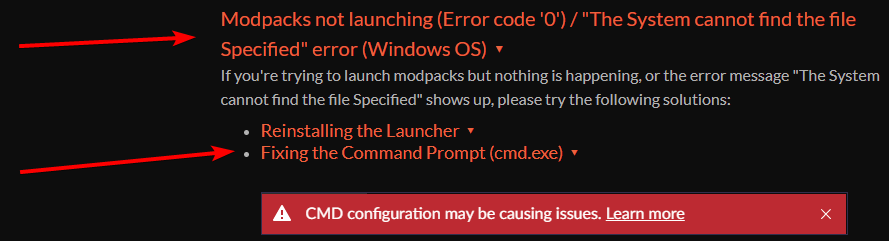
Hello guys, need some help here. I'm trying to launch a Minecraft mudpack but it says CMD configuration may be causing issues
 lyric crescent
did you click learn more?
rich tartan
lyric crescent
did you click learn more?
yes, nothing really worked there
lyric crescent
what did you try
delicate void
How Do I Mark It As Release?
lyric crescent
click the file, change the release type
rich tartan
lyric crescent
what did you try
Everything under General and Minecraft
lyric crescent

CurseForge Support
We're here to get you informed on everything you need to know about CurseForge, including helpful guides and troubleshooting articles to back you up when you get in a pickle
@hallow magnet try this as well 👆
hallow magnet
Thanks Ill try it
rich tartan
lyric crescent
https://support.curseforge.com/en/support/solutions/articles/9000196081-cursefor...
Ill try this
 magic coral
How do I make a server for RLcraft?
red patioBOT
The question you are asking about isn't related to CurseForge. Please use the appropriate game rooms by getting the role from #786424115535544350 or use #👽︱game-support for help.
This room is only for CurseForge Owned & Maintained features/services.
delicate void
How Do I Mark My Modpack For Release?
lyric crescent
look under your last message..
hallow magnet
lyric crescent
<@!480746914917253130> try this as well 👆
Tried both and still nothing, damn
lyric crescent
try this adware cleaner #👽︱game-support message
delicate void
Now I Changed It To Release How Long Do I Have To Wait Until It's On The Curse Forge App
lyric crescent
0-24 hours
hallow magnet
After initial release updates to it dont need to manually approved so it takes about an hour iirc
lyric crescent
incorrect
lyric crescent
if its something the bot can check it takes about an hour, if not then it waits for manual review. neither apply to them as it's already approved.
rocky compass
I have done the process now I have installed my mod but it says this
 lyric crescent
did you try to import a mod* as a modpack?
hallow magnet
lyric crescent
try this adware cleaner https://discord.com/channels/428228256236306434/77809779...
Restarted, hope this works, fingers crossed
Smooth sailing so far...
rocky compass
so how do i understand
lyric crescent
explain what you did
rocky compass
I got a link from a youtuber and downloaded that link. And it came to my desktop as Winrar. me too

I put winrar there by clicking and the game did not load, it was loading in the video I watched
hallow magnet
Nope still doesnt work well thanks for trying
lyric crescent
is it only curseforge?
lyric crescent
rocky compass
I put winrar there by clicking and the game did not load, it was loading in the ...
open the zip and send a screenshot
rocky compass
 lyric crescent
that is not made to be used on curseforge. i have no clue how you would even install that, ask whoever made it.
rocky compass
but this mod i downloaded from your mod page
lyric crescent
send the link
 queen storm
That is a datapack, not a modpack, not a mod
rocky compass
lyric crescent
?mc-installmods
red patioBOT
How to install mods in CurseForge App.
- Click
+ Create Custom Profile - Name it, select the required Minecraft version, select the Forge version (usually the highest number), click
Create. - Click the profile icon.
- Click
Add More Content - Search and install the desired mods.
- Start the game!
How to install mods not on CurseForge.
- Right click the profile picture or Open the profile and click the Icon next to the play button.
- Click
Open Folder. - Drag the mod(s) into the
modsfolder. (Note: Some mods will require others, to run. Make sure to read the instructions for the mod!) - Start the game!
lyric crescent
same as that, step 5 you select resource packs instead
past hull
by the way, what does By the way, Robloxians, we hope you get better soon! mean in the latest changelog of the curseforge app?

is that a hint that theyre gonna add a place for roblox mod or what??
lyric crescent
past hull
oop
hallow magnet
lyric crescent
is it only curseforge?
Yup
lyric crescent
tried changing the modding folder?
hallow magnet
How would I go about that
lyric crescent
?mc-path
red patioBOT
Change your install path to the following:
For Windows: C:\CurseForge
-Go to C:\ drive. Make a new folder. Name it Curseforge.
For Mac: /Users/Shared/CurseForge
If Minecraft is not installed in CurseForge App:
- Click the in the top left.
- Select Minecraft from the list of games.
- Select the
Advancedoption and pick the folder you just made. - Click
Continue.
If Minecraft is installed in CurseForge App:
- Click the in the bottom left.
- Select the Minecraft tab.
- Click
Change. - Select the folder you just made.
:no_entry_sign: Minecraft Files should NOT be installed inside the following locations :no_entry_sign:
:no_entry_sign: .minecraft folder.
:no_entry_sign: OneDrive folders.
:no_entry_sign: Desktop folder.
:no_entry_sign: Drive roots I.E. Directly into the C:\ drive.
:no_entry_sign: iCloud enabled folders.
:no_entry_sign: or any other cloud saved folder.
If any of the above are in the path you need to change/move it!
hallow magnet
Ah yeah I still have everything in the twitch folder from when it used to be on twitch
lyric crescent
yea, it shouldnt cause issues but sometimes it does
hallow magnet
Can I directly paste the instances into the new folder or would that cause problems as well
lyric crescent
might be a problem if you plan to export them, but if you're just playing it'll be fine
lyric crescent
the ones you copy specifically
hallow magnet
Okay got it thanks Ill see if this works
 calm nebula
anyone know how to fix this error when i try to update a mod in CF?
or what might be causing it?
 digital roost
Hey curseforge says it doesnt work on preview builds, it worked before so idk what changed, is there a way i can get my modpacks back?
lyric crescent
calm nebula
anyone know how to fix this error when i try to update a mod in CF?
or what migh...
!ticket-app
red patioBOT
:bug: Reporting via the CurseForge App :bug:
-
Click the
 icon in the bottom left.
 -
Select

Open a Ticket. -
Fill out the form with accurate detailed information, "It doesn't work" isn't helpful! What exactly doesn't work and why doesn't it work should be easy to answer!
-
Make sure to upload your Overwolf logs with the
Upload Fileoption on the ticket, information on how to get these logs can be found here https://support.overwolf.com/en/support/solutions/articles/9000176827-how-to-get-your-overwolf-logs -
Submit!

 lyric crescent
makes sense that i wasnt replying to you with that then
digital roost
ah ok sorry, didnt see the reply
lyric crescent
think that message is pretty clear about your issue
digital roost
hmm ok, will that not mess up some things?
like my personal modpack like mods not being detected or something?
digital roost
i dont wanna give up my modpack ive been working on though...
lyric crescent
far as i can tell you have 2 options.
do nothing
copy the stuff
digital roost
is there really no way i can get it to work? i just wanna export my profile to reinstall it?
lyric crescent
message is clear on that
digital roost
i dont understand why it doesnt work though, worked fine before, could i just wait it out?
thats months though fuckk
lyric crescent
sure, that would be option "do nothing" after all
hallow magnet
lyric crescent
tried changing the modding folder?
Do you think completely reinstalling forge would work? Or maybe even overwolf? Because I have got no clue at this point
 sage rapids
it says that i dont have minecraft on curse forge but i do
so i cant add the mod folder

 lilac storm

 woven coral
oh so it is not working for everyong at the moment?
 hard basalt
Is there a list of common errors?
woven coral
i really need help
 signal ridge
woven coral
i got this problem can someone help?
signal ridge
woven coral
i got this problem can someone help?
!getcf try the second link for windows
red patioBOT
Looking to install the CurseForge app?
<:windows:798410728188936222> Windows
Minimum Requirements:
- OS Version: 7, 8.1, 10
- 64 bit Required.
- 350MB storage space.
- Microsoft .Net 4.8
- Intel/AMD quad-core CPU
- 8GB ram
Download: https://download.overwolf.com/install/Download?&PartnerId=4047
If you are having issues with the installer use the URL below to install Overwolf then go to the app store to download CurseForge.
https://content.overwolf.com/downloads/setup/latest/regular.html
<:mac:798410654418862130> Mac
Minimum Requirements:
- OS Version 10.14 or newer.
- 64 bit Required.
Download: https://curseforge.overwolf.com/downloads/curseforge-latest.dmg
:penguin: Linux
Minimum Requirements:
Yes.
Download: :person_shrugging:
hard basalt
My curseforge is working
woven coral
signal ridge
!getcf try the second link for windows
which one?
 signal ridge
woven coral
which one?
signal ridge
woven coral
which one?
If you are having issues with the installer use the URL below to install Overwolf then go to the app store to download CurseForge.
https://content.overwolf.com/downloads/setup/latest/regular.html
signal ridge
lilac storm
are you on wifi or wire?
lilac storm
wifi
signal ridge
lilac storm
wifi
Are you able to try wired
woven coral
signal ridge
> If you are having issues with the installer use the URL below to install Overw...
ah ok let me see
lilac storm
signal ridge
Are you able to try wired
nope
signal ridge
Only other option I can think of then is move closer to the source and restart the router
otherwise may need a ticket
!ticket
red patioBOT
Issue Reporting with Overwolf tickets!
Issues can be reported two ways!
Via the website, or in app. Instructions for both are below!
Make sure to include logs when reporting a problem!
Upload your Overwolf logs with the Upload File option on the ticket, information on how to get these logs can be found here https://support.overwolf.com/en/support/solutions/articles/9000176827-how-to-get-your-overwolf-logs
:bug: Reporting via Website :bug:
Can't open the app or would rather use the website? You can do so here: https://support.curseforge.com/en/support/tickets/new
Fill out the form with accurate detailed information, "It doesn't work" isn't helpful! What exactly doesn't work and why doesn't it work should be easy to answer!
:question: Ticket Status :question:
Tickets you have made can be looked at, replied to and closed if you make/login to an account. If you submit a ticket with a specific Email make sure to use that when you make your account so you can see your past tickets!
https://support.curseforge.com/en/support/tickets
Otherwise you will only get email replies at the email you used to open the ticket.
:bug: Reporting via the CurseForge App :bug:
- Click the icon in the bottom left.
- Select
Open a Ticket. - Fill out the form with accurate detailed information, "It doesn't work" isn't helpful! What exactly doesn't work and why doesn't it work should be easy to answer!!
- Upload your Overwolf logs with the
Upload Filesection. (see the top of this message for details) - Submit!
woven coral
still not working
lilac storm
signal ridge
Only other option I can think of then is move closer to the source and restart t...
my wifi and router is already fine tho
signal ridge
Have you tried what I said?
lilac storm
alr ill go do it
signal ridge
Uninstall then reinstall
lilac storm
signal ridge
Have you tried what I said?
alr i tried it still doesnt work
signal ridge
lilac storm
alr i tried it still doesnt work
If it really has been months I suggest you make a ticket #🔥︱curseforge-support message

 daring stirrup
!status
red patioBOT
It is 10:40PM on Wednesday for CurseForge my dudes.
Project Moderation Time
Project/File moderation is done on;
Sunday, Monday, Tuesday, Wednesday, Thursday: 10AM - 6PM GMT+2
Friday, Saturday: No Moderation!
This process is First in, First out. Thus files submitted late in the work day may not be checked until the next work day.
New Projects or uploads requiring manual approval: 1-3 Working Days
Updates to approved projects not needing manual approval: 1 Hour
File sync to the Curseforge app may take up to 24 hours after approval.
 raw elk
how do i download custom mods?
signal ridge
!mc-installmods
red patioBOT
How to install mods in CurseForge App.
- Click
+ Create Custom Profile - Name it, select the required Minecraft version, select the Forge version (usually the highest number), click
Create. - Click the profile icon.
- Click
Add More Content - Search and install the desired mods.
- Start the game!
How to install mods not on CurseForge.
- Right click the profile picture or Open the profile and click the Icon next to the play button.
- Click
Open Folder. - Drag the mod(s) into the
modsfolder. (Note: Some mods will require others, to run. Make sure to read the instructions for the mod!) - Start the game!
 fiery warren
Hello i am trying to play mc eternal from my curseforge launcher, the minecraft launcher comes up and I am allowed to press play but it never loads minecraft?
signal ridge
!mc-installfix try this
red patioBOT
- Click on the Minecraft Tab on the Left side of the CurseForge App.
- Click button next to the
Create Custom Profileoption. - Click
Repair Installationoption. - Play game.
NOTE: You will not lose any modpacks or worlds, These are saved in the Instances folder. DO NOT TOUCH THIS FOLDER OR YOU WILL LOSE EVERYTHING
fiery warren
how can i tell if its running
i managed to re log in and everything but when i click launch again nothing happened
signal ridge
Clicked play in the app or in the launcher that opens?
fiery warren
the launcher that opens
signal ridge
!mc-logs
red patioBOT
Sending logs for support.
Right-click the modpack profile icon OR click the button in the modpack profile.
Click Open Folder.
Open the logs folder.
Find the file called debug.log OR latest.log and drag it into discord.
fiery warren
i can see in task manager that its runnnin
g
i see the java platform se binary
should i do the mc log anyways?
signal ridge
yep
fiery warren
signal ridge
This something you made or installed?
 weak heart
is there any way to fix the error that two different mods have the same crafting?
signal ridge
weak heart
is there any way to fix the error that two different mods have the same crafting...
What mc version?
weak heart
1.16.5
signal ridge
3 options:
Craftweaker or Kubejs and change the recipes with scrips
Install a mod called Polymorph - Adds a way to cycle outputs
weak heart
thx
 stable tide
hi i have a small problem when i try to install pixelmon mod pack its stop dowonloading ond step 3/7dowonloading pixelmon i dont have problems like that with others mod packs
fiery warren
the modpack is mc eternal
stable tide
What does it mean
fiery warren
i just downloaded it fresh
stable tide
oh you dont say it to me
signal ridge
fiery warren
i just downloaded it fresh
If you have any worlds you want to keep back em up and reinstall the pack, looks like littletiles may have installed funky
fiery warren
ah kk
thanks
it says files are locked cant delete
i think i know why though one sec
 graceful tartan
Hi sorry I'm using a Macbook and I've been trying to download curseforge but I need the new version, I checked for updates on my computer and there wasn't any, anything I can do? Also Curseforge won't load
I need a 10.15 version Macbook or later
Nvm..
 sacred iron
help
 signal ridge
sacred iron
help
signal ridge
sacred iron
help
!webclient
red patioBOT
WebClient errors are from networking issues to your computer. You can try a few things to fix it:
- Restart the computer.
- Restart your router/modem.
- Try another internet source like a hotspot, wired connection or moving closer to the WiFi.
- Pause/Stop other things using the internet. (Streams, music, etc)
- If this still doesn't work, try again in an hour and hope your connection is stable.
sacred iron
ok thank you will try
 flat fractal
is there among us mods?
signal ridge
On the site yes
flat fractal
What site
signal ridge
the curseforge site?
flat fractal
link?
signal ridge
flat fractal
signal ridge
<https://www.curseforge.com/among-us/all-mods>
Howcome not on the app?
signal ridge
Not supported atm

 long dawn
signal ridge
long dawn
signal ridge
Report it to the pack devs
 rugged quiver
!status
red patioBOT
It is 12:22AM on Thursday for CurseForge my dudes.
Project Moderation Time
Project/File moderation is done on;
Sunday, Monday, Tuesday, Wednesday, Thursday: 10AM - 6PM GMT+2
Friday, Saturday: No Moderation!
This process is First in, First out. Thus files submitted late in the work day may not be checked until the next work day.
New Projects or uploads requiring manual approval: 1-3 Working Days
Updates to approved projects not needing manual approval: 1 Hour
File sync to the Curseforge app may take up to 24 hours after approval.
weak heart
I can not enter the category of fabric mods
signal ridge
Access it here
 digital roost
I can't seem to create or download 1.4.7 modpacks
 visual mauve
alguien habla español?
signal ridge
visual mauve
alguien habla español?
#📛︱rules 1 English only here
visual mauve
F
signal ridge
Use Google translate if you need too
 fleet bear
digital roost
I can't seem to create or download 1.4.7 modpacks
fleet bear
digital roost
I can't seem to create or download 1.4.7 modpacks
1.4.7 predates the current install methods. IIRC the app only properly works down to version 1.6.4
digital roost
1.5.2 was working, any recommendations on what to use for 1.4.7 modpacks? There are some cool mods for 1.4.7 that never updated and there are some cool modpacks that also never updated on curseforge
fleet bear
Multimc would likely be best at that point
digital roost
thanks
 surreal otter
Hey, so little story: yesterday i was playing a modpack ive played plenty without problems, and it crashed... i tried to start it back up, but i got the error in the pic. i tried restarting my computer, reinstalling curseforge (though i cant delete curses directories, it seems to not let me delete the javaw saying its running.) and the repair installation button says minecraft is currently running, even though command prompt and task manager both confirmed that mc or java is not running in any form. so yeah, i can't play any modpacks for some reason, and curseforge thinks minecraft is still open? tl;dr can't launch modpacks anymore, also can't delete curse in documents
oh and i can run my usual vanilla just fine, though not vanilla from curseforge

reply or mention me if you know any potential fixes to try!
signal ridge
surreal otter
Hey, so little story: yesterday i was playing a modpack ive played plenty withou...
you've checked to make sure java itself is still installed as well?
 brisk sage

 wintry yarrow
Hey! Im playing AOF 3 and tried to start a LAN world with my husband but it isnt working for whatever reason-
We attempted direct connect too and DC wasnt working with IP+port
Any help is appreciated<3
signal ridge
Lan has always been iffy with modded. Best to just run a local server and connect too it. I will run the bot for it in #👽︱game-support as cf doesnt do servers
wintry yarrow
thank you!
 sand burrow
Heyyy, I am using the Better Minecraft v32 modpack for version 1.16.5 of the game, when I click on "play" it launches the launcher correctly but I want to launch minecraft from the launcher it puts me down "preparation in progress "then the game is closed
signal ridge
brisk sage
Restart your pc and router
signal ridge
sand burrow
Heyyy, I am using the Better Minecraft v32 modpack for version 1.16.5 of the gam...
!mc-installfix try this
red patioBOT
- Click on the Minecraft Tab on the Left side of the CurseForge App.
- Click button next to the
Create Custom Profileoption. - Click
Repair Installationoption. - Play game.
NOTE: You will not lose any modpacks or worlds, These are saved in the Instances folder. DO NOT TOUCH THIS FOLDER OR YOU WILL LOSE EVERYTHING
sand burrow
signal ridge
!mc-installfix try this
alright i test right now
brisk sage
signal ridge
Restart your pc and router
i have
signal ridge
This windows or mac?
brisk sage
windows
red patioBOT
Looking to install the CurseForge app?
<:windows:798410728188936222> Windows
Minimum Requirements:
- OS Version: 7, 8.1, 10
- 64 bit Required.
- 350MB storage space.
- Microsoft .Net 4.8
- Intel/AMD quad-core CPU
- 8GB ram
Download: https://download.overwolf.com/install/Download?&PartnerId=4047
If you are having issues with the installer use the URL below to install Overwolf then go to the app store to download CurseForge.
https://content.overwolf.com/downloads/setup/latest/regular.html
<:mac:798410654418862130> Mac
Minimum Requirements:
- OS Version 10.14 or newer.
- 64 bit Required.
Download: https://curseforge.overwolf.com/downloads/curseforge-latest.dmg
:penguin: Linux
Minimum Requirements:
Yes.
Download: :person_shrugging:
weak heart
pasen momos papus 
brisk sage
when i click the link it is saying secure connection failed
i clicked the wrong one nvm
sand burrow
signal ridge
!mc-installfix try this
now it said that the game as stopped working with the exit code : 0
brisk sage
again
 signal ridge
sand burrow
now it said that the game as stopped working with the exit code : 0
signal ridge
sand burrow
now it said that the game as stopped working with the exit code : 0
!mc-logs
red patioBOT
Sending logs for support.
Right-click the modpack profile icon OR click the button in the modpack profile.
Click Open Folder.
Open the logs folder.
Find the file called debug.log OR latest.log and drag it into discord.
signal ridge
brisk sage
again
Ill ping a higher up about it. Im not sure at this point
sand burrow
here the log
surreal otter
signal ridge
you've checked to make sure java itself is still installed as well?
on my computer in pretty sure its installed but ill double check
signal ridge
brisk sage
kk
?owlogs If you could also do this would help as well
red patioBOT
<:overwolf:857375414002384916> How to get Overwolf logs! <:overwolf:857375414002384916>
surreal otter
whats weird is that curseforge worked most of that day, is it possible the crash broke my java? i mean i can still play vanilla so…
signal ridge
sand burrow
here the log
Run the installfix again, As soon as its done restart your pc
sand burrow
alright
signal ridge
surreal otter
whats weird is that curseforge worked most of that day, is it possible the crash...
Pc crashes can be unpredictable for what can happen. So anything is possible
surreal otter
it was just minecraft that crashed, not my pc
signal ridge
ah ok
sand burrow
uhhh
 signal ridge
sand burrow
uhhh
signal ridge
sand burrow
uhhh
!mc-path
red patioBOT
Change your install path to the following:
For Windows: C:\CurseForge
-Go to C:\ drive. Make a new folder. Name it Curseforge.
For Mac: /Users/Shared/CurseForge
If Minecraft is not installed in CurseForge App:
- Click the in the top left.
- Select Minecraft from the list of games.
- Select the
Advancedoption and pick the folder you just made. - Click
Continue.
If Minecraft is installed in CurseForge App:
- Click the in the bottom left.
- Select the Minecraft tab.
- Click
Change. - Select the folder you just made.
:no_entry_sign: Minecraft Files should NOT be installed inside the following locations :no_entry_sign:
:no_entry_sign: .minecraft folder.
:no_entry_sign: OneDrive folders.
:no_entry_sign: Desktop folder.
:no_entry_sign: Drive roots I.E. Directly into the C:\ drive.
:no_entry_sign: iCloud enabled folders.
:no_entry_sign: or any other cloud saved folder.
If any of the above are in the path you need to change/move it!
sand burrow
its weird it worked but it dont work anymore so i'll try this
like it worked 2minutes ago
signal ridge
Do you know where the folder you initially chose for the app is located?
sand burrow
yeah i think so lemme take a look
surreal otter
surreal otter
on my computer in pretty sure its installed but ill double check
i went to cmd prompt and did java -version and yeah i still have java
sand burrow
signal ridge
Do you know where the folder you initially chose for the app is located?
i found the curse forge folder yeah
signal ridge
Where is it?
sand burrow
C:\Users\name
signal ridge
Make sure the app is still set to that folder
sand burrow
yeah there is the minecraft folder inside
maybe just a bug , should i restart the pc and see ?
signal ridge
surreal otter
i went to cmd prompt and did java -version and yeah i still have java
!mc-logs try starting any pack then do this. Wondering if the logs would share anything usefull
red patioBOT
Sending logs for support.
Right-click the modpack profile icon OR click the button in the modpack profile.
Click Open Folder.
Open the logs folder.
Find the file called debug.log OR latest.log and drag it into discord.
signal ridge
sand burrow
maybe just a bug , should i restart the pc and see ?
Reboot your pc then try again
surreal otter
signal ridge
!mc-logs try starting any pack then do this. Wondering if the logs would share a...
i cant start any packs properly, they dont even crash, but i can find the last crash that i had
the last crash i had on lapitos galacticraft before it stopped working (i had relaunched the modpack like 5 times that day from just... stopping playing it)
worked fine until after that crash, now every modpack is unopenable
might be worth noting that when i click repair installation it says
(and no, minecraft isnt running, nor is java)
 sand burrow
signal ridge
Reboot your pc then try again
sand burrow
signal ridge
Reboot your pc then try again
alright is rebooted my pc so i try to launch the game again or just run the installfix ?
signal ridge
sand burrow
alright is rebooted my pc so i try to launch the game again or just run the inst...
Try running it
signal ridge
surreal otter
might be worth noting that when i click repair installation it says
(and no, min...
Reboot your pc try the fix again
surreal otter
alright, will let you know the result
which may be a while since theres a windows update lol
sand burrow
signal ridge
Try running it
alright it said that its downloading

oh no it said that i cant install because of a error but the window with the error closed
it said that it was too slow idk
 minor apex
Woow Overwolf r/@HoleDesign
 sand burrow
signal ridge
Reboot your pc try the fix again
sand burrow
signal ridge
Reboot your pc try the fix again
alright i think it work now
 signal ridge
minor apex
Woow Overwolf r/@HoleDesign
signal ridge
minor apex
Woow Overwolf r/@HoleDesign
Kinda hard to expect an application to work with os that are still in development or in testing and not fully released to the public
 fallen loom
signal ridge
Kinda hard to expect an application to work with os that are still in developmen...
fallen loom
signal ridge
Kinda hard to expect an application to work with os that are still in developmen...
Maybe add an "I'll take that risk" button that tags their logs with a disclaimer
minor apex
signal ridge
Kinda hard to expect an application to work with os that are still in developmen...
Yet to add code to detect insider build to disable launching curseforge.
Is a complete jerk move
fallen loom
No it's not
signal ridge
Rather it just not open at all with no reason or warnings?
minor apex
I dont use the overlay so I care less?
Overwolf overlay was working 100% 2-3 days ago so not sure what bs they claim
fallen loom
Detecting a version number or type is easier than predicting what code has changed
minor apex
Also "AllowInsider=True" doesnt work at all still tells me uninstall
fallen loom
Where did you get the "AllowInsider" thing from?
minor apex

Overwolf Support Help Center
We're here to get you informed on everything you need to know about Overwolf, including helpful guides and troubleshooting articles to back you up when you get in a pickle
Literally at the bottom
signal ridge
Welcome to the insider program, things can change at the drop of a hat. Surprised they dont have warnings for the program that states "apps may break"
minor apex
Its not the insider issue it overwolf "denying" it
fallen loom
fallen loom
Maybe add an "I'll take that risk" button that tags their logs with a disclaimer
Regardless I've already stated what I think the best compromise is...
signal ridge
!ticket
red patioBOT
Issue Reporting with Overwolf tickets!
Issues can be reported two ways!
Via the website, or in app. Instructions for both are below!
Make sure to include logs when reporting a problem!
Upload your Overwolf logs with the Upload File option on the ticket, information on how to get these logs can be found here https://support.overwolf.com/en/support/solutions/articles/9000176827-how-to-get-your-overwolf-logs
:bug: Reporting via Website :bug:
Can't open the app or would rather use the website? You can do so here: https://support.curseforge.com/en/support/tickets/new
Fill out the form with accurate detailed information, "It doesn't work" isn't helpful! What exactly doesn't work and why doesn't it work should be easy to answer!
:question: Ticket Status :question:
Tickets you have made can be looked at, replied to and closed if you make/login to an account. If you submit a ticket with a specific Email make sure to use that when you make your account so you can see your past tickets!
https://support.curseforge.com/en/support/tickets
Otherwise you will only get email replies at the email you used to open the ticket.
:bug: Reporting via the CurseForge App :bug:
- Click the icon in the bottom left.
- Select
Open a Ticket. - Fill out the form with accurate detailed information, "It doesn't work" isn't helpful! What exactly doesn't work and why doesn't it work should be easy to answer!!
- Upload your Overwolf logs with the
Upload Filesection. (see the top of this message for details) - Submit!
signal ridge
Submit a ticket, their support can help figure out whats going on
minor apex
Oh let me send a ticket take 2 weeks and say oh well should of been fixed. Terrible ticket system and lies I sent a ticket before for modpacks with these mf and they kept telling me different issue then the issue I already describe and never fixed the issue 🙃
fallen loom
Out of curiosity... could you provide your SetupInfo.ini?
minor apex
Here, I already followed their guide so..
fallen loom
and you restarted OverWolf entirely? Made sure it wasn't still running in the background?
minor apex
Yup task manager and everything even a reboot
hallow magnet
To the people that were helping me: it was controllable not sure why or how it did it to all instances but once I took controllable out of the instance it worked again
 brisk plank
Is it just me or is the fabric section gone from the website?
 astral bramble
why is the terria not there on your app
brisk plank
Oof lol
lyric crescent
actually, not sure what you mean
astral bramble
terrerai mods
digital roost
Hey i wanted to start the curse forge launcher but it said “Curse Forge Cant be opend because apple cannot check it malicious software”
brisk plank
The fabric section for MC isn’t clickable
lyric crescent
yea that's being removed
digital roost
lyric crescent
yea that's being removed
the fabric section?
lyric crescent
the tag, on the website
lyric crescent
!ticket-site
red patioBOT
:bug: Reporting via Website :bug:
Can't open the app or would rather use the website? You can do so here: https://support.curseforge.com/en/support/tickets/new
Fill out the form with accurate detailed information, "It doesn't work" isn't helpful! What exactly doesn't work and why doesn't it work should be easy to answer!
Make sure to upload your Overwolf logs with the Upload File option on the ticket, information on how to get these logs can be found here https://support.overwolf.com/en/support/solutions/articles/9000176827-how-to-get-your-overwolf-logs
 twilit brook
i need help
red patioBOT
╰( ͡° ͜ʖ ͡° )つ──☆*:・゚ *˜”*°•.˜”*°• Many Help •°*”˜.•°*”˜* <:curselit:796985620550385705>
Please provide a description of your issue with as much detail as possible. If you have an issue with a mod or modpack, tell us the name. Explain what you can see happening. Be specific!
 Tell us what is happening, we already know it "doesn't work".
Avoid using words like "it", tell us exactly what "it" is.
Don't assume anyone knows what you are talking about, be specific.
Tell us what you expected to happen.
Provide screenshots or video if possible.
Provide a log if possible. ?mc-log
surreal otter
signal ridge
Reboot your pc try the fix again
update this worked and im a bit salty since i restarted it over the night so i thought restarting wouldnt fix it, anyways issue closed, ty
 mild seal
It a known bug that if you move a mod out of the mods folder from a pack and put it back, the launcher can't see it, but the game still acts fine?
for minecraft that is
fleet bear
yes
 grim ember
so you all removed the fabric category?
before I could click on the fabric category and filter 1.17 fabric mods
now I cant
last time I wrote here you all said you would make support better for fabric
unless the website is just broken cause it was working just yesterday
lyric crescent
can just use the app
lyric crescent
gl
lyric crescent
you're not talking to anyone here who makes these decisions..
grim ember
shame
fleet bear
The fabric category was a cheap fix from the start.
It was finally removed due to it not being needed anymore and people shouldn't be using it anymore.
fallen loom
 rapid stone
I need help, I’ve been playing the all the mods 6 skyblock and it has been working for like a week and yesterday I tried to play it and it wouldn’t load, it just keeps getting stuck on the early loading progress, what do I do?
fallen loom
!notcf
red patioBOT
The question you are asking about isn't related to CurseForge. Please use the appropriate game rooms by getting the role from #786424115535544350 or use #👽︱game-support for help.
This room is only for CurseForge Owned & Maintained features/services.
 high lintel
Curse forge installer isnt opening I click open but theres no screen no error nothing even happens
grim ember
fallen loom
How to do it now... <https://www.curseforge.com/minecraft/mc-mods?filter-game-ve...
but my point is how can I also sort via version + mod loader
like sure I can look through countless pages of incompatible mods
but I would like to be able to search for 1.17 fabric mods...which previously I could do afforded by the category
its more frustrating now
fallen loom
Hmm... I remember on the dev side you can multi-select the supported versions, maybe someone should suggest bringing that to the user side in the filters
grim ember
I see....perhaps its comming I just have to wait
high lintel
high lintel
Curse forge installer isnt opening I click open but theres no screen no error no...
can anybody fix this?
fallen loom
!getcf
red patioBOT
Looking to install the CurseForge app?
<:windows:798410728188936222> Windows
Minimum Requirements:
- OS Version: 7, 8.1, 10
- 64 bit Required.
- 350MB storage space.
- Microsoft .Net 4.8
- Intel/AMD quad-core CPU
- 8GB ram
Download: https://download.overwolf.com/install/Download?&PartnerId=4047
If you are having issues with the installer use the URL below to install Overwolf then go to the app store to download CurseForge.
https://content.overwolf.com/downloads/setup/latest/regular.html
<:mac:798410654418862130> Mac
Minimum Requirements:
- OS Version 10.14 or newer.
- 64 bit Required.
Download: https://curseforge.overwolf.com/downloads/curseforge-latest.dmg
:penguin: Linux
Minimum Requirements:
Yes.
Download: :person_shrugging:
 timber wren
!getcf
high lintel
how do i get curseforse releases on the minecraft launcher?
or do I just have to go to curseforge to open them eveytime?
lyric crescent
or do I just have to go to curseforge to open them eveytime? yes
 covert umbra
so i have a problem that i cant really explain but ill try i install a modpack and i can play it and everything, but when i turn off my computer and turn it back on on the modpack it says no installed mods but in my file location i look and in the mods folder it has all the mods but when i try to play the modpack it doesnt work and has a error
 fleet gust
i am not able to install modpacks because its showing webclient request issue wht to do
fleet bear
!webclient
red patioBOT
WebClient errors are from networking issues to your computer. You can try a few things to fix it:
- Restart the computer.
- Restart your router/modem.
- Try another internet source like a hotspot, wired connection or moving closer to the WiFi.
- Pause/Stop other things using the internet. (Streams, music, etc)
- If this still doesn't work, try again in an hour and hope your connection is stable.
fleet gust
ok
fleet gust
fleet bear
!webclient
thanks
 magic burrow
any mods thas use fabric wont launch on mac
fleet bear
!mc-log
red patioBOT
Sending logs for support.
Right-click the modpack profile icon OR click the button in the modpack profile.
Click Open Folder.
Open the logs folder.
Find the file called debug.log OR latest.log and drag it into discord.
digital roost
OK so my issue sucks and is preventing me from playing a modpack. Hear me out
In short, my game will freeze up shortly after logging into a modpack server I'm playing. Happens all the time, no big deal. Been like this for the past 3 months and it happens to everyone, it will just unfreeze me after 10-20 seconds of loading in. However as of recently,instead of resuming my game after unfeeezing me it crashes me.
 still pagoda
!help
red patioBOT
╰( ͡° ͜ʖ ͡° )つ──☆*:・゚ *˜”*°•.˜”*°• Many Help •°*”˜.•°*”˜* <:curselit:796985620550385705>
Please provide a description of your issue with as much detail as possible. If you have an issue with a mod or modpack, tell us the name. Explain what you can see happening. Be specific!
Tell us what is happening, we already know it "doesn't work".
Avoid using words like "it", tell us exactly what "it" is.
Don't assume anyone knows what you are talking about, be specific.
Tell us what you expected to happen.
Provide screenshots or video if possible.
Provide a log if possible. ?mc-log
digital roost
Sorry I'll try to be more detailed
still pagoda
digital roost
Sorry I'll try to be more detailed
no
digital roost
😦
digital roost
still pagoda
My issue is the optifine and forge are not working properly i put optifine.jar in the mods folder as it should but when i launch minecraft it crashes and gives me "Exit Code 0" I tried differnet versions of optifine and forge and nothing is working
 shy storm
hello, hello.
does anyone know how to change the install location? i want to download a modpack on my ssd.

i don't see it anywhere.
fallen loom
?mc-path
red patioBOT
Change your install path to the following:
For Windows: C:\CurseForge
-Go to C:\ drive. Make a new folder. Name it Curseforge.
For Mac: /Users/Shared/CurseForge
If Minecraft is not installed in CurseForge App:
- Click the in the top left.
- Select Minecraft from the list of games.
- Select the
Advancedoption and pick the folder you just made. - Click
Continue.
If Minecraft is installed in CurseForge App:
- Click the in the bottom left.
- Select the Minecraft tab.
- Click
Change. - Select the folder you just made.
:no_entry_sign: Minecraft Files should NOT be installed inside the following locations :no_entry_sign:
:no_entry_sign: .minecraft folder.
:no_entry_sign: OneDrive folders.
:no_entry_sign: Desktop folder.
:no_entry_sign: Drive roots I.E. Directly into the C:\ drive.
:no_entry_sign: iCloud enabled folders.
:no_entry_sign: or any other cloud saved folder.
If any of the above are in the path you need to change/move it!
still pagoda
!exit-code-0
fallen loom
!notcf
red patioBOT
The question you are asking about isn't related to CurseForge. Please use the appropriate game rooms by getting the role from #786424115535544350 or use #👽︱game-support for help.
This room is only for CurseForge Owned & Maintained features/services.
shy storm
it says to make the folder inside my C:\ but i'm moving it to my (Z:)
would i make the folder there instead?
fallen loom
Anywhere is fine as long as it's not any of the forbidden locations
 fallen loom
Yes
shy storm
pog
fleet bear
still pagoda
My issue is the optifine and forge are not working properly i put optifine.jar i...
!mc-optifine
red patioBOT
Optifine and Curseforge
To install Optifine with modpacks on Curseforge:
Right click the modpack icon, select Open Folder.
Put the Optifine.jar into the mods folder.
Now load the modpack normally.
We do not offer support for Optifine. If you have issues with Optifine, remove it. If you want further support try the discord found on their website.
https://www.optifine.net/home
fleet bear
!mc-logs
red patioBOT
Sending logs for support.
Right-click the modpack profile icon OR click the button in the modpack profile.
Click Open Folder.
Open the logs folder.
Find the file called debug.log OR latest.log and drag it into discord.
red patioBOT
:bug: Reporting via Website :bug:
Can't open the app or would rather use the website? You can do so here: https://support.curseforge.com/en/support/tickets/new
Fill out the form with accurate detailed information, "It doesn't work" isn't helpful! What exactly doesn't work and why doesn't it work should be easy to answer!
Make sure to upload your Overwolf logs with the Upload File option on the ticket, information on how to get these logs can be found here https://support.overwolf.com/en/support/solutions/articles/9000176827-how-to-get-your-overwolf-logs
fleet bear
!notcf
red patioBOT
The question you are asking about isn't related to CurseForge. Please use the appropriate game rooms by getting the role from #786424115535544350 or use #👽︱game-support for help.
This room is only for CurseForge Owned & Maintained features/services.
fleet gust
!webclient
red patioBOT
WebClient errors are from networking issues to your computer. You can try a few things to fix it:
- Restart the computer.
- Restart your router/modem.
- Try another internet source like a hotspot, wired connection or moving closer to the WiFi.
- Pause/Stop other things using the internet. (Streams, music, etc)
- If this still doesn't work, try again in an hour and hope your connection is stable.
fleet bear
!mc-installfix
red patioBOT
- Click on the Minecraft Tab on the Left side of the CurseForge App.
- Click button next to the
Create Custom Profileoption. - Click
Repair Installationoption. - Play game.
NOTE: You will not lose any modpacks or worlds, These are saved in the Instances folder. DO NOT TOUCH THIS FOLDER OR YOU WILL LOSE EVERYTHING
fleet bear
!mc-log
red patioBOT
Sending logs for support.
Right-click the modpack profile icon OR click the button in the modpack profile.
Click Open Folder.
Open the logs folder.
Find the file called debug.log OR latest.log and drag it into discord.
red patioBOT
Sending logs for support.
Right-click the modpack profile icon OR click the button in the modpack profile.
Click Open Folder.
Open the logs folder.
Find the file called debug.log OR latest.log and drag it into discord.
opal cipher
!mc-installfix
red patioBOT
- Click on the Minecraft Tab on the Left side of the CurseForge App.
- Click button next to the
Create Custom Profileoption. - Click
Repair Installationoption. - Play game.
NOTE: You will not lose any modpacks or worlds, These are saved in the Instances folder. DO NOT TOUCH THIS FOLDER OR YOU WILL LOSE EVERYTHING
grim ember
why do some mods not always show in searches
I type in "copper" and cant find the mod I am looking for in the list
but if I type "copper beacons" it does work
the curseforge app does the same thing .... except on there when I search for "copper beacons" it wont show up at all
I tried using a 1.17 instance to search for it as well and still not even on the list
fleet bear
!sync
red patioBOT
Sync and your Project.
CurseForge App and site do not share the same requirements! You can find things on the site but this does not mean it will be in the app!
For a mod to show up in the app:
- Projects MUST have a file marked as RELEASE or BETA
- Projects MUST be APPROVED
- Projects MUST have a file marked for the GAME VERSION SELECTED/LOADED
- Projects CAN'T be EXPERIMENTAL
- Projects CAN'T be ABANDONED
Files can take a while to show up in the app. If your files still have not shown up either your project is new and you have yet to mark a file as Release/Beta or there is issues with the sync system making it slow.
Vote this issue up if you would like to know when the last sync was! https://curseforge-ideas.overwolf.com/ideas/CF-I-1617
 indigo meadow
hello im trying to publish a modpack so i can host a server for me and my friend how would i do so?
 marble raft
Hello does curse forge support the new M1 chip?
fleet bear
Yes but minecraft itself doesn't unless you play 1.17+
queen storm
indigo meadow
hello im trying to publish a modpack so i can host a server for me and my friend...
! mc-packshare
red patioBOT
There are two ways to share a modpack you've made with others...
Export and Share - For Friends to Small Groups.
- Click the Icon for the modpack.
- Click the button next to play.
- Click

Export. - Select the files that should be included.
- Send the zip to the people that want it! They can follow the instructions in
!mc-installpackto install the pack!
Upload to Curseforge - For Public Release to Everyone.
This options will make your pack public to EVERYONE, it comes with extra requirements and will take some effort to set up.
- Go to here: https://www.curseforge.com/project/432/4471/create
- Fill out the information with a proper description of the pack. This should allow anyone to understand what the pack is.
- Click the Icon for the modpack in the CurseForge app.
- Click the button next to play.
- Click
Export. - Select the files that should be included.
- Open your Project you made on the CurseForge site and Upload the file you just made.
- Wait for Moderation & Sync so it can show up in the client! (See
!syncfor limitations)
marble raft
fleet bear
Yes but minecraft itself doesn't unless you play 1.17+
thx

 fleet bear
@unborn basin ^
red patioBOT
<:overwolf:857375414002384916> How to get Overwolf logs! <:overwolf:857375414002384916>
queen storm
 tired ether
i delted the instance
tired ether
i delted the instance
Then why did you ask for help? 🤨
 stuck totem
I'm having issues running Overwolf Curseforge on windows 11 insider build
fleet bear
Windows 11 isnt supported.
stuck totem
fleet bear
Windows 11 isnt supported.
Is it possible to run it in a VM or compatibility mode?
stuck totem
whats the link to that?
stuck totem
Is it possible to switch back to twitch gaming?
fleet bear
Lawl forgot the command, theres an invite in #👋︱welcome
No. That's been unused for 7 months now.
stuck totem
Is it possble to download modpacks manualy?
fleet bear
No.
You can download the files but you cant do anything with them unless you use another launcher.
 rigid plume
Hi Team, I keep getting the below message on my project
This project requires changes in order to be approved. Until the changes are made and the project is approved by a moderator, the project will not be visible to others, and its files will not synchronize across CurseForge.
Your project, SMP Origin Vanilla + (https://www.curseforge.com/minecraft/modpacks/origins-vanilla-smp), requires changes before it can be approved:
Due to high volume of projects using origins,pixelmon,rlcraft,galacticraft,ftb,vanilla in their project's name, we are now requesting changes for project names as such to make projects more recognizable across the platform, unless you are associated with origins,pixelmon,rlcraft,galacticraft,ftb,vanilla and can provide permission to use it in your project name.
If you have any questions please contact our support team https://support.curseforge.com.
I have permission directly from the owner of the Origins Mod to use the name via direct message on Curse.
unborn basin
rigid plume
Hi Team, I keep getting the below message on my project
This project requires c...
Sending someone your way
rigid plume
Thank you so much
fleet bear
Well, that only solves half of it.
Your still using vanilla and that's also a term that isnt allowed under normal means.
rigid plume
ah, well I did have another name without vanilla in it and it got flagged yesterday mentioning origins* changed it to that without seeing the vanilla part of the message
fleet bear
Ah, ok. Make sure to share that with whoever contacts you then.
rigid plume
Will do thank you
 crisp cedar
rigid plume
Hi Team, I keep getting the below message on my project
This project requires c...
crisp cedar
rigid plume
Hi Team, I keep getting the below message on my project
This project requires c...
Hey, Sending you a PM
 viscid elk
how do i enable the download in app button for my projects? i see many projects hhave that but mine doesnt for some reason
 stoic imp
I downloaded curseforge yesterday but whenever I try to open a modpack I get a notification saying "a java execption has occurred" then the launcher opens, if I click play It starts up the modpack but instantly crasheds and says "an unexpected issue occurred and the game has crashed"
Im playing Minecraft btw
trying to
 compact oar
How i can upload a server version of my modpack ?
viral briar
?mc-serverpack
red patioBOT
Serverpacks are special files uploaded alongside an existing project file. If the main file is rejected the server pack is also rejected.
You require an already uploaded export file to upload a server pack!
- Make the server pack by zipping up the required files by selecting the required folders & files. It should include the config and mod folders at a minimum, plus anything else you specifically required to run the server. Start/Run/Setup scripts are optional. Don't include modloader files or the minecraft server jar.
- Go to the
Filestab on the project. - Click the name of the file you wish to upload the server pack to. The pack and server should match pack versions.
- Click
Upload Additional File. - Fill out the form.
compact oar
Thx !
 dapper current
any one can please help me when i try to upload a my modpack that i mad i get nvalid file extension, expected zip. how can i fix it
opal cipher
!mc-packshare
red patioBOT
There are two ways to share a modpack you've made with others...
Export and Share - For Friends to Small Groups.
- Click the Icon for the modpack.
- Click the button next to play.
- Click
Export. - Select the files that should be included.
- Send the zip to the people that want it! They can follow the instructions in
!mc-installpackto install the pack!
Upload to Curseforge - For Public Release to Everyone.
This options will make your pack public to EVERYONE, it comes with extra requirements and will take some effort to set up.
- Go to here: https://www.curseforge.com/project/432/4471/create
- Fill out the information with a proper description of the pack. This should allow anyone to understand what the pack is.
- Click the Icon for the modpack in the CurseForge app.
- Click the button next to play.
- Click
Export. - Select the files that should be included.
- Open your Project you made on the CurseForge site and Upload the file you just made.
- Wait for Moderation & Sync so it can show up in the client! (See
!syncfor limitations)
dapper current
it shows me this

 slender leaf
hey im having a problem booting mc modpacks through curseforge when i try my mc comes up and shows a gray screen and deos not seem to load bt when i open normal mc it loads straight into the launcher no gray screen
this is through curseforge
 lyric crescent
dapper current
it shows me this
lyric crescent
dapper current
it shows me this
Show what you uploaded
 stoic fable
Can i install only Modpacks or also Mods with the Curseforge App?
lyric crescent
?mc-installmods
red patioBOT
How to install mods in CurseForge App.
- Click
+ Create Custom Profile - Name it, select the required Minecraft version, select the Forge version (usually the highest number), click
Create. - Click the profile icon.
- Click
Add More Content - Search and install the desired mods.
- Start the game!
How to install mods not on CurseForge.
- Right click the profile picture or Open the profile and click the Icon next to the play button.
- Click
Open Folder. - Drag the mod(s) into the
modsfolder. (Note: Some mods will require others, to run. Make sure to read the instructions for the mod!) - Start the game!
 worldly silo
hey uh, i have a unique issue i guess
im playing better minecraft modpack but my vanilla sounds are not coming. Just mod sounds
im trying to add sound folders inside the assets folder, but launcher keeps deleting it
why it's keep deleting it WHY im about to lose it man
lyric crescent
you arnt meant to be messing with the vanilla files on curseforge
lyric crescent
?mc-installfix
red patioBOT
- Click on the Minecraft Tab on the Left side of the CurseForge App.
- Click button next to the
Create Custom Profileoption. - Click
Repair Installationoption. - Play game.
NOTE: You will not lose any modpacks or worlds, These are saved in the Instances folder. DO NOT TOUCH THIS FOLDER OR YOU WILL LOSE EVERYTHING
lyric crescent
reinstall the pack
worldly silo
i tried man didn't word
when i do that it deletes assets and redownload it
when redownload it its just downloads object not sounds
why its not downloading sounds
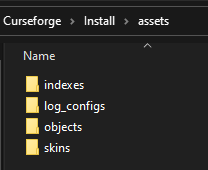 raw elk
how do i get shaders for forge?
lyric crescent
!notcf
red patioBOT
The question you are asking about isn't related to CurseForge. Please use the appropriate game rooms by getting the role from #786424115535544350 or use #👽︱game-support for help.
This room is only for CurseForge Owned & Maintained features/services.
worldly silo
lyric crescent
https://i.imgur.com/qTS7t6I.png
wow ok mine folders just have objects
lyric crescent
the others are not necessary
lyric crescent
they are inside minecraft itself. your issue is not related to files if installfix didnt resolve it.
there is likely a mod conflict or some issue with your pc. you should check with the pack devs.
lyric crescent
no, i dont mean that
worldly silo
man then where are they i need to put it manually 😭
lyric crescent
no you dont
stoic fable
I can´t install the Forge Minecraft Launcher. I save a File with a Firefox Icon. This file open the Website, where i saved the File. Can anyone help me?
lyric crescent
!notcf
red patioBOT
The question you are asking about isn't related to CurseForge. Please use the appropriate game rooms by getting the role from #786424115535544350 or use #👽︱game-support for help.
This room is only for CurseForge Owned & Maintained features/services.
lyric crescent
worldly silo
man then where are they i need to put it manually 😭
load a diffrent pack, do the sounds work?
worldly silo
noooooo
even with vanilla no sounds
but with other launchers i have sounds
just tell me where the sound files are 😭
lyric crescent
dont know, ask minecraft devs. its not something you can access manually
try another install folder i guess
?mc-path
red patioBOT
Change your install path to the following:
For Windows: C:\CurseForge
-Go to C:\ drive. Make a new folder. Name it Curseforge.
For Mac: /Users/Shared/CurseForge
If Minecraft is not installed in CurseForge App:
- Click the in the top left.
- Select Minecraft from the list of games.
- Select the
Advancedoption and pick the folder you just made. - Click
Continue.
If Minecraft is installed in CurseForge App:
- Click the in the bottom left.
- Select the Minecraft tab.
- Click
Change. - Select the folder you just made.
:no_entry_sign: Minecraft Files should NOT be installed inside the following locations :no_entry_sign:
:no_entry_sign: .minecraft folder.
:no_entry_sign: OneDrive folders.
:no_entry_sign: Desktop folder.
:no_entry_sign: Drive roots I.E. Directly into the C:\ drive.
:no_entry_sign: iCloud enabled folders.
:no_entry_sign: or any other cloud saved folder.
If any of the above are in the path you need to change/move it!
 stiff canyon
Where is the CurseForge executable located?
worldly silo
i found where are the sound files (inside of the minecraft java file) but im playing modpack so i don't have a java file 😦
i have forge 36.2.2 and it just dll folders damn
so i cant fkn manually put what do i dooooooooooooo
lyric crescent
did you change the install path?
 rocky barn
hey guys im getting the "error occurred in webclient request" error when trying to download modpacks. i have a good internet connection so thats not the issue. idk what to do pls help.
lyric crescent
!webclient
red patioBOT
WebClient errors are from networking issues to your computer. You can try a few things to fix it:
- Restart the computer.
- Restart your router/modem.
- Try another internet source like a hotspot, wired connection or moving closer to the WiFi.
- Pause/Stop other things using the internet. (Streams, music, etc)
- If this still doesn't work, try again in an hour and hope your connection is stable.
rocky barn
yeah ive done all that and its been like this for about 2 months now :)
red patioBOT
:bug: Reporting via Website :bug:
Can't open the app or would rather use the website? You can do so here: https://support.curseforge.com/en/support/tickets/new
Fill out the form with accurate detailed information, "It doesn't work" isn't helpful! What exactly doesn't work and why doesn't it work should be easy to answer!
Make sure to upload your Overwolf logs with the Upload File option on the ticket, information on how to get these logs can be found here https://support.overwolf.com/en/support/solutions/articles/9000176827-how-to-get-your-overwolf-logs
rugged quiver
!status
red patioBOT
It is 04:52PM on Thursday for CurseForge my dudes.
Project Moderation Time
Project/File moderation is done on;
Sunday, Monday, Tuesday, Wednesday, Thursday: 10AM - 6PM GMT+2
Friday, Saturday: No Moderation!
This process is First in, First out. Thus files submitted late in the work day may not be checked until the next work day.
New Projects or uploads requiring manual approval: 1-3 Working Days
Updates to approved projects not needing manual approval: 1 Hour
File sync to the Curseforge app may take up to 24 hours after approval.
rugged quiver
If I get denied because of my summary will it take another 1-3 working days to get it approved again?
lyric crescent
yup
rugged quiver
damn
 magic shard
question: i made a custom modpack in the curseforge application on mac, how do i share and/or publish the pack to play with friends?
signal ridge
!mc-packshare
red patioBOT
There are two ways to share a modpack you've made with others...
Export and Share - For Friends to Small Groups.
- Click the Icon for the modpack.
- Click the button next to play.
- Click
Export. - Select the files that should be included.
- Send the zip to the people that want it! They can follow the instructions in
!mc-installpackto install the pack!
Upload to Curseforge - For Public Release to Everyone.
This options will make your pack public to EVERYONE, it comes with extra requirements and will take some effort to set up.
- Go to here: https://www.curseforge.com/project/432/4471/create
- Fill out the information with a proper description of the pack. This should allow anyone to understand what the pack is.
- Click the Icon for the modpack in the CurseForge app.
- Click the button next to play.
- Click
Export. - Select the files that should be included.
- Open your Project you made on the CurseForge site and Upload the file you just made.
- Wait for Moderation & Sync so it can show up in the client! (See
!syncfor limitations)
signal ridge
Whats up?
signal ridge
What are you trying to do?
 wary goblet
anyways
when I try to download curseforge it says installation error
i did it twice
signal ridge
!getcf
red patioBOT
Looking to install the CurseForge app?
<:windows:798410728188936222> Windows
Minimum Requirements:
- OS Version: 7, 8.1, 10
- 64 bit Required.
- 350MB storage space.
- Microsoft .Net 4.8
- Intel/AMD quad-core CPU
- 8GB ram
Download: https://download.overwolf.com/install/Download?&PartnerId=4047
If you are having issues with the installer use the URL below to install Overwolf then go to the app store to download CurseForge.
https://content.overwolf.com/downloads/setup/latest/regular.html
<:mac:798410654418862130> Mac
Minimum Requirements:
- OS Version 10.14 or newer.
- 64 bit Required.
Download: https://curseforge.overwolf.com/downloads/curseforge-latest.dmg
:penguin: Linux
Minimum Requirements:
Yes.
Download: :person_shrugging:
signal ridge
If your on win try the second link
signal ridge
If the first installer is failing yes
wary goblet
then curseforge
okay tysm
wait
it says "this file does not have a app accosiated to open it"
signal ridge
What says that?
wary goblet
when I download the overwolf thing
signal ridge
This for windows or mac?
wary goblet
windows
signal ridge
signal ridge
Screen shot the error
wary goblet
just 1 sec bc i need to blur out some of the stuff
dapper current
lyric crescent
Show what you uploaded
 lyric crescent
what kind of file is that
lyric crescent
how was it made
 lyric crescent
that is not how you make a zip. if you had just read the instructions given initially you'd be done by now #🔥︱curseforge-support message
wary goblet
signal ridge
Screen shot the error
 signal ridge
Out of curiosity you have java installed as well?
magic shard
!sync
lyric crescent
#🟢︱user-bot-spam
wary goblet
signal ridge
Out of curiosity you have java installed as well?
yea duh
signal ridge
Just making sure
signal ridge
wary goblet
yea duh
the zip it downloaded, you have extracted it and it is an .exe file
I will ping a higher up on this issues.
 stray beacon
(First of all, I apologize for my bad english.) Hello, curse forge does not work, it keeps saying first install but it does not open in any way.
 rain geyser
What the heck Overwolf, CurseForge worked 100% fine on Windows 11 and now its yelling at me. What gives
viral briar
Windows 11 isn’t supported
signal ridge
Windows 11 is technically not one of the supported versions atm.
dapper current
!sync
red patioBOT
Sync and your Project.
CurseForge App and site do not share the same requirements! You can find things on the site but this does not mean it will be in the app!
For a mod to show up in the app:
- Projects MUST have a file marked as RELEASE or BETA
- Projects MUST be APPROVED
- Projects MUST have a file marked for the GAME VERSION SELECTED/LOADED
- Projects CAN'T be EXPERIMENTAL
- Projects CAN'T be ABANDONED
Files can take a while to show up in the app. If your files still have not shown up either your project is new and you have yet to mark a file as Release/Beta or there is issues with the sync system making it slow.
Vote this issue up if you would like to know when the last sync was! https://curseforge-ideas.overwolf.com/ideas/CF-I-1617
signal ridge
dapper current
!sync
Use #🟢︱user-bot-spam if you want to test out commands
dapper current
ok
signal ridge
If your part of the insider program you can try this: https://support.overwolf.com/en/support/solutions/articles/9000197893-windows-insider-support-removal
stray beacon
İs for me ?
signal ridge
For the win 11 person
stray beacon
ok
signal ridge
stray beacon
ok
Are you on windows or mac?
stray beacon
signal ridge
Are you on windows or mac?
ı have win 10
my laptop works but not on desktop
signal ridge
!getcf try the second link for windows
red patioBOT
Looking to install the CurseForge app?
<:windows:798410728188936222> Windows
Minimum Requirements:
- OS Version: 7, 8.1, 10
- 64 bit Required.
- 350MB storage space.
- Microsoft .Net 4.8
- Intel/AMD quad-core CPU
- 8GB ram
Download: https://download.overwolf.com/install/Download?&PartnerId=4047
If you are having issues with the installer use the URL below to install Overwolf then go to the app store to download CurseForge.
https://content.overwolf.com/downloads/setup/latest/regular.html
<:mac:798410654418862130> Mac
Minimum Requirements:
- OS Version 10.14 or newer.
- 64 bit Required.
Download: https://curseforge.overwolf.com/downloads/curseforge-latest.dmg
:penguin: Linux
Minimum Requirements:
Yes.
Download: :person_shrugging:
stray beacon
I installed curseforge about 100 times today but it never worked.
I think my pc's time has come
signal ridge
Did you try installing overwolf?
stray beacon
signal ridge
Did you try installing overwolf?
Yes, it's the same end
signal ridge
Pc restart?
signal ridge
any errors or warnings pop up?
stray beacon
Nothing
signal ridge
Does overwolf open alright tho?
stray beacon
No
signal ridge
oh, so neither of the 2 apps open
signal ridge
can try this. Make sure both apps are completly uninstalled from your pc. Then open a file folder > this pc > screen shot your drives and post it here
stray beacon
I searched on the internet in Turkish, German and English forums, but I did not see anyone who had a problem like me.
signal ridge
Try what I said,
stray beacon
signal ridge
Try what I said,
Ok
stray beacon
signal ridge
can try this. Make sure both apps are completly uninstalled from your pc. Then o...
By drive do you mean c disk and d disk?
signal ridge
both
stray beacon
inside or Is it directly in front of me?
signal ridge
Just want to see how full they are.
stray beacon
 signal ridge
ok so C should be fine.
stray beacon
signal ridge
ok so C should be fine.
What are you doing now?
signal ridge
In this link scroll down to Installer not starting / finishing properly and try following that. https://support.overwolf.com/en/support/solutions/articles/9000177154-overwolf-installation-troubleshooting
 sick tapir
Hello, I have a problem where the curseforge launcher doesn't recognise any of the mods I have installed in any of my Profiles/installed packs. The game runs fine, but I don't even want to try installing mods trough curseforge in this state. (I have restarted curseforge & my Pc already)
 signal ridge
Its a known issue
sick tapir
signal ridge
Its a known issue
Is there any known fix for this atm, so I can atleast fix it locally for me?
stray beacon
NET Framework of the damned It was giving a dll error for 3 months, even though I solved the problem, I came across it even here.
Do I need to install overwolf and curse forg before doing these operations?
signal ridge
Do them first then install
signal ridge
sick tapir
Is there any known fix for this atm, so I can atleast fix it locally for me?
From what I can tell no, some have seen them (sometimes) reappear in brand new instances.
sick tapir
Ok...
dapper current
how can i fix this
 red patioBOT
It is 06:17PM on Thursday for CurseForge my dudes.
Project Moderation Time
Project/File moderation is done on;
Sunday, Monday, Tuesday, Wednesday, Thursday: 10AM - 6PM GMT+2
Friday, Saturday: No Moderation!
This process is First in, First out. Thus files submitted late in the work day may not be checked until the next work day.
New Projects or uploads requiring manual approval: 1-3 Working Days
Updates to approved projects not needing manual approval: 1 Hour
File sync to the Curseforge app may take up to 24 hours after approval.
sick tapir
dapper current
how can i fix this
Your project has to be approved by a at curseforge, to avoid spam. As far as I know you just have to wait.
dapper current
ok thx
signal ridge
If you want friends to have the file early you can just send them the file or zip
dapper current
ya i read that up
sick tapir
Does that bug also break mod install since I am getting an error when I tried to install a mod (I manually checked in the mods folder of the profile that isn't already installed)
signal ridge
whats the error your getting?
sick tapir
sick tapir
Does that bug also break mod install since I am getting an error when I tried to...
Here's the error, my connection is completely fine, I checked by opening a browser and playing some yt vids.
 signal ridge
Thats a connection issue. you on wifi or wired?
sick tapir
signal ridge
Thats a connection issue. you on wifi or wired?
Wired
signal ridge
Try pausing other applications, videos, etc then try installing
sick tapir
Still doesn't work... I have closed everything beides Taskmanager, curseforge and discord.
sick tapir
signal ridge
Has it worked before?
I haven't used/opened CF for 2 months or so... So i don't know.
Pc reboot is possible, router would be a bad Idea since my mother is currently in a video conference...
signal ridge
What mod are you trying to install? Also give the reboot a go
Ah ok, so her conference can effect your download as well, if your on the same network
sick tapir
signal ridge
Ah ok, so her conference can effect your download as well, if your on the same n...
I know that i have written my own network a few months ago...
signal ridge
ok, so there are 2 options I can think of.
1: Waiting till she is done and seeing if its just a network cant handle it sort of thing
2: try installing the mod from the site.
sick tapir
signal ridge
What mod are you trying to install? Also give the reboot a go
Reboot done, curseforge starting.
Mod: 1.12.2 Overpowered invetory, other mods didn't work aswell.
still doesn't work
signal ridge
The mod installed just fine for me. So looking more like a network issue
sick tapir
signal ridge
ok, so there are 2 options I can think of.
1: Waiting till she is done and seei...
Just going to download it from the side. I already know that our netowork is fine with this sort of stuff, since i did stuff like this before.
signal ridge
ok
sick tapir
Like 2 video conferences at the same time + a large download.
signal ridge
networks are special little buggers. anything can happen sometimes
sick tapir
wary goblet
can someone please help
 signal ridge
Try this, Make sure you have the required .net framework. Look Under Installation https://support.curseforge.com/en/support/solutions/articles/9000196615-curseforge-known-issues
wary goblet
what?
signal ridge
Click the link I posted > Click Installation
sick tapir
wary goblet
what?
Ask what you're problem is an give more information, no one can help when you don't give any information.
signal ridge
They have, was helping them earlier. I Had pinged a higher support as well
sick tapir
Ok... Sorry, I am just a bit responsive/sensitive to this kind of stuff since I do support for another project and stuff like that is a big annoyance for everyone involved.
wary goblet
okay i will tell you what is going on
lyric crescent
It's more that the problem isnt actually related to curseforge itself, so all we can do is guess.
wary goblet
wary goblet
when I try to download curseforge it says installation error
read from here
signal ridge
Click the .NET Framework3.5 and follow the instructions that load up
signal ridge
Try now yeah
wary goblet
i will try to keep you updated
it said curseforge has been downloaded sucsessfully GLHF
tysm
signal ridge
np
wary goblet
for real this time 😂
 formal nexus
can someone help me my curseforge keeps saying couldnt verify version
and i have restared the app ran it as admidistrator and nothing works
lyric crescent
?mc-installfix
red patioBOT
- Click on the Minecraft Tab on the Left side of the CurseForge App.
- Click button next to the
Create Custom Profileoption. - Click
Repair Installationoption. - Play game.
NOTE: You will not lose any modpacks or worlds, These are saved in the Instances folder. DO NOT TOUCH THIS FOLDER OR YOU WILL LOSE EVERYTHING
formal nexus
thank you
it worked
never mind it says creating target folder and then it says it again
lyric crescent
?mc-path
red patioBOT
Change your install path to the following:
For Windows: C:\CurseForge
-Go to C:\ drive. Make a new folder. Name it Curseforge.
For Mac: /Users/Shared/CurseForge
If Minecraft is not installed in CurseForge App:
- Click the in the top left.
- Select Minecraft from the list of games.
- Select the
Advancedoption and pick the folder you just made. - Click
Continue.
If Minecraft is installed in CurseForge App:
- Click the in the bottom left.
- Select the Minecraft tab.
- Click
Change. - Select the folder you just made.
:no_entry_sign: Minecraft Files should NOT be installed inside the following locations :no_entry_sign:
:no_entry_sign: .minecraft folder.
:no_entry_sign: OneDrive folders.
:no_entry_sign: Desktop folder.
:no_entry_sign: Drive roots I.E. Directly into the C:\ drive.
:no_entry_sign: iCloud enabled folders.
:no_entry_sign: or any other cloud saved folder.
If any of the above are in the path you need to change/move it!
lyric crescent
try a diffrent folder ☝️
lyric crescent
read the instructions please
formal nexus
i did its confusing i dont really mess with my files
oh wait in the curseforge folder?
lyric crescent
cant really be said in a less confusing way. read from the beginning
 somber gazelle
Is it normal to take over a week for a curseforge support ticket?
formal nexus
im still confused on where i go
lyric crescent
c drive
formal nexus
in files?
lyric crescent
yes
formal nexus
local disk c?
lyric crescent
yes
formal nexus
ok im there
now right click and make a new folder
curseforge already has a folder?
lyric crescent
screenshot the window
formal nexus
how do i screenshot?
lyric crescent

PCMAG
It’s a basic task, but you’d be surprised at how many options you have for taking screenshots in Windows 10—and they’ve gotten even better.
 viral steppe
you could take a photo with your phone and upload it i think
signal ridge
That can just make the issue less clear.. Hold the Windows Key + Shift + S then Ctrl+V In discord
digital roost
im using the better minecraft mod how do i stop the items from my inventory from showing up like this
 queen storm
digital roost
im using the better minecraft mod how do i stop the items from my inventory from...
queen storm
digital roost
im using the better minecraft mod how do i stop the items from my inventory from...
!notcf
red patioBOT
The question you are asking about isn't related to CurseForge. Please use the appropriate game rooms by getting the role from #786424115535544350 or use #👽︱game-support for help.
This room is only for CurseForge Owned & Maintained features/services.
 ivory crater
hey so I have a question. Can I download single mods I only see modpacks aviable for downloda.
signal ridge
!mc-installmods
red patioBOT
How to install mods in CurseForge App.
- Click
+ Create Custom Profile - Name it, select the required Minecraft version, select the Forge version (usually the highest number), click
Create. - Click the profile icon.
- Click
Add More Content - Search and install the desired mods.
- Start the game!
How to install mods not on CurseForge.
- Right click the profile picture or Open the profile and click the Icon next to the play button.
- Click
Open Folder. - Drag the mod(s) into the
modsfolder. (Note: Some mods will require others, to run. Make sure to read the instructions for the mod!) - Start the game!
ivory crater
That really helped thanks!


 lyric crescent
what a useful error 🙄
 dusty hatch
I can’t fix and update nothing
lyric crescent
try a pc restart
dusty hatch
tried it doesn't help
lyric crescent
!ticket-app
red patioBOT
:bug: Reporting via the CurseForge App :bug:
-
Click the
icon in the bottom left. -
Select
Open a Ticket. -
Fill out the form with accurate detailed information, "It doesn't work" isn't helpful! What exactly doesn't work and why doesn't it work should be easy to answer!
-
Make sure to upload your Overwolf logs with the
Upload Fileoption on the ticket, information on how to get these logs can be found here https://support.overwolf.com/en/support/solutions/articles/9000176827-how-to-get-your-overwolf-logs -
Submit!
dusty hatch
and reinstalled, does not help either.
lyric crescent
?mc-installfix
red patioBOT
- Click on the Minecraft Tab on the Left side of the CurseForge App.
- Click button next to the
Create Custom Profileoption. - Click
Repair Installationoption. - Play game.
NOTE: You will not lose any modpacks or worlds, These are saved in the Instances folder. DO NOT TOUCH THIS FOLDER OR YOU WILL LOSE EVERYTHING
lyric crescent
also restart your pc
lyric crescent
?mc-log
red patioBOT
Sending logs for support.
Right-click the modpack profile icon OR click the button in the modpack profile.
Click Open Folder.
Open the logs folder.
Find the file called debug.log OR latest.log and drag it into discord.
 mellow plume
hi CurseForge keeps crashing for me
lyric crescent
sorry, gotta pass on that. someone else might be able to help though
crashing how
mellow plume
idk it keeps saying lunching but then it crashes
lyric crescent
?mc-installfix
red patioBOT
- Click on the Minecraft Tab on the Left side of the CurseForge App.
- Click button next to the
Create Custom Profileoption. - Click
Repair Installationoption. - Play game.
NOTE: You will not lose any modpacks or worlds, These are saved in the Instances folder. DO NOT TOUCH THIS FOLDER OR YOU WILL LOSE EVERYTHING
mellow plume
okay thank you
weak heart
help
 lyric crescent
no
weak heart
weak heart
help
hi?