#🔥︱curseforge-support
1 messages · Page 502 of 1
 slim thunder
 red patioBOT
Optifine and Curseforge
To install Optifine with modpacks on Curseforge:
Right click the modpack icon, select Open Folder.
Put the Optifine.jar into the mods folder.
Now load the modpack normally.
We do not offer support for Optifine. If you have issues with Optifine, remove it. If you want further support try the discord found on their website.
https://www.optifine.net/home
 primal agate
thanks
 digital roost
i got a 3080 and a 8700k, i run "all the mods" and it will freeze every like 3 seconds
someone recommended optifine to help, but i keep getting an error when i try to put optifine in the all the mods folder
 lapis valve
I need some help restarting my server for dd&ss wont let any of my friends connect to server does anyone know how to fix this?
 signal ridge
digital roost
someone recommended optifine to help, but i keep getting an error when i try to ...
signal ridge
digital roost
someone recommended optifine to help, but i keep getting an error when i try to ...
How much memory does your pc have total AND how much have you allocated to the curseforge app?
signal ridge
lapis valve
I need some help restarting my server for dd&ss wont let any of my friends conne...
!notcf
red patioBOT
The question you are asking about isn't related to CurseForge. Please use the appropriate game rooms by getting the role from #786424115535544350 or use #👽︱game-support for help.
This room is only for CurseForge Owned & Maintained features/services.
signal ridge
ok, how much have you allocated to the cf app?
!mc-ram 6-8gb is good for most packs
red patioBOT
How to set Global Minecraft RAM value.
- Click the
 icon in the bottom left to open settings.
 - Click the Minecraft tab.
- Scroll down.
- Slide slider to recommended ram range as seen below.

 signal ridge
ok, Shouldnt need to go any higher then 10k for any pack.
signal ridge
More ram allocated doesnt always mean better. Can actually cause bad outcomes
digital roost
if its bad ill set it to 8
signal ridge
you probably wont notice the effects at just 10 gb.
digital roost
so u would say stuttering issues where itll freeze for a few seconds run again, then freeze again and so on
is due to a low amount of allocated ram
were gucci now at 10
thank you so much

signal ridge
Not enough ram allocated is just 1 part of he issue sometimes, Other parts of the pc do come into play with minecraft as well
signal ridge
ok
digital roost
hey, so for some reason, i cannot set a mod folder path for Minecraft? i have looked at the online document and have tried them, and still haven't been able to fix it.
signal ridge
digital roost
hey, so for some reason, i cannot set a mod folder path for Minecraft? i have lo...
!mc-path follow this
red patioBOT
**Minecraft Files should NOT be installed inside the following locations
.minecraft folder.
OneDrive folders.
Desktop folder.
Drive roots I.E. Directly into the C:\ drive.
iCloud enabled folders.
If any of the above are in the path you need to change/move it by following the instructions below!**
If Minecraft is not installed in CurseForge App, start here.
Click the  in the top left.
Select Minecraft.
Click "Edit".
Move to the "Continue here:" section below.
If Minecraft is installed in CurseForge App, follow these steps.
Click the in the bottom left.
Select the Minecraft tab.
Click "Change".
Move to the "Continue here:" section below.
Continue here:
Make a folder in the root directory called CurseForge.
Select the folder you just made.
The text box should show something like the following:
For Windows: C:\CurseForge
For Mac: /Users/Shared/CurseForge
 digital roost
signal ridge
!mc-path follow this
digital roost
signal ridge
!mc-path follow this
tysm! i think it has worked from what i can see
digital roost
someone knows how to fix this issue?

 long umbra
i need help with getting mods
 queen storm
long umbra
i need help with getting mods
queen storm
long umbra
i need help with getting mods
What kind of help?
queen storm
digital roost
someone knows how to fix this issue?
Did you click the "Learn more" ?
digital roost
queen storm
Did you click the "Learn more" ?
yeah it just sends me to a troubleshoot site which has 0 information about this problem
queen storm
digital roost
yeah it just sends me to a troubleshoot site which has 0 information about this ...

Overwolf Support Help Center
We're here to get you informed on everything you need to know about Overwolf, including helpful guides and troubleshooting articles to back you up when you get in a pickle
digital roost
thank you i will try
long umbra
queen storm
What kind of help?
i want certain mods from a modpack but cant figure out how to put them all in a folder and actually work
digital roost
queen storm
https://support.overwolf.com/en/support/solutions/articles/9000196081-curseforge...
2.b) Check the sub-key named "shell" and change its value to "explorer.exe" without the quotes. (This means when you log onto windows it will no longer attempt to run the miner and instead start up normally.)
do you know what they mean by changing the value maybe?
 slender haven
hi
can someone help me with this ?

i try to dowload the 1.12 but it keep showing this
 fleet bear
!notcf
red patioBOT
The question you are asking about isn't related to CurseForge. Please use the appropriate game rooms by getting the role from #786424115535544350 or use #👽︱game-support for help.
This room is only for CurseForge Owned & Maintained features/services.
queen storm
long umbra
i want certain mods from a modpack but cant figure out how to put them all in a ...
!MC-INSTALLMODS
red patioBOT
How to install mods in CurseForge App.
- Click
+ Create Custom Profile - Name it, select the required Minecraft version, select the Forge version (usually the highest number), click
Create. - Click the profile icon.
- Click
Add New Content - Search and install the desired mods.
- Start the game!
How to install mods not on CurseForge.
- Right click the profile picture or Open the profile and click the
 Icon next to the play button.
 - Click

Open Folder. - Drag the mod(s) into the
modsfolder. (Note: Some mods will require others, to run. Make sure to read the instructions for the mod!) - Start the game!
 queen storm
digital roost
2.b) Check the sub-key named "shell" and change its value to "explorer.exe" with...
queen storm
digital roost
2.b) Check the sub-key named "shell" and change its value to "explorer.exe" with...
I do not
 lime idol
Hey One Of My Forge Projects has been under review for a while now and last time it was quite quick
queen storm
lime idol
Hey One Of My Forge Projects has been under review for a while now and last time...
Manual processing can take up to 3 working days
lime idol
ok thanks
 jaunty token
can someone help me? the ftb retro 1.2.5 doesnt work anymore...
queen storm
jaunty token
can someone help me? the ftb retro 1.2.5 doesnt work anymore...
!mc-ftb
red patioBOT
We do not provide support for FTB Modpacks or the FTB App.
If you are looking to play FTB modpacks use the FTB launcher.
https://www.feed-the-beast.com/
Any Overwolf FTB launcher issues you have should be directed here:
https://github.com/FTBTeam/FTB-App-Overwolf/issues
jaunty token
the pack was on the courseforge launcher..... the ftb launcher doesnt have that pack anymore.
fleet bear
1.2.5 is so old it predates 99% of how modding works and is supported by anything that currently existis.
If ftb doesn't support it theres likely a good reason as to why and it also wont work in CF.
jaunty token
i know that is old but that pack was awesome ... i was wondering if i could play it again
fleet bear
Theres nothing stopping you from trying but it's going to be stupid hard.
jaunty token
my only problem is that i cant find the pack
queen storm
Can you find a link to it?
jaunty token
nope....
queen storm
Then it does not exist anymore
https://meta.fabricmc.net/v1/versions
So found this one, should do the trick
 supple mist
Hello, it's been 4 days since I've posted my issue both here and on cf's support site: https://support.overwolf.com/en/support/tickets/95437
I have been coming here asking almost every day. One of the community admin answered and said he would pass it on after looking at the issue around 3 days ago. Another one told me to reply to the ticket a day ago, which doesn't seem to do anything.
Are only community admins here? The overwolf site states that the response time is around 2 days during weekdays, any developer of overwolf care to take a look at the issue?
queen storm
People here don't have access to the tickets, we don't work for overwolf
supple mist
I understand, I'm not putting this on you guys. There are a list of people with the 'overwolf' rank, I assume they are the developers?
supple mist
So who's responding to the tickets? Who do I contact when they don't do so?
queen storm
You are not the only one with a ticket, probably just very busy.
Will see if I can poke somebody
supple mist
Okay thanks, I hope that works
 unborn basin
digital roost
someone knows how to fix this issue?
unborn basin
digital roost
someone knows how to fix this issue?
Did things work out for you?
unborn basin
supple mist
So who's responding to the tickets? Who do I contact when they don't do so?
Mind sharing what's the problem?
digital roost
unborn basin
Did things work out for you?
yessir
appearntly had a virus that denied cmd from opening
unborn basin
digital roost
2.b) Check the sub-key named "shell" and change its value to "explorer.exe" with...
This solved it ?
digital roost
1.a) Open Run (windows key + r) and enter "%appdata%" without quotes and press enter.
1.b) Go to the Microsoft folder and delete the SoundMixer folder contained within (This is the mining software).
1.c) Open Run and enter "regedit.exe" without quotes.
1.d) Find the registry entry mentioned as([HKEY_CURRENT_USER\Software\Microsoft\Command Processor]) and remove it. This entry attempts to run the miner whenever a CMD is started.
2.a) Go to the winlogon registry entry in the same regedit software ([HKEY_CURRENT_USER\Software\Microsoft\WindowsNT\CurrentVersion\Winlogon])
2.b) Check the sub-key named "shell" and change its value to "explorer.exe" without the quotes. (This means when you log onto windows it will no longer attempt to run the miner and instead start up normally.)
this did
instead of soundmixer it was named SoundModule tho but appearntly its the same thing
unborn basin
The solution from the troubleshooting page, alright nice
digital roost
yep!
supple mist
unborn basin
Mind sharing what's the problem?
Not at all. I am a modpack maker and was trying to upload an update to the pack. The pack itself was approved, but the serverpack wasn't. The serverpack was rejected for a mod called Mo structures being deleted on curseforge. I checked again on both overwolf and cf, the mod is available with its exact version number as well. I came here asking for help. An admin (Claycorp) tried to replicate the issue and succeeded. He concluded that its something he cannot handle and passed it on to someone. It has been around 3 days since then.
unborn basin
supple mist
Not at all. I am a modpack maker and was trying to upload an update to the pack....
Yeah I saw that, can you send me your server pack?
 median kestrel
pls heelp
supple mist
unborn basin
Yeah I saw that, can you send me your server pack?
it's not even in the rejected file tab, how would i go about sending it? mediafire?
median kestrel
i have the same problem for 3 months
unborn basin
supple mist
it's not even in the rejected file tab, how would i go about sending it? mediafi...
Mediafire works
median kestrel
when i delete a mod that makes my game crash
unborn basin
median kestrel
when i delete a mod that makes my game crash
How do you delete the mod?
median kestrel
the log says the mod is still there and i delete it from the mods folder :c
median kestrel
unborn basin
How do you delete the mod?
in the mods folder
but log says its still there
:c
unborn basin
While the game is running?
supple mist
cool, i ran out of storage space on mediafire, so i uploaded it on another site: https://gofile.io/d/IJIH5i

0 views
I had it ready for my discord server's download channel
median kestrel
unborn basin
While the game is running?
no bcs the mod makes the game crash (so i delete the mod but the game still crashes bcs "its still there")
unborn basin
Which modpack and mod is it?
median kestrel
thats what appears in the log bcs i dont get any crashlog
unborn basin
?mc-log
red patioBOT
Where to find the log on the CurseForge Client.
Right-click the modpack profile icon OR click the button in the modpack profile.
Click Open Folder.
Open the logs folder.
Find the file called latest.log and drag it into discord.
unborn basin
This one?
unborn basin
supple mist
cool, i ran out of storage space on mediafire, so i uploaded it on another site:...
Does this work for you?
unborn basin
Send it please
supple mist
oh hey, that's my pack lol
median kestrel
unborn basin
Send it please
Pastebin
Pastebin.com is the number one paste tool since 2002. Pastebin is a website where you can store text online for a set period of time.
unborn basin
I just noticed that haha
supple mist
unborn basin
Does this work for you?
wdym? If u mean could i upload it, no i can't, its automatically rejected
unborn basin
No, I mean does the download link work for you? Cause for me it doesn't
supple mist
yea it does, but i'll use another site then
 valid crest
what happens when you cant see your mouse in the app?
unborn basin
valid crest
what happens when you cant see your mouse in the app?
Not sure I understand your question
supple mist
Google Docs
unborn basin
median kestrel
https://pastebin.com/pt9zYehy
If you don't delete this mod, the game crashes?
valid crest
No when I hover over the window the mouse just doesn't show up, I can still click and stuff though
median kestrel
unborn basin
If you don't delete this mod, the game crashes?
yes i think so
but i delete it
and in the log the mod still appears
and it says its the problem
 lyric crescent
did you close the launcher after deleting the mod?
unborn basin
median kestrel
yes i think so
You think so? Why did you delete the mod in the first place?
median kestrel
lyric crescent
did you close the launcher after deleting the mod?
yes
median kestrel
unborn basin
You think so? Why did you delete the mod in the first place?
bcs the log says its the problem that crashes the game
lyric crescent
close everything, start over from the curseforge app.
send a new log when it crashes.
median kestrel
ok 🙂
unborn basin
supple mist
https://drive.google.com/file/d/1Upnux4Mkz1Xk9Pzi9eQHpGNl4x_UBluE/view?usp=shari...
Taking closer look at this atm
unborn basin
supple mist
Not at all. I am a modpack maker and was trying to upload an update to the pack....
Can you paste the rejection message here please?
supple mist
unborn basin
Can you paste the rejection message here please?
The status of the file MnM_1.4.1_SERVERPACK (Mineshafts & Monsters) has been changed to Rejected
Notes:
The following file versions have been removed from CurseForge:
MnM_1.4.0_NORMALhf_SERVERPACK/mods/mostructures-forge-1.2.0-1.16.5.jar
unborn basin
@supple mist You have an empty filenames.txt in your mods folder
Not related - just saying
median kestrel
im launching the game
unborn basin
median kestrel
im launching the game
So it works now?
median kestrel
no i dowloaded and i added the mod again
but it crashes im gonna send u the log
now i will try deleting it and i will send u the log without the mod
i think it would be the same
unborn basin
Did you try re-downloading that modpack?
median kestrel
Pastebin
Pastebin.com is the number one paste tool since 2002. Pastebin is a website where you can store text online for a set period of time.
median kestrel
unborn basin
Did you try re-downloading that modpack?
yes :c
lyric crescent
yes, do that. and stop changing stuff in between. you're making helping you impossible
lyric crescent
remove performant
median kestrel
ok
supple mist
unborn basin
<@!743401832302247988> You have an empty `filenames.txt` in your mods folder
yea i was trying to figure out an easy way to filter out client-side mods, but it should make any difference
lyric crescent
median kestrel
ok
what pack is this?
lyric crescent
?mc-installfix
red patioBOT
- Click on the Minecraft Tab on the Left side of the CurseForge App.
- Click button next to the
Create Custom Profileoption. - Click

Repair Installationoption. - Play game.
NOTE: You will not lose any modpacks or worlds, These are saved in the Instances folder. DO NOT TOUCH THIS FOLDER OR YOU WILL LOSE EVERYTHING
lyric crescent
do that, then delete and reinstall the modpack
median kestrel
lyric crescent
do that, then delete and reinstall the modpack
delete profile backups?
lyric crescent
did you have anything to backup?
median kestrel
mm no xd
lyric crescent
Well anyway, the pack loads correctly without modification. Something on your end was messed up.
 lyric crescent
try again
 wind hatch
thanks, we're on it!
thanks, we're on it!
Hey there - as a quick fix i changed you approved file to be Release type. Hope that's fine - feel free to DM if you are hoping for a different solution 🙂
 warm fractal
lyric crescent
try again
warm fractal
lyric crescent
try again
thx it worked
 lyric crescent
allocate more ram, if you dont have enough ram to allocate play something else
warm fractal
k
 fading egret
Yo My modpack was just denied bc "Plugins must be uploaded in JAR format." - and then links me to bukkkt articles - but it's a forge modpack... There's no plugins in this pack.
lyric crescent
How did you make the pack
fading egret
Using the launcher, then export profile
queen storm
Link the project
queen storm
Screenshot the notification
fading egret
It got rejected yesterday bc i renamed some resource packs, so i added them back using the add more content button (without renaming) - now i wake up to this
 queen storm
@crisp cedar How do you feel about being throw in the deep end of the pool?
 crisp cedar
queen storm
<@!787607489919057930> How do you feel about being throw in the deep end of the ...
crisp cedar
queen storm
<@!787607489919057930> How do you feel about being throw in the deep end of the ...
Refreshing 🙂
queen storm
crisp cedar
Refreshing 🙂
Was more as in: please look at above issue 😛
 regal falcon
Hey! I believe this Message belongs to this Channel... but idk. Could you add Support for Civilisation VI Mods?
lyric crescent
!feedback
red patioBOT
<:CFidea:798388634972717066> Have an idea on how to improve CurseForge? <:CFidea:798388634972717066>
CurseForge is looking for great ideas and user feedback! Get into the CurseForge Community by providing some feedback and voting on what's important to you!
Think some game should be supported? Post an idea and explain why!
Got a to die for feature idea? Let's hear it!
Location In-app
- Click the
 button on the bottom left of the app.
 - Click on

Suggest a Featureoption!
regal falcon
lyric crescent
!feedback
ah thx
 clever epoch
Hi um my curse forge wont open and it says that it might not be opening because windows isnt updated but i just updated windows and it still says thats what it is... so can anyone help me out?
lyric crescent
can you show the message
clever epoch
um ill try
supple mist
unborn basin
<@!743401832302247988> You have an empty `filenames.txt` in your mods folder
any update on this?

 fading egret
crisp cedar
Refreshing 🙂
fading egret
crisp cedar
Refreshing 🙂
Hows the water? 🐬 Need me to reupload the pack again?
 austere wedge
how do i allocate more ram?
lyric crescent
?mc-ram
red patioBOT
How to set Global Minecraft RAM value.
- Click the icon in the bottom left to open settings.
- Click the Minecraft tab.
- Scroll down.
- Slide slider to recommended ram range as seen below.
queen storm
!mc-packshare
red patioBOT
There are two ways to share a modpack you've made with others...
Export and Share - For Friends to Small Groups.
- Click the Icon for the modpack.
- Click the button next to play.
- Click

Export. - Select the files that should be included.
- Send the zip to the people that want it! They can follow the instructions in
!mc-installpackto install the pack!
Upload to Curseforge - For Public Release to Everyone.
This options will make your pack public to EVERYONE, it comes with extra requirements and will take some effort to set up.
- Go to here: https://www.curseforge.com/project/432/4471/create
- Fill out the information with a proper description of the pack. This should allow anyone to understand what the pack is.
- Click the Icon for the modpack in the CurseForge app.
- Click the button next to play.
- Click
Export. - Select the files that should be included.
- Open your Project you made on the CurseForge site and Upload the file you just made.
- Wait for Moderation & Sync so it can show up in the client! (See
!syncfor limitations)
red patioBOT
Sync and your Project.
CurseForge App and site do not share the same requirements! You can find things on the site but this does not mean it will be in the app!
For a mod to show up in the app:
- Projects MUST have a file marked as RELEASE or BETA
- Projects MUST be APPROVED
- Projects MUST have a file marked for the GAME VERSION SELECTED/LOADED
- Projects CAN'T be EXPERIMENTAL
- Projects CAN'T be ABANDON
Files can take a while to show up in the app. If your files still have not shown up either your project is new and you have yet to mark a file as Release/Beta or there is issues with the sync system making it slow.
Vote this issue up if you would like to know when the last sync was! https://curseforge-ideas.overwolf.com/ideas/CF-I-1617
digital roost
Hi guys! Just wandering, is there a mac version of the launcher?
 gray moth
CurseForge?
digital roost
yess
gray moth
There should be an option to download for MacOS https://download.curseforge.com/

Overwolf | Tech for developers who love gaming
Welcome to the CurseForge community! Build, manage and download mods and addons for your favorite games
 rare slate
queen storm
!mc-packshare
rare slate
queen storm
!mc-packshare
thx
digital roost
aww thx!
 fading egret
queen storm
<@!787607489919057930> How do you feel about being throw in the deep end of the ...
fading egret
queen storm
<@!787607489919057930> How do you feel about being throw in the deep end of the ...
Should i just resubmit again? Not sure if Sahar ended up going for a swim
 gray garden
Im having problems logging int my own modpack and i was wondering if there was anything i could do to help
lyric crescent
what problems
 tribal bane
anyone know how to fix this?
 lyric crescent
send a log
tribal bane
lyric crescent
all i can find is that your pc, or parts of it, are incompatible https://bugs.mojang.com/browse/MC-219626
digital roost
Hello I wondering what this means and is it automated? https://i.imgur.com/SVXdLhP.png All I did was give constructive feedback so I was kind of shocked when I got a message from something.

I have been on curse for over 8 years and nothing like this has happend.
lyric crescent
means nothing, report that user. its fake
 digital roost
yes
What does it mean? What should I do? I don't troll or anything because I know it doesn't benefit the Minecraft community.
lyric crescent
well i think this falls into the category of "if you dont have anything nice to say, dont say anything". You arn't providing constructive criticism, you're just being obnoxious.
though im suprised that being obnoxious is a reportable thing now, this'll be fun..
digital roost
... how is this obnoxious the users mod was massive and there are bound to be issues.
lyric crescent
anyway, that user is apparently legit (i confirmed this), so follow the instructions if you have an issue
digital roost
What is a warning? Is it a big deal?
lyric crescent
better ask when you follow the instructions
digital roost
It goes to the same page!?


 fallen loom
?mc-path
red patioBOT
**Minecraft Files should NOT be installed inside the following locations
.minecraft folder.
OneDrive folders.
Desktop folder.
Drive roots I.E. Directly into the C:\ drive.
iCloud enabled folders.
If any of the above are in the path you need to change/move it by following the instructions below!**
If Minecraft is not installed in CurseForge App, start here.
Click the in the top left.
Select Minecraft.
Click "Edit".
Move to the "Continue here:" section below.
If Minecraft is installed in CurseForge App, follow these steps.
Click the in the bottom left.
Select the Minecraft tab.
Click "Change".
Move to the "Continue here:" section below.
Continue here:
Make a folder in the root directory called CurseForge.
Select the folder you just made.
The text box should show something like the following:
For Windows: C:\CurseForge
For Mac: /Users/Shared/CurseForge
 lone palm
fallen loom
?mc-path
lone palm
fallen loom
?mc-path
THANK YOU SIR, THANK YOU!
 grave hill
Hi, i've recently copied the mods from the 1.7.10 pack on technic launcher to my own custom curseforge pack i made. But it crashes on launch and didnt work. I need help getting it to work so i can launch the pack from curseforge, and the pack itself isnt published on curseforge as of yet
lyric crescent
best option would be to download the mods using the app, not copying them
 opal bolt
hey hello the question i'm about to ask maybe it's impossible but how do i change version for a mod? of the type there is a mod of 1.16.5 but I would like it for 1.12.2 but in the versions I do not do what I do?
lyric crescent
nothing, you cant just change what version a mod works for
 gusty glade
When I search under the category luckyblocks in Curseforge nothing pops up, should I just search one up on google instead or would playing any sort of luckyblock mod on curse forge not work?
grave hill
lyric crescent
best option would be to download the mods using the app, not copying them
What if some of the mods arent on curse? are they unuseable?
red patioBOT
Minecraft Modpack 3rd party
Mods not on CurseForge must be on the 3rd-party list to be included in modpacks uploaded to CurseForge. If a mod is not on this list it can't be included in the export of a modpack and must be removed before uploading. If you upload with a mod that isn't on this list the file will be rejected.
List of approved 3rd party mods:
https://docs.google.com/spreadsheets/d/176Wv-PZUo9hFxy6oC6N8tWdquBLPRtSuLbNK-r0_byM
lyric crescent
gusty glade
When I search under the category luckyblocks in Curseforge nothing pops up, shou...
if its not found on curseforge there is no way we would know what will/will not work. try at your own risk
gusty glade
alright thank you
 vague tundra
My absolutely garbage internet keeps causing a modpack i'm dling on the launcher to time out.
Would downloading the serverpack and putting it in the instances work?
If not, any other ways of downloading packs? Cause my internet's throttled till the 23rd.
lyric crescent
serverpack usually isnt the same as the pack itself. there are no alternatives other than downloading the mods one at a time and getting the configs from someone.
vague tundra
great.
I hate my internet
but what about putting the mod that keeps timing out in instances?
(I doubt that'll work)
lyric crescent
nope
vague tundra
And I also don't think having someone with the modpack instance send it to someone would work either.
lyric crescent
it would though?
vague tundra
Would it really?
digital roost
lyric crescent
it would though?
https://camo.githubusercontent.com/a23ca64487abcdd9d7e9964c05dd2d04be1456ce93acf245a12fd6ad42f3dfdb/68747470733a2f2f692e696d6775722e636f6d2f6f6243566c6f442e706e67 Is this offensive

I will just post that to mod devs who don't have an issue tracker
lyric crescent
why are you pinging me this
fallen loom
I don't understand how the reply relates
lyric crescent
here is a better idea. leave them alone
digital roost
... really so we have gotten to a point where suggestions are a reportable offense? When did the community become unable to take basic feedback... fine I will this isn't exactly worth my time.
lyric crescent
you are not "offering suggestions".
Suggestion: "Can you please add an issue tracker so people can report issues about your mod"
You: "Add an issue tracker or i'll never play your mod"
fallen loom
I would suggest working on your phrasing
lyric crescent
they left 🤷♂️
fallen loom
Doesn't surprise me at all
vague tundra
Classic
 lusty glacier
Where do suggestions belong?
fallen loom
Depends on what for
lusty glacier
Offline support for Minecraft modpacks?
 nocturne blade
can someone help me out, my pc should be able to run modded minecraft but im lagging when I try
lyric crescent
lusty glacier
Offline support for Minecraft modpacks?
!feedback it already exists, just go upvote it
red patioBOT
<:CFidea:798388634972717066> Have an idea on how to improve CurseForge? <:CFidea:798388634972717066>
CurseForge is looking for great ideas and user feedback! Get into the CurseForge Community by providing some feedback and voting on what's important to you!
Think some game should be supported? Post an idea and explain why!
Got a to die for feature idea? Let's hear it!
Location In-app
- Click the button on the bottom left of the app.
- Click on
Suggest a Featureoption!
fallen loom
Does CF not support running Minecraft offline? That's a feature of the Minecraft Launcher already, isn't it?
lusty glacier
nope
lyric crescent
sadly no
lusty glacier
I have a mobile hotspot that costs 65$/month, and no internet available in my area till near the of the year but thank you
fallen loom
As I said I'm pretty sure the standalone Minecraft Launcher already allows this, so if you really need to you can just install whichever modloader you need for the pack, create a profile in the standalone Minecraft Launcher, and point its game dir at the modpack instance
lusty glacier
oh
 south garden
where should i the modding folder path?
lyric crescent
?mc-path
red patioBOT
**Minecraft Files should NOT be installed inside the following locations
.minecraft folder.
OneDrive folders.
Desktop folder.
Drive roots I.E. Directly into the C:\ drive.
iCloud enabled folders.
If any of the above are in the path you need to change/move it by following the instructions below!**
If Minecraft is not installed in CurseForge App, start here.
Click the in the top left.
Select Minecraft.
Click "Edit".
Move to the "Continue here:" section below.
If Minecraft is installed in CurseForge App, follow these steps.
Click the in the bottom left.
Select the Minecraft tab.
Click "Change".
Move to the "Continue here:" section below.
Continue here:
Make a folder in the root directory called CurseForge.
Select the folder you just made.
The text box should show something like the following:
For Windows: C:\CurseForge
For Mac: /Users/Shared/CurseForge
south garden
should i just put it in a new folder ?
lusty glacier
Wow they dont even plan on adding it to cf
 thorny schooner
hi, i need help. for some reason no matter what modpack i use they all freeze for 5 seconds every 5 seconds which is totally unplayable. dose anyone know why ? i have a mac so ..
lusty glacier
Turn graphic all the way down?
thorny schooner
did that. nothing changed sadly.
lyric crescent
Go to #👽︱game-support and post a screenshot of the f3 screen ingame
 silent moth
I can't do anything on this page https://support.curseforge.com/ if it needs a Captcha verification. For example i can't open a Ticket and I can't sign up etc.
What happens, is I fill out all required fields and do the Captcha and the Captcha box is checked. But then I click the 'register' or 'submit' button to continue and nothing happens. The Site just says "Captcha verification failed, try again!"
I can try as much as i want but it just doesn't work
fleet bear
silent moth
I can't do anything on this page https://support.curseforge.com/ if it needs a C...
What are you trying to get support for?
silent moth
Yes
fleet bear
Link it here
lusty glacier
How do i add mods to a prexisting modpack>?
fleet bear
!mc-editpack
red patioBOT
How to add/remove mods in a modpack.
- Click on the picture of the modpack.
- Click the

Add More Contentbutton, IF this button is not there, see below before continuing. - Find the Mods, Resource Packs or Maps you wish to Install and click
Installon them. - Wait for all the required mods to be downloaded.
- Start the modpack.
How to Enable/Disable content management for modpacks.
- Click on the picture of the modpack.
- Click on the button next to the
Playbutton. - Click on

Profile Options. - Check the
Allow content management for this profileoption if you want to edit the content of the modpack, uncheck it to disable.
NOTE: The Allow content management for this profile option is what allows you to Delete, Disable, Update or Install any Mods, Resource Packs or Maps managed by CurseForge. It must be on to modify any of them! (Currently)
silent moth
fleet bear
Your just now opening a ticket for it?
No I tried it back then too but it also didn't work. So I tried it today again
 sharp talon
Wondering how to submit a ticket. Apparently I can't have Minecraft in my modpack name... but um... better minecraft has minecraft in theirs so that is a lie.
nocturne blade
can someone please help me out, I have a really good pc that can run any other game but when I try to run modded minecraft it struggles.
sharp talon
nocturne blade
can someone please help me out, I have a really good pc that can run any other g...
Turn up your ram
nocturne blade
I have 16gb so should I turn it up to like 10000mbs?
 nocturne blade
8000?
silent moth
8gb
sharp talon
1024x8
 modern grail
My Modpack doesn't seem to be showing up in my profile's project area when I look there, is there something I need to do to make it appear there? I made it like a few minutes ago, do I just need to wait?
fleet bear
sharp talon
Wondering how to submit a ticket. Apparently I can't have Minecraft in my modpac...
Rules changed. You cant have minecraft in the name anymore
sharp talon
fleet bear
Rules changed. You cant have minecraft in the name anymore
So will i be seeing better minecraft not there anymore? Not exactly fair
sharp talon
still not fair by any means
fleet bear
modern grail
My Modpack doesn't seem to be showing up in my profile's project area when I loo...
Go to the dashboard.
sharp talon
but alright
modern grail
fleet bear
Go to the dashboard.
Thank you!!
fleet bear
Oh no it's not fair that you cant use 2 words that everyone was using diluting the usefulness of everything.
Seriously if you cant think of a name better than picking something and shoving minecraft in it perhaps the project isnt needed?
lyric crescent
how fair it seems isnt going to change the fact that you can't use minecraft in the name
nocturne blade
@sharp talon I made it 9k and its still so laggy, what should I do
sharp talon
you probably have a not great CPU or the modpack isnt well made.
or, you need to lower your settings
 south plover
hi all, im trying to publish a modpack and it got rejected saying its missing manifest.json file. Could someone help me with this, dont exactly know what that file is
fallen loom
How are you making the pack zip?
south plover
?
nocturne blade
I have an amd ryzen 5 3600
fallen loom
south plover
?
What are you attempting to publish? What kind of a file?
fallen loom
And where is this zip coming from? How are you making it?
south plover
its a winrar zip archive
 polar coral
is there away to create free server ? btw modded server
slim thunder
?mc-packshare
red patioBOT
There are two ways to share a modpack you've made with others...
Export and Share - For Friends to Small Groups.
- Click the Icon for the modpack.
- Click the button next to play.
- Click
Export. - Select the files that should be included.
- Send the zip to the people that want it! They can follow the instructions in
!mc-installpackto install the pack!
Upload to Curseforge - For Public Release to Everyone.
This options will make your pack public to EVERYONE, it comes with extra requirements and will take some effort to set up.
- Go to here: https://www.curseforge.com/project/432/4471/create
- Fill out the information with a proper description of the pack. This should allow anyone to understand what the pack is.
- Click the Icon for the modpack in the CurseForge app.
- Click the button next to play.
- Click
Export. - Select the files that should be included.
- Open your Project you made on the CurseForge site and Upload the file you just made.
- Wait for Moderation & Sync so it can show up in the client! (See
!syncfor limitations)
slim thunder
you need to use the app to make it
south plover
.zip extension if that matter because i went back and forth with different compressed files at first
nocturne blade
oh my drivers are out of date could that be why? @sharp talon
fallen loom
south plover
.zip extension if that matter because i went back and forth with different compr...
So you zipped the files manually?
south plover
yes
sharp talon
easy way to find out is updating them
fallen loom
south plover
yes
That's not how it's done, see what Kinetic had the bot say
nocturne blade
thats what im in the proccess opf doing
south plover
ok
silent moth
nocturne blade
oh my drivers are out of date could that be why? <@!625107223172874280>
yeah cleaning the drivers can help a bit
nocturne blade
@sharp talon I updated them and I still only get 20 fps, do u know any fun modpacks that are easy to run?
sharp talon
RAD is cool.
 dusty crater
i have a issues with our pack not showing at all in the list of texture packs for minecraft dungeon


its in the resource packs but its bugged/ hidden
our texture pack for dungeons https://www.curseforge.com/minecraft-dungeons/mods/dokucraft-dungeons
 hardy spoke
dusty crater
our texture pack for dungeons https://www.curseforge.com/minecraft-dungeons/mods...
hardy spoke
dusty crater
our texture pack for dungeons https://www.curseforge.com/minecraft-dungeons/mods...
!sync
red patioBOT
Sync and your Project.
CurseForge App and site do not share the same requirements! You can find things on the site but this does not mean it will be in the app!
For a mod to show up in the app:
- Projects MUST have a file marked as RELEASE or BETA
- Projects MUST be APPROVED
- Projects MUST have a file marked for the GAME VERSION SELECTED/LOADED
- Projects CAN'T be EXPERIMENTAL
- Projects CAN'T be ABANDON
Files can take a while to show up in the app. If your files still have not shown up either your project is new and you have yet to mark a file as Release/Beta or there is issues with the sync system making it slow.
Vote this issue up if you would like to know when the last sync was! https://curseforge-ideas.overwolf.com/ideas/CF-I-1617
hardy spoke
maybe?
 viral briar
does need beta/release file to be seen , that project has alpha file
dusty crater
hardy spoke
maybe?
no that not it minecraft dungeons is not in the app
viral briar
all the 22 mods visible on the list for mc dungeons, have at least a beta/release file.
fleet bear
The alpha requirement applies to the site also.
also how did this project even get approved...
 dense musk
why would my curseforge keep on going white after i minimize it to tray, i found a fix tho to relaunch it every time but it getting annoying real fast?
fleet bear
It doesn't even say what it is or does, just how to setup modding for the game
gusty glade
how do i determine how much ram i should dedicate to minecraft?
signal ridge
Depends on the pack. Usually 4-8gb is a good range no more then 10gb. Also keep in mind your pc total ram
 daring palm
hey what pictrure should i use for my project
????????????
i really need help with this
signal ridge
Make one?
daring palm
how
dusty crater
fleet bear
It doesn't even say what it is or does, just how to setup modding for the game
its a texture pack
dusty crater
not much to say its a texture pack people can see the images
we never really need to add one too even on our website we dont have any everyone know Dokucraft anyway one of the oldest texture packs around 10 year old


 rocky zephyr
Id like to know if it is against the rules to change a modpack like ATM6 just for an example and add a mod or tweak then post it as "Anyonesnames Server Pack" on curseforge.
dusty crater
fleet bear
also how did this project even get approved...
been talking to support team and they push all of our mods thought must of just missed it
ive fixed it now
lyric crescent
rocky zephyr
Id like to know if it is against the rules to change a modpack like ATM6 just fo...
Depends on the licence of the pack
rocky zephyr
Yes, Id like to know where these rules are located to view them. Anything to point me in the general direction to better inform myself on the details.
lyric crescent
Look at the licence and google it for info
 knotty token
Hello, i was wondering if anyone else has been getting this error when trying to install any mod pack. I cant install a mod pack without this error popping up
 lyric crescent
Anything that says all rights reserved stay away. Other stuff you need to look up
lyric crescent
knotty token
Hello, i was wondering if anyone else has been getting this error when trying to...
Issue with your connection at some point
knotty token
lyric crescent
Issue with your connection at some point
ive tried two different networks and seems to not work on either
lyric crescent
!webclient
red patioBOT
WebClient errors are from networking issues to your computer. You can try a few things to fix it:
- Restart the computer.
- Restart your router/modem.
- Try another internet source like a hotspot, wired connection or moving closer to the WiFi.
- Pause/Stop other things using the internet. (Streams, music, etc)
- If this still doesn't work, try again in an hour and hope your connection is stable.
lyric crescent
Stuff to try
fleet bear
dusty crater
its a texture pack
https://www.curseforge.com/minecraft-dungeons/mods/dokucraft-dungeons
This isn't a texture pack and doesn't explain at all what it even is. Just how to install and launch it.
gray garden
How do I Increase the number of mods I have cause I can't load in my own modpack and I'm starting to get worried cause I don't wanna loose my world and modpack so how can I fix this?
dusty crater
@fleet bear it is a texture pack look at the images
fleet bear
dusty crater
<@117433042401886214> it is a texture pack look at the images
Then why is it listed under "Mods" and not a "Resource Pack"
And again, pictures don't explain anything about a project.
What's the goal? Why does it exist?
dusty crater
Its not
 fleet bear
OH
dusty crater
Its under resource-packs
fleet bear
I see what they did...
Everything is under "Mods" and they added "Mods" as a category...
Not sure why this isn't separated out like MC is.
dusty crater
I think its fine for not as we not made many mods
And since we are the only people doing it right now
Maybe when more people start getting in to modding it
fleet bear
That doesn't change the fact that site layouts shouldn't change from game to game.
dusty crater
Dungeons is a different game
fleet bear
That doesn't change the fact that site layouts shouldn't change from game to game.
dusty crater
Things can always be improved over time
Right now not need but it not my site so u guys can do what ever u want
fleet bear
Anyway, Project descriptions are required regardless of what it is. There's tons of texture/resource packs that explain what they are and why they exist.
 jovial lark
whenever i try installing curseforge, i open the installer and this is the only thing that comes up. does anyone know what to do?
 fleet bear
!getcf
red patioBOT
Looking to install the CurseForge app?
<:windows:798410728188936222> Windows
Minimum Requirements:
- OS Version: 7, 8.1, 10
- 64 bit Required.
- 350MB storage space.
- Microsoft .Net 4.8
- Intel/AMD quad-core CPU
- 8GB ram
Download: https://download.overwolf.com/install/Download?&PartnerId=4047
If you are having issues with the installer use the URL below to install Overwolf then go to the app store to download CurseForge.
https://content.overwolf.com/downloads/setup/latest/regular.html
<:mac:798410654418862130> Mac
Minimum Requirements:
- OS Version 10.14 or newer.
- 64 bit Required.
Download: https://curseforge.overwolf.com/downloads/curseforge-latest.dmg
:penguin: Linux
Minimum Requirements:
Yes.
Download: :person_shrugging:
fleet bear
Forge doesn't use markdown?
 proud trellis
 red patioBOT
Wording is important!
Forge = Minecraft Forge, This is a modloader often just called "Forge".
Fabric = Fabric MC, this is another modloader, just called "Fabric".
CurseForge = A Website/App that has content for games.
Mods = Individual mod files.
Modpacks = Multiple mods put into the mods folder or downloaded from CurseForge.
These are not Interchangeable! Please use the correct terms as it allows us to help you faster!
fleet bear
you can type more than 3 words per line
proud trellis
yes
fleet bear
Don't use markdown it's bad.
proud trellis
why not?
fleet bear
it's bad.
proud trellis
okay
fleet bear
If you want to do anything not supported you lose your formatting switching between them
proud trellis
well how do i do the images/gifs and bold then?
fleet bear
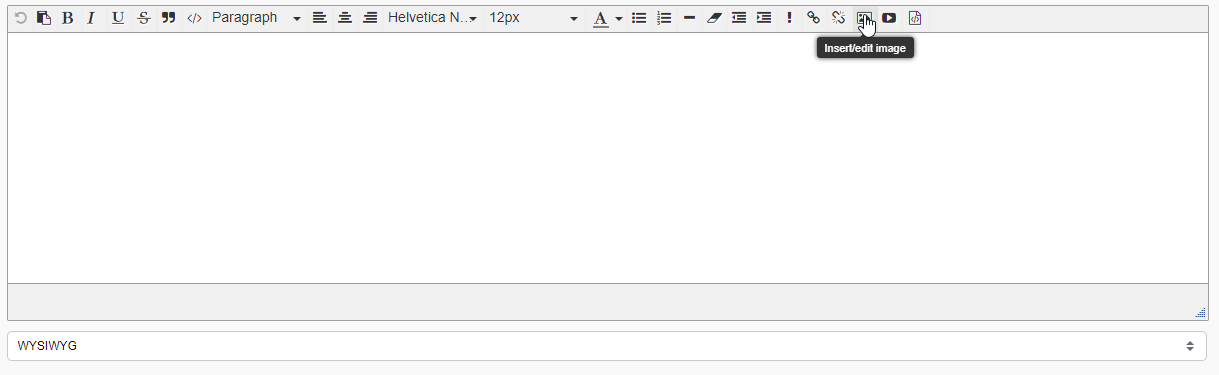
You use the the image embed button?
proud trellis
there isnt one
fleet bear
yes there is
proud trellis
when starting a project on curseforge the description box has nothing there
its just empty
proud trellis
it's still empty
fleet bear
 proud trellis
theres literally nothing here
 fleet bear
Then your browser/addons are blocking it
 fleet bear
you still have something blocking it...
proud trellis
i removed all of my extensions from edge
nothing is showing
- i dont think any of my extentions interact with curseforge anyways besides dark reader
fleet bear
🤷
It's your setup that's breaking it.
jovial lark
fleet bear
!getcf
i was able to get it before but i uninstalled it. so im not sure whats wrong this time?
 fleet bear
I don't know what you want me to tell you. It's an issue with whatever you have installed/use.
jovial lark
me or the other dude
fleet bear
jovial lark
i was able to get it before but i uninstalled it. so im not sure whats wrong thi...
why did you uninstall it...?
proud trellis
i switched pcs
jovial lark
oh i was clearing out space and didnt use it at the time
proud trellis
same issue
fleet bear
jovial lark
oh i was clearing out space and didnt use it at the time
so did you follow the instructions and it didn't work?
jovial lark
wdym
fleet bear
you know... The whole wall of text that told you what to do that you replied to the command for it?
 quaint ferry
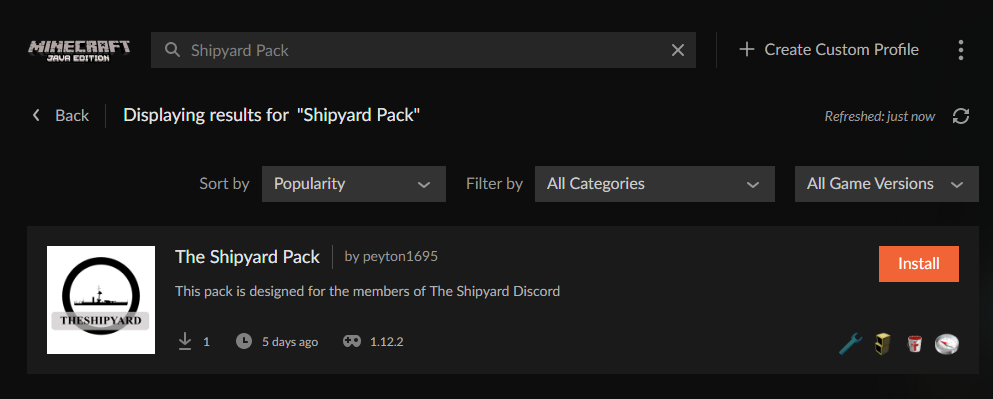
The modpack I created and submitted and got approved is not showing up on the launcher even after i followed the directions
https://www.curseforge.com/minecraft/modpacks/the-shipyard-pack/files/all
fleet bear
proud trellis
same issue
Again, there's nothing I can do. It's a problem with something on your end as everyone else isn't having issues.
fleet bear
quaint ferry
The modpack I created and submitted and got approved is not showing up on the la...
 jovial lark
fleet bear
you know... The whole wall of text that told you what to do that you replied to ...
jovial lark
fleet bear
you know... The whole wall of text that told you what to do that you replied to ...
it said the concent.overwolf.com couldnt find a secure connection
fleet bear
Don't use "the" in your project names.
proud trellis
fleet bear
Again, there's nothing I can do. It's a problem with something on your end as ev...
:/ alright
fleet bear
Yes, because search is bad and there's a million things with the in it.
jovial lark
@fleet bear ok so i downloaded the overwolf thing and installed it, now what?
do i download curseforge now?
proud trellis
okay so
since i cant use WYSIWYG
what exactly is stopping me from using markdown
nvm
so it was an account issue
markdown exists as an option, but does nothing

 near sequoia
Okay, so the resolution of the Curseforge app is far too large, when I go to update my mods I cannot see the mods menu and there is no scrollbar to reach it. Since I've installed this app, I've had to increase the resolution of my screen to maximum to even see the menu and it's hard on my eyes when the font is so small. Does anyone know who to decrease the resolution in the app?
fading egret
fading egret
Yo My modpack was just denied bc "Plugins must be uploaded in JAR format." - and...
Hey I'm still waiting for this modpack to be approved. No one has contacted me if there's anything wrong with the first one since there was no plugins - so i resubmitted again at noon & still haven't heard anything
fleet bear
proud trellis
markdown exists as an option, but does nothing
ah, well thats dumb. I'll make sure to keep this in mind.
fleet bear
near sequoia
Okay, so the resolution of the Curseforge app is far too large, when I go to upd...
You have windows zoom or some other sort of enlarging going on that's breaking the app. disable it
 dense cloak
Says 23 mods. None are listed.
 fleet bear
fading egret
Hey I'm still waiting for this modpack to be approved. No one has contacted me i...
fleet bear
fading egret
Hey I'm still waiting for this modpack to be approved. No one has contacted me i...
Then its still in queue waiting to be approved.
fleet bear
dense cloak
Says 23 mods. None are listed.
Mods are counted if they aren't shown in that number.
dense cloak
...
 velvet zodiac
lol
nocturne blade
I added vein miner to this pack im playing and now it wont launch, it says it version 1.10.2 and the veinminer is 1.12, is that the issue?
fleet bear
dense cloak
...
That would mean there's 23 projects that aren't publicly visible yet for whatever reason.
fleet bear
nocturne blade
I added vein miner to this pack im playing and now it wont launch, it says it ve...
!notcf
red patioBOT
The question you are asking about isn't related to CurseForge. Please use the appropriate game rooms by getting the role from #786424115535544350 or use #👽︱game-support for help.
This room is only for CurseForge Owned & Maintained features/services.
fading egret
fleet bear
Then its still in queue waiting to be approved.
It was a forge pack the got denied for having bukkit plugins - so i was thinking maybe it's sitting in some other queue? Safar or someone on the overwolf team was ping & supposed to look into to it like 10 hours ago but i didn't hear anything yet
The notifications linked me to a bunch of bukkit resources.. but it's just datapacks & forge mods in the pack.
fleet bear
so i resubmitted again at noon & still haven't heard anything
This means it's in queue waiting to be approved
you uploaded a new file instead of having the old moderation action looked at
nocturne blade
in settings for vein miner it says "activiate vein miner." and it isnt working. How do I activate it?
fleet bear
nocturne blade
in settings for vein miner it says "activiate vein miner." and it isnt working. ...
!notcf
red patioBOT
The question you are asking about isn't related to CurseForge. Please use the appropriate game rooms by getting the role from #786424115535544350 or use #👽︱game-support for help.
This room is only for CurseForge Owned & Maintained features/services.
 whole vine
how would i go about sharing my modlist with a friend?
red patioBOT
There are two ways to share a modpack you've made with others...
Export and Share - For Friends to Small Groups.
- Click the Icon for the modpack.
- Click the button next to play.
- Click
Export. - Select the files that should be included.
- Send the zip to the people that want it! They can follow the instructions in
!mc-installpackto install the pack!
Upload to Curseforge - For Public Release to Everyone.
This options will make your pack public to EVERYONE, it comes with extra requirements and will take some effort to set up.
- Go to here: https://www.curseforge.com/project/432/4471/create
- Fill out the information with a proper description of the pack. This should allow anyone to understand what the pack is.
- Click the Icon for the modpack in the CurseForge app.
- Click the button next to play.
- Click
Export. - Select the files that should be included.
- Open your Project you made on the CurseForge site and Upload the file you just made.
- Wait for Moderation & Sync so it can show up in the client! (See
!syncfor limitations)
 amber flare
finnaly fixed itself
 woeful portal
when I try to install anything, its gets to about 55% then gives me the "Object reference not set to an instance of an object" error message
ive tried 3 different mod packs and they all end the same
 faint veldt
I have minecraft installed but the application doesn't recognize that I have it installed
signal ridge
faint veldt
I have minecraft installed but the application doesn't recognize that I have it ...
The app doesnt use your other launcher. its installs its own
!mc-path follow this
red patioBOT
**Minecraft Files should NOT be installed inside the following locations
.minecraft folder.
OneDrive folders.
Desktop folder.
Drive roots I.E. Directly into the C:\ drive.
iCloud enabled folders.
If any of the above are in the path you need to change/move it by following the instructions below!**
If Minecraft is not installed in CurseForge App, start here.
Click the in the top left.
Select Minecraft.
Click "Edit".
Move to the "Continue here:" section below.
If Minecraft is installed in CurseForge App, follow these steps.
Click the in the bottom left.
Select the Minecraft tab.
Click "Change".
Move to the "Continue here:" section below.
Continue here:
Make a folder in the root directory called CurseForge.
Select the folder you just made.
The text box should show something like the following:
For Windows: C:\CurseForge
For Mac: /Users/Shared/CurseForge
 glacial smelt
After i try to import zip file i choose the file but it does nothing after that
signal ridge
Open the zip file and take a screen shot of its contents
 signal ridge
Where did you get the zip from?
fleet bear
looks like a bukkit server
signal ridge
Havent seen one of those in a long time (backend)
digital roost
i made a small modpack but it wont load keeps crashing when i try too
anyone know why
because its not just opening the minecraft launcher its opening and downloading the mods and stuff with it
but.......i made a small modpack but it wont load keeps crashing when i try too
anyone know why
idk
should i screen shot all the modsi have??
ive tried allocating more ram that did not help
slim thunder
digital roost
i made a small modpack but it wont load keeps crashing when i try too
?mc-log
red patioBOT
Where to find the log on the CurseForge Client.
Right-click the modpack profile icon OR click the button in the modpack profile.
Click Open Folder.
Open the logs folder.
Find the file called latest.log and drag it into discord.
digital roost
ok
slim thunder
because curseforge installs a seperate minecraft launcher and doesn't touch your own
 warm mural
hi
digital roost
yea?
 mortal steppe
I did a stupid and deleted a lot of mods that were in a mod pack of mine and now it won’t start. I don’t have a copy of my world it’ll just be on loading world screen perma. Is there a way to fix it since the mod that is holding it up is not available for its version anymore. If not then all good, I’ll let the world rip
 honest barn
Hay how do get shaders for my Minecraft
digital roost
@slim thunder i looked and idk what to do still
slim thunder
i'm not sure either
digital roost
hmmmm
signal ridge
honest barn
Hay how do get shaders for my Minecraft
!mc-optifine
red patioBOT
Optifine and Curseforge
To install Optifine with modpacks on Curseforge:
Right click the modpack icon, select Open Folder.
Put the Optifine.jar into the mods folder.
Now load the modpack normally.
We do not offer support for Optifine. If you have issues with Optifine, remove it. If you want further support try the discord found on their website.
https://www.optifine.net/home
signal ridge
Shaders need optifine,
honest barn
And how I downloaded octfine
signal ridge
Go to their site listed in the bot and download the version that matches your packs minecraft vwersion
signal ridge
Your settings are set to release (recommended) by default (can be changed) as beta and alpha can have issues. If you want to download specific versions of a mod tho click on the name of the mod then go to the Versions tab > you can download the version you want there
 sterile rampart
I need help with my modpack
Im attempting to put a modpack together and it keeps rejecting with the text
signal ridge
Screen shot reject notice
signal ridge
How did you make your pack zip?
 red patioBOT
There are two ways to share a modpack you've made with others...
Export and Share - For Friends to Small Groups.
- Click the Icon for the modpack.
- Click the button next to play.
- Click
Export. - Select the files that should be included.
- Send the zip to the people that want it! They can follow the instructions in
!mc-installpackto install the pack!
Upload to Curseforge - For Public Release to Everyone.
This options will make your pack public to EVERYONE, it comes with extra requirements and will take some effort to set up.
- Go to here: https://www.curseforge.com/project/432/4471/create
- Fill out the information with a proper description of the pack. This should allow anyone to understand what the pack is.
- Click the Icon for the modpack in the CurseForge app.
- Click the button next to play.
- Click
Export. - Select the files that should be included.
- Open your Project you made on the CurseForge site and Upload the file you just made.
- Wait for Moderation & Sync so it can show up in the client! (See
!syncfor limitations)
signal ridge
yep
red patioBOT
It is 07:47AM on Friday for CurseForge my dudes.
Project Moderation Time
Project/File moderation is done on;
Sunday, Monday, Tuesday, Wednesday, Thursday: 10AM - 6PM GMT+2
Friday, Saturday: No Moderation!
This process is First in, First out. Thus files submitted late in the work day may not be checked until the next work day.
New Projects or uploads requiring manual approval: 1-3 Working Days
Updates to approved projects not needing manual approval: 1 Hour
File sync to the Curseforge app may take up to 24 hours after approval.
sterile rampart
I think it worked but i just need to edit the description
Yes it is my first upload
I did the discription
But idk if it was approved
 vocal blaze
Question, why does my game go from 20% disk to 100% disk in a few seconds while in the middle of playing?
sterile rampart
Im confused
queen storm
digital roost
what do you think we are using!!!
Well, if he is putting things in the mods folder then he isn't using the app 🤷
Or at least not using it to install mods
digital roost
i cant believe your support. cause you dont seam to know how the app and mods work. im sorry but we would like to speak with your manager
queen storm
digital roost
i cant believe your support. cause you dont seam to know how the app and mods wo...
I am the manager silly
digital roost
there is some one over you
signal ridge
Whats going on?
queen storm
Yes, and dropping mods in the mods folder never worked well
App isn't made for that stuff
digital roost
it does wrok when its a windows
queen storm
digital roost
it does wrok when its a windows
!mc-installmods
red patioBOT
How to install mods in CurseForge App.
- Click
+ Create Custom Profile - Name it, select the required Minecraft version, select the Forge version (usually the highest number), click
Create. - Click the profile icon.
- Click
Add New Content - Search and install the desired mods.
- Start the game!
How to install mods not on CurseForge.
- Right click the profile picture or Open the profile and click the Icon next to the play button.
- Click
Open Folder. - Drag the mod(s) into the
modsfolder. (Note: Some mods will require others, to run. Make sure to read the instructions for the mod!) - Start the game!
sterile rampart
You dont drop the mods into the folder?
digital roost
- Drag the mod(s) into the mods folder. (Note: Some mods will require others, to run. Make sure to read the instructions for the mod!)
queen storm
Do you see a manager role on this discord?
digital roost
says drag and drop
queen storm
digital roost
3. Drag the mod(s) into the mods folder. (Note: Some mods will require others, t...
Does not mean that the app will recognise them
digital roost
it does on windows
queen storm
Or that the user dropped them in the right folder
digital roost
its in the right folder
queen storm
That is 1 banned
digital roost
ill message your boss at curse forge hq
signal ridge
The mod your using is it from the curseforge site?
digital roost
yes it is
queen storm
Then why are you not using the app to install it?
signal ridge
Then why not just use the app to install the mod?
digital roost
because we are making a new pack from the one pack to update it to a new version
signal ridge
digital roost
because we are making a new pack from the one pack to update it to a new version
Did you make the original pack?
digital roost
im no idiot i know how to do this stuff for the love of god i run multiple servers
im gonna smash my head throw a wall
sterile rampart
Yoyok
signal ridge
Im just trying to figure out what your trying to do
sterile rampart
Yoyok I redid my description about 30 minutes ago and i never got apporved or anything. Should i keep waiting?
digital roost
the mods are avaloble on the site. some one made a pack of the mods avalible on the site. im taking those on a new profile and updating them to 1.12.2 and add other mods
signal ridge
sterile rampart
Yoyok I redid my description about 30 minutes ago and i never got apporved or an...
!status
red patioBOT
It is 08:26AM on Friday for CurseForge my dudes.
Project Moderation Time
Project/File moderation is done on;
Sunday, Monday, Tuesday, Wednesday, Thursday: 10AM - 6PM GMT+2
Friday, Saturday: No Moderation!
This process is First in, First out. Thus files submitted late in the work day may not be checked until the next work day.
New Projects or uploads requiring manual approval: 1-3 Working Days
Updates to approved projects not needing manual approval: 1 Hour
File sync to the Curseforge app may take up to 24 hours after approval.
sterile rampart
??
queen storm
digital roost
the mods are avaloble on the site. some one made a pack of the mods avalible on ...
You still did not answer the question
signal ridge
sterile rampart
??
Read what the bot says.
queen storm
sterile rampart
??
Takes 1-3 working days
digital roost
for the love of god. i sware the intelligence level in here is astounding
sterile rampart
You cant spell.
digital roost
im losing brain cells from this
queen storm
digital roost
for the love of god. i sware the intelligence level in here is astounding
We asked a simple yes / no question twice, you did not answer it
sterile rampart
Also if you know what youre doing then why are you asking the mods?
queen storm
@sterile rampartStay out of it please
sterile rampart
Okay apologies
digital roost
i question the person that made you a community admin and your intelligence
queen storm
You gonna be nice or not? We are trying to help but we need information to do so.
You are not giving that information
queen storm
Go for it, please show the issue.
And make sure to not insult people this time
digital roost
when did i insalt?
queen storm
That was from our logs
queen storm
Just show the issue
digital roost
ok ok jeesus
im reporting you tim to curse forge its self. this conversation is being recored for training and quality assurances
queen storm
digital roost
im reporting you tim to curse forge its self. this conversation is being recored...

You sure you want to do that?
Feel free to DM Gilgamesh, I report directly to him
sterile rampart
Creeper are with you Bio?
 queen storm
digital roost
ok 🙂
queen storm
digital roost
ok 🙂
Did you restart curseforge after?
digital roost
yep
queen storm
Why did you install 1.7.10 mods on 1.12?
digital roost
becuse thay are compatable
sterile rampart
Did you put the mods inthe right folder?
queen storm
digital roost
becuse thay are compatable
So, they are compatible, but if you start the game they don't work.
Kinda going against itself
!mc-logs
red patioBOT
Where to find the log on the CurseForge Client.
Right-click the modpack profile icon OR click the button in the modpack profile.
Click Open Folder.
Open the logs folder.
Find the file called latest.log and drag it into discord.
digital roost
...yep the only mod folder
and thay are compatible but thay are not installing thay work on my frends computer @digital roost
digital roost
so no not on my computer
queen storm
Then show your logs
digital roost
???
queen storm
You want me to ban this one as well? Why did you even send that?
digital roost
YOU WANTED TO SEE MY LOGS
queen storm
That was a turd
digital roost
YE A LOG
digital roost
?
queen storm
Click the link, follow those steps
digital roost
well yes i tried that
queen storm
And?
digital roost
and guse for 100M!
queen storm
Will just wait for that text file called latest.log
queen storm
digital roost
so you kicked lil simp
No, they are still here...
digital roost
are you sure. cause clyde says other wise
queen storm
Who is Clyde?
queen storm
I don't do calls
digital roost
lmao how do saport not do calls XD
queen storm
Then give the things I am asking for
digital roost
im messaging your boss
queen storm
If you can't do that there is no point in trying to help either of you
digital roost
i do love beer belly mod that say this is not my job
queen storm
digital roost
im messaging your boss
Weren't you gonna do that 30 minutes ago?
digital roost
so you seam to never heard of disabilities, how sad
queen storm
digital roost
i do love beer belly mod that say this is not my job
I do not get paid for this 🤷
queen storm
Okay, I am done.
If you don't give me information to actually help you I will just keep removing messages.
I am done with you 2.
The only thing that is happening is that I get attacked left and right for trying to help.
digital roost
bruh im recording this you cant hide evidence
queen storm
digital roost
bruh im recording this you cant hide evidence
I don't care! My boss agrees with my actions
digital roost
your actions are wrong
queen storm
So you done attacking and actually giving things to help?
signal ridge
Then why are you fighting Tim and not actually letting us help u? Just attacking him instead
digital roost
i honestly question your abilites as a manager and a support person. becuase a support person listens and helps not argue and delete messages and ban people. and does everythijng to help some one
queen storm
You are done as well.
Warned you plenty of times, asked for info plenty of times.
If you recorded this: send it to Gilgamesh, he will know what to do.
Goodbye
He is gone as well
signal ridge
So asking if you made the original pack and for game logs isn’t helping? Huh who knew
mortal steppe
I did a stupid and deleted a lot of mods that were in a mod pack of mine and now it won’t start. I don’t have a copy of my world it’ll just be on loading world screen perma. Is there a way to fix it since the mod that is holding it up is not available for its version anymore. If not then all good, I’ll let the world rip
queen storm
No backup export either somewhere?
 severe rivet
hi i need help please.
queen storm
What is the issue that you need help with?
severe rivet
i was haveing truble with mods it says exit code 0
queen storm
!mc-logs
red patioBOT
Where to find the log on the CurseForge Client.
Right-click the modpack profile icon OR click the button in the modpack profile.
Click Open Folder.
Open the logs folder.
Find the file called latest.log and drag it into discord.
queen storm
Does not fix things either, just sends me the file so I can give further instructions
severe rivet
ok! 🙂
queen storm
But you do need to do the last step though, else I still can't help
severe rivet
heres the file
queen storm
That is not what I asked for
queen storm
File called latest.log
queen storm
Still the wrong file
 devout marlin
i can do this all day long. keep trying. cause if you refuse to help or ban in anny shape or form this will be sent ot the press and head office of curse forge as you represent curse.this make them look bad and shady.
queen storm
filename needs to be "latest.log"
queen storm
devout marlin
i can do this all day long. keep trying. cause if you refuse to help or ban in a...
I asked for logs, got shit instead, how do you want me to help then?
devout marlin
i need to get these mods updates and working and not giving me a game error 0 so i can install them on my server and play
queen storm
devout marlin
i need to get these mods updates and working and not giving me a game error 0 so...
Then send the logs
!mc-logs
red patioBOT
Where to find the log on the CurseForge Client.
Right-click the modpack profile icon OR click the button in the modpack profile.
Click Open Folder.
Open the logs folder.
Find the file called latest.log and drag it into discord.
queen storm
severe rivet
im so sorry my computer was a data rescue
Show a screenshot of the folder where you got that
severe rivet
how do i do that?
queen storm
Don't know how to make a printscreen on mac
severe rivet
? mac? im on windows
queen storm
My opologies, long morning
Windows+shift+S
queen storm
I know, you told me already, now show where you got the logs
queen storm
Then fix that first and come back when it does
devout marlin
queen storm
devout marlin
!mc-installfix Do those steps
red patioBOT
- Click on the Minecraft Tab on the Left side of the CurseForge App.
- Click button next to the
Create Custom Profileoption. - Click
Repair Installationoption. - Play game.
NOTE: You will not lose any modpacks or worlds, These are saved in the Instances folder. DO NOT TOUCH THIS FOLDER OR YOU WILL LOSE EVERYTHING
queen storm
That is not for Curseforge anymore
severe rivet
oh ye i think your corect
queen storm
Nothing that you are saying is curseforge related, use #🥑-off-topic-chat
devout marlin
queen storm
!mc-installfix Do those steps
hope it works
signal ridge
#🥑-off-topic-chat is better for this conv
queen storm
severe rivet
can we call real quick
No
signal ridge
We don’t do calls
devout marlin
you should thats apart of tech suppourt
queen storm
We got other things to do, some people are at work, can't help everybody with calls
devout marlin
still getting exit code 0
queen storm
We do this on volunteer basis
queen storm
devout marlin
still getting exit code 0
Send a new log
severe rivet
well i dont see any one els chating
devout marlin
queen storm
severe rivet
well i dont see any one els chating
You don't see calls either
queen storm
devout marlin
Show your modlist please
devout marlin
that would involve a creen share
queen storm
Or a screenshot 🤦♂️
severe rivet
CREEM SHARE WHAT THE HELL
queen storm
severe rivet
CREEM SHARE WHAT THE HELL
No, I got an actual job to do, I can't do screen shares
devout marlin
 queen storm
You went to talk about gay, because I can't do screen shares, why do you think I kicked you?
severe rivet
i hot a screeni of that
queen storm
devout marlin
Can't do 1.7.10 mods on a 1.12 client
devout marlin
they are updated, so says the laucnher
queen storm
severe rivet
thay are compadible
Then why is it crashing? Who says it is compatible?
severe rivet
well i mean i was not on my computer
devout marlin
1.17 can be compatible with 1.12
queen storm
devout marlin
1.17 can be compatible with 1.12
Show me. Prove it please
queen storm
severe rivet
can i show you waht i look like
No, how is this conversation related to curseforge? Final warning, I will ban you
severe rivet
ok
signal ridge
#🥑-off-topic-chat for none curseforge related stuff (that is still within the rules)
severe rivet
one last off topic?
signal ridge
No
severe rivet
here for tim to see i made fan art
signal ridge
Use the offtopic channel not this one
 marsh rampart
(b) okay. lemme guess, to change my 2auth for curseforge i need to open a support ticket.
fleet bear
yes
marsh rampart
(b) thank you
queen storm
!status
red patioBOT
It is 12:00PM on Friday for CurseForge my dudes.
Project Moderation Time
Project/File moderation is done on;
Sunday, Monday, Tuesday, Wednesday, Thursday: 10AM - 6PM GMT+2
Friday, Saturday: No Moderation!
This process is First in, First out. Thus files submitted late in the work day may not be checked until the next work day.
New Projects or uploads requiring manual approval: 1-3 Working Days
Updates to approved projects not needing manual approval: 1 Hour
File sync to the Curseforge app may take up to 24 hours after approval.
 finite oracle
thanks
 vestal radish
what is the world file location for modpacks?
queen storm
vestal radish
what is the world file location for modpacks?
Right click the modpack, then you can do open folder
vestal radish
yeah but wich folder is it because i cant find it...
queen storm
What folder did it open?
vestal radish
C:\Users\my acc\curseforge\minecraft\Instances\my custom profile
queen storm
Is there a saves folder there?
queen storm
Your world is in there
vestal radish
ait thnx
devout marlin
whats exit code 255
queen storm
!mc-logs
red patioBOT
Where to find the log on the CurseForge Client.
Right-click the modpack profile icon OR click the button in the modpack profile.
Click Open Folder.
Open the logs folder.
Find the file called latest.log and drag it into discord.
devout marlin
queen storm
devout marlin
Install the mod JEID (google it for full name)
digital roost
Why did my modpack get reject lmao
queen storm
digital roost
Why did my modpack get reject lmao
Check your notifications
digital roost
it got rejected when 0 files were added but when i added them 24 hours later i had no new notif

It doesn't say why
queen storm
It is a duplicate, you uploaded it before
digital roost
i know
so i removed the older version
i mean the first upload of the modpack went wrong it got cancled or something
then i uploaded it again and i got 2 uploads
queen storm
Next time, wait an hour, then refresh
queen storm
You change the content, upload again
digital roost
content as in upload?
queen storm
Content as in content of the actual zip
digital roost
can i remove the old one or i dont have to do thatr
queen storm
Don't have to do that, the only ones that see it are you and staff
digital roost
i can export the modpack from GDL launcher right?
or can i also just make a file with the modpacks ?
Ah second option i think cuz GDL only gives me the modlist and shit its bugged idk
queen storm
This is curseforge support...
queen storm
For server or client?
digital roost
Client
queen storm
!mc-packshare
red patioBOT
There are two ways to share a modpack you've made with others...
Export and Share - For Friends to Small Groups.
- Click the Icon for the modpack.
- Click the button next to play.
- Click
Export. - Select the files that should be included.
- Send the zip to the people that want it! They can follow the instructions in
!mc-installpackto install the pack!
Upload to Curseforge - For Public Release to Everyone.
This options will make your pack public to EVERYONE, it comes with extra requirements and will take some effort to set up.
- Go to here: https://www.curseforge.com/project/432/4471/create
- Fill out the information with a proper description of the pack. This should allow anyone to understand what the pack is.
- Click the Icon for the modpack in the CurseForge app.
- Click the button next to play.
- Click
Export. - Select the files that should be included.
- Open your Project you made on the CurseForge site and Upload the file you just made.
- Wait for Moderation & Sync so it can show up in the client! (See
!syncfor limitations)
digital roost
!mc-installpack
red patioBOT
How to install modpacks with the search features in app.
- Open the

Minecraftsection of the app. - Click the top search bar where it says
Search for modpacksOR Click theBrowse ModpacksTab. - Find the Modpack you want to install and click install on it.
- Wait for CurseForge app to download and unpack all the required files.
- Once finished, click
Play!
How to install modpacks from a Export. (Custom/Private/Site downloaded Modpack zip)
- Get CurseForge App if you don't have it, use
!downloadfor a link. - Get the exported modpack from CurseForge or someone else,
!mc-packshareexplains how to make them. - Open the
Minecraftsection of the app. - Click

Create Custom Profile - Click the
Importoption. - Find the file you just downloaded in step 2 and select it.
- CurseForge app will now attempt to download and unpack the modpack. If it fails, try steps 4-6 again.
- Once finished, click
Play!
 digital roost
Does the file need minecraft.jar for example or some shit
?
its just mods what i was about to upload to curseforge
 queen storm
For the client just that export
queen storm
You can't zip for curseforge
 queen storm
How big is the export?
digital roost
Ah 171 files
queen storm
In mb...


 lyric crescent
"what is in it"
shows picture of folder icon
🤔
digital roost
it doesnt wanna upload when i like search via the button but i can swipe the file in there
queen storm
How did you export it?
digital roost
I like holded it from where its located
and yeeted it in the website
on choose file
queen storm
Use the export function
queen storm
Can you record it?
queen storm
The export function handles your entire modpack...
digital roost
fuck my screen recorded stopped with free versio nwhaha

this is what i tried
i clicked open and it opened it lmao
i feel like i need to zip it tho
thats how i did my last upload
it works when i upload it as a zipped file
queen storm
How did you get the export? Because you don't get a folder in a folder with the export
 rustic knot
Hey I'm playing ATM All the magic modpack put it comes out with a singularity error message when i try to get in
 wind minnow
anyone know how to fix this error that i got using 1.15.2 31.2.0 forge with jojo's bizzare survival 1.15.2 1.0.0.1
The game crashed whilst initializing game
Error: java.lang.RuntimeException: java.lang.reflect.InvocationTargetException
Exit Code: -1
dm me if you have any suggestions on a fix
rustic knot
Can I have a fix
The game crashed whilst there was a severe problem during mod loading that has caused the game to fail
Error: net.minecraftforge.fml.common.LoaderExceptionModCrash: Caught exception from Singularities (singularities)
Exit Code: -1
Can you dm for a fix?
ATM All the magic modpack put it comes out with a singularity error message when I try to get in 1.12.2
queen storm
You said that already
queen storm
 random rover
Does anyone know how to cross-border connections?
random rover
Does anyone know how to cross-border connections?
What connections?
rustic knot
Can you help me after
queen storm
rustic knot
Can you help me after
No, don't have time to read logs
random rover
MC java
queen storm
Port forwarding
random rover
what?
queen storm
Port forwarding, google it, opens up a port on your router.
And if that is now what you want: explain what "cross-border" means
random rover
Is it useful if two people are in different countries?
queen storm
!notcf
red patioBOT
The question you are asking about isn't related to CurseForge. Please use the appropriate game rooms by getting the role from #786424115535544350 or use #👽︱game-support for help.
This room is only for CurseForge Owned & Maintained features/services.
random rover
?
queen storm
Go to #👽︱game-support
random rover
I am sorry my English is not very good
gray garden
gray garden
How do I Increase the number of mods I have cause I can't load in my own modpack...
Anyone?
queen storm
gray garden
Anyone?
!mc-ram
red patioBOT
How to set Global Minecraft RAM value.
- Click the icon in the bottom left to open settings.
- Click the Minecraft tab.
- Scroll down.
- Slide slider to recommended ram range as seen below.
gray garden
queen storm
!mc-ram
I tried that I got 10k and I only have 40 mods when I can play for example sevtech ages easily
viral briar
10gb seems a bit overkill for 40 mods . Depending on the mods that is
gray garden
What's best you think?
gray garden
viral briar
10gb seems a bit overkill for 40 mods . Depending on the mods that is
nvm i got 67
gray garden
viral briar
10gb seems a bit overkill for 40 mods . Depending on the mods that is
so anything to help?
viral briar
Best thing is to just check the F3 debug screen of your allocation to make sure it is allocated to what you set it to and it shows much you are using . If it’s not reaching anywhere near the 10gb allocation then you should be fine
gray garden
viral briar
Best thing is to just check the F3 debug screen of your allocation to make sure ...
i cant even go in the modpack
 inner void
I find that the CurseForge desktop client for WoW addons does not properly indicate the latest addon is available when it is marked to support all three Blizzard games (Classic, BCC and Retail). Is this the right location to find out what is happening with that?
 hot mica
is there a way you can see how many visits your mods get?
mortal steppe
Well, accidentally deleted a world that I liked. I am sad now
mortal steppe
hot mica
is there a way you can see how many visits your mods get?
There’s a counter for the downloads if that’s what you’re talking about
hot mica
I've seen that but u was wondering more about if you can see how many people have gone on your mods page without downloading it
 valid spear
it wont let me load a modpack