#🔥︱curseforge-support
1 messages · Page 500 of 1
 fleet bear
 supple mist
What do you mean by how? I can tell you the process of dragging the files in the serverpack, and removing client-sided mods after time, but other than that it's basically how every serverpack I've uploaded before on cf that's been approved
fleet bear
uploading, not making
supple mist
ok, additional file for the pack, selected serverpack, uploaded the file, got rejected
fleet bear
ok
The mod exported fine on my client so there shouldn't be anything rejecting it for not existing.
 frail trout
I renamed my mod pack! 🙂
fleet bear
if its getting auto rejected then it's automated.
and it's the same system the regular files use
supple mist
ok, anything i can do on my end to get it approved?
fleet bear
Should be just using the file from the site.
supple mist
and if I did that, I should wait for cf to fix it?
frail trout
So do I just hope and pray or is there a time slot thing. I really don't mind if it takes a while, just wanna be in the know.
 signal ridge
It may need manual approval
frail trout
Fair fair! Thank you.
fleet bear
supple mist
and if I did that, I should wait for cf to fix it?
currently testing an upload with just that mod.
waiting on the processor to see what happens, depending on what it does will decide what to do next
 balmy marsh
Question, how do you fix the minecraft file when it wont let you access it.
fleet bear
post the error you are getting
balmy marsh
instances/filename is not accessible
fleet bear
supple mist
and if I did that, I should wait for cf to fix it?
Ok, It went to review. Thus it should be fine.
Re-download the mod, make a new server zip, upload it. If it still complains I'll pass it on.
balmy marsh
reinstall forge?
fleet bear
Was that a reply to you? No.
balmy marsh
How do i fix my non accessible problem.
fleet bear
I'm busy currently...
supple mist
It went to review the first time too, but I guess I'll try it, cheers
fleet bear
Oh?
supple mist
yea it was under review for a few minutes before being rejected
after that all reuploads were automatic
fleet bear
Not sure what that means? your using scripts to do something?
supple mist
no, my first failed attempt was under review for a few minutes before getting rejected
frustrated, I re-downloaded the mod from cf and tried again, but it no-longer went under-review, after the 'processing' stage it disappeared straight up
supple mist
kk, thanks for the help
fleet bear
wish I could just see this shit without reproducing sometimes
Can you link me to the file that you uploaded it as an additional file to?
fleet bear
Thanks!
supple mist
it's a different version, but its the same mod getting rejected
i hv two version in my pack, and this was one of the version getting rejected
 steep wasp
Does CurseForge have any plans for a Linux build as I rarely end up using it as my main gaming rig runs Linux.
I still use Windows on my 2nd PC but I play Minecraft on my main.
Also, if theirs anything unofficial that I could use instead, I'd love a link. Manually downloading and importing my mods is annoying.
fleet bear
someday?
 digital roost
I am trying to play RLCraft but the second i load the mod my Minecraft Launcher crashes. Any help?
fleet bear
digital roost
I am trying to play RLCraft but the second i load the mod my Minecraft Launcher ...
!mc-installfix
 red patioBOT
- Click on the Minecraft Tab on the Left side of the App.
- Click
 button next to the
 Create Custom Profileoption. - Click

Repair Installationoption. - Play game.
NOTE: You will not lose any modpacks or worlds, These are saved in the Instances folder. DO NOT TOUCH THIS FOLDER OR YOU WILL LOSE EVERYTHING
digital roost
ty dude
 dull sapphire
It’s been like 3 days and my mod pack hasn’t been approved
 slim thunder
steep wasp
Also, if theirs anything unofficial that I could use instead, I'd love a link. M...
slim thunder
steep wasp
Also, if theirs anything unofficial that I could use instead, I'd love a link. M...
gdlauncher or multimc (multimc won't work if you have a microsoft account)
slim thunder
dull sapphire
It’s been like 3 days and my mod pack hasn’t been approved
!status
red patioBOT
It is 01:47AM on Monday for CurseForge my dudes.
Project Moderation Time
Project/File moderation is done on;
Sunday, Monday, Tuesday, Wednesday, Thursday: 10AM - 6PM GMT+2
Friday, Saturday: No Moderation!
This process is First in, First out. Thus files submitted late in the work day may not be checked until the next work day.
New Projects or uploads requiring manual approval: 1-3 Working Days
Updates to approved projects not needing manual approval: 1 Hour
File sync to the Curseforge app may take up to 24 hours after approval.
dull sapphire
Oh
steep wasp
slim thunder
gdlauncher or multimc (multimc won't work if you have a microsoft account)
I literally just transferred my account to MS, lol.
GDLauncher I go!
Doesn't seem as nice as CurseForge but it'll do.
dull sapphire
They declined my modpack bc it wasn’t in English even though I wrote it in English and I don’t know how to write in other languages and I have a good summary but they said you need a better one and they said 1 quick sentence idea what the mod is but I gave sentences for what the mod does
 pale flicker
I play Valhelsia 2 3.4.0 on Curseforge and my game takes forever to load in, says not responding and when I get in it’s smooth but if I go through a portal it does that but much longer
is there a way to fix that?
^ my pc isn’t bad or anything
 rich flint
pale flicker
I play Valhelsia 2 3.4.0 on Curseforge and my game takes forever to load in, say...
rich flint
pale flicker
I play Valhelsia 2 3.4.0 on Curseforge and my game takes forever to load in, say...
get the MC role in #786424115535544350 and ask MC specific Q's there. it's a large modpack and allocating more ram/memory with the launcher app may help you a bit (maybe)
pale flicker
Alr I’ll ask there
 split star
how do i delete mods on curse forge?
signal ridge
split star
how do i delete mods on curse forge?
If its a pack you made click the trash can icon, if its a premade pack (something you downloaded) I wouldnt recommend deleting things.
Otherwise you can open the mods folder and delete mods there
split star
wdym pack
signal ridge
Modpack*
signal ridge
Did you make the modpack?
split star
no
signal ridge
What pack is it?
split star
i installed it
i have multiple mods i dotn use
crazy craft updated infinity evolved enigmatica stone block 2 etc
OH
nvm
signal ridge
Why not just make your own modpack with the curseforge app? Then you can choose what mods you want and not accidently break premade packs
signal ridge
np
 tender mirage
whenever i try to install a 1.17 modpack it says failed to get modloader from manifest
anybody know why?
signal ridge
Restart your app
tender mirage
ok
 elder plaza
I keep having this error whenever im trying to install a minecraft modpack

help
@signal ridge
signal ridge
elder plaza
<@!217048549706301442>
#📛︱rules 5
elder plaza
digital roost
it isnt really blind
Oh true u hve a point
I'm really hoping someone can help me with this error but i got warned about a rule then ignored so i guess thats it for me :(

now i sad
signal ridge
Youll have to be patient id someone is around/knows the answer they will answer.
elder plaza
ok thanks
 queen storm
Usually bad internet
 queen storm
Yeah, takes too long
 queen storm
Get better internet? Get a wired connection
elder plaza
Any other way to fix it?
 blazing vale
so i have a mod for hypixel secrets, and want to know how to use it with curse forge
queen storm
elder plaza
Any other way to fix it?
No....
queen storm
blazing vale
so i have a mod for hypixel secrets, and want to know how to use it with curse f...
Where did you get it?
elder plaza
What if its not the internet connection
queen storm
blazing vale
i looked for one on forge and cant find it
!mc-installmods
red patioBOT
How to install mods in CurseForge App.
- Click
+ Create Custom Profile - Name it, select the required Minecraft version, select the Forge version (usually the highest number), click
Create. - Click the profile icon.
- Click
Add New Content - Search and install the desired mods.
- Start the game!
How to install mods not on CurseForge.
- Right click the profile picture or Open the profile and click the Icon next to the play button.
- Click

Open Folder. - Drag the mod(s) into the
modsfolder. (Note: Some mods will require others, to run. Make sure to read the instructions for the mod!) - Start the game!
 queen storm
elder plaza
What if its not the internet connection
queen storm
elder plaza
What if its not the internet connection
There is nothing else it can be based on the error 🤦♂️
blazing vale
the one mod i want isnt on the list
queen storm
blazing vale
the one mod i want isnt on the list
Then use the second half
blazing vale
oh i see now lemme try sry
elder plaza
NOOOOOOOOO
digital roost
When 1.17?
queen storm
digital roost
When 1.17?
That is forge, not curseforge
digital roost
What's the difference?
queen storm
!!=
red patioBOT
Wording is important!
Forge = Minecraft Forge, This is a modloader often just called "Forge".
Fabric = Fabric MC, this is another modloader, just called "Fabric".
CurseForge = A Website/App that has content for games.
Mods = Individual mod files.
Modpacks = Multiple mods put into the mods folder or downloaded from CurseForge.
These are not Interchangeable! Please use the correct terms as it allows us to help you faster!
 vestal marlin
Hello i have been trying to join one of my freinds Valhesia 3 servers on and when i load up and try to load it tells me this "" incompatible fml modded server mod list is not compatible "" Whats the fix?
queen storm
digital roost
What is CurseForge?
A Website/App that has content for games.
 fallen spruce
Hey, been having an issue with the launcher: when I try to start up in vanilla mode, this happens to the minecraft launcher

Mind you, it's ONLY when you start by the "start vanilla minecraft" part
if I start an modded client, it shows up normally and I can switch to the vanilla install
 tribal bane
can i ask why i got banned from the minecraft role?
 queen storm
You have an account, does not mean you have the game
 queen storm
Show proof, gif or video of you logging in and starting the game
tribal bane
i am not gonna show me logging in
queen storm
tribal bane
i am not gonna show me logging in
Then I won't remove the role block 🤷
queen storm
Match, stay out
fallen spruce
Ok
 raw vale
I'm reporting whoever just removed that
queen storm
raw vale
I'm reporting whoever just removed that
How are you gonna verify that he is giving the correct account then?
raw vale
He's logged in, Discord shows he's playing Minecraft and I looked up his profile name on Skin Stealer to verify he had a skin that was non-default
queen storm
And I asked for a different kind of verification. Till I have that I am not removing the role.
raw vale
That's fine, but there was no need to remove my initial message
queen storm
In my opinion there was no need to get involved in it either.
raw vale
Just trying to help 🤷♂️
 tired grove

 viral briar
!mc-installfix
red patioBOT
- Click on the Minecraft Tab on the Left side of the App.
- Click button next to the
Create Custom Profileoption. - Click
Repair Installationoption. - Play game.
NOTE: You will not lose any modpacks or worlds, These are saved in the Instances folder. DO NOT TOUCH THIS FOLDER OR YOU WILL LOSE EVERYTHING
 tidal mauve
Good afternoon, I'm developing an addon for world of warcraft. The site shows that the addon for the game version is 9,1,0, and in the application it is displayed as 9,0,2. Who knows how to fix the version in the application.

 raven basin
I dont know how to get this away😫

 opal cipher
raven basin
I dont know how to get this away😫
opal cipher
raven basin
I dont know how to get this away😫
!mc-path
red patioBOT
**Minecraft Files should NOT be installed inside the following locations
.minecraft folder.
OneDrive folders.
Desktop folder.
Drive roots I.E. Directly into the C:\ drive.
iCloud enabled folders.
If any of the above are in the path you need to change/move it by following the instructions below!**
If Minecraft is not installed in CurseForge App, start here.
Click the  in the top left.
Select Minecraft.
Click "Edit".
Move to the "Continue here:" section below.
If Minecraft is installed in CurseForge App, follow these steps.
Click the  in the bottom left.
Select the Minecraft tab.
Click "Change".
Move to the "Continue here:" section below.
Continue here:
Make a folder in the root directory called CurseForge.
Select the folder you just made.
The text box should show something like the following:
For Windows: C:\CurseForge
For Mac: /Users/Shared/CurseForge
 fleet bear
tidal mauve
Good afternoon, I'm developing an addon for world of warcraft. The site shows th...
fleet bear
tidal mauve
Good afternoon, I'm developing an addon for world of warcraft. The site shows th...
It should eventually update.
The game version has been acting up for a while now.
raven basin
Thanks
tidal mauve
@fleet bear There is a way to speed up this process, people complain to me that they do not see my addon, which is why its popularity is falling
 past comet
hi so i am playing the better minecraft mod but when i press f3 it says its using the intel cpu graphics is there something that i can do to fix that
opal cipher
!mc-videocard
red patioBOT
How to set minecraft to use your videocard
Got NVIDIA?
 past comet
thnak uuuu
 shut pawn
Help How i can add a shader into a modpack of minecraft cruserforge
 indigo roost
What does this mean. im trying to download the minecraft thing on the cusre forge app. please help.
 queen storm
shut pawn
Help How i can add a shader into a modpack of minecraft cruserforge
queen storm
shut pawn
Help How i can add a shader into a modpack of minecraft cruserforge
!mc-optifine
red patioBOT
Optifine and Curseforge
To install Optifine with modpacks on Curseforge:
Right click the modpack icon, select Open Folder.
Put the Optifine.jar into the mods folder.
Now load the modpack normally.
We do not offer support for Optifine. If you have issues with Optifine, remove it. If you want further support try the discord found on their website.
https://www.optifine.net/home
queen storm
indigo roost
What does this mean. im trying to download the minecraft thing on the cusre forg...
Where did you point it?
indigo roost
point?
queen storm
Where is your modding folder?
queen storm
Well, I assume that the message is for minecraft 🤷♂️
indigo roost
Well i mean im stuck here... idk what to do
 queen storm
!mc-path
red patioBOT
**Minecraft Files should NOT be installed inside the following locations
.minecraft folder.
OneDrive folders.
Desktop folder.
Drive roots I.E. Directly into the C:\ drive.
iCloud enabled folders.
If any of the above are in the path you need to change/move it by following the instructions below!**
If Minecraft is not installed in CurseForge App, start here.
Click the in the top left.
Select Minecraft.
Click "Edit".
Move to the "Continue here:" section below.
If Minecraft is installed in CurseForge App, follow these steps.
Click the in the bottom left.
Select the Minecraft tab.
Click "Change".
Move to the "Continue here:" section below.
Continue here:
Make a folder in the root directory called CurseForge.
Select the folder you just made.
The text box should show something like the following:
For Windows: C:\CurseForge
For Mac: /Users/Shared/CurseForge
digital roost
i wish i have enough storage to download forgelabs mods
 dull breach
free up some?
queen storm
digital roost
i wish i have enough storage to download forgelabs mods
And that is for curseforge support how?
 dusty crater
how would i get a game added to cureforge site ?
queen storm
What game?
dusty crater
the game i would like to add is Minecraft Dungeons
the game has mod support and my team been making mods for it since beta
we been usings nexusmods and planetminecraft but it would be nice to have it on curse too
dusty crater
 queen storm
That you can mod it does not mean it supports it.
queen storm
!ticket-site
red patioBOT
:bug: Reporting via Website :bug:
Can't open the app or would rather use the website? You can do so here: https://support.curseforge.com/en/support/tickets/new
Fill out the form with accurate detailed information, "It doesn't work" isn't helpful! What exactly doesn't work and why doesn't it work should be easy to answer!
Make sure to upload your Overwolf logs with the Upload File option on the ticket, information on how to get these logs can be found here https://support.overwolf.com/en/support/solutions/articles/9000176827-how-to-get-your-overwolf-logs
dusty crater
u can do texture pack, custom skins, custom levels, pets and more we made tools that allow u to import java minecraft worlds
 dusty crater
queen storm
> IS THERE MOD SUPPORT?
>
> There are currently no plans for mod support.
dusty crater
queen storm
> IS THERE MOD SUPPORT?
>
> There are currently no plans for mod support.
funny as minecraft its self don't have official mod support u always need a third-party tool forge with minecraft dungeon u dont there is a mods folder where all the mods go
 tidal mauve
fleet bear
It should eventually update.
The game version has been acting up for a while no...
tidal mauve
fleet bear
It should eventually update.
The game version has been acting up for a while no...
And how long can this process take? I replaced the version more than a week ago
 meager notch
!status
red patioBOT
It is 02:38PM on Monday for CurseForge my dudes.
Project Moderation Time
Project/File moderation is done on;
Sunday, Monday, Tuesday, Wednesday, Thursday: 10AM - 6PM GMT+2
Friday, Saturday: No Moderation!
This process is First in, First out. Thus files submitted late in the work day may not be checked until the next work day.
New Projects or uploads requiring manual approval: 1-3 Working Days
Updates to approved projects not needing manual approval: 1 Hour
File sync to the Curseforge app may take up to 24 hours after approval.
queen storm
dusty crater
funny as minecraft its self don't have official mod support u always need a thir...
Then mojang really needs to update their website
raw vale
So why was my new project rejected when it has the same name as my previous project save for having a number 3 at the end?
queen storm
raw vale
So why was my new project rejected when it has the same name as my previous proj...
Screenshot of notification please
raw vale

Yet Kerbal Space Program: Java Edition and it's sequel Kerbal Space Program: Java Edition 2 were both approved
queen storm
How long ago was that?
raw vale
2 was last month
queen storm
- Those are very fast version updates.
- Best to make a ticket for this
raw vale
well one is 1.12.2 and one is 1.16.5 thats why
queen storm
Wait with that ticket
 lyric crescent
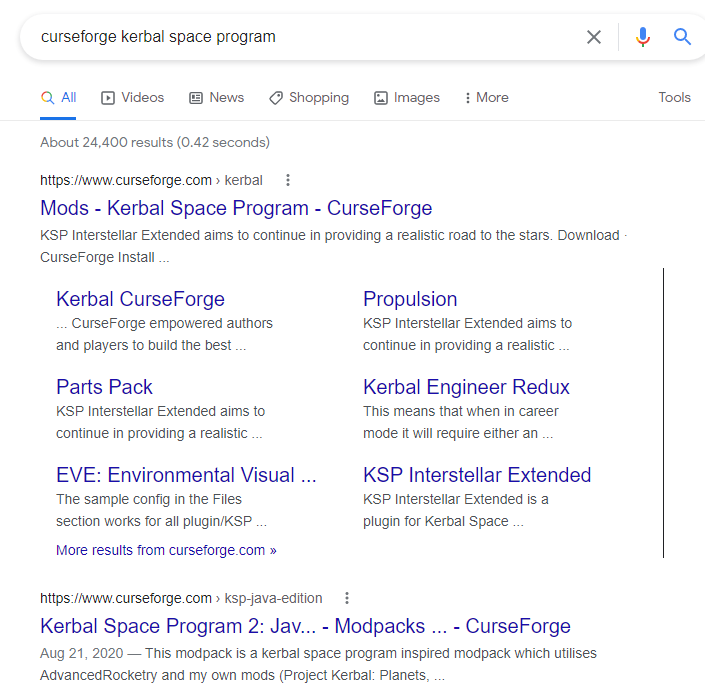
i can both see why it would be rejected, and also why that name is pretty hard to change. This could easily lead to confusion https://i.imgur.com/3B1fR9Z.png
 lyric crescent
yes, exactly
lyric crescent
no, im saying your pack name can confuse people
in general.. not with 1 2 or 3 or whatever
raw vale
well thats the only difference
between what has been and what hasn't been approved
I'll shorten Kerbal Space Program to KSP and see what happens
digital roost
I agree with Wanted, there is no official mod support for Minecraft so why should it matter for Minecraft: Dungeons?
They are both moddable
queen storm
digital roost
I agree with Wanted, there is no official mod support for Minecraft so why shoul...
Old convo, ticket has been made, they handle it from here
digital roost
Sorry
 young bone
I’m one of the two people behind the ZF Community MC Pack, how do I make it so the mods that are in the overrides folder appear in the manifest.json
queen storm
young bone
I’m one of the two people behind the ZF Community MC Pack, how do I make it so t...
Are they on curseforge?
young bone
Yes, all the mods in the pack are from Curseforge
queen storm
Is anything modified?
young bone
How so?
queen storm
As in: modified jars
 fierce ginkgo
Can someone help me with downloading curseforge because it's not working anymore. I had it before but i tried to uninstall it to put it in another file. but now when i try to download it i can't. i get the curseforge installer but when i try opening it it closes and gets removed i even tried to turn off my antivirus but the same thing happened.
queen storm
fierce ginkgo
Can someone help me with downloading curseforge because it's not working anymore...
!getcf
red patioBOT
Looking to install the CurseForge app?
<:windows:798410728188936222> Windows
Minimum Requirements:
- OS Version: 7, 8.1, 10
- 64 bit Required.
- 350MB storage space.
- Microsoft .Net 4.8
- Intel/AMD quad-core CPU
- 8GB ram
Download: https://download.overwolf.com/install/Download?&PartnerId=4047
If you are having issues with the installer use the URL below to install Overwolf then go to the app store to download CurseForge.
https://content.overwolf.com/downloads/setup/latest/regular.html
<:mac:798410654418862130> Mac
Minimum Requirements:
- OS Version 10.14 or newer.
- 64 bit Required.
Download: https://curseforge.overwolf.com/downloads/curseforge-latest.dmg
:penguin: Linux
Minimum Requirements:
Yes.
Download: :person_shrugging:
fierce ginkgo
When i try to open the file it gets deleted.
young bone
Apart from still using some older versions of some mods and having an archived version of JEI, I don’t think anything is modified
queen storm
fierce ginkgo
When i try to open the file it gets deleted.
Then use the second link
fierce ginkgo
ok
queen storm
young bone
Apart from still using some older versions of some mods and having an archived v...
What is showing up in the overrides then?
young bone
What do the overrides mean, changes made to a mod by a server?
queen storm
young bone
What do the overrides mean, changes made to a mod by a server?
The things not in the manifest
young bone
Can I post the manifest for you to look at
raw vale
 wind hatch
hey, mind if we move to DMs? 🙂
wind hatch
hey, mind if we move to DMs? 🙂
sure
queen storm
young bone
Can I post the manifest for you to look at
But what is not in the manifest then?
young bone
I’m looking at the manifest from my phones file app, it’s just a bunch of numbers to me
queen storm
young bone
I’m looking at the manifest from my phones file app, it’s just a bunch of number...
It is a bunch of numbers.
young bone
I think I may have found my answer, but I’m not home to rectify it
I don’t fully know what the numbers in the manifest mean
queen storm
young bone
I don’t fully know what the numbers in the manifest mean
ProjectID's.
References to the projects on Curseforge.
young bone
After some reading, I understand the mods in overrides are mods that are either 3rd party or were added in manually, correct?
queen storm
young bone
After some reading, I understand the mods in overrides are mods that are either ...
Or broken file checks yes
young bone
So to fix my problem, I need to add them through the Curseforge app, not manually
queen storm
To be honest: I never fully understood your problem as you never showed anything.
young bone
I don’t fully understand my problem either
This is the first modpack that I’ve ever tried publishing
queen storm
Then what makes you think you have a problem?
lyric crescent
Remove the indicated mods from your instance then reinstall them with the app. Check your export before uploading
 gentle tinsel
I have a question i cant play any mod pack its lagging every time what can i do?
 tribal cliff
I need help with the curseforge app.
queen storm
tribal cliff
I need help with the curseforge app.
Anything more specific than that?
tribal cliff
It will crash when I try to load it in.
Or just not load in at all when its completed.
 mental grove
Hi. Who is working on the WoW addons Localization page on Curseforge ?
Is there a website on which I could post a bug report (about this Curseforge Localization page) ?
I would like to know if someone is working on fixing this bug: https://curseforge-ideas.overwolf.com/ideas/CF-I-1361
 peak dune
why can't i download curseforge it always says can't connect to the servers?
queen storm
peak dune
why can't i download curseforge it always says can't connect to the servers?
!getcf
red patioBOT
Looking to install the CurseForge app?
<:windows:798410728188936222> Windows
Minimum Requirements:
- OS Version: 7, 8.1, 10
- 64 bit Required.
- 350MB storage space.
- Microsoft .Net 4.8
- Intel/AMD quad-core CPU
- 8GB ram
Download: https://download.overwolf.com/install/Download?&PartnerId=4047
If you are having issues with the installer use the URL below to install Overwolf then go to the app store to download CurseForge.
https://content.overwolf.com/downloads/setup/latest/regular.html
<:mac:798410654418862130> Mac
Minimum Requirements:
- OS Version 10.14 or newer.
- 64 bit Required.
Download: https://curseforge.overwolf.com/downloads/curseforge-latest.dmg
:penguin: Linux
Minimum Requirements:
Yes.
Download: :person_shrugging:
peak dune
yeah i am trying different url rn
queen storm
mental grove
Hi. Who is working on the WoW addons Localization page on Curseforge ?
Is there ...
Might not get fixed if it is the site
queen storm
tribal cliff
It will crash when I try to load it in.
Curseforge or minecraft?
tribal cliff
Curseforge.
queen storm
Screenshot
 queen storm
Windows or mac?
queen storm
Tried reinstalling curseforge?
tribal cliff
Okay.
peak dune
seems like i can't use anything like overwolf or forge
young bone
queen storm
Then what makes you think you have a problem?
The pack was approved, then rejected for some mods not being in manifest and one mod being archived/removed, so I came here to try and get a solution and I didn’t know what to show
 split geyser
can someone tell me whats overloading it
peak dune
how can i get microsoft net 4.8?
queen storm
peak dune
how can i get microsoft net 4.8?
Which windows version?
peak dune
queen storm
Which windows version?
7
queen storm
young bone
The pack was approved, then rejected for some mods not being in manifest and one...
Reinstall those mods using the app
queen storm
peak dune
7
Not possible, get to 10
peak dune
okay then no curseforge or anything else
queen storm
There is a legacy windows 8 version of overwolf somewhere
peak dune
windows 8 sucks
queen storm
NET Framework 4.8 is now implemented in Overwolf.
This marks the end of Overwolf support for Windows 8, in accordance with Microsoft. You may still continue using Overwolf on Windows 8 by installing a legacy (unsupported) version.
split geyser
split geyser
can someone tell me whats overloading it
can you help me with this
peak dune
is there just another way i can get mods into minecraft?
queen storm
peak dune
is there just another way i can get mods into minecraft?
Other launcher 🤷
peak dune
which launcher?
split geyser
fabric?
queen storm
No idea, I don't use windows 7
queen storm
split geyser
fabric?
That is a modloader 🤦♂️
queen storm
split geyser
can you help me with this
Install the mod "JEID"
peak dune
imma just not play with mods
tribal cliff
queen storm
Tried reinstalling curseforge?
I reinstalled it and fixed it thank you.
peak dune
goodbye
queen storm
arcaneessentials is broken, tell the dev
 burnt shard
i downloaded veinminer on my minecraft server but it isnt work and it isnt letting me do any commands with /vm it only pops up /vm then my username and thats it
pls help
 sacred wasp
Is there a way to disable chat on a forge server?
I can't find a mod anywhere for it.
queen storm
sacred wasp
Is there a way to disable chat on a forge server?
I can't find a mod anywhere fo...
But why?
 violet jackal
hi, is it possible to start a curseforge minecraft profile from command line?
 fallen loom
Why though?
queen storm
No
 copper harness
Hello i have a little problem... My Minecraft account is a Mircosoft one, some friend of mine wanted to play a skyfactory with Curseforge. So once i downloaded it, it run me the minecraft launcher but ask me to login, but then it says i don't have any Microsoft account and ask me to create one. so added a gamertag and a pfp and then it says i haven't bought the game and so i can't play, but then i understand that my email have now 2 account and I can't login to my real one, and can't play minecraft anymore... So if anyone ever had this problem and know how to fix it please help !
 wraith acorn
@copper harness how do i download it
copper harness
when i run myself minecraft launcher
 copper harness
wraith acorn
<@!330452810036674562> how do i download it
copper harness
wraith acorn
<@!330452810036674562> how do i download it
on google??
 wraith acorn
yes
copper harness
you clicked on get desktop and then you downloaded it right?
wraith acorn
ok
copper harness
copper harness
Hello i have a little problem... My Minecraft account is a Mircosoft one, some f...
if anyone can help me please
queen storm
copper harness
if anyone can help me please
Show screenshot of vanilla launcher
queen storm
wraith acorn
i get error
What error?
queen storm
How do you know it is an error then?
wraith acorn
 copper harness
queen storm
Show screenshot of vanilla launcher
copper harness
queen storm
Show screenshot of vanilla launcher
 queen storm
copper harness
queen storm
copper harness
That is without curseforge right?
queen storm
wraith acorn
What windows version?
 queen storm
copper harness
yes without curseforg
queen storm
copper harness
yes without curseforg
!mc-installfix
red patioBOT
- Click on the Minecraft Tab on the Left side of the App.
- Click button next to the
Create Custom Profileoption. - Click
Repair Installationoption. - Play game.
NOTE: You will not lose any modpacks or worlds, These are saved in the Instances folder. DO NOT TOUCH THIS FOLDER OR YOU WILL LOSE EVERYTHING
copper harness
hm?
queen storm
Follow those steps
copper harness
um ok
wraith acorn
queen storm
What windows version?
Wym
queen storm
wraith acorn
Wym
What windows version do you use?
copper harness
windows 7,8 or 10
wraith acorn
10
queen storm
wraith acorn
10
!ticket-site
red patioBOT
:bug: Reporting via Website :bug:
Can't open the app or would rather use the website? You can do so here: https://support.curseforge.com/en/support/tickets/new
Fill out the form with accurate detailed information, "It doesn't work" isn't helpful! What exactly doesn't work and why doesn't it work should be easy to answer!
Make sure to upload your Overwolf logs with the Upload File option on the ticket, information on how to get these logs can be found here https://support.overwolf.com/en/support/solutions/articles/9000176827-how-to-get-your-overwolf-logs
queen storm
copper harness
but the problem is that
Go to the main modpack page then
copper harness
oh you mean on curseforge
queen storm
Yes...
 queen storm
You try again

 queen storm
Seems a mojang issue to me
copper harness
they are different account
but with the same email
its just
idk how its even possible
queen storm
wraith acorn
can you help me
Told you to make a ticket
fallen loom
Do you have this issue with the regular Minecraft Launcher as well?
 eager atlas
anytime i try to launch a modpack it crashes
queen storm
!mc-logs
red patioBOT
Where to find the log on the CurseForge Client.
Right-click the modpack profile icon OR click the button in the modpack profile.
Click Open Folder.
Open the logs folder.
Find the file called latest.log and drag it into discord.
 winter valley
Hi, so I found out that curseforge has an API. But I was wondering if there is an endpoint for searching for projects.
fallen loom
The API isn't meant for public consumption iirc... it's not even stable
winter valley
oh ok, thank you.
 rustic shell
Ok so when I submitted a mod it requested I change the category, how do I do that
queen storm
rustic shell
Ok so when I submitted a mod it requested I change the category, how do I do tha...
Category?
queen storm
Yeah, new project
digital roost
warned for exposing a guy who created a ton of accounts to bully another guy!?!?

do you want me to make a full report about what happened?
burnt shard
i downloaded veinminer on my minecraft server but it isnt work and it isnt letting me do any commands with /vm it only pops up /vm then my username and thats it can someone help
queen storm
burnt shard
i downloaded veinminer on my minecraft server but it isnt work and it isnt letti...
Why do you need a command then?
burnt shard
the plugin isnt working
queen storm
Plugin or mod?
burnt shard
plugin but i was told to come to this server
queen storm
digital roost
warned for exposing a guy who created a ton of accounts to bully another guy!?!?
Did you click the reply thing?
queen storm
burnt shard
plugin but i was told to come to this server
By who?
burnt shard
the bukkit site
queen storm
No, means that there is a discord
digital roost
queen storm
Did you click the reply thing?
yes but this is what it shows
 queen storm
Link the plugin in #👽︱game-support, then we talk there
burnt shard
ok
queen storm
digital roost
yes but this is what it shows
Check your language btw, that was not exposing anything
digital roost
queen storm
Check your language btw, that was not exposing anything
you're just not aware of what happened
queen storm
digital roost
you're just not aware of what happened
No, I am not, no need to explain either
Report the user, write the full story down
fallen loom
Write it like an official report, not an angry response
digital roost
also I checked my language and I don't see any problem, which word are tyou refering to?
queen storm
And do it while reporting the user.
The amount of typos, the fact that nothing was related to any mod / plugin / whatever.
The fact that you are laughing at somebody?
digital roost
queen storm
And do it while reporting the user.
The amount of typos, the fact that nothing w...
dude, are you serious? me laughing at someone? the guy kept bullying someone who commented, and then I exposed him and he started being toxic, so I said that his behaviour is laughable, and now I'm the one to blame!
queen storm
digital roost
dude, are you serious? me laughing at someone? the guy kept bullying someone who...
Yeah, then report it next time and don't comment on it!
We can't do anything for you here. Report it and wait
digital roost
I reported like 10 times, and he keeps DMing me threats and stuff
ok whatever, just forget about it
I'll just not care
queen storm
digital roost
I reported like 10 times, and he keeps DMing me threats and stuff
Then gather screenshots and DM them to Gilgamesh
digital roost
ok
queen storm
But whatever you do: don't comment back to the person. Don't make it worse than it is already
 winged forge
Im trying to get some mods for darkest dungeon but they download up to 33% and then I get "Missing required disk permissions for instalation" and I cant find anything about it on internet
queen storm
winged forge
Im trying to get some mods for darkest dungeon but they download up to 33% and t...
Where is your modding folder?
winged forge
I dont think I know what you mean
queen storm
Curseforge, settings, minecraft, minecraft modding folder
winged forge
theres nothing like that its just curseforge settings darkest dungeon and game instance
queen storm
Oww, darkest dungeon. Is that one the app?
winged forge
yes
queen storm
That is program files right?
winged forge
mhm
fallen loom
That was a hummed uh huh
queen storm
Even that can be interpreted both ways
queen storm
Run with admin or install by hand, windows doesn't like if you try to change stuff in program files
winged forge
Thanks
 rustic pier
This keeps popping up can someone help?!
 queen storm
rustic pier
This keeps popping up can someone help?!
queen storm
rustic pier
This keeps popping up can someone help?!
!getcf Second link
red patioBOT
Looking to install the CurseForge app?
<:windows:798410728188936222> Windows
Minimum Requirements:
- OS Version: 7, 8.1, 10
- 64 bit Required.
- 350MB storage space.
- Microsoft .Net 4.8
- Intel/AMD quad-core CPU
- 8GB ram
Download: https://download.overwolf.com/install/Download?&PartnerId=4047
If you are having issues with the installer use the URL below to install Overwolf then go to the app store to download CurseForge.
https://content.overwolf.com/downloads/setup/latest/regular.html
<:mac:798410654418862130> Mac
Minimum Requirements:
- OS Version 10.14 or newer.
- 64 bit Required.
Download: https://curseforge.overwolf.com/downloads/curseforge-latest.dmg
:penguin: Linux
Minimum Requirements:
Yes.
Download: :person_shrugging:
rustic pier
queen storm
!getcf Second link
i need curseforge
queen storm
rustic pier
i need curseforge
Curseforge needs overwolf
 pine edge
Hello guys, today my modpack was approved, along with its first version, but it does not appear in the curseforge client. Do you know why this happens?
queen storm
pine edge
Hello guys, today my modpack was approved, along with its first version, but it ...
Link please
queen storm
!sync
red patioBOT
Sync and your Project.
CurseForge App and site do not share the same requirements! You can find things on the site but this does not mean it will be in the app!
For a mod to show up in the app:
- Projects MUST have a file marked as RELEASE or BETA
- Projects MUST be APPROVED
- Projects MUST have a file marked for the PROFILE VERSION USED
- Projects CAN'T be EXPERIMENTAL
- Projects CAN'T be ABANDON
Files can take a while to show up in the app. If your files still have not shown up either your project is new and you have yet to mark a file as Release/Beta or there is issues with the sync system making it slow.
Vote this issue up if you would like to know when the last sync was! https://curseforge-ideas.overwolf.com/ideas/CF-I-1617
queen storm
pine edge
https://www.curseforge.com/minecraft/modpacks/kingdomscraft-modpack
Where is the english?
pine edge
Oh, thanks. I must have an beta or release marked file.
pine edge
queen storm
Where is the english?
It's a modpack for a spanish community. If you want i can add an english description.
queen storm
Then why even upload it and not just share a zip?
pine edge
I want the modpack to be easily downloadable for users in my community.
digital roost
i have a weird issue. This issue is very weird because the project I created from the curseforge launcher (the one with the steve in the cave logo) works normally but the one of the curseforge website crashed instantly. How do I fix this?
 iron mist
hi, i'm tryin to open a modpack of minecraft but when i open it says code error 0
how i can solve it?
 boreal magnet
When I start CurseForge everything is lagging, and when I browse Modpacks in Minecraft it doesn't stop loading
 wary radish
I lost my world on minecraft (stoneblock 2 ) because my power went out. how can i get it back? Plz, i can't restart 😦
queen storm
wary radish
I lost my world on minecraft (stoneblock 2 ) because my power went out. how can ...
Does the folder still exist?
wary radish
queen storm
Does the folder still exist?
I don't know how but I managed to get it back. I only lost 1 hour of play... Thanks for your interest 😉
 dapper wraith
i have stardew valley installed through steam and am trying to get it to work in curseforge but it says that its either an invalid directory or unsupported game? im navigating right to the folder
opal cipher
!stardew
red patioBOT
Overwolf maintains a known list of issues here, some with solutions, others without.
https://support.curseforge.com/en/support/solutions/articles/9000196615-curseforge-known-issues
Scroll down, look at "Other games"
dapper wraith
thanks!
 proven basin
Having the same issue; haven't found a working solution yet.
split geyser
what is crashing it
proven basin
It looks like you can use the same trick that worked with the Twitch launcher: Add -version:1.8+ to your additional Java arguments.
Not sure if you could use that trick to make it run the OpenJDK version, which is what I'd really like.
split geyser
split geyser
what is crashing it
please help, ive been trying to fix this modpack for 3 hours now
signal ridge
split geyser
what is crashing it
Caused by: java.lang.OutOfMemoryError: Java heap space You need to allocate more memory to the app 6-8gb is usually enough for most packs
!mc-ram
red patioBOT
How to set Global Minecraft RAM value.
- Click the icon in the bottom left to open settings.
- Click the Minecraft tab.
- Scroll down.
- Slide slider to recommended ram range as seen below.

 polar oar
hey was wondering if my mod pack that i am putting together would be accepted for usage from my friends ?
signal ridge
are you using the curseforge app? and have you uploaded it to the site?
polar oar
yes but im not trying to become a creator
signal ridge
ok?
polar oar
its GU modpack
signal ridge
So what exactly are you asking for then?
polar oar
can i share it on there just as a private modpack or does it have to be public
and do i need to get permission form the original mod creator
from
signal ridge
this a mod or modpack? they arent the same thing
split geyser
how do you make a modpack that you made on the curseforge client
like
an already existing one
signal ridge
ok, then you can either export the pack with the cf app and send the zip to your friends from them to import in their cf apps. OR you can upload it to the site and then anyone can download it (once approved)
signal ridge
on the site?
polar oar
yes
signal ridge
!status
red patioBOT
It is 12:18AM on Tuesday for CurseForge my dudes.
Project Moderation Time
Project/File moderation is done on;
Sunday, Monday, Tuesday, Wednesday, Thursday: 10AM - 6PM GMT+2
Friday, Saturday: No Moderation!
This process is First in, First out. Thus files submitted late in the work day may not be checked until the next work day.
New Projects or uploads requiring manual approval: 1-3 Working Days
Updates to approved projects not needing manual approval: 1 Hour
File sync to the Curseforge app may take up to 24 hours after approval.
polar oar
ok thank you 🙂
 smoky monolith
selam bne adal
smoky monolith
kardeş türkçe yazmak yasakmı
signal ridge
English only, use Google Translate
smoky monolith
no trastale bozuk
signal ridge
Google Translate works, otherwise we have no idea what your saying / cant help you. Please follow the #📛︱rules
 wise helm
how do i login with reauth login with microsoft acc and not mojang on curseforge im tryna play a server on curseforge
signal ridge
Just remove the mod, seems to be broken atm
wise helm
okay
signal ridge
Remove and report it to the mod author
 sick tendon
can you use controller on cuseforge?
signal ridge
sure?
sick tendon
is it through steam or mod?
signal ridge
What are you playing?
sick tendon
all the mods 6 minecraft modpack
signal ridge
then would need to find a mod that has controller support for that version of minecraft
sick tendon
ok thanks
signal ridge
then just add it to the pack.
split geyser
how do you get the minecraft rank
 tight linden
Hey, I've been having this issue for the past hour or so now, it's new and hasn't been an issue ever before but every time I try to launch a modpack through curse it downloads incredibly slow and then just gets stuck on Preparing and never launches
I've tried repairing minecraft but it doesn't work, I've also checked the vanilla version of minecraft (not the one through the curse launcher, as that doesn't work either, I just get an error that says "Something went terribly wrong"
I have checked the base launcher with forge and all of the mods and it runs fine, so it seems to be a curse issue.
sick tendon
do you got a good amount of ram?
tight linden
yeah
like I said the game ran fine before today
signal ridge
tight linden
Hey, I've been having this issue for the past hour or so now, it's new and hasn'...
!mc-installfix try this then reboot your pc as soon as its done
red patioBOT
- Click on the Minecraft Tab on the Left side of the App.
- Click button next to the
Create Custom Profileoption. - Click
Repair Installationoption. - Play game.
NOTE: You will not lose any modpacks or worlds, These are saved in the Instances folder. DO NOT TOUCH THIS FOLDER OR YOU WILL LOSE EVERYTHING
tight linden
I tried that
it didn't work
I have also restarted my pc multiple times
signal ridge
Right after doing the install fix?
signal ridge
In your app click > Minecraft tab > Take a screen shot of your current Modded Minecraft Folder the app is using
tight linden
like this?
 signal ridge
yep, should be fine
tight linden
I'll try repairing and then restarting my computer without doing anything else and see if that does anything
signal ridge
ok
signal ridge
?
 rain knot
my curse forge is lagging
signal ridge
Care to explain? The client itself? a game your playing? the site?
rain knot
its app, while I'm assembling my modpack, it starts to crash
signal ridge
When was the last time you restarted your pc?
rain knot
man, it didn't start today, it's been like this for a while, i restarted my pc today
and it's not just me, my friends complain about it too
signal ridge
Your drives close to full?
signal ridge
win or mac?
signal ridge
Does overwolf open alright?
rain knot
yea
yeas
when I click on some INSTALL mod, it crashes moments later, not always but often
tight linden
tight linden
I'll try repairing and then restarting my computer without doing anything else a...
Same issue
 signal ridge
rain knot
yeas
signal ridge
rain knot
yeas
Are you able to open your app still?
signal ridge
rain knot
yeas bro, i'm using now
Click the and in the bottom left corner what is the version number of your app? v.x.xxx.x.x
 red patioBOT
Issue Reporting with Overwolf tickets!
Issues can be reported two ways!
Via the website, or in app. Instructions for both are below!
Make sure to include logs when reporting a problem!
Upload your Overwolf logs with the Upload File option on the ticket, information on how to get these logs can be found here https://support.overwolf.com/en/support/solutions/articles/9000176827-how-to-get-your-overwolf-logs
:bug: Reporting via Website :bug:
Can't open the app or would rather use the website? You can do so here: https://support.curseforge.com/en/support/tickets/new
Fill out the form with accurate detailed information, "It doesn't work" isn't helpful! What exactly doesn't work and why doesn't it work should be easy to answer!
:question: Ticket Status :question:
Tickets you have made can be looked at, replied to and closed if you make/login to an account. If you submit a ticket with a specific Email make sure to use that when you make your account so you can see your past tickets!
https://support.curseforge.com/en/support/tickets
Otherwise you will only get email replies at the email you used to open the ticket.
:bug: Reporting via the CurseForge App :bug:
- Click the
 icon in the bottom left.
 - Select

Open a Ticket. - Fill out the form with accurate detailed information, "It doesn't work" isn't helpful! What exactly doesn't work and why doesn't it work should be easy to answer!!
- Upload your Overwolf logs with the
Upload Filesection. (see the top of this message for details) - Submit!
tight linden
tight linden
Same issue
ok I left it for a while and now it's moved to finalising
 signal ridge
tight linden
ok I left it for a while and now it's moved to finalising
signal ridge
tight linden
ok I left it for a while and now it's moved to finalising
Do other packs do this aswell? Also how much memory do you have allocated to the app?
tight linden
All the other packs do this, including the small ones, and I have around 4gigs allocated
signal ridge
How much does your pc have total?
tight linden
8
but again, this was working just fine this morning, so I don't know what happened
signal ridge
hmmm
Could try bumping up the memory no more then 6gb tho. Otherwise visit any sketchy sites?
 past fog
how do you make your mod pack public
signal ridge
past fog
how do you make your mod pack public
!mc-packshare
red patioBOT
There are two ways to share a modpack you've made with others...
Export and Share - For Friends to Small Groups.
- Click the Icon for the modpack.
- Click the button next to play.
- Click

Export. - Select the files that should be included.
- Send the zip to the people that want it! They can follow the instructions in
!mc-installpackto install the pack!
Upload to Curseforge - For Public Release to Everyone.
This options will make your pack public to EVERYONE, it comes with extra requirements and will take some effort to set up.
- Go to here: https://www.curseforge.com/project/432/4471/create
- Fill out the information with a proper description of the pack. This should allow anyone to understand what the pack is.
- Click the Icon for the modpack in the CurseForge app.
- Click the button next to play.
- Click
Export. - Select the files that should be included.
- Open your Project you made on the CurseForge site and Upload the file you just made.
- Wait for Moderation & Sync so it can show up in the client! (See
!syncfor limitations)
tight linden
Ok it seems to have now opened but it took around 20 minutes
I'll try bumping up the ram anyway, and I haven't been anywhere I don't normally go over the past hours since morning
just discord, spotify and twitter
signal ridge
ok. see if the ram makes any difference. Otherwise try closing or stopping any other apps running other then mc.
tight linden
I tried that earlier too, I closed discord and firefox, it didn't make a difference
signal ridge
Can only think of 3 possibilities at this point:
1: virus slowing down your pc
2: Storage is getting full
3: Something else is eating at minecraft performance.
tight linden
the ssd that curse is getting mc from has plenty of space

 lyric folio
What mod is the left display from?
 tight linden
Ok it seems to have now opened but it took around 20 minutes
I'll try bumping up...
tight linden
tight linden
Ok it seems to have now opened but it took around 20 minutes
I'll try bumping up...
I'm trying to open another pack now, this one is a lot smaller and runs fabric not forge, also on 1.17
they seem to be
doing something but it takes ages to launch
it might be a one time thing or permanent I'm not sure yet, I'll try relaunching when this does eventually launch to see if anything changes
 silk whale
curseforge being extra stupid today, not wanting to export packs
 dapper fog
Forge Forums
ok so i created a moded server with 77 mods when a i play it in single player the pack works but when i try to boot up my server with the same mods it keeps crashing. heres the crash report i keep getting: Spoiler ---- Minecraft Crash Report ---- WARNING: coremods are present: CharmLoadingPlugin ...
can someone help pwease 🥺
red patioBOT
The question you are asking about isn't related to CurseForge. Please use the appropriate game rooms by getting the role from #786424115535544350 or use #👽︱game-support for help.
This room is only for CurseForge Owned & Maintained features/services.
fleet bear
silk whale
curseforge being extra stupid today, not wanting to export packs
Explain
signal ridge
!notcf
red patioBOT
The question you are asking about isn't related to CurseForge. Please use the appropriate game rooms by getting the role from #786424115535544350 or use #👽︱game-support for help.
This room is only for CurseForge Owned & Maintained features/services.
 verbal helm
trying to export a modpack to upload, but it keeps getting rejected bc of mods that "arent hosted by curseforge", even though that's how i got all the mods

said mods ^
all of which are available on Curseforge
slim thunder
verbal helm
trying to export a modpack to upload, but it keeps getting rejected bc of mods t...
reinstall the mods it says aren't on curseforge using the app
 hallow walrus
Whenever I export a profile out of curseforges app and then look at the new file it doesn’t have the amount of the mods that the profile I exported did
Also
How long does it usually take for moderators to review your modpack
signal ridge
hallow walrus
How long does it usually take for moderators to review your modpack
!status
red patioBOT
It is 05:11AM on Tuesday for CurseForge my dudes.
Project Moderation Time
Project/File moderation is done on;
Sunday, Monday, Tuesday, Wednesday, Thursday: 10AM - 6PM GMT+2
Friday, Saturday: No Moderation!
This process is First in, First out. Thus files submitted late in the work day may not be checked until the next work day.
New Projects or uploads requiring manual approval: 1-3 Working Days
Updates to approved projects not needing manual approval: 1 Hour
File sync to the Curseforge app may take up to 24 hours after approval.
hallow walrus
Thanks but does anyone know the answer to my other question
 amber flare
cr is broken for me :/
 pine gazelle
i recently developed a modpack using the curseforge app created a custom profiles added mods used kubejs for custom recipes and changed some config files.
once i was done wit the pack i exported all the things out and it came as a winrar. file and i went onto the curse website and created a project and uploaded the winrar. file in files.
when i go to download it i just get the winrar. file and i am confused on how i get the export file to be in my curseforge minecraft modpacks library and ready to play would someone be bale to help me?
 green spear
Hi
pine gazelle
xd
green spear
I am his test subject so please make it work
signal ridge
pine gazelle
i recently developed a modpack using the curseforge app created a custom profile...
When you export your pack it creates a zip file that contains configs and what not. However the mods get put into a manifest file which the app then uses to install the mods needed for the pack. So for others to use your pack they will need to use the curseforge app to either download it via the modpack search OR using the import feature
pine gazelle
signal ridge
When you export your pack it creates a zip file that contains configs and what n...
its on the search feature
signal ridge
Use the app to install your modpack
pine gazelle
when i search the name in browse modpacks it has no results
signal ridge
Link the project from the site
pine gazelle
how
amber flare
.
 signal ridge
pine gazelle
how
signal ridge
pine gazelle
how
Go to your project on the site > Copy the url and paste it here
pine gazelle
in the search for modpackls
signal ridge
Whats your pack called?
pine gazelle
Mekanistic
pine gazelle
pine gazelle
Mekanistic
red patioBOT
Sync and your Project.
CurseForge App and site do not share the same requirements! You can find things on the site but this does not mean it will be in the app!
For a mod to show up in the app:
- Projects MUST have a file marked as RELEASE or BETA
- Projects MUST be APPROVED
- Projects MUST have a file marked for the PROFILE VERSION USED
- Projects CAN'T be EXPERIMENTAL
- Projects CAN'T be ABANDON
Files can take a while to show up in the app. If your files still have not shown up either your project is new and you have yet to mark a file as Release/Beta or there is issues with the sync system making it slow.
Vote this issue up if you would like to know when the last sync was! https://curseforge-ideas.overwolf.com/ideas/CF-I-1617
signal ridge
!sync
red patioBOT
Sync and your Project.
CurseForge App and site do not share the same requirements! You can find things on the site but this does not mean it will be in the app!
For a mod to show up in the app:
- Projects MUST have a file marked as RELEASE or BETA
- Projects MUST be APPROVED
- Projects MUST have a file marked for the PROFILE VERSION USED
- Projects CAN'T be EXPERIMENTAL
- Projects CAN'T be ABANDON
Files can take a while to show up in the app. If your files still have not shown up either your project is new and you have yet to mark a file as Release/Beta or there is issues with the sync system making it slow.
Vote this issue up if you would like to know when the last sync was! https://curseforge-ideas.overwolf.com/ideas/CF-I-1617
pine gazelle
!sync
signal ridge
Your file is an alpha, change it to Release. Need atleast 1 file marked as R for it to sync
pine gazelle
how do i change it and what do you mean need atleast 1 file marked as "R"
signal ridge
Click on the file name then click the edit button
pine gazelle
yes
signal ridge
Then change the release type and save
pine gazelle
i dont see release type is it in the general area
signal ridge
Click Files > Click on the name of your file > Click edit
signal ridge
once its set to release will take some time to sync then should be good
amber flare
wonder what is causing this
 signal ridge
win or mac?
amber flare
mac
signal ridge
completely close the app and relaunch it
amber flare
everyone tells me to turn of private relay i don't have icloud+
signal ridge
?
amber flare
still not workin
signal ridge
Did it work before?
signal ridge
!getcf reinstall the app
red patioBOT
Looking to install the CurseForge app?
<:windows:798410728188936222> Windows
Minimum Requirements:
- OS Version: 7, 8.1, 10
- 64 bit Required.
- 350MB storage space.
- Microsoft .Net 4.8
- Intel/AMD quad-core CPU
- 8GB ram
Download: https://download.overwolf.com/install/Download?&PartnerId=4047
If you are having issues with the installer use the URL below to install Overwolf then go to the app store to download CurseForge.
https://content.overwolf.com/downloads/setup/latest/regular.html
<:mac:798410654418862130> Mac
Minimum Requirements:
- OS Version 10.14 or newer.
- 64 bit Required.
Download: https://curseforge.overwolf.com/downloads/curseforge-latest.dmg
:penguin: Linux
Minimum Requirements:
Yes.
Download: :person_shrugging:
amber flare
is it because i am not logged in to curseforge?
signal ridge
You dont log into the cf app. for minecraft you log into the launcher that opens when you play a pack
amber flare
yeah not workin
signal ridge
you uninstalled then reinstalled using the link from the bot?
amber flare
yeahhhh
 fresh pelican
Hi everyone. My Friend installed this R.A.D. modpack thanks to your app. We have a question. How could we play together? how costly it is? is there any free alternative? Thanks fo your answer in advance.
queen storm
fresh pelican
Hi everyone. My Friend installed this R.A.D. modpack thanks to your app. We have...
!notcf
red patioBOT
The question you are asking about isn't related to CurseForge. Please use the appropriate game rooms by getting the role from #786424115535544350 or use #👽︱game-support for help.
This room is only for CurseForge Owned & Maintained features/services.
fresh pelican
Oh, I'm rly sorry
queen storm
Do you get errors?
 jaunty lichen
queen storm
Do you get errors?
jaunty lichen
queen storm
Do you get errors?
Yes
queen storm
jaunty lichen
Yes
Which are?
jaunty lichen
queen storm
Which are?
Cannot install profile into launcher_profiles.json
queen storm
jaunty lichen
Cannot install profile into launcher_profiles.json
That is not an error
Screenshot please
jaunty lichen
 queen storm
Got minecraft open when you try that?
jaunty lichen
queen storm
Got minecraft open when you try that?
No
queen storm
Restart your pc, try again
queen storm
!mc-installfix
red patioBOT
- Click on the Minecraft Tab on the Left side of the App.
- Click button next to the
Create Custom Profileoption. - Click
Repair Installationoption. - Play game.
NOTE: You will not lose any modpacks or worlds, These are saved in the Instances folder. DO NOT TOUCH THIS FOLDER OR YOU WILL LOSE EVERYTHING
 lost drift
hey i have a problem when i download the app it just removes itself from my files ?
queen storm
lost drift
hey i have a problem when i download the app it just removes itself from my file...
!getcf Try the second link
red patioBOT
Looking to install the CurseForge app?
<:windows:798410728188936222> Windows
Minimum Requirements:
- OS Version: 7, 8.1, 10
- 64 bit Required.
- 350MB storage space.
- Microsoft .Net 4.8
- Intel/AMD quad-core CPU
- 8GB ram
Download: https://download.overwolf.com/install/Download?&PartnerId=4047
If you are having issues with the installer use the URL below to install Overwolf then go to the app store to download CurseForge.
https://content.overwolf.com/downloads/setup/latest/regular.html
<:mac:798410654418862130> Mac
Minimum Requirements:
- OS Version 10.14 or newer.
- 64 bit Required.
Download: https://curseforge.overwolf.com/downloads/curseforge-latest.dmg
:penguin: Linux
Minimum Requirements:
Yes.
Download: :person_shrugging:
lost drift
queen storm
!getcf Try the second link
no im on windows
queen storm
lost drift
no im on windows
Second link, third is mac
lost drift
queen storm
Second link, third is mac
ooo sorry didnt see that one
jaunty lichen
My thing is still not working
queen storm
jaunty lichen
My thing is still not working
What message did you get?
jaunty lichen
I don’t know what it’s called
queen storm
Just show a screenshot 🤦♂️
jaunty lichen
 queen storm
The one for the fixing
queen storm
Click the 3 dots, start vanilla
queen storm
Are you logged in as jackbadder?
jaunty lichen
Yes that is me
queen storm
Then you need to check the permissions for that folder, but that path is questionable regardless
queen storm
!mc-path
red patioBOT
**Minecraft Files should NOT be installed inside the following locations
.minecraft folder.
OneDrive folders.
Desktop folder.
Drive roots I.E. Directly into the C:\ drive.
iCloud enabled folders.
If any of the above are in the path you need to change/move it by following the instructions below!**
If Minecraft is not installed in CurseForge App, start here.
Click the in the top left.
Select Minecraft.
Click "Edit".
Move to the "Continue here:" section below.
If Minecraft is installed in CurseForge App, follow these steps.
Click the in the bottom left.
Select the Minecraft tab.
Click "Change".
Move to the "Continue here:" section below.
Continue here:
Make a folder in the root directory called CurseForge.
Select the folder you just made.
The text box should show something like the following:
For Windows: C:\CurseForge
For Mac: /Users/Shared/CurseForge
 sonic storm
Um when I export a file it does not have the mods in it
fleet bear
sonic storm
Um when I export a file it does not have the mods in it
that's the way it should be
sonic storm
So when I put it into the a project when I install it it should have the mods in it
jaunty lichen
queen storm
!mc-path
Where do I make the new file in
queen storm
jaunty lichen
Where do I make the new file in
For Mac: /Users/Shared/CurseForge
Read the message next time please
jaunty lichen
I did read it but I still don’t understand why you made the cursefoge file
I don’t have a root directory
queen storm
It is / for you
jaunty lichen
What
jaunty lichen
Where do I make it
queen storm
It is a place already...
 pastel python
my friend has been very fusterated about it since its not working and he wont be able to play
 queen storm
Get your friend in here
digital roost
Im the one having the problem
queen storm
!mc-logs
red patioBOT
Where to find the log on the CurseForge Client.
Right-click the modpack profile icon OR click the button in the modpack profile.
Click Open Folder.
Open the logs folder.
Find the file called latest.log and drag it into discord.
pastel python
whats that?
queen storm
The thing your friend needs to do.
Do keep in mind that I won't talk through somebody else for this.
pastel python
alright np
queen storm
pandoras_creatures broke with iceandfire
digital roost
what you mean??
queen storm
Those mods don't work together
pastel python
how do we fix it?
queen storm
Custom modpack or downloaded?
digital roost
downloaded
queen storm
Then you ask the one who made it
 subtle iris
how delete this mod?
 queen storm
subtle iris
how delete this mod?
queen storm
subtle iris
how delete this mod?
Go into the folder and remove from there, then restart curseforge, will forward this to staff
 misty imp
I don't know why this happens, but often after updating mods via curseforge in the mods folder I have files, mods from before the update, which should be replaced with newer versions.
newer versions are in the mods folder, but old ones also stay there

 gusty aspen
subtle iris
how delete this mod?
gusty aspen
subtle iris
how delete this mod?
hey! mind sending me a dm? I want to know how that happened
 runic elbow
Why does this happen when I try to run any modpacks

 narrow minnow
runic elbow
Why does this happen when I try to run any modpacks
narrow minnow
runic elbow
Why does this happen when I try to run any modpacks
It might indicate you have a virus
Can you try to find this file on your machine:
c:\windows\system32\cmd.exe
 fickle olive
So i want to run Optifine on a modpack, where do i place the Optifine file?
viral briar
Mods folder
narrow minnow
?mc-optifine
red patioBOT
Optifine and Curseforge
To install Optifine with modpacks on Curseforge:
Right click the modpack icon, select Open Folder.
Put the Optifine.jar into the mods folder.
Now load the modpack normally.
We do not offer support for Optifine. If you have issues with Optifine, remove it. If you want further support try the discord found on their website.
https://www.optifine.net/home
fickle olive
aight cool
 celest anchor
Hello can somebody help me, I made a modpack and tried to upload it to curseforge (the modpack is working and everything) but it was first approved than rejected. It said that the manifest.json file was invalid and I tried everything, and I couldn't make it to work. I tried it in a json validator and it said it is a valid json file so I just dont know what to do.
queen storm
How did you export it?
celest anchor
i exported it from curseforge, i simple clicked on export profile
queen storm
Can you show the rejection message?
celest anchor
i dont know where to find it but it said invalid manifest.json file
queen storm
celest anchor
i dont know where to find it but it said invalid manifest.json file
Curseforge site, notifications at the top right
celest anchor
The status of the file Dcraft (:Donatcraft) has been changed to Rejected
Notes:
Invalid manifest.json file:
References invalid fileIDs: fileID: 3261918, projectID 455933 (project-455933).
If you have any questions please contact our support team
lyric crescent
Remove that project from your instance then export again. Seems like it was called OreSpawn.
celest anchor
so remove orespawn?
queen storm
Yes
celest anchor
ok thanks
runic elbow
narrow minnow
c:\windows\system32\cmd.exe
What do I do after that?

 shadow wind
Opens command prompt
Look for a command to run in cmd prompt that gives you a scan of your pc
narrow minnow
runic elbow
What do I do after that?
Does it look like the image i sent?
 ornate elk
Hey can someone help?? I download few mod, fabrick launche and If I run minecraft (with fabrick) it run only 1 mod (I got 30 mod downloadet) please help
lyric crescent
Are you using the curseforge app?
ornate elk
I thing yes
lyric crescent
screenshot it

 lyric crescent
no
ornate elk
ammm
lyric crescent
!notcf
red patioBOT
The question you are asking about isn't related to CurseForge. Please use the appropriate game rooms by getting the role from #786424115535544350 or use #👽︱game-support for help.
This room is only for CurseForge Owned & Maintained features/services.
ornate elk
oh sorry
 vernal basin
Hi there, any way to change Java path in curseforge by editing a json file or something ? there's no setting about this in the  Profile Options
lyric crescent
no. you can use java arguments to set minecraft to use your system default java if you want
vernal basin
No i want to use another java with curseforge
lyric crescent
you cant
vernal basin
bruh
lyric crescent
bruh
vernal basin

runic elbow
narrow minnow
Does it look like the image i sent?
Yeah cmd
I run it and command prompt opens
ornate elk
ornate elk
Hey can someone help?? I download few mod, fabrick launche and If I run minecraf...
I downloaded the application and created my mod pack where I added the modes I downloaded and I have the same problem
lyric crescent
show the problem
ornate elk
 digital roost
Whats this
 lyric crescent
digital roost
Whats this
lyric crescent
digital roost
Whats this
!notcf
red patioBOT
The question you are asking about isn't related to CurseForge. Please use the appropriate game rooms by getting the role from #786424115535544350 or use #👽︱game-support for help.
This room is only for CurseForge Owned & Maintained features/services.
lyric crescent
ornate elk
Looks like mods are there, what is the issue
ornate elk
game crash
 lyric crescent
?mc-log
red patioBOT
Where to find the log on the CurseForge Client.
Right-click the modpack profile icon OR click the button in the modpack profile.
Click Open Folder.
Open the logs folder.
Find the file called latest.log and drag it into discord.
ornate elk
lyric crescent
seems like you just picked random things without checking if they actually worked or not. delete all the mods, then use the curseforge app to add them so you get correct versions
ornate elk
kk
hallow walrus
The status of the file A New Adventure 2.0 (A new Advenure) has been changed to Rejected
Notes:
The following files belong to CurseForge-hosted projects, and should therefore not be added directly to zip files
How do i in fix this
queen storm
How did you install the mods?
queen storm
Use the app instead
hallow walrus
Why
queen storm
Because of the way the app handles things
lyric crescent
app doesnt like manually installed mods
ornate elk
Ok I deleted all the mods and I download new from that app and it still crushing
queen storm
!mc-logs
red patioBOT
Where to find the log on the CurseForge Client.
Right-click the modpack profile icon OR click the button in the modpack profile.
Click Open Folder.
Open the logs folder.
Find the file called latest.log and drag it into discord.
queen storm
Can't read fabric logs sadly
ornate elk
so what I can do?
lyric crescent
read the log, fix the issues it states
adding 240+ mods in one go is probably not a great idea
ornate elk
😅
 lyric crescent
😅 [15:54:46] [main/INFO]: [FabricLoader] Loading 240 mods:
ornate elk
so how manny is good idea
lyric crescent
5-10, check if it crashes, then repeat. fix issues as you go
ornate elk
ornate elk
Why can't I turn off some of those modes ??

now I turn all that modes on and start minecraft after that it just run vanila minecraft
 distant obsidian
does anyone know how i can get past an error i keep getting? it has to do with OneDrive
lyric crescent
just remove the mods?
queen storm
distant obsidian
does anyone know how i can get past an error i keep getting? it has to do with O...
!mc-path
red patioBOT
**Minecraft Files should NOT be installed inside the following locations
.minecraft folder.
OneDrive folders.
Desktop folder.
Drive roots I.E. Directly into the C:\ drive.
iCloud enabled folders.
If any of the above are in the path you need to change/move it by following the instructions below!**
If Minecraft is not installed in CurseForge App, start here.
Click the in the top left.
Select Minecraft.
Click "Edit".
Move to the "Continue here:" section below.
If Minecraft is installed in CurseForge App, follow these steps.
Click the in the bottom left.
Select the Minecraft tab.
Click "Change".
Move to the "Continue here:" section below.
Continue here:
Make a folder in the root directory called CurseForge.
Select the folder you just made.
The text box should show something like the following:
For Windows: C:\CurseForge
For Mac: /Users/Shared/CurseForge
distant obsidian
"Modding Folder Cannot Be Set on OneDrive"
queen storm
That is why you follow above instructions to put it somewhere else
distant obsidian
i tried. i even tried to make a new folder on my desktop but that didnt work either
ornate elk
ok done
distant obsidian
now i get an error for an Access Violation, even though I am the only user on my computer
queen storm
Where did you put it?
hallow walrus
Hey can someone explain how when I export a profile and then look at the new exported profile it seems to have less mods than the profile I exported, are the mods hiding or something?
queen storm
hallow walrus
Hey can someone explain how when I export a profile and then look at the new exp...
You opening the zip?
distant obsidian
C:/CurseForge
queen storm
distant obsidian
C:/CurseForge
Does the folder exist?
hallow walrus
If you mean when I export it I get a zip file and open it yes
distant obsidian
yes
queen storm
hallow walrus
If you mean when I export it I get a zip file and open it yes
That is normal
queen storm
distant obsidian
yes
Restart pc, try again
hallow walrus
So the other mods are just hiding?
queen storm
hallow walrus
So the other mods are just hiding?
They are in the manifest.json
lyric crescent
hallow walrus
Hey can someone explain how when I export a profile and then look at the new exp...
if you exported correctly there should be no mods inside the zip, they all go into the manifest
distant obsidian
ok, so i restarted my pc but it still gives the Access Violation error
queen storm
Can you screenshot the error?
distant obsidian
 queen storm
And why is that pointing to program files?
distant obsidian
thats where i made the folder. im assuming i put the folder in the wrong place
queen storm
distant obsidian
thats where i made the folder. im assuming i put the folder in the wrong place
Yes, because you said you put it in C:\CurseForge
 acoustic sky
why delete?
queen storm
acoustic sky
why delete?
You did not add anything usefull
lyric crescent
delete cuz wrong
acoustic sky
lyric crescent
delete cuz wrong
Shouldn't you just change the mod installation location?
lyric crescent
which is exactly what they were told to do
queen storm
And have been working on for a couple minutes already
acoustic sky
lyric crescent
which is exactly what they were told to do
That is what I said
lyric crescent
its not what you said
acoustic sky
lyric crescent
its not what you said
bruh
lyric crescent
perhaps you should go read the instructions as well
distant obsidian
ok i fixed it. sorry, im completely new to modding
queen storm
Just change the location to minecraft mods
That is what you said, it is wrong, that is not where curseforge should be pointing.
If you continue to go against us you will be removed
acoustic sky
queen storm
> Just change the location to minecraft mods
That is what you said, it is wrong,...
Oh i thought he was having trouble installing mods?
sorry about that
distant obsidian
i was not trying to go against anything. i was just trying to figure out why it wasnt working
acoustic sky
distant obsidian
i was not trying to go against anything. i was just trying to figure out why it ...
To install mods?\
lyric crescent
distant obsidian
i was not trying to go against anything. i was just trying to figure out why it ...
...tim was not talking to you
acoustic sky
distant obsidian
i was not trying to go against anything. i was just trying to figure out why it ...
It simply wasn't working because your mod installation folder was not where the mods had to go
lemme show
queen storm
acoustic sky
It simply wasn't working because your mod installation folder was not where the ...
It is fixed already 🤦♂️
acoustic sky
queen storm
It is fixed already 🤦♂️
Oh good
acoustic sky
queen storm
If you can't keep up then please don't try to help
Thanks?
digital roost
Is this the best place to ask about a specific type of mod on the curseforge app?
queen storm
digital roost
Is this the best place to ask about a specific type of mod on the curseforge app...
digital roost
thank you
 jaunty token
i cant instal the ftb retro for 1.2.5 can someone help??? i played the pack some years ago but now it doesnt work anymore
lyric crescent
!mc-ftb
red patioBOT
We do not provide support for FTB Modpacks or the FTB App.
If you are looking to play FTB modpacks use the FTB launcher.
https://www.feed-the-beast.com/
Any Overwolf FTB launcher issues you have should be directed here:
https://github.com/FTBTeam/FTB-App-Overwolf/issues
digital roost
Why can't I find the app after installing it?
 echo osprey
I can't install mod from curseforge when I try to install it, I enter an account, but it's not working, help me
 opaque wyvern
digital roost
Why can't I find the app after installing it?
opaque wyvern
digital roost
Why can't I find the app after installing it?
looks in versions
opaque wyvern
echo osprey
I can't install mod from curseforge when I try to install it, I enter an account...
screenshot?
echo osprey
ok
When I press play it closes my minecraft account and when I log in the mod does not install
 opaque wyvern
echo osprey
When I press play it closes my minecraft account and when I log in the mod does ...
opaque wyvern
echo osprey
When I press play it closes my minecraft account and when I log in the mod does ...
try to log in
lyric crescent
curseforge does not use the same launcher as vanilla, you need to log in to that launcher to play
echo osprey
opaque wyvern
try to log in
I'm logging in but the mod is not installed
opaque wyvern
lyric crescent
curseforge does not use the same launcher as vanilla, you need to log in to that...
oh
dang i feel dumb now
yeah well listen to yamza lol
echo osprey
opaque wyvern
dang i feel dumb now
ok
digital roost
opaque wyvern
looks in versions
What?
 long robin
Hey, since yesterday my Curse wont load correctly. Didnt change something to my System. Its the DesktopApp for Win 10. Last Hour i reinstalled the App buit same thing. Any Idea?
 digital roost
opaque wyvern
just look in the start menu
digital roost
opaque wyvern
just look in the start menu
It doesn't show up there for some reason
echo osprey
lyric crescent
curseforge does not use the same launcher as vanilla, you need to log in to that...
can you tell me how to fix the problem
lyric crescent
log in
opaque wyvern
digital roost
It doesn't show up there for some reason
strange
echo osprey
lyric crescent
log in
ok
opaque wyvern
maybe in the apps list in settings
echo osprey
lyric crescent
log in
thank you
 polar coral
how can i locate stardew valley in curseforge app ?
lyric crescent
!stardew
red patioBOT
Overwolf maintains a known list of issues here, some with solutions, others without.
https://support.curseforge.com/en/support/solutions/articles/9000196615-curseforge-known-issues
Scroll down, look at "Other games"
hallow walrus
How do I fix this: The status of the file A New Adventure 2.0 (A new Advenure) has been changed to Rejected
Notes:
The following files belong to CurseForge-hosted projects, and should therefore not be added directly to zip files
So what do I do if it can’t be a zip file
lyric crescent
its saying you have mods in the zip that should be in the manifest. remove the mods from your profile, reinstall them with the app, then export again and check your zip before uploading.
we need a command for this..
viral briar
Does seem to be happening more often of recent so probably wouldn’t be a bad thing to have a command for it
 merry lodge
my friend and i r creating a modpack for our server and wen she goes to create a custom profile it says "a java exception has occured"
it does as she is doing it through curseforge
lyric crescent
nvm, get them here to show the error
digital roost
hey guys when i host a server on pterodactyl what egg dose it require? thanks 🙂
lyric crescent
!notcf
red patioBOT
The question you are asking about isn't related to CurseForge. Please use the appropriate game rooms by getting the role from #786424115535544350 or use #👽︱game-support for help.
This room is only for CurseForge Owned & Maintained features/services.
lyric crescent
in no way is that about curseforge
lyric crescent
still has nothing to do with curseforge
digital roost
there i sent it in #👽︱game-support
 sage flower
Help i can't even download curseforge
nvm
solved it
but I might need help for a mod issue after that
 shy yoke
Every time i start my game with a curseforge modpack it crashes (exit code: 0)
Does anyone know how to fix that?
lyric crescent
?mc-log
red patioBOT
Where to find the log on the CurseForge Client.
Right-click the modpack profile icon OR click the button in the modpack profile.
Click Open Folder.
Open the logs folder.
Find the file called latest.log and drag it into discord.
sage flower
I dunno but it happens to me when I try launching The big 6 mod
 analog ingot
Hi! Starting yesterday I have been receiving the following error when trying to launch any modded Minecraft. I read several forums to find an answer. That gave me the idea to uninstall curseforge, wipe everything, like cache and browser history (probably not necessary), I made sure the curseforge app and any extra copies of curseforge were off my system. I then went back, reinstalled a fresh copy of curseforge, re-downloaded the mod: Sky Bees, and launched it. It worked! I was excited! Then, today, well... got the same error message. I do have a new Mac with the M1 and I understand that this might be where the problem is. BUT, Sky Bees was working totally fine up until yesterday morning. I had been playing for several days and no issues launching it. I haven't made any changes or updates to my computer that would have suddenly caused the error launching into modded minecraft. I'm about to wipe my computer clean again and reinstall everything all over. Of course, this is not an ideal situation if I just want to sit down and play modded minecraft for an hour or so. Any ideas? I'm certainly not saying that the problem is on the curseforge end. I did find it interesting that a clean install led to a single successful launch of the game. Can anyone point me in a direction that might solve my issue?

 fallow field
HI! I was just wondering if it is possible to add my own add on somehow?
lyric crescent
analog ingot
Hi! Starting yesterday I have been receiving the following error when trying to...
This is indeed an issue with M1 macs and there is no fix for it.
analog ingot
So, any idea on why it worked for a few days and then again after a fresh install? I'm assuming this is an apple issue... and I'm assuming apple already knows about the issue?
lyric crescent
it is an apple issue, no clue if they know or care though.
analog ingot
😞 That's what I figured. Thought I'd hit up the curseforge community just in case. Thank you for responding!
jaunty lichen
I’m having trouble importing my friends modpack
lyric crescent
fallow field
HI! I was just wondering if it is possible to add my own add on somehow?
add your own addon to what?
fallow field
lyric crescent
add your own addon to what?
mod, I dont mean submit for public use
lyric crescent
?mc-installmods
red patioBOT
How to install mods in CurseForge App.
- Click
+ Create Custom Profile - Name it, select the required Minecraft version, select the Forge version (usually the highest number), click
Create. - Click the profile icon.
- Click
Add New Content - Search and install the desired mods.
- Start the game!
How to install mods not on CurseForge.
- Right click the profile picture or Open the profile and click the Icon next to the play button.
- Click
Open Folder. - Drag the mod(s) into the
modsfolder. (Note: Some mods will require others, to run. Make sure to read the instructions for the mod!) - Start the game!
 median steeple
Hello! Whenever i try to play a minecraft modpack it wont let me play because of demo mode, and i cant find a way to stop it.
lyric crescent
log in
jaunty lichen
But there mod is not on cursefoge I had to download it from somewhere else and I’m trying to import it
I could send you a video if you would like
median steeple
How do i log in?
slim thunder
same way you logged into the vanilla launcher
median steeple
Oh.