#🔥︱curseforge-support

1 messages · Page 478 of 1

silk whale
#

The status of the file Chyna's Pack - Rainbows and Unicorns-05-31-2021.zip (Chyna's Pack - Rainbows and Unicorns) has been changed to Rejected

Notes:
The following files belong to CurseForge-hosted projects, and should therefore not be added directly to zip files:
overrides/mods/morevillagers-FORGE-1.16.5-1.4.0.jar

These files should, instead, be referenced in the manifest.json file generated by the Twitch Desktop App during a profile export.
If you have any questions please contact our support team https://support.curseforge.com.

12 mins ago

The status of the file Chyna's Pack - Rainbows and Unicorns-05-31-2021.zip (Chyna's Pack - Rainbows and Unicorns) has been changed to Rejected

Notes:
Invalid manifest.json file:
References file from invalid project category: file ID: 3216206 (fairylights-4.0.5-1.16.5.jar), project ID: 233342 (Fairy Lights), an unknown category: undefined.
If you have any questions please contact our support team https://support.curseforge.com.

26 mins ago

#

fairylights was in yesterdays pack upload as-is, more villagers was updated to new version (was not rejected in the first try). is curseforge not working right today?

crisp nebula
small gorge
marsh ferry
#

how do i publish my modpacks

silk whale
#

not today, curseforge not working right 😄

lyric crescent
#

mod issues need to be reported to the mod developers, not curseforge.

silk whale
#

but how can one mod be okay in the first attempt and then not in the 2nd a few miinutes later?

lyric crescent
#

by it being in the folder i just said

marsh ferry
#

how do i make it so my friends can use the modpack i made?

silk whale
#

but there were no changes...

#

nm, i'll try again

small gorge
#

in case you still need help, you can go to versions and that page will still work for downloading the mod

tame gazelle
#

what do I do if the CurseForge app doesn't show my approved and publicly uploaded update to a modpack?

lyric crescent
#

link your pack

neon widget
#

@small gorge Thanks!!

tame gazelle
#

hold on, it doesn't let me progress past a certain version, even

#

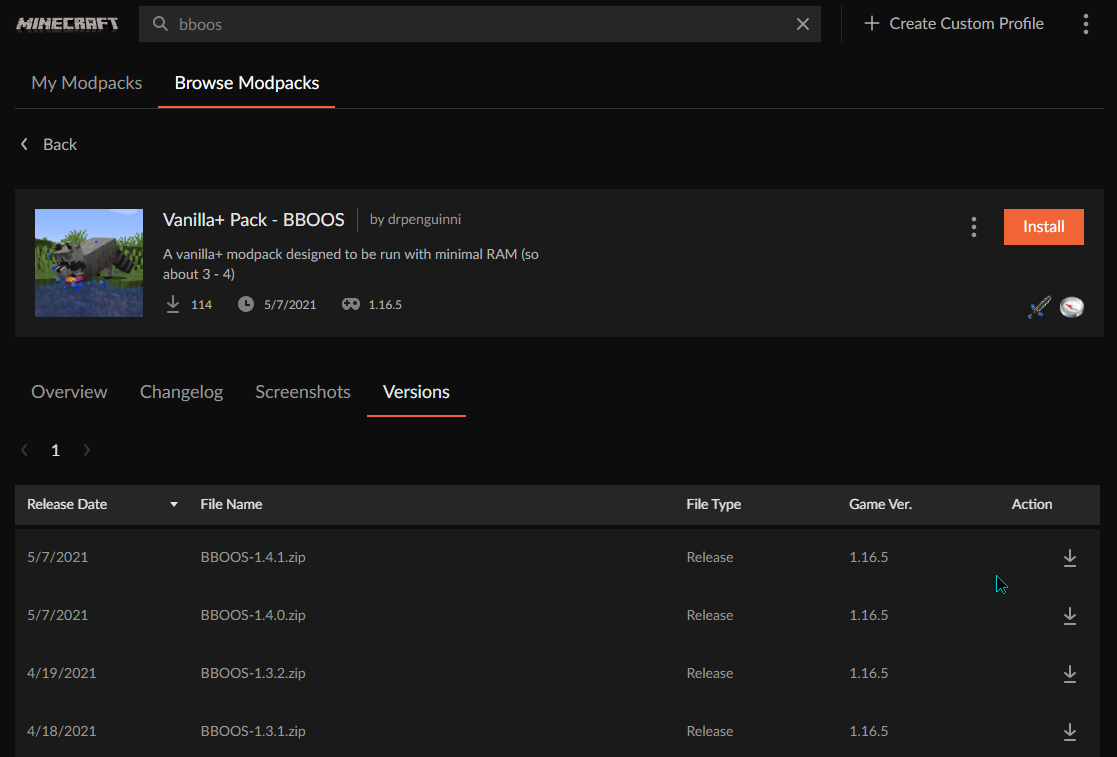
it's on 1.5.0 but it won't go past 1.3.2

lyric crescent
#

!status

red patioBOT
#

It is 03:06AM on Tuesday for CurseForge my dudes.

Project Moderation Time

Project/File moderation is done on;
Sunday, Monday, Tuesday, Wednesday, Thursday: 10AM - 6PM GMT+2
Friday, Saturday: No Moderation!

This process is First in, First out. Thus files submitted late in the work day may not be checked until the next work day.

New Projects or uploads requiring manual approval: 1-3 Working Days
Updates to approved projects not needing manual approval: 1 Hour

File sync to the Curseforge app may take up to 24 hours after approval.

tame gazelle
#

...my modpack's been submitted for a while now

lyric crescent
#

says 41 minutes..

tame gazelle
#

it's already been approved though

lyric crescent
#

File sync to the Curseforge app may take up to 24 hours after approval.
0:41 < 24:00

tame gazelle
lyric crescent
#

not sure what part of this you dont get

tame gazelle
#

The app itself doesn't seem to let me update past 1.3.2 even though the "synced" versions are on 1.4.1

lyric crescent
tame gazelle
#

it says something about not finding a child addon

lyric crescent
#

not sure why its doing that but it's doggy talents. try with a newer version of it

grand prism
lyric crescent
#

Where are you getting that

hardy oyster
grand prism
timber zealot
#

how do i add shaders to cusedforge app

vague ridge
#

Same goes for other launchers

fleet bear
#

Other launchers failing is outside of the scope of this room.

timber zealot
#

yo @fleet bear is there a way to add shaders in cursfirge app without using optifine

#

*curseforge

vague ridge
fleet bear
#

Saying it doesn't work in multimc means nothing here

#

I just installed it fine

vague ridge
#

What? I literally sent the error stacktrace from the cf app

fleet bear
vague ridge
timber zealot
#

dang allright i gues ill just tsick with optifine thx anyways

fleet bear
# vague ridge What? I literally sent the error stacktrace from the cf app

Yes I'm more than capable of seeing the two messages.
I am saying that if you post something about other launchers not working, doesn't mean anything. Don't care, don't support it, don't mention it.

I didn't say a single thing about not looking into the CF app issue. Also, would be nice to know what version when to post the issue instead of "latest" due to as far as I know what I see in the client as the last file is "latest"

fossil drum
#

so for me
on this one minecraft instance
the "repair profile" button isn't actually doing anything

#

i remember before it reloaded some of the files

#

atm it doesn't seem to be functioning

fleet bear
#

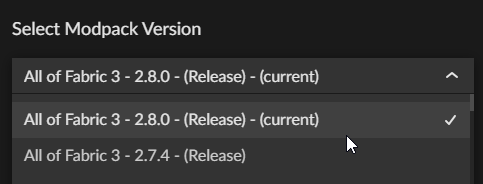
There is no 2.8.1 file synced to the client.

fleet bear
signal ridge
#

Clay heads up, 2.8.1 was uploaded to the site about 1h ago, So probably just a slow sync issue.

fleet bear
#

Then the only way to install it is via import

vague ridge
#

It dosent download

fleet bear
#

Then you should be saying that when reporting the issue

signal ridge
#

Can confirm, Download from site for zip works. Import spits out error whilst reading manifest file

rain geyser
#

how do u upload modpacks to cursforge

signal ridge
red patioBOT
#
There are two ways to share a modpack you've made with others...
Export and Share - For Friends to Small Groups.
  1. Click the Icon for the modpack.
  2. Click the CFmenu button next to play.
  3. Click CFexportExport.
  4. Select the files that should be included.
  5. Send the zip to the people that want it! They can follow the instructions in !mc-installpack to install the pack!
Upload to Curseforge - For Public Release to Everyone.

This options will make your pack public to EVERYONE, it comes with extra requirements and will take some effort to set up.

  1. Go to here: https://www.curseforge.com/project/432/4471/create
  2. Fill out the information with a proper description of the pack. This should allow anyone to understand what the pack is.
  3. Click the Icon for the modpack in the CurseForge app.
  4. Click the CFmenu button next to play.
  5. Click CFexportExport.
  6. Select the files that should be included.
  7. Open your Project you made on the CurseForge site and Upload the file you just made.
  8. Wait for Moderation & Sync so it can show up in the client! (See !sync for limitations)
bold sonnet
#

Is markdown supported for project descriptions

timber zealot
#

is twilight forest not available for 1.12.1?

robust aurora
#

I'm getting the 'Cannot find child addon file: 3271573' for Project Tundra, which I gather from these channels is the Doggy Talents mod. My question is whether I need to do something on my end or just wait for it to sort itself out.

signal ridge
fleet bear
timber zealot
#

dang what version can i take it to to get it

fleet bear
fleet bear
bold sonnet
timber zealot
#

k thank you @signal ridge

cold sleet
#

whenever i try to open curse forge i get this message. I've installed it like 4 times but it still comes up with that whenever i try to open curse forge or overwolf, help?

#

no ones replying in the overwolf support

fleet bear
wintry elm
#

keep on getting this after downloading mc eternal for minecraft

fading egret
#

Once a modpack is approved how long until it shows in the overwolf launcher? Or is there a certain number of downloads required?

fleet bear
#

!sync

red patioBOT
#
Sync and your Project.

CurseForge App and site do not share the same requirements! You can find things on the site but this does not mean it will be in the app!
For a mod to show up in the app:

  • Projects MUST have a file marked as RELEASE or BETA
  • Projects MUST be APPROVED
  • Projects MUST have a file marked for the PROFILE VERSION USED
  • Projects CAN'T be EXPERIMENTAL
  • Projects CAN'T be ABANDON

Files can take a while to show up in the app. If your files still have not shown up either your project is new and you have yet to mark a file as Release/Beta or there is issues with the sync system making it slow.

fleet bear
wintry elm
#

alright

fading egret
#

Thanks for the help claycorp!

wintry elm
fleet bear
#

🤷

#

Try another internet connection is all I can think of

digital roost
#

anyone kno how to make a modded mc server

#

know*

rain geyser
#

i do

signal ridge
timber zealot
#

how do i make costum start streans loading screans ext

#

*screens

red patioBOT
#

The question you are asking about isn't related to CurseForge. Please use the appropriate game rooms by getting the role from #786424115535544350 or use #👽︱game-support for help.

This room is only for CurseForge Owned & Maintained features/services.

timber zealot
#

kk

safe mason
#

what would be the best way to put my modpack on a server?

fleet bear
#

!notcf

red patioBOT
#

The question you are asking about isn't related to CurseForge. Please use the appropriate game rooms by getting the role from #786424115535544350 or use #👽︱game-support for help.

This room is only for CurseForge Owned & Maintained features/services.

fading egret
# fleet bear !sync

I see it in the launcher now but its now letting me install it. This is the message im seeing:

Is there somewhere that I can see a log why its not creating?

#

It just keeps creating empty instances in my curseforge folders

digital roost
#

whats the code to make a image clickable and does a link cant seem to get it with HTML

fading egret
digital roost
#

ah

fading egret
#

thats just an easier solution, im sure theres a way to do what you're asking but thats all i can come up with rn

digital roost
#

yea

#

Cant seem to get it to work like that thnks for letting me know tho

#

well i can

#

just cant get it to be a transparent packround

fading egret
#

make sure you're using a .gif/.png for transparent backgrounds - If its a .jpeg/.jpg you'll always have a background

fleet bear
fleet bear
fading egret
#

No worries Ill just wait for it, ill try again in a hour or two & post back if its still giving me issues - ty

proven knoll
#

Hello guys, I updated a map that I sent on CurseForge and after doing that I NEVER received a notification anybody knows how to solve my problem?

red patioBOT
#

It is 06:41AM on Tuesday for CurseForge my dudes.

Project Moderation Time

Project/File moderation is done on;
Sunday, Monday, Tuesday, Wednesday, Thursday: 10AM - 6PM GMT+2
Friday, Saturday: No Moderation!

This process is First in, First out. Thus files submitted late in the work day may not be checked until the next work day.

New Projects or uploads requiring manual approval: 1-3 Working Days
Updates to approved projects not needing manual approval: 1 Hour

File sync to the Curseforge app may take up to 24 hours after approval.

fleet bear
#

Going to assume it's the fact you don't have an English description first.

proven knoll
digital roost
fleet bear
#

It should be first in the description IIRC.

proven knoll
#

Sorry but this is my first map I publish on CurseForge so I have no idea what IIRC is

grim bane
#

is this something to be worried about?

grizzled canopy
#

Where is the sync/backup data stored for wow addons?

narrow minnow
#

Please try to manually rename the modding folder (usually under: /users/[youruser]/documents/minecraft) and open again, then manually add modpacks (copy paste folders) from the /users/[youruser]/documents/minecraft/instances

narrow minnow
vapid palm
#

can i install among us mods with curseforge

queen storm
#

Not with the app, only from the site

vapid palm
#

ok thx

grizzled canopy
# narrow minnow on our servers

Why does it ask for how much diskspace for it to use, then? And when doing a fresh install, I didn't want to overwrite the existing sync when logging in for the first time, when you hit "sync", are you syncing from the server to the client, or client to server? Probably a dumb question.

fleet bear
#

I don't recommend using sync. Everything I hear about it only is issues with it not understanding game flavors.

grizzled canopy
fleet bear
#

What did?

grizzled canopy
#

I'm assuming Curse forge, because I did nothing but reinstall it, and all my addons were back lol

fleet bear
#

Cause IDK how sync works at all as it's not used for every game. All I know is we constantly see people here complaining about it breaking stuff.

#

CurseForge doesn't store any addon/mod data outside of the game folders on your pc

#

So if you didn't delete them from the game install and delete the app, it will find them when you install it again.

grizzled canopy
#

I did a windows refresh install, fixed some issues I was having related to a recent update, and forgot to backup my wtf/interface folders and was hoping that cyrseforge had a backup of add-on settings.

#

So I didn't have to go through the painful process of redoing it all.

kindred timber
#

Can i get my addons back from a failed sync? it deleted all the addons i had on my main PC when i tried to sync it.

#

For World of Warcraft

fringe harness
#

Hey guys, how can I fix it?

narrow minnow
narrow minnow
grizzled canopy
#

For the backup, I'm not at my PC, but it's in the settings for the games addons on the lefthand side.

#

It's under the first tab I believe

narrow minnow
grizzled canopy
#

Noo, not under that menu.

#

Hit done, go to the settings, and then it should be somewhere in there

narrow minnow
grizzled canopy
#

Yeah

narrow minnow
#

ok, i don't think this is related to sync, but i'll have to get back to you - please DM me

grizzled canopy
#

Will do. I didn't think it was either, but I am just trying my damndest to get my settings back before launch tomorrow lol

narrow minnow
#

So that might be via addon sync

grizzled canopy
#

Is there a way to change the profile?

narrow minnow
grizzled canopy
#

I'll have to check when I get back to my PC, I'm prolly just a dumb dumb.

narrow minnow
#

see those three dots on the right? you can manualy add other instances if they don't appear here

atomic carbon
#

I already play modpack yesterday, but now i can’t

glossy rivet
#

is there any way (or if not could one be added) to force install an addon for the "wrong" version of wow? several addons I want to use are technically compatible with TBCC but only released by the devs for retail.. i know i can manually install them (already have) but it would be nice if when i try to install an addon for a version i don't have if the client could ask me if i want to install it for the version i do have instead of just cancelling the install without even giving any indication that the install failed

tacit hare
#

If I'm remembering right (been quite a bit since I did WoW addon dev) addons have a way of declaring what API version they're compatible with and that's what's used by the app to determine if it lets you install it. It's unfortunate that it isn't clearer in the app but normally if it doesn't declare it's compatible it means it doesn't work. Maybe there's something the addon dev could do to mark it compatible?

halcyon frost
#

Can someone please tell me how to fix this? i have waited, i have deleted and re downloaded, i have logged in and logged out, please god help me-

torpid jewel
#

Can I update 1.12 mods to 1.16 on my own

tacit hare
#

Depends, do you understand what the differences are between the 1.12 and 1.16 Forge APIs, and have a strong command of the Java programming language?

torpid jewel
#

No

#

Not at all

#

I just wanted to know because theres a lot of 1.12 mods I would like to use on my modded world

#

But if it is possible I would be fine with watching tutorials on YouTube on how to do it

#

I just need to know if it's even possible

queen storm
torpid jewel
#

Okay

red patioBOT
narrow minnow
halcyon frost
unborn basin
abstract ledge
#

Is there a way to change a project's nature? Like from modpack - > mod?

queen storm
#

No

abstract ledge
#

Thanks

reef atlas
#

When my friend starts a modpack then an error message comes up.Can someone help?

reef atlas
#

wait

viscid lynx
#

hi

reef atlas
#

here is he

queen storm
reef atlas
#

exit code 0

viscid lynx
#

k wait

queen storm
reef atlas
#

ok ;-:

viscid lynx
#

its on german

queen storm
#

That is fine

reef atlas
#

can u speak german ?

viscid lynx
queen storm
#

!mc-logs

red patioBOT
#
Where to find the log on the CurseForge Client.

Right-click the modpack profile icon OR click the CFmenu button in the modpack profile.
Click CFfolderOpen Folder.
Open the logs folder.
Find the file called latest.log and drag it into discord.

queen storm
reef atlas
#

ok

#

and thats it ?

#

oh wait

queen storm
#

Need the logs to say anything useful

reef atlas
#

do u need a picture ?

viscid lynx
reef atlas
#

which one of them ?

queen storm
#

latest.log

reef atlas
#

ehm wait we will come bakc in 15 min

queen storm
#

I am not going anywhere

dusty locust
#

i cant download mod, why?

queen storm
dusty locust
#

well, a lot of mod

#

like 35/40%

queen storm
#

Will poke somebody for this

dusty locust
#

o9nly yesterday and today

#

ok ty

errant sinew
#

How do I host a multiplayer server that has a specific mod?

errant sinew
#

damn

unborn basin
#

Can you reinstall CF?

dusty locust
#

alredy done

viscid lynx
#

this is latest

queen storm
red patioBOT
#
  1. Click on the Minecraft Tab on the Left side of the App.
  2. Click CFmenu button next to the Create Custom Profile option.
  3. Click CFrepair Repair Installation option.
  4. Play game.

NOTE: You will not lose any modpacks or worlds, These are saved in the Instances folder. DO NOT TOUCH THIS FOLDER OR YOU WILL LOSE EVERYTHING

unborn basin
dusty locust
#

yep

unborn basin
#

How did you uninstall it?

dusty locust
#

windows - uninstall - cf - (popup from cf) disinstall

dusty locust
#

?

unborn basin
#

Sent you a private message

dusty locust
#

ok

meager cloud
#

whenever I try launching a modpack on the curseforge launcher app, it doesn't open the game but keeps the minecraft launcher in the task manager

viscid lynx
#

nice it works

tawny lagoon
#

really rainbow logo?

hollow basalt
#

yes! 🙂 it's pretty

fresh nimbus
#

its not pretty but its pride

#

anyways

lyric crescent
unborn basin
red patioBOT
digital roost
#

i play java minecraft and downloaded a mod on the site but its not in my curseforge library on the app please help

#

do i need to sign in with twitch on both the site and app or something else

queen storm
digital roost
#

what do you mean by that sorry im not good at this kind of thing

unborn basin
digital roost
#

the mod thing i wanted isnt on the app though sorry if im being a bit hard but im new to this

#

like i can only find it on the site

unborn basin
#

Can you share the link to the mod please?

digital roost
#

yes its for an smp with friends for clarification

#

my friends wannna try itwith me

queen storm
red patioBOT
#
How to install mods in CurseForge App.
  1. Click + Create Custom Profile
  2. Name it, select the required Minecraft version, select the Forge version (usually the highest number), click Create.
  3. Click the profile icon.
  4. Click Add New Content
  5. Search and install the desired mods.
  6. Start the game!
How to install mods not on CurseForge.
  1. Right click the profile picture or Open the profile and click the CFmenu Icon next to the play button.
  2. Click CFfolderOpen Folder.
  3. Drag the mod(s) into the mods folder. (Note: Some mods will require others, to run. Make sure to read the instructions for the mod!)
  4. Start the game!
digital roost
#

thank you for your help

timid leaf
#

I need help when i try to choose my minecraft path it just type a invalid folder path was chosen

viral briar
#

!mc-path

red patioBOT
#

**Minecraft Files should NOT be installed inside the following locations
.minecraft folder.
OneDrive folders.
Desktop folder.
Drive roots I.E. Directly into the C:\ drive.
iCloud enabled folders.

If any of the above are in the path you need to change/move it by following the instructions below!**

If Minecraft is not installed in CurseForge App, start here.

Click the cf in the top left.
Select Minecraft.
Click "Edit".

Move to the "Continue here:" section below.

If Minecraft is installed in CurseForge App, follow these steps.

Click the CFsettings in the bottom left.
Select the Minecraft tab.
Click "Change".

Move to the "Continue here:" section below.

Continue here:

Make a folder in the root directory called CurseForge.
Select the folder you just made.
The text box should show something like the following:
For Windows: C:\CurseForge
For Mac: /Users/Shared/CurseForge

edgy grove
#

i run minecraft through a different client called badlion, how will i use mods on the app in this.

lyric crescent
#

you cant

edgy grove
#

ok

#

do you know if thats being integrated at any point in the future

lyric crescent
#

it's not

queen storm
#

It won't

edgy grove
#

ok ty for your help

magic coral
#

Why is Q-tech crashing for me?

viral briar
#

Could be a million things

magic coral
#

It just does this

lyric crescent
#

?mc-log

red patioBOT
#
Where to find the log on the CurseForge Client.

Right-click the modpack profile icon OR click the CFmenu button in the modpack profile.
Click CFfolderOpen Folder.
Open the logs folder.
Find the file called latest.log and drag it into discord.

magic coral
#

Not there

midnight minnow
#

Why when i try to install a mod on a custom profile when i click on install it simple does not do anything?

magic coral
#

Found

midnight minnow
hexed stream
#

Why when i try to play a modpack that i install its no open it

dusty locust
river stag
red patioBOT
#
:bug: Reporting via Website :bug:

Can't open the app or would rather use the website? You can do so here: https://support.curseforge.com/en/support/tickets/new

Fill out the form with accurate detailed information, "It doesn't work" isn't helpful! What exactly doesn't work and why doesn't it work should be easy to answer!

Make sure to upload your Overwolf logs with the Upload File option on the ticket, information on how to get these logs can be found here https://support.overwolf.com/en/support/solutions/articles/9000176827-how-to-get-your-overwolf-logs

river stag
lyric crescent
#

whatever you prefer

river stag
#

ok

lyric crescent
#

we cant see tickets, you'll need to wait until support gets to it.

river stag
#

ahhhh ok

magic coral
tidal pulsar
#

Ok so everytime i try to play a modpack in 1.12.2 the game just crash i don't know why but it just crashes

queen storm
#

!mc-logs

red patioBOT
#
Where to find the log on the CurseForge Client.

Right-click the modpack profile icon OR click the CFmenu button in the modpack profile.
Click CFfolderOpen Folder.
Open the logs folder.
Find the file called latest.log and drag it into discord.

tidal pulsar
#

So

#

I don't have a specifc modpack in mind

#

Every single modpack in 1.12.2 crashes

queen storm
#

Then post a log to one

tidal pulsar
queen storm
#

!mc-installfix

red patioBOT
#
  1. Click on the Minecraft Tab on the Left side of the App.
  2. Click CFmenu button next to the Create Custom Profile option.
  3. Click CFrepair Repair Installation option.
  4. Play game.

NOTE: You will not lose any modpacks or worlds, These are saved in the Instances folder. DO NOT TOUCH THIS FOLDER OR YOU WILL LOSE EVERYTHING

vast sparrow
#

Hi, how long does as usually take for a modpack to be accepted, some friends and i would like to start playing?

swift portal
#

Does pack manual check, Does it usually go closer to the 3 day or the 1 day

red patioBOT
#

It is 04:04PM on Tuesday for CurseForge my dudes.

Project Moderation Time

Project/File moderation is done on;
Sunday, Monday, Tuesday, Wednesday, Thursday: 10AM - 6PM GMT+2
Friday, Saturday: No Moderation!

This process is First in, First out. Thus files submitted late in the work day may not be checked until the next work day.

New Projects or uploads requiring manual approval: 1-3 Working Days
Updates to approved projects not needing manual approval: 1 Hour

File sync to the Curseforge app may take up to 24 hours after approval.

finite junco
#

I have a problem with Forge not registering KSP

queen storm
finite junco
#

yes

tiny blaze
#

xd

queen storm
# finite junco yes

Kerbal Space Program cannot be detected
This can happen if you installed the game through Steam. We are working on a fix!
From the known issues page

silver gate
#

It is proving increasingly necessary a filter to create modpacks with the filter of Fabric or Forge mods. I'm getting tired of installing mod fabric and having to give rollbak

thorny anvil
#

when ever i click on my modpacks its just stuck on the loading screen and no packs show up i know i have packs on there but it wont load

fossil drum
#

I'm having a problem with curseforge where some mods for minecraft won't install when i click install and then when i open their page they look like this

fossil drum
queen storm
fossil drum
#

yes i can install it from versions

#

but it says NaN on the project page, i assume it's not supposed to do that

queen storm
#

This is a known issue, and has to do with the upcoming update for the client

fossil drum
#

cool

digital roost
queen storm
digital roost
#

oh ok

#

Does anyone know why no matter what mod I use on Minecraft it crashes?

red patioBOT
#
Where to find the log on the CurseForge Client.

Right-click the modpack profile icon OR click the CFmenu button in the modpack profile.
Click CFfolderOpen Folder.
Open the logs folder.
Find the file called latest.log and drag it into discord.

urban temple
#

yeah same for me, no matter what modpack I download or how much ram I put in, it keeps crashing before going to the Minecraft modded loading screen

queen storm
#

Same for you then

digital roost
#

confused

#

🥸

#

!mc-logs

red patioBOT
#
Where to find the log on the CurseForge Client.

Right-click the modpack profile icon OR click the CFmenu button in the modpack profile.
Click CFfolderOpen Folder.
Open the logs folder.
Find the file called latest.log and drag it into discord.

digital roost
#

oh

#

what does it mean by dragging into discord lol

queen storm
#

Select the file, hold the mouse button

#

Release when mouse is over discord

digital roost
#

then what should it work?

queen storm
#

Then it will drop the file here so I can read it

digital roost
#

oh smort

queen storm
#

I don't know that error

digital roost
#

alr

#

im just tryna play some rlcraft😢

broken sundial
#

should i use forgeoptifine over optifine

#

ok

torpid yarrow
#

how do I send logs?

wooden zealot
#

anyone able to help me see why i keep crashing?

surreal dove
#

Can someone help me? Whenever i open any version of Forge over 1.12.2 it crashes. no matter what mod or what modpack i use it always crashes when loading

digital roost
#

install minecraft ufc magic in curseforge

tepid hatch
#

when i click install nothing happens

#

and when i right click and press install

#

the red text appears

warm forge
#

Restart curseforge?

meager iron
#

I need help i am trying to make a custom modpack for me and the boys then this came up when i was trying to create custom profile!

lyric crescent
#

try another install path

#

?mc-path

red patioBOT
#

**Minecraft Files should NOT be installed inside the following locations
.minecraft folder.
OneDrive folders.
Desktop folder.
Drive roots I.E. Directly into the C:\ drive.
iCloud enabled folders.

If any of the above are in the path you need to change/move it by following the instructions below!**

If Minecraft is not installed in CurseForge App, start here.

Click the cf in the top left.
Select Minecraft.
Click "Edit".

Move to the "Continue here:" section below.

If Minecraft is installed in CurseForge App, follow these steps.

Click the CFsettings in the bottom left.
Select the Minecraft tab.
Click "Change".

Move to the "Continue here:" section below.

Continue here:

Make a folder in the root directory called CurseForge.
Select the folder you just made.
The text box should show something like the following:
For Windows: C:\CurseForge
For Mac: /Users/Shared/CurseForge

tepid hatch
delicate sentinel
#

Any suggestions for a anime modpack that somewhat has a storyline

meager iron
#

Thank you @lyric crescent

#

and @red patio

fresh star
#

I have a problem.

#

Im trying to install mods for a modpack im making for my friends, but on specific mods I click install and nothing happens.

#

and if i try right click installing it says "cannot read property ID of null"

#

I saw someone else asked as well, and restarting didn't work for me either

lyric crescent
#

@tepid hatch@fresh star
Go to the versions tab and use the install button there.

digital roost
#

anyone wanna help me with this cant seem to find whats causing my game to crash when launching it doesent give me a crash report either like i press play then it says game crashed

balmy shoal
#

mine was crashing yesterday because of better foliage

digital roost
#

ah yea i dunt have that

#

installed

last sun
#

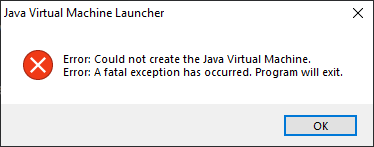
So I can't get my profiles to launch after I removed java 8, and I don't want to reinstall java at all, should I redownload the launcher?

#

I reinstalled, and now the launcher settings doesn't even give me the option to use the default launcher. What do I do?

#

nevermind!

#

reinstalling worked!

digital roost
young mauve
#

Hey, I have a little problem my modpack is locked on fullscreen

#

Can¨t go windowed

#

.-.

urban cloud
#

where do i find the right file or command to set the cooldoown to teleport to 0

digital roost
#

hi I have troubles with kerbal space program can someone help me ?

charred scaffold
#

What is the original file directory for curseforge? I'm trying to install minecraft mods but it's telling me the path is invalid

karmic bane
#

hey how do u report to curseforge?

signal ridge
#

in what way?

karmic bane
#

what do u mean

red patioBOT
#

**Minecraft Files should NOT be installed inside the following locations
.minecraft folder.
OneDrive folders.
Desktop folder.
Drive roots I.E. Directly into the C:\ drive.
iCloud enabled folders.

If any of the above are in the path you need to change/move it by following the instructions below!**

If Minecraft is not installed in CurseForge App, start here.

Click the cf in the top left.
Select Minecraft.
Click "Edit".

Move to the "Continue here:" section below.

If Minecraft is installed in CurseForge App, follow these steps.

Click the CFsettings in the bottom left.
Select the Minecraft tab.
Click "Change".

Move to the "Continue here:" section below.

Continue here:

Make a folder in the root directory called CurseForge.
Select the folder you just made.
The text box should show something like the following:
For Windows: C:\CurseForge
For Mac: /Users/Shared/CurseForge

signal ridge
karmic bane
#

i cant install certain mods

signal ridge
#

then here works. What mods? and how are you trying to install them

karmic bane
#

ice and fire iron chests and a lot more

signal ridge
#

Are you using the app?

karmic bane
#

yes

signal ridge
#

Screen shot how your searching in the app

karmic bane
signal ridge
#

Click on the mod > click the versions tab > try to install from there

karmic bane
#

ok

#

thanks

sour sequoia
#

yo

digital roost
#

So, i wanna install the invview mod for fabric on my fabric server

#

but how do i change the command?

#

i couldnt figure out how to edit the command in the mod file

signal ridge
meager iron
#

I made a modpack that is made with making a custom profile. I want to get this on my server. When you look at published modpacks you can have the option to download them for a server i want to know how to do it with the custom profile i made into a mod pack?

digital roost
#

How do I download the latest versions of forge of there even is

digital roost
#

yeye

signal ridge
#

do you have a custom profile made already?

digital roost
#

no

signal ridge
#

What are you trying to do?

fallow kestrel
#

what is the average wait time for a new project? mine has been 24 hours and it still says under review

red patioBOT
#

It is 08:11PM on Tuesday for CurseForge my dudes.

Project Moderation Time

Project/File moderation is done on;
Sunday, Monday, Tuesday, Wednesday, Thursday: 10AM - 6PM GMT+2
Friday, Saturday: No Moderation!

This process is First in, First out. Thus files submitted late in the work day may not be checked until the next work day.

New Projects or uploads requiring manual approval: 1-3 Working Days
Updates to approved projects not needing manual approval: 1 Hour

File sync to the Curseforge app may take up to 24 hours after approval.

fallow kestrel
#

thank you

frank dune
#

how i can install Minecraft on curseforge

signal ridge
red patioBOT
#

**Minecraft Files should NOT be installed inside the following locations
.minecraft folder.
OneDrive folders.
Desktop folder.
Drive roots I.E. Directly into the C:\ drive.
iCloud enabled folders.

If any of the above are in the path you need to change/move it by following the instructions below!**

If Minecraft is not installed in CurseForge App, start here.

Click the cf in the top left.
Select Minecraft.
Click "Edit".

Move to the "Continue here:" section below.

If Minecraft is installed in CurseForge App, follow these steps.

Click the CFsettings in the bottom left.
Select the Minecraft tab.
Click "Change".

Move to the "Continue here:" section below.

Continue here:

Make a folder in the root directory called CurseForge.
Select the folder you just made.
The text box should show something like the following:
For Windows: C:\CurseForge
For Mac: /Users/Shared/CurseForge

frank dune
signal ridge
# frank dune

If Minecraft is not installed in CurseForge App, start here.

#

Start there

frank dune
#

i click on Minecraft and i come back here

signal ridge
#

Follow the bot, Start at the If Minecraft is not installed in CurseForge App, start here. part

young sierra
#

can i install curseforge to minecraft without logining in

signal ridge
signal ridge
young sierra
#

i do i just forgot the passwork to the account

signal ridge
#

sure? Youll have to work with mojang support for any help with that

frank dune
#

i cant

#

can you ask me with video

signal ridge
#

This your pc or a school pc?

frank dune
#

i restart my pc and i delete all my apps before this i can play minecraft on curseforge

signal ridge
#

Unfortunately I have no idea what that error says. I dont speak that language. My guess tho is you dont have the permissions to create a folder in that folder.

swift portal
#

Hey, so is it 1-3 days from uploading or only if its in the time frame?

modern sky
#

why cant i see my modpack on overwolf?

signal ridge
signal ridge
modern sky
#

it was on overwolf, then it dissapeared

red patioBOT
#
Sync and your Project.

CurseForge App and site do not share the same requirements! You can find things on the site but this does not mean it will be in the app!
For a mod to show up in the app:

  • Projects MUST have a file marked as RELEASE or BETA
  • Projects MUST be APPROVED
  • Projects MUST have a file marked for the PROFILE VERSION USED
  • Projects CAN'T be EXPERIMENTAL
  • Projects CAN'T be ABANDON

Files can take a while to show up in the app. If your files still have not shown up either your project is new and you have yet to mark a file as Release/Beta or there is issues with the sync system making it slow.

swift portal
#

Was mostly asking would it day after to 3 days still if it was uploaded like an hour or so after 6pm

modern sky
#

my modpack was offial

#

it was on overwolf

#

but now its gone

signal ridge
modern sky
#

ok

swift portal
#

What does marked for profile version used mean

#

Sorry new to this

signal ridge
swift portal
#

Ok

signal ridge
# modern sky ok

You can change the file to release as well, dont need to upload a new one

modern sky
#

oh ok

swift portal
#

One more question, does 1 day count as the same day if it’s early enough

signal ridge
#

?

#

Like if you were to post during their working time or before?

swift portal
#

Like towards the start of it

signal ridge
#

Would depend on where you are in the que. ITs a first in first out sorta deal.

viral briar
#

Especially with the queue built up over curseforge being down

swift portal
#

Is it possible it will take longer than the 3 days this time?

signal ridge
#

Hard to say, depends on where the team is at.

viral briar
#

No one gets special treatment in the queue system is all I know and they get round to each project as first come first serve as yoyok9 has said . Just have to be patient is all

signal ridge
#

They have been working hard tho

swift portal
#

Ok, just waiting to hear back heh, ill get a email or?

signal ridge
#

Check on your pack from time to time, youll get a notification there depending on if its approved, rejected or needs tweaking

swift portal
#

Ok

signal ridge
#

Just know If you edit your project in any way between now and then it will put you to the back of the cue again

swift portal
#

Even description?

signal ridge
#

Think so yeah

viral briar
#

Yeah just leave everything alone till status update happens

nimble grail
signal ridge
#

ae2wtlib possibly

nimble grail
#

Thank you, it works

fair quarry
#

When I try to start my modpack even without mods, it closes and says that an error has occurred because it occurs?

crude mural
#

idk how to download mods

lyric crescent
#

?mc-installmods

red patioBOT
#
How to install mods in CurseForge App.
  1. Click + Create Custom Profile
  2. Name it, select the required Minecraft version, select the Forge version (usually the highest number), click Create.
  3. Click the profile icon.
  4. Click Add New Content
  5. Search and install the desired mods.
  6. Start the game!
How to install mods not on CurseForge.
  1. Right click the profile picture or Open the profile and click the CFmenu Icon next to the play button.
  2. Click CFfolderOpen Folder.
  3. Drag the mod(s) into the mods folder. (Note: Some mods will require others, to run. Make sure to read the instructions for the mod!)
  4. Start the game!
crude mural
#

oh thanks

signal ridge
#

And this has to do with Curseforge how?

quaint ledge
#

Constantly getting crashes and cant update addons without getting errors , am i alone ?

signal ridge
#

game?

#

or is the app itself crashing

quaint ledge
#

The app , trying to update world of warcraft addons. First i get error from the updates and then client crashes.

signal ridge
#

!ticket-app

red patioBOT
#
:bug: Reporting via the CurseForge App :bug:
  1. Click the CFsupport icon in the bottom left.

  2. Select CFsupport_ticketOpen a Ticket.

  3. Fill out the form with accurate detailed information, "It doesn't work" isn't helpful! What exactly doesn't work and why doesn't it work should be easy to answer!

  4. Make sure to upload your Overwolf logs with the Upload File option on the ticket, information on how to get these logs can be found here https://support.overwolf.com/en/support/solutions/articles/9000176827-how-to-get-your-overwolf-logs

  5. Submit!

runic wigeon
#

there has to be a problom with curse forge app cuase i cant download a bunch of mods is anyone else have the same problom

#

wait i just found out something it says "cant read property ID of null

wheat fable
#

Illiterate, can’t read

runic wigeon
signal ridge
#

What are you downloading?

floral wolf
#

I am trying to Upload a modpack I made but it keeps getting rejected, its saying invalid file extension and then that it is requesting litemod does anyone know what im doing wrong?

neon widget
#

@runic wigeon Click on the mod, go to versions and download it from that.

signal ridge
floral wolf
signal ridge
#

this a premad pack you modified?

#

also haw did you make the file/folder your trying to upload?

floral wolf
#

no I made the modpack off mods i thought were cool, and i made the file by making the modpack in the curseforge app then exporting it to desktop

signal ridge
#

Open the file it exported and screen shot the contents

floral wolf
signal ridge
#

Nothing in the overides/mods folder?

floral wolf
#

there are 7 mods in the mods folder

signal ridge
#

screen shot

floral wolf
signal ridge
#

Delete those in the app and reinstall them using the app.

floral wolf
#

Ok

digital roost
#

Hello! I am here to you today to request help with a certain plugin I added, Its called Combat-Weaponry-Plus and so far its worked fine, but lately I've been seeing a problem with this "Obsidian Pickaxe" and was wondering why, the console says nothing about it and the config has nothing regarding the disabling of it, So I'm just curious how this can be handled and taken care of.
I have a video if needed

floral wolf
kindred locust
#

Update on my situation I submitted my curseforge folder and the main log for curseforge to tech support but over the weekend I could sometimes play my modpacks. Would it change the logs if I try to load the app and potentially play a pack or not.

brittle bobcat
#

I want to lick curseforge

vivid moth
#

When I download mods for Minecraft off of the official Curseforge website, the mods seem limited, and they have less features than are advertised. Why is that? Can it be helped?

brittle bobcat
#

no that’s just how the developers set it

#

They might over emphasise it to get more people to download it

vivid moth
#

Oh

#

Thx

gloomy perch
#

I'm trying to make a server for Project Ozone 3 to play with my friend. I found a reddit thread of 2 years ago talking about how to do it. It says I need to choose the "Install Server button" but i cant find that button

brittle bobcat
#

Wat r u using for the server host

#

Also I have a modded server didn’t use that

gloomy perch
#

I'm not using a service. I honestly dont know what im doing. I assume its going to be hosted on my computer

#

hmm. then how would i host a modded server?

brittle bobcat
#

The one I’m using is £8 but u can get a non modded one for free but that’s the one I using which is scalacube

#

I honestly never hosted a server on my computer so I don’t know how it works

#

Maybe start the server on the forge client or something

vague ridge
#

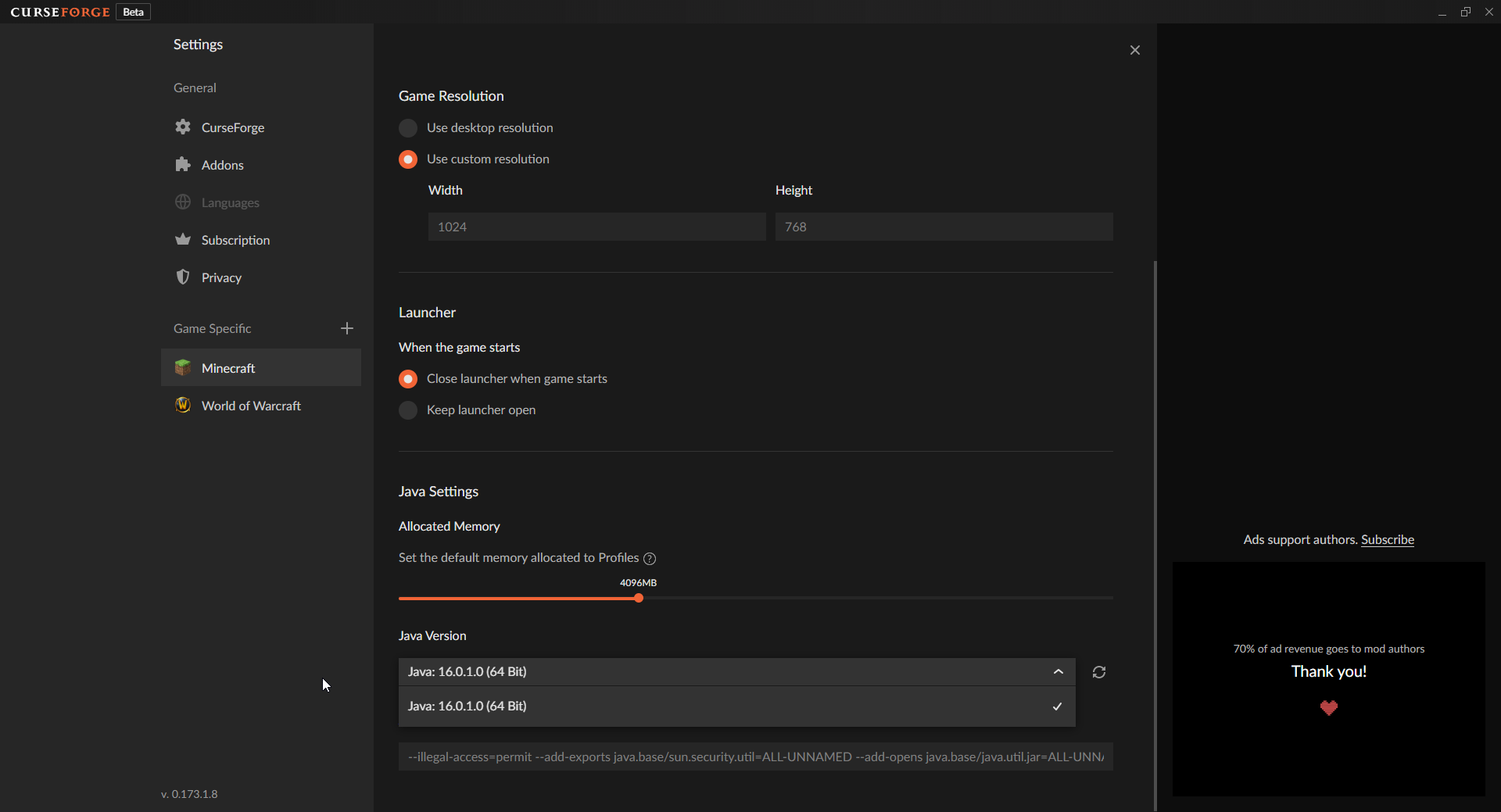
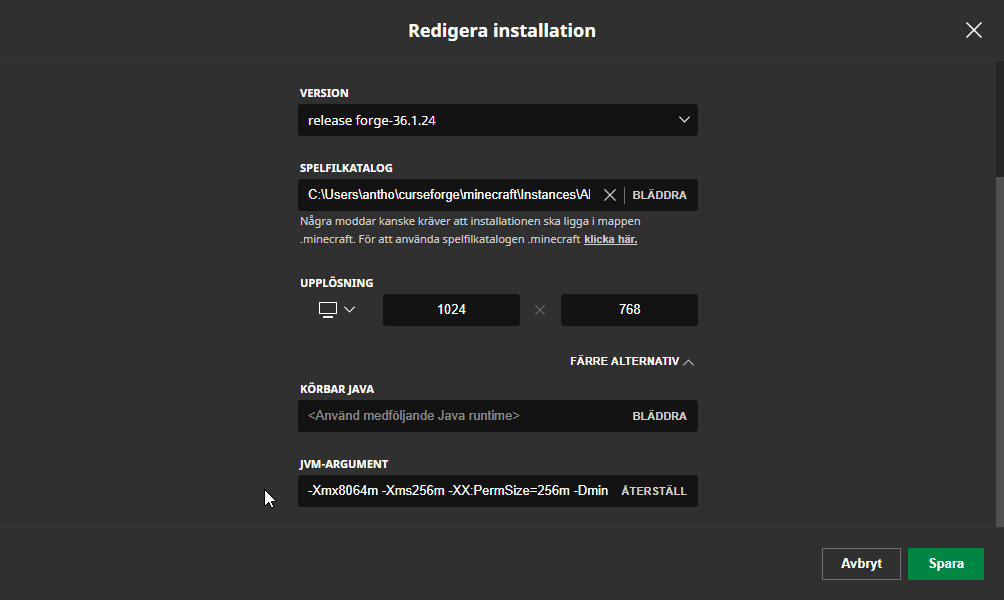
Curseforge app supports java 16 right?

brittle bobcat
#

Idk

gloomy perch
fleet bear
vague ridge
#

"Support" as in catches it in java directory

brittle bobcat
#
Instructables

How to Setup a Modded Minecraft Server (1.12.2): Minecraft is a fun game to play with friends, and modding the game can add many more possibilities. Server hosting websites or Minecraft Realms cost a monthly subscription to use. If you don't have the money to have a separate website host the serve…

fleet bear
#

It just looks for java installs, I dont believe its version specific.

#

Does 16 not show up when installed?

vague ridge
#

It does not

#

Tried reinstalling cf app

fleet bear
#

Did you use the search button.

vague ridge
#

Same goes for j16

fleet bear
#

Is it orcal java?

brittle bobcat
fleet bear
#

It wont find openjdk versions.

vague ridge
fleet bear
#

I'll test it when I get to the computer.

vague ridge
#

👍

safe lotus
#

first thing before i ask my question, is curseforge and forge the same thing?

vague ridge
#

forge is a mod loader

brittle bobcat
#

Kinda

#

They do the same thing

safe lotus
#

then is it fine if i ask sm about forge?

brittle bobcat
#

Curse forge is a program

vague ridge
brittle bobcat
#

For me they do

#

They both load mods

safe lotus
#

well do you mind if i ask anyways? because i dont know if this is the right discord now

brittle bobcat
#

Yup

vague ridge
brittle bobcat
#

You can we don’t mind

brittle bobcat
safe lotus
#

ok uh whenever i launch forge 1.12 my minecraft crashes, i have java installed but this ONLY happens with 1.12, 1.8 forge works fine. I have a few mods but i dont think that has anything to do with it. I have the latest 1.12 version and yet it still wont work.

brittle bobcat
#

Could be the mod selected

#

What mod have u put on

safe lotus
#

these, skytils not enough updates, and danker's are for 1.8

brittle bobcat
#

The mod might crash your game

#

Hmmm does each version pop up at the launcher

safe lotus
#

wdym by each version

vast garnet
#

Will Curse ever add modded section for there launcher based on among us? just curious

brittle bobcat
fleet bear
brittle bobcat
slim thunder
#

!!=

red patioBOT
#
Wording is important!

Forge = Minecraft Forge, This is a modloader often just called "Forge".
'Fabric' = Fabric MC, this is another modloader, just called "Fabric".
CurseForge = A Website/App that has content for games.
Mods = Individual mod files.
Modpacks = Multiple mods put into the mods folder or downloaded from CurseForge.

These are not Interchangeable! Please use the correct terms as it allows us to help you faster!

safe lotus
fleet bear
safe lotus
#

should we go there cannabal

brittle bobcat
#

Ok

south ore
#

Is there a way to change my modpack so when people use it, the resource packs are already loaded in?

#

Because they're only inside the modpack, people still have to turn them on

vague ridge
#

Curseforge app specified as j16 will stay but launcher will respecify to j8u51 every single launch

#

If this is an unknown bug I'll gladly report it

#

But I'm not sure if this is a cf thing or a mc thing

frozen moth
#

I download a modpack from curseforge website and it is a jar file
What do I have to do to import it into curseforge in order to play it?

slim thunder
#

that is a mod

#

?mc-installmods

red patioBOT
#
How to install mods in CurseForge App.
  1. Click + Create Custom Profile
  2. Name it, select the required Minecraft version, select the Forge version (usually the highest number), click Create.
  3. Click the profile icon.
  4. Click Add New Content
  5. Search and install the desired mods.
  6. Start the game!
How to install mods not on CurseForge.
  1. Right click the profile picture or Open the profile and click the CFmenu Icon next to the play button.
  2. Click CFfolderOpen Folder.
  3. Drag the mod(s) into the mods folder. (Note: Some mods will require others, to run. Make sure to read the instructions for the mod!)
  4. Start the game!
fleet bear
lyric hornet
#

when i made a modpack for minecraft using curseforge, i chose version 1.7.10 before adding mods. When i started adding mods, i used 1.12.2. Is there a way to make a new pack easily while changing the version, or a way to change the version without making a new pack?

ruby fiber
#

can someone help me create a modded server

#

running off of my own pc

slim thunder
red patioBOT
#

The question you are asking about isn't related to CurseForge. Please use the appropriate game rooms by getting the role from #786424115535544350 or use #👽︱game-support for help.

This room is only for CurseForge Owned & Maintained features/services.

lyric crescent
#

you cannot change mc versions of a profile

lyric hornet
#

Can i duplicate it but change the version on the duplicated one

lyric crescent
#

well it wouldnt make any sense to so no

signal ridge
#

Could always just make a new profile, set it to 1.12.2 and put the the mods for it there

lyric hornet
#

okay

desert hull
#

I’m a little confused, I’m trying to add a new file with the modpack I made because the first file had issues and it keeps rejecting it, the notification says,” has bee changed to Reject
Notes: missing manifest.json file. Client modpack files must be created from within the twitch desktop app”

signal ridge
desert hull
#

I used Google drive to download it as a zip

#

So I uploaded the files then downloaded the zip

signal ridge
#

Who made it?

desert hull
#

My friend and I compiled all the mods together

signal ridge
#

!mc-packshare Need to use the app to make the export

red patioBOT
#
There are two ways to share a modpack you've made with others...
Export and Share - For Friends to Small Groups.
  1. Click the Icon for the modpack.
  2. Click the CFmenu button next to play.
  3. Click CFexportExport.
  4. Select the files that should be included.
  5. Send the zip to the people that want it! They can follow the instructions in !mc-installpack to install the pack!
Upload to Curseforge - For Public Release to Everyone.

This options will make your pack public to EVERYONE, it comes with extra requirements and will take some effort to set up.

  1. Go to here: https://www.curseforge.com/project/432/4471/create
  2. Fill out the information with a proper description of the pack. This should allow anyone to understand what the pack is.
  3. Click the Icon for the modpack in the CurseForge app.
  4. Click the CFmenu button next to play.
  5. Click CFexportExport.
  6. Select the files that should be included.
  7. Open your Project you made on the CurseForge site and Upload the file you just made.
  8. Wait for Moderation & Sync so it can show up in the client! (See !sync for limitations)
warm heron
#

I just started putting a profile together but there are some mods that I can't add... I click on it and it doesn't do anything. Are some mods blocked?

neat apex
#

Can someone help me? I am trying to install the mods and normally it does work ( i have other custom modpacks) but i cant install some of the mods.

desert hull
#

I’m trying to import the mods folder I have in the desktop app but it does nothing

signal ridge
#

Those having troubles installing mods with the app:
1: Click on the mod
2: Click the versions tab
3: Click the Install for the version you want

warm heron
#

thanks @signal ridge

signal ridge
desert hull
#

I’ve done the folder but it only registers 4 mods

signal ridge
#

The app registers mods from curseforge site.

desert hull
#

These were all from the site, when I put all the mods in the folder it only says Theres 4 mods

#

I have around 47

signal ridge
#

Use the app to reinstall the mods then

#

?mc-installmods

red patioBOT
#
How to install mods in CurseForge App.
  1. Click + Create Custom Profile
  2. Name it, select the required Minecraft version, select the Forge version (usually the highest number), click Create.
  3. Click the profile icon.
  4. Click Add New Content
  5. Search and install the desired mods.
  6. Start the game!
How to install mods not on CurseForge.
  1. Right click the profile picture or Open the profile and click the CFmenu Icon next to the play button.
  2. Click CFfolderOpen Folder.
  3. Drag the mod(s) into the mods folder. (Note: Some mods will require others, to run. Make sure to read the instructions for the mod!)
  4. Start the game!
desert hull
#

I’ve done that NotLikeThis I’ve deleted and downloaded the mods over and over and it doesn’t want to work

signal ridge
#

Now when you say 4 only show. this when you play the pack OR in the app only 4 show?

desert hull
#

In the App, i need to export it in the desktop app and then upload it to the website so Theres a new file and so it won’t get rejected but it won’t work

signal ridge
#

Screen shot your pack in the app. Showing the mods

desert hull
#

this is the app

signal ridge
#

And your mods folder?

desert hull
#

that's the folder

signal ridge
#

ah ok I see why now

#

Your profile is 1.16.4, most of those mods are 1.16.5, Need to make a 1.16.5 profile

desert hull
#

will the 1.16.4 mods work with that?

signal ridge
#

yes

#

Most 1.16.4 mods will work in .5

#

But .5 will not work in .4

desert hull
#

okay, makes sense

#

Thank you, that fixed it, this is all so new to me so sorry if I'm being all pepega

signal ridge
#

All good, Rather people learn then just fight us on it 😉

grizzled canopy
#

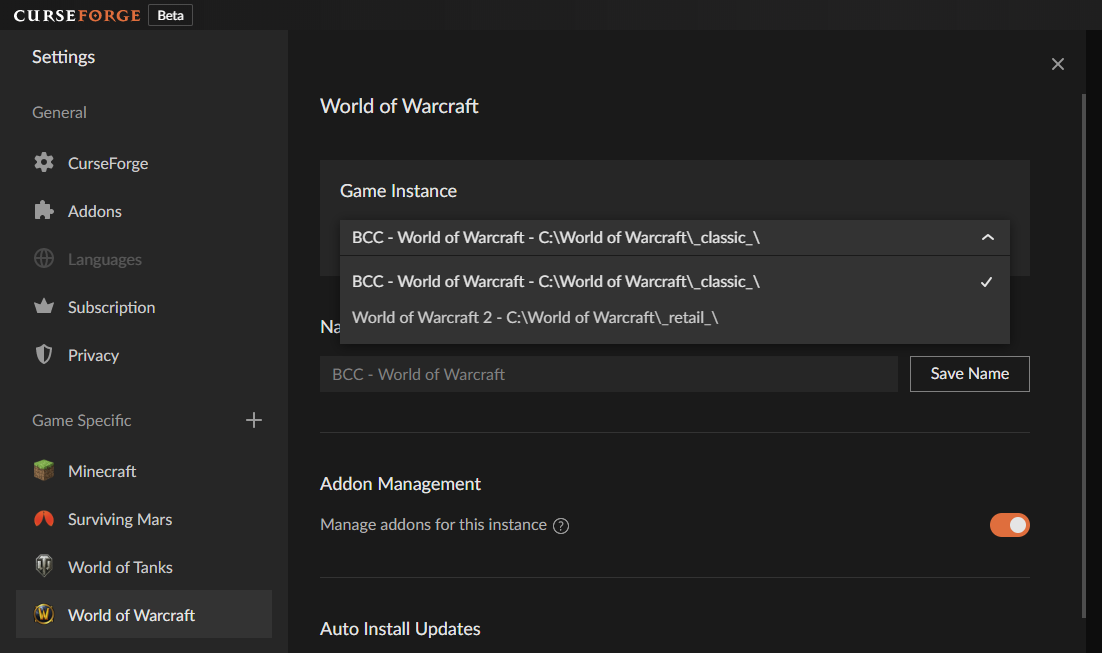
Is there a way to change which Sync Profile you're using for WoW addons?

#

And where would you find the backup for profiles on your physical drive?

forest shell
#

Please don't advertise here

signal ridge
#

Not the place for this

forest shell
#

I don't think this guy cares :/

signal ridge
#

Then they will be removed. 1 sec

broken flint
#

I have an issue installing rogue like dungeons. Every time I attempt to install it an error message pops up stating “the specified path is too long, title name, or both are too long.”

#

Any help?

red patioBOT
#

**Minecraft Files should NOT be installed inside the following locations
.minecraft folder.
OneDrive folders.
Desktop folder.
Drive roots I.E. Directly into the C:\ drive.
iCloud enabled folders.

If any of the above are in the path you need to change/move it by following the instructions below!**

If Minecraft is not installed in CurseForge App, start here.

Click the cf in the top left.
Select Minecraft.
Click "Edit".

Move to the "Continue here:" section below.

If Minecraft is installed in CurseForge App, follow these steps.

Click the CFsettings in the bottom left.
Select the Minecraft tab.
Click "Change".

Move to the "Continue here:" section below.

Continue here:

Make a folder in the root directory called CurseForge.
Select the folder you just made.
The text box should show something like the following:
For Windows: C:\CurseForge
For Mac: /Users/Shared/CurseForge

broken flint
forest shell
#

Was the guy banned?

signal ridge
#

Should be now.

forest shell
#

Nice ty

pine gazelle
#

the new logo looks so cool

pallid sun
#

Hello! I'm uploading images for my mod and it says, "File requires a file extension." What does this mean and how can I fix it?

small gorge
#

File extension Is like .jpg or .png, so make sure it has one of ones it cam accept and isnt just A file

pallid sun
#

Oh ok tysm

slate gorge
#

Been getting this error trying to get my modpack up, any thoughts?

digital roost
#

This is probably like, the 100th person that's come here to ask this, but I'm experiencing issues from trying to install mods for my Minecraft, a constant error message of it crashing even after deleting and installing it again, can I be linked or assisted with this problem? Sorry, I apologize if I'm in the wrong channel for this.

#

Please @ me or DM for a lead. Thank you.

signal ridge
digital roost
#

Yes.

signal ridge
#

Is the app crashing or minecraft?

digital roost
#

Well, I download a mod from Curse, then once it's done I select play, brings me to the Minecraft launcher, I click play, it closes, comes back up, and with a crash message.

signal ridge
red patioBOT
#
Where to find the log on the CurseForge Client.

Right-click the modpack profile icon OR click the CFmenu button in the modpack profile.
Click CFfolderOpen Folder.
Open the logs folder.
Find the file called latest.log and drag it into discord.

digital roost
#

Hm? What exactly should I do?

signal ridge
#

Read and do what the bot says

forest shell
digital roost
#

Oh whoops, sorry.

signal ridge
digital roost
fleet bear
slim thunder
red patioBOT
#
  1. Click on the Minecraft Tab on the Left side of the App.
  2. Click CFmenu button next to the Create Custom Profile option.
  3. Click CFrepair Repair Installation option.
  4. Play game.

NOTE: You will not lose any modpacks or worlds, These are saved in the Instances folder. DO NOT TOUCH THIS FOLDER OR YOU WILL LOSE EVERYTHING

signal ridge
#

Kinetic beat me to it 😛

digital roost
#

So just try and run it? Alright.

slate gorge
fleet bear
#

is it fabric?

digital roost
#

Does any1 know a good 1.12.2 modpack for a modded survival world?

slate gorge
digital roost
#

sry

fleet bear
#

Can't use GDluancher for fabric exports

#

it makes broken manifest files as the site doesn't support them (yet)

slate gorge
#

Oh blegh, I see. It's formatted totally differently. That's unfortunate.

fleet bear
#

Fabric support for the CF app should be coming soon though so if you don't want to go the jumploader route required for CF packs, if you can work on it a while longer you could avoid that.

slate gorge
digital roost
#

I think it's working now, thank you!

fleet bear
#

idk how gdl works so 🤷

#

that's all on you to figure out at this point 😛

novel bridge
#

Hello, I need help with a problem that happens when wanting to comment on a project in curseforge

meager cloud
#

it doesn't open for any modpack

#

and it's definitely the launcher bc when I try technic, FTB or open mods through the default launcher it works

arctic burrow
#

Is it possible to create a server that is using a custom mod pack that my friends can join and if so how?

#

On minecraft btw

small gorge
meager cloud
#

nope

#

nothing

small gorge
#

have you tried launching another modpack, or vanilla through the launcher?

meager cloud
#

yeah

#

the launcher just isn't working

south ore
#

is there a way to have resource packs already put in when people download ur modpack?

#

as of now, when they use/download it, they still have to enable the resource packs I put in

viral briar
#

?mc-installfix

red patioBOT
#
  1. Click on the Minecraft Tab on the Left side of the App.
  2. Click CFmenu button next to the Create Custom Profile option.
  3. Click CFrepair Repair Installation option.
  4. Play game.

NOTE: You will not lose any modpacks or worlds, These are saved in the Instances folder. DO NOT TOUCH THIS FOLDER OR YOU WILL LOSE EVERYTHING

viral briar
#

mindbacon ^ try this

wheat trellis
#

Ok so I am having an issue with the launcher. Whenever I try to install or enable mods, certain ones will install and only certain ones will let me enable/disable them

wheat trellis
#

This is the error I get when trying to install a mod, and I have already tried relaunching curseforge

signal ridge
meager cloud
signal ridge
wheat trellis
#

Ok, that solved the installing issue, thank you for that, but certain mods still won't let me enable/disable them

signal ridge
#

If you dont want a mod remove it. If you try to disable a mod that is a dependency for something else can be iffy sometimes.

wheat trellis
#

Ok, I'll do that for now. Thank you

south ore
#

i'll give it a look

meager cloud
calm scarab
#

i cant download for some reason i really need help i have bean tryign for like two and half hours

warm heron
#

I have a problem running a profile, is there someone that could help me?

digital roost
#

I am making a new profile and am unable to download some mods. An error pops up at the bottom saying "cannot read property id of null." anyone know a fix?

warm heron
#

click on the mod and when it pulls up the screen go under versions. It'll show the versions and you can install it from there. I had the same problem

digital roost
#

Thanks I really appreciate it

signal ridge
red patioBOT
#
  1. Click on the Minecraft Tab on the Left side of the App.
  2. Click CFmenu button next to the Create Custom Profile option.
  3. Click CFrepair Repair Installation option.
  4. Play game.

NOTE: You will not lose any modpacks or worlds, These are saved in the Instances folder. DO NOT TOUCH THIS FOLDER OR YOU WILL LOSE EVERYTHING

digital roost
#

Seems to be a problem in wow addons, if you use the Addonname-Classic.toc Addonname-BCC.toc ect

#

It does not want to update to the newest files - rather it just keeps the old version, and writes "this version has been archived by owner"

fleet bear
digital roost
#

oh i see

#

any eta?

fleet bear
#

no

digital roost
#

alrite

#

thanks

#

thourght i made a mistake somewhere 🙂

fleet bear
#

hopefully some day soon they will get around to it, they are currently deep into a big minecraft update

digital roost
#

thats fine. seems like users are still finding my addons, and it only seems to affect classic-era, so theirs should still work (at least in the case of my addons)

#

rather wait and use the .toc versions, than having multiple projects that do the same anyway

storm oak
#

so my game crashed and this is the msg it gave me, so i went on curseforge, clicked repair profile but it still kept crashing me, so I tried to delete the profile and reinstall it but when i go to delete it i get this msg

#

not sure what to do from here tbh, do i uninstall curse forge and reinstall it?

surreal dove
red patioBOT
#

The question you are asking about isn't related to CurseForge. Please use the appropriate game rooms by getting the role from #786424115535544350 or use #👽︱game-support for help.

This room is only for CurseForge Owned & Maintained features/services.

storm oak
# fleet bear !notcf

sorry but how is it not related to curse forge? the launcher "Curseforge" is not allowing me to uninstall my minecraft modpack and reinstall it

fleet bear
#

The crash has nothing to do with CF. You likely didn't close the launcher fully thus the files are in use and can't be deleted

storm oak
#

thats what i thought aswell so i restarted my computer so that i can ensure the modpack launcher is not open but it still is unable to close it

fleet bear
#

can you delete the folder?

storm oak
#

ok ya i deleted the folder and it worked

#

ty

zinc sun
#

i want to add stardew valley to my curse forge and i have the game, but i cant locate it and scan it. plz help

queen storm
#

!stardew

red patioBOT
wicked ferry
#

hello

#

im trying to mod minecraft but i cant

queen storm
#

Why not then? Are you using the curseforge app?

wicked ferry
#

im not sure what i need to do here, sorry, i dont know much about computers

queen storm
#

!mc-path

red patioBOT
#

**Minecraft Files should NOT be installed inside the following locations
.minecraft folder.
OneDrive folders.
Desktop folder.
Drive roots I.E. Directly into the C:\ drive.
iCloud enabled folders.

If any of the above are in the path you need to change/move it by following the instructions below!**

If Minecraft is not installed in CurseForge App, start here.

Click the cf in the top left.
Select Minecraft.
Click "Edit".

Move to the "Continue here:" section below.

If Minecraft is installed in CurseForge App, follow these steps.

Click the CFsettings in the bottom left.
Select the Minecraft tab.
Click "Change".

Move to the "Continue here:" section below.

Continue here:

Make a folder in the root directory called CurseForge.
Select the folder you just made.
The text box should show something like the following:
For Windows: C:\CurseForge
For Mac: /Users/Shared/CurseForge

wicked ferry
#

my minecraft is installed in the .minecraft spot

#

so should i move it to c:/

queen storm
#

No, curseforge uses its own location

wicked ferry
#

ok

#

ill see

grim echo
#

one of my modpacks wont open

#

all others work as usual

#

but i made a 1.7.2 modpack, (adding mods manually by downloading them from the internet then placing them into the needed folders), and now it wont open. i press play, it begins to load, but never does. no error message or anything

queen storm
#

!mc-installfix

red patioBOT
#
  1. Click on the Minecraft Tab on the Left side of the App.
  2. Click CFmenu button next to the Create Custom Profile option.
  3. Click CFrepair Repair Installation option.
  4. Play game.

NOTE: You will not lose any modpacks or worlds, These are saved in the Instances folder. DO NOT TOUCH THIS FOLDER OR YOU WILL LOSE EVERYTHING

brittle fjord
#

curse supports among us right?

queen storm
viral briar
#

on the site not the app

brittle fjord
#

oh

#

will it be added to curse at some point?

grim echo
#

i just tried the repair installation, it gave me a message saying Minecraft install directory not found

#

i tried doing this in the main menu where it shows all modpacks and also on the menu for the specific modpack if that affects anything

queen storm
grim echo
#

i tried that already, the issue continued

#

it uses forge-10.12.2.1161 for the loader if that affects anything

viral briar
#

usually a installfix then a restart of pc right after it does sort these things.

grim echo
#

i restarted my system, and tried to repair the installation, it worked this time

grim echo
#

i clicked play and it still wont open

brittle cliff
#

I use bedrock and some of the add ons are directing me to java. is this app for java only or can i use bedrock?

grim echo
unborn basin
#

Running vanilla works for you?

#

Click on the 3 dots and run vanilla

queen storm
brittle cliff
#

ok thanks i will keep it for when i get java

#

could i by chance get a link to the website?

queen storm
brittle cliff
#

thanks man

grim echo
unborn basin
grim echo
#

im trying to recreate ldshadowlady's shadowcraft 2.0

#

i dont have any mods added in yet

unborn basin
grim echo
#

yes

unborn basin
#

Are the mods you have installed downloaded from CF?\

patent pier
#

i downloaded better minecraft however i couldnt start a lan for my friends to join.

grim echo
#

im downloading mods that i haven't yet imported to the modpack from CF and 9minecraft

#

Chicken Shed
Survival Wings
Tree Capitator
Lucky Block
Animal Bikes
Biomes O' Plenty
Craftguide
Decocraft
Mo Creatures
Fairy Lights
MrCrayfish's Furniture Mod
Oceancraft
Pam's Get all the Seeds
Pam's Harvestcraft
Pam's Weee Flowers
Twilight Forest
Wallpaper Mod
Statues Mod

this is the list of mods i have/plan on installing

#

all for 1.7.2

unborn basin
#

Can you show me a screenshot of the mods installed in your modpack?

#

Show me which ones are installed in CF

#

For example

grim echo
#

none are installed in CF, i;ve downloaded them from the website

unborn basin
#

Are they in your mods folder?

grim echo
#

no.

unborn basin
#

I lost you

grim echo
#

i was going to add my shaders first since i already had those installed and to do that i first have to actually open minecraft

queen storm
#

How did you install the mods then?

grim echo
#

from the official website

#

im going to move the zip files into the modpack's mod folder

unborn basin
grim echo
#

yea

unborn basin
#

If you move the zip files nothing will happen

grim echo
#

they actually download as jars, i just sometimes mess up the two

unborn basin
#

So you tried running a custom profile without installing anything on it

#

And it didn't work?

grim echo
#

yea

unborn basin
#

But you managed running vanilla

grim echo
#

i did this with an older version too, 1.5.2 it worked just fine

unborn basin
#

Which version is the custom profile?

grim echo
#

1.7.2

unborn basin
#

I see

#

I'll update you about that, for now if you can - use another version

grim echo
#

alright.

#

also, can you ping/dm me when you find something?

unborn basin
#

It looks like the version itself is problematic

unborn basin
digital roost
#

hello! could i have some help on a mod that wont let me update

#

shows me this

#

the page when i click learn more doesn't exist

#

please help

#

ae

magic hatch
#

Hello

#

When I try importing a mod pack as a zip file into Curseforge it doesn't do anything

magic hatch
unborn basin
queen storm
magic hatch
#

I only included the .minecraft and not the other stuff which I should probably do

queen storm
#

So probably not able to import

magic hatch
#

It's a .zip

#

Aren't those all the same?

unborn basin
#

Importing to CF will need a zip file which was exported through CF as well

#

No

queen storm
#

Zip needs specific content

magic hatch
#

Strange

unborn basin
#

It is not strange at all

cerulean mango
#

Hello i have a question how do i come back in the curseforge laucher ?

unborn basin
#

And pretty obvious, it's like trying to enter a CD into a USB hub

cerulean mango
#

how

#

i dont can find that

magic hatch
queen storm
#

Did you install it?

queen storm
unborn basin
#

The data differs = the zip will differ

magic hatch
#

I see

cerulean mango
#

jes jestaday i instalt that

unborn basin
#

The contents of the zip should be specific in order to import it to CF

magic hatch
#

Well I need the way to import the mods and the config to CF

#

That is all

#

Is there a way of doing this?

queen storm
unborn basin
#

Well, create a new profile and add the mods you desire

#

?mc-installmods

red patioBOT
#
How to install mods in CurseForge App.
  1. Click + Create Custom Profile
  2. Name it, select the required Minecraft version, select the Forge version (usually the highest number), click Create.
  3. Click the profile icon.
  4. Click Add New Content
  5. Search and install the desired mods.
  6. Start the game!
How to install mods not on CurseForge.
  1. Right click the profile picture or Open the profile and click the CFmenu Icon next to the play button.
  2. Click CFfolderOpen Folder.
  3. Drag the mod(s) into the mods folder. (Note: Some mods will require others, to run. Make sure to read the instructions for the mod!)
  4. Start the game!
digital roost
queen storm
digital roost
#

aytr

#

it just brings me to the mod website

unborn basin
digital roost
#

ah

magic hatch
#

Ok that worked

digital roost
#

oke

magic hatch
#

Thank you

digital roost
#

@unborn basin thank you

#

it worked

#

:D

magic hatch
#

I'm trying to forge (hehe) a modpack focused on taking the vanilla game and making it bigger

#

I find most modpacks try to completely change the game in ways and make it very not Minecraft

#

Which is something I don't particularly enjoy

#

I guess I could always discuss it more in an appropriate channel an other time

#

In the meantime thanks for the help

unborn basin
#

Sure, gl hf

magic hatch
#

Thank you

#

Oh yeah an other thing while I'm here

#

How do I apply custom CSS such as my own artwork for it?

unborn basin
#

When you submit it through the website?

magic hatch
#

Oh right

#

Ah so your own personal packs always have the default look

#

I see

unborn basin
#

You can export them, then upload them through CF's website and apply any CSS you'd like

fossil prism
#

hi why i cant see wow classic in curseforge app? i scan for games but classic doesnt show up

fossil prism
#

yes

#

if i want choose it manually, curseforge says its already the game is already beeing tracked...

opal cipher
fossil prism
#

didnt have that option menu

opal cipher
fossil prism
#

thank you, addon management was deactivated

opal cipher
#

\o/

#

Glad it got solved.

last maple
#

how do i fix this?

#

been going on for a long time

#

its so blurry

unborn basin
last maple
#

how do i check

swift portal
#

Why are only 3 of my 102 mods being added to the mods foldier export? Also What Does it mean when I need to add something to the manifest (file rejection)

queen storm
#

Reinstall the ones that are in the export

swift portal
#

what do you mean?

#

oh I get it

#

So the 1 hour, is for file uploads after account is approved or?

#

The pack*

lyric crescent
#

can be

swift portal
#

Im saying, It doesnt follow the 1-3 days does it?

lyric crescent
#

!status

red patioBOT
#

It is 02:27PM on Wednesday for CurseForge my dudes.

Project Moderation Time

Project/File moderation is done on;
Sunday, Monday, Tuesday, Wednesday, Thursday: 10AM - 6PM GMT+2
Friday, Saturday: No Moderation!

This process is First in, First out. Thus files submitted late in the work day may not be checked until the next work day.

New Projects or uploads requiring manual approval: 1-3 Working Days
Updates to approved projects not needing manual approval: 1 Hour

File sync to the Curseforge app may take up to 24 hours after approval.

lyric crescent
#

depends if the upload needs manual approval or not

swift portal
#

how do I tell if it does?

lyric crescent
#

it goes past 1 hour

swift portal
#

what are reasons it might need manual do ya know?

lyric crescent
#

using 3rd party mods is one reason. doing anything unusual in your export

#

dont really know specifics

swift portal
#

Ok then, It took 5mins to approve it

weary dagger
#

hey

#

I can't seem to find minecraft on curse forge

#

what should I do?

queen storm
#

Click minecraft, hit continue

weary dagger
#

am I missing something?

#

wait

#

OH

#

found it

#

mb

#

thank you

thorny patio
#

hi guys. does anyone know why the install button on cursed forge doesnt work some times? me and my partner are making a mod pack for minecraft but when we click on some of the mods in the mods list, the install button isnt doing anything. Its not giving an error or anything, its like the button just doesnt work.

red patioBOT
#

Hey there, it is Curseforge, not "Cursed forge"

thorny patio
#

it is Curseforge

opal cipher
#

Using the app or the website?

thorny patio
#

the app

opal cipher
#

Try going into the "Versions" tab on a mod, and install from there.

thorny patio
#

so are we trying to install a version thats not for the one we were on?

#

thats worked! thank you!

lyric crescent
#

no, it's an bug with the app atm

thorny patio
#

ahhh okay, thank you!

#

which version do we install? do we have to install the "forge" version or the one thats the same version of mc that we are playing?

lyric crescent
#

if you are using forge you pick the latest version for forge

thorny patio
#

okay, thank you

ruby parcel
#

can you help me

queen storm
#

!mc-path

red patioBOT
#

**Minecraft Files should NOT be installed inside the following locations
.minecraft folder.
OneDrive folders.
Desktop folder.
Drive roots I.E. Directly into the C:\ drive.
iCloud enabled folders.

If any of the above are in the path you need to change/move it by following the instructions below!**

If Minecraft is not installed in CurseForge App, start here.

Click the cf in the top left.
Select Minecraft.
Click "Edit".

Move to the "Continue here:" section below.

If Minecraft is installed in CurseForge App, follow these steps.

Click the CFsettings in the bottom left.
Select the Minecraft tab.
Click "Change".

Move to the "Continue here:" section below.

Continue here:

Make a folder in the root directory called CurseForge.
Select the folder you just made.
The text box should show something like the following:
For Windows: C:\CurseForge
For Mac: /Users/Shared/CurseForge

opal cipher
#

(Basically, your username contain Türkish letters, which CurseForge can't handle)

ruby parcel
#

thank you so much

random warren
opal cipher
#

Probably the same problem them, and same solution

lyric crescent
#

lol

random warren
lyric crescent
#

read the fix they were given?

random warren
#

oh

#

where?

#

nvm

#

i didnt realize

foggy pendant
#

io.netty.channel.AbstractChannel$AnnotatedConnectException: Conncetion timrd out: no further informations

#

have any1 found this error while trying to log in an athernos server?

#

modded with curse forge

foggy pendant
unborn basin
#

They've got some typos in there ;]

lyric crescent
#

Curseforge doesn't handle server issues, contact your server host's support.

rich heath
#

Hello, i have a question. When i try to boot up a modpack with the CurseForge desktop app, my minecraft crashes. Happened 3 times. Anyone knows how i could fix that?

lyric crescent
#

?mc-log

red patioBOT
#
Where to find the log on the CurseForge Client.

Right-click the modpack profile icon OR click the CFmenu button in the modpack profile.
Click CFfolderOpen Folder.
Open the logs folder.
Find the file called latest.log and drag it into discord.

rich heath
#

Drag it in here?

lyric crescent
#

yes

rich heath
lyric crescent
#

try allocating more ram

#

!mc-ram

red patioBOT
#
How to set Global Minecraft RAM value.
  1. Click the CFsettings icon in the bottom left to open settings.
  2. Click the Minecraft tab.
  3. Scroll down.
  4. Slide slider to recommended ram range as seen below.